#๐Ÿฅ-vencord-support-๐Ÿฅ

1 messages ยท Page 41 of 1

mighty ravenBOT
#
My themes broke and now I can't open settings or disable them

open the dev tools with CTRL + Shift + i and click on the "console" tab at the top. Then paste and run (with enter) the following code.

It will

  • disable custom css (you can turn it back on in Vencord Settings)
  • copy your current theme links to your clipboard as a backup
  • remove all themes
(() => {
    Vencord.Settings.useQuickCss = false
    copy(Vencord.Settings.themeLinks.join("\n"))
    Vencord.Settings.themeLinks = []
})()
azure perch
#

currently no

strange swan
#

oh okay Sadge

#

thx

proud forge
#

IS there a way to get spotify cntrls over the call and game thing

heavy iron
#

I don't know if the problem is my windows or the discord, but if i close discord to the background, it stops and i stop hearing people, but if i put discord minimized it wont happen.

true carbon
#

i would also like to know if its possible

rich tide
#

thonk It wasnt like this

true carbon
#

you are right

#

it wasnt

#

well im not sure about being under vc

#

cus i wasnt in vc yesterday when i checked

#

but im sure its changable through the spotifystyle.css maybe?

rich tide
#

Vencord Debug Info

Discord Branch: stable
Client: Discord Desktop v1.0.9013
Platform: Win32
Vencord Version: 0d5e2d0
OpenAsar: false
Outdated: false
Enabled Plugins:

AlwaysTrust, BadgeAPI, CommandsAPI, ContextMenuAPI, MemberListDecoratorsAPI, MessageAccessoriesAPI, MessageDecorationsAPI, MessageEventsAPI, MessagePopoverAPI, NoticesAPI, ServerListAPI, SettingsStoreAPI, CallTimer, ConsoleShortcuts, CrashHandler, DisableDMCallIdle, EmoteCloner, Experiments, FakeNitro, FakeProfileThemes, ForceOwnerCrown, GameActivityToggle, IgnoreActivities, ImageZoom, InsanePluginAAAAAAAAAAAAAAAAAAAAAAAAAAAAAAAAAAAAAAAAAAAAAAAAAAAAAAAAAAAAAAAAAAAAAAAAAAAAAAAAAAAAAAAAAAAAAAAAAAAAAAAAAAAAAAAAAAAAAAAAAAAAAAAAAAAAAAAAAAAAAAAAA, LoadingQuotes, MessageLinkEmbeds, MessageLogger, MoreUserTags, Moyai, NoDevtoolsWarning, NoScreensharePreview, NoTrack, petpet, PlainFolderIcon, PlatformIndicators, PronounDB, ReadAllNotificationsButton, ReverseImageSearch, ReviewDB, SendTimestamps, Settings, ShikiCodeblocks, ShowAllMessageButtons, ShowHiddenChannels, SilentMessageToggle, SpotifyControls, SpotifyCrack, SupportHelper, TypingIndicator, TypingTweaks, UserVoiceShow, USRBG, ViewIcons, ViewRaw, VolumeBooster, GreetStickerPicker
true carbon
#

huh

rich tide
#

just checking discord version

true carbon
#

are you sure it used to be above the vc tho?

rich tide
#

it feels weird

#

I'll check

true carbon
#

this is the image i ahve from yesterday but i wasnt in a vc so cant tell

#

should be easy to change tho no?

spiral breach
#

which plugin do i need to disable for this to go back to default

rich tide
#

lmao what is happening there

true carbon
#

lmao

rich tide
#

do you have a theme?

true carbon
#

maybe the custom banner thing

spiral breach
true carbon
#

fake profile themes?

#

do the debug thing so we can see what plugins you got

spiral breach
#

ill try that one

true carbon
#

type /vencord-debug in here

spiral breach
#

Vencord Debug Info

Discord Branch: stable
Client: Discord Desktop v1.0.9013
Platform: Win32
Vencord Version: 2834bed (Standalone)
OpenAsar: false
Outdated: false
Enabled Plugins:

AlwaysTrust, BadgeAPI, CommandsAPI, ContextMenuAPI, MemberListDecoratorsAPI, MessageDecorationsAPI, MessageEventsAPI, MessagePopoverAPI, NoticesAPI, ServerListAPI, SettingsStoreAPI, BetterFolders, BetterUploadButton, CallTimer, ColorSighted, CrashHandler, DisableDMCallIdle, EmoteCloner, Experiments, FakeNitro, ForceOwnerCrown, FriendInvites, GameActivityToggle, ImageZoom, LoadingQuotes, MemberCount, MessageClickActions, MessageLogger, MoreCommands, MoreUserTags, Moyai, NoTrack, NSFWGateBypass, petpet, PinDMs, PlatformIndicators, QuickMention, QuickReply, ReadAllNotificationsButton, RelationshipNotifier, RevealAllSpoilers, ReverseImageSearch, RoleColorEverywhere, SendTimestamps, ServerListIndicators, Settings, ShowHiddenChannels, SilentTyping, SortFriendRequests, SpotifyControls, SpotifyCrack, SpotifyShareCommands, SupportHelper, TimeBarAllActivities, TypingIndicator, TypingTweaks, UrbanDictionary, UserVoiceShow, VoiceChatDoubleClick, ViewIcons, VolumeBooster, WhoReacted, Wikisearch
shell veldt
#

likely not plugin

#

disable ur themes

true carbon
#

i wanna know what does the moyai plugin do

spiral breach
spiral breach
azure perch
#

it plays vine boom sound when ๐Ÿ—ฟ in chat

true carbon
#

LMAO

#

does it stack?

#

also i think that the friends notification plugin allows you to see people who are fake offline

#

like on invisible mode

#

which is kinda stupid and op

azure perch
#

you can't

rich tide
#

finally

#

always has been like this

true carbon
true carbon
rich tide
#

I will make a setting for it

true carbon
#

bless u

#

i still want it to have that drop shadow that you have like when you play a game

rich tide
#

that's because of your theme?

true carbon
#

probably is, i just hope it will be there when its above the vc lmao

rich tide
#

it will not

true carbon
#

but the other plugin i used before did have it

rich tide
#

likely

true carbon
#

well if it wont have it it shouldnt be hard to add it on my theme

#

just some quick css (idk how to css)

rich tide
true carbon
#

will you add that setting like, now? or you gonna do it in a few days or like later when you feel like it

rich tide
#

now

true carbon
#

oh sick thanks ^-^

shell veldt
rich tide
#

ehh

shell veldt
#
#vc-spotify-player {
   order: -1;
}```
#

try this

rich tide
#

nop

true carbon
#

it has this but idk if it matters

    padding: 0.375rem 0.5rem;
    border-bottom: 1px solid var(--background-modifier-accent);
#

wow watch out dont talk nokia

rich tide
#

it's not a flex container

true carbon
#

oh right (idk what it means ๐Ÿ‘ )

shell veldt
rich tide
#

it's not

#

it's a display: block

shell veldt
#

.

#

works

#

rtc connecting my love

rich tide
#

o

#

okie

true carbon
#

๐Ÿ˜ฎ

#

vee

#

where do donations go?

rich tide
true carbon
#

i meant it like what happens to the money

#

does he pocket it? does it go the charity, does the staff get some etc

#

"pay for costs like domain, hosting and Co and allow me to spend more time on my projects!" gotcha

#

also its not just me but there used to be a zoom buttom here right? where did it go

white tapir
#

I have just applied Vencord and keep wondering what's this warning I have for the ReviewsDB plugin? I have never done anything like this, in fact, clicking on the Warning profile brings me to a profile I was never friends with.

true carbon
#

the profile is the profile of the coder

#

the one that made the plugin

sick glade
true carbon
#

and you can turn the hting off

#

ye

white tapir
#

Oh, I never knew

#

I am sorry, kinda new to Vencord and mods of Discord...

true carbon
#

dw

#

btw flag do you know which button im reffering to?

#

this why is this gone

sick glade
#

theme?

white tapir
#

you mean the toolbar hider?

true carbon
#

it was there for me before with the theme

#

nah not theme its still missing without a theme

sick glade
#

is this vc or call

true carbon
#

private call

#

its just gone

sick glade
#

odd

#

not sure then if it's not the theme

true carbon
#

the option is available when i fullscreen it but not when its on normal size when it should be there still

shell veldt
white tapir
#

seems like I can't

#

haha

#

thank you though!

stoic glade
#

i need help with vencord

sick glade
#

vs mi

mighty ravenBOT
# sick glade vs mi

"doesn't work" and similar are not very helpful. To help you, we need more info!

Describe your issue with as much detail as possible.
What exactly did you try to do?
What did you expect to happen?
What happened instead?
Does this issue always happen, or only sometimes?
If possible, provide steps how to reproduce the issue
If appropriate, provide screenshots or screen recordings

For Vencord issues:

  • If you are able to, run the /vencord-debug slash command
  • If not, provide the following info:
    • How are you using Vencord? (Discord Desktop, Browser (name your browser!!), Vencord Desktop, ArmCord, ...)
    • What OS are you using?
  • Open the DevTools with Ctrl + Shift + i (Cmd + Option + i on MacOs) and check the console tab for red error messages

For Installer issues:

  • What OS are you using?
stoic glade
#

the issue always happen

true carbon
#

how do i know when a plugin got updated?

#

assuming its automatic or something

#

im wondering if it will tell me whenever nokia is done with the update

stoic glade
#

this server made in 9.2.2022

#

members 6268

#

cool

#

and it got boosted 17 times

sick glade
sick glade
#

"doesn't work" and "always happens" isn't very helpful

true carbon
sick glade
true carbon
#

tried looking for it couldnt find anyhting that says it

sick glade
true carbon
#

does this work for plugins too?

sick glade
#

yes lol

true carbon
#

alright

#

hopefully ill see when nokia is done with the thing lmao

azure perch
#

what is the thing

true carbon
#

changing the position of the spotify control bar

azure perch
true carbon
#

how do i use it tho?

azure perch
#

paste it to custom css

weary coral
#

How can I debug the client crashing often opening/using the Dev Tools?

true carbon
#

ye that works thanks โค๏ธ

weary coral
#

Nothing in the console after it restarts.

true carbon
#

do you know maybe how can i also add the drop shadow thing to it?

azure perch
weary coral
#

what the fuck

#

32bit, classic Discord

#

thanks, I'm sorry I didn't think to check the FAQ for that.

#

But also what does that mean, "Vencord Desktop"? A normal patched Vencord install? I am using that.

azure perch
#

vencord desktop is an electron app, 64 bit, use discord web

weary coral
#

vencord desktop
OBNutOY that's sweet, thank you

true carbon
#

autumn would you know maybe why the button for the size up on screenshare is gone?

azure perch
#

idk

true carbon
#

its so annoying i need that button :/

#

and its not a theme thing

#

i wonder if its gone for others too

#

so i can know if its my issue or vencord thing

simple owl
golden jacinth
#

how can i reset the vencord settings to default?

shy lava
#

is there any way to restore the moon instead of a yellow dot on inactive users on vencord desktop?

simple owl
shy lava
#

thx

sick glade
#

๐Ÿ‘

forest portal
#

how do i give myself a custom badge

broken tiger
#

donate

forest portal
#

bet

broken tiger
jolly jackal
#

what happened to the fxtwitter plugin

broken tiger
worldly grotto
#

can someone help me install third party plugins?

broken tiger
worldly grotto
#

i dont know how to do it

broken tiger
#

follow the instructions

#

vfaq plugins

mighty ravenBOT
#
How do I install BetterDiscord / Replugged / [insert other mod here] plugins?

You can't.

Chances are, it's already a Vencord plugin! Or if it isn't, you can open a plugin request

worldly grotto
broken tiger
warm birchBOT
# broken tiger https://github.com/Vendicated/Vencord/blob/main/docs/1_INSTALLING.md

**1_INSTALLING.md: **

> **Warning**
> These instructions are only for advanced users. If you're not a Developer, you should use our [graphical installer](https://github.com/Vendicated/VencordInstaller#usage) instead.

# Installation Guide

Welcome to Megu's Installation Guide! In this file, you will learn about how to download, install, and uninstall Vencord!

## Sections

- [Installation Guide](#installation-guide)
  - [Sections](#sections)
  - [Dependencies](#dependencies)
  - [Installing Vencord](#installing-vencord)
  - [Updating Vencord](#updating-vencord)
  - [Uninstalling Vencord](#uninstalling-vencord)

## Dependencies

-   Install Git from https://git-scm.com/download
-   Install Node.JS LTS from here: https://nodejs.dev/en/

## Installing Vencord

Install `pnpm`:

> :exclamation: This next command may need to be run as admin/root depending on your system, and you may need to close and reopen your terminal for pnpm to be in your PATH.

```shell
npm i -g pnpm

... (69 lines left)

broken tiger
#

before doing pnpm build do git pull <github link to 3rd party plugin repo>

worldly grotto
#

before cd vencord?

broken tiger
#

no

#

before doing pnpm build

worldly grotto
#

ok

#

now pnpm build?

broken tiger
#

yea

hazy breach
#

vfaq bd

mighty ravenBOT
#
How do I install BetterDiscord / Replugged / [insert other mod here] plugins?

You can't.

Chances are, it's already a Vencord plugin! Or if it isn't, you can open a plugin request

worldly grotto
#

and now?

#

its ready?

broken tiger
#

pnpm inject

worldly grotto
#

it opened my this

broken tiger
#

close discord like this . then press uninstall and then press install

worldly grotto
#

and now where is it?

#

the plugin

broken tiger
#

go to discord settings

#

plugins

#

and then search for it

sick glade
#

that won't work

#

that's a BD plugin

broken tiger
#

LOL

worldly grotto
#

๐Ÿ˜ญ

broken tiger
sick glade
#

yeah twice

worldly grotto
#

uh

tawny pewter
#

whenever i install vencord it doesnt appear in setting

worldly grotto
#

and is there a way to do it?

mighty ravenBOT
# hazy breach vs mi

"doesn't work" and similar are not very helpful. To help you, we need more info!

Describe your issue with as much detail as possible.
What exactly did you try to do?
What did you expect to happen?
What happened instead?
Does this issue always happen, or only sometimes?
If possible, provide steps how to reproduce the issue
If appropriate, provide screenshots or screen recordings

For Vencord issues:

  • If you are able to, run the /vencord-debug slash command
  • If not, provide the following info:
    • How are you using Vencord? (Discord Desktop, Browser (name your browser!!), Vencord Desktop, ArmCord, ...)
    • What OS are you using?
  • Open the DevTools with Ctrl + Shift + i (Cmd + Option + i on MacOs) and check the console tab for red error messages

For Installer issues:

  • What OS are you using?
shell veldt
worldly grotto
#

insert a bd plugin

sick glade
#

no

#

people told you twice already

shell veldt
#

simply not possible

worldly grotto
#

what kind of plugins can i insert then?

shell veldt
#

... Vencord plugins

broken tiger
tawny pewter
#

How can i get cute person role i need to know

broken tiger
tawny pewter
broken tiger
#

wrong one

#

be cute

tawny pewter
broken tiger
#

gobble

#

or I think contribute

shell veldt
#

it's active user role basically

tawny pewter
#

mhhhhhhhhhhhhhhhhhhhhhhhhhhhhhhhhhhhhhhhhhhhhhhh

sick glade
shell veldt
#

average BD usernyaboom

tawny pewter
#

i need help vencord no work when install

sick glade
#

idk why you'd want to spam add reactions to messages

broken tiger
#

kfaq reinstall

tawny pewter
#

ok

broken tiger
#

vfaq reinstall

mighty ravenBOT
#
Vencord isn't working! :(

The most likely cause is that your install is outdated. Check if there's any updates. You can either do so using our inbuilt updater, or if you cannot get there due to crashes or similar, use the "Update Vencord" in the Installer.

If you're all up to date, try reinstalling with the installer anyway!

And if it now still doesn't work, please let us know in our support server

simple owl
#

If reinstalling doesn't work reinstall discord

sick glade
#

ic

worldly grotto
sick glade
#

all good

broken tiger
#

๐Ÿ˜บ

tawny pewter
shell veldt
mighty ravenBOT
# shell veldt vs mi

"doesn't work" and similar are not very helpful. To help you, we need more info!

Describe your issue with as much detail as possible.
What exactly did you try to do?
What did you expect to happen?
What happened instead?
Does this issue always happen, or only sometimes?
If possible, provide steps how to reproduce the issue
If appropriate, provide screenshots or screen recordings

For Vencord issues:

  • If you are able to, run the /vencord-debug slash command
  • If not, provide the following info:
    • How are you using Vencord? (Discord Desktop, Browser (name your browser!!), Vencord Desktop, ArmCord, ...)
    • What OS are you using?
  • Open the DevTools with Ctrl + Shift + i (Cmd + Option + i on MacOs) and check the console tab for red error messages

For Installer issues:

  • What OS are you using?
shell veldt
#

mostly vencord issues last step matters

tawny pewter
#

im using windows

simple owl
#

Did you properly uninstall first?

tawny pewter
#

uninstalling discord what happed is that vencord still didnt pop up in settings

#

and reinstalling

simple owl
#

Can you provide screenshots

tawny pewter
#

yes give a min

wise dagger
#

screenshot the installer

tawny pewter
tawny pewter
simple owl
#

What version of discord

tawny pewter
#

idk

simple owl
#

Take a picture of the folder it's in

#

The exe

tawny pewter
#

discord.exe?

simple owl
#

Ye

tawny pewter
#

its in the download thing

simple owl
#

That's the installer

#

The discord.exe should be in your app data somewhere I forget if it's local or roaming

tawny pewter
#

%appdata%

simple owl
#

Eh pretty slim chance that's the problem tho

tawny pewter
#

found discord folder

fickle minnow
#

I need help fixing my discord.... I added a bunch of css files cus i wanted a specific theme but it had multiple css files and i can no long access the settings ๐Ÿ’€

wise dagger
#

vs themes

mighty ravenBOT
# wise dagger vs themes
  • fixed, update, up
  • linux, l
  • mac, darwin, m
  • moreinfo, more info, mi
  • reinstall, redownload
  • windows, w, win
wise dagger
#

oops

tawny pewter
#

vs mi

mighty ravenBOT
# tawny pewter vs mi

"doesn't work" and similar are not very helpful. To help you, we need more info!

Describe your issue with as much detail as possible.
What exactly did you try to do?
What did you expect to happen?
What happened instead?
Does this issue always happen, or only sometimes?
If possible, provide steps how to reproduce the issue
If appropriate, provide screenshots or screen recordings

For Vencord issues:

  • If you are able to, run the /vencord-debug slash command
  • If not, provide the following info:
    • How are you using Vencord? (Discord Desktop, Browser (name your browser!!), Vencord Desktop, ArmCord, ...)
    • What OS are you using?
  • Open the DevTools with Ctrl + Shift + i (Cmd + Option + i on MacOs) and check the console tab for red error messages

For Installer issues:

  • What OS are you using?
mighty ravenBOT
#
My themes broke and now I can't open settings or disable them

open the dev tools with CTRL + Shift + i and click on the "console" tab at the top. Then paste and run (with enter) the following code.

It will

  • disable custom css (you can turn it back on in Vencord Settings)
  • copy your current theme links to your clipboard as a backup
  • remove all themes
(() => {
    Vencord.Settings.useQuickCss = false
    copy(Vencord.Settings.themeLinks.join("\n"))
    Vencord.Settings.themeLinks = []
})()
fickle minnow
#

omg thank you

#

jesus

#

you dont know how unbeliveably mangled my discord was

simple owl
tawny pewter
#

1.0.9013

#

so yeah

fickle minnow
fickle minnow
sick glade
#

resize the window

hazy breach
#

(you can't as vencord doesnt remove size restrictions (iirc))

sick glade
rich tide
#

yop

simple owl
#

do you want to try installing canary

tawny pewter
#

yeah

simple owl
#

just to see if vencord successfully patches on canary

#

wait

#

actually

tawny pewter
#

what

simple owl
#

canary might be broken atm

#

i do not remember

#

do you use screensharing a lot

tawny pewter
#

not that much why

simple owl
#

there's vencord desktop

#

just doesn't have screensharing enabled

tawny pewter
#

do i re open discord

simple owl
#

nah it's completely separate from discord

#

it's own application

tawny pewter
#

then how do i open

simple owl
#

when you install it it should create an exe

tawny pewter
#

wait i installed a mac version oops

simple owl
#

lel

tawny pewter
#

i dont trust its asking for my account deatails

simple owl
#

alrighty

#

i mean it's all open source

sick glade
#

and it's just discord web, how do you expect to log into your account without entering the info for it :p

tawny pewter
#

i know

astral thunder
#

any idea what css selector I can use to detect when (betterFolders plugin) server folder is expanded

tawny pewter
#

i logged in in it

shell veldt
#

they just need to send console logs

simple owl
#

oh

#

cuz vencord never installed

#

i didn't think they could open console

#

and i know there's a manual way to enable it but i don't know what it is

shell veldt
#

if the installer says it installed properly and vencord doesn't load then something is erroring and you should check the console

simple owl
#

if vencord doesn't load can console be opened?

shell veldt
#

yes

simple owl
#

k

shell veldt
#

the part that's gonna be erroring is very likely the renderer

#

what?

simple owl
simple owl
# tawny pewter i logged in in it

if you wanna keep debugging vencord discord ven recommends

Open DevTools with Ctrl + Shift + i and check the console tab for red error messages
screenshot and send

tawny pewter
#

ok

split adder
#

Hi not sure if this is the right place to ask, but for some reason I am not able to see reviews on all people? I am able to see reviews for some people, but on other profiles when I try to look (i know they have reviews) theres nothing there. It doesn't even say "no one's reviewed this person yet" it just has the text box that says "review ___"

summer stump
#

where is the plugin folder?

real mountain
#

there is no plugin folder in the sense that bd or replugged has a plugin folder, all plugins for vencord are built-in and can be enabled or disabled from the settings menu.

summer stump
#

ok i just found an alternative for the plugin i wanted thank tho

shell veldt
split adder
shell veldt
#

console

#

using the shortcut I specified

mellow gull
mellow gull
#

i didnt check the leaderboard?

#

no but fr i need help with the exstention its not doing jack

#

i have it pinned

#

it has alot of perms

#

like every perm

#

yet it does nothing

split adder
wise dagger
split adder
#

i found errors for the reviews but i dont know what they mean or if i can fix them

wise dagger
#

have you thought about screenshotting

split adder
spiral basin
#

is there any way i could make the background behind the wave transparent?

#

the wave vector graphic's background is the same as the normal discord background and its not staying in line with the red discord theme

dull rapids
#

but it was transparent

wise dagger
spiral basin
#

its yours aoi

#

i fixed it to where its the stock css as i had changed the colors originally

dull rapids
#

Use the updated version

#

that one is old

#

the one right below

hardy rain
#

should open an issue actually

split adder
teal halo
#

My super emojis don't work.

sick glade
#

super emojis?

teal halo
#

Yes\

nova cargo
#

those won't work probably

sick glade
#

you mean super reactions?

teal halo
#

I mean reactions.

#

Yes.

sick glade
#

yeah those will never work with fake nitro

#

server-sided thing

teal halo
#

Sadge.

nova cargo
#

they have their own animations, and fake nitro only automates downloading an emote as a gif and sending it, idk about reactions

sick glade
#

nah it doesn't even download it, it just grabs the link

silent sapphire
#

I have a question regarding the emojis, when they're used alongside a sentence (= there's more than the emoji itself in a message), they come up with their links for other people. I think I know the answer but wanted to ask anyway to make sure, there's no way of getting rid of that, right?
And also, correct me if I'm wrong, but you can't use them as reactions either, if they're from a different server.
I'm asking cause there might be some sort of setting that I've missed ๐Ÿ˜… sorry if it's been asked before

sick glade
tired scroll
#

another nitpick on platformindicator badges, but now they're a little too close together

alpine zinc
#

Hi, i can't install other plugins that aren't pre-installed, right?

simple owl
#

in short yes

alpine zinc
#

thanks

split adder
# split adder

@shell veldt hey so sorry to keep bugging you. I tried uninstalling vencord entirely to see if it would work and it's still not. Do you know if this is just a bug or is it something with my files? I was able to see reviews before but idk why I can't see them all of a sudden on half of the profiles I look at

broken tiger
#

is it just me or does vencord keep randomly getting removed

simple owl
broken tiger
#

but i was just wondering if it happens to other peopel

simple owl
#

yeah, enough people that i made the message for it

#

usually uninstalling and reinstalling discord keeps it from vanishing randomly

#

at least ive never had it vanish on me

split adder
#

Ok never mind I fixed it

broken tiger
#

how can i see what plugin keeps crashing my discord

simple owl
#

ctrl+shift+i
screenshot errors in console

#

send them here

tropic temple
split adder
#

i tried just reinstalling vencord but it didnt work

tropic temple
#

I tried to remove vencord from cli and install it back from there and it worked for me

split adder
#

Yeah I deleted both vencord and discord and all the files then redownloaded both and now itโ€™s good

zealous forge
#

vencord doesnt launch on subsequent launches after closing discord, anyone know how to launch it manually?

simple owl
#

vs mi

mighty ravenBOT
# simple owl vs mi

"doesn't work" and similar are not very helpful. To help you, we need more info!

Describe your issue with as much detail as possible.
What exactly did you try to do?
What did you expect to happen?
What happened instead?
Does this issue always happen, or only sometimes?
If possible, provide steps how to reproduce the issue
If appropriate, provide screenshots or screen recordings

For Vencord issues:

  • If you are able to, run the /vencord-debug slash command
  • If not, provide the following info:
    • How are you using Vencord? (Discord Desktop, Browser (name your browser!!), Vencord Desktop, ArmCord, ...)
    • What OS are you using?
  • Open the DevTools with Ctrl + Shift + i (Cmd + Option + i on MacOs) and check the console tab for red error messages

For Installer issues:

  • What OS are you using?
simple owl
zealous forge
#

if i restart or update discord vencord doesnt launch with it i mean

#

so discord just launches without vencord

simple owl
#

can you reproduce the problem rn and see if you can open dev tools

zealous forge
#

oh the problem is consistently just if i have discord completely closed and then launch it

#

i have dev tools open

simple owl
#

check the console tab for red error messages
and screenshot and send them?

zealous forge
#

scrolling them up this is what i see

simple owl
#

those are all normal

#

what about red messages

zealous forge
#

lemme keep checking real quick

#

i found this further up

simple owl
#

hm ive been getting those too recently

#

but i still have vencord* on relaunch

zealous forge
#

yeah discord works on relaunch

#

just vencord doenst

#

so it goes to base discord

simple owl
#

i meant vencord sorry that was my typo

zealous forge
#

owh

simple owl
#

are there any other errors

zealous forge
#

everything else is pretty much the same i think

#

vencord seems to work properly on restarting my entire com

#

so its just on relaunch it seems

#

and ive reinstalled vencord too prior and the problem still persists unfortunately

simple owl
#

my fix would be to reinstall discord completely

zealous forge
#

alrighty

#

ill try that out and get back to you

#

thanks :)

simple owl
#

but yeah, beyond that if there aren't errors in the console i have no idea why it wouldn't load back when discord loads back

#

yeah np

#

hopefully that helps

zealous forge
#

yeah

#

seems odd

#

alright

#

i finished redownloading it and i tried doing that as well as patching the install with the vencord launcher and it seems to be working now

#

it works on relaunch too

simple owl
#

alright

zealous forge
#

thanks :)

simple owl
#

that's good to hear

#

np :)

#

hopefully it stays fixed for now

zealous forge
#

me too

molten wolf
#

Hey there, so I am not sure if anyone else is facing this issue. On both Discord Canary from Discord and Armcord, I am not able to use bot slash commands, only built in slash commands work. Even if there is no CSS or plugins active, this happens. Images in my clipboard are also not being able to be sent. Without Vencord, I am still able to use slash commands of bots or send screenshots through clipboard. Windows 10 Discord Canary/ArmCord Canary

copper iris
#

can you send a screenshot of what happens when you type /

#

@molten wolf

broken tiger
#

Hey, bro can someone explain me how to open devtools, i can't anymore idk whyt

#

i tried enabling this but not work

broken tiger
#

tried to enable in the settings.json too: "DANGEROUS_ENABLE_DEVTOOLS_ONLY_ENABLE_IF_YOU_KNOW_WHAT_YOURE_DOING": true,

leaden plume
#

what os and what discord version (normal canary etc)

broken tiger
#

Windows 11, discord normal

#

( using vencord installed on it )

#

and no update

leaden plume
#

do you have any programs like AHK or Windows power tools, that could be changing the keyboard input?

leaden plume
azure perch
#

^

dry yacht
dry yacht
# broken tiger

Vencord should force dev tools enabled automatically, wether or not it is in the .json

broken tiger
#

okay so idk

dry yacht
#

Just wait, that worked for me Peepo_Shrug

leaden plume
#

Have you restarted discord completely? close the background task, from in the little ^ at the right of the taskbar

broken tiger
#

yep

tired scroll
#

i don't see how i could fix this

#

with css

hazy breach
#

you could do some funny shit with padding between them like ```css
[class^="profileBadges"] > .vc-platform-indicator > svg:not(:last-child) {
padding-right: 2px;
}

leaden plume
# tired scroll with css

good news for you, it looks like vencord supports the fancy new-fangled :has() selector!

span.vc-platform-indicator:has(svg[aria-label="Desktop"]) {
  background-color:red;
  padding-left:20px;
}
tired scroll
#

but what if there's isn't a desktop

#

and it applies everywhere

shell veldt
#

its just plugin bug

#

open an issue

#

gonna fix eventually

#

once i get around to it

tired scroll
#

ok

leaden plume
#
span.vc-platform-indicator>svg:not(:first-child) {
  padding-left:4px;
}

this seems to look ok for a temporary fix

tired scroll
#

yep

#

but 4 needs to be changed to like 2 or 3

leaden plume
#

yeah, i couldnt really be bothered tweaking it too much

fading mesa
#

the spotify controls just disappear after a few seconds

#

idk if its normal or a glitch

#

around 10 seconds

true carbon
#

why is the stream so fucked and small?

#

and its not theme

#

idk why it does that

shell veldt
#

we just use Discord's spotify data to display it

fading mesa
#

weird tho cus I still see the Listening to spotify on my profile

#

but comes back every time a new song starts and then goes away again

true carbon
#

vee do you know why the discord strem so small and the button to make it large but not fulls creen is missing?

hollow shell
#

themes not displaying

#

in vencord desktop

sick glade
#

works fine for me on vc desktop ๐Ÿค”

wise dagger
#

works for me

simple owl
#

Could be that one is broken

wise dagger
simple owl
#

Oh nvm

#

I didn't look at your screenshot close enough, lew

#

Then DenKai should probably look at errors in console(?)

hollow shell
#

ye

#

it was working fine till this morning

fading mesa
# shell veldt discord issue

I found the solution, I had two spotify accounts connected to my discord so once I disconnected one it was fine

broken tiger
#

Hi, sorry if this is not the right place to ask but is Vencord Desktop's screenshare a planned feature?
If so, will the audio sharing solution be incorporated? It's definitely possible as demonstrated by discord-screenaudio's solution (creating a chromium input and feeding it into discord's screen audio api(?) )
Will Wayland screensharing be supported and if so will we be able to share individual screens unlike Webcord and discord-screenaudio's solutions?

sick glade
broken tiger
#

Thanks, that's helpful

dull rapids
fading mesa
#

to my discord

meager mesa
#

I hope it gets added one day. where can i find Github enhancements?

prisma linden
#

already have phone 2fa enabled, only shows up when vencord is installed

simple owl
meager mesa
#

I dont see anything im talking about so im going to add it

terse beacon
#

even tho it is added

simple owl
#

you follow the instructions under themes

austere light
simple owl
#

my guess is you're not pasting a css link

#

can i see a screenshot

thorny ledge
#

can someone help ?

simple owl
#

vs reinstall

mighty ravenBOT
# simple owl vs reinstall

The easiest & fastest solution to most issues is to just reinstalll. Don't worry, you won't lose your settings! They'll all be there like nothing happened once you're back :3

simple owl
#

you need to use the raw link

thorny ledge
#

reinstall discord?

simple owl
thorny ledge
#

ok ty โค๏ธ

simple owl
#

npnp

#

:)

#

npnp

#

๐Ÿ‘

broken tiger
#

Can someone explain why I randomly get voice chat pings/notifications asif Im in a voice chat when Im not out of nowhere

#

Like asif someone joined or leaves

austere light
#

Is it possible to import local files in Themes ๐Ÿค”
eg. file:///o:/Themes/Test.min.css

azure perch
#

no

austere light
#

Cool and good

#

Oh but I can import from not-github, fun times

#

time to add tracker to my themes that only gets accessed by vencord people so I can finally figure out how approx how many people are using the theme

broken tiger
#

tracking people against their will?

austere light
#

Indeed it would be

#

Not so cool and good, in fact

glass scarab
#

hey, just wondering if there's a way to modify a plugin? wanted to change the "MessageClickActions" delete button to ctrl

tired scroll
#

is there a way to get around the 403 ratelimit from github

#

i can't install vencord now :(

#

or if there's a manual installation

simple owl
#

or asking the dev really nicely

unreal socket
tired scroll
#

manual installation?

simple owl
#

i mean i think even then you'll get ratelimited but

#

vf install

mighty ravenBOT
#
How do I install Vencord?

We provide a convenient graphical installer you can use. Or you can just grab Vencord from the Chrome & Firefox webstores.

Visit our download page to find out more!

unreal socket
#

Getting rate limited from GitHub is crazy

glass scarab
simple owl
warm birchBOT
# simple owl well sort of yeah, you have to do follow these instructions: https://github.com/...

**1_INSTALLING.md: **

> **Warning**
> These instructions are only for advanced users. If you're not a Developer, you should use our [graphical installer](https://github.com/Vendicated/VencordInstaller#usage) instead.

# Installation Guide

Welcome to Megu's Installation Guide! In this file, you will learn about how to download, install, and uninstall Vencord!

## Sections

- [Installation Guide](#installation-guide)
  - [Sections](#sections)
  - [Dependencies](#dependencies)
  - [Installing Vencord](#installing-vencord)
  - [Updating Vencord](#updating-vencord)
  - [Uninstalling Vencord](#uninstalling-vencord)

## Dependencies

-   Install Git from https://git-scm.com/download
-   Install Node.JS LTS from here: https://nodejs.dev/en/

## Installing Vencord

Install `pnpm`:

> :exclamation: This next command may need to be run as admin/root depending on your system, and you may need to close and reopen your terminal for pnpm to be in your PATH.

```shell
npm i -g pnpm

... (69 lines left)

simple owl
#

but im looking at messageclickactions rn

glass scarab
#

hm ok thanks

tired scroll
#

nvm i just got a vpn ๐Ÿ˜‚

glass scarab
#

ill try but will probably fail lol

simple owl
warm birchBOT
# simple owl https://github.com/Vendicated/Vencord/blob/main/src/plugins/messageClickActions....

**messageClickActions.ts: **

/*
 * Vencord, a modification for Discord's desktop app
 * Copyright (c) 2023 Vendicated and contributors
 *
 * This program is free software: you can redistribute it and/or modify
 * it under the terms of the GNU General Public License as published by
 * the Free Software Foundation, either version 3 of the License, or
 * (at your option) any later version.
 *
 * This program is distributed in the hope that it will be useful,
 * but WITHOUT ANY WARRANTY; without even the implied warranty of
 * MERCHANTABILITY or FITNESS FOR A PARTICULAR PURPOSE.  See the
 * GNU General Public License for more details.
 *
 * You should have received a copy of the GNU General Public License
 * along with this program.  If not, see <https://www.gnu.org/licenses/>.
*/

import { addClickListener, removeClickListener } from "@api/MessageEvents";
import { Devs } from "@utils/constants";
import definePlugin, { OptionType } from "@utils/types";
import { findByPropsLazy } from "@webpack";
import { PermissionStore, UserStore } from "@webpack/common";

let isDeletePressed = false;
const keydown = (e: KeyboardEvent) => e.key === "Backspace" && (isDeletePressed = true);
const keyup = (e: KeyboardEvent) => e.key === "Backspace" && (isDeletePressed = false);

const MANAGE_CHANNELS = 1n << 4n;

... (47 lines left)
simple owl
#

im reading through this rn

#

if you just change this to be

#

if (!isControlPressed)

#

maybe

#

idk for sure

glass scarab
#

ok

#

but like

simple owl
#

im not in a testing env rn

#

i can't look at it

glass scarab
#

i cant use it modified in the quick qss right?

simple owl
#

nah :c

#

it's js

glass scarab
#

ok imma try using it

austere light
simple owl
#

im still looking

simple owl
#

oh!

#

duhhh

#

im dumb

glass scarab
#

i was trying to install the other vencord but it got an error

#

im so olst

#

lost

simple owl
simple owl
#

replace the old one with this one

glass scarab
#

idek where it is

simple owl
#

when you do git clone

glass scarab
#

like i go to the vencord folder and it doesn't have a plugin folder or sum

simple owl
#

do you see src

#

src/plugins

#

after you replace it

glass scarab
#

k

#

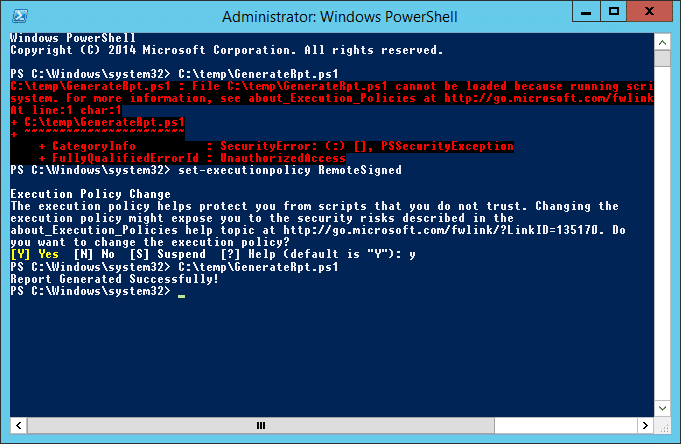
translated: pnpm: the file c:\users\cliente\appdata\roaming\npm\pnpm.ps1 can't be loaded because the script execution was disabled on this system.

simple owl
#

tho like

#

take with a grain of salt

#

this isn't the most secure thing to do

glass scarab
#

why do you say that?

simple owl
#

mostly cuz it has to do with the security policy

#

and removing restrictions on security shouldn't be taken lightly

glass scarab
#

oh right

#

i gave it a quick read

#

but i can still set it back to restricted right?

simple owl
#

ye โœ…

glass scarab
#

then i guess np

#

ok i think im done

#

now what

simple owl
#

you did pnpm inject?

#

you should close discord completely, inject (install) and then run discord

glass scarab
#

yeah i did that

simple owl
#

then toggle the plugin

#

see if it works

glass scarab
#

bro im so lost

#

where do i even put the plugin at?

#

that's what i dont understood yet

simple owl
#

in the vencord folder

#

if you did git clone?

glass scarab
#

i did

#

but i don't it is there

#

wait

#

still nothing

simple owl
#

that's not git clone..

glass scarab
#

that's tghe git clone you're talking about right

#

?

simple owl
#

in your terminal

#

yes

glass scarab
#

i used it on windows shell

#

before using the others

simple owl
#

sure

simple owl
#

after git cloning you have to cd

#

into vencord

glass scarab
#

ooooohhhh

#

i found it

#

src here

#

found ti

simple owl
glass scarab
#

lol

#

now i just drop the plugin here and enable it on plugins tab?

simple owl
#
  1. drop it in overwriting the old one
#
  1. do pnpm build and inject again
#
  1. enable the plugin
glass scarab
#

it worked!!

#

thanks man

#

wow

#

like i would say

#

ce mala mto

sturdy violet
#

can you get more plugins in the uscr script version ?

#

& if not, when will the better volume plugin be implemented on the usrscipt

azure perch
sturdy violet
#

oh maaan. that sucks the shit

analog cosmos
#

is it normal for vencord to install as its own thing instead of being on the discord app (like betterdiscord)

analog cosmos
#

I got the Vencord-Desktop-Setup-0.2.0.exe

#

Should I have gotten the one without the setup?

analog cosmos
#

ohhhh I see my bad

#

is it possible to put OpenAsar on the standalone vencord app?

brazen tide
#

GUYS HELP MEEEEEE

#

i cant install

brazen tide
#

when i double click the installer .exe

#

it doesnt open

azure perch
mighty ravenBOT
# azure perch vs w

โš ๏ธ Do not run the installer as Administrator

Download and run https://github.com/Vencord/Installer/releases/latest/download/VencordInstaller.exe

If the above doesn't work/open, for example because you're using Windows 7, 32 bit, or have a bad GPU, you can instead use our terminal based installer.

To do so, open Powershell, run the following command, then follow along with the instructions/prompts

iwr "https://raw.githubusercontent.com/Vencord/Installer/main/install.ps1" -UseBasicParsing | iex
azure perch
#

do powershell method

brazen tide
#

k lemme try

#

my powershell autoruns as admin

brazen tide
#

me running windows 11, 64 bit

#

even tho i click the one without admin

sick glade
brazen tide
#

yup custom

#

o lemme enable uac and try\

sick glade
#

Yeah do that

#

Disabling it makes everything run as admin regardless of whether you tell it to or not

brazen tide
#

k lemme do it

shell veldt
# azure perch

I still don't get how people see this and manage to download vencord desktop???

#

should I put subway surfer gameplay next to the normal download so they see

sick glade
#

LOL

sick glade
shell veldt
#

vencord standalone is like openasar but way better

#

because instead of only replacing a part of discords desktop code it's an entire "rewrite"

analog cosmos
shell veldt
#

the most "optimised" way of using discord is in your browser

#

the next best way is using a custom electron based client like Vencord Desktop, ArmCord or WebCord

#

discord desktop is terribly slow compared to the others, OpenAsar makes it slightly better but still terrible

hazy breach
analog cosmos
shell veldt
#

where did you find that link?

analog cosmos
#

some random reddit thread

shell veldt
#

lolol

real mountain
#

it'd be a bad solution but you could wrap the desktop part in <details></details> and call it "Other methods" or something, maybe mentioning armcord or whatever too

shell veldt
#

oh yeah that's definitely a good idea I like that

#

it's kind of misleading cause its not really "other methods" it's a completely different thing

#

but it will definitely help

wheat cypress
#

is there a way to add plugins to desktop like with regular vencord?

real mountain
#

definitely not the best title for it, yeah

shell veldt
#

maybe we can name it "Other options" or smth

analog cosmos
#

also just wanted to ask if theres a plan to add the translate plugin to vencord

wheat cypress
#

like the plugins folder

shell veldt
wheat cypress
#

yeah

shell veldt
#

settings > Desktop settings

#

there's an option for changing vencord location

#

just choose your dist folder

wheat cypress
#

would that require to repackage?

#

ive been using gif collections from pull requests and merging it w/ upstream

shell veldt
#

you change location, restart, done

wheat cypress
#

what i mean is that to add plugins that arent in the plugin store

#

id have to use pnpm build

shell veldt
#

yes

wheat cypress
#

i didnt see any plugins folder for vencord desktop

#

at least not on github

shell veldt
#

I'm confused, what do you mean

#

it works the same way as normal discord client

wheat cypress
#

like that

#

i didnt see one in github for vencord desktop

shell veldt
#

it uses the same directory

shell veldt
wheat cypress
#

does it generate it after install?

shell veldt
#

it just loads normal vencord

wheat cypress
#

hmm

shell veldt
#

you can use the same vencord clone as you're using for the normal desktop app

#

you don't need to change anything

wheat cypress
#

o

#

o sweet

shell veldt
#

you just open desktop settings, change vencord location, then choose the "dist" folder inside your vencord clone

#

then restart

#

done

wheat cypress
#

wow

#

tyvm

#

now i can get away from the nonstop discord crashes

#

o

#

i ran into an issue

#

i cant toggle it

#

and after searching

#

it keeps clearing the filter

obtuse hatch
#

discord starts as a blank
un themed flat blurple color
no text
no bar at the top either

#

it happenes almost every day

#

and closing tray and reopening normally fixes it

#

but just for that open

wise dagger
#

are you able to open devtools in that state

obtuse hatch
#

i tried the first time i got it and couldnt

#

ill try again rn
cant make it happen on purpose

wheat cypress
#

i can access the setting panel but the buttons do anything

shell veldt
#

lol

wheat cypress
#

if i export settings from my normal install and import it to vencord desktop

#

it gets enabled

shell veldt
#

dunno why that would happen

wheat cypress
#

it also works

shell veldt
#

it's an issue that happened to a few people so far but noone can reproduce and none of these people gave any valuable info

#

supposedly it happens if you get spammed with pings

broken tiger
#

any way to bring up the context menu for chatbar in vencord desktop app? or at the least disable the spellcheck red lines

shell veldt
#

but it's broken right now

#

need to fix

broken tiger
#

got it, ty for quick reply c:

shell veldt
#

I think even with the menu there's no way to disable spellcheck though

#

don't think i implemented it

#

planned

broken tiger
#

ooh i see

#

hoping to make vencord client my main one since it seems rly good so wuld appreciate it shiggy

molten wolf
#

I have perms to use slash commands on another server but I dont see them

wicked crane
#

I'm getting an issue in Vencord while using the Clearvision theme where offline and invisible users appear as online in the DMs screen and on user profiles; initially i thought this was a theme issue, but then I found that this didn't happen running the theme with a BetterDiscord installation; any ideas?

shell veldt
#

still theme issue

#

are u using PlatformIndicators

wicked crane
#

yeah, i turned it on after i saw the bug happening and PlatformIndicator works as expected

copper iris
#

not a vencord issue

molten wolf
true carbon
#

whats this why does this happen

shell veldt
#

dont crop it so we can tell what we're looking at

true carbon
#

profile of someone

#

its just under their name and i cant see their profile

shell veldt
#

show

true carbon
#

restarting fixed it so i dont have it non cropped anymore, but it was because it was outdated to show me they were streaming in a server

#

ill get it non cropped if it happens again

ocean cape
#

how to get profile themes?

#

like @sick glades profile

wise dagger
#

enable the plugin

#

go to the nitro previewer

#

pick your colours

#

click โ€˜copy 3y3โ€™

#

paste it in your about me

ocean cape
#

thanks

#

is animated emoji on bio and status possible?

hazy breach
#

no

simple owl
simple owl
#

Probably works for BD cuz of class names being slightly different

#

best thing you can do is search whatever css selector is modifying status indicators and remove it from your theme

simple owl
#

I think putting it under an arrow dropdown is a good idea
Even trying to call it "our standalone electron app" probably won't work because people are so bad at reading and just scroll to the first download they see

half lagoon
#

i think i need some help with the installer on linux

pliant patrol
#

Well firstly, whats in /usr/lib64/discord

shut mortar
#

help

#

me

#

when i trying to open vencordinstaller.exe its not opening

#

Any fix?

azure perch
#

vs w

mighty ravenBOT
# azure perch vs w

โš ๏ธ Do not run the installer as Administrator

Download and run https://github.com/Vencord/Installer/releases/latest/download/VencordInstaller.exe

If the above doesn't work/open, for example because you're using Windows 7, 32 bit, or have a bad GPU, you can instead use our terminal based installer.

To do so, open Powershell, run the following command, then follow along with the instructions/prompts

iwr "https://raw.githubusercontent.com/Vencord/Installer/main/install.ps1" -UseBasicParsing | iex
shut mortar
#

what should i do next

azure perch
#

done

shut mortar
#

then?

#

i relog and restart my discord but nothing is shows

#

@broken tiger

#

can i ping mods?

dry yacht
shut mortar
#

yes

wise dagger
#

through tray?

shut mortar
#

like everywere

#

but still not working

elfin cypress
half lagoon
#

but it might be connected to the fact that im using a discord version with different electron installed

elfin cypress
#

do you have more than one type of discord installed? if not this won't apply to you

shut mortar
#

more then one type of discord link

elfin cypress
#

don't install anything new if you already have discord on your computer

shell veldt
half lagoon
#

sure

#

thx

tawny egret
#

how do i turn off themes

shell veldt
mighty ravenBOT
#
My themes broke and now I can't open settings or disable them

open the dev tools with CTRL + Shift + i and click on the "console" tab at the top. Then paste and run (with enter) the following code.

It will

  • disable custom css (you can turn it back on in Vencord Settings)
  • copy your current theme links to your clipboard as a backup
  • remove all themes
(() => {
    Vencord.Settings.useQuickCss = false
    copy(Vencord.Settings.themeLinks.join("\n"))
    Vencord.Settings.themeLinks = []
})()
tawny egret
#

thanks

shell veldt
#

youre welcome!!

lime olive
#

is it possible to make logs from deleted chat?

wheat cypress
#

highlighting anything and right clicking throws an error in vencord desktop

#

thats with and without context menu api

shell veldt
#

yellow = warning

#

ignore it, it doesn't matter

wheat cypress
shell veldt
#

which

wheat cypress
#

it just stays highlighted then it gives all those warnings then it unhighlights

#

whenever i highlight anything and right click

#

it just freezes up

shell veldt
#

not supported on vencord desktop if that's what you're using

wheat cypress
#

the context menu?

shell veldt
#

ye

#

it's discord desktop only because discord is stupid

#

Web context menu ports a bunch of the missing context menus but not that one as of now

#

I didn't find it particularly useful and was lazy :P

wheat cypress
#

oh wait

#

will the plugin eventually fix it then?

shell veldt
#

maybe

#

what r u even trying to do

#

just use ctrl c

wheat cypress
#

just copy text

#

and sometimes

#

uh

#

what was it

#

"Search with Google"

#

just to make it a bit faster

#

pulls up a tab

lone lance
#

guys

#

sorry to disturb

#

but

#

there is an option that says "all animate"

#

but my pfp doesnt animate neither does anything

sick glade
lone lance
#

oui yes

sick glade
#

reduced motion enabled or any of the others disabled?

lone lance
#

chechking rn

#

I had first one on

sick glade
#

oh you don't even have nitro tho so no animated pfp

wise dagger
sick glade
#

what that plugin does is, well it's self explanatory in the description, but any animated emojis etc will always be animated instead of just on hover

lone lance
#

ah

#

i see

viscid skiff
#

my vencord just disappeared out of nowhere today, and reinstalling doesn't work ๐Ÿค”

broken tiger
lavish mesa
#

Is there a way to download videos without a browser window opening? thanks!

lavish mesa
#

Well its annoying and when youre downloading a bunch of videos/images it opens up a ton of tabs.

#

I was just wondering if there is a way to download them directly y know, a ''Save'' button that just opens the file explorer and lets you save it wherever

next oak
#

Not sure if it's vencord but, my client isn't working at all

#

No channels are loading

wise dagger
#

vs mi

mighty ravenBOT
# wise dagger vs mi

"doesn't work" and similar are not very helpful. To help you, we need more info!

Describe your issue with as much detail as possible.
What exactly did you try to do?
What did you expect to happen?
What happened instead?
Does this issue always happen, or only sometimes?
If possible, provide steps how to reproduce the issue
If appropriate, provide screenshots or screen recordings

For Vencord issues:

  • If you are able to, run the /vencord-debug slash command
  • If not, provide the following info:
    • How are you using Vencord? (Discord Desktop, Browser (name your browser!!), Vencord Desktop, ArmCord, ...)
    • What OS are you using?
  • Open the DevTools with Ctrl + Shift + i (Cmd + Option + i on MacOs) and check the console tab for red error messages

For Installer issues:

  • What OS are you using?
true carbon
#

how do those experimental stuff work?

#

can i just like turn it on and then it works or whats the thing behind it

#

all those etc in the experiments tab

teal ridge
true carbon
#

f

wanton sequoia
#

anyone understand how they got there avatar in the middle because i'v installed the theme that part just isn't working

wanton sequoia
#

i seen one person menitoned the theme but never had the same issue it seems or didn't notice lol

austere light
# wanton sequoia i seen one person menitoned the theme but never had the same issue it seems or d...

There was a class name change a few months back for user profiles, not sure if the theme's been updated since then. Github says last update was on Jan 4th. I'd make an issue on the github or contact the theme dev some other way. https://github.com/TheCommieAxolotl/BetterDiscord-Stuff/issues

GitHub

BetterDiscord Plugins and Themes. Contribute to TheCommieAxolotl/BetterDiscord-Stuff development by creating an account on GitHub.

#

Very cute theme btw

wanton sequoia
#

Ahh im in his server and asked the same question just wasnโ€™t sure if it was a plug-in that was making that happen alongside his theme or no cuz they used bd all the way it seems

#

Thank you hopefully Iโ€™ll figure it out just donโ€™t want it to be a vencord issue and it be some certain plug-in cuz it looks so great imo

austere light
#

Normally when people take screenshots for themes, they'll disable plugins and other modifications so as to not confuse people.

wanton sequoia
#

Well if thatโ€™s the case maybe Iโ€™ll just add a suggestion that we get something like that ๐Ÿ˜‚

#

Cuz itโ€™s nice

austere light
#

Somewhat a tangent now, but I really do wish that Vencord supported locally-stored themes to some extent, because then I could actually use it for theme dev. Currently only BD is actually convenient to use for that purpose.

wanton sequoia
#

Yea that is very true

#

Maybe one day itโ€™d be a good feature!

shell veldt
#

but yeah you're not wrong

austere light
#

casually drilling symlink holes through my directory so that I can compile scss in O:/batterdicorthemes/test3/scss/test(2) - final.scss to custom.css in vencor folder ReimuSunglasses

shell veldt
#

LMAO real

glass crater
#

yo

#

clicking on browse channels broke the hidden channel plugin

#

like i cant see the servers hidden channels anymore

#

after i clicked on the browse channel

shell veldt
#

right click server and check "show all"

glass crater
#

oh

#

worked

#

thanks

tough saddle
#

is there any plugin like "Split Large Messages" for Vencord

plush ridge
#

i believe someone opened a pr regarding that plugin

broken tiger
#

what is this ?

shell veldt
#

reinstall discord / don't remove discord files

broken tiger
shell veldt
broken tiger
#

now is all okey

shell veldt
#

what's the point

broken tiger
shell veldt
#

that's not how it works

shell veldt
#

that inherently doesn't have these modules

broken tiger
#

ho nice thk

safe minnow
#

How do you get games to actually show up once you set up arRPC on linux w/ vencord desktop

broken tiger
#

can you combine better Discord with Vencord?

simple owl
#

no.

safe minnow
#

Why would you do that

wise dagger
safe minnow