
#🤝|tech-support
1 messages · Page 122 of 1
 wicked widget
 ornate elk
I knew it from the profile PIC + borb = birb and you like birds xD
 fair oxide
Ya xdd :3
fair fair
lost like, most of my loras tho xd, i rememerbed most of the ones i used more of the time, and my 3 models xd, no big deal tho, not remembering what i lost is like not ever having them so eh xd
better than having 220GBs of stuff i dunt use
ornate elk
True, helps a lot sometimes to have less
 stark coyote
Hi, im new here and im using A1111 but im having trouble generating a good quality image and im tired of researching on how to do it, my goal is to create AI fanart of anime characters, can someone help me or give me a tip on how to do it?
ornate elk
stark coyote
Hi, im new here and im using A1111 but im having trouble generating a good quali...
Use illustrious models
ornate elk
And get the boorutag autocomplete extension
stark coyote
ornate elk
And get the boorutag autocomplete extension
yea i didnt get any of that sorry xD
stark coyote
wicked widget
show us ur prompt
give me a sec
 ornate elk
fair oxide
was there another version of stable diff that was for AMD..or gpu mode 🤔
ornate elk
fair oxide
was there another version of stable diff that was for AMD..or gpu mode 🤔
What was your GPU again?
fair oxide
AMD 5600G raedon graphics
ornate elk
fair oxide
AMD 5600G raedon graphics
Here Auto1111 with DirectML or Forge webui With directml:
https://github.com/CS1o/Stable-Diffusion-Info/wiki/Webui-Installation-Guides
stark coyote
ornate elk
And get the boorutag autocomplete extension
sorry only saw this msg rn, where can i get that?
fair oxide
🤔 two years ago, how long ago was 1.7.0 xd, that was the last version i was using, and it had direct-ml
ornate elk
stark coyote
sorry only saw this msg rn, where can i get that?
Click on extensions tab, then on available, then on load from, search for booru autocompletion and install it.
Also search for adetailer. For face enhancing
Then restart the webui
stark coyote
may your day be blessed
ornate elk
fair oxide
🤔 two years ago, how long ago was 1.7.0 xd, that was the last version i was usi...
Auto1111 is on 1.10 and Forge on 2.0
 ornate elk
I'm off now gn
fair oxide
goodnight~
tried to look online and a lot of the comments are jus, same xd

dunno if its the same issue u having but

xd :3

 mystic basin
fair oxide
tried to look online and a lot of the comments are jus, *same* xd
mystic basin
fair oxide
tried to look online and a lot of the comments are jus, *same* xd
you have problems with flux?
with forge ui
?
 vast pulsar
hey guys, am i doing anything wrong? i got flux from civitai and the vae/text encoder stuff from huggingface or wtv it's called. And yet all my generations are: black squares
 vast pulsar
mystic basin
with forge ui
vast pulsar
mystic basin
with forge ui
yes 
mystic basin
can't help, i haven't used flux yet
vast pulsar
rip
mystic basin
i only got the needed files here https://github.com/lllyasviel/stable-diffusion-webui-forge/discussions/1050
GitHub
The old Automatic1111’s user interface of VAE selection is not powerful enough for modern models. Forge make minor modifications so that the UI is as close as possible to A1111 but also meet the de...
the text encoder and vae
mystic basin
gonna see if it work for me
once the compiling is done, first time using forge
might take some time since i'm on a laptop rn with zluda
vast pulsar
hopefully you got better luck than i do lol
mystic basin
we'll see
vast pulsar
just in case i found a single file that has everything needed merged into it so ain't no way that's failing
but it's a 31 gb file so... ya know
mystic basin
good luck
once the compiling is done my pc gonna get nuked, my 12gb of vram won't be enough i think
the image size is quite low so it might work
vast pulsar
won't know till ya try
mystic basin
yeah, the first time is always long for I don't know what reason (it say on the guide it take longer the first time but doesn't say why)
gonna be back soon once the compiling is done to see if it work for me
vast pulsar
well another black square :)))))))) guess i'll wait for the 31 gb file
 mystic basin
could it be the schedule type?
it was on automatic by default when i downloaded forge and the same goes for automatic1111 when i was using it before
vast pulsar
doubt it, never had issues with that in normal webui
never changed it
oh, you mean that it's not in automatic
well-- i can try ig
mystic basin
yeah, i don't know if it's that
vast pulsar
more likely to only solve it once i finish the big download with all the bullshit merged
mystic basin
could it be the seed? like could the seed have problem with flux but if you use another seed, it won't happen?
vast pulsar
no, seed is fine, i'm trying to recreate an already existing generation
vast pulsar
i'll just try this
 mystic basin
you could try
wicked widget
vast pulsar
well another black square :)))))))) guess i'll wait for the 31 gb file
move the clips from whatever folder to text_encoder folder
reboot ui
retry
vast pulsar
wicked widget
move the clips from whatever folder to text_encoder folder
it's already in that folder

reddit suggests using euler and simple schedule so i'll try that ig
mystic basin
i mean multiple errors
vast pulsar
ok i was told to just forget about flux 1 dev and use the many versions with vae baked in as they "work out of the box" we'll see
mystic basin
vast pulsar
ok i was told to just forget about flux 1 dev and use the many versions with vae...
did it work?
i had pip but it disappeared and it doesn't want to get downloaded now
vast pulsar
mystic basin
did it work?
It'll take a while to find out, testing multiple stuff at once
mystic basin
alright
 midnight kiln
Hey - does anyone know exactly what the order of operations is, in txt2img or img2img for example? Does it strictly follow from top to bottom? And if so - is there any way to change it around? Like, I'd want to run Adetailer after a tiled upscale, not before
mystic basin
yoooooo, i think i fixed my python error
uninstalling completely and reinstalling
might need to do the compiling again
vast pulsar
Works now, had to use that 1 file with everything but now it's ignoring loras so- one problem at a time lol
mystic basin
yeah
i have problems, doesn't seem to work
it seemed to work once, it froze my laptop
and every other time i get error
 upbeat igloo
Hi there, I was wondering if anyone was able to help me get stable diffusion running. I'm using Linux Mint, and I'm trying to get it to work in venv but for some reason its not detecting my 4070ti gpu

Been scratching my head and trying all day to figure it out
 novel owl
Heho i have a question stable video diffusion is compatible on AMD graphics card ?
mystic basin
i keep getting these weird error, can anyone help?
midnight kiln
novel owl
Heho i have a question stable video diffusion is compatible on AMD graphics card...
yes, it can work. Slightly more setup and it's not as well optimized for
novel owl
midnight kiln
yes, it can work. Slightly more setup and it's not as well optimized for
Okay because i have compared m'y perf with m'y friend hé have à 4090 and m'y 7900xt have the same perf and a litle bit more it/s
With the same model and setings and prompt
midnight kiln
that sounds a bit off - but there are loads of things that can be tweaked that affect performance
I just gained like 50% by running the right runtime args after learning from an expert here
but I have an old card, so it was mor essential for me than most
 wicked widget
its downloading
upbeat igloo
upbeat igloo
As a followup to this, i tried seeing if i could see the gpu in venv and it does show up with cuda enabled. Now to figure out why torch can't use this gpu...

 waxen pasture
its very strange, i have Pony in Vae, like it recommends
but Lora doesnt allow me to use detail tweaker
 fringe ether
Hello! I am currently trying to get stable diffusion working on my linux pc. I have installed all the dependancies, but whenever I try to launch webui.sh, it opens for about 2 seconds before closing right after
waxen pasture
what is vae approx?
upbeat igloo
fringe ether
Hello! I am currently trying to get stable diffusion working on my linux pc. I h...
Im going through the same thing. When I run it in venv the terminal stays open but then my other problems begin.
fringe ether
mine doesn't even stay open, so I can't see my issue
upbeat igloo
Try going through the terminal instead of the graphic interface
upbeat igloo
What kind of linux are you using?
fringe ether
ubuntu
upbeat igloo
Open the terminal and run the file with the command ./webui.sh
waxen pasture
RuntimeError: Error(s) in loading state_dict for AutoencoderKL: Missing key(s) in state_dict: "encoder.conv_in
fringe ether
bash: ./wubui.sh: No such file or directory
upbeat igloo
fringe ether
bash: ./wubui.sh: No such file or directory
Find the directory its in and do that
waxen pasture
does the refiner use vae?
 lucid yoke
waxen pasture
does the refiner use vae?
lucid yoke
waxen pasture
does the refiner use vae?
Yes, either the one your using or one you specified. You can also choose none
fringe ether
so... by the looks of it, the issue is that it couldn't install torch
waxen pasture
AssertionError: VAE found near the checkpoint doesn't exist: C:\Users\XXX\Downloads\stable-diffusion-webui-master\stable-diffusion-webui-master\models\VAE\Concept_PONY_XL.safetensors
lucid yoke
And what is the concept pony xl?
upbeat igloo
fringe ether
so... by the looks of it, the issue is that it couldn't install torch
Yup same thing happened here, your version of python is up to date where as stable diffusion uses a way out of date version.
lucid yoke
Is that a vae or something you downloaded from civit?
fringe ether
upbeat igloo
Yup same thing happened here, your version of python is up to date where as stab...
how does one fix that?
waxen pasture
from civit
lucid yoke
waxen pasture
from civit
Link it?
fringe ether
its a pony checkpoint
waxen pasture
i think its pony?
lucid yoke
?? Then it doesnt go in vae
fringe ether
Move the concept pony xl to the Stable diffusion folder
thats where checkpoint files go
waxen pasture
This checkpoint recommends a VAE, download and place it in the VAE folder.
lucid yoke
If its a checkpoint it needs to go in there
waxen pasture
all checkpoint files?
lucid yoke
waxen pasture
This checkpoint recommends a VAE, download and place it in the VAE folder.
You need to download a seperate vae
Or use the SDXL base vae
waxen pasture
kk
waxen pasture
lucid yoke
Or use the SDXL base vae
i think thats the one i downloaded
because its smaller
is the pruned model better?
its heavier
lucid yoke
Just use the base sdxl vae in the vae folder
Checkpoints in stable-diffusion or "checkpoints" folder
And your good to to
upbeat igloo
fringe ether
how does one fix that?
Well... Ive been sitting here for 12 hours fighting and struggling to get it to work with no success here. So far I've been following vague instructions about downloading different versions of python and starting it in a virtual environment. I'm not really sure of the answer myself.
fringe ether
If you ever find out, can you hmu by chance?
waxen pasture
lucid yoke
Just use the base sdxl vae in the vae folder
then what? its in vae, but now i cant use it as a checkpoint
upbeat igloo
fringe ether
If you ever find out, can you hmu by chance?
Sure.
fringe ether
merli
can you hop into a call, and I can help you out in a screenshare?
well, wait
what operating system
waxen pasture
windows
fringe ether
okay yeah, I can help
waxen pasture
but wait
where do you use vae?
loras have a section, checkpoints too, where does vae come in place?
brb
fringe ether
I have yet to put any vae's in lol
waxen pasture
fringe ether
I have yet to put any vae's in lol
eeh??
so they are useless?
oh
is it for refining or something
fringe ether
They aren't useless, but they aren't required either
waxen pasture
how foolish of me
i see the issue now
damned vaes
fuuuck, the pruned model is 6GB
waxen pasture
i got it to work!
now i heard you made these batches in low res, and tinker the good ones to obtain greater product
how do ya do that?
thank you by the way!
 vocal burrow
waxen pasture
now i heard you made these batches in low res, and tinker the good ones to obtai...
vocal burrow
waxen pasture
now i heard you made these batches in low res, and tinker the good ones to obtai...
using img2img on the lowres afterwards
or simply regenerating them with same parameters + high res fix + some other optiuonal stuff such as adetailer, etc...
waxen pasture
vocal burrow
using img2img on the lowres afterwards
or simply regenerating them with same par...
oh yeah? i see, i didnt know that, thanks
vocal burrow
waxen pasture
so they are useless?
vae are used to translate stuff from and into latent space. In common words they transform math stuff from the ai graph soup from prompt and into pixels.
what it means for you ? basically some models require their own custom vae to work correctly, and you also can change vae to slightly tune the output (mostly used for color correction, remove the grey veil, boost the contrast, etc)
waxen pasture
vocal burrow
what it means for you ? basically some models require their own custom vae to wo...
grey veil?
i think ive seen that
vocal burrow

What is a VAE? A VAE (Variable Auto Encoder) is a file that you add to your Stable Diffusion checkpoint model to get more vibrant colors and crisper images. VAEs often have the added benefit of improving hands and faces. If you're getting washed-out images you should download a VAE. Sometimes you don't even realize ... Read more
(notice the purple stuff too)
waxen pasture
thanks!
 latent sky
It seems there's an issue with the stability AI upscale fast API, and when you choose the output format as PNG, it timeout after 12 minutes. Has anyone else experienced this problem? It looks like it's been happening consistently for a week now
{
"errors": [
"Timeout"
],
"id": "xxx",
"name": "internal_status"
}
 next wyvern
anyone knows how do you run this colab https://github.com/gutris1/segsmaker ?
GitHub
Stable Diffusion Webui, Forge, ReForge, ComfyUI and SwarmUI for SageMaker Studio Lab, Kaggle and Google Colab - gutris1/segsmaker
novel owl
hello someone can help me to install stable video difusion on AMD graphics card please ?
novel owl
@ornate elk m'y lord XD
how can i install stable video diffusion ?
ornate elk
novel owl
<@161910921269084160> m'y lord XD
how can i install stable video diffusion ?
can only help for ltx video
svd is outdated
novel owl
Ah okay
novel owl
ornate elk
can only help for ltx video
What is Itx ?
upbeat igloo
upbeat igloo
As a followup to this, i tried seeing if i could see the gpu in venv and it does...
Would anyone familiar with Linux be willing to help me troubleshoot my issues? If needed I'd be more than willing to negotiate compensation for time. 
novel owl
Yeah but how use it ?
novel owl
its compatible with amd ?
ornate elk
novel owl
its compatible with amd ?
yep its a different webui and i also made a guide for it on github
its not as user friendly as Auto1111 or Forge but supports more things
lucid yoke
i never recommend comfy to new users unless they have a very spesific goal in mind and know how to read documentation 🗣️
wicked widget
upbeat igloo
Would anyone familiar with Linux be willing to help me troubleshoot my issues? I...
no need to compensante
whats the iossue
first provide me with ram amount, gpu/vram amount
upbeat igloo
wicked widget
first provide me with ram amount, gpu/vram amount
That is extremely kind of you and I appreciate it.
The ram is 48gb of DDR5
The GPU is a GeForce RTX 4070 ti super
And it has 16gb of ram on it
wicked widget
ok ty what seems to be the issue
upbeat igloo
wicked widget
ok ty what seems to be the issue
Frankly, I'm not really sure what the problem is. I was trying everything yesterday from changing the user.bat to skip the torch cuda test, to installing python 3.10 and 3.11, to deleting and reinstalling, installing pulling as many drivers and cuda as I could, to running it from venv/bin/activate....
When I run it without starting it in venv it says it can't launch venv, when I do launch it in venv it says it can't use my gpu.
I'm totally perplexed lol.


Its saying Torch cant use the GPU at this point and I'm pretty sure that I have it starting python 3.10 so it should have the pytorch libraries right... I hope.
||Also if what I am saying doesn't make sense, forgive me I am a novice and am learning as I go, so to speak.||
wicked widget
which method did you use to install sd
upbeat igloo
wicked widget
which method did you use to install sd
I used $wget and it pulled everything from github i believe
Oh, I am on Mint, if you need to know
 regal mason
I cleared out my "input" folder to clean it up, now I get this error. How do I restore the "Load Checkpoint" node? Doesn't show up in any node manager

 safe inlet
python does not come with pytorch, if your using venv, activate it and get command for proper one for your system https://pytorch.org/get-started/locally/
wicked widget
upbeat igloo
I used $wget and it pulled everything from github i believe
with linux i find the easiest way to use SD is with Stability Matrix, try a fresh install with that. Otherwise we'll have to wait for someone with more knowledge to chime in
upbeat igloo
wicked widget
with linux i find the easiest way to use SD is with Stability Matrix, try a fres...
I hate to ask, but could you walk me through that at some point that is convenient for you?
wicked widget
sure
wicked widget
vast pulsar
figured it out: gave up on flux lmao
what was ur issue i didnt see, maybe id have an idea
i use flux regurlarly with comfy
vast pulsar
wicked widget
what was ur issue i didnt see, maybe id have an idea
by the end FLUX was basically ignoring loras regardless of using the... (i think it was called 16f LORA) thingy
that and the fact flux took like 3x the time for a render just made me say "Lmao fuck it"
upbeat igloo
wicked widget
sure
Thanks, can I DM you?
wicked widget
would you be willing to try it on comfyui if i provide you my workflow?
also wahts ur vram
flux is demanding, i need to use an optimization node with my 12gb 3060
vast pulsar
8vram, which worked actually quite fast when i got a diferent version of flux
wicked widget
flux on forge is a pita anyways
it is supported yes
but it runs way better onc omfy
vast pulsar
i did try confy once but it confused outta me
which is why i use webui
i'm too stupid for confy
wicked widget
if you ever want to try it again, ehres my pesonal workflow i use for comfyui and flux with lora
its currently set up to run the dev model but i can always help with making it run the quantized versions if needed 🙂
vast pulsar
i don't even know what workflow means bro  but if i ever feel like smashing my head against a wall again i'll let ya know
vast pulsar
yea, i saw some "node" stuff too, since no such thing exists on my "peasant app" aka webui i have no clue what it is
wicked widget
i.e youll open that in comfy and everything wiull be ready for you to start using
alternatively, look at SwamUI
SwarmUI
lucid yoke
wicked widget
SwarmUI
its great
wicked widget
its comfy but with A1111 gui
I love it, i gradually swapped from A1111 > swarm > completely comfy
When im lazy i stil use swarm
vast pulsar
wait, in that case why would ya swap to comfy? isn't swarm like that but easy then?
unless there's a diference (?)
lucid yoke
theres an extra ui. some people dont like it
vast pulsar
wym extra?
lucid yoke
theres a comfy tab, and theres a generation tab
but if you arent a comfy user yet. i recommend swarm
but if you are a comfy user. you can still switch but custom extensions/nodes need a extra step most tutorials wont mention
vast pulsar
~well, if it easy for the "simple minded" such as myself then i could try it
lucid yoke
but theres a super cool discord for swarm that knows how to fix those issues etc
lucid yoke
vast pulsar
ohhh do link me in case i do feel like staying up to 5 am tonight
https://github.com/mcmonkeyprojects/SwarmUI
the link has a discord invite and all the information you need
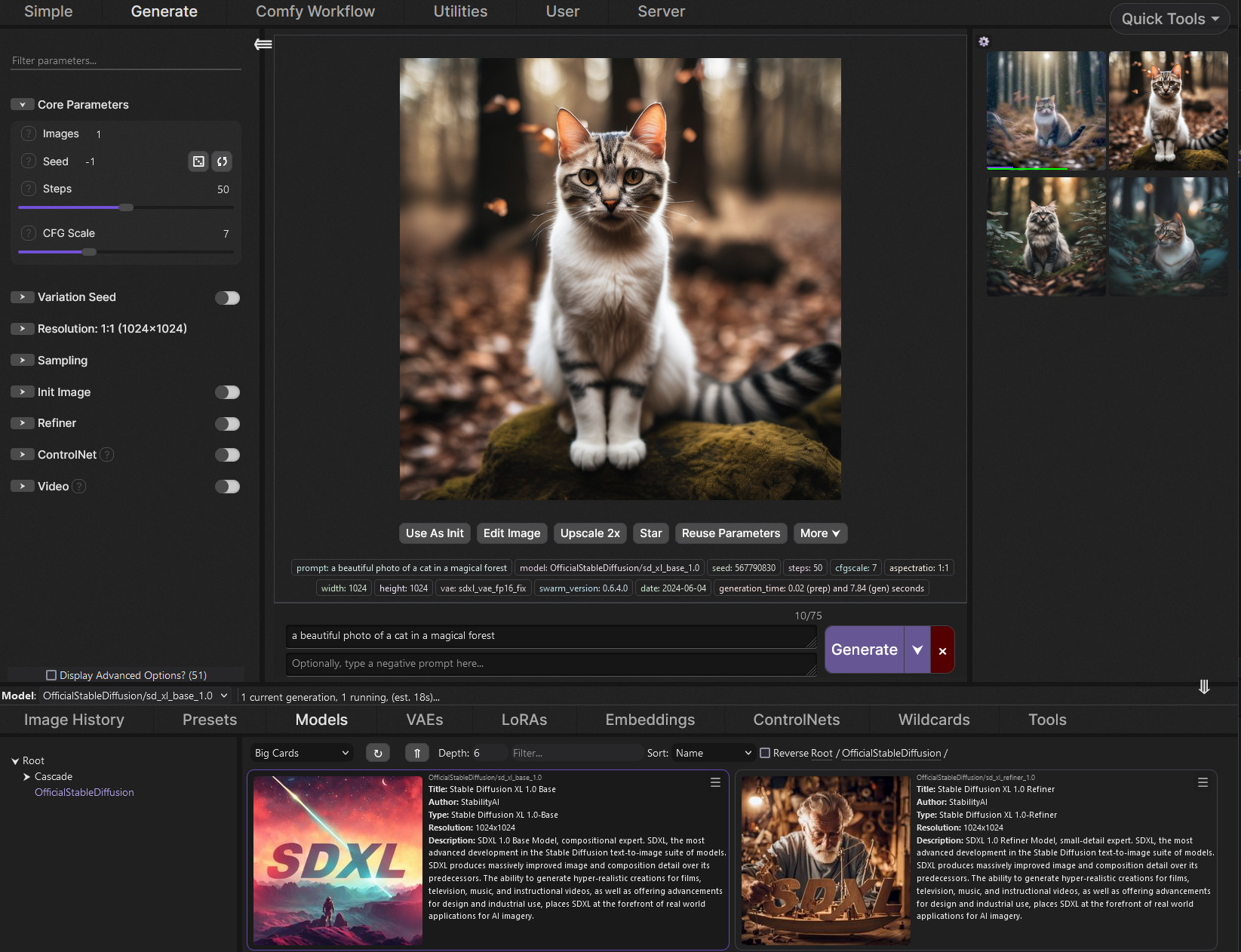
GitHub
SwarmUI (formerly StableSwarmUI), A Modular Stable Diffusion Web-User-Interface, with an emphasis on making powertools easily accessible, high performance, and extensibility. - mcmonkeyprojects/Swa...
vast pulsar
tought ya said discord
lucid yoke
tough if you use a AMD card iirc CS10 has a tutorial for amd
yeah
theres a discord invite in the github
lucid yoke
third row of text under status. (servers dont like direct invites lol)
oh you got a Nvidia card
its fine same
vast pulsar
yea, 3080
lucid yoke
just follow the github for an install
vast pulsar
alright, i'll try it out maybe this week
lucid yoke
bet!
its a community server. take it up with support or your creditcard company to get a refund. we cannot help you in this
it sounds rude but we are just hobbyists
wicked widget
do you know what a community server is?
we're just users helping users
lucid yoke
also comments might get deleted due vulgar language. hope you get the result you need
 tawny saddle
was there a fight here or sum-
wuts an x token
ahh its a bitcoin scam xd, yes, lets all invest 100k in xcoin so the owner can cash in and not let other cashout, sounds like fun
xd
lucid yoke
tawny saddle
was there a fight here or sum-
Not really, just a upset guy who accidentally spent a lot of money. But i think the mods got him out as were just a community hub
tawny saddle
ah oop
 paper dagger
tawny saddle
ahh its a bitcoin scam xd, yes, lets all invest 100k in xcoin so the owner can c...
paper dagger
tawny saddle
ahh its a bitcoin scam xd, yes, lets all invest 100k in xcoin so the owner can c...
Pump n dumps
tawny saddle
xd
wicked widget
keep the channel to tech support yall we have a gen chat
paper dagger
wicked widget
keep the channel to tech support yall we have a gen chat
My bad
midnight kiln
What happened to the Re:actor extension in automatic1111 ? The repository has been removed panic
please tell me there's somewhere else to get it
tawny saddle
1 sec
prolly this nu?

GitHub
Fast and Simple Face Swap Extension for StableDiffusion WebUI (A1111 SD WebUI, SD WebUI Forge, SD.Next, Cagliostro) - Gourieff/sd-webui-reactor
 midnight kiln
I mean, someone here surely has it installed? You better make a backup of it (and send me whiel you're at it 😛 )
tawny saddle
xd
wonder why they disabled it, maybe its stolen code or sum
the sfw one appears to be there tho
midnight kiln
But... but my smut!
and faceswaplabs causes my package dependencies to collape - great!
tawny saddle
xdd
anyone got an SMB or sum storage server yall dunt mind me pulling someting from
i wan the discordinstaller.exe u-u
i feel like peer2peer would be faster than waiting an hour on the website
oop nvm it decided to go finally xd
 knotty turret
my stable diffusion not working idk what going on

inpaint not working
not VAE problem the model i using dont need it
forge with zluda
 ruby yoke
knotty turret
forge with zluda
ruby yoke
knotty turret
forge with zluda
wrong scheduler and sampler
ruby yoke
knotty turret
everything i try
can i ask how you know the model you're using does not need a VAE?
knotty turret
ruby yoke
can i ask how you know the model you're using does not need a VAE?
baked vae
that means vae inside model right?
lucid yoke
You still need a base vae
knotty turret
lucid yoke
You still need a base vae
it was working before and never used vae with that model
ruby yoke
knotty turret
that means vae inside model right?
it does - but - which checkpoint are you using?
knotty turret
ruby yoke
it does - but - which checkpoint are you using?
utopianpony
ruby yoke
knotty turret
utopianpony
are you loading anything at all that isn't pony derived?
knotty turret
find that my cmd says "ZLUDA device failed to pass basic"
trying to delete venv and .zula folder
ruby yoke
knotty turret
find that my cmd says "ZLUDA device failed to pass basic"
oh - okay - that's a different issue
 ruby yoke
knotty turret
see if works
ruby yoke
knotty turret
see if works
read through this https://github.com/lshqqytiger/stable-diffusion-webui-amdgpu/issues/540
GitHub
Checklist The issue exists after disabling all extensions The issue exists on a clean installation of webui The issue is caused by an extension, but I believe it is caused by a bug in the webui The...
it's not your model - you've got to get zluda working
knotty turret
yeah i going to sleep now tomorrow try it
ruby yoke
knotty turret
yeah i going to sleep now tomorrow try it
and if you still have issues, you're going to want to talk to @ornate elk
ruby yoke
knotty turret
this guy always save me
he's the AMD GPU expert
knotty turret
👍 ok good night
 noble idol
@ornate elk do you have any experience with supermerger
noble idol
ornate elk
Nope
😔
i think i found my issue anyways, i just dont have a fix for it now

 knotty turret
ornate elk
Looks normal
knotty turret
ornate elk
Looks normal

and my output are all giving me just GRAY image
and inpaint not working too
knotty turret
knotty turret
my stable diffusion not working idk what going on
.
 final vector
Can anyone with knowledge of Comfy-UI integration with Intel/IPEX Help me Here? #🧣|comfy-ui message
(Trying to run Flux-Dev)
knotty turret
ornate elk
What's the issue?
 ornate elk
knotty turret
ornate elk
knotty turret
Which model do you use?
 limpid osprey
ornate elk
Which model do you use?
limpid osprey
ornate elk
Which model do you use?
Um, any good online models for cyberpunk story setting art?
knotty turret
ornate elk
Which model do you use?
right now trying utopianinpaintg model
its sdxl model
lucid yoke
Wrong channel! This is for tech support :-)
ornate elk
knotty turret
its sdxl model
Don't use an Inpainting model for image generation
Try an other model.
knotty turret
ornate elk
Don't use an Inpainting model for image generation
Try an other model.
mb i said the wrong model i using this

Its SD 1.5
 ornate elk
knotty turret
ornate elk
knotty turret
Can you show me your webui-user.bat?
ornate elk
knotty turret
my stable diffusion not working idk what going on
When did that issue started? Did it worked before normaly? What did you changed
knotty turret
ornate elk
When did that issue started? Did it worked before normaly? What did you changed
started when tried to install hip sdk 6.2.4
like 10 days ago
but just tried stable diffusion yesterday
but now i using 6.1.2

 ornate elk
Looks good.
Do you have both hip sdks now installed? Or only one? Please check
Also what's your GPU?
 spare knoll
I was working with this youtube videohttps://www.youtube.com/watch?v=onmqbI5XPH8

In this step-by-step tutorial, learn how to download and run Stable Diffusion to generate images from text descriptions.
📚 RESOURCES
- Stable Diffusion web demo: https://huggingface.co/spaces/stabilityai/stable-diffusion
- Install Git: https://git-scm.com/download/win
- Install Python: https://www.python.org/downloads/release/python-3106/
- Sta...
and downloadet this model: 768-v-ema.ckpt
do i have to install python and the other things in the same disk?
mybe thats the problem idk
lucid yoke
i think the bigger problem is:
its an old guide
your using a old model too
spare knoll
lucid yoke
i think the bigger problem is:
its an old guide
your using a old model too
Ouh
lucid yoke
i recommend following the guide written by CS1o
https://github.com/CS1o/Stable-Diffusion-Info/wiki/Webui-Installation-Guides
GitHub
Stable Diffusion Knowledge Base (Setups, Basics, Guides and more) - CS1o/Stable-Diffusion-Info
spare knoll
i dont found a new tutorial
lucid yoke
i believe the Forge-Webui is the best one in your case
spare knoll
lucid yoke
i believe the Forge-Webui is the best one in your case
ah thanks
lucid yoke
just make sure if you got a AMD card to use the AMD guide with ZLUDA (NOT DirectML)
spare knoll
what model do i have to use?$
spare knoll
lucid yoke
just make sure if you got a AMD card to use the AMD guide with ZLUDA (NOT Direct...
im using amd
lucid yoke
what graphics card do you have?
spare knoll
lucid yoke
what graphics card do you have?
rx 6800
lucid yoke
it depends on the Vram capacity on what im going to recommend sec
spare knoll
lucid yoke
or would you like to do both?
both xD
lucid yoke
for Realistic images i prefer to use a SDXL 1.0 model like https://civitai.green/models/139562/realvisxl-v50?modelVersionId=789646 (you need to use these settings in the model page to get the best results!)
H A P P Y N E W Y E A R Check my exclusive models on Mage: ParagonXL / NovaXL / NovaXL Lightning / NovaXL V2 / NovaXL Pony / NovaXL Pony Lightning ...
spare knoll
lucid yoke
for Realistic images i prefer to use a SDXL 1.0 model like https://civitai.green...
but is it the same to install like in the video?
just never versions?
lucid yoke
for anime images. i recommend checking on the "models page" and then filter for illustrious
lucid yoke
spare knoll
but is it the same to install like in the video?
not fully since your using AMD so you need ZLUDA or your speed is gonna be agonizingly slow
spare knoll
lucid yoke
not fully since your using AMD so you need ZLUDA or your speed is gonna be agoni...
oke ill use zluda
lucid yoke
GitHub
Stable Diffusion Knowledge Base (Setups, Basics, Guides and more) - CS1o/Stable-Diffusion-Info
this one will jump to the proper guide
lucid yoke
i would recommend so
 lucid yoke
maybe add a space after the =
i use NVIDIA so i didnt have to do that step
but looks good
lucid yoke
hmm
spare knoll
do i have to start it first?
lucid yoke
are you trying to launch python seperately?
lucid yoke
no?
spare knoll
oke
lucid yoke
do you get any errors or?
lucid yoke
Uninstall Python, install it again, don't forget to check the "PATH" box when installing, (found on github for people with similar errors)
spare knoll
lucid yoke
Uninstall Python, install it again, don't forget to check the "PATH" box when in...
i installed it new, ill do it again and screnshot it


 lucid yoke
looks good to me so far
spare knoll
ill download it from microsoft store
lucid yoke
????
spare knoll
maybe it will work then
spare knoll
3.10 right?
lucid yoke
before you do. ill tag our expert (who wrote the guide) and if hes availible he might hop in to help
spare knoll
lucid yoke
before you do. ill tag our expert (who wrote the guide) and if hes availible he ...
oke ill wait
lucid yoke
@ornate elk any idea what could be going wrong here. python not launching Code 9009
spare knoll
@lucid yoke I downloadet this. what do i have to do with it? i dont understand the guide 😭 : ZLUDA-windows-rocm6-amd64
lucid yoke
Setting up Zluda:
Important: If you already installed Automatic1111 or ComfyUI Zluda Version with my Guide, you can jump directly to Step 5. of the Zluda setup.
Important: If you want to use the latest ROCm HIP SDK 6.2.4 and your GPU is higher/newer than a RX6800, then:
- Download and install AMD HIP SDK 6.2.4 from here
- Download the latest Zluda files for ROCm 6 from here
- Unzip as Folder and move it onto the C: Drive and rename the Folder to ZLUDA
- Then restart your PC and skip to Step 4 below and proceed there with the Guide.
where do you get stuck?
spare knoll
lucid yoke
example image:
extract in> (file name)
 knotty turret
ornate elk
Looks good.
Do you have both hip sdks now installed? Or only one? Please check
knotty turret
ornate elk
Looks good.
Do you have both hip sdks now installed? Or only one? Please check
i have only one
6.1.2 gpu 6600
spare knoll
lucid yoke
example image:
extract in> (file name)
yes but where do i have to put it?
after it is extracted`?
spare knoll
but my other things are in D drive,
lucid yoke
this must be on C
lucid yoke
shouldent be.
ornate elk
spare knoll
i installed it from windows
delete the venv folder and relaunch
the windows store python isnt recommended and wont work with every webui
spare knoll
ornate elk
delete the venv folder and relaunch
waht folder?
knotty turret
knotty turret
6.1.2 gpu 6600
@ornate elk need more information?
spare knoll
ornate elk
venv
alr and now?
ornate elk
spare knoll
alr and now?
relaunch the webui-user.bat
spare knoll
still the same
ornate elk
knotty turret
<@161910921269084160> need more information?
yep can you try delete the venv and the .zluda folder and the files config.json and ui_config.json ?
then relaunch the webui and then try to generate an image with a normal model
ornate elk
spare knoll
still the same
can you show me the cmd log?
knotty turret
ornate elk
yep can you try delete the venv and the .zluda folder and the files config.json ...
ok
spare knoll
ornate elk
can you show me the cmd log?
what do you mean?
 ornate elk
yea but thats not supported
ornate elk
can you dm me if you have time i can take closer look
spare knoll
sure
lucid yoke
CS1o being the g.o.a.t as useual
knotty turret
ornate elk
yep can you try delete the venv and the .zluda folder and the files config.json ...
the model i show you before can be him?
chilloutmix ni pruned SD1.5
ornate elk
knotty turret
the model i show you before can be him?
yep
knotty turret
Alright
ornate elk
but if you want to be sure try dreamshaper v8
knotty turret
Ok gonna do it

 wicked widget
is that a 1.5 or xl variant of dreamshaper? if xl res also looks abit low
@ornate elk
knotty turret
ornate elk
can you screenshot me the forge ui?
the web page?
idk if get it right

for a moment could see the blue fried image
but cant see it anymore
now just
 mystic basin
knotty turret
mystic basin
knotty turret
ZLUDA device failed to pass basic operation test
could it be why you get grey image?
mystic basin
knotty turret
runtime error: invalid argument to reset peak_memory_stats
it could probably be a vram error when the image finish generating that causes the image to become grey (i could be wrong, i don't know much about these kind of stuff)
black square can be caused by certain model when using vae and text encoder (like for flux if the model you are using doesn't have the vae and text encoder integrated), the gray square could be a similar issue even though i'm pretty sure you don't need those for sd 1.5
knotty turret
mystic basin
ZLUDA device failed to pass basic operation test
yeah i waiting for CS1o aswer now
mystic basin
good idea
ornate elk
knotty turret
the web page?
can you show me the extensions tab?
or the extensions folder
and can you send a full cmd log after a relaunch?
 olive lintel
Is it easy to upgrade to SwarmUI 0.9.4 from Stable Swarm 0.6.x?
I'm using SD on vast.ai, so I need to use one of the preconfigured docker images to get the services in correct ports etc.
ornate elk
olive lintel
Is it easy to upgrade to SwarmUI 0.9.4 from Stable Swarm 0.6.x?
I'm using SD on ...
idk but you can ask this in #🐝|swarm-ui too
lucid yoke
i mean using stability matrix, other dockers etc are generally not recommended for swarm but it should be as simple as using the update .bat file
knotty turret
ornate elk
or the extensions folder
and can you send a full cmd log after a relaunch?
sure


 ornate elk
knotty turret
ornate elk
knotty turret
very strange
ornate elk
knotty turret
your vae gets loaded with pytorch, i think thats the issue but idk why
i would recommend you install forge clean into a new folder.
and please dont use () in a folder name or any other special characters
midnight kiln
Does anyone happen to have ReActor (face swap for automatic1111) installed? It was very suddenly pulled from github. It would be easy enough to just grab the folder and zip it if anyone wants to help me out
ornate elk
i have it
knotty turret
ornate elk
i would recommend you install forge clean into a new folder.
and please dont use...
that one right now its clean install
how do i unistall hip sdk
i think need install everything again
ornate elk
knotty turret
how do i unistall hip sdk
via system control
ornate elk
knotty turret
should i remove python too?
nope
ornate elk
knotty turret
zluda too
yes
upbeat igloo
wicked widget
with linux i find the easiest way to use SD is with Stability Matrix, try a fres...
Should I uninstall SD and auto 1111 before I install stability matrix?
wicked widget
yea
upbeat igloo
wicked widget
yea
ty, im gonna give it a shot now, wish me luck! 🙂
wicked widget
when you download the package you want to use, hit advanced settings and select cuda (assuming you got nvidia gpu)
otherwise id follow the amd install pins
upbeat igloo
oh this is weird, ive never seen this kind of file before
upbeat igloo
wicked widget
when you download the package you want to use, hit advanced settings and select ...
how do I actually execute this?
wicked widget
appimage? run it as an executable
upbeat igloo
chmod?
upbeat igloo
its asking to run it with "disk image writer"by default
 upbeat igloo
wait im dumb... im still learning linux i went into the properties and changed it to be executable
wicked widget
im about 1 year into linux
still banging my head on it
dw
that being said, still prefer it over windows
upbeat igloo
that seemed to get it to open
 upbeat igloo
wicked widget
that being said, still prefer it over windows
upbeat igloo
wicked widget
that being said, still prefer it over windows
||i hope i will feel the same way, I'm coming off win7 which i loved with all my heart||
okay ill let you know how it goes, and thanks again
wicked widget
np
upbeat igloo
wicked widget
np
what do
 upbeat igloo
got it
wicked widget
alternatively u can skip that and import manually but
this is for the built in model manager
upbeat igloo
my noviceness at anything ai is showing
wicked widget
its okay its a new a tool
still really young in its infancy, everyday improving
compred to 2 yrs ago when it first started
upbeat igloo
im genuinely curious, this civitai, is this an active service i need to be logged into to gen?
wicked widget
its just a model hub
dont need it logged in to use
can forgo the connection and import manually
when they ask you to download models at first launch u can just skip that part
olive lintel
Some models do require you to be logged in to download them. Likewise anything NSFW is censored unless you're logged in and have enabled it.
upbeat igloo
olive lintel
Some models do require you to be logged in to download them. Likewise anything N...
But it doesnt upload pics or parse what i am making does it?
also, thank you @wicked widget , my machine is now making AI images thanks to you. Now the next step is to learn to control it!
 olive lintel
upbeat igloo
But it doesnt upload pics or parse what i am making does it?
olive lintel
upbeat igloo
But it doesnt upload pics or parse what i am making does it?
There's multiple parts to civitai. The ones that are the most popular are image and model galleries for which you don't need a login. Then it also has a (paid with some free credits) generation and training service which obviously means they can see what you generate (whether they care is a different thing)
wicked widget
upbeat igloo
also, thank you <@289981989480562688> , my machine is now making AI images thank...
glad to help, i like matrix because i like to use multiple uis such as comfyui, swarm, forge, and with matrix i can Symlink my models across them thus saving space, remind me whats your gpu and vram?
upbeat igloo
olive lintel
There's multiple parts to civitai. The ones that are the most popular are image ...
thanks for the info. I've got a long week of learning and reseach ahead of me!
lucid yoke
upbeat igloo
also, thank you <@289981989480562688> , my machine is now making AI images thank...
Better prompting and staying within the model image size ratios will help lots. On civit ai you can check other images on the checkpoint you use to see what other people do with their prompts
upbeat igloo
wicked widget
glad to help, i like matrix because i like to use multiple uis such as comfyui, ...
RTX 4070Ti super and 48 gb ddr5
lucid yoke
Id love to give more concrete examples but i gotta go
olive lintel
But beware that most prompts there are what's called "prompt salad" where people throw everything and the kitchen sink at the prompt and the only directed result they get is down to pure luck. IOW if you copy those large prompts, your results may be completely different.
upbeat igloo
olive lintel
But beware that most prompts there are what's called "prompt salad" where people...
yeah i played around with some of the free ai stuff online and discovered less is more
wicked widget
upbeat igloo
RTX 4070Ti super and 48 gb ddr5
oh youll be able to use most models with ease, i recommend using IllustriousXL models, IllustriousXL is the base model that was finetuned off SDXL, the second iteration of SD models, Illustrious_miaomiao is one i personally use.
Youll want to be generating images at 1024 resolution with XL models. any aspect ratio that maintains 1024 should work well.
upbeat igloo
wicked widget
oh youll be able to use most models with ease, i recommend using IllustriousXL m...
Noted!
1024x1024 or rather a 16:9 ratio?
wicked widget
1024 is 1:1
upbeat igloo
good to know
lucid yoke
I like 3:2 and 8:5 ratios (and in reverse)
Best width/tall with good enough cohesion
16:9 gets odd sometimes
wicked widget
2:3 3:4 those are nice for me, aspect ratio helper extension will probably be needed if you struggle with ratios
olive lintel
I saved this list of resolutions from reddit a while ago
 upbeat igloo
olive lintel
I saved this list of resolutions from reddit a while ago
upbeat igloo
olive lintel
I saved this list of resolutions from reddit a while ago
saved now as well
 upbeat igloo
Well, I am going to call it a wrap since i have alot of how to videos to queue up. Thank you all so much!
wicked widget
np
 flat yarrow
Hi I thought I'll throw this out there just in case someone knows what this is, but I think it's more of a hardware config issue than Comfy. Am doing some small batch runs of SDXL in ComfyUI and am running batches of around 200 image generations. Am using RTX 4060 8gb VRAM (models fit). I can generate around 80 images then my Screens go blank and I can't see anything do I reboot, reload comfy and set to generate 1 image. When running the workflow it gets to the KSampler and screen go off again, this is a brand new GPU card an I've only had it today and it did the same a the one I bought last week, so I know its not a faulty GPU. Temps are fine and the screens only go off when put under load, GPU work fine for normal use and I'm using the GPU to write this message. Am sure it's a config somewhere just don't know where to start looking to fix this issue, can anyone help.
midnight kiln
flat yarrow
Hi I thought I'll throw this out there just in case someone knows what this is, ...
It sounds like a particularly bad driver crash. Go into even viewer and check what happened. That will give you some good clues. Under "windows logs" you will want to check both the system and application logs.
flat yarrow
@midnight kiln Faulting application name: python.exe, version: 3.11.9150.1013, time stamp: 0x660bda91
Faulting module name: ucrtbase.dll, version: 10.0.22621.3593, time stamp: 0x10c46e71
Exception code: 0xc0000409
Fault offset: 0x000000000007f6fe
Faulting process id: 0x0x15E8
Faulting application start time: 0x0x1DB728FBD2A6391
Faulting application path: E:\ComfyUI_windows_portable\python_embeded\python.exe
Looks like a python issue,
midnight kiln
That really just means it was the stable diffusion process that caused the issue - but it could be indirectly
I won't first suspect a bad python install
any mentions of GPU reset around the same time?
flat yarrow
Can't see anything around that, I'll have another look
midnight kiln
Bad GPU crashes can sometimes take down the whole system - and it can happen for other reasons than a faulty GPU.
if your system becomes super sluggish when it processes, that can also lead to starvation of essential system processes in the most extreme cases. Depends a lot on the CPU and setup - but setting the SD python process to "below normal" priority can help it from hogging everything. It doesn't really impact performance unless you actively ue the system for other things at the same time
flat yarrow
Yeah, I purchased this to put me on until I can get my hands on a 5090, my 2070 super failed and I got the 4060 to put me on until I get the 50 card. But this is the second 4060 I've installed so not a GPU issue
I got the --lowvram set
midnight kiln
And another common issue is RAM overload. SD can easily overflow so badly it fills all virtual memory and crashes the system that way. It's not the first time I forgot to set just one setting that suddenly turned the RAM usage baloon out of control, especially when doing very high res upscaling
flat yarrow
when I've been rendering batches of 200 I just leave the PC to get on with it, but I'm new to ComfyUI so I'm just figuring things out and this is not helping
midnight kiln
I'm sorry that I don't have time to lead you through troubleshooting right now, but hopefully you have some pointers to look at. It can be tricky to narrow down instability causes.
flat yarrow
OK thanks, any ways to control the RAM
midnight kiln
not AFAIK - other than being concious of what settings you use, and use GPU-Z to have a realtime readout of how much actual physical VRAM is in use
you don't really want to run outside of the VRAM if you can help it - as it is at least an order of magnitude slower
 celest delta
my dynamic prompt extension suddenly doesn't work anymore... i didn't change anything, an hour ago it worked, and now it doesn't, i'm talking about this one :
https://github.com/adieyal/sd-dynamic-prompts

GitHub
A custom script for AUTOMATIC1111/stable-diffusion-webui to implement a tiny template language for random prompt generation - adieyal/sd-dynamic-prompts
{something|other} thing doesn't separate anymore, it keeps the whole prompt
midnight kiln
First thing is to check for updates.
probably not the problem, but its the first thing to check
flat yarrow
@midnight kiln I'll run it again and watch GPU-Z and see what happens I'll put the log on
@midnight kiln I've updated Comfy first thing I did
midnight kiln
I've not yet dug into Comfy, so that part I know nothing about. I'm still learning automatic1111
flat yarrow
@midnight kiln I like the flexibility of ComfyUI and the control you have compared to A1111
celest delta
midnight kiln
probably not the problem, but its the first thing to check
i already did, wasn't that
flat yarrow
@midnight kiln I've got a really long prompt and I've read that has a habit of causing problems, so the VRAM is a good pointer
midnight kiln
I've never seen promts cause RAM overflow - on automatic anyway. It's usually more settings in functions. But if you don't already have a very good idea of how much VRAM you are using in your typical gens, that is something that you simply have to now and control
resolution is typically the biggest killer
Use tiled upscaling methods for upscaling past resolution you can handle inside VRAM
flat yarrow
@midnight kiln I am upscaling, so I could run the workflow without the upscale and see if it completes the batch, maybe I'll need to break the work into 2 runs, but I'm off to check the VRAM as that's probably the issue It's only 8gb so am probs hammering it
celest delta
okay i found the issue... it's so weird... i had like 3 lora in the dynamic prompt, changing randomly, i did this a ton of time
but a specific lora compltely disabled the dynamic prompt for some reason
for the whole thing, even other dynamic prompts
it's a shame cause i like this lora
flat yarrow
@midnight kiln Just made it crash and the VRAM was 7750 at MAX on a 8GB card, I really don't know how much of a buffer is needed, but I didn't fill it.
midnight kiln
at that amount, it could already be overflowing - it won't necessarily go to 100% usage becaue of how data is loaded
but just use task manger to watch your normal RAM
and it will be very obvious...
if it overflows.
flat yarrow
@midnight kiln I'll do that now and see what happens
@midnight kiln OK this is NEW: VRAM 7125 - Sys Ram @28% ----- Monitors flashed off and back on again with the system crashed (had to reboot and in event viewer same error around Python and Comfy. Think I'm going to run Heaven Benchmark on my other installation of windows and see if the card crashes when that is run, just to isolate the issue around Comfy. BTW this install of windows in almost 14 days old so corruption maybe unlikely put possible,
midnight kiln
isolating the problem as much as possible is the key, yes
you can always use DISM and SFC to check windows just to be sure
are you running a CPU or mem overclock?
because what you describe sounds like a general instability crash
flat yarrow
@midnight kiln I think the overflow is unlikely as it was @28% on sys ram, Done that DISM and SFC
@midnight kiln No over clocking stock settings at moment
midnight kiln
yes, 28% obviously no issue. you have to fill the RAM + fill all virtual memory too. It takes some doing
flat yarrow
wouldn't hurt doing the DISM and SFC again though, when I but this GPU in I flushed out the old Nvidia drivers and installed everything again so GC side am sure OK
I'm thinking it's something around the Comfy environment whether it's user error or a config / quirk
I use Topaz Gigapixel and that crashed the system on the previous GPU so am seeing if that can do the same thing on this one and crash the system. Doing that now...
@midnight kiln It turned the screens off but I was able to shut the PC down when I ran Topaz Gigapixel to render an image, so it's something around rendering / processing the image. The issue isn't solely ComfyUI and a config. To me it appears to be a wider issue with the system config at a guess, but everything is at defaults settings.
 gusty stirrup
Heyy, this is probably a dumb question but am I able to get the WebUI (For Forge) on my IPad's browser?
It would still obv be running off my PC.
I tried doing the usualy local hosting with my computer's IP and the port but i get stuck in infinite loading.
Is there something like an extension i have to download or am I just being dumb?
midnight kiln
Does anyone know if you can continue expanding an answer-section with more content? I know you can just enter a blank prompt - but that also jumps to the next section so you can't swipe. I like to filter through a few answers and keep the best stuff
knotty turret
@ornate elk Worked now🔥🔥 🗣️🗣️
 ornate elk
knotty turret
<@161910921269084160> Worked now🔥🔥 🗣️🗣️
ornate elk
knotty turret
<@161910921269084160> Worked now🔥🔥 🗣️🗣️
Perfect!
ornate elk
gusty stirrup
Heyy, this is probably a dumb question but am I able to get the WebUI (For Forge...
You have to add --listen to the webui-user.bat
Then you can access it trough the PCs IP+Port
gusty stirrup
ornate elk
You have to add --listen to the webui-user.bat
How would i do that? I launched it through the cmd in the directory with that but it still didnt work
 slim fern
does anyone know why i get complete random picture generation using flux based model?
something like this....
 tawny saddle
i kinda like that one tbh
lucid yoke
slim fern
does anyone know why i get complete random picture generation using flux based m...
Cfg and how many steps?
slim fern
cfg1 and 20 steps
lucid yoke
Decrease it
slim fern
i guess its to do with the sampler....
tawny saddle
looks like the cover art of an scifi, mystery movie from like 2001 or sum
lucid yoke
And sampler probably
slim fern
Sampling: Euler + simple/beta (for general),DPM2M + SGM uniform (for skin texture),DEIS + DDIM uniform (for casual realistic look)
That is recommended one. But how to apply two sampler...
havent use the webui for ages..
ornate elk
gusty stirrup
How would i do that? I launched it through the cmd in the directory with that bu...
You right click and edit the webui-user.bat
At the line commandline_args=
You add --listen
ornate elk
slim fern
havent use the webui for ages..
What's your webui version?
slim fern
ok its fixed...need set the Schedule type correct...
but the generated image is still a bit blurred somehow
 restive apex
ornate elk
restive apex
restive apex
ornate elk
restive apex
For local image generation or accessing the PCs webui instance?
restive apex
ornate elk
For local image generation or accessing the PCs webui instance?
local
like on the phone
ornate elk
restive apex
like on the phone
Thats currently only possible on iphones. There is no such app for android
next wyvern
anyone knows how to use current google colab?
wicked widget
ornate elk
Thats currently only possible on iphones. There is no such app for android
weylus
for windows
alternatively can do what my bestie did for me and set up a tunnel
we using cloudflare. can access the ui on my phone off data
 stone coral
Hello, I used to generate stuff as a hobby before and I wanna do it again with the new models, can anyone tell me what is the best web ui to use right now?
I used to use auto1111
wicked widget
if you want to keep using a1111 since its a familiar tool you can look at installing a1111-forge or swarmUI. sdxl models like Pony and Illustrious are popular and recommended gen at 1024res
 uncut jewel
Hey!
Does anyone know why this kind of VisualStudio issue happen on a simple FluxTextEncode ?!
 restive apex
guys can anyone help me with making fastsd cpu work? heres the repo btw https://nolowiz.com/how-to-install-and-run-fastsd-cpu-on-android-temux-step-by-step-guide/ it keeps on giving the same error, i executed the scripts all in order too. also the tut i used: https://github.com/rupeshs/fastsdcpu


FstSD CPU allows us to run fast stable diffusion on CPU. We will discuss how we can install and run FastSD CPU on Android.

GitHub
Fast stable diffusion on CPU. Contribute to rupeshs/fastsdcpu development by creating an account on GitHub.
why is the seconf lik not working
sorry for the mistakes im just a bit tired
gusty stirrup
ornate elk
You right click and edit the webui-user.bat
At the line commandline_args=
You ad...
Tysm!! Its working now
fair oxide
How do I get multiple distinct characters in a single image?
lucid yoke
fair oxide
How do I get multiple distinct characters in a single image?
Luck mostly, ai tends to mix their features. Iirc regional prompting can help with it but its not perfect
olive lintel
Stupid question: How do I download additional themes to SwarmUI? (Specifically, default gradio theme - The normal SwarmUI layout is completely unusable to me)
knotty turret
olive lintel
Stupid question: How do I download additional themes to SwarmUI? (Specifically, ...
i think its better if u ask this there
 olive lintel
knotty turret
i think its better if u ask this there
olive lintel
knotty turret
i think its better if u ask this there
Alas, I found the answer and it's basically "You don't", at least in the sense of themes I was thinking of
tawny saddle
automatic1111 u can use jus css styles that websites use xd
dunno if it works the same for swarm
olive lintel
only to the extent that you can change colors
knotty turret
@ornate elk As said before my forge zluda is working fine now can u try to help me with comfy ui zluda too
On this step 6 webui didnt open on my browser


 vale veldt
hi, im on Forge. I reinstalled and Im missing the Lora tab now, no longer next to generation and textual inversion. How can I get it back?
lucid yoke
olive lintel
Alas, I found the answer and it's basically "You don't", at least in the sense o...
Theres some colour themes what?
Or do you mean a complete ui overhaul theme?
olive lintel
lucid yoke
Or do you mean a complete ui overhaul theme?
Moving sub-frames to different places and changing their size
lucid yoke
olive lintel
Moving sub-frames to different places and changing their size
Newest update just did that (mostly) lolhttps://github.com/mcmonkeyprojects/SwarmUI/discussions/1#discussioncomment-12004159
GitHub
This is a dedicated thread you can follow where new features will be announced. This will only be used for the biggest features. You can find the previous Alpha/Beta Stability AI era feature announ...
Only different places
olive lintel
lucid yoke
Newest update just did that (mostly) lolhttps://github.com/mcmonkeyprojects/Swar...
Unfortunately it didn't. The sub-frames are still fixed to their old places (the real problem) and you can just changing which sub-frame things are (except the prompt and generated image). My main issue is that I really really want to change the prompt size and get the generated image the hell away from taking space in the center of the screen.
lucid yoke
But you can resize/move certain bars already iirc
lucid yoke
olive lintel
Unfortunately it didn't. The sub-frames are still fixed to their old places (the...
Did you try the gear icon in the batch preview? And select auto focus new image?
Prompt box is something youd have to ask mcmonkey for in a feature request as it looks like it could be a real QOL
If you dont autofocus new image mine useually are very very small
You can just unfocus it
olive lintel
Won't help for the real issues which is making space for the actually important things (to me) and making those central. Basically making it look more like A1111 in some ways.
I did however get controlnet union inpainting working in A1111 / Reforge so I have no pressing need for swarmui (particularly as swarmui requires the exact same kludge workaround for that inpainting)
lucid yoke
Well aslong your happy with reforge i suppose its good
olive lintel
It's the least bad solution for now
ornate elk
knotty turret
<@161910921269084160> As said before my forge zluda is working fine now can u tr...
Okay can you still try do the other steps after step 6.
Like replacing the zluda files
restive apex
restive apex
guys can anyone help me with making fastsd cpu work? heres the repo btw https://...
help
ok
tawny saddle
chu welcome
ornate elk
restive apex
help
Dont answer the scammer that messaged you. He is a fake support
Don't give away any personal data or payment.
tawny saddle
why there so many support scammers here
did a sussy bot get like installed here or sum
ornate elk
Yes they are mostly bots that automatically scan the chat for keys, login data and words like "help"
Then they auto reply
restive apex
ornate elk
Dont answer the scammer that messaged you. He is a fake support
Don't give away ...
im gonna give fake info
like my name being rily guhlible and my ssn being 80082
ornate elk
Okay xD
Also do you still need help?
restive apex
ornate elk
Okay xD
Also do you still need help?
yeah idk how to run the thing
however...
i found an error
I'll show it after i do a chore my grandma gave me
ornate elk
Sure, show the cmd log and maybe tell what GPU you have
restive apex
ornate elk
Sure, show the cmd log and maybe tell what GPU you have
UNISOC Tiger T606 processor
infinix shit 8
cd fastsdcpu
chmod +x install.sh
command returned "No such file or directory"

./install.sh --disable-gui
command results into error
ERROR: Could not find a version that satisfies the requirement mediapipe==0.10.9 (from versions: 0.10.13, 0.10.14, 0.10.15, 0.10.18)
ERROR: No matching distribution found for mediapipe==0.10.9
 ornate elk
restive apex
cd fastsdcpu
chmod +x install.sh
command returned "No such file or directory"
ornate elk
restive apex
cd fastsdcpu
chmod +x install.sh
command returned "No such file or directory"
Oh okay, can't help with Linux on mobile sry
restive apex
ornate elk
Oh okay, can't help with Linux on mobile sry
okok no worries!!!!!!
ornate elk
But make sure you have the correct python version installed
restive apex
ornate elk
But make sure you have the correct python version installed
whats the cmd
ornate elk
Cmd is the terminal of windows
restive apex
ornate elk
Cmd is the terminal of windows
i know but whats tge command used to update python
 slow phoenix
hello everyone, am struggling with comfyUI Reposer workflow, it seems like it doesn't recognize the path to the IPAdapter Model and Charger Clip Vision also turns red. Is anyone able to help me ? thanks
flat yarrow
@midnight kiln An update for you as you were so kind to help with some pointers. I passed the issue to the Penguin to have a look: It turns out to be that common issue of 'Ran Out OF VRAM' - I was able to repeat the issue in Linux and because Linux just handles everything better, my screens didn't go off and I could see what the issue was from the CLI output, which I couldn't see in Windows. So I have my answer, it didn't help me out doing up-scaling in Latent space through the KSampler and doing batches with 8gb of vram. So I'm going to switch the upscale to Pixel space and see how I fair there, maybe enough drop in VRAM use that I'm able to perform the upscale, plus I'll drop my batch size down. I found a node that has 'Clean VRAM' when I did a search in Comfy, I popped that in the workflow as it couldn't hurt. But to be honest I don't know exactly what it does and will it help me with my issue. Any pointers would be great, plus any doc's (I'll be lucky). Anyway Thanks so much for your help and your pointer's regarding your thought...Cheers! and Thank You!
ornate elk
flat yarrow
<@221064521782001674> An update for you as you were so kind to help with some po...
Batch Upscaling with 8gb of vram?
Then you also should use the tiled VAE node at the end
That can prevent an out of memory or crashes
tawny saddle
restive apex
ovO how u have terminal on da phone
ornate elk
tawny saddle
ovO how u have terminal on da phone
Termux
tawny saddle
oh .o.
 reef swallow
hello, does anyone know if a board that does not have enough RAM can affect the performance of the final generated picture?? that is, it should not be as the promts are?
ornate elk
reef swallow
hello, does anyone know if a board that does not have enough RAM can affect the ...
To less ram doesn't affect the quality but can effect the speed an image is generated
When you only have 8 or 16gb RAM you should increase the Windows Pagefile
reef swallow
ornate elk
When you only have 8 or 16gb RAM you should increase the Windows Pagefile
I have a 3GB video card and 48GB RAM
ornate elk
reef swallow
I have a 3GB video card and 48GB RAM
3gb vram is pretty bad for image generation
As the vram amount is the most important part
What's your GPU?
reef swallow
ornate elk
What's your GPU?
so I have a 3gb gtx 1060, a xeon e5 2680v4 and 48 gb ram, so I want to upgrade because I always get an insufficient vram error and I thought it affects the generated image, not just the time
ornate elk
reef swallow
so I have a 3gb gtx 1060, a xeon e5 2680v4 and 48 gb ram, so I want to upgrade b...
Yep then you would need a better GPU with more vram
Out of vram error interrupts the generation
reef swallow
ornate elk
Out of vram error interrupts the generation
ok thanks for the help, when I generate simple images it is ok but when I use Regional Prompter or other extensions some images are generated strangely
and I didn't know if it was because of the gpu or stable
flat yarrow
@ornate elk Thanks for that input, I was looking at that tiled VAE node but couldn't hook it up to the decoder for some reason and sure am missing a link node. I was using the TiledKSamplerProvider from the impact pack, I piped the input but couldn't output it.
ornate elk
reef swallow
ok thanks for the help, when I generate simple images it is ok but when I use Re...
Do you use forge webui or Auto1111?
reef swallow
ok ,thx👍
flat yarrow
reef swallow
hello, does anyone know if a board that does not have enough RAM can affect the ...
You mentioned 'hello, does anyone know if a board that does not have enough RAM can affect the performance of the final generated picture?? that is, it should not be as the promts are?' I've had this while testing the GPU in another PCIe slot an x8 card in an x4 slot (I was testing if the GPU was faulty) that produced degraded images due to the bandwith of the lanes. This may not be your issue but it's worth knowing your x Factor on your MB
reef swallow
flat yarrow
You mentioned 'hello, does anyone know if a board that does not have enough RAM ...
I checked but that's not the problem, I think I simply have a weak gpu
ornate elk
reef swallow
ok ,thx👍
Try forge couple extension if you want 2 different characters in one image.
Should be simpler than regional prompter
And if you use 1.5 based models (2gb) it might work
And enable tiled VAE at the never oom setting at the bottom
flat yarrow
reef swallow
I checked but that's not the problem, I think I simply have a weak gpu
Well I least you know, I had a RTX2070s and that failed on me so I got the RTX 4060 to put me on for a few months while I'm learning ComfyUI, I intend to get the RTX 5090 when all the craziness dies down. I've run into the same issues as you with low vram and its fun learning the work arounds. You could use an online service like Think Diffusion or Colab to to your Image output when you need more juice. I'm playing with different services at the moment just to see whats out there and if it's any good without the hefty price tag.
flat yarrow
Whilst am here, Does anyone use RunPod? They have API calls so your not charged for idle time with remote access, (as you'll know) you can use ComfyUI locally and via the API outsource the rendering online for processing. Does any one know how to set this up?
 dusty herald
Upscaled picture (400%) downloads in 1024 x 1024 resolution 🤔
knotty turret
ornate elk
Okay can you still try do the other steps after step 6.
Like replacing the zluda...
Ok gonna do it
knotty turret
ornate elk
Okay can you still try do the other steps after step 6.
Like replacing the zluda...
Same cmd log after ZLUDA steps

 midnight kiln
flat yarrow
<@221064521782001674> An update for you as you were so kind to help with some po...
midnight kiln
flat yarrow
<@221064521782001674> An update for you as you were so kind to help with some po...
great to hear you found the root of the problem. Getting a good feel for where your limits are in terms of what you can do inside VRAM is a great help - but there are also methods like tiled upscaling that you can use to make a 4K upscale that would otherwise just not be possible. If batches work like in automatic1111 you can have them go in sequence, nut also paralell (for those cases where you do low-res stuff so 2 can fit in VRAM at once (speed benefits). But for everything else you should make sure to run them sequentially. Lastly you can set a very large virtual memory size minimum in windows as a last line of defense to not crash if you mess something up badly in the settings 😛
 granite sonnet
I'm trying to install the newest stable suffusion that'll give me access to Illustrouis and if possible flux. I have no idea where to go. Update I tried forge but this popped up
 ornate elk
granite sonnet
I'm trying to install the newest stable suffusion that'll give me access to Illu...
ornate elk
granite sonnet
I'm trying to install the newest stable suffusion that'll give me access to Illu...
Dont install it in documents folder
Make a new folder on C
Name it ai and there put forge in
ornate elk
knotty turret
Same cmd log after ZLUDA steps
Which hip SDK version do you use?
granite sonnet
ornate elk
Name it ai and there put forge in
Tried it and it still have that same message
ornate elk
granite sonnet
Tried it and it still have that same message
What's your GPU?
granite sonnet
XFX Speedster SWFT 309 Radeon RX 6700 XT 12 GB Video Card
ornate elk
granite sonnet
XFX Speedster SWFT 309 Radeon RX 6700 XT 12 GB Video Card
Oh then you downloaded the wrong webui version
You need one for AMD
You can find the setup guide for Forge AMD Zluda on the first link of the pinned messages
 clever glacier
I get this message on Re-Forge after upgrading to a 5080 card
 ornate elk
clever glacier
I get this message on Re-Forge after upgrading to a 5080 card
ornate elk
clever glacier
I get this message on Re-Forge after upgrading to a 5080 card
Yep because torch first needs to support it
Should be a matter of days
ornate elk
clever glacier
I get this message on Re-Forge after upgrading to a 5080 card
Oh the update for Blackwell got implemented one hour ago.
So git pull and then delete the venv folder.
Then relaunch
clever glacier
Trying that now
granite sonnet
Is there video I follow
clever glacier
That worked!
ornate elk
granite sonnet
Is there video I follow
There is no video. Just my guides:
https://github.com/CS1o/Stable-Diffusion-Info/wiki/Webui-Installation-Guides

GitHub
Stable Diffusion Knowledge Base (Setups, Basics, Guides and more) - CS1o/Stable-Diffusion-Info
granite sonnet
Gotcha! Thank you!
knotty turret
ornate elk
Which hip SDK version do you use?
6.1.2
ornate elk
knotty turret
6.1.2
How do your environment path entries look?
And do you have the correct zluda 3.8.4 rocm 6 files for 6.1
granite sonnet
What does this mean?
Open the .zip file and drag and drop all files of the library folder into the library folder. Not into the old_library folder
ornate elk
granite sonnet
What does this mean?
Open the .zip file and drag and drop all files of the libr...
You have to download the library files for your gfx version
Then you can replace the files as described there
granite sonnet
something this? I'm new to this pc life
 ornate elk
granite sonnet
something this? I'm new to this pc life
ornate elk
granite sonnet
something this? I'm new to this pc life
One folder has to be named library
And one of them old_library
Both need to contain the same files.
But in the library folder you drop the files from the zip you downloaded
granite sonnet
So I need to download the zip gfx 1031? Since I have an RX 6700 XT?
And put that zip into the library?
ornate elk
granite sonnet
And put that zip into the library?
The files from the zip
Not the zip itself
knotty turret
ornate elk
And do you have the correct zluda 3.8.4 rocm 6 files for 6.1
and my system path too


 ornate elk
knotty turret
and my system path too
ornate elk
knotty turret
and my system path too
Looks correct
Open up a cmd and type
Python --version
And then
Where python
ornate elk
@granite sonnet did you got it working?
granite sonnet
No lol I took a break to eat something
ornate elk
Oh okay xD
granite sonnet
Could we do a voice chat and I show my screen?
knotty turret
ornate elk
Looks correct
 ornate elk
knotty turret
ornate elk
knotty turret
okay then open up a cmd and run
pip cache purge
then delete the venv folder and rerun the comfyui-start bat again
knotty turret
ok
knotty turret
ornate elk
okay then open up a cmd and run
pip cache purge
then delete the venv folder and ...
need to be admin cmd?
ornate elk
knotty turret
need to be admin cmd?
nope
knotty turret
ok
reef swallow
hello, does anyone know if the NVIDIA Tesla K80 is good for stable diffusion?
knotty turret
ornate elk
nope
i did the pip cache purge but seeing alot "using cached"

its normal?
 ornate elk
knotty turret
i did the pip cache purge but seeing alot "using cached"
ornate elk
knotty turret
i did the pip cache purge but seeing alot "using cached"
did pip cache purge showed that it deletet some files?
knotty turret
ornate elk
did pip cache purge showed that it deletet some files?
yeah 13 files
ornate elk
hmm okay
knotty turret

cmd closed so fast that i need rerun again
and same
comfyui is not detecting my zluda?
knotty turret
ornate elk
when di you git cloned comfyui?
after done with forge zluda
knotty turret
ornate elk
and did you cloned it from the guide?
Yep
ornate elk
also please dont use () or spaces in folder names or any other special characters
 ornate elk
not good
knotty turret
ok removing it
 knotty turret
oh delete everything?
Ok
Using that one " git clone https://github.com/LeagueRaINi/ComfyUI.git && cd ComfyUI && git checkout nodes-cudnn-patch "

GitHub
The most powerful and modular stable diffusion GUI, api and backend with a graph/nodes interface. - LeagueRaINi/ComfyUI
 ornate elk
granite sonnet
ornate elk
granite sonnet
wrong webui
thats your old one
not the one for AMD
better delete that
granite sonnet
I'm so confused. i unintalled the other ones before doing all this
ornate elk
granite sonnet
I'm so confused. i unintalled the other ones before doing all this
first step of the guide is to make a folder on C called SD-Zluda
check if its there
and delete the old one from documents
if you need more help i also can help you quick in DM when you share the screen


 ornate elk
knotty turret
ornate elk
knotty turret
strange
knotty turret
ornate elk
strange
ornate elk
knotty turret
<:agony:1002961183105634415>
and forge and auto1111 work for you?
 analog hill
is my radeon 7700xt not enough?? RuntimeError: Could not allocate tensor with 144179200 bytes. There is not enough GPU video memory available!
tawny saddle
wemember to wike and subscwibe
lucid yoke
analog hill
is my radeon 7700xt not enough?? RuntimeError: Could not allocate tensor with 14...
Did you install it with zluda?
 sinful iron
Hello tech support, I am at the end of my rope, so I was hoping to reach out here to see if what I'm doing is just a noob mistake I'm not seeing. I've downloaded and installed comfy ui, made a working workflow that I think has my lora in it properly, and gotten it to generate some images, but I don't think the lora is actually doing anything. When I check the console, I get hundreds of lines of "lora key not loaded: model.diffusion_model.output_blocks.8.0.skip_connection.weight" and similar. I'm using Illustrious-XL and a lora thats listed as using Illustrious. Am I just not putting my lora in the right place or something? (comfyUI/models/loras). I've been at it for hours with no luck, so any advice would be greatly appreciated.
 ornate elk
analog hill
is my radeon 7700xt not enough?? RuntimeError: Could not allocate tensor with 14...
ornate elk
analog hill
is my radeon 7700xt not enough?? RuntimeError: Could not allocate tensor with 14...
What's in your webui-user.bat?
ornate elk
sinful iron
Hello tech support, I am at the end of my rope, so I was hoping to reach out her...
Hey, have you tried to use an other illust model with the lora?
And is your comfyui updated?
sinful iron
ornate elk
Hey, have you tried to use an other illust model with the lora?
Comfy UI is updated (Its a fresh install, and I ran the update.bat, even the update with python dependencies one) And I had tried using SD 3.5 turbo with it, got the same errors.
ornate elk
sinful iron
Comfy UI is updated (Its a fresh install, and I ran the update.bat, even the upd...
SD 3.5 won't work with an illustrous lora
I mean have you tried an other illustrious based model like this:
https://civitai.com/models/376130?modelVersionId=1225516
sinful iron
ornate elk
SD 3.5 won't work with an illustrous lora
You know, as you're saying it out loud, I remember realizing it was an illust lora, and I was dumb for even trying that. So no, I haven't used any other illust models with it.
sinful iron
ornate elk
SD 3.5 won't work with an illustrous lora
Do you think it matters between 1.0 vs 2.0? I suppose it wouldn't hurt to try both
ornate elk
Try the one from my link it has a v3 and v4
The original illustrous behaves a bit different so wouldn't use it
sinful iron
I didn't even realize IL ment illust until you mentioned it T-T I am further out of my depth than I even realized I suppose XD
ornate elk
Also did you trained the lora by yourself or is it from Civitai.com?
sinful iron
Civitai
ornate elk
Okay can you share the link. Then I'm gonna try it later
sinful iron
I uhh think it can be used for nefarious purposes, but as long as its okay for me to link to, I will....
ornate elk
sinful iron
https://civitai.com/models/97479?modelVersionId=1323509
Thats not a lora
Type is checkpoint merge (model)
sinful iron
Please... please tell me its not that bad... I'm so lost I'm going to need a passport to get home
ornate elk
A lora is mostly always smaller than 1gb
So move the file to the checkpoints folder and use it as model
And then get a real lora if needed ^^
sinful iron
I'm honestly embarrassed for being this far off >.< So a checkpoint merge goes into like the load checkpoint like a version of stable diffusion would?
 ornate elk
sinful iron
I'm honestly embarrassed for being this far off >.< So a checkpoint merge goes ...
ornate elk
sinful iron
I'm honestly embarrassed for being this far off >.< So a checkpoint merge goes ...
Exactly
Checkpoint merge is just a merge between multiple checkpoints.
But still a checkpoint
sinful iron
I mean, as you're telling me this it seems so obvious. Man, I made this waaaaay harder than it needed to be
ornate elk
Always check the info box on the models site
sinful iron
Thank you so much for taking the time, as awful as it sounds, I was working on that from 8pm until I posted.
ornate elk
Type and base is important
ornate elk
sinful iron
Thank you so much for taking the time, as awful as it sounds, I was working on t...
Oh no problem ^^ and your not the first one.
We had a couple of users who tried to use a Lora as checkpoint. Which doesn't work either
sinful iron
So just to make sure I've learned my lesson here, I'm always checking 'Type' to see if its a Lora or a checkpoint. If its a Lora, I then need to check the 'base' to make sure that the base model is whats in my checkpoint load?
 ornate elk
sinful iron
So just to make sure I've learned my lesson here, I'm always checking 'Type' to ...
ornate elk
sinful iron
So just to make sure I've learned my lesson here, I'm always checking 'Type' to ...
Yep the base has to be the same so that it works.
But it doesn't mean you need the first sdxl or original illustrous model.
Every model that has illustrous as base will work
sinful iron
So as long as I'm using a model that based off the original base, everything should be compatible
ornate elk
Same base means it should work
sinful iron
I'd love to say something along the lines of 'Hours of youtube videos, why didn't anyone say that!?' but if I didn't know a Lora from a checkpoint, I don't think a tutorial was gonna save me XD
ornate elk
sinful iron
I'd love to say something along the lines of 'Hours of youtube videos, why didn'...
True xD
Also the file sizes are a good indicator.
1.5 based models are around 2-4gb
Sdxl/pony/illust are mostly 6gb
Flux and SD3.5 are mostly 8-23gb but have also smaller versions. Mostly in gguf format.
Best is to make subfolders in your checkpoints and lora folders and name them like the base.
So you never get confused on which works with which
tawny saddle
cs1 is so smort about stable
imagine all this time CS is actually the lead dev of stable
and dont want the pulblicity
xd
 covert veldt
The search-and-recolor and search-and-replace stability.ai api end points appear to be busted. For every image I try to edit, no matter how innocuous or safe I request I keep getting 'Your request was flagged by our content moderation system, as a result your request was denied and you were not charged.' . This has been happening now for the last couple of days when either using my own python calls or the colab notebooks. Originally they worked fine but it's happening consistently now.
covert veldt
Yeah it's their online platform stuff at https://platform.stability.ai/
tawny saddle
ahhh
u should try jus installing it on ur own pc
freedom is better than paying uvu
covert veldt
Yeah - just some of the stuff looks like I can't do right now on my pc - mainly search and replace and search and recolor
tawny saddle
are those maybe downloadable extensions
covert veldt
I'm waiting for the 3.5 medium controlnet stuff - my machine can't cope with the large models