#🧣|comfy-ui
1 messages · Page 13 of 1
 tired locust
 livid gust
This just happened to me as well. Try updating your Comfy install. Even after a fresh install, you may need an update to use newer nodes. After updating, the ndoes were missing no longer.
 silk hull
Sometimes nodes are renamed, too. If the class name doesn't match anything in the current comfy registry, nothing will show up.
Trying to search class name on Google often reveals where it originally came from to grab that newer pack and it's replacement node
 last lance
Does anyone else experience that for WAN 2.2 Animate, using the Kijai workflow, the color changes during the video? One of my videos changes color after the second 2. I use "color matching," the best option I found with MVGD. It fixes it, but it darkens the image. I've tried changing seeds, samplers, steps, checkpoints, and nothing.
I tried a Chinese workflow that doesn't use the Kijai wrapper, and it doesn't have that problem. The color looks better.
last lance
Is there a way for ComfyUI to detect the total frame rate? I have several videos of different times. I change it manually, but sometimes I make mistakes or forget.

 half sun
I want to do virtual try-on in ComfyUI: im working on eastern clothing, i want to replace only the kurta in my input image with a reference shirt image, while keeping the trousers, pose, face, and background unchanged. When i do this using traditional workflows, the output is that the shirt is inpainted over the kurta i.e elongated so this is very wrong. I want the shirt to be correctly inpainted so that its length is correct and doesnt extend down like a dress
any help
last lance
Does anyone have a SUPIR workflow with WAN 2.2 t2i?
 severe glen
Hello there ! im looking for a Comfyui pro that could assist me finding or customizing a workflow for wan 2.2 animate that run big models(im talking more than 80Gb Vram) with some nice eyes/face/lipsync detection. is there someone that sexy out there ? 😛
last lance
My friends, do you know of any AI (preferably open source) that can dub from English to Spanish or another language? I use Eleven Labs, but it's very expensive and not that good.
 lone cape
Hi, can I get an example how to call Comfy's new V3 schema core back-end class and def() from custom external node? For example if I want to call CFGNorm() from nodes_cfg.py from custom node.
 worthy cape
Does anyone mind sharing a simple animation workflow for pixel art character that moves left , right, up, down. I don’t want to pay pixellab ai for something that can be done free in comfyui
 earnest harness
Where does Comfy looks for models in "unet_name" of "Load Diffusion Model" node? Is there a way to find what folder each node is looking for?
livid gust
At the python level, all the model paths are constructed inside ComfyUI\folder_paths.py
 south scaffold
Anyone know how I can run NovelAI Diffusion V2?
 steep ruin
I just installed ComfyUI, trying the QWEN Image EDIT....it goes hours without doing anything. Now it's been 5 minutes, on a step in terminal "attempting to release map" is at 12% 298s/it. What is going on?
steep ruin
From what I've told, in today's AI world a 4070 TI isn't good for image generation - not enough VRAM
livid gust
That's funny, I'm using Qwen edit right now on a 3060. It's working fine.
steep ruin
exactly. That's what many people tell me.
On Reddit Comfyui, people say I can't do it reasonably fast with 12 gig VRAM. The demo I followed, the guy has 8 GB, says it's about 40 seconds to generate an image
Ive tried smaller models...they go faster, like maybe 3 minutes to gen an image, but they do nothing...just spit out the same image
 snow glen
so I'm brand new to using Stability Matrix due to the downfall of CivitAI, and I have no idea what's going on

its telling me to use ComfyUI
but
ComfyUI either gives me this message
or another one
I'm gonna get another screenshot

or this
when I try to launch it at startup
snow glen
im not sure what I'm doing wrong
steep ruin
did you check if the file is in the directory? And the dir has that name?
I had a similar error with it looking for /folder/filename but the dir structure was .folder/filename
 hoary zinc
snow glen
so I'm brand new to using Stability Matrix due to the downfall of CivitAI, and I...
hoary zinc
snow glen
so I'm brand new to using Stability Matrix due to the downfall of CivitAI, and I...
better use ComfyUI manager, that's the classic
I don't know that package manager you showed.
When you are updating packages, and I noticed that when I transferred from older ComfyUI to the newest, I had quite a few that didn't work at all, most of them don't get updates afterwards.
So I had to go into the ComfyUI Manager and try to "fix it", if something didn't work I did it manually by using pip and reinstalling requirements, but it's kinda a mes since the newest ComfyUI comes with Python version higher than 11 I think and also doesn't support legacy GPUs (Nvidia GTX 1000 series) so had to redo that environment for my GPU too, but all is fine, it wasn't that difficult.
 past acorn
I’m trying to replicate a workflow like this in ComfyUI:
https://gyazo.com/fb16e5a1e6dfab25a89f1a8d982cba5b
The goal is simple:
- Input: one reference image
- Output: a sequence of frames/animations with the same character, consistent across all poses and actions.
Basically, I want stable character identity across a full animation set, generated automatically.
Is this possible in ComfyUI, and if so, what nodes or workflows should I use?
 hoary zinc
past acorn
I’m trying to replicate a workflow like this in ComfyUI:
https://gyazo.com/fb16e...
hoary zinc
past acorn
I’m trying to replicate a workflow like this in ComfyUI:
https://gyazo.com/fb16e...
I think for that you'd need something like Wan model in order to create an animation, the images have to be aware of each other, if you try to create an "animation" from images you generated and stitched it won't work
But it takes painfully long, you need lots of VRAM and good GPU or use GGUF models
an at lower resolution and scale it up (I found SeedVR2 upscaler)
last lance
My people, how do I make the WAN output videos have the same name as my video input (load video) in ComfyUI?
hoary zinc
last lance
My people, how do I make the WAN output videos have the same name as my video in...
The output node: save video or save image have the prefix which increments with each generation
You'd have to look for a different node if you want exactly the same name
 final scaffold
Guys
have anyone in here have trouble when generate image?
my node has finished 20 steps and go to decode stage
it was suddenly pause
and the server isn't connection anymore
all of my progress suddenly stop by that ways:(( and i must open new Server cuz old Server suddenly pause
this is not only one times, i'm not sure just because my CPU to week or what (i don't have Nividia Card)
hoary zinc
final scaffold
all of my progress suddenly stop by that ways:(( and i must open new Server cuz ...
check what the commandline tells you
you could use Zluda with AMD, they explicitly state it on github
thought no idea how to set it up since I have Nvidia card
and CPU would take humongous amount of time
final scaffold
I'm using intel so i must open as a CPU, the log just show the finished step and then is say the Comfyui....:pause. Click to continue

My imagine will work if i set up 10 step below but can't more than that

hoary zinc
final scaffold
My imagine will work if i set up 10 step below but can't more than that
What type of workflow are you using?
try LCM models / HyperSDXL Loras
8 step generation
 vocal dagger
curious, has anyone with cs experience read the popular custom nodes for malware/run them through sites like virustotal?
hoary zinc
I'd like to ask where do I find RIFE Frame Interpolation node? (yes, this is the exact name of the node). I can't find flownet.pkl mode in the models anywhere.
 winter onyx
Hello, can everyone, hwo can I fix this issue?
"GrowMask
can't convert cuda:0 device type tensor to numpy. Use Tensor.cpu() to copy the tensor to host memory first."
It occurs whenver I use the "GrowMask" node.
 hoary zinc
winter onyx
Hello, can everyone, hwo can I fix this issue?
"GrowMask
can't convert cuda:0 d...
hoary zinc
winter onyx
Hello, can everyone, hwo can I fix this issue?
"GrowMask
can't convert cuda:0 d...
What is that "seg" node? I don't recognize it at all
you want bbox detector node probably
You want something like this?

or this if you want censorship or something, but there are algorithms to decensor such things, so better to make it completely black
 last lance
Question for ComfyUI users:
On an RTX 5090, is there a difference in speed improvement between:
PyTorch 2.8.0, Python 3.12, CUDA 12.8
and
PyTorch 2.9.0, Python 3.13, CUDA 13.0?
Are there any benchmarks or verifiable data that demonstrates this difference in improvement?
 stray hill
What could be the problem if a clean install of Comfyui boots up just fine, but the moment I either edited the .yaml file to change checkpoint location, or actually install models into the appropiate folders, It can't determine base path anymore?
Happened now like 6 times in a row, tried restarting and such.
It worked fine until I tried to install a custom node through git pull on my old installation.
last lance
Has anyone successfully used Adetalier for pussy images with good quality?
I have a workflow that works perfectly for hands, eyes, and nipples.
But with pussy images, I'm trying SDXL, Chroma, Wan AIO, and Qwen AIO, and I'm not getting very good results. I've tried different samplers, denoise settings, and configurations for each model, but nothing has worked.
If anyone has any tips, please let me know. I don't mind investing all the time and money it takes. If I manage to get it working, I can share the workflow.
livid gust
@stray hill Some nodes aren't coded correctly and won't honor the .yaml file. Also check your yaml. If you've added new model folders, or nodes have created them while downloading, you'll have to update the yaml with the new entries.
 flat talon
Why can't I use the old version of the mask editor after the update? The user experience of the new version of the mask editor is really terrible. After editing the mask and clicking save, when I open the mask editor again, the paint layer will be filled with black, making it very inconvenient to modify the mask. Moreover, the inability to use keyboard shortcuts/scroll wheel to adjust the brush size is a really bad experience.
livid gust
Because you updated. Never update, always install a new version of Comfy (generally every three months or sooner). Keep your old one. Use the command line switches to point all Comfys to the same input/output/workflow folders and leverage the extra_models_paths.yaml to create a shared pool of models between all copies of Comfy that you like. That will lighten the disk space requirements.
stray hill
livid gust
<@182858883491037184> Some nodes aren't coded correctly and won't honor the .yam...
I dunno how I fixed it, now it works.
Now my problem is that the facerestoremodelloader doesn't detect codeformer.pth located inside models/facerestore_models
I have pressed "R" to reload
Worthy to note that I made the folder myself because it was missing, though my workflow doesn't complain about missing custom nodes?
Kinda weird that when I go to comfyui manager to install it through the manager, it says it's already installed even though it cannot detect it.
last lance
Can anyone tell me if SteadyDancer is better than Wan Animate?
 crystal mountain
Anyone able to use this https://github.com/cdanielp/COMFYUI_PROMPTMODELS
I'm getting
Traceback (most recent call last):
  File "/comfy/mnt/ComfyUI/nodes.py", line 2146, in load_custom_node
    module_spec.loader.exec_module(module)
  File "<frozen importlib._bootstrap_external>", line 995, in exec_module
  File "<frozen importlib._bootstrap>", line 488, in _call_with_frames_removed
  File "/basedir/custom_nodes/COMFYUI_PROMPTMODELS/__init__.py", line 11, in <module>
    from .nodes.prompt_model_loader import PromptModelLoader
ModuleNotFoundError: No module named '/basedir/custom_nodes/COMFYUI_PROMPTMODELS.nodes'
It's from a relatively popular workflow all the other custom nodes install fine apart from this one
last lance
Which one is faster in ComfyUI with RTX 5090?
fp16
or
bf16
or
fp8
flat talon
I removed all the custom nodes, but the new mask editor still has the problem of the paint layer being filled with black after saving and reopening the mask. However, my colleagues don't have this problem, and I don't know why. Have you encountered this?
Surprisingly, someone only asked about this on Git yesterday, but I've had this problem since the introduction of the paint layer.
 jovial niche
Ive never used comfyui because my hardware is not that great, I am going to rent a runpod GPU and set that up. I want to generate lip sync videos using wan 2.6 or infinite talk. These models allow you to give an audio file and an image and lip syncs onto that image with comfyui could I give it 4 images at once with one audio and have it generate 4 different videos at one time? I seen comfyui is node based editing just wondering if that is possible
 fading mural
is there a way to delete comfyui dependecies and reinstall them fresh
lone cape
Hi, after Comfy update this row getting error: OUTPUT_VAE = nodes.VAELoader.load_vae(self, vae_name)[0]. the error is: object has no attribute 'image_taes'. How to modify the loader's to to make compatible with updated version?
 wind rapids
Hi guys, can you recommend me a good workflow for Comfyui to generate great photos?
 uncut shoal
Hey, has someone a simple Face-Detailer workflow?
 bleak stump
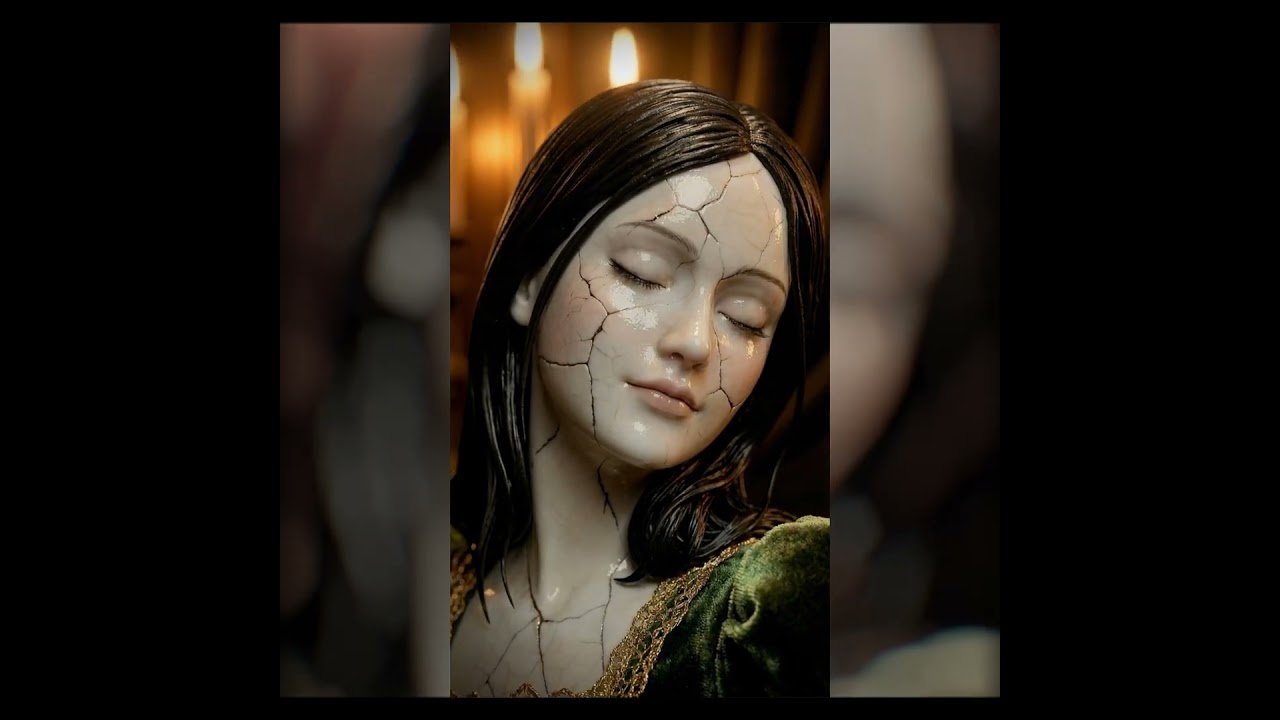
motion_ctrl / experiment nº1
x sara silkin - https://www.instagram.com/sarasilkin/
more experiments, through: https://linktr.ee/uisato
stray hill
What node do I need to make the model "see" the non-inpainted areas to make sure it matches up correctly? I don't remember what it's called but A1 had something similar.
 lapis pawn
Hi comfy devs, I had to download the latest comfy portable version and now I can't use ReActor because when I try to install it, I get an error involving insightface. Is there a way to make it work ? I'm quite noob with dev...
livid gust
@lapis pawn You could abandon portable and try the EZ Install posted by Pixaroma. It comes with a "AddOns" folder that contains batch files to install Insight Face, Sage Attention and some other nice to haves.
lapis pawn
livid gust
<@762726768468951071> You could abandon portable and try the EZ Install posted b...
I tried the desktop version, it seems to work but I can't install the comfy manager custom node, and install models like bbox models or ultralytics models... Is it normal ?
livid gust
Don't know about the desktop version, but Ultralytics should install. Visit the Github. You may have to manually populate the models folder with the ultralytics models.
last lance
Hey everyone, which FlashVSR repository are you using?
I'm using this one, and toggling color correction on and off always ends up drastically altering the colors of my images when scaling.
SeedVR keeps the colors perfect, although in some cases I prefer FlashVSR because it adds more detail to my images.
I'm using this one:
 last lance
Has anyone tried character swapping with Flux Klein? My results are terrible.
The best I can do is replace the girl, but it doesn't always match the face, and the swapped body doesn't match the lighting in image 2.
last lance
Does anyone know where to get QWEN Image Edit AIO FP8?
I've only found GGUF, and I understand that FP8 would be the best option for a 5090.
 muted bloom
I am a beginner in Wan 2.2. I have tested this workflow on a laptop and have moved it to a more powerful desktop. However, the desktop is outputting black videos and I am not sure why. Can you help?
My laptop specifications is Nvidia RTX 3070 with 16 ram while my Desktop is Nvidia RTX 3060 with 16 ram
 muted bloom
Ok, I update updated Comfyui and now it does not get past the VAE decode without crashing despite changing it from tiled to the normal VAE decode. There is no output warnings in the console when Comfyui shutsdown.
muted bloom
OK, yesterday I have replaced torch, torchvision, torchaudio with torch 2.7.1, torchvision 0.22.1, and torchaudio 2.7.1 due to finding it reduces RAM usage based on a reddit post. But I am getting the black video output again.
muted bloom
I tried Wan2.2-TI2V-5B-Q4_K_M with wan2.2_vae. But I got the same result of a black image.
livid gust
@muted bloom Are you launching Comfy with Sage Attention enabled?
muted bloom
I did not install sage attention. Is that a setting in ComfyUI
livid gust
Hmm...I'm using the same exact setup, the example from the template library. Sage Attention is an Addon that speeds up rendering, but has been known to cause black renders. If you didn't install it, that's not the problem.
The only thing I notice that is different between your workflow and mine is that your are using the gguf version. I'm using the .safetensors.
 muted bloom
Safetensors do not work when I am using my laptop or my desktop. Atleast for this workflow it works for my laptop even if it sound like it is going to launch off to space. According to this website, the models I have in the workflow is recommended for both my desktop and laptop. https://ksimply.vercel.app/en
muted bloom
Ok, I found I just needed to update Nvidia drivers on my desktop.
muted bloom
livid gust
<@818347321522913310> Are you launching Comfy with Sage Attention enabled?
Thankyou for your help Atom.p I really appreciate it.
muted bloom
Never mind, after the first sucessful generation it quickly turned back to black videos
last lance
Does steadydancer make the face vibrate when generating the videos, or am I doing it wrong?
 idle obsidian
hello
last lance
So far I've tried:
SteadyDancer: 14 workflows
OneToAll Animation: 14 workflows
SteadyDancer accurately reproduces faces but always has glitches.
OneToAll barely reproduces the face in the input image. Tomorrow I'll try Scail and Animate.
 minor moss
So I'm new to ComfyUI Portable version and have been experimenting with Wan2.2 I2V. I wanted to go further though and have been trying to install some additional nodes. Thing is there's this one that isn't installing. https://github.com/GACLove/ComfyUI-VFI is the node and every time I try to follow the instructions to 'pip install -r requirements.txt' in my Cmd window I get this response: 'pip' is not recognized as an internal or external command,
operable program or batch file.
Bit new to all this so any help would be welcome thanks.

GitHub
Contribute to GACLove/ComfyUI-VFI development by creating an account on GitHub.
 lusty pewter
minor moss
So I'm new to ComfyUI Portable version and have been experimenting with Wan2.2 I...
lusty pewter
minor moss
So I'm new to ComfyUI Portable version and have been experimenting with Wan2.2 I...
You should probably use ComfyUI Manager to help with installing custom nodes. That said, if you're trying to install via the command line, you need to activate your venv inside the ComfyUI folder before running the pip command. If you don't know what that means or need help, you are probably best off taking your chat text and my response and putting them into ChatGPT or something similar so that it can expand upon that for you.
livid gust
@minor moss Try supplying the full patch on the command line. Here's how I've done it in the past.
H:\ComfyUI_ei_python312\Comfy\python_embeded\python.exe -m pip install -r H:\ComfyUI_ei_python312\Comfy\ComfyUI\custom_nodes\ComfyUI-VFI\requirements.txt
Also, after issuing a pip command, you do have to reboot Comfy for it to take effect.
 solid scarab
Trying to install this custom node but it says "import failed" and this error shows up.

Anyone knows how to fix this?
livid gust
@solid scarab You may have to manually execute the requirements.txt for that node.
solid scarab
livid gust
<@789043973351931925> You may have to manually execute the *requirements.txt* fo...
Sorry I'm a beginner, how is this done?
livid gust
Look at my post up above. It shows an example of formatting a full path to a requirements.txt inside Comfy. You'd have to modify it using your full paths and run the thing inside a CMD prompt on Windows. Are you running local?
solid scarab
yes it is local
solid scarab
livid gust
Look at my post up above. It shows an example of formatting a full path to a *re...
Not at home at the moment, so i just have to open the python.exe at python_embeded/python.exe and run "-m pip install -r H: \ComfyUI\custom_nodes/Comfyui-easyillustrious"?
livid gust
Here's my best guess at the command line...
H:\ComfyUI\python_embeded\python.exe -m pip install -r H:\ComfyUI\ComfyUI\custom_nodes\Comfyui-easyillustrious\requirements.txt
I always run my commands as Administrator, but that may not be necessary.
Have you tried installing it through the Manager?
solid scarab
yes tried installing through manager and manually, tried to fix via manager, and even tried to use older versions nothing worked
solid scarab
livid gust
Here's my best guess at the command line...
```H:\ComfyUI\python_embeded\python....
so open the python.exe and paste this command and run it?
livid gust
No, use the windows search bar for CMD. Search/CMD/(right-click Run As Administrator) Command Prompt. Then paste the line above into that DOS box.
solid scarab
livid gust
No, use the windows search bar for CMD. Search/CMD/(right-click Run As Administr...
ah gotcha will try that when i get home
solid scarab
livid gust
No, use the windows search bar for CMD. Search/CMD/(right-click Run As Administr...
Hmm. The command prompt said that it was 'already satisfied' when I tried to install the requirements. I also found out the problem may lie in opencv may be the problem and installed an earlier version however the problem persists.
Could this be an incompatibility issue? I do have a 5080 and running in windows 11.
wind rapids
Hi, can you help me? Is there a Comfyui workflow where you can also create audio and music? Like how Grok does it when generating a photo?
 tiny aspen
hello, comfy ui devs
muted bloom
I am trying Time to Move on Kijai. Is it normal for Comfyui Wan 2.2 video generation to generate multiple monkeys? Is is there something wrong with my workflow? Or do I just need to keep rerolling the seed?
muted bloom
Witness the body horror
livid gust
@muted bloom At a glance, it looks like you're using the high noise 4step lora on the low noise line. Try supplying a low noise 4 step lora to the low noise line.
livid gust
Also, try removing the static monkey from the background plate.

 hidden shadow
I need a realistic but a game-like look layout of aluminium die casting foundry.
 glacial narwhal
Any comfyui desktop pros here?
How to install from a requirements.txt using ComfyUI Desktop?
 dry rock
1/ you activate the venv if you're using one
2/ pip install -r requirements.txt
fading mural
does anyone get this error using the new anima model?

 wind rapids
Hi, when I start Comyui now I get this red message. Can you help me?
 livid gust
I would guess your hardware can't support cuda.
dry rock
Would need the full log (not just the end) to make some proper calls
lone cape
A new node pack is under development. External API services are accessible by a simple JSON file with parameter options. Node created automatically by this JSON, no inputs or parameters hardcoded. If the JSON is edited, node params, combos, and the API body "theoretically" can be useful for any API services. Access tokens in external files (or environment variables) are supported. I hope the idea is new.

 wise wind
 livid gust
You may be running Comfy locally on a low-end laptop with no cuda. Does your computer have a nVidia GPU?
wind rapids
Hi guys, I want to add audio and voice effects to Comyui while generating video clips. How can I do it?
livid gust
@wind rapids Do a search on Wan Infinite talk.
wind rapids
livid gust
<@941348990631428136> Do a search on Wan Infinite talk.
Can you recommend a workflow suitable for the node you recommended?
 pallid bobcat
This is a subgraph in my workflow, I am trying to get a mask of a silhoute from a portrait photo. I am getting my photo back with a grey background but the person itself doesnt change anymore.

I think I got it.
wind rapids
Hi guys, can you recommend me a good workflow where I can create audio effects and voices? Like how Grok does it?
 frigid violet
Does anyone know if there is a way to do Flux.2 Dev’s prompt upsampling within ComfyUI? I know there are nodes for using LLMs to create prompts, but the functionality I’m looking for would use the Mistral Small TE to expand a user prompt, rather than having to load yet another model. It seems like a shame that only hosted users can use this functionality.
livid gust
@wind rapids Try LTX 2.3. You can prompt sounds along with the video.
@frigid violet I'm facing that same problem. My approach is to generate a second workflow that only makes the prompts. Then in a separate workflow, fetch those pompts from a file. This way you don't have to face the 2-models unload problem.
frigid violet
livid gust
<@996384702611070986> I'm facing that same problem. My approach is to generate a...
Thanks. So I guess you just use some normal LLM prompt generation node? Anything in particular with well for you?
livid gust
I'm playing around with QwenVL. You can ask it questions which is more useful than some of the others which only allow certain pre-programmed interpretations of an image.
wind rapids
Can you help me upgrade to the new version of Comyui, v16.4? I'm still on v15. I tried, but I was inundated with all sorts of errors. I went back to v15, but now there are too many new nodes that don't exist in my v15. Can you help me? I downloaded it using cmd. I'm still a beginner.
lone cape
PrimeApiProcessor — one ComfyUI node that calls external image (and video, audio) generation APIs and drops the result straight into your workflow. Pick a provider and service from dropdowns. The node adjusts its inputs to match — shows only the parameters that service actually exposes: model selection, quality presets, guidance values, safety settings.
Easy, no-code setup:
Adding a service: copy a call snippet from official API doc → run terminal helper: api_snippet_to_json.py --provider X --service Y → it extracts placeholders, possible_parameters, and import_modules automatically → merge into production schema manually → hit reload button in the node. The schema controls API call (and response) without touching back-end Python, then add your API key to config file. After that, select and run. Before spending any credits, use debug mode. With debug_mode ON, the node resolves your entire request — parameters, placeholders, headers, the payload structure — and shows you exactly what would go to the provider for check. Nothing is sent. Check the outputs, confirm the payload is correct, then switch debug mode off.
Saving results is automatic when enabled: configurable path structure with provider, service, model, and date subdirectories; proper filenames with date, time, and counter. MIME detection handles the actual file type — if the API returns video or audio instead of an image, it saves with the correct extension. Metadata (parameters used, resolved values) can be written alongside as .json or .txt.
GitHub
ComfyUI node pack. Contribute to CosmicLaca/ComfyUI_Primere_Nodes development by creating an account on GitHub.
livid gust
@wind rapids I use the EZ Install.
https://github.com/Tavris1/ComfyUI-Easy-Install

GitHub
Portable ComfyUI installer for Windows, macOS and Linux 🔹 Nvidia GPU support 🔹 Pixaroma Community Edition - Tavris1/ComfyUI-Easy-Install
wind rapids
thx a lot 🙂
 maiden laurel
@shell zephyr @quasi sandal no clue who is a mod but @urban bison has been hacked
pls kick
lapis pawn
Hello everyone, I'm in bit of trouble today, because I needed to reinstall comfy desktop from scratch, and I'm currently at the step where I try to find all custom nodes I used. I managed to find them, but it seems no model used by these node is installed during the process (even well-known nodes like IP Adapter Plus...), do I really need to find and install them from the web or is there a useful and hidden panel like ComfyUI Manager provided, to install them automatically ?
lone cape
It turned out a little bigger than I planned 🙂 Originally, I just wanted a universal save-load node for sampling and clipping, but "unfortunately" I asked my agent (the automated typist) which of a few selected .py files from the Comfy core would be worth adding via Soma import. That’s why we ended up with attention-multiply and all that other nonsense. I think the attention-multiply presets are hallucinations, but whatever :). I know 99.99% of Comfy users never tweak the cfg and use the Euler-normal sampler with 30 steps for every architecture under the sun. If they do, this node will help.
But that’s not the best part. The agent reviews the code, figures out how it works, and writes the marketing bullshit to go with it: 🙂
PrimereModelControl — one node, every model type.
If your checkpoint folder has SD1, SDXL, Flux, SD3, PixartSigma, SANA, KwaiKolors and a dozen others, this node replaces the architecture-specific loader patchwork you've been maintaining.
Drop in a checkpoint name, it auto-detects the concept type and routes to the right loader. A single CONTROL_DATA tuple carries sampler, scheduler, steps, CFG, VAE, encoders, attention multipliers and all model-specific patches downstream — one wire instead of fifteen.
Attention control covers CLIP, UNet self-attention and cross-attention through a unified preset system (auto-selectable by model filename) with a linear expander to scale preset influence up or down without touching individual values. Model-sampling patches (Discrete, Flux shift, ContinuousEDM, SD3 shift, beta scheduler) apply automatically to compatible architectures only. All settings serialise into image EXIF and restore on read-back.
Tested against 38 model types. Compatibility documented per parameter.

 cunning storm
Some ComfyUI fun... RTX 3090 and LTX 2.3 - T2V because audio for FP8 is in the hands of the DEVS - https://youtu.be/-cQT3-zrlCw
 wind rapids
Hi guys, I've updated ComfyUI to the new version. Can you recommend any workflows where I can create audio effects and voices like Grok does? In theory, they should work for me now.
livid gust
Give LTX 2.3 a try.
 shell light
@livid gust so this is a workflow .json file? Where would I find that?
@livid gust thanks I just did some research on it.
Its a ram monster.
livid gust
Aren't they all. If you haven't checked out the templates that come with Comfy, check under the File menu. There are a lot of starter workflows there.
lone cape
I can't say it's finished. But I currently have these new developments. 🙂


 lone cape
Hi devs, dont know who using something similar, but a javascript and a promptserver automatize separated title creation from the main node back-end. If simplicity is boring, and always create huge nodes, this is a very cool solution 🙂

 feral iron
“any manga workflow comfyui with IP-adapter?”
livid gust
Try the style transfer for SDXL in the IPAdapter Plus examples folder.
 pallid zenith
Looking for workflow for AI-generated comics (multiple panels, consistent characters across scenes, same style).
Ideally with some automation (prompt → generate → evaluate → iterate).
Has anyone here built something similar or experimented with this?
 jaunty hull
been toying around making a storyboard system

 jaunty hull
done some more updates to storyboard now

 arctic cairn
I made a new Dynamic prompt extension for Comfy if anyone cares: https://github.com/Muserato/PromptAlchemy

GitHub
Wildcard nodes for ComfyUI. Contribute to Muserato/PromptAlchemy development by creating an account on GitHub.
 lethal barn
Hey, just wanted to know if someone know Comfy and is in Jaipur, India? I just started out a couple of days ago, I can't afford a PC and before renting GPU online (cloud) I want to learn (practically by experimenting), so as too I'm not wasting money there. Anyone in the Jaipur, please let me know and if anyone has a solution/suggestion as to how I should I proceed please recommend your opinions. I'm very grateful to all of you. Thanks.
lone cape
Hi, a Flux question. I playing with 4 parameters, but no better result than the default values. flux_max_shift, flux_base_shift, beta_alpha, beta_beta (with euler beta sampler). So looking for optimal values for these primary for natural photorealism but sometime sci-fi and horror topic.
 violet current
@swift beacon Do you maybe know if I can link ComfyUI to my Google Cloud API Key and use the credits there to generate images with the Nano Banana Pro node in ComfyUi?
 silent magnet
Hello
silent magnet
I am looking for good relationship
 maiden shell
this is an odd place to look for that 😉
dry rock
very likely a bot
 minor storm
pallid zenith
Looking for workflow for AI-generated comics (multiple panels, consistent charac...
minor storm
pallid zenith
Looking for workflow for AI-generated comics (multiple panels, consistent charac...
Hello
 cursive falcon

Made with Guaardvark.
- ComfyUI Backend
- ShotCut Edited
- Batch Generated Videos
- Image to Video feature using popular web artwork
- Completely Open Source
- No APIs
- No Subscriptions
- No Cost
- Offline AI
- Voice Chat
- RAG
- MCP
- Any Ollama Models
- Sound Generator
- Load Balancing
- Clusters
- Agents
- Agent Tools
- File Manager
…

GitHub
The self-hosted AI workstation. Autonomous screen agents, 3-tier neural routing, parallel agent swarms, video generation, 4K/8K upscaling, RAG, voice interface, 57-tool execution engine — all runni...
 wicked crag
Hi guys I am desperately looking for a tutorial/guide to connect runway to my comfy UI workflow. Any tips would be appreciated
livid gust
No need. Comfy can already emulate most of the native Runway models, and their third party offerings are just API driven calls which Comfy can already do.
 silent cave
Hello, I'm new, just wanna try
 little spruce
(not sure if this is the place to ask this but it says comfyui)
can someone explain to me how to solve this?
i installed the latest comfyui from releases on github.
then i git pulled the latest comfyuimanager into my custom-nodes folder

its the official LTX workflow
livid gust
It may sound counter-intuitive, but just because you installed a new version doesn't mean you have the latests. You have to update to get the latest.
lone cape
For those who frequently use external API providers, my universal API node now supports language models as well (previously, it only supported image models). This allows you to distinguish between user and system roles in the prompt. The node is controlled by an external JSON file, so you don’t need to modify the backend code if something changes—such as adding a new model or service. The example is a simple prompt enhancer, but it can be used for anything else as well. Manual: https://github.com/CosmicLaca/ComfyUI_Primere_Nodes/blob/master/Workflow/Manual/nodes/uniapi.md
