
#technical-help
1 messages · Page 87 of 1
 teal river
 raw urchin
is clotho supply pod is bug or doesnt reset any more? cant find any even after server reset since last claim (try close and open app several times for clotho supply pod to reset tho)

 pastel ledge
I'm in a "team" without actually being in a team (no flag icon on the right side of the screen). It won't let me leave, relogging didn't help and now I can't enter Build Mode or any other activity that needs you to be out of a team.
Nevermind now it randomly popped up
 gloomy furnace
Okay so I tried doing this, but instead it makes my game run even slower. I don't get why this is happening. Here's a screenshot of specs if it helps.

 hollow atlas
The game uses 80% of memory and like 20-40% cpu.
teal river
Before 2.0 never get issue like this
 eager chasm
What a surprise before Christmas and New Year, making me really regret playing this game and spending so much on this kind of service.


Their team just ignore all the previous information and answers I sent, kept asking same questions. As if we don't take screenshot or videos every time we log on the game, we don't deserve playing it.
Come on, I ignored so many bugs and people abusing the bugs when game opened here. Now you are doing this, using bugs to ignore me and fool me??
 radiant edge
@granite latch – There’s no system in the game that can undo a transaction like this.
You could attempt to contact customer support {refer to #game-support } and at least discuss what happened {specifically how the mistake was made}. This is not saying that support will necessarily reverse the purchase-transaction ... yet your chat still has value in making sure that they understand how to improve the game’s interfaces, why the mistake was made, and so on.
In jist, it can’t hurt, and minimally you’ll be providing feedback in this process to aid others down the road.
@naive saffron – Graphical artifacts in your provided screenshot look like you’re probably on an Intel IGP.
- There may not be much that can be done here, yet I’ll at least DM you to try to get more details on your hardware. {e.g, let's double check what you’re running the game on}
@teal river – Like pointed out by Rayshen, a 1650 doesn’t support DLSS. However, its 4GB of VRAM should also be sufficient for the game.
- Will DM you for an msinfo export. Best guess would be interference from other software (although I don’t note a visible overlay, at least in your screenshots here). DM's restricted, please message me at your convenience.
Have you done any ‘tweaking’ of the Engine.ini file or otherwise? Some of the tweaks floating around on Reddit can drastically increase memory usage. {and cause other issues like you're seeing}
@hollow atlas – Be aware that discussion of replacement of any game-files is prohibited on this Discord {per Rule 1}.
- That said, if you disable DLSS {completely} do you still observe a memory leak?
@eager chasm – Aware that this doesn’t help your situation persay, yet we will be (and are) keeping an eye on any similar reports that crop up on the Discord and various forums.
hollow atlas
radiant edge
<@689670441064857713> – There’s no system in the game that can undo a transactio...
It's more so the game using up 1gb of memory even with dlss turned off, and turning it off still causes it to use up a lot of memory, I've heard that this is normal for other people apparently.
 versed otter
f1
 odd ermine
versed otter
f1
odd ermine
versed otter
f1
show me f1 on mobile
versed otter
ah hahaha that i dont know
odd ermine
I said specifically it’s solved
hollow atlas
45 to 50% cpu usage and 85-90% memory usage.
eager chasm
@radiant edge Thanks, I'm feeling exhausted trying to explain the specific situation I met, and repeated many times things I am very sure I did not do, and did do. Being ignored for multiple times, although I understand the people working in ToF support team might not playing this game too, or spending money on it. But I like the game and I'm paying for the content. I don't feel like spending money on the game, and on them (my first time contacting ToF support), then being treated like a fool because I like the game.
I will give up my effort on this if they don't give me an answer for recovery tomorrow, or keep asking for screenshots/videos that I don't think are required while I'm playing overtimes. It happened after a system update, I was kicked in the middle of preparing layout 3 and how did I know that I should take a screenshot. I will just treat it as I have never played the game, or contacted them.
 hasty tide
eager chasm
I will give up my effort on this if they don't give me an answer for recovery to...
hasty tide
eager chasm
I will give up my effort on this if they don't give me an answer for recovery to...
On ur 3rd layout, did u exchange ur engine?
eager chasm
hasty tide
On ur 3rd layout, did u exchange ur engine?
I did put it on, and there was a transfer advance levels message for another piece of gear before I put the engine on. I put the engine on first, and then clicked no on the notice (As what I have known, changing layout will add levels on the gears automatically, so I clicked no on that notice for another piece of gear)
hasty tide
eager chasm
I did put it on, and there was a transfer advance levels message for another pie...
If u can, pls show ur equipment inventory and the number of purple modules that's used for advancing vera gears (don't want to make u frustrated but i need to make sure u don't have the same problem one of my other friend had)
eager chasm
@hasty tide


 bitter shale
Game is trash on mobile ngl. Keeps zooming in by itself during combat. How can anyone enjoy the game
 cunning iris
Hello Hotta studios. Today, we will talk about Rationallity and Continuity. I hope you could explain me this:
I was playing this game two entire weeks. I discovered the Aesteria map near 99.9%, parking the history when I thought it was a bit "strange". I continued it today, after reaching the point I got all except 1 item in all the Aesteria map.
I got this "blocking message": The new chapter will be unlocked after 112h (107 right now).
So, what in the hell I am going to continue with the history?
Going to vera? Getting spoiled as hell in the history? How can I go to Vera map and start that quests without completing this chapter....


I started playing the 09-12-2022:

 half thistle
why i cant see the history record?

 vapid kindle
cunning iris
Hello Hotta studios. Today, we will talk about Rationallity and Continuity. I ho...
vapid kindle
cunning iris
Hello Hotta studios. Today, we will talk about Rationallity and Continuity. I ho...
story progression is linked to account age - so it works as intended.
cunning iris
vapid kindle
story progression is linked to account age - so it works as intended.
so you can't continue with the history, but I can start the Simulacrum quest to go to vera, and the secondary quest to complete artificial island, it's that correct?
vapid kindle
yeah - simulacrum, vera and artificial island are independent from asperia progression
 abstract flume
I can't connect to my server
 hasty tide
after 10 years 

 hybrid igloo
Hi All, need help on this. Everything is translucent, going on for 2 days now. i've checked settings in my pc and in game but cant find anything that could have affected this
 vapid kindle
check this slider in settings

 drowsy spruce
Why am I getting this during login ?
 hybrid igloo
vapid kindle
check this slider in settings
hybrid igloo
vapid kindle
check this slider in settings
youre a lifesaver! thanks bro!!
vapid kindle
drowsy spruce
Why am I getting this during login ?
log out in launcher, restart device -> should work again
 viscid bison
UHM HELP PLEASE : My save file is missing from my account - I just opened the game a minute ago and it asked me to login, I did so with my account i started 3 weeks ago, and it started up a new game file. Please tell me this is a error and my save isn't gone. 😦
 turbid python
any ideas how to make the game to not set the GPU Driver to power save mode? because I keep getting power save mode and had to disable and re-enable the GPU Device thru Device manager to get 100% FPS
hasty tide
@hasty tide #technical-help message
This links to the solution pinned to this channel
hollow atlas
vapid kindle
log out in launcher, restart device -> should work again
I wanted to add onto this that if that doesn't work uninstalling and reinstalling the launcher fixes it as well. (Speaking from personal experience)
eager chasm
hasty tide
If u can, pls show ur equipment inventory and the number of purple modules that'...
Just found out that I did have some blue engines in my backpack, but none of them is at level 19. The purple one is bought today for testing layout switching following game support's direction. It did not solve the problem, not just a display issue.

@hasty tide

 radiant shell
why does it say account password format error?
 vestal lark
Anyone has the loading screen hang and crashes right after launcher?
gloomy furnace
vestal lark
Anyone has the loading screen hang and crashes right after launcher?
Yeah, it has to do with DirectX.
Check pins.
vestal lark
Managed to run with Steam instead. Thanks
hasty tide
eager chasm
<@456226577798135808>
Welp, they checked their logs too. Idrk what else to do. There hasn't been anyone here as far as i can remember, having same bug so pretty weird
radiant edge
@viscid bison – Is this a recent occurrence? Or have you been inactive for a couple weeks?
In the case of inactivity, your character sounds like it was intact at least 3 weeks ago just the same {meaning, beyond the drop of Vera / 2.0}. That means this was after the account system changes for unbinding would’ve been in place.
-- Just to rule out the basics: Is there any potential that you’re on a different account, or have a different server / world cluster selected? {please double check this}
If you're absolutely certain that your account and selected server are correct, then you'd likely need to get customer support involved here to investigate. Given you wouldn't have access to your character as-is, there's no guarantee your account binding would be correct in such a situation. Email would be the preferred method of contact here most likely.
support@toweroffantasy-global.com
@turbid python – GPU is getting stuck in a low p-state? First that I’ve heard of something like that. Does this impact performance of other games after having played Tower of Fantasy?
You have me curious here, would like to gather more details on your hardware / environment. (will DM you) -- DM's restricted, please message me at your convenience.
@vestal lark – Generally it’s the other way around {the standalone launcher working}, where the Steam version has issues caused by the extra D3D Overlay.
Assuming you might still have some crashdumps here. Could you check under “%USERPROFILE%\AppData\Local\Hotta\Saved\Crashes\” and see if there’s any subfolders in there?
If there are, would be interested if you could zip up / archive a couple of them and send them my way over DM’s.
viscid bison
radiant edge
<@943761093455642634> – Is this a recent occurrence? Or have you been inactive ...
Thanks for the response. I went through the games support team and as of this morning, I have my account's save safe and secure again. 🙏
radiant edge
Ah, what was the issue if you don't mind my asking? It helps to know when others encounter similar, or give similar descriptions.
turbid python
radiant edge
<@943761093455642634> – Is this a recent occurrence? Or have you been inactive ...
Yes it does impact other games, and I have to disable and re-enable the GPU thru device manager to revert power mode, maybe because I modify unreal engine's engine.ini config to make the game stable at my laptop, but this really happen after I update my NVIDIA Driver to 527.56
viscid bison
radiant edge
Ah, what was the issue if you don't mind my asking? It helps to know when other...
It was a user error  when I created my account, I used the Google 'G' logo to sign up weeks ago. When I was randomly logged out yesterday and attempted to log back in, I filled in the email section instead of using the 'G' and in doing so, it made a new account and confused the heck out of me and brought on the panic. I know better now thanks to Supports detailed explanation.
radiant edge
turbid python
Yes it does impact other games, and I have to disable and re-enable the GPU thru...
I read "Laptop" in there, and NVidia {guessing an Optimus hybrid / Intel IGP pair}. Have you checked recently if there's any BIOS updates for the notebook?
Sometimes problems like this are buggy FW power-management implementations that get patched.
The drop to low power states might be similar to when the power-brick is disconnected and you're dropped to battery. You might also be able to get back to full performance by disconnecting and reconnecting the power-brick, which might be worth trying. [or, maybe shed a bit of light on why it's happening]
radiant edge
viscid bison
It was a user error <:miaderp:975525442062778389> when I created my account, I ...
Ah, Google external sign-in vs Custom Account, using the gmail. Pretty common, not just you that's ran into that wall. Staying signed in over time makes it pretty easy to forget just how you signed in.
In any case, glad to hear your character(s) were fine.
turbid python
radiant edge
I read "Laptop" in there, and NVidia {guessing an Optimus hybrid / Intel IGP pai...
There none's and probably never to update it as it's already stable. But this only happen to this game (right after I login into the world), the GPU power mode suddenly set to low clock mode even I plug-in my laptop charger. also this happen after I update the driver.
radiant edge
turbid python
There none's and probably never to update it as it's already stable. But this on...
Only happens on the latest drivers? Or, a higher frequency after them?
Not seen any bug reports like that on various hardware forums, at least yet. Regardless, if it's driver specific -- definitely make sure that you also file a bug report with NVidia.
turbid python
Yeah this is weird cases, as this randomly happen after and I can't record it for some reason. l'll let you know if this happening again.
radiant edge
Definitely, I'd be curious to hear followups on anything power-management, stuck states, etc. Though this would lean more on FW / drivers than the game.
 dusty agate
My Game Always Black Screen Is Anyone Have The Same Problem ?

 radiant edge
dusty agate
My Game Always Black Screen Is Anyone Have The Same Problem ?
radiant edge
dusty agate
My Game Always Black Screen Is Anyone Have The Same Problem ?
I note that RTX 2060 in your specs there. Tried disabling the Engine's NGX support completely? {most common cause}
Take a look at this pin specifically: <#technical-help message>
 knotty heron
Yesterday during the afternoon I was able to play without any problems, but at 1am, when I tried to relaunch the game it kept getting a popup when the game launched. Something like "Login exception(...). Exiting game". Today I've been stuck for 5 minutes in the launcher. This is a first for me, so don't really know how to fix it. Thanks in advance!
 dusty agate
radiant edge
I note that RTX 2060 in your specs there. Tried disabling the Engine's NGX supp...
dusty agate
radiant edge
I note that RTX 2060 in your specs there. Tried disabling the Engine's NGX supp...
Okay I'll Try
radiant edge
knotty heron
Yesterday during the afternoon I was able to play without any problems, but at 1...
Did the Login Exception errors conclude at the end of the last session? If they didn't, would recommend that you try 'factory resetting' the launcher and game configs.
e.g, wiping the contents of the following folders, then re-starting the launcher and signing back in fresh.
%USERPROFILE%\AppData\Local\Hotta\*
%USERPROFILE%\AppData\Roaming\tof_launcher\*
%USERPROFILE%\AppData\Roaming\tof_launcher_Steam\*
That said, it's very possible (from the description) that you have two separate issues here. The current might be connection related, and the one from yesterday {well, before 1AM} might've resolved itself following a reboot of the machine.
dusty agate
radiant edge
I note that RTX 2060 in your specs there. Tried disabling the Engine's NGX supp...
I Cant Find The Following Text
r.NGX.Enable=0
 radiant edge
dusty agate
I Cant Find The Following Text
r.NGX.Enable=0
radiant edge
dusty agate
I Cant Find The Following Text
r.NGX.Enable=0
Correct, this text does not exist and would need to be appended (inserted) at the end of the file. {along with the corresponding section heading}
dusty agate
Oh i see okay i'll try again thx
dusty agate
Still Black Screen
 radiant edge
dusty agate
Still Black Screen
radiant edge
dusty agate
Still Black Screen
Since it's still blackscreening with DLSS completely disabled, try wiping the contents of "%USERPROFILE%\AppData\Local\NVIDIA\DXCache\*". Or basically, forcing the shader cache to be rebuilt on the next launch of the game.
If it still continues to blackscreen after that, then I'll want a copy of your latest Hotta.log from "%USERPROFILE%\AppData\Local\Hotta\Saved\Logs\". {if you could send that to me over a DM}
hasty tide
I can't update on mobile. Anyone have same problem?

On PC it's fine i already try login
dusty agate
radiant edge
Since it's still blackscreening with DLSS completely disabled, try wiping the co...
Still Blackscreen I'll Send The File
radiant edge
Roger that- [Resolved, VoiceMeeter -- audio init failure]
 quartz canopy
I'm having the same issue

 dusk oriole
I've already try reinstal, its still same result. The browser didnt pop up after click G button to log in
 edgy swan
is it someone alredy asked this or not idk. just want to put it here so..... how to change installation path/file without re download ?
 dusk oriole
Mobile versions works fine, but pc versions still sucks
edgy swan
dusk oriole
I've already try reinstal, its still same result. The browser didnt pop up after...
try to open the browser first before click on the launcher ? or try other app not chrome
dusk oriole
edgy swan
try to open the browser first before click on the launcher ? or try other app no...
Still same result sir, im trying to download steam ver now
edgy swan
dusk oriole
Still same result sir, im trying to download steam ver now
hmm i have this issue only need to re open my launcher are done lol
dusk oriole
edgy swan
hmm i have this issue only need to re open my launcher are done lol
I've try reopen it many time, it didnt work
cunning iris
I want to know: Why my erroneus-created character in Eden server (Asia-Pacific region) has x500 experience, and my secondary char in Dyrwyn (EU region) hasn't?
 sly spire
quick question - was the hykros map always shaped like this oblong? i vaguely remember it being a circle back then
 dusk oriole
Wait what?
 wary shuttle
sly spire
quick question - was the hykros map always shaped like this oblong? i vaguely re...
wary shuttle
sly spire
quick question - was the hykros map always shaped like this oblong? i vaguely re...
we have this bug for a long time. need to wait a fix
sly spire
oh, didn't know that. been a while since i went there ,so I wasn't sure if I was just misremembering
hopefully 2.2 tomorrow fixes it
radiant shell
can someone help me? I cant login on my phone, i used the right password and email every time but it says Account password format error. It works fine when i log in on pc please help.

 spice fulcrum
@vapid kindle Do you know when the "Line Yeah" awards will be presented?
spice fulcrum
vapid kindle
our CMs are in charge of events
spice fulcrum
Who can I write about the event and award?
vapid kindle
spice fulcrum
Who can I write about the event and award?
uhm, DM mi-a to open a ticket might be your best option
 velvet fox
how I get Mia Garuda (?) skin?
 split fiber
Hello, I can no longer connect to the games via Google.
Google no longer opens when I press the type of connection. The loading remains at infinity.
There are 3 days all working perfectly.
vapid kindle
can you log in via e-mail (same gmail)+password?
 tame junco
Can i know why tof is not compatible in poco f4 but in redmi note 5 is compatible?
 radiant shell
can someone help me? I cant login on my phone, i used the right password and email every time but it says Account password format error. It works fine when i log in on pc please help.
 radiant edge
tame junco
Can i know why tof is not compatible in poco f4 but in redmi note 5 is compatibl...
radiant edge
tame junco
Can i know why tof is not compatible in poco f4 but in redmi note 5 is compatibl...
Snapdragon 870, modern Android, 6GB of RAM, plenty of space. Not sure in this case, would suggest contacting customer support and making sure it's known.
From the hardware side at least, that phone looks like it should be able to run the game.
radiant edge
sly spire
quick question - was the hykros map always shaped like this oblong? i vaguely re...
Screenshot looks like a traditional 16:9 resolution, so it's not an ultra-wide artifact. It doesn't look like that on absolutely every system, sometimes there's an explanation for why.
Will at least shoot you a DM to collect more details on your hardware. DM's restricted, please message me at your convenience.
 inner shoal
this game stutters pretty often on pc, any1 have a simple fix
 gritty fern
inner shoal
this game stutters pretty often on pc, any1 have a simple fix
gritty fern
inner shoal
this game stutters pretty often on pc, any1 have a simple fix
please post your system specification
go to windows search and search for dxdiag
screenshots the main tab and Display 1 (Display 2 / Render is Optional)

 gritty fern
inner shoal
gritty fern
inner shoal
https://www.nvidia.com/download/driverResults.aspx/197300/en-us/
you can try to update your graphics driver here

Download the English (US) GeForce Game Ready Driver for Windows 10 64-bit, Windows 11 systems. Released 2022.12.1
inner shoal
kk
sly spire
radiant edge
Screenshot looks like a traditional 16:9 resolution, so it's not an ultra-wide a...
I just run the game at a 1080p monitor at max settings. it's not really a major bug, tho I am curious why the map was rendering like that. if it's related (?), I haven't reached Vera yet by the time I took that screenshot, but I doubt that would affect the map overlay (unless there's a different variant for pre and post-vera). I also have NGX disabled (because the game wouldn't boot otherwise post-2.0 if I didn't).


 fossil crescent
Is it possible to change the attack button from clicking the mouse to pressing a key? I really don't like smashing my mouse because it's loud lol.
 hasty tide
how do I uninstall this game? it always give me error messages, i want to do a clean reinstall on ssd
since i have it on hdd atm
 frank ermine
mac or windows?
hasty tide
windows
frank ermine
gimme a sec ill have a looksie
hasty tide
okieokie
frank ermine
there's a file named uninst located in the launcher folder for the game
click and i believe it'll do the trick
hasty tide
aww thank you so much!
 fast spruce
32GB update wtf?

 lapis light
Yeah it’s sooo longgg
 scenic wren
how much game size now? or this update just replace old file
lapis light
Idk but it felt like the game had to reinstall most of the files for some reason?
At least once it’s done we can just sleep on it if you’re in that Timezone
Hopefully some of the glitches will iron themselves out, nothing major for me tho just sometimes the graphics will bug and I’ll be inside things when I’m trying to climb something or they just disappear
Doesn’t affect my gameplay much though just my crappy pc lol ( 2000 something dell, it’s a piece of work this one )
 south zinc
Nooo wayyy man this is need to be atleast 3 4 gb update, ı just downloading the whole game again.
 lapis light
Riip
dusk oriole
iyep still same result after trying steam version
 keen raptor
ello, Is it possible to move my game file from C to other drive and change installation direction?
 dusk oriole
sorry, i've never tried that before
keen raptor

dusk oriole
i always put the file at C, since i've only play honkai, tof and roblox
keen raptor
well just affair of future updates so i need to move it to other drive 
dusk oriole
maybe its posible to do that, as long you move the whole game file to the drive that you desire
keen raptor
nah i better re-install lol
 gloomy spindle
anyone know what to do with this issue ?

 fallen flax
Anyone know what to do? This popped up after i downloaded the update
 dusk oriole
Have you update your gpu driver?
 lime saffron
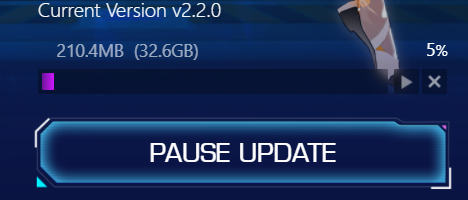
is this normal that game after update wants to download 32gb?
https://i.imgur.com/2OBMqY7.png
 dusk oriole

vapid kindle
lime saffron
is this normal that game after update wants to download 32gb?
https://i.imgur.co...
aye
at least this time
 woven cipher
steam only had a 13gb update lol
 lapis parrot
guys - the server transfer thing - can u transfer regions? or just server (within that region)?
vapid kindle
lapis parrot
guys - the server transfer thing - can u transfer regions? or just server (withi...
prob only the latter one
but stay tuned for official infos
 slate zenith
Is the DLSS version finally changed in the game files in the new update
sly spire
so uh... anyone noticed that the game feels extremely blurry after update?
and what's the unlabelled option below?

ok, changing from right DNT to left DNT seemed to fix it.... no idea what that does tho

 hard garnet
The game stuck at 35% when entering, is this normal? Mobile by the way
 tired ginkgo
"RayTracingQuality=Enable" is that the default? (I disabled it a while back when it was bugged but don't remember what it was for default.
 dim seal
Is lunalite server down, mine is stuck at the loading screen . 😭
 mild shuttle
tired ginkgo
"RayTracingQuality=Enable" is that the default? (I disabled it a while back when...
mild shuttle
tired ginkgo
"RayTracingQuality=Enable" is that the default? (I disabled it a while back when...
Where is raytracing o.o?
 spark reef
nice ios
 dim seal
Im stuck at 35% as well
tired ginkgo
mild shuttle
Where is raytracing o.o?
back then when they removed the ray tracing, some of us did C:\Users\pcnamehere\AppData\Local\Hotta\Saved\Config\WindowsNoEditor
Find GameUserSettings.ini and in there look for "RayTracingQuality=Disable" since it was bugged. i'm not even sure if they added it back in the game yet but since there's dlss optiosn in game now i wanted to change it back to default value but don't remember what default value was XD
 tired ginkgo
awesome, thanks for checking for me!
mild shuttle
np
 weary eagle
how to change new damage fonts?
 unreal dirge
have they finally added back directx12 and fixed the forced directx11 issue for pc client yet?
dim seal
Mine is still stuck at 35%
 hard garnet
I need compensation seems they dont want my money for tian to play 
 quartz shadow
Mine too, stuck at 35%

 mint night
anyone else experiencing black screen on win 10?
 dense raptor
thankfully i logged out in astra so i can get on but i cant teleport to vera.
35% bug. please fix
 rough fable
Oh god, my phone graphics is a pixel mess after update and "mobile devices performance bug fix". Max settings / phone hardware is above requirements.
mint night
I got the logs ready, hopefully support will be available soon
dense raptor
there is no longer an option to fuse materials when upgrading
 fringe phoenix
Oh phew it’s not just me who can’t get to Vera
 proper sequoia
I got a problem that I can’t connect to the servers with my phone when I’m not on Wi-Fi (I’m using an iPhone 11 Pro) the game launches and shows me the issue: „failed to connect to server“ after I’ve selected the server anyone got a solution?
Im getting this far

 full sleet
is there a bug with the interstellar gate? clicking the Go button starts a match making instead of starting the dungeon
so I can't really do any interstellar gate ATM, since both the Recruit and Go button do the same thing
fringe phoenix
full sleet
is there a bug with the interstellar gate? clicking the Go button starts a match...
I heard on WC you can’t solo them anymore, dunno if it’s a bug or not.
 gray latch
dense raptor
thankfully i logged out in astra so i can get on but i cant teleport to vera.
gray latch
dense raptor
thankfully i logged out in astra so i can get on but i cant teleport to vera.
yeah i got the same issue on my ios too.
full sleet
fringe phoenix
I heard on WC you can’t solo them anymore, dunno if it’s a bug or not.
I see, that's unfortunate if you cant do solo anymore since it's pretty hard to get people when you are doing Interstellar gate for the less popular rewards
 plush bay

 mild shard
yeap, server problem

 stiff inlet
Did we have an solution for the updates stuck at 35% on phone?
 narrow siren
ios stuck at 35%, any solutions?
proper sequoia
narrow siren
ios stuck at 35%, any solutions?
You have the newest iOS?
mint night
Already reinstalled the game 😦 still the same black screen issue.
Win 10
 stiff inlet
try to look for drivers update maybe
 vapid jay
 do u guy know what DNT mean
 torn summit
I'm stuck 35% on Ipad pro too on OAsis server. tried create new characters on different server and I can login
 deep storm
@hallow lynx
proper sequoia
New update = new problems
 hallow lynx
the sizee so big and still field donwload lmao

 brave rapids
proper sequoia
New update = new problems
brave rapids
proper sequoia
New update = new problems
this update might be the worst I’ve seen yet so far lol
In terms of bugs
proper sequoia
+500 dark crystals as an apology please
mint night
torn summit
I'm stuck 35% on Ipad pro too on OAsis server. tried create new characters on di...
the common thing noticeable is that if you logged out in vera, you won't be able to log in.
People in asperia can log in, but can't TP to vera, same issue stuck at 35%
As for PC, black screen problem with an error about missing voice paks in the logs
hasty tide
mint night
Already reinstalled the game 😦 still the same black screen issue.
Win 10
Have u tried the pinned mssg?
 rain moon
Is there a way to bind the new fishing experience so I can actually use A and D on keyboard instead of having to manual clicking on the left and right arrows (with my mouse) during the fishing catch phase? this is so annoying right now. I'm constantly having to look at the line tension bar AND the arrows on screen at the same time to make sure I'm catching the fish and I cannot look at both at the same time like that. Especially when the arrows on screen don't have good enough visibility to see in the first place. (never mind, restarting the game seems to have allowed this function)
brave rapids
hasty tide
Have u tried the pinned mssg?
mobile
hasty tide
Seems new bug
Known General Software Interactions:
VB VoiceMeeter {Banana, Potato}:
Symptoms: May result in a blackscreen deadlock, or temporary blackscreen followed by game-crash on starting the game. The Hotta logo may or may not be shown before the game freezes.
VB Cable:
Symptoms: Audio may not be present or cut out, or the game may intermittently crash.
EVGA Precision X OC:
Symptoms: Gradual video-memory leakage, followed by eventual game crash.
-- Disabling the OSD (completely) alleviates the memory leak.
Logitech Pro X Wireless: {might effect other Logitech headsets as well}
Symptoms: Blackscreen deadlock on game-start.
-- Removal of Logitech's software and the associated APO's will permit the game to start. Alternatively, you may disable "Allow applications to take exclusive control of this device", under the device properties from the Windows Sound Control Panel -- which will inhibit APO functionality.
Astrill VPN:
Symptoms: Game crashes either immediately on startup or when attempting to log-in {after the server selection}.
-- Even with the VPN inactive, the communication hooks of this software remain resident and may interfere with the game. The only known solution is full removal.
ProxyCap:
Symptoms: Game crashes either immediately on startup or when attempting to log-in {after the server selection}.
-- Even when inactive, the communication hooks of this software remain resident and may interfere with the game. The only known solution is full removal.
Other known reason of black screen. (My bad for the wall of text, thought it would be link to pinned mssg)
mint night
hasty tide
https://discord.com/channels/932906923236401182/1004552582733254768/103302154933...
thanks for the assist 🙂 I"m trying INABAKUMORI'S fix steps
@hasty tide Thanks for your help. Unfortunately it didn't resolve the issue.
The symptom is closest to:
Symptoms: May result in a blackscreen deadlock, or temporary blackscreen followed by game-crash on starting the game. The Hotta logo may or may not be shown before the game freezes.
I'll try restarting to see if it's any help.
 tender yacht
this thing appears when you use a controller now, is there a way to completely remove it without it coming back? its very annoying
 dense raptor
anything on the 35% bug in vera desert for mobile users?
 jagged ridge
tender yacht
this thing appears when you use a controller now, is there a way to completely r...
jagged ridge
tender yacht
this thing appears when you use a controller now, is there a way to completely r...
Yeah its really annoying, I made a bug report and sent them a video of it happening...
dense raptor
you can teleport to mirroria but not to vera desert
spark reef
u guys its really awesome
when use steam its really ez then you choose launcher?
you guys dont know steam or just? lol
you can download while you sleep use remote like this

see the different
on steam
14gb
use launcer 33gb kekw
jagged ridge
Steam downloads packed files and then unpacks them though.
dense raptor
no idea what youre talking about this doesnt help anyone.
mint night
Hello, pinned resolution steps to the black screen did not help unfortunately 😦
What's been tried:
- full reinstall
- steps from https://rentry.co/fixtof
- and this #technical-help message
I have logs though

by INABAKUMORI#0925
Pre-requisites:
open your windows 10 settings, go to apps then click on the Optional features option
after that you click "Add feature"
then search for Graphics tools and install it
after its installed, Press Windows + R and type in dxcpl and click ok.
Now the fix:...
dense raptor
im using this time to collect all the items in mirroria but we cannot enter vera desert, the update doesnt surpass 35%. they are fixing it and are aware of it.
 foggy mantle
I need help my game crushes for no reason after getting stuck at 90% for a long time when i try to log in
 arctic lava
is it only me who's forced to redownload the game when updating? pc version btw
the whole update is 36gb
mint night
foggy mantle
I need help my game crushes for no reason after getting stuck at 90% for a long ...
oh this is what happened to me initially. Then after trying to run the launcher with admin permissions, i'm now dealing with the black screen issue
mint night
arctic lava
is it only me who's forced to redownload the game when updating? pc version btw
...
i redownloaded 3 times
 tawdry magnet
So, euhm, I bought the advanced pass, but got nothing, what I do?
 normal schooner
I redownloaded the game twice
After choosing a server then click joining
I come to this load screen and stay at 35% for ever
No matter what i did it stay there at 35%
I am using ipad pro
 torn summit
normal schooner
I redownloaded the game twice
After choosing a server then click joining
I com...
torn summit
normal schooner
I redownloaded the game twice
After choosing a server then click joining
I com...
Dev r fixing it
arctic lava
thats kinda bs...it never happened before updating before and i dont think devs care about this...other than just telling to redownload the game anyway
32gb isnt small at all :')
foggy mantle
arctic lava
thats kinda bs...it never happened before updating before and i dont think devs ...
I think they care and try but it seems like a lot of people have similar problems but not all the same so they might hope that it solves itself for some by redownloading so the problem gets fixed sooner
tender yacht
left thumb stick on controller now turns your camera randomly, along with this goofy blue circle that moves all over your screen while you try to play, not to mention said blue circle "clicks" on whatever it decides to hover over, for example, if it happens to be over your weapons on the lower right corner of your screen it randomly switches weapons unintinetionally playing with controller has become unplayable now.
 modest rune
When i try to connect to my server and it is done with loading I come back to the server menu instead of coming in the game
 lean iron
ToF steam install stuck at 2%. I've restarted it and it doesn't change.
spent an hour downloading files I don't wanna have to go through it again 
arctic lava
foggy mantle
I think they care and try but it seems like a lot of people have similar problem...
redownloding can be a huge issue for pc people...since the file size is so big unlike mobile players
oh well...time to pay even more internet bills cause devs fucked up the update lol
foggy mantle
i am a pc player myself and understand your point but accusing the devs of not caring bc a resolution is not there instantly after stating the problem is a bit disrespectfull in my eyes no offense
tender yacht
arctic lava
redownloding can be a huge issue for pc people...since the file size is so big u...
probably shouldn't be playing a gatcha game if something as meager as internet bills are a concern anyways
dense raptor
this isnt a place to argue/debate its for getting technical help. the devs are not going to be addressing your concerns here.
35% loading but for mobile is being fixed. redownloading the game wont fix it.
lean iron
maybe one day my game will update
foggy mantle
dense raptor
this isnt a place to argue/debate its for getting technical help. the devs are n...
is there a way to find out if they also got the message from the crush after 90 percent problem already beside ingame notice?
dense raptor
foggy mantle
is there a way to find out if they also got the message from the crush after 90 ...
not sure not many users reported a 90% issue. check the space left on your pc. if you cant figure it out, leave a bug report.
foggy mantle
dense raptor
not sure not many users reported a 90% issue. check the space left on your pc. i...
thanks
mint night
foggy mantle
thanks
Taiki could you check this for me please to see if what we're experiencing is caused by the same issue?
C:\Users<ur username>\AppData\Local\Hotta\Saved\Logs
open the latest log Hotta.txt
see if it says something about LogAkAudio: Error: Failed to load file package DLC_202211.pck
narrow siren
dense raptor
35% loading but for mobile is being fixed. redownloading the game wont fix it.
is being fixed by devs? did they announce this?
dense raptor
in game
mint night
dense raptor
not sure not many users reported a 90% issue. check the space left on your pc. i...
I left a bug report already but just to continue this, I don't think it's space. On my end I have a lot of space left and tried a full reinstall on 2 different hard disks just to be sure
foggy mantle
mint night
Taiki could you check this for me please to see if what we're experiencing is ca...
can you send me this at pn again and also kinda walk me through it bc i do not know what to do exactly just of this message alone 😅
mint night
I'm not a support btw, just another player 😄
but i'll send a PM so we avoid flooding this ch
narrow siren
dense raptor
in game
if the fix was sent already, can you duplicate please? i cannot log in, 35% loading bug
dense raptor
its not fixed yet. its being fixed.
 willow oyster
Please, how can i get rid of the blue circle? I am using a gaming controller

 hasty geyser
foggy mantle
I need help my game crushes for no reason after getting stuck at 90% for a long ...
hasty geyser
foggy mantle
I need help my game crushes for no reason after getting stuck at 90% for a long ...
just happend to me, but now it worked again after i turn off full screen optimization on QLS.exe file and deleted "Hotta" folder from appdata folder, and enter the game with lowest settings
 opal remnant
is this a translation error or did pity change to 30 pulls?

 verbal mural
normal schooner
I redownloaded the game twice
After choosing a server then click joining
I com...
verbal mural
normal schooner
I redownloaded the game twice
After choosing a server then click joining
I com...
Same problem here ipad pro
 proper python
Can someone explain to me how to sign up for server transfer?
 dark dune
Same
mint night
hello everyone, for the 35% issue im confirming that it is indeed caused by your character being on vera.
my wife's account is now accessible after we logged in from pc and moved her account to asperia, then log back in using her tablet
hard garnet
Got no pc to change 😭
tender yacht
Move Left and right on the Left thumbstick causes my camera to go left, how did controller controls get so bad so quickly?
 elder musk
Do they know that the materials for leveling up the new characters weren't lowered like the previous units? It's the same as CN.
mint night
hard garnet
Got no pc to change 😭
rip in peace bro, at least my wife can play now, but i still can’t.. the game blackscreens then crashes on win 10, but is okay on win 11.. problem is my win 11 machine i used to transfer my wife on is a laptop that’s now overheating since it’s not made for games 😦
^ so that’s another gotcha from me, if you experience the 90% loading stuck then crash, or blackscreen after hotta logo then crash, might have something to do with OS. not sure , could be something else wrong with my gaming machine
 frozen fossil
midasbuy isn't validating payment 😦
Just stop around 50%

 ember sleet
APAC-NOVA "Server Connection failed" pls fix!
 fleet spruce
ember sleet
APAC-NOVA "Server Connection failed" pls fix!
fleet spruce
ember sleet
APAC-NOVA "Server Connection failed" pls fix!
this is confirmed, all of my teammates also got disconnected
 boreal apex
Hi, any1 knows why does my game keep crashing when i try to make transactions ? :/
hasty tide
did the game crash? i cannot enterrr
 bitter flicker
Only me having troubles with "REFERRAL PROGRAM" Lucky Draw page? Daily missions (online time) do not count.
hasty tide
please helpp T_T
 junior cargo
HOW TO FIX THIS .-.
 junior cargo
hasty tide
please helpp T_T
junior cargo
hasty tide
please helpp T_T
SAME PROBLEM
inner shoal
yall have any idea how to fix the stutter on PC
 finite reef
Just wondering, when will they be allowing server transfers?
 fervent panther
Which UE4 version does ToF use?
 sand cosmos
is the game down?
 molten solstice

 calm urchin

 solemn saffron
Oh boy…… now if you have controller plugged in this stays on the screen unless relog…………..

 naive mist
mint night
hello everyone, for the 35% issue im confirming that it is indeed caused by your...
naive mist
mint night
hello everyone, for the 35% issue im confirming that it is indeed caused by your...
You play on tablet? Do you know how to get full controller support? I’m having the worst experience using a controller. I can only use it for basic navigation. And even then I can’t figure out how to invert the camera other than in the operating system.
solemn saffron
and it moves around constantly
 soft imp
any1 got -30fps since the update like i do?
mint night
hasty tide
please helpp T_T
oh it's exactly the same problem as mine and another guy from here earlier.
what resolved it for me was a full reinstall + update this;

Open Geforce experience, then install "Game Ready Driver"
 queen tide
Who experiences FPS loss after the update?
hasty tide
mint night
oh it's exactly the same problem as mine and another guy from here earlier.
what...
agoiiii. full reinstalll. 🥲
mint night
hasty tide
please helpp T_T
try installing game ready driver first, if that doesn't resolve it, full reinstall
mint night
hasty tide
agoiiii. full reinstalll. 🥲
i did it 4x lol
tried several things like also deleting AppData, etc.2 that wasn't it, Game Ready Driver + reinstall did the trick for me
hasty tide
mint night
i did it 4x lol
whattttt- omg.
mas masaket ata ung 4x.🥲 keri keriii.
will try latur.
mint night
naive mist
You play on tablet? Do you know how to get full controller support? I’m having t...
Sorry i can't reproduce this unfortunately since I don't have a controller compatible with ios so I can't answer
soft imp
queen tide
Who experiences FPS loss after the update?
me, -30fps
queen tide
soft imp
me, -30fps
do you know why?
soft imp
queen tide
do you know why?
idk either, but 100% GPU usage
arctic lava
i remember few months ago i said my game keep crashing after few teleports and i thought memory leak was the issue but nobody believed me....im glad it was the case and i can finally play on mobile lol..only took 5months xD
 unborn wharf
I downloaded tower of fantasy and it is still saying I need more storage available how much is that


 left timber
bruh when they are going to fix this thing

 queen flicker
what is this folder for? it's broken/unreadable, can't delete it and is the only thing that stays when i uninstall the game because it can't be erased

 ashen oxide
guys, any solution for this ? thing is, i am starting it from the steam 😅
 hasty tide
unless the update is massive, I have more than enough hard drive space, yet i get this error

.... glad I don't play on phone, game way too big now

 crude carbon
Still getting the DLSS Memory issue. Any updates on it getting fixed?
 minor sand
my game force closed a lot near the new portal on mirroria (im on pc).
im standing near there, and launch void rift, dimensional trials. after i finished it and back to mirroria, 2-3s later force close
modest rune
when i try to login in my server i come back to the server menu, device: mobile (android), any fix?
 subtle apex
uhh is anyone else's character models just super pixelated from a distance?
mint night
minor sand
my game force closed a lot near the new portal on mirroria (im on pc).
im standi...
in fact this was an issue even before the update. just try to tp far away from there for now, there’s something clearly wrong with that area
subtle apex
subtle apex
uhh is anyone else's character models just super pixelated from a distance?
ive tried adjusting the display stuff but no changes
unborn wharf
Is the game also 32gb on phone or is it less because I’m trying to play the game again but it keeps insufficient storage
 wind drum
My phone says it's at 13 something GB
minor sand
mint night
in fact this was an issue even before the update. just try to tp far away from t...
yeah i tried trials near the first portal in mirroria and shit happens again, but it works on vera
btw trials x3 didnt give u x3 support points but x1 still give u 150
mint night
minor sand
btw trials x3 didnt give u x3 support points but x1 still give u 150
hmm i guess this is arguable, since you only really gave your support once
fervent panther
Is ToF using UE 4.26 or 4.27?
calm urchin
hasty tide
.... glad I don't play on phone, game way too big now
it just update 32.6GB patch
as proof
 hasty tide
 hasty tide
so re-downloading the whole game for update, nicu
calm urchin
hasty tide
so re-downloading the whole game for update, nicu
basically yea
ohh DLSS fixed


 soft imp
??? what is this suppose tob
 calm urchin
soft imp
??? what is this suppose tob
calm urchin
soft imp
??? what is this suppose tob
if gpu-don't support i think go blank... 
soft imp
butyeah turn that on disable the stuttering + 30fps


 wooden grove
Anyone on android able to load into the game?
hollow atlas
calm urchin
for me as RTX 3060-user
Hows the memory though, is it taking 1gb up or no?
calm urchin
hollow atlas
Hows the memory though, is it taking 1gb up or no?
2,7GB usage Vram

cpu+ram+gpu-usage
hollow atlas
calm urchin
2,7GB usage Vram
Oh so it's worse now that's great lol.
calm urchin
hollow atlas
Oh so it's worse now that's great lol.
i think is better now(for me view)
hollow atlas
calm urchin
i think is better now(for me view)
Oh well that's good, I'll see how mine is once I launch the game.
calm urchin
wooden grove
My game keeps loading to 90% and going back to server select
modest rune
wooden grove
My game keeps loading to 90% and going back to server select
I have the same problem
hasty tide
what's this
 calm urchin
hasty tide
what's this <:miaeyes:991488352064901191>
calm urchin
hasty tide
what's this <:miaeyes:991488352064901191>
its new update GUI-interface changed new stuff etc..
hasty tide
ohh okay, i feel like i redownload it
calm urchin
hasty tide
ohh okay, i feel like i redownload it <:miaeyes:991488352064901191>
yup it feels like game size 35,4GB
hasty tide
queen tide
There were strong FPS losses after updating the game, who knows what the problem might be?
calm urchin
queen tide
There were strong FPS losses after updating the game, who knows what the problem...
you have DLSS enabled ?
 queen tide
calm urchin
you have DLSS enabled ?
queen tide
calm urchin
you have DLSS enabled ?
 calm urchin
queen tide
calm urchin
queen tide
ohh don't support..
queen tide
calm urchin
ohh don't support..
what is this empty place
calm urchin
queen tide
what is this empty place
is DLSS(only with RTX 2000+)series has it
queen tide
calm urchin
is DLSS(only with RTX 2000+)series has it
the funny thing is that I can enable this option, but nothing will happen
yesterday before the game update, everything worked stably
calm urchin

What is DLSS? We explain what Nvidia's AI technology is, how it can benefit owners of RTX graphics cards and which games are supported.
queen tide
calm urchin
https://www.trustedreviews.com/explainer/what-is-dlss-4110546 DLSS
I know what DLSS is ^^
calm urchin
queen tide
I know what DLSS is ^^
then is possiple gpu-drivers too old handle DLSS
calm urchin
queen tide
I know what DLSS is ^^
you can take look in task-manager

 heavy rock
Why am I seeing this blue circle now when I move either of my gamepad analogs
 hollow atlas
queen tide
the funny thing is that I can enable this option, but nothing will happen
hollow atlas
queen tide
the funny thing is that I can enable this option, but nothing will happen
What option do you have dlss set to?
queen tide
hollow atlas
What option do you have dlss set to?
I don't have DLSS at all
hollow atlas
queen tide
I don't have DLSS at all
Oh I see....
calm urchin
My recommend update gpu-drivers if helping out
queen tide
calm urchin
My recommend update gpu-drivers if helping out
okay
calm urchin
#technical-help message that very good tip
 somber schooner
i am not in the car

 tepid saffron
somber schooner
i am not in the car
tepid saffron
somber schooner
i am not in the car
Same thing happen to me.
somber schooner
so cheat game
calm urchin
somber schooner
i am not in the car
i think that bug
 snow bramble
If I click on this cross, will 14 gigs of downloads be deleted from me, or not?
I'm scared to do anything, because when updating Vera 2.0, I suffered for two days because the update was deleted without a trace
Help pls
 calm urchin
snow bramble
If I click on this cross, will 14 gigs of downloads be deleted from me, or not?
...
calm urchin
snow bramble
If I click on this cross, will 14 gigs of downloads be deleted from me, or not?
...
is delete[button][cross] not recommend press it
you can pause it then close laucher
snow bramble
Ok, thanks
calm urchin

snow bramble
calm urchin
 gusty mountain
wtf is this
 lapis light
Help whenever I play the game it crashes after like a minute and this is getting really annoying
calm urchin
lapis light
Help whenever I play the game it crashes after like a minute and this is getting...
tryed lookup hotta.log-file -> C:\users\%username%\AppData\Local\Hotta\Saved\Crashes ?
last 10 lines in end saying lot
 mossy latch
Anyone knows how to fix the car bug
 dusty sundial
I already had this problem in cn version...
Today after the update its also in glb... very annoing dot,
hasty tide
just not responding after loading. I played 10x more demanding games than Tof and no issues.
 finite prism
heavy rock
Why am I seeing this blue circle now when I move either of my gamepad analogs
finite prism
heavy rock
Why am I seeing this blue circle now when I move either of my gamepad analogs
Its there for me too and its so annoying
heavy rock
hasty tide
just not responding after loading. I played 10x more demanding games than Tof an...
I don't know what is happening with this update but the game is frying my laptop with almost any settings while playing at 60fps
I found a way in the previous version to reduce the temp by editing some of the game settings but not it's like they are ignored
I have to turn on my fans to helicopter mode to reduce the temp but it is so loud even with headphones
hasty tide
heavy rock
I don't know what is happening with this update but the game is frying my laptop...
its the memory issue thing most likely coz it literally not responding after i clicked something
 frosty beacon
memory leak still here just saw on my pc tof 11,000 mb with no option to turn dlss off anymore
dusty sundial
Look.. that circle is making the game impossibile to play
 jagged edge
Does the game just quit for you after the loading screen?
gusty mountain
cant play the game anymore kekw, keeps happening even after reinstall 2x
 lapis light
How tf do Mobile players do the race? I can’t even start cause I can’t move
I spent a lot of damn money of this stuff so it better work
 night tartan
 wooden grove
Can't load pass 90% on mobile
lapis light
lapis light
How tf do Mobile players do the race? I can’t even start cause I can’t move
I need help with this asap
crude carbon
Need this memory problem solved ASAP, It's been about since the dawn of time.
 worthy pagoda
what's this circle?

 wispy jungle
hasty tide
wispy jungle
hasty tide
is the update really 32gb on pc?
wary shuttle
mhm
 potent tangle


 small vortex
~~Is it possible to link at least one google account if launched with Steam ?
If yes is it also possible to bind several google accounts (just like with the original launcher) ?
My problem is to have one platform to launch ToF with several google accounts which I used to (and still want to) with the original launcher.
As I am trying to (re)install it back from the original launcher (after I removed the old ToF folders and datas) on a different SSD I am having troubles doing that with the following:
- After launching "MiniToFLoader" I do have 2 folders which are called "Tower of Fantasy" and within that named "Launcher". From there on nothing happens. No application to click on nor is a download active. I also tried to reinstall and reapply MiniToFLoader with the same result above. Also tried launching it via adiministration.~~
Solved, thank you!
 loud tulip
got a new problem since the new patch and already had a restart of my pc :/, lol problem solved by... itself 😄

 molten arch
My computer crashed 3 times today
 willow surge
Server: Tempest

 sick stump

 limber pumice
hasty tide
mint night
oh it's exactly the same problem as mine and another guy from here earlier.
what...
limber pumice
hasty tide
mint night
oh it's exactly the same problem as mine and another guy from here earlier.
what...
Whats ur version now?
mint night
hasty tide
Whats ur version now?
still v2.2.0
hasty tide
mint night
still v2.2.0
geforce driver
mint night
hasty tide
geforce driver
ahh lemme look it up later after work 🙂 i’m currently on my ubuntu so can’t check hehe
 hollow atlas
hasty tide
hollow atlas
hasty tide
Latest version should be 527.56
hasty tide
hollow atlas
Latest version should be 527.56
oh really, okay il download it and see if it works
hollow atlas
hasty tide
oh really, okay il download it and see if it works
Yeah lol.
radiant edge
@sly spire – Not certain in your case. 1080P on an Nvidia card, at least of those cards that I’ve personally tested {both with DLSS active and inactive}, has correct scaling on my end.
You might be correct on some relationship of storyline progression as well.
I’ve otherwise seen a few cases where ultra-wide displays, and people playing with 90-degree rotated screens, caused stretched maps like that ... though it was due to them altering the dominant axis used in FOV calculations, or otherwise touching the config files to try to maximize their screen space. {obviously this does not apply here per the abnormal aspect ratios}
@harsh hinge – Shouldn’t be 32GB of actual-downloading so much as that the launcher (or Steam) would have to “shift over” existing data inside of the game’s large pak files. The standalone launcher "does not" optimally implement this, yet Steam does.
In jist: It’s a tradeoff caused from the use of large archives for the storing of game-assets.
- With thousands of small files, there’s no need to touch anything that’s not been altered. With large archives of files, alterations of the archive may move-around unrelated contents inside of said archives.
There’s no filesystem feature (at least not with NTFS) to re-link blocks of data for a move, so the only way to do this tends to be to re-write a large portion of the files. Meaning to read in data, and just write it back out shifted over by however much the holes or additions caused by changes created.
It’s possible to write an archive manager that attempts to minimize the shifts created by additions and deletions ... yet that would unfortunately defeat the purpose of using large archives {to leverage the OS prefetcher}. You want the data contained within them to be ‘sorted’ by likely need of the game-engine, so that the OS’s read-ahead {prefetch} pulls in related assets ahead of time {before they’re requested}.
@keen raptor – Actually yes, simply moving the launcher and game contents to another drive is sufficient. On the next start of the launcher, it will make changes to the path entries in registry even.
@fallen flax – Specifically right after you downloaded the update, and the game functioned immediately beforehand? Probably coincidence here and an issue with display drivers as Temempik indicated.
-- If you’re still having that popup happen after reinstalling drivers, feel free to DM me.
@sly spire – This is caused by having added “r.NGX.Enable=0” to Engine.ini, or just missing the DLSS functionality.
That change should no longer be required, and we advise undoing it for now. The state OFF / ON checkbox that you’re seeing there is in the UI location that DLSS normally would be shown under. {e.g, not functioning correctly due to NGX being disabled}
I’ve had many reports that the new client is behaving correctly, and also storing settings correctly in the case that a player disables DLSS. So, it’s certainly worth verifying if this is still causing problems for you.
@unreal dirge – The client is still loaded under D3D11 at this time.
@hallow lynx, @hasty tide – The final size of the game installation should be roughly 35GB, including the launcher.
-- Just to double check, that 62GB is after the update finished completely? {and after restarting the launcher}
Since your installation sizes match up, I’m assuming that the temporary files were not wiped and that you have effectively two copies of the game on the system.
@mint night – Could you DM me a copy of that log that you mentioned with your blackscreen? Would like to take a look at that. [resolved, possible shader cache corruption]
mint night
radiant edge
<@303765521600610304> – Actually yes, simply moving the launcher and game conten...
oh yeah hold on lemme reboot to windows for it real quick, i can also send you the steps i did that helped me fix it and at least 2 more guys here with similar issue
radiant edge
@soft imp, @queen tide – Do you happen to be on Nvidia hardware, and did you happen to edit Engine.ini in the past to disable the engine’s NGX support? I've been able to confirm this causing a drop in framerate.
If you did, please try undoing that edit, or factory reset the client’s configuration:
e.g, clear out “%USERPROFILE%\AppData\Local\Hotta\Saved\Config\WindowsNoEditor\” {Saved_Steam if the Steam version}
aka, please re-check if this is even needed for you now.
@queen flicker – Have you tried seeing if the folder can be removed following a full reboot of the system following that uninstall? There shouldn’t be anything special about that folder. {something may be holding it open}
@crude carbon – Will DM you to collect an msinfo export. At least on two systems that I’ve tested here, they’re not leaking memory.
How much VRAM / RAM have you seen the game consume post update? Which DLSS settings have you set? Have you made any alterations to Engine.ini or GameUserSettings.ini?
@frosty beacon – Similar to above, will DM you as well for an msinfo export.
@gusty mountain – Please double check that you can access your friendslist on Steam. {that you’re actually online}
Realize that you’ve downloaded the game itself multiple times here, yet mostly for sanity sake to make sure Valve’s network actually recognizes you as online.
@heavy rock – Possible that you could DM me the edits that you were using prior? (those which no longer have any effect)
@jagged edge – Game instantly closes after loading screens?
Take a look under "%USERPROFILE%\AppData\Local\Hotta\Saved\Crashes" and see if you see any folders in this location. [or, Saved_Steam, if the Steam version]
If you can archive a couple of the most recent of these crash-dump folders {e.g, with winrar, winzip, 7zip, etc} and send me them (via DM's) -- would be glad to take a look and see if we can figure out what's going on here.
hollow atlas
radiant edge
<@453585682565431308>, <@468126881879949312> – Do you happen to be on Nvidia har...
I'd also like to point out that the game has a tendency to crash at least once a day with a memory error. It's still taking up 1gb of memory and I have dlss settings set to balanced as well.
queen flicker
radiant edge
<@453585682565431308>, <@468126881879949312> – Do you happen to be on Nvidia har...
hey thanks for the response, tried it but no luck had to uninstall because tried to reinstall the game 3 times, maybe that was the problem or maybe it was me using a month old downloader that i still had in the downloads folder
anyways, i just moved the ToF folder with the broken folder somewhere else so it didn't bother (?) in the download path
radiant edge
queen flicker
hey thanks for the response, tried it but no luck had to uninstall because tried...
Does that folder still exist (the old path) on the system, and you're still unable to remove it?
queen flicker
yes, moved it somewhere inside another folder so it doesn't bother me
doesn't take any space so no worries
radiant edge
Ah, if you want to dig on that, just let me know. So far you're the only who's reported something like that, yet it's interesting none the less. Probably something else going on here, not related to the game persay.
[solved, filesystem corruption-]
mint night
hasty tide
heres mine, coz mines auto update so idk
hmmm you can't update anymore? mine's a bit more updated:
 hasty tide
mint night
hmmm you can't update anymore? mine's a bit more updated:
hasty tide
mint night
hmmm you can't update anymore? mine's a bit more updated:

wtff even my net
 harsh hinge
radiant edge
<@267630865419337728> – Not certain in your case. 1080P on an Nvidia card, at l...
harsh hinge
radiant edge
<@267630865419337728> – Not certain in your case. 1080P on an Nvidia card, at l...
but genshin have preset installing before 2-3 days upcoming patches, its really good thing for me because my nets max speed is 500 KB/s
radiant edge
harsh hinge
but genshin have preset installing before 2-3 days upcoming patches, its really ...
Pre-loading of updates, that's a neat feature. Make sure to file #932914069395091456 , since you're certainly not the only one who's bandwidth constrained.
hollow atlas
hollow atlas
I'd also like to point out that the game has a tendency to crash at least once a...
????
hasty tide
hollow atlas
????
and the game also takes like 50% of my CPU too
hollow atlas
hasty tide
and the game also takes like 50% of my CPU too
Same here it's ridiculous.
 radiant edge
hasty tide
im so confused, this day is so cursed
radiant edge
hasty tide
im so confused, this day is so cursed
That’s a pretty nice connection you’ve got there.
Sadly the speedtest server looks like it’s very close to you, and the CDN servers for the assets you’re downloading likely are not. Somewhere along the line (the path to where you’re downloading from), there’s a narrow pipe {figuratively speaking} constraining the speed of your transfer.
hollow atlas
Alright I guess I'm just going to get ignored then.
hasty tide
hollow atlas
Alright I guess I'm just going to get ignored then.
sorry before update no crashes
hollow atlas
hasty tide
sorry before update no crashes
no ur good dw
radiant edge
hollow atlas
Alright I guess I'm just going to get ignored then.
Not meaning to ignore you, only can reply to so much at once. Will shoot you a DM to collect more details on your hardware.
hasty tide
i dont own an RTX card so the DLSS thing is not relatable to me
hollow atlas
radiant edge
Not meaning to ignore you, only can reply to so much at once. Will shoot you a ...
oh mb ill dm you
lapis light
Can I get some help with the new race thing? I can’t play as the ui just doesn’t appear
I’m on mobile btw
 restive musk
what
 hasty tide
welp need to restart my PC, and see if it works 
OMFG IT WORKS
TYSM @mint night IL SUCK UR TOES
hasty tide
lapis light
Anyone?
whats the issue?
lapis light
hasty tide
whats the issue?
I’m on iOS and I can’t play the new race event and when I try and move the car it just kills me of fall damage, I’ve tried a few things with settings but nothing seems to work
minor sand
force close again after leaving void rift
lapis light
Wdym?
Just tried customer support, no response -_- just gonna wait and see if they respond by the end of the week ig
 wanton remnant
anyone facing this problem?? it is causing me to crash at 90% loading screen
 hasty tide
Anomora server crashed
 tired fractal
oh they taking turn to crashed and reset it
lapis light
Can someone help me with the race pls? I can’t play it cause it just kills me of fall dmg
 sly summit
the game don't have audio, I tried doing the repair files, but it still doesn't have audio, I also opened my laptop volume mixer and everything is right its not muted and its on the default speakers. I'm currently reinstalling it rn to see if the audio works. Need help on any ways to fix it. (youtube works and every other game, only tof audio doesn't work)
 scarlet falcon
I'm having an issue connecting and staying connected to the Aeria server
 late bluff
Any way to disable dlss?
 gloomy stirrup
Same here Is Aeria server down?
lapis light
lapis light
Can someone help me with the race pls? I can’t play it cause it just kills me of...
So there’s no fix for this?
radiant edge
wanton remnant
anyone facing this problem?? it is causing me to crash at 90% loading screen
Looks like a graphics driver hang. Will DM you to collect more details on your hardware.
worthy pagoda
what about this blue circle? keeps appearing when using gamepad
 late bluff
@worthy pagoda i got same problem when using gamepad
worthy pagoda
it happened after the update, pls fix @radiant edge
 indigo needle
where can i link a username and pass to my account,intead using social media
jagged ridge
late bluff
Any way to disable dlss?
Set DLSS to "Close" to disable it. It should say "Off" or "Disabled", I don't know why it says "Close" instead, that is the "Off" setting.
gloomy furnace
Mmm, yes, high quality 

 rotund mesa
is the server online again?
 umbral oriole
how can i drive car in racing moder nothing seems to work
fallen flax
radiant edge
<@303765521600610304> – Actually yes, simply moving the launcher and game conten...
Actually no, i haven't logged in for awhile, just came back for the update, as for the display is this it? I don't know much about these things
 gloomy furnace
Are we not supposed to be able to access the teleporters that are in Mirroria from outside of Mirroria?
Never mind, I'm dumb, I never knew you could teleport to the entrance of Mirroria. This whole time, I've been making my way to the vehicle 
radiant edge
fallen flax
Actually no, i haven't logged in for awhile, just came back for the update, as f...
Exclamation point next to the device indicates that there was a problem starting those drivers. Probably have no 3D Acceleration right now.
Would have to open properties on one of them to look further, yet expect you'll find some form of error logged. {DM sent with link to AMD's driver support page for your device}
lapis light
umbral oriole
how can i drive car in racing moder nothing seems to work
Been having the same issue no one seems to know how to fix it
umbral oriole
lapis light
Been having the same issue no one seems to know how to fix it
when i try to move using wasd .i died
molten arch
Game is crashing very frequently for me after the update. I have dlss closed, nvidia and windows up to date, and added d3drhipreference to gameusersetting .ini. What else can I do to fix this?
scarlet falcon
gloomy furnace
Never mind, I'm dumb, I never knew you could teleport to the entrance of Mirrori...
Thanks I didn't know that either
radiant edge
molten arch
Game is crashing very frequently for me after the update. I have dlss closed, nv...
By crashes, do you mean the game instantly closing?
Take a look under "%USERPROFILE%\AppData\Local\Hotta\Saved\Crashes" and see if you see any folders in this location. [or, Saved_Steam, if the Steam version]
If you can archive a couple of the most recent of these crash-dump folders {e.g, with winrar, winzip, 7zip, etc} and send me them (via DM's) -- would be glad to take a look and see if we can figure out what's going on here.
molten arch
radiant edge
By crashes, do you mean the game instantly closing?
Take a look under "%USERPROF...
Game didn’t close, but my pc kind of froze and I had to terminate the application to save me pc from crashing.
 old magnet
How can I disable this blue circle? Can't find anything about it in the settings. Play with gamepad and the circle is just annoying.
 radiant edge
molten arch
Game didn’t close, but my pc kind of froze and I had to terminate the applicatio...
radiant edge
molten arch
Game didn’t close, but my pc kind of froze and I had to terminate the applicatio...
Could you elaborate what you mean by that? It's clearly not entirely frozen, since you managed to interact with presumably task manager or to ALT F4 the game.
Game window black, or does it show the last rendered frame? Were there any popups in the system tray, such as an alert of a driver-crash?
Does anything show in the Windows Event Viewer, "System" section, such as a "TDR" (Timeout Display Reset) roughly at the time of the game freezing?
molten arch
radiant edge
Game window black, or does it show the last rendered frame? Were there any popu...
there's no pop up. In some cases, I was still able to open the task manager and end the game, but in other cases, I can't even move my cursor so I had to force shut down and restart my pc.
radiant edge
Ah, if the mouse won't move {coupled with the sound cutting out and everything else}, that's a true hardlock. [taken to DM's]
tender yacht
old magnet
How can I disable this blue circle? Can't find anything about it in the settings...
This issue cant be exaggurated enough, its extremely annoying killing the gameplay expirence if anyone has the answer to removing this stupid blue circle please let us know, i hope a hot fix is coming soon for it because its forcing me to change weapons, randomly, changing channels randomly and opening the pause menu randomly. It shows up immediately the moment you use a controller.
gloomy furnace
I just soloed Abyssyant: Gaia and when I only saw a red nucleus at the end I was so pissed off
But the real prize is better.
gloomy furnace
molten arch
Game didn’t close, but my pc kind of froze and I had to terminate the applicatio...
You mean like you couldn't Alt Tab, couldn't Alt F4, and couldn't do anything else? Same thing happened to me, when I changed some settings for the application under the DirectX control panel, it went away.
radiant edge
gloomy furnace
You mean like you couldn't Alt Tab, couldn't Alt F4, and couldn't do anything el...
Fortunately, a few of the times that the game went down -- crash dumps were generated. Looking like TDR's / driver crashes, and failed ones in the case of the hardlocks.
For disclosure, just incase the circumstances are similar -- they're on an Alienware M17 R2 notebook. NVidia Optimus Graphics, and the Intel IGP drivers were quite a bit outdated, so that's the first thing we're attempting here.
minor sand
after doing 8v8, instant crash again, try 3x relaunching the game, 3x instant force close in 1-2s after my char show up
close launcher, and relaunch it, works but maintenance is near
 raven haven
Fate Crashed
minor sand
i have tried, repaired, reinstalled the game, update driver, still alot crashes happen (80% happen after doing matchmade activities)
lapis light
umbral oriole
when i try to move using wasd .i died
Hopefully it’ll be fixed after maintenance
 hasty tide
 zinc mulch
What’s with this (translation: update failed pls retry)
zinc mulch
What’s with this (translation: update failed pls retry)
Is that cn version?
zinc mulch
cn?
hasty tide
Chinese version
zinc mulch
Ya ._.
hasty tide
It is completely different from global version so it's hard to solve ur issue
zinc mulch
How to download that
 zenith hawk
tender yacht
This issue cant be exaggurated enough, its extremely annoying killing the gamepl...
zenith hawk
tender yacht
This issue cant be exaggurated enough, its extremely annoying killing the gamepl...
We need more players to report this because experience with the gamepad/controller is getting bad every update. The dev's are not taking this seriously.
zinc mulch
I don’t even understand anything in the Chinese one 😭
Because my Chinese is so bad
Ok tysm ❤️
edgy swan
ohh man already downld 22gb but my connection was lost and try to recconcet then its re-download from begining damn... i think from prev version i has same issue dc when dwnload but it continue my download size not restart from beginning hmmmm
 edgy swan
ohh man already downld 22gb but my connection was lost and try to recconcet then...
edgy swan
edgy swan
ohh man already downld 22gb but my connection was lost and try to recconcet then...
the file
 tender yacht
zenith hawk
We need more players to report this because experience with the gamepad/controll...
tender yacht
zenith hawk
We need more players to report this because experience with the gamepad/controll...
The server is under maintenence now, at least it says so for me, heres to hoping they fix it, but I somehow doubt it
zenith hawk
tender yacht
The server is under maintenence now, at least it says so for me, heres to hoping...
I highly doubt this will be fix because the ToF support team firmly believes there are no issues with the gamepad "optimizations" that were introduce with each patch/update. I've tried before and the answer I got is that it is a problem on my end and not their code/game.
tender yacht
I had 0 issues before 2.2, this wasn't a thing before 2.2
zenith hawk
tender yacht
I had 0 issues before 2.2, this wasn't a thing before 2.2
fingers cross this time will be different and they do listen and see that there are issues with gamepad support.
raven haven
is there an ongoing maintinance?
umbral oriole
edgy swan
ohh man already downld 22gb but my connection was lost and try to recconcet then...
man download steam version this update was like 13 gb on steam.
edgy swan
umbral oriole
man download steam version this update was like 13 gb on steam.
i dont want my TOF acc get bind with my steam so i use launcer tof version 
umbral oriole
edgy swan
i dont want my TOF acc get bind with my steam so i use launcer tof version <:smu...
u can use tof acc on steam versin
umbral oriole
edgy swan
i dont want my TOF acc get bind with my steam so i use launcer tof version <:smu...
the launcher is also there.
edgy swan
umbral oriole
u can use tof acc on steam versin
hmmm realy? mine still bind it with gmail.. ppl say if i use steam version the acc automatically binded with steam then i can't unbind my steam so i decide keep using tof launcher version
edgy swan
umbral oriole
the launcher is also there.
well i will check it later again thanks
jagged ridge
tender yacht
This issue cant be exaggurated enough, its extremely annoying killing the gamepl...
It's a bug only the devs can fix it, but who knows if they even will... I'm done if they don't fix it.
 weary robin
how to fix?

 delicate badger
I wonder if the TOF update could be stored elsewhere in another partition..
Tbh, this update is freakingly huge to impact the SSD / Root Drive
soft imp
radiant edge
<@453585682565431308>, <@468126881879949312> – Do you happen to be on Nvidia har...
i havent edit any file, but yeah turning the option below the shade on will fix the fps drop, but still it doesnt show which option that is (mayb my hardware isnt compatable), but after today update the fps drop is gone whether turning that option on or off thou.
worthy pagoda
fix blue circle #game-support
delicate badger
worthy pagoda
fix blue circle <#1004480820397998201>
Try to contact directly to TOF support.
Making tag channel here is not as other SNS that will notify the official
It's only serves as Navigation
Also for side note :
No Hotta Official CS is in here
radiant edge
soft imp
i havent edit any file, but yeah turning the option below the shade on will fix ...
Been testing and have reproduced the conditions that this happens under, still verifying that the assumption is right, and the solution that we're planning to propose here works for everyone. Will shoot you a DM for testing.
DM's restricted, shot you a friend request.
delicate badger
worthy pagoda
thought this is their official channel <@532206190612971522>
This is basically TOF Official Discord Server, but different with TOF Official CS line that you're basically need to report.
If you wanna report into Official CS of TOF, that's most likely be important thing, you can open #game-support channel and read the guide in there.
Also I implore you to give a sufficient use cases / problem in really detailed when contacting them (including screenshot / recorded bug)
If you gonna ask some questions that's quite most basic things, that's okay for another people, like me or discord moderators or helper role's owner can help, regards of technical things, you could ask in here, so we can enjoy to play the game together
gritty fern
zinc mulch
Because my Chinese is so bad
First of all , do you have CN account ? (Need CN ID)
delicate badger
 steel willow
why i update game today and it have a 32 gb update
steel willow
why i update game today and it have a 32 gb update
Well, if you use TOF Launcher, then it's 32 GB (as mine is 32.7 GB) update and need around 40 GB+ Free Space to be able to launch the update
If only there are the option where you can store update in different partition / storage instead, or maybe moving TOF Files between partitions when updating and then return it back.
steel willow
did they make a new game
radiant edge
gritty fern
First of all , do you have CN account ? (Need CN ID)
Ah, seems that I glanced over the discussion above. This assumption is right though, of course-
The stance here is that the technical-help channel is explicitly for the Global Version of the game.
steel willow
all of them up to this point have been under 8
gritty fern
Did you know that 2.4.1 ToF Takes 38GB of storage ?
gritty fern
radiant edge
Ah, seems that I glanced over the discussion above. This assumption is right th...
yah , i would help him via DM if he have CN account
if he doesnt have it , it would be waste of time downloading all of the assets but cant enter the game
radiant edge
Indeed, and we also cannot condone anything that'd be breaking region restrictions in either direction.
delicate badger
Region control restriction is kinda heavy XD
gritty fern
oh yeah @radiant edge i have something to report
CN version now have DLSS 2.5.0 dlll
wooden grove
Anyone able to load pass 90% on mobole after maint?
radiant edge
gritty fern
oh yeah <@68941012038324224> i have something to report
CN version now have DLS...
Have you experienced any issues post 2.2 with DLSS?
gritty fern
radiant edge
Have you experienced any issues post 2.2 with DLSS?
Nope , only Ghosting effects in Some Area
No issue with the FPS/Memory Leak problem thought
delicate badger
gritty fern
*Did you know that 2.4.1 ToF Takes 38GB of storage ?*
RIP my storage then....
Probably will use 45-50 GB Update size then
 delicate badger
gritty fern
https://tenor.com/view/usagyuuun-usagyuuun-sticker-cry-in-a-corner-crying-gif-13...
delicate badger
gritty fern
https://tenor.com/view/usagyuuun-usagyuuun-sticker-cry-in-a-corner-crying-gif-13...
If only another option appeared to move files into another drive just for update process and then move back into original drive after done updating
I dunno if this thing is possible or not yet
radiant edge
delicate badger
If only another option appeared to move files into another drive just for update...
A junction or symlink for the intermediate download folder should also work, though I have not tested this.
radiant edge
delicate badger
I dunno if this thing is possible or not yet
The standalone launcher version can be fully migrated to another location, and should work. The only side effect is that the uninstall executable link in Windows Add-Remove Programs will be broken. The remainder of the registry entries are updated automatically on starting the launcher.
delicate badger
radiant edge
The standalone launcher version can be fully migrated to another location, and s...
So basically, it can works with simply using manually Cut/Copy/Paste just for update the game, isn't it?
Kinda afraid to do that because some I had tried it on another game before and it's broken (need to redownload from scratch and it's more than 50 GB)
radiant edge
delicate badger
So basically, it can works with simply using manually Cut/Copy/Paste just for up...
Yep, this is something that I've done / tested several times, especially when playing around with RAMDISKs at the request of some people on here.
-- Which I'll note that there's no practical reason to use.
delicate badger
Tbh, this is kinda torturing when doing update in my SSD
 radiant edge
delicate badger
Tbh, this is kinda torturing when doing update in my SSD
radiant edge
delicate badger
Tbh, this is kinda torturing when doing update in my SSD
That poor SSD needs breathing room.
delicate badger
That's why I'm gonna do update in HDD instead and transfer back the last result into SSD back
So I could have a headroom for my SSD to breathe
gritty fern
delicate badger
Tbh, this is kinda torturing when doing update in my SSD
240GB SSD ?
radiant edge
We’ve become aware of several config combinations {carried over from older versions of Tower of Fantasy} that might cause issues when used on version 2.2. These can range from strange side-effects such as low framerate, abnormally high resource utilization, or to client-crashes.
If you should run into such after the recent updates, please try factory resetting your client as an initial troubleshooting step. You may do so by closing the client, wiping the contents of the following folders, then re-restarting the game-client:
%USERPROFILE%\AppData\Local\Hotta\Saved\Config\WindowsNoEditor\*
%USERPROFILE%\AppData\Local\Hotta\Saved_Steam\Config\WindowsNoEditor\*
 zealous quail
how do you stop DLSS from turning itself on every time the client is booted up? its been happening since 2.2
 pine brook
Hello, is this normal?
 radiant edge
zealous quail
how do you stop DLSS from turning itself on every time the client is booted up? ...
radiant edge
zealous quail
how do you stop DLSS from turning itself on every time the client is booted up? ...
The method to disable DLSS in the pins is still functional. You might find that it causes performance issues if you're coming into 2.2 from an older batch of config files though.
- In such a case, a factory reset + making that change would suffice. {Please also test if just the reset is sufficient first---}
dusk oriole
pine brook
Hello, is this normal?
How much your ram size?
radiant edge
Same as the above advice, if you suspect anything strange is happening, try that first pin's recommendation on the config wipe / reset.
dusk oriole
What cpu & gpu you're using now?
pine brook
Ryzen 7, RTX 2060, 16 GB RAM.
radiant edge
Be aware that Rule 1 prohibits talking about that. cough
pine brook
Oh sorry.
dusk oriole
I will try to compare it with my own device after this
hasty tide
pls help me to remove this blue thing on my screen
 wary shuttle
hasty tide
pls help me to remove this blue thing on my screen
wary shuttle
hasty tide
pls help me to remove this blue thing on my screen
just wait. the fix will be deployed in another update in the near future
zenith hawk
I can't decide to laugh or to cry.. are you being sarcastic or is that true that a fix will be deployed... in the not to "distant" future?
radiant edge
zenith hawk
I can't decide to laugh or to cry.. are you being sarcastic or is that true that...
It's not sarcasm, Clara's intention here is to state that the team is indeed aware of the problem. The bug reports have been seen.
-- Would love to provide an ETA of course {do understand that it's impeding on enjoying the game}, yet soon ™️ -- is all that we can. This does mean that it'd be fixed down the road though.
 somber lichen
what to do just opened it then caused blue screen to my pc , now it says that
 tender yacht
hasty tide
pls help me to remove this blue thing on my screen
tender yacht
hasty tide
pls help me to remove this blue thing on my screen
i'm having this issue too
radiant edge
somber lichen
what to do just opened it then caused blue screen to my pc , now it says that
Usually a reinstallation of the launcher {ontop of the current install path} takes care of errors like that one.
tender yacht

pine brook
radiant edge
Same as the above advice, if you suspect anything strange is happening, try that...
seems to be working, will try to observe if something will trigger it again.
 somber lichen
radiant edge
Usually a reinstallation of the launcher {ontop of the current install path} tak...
somber lichen
radiant edge
Usually a reinstallation of the launcher {ontop of the current install path} tak...
oh no how to do it ? since i cant open the launcher at all
radiant edge
somber lichen
oh no how to do it ? since i cant open the launcher at all
Fortunately the launcher is installed through the Miniloader. That's the game installer that you initially downloaded from the Tower of Fantasy Global Website.
tender yacht
radiant edge
It's not sarcasm, Clara's intention here is to state that the team is indeed awa...
I'd just love to be positive about it but, "down the road" could be months from now and thats whats killing the enjoyment
pine brook
Thanks @radiant edge
radiant edge
tender yacht
I'd just *love* to be positive about it but, "down the road" could be months fro...
The best thing that we could advise here then is to drop the support team a line, and let them know that it's a critical issue for yourself (and others). Perceived priority of the playerbase is generally considered in any game.
Personally I don't expect it'll take that long to be addressed. -- Yet that's not an official stance. (something I must reiterate here)
somber lichen
radiant edge
Fortunately the launcher is installed through the Miniloader. That's the game i...
this only ?

 wraith arch
anyone having issue with download speed on tof launcher? mine kinda stuck in 700KB/S, but my speed is more above that, check the limit setting, its set to no limit
dusk oriole
pine brook
Ryzen 7, RTX 2060, 16 GB RAM.
After testing on my device, the highest memory usage was 68 -78% in combat scenario with boss or other combat, and 61- 75% while exploring or idle. May i ask you? Are you using r7 3000 Or 5000?
radiant edge
somber lichen
this only ?
Yep, that looks like the Launcher installer. Should hopefully resolve the startup problems you're facing.
somber lichen
radiant edge
Yep, that looks like the Launcher installer. Should hopefully resolve the start...
thanx a loooooooot for ur fast help and care !
pine brook
dusk oriole
After testing on my device, the highest memory usage was 68 -78% in combat scen...
I'm R7 4000, now I"m testing, it seems to be constant at 4GB ram usage only in Mirroria arcade at Original settings and 120 FPS.
I did @radiant edge fix reset on client.
dusk oriole
wraith arch
anyone having issue with download speed on tof launcher? mine kinda stuck in 700...
Depends on your internet provider and router / wifi extender
dusk oriole
pine brook
I'm R7 4000, now I"m testing, it seems to be constant at 4GB ram usage only in ...
I see, its happen twice at my pc when i sett fps to 90-120. Now i sett it to 60 so its fine
pine brook
dusk oriole
I see, its happen twice at my pc when i sett fps to 90-120. Now i sett it to 60 ...
Thanks bro. Hopefully it won't have problems again.
dusk oriole
pine brook
Thanks bro. Hopefully it won't have problems again.
Noprob sir
snow bramble
bruh
 snow bramble
Yesterday i downloaded for 6 hours at a speed of 1 megabyte a second
And i will recieve 400 compensation for developers mistakes
BRUH
wraith arch
my usual update speed is around 3MB/s, but yesterday update only got 600KB/s
 calm pawn
Hello everyone.. I see I am not the only one having the single hardest time ever with this incredibly awful Launcher. Im literally locked out from playing since I am never ever going to be able to DL 32GB (What the flyin fruck btw) with this Launcher. It would be fine if I could leave it DL in the BG or during the night.. but it stops DL like every 5-10minutes.. and then I have to manually press Download again.. the nightmare would be when it starts DL from 0% again. Someone also got this Issue? Is there a fix? As of now I am never going to be able to update the game again.
snow bramble
bruh

 boreal chasm
Hey, when trying to take twitch drops I get message 'character found does not match the bound character'.
It is probably because when I started the game I made 2 accounts with the same email - one with google login and other with just email.
If I connect in TOF website with google I can claim drops for my unused old character, but if I use the one which connects without google (its the character I play on) I get that error and can't claim drops. Is there a way to fix this?

 halcyon cedar
My VR mode connection keeps freezing at 99% load screen. Anyonr knows what causes this? I connected to VR and crashed once today and cannot connect again
delicate badger
gritty fern
240GB SSD ?
256 GB SSD
 mellow sail
Try to use steam version see if it download faster.
minor sand
minor sand
i have tried, repaired, reinstalled the game, update driver, still alot crashes ...
factory reset client like pinned message doesnt work too, still crash after leaving matchmade activities
now i cannt get inside the game, always get kicked out after i see my char 
 feral saddle
how to copy message from chat box in game?
minor sand
minor sand
factory reset client like pinned message doesnt work too, still crash after leav...
restaring my pc, it works for a while, i tried doing some JO and crash happen again after i spawn inside
cannt get back in again, keep crashing
 shy quest
How does one get twitch drops from their steam account? There isn't an option on the twitch link in the TOF link for steam connection.
 elder patrol
help i am trying to open but nothing is happening
 gritty fern
delicate badger
256 GB SSD
gritty fern
delicate badger
256 GB SSD
256GB should have 238 free space when formatted , why its only 214GB ? 🤔
 civic fjord
guys can use controller to play the game? i tried it before but i can only jump
 dusky vine
civic fjord
guys can use controller to play the game? i tried it before but i can only jump
dusky vine
civic fjord
guys can use controller to play the game? i tried it before but i can only jump
use Xbox controller
hello my game crashes every 30-60 minutes since the new update can someone help me
 grizzled quail
Did something happen to the accounts before the steam release?
 grizzled quail
I logged in to all of the possible accounts i could've used but found nothing
 robust falcon
I got this error after last update
btw, i use ROG GL552VX with 16GB RAM, RTX 2070, i7 9th gen
pls help
 dusk oriole
robust falcon
I got this error after last update
btw, i use ROG GL552VX with 16GB RAM, RTX 207...
dusk oriole
robust falcon
I got this error after last update
btw, i use ROG GL552VX with 16GB RAM, RTX 207...
Is it happen after run the game?
grizzled quail
i used this email to play but i still had to start from the beginning?
is there any way i can recover this old account of mine?
 dusk oriole
calm pawn
Hello everyone.. I see I am not the only one having the single hardest time ever...
dusk oriole
calm pawn
Hello everyone.. I see I am not the only one having the single hardest time ever...
If its start showing 0kbs, pause it and try to reconnect your internet. Then you can continue
dusk oriole
grizzled quail
i used this email to play but i still had to start from the beginning?
is there ...
Did you use the same server as your old account that you're using now?
grizzled quail
dusk oriole
Did you use the same server as your old account that you're using now?
i don't remember what is the server but this could be my problem
tepid saffron
There a dude in the card minigame: Landlord cross server play, that use 2 account to cheat. He use both his account to overbid when one of them get a great hand and both of his account work actively against the other player in any situation. Peasant or not it basically always 1 vs 2 with perfect communication. How do I report him? All I have is the name of both account and the crew they're in.
dusk oriole
tepid saffron
There a dude in the card minigame: Landlord cross server play, that use 2 accoun...
Have you record it?
And which server ?, if you have it you can report it through tof official instruction
tepid saffron
All I have is the name, crew, my testimony and a screen shot of both of them in the room before the match. They also have the SAME NAME if you want to know.
It was cross server match so I dont know the server theyre in
 blazing blade
i paused the update at 75% then turned off pc yesterday. today i resume dl and it starts back at 0%. fix this shit
dusk oriole
blazing blade
i paused the update at 75% then turned off pc yesterday. today i resume dl and i...
Try the steam ver, if you wanna download and resume it any time you desire
grizzled quail
dusk oriole
Did you use the same server as your old account that you're using now?
thanks
dusk oriole
grizzled quail
thanks
Noprob Sir
 austere relic
they had new update today (small hotfix)
subtle apex
so...anyway to fix the blurry character model? adjusting my display settings dont seem to work
 hard tinsel
start discord as admin
austere relic
window capture select QRSL.exe tower of fantasy and change capture method to windows 10 (1903 and up)

If you mean it shows black screen or still image when trying to capture it
 karmic gulch
am i doing something wrong? it never reaches 30 min play time nor 1h...

 sand tartan
hello everyone, where do I write about the fact that I did not receive a reward from previous Twitch Drops? I just don't know if it's worth spending time on this again ._.
 modern imp
I have 33gb free space in that disk but still this error.
What should I do?
Reinstall?
 elder patrol
modern imp
I have 33gb free space in that disk but still this error.
What should I do?
Rein...
elder patrol
modern imp
I have 33gb free space in that disk but still this error.
What should I do?
Rein...
You need atleast 50 gb space
elder patrol
modern imp
Lols, whyy?
Expansion
elder patrol
modern imp
I better reinstall then..haha
Clear memory first
modern imp
If i remove tof files i ll have 70gb
 exotic slate
My account got somehow unlinked, i don't have my character when i am logging in, what should i do? In crew there was no other logs from 24h so its not steal or anything
 solar wedge
My account doesn't appear and when i tried to log in again it looks like a new account
It happened this morning after download the 2.2.4 update
hollow atlas
robust falcon
I got this error after last update
btw, i use ROG GL552VX with 16GB RAM, RTX 207...
Your best bet is to dm @radiant edge
 odd basalt
is it posibel that the login server are dead at the moment
modern imp
Kk done reinstalling.
 sleek ridge
"Close" doesn't seem to fix the dlss leak issue for me it just seems like the memory goes up slower? Is there something else I need to be doing to stop this?
unborn wharf
Does anyone know why I can’t play tof with my phones hotspot
 stuck temple
Can someone explain why when I move my camera stick on controller the green thing moves when I move it? How do I get rid of it?
 dusky vine
what can i do?
 wary shuttle
just wait. the fix will be deployed in another update in the near future
wary shuttle
wary shuttle
just wait. the fix will be deployed in another update in the near future
@stuck temple
stuck temple
wary shuttle
<@361322450275008515>
Thank you
 wide cedar
dusky vine
what can i do?
wide cedar
dusky vine
what can i do?
I have the same error. Every 2 minutes the game crashed with RTX 3090 24 GB
I tried to reinstall NVIDIA drivers and the complete game but nothing helps.
No chance to play. DLSS on or off crash.
dusky vine
wide cedar
I have the same error. Every 2 minutes the game crashed with RTX 3090 24 GB
I tr...
hmm oke danke dir
spice fulcrum
wide cedar
I have the same error. Every 2 minutes the game crashed with RTX 3090 24 GB
I tr...
spice fulcrum
dusky vine
what can i do?
Dlss of
wide cedar
Ich habe wirklich alles versucht, aber da ist nix zu machen.
Manchmal kommt auch ein qrls.exe Fehler.
Das Games ist so unspielbar im Moment.
Nebenbei ruckelt es auch ohne Ende in den 2 Min.
spice fulcrum
wide cedar
Ich habe wirklich alles versucht, aber da ist nix zu machen.
Manchmal kommt auch...
eng pls 😄
spice fulcrum
wide cedar
Ich habe wirklich alles versucht, aber da ist nix zu machen.
Manchmal kommt auch...
Click to link, this guide how to fix your error #technical-help message
wide cedar
spice fulcrum
eng pls 😄
Sorry for german and thx, i will try it out.
dusky vine
spice fulcrum
Dlss of
dlss is off
dusky vine
wide cedar
Ich habe wirklich alles versucht, aber da ist nix zu machen.
Manchmal kommt auch...
bei mir jede stunde
spice fulcrum
dusky vine
dlss is off
Try to 👆 guide
hollow atlas
Check ram usage, 16gb of ram is reccomended for running tof, I have the same memory issue and was told to increase my ram.
wide cedar
I have 32 GB RAM in my PC. This should be enough.
I changed now the settings and test it.
hollow atlas
If it doesn't work send a crash dump to @radiant edge
wide cedar
ok thx
hollow atlas
Ofc np anytime.
 gleaming galleon
i got a new computer and installed tof, and for the most part it's running better than on my old one but i'm having 2 problems:
• when i open the map and drag it, it lags horribly like basically freezing until i stop dragging
• when i'm mounted on a vehicle, i randomly slow down by a lot
idk if these problems are related but is there a fix for either?
apparently the mount speed problem stops if i reset my controls back to default, really weird
so basically if i want to set my forward key to E, i have to make sure nothing under break from destiny is set to E
 oak flicker
fix pc bersion it crashes evry sec
hollow atlas
oak flicker
fix pc bersion it crashes evry sec
I'd reccomend checking your crash dumps.
hollow atlas
hollow atlas
If it doesn't work send a crash dump to <@68941012038324224>
^^^^
oak flicker
hollow atlas
I'd reccomend checking your crash dumps.
you mean in task manager ?
wide cedar
oak flicker
you mean in task manager ?
No
In this directory you can find your crash dumps
x:\Users\ %username%\AppData\Local\Hotta\Saved_Steam\Crashes\
hollow atlas
^^^^
wide cedar
hollow atlas
If it doesn't work send a crash dump to <@68941012038324224>
I played now over 1 hour without any crash.
This tip seems to work!
Thx a lot!
I solved my stuttering problem too by disabling the xbox gamabar in Windows. 🙂
hollow atlas
wide cedar
I played now over 1 hour without any crash.
This tip seems to work!
Thx a lot!
...
Ofc np anytime. 😄
 grim saffron
guys since the new update the game is unplayable for me before updatei got constant 90 fps in the desert but now i get everywhere 30-40 fps what happen please the update broke the whole game.. the inventar scrolling ect isnt smoth anymore too
hollow atlas
grim saffron
guys since the new update the game is unplayable for me before updatei got const...
Try lowering your graphics settings.
grim saffron
hollow atlas
Try lowering your graphics settings.
this isnt worksi trying it it isnt a graphic issue the whole smothness is away now
no smothness anymore inventar scrolling is stuttering and fps is from 90 to 40 now
before the update is was perfect now its hella broken
well then i must take a break from the game for now until it got fixed because is unplayable for me yet
hollow atlas
Try lowering your fps, I don't think inventory stuttering is a big issue, the game runs smooth at balanced dlss settings, does your game crash at all or no?
 wraith oak
Btw is close the same as off for DLSS?
 simple pike
stuck temple
Can someone explain why when I move my camera stick on controller the green thin...
simple pike
stuck temple
Can someone explain why when I move my camera stick on controller the green thin...
I have the same problem since the new patch i just stopped playing cuz of this. It's fk annoying.
wraith oak
I have had way too many issues with DLSS so I hope I can keep it off
 whole cairn
anyone can help me please? i'm tired fix my game.
I have uninstalled steam and Tower of Fantasy on steam because every time I open Tower of Fantasy on steam it makes my PC die and it happens when I get to the login screen.
I thought my PC was the problem but it's not, I can play all games except the Steam version of Tower of Fantasy without shutting down my PC directly.
Now I'm using the PC version of Tower of Fantasy Client (not from steam) but when I start launching until I get to the hotta logo, a notification like this appears and I'm stuck on that notification.
can anyone help? i'm so tired

 hollow atlas
wraith oak
Btw is close the same as off for DLSS?
hollow atlas
wraith oak
Btw is close the same as off for DLSS?
Correct yes it is.
wraith oak
Thank god
whole cairn
whole cairn
anyone can help me please? i'm tired fix my game.
I have uninstalled steam and T...
i can't login 2 Days because of this ... hufffftttt
hollow atlas
whole cairn
anyone can help me please? i'm tired fix my game.
I have uninstalled steam and T...
Check crash logs and send them to @radiant edge
wraith oak
I'll never have to deal with the game crashing and telling me to check my GPU is good enough, because evidently an RTX 3060 is not good enough for a mobile game hmm hmm
whole cairn
hollow atlas
Check crash logs and send them to <@68941012038324224>
how to check crash logs?
😢
hollow atlas
x:\Users\ %username%\AppData\Local\Hotta\Saved_Steam\Crashes\
whole cairn
can guide me?
hollow atlas
Please be patient lol.
When you have them, send them to Eliya they know what they're doing. 😄
grim saffron
hollow atlas
Try lowering your fps, I don't think inventory stuttering is a big issue, the ga...
good joke
hollow atlas
grim saffron
good joke
This isn't a joke I'm trying to help you here.
whole cairn
hollow atlas
x:\Users\ %username%\AppData\Local\Hotta\Saved_Steam\Crashes\

i'm stuck
can't found crashes folder
grim saffron
You help a truly useless if you just tell me things that doesn't even help to find a solution that isnt my fault my specs was perfect begore the new update and now everything is broken only 30-50 fps and inventory was so smoth before the Update now all lags and stuttering i Pause the game until it is fixed btw im not the only one with this issue reddit is full with it so dont search Performance issues by the users itself
hollow atlas
radiant edge
We’ve become aware of several config combinations {*carried over from older vers...
.
grim saffron
L Helper
hollow atlas
whole cairn
Click on config.
 hollow atlas
Strange, try sending a message over to Eliya.
 storm creek
Hey, my game keep crashing when i attempt to play Void Rift and even when i re-open the game, as long as the party am with is in Void, the game crash on loading screen. I tested if it's related to the number of attempts but it's still the same. Tried wiping the settings in the WindowsNoEditor folder, reinstalling and Game files repair but nothing worked. i would appreciate any help if possible T^T
whole cairn
Huft i love this game, but i'm tired now because this problem
whole cairn
whole cairn
anyone can help me please? i'm tired fix my game.
I have uninstalled steam and T...
Should i try to reinstall my windows?
🙂
I hate steam right now
I spend my time so long for install 36GB size on steam but the result 'really disappointing'
Today is the 3rd day after the update and I still can't play my favorite game
storm creek
whole cairn
Should i try to reinstall my windows?
your problem seems to be related to Visual studio or .Net framework to me.. so probably check if u have those in installed..
the reason u dont have any data in ur crash folder and config is probably because u never "really" started the game
 twin dove
There is something wrong with the game setting.
Before the update my GPU work fine and the temperature only is 55 C degree.
After the update, the temp go up to 70
I try delete all file in WindowsNoEditor and it worked, my GPU load and temp back to 55
But it only worked 1 time. Next time I play, the load and temp back to 70.
This's so weird man
whole cairn
storm creek
your problem seems to be related to Visual studio or .Net framework to me.. so p...
So i need to uninstall visual studio and then .net framework?
dusk oriole
twin dove
There is something wrong with the game setting.
Before the update my GPU work fi...
May i ask you? What gpu you're using and are you running any software while run the game?
storm creek
whole cairn
So i need to uninstall visual studio and then .net framework?
no no u need to see if they are installed.. if they are not then install them
twin dove
dusk oriole
May i ask you? What gpu you're using and are you running any software while run ...
GTX 1050, all low at window 1440x900 resolution. No software running with.
whole cairn
storm creek
no no u need to see if they are installed.. if they are not then install them
They are already installed
The problem start from i uninstall my steam with tower of Fantasy
dusk oriole
twin dove
GTX 1050, all low at window 1440x900 resolution. No software running with.
Ok, when you repaste your gpu last time and make sure your device has proper intake and exhaust. I will try to test it with my friend pc that has already fixed before
 hexed adder
twin dove
There is something wrong with the game setting.
Before the update my GPU work fi...
hexed adder
twin dove
There is something wrong with the game setting.
Before the update my GPU work fi...
u mean today's (yesterday) update, or the 2.2 in general?
whole cairn
whole cairn
anyone can help me please? i'm tired fix my game.
I have uninstalled steam and T...
see?
 twin dove
hexed adder
u mean today's (yesterday) update, or the 2.2 in general?
twin dove
hexed adder
u mean today's (yesterday) update, or the 2.2 in general?
The issue happen after 2.2 update
 hexed adder
twin dove
The issue happen after 2.2 update
hexed adder
twin dove
The issue happen after 2.2 update
a lot of in game textures were reworked + there are more lighting effects, especially in Mirroria. Check how ur performance goes in older locations + make sure game doesn't work in windowed mode
hexed adder
whole cairn
see?
I wouldn't use Steam version of the game in general. There were always problems with it
twin dove
hexed adder
a lot of in game textures were reworked + there are more lighting effects, espec...
the high load happen in everywhere, and what do you mean by make sure game doesn't work in windowed mode ?
hollow atlas
hexed adder
I wouldn't use Steam version of the game in general. There were always problems ...
Steam version is the same as the normal version just with an extra folder for steam iirc.
hexed adder
hollow atlas
Steam version is the same as the normal version just with an extra folder for st...
read complains at Steam's forum
hollow atlas
hexed adder
read complains at Steam's forum
I mean file wise...
hexed adder
twin dove
the high load happen in everywhere, and what do you mean by make sure game doesn...
I don't remember the name of that option exactly, it was the next to the resolution selection. Or u could just use Alt + Enter to switch between windowed fullscreen to real fullscreen
hollow atlas
But yeah steam version has been having issues.
hexed adder
usually for best performance in games, u want to play in "real" fullscreen mode @twin dove
It could be also just another performance issues from the game. Like 1-2 days ago there was a smoothness problem if u played below 120 fps mode
today for example ToF made +20gb of temp files for me^
so pretty sure there are some problems with client still
another thing could be just drivers issues with ur GPU
twin dove
Turn on the Full Screen display always make the game reso to 1900x1080, so it won't help. And what is the option at red mark? it doesn't even have name.

 quaint crescent
anyone know why after this patch the game fully uninstalled itself and reinstalled it instead of just updating the patch?
hexed adder
at that place there suppose to be DLSS I think
hexed adder
twin dove
Turn on the Full Screen display always make the game reso to 1900x1080, so it wo...
I think the game actually stretches chosen resolution. Would be actually problem if u have game with 1080?
hexed adder
quaint crescent
anyone know why after this patch the game fully uninstalled itself and reinstall...
most textures were reworked
quaint crescent
so its normal to reinstall itself?
hexed adder
pretty sure 90% files were replaced
because they were reworked, so obviously had to be replaced with new ones
gleaming galleon
when i open the map and drag it, it lags horribly like basically freezing until i stop dragging, is there a reason for that?
 hearty summit
any idea how i get rid of the circle it's messing my game up like i can't always hit what's right in front of me as it keeps trying to go off to the side i'm using a controller was fine before update now does this

how do i disable this ?
 thick cosmos
hearty summit
any idea how i get rid of the circle it's messing my game up like i can't always...
thick cosmos
hearty summit
any idea how i get rid of the circle it's messing my game up like i can't always...
You don't, wait for them to fix it, it's a bug
hearty summit
how long will that take it's making things so much harder lol
harsh hinge
CPU go crazy in Mirroria, +51 C temp whats wrong??

 onyx moon
cannot change relics in bygone phantasm? new update?
 dusk oriole
harsh hinge
CPU go crazy in Mirroria, +51 C temp whats wrong??
dusk oriole
harsh hinge
CPU go crazy in Mirroria, +51 C temp whats wrong??
Thats quite high, what cpu you're using now?
 blazing elbow
i have gtx 1660s and ryzen 3 3100

 hasty tide
onyx moon
cannot change relics in bygone phantasm? new update?
hasty tide
onyx moon
cannot change relics in bygone phantasm? new update?
Yes, it's an update
dusk oriole
harsh hinge
Ok, 51° cpu temp was good enough. But the load is pretty scary, make sure you didnt run any app while playing.
blazing elbow
blazing elbow
i have gtx 1660s and ryzen 3 3100
help me pls
dusk oriole
blazing elbow
help me pls <:sadmia:990754640620560414>
Your hardware was good enough to game but, lower your game sett may help. How much ram have you instaled on your device?
blazing elbow
8gb
dusk oriole
blazing elbow
8gb
Ok, adding 8gb more will good. For now i recomend to lower your resolution and disable some effect like shader etc, try to sett your max fps to 60.
hollow atlas
Yeah 16gb is reccomended for tof.
dusk oriole
Indeed
hasty tide
Lin is Broken nerf lin
 lament trail
My friend cant come to my house... sad feature T_T

 slender quiver
Wondering, but have the BSOD issues been ironed out as of late?
 spark oak
Anyone knows why everytime I enter vr the loading stuck at 99% and the game freeze ? Only vr happen like this, other co op can enter smoothly
delicate badger
gritty fern
256GB should have 238 free space when formatted , why its only 214GB ? 🤔
Making another 10% of Space as unformatted at least for trash collection of SSD system
delicate badger
modern imp
I have 33gb free space in that disk but still this error.
What should I do?
Rein...
You need 40 GB Free space in order to do that
 muted spoke
Btw, is it normal if ToF have 100% GPU usage?
Or that's actually disaster
dusk oriole
muted spoke
Btw, is it normal if ToF have 100% GPU usage?
Or that's actually disaster
Depends on your spec and game sett
onyx moon
hasty tide
Yes, it's an update
I see, thanks.
muted spoke
So, which problem is that
 uncut tiger
i think i broke the app. on mobile i try to update get insufficient storage space message. repeatedly. and under that is says "MISSING TABLE ENTRY"
i make space and retry. same error message.
i move to external storage.
same message. how do i fix it?
when i open app settings on device it says only using 1.2gb not the usual amount.
dusk oriole
muted spoke
So, which problem is that
Are you enable other effect like shader etc?
dusk oriole
muted spoke
Hmm lemme see
If yes, try to disable it and lower your resolution or sett your fps to 60, especialy other effect will increase your gpu usage
Like showing damage value or any of it, try to disable it.
muted spoke
I see, will try later
dusk oriole
Goodluck
muted spoke
ok cool, just reduced 40%cpu usage
 glad pendant
How do i get tof to end my current support ticket so i can create a new one?
heavy rock
I don't know where to suggest this but this is really starting to get annoying
While you are in battle DO NOT initiate objects
I am just standing here and getting killed by a boss and minions while the slow ass text of the dream machine is going and I cannot do anything about it except waiting to die

If you are also close to an object but the battle is already started,if you are near it,you will just get a message instead of attacking
whole cairn
anyone can help me?
 delicate badger
DNT?
 whole cairn

 shell egret
uhh is the event broken again ? cant hit enemy monster
 hasty geyser
delicate badger
DNT?
hasty geyser
delicate badger
DNT?
dnt is damage font, left is old, right is new
calm urchin
whole cairn
Reinstall DirectX->https://www.microsoft.com/en-us/download/details.aspx?id=8109

Microsoft Download Center
The Microsoft DirectX® End-User Runtime installs a number of runtime libraries from the legacy DirectX SDK for some games that use D3DX9, D3DX10, D3DX11, XAudio 2.7, XInput 1.3, XACT, and/or Managed DirectX 1.1. Note that this package does not modify the DirectX Runtime installed on your Windows OS in any way.
exotic slate
solar wedge
My account doesn't appear and when i tried to log in again it looks like a new a...
I have same issue, when it's gonna be fixed?
 lofty scaffold
anyone know how to fix the error "Out of video memory trying to allocate a texture! Make sure your video card has the minimum required memory, try lowering the resolution and/or closing other applications that are running. Exiting…" ? on tof
 prisma swallow
How do you activate the white variant of venus? Or are you not able to?

 austere relic
prisma swallow
How do you activate the white variant of venus? Or are you not able to?
austere relic
prisma swallow
How do you activate the white variant of venus? Or are you not able to?
Change weapon skin from weapons menu
prisma swallow
austere relic
Change weapon skin from weapons menu
Thank you so much
Wait they stay out with you?
Holy shit I didn't know they could do that. They always disappeared for me
 velvet saffron
prisma swallow
Holy shit I didn't know they could do that. They always disappeared for me
velvet saffron
prisma swallow
Holy shit I didn't know they could do that. They always disappeared for me
Its a setting you can change
prisma swallow
Yeah I know in settings like all my weapons would stay out but Venus still wouldn't. But now with the white varient it does?
 night owl
Any specific fix for high ram usage and memory leaks? Its very high especially in mirroria and crashed a few times. It wasnt this bad before the update. Its around 14.5 gigs/16 being used in mirroria and just goes higher in some places.
velvet saffron
night owl
Any specific fix for high ram usage and memory leaks? Its very high especially i...
Look in settings > Display > DLSS > set to Close if you haven't already
night owl
velvet saffron
Look in settings > Display > DLSS > set to Close if you haven't already
Yeah i tried that, but usage was still high. I dont run any other app in background besides discord either
velvet saffron
night owl
Yeah i tried that, but usage was still high. I dont run any other app in backgro...
What framerate are you playing on?
night owl
velvet saffron
What framerate are you playing on?
120 right now
velvet saffron
night owl
120 right now
May want to try dropping it to 60 and see if it makes a difference
night owl
velvet saffron
May want to try dropping it to 60 and see if it makes a difference
ty, will try it out
karmic gulch
I have LoD settings on original. Why is the tower with such bad rendering?
 wooden grove
Day 3 of not being able to load in on andriod
radiant shell
i cant log in on my phone, it works fine on pc please help
 austere relic
radiant shell
i cant log in on my phone, it works fine on pc please help
austere relic
radiant shell
i cant log in on my phone, it works fine on pc please help
Try manually entering email and password if using the custom account. I had problem with the automatic filling sometimes
radiant shell
austere relic
Try manually entering email and password if using the custom account. I had prob...
i tried to do that but it still says the same thing
 hazy flint
is there a way to change the gmail on your account?
proper python
so any news on how erver transfer will work ?
dusk oriole
hazy flint
is there a way to change the gmail on your account?
There is, you can log at the game first, then you can change it by unbind your first account to another account
 haughty kayak
opal remnant
The game keeps force closing on IPhones
haughty kayak
opal remnant
The game keeps force closing on IPhones
There's none.Even on CN version is the same
opal remnant
I need to buy packs on IPhone
 solemn yarrow
 neon walrus
I lost all my data help
neon walrus
I lost all my data help
😭😭😭😭😭😭
haughty kayak
opal remnant
I need to buy packs on IPhone
Stay away from open menu or map if you play on iOS🤡🤡🤡
solemn yarrow
Bruuuhh
opal remnant
haughty kayak
Stay away from open menu or map if you play on iOS🤡🤡🤡
What do you mean?
It shuts down on login
All I need is to go to the shop
I play on PC and only use the phone for purchases
haughty kayak
opal remnant
All I need is to go to the shop
Thats why i told ya,if you open menu setting or map,I don't know why it will always force close.Something wrong with this game🤡
opal remnant
haughty kayak
Play on Android,its more stable
Well Google play store sucks when it comes to purchases at least in terms of currency conversion
tepid saffron
I'm asking again. How do I report Landlord minigame cheater? This guy use 2 account to cheat. Its 1 vs 2 at all time. Peasants work against peasants to make landlord win. His two account are: Takasaki for the crew S T E L L A R and Yu Takasaki from the crew Godz. Its cross server match so I dont know the server they're on. Please help. So many people getting stole from.
opal remnant
opal remnant
I play on PC and only use the phone for purchases
...
I just need to buy them packs
haughty kayak
opal remnant
Well Google play store sucks when it comes to purchases at least in terms of cur...
The crash is a known issue since day one of CN but the devs are....🤡.I cant believe they even bring this problem to global
opal remnant
No the thing is, it was fine in 2.1
I bought two packs last patch
Crash only happened after the 2.2 update for me
haughty kayak
tepid saffron
I'm asking again. How do I report Landlord minigame cheater? This guy use 2 acco...
Sorry I don't know
opal remnant
I usually buy 1 or 2 big packs per patch and do it with my phone but this patch is broken on phone so guess no packs
haughty kayak
opal remnant
I just need to buy them packs
Just buy from third party shops.Trusted one
 pastel path
i can't get online, anyone know how to fix this?
 opal remnant
haughty kayak
Just buy from third party shops.Trusted one
opal remnant
haughty kayak
Just buy from third party shops.Trusted one
No, only apple gives me a good price for packs
haughty kayak
opal remnant
No, only apple gives me a good price for packs
Try go to less dense populated area,and then open the shop.It might work,no crash
opal remnant
Like?
haughty kayak
But anyway,im not sure.My iphone always experience crash once i touch the map or menu🤡
But its still working sometimes when i just login
haughty kayak
opal remnant
Like?
Vera plane probably a good option
 low bridge
pastel path
i can't get online, anyone know how to fix this?
low bridge
pastel path
i can't get online, anyone know how to fix this?
u could try logging out of ur acc then logging back in it worked for me when i got it once
opal remnant
Wait where did the leaks Chan... I mean the CN channel go?
hasty tide
opal remnant
Wait where did the leaks Chan... I mean the CN channel go?
#off-topic , but no more tof cn
https://cdn.discordapp.com/attachments/1015372458397806632/1056270602010378291/image.png what setting does this do? when it's turned on i think i get more fps but I don't really see much difference visually so I'm assuming it's a type of upscaling setting
 whole cairn
I'm confused why when I get to the login screen tower of Fantasy makes my laptop turn itself off?
Even though I before version 2.2 always played every day without any problems
haughty kayak
hasty tide
https://cdn.discordapp.com/attachments/1015372458397806632/1056270602010378291/i...
How the hell you get that Extra botton🤡
 elder depot
the controller curser keep showing when i move,it getting in the way.i'm on pc using controller ,is there a way to turn it off
 zinc geyser
Guys something is wrong here, since 2.2 Update I can't play the game on mobile ... it crashes in 7/10 times and if I get in it garantuee crashes on summon. I don't know what causes this (using a s22 (normal) and it not the graphoc setting, crashes on lowest and on highest)
Anyone had a similar Problem or can help?
hasty tide
haughty kayak
How the hell you get that Extra botton🤡
i think its because im using amd gpu
 hushed pecan
might be fsr @hasty tide
hasty tide
hushed pecan
might be fsr <@456226577798135808>
yeah true
 odd fossil
Hi! Where can I find the server time? Parade is based on server time
 scarlet trellis
anyone know how to turn off this green ring that floats all over my screen as i move the camera ?
 wide cedar
scarlet trellis
anyone know how to turn off this green ring that floats all over my screen as i ...
wide cedar
scarlet trellis
anyone know how to turn off this green ring that floats all over my screen as i ...
Nope, we had to wait for a fix.
There is no way to disable this shit.
loud tulip
loud tulip
got a new problem since the new patch and already had a restart of my pc :/, lol...
any usefull fix for this.. i hate playing this game on mobile...
velvet saffron
loud tulip
any usefull fix for this.. i hate playing this game on mobile...
Did you already verify files?
loud tulip
verfiy what files? i made the last available update and still this error
velvet saffron
loud tulip
verfiy what files? i made the last available update and still this error
Under the "Launch" option on game launcher, click repair. If using steam, right click the game in library and you can find it there
It may also be caused by VPN? Idk ToF's stance on using VPN
loud tulip
velvet saffron
Under the "Launch" option on game launcher, click repair. If using steam, right ...
did this already, i don´t use VPN
velvet saffron
loud tulip
did this already, i don´t use VPN
Don't have CN version and global version installed correct?
loud tulip
yes


 velvet saffron
 fossil vapor
wait why is it updating the WHOLE game?
fossil vapor
wait why is it updating the WHOLE game?
Its replacing old files for whatever reason. Its dumb.
velvet saffron
loud tulip
yes
Stumped then. Sorry
loud tulip
velvet saffron
Stumped then. Sorry
np, maybe reinstall the whole dumb game lol guess the only solution, meh....
 fiery blaze
anyone know how to fix the black screen bug?
hasty tide
fiery blaze
anyone know how to fix the black screen bug?
Check pinned mssgs
 opaque kayak
been on for like 3h and its not completing. anyone else have this?
 fiery blaze
hasty tide
Check pinned mssgs
fiery blaze
hasty tide
Check pinned mssgs
what is osd
velvet saffron
opaque kayak
been on for like 3h and its not completing. anyone else have this?
Yeah its broke don't worry about it
opaque kayak

 woven talon
opaque kayak
been on for like 3h and its not completing. anyone else have this?
woven talon
opaque kayak
been on for like 3h and its not completing. anyone else have this?
I didn't get yesterdays cause it never refreshed for me.
gleaming galleon
when i open the map and drag it, it lags horribly like basically freezing until i stop dragging, is there a reason for that?
 fierce panther
Greetings I have problem with fishing. I still have the bait, but when I catch fish and open fishing backpack there is no fish in there T_T Help plz
 gaunt kestrel
ifi get a server connection error i have to restart my pc ?
or a simple closing client would do ?
 lunar plaza
When I try to log in my game crashes at 90% during the loading screen after I select servers
On steam
I had ro switch to steam bc the native launcher had micro stutter
mint night
opaque kayak
been on for like 3h and its not completing. anyone else have this?
broken yes, reported it days ago but they have more urgent bugs to address then
 limpid sail
why can't I claim this, I still have 94/150 of backpack space
EDIT: nvm I don't have space in equipment page for reactors
 mint night
opaque kayak
been on for like 3h and its not completing. anyone else have this?
mint night
opaque kayak
been on for like 3h and its not completing. anyone else have this?
btw, the timer works on iOS, but you can’t claim on iOS (bug too), so you can go online on your phone (haven’t checked on android) them claim on PC
it’s ridiculous, yes
tldr:
ios: claim bug
pc: timer bug
temp. solution change platforms to time and claim if you can
 versed chasm
Game keeps freezing on this screen, any ideas why this may be happening? Sometimes it works, tried repairing and it worked but now it's back to doing this on pc
 mint night
versed chasm
Game keeps freezing on this screen, any ideas why this may be happening? Sometim...
mint night
versed chasm
Game keeps freezing on this screen, any ideas why this may be happening? Sometim...
try if this works for you: #technical-help message
versed chasm
Redownloading now, was hoping there was a quicker fix -will update here if it occurs again but will probably work initially for the first few games :)

 odd vine
hihi does anyone have any fixes to the game freezing, it freezes literally every second at the start it wasn’t as bad but when it does freeze i have to reset my computer bcs it freezes everything 💀💀
versed chasm
You can try reinstalling?
Also another strange issue i'm having when moving around the map with my mouse, it's extremely laggy with this new update
dusk oriole
odd vine
hihi does anyone have any fixes to the game freezing, it freezes literally every...
If that happen, might be something wrong with your device. Can you give me the detail of your device spec?
 carmine portal
I got gacha dances but i only have the 10 basic , do i have to activate them somewhere?
bitter shale
The loadin of this game takes too long
 woven cairn
Game keeps crashing 99% after server selection. Is there any crashlogs?
hasty tide
woven cairn
Game keeps crashing 99% after server selection. Is there any crashlogs?
x:\Users\ %username%\AppData\Local\Hotta\Saved_Steam\Crashes\
Saved steam for steam version,. Saved for normal version
shell egret
my game stuck at 99% loading when entering 2 nemesis raid
heavy rock
scarlet trellis
anyone know how to turn off this green ring that floats all over my screen as i ...
It's temporary fix and it appears again by a specific trigger(I don't know what)and then it does not go away
Press Esc,move any analog on your gamepad and press Esc again
It will go away(not permanently)
It is so annoying when it triggers menus when I am in battle
scarlet trellis
heavy rock
It's temporary fix and it appears again by a specific trigger(I don't know what)...
it's killed me so many times, made me rage quit bygone and has become the main reason i only logon / collect and leave the game now - i was so hoping after the 33GB update download they would have fixed it - sheesh i guess they have much better things to do
zenith hawk
The damn blue circle gamepad bug is now on youtube..https://youtu.be/apb-666SfVw?t=246 maybe this time the dev's will actually listen!?! and fix it.. though I doubt they will.

A look at the Festive Parade, Creature Clash, and a Special Message within Tower of Fantasy
Merch Store: https://my-store-b40ab3.creator-spring.com/
☑️ DISCORD! https://discord.gg/6vVcZteJfv
☑️ PATREON: https://www.patreon.com/ChaosprimeZYGaming
☑️ TWITTER: https://twitter.tv/ChaosprimeZ
☑️ TWITCH: https://twitch.tv/chaosprimezyt
☑️ DONATIONS...
 regal arch
Hello, I play on pc with an apple account, but I currently try to play thought my iphone. All seems fine, but when I try to connect to my server I have a message « Disconnected from server », but when a try to create a new char on another server, the tutorial seems running as usual… any idea how to fix this problem ?
 cinder wagon
Hi, just wandering how to link account on twitch for the drops the redirection link on twitch send me on a korean page and i don't understand anything, if someone could help thanks.
feral saddle
how to copy message from other player in world chat?
 latent canyon
game keeps getting out of memory everytime i turned off DLSS but sill crashing
 dusty turret
Can i disable fishing animation (when fish endurance fall into 5-3 )?
 wheat gyro
I don't recive any Twitch drops even if I linked my account with it like.. I claim and they don't come in the mail so I never recive them, why's that
wooden grove
Has anyone that was having the loading problem been able to load in?
wide cedar
wheat gyro
I don't recive any Twitch drops even if I linked my account with it like.. I cla...
Have use this link?
If not, do it and you get your items.
https://www.toweroffantasy-global.com/act/a20220711twitchdrops/index.html
 graceful crest
is there any fix to update restart problem like it was on 74% i tried to continue and it downloads everything again i can't download everything at once
wheat gyro
wide cedar
Have use this link?
If not, do it and you get your items.
https://www.toweroffan...
What if I already clicked on "Claim" before using this link, do I still get my rewards?
wide cedar
wheat gyro
What if I already clicked on "Claim" before using this link, do I still get my r...
Yes!
This link is very important. You need to use it after you click on claim in Twitch.
wheat gyro
wide cedar
Yes!
Ooh oki! Ty
My mail is probably going to be flooded 2 months worth of crap lol
Nvm, it only gave me recent items, not the past ones :(
 winter turtle
I upgraded tian from 0 to 150 during the time of cn values and this is my compensation?
 hasty tide
what? 32 GB update??? that crashes every 10 minutes so i cant update the game plus...32 GB UPDATE???

 dreamy plover
winter turtle
I upgraded tian from 0 to 150 during the time of cn values and this is my compen...
dreamy plover
winter turtle
I upgraded tian from 0 to 150 during the time of cn values and this is my compen...
Same
hasty tide
@winter turtle @dreamy plover the mail is coming in order. Like that's not the only mail. You'll get more
 quiet crow
I've put in a ticket 2 times through e-mail about restoring my gear set I accidentally deleted and they said they cannot grant my request for "deleted items" and said they would put better indicator's in-game about deleting items....is there really no way for them to restore my items? Or am i talking to a robot of some sort.
All i get are automatic responses back with the same exact message...
 spice hound
Hi, my ToF launcher update always goes back to 0% even when I've already previously finished downloading 80 - 90%+
hasty tide
quiet crow
I've put in a ticket 2 times through e-mail about restoring my gear set I accide...
Wdym by deleted gears? U mean recycled?