#technical-help
1 messages · Page 80 of 1
 lapis monolith
 still girder
lapis monolith
What’s frontier clash
still girder
lapis monolith
What’s frontier clash
all the equipments 
lapis monolith
epuipments?
lapis monolith
the armour and stuff?
still girder
yea armour
lapis monolith
R u on global or cn
still girder
global
 radiant edge
The more the merrier, send away. It also would be helpful to have a description of what performance you're seeing, and what you had before the Vera Update.

 blissful torrent
if you get disconnected and can't join back. Repair from launcher has worked for everyone in my crew. It takes few minutes but is better than nothing

 rich hill
Hello, i'm wondering if someone could explain to me how to use a creators affiliate link to register and get extra starting stuff
 vale crescent
blissful torrent
if you get disconnected and can't join back. Repair from launcher has worked for...
vale crescent
blissful torrent
if you get disconnected and can't join back. Repair from launcher has worked for...
it works , yeah. Then it happens again. It's like putting a bandage on a grenade wound.
 brazen edge
game patched again realy ?
 hasty tide
wait so the game is currently running on dx11?
radiant edge
hasty tide
wait so the game is currently running on dx11?
Yes, the game is currently under D3D11. The reflections effects that you see in Mirroria are environment mapping and not raytracing.
hasty tide
hmm okays, I'm still trying to fix my gpu 100% usage, even when im in like my housing area, which has always been the most optimized place.
and i don't want to turn my screenpercentage so low that my game looks blurry, just to get it at 90% usage xD
verry odd problem
 haughty prism
Theres a new patch and its taking forever to load, been on this shit for half an hour now
 prime grove
anyone gotten the "out of memory trying to allocate a rendering resource" when playing tof? how do u fix that

radiant edge
prime grove
anyone gotten the "out of memory trying to allocate a rendering resource" when p...
If you're on an NVidia RTX Graphics Card, this is caused by interactions of DLSS. Disabling DLSS should eliminate the memory leak. There's also a pin with a more permanent workaround for this.
If not, please let me know and we can troubleshoot further.
prime grove
is this the one?
 elfin knot
?
 dawn kestrel
elfin knot
?
dawn kestrel
elfin knot
?
Same problem here
elfin knot
dawn kestrel
Same problem here
elypium?
dawn kestrel
no another server
radiant edge
prime grove
is this the one?
That's the one.
prime grove
radiant edge
That's the one.
okay thank you 
 main venture
elfin knot
?
main venture
elfin knot
?
i have the same problem lmao i'll try reinstall and see if that fixes it
vale crescent
main venture
i have the same problem lmao i'll try reinstall and see if that fixes it
It doesn't matter. It happens randomly
main venture
i figured, but i can't even login so might as well
this is the second time i'm reinstalling, and it's not because of this bug either, so i've gotten used to it
 upbeat arrow
elfin knot
?
upbeat arrow
elfin knot
?
How have you installed the game?
vale crescent
We can't even report this. Mods can do nothing. Gg RIP
upbeat arrow
If you are having issues with the game crashing back to main menu uninstall and delete the game, download it from steam sign in and boot it from there. this resolved the issue for me.
 formal aspen
what happen?
i have no connection problem with my browser or other game launcher.

 muted umbra
Did the raytracing option disappear for anyone else recently?
vale crescent
upbeat arrow
If you are having issues with the game crashing back to main menu uninstall and ...
Let's try this. I'm curious
 forest arrow
Hello. I've recently pulled Cobalt-B limited weapon on Ruby's limited weapon gacha, is it normal? I had 80 pity (guaranteed) and I don't know what to do now! I've spend money on it and I have asked other players about it and they said I should contact you (on discord, email and ingame). I am absolutely sure that I clicked on Ruby's banner and idk what should I do now 🥲


And also I don't know where can I report things like that so sorry if it's a wrong channel
 obsidian shard
Does anyone have idea about this error?

 wary shuttle
forest arrow
Hello. I've recently pulled Cobalt-B limited weapon on Ruby's limited weapon gac...
wary shuttle
forest arrow
Hello. I've recently pulled Cobalt-B limited weapon on Ruby's limited weapon gac...
Cobalt-B from Ruby's... r u sure about that? cuz you probably clicked on the Cobalt banner by accident....
anyway, you can try to contact with in-game CS or by email about it:
support@toweroffantasy-global.com


 near talon
any idea why my camera is refusing to focus anything?
forest arrow
wary shuttle
Cobalt-B from Ruby's... r u sure about that? cuz you probably clicked on the Cob...
I contacted (? Idk if i wrote that right it's not my first languange) them already but no respond yet and I am 100% sure I clicked Ruby's banner, I was talking to my friend on discord and pulling with them :[ it just gave me Cobalt and changed banner to her banner that's why there's only one black gold and one pull in the history.
 potent bay
wary shuttle
potent bay
wary shuttle
@potent bay
hasty tide
Lol I don’t have a option to turn on developer to get my discord id on iOS what the hell
 gaunt ledge
after doing Bygone Phantasm i landed while i was in Vera for no reason suddenly in Aesperia beginner City why?
 boreal stirrup
Game keep getting stuck in loading taking me back to server scree wtf
gaunt ledge
boreal stirrup
Game keep getting stuck in loading taking me back to server scree wtf
better than being randomly teleported across everywhere
 halcyon estuary
when sending the application is that normal?
File cannot be opened at this time.
Check the address and try again.
 flat briar
wut a game that runs on phones can't run with a 3090
 radiant edge
flat briar
wut a game that runs on phones can't run with a 3090
radiant edge
flat briar
wut a game that runs on phones can't run with a 3090
Please check the pins on NVidia's RTX series cards and memory leakage for a workaround.
 acoustic blade
s there any new food buffs in vera? non machine one
 frosty beacon
the workaround for the memory leaks is still bad cause then it causes gpu problems
 tame marsh
hello! i logged into the game and got a mail with alot of crystals... but it seems like the game recycled everything i had that wasnt unlocked... did this happen to anyone else?
 radiant edge
frosty beacon
the workaround for the memory leaks is still bad cause then it causes gpu proble...
radiant edge
frosty beacon
the workaround for the memory leaks is still bad cause then it causes gpu proble...
If you're talking the increased load, you can reduce the resolution scale appropriately to get performance back up to acceptable levels.
frosty beacon
ive done windowed mode drop fps to 25 put settings all to low my gpu still goes up to 40% or higher
and im on a 3060 with 32gigs of ram
 void ridge
forest arrow
I contacted (? Idk if i wrote that right it's not my first languange) them alrea...
void ridge
forest arrow
I contacted (? Idk if i wrote that right it's not my first languange) them alrea...
Are you talking about the pity count? If you are, then you should probably know that limited banner shares pity except their flame tokens
 tough estuary
why is it, that i still get kicked out of the game sometimes when i start an operation or something else? i cant get back into game for a long time after that
just happened to me, and it also happened few days ago
 solid widget
is there a way to manually update tof using cmd
radiant edge
solid widget
is there a way to manually update tof using cmd
A command line interface for the launcher? Don't think so. If you think this would be useful, please file #932914069395091456 .
 analog coyote
overnight after the steam update and a reboot my fps tanked to 18-20 from whatever was beautiful last night. i've looked\searched through the past txt. any ideas what changed or how to fix it. I've adjusted graphics settings done from extreme to limited and only got to 22fps.
 dreamy timber
Is it better to install tof from launcher or steam?
dreamy timber
tough estuary
why is it, that i still get kicked out of the game sometimes when i start an ope...
Yeah its a bug i started facing from this update
tough estuary
idk how to fix it though. i cant play for the whole evening?
radiant edge
dreamy timber
Is it better to install tof from launcher or steam?
Purely a matter of preference here. Though be aware that if you sign in through the Steam version, this is integrated with Steam Wallet for payment.
dreamy timber
I've never understood if its more convenient downloading from steam in terms of space, ram utilized, etc. compared to a general launcher. Someone can explain it to me?
dreamy timber
tough estuary
idk how to fix it though. i cant play for the whole evening?
Generally around 15 mins, i hope too they fix it
radiant edge
tough estuary
why is it, that i still get kicked out of the game sometimes when i start an ope...
Unfortunately don't have an answer on this one yet. The only thing that we can offer right now is to try different Internet Connections {such as Cellular}, if you can -- on the off-chance that your ISP's connectivity isn't permitting access to the instance servers.
If it hits everyone in your team, and you're joining together, that would also be of interest. Short of that, best bet is to file support tickets (for the incidents) and see if customer support can investigate what's happening for you. (from their end)
 sturdy sphinx
I have problems with updating the game inside the app (on IOS) The download speed is very low (125 kb/s) am I the only one who have this problem? I check my download speed on every other app and I have only speed problems on tof
 midnight girder
fcvk again when i want play joint op with random player they kicked me out and i got return to login screen -.-
 radiant edge
obsidian shard
Does anyone have idea about this error?
radiant edge
obsidian shard
Does anyone have idea about this error?
I don't generically, yet I'll DM you to see if there's anything interesting with your setup. (to collect more details)
 unique nimbus
I was just entering a Joint op, stood up to take my phone from charger and realised I have been sent to the login screen, now i cant login, whenever I tap to enter the game it just returns me to login screen
 ornate nest
When rtx will be back?
midnight girder
unique nimbus
I was just entering a Joint op, stood up to take my phone from charger and reali...
same to me want play joint op, get kicked out to login screen
unique nimbus
midnight girder
same to me want play joint op, get kicked out to login screen
Aye, happened so suddenly, now trying the repair from the launcher hopefully it will fix it otherwise will try reinstalling
midnight girder
unique nimbus
Aye, happened so suddenly, now trying the repair from the launcher hopefully it ...
i can login now but i think when i try play again joint op ,
is random happens to get kicked again out
unique nimbus
midnight girder
i can login now but i think when i try play again joint op ,
is random happens t...
I played once and had no problems so thats why I was surprised 😄
midnight girder
ohh for me thats happen 3-4 times when i want play joint op -.- hope now thats not happens again
unique nimbus
aye, it was weird 😄
 wraith timber
2 day ago i got this bug can't cupture doll

 timid dragon
I just purchased this in-game, the transaction went thru in my app and deducted money but it's supposed to be 86 days and no tanium has been added. Badly need to resolve this within 4 hours since am buying the Red Nucleus Super Special Pack

 gusty field
can they just stop overwriting my 2.4.12 Dlls file... every single update I need to kick the 2.3.0 out XD. Thought they would by now noticed that they using old drivers..
 magic niche
Why is this happening

 somber trellis
I’m not sure if it’s normal but tower of fantasy gets a patch for me every day and I have to wait about an hour before playing the game is this normal?
 winter turtle
Im stuck on main screen again... Nice...
 frigid lily
winter turtle
Im stuck on main screen again... Nice...
frigid lily
winter turtle
Im stuck on main screen again... Nice...
me and my friend aswell
gaunt ledge
why is something like this happening?
 frigid lily
me and my friend aswell
frigid lily
frigid lily
me and my friend aswell
someone knows whats happening?
hasty tide
gaunt ledge
why is something like this happening?
U quit during matchmaking? Or didnt accept previous matching
winter turtle
frigid lily
someone knows whats happening?
tof tells u to take a break xD
its gonna last for a hour
frigid lily
XD true
frigid lily
winter turtle
its gonna last for a hour
server stuff?
gaunt ledge
hasty tide
U quit during matchmaking? Or didnt accept previous matching
no somebody just didn't accepted it and it was interrupted
winter turtle
its a bug when u join coop stuff
gaunt ledge
yes
winter turtle
happened to me 5 times already
 clear crescent
works better if you join from aesperia map instead vera, in vera 99% is bug when you join anything
 cosmic beacon
1 GB update without any notice?
 fiery sandal
Is there any way to increase the startup loading screen speed? I’m on mobile and it’s always awful loading only at the startup one. My wifi is doing fine so I’m not sure what to do.
 cosmic beacon
fiery sandal
Is there any way to increase the startup loading screen speed? I’m on mobile and...
cosmic beacon
fiery sandal
Is there any way to increase the startup loading screen speed? I’m on mobile and...
It's taking so long because every day they release a patch that varies from 300 MB to over 1 GB - you can clearly see at the bottom of your screen it says it's downloading.
 drowsy solstice
fiery sandal
Is there any way to increase the startup loading screen speed? I’m on mobile and...
drowsy solstice
fiery sandal
Is there any way to increase the startup loading screen speed? I’m on mobile and...
maybe it's your phone
drowsy solstice
timid dragon
I just purchased this in-game, the transaction went thru in my app and deducted ...
maybe delay
drowsy solstice
sturdy sphinx
I have problems with updating the game inside the app (on IOS) The download spee...
actually internet in iphone is pretty trash unless connected in 5G
fiery sandal
cosmic beacon
It's taking so long because every day they release a patch that varies from 300 ...
Ahh I see, I’m mainly just confused cause my phone normally downloads stuff much faster in general, wasn’t sure if something was wrong or not
cosmic beacon
Hi claude, any news on your yesterday testing?
fiery sandal
drowsy solstice
actually internet in iphone is pretty trash unless connected in 5G
Oh wait that’s my exact problem I’ll try the 5g thing ty!
 calm urchin
cosmic beacon
Hi claude, any news on your yesterday testing?
calm urchin
cosmic beacon
Hi claude, any news on your yesterday testing?
current i can say is works(normal longer), but slowly gpu-ram usage rises..
cosmic beacon
So it's just postponing the inevitable?
calm urchin
cosmic beacon
So it's just postponing the inevitable?
i don't know about DLSS-settings there lot long list for it
cosmic beacon
How about temperature? Is it stable?
frosty beacon
ive tried lowered anti aliasing min screen resolution and still jumping gpu
calm urchin
cosmic beacon
How about temperature? Is it stable?
temp(stable), but ram(no info yet)
is lake telling AI-how handle each frames and rams..
cosmic beacon
calm urchin
i don't know about DLSS-settings there lot long list for it
Yeah, it should be developer's job to setup their game to them, heh
frosty beacon
man games these days don't do proper testing
calm urchin
cosmic beacon
Yeah, it should be developer's job to setup their game to them, heh
yeah i looked even quality settings each has own slot + effecting DLSS(learning curves), ps. list was like 20-60 lines quality settings(combinations)
i just tested 3 lines
cosmic beacon
Dang, so it can be even worse when setup wrongly.
frosty beacon
noticed today that when my load screen comes up and gets to around 90% my gpu spikes to 100 lol
 frosty beacon
same
and i just recently bought my current pc for gaming that has the 3060 in it lol
calm urchin
47C temp, 67W power, RAM 3GB(meybe i know understand why they added lot gpu-rams in 2020 gpus) 🤣

just for DLSS(ai-rendering)
cosmic beacon
As long as it stays around that 3GB it's not a big deal.
frosty beacon
they should add an option in settings that lets u decide to be directx 11 or 12 lol
calm urchin
frosty beacon
they should add an option in settings that lets u decide to be directx 11 or 12 ...
yeah or vulkar
cosmic beacon
Or just play without all these fancy features that they never setup properly.
frosty beacon
true
 static yoke
Hi , nothing have been founded yet to fix title screens freeze ?
 gilded marsh
Hello, what should I do if I forgot my email and password, but I remember my UID?
cosmic beacon
Uhm, yeah, you remember around 13 digits but don't remember your e-mail address? Sounds pretty sus. 
 limpid ravine
screenshot of UID?
cosmic beacon
Why not screenshot e-mail then?
limpid ravine
big dumdum?
gilded marsh
I just took a screenshot of the character that fell to me and tas remained UID. Or is it possible that the server with the character is not displayed in the list?
 half schooner
Again, they fked up the cooperative modes after this 1gig update...
Was good after yesterday's update, now its fked again
And no freakin word at all about this mass problem, but there are 5 messages for some localization issue in thai lmao
 timber flicker
hello 🙂 , is there finally a solution for bind &é" (123) when you are in azezrty
cosmic beacon
half schooner
Was good after yesterday's update, now its fked again
Maybe you were just lucky yesterday? To me it was 50/50 - got disconnected into login loop a few times.
half schooner
Havent a single dc in 20 or more cooperative modes.
cosmic beacon
Dang, then you're really lucky.
half schooner
After patch yesterday, untill the update today
And no freakin word about this mass issue... but hey, lets spam them with useless news
cosmic beacon
half schooner
And no freakin word at all about this mass problem, but there are 5 messages for...
Oh yeah, around 1 GB of update for Thai description, sounds convincing  I wonder what Hotta is hiding (too lazy to check myself).
half schooner
Nah, todays update was probably about the stolen items
Or preparation for tomorrows events
cosmic beacon
At this point the event will be no fun at all.
timber flicker
or someopne have the input.ini change to make?
calm urchin
there lot *.ini files by unreal-engine
timber flicker
and? input.ini is one file
 timber flicker
🙂 I think your forgot your glasse:) i say INPUT.ini
 fading pine
can't play on AZERTY, rip
 edgy relic
Hi, I have a little problem, I claimed the twitch drops like 2 days ago, my account is linked, but I still dont have the rewards in game 🥺
calm urchin
timber flicker
🙂 I think your forgot your glasse:) i say INPUT.ini
my input.ini(empty)
 calm urchin
timber flicker
<@318451219859374083> 🙂
calm urchin
timber flicker
<@318451219859374083> 🙂
ohh you changed default inputs different, so is maked your input.ini
timber flicker
yep and i look hoiw to make it REALLy works 🙂 @calm urchin
 pearl folio
My game keeps crashing daily and randomly after vera update
I get these error msgs
My PC is i7-12700 , 32 ram and rtx 3080ti 12gb ram

 timber flicker
@calm urchin are you french?
calm urchin
timber flicker
<@318451219859374083> are you french?
nope
timber flicker
cause i find how to bind i azerty
 hasty light
pearl folio
My game keeps crashing daily and randomly after vera update
I get these error ms...
hasty light
pearl folio
My game keeps crashing daily and randomly after vera update
I get these error ms...
there is a pinned post about this issue
pearl folio
hasty light
there is a pinned post about this issue
Which one? I'm checking them but not sure which one will fix it
hasty light
pearl folio
Which one? I'm checking them but not sure which one will fix it
#technical-help message this one
pearl folio
hasty light
https://discord.com/channels/932906923236401182/1004552582733254768/103302154933...
Thanks I'll try it
cosmic beacon
pearl folio
Thanks I'll try it
Just be aware this solution will cause your device using more power and thereafter rising its temperature.
pearl folio
cosmic beacon
Just be aware this solution will cause your device using more power and thereaft...
oh no, no other "Safe" fix?
hasty light
yeah the other option is to "update" the DLSS plugin in the game files but that is on your own risk
calm urchin
cosmic beacon
Just be aware this solution will cause your device using more power and thereaft...
btw what quality settings you playing ?
 real star
Why tf is the update speed so fked on mobile i'm stuck on 120kb/s and it only happen on ToF updates
cosmic beacon
calm urchin
btw what quality settings you playing ?
 calm urchin
ohh ok
 mild root
anyone knows when instance glitch will be fixed
 fair lichen
Anyone having issues getting into the game since the vera update? doesnt' like to get past the first little loading portion
It gets to the "Level Infinite" logo and then just stops
 hushed pecan
@pearl folio just disable dlss in settings
real star
real star
Why tf is the update speed so fked on mobile i'm stuck on 120kb/s and it only ha...
Since Vera update my update speed on mobile client went from 13Mb/s to 125kb/s. Fix yo shit
 old torrent
I hate this update. Teleporting to a dimensional trial: long teleport, kicked from the game, trying to log in and the game load and kick me back to the login screen. I've been waiting for more than 10min to login back with no luck
 digital schooner
Hi, i have problem with rewards in wormhole. 4 times in a row i lost my dust ( reward for stage ) and this is ~1 gold eqip piece


 prime lagoon
Hello, since tonight after launching an operation, i can't connect in game 😦 help me please 😭
 warped valley
Why is the update taking so long to download? It’s been an hour and it’s still downloading. It’s only 668 MB.
calm urchin
warped valley
Why is the update taking so long to download? It’s been an hour and it’s still d...
try fast.com(speed test)
warped valley
calm urchin
try fast.com(speed test)
I’m on mobile rn
calm urchin
warped valley
I’m on mobile rn
platform not matter..
warped valley
calm urchin
try fast.com(speed test)
230 mbps
calm urchin
warped valley
230 mbps
is taked me like 5-15mins done that patch
warped valley
calm urchin
is taked me like 5-15mins done that patch
Taking over an hour for me and still not done
 golden crown
Anyway to fix the infinite log in without un installing on mobile ?
 slate lagoon
old torrent
I hate this update. Teleporting to a dimensional trial: long teleport, kicked fr...
slate lagoon
old torrent
I hate this update. Teleporting to a dimensional trial: long teleport, kicked fr...
try the repair option from the launcher, sometimes it works ...
 unborn pendant
for some reason the game freezes the second I start it >.> anyone else has that problem and knows how to fix it?
I restarted, reinstalled, did. windows update, repaired it and nothing helped
 bronze elm
even after turn down ingame sounds its everytime loud as fck after restart
 echo mortar
bronze elm
even after turn down ingame sounds its everytime loud as fck after restart
echo mortar
bronze elm
even after turn down ingame sounds its everytime loud as fck after restart
experienced that as well lol
 waxen needle
Can anyone explain why is this keep happening? My laptop freeze more frequently than the usual whenever I'm playing the game.
The game also used nearly 98% memory of my laptop which is a lot.
I'm having this issue for the last couple days and I am not opening the game again cause I'm afraid it will damaged my laptop somehow 😦

 hard inlet
Anyone else experiencing extremely slow download speed of the update on mobile?
I’m updating Genshin too (started after) and that’s going at 11,000 kb/s but ToF is going at a constant 127kb/s
Any suggestions
waxen needle
hard inlet
Anyone else experiencing extremely slow download speed of the update on mobile?
...
I did! It was very sloooowwww. It took me almost an hour to finish the download
hard inlet
That’s crazy! Genshin’s update is 10 times larger and was done in a minute. I’ve been at it for nearly an hour too.
waxen needle
I know! I thought it was because of my mobile connection. I changed to wifi which has better speed and still, it was like what you said .. 100kb-ish/s :(((
bronze elm
 waxen needle
bronze elm
https://i.imgur.com/K81FxVR.png
waxen needle
bronze elm
https://i.imgur.com/K81FxVR.png
the reward will come to your inventory once you leave
Tower of bugs -_-
 sonic pecan
Is this a known bug that the laser just stops at a point like shown

 thick cosmos
digital schooner
Hi, i have problem with rewards in wormhole. 4 times in a row i lost my dust ( r...
thick cosmos
digital schooner
Hi, i have problem with rewards in wormhole. 4 times in a row i lost my dust ( r...
You mean the "Stage Reward"? You get that at the end of the 120 hour period that it is running on.
hasty tide
I keeping having the infinite loading looping bug, this starting to be annoying asf pwp
pearl folio
I've another strange issue, the game volume increases by itself on windows, even if i muted it from sound mixer
hasty tide
Ama be honest 💀 I uninstalled it coz of the black screen
And I’m sure that once I pop in won’t be enough space 🫠
hasty tide
pearl folio
I've another strange issue, the game volume increases by itself on windows, even...
Try check ur in-games commands and settings
digital schooner
thick cosmos
You mean the "Stage Reward"? You get that at the end of the 120 hour period that...
Ok, if this is how it works, then pardon my incompetence
 late wadi
So, I claimed all the Twitch drops yesterday on Twitch. When the game first game out I had connected my account and got the drops, but this time the drops never appeared in my Mail when I claimed them, am I missing something?
pearl folio
hasty tide
Try check ur in-games commands and settings
I muted game sounds from in game but still, the intro music goes up to max volume
 void hawk
is this new update ?

 chilly rivet
hm a friend and I started an operation and we both got disconnected and can't login again (EU region, Midgard server), any idea?
 harsh monolith
did they add afk penalty in tof?
happens to me for the second time, i forget that i queued for dim trials, watch memes and then it logs me off the game, then i try to log in and it gives me 2 loading screens and kicks me to main screen
i tried to enter another server and it worked fine
hasty tide
chilly rivet
hm a friend and I started an operation and we both got disconnected and can't lo...
I have the same problem, I think it's the game having issues to connect into the servers
harsh monolith
looks like im not the only one with that problem
do mods even reply here?
i thought they fixed it in the last small patch
hasty tide
harsh monolith
i thought they fixed it in the last small patch
Mee to xd
harsh monolith
but why the f it keeps happening only to my main character? i tried logging in on another server and worked fine
 wary zephyr
could take awhile, this is a big compagny its gonna take 10X times of indie one
chilly rivet
I'll try to log back in in 30 minutes, it'll be an hour since the bug happened, still can't login rn 🤷 guess it's time to work hehe, thanks for the replies :)
harsh monolith
also you guys know if mia's costumes are permanent feature?
ok ty
what about gachapons in mirroria?
hasty tide
And gachapons reset after get all the stuff they have?
harsh monolith
you should be a mod
 hasty tide
Pain peko pwp
 sly apex
did they take away ray tracing options in the recent patch?
harsh monolith
server has at least 15 mods and none of them are alive
 marble verge
Which regions/servers is the double loading screen affecting? Tried playing on the EU Futuria server.
harsh monolith
elypium
 crude gulch
is the game bricked? just got kicked and now it wont let me in
 limpid river
Everyone else getting stuck in the login loop after getting kicked when loading into any kind of event like purpledoors/frontier/void etc also last few days game seems to get huge ram leaks
hasty tide
Even if teleport to other maps they game will send to main screen and keeps loading looping
 brazen basin
Is the donation limited to 1/day? The + icon was removed since Vera update.

 static hearth
I got kicked out again while starting a joint and its not the first time this happened this week
 tacit otter
how to link it to Steam? i keep failed, i have intall it on steam tho but it was new account...

i want play my real account on steam but it keep made me login into new fresh account if i login using steam
 median flame
win trading in pvp is allowed? cause we think someone on our sv is win trading with his alt account
 carmine spoke
hasty tide
I keeping having the infinite loading looping bug, this starting to be annoying ...
carmine spoke
hasty tide
I keeping having the infinite loading looping bug, this starting to be annoying ...
SAME
how do you fix it?
hasty tide
I wish to know xd
carmine spoke
You still cant log in?
hasty tide
I can still logging, but If I do fc, void rift, etc, the game send me back to main screen
carmine spoke
hasty tide
I can still logging, but If I do fc, void rift, etc, the game send me back to ma...
I cant even see my UID in main screen
this started with normal FC
hasty tide
carmine spoke
I cant even see my UID in main screen
This normal
You can only see ur id after enter in the game
carmine spoke
I'm not even able to do a report lmao
hasty tide
Allot ppls already reported this issue, but they still doesn't fix it pwp
 amber dove
wheres my 300 red nucleus
 digital locust
I just finished watching 4 hours of streams and the rewards arent showing up HELP
jk
 noble hamlet
does anyone else have download problems
my wifi is high speed up to 20mb/s but only for tof does it max out at 125 kb/s
genshin will take 5 min for a twice as large download as this one
how do i fix this it does something similar for every update but this one in particular is really bad
i might have to quit cuz i cant get in the game after hours 💀
carmine spoke
hasty tide
Allot ppls already reported this issue, but they still doesn't fix it pwp
I logged in and played for 10 mins but then it went back to main screen
they really want this game to die in less than 3 months
 nova parrot
thier costumer service is very useless
noble hamlet
yea i cant play the game anymore this is ridiculous
im deleting it it's a waste of space atp
nova parrot
Useless costumer service, cant even reply in a day.. wtf.. We dont know where else to rant...
hasty tide
keep gettin this error , does any1 know why ?
 hasty tide
keep gettin this error , does any1 know why ?
hasty tide
hasty tide
keep gettin this error , does any1 know why ?
Do you use bitdefender antivirus?
nope
On mobile or pc?
pc
 scarlet rampart
Having trouble switching equipment slots... Can't switch switch, saying that Less than 10 backpack slots available.
Anyone experience this before?
 magic rampart
anyone's game back to crashing at the start?
 near pivot
Hey! Anyone got issues with updating the game? It’s been stuck in 668MB for over 10 minutes!
hasty tide
Why can’t I unbind my Apple ID on my game? I want to re assign it to my main Apple ID rather than my kids
Same with my Google email…
 unreal flax
is there any particular reason i disconnect so frequently
i don't disconnect anywhere else, i don't even get ping spikes
it's just this specific game
 snow cargo
How do i sign in from my pc that was connected to my google account to my ipad
hasty tide
hasty tide
Why can’t I unbind my Apple ID on my game? I want to re assign it to my main App...
?
 subtle prism
Is there any way to contact a mod bc i feel bad randomly dming one
 chrome socket
People help me please, my game doesn't want to open, the launcher opens updates more when I start the game it goes into a black screen, I don't know what else to do, I already noticed, I already uninstalled, there's nothing else to do, the game doesn't work neither by steam nor by Launcher! (I'm Brazilian if someone speaks pt it would help a lot too)
hasty tide
subtle prism
Is there any way to contact a mod bc i feel bad randomly dming one
DM the mia bot for alternative to mod mail
subtle prism
hasty tide
DM the mia bot for alternative to mod mail
thank you!
 onyx forum
are they going to add an 80 gift for Samir
 tropic niche
Why every gacha i got lag to much.why? Its not in battle but gacha . I made low graphic setting but same
 lost plume
I just downloaded the game on PC via steam and keep getting lag spikes. My display settings are at extreme and fps at 60. Not sure why I'm getting random lag when my pc can run Destiny 2, Apex, Overwatch 2, and Genshin amazingly. Any ideas why there's lag? Is it a bug with the game?
 last wadi
I got again the instance glitch/bug where you are kicked out in the main menu ? anyone have solution for this besides waiting ?
 inner jay
My character glitches out im a female and it glitches into a male mc instead how do you fix this problem


 modern egret
im the only one again keep dc in GC JO instance mode..
last wadi
i m still stuck in the main menu for 1 hour from the bug in double loading screen it s really frustrating
 random dust
dumb question here! I registered via google play when I started. But now I want to play in pc. How can I do that?
 obtuse agate
Its not ur fault, I experienced it as well, and I already issue it but didnt get any feedback here, it irritates me so much i took break from this game
 tawdry magnet
Bitdefender is a known anti virus that is interacting with ToF. But since the game works without issues, I think it's more the ingame browser overlay that links to MidasPay.
So far I have tried the following, the difference now is, the browser opens, but blanc. So, it doesn't instantly crash anymore, but still doesn't load the data needed.
Still looking for a way to have them work together

 uneven scroll
has tof been stuck on loading for anyone else ? rn its stuck at 70% for like minutes
hasty tide
The game is being stuck at 90% for minutes, and then return back to server page. I already do the repair multiple times, but after 20-30 mins play, it occurs again. Any suggestions
 shell basin
i tried to customize my preset. i clicked save and it won't save in my saved preset gallery. can help?
 tribal karma
is using emulator prohibited on tof?
 forest nacelle
seems like the game runs worse now than it did before the patch kek
 fair pike
Anyone facing(Server not available and then disconnect) problem while doing the new race event?
 modern egret
pls fix disconnection in every instance mode JO VR etc
after event patch release i keep crashing in game
 fierce island
Help, still experiencing disconnection since last night up until now. Other games works fine and I'm not using any anti-virus that could block or interfere with the game.

 tired scaffold
fix pleaseeeeeeee T_T


 tight wraith
what does this mean sokekne help its been like this for days

 desert helm
tight wraith
what does this mean sokekne help its been like this for days
desert helm
tight wraith
what does this mean sokekne help its been like this for days
have you already tried the troubleshooting listed here?: #technical-help message
carmine spoke
hasty tide
The game is being stuck at 90% for minutes, and then return back to server page....
quit the game
that happens since last month and they just dont care
i will prob do it if i get kicked again later on
 void hawk
anyone got this problem ?

 clear barn
void hawk
anyone got this problem ?
clear barn
void hawk
anyone got this problem ?
i have same problem here
 severe cobalt
 placid crown
nevermind. found out only some hairstyles can wear the hat
placid crown
nevermind. found out only some hairstyles can wear the hat
witch hairstyles?
 warped hinge
Does anyone else have the same problem? I can’t see other people‘s eyes so I’m running into invisible walls.
 cerulean lava
 compact mural
can anyone explain what lead to that pls?
compact mural
can anyone explain what lead to that pls?
I don't see what is the issue there
 cinder zephyr
Why after I use " Identity Update Card" only the name character in game is change but on the server selection the name still same, anyone have same issue like me?
wary shuttle
@loud lake
- we have global gifts, not Korean
- did u claim your drops here (link) in time?
https://www.toweroffantasy-global.com/act/a20220711twitchdrops/index.html


 compact mural
cerulean lava
I don't see what is the issue there
compact mural
cerulean lava
I don't see what is the issue there
? realy? 42% of the GPU usage and Very high power suply usage is ok u think?
 solemn shell
keep having dc issues
 earnest obsidian
compact mural
? realy? 42% of the GPU usage and Very high power suply usage is ok u think?
earnest obsidian
compact mural
? realy? 42% of the GPU usage and Very high power suply usage is ok u think?
There's nothing wrong here, unless you're having an issue in game?
 glossy echo
The game crashes everytime I am trying to enter a Building in Mirroria. Heard any patch coming soon? (Ipad M1)
Now it also crashes when i try to get into Mirroria Tour
radiant edge
@ornate nest -- No ETA that we can provide right-now. In the meantime, are there any problems that you're having with the d3d11 renderer of the engine?
@timid dragon -- Unfortunately, we don't have the ability to escalate issues such as this. However, to double check -- have you opened a support ticket and contacted support via the ingame helpdesk?
@magic niche -- Sometimes disconnections are server wide incidents, other times where they happen to just an individual player -- it tends to be some connection related event. {routing}
Do you have access to any other form of Internet (such as Cellular Tethering) that you can try? Have you attempted the basics such as resetting your router, modem, and other form of CPE?
@clear crescent -- This is an interesting observation on that you can join instances properly so long as it's not done from Vera.
I see the video uploaded from you on the 25th, and the relatively high framerate on a PC client. Will still DM you to collect more info on your hardware.
DM's are blocked, please open a DM at your convenience.
@gilded marsh -- If you legitimately have forgotten your email-credentials, you'll need to contact customer-support to attempt to recover the account.
- This may not be possible if you're unable to prove ownership. Have all information that you can onhand before attempting to reach out to them.
support@toweroffantasy-global.com
@pearl folio -- Per the discussions that others had on the NGX workaround in the pins. The game by default on NVidia hardware uses DLSS in "performance-mode", which in effect cuts the target resolution in half. Disabling DLSS will result in roughly double the workload for a system's display resolution.
However, I also notice that you have pretty high-end hardware (a 3080 Ti), and you're probably fine just shutting off DLSS unless you're playing at something like 4KHD at high refresh, or even 8K.
-- There's nothing 'unsafe' about running at increased load provided that your thermals are in check. It's more a matter of if performance is acceptable for the display-res.
On the second part (audio): Both the Windows Sound Mixer and ingame settings don't have an effect? Interesting.
Usually people tend to have luck through the Windows Mixer. Is there any chance that you can simply reduce the global / system volume levels rather than adjusting the game on its own?
@digital schooner -- For anything like this where you suspect that something in the game resulted in lost items or an instance reward not being handed out, please contact support using the helpdesk feature (upper-right corner from settings), and have them investigate what happened. {or by email if a less restricted chat is needed for attachments}
You may also of course use the #1007842564726075432 channel, or a combination of both.
@waxen needle -- Memory usage definitely sounds high. Will DM you to collect more details on the hardware.
- Since this has been happening for just the last several days, would assume it might be the NVidia DLSS memory leakage. Even if the error prompts that you're receiving differ from the norm here.
@harsh monolith -- We try to read through everything, though there may be some gaps in the time that we're online.
Unfortunately, we don't have a solution to propose at this time.
On the topic of why it only happens on your 'main' character only: A-lot of the time {though seemingly not all the time} the inability to get in to the game can be connection related / a routing issue (packet loss).
As a character is played over time, acquires items, levels, gets achievements, and so forth -- the amount of data associated with that character grows. There are many cases where an alternate account on a server (a fresh character) consistently can connect, and an older character cannot, whereby that same older character may be able to consistently join on an alternate Internet Source (such as cellular).
At the same time, to be clear, not saying that this is what's happening in your case. We would still suggest that if you're experiencing problems like this that you open communications with Tower of Fantasy's support team.
@tacit otter -- Once your Steam account has been used to play the game (meaning that you've signed in to it), that sign-in method becomes associated with a new game-account.
- If you wish to use your Steam account for access to your game account (to bind it to your game account), you'll need to contact Tower of Fantasy's support for assistance.
Basically, explain the situation {that you've already logged in on the Steam account, and that bindings can not be made} -- then request that they assist you in making the binding {unbind the Steam account, and bind it to your main}.
@hasty tide -- For clarity on Bitdefender, the game will entirely crash whenever someone clicks to make an ingame purchase under stock AV settings.
@unreal flax, @fierce island -- Unfortunately other games and services cannot be used as a good gauge of connection reliability to the Tower of Fantasy game servers within a region. It's entirely possible to have poor routing to a single game or service that you use.
First, try the basics such as resetting all Internet Equipment (router, modem, etc). Has this been something recent, or long going? If it's recent, then connection issues might clear up just as abruptly as they began.
In the case of the ISP, you'd want to explain the service that you're having connectivity issues with (e.g, mention Tower of Fantasy), and when contacting Tower of Fantasy's support, you'd want to provide details on your ISP / where you're connecting from [along with your IP address].
^ The goal is to have both ends (your Internet Provider and Tower of Fantasy's support) look at routing in each direction.
@tribal karma -- Use of any forms of emulation is against clause (c) of "Player Conduct" (Section 7) of the user-agreement. Cloud Services that are based on emulators may also be subject to clause (s).
7. Player Conduct
You agree not to do any of the following with respect to the Services, as determined by us, as applicable:

(c) use, or provide ancillary offerings to anyone, that are not offered within the Services by us (or the functionality of the App Store), such as hosting, “leveling” services, mirroring our servers, matchmaking, emulation, communication redirects, mods, hacks, cheats, bots (or any other automated control), trainers and automation programs that interact with the Services in any way, tunneling, third party program add-ons, and any interference with online or network play;
Many emulators also bundle macro {automation} tools which these terms would apply to as well.
@full furnace -- Noted, thanks for posting your followup from support. Will try to get this confirmed from my end.
hasty tide
technically not a technical problem but
can someone help me on how to bind my account to my launcher, i'm using my google rn but i would like it if i dont need to go to chrome everytime
radiant edge
hasty tide
technically not a technical problem but
can someone help me on how to bind my a...
Log into your Google Account {like normal} from the launcher, then open the "Account Center" {upper right corner, dropdown next to your name}, and select the "Bind Account" tab. From here, you'll select whatever alternate method of login that you wish to use, and click the "Bind" button next to such.
For instance, this could be Steam, or any other sign-in provider.


Once another sign-in is bound, then you may log in through that sign-in method, and you should be on the same game-account.
 gritty fern
compact mural
? realy? 42% of the GPU usage and Very high power suply usage is ok u think?
gritty fern
compact mural
? realy? 42% of the GPU usage and Very high power suply usage is ok u think?
nothing wrong , its 42% and normal
compact mural
this is the first game i see that use that much. even AAA games not use much like TOF do.
gritty fern
compact mural
this is the first game i see that use that much. even AAA games not use much lik...
how is the VRAM usage ?
 lone summit
i can't login via google
 ornate nest
radiant edge
<@335484302961803265> -- No ETA that we can provide right-now. In the meantime...
ornate nest
radiant edge
<@335484302961803265> -- No ETA that we can provide right-now. In the meantime...
low fps in cities, especially in Banges, game freezing
freezing a lot
 last grove
I can't save image even gallery or photos are allowed permission

Is there anyway to fix it?
radiant edge
last grove
I can't save image even gallery or photos are allowed permission <:miaderp:97552...
Which platform is this on? I notice the WASD around the camera.
Best guess with the PC client is that AV-type software, specifically anti-ransomware component -- might be blocking access.
last grove
This is mobile platform
radiant edge
Mobile, gotcha. Same thing then. Check OS application permissions (on Android or iOS) and see if you can grant additional permissions for the game client.
 cinder nova
Hi Im New. i speak german but not rly good english.What i need to do for contact a support?
 tender yacht
why is ray tracing removed and brought back between patches? can you guys just keep it in??
I didn't get a 3090 for no reason 
gritty fern
tender yacht
why is ray tracing removed and brought back between patches? can you guys just k...
the game forced to run in DirectX 11 , due to people with DX11 Graphics card complain they cant even enter the game (probably in near future , not sure)
radiant edge
cinder nova
Hi Im New. i speak german but not rly good english.What i need to do for contact...
Unfortunately, I don't speak German. However, there is a "picture guide" in #game-support which might be helpful.
You can also try contacting support via email:
support@toweroffantasy-global.com
Since you are in the technical-help channel, we assume that you're having in-game problems?
-- If you have any more questions, you can also message me (directly) -- and I will try my best here.
cinder nova
problem is. i cant contact a supp InGame. The Game crashes,its same with shop. can i send a picture here?
last grove
radiant edge
Mobile, gotcha. Same thing then. Check OS application permissions (on Android ...
Whats OS? Sorry if I'm dumb to ask this
radiant edge
cinder nova
problem is. i cant contact a supp InGame. The Game crashes,its same with shop. c...
Ah, if you crash whenever accessing anything "web based" in the game -- do you have "Bitdefender" or "COMODO" AntiVirus by chance?
radiant edge
last grove
Whats OS? Sorry if I'm dumb to ask this <:miaderp:975525442062778389>
OS = Operating System. Whatever platform that you're running on. {e.x, Android, iOS, and Windows}
radiant edge
cinder nova
bitdefender can block the supp?
BitDefender is known currently to cause the game to 'crash' when accessing the ingame helpdesk, since the Vera Update. {as well as anything in the shop}
cinder nova
okay, i try it
radiant edge
If you remove BitDefender, and you have that AntiVirus installed. Then removal should get the game working-
tender yacht
gritty fern
the game forced to run in DirectX 11 , due to people with DX11 Graphics card com...
How can people not run this game? And whats that gotta do with rtx? If they dont have it they shouldnt force it to do it.
cinder nova
radiant edge
If you remove BitDefender, and you have that AntiVirus installed. Then removal ...
ok 🙂
radiant edge
tender yacht
How can people not run this game? And whats that gotta do with rtx? If they dont...
Since the Vera Update, the launcher forced the game to be ran (at first) under D3D12 -- by passing down a command line argument to the engine. This argument was overwriting a prior workaround in 'GameUserSettings.ini' to drop the engine down to D3D11.
As a result, there was a large number of players who "were" running stable before Vera dropped, that could not start the game at all, or who were entirely unstable afterwards {crashing left and right}.
-- This on its own has nothing to do with RTX. However, the engine's raytracing features are only available under D3D12. So, whenever as a workaround the launcher was modified to drop the engine to D3D11 -- raytracing options also vanished.
 cunning sonnet
Question, is there a fix about QRSL.exe?
tender yacht
radiant edge
Since the Vera Update, the launcher forced the game to be ran (at first) under D...
Are you telling me that i can run it in dx12 still then? Its hardly fair to take something like this out.
radiant edge
tender yacht
Are you telling me that i can run it in dx12 still then? Its hardly fair to take...
It eventually should be back in the game, and this is a temporary workaround.
hasty tide
 full furnace
when userfix becomes the official fix for now kek
full furnace
when userfix becomes the official fix for now kek
@radiant edge can u pin this solution since ig it is official now
 humble lily
Is it also fixed that you sometimes get booted to the main menu screen after trying to start a JO or FC. And after the boot you can’t sign in again unless you close the game etc
radiant edge
hasty tide
<@68941012038324224> can u pin this solution since ig it is official now
Once verified on our end, this will need some followup.
hasty tide
Ok👍
 civic herald
anyone knows how to fix this?
 radiant edge
ornate nest
low fps in cities, especially in Banges, game freezing
radiant edge
ornate nest
low fps in cities, especially in Banges, game freezing
Freezing a-lot, that doesn't sound good. Alright, will DM you to collect more details on your hardware.
 dim sedge
how long til we receive twitch drops?
radiant edge
cunning sonnet
Question, is there a fix about QRSL.exe?
What type of issue are you having with the game? Does the game engine crash?
cunning sonnet
It just crashed and gave me the QRSL.exe warning.
radiant edge
cunning sonnet
It just crashed and gave me the QRSL.exe warning.
Do you still have or remember what the warning was specifically? I'm going to go on a whim and assume that you're on an NVidia RTX Graphics Card, and that the message was that a video memory allocation failed.
cunning sonnet
Oh man, I didn't get it all, but what I remember is relaunch the game and yes, I'm on a RTX card, 2060.
radiant edge
cunning sonnet
Oh man, I didn't get it all, but what I remember is relaunch the game and yes, I...
Gotcha, in this case please take a look at the following pin: <#technical-help message>
cunning sonnet
radiant edge
Gotcha, in this case please take a look at the following pin: <https://discord....
Thank you.
 narrow hawk
Can ask question here? where can we report if we found cheater
 radiant edge
narrow hawk
Can ask question here? where can we report if we found cheater
radiant edge
narrow hawk
Can ask question here? where can we report if we found cheater
There's an ingame report feature accessible if you inspect the player (such as from chat). You may also report them via the ingame ticket system (helpdesk), "or" via email support -- where there's no restrictions on what types of information that you can provide.
support@toweroffantasy-global.com
 merry jewel
Game is insta closing when I try to open it.
radiant edge
cinder nova
Ah, a blank dialog. Is this an improvement in that it's no longer crashing?
Was BitDefender entirely removed, or simply disabled / an exception added? AntiVirus exception or disabling is unfortunately not sufficient.
cinder nova
I removed bitdefender
radiant edge
cinder nova
I removed bitdefender
It would seem that you're no longer crashing at-least. The blank-page {browser dialog} that you're seeing now usually happens with connection issues.
Would suggest that you start by restarting your Internet Equipment (router, modem), and seeing if this has any effect. If it does not, do you have any other type of Internet Connection that you can try? (Cellular Tethering for example)
merry jewel
my game is insta closing when i try to open it
radiant edge
merry jewel
my game is insta closing when i try to open it
How far does the game get into starting before it instantly closes? What's the last thing that you see before the window vanishes?
merry jewel
The company logo
cunning sonnet
I don't see the Engine.ini thing.
radiant edge
cunning sonnet
I don't see the Engine.ini thing.
Which version of the game are you running? Steam, or standalone?
cunning sonnet
Standalone.
radiant edge
merry jewel
The company logo
Take a look under "%USERPROFILE%\AppData\Local\Hotta\Saved\Crashes" and see if you see any folders in this location. {double check that the timestamp lines up with the recent closures} [or, Saved_Steam, if the Steam version]
If you can archive a couple of the most recent of these crash-dump folders {e.g, with winrar, winzip, 7zip, etc} and send me them (via DM's).
-- Send me your crashes ™️
radiant edge
cunning sonnet
Standalone.
Try performing the following:
Windows Key + R
Paste in: %USERPROFILE%\AppData\Local\Hotta\Saved\Config\WindowsNoEditor\Engine.ini
-- OK the run prompt
This should hopefully open the above file in a text-editor.
cinder nova
radiant edge
It would seem that you're no longer crashing at-least. The blank-page {browser ...
i testet all,but i dont understand why this problem comes with the new map,before this all worked well. i repairt the game,restartet,cleans all chashes from the browsers
*cashes
radiant edge
cinder nova
i testet all,but i dont understand why this problem comes with the new map,befor...
Was the machine completely restarted after removal of the AntiVirus? Pre-update, there was no issues with BitDefender (before Vera).
cunning sonnet
radiant edge
Try performing the following:
```
Windows Key + R
Paste in: %USERPROFILE%\AppDa...
Okay, I opened the Engine- Notepad.
Edit: Should we DM this?
cinder nova
radiant edge
Was the machine completely restarted after removal of the AntiVirus? Pre-update...
i try it
radiant edge
cunning sonnet
Okay, I opened the Engine- Notepad.
Edit: Should we DM this?
Sure, we can take this over to DM's if you need further help.
hasty tide
There are 2 apps related to bitdefender, maybe need to remove all ? One was total security, other i forgot. And yea restart needed
cinder nova
nothing works. i dont know,i need a german supp,but thx for helping eliya
i need to wisp M-ia for supp or?
radiant edge
cinder nova
i need to wisp M-ia for supp or?
Mi-a is specifically for Discord related help. For game related help, since you're unable to use the helpdesk feature, email may be used:
Customer Support's email is:
support@toweroffantasy-global.com
i must write an e-mail letter? o_O
vale crescent
I'm sorry . I didn't read about co-op dc bug. Do they know the issue at least?
radiant edge
cinder nova
i must write an e-mail letter? o_O
Yes, being that the game's built-in feature for support is not functioning here (that this is what you want support on -- that it does not work). Email would be the best way to reach the team.
cinder nova
Vera update hates me instantly -_- But Thx...
narrow hawk
radiant edge
There's an ingame report feature accessible if you inspect the player (such as f...
Thanks done report.
radiant edge
vale crescent
I'm sorry . I didn't read about co-op dc bug. Do they know the issue at least?
Lots of people are reporting the disconnections {and subsequent lockouts} to support, rest assured they're aware.
 hollow pagoda
Hello. Is the Fanmtosyana server still good? I cant ipen my character there. Stuck on 90% loading screen then back to the main screen 🥲
 pearl glacier
hollow pagoda
Hello. Is the Fanmtosyana server still good? I cant ipen my character there. Stu...
pearl glacier
hollow pagoda
Hello. Is the Fanmtosyana server still good? I cant ipen my character there. Stu...
me too. stuck on 90% and back to main screen. 😑
hollow pagoda
Oh i think there is an issue here or just the connection traffic. I just got in now.
 hollow timber
trying interdimensional trials and the game loads out to server selection screen and trying to enter again doesn't work, loads twice and puts me back to server selection screen
compact mural
uhhhh....i just compleated a race event and got 30 place and got 600 coins as reward but when i enterd the shop it says i got 0. any1 else have that?
radiant edge
compact mural
uhhhh....i just compleated a race event and got 30 place and got 600 coins as re...
Not related to your recent message, however -- please check your DM's. Suspect that the new "Message Requests" privacy feature might make these harder to see.
 timid saffron
Got same problem as Bonix
 queen narwhal
so i pulled all 99 of the Thorned Rose and my Rosy Letter is missing. the new item alert is constantly on and i cant find the Rosy Letter lol
 real seal
login error?
nvm work again now
 calm urchin
real seal
login error?
nvm work again now
calm urchin
real seal
login error?
nvm work again now
sound like cert valid expiry, you need valid them up(checking guide)
https://support.kaspersky.com/13727 update guide
Learn how to update root certificates for Kaspersky Embedded Systems Security 2.0 manually.
real seal
its already working
 grand vine
Anyone here plays on mobile and whose game is continuously crashing?
 prisma gust
Anyone has the same Problem ? I had 120+ Black Gold on Cobalt, but wanted to keep it to spend it on a Standard SSR, i just Logged in, but my Black Gold is missing . . .
radiant edge
prisma gust
Anyone has the same Problem ? I had 120+ Black Gold on Cobalt, but wanted to kee...
Normally unspent gold after a banner is mailed to the player. This may take some time, and it may also be delayed in delivery if you're in an instance such as your island / build mode.
If it never shows up, please use the helpdesk to open a ticket to have your missing items investigated.
prisma gust
i'll give it a try and wait a bit . . .
boreal stirrup
man i unlocked the Halloween Hairstyle and its nowhere in my hair inventory
 velvet lance
Is there any fix for the login bug?
unborn pendant
the rosy gachapon coins arent buyable?
also as soon as i try to open support and/or the top up site my game freezes
aside from the fact that it freezes after starting it doesnt even go further than the logo lmao, platform PC
 indigo relic
I noticed that i can claim nitro on the website but when it tells to choose a server my account is on it doesn't show the new server on EU called Karst Cave
 indigo stirrup
i just notice my items is gone like free SSR relic selector, i havent using it yet. how can i get it back?
 glossy torrent
hey i have a problem after 22oct Launcher Update
when i open game after Hotta Logo there seems to be a long black screen (after 1 minutes got kicked to launcher or still black screen)
before launcher update in 22 oct my games run smooth and never Stutter in JO FCH or Bygone
any solution why ?
 quartz hollow
Hi, is the raytracing option in the game is temporary removed for now?
 copper hedge
My problems is it still glitching, freeze and forced phone restart starting when first launch until now.. it never happened to any games i played even genshin who have big size data and heavier than TOF are clean and smooth on my phone while TOF is killing my phone.. 
 simple pike
Meanwhile, devs gone radio silence

 loud lake
wary shuttle
<@609275212319686666>
1. we have global gifts, not Korean
2. did u claim your ...
loud lake
wary shuttle
<@609275212319686666>
1. we have global gifts, not Korean
2. did u claim your ...
Thanks for your help! I was able to collect my rewards on time
wary shuttle
 upper horizon
Not able to equip the (Rosy Letter) hat which i got from the thorned rose event ... Is it known yet ?
 fluid bough
@upper horizon it is available only for certain hair styles
upper horizon
fluid bough
<@349618561968373760> it is available only for certain hair styles
Yes , when i go to preview, it should tell me that i should have this hairstyle 💀
Female hat I am talking about *
 mellow cove
Thanks ToF for damaging my PC
 hard hornet
Is there any known issue regarding Memory Errors ?
 odd sparrow
How do you link ToF to Steam?
 verbal mural
I didn't get my rewards for the race... For once I was 6th

 odd sparrow
verbal mural
I didn't get my rewards for the race... For once I was 6th
odd sparrow
verbal mural
I didn't get my rewards for the race... For once I was 6th
1500 limit
 idle fjord
2 times i was disconnected after race and 2 times i was without the rewards for the race !! Best of the best!!
 wicked dawn
Is it me, or does the steam version run poorly?
 light halo
can't log into my server EU 'Magia Pryzigoda Aida' ....
midnight girder
idle fjord
2 times i was disconnected after race and 2 times i was without the rewards for ...
which server ?? My server eu futuria its happens also to me in the race event kicked out while doing race-.-
idle fjord
midnight girder
which server ?? My server eu futuria its happens also to me in the race event ...
Astora
 pure forum
tried to play JO but i got disconnected . Now i cant log in back!@willow kestrel
 teal quartz
Not sure where this fits but I just got logged out when I attempted to do a Frontier Clash (Europe - Lycoris Server), now it sent me to the title screen, shows 2 loading images and then loops back after going to 100%, this normal?
pure forum
same here
midnight girder
teal quartz
Not sure where this fits but I just got logged out when I attempted to do a Fron...
ohh noo thats happens to me also when i want play joint op or multyplayer instance, with randomplayer but if i play solo instance then i dont get kicked
pure forum
but i have noticed that im UID is now 00
midnight girder
maybe all europa sever gets the login loop or gets dc from multyplayer instance ??
teal quartz
Not too sure, but I'll check my game tomorrow afternoon and see if it's fixed up then cause I need to wait a bit more for story anyway
 tropic osprey
Hi when i tried to enter the game and get to the Hotta logo i get a black screen i wait like 15 minutes and nothing happens.

 real trellis
Greetings! I don't know if this is supposed to be here but I didn't receive any tanium after purchasing the Monthly Pass. The remaining days increased by 30 but no tanium. If I'm not mistaken, I'm supposed to receive 300 tanium instantly after purchasing even if I have remaining days left with my current Monthly Pass.
hushed pecan
@real trellis make sure to double check it's there or not. Then - #game-support
@tropic osprey check 📌
real trellis
Still not here. It's been 30 mins since my transaction. Thanks for replying!
 timber crane
uff the game go each time worse and worse,if i search party in matchmaking and i go to climb,use artifact or even take a item from the floor,the game crash!
tropic osprey
can not enter to the game i
timber crane
soo... i pick joint operation matchmaking,i go to take a item from the ground,my game crash,i open the game and i need wait a full minute for matchmaking again
 long bloom
mirroria funzone
 lone cave
I am in the same channel as my friend but i cant see him we are in the same place i can see him moving in the app but he is not there. can someone help ???
 wraith kite
friends tof keeps crashing on samsung galaxy a40, when trying to join server, already tried reinstall
 real oasis
Does someone else have a problem with the new event? I completed my first race on the new event but didnt get any rewards. Is this a game problem or am I the only one experiencing this?
@lone cave try leaving the channel and restarting ur game. It worked for me
 static jacinth
Are the servers down or something? Keeps telling me “Disconnected from Server”

 brisk mural
When are they gonna address the loading screen issue man
wary shuttle
 frosty trout
"If you wish to unbind your account, please contact us in-game [Settings > Customer Service > Click the icon on the right corner of the screen > Unbinding of Linked Accounts] and fill out the form provided there in order to send us all the required details.
Once we have all the details, we can forward your request to the team to complete the necessary steps" (c) Tower of Fantasy Support Team


 maiden thorn
hat is not working

i pickup the hat and i can't equip because when i go to the customization, there's no hat
 grim saffron
verbal mural
I didn't get my rewards for the race... For once I was 6th
grim saffron
verbal mural
I didn't get my rewards for the race... For once I was 6th
me too i had the same because my server disconnected and reconnected and then igot nothing
static jacinth
grim saffron
me too i had the same because my server disconnected and reconnected and then i...
How long was your server disconnected? My server (Tenpora) is doing the same stupid disconnected crap.
wary shuttle
maiden thorn
hat is not working

 analog anvil
I keep having the red dot for my backpack, even after I have check all. Did I miss something ?
 plain briar
im not getting the twitch drops even after i unlink and relink my account again, what can i do?
also my twitch somehow got drops from global and china i guess bc the fifth reward for both are the same profile square
hasty tide
teal quartz
Not sure where this fits but I just got logged out when I attempted to do a Fron...
Same here, I already reset my phone, re install the game, reset my roteator, changed my IP address and keep having this thing
wary shuttle
wary shuttle
<@609275212319686666>
1. we have global gifts, not Korean
2. did u claim your ...
@plain briar
plain briar
this game is a joke
hasty tide
They will fix this or not? pwp
wary shuttle
analog anvil
I keep having the red dot for my backpack, even after I have check all. Did I mi...
did u get the new hat from gacha?
analog anvil
wary shuttle
did u get the new hat from gacha?
I don't think so, my game keep saying I have something new in my cloths. And that from beginning of game. Maybe I'm just dumb and miss a secret tab or something.
wary shuttle
hmm
analog anvil
Oh I found why, yes there where cloths I didn't own that was labelled as new
Sorry for disturbing
 high wing
Been loading for an hour now :/

O NVM!?
💀💀 but it was loading to an hour and@my iPad is over heating now great
( thsi isn’t the first time thsi has happened epithet
Pls excuse the typos ToT
wary shuttle
analog anvil
Sorry for disturbing
its fine, im glad to hear u found it
 red birch
high wing
O NVM!?
💀💀 but it was loading to an hour and@my iPad is over heating now great...
red birch
high wing
O NVM!?
💀💀 but it was loading to an hour and@my iPad is over heating now great...
lol same, i thought i was the only one having iPad updating problems
 grim nexus
Its says backpag full but isnt full, anyone else has this problem?
 red birch
grim nexus
Its says backpag full but isnt full, anyone else has this problem?
red birch
grim nexus
Its says backpag full but isnt full, anyone else has this problem?
check your other backpacks (gear, gifts, etc.)
grim nexus
red birch
check your other backpacks (gear, gifts, etc.)
Ty sweetheart ❤️
 summer ingot
Hey everyone i have a problem with tower of fantasy from 2 days this error message appears when i play randomly since Vera came out.
Has anyone ever had the same problem?
Not: ( My graphics card is an Nvidia Geforce Rtx 3060 Ti )

 stone agate
summer ingot
Hey everyone i have a problem with tower of fantasy from 2 days this error messa...
stone agate
summer ingot
Hey everyone i have a problem with tower of fantasy from 2 days this error messa...
this
or disable DLSS

 topaz linden
What's going on here?
 drowsy grove
I'm trying to contact customer support in game to unbind my google account but game will freeze and will crash after a prolong time
topaz linden
Was getting ready to go into an instance, got kicked, now this is happening :/ very sus
summer ingot
@stone agate i will try this thx for the help
 twin steeple
Guys, seriously, there is a serious problem!!
I read that there were some fixes to the gamepad... why does it lock itself after a cinematic and i cannot jump anymore until another cinematic or until i do a loading??
Why the cinematic goes this fast and aren't synced either at 120fps or 60?
topaz linden
topaz linden
What's going on here?
... So I can't do any multiplayer battles at all. Keeps kicking me out before battle even starts then this log in cycle repeats itself.
hasty tide
summer ingot
Hey everyone i have a problem with tower of fantasy from 2 days this error messa...
try to update you driver, sometimes it a matter of the SSD

 viscid quartz
How many gbs does the game need? Updated to 2.0 with the play store and have 10gbs free yet it says not enough space nvm just have 1.4gbs installed somehow? The fuck
twin steeple
great, another boss fight I had to do with the keyboard because the CGI "broke" my controller!
 median spear
 ornate otter
excz me what, 16gb ram !!
ornate otter
excz me what, 16gb ram !!
Just disable that DLSS. (everytime you log in ... it is still setting back on)
static jacinth
Is there a way to fix the stupid “Disconnected from server” message? Can’t get into my server (Tenpura). 🙄
hasty tide
wtf.. can't unlink my google and main mail

oh no
don't tell me this may be like Hoyoverse's CS
waiting -> 31491383123 rejections -> acception?
 gritty notch
My ssr box got deleted and I nvr opened it, I’m legit so confused anyone else have this problem like its claimed and everything
 subtle niche
Anyone's GPU maxing out on memory?
I was told to turn off dlss but memory on my GPU is still maxing out while I play tof ?
 vocal girder
is there any way to check server issues? i'm able to log into the server "transport hub" but not "magenta"
looks like this

 unkempt oar
subtle niche
Anyone's GPU maxing out on memory?
unkempt oar
subtle niche
Anyone's GPU maxing out on memory?
check your data usage settings on windows
tell me what the top application is
subtle niche
unkempt oar
tell me what the top application is
this?

 vocal girder
data usage is how much internet different stuff is using
unkempt oar
There is a system called "versionservice.exe" that is consuming literally all of my data
wary shuttle
wary shuttle
"If you wish to unbind your account, please contact us in-game **[Settings > Cus...
@hasty tide
subtle niche
unkempt oar
im no pro but i just want to see if we are having the same issue
google chrome is my top
unkempt oar
alright, nevermind, sorry
hasty tide
wary shuttle
<@456226577798135808>
yeah
the same Hoyo shit but now it's in ToF
wait for 23987281312 day just for rejection
Hi, im in Iphone 8 and my game crash every time after the loading (after select my server)
ornate otter
uhh
out of video memory trying to allocate a rendering resource tower of fantasy
vocal girder
hasty tide
Hi, im in Iphone 8 and my game crash every time after the loading (after select ...
which server, im having the same issue
hasty tide
vocal girder
which server, im having the same issue
EU, ether
vocal girder
hasty tide
EU, ether
have you tried another server? for me transport hub worked but not magenta, so at least for me it wasn't a game issue
hasty tide
vocal girder
have you tried another server? for me transport hub worked but not magenta, so a...
I have the same problem in transport hub btw
vocal girder
hasty tide
I have the same problem in transport hub btw
do you know where your character might be? cause i was now able to get back on magenta and my character was transported to the starting area
it did take about 30 mins though
hasty tide
vocal girder
do you know where your character might be? cause i was now able to get back on m...
I do not understand what u say, im new on the game
vocal girder
if your case is the same as mine, then it can be that your character is stuck in a place that won't load.
i'm not knowledgable about iphones so I don't know if you have cache you can clear out to try and reopen the game again if it's an iphone issue
hasty tide
vocal girder
i'm not knowledgable about iphones so I don't know if you have cache you can cle...
On iphone we cant do that..
vocal girder
the other solution that should work then (if the game has worked once) would be to delete it and reinstall it
hasty tide
vocal girder
the other solution that should work then (if the game has worked once) would be ...
Unfortunately, I already tried and it didn't change anything 😦
wary shuttle
vocal girder
looks like this
I just wanna say that your character is not deleted. This is what the main menu looks like for everyone before selecting a server (no uid, no level, no pic)
 nimble eagle
how to fix backpack full bug? where it says your bag is full but, it's capacity is still 84/150
items were sent to my mail.
simple pike
nimble eagle
items were sent to my mail.
clear you're equipment gear, such as blue gears ect..
simple pike
nimble eagle
how to fix backpack full bug? where it says your bag is full but, it's capacity ...
recycle
nimble eagle
thanks it did resolve it. thanksss
hasty tide
hasty tide
Hi, im in Iphone 8 and my game crash every time after the loading (after select ...
👀 Someone can help me about this please ?
 wet remnant
do crews get disbanded after a period of time with no activity? mine was gone when i checked it. freind made it.
 shut tide
Is there some way we can do something about the cheaters in the mirroria race games? someone's always discharging their meryl which causes everyone to get stuck at start and have to jump around to get out... i thought we're to not allow cheating in games like this. it's too one sided
As a matter of fact is there anything we can do to fix meryl's discharge period... why is she the only one that holds everyone up and causes people to die in teams? why don't other discharges affect players like how she does?
 wheat siren
is this even possible to collect? or is this supposed to be a bug?

 deft current
has anyone else found a way around the try to buy monthly pass->shop crashes bug on windows?
nothing i have tried has helped, including posting the bug to #1007842564726075432 (they don't respond) and sending a formatted bug report email to tof support (i only got a canned response from a bot that suggested i do the things i had already said i had done in the email)
 fossil rock
guys, i havent received twitch drops yet in the game even if i already got it in twitch. how to fix this
wet remnant
twitch drops still going?
half schooner
Are they gona finally address the constant disconnects and unable to login problem or its being swept under the rug?
 quaint pivot
fossil rock
guys, i havent received twitch drops yet in the game even if i already got it in...
quaint pivot
fossil rock
guys, i havent received twitch drops yet in the game even if i already got it in...
 upbeat lintel
I re downloaded the game and I think I might have deleted my progress a while ago. Im guessing I cant get it back right
 cerulean jackal
subtle niche
Anyone's GPU maxing out on memory?
cerulean jackal
subtle niche
Anyone's GPU maxing out on memory?
i got this too, need to put discord to tray and close tof launcher bro.
 fervent aurora
Hi
subtle niche
cerulean jackal
i got this too, need to put discord to tray and close tof launcher bro.
Wait what do I have to do to fix it ?
 inner forge
Game crashes after Hotta studio logo. It used to work perfectly fine but today it has started crashing after Hotta logo
Device - One plus nord 2T
Help
glossy torrent
inner forge
Game crashes after Hotta studio logo. It used to work perfectly fine but today i...
funny i have same issue in my pc
the pin solution doesnt works
hasty tide
Problem atm

I tried reinstalling, still the same error, am I suppose to wait for an update first or what
 south coral
how to find game_ks.dll? if i can download it just give me to download this dll

 unique tree
Are the servers still down? i've not been able to login for 3 days and have just been getting an incorrect password notification despite changing my password and such
 tulip compass
Petition to remove vitality pls
 tender night
is there a way to unbind? the button is grayed out
 hasty tide
does artificial island only have a very little amount of channels?
I tried moving channel in aesperia, to some random line, tp back to artificial island, and im back at channel 1
inner forge
glossy torrent
funny i have same issue in my pc
I reinstalled it and now it's working again. Man I'll have to reinstall again n again just to fix crash issue😫
upper horizon
Thorned rose hat equip bug not fixed yet ?
 stoic swan
need help on finding optimal settings. I prefer consistent fps than having the best graphic at this point. Also i wanna lower the load on the CPU and lower temps

 upper horizon
Balanced, shading : Off , anti aliasing 2x is fine , enable dlss , fps to 90
My cpu is around 66 and GPU around 59-60.. for those settings
stoic swan
upper horizon
Balanced, shading : Off , anti aliasing 2x is fine , enable dlss , fps to 90
i thought DLSS enabled fucks up ram usage? thanks!
upper horizon
stoic swan
i thought DLSS enabled fucks up ram usage? thanks!
I never got an issue with that tbh,
 tepid cairn
hello, my game run better in dx12, but now it's only available in dx11 any way to put it in dx12 again?
stoic swan
upper horizon
Balanced, shading : Off , anti aliasing 2x is fine , enable dlss , fps to 90
in terms of graphics, what's the order in terms of image quality? i assume Extreme is the highest, and Smooth is the lowest
upper horizon
stoic swan
in terms of graphics, what's the order in terms of image quality? i assume Extre...
For getting better image quality, shading and anti aliasing are the key choices,
 radiant berry
i played with these two in JO but they don't appear anywhere when i try to add them :(

 reef raven
Can't unsubscribe from emails
 hasty tide
radiant berry
i played with these two in JO but they don't appear anywhere when i try to add t...
hasty tide
radiant berry
i played with these two in JO but they don't appear anywhere when i try to add t...
They're not from ur server. JO is cross server matchmaking
stoic swan
upper horizon
I never got an issue with that tbh,
thanks bro. temps down by 15 Celcius, without having shit graphics
and is it just me, or 2x AA vs. 4x AA vs. 8x AA is barely noticeable in this game
I only see the diff if i turn off AA completely
 hasty tide
dude how weak is the game the game window really just crashed from me tabbing out of it smh...
 topaz heron
Anyone knows if it's still possible to receive the Twitch Drops? I'd claimed them on twitch the first day and are all in my Twitch Inventory but never arrived in-game, even tho I had already linked my account for the previous Twitch drops when the game launched... and based on these notifications (on the 2nd pic) there should still be time to receive these ones, but some ppl say it's over and I can't receive them anymore

 stoic swan
hasty tide
dude how weak is the game the game window really just crashed from me tabbing ou...
stoic swan
hasty tide
dude how weak is the game the game window really just crashed from me tabbing ou...
shit coding coz of cheap labor
upper horizon
stoic swan
thanks bro. temps down by 15 Celcius, without having shit graphics
and is it ju...
Glad 😊
stoic swan
upper horizon
Glad 😊
dont wanna fry my system due to this unoptimized game haha
upper horizon
stoic swan
dont wanna fry my system due to this unoptimized game haha
Yes, optimization is needed ..
stoic swan
upper horizon
Yes, optimization is needed ..
did it get worse for you after Vera update? also, what does DLSS do for TOF?
upper horizon
stoic swan
did it get worse for you after Vera update? also, what does DLSS do for TOF?
It will always be fine for me. I run the game on SSD. What I think is worse is that if we have to teleport to the area which is not so far from the current, it takes the whole lot of loading again. Instead, it should be a lot quicker
 dapper ermine
is there still no proper switch pro controller support?
upper horizon
stoic swan
did it get worse for you after Vera update? also, what does DLSS do for TOF?
DLSS overall reconstructs the image of lower quality to the higher one. So more performance and good image quality
hasty tide
uhmm.. i bought the couant from the race event shop and i never receive it.. how do i claim/get it?
 untold island
I've been experiencing server disconnection issues for more than a week now. Anyone knows a possible fix for this? Keep receiving the error "Unable to connect to the server. Keep trying?".
 sterile parcel
There's no other way to fix this than reinstall?
 glossy torrent
try again after dev start losing players
stoic swan
upper horizon
DLSS overall reconstructs the image of lower quality to the higher one. So more ...
so in general, DLSS is good for games?
 dense gulch
x20

 wild cloak
so when ToF will be repaired?
dense gulch
 amber lily
i have the same problem
 agile ether
dense gulch
x20
agile ether
dense gulch
x20
so they havent fixed that yet... sigh.
 night dome
Anybody known anything about the main menu loading screen loop after joining a co-op mode and getting kick out of the game?
I cant find any answer of the developers about it. Now it happend today on my Android Phone for the first time (On pc almost every day after the 2.0 Update)
hasty tide
night dome
Anybody known anything about the main menu loading screen loop after joining a c...
I have the same problem here, and still not have any solution to fix that
hasty tide
hasty tide
uhmm.. i bought the couant from the race event shop and i never receive it.. how...
anybody can assist on this?
 radiant violet
how go to mimoria B ?
 mental rivet
anyone know why i cant login?

 carmine sun
radiant violet
how go to mimoria B ?
carmine sun
radiant violet
how go to mimoria B ?
Wait for a few weeks I guess
wary shuttle
wary shuttle
<@609275212319686666>
1. we have global gifts, not Korean
2. did u claim your ...
@topaz heron
 fallow sky
mental rivet
anyone know why i cant login?
fallow sky
mental rivet
anyone know why i cant login?
Don't share this again, I can loggin into ur acc
wary shuttle
wary shuttle
"If you wish to unbind your account, please contact us in-game **[Settings > Cus...
@tender night
 hard zealot
Any sign that they gonna do something against the double loading screens soon? 😅
 devout bramble
Is there a way to remove the parental guidance thing on my steam account. I added it to circumvent the login issues on launch, but now I can't chat.
 tight copper
isthere something wrong with the game?
devout bramble
Whenever I use the chat, if gives me an error telling me I should use quick-chat instead. As far as I've been able to figure out, this is because of the parental guidance.
tight copper
i was about to enter a joint op. then I got kicked to the select server screen, and now I try to log in and after the loading bar is complete I get thrown back out
winter turtle
What is wrong with the game today? The entire day I get random disconnects and when I reconnect I spawn in the starter area of Asperia... And the game is randomly closing sometimes too
 lethal girder
why are the devs so silent about all these bugs? Haven't heard anything from then since a week. Someone knows more?
 restive heart
Why is the server so instable if the lights are green? Got every minutes disconnects today
Does anyone have a fix or is it the server?
 outer spindle
finished the race , ddin't got event point pls fix
need to repeat this shit 3 time again
 rich ether
Same here, getting disconnected about everytime when I try to teleport
 tawdry onyx
Ah
 jovial bane
using gtx1650 so the solution on the pinned isnt do anything, bro, after update vera rolls out it became so sluggish
tawdry onyx
So i'm not the only one having problems, am on FUTURIA, can't even connect right now. It's connecting then instant disconnecting
hasty tide
So just something I found out: the headpiece of the said gachapon one is located in the preset hairstyle:

 cedar swift
hello can anyone help? when i start the game it opens fine and ill play till sometime then suddenly it crashes can any one help with this?
hasty tide
cedar swift
hello can anyone help? when i start the game it opens fine and ill play till som...
Is DLLS disabled in the game menu?
cedar swift
hasty tide
Is DLLS disabled in the game menu?
?
void hawk
any way to fix this problem ?
 cedar swift
hasty tide
Is DLLS disabled in the game menu?
cedar swift
hasty tide
Is DLLS disabled in the game menu?
i don't understand
 cedar swift
 cedar swift
 hasty tide
I mean, tick on ''Custom'' tab
cedar swift
 ornate nest
1.6k is limit per day for race event?
drowsy solstice
ornate nest
1.6k is limit per day for race event?
yes
cedar swift
cedar swift
what now?
stoic swan
hasty tide
uhmm.. i bought the couant from the race event shop and i never receive it.. how...
it automatically converts to Couant shards .
i assume you have at least 0 star Couant before the event
stoic swan
cedar swift
what now?
no real fix coz game spaghetti coding. so i just cope with crashes.
try turning off Shading and making Anti aliasing to 2x (to lessen CPU and GPu temps)
cedar swift
stoic swan
no real fix coz game spaghetti coding. so i just cope with crashes.
try turning...
i don't think it's random tho i mean crashes
it crashes when loading screen appers and now it's crashing when i talk to the npc which i need to inorder to progess the story
 verbal carbon
hello, I want to ask on what to do here
someone I know has this problem since yesterday
 fallow sky
verbal carbon
hello, I want to ask on what to do here
someone I know has this problem since y...
fallow sky
verbal carbon
hello, I want to ask on what to do here
someone I know has this problem since y...
Check ur net.. maybe u get high ping in that moment
verbal carbon
Ok ok I'll go say this to them, thank you!!!
 thin harness
I still get disconnected from the server occasionally when trying to join joint operations and frontier clashes and become unable to reconnect for at least half an hour or so. Seems to be a frequent error and it makes doing those activities a pain, especially when trying to get gear or level up
 covert moon
DC 4 time mid raid.. now JO FC Raid Anything that use energy cannot be played
 golden spade
Hi, anyone tried before with xbox controller for pc ?
outer spindle
FIX THE EVENT PLS
modern egret
thin harness
I still get disconnected from the server occasionally when trying to join joint ...
same i only disconnect in any instance activities like JO bygone FC VR.. sometime my game crash its start happen when they release the event.
 exotic umbra
thin harness
I still get disconnected from the server occasionally when trying to join joint ...
exotic umbra
thin harness
I still get disconnected from the server occasionally when trying to join joint ...
I have the same issue and it's a game issue not an actual player issue
Disconnected on three devices even after a repair on two different wifis in completely different locations so like..... it's 100% the game
thin harness
exotic umbra
I have the same issue and it's a game issue not an actual player issue
I just hope the issue gets fixed eventually. Makes doing any co-op activity that isn't just running in the overworld and fighting world bosses almost impossible when you have a 50/50 chance of just being booted off the server temporarily. It's been happening to me for a while now every so often, since Vera released i believe?
dense gulch

 wide rune
thin harness
I just hope the issue gets fixed eventually. Makes doing any co-op activity that...
wide rune
thin harness
I just hope the issue gets fixed eventually. Makes doing any co-op activity that...
From 2.0 update i keep gettin double loading bug and then gettin stuck on login screen, until some time pass. it doesnt matter from where ya do instances (Asperia/Vera), solo or match, busy channel or not, its very random.
dense gulch
drowsy solstice
wide rune
From 2.0 update i keep gettin double loading bug and then gettin stuck on login ...
you might need to reinstall the game not from steam
wide rune
im not using steam
drowsy solstice
wide rune
im not using steam
which pc do you use?
wide rune
drowsy solstice
which pc do you use?
i am pretty sure its not PC problem tho
drowsy solstice
wide rune
i am pretty sure its not PC problem tho
Yeah, it might be your internet or server
thin harness
It's likely not a pc issue at all, but a game issue, like pushmine said. My pc runs the game at max settings perfectly fine, but since Vera i can just get randomly booted back to server selection when attempting either FC, JO or VR.
 lapis kayak
Heya, I am wondering why am i keep disconnecting from the server? I get this message, i press "ok". it failed, tried again, it sent me back to server selection. This has happened to me 14th time in last 24hours. And no it is not from my internet.
 cedar swift
stoic swan
no real fix coz game spaghetti coding. so i just cope with crashes.
try turning...
cedar swift
stoic swan
no real fix coz game spaghetti coding. so i just cope with crashes.
try turning...
thanks it fixed now
 unkempt abyss
Hello! i cant play operations. Whenever i join one it keeps sending me to login screen. I tried the steam and laucher games and it doesnt work. I also tried to repair the game and nothing. Does someone else have the same issue? I appreciate help from everyone.
 raven shale
need help those "bugfixes" doesnt fixed the double loading screen its kicks me out of game and dont let me connect
hushed pecan
golden spade
Hi, anyone tried before with xbox controller for pc ?
yea its working fine for pc
radiant edge
@unborn pendant -- Far as the ingame helpdesk and shop causing the game to crash, do you by any chance have BitDefender or COMODO AntiVirus installed?
On the other issue of the intermittent logo freezes, do you use an NVidia RTX Graphics Card?
@indigo stirrup -- For any issue involving missing items, we would advise contacting customer support (via the ingame helpdesk) -- and noting which items that you suspect are missing.
@glossy torrent -- Interesting that the closure takes so long. That said, since the game window closes abruptly, hopefully the engine is recording a crash dump.
I do note that you've tried disabling NVidia's NGX support as well, and that the crashes persist.
Take a look under "%USERPROFILE%\AppData\Local\Hotta\Saved\Crashes" and see if you see any folders in this location. {double check that the timestamp lines up with the recent closures} [or, Saved_Steam, if the Steam version]
If you can archive a couple of the most recent of these crash-dump folders {e.g, with winrar, winzip, 7zip, etc} and send me them (via DM's).
@odd sparrow -- Only the Steam Client for Tower of Fantasy has the Steam sign-in and linking option, this requires Steam integration.
Once you've acquired the game from Steam, then this should be an option from the Account Center and behave like other account binding.
@wicked dawn -- Have heard claims like this frequently, yet have not observed it personally.
Could you try disabling the Steam Ingame Overlay for experimentation?
-- This will prevent access to the Steam Store, yet might help narrow down what exactly is happening.
If you still have the standalone client installed, please also verify that the versions indeed behave differently.
@midnight girder -- That's an interesting observation that you're never kicked in solo instance queueing.
It's very possible that the instance server being used is different, and that you're only having connection issues with specific instance servers.
@pure forum, @teal quartz, @midnight girder -- Especially if this is a frequent (or worse constant) occurrence with the instance-disconnects followed by total lockout {inability to get back in}, please contact customer-support (from the ingame helpdesk}: including if you have any observations of different joining behavior under different conditions.
It's also worth trying the basic stuff first, if you've not already -- like rebooting your Internet Equipment (router, modem), and even trying an alternate Internet Connection (such as cellular, should you have access to such).
@tropic osprey -- Permanent blackscreen, any sound effects that play during this?
Will DM you to collect more hardware details and any engine logs that exist.
@high wing -- Suspect the background-update shown in the screenshot is related to the long loading time. Did this ever complete and your device connect thereafter?
wicked dawn
radiant edge
<@320989585553489920> -- Far as the ingame helpdesk and shop causing the game t...
I reinstalled the standalone yesterday, and works fine. Seems the steam version is really trippy and messes with my frames, for an unknown reason.
radiant edge
@subtle niche -- You're still experiencing a video-memory leak despite having disabled DLSS? Will DM you to collect more details.
@unkempt oar -- Just to make sure nothing bad is happening here, could you DM me a few screenshots of your quota usage-statistics that you're seeing for "versionservice.exe"?
@ornate otter -- Seems earlier that other folks mentioned DLSS being a likely culprit. Be aware that if you disable DLSS, this generally does not persist between game starts.
There's a pin on this topic with more detail, and a more permanent workaround.
@wet remnant -- Crews that do not meet weekly requirements for donations from their members do automatically get removed.
radiant edge
wicked dawn
I reinstalled the standalone yesterday, and works fine. Seems the steam version ...
Thanks for the report.
unkempt abyss
@radiant edge any solution for me?
radiant edge
unkempt abyss
<@68941012038324224> any solution for me?
Read through chat history. Seems similar to the issues faced by Dinnezio, Lisara_Gozen, Osmanthus, and a few others. Don't have a solution for the Joint Op disconnections followed by being unable to get back in the game afterwards.
Only things that we can recommend are general connection troubleshooting, and reaching out to support / filing a ticket, incase it's in any way account related. Would also be curious if you're able to enter Joint Ops or other instanced content solo, since this has been mentioned a few times.
It may well be isolated to cross-server play, or on specific batches of servers. Information like this may be valuable to report in any support contact as well.
thin harness
unkempt abyss
Hello! i cant play operations. Whenever i join one it keeps sending me to login ...
It happens to me quite often and some other people have voiced that issue. I don't think there's a fix for it that we can do though, so we might have to leave it up to TOF to patch it eventually?
radiant edge
thin harness
It happens to me quite often and some other people have voiced that issue. I don...
There's a few people who we've managed to find the disconnection only happened on an isolated connection. e.g, that they could reliably join on Cellular.
For others, no matter what they do -- they get disconnected repeatedly. It's worth trying to narrow down, though this seems widespread too. We would encourage everyone with issues like these to reach out to support, to help with information gathering.
@tender night -- The ability to unbind sign-in methods directly was removed for the sake of player safety. If you wish to unbind a sign-in method, you'll need to contact customer support through the ingame helpdesk.
@tepid cairn -- Currently there's no official way. Though bear in mind that this does not mean that D3D12 will not be offered in the future.
@stoic swan -- Original is the highest graphics setting, followed by Extreme.
To reduce temps, don't forget that fan-ramps for hardware tend to be tuned for noise-level before temperature. Increasing fan speed a bit is always the easiest way to bring temperatures down.
To add a bit on LiNe's answer:
DLSS stands for "Deep Learning Super Sampling". It's an AI-Upscaler trained by NVidia on rendered game-images and depthmap / normals at a variety of resolutions, with the goal to take a lower resolution image and intelligently fill in the blank / create additional details. In jist, low resolution image in -> high resolution estimate out.
-- When you enable DLSS in Tower of Fantasy, the game's target resolution is dropped in half {performance mode} and then upscaled to the display's resolution. It's "technically" not as accurate as rendering at the higher res, yet the hardware does not work as hard as it's pushing less pixels.
It's a tradeoff, in jist. Some people prefer DLSS over rendering at the native resolution, others do not and consider the DLSS output more blurry / less sharp.
@hasty tide -- Crashing on alt-tabbing the game, definitely not normal there.
Take a look under "%USERPROFILE%\AppData\Local\Hotta\Saved\Crashes" and see if you see any folders in this location. {double check that the timestamp lines up with the recent closures} [or, Saved_Steam, if the Steam version]
If you can archive a couple of the most recent of these crash-dump folders {e.g, with winrar, winzip, 7zip, etc} and send me them (via DM's).
radiant edge
south coral
how to find game_ks.dll? if i can download it just give me to download this dll
game_ks64.dll should have been installed from the launcher. A launcher repair should re-download this library, yet it's also possible that any security software (AV) on the machine quarantined or deleted this.
----> It may be necessary to add a whitelist entry for the \Tower of Fantasy\ game folder before running said repair.
Side note: I see searching for the library in a Chrome tab from the system tray. Please only acquire the game's files from official sources for your safety.
radiant edge
deft current
has anyone else found a way around the try to buy monthly pass->shop crashes bug...
From your description here and in the bug reports, this might be an AntiVirus interaction.
There's a pin on this topic in the technical-help section. We're aware of crashes on accessing anything that launches the embedded web-browser if BitDefender or COMODO AntiVirus is installed.
-- Should you have either of these installed, removal of the AntiVirus will probably stop the game crashes.
radiant edge
upbeat lintel
I re downloaded the game and I think I might have deleted my progress a while ag...
If you've filed a request that an account be deleted then it might not be possible to recover. You can always try contacting customer support and asking for your data be investigated though. {to see if they still have a copy, OR if this is something else entirely and if they can find your account}
support@toweroffantasy-global.com
if I disabled DLSS, do you think my fps will increase?
radiant edge
drowsy solstice
if I disabled DLSS, do you think my fps will increase?
It would likely decrease. {or stay the same if you have overkill hardware for the resolution and fps target}
drowsy solstice
It decreased after vera updates. Before I have 60-90fps now only 40-60
gritty fern
drowsy solstice
It's difficult to play when the game is only supported with specific pc
radiant edge
drowsy solstice
It's difficult to play when the game is only supported with specific pc
Shot you a DM to collect more details.
gritty fern
its not specific though
south coral
radiant edge
game_ks64.dll should have been installed from the launcher. A launcher repair s...
but why my repair launcher cant fix the broken or corrupted file in game_ks64.dll?
radiant edge
south coral
but why my repair launcher cant fix the broken or corrupted file in game_ks64.dl...
Possibly the launcher is being blocked from writing the file. Would suggest checking all security software's logs and quarantine folders.
Normally the file (for reference) would be under: \Tower of Fantasy\Hotta\Binaries\Win64\
If you have a file in that location, please send me a copy of it over DM's for comparison.
south coral
radiant edge
Normally the file (for reference) would be under: \Tower of Fantasy\Hotta\Binari...
okay,if i got same problem i will send this file.
thanks for helping
 old wind
why does it say "wanderer creation limit reached"??
 narrow sleet
the game non top crash on me and server connection failed?have someone have the same problems?
 wicked copper
golden spade
Hi, anyone tried before with xbox controller for pc ?
wicked copper
golden spade
Hi, anyone tried before with xbox controller for pc ?
yup, it works...
 true kernel
narrow sleet
the game non top crash on me and server connection failed?have someone have the ...
true kernel
narrow sleet
the game non top crash on me and server connection failed?have someone have the ...
ye same for me from today constant connection failed and dcing for no reason
brazen edge
sometimes my ram not enough for game anyone know solution ?

it started after vera patch
static yoke
Hi @radiant edge do you have any fix to resolve freezing at titles screen issues ?
radiant edge
@brazen edge-- Most likely you're running on an NVidia RTX Graphics Card, and the severe memory leakage that you're seeing is a result of a DLSS engine interaction.
You'll find a pin on this topic, yet simply disabling DLSS through the ingame menu should instantly drop that memory.
@static yoke-- Most common cause right now is related to DLSS, like with Yamada's issue. There's a manifestation of this where the client completely freezes {rather than an abrupt crash}, though it's much more rare.
Disabling NVidia's NGX support completely might clear it up {detailed in the pin}. If it doesn't please DM me for more troubleshooting.
radiant edge
narrow sleet
the game non top crash on me and server connection failed?have someone have the ...
May not be linked to the connection issues, yet let's start with those constant crashes and go from there.
Take a look under "%USERPROFILE%\AppData\Local\Hotta\Saved\Crashes" and see if you see any folders in this location. {double check that the timestamp lines up with the recent closures} [or, Saved_Steam, if the Steam version]
If you can archive a couple of the most recent of these crash-dump folders {e.g, with winrar, winzip, 7zip, etc} and send me them (via DM's).
 dry thicket
Does anyone know workaround this disconnect mid-loading , I mean how to return back without files repair?

 iron egret
radiant edge
<@111116895217844224>-- Most likely you're running on an NVidia RTX Graphics Car...
iron egret
radiant edge
<@111116895217844224>-- Most likely you're running on an NVidia RTX Graphics Car...
a
narrow sleet
dry thicket
Does anyone know workaround this disconnect mid-loading , I mean how to return b...
i have this mid disconnect in the game and its really annoying
drowsy grove
It appears Bitdefender is the culprit as to why I can't purchase anything or contact ingame support.. will there be a fix for this?
radiant edge
drowsy grove
It appears Bitdefender is the culprit as to why I can't purchase anything or con...
Both the Tower of Fantasy Team and BitDefender's support is aware of the issue. You're more than welcome to contact BitDefender's support team as well and file a report of an interaction with the game.
drowsy grove
It's all good if they're fully aware and working on fixing it thanks
dry thicket
narrow sleet
i have this mid disconnect in the game and its really annoying
If it was only disconnect but what mostly annoys me is that u have to repair client in order to return back , and that for me takes long time ....
radiant edge
@drowsy grove -- For now, the only option (like in the pin) is sadly to uninstall BitDefender. I've been able to reproduce this and played around with all forms of exclusions. Alas, nothing is a full solution.
Unless you've found some other method of course-
unkempt oar
radiant edge
<@539281531630518283> -- You're still experiencing a video-memory leak despite h...
Hope this helps
 radiant edge
unkempt oar
Hope this helps
radiant edge
unkempt oar
Hope this helps
Over what time period is this usage metric?
brazen edge
radiant edge
<@111116895217844224>-- Most likely you're running on an NVidia RTX Graphics Car...
thanks for information after close dlss it works well
untold island
lapis kayak
Heya, I am wondering why am i keep disconnecting from the server? I get this mes...
I'm also experiencing this for more than a week now. Can't find a fix yet.
deft current
radiant edge
From your description here and in the bug reports, this might be an AntiVirus in...
Hi @radiant edge , removal of antivirus & firewall is not a viable option. I do not want my machine to become insecure.
asking your customers to sacrifice all security on their device to enable the ability to make in-game purchases is entirely unacceptable.
Also i was able to buy monthly pass & other packs from the in-game store in v1.x, so there's no reason this feature shouldn't also work on v2.x.
there are a couple of other options that could work:
- make these packs available via the new Midaspay storefront, or
- allow users to purchase these packs in-game using Tanium instead of local currency
either of these options would allow users to maintain security of their device while also supporting the game with purchases
Edit: I should note that I don't use Bitdefender, but I do use Comodo firewall as well as two other virus-protection software, and these are set up to not conflict with each other. I have used a similar configuration for over a decade & don't have this kind of issue with any other software I use - and as mentioned above, didn't have this issue in ToF v1.x with the same device configuration either, so it's most definitely an issue specific to ToF v2.x.
Really I don't even mind that much because I'd prefer to use Midaspay for ToF purchases anyway, except that everything in the Wanderer's Supplies tab has been excluded from the Midaspay store for some reason. There may be a technical reason for that omission, in which case, allowing users to purchase these items in-game using Tanium seems like a reasonable alternative for users experiencing this specific issue
 wild tiger
is dis normal i cant open it even dow it opens ???
 vale crescent
drowsy grove
It's all good if they're fully aware and working on fixing it thanks
vale crescent
drowsy grove
It's all good if they're fully aware and working on fixing it thanks
It's more than 1 week that they are aware of this game breaking bug
 potent frigate
DoF in photo mode not working? (PC client), all have this problem or only me? how fix this (I'm play on 'Original' settings)
vale crescent
How much days do they need to do another maintenance to fix this bug?
 twin vault
I’m having frequent force close since the updating to IOS 16.1, any1 having the same issue??
 cold meadow
wild tiger
is dis normal i cant open it even dow it opens ???
cold meadow
wild tiger
is dis normal i cant open it even dow it opens ???
it closes as soon as you get close to it. so you can either dash and spam the key to loot so that you prevent it from closing or use the cybernetic arm and spam the key to loot
wild tiger
cold meadow
it closes as soon as you get close to it. so you can either dash and spam the ke...
it seems if it closes to fast even dow i press my key so many times
vale crescent
wild tiger
it seems if it closes to fast even dow i press my key so many times
use quantum cloak relic if you can't do it in that way
wild tiger
vale crescent
use quantum cloak relic if you can't do it in that way
thx that work
static hearth
I just bought the Halloween Gacha outfit but I cant find the hat?? I play a male character.
hasty tide
Hello, anyone know if devs are aware about this loading loop/disconnect bug?
 crimson breach
Anyone crashing alot? Im on iphone 12 using the default setting graphic setting on tof
vale crescent
hasty tide
Hello, anyone know if devs are aware about this loading loop/disconnect bug?
They know, but they don't answer to tickets.
hard zealot
The game more and more gets unplayable. If you do not have a double loading screen, you have a ram error or just get randomly kicked out of the game.
carmine spoke
can someone tell the devs the game is unplayable for a lot of people?
login loop is a mess
 calm tusk
is there a fix for the mouse settings? I cant look full 360° only like 180?
glossy echo
Hi, since IpadOS 16.0, the game is constantly crashing. Did Hotta's Devs plan to make a patch for the IpadOS 16.0 transition?
vale crescent
It's useless that we type that issue here. Here staff can do nothing
I sent couples of tickets without an answer. I'm sure they don't even know at this point since they don't do a special maintenance. Better fixing translation issues 🤡
modern egret
dint expect TOF getting worse day by day..
 hasty tide
any date on fixing the instance crashes and the 2 hour loading screen loop every time you try to reconnect after a crash?
vale crescent
God knows
 sturdy granite
modern egret
dint expect TOF getting worse day by day..
sturdy granite
modern egret
dint expect TOF getting worse day by day..
I have the same problem im constanslty getting dcs
Anyone knows the problem?
calm urchin
radiant edge
<@111116895217844224>-- Most likely you're running on an NVidia RTX Graphics Car...
it possible find right DLSS-settings ? so like limits memory usage(there lot settings we not even tryed out yet) ?
dry thicket
So they are going to let us go in to weekend with disconnect bug , phenomenal work ..
 opaque patio
☹️
hasty tide
dry thicket
So they are going to let us go in to weekend with disconnect bug , phenomenal wo...
it's been 8 days now with this issue, they couldn't care less
calm urchin
dry thicket
So they are going to let us go in to weekend with disconnect bug , phenomenal wo...
hi you taked look hotta.log file btw ?
dry thicket
calm urchin
hi you taked look hotta.log file btw ?
Where u do i find that file?
calm urchin
C:\Users\username\AppData\Local\Hotta\Saved\Logs
carmine spoke
hasty tide
any date on fixing the instance crashes and the 2 hour loading screen loop every...
that is a cross server problem
try to do everything with full party or just dont do it
calm urchin
dry thicket
Where u do i find that file?
just screenshot 10 lines in end hotta.log(little debugging)
calm urchin
 digital monolith
my game resets all data, when i logged in nothing is saved
digital monolith
my game resets all data, when i logged in nothing is saved
sound accounting proplem(tryed bind) or phone playing game ?
digital monolith
i play on PC logged in with google
calm urchin
digital monolith
i play on PC logged in with google
i tryed too google(but is was too hussle)[todo my case], im using twitter(bind) works super fine 
 sturdy glade
hello everyone.
Today i get a lot of connection problems with Tof is there a way to fix this?
 willow salmon
sturdy glade
hello everyone.
Today i get a lot of connection problems with Tof is there a wa...
willow salmon
sturdy glade
hello everyone.
Today i get a lot of connection problems with Tof is there a wa...
Just wait for them to do their job and fix it
But i think you will wait for a long moment
sturdy glade
well that sounds bad^^ but as far as i can see it many people have this problem so i hope they fix this quick
willow salmon
Actually i got a dc 2 hours ago and i'm still trying to log again 😂
calm urchin
willow salmon
Actually i got a dc 2 hours ago and i'm still trying to log again 😂
what server btw ?
willow salmon
Futuria
sturdy glade
yeah i alos need a lot of trys to log in...not fun at all
calm urchin
willow salmon
Futuria
i just login Futuria
willow salmon
@calm urchin I'm still trying to log haha
Btw nice pic bro Eyeshield 21 😉
calm urchin
willow salmon
<@318451219859374083> I'm still trying to log haha
Btw nice pic bro Eyeshield 21...
yeah good pic 
calm urchin
willow salmon
Futuria
tryed btw using ipv6(enabled/disabled) if working ?
https://test-ipv6.com/ just score i got 10/10

This will test your browser and connection for IPv6 readiness, as well as show you your current IPv4 and IPv6 address.
willow salmon
9/10
sturdy glade
10/10
 willow salmon
test if your isp's dns is the problem
calm urchin
willow salmon
test if your isp's dns is the problem
ohh isp dont't have ipv6 tryed google-dns ?
topaz heron
wary shuttle
<@730987486486069351>
Tried doing that but it just says "event ended"
modern egret
I cant even play well in JO bygone VR it kick me to the server. But in the overworld it's fine
potent frigate
after Vera update Depth of Field stop working for me, before update this option work perfect ( I'm use PC client, and YES I'm clean install video driver and repair game.... this is not help )
here my Huma old screenshot with working Depth of Field before update....any idea how I can fix this?


 prime lintel
Hi, I've been trying to get the Twitch drops reward for watching. I tried resetting my connection to TOF, when I go on the korean page. It told me to sign in with my google account, which I did, but no server or account popped up.
wary shuttle
topaz heron
Tried doing that but it just says "event ended" <:sadmia:990754640620560414>
mhm
 urban latch
Sometimes when I use Vitality solo, I get kicked from the server and cannot join back in for a few minutes. Happened few times this week.
modern egret
urban latch
Sometimes when I use Vitality solo, I get kicked from the server and cannot join...
Solo or co op aslong instance content u will be kick
urban latch
modern egret
Solo or co op aslong instance content u will be kick
pardon? I did not understand that sentence
 pure dock
My tower of fantasy is stuttering do anyone know how to fix it?
 gilded solstice
Anyone else having problem with the graphics in the caves in vera on mobile?
digital monolith
pure dock
My tower of fantasy is stuttering do anyone know how to fix it?
maybe the new area werent optimized try lower the graphic settings
pure dock
@digital monolith its still doing it
hard zealot
carmine spoke
try to do everything with full party or just dont do it
We also had it with full party team of same server
 lucid moon
hello can someone help me my map just disappeared
 burnt nebula
prime lintel
Hi, I've been trying to get the Twitch drops reward for watching. I tried resett...
burnt nebula
prime lintel
Hi, I've been trying to get the Twitch drops reward for watching. I tried resett...
I've also had issues with my twitch drops as well.
winter turtle
What the fuck man?????????? fix ur game devs omg
 prime lintel
burnt nebula
I've also had issues with my twitch drops as well.
prime lintel
burnt nebula
I've also had issues with my twitch drops as well.
no option when i scroll down here
 burnt nebula
prime lintel
no option when i scroll down here
burnt nebula
prime lintel
no option when i scroll down here
I've tried different options as well. Everything is connected sucessfully and it shows my claimed rewards but nothing shows up in game. Not sure if it's a bug.
wary shuttle
wary shuttle
<@609275212319686666>
1. we have global gifts, not Korean
2. did u claim your ...
@prime lintel
prime lintel
ah ok thanks
wary shuttle
but
 winter turtle
yea I didnt get my rewards too @wary shuttle
I linked my tof acc, selected Hephaestus (server) and ITSVAL (Name) and claimed everything
but got nothing
old torrent
MERGE THE SERVERS FOR GOD SAKE. Lyramiel is dead since almost 2 months. Thanks 🙂
 buoyant heron
Help.. I click launch and it just closes
wary shuttle
winter turtle
I linked my tof acc, selected Hephaestus (server) and ITSVAL (Name) and claimed ...
so first you got (claimed) all the gifts on Twitch and then you sent them through the ToF website to your server, right?
winter turtle
wary shuttle
so first you got (claimed) all the gifts on Twitch and then you sent them throug...
So I linked my tof account first, watched Setphirs Stream, claimed all rewards as time went on and I got nothing in the mail in tof. Even tho some people said they got something. But some players didnt get anything too, so thats not only me
wary shuttle
winter turtle
So I linked my tof account first, watched Setphirs Stream, claimed all rewards a...
where did u claim after watching: on twitch or ToF website?
winter turtle
wary shuttle
where did u claim after watching: on twitch or ToF website?
twitch
nvm i remember clicking something on the website too
glossy torrent
radiant edge
<@320989585553489920> -- Far as the ingame helpdesk and shop causing the game t...
thanks for response got a temp fix in registry
no issue from blackscreen logo again
wary shuttle
@winter turtle you had to link the account to Twitch, then collect the rewards on Twitch and send them through the ToF website (which most people didn't do)
but if you have done all of this and you saw the website says sth like "sent successfully", but you haven't received anything in the game, then report to CS
winter turtle
wary shuttle
<@236516296999567361> you had to link the account to Twitch, then collect the re...
I will report it then, thanks
wary shuttle
winter turtle
btw do u know what this is? i tried to enter the gate and got a disconnect before the loading screen. I connected again, went to the portal and now I cant enter for some reason... what does the message even mean? @wary shuttle

this got me really mad because it is a 3 star gate
wary shuttle
winter turtle
btw do u know what this is? i tried to enter the gate and got a disconnect befor...
a lot of people have this problem after the 2.0 update. I also had it an hour ago, but I couldn't do anything, the portal is no longer working... gg i guess
winter turtle
wary shuttle
a lot of people have this problem after the 2.0 update. I also had it an hour ag...
oh... thats unlucky :(
Do devs know about this issue?
wary shuttle
winter turtle
Do devs know about this issue?
yup, and they still didnt fix anything. we dont know why
 slate zephyr
Lately I have had problems with my cs, because suddenly it drops from 7,000 to 5,000 randomly
but I don't even change my armor or make a variation, it's just random
unkempt oar
radiant edge
Over what time period is this usage metric?
A week, and I wasn’t even playing the game at all
hasty tide
slate zephyr
Lately I have had problems with my cs, because suddenly it drops from 7,000 to 5...
Difference of equipment?
hasty tide
Hey need some help, my game keeps going back to the server screen and I don't know what to do. It was working fine a minute ago until I hoped onto a joint op
And now my whole laptop is frozen. Mouse and keyboard is unresponsive
This is just not my day
And it bluescreened
 kind frost
how do i redeem the discord code on Tof on steam?

 pallid geyser
Why does my game crash every time I try to play on iPad?
 near temple
jesus christ this game gives me so much headaches
 hasty tide
stoic swan
it automatically converts to Couant shards .
i assume you have at least 0 sta...
hasty tide
stoic swan
it automatically converts to Couant shards .
i assume you have at least 0 sta...
how many shards exactly? if i had zero to start with, this supposed to be 30 now right?
 golden spade
dapper ermine
is there still no proper switch pro controller support?
golden spade
dapper ermine
is there still no proper switch pro controller support?
no, i bought a xbox controller today, and it works well with pc version, not steam version btw.
 honest echo
Zzz after like 2 month almost 3 month they finally send the reward for twitch but like they send the completely wrong one after keep say they will check it

I hope they actually send the correct one for second twitch event seriously
 proven kite
hi uh I am trying to do wormhole and it has happened twice in a row where the second after i transmit, i die and have to transmit back, only for it to happen again am i doing something wrong
 proven kite
prime lintel
no option when i scroll down here
proven kite
prime lintel
no option when i scroll down here
at least yours isnt in korean for no reason 😭
 primal spade
Does anyone know why the game doesn't go past the launcher?
 finite bloom
primal spade
Does anyone know why the game doesn't go past the launcher?
finite bloom
primal spade
Does anyone know why the game doesn't go past the launcher?
happening to me too idk why
doesn't go pass the server selection screen
primal spade
I can't even get to the server selection screen.
 grand bronze
does anyone know if the installation of the game on windows is working?
The launcher doesnt get installed, it makes the folder called launcher but its empty
 wild kelp
Couldn't enter Mirroria tour at 12pm (AEST). Is it because I'm physically in the EU (3AM here)? Left home on Thursday.

 vivid tendon
Guys i dont understand this i have just a normal account and not google,apple,etc.


i want to get the drops
 lapis parrot
My game keeps closing when go to buy anything from the shop
 wispy token
Does anyone have issues seeing recent (random) team members on the friend list? Mine has been blank for a while now
stoic swan
hasty tide
how many shards exactly? if i had zero to start with, this supposed to be 30 now...
sorry i didnt notice the number of shards,
but just saw converted to shards
after claiming my couant from the shop
 last ember
hasty tide
Hey need some help, my game keeps going back to the server screen and I don't kn...
last ember
hasty tide
Hey need some help, my game keeps going back to the server screen and I don't kn...
I got the same problem right now.
I also tried to join Op, but i was kicked out from server. Now i can't even login. I'm logging in and then... after 99% progress i'm getting another load screen and after that i see screen with servers again. 😤
 fierce vector
game is so broken for me today aswell... game is crashing in loading screens, getting locked in some areas saying "server not ready" and like every few minutes I get the message "unable to connect. Keep trying?"
radiant edge
@calm urchin – There might be a combination of engine settings that gets the memory-usage stable with the current NGX library. Not certain on this one, and have heard mixed reports overall. There’s some whom DLSS apparently did-not cause leakage for at the stock settings (at all, at least claimed), yet not that I can personally verify.
This will eventually be fixed and workarounds not be needed either way.
@digital monolith -- By the game data being reset, you’re talking of settings here – right? Not progress / character data.
@pure dock – Will DM you to collect more details on your hardware.
@buoyant heron – Not even a game window displayed, interesting.
Take a look under "%USERPROFILE%\AppData\Local\Hotta\Saved_Steam\Crashes" and see if you see any folders in this location.
-- If you can archive a couple of the most recent of these crash-dump folders {e.g, with winrar, winzip, 7zip, etc} and send me them (via DM's).
Should that folder not exist, see if you have a "%USERPROFILE%\AppData\Local\Hotta\Saved_Steam\Logs\Hotta.log".
-- Similarly to the crash dumps, if those don’t exist yet the engine-log does – would be very interested in a copy of your engine log.
Hopefully either a crash-dump or engine log will exist, and one of them will provide some insight into what’s happening on startup.
@glossy torrent – A fix for the blackscreen freeze / crash (at the logo) involving the registry. You’ve definitely got my curiosity piqued here, especially if this isn’t increasing TDRDelay.
If you could, please shoot me a DM with whatever registry values you changed.
@near temple – That’s quite a collection you’ve got there.
Possible that you can share a few of them with me? (zipped, and sent over DM’s)
@finite bloom – Are you unable to sign-in? Or is the game crashing during the initial load in to a character?
@primal spade – Though you’ve said that you don’t get past the launcher, you also mentioned that you don’t reach the server-selection.
Do you hear any sound play, a splashscreen, or anything else – before the inevitable client closure? Does a window open up at all?
@grand bronze – It should work.
Sounds as if the MiniLoader opens up / starts, and on clicking install "for the launcher", it instantly closes and you find yourself left with an empty folder. Is that right?
More likely than not this is a rights issue, and that TofMiniLoader.exe is not properly getting elevated:
-- Navigate to: "%USERPROFILE\AppData\Local\TofMiniLoader".
-- Right click on 'ToFMiniLoader.exe', and select "Run as Administrator".
-- Click "Install", and see if the Launcher is installed properly this time.
radiant edge
deft current
Hi <@68941012038324224> , removal of antivirus & firewall is not a viable option...
Ah, COMODO, that would explain it. There's been quite a few crash-dumps that I've looked at where “COMODO Internet-Security” was present, and where systems were exhibiting similar crash behavior to BitDefender {with closure immediately on accessing the shop, helpdesk, etc}. I've actually been able to reproduce this one as well, and have forwarded such to the team as well as reporting the problem to COMODO.
-- Would like to collect some crash dumps from you here, to make sure that these line up with the others.
Far as not wanting to remove your security software and wanting to keep your machine safe -- understood completely there. We're actually not-proposing that players permanently remove such software, and the goal is to eventually get the issue resolved completely. {to find a solution where compatibility is restored with each company’s products}
That said, it’s important to be able to provide some option for players effected. In the short term, removal is the quickest available. Though understandably some may not wish to do so. The Steam Version of the game is also known to work {it uses Steam’s Ingame Overlay / browser, and behaves differently}. Although unfortunately the Steam Version may not be available to everyone.
With your suggestion for a full web-based interface with the shop {outside the game, not just for charging} – please do file #932914069395091456 on any ideas like these.
hasty tide
I need help. I'm having a problem re-installing the game on my PC. See this error.

I tried to also install it from Steam but its the same.
deft current
radiant edge
Ah, COMODO, that would explain it. There's been quite a few crash-dumps that I'...
hi again @radiant edge , i did some testing after my last message and discovered that the following steps can be used as a workaround when encountering this clash between Comodo firewall & ToF:
- In Tower of Fantasy, open the shop, go to the Wanderer's Supplies tab and click on one of the available packs to display the in-game "purchase" button for that pack
- Right-click the Comodo icon in the Windows taskbar, select "Auto-Containment>Disabled" using the 15-minutes option
- In Tower of Fantasy, click the "Purchase" button
- Observe the external payment details window open & display a purchase details form
- Complete your purchase as normal
- [Optional] Complete any other desired ToF purchases
- [Optional] Once the purchase is complete, Right-click the Comodo icon in the taskbar and select "Auto-Containment>Enabled"
I performed these steps yesterday and was able to complete my purchase successfully (phew!).
I should note that I work with UE4 professionally as a lead technical developer and have previously encountered a similar issue with new, unsigned/never-to-be-signed test builds compiled by UE on my development machine for certain platforms. I use a similar configuration on my gaming machine, which suggests that there's a good chance Comodo is detecting the v2.x payment browser as an untrusted process and subsequently auto-containing it without a user notification. Why it does this with the v2.x browser and not with the v1.x browser is one possible route of investigation for the ToF dev team
In any case, the above steps should allow players encountering this specific issue to complete their purchases. Feel free to pin this message or repost these steps and pin the new post for other users, at your discretion.
Thanks! 
radiant edge
deft current
hi again <@68941012038324224> , i did some testing after my last message and dis...
Most likely the case, and if it is -- probably soon as COMODO views the report and whitelists the newer game binaries, the problem will subside as well. {at least until the next changes are made, haha}
Thanks for the effort that you put in here, and your instructions. Indeed -- I'll add your workaround steps into the pins as well. Still would also like a copy of your crash-dumps if you'd be so kind, just for the sake of completeness here.
finite bloom
radiant edge
<@318451219859374083> – There might be a combination of engine settings that get...
I queued into a void rift but the game pushed me out to server selection screen. Since then I wasn't able to get in game, stuck in a loop of getting into loading screen and server screen. I waited for around an hour till I was able to get in game. But I have not tried to play void rift as I feared the same thing would happen again.
 bleak rivet
i'm getting blackscreen on launch
 feral saddle
the highest possible speed
 radiant edge
finite bloom
I queued into a void rift but the game pushed me out to server selection screen...
radiant edge
finite bloom
I queued into a void rift but the game pushed me out to server selection screen...
Ah, not crashes. More the instance issues that folks are facing -- sadly there's not much that I can suggest there. Hopefully it's routing related and clears up on its own.
e.g, that it's not a persistent issue and you don't keep running into such past this one time.
 kindred dawn
I tried searching in discord, but I wasnt sure how to redeem codes. I looked all over the interface and I couldn't find the input screen. Does it not unlock until you progress a certain amount in the game?
kindred dawn
Ah yeah this is the case, it doesnt unlock until you continue to progress lol
 dense pike
always crashing when clicking survey,anyone can help?

 next ice
dense pike
always crashing when clicking survey,anyone can help?
next ice
dense pike
always crashing when clicking survey,anyone can help?
They dont need your opinions
bleak rivet
any tof support, i'm black screening on launch. Already reinstalled fuck this game. Win11, Win Launcher
carmine sun
bleak rivet
any tof support, i'm black screening on launch. Already reinstalled fuck this ga...
Probably you should also mention the platform you are using too.
deft current
kindred dawn
I tried searching in discord, but I wasnt sure how to redeem codes. I looked all...
@kindred dawn
- From the main screen, click the basket icon on the upper right of the window
- Click "Rewards" on the lower-right
- Click "Exchange" on the middle left
- There's a field on the right above the blue "Confirm" button
 cinder ocean
someone knows the answer of why and how, I launch missions and sometimes the game sends me back to the lobby when selecting the server and when I want to reconnect. it makes me 2 loading and impossible to connect
I have to wait around 30 minutes / 1 hour so that I can reconnect..
this has been happening to me ever since vera came out
 junior cobalt
what the fuck is wrong with your game? i start Interstellar Exploration activity, after loading drops me to the game menu, after i log in im unable to start this activity and it fuck up desired to me resources, second time this shit happens to me and not a first time when game drops me to the game menu
cinder ocean
@junior cobalt Do you also kick you out of the game to put you in the server selection? and that after that makes you 2 loading?
junior cobalt
cinder ocean
<@249802097061658624> Do you also kick you out of the game to put you in the ser...
relog in to the game doesnt fix my problem(even with a full exit from the game) and my nerves, im very disappointed, starting activities and they ruined by ingame problems


 last veldt
So I queued up for frontier, forced me on login screen and now I can't get past the login screen.
 forest copper
Sorry I tried searching, but when I reach 90% after the login screen, my game crashes. Is there a fix?
 dull plover
this represents the inventory space i hope? bc i keep getting notifications that my inventory is full..
 cinder ocean
yes you have to wait a little while... it happens to me too @last veldt
dull plover
@forest copper if you chk pinned messages there is something about this there.
cinder ocean
what is the pinned message? @dull plover
 sweet lichen
Just curious did they develop this using unreal engine or something else?
 stable mulch
unreal engine 4
sweet lichen
@stable mulch ok was making sure ty.
 cloud swan
Hi, i have a rather bad situation. Since 2.0 arrived, i am unable to start the INTL browser (the tool used to go into support ingame, purchease in store, go into news section, and lately doing the survey).
hen i try to i see the tool open and apear withe and then nothing. Or sometimes it just opens the upper black toolbar . In both cases the game crashes after about 15 seconds and launcher apears.
I was annoyed when i was not able to purchease rookie pack and battle pass but not being able to comunicate with support is a reall mess.
I am unable as today to complete any of previous actions, and im in need for help. I might be a single person not spending 11 UDS ingame, but i wonder how much is HOTTA looseing just by this single error / bug.
Im urged for help, i have tryed correcting errors from launcher, erraseing cache (TOF install folder) and uninstalling and reinstalling the game and so far the error remains.
 cloud swan
dull plover
this represents the inventory space i hope? bc i keep getting notifications that...
cloud swan
dull plover
this represents the inventory space i hope? bc i keep getting notifications that...
I think you need to sell or advance some of your equipment. It happended to me as well, after updateing some legendary equipement with old equipment it got fixed. YOu can recicle all the gray stuff as well (equipement)
dim sedge
anyone know why I haven't received my twitch drops yet? I received gift 1 and 2 so I know I didn't connect the wrong account. But all the other drops haven't arrived yet
cloud swan
dim sedge
anyone know why I haven't received my twitch drops yet? I received gift 1 and 2 ...
Have you loged into the tower of fantasy main site with the link provided from twitch? you need to recclaim manually. Go to twitch, open the link after accepting the gifts, it leads to ToF site and it tells you to log into twitch and then log into Tower of Fantasy, then asks for region and server
dim sedge
 dull plover
cloud swan
I think you need to sell or advance some of your equipment. It happended to me a...
dull plover
cloud swan
I think you need to sell or advance some of your equipment. It happended to me a...
thank you so much ^^ i found it was bc of my food supply xD totally not a hoarder >_>
cloud swan
dull plover
thank you so much ^^ i found it was bc of my food supply xD totally not a hoarde...
woa, didnt know it was possible
dim sedge
I can't find the area in the tof site to claim the twitch drops, could I trouble you to link it to me? @cloud swan
bleak rivet
Anyone experience blackscreen after launch?
feral saddle
😢 while race event bug mouse freeze
https://youtu.be/_aWemRbz4Qc?t=53
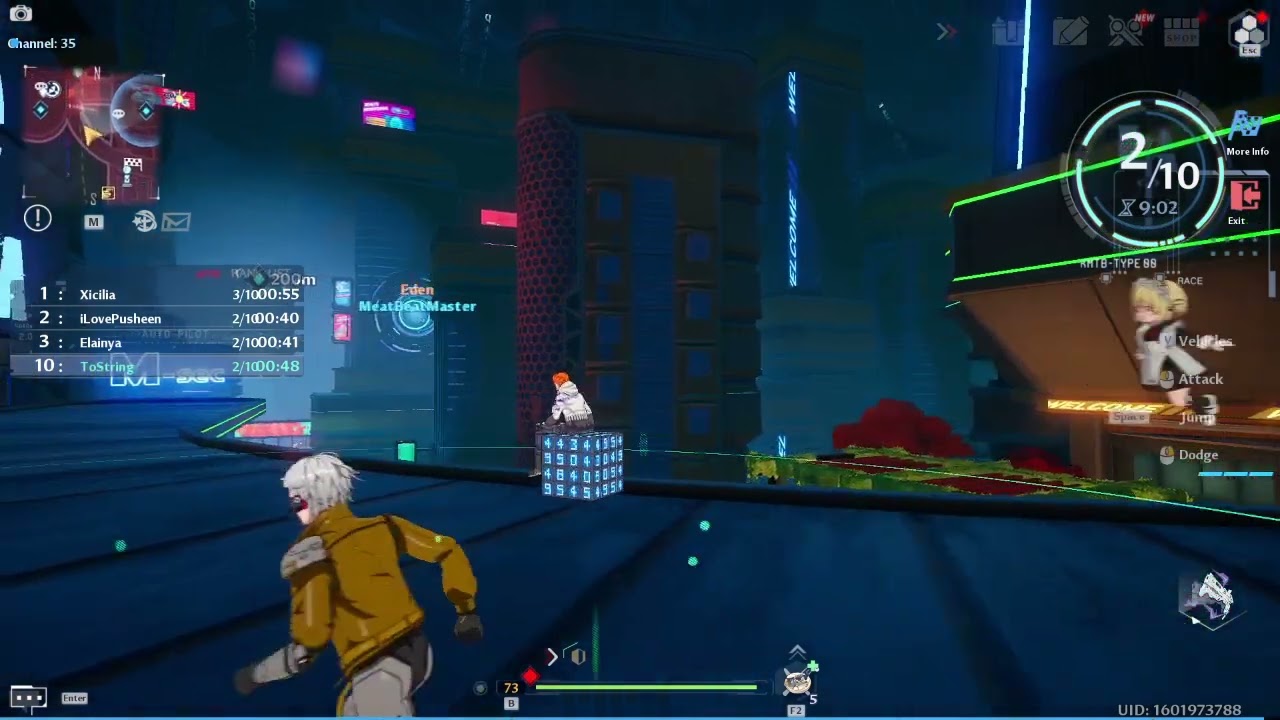
Server : Illyrians
Crew : Hello World
https://discord.gg/GzYeztwyZJ
 silver lava
I have not been getting the DC compensations promised after the latest fixes, anyone noticed the same? Maybe it's just late.
 woven flower
dim sedge
I can't find the area in the tof site to claim the twitch drops, could I trouble...
woven flower
dim sedge
I can't find the area in the tof site to claim the twitch drops, could I trouble...
i have the same problem, did it end up working for u?
dim sedge
nope
deft current
cloud swan
Hi, i have a rather bad situation. Since 2.0 arrived, i am unable to start the I...
do you use Comodo Firewall? if so please view the pinned posts - there's a workaround for this issue in there
 light fossil
Am i the only one getting crashes from trying to do the survey? Is there any other way to fill it btw?
deft current
light fossil
Am i the only one getting crashes from trying to do the survey? Is there any oth...
what platform are you on? windows?
i did the survey in v1.x without any issues, but 2.x seems to have some issues with the external browser right now.
are you able to make purchases from the wanderer supplies/purchase reward tabs?
light fossil
deft current
what platform are you on? windows?
i did the survey in v1.x without any issues, ...
Windows 10, yes I'm able to make purchases
deft current
light fossil
Windows 10, yes I'm able to make purchases
okay that's probably not the same issue i had to solve yesterday - i hope you find a workaround though!
 vestal scaffold
Anyone know when the controller keys in the settings menu will arrive? It still says coming soon.
cloud swan
dim sedge
I can't find the area in the tof site to claim the twitch drops, could I trouble...
 runic imp
max settings WQHD and 90 fps lock. It is very badly optimized for the graphic quality of this game. I would be interested to know if it is possible to improve it a bit via ini files.
 digital monolith
my problem has been resolved, my problem is weird account binding
 crisp hamlet
Game Wont Launch (worked perfectly yesterday, nothing has changed maybe only GPU Update but worked after that tho), if i click START in the Launcher it closes and opens up again without the game starting
 hardy dawn
Does anyone here know why this happen? this screen size is too big and i cant exit out
 raven shale
This game get less bugfixes instead so many bugs and fails are atm high cobalt b doesnt trigger dot rubys atks misses the hitbox on enemys i mean wtf? Many times double loadingscreen kicked out off the game repair for play again? The hell with that 2.0 is not savior its the destroyer of gamefun more bugfixes instead of 2.1 first try to stablelize your game.
waxen needle
Does anyone know why my game fps never reach above 100 again? I used to set it at 120 and had around 110 before I changed it. However, I lowered it down a few days ago. And I realized after I changed it back to 120, the fps never really goes above 100. Thank you.


 sleek roost
How long does hotta customer support takes to reply?
cloud swan
runic imp
max settings WQHD and 90 fps lock. It is very badly optimized for the graphic qu...
Im not support pa, ust helping common issues but im one like you.
 deep glen
Hello, I don't know where to say this, so I say this here. Are you planning to give one big serwer Europe? Because now, we didn't have enoug players in Joint's on Andoes and others mini-serwers.
cloud swan
deft current
do you use Comodo Firewall? if so please view the pinned posts - there's a worka...
I use Bitdefender so no, yet i would like to try this post, please lend a link to it?
deft current
cloud swan
I use Bitdefender so no, yet i would like to try this post, please lend a link t...
it's pinned to this channel
cloud swan
deft current
it's pinned to this channel
Just Realized im on Windows Firewall
hasty tide
cloud swan
Just Realized im on Windows Firewall
But u have the bitdef installed ryt?
 cinder cape
anyone knows how to fix infinite loading screen loop at the server selection? stuck on it ever since tried entering frigg
cloud swan
hasty tide
But u have the bitdef installed ryt?
yea; its not a firewall tho
hasty tide
It's existence itself hampers the game. I had to uninstall it completely too
wary shuttle
deep glen
Hello, I don't know where to say this, so I say this here. Are you planning to g...
Joint Operation, Dimensional Trials and Raid are cross-server game modes, if I remember correctly
we will be able to change the server in the future, but need to wait for the update
cloud swan
hasty tide
It's existence itself hampers the game. I had to uninstall it completely too
Any recomended option? I cant leave this guy without antivirus installed (and i doubt win defender can make it throw)
hasty tide
cloud swan
Any recomended option? I cant leave this guy without antivirus installed (and i ...
Just reinstall after in-game purchase
cloud swan
like, every time? damn
cloud swan
hasty tide
Not reliable enough tho
that itself speaks of a bad game programming and optimization... guess i cant help it tho
hasty tide
hasty tide
Not reliable enough tho
Bit and Kaspersky considered most reliable
hasty tide
cloud swan
that itself speaks of a bad game programming and optimization... guess i cant he...
If u r doing top up if tanium, just use midasbuy external website
cloud swan
hasty tide
If u r doing top up if tanium, just use midasbuy external website
Rookie pack aand battle pass... Not gonna cut it i guess
hasty tide
cloud swan
Rookie pack aand battle pass... Not gonna cut it i guess
Just buy it in one go, then do it next month ig
 crisp canyon
any way to improve fps inside grayspace? my fps is like.. half when inside it. im running on low settings already
hasty tide
hasty tide
Just buy it in one go, then do it next month ig
Rookie pack doesn't reset daily so u wont need to buy it daily/weekly
cloud swan
hasty tide
Rookie pack doesn't reset daily so u wont need to buy it daily/weekly
Its frustrateing how it worked ok before 2.0
hasty tide
cloud swan
Its frustrateing how it worked ok before 2.0
Yea ik. File a report to bitdef too. I did it too, it might get resolved on their part
primal spade
radiant edge
<@162568935865057281> – Though you’ve said that you don’t get past the launcher,...
Sorry about the delayed reply. So the launcher closes, and then reopens. But no other windows appear during that time.
 tacit girder
how do i repair network error 4/35??
 pearl willow
I have a problem but i dont know if its for everyone but the gacha to get the rose skin and halloween mi-a i cant buy new tickets is that normal i only got the 5 free
pearl willow
ok thx ^^
crisp hamlet
Can someone Help me out ? My game wont Start tried everything that i found in the internet. the Client closes and reopens after i click on START
tacit girder
So apparently I managed to temporarily fix network error 4/35 by using VPN. But I need to let the VPN running all the time in order to play. Hopefully the next launcher update or whatever update is near and they fixed this
raven shale
i have a question why can't ruby's dodge attack keep up the flamedot?
friend of mine says the flamedot dont trigger 2 or 3 atks
is this a bug or why is that so?
 signal lichen
anyone experiencing the same issue? bought the 5$ with first time purchase but it only billed me and didnt give me the tanium.
grim saffron
comon why is the server so cracked at the moment igot often and rn discconect from server you want to rejoin? after the rejoin i get kicked again ...
at the start of the game never problems but since vera only kicked from server :/
 stone plank
ram consumption increases until it reaches the limit and the game crashes

 hexed adder
peepoDumpster

 rich quartz
anyone else having the steam version stutter? is there a fix?
 light scroll
Anyone know if I changed to this clothes, and I want to change back to default clothes will her hair will retain or get back to normal?
 hexed adder
rich quartz
anyone else having the steam version stutter? is there a fix?
hexed adder
rich quartz
anyone else having the steam version stutter? is there a fix?
turn off dlss upon each game start
hexed adder
light scroll
Anyone know if I changed to this clothes, and I want to change back to default c...
certain hair doesnt fit with certain clothes, to avoid clipping
light scroll
Yeah if I select save then want to change back. Do I et my original hair or this ponytail will retain? I dont want to waste 150dc so