#technical-help
1 messages · Page 74 of 1
 marsh lantern
 civic spade
anybody crashing in every instance rn ? cant do JO or any other trial ?
 gritty fern
no idea
but as you can see its running at DX12

 sand nacelle
oh sry i thought i was on it
civic spade
game never crashed for me since day 1 , until today
 slim solar
me and other crew members queued for Joint op and it kicked us to main menu screen and we all cant reconnect to the game :D
anyone with this issue?
civic spade
same
 stable hatch
i can't connect me they saying fail connexion ID:32...
 buoyant talon
I'm struggling re-binding my keybind, whenever I press Z for forward it put back W

Any idea on how to fix that pls ?
 rain glacier
Ok, it looks like the queue is gone, but the first attempt at coop kicked me out of the game and it's the same as yesterday. I'm stuck between two loading screens and it always throws me back to the beginning. So it's a problem when you want to play coop.
 winged silo
Hay after restarting my pc i am getting Login Failed ID: 32
 hollow lagoon
please help, my backpack is far from full, but i cant claim the mail because its full, is it a bug?

 rain glacier
to much bugs in this game!!!!
 lilac hearth
hollow lagoon
please help, my backpack is far from full, but i cant claim the mail because its...
lilac hearth
hollow lagoon
please help, my backpack is far from full, but i cant claim the mail because its...
Check out equipement tab not the material tab
 dapper ermine
anyone know why the game is suddenly doing this in full screen mode?

 hazy knoll
lol this game just eat up my 16gb ram, and then force close what happen?
 reef egret
does anyone know how to activate rtx or if it's already activated by standard?
 worldly hare
rain glacier
Ok, it looks like the queue is gone, but the first attempt at coop kicked me out...
worldly hare
rain glacier
Ok, it looks like the queue is gone, but the first attempt at coop kicked me out...
The thing is I couldn’t even play the game since 2.0 got released
 gray heart
I was able to reconnect after 30 minutes so no multiplayer if I understood correctly ? ^^'
hazy knoll
hazy knoll
lol this game just eat up my 16gb ram, and then force close what happen?
its really eat up to 99%
hollow lagoon
lilac hearth
Check out equipement tab not the material tab
oh okay
 empty kite
hey! I got into a match of Frontier Clash and the moment I loaded inside it threw me out to the main start screen, when trying to connect it keeps throwing me out to start screen, anybody knows what's going on?
gray heart
empty kite
hey! I got into a match of Frontier Clash and the moment I loaded inside it thre...
Many have had the problem, I just reconnected after 30 minutes of waiting you should not do multiplayer currently
slim solar
empty kite
hey! I got into a match of Frontier Clash and the moment I loaded inside it thre...
seems like its happening to a lot of people, some of my friends fixed that by logging in on a different device, but that doesnt sadly work for everyone
 zealous temple
 empty kite
thank you both I will try few things then ! ❤️
zealous temple
Any workaround so low spec PC can play without the map looking like this? It's okay if it's in Aida because I pretty much know the entire map but in vera is really frustrating. I can't even do the exploration because the challenge and maps are transparent.
lilac hearth
zealous temple
nice they released pixel version, i like pixel games 😄
dapper ermine
WOAH MY GAMES RUNNING A SMOOTH 60FPS?!
lilac hearth
dapper ermine
WOAH MY GAMES RUNNING A SMOOTH 60FPS?!
90*
dapper ermine
It didnt even run 60 fps last patch
zealous temple
lilac hearth
nice they released pixel version, i like pixel games 😄
I modified the engine.ini file so the graphic down to 50%
 hasty tide
Hi İ get ID 32 login failed error someone help about it ?
and discord nitro gift link doenst work
 gaunt ledge
@everyone who seems to match in a Co op mode with each other completely unables them to play the game lots of people were stuck in the Title screen just to help everyone not repeating the same mistakes Co op mode just doesn't works for some reason needs to be fixed i assume
winged silo
hasty tide
Hi İ get ID 32 login failed error someone help about it ?
I am getting it as well... No fix
gaunt ledge
empty kite
hey! I got into a match of Frontier Clash and the moment I loaded inside it thre...
i am not going to risk Co op mode if there are a lot of people like you
 white grail
is it just me? that tof eat lots of ram?
gaunt ledge
no
there are over the top amount of issues inside game and outside of it i really don't know how the support staff is going to address and fix them all too many actually i came across another one needed to restart the game to fix it though a Relic based bug
 fierce fractal
Hello. What's going on guys? Trying to go to the JO7, double loading and after that can't log in to the game for the next 20 minutes.
gaunt ledge
fierce fractal
Hello. What's going on guys? Trying to go to the JO7, double loading and after t...
take a note of my everyone based comment
slim solar
fierce fractal
Hello. What's going on guys? Trying to go to the JO7, double loading and after t...
it let us in after like 30 minutes
gaunt ledge
lucky i've seen some people who just couldn't play anymore
hazy knoll
why eating up so many ram?

 uneven fog
cant reconnect help
 white grail
hazy knoll
why eating up so many ram?
white grail
hazy knoll
why eating up so many ram?
same bro it eat 25gb of my ram
fierce fractal
no idea
 rain robin
Someone know how to fix the Error "ID: 4/35"? Should be a network error.
It always show up when I try to log-in with my Steam acc.
fierce fractal
this is mine

 wary karma
guys i have this problem when i try to open the game it came out this message saying : DX12 is not supported on your system. try running without the -dx12 or -d3d12 command line argument
pls help (i use steam for tower of fantasy)
 dusty vault
 gritty fern
wary karma
guys i have this problem when i try to open the game it came out this message sa...
gritty fern
dusty vault
gritty fern
wary karma
guys i have this problem when i try to open the game it came out this message sa...
gritty fern
dusty vault
2GB ram usage seems normal
that 3GB one is littlebit higher than normally it would use
dusty vault
gritty fern
2GB ram usage seems normal
that 3GB one is littlebit higher than normally it wo...
Ok, thanks ^^
 light plume
hazy knoll
why eating up so many ram?
light plume
hazy knoll
why eating up so many ram?
I had the same problem, go to settings / Show / disable DLSS 🙂
gaunt ledge
gritty fern
2GB ram usage seems normal
that 3GB one is littlebit higher than normally it wo...
do you have any idea regarding Twitch drop bugs such as watching the Stream claiming the Twitch drop rewards but not seeing it delivered after linking the Twitch account to the TOF site?
 dark hill
Is anyone else having frame drop issues?
gaunt ledge
also the disappearance from all the Mails related to that Twitch drop rewards
gritty fern
gaunt ledge
do you have any idea regarding Twitch drop bugs such as watching the Stream clai...
sadly no 🥲
gaunt ledge
gritty fern
sadly no 🥲
i would have expected as much still thanks a lot
light plume
I had the same problem, go to settings / Display / disable DLSS 🙂
 hazy knoll
light plume
I had the same problem, go to settings / Show / disable DLSS 🙂
hazy knoll
light plume
I had the same problem, go to settings / Show / disable DLSS 🙂
ohh okay
 fallen wadi
Dang, DLSS taking up 10 GB of RAM
white grail
light plume
I had the same problem, go to settings / Display / disable DLSS 🙂
i see, tq tho
fallen wadi
Switched it off and it's now at 2GB
This started when they pushed a patch a couple of hours ago.
white grail
ah no wonder yesterday seem to be ok
gritty fern
out of curiosity , is that DLSS with DX 11 or DX 12 ?
empty kite
so I tried it out thought 'maybe it's connected to the updates'
I fully updated the launcher the game and everything and started game again, few minutes passed by then so I managed to enter, it teleported me to the start point where MC wakes up after Shirly found us in the ruins and took us to astra
so I took the chance and decided to try entering dimensional trials, matched for it, went in - rip same happened again XD
I'm gonna wait few minutes again and next time I'll try to enter as solo
I have a feeling the issue is in the cross-server function because I've ran with my crew few things like FC and stuff earlier and everything was fine before
white grail
gritty fern
out of curiosity , is that DLSS with DX 11 or DX 12 ?
mine dx12
fierce fractal
empty kite
so I tried it out thought 'maybe it's connected to the updates'
I fully updated ...
I have the same problem.
 valid beacon
every time i join JO or raids the game close and send me to select server screen any solution ?
gritty fern
white grail
mine dx12
🆗
 late latch
At this point they owe us a free ssr weapon selection chest, just break and update after update and bug fix lol 😂
valid beacon
valid beacon
every time i join JO or raids the game close and send me to select server screen...
anyone have the same issue ?
 quasi verge
it keeps saying i am having insufficient disk space but i have 50gb free?

 still karma
have they concluded the directx12 issue? my graphics ingame are still fked up with see thru walls and floors 💀
 halcyon sapphire
why do I always get disconnection errors during operations???
 onyx topaz
why ?

 wary zephyr
new player? run now before something bad happen.. trust me 
onyx topaz
yes news player
wary zephyr
yeah, normally a new game is fine.. but this one if something happen ur gg cause support do nothing oof
 frail ocean
what's the fix for server connection failed?
wary zephyr
unsure.. might happen cause so many things now.. probably the newest bug: disconnect during an instance and have to wait its timer to end or something
 digital juniper
Can i still play and use on the TOF launcher even after i bind my account to steam?
frail ocean
wary zephyr
unsure.. might happen cause so many things now.. probably the newest bug: discon...
ahh alright, ive not logged on yet today so  wonder what it is for me :kekl
gaunt ledge
digital juniper
Can i still play and use on the TOF launcher even after i bind my account to ste...
I would be extremely cautions if i were you
too many issues are happening so just wait
digital juniper
okay~
wary zephyr
i think they removed the unbind from custom accounts.. so they are actually a bit safer now
so technically.. if you dont unbind.. yes you can still log onto launcher
 spring dune
fix azerty keyboard please !!!i can not band my keys
 shy wadi
still not able to launch the game itself, still stuck in the level infinite lol, what is happening, already reinstalled the game for the second time.
i thought the mini update will fix the issue but still no luck, update broke the game haha
wary zephyr
be glad you can still play on your character.. i been character unbind since huh.. 16 days ago now
and they just disabled custom accout unbind yesterday.. they going snail speed
onyx topaz
Uninstaled bye
winged silo
onyx topaz
why ?
Ha.. Ha.... Welcome

 short jetty

 hushed gate
shy wadi
i thought the mini update will fix the issue but still no luck, update broke the...
hushed gate
shy wadi
i thought the mini update will fix the issue but still no luck, update broke the...
Its annoying to re-download data every updates
wary zephyr
this game is mega spaguetti code haha.. trying to clone but forgot security and stuff
gaunt ledge
wary zephyr
this game is mega spaguetti code haha.. trying to clone but forgot security and ...
cloning what?
wary zephyr
gaunt ledge
cloning what?
the forbidden G word
gaunt ledge
i see but it developed to it's own entity somehow in the upcoming versions with underwater level
 solar pecan
shy wadi
still not able to launch the game itself, still stuck in the level infinite lol,...
solar pecan
shy wadi
still not able to launch the game itself, still stuck in the level infinite lol,...
I get this issue randomly too, Sometimes it works after restarting about 50 times. Is there really no fix?
 viral loom
ok can I access the game now ? I am still sent back to the nemesis login page
wary zephyr
gaunt ledge
i see but it developed to it's own entity somehow in the upcoming versions with ...
should work on land before you go water.. tho i guess we alrd end up in water under the terrains
viral loom
wt f is happening ?
gaunt ledge
wary zephyr
should work on land before you go water.. tho i guess we alrd end up in water un...
if you mean all the unumberable bugs yeah
gaunt ledge
viral loom
ok can I access the game now ? I am still sent back to the nemesis login page
have you tried joining Co op modes? that's why this happened to you
viral loom
gaunt ledge
have you tried joining Co op modes? that's why this happened to you
yup, was going for a void rift
wary zephyr
this is ridiculous for real, first big update since start and technical going ham since 2 days LOL
unsure what they did but everything seems broken
gaunt ledge
viral loom
yup, was going for a void rift
#technical-help message here i tried to warn people
viral loom
Devs, your game is good, even with some lack of polish, but preventing your users to ^may it is really not good
hasty tide
Why was I pinged
gaunt ledge
wary zephyr
this is ridiculous for real, first big update since start and technical going ha...
i couldn't even claim all of my Twitch drop rewards since yesterday being stuck
gaunt ledge
hasty tide
Why was I pinged
#technical-help message as a Warning to all
 frail granite
So this game is more gei than gei shit impact
 hushed galleon
Hey ya'll, if any of you still receive the BSOD issue. Windows 10/11 22H2 update fixes it entirely it seems. No more sandbox or throttlestop method.
viral loom
gaunt ledge
https://discord.com/channels/932906923236401182/1004552582733254768/103300229441...
♥️
 rigid ferry
anyone know why the RTX mode from settings vanished?
hushed galleon
Did you force DX11?
viral loom
Well, can't access the game anymore.... @turbid coyote Your game has huge potential and is spot on on the gameplay, but please, do something about accessing it...
rigid ferry
hushed galleon
Did you force DX11?
nope did no such thing, yesterday it was smoothly running RTX with DLSS and today the option doest exist only shows DLSS
 hushed galleon
Oh wait, mine disappeared too. The RTX wasn't actually working, so they removed it.
rigid ferry
ahh thats why i got around 35 FPS in the mirror city and with dlss i got around 80
solar pecan
Did it even make that big of a difference? All I noticed was the reflections.
 radiant edge
The most recently pushed version of the launcher, no matter the platform detected, launches the game with the d3d11 command line argument. Could not say if this is a stopgap solution, yet many are (and were) having problems as a result of the newer behavior {Vera Update} -- forcing 12 [on systems that could only run stable under 11].
hushed galleon
It had varying results for some people. Mine actually did NOTHING.
rigid ferry
solar pecan
Did it even make that big of a difference? All I noticed was the reflections.
same xD
radiant edge
Anyway, it's not that raytracing was intentionally removed, persay. It'll likely be resolved once the launcher behavior is refined a bit more.
 terse quarry
im stuck in loading screen after coop how do i fix this
gaunt ledge
viral loom
Well, can't access the game anymore.... <@175856455348518912> Your game has huge...
good luck having things fixed and hopefully having capable people working on this Game
 dusk lily
wary zephyr
be glad you can still play on your character.. i been character unbind since huh...
dusk lily
wary zephyr
be glad you can still play on your character.. i been character unbind since huh...
Fun fact I've been getting ony human answer from the support recently.
Well they told me to "sit tight and wait" and that "they hoped to fix my problem very soon" so MAYBE I'll finally get my account back (I don't believe what I just said myself)
wary zephyr
dusk lily
Fun fact I've been getting ony human answer from the support recently.
Well they...
did me getting mad on copy/pasta reply actually change something 😂
i stopped email support, seriously was tired of it
gaunt ledge
wary zephyr
i stopped email support, seriously was tired of it
I know what you mean
dusk lily
wary zephyr
did me getting mad on copy/pasta reply actually change something 😂
I've gone mad aswell x)
I've send a mail like 7 days ago saying I would send one every 24h if they don't answer me or close my ticket. Since that I've only gotten Human answer and my ticket has not been closed even if I wait 3-4 days before sending something
 frosty solar
hey! I got into a match of Frontier Clash and the moment I loaded inside it threw me out to the main start screen, when trying to connect it keeps throwing me out to start screen, anybody knows what's going on?
hasty tide
is there still no way to fix the crash after launching problem?
wary zephyr
frosty solar
hey! I got into a match of Frontier Clash and the moment I loaded inside it thre...
instance have a big bug since a week+ or something
if you disconnect during you are gg for.. the instance timer.. or a much longer time(at random)
hushed galleon
hasty tide
is there still no way to fix the crash after launching problem?
Are you getting blue screen? Because the only fixes at the moment that I've experienced is using the Throttle Stop app OR, which I just found out today and tested, is updating Windows to 22H2.
frosty solar
Thats insane, they didnt fix it yet?
hushed galleon
I've had the BSOD problem since launch too.
wary zephyr
fix stuff?
took them a ridiculous amount of time to just disable the unbind button on custom.. and people that got this problem all arent fixed
 balmy parcel
Did they fix the fc normal being too hard than indented bug if anyone knows?
hasty tide
Soooo online/co-op is broken and getting people stuck at start screen?
hushed galleon
But I've been using Throttle Stop until just an hour ago. Because Windows 11 22H2 fixed it. I think Windows 10 should also get this update as well.
hasty tide
hushed galleon
Are you getting blue screen? Because the only fixes at the moment that I've expe...
i got it where is icon of the game pop up, i hover over it, it shows white, and then close itself 1 second later
hushed galleon
Oh, I'm not sure what that is then. My only suggestion is running the game in compatibility mode.
Some people said that fixed crashes for them.
frosty solar
wary zephyr
fix stuff? <:miaderp:975525442062778389>
took them a ridiculous amount of time ...
thats so sad, considering i like playing this game tbh
 gentle gazelle
hasty tide
Soooo online/co-op is broken and getting people stuck at start screen?
gentle gazelle
hasty tide
Soooo online/co-op is broken and getting people stuck at start screen?
yes, but you can keep running the game until it works like gacha.
frosty solar
gentle gazelle
yes, but you can keep running the game until it works like gacha.
that ultimate gacha experience
wary zephyr
i remember when party chat broke for almost 2 week.. was a new feature that came in with raids.. cause well we dont need party chat in raids right
hasty tide
oh boy
hasty tide
wary zephyr
i remember when party chat broke for almost 2 week.. was a new feature that came...
lmao yea i thought for wht ever reason i got muted
hushed galleon
I love this damn game so much I've been figuring ways to fix this BSOD for ages. Lots of people left, and currently NEW steam players are spamming the steam forums about it, like I expected. So I'm trying to keep them in by telling them these fixes. It's so insane that Hotta isn't doing anything about it.
wary zephyr
they must be overwhelmed with bugs atm, rushed stuff lol
hushed galleon
Their website literally addresses the BSOD issue, but their answer is basically: Your shit is broken, not our fault.
wary zephyr
or hire better dev.. really lol 
gaunt ledge
hushed galleon
I love this damn game so much I've been figuring ways to fix this BSOD for ages....
yeah i did like this game a ton too but i am disheartened by their lack of fixing things properly
gentle gazelle
To fix your game from crashing at the start screen.
- Disable your antivirus/firewall
- Run Launcher in Admin mode (important)
- Go to Launcher Repair Client>GameSettings>Repair Client
- Try to start the game until it it lets you in to Enter Game screen.
2.0 Has an issue where system locales of CN are messing up with your device reading the CN characters that are inside the 2.0 client.
wary zephyr
hushed galleon
Their website literally addresses the BSOD issue, but their answer is basically:...
yeah its always the player's fault.. even me getting hacked ingame from a security breach in client. my fault lol
hasty tide
oh the game updated to 2.0.4, lets see if they have fixed anything at all 💀
frosty solar
hushed galleon
Their website literally addresses the BSOD issue, but their answer is basically:...
how is that the players fault when other games/mmos dont have bugs like this
gaunt ledge
it sucks that Co op mode isn't working accordingly so i am stuck with inferior gear and stats
frosty solar
gaunt ledge
it sucks that Co op mode isn't working accordingly so i am stuck with inferior g...
exactly yeah
radiant edge
If you're playing on a computer with an NVidia "RTX" {20XX+} Graphics Card and after installing the Vera Update, you encounter one of the following new issues:
- The game freezes, dead-locks, or otherwise crashes, immediately after the Hotta logo.
- You receive a prompt stating that you're out of video-memory followed by the game closing, immediately after the Hotta logo.
- You gradually leak memory (or video memory) over time, leading to the game eventually crashing.
Try disabling NVidia's NGX support for the engine.
You may do this by appending the following lines to:
"%USERPROFILE%\AppData\Local\Hotta\Saved_Steam\Config\WindowsNoEditor\Engine.ini"
or
"%USERPROFILE%\AppData\Local\Hotta\Saved\Config\WindowsNoEditor\Engine.ini"
- Based on whichever version of the installation you're using. (Steam, or standalone, respectively)
[SystemSettings]
r.NGX.Enable=0
^ Disabling DLSS through the game settings is also an option, yet it will not persist between startups, and may not deal with issues that occur immediately following the Hotta logo.
gaunt ledge
got a warning out for everyone
radiant edge
radiant edge
If you're playing on a computer with an NVidia "RTX" {20XX+} Graphics Card and a...
still karma
are we running in dx11 right now my graphics is fked up even at the lowest setting 💀
 clear crescent
im trying to enter in the game but it goes to the welcome screen :/
radiant edge
gaunt ledge
clear crescent
im trying to enter in the game but it goes to the welcome screen :/
#technical-help message have you accidentally played Void Rift Joint operation?
hasty tide
Anyone knows as to why game crashes when making purchases
clear crescent
nope
gaunt ledge
then it's another issue just great
hasty tide
perhaps joint op..?
gritty fern
still karma
are we running in dx11 right now my graphics is fked up even at the lowest setti...
it looks like we are forced to use DX11 for now
hasty tide
mk so a form of co-op
clear crescent
yes, its a co-op
hasty tide
yooooooooo 2.0.4 finally fixed the crash after launching problem
seems that shite broken rn resulting in peeps getting stuck in start screen. Guess today i just let my stuff cap again 🙃
 drowsy ore
anyone know can't login issue after logout and delete some data and still can't login?
 primal horizon
omg mini stutters are back. the initial 2.0 patch was smooth as fuck. how do we get back dx12???
still karma
gritty fern
it looks like we are forced to use DX11 for now
💀
winged silo
Hay, is the server off right now
hasty tide
did you just try to play something co-op prior?
winged silo
hasty tide
did you just try to play something co-op prior?
New player.
hasty tide
ah ok
co-op broken rn so careful with that for short bit, assuming it's fixed in the next few hours
still karma
lowest setting already, all was fine before 2.0 💀
 hasty tide
pov: playing on potatoe you got at a thrift store
i recall messing with dx11 n dx12 before
still karma
game was fine still, my better laptop is for work 💀
hasty tide
but uh you shouldn't be on dx11 unless you manually went into settings in the files
radiant edge
primal horizon
omg mini stutters are back. the initial 2.0 patch was smooth as fuck. how do we ...
The mini-stutters that you're experiencing are likely a lack of D3D11 shader cache. Once that's built up, the performance should be similar.
 fathom crater
every time i try contact support, with the in game method, my game crashes
winged silo
They game is getting stuck now... After the 427 MB update (2.0.4)
still karma
i redownloaded everything still same, everything was fine until this dx12 thing 💀
hasty tide
Wonder if co-op bug, for keeping you at start screen, perhaps has your character stuck in game in the isntance tell that is completed or timed out
 warm thunder
why are the devs not helping
 pine bay
i just got a "your game environment is abnormal..." on the steam version. i didnt have this kind of problem with the stand-alone launcher
and steam version keeps reverting audio settings. whether via the windows volume mixer or in-game settings. control settings dont revert tho
 sleek axle
My discord nitro promotion isn't working
gritty fern
still karma
i redownloaded everything still same, everything was fine until this dx12 thing ...
i have been collecting info
from the DX12 to DX11
DLSS will eat up as many ram as they can (10-12GB for 32GB Ram or 5-6GB for 16GB Ram)
Microstutter and Messed up texture
Ray Tracing is no longer a thing (since its now DX11)
uneven fog
 warm thunder
why are the devs not helping like i dont even want to play the game cuz i cant play the game
wary zephyr
warm thunder
why are the devs not helping like i dont even want to play the game cuz i cant p...
i changed game alrd.. i suggest "grounded"
warm thunder
wary zephyr
i changed game alrd.. i suggest "grounded" <:miaderp:975525442062778389>
how do i do that
 visual moth
anyone found a fix to the issue where your game audio stutters + the game freezes/lags up and potentially crashes?
wary zephyr
warm thunder
how do i do that
umm well, you install steam and buy it, then download
warm thunder
wary zephyr
umm well, you install steam and buy it, then download <:miaderp:9755254420627783...
ok
 pastel jay
How do I change the install location of TOF folder?
 old fossil
guys i have a message which says that my gpu run out of memory how is that even possible if i play cyberpunk with rtx, i have a 2060
warm thunder
wary zephyr
umm well, you install steam and buy it, then download <:miaderp:9755254420627783...
i alrede have grounded
old fossil
old fossil
guys i have a message which says that my gpu run out of memory how is that even ...
it never appeared before the vera update
wary zephyr
warm thunder
i alrede have grounded
2022 update, im gonna get deleted kek 
radiant edge
old fossil
guys i have a message which says that my gpu run out of memory how is that even ...
For a lot of people, it seems to be caused by the engine's NGX / DLSS interactions. Check the most recent pin.
warm thunder
wary zephyr
2022 update, im gonna get deleted kek <:miaburnitall:996164079771209748>
what?
 leaden olive
yeah im also getting gpu memory
hasty tide
why cant i change language from chinese to english?
leaden olive
and its lagging like hell in vera
 wary shuttle
sleek axle
It says character not found
wary shuttle
sleek axle
It says character not found
do u have a screenshot of this?
old fossil
radiant edge
For a lot of people, it seems to be caused by the engine's NGX / DLSS interactio...
ty very much
leaden olive
never happened before this update lol
 sleek axle
Yess
 timber steppe
update 2.0 it's literally broke everyhing lmao
leaden olive
16gb memory + 3070 btw
 amber burrow
not sure if this was asked here, or where to refer to but i'm getting a login error of
ID:32
please help
old fossil
leaden olive
16gb memory + 3070 btw
check the recent pin
 calm urchin
gpu-ram usages (custom-settings) 60fps (all high) DLSS-enabled [RTX 3060]
 clear crescent
:/
 leaden olive
old fossil
check the recent pin
leaden olive
old fossil
check the recent pin
wow
visual moth
i think an engine.ini update i did removed RTX options for whatever reason, not sure how to get get them back? removing engine.ini for a fresh one didnt seem to resolve it
sleek axle
 visual moth
 sleek axle
sleek axle
sleek axle
There@wary shuttle
gaunt ledge
hasty tide
seems that shite broken rn resulting in peeps getting stuck in start screen. Gue...
I tried to warn everyone but it looks like nobody cared
gritty fern
visual moth
i think an engine.ini update i did removed RTX options for whatever reason, not ...
sadly we cant force the game to run in DX12 again , we will need to wait for another launcher update 🥲
visual moth
gritty fern
sadly we cant force the game to run in DX12 again , we will need to wait for ano...
oh, was it disabled for everyone?
gritty fern
visual moth
oh, was it disabled for everyone?
after the latest launcher update , yes
visual moth
ah thank you, was so confused, probably due to the issues it added
sleek axle
wary shuttle
do u have a screenshot of this?
 gaunt ledge
gritty fern
sadly we cant force the game to run in DX12 again , we will need to wait for ano...
gaunt ledge
gritty fern
sadly we cant force the game to run in DX12 again , we will need to wait for ano...
you know what's odd i see the version number keep increasing we have 2.0.4 now
gritty fern
visual moth
ah thank you, was so confused, probably due to the issues it added
yep , mostlikely due to people complaining about the DX12 error yesterday
wary zephyr
imagine someone who put like 500$+ in the game and get stuck on login screen.. omg 😂
hasty tide
why cant i change laungauge to english?
 unreal valley
guys did u steam players also dont get the second login day as progress? for weekly merit progress
gritty fern
gaunt ledge
you know what's odd i see the version number keep increasing we have 2.0.4 now
2.0.9 will be the last update for all of the problem 😅 (or else we will jump to the next update immediately)
sleek axle
@wary shuttle here is the screenshot

 brave marlin
seriously? 3060ti not enough graphic memory for tof 2.0? i got this error just now lol
sleek axle
My wanderer's name is celestie
wary shuttle
sleek axle
i got youuu, i just was thinking.. can u login in game, right?
calm urchin
gpu-memory leak ? (3060gpu)
 sleek axle
Yess
gaunt ledge
gritty fern
2.0.9 will be the last update for all of the problem 😅 (or else we will jump t...
that would be very awful honestly it's like a situation that forces everyone to skip update Versions for content expansions eventually if it continues this way i mean
gritty fern
brave marlin
seriously? 3060ti not enough graphic memory for tof 2.0? i got this error just n...
lets wait until someone said they run out of memory with their Quadro RTX A6000
wary zephyr
for sure, this game used to take like 1000(1gb) at most on my task manager, unless i pump graphics up
warm thunder
can the devs just help
 proud patio
Steam version doesn't seem to be scaling properly. Didn't have this problem before using steam.
 solar pecan
calm urchin
gpu-memory leak ? (3060gpu)
solar pecan
calm urchin
gpu-memory leak ? (3060gpu)
3090 here
gaunt ledge
warm thunder
can the devs just help
i tried but no they can't help yet
solar pecan
 gritty fern
solar pecan
3090 here
gritty fern
solar pecan
3090 here
run out of memory ? 🤣
calm urchin
solar pecan
wary shuttle
sleek axle
Yess
try to
- relogin on website
- change the browser
- login on pc
radiant edge
gritty fern
lets wait until someone said they run out of memory with their Quadro RTX A6000 ...
Actually, met two people on 4090's that had that happen. cough
sleek axle
Ok
 junior inlet
i dont see the RTX settings
 wary zephyr
solar pecan
wary zephyr
solar pecan
65 , close game
 barren laurel
solar pecan
barren laurel
solar pecan
"mobile game" btw
warm thunder
gaunt ledge
i tried but no they can't help yet
ok
gritty fern
junior inlet
i dont see the RTX settings
the game now is force to use DirectX 11 , for now the Ray tracing option is disabled (Since Ray Tracing requires DX12)
 keen portal
gritty fern
i have been collecting info
from the DX12 to DX11
DLSS will eat up as many ram ...
keen portal
gritty fern
i have been collecting info
from the DX12 to DX11
DLSS will eat up as many ram ...
Man I was looking for the ray tracing setting for 12 minutes until I seen this.
keen portal
gritty fern
the game now is force to use DirectX 11 , for now the Ray tracing option is disa...
No way to go back to DX12?
 bleak cosmos
how do i turn off minimize to systray when exiting. bc its always preventing the game to run. so annoying
solar pecan
wary zephyr
65 <:miaeyes:991488352064901191> , close game
65 is pretty normal for high-end games, probably not for TOF though. Temp is fine, can survive at least another 20 degrees.
 random seal
gentle gazelle
To fix your game from crashing at the start screen.
1. Disable your antivirus/fi...
random seal
gentle gazelle
To fix your game from crashing at the start screen.
1. Disable your antivirus/fi...
u dont actually need to run on Admin mode in my case unless u save it in C drive
gritty fern
keen portal
No way to go back to DX12?
 clear crescent
then, can I do dimensional co-op or I will go to the welcome screen?
calm urchin
solar pecan
65 is pretty normal for high-end games, probably not for TOF though. Temp is fin...
yeah true i got 53C in my card
tryed debugging gpu-memory usages some don't feel right...
 keen portal
gritty fern
https://tenor.com/view/%E3%83%A4%E3%83%80-%E3%81%84%E3%82%84-%E7%84%A1%E7%90%86-...
keen portal
gritty fern
https://tenor.com/view/%E3%83%A4%E3%83%80-%E3%81%84%E3%82%84-%E7%84%A1%E7%90%86-...
My disappointment is immeasurable and my day is ruined. 
calm urchin
checking next hotta.log
gritty fern
this game is now more demanding than Cyberpunk 2077 at 4K Resolution with Psycho Settings and Ray tracing ultra 🤣
solar pecan
You need a true gaming Tower to play Tower of Fantasy
gaunt ledge
clear crescent
then, can I do dimensional co-op or I will go to the welcome screen?
it doesn't works but try if you get lucky
clear crescent
gaunt ledge
it doesn't works but try if you get lucky
just entered XD
brave marlin
hmm what can i do now? lower my graphic setting works?
solar pecan
Gonna need to give your PC first Aida
keen portal
gritty fern
*this game is now more demanding than Cyberpunk 2077 at 4K Resolution with Psych...
I can't even get DLSS working on Cyberpunk 2077 because the option gets grayed out when you have 2 GPUs.
clear crescent
lets goooo xD
 gritty fern
solar pecan
Gonna need to give your PC first Aida
gritty fern
keen portal
I can't even get DLSS working on Cyberpunk 2077 because the option gets grayed o...
gritty fern
solar pecan
Gonna need to give your PC first Aida
gritty fern
keen portal
I can't even get DLSS working on Cyberpunk 2077 because the option gets grayed o...
🥲
calm urchin
solar pecan
Gonna need to give your PC first Aida
you know if there game r.GlobalRayTracingEnable = "0" availed enable 1 ?
random seal
😂 i also cant get DLSS to work on BF V it only available at certain reso
solar pecan
gritty fern
*this game is now more demanding than Cyberpunk 2077 at 4K Resolution with Psych...
I think they took "Cyberpunk Update" A little TOO literally...
keen portal
solar pecan
I think they took "Cyberpunk Update" A little TOO literally...
Yeah, might as well add Adam Smasher in.
 dawn pendant
so well after queing fc hard my game crashed and now im in an infinite loop of loading screens while trying to get into the server, did a quick research and looks like its a common issue, is there a way to fix it tho? or im unable to login until devs patch it or smthn
gritty fern
solar pecan
I think they took "Cyberpunk Update" A little TOO literally...
so... now we need to wait until 2077 to play this game 🤣
 steady zodiac
Just got a error saying to turn down settings due to not having enough video memory to load a texture. My card is a RTX 3090 24G lol...
 small atlas
RIP thought they released ps4 controller support.. is still not working
gritty fern
steady zodiac
Just got a error saying to turn down settings due to not having enough video mem...
brave marlin
steady zodiac
Just got a error saying to turn down settings due to not having enough video mem...
waiting for solution too...
calm urchin
steady zodiac
Just got a error saying to turn down settings due to not having enough video mem...
yeah we waiting for solution for that gpu-memory leak
steady zodiac
@brave marlinLoaded back in seems to be fine again for now but bet it happens again.:)
gritty fern
have you guys tried this ? @brave marlin @steady zodiac
solar pecan
calm urchin
yeah we waiting for solution for that gpu-memory leak
Fire Simulacra have never felt so immersive!
gritty fern
 calm urchin
gpu-memory crashed
 frail ocean
cant login to my character past “server connection failed” but it’s letting me join other servers — any fix?
 celest patio
small atlas
RIP thought they released ps4 controller support.. is still not working
celest patio
small atlas
RIP thought they released ps4 controller support.. is still not working
If you're using the steam version just tell it to run it as an Xbox controller
brave marlin
steady zodiac
<@328434561321009153>Loaded back in seems to be fine again for now but bet it ha...
ye it happens randomly...
 waxen bobcat
brave marlin
gritty fern
https://discord.com/channels/932906923236401182/1004552582733254768/103302154933...
waxen bobcat
brave marlin
gritty fern
https://discord.com/channels/932906923236401182/1004552582733254768/103302154933...
hmm not yet, Imma try this
waxen bobcat
this is the new benchmark game lets goo
calm urchin
i even seeing black(boxes)->gpu-reset(Win + CTRL + SHIFT + B)->fixed that proplem(black boxes) One way to quickly restart the graphics card is to use a key combination of keys: Win + CTRL + SHIFT + B. This will just restart the graphics card without closing any current programs or games.
amber burrow
can anyone help me with this error pls

 undone lynx
after 2.0 update the game inexplicably crashes everytime i try to enter the game after reaching the main menu
any of yall know a fix?
waxen bobcat
when a phone game gives you the eror of not enough memory on video card on a 4090
gritty fern
waxen bobcat
when a phone game gives you the eror of not enough memory on video card on a 409...
lets wait until someone with Nvidia Quadro RTX A6000 have this problem (it has 48GB vram)
pastel jay
How do I change the install location of TOF folder?
So uh, do I just move the whole folder?
calm urchin
pastel jay
> How do I change the install location of TOF folder?
So uh, do I just move the ...
look launcher-> Game Settings->Download->Installation path
pastel jay
calm urchin
look launcher-> Game Settings->Download->Installation path
It's already installed. I'm just hoping I could change that.
 lilac marsh
does someone elses game crashes when initiating?
 hazy scarab
tg
calm urchin
pastel jay
It's already installed. I'm just hoping I could change that.
i think you need move-folder then reinstall laucher to change location...
hasty tide
bro me and my bf were playing the game after a pretty long time of not touching it and we tried to join the joint operation, the game kicked both of us in the main menu of the game and when we tried to log back in, after the loading screen we would be sent back to the main menu
pastel jay
calm urchin
i think you need move-folder then reinstall laucher to change location...
I'm unsure as well. I'll wait for mods to reply.
undone lynx
undone lynx
after 2.0 update the game inexplicably crashes everytime i try to enter the game...
checked my logs and found this
is this related to some dx11/dx12 config or something
 waxen bobcat
gritty fern
lets wait until someone with Nvidia Quadro RTX A6000 have this problem (it has ...
waxen bobcat
gritty fern
lets wait until someone with Nvidia Quadro RTX A6000 have this problem (it has ...
this game was too early for this eras gpus to handle 
calm urchin
undone lynx
checked my logs and found this
is this related to some dx11/dx12 config or somet...
what type gpu you have ?
gritty fern
waxen bobcat
this game was too early for this eras gpus to handle <a:miawinky:100553148451546...
lets wait until 2077 for a graphics card with 1 million CUDA Cores and 2TB HBM10 VRAM
undone lynx
calm urchin
what type gpu you have ?
amd igpu
vega 8 i think
 novel isle
What does this DLSS option do? I had to turn this option off or else, the game would take all my 32gb ram out of nowhere
 calm urchin
i think igpu( not working on this game)
calm urchin
novel isle
What does this DLSS option do? I had to turn this option off or else, the game w...

Digital Trends
Nvidia's DLSS technology offers a huge boost to PC games, but how does it work, exactly? Here's everything you need to know about DLSS and what it can do.
gritty fern
novel isle
What does this DLSS option do? I had to turn this option off or else, the game w...
DLSS = Deep learning Super Sampling
its a Upscaling technique using AI to increase the Image quality and FPS (currently its unstable for this games , so dont enable it)
undone lynx
the game worked fine before 2.0 for me
novel isle
gritty fern
DLSS = Deep learning Super Sampling
its a Upscaling technique using AI to incre...
Thank you very much for your fast response! 😮
calm urchin
gritty fern
DLSS = Deep learning Super Sampling
its a Upscaling technique using AI to incre...
meybe that eating all memory's ?
 umbral lily
How i contact a admin please, my account just got erased
gentle gazelle
2.0 memory leaks alot
 calm urchin
gentle gazelle
2.0 memory leaks alot
calm urchin
gentle gazelle
2.0 memory leaks alot
what gpu ?
rigid ferry
i have stuttering issue since this game launched, is this a common issue? no matter the setting it stutters suddenly
gentle gazelle
calm urchin
what gpu ?
rtx 2060 super
novel isle
calm urchin
meybe that eating all memory's ? <:miaeyes:991488352064901191>
Guys try checking Settings>Display> and disabling the DLSS opcion if you have it enabled, that fixed that error for me
gritty fern
calm urchin
meybe that eating all memory's ? <:miaeyes:991488352064901191>
not sure , but somone said for now disabling DLSS fix the High RAM usage issue , not sure for VRAM
but you can try it
calm urchin
gritty fern
not sure , but somone said for now disabling DLSS fix the High RAM usage issue ,...
yup so far working with disabled DLSS option 
 rigid ferry
i have stuttering issue since this game launched, is this a common issue? no mat...
rigid ferry
rigid ferry
i have stuttering issue since this game launched, is this a common issue? no mat...
it plays fine within 120 fps but all of a sudden i get fps drops or micro stutters
 indigo copper
gritty fern
https://discord.com/channels/932906923236401182/1004552582733254768/103302154933...
indigo copper
gritty fern
https://discord.com/channels/932906923236401182/1004552582733254768/103302154933...
and on phone ?
gentle gazelle
calm urchin
yup so far working with disabled DLSS option <:AidaGuide:1010649835898159114>
can you disable DLSS settings manually by going to settings file if you can't start the game?
calm urchin
gentle gazelle
can you disable DLSS settings manually by going to settings file if you can't st...
yeah try looking ->C:\Users\username\AppData\Local\Hotta\Saved\Config\WindowsNoEditor\GameUserSettings.ini
line->bDLSSEnabled=True to bDLSSEnabled=False
 woven cipher
steam input config file located where? i cant find it
waxen bobcat
gentle gazelle
rtx 2060 super
got that on 4090
fathom crater
i want to unlink my steam from my account but its greyed out, is there no way to unlink it?
waxen bobcat
our gpu too lowtech for tof hahha
 pallid gazelle
i thought im the only one having this memory crash issue lol
 fleet prawn
hey, I was wondering if I should uninstall the original ToF when I install it on steam or if there is a way to just transfer it over without uninstalling
gritty fern
pallid gazelle
i thought im the only one having this memory crash issue lol
everyone having it
calm urchin
i guess that tof-DLSS(putting gpu-ram all frames)[to learning next frames][when gpu-out memory][gpu-crashing]... i think is software-proplem...(need w8 for patch for it)
gentle gazelle
calm urchin
yeah try looking ->C:\Users\username\AppData\Local\Hotta\Saved\Config\WindowsNoE...
ye it's still crashes after
https://i.gyazo.com/2f845757257610160f7c1cf916f61376.gif
even with dlss settings off
 gentle gazelle
calm urchin
i guess that tof-DLSS(putting gpu-ram all frames)[to learning next frames][when ...
gentle gazelle
calm urchin
i guess that tof-DLSS(putting gpu-ram all frames)[to learning next frames][when ...
ye it's the 2.0 client it came with some cn stuff cause before nobody had this issue
calm urchin
my case got fixed disabled DLSS[works 3000series case] [meybe..]
 mild root
can anyone join a vc and help me with some files not working how they should be
 ebon marten
any info about dx12 ? found any way to force enable it ?
 next dagger
guys on pc the game has a serious memory leak, after the update
calm urchin
gentle gazelle
ye it's the 2.0 client it came with some cn stuff cause before nobody had this i...
true we don't know how much codes are mixed(global+cn)
 livid field
Can you guys connect to excalibur server ?
 next dagger
it goes up to 16gb until it crashes out of memory
gritty fern
next dagger
guys on pc the game has a serious memory leak, after the update
try disabling the DLSS

 cobalt ferry
somone can tell me what is this two icon?
I think the speaker caused me to hear someone talking in non english language
 gritty fern
ebon marten
https://tenor.com/view/aqua-cry-cute-aqua-tears-about-to-cry-cute-gif-16458190
gritty fern
ebon marten
https://tenor.com/view/aqua-cry-cute-aqua-tears-about-to-cry-cute-gif-16458190
 next dagger
gritty fern
try disabling the DLSS
next dagger
gritty fern
try disabling the DLSS
okey thx i try it
 midnight valley
can anyone connect to worlds between? keep getting stuck at 90-99% and then it sends me back to title screen
calm urchin
gritty fern
https://tenor.com/view/usagyuuun-usagyuuun_sticker-thats-okay-gif-13628978
 dusty fox
how to connect my twitch to my game? i forgot i havent gotten my last one
indigo copper
midnight valley
can anyone connect to worlds between? keep getting stuck at 90-99% and then it s...
same problem
 stone bridge
I haven't been able to login after it signed me out, I Had it linked to an email and confirmed it.
gentle gazelle
calm urchin
true we don't know how much codes are mixed(global+cn) <:AidaGuide:1010649835898...
I tired 20 times it let me in so i play until it crashes again KEKW
calm urchin
gentle gazelle
I tired 20 times it let me in so i play until it crashes again KEKW
yeah i think some need w8 for patch that DLSS-fix
 barren fulcrum
from where settings this DLSS?
calm urchin
i enabled in bios gpu(Above 4G Decoding)->https://www.gameunion.tv/en/games/above-4g-decoding-your-bioss-dark-horse-what-it-and-should-it-be-105

In modern motherboards BIOS, you can find the Above 4G Decoding checkbox, and now the Resizable Bar has appeared next to it. And the Resizable Bar was already well explained by AMD – the processor can directly communicate with the card through a couple of big steps, instead of a million tiny ones.
But what then is Above 4G Decoding and is it equ...
midnight valley
I've tried the repair tool with no luck. I'm not sure what else I can try
 frosty mica
Hey, i'm stuck on the menu after trying to go to dimensionnal trial solo, after 2 loading screen i'm kicked back to menu
anyone got an idea?
 quiet spindle
frosty mica
Hey, i'm stuck on the menu after trying to go to dimensionnal trial solo, after ...
quiet spindle
frosty mica
Hey, i'm stuck on the menu after trying to go to dimensionnal trial solo, after ...
same ... and all my team mate its same
frosty mica
Argh
 old rapids
Does this game work on Windows 11 yet
calm urchin
old rapids
Does this game work on Windows 11 yet
yes(working on W11)
 stray nymph
any one found a fix for people who don't have access to the RT options in game ?
 sturdy parcel
anyone having high RAM usage?
 fallen wadi
sturdy parcel
anyone having high RAM usage?
fallen wadi
sturdy parcel
anyone having high RAM usage?
Yes, there's an issue with ToF after the patch earlier. Try turning off DLSS.
 versed oyster
tower of fantasy rtx gone?

 nimble tide
Anyone else has this same issue or just me? Sometimes my mouse's clicks won't react.
Like at they won't react for 5 seconds which stops me from fighting back.
sturdy parcel
fallen wadi
Yes, there's an issue with ToF after the patch earlier. Try turning off DLSS.
thanks man, it fixed it, but they removed RTX?
sturdy parcel
hasty tide
also is the high memory usage bad?
getting fps drop issue when high memory usage
versed oyster
rtx is working n u cant turn him off :)))
stray nymph
so RT is automatically on ?
versed oyster

 sterile fiber
Hello, I know they say ToF isn't supported for the steam deck, but has anyone tried to remote play from their steam?
versed oyster
stray nymph
so RT is automatically on ?
yes
hasty tide
I notice a difference though with ray tracing today than yesterday, there is less reflection on the ground in the city
hasty tide
sturdy parcel
getting fps drop issue when high memory usage
is this a problem after the patch today?
 frozen bane
??????? what is that and how can i fix it?
 calm urchin
hasty tide
is this a problem after the patch today?
calm urchin
hasty tide
is this a problem after the patch today?
yes
nimble tide
nimble tide
Anyone else has this same issue or just me? Sometimes my mouse's clicks won't re...
This doesn't happen with other games, just ToF
 gaunt delta
i still can't play on steam, someone know why?
 iron inlet
I can't log in anymore after going to JO, I got 2 loading screen and i am out
stray nymph
omg, i fell like the guy was clunky/laggy, the game actually resetted to 60fps cap instead of 120
 earnest flame
My platform is Android not PC
 gaunt delta
earnest flame
My platform is Android not PC
gaunt delta
earnest flame
My platform is Android not PC
they just came to answer me too, they didn't understand anything it annoy me so hard
 lost mauve
hasty tide
I notice a difference though with ray tracing today than yesterday, there is les...
lost mauve
hasty tide
I notice a difference though with ray tracing today than yesterday, there is les...
rtx is disabled rn launcher force the game to run in dx11
 nova folio
Where's the ray tracing gone?
earnest flame
gaunt delta
they just came to answer me too, they didn't understand anything it annoy me so ...
Ok well what can I do about it right now
hasty tide
lost mauve
rtx is disabled rn launcher force the game to run in dx11
is this a problem that the patch caused and is there a way to fix it?
 carmine summit

@ToF_EN_Official My favourite scene in Mirroria. I can stare at it for 48 hours.
#ToF #TowerofFantasy #ToFStorytime

 Twitter
·
lost mauve
hasty tide
is this a problem that the patch caused and is there a way to fix it?
Twitter
·
lost mauve
hasty tide
is this a problem that the patch caused and is there a way to fix it?
it's not a bug, they disabled it through launcher because some people are having problem with dx12 i think
 meager dirge
Is it normal for ToF to use 10GBs of RAM during vera cinematics
 calm urchin
meager dirge
Is it normal for ToF to use 10GBs of RAM during vera cinematics <:miaeyes:991488...
calm urchin
meager dirge
Is it normal for ToF to use 10GBs of RAM during vera cinematics <:miaeyes:991488...
nope, try disable DLSS
stray nymph
meager dirge
Is it normal for ToF to use 10GBs of RAM during vera cinematics <:miaeyes:991488...
Turn off DLSS
hasty tide
lost mauve
it's not a bug, they disabled it through launcher because some people are having...
how do you get it to run in dx12?
 dark terrace
how i solve this problem?
lost mauve
hasty tide
how do you get it to run in dx12?
idk I'm also searching how to do it
hasty tide
lost mauve
idk I'm also searching how to do it
ok let me know if you find a fix (:
winged silo
Hay i am having fps 1
And the characters take 6 second to take 1 step
woven cipher
if anyone finds the steam tof config input.ini location please let me know
calm urchin
ppl look out(2hours post guide)->#technical-help message
hasty tide
Any solution to being unable to make pack purchases.
 azure shoal
can anyone help with that getting sick of it x.x
 calm urchin
testing if disable NGX, then enable DLSS(if working that way) ohh NGS part in DLSS[if disable NGX, DLSS is gone)
 strong gulch
does someone know what is the problem? today I start the game but there was an update and after the update I got the error, I tried to check if a miss an update and after update the game again and check the gem files again it trow the same error [route game files]\Hotta\Binaries\libgmessl-1_1-c64.dll is not designed to run on windows or it contains an error. Try to reinstall the software again by originals methods or get in contact with system administrator software to get help. Status error 0x000012f
 astral laurel
frozen bane
??????? what is that and how can i fix it?
astral laurel
frozen bane
??????? what is that and how can i fix it?
Did you try to reload the driver from the gaphic card?
frozen bane
no how do i do that?
small atlas
celest patio
If you're using the steam version just tell it to run it as an Xbox controller
ohh it really works?? currently im using the tof launcher.. .. so if i use the steam version will work
 median spear
About RTX, On steam I'm getting only DX11 but on their oficial launcher I get DX12 with RTX option
rain robin
azure shoal
can anyone help with that getting sick of it x.x
Use England, that should work
 untold peak
i have 49gb free space yet i can't update game. says insufficient space
how much do i need?
hasty tide
i got rid of the game, and installed it on steam instead of the website, that fixed the issue for me
Turip
 quiet oxide
keep getting crashes because of "high memory usage" and high fps drops since 2.0 (32 GB ddr4 3200mhz & 3070)
 tame pebble

 cedar elk
Anyway to fix this?
 tame pebble
https://cdn.discordapp.com/attachments/735151533804486777/1033050446224429117/un...
tame pebble
tame pebble
https://cdn.discordapp.com/attachments/735151533804486777/1033050446224429117/un...
How to fix this does anyone know
earnest flame
😭😭😭😭😭😭


 cloud nymph
I am unable to log in the heck
calm urchin
tame pebble
https://cdn.discordapp.com/attachments/735151533804486777/1033050446224429117/un...
better gpu(need no igpu)
 untold island
Does anyone also experience getting notification of "Unable to connect. Keep trying?" I've been dealing with this error for 3 days already. My internet connection is very good and yet I kept getting DC'ed. Tried both ToF and steam launcher but still getting the error message. I also tried playing on mobile and still the same. Is there a possible fix for this?
 solar pecan
Y'all are making it past the splash screen??
 calm urchin
cedar elk
Anyway to fix this?
calm urchin
cedar elk
Anyway to fix this?
better phone need or tablet
calm urchin
solar pecan
Y'all are making it past the splash screen??
look pin 📌
solar pecan
Yeah, just was doing that
this feels like i'm playing some unofficial game on a system that ain't supposed to support it all over again.
Gotta do all the workarounds just to launch it.
tame pebble
calm urchin
better gpu(need no igpu)
You're saying the game can't run unless better gpu? But my friend was playing for a while already, he didn't play for a bit and now getting this. So there's definitely some other fix too
carmine summit
solar pecan
Y'all are making it past the splash screen??
nope since launch yesterday
 whole hornet
I've clicked Assistance on Frontier Clash and yet lost my 2/3 that I've been saving for Saturday to run all 3 with my crew =/
solar pecan
Well uhh, fixing the Memory leak issue by turning off DLSS is fine and all.....
If you have the option to.
 lost mauve
try deleting the dlss file
solar pecan
Where's that?
lost mauve
your installation location \Tower Of Fantasy\Engine\Plugins\Runtime\Nvidia\DLSS\Binaries\ThirdParty\Win64
solar pecan
Alright, thanks ^^
quiet oxide
is dlss causing crashes and fps drops?
lost mauve
quiet oxide
is dlss causing crashes and fps drops?
memory leak
hasty tide
median spear
About RTX, On steam I'm getting only DX11 but on their oficial launcher I get DX...
I'm on their official launcher and I don't have the RTX option
 timber flicker
and what can i do when it stay on : the logo
 near barn
is there any way to transfer your game files to steam without needing to redownload the game?
timber flicker
😦
 solar pecan
timber flicker
😦
solar pecan
timber flicker
😦
GPU?
timber flicker
RTX 3090
solar pecan
timber flicker
RTX 3090
 celest laurel
Just downloaded and wanted to play.
Platform: Steam
And it just gives me this, anyone know what this fail code is abt and if I can fix it somehow?

 vale escarpBOT
 strong gulch
celest laurel
Just downloaded and wanted to play.
Platform: Steam
And it just gives me this,...
strong gulch
celest laurel
Just downloaded and wanted to play.
Platform: Steam
And it just gives me this,...
yesterday I had that problem, what I did was to close from the subprocess and try again
 finite nova
celest laurel
Just downloaded and wanted to play.
Platform: Steam
And it just gives me this,...
finite nova
celest laurel
Just downloaded and wanted to play.
Platform: Steam
And it just gives me this,...
I'm also having this problem and I couldn't solve it.
strong gulch
if that dont work I can not halp anymore
 spare comet
the error stills like yesterday :/
 hasty tide
wat a scuffed patch with 0 QA tests
 dense shell
Any word on the mythical controller support?
lost mauve
do they even have QA testers lmao
hasty tide
I mean you'd think some of these bugs/issues would noticed quite quickly before releasing it
cant even enter an instance without knowing ima get bugged and taken to server select erry time
calm urchin
lost mauve
your installation location \Tower Of Fantasy\Engine\Plugins\Runtime\Nvidia\DLSS\...
nice find btw(that gived nice idea is DLSS possiple upgrade) ?
celest laurel
strong gulch
yesterday I had that problem, what I did was to close from the subprocess and tr...
Thanks a lot! Didnt help sadly, but I appreciate the help 😄
celest laurel
finite nova
I'm also having this problem and I couldn't solve it.
Oh noo D:
 dark reef
Yo ever since 2.0 i perma crash when launching game
Now that i circumvented it, I can't buy anyhting either, when I want to buy tanium it crashes again
timber flicker
@solar pecan thx it work for 🙂
finite nova
celest laurel
Oh noo D:
I already gave up
solar pecan
timber flicker
<@117967674432028677> thx it work for 🙂
👍
 fading otter
cant enter the game? after loading screen returns to the server selection screen
celest laurel
finite nova
I already gave up
Oh rly 😭
finite nova
celest laurel
Oh rly 😭
Yeah... And this isn't even the worst. I had already played like hell so when I went to log in again it kept showing this
lost mauve
calm urchin
nice find btw(that gived nice idea is DLSS possiple upgrade) ?
it was there since launch
 full furnace
Game freaking broke RTX 3070. Inventory consumes fricking 99% GPU usage. Well done Hotta.
 slim oasis
fading otter
cant enter the game? after loading screen returns to the server selection screen
slim oasis
fading otter
cant enter the game? after loading screen returns to the server selection screen
same here
 crystal iris
dark reef
Yo ever since 2.0 i perma crash when launching game
Now that i circumvented it, ...
crystal iris
dark reef
Yo ever since 2.0 i perma crash when launching game
Now that i circumvented it, ...
I am having the same issue at the moment, purchase window pops up completely blank and then crashes. Wondering if its worth emailing them a screenshot of the issue/making sure they're aware
hasty tide
crystal iris
I am having the same issue at the moment, purchase window pops up completely bla...
Same dude
calm urchin
lost mauve
it was there since launch
yeah, but i meaning(that file is 2.3.0.0)version, looked up in web newest DLSS file is 2.4.0.0+...
 mild ravine
lel, 3060 ti don't have enough gpu memory?
 calm urchin
mild ravine
lel, 3060 ti don't have enough gpu memory?
calm urchin
mild ravine
lel, 3060 ti don't have enough gpu memory?
disable DLSS
lost mauve
calm urchin
yeah, but i meaning(that file is 2.3.0.0)version, looked up in web newest DLSS f...
yeah im using 2.4.12-v2
calm urchin
lost mauve
yeah im using 2.4.12-v2
btw is working ?(no memory leaks) ?
lost mauve
same problem
full furnace
you guys getting 95%++ GPU usage? Even with DLSS off
calm urchin
lost mauve
same problem
mild ravine
calm urchin
disable DLSS
disable in-game option?
 maiden cloak
my GPU is always at 8% lol
calm urchin
mild ravine
disable in-game option?
yes
 sudden scarab
hmm it seems raytracing is on for me but I can't turn it off as option is mission in game
 calm urchin
sudden scarab
hmm it seems raytracing is on for me but I can't turn it off as option is missio...
sudden scarab
calm urchin
sudden scarab
hmm it seems raytracing is on for me but I can't turn it off as option is missio...
sudden scarab
hmm, thank you I'll try it. But I'm on AMD 😄
calm urchin
lost mauve
same problem
btw tryed look up Nvidia cache is there DLSS-cache files ?
lost mauve
dlss has cache???
calm urchin
lost mauve
dlss has cache???
checking that nv_cache folder..
lost mauve
calm urchin
checking that nv_cache folder..
i thought they removed nv_cache folder recently
quiet oxide
disabling dlss ingame resolved the memory crash for me
 sturdy moss
Is there an options folder for tof where I can easily turn rtx on? The option disappeared for me with patch 2.0.4
full furnace
man this game really should be in beta
 brittle ermine
Is ray tracing making anyone else lag badly?
hasty tide
sudden scarab
still stuck in raytracing
Is there no option of ray tracing in display settings? Can u show ss pls
calm urchin
lost mauve
i thought they removed nv_cache folder recently
yeah true 511.79-drivers(they removed NV_Cache-folder)
winged silo
Can't even get inside the game...
After selecting server the loading screen comes.... And kicks me out of the game.
sudden scarab

 jaunty elm
Can you change the browser where you login in with third party account? (e.g. through google account)
brittle ermine
Ray tracing makes everything lag so bad, is that normal ?
sudden scarab
ha figured it out how to turn it off ! material quality from to medium will turn off raytracing
 violet iris
brittle ermine
Is ray tracing making anyone else lag badly?
violet iris
brittle ermine
Is ray tracing making anyone else lag badly?
it did once, but i was messing with stuff across 4 monitors but after i reset the game it was fine
calm urchin
lost mauve
i thought they removed nv_cache folder recently
btw they made NV_Cache to DXCache and GLCache->https://www.reddit.com/r/nvidia/comments/th71cz/nvidia_shader_cache_location_changed/
violet iris
brittle ermine
Ray tracing makes everything lag so bad, is that normal ?
also when they add it back make sure DLSS is on
 formal sandal
https://cdn.discordapp.com/attachments/1008457898948558980/1033058677218889798/unknown.png Je suis pas le seul qui crash encore ici depuis hier ?
 hasty tide
sudden scarab
hasty tide
sudden scarab
There is a file name with game.ini in ToF, there u can turn off ray tracing iirc
 night dome
I cant get into the game, it get into two loading screens go back into the main menu screen
sudden scarab
I tried editing Endgini.ini that but it didnt work for me. As I wrote, RT is being turning on/off based on "material quality" menu (for me)
this is interesting, I have significantly better performance in steam client compared to original client. In the original I had around 100 - 110 with some settings turned down. Now I have everything on EXTREME and I'm on 120FPS
slim oasis
night dome
I cant get into the game, it get into two loading screens go back into the main ...
i enter after multiple try
 fleet crater
How do i connect twitch to my acc ?
night dome
slim oasis
i enter after multiple try
yeah, but that is the second day in a row. Yesterday was the same...
but thanks 😄
winged silo
night dome
I cant get into the game, it get into two loading screens go back into the main ...
Welcome.... To the loadding screen...
Party
dark reef
crystal iris
I am having the same issue at the moment, purchase window pops up completely bla...
Yeah should do so they fix this. If they know it affects their revenue, they'll be quick on the case I'd assume
crystal iris
dark reef
Yeah should do so they fix this. If they know it affects their revenue, they'll ...
Good point, I'll do so now then. Hoping this gets resolved soon.
brittle ermine
@violet iris thank you, I’ll try something’s out
fading otter
night dome
I cant get into the game, it get into two loading screens go back into the main ...
same
maiden cloak
again the problem... and almost same time like yesterday
winged silo
maiden cloak
again the problem... and almost same time like yesterday
Yap... No fix for it
maiden cloak
winged silo
Yap... No fix for it
for real... why they releasing 2.0 with SOOO MANY bugs its not rly playable atm
 calm warren
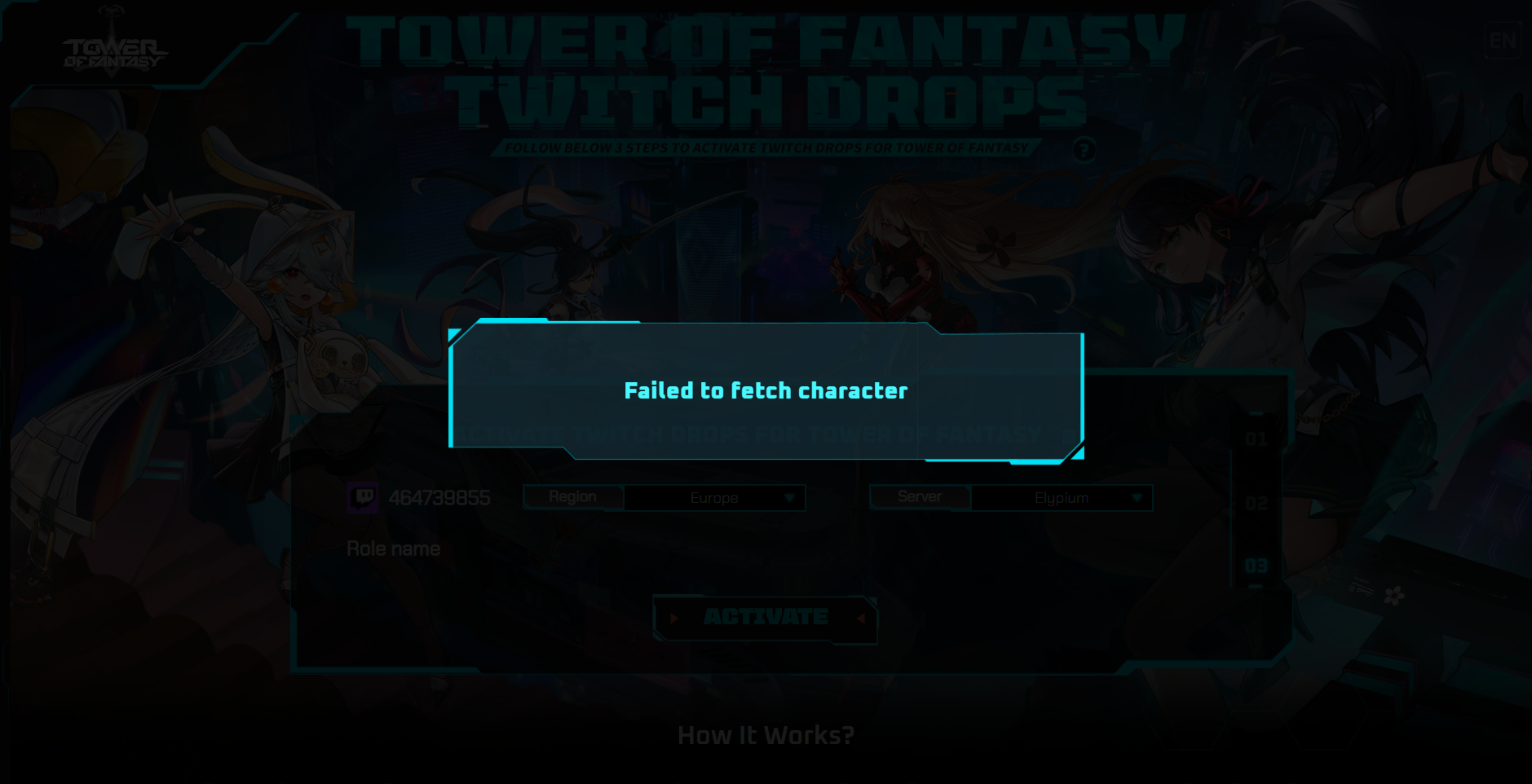
https://i.imgur.com/5iRU3Ti.png idk why but it doesnt let me collect the Twitch drops
 quick mauve
hello, had two loading screens for star gate 3* and now i get this error on this specific domain, is there a cooldown or a way to reset it?
 winged silo
maiden cloak
for real... why they releasing 2.0 with SOOO MANY bugs its not rly playable atm
winged silo
maiden cloak
for real... why they releasing 2.0 with SOOO MANY bugs its not rly playable atm
It's 2.0.4 now
After the last 427 mb update i am having this problem
hasty tide
Multiple crashes on iOS
maiden cloak
it was yesterday too
im getting kicked while entering joint operation or dimensional trials without matching
sturdy moss
hasty tide
There is a file name with game.ini in ToF, there u can turn off ray tracing iirc
Do you know where this file is located exactly? Struggling to find it
fleet crater
fleet crater
How do i connect twitch to my acc ?
nvm found "#standard-chat message"
Discord
Discord is the easiest way to communicate over voice, video, and text. Chat, hang out, and stay close with your friends and communities.
sturdy moss
sturdy moss
Do you know where this file is located exactly? Struggling to find it
Nvm found the location
 neon jungle
At the account center there's no google email bind function.. any help?
 terse obsidian
the unbind button is also greyed out for google
amber burrow
still not resolution for id 32 ?
wary zephyr
good, if you bind to something it shouldnt be undone
ebon marten
sturdy moss
Nvm found the location
can you tell me where is it? inside game directory or inside localappdata ?
 wooden nebula
does anyone know how to fix this please? me and my friend are having the same issue
 full furnace
Hotta, stop using our GPU to mine crypto! Fix the damn gpu usage, Ray Trace and DLSS ffs
sturdy moss
ebon marten
can you tell me where is it? inside game directory or inside localappdata ?
C:\Users\pcnamehere\AppData\Local\Hotta\Saved\Config\WindowsNoEditor
Find GameUserSettings.ini and in there look for "RayTracingQuality=Disable"
 tired stream
Im stuck at this screen ,when i hit start it loads for 1 or 2 seconds then it comes back for the main screen ,what i need to do , im using an ipad
 neon jungle
wary zephyr
good, if you bind to something it shouldnt be undone
neon jungle
wary zephyr
good, if you bind to something it shouldnt be undone
Okay. Before 2.0 my Google account is still bind. But after the 2.0 it says tof costume account bins and it's not unbind able. But I'm still logged in with google account.. should i be worried?
sturdy moss
I still need to test and see if renaming disable to "Enable" is the way to turn it back on tho
 normal cipher
Getting 2 loading screens and cant enter the game 🤦♂️
hasty tide
normal cipher
Getting 2 loading screens and cant enter the game 🤦♂️
Stuck at hotta logo?
ebon marten
sturdy moss
C:\Users\pcnamehere\AppData\Local\Hotta\Saved\Config\WindowsNoEditor
Find GameUs...
thankyou ~
 tepid basalt
 hasty tide
Perfect for mining 
 bold solstice
Ok, so basically I have this problem where I download the game then try to launch the game but it says I need a d3dcompiler_43 but idk what to do
so i delete then install the game again
 trail maple
any temp fix for the issue where the game takes like 99% of your ram? or do i just have to wait it out.
spare comet
i started the game and it's been like this for 20 minutes lol
 lost mauve
trail maple
any temp fix for the issue where the game takes like 99% of your ram? or do i ju...
lost mauve
trail maple
any temp fix for the issue where the game takes like 99% of your ram? or do i ju...
disable dlss
bold solstice
bold solstice
Ok, so basically I have this problem where I download the game then try to launc...
I hate this error because I cannot play the game at all
 prime shuttle
my tof gets 6fps interval after 2.0.3 CLIENT UPDATE wtf is this
trail maple
prime shuttle
my tof gets 6fps interval after 2.0.3 CLIENT UPDATE wtf is this
probably related to my issue that i just got an answer to. try turning of dlss
spare comet
spare comet
i started the game and it's been like this for 20 minutes lol
and to make matters worse, i can't close the game
trail maple
spare comet
and to make matters worse, i can't close the game
task manager
prime shuttle
no dlss on my ingame settings
 carmine summit
Nice Server Maintenance
 bold solstice
I hate this error because I cannot play the game at all
bold solstice
bold solstice
I hate this error because I cannot play the game at all
my also trying to log in and use my discord code
prime shuttle
or am i trippin
bold solstice
can someone help
prime shuttle
trail maple
probably related to my issue that i just got an answer to. try turning of dlss
funny thing is no dlss option on my settings
wary zephyr
neon jungle
Okay. Before 2.0 my Google account is still bind. But after the 2.0 it says tof ...
they disabled unbind because of hacking
bold solstice
bold solstice
can someone help
ALSO I HAD THIS PROBLEM WITH VALORENT
AND I'M SO CONFUSED CAUSE NO ONE HELPS
trail maple
prime shuttle
no dlss on my ingame settings
 lost mauve
go to \Tower Of Fantasy\Engine\Plugins\Runtime\Nvidia\DLSS\Binaries\ThirdParty\Win64 then delete or raname nvngx_dlss.dll to nvngx_dlss.bak
 pastel smelt
wow game not working anymore , loading screen and it just kicks me out to the main game screen where you select the servers every time ffs fix your game
neon jungle
wary zephyr
they disabled unbind because of hacking
Okay thank you
trail maple
prime shuttle
funny thing is no dlss option on my settings
you got an nvidia gpu?
prime shuttle
trail maple
you got an nvidia gpu?
mine is amd gpu
dark reef
Is support@toweroffantasy-global.com the mail to contact CS regarding stolen items?
carmine summit
carmine summit
Nice Server Maintenance
No big fixes to those who can't launch the game
terse obsidian
dark reef
Is support@toweroffantasy-global.com the mail to contact CS regarding stolen ite...
you won't get your stuff back
trail maple
prime shuttle
mine is amd gpu
ah. amd doesn't have DLSS, i think FSR was the equivalent?
dark reef
terse obsidian
you won't get your stuff back
my stuff isnt gone, that doesn't answer the question though
trail maple
don't see that either though and amd is prone to different issues probably
bold solstice
lost mauve
go to \Tower Of Fantasy\Engine\Plugins\Runtime\Nvidia\DLSS\Binaries\ThirdParty\W...
trying it
prime shuttle
whats FSR srry im badd with this kinda stuff
prime shuttle
trail maple
don't see that either though and amd is prone to different issues probably
😦
lost mauve
trail maple
ah. amd doesn't have DLSS, i think FSR was the equivalent?
i think tof doesn't support fsr no??
prime shuttle
it was fine before the v2.0.3 update
trail maple
lost mauve
i think tof doesn't support fsr no??
no clue. i dont even have a amd gpu
 whole obsidian
wooden nebula
does anyone know how to fix this please? me and my friend are having the same is...
whole obsidian
wooden nebula
does anyone know how to fix this please? me and my friend are having the same is...
I have the same problem yesterday and now my account was reset..
 scarlet bramble
i got this screen everytime i try to start my game (can't even get information cause it's juste after the few first frame of starting screen ...)
 trail maple
prime shuttle
it was fine before the v2.0.3 update
trail maple
prime shuttle
it was fine before the v2.0.3 update
just put on task manager and see which resources possibly spike when you get your fps hiccups
 heady arrow
tried joining Frontier Clash, game crashed and now it doesn't let me ingame
 dusky sandal
Still with the ''QRSL access to graphic hardware has been denied''. And the Steam launcher ''please launch the game from Steam'' like, it's even in the correct folder!
 lime epoch
heady arrow
tried joining Frontier Clash, game crashed and now it doesn't let me ingame
lime epoch
heady arrow
tried joining Frontier Clash, game crashed and now it doesn't let me ingame
same but with raid hero apo
 pastel trout
my game suddenly closed when i run JO's any idea why? im running tof on pc, rtx 3070
lime epoch
locked out of the game
prime shuttle
trail maple
just put on task manager and see which resources possibly spike when you get you...
the task manager were fine
tof only 2,5gb
 tawdry depot
Looks like its probably the per-registation pulls.
trail maple
prime shuttle
the task manager were fine
ram?
wooden nebula
whole obsidian
I have the same problem yesterday and now my account was reset..
I tried contacting support about it but they can't help sadly
 idle marlin
i'm pretty sure they mean 70 pulls from exploration
prime shuttle
trail maple
ram?
i hv 8gb , tof only take 2,5 memory
 cyan gust
pastel trout
my game suddenly closed when i run JO's any idea why? im running tof on pc, rtx ...
cyan gust
pastel trout
my game suddenly closed when i run JO's any idea why? im running tof on pc, rtx ...
That happened to me and I also have rtx 3070. The game crashed and I got a message saying my memory was not enough
 tropic lichen
someone has the solution every time I run it puts me back here
 wary zephyr
whole obsidian
I have the same problem yesterday and now my account was reset..
wary zephyr
whole obsidian
I have the same problem yesterday and now my account was reset..
1 day too late, they removed unbind today
still an issue with the linking menu tho haha
tawdry depot
You have to look at the language. It says that you get the free draws by downloading not by using the link.
sturdy moss
Seems like editing GameUserSettings.ini doesn't allow you to turn rtx back on either, unsure what other option there rlly is
whole obsidian
wooden nebula
I tried contacting support about it but they can't help sadly
well, is tine to play other games lol
wooden nebula
whole obsidian
well, is tine to play other games lol
I guess so haha
indigo copper
whole obsidian
well, is tine to play other games lol
i agree
hasty tide
Hey I downloaded and launched tof but it's frozen. My laptop still works - as in mouse and keyboard but other than that I'm stuck with what to do. It's blue screened me several times and I don't know what to do
 pastel trout
cyan gust
That happened to me and I also have rtx 3070. The game crashed and I got a messa...
pastel trout
cyan gust
That happened to me and I also have rtx 3070. The game crashed and I got a messa...
in my case, it didnt give me any msg, i have more than 50% memory left, my cpu also running at a very low usage
tawdry depot
hasty tide
Hey I downloaded and launched tof but it's frozen. My laptop still works - as in...
Try to follow the one pinned.
whole obsidian
indigo copper
i agree
we need a hacker to recover our lost accounts lol
hasty tide
The one pinned? Wdym?
mild ravine
normal max setting 3060 ti still can't max 120 fps at vera?
indigo copper
whole obsidian
we need a hacker to recover our lost accounts lol
i think he will lose his laptop while trying to find them
whole obsidian
indigo copper
i think he will lose his laptop while trying to find them
sadly -_-
lime epoch
hasty tide
The one pinned? Wdym?
click the pin icon in discord top right
 trim widget
this game has a Issue with dlss or ?
 tawdry magnet
djeez christ, what didn't this update not break on my game..
Now I can't even use any letter from my keyboard anymore to set controller key binds
lost mauve
cyan gust
That happened to me and I also have rtx 3070. The game crashed and I got a messa...
disable dlss, memory leak problem
tawdry magnet
I'm trying to change my directional keys and it doesn't even want to take the Z-key
full furnace
funny thing is disabling dlss eats more gpu usage till 99% in the damn inventory. Like wtf does the inventory need so bloody much resources
trim widget
lost mauve
disable dlss, memory leak problem
its insane if i disable dlss my temps going from 53-55 to 65 xD
gaunt delta
someone had the same problem? no one can fcking help me here, i already ask to the support they answer me something else with no report (and moderator too but no one know why)
 mild root
i try to log in on phone and it sends me from a loading screen to another and then back out of the game
hasty tide
So how do you "disable NVidia NGX support for this engine"? Im kinda confused and don't really know what I'm doing
mild root
mild root
i try to log in on phone and it sends me from a loading screen to another and th...
phone btw anyone knows how to fix that
trim widget
hasty tide
So how do you "disable NVidia NGX support for this engine"? Im kinda confused an...
turn off dlss should be fix the problem
 inner jay
mild root
i try to log in on phone and it sends me from a loading screen to another and th...
inner jay
mild root
i try to log in on phone and it sends me from a loading screen to another and th...
Did you maybe update the thing
mild root
i did update
hasty tide
hasty tide
So how do you "disable NVidia NGX support for this engine"? Im kinda confused an...
hasty tide
trim widget
turn off dlss should be fix the problem
And where would one find dlss?
mild root
only happens to one server one one account
trim widget
hasty tide
And where would one find dlss?
ingame options
hasty tide
Okay let me try
That was fixed by a bunch of friends who are game devs at namco and asobimio they were just as sick of the crap as I was they sat down and did a bunch of editing by the time they were finished they had fixed something like 176 different fuckup in the game code several of them were causing a memory leak in the video ram allocations table some were causing keys on the controller to unbind while playing and and another was the one of you got disconnected during coop it wouldn’t let you log in again then that also told me to make sure I updated my graphic drivers as well
So try updating your graphic driver especially on the nvidia cards like the rtx series and the quadro series that will also sometimes fix the video memory errors as well but the sure fire fix is running the “cleaner version” of the game client
tropic lichen
can someone help me please when i launch it's been 2 loading then it puts me back here
 whole obsidian
gaunt delta
someone had the same problem? no one can fcking help me here, i already ask to t...
whole obsidian
gaunt delta
someone had the same problem? no one can fcking help me here, i already ask to t...
another lost account -_-
gaunt delta
whole obsidian
another lost account -_-
i never launch this game before, the first time on steam, and they say me that
hasty tide
Woah it worked... But I didn't do no nothing... Well it worked and all thanks to you guys. Peace
whole obsidian
gaunt delta
i never launch this game before, the first time on steam, and they say me that
well if is new yo can try log in via mobile
gaunt delta
whole obsidian
well if is new yo can try log in via mobile
Grusomt a écrit :
I had the same issue, as a joke i unchecked the are you 13 etc, and then it continued and i needed to add a ''parental'' email, i did and accepted the ToS, and boom i was in, idk why this worked instantly lol.
i tried this and it work
whole obsidian
gaunt delta
Grusomt a écrit :
I had the same issue, as a joke i unchecked the are you 13 etc...
🤔
 ebon crown
why doesn't work helppp
 calm urchin
hasty tide
That was fixed by a bunch of friends who are game devs at namco and asobimio the...
calm urchin
hasty tide
That was fixed by a bunch of friends who are game devs at namco and asobimio the...
sound reasonable answer  (thx trying update drivers)
 fiery blade
It's the third time I get this error, what could be the reason?
 gaunt delta
ebon crown
why doesn't work helppp
gaunt delta
ebon crown
why doesn't work helppp
I had the same issue, as a joke i unchecked the are you 13 etc, and then it continued and i needed to add a ''parental'' email, i did and accepted the ToS, and boom i was in, idk why this worked instantly lol.
 thick gulch
I just logged in, everything went fine but It didnt showed my owned characters and was resetted I think what happened?
calm urchin
fiery blade
It's the third time I get this error, what could be the reason?
gpu-memory leak(disable DLSS)
ebon crown
gaunt delta
I had the same issue, as a joke i unchecked the are you 13 etc, and then it cont...
wait, where?
fiery blade
calm urchin
gpu-memory leak(disable DLSS)
Thanks 🙂
gaunt delta
ebon crown
wait, where?
oh weird, didn't see u don't have to have more than 15 year, look how it's for me
 ebon crown
gaunt delta
oh weird, didn't see u don't have to have more than 15 year, look how it's for m...
ebon crown
gaunt delta
oh weird, didn't see u don't have to have more than 15 year, look how it's for m...
I see, man, this game tho. I don't want to create a new account, since I've been saving up for fuwa, and now I can't log in
trim widget
fiery blade
It's the third time I get this error, what could be the reason?
disable dlss
trim widget
calm urchin
gpu-memory leak(disable DLSS)
hope they fix it with dlss
calm urchin
trim widget
hope they fix it with dlss
yup we hope so (downloading newest nvidia-drivers)
trim widget
they removed ray but not dlss idk xD
ebon crown
Okay, I've set my country to UK and it worked... Man, why tho
wooden nebula
ebon crown
Okay, I've set my country to UK and it worked... Man, why tho
Do you still have your character and all it's stuff?
hasty tide
fiery blade
It's the third time I get this error, what could be the reason?
Either update your graphic drivers or get friends who build games to fix the code bug that’s causing the leaks
ebon crown
wooden nebula
Do you still have your character and all it's stuff?
Well, let me download the ginormous update with my insane internet, I'll update you when it's done
wooden nebula
ebon crown
Well, let me download the ginormous update with my insane internet, I'll update ...
Okay haha
 narrow sun
hasty tide
That was fixed by a bunch of friends who are game devs at namco and asobimio the...
narrow sun
hasty tide
That was fixed by a bunch of friends who are game devs at namco and asobimio the...
Yeah definitely feels like a memory leak issue. I do have an RTX and just updated my drivers again, thank you for the advice!!
 weak pine
Hello, good afternoon, i just pause the download in launcher at 96% in the morning, now i enter to download the 4% more, and it restart to 0%, i need to download again? Or is some error?
ebon marten
any update about why the game run at DX11 instead DX12 now ?
hasty tide
gaunt delta
oh weird, didn't see u don't have to have more than 15 year, look how it's for m...
Just ignore the age shit they really have no way of knowing how old you are unless they implement credit card age Id or some dumb shit like the adult website do but kids are smart they just borrow mom or dad’s credit card and validate that way that’s what a friends kid did she’s underage and she made an account on one of those adult websites using her mom’s credit card to bypass the age verification
 void talon
so theres still no solution to that id 32 huh
hasty tide
void talon
so theres still no solution to that id 32 huh
What exactly is error 32
void talon
dunno mate been having the same problems since yesterday and no help so far
thick gulch
my character got deleted? only got one Character and it doesnt show that I have one ..
 shrewd moon
I just crashed 2x on the subway, anyone else?
next dagger
shrewd moon
I just crashed 2x on the subway, anyone else?
Settings display switch off DLSS, it helped me, it's bugged with a serious memory leak
tawdry magnet
Anyone had any keyboard key binding issues since the patch?
 solid steppe
hasty tide
What exactly is error 32
solid steppe
hasty tide
What exactly is error 32
I have created 3 accounts when I want to log in error 32 what does that mean
shrewd moon
@next dagger Thank you
 reef vessel
anyone know how to turn off rtx, its not in my options anymore and the game is eating up 97% memory
hasty tide
anyone figure out the ray tracing option not being there and how to get it back?
hasty tide
next dagger
Settings display switch off DLSS, it helped me, it's bugged with a serious memor...
It’s a memory leak that doesn’t just impact the game it was affecting the os as well cause first the game would throw the video ram error then an hour later windows would pop up with a bunch of memory addresses errors then blue screen on me
shrewd moon
I didn't get the blue screen and my pc was fine, just the game locked up
 honest grove
Ever since the 2.0.3 update my game has been having issues with memory leaks, any suggestions?
shrewd moon
just a small note, did anyone notice the video banner for Lin on the subway is backwards?
 novel yarrow
why cant i log in? i get the error 32 everytime i try
hasty tide
shrewd moon
I didn't get the blue screen and my pc was fine, just the game locked up
Different systems those of us running amd ryzen epyc cpus and nvidia quadro graphics we’re having the video ram errors then 50-60 minutes later memory address errors and the sod those running intel cpus and nvidia or amd graphics were get the video memory error then a system abnormal state error
 wet shell
So I thought it was because I enabled compatibility mode for windows 8 to be able to play before 2.0.4 update, but now I disabled compatibility mode since with the fix in pinned I could run the game without it, and some text ingame is still huge like when I was running in compatibility mode.
Channel name is huge, missions on the right are huge, title above player head is huge, UI in map is all stretched (the exploration % boxes take most of the screen horizontally), etc.
How to fix? lol
shrewd moon
hasty tide
Different systems those of us running amd ryzen epyc cpus and nvidia quadro grap...
I'm running a Intel 7 latest(ish) with an RTX 3070, I've turned off dlss and I can ride the subway now, but tis still kinda choppy
 wary prawn
I just wanna buy the $1 rookie pack, don't wanna pay $5 for that
hasty tide
shrewd moon
I'm running a Intel 7 latest(ish) with an RTX 3070, I've turned off dlss and I c...
Make sure ray trace is off and dlss is off
honest grove
Man the game has been so buggy after the 2.0 update I literally can't play the game for more than an hour at a time without the game crashing for either environment issues or video memory crashes followed by environment crashing
weak pine
Hello, good afternoon, i just pause the download in launcher at 96% in the morning, now i enter to download the 4% more, and it restart to 0%, i need to download again? Or is some error? (the blue paint line is 96%, before the launcher restart my download)

 worn stirrup
Where can I find this?
 hasty tide
worn stirrup
Where can I find this?
hasty tide
worn stirrup
Where can I find this?
In mirroria, check map. Also bruh #exploration-help
hasty tide
worn stirrup
Where can I find this?
That is on the subway map in the city
worn stirrup
hasty tide
In mirroria, check map. Also bruh <#1004553207558721627>
Thanks, sorry
fading otter
what is this memory error, keep crashing the game
 sturdy sphinx
What happend with the Ray tracing?
 oblique igloo
Can you buy tanium with iDEAL? the only option i see is called cred/debit/Prepaid card but i cant pay with my debit card cuz is maestro and i dont see an option for that and on the site even i cant buy anything. Anyone know a fix?
 thorny compass
Having huge stutter since the last launcher update today. Ray tracing disappeared from setting too at the same time.
 near sparrow
weak pine
Hello, good afternoon, i just pause the download in launcher at 96% in the morni...
near sparrow
weak pine
Hello, good afternoon, i just pause the download in launcher at 96% in the morni...
probably is the % of that 4% that you had left. like instead of showing 96% it shows what you now need which is a "new" 100% that is equal to 4% of the full update
 split token
is it just me or when i joined a joint operation it kicked me out and i can no longer get back on my server?
 lime ember
Hello, we try to start raid and all 10 people are disconnected and we can't join server anymore (Haphaestus, Aqusia)
hasty tide
worn stirrup
Where can I find this?
 thorny compass
if can't join server anymore, I think need to wait 30 min or so to log back in. Welcome to tower of fantasy!
(I have seen people with similar issue and waiting seem to solve it)
worn stirrup
hasty tide
Thanks a lot!!!!!
 upper lintel
I have the same problem and i did get it in stream fuk
weak pine
near sparrow
probably is the % of that 4% that you had left. like instead of showing 96% it s...
it says 3 hours, i download at 1 mb/s, the 4% is impossible to delay 3 hours
 autumn vigil
do you guys suggest keeping DLSS on?
hasty tide
I have been seeing little Mia’s running around in Vera where do you get one or is that an npc
I’ve had people run past followed by a Mia
thorny compass
#gameplay-help (or others)
hasty tide
autumn vigil
do you guys suggest keeping DLSS on?
Turn it off it has a memory leak problem
 scenic laurel
wary prawn
I just wanna buy the $1 rookie pack, don't wanna pay $5 for that
scenic laurel
wary prawn
I just wanna buy the $1 rookie pack, don't wanna pay $5 for that
oh well i would go for 10 its worth the price honestly but thats me
sturdy moss
oblique igloo
Can you buy tanium with iDEAL? the only option i see is called cred/debit/Prepai...
You can use iDeal if you buy through Midasbuy, I did so a few hours ago
near sparrow
weak pine
it says 3 hours, i download at 1 mb/s, the 4% is impossible to delay 3 hours
no idea then
autumn vigil
hasty tide
Turn it off it has a memory leak problem
but turning it off greatly increases gpu usage. Ain't that a much worse issue?(sorry idk much about technical pc stuff)
hasty tide
why does updating the game slow down my wifi severely  (on pc)
 vestal echo
The game not working after 2.0 I reinstalled it, still can't even run
My system: RTX 3080, Ryzen 5900x 32GB RAM

 dusky summit
they keep deleting my #1007842564726075432 post 😦 intl_service.exe is constantly using CPU in background when game is open after the Launcher patch. not sure how to solve https://imgur.com/a/4FDnom6
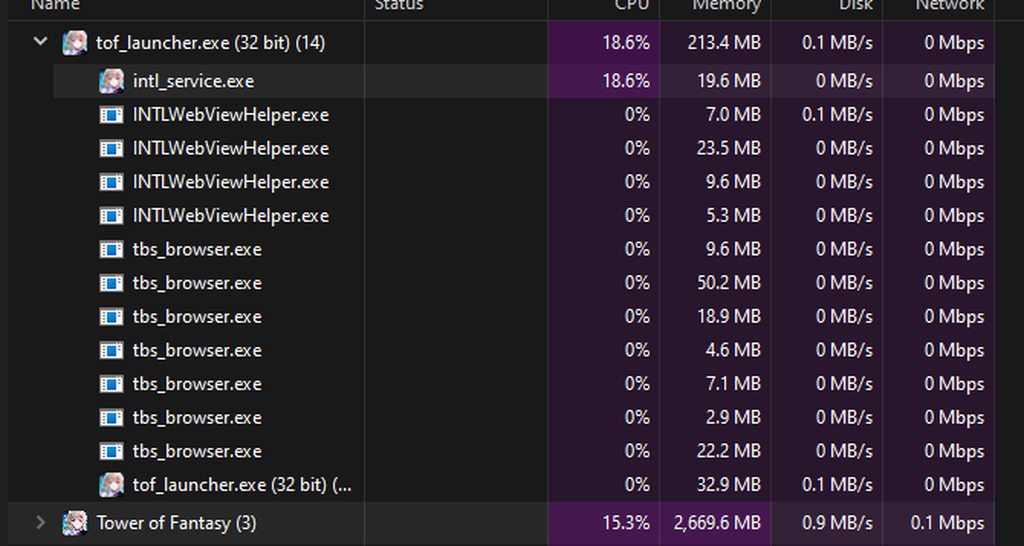 full furnace
autumn vigil
but turning it off greatly increases gpu usage. Ain't that a much worse issue?(s...
full furnace
autumn vigil
but turning it off greatly increases gpu usage. Ain't that a much worse issue?(s...
yeah it will increae gpu usage to friken 99% especially in inventory
 stiff sinew
I was starting a doungen, i found one and started it, i kicked out of the game and now i cant go in the Server (Estrela) with my Char... did i got hacked?
earnest flame
Finally it work thank god I'm super happy right now yayyy baby
 wet shell
Text wasn't this huge before 2.0, UI is all stretched, pls help D:

 gaunt delta
Hey, idk why i can't change my keyboard key (i think we say like that) im on azerty but they put me in qwerty (i can't also play with controller)
winged silo
 drowsy berry
god I always get DCed after the update
drowsy berry
god I always get DCed after the update
You aren't the only one...
It's after the 426 mb update right?
drowsy berry
yea I can't finish the quests and instances even though my internet is fine smh
 stiff sinew
I was starting a doungen and instant got kicked out
 marsh peak
How can I FIX LOG IN FAILED ID:32 ?????
winged silo
drowsy berry
yea I can't finish the quests and instances even though my internet is fine smh
Ow... It showed to me as well.. Now
When when i try to go to the game after selecting server the loading screen comes.... After 100% it kickes me back to thae server choice.
winged silo
marsh peak
How can I FIX LOG IN FAILED ID:32 ?????
Just keep trying ....mine worked that way
stiff sinew
@winged silo Exactly same as me
winged silo
stiff sinew
<@797972364691636235> Exactly same as me
When you come back to the server choice after getting kicked out.....Doesn't your screen become lagg?
stiff sinew
Okay but its good to know thats not only me... i thought i got hacked from a person in the doungen what i was entering @winged silo
 lyric condor
guys when i open tof i am stuck on black screen and the game wont start what do i do ?
 somber wren
I lost my Ominium crystals but my suppressor level didn’t increase. How do I get it back
drowsy berry
I can play but after awhile I'm having a prompt saying "Trying to reconnect to the Server" then it kicks me out I just can't finish my missions and instances and its getting annoying tbh
stiff sinew
I will not start it for today its to unsafe for me rightnow haha
marsh peak
winged silo
Just keep trying ....mine worked that way
been spamming log in all day already
indigo copper
me too and failed
marsh peak
 winged silo
stiff sinew
Okay but its good to know thats not only me... i thought i got hacked from a per...
winged silo
stiff sinew
Okay but its good to know thats not only me... i thought i got hacked from a per...
There are a lots of people with this problem......give them a E-mail so they know.... Or we won't get our problems fixed.
winged silo
marsh peak
There is one way... U can log in
 idle nebula
so my game crashed and now I cant get past this screen
 winged silo
But even if U do you are gonna be facing the Same problem as us... After that
oblique igloo
sturdy moss
You can use iDeal if you buy through Midasbuy, I did so a few hours ago
wasnt able to, ill try again tho
winged silo
idle nebula
so my game crashed and now I cant get past this screen
Looks like We are lucky we can get past it.
 woven nacelle
8-man-party joined raid. we get transfered to server-select screen and are stuck here after loading. (all 8 ppl).
what now?
 hard zealot
Whole raid group got kicked out of the raid and now can not enter the game anymore. What can we do?
winged silo
winged silo
When you come back to the server choice after getting kicked out.....Doesn't you...
@stiff sinew
stiff sinew
lagg?
marsh peak
winged silo
There is one way... U can log in
whats 1 way?
stiff sinew
I dont know what you mean i start it, i get 2 loading screens and it jumps back to the main menu
split token
woven nacelle
8-man-party joined raid. we get transfered to server-select screen and are stuck...
just wait a long while
split token
idle nebula
so my game crashed and now I cant get past this screen
try checking pins
 wild cloak
What's up with this game
i can't even now play..
 winged silo
stiff sinew
I dont know what you mean i start it, i get 2 loading screens and it jumps back ...
winged silo
stiff sinew
I dont know what you mean i start it, i get 2 loading screens and it jumps back ...
Don't u get back to this screen after getting kicked out...
Here isn't nemesis moving... Doesn't it look laggy?
 vestal echo
idle nebula
so my game crashed and now I cant get past this screen
vestal echo
idle nebula
so my game crashed and now I cant get past this screen
the same +1
 simple raptor
 night dome
maiden cloak
it was yesterday too
im getting kicked while entering joint operation or dimens...
night dome
maiden cloak
it was yesterday too
im getting kicked while entering joint operation or dimens...
the same happend to me and after some time (aprox 30 min) I could get in again and my character was in Shilis Home. I already reported it
stiff sinew
winged silo
Don't u get back to this screen after getting kicked out...
Here isn't nemesis ...
Ah yes
 sleek quiver
So my game is giving me access to Vera despite me being in chapter 1
 winged silo
marsh peak
whats 1 way?
winged silo
marsh peak
whats 1 way?
Select US for the country u will be able to log in..
split token
stiff sinew
I dont know what you mean i start it, i get 2 loading screens and it jumps back ...
just wait like half an hour and it lets u back in
stiff sinew
I guess guys for all of you... it's the best to dont play it for today. Could be hackers or something else. Is to unsafe
winged silo
split token
just wait like half an hour and it lets u back in
I tried it... Waited 1 hour..no use
wild cloak
why fps drop? xD
split token
winged silo
I tried it... Waited 1 hour..no use
what i did was logged on through my phone then it fixed it on pc too, heard waiting also fixes too
sleek quiver
Time to ignore the Vera missions until I reach that point even tho I can do them right now if I wanted
winged silo
stiff sinew
Ah yes
I actually got past the loading screen twice which gave me 1fps.. 🤣
winged silo
split token
what i did was logged on through my phone then it fixed it on pc too, heard wait...
I don't have in my phone...can't use your solution.😩
 tawdry rapids
wait did they disabled rtx ?
split token
winged silo
I don't have in my phone...can't use your solution.😩
well at least it smells like compensation.....
gaunt delta
I'm on AMD, my GPU is good but i'm lagging, someone know why?
winged silo
split token
well at least it smells like compensation.....
Yeah...those who have it in their phone can try it
winged silo
gaunt delta
I'm on AMD, my GPU is good but i'm lagging, someone know why?
I once got 1fps... Now can't even get in the game.
split token
go ask in gameplay help or something, what do you expect people to give you here? they can barely get on the game themselves
 subtle turtle
If this doesn't work for me, what do I try next? Haven't been able to log in for 1 day
I use 360 NVIDIA
lime ember
lime ember
Hello, we try to start raid and all 10 people are disconnected and we can't join...
Any solution?
split token
lime ember
Any solution?
what i did was logged on through my phone then it fixed it on pc too, heard waiting also fixes too
lime ember
split token
what i did was logged on through my phone then it fixed it on pc too, heard wait...
doesnt help, but tnx
winged silo
@everyone
They should rename this channel
Those who Can't log in/get in game
wary prawn
take your meds
subtle turtle
subtle turtle
If this doesn't work for me, what do I try next? Haven't been able to log in for...
nobody found another solution? I tried the stuff in pins and it seems useless
idle nebula
vestal echo
the same +1
I did Repair, it found no problems, but game started after ... 🤷
 lone forge
i think the best thing is just to wait tbh
i think they ganna ignore all of this anyways
winged silo
idle nebula
I did Repair, it found no problems, but game started after ... 🤷
Wait... Really
lime ember
lone forge
i think they ganna ignore all of this anyways
Yep
 warm elbow
how do you download tof on mac without the usage of bluestacks?
indigo copper
warm elbow
how do you download tof on mac without the usage of bluestacks?
just go on their website and you can
 urban musk
I submitted a ticket for an issue 2.5 months ago and was told they required I submit it via the in game function instead and submitted the same issue through it 2 months ago and I haven't heard back yet, what do I try next??
 rigid nymph
ether down?
 young quartz
When starting the game, after the loading scale appears, the black screen and fans on the video card are at maximum speed, the Vaga 56 video card
 woeful kernel
that DLSS memory leak is annoying, guess turning it off is for the better
 halcyon crater
urban musk
I submitted a ticket for an issue 2.5 months ago and was told they required I su...
halcyon crater
urban musk
I submitted a ticket for an issue 2.5 months ago and was told they required I su...
Email them directly. Just don't expect much cause tof cs really sucks
 dark nexus
halcyon crater
dark nexus
halcyon crater
@urban musk If you need their email, it's support@toweroffantasy-global.com
 dusk merlin
tawdry rapids
wait did they disabled rtx ?
dusk merlin
tawdry rapids
wait did they disabled rtx ?
yeah rtx is gone bruhhh
subtle turtle
urban musk
I submitted a ticket for an issue 2.5 months ago and was told they required I su...
yea i dont have chat since first day i play the game and they only redirected me to another email and they also never reply
how do i log out from my launcher account?
 steel marsh
some of you crash when you go in OP?
 ebon remnant
i also crash when go in to op
 zealous quail
I having issues trying to link my steam tof account with twitch drops, has anyone been able to? I get to the page but there is no steam option... is this intended or will be fixed soon?
 steel marsh
ebon remnant
i also crash when go in to op
steel marsh
ebon remnant
i also crash when go in to op
ok i hope they fix it

 hushed pecan
@warm elbow boot camp
 near cairn
zealous quail
I having issues trying to link my steam tof account with twitch drops, has anyon...
near cairn
zealous quail
I having issues trying to link my steam tof account with twitch drops, has anyon...
where'd u get to this
warm elbow
hushed pecan
<@502643156630896643> boot camp
?
hushed pecan
@warm elbow there is no native support for macos u can try running it using bootcamp if you have intel mac
hasty tide
help?
 warm elbow
hushed pecan
<@502643156630896643> there is no native support for macos u can try running it ...
warm elbow
hushed pecan
<@502643156630896643> there is no native support for macos u can try running it ...
alr thx
 zealous mural
does anyone know what happened to the rtx settings?
 still egret
hasty tide
help?
still egret
hasty tide
help?
try restart or update the app itself?
 amber hill
Anyone knows where one can find the engine.ini file, I cannot seem to locate it according to the pins
tawdry rapids
zealous mural
does anyone know what happened to the rtx settings?
it disappeared for me after the recent update
hushed pecan
@amber hill drive in which windows is installed/users/'your username'/appdata(hidden)/local/hotta/saved/config/windowsnoeditor
amber hill
Ah, that makes more sense now.
 delicate tide
7gb video memory usage. Ok? ok.
 hasty light
zealous mural
does anyone know what happened to the rtx settings?
hasty light
zealous mural
does anyone know what happened to the rtx settings?
disappeared for me aswell after the update 😮
 exotic jungle
So appearantly iOS top iOS are now more expensive, where else can I top up?
 spice bone
someone knows if after reclaim the drops on twitch you have to wait or the gifts are given to you instantly
exotic jungle
I don’t think I can use the website right
 lofty star
If your have a problem with memory, remove DLSS in the option.
Tower of Fantasy increase to 10GO(!!!!!) after 40 minutes for me after the last update today 🤣 😅 😭
And continue to go up until the crash
zealous mural
spice bone
someone knows if after reclaim the drops on twitch you have to wait or the gifts...
it could take up to 72 hours
amber hill
hushed pecan
<@288965148591259650> drive in which windows is installed/users/'your username'/...
thanks, it works now.
spice bone
zealous mural
it could take up to 72 hours
Thanks
 final relic
hasty tide
help?
final relic
hasty tide
help?
Apparently you have to open the properties of your launcher (on your desktop) and there'll be a text box in it, you'll have to write " -d3d11" (with the space) at the end, it'll make some sort of update of the launcher when you'll run it after applying the modifications
Here's a screen by pelikulas I found when researching dx12 on the server

 green yacht
Cant download the update.. I want to do my daily, please
 fossil whale
hi guys, does anyone knows how to change the UI size? saw some steam comments saying that is possible
 tough estuary
hi, i just got kicked out of the game and cant get back in. always end up in the beginning screen after loading screen
zealous mural
exotic jungle
So appearantly iOS top iOS are now more expensive, where else can I top up?
go to the ToF website and press the last button "purchase" up the top (sorry for the japanese the buttons are the same order in english)
 fossil whale
tough estuary
hi, i just got kicked out of the game and cant get back in. always end up in the...
fossil whale
tough estuary
hi, i just got kicked out of the game and cant get back in. always end up in the...
some times you need to close the client (see on the left your taskbar after you close the game and quit)
then louch again
indigo copper
FINALLY GOT IT BACK
tough estuary
sadly, that didnt help :/
 pastel copper
anyone else with a 3080ti and memory leak issues?
tof keeps climbing in memory usage till it crashes
wild cloak
how i can get back my fps :<
lofty star
tough estuary
hi, i just got kicked out of the game and cant get back in. always end up in the...
Same 😭
I switched to a another character and it's ok, I hope I can retake my character in my main server after a moment...
 ember needle
hasty tide
help?
ember needle
hasty tide
help?
Right-click the launcher, go to Properties, then Compatibility. Check the box for Compatibility Mode Windows 7. Open the launcher again. You might get a window for a small update ( I did). Just click to update, and everything should be fine.
indigo copper
lofty star
Same 😭
I switched to a another character and it's ok, I hope I can retake my c...
i uninstalled and redownloaded and it worked
tough estuary
friday night, i just wanted to play for a bit 😭
fossil whale
tough estuary
sadly, that didnt help :/
maybe try to log in another platform than come back? at launch of the game this happend because the game think you are still in game
wild cloak
@tough estuary not only u me too xD
zealous mural
tough estuary
hi, i just got kicked out of the game and cant get back in. always end up in the...
i had this happen to me before i had to completely reinstall ToF to fix it
hasty light
spice bone
someone knows if after reclaim the drops on twitch you have to wait or the gifts...
how can I reclaim them?
tough estuary
zealous mural
i had this happen to me before i had to completely reinstall ToF to fix it
oh damn .. pls no 😭
wild cloak
:<
 mystic idol
Anyone know where could i install old version launcher..latest version tof launcher wont let you unbind accounts..old version still working..so those who still didnt update dont update yet
hasty tide
damn my game has crashed 3 times now, saying run out of video memory. (which i doubt a 3060 will on this game) Idk if its because i updated my nvidia drivers earlier today or this is a known problem
tough estuary
im currently logged in via my google account, if a bind it so steam in the launcher, can i use my google TOF account via steam? im really paranoid i will lose or get my account bugged if i try to do that
 naive aurora
Hi I'm having an issue where the Ray tracing setting has just completely disappeared from my settings menu. My game did crash earlier when I maxed out my VRAM usage, and I think that's when the setting disappeared.
ebon remnant
tough estuary
hi, i just got kicked out of the game and cant get back in. always end up in the...
i have this happend to me 3 time, every time is after a dimension trail that crashes, i dk if you did the same
tough estuary
ebon remnant
i have this happend to me 3 time, every time is after a dimension trail that cra...
yes exactly what i did
hasty tide
@naive aurora think thats what happened to me too.
naive aurora
hasty tide
<@537659709549707271> think thats what happened to me too.
I only have a 2070 tho, but we should both have the same amount of VRAM
ebon remnant
so what happend to me is that, i have to wait out the timer(25 min), cause i can't rejoin the room
tough estuary
oof
 mild drift
zealous quail
I having issues trying to link my steam tof account with twitch drops, has anyon...
mild drift
zealous quail
I having issues trying to link my steam tof account with twitch drops, has anyon...
click on login with email the other is explains you
hasty tide
naive aurora
I only have a 2070 tho, but we should both have the same amount of VRAM
I monitor my pc whilst i play games 24/7 the game only uses like 3gb of VRAM so it shouldn't have maxed out. Have noticed the ray-tracing setting is gone now. defernalty that causing the problem :/
 slate willow
Guys...? Water not rendering tho

 spring axle
how long i need wait for mail with twitch drop items?
 hardy eagle
I maxed out vram and good old stick ram earlier 26GB just on tof
zealous mural
tough estuary
im currently logged in via my google account, if a bind it so steam in the launc...
yes you can ToF is fully cross save
hasty tide
i crashed and now i can't log into the game anymore, whats the cure, chat?
hasty tide
hardy eagle
I maxed out vram and good old stick ram earlier <:sadmia:990754640620560414> 26G...
so the game has a memory leak now, oof thats not goods
ebon remnant
hasty tide
i crashed and now i can't log into the game anymore, whats the cure, chat? <:mia...
one way is to wait out the timer, cause you can't rejoin the room
hasty tide
ebon remnant
one way is to wait out the timer, cause you can't rejoin the room
im lost 
mild drift
spring axle
how long i need wait for mail with twitch drop items?
go to https://www.toweroffantasy-global.com/act/a20220711twitchdrops/index.html an actvate after log in
hardy eagle
hasty tide
so the game has a memory leak now, oof thats not goods
Potentially. Got this during the first big desert fight
 slate willow
Guys...? Water not rendering tho
slate willow
slate willow
Guys...? Water not rendering tho
Guys?...
is there any help to it or should I wait for fix?
hasty tide
hardy eagle
Potentially. Got this during the first big desert fight
damn, ima just watch my monitoring and see now, this kinda silly. my try going into game files and turning off ray-tracing that way. as the setting is still on even tho its gone now
mild drift
slate willow
Guys?...
may be you need a new gpu driver?
zealous mural
slate willow
is there any help to it or should I wait for fix?
try relaunching the game?
slate willow
mild drift
may be you need a new gpu driver?
certainly not. Why would I? It was perfect last update, and I just played genshin tho...
naive aurora
hasty tide
damn, ima just watch my monitoring and see now, this kinda silly. my try going i...
it's not on for me at least
hasn't been on ever since it disappeared from my settings
slate willow
zealous mural
try relaunching the game?
will try rn
mild drift
slate willow
certainly not. Why would I? It was perfect last update, and I just played genshi...
cause my teammate hasi the same after installing the actual gpu driver issue was gone
maiden cloak
night dome
the same happend to me and after some time (aprox 30 min) I could get in again a...
yep i also see much more player here... i think they have the same problem
ebon remnant
hasty tide
im lost <:confusedmia:975522458671128636>
The game still think that you are playing, so character is just afk in the room, but because you are loging into an existing character in game, you get kicked out every time you login. Btw, I can not prove what I said is right, but if you wait out the timer, you will spawn in the starting area.
wild cloak
eh i can't play ;/ 12 fps... game freeze..
zealous mural
hasty tide
damn, ima just watch my monitoring and see now, this kinda silly. my try going i...
to hopefully save you some pain the raytracing and graphics settings are in C:\Users"your username"\AppData\Local\Hotta\Saved\Config\WindowsNoEditor\GameUserSettings.ini
 severe spindle
Is anybody having trouble logging in?
lofty star
hasty tide
damn my game has crashed 3 times now, saying run out of video memory. (which i d...
If your have a problem with memory, remove DLSS in the option.
Tower of Fantasy increase to 10GO(!!!!!) after 40 minutes for me after the last update today 🤣 😅 😭
And continue to go up until the crash
hasty tide
zealous mural
to hopefully save you some pain the raytracing and graphics settings are in C:\U...
ye i know where they are, do i change it to False, to turn off?
night dome
ebon remnant
The game still think that you are playing, so character is just afk in the room,...
yeah, that sound right. But when is back, the character spawn on a random place.
hasty tide
lofty star
If your have a problem with memory, remove DLSS in the option.
Tower of Fantasy ...
yee i just watch now my gpu just went all way to 10GB usage for just changing location xD
hasty tide
autumn vigil
but turning it off greatly increases gpu usage. Ain't that a much worse issue?(s...
Well it’s either play with higher gpu usage which I have noticed is actually higher with it on than off same with ray trace I have both off and bugs patched and it set on 4k 120fps and I’m using like 30% gpu and 23% cpu if it’s on and your not running the patched version of the client like we are my friends took time to fix the memory leaks etc and a bunch of other shit that the Devs were just fucking off on running it with updates on your graphic drivers may solve it as well it’s one of 2 ways to fix the out of video memory errors
 floral cobalt
hasty tide
damn my game has crashed 3 times now, saying run out of video memory. (which i d...
floral cobalt
hasty tide
damn my game has crashed 3 times now, saying run out of video memory. (which i d...
same problem, same day, same card
hasty tide
vestal echo
The game not working after 2.0 I reinstalled it, still can't even run
My system:...
Try updating your graphics drivers the version you should be running is from October 12th for rtx/quadro series gpus
zealous mural
hasty tide
ye i know where they are, do i change it to False, to turn off?
its probably "Disable" "None" or "Off"
wild cloak
@autumn vigil what i should set false ??
hasty tide
zealous mural
its probably "Disable" "None" or "Off"
k thnx, will prob do what everyone else said and check my drivers too, even tho i just updated like 5hours ago today xD
hasty tide
floral cobalt
same problem, same day, same card
The video memory leak error is related to dlss and it doesn’t matter how much video ram you have it was throwing that on my system and I have 196gb of video memory
floral cobalt
hasty tide
The video memory leak error is related to dlss and it doesn’t matter how much vi...
restarting pc worked for me
wild cloak
bDLSSEnabled ??
severe spindle
Why is it that when i log in it takes my to the continent selection and then when i choose it it just gives me an error
zealous mural
wild cloak
bDLSSEnabled ??
you can also turn DLSS off from the ingame settings but set that to "Flase" to turn it off
severe spindle
 wild cloak
@zealous mural that's doesn't work..
zealous mural
wild cloak
<@1007878130364596254> that's doesn't work..
try setting the file to "read only"
 gusty field
excuse me tower?

 cobalt spade
I'm stuck in this notice whenever i open the game even after downloading said update...
 hasty tide
turning off DLSS fixed the vram problem, thanks for helpings in here <3
It will return it’s a bug on I believe offset 000026c0 line 25 to36
gusty field
anyone else using so much memory feels like the patched in a memoryleak...

 floral relic
yeah
zealous mural
gusty field
anyone else using so much memory feels like the patched in a memoryleak...
some people are having problems with DLSS
gusty field
any fix :)?
zealous mural
gusty field
any fix :)?
just turn DLSS off
hasty tide
zealous mural
just turn DLSS off
maybe there should be an announcement to make more ppl aware, than having everyone with same known problem come here? ><
cobalt spade
cobalt spade
I'm stuck in this notice whenever i open the game even after downloading said up...
weird i was having issues and an error but after resetting pc it just worked fine
zealous mural
hasty tide
maybe there should be an announcement to make more ppl aware, than having everyo...
probably lol
 bold night
hardy eagle
Potentially. Got this during the first big desert fight
bold night
hardy eagle
Potentially. Got this during the first big desert fight
Jeebus that's crazy usage
gusty field
thank you will look into it 🙂
wild cloak
@zealous mural same..
cobalt spade
nvm help
 hardy eagle
hasty tide
turning off DLSS fixed the vram problem, thanks for helpings in here <3
hardy eagle
hasty tide
turning off DLSS fixed the vram problem, thanks for helpings in here <3
ty for this
hasty tide
i got a issue, ToF crashed while jumping into a Frontier instance, and now when i start the game i get into loadingscreen after server select. but when loading screen is done i get kicked out to server selection straight away.
 trail sedge
zealous mural
some people are having problems with DLSS
trail sedge
zealous mural
some people are having problems with DLSS
thanx for that cuz it was just using more and more ram lol
wild cloak
@zealous mural it doesn't work ;/
zealous mural
trail sedge
thanx for that cuz it was just using more and more ram lol
you're welcome uwu
zealous mural
wild cloak
<@1007878130364596254> it doesn't work ;/
hmmmmm
severe spindle
I cant log in on a salted email
gusty field
thank guys didn't know they added this setting. It is back to normal now
zealous mural
wild cloak
<@1007878130364596254> it doesn't work ;/
have you tried this?


turn DLSS off from there




 zealous mural
so your issue is probably not because of DLSS