#╙🖇mods-making-discussion
1 messages · Page 58 of 1
 old berry
 naive snow
Send over the .blend and I'll send it back over when it's done
Or I guess I could just grab the mod straight up
That punch unjam is super nice looking
old berry
im actually surprised how well it looks in game, on the render it looked a bit exaggerated
 celest forge
I made the textures, the normal was all kinds of fucking weird
The model is from Day of Defeat which from what I understand is a pretty old game
Never played, that's just what the commissioner picked
naive snow
celest forge
I made the textures, the normal was all kinds of fucking weird
Yeah I can see that from the ogf. I'll do a quick pass of cleaning up the auto-smoothed normals, make things nice and sharp.
Should make the shading way nicer to look at

Triangulated game models are such a fucking pain to work with
naive snow
Gotta love nice normals 

 vague knoll
how come my changes aren't seen in game? 

 vague knoll
it's loaded last and only changes sections from items_drink (mainly stats from the drinkable items)
old berry
it might be overwritten by another dltx file
 slow bolt
vague knoll
how come my changes aren't seen in game? <:think:920745617276436550>
slow bolt
vague knoll
how come my changes aren't seen in game? <:think:920745617276436550>
It needs to be mod_system
vague knoll
ah? so mod_system_items_drink
slow bolt
vague knoll
ah? so mod_system_items_drink
read the modding book in case
slow bolt
vague knoll
ah? so mod_system_items_drink
mod_system_"insert whatever you want here"
vague knoll
mh, but the original items
ahhh,  ofc the original file doesn't use dltx
yeah, okay thanks, makes sense

slow bolt
Most if not all .ltx files are part of system.ltx and are compiled into one big file with all the references
which is why it is mod_system
vague knoll
yeah makes sense now, thanks
I was jusst assuming wrongly because of the original files' name, but it's not using dltx so that's what threw me off
 surreal gust
jebote zivot
slow bolt
Even if the original file is DLTX it doesnt matter
surreal gust
don't ping me 2 times in a row
slow bolt
naming doesnt change
you only need to make sure it is alphabetically loaded after
@vague knoll
vague knoll
that explains the zzzzz everywhere
old berry
wasn't there a checkbox installer for mo2 (not fomod) i can remember there was but i can't remember how to activate it
 slow bolt
old berry
wasn't there a checkbox installer for mo2 (not fomod) i can remember there was b...
slow bolt
old berry
wasn't there a checkbox installer for mo2 (not fomod) i can remember there was b...
Bain
But that one is cringe
old berry
why
slow bolt
What do you mean why. It only has checkboxes with file names and no conditions, pages, anything
Fomod looks good and performs good
surreal gust
slow bolt
Fomod looks good and performs good
complicated af to set it up
especially if you're new in mo2
slow bolt
surreal gust
complicated af to set it up
Is it though? depends on what you need
Took me like an hour to make an installer from nothing with a bunch of options
Most of the time was spent looking for pictures
surreal gust
slow bolt
Is it though? depends on what you need
read that guide or whatever it was
didn't understand shit
i will use the bain installer anyway

 hard nest
surreal gust
didn't understand shit
hard nest
surreal gust
didn't understand shit
https://youtu.be/rr79YmimJW0 check out this guide

Welcome to my comprehensive guide to creating a FOMOD installer. In this video, I cover the majority of how to create a FOMOD using the FOMOD Creation tool, initially used for Fallout 4 creations but adapted to also work with Skyrim LE and SE.
In addition to a basic installer, this video covers topics such as the recommended folder structure, p...

old berry
or just copy other people's installs and edit them lol
slow bolt
Sorta faster to make your own
old berry
pretty much took me 30 minutes to figure it out
 hard nest
surreal gust
hard nest
surreal gust

naive snow
@old berry Do you want the .blend or only the .ogf?

I did a whole clean up of the normals. The model's looking pretty good


 naive snow
I'll fix the compression of your textures while at it
old berry
you are a literal life saver
naive snow
@celest forge You got the original png or format?
Regardless for now, here's the corrected texture and the .ogf


 old berry
i really appreciate it
naive snow
I only bothered fixing the Hud model, you can make another world model out of it if you feel like it
At least the gun doesn't feel as "soft" as before
old berry
oh yeah it looks way better now
 regal bolt
how to open ogf in blender?
naive snow
regal bolt
how to open ogf in blender?
You use the Pavel Blend addon for Blender
regal bolt

GitHub
STALKER (aka xray-engine) import/export plugin for Blender 3D - PavelBlend/blender-xray
ahh i did it ty
 slow bolt
regal bolt
how to open ogf in blender?
slow bolt
regal bolt
how to open ogf in blender?
read the pinned modding book
because you most likely have newest blender. that wont work
read the book to find the version you need
 naive snow
@old berry Here's the compressed texture without the green/purple compression artifacts
naive snow
celest forge
Thanks
old berry
nice, in the preview video you can see how much better it is now
naive snow
Do you have the moddb page link?
old berry

ModDB
This mod adds fully animated Mauser C96 to the game.
 summer girder
Let's gooo, they made the Lugermorph into a stalker gun
Check channel pins
Use the Blender version found in them
naive snow
Which version of blender are you using?
Alright so right there you messed up, the channel pins tell you that only version 3.6 works
slow bolt


 naive snow
You cant, just install 3.6
slow bolt
you can get any version from blender's ftp
 fathom wagon
So, I am going to attempt to create a caliber conversion system using the drag-n-drop system. The question is:
Do I totally change the damage of the weapon along with the caliber, or give a bonus to damage depending on the caliber?
 random fulcrum
you'd have to microadjust to compensate for gbo's all over the place k_hit values
fathom wagon
Because it doesn't take upgrades for damage into account, since those upgrades that do change the damage overwrite the damage value completely.
I hoped it would have compat. but it uses ui_wpn_params.read_float instead of utils_item.get_param. So it might not get the upgraded value if I do damage bonuses instead of setting the damage manually.
Unless I am wrong and it can still read upgrade modifiers if it has any.
random fulcrum
could try to print out the function
fathom wagon
Once I get the foundation (aka all the caliber items + the fake upgrades) stated in LTX files, I am going to test the .357 upgrade on a PM to see if (1) it works and (2) if GBO is able to take into effect damage upgrades isntead of overwriting damage values.
Also just realized I may have to create a table of LMGs since they use the "assault_rifle" and/or "w_rifle" identifiers
I am going to have upgrades available for weapon classes to avoid some very very silly stuff:
Pistols/SMGs = 9mm, 9mm Makarov, .45 ACP, .357 Magnum, 7.62x25, 5.7, and 9x21
Rifles = 5.45, 5.56, 7.62x39, 7.62 NATO, 12.7x55, and 9x39
Snipers = 7.62x39, 9x39, 7.62 NATO, 7.92 Mauser, 12.7x55, 7.62x54, .338 Federal, .338 Lapua
LMGs = 5.56, 7.62x39, 7.92 Mauser, 12.7x55, PKM ammo setup, and .338 Lapua (see SIG's newest MGs)
Shotguns = 12ga., 20ga., 23mm, and 12.7x55 (pseudo-.500 Nitro)
Crafting it going to require the appropriate "Rate of Fire" tier upgrade kit, the barrel typically used by weapons of said caliber, the bolt typically used by weapons of said caliber, and some Scrap Metal. They'll will also require having Gunsmithing Tools to keep things somewhat simple.
 tired dragon
im gonna learn modding just to be able to use that to chamber an lmg in 12g
fathom wagon
Unless I am doing something wrong, this might be an engine limitation thing. Going to try it a bit more.
fathom wagon
So, you can definitely install upgrades from other guns into a gun that doesn't share its upgrades.
After a bunch of crashes, I tested adding the Glock 17's .45 ACP upgrade instead of my custom .45 ACP upgrade onto a P90 and that worked. However, adding the custom upgrade is a guaranteed crash.
I wonder if I have to make dummy weapons with dummy upgrade schemes to have the game believe the custom upgrades are real.
That will be for tomorrow. I need some sleep.
If this works, this is going to be fun as all hell.
 woven obsidian
hey im dumb in modding but to change a mutant's HP , we go to this part right? i also wonder what the Alife simulator means

 vale knot
the text on the right are commented out, not actual code
its just notes left by the devs
woven obsidian
ohh
vale knot
anything following a ; is a comment
woven obsidian
so if i were to change the health
it will only affect alife's health?
not actual health
also this may sound dumb but is latex the language for moddign or is it lua
 vale knot
give it a shot, set it to one, save, go to debug and spawn a giant
if it dies in one hit you succeeded
vale knot
woven obsidian
also this may sound dumb but is latex the language for moddign or is it lua
stalker ltx technically uses .ini
woven obsidian
SAjkda
dal;sd
bruh now i gotta learn the diff in scripting and modding
nvm
thx
 vapid notch
is there a way to have the glowstick match up

 fair canopy
Edit the position via the hud editor
Might be a dltx mod changing the position though if you changed the animation
surreal gust
woven obsidian
bruh now i gotta learn the diff in scripting and modding
scripts use .script file format
config files use .ltx
vapid notch
fair canopy
Might be a dltx mod changing the position though if you changed the animation
This was after editing the pistol position, can I move the glow stick by itself for just this pistol?
fair canopy
Yeah open the hud editor with just the glow stick up
surreal gust
 fathom wagon
Is there a weapon that allows you to upgrade to use 7.62 NATO? I'm trying to at least go off of the original upgrades if one exists.
old berry
probably some high caliber weapon
fathom wagon
Sadly, only found 7.62x39 and the PKM ammo upgrades. I am just going to base it off of the x39 upgrade.
random fulcrum
fathom wagon
Is there a weapon that allows you to upgrade to use 7.62 NATO? I'm trying to at ...
juan's winchester originally had the option to switch to x51
idk if it was removed in gamma
and juan always says that he just copies upgrade schemes from other weapons
fathom wagon
Yup, it was based off of the Kar98. I literally had the file in a tab but forgot to check that one.
fathom wagon
I'm close. It kinda worked, but I need to now refactor the upgrades to all be first upgrades. If they aren't then it won't get installed correctly.
So I am making 3 fake Berettas (5 first upgrades each) and 2 fake TOZ-34 Obrez (3 first upgrades) so that the game let's me do the caliber changes.
fathom wagon
Kinda feel bad for Mags users since this won't work for them without A LOT of patching.
Patching that I will not do 
tired dragon
how are you planning on actually swapping the calibers ingame?
is it gonna be an upgrade or a drop in kit like the kits for the m700
fathom wagon
I created fake weapons to hold the upgrades that contain the caliber converisons - this was needed b/c if an upgrade is not tied to a weapon at all, it sees it as invalid and crashes the game.
Then, I have "copies" of the "Rate-of-Fire" upgrades that have a variable that points directly to the matching caliber conversion. You simply drag the conversion kit onto a valid weapon and it installs the upgrade. It is essentially drag-n-drop upgrading.
tired dragon
that sounds really cool, cant wait to see it
fathom wagon
Currently playing around with pistols and SMGs first, then will add the checks for the other weapons.
Test of solely the pistol/SMG conversions. Ofc text needs to be adjusted.
slow bolt
So it creates loads of fake versions of all the guns?
automatically via script or.. less flexible?
fathom wagon
No, the conversion kits are essentially drag-n-drop upgrades. They are handled via script to install them.
I had to create a few fake copies of weapons to "hold" the upgrades so the engine can count them as valid.
slow bolt
Just a few then? hmm. Interesting
fathom wagon
3 fake Berettas and 2 fake TOZ obrezs = 21 caliber upgrades each placed in their first upgrade slots in their upgrade trees.
I am going to try my best to make sure certain conversion kits only work on certain types of weapons, with some exceptions. However, stuff like LMGs are going to have to be manually checked in a list I create since there is no "w_lmg" identifier.
slow bolt
fathom wagon
3 fake Berettas and 2 fake TOZ obrezs = 21 caliber upgrades each placed in their...
So every gun needs 2-3 fake versions for this to work or?
i just dont get why berettas and TOZs
fathom wagon
No, I only needed to create copies of weapons to house the upgrades that re being called in the script.
The only reason for picking the Beretta and the TOZ Obrez was to neatly fit all of my upgrades with no overflow. Just a personal thing.
 slow bolt
fathom wagon
No, I only needed to create copies of weapons to house the upgrades that re bein...
slow bolt
fathom wagon
No, I only needed to create copies of weapons to house the upgrades that re bein...
okay yep i have no idea how that works anymore
fathom wagon
There were hoops to jump though to get this to work. Once I get everything working, I'll create a vid trying to explain how I got everything working and the process of it.
tired dragon
from what ive gathered it seems like the game needs a valid upgrade in order for this to work, and the easiest way to do that was to create fake weapons to hold them
fathom wagon
The one thing I want to experiment with once I get all the upgrades functioning is to see if I can add damage with certain upgrades instead of completely overriding their damage values.
 random fulcrum
and the lodge insisted that it was impossible to decipher lmfao
fathom wagon
Only issue comes when you want to create completely new upgrades without creating new items. You essentially have to "copy" a similar item to house the upgrade just so that the game can register it at valid.
But, I think this is only a problem for me b/c of how I am going about it.
Most people who want to change upgrades will overwrite them or just make a new one and replace it in the tree of the desired item instead.
Also, I have to include a DLTX to change all known PPSh weapons from w_rifle to w_smg. Still don't quite understand why it is still labeled as a Rifle.
Also, should I change the SKS from w_sniper to w_rifle?
old berry
say could it also change damage of the gun to match the calliber? i noticed that guns have their damage set based on the calibers they use
fathom wagon
old berry
say could it also change damage of the gun to match the calliber? i noticed that...
Not all of them do, but I plan on experimenting with adjusting damage values.
The main issue will come from, say, snipers moving to 12.7x55 but its damage values in the upgrade is for the ASH-12 vs the damage value for a VSSK.
I COULD make a higher-tier 12.7x55 upgrade that is specifically for snipers, but I don't want to have to create more upgrades/fake weapons than I need to.
Not off the table, but I need a bit more experimentation with how the game handles modifying damage values VS straight overriding damage values.
old berry
reminds me of the pkm ammo having its own variation of the caliber
which is just weaker apparently
fathom wagon
old berry
reminds me of the pkm ammo having its own variation of the caliber
Funny enough, that is the only one I have a variation of: Standard 7.62x54 which doesn't include the PKM ammo, and 7.62x54 PKM, which includes the PKM ammo + the standard 7.62x54 (only made for LMGs).
Again, I haven't messed with damage values just yet. Was only making sure the caliber changes worked.
Like a Mosin has a damage value of 0.9, but a PKM has a damage value of 0.7.
If doing +/- to hit_power works correctly instead of straight overriding the values with "matching" ones, then I should be golden.
regal bolt
anyone know where the correct pda mesh is with the current textures we have is?
 naive snow
Pretty sure it's the dev_pda, with the diferent colors
 slow bolt
inb4 using blender version above 3.6, hence the issues
naive snow
slow bolt
inb4 using blender version above 3.6, hence the issues
Nah it's probably the lack of anomaly unpacked db archives
slow bolt
true
regal bolt
these?
 naive snow
Yeah those should be it
regal bolt
thanks
regal bolt
is there a way to hide your players hands some how?
fathom wagon
fathom wagon
If doing +/- to `hit_power` works correctly instead of straight overriding the v...
So, I won't be messing with damage values of weapons. Although I am pretty sure +/- to hit_power works, GBO doesn't grab the correct value if an upgrade does that instead of just overwriting the hit_power manually.
fathom wagon
random fulcrum
cast weapon gethitpower
Oh, I know how I can do it.
I just don't want to include 3 different script edits (GBO, my fixed GBO, and ArtiGrok GBO) with the correct getter
fathom wagon
Also, I made sure to write down what I figured out about the upgrades system just in case I forget or someone asks
Cuz I know I will forget
fathom wagon
fathom wagon
So, I won't be messing with damage values of weapons. Although I am pretty sure ...
Correction: the game seems to not like doing +/- to hit_power. It immediately sets it to the value you are trying to +/- instead of modifying the base value by it.
fathom wagon
I am putting all the bells and whistles on this one. Got the highlights working.
(1) AK5C before any conversion and (2) AK5C after 12.7x55 conversion


Ofc icons are going to be the way they are cuz I can't do icons well lol
 celest forge
 fathom wagon

Again, Mags users are going to miss out just because of how Mags works. It'd be a NIGHTMARE to have try and patch everything lol
I'll leave that to some brave, brave soul.
random fulcrum
fathom wagon
I am putting all the bells and whistles on this one. Got the highlights working....
okay i'm aware of how the icons are done but what about using the patron icons
since they're just the bullet sprite
would need to make dummy items like the upgrade icon or the stewed food icon are done
but imo it'd look way better

ModDB
Placing AlTernate Rounds Over Normal - This mod replaces the ammo icons with individual, realistic, unique, and vanilla-friendly ones.
fathom wagon
Definitely not going to leave the kits looking like that, but I am going to leave it for now until I get some time after my finals are done after Wednesday.
And the only reason I have the boxes moved all the way down to cover up the "Fire rate" icon that the upgrade kits icons have.
fathom wagon
random fulcrum
https://www.moddb.com/mods/stalker-anomaly/addons/patron-ammo-icons
So instead of the ammo box, use dummy items using these icons and have them be the top layer icon, instead, correct?
random fulcrum
ye ye ye
fathom wagon
That will definitely be the next thing I do as the "first" update.
But first... time to release this bad boy into the wild.
random fulcrum
maybe give the box itself its own color so that you can easily identify the upgrade box as a "rechamber" thingie
fathom wagon
Reminds me I have to re-install Photoshop for icons. Unless y'all got other suggestions for making icons.
It's been a while since I've done icons of any kind
random fulcrum
idk i used to use clip studio and then convert to dds in gimp
but clip just because i'm super familiar with it since it's my drawing software of choice
naive snow
You can use whatever you want and just batch convert it if you want
Paint.net, gimp, etc
fathom wagon
I'll make sure to keep those in mind. Thanks guys.
It's been posted now. Knock yourselves out, and please let me know if y'all get any crashes. I may like breaking the game, but I know I'll miss something down the line.
woven obsidian
guys im tryna make my mutant tankier
but i cant see the health points
or stuffs for health
what is it called in the scripts?
 opaque night
all.spawn editing as it currently stands is very tedious - I'm happy to point people in the right direction when it comes to making a patch, but currently I'm of the opinion that whoever changes the file last should update with a patch
Sorry for the necro - my feed just updated lol
 honest sinew
I have this problem with Gamma, where can they find the answer how to fix it etc because I'm a bit dumb?
 summer girder
honest sinew
I have this problem with Gamma, where can they find the answer how to fix it etc...
summer girder
honest sinew
I have this problem with Gamma, where can they find the answer how to fix it etc...
Certainly not in mods MAKING discussion, but input !shaders in #🤖bot-commands
honest sinew
Okay thanks and sorry but here on this dc server I'm new and still a little bit clueless
 ocean spruce
Does anybody know what xml line or whatever causes this distortion around the menu text when hovering over it?
 ocean spruce
ah thanks, do you know which shader file?
simplified vision ui gets rid of it, turns out it was ui_magnifier.dds, although its not in gamma normally, gonna see what xml calls for it
woven obsidian
hey
if i were to change giant's hp

what part should i tweak
cause i tried the max health value and it didnt change
surreal gust
 vague knoll
woven obsidian
cause i tried the max health value and it didnt change
vague knoll
woven obsidian
cause i tried the max health value and it didnt change
I don't know where to find it, but looking at the dynamic mutant mod, I found out that mobs had both a MaxHealthValue and a Health one, so there's probably a Health value somewhere to change instead 
woven obsidian
ok thx
 mellow oriole
opaque night
all.spawn editing as it currently stands is very tedious - I'm happy to point pe...
mellow oriole
opaque night
all.spawn editing as it currently stands is very tedious - I'm happy to point pe...
Hi hi yes so I managed to get it working! Here's my patch! https://discord.com/channels/912320241713958912/1233027789842546801
 elder iris
Aye is anyone got any idea where the "portrait" images are saved, and if I can add my own?
mellow oriole
elder iris
Aye is anyone got any idea where the "portrait" images are saved, and if I can a...
Google is a great resource, you can find a lot of info if you look in the right places
elder iris
mellow oriole
https://www.reddit.com/r/stalker/comments/pp5ez2/anomaly_custom_character_portra...
Of course Reddit is here to save the day.
 wet lichen
vague knoll
I don't know where to find it, but looking at the dynamic mutant mod, I found ou...
wet lichen
vague knoll
I don't know where to find it, but looking at the dynamic mutant mod, I found ou...
@woven obsidian 🤔
surreal gust
 regal bolt
are there any mods that focus on snipers?
slow bolt
If you want mod recommendations - go to #╟🔰☢newbies-chat
regal bolt
oops, my fault
surreal gust

 wraith sparrow
hello, is there a mod to have lower weapon be on a hold instead of a toggle?
mellow oriole
honest sinew
I have this problem with Gamma, where can they find the answer how to fix it etc...
… Could you tell me EXACTLY how you caused the game to look like this? I suddenly feel inspired to make a deep-fried mod.
fair canopy
Just fuck with the reshade menu
 storm basin
guys how unrealistic is the creation of a co-op anomaly experience in our century
surreal gust
don't fall for scams like radmp
anomaly co-op ain't gonna be ez
a lot of mp code has been removed from anomaly
since they don't work anyway
regal bolt
whats the highest stalker can use
 naive snow
regal bolt
whats the highest stalker can use
naive snow
regal bolt
whats the highest stalker can use
8.8.8.8 for UI stuff.
BC3 for environment/objects
regal bolt
player item textures counts as obj?
regal bolt
and theres like 3 different types of bc3
 naive snow
Are you saving a bump or an albedo?
regal bolt
whats an albedo
naive snow
Base color
slow bolt
regal bolt
whats the highest stalker can use
iirc this
 slow bolt
regal bolt
and theres like 3 different types of bc3
slow bolt
regal bolt
and theres like 3 different types of bc3
bc3 dxt 5
surreal gust
regal bolt
whats the highest stalker can use
bc7 also works if you're using modded exes i think
naive snow
slow bolt
iirc this
If you want 100mb textures sure
regal bolt
im just tryna find out whats the best saving method for quality for a texture for a pda retexture, im tryna make a pda from the 2000s texture
slow bolt
naive snow
If you want 100mb textures sure
He asked highest quality
slow bolt
regal bolt
im just tryna find out whats the best saving method for quality for a texture fo...
BC3 DXT5 will work just fine. Could go for 8888 but that would be huge file size
naive snow
regal bolt
im just tryna find out whats the best saving method for quality for a texture fo...
If you're saving the base color bc3 srgb
If you're saving the bump bc3 linear
slow bolt
you need to keep texture size under 22mb
slow bolt
naive snow
If you're saving the base color bc3 srgb
If you're saving the bump bc3 linear
Btw there are only 2 options

linear is DXT5
regal bolt
and what are these settings for under the bcs selection
 naive snow
They both are dxt5 essential, it's just a different gamma encoding
slow bolt
idk why i replied to you
naive snow
regal bolt
and what are these settings for under the bcs selection
Uniform, generate mip maps, the drop down Kaiser
slow bolt
regal bolt
and what are these settings for under the bcs selection
This wont work on DX 8-10iirc
the texture
naive snow
slow bolt
This wont work on DX 8-10iirc
It does, it's just the header that's different, the thm will correct it
regal bolt
now when i preview my stuff in blender the texture has gone pink?
do i have to do it with the xray sdk
always glitches out for me
slow bolt
regal bolt
now when i preview my stuff in blender the texture has gone pink?
I hope you have blender 3.6 and not above
naive snow
No your texture is just not read, blender needs a dds addon for previewing
regal bolt
i got the version that works for ogf file importing

what ever the mod book said
or closes
t
naive snow
Search online, there's a dds addon for blender, install that
regal bolt
but the bc1 was saved as dds and worked on blender fine
 slow bolt
BC1 is ancient
regal bolt
oh
slow bolt
regal bolt
i got the version that works for ogf file importing
Use OGF tools to see the texture change
it is faster that way anyway
naive snow
Then blender might not be reading the srgb bc3 properly, save it as linear instead
slow bolt
And if it works in there - it will work in game
naive snow
slow bolt
BC1 is ancient
I mean BC3 is BC1 for rgb anyway 
surreal gust
bc1 has the shittiest compression ever
my terrain texture and lightmap is stored in bc7 format
regal bolt
wait so ur telling me my silver buttons i made probs looked okay if i changed the method?
naive snow
Bc3 just adds an alpha channel support
naive snow
regal bolt
wait so ur telling me my silver buttons i made probs looked okay if i changed th...
Worth trying out bc3 linear yeah
surreal gust
Fake
 hard nest
What could I have done wrong? Did I get the positions of the icons wrong? 
 surreal gust
"pauza"
naive snow
Sheeeshh volumetrics are so bad and undercooked in stalker
surreal gust
naive snow
Sheeeshh volumetrics are so bad and undercooked in stalker
this screenshot has some improved volumetric code.
it's not entirely vanilla
the smoke shader is like 16 years old at this point
naive snow
hard nest
What could I have done wrong? Did I get the positions of the icons wrong? <:pepe...
You forgot to specified a wrong icon layer coordinate for the scope probably
surreal gust
the performance impact isn't really noticable
naive snow
surreal gust
the smoke shader is like 16 years old at this point
You can tell. I'd rather not even have volumetrics with that look
surreal gust
naive snow
You can tell. I'd rather not even have volumetrics with that look
i forgot to add occlusions to the ground
so it's clipping through
it doesn't look bad in my opinion
naive snow
surreal gust
i forgot to add occlusions to the ground
That wont save the horrible light scattering algorithm
surreal gust
naive snow
That wont save the horrible light scattering algorithm
i had a headlamp enabled
smoke ignores sun light
but doesn't ignore hemi light
 naive snow
surreal gust
it doesn't look bad in my opinion
naive snow
surreal gust
it doesn't look bad in my opinion
It's super out of place, there's a black halo around and it receives no form of directional shadowing or ambient occlusion
surreal gust
naive snow
It's super out of place, there's a black halo around and it receives no form of ...
Better than nothing to be honest
the volumetric smoke option from anomaly was just a placeholder
hard nest
naive snow
You forgot to specified a wrong icon layer coordinate for the scope probably
1icon_layer = susat
1icon_layer_x = 24
1icon_layer_y = 0
is that wrong? I made a separate file for the icons, prescribed their positions using the icon editor, but for some reason the icon was crooked.
naive snow
surreal gust
Better than nothing to be honest
I'll take the nothing 
surreal gust
naive snow
I'll take the nothing <:kekw:919974270132711444>
summon lvutner for new volumetric smoke shader
naive snow
hard nest
1icon_layer = susat
1icon_layer_x = 24
1icon_layer_y = 0
...
Numbers are usually something like 80 ~70 in X and -10 or so in Y
slow bolt
hard nest
What could I have done wrong? Did I get the positions of the icons wrong? <:pepe...

susat on AK
what cursed kind of universe is that
surreal gust
 hard nest
slow bolt
susat on AK
hard nest
slow bolt
susat on AK
it would look something like this

 surreal gust
im wondering why does nobody use my latest test map
there haven't been any crash logs
slow bolt
hard nest
it would look something like this
that is so cursed
hard nest
surreal gust
im wondering why does nobody use my latest test map
After 3 attempts to get on that map and crashes, I decided to use this map.
 hard nest
slow bolt
that is so cursed
hard nest
slow bolt
that is so cursed

regal bolt
naive snow
Worth trying out bc3 linear yeah
yeh it worked with a quick test
 slow bolt
hard nest
<:sadge:1021487107690205324>
slow bolt
hard nest
<:sadge:1021487107690205324>
Susat is an integrated scope, so it would make no sense to be installed on a picantinny rail and on any other gun
Though it would make sense in the zone, where scopes are limited and recycled
so nevermind
hard nest
slow bolt
Susat is an integrated scope, so it would make no sense to be installed on a pic...
maybe the susat will be cut out
surreal gust
hard nest
After 3 attempts to get on that map and crashes, I decided to use this map.
What kind of crash logs
Nobody told me anything
hard nest
surreal gust
Nobody told me anything
#1227924660214173696 message I have the same issue
surreal gust
hard nest
https://discord.com/channels/912320241713958912/1227924660214173696/122914238554...
The level doesn't touch anything related to that
It's because of the spawn file not being merged with all.spawn file
This was the 'best' option I had.
hard nest
as soon as I try to move, the game crashes
slow bolt
hard nest
as soon as I try to move, the game crashes
so it tries to calculate xp or smth
hmm
surreal gust
Fair fast travel crashes the level too but it's possible to disable it and play
I can merge the spawns to fix this issue, but it has its own problems
Replace the debug map, but it would have problems with the ai grid
No dynamic props, no nothing.
hard nest
hard nest
https://discord.com/channels/912320241713958912/1227924660214173696/122914238554...
I think it's because of a skills expansion or something.
surreal gust
It is.
I might merge the spawns, but I'll think about it
I could also update the instructions
surreal gust
hard nest
I think it's because of a skills expansion or something.
Try disabling that mod
And try again
hard nest
surreal gust
And try again
Ok, I'll try when I'm done with the icons
surreal gust
K
hard nest
surreal gust
K
after I disabled all mods related to skill, everything worked fine
regal bolt
does this look silverish
 slow bolt
hard nest
after I disabled all mods related to skill, everything worked fine
slow bolt
hard nest
after I disabled all mods related to skill, everything worked fine
So it was a skill issue
slow bolt
regal bolt
does this look silverish
dats white
hard nest
slow bolt
So it was a skill issue
slow bolt
regal bolt
dont u see the brushyness
brushyness?
buttons are white
Original's buttons are more or less exactly grey
regal bolt
no they grey
slow bolt
right
naive snow
regal bolt
does this look silverish
Probably need to play with the specular of your Bump map
hard nest
surreal gust
K
Overall everything works fine, but when I tried to throw a grenade game crashed 
 regal bolt
im not doing bump till i get the base texture done
naive snow
regal bolt
im not doing bump till i get the base texture done
How to you expect to know the proper specular response of the object without it?
regal bolt
ive never done a bump map
naive snow
Well if you're doing texturing you better start learning
Like you don't actually need the normal map shoved in there, you can leave those channels gray and just use the specular channel for now
 steady apex
regal bolt
does this look silverish
steady apex
regal bolt
does this look silverish
looks like rubber keys
 blazing chasm
Hello, guys. I have tried to import ak12 from stCoP weapon pack. After some work I have a file which looks similar to the anomaly weapons, mod organizer is not swearing and game works fine, BUT i can't find this weapon in debug menu. Could somebody lend a hand and point to me there is the problem.
naive snow
steady apex
looks like rubber keys
Hey, quick question since you're here. Is BC7 supported with the latest exe?
naive snow
Do you also know if DX10+ headers are supported for things like srgb bc3?
steady apex
well i guess they are, only on dx10+
i dont know exactly
better ask LVutner about it
naive snow
Neat. Guess I'll have to dig down the source code if the engine already does a gamma correction on textures or if they're interpreted as straight linear
regal bolt


 valid igloo
Hello, 1st time looking into this, I'm looking to modify some stats in game for certain armours/weapons etc. and from what I know I have to unpack certain scripts in the data folder in stalker gamma? If so, how do I unpack things?
regal bolt
valid igloo
Hello, 1st time looking into this, I'm looking to modify some stats in game for ...
"C:\Anomaly\tools\db_unpacker_all.bat" i believe
surreal gust
hard nest
Overall everything works fine, but when I tried to throw a grenade game crashed ...
Damn, these mods fucking everything over.
Looks like I have to merge the spawns.
 daring hearth
Hello everyone. Does anyone know how to make it so that a backpack from inventory can be opened as a cache without putting it on the ground? I noticed what can be done there with containers of artifacts that the Bartender needs to drag to Beard Zaton. I want to do something similar for myself too. I saw a similar implementation, by the way, in A.R.E.A.


 frosty sail
Interactive PDA pda_trade_items.ltx update i've add some silencer, scope from 76 - boomsticks, add upgrade parts for armor and weapon and ammo part.
Go to *Gamma\mods\Interactive_PDA\gamedata\configs\plugins*
Backup your old file before replace
naive snow
valid igloo
Hello, 1st time looking into this, I'm looking to modify some stats in game for ...
Depends on which weapon you want to do this for, try searching in the Data tab of your MO2 for the debug name of the weapon first, see if the weapon is part of the Anomaly base files or an added weapon of the modpack
 thorn gust
hey, im trying to edit the loadout ltx right now in order to add some more weapon variety to loadouts. ive noticed that some weapons will not show up even if the weapon id is correct in the ltx. why is this, and how can i fix it?
for example, the mp133 has the problem, as does the toz 194
fair canopy
are you editing the highest order ltx directly? you should be doing loadouts via dltx
thorn gust
fair canopy
are you editing the highest order ltx directly? you should be doing loadouts via...
i am directly editing the file; i'm pretty new to this. how would i go about using dltx? do you have any resources i could look at that'd be good for a beginner?
fair canopy
theres a modding guide in the pins you should take a look at
thorn gust
fair canopy
theres a modding guide in the pins you should take a look at
should've been the first place i looked. thanks, dude
 magic zodiac
@steady apex I have some questions about Anomaly Popup Messages, when using quick melee, a pop up with your knife also appears, I would like to hide this.
Oh and, is it possible to make wrist watch show the check time in the pop ups? And toxic air mod and the weather report from Arzsi's Radation Demonized?
steady apex
First, open popup messages item script and add knife items there to ignore
Second Idk
 neat thorn
hey guys will there be a gunslinger mod for anaomaly and Gamma im new really liked that mod in COP
 neat stone

There have been animation ports, some are even included in gamma rn; but there's a lot of features that can't get a 1:1 port due to the mod using some sort of injector for them.
Your best hope is -maybe- the gunslinger openxray project can recreate them and get merged one day (don't hold your breath)
neat thorn
ok thank you so bas is the equivalent for anomoly?
 bronze thistle
Given an x, y, z, lvid and gvid, is there a console command for teleportation in the debug menu?
fair canopy
@naive snow any chance you could help us fix up the m712 model? Bert extracted it but it's got these holes in it
 mellow oriole
how would i go about creating a dialogue for a specific character that results in another character permanently standing in a different place?
i want to create an interaction where you can pay barkeep to move his man so you can access the big room behind him
naive snow
fair canopy
<@185568916364328961> any chance you could help us fix up the m712 model? Bert e...
Oh christ that's in rough shape huh
I reckon I could fix it up yeah
naive snow
fair canopy
Do you have the textures that go along with it so I can fix the UVs too?
fair canopy
this is the pack that bert sent me
daring hearth
daring hearth
Hello everyone. Does anyone know how to make it so that a backpack from inventor...
hmmm...
 spice pilot
In short, I’m creating my own build on Anomaly and I get an error, I downloaded BaS and downloaded HD icons that have BaS support (there will be a link below)
I'll attach the error log, someone help me, I absolutely can't understand what the problem is.
|| https://www.moddb.com/mods/stalker-anomaly/addons/hq-icons-rank-rc21 ||


ModDB
Better Icons for every item (weapons, tools, devices, consumables, etc) Now with rank ranks for consumables and tools! A few weapon icon reworks are also included... Update of the set by Thfpjct + ranks for consumables and tools.
By the way, I also have DLTX.
 simple scaffold
spice pilot
In short, I’m creating my own build on Anomaly and I get an error, I downloaded ...
simple scaffold
spice pilot
In short, I’m creating my own build on Anomaly and I get an error, I downloaded ...
BAS has had a major revision since that icon file was made.
spice pilot
simple scaffold
BAS has had a major revision since that icon file was made.

It's a pity, but I already found a prototype of these icons.
simple scaffold
surreal gust
the guide from analmeme modding book doesn't work
It doesn't? You mean every one else has been humoring me for 4 years?!!? Jeeze this entire community is full of assholes and fakers. Thanking me for a guide that doesn't work.
surreal gust
simple scaffold
It doesn't? You mean every one else has been humoring me for 4 years?!!? Jeeze t...
?? It doesn't work I tried it.
simple scaffold
It works. It even has an example mod linked, to help ppl that have issues reading english. Did you look at the example?
surreal gust
I did.
simple scaffold
Post your zip
spice pilot
Does anyone know a fix, or some kind of icons that Cr3pis HD icons adds icons to jackets? Otherwise, instead of them, I just have transparency.
simple scaffold
spice pilot
Does anyone know a fix, or some kind of icons that Cr3pis HD icons adds icons to...
Edit the icon override files would be my suggestion.
Sounds like your items have only partial icon override entries and use a modified icon dds resulting in the icon grid cords being wrong.
Or DLTX could do the same thing. But I think cr3pis uses icon override
spice pilot
Bro thanks but idk what should I do 
simple scaffold
Read the modding book. Learn how icons work. Icon override and DLTX both replace the icon lines.
Set your mods up so that the icon works. Copy the 5 icon lines, texture path, height, width x and y.
Paste those lines into Cr3pis icon override file
or into a new DLTX with a late in the alphabet name. But only if there are no icon override entries for these items. Icon override always wins over DLTX and direct file edits.
Modding book has DLTX guide.
Maybe read GT's LTX inheritance guide. I think that is still in the modding book. If not it is in the resources channel of the anomaly discord. Back a bit though. Like posted in 2020.
spice pilot
Oh my God, modding is very hard
simple scaffold
spice pilot
Oh my God, modding is very hard
There is a learning curve yes.
Since this game was never intended to be moldable it is harder than other games. Both for mod users and mod makers.
That is the entire point of gamma, ppl want a modded anomaly with out doing the work of getting mods to working together themselves.
A side effect of this is that adding more mods to gamma is even harder because there are many mods making changes to to the game and other mods.
spice pilot
simple scaffold
There is a learning curve yes.
Since this game was never intended to be moldab...
Yeah, the result was good, but the side effect was not quite. True, the result covers all the disadvantages.
simple scaffold
I would have to be at my computer with gamma installed and then add your mods to have a chance in heck to be able to tell you exactly what files you need to change. A modder tha primarily mods gamma might know where to look quicker than I would.
Considering i would first have to install gamma and don't actually want to. (I prefer a much simpler mod list)
spice pilot
simple scaffold
I would have to be at my computer with gamma installed and then add your mods to...
Bro, I’m just doing my Vasyan own build, it has nothing to do with GAMMA
 potent delta
Modding is in fact quite difficult, but once you learn some of the tricks required the rest sort of start to make sense.
It's very much a spaghetti code style of modding.
Less directly modding and more tricking the engine into letting us tinker with it. 
spice pilot
potent delta
Less directly modding and more tricking the engine into letting us tinker with i...

surreal gust
spice pilot
Oh my God, modding is very hard
If you hate coding like me, you can start mapping instead.
potent delta
Or be like me, and make guns by copying base gun .ltx files and fucking with things until it works.
And bullying Raven and Juan and Burn into helping you figure out how to make custom magazines work for your guns.
surreal gust
Like how tf do a bunch of words even make sense
And where tf do you even start from
potent delta
To be fair, coding is less knowledge of STALKER itself and more knowledge of LUA.
surreal gust
I hate lua
potent delta
You need to know how luascript works, and THEN you can work on learning how it interacts with stalker.
potent delta
Hence why any mod I ever make will just be .ltx and .xml files. I will never make a script.
spice pilot
surreal gust
If you hate coding like me, you can start mapping instead.
What if I say that I love programming, but I hate the language in which the Anomaly is written? Hahahaha
potent delta
- No clue how and 2) way too much work.
surreal gust
These people use scripts to spawn dynamic objects, but never do it with the intended way.
 urban scaffold
can someone help me? I made a new armor, based on the hybrid suit, and everything is working as intended, BUT i can't seem to get the inventory icon right. It shows the black seva suit instead of the hybrid Icon (one without the helmet)
I tried copying everything over from the "hybrid_outfit" in the seva ltx, but i guess it was changed along the way during development and the icon is grabbed from somewhere else
potent delta
urban scaffold
can someone help me? I made a new armor, based on the hybrid suit, and everythi...
You need to figure out what x y coordinate the one you want to use is and point it there by finding where the hybrid suit itself has its icon file stored (usually can be seen in the .ltx of the armor itself, it'll have the directory it points to in it).
It should have a direct read-out of what file it's specifically trying to pull the icon from. Anomaly/config/etc etc
I think in this case it would be gamedata/textures/ui, and then whatever the name of the armor is as a .dds file.
For example, the ExoSEVA mod uses custom icons, and they store the icons in gamedata/textures/ui/exoseva_icons.dds
So if there is already an armor that points to the helmetless version you want to use, find it, find the location of its icons.dds file, and make the armor you are making point to that for its icon as well.
As well as finding what x and y that armor uses so it points to the right icon in that file.
Having the wrong x and y (and also wrong values for icon grid size 1x1, 1x2, 2x1, 2x2, etc) is how you get jumbled icons that have parts of other icons clipping into it and stuff.
urban scaffold
thank you, gonna try that. since the original hybrid armor got these coordinates, but when i copied them, it gave me the seva (which made me think that the icons got modified by some other file mabye), like i mentioned. gotta go doggin around until i find it
potent delta
urban scaffold
thank you, gonna try that. since the original hybrid armor got these coordinates...
If needbe, you can copy the .dds file from the armor you took the .ltx from and put it into your own mod's directory, so that you don't need the other armor installed as well for the icon to work if you ever plan to make the mod public.
spice pilot
What is the name of what gives you the ability to wear a fancy helmet and backpack while wearing an exoskeleton? Or where can I fix this?
urban scaffold
ah, just realized i need to unpack everything, thats why there's no texture folders, gotta start up the unpacker anew.
potent delta
urban scaffold
ah, just realized i need to unpack everything, thats why there's no texture fold...
Ah, yeah, big thing for making mods is having the entire unpacked anomaly repistory.
potent delta
spice pilot
What is the name of what gives you the ability to wear a fancy helmet and backpa...
It's a single line at the top of an armor's .ltx file called 'restrictions'.
outfit restrictions [x] (underscores instead of spaces, discord's system for italics is dumb)
x = 1, 2, or 3.
3 lets you use a helmet and a backpack.
I believe 1 is the 'standard' exo restrictions, no helmet and no backpack. 2 is just no helmet.
I could have that backwards.
urban scaffold
spice pilot
What is the name of what gives you the ability to wear a fancy helmet and backpa...
looks like this [outfit_name]:outfit_base, outfit_restrictions_1 _ if you want to make it be able to wear everything, just go with outfit_base, and delete the restricions part in the responding .ltx
spice pilot
potent delta
It's a single line at the top of an armor's .ltx file called 'restrictions'.
Where is this file?
urban scaffold
I made my scientific suit able to have a helmet by deleting the restricitons
potent delta
spice pilot
Where is this file?
In the mod folder, gamedata\configs\items\outfits\o_[armor name].ltx
Open it with notepad (or notepad++, recommended) and edit the line at the top.
spice pilot
potent delta
In the mod folder, gamedata\configs\items\outfits\o_[armor name].ltx
So I want to change in the anomaly itself, and not in any mode. Or I didn't understand something
potent delta
urban scaffold
I made my scientific suit able to have a helmet by deleting the restricitons
I had to manually edit the ExoSEVA mod's .ltx file to allow helmets and backpacks which is how I learned this. :D
potent delta
spice pilot
So I want to change in the anomaly itself, and not in any mode. Or I didn't unde...
Find whatever mod the armor you want to change is in on MO2, right click it, 'Reveal in Explorer'. It'll open the mod's folder. In that folder, navigate to the directory I mentioned. You don't want to try to screw with the base Anomaly files. Always handle edits through MO2 itself.
urban scaffold
potent delta
I had to manually edit the ExoSEVA mod's .ltx file to allow helmets and backpack...
getting closer, now to find the correct texcure file for icons, and to find out how the coordinates respond. I used gimp to open the dds file, is there a better way?
potent delta
If you REALLY have a hard time finding what mod handles the armor, the next best thing is to enable debug mode, open the item spawner in-game, find the armor in there, hover over it so you can see what the armor's filee name is (green text, usually will be "st o [armorname]" with underscores instead of spaces) and then type that into the search bar on the bottom right of MO2, which will show you that file and list the highest priority mod that is providing it.
spice pilot
potent delta
Find whatever mod the armor you want to change is in on MO2, right click it, 'Re...
 Friend, I don’t have any armor mod, I just want vanilla exoskeletons and so on to be able to equip a helmet + backpack.
potent delta
urban scaffold
getting closer, now to find the correct texcure file for icons, and to find out ...
I use GIMP as well, you should be fine for that. As for the icon location, you should be able to directly copy the x,y from the base armor you modified yours from.
spice pilot
spice pilot
<:kekcry:919973929047715880> Friend, I don’t have any armor mod, I just want van...
or am I stupid
potent delta
spice pilot
<:kekcry:919973929047715880> Friend, I don’t have any armor mod, I just want van...
I believe by default the GAMMA Exo Rebalance handles that, but if you are trying to mod a completely fresh, vanilla installation of Anomaly with no other mods... then yes, you would look to change the o_exo.ltx in the base Anomaly directory instead.
Or whatever it's called in the base anomaly directory. I'm not sure.
Should still be under gamedata\configs\items\outfits
spice pilot
potent delta
Should still be under gamedata\configs\items\outfits
CTRL + F can help me bro
urban scaffold
potent delta
I use GIMP as well, you should be fine for that. As for the icon location, you s...
gonna try that later, since i already tried something close to that but the MO wouldnt spit anything out, I have a strong suspicion there is some other mod that handles/overwrites the icons, gotta go looking later that evening. So close. Everything works fine, but i cant get over the wrong icon.
potent delta
urban scaffold
gonna try that later, since i already tried something close to that but the MO w...
I need to fiddle with the .ltx files for my modded UMP45 (UMP357) to make the suppressor line up with the gun properly myself, don't feel bad.
#╓☢stalker-chat message
Love the floating suppressor icon.
Speaking of floating suppressors... @naive snow
Can you give me a quick and dirty on the best way to fix that? Preferably something that isn't 'change a number by like 2 values and reload the game, repeat'
I'm curious if the "silencer_x" and "silencer_y" are actually where they're drawn on the gun's icon... or if that's where the icon for the silencer itself is pointing to on the icons grid.
...or if that's where it is on the actual view model.
ocean spruce
Is there a way to easily blacklist guns from loot/stashes/traders etc. with one file, or do i have to dltx each file?
potent delta
ocean spruce
Is there a way to easily blacklist guns from loot/stashes/traders etc. with one ...
afaik you have to dltx each loot pool individually.
ocean spruce
gonna be fun
potent delta
A lot of modding for weapons is tedious unfortunately. Like making updates to even just one scope means making a new model for every gun that can use that scope.
naive snow
potent delta
Speaking of floating suppressors... <@185568916364328961>
Can you give me a qui...
Unfortunately, that's the easiest way to brute force it. You could I guess pop in the icon in Photoshop, isolate the 2x1 or 3x1 of your gun you're attempting to fix, drag in the attachment grid, place it and count the transform pixel offset. But that's only really viable if you're doing 20~30+ guns
vague knoll
can anyone point me in the direction of the script that takes care of cooking in gamma? like the one that allows you to use the stove or better yet, the one that allows you to use the blue cooking thing (which for whatever reason I can't remmeber the name of rn)
I'm looking through the files here but
 potent delta
naive snow
Unfortunately, that's the easiest way to brute force it. You could I guess pop i...
potent delta
naive snow
Unfortunately, that's the easiest way to brute force it. You could I guess pop i...
I'm interested in figuring out why the silencer is placed wrong on my gun despite copying the base UMP45's .ltx and I'm pretty sure it's not misaligned on there.
naive snow
potent delta
I'm interested in figuring out why the silencer is placed wrong on my gun despit...
Because there's a DLTX that overrides the position, most like Tiskar's and Burn's attachment
potent delta
So I'd need to find that file and make a copy of it for my mod too, then? 
Or just add my weapon to it.
fair canopy
Just add more zs to your dltx
naive snow
Not really, you can just find the x and y value in there and add it to your ltx since there's no dltx playing with your sections. Yet
random fulcrum
z stackers should be shot
fair canopy
The z wars
potent delta
Making a mod_system_tiskar_attachment_alignment.ltx in my mod's configs directory and doing this oughta dltx the stuff properly, right?

I literally copied the ump45 stuff already in the base alignment mod's .ltx and replaced ump45 with ump357.
fair canopy
Since it's a new section just do it directly in your ltx
Then copy paste the settings from the ump
potent delta
fair canopy
Then copy paste the settings from the ump
My .ltx is literally the base ump45 .ltx with names changed and a few details swapped to use .357 rounds. That's it.
I looked real quick and the only part that had a place for suppressor placement is the base weapon, none of the scope versions had silencer placement options. I assume doing it this way will make sure it's in the right spot, regardless of what sight you have on it.
Okay. Ironically, it worked. But for some reason, when I take the sight off it's misaligned again.

 fair canopy
Copy paste tge numbers from attachment alignment into your new weapon
Not from the base ump ltx
potent delta
Wait, I think I figured out the issue. Lemme refresh my ini and refresh the game (thank you debug) and double check.
...okay, it fixed the misalignment (for the most part) but... now the sight is on the icon even when it's not. I think I accidentally changed where it's drawing the icon from, not where the icon's alignment is. Whoops.
naive snow
You are making this waay harder than it needs to be.
Just find the UMP entry in the current mod system that exists for icon layers placement. Copy the X and Y value to your new ump ltx. Place those in the parent section of the file. The scope sections will inherit those values too.
You don't need to package a new mod_system with your mod or anything
potent delta
What do you mean by that? Like, the entire list that's there? And just put it whole hog into the top section? If you mean just the initial x and y value, I did that already and it's still misaligned.
Sorry, I'm dense and my brain is extra foggy today to boot so I'm probably going to miss easy stuff.
The attachment mod has silencer placements for all of the sighted versions and whatnot, but the weapon's base .ltx file does not. Only the default silencer placement (which I also changed according to the attachment mod's number, but it's still misaligned).
Here, it might be easier to just show you what's in my ump357's .ltx
I'm confused as to what part of the attachment mod I am supposed to copy, and where I am supposed to put it.
naive snow
Remove any and all mentions of silencer_x and silencer_Y in the scope sections

the licon_layer_x and licon_layer_y are for the scope placements. You could copy those too to their respective scope sections if you wanted I guess
potent delta
Alright. That's what I did, what you showed there. x = 181, y = 6
So I'm confused why it's misaligned.
It lines up for the scoped variants just fine, but once you take the scope off of the gun the icon for the gun shifts to the left and the silencer stops being lined up.
urban scaffold
potent delta
What do you mean by that? Like, the ***entire*** list that's there? And just put...
I found it. After a moreless grueling search after all the different ui_icon_ files is finally found the one where the icon for the hybrid suit i need is. Only question now is...how do i "navigate" there from the ltx file in my mod...e.g. how to tell it which specific file to pull from?
potent delta
urban scaffold
I found it. After a moreless grueling search after all the different ui_icon_ fi...
Provided you copied the .ltx directly from another armor, there should be a section in the .ltx that tells it where to pull its ui model from. That's where you want to point to that .dds file.
urban scaffold
i replied to the qrong thing....anyway, you remember me from a few hours ago?`the hybrid suit guy
urban scaffold
potent delta
Provided you copied the .ltx directly from another armor, there should be a sect...
ohhh, gotta look for that, ty
naive snow
potent delta
So I'm confused why it's misaligned. <:kekcry:919973929047715880>
I remember something that the inventory grid for the base gun icon and the one that takes scopes is placed differently
Ah yeah I overwrote the silencer placement per-scope I guess
![wpn_ump45_acog]
silencer_x = 180
silencer_y = 4.9
![wpn_ump45_eot]
silencer_x = 180
silencer_y = 4.9
![wpn_ump45_ac10632]
silencer_x = 180
silencer_y = 4.9
potent delta
urban scaffold
ohhh, gotta look for that, ty
Should be "icons texture = ui\name of ui texture file". It's line 21 for the ump45's .ltx file.
potent delta
naive snow
I remember something that the inventory grid for the base gun icon and the one t...
I wanna know how to make the unscoped icon for the gun itself be in the same spot as the gun is when it has a scope, that way the silencer will line up naturally.
naive snow
potent delta
I wanna know how to make the unscoped icon for the gun itself be in the same spo...
Do a gun atlas yourself I guess
potent delta
I have zero clue what that means.
naive snow
If you want to use the same atlas as the current UMP45, stick to using whatever's already there
naive snow
potent delta
I have zero clue what that means. <:KekSkew:1146905259810234368>
The huge grid of gun icons
that's an atlas
potent delta
Ah. Gotcha.
Well like I mentioned, I didn't change anything in the .ltx other than the names it points to from ump45 to ump357, save for things like the icon files and whatnot so that it still uses the basic UMP45 icons.
naive snow
Then you should be able to use the same icon layer repositions for scopes and silencers
fair canopy
You can do decimal incrementa?
naive snow
fair canopy
You can do decimal incrementa?
My brain likes to think so
potent delta
That's why I was curious if copying them from the current file and just changing the names from ump45 to ump357 would do the trick, but when did that it didn't fix the alignment for the non-scoped gun, just the scoped versions.
naive snow
Of course it wouldn't. No icon reposition mods account for a ump357
If your gun had inheritted from the UMP45, then you would have been fine
Since your gun is a whole new entity and parent, it doesn't get shit from reposition mods whatsoever
potent delta
This is what I meant.
It's the exact same values as the base ump45 from the alignment mod.
I even went as far as to make sure my gun's default silencer location was the same as there, to be sure.
This could potentially mean the base ump45's silencer is misaligned if it doesn't have a scope?
...it is.
urban scaffold
potent delta
Ah. Gotcha.
Hah, you'd never would've guessed, or maybe you would. As you know, the Hybrid armor exists in the base anomaly game (with a helmet) and in the base ltx you can change values, like artifats count and ther stuff BUT i found another file in GAMMA Armors no integrated helmet where there's also an ltx file with some stats that seem to override some base stats (but not artifact count, for example) hence my edits were only working partly and why i cant get the icon to work. MO2 shows no conflicts though, thats why i never found it until now
potent delta
Though ironically it's more misaligned than the ump357's is.
potent delta
urban scaffold
Hah, you'd never would've guessed, or maybe you would. As you know, the Hybrid a...
Ah, yep, dltx hierarchy. If a file dltx's an overwite, it won't show the +/- file conflict icon.
urban scaffold
Dear god, I remember now how much I hated fiddling with this stuff all those years ago...
potent delta
Left is UMP45, right is UMP357.
 urban scaffold
potent delta
Ah, yep, dltx hierarchy. If a file dltx's an overwite, it won't show the +/- fil...
urban scaffold
potent delta
Ah, yep, dltx hierarchy. If a file dltx's an overwite, it won't show the +/- fil...
I gonna check if i can just paste my armor in there, instead of figuring out a way for it to point to a mods folder like 4 folders over
naive snow
potent delta
Left is UMP45, right is UMP357.
Try this one on for a change
potent delta
urban scaffold
I gonna check if i can just paste my armor in there, instead of figuring out a w...
Theoretically you should be able to.
naive snow
The current gun atlas might have shifted over since december, I haven't been keeping up with the updates, so stuff might be misalligned, again
urban scaffold
potent delta
Theoretically you should be able to.
OR try if i can add the lines and try to link there (therefor making my mod dependent on that mod, which wont matter since i will never release it) just to see if it works or crashes everything
thanks for the help so far
potent delta
naive snow
The current gun atlas might have shifted over since december, I haven't been kee...
So just using that .ltx should theoretically fix the UMP45 AND my version since they both use the same pointers? If I have to do the dltx addition of my gun as above that won't bother me too much still, at any rate.
naive snow
potent delta
So just using that .ltx should theoretically fix the UMP45 AND my version since ...
No I mean just try copying the values from there. That's my personal one.
Your UMP doesn't inherrit from that mod-system at all
Your UMP is its own parent entity, it doesn't inherrit anything from the normal UMP45
potent delta
So copy those values for the dltx edit I made. Gotcha.
Still not sure where I would put all of the scope edits if I wanted to put all of the stuff into my gun's .ltx file itself without needing to piggyback off of your mod's files.
naive snow
potent delta
So copy those values for the dltx edit I made. Gotcha.
~~Still not sure where I ...
Stop
You don't need a dltx for your gun
Get that out of your head. The only dltx should be for adding it to npc loadouts and trader stores. That's it
Its nonesense to use a DLTX for icon alignment when your whole thing is a unique entity
potent delta
Alright. So I have your file you just sent me. What exactly, step by step, do I have to copy to my own gun's .ltx file for the whole thing, scopes and all, to have the repositions?
potent delta
Yep, already there.
naive snow
copy the silencer_x and silencer_y to your UMP357 ltx file (line 83, 84)
You can probably use the ump45_camo values for setting up the ac10632 scope alignment X & Y
potent delta
ump45_camo? I don't see that anywhere.
potent delta
All good.
naive snow
Paste those in their respective scope sections and voila
 potent delta
I did delete the custom section from the .ltx when I made my gun since I didn't intend to have a second version of it anywhere. Not sure how I would use that as a way to change the alignments for the scopes themselves but yeah, what you just posted there I assumed is what I would have to do for scope alignment. Was hoping it would be easier, but... Gotta do what I gotta do I guess.
naive snow
Basically, ever scope section should have a licon_layer_x and licon_layer_y
naive snow
potent delta
I did delete the custom section from the .ltx when I made my gun since I didn't ...
You don't need to have the custom section, I'm saying to copy the values
So you have a rough ball park of the X and Y
If ever the silencer is off on the scopes, you can just add a silencer_x and silencer_y parameter in your scope sections

That will override whatever the silencer_x and silencer_y was in your parent section, ump357
I still don't understand why you simply didn't make the UMP357 a simple variant of the base UMP45, you're busting your balls so much for absolutely nothing
potent delta
To be fair, I had literally no clue how anything worked when I started on it. I figured copying an existing gun and changing the .ltx around would be the easiest way to do it.
naive snow
potent delta
To be fair, I had literally no clue how anything worked when I started on it. I ...
You took probably the hardest of paths
potent delta
That tracks for me I guess. End up making things harder for myself trying to guess the easiest way. 
naive snow
But hey, now you've learned a whole bunch of things. The power of FAFO
fair canopy
Making a clone with different ammo is super easy once you learn the little tricks
Inheritance also makes things easy assuming what you're pointing to is always the same as you intend it to be
naive snow
Gun variants are basically all mini-dltx packaged in the same ltx file
fair canopy
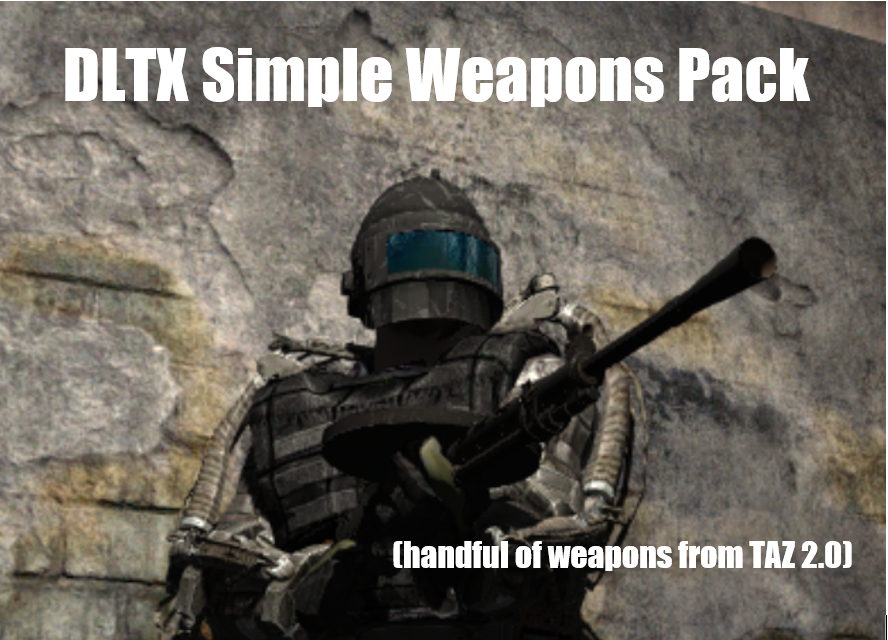
Oh also burn, idk if the models are the same for the m712 as the ones from https://www.moddb.com/mods/stalker-anomaly/addons/dltx-simple-weapons-pack
ModDB
Adds a handful of simple weapons (nothing tacticool or excessive), mostly from TAZ 2.0, intended to fill a few unused niches. Requires DLTX.
naive snow
fair canopy
Oh also burn, idk if the models are the same for the m712 as the ones from https...
Oh right, I still haven't looked at the model you sent over. I've been busy doing a playthrough of CS
potent delta
Okay, uh... what controls where the gun itself is in the slot when you put a scope on it? Like, for example, the gun is more to the left of center with no sight, or most of the sights attached, but some of the sights make the gun itself more to the actual center of the slot instead.
What line dictates that?
Examples;

 naive snow
Nothing, the icon is just placed that way, there's no X or Y to shift it to one side or the other
fair canopy
naive snow
Oh right, I still haven't looked at the model you sent over. I've been busy doin...

naive snow
potent delta
Okay, uh... what controls where the gun itself is in the slot when you put a sco...
Are you playing with the Utjan dynamic icon scalling?
potent delta
The March-F scope is the same position as no scope at all, but the ac scope puts it more to the center.
potent delta
naive snow
Are you playing with the Utjan dynamic icon scalling?
Uhh... I have no clue? Lemme check MO2.

Those are all I have by them, and they're base Gamma I'm pretty sure.
naive snow
potent delta
I thikn it's either packaged in the item UI imporvements latest or the QoL
potent delta
So is this something I want to disable?
naive snow
No, it's something you need to account for and add I believe to a section
urban scaffold
@potent delta HAH! Success, I did it. I took the other way around and added a "link" to my armor in the respective GAMMA modfolder, which now overwrites the icon and stuff as it should, and i got my icon. I have no idea how it works or how it points to the correct icon in the dds file, since i cant find any coordinates, and the "inv_grid_x = 6" is the same for many other armors in the ltx, but it works. MAGIC I tell you! Thanks again for the help, would have taken me ages if not for your pointers!
potent delta
naive snow
No, it's something you need to account for and add I believe to a section
I have no clue what I need to add to anything for this.
I am about as fresh as they come in regards to modders.
The 'Item UI Improvements' does in fact have a script called 'scale equipped guns'.
I assume that's what's making it different depending on the attachment?
naive snow
Yeah that'll scale the gun to fit in the box
with whatever silencer is slapped on
AH I think I might have found why. There's probably a DLTX that changes the inv_grid_x and inv_grid_y of the UMP45 so it's not kicking in for your gun
potent delta
I mean, it's just 0 and 0 for my gun.
naive snow
No you have garbage values right now in your scopes sections
potent delta
Fairly certain the values you're looking at are the actual offset of the gun itself for the viewmodel, not any inventory values.
naive snow
 potent delta

That's what it's been for mine the whole time.
I didn't change any of those when I edited the gun's files.
naive snow
Yeah but that's probably your issue, it's shifting the gun position on the atlas
potent delta
Hm... I tried potentially making the inv grid 0 2 instead of 0 0 and it did make it more centered... but it also made the icon a ump45 with a silencer attached. I can't just change where it lines up in the inventory box itself.
naive snow
I told you, you can't shift a weapon around in the box. Theres no ltx parameter for that
The X and Y of the inv grid simply pick a spot on the big gun atlas
If those are mis-aligned, the gun will be misaligned
potent delta
I would have to manually go into the .dds file and move the icon more to the right in order to center it I assume.
potent delta
Working on that as we speak. Thankfully the silencer x and y CAN go into the negatives.
naive snow
Yeah a lot of scopes are in the Y-
potent delta
Also I figured out how to reload .ltx changes while in-game.
The issue is that numpad 0 is bound to both refresh ini AND npc logic execute. I guess hitting it tries to do both at once and ctds me.
naive snow
Yeah see, the gun atlas has baked in scopes and silencer on/off

So since the attachements are just slapped on with layers instead now, you might want to point every inv_grid to be 0 x and 0 y
So it's always pointing to that base naked model
potent delta
...oooohhhh. I get it. I get why some scopes move the gun and some don't.
The scopes that have their name on the icon are just being placed on top of the base gun's settings.
So their silencers are lined up if the base gun's are.
But the ones that don't have their names show on the icon when equipped are using the baked icons with the attachments.
Which are scaled differently.
naive snow
Yeah, attachments like silencers and scopes are done in a layer maner, the png is slapped on top and shifted around on the base gun texture
You should move everything to a unified system, so scrap the baked in ones, make them layers too
potent delta
Now my question is... do 1icon layers exist for the acog, ac10632, and eot?
naive snow
They do
potent delta
Those are the 3 that use the baked icons.
So if I gave them 1icon_layer = acog I could then x and y those to line them up, and they'd use the default gun's placement?
naive snow
If you set the inv_grid_x and inv_grid_y to 0 yeah
potent delta
Alright, moment of truth.
Yeah, it works. Now I uh... gotta make the sights line up properly.

Ah, wait, no I know what I did wrong.
naive snow
potent delta
Yeah, it works. Now I uh... gotta make the sights line up properly. <:KekSkew:11...
You can use the base values of the other sights you'll find the Alignment mod system as a basic value for rough guessing and then fine tune it
potent delta
I dun goof'd and put 1icon layer x and then... 1icon layer x
No layer y
naive snow
fair canopy
<:GrokChadGAMMA:978810880009576479>
How the fuck do you even open up vtx and vvd for the day of defeat?
potent delta
I might go into the .dds and nudge the naked gun over a smidge just so the bigger scopes don't trail off of the inventory screen.
naive snow
potent delta
I ***might*** go into the .dds and nudge the naked gun over a smidge just so the...
Careful, you'll need to also package in that texture with your mod
potent delta
I know. I did it already with the magazines for the glock, since the extended mag uses an edited texture.
fair canopy
What kind of mad man would do a silencer variant as well?
potent delta
Might give me the oomph needed to actually make the ump357's extended mag have a unique texture as well.
naive snow
fair canopy
What kind of mad man would do a silencer variant as well?
Sheer insanity, but I guess that was pre-layers
potent delta
It's all still based off of the OG trilogy's fileesystem.
Y'know how when you don't parent a gun, any scoped variant becomes its own separate gun in the debug menu? Yeah, that's how things used to have to be no matter what.
naive snow
@fair canopy Looking at the C96, did Bert pick the LOD model over the actual model of the gun? That shit is hard to look at holy balls
fair canopy
naive snow
How the fuck do you even open up vtx and vvd for the day of defeat?

A big guide containing all you need for Blender when it comes to the Source engine [And yes, this includes Goldsrc and Source 2!]
And yes, I finally started adding stuff about exporting!
[url=https:
potent delta
Well, the icons are working properly now, both with and without a silencer. FeelsGoodMan
Though for some reaosn the march-f by itself is a little different than the march-f that comes with the leopuld rmr set.
fair canopy
naive snow
<@160142730373234690> Looking at the C96, did Bert pick the LOD model over the a...
And yeah it's the lod model he said. I thought so too
potent delta
Ah, it's set to 76 and -21 whereas the leopuld variant was 80 and -21. Fixed. 
For the time being I don't think I will fiddle with the .dds file. Mostly because my brain feels like smashed potatoes.
But I will upload the update to the files.
@naive snow Thank you for helping me again. I know I can be really dense and probably frustrating to work with, but I super appreciate it. I hope I can help others in the future with the stuff you've helped me learn.
naive snow
potent delta
<@185568916364328961> Thank you for helping me again. I know I can be really den...
S'all good man. Some weapons are just setup a bit wonky and it's part of the game for modding
old berry
naive snow
<@160142730373234690> Looking at the C96, did Bert pick the LOD model over the a...
i was thinking to just get the mag, firemode switch and the stock ported over to the current c96
naive snow
old berry
i was thinking to just get the mag, firemode switch and the stock ported over to...
There seems to be a different model based on which DX version you're running, might be worth looking at the highest model
The w_c96.dx90.vtx
old berry
idk much about how source works tbh
naive snow
Oh those are just file descriptors, nevermind
Yeah the basic model is hella rough, the C_c96
I guess I could edit out the current mauser, remove the bottom section, fix up the mag, add the firemode switch and the stock
naive snow
@old berry Yeah the body shape of the side for the firing selector isn't the same either...

I guess you could push it further back towards the handle like I'm doing right now
old berry
oh my fucking god
i just realized something
billwa didnt get the model from day of defeat but from day of infamy
celest forge

old berry
 naive snow
Is there a mauser c96 model with stock in that one?
old berry
idk if there is a model already extracted from it though
naive snow
old berry
<@185568916364328961>
Want me to just fix up the normals on that model instead?
Or do you still want to do the components transfer?
old berry
idk either would work really so i guess its up to you
naive snow
The component transfer, if you want to keep the frontal hand guard would be a pain honestly
Plus this model doesn't have holes unlike the other one
Same-ish kind of textures too
naive snow
I'll try first to just do the normal correction via a transfer from the first Mauser, that might be enough
The hand guard is simply added on, we can remove it easily
You can transfer over your existing armature and add in the magazine bones
 sacred socket
What traders sell guns when you enable black market?
naive snow
sacred socket
What traders sell guns when you enable black market?
Not the right channel to ask, try in newbies
sacred socket
I was directed to here🙃
simple scaffold
sacred socket
I was directed to here🙃
To mod making? Not possibly #🔨modded-gamma-support
You are not trying to make a mod are you?
sacred socket
No they might have just sent the wrong # accidentally
 fair inlet
sacred socket
I was directed to here🙃
fair inlet
sacred socket
I was directed to here🙃
you were directed to specific message, not channel
#╙🖇mods-making-discussion message
surreal gust
hard nest
Overall everything works fine, but when I tried to throw a grenade game crashed ...
I released a new update.
It uses the all.spawn method.
Also uses a BAIN installer, this should fix your crash with gamma.
hard nest

 vernal cypress
Does anyone know the script that disallow you to use tech guy's service, i found the upgrade crafting way too tedious for me to do. I would rather to bleed money on it instead of chasing down few parts i missed and craft even more specific repair kit to just burn for upgrade kit craft
nvm, i found it
 open oasis
hi folks, i have been working on a helmet cam """mod""" that is essentially just a weapon reposition + a cool little shader and i was wondering if there was a better way to go about making it?
maybe attaching the camera to a different point on the character (as in the helmet) with a script is a possibility? or would i actually have to go and reposition the hundreds of weapons the game has on offer?
thanks in advance
old berry
you potentially could change the position of the fixed 3rd person camera, but idk if thats possible
open oasis
i tried using the third person camera but it clips through the character if it's anywhere near it
 fathom garden
утро вечер людям добрым, логи с ошибкой инвалид режте последний сейв ну или до кб снизу и присылайте https://discord.com/channels/912320241713958912/934064112760139836
hard nest

fathom garden
мне кста пофик на ошипку, я слышал тут ктото ищет ответы, и пока есть время
у вас дофига, мало времени может быть у меня
fathom garden
20:48 было 36 стало 35, кто то передумал?
 undone radish
How does the artifact melter classify items? I'd like to try and add some items to it (namely the mutant pelts). In related fashion, the crafting of artifacts into other artifacts, is that anything special to make them average their strengths together or can I just make up a recipe? 
 full vessel
Would anyone happen to know how to identify burner anomalies so they can be recognized by Cold System? Currently they do not count as warm.
open oasis
holy shit you can reposition the PDA 
surreal gust
iirc, it's classified as a "weapon"
 unreal leaf
Does anyone here have any documentation or research on what happens in ternally when Busy hands occurs? Like. I am just very curious about how this bug works. and why a solution besides "avoid triggering the bug" has never been found for it.
From my understanding (and this is a very naive guess) Some actions, like playing animations, flip a bool that prevents you from doing certain actions while the animation is playing, and for some reason, this variable isnt flipped back when the animation finishes playing. If something like this is really the cause of the bug, that sounds like a pretty simple solution to me. But I am guessing I am totally wrong, tis why I wanna learn more
neat stone
unreal leaf
Does anyone here have any documentation or research on what happens in ternally ...

ModDB
Detects Type 1 and Type 2 "Busy Hands" bugs when they start and identifies the script responsible. No longer will these bugs be hard to detect and impossible to pin down. Edit: Remember to be cool, no one knew how this was happening. Don't be dicks and...
unreal leaf
neat stone
https://www.moddb.com/mods/stalker-anomaly/addons/watch-dog-script
alright well clearly its a lot more complicated than that haha. Makes me wonder tho, why was it given the name "busy hands"?
tired dragon
I guess because when it happens you usually can't do any animations or anything, like your characters hands are busy
random fulcrum
unreal leaf
alright well clearly its a lot more complicated than that haha. Makes me wonder ...
it's because, while it's a bug present in the original and vanilla engine, it became very easy to spot with fdda because it softlocked you instead of idk insta crashing or being lowkey enough to fly under the radar
and fdda being a mod that makes your character use his hands for animations
 hearty terrace
Hey y'all. Was wondering if STEALTH 2.31 mod was working fine alongside GAMMAs atmospherics+SSS
read it could become wonky due to general ilumination/weather tweaks not from vanilla anomaly
i saw the bot redirecting to that mod when usidng the stealth command but i just wanted to know if anyone had experience with it (sorry if its the wrong channel)
 slow bolt
unreal leaf
Does anyone here have any documentation or research on what happens in ternally ...
slow bolt
unreal leaf
Does anyone here have any documentation or research on what happens in ternally ...
Xray's lua version has error checking disabled, so you can do anything, even if you are wrong. The engine wont spit out an error - instead that script or function will silently fail and stop working(unless it causes game crash). Busyhands(or one of the types) is when one of the main handlers crashes in that manner, rendering a lot of scripts that rely on time events - unable to complete. Scripts themselves dont crash - they just... wait forever. Other busyhands type is when the system fails. In that case scripts like Voiced Actor can detect it, as they ask game script what faction you are. And if that script dies - it cant be accessed - game crashes.
I am not an "expert" at all, so if you want more and correct - you can read the description of busyhands watchdog sent above
hearty terrace
tired dragon
Tank you! it seems like it's the same mod, the different naming confused me. Appreciate ur help
fair inlet
hearty terrace
Hey y'all. Was wondering if STEALTH 2.31 mod was working fine alongside GAMMAs a...
in fact Grok doesn't intend to use newer stealth versions in Gamma. Idk what are the differences, but it could work worse than default Gamma stealth
hearty terrace
that's good info right there! I guess it all comes up to the only solution i was trying to avoid.... i just need to git gud
 storm slate
How to put an image on a poster? My poster is just white(
unreal leaf
slow bolt
Xray's lua version has error checking disabled, so you can do anything, even if ...
yeah I went trough the description of the mod, but thank you for clarifying <3
Though it does feel like if the main issue here is that these loops just hang. Wouldnt it be possible to restart the loops after a certain amount of time passes?
 lofty flicker
im trying to add my own armour and weapons to the game as a personal mod, how would i use mcm with it and powered exos so it doesnt use vanilla keybinds and icons/textures
naive snow
lofty flicker
im trying to add my own armour and weapons to the game as a personal mod, how wo...
Why would you use MCM for a gun/armor mod? You want your armors to use a new set of keybinds?
Adding in new guns doesn't really require MCM at all
lofty flicker
yeah, instead of using vanilla, i need them to use the keybinds gamma already has set
i tried it already and keys interfere
its not the guns really, i just mentioned them no clue why
its the armor and the textures for them and the keybinds along with their behavior
naive snow
You probably need to point your armor to interact with the powered exo mod. Probably a file that holds a list of armors that are considered powered unless it's straight into the armor ltx description
lofty flicker
my armor accepts the powered exo psu but the power drain is off
naive snow
What did you set it to?
lofty flicker
its default at 0.1 but it dreams incredibly fast even without using the powerup
naive snow
And yeah looks like you need to inject or patch in your model with the powered exo mod
 lofty flicker
alright thx, what about the helmetless textures for them? i looked in cr1sp1s mod but no file to add to
naive snow
Probably have to check the mod_system for GAMMA Armors no integrated helmet mod
They all point to a new icon atlas with armors no helmets. Use the same or something similar for your own
lofty flicker
alright thx bro
open oasis
UH OH
urban scaffold
does anyone know where the bonus carryweight of the nosorogs is stored? I changed the values in the nosorog.ltx from my unpacked data folder, but it doesn''t reflect ingame, tried searching but couldn't find any other mod that modifies them. Or maybe I''m doing something wrong? I modified and added armors before, sometimes, other mods changed values for resistance and stuff, which i was able to sniff out, but not for the nosorog.
magic zodiac
urban scaffold
does anyone know where the bonus carryweight of the nosorogs is stored? I change...
take a look at this
\mods\G.A.M.M.A. Exo Balance\gamedata\configs\mod_system_outfits_exo_weight_GAMMA.ltx
Hmmm I think that's the weight of the armors though
urban scaffold
just checking, but yeah, seems like
yep, checked that one already. Gonna try a different approach, maybe I'll figure it out
magic zodiac
try adding this lines for any outfit inside that file
additional_inventory_weight = 32
additional_inventory_weight2 = 32
where 32 is the bonus carry weight in kg, put a number of your choice and see if it works
Make a backup or something beforehand lmao
urban scaffold
that's a nice idea, since the file overwrites the weight, and maybe, just maybe if it's in teh right position in the loadorder, it might override the bonus weight as well, good idea.
urban scaffold
magic zodiac
try adding this lines for any outfit inside that file
additional_inventory_weigh...
Ha, it worked, which confirms my suspicion that somewhere along all the Gamma mods, there is some mod that fiddles with the stats, just like when i wanted to modify other armors resistances and only stumbeld upon the modifying ltx by sheer luck after a long search
magic zodiac
Welcome to modding hahahah, just keep track of the changes you apply and where exactly you fuck around
urban scaffold
magic zodiac
Welcome to modding hahahah, just keep track of the changes you apply and where e...
I think i found the culprit. It was GAMMA\mods\G.A.M.M.A. Armors no integrated helmet\gamedata\configs, at least there are some overwrites. Gonna fiddle around there, hope this works, all that editing, loading the game, save, checking is makeing me tired 😄
mellow oriole
me reading obscure articles from 2011 on how to make new maps and modify AI
https://tenor.com/view/the-yogscast-yogscast-ravs-the-yogs-yogscast-ravs-gif-21615737

(the oncoming stroke is imminent)
urban scaffold
At least modding this game and editing stuff is less taxing on my heartrate than trying to create stuff in UE4
mellow oriole
my first game creation experience in a premade engine was in UE4, i feel you
least intuitive "intuitive-looking" UI ever
urban scaffold
mellow oriole
least intuitive "intuitive-looking" UI ever
....and the stability sometimes. The only place where my heartbeat spikes that high is in the gym or while sprinting
mellow oriole
my current to-do list to learn:
learn how to modify AI (not overall, individual entity behavior, such as chimeras, boars, etc)
learn how to modify AI spawns
learn mechanics for creating "mutant nests" (might borrow a bit from MSO)
learn mechanics for making new mutant hunt quests
learn how to compile & add new maps
mellow oriole
urban scaffold
....and the stability sometimes. The only place where my heartbeat spikes that h...
so fucking real
mellow oriole
mellow oriole
my current to-do list to learn:
learn how to modify AI (not overall, individual ...
me when i swap prescriptions from concerta to adderall and now instead of wanting to play stalker i want to learn how it fundamentally functions and bend it to my will
urban scaffold
mellow oriole
me when i swap prescriptions from concerta to adderall and now instead of wantin...
Well, to each their won I say. As long as you have fun while doing it, enjoy. My Aspirations are much MUCH lower.
mellow oriole
if i learn i will take this power and make the most cursed shit humanly possible
 ivory pebble
Guys do you know where exactly the file(s) for the item use amount values are?
full vessel
ivory pebble
Guys do you know where exactly the file(s) for the item use amount values are?
Depends. What item do you want to edit? Those values are stored per item "type". Such as drugs, medical, food, drink, etc.
ivory pebble
i wanted to edit everything pretty much so it matches with the FDAD aminations in terms of amount
full vessel
File structure will be
[whatever root you're using, gamedata, unpacked, bla bla bla]\configs\items\items then find the matching ltx file
Value to edit in said file will be "max_uses"
Vodka for example is 3 max_uses
ivory pebble
full vessel
Value to edit in said file will be "max_uses"
i found it for raisins lmao
full vessel
Just ctrl + F for "max_use"
ivory pebble
true
full vessel
Adjust files as necessary
It'll probably be pills and cigarettes and stuff you'll be after
ivory pebble
ye
full vessel
Medical and drugs and drink (cigarettes are stored in drink don't ask questions)
ivory pebble
yeah ive been looking through the mod folder for about 2 hours now

like, i found stuff in the medications rebalance folder, but there was no max amount (sorry if this sounds stupid this is the first time im trying to mod the game)
lofty flicker
ivory pebble
yeah ive been looking through the mod folder for about 2 hours now
use notepad++, then ctrl+f after you open the file from the directory, you can refine the search and whatever for what youre using it for
ivory pebble
lofty flicker
use notepad++, then ctrl+f after you open the file from the directory, you can r...
I know how to edit, my problem is finding the file i want to edit 😭
lofty flicker
i can just edit the ltx for you if you want, what all you want added to max uses and what values
ivory pebble
lofty flicker
i can just edit the ltx for you if you want, what all you want added to max uses...
no please just give me the path to the files
lofty flicker
okay
lofty flicker
you have everything unpacked?
lofty flicker
the unpacker tool
in in anomaly directory not gamma, can use those files to make your own "mod" with the values then add it to mods folder in gamma
ivory pebble
lofty flicker
in in anomaly directory not gamma, can use those files to make your own "mod" wi...
ahh i understand now wait
lofty flicker
ok
this is the directory youre looking for

make a new folder somewhere, add your file paths like gamedata/configs/items/items
for the values, thats all youll need i believe
then add your modified files to the folder in correct path then add to gamma/mods
ivory pebble
alright i think i can do that
lofty flicker
alr cool
spice pilot
Why don't all BaS body kits have any signature? Is there some mod that adds them?
random fulcrum
what is bro talking about
spice pilot
random fulcrum
what is bro talking about
One second, I'll open the anomali and show you
random fulcrum
do you mean the (BaS) tag near the item's name
spice pilot
random fulcrum
do you mean the (BaS) tag near the item's name
Yes
spice pilot
How then can you add body kit names to the icons?..
spice pilot
celest forge
Pretty sure that's some icon's mod yeah
You all basically misunderstood me. I want BaS to have inscriptions near the body kits with their name. I don't have them, only on vanilla body kits.
random fulcrum
there are no vanilla body kits
spice pilot
random fulcrum
there are no vanilla body kits
body kits = sights, kits
Yes?
In the vanilla anomaly there are no body kits, but there are sights.
random fulcrum
skull emoji
spice pilot
Okay, there's no point in writing here.
naive snow
Do you have a screenshot of what you're talking about? It's hard to understand
spice pilot
naive snow
Do you have a screenshot of what you're talking about? It's hard to understand
One second.
spice pilot
naive snow
Do you have a screenshot of what you're talking about? It's hard to understand
I use Maid icons
 random fulcrum
ah those are baked to the icon
naive snow
spice pilot
I use Maid icons
You want the white text?
spice pilot
naive snow
You want the white text?
Yes. BaS kits and sights dont have it.
naive snow
spice pilot
Yes. BaS kits and sights dont have it.
Then you'd have to modify the icons to add the text yourself
I have no idea what that font is
spice pilot
naive snow
Then you'd have to modify the icons to add the text yourself
Go to Maid Icons mod and change dds? Yes?
naive snow
Or override to use the default GAMMA one for the bas scopes and attachment
 full vessel
Lads, trying to add a new feature to Cold System, how would I add burner / thermal field anomalies to the list of "hot" entities?
naive snow
spice pilot
Go to Maid Icons mod and change dds? Yes?
But yes either edit the dds of Maids icons for attachemnts and add in the text yourself from the default icons or remove the icon overrides for attachments from Maids
celest forge
What are those yellow cards
naive snow
Unused stuff, literally the name is Unused stuff
Probably some legacy lab key card thingy


 spice pilot
naive snow
But yes either edit the dds of Maids icons for attachemnts and add in the text y...
spice pilot
naive snow
But yes either edit the dds of Maids icons for attachemnts and add in the text y...
How do I know where the override file is?
naive snow
spice pilot
How do I know where the override file is?
In your Maid's mod
Find the mod_system responsible for it
spice pilot
naive snow
In your Maid's mod
I understand, but exactly where?.. (If anything, I know that there is a mod in the directory, but I don’t know exactly where)
naive snow
Just double click on the maids mod and check the FileTree tab, find the mod_system_maidXXX for what you want
spice pilot
naive snow
But yes either edit the dds of Maids icons for attachemnts and add in the text y...
Deleted 
 naive snow
What do you mean deleted?
spice pilot
naive snow
What do you mean deleted?
mod_system_maidmisc.ltx
naive snow
But that's not even the right one
spice pilot
naive snow
But that's not even the right one
naive snow
Plus you could have simply enabled the module for BaS compatibility in Maids
spice pilot
naive snow
Plus you could have simply enabled the module for BaS compatibility in Maids
I think I did... I tried it right now
naive snow
Like maids has a full compatibility patch

 spice pilot
naive snow
spice pilot
naive snow

 naive snow
spice pilot
<:Wahh:1031215422999113758>
naive snow
spice pilot
<:Wahh:1031215422999113758>
Welp have fun in #🔨modded-gamma-support I guess
spice pilot
naive snow
Welp have fun in <#928715640968212582> I guess
Oh damn, I forgot to say by the way, this is not GAMMA, but my set of mods. If anything, nothing conflicts with Maid.
If I write to support, they will kill me.
naive snow
Well then head off to the anomaly server and ask in there instead
summer girder
spice pilot
If I write to support, they will kill me.


spice pilot
summer girder
<:whip:1085997873121988748><:jokerge:1187889527176564906><:gunright:103494184501...

NO PLEASE
@naive snow I looked at the Maid Icons textures and realized that it only gives these inscriptions near the body kits to vanilla sights and silencers, but not to BaS. Sadness
naive snow
spice pilot
<@185568916364328961> I looked at the Maid Icons textures and realized that it o...
Could simply be Utjans QoL thing then
or the Item Ui Imporvements mod
spice pilot
naive snow
or the Item Ui Imporvements mod
This mod dont supported to BaS 😦
 naive snow
But that's the item overlay thing
spice pilot
naive snow
Like I said, if you want proper help, use the channels in the Anomaly discord. This isn't the place, it's not a support channel, it's for talking about making mods.
spice pilot
naive snow
Like I said, if you want proper help, use the channels in the Anomaly discord. T...
Okay
surreal gust


Random scale and rotation was used in every tree model.
Scale multiplier ranges from 0.8 to 1.3.
Random rotation ranged from -180 to 180 in Z axis.
steady apex
speedtree at home:
surreal gust
real
 near crane
not a mod maker but it would be cool if someone could make a mod where you can ask your companions to idk like “guard base” when near a camp fire and they’ll sit around and play guitar and that for a little more immersion as it’s weird that while siting at a camp fire your guys are starting at you from behind
 neon kite
Curious, I would like to look around to editing certain values on helmets. Now im very basic level in terms of "modding" if you can even call it that. Just editing ltx file values etc, Where would I need to go to find the files for the armors/guns/etc in your opinion? So far ive been kinda just doing it by just looking at whatever mod someones releases properties that are editing such things and kinda just piggybacking off that. But this means if its something else then im stuck. I think these files for the basic things are somewhere in the base anomaly folders so Ill keep looking. Thanks!
urban scaffold
neon kite
Curious, I would like to look around to editing certain values on helmets. Now i...
basic stuff is here (if you used the unpacker in your anomaly folder) \Anomaly\tools_unpacked\configs\items
and as for the helmets, like you said, you gotta check the mods that added them, also, for certain outfits, they get overwritten by other mods, like the mod_system_g_a_m_m_a_no_integrated_helmets....., which won't show up as a conflict in MO2, so you gotta check manually sometimes, it's far easier to copy an outfit or helmet of your choice, inside the ltx, add a _1 or something behind it and put everythign in a new mod folder
or leave it inside the old folder, whis way you can also use the icons, if the mod itself provides unique ones


 pulsar gorge
Hey guys, what weapon parameter is responsible for accuracy in the configs?
random fulcrum
fire_dispersion
fathom garden
This is a true bug, in spite of i have only four logs from different users.
 boreal parcel
guys does anyone know how to remove beowulf ammo because its just useless didnt have any use and its annoying popping up on a trader. i didnt know the mod that adds this type of ammo. does anyone know?
slow bolt
fathom garden
This is a true bug, in spite of i have only four logs from different users.
and?
 tawny stream
boreal parcel
guys does anyone know how to remove beowulf ammo because its just useless didnt ...
tawny stream
boreal parcel
guys does anyone know how to remove beowulf ammo because its just useless didnt ...
The mod that adds the 50 Beowulf AR would be my guess.
fathom garden
slow bolt
and?
maybe we try catch him before
boreal parcel
tawny stream
The mod that adds the 50 Beowulf AR would be my guess.
thats the thing i didnt know which mod adds it specifically i have ugp as my main gun mod other than that i dont know where it comes from because most of my mods is FOMOD
slow bolt
boreal parcel
thats the thing i didnt know which mod adds it specifically i have ugp as my mai...
logically, its from UGP
and there should be guns using it
boreal parcel
slow bolt
logically, its from UGP
i see i thought it was a useless ammo because it didnt have damage only its description and the icon is different since ugp uses crisp bullet icons
 fair canopy
That info has to be added to the description. It's not automatically generated in it
boreal parcel
fair canopy
That info has to be added to the description. It's not automatically generated i...
i was wondering where it comes from because on my previous run the butcher tried to sell me this type of ammo and its really bothering me since then mainly because it doesnt have any damage info
fair canopy
I would post this in the 50 beowolf thread and ask him to ass damage info
boreal parcel
fair canopy
I would post this in the 50 beowolf thread and ask him to ass damage info
ok thx
full vessel
near crane
not a mod maker but it would be cool if someone could make a mod where you can a...
https://www.moddb.com/mods/stalker-anomaly/addons/companion-bases-01
https://www.moddb.com/mods/stalker-anomaly/addons/hg-companion-21-merged-with-gamma-091

ModDB
Allows you to remember current location as "base" and companions will wait you there once dismissed.

ModDB
HG Companion 21 merged with GAMMA 0.9.1 (doesn't break animations)
tawny stream
fair canopy
I would post this in the 50 beowolf thread and ask him to ass damage info
Hopefully the ass damage is kept to a minimum.
fair canopy
Ass damage should always be maximum
fathom wagon
boreal parcel
i was wondering where it comes from because on my previous run the butcher tried...
Or use this to get the raw stats on ammo, on top of having accurate stats: https://discord.com/channels/912320241713958912/1161433800803360808
boreal parcel
fathom wagon
Or use this to get the raw stats on ammo, on top of having accurate stats: https...
ok thx
it works thx
 fathom wagon
boreal parcel
it works thx
fathom wagon
boreal parcel
it works thx
Those rounds need to be patched for GAMMA. That BR value is way too high.
boreal parcel
fathom wagon
Those rounds need to be patched for GAMMA. That BR value is way too high.
its insane
fathom wagon
It is because GAMMA divides AP values on ammo by 10 in the files to avoid multi-hits from over-penetration, then multiplies it by 10 in the damage calculations to give it its original value back.
So, the .50 Beowulf ammo needs its stats in its file to be divided by 10 to avoid you one-shotting peeps and enemies basically ignoring all of your armor
boreal parcel
fathom wagon
So, the .50 Beowulf ammo needs its stats in its file to be divided by 10 to avoi...
i hope they wont use these against me
i would love to disable these beowulf rounds and the gun itself but i dont know the mod.
fathom wagon
That has to come from UGP or the standalone .50 Beowulf mod.
tawny stream
If it's in UGP, it'll have a numbered entry in MO2 you should be able to just uncheck.
celest forge
@jade oxide I would rather if you kept your comments to yourself, thanks 👍