#╙🖇mods-making-discussion
1 messages · Page 43 of 1
 void obsidian
 naive snow
Hmmm you could maybe print out the id list of every single thing the debug can s...
naive snow
Hmmm you could maybe print out the id list of every single thing the debug can s...
but that's just basically the same thing as manually writing it. im hoping the prefetch builder would build one based on what the user's got active atm.
unless there's actually a thing that prints out all the item ids, in which case would make this a lot easier hahaha
actually, i just noticed something:
So the prefetch builder is working, but i cant help but notice it's also made changes to the actual Anomaly prefetch config
anomaly as in, the directory we're not supposed to touch because MO2's supposed to handle that
think it's getting the error because of this?
i thought running the application through MO2 would only let it write the virtual one, but it's also writing to the actual anomaly (dir) one.
naive snow
You still need the actual anomaly files ones, or is your Prefetcher only meant to be added on top?
void obsidian
naive snow
You still need the actual anomaly files ones, or is your Prefetcher only meant t...
I've decided to not add it as a mod but as an application you can run if you want your current stuff prefetched. Then run the game
made some progress, got to the main menu, so i must be doing something right..
naive snow
Now check the memory your exe takes when you run a game in your task manager
We're at 14 gigs or something atm
 shell grail
I have OCD and I need fps counter pls 
 static nebula
shell grail
I have OCD and I need fps counter pls <:PepeHands:919973012990750820>
static nebula
shell grail
I have OCD and I need fps counter pls <:PepeHands:919973012990750820>
If you have reshade there's one in the settings
 slow bolt
Riva tuner mandatory app
 random fulcrum
rs_stats 1
shell grail
static nebula
If you have reshade there's one in the settings
but Grok removed reshade
slow bolt
shell grail
but Grok removed reshade

shell grail
random fulcrum
rs_stats 1
i just want fps 
random fulcrum
shell grail
but Grok removed reshade
oh no!
 open oasis
@naive snow let's say that in theory i would be willing to modify every weapon sprite to have a magless variant to be used in conjunction with Mags Redux, what would actually be required of me to apply the magless sprite version to a magless gun?
if that's even possible?
naive snow
open oasis
if that's even possible?
Don't think, there's no way really to specify if the weapon is loaded with an empty mag or simply if the mag is loaded but empty
open oasis
i'm not trying to make distinctions between empty mags or filled mags
but between whether there's a mag in a gun or not or not at all
like the current sprite becomes the mag version and the non-mag version that i add becomes a copy of the weapon like it happens with scopes
i think
naive snow
Yeah but what I'm saying is the game doesn't know either if you don't have a mag or if you have a mat but zero bullets in it. It's the same to the engine
open oasis
why would it need to make that distinction
if i right click a gun and there's no "eject mag" option then there is no mag
if that is possible then surely making that sprite distinction would be possible?
if no eject option then display the magless version
naive snow
Hmm I guess the gun does know if you have one or not
Yeah it would be possible I guess. Just a hecking lot of work with all the different icons
open oasis
if i make the icons would you be able to help me with this?
naive snow
I don't know how to properly code for shit, sorry
You could ask the guys from mags redux if they have a discord
open oasis
like the way i imagine it going is another atlas is created for empty guns, and then a script checks for whether the gun is empty or not through that context menu with "eject magazine", and then if it's empty it's converted to the magless copy of the sprite
naive snow
Dunno either about doubling the memory footprint of all icons tho
open oasis
open oasis
like the way i imagine it going is another atlas is created for empty guns, and ...
@simple scaffold would something like this be possible if i were to create an entire .dds of magless guns?
open oasis
naive snow
Dunno either about doubling the memory footprint of all icons tho
that would just be an additional atlas
like so many mods provide one already
naive snow
Don't forget that not all guns are in the primary atlas, you have multiple atlas
open oasis
i can start with the primary one to see how it works
i just need reassurance that it's possible and someone would help me with the syntax part since i also don't know how to code lol
 fringe frigate
open oasis
i just need reassurance that it's possible and someone would help me with the sy...
fringe frigate
open oasis
i just need reassurance that it's possible and someone would help me with the sy...
https://discord.com/channels/833709559067443230/855105536081264660
they be chillin in EFP
fringe frigate
wym, you cant join EFP discord?
open oasis
the preview doesn't display any messages
slow bolt
because arti lives in EFP discord
open oasis
i'm not joining an entire discord just for that lol
wait arti?
didnt ravenascendant make the mod
fringe frigate
join and find out
open oasis
i don't play EFP
fringe frigate
ok
naive snow
open oasis
i'm not joining an entire discord just for that lol
Why not? Do you want that mod or not?
open oasis
not high priority as i have other projects going on atm just thought it'd be a fun idea to toy around with here, also i recall someone else asking
if there's interest they can reply to me in here
i pinged ravenascendant who i assumed to be the author of the mod
i'm not joining a discord of a game i don't play to ask a single question
if they "live" there that's on them as far as i'm concerned lol
 void obsidian
Need a bit of help understanding MO2's virtualization. I'm trying to build a prefetcher builder that you're supposed to run using MO2 (hopefully giving it access to the virtual version of the anomaly folder) to compile all the model paths that addons.. add onto the game for prefetching.
It's currently working and writes a prefetcher file, but i have the assumption that it's compiling paths from the untouched anomaly folder instead of the virtualized one. Any help?
I'm running the damn thing with MO2 but i think im missing something?
I narrowed down the prefetchbuilder to only include paths for actors, monsters, and dynamics
I couldnt launch the game but with this i made it to the main menu, but crashes on load of a save file/game
 regal bolt
Please add try catch to your mods
slow bolt
No
 grave notch
is there a reason why none of the gamma gun models have flashlight attachments? (or am i just wrong about that?)
slow bolt
Flashlight attachments dont exist
grave notch
slow bolt
Flashlight attachments dont exist
"But someone did make working flashlights on weapons with the Gunslinger mod on Call of Pripyat"
https://youtu.be/sqlgPiQBx6I
someone mentioned this? maybe its too different but?
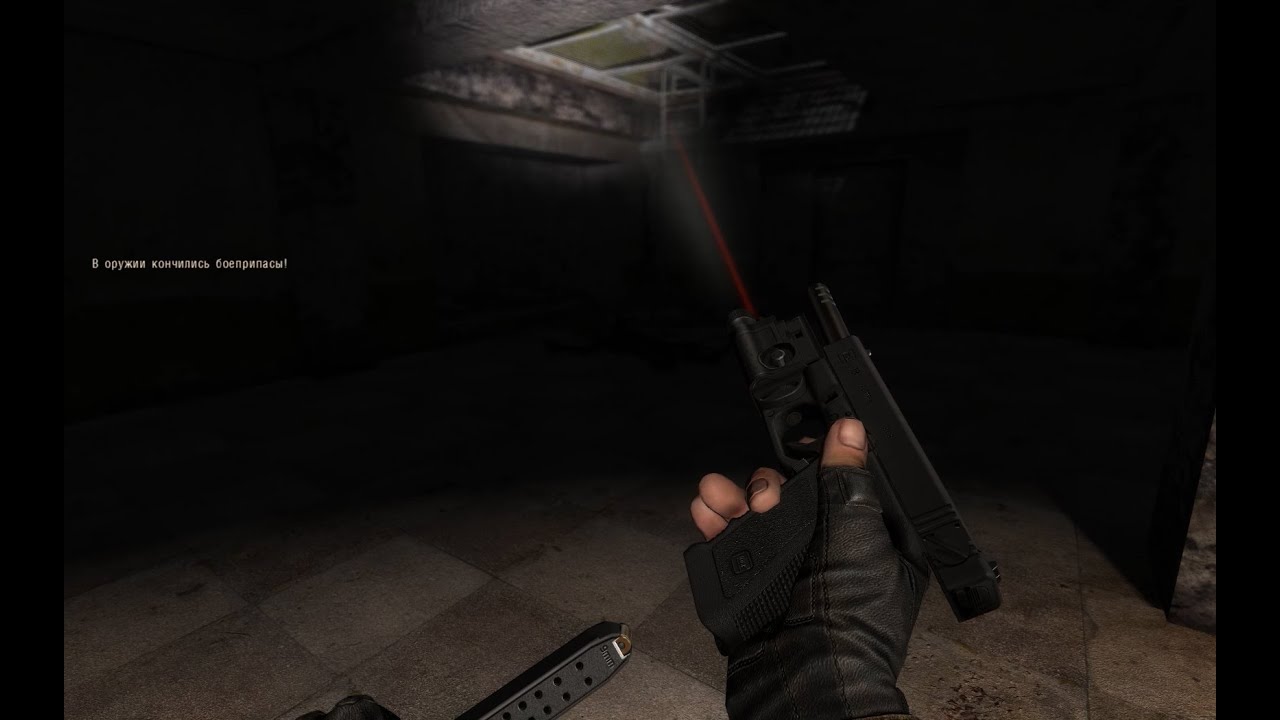
P90 flashlight model/texture: RedRogueXIII
FN Five_seveN lam model/texture: Crash
GLOCK 18 lam model/texture: Will / Wannabe
Weapon Flashlight angle texture: SAM61
Moddb.com: http://www.moddb.com/mods/gunslinger-mod
Ap-pro.ru: http://ap-pro.ru/forum/59-3622-1
Vk.com: https://vk.com/gunslinger_mod
slow bolt
Bruh
Anomaly has no working flashlights
Show me other modpack that has them that isn't gunslinger
 surreal gust
grave notch
"But someone did make working flashlights on weapons with the Gunslinger mod on...
surreal gust
grave notch
"But someone did make working flashlights on weapons with the Gunslinger mod on...
Bro these are engine features. Not some cheap lua code. If you really want this then port it yourself
Most gunslinger mods for Anomaly are just animation ports
And never the features themselves
grave notch
okay thanks for the explanation  was just wondering
void obsidian
slow bolt
PFGen
oh dear, ive been trying to reinvent the wheel
Where can i find PFGen?
slow bolt
void obsidian
slow bolt
<#1035807043933720576>
thanks
regal bolt
I wonder if programming a better AI for Anomaly would be hard on a scale of 1 to 10 (By better I mean not taking position where you are and actively circling around you while running instead of running through you, taking actual defensive positions, being able to freely move around the maps based on the terrain avaliable to the player and writing a few scripts like artifact hunting if passing by an anomaly field or sneaking up on a mutants lair. Squads of stalkers wandering the zone at random on not preset paths, nighttime adventurers would sneak around instead of just blowing their flashlights in the open (even most rookies know not to do that) and making them basically more terrain friendly)
regal bolt
regal bolt
I wonder if programming a better AI for Anomaly would be hard on a scale of 1 to...
I mean. We already have the "Anti AWOL" Code in the game. Isn't it possible to invert it's function to make companions not being able to move closer to you than 5m?
And making the entirety of the flat and slightly curved terrain accesible for their movement instead of a few set spots that show up when you press num3
And maybe scripting a more active Alife to not make the zone feel as desolated as it is now. Literally pulling a list of lines of code to basically mimic some scripted events from the base games like the defense of the loners from a bandit attack at the car park all the way to proper full bliwn assaults of Pripyat like in CoP
Make loners and other factions move up north more and actually message for backup also when you're in vincinity and make these fights last instead of killing everyone before you even get there by literally putting NPCs in scripted positions like CS CNPP assault where they just shot into the void or by making the NPCs unkillable unless you enter a certain distance from them (taking active action), or some time passes (leaving them to their fate)
random fulcrum
regal bolt
Make loners and other factions move up north more and actually message for backu...

ModDB
More functions to interact with the world (and not only) via PDA.
 vale knot
love this addon
vale knot
the getting paid to help people out its nice
regal bolt
random fulcrum
https://www.moddb.com/mods/stalker-anomaly/addons/interactive-pda-01
I use that mod already, thing is I don't wanna feel like the main character, but more like a member of a group. It would give it more of the OGs style of just being in the right place at the right time instead of being the leader of an assault squad
random fulcrum
how the fuck does helping a guy that sends a sos signal on the pda makes you feel like the main character
whatever
 regal bolt
random fulcrum
why not bring them to life yourself
regal bolt
random fulcrum
why not bring them to life yourself
Because I can't code and I am unable to learn it on my own, as well as I fear for breaking my game more than it already is. Basically I am unqualified, even if I wanted to be
random fulcrum
jesus what a mindset
it's not like
everyone
that mods the game learned to do so because they wanted stuff changed
everyone
regal bolt
random fulcrum
how the fuck does helping a guy that sends a sos signal on the pda makes you fee...
That never happens in the north like in pripyat or outskirts, as there never are squads of any factions there besides bounty squads, monolith and sin, and the one squad of loners and mercs never move out
random fulcrum
then tune your zcp numbers
regal bolt
random fulcrum
that mods the game learned to do so because they wanted stuff changed
Problem is I cannot learn something as complex as a programming language on my own. I can learn cool, short and interesting facts like that singularity is an epicentre of a black hole, but not much more sadly. I am physically uncapable of that
random fulcrum
 regal bolt
random fulcrum
https://tenor.com/view/bruh-nawh-no-way-fr-gif-22615915
regal bolt
random fulcrum
https://tenor.com/view/bruh-nawh-no-way-fr-gif-22615915
I am literally too stupid to do that. You satisfied yet?
I wouldn't even know where to begin
regal bolt
don't die Seeing this as the end of the first page doesn't spark up optimism
But I'll see what I'll get out of it
 wet grail
regal bolt
Problem is I cannot learn something as complex as a programming language on my o...
wet grail
regal bolt
Problem is I cannot learn something as complex as a programming language on my o...
what 
lua is legit straight forward to learn
you have to be legit a smooth brain if you cant learn it by yourself and some youtube videos
vale knot
you can prolly get a pretty cheap course
wet grail
all i see are excuses
 vale knot
i dont want programming to be my job so i never bothered
regal bolt
wet grail
lua is legit straight forward to learn
Did you learn it?
vale knot
it was free doe
wet grail
regal bolt
Did you learn it?
enough to do what i wanted with my modlist yeah
regal bolt
wet grail
enough to do what i wanted with my modlist yeah
kay
naive snow
I did full thousand line python script with chatpgt's help. Learning to code is easier than ever. It's wonky and hard coded to hell, but it does what I want it to do

 ebon ginkgo
Anyone happen to know which script controls music playback?
 stuck merlin
anybody knows if the black market mod is save to deactivate ?
 obsidian void
stuck merlin
anybody knows if the black market mod is save to deactivate ?
obsidian void
stuck merlin
anybody knows if the black market mod is save to deactivate ?
AFAIK it should be fine. It will take some time in game for the trader inventories to refresh
stuck merlin
ahhh alrifght thank you .)
 coral mulch
Hey so does anyone know what would be changing the mouse sensitivity between weapons in a Stalker Mod? I'm trying to play the new True Stalker mod but this is really bothering me. Not sure where to go for answers so I'm hoping someone here might know. Sorry if its off topic.
open oasis
random fulcrum
jesus what a mindset
i don't think you can fault someone for saying they might not have the time or capabilities to learn programming themselves, but the way i interpret this channel's function is also to talk about making mods rather than suggesting them so it has to be either making the mod yourself or not asking here
just my 2 cents, i also don't wish to learn syntax yet i read the scripts and change values sometimes, it's not black and white like that
you can have an interesting idea and not be able to fully realize it yourself, this is a thing that happened all across history lol
 fair flax
coral mulch
fair flax
coral mulch
 steady apex
It's a feature of og games
steady apex
It's a feature of og games
of the og stalker games? because i played through the ABR mod and didn't have this issue. It's unfortunate bc it's very difficult for me to adjust to.
steady apex
Yes
 soft burrow
Is there any list I can copy or reference of NPCs whose bodies don't despawn?
I want to automatically leave trash in dead bodies but exclude the ones that don't despawn
Or even better than a list, if I can check if a body is set to eventually despawn?
random fulcrum
story ids
or important npcs
both are the same thing really
mobs that spawn during certain quests are also story related
think cnpp and scorcher
but not the entirety of mortal sin
 dusky magnet
I'm kinda losing my mind, the latest update broke something with how my mod is having its mod_system ltx file loaded and now it won't load the dialog IDs for Grok and Darkasleif's armor exchange, so you just get a fatal error when talking to faction leaders.
Specifically #1187602255445250128 message
dusky magnet
Nvm I finally figured it out, I needed to change how I wrote my DLTX file to add my dialog to the list of dialog files rather than try to overwrite it again. It's weird how that didn't break until the update
 simple scaffold
open oasis
<@155830872027693057> would something like this be possible if i were to create ...
simple scaffold
open oasis
<@155830872027693057> would something like this be possible if i were to create ...
Other way around. Default icon is magles and the mag is added as a layer like scopes are.
open oasis
simple scaffold
Other way around. Default icon is magles and the mag is added as a layer like sc...
would you agree to implement this if i provided you with an atlas of magless guns?
like i genuinely don't know how difficult it would be since i don't really know syntax so if it's too much hassle do let me know
soft burrow
@undone lily hey I updated/fixed my mods that are included in gamma
#1138977050556895364 message
#1134322406199140483 message
GTF now has an easily expandable list of npc section names for whenever someone finds an npc without task completion dialogue.
IPF wasn't working on guns with scopes/modkits attached, fixed that too.
wish you happy christmas
 undone lily
 steady venture
how is bloodsucker transparency/invisibility handled, it is extra texture, or how? because afaik it is not fully transparent, more like transparent and refracting light differently
oh nvm, seems like it is particles
soft burrow
steady venture
how is bloodsucker transparency/invisibility handled, it is extra texture, or ho...
I think AlphaLion's balanced mutants mod managed to change their invisibility trigger distance if you are interested in that
steady venture
Yeah, I was looking for the particles, so now I am trying to get familiar with Particle editor in SDK 0.7 and it is somewhat frustrating 
steady venture
soft burrow
I think AlphaLion's balanced mutants mod managed to change their invisibility t...
also, would you know, if there is a way to import .xr to blender?
slow bolt
.xr aint a model
 celest forge
Ain't .xr files particles
 shadow cave
42
 summer burrow
We need scopes for the chimera hunter, I NEED to be sniping mfs again like when the toz sniper was around with barrikada
obsidian void
@steady apex I made a couple edits to your keep crafting window open script and now crafting correctly uses the tool's "degradation_factor" parameter as defined in the .ltx. (before it would simply remove 20% durability) You can just have this. It also correctly uses this value for disassembly. It still returns a default 0.2 value if it does not find the parameter, to prevent a crash.
This also means there is no reason whatsoever to grab the "degrade_value" from the item_repair.script
 opal pilot
Hello. Is there a way to customize inventory weapon context menu? I want to get rid of favorite, and other shit and just keep disassemble, field strip, etc. to reduce clutter and prevent accidentally clicking the wrong thing. Much thanks.
soft burrow
opal pilot
Hello. Is there a way to customize inventory weapon context menu? I want to get ...
take a look at custom_functor_autoinject.script
I believe the "mark favorite/junk" option is from Sorting Plus, so you'd have to find the name of its functors in its script files.
"favorite parts" is from my mod Indirect Parts Favoriter, you can just disable that one in MO2 to remove it form the context menu
 opal pilot
thanks! will have a look, i had previously searched all files related to WPO but couldn't find the associated lines of code. is there a way to add "field strip all" above field strip dropdown menu itself, bypassing the dropdown menu essentially, when you just want to take everything?
soft burrow
yes it's possible, custom_functor_autoinject.script has instructions for that too
opal pilot
i looked at the file, can't see any lines with field strip , favorites, etc. just general code that i don't understand.
 forest sluice
Is it possible to print to a log file? The console gets written into so much, i have trouble seeing my log prints.
 wary forge
does anyone have a mod to repostition weapons?
 dark leaf
Does anyone know if there is a working mod to have mouse5 toggle the free zoom, and not require a hold? There was a mod for this in the past, but changes that Grok has made to this update cause it to not function anymore. #1158305681644998716 message I don't know very much at all about modding and scripts. I tried to look into the files but I really don't know what I am doing. Any help would be appreciated.
 worn fiber
I noticed that some weapons have additional recoil effects besides the recoil from weapon file and Enhanced Recoil. Does anybody knows where these extra recoil effects come from? Good example would be the w_scar_siber.ltx.
 fair inlet
worn fiber
I noticed that some weapons have additional recoil effects besides the recoil fr...
fair inlet
worn fiber
I noticed that some weapons have additional recoil effects besides the recoil fr...
could be camera or "model" animation
.anm and .omf respectively
worn fiber
In case if w_scar_siber.ltx it's like a 2 frame crosshair jump.
fair inlet
worn fiber
In case if w_scar_siber.ltx it's like a 2 frame crosshair jump.
I'm not knowledgeable on how to edit them, but you can definitely remove them completely via config. Camera animation can also be replaced
worn fiber
Is it referenced in w_scar_siber.ltx?
fair inlet
worn fiber
Is it referenced in w_scar_siber.ltx?
yes, hud section, anm_shot/ anm_shot_aim parameters
or anm_shoot 🤔
worn fiber
Found it.
anm_shots = scar_hand_shoot, scar_shoot
Something inside "scar_hand_shoot" causes the crosshair to jump up and down. Now I need to figure out what to do with this becasue I can't just delete it.
fair inlet
worn fiber
Found it.
anm_shots = scar_hand_shoot, scar_shoot...
seems like camera anim, you can replace it with blank
though that would affect all weapons using this anim obviously
worn fiber
fair inlet
seems like camera anim, you can replace it with blank
You mean like an empty file?
fair inlet
worn fiber
You mean like an empty file?
yes you can find one in mo2, it's named empty.
Or maybe you can just delete it, I didn't try
worn fiber
fair inlet
yes you can find one in mo2, it's named `empty`.
Or maybe you can just delete it...
Deleting it worked. It was BAS camera effects.
 tight osprey
Has anyone already made an addon that restores, fixes or balances removed weapons? Like the SVT, Hera, L96, etc.
naive snow
tight osprey
Has anyone already made an addon that restores, fixes or balances removed weapon...
Just check on the #1035807043933720576
open oasis
tight osprey
Has anyone already made an addon that restores, fixes or balances removed weapon...
although despite playing for about 10 hours with this mod on i was still not able to find the guns added back, probably because there are so many weapons in the game already (i have some additional weapon mods)
tight osprey
open oasis
https://discord.com/channels/912320241713958912/1184536402843668490
Aye, thanks!
 reef dove
Will simply deleting reaction_joke_8.ogg from Better Merc Voices cause any issues? Never did any audio modding and the configs only reference the folders, so unsure how it is all handled. Or would I need to renumber all the voicelines?
 sacred token
reef dove
Will simply deleting reaction_joke_8.ogg from Better Merc Voices cause any issue...
sacred token
reef dove
Will simply deleting reaction_joke_8.ogg from Better Merc Voices cause any issue...
Or replace it with an empty sound. Would probably the safest and easiest way
reef dove
sacred token
Or replace it with an empty sound. Would probably the safest and easiest way
Sure. But that's not a "real" solution. Though that is what I've done, for now.
sacred token
reef dove
Sure. But that's not a "real" solution. Though that is what I've done, for now.
You probably need to search the scripts and find the file containing the string "reaction_joke_". Should be easy enough if you already know which addon adds this sound file. If you can send me the script file I can tell you what exactly you can do
reef dove
sacred token
You probably need to search the scripts and find the file containing the string ...
There is no script, that's the thing. Config references the folder, so base Anomaly handles the rest. I want to avoid changing default scripts if I can, especially with something so minor
 pale rivet
Hi, what git clone is the new launcher using?
sacred token
reef dove
There is no script, that's the thing. Config references the folder, so base Anom...
Ahh, I though the sound file is from an addon. Unfortunately I am currently away from my modding setup. I can help you tomorrow if you didn't figure it out until then
reef dove
sacred token
Ahh, I though the sound file is from an addon. Unfortunately I am currently away...
It is from an addon, but I'm guessing the base game uses the same names. Or it cycles through all files in the defined folder
naive snow
I need to test something with foliage, is there a way to start in a map like Fake Start (with F2) but other maps?
slow bolt
You can go to swamps from the fake start
naive snow
slow bolt
You can go to swamps from the fake start
How?
slow bolt
Honestly, i keep stumbling into there by accident
Its behind one of the pillars. You just get instant level transition there
 naive dew
I want to override a function, namely IsSpecialNPC in dynamic_news_manager script. However, the function is within the class DynamicNewsManager. Do I override using dynamic_news_manager.IsSpecialNPC or DynamicNewsManager.IsSpecialNPC ?
steady apex
dynamic_news_manager.DynamicNewsManager.IsSpecialNPC
naive dew
ah gotcha, thanks!
also what's the difference with directly monkey patching the function vs putting it in on_game_start? I see both being used
steady apex
The order of patching, on game start is later
If you really need the patch to be later then use on game start
naive dew
I see, thank you demonized sensei
naive dew
oh looks like I have to add self as the first param too
tight osprey
Wasn't there an add-on that replaced the crappy Misery knife models with higher quality ones?
 topaz stirrup
Hello, I would like to modify the pka scope so that it is no longer pip, as it is the only attractive alternative to the acog on the ak guns. Which file should I update to make this happen?
vale knot
tight osprey
Wasn't there an add-on that replaced the crappy Misery knife models with higher ...

ModDB
Replaces the current Anomaly knife models with ones from Dead Air, which are much more higher quality.
this one maybe?
ah it replaces the configs
and will go back to vanilla animations
as usual in stalker modding its never that simple
random fulcrum
simply dltx it to only replace the visual
 lost jay
stlaker stories
vale knot
random fulcrum
simply dltx it to only replace the visual
would that work? idk i kinda assumed the way knife anims worked like weapon anims. tied to the model
vale knot
i never tried it but im sure i can
 mighty apex
Hi everyone! I need some help. I'm trying to make a custom npc, at least spawn him for now, without any quests or dialogs. I followed anomaly modding book and used duty expansion mod as a reference. The game crashes every time i'm trying to spawn him. I don't know what i'm doing wrong, i don't use any custom assets.
 mighty apex
Hi everyone! I need some help. I'm trying to make a custom npc, at least spawn h...
mighty apex
mighty apex
Hi everyone! I need some help. I'm trying to make a custom npc, at least spawn h...
P.s. i also aded name strings to both eng and ru files st_characters. And also added dialogs_seryoga, npc_profile_seryoga and character_desc_seryoga to system.ltx as the guide says.
 hexed cosmos
quick question does a Lee-Enfield rifle mod exist for gamma?
sacred token
https://www.moddb.com/mods/stalker-anomaly/addons/dltx-lee-enfield-from-taz But it looks outdated

ModDB
Add Lee-Enfield from beloved TAZ. Includes Mags Redux patch.
simple scaffold
open oasis
would you agree to implement this if i provided you with an atlas of magless gun...
It's not hard, redux already includes a script for drawing arbitrary icon layers. But I don't have a working computer right now and even it I did I'm not personally that interested in this idea.
open oasis
simple scaffold
It's not hard, redux already includes a script for drawing arbitrary icon layers...
understood, thank you for your time
surreal gust
reef dove
Will simply deleting reaction_joke_8.ogg from Better Merc Voices cause any issue...
it will replace it with the one from vanilla abobali
thats if one already exists for abobali
open oasis
man was looking for an excuse to butcher the name of the game twice 💀
 stone ingot
really minor question but wondering if there's a simple way to remove the yellow/white objective arrow on the minimap by replacing with a blank texture
 spare gale
Is there a simple way to remove the fuel requirments for lamps in the hideout furniture mod? Im sick of having to fill up all the lamps i have and just want them on perminently
reef dove
spare gale
Is there a simple way to remove the fuel requirments for lamps in the hideout fu...
Not entirely sure, but from a quick look it seems like you can change it in GAMMA\mods\SixSloth's & Veerserif's Hideout Furnitures 2.2.1 GAMMA patch\gamedata\configs\items\items\items_hf_nomad_lights.ltx
naive dew
anyone know where item usage or crafting sound effects are configured?
naive dew
ok, I kinda sorta found it
now I'm stumped on actor_effects settings, what do the numbers correspond to? For example: [container_tool_af_aam_dummy] 0 = actor_effects.use_weapon(0) ; 1 = xr_effects.disable_ui_inventory(db.actor, nil) 2 = xr_effects.disable_ui_lite_with_imput(db.actor, nil) ; 378 = actor_effects.use_helmet(0) ; 379 = xr_effects.disable_nv(db.actor, nil) 550 = level.add_cam_effector('camera_effects\\item_use.anm', 8053, false,'') 1460 = xr_effects.play_inv_aam_close() 2351 = xr_effects.enable_ui_lite(db.actor, nil) ; 5150 = actor_effects.use_helmet(1) 2750 = xr_effects.enable_imput(db.actor, nil) 2751 = actor_effects.use_weapon(1)
spare gale
reef dove
Not entirely sure, but from a quick look it seems like you can change it in GAMM...
Thanks, i'll have a look through the config 🙂 was not sure where i should be looking for it
reef dove
spare gale
Thanks, i'll have a look through the config 🙂 was not sure where i should be lo...
Try changing "fuel_duration". The psi-light is set at 99999, so just do the same for the others. You still have to fuel them once, I suppose. But should be the easiest solution from what I can see
spare gale
Looks like they have a power consumption and a fuel duration setting so i'll have a look
ah 😄 we looked at the same time.
Yeah i'll try changing the duration and see what happens. Thanks!
spare gale
Yep that did it! thanks a lot
 hardy hound
vale knot
would that work? idk i kinda assumed the way knife anims worked like weapon anim...
hardy hound
vale knot
would that work? idk i kinda assumed the way knife anims worked like weapon anim...
works anyway
vale knot

 elfin mason
Has anyone made a mod to make sawn of shotguns work in the melee slot?
random fulcrum
almost all orange people has done so once before
elfin mason
Would love a link if one exists
random fulcrum
man lives in an alternate timeline where search bars weren't invented
 lethal garden
Could anyone give me advice on how to edit and save weapon stats? I can imagine its somewhat similar to editting hud values of weapons using Draggable Hud Editor. Im editing some helmet icons, and wanted to add ballistic resistance since I added a helmet to its icon.

 rose glacier
This might be a bit far fetched but il try, Does anyone know if there is a mod for GAMMA that lets me adjust walking speed like in tarkov? (Using mouse wheel up and down to change movement speed)
rose glacier
aight thanks
 hearty yarrow
grokks gotta go fast in changeable in the mod confing menu
 tacit ginkgo
Hi, anyone knows what do?

 frank flicker
tacit ginkgo
Hi, anyone knows what do?
frank flicker
tacit ginkgo
Hi, anyone knows what do?
Do you have 340- Black market mod, and any weapon mod (UGP) ?
tacit ginkgo
UGP?
frank flicker
tacit ginkgo
UGP?
ultimate gun pack
tacit ginkgo
No
frank flicker
tacit ginkgo
No
And black market mod ?
tacit ginkgo
Yes
Sorry, I missed the "and" in your question
All works if Black Marked off but I like it
frank flicker
tacit ginkgo
Yes
hmm, if i see correctly you are using mags (weapon mgazines) mod? Try look via GAMMA launcher for those files you will even see in what mod they are, you can use a filter in right corner
 tacit ginkgo
I'm not that's the thing
frank flicker
but it seems that you have, mags folder in your game, try find it (blackmarket_mags.ltx) via launcher and delete it (just make backup for it, for sure)
and are you sure that you dont have any of these mods ?
 tacit ginkgo
Oh, I have the ones you have enabled, not the other two
tacit ginkgo
frank flicker
but it seems that you have, mags folder in your game, try find it (blackmarket_m...
If I delete, I get error that it doesn't exist
frank flicker
tacit ginkgo
If I delete, I get error that it doesn't exist
Well dunno then  , only try reninstall whole gamma
tacit ginkgo
Yeah nah, I'll play the gamma economy then, but thank you
 grizzled gorge
tacit ginkgo
Yeah nah, I'll play the gamma economy then, but thank you
grizzled gorge
tacit ginkgo
Yeah nah, I'll play the gamma economy then, but thank you
Traders overhaul activated ?
tacit ginkgo
grizzled gorge
Traders overhaul activated ?
Yes
grizzled gorge
tacit ginkgo
Yes
Bm is not compatible with traders overhaul and works on top of gamma economy
simple scaffold
open oasis
understood, thank you for your time
start like this: edit the gun icons to have no mags attached. make a new icon file with the magazines in: textures/ui/ui_icon_klip_mag_icons.dds. (i'd try and do this so that one magazine icon can be used for several guns, but you don't have to.)
make a new item ltx named w__mag_icons.ltx
in that make a bunch of sections that look like.:
[tch_mag_abakan]; all must start with tch_ or things will break.
icons_texture    = ui/ui_icon_klip_mag_icons.dds
inv_grid_x                                                = 0 ;based on the icon texture grid
inv_grid_y                                              = 3 ;
then for testing add the mag icon to the weapon icon like scopes are by adding to the weapons actual section lines like this:
        1icon_layer                 = tch_mag_abakan
        1icon_layer_x               = 57
        1icon_layer_y               = 20
adjusting the x and y to get the mags in the correct location.
the new ltx file and the icon file would be used by the final addon.
the values 1icon_layer lines will be used by the script in another way but will be the same values.
the script would be fairly simple to set up. if you havn't found someone else to do it once you have all the art ask me again.
open oasis
simple scaffold
start like this: edit the gun icons to have no mags attached. make a new icon fi...
alright, can't promise to succeed but i'll definitely try, i'll start working on the atlas, thanks 👍
i'll ping you if i get stuck or if i make any progress
obsidian void
Can anyone clue me in to how I can modify or set an .ltx value with an MCM menu? For example, I want to make the repair_min_condition parameter on tools configurable with a menu.
So far I haven't found a single mod example which can do this directly. For example, in the Configurable Item Cost Modifiers mod, demonized had to monkeypatch the on_get_item_cost function in order to inject the new costs:
function on_get_item_cost(kind, obj, profile, calculated_cost, ret) local obj_kind = get_kind_override(obj:section()) or SYS_GetParam(0, obj:section(), "kind", "") local old_cost = ret.new_cost or calculated_cost ret.new_cost = round(old_cost * (settings[obj_kind] or 1)) if settings.debug_mode then printf("item %s, kind %s, old cost %s, new cost %s", obj:section(), obj_kind, old_cost, ret.new_cost) end end
Can anyone shed some light on how I can do this for the repair condition minumums?
obsidian void
Okay. I figured out that the ltx parameter is retrieved in the function UIRepair:Reset in item_repair script. I have the function behaving as I want, but I need help to turn this into a monkeypatch. here is the code:
`function UIRepair:Reset(obj,section)
local ltxMinCond = ini_sys:r_float_ex(section,"repair_min_condition") or 0
local green_threshold = (tonumber(ui_mcm.get('dynamicrepairicons/green')) / 100)
local yellow_threshold = (tonumber(ui_mcm.get('dynamicrepairicons/yellow')) / 100)
local orange_threshold = (tonumber(ui_mcm.get('dynamicrepairicons/orange')) / 100)
local minRepairCond = ltxMinCond
if ltxMinCond >= 0.75 then
    minRepairCond = green_threshold
elseif ltxMinCond >= 0.50 then
    minRepairCond = yellow_threshold
elseif ltxMinCond >= 0.25 then
    minRepairCond = orange_threshold
end

self.section = section
self.obj = obj

-- Settings
self.repair_frame      = ini_sys:r_string_ex(section,"repair_ui") or "ui_itm_repair_1"
self.use_condition     = ini_sys:r_bool_ex(section,"use_condition") or false
self.min_condition     = minRepairCond`
How can I do this without overwriting the items_repair script? I'm no good with monkeypatching
 edgy tendon
This might be a long shot: I tried to edit this in the config files of True Stalker (openxray), but it doens't work. I also tried applying it to the texture node, but no luck. The hud texture has a different name than usual I think (ui_actor_hud_wnd_ts.dds). Do you perhaps know where to look?
naive dew
where does printf print to? Console or logs? Trying to pinpoint something but can't see any print statements
 past barn
edgy tendon
This might be a long shot: I tried to edit this in the config files of True Stal...
past barn
edgy tendon
This might be a long shot: I tried to edit this in the config files of True Stal...
Yeah it doesn't work for me either. Other parameters like position do apply so this config is what controls the minimap. Idk how could you change transparency of the actual map area then tbh. If you're looking for the compass texture then it's in gamedata/textures/ui/ui_actor_hud_wnd_ts.dds on the top left
ebon ginkgo
So I just tested it, and it looks like the max length for custom music tracks is 10 minutes. Anyone else find that out?
simple scaffold
obsidian void
Okay. I figured out that the ltx parameter is retrieved in the function UIRepair...
The lowest effort monkey patch, only slightly more compatible than a direct script edit, but also sometimes the only option, is to replace the entire function from another script.
Copy your modified function into another script and add script_name. to the front of the function name.
In this case the line would look like function item_repair.UIRepair:Reset(obj, section)
This can break other monkey patches that may be on the same function. Adjusting script names can sometimes resolve this. Would need to test to find out.
You need your entire modified function in the new script. Not just that one line, that's just the only difference between it and the direct edit version of the function
open oasis
hey Raven since you're already online, work on the atlas is coming along nicely, if i understood correctly you'd want one atlas with no mags at all and one atlas with just the mags so that they can be layered on top of the magless gun kind of like an attachment? @simple scaffold
where will the existing with-mag weapons will be used?
obsidian void
simple scaffold
The lowest effort monkey patch, only slightly more compatible than a direct scri...
wait so I can just drop the whole function in a script and that's it?
simple scaffold
obsidian void
wait so I can just drop the whole function in a script and that's it?
With an identifier telling the game to put this function in the other scripts name space. Replacement monkey patches are very easy, if you are the only one. Its when you need co exist with other patches on that function that things get hard.
Start here
obsidian void
I'm pretty sure that "keep crafting window open" monkeypatches this function.
simple scaffold
open oasis
where will the existing with-mag weapons will be used?
They won't. You are basically changing the magazine into an attachment like a scope icon wise.
obsidian void
local ResetSuper = item_repair.UIRepair.Reset item_repair.UIRepair.Reset = function(self, obj, section) ResetSuper(self, obj, section) -- Set repair kit name, uses and icon, store uses -- Delay because of alife shenanigans when using multiuse items with -- heavy scripting like this CreateTimeEvent("totally_not_random_event" .. random_number(1, 1000000), "update_ui_delay" .. random_number(1, 1000000), 0.1, self.CollectValidItems, self, obj, section) --self:CollectValidItems(obj, section) -- printf("Calling override Reset") return true end
this is from keep crafting window open
simple scaffold
obsidian void
I'm pretty sure that "keep crafting window open" monkeypatches this function.
For this all you need to do is make sure your script runs first. For the most part scripts are run in alphabetical order. So if thier script name starts with a "z" start yours with an "y". If they are "b" make yours "a"
obsidian void
so something like this? `function on_game_start()
item_repair.UIRepair.Reset = UiRepair_Reset_Monkey
end
function UiRepair_Reset_Monkey(obj,section)`
simple scaffold
They are "wrapping" the function or doing a daisy chain patch.
They make a copy of the function that they call from their version after doing additional stuff.
As long as you replace the function first they will be copying yours not the orginal
simple scaffold
obsidian void
so something like this? `function on_game_start()
item_repair.UIRepair.Reset =...
That might work, if you add self to the first spot in the parameters list.
It might not work depending on how other patches are written.
Patching in the ongamesrart function is delayed. Good of you need to let other patches happen first. Not good in your case.
Copy your function to a new empty script. Make the one change I described. That's all you need. No ongamestart or = some odd name.
I personally don't like using = assignment for monkey patches unless it is strictly necessary, I think it looks messy.
obsidian void
oh okay so I can just put the entire function UIRepair:Reset(obj,section) in a script and it will run. cool. I was just copying what someone else did 
 simple scaffold
obsidian void
oh okay so I can just put the entire function UIRepair:Reset(obj,section) in a s...
simple scaffold
obsidian void
oh okay so I can just put the entire function UIRepair:Reset(obj,section) in a s...
It's part style. Demonized believes that the syntax with the = makes it more obvious that you are patching. I think it is messy looking. So depending on who ppl learned from they may don't one way or the other.
simple scaffold
obsidian void
function UIRepair:Reset(self,obj,section)
Need the target script name with a dot infront of the function name
obsidian void
ah of course function item_repair.UIRepair:Reset(self,obj,section)
simple scaffold
Yeah. Adding the script name there tells the game to modify that this function is being defined into the other script not yours. Replacing what is in the other script
So just make sure your script is alphabetical before the crafting window one and you should be set
obsidian void
uh oh, _g.script didn't like that

I know the function works when I overwrite item_repair.script
simple scaffold
obsidian void
uh oh, _g.script didn't like that
Log will have full stack trace. Might explain
obsidian void
it was the self parameter. I removed it and it seems to be working
yep works like a charm now
simple scaffold
obsidian void
it was the self parameter. I removed it and it seems to be working
Self is needed if you change the : to a . Which is used with the = style of patching for reasons. Another reason I like the style I do, I can still use : and ignore the self parameter
The guide tries to cover that. At least the version I linked above. The one in the modding book is out of date
obsidian void
hell yeah now I need to apply this to other scripts I'm overwriting lol
Configurable tools


 simple scaffold
obsidian void
hell yeah now I need to apply this to other scripts I'm overwriting lol
simple scaffold
obsidian void
hell yeah now I need to apply this to other scripts I'm overwriting lol
That was why I wrote the guide. grok, fdda and something else were all trying to change actor_effects script. I wrote patches for those add-ons then wrote a guide because I didn't want to spend all my time on making compatibility monkey patches for other ppls stuff.
obsidian void
lolll
simple scaffold
Monkey patching was basically unheard of in add-ons before then (2021)
Monkey patching guide and MCM are a toss up for being the most influential things I have done. Probably MCM has had a bigger impact.
But not by as much as one might think.
You can actually monkey patch the base game options UI and get 90% of MCMs functionality (mostly because MCM is 90% a copy of the base game options script)
On the other hand without monkey patching and DLTX gamma would be impossible, maintaining the compatibility between all those add-ons would be a Herculean task.
obsidian void
yeah no kidding
hmm. trying to patch utjans item ui improvements:
` 1 : [Lua] ...y/bin/..\gamedata\scripts\z_item_icon_info_monkey.script(134) : Add_Parts_Bars
LUA error: ...y/bin/..\gamedata\scripts\z_item_icon_info_monkey.script:134: attempt to index global 'settings' (a nil value)
Check log for details
stack trace:`
I didn't change anything about the function so I must be missing something in the monkey script. It works in the overwrite
an now I got a global variable crash on the other script too.
`FATAL ERROR
[error]Expression : <no expression>
[error]Function : CScriptEngine::lua_pcall_failed
[error]File : E:\Github\xray-monolith\src\xrServerEntities\script_engine.cpp
[error]Line : 257
[error]Description : fatal error
[error]Arguments :
1 : [Lua] d:/anomaly/bin/..\gamedata\scripts\ui_item_monkey.script(7) : base_build_desc_footer
LUA error: d:/anomaly/bin/..\gamedata\scripts\ui_item_monkey.script:7: attempt to call global 'refresh_strings' (a nil value)
Check log for details
stack trace:`
edgy tendon
past barn
Yeah it doesn't work for me either. Other parameters like position do apply so t...
Ok, thanks for replying. For now I'll just remove the minimap and artefact panel with position parameters, it'll be harder to find bodies but fuck it; I'd rather have more immersion.
Where can I find the lines for the hud clock so I can move it? Need to keep that unfortunately because there's no clock in the inventory section...
simple scaffold
obsidian void
I didn't change anything about the function so I must be missing something in th...
Script global variables need to be addressed with the script_name. prefix in order for you to use them. Same with calling functions in the other script
Locals in the other script you can't touch. There are sometimes work arounds but they are bespoke and oftain very advanced Lua
past barn
edgy tendon
Ok, thanks for replying. For now I'll just remove the minimap and artefact panel...
I have no clue tbh. You could try the clock section in the minimap's config (it's on the bottom) but the note says it's not used to that probably won't work. My only suggestion is to ask Cheeki Breeki, he or someone else managed to move the clock and the status icons: https://youtu.be/KLMV3U02oMs?t=445
edgy tendon
past barn
I have no clue tbh. You could try the clock section in the minimap's config (it'...
haha, i just made one myself, looks a bit different than his. I actually watched that video but not that far in.
https://www.mediafire.com/file/kftiu2naq2vzv5c/true_stalker_minimal_ui_v0.1.zip/file
also made this a couple days ago:
https://www.mediafire.com/file/d9divrkw3yhdei2/true_stalker_vanilla_sounds_v0.3.zip/file
 past barn
Looks cool 
open oasis
wow that looks fucking dope
edgy tendon
thanks
reef dove
What handles the animation for using medkits with exosuits?
slow bolt
FDDA with gunslinger addon
 bronze abyss
Hi everyone!
I have a question.
How can I start making textures and models?
So do you guys have any really useful tutorials for this ?
 lean dagger
bronze abyss
Hi everyone!
I have a question.
How can I start making textures and models?
So ...
lean dagger
bronze abyss
Hi everyone!
I have a question.
How can I start making textures and models?
So ...

We're modding a Sig Sauer P210 from purchase of the model to shooting it in-game. The guide is structured in 5 parts, covering the following topics:
00:27 intro
01:36 tools of the trade
03:30 content overview
Part 1: having a plan
04:01 intro to planning
Part 2: editing textures
06:57 intro to textures
29:27 thm files
Part 3: working on mesh...
naive snow
bronze abyss
Hi everyone!
I have a question.
How can I start making textures and models?
So ...
If you search in this channel for the keyword "Blender", I guided someone through the steps to properly setting up Blender through MO2, running the _unpack folder as a mod and setting up your environment overall
 vital dock
is there a way to do something like nifbashing in bethesdas games, but for anomaly?
simple scaffold
vital dock
is there a way to do something like nifbashing in bethesdas games, but for anoma...
Editing the model meshes? Blender see above comment
 wooden thistle
Hello guys!
So, I downloaded a ready-made mod that changes the NO DATA portrait to Niko Belik. I went to the folder with textures, replaced Niko Belik in Photoshop with the DDS plugin with my own photo.
Saved, replaced, installed the mod.
When starting a new game, it gives an error that there is a discrepancy in the 426 line D:\x-raymonolith and so on.
I also noticed that when I try to save a photo in Photoshop in DDS format (with its own icon), Photoshop shifts the photo by several pixels.
How to solve this problem
 fringe mango
@mystic solstice you're the beef from beef's nvg right? i saw your comment on the moddb page saying you're working on an update but won't do all the goals on the roadmap you listed in the nov 2021 update. is the dynamic tube control one of the goals you're working on?
 mystic solstice
fringe mango
<@617572522933616647> you're the beef from beef's nvg right? i saw your comment ...
mystic solstice
fringe mango
<@617572522933616647> you're the beef from beef's nvg right? i saw your comment ...
you mean to like flip up one side of duals so you can use detector at night?
fringe mango
mystic solstice
you mean to like flip up one side of duals so you can use detector at night?
yea, that's the way you described in the comment
mystic solstice
yeah, that is "easy" in a sense other than figuring out what to keybind it to - the functionality already exists to a degree as it can be adjusted in MCM settings (e.g. instead of dual dubes, you use say single right)]
 magic timber
How did the text that determined a specific weapon_fov looked on the .txt ?? wasnt it "wpn_fov = 0.9 " or wpn_fov = 9.0 ?? (i used to change them values all the time before but now i cant remember)
 fringe mango
mystic solstice
yeah, that is "easy" in a sense other than figuring out what to keybind it to - ...
fringe mango
mystic solstice
yeah, that is "easy" in a sense other than figuring out what to keybind it to - ...
awesome! couldn't it just be N + a modifier? shift + N for example
mystic solstice
making it a keybind is mostly just writing the script side to choose what goes where ... but then i'd like that to be configurable in MCM so people can choose what representation they want
mostly i just have no time to write shaders atm, although i've got some progress here and there for condition/procedurally generated cracks in the lenses and some improved autogating effect and so on (i don't have a ton of history on this gamma discord so if you look at it you'll see)
mystic solstice
fringe mango
awesome! couldn't it just be N + a modifier? shift + N for example
not a bad idea - tbh given how MCM has made keybindings easier it's not too bad really because it can always be rebound
fringe mango
mystic solstice
not a bad idea - tbh given how MCM has made keybindings easier it's not too bad ...
true, MCM wrapper is a godsend
mystic solstice
Raven is the god of LUA lol
fringe mango
anyways, very excited for the update! been wanting a way to use devices with night vision for so long
thanks for your work!
 steel willow
I have a really simple question but it's stumping me, I'm literally just making my own loading screen text, I know where GAMMA keeps it, it's part of Gamma UI. I was modifying that just to see how it looked but notice in game it still loads the default Zone tips, which is odd.
Anyone got any idea? the file with them in it is entirely modified, not a single original bit of that text exists, so it must be getting called somwhere else.
slow bolt
Original anomaly files are still in there. You are modifying the mod files
steel willow
I would have assumed it would just overwrite them, is the thing, and it's specifcially the Gamma ones from GAMMA UI that are still loading
slow bolt
steel willow
I would have assumed it would just overwrite them, is the thing, and it's specif...
oh well if you know which ones are loading - modify them too
steel willow
That's just it, I have
steel willow
I just cant find where else these would be, the GAMMA loading screen pulls from ui_st_loadscreen.xml in GAMMA UI, that files been entirely edited, yet they still show up, which is odd
fringe mango
steel willow
I just cant find where else these would be, the GAMMA loading screen pulls from ...
what's the path of the file(s) you edited?
steel willow
Well, right now all I did was edit the direct xml in Gamma UI>Configs>Text>Eng>ui_st_loadscreen.xml
the plan was to eventually make my own mod to overwrite it, but that's where the text is, so I thought, might as well see if this works, can't see anywhere else those files would be, kept the original as a copy in case I broke anything.
Weird, even making my own mod, overwriting over GAMMA UI it resorts to the original file and textstring, it must be saved somewhere else as well, I just can't figure out where
oh might have found it, the "Gamma Massive Text Overhaul Project" also seems to have a loadscreen.xml
but its odd I'm overwriting that too, idk, I'll keep at it this shouldn't be so difficult
slow bolt
steel willow
but its odd I'm overwriting that too, idk, I'll keep at it this shouldn't be so ...
Well is your mod loaded after those two?
steel willow
loads before both of them
steel willow
I did that before and it crashed is the other thing, I'll get it, at least I know which two files it's interacting with now
slow bolt
steel willow
I did that before and it crashed is the other thing, I'll get it, at least I kno...
Loading before does nothing as your files lose the conlict
steel willow
god of course it was me missing a </string> in the xml file
Ok, it loads but somewhere the game thinks they're are more text strings than I have, must be getting told somewhere else how many there is, worried that might be a base Anomaly thing and not so easy to fix
well it works, but the game is definitely being told to expect the normal 109 string ids, and if it doesnt get on of the ids I've made it blanks

so the solution is find where that's called, or write 109 of my own goddamn loading screen tips
simple scaffold
steel willow
so the solution is find where that's called, or write 109 of my own goddamn load...
loadscreen.script
steel willow
I mean I figured it was a script I just can't find it so I can replicate it, where is this normally?
obsidian void
steel willow
I mean I figured it was a script I just can't find it so I can replicate it, whe...
it's packed in the vanilla anomaly files
steel willow
Damn, I thought that, went looking for ages could not find anything that seemed to call to it
I'm assuming it's in one of the games db0 files so I'll just work with that Raven dropped
simple scaffold
steel willow
Damn, I thought that, went looking for ages could not find anything that seemed ...
I figured you weren't looking in the unpacked files considering how obvious a name that is.
In the anomaly folder there is a tools folder. In it is a bat file that will decompress the db0 and make you a reference copy of all the configs and scripts. The one with all in its name will also decompress all the art assets, eats up a lot of he space tho.
steel willow
This is my first time really looking at any Stalker files. So I was just dipping my toe, good to know, I can work from there.
It is very much appreciated
and there it is, sick, I'm assuming I could add to the number of these I have for a while. My friend group want to add a ton and it's a fun little gag to add to their own games.
I don't see it being useful for anyone publicly, mind, it's all very meta
simple scaffold
steel willow
and there it is, sick, I'm assuming I could add to the number of these I have fo...
Yeah. Also since it gives you the level name you could do level specific ones like one just for the bar: "how did the faction with a stick up it's ass end up sharing a base with a gambling den and the closest thing the zone has to a nightclub?"
steel willow
Oh see that's a really fun idea
Might work on that
I'd need to figure out how but now I know how to see these scripts I'm sure I can work it out
Right now the xml is just a series of strings in a table, so I'd probably need to do more than that, I can see it checks the level name but it's pretty late, I dont know if I have the energy to work that out just yet
obsidian void
Hey guys, I'm working on the problem of drag-n-drop crafting with multi-use items. the functions that handle drag-n-drop are in itms_manager.script. Here is my updated function so far.
At the moment, it actually works - multi-use items are now reduced by a single use when drag-dropped. The problem is the output item. If the output item is multi-use, it always spawns with ALL of it's uses. Obviously that's a problem because it can allow you to get more output than input.
I'm trying to set the uses of the output item but so far my attempts to call the set_remaining_uses function on it result in a crash due to returning a nil value
Here's an example of my last attempt to set the uses of the crafting product:
-- Combine basic items as usual for non-multi-use items or depleted multi-use items actor_effects.play_item_fx("item_combination") alife_create_item(sec_new, db.actor) local new_item = alife_create_item(sec_new, db.actor) if IsItem("multiuse", sec_new) then new_item:set_remaining_uses(1) -- Set the remaining uses to 1 for the new multi-use item end alife_release(obj_1) alife_release(obj_2) end end
But as I stated, this results in a crash which reports that the method set_remaining_uses is a nil value. I'm sure I'm missing something crucial to grabbing the object that is being created.
I suspect I need to grab something or change something in the item_combine function
item_combine = {} n = ini_craft:line_count("item_combination") for i=0,n-1 do result, id, value = ini_craft:r_line_ex("item_combination",i,"","") if id and value then local str = str_explode(id,":") if str[1] and str[2] and ini_sys:section_exist(str[1]) and ini_sys:section_exist(str[2]) and ini_sys:section_exist(value) then if (not item_combine[str[1]]) then item_combine[str[1]] = {} end item_combine[str[1]][str[2]] = value else printe("!ERROR item_combination | wrong section names") end end end
But I am at a loss. I think this is the last piece of the puzzle to make drag-n-drop crafting actually viable.
steady apex
Set remaining uses expects game object but you use it on server object
You need to create time event in which you get game object by id and then use your uses method
open oasis
@simple scaffold took me a few hours but the magless icons are more or less finished - from what i understood you now want an atlas of just the mags without the weapons, so that they can be pointed to as if they were attachments, however i don't really know how i'd get their position once i'd be done


oh this is not all of them there are custom mods that introduce their own atlases but this is just for experimentation, i'll do everything once i know this works
simple scaffold
open oasis
<@155830872027693057> took me a few hours but the magless icons are more or less...
Trial and error.
In theory you can take the relative cords of a point on the gun. (Meaning the 0,0 is the corner of the icon not the file) and subtract the relative cords of a point on the magazine that should line up with the point on the gun. The result should be the correct cords in the gun icon to place the corner of the mag icon to get an alignment.
Reality probably won't be that clean and some adjustments will be needed.
open oasis
so it'll have to be trial and error for literally hundreds of guns?
vale knot
Not to mention you'd have to add this new system for every new gun added
obsidian void
steady apex
You need to create time event in which you get game object by id and then use yo...
I am not really sure how to do that... And I guess there's not an argument in alife_create_item to create a certain number of uses for the item from the start? Would you be willing to write that portion of the code?
open oasis
vale knot
Not to mention you'd have to add this new system for every new gun added
i don't mind making magless versions for new weapons that come out as well as modded ones that i use but i'm definitely not making an entire sheet of mags just to have to fit them one by one manually
it is literally hundreds of guns lmfao
i thought there was a way to use a script to fit them kind of like what Burn did with his attachment fix, some mathematical equation
like i thought if i just left them in their original position they could be layered on top of the gun as if the mag was always there
obsidian void
open oasis
like i thought if i just left them in their original position they could be laye...
The problem with that is different guns can share the same magazine type. So if you place a 5.54 mag where it would fit an ak74, it might not line up with the ak74u for example. Unless you create individual mag sheets for each gun
open oasis
that's what i intended to do but i didn't think i'd also have to manually place them on the grid
making a mag for each gun would be the same amount of work as making them all magless
which is about 3-4 hours of tinkering
obsidian void
Well assuming each gun has it's own mag sheet and the icons are the same size you should be able to align them the way RavenAscendant was saying
open oasis
i wouldn't know how to after physically creating the sheet
obsidian void
Right that involves script
open oasis
like okay now that i have a .dds file of all the mags how do i convert that to uhh
1icon_layer_x=1 1icon_layer_y=1 type of deal
obsidian void
Yeah dunno I've never messed with the attachment layers sorry lol
open oasis
and i'm not saying i do but i just want to figure this out beforehand so i don't waste my time
Burn is saying i should be able to keep the mags in place and then use the same coordinates as on that weapon
the plan was to have this be on one sheet:

then this on the other:

and like align them, but for each gun
obsidian void
Yeah makes sense
open oasis
i'm hoping that is possible, Burn is telling me it is
obsidian void
Is this for mags redux?
open oasis
and the script where that is actually made an attachment will be made by Raven hopefully (if he's satisfied with my work lol)
open oasis
obsidian void
Is this for mags redux?
yep
obsidian void
The reasoning is sensible, this would be handled differently from other attachments since those use the single icon and then get placed on the weapon with script
Of course as we said earlier each weapon will need it's own set of mags icons
open oasis
from what i understood the current mag weapons will be replaced with the magless version completely, the one i finished making, and then with Mags Redux equipping one with a mag will change it to the mag version with the mag "attachment" on top
open oasis
obsidian void
Of course as we said earlier each weapon will need it's own set of mags icons
that's already acceptable
i'm just going to go over each gun again and remove the body
like i did with removing the mags previously
this is just for the base weapons so far i have not worked on the extras like the SR-25 or ASh-12
i just want to know it works before i continue working on the stray sheets
gonna look something like this

hopefully i don't mess up too bad with the spacing and whatnot
steady apex
obsidian void
I am not really sure how to do that... And I guess there's not an argument in al...
CreateTimeEvent('newitemevent', time_global(), 0, function()
local obj = level.object_by_id(s.id)
if obj then
 -- your code here
 return true
end
end)
You are a saint. I will try to implement this when I get back home
simple scaffold
open oasis
hopefully i don't mess up too bad with the spacing and whatnot
You can probably pack them in tighter. Probably into a single 50x50 cell for each.
The icon editor tool helps
reef dove
So unless my brain is totally melted; timers are defined in milliseconds, correct?
open oasis
simple scaffold
https://discord.com/channels/456765861953536020/805830708526055474/8424008881478...
i don't have access to this link, if i am to change the way the icons are layered i'd definitely need your help pointing the weapons to their new mag locations
simple scaffold
reef dove
So unless my brain is totally melted; timers are defined in milliseconds, correc...
Depends. Some are defined in in-game seconds. Which is affected by time factor. Time factor is generally 6 meaning 6 in-game seconds to rl seconds.
open oasis
thought i'd make this simple so as to not be so dependent on you
slow bolt
open oasis
i don't have access to this link, if i am to change the way the icons are layere...
Join abobale discord
simple scaffold
open oasis
i don't have access to this link, if i am to change the way the icons are layere...
The ease might be worth the risk space. At least during version 0
open oasis
didn't quite catch that, is it okay to continue working on the sheet with the current spacing? english is not my first language
i could bunch them up to save memory and space but then i'd have to point each weapon to its new mag location
which is a massive hassle
from what i gather currently there's no need to do that
since the mags are in their old weapon space
reef dove
simple scaffold
Depends. Some are defined in in-game seconds. Which is affected by time factor. ...
Right. Well, milliseconds seem to check out in this case at least. Changing the stupid Brain Scorcher timer for my next playthrough; I hate being basically forced to sprint through it
simple scaffold
open oasis
didn't quite catch that, is it okay to continue working on the sheet with the cu...
Do it your way. Makes a bunch of the math easier in the code later as well.
open oasis
ah okay great
simple scaffold
Make one a bass and one a xylophone and fight a controller?
regal bolt
@fathom wagon Hey! Got a quick question. Do you think it would be possible to make a mod like your "artifacts heal limbs" for BHS, but with Suit life support systems?
simple scaffold
That would depend entirely on if the suit thing is setup to let other mods adjust it's values.
It would be possible to force it even if it wasn't set up to make it easy.
It possible to make a mod that changes almost anything about another mod.
regal bolt
Okay. Thank you
 fathom wagon
regal bolt
<@200112412920119296> Hey! Got a quick question. Do you think it would be possib...
fathom wagon
regal bolt
<@200112412920119296> Hey! Got a quick question. Do you think it would be possib...
Those are the upgrades to the suits, correct?
You could add it if you can find the value on the suit and try to convert it to a value. Could make a value in the table in my mod that is just made for armor values. Set to 0, and actively check your armor as you equip items to then set the value accordingly.
I won't be able to work on any coding for a week, so I can't work on it just yet.
I thought of doing it back when I finished the final version, but went against it as I only wanted artefacts to do it as they are anomalous. Gives you more freedom in how they can act within the game's story limits.
obsidian void
steady apex
```local s = alife_create_item(sec)
CreateTimeEvent('newitemevent', time_global(...

We fixed drag n drop crafting 🙂
The cigarette and vodka recipe is simply to test 2 multi-use items
The system now handles multiuse items correctly. Theoretically we could also expand the item_combine code so that recipes can require a certain number of uses, or perhaps even require tools. This will open the door for way more use of the drag-n-drop crafting system!
regal bolt
fathom wagon
Those are the upgrades to the suits, correct?
You could add it if you can find ...
Understandable. That would be cool to have anyways.
obsidian void
slow bolt
oh god damn
 slow bolt
it pulls from the crafting recipes file?
obsidian void
slow bolt
it pulls from the crafting recipes file?
yep the [item_combination] section
slow bolt
okay this is epic
obsidian void
The code balooned from this:
`function dropdrop_ArtyContainer(obj_1, obj_2, sec_1, sec_2) -- Put artefact in container
local cont = sec_2
local arty = sec_1
if ini_sys:section_exist(arty .. "_" .. cont) then
local cond = obj_1 and obj_1:condition()
    actor_effects.play_item_fx("container_tool_" .. cont .. "_dummy")

    alife_create_item(arty .. "_" .. cont, db.actor, { cond = cond } )
    alife_release(obj_1)
    alife_release(obj_2)
end
end`
to this:

slow bolt
I assume this would work for every craft(with 2 items at most)?
obsidian void
slow bolt
I assume this would work for every craft(with 2 items at most)?
yep the change happened in the script so anything defined under the [item_combination] section in craft.ltx can work. for example, my test combo is
cigarettes:vodka = cigarettes_russian
as you saw I was also able to combine a splint with aluminized fabric to make a single use of the ALU splint
splint:prt_o_fabric(4 or whatever) = alu_splint
slow bolt
this can be a mod of its own
obsidian void
really it's just a bugfix
the drag-n-drop crafting was there already but it never accounted for multiuse items
slow bolt
huh
obsidian void
item_combine = {} n = ini_craft:line_count("item_combination") for i=0,n-1 do result, id, value = ini_craft:r_line_ex("item_combination",i,"","") if id and value then local str = str_explode(id,":") if str[1] and str[2] and ini_sys:section_exist(str[1]) and ini_sys:section_exist(str[2]) and ini_sys:section_exist(value) then if (not item_combine[str[1]]) then item_combine[str[1]] = {} end item_combine[str[1]][str[2]] = value else printe("!ERROR item_combination | wrong section names") end end end
I believe this is the function responsible for creating the parameters for the [item_combination] section
This is where it could theoretically be expanded to accept new definitions in the ltx, for example, a number of uses perhaps, or a tool.
I'm picturing something like
vodka,2:cloth,1 = bandage
Not that I really feel like working on this any more. At least it's in a functional state
slow bolt
the tool thing could work by simply iterating every item you have and comparing the section name to the tool section name
obsidian void
yep exactly
there are also right-click crafting scripts out there, like this one: https://discord.com/channels/912320241713958912/1096798855133143100
which are also cool but of course that bloats the right click menu
I was able to modify the lockpick crafting script so it requires a rasp and a multitool, uses 2 scrap, and then chips durability off both the tools
slow bolt
okay, that one i was looking for. Wanted to add right click menu to heal specific limbs and stuff
obsidian void
mmm this might help. At least it can show you how to add a new functor
would be really cool with that knife surgery mechanic we talked about
slow bolt
yep
exactly the thing it would use too
since all it needs is to run a script on clicking the option
obsidian void
now to see if I can monkey-patch-ize this lol
annnd it crashed. Go figure
yay it works
slow bolt
At this point might as well co-develop the mod lmao
you got ahead of me in scripting the FUN features
obsidian void
I also made field cutlery do sugery LOL
slow bolt
yep, see
obsidian void
weirdest thing is how the tool requirement doesn't work on the swiss knife
I still can't quite wrap my head around that. Maybe I need to use a different dltx syntax
or maybe the item class is an issue? idk
slow bolt
well it should be used with the right-click. i assume that would get passed the ID or the object itself that you can manipulate in the script
obsidian void
yes that would be better
slow bolt
and the durability decrease can be lifted from ADB since it does that
obsidian void
double clicking the knife and accidentally doing surgery is no bueno
forest sluice
Is the artifact crafting icon grid also considered a "bag"? What is it's name?
magic timber
Out of curiosity, from 1 to 10 how complicated is it to make guns compatible with "BaS sights n scopes" ?
 zenith fjord
Hey guys I was wondering if anyone would know if there's something I can do about excessive spawn in the red forest. The first time I went through I had to fight the entire Sin faction to get passage, then the next time it was about 15 sin+monolith
obsidian void
steady apex
```local s = alife_create_item(sec)
CreateTimeEvent('newitemevent', time_global(...
Hey you! Not saying I don't appreciate your help (your code DID work) but...
local box_size = IsItem("ammo",item_reward) local max_uses = IsItem("multiuse",item_reward) local uses = max_uses and (max_uses >= 2) and 2 or 1 if uses then amount = math.random(1,uses) end alife_create_item(item_reward, db.actor, {uses = amount , ammo = box_size})
It does appear that alife_create_item can use an argument to create an item with a certain number of uses.
Silly goose
Though that is my fault for not investingating other instances of the function to make sure first 
obsidian void
`function alife_create_item(section, obj, t)
--[[
section: [string] (required)
item section
obj: [object/table] (required)
    owner of the item we want to spawn. can be a game or server object
    it can be a table {pos,lvl_id,game_id,id} for custom spawn in the Zone

t: [table] (optional)
    item property table, can be used to process spawned item, like spawning multiuse item with specific uses for example.`

naive snow
zenith fjord
Hey guys I was wondering if anyone would know if there's something I can do abou...
The mine is their base in red forest so you're bound to draw attention if you don't sneak through
naive snow
magic timber
Out of curiosity, from 1 to 10 how complicated is it to make guns compatible wit...
Not that hard, but you do have to be somewhat decent and properly setup with blender to generate the new .ogf (models) required. Then create the right hud reposition
magic timber
naive snow
Not that hard, but you do have to be somewhat decent and properly setup with ble...
 so blender + hud reposition, ok thank you boss
naive snow
magic timber
<:dread:1031213103775485982> so blender + hud reposition, ok thank you boss
To my knowledge yeah. You can easily rip the scopes from other guns and just transfer them to the right bone in the weapon you want. Just make sure that textures and materials are all properly set up in your xray:material custom properties. Afterward it's the HUD positionning to line up the scope sight with the ADS aiming (the debug menu is really useful for editing HUD stuff)
naive snow
magic timber
<:dread:1031213103775485982> so blender + hud reposition, ok thank you boss
I've helped out someone setup their Blender Xray addon properly a couple of weeks ago if you look in this channel with the search from me with the keyword blender. (It involves setting up a bunch of paths properly and some setup with MO2)
obsidian void
can anyone tell me the correct method to check the player's inventory for an item (a specific amount of an item)
well get_inventory would just make too much sense
obsidian void

So I said I wasn't gonna but I just successfully expanded the capabilites of drag-n-drop crafting.
Not only are multi-use items correctly used, the recipe format has been expanded to look for a count, so not only will any old [item_combination] recipes work (count defaults to 1), but now the number of items used AND produced can be specified in the recipe configuration. With multi-use items, uses will be degraded or created. With non-multiuse items, the appropriate number of items will be required and will be produced.
It's pretty robust. The in-inventory crafting is now quite useful.
 muted mortar
I got directed here for this - anybody know of a way to reduce or eliminate the stagger NPCs do when you shoot them in gunfights? Shoot anybody enough and they get stuck in that animation then you just line up their head. Pretty boring after a while. I think gunfights would play out better without it so if anybody knows of a way and could tell me, that would be appreciated
naive snow
muted mortar
I got directed here for this - anybody know of a way to reduce or eliminate the ...
I guess you could always remove the stagger value on all of the ammo?
slow bolt
naive snow
I guess you could always remove the stagger value on all of the ammo?
It aint that
They stagger when they take a lot of damage
steel willow
Just want to show appreciation for people who helped me get this stupid idea to work
Me and my friends have been adding to this for a bit now
it just keeps getting bigger
 fallow ingot
is it possible to port npc models?
 subtle scroll
Hey anyone know of how to fix this issue? Expression: <no expression> Function: CInifile::r_string File: D:\a\xray-monolith\src\xrCore\Xr_ini.cpp Line: 1171 Description: Fatal Error Arguments: Cant find veriable class in [wpn_adar2_15]
 queen pineBOT
@subtle scroll Update your GAMMA Launcher:
- Add your GAMMA and Anomaly folders to the Windows Defender exclusions and disable real-time protection temporarily, before downloading the file.
You can find these settings here:
Windows Security > Virus & threat protection > Manage settings
- Grab the latest launcher: #📢announcements message
- Go to
[YOUR GAMMA FOLDER]\.Grok's Modpack Installer folderand extract theG.A.M.M.A. Launcher.exeand theresourcesfolder there (picture for reference below) - Launch the G.A.M.M.A. Launcher.exe with Admin Rights and either:
Follow the instructions from a Helper that is helping you.
OR
Press Install/Update G.A.M.M.A without disabling anything.
_ _|||||||||||||||||||||||||||||||||||||||||||||||||||||||||||||||||||||||||||||||||||||||||||||||||||||||||||||||||||||||||||||||||||||||||||||||||||||||||||||||||||||||||||||||||||||||||||||||||||||||||||||||||||||||||||||||||||||||||||||||||||||||||||||||||||||||||||||||||||||||||||||||||||||||||||||||||||||||||||||||||||||||||||||||||||||||||||||||||||||||||||||||||||||||||||||||||||||||||||||||||||||||||||||||||||||||||||||||||||||||||||||||||||||||||||||||||||||||||||||||||||||||||||||||||||||||||||||||||||||||||||||||||||||||||||||||||||||||||||||||||||||||||||||||||||||||||||||||||||||||||||||||||||||||||||||||||||||||||||||||||||||||||||||||||||||||||||||||||||||||||||||||||||||||||||||||||||||||||||||||||||||||||||||||||||||||||||||||||||||||||||||||||||||||||||||||||||||||| _ _ _ _ _ _
https://cdn.discordapp.com/attachments/1098945649929617478/1187720614098776104/image.png
 vital dock
say i'm editing a character model, saving and replacing the old one
do I need to start a new playthrough (like for those hd model mods), or can I just continue with my old saves?
 wicked latch
hi folks, I want to remove LMGs from elite monolith loadouts. I have cleared whole Pripyat and Outskirts, got 4-5 PKPs instead of any good 9x39 gun.
What is the best way to do it? Is it in .Grok's Modpack Installer\resources\Stalker_GAMMA\G.A.M.M.A\modpack_patches\gamedata ?
or maybe there is some \modpack_addons responsible for NPC loadouts?
simple scaffold
vital dock
say i'm editing a character model, saving and replacing the old one
do I need to...
As long as the model name isn't changed you can use old save
regal bolt
wicked latch
hi folks, I want to remove LMGs from elite monolith loadouts. I have cleared who...
Just go in the CNPP bunker. 
wicked latch
I know how to add stuff into loadouts using DLTX approach, but how to remove?
sacred token
soft burrow
I really want to disable the camera roll when leaning left or right.
Anyone got a clue?
I already checked the INERTIA mod's leaning .amn files with blender, hoping to find a clue, but it looks like they're just a little wiggle that's added on top of the normal camera roll.
slow bolt
Pretty sure some leaning mod did exactly that
steady apex
how do you lean without camera roll
slow bolt
Moves the camera since you dont exactly "lean" irl, but peek
Q would be a bit down, then left
slow bolt
i dont remeber how it worked in there sadly. Dont even remember the name of that mod
steady apex
to disable camera roll while leaning, do db.actor:set_actor_lookout_coef(0)
its a modded exes feature only
but you might have no leaning at all with that
slow bolt
I tried to find that mod, but sadly i failed
I remember that the mod used a gif for a picture
It was a dude leaning and showcasing the animation change
random fulcrum
maybe add a camera anim that tilts to the opposite direction
soft burrow
steady apex
to disable camera roll while leaning, do `db.actor:set_actor_lookout_coef(0)`
Is this a console command? is it going to persist after I close the game?
 steady apex
soft burrow
Is this a console command? is it going to persist after I close the game?
steady apex
soft burrow
Is this a console command? is it going to persist after I close the game?
you put it in a script in some callback
try in actor on first update
soft burrow
oh okay
soft burrow
steady apex
but you might have no leaning at all with that
you were right
soft burrow
random fulcrum
maybe add a camera anim that tilts to the opposite direction
it would have to be an animation that starts counteracting the vanilla roll and then holds the final roll angle for as long as I keep pressing the key.
can stalker camera animations even do that last part?
lol lookout_coef(2) is wild
can almost stick my whole body out the window
 steady apex
there are no limits on values, negative value will swap directions
and 2pi will make a full circle

 soft burrow
steady apex
to disable camera roll while leaning, do `db.actor:set_actor_lookout_coef(0)`
soft burrow
steady apex
to disable camera roll while leaning, do `db.actor:set_actor_lookout_coef(0)`
is there a similar thing to this but for the crouching height?
 wild sphinx
LTX noob here
Trying to make a patch for Nav's Masks for a mod that adds more helmets, I already have a modified actor_effects.ltxthat would work, but what would be the better option of adding into the original one isntead of overwritting? I know DLTX can do this but am noob.
Mainly trying to set it up so if someone has another patch for such, it doesn't conflict, and be more easy to jsut add
obsidian void
Hey @steady apex, would you be willing to update "Parts in tooltip" to include an option to display the weapon parts in the second slot of the details window, instead of at the bottom? Is that even possible?
I have disabled WPO's parts condition at the top because to me it didn't make sense to have two redundant sections of information in the window, and I prefer the way your mod does it over how WPO does it.
steady apex
You can make the edit yourself
obsidian void
steady apex
You can make the edit yourself
I did look at the code but I got a little lost. I'm sure if I took enough time with it I would figure it out. Could you clue me in to how to change the position in the details window?
steady apex
I have no idea how details window is build up
obsidian void
haha!
steady apex
If you meant the actual tooltip, I think it patches some ui function so it always draws vanilla stuff first and then the parts
obsidian void
I was worried that might be the case
So basically I would have to patch the utils_ui script in some way to place your section at the top.
obsidian void
steady apex
If you meant the actual tooltip, I think it patches some ui function so it alway...
I assume that is what WPO is doing here in the utils_ui_custom.script:
`
class "UICellPropertiesCustom" (utils_ui.UICellProperties)
function UICellPropertiesCustom:__init(functor) super()
self.functor = functor
end
function UICellPropertiesCustom:OnListItemDbClicked()
if self.list_box:GetSize()==0 then return end
local item = self.list_box:GetSelectedItem()
if not (item) then
return
end
if item.func then
    if item.params then
        pcall(self.functor, unpack(item.params))
    else
        pcall(self.functor)
    end

    self.action_moment = time_continual()
end

if (self:IsShown()) then
    self:OnHide()
end
end`
slow bolt
UICellPropertiesCustom:OnListItemDbClicked
implies the item was double clicked
obsidian void
slow bolt
UICellPropertiesCustom:OnListItemDbClicked
implies the item was double clicked
Yeah I honestly don't exactly know what this piece of script is for lol. I will have to review the function I commented out in the jamming script
fair inlet
I mean this is how it would look like if the irons were aligned
 slow bolt
TLDR model error
fair inlet
different weapon but you get it
steady apex
soft burrow
is there a similar thing to this but for the crouching height?
no such thing for crouching unfortunately
have to add that
slow bolt
fair inlet
I mean this is how it would look like if the irons were aligned
Wait, isnt it aks-74u?
those irons are raised
fair inlet
nah just ak74, 74u is even worse
lethal garden
This is the CBJ from the Misc. Weapons Pack. Now, this thing has SEVERE weapon sway when ADS, does anyone know a way to reduce the sway when aiming? In the LTX file maybe?

 rotund lotus
lethal garden
This is the CBJ from the Misc. Weapons Pack. Now, this thing has SEVERE weapon s...
rotund lotus
lethal garden
This is the CBJ from the Misc. Weapons Pack. Now, this thing has SEVERE weapon s...
Adjust the recoil on it
If u dont know pm me and ill send u mine overall config on the misc weapons
 atomic haven
Hi ya'll would anyone happen to know the code/script in the game files that determines how long a stalker stays wounded before getting back up? I modified a script file so that important NPCs can't die and only get injured but my problem now is that they don't stay injured for long enough.
 tawny yoke
Function : CScriptEngine::lua_pcall_failed
File : D:\a\xray-monolith\xray-monolith\src\xrServerEntities\script_engine.cpp
Line : 262
Description : fatal error
Arguments :
1 : [Lua] ...ma/anomaly\gamedata\scripts\grok_artefacts_melter.script(419) :
LUA error: ...ma/anomaly\gamedata\scripts\grok_artefacts_melter.script:419: attempt to index field 'cond_t' (a nil value
any idea how to fix this?
this is the 419 line = zz_item_artefact.cond_t[obj_1:id()] = self.con_val[4] / 100
atomic haven
atomic haven
Hi ya'll would anyone happen to know the code/script in the game files that dete...
Anyone got an idea how to do this?
obsidian void
slow bolt
UICellPropertiesCustom:OnListItemDbClicked
implies the item was double clicked
I think this must be the patch that adds the wpo text at the top of the tooltip
`original_build_desc_header = ui_item.build_desc_header
function ui_item.build_desc_header(obj, sec, str)
local _str = ""
local _str2 = original_build_desc_header(obj, sec, str)
if obj and IsWeapon(obj) and not IsAmmo(obj) and arti_jamming.has_parts(obj) then
    local parts = item_parts.get_parts_con(obj, nil, true)
    local display_str = ""
    for k,v in pairs(parts) do
        display_str = display_str .. process_part(k, v)
    end
    if display_str ~= "" then
        display_str =  " " .. clr_p .. gc("st_name_issues") .. "\\n" .. display_str
        _str = _str .. display_str
    end
end
_str = _str .. _str2

return _str
end`
Looks like it monkeypatches ui_item maybe?
slow bolt
It does
 raw badger
hello guys is the lever action rifle include in default mod pack or where can i find one
 surreal cipher
raw badger
hello guys is the lever action rifle include in default mod pack or where can i ...
surreal cipher
raw badger
hello guys is the lever action rifle include in default mod pack or where can i ...
its included, but I think you would get better results asking on #╓☢stalker-chat or #╟🔰☢newbies-chat
btw, quick question: does anyone knows if is it possible to code a script that would add some kind o "trembling" to the weapon being hold, like actor is shaking or something?
raw badger
surreal cipher
its included, but I think you would get better results asking on <#9583428850052...
thanks for respond mate i found it
surreal cipher
I'm interested in trying to make a effect were, if your psy health gets low enough, your aim start shaking a little, maybe it gets worse the further psy health deteriorates
obsidian void
surreal cipher
btw, quick question: does anyone knows if is it possible to code a script that w...
Look at body health realistic overhaul, it has a weapon sway script that it calls when the actors limbs are damaged. Might be able to adapt it.
Iirc it actually has a bunch of psy-health related effects built in. It's a very good mod, highly recommend
wicked latch
guys, there is file called "w_vintorez.ltx". I want to override scope texture. What is proper way to do it using dltx?
Original:
[wpn_vintorez_1p29]:wpn_vintorez
scope_texture                            = wpn_crosshair_1p29
I want
[wpn_vintorez_1p29]:wpn_vintorez
scope_texture                            = wpn_crosshair_vss
I have tried to use ! operator, but it is not working
surreal cipher
obsidian void
Look at body health realistic overhaul, it has a weapon sway script that it call...
I see, thank you for the suggestion!
steady apex
wicked latch
I have tried to use ! operator, but it is not working
rename the file to mod_system_vss_change_reticle.ltx and put it into gamedata/configs
open oasis
@simple scaffold hey, step #2 of the mod is complete, i have made a separate sheet for just the mags, moving onto step #3 - how would i go about making a list of all the weapons and their associated mags in one file? where do i obtain the positions for all the guns in accordance with their atlas?

sorry i know i'm getting into this with like zero knowledge lol
 open oasis
<@155830872027693057> hey, step #2 of the mod is complete, i have made a separat...
open oasis
open oasis
<@155830872027693057> hey, step #2 of the mod is complete, i have made a separat...
@naive snow maybe you'd know how to help me with this? i'm looking for a list that points all the weapons to their respective place in the atlas
so far looking for ui\ui_icon_bas.dds in the files didn't net any results
slow bolt
simplest way is to search for weapons section name to find a file
open oasis
how do you mean? i am not able to associate the weapon image with its name
i'm not that experienced in the game
slow bolt
each weapon is pointed individually
open oasis
so uhh how do i go about pointing to a mag for each weapon in one file
how do i even find a comprehensive list of all the weapons in this atlas
slow bolt
what did you do exactly then?
open oasis
so far nothing, just made two versions of the atlas
slow bolt
open oasis
how do i even find a comprehensive list of all the weapons in this atlas
ah, well then search for the .dds file name in all the files in gamma
open oasis
it doesn't include weapons that are not in the atlas yet
slow bolt
i would do that to find where it is referenced
open oasis
it should be like 4 weapons that are missing
off the top of my head the SR-25, G36, P90, and something else
oh the Vector i think
open oasis
slow bolt
ah, well then search for the .dds file name in all the files in gamma
i did that but for the mods section and so far no hits at all
the mods section is where i got the .dds in the first place
open oasis
 slow bolt
remove .dds
open oasis
okay running the search again, this will take a few minutes
slow bolt
its also the wrong slash
open oasis
i'm not looking for a file
i'm looking for references to this file in the .ltx's
it was the correct slash here
 open oasis
finally getting hits
slow bolt
you get a lot of them
open oasis
not as many as i think there should be
so far it's 101 weapons
should i cancel and take a look at the results
slow bolt
open oasis
so far it's 101 weapons
because it only needs to be referenced once per weapon, or once per inherit
open oasis
oh per weapon but not the scoped variants right
or actually no that would be wrong
it'd have to point to multiple places in the file for different scoped versions
open oasis
hm okay
open oasis
ah shit all the hits are from attachments
now if i search in the BaS folder i get weapon matches
@slow bolt did i reach the right place?

that's only 42 hits though
slow bolt
open oasis
<@214161976534892545> did i reach the right place?
most likely
naive snow
Launch your notepad++ through MO2 and search your c:/anomaly folder instead you'll get every mod assembled and virtualized in your anomaly folder
slow bolt
could do that, yeah. will be helluva lot less hits but they would all be the ones you want
open oasis
these are all weapons that i want i think
i'm just worried there are so few of them
how could it just be 42 guns
@naive snow like so?

i don't really know what you meant by that
i get more hits just searching the entire GAMMA folder but it's going to take ages
naive snow
open oasis
<@185568916364328961> like so?
Use Force Load Libraires
 naive snow
And then search your c:/ anomaly
You'll essentially get the same path/virtualisation as when you launch your game
 naive snow
What are your filters?
 naive snow
Use *.ltx instead
And make sure you have your anomaly .db archives extracted too beforehand
open oasis
i did not make sure of that lol i got 201 hits now
does that sound right

why am i not searching in the GAMMA folder though
like what's the logic behind that
slow bolt
because this makes sure you search the latest file loaded, instead of all of them
open oasis
ohh gotcha
slow bolt
less hits overall while also they are more useful

 slow bolt
again, no .dds needed
naive snow
open oasis
i did not make sure of that lol i got 201 hits now
You'll need the extracted archives as otherwise you're missing the base .ltx files of anomaly in your search
open oasis
i'll be going through these
 slow bolt
are you doing a DLTX edit? you are
then if the x and y are the same - dont need to repeat them
ah,wait. those are mags
open oasis
no these are for the weapons
the mags will have the same position
since that's how i edited the atlas
slow bolt
if it is for the weapons, then why the section names are mags?
simple scaffold
open oasis
does this look right
Sorry I have COVID can't think.
The guns will replace the normal gun icons.
Only need special sections for the mags.
The stalker icon editor can help you get the grid numbers
slow bolt
simple scaffold
Sorry I have COVID can't think.
The guns will replace the normal gun icons.
On...
you too got covid? what is this third wave
open oasis
shit i'm sorry to hear that man get well soon
slow bolt
slow bolt
if it is for the weapons, then why the section names are mags?
@swift sphinx
slow bolt
well he deserved the ping
slow bolt
that is for the mags
open oasis
okay but the mags are in that same position as the gun
in the atlas
that should be fine no?
slow bolt
if you want to replace icons for the weapons - section name should be the name of the gun, not mag
simple scaffold
slow bolt
you too got covid? what is this third wave
Idea is replace normal gun icons with the ones with no mags.
Use the icon layers script to add the mag if gun has a mag in it. With redux obvs.
I can't do the finicky explaining now tho. Maybe you can help
open oasis
yeah the normal atlas will not be used
it will be replaced with the magless version i made
slow bolt
simple scaffold
Idea is replace normal gun icons with the ones with no mags.
Use the icon layer...
ah, well in that case need to replace icons for all of them with the same texture, but the position might be funny
for weapons i can help
open oasis
i am meant to layer the mags like attachments on top of the gun but i deliberately made them have the same position
so i don't have to do these one by one
slow bolt
change these to the respective weapon's section name

so, wherever you copied that from and put a ! before the name in []
open oasis
like so?
 slow bolt
so like
[wpn_abakan]
bla-bla
bla-bla
in your file
![wpn_abakan]
bla-bla
bla-bla
yes
assuming that is the section name in the file
open oasis
it should be
open oasis
i have literally not moved a single thing around
it's just the same position with no mag
slow bolt
then you only need one line there
x and y dont change, so you dont need to add them again
 open oasis
keep this ok
slow bolt
and do that for every weapon bas has
open oasis
do i have a way of testing this in-game to see if it worked
slow bolt
create a new mod and put that file with a mod_system prefix
into gamedata\configs\items\weapons
Example: gamedata\configs\items\weapons\mod_system_whatever.ltx
open oasis
and i need to put the custom atlas inside textures\ui right
slow bolt
yeah
 open oasis
this is the atlas directory
 random fulcrum
you also have gamedata\gamedata\


 slow bolt
bruh
 random fulcrum
ah well then yeah it's fine
slow bolt
random fulcrum
gamedata\configs
does it matter though?
random fulcrum
just move the dltx to the root configs folder
slow bolt
gamedata mod
random fulcrum
provak powerlevel
open oasis
oh SHIT

let's GO
ok so first things first i do this for all weapons in the list yeah
then we can continue
open oasis
we gotta start somewhere
i'm getting fired irl either today or tomorrow
i don't mind the extra work
i'm just not willing to layer each mag manually, i need to have this work with the current positions
i specifically made the atlas that way
simple scaffold
open oasis
For the circled part you will need the grid x,y width and height from the original gun. Copy paste to here. The dds will be the mag one though.
open oasis
got it so for the mags variant i'll have to include the x,y coordinates
it's just the same listing process right
simple scaffold
And width and height. All to match to ones in the gun
Yeah. But no ! This is not DLTX, just a new ltx with a ton of icon sections.
simple scaffold
open oasis
original:
Need all 5 of these lines. They describe a complete icon.
open oasis
gotcha so for the [tch_mag_abakan_n] stuff i use all 5 lines
no ".dds" and exact same positions as from the original file
it's the list i'm making right now and another for the mags
ok, the good news is that the changes i made specifically to the BaS weapons work
the bad news is that there is a shitton of fucking guns that aren't BaS lmao
but i won't let that stop me
it's 01.30am i'm gonna take a break for now and return to the mags later
atomic haven
Hi, would anyone know how to lock a specific npc into a current state? I'm trying to make it so unique NPCs never die and are only wounded but when wounded are locked in the wounded state until you leave the area for example
random fulcrum
try locking the guy to a certain hp amount?
idk how would you do that without recurring to something like npc_on_update
and that's extremely expensive if you don't control it
atomic haven
random fulcrum
try locking the guy to a certain hp amount?
Hmm, this is the code I have now which is like a mix between the Tougher Companions mod and the Immortal Important npcs mod. I think there's already a code which puts them at, in this case, 4 percent of their health.
Problem is, they still stand up after around a minute with full health.
Would you know where in the code I can put in the npc_on_update line or a different line that locks them to a certain hp?
 atomic haven
random fulcrum
and that's extremely expensive if you don't control it
atomic haven
random fulcrum
and that's extremely expensive if you don't control it
what do you mean by this? Would I need to limit the npc_on_update function to only the specific characters to control it?
 fair canopy
open oasis
oh SHIT
fair canopy
open oasis
oh SHIT
So your mod is going to show guns without mags loaded in them?
 uncut adder
fair canopy
So your mod is going to show guns without mags loaded in them?
uncut adder
fair canopy
So your mod is going to show guns without mags loaded in them?
reminds me of a very old vids I've seen back in early CoP days, not sure if that author actually done the mod
obsidian void
fair canopy
So your mod is going to show guns without mags loaded in them?
He's trying to make icons for mags redux that can swap the way attachments do.
fair canopy
ah that's awesome. IMO last thing missing from Mags before getting into desolation territory
wicked latch
steady apex
rename the file to mod_system_vss_change_reticle.ltx and put it into gamedata/co...
still not working
atomic haven
How do I make a script work only if another script is triggered?
atomic haven
Okay, I was able to make it so certain NPCs stay in a wounded loop using the npc_on_update function but now the problem is that, they are injured even when just loading into the level or loading a save. I was wondering, is there a way to make it so the npc_on_update function, which contains the loop to keep them wounded, only fires after the npc_on_before_hit function, which contains the script for me shooting them putting them into a wounded state without killing them? Basically can I make it so the function only works after another function is triggered, if so, how?
open oasis
fair canopy
So your mod is going to show guns without mags loaded in them?
the mod will show weapons without mags attached to them if they don't have a mags redux mag inserted - that way you can tell at a glance which weapon does or does not have a mag you can readily use; if the mag is inserted it is layered on top of the gun like an attachment
i'll be working on the mag layer next
fair canopy
ah cool. will it show which mag type or will it just be based on the base icons for each gun?
open oasis
and after i confirm this all works i will add the missing weapons
open oasis
fair canopy
ah cool. will it show which mag type or will it just be based on the base icons ...
no, just the default mag
making special mags for each gun is too much work
i am satisfied with just the one mag showing or not
fair canopy
yeah that would definitely be a hell of a task
open oasis
i want to be able to tell which gun is usable immediately or not
open oasis
open oasis
making special mags for each gun is too much work
each atlas has already taken me around 4 hours of work each and that was using existing sprites
i have no idea how to automate this so everything is cut and moved manually
how naive of me to think it was only 4 weapons missing from the BaS sheet lol when i checked the debug menu only around 10% of all guns were magless after doing those ~180 BaS entries
open oasis
i'm going to do all guns that appear in the game and have mag attachments, obviously
i just need a way to find their sprites and positions
i'm not too familiar with the game's file strcture
with BaS it was easy since it's all under ui_icon_bas.dds
i thought the majority of guns were in there 😭
open oasis
wicked latch
still not working
can you try without the :wpn_vintorez? when i was making repositions i didn't need that part
maybe it's different to what you're trying to accomplish idk
worth a try
open oasis
@simple scaffold okay i have created the w__mag_icons.ltx file like you instructed me which should be completing step #4, i am not entirely sure how to continue with the layering of the 1icon_layers, is that even needed anymore since the mags are in the same position as the gun?

i can continue looking for the other guns to de-mag while you recover
naive snow
open oasis
<@155830872027693057> okay i have created the `w__mag_icons.ltx` file like you i...
You still need to specify the width, height and grid position of the new "mags" so they get layered on top of the weapon (unless you're just swapping back to the default icon if it's loaded)
open oasis
it is swapping to the default icon back and forth
the weapons and the mags have the same positions since it's the same grid
it's just the weapon is transparent with the mags and with the weapon layer the mags are transparent
i thought you could just skip that step and have it be layered with mags on top of the weapon magless
naive snow
Then simply pointing to the new image should be enough if you override the ![wpn_xxx] section appropriately
open oasis
then i probably didn't need the coordinates right
naive snow
Wait you're doing mags as an attachment icon or are you simply swapping the core icon?
open oasis
i- i don't know i'm just doing what Raven is telling me to do lol
Mirrowel helped yesterday too
the original weapon icon is now magless
it remains in the same position
the mag icon is also in that same position in a different atlas
so that i don't need to go and place each icon separately for each weapon
you can layer ui_icon_bas_mags on top of ui_icon_bas_magless and have the complete gun show as intended
naive snow
You could have simply reverted to the original icon I guess instead since they have the mags
open oasis
well Raven intended to do the mag layer as an attachment
i don't know he's the Lua wizard
naive snow
Either works really
open oasis
so what is my next step here?
do you know where i need to look to find the rest of the guns?
naive snow
Finish the 200+ weapons
Well a bunch are in the anomaly .db archives
You should have found the rest in your notepad++
naive snow
Go in your Anomaly folder> tools. Find the unpackall.bat or whatever and make sure you have enough space (it's 20gig of stuff)
It will unpack everything at the same spot under a _unpacked folder.
open oasis
and how can i get a list of all of them in N++? what do i look for?
naive snow
You can create a mod in your Gamma/mods folder, create an empty gamedata folder and move the content of the unpacked folder in there. Refresh mo2, enable the new mod at the very bottom of your priority list. Relaunch notepad++ and redo the search
Basically the .db archives are just a bunch of folders compressed (likes meshes, textures, scripts, configs, etc)
So search using the same filter as before with *.ltx
open oasis
yeah but i imagine i can't search for "ui_icon_bas" again since they're not BaS icons lol
what do i actually search to get the list reliably
naive snow
Just search for the line icons_texture or whatever in the config folder I guess in any .ltx file
Tho you'll get artifacts and other items included too
Usually weapons .ltx files can and will have multiple entries of these for each variant of the gun. Example is the wpn_sig550.ltx has an entry for the camo, the custom, the luckygun and a sniper version that doesn't exist anymore. The should all use the same atlas, but some of them might not
open oasis
and what atlas are those referencing
naive snow
Also, dont run the game with the unpacked new mod you just created, it fucks a bunch of stuff
open oasis
i'll take a look into textures\ui regardless but just trying to make this easier on myself
open oasis
naive snow
Also, dont run the game with the unpacked new mod you just created, it fucks a b...
so just move it to a different place yeah?
naive snow
open oasis
and what atlas are those referencing
No idea, bunch of guns are standalone atlases, others are single sheet icons, etc
open oasis
i already got everything from the packed version
naive snow
open oasis
so just move it to a different place yeah?
Nah just disable it when you want to run the game. It's a mod at that point
open oasis
wait so unpack it with the tool, search inside it, then zip it up and disable it if i want to run the game?
i don't get the running through MO2 stuff
naive snow
No you missed a step
open oasis
or unpacking through MO2
naive snow
You need to create a new mod, call it whatever you want
Go to your gamma folder, into mods
Create a new folder, something like Anomaly Unpacked Files
Inside create a new folder called gamedata
Move everything you have in _unpacked to it
Refresh MO2 and that first folder you created should appear as a new mod at the bottom of your list
Enable it
Launch Notepad++ through MO2 like you usually do
Redo the search
naive snow
You can delete it, you don't need two copies
open oasis
also will i now be searching inside the mods directory and specifically that new unpacked mod
or all of GAMMA
naive snow
Just search your C:/Anomaly. If your Notepad++ is launched through mo2 it will see everything like if it had been moved to c:/anomaly
When you launch an application through MO2, it tricks that application to see files the same as the window in mo2 that has your files hierarchy, the outliner on the right (by default)
So you have all of the right files "virtualized" under your c:/Anomaly without needing to manually fix up conflicts or order of overwrites
open oasis
so it also sees everything in GAMMA?
naive snow
Otherwise, if you search in your Gamma folder instead you might find 5 versions of the same file in your Mods folder, figuring out which one is the right one is a pain
naive snow
open oasis
so it also sees everything in GAMMA?
Gamma stuff gets "virtualized" (a fake virtual path to your anomaly folder) so yes
Iirc, mo2 basically connects every Gamma/mods/"insert mod name"/gamedata to your Anomaly/gamedata
open oasis
i guess the issue now becomes just finding a reliable pattern to which atlas icons are being referenced
naive snow
Well the only way to know is to check the icons_texture line
open oasis
are you sure this will show me everything i need to find
naive snow
That basically tells any [item] what the icon sheet it should use
open oasis
even if it's got like stray results i don't mind
i just need to make sure all the weapons are there
naive snow
You should be getting way more results if you search properly now
open oasis
is this normal?
 naive snow
If you miss one or two special cases you can always check in the debug item spawner what the weapon name is and search for its ltx name
naive snow
open oasis
is this normal?
Did you create a gamedata folder in the mod folder?
open oasis
oh, no i missed that step
naive snow
You need to move everything in there afterwards
naive snow
Gamedata folder is basically the root folder of any files for xray engine
naive snow
Have fun
naive snow
open oasis
here i should be able to find all the guns right?
To my knowledge yes
open oasis
i'm just worried some weapons will not be included here and the majority of them i'll have to go out of my way to find
naive snow
Weapons can only be handled in .ltx files so if you're searching through every single.ltx you should find them all really
open oasis
okay yeah i had that *.ltx filter
i will also be having a slightly harder time since i have a few weapon mods
so distinguishing between which one is modded or not will be a pain lol
i guess i'll just have inherent mod support for RWAP, LEWD, and some solitary gun mods
naive snow
Tho like I said earlier, variants of weapons (sig550 for example) will have all it variants created in the same .ltx file. Those variants might use the same icon atlas, but not the same grid x and y
open oasis
naive snow
Tho like I said earlier, variants of weapons (sig550 for example) will have all ...
how can i tell whether that is the case for the weapon i'm looking at
naive snow
The variants wont have the icons_texture line in some cases, but if they have a specified grid x and y in them they probably point to another icon in the atlas
Have a look at the sig550 file, you'll understand. Variants are often (but not always) delimited with a
Camo version
New values blah blah
naive snow
The curse of dltx is that any mod can overwrite any of those values anywhere. Exemple my mod that switches the m4a1 tactical for my own. My change isn't in the actual wpn_m4a1.ltx file, but it overwrites the line of icons_texture of that file
naive snow
open oasis
i'll just have to scroll through each file i find then
Since you don't really care about the actual icons_texture line you could simply do a search for any icon_grid_x or icon_grid_y (if those are correctly spelled out of memory). You just want those values right?
I know some of the guns have the scopes not as an attachment icon layer but instead the scoped section of the weapon overwrites which icon it is (the atlas has the core gun icon with every possible scope drawn in)
You can find some of these if you look in your ui/icons folder
The smart way to go about this really would be to write a small program that could look through every .ltx file, under any "[wpn_xxxx]" any line of "icons_texture","icon_grid_x","icon_grid_y" (grid size too for x and y) and write a nice clean .ltx file with all of that info. You'd get everything scrapped automatically for every single weapon. Pipe that info directly for the creation of the mag attachment.
Whenever you want to update for a new weapon, just launch your program and it spits out an updated .ltx file ready for use. Just create the magless edit and the mag atlas and you're done.
Manually copy/pasting all of that info by hand is insane work otherwise really
atomic haven
Do while loops just not work in Stalker? I've been trying to make a while loop and the game just crashes
open oasis
naive snow
The smart way to go about this really would be to write a small program that cou...
yeah but i'm not smart lol
that would be 1icon_layer_x and 1icon_layer_y
naive snow
open oasis
that would be `1icon_layer_x` and `1icon_layer_y`
Aren't those the position offset?
open oasis
is that not what you meant?
otherwise it's inv_grid_x and inv_grid_y
oh shit

i hit the motherlode
actually maybe not since those are all rusted to shit
there's no way some of these items are referencing that sheet right
fuck i have no way of knowing what's being overwritten and what isn't aaaaa
i don't know if any of these are actually used in GAMMA
naive snow
open oasis
otherwise it's `inv_grid_x` and `inv_grid_y`
Yeah its those two you need and the size one too.
open oasis
ok none of the weapons are not being taken from that sheet thankfully
open oasis
naive snow
Yeah its those two you need and the size one too.
okay that

we're not doing that
naive snow
Well it's the value you'll need, so buckle up
Since you need to point to the same position in your mag atlas
open oasis
i'm trying to do ui\ui_icon_ and that has 540 hits so maybe i could narrow the search down
naive snow
See now why I said it was insanity to do it by hand?
open oasis
icons_texture has 919 hits
open oasis
naive snow
See now why I said it was insanity to do it by hand?
i see no other way
i'm not smart i can't make programs to pull all that shit for me lol