#╙🖇mods-making-discussion
1 messages · Page 42 of 1
 regal bolt
 slow bolt
as short as possible? that aint immersive
 celest forge
I guess he means no weird empty spaces at the start and end of healing animations
You know, those 2 seconds after bandaging or the "zipping up your jacket" after using a med kit
regal bolt
celest forge
I guess he means no weird empty spaces at the start and end of healing animation...
I know it is for zipping, but this is about common sense. When there are mutants roaring and gunshots blazing around you, you won't hear zipping. And another moment, during animation play camera must not be moved. Player must still be able to turn camera freely. In other words camera must always stay under player's control. It is a golden unwritten rule of a good FPS game. The only exclusion for camera control interception is when you get under psi-control of a Controller mutant. Damn it, all these tiny micro mechanic features may ruin the game experience if realized and tuned unproperly. When animations delay or take control from player without any adequate reason, it simply forces player to switch all these animations off. And he wouldn't have done that if animations behavior were realized properly.
regal bolt
slow bolt
as short as possible? that aint immersive
For me "unimmersiveness" occurs when a stalker moron taking his time applying medicine without any haste when he is about to get killed by approaching enemies.
 pallid path
Do you guys know if the 'Random Artefact Spawn chance' effects the OVERALL Spawn chance?
Or just the chance that
{IF a artefact spawns - This is the chance it is a random one?}
Or is it
{This is the chance that a random artefact will spawn independantly of the normal ones}
????????
 frigid notch
hello, I was reading the announcements for next update and saw that as val variants are getting removed. im wondering is there a way you can add them and others like ar hera back to the loot pools?
I got redirected here and Im really hoping someone can help with this 😄 kinda dont understand why we cant just keep the variants
 onyx shadow
idk if this is a modding question or not but how do i change hand models for wastelander outfit ?
 grizzled gorge
frigid notch
I got redirected here and Im really hoping someone can help with this 😄 kinda d...
onyx shadow
onyx shadow
idk if this is a modding question or not but how do i change hand models for was...
grizzled gorge
frigid notch
I got redirected here and Im really hoping someone can help with this 😄 kinda d...
onyx shadow
onyx shadow
idk if this is a modding question or not but how do i change hand models for was...
is it easy to do by editing config files ?
grizzled gorge
onyx shadow
is it easy to do by editing config files ?
i think you should be able to do this in G.A.M.M.A. Hands Legs Models Swap // mod_system_THAP_Rework.ltx
onyx shadow
thank you
regal bolt
Wanted to mention about location transition mechanic. The location transition must not happen automatically. I used to depart to another location several times by accident in a heat of a fight. It would be nice to visually indicate the location transition zones by highlighting, or at least add an icon that appears on a HUD when player is located inside location transition zone. Then player simply presses a hotkey or combination of hotkeys in order to initiate loading of next location. No more accidental transitions gonna happen. Maybe there is already a mod like that?
grizzled gorge
regal bolt
Wanted to mention about location transition mechanic. The location transition mu...
you can disable "206- Areas transition without confirmation (smoother gameflow) - Tom_Sharikov" to revert to the old transition system
regal bolt
grizzled gorge
you can disable "206- Areas transition without confirmation (smoother gameflow) ...
thank you!
 humble remnant
If I wanted a commission a mod to add minor limb healing to vodka, is that a thing that is allowed here?
celest forge
regal bolt
I know it is for zipping, but this is about common sense. When there are mutants...
While I agree with you, at the end of the day, none of these mods, not even gamma itself, is developed by a professional team or experienced game developer except from a few isolated cases. We're also not paying for the product, so while it would be cool if someone fixed all of the issues with animations, we're really not on a place to be demanding stuff
regal bolt
celest forge
While I agree with you, at the end of the day, none of these mods, not even gamm...
Sure thing, I am not demanding anything here. It would have looked very funny if i did. I am just pointing it out. Cuz for me it is very heartbreaking to see the tremendous amount of brilliant work, done by a talented modders on a basis of pure enthusiasm, vanish in vain just because of flawed mechanics.
 tiny glacier
I wonder how feasible it would be to mod a MGS-style cardboard box, using the disguise mechanic applied to all human factions and being discovered if you get seen moving in any way.
 obsidian void
Is there a simple way to make a copy of a model and texture, rename them, and point the model to the renamed texture?
I tried using pavel's blender addon to import the ogf, change the texture name, export the ogf (with a new name) but my new model just looks like a dark purple color? I'm a little lost when it comes to modelling stuff
 static nebula
GitHub
Contribute to VaIeroK/OGF-tool development by creating an account on GitHub.
use this instead of messing with the blender stuff lol
not sure if you'll have any better luck but it's a lot less tedious
i think barrybogs mentioned a newer tool actually, but this is the one i use
 vague sphinx
@thin kelp Hello, sorry to bother you, I was wondering how you were doing to view each models ? I'm trying to sort them a little bit but spawning stalkers ingame until I have all the models visuals seems a bit impractical
I'm really just trying to get a picture of each
 thin kelp
I would just do it in blender if you wanted a view from each, if you were trying to do it from in game with the spawner its not really designed with getting singular models
 naive snow
obsidian void
Is there a simple way to make a copy of a model and texture, rename them, and po...
naive snow
obsidian void
Is there a simple way to make a copy of a model and texture, rename them, and po...
Use AXR Toolset to edit the OGF file and point to the new texture with the OGF viewer
obsidian void
naive snow
Use AXR Toolset to edit the OGF file and point to the new texture with the OGF v...
Thanks I'll have to look into that
naive snow
obsidian void
Thanks I'll have to look into that
Just be aware that all paths referenced in the OGF are relative paths to the GameData folder. I recommend you create a new entry in your MO2 to launch AXR toolset so it sees all the same files and paths as when your game is launched
 obsidian void
ah nice okay
regal bolt
Anyone knows what mod is responsible for this file?
compiling shader model_scope_lense
! c:/anomaly/bin/..\appdata\shaders_cache\r1\model_scope_lense.ps\0010000
! error: (11): error X3003: redefinition of 'm_hud_params'
 simple scaffold
regal bolt
Anyone knows what mod is responsible for this file?
simple scaffold
regal bolt
Anyone knows what mod is responsible for this file?
did you delete your shader cache? do that first.
mo2 has a data tab under where you select what executable to run.
in the panel opened by that tab type: model_scope_lense
that will tell you what addon has that file. It might be a more complicated problem and the cause else where, but this is a starting point
regal bolt
simple scaffold
did you delete your shader cache? do that first.
mo2 has a data tab under where...
I found these two
 naive snow
regal bolt
compiling shader model_scope_lense
! c:/anomaly/bin/..\appdata\shaders_cache\r1...
naive snow
regal bolt
compiling shader model_scope_lense
! c:/anomaly/bin/..\appdata\shaders_cache\r1...
R1 that would be DX8 if I'm not mistaken, the rest is shader cache stuff so try !shaders for that.
Probably a file that touches the scope lenses?
regal bolt
naive snow
R1 that would be DX8 if I'm not mistaken, the rest is shader cache stuff so try ...
Will try
naive snow
regal bolt
I found these two
If you have Notepad ++ you could try searcing your C:/Gamma or C:/Anomaly. You might have to also unpack the .db files for anomaly to search properly. Look for that line of model_scope_lense in *.ltx or something
Yeah the file is part of the .db packs of base anomaly
 regal bolt
naive snow
R1 that would be DX8 if I'm not mistaken, the rest is shader cache stuff so try ...
regal bolt
naive snow
R1 that would be DX8 if I'm not mistaken, the rest is shader cache stuff so try ...
That made the save crash on load
 naive snow
Since I'm seeing that you have 458, your best bet is probably to reset your shader cache by purging it
naive snow
regal bolt
Did you use the shader cache delete option from the anomaly launcher or did you do it manually as you should?
regal bolt
naive snow
Did you use the shader cache delete option from the anomaly launcher or did you ...
Manually
In file explorer
naive snow
Alright and what does that new log tell you?
regal bolt
naive snow
Alright and what does that new log tell you?
compiling shader model_distort_2
compiling shader model_distort4glass_2
compiling shader model_distort_4
compiling shader model_def_lqs_2
! Invalid ogg-comment version, file: c:/anomaly/bin/..\gamedata\sounds\monsters\controller\controller_tube_prepare.ogg
! Can't find texture 'wpn\wpn_gas_block_ar15_colt_m4_front_sight_gas_block_std_lod0_d'
compiling shader models_lfo_light_dot_weapons
! c:/anomaly/bin/..\appdata\shaders_cache\r1\models_lfo_light_dot_weapons.ps\0010000
! error: (2): error X3003: redefinition of 'screen_res'
naive snow
Did you recently add a new mod that would modify some models red dots or something?
regal bolt
naive snow
Did you recently add a new mod that would modify some models red dots or somethi...
No. All mods were present since the beginning of the save
naive snow
Did you update any of them prior to the new crash?
Also this is probably better off in #🔨modded-gamma-support
regal bolt
naive snow
Also this is probably better off in <#928715640968212582>
It's already there. I just wanted to know if any of you knew the root of the issue
regal bolt
naive snow
Did you update any of them prior to the new crash?
No. I reinstalled my game from scratch a week ago and didn't use the installer midrun
naive snow
Could be loads of things writing in screen_res ...
regal bolt
naive snow
Could be loads of things writing in screen_res ...
Crap. so there is no easy wa to determine?
naive snow
regal bolt
Crap. so there is no easy wa to determine?
Try this I guess?

You could also grab a .ps file viewer and try opening up the problematic .ps image
regal bolt
naive snow
Try this I guess?
What is that?
naive snow
regal bolt
What is that?
Notepad++, Search in Files, looking into C:\GAMMA
regal bolt
I will download the notepad++
naive snow
A load of .ps files do write to screen_res

Have a look in the various .ps files that were causing issues and crash, check for the mention of screen_res
 simple scaffold
might be easier to just uninstall all the mods you added since the last time you played. delete your shade cache. make sure the game works. then add the mods back one at a time, deleteing shader cache as a propriate.
regal bolt
simple scaffold
might be easier to just uninstall all the mods you added since the last time you...
Will try, but I did that prior to starting a save, to make sure it would work
naive snow
Unlike the R2 version of that file, the R1 file does redefine the uniform float4 screen_res;

You could try killing that line and clearing out your shader cache once more, see if that allows you to jump over that hurdle
regal bolt
So deleting the second line inside that file?
naive snow
Yeah, just make a note of what you just did or back up the file and rename the extension .bak or something
regal bolt
naive snow
Yeah, just make a note of what you just did or back up the file and rename the e...
Will do
regal bolt
naive snow
Yeah, just make a note of what you just did or back up the file and rename the e...
Okay. Just made a backup copy with .bak extension and now do I nuke that line?
 regal bolt
simple scaffold
might be easier to just uninstall all the mods you added since the last time you...
regal bolt
simple scaffold
might be easier to just uninstall all the mods you added since the last time you...
Okay. Done. The base modpack +!dx8 works


(The weapon from the stash that started causing the issue works in base GAMMA)
I'll try re-enabling my mods and nuke that "screen_res" line from the .ps file. Let's see if it works
It worked
I'm astonished
naive snow
Sweet, looks like it really was that postscript file then
regal bolt
naive snow
Sweet, looks like it really was that postscript file then
Yep. Thanks man! ^^
This Notepad++ is quite a useful tool for mod scripting
Opens files no normal notepad could
naive snow
It's a pretty good substitude to visual studio and other text editors yeah
regal bolt
Okay. I'm gonna go back to my game. Thank you for the help Burn! ^^
 wispy burrow
been reading a bit of Lua and some scripts already in Gamma to alter this small script from momopate
#╙🖇mods-making-discussion message
into something that fits my use
local interval = 10
local last = 0
local twohanded_list = {
    ["twohandy"] = ini_file("items\\settings\\twohandy_list.ltx")
}
;;Setting up filepath to twohandy_list.ltx for reference

function actor_on_update()
    if ((time_global() - last) > interval) then
        last = time_global()
        if (db.actor:active_item():section(), twohanded_list) then
            if not (db.actor:active_detector()) then
                return
            else
                db.actor:force_hide_detector()
            end
        end
    end
end
;;Checks after every set interval to see if active_item match the names in twohanded_list and force_hide_detector if it matches

function on_game_start()
    RegisterScriptCallback("actor_on_update", actor_on_update)
end
I haven't tested it yet but I would be grateful to receive comments on what I'm doing wrong 😅
 random fulcrum
["twohandy"] = ini_file("items\\settings\\twohandy_list.ltx")
}```
this can be
```local twohanded_list = ini_file("items\\settings\\twohandy_list.ltx")``` fossil snow
hi is it ez to increase laser brightness or needs advanced knowledge?
 copper jewel
which script file responsible for the chace of dropping money in dead bodies?
naive snow
Hey any of you know if we supply Grok with some gitrepo for our mods, will the gamma modpack install from there or only from a moddb page for updates?
grizzled gorge
naive snow
Hey any of you know if we supply Grok with some gitrepo for our mods, will the g...
Yes, you can leave it on git, just make sure you do the right path aka gamedata/folders... (users may have to check "forcegit" if they want to update your mod tho)
naive snow
grizzled gorge
Yes, you can leave it on git, just make sure you do the right path aka gamedata/...
Alright perfect, same as the optimization models then, thanks
regal bolt
naive snow
Alright perfect, same as the optimization models then, thanks
Hey man. Remember the fix you helped me with yesterday? It fucked itself again, but now shows the other line as the damned error, and somehow o DX9 it works fine
naive snow
regal bolt
Hey man. Remember the fix you helped me with yesterday? It fucked itself again, ...
What's the new error?
naive snow
regal bolt
Hey man. Remember the fix you helped me with yesterday? It fucked itself again, ...
DX9 uses R2 as the shader base, so you'd use different .ps files altogether, hence why it works
regal bolt
Let me get the mods set up again and delete the og line and it will pop up
regal bolt
naive snow
DX9 uses R2 as the shader base, so you'd use different .ps files altogether, hen...
Can't I just copy over the R2 files to the R1 folder tho?
naive snow
Make sure you also delete shader cache between every reload of your tweaks
naive snow
regal bolt
Can't I just copy over the R2 files to the R1 folder tho?
Nah cause they're not meant to work with DX8
regal bolt
naive snow
Nah cause they're not meant to work with DX8
But they have literally the same code besides that one line, that as seen yesterday worked
naive snow
I think it goes something like R1 = DX8, R2=DX9, R3=DX10 & 11
naive snow
regal bolt
But they have literally the same code besides that one line, that as seen yester...
but there's bound to be other files in there that are not the same. Plus copying a single file won't actually change anything if they're the same
regal bolt
naive snow
but there's bound to be other files in there that are not the same. Plus copying...
Then how is it that DX9 works and DX8 doesn't? DX8 doesn't support the same functions but m_hud_param is a function defined by one of the mods, not by the renderer
naive snow
I'm not an expert on graphic APIs but I can only guess that on DX9 some functions might be expecting more parameters or less than those defined for DX8. I haven't gutted Xray nearly enough to have a proper answer for you at this moment. If you can get a clean log after a shader cache delete tho I can help you debug somewhat
regal bolt
Forgot about the log. Here is the error message
compiling shader models_lfo_light_dot_weapons
! c:/anomaly/bin/..\appdata\shaders_cache\r1\models_lfo_light_dot_weapons.ps\0000100
! error: (3): error X3003: redefinition of 'm_hud_params'
naive snow
Lets move this to #🔨modded-gamma-support Probably something in your mod list is looking at scopes or something. Drop over there the exact mods you added and I'll have a look there
 surreal gust
naive snow
I think it goes something like R1 = DX8, R2=DX9, R3=DX10 & 11
surreal gust
naive snow
I think it goes something like R1 = DX8, R2=DX9, R3=DX10 & 11
isn't r1 render dx9 but full static lighting?
naive snow
surreal gust
isn't r1 render dx9 but full static lighting?
I think I messed up and it's actually R1 = DX8, R2=DX9, R3=DX10 and R4=DX11, cause I'm running DX11 and I only have a R4 folder in my cache
surreal gust
i know but dx8 is not dx8
its a lie made by coc devs
r1 is dx9 but almost completely static
this also explains why most if not all dx9 mods work with dx8
slow bolt
naive snow
I think I messed up and it's actually R1 = DX8, R2=DX9, R3=DX10 and R4=DX11, cau...
 onyx shadow
i edited the hud position of saiga dushman but i can't apply it
i think im doing something wrong
 faint meteor
I have ran into a weird issue. I had to deal with Item UI improvements gun scaling causing a LUA error. I replaced the weapon scaling script in that to not trip the error again, but now I am getting this error.
! [SCRIPT ERROR]: x:/anomaly\gamedata\scripts\ui_inventory.script:2106: attempt to index field 'ico' (a boolean value)
FATAL ERROR
[error]Expression : <no expression>
[error]Function : CScriptEngine::lua_pcall_failed
[error]File : E:\Github\xray-monolith\src\xrServerEntities\script_engine.cpp
[error]Line : 257
[error]Description : fatal error
[error]Arguments :
1 : [Lua] x:/anomaly\gamedata\scripts\ui_inventory.script(2106) : Picker_Toggle
LUA error: x:/anomaly\gamedata\scripts\ui_inventory.script:2106: attempt to index field 'ico' (a boolean value)
Check log for details
stack trace:

Any suggestions?
 undone lily
naive snow
I think it goes something like R1 = DX8, R2=DX9, R3=DX10 & 11
undone lily
naive snow
I think it goes something like R1 = DX8, R2=DX9, R3=DX10 & 11
Yes but R4 is DX11
undone lily
wispy burrow
been reading a bit of Lua and some scripts already in Gamma to alter this small ...
What’s the idea behind this ?
wispy burrow
undone lily
What’s the idea behind this ?
it's a workaround of slot = 1 also forcing single_handed = 1 by forcing you to not be able to pull out detector when weapon with section name in a .ltx list is the active weapon
the above code however completely disable the ability to pull out detector however
I'm still looking into what I can change to fix that
I'm new to lua and lua in Stalker though so I don't really know if the method is correct
 forest sluice
somebody know where the free look script is in the game files or how i could find it
 quick badge
Hey! Anyone know where to modify satiety/thrist accumulation?
forest sluice
quick badge
Hey! Anyone know where to modify satiety/thrist accumulation?
Thirst seems to be hardcoded in mod "G.A.M.M.A. Sleep Balance". But if you're new you might want to give the game a try the way it was intended to be played.
actor_status_thirst.script
quick badge
forest sluice
Thirst seems to be hardcoded in mod "G.A.M.M.A. Sleep Balance". But if you're ne...
Might say new to gamma, not new to insanely modded anomaly. Gonna give it a try to see how fast I get thirsty. Didnt like it before and basically always had values halved. Thank you!
 subtle scroll
I love the M3A1, is it already available as a standalone?
 uneven sable
What winter mod for gamma you guys recommend ?
 versed wave
where the fuck are ks-23 sounds are defined after mod_system_synced_sounds.ltx was nuked by Oleh's Weapons Sounds Tweaks and Fixes?
 fair inlet
versed wave
where the fuck are ks-23 sounds are defined after `mod_system_synced_sounds.ltx`...
fair inlet
versed wave
where the fuck are ks-23 sounds are defined after `mod_system_synced_sounds.ltx`...
in the shotgun config 
mod_system_weapon_sounds_wstfg_shotgun iirc
versed wave
fair inlet
mod_system_weapon_sounds_wstfg_shotgun iirc
thanks!
forest sluice
uneven sable
What winter mod for gamma you guys recommend ?
 summer hornet
quick question where do i add items to stash loot pools?
fair inlet
summer hornet
quick question where do i add items to stash loot pools?
See grok_treasure_manager, it's quite simple.
If you mean items new to gamma you also should also assign tier for them in items_tier iirc
summer hornet
just adding some items i added back to gamma to the stash pools also is there a way i can weight items to have them spawn on stalkers more often?
fair inlet
summer hornet
just adding some items i added back to gamma to the stash pools also is there a ...
well you can just tweak the pools is death_items but it's tedious. I guess there should be some convenient injector.
I also know guaranteed_drops config, maybe you can make use of its functionality
 somber ember
Hello, noob question, I recently been able to open some hd model ogf files through blender but it seems that in game these models have more detail/and colors can any one help me with how can I add or open them both to have the same colors and details?
Any help would be great
summer hornet
i think there is a plugin idk though haven't tried anything like that yet
somber ember
I can open them but they don't have colors and don't look the same.
summer hornet
post a pic
 summer hornet
did you also export the textures?
summer hornet
hmmm im not good at teaching lol so heres somthing i think might help you out a bit
https://youtu.be/mURA2g1rOSc?si=lVZpHHoaHmQy9KtK
If you'd like to help support my channel, please consider making a donation! It helps more than you know : https://www.paypal.me/2kai
IMPORTANT LINKS :
💖 YouTube : https://youtube.com/tutsbykai
🐦 Twitter : https://twitter.com/tutsbykai
💸 Donations : https://www.paypal.me/2kai
🎽 Merch : https://teespring.com/stores/tutsbykai
MORE TUTSBYKAI :
🟧 ...
another question i need to check if the changes i made work so how do i spawn a boat load of stashes?
fair inlet
summer hornet
another question i need to check if the changes i made work so how do i spawn a ...
I'm not aware of any specialized tool, but you can make some simple script using create_random_stash function
And you can always buy them from Sid or Spore, but you won't get north stashes this way
summer hornet
fair inlet
I'm not aware of any specialized tool, but you can make some simple script using...
thanks time to get rich and spam stashes lol
somber ember
thanks
summer hornet
not sure if i did it right opened 100 stashes (it took waaay to long) and did not find any of the weapons i tried to add back into the game
naive snow
somber ember
How do you do this?
Make sure you have the Blender opening through your MO2, so your C:\Anomaly is properly virtualized with all of your mods. Then make sure you have the proper paths set up in your Blender Xray Addon, then when you import your .OGF, the textures will follow along

 dull crest
hey i'm attempting to make some changes to a mod in the load order (328- Higher Rank NPCs Headlight Disabled - KraizerX), but for some reason that I can't figure out it won't work and pulls a Lua error, "attempt to index a nil value." This doesn't make sense to me because all I'm adding is for the script to base headlights off of faction rank instead. Can I get some help with this at all? I can send over the test file, but any help for a newb modder would be dope as hell
somber ember
naive snow
Make sure you have the Blender opening through your MO2, so your C:\Anomaly is p...
how exactly can I get blender to run through mo2
 shy junco
anyone know any good texture software
naive snow
somber ember
how exactly can I get blender to run through mo2
In the drop down where you can chose anomaly launcher or whatever DX you want to launch with MO2, you can click edit in there and add a new entry. Pick your blender 3.6 and copy the settings from the other entries. Launch it through there
somber ember
Thanks I will try.
 grave notch
is there a way to change the mag capacity of a specific gun in its game files? / how would you?
 open oasis
grave notch
is there a way to change the mag capacity of a specific gun in its game files? /...
open oasis
grave notch
is there a way to change the mag capacity of a specific gun in its game files? /...
do you mean like with Mags Redux?
grave notch
open oasis
do you mean like with Mags Redux?
nah like just changing 30 to like 45 or 60 in a game file idk if thats a thing thats just a number change or something but like for example if i wanted to make a specific gun variant like the L85_m3 have 60 round capacity instead of 30 could i change its files to say that and it work?
naive snow
grave notch
nah like just changing 30 to like 45 or 60 in a game file idk if thats a thing t...
Sure. Just find it's .ltx file and change the ammo_mag_size and ammo_elapsed values to whatever
somber ember
naive snow
In the drop down where you can chose anomaly launcher or whatever DX you want to...
it starts launching and gliches out and dose not finish running
naive snow
somber ember
it starts launching and gliches out and dose not finish running
Did you fill out everything properly in the MO2 entry for it?
 naive snow
Clear out the argument field
 why did you use the entry for the virtual folder explorer
open oasis
@naive snow
The hud/world model part isn't as important anymore. I can pretty much run the weapon through my pipeline and spit out a decent polygon count model and textures for world models. Since the hud model will only ever be a single instance (since it's the one you hold) we can spare a bit more polygon on those. The bone hierarchy will always be a problem because naming convention across mods is almost non existent
_ _ - #1185796123575722084 message
can you elaborate upon this? what is "naming convention" (i assume the name of each bone/point?) and why is that an issue with hand rigs?
or did you mean actual weapon model names/attachments
because i might be an idiot for interpreting it in the former way 
naive snow
No I meant the actual bone names and hierarchy. Every motion looks for the proper bone names to know which bone in the hierarchy to move. You also need the proper bones parented. Exemple, the bullets bones need to be under the magazine bone so they move with it when it's grabbed.
open oasis
and the mod creators decide how to name them?
naive snow
Pretty much. Like I de-fucked the bones from the G36 rwaps variants earlier for the magazines not appearing in the world model in #1180329195600105555
open oasis
how many bones can one of these animations have?
naive snow
I haven't delved too deeply into _hud models, but I've seen upwards of 25
open oasis
and can the issue not be addressed with something like the Notepad++ function where you go "find all X in file(s) and rename them to what i need"
or is it more complex than that
to like address the issues with the BaS rigs
naive snow
.ogf and .osf and such need special programs to edit/read block chunks in the files
 vale knot
I love proprietary file formats!
naive snow
I honestly haven't played around with hand models and how the motion animation picks the right bone to move, but I'm guessing it's part of the motion and the engine just picks from the Hud model whatever the bone name is
You could semi-automate the renaming process, but that's importing every model, picking apart the armature, renaming/placing the bones. Re-export. And that's for each _hud model. Weapons have a _hud model for every possible scope they can have. Meaning you can have 16+ files to correct for a single gun
open oasis
yikes
that's good to know though i have been interested in maybe making some animations for some items but don't really know where to start
sounds like a can of worms i wouldn't necessarily want to open lol
naive snow
Indeed. Yikes. Tho you could make a script to duplicate armatures and slap them on from models to models for a quicker workflow. It's how I do a part of my automation
As long as items have the proper bone setup it should be fairly simple
There's plenty of models and animations already done. If you want to dabble in blender a bit you could get the general idea of how it's done
vale knot
Last time i made a mod in blender it took me 2 hours to add tritium to the five seven

And the worst part is i lost that mod
naive snow
Pavel's blender addon is so much easier to work with than the sdk tool sets for maya that are deprecated 
vale knot
The fiveseven we have now looks much nicer anyway
naive snow
vale knot
Last time i made a mod in blender it took me 2 hours to add tritium to the five ...
Did you just strip the tritium sight from another gun?
naive snow
Did you have to make lightplanes?
vale knot
I basically reverse engineered how ppp did it
naive snow
I haven't messed around with those yet
vale knot
Yeah the shader is lightpanes iirc
And you make the texture the color tou want
More transparency = dimmer tritium
I like my tritium dim, like the new beretta for example
naive snow
I need to incorporate this shit into the simplification pipeline but I'm honestly afraid of breaking the monkey coded script with this
vale knot
vale knot
And you make the texture the color tou want
To further this i also made the texture a circle thats brighter in the center and fades out near the edges to make it a little more nice looking than just a flat coloe
Lemme see if i can dig up the pic
open oasis
naive snow
There's plenty of models and animations already done. If you want to dabble in b...
where would i begin?

 slow bolt
vale knot
Last time i made a mod in blender it took me 2 hours to add tritium to the five ...
slow bolt
vale knot
Last time i made a mod in blender it took me 2 hours to add tritium to the five ...
same. took me 2 hours or even more to line up a water bottle to a canteen animation
naive snow
vale knot
To further this i also made the texture a circle thats brighter in the center an...
Nice little falloff, good work
naive snow
open oasis
where would i begin?
Depends. What do you want to do?
naive snow
vale knot
Unfortunately i lost this mod
Now that you know, make it back 
open oasis
naive snow
Depends. What do you want to do?
i've been thinking of completing the FDDA animations to where everything has an animation rather than plain camera movement, as in items and actions that don't have any models associated with them yet
naive snow
open oasis
i've been thinking of completing the FDDA animations to where everything has an ...
You could have a look at how the other animations for those are done. Import some motions and see how it works. Like the food stuff and whatnot. I'm afraid of messing with FDDA because it's the leading cause of busy hands
open oasis
so would i need to download Blender and import the files into it? how would i learn the controls and how to "record" my animation and move the models efficiently?
 naive snow
open oasis
so would i need to download Blender and import the files into it? how would i le...
naive snow
open oasis
so would i need to download Blender and import the files into it? how would i le...
There's plenty of videos on YouTube about how to animate in Blender. For Blender I'd recommend version 3.6 and you need PavelsBlend xray addon to work with xray's engine files
slow bolt
naive snow
You could have a look at how the other animations for those are done. Import som...
well if anims are done like other FDDA items - not much to be afraid
naive snow
slow bolt
well if anims are done like other FDDA items - not much to be afraid
True. I'm just not a 100% if like sound files, they work with timing comments to tell the engine specific cue times.
slow bolt
naive snow
True. I'm just not a 100% if like sound files, they work with timing comments to...
sound files? you can add comments to tell the engine what to do, but since only you are supposed to hear that - they are not needed
naive snow
I guess the thing left to know is if animations keyframes are baked down to everyframe or if interpolation and key weighting is handled in engine.
open oasis
slow bolt
sound files? you can add comments to tell the engine what to do, but since only ...
i believe those comments work based on frames or ticks in the animation
i recall messing with that in CoP
slow bolt
naive snow
I guess the thing left to know is if animations keyframes are baked down to ever...
welp that is above me
All that is needed for FDDA is someone who can animate. I bet models can be easily found
like i myself want to animate simply because that is severely lacking
naive snow
slow bolt
welp _that_ is above me
Do you know if the current arm models have a rig file or an IK chain?
Because animation without a proper rig is painful
static nebula
naive snow
I guess the thing left to know is if animations keyframes are baked down to ever...
pretty sure it's baked down
naive snow
static nebula
pretty sure it's baked down
Oh yeah didn't you do the reanimation project for the sr2?
static nebula
yeah, the Saiga too
naive snow
static nebula
yeah, the Saiga too
Think you could give some tips to klip to start off animating for fdda or how weapon rigs kind of work?
Are the animations done per weapon and do they simply pick bones based on name?
static nebula
wdym by pick bones based on name? 🤔
naive snow
As in, does the animation file contain both the bones to animate the hud model and the arms or is the file only animating sockets to which the bones get parented and moved according to name? (I have no idea how the animation system of xray works)
 atomic cloud
I have no clue what im doing but i finally managed to break the boars, i made all the boars like this, im accomplished
open oasis
i have seen Synd1cate's stuff, it's rly good
obsidian void
Hey does anyone know if there's some kind of mod or fix for drag and drop crafting to correctly use multiuse items? Currently for example, if you drag and drop a multiuse bottle of vodka on cloth for a bandage then the entire bottle gets consumed.
Alternatively, can someone point me to the script which handles the drag and drop crafting?
static nebula
naive snow
As in, does the animation file contain both the bones to animate the hud model a...
im not knowledgable enough to answer questions like that honestly 😅
open oasis
rip lmao
idk i might just download Blender and mess around by myself when i get back home
grizzled gorge
obsidian void
Hey does anyone know if there's some kind of mod or fix for drag and drop crafti...
 wanton topaz
Is there anyone in here who knows about Map Making for GAMMA? I’m considering making a map but could do with chatting/msging someone who knows about the process first.
grizzled gorge
wanton topaz
Is there anyone in here who knows about Map Making for GAMMA? I’m considering ma...
@surreal gust or @xcvb_ on anomaly discord
wanton topaz
grizzled gorge
<@690851336404598866> or @xcvb_ on anomaly discord
Thank you.
wanton topaz
grizzled gorge
<@690851336404598866> or @xcvb_ on anomaly discord
Ugh- I’m getting that “Done reading? Check out Bots” in Anomaly Discord? How to remove that and type please?
surreal gust
wanton topaz
Ugh- I’m getting that “Done reading? Check out Bots” in Anomaly Discord? How to ...
You need to go to #bots channel
and type .rank stalker
wanton topaz
surreal gust
and type .rank stalker
Ah thank you. Actually, you were recommend to chat with about map making. Do you know anything about the process for Stalker and would fancy a chat/PM sometime if so?
surreal gust
wanton topaz
Ah thank you. Actually, you were recommend to chat with about map making. Do you...
Yes I do know how to make a map for anomaly
wanton topaz
surreal gust
Yes I do know how to make a map for anomaly
I’m considering making one myself. I work in the games indus as an artist so have experience- BUT no idea in regards the Stalker methodology. Would you be free to discuss sometime? i understand if not of course.
surreal gust
wanton topaz
I’m considering making one myself. I work in the games indus as an artist so hav...
I can link you an ukraininan video that explains how to make a map for call of pripyat
including terrain
terrain texturing
and more
wanton topaz
In Ukrainian language?
surreal gust
just remember to put the subtitles in english
they are auto translated
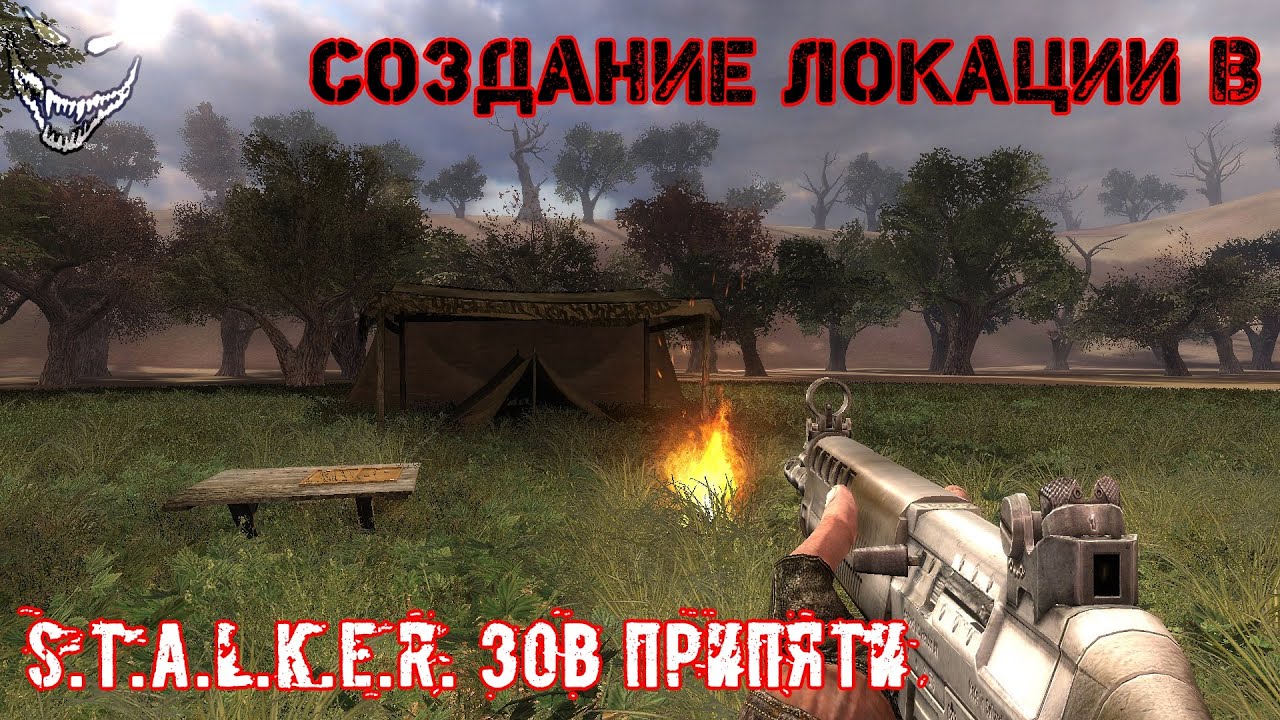
Приветствую всех на своём новом канале. Это видео посвящено созданию локации в игре S.T.A.L.K.E.R. Зов Припяти со всеми её компонентами - такими, как шейдеры, маска, детали и т.д. Ссылки на нужные софты, которые трудно найти - ниже:
X-Ray SDK 0.7: https://www.playground.ru/files/s_t_a_l_k_e_r_zov_pripyati_x_ray_sdk_0_7-43279/
Шаблонное интро (i...
wanton topaz
Ah ok cheers- does it explain everything etc or leave loads for you to find out yourself?
surreal gust
wanton topaz
Ah ok cheers- does it explain everything etc or leave loads for you to find out ...
pretty much everything
including how to texture the terrain
how to set different materials
after you're done with that i'd also recommend his channel
wanton topaz
surreal gust
pretty much everything
I have made a LOAD of my own models too btw- buildings etc.
surreal gust
on how to make ai work properly
This is the guide for porting a level to anomaly
Not made by me
wanton topaz
How would you describe the process..? Is it very difficult-awkward or pretty smooth and streamlined if that makes sense?
surreal gust
This text guide isn't explained perfectly
wanton topaz
This would primarily be made for GAMMA but I take it that means it has to go via Anomaly anyway yes?
surreal gust
But I will help you when I can
surreal gust
wanton topaz
This would primarily be made for GAMMA but I take it that means it has to go via...
GAMMA is a modpack for anomaly
wanton topaz
surreal gust
But I will help you when I can
Appreciated.
wanton topaz
If possible, what would you say the timeframe is for making a level about the size of Zaton?
surreal gust
You will need this to merge the spawns together so that it works properly for anomaly
surreal gust
wanton topaz
If possible, what would you say the timeframe is for making a level about the si...
Stalker levels are measured in real life size
so 800x800 long terrain from Blender exported to SDK
It will be 800 meters long
Firstly, watch the video and after you're done make sure it works for call of pripyat
Then after that watch his other videos on what you need
And then read the guide from here
At 16.1 is where the modding tools are listed
This includes the SDK
wanton topaz
Ok will do. Once I’ve seen them I’ll have to decide wether I’ll have the time needed for this really. Could you say roughly how long a map like Zaton would take someone?
random fulcrum
port doom's e1m1 to stalker anomaly
surreal gust
Make sure the SDK you download is 0.7 version or modified 0.7 version
Anything below that will not work
wanton topaz
surreal gust
Anything below that will not work
Could you say roughly how long a map like Zaton would take someone?
Just as a rough guide?
surreal gust
wanton topaz
Could you say roughly how long a map like Zaton would take someone?
to make?
wanton topaz
Yes
wanton topaz
What maps have you made/are making?
surreal gust
I'm making one which is already work in progress
I'm just testing the terrain mostly
wanton topaz
Promzone?
surreal gust
Nope I'm making my own
wanton topaz
Ah ok
surreal gust
Why would I use an existing map made by some team lol?
wanton topaz
Could use something like Gaea to do a Terrain?
wanton topaz
surreal gust
Why would I use an existing map made by some team lol?
Sorry- I thought it might have been your map.
surreal gust
wanton topaz
Could use something like Gaea to do a Terrain?
I only used blender
I generated the terrain using A.N.T landscape
wanton topaz
surreal gust
I only used blender
Ah ok
surreal gust
And heavily modified it using sculpting
Some terrain pics


These are from the last time I touched the map
About 5 days ago
wanton topaz
surreal gust
These are from the last time I touched the map
Nice..! Good to see that..!!
surreal gust
The terrain itself is about 130k polygons
Since I want to avoid the blocky edges
that you would get without smoothing it
wanton topaz
Is there an ideal- say like 1x1 meter per poly for Terrain or something?
surreal gust
I dunno much about Blender
wanton topaz
Ingame I mean
surreal gust
What do you mean
wanton topaz
 surreal gust
By materials?
wanton topaz
No, so each poly of the terrain equals 1x1 meter. Is there a guide how big to make each poly?
surreal gust
I don't know if there is one.
wanton topaz
Ok- normally 1x1 meter is a nice base to start with.
surreal gust
I really hope to finish my map
Every day when I progress I just feel like the terrain isn't good enough or done yet
The hardest part is the AI
wanton topaz
Yeah- keep going with it. Ask others about the AI maybe?
surreal gust
Since you have to config every smart terrain .ltx to your liking
I know how to the ai
It's not really easy
wanton topaz
So it involves coding sort of too?
wanton topaz
Ah ok
surreal gust
Smart terrains (for gameplay reasons)
Graph points (where npcs travel to another location when inside or outside of online state and for travelling to another graph point when offline)
Way points (used for telling what should npcs do, like patrols)
Smart covers (animations used mainly in bars)
Not all of these are required
But if you want to make ai work properly then you need to do these
wanton topaz
So making the map visually- placing trees and buildings etc is fairly easy. BUT, doing the AI side of things is the really difficult part? Is that correct?
wanton topaz
surreal gust
But if you want to make ai work properly then you need to do these
Either way- thanks for taking the time to explain mate, really appreciate it.
surreal gust
wanton topaz
So making the map visually- placing trees and buildings etc is fairly easy. BUT,...
Yes
Also if you added a lot of objects in an existing AI map
wanton topaz
I’ll go thru the vids and see what I think.
surreal gust
Rebuild the ai map again
since the ai map is where npcs can move
To add a node you need to use the "Add" button
And click generate full on the sdk
Make sure you have created a snap list for the terrain
wanton topaz
Ah- that video only has Russian generated Captions
wanton topaz
Ah ok..!
naive snow
@open oasis So I dug a bit, you only really need to import a set of arms, and an .omf (select the motion you want) and you can start disecting the animations.
Ex: the coffee drinking animation on a pair ofarms
Some animations also have a camera movement animation packgaged as .anm
 open oasis
oof this looks complicated
even more so for a non-native speaker, i don't even know what a "clavicle" is lmfao
 naive snow
open oasis
even more so for a non-native speaker, i don't even know what a "clavicle" is lm...
naive snow
open oasis
even more so for a non-native speaker, i don't even know what a "clavicle" is lm...
It's just the collar bone FYI


Maybe this display will be better. FYI bones are kinda wonky in their display maner with Xray and blender
 surreal gust
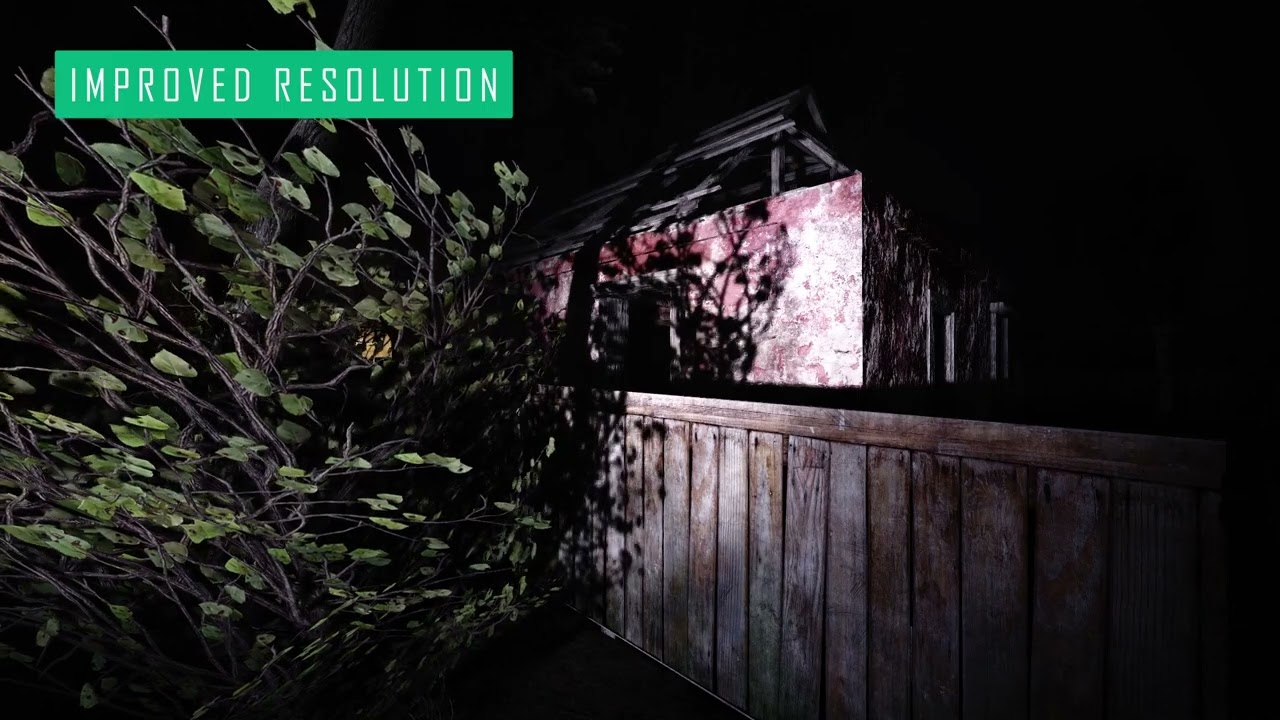
Preview of SSS update 19. New option to adjust the resolution of shadows for non-directional lights.
Early access version of the update 19 is now available for all the Ko-fi members. https://ko-fi.com/ascii1457
https://www.moddb.com/mods/stalker-anomaly/addons/screen-space-shaders
damn
slow bolt
You can ignore the camera Animarion and use the existing one
obsidian void
grizzled gorge
https://www.moddb.com/mods/stalker-anomaly/addons/151-banjajis-crafting-system-i...
Woah. This is amazing. Dude is leaving gammas crafting system in the dust
static nebula
naive snow
<@162971420782100480> So I dug a bit, you only really need to import a set of ar...
fyi, if you plan to create new animations it's better to use a rig than the in-game arms
naive snow
static nebula
fyi, if you plan to create new animations it's better to use a rig than the in-g...
Do you know where the rigs are?
static nebula
there's a couple pinned in the modding arts channel in the anomaly server, i can send the one i use if you like
naive snow
I'll check those out later
somber ember
naive snow
Make sure you have the Blender opening through your MO2, so your C:\Anomaly is p...
I cannot get the gamedata folder to open It says

And the same for some other ones
naive snow
somber ember
I cannot get the gamedata folder to open It says
How are your paths lookin in the addon?
somber ember
 naive snow
somber ember
naive snow
somber ember
You didn't fill out any of the paths, that's why
naive snow
somber ember
You probably should also pick the actual anomaly fsgame.ltx file in the anomaly folder instead of moving stuff to your desktop too
somber ember
ok
But when I select my fs ltx file it says " Error ltx file has no parameter $objects$"
slow bolt
Use mo2 and launch blender through it
somber ember
I launched it through blender this whole time but still no difference
naive snow
somber ember
But when I select my fs ltx file it says " Error ltx file has no parameter $obje...
Yeah it simply means that your fsltx file doesn't have an entry, populate the paths like I showed you with mine
somber ember
I am a noob, so this just means write everything like on yours correct?
naive snow
Click on the folder icon, then on the cog next to it and find the same folders and shaders in your anomaly. You can use mine as a reference
somber ember
cog?
naive snow
For the shaders, if you don't have the SDK 0.7 installed you'll have to grab those from the _unpacked folder of your anomaly. Meaning you have to go to C:\Anomaly\Tools and run "db_unpacker_all.bat"
This will create a _unpacked folder in the same place. What I advise you is to move the content of that folder to a new mod (create an empty folder, name it how you want in your C:\Gamma\mods) create a "gamedata" folder there and move the content of your _unpacked folder in there. Refresh your MO2 and enable that new mod. Relaunch blender and now when you select your paths you should have all the required folders


Make sure to turn off that newly created mod when you actually launch the game
These are the shaders

 naive snow
somber ember
naive snow
somber ember
You have to enter the paths yourself by clicking on the folder
somber ember
what do i pick for ltx because it still says Error ltx file has no parameter $objects$
Me noob
naive snow
Just leave it as is, the fs ltx only points to the other paths. It's meant to fill the other fields for you
Fill out the red fields
somber ember

filled in one and this happned so what do i do for engine shaders and compile shaders file
naive snow
Now do the whole step I mentioned here for the other 3 things #╙🖇mods-making-discussion message
somber ember
I already done it
naive snow
Then go fetch the correct shader files like I have in mine(check the names and find yours
somber ember
ok
naive snow
They should be at the root of your Gamedata folder
naive snow
somber ember
can't find the engine and compile shaders file
You did move the _unpack folder content to a mod, enabled it in your mo2 and restarted Blender right?
somber ember
yes
naive snow
Can you find the files in your mo2 hierarchy?
 naive snow
Just create an empty folder named Gamedata at the root of your blender mod
Shove the other folder in there
somber ember
what other folder
naive snow
The content of the _unpacked


 naive snow
Now refresh your MO2, the red x should be gone
Relaunch blender and you should be able to find them now
somber ember
ok

worked like a charm
now i can open ogf files and the textures and colors will folow along right
?
naive snow
Set your object folder, it's inside of the gamedata/meshes folder
somber ember
ok
naive snow
But yes you should be able to import models now with textures

 somber ember
ogf
naive snow
somber ember
ogf
I meant the Path of the file
 somber ember
1.ogf
naive snow
If you have the right paths, you should have this:
 somber ember
how
naive snow
Are your paths still properly set and you're still running the blender mod yeah?
somber ember

 river fjord
🥹 why the fuck do you have anything related to blender in mo2
somber ember
 naive snow
river fjord
🥹 why the fuck do you have anything related to blender in mo2
naive snow
river fjord
🥹 why the fuck do you have anything related to blender in mo2
Its how he named the _unpacked DB folder for the right virtualization of his Anomaly content
naive snow
somber ember
From this I'm guessing you you installed your Anomaly game in your C:\User\olegl\Documents\ correct?

 naive snow
somber ember
naive snow
somber ember
Can you look in the files of your Blender mod, if it's there

 naive snow
somber ember
I moved it their
naive snow
somber ember
I moved it their
When you say you moved it there, did you follow all of the moving steps from: ? #╭📖faq message
Or did you just move the folder and thats it?
 naive snow
somber ember
moved folder and that it but
naive snow
somber ember
moved folder and that it but
Well if you only moved the folder you probably fucked up your whole MO2 and thats why the paths are broken
naive snow
No just follow the #╭📖faq message
Move your Anomaly and Gamma properly
You can probably skip the deletion of your Mods folder inside of Gamma, just delete the mod organiser .ini and reset the path of your MO2 through the Gamma launcher
Why did you even move it in the first place?
naive snow
Yeah moving the anomaly folder will break MO2
MO2 is still trying to path everything to your previous location, it's messing up the internal paths of blender too probably
So do the Steps for Moving Anomaly and do the Last steps in the third section (the gamma launcher stuff)
somber ember
ok will do it later and tell you when I am done thank you so much for the help so far
🫡
naive snow
 Dont give up
 turbid lily
Is there a larger version of the indicators for Cr3ips icons?
 half coyote
Am sorry to ping you out of the blue but i could use your help with your nvg mod. Put simple everytime i turn on the nvgs i may as well use a flashlight i have tried messing with the settings for the mod i have turn the shaders off and then back on the only thing i havent done was delete the shader cache. If you dont mind i could use your help thank you.@mystic solstice
naive snow
half coyote
Am sorry to ping you out of the blue but i could use your help with your nvg mod...
You should rather ask in #🔨base-gamma-support first before pinging a modder directly, especially if it's a mod part of vanilla gamma
somber ember
naive snow
MO2 is still trying to path everything to your previous location, it's messing u...
It did not change still not texture and not colors
Don't kow what to do now
naive snow
somber ember
It did not change still not texture and not colors
Do you see the texture in your mo2?
If not that means the link from moving your Anomaly is still broken
 naive snow
Those are the meshes, what about the texture?
somber ember
 naive snow
And if you launch blender now, can you import a model correctly?
somber ember
i don't think so but this is what i get when i import a model
 naive snow
Hmmmm and are your paths still going and pointing to the moved Anomaly folder?
somber ember

 naive snow
Try setting a FS Ltx file, find the one from anomaly
Use the one from your Anomaly folder and set back every other folder manually like you did previously
somber ember
were can i find one Gamedata?
naive snow
Yeah or the folder above it in the Anomaly folder
somber ember
can't seem to find one
naive snow
 somber ember
I don't think i have a fs ltx file
naive snow
Here's mine, place it in your anomaly folder
naive snow
Where was it?
 naive snow
somber ember
but know as i put it in
naive snow
somber ember
but know as i put it in
Rename it and reassign the folders properly
somber ember
ok
still the same thing

should I reinstall gamma, anomly, blender, and the pluging and restart?
Or is their something that I am missing
?
naive snow
somber ember
still the same thing
Yeah thats normal, you still need the fill in your FS LTX file. Just like that, now fill in every other path like you did previously
somber ember
When i select lets say the gamedata folder the error pops out and dose not fill it out
naive snow
Which version of blender are you running?
somber ember
blender 2.8
naive snow
Could be worth updating, I'm on 3.6
somber ember
Ok I will do that
naive snow
If all else fails, delete and reinstall anomaly and gamma. Otherwise you'll have to reassign every single texture by hand
somber ember
ok
somber ember
same thing
naive snow
Can you not enter the paths?
static nebula
somber ember
When i select lets say the gamedata folder the error pops out and dose not fill ...
what error is it giving?
naive snow
It's just about the fsltx missing an entry for $objects$
static nebula
ah
naive snow
He should still be able to define the paths for the various folders. Thing is, he moved his whole Anomaly folder, so MO2 is kinda fucking around at the moment so it might be bad virtualization of the paths
Could be the fact that he moved his Anomaly to his Documents folder, windows isn't liking that path or something
static nebula
honestly unless they're working with like a hundred different models i would just set up the textures manually as opposed to going through the trouble of reinstalling or whatnot 😅
static nebula
naive snow
Could be the fact that he moved his Anomaly to his Documents folder, windows isn...
very well could be it, i recall a while ago that someone was having issues with their installation because the file paths were just too long for windows to handle
naive snow
But the import will fuck up since he doesn't have the shader files either, the whole shader, compile and material option will also need to be filled out manually
Generally it's just a pain
Windows shouldn't be encountering path problems due to character limitation before 263 characters or something. My Documents tho might have blockers in place with path virtualization
Anyhow
somber ember
I got it to work
somber ember
 random fulcrum
Stephua Purpleface
somber ember
yep
naive snow
What did you do differently?
somber ember
I first filled out the game data and the rest and at last i did the fs ltx
somber ember
naive snow
What did you do differently?
Thank you for your time and your help
naive snow
somber ember
Thank you for your time and your help
No problem, have fun with your project
 strange mesa
Is there any built in real timer performance profiler for this people use? I want to watch in runtime what is taking up what proportion of ms for the games update loop.
In this channel becuse its for making a mod.
strange mesa
Ok thanks
somber ember
naive snow
No problem, have fun with your project
🫡
 limpid geyser
I'm trying to fix up the 5.45 Nimble Groza so it actually has the proper Groza fire sounds the base version uses.
There're like 3 different config files for groza in Gamma mods 
Ig I just edit whatever's higher priority
fair inlet
limpid geyser
I'm trying to fix up the 5.45 Nimble Groza so it actually has the proper Groza f...
fix? I did that intentionally 
See mod_system_z_weapon_sounds_wstfg_ar_wp
regal bolt
Can someone fix the Knot degrading in % when using normal map transitions, it loses like 3% each time
considering that advance time during transition of maps is disabled.......
limpid geyser
fair inlet
fix? I did that intentionally <:keksad:995320997425205268>
See `mod_system_z_we...
Hey, thanks a bunch. I didn't know about that config. 
aks74u sounds icky to me
fair inlet
limpid geyser
Hey, thanks a bunch. I didn't know about that config. <:PepeHappy:91997301035671...
yeah they are getting replaced next update, new ones are not great but still better I guess
surreal gust
wanton topaz
Ah ok..!
Also one last detail I forgot.
In the spawn merge tool
When you open it there are 2 files
configs and spawns
They are empty.
Make sure to unpack the configs file from anomaly db folder (not gamma)
And put it there in the configs folder
And unpack the spawns too
Take the all.spawn file and put it in the spawns folder
Otherwise it will not work
wanton topaz
surreal gust
Otherwise it will not work
Cheers man..! So many things to consider..!
 edgy belfry
I need some help please. I want to just change the size of the cz52 because it is fucking tiny compared to how it should be so should i use blender? How do I go about changing the size of a weapon model?
naive snow
You'll need to edit the .ogf with blender and modify all of the corresponding models and armatures. Probably tweak the animations to fit the new size too
edgy belfry
Thank you, sounds a lot more complicated than I thought
regal bolt
Not really a mod, but making a spreadsheet. Haven't done much yet, just set it up. Thing is, I don't know all of this info off the top of my head and getting it all at once can be a pain in the ass.
If anyone (who plays with BLACK MARKET enabled) would like to contribute, let me know. Think this could be a handy guide.
https://docs.google.com/spreadsheets/d/1xMYqpEt3Zc7xIS7Qfb4rl4hoqtKHNmw4x8WDHrSrLHM/edit?usp=sharing

Google Docs
Sheet1
Trader,Tier 1,Tier 2,Tier 3,NATO,Warsaw,Nogunz!,Location
Dushman,Dead City (Merc Base)
Skinflint,Army Warehouses (Freedom Base)
 misty mulch
edgy belfry
Thank you, sounds a lot more complicated than I thought
misty mulch
edgy belfry
Thank you, sounds a lot more complicated than I thought
orrrr you could just read off the config files in that mod, e.g. black market mod folder\gamedata\configs\items\trade\presets
regal bolt
misty mulch
orrrr you could just read off the config files in that mod, e.g. `black market m...
i managed to find the info in \gamedata\scripts (dialog_blackmarket.script) but it doesnt have the actual names of the traders. i think i'll be able to work with it though
misty mulch
yeah ["jup_b6_scientist_nuclear_physicist"] this is the name of the trader's squad
for example esc_2_12_stalker_trader is almost certainly either loris or xenotech because "escape" is the name for Cordon and "stalker" = loner
regal bolt
i think its Loris since xenotech isnt a black market guy
i do remember talking to Loris and he refuses to trade guns so this lines up
misty mulch
other traders are either randomly named or straight up have their set names in that dialog file
misty mulch
regal bolt
i managed to find the info in \gamedata\scripts (dialog_blackmarket.script) but ...
found it btw. if you simply search the file configs/text/eng/st_characters.xml (either from unpacked game files or GMTOP i guess) for the strings e.g. esc_main_base_trader_mlr you'll find their names
not 100% guaranteed esp for the randomly spawned ones
but it'll get you close
regal bolt
i found a more ghetto solution of going in-game, turning on map debug, and mousing over the trader squads on the map
misty mulch
really the trick is using something like notepad++ find in files feature
misty mulch
regal bolt
i found a more ghetto solution of going in-game, turning on map debug, and mousi...
did you get them all? because i have the full list of names
misty mulch
regal bolt
i found a more ghetto solution of going in-game, turning on map debug, and mousi...
dialogs_table = {
    Sidorovich (Cordon)        = "blackmarket_no",
    Loris (Cordon)            = "blackmarket_no",
    Flea Market traders        = "blackmarket_no",
    Butcher (Garbage)        = "blackmarket_no",
    Prof. Hermann (Jupiter)        = "blackmarket_eco_3",
    Prof Sakharov (Yantar)            = "blackmarket_eco_1",
    Dushman (Dead City)        = "blackmarket_any_1",
    Meeker (Outskirts)        = "blackmarket_any_2",
    Krolik (Outskirts)        = "blackmarket_any_2",
    Stribog (Red Forest)        = "blackmarket_any_1",
    Vector (Zaton)            = "blackmarket_any_3",
    Olivar (Outskirts)        = "blackmarket_any_3",
    Olivius (Dark Valley)        = "blackmarket_wp_1",
    Cutter (Darkscape)        = "blackmarket_wp_1",
    Flea Market traders (night)    = "blackmarket_wp_1",
    Truck Cemetary Bandit Trader    = "blackmarket_wp_2",
    Gen. Petrenko (Rostok)        = "blackmarket_wp_2",
    Major Zhurov (Cordon)        = "blackmarket_wp_2",
    Forester (Red Forest)        = "blackmarket_wp_3",
    Klenov (Jupiter)        = "blackmarket_wp_3",
    Sergeant Spooner (Agroprom)    = "blackmarket_wp_3",
    Cashier (Outskirts)        = "blackmarket_wp_3",
    Nimble (Zaton)            = "blackmarket_wp_3",
    Spore (Great Swamp)        = "blackmarket_nato_1",
    Skinflint (Army Warehouses)    = "blackmarket_nato_2",
    Ashot (Jupiter)            = "blackmarket_nato_3",
    Major Hernandez (Jupiter)    = "blackmarket_nato_3",
    Major Hernandez (Darkscape)    = "blackmarket_nato_3",
    Owl (Zaton)            = "blackmarket_nato_3",
}
 naive dew
anyone know why certain sound effects (disassembling items, repairing equipment, opening/closing artifact boxes, etc) are all using generic sounds instead of their specific sfx?
regal bolt
misty mulch
did you get them all? because i have the full list of names
had to afk for a bit thanks, gonna fill these in to the spreadsheet
regal bolt
misty mulch
```
dialogs_table = {
Sidorovich (Cordon) = "blackmarket_no",
Lor...
theres a 4th type of blackmarket on this list im not too sure about
nato
wp
any (nato+wp of course)
eco
eco im unsure what that actually implies
im guessing they sell armors but no guns
but i'll have to confirm in game
misty mulch
this is where you go diving into the script
misty mulch
regal bolt
eco im unsure what that actually implies
go read the gamedata/configs/text/eng/st_dialogs_blackmarket.xml file
regal bolt
ah thanks, i'll note that they buy NATO but don't sell
misty mulch
and if you want the specific tiers, seems like they're in configs/items/trade/presets/blackmarket_trade_presets.ltx - it also includes weapon buy and sell presets
naive snow
@simple scaffold is the math for icon rotation for when items are equipped fully done in the aaa_rax_icon_override_mcm ? Utjan pointed me to look at Maid's icons to try and figure out why silencers get a slight X offset when held vertically in the equipment slot vs when in the inventory horizontally
 simple scaffold
naive snow
<@155830872027693057> is the math for icon rotation for when items are equipped ...
simple scaffold
naive snow
<@155830872027693057> is the math for icon rotation for when items are equipped ...
icon overide fixes the placement of the silencers when the gun is rotated. a bug in vanila that get worse the wider your monitor.
utjan tested with icon overide installed
naive snow
I'm seeing some changes of the 11 december vs the 18 october version on the Rot mat, Maid's uses the 18 oct version
open oasis
regal bolt
Not really a mod, but making a spreadsheet. Haven't done much yet, just set it u...
hey, i haven't read the rest of the conversation, only noticed the link: this is not the complete mission, right? some of the info is wrong
regal bolt
open oasis
hey, i haven't read the rest of the conversation, only noticed the link: this is...
finishing it up rn
open oasis
the trader at Flea Market does eventually sell Warsaw weapons
so "Nogunz!" there (which i assume is for traders who don't sell guns?) is wrong
the day trader i mean
regal bolt
I have one entry for day and one for night
simple scaffold
naive snow
I'm seeing some changes of the 11 december vs the 18 october version on the Rot ...
oh, yeah use the newer version. always. (now i'm wondering how i didn't get the 11dec update onto my github. send me that pls, my PC is trying to set itself on fire so i can't get at my modding files)
open oasis
yeah so the day one is set to "Nogunz!"
he does sell guns if you raise his supply level
the guy who sits at the top floor
regal bolt
even in the day?
open oasis
yeah i have never gone there at night, i'll post a screenshot for you
regal bolt
kk
naive snow
simple scaffold
oh, yeah use the newer version. always. (now i'm wondering how i didn't get the ...
This is the one from the Moddb page
simple scaffold
naive snow
I'm seeing some changes of the 11 december vs the 18 october version on the Rot ...
i had do do a lot of work with that. the rotation math is hard because there are two sets of coordinate transforms involved and some of the math has to happen in one system and some in the other. i got it wrong a few times
naive snow
With both version of the file on a 16:9 ratio the offset still seems to be off

Wondering if I can just punch in a cheeky -2 on the new x value, do it reallll dirty
open oasis
actually hang on @regal bolt
is the night trader the one who sleeps inside the little shack during the day?
regal bolt
i think so
open oasis
the day one up top doesn't sell weapons but the one who's sleeping at the bottom does
that's what i meant
i can talk to him during the day
regal bolt
coul you give me the name of each one?
open oasis
the names are random Loner names i believe
regal bolt
ah ok
open oasis
i might be wrong
regal bolt
i'll check what they are in my save
open oasis
the day one was named Dmitro Paddle and the night one was named Nik Rusty
those sound like typical generated Stalker names
regal bolt
yeah ok the guy up top in my saved is Yurik Bug-eyed
open oasis

just to demonstrate this does works, i don't know if i'm meant to be able to talk to him during the day, i have the "No trade with random stalkers" mod off
it's 4pm in the recording
but i don't think it's Tier 1 selling?
simple scaffold
naive snow
With both version of the file on a 16:9 ratio the offset still seems to be off
what does it look like without utjan's mod?
naive snow
simple scaffold
what does it look like without utjan's mod?
This is with it off
regal bolt
open oasis
but i don't think it's Tier 1 selling?
both of those weapons in your menu with him are indeed only tier 1
and warsaw
so i think its correct at the moment
i wish there was a less confusing way to list them but i'll stick with day and night for now
open oasis
oh does Tier reference the weapons themselves? i thought it was a different term to say "Supply level"
regal bolt
open oasis
oh does Tier reference the weapons themselves? i thought it was a different term...
with the black market mod, guns are categorized in to tier 1, 2, and 3, ascending in value
regal bolt
so like an AKM or a basic TOZ is a tier 1
open oasis
i thought you mean which supply level unlocks selling guns
regal bolt
and a vector smg would be a tier 3
simple scaffold
naive snow
This is with it off
any chance you feel like makeing a gun icon that is a grid and scope that is just a rectangle? i think the rotated might be off in both directions. being able to visualize it easier would help. (i have no gamming PC right now. so i can't do any of this myself)
naive snow
simple scaffold
any chance you feel like makeing a gun icon that is a grid and scope that is jus...
Sure, let me finish some other work real quick and I'll get you some .dds for it
simple scaffold
naive snow
Sure, let me finish some other work real quick and I'll get you some .dds for it
i can't run the game, computer fills the room with burning plastic smells when i turn it on. you will have to edit maids addon to use those dds for the gun you are testing. and test it on your comp. Like i can help. i just can't actualy do anything directly myself
naive snow
simple scaffold
i can't run the game, computer fills the room with burning plastic smells when i...
Yeah no worries I'm comfortable doing that. I'm not actually running Maid's icon, just whatever is in base GAMMA so that'd be the December version from Tiskar's
open oasis
naive snow
Yeah no worries I'm comfortable doing that. I'm not actually running Maid's icon...
(base GAMMA is Cr3pis' i believe)
naive snow
open oasis
(base GAMMA is Cr3pis' i believe)
No I meant the actual aaa_rax_icon_override script is from Tiskar's, the icons
 simple scaffold
naive snow
No I meant the actual aaa_rax_icon_override script is from Tiskar's, the icons
simple scaffold
naive snow
No I meant the actual aaa_rax_icon_override script is from Tiskar's, the icons
I have old grok to get rid of the version without the _mcm it is out of date should not be used
They are probably fighting that might be your problem
naive snow
The other without _mcm is an empty script file
naive snow
simple scaffold
I have old grok to get rid of the version without the _mcm it is out of date sho...
There we go

The vertical silencer sits "lower on the center line" by 1~2 pixels, it's just enough to off center some of the thin silencers
Here so it's easier to see
 random fulcrum
THE LED RIFLE
simple scaffold
naive snow
Here so it's easier to see
so the scalling is fixed. (gun isn't streched) (i assume you are not running 4:3 screen ratio)
and the problem seems to only be in one axis. interesting
naive snow
simple scaffold
so the scalling is fixed. (gun isn't streched) (i assume you are not running 4:3...
I haven't tested yet with scopes but I suppose they'd be subject to the same thing? Unless it's the actual icon of the gun that sits higher itself
Yep scope too, you can see the white peaking overthe ekp 8-18

So it seems to be the actual gun icon that is shifted 2 pixels to the left when equipped
simple scaffold
naive snow
get rid of both of the icon overide scripts here. put this one in: https://github.com/RAX-Anomaly/MagsRedux/blob/main/wuuts_icons/gamedata/scripts/aaa_rax_icon_override_mcm.script
naive snow
Still a problem

Can't easily remove the non-mcm verson, because 3 other mods write to it in GAMMA
Unless MO2 lets you specify a file to consider as "deleted"
Ah actually you can hide a file
simple scaffold
yeah just keep hiding it. until it isn't getting put in
i messed up my dating. there are two 11oct versions of the file. one is actualy 25jan
naive snow
Nay, same thing
 simple scaffold
naive snow
Nay, same thing
simple scaffold
naive snow
Nay, same thing
what happens with no icon_overide at all?
 gritty lichen
can someone give me a pointer as to which files I should look for if I want to edit the starting loadouts?
nvm, found the loadouts addon
naive snow
simple scaffold
what happens with no icon_overide at all?
Same thing? Which is puzzling 

I'm wondering if it's not that icon rotation fix thing
 simple scaffold
naive snow
Same thing? Which is puzzling <:kekwait:919974044466557050>
simple scaffold
naive snow
Same thing? Which is puzzling <:kekwait:919974044466557050>
geb the icon rotation fix script.
naive snow
So the sight seems better, albeit a bit higher on the Y, but the X seems good. The Silenecr tho is fully off

Also gun is now stretched
simple scaffold
send me that script? pls. it is doing something similar to icon override, and probably breaking icon override while it is at it.
not that icon override is perfict. i am now 90% sure i aceditenly reverted a bunch of changes or never put them to the github.
fortunately i have notes i will need to fix it. just not a working comp to test it on when i do
naive snow
just remove the .mohidden at the end
The rotation stuff is different, doing some funky number stuff
 simple scaffold
naive snow
The rotation stuff is different, doing some funky number stuff
simple scaffold
naive snow
The rotation stuff is different, doing some funky number stuff
yeah, but that's from my final version of icon_overide. this is literaly just the rotation and ratio fixing parts of icon override.
or it was. they made some changes. i need to figure out if any of that would shift attachemetns
simple scaffold
naive snow
The rotation stuff is different, doing some funky number stuff
there are two instances of * 1.02 delete them and reenable that script.
naive snow

 simple scaffold
that script will make icon_overide not work when the icon size is changed.
naive snow
Heck yeah, paydirt. Well fucking done
simple scaffold
naive snow
<:Chadge:1093506535998627892>
yeah someone was playing with math they did not understand
naive snow
simple scaffold
that script will make icon_overide not work when the icon size is changed.
So it would mess with Utjan's stuff?
simple scaffold
naive snow
So it would mess with Utjan's stuff?
not the newest versions. he scales the texture but doesn't change the item cell dimensions.
by size I ment that, the number of cells it takes up. like how many bandages it is wide or tall. if someone changes that with icon_override this script will break that.
but as long as all that is changed is the icon it will work.
 simple scaffold
some of maids icons change the cell size and might have this problem.
naive snow
So for now I'll propose the removal of the two values you mentionned, should the script be removed in favor of yours?
simple scaffold
naive snow
It does feel like it's squishing the weapon in the inventory weirdly
it gets a bit smaller. when you add a scope that goes off the edge like this one. so that the scope stays in the cell.
naive snow
simple scaffold
it gets a bit smaller. when you add a scope that goes off the edge like this one...
Yeah but it feels like it's only squishing on the X axis, not the Y
But I might be insane
Okay no it does scale on the Y too
 simple scaffold
naive snow
Yeah but it feels like it's only squishing on the X axis, not the Y
simple scaffold
naive snow
Yeah but it feels like it's only squishing on the X axis, not the Y
too small a change to tell. i'd lean toward utjan not making that mistake. particuarly since i know it can scale a 1x3 icon to fit in a 1x2 cell wtihout making it look squished
slow bolt
naive snow
Okay no it does scale on the Y too
Red symbolises your degrading mental state?
naive snow
So we should keep both your script active (even tho it seems inactive or overriden) and that utils_ui_icon_rotation_fix_mcm.script with the corrected values?
naive snow
slow bolt
Red symbolises your degrading mental state?
I have been looking at weapons for far too long
 hybrid forum
naive snow
hybrid forum
naive snow
I unironically like this. Is this just to keep the game from crashing while you work on the model or something?
simple scaffold
naive snow
So for now I'll propose the removal of the two values you mentionned, should the...
remove those numbers in that script it can stay for ppl that don't use icon overide for now. i will cook up a compatablity fix. also if you are getting changes to gamma made: get rid of the non _mcm version of icon override.
naive snow
@slow bolt did Geologist ping you for the screen_res parameter or the m_hud_params problems on DX8 ?
slow bolt
naive snow
<@214161976534892545> did Geologist ping you for the screen_res parameter or th...
naive snow
simple scaffold
remove those numbers in that script it can stay for ppl that don't use icon over...
Alrighty, I'll tell Grok in #1092834455300866068
simple scaffold
I will update icon override to have these changes like it should have had years ago. and publish it. i'll let you know when i do. at the same time i'll make a way for that other script to not break when icon cell dimesnons are changed.
is grok telling ppl to vote for anomaly on moddb?
slow bolt
simple scaffold
is grok telling ppl to vote for anomaly on moddb?
dont think so
but i am also pretty sure Anomaly is competing against nothing too
simple scaffold
slow bolt
but i am also pretty sure Anomaly is competing against nothing too
this is site wide. so anomaly is compeating with morowind rebirth. and doom infinite
slow bolt
Well, ngl grok should have said something then
simple scaffold
anomaly was second last year
celest forge
slow bolt
but i am also pretty sure Anomaly is competing against nothing too
You'd be surprised
simple scaffold
@undone lily not trying to help anomaly win mod of the year? 😦
celest forge
Despite GAMMA's popularity, most people here don't even check ModDB and a decent population don't even know Anomaly is GAMMA's base
The amount of times people ask for a mod and someone goes "this has been in ModDB for months now" and the responde is "WOAH I DONT EVEN CHECK THAT EVER"
While other fan bases of mods are entirely rooted in ModDB and check it constantly for updates of the mod
slow bolt
celest forge
Despite GAMMA's popularity, most people here don't even check ModDB and a decent...
Anomaly is a fork of Gamma with no mods and worse graphics
slow bolt
celest forge
While other fan bases of mods are entirely rooted in ModDB and check it constant...

i'd say we are very aware of moddb
i dont check it. Because this thing exists
random fulcrum
but it doesn't show when mods are updated
 random fulcrum
okay
celest forge
slow bolt
i'd say we are very aware of moddb
This takes away any traction for the site that this server could influence
If this wasn't a thing and people actually went in and checked the actual site the first thing they would see right the header would be the thing telling you to vote for anomaly
Lmao
slow bolt
Well yes, but this bot only posts new mods.
I much rather have it than not
celest forge
Still, it takes away all the traction that this server could possibly have on ModDB
Which would be a lot considering this place is nearing the user limit for a discord server lol
slow bolt
That bot is also how i know that NPC Revenge mod got rage deleted by its creator and reposted, who is now saying it never existed before lmfao
strange mesa
I have a career programming background, trying to get into how these lua scripts work.
Just wanted to ask if anyone has gotten breakpoints + some IDE to work yet?
Reading over all the scripts i have so far, everyone just seems to very verbose output to debug console.
slow bolt
its lua, so most IDEs work
Breakpoints wont work, as you need the whole goddamn game to lauch and run. And no IDE integration there
Maybe SDK
strange mesa
I see thankyou
undone lily
simple scaffold
<@145883656500543489> not trying to help anomaly win mod of the year? 😦
done
undone lily
random fulcrum
but it doesn't show when mods are updated
no because the RSS feed doesn't work for updated mods
random fulcrum
 slow bolt
undone lily
no because the RSS feed doesn't work for updated mods
slow bolt
undone lily
no because the RSS feed doesn't work for updated mods
But it could
though idk how this one was done. I tried but decided not to mess with zapiers 9999999 functions and even more configs
random fulcrum
it really shouldn't
slow bolt
But.. but.. updates to Hip's hips mods?
random fulcrum
click the updated tab in moddb
undone lily
slow bolt
But it could
ask moddb to change it
slow bolt
Wait, it uses moddb something? well then
undone lily
yes
slow bolt
I assumed it was something 3rd party that checked new releases every x minutes(which is why it would be easy to post updates)
nvm then
 vestal pier
Hi, could someone tell me what is the name of "Hardcore aim" file?
strange mesa
vestal pier
Hi, could someone tell me what is the name of "Hardcore aim" file?
scripts/ui_options.script
It just looks like it changes the config values raw then and there within the options file
With a bunch of executed console commands for ai aim options
vestal pier
strange mesa
scripts/ui_options.script
Nice, thank you 👍
 soft burrow
yo what's the deal with math.atan()?
it's giving me weird results, all different to how it works in online lua compilers


I'm inputing the z and x coords of the REL_POS vector, just to be clear. Already tried switching them around, still get weird results.
 slow nexus
le mao
 steady apex
soft burrow
steady apex
soft burrow
All inputs of trigonometry functions are radians
steady apex
simple scaffold
<@145883656500543489> not trying to help anomaly win mod of the year? 😦
Does it deserve that?
Literally nothing happened to anomaly this year
open oasis
hi @simple scaffold, i did my best not to bother you but i simply am not experienced with syntax enough to solve this on my own, since the entry of MCM on the modlist is yours i thought you might be able to help:
i am trying to get rid of the space in the image below by aligning the text to the left as far as it can go, however nothing that i tried last night worked; i tried looking for indent entries, however they're all at 0, i tried changing spacing, i tried changing the alignment of everything from align="c" to align="l", i tried extreme changes the height and width of buttons to see under which one the text is placed, nothing seems to have any bearing on the treeline buttons at all

this is for my mod here https://discord.com/channels/912320241713958912/1185683765054418994
could it be that a different config handles these buttons or that it's part of the modded .EXE? i couldn't find a solution through the four \config\ui files and i looked into the \script\ files as well
hybrid forum
I wonder if it would be possible to expand the range of types of ammo used in guns. For example, allowing a 9x18 gun to use 9x19, and vice versa. Without a caliber change from one to the other
simple scaffold
open oasis
could it be that a different config handles these buttons or that it's part of t...
That gap is the x=15 on line 87
simple scaffold
steady apex
Literally nothing happened to anomaly this year
Alot of the other mods are in a similar state. This vote is more a measure of community activity than anything else and that anomaly has.
regal bolt
Hey. Anybody knows of a mod for craftable "Beak" or "Beard's Tea"?
open oasis
simple scaffold
That gap is the x=15 on line 87
that didn't work, i changed it to x="0" and the text position did not change
oh hang on there's another entry in GAMMA UI that overwrites this
oh shit that worked! this is why none of the changes were taking effect
G.A.M.M.A. UI under G.A.M.M.A. HUD completely overwrites all those settings you set

 gaunt glen
hello, how can i add some weapons as exceptions in the lower weapon sprint script, i tried and it doesnt work
for syn reanimated saigas

actually never mind, i remembered this mod exists https://www.moddb.com/mods/stalker-anomaly/addons/lower-weapon-sprint-optimized, which has a keybind to black list weapons in-game
 onyx geyser

 oak trellis
how do you convert a bumpmap into a normal color format so i could texture it in substance 3d painter?
normal as in like the blueish normalmap colors
naive snow
oak trellis
how do you convert a bumpmap into a normal color format so i could texture it in...
You need to extract the green, blue and the alpha channel, recombine those G = inverted normal.x
A= normal.y
B= normal.z
R = is your specular map, you can semi invert it to create a roughness map, but you'd be better off working in a specular workflow instead of a metalness workflow fyi
naive snow
oak trellis
normal as in like the blueish normalmap colors
That blueish normal map is a tangent space normal fyi
Invert your x and y channels depending on whether you're making stuff from directx or opengl
I.e the green channel inverted or not
 oak trellis
naive snow
Invert your x and y channels depending on whether you're making stuff from direc...
oak trellis
naive snow
Invert your x and y channels depending on whether you're making stuff from direc...
stalker anomaly normals are directx right?
oak trellis
naive snow
You need to extract the green, blue and the alpha channel, recombine those G = i...
and also you could do the opposite to recreate it right
naive snow
oak trellis
and also you could do the opposite to recreate it right
That's pretty much how you create _bump maps if you don't want to mess around with the sdk texture conversion
 dusky magnet
Right now I'm thinking of reverse engineering the armor trading system to make a mod where you can turn in unmodified weapons in exchange for faction-specific mods. There's a couple things I need to know before I really try to give this a shot.
First, are all scripts written with LUA syntax or is it a different language syntax? Second, is there a master list of the mechanics' in-code IDs to reference for dialog? Finally, I'm assuming the character_desc_'mapname'.xml are just files that are copied and pasted so that they have objects that can be directly referenced?
naive snow
oak trellis
stalker anomaly normals are directx right?
It uses direct X yeah, but the actual channel packing is kinda funky. Your best bet is to create an over the top strong normal map, import it and test if it works properly in game, then tone down the strength once you've found the right channel packing math
naive snow
naive snow
Invert your x and y channels depending on whether you're making stuff from direc...
Like try using this image on a cube.ogf as an object or replace a gun world model with a cube and try with that normal map to generate a proper _bump
dusky magnet
dusky magnet
Right now I'm thinking of reverse engineering the armor trading system to make a...
Changing the last question. I saw that each map has its own xml that lists the NPCs and their available dialogs, which means that now I need to worry about merging two dialog tree edits together into one xml. Is there an automated system that merges all of the map XML changes into one like dltx or will I need to design this as a "patch" on top of the armor exchange?
gritty lichen
will i mess my save up if i edit the upgrade tree of an armor i'm currently wearing?
random fulcrum
likely
 bitter vessel
Random question for you beautiful mod makers... Is it somehow possible to get the PDA to control spotify controls... For example if you play a playlist on Spotify, you could skip a song in game on the PDA, or if you wanted to see what was playing you could see the artist and title
 rotund smelt

Does anyone know of a mod to be able to obtain that badass Diving Helmet? I've only seen one ever and asking Newbie Chat, a fellow member said it's from one Unique NPC. in my case it was a Sin member. I really want to be able to get that helmet and i cant find it in the Debug Menu
naive snow
It's probably part of an actor model itself, not an actual helmet you can debug in. You'd have to find the actor model, remove the helmet, create a new helmet with whatever other helmet as a template, set it's item config file and then spawn it in
 vestal scarab
bitter vessel
Random question for you beautiful mod makers... Is it somehow possible to get th...
vestal scarab
bitter vessel
Random question for you beautiful mod makers... Is it somehow possible to get th...
Maybe. You could look at the buttplug mod and see if you could work something out from it to the Spotify api. I don’t know anything about how the buttplug mod or the Spotify api work though, but I know someone else used it as a base to do some api calls https://github.com/abbihors/buttplug-anomaly
GitHub
Contribute to abbihors/buttplug-anomaly development by creating an account on GitHub.
 fringe frigate
omg thats a thing
bitter vessel
vestal scarab
Maybe. You could look at the buttplug mod and see if you could work something ou...
Thank you, going to look into this
bitter vessel
vestal scarab
Maybe. You could look at the buttplug mod and see if you could work something ou...
OMG I can't believe someone made this
 glass thunder
can anybody help me set barrels to be changed via field stripping in game by editing WPO script?
dusky magnet
Goofy comment I found while browsing location XMLs
 dusky magnet
Ok so I think I have everything set up but the game won't recognize the new XML file that has all of the new dialog tree text in it, so it hard crashes. Is there something I'm missing in the XML for the dialog trees or the mod info ltx?
 fringe mango
what is needed to add laser sights to guns? i see there's laser_status = true in guns that have it, but simply adding this line on guns that don't doesn't seem to work (ie the player can activate the laser but there is no laser)
dusky magnet
The guns that have lasers have a model and likely a script that hides the model of the laser. You can see the laser itself if you open an ogf of the guns that have a laser
I dont know for sure how BaS handles it but thats the mod that introduced them
dusky magnet
dusky magnet
Ok so I think I have everything set up but the game won't recognize the new XML ...
Specifically, this is the error I get when trying to talk to xenotech. I have a dialog tree set up to the id in the argument, so I'm assuming the mod_system.ltx file is missing something since I included the dialogs xml dialogs_aftermarket_exchange.xml in it alongside grok's armor exchange
 fringe mango
another question i had was related to the script in charge of gun firemodes/saving firemodes, some guns will remember the firemode selected by the player after map transitions/game loads while others just default to full auto
naive snow
You could take a look if you know which weapon in their .ltx file and see if they have something extra in there
fringe mango
i did, the only thing related that was apparent to me was "fire_modes =" for listing the gun's default firemodes
i tried changing the order too, to see if it would change what fire mode it defaults to. didn't work
naive snow
You'll probably have to look in your whole anomaly game files to find where the define is for fire_modes and see if there's something there
dusky magnet
Is there documentation somewhere for the format and usage of mod_system_zzz.ltx files? I've noticed a few different things have files formatted like that but I don't know what the syntax is supposed to look like and if all of these mod_system files are referenced somewhere else
naive snow
I believe the _zzz part is simply to bump the order in which the file would be loaded. It's lazy coding
celest forge
DLTX orders files alphabetically starting after the mod_system part
dusky magnet
Is DLTX in charge of adding .xmls to the list of things that the map xmls can read to find dialog trees? That would make sense why this isnt loading
naive snow
fringe mango
i did, the only thing related that was apparent to me was "fire_modes =" for lis...
So it might be a couple of things after digging. Some guns based on fire mode have an animation so that might be setting up an extra check that stays active past map transition. There also a local fire_modes in the arti_jamming.script. Another in camera_reanim_project.script.
There's also stuff about it in ish_toggle_scope, which looks to info.saved_fire_mode.
Some weapons have a preffered_fire_mode (dunno if that's just a typo)
So yeah you can look at that for further testing


Exemple of gun anim stuff
 fringe mango
oh shit, thank you! i did a search with np++ on the unpacked files but it just found stuff from guns' ltx files, guess i should have dropped the 's' at the end
dusky magnet
 I got a prototype working, only problem is that right now the gun that you exchange for only looks at the overall condition of the gun that you trade in, and the gun that you receive has pristine internal parts
But yeah my issue was just that I had empty <precondition> tags in the dialog xml that apparently causes the file to fail parsing
naive snow
fringe mango
oh shit, thank you! i did a search with np++ on the unpacked files but it just f...
Yeah if you only look at .ltx you'll only find the gun's config files. You need to also look in .config and . script
fringe mango
naive snow
Yeah if you only look at .ltx you'll only find the gun's config files. You need ...
yaya i had the search go through all extensions
thx
i'll update you guys if i can figure out something
naive snow
fringe mango
i'll update you guys if i can figure out something
The toggle scope script option is interesting, see if when saving after switching fire mode you can see the printed lines in the log or console, try to find when and how that info.saved_fire_mode is saved
celest forge
naive snow
Exemple of gun anim stuff
Iunno, the switch mode anim is merely a hands one
Like, the physical switch on the gun doesn't move even if it has one
BUT the transition thing could be related to the animation
naive snow
You could check how the smooth level transition mod is done so you can use the same map transition events to force save the weapon's fire mode
naive snow
One of the things I hate is how the weapon doesn't save the current choice of sights for aiming. Like on my PL15 Lebedev, I have a laser sight so I can use the stupid bulky silencer and use the canted aim with laser. That doesn't save so on reload and whenever I pull it back out so I have to switch again.
dusky magnet
Just putting out a feeler in case someone has the answer already, but is there a way to get and set the values for parts of a weapon?
 unkempt trail
Hello guys, I am looking for a mod, that changes animation of holding rifles while sprinting ? I have seen on some YT video, that player point his rifle in the air in one hand. Does anyone know what is this mod ?
regal bolt
unkempt trail
Hello guys, I am looking for a mod, that changes animation of holding rifles whi...
Just disable "41- LowerSprintAnimaiton - Skieppy"
It's not that invasive so enabling it again won't be an issue if you get tired of unfinished/broken/unpolished animations
 shell grail
Balisong Knife for stalker?
 severe coyote

 fiery basin
hey what ui file is responsible for on-screen text like "reload" and "game over" i'm trying to make some edits
fiery basin
okay so i found the file for the game over text but i still can't find the one for "reload"
 neon remnant
Good afternoon! Is there any mod or way to activate realistic damage (not like that not only I would be enough a couple of bullets to fall back)?
 rough radish
someone should definitely make a mod for this

 pseudo steeple
Hi all! How I can make the damage realistic? I’m tired of bandits in leather jackets taking 3 bullets to the face
pseudo steeple
neon remnant
Good afternoon! Is there any mod or way to activate realistic damage (not like t...
Oh, hi, my comrade
neon remnant
Hi bro
naive snow
pseudo steeple
Hi all! How I can make the damage realistic? I’m tired of bandits in leather j...
The armor display model isn't representative of the actual armor of the NPC so that leather jacket bandit might have more than a ski mask as a helmet. Caliber of weapon will also vastly change how much damage you do and how much penetration your bullets have. If however you feel like all of this isn't enough, put the game on easy and change the hit power multiplier to your liking
!Difficulty // Gamma has hard coded damage multipliers (on the bullets you fire and those you receive) that can't be changed unless you change the actual starting difficulty of a run. You can however change under your Settings > Gameplay > gameplay Difficulty the setting of Bullet Hit Power Factor.
 queen pineBOT
@naive snow GAMMA has hidden damage modifiers based on your chosen presets when you start a game. These can only be changed by starting a new game and can't be changed mid-playthrough. For more details on what the gameplay and progression difficulty settings are, see this link https://github.com/veerserif/GAMMA-manual/wiki/Difficulty-presets
naive snow
Also just stop shooting bandits in the face with 9x18 fmj and expecting one hit kills
pseudo steeple
naive snow
Also just stop shooting bandits in the face with 9x18 fmj and expecting one hit ...
Well said, dude. I just expected to go into hardcore mode and just die from a couple of hits, but that's how it works. In general, thank you! I'll keep it on mind
naive snow
pseudo steeple
Well said, dude. I just expected to go into hardcore mode and just die from a c...
Once you'll get proper calibers (5.45, 5.56 and up) getting one hit kills on bandits will really become the norm. You could also use a proper ammo type if you see a lightly armored target. Exemple, using Hydrashock .45 on a leather jacket bandit will result in a one hit kill most of the time. Use the command of !ammo to learn more on how ammo works and why
dusky magnet
By the way, does anyone know if the AS Val reanimations have caused the weapon id names to change for them, or are they still just wpn_val ?
I'll be able to confirm it in a few hours when the update finishes downloading but I figured I'd ask
fair inlet
dusky magnet
By the way, does anyone know if the AS Val reanimations have caused the weapon i...
section names are same
 mighty crane
I'm... not sure if this qualifies as "making a mod". But I'm trying to figure out how to make a personal edit of a gun, where I can choose all the upgrades instead of them being locked out. I've looked into the guns' .ltx file, but trying to make head or tails of it is a bit... much.
dusky magnet
I feel like I've seen a mod like that on the addons page already, you could grab that and then just apply it to rest of the guns
mighty crane
dusky magnet
I feel like I've seen a mod like that on the addons page already, you could grab...
I installed it, actually. And I can't tell the differences. I thought I could sort of squeeze out what was done, but...
Sorry, by install, I mean... downloaded it, and looked inside
I can sometimes figure out some features to modify in something like Java, sometimes, like for Starsector, but I feel like I'm missing something >_>
naive snow
mighty crane
I'm... not sure if this qualifies as "making a mod". But I'm trying to figure ou...
You'd have to check in the logic behind upgrade trees, as even armors use the same upgrade stuff
vestal scarab
mighty crane
I'm... not sure if this qualifies as "making a mod". But I'm trying to figure ou...
A mod to do that already exists #1159960284081950932 message
vestal scarab
mighty crane
I'm... not sure if this qualifies as "making a mod". But I'm trying to figure ou...
Unless you want a specific version of a gun with all upgrades but other guns to not have all upgrades. Then you’d need to make a new upgrade tree and a new gun using the new upgrade tree
 wintry rampart
!help
queen pineBOT
Help
HELP COMMANDS -
!rtfm
Because you have to read the __ manual
!charinfo
Shows you information about a number of characters.
!patreon
Shows the link to the bot's patreon
!permissions
Shows a member's permissions.
!botpermissions
Shows the bot's permissions.
!invite
Shows you some invite links
wintry rampart
Sooo . I've installed Gamma and then topped it off with UGP .. and a mag pouches mod which gives those additional belt mags or something ...
Now something weird is happening .. i can't load bullets one-by-one. If i change the option in the mod settings to completely fill the mag, then I can load mag fully, but the option to individually load them suddenly stopped working!! What gives ?
regal bolt
Hi. I thought about such a thing as a radial quick menu, but only for the device slot. It would be great to press the button, select the desired device with the mouse and get it without going into the inventory. If someone is in the course, is it possible to do this?
Or not only for devices, but for favorite selected items, such as cigarettes or water
 void obsidian
About Grok's new prefetcher. Is there a way to fetch the existing visual models instead of having them in a long ass list?
naive snow
void obsidian
About Grok's new prefetcher. Is there a way to fetch the existing visual models ...
The list is already the existing visual models
void obsidian
naive snow
The list is already the existing visual models
Yes but what if someone had something like KVMAS’s models on? Or an addon not included in base gamma
naive snow
void obsidian
Yes but what if someone had something like KVMAS’s models on? Or an addon not in...
Youèd have to print out using a linux commandlet everything being written out of the .ltx files
Like something like this will print a .ltx with a !visual line for every line of _hud found in the gun's ltx file
ls ltx | while read -r l; do grep "[|^visual" $l | sed -e '/hud/d' -e 's;[;
This is meatchunk's
It's just the item IDs so HD models will also get pulled if the names of the objects haven't changed
void obsidian
naive snow
Heck you don't even need the path, you just need the item id
But building the prefetch list needs me to somehow have the application scan where the ids are. And for that dont i need a path where it can start looking?
Ah, so i just need it to iterate over the mods in the mods folder?
naive snow
void obsidian
But building the prefetch list needs me to somehow have the application scan whe...
Just launch your application through MO2 so everything is virtualized already
void obsidian
naive snow
Just launch your application through MO2 so everything is virtualized already
That, kinda having trouble wrappingmy head around, if it’s virtualized what’s the path like?
Because im assuming it wont be the same path as MO2 is on
naive snow
When you launch an application through MO2, it fakes a path, a virtual path from your mod's folder to the Anomaly folder. So everything appears to be properly in your Anomaly folder. With the right files priority, so no conflicts
void obsidian
naive snow
When you launch an application through MO2, it fakes a path, a virtual path from...
Ah
So basically, once the app is ran through MO2. The application can read the paths as if someone just manually installed the mods by dropping them in the anomaly folder?
Did i get it right?
naive snow
So you only need to point your program to Anomaly\Gamedata\ and get every item id out of all of the files. (.script, .ltx, etc)
naive snow
void obsidian
Did i get it right?
Yes
This is why you can enable/disable mods as you want without messing your actual files
void obsidian
Ill start working in it in a bit. But thanks burn! Kinda got a general idea how i can go about it
One last thing though,
Are the indentions on grok’s prefetcher necessary?
naive snow
Maybe?
Some items don't and actual prefetch the actual filepath + extension
 void obsidian
naive snow
Maybe?
Some items don't and actual prefetch the actual filepath + extension
void obsidian
naive snow
Maybe?
Some items don't and actual prefetch the actual filepath + extension
Hmm, i think i’ll start with ogf’s first.
Thanks again
naive snow
Don't forget to include the files that are packed in the .db archives
void obsidian
naive snow
Don't forget to include the files that are packed in the .db archives
The what?
naive snow
Anomaly files are packed in a format that is a .db, it's like a compressed pack of files. A lot of textures/materials and models are in those files. You'll find a Tools folder in your Anomaly folder with a unpack_all. It will unpack all of those archives into a _unpacked folder. You can move that folder to a mods folder and enable it to virtualize also those files (tho don't run the game with that on)
void obsidian
naive snow
Anomaly files are packed in a format that is a .db, it's like a compressed pack ...
The app im trying to make kinda just scans the files for the ids/paths and then saves them to write to a new .ltx for prefetching.
i dont suppose you know a way to scan the .db and have it only return the paths and ids i need do you?
naive snow
The . db files once scanned at least once are static and don't change really unless Anomaly releases an update which is never™
So you could prepopulate your program with that information/path yourself
 glass storm
what file should i open to change max carry weight? (i want to increase it beyond 50)
googling says to modify file gamedata/scripts/ui_options.script but i dont have that in anomaly files
void obsidian
Almost there
 void obsidian
Good news @naive snow The Prefetch builder is working.
It's getting the meshes (.ogf) and writing them onto the prefetch_single.ltx However this comes up:

oh wait
Sorry for the ping, i left that part out. My bad
naive snow
void obsidian
Good news <@185568916364328961> The Prefetch builder is working.
It's getting t...
Pretty cool! How big is your Prefetcher memory footprint at the moment?
void obsidian
naive snow
Pretty cool! How big is your Prefetcher memory footprint at the moment?
it's got a few issues
Atm i cant run a game with it because well

the prefetch builder itself is working, but i get the feeling like it's taking meshes it isnt supposed to or something


 naive snow
Because you're getting absolutely everything you might also be getting ollllld files that don't have their dependencies anymore
void obsidian
i need conditions to this, like how do i know which ones to get.
void obsidian
naive snow
Because you're getting absolutely everything you might also be getting ollllld f...
does /gamedata/mesh/ have old files?
naive snow
That's the issue and it's only gonna get worse with hd models packs
naive snow
void obsidian
does /gamedata/mesh/ have old files?
It could
naive snow
void obsidian
does /gamedata/mesh/ have old files?
Any mod can write to it
void obsidian
next to meshes had this file "old shit" but im sure i left it out since it only checks what's in the mesh folder


these are where it's getting the meshes from
naive snow
You'd have to look in all of the ltx files and get which meshes are actually used, compare that list and cull the rest, but there's no way to reference geometry for the actual levels that way
void obsidian
Well shit
naive snow
The omf file error is probably because you're attempting to prefetch an actor mesh .ogf and actor is looking for an animation file (.omf) that doesn't exist or that actor is not used anymore
You could manually add exceptions for files you yourself find
Might be quicker than finding a way around
void obsidian
 naive snow
Lods are referenced in the .ogf files themselves so they'll get pulled in at the same time