#╟🎑reshades
1 messages · Page 48 of 1
 swift robin
People can't listen nor read 
 wispy rapids
sss 19 for the usage of the cfg load
since it has properties from sss 19 baked into it
 azure acorn
is the cfg load neccesary ?
wispy rapids
https://www.moddb.com/mods/stalker-anomaly/addons/screen-space-shaders and update atmos if you haven't

ModDB
New AO, Screen Space Shadows, SSR, Water shader, Rain Puddles, Weapons DOF and more for Anomaly 1.5.2 - UPDATE 19 : New wind system, improve shadows, new LUT post-process and much more.
 green lake
azure acorn
im guessing i gotta download SSS 19?
green lake
azure acorn
im guessing i gotta download SSS 19?
you should allready have sss 19
wispy rapids
it just helps to use all my settings that I had hand picked for zr usage but it isn't required
you can use any cfg load
azure acorn
green lake
you should allready have sss 19
i only got 18
is there a new gamma update or somethin
azure acorn
oh okay
wispy rapids
yea it just hasn't been renamed
azure acorn
ohhh okay im good then\
wispy rapids
to fully know just reinstall the mod and check if it lines up on sss 19
azure acorn
okay fs
sorry for the stupid questions lol
im redownloaded gamma too many times to mess up again
it says my atmos file doesnt exist....
welp i gotta go to modb LOL
anyone got a link?
green lake
just saerch it
azure acorn
ok i got it
azure acorn
moment of truth lets hope it doesnt crash and burn
 jolly frigate
what is disabled and vice versa with the gamma-included sss?
should I tick all the boxes (cept ones that have another variation) if im going to reinstall sss?
 thorny vortex
jolly frigate
should I tick all the boxes (cept ones that have another variation) if im going ...
thorny vortex
jolly frigate
should I tick all the boxes (cept ones that have another variation) if im going ...
why do you need to reinstall SSS? it has all options enabled and can be tweaked through MCM
 willow belfry
Does anyone know how to remove the like..grainy white splotches you can see in pic related? i am 100% new to reshade so any help would be great..i was planning on using phrozacs grim preset because i also use Project Inverno and i heard it works well but currently i have Atmosfilm on. All presets have the splotches however.
 azure acorn
willow belfry
Does anyone know how to remove the like..grainy white splotches you can see in p...
azure acorn
willow belfry
Does anyone know how to remove the like..grainy white splotches you can see in p...
that happens when ur near rads
i think
it happens to me sometimes too and its usually when im drugging or rads
willow belfry
azure acorn
that happens when ur near rads
I don't think so because im all around pripyat moving and i still have it..weird but i appreciate the help.
I also changed to every preset included and i still have it
jolly frigate
thorny vortex
why do you need to reinstall SSS? it has all options enabled and can be tweaked ...
eh, i thought sss ao is disabled in gamma
guess it is enabled then, just a lil bit too subtle
thorny vortex
jolly frigate
eh, i thought sss ao is disabled in gamma
thats why you use reshade to help out
 proper heart
any idea on which settings to tweak to increase the brightness of the game using the reshade menu? currently it's a bit dark, using AtmosR

 toxic mural
Imo it's looks good at rainy weather
But if you want to increase brightness there's 2 ways
Go to settings then change the basic light settings and find your liking or
Use adaptive tonemapper and levels
 manic sage
The only step missing in the video is taking the LUT from this video and putting it into nvidia texture tools to convert to DDS
in 8.8.8 format
Literally the only step missing
 orchid pebble
I figured out how to do that, I think. I registered an event listener on actor reload and played the already existing weapon jam anim.
You can see the changes if you compare the files. Gamma camera reanimation fixes mod overwrites that file, btw.
Also thanks for the "cam_inert". I didn't know it existed, mine was set to 1, it made a huge difference.
proper heart
toxic mural
Imo it's looks good at rainy weather
But if you want to increase brightness ther...
Thanks, it does look good but when combined with the sun setting, it's a bit too dark
 whole knot
if I updated gamma with the latest hotfixes do I need to install sss19 still or was it included?
orchid pebble
whole knot
if I updated gamma with the latest hotfixes do I need to install sss19 still or...
sss19 is already included but it's named sss18
whole knot
@orchid pebble thank you
swift robin
Any thoughts on how to make the grass not look that bad on a distance? Cause when you come closer it's fine.

 mint owl
swift robin
Any thoughts on how to make the grass not look that bad on a distance? Cause whe...
mint owl
swift robin
Any thoughts on how to make the grass not look that bad on a distance? Cause whe...
On a hill you won't get much better, it's either upping grass density or grass rendering distance, or both
swift robin

orchid pebble
swift robin
Any thoughts on how to make the grass not look that bad on a distance? Cause whe...
Try SSS settings > Shadow cascades > Grass shadow distance (Sun) = 60
And in the same page Grass shadow quality = High
orchid pebble
mint owl
On a hill you won't get much better, it's either upping grass density or grass r...
While this is also true, the grass in the screenshot is lacking shadows which makes it extra hideous.
mint owl
orchid pebble
While this is also true, the grass in the screenshot is lacking shadows which ma...
Yup, but extending a shadow for one plant isn't gonna cover most of the hill in a good way, it's best to primarily focus on the density to cover most of the ground then the shadows of newly rendered plants, even though the framerate is gonna dip
orchid pebble
The contrast between the ground and the grass also amplifies the issue. You could try different color grading or use AdaptiveFog, AmbientLight and maybe even DepthHaze to smooth it.

 mint owl
Putting these settings helped tremendously thanks to you and caj, I'm still not sure how to get that heavy weapon camera though, I don't really know how to explain it but basically you can look left or right without necessarily moving the weapon in that same direction, any idea on how I could achieve that ?
For now my camera movement on weapons look like the beginning of this video
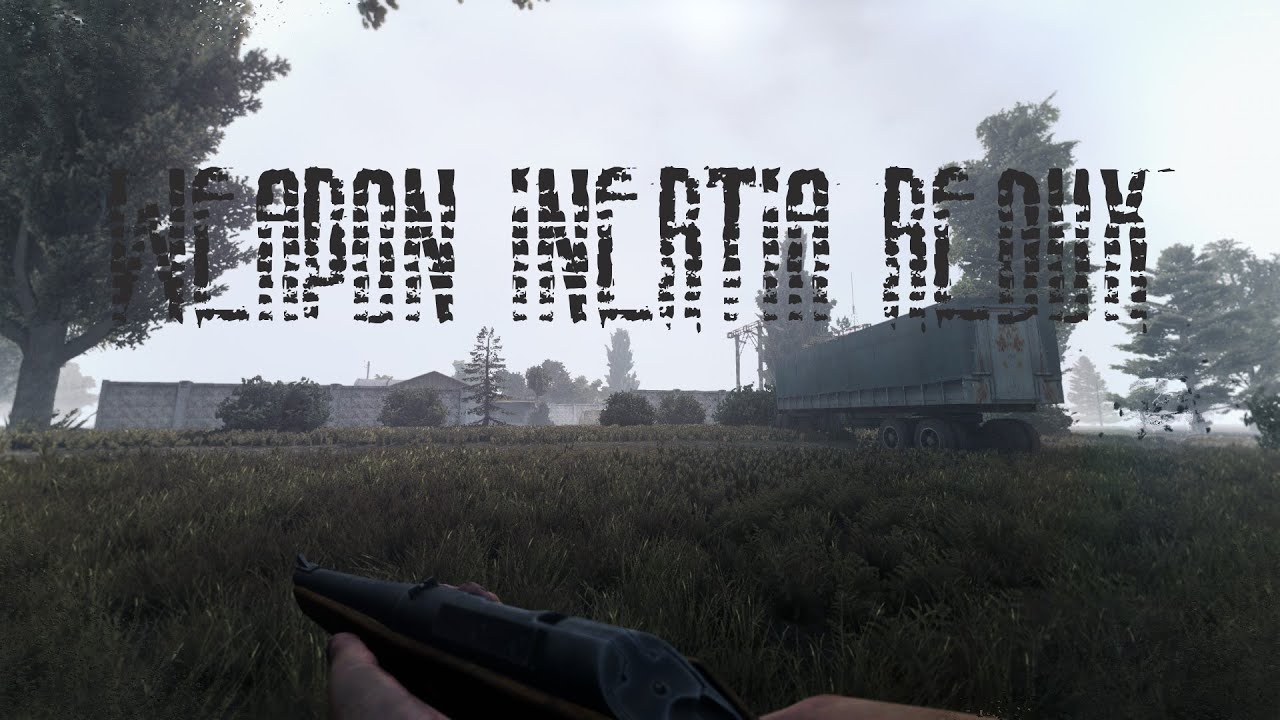
Mod link:
https://www.moddb.com/mods/stalker-anomaly/addons/aiming-movement-redux
😎 If you'd like to support the channel, Subscribe drop a like and leave a comment
Which is not the feeling I'm searching for
wispy rapids
you kind of want it like eft right
how eft handles camera movement is kind of like how you describe
not sure how to fully do it though
mint owl
Never played EFT but probably yeah
wispy rapids
sadly I don't think it is possible or as of right now I have no clue really
orchid pebble
mint owl
Putting these settings helped tremendously thanks to you and caj, I'm still not ...
You're describing the freelook mod(edit: not a mod, it's a base game feature). And I think that's exactly what they are doing in the videos.
mint owl
wispy rapids
sadly I don't think it is possible or as of right now I have no clue really
No problem, it's already much better now thanks to you
mint owl
orchid pebble
You're describing the freelook mod(edit: not a mod, it's a base game feature). A...
Freelook as in debug camera ?
Oh
Wait
Like aiming left and right in free zoom mod ?
orchid pebble
mint owl
Like aiming left and right in free zoom mod ?
yeah
mint owl
orchid pebble
yeah
I wonder if there's a way to do it without using free zoom though
 sour chasm
you dont need free zoom
It's just this under keybinds

unless that's packed in with the free zoom mod but they're different functions
orchid pebble
 yeah, sorry the names got jumbled
  . freelook is a base game feature, free zoom is a mod.
sour chasm
its okay none of us here actually play the game we just move sliders and take screenshots lmao
I think what he's describing though is there being like a natural weight to your player's pivoting axis, like a delay in body orientation where you'll look side-to-side within a certain degree of FOV and your body/gun only starts to turn when your camera hits the edge of that
mint owl
sour chasm
its okay none of us here actually play the game we just move sliders and take sc...
Why is this so damn true ?! 
mint owl
sour chasm
I think what he's describing though is there being like a natural weight to your...
That exactly
 torn rose
Im a total noob with reshade, yesterday i installed it to try some differents presets (Atmos, Norfair etc..). So i unticked and re-ticked some effects to make some tries, but i can't remember how the default preset was and can't find a button or something to come back to the default preset. Anyone could tell me? ^^
their is a way i guess but i didn't find it
orchid pebble
By default autosave is on, i think. if so the preset file is overwritten on every value change.
I don't want to disable autosave because I know I'll forget to save manually. That's why I duplicate a new preset I get and play around with it after.
torn rose
ok, so my best bet is to uninstall/reinstall the shader preset ?
so it comes back to default
orchid pebble
No no, the shaders folders are untouched by the in-game preset tweaking.
the .ini files are the presets. you need the original .ini file.
torn rose
ok 😉 Yeah what i meant by shader preset is the .ini, sorry wasn't clear enough ^^
thanks
wispy rapids
Hey
I need help
so my skies sometimes does this weird thing and I have noticed it recently
it does these odd black stripes

if anyone can help pls

actually I might just fiddle around and see which fx is causing it
toxic mural
If is this caused by reshade
Maybe check adaptive tonemapper map
If you use dehaz also check
 slow star
mint owl
Putting these settings helped tremendously thanks to you and caj, I'm still not ...
slow star
mint owl
Putting these settings helped tremendously thanks to you and caj, I'm still not ...
you mean a middle point between gamma and this, Eden? https://www.youtube.com/watch?v=VdcAbAEHCSI
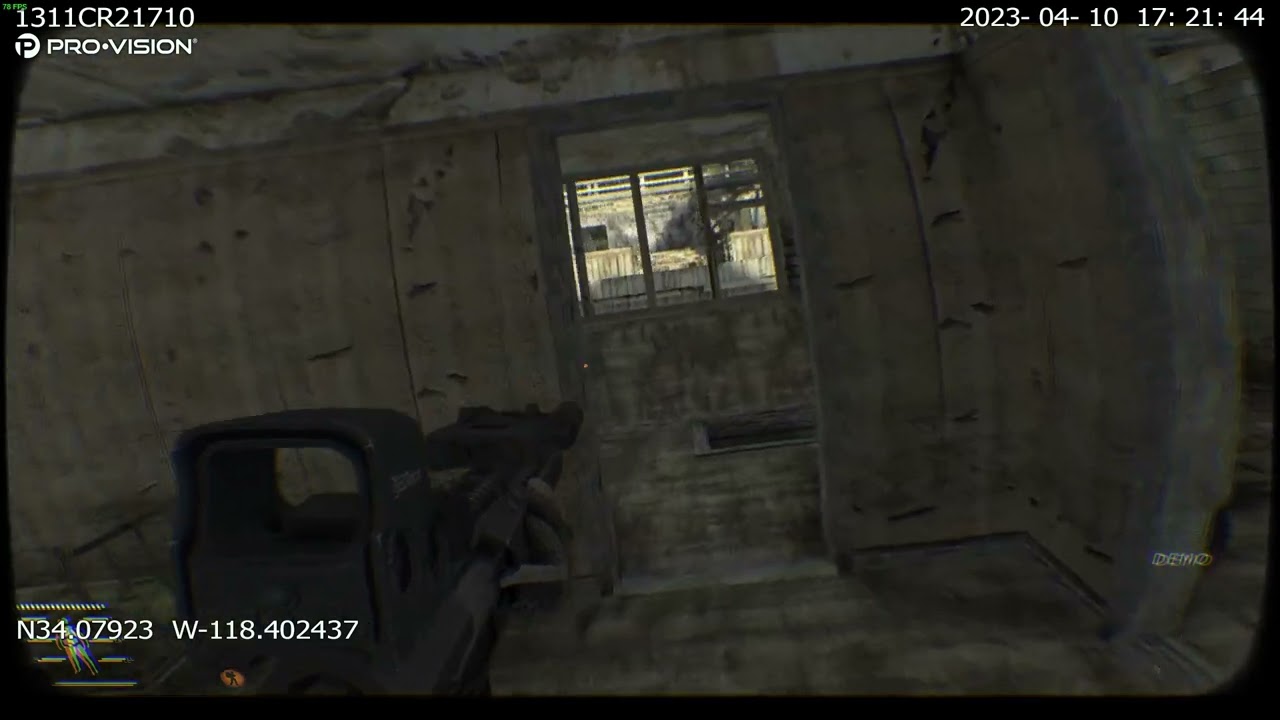
shader mod
[BODY CAM - ReShade Mod](i changed the setting based on this)
https://www.nexusmods.com/readyornot/mods/1719
weapon mod
[desolation]
https://www.moddb.com/mods/stalker-desolation
weapon reposition mod
[desolation reposition](i changed the setting based on the Deeds desolation reposition mod)
updated in desolation discord server(cha...
mint owl
slow star
you mean a middle point between gamma and this, Eden? https://www.youtube.com/wa...
Yup, this exactly
wispy rapids
Ah
it was my clarity doing it
odd


strangely it doesn't show in game but only on shots
mint owl
wispy rapids
it was my clarity doing it
Weird, what are you clarity parameters ?
slow star
mint owl
Yup, this exactly
I modified Grizzy's gun inertia some time ago and there's some settings there that can help with gun inertia weight, but I can't recall what I modified rn
wispy rapids
mine is default clarity
wispy rapids
bet
mint owl
Also you might want to use Clarity2
 mint owl
wispy rapids
mint owl
wispy rapids
With softlight ?
wispy rapids
mhmm
mint owl
slow star
I modified Grizzy's gun inertia some time ago and there's some settings there th...
If you do remember please tell me x)
slow star
I don't , sadly.. it was one of these.. :/
 mint owl
Strafe aim transition time maybe ?
wispy rapids
ooh it was because I had misplaced my clarity 2
or at least not in the right order
 mint owl
wispy rapids
or at least not in the right order
mint owl
wispy rapids
or at least not in the right order
Always important to check if a glitch appear with or without reshade, if it's Reshade related, then either the effect is wrongly setup, or the load order is wrong, it's not a necessity but loading things in different orders can get you different results for sure
 heavy sun
so how did you guys enable NVIDIA's AA? FXAA works but isn't that good and AA 2x-8x doesn't do anything at all
green lake
wispy rapids
so my skies sometimes does this weird thing and I have noticed it recently
happens to me too
also that pic looked just like tarkov for some reason
mint owl
slow star
I modified Grizzy's gun inertia some time ago and there's some settings there th...
Figured out in the end that he made Aiming Movement Redux, which is what you're talking about here, and turns out I'm already using it 
green lake
use capas newer reshade
whole knot
well I finally did it. read the past month of discussion and installed new grass, and too many versions of hip's surreal zone reshade to try lol
 stray hatch
Lool, I'd prolly suggest the newer ones like 1.4, Edens edit of 1.3, or Frost's edit of 1.4 mainly because the earlier ones have some issues with oversaturation which makes fire and some interior lights look very...red
 meager dirge
hello, how can i download and make it show on the reshade "home" somethng menu
green lake
meager dirge
hello, how can i download and make it show on the reshade "home" somethng menu
!reshade
 void depotBOT
@meager dirge
Do you want to enable/disable reshade?
To re-enable reshade type !k98 in #🤖bot-commands.
To fully disable it after having it enabled by the launcher or !k98, go to your \Anomaly\bin folder and delete d3d9.dll and dxgi.dll. Alternatively, to temporarily disable it, tap the PAGE UP/PgUp button on your keyboard.
 meager dirge
mb, i meant reshade presets
 winter summit
hey, i found another TAA, vort_Motion.fx, unlike TFAA it can produce sharper results, while still annihilating shimmering
i think it worth trying:
https://github.com/vortigern11/vort_Shaders
GitHub
Contribute to vortigern11/vort_Shaders development by creating an account on GitHub.


 wispy rapids


https://drive.google.com/file/d/12xaLsvPd58bHKusYw1eATlDdPZLokgMX/view?usp=drive_link I have updated my reshades with a lut I made
Google Docs
green lake
time to slap rtgi 0.5 on there
whole knot
After an evening of testing... aydin's summer w/ Hip's surreal zone 1.4 Frost's Edit - RTGI turned off looks simply amazing. Thanks @stray hatch and everyone here for the hard work and information!

 stray hatch
Glad you're enjoying it!
manic sage
Next update will take a bit longer to cook but will be worth the wait, discovered some crucial things with LUTs + some new console commands.


 wispy rapids
thanks for the lut help, yea luts are definitely amazing, fps is now 80
so 20 more since my last reshade
just basic fxs with the lut still awesome

more so with my rtgi edit

 chrome cradle
Loving these
sour chasm
It's wild how much RTGI makes everything blend so much nicer. Like even just the "fabric" of your sleeve
wispy rapids
why I Iove using it
sour chasm
cries in 10 year old pc
 dark nova
If only I could get zone reality to work properly.. I've got it like half working and looks great even with just that
sour chasm
I'm still rocking a 4770k with a 1080 founders edition and 16gb of DDR3. I think I paid like $1200ish 10 years ago + $500 for the card like 6 years ago
dark nova
Gigachad, crazy how a 3070 is cheaper than a 1080 when that came out
wispy rapids
dark nova
If only I could get zone reality to work properly.. I've got it like half workin...
mainly try the new lut reshades if not yet
chrome cradle
I think I got RTGI from a previous subscription on Patreon, so will have to try implementing it to GAMMA, these results are so nice
wispy rapids
I got mine from an old source but the one who made it no longer sells it so
dark nova
wispy rapids
mainly try the new lut reshades if not yet
I get rtgi to work but in the install video guide it doesn't really explain things very well. Tried following the steps 2 times but there's just so much that's not shown or explained, I've got minimal experience with mods so can't really figure out whats wrong
wispy rapids
where do you get stuck on
chrome cradle
What video, sorry?
wispy rapids
he is on about my zr guide for zone reality
dark nova
So at the start of the guide it shows you need 2 separate mods ATMOS I think was one and SSS 19, after a while of figuring out where they came from I just googled it and installed it manually then did what the video told me to do. I couldn't find the ATMOS mod however, so I guess it's already gone wrong from there. 2nd thing is ZONE REALITY 4 does not appear in the home menu tick box settings, only rtgi
dark nova
So i dont need it?
wispy rapids
they are all in gamma already
I had just done it way before gamma did
since I'm on top of things
dark nova
That's the thing, I used the search bar in mo2 and couldn't find them
dark nova
I see
 dark nova
Wonder why it didn't show up when I searched for it
dark nova
Ill try installing it again, the mod is amazing
 dark nova
I used that one bottom left
wispy rapids
 dark nova
I didnt know the one on the right existed tbh
Wait let me try again then
jesus the confusion is real
 wispy rapids
yours is named screen space shaders
its in your gamma fixes
IF You Are Confused On SSS Meaning. : Screen Space Shaders Mod BY Ascii1457
IF You Are Confused On The Location Of This Mod : GAMMA FIXES END
IF You Are Confused On ATMOS Meaning : Atmospherics December Update Mod By HIPPOBOT
IF You Are Confused On The Location Of This Mod : GAMMA FIXES END
its also written in zrs texts
dark nova
wispy rapids
yours is named screen space shaders
oh
dark nova
 remote inlet
Anyone know what the Issue might be?
remote inlet
Anyone know what the Issue might be?
Set value to 36 0 0 0
If that doesn't work try 56 0 0 0 which should open with the 8 key instead
remote inlet
dark nova
Set value to 36 0 0 0
In console?
dark nova
Or in the reshade.ini file
remote inlet
Ok thanks
remote inlet
dark nova
Or in the reshade.ini file
Set all to 36 0 0 0?
dark nova
36,0,0,0 yeah
remote inlet
All of this?
 dark nova
Wait no not all
Only key overlay
I had the same issue, apparently this is the fix I haven't tested it yet, so let me know if it works
I cant remember for the life of me how I fixed it
And like I said if that doesn't work, set it to 56,which would bind it to the 8 key (not the numpad one)
With the 0s obviously
remote inlet
One last question do I change it in the Anomaly folder or the Gamma folder (what folder for gamma lol sorry)
Nah nvm
I used my brain I got it
dark nova
Wait it worked?
remote inlet
No
dark nova
Fuck
remote inlet
Imma try something
dark nova
Yeah if I can't get it working tomorrow I'm just gonna wait for stalker 2, I feel like trying to play gamma is playing gamma for 40% of the time, and the other 60 is random crashes or just shit not working.
So good when it does work though
dark nova
I wish i could remember how I fixed it. I'm starting to think I didn't, and that it just started working randomly
It's happened before with gamma lmao
Good luck though, god speed
remote inlet
Yea still cant figure it out
 karmic roost
@remote inlet It seems since the christmas update, reshade is disabled by default. I have the same issue and found the solution in the pinned comment of
brainjacket's video on youtube. I'm not sure if I may post links here but search youtuber for: "Updated graphics & visual setup | S.T.A.L.K.E.R. GAMMA 0.9.1", and read his pinned comment.
karmic roost
":
Pinned by brainjacket
@brainjackt
2 weeks ago
Reshade is now disabled by default with the Christmas update of GAMMA. To enable it, you need to update your game through the GAMMA launcher and uncheck the box that says "Delete Reshade DLL's"
remote inlet
Ah I see
karmic roost
ah alright! that's great news. If this does not help, I'll do that too. Thanks
 real chasm
Wait, so how do i get ReShade then?
green lake
real chasm
Wait, so how do i get ReShade then?
!reshade
void depotBOT
@real chasm
Do you want to enable/disable reshade?
To re-enable reshade type !k98 in #🤖bot-commands.
To fully disable it after having it enabled by the launcher or !k98, go to your \Anomaly\bin folder and delete d3d9.dll and dxgi.dll. Alternatively, to temporarily disable it, tap the PAGE UP/PgUp button on your keyboard.
 scarlet idol
yeah id say my reshades are a bit uhhhhhh
fucked up?
the sky is yellow
probably not supposed to be that color
deleted shadercache, didn't change anything
using CAPA reshade (the new one)
tried to load the spring preset with the console command (cfg_load atmos_spring2)
this was going on beforehand tho
help :'(
green lake
scarlet idol
the sky is yellow
let me see a screenshot
of your reshade menu
and then your game in general
scarlet idol
i gotta find the folder first lol
aaaaaaaaand i made the mistake of updating the game and now it crashes when i try and load a save
brb gotta fix this
what the fuck
everything is back to normal
loaded a backup
scarlet idol
green lake
let me see a screenshot
im going insane
loaded a backup and everything is fine now
sorry for bothering you
if it happens again ill send you a screenshot
scarlet idol
yeah
but while you're here, do you have any idea on how to use the presets for capa shaders using the cfg_load commands?
it says they exist on the spreadsheet, but they don't work in game
green lake

(regrade only there for vignette)
OFF

ON

this is also with the in game lut enabled


 random wedge
green lake
random wedge
green lake
Where to find the preset? I'm new •~•
dark nova
remote inlet
I just went and redownloaded Reshade
redownloaded it in mo2?
remote inlet
dark nova
redownloaded it in mo2?
nah from the reshade website
Make sure you select the right version of Direct X
https://www.reddit.com/r/stalker/comments/13yhsxn/stalker_anomaly_reshade_not_working_issue_solving/
 dark nova
i see, does "Reshade is now disabled by default with the Christmas update of GAMMA. To enable it, you need to update your game through the GAMMA launcher and uncheck the box that says "Delete Reshade DLL's" this now work too?
remote inlet
Never tried tht
 drowsy whale
green lake
drowsy whale
green lake
what shaderss do you have, are they apart of the gamma mod pack?
dark nova
yep can confirm it does fix it
 dire sand
drowsy whale
dire sand
drowsy whale
thats what im trying to figure out cause my game looks like cock ass
 peak cave
green lake
No reshade
peak cave
green lake
No reshade
dude what settings you running? my game dont look like that default
orchid pebble
peak cave
dude what settings you running? my game dont look like that default
I think that screenshot comes from another modpack called Anomaly Custom.
orchid pebble
dark nova
i see, does "Reshade is now disabled by default with the Christmas update of GAM...
and @remote inlet, don't manually install reshade. the newest version causes crashes at some point. To enable reshade:
-(if you want to keep your keybinds and settings, backup your user.ltx file in Anomaly/appdata)
-open the launcher, untick everything, hit install/update
 hasty garden
how to redo reshade folder
orchid pebble
hasty garden
how to redo reshade folder
You can find the original reshade-shaders folder in
"GAMMA\ .Grok's Modpack Installer\G.A.M.M.A\modpack_patches\bin"
scarlet idol
green lake
let me see a screenshot
IT'S BACK
hasty garden
orchid pebble
You can find the original reshade-shaders folder in
"GAMMA\ .Grok's Modpack Inst...
thank ya
orchid pebble
scarlet idol
you omited the file extension so the pics don't show here.
scarlet idol
oh
orchid pebble
ftfy

 stray hatch
lmao you messed with orange/red hues didn't you
stray hatch
Huh...yeah that's def messed up
The only thing I could think to fix it would be
!shaders
void depotBOT
@stray hatch To clean your "Shader Cache", don't use the option in the Anomaly launcher.
Go in this folder: Anomaly\appdata, you'll find a folder called shaders_cache, delete this folder and launch the game normally from MO2, using your preferred DX.
stray hatch
Or a reinstall maybe? Others might have some better ideas
scarlet idol
ill try deleting shader cache
fire is still green and the sky is a flashbang
ill try reinstalling reshade
so i update with delete dlls on and then again with delete dlls off right?
stray hatch
scarlet idol
so i update with delete dlls on and then again with delete dlls off right?
!reshade
void depotBOT
@scarlet idol
Do you want to enable/disable reshade?
To re-enable reshade type !k98 in #🤖bot-commands.
To fully disable it after having it enabled by the launcher or !k98, go to your \Anomaly\bin folder and delete d3d9.dll and dxgi.dll. Alternatively, to temporarily disable it, tap the PAGE UP/PgUp button on your keyboard.
mint owl
orchid pebble
ftfy
To be fair that's unique, not necessarily bad
scarlet idol
it looks like someone vomitted on the sky
 indigo phoenix
😄
scarlet idol
well that didn't work
 cobalt parrot
hey yall is there anyway to copy effect settings for a shader from one preset to another?
IN the software itself, I know I can just fuck with the ini
green lake
orchid pebble
I think that screenshot comes from another modpack called Anomaly Custom.
nah
green lake
peak cave
dude what settings you running? my game dont look like that default
my grass is different
and I'm running my out and reshade
lut*
toxic mural
cobalt parrot
hey yall is there anyway to copy effect settings for a shader from one preset to...
I think it's possible like
Choice one effect
For example ambient light
Right click and go to source codes
Copy everything and go to another preset open same thing and paste to all
cobalt parrot
toxic mural
I think it's possible like
Choice one effect
For example ambient light
Right cli...

ty


 swift robin
Missing it.
swift robin
Hold on.
swift robin
green lake
every reshade here uses regrade
I've seen someone here saying that you can reinstall reshade just by grabbing it from modpack folder in gamma. So I tried
I'll just install your reshade folder from unreal zone folder.
 swift robin
Yeah. The bin part only, though.
green lake
huh ok
yeah go ahead and install my reshade folder stuff
should have everything you need
swift robin
green lake
should have everything you need
And regrade is disabled.

Now other tree is fucked 
 green lake
why do you have every core part of my reshade disabled
whatever
idk what's going on with that tree
swift robin
Immerse and others? Minus all my fps.
 green lake
probably because you arent loading cfg_load atmosr
like i tel you to do in my thread
and that's because you dont have regrade
its wayyyy to bright
swift robin
And I've loaded atmosr. On clear_3 it doesn't look that bright, though.

Ah, nvm.
Welp, at least I've fixed the issues with the trees. Changed depth_far_scale to 1 and it's okay, now.
dark nova
yo how do you play as the minor factions is it a mod? wanna play as isg
swift robin
dark nova
yo how do you play as the minor factions is it a mod? wanna play as isg
!factions
void depotBOT
@dark nova To unlock every faction from the beginning, you can type greh/renegades/isg/z when you start a new game in the character creation screen.
Since this sound strange, I literally mean "TYPE WITH YOUR KEYBOARD", you don't have an option where you can type in, like an actual console command.
For example, if you LITERALLY WRITE on your keyboard isg, and then you open the faction menu, you'll see the UNISG icon. Same goes for the other factions.
Another good example, ever played GTA? Do a "GTA cheat" in the character creation screen.
dark nova
do they have a storyline? campaign:?
ah yes the classic close stalker down for the day, open it up again and your fps is halfed for some reason
swift robin
dark nova
do they have a storyline? campaign:?
Isg has. As for other factions, nope.
random wedge
Hiya, which folder do i have to unpack the reshades?
void depotBOT
@green lake
Do you want to enable/disable reshade?
To re-enable reshade type !k98 in #🤖bot-commands.
To fully disable it after having it enabled by the launcher or !k98, go to your \Anomaly\bin folder and delete d3d9.dll and dxgi.dll. Alternatively, to temporarily disable it, tap the PAGE UP/PgUp button on your keyboard.
 empty steeple
!reshade
void depotBOT
@empty steeple
Do you want to enable/disable reshade?
To re-enable reshade type !k98 in #🤖bot-commands.
To fully disable it after having it enabled by the launcher or !k98, go to your \Anomaly\bin folder and delete d3d9.dll and dxgi.dll. Alternatively, to temporarily disable it, tap the PAGE UP/PgUp button on your keyboard.
dark nova
how do you drive a car?
 green lake
.
swift robin
dark nova
how do you drive a car?
6
 pliant pine
is home not the reshade menu open key anymore/
green lake
pliant pine
is home not the reshade menu open key anymore/
!reshade
void depotBOT
@pliant pine
Do you want to enable/disable reshade?
To re-enable reshade type !k98 in #🤖bot-commands.
To fully disable it after having it enabled by the launcher or !k98, go to your \Anomaly\bin folder and delete d3d9.dll and dxgi.dll. Alternatively, to temporarily disable it, tap the PAGE UP/PgUp button on your keyboard.
green lake
gamma uninstalls reshade by defaul
 severe dove
hey just started using phroZac_GRIM_v2 reshade, it's really beautiful but it makes my image blur like crazy when using zoom in weapons (without any scope). Any tips on how to make it better?
green lake
severe dove
hey just started using phroZac_GRIM_v2 reshade, it's really beautiful but it mak...
turn off ADOF
in the reshade
severe dove
worked like a charm, thanks mate
green lake
that's only there for screenshots
sour chasm
interesting comparison of sun ray modes


I might start playing with just volumetric instead of both. Screen space seems to make things a little more obfuscated in some places.
green lake
sour chasm
I might start playing with just volumetric instead of both. Screen space seems t...
you were allready meant to play with volumetric
sour chasm
I know but in some places both looks nice too
with volumetric textures on static objects look a bit crisper but grass gets grainier, with both volumetric and SS textures get a bit more dull but it makes the grass blend nicer
actually going back and forth again I think there's even less of a difference between volumetric and running both
azure acorn
 dark nova

i love how in all pictures the zone is the gray dark depressing place
but beautiful nonetheless
 ebon fulcrum
drowsy whale
How yall make your game look fairly decent
ebon fulcrum
drowsy whale
How yall make your game look fairly decent
shaders alone is not really enough sadly
dark nova
drowsy whale
Mine just looks like piss
Unreal zone 4 is all you need
stray hatch
Or ADEGA
Depends if you want more of a spring or autumn look imo
Also I wouldn't say shaders alone aren't enough, you can make big improvements with just Reshade, it's not gonna make textures look any better though that's true.
sour chasm
Shaders alone do you get you like 80% of the way though. The vanilla textures aren't super high fidelity but they do have consistent art style that once your lighting is correct and with a touch of AA you can relax your eyes and it still looks pretty good. Better textures just let you look a little closer and appreciate detail more.
stray hatch
I just never play without either ADEGA or Unreal Zone, it doesn't affect FPS for me and the game looks wayy better
esp buildings and stuff, walls looks a lot better, same with vehicles and stuff
sour chasm
Oh for sure. I just mean that color and lightning are multitudes more important than textures alone
Like you can install ADEGA or ZR but if your monitor sucks, you never mess with your in game light settings and you don't have any color grading set it's going to look gray and shitty
stray hatch
Oh yeah for sure, 4k textures and stuff are def often overrated in games, take games like valheim that can look fantastic with just lighting despite having ps2 era textures
sour chasm
Same with the Fallout games. Their base textures suck (especially for a AAA studio release) but their art style ties it all together. It's the difference betwen looking at the whole picture vs focusing on a single object. Lightning and style > fidelity
sour chasm
Trying to get a grasp on optimizing my load order. Does this look right? MotionVectors + AA > Solaris > Regrade > Ambient Light > RTGI > Depth Haze
 green lake
sour chasm
Trying to get a grasp on optimizing my load order. Does this look right? MotionV...
green lake
sour chasm
Trying to get a grasp on optimizing my load order. Does this look right? MotionV...
seems right
sour chasm
I just never know where to put Ambient Light and Depth Haze but this seems to be working well
 blazing swallow
reshade 6.0 will have ray tracing support, we gonna have stalker 2 before stalker 2 
green lake
sour chasm
I just never know where to put Ambient Light and Depth Haze but this seems to be...
Depth haze shold probably be at the end
or maybe the top
depends if you want the effect to be affected by the rest of the effects
(at the bottom)
or if you want it to be unaffected by any others
(at the top)
or maybe its hte other way around
idk
sour chasm
top applies first which means everything below it is applying over/after it right
green lake
yeah
so you'd want it on the bottom
i think
rtgi should be at the top
but below the anti aliasing
sour chasm
higher than regrade?
 candid mantle
what settings do ppl use to make game look like ╟📸screenshots channel?
im on laptop so idk
only getting 45fps too
using hunter 2.0 reshade with zone reality
green lake
candid mantle
what settings do ppl use to make game look like ╟📸screenshots channel?
what exactly are you going for
candid mantle
i want a happy medium if possible
least 60fps
and semi realism
like your screenshots are nice
nofair's screen of the dude in green is cool too
but idk if my laptop can run it smoothly
green lake
Ok
So, I use my reshade which isnt finished yet
But
You can find CAPA's reshade in this channel somewhere
which is fairly similar
this texturepack
I think its less performance taxing than zone reality
i just use default settings
candid mantle
ah k thanks! appreciate the info
green lake
with my grass height at 1
sour chasm
I like .8 grass but only because any higher stretches some of the smaller grass and makes it look weird otherwise I'd totally run at 1
green lake
sour chasm
I like .8 grass but only because any higher stretches some of the smaller grass ...
1 is he size that displays the accurate sizes of the grass textures
anything other than an even number would cause the stretching
sour chasm
Interesting. You're right I probably had it at .9 and it looked wierd and never went higher
candid mantle
so everything working but these: cfg_load atmosr for Autumn
cfg_load atmos_spring2 for Spring
gave me error in console
 candid mantle
green lake
with my grass height at 1
candid mantle
green lake
with my grass height at 1
is this grass density or grass size in settings? dont see "height" as option
sour chasm
size
green lake
candid mantle
so everything working but these: cfg_load atmosr for Autumn
cfg_load atmos_sprin...
atmos r doesnt exist anymore
candid mantle
oh so its naturally that bright?
im using what you suggested.
it looks quite bright
green lake
its not supposed to be bright
candid mantle
ill screen shot , let me go back in game

def looks how i wanted, except the brightness
swift robin
Try changing lumcale value in the console. Set it to 2, for example.
green lake
What the hell is that ui shit
candid mantle
 candid mantle
green lake
What the hell is that ui shit
candid mantle
green lake
What the hell is that ui shit
huh?
swift robin
The flags.
candid mantle
oh its the waypoint mod
swift robin
And tags on ncps.
green lake
the stupid arrows over the heads
green lake
this is not ubisoft
swift robin

 swift robin
The only thing that I do with paw is enabling waypoint on hud so I can waypoint to stash or whenever I go and just go there 
Maybe with locations it's too much, but stashes are sometimes too annoying.
green lake
yeah same
swift robin
I've also seen a thing that is making a marker just like with paw on hud, but for corpses.
candid mantle
paw has that option too i think
helps with looting after killing
i find
anyways, thanks both for the help. gonna crash now.
random wedge
How to reset the reshades options? No idea what was was there from the start •~• Am I stupid
azure acorn

 quick canopy
random wedge
How to reset the reshades options? No idea what was was there from the start •~•...
quick canopy
random wedge
How to reset the reshades options? No idea what was was there from the start •~•...
Same, looking on how to restore them
 little spoke
there was a link where you can download lots of reshades. can anyone post the link here again? thanks
candid mantle
@little spoke its pinned
....
anyone have list/know of commands in console to adjust stuff? i just found lumscale yesterday but i'd like to adjust coloring, pls @ me if you do. tyvm
 uneven tree
hey havent played in a while want to switch it up a bit whats the location to intall shaders??
nvm found it
uneven tree
 grizzled notch
cant enter game
grizzled notch
cant enter game
elaborate
grizzled notch

well no one on the helping channel..
i just get this message that all, do i need to like clear cache or something, i disabled reshade with !k98
uneven tree
try this
 uneven tree
ur missing files
 uneven tree
wait for someone that can actually help you ig
 marble relic
Update game?
grizzled notch
i did man same thing happends again
 visual axle
Reshade working with vulkan when 
 limber trellis
when I press home my reshade menu will not show up
wispy rapids
!reshade
void depotBOT
@wispy rapids
Do you want to enable/disable reshade?
To re-enable reshade type !k98 in #🤖bot-commands.
To fully disable it after having it enabled by the launcher or !k98, go to your \Anomaly\bin folder and delete d3d9.dll and dxgi.dll. Alternatively, to temporarily disable it, tap the PAGE UP/PgUp button on your keyboard.
limber trellis
already did that process
sour chasm
Does anyone know what exactly Performance Mode is basing its optimizations on?
 lost crater
Any idea why my reshades not work ? No "Home" options. I tried that guide what is in FAQ and not work.
scarlet idol
go to the gamma launcher and uncheck "delete reshade dlls" if it isn't already and hit the install/update button
ok my shit is still broken plz help
lumscale looks good, but red dot sights have a black void in the middle, the sky is a flashbang, and fire is tinted green
if I load a specific backup on MO2, these problems seem to go away, but idk why
and now my reshade menu is... gone?
is reshade enabled even if you can't open the menu?
im so confused
 vocal pier
Trying to install Zone Reality 0.4
Got confused with the Atmospherics December Update
I assume it is **290- Atmospherics Shaders Weathers and Reshade Latest - Hippobot **
But when I reinstall it

 red heron
vocal pier
Trying to install Zone Reality 0.4
red heron
vocal pier
Trying to install Zone Reality 0.4
just Download a new one stalker
uneven tree
i downloaded the bodycam reshade https://www.moddb.com/mods/stalker-anomaly/addons/anomaly-unrecord and didnt really touch anything but it looks like this idk what to do help pls


ModDB
Just a simple but good bodycam preset inspired by unrecord ;) For all users it is very important that you install the modded exes for the perfect color grading and the installation is also simple, just install reshade dx 10,11,12 as usual and then put...
 craggy matrix
I was thinking of installing some reshade mod but is it going to affect my current pc performance because right now I’m getting 55-60 fps on medium settings
toxic mural
You can use light reshades
craggy matrix
Light
craggy matrix
And what about zone reality texture pack?
toxic mural
I tested this pack not much performance heavy
craggy matrix
So like around 10fps loss?
toxic mural
But remember
If you going to use reshade from this pack turn off rtgi
toxic mural
craggy matrix
So like around 10fps loss?
On my pc I noticed FPS boost
toxic mural
Yes
craggy matrix
Oh ok
toxic mural
Just follow the guide and make a backup of your user ltx
You will see user ltx at guide
 ivory marsh
Hi guys, how do I open the atmospherics reshade menu? I press Home and nothing happens
 ashen terrace
!reshade
void depotBOT
@ashen terrace
Do you want to enable/disable reshade?
To re-enable reshade type !k98 in #🤖bot-commands.
To fully disable it after having it enabled by the launcher or !k98, go to your \Anomaly\bin folder and delete d3d9.dll and dxgi.dll. Alternatively, to temporarily disable it, tap the PAGE UP/PgUp button on your keyboard.
 mystic narwhal
i remember seeing a google drive spreadsheet somewhere with a list of popular reshade presets and a link to them but i cant seem to find it now, any clues?
ivory marsh
What options on the reshade menu I need to enable to make the game look like this?
https://www.youtube.com/watch?v=zDLnC5eNsfI&t=341s&ab_channel=CUSTERPLAYS

Thanks For Watching Everyone! Don't Forget To LIKE, Comment And Subscribe!
Wether You Play S.T.A.L.K.E.R. Anomaly GAMMA Or EFP, Hippob0t´s Got You Covered:
Install Guide ( Works for both, just read): https://www.moddb.com/mods/stalker-anomaly/addons/hippos-shaders-and-atmospherics
EFP & Anomaly Install Guide: https://www.youtube.com/watch?v=Yf5...
cobalt parrot
mystic narwhal
i remember seeing a google drive spreadsheet somewhere with a list of popular re...
check pins
cobalt parrot
ivory marsh
What options on the reshade menu I need to enable to make the game look like thi...
I'm pretty sure Custer uses phrozacs badlands preset
mint owl
First user comment be like x)
wispy rapids


anyone know why my lut started doing this, aka the ssfx_lut one

Had no issues and then now it just does this upon loading game etc, can fix by ssfx_lut 0,0,0,0 but if anyone knows a proper fix lmk lol idk how I did it xd
thorny vortex
wispy rapids
anyone know why my lut started doing this, aka the ssfx_lut one
was it after the recent atmos update?
thorny vortex
hippo redid the luts so maybe something got messed up?
i see someone in his thread posted it to
wispy rapids
Hmm maybe, I am not super sure on it but I am just using ssfx lut to fix it for now
thorny vortex
you have hotfix 2?
manic sage
wispy rapids
anyone know why my lut started doing this, aka the ssfx_lut one
Clear shader cache
and if you're using the atmos luts
make sure nothing is overwriting the shader files for pp.lut
the script
and the lut_atlas.dds texture
manic sage
thorny vortex
not sure if that will fix it tho
Nah nothing related
wispy rapids
gotcha
 brittle ether
eyo tech wizards
I come askin for wisdom
so besides lumscale
any other commands to tweak with brightness?
 scarlet idol
tech wizards i come to you to beg for the wisdom of bygone eras
i loaded a past save in cordon and now everything looks fine
reshade menu won't open

and my fire looks like this
for reference, this is what it used to look like in great swamps


 unkempt shore
For the Capa Reshade if I am using Zone Reality I use the spring command right?
scarlet idol
im going to try clearing the shader cache and updating with delete reshade dlls unchecked
worst case scenario, i reinstall the game completely
unkempt shore
? anybody know why this happens trying to load CAPA reshade?
 unkempt shore
I hope it comes out well bro 🫶
scarlet idol
thanks man
unkempt shore
good luck and thanks
scarlet idol
gl to you too :)
thorny vortex
unkempt shore
? anybody know why this happens trying to load CAPA reshade?
its only "cfg_load atmos_spring". spring 2 is gone
candid mantle
anyone know the diff console commands to adjust brightness,hue, gamma, etc
scarlet idol
thorny vortex
its only "cfg_load atmos_spring". spring 2 is gone
THE HERO APPEARS
candid mantle
cfg_load atmos_spring doesnt work for me
green lake
candid mantle
anyone know the diff console commands to adjust brightness,hue, gamma, etc
lierally just type in
brightness
in console
and any of those
candid mantle
oh
candid mantle
gotcha np thanks
thorny vortex
candid mantle
cfg_load atmos_spring doesnt work for me
are you up to date?
thorny vortex
cfg_load atmos_autumn? that never existed
thorny vortex
maybe
scarlet idol
ok yep it didn't work
also cfg_load atmos_spring is saying that it doesn't exist
any ideas?

 thorny vortex
scarlet idol
also cfg_load atmos_spring is saying that it doesn't exist
thorny vortex
scarlet idol
also cfg_load atmos_spring is saying that it doesn't exist
well it does, something is wrong
 scarlet idol
is it case sensitive?
thorny vortex
shouldnt be
thorny vortex
you on Atmos 2.4 Hotfix 2?
scarlet idol
cannot load ltx
uhhhhhhhhhhhhhhhhhhhhhhhhhhhhhhhhhhhhhh
idk what that is so imma say "no"
thorny vortex
when did you run gamma launcher last?
scarlet idol
scarlet idol
any ideas?
would not having that also cause these issues?
i hit the update button a few minutes ago
thorny vortex
something might have borked
scarlet idol
as usual
alr, time do dive down a rabbit hole...
where to start tho?
idk how any of this works
whats the filepath for the atmos ltx files?
if its .Grok's Modpack Installer\G.A.M.M.A\modpack_patches\appdata then i have an atmos ltx
and a user ltx
thorny vortex
scarlet idol
whats the filepath for the atmos ltx files?
should be "GAMMA\mods\290- Atmospherics Shaders Weathers and Reshade Latest - Hippobot\appdata"
scarlet idol
reshade latest?
thorny vortex
what you mean
scarlet idol
where is that?
thorny vortex
scarlet idol
where is that?
gamma has the box ticked to disable it in launcher by default. if you didnt untick that its gone
scarlet idol
is it delete reshade dlls?
thorny vortex
yea
scarlet idol
thats unticked
thorny vortex
you dont have launcher 6.0.0.0 do you
thorny vortex
all i can say is try a reinstall first just to see if its a gamma issue
atmos has had some download/install issues lately with launcher
scarlet idol
shiiiiiiit im gonna have to reinstall everything arent i
whatever ill do that later
lets just get this working for now
deleting Gamma and Anomaly folders now
deleted
ill try reinstalling later i gotta eat
 stone prism
Hey, i'm pretty new at this reshade stuff, i'v been having a little issue with Hippobot's atmos reshade
in the last part of their step to step tultorial it requests you to run the cfg_load atmosr line
but it can't find the script
Altough, the regular cfg_load atmos works just fine

the tultorial it forwarded me to: https://imgur.com/a/xH0OGQH
full mod page: https://www.moddb.com/mods/stalker-anomaly/addons/hippos-shaders-and-atmospherics


ModDB
Atmospherics is a weather mod that aims to be natural in its presentation. It is the culmination of many hours of work which has led to this. Below you'll find all the information that you'll need. Thanks you!
 tawdry junco
can anyone help me figure out why I cant open reshade menu? Home key does not work
thorny vortex
tawdry junco
can anyone help me figure out why I cant open reshade menu? Home key does not wo...
!reshade
void depotBOT
@tawdry junco
Do you want to enable/disable reshade?
To re-enable reshade type !k98 in #🤖bot-commands.
To fully disable it after having it enabled by the launcher or !k98, go to your \Anomaly\bin folder and delete d3d9.dll and dxgi.dll. Alternatively, to temporarily disable it, tap the PAGE UP/PgUp button on your keyboard.
tawdry junco
thank you
mystic narwhal
i may have broken something
 green lake
mystic narwhal
i may have broken something
green lake
mystic narwhal
i may have broken something
are you using a reshade with an lut
mystic narwhal
green lake
are you using a reshade with an lut
no idea hahah, i just deleted everything and installed them again and it seems to be fixed:D
green lake
weirddd
 grand jewel
mystic narwhal
i may have broken something
grand jewel
mystic narwhal
i may have broken something
usually deleting shader cache fixes this
 lavish relic
mystic narwhal
i may have broken something
lavish relic
mystic narwhal
i may have broken something
You’ve been hanging around with freedom too much
mystic narwhal
lavish relic
You’ve been hanging around with freedom too much
Lmao
 simple sentinel
hello there, im researching the ULTIMATE reshade and mods combination to have the most visually blessing experience any strong recommandations there ? appreciate
unkempt shore
ADEGA texture pack
 fervent violet
you like it over zone reality?
green lake
way better
fervent violet
yeah i was not a fan of ZR no offense to the creator
also rebinding my reshade key isnt working. is there another issue?
green lake
what are you trying to rebind it to
fervent violet
shift f12
green lake
that conflicts with the in game screenshot
dont do that
probably just use the comma
,
no keybinds in gamma use that one
or yknow
default
fervent violet
why wont home work? is home double bound?
scarlet idol
alr imma try reinstalling and see if that fixes things
fervent violet
default doesnt work
green lake
fervent violet
why wont home work? is home double bound?
are you sure you have reshade installed
!reshade
void depotBOT
@green lake
Do you want to enable/disable reshade?
To re-enable reshade type !k98 in #🤖bot-commands.
To fully disable it after having it enabled by the launcher or !k98, go to your \Anomaly\bin folder and delete d3d9.dll and dxgi.dll. Alternatively, to temporarily disable it, tap the PAGE UP/PgUp button on your keyboard.
fervent violet
from reshade.me yeah
scarlet idol
if anyone wants to stick around for tech support once this is done that would be very welcome
 fervent violet
its just an unpack type of deal
green lake
no
it installs the files onto he game
in the game folder
and sometiems the install location can be wrong
fervent violet
yeah anamoly
 fervent violet
no i go through launcher through MO2
green lake
what
no i mean
in the reshade install
you have to pick one of those
or else your install is wrong
scarlet idol
wait does reshade not install by default?
fervent violet
oh the only option i had was launcher
green lake
scarlet idol
wait does reshade not install by default?
no
green lake
fervent violet
oh the only option i had was launcher
then you did it wrong
scarlet idol
bruuuuuuuuuuuuuh
 scarlet idol
wait why can i open the menu if i never installed it?
green lake
scarlet idol
wait why can i open the menu if i never installed it?
well gamma technically does install reshade by default
but recently it has been deleting it by default
so
scarlet idol
i thought unchecking delete reshade dlls stopped that?
scarlet idol
yeah
scarlet idol
do ZR or UGP mess with reshade? i assume no since its post processing stuff
fervent violet
ZRs just textures
green lake
yes
scarlet idol
anything else I should disable?
green lake
nah
scarlet idol
installing now
lets see if this doesnt fuck up
warning signs: fire is green
(not good)
now we play the waiting game
should i be using reshade 6.0 or the one packaged by default in GAMMA?
ok its all set
if yall are sleepin, imma shut up now
green lake
scarlet idol
should i be using reshade 6.0 or the one packaged by default in GAMMA?
default
green lake
yep
scarlet idol
got it
here's hoping this works
using dx11 avx btw
wait pause where do i put reinline.fx and depthHaze.fx
green lake
scarlet idol
wait pause where do i put reinline.fx and depthHaze.fx
reshadeshaders
shaders
 scarlet idol
thx
heres hoping this works and doesn't break like usual
HYPE
THE FIRE LOOKS FINE
ok ok ok i cant get ahead of myself
im gonna try and get some mods working
 green lake
dude activate windows
scarlet idol
ive asked my parents over and over and they keep saying "maybe later"
thorny vortex
you can get a windows key for like $20
 storm zenith
Any advice to fixing a light flicker when starting any movement from a stand still. I’m asking this here because I believe its a result of a reshade setting but I’m not positive.
swift robin
You can just..... Turn off the reshade and see if the issue still exists.
 scarlet idol
ok everything seems to be working
the fog is a bit dense tho
the fire isnt green, so thats good
but there do seem to be shadows and sunlight coming from... somewhere
this seems abnormal

wait why is the screenshot overexposed?
ok its just a weird bug
everything looks good on my end
mornings are just a little foggy
is pretty now :)
fervent violet
i have a weird graphic noise like a film grain with no film grain enabled. anybody got an idea?
 worldly raptor
It's the radiation filter, it's supposed to turn on when you enter a patch of rads but it has a habit of being active all the time and turning off randomly
fervent violet
oh is that ATMos?
 velvet peak
I'm seeing people mention reshade is installed by default but I don't have it for some reason?
using a fresh install that I did yesterday
green lake
velvet peak
I'm seeing people mention reshade is installed by default but I don't have it fo...
!reshade
void depotBOT
@velvet peak
Do you want to enable/disable reshade?
To re-enable reshade type !k98 in #🤖bot-commands.
To fully disable it after having it enabled by the launcher or !k98, go to your \Anomaly\bin folder and delete d3d9.dll and dxgi.dll. Alternatively, to temporarily disable it, tap the PAGE UP/PgUp button on your keyboard.
green lake
make sure to untick
"Delete Reshade DLLS" when you install gamma
as that gets rid of reshade
velvet peak
ah okay thanks
Wait.. Is this fine to do mid-save? I have installed GAMMA and played a bit
green lake
velvet peak
Wait.. Is this fine to do mid-save? I _have_ installed GAMMA and played a bit
why would it not be
does reshdae touch any of anomaly's game files?
no
velvet peak
green lake
"Delete Reshade DLLS" when you install gamma
This line you said just kinda- made me confused for a second I guess lol
green lake
i dont think its DLLS
it says soemthni else
i dont remember
there's other DLDS files or whatver they're called that are game files
so that option in the installer was made
velvet peak
Well thank you for the info 👍
azure acorn
is adega and atmos the same thing?
thorny vortex
azure acorn
is adega and atmos the same thing?
adega is a texture pack and atmos is a an atmospherics mod [weather,fog,etc] both made by the same person
azure acorn
I cant seem to find ADEGA anywhere, do u have a link?
 grave rover
So, now that I got the reshade fixed again after that update, someone tell me.. I need an epic reshade & texture now. I wanna change it up. RTX 3090 if that helps. Who knows a damn good combo? lol
toxic mural
grave rover
So, now that I got the reshade fixed again after that update, someone tell me.. ...
ADEGA For autumn https://discord.com/channels/912320241713958912/1043020993687474186
Golden autumn ( moddb )
Zone Reality for green https://discord.com/channels/912320241713958912/1153770802819383346
Late fall for dead winter ( moddb )
Project inverno for snowy winter https://discord.com/channels/912320241713958912/1118326896296480799
Popular Reshades #╟🎑reshades message
And this reshade from me https://discord.com/channels/912320241713958912/1192574018398715904
 candid jungle
does the Agressor reshade work with gamma? cause my game looks really weird like that

like the shadows feel well wrong
swift robin
wispy rapids
what preset is this
stray hatch
 I'm still not in the Reshade database, my life shall never be complete
 halcyon rain


 outer latch
halcyon rain
outer latch
halcyon rain
which one is that?
outer latch
I'm just getting into reshades and looking at what to try out first
I'll start with this one, thanks
halcyon rain
👍
to have the same result u have to set up the vibrance fx
and u can try to change regrade settings too
@outer latch
 outer latch
halcyon rain
to have the same result u have to set up the vibrance fx
outer latch
halcyon rain
to have the same result u have to set up the vibrance fx
Do you have a link to where I can read about that?
halcyon rain
vibrance fx can be enable on reshade
outer latch
halcyon rain
vibrance fx can be enable on reshade
Oh, I see. But I don't notice anything different
Ah, it's just color vibrance. I get it
Thanks for the screenshot. Big help as reference on what to play with 🙂

 outer latch
stray hatch
Here's this if you wanna try it <@360030684158623745>
outer latch
stray hatch
Here's this if you wanna try it <@360030684158623745>
Thank you!
Btw how do I get these nice rays?
stray hatch
 outer latch
ty
stray hatch
outer latch
ty
Change these settings for sun ray intensity and stuff. Here's this too if you wanna have my exact in game settings. Just drop that in your anomaly/appdata folder and when you're in game type cfg_load hips.ltx in console I think
outer latch
thanks a lot
stray hatch
np np
outer latch
Trying out hunter2, like it so far


 thorny vortex
 cinder idol
watch the video guide in the thread or read the text document in the zip
thorny vortex
cinder idol
could you link it for me (the guide)
#1153770802819383346 message
its linked in top post
unkempt shore
scarlet idol
using CAPA rn
Me too in the picture on top. Search on the reshade database spreadsheet how to get TFAA + HoleFiller. Then, activate immersive AA and fxaa. All this options on the reshade menu. Do not use AA from the ingame settings
 cedar isle
Anyone else having an issue with Reshade, where it's installed in the files, but there is no way to open the taskbar?
There also is no popup which usually happens when boot up anomaly
 hollow fable
cedar isle
Anyone else having an issue with Reshade, where it's installed in the files, but...
hollow fable
cedar isle
Anyone else having an issue with Reshade, where it's installed in the files, but...
yes, having similar issue. just did a fresh install of Gamma, and there is no reshade UI when starting the game, despite their being reshade files in the Anomaly directory
cedar isle
I just had to reinstall
cinder idol
thorny vortex
https://discord.com/channels/912320241713958912/1153770802819383346/115377080281...
Yeah nah can’t get it to run

 spark nimbus
cinder idol
Yeah nah can’t get it to run
spark nimbus
cinder idol
Yeah nah can’t get it to run
Took me a couple of tries, but I ended up installing things in order as such:
SSS19
Aydins Grass plugin (Autum or Spring both look great when you have to choose)
Arrival plugin
THEN I installed ZR 0.4 after all of those. I tested each one in game first before I moved on.
It's a process... but it looks great once you get it dont and start tweaking with things in the reshade
cinder idol
I’ve screenshotted this for late haha. By install, do you mean you’ve just hit the check box on the mod installer
spark nimbus
cinder idol
I’ve screenshotted this for late haha. By install, do you mean you’ve just hit t...
No. I'm talking I downloaded the mods each individually and installed them. Some key notes: You DO NOT need to download Hippos atmos. It's already in the newest update. You also do NOT need Levels nor do you need the last thing on the list.

This is my setup.
I have HEAVILY tweaked the shaders in mine though... I'm about to post screenshots in the screenshot section.
I added Levels after I had been using ZR for a while
cinder idol
spark nimbus
No. I'm talking I downloaded the mods each individually and installed them. Some...
Alrighty. Right now any mod I check off gives me the same error. By installing a mod what do you mean by that (the process)
spark nimbus
Don't uncheck them. All I did was act like I wasnt even installing ZR 04. I installed SS19 by itself. Followed all the instructions on the DL page.
I then move onto Aydins grass, following instructions on Aydins Grass DL page
Then Arrival.
It wasn't until I was playing the game with those that I decided to get ZR 0.4 going finally
cinder idol
spark nimbus
It wasn't until I was playing the game with those that I decided to get ZR 0.4 g...
See I thought us talking them was sticking it in the mod installer
Feel free to Dm me if you like
cinder idol
spark nimbus
It wasn't until I was playing the game with those that I decided to get ZR 0.4 g...
Followed every instruction so far still the same. Mod doesn’t like this game
spark nimbus
cinder idol
Followed every instruction so far still the same. Mod doesn’t like this game
Did you even erase the Shader Cache?
cinder idol
Yep
spark nimbus
Did you test the game with the other mods before moving on to ZR?
cinder idol
I can use a few mods here and there. I can’t use the aydens grass mod or zr
spark nimbus
I see. May need a fresh install and start down the list.
cinder idol
Fresh install of gamma or both?
I want it to look like YouTuber brain jackets gameplay so bad
spark nimbus
I just dropped some screenshots.
drowsy whale
 drowsy whale
I enabled atmospherics after downloading, why am I tripping on lsd
spark nimbus
@cinder idol
cinder idol
spark nimbus
<@527736433683988483>
Yeah love them. I want mine to play like that
spark nimbus
cinder idol
Yeah love them. I want mine to play like that
Dont feel bad. I reinstalled EVERYTHING and started from scratch before I got it to work
Made sure everything that needed unchecked was unchecked, made sure to position everything correctlu.
You must have the mods working before you get to ZR 0.4 is what I found.
So I went through one by one and made sure they all worked.