
#╟🎑reshades
1 messages · Page 45 of 1
 quasi hull
I use
DRME
ISMAA
TFAA
I don’t think that’s the right load order but something like that lol
 rigid pendant
If you don't care about frames you can use that combo but be ready to kiss goodbye to about 20-25fps, quint motionvectors is cheaper than DRME performance wise if you want to go for TFAA
Where as fxaa docks me about 1 frame so it's all about your rig and what it can handle
quasi hull
Yes correct ^
rigid pendant
I'd use tfaa if I could afford to lose the extra fps cause it does look best by far for eliminating shimmer/sparkling
But even just FXAA is a million times better than ZERO AA from reshade
Zero AA is just a sparklefest
quasi hull
Yes, the edges on my gun are doing the Harlem shake with zero AA
 jolly frigate
what is DMRE and ISMAA? can't find those in my shader list
quasi hull
Immerse smaa
rigid pendant
Type in motion in reshade
jolly frigate
running with fxaa rn

 rigid pendant
Type in motion in reshade
rigid pendant
rigid pendant
Type in motion in reshade
Either drme or Motionvectors is needed ABOVE TFAA
Fxaa shouldn't make your game blurry, trees might look blurry if your subpix is too high
That looks fine to me
Though it's hard to get a sense for aliasing through a screenshot as much of the problem comes from your character moving and the edges shimmering as you move
jolly frigate
goddamn immerse pro rtgi looks so good but took like 15fps from my poor rx580
jolly frigate
lookin good!


 green lake
rigid pendant
I use these fxaa settings '
green lake
rigid pendant
I use these fxaa settings '
hm ok
usually when i use FXAA it just makes things even more shimmery
rigid pendant
If the subpix is too high the trees get this weird low res look, I find if you just pull both those bottom sliders to zero and then just drag the subpix slider til it looks good for you is the best way to go
But the values im at are probably a good starting place
very clear what its doing here
green lake
ok cool
rigid pendant
thats me just hitting effect on vs off with only FXAA on
rigid pendant
yeah like
i cant handle that shit
FXAA is for the potato
but still looks SO much better than no AA
green lake
i dont even have a potato man
rigid pendant
its modded stalker
green lake
3060 and im scraping out 60-30 fps in 1440p
rigid pendant
if its not a 4080 or better its a potato
need a Nasa PC to play this at 1440p 144fps with a good reshade with like TFAA
green lake

Best Buy
Shop MSI Alpha 17.3" 240Hz Gaming Laptop QHD AMD Ryzen 9 7945HX with 32GB Memory NVIDIA GeForce RTX 4060 with 8GB 1TB SSD Aluminum Black at Best Buy. Find low everyday prices and buy online for delivery or in-store pick-up. Price Match Guarantee.
this is why i want this laptop for my birfday
absolute beast
green lake
February 21st
rigid pendant

green lake
so not that logn!
yes we pray
even metro exodus plays better than gamma
with the settings on max
green lake
yeah i bet
metro mods really only boil down to map mods really
there's literally onl 5 in existence
5 whole mods for exodus
rigid pendant
Anomaly is already like a mod of a mod working off revamped ancient engine
that only utilizes one core
and then it has
450 mods and a buncha crazy shaders
with gamma lol
rigid pendant
like the fact we get over 50 fps ever is surprising to me
rigid pendant
I know nothing about laptops I would just say clean the dust as much as you can 😂
jolly frigate
meanwhile im gaming with a 7 years old pc 
green lake
im not sure what happene
my laptop was able to run 4k at 40 fps
now im running 2k and 40 fps
wtf
rigid pendant
ahhh yeah this was the right idea, 65+ consistent FPS and minimal sparkles 
jolly frigate
green lake
now im running 2k and 40 fps
repasted the chips yet
 green lake
rigid pendant
The wind....the glow from the fire
green lake
rigid pendant
The wind....the glow from the fire
this was me when I was beta testing the whole thing
 swift robin
Hi, I'm install reshade, the home key works but no preset is applied,still vanilla


 chrome oxide
looks aite

 floral charm
does anyone know a dx9 reshade?
floral charm
 midnight basin
it should work with 9
midnight basin
it should work with 9
the reshade on both makes them crash saying "failed to initiate graphics hardware"
midnight basin
floral charm
the reshade on both makes them crash saying "failed to initiate graphics hardwar...
why not switch to DX10
8 is not supported at all so don't bother
i'm taking this info from their site
 keen ermine
Think It'd be alright to just reinstall reshade manually (vs. running the gamma installer again and unchecking)? If I pick the right version / find a preset
 uneven thicket
does reshade have some issues after installing Zone Reality? i cant get the menu to open
midnight basin
keen ermine
Think It'd be alright to just reinstall reshade manually (vs. running the gamma ...
it cannot be version 5.9.2 + i think the reshade already in the game has something to do with the modified .EXEs? not entirely sure
reinstalling 5.7.0 alone might not work but don't quote me on that
midnight basin
uneven thicket
does reshade have some issues after installing Zone Reality? i cant get the menu...
if you're updated to v6 you won't have reshade by default anymore
you have to untick 'Delete Reshade .DLLs'
god i can't type today
uneven thicket
midnight basin
you have to untick 'Delete Reshade .DLLs'
thats for Zone Reality right?
midnight basin
it's for GAMMA as a whole, if you updated the game in the past few days you won't have ReShade by default anymore
the launcher has been set to remove it
midnight basin
you can reapply ReShade by heading to \GAMMA\modpack_patches\bin and copying the ReShade files over to your bin Anomaly game directory
floral charm
midnight basin
why not switch to DX10
Every time I play on dx10 and it starts loading the screen turns completely black, I can hear noise but I cannot interact or do anything
midnight basin
floral charm
Every time I play on dx10 and it starts loading the screen turns completely blac...
!blackscreen
 void depotBOT
@floral charm Follow this: #╭📖faq message
uneven thicket
midnight basin
you can reapply ReShade by heading to `\GAMMA\modpack_patches\bin` and copying t...
thank you, it works fine now, only TFAA isn't present among the options, but the rest is here
nvm, found out how to have it appear
midnight basin
uneven thicket
thank you, it works fine now, only TFAA isn't present among the options, but the...
you just have to add the TFAA path yeah
midnight basin
np
if you DM sunn your email address you can get access
or maybe i can give you access somehow idk i've never used Sheets before
i think i can give you access if i get your mail
green lake
i dont think i need it yet
floral charm
midnight basin
!blackscreen
it didnt work
midnight basin
floral charm
it didnt work
consult #🔨base-gamma-support
 sour chasm
can you fix the "how to show hidden effects" under the Q&A in the sheet, someone pasted over it with the answers from the performance and anti aliasing questions
midnight basin
sour chasm
can you fix the "how to show hidden effects" under the Q&A in the sheet, someone...
done, thanks for bringing this to my attention
might as well update the reshade installation instructions since it's no longer included by default
 delicate ore
Anyone know how to remove the shadders that come in the latest update in GAMMA? They look awful. I don't like it.
 celest ingot
so after a fresh install, and tried every single options, i'm still dead even before to start 😦
 delicate ore
Anyone know how to remove the shadders that come in the latest update in GAMMA? ...
delicate ore
delicate ore
Anyone know how to remove the shadders that come in the latest update in GAMMA? ...
Solved
 wanton jolt
does anyone know how to open up the reshade menu, I'm confused because I have pressed the home butten and it does nothing
green lake
wanton jolt
does anyone know how to open up the reshade menu, I'm confused because I have pr...
press 7 on your num pad?
wanton jolt
yeah thats my problem, it doesn't pullup anyhting when I press 7 on my num pad
green lake
did you perss num lock by accident
wanton jolt
i might have
i just tried without num lock but it still didn't work, it could be one of the mods i installed but I doubt considering none of them have to do with reshade
 sinful mirage
Is lowest setting of NVG still supposed to be this blown out?
 rigid pendant
sinful mirage
Is lowest setting of NVG still supposed to be this blown out?
rigid pendant
sinful mirage
Is lowest setting of NVG still supposed to be this blown out?
I noticed my nvgs after the update were way too bright as well
go into Beefs nvgs in MCM
green lake
 rigid pendant
and lower the gains
 rigid pendant
20 fps detected
green lake
60 fps
 rigid pendant
wtf lol
rigid pendant
no need for laptop
:pog:
well u could still get it but not as necessary now for you ig
rigid pendant
sinful mirage
Is lowest setting of NVG still supposed to be this blown out?

try these settings or something close to these
it still gets more than bright enough with the lowest being actually low
sinful mirage
rigid pendant
 green lake
rigid pendant
well u could still get it but not as necessary now for you ig
green lake
rigid pendant
well u could still get it but not as necessary now for you ig
imagine 50 fps in 4k
thats what capa said he gets with his 4070
i want this laptop
rigid pendant
Yeah if you want to play 4k you need to upgrade for sure
sinful mirage
Thanks for the tip @rigid pendant
green lake
its crazy
4k fixes literally almost every shimmers you see in trees
theres still quite a bit
but it fixes so much
rigid pendant
yeah 4k with tfaa + motionvectors would probably be literally ZERO shimmer
but i hate tfaa cause it makes the motion look weird
FXAA solves 75% of the sparkling issues for me while not doing anything weird to motion or fps
rigid pendant
^ this
I like FXAA in reshade cause its also just super easy to use and setup
and its very easy to see the changes its making
 slow star
rigid pendant
go into Beefs nvgs in MCM
slow star
rigid pendant
go into Beefs nvgs in MCM
Hippo said to mess with the mcm nvg offset so yeah you're right
rigid pendant
Yeah it was just brutal before I tweaked the NVG settings, at dusk the lowest settings would blow the slightest bit of moonlight reflection up a TON
 brave shard
what causes these vertical texture artifacts?
 green lake
what the
 grand sand
Has reshade been removed since the last update? or I'm just high lol?
 thorny vortex
grand sand
Has reshade been removed since the last update? or I'm just high lol?
thorny vortex
grand sand
Has reshade been removed since the last update? or I'm just high lol?
the "delete reshade DLLs" box in the launcher is now ticked by default, so unless you untick it reshade is gone
grand sand
thorny vortex
the "delete reshade DLLs" box in the launcher is now ticked by default, so unles...
So how do I make the game look visually better for example? The new atmospherics mod takes care of it already right?
(I'm guessing ZoneReality is not needed right now since it's basically "useless" now?)
grand sand
green lake
why would it be useless
no reshade basically (well unless I)
grand sand
green lake
you can just reinstall reshade
yeah
green lake
its still not useless man...
grand sand
Yeah my bad didn't mean "useless" lol
green lake
zone reality was never needed anyways
grand sand
Just curious how do I make it visually more impressive if I don't use reshade
green lake
ok...
grand sand
green lake
ok...
yeah sorry lol but thx
green lake
is the uh
[error][ 8] : Not enough memory resources are available to process this command.
at address 0x00000001403FAA53
isn't this crash related to me having a laptop or something?
does anyone know here?
i swear i saw something about the "Not enough memory recourses" crash was related to having a laptop or something
was that a different crash?
grand sand
green lake
[error][ 8] : Not enough memory resources are available to process this co...
looks like ram issue
how much ram your laptop has
green lake
grand sand
looks like ram issue
my laptop was only using 76% memory when playing the game
so that wasnt the issue
green lake
16
grand sand
ok yeah no way
grand sand
green lake
[error][ 8] : Not enough memory resources are available to process this co...
can you replicate it or it just happens randomly? Killing X or going to X?
green lake
well
it wasnt happening before
but i started a run in outskirts
and whenever i spawn in there
and move around a little bit it crashes
 green lake
yeah
grand sand
Disable it and
green lake
grand sand
Disable it and
well, it worked for a minute but we crashed again
so i guess i gotta reinstall
rigid pendant
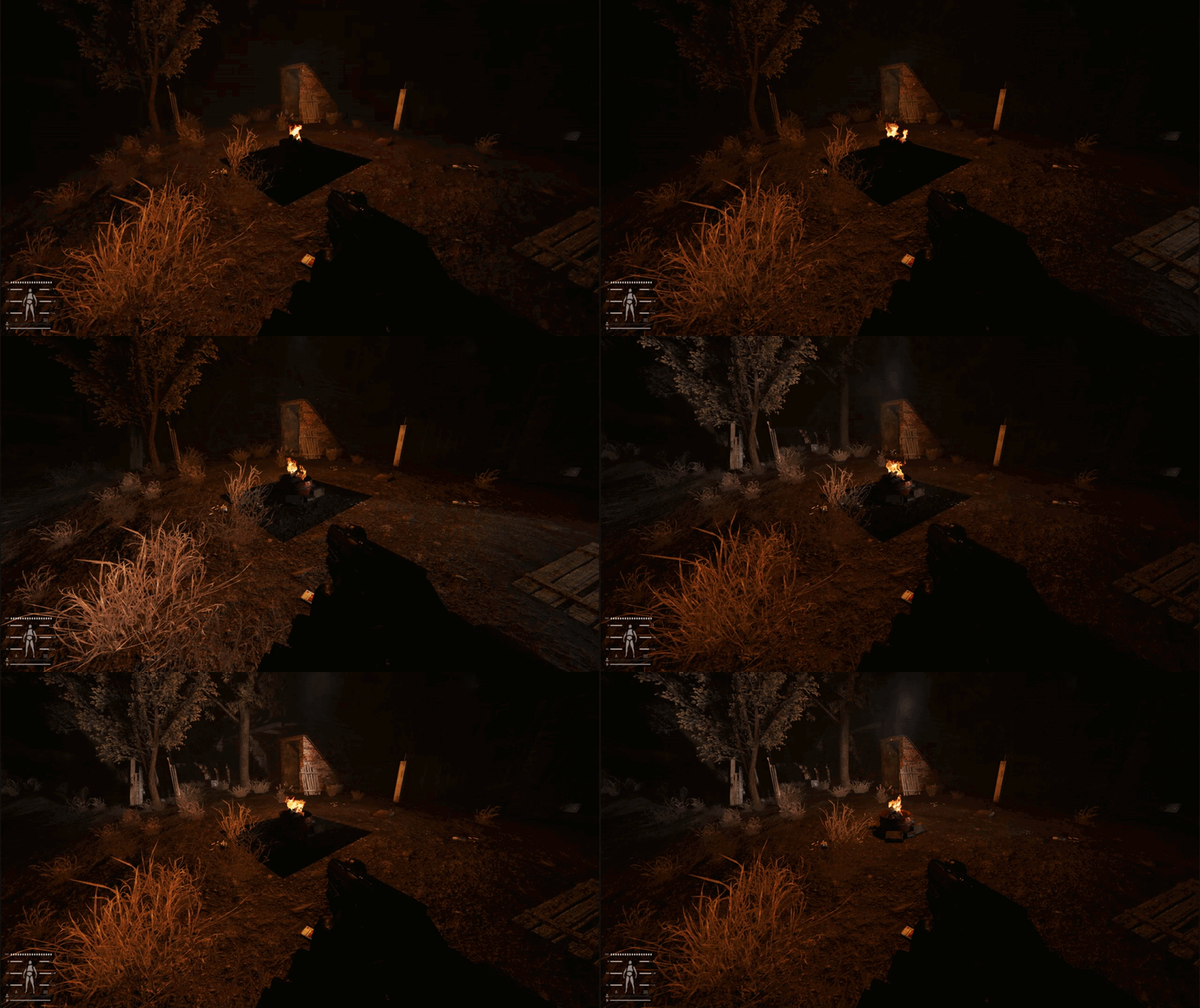
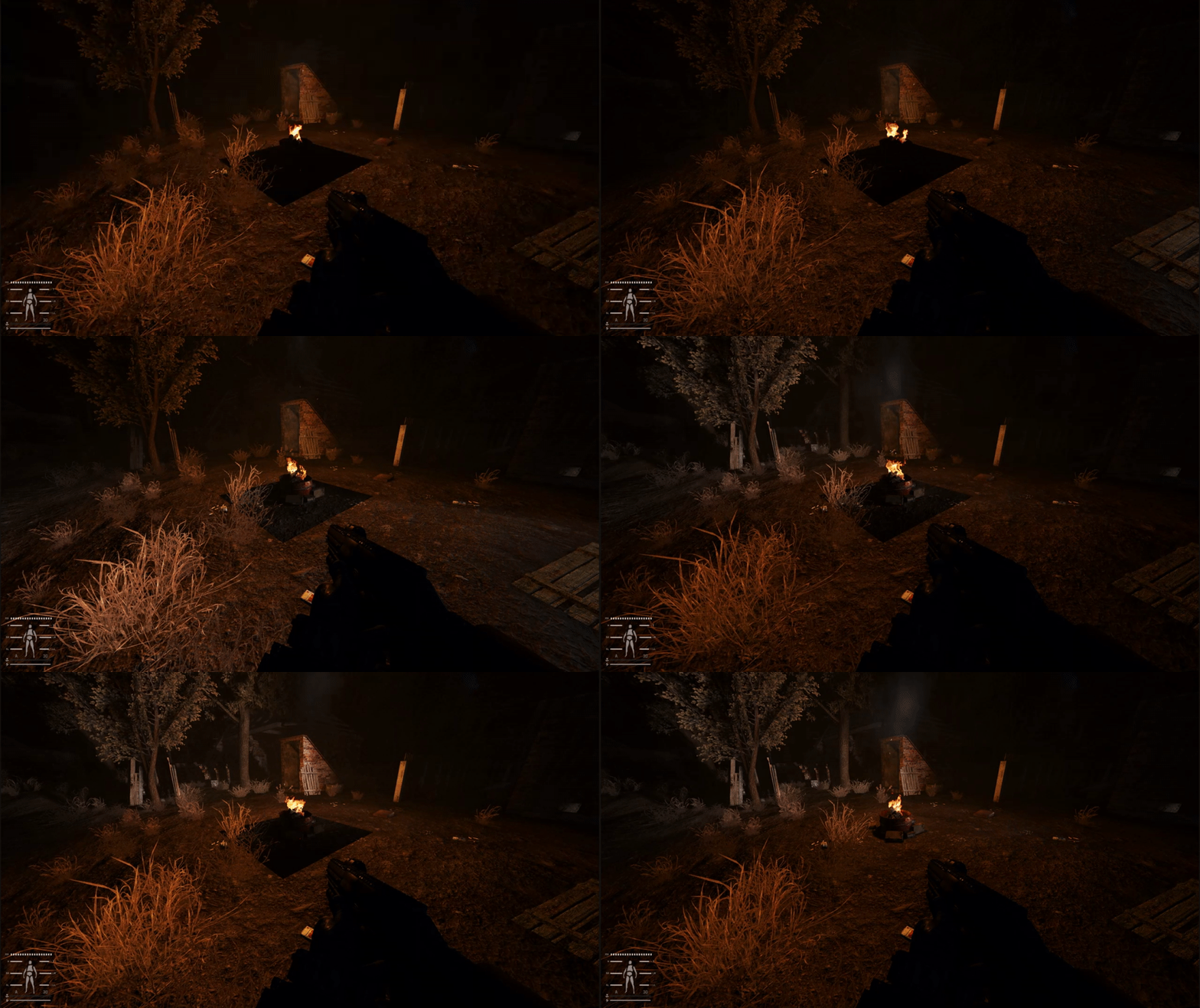
https://i.gyazo.com/f3dbbff1c8d4f85a624348dd5a252a14.gif anyone know what might be causing this issue with lighting?
 rigid pendant
Well i figured it out, volumetric light is doing something buggy when the option is enabled, hopefully that doesent completely ruin the effects of SSS19 having it disabled
And it does lmao, rip
 cunning gazelle
rigid pendant
Well i figured it out, volumetric light is doing something buggy when the option...
cunning gazelle
rigid pendant
Well i figured it out, volumetric light is doing something buggy when the option...
I am having same issue but notice it only when using headlamp
 lavish relic
rigid pendant
Well i figured it out, volumetric light is doing something buggy when the option...
lavish relic
rigid pendant
Well i figured it out, volumetric light is doing something buggy when the option...
Noticed some flickering with it enabled as well. Assume it will be fixed soon TM
 hard plinth
guys, how to install another reshade?
 marsh mural
rigid pendant
Well i figured it out, volumetric light is doing something buggy when the option...
marsh mural
rigid pendant
Well i figured it out, volumetric light is doing something buggy when the option...
which option
midnight basin
hard plinth
guys, how to install another reshade?
if you already have reshade installed then just drop the preset into the Anomaly\bin folder
along with the other presets
if it's a folder containing custom effects drop it into reshade-shaders\Shaders or whatever is provided to you
 tepid sleet
Can somebody help me with this: in reflections some stuff, like trees, have green edging (can't see it on a screenshot, sorry) and around knife there is some blueish hue.

 slow star
if you're using a preset, disable CA/Chromatic Aberration
tepid sleet
slow star
if you're using a preset, disable CA/Chromatic Aberration
AtmosR, disabled by default.
slow star
Glamarye
 supple lagoon
Anyone got a lut that plays nice with new update?
tepid sleet
slow star
Glamarye
Thanks! Fixed blue hue but still got green edging in reflections.
slow star
tepid sleet
Thanks! Fixed blue hue but still got green edging in reflections.
whats your monitor
its probably ghosting artifacts, they're always green

because if it's not visible in the screenshot, then it's ghosting
100%
Unlike the blue glow from the 2nd screenshot which is a byproduct of glamarye
tepid sleet
slow star
whats your monitor
Some shitty AOC
So just forget about those green ghosties?
slow star
Yep, or change your monitor's response time in the OSD
it's always named "Overdrive" or just "Response Time"

If I change it to Normal or Fast, the green artifacts disappear but i have black smearing (classic VA panel behaviour)
There was an user who fixed his green ghosting completely by changing his resolution or disabling "game/movie mode" or something like that in the monitor OSD panel
tepid sleet
slow star
Found it, but can't see any difference while schanging overdrive. But that's ok, nothing critical. Thanks for the help!
 tawny root
 cunning gazelle
lavish relic
Noticed some flickering with it enabled as well. Assume it will be fixed soon TM
cunning gazelle
lavish relic
Noticed some flickering with it enabled as well. Assume it will be fixed soon TM
I notice it only near fires or when using the headlamp… maybe an issue where multiple light sources are hitting an object
lavish relic
i'd guess that was the case yeah. You can kinda force it to happen if you place multple metal torches from the hideout mod. Seems the engine suffers with the same issue bugthesdas engine has when it comes to multiple light sorces over lapping 😄
 brisk root
Guys, I had my reshade button set on HOME key, but now it doesn't work, since I updated the game. Did it change to a different key, or something is wrong?
Oh, nevermind I got it fixed
 compact trellis
hey is anyone not seeing the reshade tab popping up?
rigid pendant
cunning gazelle
I notice it only near fires or when using the headlamp… maybe an issue where mul...
For me it's just whenever I'm close to fires, headlamp makes no effect
But hearing other people have this issue leads me to believe it's just a kink that needs to be ironed, thus I ignore
From what I can tell its only happening at night too
So I've narrowed it down to Volumetric light causing lighting issues at night time lol
 short peak
Playing around to find something close to Alan Wake 2

 sage mesa
so what's the best reshade for like max 15 fps drop
green lake
short peak
Playing around to find something close to Alan Wake 2
looks interesting
thorny vortex
first time loading inverno, its so nice. Using my new Reshade [Testing]
[First is reshade off] [Second is reshade on]


 undone stump
Does project inverno increases FPS ? as the landscape and objects looks more simplified
 true crater
I am tryingt to install Inverno right now, am having trouble finding Agressor reshade and a few others in MO2?
thorny vortex
undone stump
Does project inverno increases FPS ? as the landscape and objects looks more sim...
it can, there is a no grass and lods option in the FOMOD for more fps
undone stump
wokeyyy
sage mesa
i was installing reality mod, and now my trees look wack, everything else looks good though
 safe kelp
cool that people are still using my hunter preset
i was unaware it was in some modpacks and in the reshade database
i really should come back one day and make an even better one
 cobalt parrot
safe kelp
i really should come back one day and make an even better one
cobalt parrot
safe kelp
i really should come back one day and make an even better one
yes please
midnight basin
thorny vortex
first time loading inverno, its so nice. Using my new Reshade [Testing]
[First i...
looks much nicer with the preset!
 undone dew
green lake
undone dew
green lake
Can you drop a file with your preset?
undone dew
midnight basin
Or u man)
midnight basin
sure, one sec
it's just a modified AtmosFILM with some effects cut out to improve performance
undone dew
midnight basin
sure, one sec
Thx dude, but i have 1 more question - there should I drop this file?
midnight basin
\...\Anomaly\bin
undone dew
thx again)
midnight basin
👍
tawny root


capa edit
new shaders included in the folder
replace your reshade shader folder with my, make a backup, so you dont get duplicate shaders
 grand jolt
whats the best preset to use
grand jolt
do u have a link for it
 radiant warren
brisk root
Guys, I had my reshade button set on HOME key, but now it doesn't work, since I ...
radiant warren
brisk root
Guys, I had my reshade button set on HOME key, but now it doesn't work, since I ...
how did you fixed it?
brisk root
radiant warren
how did you fixed it?
I updated the game in the launcher without checking checkboxes to off. So I updated the game again but this time I checked them off. And I all worked out
radiant warren
brisk root
I updated the game in the launcher without checking checkboxes to off. So I upda...
Oh thx man, i almost deleted the whole thing
brisk root
radiant warren
Oh thx man, i almost deleted the whole thing
You're welcome. I almost deleted it too

 green lake
tawny root
man i just cant like late fall
green lake
tawny root
man i just cant like late fall
y
 nova tapir
i know this is from aeons (days) ago but I have discovered NIS and want to set it up for gamma and have not even the faintest clue how
could you or someone else point me in the right direction kindly?
green lake
aeons
nova tapir
i have found it nevermind augh
nova tapir
nova tapir
i have found it nevermind augh
I have given up on this due to a "wobbling" effect that bothers me with this enabled. I'm not entirely sure if it's something that just can't be avoided if you play below native res but I am annoyed by it.
 midnight basin
nova tapir
i know this is from aeons (days) ago but I have discovered NIS and want to set i...
midnight basin
nova tapir
i know this is from aeons (days) ago but I have discovered NIS and want to set i...
bro has discovered my country's currency 💀
 vital jasper
hi guys i've made a fresh install and the delte reshade DLLs was tick so i haven't reshade: how to install it ? thx
cobalt parrot
vital jasper
hi guys i've made a fresh install and the delte reshade DLLs was tick so i have...
untick the delete reshade dll's box and update
green lake
rare caj message in gamma server
cobalt parrot
green lake
rare caj message in gamma server
I was just about to ping you btw
green lake
about what?
 green lake
WOOOOOOOOOOOOOOO!
cobalt parrot
that's your reshade right like I'm not totally embarrassing myself right now am I
green lake
i think so
cobalt parrot
this guy
"got so many reshades I can't keep track of them"
okay yes it is yours

anyway GOOD STUFF
green lake
thank you sir
you should make a video about new levels
im trying to bring in better textures for new levels
so it doesnt look like shit everywehre
vital jasper
cobalt parrot
untick the delete reshade dll's box and update
ok it works now many thx :another question :isave my user .ltx so ok for keybind but for saving value in gamma (each update it's so boring to reset value what is the tips for? thx
midnight basin
green lake
im trying to bring in better textures for new levels
which ones will you be using?
do you mean like Structures Redux and such?
 craggy lance
I9 9900kf - rtx 3080, struggling in Rostock. Is it normal ?
 dawn valve
jolly frigate
lookin good!
dawn valve
jolly frigate
lookin good!
how do you turn that setting on? Sorry I had a long brake from the game and cannot remember 😦
 sour chasm
Is there an order of operations everyone likes to follow for getting things just right? I find myself still not knowing what a lot of things do and thus bouncing around between SSS and reshade just to find out that there was something else that does what I want and makes 2-3 other changes unnecessary. If you were starting from complete vanilla install, what effects/settings do you adjust/apply first, and what theory do you adhere to when deciding what to adjust in relation to the other settings you're changing?
midnight basin
i personally go through all the premade presets and then adjust the one i like most to my liking - adding effects that i already know i like from previous games like CA, Film Grain, Eye Adaption etc.
i then set all the visual settings to max and then go through all of them and test which ones are most performance-efficient to run, i don't necessarily run max graphics out of principle
that's how you get a nice performance-visuals balance
i also never use AA or AO because i know they're performance killers but that's just personal preference again
sour chasm
That's pretty much what I do too (except I'm the opposite and drown it all in AA + AO). I start with Capa's then work backwards and sub out effects for ones I like better. But I really feel like I'm just moving sliders and clicking boxes instead of understanding or addressing the core of what I'm trying to accomplish.
I was more looking for the thought process of not using someone else's and starting from scratch. Like what are the more important things to try to balance and change first to set a baseline, (IE color grade, getting dark areas to have definition and depth without being too black) so that I'm not having to waste resources in reshade applying an effect to correct something that I could have corrected (or already did just not enough) in another setting somewhere else.
green lake
midnight basin
which ones will you be using?
nah i was just trying to bring in textures from golden autumn to grimwood and such
brave shard
tawny root
what's the compass mod you're using/
tawny root
Dynahud
swift robin
any idea why my snow isnt loading?
 supple lagoon
craggy lance
I9 9900kf - rtx 3080, struggling in Rostock. Is it normal ?
supple lagoon
craggy lance
I9 9900kf - rtx 3080, struggling in Rostock. Is it normal ?
Yes. Game is heavily single core CPU bound
green lake
swift robin
any idea why my snow isnt loading?
dont...
load it there
press q
i mean
`
yeah press `
and then do taht
 wheat pivot
hi! I just installed GAMMA and would like to use some shaders, is there a place where i can find a guide on how to do so? ty!
green lake
wheat pivot
hi! I just installed GAMMA and would like to use some shaders, is there a place ...

 shy hazel
Is this the latest Install instructions, if we deleted it in the new update?

If so- which one to DL pls?
 rigid pendant
Just download it with the launcher, by unticking the delete reshade DLLs box
Dont ever download anything manually
shy hazel
rigid pendant
Just download it with the launcher, by unticking the delete reshade DLLs box
AH thanks!
green lake
rigid pendant
Dont ever download anything manually
you can still install reshade like that still
i've doen it before
it wont just break everything
rigid pendant
As a general suggestion, if you don't know what you're doing you should stick to the automated stuff that GAMMA is using
Hence if you need to ask in here, stick to the standard method
green lake
if you wanted a new reshade version you can do that
midnight basin
green lake
it wont just break everything
i am told 5.9.2 just doesn't work at all lol
like the Home menu won't even open
 charred pendant
guys how do i install reshades in the game i want to use the atmospheric settings too
 wicked moss
Hi, I'm consistently getting errors for these 2 effects on every preset, is this normal?

Also, I don't know if it's related, but as soon as I enable TFAA I have a significant "ghosting" effect, can I do anything against it?
wicked moss
rigid pendant
I prefer fxaa + dof and sharpening
I will try, thanks!
midnight basin
charred pendant
guys how do i install reshades in the game i want to use the atmospheric setting...
head to \GAMMA\modpack_patches\bin and copy the ReShade files over to Anomaly\bin game directory
 open merlin
for some reason when i click home the menue dosent appear any ideas
midnight basin
open merlin
for some reason when i click home the menue dosent appear any ideas
not just ideas, facts
reshade is removed with the update
if you want to return it uncheck 'Remove Reshade .DLLs' in the launcher, then update your game
alternatively, head to \GAMMA\modpack_patches\bin and copy the ReShade files over to Anomaly\bin game directory
do not update to 5.9.2, that will also break it
open merlin
well i only just fully reintsalled it after not playin for a while so im stuck on the most recent
open merlin
alright thanks for the help
 marble relic
swift robin
any idea why my snow isnt loading?
marble relic
swift robin
any idea why my snow isnt loading?
Global warming
short peak
RTGI experiments.


 zealous crown
i have 2 questions:
-
how is the easiest way to reinstall reshade (forgot to untick the box) 🙂
-
how on earth are u running this game on such beautifull reshades without significant FPS drops ? 😄
zealous crown
short peak
RTGI experiments.
what is this minimap, please ? 🙂
 slender oracle
zealous crown
what is this minimap, please ? 🙂
zealous crown
slender oracle
From https://www.moddb.com/mods/stalker-anomaly/addons/enhanced-gui
slender oracle
zealous crown
what is this minimap, please ? 🙂
zealous crown
slender oracle
From https://www.moddb.com/mods/stalker-anomaly/addons/enhanced-gui
you installed it as a whole, or just minimap?
slender oracle
I'm not the same dude.
zealous crown
ah, sorry 😄
 civic niche
Guys, i need help, can you show me how make gamma more interesting?
I dont understand how use reshade mod/
green lake
zealous crown
i have 2 questions:
1) how is the easiest way to reinstall reshade (forgot to u...
run the installer again
untick the box
go to modpack_patches
in gamma files
and copy and paste all the files to anomaly
zealous crown
green lake
run the installer again
That will reset my setting, right ? 😄
rigid pendant
zealous crown
That will reset my setting, right ? 😄
Not if you backup your user LTX files from anomaly\appdata, also in M02 if you type in 'values' right click MCM Values and rename it, once you update, there will be the original MCM values and the one you renamed , just disable the old one and use the one you renamed
green lake
zealous crown
That will reset my setting, right ? 😄
you could jsut transfer the bin folder
and nothing else
 sleek folio
Am I blind, I can't find any of phroZac's reshade anywhere? -EDIT Nevermind, found it!
wheat pivot
hi! if i have GAMMA installed With UPG and the rebalance option, can I use the update option on the gamma launcher to install the shaders?
short peak
zealous crown
you installed it as a whole, or just minimap?
I installed the whole thing, can't remember if the map was optional though.
 calm niche
short peak
RTGI experiments.
calm niche
short peak
RTGI experiments.
RTGI best, burn the rest 😛
green lake
short peak
RTGI experiments.
2 fps
swift robin
green lake
2 fps
Says 60+ 
 toxic mural
short peak
RTGI experiments.
toxic mural
short peak
RTGI experiments.
Very nice ss
But you can replace this 2 effects and get better results
Ambient light + fake GI
green lake
toxic mural
Very nice ss
But you can replace this 2 effects and get better results
Ambient l...
you wont be able to replicate rtgi with those two effects
you can get close, maybe replicate older less fleshed out versions of rtgi
toxic mural
Of course
I mean not worth to lose all of my FPS for more AO on grass
toxic mural
Have a question as I saw your last shot and also all of capas shot
I noticed something like gray ISH
What you guys use for this ?
green lake
could be reinline
toxic mural
How's work ?
green lake
well
basically it
hm
not sure how to explain it
it brightens the images, takes contrast out,
you'd have to see for youreslf
swift robin
is there a good project inverno reshader preset?
 vague silo
has anyone heard of the BloomDark preset by Lars? and does anyone know where to get it or have the file?
cobalt parrot
vague silo
has anyone heard of the BloomDark preset by Lars? and does anyone know where to ...
https://docs.google.com/spreadsheets/d/1psiAYFNaGSYs2j5Gbd6p67SyVi6PQvhr9vSUOiyFATw/edit?usp=sharing

Google Docs
GAMMA Reshade Database w/ FAQ
S.T.A.L.K.E.R. GAMMA Reshade Database, FAQ,Graphic Enhancement Tips
Author,Shader Name,Included
by default
in GAMMA,Includes
Textures/
Effects,Last Update,Notes,Discord Download Link,Direct Download Link,Screenshot,Question,Answer,Grass Settings
127Z,FALL 1.0,08/1...
vague silo
cobalt parrot
https://docs.google.com/spreadsheets/d/1psiAYFNaGSYs2j5Gbd6p67SyVi6PQvhr9vSUOiyF...
thank you
 zinc sundial
Where's the reshade folder?
green lake
zinc sundial
Where's the reshade folder?
Anomaly/bin
zinc sundial
green lake
Anomaly/bin
Found it lol, but thanks anyway
Any preset recommendations that don't tax performance too bad.
green lake
zinc sundial
Any preset recommendations that don't tax performance too bad.
you can use some of my older unreal zone presets
ive been told by peeople that use it that it looks great without much performance drop'
look for version 1.3 or 2.0
zinc sundial
green lake
you can use some of my older unreal zone presets
Looks great, installing now. Thanks!
green lake
3.0 is a lot more fps taxing
zinc sundial
green lake
3.0 is a lot more fps taxing
How is it compared to Capa's preset? I tried it, looked great, lost about 8-10 fps on average in cordon.
zinc sundial
Whats with the "MASKS" folder? Is that important?
green lake
zinc sundial
Whats with the "MASKS" folder? Is that important?
that's just a different mod i made

 green lake
jolly frigate
which parameter should I edit for a better sky clarity?
green lake
jolly frigate
which parameter should I edit for a better sky clarity?
for better sky clarity, you want to find 2 effects/
Reveil_top
Reveil_bottom
enable both mods, and move the Revil_top over all hte effects
and then place reveil_bottom at the end of all the effects
should clear up the sky
toxic mural
jolly frigate
which parameter should I edit for a better sky clarity?
Put your light and color effect between Reveil like what winter said
Your sky looks okay at this shot
But try more place and time
midnight basin
green lake
Reveil_top
what do they do?
toxic mural
midnight basin
what do they do?
It's remove fog and gray ISH
Putting AO and lights can give different results
midnight basin
 solemn sparrow
I press 'Home', nothing happens so?
solemn sparrow
I press 'Home', nothing happens so?
reshade is disabled with the latest update, untick 'Delete Reshade .DLLs' from the launcher and update the game
midnight basin
alternatively, head to \GAMMA\modpack_patches\bin and copy the ReShade files over to Anomaly\bin game directory
do not update to 5.9.2
solemn sparrow
Why does everyones trees look better than mine? Makes me sad
Crappy monitor I guess xD
midnight basin
solemn sparrow
Why does everyones trees look better than mine? Makes me sad
max out all the rendering sliders for good looking trees all the time
solemn sparrow
midnight basin
max out all the rendering sliders for good looking trees all the time
Gotcha thanks
 modern cape
I have a question guys, disabling reshade has absolutely 0 impact on my fps overall, does this mean I am cpu capped?
 stray hatch
Gonna put this out there more for advice than for people to actually try, I've never messed around with reshade before and I'm sure this is riddled with problems, feel free to point them out to me as I'd like to learn more!

 toxic mural
It's good
But try lower bloom
Better using ambient light only
Disable bloom HDR adaptive tonemapper light room
I don't have your lut can you send your lut texture please?
stray hatch
toxic mural
I don't have your lut can you send your lut texture please?
Where would that be? If it helps this originated with ATMOSGamma and I just adjusted/added effects to get to where I am
toxic mural
stray hatch
Where would that be? If it helps this originated with ATMOSGamma and I just adju...
On your lut menu there's something like "~.png"
You can find it by the name on your C/Anomaly/bin/reshade-shaders/textures
stray hatch
toxic mural
On your lut menu there's something like "~.png"
You can find it by the name on y...
I think this is it

it's atmos.png
toxic mural
Okay now it's working thanks
stray hatch
Also do adaptive tonemapper and light room cause problems or do you think the effects from them are too intense? I do kinda agree that bloom HDR should probably go
toxic mural
I can recommend removing all of them and replacing with magic bloom cause it's all in one
stray hatch
Oh fr?
toxic mural
If you wanna stick with your main design it's okay and all good it's your way for making preset
 tropic vale
Is this right for capa? I have 1/1/1 basic light settings. The colors are way to strong.
 stray hatch
Yeah I really hate to remove tonemapper and lightroom, I think they do a lot for the color and shadows, maybe too much, but ig that's kind of what I'm going for, a surreal looking zone. Here's a comparison of what it looks like with and without those two effects


Left is with right is without
toxic mural
Very nice then !
!
But one advice
Don't lose details for much bright or dark
stray hatch
Yeah I do wanna adjust the gamma a bit I think, it can a little hard to see sometimes I think esp in interiors, though ig that would encourage more flashlight/nvg use lol
And the skies also can get kinda bright I think lowering bloom should fix that
There was also another issue I was having in the afternoon where looking at the sun just looked abysmal, I'll put a screenshot in here if I see it again and maybe someone will know how to fix it
cunning gazelle
stray hatch
Yeah I do wanna adjust the gamma a bit I think, it can a little hard to see some...
Just recently discovered prod_80 midtones shadows highlights, or whatever it’s called. But being able to adjust the levels independently of each other is a game changer for dialing in a preset. You can darken shadows and mess with midtone contras without having to resort to bloom or HDR. I personally feel atmos is pretty well adjusted so you really want to be careful with any adjustments which make whites whiter and darks darker. It is fun to mess with cool effects but we have to remind ourselves that the goal is simply to improve the image. Like I was obsessed with RTGI now am realizing just using some good AO and tweaking shadow brightness accomplishes the same thing and better. Lately what I have been doing is not touching the high end at all, and just messing with the low end with the exception of very small HDR influence.
stray hatch
cunning gazelle
Just recently discovered prod_80 midtones shadows highlights, or whatever it’s c...
I dunno what low end or high end is ngl lol
cunning gazelle
stray hatch
I dunno what low end or high end is ngl lol
lol of the color spectrum. I’m a music person and there’s so many similarities between dialing in a reshade preset and mixing music so that’s reason my language lol. In music low end is bass, high end is treble. In reshade your low end is shadows high end is highlights. But if you’re trying to really get reshade to work for you, start a new preset with the goal of using as few effects as possible to get the look you want, and start with simpler effects and only use more complex effects if they are absolutely necessary. This approach has really helped me a lot recently. Then tighten up at the end with prod_80 levels
stray hatch
cunning gazelle
lol of the color spectrum. I’m a music person and there’s so many similarities ...
Alright, I just messed with ATMOSGamma and adjusted and added things and as long as I didn't notice an fps loss I didn't mind it. Prod_80 def helped though I was able to remove bloomhdr and still have a nice look I think, also adjusted the tint a bit


 neat goblet
hello is there a tutot on the discord to reactivate resahed pls ?
swift robin
neat goblet
hello is there a tutot on the discord to reactivate resahed pls ?
!reshade
void depotBOT
@neat goblet To get Reshade back:
1. Open your G.A.M.M.A. Launcher as admin (should be located inside [Your Gamma folder]\.Grok's Modpack Installer folder);
2. Disable all the checkboxes and click Install / Update G.A.M.M.A..
Note: This will reset your settings and modlist. If you need to save them - in https://discord.com/channels/912320241713958912/1012510897136222293 type !backup.
neat goblet
thx
 rain pond
How do I apply a reshade? If I download Capa.ini where do I put the file to apply it?
toxic mural
rain pond
How do I apply a reshade? If I download Capa.ini where do I put the file to appl...
Anomaly/ bin folder
midnight basin
oh my god they turned this into a command finally
 tardy pumice
is it safe to launch my game with new reshades if the existing one is still there?
toxic mural
It's safe to use reshade no problem
Just don't download newest version
tardy pumice
toxic mural
It's safe to use reshade no problem
Just don't download newest version
the newest version being the included one or?
midnight basin
tardy pumice
the newest version being the included one or?
the newest version being 5.9.2 while the included one with GAMMA is 5.7.0
toxic mural
Don't install it manually do it with gamma launcher or go take it from gamma folder
tardy pumice
gotcha thanks
 feral smelt
toxic mural
Don't install it manually do it with gamma launcher or go take it from gamma fol...
feral smelt
toxic mural
Don't install it manually do it with gamma launcher or go take it from gamma fol...
Can't we use the newest 5.9.2 version?
toxic mural
As grok said
No
feral smelt
Alr
wheat pivot
Hi! so i just installed the Atmosferic reshade following the guide. Can I try other shaders or do I have to uninstall atmos first?
toxic mural
wheat pivot
Hi! so i just installed the Atmosferic reshade following the guide. Can I try ot...
When you install reshade
You can try any reshade preset
Don't need to uninstall it just find your liking reshade preset and then drop here
Anomaly/bin
stray hatch
Alright, I toned down some of the effects and slimmed down the reshade in general. Uses atmos.png for the LUT texture. Let me know what you think/what I can improve upon!

Still a heavy focus on adding color (maybe too much) to the zone, because the zone can look pretty and be deadly at the same time!
rigid pendant
Looks great from the preview! We should probably add it to the database! Interested to check it out 😁
stray hatch
Lemme know what you think if you do, totally new to making reshades so I'm certain there's things I can optimize
rigid pendant
For sure! A thing a lot of people do is make a normal one and then a light one that cuts out less essential effects.
So like the normal one and a performance one
 placid falcon
@stray hatchdamnthat looks good
stray hatch
Thanks, and yeah I tried to keep performance in mind when I made the reshade, if it dropped any more than 1fps I generally tried to steer clear of the effect. I think it was a little much before since I had bloom and things like that enabled, I'm liking the toned down look more
 lusty temple
is there a post somewhere in this discord on the steps to properly install Reshade in Gamma? i run the Reshade installer and select "AnomalyDX11AVX.exe" but no matter what preset i download and use it always looks off.
void depotBOT
@rigid pendant To get Reshade back:
1. Open your G.A.M.M.A. Launcher as admin (should be located inside [Your Gamma folder]\.Grok's Modpack Installer folder);
2. Disable all the checkboxes and click Install / Update G.A.M.M.A..
Note: This will reset your settings and modlist. If you need to save them - in https://discord.com/channels/912320241713958912/1012510897136222293 type !backup.
rigid pendant
lusty temple
is there a post somewhere in this discord on the steps to properly install Resha...
Dont use the reshade installer, use the gamma launcher to update
Manually updating reshade causes issues
lusty temple
yes, i updated GAMMA yesterday
lusty temple
rigid pendant
Dont use the reshade installer, use the gamma launcher to update
ah gotcha, i didnt know that, thanks
stray hatch
Yeah GAMMA uses a specific version of reshade I think
lusty temple
then i just enable Reshade in the modlist in Mod Manager?
rigid pendant
void depot
<@234007863696162816> To get Reshade back:
**1.** Open your `G.A.M.M.A. Launche...
No, follow the steps here
there should be no reshade in your m02
midnight basin
it's built in but removed with launcher v6
you're not the first one to have asked about this
stray hatch
Yeah press the home button in game after following those steps and the reshade menu should pop up
rigid pendant
yes, its built in with GAMMA, thats what the little delete reshade DLLs box is for, its just ticked this update. All re enabling it is is just unticking that box
lusty temple
got it, thanks chief, sorry for the trouble
lusty temple
rigid pendant
yes, its built in with GAMMA, thats what the little delete reshade DLLs box is f...
k so if i want Reshade to work, gotta untick "Delete Reshade DLL's"
stray hatch
ngl grok having that lil delete reshade dlls box ticked by default has caused this question to be asked soooo many times...although i suppose less people have fps problems with no reshade
rigid pendant
FPS is better but like, I think a light reshade that tackles anti aliasing and adds a bit sharpening as default out of the box is better than nothing
with nothing the edges are insanely jagged and things do not look polished remotely
stray hatch
Yeah def agreed, a light reshade shouldn't affect performance at all really and can do a lot to make the game look better
rigid pendant
I think a better out of the box solution would be a really light reshade that tackles essential graphical issues while really not taxing framerate that much, and then beyond that people can do their own reshading if they want
stray hatch
yeah I tend to agree
rigid pendant
I tested it out, and actually had a lot of success playing with a light reshade that just uses FXAA and glamareye for some sharpening / dof, my FPS was great and I wasnt getting distracted by a sparkleshow from every tree
midnight basin
i think the issue from Grok's POV is that reshade on its own reduces performance even if not active with effects
it's a small hit but still
rigid pendant
yeah I suppose in most situations, not for me though cause my CPU is limited
i see no difference
My lows are still exactly the same, and my average fps in non cpu limited areas is like barely lower using a preset
But then again, 7th gen I5
stray hatch
midnight basin
i think the issue from Grok's POV is that reshade on its own reduces performance...
That's true, which ig is why removing reshade dlls is part of #╰⚡fps-optimisation
I can def see arguments both ways but it's not like it's difficult to reenable reshade so I can't complain lol
rigid pendant
For me its like a, gain 5 fps to lose 10 years of graphical development 
i just dont think the tradeoff is there
stray hatch
Yeah totally agreed without reshade my game feels really dull, I've spoiled myself lmao
rigid pendant
Another issue is a lot of the built in effects just straight up dont work, like you literally NEED reshade for anti aliasing because the in game one does nothing while absolutely SLAUGHTERING frames
reshade is literally supplementing for the games broken effects
if you enable in game 4X msaa at high and restart the game youll lose 25 fps
and see 0 visual difference
stray hatch
Yeah same with the in game grass shadows lmao, MURDER fps
rigid pendant
they do work atleast, you can see them working if you turn it up in SSS
Ultra looks insanely good but the fps gets murdered
MCM>SSS>Shadow Cascades
I think medium is the play
stray hatch
added IMMERSE MXAO, subtle changes, but no fps hit that I can notice.
rigid pendant
I really like the color Hip! I added ambientlight cause I love that effect but basically everything else is the same
 stray hatch
Glad you like it! I'll have to mess around with ambientlight a lil myself, by default it seems to make very little difference visually
I notice a lot of reshades use it though
rigid pendant
try it with these values

and put it

here in the order
see if you like that or notice it there
Disregard the bonus lut pack I'm just messing around with different things, good job btw keep up the good work, I'll see about getting it added to the database ❤️
zealous crown
rigid pendant
I really like the color Hip! I added ambientlight cause I love that effect but b...
how can u play with so dense grass? oO
i mean FPS - wise
rigid pendant
That's the thing, it's a trick! The density is low but the grass height is high so it looks dense !! I'll share my grass settings
stray hatch
rigid pendant
try it with these values
Looks great, def gonna keep that in the preset
rigid pendant
zealous crown
how can u play with so dense grass? oO
I recently optimized my grass settings and am REALLY happy with what I came up with
stray hatch
Ye I'm curious what your settings are too
rigid pendant
I concluded that these are the best balance of looks to performance

atleast for my preference, let me know what you think
zealous crown
rigid pendant
I concluded that these are the best balance of looks to performance
ill have to try that, mine for now are for sure lower
rigid pendant
FPS loss shouldnt be major and the zones still look lush but
if your fps is already struggling it might not be for you, but test it out
zealous crown
rigid pendant
if your fps is already struggling it might not be for you, but test it out
i still wonder why they are, i have pretty decent PC 😄
stray hatch
I really like those AmbientLight settings it kind of gives a sort of bloom look without going as overboard as bloom usually does, also FXAA seems to do a lot for the jagged leaves I was having lol
 weary rivet
rigid pendant
That's the thing, it's a trick! The density is low but the grass height is high ...
weary rivet
rigid pendant
That's the thing, it's a trick! The density is low but the grass height is high ...
You can save 500fps with this one simple trick
rigid pendant
😂 its actually so good though
rigid pendant
stray hatch
I really like those AmbientLight settings it kind of gives a sort of bloom look ...
FXAA is really nice low cost AA thats super easy to tweak, also yeah Ambient light is a must if you ask me!
stray hatch
Yeah I can see why most presets use it now, just gotta adjust the settings to give it a lil more impact
 stray hatch
rigid pendant
stray hatch
rigid pendant
Alright, was already set up like that for the most part except subpix was 500
rigid pendant
Yeah so the reason I do a bit lower is cause
Glamareye has a few good effects to help with it as well
I like to mix the regular FXAA effect with fast FXAA in glamareye, and then also use DoF blur and some sharpening in glamareye to prevent things from getting too blurry


This stuff + fxaa has been the best solution to jagged edges, and trees sparkle by far
that hasnt killed Framerate or added a weird blur like tfaa does
stray hatch
Oh ye the intelligent sharpen looks pretty nice
rigid pendant
Yeah it's great, DoF blur also is a godsend for dealing with trees I find
Glamareye is insanely good lol
stray hatch
Added/Adjusted settings on FXAA, AmbientLight, and Glamareye

I'm def learning a lot as I fine tune this preset, appreciate the help Ky
swift robin
Imma try this tomorrow
stray hatch
Lemme know what you think!
supple lagoon
rigid pendant
If I don't crank edge up some, it blurs out the whole image and not just the ugly ass trees
rigid pendant
supple lagoon
If I don't crank edge up some, it blurs out the whole image and not just the ugl...
Hmm it might be because I'm at 1440p that I don't notice it as much, I also offset whatever bluryness emerges with sharpness so that the edges and things becomes soft instead of blurry
quasi hull
real quick, i cant see any of my reshade ini's but they're all in the anomaly bin. reshade shows me all the default gamma ones tho, atmosR, atmosfilm etc.
i did a fresh unticked launcher update to try and fix but still the same.\
rigid pendant
are you sure reshade is pathing to the right bin folder that has all the custom preset .ini?

at the top of your reshade menu where the dropdown is make sure its pathing to the actual folder that has all of them otherwise I cant think of why they wouldnt be showing up
make sure its not going to like gamma
gamma\overwrite*
quasi hull
forsure, let me check
yup, that was it thank you. In Settings it shows anomaly bin but shows me gamma path in the actual presets. weird
rigid pendant
It happens when you make a new preset, either from scratch or by inheriting the effects of another and making a new one, it sends it to Gamma
gamma\overwrite*
and changes the path
quasi hull
gotcha, thanks man!
rigid pendant
and then to get that one to show up in the normal folder obviously you just move it from gamma\overwrite\bin to anomaly\bin and then just hit reload at the bottom of the reshade menu and itll pop up
sorry gamma\overwrite\bin
the \bin is important lol
quasi hull
Oh ok haha! Cool cool thank you 🙏
rigid pendant
np np ❤️ glad thats what it was, it was basically the only thing I could think of lol
supple lagoon
rigid pendant
Hmm it might be because I'm at 1440p that I don't notice it as much, I also offs...
I'm at 1440p as well, those trees still a pain tho lol
green lake
supple lagoon
I'm at 1440p as well, those trees still a pain tho lol
play in 4k and all the shimmers are gonde
(it still shimmers)
supple lagoon
green lake
play in 4k and all the shimmers are gonde
Can't afford that kinda res on 1080ti
green lake
how do you afford 1440p??????
rigid pendant
I play 1440 on a 1080 lol
green lake
rigid pendant
I play 1440 on a 1080 lol
what are your frames???
supple lagoon
50-80 depending on area
1080's are still great cards
especially the ti
Better pure raster perf than a 3060
green lake
well im not 1440p natively
so i get about the same frames lol
when i upscale with my 3060
my laptop is kinda old though
hasnt been cleaned
 queen sundial
Is it possible that my gamma install doesn't have reshade? I¿m pressing the home key but nothing comes up
thorny vortex
queen sundial
Is it possible that my gamma install doesn't have reshade? I¿m pressing the home...
reading announcements goes a long way
#📢announcements message
 thorny vortex
4060 ti 1440p and i average 55-80
toxic mural
What's your settings?
thorny vortex
toxic mural
What's your settings?
dont remember of top of head but here are my settings
i do use reshade and frosts KVMAS so i could have prob 100fps with base gamma
green lake
i bet running the gmae in 1440p natively it would run better
toxic mural
I want to give my card a challenge  (hope not burning)
thorny vortex
i run native 1440
green lake
hm
 silent prairie
thorny vortex
reading announcements goes a long way
https://discord.com/channels/9123202417139...
silent prairie
thorny vortex
reading announcements goes a long way
https://discord.com/channels/9123202417139...
I did not understand. How do I turn off what is written there
 rigid pendant
green lake
what are your frames???
rigid pendant
green lake
what are your frames???
55-70
Light reshades, no mask overlay, optimized game fully and game settings
Core0 affinity scripts, the whole nine yards
supple lagoon
toxic mural
Dam how my FPS about to die all the time with 4060 <:kekw:919974270132711444>
stalker engine is held together with tape and spit
toxic mural
If it's was on unreal 4 
But look at this game
Still looks good thanks to sss and atmos
green lake
rigid pendant
55-70
hmm same
stray hatch
Ironically I get ab the same frames on my 5700xt
core0 and avx both seem to lower my frames by a bit though so I don't use them
Also thinking ab changing the name of my reshade because there's so many similar ones lmao mine is "Hips Surreal Zone" but then we got unreal zone, and I think there was another one with a similar name as well lol
cunning gazelle
If anyone wants to try out my reshade, wasn’t really satisfied with every other preset I've tried. My #1 priority is bringing clarity, depth, and realism, with the smallest amount of changes possible. The image has the right amount of aliasing and sharpening to make the image crispy but not grainy, video-gamey, and fake. If you want to use, you will need TFAA so set the path in reshade for the effect to compile, also using default Atmospherics basic light settings, set texture MIP bias slider to 0, no vanilla aliasing, set Sun Rays Base Intensity to 0, and should look great whether force volumetric is on or off in SSS. Made for 1080p so may require tweaking for higher resolutions.
 midnight basin
cunning gazelle
If anyone wants to try out my reshade, wasn’t really satisfied with every other ...
midnight basin
cunning gazelle
If anyone wants to try out my reshade, wasn’t really satisfied with every other ...
MIP bias slider to 0
why? that's the reason the foliage is less sharp in the image

there is no performance difference between it being set to 0 and max
midnight basin
how
like what's the command
also this is a 40 FPS impact on my machine @cunning gazelle
so not exactly the most performance-friendly lol
4 types of AA 
green lake
just
`
mip_bias -0.5
that's the max
technically it goes all the wa yup to -3
but thats overkill
midnight basin
green lake
mip_bias -0.5
r__tf_mipbias -0.5
that is literally the max in the slider
so no need to use a command
toxic mural
@marble patio turn of your first shader on preset it's shouldn't be there
 marble patio
solaris?
cunning gazelle
midnight basin
> MIP bias slider to 0
why? that's the reason the foliage is less sharp in the i...
It’s not set to 0 for performance but for the visuals. Game is way too grainy when moving with it any higher than 0 IMO
midnight basin
huh 🤔
toxic mural
marble patio
solaris?
Also do you installed old version of reshade?
 midnight basin
@green lake can you instruct me on how to effectively use reveil top/bottom
i still don't understand what that shit does
and if i need it in my preset lol
i can post my effect list and you tell me what needs to be done
green lake

just do something like this
if your sky is getting altered or washed out by your reshade
then you need reveil
midnight basin
i think it might be but mostly due to the LUT?
green lake
the in game lut?
toxic mural
marble patio
yes it's 5.7.0
As you use zone reality I can't say much
Just mess around ambient light
Tomorrow I realise new preset for zone reality

 marble patio
toxic mural
As you use zone reality I can't say much
Just mess around ambient light
Tomorro...
marble patio
toxic mural
As you use zone reality I can't say much
Just mess around ambient light
Tomorro...
i'm using adega now i disabled zone reality
marble patio
and installed the 2k skybox frostimus is using
green lake
cunning gazelle
It’s not set to 0 for performance but for the visuals. Game is way too grainy w...
?
wdym higher
you mean lower?
 green lake
ok then you dont need it
midnight basin
it makes the sky slightly grayer


 green lake
cunning gazelle
It’s not set to 0 for performance but for the visuals. Game is way too grainy w...
green lake
cunning gazelle
It’s not set to 0 for performance but for the visuals. Game is way too grainy w...
let's stick with -0.5
0 makes textures overall slightly more blurry
midnight basin
0 actually looks better 🤔
green lake
nah it dont
midnight basin
maybe im trippin
green lake
it actually makes the textures larger, blurrier, and less sharp
toxic mural
marble patio
and installed the 2k skybox frostimus is using
Okay then use my user ltx and bring the reshade settings to default
stray hatch
Ye that reshade tanks my performance, my parts aren't anything crazy though
midnight basin
it's got 4 AA effects layered one on top of the other
green lake
wtf
midnight basin
i don't know what kind of crazy 1080p setup this guy is using for this to perform well
cunning gazelle
stray hatch
Ye that reshade tanks my performance, my parts aren't anything crazy though
It’s my bad, I forgot everyone doesn’t have a 4090 lol. for me it’s only a 6 fps difference on or off.
midnight basin
cunning gazelle
It’s my bad, I forgot everyone doesn’t have a 4090 lol. for me it’s only a 6 fp...
it's 100 FPS => 64 FPS in Rostok
green lake
worst part, it doesnt even look tha tgood
midnight basin
it looks like not having ReShade on lol
green lake
it's just AA
stray hatch
Jeez you're cookin em guys
midnight basin
well i hope he doesn't take offense to this
green lake
nah but explain to me, galaxy
midnight basin
it's meant to be constructive
green lake
you have a 4090
and you chose to stay at 1080p
and you wonder why your image is so grainy?
midnight basin
a 4090 in my country costs almost as much as my car lmao
cunning gazelle
green lake
you have a 4090
It’s just because that’s my monitor. And personally I need the 4 AA. Doesn’t look as crispy IMO without it. I do use DSR
green lake
you do not need the 4 aa
geniunely
you just need TFAA and another
and your screenshot does not look like DSR at all
yeah its not
its just 1080p
midnight basin
he's using TFAA + DRME
except there's also FXAA and CMAA_2 in there
for some reason
green lake
CMAA_2 geniunely
does nothing
get rid of it
you just need TFAA and FXAA
atmos is meant to be a lgiht preset
stray hatch
Yeah FXAA does a lot to get rid of leaves that look like they could cut you open lmao
green lake
and TFAA is allready included in atmos R+
im not sure why this preset was made
just to look worse than ATMOS R
midnight basin
bro's getting roasted
stray hatch
The absolute roast rn jeeeez
midnight basin
i think it could just use a bit of color
green lake
😭
midnight basin
like genuinely a good LUT would do wonders here
green lake
yeah thats what ATMOS R is for god damn it
midnight basin
and remove one of the AA's
midnight basin
fuck i wish i had a 4090 for the performance hit to not matter
green lake
on god
stray hatch
I dunno anything ab LUT lmao I just used the atmos setup and adjusted it for my preset, could prolly do way better work if I learned it though
midnight basin
well remember he might be testing in a CPU-bound area
like with lots of alife that's already tanking performance
toxic mural
I mean guys he just tried to share his reshade you know ...
green lake
i think he should donate his GPU
green lake
yeah for science
toxic mural
I think it's enough guys 🙂
midnight basin
cunning gazelle
If anyone wants to try out my reshade, wasn’t really satisfied with every other ...
from the screenshot here i genuinely thought there'd be more color
like i though this is a custom LUT
it turns out it's just HDR i think?
that's giving this vibrant effect
green lake
it looked like vanilla to me
midnight basin
if it didn't tank performance i'd use HDR in my own preset
toxic mural
Just help him make his preset better
don't be like that
Oh your preset BAD !
midnight basin
we literally didn't say it was bad once
everything i said personally was constructive
you don't need so many AA's, you do need more color
MIP bias should be higher
and winter was like upscale your stuff
toxic mural
That's what I'm saying
For example preset from @stray hatch was too much bright but I explained how to fix and now his preset looks better
midnight basin
we don't need to explain to him how to change his own preset that he's made and likes to use lol
i'm just talking about my own preferences
he might be completely okay with how it looks and works
he has a 4090
he can run 6 AA's with no issue for all we know
cunning gazelle
green lake
it looked like vanilla to me
Yes exactly this is slightly tweaked vanilla.
midnight basin
for me it's a ~40 FPS drop, i cannot feasibly use this
toxic mural
Okay then just disable it !
midnight basin
what's the point of any discussion here if it's "ok just don't use it"
stray hatch
Yeah I will say maybe the criticism was laid on a lil thick, but at the end of the day the only one who needs to be satisfied with a preset is yourself, if you accomplished that then more power to you
midnight basin
this is a channel for talking about reshade presets
midnight basin
stray hatch
Yeah I will say maybe the criticism was laid on a lil thick, but at the end of t...
exactly
midnight basin
green lake
it halves my fps
yeah and you have a better rig than mine
i just happened to be in Rostok to test it

 midnight basin
the only visible difference being the HDR
lol
oh and darker shadows thanks to that little levels effect
forgot what it's called
highs or something
green lake
ATMOS R++
 green lake
geniunely the same FPS drop with RTGI on
midnight basin
gone lmao
green lake
idk man
i just think you could have just used Atmos R
that preset basically does what galaxy's does
stray hatch
Ye the goal with my preset was to add color and vibrancy while not affecting fps preferably at all since I already struggle with it a little, max I usually get is like 50-60fps, but hell if you have the parts to handle something more intense more power to you
green lake
yeah but galaxy was saying that it wasnt that intense
stray hatch
Yeah that's true it def has a hit on the fps
green lake
cunning gazelle
If anyone wants to try out my reshade, wasn’t really satisfied with every other ...
also... dont set sun rays base intesnity to 0
there's no point
midnight basin
yeah i want them to be noticeable
you can easily see them when walking between the ships at Zaton
or in Yanov
 midnight basin
how dare you
marble patio
@toxic mural installed your .ltx and reverted the settings in reshade
 green lake
midnight basin
how dare you
green lake
midnight basin
how dare you
changing the base intensity doenst sheem the hcange it much
marble patio
 midnight basin
green lake
changing the base intensity doenst sheem the hcange it much
midnight basin
green lake
changing the base intensity doenst sheem the hcange it much
i raised it to 1.1
marble patio
looks quite nice
midnight basin
i believe it's like 0.75 by default
midnight basin
did you vid_restart?
green lake
nope
midnight basin
smh these amateurs


 midnight basin
goddamnit
placebo ass settings
but they're more noticeable than your first image
how come
supple lagoon
green lake
ON
Nice and tasteful
midnight basin
🅱️
green lake
supple lagoon
Nice and tasteful
????????
there's barely any difference
(other than the fps)
midnight basin
green lake
????????
bro just ate shit like that
green lake
blawg how do people like their game to look like that
midnight basin
argument disregarded
green lake
im so confused
midnight basin
it's their preference relax
green lake
im geniunely tweaking right now
midnight basin
lmfao
green lake
im too used to having it all nice like this
 toxic mural
marble patio
toxic mural
marble patio
Very nice then!
I have to work with this preset
One more thing
If your FPS dead change grass settings
Lower density and set grass size at 0.9 or 1 for better fps that's it
Also if you wanna autumn look
Set Aydin grass above adega
If you want green look reinstall Aydin grass and set below adega
Have a good gaming
marble patio
Thank you mate! i love this preset and i might try the grass thing
green lake

although, the native game looked pretty good too
when i was testing the beta SSS 19 and atmos 2.3 beta
midnight basin
and all this time i thought these pretty rays were because i set my intensity higher lol
 marble patio
toxic mural
Very nice then!
I have to work with this preset
One more thing
If your FPS dea...
marble patio
toxic mural
Very nice then!
I have to work with this preset
One more thing
If your FPS dea...
don't use night vision tho
 green lake
midnight basin
and all this time i thought these pretty rays were because i set my intensity hi...
green lake
midnight basin
and all this time i thought these pretty rays were because i set my intensity hi...
you'd have to change the sunrays BASE intensity to get something more intensiv
midnight basin
that's what i did
wait were you doing the high/low setting before?
i was talking about the slider
green lake

i was moving the slide
i was moving the MAIN intensity
not the BASE one
the BASE one makes it look something like it does in anomaly custom
midnight basin
i did base 1.1
green lake
ew
toxic mural
marble patio
don't use night vision tho
I tested night vision don't know why this happen it's happen even without reshade
green lake
i dont really like it because it can drown out the colors and shadows on the grass
midnight basin
L take
green lake
 midnight basin
that's fucking dope
green lake
yeah
until you get out of the shadows and are actually standing in the rays
it looks like shit
midnight basin
opinion disregarded
green lake
naw man
marble patio
toxic mural
I tested night vision don't know why this happen it's happen even without reshad...
i mean i mostly play on day so i don't see this as a big issue
marble patio
still is one but it's not that big for me atleast
green lake
this looks better
green lake
midnight basin
opinion disregarded
 midnight basin
ok bro i can also take screenshots in old church
 cunning gazelle
midnight basin
from the screenshot here i genuinely thought there'd be more color
cunning gazelle
midnight basin
from the screenshot here i genuinely thought there'd be more color
Yea I don’t like the oversaturated look of many presets, my preset is mainly AA and lighting. I also want it to look good with force volumetric on OR off. The sun rays in the game can easily wash out the overall look of the game so i think it’s important to balance their visual impact with the other adjustments. I get the criticism, I understand it is performance heavy but it is ample in that the adjustment are pretty simple. I understand people with worse graphics cards have different priorities. For me, I can use 20 effects and it barely impacts the fps, so I can afford to make all the subtle little changes. Atmospherics already does a pretty good job of lighting so I dont really like straying too far into just pushing the darks/lights, over- saturating and going too far away from the original art direction of the game. But I understand there are people who want presets which drastically change the colors etc, i just like a little more subtlety.
midnight basin
fair enough
bear in mind i'm also saying this without the new SSS update
i'm still using v5 so that's where this was tested
stray hatch
Ye personally I wanted more saturation but more so vibrancy from the zone, so that's the look I went for with my preset
https://cdn.discordapp.com/attachments/927860562677878795/1191507646751199392/image.png?ex=65a5b0f8&is=65933bf8&hm=4ebe82d59b7a2c1bbf3dc9d170ac7f6c0a67b1dfb0b29c93d3982cae17bcabc6&

 cunning gazelle
midnight basin
i'm still using v5 so that's where this was tested
cunning gazelle
midnight basin
i'm still using v5 so that's where this was tested
Ah ok, I’m using SSS 19. If you mess around with force volumetric you’ll notice it changes the feel a lot, so it’s something to take account of when creating a preset. Sometimes I turn it off because it causes buggy shadows around fires
midnight basin
stray hatch
Ye personally I wanted more saturation but more so vibrancy from the zone, so th...
wow looks really good