#╟🎑reshades
1 messages · Page 34 of 1
 ashen plaza
 unkempt estuary
hmmm
show me what you think is ruined
ok actually i just noticed something
wtf is this

this has got to be cos my bark 
nah wait this 2 trees lol wtf

is that what ur talking bout @ashen plaza ?
cos now im looking at little trees and noticed that haha
ashen plaza
bro the grass mod fucks witht he trees
i instantly noticed it
in bandit camp
thats why i trickshottet it out of my load order
unkempt estuary
yeh i never even recognised that lmfao
is that what ur on about tho ?
with the little trees?
 ashen plaza
look go to that exact position

and just look at the trees there , the grass mod ruins them ,they look beautiful with aydins
 ashen plaza

unkempt estuary
dark valley isnt exactly supposed to be so alive
i just want more to chose from tbh
i realise now i dont like either of them
green vegetation has too many dead trees and now those little ones are pissing me off and aydins is too fake
ashen plaza

unkempt estuary

overall i think ur right about aydins being nicer tho
for the simple fact of the dead and little trees
cos those big ass dead trees are even abundant in cordon
kinda uglu
unkempt estuary
no worries. how crazy is what it does ae. its like a really good AA or some sit
oops


ok that is much better
ashen plaza
unkempt estuary

more tweaks

need to figure out whats causing that on the trees and i think its perfect
see the really faint checkered lines @ashen plaza
on the palm leaves
 misty cargo
Sooo which one is better aydrns or the other ? Aydens looks too green and fake especially bushes in roztok for example they shine much lighter green color than everything else xD
unkempt estuary
aydins spring i think considering the issues sensei discovered in green vegetation
sorry summer
summer for realism. spring for fantasy
misty cargo
Summer ye coz Im usin spring now and trees looks fine grass ok but bushes meh
misty cargo
unkempt estuary
aydins spring i think considering the issues sensei discovered in green vegetati...
What was wrong with another on my phone I see no problem
unkempt estuary
unkempt estuary
this is summer
unkempt estuary
unkempt estuary
nah wait this 2 trees lol wtf
here @misty cargo
also too many dead trees
misty cargo
unkempt estuary
This color palet of grass looks better imho
unkempt estuary
yes i agree the grass is nier but the tree issues
misty cargo
unkempt estuary
here <@208856530336874496>
I looked at them but see no problem on the phone
unkempt estuary
nicer*
youll see in game when going close to trees. i didnt notice till sensei pointed it out
misty cargo
Like upper part texture is meh or what
misty cargo
Yee thats might be bark textures conflicting with the models no?
unkempt estuary
its possible yeh i thought that
aydins has no copnflict with bark which is nice too
misty cargo
Would be great to hve bushes and trees from aydin and grass from that other one
 swift robin
couldn't you install only trees from aydin?
unkempt estuary
yes
misty cargo
That was my thought
Have u tried that guys ? To have both but aydin below in the order to overwrite trees?
unkempt estuary
ive had them both on before yeh exactly like that. but i dont remember if it had any issues. didnt do it for long.
misty cargo
Could u maybe try it would be amazing with your reshade especially?
unkempt estuary
you still not home yet ?
misty cargo
Nah still like 4 hours or so
unkempt estuary
oky ill give it a go again
misty cargo
Tyty i hope it works out would look amazing
swift robin
so as I understood correctly, trees from aydin, and grass is from ?
unkempt estuary

Mod DB
This mod adds high quality grass and trees, close to vanilla colors.
misty cargo
Dont remember how it called exacly smth like green vegetation safe
 misty cargo
Looks amazing no weird greenish grass
unkempt estuary
that bark is popping too
misty cargo
Could u drop a quick screen of mod order of all the changes, those textures plus bark plus grass etc
ashen plaza
what does bark do
misty cargo
Bark does bark
unkempt estuary
completely retextures all bark

Mod DB
Bark Rework [BETA] [Update 1] ↓Читайте описание ниже/Read description below↓
unkempt estuary
misty cargo
Could u drop a quick screen of mod order of all the changes, those textures plus...
what you mean haha
misty cargo
unkempt estuary
what you mean haha
From mo2 how u sorted them all
swift robin
ashen plaza
that only does the wood?
This mod replaces most of the tree bark textures with better 4k versions.
misty cargo
Bark optimised textures etc
 unkempt estuary
it can probably just go under aydins
mines at the bottom of my load order with GTR tho
swift robin
I've heard that adega boosts fps
unkempt estuary
 unkempt estuary
swift robin
I've heard that adega boosts fps
unkempt estuary
swift robin
I've heard that adega boosts fps
whats adega?
unkempt estuary
ahhh yeh ive heard ppl using that
 unkempt estuary
oh yeh sensei see in that sadge one the newest screen has the ground textures i was on about earlier
those are the original GTR ground textures. really nice
 ashen plaza
sorry what
ashen plaza
my brain is backwards right now
in that screen there?
that doesnt loook so good tho no?
unkempt estuary
it in that sadge group Pain just linked
the ground would look good with out shaders i think
that guys shader is just bad
it doesnt normally look orange hue like that
its like dark brown and dark greens and greys
swift robin
What presets you all are using?
ashen plaza
i cant get bark to work , if i put it before or after aydin , it doesnt work
unkempt estuary
i have the original GTR and i know the files that change the ground i just dont know how to share large files
unkempt estuary
ashen plaza
i cant get bark to work , if i put it before or after aydin , it doesnt work
like tested in game or no activation on mo2?
unkempt estuary
thats weird. even at the bottom ?
ashen plaza
i can try at bottom
unkempt estuary
mines last
unkempt estuary
swift robin
What presets you all are using?
shader config ?
swift robin
yeah
unkempt estuary
well i started with ine earlier. sensei tweaked to his liking, and then i have tweaked his again haha
you can have either up to you
swift robin
I'll try adega + hunter's preset
swift robin
but that will happen when there will be no hotfixes almost everyday 
ashen plaza
it is what it is
unkempt estuary
anomaly
swift robin
maybe sth is overwriting?
unkempt estuary
oh well
ashen plaza
https://media.discordapp.net/attachments/543845434800472075/1153636212079333426/ineedmorebullets.png?width=1226&height=676 i dont need it man , im very much happy about how crispy the game looks now
 unkempt estuary
only other thing i can think of is have a seperator with it, dunno if those even do anyhting except make it easier to organise tho haha
unkempt estuary
ashen plaza
https://media.discordapp.net/attachments/543845434800472075/1153636212079333426/...
yeh its not necessry. look at that shit bam
 ashen plaza
its just increased weapon view model fov
unkempt estuary
toz
swift robin
ah, fov moment
ashen plaza
yeah ineed that

 unkempt estuary
swift robin
<:hellonewstalker3:1116528678122291311>
unkempt estuary
swift robin
<:hellonewstalker3:1116528678122291311>
im blind as a bat
and high as a kite

this is my shader so far. too tired to tweak anymore tonight
misty cargo
Reposting it myself to have it for me and know how to place them xD

Plus change aydin to summer trees only ye
swift robin
how come that sss is there?
misty cargo
Idk Bodhi got some custom sorting and few extra mods in there
Or is it needed for reshade stuff ? @unkempt estuary
swift robin
used to this as it's how it should be installed with atmos
 unkempt estuary
swift robin
how come that sss is there?
unkempt estuary
swift robin
how come that sss is there?
SSS is kinda high priority, i cant remember when or where i was told to put there but it works well at the bottom
swift robin
Ah, I c
unkempt estuary
 misty cargo
unkempt estuary
SSS is kinda high priority, i cant remember when or where i was told to put ther...
misty cargo
unkempt estuary
SSS is kinda high priority, i cant remember when or where i was told to put ther...
When I come back home will ping u up for some help with sorting it all out xD
unkempt estuary
night boys 
 swift robin
Thought that atmos should be after sss
unkempt estuary
misty cargo
When I come back home will ping u up for some help with sorting it all out xD
aight man. but maybe dont follow my order because i still have stuff to learn haha
misty cargo
unkempt estuary
aight man. but maybe dont follow my order because i still have stuff to learn ha...
Nooo u going o sleep xDD
unkempt estuary
oh i am
 random mirage
unkempt estuary
<@456226577798135808> https://www.moddb.com/mods/stalker-anomaly/addons/green-ve...
random mirage
unkempt estuary
<@456226577798135808> https://www.moddb.com/mods/stalker-anomaly/addons/green-ve...
Sorry quick question did you turn off aydins grass for this mod to work ?? or keep It on ?
unkempt estuary
random mirage
Sorry quick question did you turn off aydins grass for this mod to work ?? or ke...
when reinstalling aydins only pick a tree option
if you want this grass
random mirage
Rodger that! Thanks!
unkempt estuary
swift robin
Thought that atmos should be after sss
let me know if you figure that out cos i dont wanna be missing out on any effects haha
swift robin
lemme ask in atmos
misty cargo
swift robin
lemme ask in atmos
Is that atmos and sss by default in gamma? I remember seein sss not sure about atmos
swift robin
they are
unkempt estuary
atmos is short for hippos mod
swift robin

unkempt estuary
atmospheric weathers ahd shaders
misty cargo
Im getting 90% rain or fog for weather xD
unkempt estuary
oh yeh i forgot to share what i have so far
swift robin
unkempt estuary
let me know if you figure that out cos i dont wanna be missing out on any effect...
in mo2 it overwrites those files from sss
 unkempt estuary
swift robin
unkempt estuary
swift robin
plus the rain file
unkempt estuary
swift robin
in mo2 it overwrites those files from sss
doesnt matter


both have exact same files
its weird i know
if there is anything else tho lemme know
swift robin
 unkempt estuary
what was that
swift robin
winmerge
unkempt estuary
what am i looking at
swift robin
they are different
the files that atmos is overwriting
it changes the value
I'm more than sure that it's like that in other files
unkempt estuary
oh i see different values
ok now this makes sense
what else did you find ?
im gonna test different load order now to see what looks better cos thats obviousy gonna change the picture
not right now tho
swift robin
unkempt estuary
what else did you find ?
asides from those files and rain, I think nothing else
unkempt estuary
oky thanks. it looks like hippos file values are a little more intensive and focused on quality and SSS ones are focues on balance
focus*
ok i lied

im back
wtf that changed so much

 unkempt estuary
swift robin
asides from those files and rain, I think nothing else
unkempt estuary
swift robin
asides from those files and rain, I think nothing else
if you look at my other screens. not much changes with the load order. those values dont change much looks like
swift robin
@manic sage sorry for pinging, but could you please explain, about the difference between your and sss files that are being overwritten?
 unkempt estuary


unkempt estuary

@ashen plaza those are the original GTR road textures
downloaded and specifically put them in my game just now
think that is the same spot incomparison to that other guy


your reshade would make it look a little like this

so much better. its just soooo intensive
unkempt estuary
unkempt estuary
thats right out ront cordon if u wanna compare
front*
rookie village sorry *
ashen plaza
 granite nacelle
is there a way to restore reshade if i deleted the files in bin?
misty cargo
aaa what is happening I did not do anything to it and it worked perfectly fine yesterday
ashen plaza
@misty cargo what directx are u using
misty cargo
11
unkempt estuary
save your config file somewhere if you have certain tweaks. reinstall atmos and SSS
hopefully that helps
misty cargo
after 3 game reloads some of the options appeared again but wont turn on with loading my own reshade preset xD
wait will try to drop yours and will psot a screen to see if all options are there
unkempt estuary
well if you cant see quint it probably wont
misty cargo
they appeared again, just wont turn on with preset load, only manually for some reason idk
t obe fair - that happened after I loaded game without avx 😄
unkempt estuary
yeh i dunno about avx it was doing weird stuff for me too but better fps
i turned it back on
misty cargo
I dont think it is all
 misty cargo
in mo2?
unkempt estuary
ye
 unkempt estuary
oh yeh im not using quint regrade anymore but thats up to you
unkempt estuary
misty cargo
smth looks weird
yeh ur missing stuff thats why
misty cargo
it activated on its own when I activated it so probs got it before u turned it off
unkempt estuary
what i linked had regrade. but that photo earlier is without it
unkempt estuary
unkempt estuary
this one
misty cargo
wooot
 misty cargo
 unkempt estuary
all except for 04 ice version and manual last option
misty cargo
reisntallign fixed the others I think at least they begun to work, but yorus still wont fully load
misty cargo
unkempt estuary
all except for 04 ice version and manual last option
texture do work though

 halcyon mortar
unkempt estuary
all except for 04 ice version and manual last option
halcyon mortar
unkempt estuary
all except for 04 ice version and manual last option
Hey Bodhi i've tested the Reshade from SENSEI and i think there's something wrong with my reshade or something.
QUINT_MXAO.fx , ADOF and Regrade are doubling and i can't seem to save any changes made to the reshade profiles.
Is it intended that those shaders have clones or something is wrong ?
Got an idea why i'm not able to save any changes ?
unkempt estuary
you chucked it into atmos right @misty cargo ?
misty cargo
unkempt estuary
you chucked it into atmos right <@208856530336874496> ?
yeah tried both ways from atmos and from anomaly folder same result same list activates as I posted before with pic
unkempt estuary
thats odd @halcyon mortar
misty cargo
edens preset does look awesome 😄
 unkempt estuary
misty cargo
edens preset does look awesome 😄
unkempt estuary
misty cargo
edens preset does look awesome 😄
its ok default, good base to tweak
unkempt estuary
halcyon mortar
Hey Bodhi i've tested the Reshade from SENSEI and i think there's something wron...
i honestly dont know how to fix that except for reinstalling the SSS and atmos. i think that wll do it. and i think it mght have happened because it was originally phrozac grim 2
i honestly dont know why that has happened
im thinking it may be safer to make a fresh preset and not alter default ones
unkempt estuary
misty cargo
yeah tried both ways from atmos and from anomaly folder same result same list ac...
it should just be in atmos pretty sure.
i think i may have told people you can put configs in anomaly but i dunno, looks like they all reside in atmos
misty cargo
thats my preset without regrade
 misty cargo
how to ? wont it rui nweather schedule or smth? remember that happened alot in other mods
unkempt estuary
nah they reset easy
only rain sounds wig out sometimes and lightning
if you use those and change back ^
use exit option
when you wanna go back to normal just press play in it
misty cargo
what do u mean. Idk hwo to do it so I asked xD
unkempt estuary
like changing the weather and pressing exit will freeze on the weather u chose
ashen plaza
halcyon mortar
Hey Bodhi i've tested the Reshade from SENSEI and i think there's something wron...
that is very odd
here
misty cargo
and how do I change weather?
misty cargo
I need to be in debug mode?
unkempt estuary
misty cargo
I need to be in debug mode?
yeh
misty cargo
okay lets quickly try it got like 20 minutes then an hour to actually play the game 😄
halcyon mortar
ashen plaza
<@224289424052191232>
Thing is it's the same with every preset. I think my reshade has glitched or i broke it somehow. I've uninstalled reshade and re-installed. Also messed around with the shader folders.
unkempt estuary
ashen plaza
try it again.
some reason theyre just duplicating in his shader menu tho
halcyon mortar
trying to fix it
ashen plaza
ye
unkempt estuary
i seen this when i updated gamme on first day but i fixed it updating again
ashen plaza
that sounds like aids
unkempt estuary
but mine was just random not caused by anyhting
ashen plaza
never heard or seen this ever
unkempt estuary
halcyon mortar
Thing is it's the same with every preset. I think my reshade has glitched or i b...
did you try re installing atmos and SSS?
if that doesnt work. only thing i can thinkof is just use groks installer and update again
misty cargo
unkempt estuary
yeh
here I set 12oc, clear 1 and fog 0
 halcyon mortar
unkempt estuary
did you try re installing atmos and SSS?
halcyon mortar
unkempt estuary
did you try re installing atmos and SSS?
I've fixed it ... Re-installed Reshade and moved all shaders into Anomaly/Bin/Reshade folder instead of Gamma Folder.
No clone shaders anymore however Quint's ADOF shader is broken now as it blurs a line in front of my character....
ashen plaza
have u tried the one i just sended in?
unkempt estuary
halcyon mortar
I've fixed it ... Re-installed Reshade and moved all shaders into Anomaly/Bin/Re...
id just update. that is not a fix i think haha
halcyon mortar
 unkempt estuary
what in the
ashen plaza
unkempt estuary
halcyon mortar
maybe Gamma has a different version of Reshade or modified. Latest reshade can't apply that shader correctly lol
misty cargo
ashen plaza
<@224289424052191232>
is it all that supposed to turn on?
 unkempt estuary
misty cargo
is it all that supposed to turn on?
unkempt estuary
misty cargo
is it all that supposed to turn on?
yes
unkempt estuary
well it shouuldnt not compile
misty cargo
I mean red ones are not on
unkempt estuary
like they shouldnt be red
unkempt estuary
but those arent in the config
misty cargo
then whatever
unkempt estuary
wait wait
ashen plaza
@unkempt estuary can u please check if everything is correctly setted up for him with the shader i sended in ? i cant join stalker right now
ashen plaza
oh np
unkempt estuary
i legit gotta turn off my pc otherwise im gonna keep talking lol
ashen plaza
turn that shit off
ashen plaza
misty cargo
then whatever
put daytime clear 1 at 12
am
and then send a sc
i will tell u if it looks right
misty cargo
I think my problem is that for some reason reshade jsut delete all the shaders paths
so I jsut set them to the atmos shaders and heres result -
 misty cargo
ok I fix it 😄
had both anomaly shaders and atmos shaders paths

@ashen plaza how does it look?
halcyon mortar
After a deleting all shaders and reshade stuff and making gamma Update it's all working as intended now and SENSEI last clarity reshade looks stunning!
misty cargo
halcyon mortar
After a deleting all shaders and reshade stuff and making gamma Update it's all ...
u deleted it from where? and updated game like full 4 ticks update?
 lyric loom
Which optionals did you choose? O.o
 rocky nova
 cunning stag
don't know if this is the correct place to post this but if i wanted to try dx11 vs. dx11avx is this where I change it ?
 halcyon mortar
misty cargo
u deleted it from where? and updated game like full 4 ticks update?
halcyon mortar
misty cargo
u deleted it from where? and updated game like full 4 ticks update?
I installed lates version of reshade and uninstalled it
Then i deleted "D:\Games\Stalker GAMMA.Grok's Modpack Installer\G.A.M.M.A\modpack_patches\bin\reshade-shaders"
Then i updated the game with only CHECK MD5 and Force Extract Zips enabled.
and now it works flawless... So far 😄
misty cargo
halcyon mortar
I installed lates version of reshade and uninstalled it
Then i deleted "D:\Game...
I just did full game reinstall to fix one sound glitch I had seems to have fix both problems at least sounds so far were fine and reshade preset looks amazing so win win
Todays wasted on yet another bug fixes hope tomorrow gonna play normally
ashen plaza
wich reshade are u using?>
 mint owl
unkempt estuary
edens preset is a good base to mess with too
mint owl
unkempt estuary
edens preset is a good base to mess with too
To be fair I genuinely need to redo it properly, my preset wasn't actually made with Atmospherics in mind so I need to do a proper one
misty cargo
ashen plaza
wich reshade are u using?>
If u asked me then the one i dropped smth clarity+ or whatever did small tweak here and there for my liking just a quick mostly sharpening change and turned on dof which was off kind of liked to play with it
lyric loom
I think I replaced my UImask texture for Reshade with a not-working one, can somebody with the original Reshade texture folder send it to me please?
 worthy path
Could someone give me some tips to make the Piknik reshade look less like a void during the nighttime?
 bright pewter
will send reshade later today, still tweakin it to be perfect.
 lunar osprey
 lyric loom
My UImask broke, how can I fix this? lol

 daring narwhal
bright pewter
will send reshade later today, still tweakin it to be perfect.
daring narwhal
bright pewter
will send reshade later today, still tweakin it to be perfect.
Bet
ashen plaza
misty cargo
halcyon mortar
I installed lates version of reshade and uninstalled it
Then i deleted "D:\Game...
Were u able to improve your fps? I believe u went to try smth out and disappeared back then
mint owl
lyric loom
My UImask broke, how can I fix this? lol
Failing to compile means you're missing the associated effects needed for the ones dispayes in red here to work properly, it means that you are either missing these needed effects entirely (perhaps you deleted some) or your paths in Reshade's settings are not done correctly and therefore not all needed effects are detected
Hovering the mouse over each of these errors here will tell you which effects are missing for them to work
lyric loom
I found my issue, any AO shader will show just the AO shadowing behind any UI items, my UImask was in fact still intact, I'm trying to put together my own preset. Are the ones in red used by the default GAMMA preset?
mint owl
lyric loom
I found my issue, any AO shader will show just the AO shadowing behind any UI it...
I don't think any of these are used elsewhere in GAMMA's default preset
lyric loom
Okay then I don't need to worry about them lmao
mint owl
Sure, but to be honest I would have been bothered seeing so much red in the first place
unkempt estuary
mint owl
To be fair I genuinely need to redo it properly, my preset wasn't actually made ...
huh ?
unkempt estuary
unkempt estuary
i pick all up to end of 02
@lyric loom
lyric loom
Noice, I had to reinstall earlier as I thought I fully messed things up but I didn't lmao it was because AO shaders come through the UI
unkempt estuary
well hope yall got everything sorted
unkempt estuary
unkempt estuary
huh ?
oh i just realised haha. youre Eden. sorry
@mint owl i liked messing with that one as a base. was easy to make look nice
lyric loom
I'm working on my own preset now using default Poison one as a base
unkempt estuary
nice man. its best i think. everyone has personal preference


 unkempt estuary
looks good so far man
you messing with values of each shader too ?
thats when the magic happens
oh yeh i see u are nice
why are you still not compiling effects tho ?
lyric loom
unkempt estuary
why are you still not compiling effects tho ?
Those I don't need and aren't needed by any of the presets right now
unkempt estuary
usually only happens in performance mode and only with drme and motion estiamtion i think
hmm i dunno.
you should maybe try find out if that is actually an issue or not because it could be
any veterans or modders help on this would be appreciated
this has always made me wonder
lyric loom
If you have those those effects working, send them over to me and I'll see if it changes anything
 unkempt estuary
sending you files isnt going to fix it
you already have them most likey but something is causing them to not compile
corbyn had the same thing
but his was even worse lol
unkempt estuary
lyric loom
If you have those those effects working, send them over to me and I'll see if it...
pretty sure those fx files are default. they arent actually options in the shader menu
they are default shaders if im correct
lyric loom
Hmm, odd because the reinstall of GAMMA should have given me these right?
lyric loom
Oh well, I doubt it will cause me any issues tbh
unkempt estuary
maybe no issues but possible missing out on graphics. i dunno
if we knew what they did we would know haha
lyric loom
Facts lmao
halcyon mortar
misty cargo
Were u able to improve your fps? I believe u went to try smth out and disappeare...
Naah my FPS Is still the same. I haven't tried sensei user config file yet .
misty cargo
halcyon mortar
Naah my FPS Is still the same. I haven't tried sensei user config file yet .
Oh okay im looking to increase my fps a little too, will check some YT videos on optimising today
ashen plaza
halcyon mortar
Naah my FPS Is still the same. I haven't tried sensei user config file yet .
they wont increase ur fps lol
i got everything cranked to oblivion
it just make everything look very smooth
thats about it
anybody got a idea why my screen says demo
 lean nebula
you have god mode on...
misty cargo
ashen plaza
oh i forgot about that
Imagine playing for 50+ hours straight thinking you are god and then it is just god mode xDD
ashen plaza
nah i just put it on cause i wanted to record some clips for the reshade release
and then when i went back to actually playing the game , the DEMO bs started bothering me 0.2 seconds back into the game
lyric loom
ashen plaza
nah i just put it on cause i wanted to record some clips for the reshade release
Gib preset neow 
lyric loom
Yes bro! ❤️
unkempt estuary
if anyone wants to try my tweak 
 barren hazel
unkempt estuary
if anyone wants to try my tweak <:PepegaBlind:1050007950627979295>
barren hazel
unkempt estuary
if anyone wants to try my tweak <:PepegaBlind:1050007950627979295>
Im down to try your preset, never exported this before where do i input it?
unkempt estuary
barren hazel
Im down to try your preset, never exported this before where do i input it?
 unkempt estuary
barren hazel
odd i dont seem to have this bin
unkempt estuary
barren hazel
odd i dont seem to have this bin
huh ? its default
you have atmos by hippobot right ?
barren hazel
 unkempt estuary
can i see ur anomaly bin
 barren hazel
 barren hazel
oh just right click in mo2?
unkempt estuary
yee
barren hazel
1 sec
 unkempt estuary
barren hazel
1 sec
unkempt estuary
barren hazel
1 sec
^
barren hazel
replace?
unkempt estuary
yeh
 unkempt estuary
barren hazel
🫡 my hero
 clear fable
how do i un-blue this sonofabitch
 unkempt estuary
turnoff quint regrade
clear fable
thankx
unkempt estuary
like you mean your game is too blue ?
clear fable
turning off quint regrade did the trick, also yes
unkempt estuary
clear fable
quite literally what i mean
dont like how BLUE.. it was
barren hazel
not everyone is cool 😎
 leaden drift
Hi people, been tinkering with reshades since Skyrim times (quite long, yes). I'm quite sure this is not for everyone and potato-friendly but still wanted to share my overly cinematic preset with you. Enjoy (hopefully).
halcyon mortar
ashen plaza
anybody got a idea why my screen says demo
Debug (God Mode)
ashen plaza
halcyon mortar
Debug (God Mode)
Got it sorted thanks again tho!
lyric loom
leaden drift
Hi people, been tinkering with reshades since Skyrim times (quite long, yes). I'...
Will give this a try now and report back shortly
 tribal mantle
I have a laptop with i5-7300HQ, GTX 1050, 16GB Ram. I used to play on DX9 because of performance issues. But on 0.9.1 I'm getting issues on DX9 but not on DX11.
Can someone recommend a shader pack for low end PC's rather than having to turn off shader completly?
lyric loom
The default preset shouldn't cost you too much FPS, unless you don't like it? Which is perfectly fair mate. What are you looking for in a Reshade preset? I'm no preset master but it would certainly help others get you what you're after 😄
misty cargo
it looks a little blured on screenshot in reality its more sharp and crisp. but ground textures from gtr plus reshade looks so damn awesome

gtr plus reshade rocks Im in love
 tribal mantle
lyric loom
The default preset shouldn't cost you too much FPS, unless you don't like it? Wh...
tribal mantle
lyric loom
The default preset shouldn't cost you too much FPS, unless you don't like it? Wh...
default preset gets me 25-30 fps, while DX9 used to get me 45-50-60, so I'm looking for something that would get me close to that while staying on DX11
leaden drift
tribal mantle
default preset gets me 25-30 fps, while DX9 used to get me 45-50-60, so I'm loo...
How many fps do you get with reshade turned off?
tribal mantle
leaden drift
How many fps do you get with reshade turned off?
at this point I have been doing more testin than playing in the last 2 days. with DX9 on and Reshade off, I'm getting 60-70 on my potatoe i5-7300HQ, GTX 1050
on just DX9 and reshade on, the game would comile shader every time i would alt-tab and crash my game 100% of the time, for some reason
now, I just need to test DX11 with reshades off, but it felt like 25-35 fps
leaden drift
Bind a key to "effects overlay" setting in reshade page (press home) and close the shader in-game
and see how it affects your immediate performance
If you are getting 25-30 fps with defaul preset, i am fairly sure that you will also get 25-30 fps without any reshade
 stuck grotto
misty cargo
gtr plus reshade rocks Im in love
stuck grotto
misty cargo
gtr plus reshade rocks Im in love
How did u got the gtr textures to work?
lyric loom
find the ModDB page and follow the instructions as closely as you can, should work
 graceful yacht
leaden drift
If you are getting 25-30 fps with defaul preset, i am fairly sure that you will ...
graceful yacht
leaden drift
If you are getting 25-30 fps with defaul preset, i am fairly sure that you will ...
How do you turn off reshade? I'm not really liking any of them
leaden drift
graceful yacht
How do you turn off reshade? I'm not really liking any of them
Press home and follow your intincts
graceful yacht
leaden drift
Press home and follow your intincts
That's not a full disable though?
 bright helm
leaden drift
Hi people, been tinkering with reshades since Skyrim times (quite long, yes). I'...
bright helm
leaden drift
Hi people, been tinkering with reshades since Skyrim times (quite long, yes). I'...
May I ask how your AtmosFILM edit is different from original AtmosFilm?
leaden drift
bright helm
May I ask how your AtmosFILM edit is different from original AtmosFilm?
I don't even think they have any resemblance, I am using 3 different ssao to fill in all the outliers(edges which could look bland basically) in screen and a much more prominent bloom
I am using the name 'cause it was my go to preset, in the end it changed way much
bright helm
leaden drift
I don't even think they have any resemblance, I am using 3 different ssao to fil...
OK, I just put the ini file in the Anomaly/bin folder. Is this all I need to do to activate this reshade?
leaden drift
bright helm
OK, I just put the ini file in the Anomaly/bin folder. Is this all I need to do ...
Yes, then select the preset in reshade menu
Feel free to comment your thoughts
bright helm
leaden drift
Feel free to comment your thoughts
These are after your version of AtmosFilm. I feel OK, I'm not sure why I cannot see dialogue boxes clearly from indoor. Some shadows hinder the letter. Also, sun is like the moment of nuclear bomb test.


I guess these issues may be related to my graphics setting.
leaden drift
bright helm
These are after your version of AtmosFilm. I feel OK, I'm not sure why I cannot ...
Oh yes, that is how i like my overly-cinematic stalker unfortunately
But it should only be the bloom setting that causes the sun to be the equivalent of a fatman explosion
can disable or/tweak it easily
leaden drift
bright helm
These are after your version of AtmosFilm. I feel OK, I'm not sure why I cannot ...
Double checked the dialogue issue btw, it is not existing on my game but i guess you don't have the latest updates
Modified exes will prevent this issue
bright helm
leaden drift
Modified exes will prevent this issue
My version is the latest version. I'm playing with direct 11 but no avx. But I don't know about modified exe.
leaden drift
bright helm
My version is the latest version. I'm playing with direct 11 but no avx. But I d...
Checked in without avx and came across the same problem, I guess without avx the reshade conflicts with ui
 rich sentinel


I mean, kinda hard going without reshade to fix the aliasing
Got 5 to 8 FPS loss while tweaking it
lyric loom
rich sentinel
Gib preset pl0x? ❤️ I can never get my AA right, it's either too blurry and messes up text or gives things a ghostly blurry outline, I can't win lmao
daring narwhal
https://gyazo.com/6ce51507aae514552bb5c3591cc49b73 DOES ANYONE KNOW HOW TO FIX THESE PIXELATION LITTLE BLACK SQAURES

 fervent trout
any reshade that pairs well with winter mod from project inverno?
unkempt estuary
misty cargo
it looks a little blured on screenshot in reality its more sharp and crisp. but ...
that not even GTR ground

this is what original GTR ground looks like


these are the folders that specifically make the ground textures like that
not available in optimised version. can only be obtained from original and to get it to work with optemised you throw it in the optimised like you see mine
both are about 1GB in total just for the gorund
ashen plaza
lyric loom
Gib preset pl0x? ❤️ I can never get my AA right, it's either too blurry and mess...
broski , i literally posted a Reshade + user.itx for perfect AA , that was literally the point for makin it
lyric loom
ashen plaza
broski , i literally posted a Reshade + user.itx for perfect AA , that was liter...
I know broski, it just makes things a little too blurry, I'm still fiddling with things on my end too whilst also doing quests and stuff lmao
 misty cargo
unkempt estuary
that not even GTR ground
misty cargo
unkempt estuary
that not even GTR ground
Huh i just downloaded gtr from moddb did not do any changes so whatever was there already much better than it was before xD
Is it that much better than what moddb gtr got?
misty cargo
I mean i installed gtr optimized u say theres no ground or what?
misty cargo
Hmm idk just dropped at the end of mo2 order same way as Bodhi had it sorted in mo2 I think only green grass and bark are below it so mby smth from them are overwriting it?
 unkempt estuary
misty cargo
Hmm idk just dropped at the end of mo2 order same way as Bodhi had it sorted in ...
unkempt estuary
misty cargo
Hmm idk just dropped at the end of mo2 order same way as Bodhi had it sorted in ...
you gotta use optimised and throw those files i showed into the optimised version or have the original one (different installation process)
misty cargo
Show me conreet like in my pic so I could compare

 misty cargo
unkempt estuary
you gotta use optimised and throw those files i showed into the optimised versio...
misty cargo
unkempt estuary
you gotta use optimised and throw those files i showed into the optimised versio...
Ooh so have to drop extra files to overwrite optimized ground with old files
 misty cargo
Thats dirt ground can u show smth thats concrete like roztok
unkempt estuary
it looks similar
misty cargo
unkempt estuary
well optimised has no ground textures
Okay that makes sense then, idk why but ground still looks amazing as xD
Reshade magic
Do u have a link to where I can download that ground textures, and would need to just drop them into gtr folder ye?
unkempt estuary
you can download the full pack and just drop them from that into optimised
thats what i did.
i guess we could make it a download somewhere on our own
ive never done shit like that so i dunno how
misty cargo
It is also on moddb called smth gtr but not optimized one
unkempt estuary
yeh the full one is not sure about just ground tho

Mod DB
Global Texture Rework is a mod that focuses on replacing almost all textures in the game.
misty cargo
Whats the point of optimized ? They redused size or smth?
unkempt estuary
yeh they say what they did in it
took away little abundant textures like leaves and rocks and ground details etc
cos they cause lots of stutter
misty cargo
Mby then wont mess with it Im already on 40 fps in roztok so additional stutter are a big nono
It works as is looks great on my screen so lets just play xDD
unkempt estuary
yeh haha
misty cargo
One thing I would like to change is different boxes textures and caaaars
daring narwhal
https://gyazo.com/6ce51507aae514552bb5c3591cc49b73 ANYONE KNOW A FIX FOR THIS ?
that black pixelated shit
misty cargo
Seems to be grass shadow problem, it is either one of extra mods u added that messed shadows ooor mby reshade? If ure using one try to reinstall atmospheric weather and sss to reset reshade mby that will help
 shell monolith
daring narwhal
https://gyazo.com/6ce51507aae514552bb5c3591cc49b73 ANYONE KNOW A FIX FOR THIS ?
shell monolith
daring narwhal
https://gyazo.com/6ce51507aae514552bb5c3591cc49b73 ANYONE KNOW A FIX FOR THIS ?
Play with the SSS Settings Shadow Cascade .. might be that
misty cargo
unkempt estuary
yeh haha
https://www.moddb.com/mods/stalker-anomaly/addons/the-texture-of-an-abandoned-vehicle check those out, i remember u wanted to change truck texture this new mod does them all theres comparison links in the comments

Mod DB
Textures of more worn-out and older vehicles, helicopters, buses and other trailers
unkempt estuary
misty cargo
One thing I would like to change is different boxes textures and caaaars
the boxes should be different. like light brown high texture. so should wood
unkempt estuary
misty cargo
https://www.moddb.com/mods/stalker-anomaly/addons/the-texture-of-an-abandoned-ve...
yeh i dunno how i feel about that one ive seen it befre
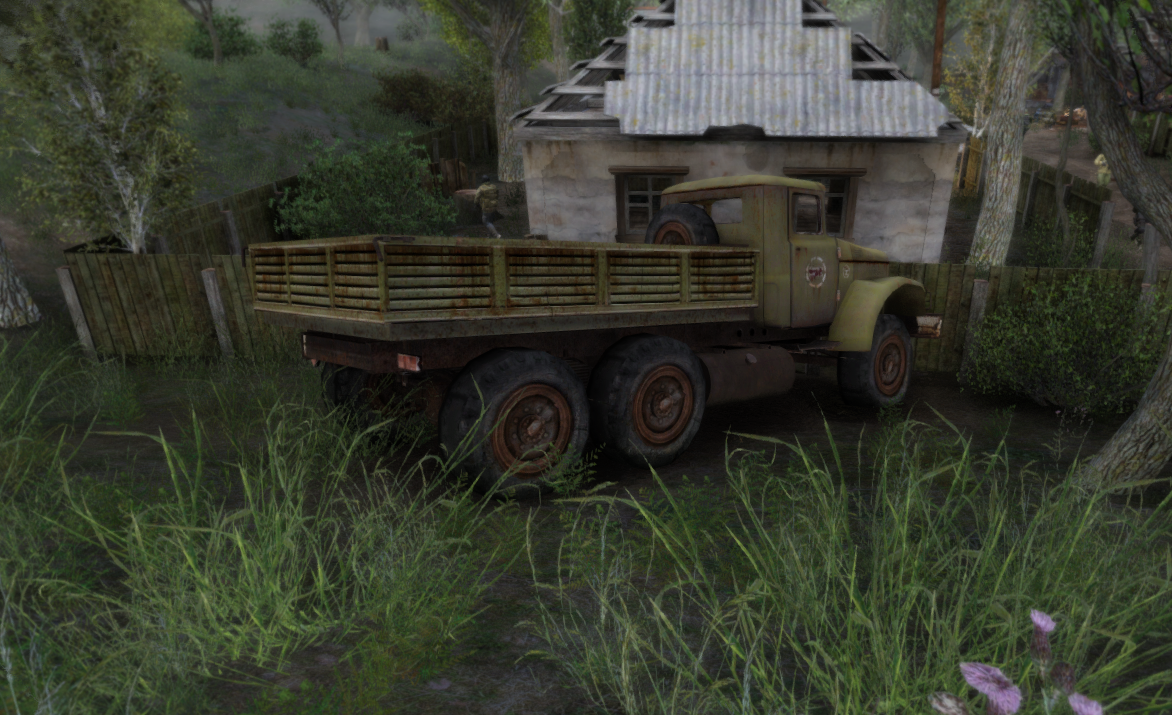
Mod DB
Replaces the texture of Zil-131 trucks located throughout the zone. There are 2 versions in the archive - less and more rusty Installation using MO2 or in the gamedata folder Credits: [FrankZero] ,eeaazzyy1313 for help and support
thats what i have been considering
misty cargo
unkempt estuary
the boxes should be different. like light brown high texture. so should wood
U might be right at least some of them but seen few that did had bad textures
misty cargo
unkempt estuary
https://www.moddb.com/mods/stalker-anomaly/addons/zil-131retexture
Yeah meant that one but doesnt it have only one car or its also all or most of them?
unkempt estuary
misty cargo
Yeah meant that one but doesnt it have only one car or its also all or most of t...
not sure just trucks and buses i think atm
misty cargo
Yeah seem to be only zil
The one I linked had them all comparison of textures seems very nice
Will try to drop them into mo2 last order today and see how it looks will go to truck cemetary to teat it xD
rich sentinel
ashen plaza
What I`m interested is what is your setup for the game to be running 130FPS
ashen plaza
misty cargo
rich sentinel
What I`m interested is what is your setup for the game to be running 130FPS <:Ke...
It soesnt really matters people with i9 processor or 7800x3D randomly can get 40-50fps
 rich sentinel
720$ for the 7800x3d here in the country 
ashen plaza

rich sentinel
Get out of here stalker
ashen plaza
i payed allmost the same
pc forsure wasnt cheap at all
but i wanted to run stalker with all the shaders
rich sentinel
Somedays is a fortune if I`m running 60FPS at all
ashen plaza
i had the same issues at the beginning
rich sentinel
Some time ago the FPS was better, but maximum 90-100
ashen plaza
my game would randomly drop to 40
it was all because i didnt put enough load on my gpu
my game runs better with maxed settings
instead of low.
rich sentinel
ashen plaza
it was all because i didnt put enough load on my gpu
Kinda funny, if I change the settings here, the FPS stays the same
It doesn`t even seem to change the game at all
rich sentinel
ashen plaza
have u tried avx and non avx?
Yup didn`t see a difference, but gotta test it more
rich sentinel
ashen plaza
in the end u can allways turn of grass<:OMEGALUL:606948866851602480>
No way rose 
misty cargo
ashen plaza
my game runs better with maxed settings
Thats an interesting theory, imrunning no avx not as people said it puts more load on gpu instead might also try crancking settings up too
rich sentinel
I mean I fixed the AA problems with the reshade atleast
 ashen plaza
i wouldt try doing all of it
misty cargo
Avx for me also did no visible difference in fps but just in case
ashen plaza
i would start with AA and maybe shadows @misty cargo
see what those twewaks do for u
misty cargo
I tested yesterday putting textures maxed and world objects options higher fps stayed the same
Visuals improved
rich sentinel
ashen plaza
i would start with AA and maybe shadows <@208856530336874496>
So you`re using ingame AA, no custom driver changes?
misty cargo
ashen plaza
i would start with AA and maybe shadows <@208856530336874496>
Shadows u mean regular or turning on grass
misty cargo
Will just test it all today but yeah no grass ahadow
rich sentinel
I mean If I could get more FPS I would do upscale 2.25x and get rid of AA altogether
unkempt estuary
misty cargo
Will try to drop them into mo2 last order today and see how it looks will go to ...
oky ping me when you gonna scren
screen*
ashen plaza
upscale with what ? @rich sentinel
misty cargo
unkempt estuary
oky ping me when you gonna scren
Yeah gonna try it for sure and see if it looks good or not
rich sentinel
ashen plaza
upscale with what ? <@305384067845718018>
Nvidia DSR
rich sentinel
Sure, but 2.25x is 15-20 fps loss here
ashen plaza

rich sentinel
Now 4x is 30+FPS loss
But if you can spot a single jagged on 4K, something is wrong in your eyes
misty cargo
ashen plaza
<:MonkaChrist:919972999258583062>
Could u make and drop a few pic of your advanced graphic settings section?
And did u change anything in SSS mod or left it as is
ashen plaza
sorry what
misty cargo
In game the graphic settings advanced section
rich sentinel

Tried almost every config on advanced section
No FPS change, even from AA on 8x to off
The only change that could make FPS better or worse is rendering distance it seems
rich sentinel
Yes, thats what I mean, no FPS changes on SMAA 8x
ashen plaza
no
dont change
the 0-8x
it will cause fps loss
for me atlest
it ripps around 12 fps
have u tried SMAA on very high?
thats put alot more load onto ur gpu
it gave me like 20 fps
rich sentinel
ashen plaza
have u tried SMAA on very high?
I mean, it works without the 4-8x?
rich sentinel
What is this shit
ashen plaza
i cant tell u
 ashen plaza
dx10 doesnt work for me
 glacial spear
Hello people. Any idea if there is a SSS settings that could cause this extreme AO halo around npc and stuff as well. It only happens when the sun is low on the horizon as you can see in second video?
lean nebula
that's an exp thing
glacial spear
indeed, I did run the original modpack to check and it's there. I wonder what cause it and if it can be tuned down by sss fx settings files
misty cargo
ashen plaza
im kinda trying to brick my mod load order
Great will wait for it, will try to setup it the same way?
ashen plaza
@misty cargo
misty cargo
ashen plaza
<@208856530336874496>
Video, wow thats cool xD thanks will save it to not lose it and test it out in roztok where I def know what my usual fps is
And im running non avx now too just in case fps did not change but just in case it will give more load to gpu instead too
ashen plaza
i mean
i aint doing 7 screenshots bud
im sorry
i sended my user.itx
u didnt want that
unkempt estuary
ashen plaza
but yeah i didnt go for fps in my settings
i went for best quality and best perfomance
misty cargo
Best performance means fps xD
ashen plaza
there is a big difference between going for performance
and going for perfomance and looks.
glacial spear
lean nebula
i don't know if it is an sss thing
probably you are right not being specifically SSS but at the end of the day Expedition shaders are just Enhanced Shaders and SSS just a bit modified.
lean nebula
yeah true
misty cargo
ashen plaza
and going for perfomance and looks.
I mean I do not want to drop looks for extra fps either mby just a little xD but not to drop reshade for example xD looks too good with it
ashen plaza

misty cargo
@unkempt estuary tried that texture pack, not sure I like it. textures look very similar to either default ( or gtr if it has done smth with cars) but mby "a little" better but maeks msot of cars blackish color 😄
unkempt estuary
misty cargo
<@219535017695641600> tried that texture pack, not sure I like it. textures look...
Yeh I thought they looked a little dark in the screens
misty cargo
they look OKAY at best, but I do not see much difference in quality other than color
 raw isle
Has anyone ever seen this before? Green highlight around trees and some guns that appears only on some reshade presets

Oof can hardly see it in the screenshot, way brighter in my game tbh
ashen plaza
sounds like sum fucked up monitor settings or sum
raw isle
I can still see it in the screenshot tho on the rail on the top there, its like lime green lol
Tried a different monitor as well
o well, could be just my system, theres plenty of reshades that it works on

 lyric loom
raw isle
Has anyone ever seen this before? Green highlight around trees and some guns tha...
lyric loom
raw isle
Has anyone ever seen this before? Green highlight around trees and some guns tha...
Not his monitor, I can see the green too, it's like something tried to greenscreen the trees but failed badly lmao
raw isle
Yeah, like it's not super bad. More annoying than anything when u see it on a weapon
lyric loom
misty cargo
mmm textures
Are these default textures or you using a pack?
misty cargo
lyric loom
Are these default textures or you using a pack?
few extra mods + reshade
lyric loom
raw isle
Yeah, like it's not super bad. More annoying than anything when u see it on a we...
On just the weapon, it looks kinda cool IMHO, gives the weapon a more unique feel than just plain black, like some sort of anodized metal
lyric loom
misty cargo
few extra mods + reshade
Oooo which texture mods? Those bricks look sublime I could almost feel them if I touched my screen lol
misty cargo
lyric loom
Oooo which texture mods? Those bricks look sublime I could almost feel them if I...
gtr optimized + gtr original roads/ground +bark mod for trees
otehr stuff for grass etc
lyric loom
Oh might give them a try. As for grass/foliage, I presume you've moved away from the default season of GAMMA and gone for something else or?
misty cargo
yes I reinstalled to have only trees for default gamma mod and added new grass
lyric loom
Gardener of the Zone textures per chance?
misty cargo
lyric loom
Gardener of the Zone textures per chance?
Mod DB
This mod adds high quality grass and trees, close to vanilla colors.
together with GTR optimized + gtr roads/ground textures+ bark mod, everything looks amazing, crisp and high quality
ofc needs reshade to be that good
lyric loom
hmm, I might go for that then but I kinda like the dead/miserable feel of the current textures, did you disable any texture mods in MO2 as well?
misty cargo
no only reinstalled default gamma grass to set only trees change no grass. and put this one on
lyric loom
and I presume you chose Summer Trees?
misty cargo
yes, I tested spring but after a while got bored with too bright textures so set it to summer now, might change to autumn later on
lyric loom
Oh yeah snap the spring is REALLY colourful comapred to summer
 hexed lotus
@misty cargo
Sorry, but what is GTR opti + GTR roads??
 wispy rapids
Using spring is always lively

Gtr optimization is just global texture rework 1k
Makes fps better
Gtr roads is just global texture rework roads
hexed lotus
@wispy rapids ok thanks dude!!
 tulip basin
raw isle
Has anyone ever seen this before? Green highlight around trees and some guns tha...
tulip basin
raw isle
Has anyone ever seen this before? Green highlight around trees and some guns tha...
its a reshade effect if i remember correctly
a specific one, but can't remember which one exactly
rich sentinel
tulip basin
its a reshade effect if i remember correctly
Chromatic Aberration?
raw isle
I'ma try adjusting that
 proven wyvern
raw isle
Has anyone ever seen this before? Green highlight around trees and some guns tha...
proven wyvern
raw isle
Has anyone ever seen this before? Green highlight around trees and some guns tha...
you can turn off chromatic in reshade setting
raw isle
Did the trick, thanks yall!
lyric loom
Anybody know why changing r2_gloss_factor from default 0.25 to 1.5 (as per GTR and Bark mods suggest) give me white pixels? Already tried deleting shader cache
 mortal tiger
my new sharpen preset


It's funny, but there are only 4 free effects in my reshade, while Anomaly itself draws beautiful graphics thanks to the atmosphere
 viral crescent
Hi, ive removed reshade earlier to try to see the performance difference. how do i properly reinstall just the reshade with all the DLLs?
unkempt estuary
lyric loom
Anybody know why changing r2_gloss_factor from default 0.25 to 1.5 (as per GTR a...
oh dont follow that man. just leave the gloss factor
they need to remove that in the guide
lyric loom
Oh? The game looks really unsaturated, with gloss factor of 1.5 everything looks...normal. What's the best method to make up the difference? Any suggestions at all?
unkempt estuary
i left mine default
which is like 0.25 isnt it ?

nothing wrong with my game. left it as is
unkempt estuary
lyric loom
Oh? The game looks really unsaturated, with gloss factor of 1.5 everything looks...
kinda confused what ur asking
btw those mods arent considering gamma
lyric loom
Your game looks like mine when I set r2_gloss_factor from the games default of 0.5 to 1.5 in the console commands. I'll take a screenshot of the differences when I get up tomorrow as I'm in bed now
Atm, things looks slightly washed out, most noticable on rusted vehicles
 unkempt estuary
lyric loom
Your game looks like mine when I set r2_gloss_factor from the games default of 0...
unkempt estuary
lyric loom
Your game looks like mine when I set r2_gloss_factor from the games default of 0...
oky

dunno if close up like that helps.
 hardy ridge
when vr update? (real)
unkempt estuary
 ashen plaza
mortal tiger


 vital spade
@cloud island I have a server suggestion.
Turning #╟🎑reshades into a forum like #1035807043933720576 (reshade-posting?)
That would let people post presets in a way that would make it easier to browse them and easier to chat about a specific preset.
 cloud island
presets can be posted in #1035807043933720576
vital spade
Hmm, I guess. Just thought it would be nicer to separate the two.
ashen plaza
i think so too..
we need a place where we can instantly find them.
with no chats in between.
just have a galerie of them.
unkempt estuary
 ashen plaza
and then all things regarding reshade can also be talked inside of mods making ? maybe?
 zinc lynx
where should extract gtr?
ashen plaza
into the modloader
vital spade
rich sentinel
What is that Mosin model? It looks sexy af

 lyric loom
unkempt estuary
lyric loom
unkempt estuary
Nghhh this looks SO good >_<
rich sentinel
vital spade
What is that Mosin model? It looks sexy af
 rich sentinel
Well there is a folder only for the mosin, but I don't know if it will work without the BAS patch the zip comes with it
 thorny vortex
vital spade
I'd rather if it was standalone
thorny vortex
vital spade
I'd rather if it was standalone
its one of Juans weapons https://drive.google.com/file/d/1bxEkHx4W3NPq1LAOHwYyu8T52C3nChpV/view?usp=drive_link
vital spade
thorny vortex
its one of Juans weapons https://drive.google.com/file/d/1bxEkHx4W3NPq1LAOHwYyu8...
Does it have the fixed texture? The one on moddb seems to have had a black spot where the scope goes
thorny vortex
vital spade
Does it have the fixed texture? The one on moddb seems to have had a black spot ...
should, i never noticed it
vital spade
Hmm.. It also looks like the one in Ultimate Gun Pack uses a different animation
I'll have to check the drive one
thorny vortex
the one in UGP and the link i provided are same mods
graceful yacht
Who has a nice preset that doesn't drop your fps by 45
I don't like the base ones too much
rich sentinel
graceful yacht
Who has a nice preset that doesn't drop your fps by 45
You gotta know what you want from a preset before that
The one I'm using doesn't drop the FPS between 60-90, but over 100 it drops
But you need to know if you will use any AA, film effect, what type of effect you want
zinc lynx
hi, can anyone help me putting gtr in gamma?
rich sentinel
zinc lynx
hi, can anyone help me putting gtr in gamma?
GTR should work fine if you remove the shader folder that comes with it
zinc lynx
rich sentinel
GTR should work fine if you remove the shader folder that comes with it
where do i extract the folder?
rich sentinel
zinc lynx
where do i extract the folder?
If you manual extract, Gamma mods folder
Or you install in MO2, same deal
zinc lynx
ok thanks for the help
graceful yacht
rich sentinel
You gotta know what you want from a preset before that
something moody but where you can still see shit. hard to explain I need to see peoples pictures
too bad it's a pain in the ass to see any fucking pictures since theres always a conversation going on
AA doesnt matter too much to me since I still play at 1080p
rich sentinel
graceful yacht
something moody but where you can still see shit. hard to explain I need to see...
You could hop on the screenshots section for ideas
rich sentinel
graceful yacht
AA doesnt matter too much to me since I still play at 1080p
I was using TFAA+Vectors, but that would be 10FPS loss atleast
graceful yacht
I have the computer to handle all that but gamma atm is in a pretty rough spot for performance
at least until gamma drops this new performance/spawn tweak
I keep seeing RTGI reshade? looks pretty good
 urban hatch
Guys, which is the best reshade around for realistic look? I'm open to all suggestions 
rich sentinel
graceful yacht
I keep seeing RTGI reshade? looks pretty good
That would be the RTGI effect, but you need the shaders for it
ashen plaza
 zinc lynx
can anyone help me? i installed gtr and extracted the folders in the mod folder inside gamma and checked it in the mod organizer but it still dosn't work
lyric loom
Did you import via MO2? When you do, it will bring up a dialog window with all the options, you want to click+drag the both trees OUT of "main files" so they sit under the "anomoly" tree
Then install it
ashen plaza
anomoly 
 spark linden
hi can someone check if R3zy's Detectors Enhanced Shaders Patch is on by defult or not after new update?
rich sentinel
spark linden
hi can someone check if R3zy's Detectors Enhanced Shaders Patch is on by defult ...

 eager helm
mortal tiger
eager helm
mortal tiger
can you share the preset and user.ltx? thank you in advance
unkempt estuary
zinc lynx
can anyone help me? i installed gtr and extracted the folders in the mod folder ...
thats not how you install GTR who told you to do it that way ?
unkempt estuary
rich sentinel
If you manual extract, Gamma mods folder
ahhhh i seee this drongo
bro dont tell people shit you dont know...
ruining their game
if you legit dont know... just say it and wait for someone else who does.
GTR original (BETA) needs to be put directly into Anomaly folder not GAMMA! and optimised GTR is simple mo2 install. jeez lol
unkempt estuary
ashen plaza
are u sure it doesnt
also sensei cmpon bro i taught you how to install it like 2 days ago and you still teaching wrong
ashen plaza
gtr opti and gtr original are different to install
unkempt estuary
i know...
ashen plaza
gtr opti works over mod organizer
gtr original has to be put into the Anomaly folder
unkempt estuary
i just said that and no one explained to the guy having trouble installing
no one even asked if he was using original or optimised
ashen plaza
unkempt estuary
you sure ?

you told him it sould work if he put it in gamma
thats incorrect bro
ashen plaza
 undone saddle
what other additional mods do yall run besides GTR?
lyric loom
Bark Rework is another nice one
undone saddle
does it matter where i put Bark Rework in MO2?
rich sentinel
unkempt estuary
ahhhh i seee this drongo
My understanding as far as I know is that the anomaly folder are supposed to be clean, thats the reason why you shouldn't put files there, MO2 already loads the textures and addons outside of the folder
What I did the past 2-3 years of addons was installing GTR via MO2, of course, setting the gamedata in a way that it would load ingame how It was supposed to load
So assuming I did wrong the past years, no I didn't give wrong information
Of course, if you can prove that it indeed changes loading GTR in anomaly or MO2, go ahead
rich sentinel
rich sentinel
What I did the past 2-3 years of addons was installing GTR via MO2, of course, s...
Not even going in the fact that MO2 makes it easier to rollback in case you need it
rich sentinel
undone saddle
does it matter where i put Bark Rework in MO2?
Mine is at the end, but I don't see any conflict between the bark textures or any other, (Atleast the MO2 don't say nothing about it)
undone saddle
i see, thxs for the info guys
rich sentinel
unkempt estuary
ruining their game
You can't ruin the game based on textures, never did, never saw it, but of course, help the guy in any way you see fit
unkempt estuary
rich sentinel
You can't ruin the game based on textures, never did, never saw it, but of cours...
sorry i was being a little dramaitc. i just mean dont make ppl have to waste their time. sorry
unkempt estuary
rich sentinel
My understanding as far as I know is that the anomaly folder are supposed to be ...
nah original GTR is a completely different installation unless you are taking out certain files and putting those into the optimised folder. optimised will end up in gamma folder by default because installing in mo2. the original beta doesnt work like that. it cant.
unkempt estuary
rich sentinel
Of course, if you can prove that it indeed changes loading GTR in anomaly or MO2...
it does. textures wont even work dude
if you put GTR original in gamma it wont even work
only works if you have optimised and put folders from original into optimised. like adding ground from orginal for example
lyric loom
unkempt estuary
if you put GTR original in gamma it wont even work
I got original GTR to work O.o
unkempt estuary
lyric loom
I got original GTR to work O.o
in gamma ?
lyric loom
Yuh
lyric loom
I used MO2, all I did was move the 'trees' out of "main files" into "anomoly" 'tree' in the dialogue that pops up and it installed fine
I'll show you, one sec
lyric loom
Nope, normal
unkempt estuary
youre saying u installed original GTR with mo2?
unkempt estuary
oky
lyric loom
I was wrong, I thought I had normal
I remember now I was having shader issues with it
LMAO I'm so dumb
BUT it does workm
unkempt estuary
thats optmised bro
lyric loom
I show you now
lyric loom
Is my screen not working?
unkempt estuary
yeh ur just hovering mouse over mo2
ashen plaza
unkempt estuary
huh ?
lyric loom
Okay see that window
unkempt estuary
i just see a screen of ur mo2 and i see u have optmised installed
lyric loom
do you see the new screen now yeah?
lyric loom
unkempt estuary
i just see a screen of ur mo2 and i see u have optmised installed
you still there bud?
unkempt estuary
im talking in the stream chat
lyric loom
ohhh
unkempt estuary
haha
unkempt estuary
ok so you gonna say it or me @lyric loom ? lol
MO2 method for original does not work like i said
lyric loom
It's not a pissing competition mate.
unkempt estuary
no im just saying it so people dont do it that way
lyric loom
Itworks, just not properly
unkempt estuary
thats why i just sat in ur strea for 10 mins and made sure i was correct
cos if u were right we had another method
but unfortunately
lyric loom
Doesn't matter anyway, the mod page says to do it manually.
undone saddle
what shaders are u guys currently using?
 grave jay
i don't know what i did but, i can't get reshade to open but the game still runs so that okay lol
 untold spruce
I have a question, I recently deleted the Reshade DLLs using the launcher, does the SSS and other shader mods require Reshade? A couple of hours ago I tried using the shader stuff because I found base anomaly too dark and grey, so would like to up it a notch using those. Currently redownloading the DLLs and would like to ask if Using just Reshade or just SSS, Enhanced Shaders and that other one is better than the other? With both on i am hitting 20 fps with a bit of stutter, with both off I am hitting consistent 60fps somehow. Now would like to try using either, but would like to ask for input about the shaders and Reshade.
(Addition, I haven't tried using just the shaders, i tried it about 3 hours ago but can't because of something and crashed)
 viral birch
misty cargo
together with GTR optimized + gtr roads/ground textures+ bark mod, everything lo...
viral birch
misty cargo
together with GTR optimized + gtr roads/ground textures+ bark mod, everything lo...
hi, what is gtr roads/ground textures?
I know original GTR and I see this new GTR optimized
 buoyant vine
with reshade my fps dies at night,
how i make my gun look shiny without reshade

im wondering if there is alternate way to make it shiny without killing fps
 slow star
buoyant vine
how i make my gun look shiny without reshade
slow star
buoyant vine
how i make my gun look shiny without reshade
Try both r2_gloss commands in console
buoyant vine
slow star
Try both `r2_gloss` commands in console
you mean these ?
 buoyant vine
yep it helped thanks
 elder magnet

