#╟🎑reshades
1 messages · Page 24 of 1
 brisk gyro
brisk gyro
brisk gyro
 hot flame
i have the gtx 660 (not gtx 660m)
hot flame
i have the gtx 660 (not gtx 660m)
out of curiosity do you have 2 or 4 gb VRAM?
brisk gyro
hot flame
i play at dx11 with barely acceptable framerates
that’s impressive
hot flame
brisk gyro
out of curiosity do you have 2 or 4 gb VRAM?
2gb vram
im planning to upgrade the gpu since it is the biggest bottleneck
the cpu is the least problem
 opal agate
hot flame
i have the gtx 660 (not gtx 660m)
opal agate
hot flame
i have the gtx 660 (not gtx 660m)
F
brisk gyro
hot flame
im planning to upgrade the gpu since it is the biggest bottleneck
do it man, you will save yourself some health and nerves, since 660m is for notebooks id have to buy whole new rig
 tawny depot
Hi,
Is there any interest updating to last reshade ? (performance wise, others), I'm on 5.4.2 rn
Thx : )
 uneven sinew
Yeah just do it. It's simple instal and will help with functionality
tawny depot
uneven sinew
Yeah just do it. It's simple instal and will help with functionality
thanks ! 👌
tawny depot
uneven sinew
Yeah just do it. It's simple instal and will help with functionality
how do I update, shall I just grab the file from reshade and run the installer, any specific things ?
Sorry my last reshade install was ages ago I forgot ^^
uneven sinew
No worries, yeah head to Reshade's website, download the newest version and run the installer. It will notice when you select Stalker again that you already had it installed and just update what it needs to!
Make sure to choose the "AnomalyDX11" or which ever version you use👍
 lunar jewel
is mod db down? Im trying to access the reshade mod to get the ini and it keeps giving me an error
(aggressor reshade ini I mean)
tawny depot
lunar jewel
is mod db down? Im trying to access the reshade mod to get the ini and it keeps ...
Yes
 neat goblet
hello i wonder how t get the same look of all the screenshot in this discord my game jut look like oblivion ...
 digital ginkgo
neat goblet
hello i wonder how t get the same look of all the screenshot in this discord my ...
digital ginkgo
neat goblet
hello i wonder how t get the same look of all the screenshot in this discord my ...
By installing custom shaders, but if you don't want to bother, just wait for April 2, the new version of gamma releases with new graphics
 ashen jacinth
neat goblet
by hippo ?
ashen jacinth
neat goblet
by hippo ?
Yep thatll be default in 0.9
 ocean kelp
Hello friends, quick question: when I boot the game reshade tells me to update at reshade.me cause mine is out of date, what exe do I point the updated reshade install to?
Disregard, I figured it out, leaving this here for posterity - Pick whatever DX version of the game you use in the anomaly folder
 quick fern
How do I enable hippos shader? Or do I still need to download it?
 dense mirage
Hello i have a problem where light sources turn everything it touches white and textureless
nevermind i fixed it by reactivation jakus shaders
ashen jacinth
quick fern
How do I enable hippos shader? Or do I still need to download it?
Still need to install it, will be included in the next patch
 lethal snow
Any good reshade recommendations for a standard gamma mod pack?
Currently have all filters turned off cuz idk where to start
quick fern
ashen jacinth
Still need to install it, will be included in the next patch
Is the next patch coming out in the next week by chance?
ashen jacinth
quick fern
Is the next patch coming out in the next week by chance?
If im not mistaken its scheduled for the 2nd April but if moddb keeps having issues then itll be longer
lethal snow
ashen jacinth
If im not mistaken its scheduled for the 2nd April but if moddb keeps having iss...
There’s a note that says it may be delayed by a week but they will see how the moddb servers are so they don’t flood them
 split marsh
Can someone recommend any reshade config (and how to install it) that improve the visibility for GAMMA?
 crisp viper
running hippo it looks good just kinda grainy any way to fix that?
 cosmic gust
crisp viper
running hippo it looks good just kinda grainy any way to fix that?
cosmic gust
crisp viper
running hippo it looks good just kinda grainy any way to fix that?
what thinking the same thing, can't seem to find a way to disable the grainy filtter
 past phoenix
does anyone have a copy of/link to the txt file with install instructions for melting winters?
 winged urchin
crisp viper
running hippo it looks good just kinda grainy any way to fix that?
winged urchin
crisp viper
running hippo it looks good just kinda grainy any way to fix that?
What about just disabling the "Film grain" shader?

 radiant fjord
whys hippo so difficult to install 💀
 gaunt pawn
radiant fjord
whys hippo so difficult to install 💀
gaunt pawn
radiant fjord
whys hippo so difficult to install 💀
It'll be part of Gamma by default I believe. Next update coming soon.
radiant fjord
god i sure hope so
ashen jacinth
radiant fjord
god i sure hope so
It's confirmed so do not worry!
radiant fjord
very nice!
 river pagoda
radiant fjord
whys hippo so difficult to install 💀
river pagoda
radiant fjord
whys hippo so difficult to install 💀
difficult? Just follow instructions for gamma in mod (atmospherics) description
 jaunty breach
what needs to be disabled for aggressor reshade to work?
radiant fjord
river pagoda
difficult? Just follow instructions for gamma in mod (atmospherics) description
why did the creator of the reshade post such a weird ext program as an explanation on how to install it
river pagoda
idk
ashen jacinth
radiant fjord
why did the creator of the reshade post such a weird ext program as an explanati...
That wasn't hippo, his guide to install it is in moddb, the ext mod is something else looked after by someone else
radiant fjord
oh i see thank you
radiant fjord
ashen jacinth
That wasn't hippo, his guide to install it is in moddb, the ext mod is something...
is his moddb the atmospherics addon?
ashen jacinth
radiant fjord
is his moddb the atmospherics addon?
Yeah that's the one, there's a link in the description to the guide, it's a little lengthy to install at first but once you've got it all you need to do is update for further ones
radiant fjord
is it the guide with the weird EXT? 💀
 plucky plover
SHADER CACHE
ashen jacinth
radiant fjord
is it the guide with the weird EXT? 💀
No not that one, just has a few other prerequisite mods you need to install but its all listed
 gloomy nymph
are there any good reshades that can make the skybox more mellow cuz 90% of the time its complete white and the ground dark brown and i cant see for shit
 smoky goblet
so i just got back into gamma and installed everything last time i played it looked very nice now thius time my game looks like this and i cant figure out why i checked all my graphics settings everything is washed out the sky is white and everything looks like its in dense fog,
 smoky goblet
 swift robin
change time weather
swift robin
change time weather
i have fog off and weather off to see if it was that and it didn't affect it at all
swift robin
smoky goblet
i have fog off and weather off to see if it was that and it didn't affect it at ...

i reload i prev save

perhaps. your weather is paused
paused on fog. it can happen
 solid pine
swift robin
solid pine
swift robin
Dude I hope you drank some water
swift robin
solid pine
Dude I hope you drank some water
that was an old sleep save
just quick loaded to show different weather and that my game sometimes looks foggy and lame
uneven sinew
For those who customize their reshades, is there any type of guide you could recommend? I use Hippos atmospherics and its great. Mainly just wanted to experiment with different colors, I don't know what to do other than check on or off different reshade options. Thanks
 tiny marlin
I also hate this bright white effect on the distance, I literally can't see things from afar. anything to remove it or make it look better?
 winged urchin
@manic sage Can I safely install the new SSS 15 update in combination with your reshades?
 manic sage
Yes but there is a bug at the moment where you will crash in truck cemetery
its not related to my mod but SSS
so we have to wait for a hotfix from Tab the creator of SSS
winged urchin
Alright, thank you for the quick reply!
I'll wait for the hotfix then 🙂
 icy trench
does anyone know a mod or multiple mods that makes gamma look like stalker 2? or close to...
smoky goblet
tiny marlin
I also hate this bright white effect on the distance, I literally can't see thin...
same i wish their was an easy way to get rid of it
 glacial spear
stalker 2 has not even come out. how do we know how it looks like?
solid pine
glacial spear
stalker 2 has not even come out. how do we know how it looks like?
Watch trailer
 worn hedge
hey guys i just redownloaded gamma after a while
why is the agressor reshade disabled was it causing problems?
 compact patrol
worn hedge
hey guys i just redownloaded gamma after a while
compact patrol
worn hedge
hey guys i just redownloaded gamma after a while
As someone told me, there is no agressor reshade, it is just some grass files taken from it
 mellow jacinth
anyone know how to make the game greener, I have hippos atmospherics, i just want to change bushes and grass textures to something more vibrant
 woven badger
its normal that the background looks in that way
 woven badger
i allready reinstall it
manic sage
I mean load order
woven badger
okok
manic sage
your load order is not right
woven badger
 manic sage
Im not familiar with the ext version of atmospherics
but generally the load order from lowest to highest is beefs nvgs > ES 1.10 > SSS > Atmospherics
Atmospherics having highest priority
woven badger
ok thanks!, im gona keep trying.
glacial spear
Ext atmos is based on SS 14.9
If you have issues reset the load order with Reset Profile and try again
glacial spear
woven badger
Hippo Atmospherics profile is a dummy one (has no mods enabled), you have to choose between the three profiles available (Summer, Autumn and winter)
glacial spear
I realized atmospherics did update, so have updated both ext atmos profiles to Atmospherics GAMMA 1.63.9
 tawny root

151 files and 7 subfolders


my reshade for the atmospheric mod
using the atmo version
@vapid oasis
ashen jacinth
tawny root
https://mega.nz/folder/pfYgiDpA#qqAFSyvwrC6_lmz1vGtyyQ
This looks dope, will try it out
 junior dawn
hey yall, tryna change keyboard bind for reshade now i have used reshade before but im being dumb im changing the KeyOverlayMenu= too so and so in my case im binding it too like f10, but then when i go in game it wont pop up the reshade menu for me and it still says press home key, and il state i dont have a home key im on a laptop
[INPUT]
ForceShortcutModifiers=1
InputProcessing=2
KeyEffects=0,0,0,0
KeyMenu=121,0,0,0
KeyNextPreset=0,0,0,0
KeyPreviousPreset=0,0,0,0
KeyReload=0,0,0,0
KeyScreenshot=44,0,0,0
thats my input section
fck never mind i sorted it my hole ini was wrong
 wheat kite
tawny root
https://mega.nz/folder/pfYgiDpA#qqAFSyvwrC6_lmz1vGtyyQ
wheat kite
tawny root
https://mega.nz/folder/pfYgiDpA#qqAFSyvwrC6_lmz1vGtyyQ
How do you have that much foliage without your game freaking out
 cerulean egret
How do I get the reshade.me to work? I keep trying to install it and it still says 5.4
gloomy nymph
so quick question trying to download agressor reshade it says drop the folder into the anomaly/bin folder
whats that
the gamma stuff doesnt have a folder called bin
 wheat kite
gloomy nymph
so quick question trying to download agressor reshade it says drop the folder i...
wheat kite
gloomy nymph
so quick question trying to download agressor reshade it says drop the folder i...
go to your anomaly/bin folder ? what is so hard about that.
if such a folder doesn't exist then you've installed gamma incorrectly
gaunt pawn
tawny root
https://mega.nz/folder/pfYgiDpA#qqAFSyvwrC6_lmz1vGtyyQ
Very nice! Thnx for sharing! Definitely trying out!
gaunt pawn
@tawny root To use your reshade we simply just drop your reshade folder into Atmos \bin\reshade-shaders folder and overwrite?
gaunt pawn
thnx
glacial spear
 sweet palm
how i can reshade game
sweet palm
how i can reshade game
update to gamma 0.9 is your first step
sweet palm
can someone tell me how i can download shaders
i dowloaded it yesterday
bcs i have new pc
glacial spear
gamma 0.9 it just came out 1 hour ago
glacial spear
check #📢announcements
glacial spear
sweet palm
glacial spear
https://discord.com/channels/912320241713958912/912827116427554877/1092042069280...
i cant open that launcher
and for what is that second link
glacial spear
I have not updated myself so I cant help you, but the launcher should work as I replaced it and it launch just fine
sweet palm
so i just need to replace it to gamma folder ?
 sweet palm
glacial spear
the second link is total virus report of the new exe laucher
sweet palm
glacial spear
the second link is total virus report of the new exe laucher
and what is new in new update ?
and this trojan means what ?
 wheat kite
So the new update is using atmos and it looks so much worse, it's less bright it's muted, I dislike. What was it using before 0.9 so I can go back ?
sweet palm
glacial spear
the second link is total virus report of the new exe laucher
what i can do ?
 glacial spear
 upper cypress
Poor guy
 lament finch
tawny root
https://mega.nz/folder/pfYgiDpA#qqAFSyvwrC6_lmz1vGtyyQ
lament finch
tawny root
https://mega.nz/folder/pfYgiDpA#qqAFSyvwrC6_lmz1vGtyyQ
could i ask for ur ingame settings?
 echo hawk
FYI: For me reshade failed to install properly with gamma 0.9, so to fix it you need to delete your reshade-shader folder in Anomaly/bin and copy paste the one in groks modpack installer/gamma/modpack _patches/bin.
 halcyon schooner
hi guys, i just update to 0.9, i have to do something with the settings for hippo or its ready to go?
 weak perch
Downloaded 0.9 and launch no problems. But when im in game it just looks very foggy. Is there same setting in reshade?
 pure relic
echo hawk
FYI: For me reshade failed to install properly with gamma 0.9, so to fix it you ...
pure relic
echo hawk
FYI: For me reshade failed to install properly with gamma 0.9, so to fix it you ...
gamma 0.9??????
woven badger
untill update to new version , its safe? because in virus total detects troyan activity.
 clever fractal
woven badger
untill update to new version , its safe? because in virus total detects troyan a...
clever fractal
woven badger
untill update to new version , its safe? because in virus total detects troyan a...
It’s a false positive, as long as you get the launcher from this server you will be fine
 leaden marsh
I totally love Hippo's work (I even bought him a coffee showing my appreciation...), and I have to say, objectively, 0.9 looks way more natural and pro than Gamma before.
Yet still, I don't like it 😭 Although I wanted to.
I circled through shader options (AtmosR, R+, AtmosGamma etc), weathers (clear, cloudy...) and day times, for hours now, and I cannot find a single one which I'd like a lot. It wouldn't be a problem, it's my subjective opinion. But my fear came true: that Gamma will not look like 'Gamma' anymore once in the future. And there is not an option to use the old look. I tried to disable Atmos, and re-enable some mods which needed to be disabled before when we installed Hippo's (Jakku's etc), deleted shader cache etc, but I cannot get it back.
The skies look bad, even the clear ones are cloudy all day, only before 6 AM and after 18 PM is there a bit of blue. And every weather preset, almost all day look the same or similar, dark, pale and dull. And fog everywhere. OK, it's Gamma, a post-apocalyptic game, but before what I liked that rarely and randomly the game looked nice and colourful, so we could wait for that while it was rainy and foggy etc. Now there's nothing to wait for...
I don't want to offend anyone, I TRULY appreciate these guys' work, but many of us loved the old Gamma look I presume. It'd be good to have it optional.
Now I have a big trust in my old 'offline installer', which I could use once for reinstall (I wanted to have it not because of the fearful updates, but because of server downs or sg). I try to put it back and see if it works (without updates of course).
 desert cedar
Damn I still haven't downloaded 0.9
leaden marsh
tawny root
This looks gorgeous indeed. Very cinematic. I could get similar looks in my 0.9 install, but I feel that it's better for making movies, and not that good for playing... old Gamma had many dark periods but still, it was clear and useful many times.
Idk, just my opinion... , mabye things will be polished with later updates, maybe it's just me whining over an awesome free game... I will get used to it finally I presume...
 white sundial
hey there
iam searching the hole chat and dont find an answer
i try to open the reshade menu und i know it is pos1 / home key but it dosnt work
the change to an other button like shift f12 dont work either
so my question is how 
 west bay
anyone got a pack that looks super gloomy and dark?
 visual hearth
leaden marsh
This looks gorgeous indeed. Very cinematic. I could get similar looks in my 0.9 ...
visual hearth
leaden marsh
This looks gorgeous indeed. Very cinematic. I could get similar looks in my 0.9 ...
Did you press default button in dynamic tone mapper? I found my game pretty dark before I did that
manic sage
leaden marsh
This looks gorgeous indeed. Very cinematic. I could get similar looks in my 0.9 ...
There's some teething issues with the new update
most should be sorted if you press default on dynamic tonemap
leaden marsh
visual hearth
Did you press default button in dynamic tone mapper? I found my game pretty dark...
Nope, I will try it, thanks!
leaden marsh
manic sage
most should be sorted if you press default on dynamic tonemap
Cheers bro, thanks for the tip! Anyway, this is what I just did since then: I erased my old Gamma, and made a completely new, fresh Install of everything. I started a game, most things default, Rookie village, morning. It's still dark a bit, but it's ok in the morning, and now I will be more patient, and try to get used to it. If You played 150-200 (realtime) hours of Gamma before, these changes are HUGE! I know I had trouble when I changed my Radeon card to Nvidia a few months ago, and it took weeks to set everything up well, and/or get used to the new settings (desktop/videos/games). This must be the case here too. I feel it in deep inside that it's looking fantastically cinematic, I tried the different shaders (R, R+, Film, Gamma), they all look great. Only my body tries not to accept it yet. I will be patient, and give it some time, to play it normally, not to hastily change the daytime/weather settings in the debug menu, and whining that it does not look as the old Gamma... (anyway, I have an instance of the old vanilla verision, which works still offline, so I can anytime go back to it for nostalgia)
I did one more thing: I tried to look back to your old (January?) Atmos version. This was when I started to play Gamma, and it was a big experience. I was amazed by your design that time. Now, it was not as appealing as I remembered it (people's good memories can cheat sometime..). Looked very cartoonish compared to this new style. This helped to accept this new design, because it's obvious that a lot of work is in it, and we have to step forward.
Also, I will check those tonemaps settings if I'll still have issues. I also try to follow the news for further debug.
 coral helm
how do i remove reshades?
uneven sinew
leaden marsh
I totally love Hippo's work (I even bought him a coffee showing my appreciation....
Change is good Fellow Stalker
leaden marsh
uneven sinew
Change is good Fellow Stalker
Yeah, agreed. The problem is with me. The zone is constantly changing, I have to accept it 😉
Anyway, after a complete clean reinstall/re-download/reset of tonemap changed it drastically. First quick rough screenshot, must be legit I presume?
 manic sage
Make sure to try the different reshade presets
by default gamma uses a subtle reshade
leaden marsh
I surely will! Can't wait to get home and start it up 😋
As I remember, it is the filmic one
manic sage
There is a filmic one
leaden marsh
How could I be that silly not to reset the tonemap?! Maybe I thought that becsuse it's part of Gamma now, the defaults are loading up automatically...
Hippo, anyway, how does it feel to state 'I am part of Gamma from now' 😎
manic sage
Feels nice but it wasn't a huge goal of mine
but I am proud to be a major part of how gamma looks
leaden marsh
It was not a huge goal? What if it had been?! 😂
Yeah totally, but new players won't know what does it mean, who you are etc. Only those will not forget who struggled through the old manual installs 😉
sweet palm
HI GUYS I UPDATE TO PATCH 0.9 and i want to know if is there some way how to have more better graphics withou instal more mods ?
lethal snow
anyone know why turning the reshade options on the in game overlay would give a performance gain of 10-15 fps?
 flat glacier
how to fix it?
 visual hearth
flat glacier
how to fix it?
visual hearth
flat glacier
how to fix it?
Turn up sun shadow quality
flat glacier
thank you man
sweet palm
HOW FIX THIS ?
 manic sage
Switch from volumetric to screenspace in graphics settings
also no need for caps lock
leaden marsh
Maybe the Gamma install messed his windows keyboard settings 😏
leaden marsh
I dunno what happened... been playin' with different Gamma instance's I have (old Gamma, Anomaly, New Gamma etc) daytime/weather settings for hours... my eyes hurt... I needed to go sleep already... and interestingly today, after playing with the new version, I found old Gamma not appealing (which I loved until now). And after a few changes between several instances suddenly I started to freak out of the new one, in a good way. Finally it clicked in. Maybe it's just that my eyes started to not see the flaws but the beauty?! Or I accidentally made some change in something? In the 0.9 version I don't use anything else, and I always delete shader cache.
Made a few more screenshots, I selected the better ones. It's still just vanilla Gamma 0.9, with AtmosR+ shader preset, which is my favourite I think: https://photos.app.goo.gl/jdHPQkgf6JjLdKU26
Are they legit? Should they look like this? It's weird that 'I see' and it's not dark. Yesterday even the clear presets were dark, today I find them super bright at noon.

 wary crag
hello, i'm having some weird lightning reflection on plants, i would like to know it was some bad setting on my part or something else

see the plant in front that reflects light like they are made of glass
 steel oar
can we put both volumetric and screen space or is there a compatibility issue ?
 brazen arrow
well i still have shader issues after trying whats been mentioned in announcements this morning. 😦 this is what it gave me as a screen shot... lol nothing


 manic sage
brazen arrow
okay just tried again and it worked but now i have these lines?
manic sage
brazen arrow
okay just tried again and it worked but now i have these lines?
increase shadow map resolution in the launcher
 distant sierra
Should the dynamic tonemap reset be done even if I just clean installed
When I clicked default it made 5 changes
leaden marsh
yepp, it's better to do it always I presume... though as I see, it might be implemented in an update later, so we won't have to?!
 ruby ember
is there anymod pack that transform the zone into summer ?
seeing brown everywhere stale after a while
visual hearth
ruby ember
seeing brown everywhere stale after a while
checkout aydin grass tweaks in #1035807043933720576 he's releasing his spring version soon, nice and green
 waxen furnace
just started a new save after updating is it supposed to look like this?

shadows on the gloves look weird
 languid portal
anyone got a shader that makes the game look less muddy? getting kinda tired of it
visual hearth
languid portal
anyone got a shader that makes the game look less muddy? getting kinda tired of...
try pressing ~ key, type cfg_load AtmosR
change reshade preset to AtmosR+ if you have a beefy PC, or AtmosR if not a beefy PC
languid portal
visual hearth
try pressing ~ key, type cfg_load AtmosR
ill try
 fleet smelt
languid portal
anyone got a shader that makes the game look less muddy? getting kinda tired of...
fleet smelt
languid portal
anyone got a shader that makes the game look less muddy? getting kinda tired of...
Change to summer or autumn textures in mo2. Search "grass" and reinstall the only mod shown there to switch between, or back to winter if you want
leaden marsh
Aydin Spring + AtmosR+ is AWESOME!
 keen gate
tawny root
https://mega.nz/folder/pfYgiDpA#qqAFSyvwrC6_lmz1vGtyyQ
keen gate
tawny root
https://mega.nz/folder/pfYgiDpA#qqAFSyvwrC6_lmz1vGtyyQ
it asks me a password
 tropic belfry
i need a recommendation for a good reshade
 sick tinsel
anyone using the EXT edition on 0.9? is it ok to use or will it crash?
 crude crypt
tropic belfry
i need a recommendation for a good reshade
crude crypt
tropic belfry
i need a recommendation for a good reshade
Aydins Grass + Trees, i use the new spring version and AtmosR with some tweaks to vibrance and saturation and it looks great.
 sturdy solstice
What changes between AtmosR and AtmosR+?
crude crypt
sturdy solstice
What changes between AtmosR and AtmosR+?
AtmosR+ looks better but is a bit more demanding than the regular AtmosR preset if im correct?
sturdy solstice
I didn't realise there was presets so I was using the stock one all this time and I just found out how to change the grass and trees lol. Been playing about a month just normal
I have a pretty beefy rig but I'm trying to just stomp out any tiny frame drops anyone know what settings are good to change? I probably shouldn't of cranked everything lol.
crude crypt
sturdy solstice
I have a pretty beefy rig but I'm trying to just stomp out any tiny frame drops ...
Also make sure to check in the Atmospherics mod post since there were some stuff going on with the reshade folder paths and such. Right now the reshade loads older presets from the bin folder in Anomaly folder rather than through the atmospherics mod folder in mo2.
sturdy solstice
Oh really wheres that post @crude crypt
 lethal ledge
yo, does anyone know why my water looks very blocky at the edges? The water also tends to flicker with certain conditions etc.

 lethal dune
Is it normal to get no shadows at all in-game? Is there a setting that I have to tweak or did I just fucked up in the installation phase?
 lethal ledge
lethal dune
Is it normal to get no shadows at all in-game? Is there a setting that I have to...
lethal ledge
lethal dune
Is it normal to get no shadows at all in-game? Is there a setting that I have to...
turn on sun shadow in visual advanced
lethal dune
lethal ledge
turn on sun shadow in visual advanced
It's already on
Trying to set it to Ultra and not Low
Nothing changed
crude crypt
sturdy solstice
Oh really wheres that post <@172376804017831936>
Heading to work but check the Atmospherics - G.A.M.M.A mod post in mods-posting and scroll up a bit. i cant find the exact post rn.
crude crypt
lethal ledge
yo, does anyone know why my water looks very blocky at the edges? The water also...
Got soft water on in settings?
lethal ledge
crude crypt
Got soft water on in settings?
yea, it doesnt change it
what the fuck
🤣
 sturdy solstice
crude crypt
Heading to work but check the Atmospherics - G.A.M.M.A mod post in mods-posting ...
sturdy solstice
crude crypt
Heading to work but check the Atmospherics - G.A.M.M.A mod post in mods-posting ...
Thanks bud
 simple vapor
Any recommendations on shaders plus on how to install them?
 random mirage
lethal ledge
what the fuck
🤣
random mirage
lethal ledge
what the fuck
🤣
Go home puddle, your drunk 😂
lethal ledge
Does anyone know if anomaly by itself had a reshade?
echo hawk
lethal ledge
Does anyone know if anomaly by itself had a reshade?
no, i dont think it ever had one
lethal ledge
echo hawk
no, i dont think it ever had one
Alright, because I'm looking at footage of it and think it still looks great.
 old hornet
waxen furnace
just started a new save after updating is it supposed to look like this?
old hornet
waxen furnace
just started a new save after updating is it supposed to look like this?
Have the same issue, it almost looks like when people would crank up the gamma to see better in dayz/arma.
waxen furnace
old hornet
Have the same issue, it almost looks like when people would crank up the gamma t...
yea so far i havent found a fix for it
it looks fine when youre getting hit by sunlight but its bad in the shade
old hornet
waxen furnace
yea so far i havent found a fix for it
Just for fun, what monitor are you using? When comparing between my main (oled) and second (cheap IPS) monitor, there is a lot of shadow issues that aren't visible anymore on the 2nd one, like if the game fails to render some of the deeper dark. At this point I'm guessing it's just an engine thing and the fix will be to throw more reshade at it.
manic sage
waxen furnace
it looks fine when youre getting hit by sunlight but its bad in the shade
This happened for klean, but as of last night a complete reinstall of gamma fixed it
And not choosing atmos gamma can help
Also I’d choose a different reshade than atmosGAMMA
perhaps the one just labeled atmos
With cfg_load atmos in the console
For that specific one
old hornet
manic sage
With cfg_load atmos in the console
It didn't fix it completely, but it looks good enough that I'm betting that alone will be enough for @waxen furnace to be pretty much fixed
manic sage
Yeah I’ve got no clue why a small majority of people are getting this issue. But after back and forth dms from klean , a complete reinstall of gamma fixed it.
No idea why this issue occurs on some people’s set ups
waxen furnace
yea i went through the install guide stuff on your mod page
old hornet
I'm pretty sure it's more a monitor "issue". My 2nd monitor is a cheap IPS with bad black levels while my main is an oled. I can't notice the shadow banding on my 2nd monitor since it just, well has ass-level of backlight. On my oled tho I can se EVERYTHING in pitch black night when using stock config.
waxen furnace
yea my current monitor also isnt the best at color in general
and black levels are kinda icky
waxen furnace
manic sage
This happened for klean, but as of last night a complete reinstall of gamma fixe...
complete reinstall in what way?
manic sage
old hornet
I'm pretty sure it's more a monitor "issue". My 2nd monitor is a cheap IPS with ...
Wouldn’t it be the opposite? As oleds typically are darker and have a better contrast ratio
Because at night I’ve made it so that the shadows are super dark. Now if you’re using debug to check night time it’s going to be wonky
And when checking screenshots on my phone (oled) the night time shots look fine
waxen furnace
just through launcher or actually deleting stuff
manic sage
waxen furnace
just through launcher or actually deleting stuff
Actually deleting
old hornet
manic sage
Wouldn’t it be the opposite? As oleds typically are darker and have a better con...
Exactly, the game seems to skip a lot of the darker tones and go straight to darker grey, especially at night. The sky is pitch black, but literally everything around is still very visible.
 manic sage
Dark where it needs to be and bright where there is moonlight
manic sage
Because there’s no ambient moonlight there
waxen furnace
so klean just deleted gamma entirely and reinstalled?
manic sage
But I’ll leave it at that, unless someone can help me replicate their issues I can’t fix anything
old hornet
manic sage
How does this look to you
Best example of this issue so far for me, 2nd monitor looks great, but my oled I can literally see everything in the dark with a grey-ish banding (especially the big tree or rock on the left
waxen furnace
im redoing the monitor setup on windows rn
i dont think i redid it after changing to full rgb
manic sage
Mainly contrast, gamma, black level, white saturation
My iPhone oled can pass them and if you’re oled monitor is up to snuff then your oled should as well
old hornet
manic sage
Does your oled pass any of these tests?
yup, all is good
manic sage
That’s weird that you can see everything then
Because what I see on my phone is the same as on my monitor black level wise. Just my phone has a better contrast ratio and blacks are true blacks
 manic sage
Yeah that’s ugly
manic sage
manic sage
How does this look to you
Not at all similar to this
old hornet
it's like it jumps from 100% black to 90% instead of having an in-between
manic sage
With reshade off and on?
old hornet
that one was literally straight up anomaly with darkest nights enabled
old hornet
took a screenshot and twaked the colors to imitate what I see on my main
pretty much, don't have issues in other games so far
manic sage
What monitor do you have?
old hornet
alienware AW3423DW
manic sage
Do you have HDR enabled?
old hornet
nope, that just makes things even worse
manic sage
Yeah I bet
By all accounts that monitor should be good
I dont know why anomaly bugs you out
Here's my user.ltx
incase anyone finds that my settings fix their issues
manic sage
you put it in the anomaly directory the one that gamma uses
inside the appdata folder to be specific
waxen furnace
im doing the test you sent but it talks about dvi or vga connection during the "sharpness" section
do i just ignore this section if im using hdmi cable? @manic sage
old hornet
ignore that, it`s not relevant for hdmi/dp.
glacial spear
manic sage
How does this look to you
everything looks good but I see sky color banding but maybe is the picture compressed
manic sage
Odd i don’t see anything on my monitor or phone
lethal dune
lethal dune
Is it normal to get no shadows at all in-game? Is there a setting that I have to...
I'm still having this problem, does anyone know a solution? Thanks
tropic belfry
where can i find some of the reshades?
keen gate
Any ideas on how to make things like cables and tree branches smoother?

I mean the ones further away
 wet epoch
hI! I have this problem whit texture moon :C

 lean nebula
keen gate
Any ideas on how to make things like cables and tree branches smoother?
lean nebula
keen gate
Any ideas on how to make things like cables and tree branches smoother?
that's just playing in 1080p unfortunately
i would just change the flora overhaul mod
apparently aydin's spring is pretty good
 sour oar
keen gate
Any ideas on how to make things like cables and tree branches smoother?
sour oar
keen gate
Any ideas on how to make things like cables and tree branches smoother?
You playing in 1080p?
Ah yeah
It’d do me a lot of good to scroll down huh?
leaden marsh
lean nebula
that's just playing in 1080p unfortunately
That's my problem too. I would love winter setting, but naked trees look bad on my PC. You can make it smoother with AA x8, but this drops my framerate to like 30 FPS...
And of course, higher resolution would help also, but I can afford 'only' 1080p
lean nebula
yeah i'm in 1080p too
i do prefer leaves on trees but even then some things look bad
leaden marsh
Honestly, I have 'just' a 1660Super, which I just bought a few months ago, and I'm super happy with it, since I didn't think I'll ever have a decent VGA. Especially that in the past years I didn't really care about games. This HeXmas I worked a lot, and I finally decided it to upgrade my PC, and it was almost because of Anomaly! So I won't be a greedy bastard, but... yeah, if You'd like to enjoy it full, You'll need better gear, higher resolution...
The game still looks pretty decent already. I love it, the new settings.
It's funny. I'm so into Gamma right now, that since I have my new VGA I didn't even play any other games. Though I was a big FPS fan before, and I promised that if I'll have the upgrade I'll check Doom Eternal etc... now: f!ck cares about those sh!ts 😎
lean nebula
i have a 1060 lol
will upgrade next summer
to a 3060ti
possibly 3070
we'll see
possibly an amd card
rx 6700 or something
lethal ledge
Can you guys tell me where or which are the reshade dlls? I want to back them up
sturdy solstice
lean nebula
apparently aydin's spring is pretty good
How come I only get Winter summer and Autumn wheres spring?
sturdy solstice
Cheers bud
leaden marsh
lean nebula
rx 6700 or something
Good luck with them! 😉
lean nebula
ty mate
 tardy lance
Hey so I was testing the reshade presets and I went to one of them and now every time I start my game it loads the preset until it hits the last two and gets stuck. I can’t switch the preset or anything since it’s in the middle of compiling, any suggestions?
tardy lance
lean nebula
maybe delete the preset it's stuck on loading from the game files
I’ll try that out, thank you
 willow sleet


Been working on my custom reshade for the last couple of months, here are a few screenshots I took of the reshade in action. Will post the DL for the Gummy Reshade if people are interested and I get done with a few more tweaks to hopefully increase the FPS.
 raven wind
willow sleet
Been working on my custom reshade for the last couple of months, here are a few ...
raven wind
willow sleet
Been working on my custom reshade for the last couple of months, here are a few ...
Ping me when you release it i'd be willing to give it a try
hopefully you get that fps situation sorted
😝
willow sleet
raven wind
Ping me when you release it i'd be willing to give it a try
will do!
keen gate
sour oar
You playing in 1080p?
yes, how can I play on higher resolution?
my screen is 2560x1080
some way to "trick" the rendering into 4k?
visual hearth
keen gate
some way to "trick" the rendering into 4k?
Nvidia DSR or AMD VSR
keen gate
visual hearth
Nvidia DSR or AMD VSR
Thank you. What is the game executable? If I open gamma it directs me to the mod organizer and I'm not sure if I should put the nvidia options on that executable
anomaly launcher?
visual hearth
Don’t have to do anything with mo2 or game executable. Right click desktop, nvidia control panel, turn on DSR or DLDSR if available, pick the resolution you want. Launch the game and change resolution to the new one
keen gate
ok thank you
visual hearth
keen gate
ok thank you
Oh and make sure the game is in full screen NOT borderless otherwise it won’t work afaik
 quaint isle
guys can u select different reshades without ur screen going black? the only reshade profile i can select and not have a black screen is atmosGAMMA
nvm the "quint_regrade.fx" effects were making it a black screen
leaden marsh
In theory it must work, all of them, Amtos, AtmosR, R+... something nstalled wrong or not at all?
keen gate
visual hearth
Oh and make sure the game is in full screen NOT borderless otherwise it won’t wo...
which multiplier factor for DSR should I enable?
visual hearth
quaint isle
i turned those 2 off and its fine now
Turn them back on and untick performance mode
quaint isle
visual hearth
Turn them back on and untick performance mode
i still get black screen
visual hearth
keen gate
which multiplier factor for DSR should I enable?
For 4k? Which ever one is 3840 x 2160
keen gate
don't have it... maybe cause I'm on 21:9
visual hearth
quaint isle
i still get black screen
Screenshot your reshade settings
quaint isle
visual hearth
Screenshot your reshade settings
do u mean the effects enabled on a preset?
visual hearth
keen gate
don't have it... maybe cause I'm on 21:9
Oh yeah so which ever is 2x
visual hearth
quaint isle
do u mean the effects enabled on a preset?
Settings tab at the top
quaint isle
 visual hearth
Under effects search paths, delete the first 2 make the remaining one exactly this
.\reshade-shaders\Shaders**
Then click home, and reload at the bottom
keen gate
visual hearth
Oh yeah so which ever is 2x
Done! Looks better thanks bra
visual hearth
quaint isle
still getting black screen
Sorry, I’m not sure why else that would be happening. You should go to #1035807043933720576 , Atmospherics, and ask in there too
quaint isle
visual hearth
Sorry, I’m not sure why else that would be happening. You should go to <#1035807...
alright thanks
 little elm
Dont know if this is correct place to ask but which mods should i disable to get greener trees and actual leeves on them? i tried disabling autumn retexture no leeves and garderner of the zone but my game still looks grey and brown with no leeves.
ashen jacinth
little elm
Dont know if this is correct place to ask but which mods should i disable to get...
Reinstall aydins grass mod and he has a summer or spring preset which is alot greener
little elm
That worked thanks man
 vale sedge
so does any one know what setting or mods make rocks look like pumice stones\

 sterile acorn
I had hippos reshade installed, now that I've updated I can't open the reshade menu? Anyone know what's up?
swift robin
anyone know a reshade option to improve aa on trees? idk why but in 0.9 if i reinstall i get shitty frames and great aa but i reinstall again aa and textures break and fps is 70+
halcyon schooner
Anyone is using Reshade + RTGI? I need help to setup rtgi
tardy lance
I’ve noticed since updating the textures for my hands and arms are modeled but just like black textures, if I take off the sunrise armor it’s also dark as hell
tropic belfry
i tried doing the agressor reshade and doing the grass and stuff
well it didnt work and i dont know why
 fringe patio
vale sedge
so does any one know what setting or mods make rocks look like pumice stones\
fringe patio
vale sedge
so does any one know what setting or mods make rocks look like pumice stones\
would like to know about those stones too
swift robin
Did you ever figure this out
 worn coral
whats the default preset reshade of gamma? and which one do you guys recommend using?
is there a tutorial for using the reshades?
 wet knoll
vale sedge
so does any one know what setting or mods make rocks look like pumice stones\
wet knoll
vale sedge
so does any one know what setting or mods make rocks look like pumice stones\
I have replaced rocks textures for the new ones and it fixed the issue, smth is wrong with rocks textures in the 0.9
 fickle imp
Hey guys, i was wondering if i coukd get someone to help me install the roadside reshade preset rq, im kind of inexperienced and i already broke my gamma with the last reashade i tried to do by myself, if anyone wants to help feel free to dm or ping me, thanks 👍
 granite dragon
wet knoll
I have replaced rocks textures for the new ones and it fixed the issue, smth is ...
granite dragon
wet knoll
I have replaced rocks textures for the new ones and it fixed the issue, smth is ...
What did you replace the rock textures with
wet knoll
granite dragon
What did you replace the rock textures with
with another ones, any rock textures will do
granite dragon
Which specific texture did you use, if its in #1035807043933720576
wet knoll
it was rebuild's version one
 brazen mural
fog
 storm forum
So when I turn the game on, it says to update reshade.me. How do I do that?
 grave nacelle
kind of a noob question - if i wanted to increase saturation (increase color and depth) is that a reshade or a setting in the menu?
wary crag
I was using the one that came with the actual Gamma
But i pumped up most graphical options
 edgy breach
When i start the game it says to update Reshade to 5.8 but i dont see how to do that, any suggestions?
 thick fjord
Anyone know what option is responsible for such strange waves flowing over the ground?
 crude crypt
thick fjord
Anyone know what option is responsible for such strange waves flowing over the g...
crude crypt
thick fjord
Anyone know what option is responsible for such strange waves flowing over the g...
Try increasing the shadow map in Anomaly launcher, i got mine at 4096 with no banding.
crude crypt
grave nacelle
kind of a noob question - if i wanted to increase saturation (increase color and...
You can change saturation while in game if you go to Settings - Visual - Basic - Basic Light Settings. Or in Reshade menu and scroll down to PD80_04_Contrast_Brightness_Saturation.fx
 unique socket
my sun makes a square of lighting... 
 leaden marsh
unique socket
my sun makes a square of lighting... <:kekw:919974270132711444>
leaden marsh
unique socket
my sun makes a square of lighting... <:kekw:919974270132711444>
Wut? I thought You edited the pic 
It's like an album cover or so
unique socket
leaden marsh
It's like an album cover or so
Nah man, that was an actual bug xd Managed to fix it tho

 soft remnant
i'm having trouble disabling depth of field when aiming down sights, I have tried disabling the weapons DOF section of the SSS settings in the MCM but it seems to do nothing
 narrow rain
soft remnant
i'm having trouble disabling depth of field when aiming down sights, I have trie...
narrow rain
soft remnant
i'm having trouble disabling depth of field when aiming down sights, I have trie...
I am having same issue
as well as putting in the command
lean nebula
unique socket
my sun makes a square of lighting... <:kekw:919974270132711444>
still like this for me lmao
 forest jetty
Im new to this server and stalker gamma/modding stalker in general. Is there any adjustments we can do to make the game look better visually besides what the (Home) key brings up
soft remnant
Setting "r2_dof_enable = 1" to "0" in the.. "mods\Shaders cumulative pack for GAMMA\gamedata\scripts\ssfx_weapons_dof.script" file but leaving it on in... "mods\190- Screen Space Shaders 15.0 - Ascii1457\gamedata\scripts will fix the weapons DOF section of the SSS settings in the MCM. or at least works for me.
now the sliders work
soft remnant
having.. "r2_dof_enable = " set to "1" in the Shaders cumulative pack config but "0" in 190- Screen Space Shaders 15.0 - Ascii1457 config just disables it. so no idea what that setting does apart from brake the sliders.
 bold obsidian
Hello, i have a Question.I like how my game looks with the new hippo reshade, but it seems like the distance is blurry and grainy. can i do something about that?
 leaden marsh
I think that's normal. You can max out all distance option but at the far distance it will always be blurry. Maybe with some deeper settings in the shaders?
Anyway, this looks great IMHO
bold obsidian
Ok Thx myby i can change some settings more in the reshade
 fringe adder
how can i make darkness look better? it's 19:30 in the screenshot

I'm using atmosGAMMA which i think it's the default
tawny root
Get a night vision 
 warped estuary
anyone have any recommendations for little tweaks to the normal shader to make the game look better?
 shrewd sky
fringe adder
how can i make darkness look better? it's 19:30 in the screenshot
shrewd sky
fringe adder
how can i make darkness look better? it's 19:30 in the screenshot
Well it can get pretty dark, but it shouldn't look like that at 19:30 xD there's also a "brighter" nights option somewhere in the options menu, perhaps that will help.
visual hearth
fringe adder
how can i make darkness look better? it's 19:30 in the screenshot
Switch to borderless see if that fixes it
 brazen turtle
any advice for small/easy tweaks i can make to my reshade? I like a lot of the changes to the look in most recent update but it feels a bit bright/clear if that makes sense
 graceful yacht
bold obsidian
Ok Thx myby i can change some settings more in the reshade
graceful yacht
bold obsidian
Ok Thx myby i can change some settings more in the reshade
Resolution will make a big difference. If it's 1080p fuhgetaboutit
brazen turtle
Is updating reshade helpful? Mine says its out of Date
raven wind
wet knoll
I have replaced rocks textures for the new ones and it fixed the issue, smth is ...
Do you by chance know what the rock texture is called? Trying to just replace the one texture and finding out what mod is causing this
my best guess right now is that it's one of the gamedata>textures>grnd> and in there it's one of the grnd_rocks textures
lethal ledge
Which aydin's preset do you guys prefer?
ashen jacinth
lethal ledge
Which aydin's preset do you guys prefer?
At the moment been running summer for a while, the new spring preset is too green for my reshade sadly
 turbid dove
hey guys where i do put reshades I downloaded?
 paper silo
unique socket
Nah man, that was an actual bug xd Managed to fix it tho
paper silo
unique socket
Nah man, that was an actual bug xd Managed to fix it tho
what did you do?
unique socket
paper silo
what did you do?
I deleted shader cache, downloaded atmospherics for gamma and re-updated
But instead i got a different problem with lighting in the distance
I don't know why but the whole install is just broken for me when it comes to visuals
unique socket
paper silo
thanks btw
ye no probs
manic sage
ashen jacinth
At the moment been running summer for a while, the new spring preset is too gree...
You can always tune down the saturation/vibrance for spring
lethal ledge
manic sage
You can always tune down the saturation/vibrance for spring
is that in mcm maybe?
manic sage
reshade
lethal ledge
okay, thanks.
ashen jacinth
manic sage
You can always tune down the saturation/vibrance for spring
Working on my reshade here and there so will get to that at some point, ty hippo
unique socket
Still having this black distant fog... wasn't there before

 raw mountain
Is there a way in weather editor to keep my values for all configuration?
For example: I wanna change the fog color and I want it to apply in any time with the w_clear1 preset.
Is it possible?
 old vigil
the walls seem too bright anything I can do to change that?
 manic sage
old vigil
the walls seem too bright anything I can do to change that?
manic sage
old vigil
the walls seem too bright anything I can do to change that?
Can you try switching to borderless mode?
in your ingame settings
and let me know how that looks
as in show me a screenshot after
 soft silo
can someone help me? I'm seeing the spring and summer screenshots and I have no idea how to do that nor what mods need to be installed. I'm playing around with reshade and all the presets I try look like garbage
echo hawk
soft silo
can someone help me? I'm seeing the spring and summer screenshots and I have no ...
Spring is installed by default in the latest GAMMA update.
soft silo
are there any mods that override it in the shader's list? How would I switch it?
old vigil
@manic sage I am in borderless
soft silo
This is what I got so far
 echo hawk
soft silo
are there any mods that override it in the shader's list? How would I switch it?
echo hawk
soft silo
are there any mods that override it in the shader's list? How would I switch it?
To switch it you reinstall Aydin grass tweak and change the version you want.
manic sage
Did you ever fix your grayscale issue Venator?
echo hawk
Everything in gamma disable should be disabled
echo hawk
manic sage
Did you ever fix your grayscale issue Venator?
You know im not so sure anymore. My blacks look really good and deep its just that theres patches of blue and purple when im between a darker area and an area that is lit
manic sage
Odd
echo hawk
Ill have some more hours to test tomorrow morning
soft silo
I made the changes like you suggested and it works now, thanks @echo hawk
echo hawk
You're welcome!
 undone lion
unique socket
Still having this black distant fog... wasn't there before
undone lion
unique socket
Still having this black distant fog... wasn't there before
I have this exact problem, but it only happens to me when I disable SSS
But I can't have SSS without the NVG shaders (for some god forsaken reason I get the error rendering shaders or something) that I don't like
I don't know why, in older versions I did tweaks like disabling NVG and having other shaders working and it looked god while maintaining 40-30 fps
But now it just don't work and I'm just giving up and just disable all the shaders
unique socket
undone lion
I have this exact problem, but it only happens to me when I disable SSS
Which SSS mod do you mean? Screen Space Shaders by the Ascii guy?
 steady wasp
Can anyone please tell me what shader I can use to make the shadows deeper/darker without affecting anything else.
I used to use "r2_sun_lumscale_amb", and it used to work perfectly, but now it constantly gets overridden.
undone lion
unique socket
Which SSS mod do you mean? Screen Space Shaders by the Ascii guy?
Yep, tho I kinda fix it by just having everything else active too but with tweaks in the configuration archives
 compact talon
what would be the best AA setup cause im sick of these edges in the distance

playing in 2k looking like its stretched 720 lol
unique socket
undone lion
Yep, tho I kinda fix it by just having everything else active too but with tweak...
that one is flagged as missing for me, might be the center of the problem
It's fixed now

I installed the newest SSS update from the downloaded section and deleted shader cache before starting the game
 raw isle
So these shader modes on the default list that are not turned on are different shader options to make the game look better correct?

 faint arch
raw isle
So these shader modes on the default list that are not turned on are different s...
faint arch
raw isle
So these shader modes on the default list that are not turned on are different s...
aggressor is a reshade and the others are shaders but i dont know if they will conflict with hippos shaders that should already be working in game.
i would say try em and find out.
raw isle
Cool thank you, or should I just follow the reshade tutorial that is pinned?
Sorry didnt see that pin until just now lol
swift robin
Anyone got any reshade recommendations? Can’t seem to get any good settings.
 static stirrup
swift robin
Anyone got any reshade recommendations? Can’t seem to get any good settings.
static stirrup
swift robin
Anyone got any reshade recommendations? Can’t seem to get any good settings.
same, i see everyone with this cool reshades and mine is just the normal one
swift robin
static stirrup
same, i see everyone with this cool reshades and mine is just the normal one
I also can’t get it back to default settings which bothers me
Had to do a full reinstall
static stirrup
swift robin
Had to do a full reinstall
Big oof
 mortal cloak
unique socket
Still having this black distant fog... wasn't there before
mortal cloak
unique socket
Still having this black distant fog... wasn't there before
i got that sniper yesterday
unique socket
mortal cloak
i got that sniper yesterday<:LipBite:1031215872632688772>
It got me my first exoskeleton and it was also the Mercenary Nosorog 🙂
mortal cloak
mine was near sin's base
static stirrup
swift robin
I also can’t get it back to default settings which bothers me
watch your dm
 sly orbit
im kind of new to reshades does anyone have a good recommendation for shaders?
static stirrup
sly orbit
im kind of new to reshades does anyone have a good recommendation for shaders?
watch ur dm
swift robin
@static stirrup thank you
static stirrup
no problem brother
 opal raven
What are you thinking guys ? Is it perfect ?


 swift robin
opal raven
What are you thinking guys ? Is it perfect ?
swift robin
opal raven
What are you thinking guys ? Is it perfect ?
how'd you get yours to look like this?
opal raven
swift robin
how'd you get yours to look like this?
im using Cinematic GAMMA Preset with some tweaks made by me 
swift robin
opal raven
im using Cinematic GAMMA Preset with some tweaks made by me <:PagMan:10500041303...
I don't see it on the default preset list, where'd u download the preset
 opal raven
swift robin
I don't see it on the default preset list, where'd u download the preset
opal raven
swift robin
I don't see it on the default preset list, where'd u download the preset
yes its not installed by default ... its a good question ! XD
opal raven
swift robin
I don't see it on the default preset list, where'd u download the preset

Mod DB
Cinematic G.A.M.M.A. ReShade por Keisirius. v1.3 Note: This is a specialized mod to use with G.A.M.M.A., if you are playing with Anomaly you need to install ReShade first and then my mod. Description: Graphic mod that tries to give a more realistic and...
there you go ^^
swift robin
thanks fren
opal raven
no problem Stalker 
glacial spear
MAXIMUM SPEED (fps) 
swift robin
static stirrup
no problem brother
After a fresh install, the game looks 10x better
undone lion
hello, how i can disable the NVG shaders without everything (the other shaders) falling apart?
swift robin
I would tell you if I knew :(
 zinc adder
opal raven
What are you thinking guys ? Is it perfect ?
zinc adder
opal raven
What are you thinking guys ? Is it perfect ?
your game looks great howd you get all the grass and overgrown look?
 proud snow
steady wasp
Can anyone please tell me what shader I can use to make the shadows deeper/darke...
proud snow
steady wasp
Can anyone please tell me what shader I can use to make the shadows deeper/darke...
disable dynamic tonemap in MCM
opal raven
zinc adder
your game looks great howd you get all the grass and overgrown look?
a video will follow with my Reshade and GAMMA settings ^^
opal raven
zinc adder
your game looks great howd you get all the grass and overgrown look?
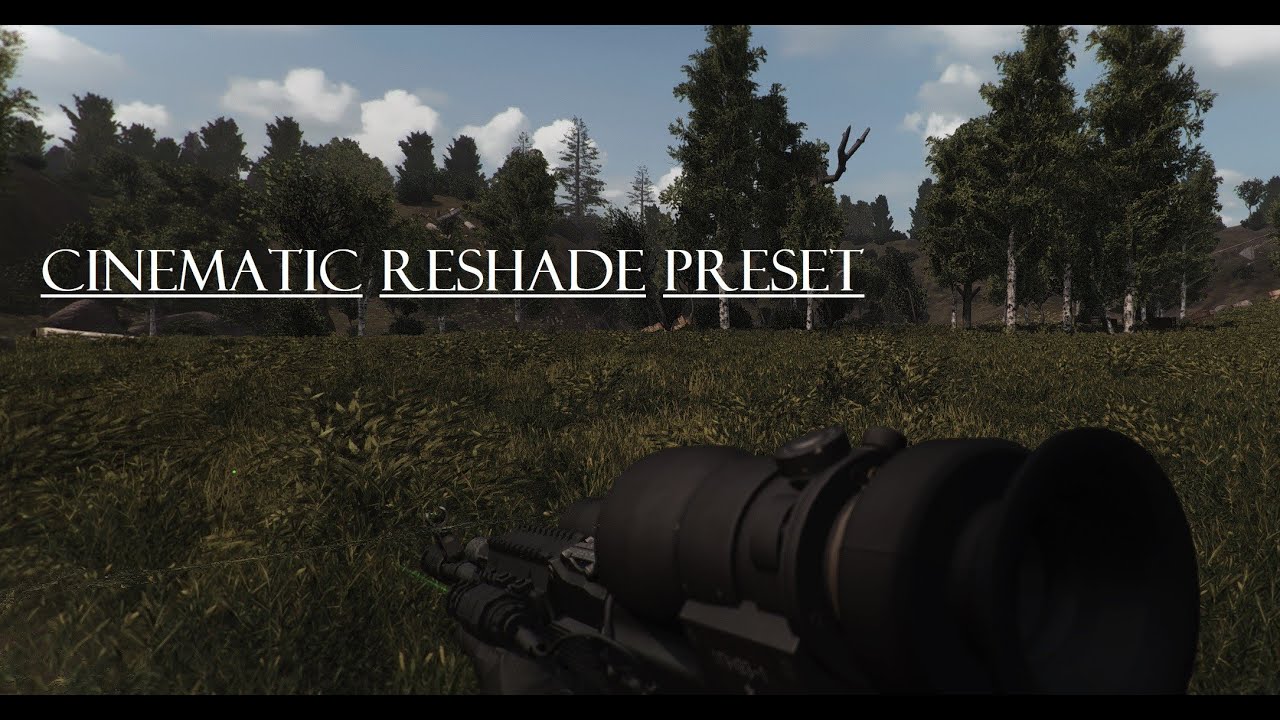
A lil showcase of a very nice Reshade Preset for GAMMA 0.9 with some personal tweaks and settings.
Link for the Reshade Preset: in Comments
NVIDIA GeForce RTX 3080
Intel Core i7-107000K CPU
32 GB RAM
3440 x 1440, 95 Hz
opal raven
swift robin
how'd you get yours to look like this?
A lil showcase of a very nice Reshade Preset for GAMMA 0.9 with some personal tweaks and settings.
Link for the Reshade Preset: in Comments
NVIDIA GeForce RTX 3080
Intel Core i7-107000K CPU
32 GB RAM
3440 x 1440, 95 Hz
swift robin
damn thanks @opal raven
 tulip yew
I don't know if this is the right channel but I have a lighting problem with surfaces.

 opal raven
tulip yew
I don't know if this is the right channel but I have a lighting problem with sur...
opal raven
tulip yew
I don't know if this is the right channel but I have a lighting problem with sur...
its not a reshade problem, its a engine problem... try to rais your shadowmaps in the anomaly launcher ^^
tulip yew
ok I'll try that
 balmy ravine
compact talon
what would be the best AA setup cause im sick of these edges in the distance
balmy ravine
compact talon
what would be the best AA setup cause im sick of these edges in the distance
Try DLDSR if you can run it. Looks and run smooth from 1080p to 1620p. I combine it with ig SMAA since this one is light to run
compact talon
balmy ravine
Try DLDSR if you can run it. Looks and run smooth from 1080p to 1620p. I combine...
I will try it out thanks, tho I haven't noticed ANY effect from any ig AA, and I compared screenshots specifically, I think it is disabled somehow in favor of shaders
balmy ravine
SMAA kinda works but its barely noticeable. As for the other option with multipliers it just looks and run bad
Also use high smoothing with DLDSR, it oversharpen the image quite a bit otherwise 👍
 olive herald
Need a second opinion, First one is Agressor with some basic light adjustments and the second one is AtmosR+

 opal raven
olive herald
Need a second opinion, First one is Agressor with some basic light adjustments a...
opal raven
olive herald
Need a second opinion, First one is Agressor with some basic light adjustments a...
AtmosR+
 somber parcel
any "bold" reshades?
like not color corrections but very big color changes to the world
static stirrup
swift robin
After a fresh install, the game looks 10x better
hahahah im glad
manic sage
somber parcel
like not color corrections but very big color changes to the world
Phrozac
They’re a part of gamma
 primal iron
@glacial spear which one is that?
glacial spear
what?
primal iron
to make it look like that? @glacial spear
glacial spear
you mean the video?
primal iron
yeah
glacial spear
uhnn it's a bug. if you use the latest demonized exes with no screenspace shaders (Interactive Grass ) it does that. at least I was able to replicate it this way
It was a kind of a joke as more fps
primal iron
oh okay i didnt know it was a bug lol
 oblique yoke
opal raven
https://www.youtube.com/watch?v=a4LQp8WbeK8
oblique yoke
opal raven
https://www.youtube.com/watch?v=a4LQp8WbeK8
thanks brah
 potent hollow
yo guys Nvidia RTX Remix is finally out. Anyone try it out yet??

wondering if it works out of the box
 severe trout
what settings would you guys recommend for a good visual/performance balance?
 arctic lake
balmy ravine
Try DLDSR if you can run it. Looks and run smooth from 1080p to 1620p. I combine...
arctic lake
balmy ravine
Try DLDSR if you can run it. Looks and run smooth from 1080p to 1620p. I combine...
What is Dldsr? Is it a setting in reshade?
 thorny vortex
arctic lake
What is Dldsr? Is it a setting in reshade?
thorny vortex
arctic lake
What is Dldsr? Is it a setting in reshade?
its in nvidia control panel
arctic lake
Ty, ill try to use it, i play on 1920 but i feel like some trees or objects looks much worse and pixelated
I hope this will hel0
Help*
I have used DLSS in skyrim before eith amazing results
balmy ravine
Yeah its not the same thing tho 😉
balmy ravine
No, you will render your game at a higher resolution
thus decreasing performances quite a bit. But I don't think its too heavy for us 1080p user
balmy ravine
oh yeah. I have a 3060ti and I run 2.25 with some headroom and good settings in game
arctic lake
And the image looks better? Less pixelated?
I feel like i see all cables having saw teeth even when i use AA from reshade
balmy ravine
dont use antialiasing, or only use ig SMAA with dldsr. Its light to run. Yes it will be far less pixelated, start at 70/80% smoothing then increase if its too sharp to your liking
will never be like native high resolution tho, but for me its legit one of the best tech we have 😉
Also run it fullscreen its important. You then have to choose the resolution in game
arctic lake
As long as its better tham what i have now
arctic lake
R3ally
Omg ure making me excited for this
I also play on 1080 for years
Well my monitor is1080p anyway
 arctic lake
Amazing
How much fos do u have
Got any stutters or anythinf?
Mini freezes?
I found an epic thing today
After years of playing it and trying all things from fps optimization channel and even more from reddit
But notjing worked, i would have down to 45 fps in some areas
It has to do with windoes power plan, minimum cpu utilizatiion , change it to 60 or more
Eveb in performanxe power plan i had it at 10%
balmy ravine
arctic lake
How much fos do u have
I lock my fps at 90, experience is as smooth as 1080p. It drops quite a bit sometime but it stay in that 70+ range. Also I use gsync and low latency mode. That latter option is important to reduce stutters
arctic lake
Low latency mode in nvidia control panel, right?
I think i have it on auto or sometjing, i was tinkering with it lately
balmy ravine
Yeah. Either on or Ultra is doing the same job at reducing input lag and latency
arctic lake
Cool man, i cant wait to try those
Today i played even warfare mode and im still at 70 fps plus
I didnt go to jupiter or dead city where i usually have fps prpblems
balmy ravine
Never tried warfare but now I understand you have stutter :p I thought this gamemode wasn't always smooth to run
arctic lake
I jjst tried it today,tbis week i only llayed story mode
And i still had drops to 45 fps even tho i used low settings, all fps improvements from the channel, lowered mutants and hmstalkers populations to 0.5
But agter i did thag power plan thingy i skyrocketed to whatever fps lock i lut and i keep it at 70 dfor now
balmy ravine
I think you cant do much at some point, we all have stutters (I think linked to model spawns or things like that, not that savy to know whats causing it)
arctic lake
And jjst to test that I am not dreaming , i started a new save game eoth warfare..itd unbelievable how butter smokth it is
Some stutters are when auto saving or when lots of npc spawn or stuff like that. ,thats normal
balmy ravine
What cpu do you have just for reference ? I used normal power plan for quite some time without issues (ryzen 5800x)
arctic lake
5600x
balmy ravine
Ok weird  Anyway I have mine set at minimum 100% right now 😉
balmy ravine
I just use the high perf power plan, then set the sleep etc like it is on the normal mode
you could also put 100% directly in the normal plan
balmy ravine
it isn't changing much, cpu will still downclock like normal I've seen
arctic lake
I have this cool idea about making a mod that takes all text from wuests and uses AI text to voice program to make all quests have a stalker audio voice
But canot find a program that speaks english with russian accent
balmy ravine
lol is there even good programs like that with a really credible tone ?
arctic lake
I think eleven labs
I got the idea while seeing an addon for wolrd of warcraft

Asmongold reacts to WoWLabs (https://www.youtube.com/@wowlabs)
Elevenlabs voice AI integration with WoW Quests
On this Asmongold Youtube Channel You will never quit finding all the funny Asmongold Moments with Mcconnell and best Asmongold Highlights from gameplay of the most popular MMORPGs: like Blizzard's World of Warcraft (WoW Dragonflight &...
balmy ravine
the first voice on the site actually sound convincing, not bad
arctic lake
Too bad it costs money
I think you can. Even feed it voice from sidorovich for example and then it will copy his accent and tone, that would be cool
balmy ravine
I would do all kind of stupid things with a tool like that
compact talon
balmy ravine
Try DLDSR if you can run it. Looks and run smooth from 1080p to 1620p. I combine...
hi, I got to play today, so I was wondering, how do I get DLDSR? don't see that option in the default gamma reshade, should I download something else?
or maybe someone else could tell me where I can get DLDSR
 strange grail
If anyone can help, I have tried everything, and maybe this is what I get for trying to compare my screen to a youtubers...i have an 11900k, 3080, 32gb ram, and I just want the game to push smooth haha. It is grainy, and just not clean. I do get decent frames, have tried dldsr, switching shaders, messed with settings and it may be the game engines lack of power to give me what. I am putting it in 2k instead of 4k because this game will make my gpu run at a higher temp than if i am ray tracing cyberpunk. Any ideas!?! haha
 warm plume
 compact talon
upscaled 2k to 4k game with AA looks absolutely crisp
 tawny root
 hollow aspen
idk if I should ask it here but
can anyone help me with this problem?
bushes and trees like always like this from the distance
but this weird texture goes away when I come closer

 hidden venture
Maybe pour a little water on your gpu, mine does that sometimes when it's really really dry
hollow aspen
yeah can confirm
it worked 👍
 spice raven
There are so many shader options I have no idea what to do with it all. Any shaders yall recommend?
hollow aspen
opal raven
https://www.youtube.com/watch?v=a4LQp8WbeK8
Try this
 primal crescent
hollow aspen
idk if I should ask it here but
can anyone help me with this problem?
bushes and...
primal crescent
hollow aspen
idk if I should ask it here but
can anyone help me with this problem?
bushes and...
Set mip bias to the max
balmy ravine
compact talon
hi, I got to play today, so I was wondering, how do I get DLDSR? don't see that ...
Hey this is in your Nvidia control panel. I don't know if AMD has something similar. If you need more info on that, search on the discord or earlier in this channel 😉
compact talon
balmy ravine
Hey this is in your Nvidia control panel. I don't know if AMD has something simi...
thank you, I have found it out yesterday, upscaled the game to 4k and it looks amazing
balmy ravine
compact talon
thank you, I have found it out yesterday, upscaled the game to 4k and it looks a...
Nice 😄 I don't have the power for the full 4k dsr but it does looks wonderful. I have 30/40 fps with it lol.
You can actually go 0% smoothing if you use the 4k dsr. Anything higher bring gaussian blur to the image
compact talon
balmy ravine
You can actually go 0% smoothing if you use the 4k dsr. Anything higher bring ga...
so far I used it at around 30%, but I will try out 0% and see how it looks👍
balmy ravine
compact talon
so far I used it at around 30%, but I will try out 0% and see how it looks👍
0% look good but only in 4k. Other DSR res not good
compact talon
balmy ravine
0% look good but only in 4k. Other DSR res not good
it seems like having it at 0 gives more space to use any AA you'd like
arctic lake
balmy ravine
Nice 😄 I don't have the power for the full 4k dsr but it does looks wonderful. ...
Do I have to change in game resolution too? Or just enable dslr in nvidia control panel?
Dsr .whatrvere
Dldsr*
balmy ravine
It will create a new resolution that you need to choose in game
Theres also a mod to get bigger fonts to activate, otherwise text will look tiny
hollow aspen
primal crescent
Set mip bias to the max
Soo
What I did is, I just reset my gamma mod organiser to default
And it worked for me
But thank you anyways
 minor urchin
what do you guys think to be the best grass season
primal crescent
Spring for me, it looks so good with the gamma film preset
 fresh solstice
Nice preset with Project Inverno from Atmospherics film presets


 quiet nexus
that looks really good, what is atmospherics film presets?
fresh solstice
quiet nexus
that looks really good, what is atmospherics film presets?
Sorry I was in a rush. If you have Atmospherics mod by Hippo then if you reinstall that mod you'll see he has filmic reshade presets. Although you could just manually download from moddb and take the presets lol I did it the weird way. He's got 5 presets in there. They all look pretty good especially on winters
quiet nexus
Badass, thanks for the answer! I haven't put on inverno, I'm using the spring foliage rn, but I bet it would still look good. Your screenshots are on another level. This is my first playthrough and I was gonna change the foliage with the seasons 🧠 🙂
mellow jacinth
anyone know how to fix bushes and shrubs having a green haze around them?
 vocal tree
whats the shortcut to open the shader menu
 forest vortex
 vague sage
any way to make my game look better, because it looks a bit weird right now

 native wing
what shaders do yall reccomend
vague sage
fresh solstice
Nice preset with Project Inverno from Atmospherics film presets
Do you select the preset in the Reshade menu when you reinstall it or nah?
 undone stump
man the graphics is much improving, people also keep posting better photos
 somber parcel
i love my big saturation
hollow aspen

 plucky plaza
on 0.9, reshade should be pre-installed right ?
fresh solstice
vague sage
Do you select the preset in the Reshade menu when you reinstall it or nah?
It'll be in tbe reshade menu if you install it, it's Home key as the overlay shows up and there will be a drop down menu at the top of the reshade screen. You can select the presets like tbe Grim. Zone, poison etc they're named.
fresh solstice
plucky plaza
on 0.9, reshade should be pre-installed right ?
Yes.
plucky plaza
If i messed up a preset pressing "default settings" thinking it's gonna use the preset default ), is there anyway i can revert it ?
plucky plaza
Yeah
fresh solstice
plucky plaza
If i messed up a preset pressing "default settings" thinking it's gonna use the ...
Usually if I mess up I just reinstall reshade. Takes a few seconds
 thorn mountain
fresh solstice
Usually if I mess up I just reinstall reshade. Takes a few seconds
thorn mountain
fresh solstice
Usually if I mess up I just reinstall reshade. Takes a few seconds
Sorry for noob question, but I deleted reshade DDLs to test perf gains. How do I reinstall them?
swift robin
im looking at peeps reshades here and my head hurty
 near orbit

why does the game look so weird in the dark?
Darkness doesn't feel dark
It's hard to explain lmao
Everything looks kind of white?
With black stains
near orbit
near orbit
It's hard to tell on the pic
Yeah.
It's a normal one
Gamma reshade
But the one that came by default had the same problem
Hmm ok
Thanks

HOLY SHIT
IM HIGH NOW
swift robin
MANS SMELLS COLURS
near orbit
fr
near orbit
near orbit
at least now its clearer what i meant with things looking white with black stains lol
what the fuck indeed
 steep barn
near orbit
steep barn
near orbit
Benadryl reshade
near orbit
steep barn
Benadryl reshade
LMAO
i turned tonemap on lol
i turned it off and it came back to normal
no biggie
but still
lol
i mean
adaptative tonemap
is what i turned on
k
ok i fixed it
thank you
now night is scary 🥺
vague sage
fresh solstice
It'll be in tbe reshade menu if you install it, it's Home key as the overlay sho...
Gotcha, thanks
fresh solstice
thorn mountain
Sorry for noob question, but I deleted reshade DDLs to test perf gains. How do I...
Usually you'd go to reshade.me and install it via its installer but I'm pretty sure if you just re-download the gamma data and do the installer method again that should do it. There might be reshade files in the gamma folder too.
But the usual way is download it from reshade.me then run installer and you'd want to pick the anomaly exe, not the launcher, I usually pick the dx11anomaly.exe and reshade will ask what direct X, pick yours, and if you download any reshade presets you drop them in the game directory.
willow sleet


Been grinding finishing up the Gummy Reshade, check it out yall hope ya like it. DL soon!!
steady wasp
proud snow
disable dynamic tonemap in MCM
This definitely used to work in older versions, but now it seems like disabling it still makes "r2_sun_lumscale_amb" get overridden after a few seconds. Anyone have any clue if there is a new mod which constantly changes this value which isn't Dynamic Tonemaps?
 analog crater
steady wasp
This definitely used to work in older versions, but now it seems like disabling ...
analog crater
steady wasp
This definitely used to work in older versions, but now it seems like disabling ...
dynamic tonemap is the only mod i see in gamma that modifies this. Are you sure you turned it off? it doesn't just turn off by disabling it in mcm, you have to restart.
steady wasp
analog crater
dynamic tonemap is the only mod i see in gamma that modifies this. Are you sure...
Yep, disabled in mcm and game restarted (or did you mean I have to restart something else?), still overriding after a couple of seconds. Weird. Is there anywhere in the files I can set it?
analog crater
Can you disable from MO and try? As for checking the files, it stores it in the user.ltx and you can check it in the console in realtime
otherwise i've never seen it anywhere else in the files
its completely possible its being set in the engine (exe) but i doubt it.
steady wasp
analog crater
Can you disable from MO and try? As for checking the files, it stores it in the ...
Ah, figured it out. I didn't disable it in MCM. However, completely removing the "Dynamic Tonemaps" in MO didn't remove it in MCM for some reason. Doing both finally gets the value to stick. Thanks for your help!
analog crater
Sure thing
 modest ether
@lethal steeple hey, you should do a video on how you set your shaders up. I'm a newbie to all of that and it would greatly help
or if you could just text how you did it
 winged swift
what does agressors reshade look like?
 unborn cairn
Weirdly blue hue to the grass any one knows how to fix this?

Using Simple Autumn no leaves
Shaders are : Jaku's improved shaders
and also what is up with the shaders in the MO
Which ones do i select Which ones do I leave un ticked?
for best looking results ofc
Also very weird white color effects?

is it my SSAO settings or smth
balmy ravine
What about clicking play once installed instead of touching not optional things in mo2
Use grass tweaks mod if you want to change the look of the zone (in mo2 > GAMMA Fixes)
 barren forge
unborn cairn
Also very weird white color effects?
barren forge
unborn cairn
Also very weird white color effects?
try enabling AVX if your cpu supports it
I tried disabling it a couple days ago and it looks some what similar to your screenshot
clever fractal
Does aggressor’s reshade get worse performance vs what gamma comes installed with by default?
 stone sun
Hey, if anyone here managed to enable rain puddles+reflections here, can you give me a step by step guide on how to do it?
I can see the rain drops shader effect in game but not the puddles. Also enabling SSS reflections causes everything to be shiny but it does not look good at all. Any ideas?
old vigil
are we supposed to download the 5.8 update of reshade ourselves
 cloud island
!shader
 void depotBOT
To clean your "Shader Cache", don't use the option in the Anomaly launcher.
Go in this folder: Anomaly\appdata, you'll find a folder called shaders_cache, delete this folder and launch the game normally from MO2, using your preferred DX.
 eternal elbow
thank you very much 🙂
 rapid night
old vigil
are we supposed to download the 5.8 update of reshade ourselves
rapid night
old vigil
are we supposed to download the 5.8 update of reshade ourselves
Here me out; yes. Or just leave it at 5.7 unless there is a compelling update you feel you need. Game is reliable for me on the "old" version, so I ain't gonna mess with it.
stone sun
I just can't seem to figure out the rain puddles, how did you guys make it work?
 ember condor
stone sun
I just can't seem to figure out the rain puddles, how did you guys make it work?
ember condor
stone sun
I just can't seem to figure out the rain puddles, how did you guys make it work?
SSDO settings?
stone sun
Do you mean if SSAO mode is set to SSDO or something else?
ember condor
stone sun
Do you mean if SSAO mode is set to SSDO or something else?
yeah SSAO needs to be on SSDO, and if you can run it on high
stone sun
Yea, no it was already on SSDO high but the rain puddles shader is still not working
ember condor
wet surfaces and soft water turned on, and restarted game?
Ive learned even if the game dosent say you need to restart, ive noticed the changes only happening after i restart my game. even for the smallest of changes
stone sun
Doesn't seem to help. Did it just work for you like in the shader demo video out of the box? Maybe I have to reinstall things since its bugged.
 crisp harness
why does it look like that? with greenish outlines?

 weary rivet
crisp harness
why does it look like that? with greenish outlines?
weary rivet
crisp harness
why does it look like that? with greenish outlines?
Chromatic aberration
it shouldnt exist in games its so ugly
weary rivet
reshade menu
crisp harness
Thank you
stone sun
I am interested. You screeenshots look nice
weary rivet
 icy magnet
Which dx game will be more stable 11 or 10
static stirrup
weary rivet
Huge W thx my guy
balmy ravine
icy magnet
Which dx game will be more stable 11 or 10
you should use dx11
avx or not depend your hardware, try both and see
 earnest cove
weary rivet
earnest cove
weary rivet
do u happen to remember if you're using cfg_load atmosr or cfg_load atmos?
weary rivet
earnest cove
do u happen to remember if you're using `cfg_load atmosr` or `cfg_load atmos`?
Havent changed it so its the default gamme one
earnest cove
weary rivet
Havent changed it so its the default gamme one
cool thanks!
weary rivet
earnest cove
cool thanks!
just messed around with it and atmosr looks a lot better imo
opal raven

After hours of tweaking the Atmos R+ Preset im finally done. Now the Preset looks more cold, cinematiclike and works good in bright sunshine and darkareas (tested several times)!
My ingame Gamma is 1.1 ^^
i have tweaked the Atoms R+ Preset a bit ^^

opal raven
vague sage
any way to make my game look better, because it looks a bit weird right now
After hours of tweaking the Atmos R+ Preset im finally done. Now the Preset looks more cold, cinematiclike and works good in bright sunshine and darkareas (tested several times)!
My ingame Gamma is 1.1 ^^
opal raven
near orbit
After hours of tweaking the Atmos R+ Preset im finally done. Now the Preset looks more cold, cinematiclike and works good in bright sunshine and darkareas (tested several times)!
My ingame Gamma is 1.1 ^^
balmy ravine
weary rivet
Your reshade is really clean. You've been gentle on the effects and they look good all combined. Ty boss
echo hawk
weary rivet
Im at work but i was just curious, did you create your reshade from scratch or you tweaked an existing preset within gamma?
weary rivet
echo hawk
Im at work but i was just curious, did you create your reshade from scratch or y...
yeah I mixed some stuff from agressor reshade with phrozacs one from atmospherics
echo hawk
Interesting! i might give it a shot. I'm looking for something less warm than atmos reshade. So far i tweaked atmosr+ myself.
weary rivet
these 2 files from agressor are needed for my reshade if anybody wants them
Comparison off/on


 versed scarab
good shader preset? want my game to look good
 tough ermine
!shader
void depotBOT
To clean your "Shader Cache", don't use the option in the Anomaly launcher.
Go in this folder: Anomaly\appdata, you'll find a folder called shaders_cache, delete this folder and launch the game normally from MO2, using your preferred DX.
 hasty robin
I got quite alot in my shader cache folder
static stirrup
echo hawk
Im at work but i was just curious, did you create your reshade from scratch or y...
I used some reshades and in my opinion @weary rivet reshade is the best one if you look for a more natural view of the zone. It goes too well with green grass
The light is not too bright neither too dark
Didn’t experience it during storms and events but in a normal day it’s a banger
Don’t forget to put filmic pass and reinline in the shaders. It’s a must!
near orbit
opal raven
https://youtu.be/jtbhlDEf9G4
Thank you
echo hawk
Well, Capa's reshade is excellent indeed. Although, I'm looking for something less warm and this is even more but i tuned down saturation of "technicolor2". Anything else i could tweak for a slightly colder look within this reshade? @weary rivet
I guess its mostly clear 1 weather that is too intensely red. This reshade is well calibrated.
balmy ravine
echo hawk
I guess its mostly clear 1 weather that is too intensely red. This reshade is we...
I always had trouble with those clear weathers. I think I just don't like them lol.
Sometimes good sometimes a bit out of place 
 amber arch
Does Gamma already come with Hippo's "Atmospherics" Reshade?
weary rivet
echo hawk
I guess its mostly clear 1 weather that is too intensely red. This reshade is we...
Yeah its really bright in the middle of the day for most weathers, you can try tweaking saturation in the filmic pass
and if you want a blue hue you can tweak EffectGammaR lower
are you looking for something like this?

 spice torrent
Hello everyone! I have the following problem, when I want to activate the aggressor ini (meta.ini) in ReShade, it gives me the following error message: "The selected file is not a valid asset"
Yesterday it worked for a short time, I added "layer" and suddenly reshade no longer accepts the asset. what am I doing wrong?
Already reinstalled aggressor and deleted the shader cache, but it didn't help
weary rivet
spice torrent
Hello everyone! I have the following problem, when I want to activate the aggres...
do you have the agressor.ini file?
spice torrent
Just what came with Gamma. It's called meta.ini
Nevermind, i got to try smth. Getting back to you in a min
Yo I was stupid, used the wrong files. What about the compatibility of the weather from Agressor and Gamma? Apparently Gamma uses its own weather and Agressor also depends on its own weather.
Can I switch off Gamma's weather or what do I have to consider?
balmy ravine
spice torrent
Yo I was stupid, used the wrong files. What about the compatibility of the weath...
Hey Aggressor was included in older gamma versions (it was just ground textures and weathers) but this is not a reshade in it 😉 (EDIT : Actually its still there in disabled addons, but remember it doesnt contain any reshade files)
opal raven
echo hawk
Well, Capa's reshade is excellent indeed. Although, I'm looking for something le...
Maybe you give my Reshade a try... i think its well balanced  https://youtu.be/jtbhlDEf9G4
After hours of tweaking the Atmos R+ Preset im finally done. Now the Preset looks more cold, cinematiclike and works good in bright sunshine and darkareas (tested several times)!
My ingame Gamma is 1.1 ^^
Link for my Preset: https://www.moddb.com/mods/atmos-r-tweaked-reshade-preset/downloads/atmos-r-tweaked-reshade-preset
weary rivet
spice torrent
Yo I was stupid, used the wrong files. What about the compatibility of the weath...
if you want aggressor reshade and weather you have to download it from moddb
spice torrent
balmy ravine
Hey Aggressor was included in older gamma versions (it was just ground textures ...
Allright, I see. I guess I'll do without Aggressor for now, if Gamma were designed to use the Reshade it would already be completely in the files.
I think I'll try a few things and get inspired by the wonderful reshades here in the thread ;) Thanks for the help.
 old flame
weary rivet
are you looking for something like this?
old flame
weary rivet
are you looking for something like this?
can you share your tweaked ini?
swift robin
weary rivet
just messed around with it and atmosr looks a lot better imo
how would i use your shader pack or wtv?
 river ether
Hey, does anyone know, why interiors and "dark spots" are getting darker and darker when I change reshade shaders? I'm trying to find and adjust them (shaders) to fit my aesthetic expectations, but because of mentioned problem i cannot do this and have to reinstall gamma. Worth to mention, that first when I updated gamma, the game was very shady, characters were almost black, there were too much fog and interiors were almost pitch black with purple-ish strips instead of levels of darkness. I've tried everything in FAQ "blackscreen" but only reinstalling gamma helped. Unfortunately, now I have this issue with changing reshade shaders
 undone sun
what’s the best reshade?
echo hawk
how do i reset a reshade preset to its original setting? i tried deleting it, clear cache and replacing with original .ini but reshade just remembers my tweaks.
 wide topaz
opal raven
Maybe you give my Reshade a try... i think its well balanced <:okaychamp:1050005...
wide topaz
opal raven
Maybe you give my Reshade a try... i think its well balanced <:okaychamp:1050005...
What other things do you have, yours seems to be more alive then mine. All my trees are dead
 halcyon onyx
i need to download it or put that manualy ?
echo hawk
halcyon onyx
i need to download it or put that manualy ?
download and drop it in bin folder from aomaly.
halcyon onyx
echo hawk
download and drop it in bin folder from aomaly.
tyy so much
echo hawk
halcyon onyx
tyy so much
you also need these two fx files up there.
halcyon onyx
weary rivet
these 2 files from agressor are needed for my reshade if anybody wants them
.
this, right ? @echo hawk
echo hawk
yup that
halcyon onyx
tyyy
echo hawk
drop them in shader file in reshade-shader folder, which is also in bin
halcyon onyx
so those 2 in reshade and first in bin only @echo hawk
echo hawk
exactly
halcyon onyx
tyy so much
i still learning the game, is so cool and i find this reshades channel and reshades makes the gaame muuch awesome
i'm in a new world :))))
echo hawk
enjoy it haha
halcyon onyx
echo hawk
enjoy it haha
in reshade folder i have 2 folders tho. shaders and textures
where i put the files ?
i put in 1 on those or in that folder directly ?
echo hawk
you put both in shader only
 quick pendant

Anyone can help get rid of this fog ?
Foggy weather set to none
Don't think its Reshade
 rigid moth
hi there! what reshade should i use? im brand new to gamma :)
 turbid prairie
weary rivet
are you looking for something like this?
turbid prairie
weary rivet
are you looking for something like this?
How did you remove the graininess?
 still iris
quick pendant
still iris
quick pendant
Go to and edit all Weather here: Atmospherics Shaders Weathers and Reshade - Hippobot\gamedata\configs\environment\weathers. Set to Fog all to =0 or delete FOG in the Weather-Cycle
minor urchin
Im decent amount into a playthrough but i want to change the game back to the dead look how do i do this?
echo hawk
minor urchin
Im decent amount into a playthrough but i want to change the game back to the de...
Right click on "Aydins grass tweak" and press reinstall. In the installer, youll be able to choose the one you want
 buoyant canyon
weary rivet
are you looking for something like this?
buoyant canyon
weary rivet
are you looking for something like this?
how do you get something like this?
looks incredible
quiet nexus
trying to install piknik reshade preset and my game looks all white, any ideas where I went wrong?
 echo hawk
Cfg load grading_default @quiet nexus
 vale ibex
buoyant canyon
how do you get something like this?
vale ibex
buoyant canyon
how do you get something like this?
I second this. My game looks nowhere near this good and I have max settings running
wide topaz
buoyant canyon
how do you get something like this?
I third this, I wish my game looked like that.
 somber frost
vale ibex
I second this. My game looks nowhere near this good and I have max settings runn...
somber frost
vale ibex
I second this. My game looks nowhere near this good and I have max settings runn...
I got something similar playing around with green and blue sliders on reshade
''Yeah its really bright in the middle of the day for most weathers, you can try tweaking saturation in the filmic pass
and if you want a blue hue you can tweak EffectGammaR lower
are you looking for something like this?''
vale ibex
somber frost
I got something similar playing around with green and blue sliders on reshade
Any reshape presets with that or just what was already on when installing gamma?
somber frost
weary rivet
@vale ibex This is the reshade, search for the additional 2 shaders up in the chat
Or check capa's messages history in here
vale ibex
Thanks
halcyon onyx
vale ibex
Any reshape presets with that or just what was already on when installing gamma?
Look up a bit
Read my conv
U will find all u need
opal raven
wide topaz
What other things do you have, yours seems to be more alive then mine. All my tr...
nothing else 
buoyant canyon
halcyon onyx
Read from here
Appreciate it
buoyant canyon
should i be worried about these errors?

 lavish relic
Just pretend they don’t exist 😄 I find this works well with all errors in life
buoyant canyon
smart
vale ibex
halcyon onyx
Read from here
Thanks
halcyon onyx
vale ibex
Thanks
🫂
 lost copper
!vanilla
void depotBOT
If you want to be able to buy and sell guns/armors again: #╭📖faq message
 rocky gulch
With stalker gamma , where are the graphics settings ?
buoyant canyon
In the main menu
spice torrent
weary rivet
Btw, put the Gamma in Tone Setting to 1,3k. Helped a lot with this midday brightness
 sonic robin
Hey Stalkers I'm new to pc and am trying to update my Reshade to 5.8. Would anyone be willing to help me? 🙂
 austere raft
A slight change in sharpness and contrast, game looks good as it was, but this just pops the colours a little more


 royal falcon
hi
guys i have a problem
I don't know the name of the hippo reshade in the game
plus the trees and bushes look white.
leaden marsh

Atmos | AtmosGamma | AtmosR | AtmosR+ btw
the rest, I mean the whities... that doesn't sound good. I heard this issue here before, but dunno much about it...
First a shader cache delete wouldn't hurt I think. Do it manually: delete Gamma/appdata/shaders_cache, then start the game again. Press home, and there You'll find Hippos's shader presets
leaden marsh
austere raft
A slight change in sharpness and contrast, game looks good as it was, but this j...
hmm. looks fucking great btw. Imma try it out
hidden venture
anyone know how to make the game look clearer?
mine is so pixelated and AA does NOTHING
i've tried max and min AA and there is no difference for me
hidden venture
quick pendant
like this is so damn clear and crisp
mine looks like bodycam footage, i have a hard time with target acquisition because of it
austere raft
hidden venture
like this is so damn clear and crisp
what res are you playing on?
hidden venture
1920x1080
hidden venture
austere raft
what res are you playing on?
^
sorry forgot to send that as a reply
there's no way that's too low lol
austere raft
try some sharpening tools. Press the Home button on your keyboard and scroll down to RJ sharpen, as it doesn't impact performance too much
Could also try forcing AA in your nvidia control panel
Not sure how much forcing AA like that would impact stability though
visual hearth
Upscale to 2k or 4k with DSR
austere raft
There's lots of AA overlays on the Home thing too, maybe fuck around with them for a bit too
hidden venture
austere raft
Could also try forcing AA in your nvidia control panel
i have AMD 
so far the reshade things don't make it look too much better but they also don't impact performance at all
most of them just look like i took some painkillers in tarkov
weary rivet
hidden venture
i have AMD <:PepeHands:919973012990750820>
AMD has VSR
visual hearth
hidden venture
so far the reshade things don't make it look too much better but they also don't...
Try drme and tfaa in reshade
hidden venture
visual hearth
Try drme and tfaa in reshade
dont have tfaa but drme didn't seem to do anything at all
how do i take a screenshot? i want to show you what i'm talking about
visual hearth
it’s because your paths are wrong
I already know 😁 go to settings
Find effects search paths
hidden venture
found it
visual hearth
There will be 3 paths, delete the first two, make the third look exactly like this
.\reshade-shaders\Shaders**
hidden venture
done
visual hearth
Click home, then reload at the bottom
Turn on drme and tfaa, move tfaa so it’s under drme
hidden venture
no there's no effect files lmao
ah i see
you forgot the forward slash in your message
holy mother mary
the tfaa makes it have some weird effect when i turn
like when you smoke weed for the first time
visual hearth
Do you have drme above it
hidden venture
those help a tiny bit but drop me about 20 frame
DRME seems to be the one that does it
visual hearth
Yeah it has performance impact, but it’s basically TAA. Tfaa doesn’t work without drme
Or replace drme with motionvectors, doesn’t hit fps as much but can cause some ghosting effects
hidden venture
i see, that's a little better
less frame drop and looks a little better
this is a strange issue
if AA worked like it's supposed to we wouldn't need reshade for it but i guess the game is ancient lol
river ether
anyone? happened after messing with reshade, restart didnt help
 visual hearth
hidden venture
if AA worked like it's supposed to we wouldn't need reshade for it but i guess t...
visual hearth
hidden venture
if AA worked like it's supposed to we wouldn't need reshade for it but i guess t...
Yep lol make sure you turn in game AA off, all it does is hurt fps
hidden venture
yeah after messing with a bunch of reshade shit i don't think we have anything that can fix my issue
using rj_sharpen helps a bit for things that are close up but long distance is still so ugly
but overall now that i'm looking rj make it uglier lol
i'm at a loss
swift robin
austere raft
A slight change in sharpness and contrast, game looks good as it was, but this j...
graphic settings
austere raft
is there a neat way to post settings?
swift robin
screenshot your settings and dm them to me or something
hidden venture
yeah mine do too, i think it's just the game
god the game looks so much better with HDR on, they washed all the color our in 0.9 and i don't like it
swift robin
mine aint pixlish now
 hidden venture
how'd you fix it?
hidden venture
swift robin
mine aint pixlish now
^
swift robin
austere raft
@hidden venture one of these settings made the bushes better
hidden venture
"one of these setting" proceeds to show the entire graphics setting menu
austere raft
happy to have accidentally helped
hidden venture
seems to have been the texture MIP bias or object detail for me
although some of my bushes look bad asf, i think because they are supposed to be dead bushes bc i'm playing with a snow mod
they have thin branches that look horrible from a distance
but i'm slowly getting things to look better
austere raft
some boulders and big rocks look weird for me, they have black spots and pixels on them but I can't find a way to fix that
If you're running a snow mod on top of gamma that for sure gonna mess with some shaders and assets
hidden venture
nah it doesn't harm much
 clever helm
some places in game just look better than others
hidden venture
my problem is mostly that thin things have gaps from a distance
clever helm
you can make the game beautiful and you'll still find some uglyish places
hidden venture
like the power line towers in jupiter
tons of gaps and jagged pixels
as far as i am aware there is no way to fix this
clever helm
I think we're nearing the end of what can be done on the current engine
weary rivet
hidden venture
seems to have been the texture MIP bias or object detail for me
you can increase the mip bias past the slider ingame
 stray sparrow
if I want to change the rgb color balance is there an ingame setting for that or is that a reshade thing
hidden venture
reshade would be the place to do that
vale ibex
@weary rivet your reshape preset is really good. It seems to have dealt with the biggest issue I could never fix in my game, which was pixelated textures
 limber mirage
vale ibex
<@272487375777824768> your reshape preset is really good. It seems to have dealt...
limber mirage
vale ibex
<@272487375777824768> your reshape preset is really good. It seems to have dealt...
Yeah I'm using it aswell, it's sick
rocky gulch
Looking for help with changing reshade settings
balmy ravine
austere raft
some boulders and big rocks look weird for me, they have black spots and pixels ...
get rock textures from GTR, thats what I did. Those rocks are atrocious
fringe patio
need some help, Im trying out the DSR x1.78 so from 1080p desktop (monitor is 1080p 240hz) to 1440 in game 16:9. Text is kinda gritty and small, graphics can be a little gritty too and the mouse speed is omfg all over the place xD. Any tweaks that im missing?
weary rivet
fringe patio
need some help, Im trying out the DSR x1.78 so from 1080p desktop (monitor is 10...
Are you playing in fullscreen?
fringe patio
weary rivet
Are you playing in fullscreen?
borderless as fullscreen for some reason was "too big" things were off the screen if you know what imean? Im sure i effed up somewhere