
#╟🎑reshades
1 messages · Page 15 of 1

 manic sage
Disable it in console
 vague island
manic sage
Disable it in console
vague island
manic sage
Disable it in console
whats the command for it
vague island
the first part of the weapon is blurred part of the dof right?

 austere saddle
vague island
anyways this is how it looks
austere saddle
vague island
anyways this is how it looks
Looks nice as fuck and what exo suit is that?
vague island
austere saddle
Looks nice as fuck and what exo suit is that?
duty nosorog
manic sage
Also enable 2d shader actors under there
vague island
aight thanks for the assistance
its jonky
i can only enable dof in the console
if i turn it off
i cant turn it on in the settings
manic sage
You don’t need it
Disable it in the console then restart your game you should be good after that
 silent cairn
There is a bit of magenta
vague island
manic sage
Disable it in the console then restart your game you should be good after that
the weapon dof is gone once I change weapons
manic sage
Weird
manic sage
silent cairn
There is a bit of magenta
Mmm good to know
 late tiger
why's it so hard to decide on a reshade 
 silent cairn
Cool picture 
late tiger
Thanks 🙏
manic sage
I like it that’s nice
vague island
this is hippo original with hippo grading

 turbid wave
So I added the SSS addon to mod organizer, checked the box, then pasted over the github.exe to the bin folder in the Anomaly folder, but my intro screen looks nothing like lances at the bottom left where it says SSS, DXML 2.1, etc. is there. What did I do wrong?
vague island
turbid wave
So I added the SSS addon to mod organizer, checked the box, then pasted over the...
is that everything you checked when you installed??
turbid wave
yes
vague island
do you have his reshade?
turbid wave
yes
vague island
hmmm
idk since im no expert with stalker stuff
pretty new as well its my first play through
turbid wave
same
vague island
also @manic sage sorry for the ping but how can I adjust your sharpening setting in CAS in hippo original
I like a softer look just enough sharpening to increase blacks and add detail
vague island
i tried to tweak it but its at -70 and 70
manic sage
I will in the future
manic sage
Should be a tool tip when you hover over it
vague island

this is what happened when I touched it

ill stick with hippo grading I think
i tweaked it a bit to my liking
thanks for all the help
 full crown
I also really like a nice green look and I used Aggressor grass for now. I see you got the suggestion already but sometimes the grass doesn't fit too great with some ground textures (I'm using GTR). Are FabioContes summer textures better in that regard?
vague island
full crown
I also really like a nice green look and I used Aggressor grass for now. I see y...
I havent tried it yet
I tried aggressor i didnt like it
Im using vanilla grass and textures rn
silent cairn
FabioConte's summer is very close to vanilla
manic sage
silent cairn
There is a bit of magenta
Try this with the hippo2.ltx
.833,.8253,.8853,.005
shader_param_3
full crown
btw, thank you Hippo and Eden for your reshades. I played with both of them a few days each but didn't take too many screenshots. Both are great.
vague island
silent cairn
FabioConte's summer is very close to vanilla
I'll try it rn
silent cairn
manic sage
Try this with the hippo2.ltx
Better
would it be possible to lower the blue in param_2?
Or does that break something
manic sage
I can try
.833,.8353,.8853,.005
shader_param_3
Try this before I move on to shader_param_2
silent cairn
That's more magenta
manic sage
okay okay
silent cairn
Previous one was
manic sage
The previous param I gave you?
silent cairn
.833,.8253,.8853,.005 this one
manic sage
shader_param_2 .0016,.0145,.012,.0182
Try that in addition to the good shader_param_3
The third value was changed from .014 to .012
late tiger
Some more comparisons
 silent cairn
manic sage
The third value was changed from .014 to .012
silent cairn
manic sage
The third value was changed from .014 to .012
Better
silent cairn
I'd drop it to at least .008 though
 novel ridge
adding on to the picture from xpire, it looks like the original has a green tint or the hippo is on the slightly magenta side, which one is more true to the original as in intended color space? or is it really just preference?
silent cairn
Third value in param_3
silent cairn
novel ridge
adding on to the picture from xpire, it looks like the original has a green tint...
hippo is magenta
manic sage
fuck you lmao but I am color blind
I try my best
ummm so param 3 by .008 for the third value
833,.8253,.8773,.005
So like that instead of 833,.8253,.8853,.005
?
manic sage
param_2?
manic sage
Makes more sense now
late tiger
Hold up, who gave the reins to a colorblind guy?  jk, I love the effort all of you & Eden put in.
vague island
@turbid wave did you install patches folder
manic sage
I was bored
turbid wave
Lance, I think I got it to work. I now have the same splash screen as you do
vague island
Aight sounds good then
turbid wave
Just not sure how to tell in game if it applied or not
novel ridge
I honestly already really like your reshade tho, i think a tad less sharpening overall and its  i just cant decide between your grading and vanilla atm.
manic sage
silent cairn
not down by 0.008 but into 0.008
How does .009 compare?
vague island
turbid wave
Just not sure how to tell in game if it applied or not
Same the difference is subtle and my dof isnt even working
manic sage
to you
turbid wave
Yea my dof isnt working either
silent cairn
manic sage
How does .009 compare?
manic sage
Now what about .0095 lmao
silent cairn

manic sage
or .009 is good enough
silent cairn
You drive a hard bargain
silent cairn
Oh if you don't want it then we gotta go with something like 0.005
silent cairn
I would need to test these values in more environments
manic sage
Alright compromise
.005 to .0055
DONE
🙂
lol
The old color grading from the current update

The current values we are playing around with
 vague island
turbid wave
Yea my dof isnt working either
vague island
turbid wave
Yea my dof isnt working either
Found the fix

G.a.m.m.a Ui
Mod in mo2
Open explorer go to scripts
Delete it or disable
manic sage
@silent cairn This is with .009
 late tiger
This comparison is from an older batch of screenshots from earlier today, but this is what @novel ridge was alluding to with the subtle "green" with the colorcorrect preset+ vanilla grading. Though Hippo+vanilla grading looking sexy
 vague island
Anyone wanna share DoF settings for SSS?
manic sage
.007
 silent cairn
007
manic sage
Alright people stare at these wall pictures and tell me what you all like
manic sage
silent cairn
007 <:verynice:944014689048862771>
I think so too
 rich sentinel
manic sage
Alright people stare at these wall pictures and tell me what you all like
rich sentinel
manic sage
Alright people stare at these wall pictures and tell me what you all like
Looks like walls to me, yep 
turbid wave
vague island
Found the fix
It works. Thanks
vague island
manic sage
.007
I like this too
silent cairn
Magenta is so hard to see once your eyes get used to it
I have to look at something else for a while
manic sage
Yeah it was hard to see for me but this set of walls in pripyat near the palace of culture is really good to see the tint changes
late tiger
easily tweakable 👍
manic sage
its really nice when you tweak it to be subtle
vague island
manic sage
Gotta tweak it
You mind sharing your settings?
also dont like the summer mod of fabioconte
manic sage
 vague island
it changes the ground in rostok to greenish stuff and dirt
vague island
manic sage
thank you very much
have you guys tried Hippo's reshade with autumn harmony?
how is it
aight DoF looks way better

thanks for everyone's assistance
btw did this come with the SSS update?

when I press V on my sniper it becomes a static scope
instead of it moving like this when I move my mouse

 manic folio
vague island
when I press V on my sniper it becomes a static scope
manic folio
vague island
when I press V on my sniper it becomes a static scope
dont press v
single solution there
in my experience
that only happens if you have no other optic
to fall back to
vague island
manic folio
dont press v
Aight I thought it was gonna tilt the weapon
manic folio
vague island
Aight I thought it was gonna tilt the weapon
on most BAS weapons it does
vague island
Time to update hippo reshade
manic folio
ig you got unlucky with this one 😭
vague island
manic folio
ig you got unlucky with this one 😭
Yeah xD it looks kind of clean tho
Easy sniping
silent cairn
 silent cairn
Yes
 loud path
yea mine looks very much like this, been tweaking my shit all day. will post screen shot in a minute
vague island
loud path
is that using the summer texture pack?
which summer texture pack
fabio conte's?
silent cairn
FabioConte's
vague island
looks so good
loud path
 vague island
why didnt my game look like this when I used that mod
loud path
yours looks loads better tbf
vague island
hmmm
silent cairn
I did remove the zZz_summer_detail.db0 from the summer mod though
I was not a fan of the road textures
vague island
how can I remove the ground
vague island
silent cairn
I was not a fan of the road textures
oh yes
thats what I was looking for
loud path
mine looks good enough for me, i do get issues at night time tho, the nightvision is so bad i dont know what to do to fix it
silent cairn
I just let Eden and Hippo do the reshading part for me 
vague island
Great work indeed

one thing tho

i disabled PDA dof
my pda is still blurry AF
a better pic
 silent cairn
Ah yes the new SSS made the character farsighted and now you need to buy reading glasses from sidorovich 
late tiger
I love this community lol
manic sage
love seeing tomy get clowned
 silent cairn
Oh finally the other CGIM got nuked?
manic sage
Yeah lol
rich sentinel
He got credit though 
vague island

autumn harmony with Hippo grading and reshade actually looks fucking amazing
I might turn off dof tho I cant see in my pda xD


 undone delta
so anyone reccomend some texture packs_
manic sage
 silent cairn
Hippo can you set the weather to clear1 at 8:30 am and take a screenshot of that same angle
undone delta
silent cairn
Hippo can you set the weather to clear1 at 8:30 am and take a screenshot of that...
blincness
manic sage
silent cairn
Hippo can you set the weather to clear1 at 8:30 am and take a screenshot of that...
yes
rich sentinel
vague island
btw what does CGIM mean
Clown goes in moddb
manic sage
silent cairn
Hippo can you set the weather to clear1 at 8:30 am and take a screenshot of that...

 manic sage
Sounds good
vague island
silent cairn
are you using my shader tweaks?
will this be released soon?
also hippo is your pda blurred?
silent cairn
vague island
will this be released soon?
I'm just waiting for Grok to include the newest SSS in gamma
manic sage
rich sentinel
Clown goes in moddb
trying your filmic plus preset

its mega dark lol
your filmic preset is nice tho
rich sentinel
manic sage
trying your filmic plus preset
Watch out for the monocular cues
rich sentinel
manic sage
its mega dark lol
Must be the levelsplus
manic sage
filmic plus
 vague island
silent cairn
I'm just waiting for Grok to include the newest SSS in gamma
vague island
silent cairn
I'm just waiting for Grok to include the newest SSS in gamma
Very noice, Im excited
All your screens look amazing
manic sage
filmic pass
 rich sentinel
manic sage
filmic plus
rich sentinel
manic sage
filmic plus
Try without levels
manic sage
ok
silent cairn
someone needs to clean the reshade-shaders folder

 rich sentinel
manic sage
rich sentinel
manic sage
Told ya
manic sage
Tbh you dont need monocular cues you're trying to add depth to surface textures with it right?
rich sentinel
manic sage
Tbh you dont need monocular cues you're trying to add depth to surface textures ...
Well some shadows looks better with monocular, but can be placebo
manic sage
Try this

With adaptive sharp + monocular cues

contrast sharp only

only adaptive sharp
 rich sentinel
Monocular seems to change something but in distance
I see changes atleast here on grass and trees
manic sage
contrast sharp does the same thing but not as heavy
makes the thin lines of the branches not as aliased but ever so slightly thicker
rich sentinel
Actually not using it in this tweaked version I made here

 frigid spade
silent cairn
Ah yes the new SSS made the character farsighted and now you need to buy reading...
frigid spade
silent cairn
Ah yes the new SSS made the character farsighted and now you need to buy reading...
the concept of simulating focus is something i really like tho tbh, depth of field really does make it feel like you are aiming down your sights or have a fat scope protruding off the weapon you are carrying
frigid spade
rich sentinel
Actually not using it in this tweaked version I made here
i highly recommend levelsplus and fixing black levels so you never get any splotchy black spots on walls or w.e. wait till you see one and then you can fix it.
rich sentinel
frigid spade
i highly recommend levelsplus and fixing black levels so you never get any splot...
I spent some time trying to use levelsplus, but inventory and skies gets shit on
frigid spade
i may only notice it as bad cuz of having an IPS monitor, but idk its bad without it
rich sentinel
Gotta know what you did on your side
manic sage
frigid spade
i highly recommend levelsplus and fixing black levels so you never get any splot...
I never need it the black levels on lightroom are enough for me while also tweaking the black curve at the same time to go along with it all in lightroom
frigid spade
not for me


 manic sage
That inventory mega dark Ethan
frigid spade
lol
 frigid spade
i dont think its that bad?? besides, without these levels the blacks are unrealistic or splotchy in some spots
the thing about levelsplus is its adaptive
manic sage
Then color tweaks and exposure
 manic sage
frigid spade
the thing about levelsplus is its adaptive
manic sage
frigid spade
the thing about levelsplus is its adaptive
how so
rich sentinel
manic sage
Use these in lightroom
Low values? 

But I tweaked lightroom with filmic pass, so I can get a breath
frigid spade
its adaptive black levels, so when you enter a shadow or something, you will get a real life effect of looking out from a dark space in to a bright one
manic sage
rich sentinel
But I tweaked lightroom with filmic pass, so I can get a breath
Yeah your filmic pass is really nice
vague island
game looks pretty nice with reshade off just hippo.itx
 rich sentinel
I would use levelsplus, but I gotta fix the skies and the inventory
This is the preset without levelsplus
 frigid spade
notice how the black level changes depending where i am


that said, to get this effect, it requires you have pretty dark nights
which i personal want so ya
but as seen above inv isn't pwned dark, just maybe a lil darker
i love the fun filters haha

when you find a splotchy spot, like a random dark spot on a wall that almost looks like its drawn on with paint or some shit, test it out there, until then its not much of an issue, but i started seeing them everywhere and it helped a lot. they are even present without any reshade.
manic sage
With lightroom
 vague island
frigid spade
vague island
frigid spade
In the 3rd pic idk if the weapon would look that dark irl under that lighting
manic sage
levels plus

 leaden linden
Ty EDEN! V2
 frigid spade
vague island
In the 3rd pic idk if the weapon would look that dark irl under that lighting
frigid spade
vague island
In the 3rd pic idk if the weapon would look that dark irl under that lighting
i agree, it's imperfect
frigid spade
vague island
In the 3rd pic idk if the weapon would look that dark irl under that lighting
that said, its a very strange time, that is right before sunset in great swamps, nothing irl looks like that place.
vague island
Makes sense
frigid spade
vague island
In the 3rd pic idk if the weapon would look that dark irl under that lighting
no other spot in game looks like that
the game makes it SO orange
and that fucks with reshade
vague island
Have you posted your preset yet? Would love to try it out
frigid spade
im running in 1440p and i have bumped up SSS mod ambient occlusion so it wont be exact
here hang on
lemme grab my ini file for sss
vague island
Thanks man i’ll try these tomorrow
frigid spade
you gotta install the new update 12 for SSS mod and then use that file in D:(ANOMALY GAMMA INSTALL)\mods\190- Screen Space Shaders - Ascii1457\gamedata\shaders\r3
vague island
I already did that earlier
frigid spade
sweet :]
vague island
frigid spade
and you gotta disable ui dof file somewhere to make dof work
im assuming you did that too
or the dof breaks
unless they fixed that prob idk
vague island
Yep did that
I got one problem tho
My pda is blurred even tho I remove the dof for the pda
frigid spade
idk why thats happening to people, it didnt ever happen to me
just work by default the whole time
vague island
You having this problem as well?
vague island
You’ve heard of other people experiencing this tho?
frigid spade
yea
vague island
I just hve the default fov
And use hippo’s tweaks for the dof
If I manage to fix that ill be golden
For now no dof
aight i fixed it
its exactly because I had it turned off xD
the dof gets reversed
the pda gets blurred instead of the surroundings
vague island
is it me or the bokeh of the pda dof seems like its has some chromatic abberation?
 frigid spade
i think i saw him post you cant disable pda dof actually
that makes sense why
dof has bokeh lighting and stuff applied to it
vague island
i dont like it including the reload dof
frigid spade
its also psuedo dof tbh
vague island
also hate chromatic aberration
frigid spade
i love the reload, realistically you cant look at an enemy while reloading
takes focus
every single person looks down when they reload
to grab their mag etc
i love chromatic aberration, idk what it is but its a powerful aesthetic for me
ive never minded blurs
vague island
frigid spade
i love the reload, realistically you cant look at an enemy while reloading
yeah but i think its too much
vague island
frigid spade
i love chromatic aberration, idk what it is but its a powerful aesthetic for me
it hurts my eyes
like I think the area surrounding the weapon shouldnt be blurred or also the area around the mag while it moves
frigid spade
that said, your dof does look off compared to mine
 vague island
you mind sharing your settings for the dof?

 frigid spade

im pretty blind while looking down at my phone rn
my peripheral is blurry af
i have always felt games allow far too much vision if they are trying to be "realistic" cuz we are actually really blind
nothing wrong with liking a crisp image though
i just like intense realistic visuals
though dof is ALSO not realistic soo
vague island
frigid spade
i just like intense realistic visuals
same but not too intense
vague island
lemme trythe reload thing again
frigid spade
like you cant flick that dof off on off on in a few ms over and over
vague island
the dof looked grainy at first for me
I also have really good peripheral vision so idk maybe im not used to it
frigid spade
definitely gonna be a taste thing
some are dif
im honestly kinda blind irl lmaoo
making reshades is like an art form for me though, i spend ludicrous amounts of time just tweaking
vague island
frigid spade
making reshades is like an art form for me though, i spend ludicrous amounts of ...
i did this for w3
frigid spade
thing is i am upscaling from 1080p to 1440p cuz my monitor sucks, so my reshade prob needs some taa enabled, which can be configured in reshade, i have one configured for when i was running at 1080p, but i got a 3060 ti ❤️
vague island
have you watched chernobyl by hbo
I just want my game to look like that
realistic colors nothing too vivid
frigid spade
upscaling gives me the DLSS resolution "smoothing" thing in nvidia control panel
yeah haha i love it
i really like that aesthetic, thought about making a new reshade to model after that.
frigid spade
the one im running now is actually meant to stay as true to the base games default settings as possible
vague island
i had 10 fps upscaling to 1440p
there's definitely chromatic aberration

I hate it
frigid spade
its definitely a tad more vibrant with higher contrast, but the color is the same
vague island
like the glow on the edges of my weapon
frigid spade
yeah he def went heavy on it
i have been meaning to dive in to it and make it my own but havent got around to it cuz i do like the default enough to just play the game for now
 versed night
this makes no sense to me but i'll play with it  But under which effect should i mess with in reshade? Only just recently got my pc and net setup at the new house so i haven't played with my own reshade settings yet
frigid spade
versed night
this makes no sense to me but i'll play with it <a:PepeLmfao:625529747484442664>...
checked those screens, looks like you def want some exposure
 glacial spear
there is a parameter JPEGQuality=90 in reshade.ini - Is this the max quality?
versed night
I was just looking at your ss in screenshots. Someone needs to write a guide for the new SSS with the new exes you need
frigid spade
glacial spear
there is a parameter `JPEGQuality=90` in reshade.ini - Is this the max quality?
save in png
frigid spade
versed night
I was just looking at your ss in screenshots. Someone needs to write a guide for...
the exe's are in D:\GAMMA INSTALL FOLDER\mods\190- Screen Space Shaders - Ascii1457
put them in the normal anomaly folder
glacial spear
will try, but I was having a problem with my custom modpack whereby I could only save in jpeg.
 versed night
frigid spade
the exe's are in D:\GAMMA INSTALL FOLDER\mods\190- Screen Space Shaders - Ascii1...
versed night
frigid spade
the exe's are in D:\GAMMA INSTALL FOLDER\mods\190- Screen Space Shaders - Ascii1...
i dont have exes in there
frigid spade
versed night
i dont have exes in there
download the new moddb SSS mod
and replace that folder with the new folder
then do the exe thing
shader cumulative pack will override the changes of the new mod if you dont disable it as well dont forget that, and it should work from there.
the exe's will be in the new moddb download
vague island
frigid spade
shader cumulative pack will override the changes of the new mod if you dont disa...
Its working for me tho I didnt disable that
vague island
And I put it under shaders cumulative pack as hippo said
frigid spade
you can right click, go to info and see that SSS is totally overwriting it
vague island
Aight
versed night
frigid spade
download the new moddb SSS mod
got a link to this i can get to later on, not at pc rn
frigid spade
theres nothing in the shader cumulative pack that i could see that the new sss mod doesnt do so its redundant regardless unless ive missed something
frigid spade
versed night
got a link to this i can get to later on, not at pc rn

Mod DB
New AO, Screen Space Shadows, SSR, Water shader, Rain Puddles, Weapons DOF and more for Anomaly 1.5.2 / 1.5.1 - UPDATE 12.1 : Weapons DOF and rain puddles improvements.
versed night
and when installing this, disable 190 and put this in it's place? What options do i pick for install? I should proabably wait to do this until i get home, i only got a mouse via remote connection to home pc lmao
also isn't this being put in the next gamma update?
vague island
frigid spade
you can right click, go to info and see that SSS is totally overwriting it

winning conflict means
those are the files the update overwrites right?
or the otherway around
frigid spade
the file you clicked info on is overwriting shaders cumulative
entirely
so ya, you can disable it or just change load order
frigid spade
versed night
and when installing this, disable 190 and put this in it's place? What options d...
pick all options except experimental shadows, you can try shadows later if you want but for now do it like that.
and yeah, then follow all the other steps i listed
full crown
The new update only adds weapon dof and better puddles?
frigid spade
full crown
The new update only adds weapon dof and better puddles?
and some other stuff and it restructured a lot of the mods format in the folder to be ready for future updates(not something youll notice)
also claims to have improved reflections
not just puddles
full crown
I'm going to regret updating it because I'm going to break something that will take me hours to fix again 😄
frigid spade
if you follow all of my above instruction to a T it WILL work
be brave ❤️
backup everything
if you change something, back it up
have a folder inside each folder that says "old"
versed night
you can also rename your files with .disabled then drop in the new stuff, or move it to a newly made folder named backup or old like ethan said
frigid spade
yep
full crown
yeah, I usually do that. But I always end up being stubborn and fix things for hours until I have the new one.
frigid spade
haha
versed night
just double checking, LVutner's shader corner shadow fix is fine to leave on? Looks like it's overwritting something in the new SSS mod, under GAMMA fixes
frigid spade
yep fine
that said im pretty sure the fix is redundant now cuz its in the new SSS mod but ya
mines still on
oh sweet, the most recent hotfix has better peripheral blur, not as dramatic

its more gradual
versed night
so im looking in the shadow.h file. Seems there's more included in the SSS one. Might wanna give it a test to disable the one in gamma fixes
frigid spade
yeah i had a feeling there may have been, i think ill do the same rn to find out
versed night
let us know. I can't test myself rn, i can just install the stuff and have it ready when i go home lol
frigid spade
from what i can tell there is more in the SSS mod fix, but im unsure of the specifics cuz its beyond me what it all does, some of it i get, some i dont
full crown
hm, after adding it I noticed the fixed scope and when I aim down sights for the first time there was some weird blur on the top of my screen. But after that no weapon dof.
frigid spade
full crown
hm, after adding it I noticed the fixed scope and when I aim down sights for the...
thats because you didnt follow the instruction to a T 😛
frigid spade
full crown
hm, after adding it I noticed the fixed scope and when I aim down sights for the...
you have to disable a specific file in GAMMA UI mod

 frigid spade
full crown
hm, after adding it I noticed the fixed scope and when I aim down sights for the...
frigid spade
full crown
hm, after adding it I noticed the fixed scope and when I aim down sights for the...
go in the gamma ui mod folder and put that file in a folder(back it up) or delete it
rich sentinel
Ethan preset
 full crown
frigid spade
go in the gamma ui mod folder and put that file in a folder(back it up) or delet...
full crown
frigid spade
go in the gamma ui mod folder and put that file in a folder(back it up) or delet...
To be honest, I was just following my logic as I have no idea which instructions you mean 😄 This chat log is pretty long.
frigid spade
rich sentinel
Ethan preset
i like how fire looks better in mine for sure, but that top one has a nice green hue almost like the chernobyl show
frigid spade
full crown
To be honest, I was just following my logic as I have no idea which instructions...
haha
frigid spade
full crown
To be honest, I was just following my logic as I have no idea which instructions...
theres an image i put above of what lauta_ro said, that part is important
full crown
frigid spade
theres an image i put above of what lauta_ro said, that part is important
Thanks, that's what was missing. But as I expected, the outcome is very unpractical. At least at standard settings.
frigid spade
full crown
Thanks, that's what was missing. But as I expected, the outcome is very unpracti...
oh are you lagging?
full crown
no, I just cant see shit with all the blur 😄
frigid spade
full crown
Thanks, that's what was missing. But as I expected, the outcome is very unpracti...
blur is only there when you reload? the blur on the wep doesnt cloud any of the actual stuff downrange
i mean theres always some on the wep but its only near the butt/scope
full crown
frigid spade
blur is only there when you reload? the blur on the wep doesnt cloud any of the ...
No, I have blur when aiming down sights. Severe blur
frigid spade
thats not right
should look like this

blur on the wep not on anything else
im wondering what you did wrong..
rich sentinel
frigid spade
i like how fire looks better in mine for sure, but that top one has a nice green...
I like the shadows on your preset, but it would need some fixing for outside, too dark on the sky and the lights
But indoors are nice
versed night
 I manage to launch with and idk what happen but last night i was on with 70fps, loaded in same area, 100fps
new SSS better performance too?
rich sentinel
versed night
new SSS better performance too?
Could be weather, foggy gives FPS for instance
full crown
frigid spade
im wondering what you did wrong..
Switching from borderless to fullscreen fixed it.
frigid spade
huh
full crown
It looked like this in borderless. After switching to fullscreen it's good.
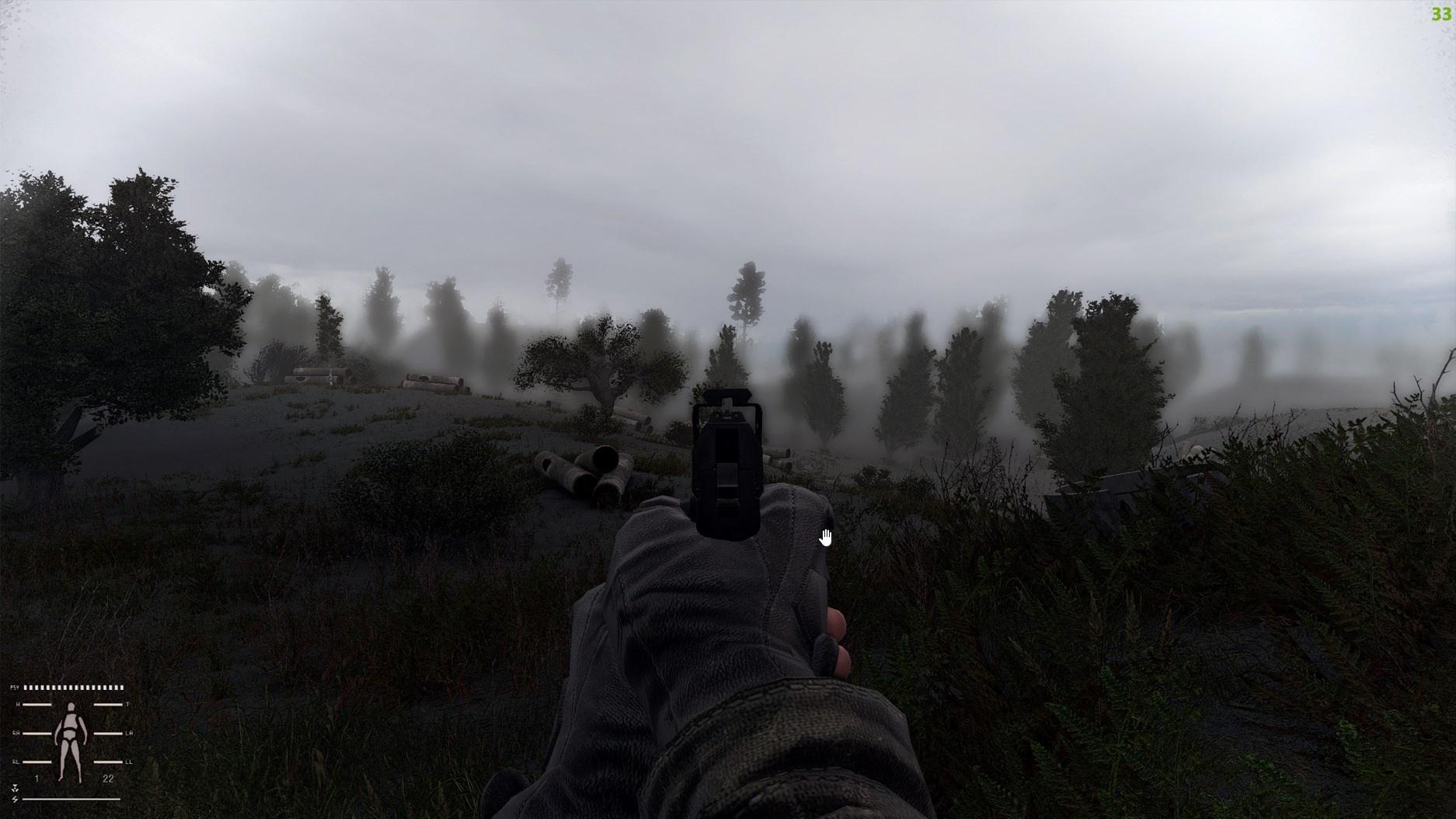
lol, I think I know why... Because it reloads the shaders. Sometimes I'm a dummy.
 sick wigeon
versed night
<a:Eyes:625531709827448842> I manage to launch with and idk what happen but last...
sick wigeon
versed night
<a:Eyes:625531709827448842> I manage to launch with and idk what happen but last...
I just updated SSS and noticed the same thing, got way better performance. Like at least +20 fps
versed night
time to max everything again 
sick wigeon
And I'm in Rostok during the rain
rich sentinel
How did you guys updated, overwrite files or another addon on MO2?
 outer bolt
rich sentinel
How did you guys updated, overwrite files or another addon on MO2?
outer bolt
rich sentinel
How did you guys updated, overwrite files or another addon on MO2?
Remove old mod then install new updated one.
 mint owl
leaden linden
Ty EDEN! V2
mint owl
leaden linden
Ty EDEN! V2
That's like cool and all but where are my glasses ? x)
mint owl
vague island
Blue tint
leaden linden
mint owl
That's like cool and all but where are my glasses ? x)
It's the new dof effect from E.S man. A tweaked version.
mint owl
Yeah I know, just joking  but I've never liked DoF to be honest
Realistic yes, but if I want to escaoe my glasses irl, oh look, it's the same damn blurry vision in game 
leaden linden
mint owl
Realistic yes, but if I want to escaoe my glasses irl, oh look, it's the same da...
I feel you man... I like the dof applied in dialogs though. But, reloading, pda, etc. Don't know but seems too much. Let's see how it goes in a long gameplay session this sunday 


 rich sentinel
manic sage
What are the effects? And is this the filmic plus preset?
rich sentinel
manic sage
What are the effects? And is this the filmic plus preset?
No, made another with the levelsplus/lightroom tweaking
 manic sage
How’s the sky with delc sharpen?
I stopped because the sky became grainy with the contrast enhancer setting
rich sentinel
manic sage
How’s the sky with delc sharpen?

I could try the AMD or rj_sharpen to test it
rich sentinel
manic sage
You don’t like contrast sharpen?
I don't have it, not on reshade atleast.
rich sentinel
manic sage
Show me your delc sharpen settings
Looks like Prod LumaSharpen doesn't effect the skies


 mint owl
rich sentinel
mint owl
rich sentinel
1st is without pass ?
rich sentinel
mint owl
1st is without pass ?
First is the Blooming dream above, and without pass
 brazen pagoda
i updated the screenspaceshaders and i get this error
 rich sentinel
brazen pagoda
i updated the screenspaceshaders and i get this error
rich sentinel
brazen pagoda
i updated the screenspaceshaders and i get this error
Disable shader cumulative pack
turbid wave
Do you disable the ASCII shaders and the ES shaders too?
rich sentinel
turbid wave
Do you disable the ASCII shaders and the ES shaders too?
ASCII is SSS, same thing, enhanced shaders are compatible, just load SSS last
turbid wave
Cool. Thanks
rich sentinel
And yes, if you updated the SSS, disable the other one
turbid wave
Wait, so disable ASCII?
turbid wave
so just have ES and the update enabled right?
rich sentinel
Yes.
turbid wave
Is it ok to just use the .exe's from the update? Or do you have to use the github versions?
rich sentinel
I'm using the ones from the zip, working fine
turbid wave
Just copy/paste them over right?
rich sentinel
If there's any difference between the SSS and github, then you need to ask the professionals
 neat kite
rich sentinel
If there's any difference between the SSS and github, then you need to ask the p...
neat kite
rich sentinel
If there's any difference between the SSS and github, then you need to ask the p...
hey dyn can u help me make my game look like yours lol sorry for hoping in here mid convo
brazen pagoda
rich sentinel
Disable shader cumulative pack
I deactivated it and still the same
brazen pagoda
turbid wave
Do you disable the ASCII shaders and the ES shaders too?
I deactivated and drop the same error
rich sentinel
neat kite
hey dyn can u help me make my game look like yours lol sorry for hoping in here ...
I can help, your game will not look like mine, can be resembling, but I'm going off in 5 minutes, can help you tomorrow if you want
sick wigeon
brazen pagoda
i updated the screenspaceshaders and i get this error
Make sure you clear your shader cache. I was getting this because I forgot to do that.
neat kite
rich sentinel
I can help, your game will not look like mine, can be resembling, but I'm going ...
please do
mint owl
rich sentinel
Filmic pass
This one is still better, I find the shadows a bit too dark on the 1st and the sky too saturated on the 3rd
neat kite
rich sentinel
I can help, your game will not look like mine, can be resembling, but I'm going ...
i added as friend
rich sentinel
neat kite
i added as friend
No worries, will DM you tomorrow when I can
neat kite
if u dont mind me asking what are ur specs ?
rich sentinel
mint owl
This one is still better, I find the shadows a bit too dark on the 1st and the s...
Hippo also liked this preset, great minds think alike 
mint owl
rich sentinel
Hippo also liked this preset, great minds think alike <:GrokChadGAMMA:9788108800...
brazen pagoda
sick wigeon
Make sure you clear your shader cache. I was getting this because I forgot to do...
I was able to, enter the game without shaders and put the graphics on low and save and reload the game with the shaders and the error was removed
 astral halo
Can you get gamma levels and reshades on keybinds to quick swap?
brazen pagoda
Is there a graphic option that conflicts with the shaders?
mint owl
astral halo
Can you get gamma levels and reshades on keybinds to quick swap?
For Reshade presets yes, but it's not working properly when switching them
astral halo
mint owl
For Reshade presets yes, but it's not working properly when switching them
Ah alright. I'd love to be able to switch gamma and reshades quick like that as time and weather permits. I think ark has something like this
mint owl
astral halo
Ah alright. I'd love to be able to switch gamma and reshades quick like that as...
Best is to take a picture, press esc then switch preset and do the screen again
Stalker is maybe too old honestly for that x)
astral halo
Yeah I haven't gotten this into a game that's this "old." Struggle trying to constantly adjust settings to make it look how I might want it but it just might not be possible. I dont know much about game engines and stuff.
 drifting shore
What reshade makes the game look the most crisp?
 slow forum
What order do I need to put these into valid this?

I’m not even sure if it’s installed at all. I can’t find the source. I know I need to replace my current reshade-shaders with this one and etc, but I can’t even access where they are. I would download aggressor from moddb but I’m not sure if it will load properly considering it wouldn’t be from MO
vague island
mint owl
Blue tint
Yeah it does look a bit blueish, more apparent in cloudy weathers
brazen pagoda
frigid spade
What do I enable so that my shader looks like this?
vague island
Tho I feel like it balances out the warmth in autumn harmony
sick wigeon
brazen pagoda
What do I enable so that my shader looks like this?
That's in the new update for SSS. If you are talking about the DOF effect.
brazen pagoda
sick wigeon
That's in the new update for SSS. If you are talking about the DOF effect.
I already installed the latest version 12.1 and it does not look like this
sick wigeon
brazen pagoda
I already installed the latest version 12.1 and it does not look like this
So if you reload it doesn't look like that?
brazen pagoda
sick wigeon
So if you reload it doesn't look like that?
Nope
sick wigeon
brazen pagoda
Nope
Check your MCM settings. Make sure it's enabled
 brazen pagoda
yes, I even tried deactivating and activating and nothing
sick wigeon
brazen pagoda
yes, I even tried deactivating and activating and nothing
Did you do this?
 brazen pagoda
Nop i'm going to do it
sick wigeon
That's probably your issue
brazen pagoda
I already did it but still the same 
sick wigeon
brazen pagoda
I already did it but still the same <:kekcry:919973929047715880>
Hmmmm..... Did you clear shader cache? And you got the new modded exes right?
brazen pagoda
sick wigeon
Hmmmm..... Did you clear shader cache? And you got the new modded exes right?
yes!
 echo hawk
Anyone knows about blue sunshafts when using volumetric in settings?
sick wigeon
brazen pagoda
yes!
Last thing I could think of would be the load order.
echo hawk
echo hawk
Anyone knows about blue sunshafts when using volumetric in settings?
Oh it's when I changed the warm grading cfg to another preset.
brazen pagoda
sick wigeon
Last thing I could think of would be the load order.
it's like this
 sick wigeon
brazen pagoda
it's like this
sick wigeon
brazen pagoda
it's like this
Is this still enabled? If it is, disable it and clear shader cache before launching the game.
 brazen pagoda
sick wigeon
Is this still enabled? If it is, disable it and clear shader cache before launch...
brazen pagoda
sick wigeon
Is this still enabled? If it is, disable it and clear shader cache before launch...
I already did it and nothing
sick wigeon
brazen pagoda
I already did it and nothing
This is what you have SSAO set to?

After that I'm all out of ideas
brazen pagoda
sick wigeon
After that I'm all out of ideas <:PepeHands:919973012990750820>
yes is active, me too
silent cairn

 gray kite
Hey guys do these texture packs run with gamma or just anomoly
and could someone maybe lend some knowledge in getting them installed correctly if they do
mint owl
gray kite
and could someone maybe lend some knowledge in getting them installed correctly ...
vague island
the blue tint is actually noticeable

its intensified by glamarye GI
but this is just due to hippo grading not made for autumn harmony right?
silent cairn
Which weather
Autumn harmony has an issue with clear2 weather having intense blue tint
gray kite
WIll adding these cool reshades and textures to gamma possibly corrupt my saves?
mint owl
vague island
but this is just due to hippo grading not made for autumn harmony right?
Nope, it's theorically caused by the weather Clear2 from Fabio Conte's weathers which are used by Golden Autumn Redux/Autumn Season Redux/Autumn Harmony
vague island
silent cairn
Autumn harmony has an issue with clear2 weather having intense blue tint
Idk, how do I check that without having debug mode enabled
mint owl
And this thing tend to stick around
vague island
mint owl
Nope, it's theorically caused by the weather Clear2 from Fabio Conte's weathers ...
aight makes sense cause I only mostly notice it during clear weathers
mint owl
vague island
Idk, how do I check that without having debug mode enabled
Clearing shader cache and starting a new game multiple times until you get the blue tint aflicted one
vague island
so I have to have debug mode enabled xD
 vague island
fuck it then since its only on a certain weather
gray kite
I want my game to look like this
gray kite
Came from Reshades
vague island
thats too much fov xD
gray kite
Any idea what texture pack?
silent cairn
Probably FabioConte's summer in #custom-textures
vague island
managed to tweak my aiming DoF to be subtle

feels good and looks nice
regular dof super subtle as well feels natural

 zealous dagger
VERY subtle my dude, too subtle for me
vague island
zealous dagger
VERY subtle my dude, too subtle for me
I want it to be not really noticeable but its there
just softens peripherals a bit
zealous dagger
vague island
I want it to be not really noticeable but its there
Where do you tweak it in the shader menu?
zealous dagger
vague island
just softens peripherals a bit
Yeah its kinda too much in base settings
vague island
zealous dagger
Where do you tweak it in the shader menu?
SSS in mcm
zealous dagger
vague island
SSS in mcm
Ah, of course, thanks

 silent cairn
It's due to the hemi colors in clear2 weather

 neat aspen
vague island
otherwise my game looks so good now
neat aspen
vague island
otherwise my game looks so good now
how do u make the graphic look like this
vague island
neat aspen
how do u make the graphic look like this
altered hippo reshade and autumn harmony
also latest SSS update and github exe.s
vague island
neat aspen
how do u make the graphic look like this
read previous conversations you can see the instructions #╟🎑reshades message
neat aspen
wait do u need reshade then? im in the middle of installing it
 vague island
neat aspen
wait do u need reshade then? im in the middle of installing it
vague island
neat aspen
wait do u need reshade then? im in the middle of installing it
yes
hippo's reshade in the mods posting
neat aspen
vague island
yes
but there is already reshade in anomaly folder tho
vague island
neat aspen
but there is already reshade in anomaly folder tho
yeah then you already have it
just install hippo over it
 past phoenix
Anyone got reshades to use in tandem with snowy/winter mods?
 glossy pond
past phoenix
Anyone got reshades to use in tandem with snowy/winter mods?
glossy pond
past phoenix
Anyone got reshades to use in tandem with snowy/winter mods?
Try Eden’s winter reshade maybe
Found in the same place as his regular reshade
frigid spade
the newest hotfix for SSS is solid af, gained fps, and the 3x cascade shadows are working for me now too, means you get farther draw distance on grass shadows and stuff
past phoenix
glossy pond
Found in the same place as his regular reshade
I can't find either 💀
nvm got it
no I didn't
I'm a dumbass
glossy pond
past phoenix
I'm a dumbass
You would just need to get the reshade from here and presumably the graphics settings he recommends
 pine robin
Is Stalker expedition (graphics only) considered a reshade? If so can anyone guide me to installing it into GAMMA?
silent cairn
pine robin
Is Stalker expedition (graphics only) considered a reshade? If so can anyone gui...
neat aspen
vague island
just install hippo over it
looking aright but the sun lightning is blue which make no sense
 vague island
neat aspen
looking aright but the sun lightning is blue which make no sense
vague island
neat aspen
looking aright but the sun lightning is blue which make no sense
use hippo grading
neat aspen
whats that, is that also a mod
pine robin
silent cairn
https://discord.com/channels/912320241713958912/1037753021322506240/103775302132...
cheers
rich sentinel
frigid spade
the newest hotfix for SSS is solid af, gained fps, and the 3x cascade shadows ar...
Tried the new hotfix, nothing changed here, don't really know if I did something wrong 
pine robin
do i create it like the synch save and export profiles?
 split lagoon
does your load order look like this or should I disable the SSS from gamma?
 vague island
split lagoon
does your load order look like this or should I disable the SSS from gamma?
vague island
split lagoon
does your load order look like this or should I disable the SSS from gamma?
yes it does
frigid spade
chaning up my reshade a fair bit now that ive started messing with radiantgi
super performance hungry but looks great af
you can get sky hdr/color extraction on it so it will project the color of the light on to a bloom-like effect on window sills and trees etc.
split lagoon
vague island
yes it does
actually shaders cumultative pack is here and I needed to put SSS update below it, otherwise I'd crash
just fyi if any1 else tries it


 vague island
split lagoon
actually shaders cumultative pack is here and I needed to put SSS update below i...
vague island
split lagoon
actually shaders cumultative pack is here and I needed to put SSS update below i...
ah yeah that I missed the shaders pack
should be below that or you crash
frigid spade
apparently it even supports subsurface scattering for skin, gotta go find a face
off (without the subsurface scattering)

on (without the subsurface scattering)

adds refractive lighting from his face to his inner hood
nice effect
light basically bounces with it
its the most expensive effect on my list by far though
gonna have to go through a buuuunch of testing at all weathers now though, changed everything so much haha
silent cairn
I never managed to make radiantgi look more than a glorified bloom on grass
frigid spade
the key dif jaku is that light sources that aren't on your screen can cast a color extracted ray at surfaces, so you can wind up with a sunset outside a window casting it's orange lighting into a room. even with your back turned to the window, whereas bloom can be similar, but will only extract and cast that color if you are looking at the window.
think ray tracing but not reflections.
obviously a light source does this already to a degree
but this makes it happen with all bright screen sources, so the sky itself can do it
or for the example above, his skin
is bouncing light to the inside of his hood
silent cairn
Reshade can't really obtain out-of-screen information though
frigid spade
i can with dll injectors
thats what the depth buffer is for
it cant in multiplayer ofc
people used it to cheat, thats why they disabled it
unless somehow this effect is tricking me, its the only way it could provide this color info
silent cairn
I guess depth buffer can be used for negative values but that sounds very game dependent 
frigid spade
what may be happening is that it only can pull from the front of the camera, like it can pull from behind objects but not whats behind, so maybe my example was incorrect.
not entirely sure. and yeah from what ive read about it it is super game dependent.
depends what info is available and where
regardless, this effect does work to add some color and lighting refraction from things like skin and the sky when things ARE on screen, thats for sure. and it looks nice imo, i particularly like how the sky color effects the lighting on the crack in the wall and the window sill in my first 2 on off posts i made above
issue with bloom is it effects stuff you dont want it too, suppose bloom could do something similar, but radiantgi is less limited
cuz its actually grabbing light source info
silent cairn
Oh yeah it 100% works for on-screen lights very well
frigid spade
silent cairn
Oh yeah it 100% works for on-screen lights very well

at minimum theres no lights immediately available to it and it's pulling the sky color. ignore the red its from the pause button.
but thats prob just cuz it can see the depth buffer through the walls ofc and it may not be picking up the lightsource but instead the sky color. the actual sun is in fact behind my car and off screen.
its definitely picking up the fire here, even with the pause button off, fire is off screen.

at bare minimum it's picking up the light cast by the fire and then illuminates from there, giving you a second bounce at least.
frigid spade
silent cairn
I always wondered how they get the skycolor
from what i read they are able to extract info from the actual texture files.
damn the combo of ambient light and this together is EXPENSIVE wows

 manic sage
Looks great, I feel like the lighting on the weapons should be switched, its weird that the the lighthing on the weapon under a bright sky is dark while in a darker and not as lit environment the weapon model is more lit, actually I see you had a headlamp in the second picture. So my complaint on the second picture is not valid. But my point still stands on the first picture.
thats my only complaint
Otherwise good job. What are the total effects? and what are they?
I'm currently trying to put all of my effects under quint regrade
 warped finch
how easy is it to add a different reshade to GAMMA?
 sour oar
Depends on the reshade obviously but usually the steps are extremely straight forward
frigid spade
 frigid spade
manic sage
Looks great, I feel like the lighting on the weapons should be switched, its wei...
frigid spade
manic sage
Looks great, I feel like the lighting on the weapons should be switched, its wei...
from what i have found its almost impossible to fix that
every single combo im using is producing that issue
manic sage
What effects are you using?
 weary forum
I assume it's adaptive tonemapper that's darkening the image (including gun) under the bright sky and vise versa?
frigid spade
manic sage
Otherwise good job. What are the total effects? and what are they?
its ambient light radiant gi blooming hdr curves and levels plus
manic sage
I'm guessing blooming hdr might do it
frigid spade
im trying to counter the darkening of the wep with levels plus but struggling
yeah maybe
manic sage
have you tried sandwhiching that between revail top and bottom
so that it only activates in certain instances
manic sage
heres a comment I found talking about reveil
ReVeil minimizes visual artifacts like AO with Fog or DOF but, yes, It is achieved by "reducing" the effect with different algorithms to give better results than just toning down the other effectd.
I usually use it with RTGI, especially on games that have flickering/noise with it or have too mucho alpha effects/fog like GoW.
frigid spade
manic sage
ReVeil minimizes visual artifacts like AO with Fog or DOF but, yes, It is achiev...
ill check it out rn
 lime wadi
Hey guys I think trying to use the #old-framerate-optimisation may have messed up my shaders pretty badly and now the entire game is really dark. anyone know what I might do to fix my game or return it to how it was previously?
manic sage
yup!
frigid spade
manic sage
yup!
interesting, radiantgi has something similar built in that is conflicting
manic sage
If you're using radiant gi why not use RTGI?
https://imgur.com/FcYgEUO This is Gamma with RTGI and I'm pretty sure some regrade. Not much else
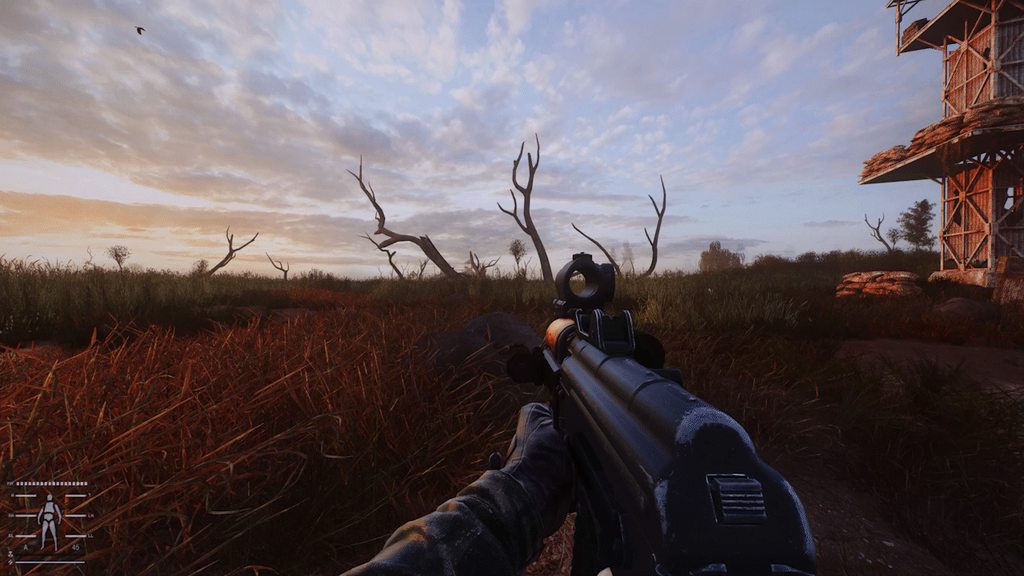
Currently working on something very similar for the hippo.ltx preset
frigid spade
i dont have anything called rtgi??
manic sage
Oh right its a patreon effect from pascal forgot to mention that
frigid spade
pretty sure i have all effects that come with the base install
ahh
that looks fucking awesome
jelly
its working soooo well on the sun
manic sage
Yeah this will be an optional preset as RTGI does cost money
and I can't redistribute it
frigid spade
yea that makes sense
manic sage
but for those that have it they can get it
I won't tell you how to get RTGI for free
butttt there is a way on reddit its not the latest version
silent cairn

manic sage
silent cairn
<:angrycat:811726800379576380>
did I upset you....
manic sage
Oh I was replying to jaku
frigid spade
oh xD
manic sage
@silent cairn I tried out your effects yesterday top tier so far. Not as much shiny ground
I'm guessing you're waiting for gamma to include the update before you post your tweaks?
silent cairn
I fixed the weird shadow glitch on some guns and now I'm not really sure what else I can do for it anymore
But yeah I'm waiting for the SSS update
manic sage
Sounds good
 frigid spade
manic sage
Sounds good
frigid spade
manic sage
Sounds good
fixing it in lightroom pretty well, ill show ya in a bit
 silent cairn
rich sentinel
silent cairn
rich sentinel
I love puddles AND I love the reload animation of L85. Is your reshade available from anywhere?
 manic sage
silent cairn
I love puddles AND I love the reload animation of L85. Is your reshade available...
manic sage
silent cairn
I love puddles AND I love the reload animation of L85. Is your reshade available...
Do you use any reshade Jaku?
This looks sick
silent cairn
Yours 
manic sage
Is the color balance allot better now?
silent cairn
manic sage
I'm gonna send you a copy of my rtgi preset for you to test when its done
manic sage
manic sage
https://imgur.com/FcYgEUO This is Gamma with RTGI and I'm pretty sure some regra...
like this one
 lost grove
hello i'm looking for the hippoboot reshade
 daring crag
silent cairn
daring crag
silent cairn
Ooh I can see the rtgi on the sandbags
manic sage
Yeah its getting there, just need some tweaks
The thing with RTGI preset is it will not use many effects since RTGI will do much of the heavy lifting
combined with lightroom or Regrade which is the new lightroom
should be nice
 main token
Thank you hippo for that reshade setting
main token
 frigid spade
manic sage
The thing with RTGI preset is it will not use many effects since RTGI will do mu...
frigid spade
manic sage
The thing with RTGI preset is it will not use many effects since RTGI will do mu...
tested rtgi out before buying and it is waaaay performance heavy, 3060ti cant get 60 on any settings
looks great but daaamn
manic sage
Yeah but you also need to pair it with optical flow
helps with performance
from pascal patreon as well
main token
what is rtgi?
manic sage
frigid spade
tested rtgi out before buying and it is waaaay performance heavy, 3060ti cant ge...
 frigid spade
will that ease the performance?
manic sage

Yes
helps with motion data which RTGI needs
You can just download that and see if it helps you
frigid spade
huh, cool okay
yeah i just manually wrote that link out like a nerd
from the img xD
manic sage
lol
rich sentinel
silent cairn
I love puddles AND I love the reload animation of L85. Is your reshade available...
This is the new preset I've been tweaking
rich sentinel
rich sentinel
This is the new preset I've been tweaking
Can send to you if you want
silent cairn
I would like to take a look at it if you don't mind 
vague island
anyone know what that weird light on top of the roof is?

it moves as I move my mouse
manic sage
frigid spade
huh, cool okay
Also RTGI helps with the weird fog that sometimes looks weird around the trees

I'm sure everyone has seen that
manic sage
rich sentinel
Can send to you if you want
me too if you have changed anything since you sent it hours ago. I'm at school now will mess with it later
frigid spade
gave me like 3 fps on min settings, at 53 fps, maybe if i lower in game settings i suppose
may be worth
surprised how gnarly its eating 3060 ti lol
manic sage
Ray tracing is heavy
rich sentinel
manic sage
me too if you have changed anything since you sent it hours ago. I'm at school n...
Been making some changes, looks like outskirts are a nice place for balancing the shadows
manic sage
my 3080 has been able to deal with it okay as long as I don't go too crazy on the settings and layer a bunch of unneeded effects on it
manic sage
vague island
anyone know what that weird light on top of the roof is?
Textures not liking SSS
frigid spade
im overclocked and everything, hoped at least lowest settings could work but it seems even a single step and a single sample is too much
unfortunately it has built in ambient occlusion which i think is pwning it cause i cant turn it off and im already running heavy ao in the game engine
vague island
manic sage
Textures not liking SSS
hmmm so it cant be fixed currently
frigid spade
maybe if i disable that
turning grass down worked, but i love my grass >___<
actually found some settings that do look nice and work hmm
tbh despite less grass idk if i can live without this lighting now
manic sage
lol
frigid spade
manic sage
lol
yo so im noticing it actually breaks 2d scopes
frigid spade
theres an offset ambient occlusion shadow from a depth buffer problem
frigid spade
manic sage
picture?

happens with ambient occlusion used in reshade now in any form, since sss mod update
manic sage
Wait this might be a dumb moment but can you point out the issue?
I'm also on my phone
frigid spade
make it bigger
and zoom on the tree
to the left
very very noticeable when you are actually adsing something
manic sage
oh its completely in the shadow?
frigid spade
theres a second tree's ambient occlusion
just the occlusion
to the right of the tree
manic sage
I'll have to take a look later
frigid spade
unfortunately setting ambient occlusion to 0 doesnt fix it
 waxen elm
Hey I'm kind of new to reshade and have been messing with a few presets to get a washed out fallout 1/2 kind of look. Only issue is the HUD colours are a bit flat... is it possible to tweak the HUD colours without affecting the rest of it?
manic sage
Ui mask i believe
waxen elm
cool, I will play with that and see what I can work out. Thanks!
 bitter edge
why does my game look so vanilla? are the shaders even on? I got all the settings on on reshade ingame
 vague island
frigid spade
vague island
frigid spade
Which effect is this
I noticed this with glamarye ao
But with hippos preset using glamarye i havent seen it at all even with AO enabled
frigid spade
oh man my head
 frigid spade
vague island
Which effect is this
frigid spade
vague island
Which effect is this
its doing it with any type of ambient occlusion and unfortunately RTGI has built in ambient occlusion. you can only use SSS mod built in ambient occlusion
vague island
frigid spade
its doing it with any type of ambient occlusion and unfortunately RTGI has built...
Think its fixable, hippo fixed it in glamarye
I remember someone talking it was about the AO shine, tried to tweak that setting but it was still there
frigid spade
i'd imagine it is, it seems to be trying to use the depth buffer in the wrong way
vague island
And was surprised hippo managed to fix if
frigid spade
i showed it happening from rtgi to them a few minutes ago so we'll see.
Stalkerlands lol
 manic sage
I’ll demo it when i get home

 frigid spade
had to go back to radiantgi because of the depth buffer issue messing with 2d scopes, feel like it looks decent though


 lavish relic
Damn you all showing off these beautiful shots 😢
frigid spade
lol
echo hawk
You guys play with volumetric on or off?
sick wigeon
frigid spade
Did you tweak any of the SSS settings?
frigid spade
i did yeah, a lot

forgot to mention that, i should prob link those if you want it to look like that
GAMMA\mods\190- Screen Space Shaders - Ascii1457\gamedata\shaders\r3
sour oar
echo hawk
You guys play with volumetric on or off?
On, always
I play with Golden Autumn Redux so it’s literally needed
So I don’t blind myself looking at the moon
echo hawk
Well I'm asking because turning it on causes blue sunshafts
frigid spade
radiation
 sick wigeon
frigid spade
sick wigeon
frigid spade
How much does enabling the second pass kill your fps?
frigid spade
for my 3060 ti, not much
frigid spade
 echo hawk
sour oar
Blue?
echo hawk
sour oar
Blue?
Yup. I'm playing with Piknik reshade and I changed color grading to the default one and unfortunately changing the grading preset affect the sunshafts and made them blue
 quartz breach
cant get the bhs and that white dot to go away
 sick wigeon
quartz breach
cant get the bhs and that white dot to go away
sick wigeon
quartz breach
cant get the bhs and that white dot to go away
Press H for bhs, that dot is from the stealth mod
 sick wigeon
quartz breach
screenshot v2
sick wigeon
quartz breach
screenshot v2
Much better
frigid spade
fixed another issue to the guy who was asking for this, recommend grabbing this one
versed night
https://i.imgur.com/XrAv9fW.jpeg Is everything suppose to look this shiny? Ik it's raining rn, but ground still looks shiny even on clear days
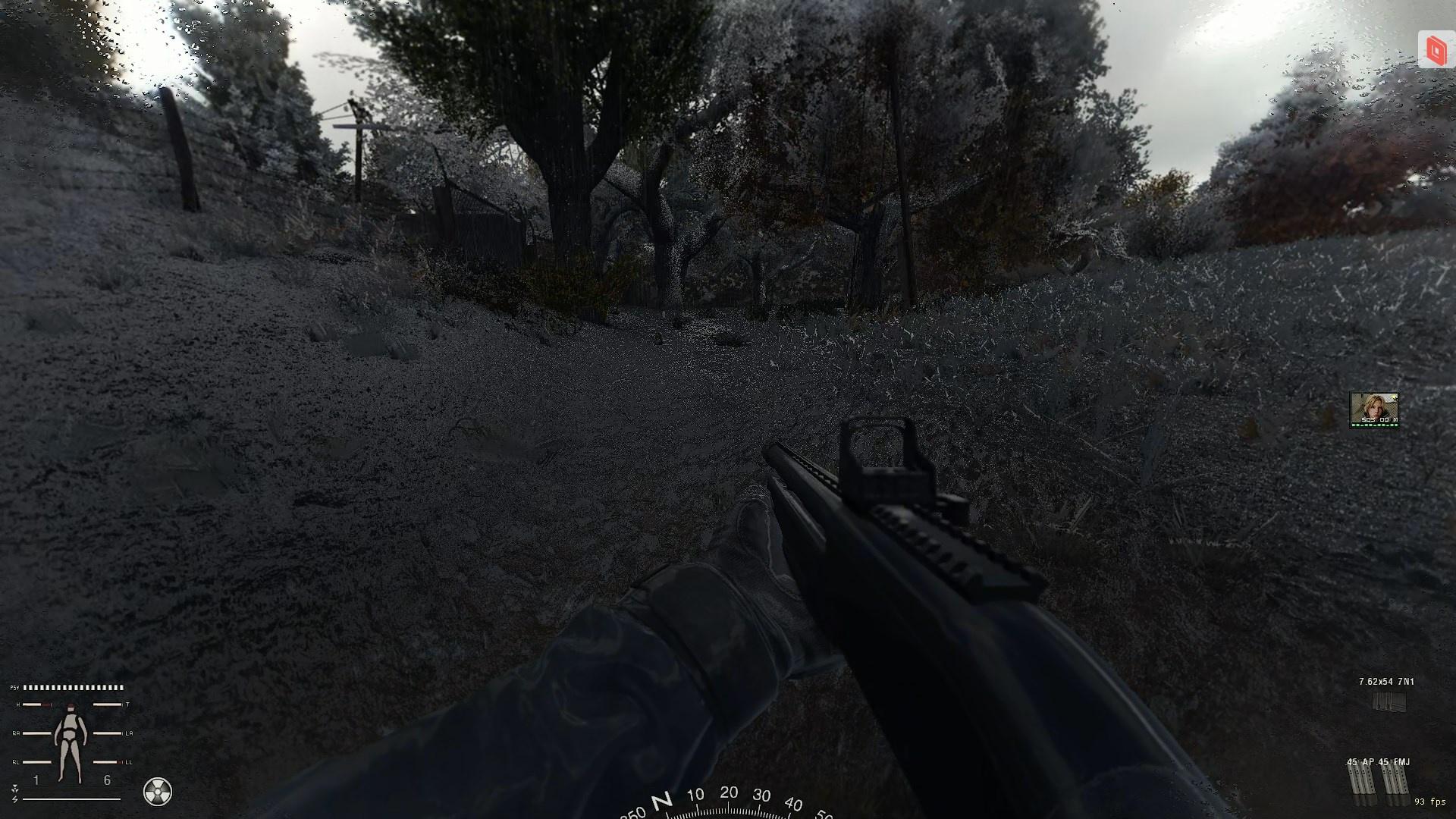
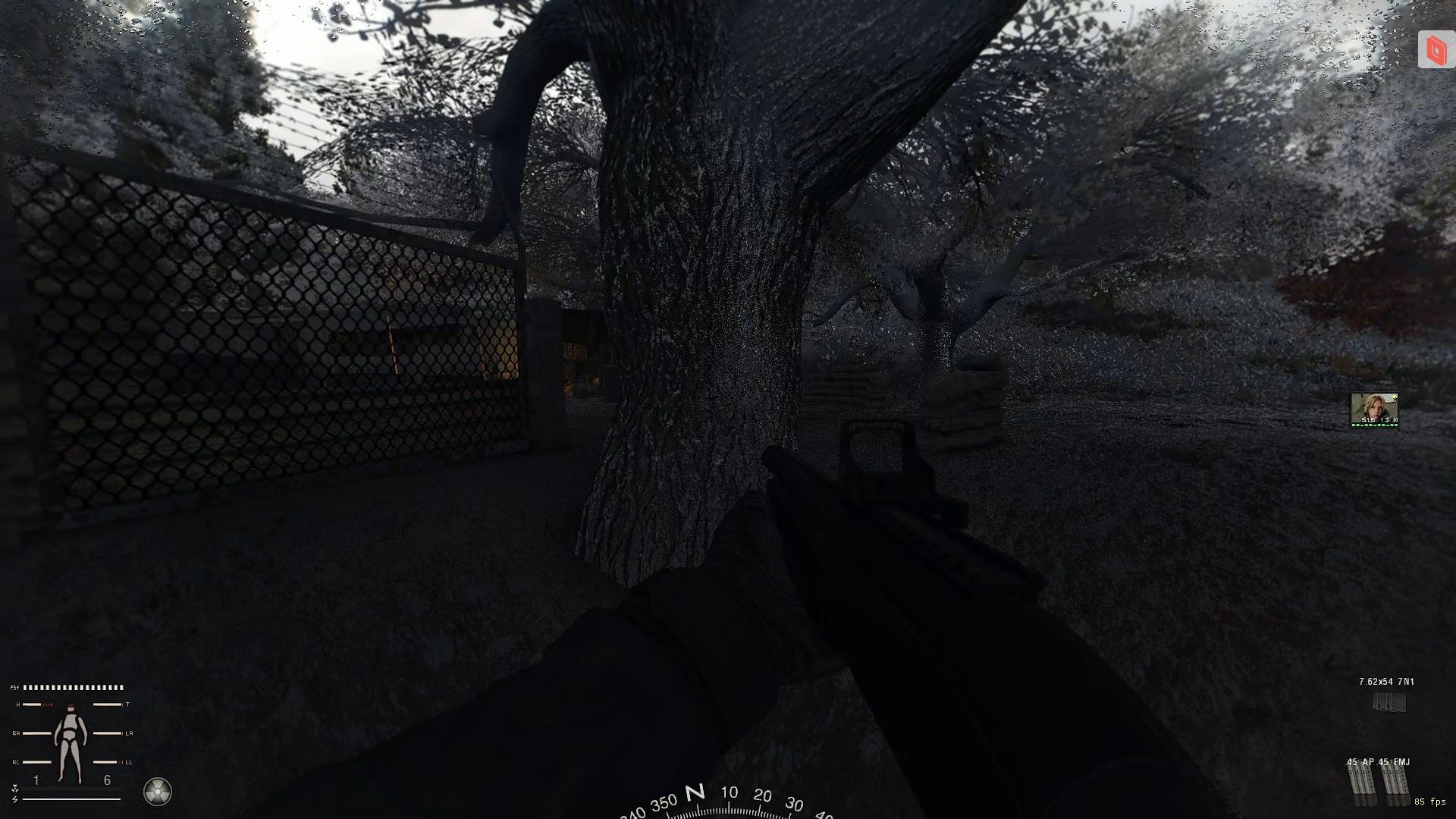
 swift robin
i think that's because of the wet surface setting?
also a question for new sss users, how is my performance gonna be affected by rain puddles?
versed night
Honestly i think it's still follows the brighter/more light in your screen, the lower the fps
 heady pebble
versed night
https://i.imgur.com/XrAv9fW.jpeg Is everything suppose to look this shiny? Ik it...
heady pebble
versed night
https://i.imgur.com/XrAv9fW.jpeg Is everything suppose to look this shiny? Ik it...
Load the SSS shader update update after the older version (190) and hide all conflicting shader files from "Shaders cumulative pack for GAMMA"
versed night
it's raining for me rn, im on 1080 atm cause im at work, and im getting between 70 to 120 fps depending where i'm looking, and im using a 3080
versed night
heady pebble
Load the SSS shader update update after the older version (190) and hide all con...
i have cumulative disabled and i did the prior
swift robin
versed night
it's raining for me rn, im on 1080 atm cause im at work, and im getting between ...
gaming on company's time, a true office worker experience
sick wigeon
swift robin
also a question for new sss users, how is my performance gonna be affected by ra...
I got better FPS when I updated SSS
frigid spade
i just disabled vsync and gained 12 frames, minimum framerate, i was dipping to 45 and now im at 57 minimum in the same location, nothing has changed, was instant on setting flip
frigid spade
sick wigeon
I got better FPS when I updated SSS
same
swift robin
sick wigeon
I got better FPS when I updated SSS
me too but im asking about the rain puddles option specifically
sick wigeon
On the default settings, I didn't notice any change
heady pebble
Any shader files active from GTR?
versed night
No, just textures from GTR
swift robin
alr I'll reinstall it for rain puddles thanks @versed night @sick wigeon
sick wigeon
swift robin
alr I'll reinstall it for rain puddles thanks <@83361769250099200> <@17325259797...
They are definitely worth it, makes the game look amazing. I'm debating on making them stay on all the time.
versed night
Oh wait. I just noticed Anomaly season has something conflicting
from autumn redux
deffer_impl_flat.ps Any clue to what this file is


 sick wigeon
versed night
deffer_impl_flat.ps Any clue to what this file is
sick wigeon
versed night
deffer_impl_flat.ps Any clue to what this file is
What mod is it from
frigid spade
so hard to finalize a reshade
versed night
sick wigeon
What mod is it from
It's in SSS and 00 from anomaly seasons for Autumn redux
i changed from dead zone to autumn redux
and they are vastly different from each other
sick wigeon
It could be the ground texture from golden autumn not playing nicely with SSS
versed night
i backed up the 00 one, and im gonna copy over SSS and see what happens
yeah, i might have to ditch autumn
heady pebble
versed night
It's in SSS and 00 from anomaly seasons for Autumn redux
Puddle & wetness related
sick wigeon
You could just delete the ground texture
heady pebble
just delete or hide the AR version
versed night
but it looks nice 
heady pebble
When it rains the terrain will get wet again xD
manic sage
versed night
https://i.imgur.com/XrAv9fW.jpeg Is everything suppose to look this shiny? Ik it...
The only person that has fixed this that I know off is jaku with his SSS tweaks
manic sage
frigid spade
beautyyy
That gun is really dark still even though it’s so bright every where else
And your arm not just the gun
frigid spade
manic sage
That gun is really dark still even though it’s so bright every where else
its impossible without radiant man
frigid spade
manic sage
That gun is really dark still even though it’s so bright every where else
or i mean RTGI
manic sage
Totally possible what do you mean
frigid spade
manic sage
That gun is really dark still even though it’s so bright every where else
you cant make a reshade that has the same visual aesthetic im going for and have the gun be any lighter, ive literally capped the black level lightening i can do before i start clipping
also, its legit JUST this time of day
frigid spade
something about the sunset rn. the gun just goes pitch black
i cant get anything to brighten just the gun without something like RTGI
and RTGI is breaking 2d scopes sooo
been legit trying to lighten that gun for like 5 hours
versed night
frigid spade
and RTGI is breaking 2d scopes sooo

it breaks the "press any key" screen too, you can see shadows through that menu, you can even see when you load a new area or a save, your character actual spins a 360
frigid spade
yeah, thats normal though. yeah i always thought the 360 was funny. all ambient occlusion added in reshade breaks 2d scopes with the new SSS update
and i get a ton of effects from that sooo
versed night
oh yeah and checking 2d shader scope support in mcm for SSS just breaks scopes completely, i see my esc menu when i ads LOL
bitter edge
What reshade should i get? My game looks like shadow of chernobyl vanilla
frigid spade
manic sage
Totally possible what do you mean
heres a screenshot before the sun sets showing what i meant btw, and in the mid day hours its even less dark.
 manic sage


 bitter edge
Ethan what reshade do u use
versed night
bitter edge
What reshade should i get? My game looks like shadow of chernobyl vanilla
here's a few to look at #╟🎑reshades message
frigid spade
yeah hippo, you have rtgi running on that dont you?
manic sage
There you go a dump of pictures without black weapons
Not yet that’s my current preset
versed night
hippo does not
frigid spade
what are you using then
manic sage
Not even rtgi yet
manic sage
No lol
frigid spade
....
manic sage
Just not crazy black levels
manic sage
Only use Lightroom for black levels and a simple black curve
versed night
hippo be using like 13
frigid spade
my black levels are legit so low that its turning grey