#πŸ”¨base-gamma-support

1 messages Β· Page 337 of 1

raw raftBOT
#

Send your crash log where it was asked IF YOU ARE BEING HELPED, not inside #πŸ€–bot-commands if you're using this command in this channel.
You won't be helped, it's literally just a channel where you can use commands.

The file is inside your Anomaly folder, this is the complete path:
Anomaly/appdata/logs.

This is what you could find:

  1. xray_yournamehere.txt
  2. xray_yournamehere.log
  3. xray_yournamehere without any file extension

You just need to send ONE of these files where it was asked. It's either ONE file with .txt OR .log OR with nothing at the end.
DON'T send anything with .bkp at end.

Drag and drop the file inside the Discord channel, Discord will handle it for you.
Make sure you're not using any extra mods, if you do, you'll need to ask in #πŸ”¨modded-gamma-support.

sharp bough
#

read the bot above

robust raven
#

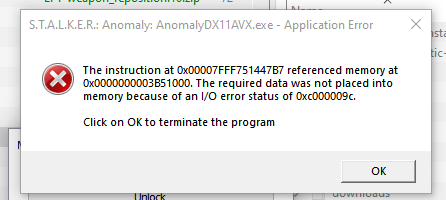
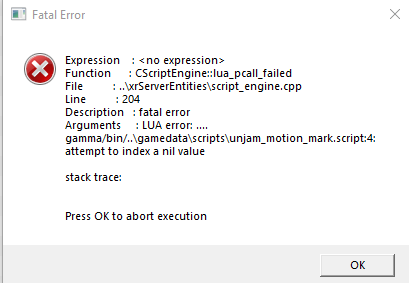
does anyone know what this means?

sharp bough
#

!crash

raw raftBOT
#

Send your crash log where it was asked IF YOU ARE BEING HELPED, not inside #πŸ€–bot-commands if you're using this command in this channel.
You won't be helped, it's literally just a channel where you can use commands.

The file is inside your Anomaly folder, this is the complete path:
Anomaly/appdata/logs.

This is what you could find:

  1. xray_yournamehere.txt
  2. xray_yournamehere.log
  3. xray_yournamehere without any file extension

You just need to send ONE of these files where it was asked. It's either ONE file with .txt OR .log OR with nothing at the end.
DON'T send anything with .bkp at end.

Drag and drop the file inside the Discord channel, Discord will handle it for you.
Make sure you're not using any extra mods, if you do, you'll need to ask in #πŸ”¨modded-gamma-support.

rugged forge
#

I'm not seeing anything about this, I'm trying to start a new game and the Kar 98K is invisible and unusable, I have all the mods and am playing vanilla GAMMA, it will also make my sidearm unusable until I unequip the Kar.

sharp bough
atomic pollen
#

The same thing happens to me as to ferrosxlupus, on which channel should I send the file?

robust raven
#

@sharp bough i think i figured it out. but i need to move this to the custom modlist because i accidently left a mod on which caused the issue

ivory crystal
#

getting this issue when i logged on today. headlamps and some ceiling light turn everything white/grey

atomic pollen
sharp bough
ivory crystal
#

okay, it said successfully loaded but nothing changed.

sharp bough
atomic pollen
#

i just follow tutorials xDDD

sharp bough
raw raftBOT
#

To clean your "Shader Cache", don't use the option in the Anomaly launcher.
Go in this folder: Anomaly\appdata, you'll find a folder called shaders_cache, delete this folder and launch the game normally from MO2, using your preferred DX.

ivory crystal
#

alright, will try that

sharp bough
#

!move

raw raftBOT
#

KEEP IN MIND AND REMEMBER THAT THE FOLLOWING FOLDERS ARE -NOT- SUITABLE FOR ANOMALY AND G.A.M.M.A., DON'T USE THEM.
Desktop, Downloads, Documents, One Drive, Program Files/Program Files x86

DON'T. USE. THEM.
DON'T.

Moving Anomaly:

  1. Move your Anomaly folder to the new location
  2. Go to your G.A.M.M.A folder
  3. Delete the ModOrganizer.ini file. It should be below the ModOrganizer.exe application

Moving G.A.M.M.A.:

  1. Open your G.A.M.M.A. folder and ONLY delete the "mods" folder you'll find inside. Leave the rest untouched, you don't need to delete anything else
  2. Move your G.A.M.M.A. folder to the new location

When you have finished moving everything to the new location:

  1. Run the installer as admin
  2. Click on 1. Allow Powershell scripts
  3. Click on 2. Launch MO2
  4. Select your Anomaly folder
  5. Click on Download G.A.M.M.A. data and then click on Full G.A.M.M.A. installation
upbeat jasper
rugged forge
rugged forge
#

yea im redoing it all, was working fine this morning idk what happened

tender forge
#

Check moddb.com for a bot flag before you attempt the full installation

rugged forge
keen cedar
upbeat jasper
keen cedar
#

!bis well, it's "reinstall only the GAMMA mods" o'clock. Follow the method below for best results - do NOT delete anything else. You can back up your saves in Anomaly/appdata/savedgames if you are worried but this method should not touch them (or the Anomaly folder) at all

raw raftBOT
#

1) Check you aren't blocked on moddb (go to https://moddb.com, if you don't have a giant red screen you are OK)
If you are blocked, wait out the timer + 40 minutes or use vpn.

= = = YOU MUST BE UNBLOCKED TO PROCEED = = =

2) Visit this link and download downloads.7z: https://gofile.io/d/mpDnsO. Use a VPN if you can't access it.
3) Open your G.A.M.M.A. RC3 folder, move the archive in there, right click it and choose "extract here", using 7zip. It will create a folder called downloads, which will now be filled with zip archives. DO NOT unzip those.
4) Launch the GAMMA installer as ADMIN, click "Download GAMMA Data", click "Full GAMMA Installation"
5) Try to play

upbeat jasper
#

Okay thanks!

velvet bronze
#

yo, just done the latest update and I'm getting this error. Makes it to the main menu, but wont load saves.
all 358 mods present and accounted for, are in standard load order, trying to load an existing savegame.

EDIT: sorry, just read the pin about no logs unlesss asked - if im in the wrong place with this, lemme know

sharp bough
velvet bronze
#

wow, what a basic error to make kekw yes I did, and yes, I forgot to re-enable it

velvet bronze
#

thanks for the reminder - all good now. you're doing gods work in here helping the plebs. verynice

sharp bough
pastel sleet
#

Can anyone help? After crash in X16 laboratory, I must wait to load save for about 10 min. And now, I get this error

#

FATAL ERROR

[error]Expression : <no expression>
[error]Function : CInifile::r_section
[error]File : Xr_ini.cpp
[error]Line : 948
[error]Description : fatal error
[error]Arguments : Can't open section 'mag_bas_pl15_9x19'. Please attach [*.ini_log] file to your bug report

random cedar
#

FATAL ERROR

[error]Expression : <no expression>
[error]Function : CScriptEngine::lua_pcall_failed
[error]File : ..\xrServerEntities\script_engine.cpp
[error]Line : 204
[error]Description : fatal error
[error]Arguments : LUA error: c:/anomaly\gamedata\scripts\grok_spawn_lights.script:59: attempt to index global 'placeable_furniture' (a nil value)
I did reinstall, I copied files to my anomaly folder, my anomaly folder looks exactly like in the reference pics when updating to 1.5.2, I disabled furniture mod, I dont have any extra mods enabled. Yes my pc is fine and can run gamma.

sharp bough
pastel sleet
#

Yes

sharp bough
sharp bough
pastel sleet
#

Yes, I play with it

random cedar
sharp bough
pastel sleet
#

@sharp bough you was right, my mod is disabled

#

I try this time, with it

sharp bough
pastel sleet
sharp bough
raw raftBOT
#

1) Check you aren't blocked on moddb (go to https://moddb.com, if you don't have a giant red screen you are OK)
If you are blocked, wait out the timer + 40 minutes or use vpn.

= = = YOU MUST BE UNBLOCKED TO PROCEED = = =

2) Visit this link and download downloads.7z: https://gofile.io/d/mpDnsO. Use a VPN if you can't access it.
3) Open your G.A.M.M.A. RC3 folder, move the archive in there, right click it and choose "extract here", using 7zip. It will create a folder called downloads, which will now be filled with zip archives. DO NOT unzip those.
4) Launch the GAMMA installer as ADMIN, click "Download GAMMA Data", click "Full GAMMA Installation"
5) Try to play

north turret
#

How to fix dear string less than needed?

#

*dest

pastel seal
#

aynone else had a warning in game taht a package has disappeared? get this crash every time i enter the garbage since the message first appeared

atomic pollen
#

@sharp bough I have done everything you told me before and it gives me the same crash

ivory tundra
#

what does "GAMMA YACS no quit" do? I see it is disabled by default

cyan forum
#

Hi, good, I downloaded stalker gamma following all the steps and everything was there except 1 mod that is giving me problems and gives me an error, I think it's because of the mod but I'm not sure, the game starts from the mod organizer but it doesn't open or It tells me nothing, nothing happens, any solution?

#

I have tried to download that mod again but there is no way, halfway through the download it gives an error and I don't know what else to do

feral jungle
#

not really a technical issue, but is there anyway to get the psi helmet, or at least not succumb to 5G rays in warfare mode?

raw raftBOT
#

G.A.M.M.A. isn't built with Warfare in mind and Warfare, per se, have bad perfomance, bugs, issues, etc., this is why it isn't recommended.
You can play it if you really want to, but forget about #πŸ”¨base-gamma-support, this channel support is only for G.A.M.M.A. vanilla (which basically means no extra stuff at all) and is also used by Grok for bug fixing.
Since G.A.M.M.A. vanilla doesn't use Warfare, you'll need to use #πŸ”¨modded-gamma-support.

sharp bough
sharp bough
raw raftBOT
#

You'll need to delete your Anomaly folder.

  1. Open your Anomaly folder, if you have any save files you want to keep, take them from this folder: Anomaly\appdata\savedgames
  2. Delete your Anomaly folder
  3. Extract a clean Anomaly folder (VERSION 1.5.2 IS THE ONLY SUPPORTED VERSION FOR GAMMA, if you don't have it yet, type and send !152 in #πŸ€–bot-commands)
  4. Run the installer as admin and make sure you have the latest version: 3.8 (If you don't have it, grab it here: <#πŸ“’announcements message>)
  5. Click on Download GAMMA data and then click on Full GAMMA installation
atomic pollen
cyan forum
#

This is the file in question, I guess it's why the game doesn't start for me

zealous raptor
#

New here. How do i fix this error? Clean install.

zealous raptor
#

Happening after pressing "Start" in the new game menu

errant bronze
#

I have the same problem ^

sleek furnace
#

When i move my mouse the game zooms objects on the edge of my monitor. Can I stop this?

zealous raptor
#

this is the script that corresponds with the error

#

Mod: 268- VSSK Reanimation and Remodel - BarryBogs

#

Any thoughts

zealous raptor
civic finch
raw raftBOT
#

1) Check you aren't blocked on moddb (go to https://moddb.com, if you don't have a giant red screen you are OK)
If you are blocked, wait out the timer + 40 minutes or use vpn.

= = = YOU MUST BE UNBLOCKED TO PROCEED = = =

2) Visit this link and download downloads.7z: https://gofile.io/d/mpDnsO. Use a VPN if you can't access it.
3) Open your G.A.M.M.A. RC3 folder, move the archive in there, right click it and choose "extract here", using 7zip. It will create a folder called downloads, which will now be filled with zip archives. DO NOT unzip those.
4) Launch the GAMMA installer as ADMIN, click "Download GAMMA Data", click "Full GAMMA Installation"
5) Try to play

sharp bough
#

@errant bronze this

#

@junior moon friend of yours? KekSkew

pastel seal
zealous raptor
#

All of the steps your auto message sent have already been done

sharp bough
#

make sure you've done EVERYTHING it says

zealous raptor
#

It didn’t fix it

#

I did

#

The only thing that fixed it was turning off the mod that had the script error

sharp bough
zealous raptor
#

Obviously because you’re fix didn’t fix anything so I had to resort to that

raw raftBOT
#

1. Open your G.A.M.M.A. installer as admin
2. Click "Download G.A.M.M.A. data"
3. Click "Full G.A.M.M.A. installation"

Full GAMMA Installation does NOT remove saves, nor does it mean you are redownloading everything and it won't delete anything at all.
A full install will simply check every mod in the pack, reinstall and fix them, and any that need to be updated will be updated.

In case you want to save your in-game or MCM settings (because the installer will revert them back to default), type !backup in #πŸ€–bot-commands.

tired wolf
#

my game crashed but I didn't get an error message where can I go to see a crash report

raw raftBOT
#

Send your crash log where it was asked IF YOU ARE BEING HELPED, not inside #πŸ€–bot-commands if you're using this command in this channel.
You won't be helped, it's literally just a channel where you can use commands.

The file is inside your Anomaly folder, this is the complete path:
Anomaly/appdata/logs.

This is what you could find:

  1. xray_yournamehere.txt
  2. xray_yournamehere.log
  3. xray_yournamehere without any file extension

You just need to send ONE of these files where it was asked. It's either ONE file with .txt OR .log OR with nothing at the end.
DON'T send anything with .bkp at end.

Drag and drop the file inside the Discord channel, Discord will handle it for you.
Make sure you're not using any extra mods, if you do, you'll need to ask in #πŸ”¨modded-gamma-support.

tired wolf
scenic obsidian
#

Does anyone know how to fix gamma crashing just before the wish grater quest in CNPP? I keep crashing when I'm about to reach the quest marker

sharp bough
# tired wolf

is that post crash, or did you launch the game after the crash ?

atomic maple
#

I keep on trying to launch but it isn't working, could I can any explaination why?

tired wolf
#

my game just crashed

sharp bough
tired wolf
#

yes

sharp bough
sharp bough
atomic maple
sharp bough
#

!crash

raw raftBOT
#

Send your crash log where it was asked IF YOU ARE BEING HELPED, not inside #πŸ€–bot-commands if you're using this command in this channel.
You won't be helped, it's literally just a channel where you can use commands.

The file is inside your Anomaly folder, this is the complete path:
Anomaly/appdata/logs.

This is what you could find:

  1. xray_yournamehere.txt
  2. xray_yournamehere.log
  3. xray_yournamehere without any file extension

You just need to send ONE of these files where it was asked. It's either ONE file with .txt OR .log OR with nothing at the end.
DON'T send anything with .bkp at end.

Drag and drop the file inside the Discord channel, Discord will handle it for you.
Make sure you're not using any extra mods, if you do, you'll need to ask in #πŸ”¨modded-gamma-support.

atomic maple
tired wolf
#

overwrite is red but thats it

sharp bough
raw raftBOT
#

1) Go in this folder: [YOUR GAMMA FOLDER]\.Grok's Modpack Installer\G.A.M.M.A\modpack_patches
2) Copy these four folders (check pic)
3) Go to your Anomaly folder
4) Paste these four folders (check pic)
5) Overwrite/replace all if asked
It won't delete your save files.

Here is a picture for reference:||​||||​||||​||||​||||​||||​||||​||||​||||​||||​||||​||||​||||​||||​||||​||||​||||​||||​||||​||||​||||​||||​||||​||||​||||​||||​||||​||||​||||​||||​||||​||||​||||​||||​||||​||||​||||​||||​||||​||||​||||​||||​||||​||||​||||​||||​||||​||||​||||​||||​||||​||||​||||​||||​||||​||||​||||​||||​||||​||||​||||​||||​||||​||||​||||​||||​||||​||||​||||​||||​||||​||||​||||​||||​||||​||||​||||​||||​||||​||||​||||​||||​||||​||||​||||​||||​||||​||||​||||​||||​||||​||||​||||​||||​||||​||||​||||​||||​||||​||||​||||​||||​||||​||||​||||​||||​||||​||||​||||​||||​||||​||||​||||​||||​||||​||||​||||​||||​||||​||||​||||​||||​||||​||||​||||​||||​||||​||||​||||​||||​||||​||||​||||​||||​||||​||||​||||​||||​||||​||||​||||​||||​||||​||||​||||​||||​||||​||||​||||​||||​||||​||||​||||​||||​||||​||||​||||​||||​||||​||||​||||​||||​||||​||||​||||​||||​||||​||||​||||​||||​||||​||||​||||​||||​||||​||||​||||​||||​||||​||||​||||​||||​||||​||||​||||​||||​||||​||||​||||​||||​||||​||||​||||​||||​||||​||||​||||​||||​|| _ _ _ _ _ _
https://cdn.discordapp.com/attachments/1054885448754921502/1084172755072729138/tk98.jpg

sharp bough
tired wolf
#

file paths?

#

oh wait its in my c drive

grim yacht
sharp bough
tired wolf
#

this pc local disc and then gamma and then gamma rc3

#

this pc, anomaly then anomaly 1.5.1.2

north turret
#

gofile download doesnt work is there another way

sharp bough
#

@tired wolf yea, try to change your filepaths so that they are only C:\GAMMA and C:\Anomaly

#

use this guide

#

!move

raw raftBOT
#

KEEP IN MIND AND REMEMBER THAT THE FOLLOWING FOLDERS ARE -NOT- SUITABLE FOR ANOMALY AND G.A.M.M.A., DON'T USE THEM.
Desktop, Downloads, Documents, One Drive, Program Files/Program Files x86

DON'T. USE. THEM.
DON'T.

Moving Anomaly:

  1. Move your Anomaly folder to the new location
  2. Go to your G.A.M.M.A folder
  3. Delete the ModOrganizer.ini file. It should be below the ModOrganizer.exe application

Moving G.A.M.M.A.:

  1. Open your G.A.M.M.A. folder and ONLY delete the "mods" folder you'll find inside. Leave the rest untouched, you don't need to delete anything else
  2. Move your G.A.M.M.A. folder to the new location

When you have finished moving everything to the new location:

  1. Run the installer as admin
  2. Click on 1. Allow Powershell scripts
  3. Click on 2. Launch MO2
  4. Select your Anomaly folder
  5. Click on Download G.A.M.M.A. data and then click on Full G.A.M.M.A. installation
tired wolf
#

are my saves going to be ok?

atomic maple
#

what now

#

nvm its all good πŸ‘

north turret
#

is there a torrent for the gofile files

tired wolf
#

@sharp bough are my save files going to be ok?

sharp bough
#

ye

median dock
#

i went to the announcement for not using GAMMA weather breaking AI, but i don't have access to the link in the post. i'm trying to install hippo's atmospherics

#

something about fixing the stealth addon

tired wolf
#

sweet thanks

median dock
#

i may be in the wrong channel ruh roh

trail cedar
#

I need some assistance, mine launches and I load in but right before it finishes loading me into the game I get a fatal error. I can send logs.

tired wolf
#

@sharp bough where should I move the folders or do I make a new folder and put them there

raw raftBOT
#

Send your crash log where it was asked IF YOU ARE BEING HELPED, not inside #πŸ€–bot-commands if you're using this command in this channel.
You won't be helped, it's literally just a channel where you can use commands.

The file is inside your Anomaly folder, this is the complete path:
Anomaly/appdata/logs.

This is what you could find:

  1. xray_yournamehere.txt
  2. xray_yournamehere.log
  3. xray_yournamehere without any file extension

You just need to send ONE of these files where it was asked. It's either ONE file with .txt OR .log OR with nothing at the end.
DON'T send anything with .bkp at end.

Drag and drop the file inside the Discord channel, Discord will handle it for you.
Make sure you're not using any extra mods, if you do, you'll need to ask in #πŸ”¨modded-gamma-support.

trail cedar
sharp bough
raw raftBOT
#

1) Check you aren't blocked on moddb (go to https://moddb.com, if you don't have a giant red screen you are OK)
If you are blocked, wait out the timer + 40 minutes or use vpn.

= = = YOU MUST BE UNBLOCKED TO PROCEED = = =

2) Visit this link and download downloads.7z: https://gofile.io/d/mpDnsO. Use a VPN if you can't access it.
3) Open your G.A.M.M.A. RC3 folder, move the archive in there, right click it and choose "extract here", using 7zip. It will create a folder called downloads, which will now be filled with zip archives. DO NOT unzip those.
4) Launch the GAMMA installer as ADMIN, click "Download GAMMA Data", click "Full GAMMA Installation"
5) Try to play

celest lintel
#

I have an issue when I snip stalker in the head my game crashes ;/ I can post a log when some assistance is available

#

FATAL ERROR

[error]Expression : SG
[error]Function : CRender::model_CreateParticles
[error]File : r4.cpp
[error]Line : 683
[error]Description : Particle effect or group doesn't exist
[error]Arguments : hit_fx\effects\hit_blood_drops_hd_dust_18_extra

north turret
#

how do i get the download.7z to download

celest lintel
#

@prime fulcrum

prime fulcrum
celest lintel
#

jusst those necessary for the Atmos reshade, so Gamma Weathers, roadside lens flare, grulag dead bushes, gardener of the zone, Autumn retexture, Jakuz improved shaders and forced campfire saves

real crescent
#

For some reason, when I used my drug making kit in dark valley, the moment I crafted them, I got transported to meadow. Is that a known bug?

#

specifically, using the kit directly instead of a workbench

celest lintel
#

@prime fulcrum these are the only mods I have added to gamma

raw raftBOT
#

What "vanilla" means for G.A.M.M.A.:
Vanilla G.A.M.M.A. is considered to be the G.A.M.M.A. modpack as it comes. This means you have #πŸ“577-mods-in-mo2 and have not enabled or disabled any of those, have not enabled any animations in MCM, and have not added any mods of your own.
If you're seeing this, it's because you're posting in the wrong channel. Go ask in #πŸ”¨modded-gamma-support.

celest lintel
#

uhm aight

north turret
#

i cant get anything off of gofile to download

tired wolf
#

my game crashes after a few seconds of being in game

prime fulcrum
raw raftBOT
#

Send your crash log where it was asked IF YOU ARE BEING HELPED, not inside #πŸ€–bot-commands if you're using this command in this channel.
You won't be helped, it's literally just a channel where you can use commands.

The file is inside your Anomaly folder, this is the complete path:
Anomaly/appdata/logs.

This is what you could find:

  1. xray_yournamehere.txt
  2. xray_yournamehere.log
  3. xray_yournamehere without any file extension

You just need to send ONE of these files where it was asked. It's either ONE file with .txt OR .log OR with nothing at the end.
DON'T send anything with .bkp at end.

Drag and drop the file inside the Discord channel, Discord will handle it for you.
Make sure you're not using any extra mods, if you do, you'll need to ask in #πŸ”¨modded-gamma-support.

tired wolf
final loom
prime fulcrum
#

screenshot your MO2

prime fulcrum
tired wolf
final loom
prime fulcrum
final loom
#

Im running a slightly older version

prime fulcrum
#

"slightly older"

prime fulcrum
final loom
#

yea, worked fine until disabling BHS etc

prime fulcrum
#

you have 76 mods missing...

final loom
#

well I've got some of the visual stuff disabled as well as BHS and Economy

#

I'll just update it I guess, also have groks changes to my mod disabled as well

high dew
#

NVGs and ADS crash fix?

tired wolf
#

@prime fulcrum I turned on some mods

prime fulcrum
raw raftBOT
#

What "vanilla" means for G.A.M.M.A.:
Vanilla G.A.M.M.A. is considered to be the G.A.M.M.A. modpack as it comes. This means you have #πŸ“577-mods-in-mo2 and have not enabled or disabled any of those, have not enabled any animations in MCM, and have not added any mods of your own.
If you're seeing this, it's because you're posting in the wrong channel. Go ask in #πŸ”¨modded-gamma-support.

scenic obsidian
#

Does anyone know how to fix gamma crashing just before the wish grater quest in CNPP? I keep crashing when I'm about to reach the quest marker

tired wolf
#

thanks

high dew
#

NVGs and ADS crash fix?

clear prairie
#

!nvg

raw raftBOT
#

If you're crashing with the following error: gamedata\scripts\z_beefs_nvgs.script:561: attempt to call method 'GetZoomType' (a nil value)

  1. Make sure you have the latest G.A.M.M.A. installer, version 3.8. If you don't have it: #πŸ“’announcements message
  2. Open the installer with admin rights
  3. Click on Download GAMMA data
  4. Open your GAMMA RC3 folder
  5. Go here: .Grok's Modpack Installer/GAMMA/modpack_patches/bin and copy-paste the .exe files to your Anomaly folder inside the bin folder
clear prairie
#

@high dew

high dew
#

just installed last week is that recent enough for 3.8?

clear prairie
#

Well when you launcher the installer what version is it

high dew
#

in ModOrganizer?

clear prairie
#

No

#

The installer the thing you use admin mode on

#

It's in gamma/.grok's Modpack Installer

high dew
#

3.8

clear prairie
#

Well your goooooood to go

high dew
#

was having trbl findint it

#

so steps 2 thru 5 to fix?

clear prairie
#

I was having trouble typing on my phone lol

#

And yes

high dew
#

did all of it lets see if its fixed

clear prairie
#

If it isn't blame grim kekw

high dew
#

this bitch been launching ever since 🀣

#

@clear prairie it is fixed πŸ™ thank you very much! Found my first nods and was like wtf id like to use themπŸ˜‚

clear prairie
#

Enjoy the zone at night now Stalker!

#

Click the turtle get access for the whole server

high dew
#

thank you my friend

clear prairie
high dew
#

any tips to find basic tolls other than searching stash after stash?

#

tools*

clear prairie
#

!sheets

#

!sheet

raw raftBOT
#
clear prairie
#

And !toolkits

#

!toolkits

clear prairie
#

@high dew

keen cedar
#

!basic ⬇️ How to get basic tools

raw raftBOT
#
  1. Stashes (white stashes have a chance of having one toolkit from all the available tool kits, green stashes have a 100% chance of finding one toolkit)
  2. Go to Spirit in Yantar and bring him 7 bottles of Nemiroff vodka (the red bottle, 20 charges in total)
  3. Bring Hip a TOZ-194 and 20 (twenty) 12x70 Buckshot ammo
clear prairie
#

Ah I thought the toolkits command had that info

#

Silly me

high dew
#

lol lots of useful info i didnt have before so its very appreciated

clear prairie
#

I figured you want more tips and stuff so just have you what there was lol

high dew
#

have had that quest to find a toz 194 havent seen one yet and just got to yantar a couple hours ago ill be on lookout tho

#

side note weird thing happened earlier my armor (stalker sunrise suit) just magically disappeared while equipped wasnt broken tho. i always keep equipped gear 80% or above, but the suit just up and left as if i ran out of milkπŸ˜…

keen cedar
#

we've seen some cases of backpacks disappearing during emissions so uh

#

idk. could be a weird bug. this is certainly the first i've hearad of an equipped suit disappearing

high dew
#

luckily my companion was hauling my clear skies suit around pheeew

#

anyway to know area difficulty? for instance what kinda gear to have, or what enemies, strength, etc. to expect so im not travelling blind?

final loom
shut hamlet
#

!152 @final loom

raw raftBOT
#

You haven't updated to 1.5.2, that's why you're seeing this error.
If you already updated to 1.5.2 and still having problems, it means you did something wrong.

  1. Download the 1.5.2 update: https://www.moddb.com/mods/stalker-anomaly/downloads/stalker-anomaly-151-to-152
  2. Open the zip, you'll see 4 folders and a text file
  3. SELECT the content of this archive (4 folders and a .txt file)
  4. DRAG AND DROP the content of this archive inside your Anomaly folder
  5. OVERWRITE everything when asked to do so
  6. Open the installer with admin rights
  7. Click on Download G.A.M.M.A. data AND THEN CLICK Full G.A.M.M.A. Installation

IF YOU HAVE THE ENTIRE UPDATE FOLDER NAMED Anomaly-1.5.1-to-1.5.2-Update IN YOUR ANOMALY FOLDER, THE GAME IS NOT UPDATED.||​||||​||||​||||​||||​||||​||||​||||​||||​||||​||||​||||​||||​||||​||||​||||​||||​||||​||||​||||​||||​||||​||||​||||​||||​||||​||||​||||​||||​||||​||||​||||​||||​||||​||||​||||​||||​||||​||||​||||​||||​||||​||||​||||​||||​||||​||||​||||​||||​||||​||||​||||​||||​||||​||||​||||​||||​||||​||||​||||​||||​||||​||||​||||​||||​||||​||||​||||​||||​||||​||||​||||​||||​||||​||||​||||​||||​||||​||||​||||​||||​||||​||||​||||​||||​||||​||||​||||​||||​||||​||||​||||​||||​||||​||||​||||​||||​||||​||||​||||​||||​||||​||||​||||​||||​||||​||||​||||​||||​||||​||||​||||​||||​||||​||||​||||​||||​||||​||||​||||​||||​||||​||||​||||​||||​||||​||||​||||​||||​||||​||||​||||​||||​||||​||||​||||​||||​||||​||||​||||​||||​||||​||||​||||​||||​||||​||||​||||​||||​||||​||||​||||​||||​||||​||||​||||​||||​||||​||||​||||​||||​||||​||||​||||​||||​||||​||||​||||​||||​||||​||||​||||​||||​||||​||||​||||​||||​||||​||||​||||​||||​||||​||||​||||​||||​||||​||||​||||​||||​||||​||||​||||​||||​||||​||||​||||​||||​||||​|| _ _ _ _ _ _ https://cdn.discordapp.com/attachments/922555488665743391/1031175832376447077/unknown.png

final loom
#

lol i feel dumb

shut hamlet
acoustic fjord
#

I'm trying to download the addons but I keep getting failed network error. Anyone else have or had this problem?

final loom
#

possibly try switching your moddb mirror might have been flagged as a bot

loud pendant
#

HELP

final loom
quartz olive
#

hey uh

#

someone tell me how stupid i am

#

how do i fix this

prime fulcrum
quartz olive
#

uhh

#

where dat

prime fulcrum
#

in the installer

quartz olive
#

oh-

#

thank u

#

OH MY GOD

prime fulcrum
quartz olive
#

I AM IN IDIOT FR FR

#

LMFAO

#

THANK U

#

sorry its so late over here

civic finch
#
#

Sttruggling to download this archive, wont allow due to network issue

oblique dune
#

need help wit this

loud pendant
prime fulcrum
#

@final loom @loud pendant you too

elfin crag
#

My gamma tries to boot but even if i leave it for like 10 minutes it refuses to start

#

just does this

loud pendant
prime fulcrum
#

mod organizer

prime fulcrum
elfin crag
prime fulcrum
prime fulcrum
elfin crag
#

well not anymore

#

it automatically boots the mod up

oblique dune
prime fulcrum
elfin crag
loud pendant
elfin crag
#

even if i just use the normal launcher

prime fulcrum
elfin crag
prime fulcrum
#

!full do this

raw raftBOT
#

1. Open your G.A.M.M.A. installer as admin
2. Click "Download G.A.M.M.A. data"
3. Click "Full G.A.M.M.A. installation"

Full GAMMA Installation does NOT remove saves, nor does it mean you are redownloading everything and it won't delete anything at all.
A full install will simply check every mod in the pack, reinstall and fix them, and any that need to be updated will be updated.

In case you want to save your in-game or MCM settings (because the installer will revert them back to default), type !backup in #πŸ€–bot-commands.

loud pendant
prime fulcrum
#

you've missed alot of new shit

loud pendant
#

tyty

#

tru huh

prime fulcrum
#

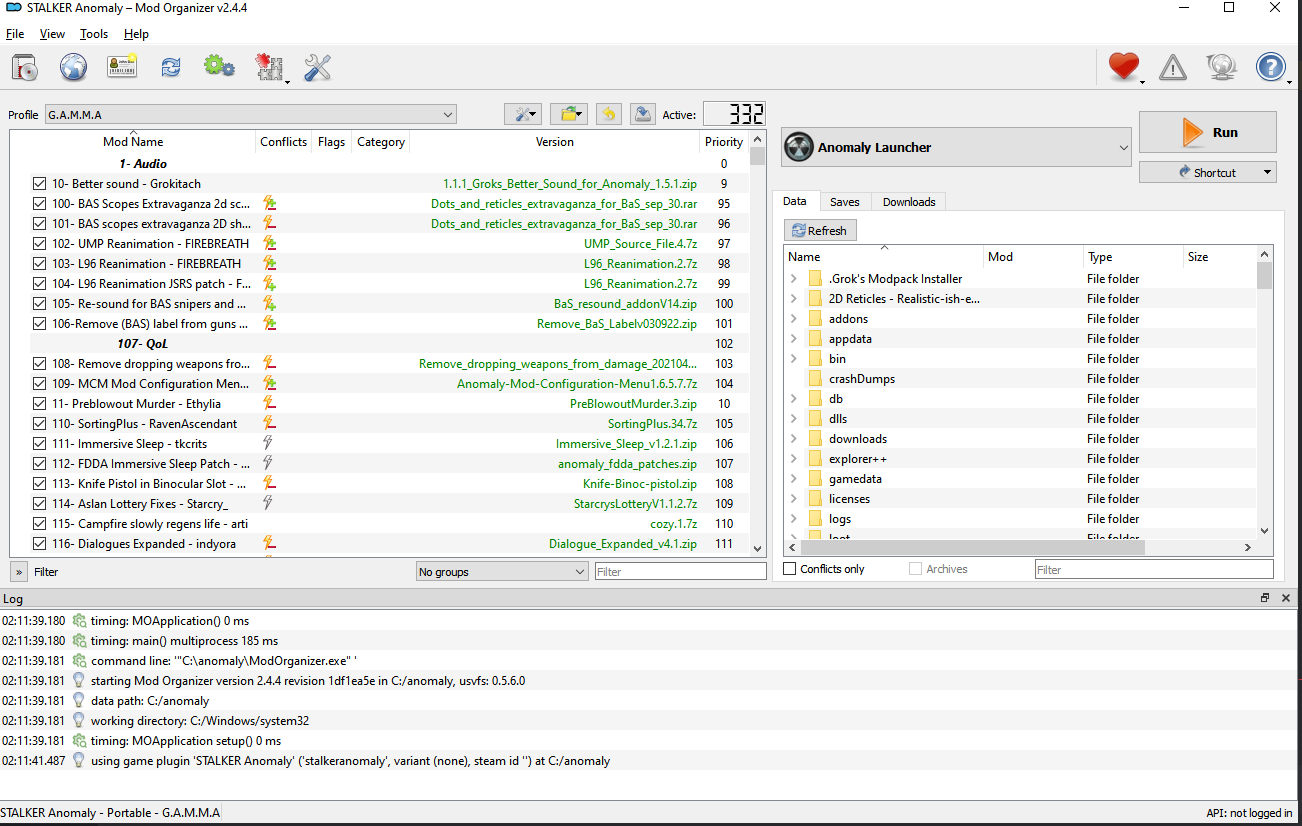
the mod count is 358 now, not 332

elfin crag
#

Bit tilting cos i waited like 2 hours for gamma to install

#

and now it just doesn't wanna boot

prime fulcrum
elfin crag
#

and have like

#

an hour nap

#

see if it actually starts when i wake up

#

before i do that tho imma try a pc restart

prime fulcrum
#

If it can't start after a minute then i don't think it will after an hour

elfin crag
#

I've got no clue how to fix this then lol

#

It may have booted

#

but everything is black

#

she

#

os

#

is

#

alive

short osprey
#

My game crashes every time i try to launch through Mo2

#

I followed every step, downloaded Gamma data, and clicked full gamma installation quite a few times

#

yet the game crashes shortly after launch

storm moat
#

my pda says this does anyone know how to fix it fatal error: internal memory corruption detected

shut hamlet
#

!k98 @short osprey

raw raftBOT
#

1) Go in this folder: [YOUR GAMMA FOLDER]\.Grok's Modpack Installer\G.A.M.M.A\modpack_patches
2) Copy these four folders (check pic)
3) Go to your Anomaly folder
4) Paste these four folders (check pic)
5) Overwrite/replace all if asked
It won't delete your save files.

Here is a picture for reference:||​||||​||||​||||​||||​||||​||||​||||​||||​||||​||||​||||​||||​||||​||||​||||​||||​||||​||||​||||​||||​||||​||||​||||​||||​||||​||||​||||​||||​||||​||||​||||​||||​||||​||||​||||​||||​||||​||||​||||​||||​||||​||||​||||​||||​||||​||||​||||​||||​||||​||||​||||​||||​||||​||||​||||​||||​||||​||||​||||​||||​||||​||||​||||​||||​||||​||||​||||​||||​||||​||||​||||​||||​||||​||||​||||​||||​||||​||||​||||​||||​||||​||||​||||​||||​||||​||||​||||​||||​||||​||||​||||​||||​||||​||||​||||​||||​||||​||||​||||​||||​||||​||||​||||​||||​||||​||||​||||​||||​||||​||||​||||​||||​||||​||||​||||​||||​||||​||||​||||​||||​||||​||||​||||​||||​||||​||||​||||​||||​||||​||||​||||​||||​||||​||||​||||​||||​||||​||||​||||​||||​||||​||||​||||​||||​||||​||||​||||​||||​||||​||||​||||​||||​||||​||||​||||​||||​||||​||||​||||​||||​||||​||||​||||​||||​||||​||||​||||​||||​||||​||||​||||​||||​||||​||||​||||​||||​||||​||||​||||​||||​||||​||||​||||​||||​||||​||||​||||​||||​||||​||||​||||​||||​||||​||||​||||​||||​||||​|| _ _ _ _ _ _
https://cdn.discordapp.com/attachments/1054885448754921502/1084172755072729138/tk98.jpg

loud pendant
#

is it normal for the gamma installer to be not responding for awhile during updating

prime fulcrum
#

what the installers version is? @loud pendant

prime fulcrum
#

ooohhhhhh

#

right

#

!38

#

!3.8

#

bot dead

loud pendant
#

tyty

#

new version? ill find that

prime fulcrum
#

!installer

raw raftBOT
#

The latest G.A.M.M.A. installer is 3.8. Make sure you have it. If you don't: <#πŸ“’announcements message>

How to update the installer:

  1. Open your G.A.M.M.A. RC3 folder
  2. Go in .Grok's Modpack Installer folder
  3. You'll find G.A.M.M.A. Installer.exe, don't delete it, just drag and drop the new installer in here
  4. Windows will ask you if you want to replace the old installer with the new one, click on Yes
prime fulcrum
#

there

unborn wedge
#

in agro underground, game keeps crashing. do i need to update gamma?

prime fulcrum
sly ermine
#

Hi, is there any graphical settings or mods i have to be aware? I have an RX6700XT and I'm experiencing frame drops when i start a new save. When I first played the game. FPS was at 70-90. But after opening a new save the FPS was at 50-60fps.

native ice
#

good to all, I got this error while playing, what can it be? sadge

azure sable
#

how do I use the normal trading setup?

native ice
#

the default, I do not modify anything.

raw raftBOT
#

If you crash with this error during an emission: surge_manager_ignore_npc
1) Open your mod list
2) Find 265- NPCs Die in Emissions for Real
3) Right click on it, click Reinstall, pick all 3 options and then Replace

lavish mural
#

Hey, so none of the BAS weapons have any sound whatsoever, any clue what's up with that?

narrow sparrow
#

!bas

raw raftBOT
#
  1. Download the old BaS version:

Mirror 1: https://drive.google.com/file/d/19ttcqQ-iAxgmeZ0ufjYc2XEOb5y-T1lH/view?usp=sharing
Mirror 2 (only if first mirror is down): https://mega.nz/file/2JFXQAhR#ZPV7LkKuWba60Kkfjf1lOK0Zx-IqXHLDfeF-zBL7AO0
Mirror 3 (smaller DL, only if other mirrors are down): https://store2.gofile.io/download/383d6066-319c-4cef-9869-02fb5c165c8f/76- BaS 28-Nov-2021.7z

2)** Extract** what you downloaded wherever you want
3) Copy the gamedata folder you'll find inside
4) Open your GAMMA RC3 folder and go to GAMMA RC3/Grok's Modpack Installer/GAMMA/modpack_addons
5) Create a new folder exactly named 76- Boomsticks and Sharpsticks - Mich
6) Paste the gamedata folder inside this newly created folder
7) Now go to GAMMA RC3/mods and look for a folder called 76- Boomsticks and Sharpsticks - Mich.
If you have this folder - delete it, if you don't have it - skip this step.
8) Launch the GAMMA installer with admin rights, press Download G.A.M.M.A. data and then Only install G.A.M.M.A. addons

If your issue isn't solved, press Download G.A.M.M.A. data and then Full GAMMA Installation in the installer.

lavish mural
#

Ok

raw raftBOT
#

If you crash with this error during an emission: surge_manager_ignore_npc
1) Open your mod list
2) Find 265- NPCs Die in Emissions for Real
3) Right click on it, click Reinstall, pick all 3 options and then Replace

lavish mural
fast crater
#

wtf is wrong with my game? Worked perfectly fine earlier today

azure sable
fast crater
#

nvm just found the command for this issue

prime fulcrum
narrow sparrow
#

Then wait for a restock

azure sable
#

witch are GAMMA economy and GAMMA economy no BAS?

azure sable
#

tks

ebon crystal
#

i thought at first this was related to mags redux, but now im not sure. after doing certain actions im not able to properly use the scroll wheel to scroll thru inventory, im forced to click and drag the scroll bar on the side. saving and loading the save seems to fix it for awhile. anybody know what might cause this?

narrow sparrow
ebon crystal
# narrow sparrow Alt-tabbing when the inventory or trade window is open

YOU ROCK. this has been bugging me for while. i set my inventory key to Tab, and my Alt is my bullet time, but its also the key held down to confirm disassembling things. i have never pressed alt tab together, but it seemed to fix the locked up scroll wheel when pressing the combo then going back into the game.

raw raftBOT
#

Don't alt-tab in game. If you have to, press Esc and alt-tab from there.
To fix your problem, you can double tap Esc very quickly.

If this doesn't work, you also can:
2) save and reload (works most of the time)
3) quit the game, open again (it just worksℒ️)

north turret
#

Hi, I've got an issue where the game closes itself, right when the loading "bar" gets to full at the loading screen, there's no errors message or log information, anyone got an idea , what it may be?

raw raftBOT
#

Send your crash log where it was asked IF YOU ARE BEING HELPED, not inside #πŸ€–bot-commands if you're using this command in this channel.
You won't be helped, it's literally just a channel where you can use commands.

The file is inside your Anomaly folder, this is the complete path:
Anomaly/appdata/logs.

This is what you could find:

  1. xray_yournamehere.txt
  2. xray_yournamehere.log
  3. xray_yournamehere without any file extension

You just need to send ONE of these files where it was asked. It's either ONE file with .txt OR .log OR with nothing at the end.
DON'T send anything with .bkp at end.

Drag and drop the file inside the Discord channel, Discord will handle it for you.
Make sure you're not using any extra mods, if you do, you'll need to ask in #πŸ”¨modded-gamma-support.

north turret
ebon crystal
# prime fulcrum !inventory

thank you for this info, i will definitely try the double tap esc next time it happens. i never use alt tab together, did not even know it would minimize the game, but i was still getting this scrolling problem about every 20 minutes

naive bobcat
#

Good day. Im having issues with the anomaly zip. I get corrupt file errors. Ive redownloaded using different mirrors but get the same issue with both the anomaly zip and the update zip.

I downloaded using FDM though that shouldnt have an influence on it though. Ive done a quick search but dont see where something similar has been mentioned.

Ive noticed that some files display a size of 0 in it. Any reason for this?

shut hamlet
short osprey
#

At least that’s what it said

shut hamlet
#

@short osprey any ❌ under flags section in mo2?

#

@short osprey yeah it's probably not bas, maybe sounds overhaul dunno

short osprey
shut hamlet
#

Not good

#

!fullblock did you try this? @short osprey

raw raftBOT
#

1. Check if you are blocked from accessing and browsing https://www.moddb.com/ (you'll see a big red screen)
If you are blocked, then WAIT for the indicated time + 40 minutes and then try to visit the website again.
Alternatively, you can use a VPN to bypass the block.
Don't check every five seconds if the timer is going down, it can lead to problems.
Don't delete anything unless we told you to do so.

Then, do exactly this:

2. Disable antivirus temporarily
3. In Windows Defender, add Anomaly and Gamma folders to Exclusions:

Windows Security > Virus & threat protection > Manage settings > Exclusions
4. Open GAMMA installer as admin
5. Click Download G.A.M.M.A. data
6. Click Full G.A.M.M.A. installation

short osprey
#

There’s also lots of conflicts apparently

shut hamlet
#

Conflicts doesn't matter

#

But ❌ mean you have broken mods

#

@short osprey first check if you are blocked on moddb

short osprey
#

@shut hamlet

short osprey
shut hamlet
short osprey
#

ok

shut hamlet
short osprey
#

I downloaded GAMMA data and it said up to date

#

Im doing the full Gamma installation right now

short osprey
shut hamlet
short osprey
#

im asking what I should do nexxt

#

@shut hamlet

prime fulcrum
short osprey
#

sorry for the low resolution, I got a massive moniter

shut hamlet
#

@short osprey just launch mo2 and check if it's help

short osprey
#

theres no more flags

shut hamlet
#

@short osprey try launch the game now

short osprey
#

thank you sooo much

#

i've been screwing with it for a few hours

#

@shut hamlet

shut hamlet
sly ermine
#

MO2 only has 233 mods out of 358. I followed the steps to downloading the mod. Have i done smt wrong?

sly ermine
shut hamlet
#

@sly ermine send screenshot of your mo2

sly ermine
shut hamlet
#

you maybe blocked

sly ermine
shut hamlet
raw raftBOT
#

1. Check if you are blocked from accessing and browsing https://www.moddb.com/ (you'll see a big red screen)
If you are blocked, then WAIT for the indicated time + 40 minutes and then try to visit the website again.
Alternatively, you can use a VPN to bypass the block.
Don't check every five seconds if the timer is going down, it can lead to problems.
Don't delete anything unless we told you to do so.

Then, do exactly this:

2. Disable antivirus temporarily
3. In Windows Defender, add Anomaly and Gamma folders to Exclusions:

Windows Security > Virus & threat protection > Manage settings > Exclusions
4. Open GAMMA installer as admin
5. Click Download G.A.M.M.A. data
6. Click Full G.A.M.M.A. installation

hidden grail
#

why do sometimes i cant pull out my weapons, loot also my hub health is all red and all the bars are empty

raw raftBOT
#

The busyhands is the name of a bug that among other things prevents the player from interacting with objects or the weapons player holds.

If you can't:

  • use your weapon or reload
  • open your inventory
  • drink/eat/sleep or otherwise interact with items you have
  • correctly see your HUD in the bottom left corner, and it appears like everything is at 0 and it's all red
  • transition between locations

Then it means your save file is affected by busyhands. The only known way to fix this is by loading an earlier save that was made before any of the things mentioned above started happening.
It is believed that the most common causes of this bug happening in the first place are:

  • Enabling mod Turn this on if you stutter in Mod Organizer (or auto_switch_distance_start value being manually changed).
    ⬆️ If you're using this mod - follow !busyfix ⬆️
  • Enabling disabled animations, or adding new animations with custom mods

Certified DISABLED ANIMATIONS that bring busyhands if you enable them:

  • Opening/closing backpack and any option related to this
  • Skinning mutants
  • Disassembling objects with Left-Alt pressed
  • Picking up objects where you can see the hand movement
hidden grail
#

!busyfix

raw raftBOT
#

A possible fix for busyhands if you have the "Turn this on if you stutter" mod enabled: reduce the auto_switch_distance_start in small increments of a few hundred at a time in \GAMMA\mods\Turn this on if you stutter\gamedata\configs alife.ltx.
Start with like 300 or something, then every time you get busyhands randomly, reduce it by 200 more.
If the fix needs to be resistant to changes made by the installer make sure to also modify the alife.ltx file in \GAMMA\.Grok's Modpack Installer\G.A.M.M.A\modpack_addons\Turn this on if you stutter\gamedata\configs

If you get the bug on first load, try loading the same save again. It loads faster and is less likely to bug.

hidden grail
#

thanks @shut hamlet

north turret
# keen cedar vpn?

if this isnt in faq i didnt see it i feel like it should be added. this was all i needed.

#

only reason i could download files from gofile

#

i used vpn thanks so much fam

prime fulcrum
#

!k98

raw raftBOT
#

1) Go in this folder: [YOUR GAMMA FOLDER]\.Grok's Modpack Installer\G.A.M.M.A\modpack_patches
2) Copy these four folders (check pic)
3) Go to your Anomaly folder
4) Paste these four folders (check pic)
5) Overwrite/replace all if asked
It won't delete your save files.

Here is a picture for reference:||​||||​||||​||||​||||​||||​||||​||||​||||​||||​||||​||||​||||​||||​||||​||||​||||​||||​||||​||||​||||​||||​||||​||||​||||​||||​||||​||||​||||​||||​||||​||||​||||​||||​||||​||||​||||​||||​||||​||||​||||​||||​||||​||||​||||​||||​||||​||||​||||​||||​||||​||||​||||​||||​||||​||||​||||​||||​||||​||||​||||​||||​||||​||||​||||​||||​||||​||||​||||​||||​||||​||||​||||​||||​||||​||||​||||​||||​||||​||||​||||​||||​||||​||||​||||​||||​||||​||||​||||​||||​||||​||||​||||​||||​||||​||||​||||​||||​||||​||||​||||​||||​||||​||||​||||​||||​||||​||||​||||​||||​||||​||||​||||​||||​||||​||||​||||​||||​||||​||||​||||​||||​||||​||||​||||​||||​||||​||||​||||​||||​||||​||||​||||​||||​||||​||||​||||​||||​||||​||||​||||​||||​||||​||||​||||​||||​||||​||||​||||​||||​||||​||||​||||​||||​||||​||||​||||​||||​||||​||||​||||​||||​||||​||||​||||​||||​||||​||||​||||​||||​||||​||||​||||​||||​||||​||||​||||​||||​||||​||||​||||​||||​||||​||||​||||​||||​||||​||||​||||​||||​||||​||||​||||​||||​||||​||||​||||​||||​|| _ _ _ _ _ _
https://cdn.discordapp.com/attachments/1054885448754921502/1084172755072729138/tk98.jpg

prime fulcrum
oblique dune
#

i need help

stark geyser
final aspen
#

Ive deleted shader_cache multiple times but it still crashes, any ideas?

prime fulcrum
raw raftBOT
#

lag You need to disable in your mod list:

  1. Shaders Cumulative Pack
  2. Screen Space Shaders add-ons
  3. Right click Beef NVGs and click Reinstall, tick the following:
  • Beef's NVG
  • Beef's NVG - Patch (Only ES No SSR)
  1. Then go inside Anomaly/appdata/ and delete the shaders_cache folder.

Start the game, enjoy a better framerate.

heady mango
#

hi, theres some way to solve this bug without losing progress? suddely i cant loot corpses and also debug mode doesnt work

final aspen
prime fulcrum
final aspen
#

not at all

prime fulcrum
#

screenshot your MO2

final aspen
keen pumice
#

hey, i started the game and its working for 2 weeks but now i cant start Gamma shortcut. its says it cant be lunched

#

element ModOrganizer.exe to this shortcut is has been moved or didint exist and i didint do nothing just start computer as ussualy

#

sorry for my english

prime fulcrum
keen pumice
#

wher exaly it si ?

#

this ?

north turret
#

Hi! Cani get help with this error: ?

#

also i have 357 mods and i saw it was like 358? I updated everything and looked in the installer but nothing

keen pumice
#

@prime fulcrum hey sorry to bother you but i dont know witch file this is

simple surge
#

Maybe someone could answer something for me really fast, but

cedar tendon
#

hello

simple surge
#

If I only have one massive M.2 is it possible for me to download this

#

I see it says they need to be in different drive roots

#

So no hope then right?

cedar tendon
#

i checkd the instructions how to install, i have one question, do the anomaly and gamma folder have to be in root directory or can i place them for example in d:\stalker folder?

prime fulcrum
raw raftBOT
#
  1. Download the old BaS version:

Mirror 1: https://drive.google.com/file/d/19ttcqQ-iAxgmeZ0ufjYc2XEOb5y-T1lH/view?usp=sharing
Mirror 2 (only if first mirror is down): https://mega.nz/file/2JFXQAhR#ZPV7LkKuWba60Kkfjf1lOK0Zx-IqXHLDfeF-zBL7AO0
Mirror 3 (smaller DL, only if other mirrors are down): https://store2.gofile.io/download/383d6066-319c-4cef-9869-02fb5c165c8f/76- BaS 28-Nov-2021.7z

2)** Extract** what you downloaded wherever you want
3) Copy the gamedata folder you'll find inside
4) Open your GAMMA RC3 folder and go to GAMMA RC3/Grok's Modpack Installer/GAMMA/modpack_addons
5) Create a new folder exactly named 76- Boomsticks and Sharpsticks - Mich
6) Paste the gamedata folder inside this newly created folder
7) Now go to GAMMA RC3/mods and look for a folder called 76- Boomsticks and Sharpsticks - Mich.
If you have this folder - delete it, if you don't have it - skip this step.
8) Launch the GAMMA installer with admin rights, press Download G.A.M.M.A. data and then Only install G.A.M.M.A. addons

If your issue isn't solved, press Download G.A.M.M.A. data and then Full GAMMA Installation in the installer.

prime fulcrum
#

folders β‰  drives

simple surge
cedar tendon
#

so it cant be in a custom folder

prime fulcrum
simple surge
#

Yup yup

#

Thank you

cedar tendon
#

ah niice so it can then πŸ˜›

#

gonna try my first install now

keen pumice
#

hey and i cant finde modOrganizer in add or delite programs

#

in gamma instater i cant instal MO2 , it says delit Mod organizer in windows add or delit programs

#

another thing is in files i found this with today data

#

it can be the problem with lunch gamma shortcut ?

glad mica
north turret
tender forge
raw raftBOT
#

1. In MO2, find your "Night Mutants- xcvb" mod and right click it. It should show a list of things.
2. Click "Visit on www.moddb.com"
3. On the mod's page in moddb, click "Download Now", to download an updated version of Night Mutants.
4. In your MO2 again, go to the very top-left of your window. Click "File", then "Install Mod"
5. Find your downloaded version of "Night Mutants" and click it to install. Rename the mod to "Night Mutants Overwrite", or something like that.
6. "Night Mutants Overwrite" should now be a mod in your "GAMMA Disabled" section. Find it, and click the empty box on the left of its name to enable it.

north turret
#

ill try full gamma install

cedar tendon
#

inthe how to instal what u need part it says:

#

but in theinstall instructions it dosent say when or where to extract it

sweet cliff
#

So sometimes while i'm playing this error message appears. Any fix? Or even suspects of the origin of the problem? personally i have no clue where this is coming from

#

i tweaked some stuff here and there in mo2 but nothing too crazy

prime fulcrum
#

clueless nothing too crazy

sweet cliff
#

also i tried with the stock 358 mod setting but it still did this

prime fulcrum
#

screenshot your MO2

sweet cliff
sweet cliff
prime fulcrum
#

the open MO2 window

sweet cliff
#

biggest i could do

brisk zinc
#

The guide is divided in two, "stuff you need" and "installation"

You're still at the first part

cedar tendon
#

ah my mistake didnt see it

#

i found it now thx

sweet cliff
prime fulcrum
#

!gammavanilla

raw raftBOT
#

What "vanilla" means for G.A.M.M.A.:
Vanilla G.A.M.M.A. is considered to be the G.A.M.M.A. modpack as it comes. This means you have #πŸ“577-mods-in-mo2 and have not enabled or disabled any of those, have not enabled any animations in MCM, and have not added any mods of your own.
If you're seeing this, it's because you're posting in the wrong channel. Go ask in #πŸ”¨modded-gamma-support.

sweet cliff
remote crest
#

question, where can i find my save files for backup

keen cedar
remote crest
#

ty

final aspen
#

Reposting this but I'm getting "screenspace_common_ripples.h" error and Gamma Crashes after Deleting shader_cache (because of the .!rain command). Any fixes?

final aspen
#

if you mean disabled then its all the mods the .!rain command tells me to disable
these being "Screen space shaders" and "Shaders cumulative pack"

keen cedar
#

That ancient fucking thing

#

Did you reinstall Beef's NVG shaders as well

final aspen
#

yeah

keen cedar
#

which option did you pick?

uncut compass
#

does anybody know what the problem might be for this? the light changing depending on which direction i'm facing

final aspen
keen cedar
# final aspen

re-enable "Shaders cumulative pack", delete shaders_cache again, see if the game runs

final aspen
#

on it

steady anchor
#

hey guys how do i get the basic mod list set up? when i booted up the mod organizer it gave me 0 active mods. i activated them all. it crashes. what do i do to get the proper set up?

keen cedar
keen cedar
raw raftBOT
#

1) Close MO2
2) Go to GAMMA/.Grok's Modpack Installer/GAMMA/modpack_data/
3) Copy this file: modlist.txt
4) Paste it in here and replace the existing file: [YOUR GAMMA FOLDER]/profiles/G.A.M.M.A.. If you don't have a G.A.M.M.A. folder in profiles - create it.
5) Now launch MO2 again

If this doesn't work follow the pic below:||​||||​||||​||||​||||​||||​||||​||||​||||​||||​||||​||||​||||​||||​||||​||||​||||​||||​||||​||||​||||​||||​||||​||||​||||​||||​||||​||||​||||​||||​||||​||||​||||​||||​||||​||||​||||​||||​||||​||||​||||​||||​||||​||||​||||​||||​||||​||||​||||​||||​||||​||||​||||​||||​||||​||||​||||​||||​||||​||||​||||​||||​||||​||||​||||​||||​||||​||||​||||​||||​||||​||||​||||​||||​||||​||||​||||​||||​||||​||||​||||​||||​||||​||||​||||​||||​||||​||||​||||​||||​||||​||||​||||​||||​||||​||||​||||​||||​||||​||||​||||​||||​||||​||||​||||​||||​||||​||||​||||​||||​||||​||||​||||​||||​||||​||||​||||​||||​||||​||||​||||​||||​||||​||||​||||​||||​||||​||||​||||​||||​||||​||||​||||​||||​||||​||||​||||​||||​||||​||||​||||​||||​||||​||||​||||​||||​||||​||||​||||​||||​||||​||||​||||​||||​||||​||||​||||​||||​||||​||||​||||​||||​||||​||||​||||​||||​||||​||||​||||​||||​||||​||||​||||​||||​||||​||||​||||​||||​||||​||||​||||​||||​||||​||||​||||​||||​||||​||||​||||​||||​||||​||||​||||​||||​||||​||||​||||​||||​|| _ _ _ _ _ _ https://cdn.discordapp.com/attachments/948840290263896075/960997447285477476/unknown.png

steady anchor
steady anchor
keen cedar
raw raftBOT
#

1) Check you aren't blocked on moddb (go to https://moddb.com, if you don't have a giant red screen you are OK)
If you are blocked, wait out the timer + 40 minutes or use vpn.

= = = YOU MUST BE UNBLOCKED TO PROCEED = = =

2) Visit this link and download downloads.7z: https://gofile.io/d/mpDnsO. Use a VPN if you can't access it.
3) Open your G.A.M.M.A. RC3 folder, move the archive in there, right click it and choose "extract here", using 7zip. It will create a folder called downloads, which will now be filled with zip archives. DO NOT unzip those.
4) Launch the GAMMA installer as ADMIN, click "Download GAMMA Data", click "Full GAMMA Installation"
5) Try to play

steady anchor
little whale
#

Hello guys, I have a weird issue with long load times after finishing x-16 lab and disabling the miracle machine, rolling back to an older save fixes it. Was wondering if this is a common issue and if there is some kind a fix for it apart from just ignoring the lab and not finishing the quest.

keen pumice
#

@keen cedar hey after reinstaling i have 0 mods

#

@keen cedar i did like you sad

keen cedar
raw raftBOT
#

1) Check you aren't blocked on moddb (go to https://moddb.com, if you don't have a giant red screen you are OK)
If you are blocked, wait out the timer + 40 minutes or use vpn.

= = = YOU MUST BE UNBLOCKED TO PROCEED = = =

2) Visit this link and download downloads.7z: https://gofile.io/d/mpDnsO. Use a VPN if you can't access it.
3) Open your G.A.M.M.A. RC3 folder, move the archive in there, right click it and choose "extract here", using 7zip. It will create a folder called downloads, which will now be filled with zip archives. DO NOT unzip those.
4) Launch the GAMMA installer as ADMIN, click "Download GAMMA Data", click "Full GAMMA Installation"
5) Try to play

north turret
#

Hi, my game turns off, right at the end of loading screen, without an error or anything, the game just turns off, I tried Deleting Shader Cache and user.ltx, but it doesn't changes anything

#

in the crash log, there's this : FATAL ERROR

[error]Expression : <no expression>
[error]Function : CScriptEngine::lua_error
[error]File : ..\xrServerEntities\script_engine.cpp
[error]Line : 191
[error]Description : fatal error
[error]Arguments : LUA error: e:/gamma/bin/..\gamedata\scripts\ammo_maker.script:188: attempt to index global 'workshop_autoinject' (a nil value)

#

Game is a new clean install, without any saves, etc.

swift wagon
#

the game crashes every 15 minutes Expression : <no expression>
Function : CScriptEngine::lua_pcall_failed
File : ..\xrServerEntities\script_engine.cpp
Line : 204
Description : fatal error
Arguments : LUA error: d:/anomaly 1.5.1\gamedata\scripts\tasks_fetch.script:308: bad argument #1 to 'pairs' (table expected, got nil)

north turret
#

How do i fix it happens when i start a new game

terse jay
#

is that a number 2

#

the first number on the counter of active mods

north turret
#

Because i was lookinng at campfire mods

#

It has 358

terse jay
north turret
#

I got exactly 358 mods and its still coming up with that

sour pilot
#

any idea why some rocks look like this?

north turret
sweet cliff
north turret
#

Hey people, I'm getting this notice to update. When I launch the game I'm awful with mods can somebody please tell me hoe to update this.

north turret
#

When I look in the mo2 in the "data" almost all files are in "conflict" So, basically all mods are confilicting, it should be like that or or is an issue ?

keen pumice
north turret
keen pumice
#

Gamma shortcut led me to my computer only

#

and ModOrganizer.exe have 0 addons

#

but still i have all saves

#

shuld i reinstal everthing from zero ?

#

how can i export saves or its not possible ?

north turret
#

@keen cedar thank you

hearty charm
keen cedar
#

you need to also run the gamma installer

#

which i don't think you have

keen pumice
#

ye i run gamm instaler as a administrator i did full instatation

keen cedar
#

screenshot the installer

keen pumice
#

gamma data version is app to date

#

i run 2 full instations without viruses defender at all

#

wh i clik full gamma instlation it says everthing is alredy downloded

keen cedar
keen pumice
#

this game was running but i dont know what is this file and ist adde on its own in files and a cat delitet it

keen pumice
#

i did this 2 tims today

keen cedar
#

screenshot your GAMMA\mods folder then

keen pumice
mental rover
#

sorry guys but, someone know how to fix that error?

keen cedar
sweet cliff
keen cedar
sweet cliff
#

why

#

i did it

#

worked

wary kite
#

What can I do with that problem?

keen cedar
keen cedar
#

it's the "get me blocked by moddb" checkbox

#

like that guy above

sweet cliff
wary kite
sweet cliff
#

ye hes blocked

wary kite
#

So, what can I do to resolve the problem?

keen cedar
#

then run full install again. DO NOT DELETE ANYTHING

#

!full

raw raftBOT
#

1. Open your G.A.M.M.A. installer as admin
2. Click "Download G.A.M.M.A. data"
3. Click "Full G.A.M.M.A. installation"

Full GAMMA Installation does NOT remove saves, nor does it mean you are redownloading everything and it won't delete anything at all.
A full install will simply check every mod in the pack, reinstall and fix them, and any that need to be updated will be updated.

In case you want to save your in-game or MCM settings (because the installer will revert them back to default), type !backup in #πŸ€–bot-commands.

keen pumice
wary kite
#

Okay, thx

keen pumice
#

you see ther everthing

tall sable
keen cedar
raw raftBOT
#

1) Close MO2
2) Go to GAMMA/.Grok's Modpack Installer/GAMMA/modpack_data/
3) Copy this file: modlist.txt
4) Paste it in here and replace the existing file: [YOUR GAMMA FOLDER]/profiles/G.A.M.M.A.. If you don't have a G.A.M.M.A. folder in profiles - create it.
5) Now launch MO2 again

If this doesn't work follow the pic below:||​||||​||||​||||​||||​||||​||||​||||​||||​||||​||||​||||​||||​||||​||||​||||​||||​||||​||||​||||​||||​||||​||||​||||​||||​||||​||||​||||​||||​||||​||||​||||​||||​||||​||||​||||​||||​||||​||||​||||​||||​||||​||||​||||​||||​||||​||||​||||​||||​||||​||||​||||​||||​||||​||||​||||​||||​||||​||||​||||​||||​||||​||||​||||​||||​||||​||||​||||​||||​||||​||||​||||​||||​||||​||||​||||​||||​||||​||||​||||​||||​||||​||||​||||​||||​||||​||||​||||​||||​||||​||||​||||​||||​||||​||||​||||​||||​||||​||||​||||​||||​||||​||||​||||​||||​||||​||||​||||​||||​||||​||||​||||​||||​||||​||||​||||​||||​||||​||||​||||​||||​||||​||||​||||​||||​||||​||||​||||​||||​||||​||||​||||​||||​||||​||||​||||​||||​||||​||||​||||​||||​||||​||||​||||​||||​||||​||||​||||​||||​||||​||||​||||​||||​||||​||||​||||​||||​||||​||||​||||​||||​||||​||||​||||​||||​||||​||||​||||​||||​||||​||||​||||​||||​||||​||||​||||​||||​||||​||||​||||​||||​||||​||||​||||​||||​||||​||||​||||​||||​||||​||||​||||​||||​||||​||||​||||​||||​||||​|| _ _ _ _ _ _ https://cdn.discordapp.com/attachments/948840290263896075/960997447285477476/unknown.png

keen pumice
#

i re pack gamm rc7 in the files and i have this

#

and i dit with the modlist txt

dense whale
#

any time i make a new save?

keen pumice
#

ok i think i need to throw everthing in garbage and starts over again, my question is can i save somhow saves to add to new downloded game ? or it will crash ?

keen cedar
#

yes you can back up saves

#

!save

raw raftBOT
#

If you want to back up your saves:

  1. Go inside your Anomaly folder
  2. Open the appdata/ folder
  3. Backup the folder called savedgames
mental rover
#

someone help me whid that please

keen cedar
#

i've asked you already

mental rover
#

when, im not see sry

keen cedar
#

just do it now

dense whale
#

got same error but its gun jam detect

#

get jam status i mean

keen pumice
#

@keen cedar just copy out of the fils in anomaly and after new instlatio add to the same file ?

mental rover
keen cedar
mental rover
#

how im serch that

keen cedar
rustic sail
#

When i start a game

keen cedar
keen cedar
rustic sail
#

What do you want from MO2 ?

keen cedar
#

screenshot mo2 with the categories collapsed. just show me the whole window

dense whale
#

@keen cedar

keen cedar
#

!bis follow this, it will reset it to a completely default modlist. DO NOT DELETE ANY FILES

raw raftBOT
#

1) Check you aren't blocked on moddb (go to https://moddb.com, if you don't have a giant red screen you are OK)
If you are blocked, wait out the timer + 40 minutes or use vpn.

= = = YOU MUST BE UNBLOCKED TO PROCEED = = =

2) Visit this link and download downloads.7z: https://gofile.io/d/mpDnsO. Use a VPN if you can't access it.
3) Open your G.A.M.M.A. RC3 folder, move the archive in there, right click it and choose "extract here", using 7zip. It will create a folder called downloads, which will now be filled with zip archives. DO NOT unzip those.
4) Launch the GAMMA installer as ADMIN, click "Download GAMMA Data", click "Full GAMMA Installation"
5) Try to play

keen cedar
#

if you've already used the downloads.7z file, just skip to step 4

mental rover
#

y have 357/358

#

im missing one

keen cedar
#

we could have fixed this 30m ago with that screenshot

dense whale
#

adn i thought efp was a nut ache... gamma actually used to be automated

mental rover
keen cedar
rustic sail
keen cedar
#

just do what the guy above you did

#

don't overthink it

rustic sail
#

Like that ?

keen cedar
rustic sail
#

Patch_Fr_XDomWeedX

#

and stutter

keen cedar
rustic sail
#

No

keen cedar
keen cedar
# mental rover yes ajajaj, sorry

your missing mod should come bundled in GAMMA RC3.7z. to install it, just open the GAMMA installer as admin and click 'Only install GAMMA add-ons'. afterwards, close and reopen MO2, see if you have 358 mods now

#

if you do not, re-download and re-extract the GAMMA RC3.7z file

rustic sail
#

ok

sonic cobalt
#

Ive been getting some weird bug lately where the sides of the screen streches like a fisheye effect. Anyone know what is causing this? Its making the game unplayable.

tender forge
sonic cobalt
green moss
#

My game crashes everytime I save it. Literally unplayable. Can anyone help? I updated the game

smoky sorrel
#

Hi, installed everything, 358 Mods loaded, but game crashes instantly when starting in MO2. Here is my Log

#
  • Detected CPU: 13th Gen Intel(R) Core(TM) i7-13700K [GenuineIntel], F6/M7/S1, 3415.00 mhz, 18-clk 'rdtsc'
  • CPU features: RDTSC, MMX, SSE, SSE2, SSE3, SSSE3, SSE4.1, SSE4.2, HTT
  • CPU cores/threads: 16/24

Found commandline file!
Initializing File System...
using fs-ltx fsgame.ltx
File System Ready...
FS: 75236 files cached 98 archives, 16559Kb memory used.
Init FileSystem 2.646405 sec
'xrCore' build 8559, Jul 14 2022

EH: 3CAABCFCFF6F3A810019C6A72180F166

-----loading e:/stalker anomaly gamma/anomaly\gamedata\configs\system.ltx

FATAL ERROR

[error]Expression : <no expression>
[error]Function : CInifile::r_section
[error]File : Xr_ini.cpp
[error]Line : 544
[error]Description : fatal error
[error]Arguments : Can't open section 'head_damage_017'. Please attach [*.ini_log] file to your bug report

stack trace:

raw raftBOT
#

1) Go in this folder: [YOUR GAMMA FOLDER]\.Grok's Modpack Installer\G.A.M.M.A\modpack_patches
2) Copy these four folders (check pic)
3) Go to your Anomaly folder
4) Paste these four folders (check pic)
5) Overwrite/replace all if asked
It won't delete your save files.

Here is a picture for reference:||​||||​||||​||||​||||​||||​||||​||||​||||​||||​||||​||||​||||​||||​||||​||||​||||​||||​||||​||||​||||​||||​||||​||||​||||​||||​||||​||||​||||​||||​||||​||||​||||​||||​||||​||||​||||​||||​||||​||||​||||​||||​||||​||||​||||​||||​||||​||||​||||​||||​||||​||||​||||​||||​||||​||||​||||​||||​||||​||||​||||​||||​||||​||||​||||​||||​||||​||||​||||​||||​||||​||||​||||​||||​||||​||||​||||​||||​||||​||||​||||​||||​||||​||||​||||​||||​||||​||||​||||​||||​||||​||||​||||​||||​||||​||||​||||​||||​||||​||||​||||​||||​||||​||||​||||​||||​||||​||||​||||​||||​||||​||||​||||​||||​||||​||||​||||​||||​||||​||||​||||​||||​||||​||||​||||​||||​||||​||||​||||​||||​||||​||||​||||​||||​||||​||||​||||​||||​||||​||||​||||​||||​||||​||||​||||​||||​||||​||||​||||​||||​||||​||||​||||​||||​||||​||||​||||​||||​||||​||||​||||​||||​||||​||||​||||​||||​||||​||||​||||​||||​||||​||||​||||​||||​||||​||||​||||​||||​||||​||||​||||​||||​||||​||||​||||​||||​||||​||||​||||​||||​||||​||||​||||​||||​||||​||||​||||​||||​|| _ _ _ _ _ _
https://cdn.discordapp.com/attachments/1054885448754921502/1084172755072729138/tk98.jpg

smoky sorrel
short osprey
#

how do i fix stutters

rustic sail
#

@keen cedar thanks you, it's worked now

short osprey
pallid delta
#

Any idea?

tepid briar
keen cedar
#

and i'll be honest

#

the more exceptions and "unless" and "if you want to save xyz" you add to that, the less likely people will successfully follow it

#

also 99% of the time that happens on first launch before there's any settings to be overriden

#

so bit of a non-issue

#

(b/c if the issue is that your installer didn't copy over the patched exes, which is what that command teaches you to do, it simply won't launch)

tepid briar
#

Ah wait the installer does this already? I thought this was an optional manual step only for certain bugs/fixes and stuff

keen cedar
#

it's the second to last step it does before creating the shortcut

tepid briar
#

That's good to know, thanks

keen cedar
#

e.g. from the installer log

#

that "patching anomaly bin" stuff is the same as "copy over the contents of modpack_patches"

mental rover
#

im made all but is the same, i have the same error

lethal igloo
#

Hi Everyone! I don't know if its correct to post this here, but I'm having an issue with the quest Last Dawn about clearing the machinery camp, and it happened that an emission showed as I was trying to clear it, and I killed everyone, and clear sky showed up, but the mission is still active

#

does anyone faced this issue?

gleaming lake
#

ever since i enabled the magazine mod, i cant reload using r even tho i set the keybind as r to reload

#

it wont work for anyother keybind either

#

tried a few different keys, it just holsters then unholsters my weapons

cedar tendon
#

where can i chek how many mods i have downloaded/installed just to chek if i got everthing

dusty rover
#

will saves be compatible with the new patch coming

upbeat jasper
#

as soon as i accepted it failed

brisk zinc
upbeat jasper
gleaming lake
raw raftBOT
#

In order to properly enable Mags Redux:

1) Enable Mags Redux (Disable G.A.M.M.A. Unjam Reload) (the mod under "Optional")
2) Disable G.A.M.M.A. Unjam Reload on the same key (yes it's a mod, no it isn't a keybind)
3) Enable Ammo Check (this is a mod as well)
4) While in game, check your keybinds for RELOAD and UNJAM in Settings > Controls > Bindings
5) After successfully following all steps, you need to Left-Alt + left click the magazine to add to your loadout, before a reload can work
Bonus: You can also enable Mags Buyable at Traders if you want, it's a mod already inside your mod list.

KEEP IN MIND that once you enable Mags Redux, you can't just disable the mod in your current save file and call it a day. Your game will crash.
To remove it safely, you'll have to remove them from your save file with this addon, follow EVERY STEP: <#πŸ–‡old-mods-posting message>

brisk zinc
raw raftBOT
valid abyss
#

Hey, maybe someone can help me,
I get a Fatal Error as soon as i start a game.
I started the install again thinking maybe the mod wasnt downloaded fully, didnt worked.

Dont know if its important but,
At the first installation, the launcher Crashed at the last 3-5%.
started the install again with no Problems.
Bild

cedar tendon
#

is 358 active ok?

raw raftBOT
#

You haven't updated to 1.5.2, that's why you're seeing this error.
If you already updated to 1.5.2 and still having problems, it means you did something wrong.

  1. Download the 1.5.2 update: https://www.moddb.com/mods/stalker-anomaly/downloads/stalker-anomaly-151-to-152
  2. Open the zip, you'll see 4 folders and a text file
  3. SELECT the content of this archive (4 folders and a .txt file)
  4. DRAG AND DROP the content of this archive inside your Anomaly folder
  5. OVERWRITE everything when asked to do so
  6. Open the installer with admin rights
  7. Click on Download G.A.M.M.A. data AND THEN CLICK Full G.A.M.M.A. Installation

IF YOU HAVE THE ENTIRE UPDATE FOLDER NAMED Anomaly-1.5.1-to-1.5.2-Update IN YOUR ANOMALY FOLDER, THE GAME IS NOT UPDATED.||​||||​||||​||||​||||​||||​||||​||||​||||​||||​||||​||||​||||​||||​||||​||||​||||​||||​||||​||||​||||​||||​||||​||||​||||​||||​||||​||||​||||​||||​||||​||||​||||​||||​||||​||||​||||​||||​||||​||||​||||​||||​||||​||||​||||​||||​||||​||||​||||​||||​||||​||||​||||​||||​||||​||||​||||​||||​||||​||||​||||​||||​||||​||||​||||​||||​||||​||||​||||​||||​||||​||||​||||​||||​||||​||||​||||​||||​||||​||||​||||​||||​||||​||||​||||​||||​||||​||||​||||​||||​||||​||||​||||​||||​||||​||||​||||​||||​||||​||||​||||​||||​||||​||||​||||​||||​||||​||||​||||​||||​||||​||||​||||​||||​||||​||||​||||​||||​||||​||||​||||​||||​||||​||||​||||​||||​||||​||||​||||​||||​||||​||||​||||​||||​||||​||||​||||​||||​||||​||||​||||​||||​||||​||||​||||​||||​||||​||||​||||​||||​||||​||||​||||​||||​||||​||||​||||​||||​||||​||||​||||​||||​||||​||||​||||​||||​||||​||||​||||​||||​||||​||||​||||​||||​||||​||||​||||​||||​||||​||||​||||​||||​||||​||||​||||​||||​||||​||||​||||​||||​||||​||||​||||​||||​||||​||||​||||​||||​|| _ _ _ _ _ _ https://cdn.discordapp.com/attachments/922555488665743391/1031175832376447077/unknown.png

brisk zinc
brisk zinc
cedar tendon
#

ok then im good first time install folowing instructions and enterd game sucesfuly all works, only thing i wanan aks is it normal for theinteriors tobe so dark, i spawned in some building if i didnt see windows i woudnt know how to exit πŸ˜›

brisk zinc
#

Use #πŸ€–bot-commands please

valid abyss
# brisk zinc !152

Sadly Gamma Launcher Tells me:
Checking current G.A.M.M.A. data version
G.A.M.M.A. data are up-to-date!

brisk zinc
#

You're missing Anomaly 1.5.2, do what the bot says

upbeat jasper
#

also, can i "spawn" him in anyplace? or does it need to be in his specific zone

worldly zealot
#

whats this??

dense whale
#

is the setting where you can stop enemies shooting through bushes been removed?

#

was on v3 i sear?

brisk zinc
#

Still in the mod list, look for it

worldly zealot
#

hey falco can u help me with what popped up for me

#

and this is what is in logs

keen cedar
# worldly zealot

wrong logs - we need the one in Anomaly/appdata/logs, the one called xray_yourname.log

#

although i can tell you right now, you have a stack trace error which means "a mod has fucked up but we can't tell which one"

#

!full usually we'll tell you to just reinstall the mods in that case using this method, *do not delete anything

raw raftBOT
#

1. Open your G.A.M.M.A. installer as admin
2. Click "Download G.A.M.M.A. data"
3. Click "Full G.A.M.M.A. installation"

Full GAMMA Installation does NOT remove saves, nor does it mean you are redownloading everything and it won't delete anything at all.
A full install will simply check every mod in the pack, reinstall and fix them, and any that need to be updated will be updated.

In case you want to save your in-game or MCM settings (because the installer will revert them back to default), type !backup in #πŸ€–bot-commands.

sweet hazel
#

hey so all my quests cleared off my task list in my pda

cyan forum
#

hello, can someone help me?

upbeat jasper
#

still failing the quest, and i spawned the scientist before going to talk to this guy

keen cedar
sweet hazel
quaint sparrow
#

Question. Does changing the frequency of emissions just completely break them? Now I only hear the crows but nothing happens

ancient iris
#

Hello, I started playing today, and I have an issue with the RF receiver, I have a package on 205 Mhz at the southern part of dark valley, a run through multiple times and my RF receiver it does not indicate that it is near me

upbeat jasper
#

im guessing this guy died pretty early on on my game?
What do i do?

quaint sparrow
ancient iris
#

Nothing at all

sweet hazel
valid abyss
quaint sparrow
sweet hazel
ancient iris
cinder dirge
#

help me i cant see the minimap in the hud

ancient iris
mortal sparrow
#

help me pls

cinder dirge
ancient iris
#

I turned it on atm and it works for me, I assume you clicked on apply too

ancient iris
quaint sparrow
quaint sparrow
quaint sparrow
ancient iris
cinder dirge
#

ty it worked

quaint sparrow
ancient iris
cinder dirge
#

can i play smoothly at max with 3090 ti

quaint sparrow
quaint sparrow
#

Does changing the frequency of emissions just completely break them? I have them at 2-4 days Now I only hear the crows but nothing happens

ancient iris
#

Its pretty easy mission but I have the same problem here as on the package hunt

ancient iris
green moss
quaint sparrow
ancient iris
#

It happens normaly

quaint sparrow
#

bruh oh well

ancient iris
#

Maybe I have anomalies on my PC πŸ˜‚πŸ˜‚

slate isle
#

I'm trying to understand the overwrite system

#

Can someone explain

#

Because I have a shit ton of overwrite in my directory

balmy drift
#

Ahhh yes, I've gotten this error. What to do, what to do

mental rover
exotic wadi
#

hey im just missing that file were can i find it?

sharp bough
exotic wadi
#

no

#

i did the gamma add ons and the gamma data twice

sharp bough
#

lol, you did twice something that has no chance of fixing your issue

exotic wadi
#

i mean when i first download it and now maybe i was missing something lol

sharp bough
exotic wadi
#

okey thanks

#

i got a red screen 😭

#

What do I do next

slate isle
#

I have million conflicts please help me to understand

sharp bough
sharp bough
#

just ignore

#

and play

slate isle
#

It won't let me

sharp bough
slate isle
#

No clue

sharp bough
#

Incredible

#

A response FILLED with information for me do dissect...

#

!crash

raw raftBOT
#

Send your crash log where it was asked IF YOU ARE BEING HELPED, not inside #πŸ€–bot-commands if you're using this command in this channel.
You won't be helped, it's literally just a channel where you can use commands.

The file is inside your Anomaly folder, this is the complete path:
Anomaly/appdata/logs.

This is what you could find:

  1. xray_yournamehere.txt
  2. xray_yournamehere.log
  3. xray_yournamehere without any file extension

You just need to send ONE of these files where it was asked. It's either ONE file with .txt OR .log OR with nothing at the end.
DON'T send anything with .bkp at end.

Drag and drop the file inside the Discord channel, Discord will handle it for you.
Make sure you're not using any extra mods, if you do, you'll need to ask in #πŸ”¨modded-gamma-support.

sharp bough
#

send me that

slate isle
#

Okay

#

Just a sec

#

Taking long time 😭

teal lichen
#

ayeo i have a game crash i cant figure out

slate isle
#

done

teal lichen
#

i get this when the psi storm hits

keen cedar
raw raftBOT
#

If you crash with this error during an emission: surge_manager_ignore_npc
1) Open your mod list
2) Find 265- NPCs Die in Emissions for Real
3) Right click on it, click Reinstall, pick all 3 options and then Replace

sharp bough
sharp bough
# slate isle

is this after a crash? Or did you try and run GAMMA again after it crashed?

slate isle
#

Ive tried to run after crashed

sharp bough
slate isle
#

yes

#

log file is bkp

#

do I send same txt file

#

that I just sent

sharp bough
#

ye

slate isle
#

Look like same file?

sharp bough
#

It's different now

slate isle
#

oh

#

okay

sharp bough
#

screenshot MO2 with the categories collapsed

teal lichen
#

ayeeo thank you fixed me crash

slate isle
#

How I collapse?

sharp bough
#

press those

old crow
#

!surgecrash

raw raftBOT
#

If you crash with this error during an emission: surge_manager_ignore_npc
1) Open your mod list
2) Find 265- NPCs Die in Emissions for Real
3) Right click on it, click Reinstall, pick all 3 options and then Replace

sharp bough
lone garden
#

how do i disable depth of field? when i do it in settins it wont desable after i click to disable it and apply

raw raftBOT
#

Why do I have this strange effect in my game? etc.

It's the new DOF (Depth Of Field) effect.
You can turn it off:
1) Open the game.
2) Go in Mod Configuration Menu.
3) Search SSS Settings.
4) Disable whatever options you don't like and/or move sliders to the left.
Shaders Cumulative Pack for GAMMA has to be enabled in MO2, otherwise the SSS settings won't be visible.

If these steps don't work and DOF remains enabled, press ~, type r2_dof_enable off and hit Enter.

lone garden
#

tnx man

lone garden
slate isle
lone garden
#

i coudnt for the life of me remember where to go to disable it i did it once before but it was a long time ago

sharp bough
slate isle
#

hold

old crow
#

@sharp bough Do you mind if I send my logs then? I crash when one of the big storms hits.

old crow
sharp bough
slate isle
#

hold up lmfao

sharp bough
slate isle
#

clicked wrong one

#

but it looks way different than yours

#

confusion

sharp bough
#

Why do you have 385 mods?

slate isle
#

not sure

#

literal mind fuck

#

I feel slow rn

sharp bough
raw raftBOT
#

Mod list
To bring your mod list back to default, inverting any changes made by you:

  1. Open the installer with admin rights
  2. Click on Only install G.A.M.M.A. addons

Keybinds
To bring your keybinds to default, DON'T press the default button in the menu, you'll mess up everything.
Instead, do this:

  1. Go in GAMMA RC3\.Grok's Modpack Installer\G.A.M.M.A\modpack_patches\appdata
  2. Copy the user.ltx file you'll find in there (note that every change made by you in your user.ltx will be reverted to default)
  3. Paste this file in Anomaly\appdata
sharp bough
#

do that

slate isle
#

thank you

#

okay so I think it all reset

#

It's back to 358

sharp bough
rose pine
#

Anyone know if there's a fix for my game continuously crashing every time I load in from Jupiter underground to Outskirts? I've looked all over Reddit and all the threads are dead ends.

Anyone know of a fix for this?

#

Trying to do the Living Legend quest but hit a wall

sharp bough
slate isle
#

Okay so is mod limit 358 or can I use more than such

rose pine
sharp bough
rose pine
#

I climb up the ladder, it loads, then crashes after like a second of gameplay

rose pine
sharp bough
sharp bough
#

Bot?

rose pine
#

Scammed

sharp bough
rose pine
tender forge
#

!lemon

raw raftBOT
#

πŸ‹

sharp bough
tender forge
#

!stutterfix

#

Huh

rose pine
sharp bough
#

it's gone

hollow wren
#

so uh every time i boot up Gamma and i start a game it crashes and says fatal error

raw raftBOT
#

Send your crash log where it was asked IF YOU ARE BEING HELPED, not inside #πŸ€–bot-commands if you're using this command in this channel.
You won't be helped, it's literally just a channel where you can use commands.

The file is inside your Anomaly folder, this is the complete path:
Anomaly/appdata/logs.

This is what you could find:

  1. xray_yournamehere.txt
  2. xray_yournamehere.log
  3. xray_yournamehere without any file extension

You just need to send ONE of these files where it was asked. It's either ONE file with .txt OR .log OR with nothing at the end.
DON'T send anything with .bkp at end.

Drag and drop the file inside the Discord channel, Discord will handle it for you.
Make sure you're not using any extra mods, if you do, you'll need to ask in #πŸ”¨modded-gamma-support.

hollow wren
#

!crash

raw raftBOT
#

Send your crash log where it was asked IF YOU ARE BEING HELPED, not inside #πŸ€–bot-commands if you're using this command in this channel.
You won't be helped, it's literally just a channel where you can use commands.

The file is inside your Anomaly folder, this is the complete path:
Anomaly/appdata/logs.

This is what you could find:

  1. xray_yournamehere.txt
  2. xray_yournamehere.log
  3. xray_yournamehere without any file extension

You just need to send ONE of these files where it was asked. It's either ONE file with .txt OR .log OR with nothing at the end.
DON'T send anything with .bkp at end.

Drag and drop the file inside the Discord channel, Discord will handle it for you.
Make sure you're not using any extra mods, if you do, you'll need to ask in #πŸ”¨modded-gamma-support.

tender forge
sharp bough
# rose pine <a:Scam:1009510551027716136>

Reduce auto_switch_distance_start in small increments of a few hundred at a time in \GAMMA\mods\Turn this on if you stutter\gamedata\configs in the alife.ltx file (open with text editor).
Start by reducing it by something like 300, then every time you get busyhands on transition/loading, reduce it by 200 more.
If the fix needs to be resistant to changes/updates made by the installer make sure to also modify the alife.ltx file in \GAMMA\.Grok's Modpack Installer\G.A.M.M.A\modpack_addons\Turn this on if you stutter\gamedata\configs

sharp bough
tender forge
#

Wdym?

sharp bough
#

wait

tender forge
#

Im as surprised as you are rn KekSkew

sharp bough
#

That IS the old stutter command

tender forge
#

What you just pasted is busyfix

sharp bough
#

oh

#

RIGHT

tender forge
sharp bough
#

That's what it's called

tender forge
rose pine
rose pine
#

Roger, thank you bud

sharp bough
cedar tendon
#

how do u tell the difference between frendly and enemy from afar

hollow wren
sharp bough
cedar tendon
#

damn im geting owned by anyone i aproach πŸ˜›

sharp bough
#

also @cedar tendon there is an option in the MCM settings I think that helps with it, I forget where or what it's called, but it's obvious.
And go read #⏩start-confirm

cedar tendon
#

ok ill try to find it

sharp bough
exotic wadi
hollow wren
#

um I dont know it off the top of my head but i can get the specs if you need it

#

wait

hollow wren
sharp bough
#

It's LITTERALLY the only link in that message

hollow wren
#

gtc

#

BRUH gtx

#

oh lol mb

exotic wadi
#

i click on it and it sen me to a page thtas allkekl

sharp bough
#

Setting nVidia Control Panel to use a normal GPU

  1. Open the NVIDIA control panel.
  2. Navigate to 3D settings > Manage 3D settings.
  3. Open the Program settings tab and select your game from the dropdown menu(the Anomaly exe that you are using).
  4. Select Preferred graphics processor for this program from the second dropdown menu(the non integrated GPU one).
  5. Save your changes.
hollow wren
#

alright

old crow
#

@sharp bough So I followed the bot commands, and now my game crashes on start lol. I'm sure that I messed up the reinstall, what exactly does it mean by select all three? There are a few different optional windows for the mod. Here's the log file as well.

prime fulcrum
sharp bough
exotic wadi
sharp bough
#

Do ya see it?

sharp bough
old crow
#

@sharp bough My game crashes when the big storm hits, PSI storm I guess?

sharp bough
#

ah

exotic wadi
sharp bough
#

the only 3 things you can select...

#

What did you do?

old crow
#

Ill take a screenshot

rose pine
sharp bough
rose pine
#

What is it with stutter fix that should stop me crashing to desktop after loading into Outskirts?

old crow
#

@sharp bough

#

@sharp bough That window pops up when I hit reinstall

sharp bough
#

You got multiple corrupt mods

#

!fullblock

raw raftBOT
#

1. Check if you are blocked from accessing and browsing https://www.moddb.com/ (you'll see a big red screen)
If you are blocked, then WAIT for the indicated time + 40 minutes and then try to visit the website again.
Alternatively, you can use a VPN to bypass the block.
Don't check every five seconds if the timer is going down, it can lead to problems.
Don't delete anything unless we told you to do so.

Then, do exactly this:

2. Disable antivirus temporarily
3. In Windows Defender, add Anomaly and Gamma folders to Exclusions:

Windows Security > Virus & threat protection > Manage settings > Exclusions
4. Open GAMMA installer as admin
5. Click Download G.A.M.M.A. data
6. Click Full G.A.M.M.A. installation

sharp bough
#

do that

old crow
#

Alright, sounds good. Will do and come back

green moss
hollow wren
#

Headphones not working (ie the sound is comming out of my laptop not my headphones) Not a problem with my headphones they work fine for other applications

sharp bough
hollow wren
#

hmm alright

sharp bough
sharp bough
vapid sparrow
#

game crashes in attempt to open settings

sharp bough
green moss
#

No matter where or what. When I save it it crashes

sharp bough
#

!crash

raw raftBOT
#

Send your crash log where it was asked IF YOU ARE BEING HELPED, not inside #πŸ€–bot-commands if you're using this command in this channel.
You won't be helped, it's literally just a channel where you can use commands.

The file is inside your Anomaly folder, this is the complete path:
Anomaly/appdata/logs.

This is what you could find:

  1. xray_yournamehere.txt
  2. xray_yournamehere.log
  3. xray_yournamehere without any file extension

You just need to send ONE of these files where it was asked. It's either ONE file with .txt OR .log OR with nothing at the end.
DON'T send anything with .bkp at end.

Drag and drop the file inside the Discord channel, Discord will handle it for you.
Make sure you're not using any extra mods, if you do, you'll need to ask in #πŸ”¨modded-gamma-support.

vapid sparrow
fossil locust
#

I accidentally changed my shaders, how do I reset it to default?

green moss
#

the gamma folder doesnt have app data

cedar tendon
#

sorry to be abother but whatis the active missions list button

green moss
tender forge
#

Whatever you're looking for in gamma folder is irrelevant

mental rover
#

how im fix that error

fossil locust
sharp bough