#steampunk
1 messages · Page 68 of 1
 muted bolt
does anyone know if the public servers are pvp?
 rocky flare
and when i add a filtered one to the system it doesnt wanna work
okay ye that was it
if anyone has issue with that in future xd
 potent shadow
is it normal that i'm getting one tapped by valkyries with full diamond armor? is there a mod or config somewhere that changes aether mobs damage?
rocky flare
rocky flare
and when i add a filtered one to the system it doesnt wanna work
nvm its totally just broken
 lost rock
every time I die and respawn too far from the death point it seems the amulet thing just despawns?
 short dust
What is the ip
 chilly plinth
short dust
What is the ip
chilly plinth
short dust
What is the ip
 winter stag
Wanna hear something funny?
R9 5900X
Radeon RX 5800XT
32gb 3200 ram, 16 allocated to Minecraft
And the fcking mobs are stuttering

 magic parrotBOT
 winter stag

 vernal olive
16gb allocated is a Lot
winter stag
I have like 500 fps
But mobs are lagging
vernal olive
usally 8 is best
vernal olive
winter stag
I have like 500 fps
But mobs are lagging
server?
winter stag
vernal olive
usally 8 is best
I originally used 8, made it 16 after I noticed the lagging
winter stag
vernal olive
server?
Single
magic parrotBOT
Please click this link and follow the guide. If you are using a server host such as Bisect, you may be limited in your options and instead have a checkbox to use Aikar's Flags, which will also work:
https://github.com/brucethemoose/Minecraft-Performance-Flags-Benchmarks
If you can not launch your server/game after using these flags, then remove the word java from the start. Also, make sure you are using Java 18 on 1.18.2 / 1.19.2 and Java 11 on 1.16.5. These should be downloaded from Adoptium's website.
If lag persists, install Spark to your server do the following command ingame:
/spark profiler start --only-ticks-over 50
Then, send the link in this channel.

CurseForge
spark is a performance profiler for Minecraft clients, servers and proxies.
62.3M Downloads | Mods
winter stag
Sure, I'll check it out
I'll only install it tomorrow it's sleepy time for now
chilly plinth
rocky flare
nvm its totally just broken
the mod or your setup? because it's working as it's supposed to. You should watch the video I recommended as it does have a great breakdown of how each thing works
rocky flare
chilly plinth
the mod or your setup? because it's working as it's supposed to. You should watc...
my setup, but i figured it out, there was an issue with priority
only filtered one i used, but the middle base lvl prio wasnt good enough
 surreal drift
how do i get more skills?
 main barn
i started this game hardcore and with the hardcore ring, it's impossible
1 hit dead from cocodile, 1 hit from rhino, 1 hit from some shadow
 mystic quail
Immersive engineering is bad :(
mystic quail
main barn
i started this game hardcore and with the hardcore ring, it's impossible
yeah most of the monsters half health you already on normal mode
even with full iron
main barn
i started by making a ditch which i though would stop the mobs, then i got these phantoms and spiders and a horse that jumped over it.
 limber flicker
How do i refuel the soulspring lamp and whats a better way to lower heat while in the nether
 wintry pelican
What are your guys' opinion on the Faithless Resource Pack that is preselected. Do you prefer playing with or without it, and do you think it looks worse or better (or the same quality) as the vanilla textures. I personally think it looks better
limber flicker
How do i re fill the SoulSpring lamp
wintry pelican
I think you right click it with a soul sprout according to its description, don't quote me.
 white zephyr
why dont they despawn?
 wintry pelican
My only guess is that higher level mobs take longer to despawn. What level are the zombies? (Mob level is dependent on how far away you are from spawn)
main barn
when do mobs level up?
white zephyr
I went over 1k blocks away and came back they were still there
wintry pelican
@main barn Mobs level up the further you go away from spawn. Im pretty sure its every 1000 blocks, so a zombie 1000 blocks away from spawn would be level 2, 2000 blocks would be level 3, etc. You get the point
main barn
yeah, i am not leaving my square any time soon
 limber flicker
wintry pelican
I think you right click it with a soul sprout according to its description, don'...
limber flicker
wintry pelican
I think you right click it with a soul sprout according to its description, don'...
Doesnt work
wintry pelican
@vernal sequoiabat Lol now SHARKIE won't have to make "Steampunk: One Chunk Only". You just created it for him by yourself
@limber flicker Hold on let me check creative mode real quick
limber flicker
ok
 half merlin
wintry pelican
<@1049411306953916537> Hold on let me check creative mode real quick
half merlin
wintry pelican
<@1049411306953916537> Hold on let me check creative mode real quick
don't go out pinging everyone you see
wintry pelican
Wait did you only use one or did you use multiple. The quest book says "Soul Sprouts" plural.
limber flicker
wintry pelican
Wait did you only use one or did you use multiple. The quest book says "Soul Spr...
Idk How to use them
I planted 8 of them
limber flicker
wintry pelican
Wait did you only use one or did you use multiple. The quest book says "Soul Spr...
How do you use them?
 fair plume
limber flicker
How do you use them?
fair plume
limber flicker
How do you use them?
They have to grow near lava or so ethi g hot and they grow 5 block high
limber flicker
okay
fair plume
Then just drop them in ur inventory onto ur soullamp
limber flicker
and i just stand near them to refuel?
fair plume
No u need to break them
fair plume
I've not tried fmautomatingg them yet
limber flicker
and nothing to do with them
fair plume
U get thru them exploring the nether
limber flicker
Yeah Ik
fair plume
So nice to take some with u
limber flicker
I will glady
limber flicker
fair plume
So nice to take some with u
Is there a better way I can keep my temp low in the nether?
 wispy pebble
Can it be taken with a silky touch?
 limber flicker
you can make a soul cage with it
wispy pebble
thx!
I'll save it for now.
 leaden pecan
struggling to get ambergris, can I get some advice?
fair plume
I can only guess hang about with some hoper chests around where u find a few
That's what I'd do
 runic crater
is there any way to download old versions?
me and my friend wanna play together
but I have an old world that is an older version
soo
fair plume
Someone said u need to push them on a beach in a thunderstorm
Steampunk isn't that old so I doubt it
leaden pecan
so you can actually push them on the beach from the ocean? they don't HAVE to spawn on the beach?
surreal drift
you can silk touch spawners in this pack right
runic crater
My friend also uhh
his game keeps crashing when he tries to open it
any ideas?
he cant open the game
fair plume
surreal drift
you can silk touch spawners in this pack right
No
I believe ur meant to use the spirit mod
fair plume
runic crater
My friend also uhh
Error code?
fair plume
!moreinfo
magic parrotBOT
Hello! For us to help you with your issue, you will need to answer all 8 questions below. Post the answers in this channel:
1. Have you modified the modpack in any way? If so, what did you do? (Updating/adding/removing mods, changing configs)
2. What launcher, or program, are you using to launch the game? (CurseForge, ATLauncher, etc)
3. What Minecraft version are you playing? (1.18.2, 1.16.5, 1.19.2)
4. What version of the modpack are you playing? (v11, v9, etc)
5. What steps are necessary to reproduce the crash? (Launching the game, exploring the world, etc)
6. Have you ever gotten past the point where the crash happens?
7. Send the crash report file into this channel. Right click the modpack, Open Folder, and navigate to the Crash Reports folder. Drag the newest one here. If there is no crash reports folder, do the same thing with the latest.log file in the logs folder.
8. Did you follow the Performance guide linked in #faq?
half merlin
runic crater
exit code 1
send logs
there's a log.txt (or logs.txt kinda forgot) file in your instance folder
send that after it crashes
leaden pecan
fair plume
Someone said u need to push them on a beach in a thunderstorm
tysm, this worked!! didn't even have to be thunderstorming.
 cunning cove
runic crater
exit code 1
cunning cove
runic crater
exit code 1
Try update the driver
runic crater
Like the graphics drivers or..?
fair plume
Yh
leaden pecan
fair plume
Was dreading it
I used a lead and pulled it onto land
fair plume
Nice
leaden pecan
pushing didn't exactly work like i thought
fair plume
They do flail around a bit :p
 thorny linden
Is there a way to get more burning ashes in the Cataclysm mod?
 runic crater
cunning cove
Try update the driver
runic crater
cunning cove
Try update the driver
what drivers?
fair plume
Graphics
fair plume
thorny linden
Is there a way to get more burning ashes in the Cataclysm mod?
Coal blocks in the nether tend to turn to ash
cunning cove
runic crater
what drivers?
Processor driver and graphics to
cunning cove
runic crater
what drivers?
This problem like my problem, i try update driver and use atlauncer ans its work for me
thorny linden
fair plume
Coal blocks in the nether tend to turn to ash
as?? 🤔
fair plume
I assume they burn :p
cunning cove
runic crater
He can launch other mods
Yep same
runic crater
so you think he should just update drivers?
cunning cove
That yesterday my problem and now its fixed
cunning cove
runic crater
so you think he should just update drivers?
Ya
fair plume
Just do one thing at a time til it's fixed
leaden pecan
Next question: is the endolocator the only method of finding a stronghold?
fair plume
I believe so
 frozen sedge
can you level up your horse
fair plume
I found one by accident tho
leaden pecan
lucky
thorny linden
thorny linden
Is there a way to get more burning ashes in the Cataclysm mod?
something like that? haha I wouldn't know how
 limber flicker
What is Used for Lvl 5 Tetra hammer
fair plume
limber flicker
What is Used for Lvl 5 Tetra hammer
You need to find an ancient forge undeground
With a hammer in ,take tools with u if u do find one
They usually have lava at the bottom of them
Wt bedrock
At
limber flicker
my hammer said it has honing avalible for itr
fair plume
Nice
limber flicker
But how do i use it
fair plume
It's worth watching mischief of mice video on it
You need to find the extra pieces in crates
limber flicker
so lvl 4 is blackstone?
fair plume
Yh
limber flicker
gold alr
fair plume
Then use ur hammer with the cthonic things in bedrock to level it up
limber flicker
oh alr
fair plume
Gets you a load of materials too
Cartographers also give u maps to the ruins
I'd suggest having a load to find all the different structures
Oh and I'd take a rope or scaffolding for the forge ruins
leaden pecan
May have found a problem in the modpack? The end portal frames that are in an Integrated Stronghold aren't regular end portal frames so the endolocator doesn't work.
limber flicker
fair plume
You need to find an ancient forge undeground
What does that look like?
fair plume
limber flicker
What does that look like?
They can be tricky to spot so try a cartographer
limber flicker
okay
fair plume
leaden pecan
May have found a problem in the modpack? The end portal frames that are in an In...
I ll have a look at mine
leaden pecan
I went into a test world just to test the endolocator because there isn't much info on it.
these strongholds are MASSIVE
fair plume
Did u upgrade it
leaden pecan
yes
leaden pecan
no
leaden pecan
leaden pecan
May have found a problem in the modpack? The end portal frames that are in an In...
@vernal olive Is this intentional or a bug?
vernal olive
that i dont know
chilly plinth
no structure compass to try looking for stronghold?
leaden pecan
Is it called "Structure Compass" or something else?
fair plume
Have u got any spare of the special eyes
leaden pecan
I have nature's compass but it doesn't give the option

that's all that are available for me
fair plume
I have several aof the nether eyes and they point the right way
leaden pecan
fair plume
Have u got any spare of the special eyes
yeah but not many
fair plume
Yh I'd be sparing,mines over 12k blocks away
It was fairly shallow beneath the surface so u could search that way
chilly plinth
leaden pecan
nature's compass is for biomes. use the old vanilla enderpearl trick, and make sure you have the end remastered eyes to throw into the spots
leaden pecan
vanilla eye of enders don't work
fair plume
Maybe craft some spare eyes
runic crater
and it doesn't press
chilly plinth
hand crank isn't strong enough for the press iirc
fair plume
runic crater
why is my mechanical press not working?
It needs a gear box
fair plume
Oh
chilly plinth
Can you share a screenshot?
runic crater
 leaden pecan
 chilly plinth
you need depot for the bottom, not a basin
chilly plinth
runic crater
like it just doesn't press down
your picture is showing a basin though, the depot is different
runic crater
chilly plinth
your picture is showing a basin though, the depot is different
yeah I just changed it
I have both
I tried both
chilly plinth
Did you put anything on the press to be pressed?
runic crater
yeah
runic crater
tbh
chilly plinth
I just click and hold
runic crater
another issue

what the hell does this mean
I have all the materials at the top if I can get the press working
but how do I do it
chilly plinth
those are deployers, it's in a sequence.
fair plume
It needs each one in that sequence doing twice
chilly plinth
this process needs deployers not mechanical press.
runic crater
chilly plinth
this process needs deployers not mechanical press.
no but the brass plates
or whatever
fair plume
U print the plates first before deploying
fair plume
Redstone powder and quartz
chilly plinth
quartz with redstone
fair plume
I would get a basic set up tbh before u tackle that
chilly plinth
You'll have a btter time hooking up the press and deployer to a waterwheel
fair plume
Yh a small workshop as your gonna need to make components
runic crater
okay well
ill grind all the materials later
I just need to figure it out right now
how do I deploy something into the steel conversion kit?
fair plume
Same way as u did before but your gonna need a lava pump
So unless u can make that, there's no point
Just replace press with deployer
 oak solstice
anyone know how to obtain the heart of the abyss?
runic crater
fair plume
Same way as u did before but your gonna need a lava pump
okay I can make the spouter and the pipes in my normal worlkd
but I need a storage unit for the lava
what would that be called
chilly plinth
tank
fair plume
It's made of the copper tanks
oak solstice
@fair plume do you know how to get the heart of the abyss?
runic crater
how do I get it into the mechanical pump...
fair plume
Copper pipe
runic crater
how do I get it into the copper pipe...
fair plume
U may need to change the direction it ppints
chilly plinth
I'd suggest watching some rundown videos on the basics of create.
fair plume
Lava?
runic crater
I have a lava bucket
fair plume
U need an item drain
runic crater
I tried to use that
fair plume
Then it pumps from that
runic crater
it doesnt
chilly plinth
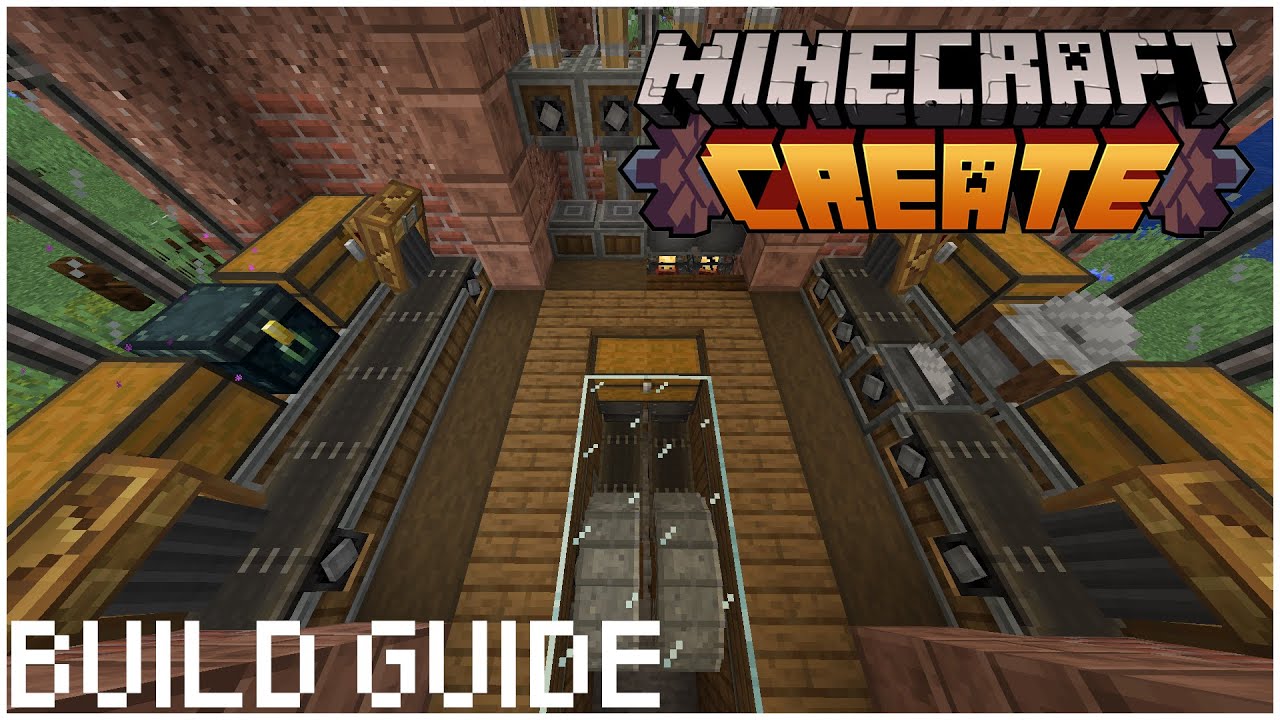
An easy to follow guide on how to put together a create workshop, knowing what to include and some tips and tricks to help along the way. I started off with this going to be a tutorial but soon found it was better off as a guide to leave room for creative liberties.
World Download:
https://drive.google.com/file/d/1apQ4RnDMk4Ki81Vw4ly0ncvzC9cfzy...

Join the discord for updates and fun: https://discord.gg/dejojotheawsome
Become a Channel Member: https://www.youtube.com/channel/UCHMaWSgPAVlLohSt1MSZ1ag/join
Do you want to know how to jump right into Create? This video will teach you the absolute basics of Create Mod! From stress units to rotational force and even magic fans Dejojotheawsome ...
 runic crater
tysm
fair plume
I've no idea how u had the patience of all this for that one thing :p
Lmao spear trough is a good starter gun
Lm
Not lmao
 glad heath
Ah I used the lm spear ironport
wispy pebble
Do you know what this works for?
 wispy pebble
is no different, it is end remastered
chilly plinth
wispy pebble
is no different, it is end remastered
then it's an enderpearl for the end portal
you can only use end remastered's eyes for the portal
wispy pebble
Oh I understand, I'll keep it!
frozen sedge
Whats the mod that makes ur loot stay where you died
I want to remove it and put keep inventory on
fair plume
There's a few
frozen sedge
Where is it?
fair plume
Ahh think it's a command
Trinkets get annoying coming out of slots all the time

wikiHow
Dying in Minecraft is a common and frustrating occurrence for any player, whether they are experienced or new to the game. One of the most frustrating aspects about death in Minecraft is losing all of your items, and although you have some...
runic crater
fair plume
There's a few
I need help with this as well
it used to work
but now it doesn't
my stuff just all scatters onto the floor
when I die now
fair plume
The command?
limber flicker
fair plume
The command?
I watched his video on the Forge but 1.18+ the ancient forge does not work anymore
fair plume
Does for me
limber flicker
How?
fair plume
Have u put things on it
limber flicker
oh wait
limber flicker
Im on the page wiki
fair plume
 exotic anchor
the story
exotic anchor
the story
Yh live the lore
limber flicker
so they readded it on 1.19.2 but iv found like 3 of these forges
they aint working
fair plume
Combustion chamber?
Insulated plate?
Oh wait
It is the anvil and the hammer both?
limber flicker
the stablelizer
doesnt make it clear what it does
Kinda just fiddled with it till it worked
 pine coyote
i y made tunnel bored at 2048 block max size i have to chage setup tu move it ...
fair plume
Shouldn't of needed it tho
fair plume
Nice
 somber idol
please someone help
I dont know how to craft the crafting terminal, whats the pattern on the mechanical crafters
somber idol
it don work
glad heath
glad heath
No problem
 fast viper
I think the capacity and upgrade slot of the sophisticated backpack mode is a modified version, can I return it to the existing mode?
glad heath
I believe the space was nerfed yes
fast viper
Hahaha, it's frustrating...
glad heath
If the backpack mod has a config file for rows column etc (in the config folder) you could edit the numbers
fast viper
Thank you for your reply, it's a difficult road for me, but I'll try to solve it.
exotic anchor
why is the harbinger like this
i don't like him
he ate my nether star

skill
im doing all the side quests
the ender dragon is gonna be so easy
the last eye
the black one
 hot hull
runic crater
my stuff just all scatters onto the floor
hot hull
runic crater
my stuff just all scatters onto the floor
It's not a gravestone mod, it's the amulet from Enigmatic Legacy, which also stays on it when you die with it, that causes you to have your stuff in a "Grave" so to speak
If you don't have the amulet, you drop your stuff
hot hull
frozen sedge
I want to remove it and put keep inventory on
Don't remove it, just get rid of the amulet that stores your stuff
The mod adds a LOT of stuff other than the amulet, and while you might prefer KeepInventory over the amulet, losing the rest of the accessories and the hard mode ring and stuff is not worth it just to get rid of something that you can just put in a chest and not have anyways
 charred gust
Does anyone Know how to fix the Blurriness effect when the fireward ring is on? The ring works like normal but the effect of overheating is still there and it gets annoying, I've tried reequipping the ring but nothing changed. The ring was never like this before the v20 update.


 fossil plank
I was wondering the same thing on how to make a team/party with a friend
chilly plinth
Open inventory, up in the top left theres 3 little people, click that and should be some info there on how to get started
surreal drift
that doesnt really help cuz i want to claim land but only want certain people to be able to access my stuff but i dont want to add them to a party
glad heath
charred gust
Does anyone Know how to fix the Blurriness effect when the fireward ring is on? ...
only yhe potion effect version of fire resist will disable the heatstroke effect iirc. you could also just turn off that effect i think in the mods config (cold sweat)
open parties and claims you need to give it a keybind to bring up the menu
 rancid helm
Hello is it possible to add more Create mod addons like Create big cannons or Create Deco?
Btw. for normal players i recommend hardcore mode for this modpack, It's really fun!
vernal olive
!tryit
magic parrotBOT
 vernal olive
!moreinfo
magic parrotBOT
Hello! For us to help you with your issue, you will need to answer all 8 questions below. Post the answers in this channel:
1. Have you modified the modpack in any way? If so, what did you do? (Updating/adding/removing mods, changing configs)
2. What launcher, or program, are you using to launch the game? (CurseForge, ATLauncher, etc)
3. What Minecraft version are you playing? (1.18.2, 1.16.5, 1.19.2)
4. What version of the modpack are you playing? (v11, v9, etc)
5. What steps are necessary to reproduce the crash? (Launching the game, exploring the world, etc)
6. Have you ever gotten past the point where the crash happens?
7. Send the crash report file into this channel. Right click the modpack, Open Folder, and navigate to the Crash Reports folder. Drag the newest one here. If there is no crash reports folder, do the same thing with the latest.log file in the logs folder.
8. Did you follow the Performance guide linked in #faq?
 plucky briar
Heym, im fresh user of Steampunk modpack, quick question - how do i get rid off off those big blocks on frames or barrels?

i mean, i want them small, like items non blocks
vernal olive
!cracked
magic parrotBOT
If you are using a cracked Minecraft launcher, we can not assist with your issue. In order to receive help, you need to switch to an approved launcher and provide proof you have purchased Minecraft. This is due to the terms of service and guideline agreements of both Mojang and Discord.
vernal olive
we dont support tlauncher, offline, cracked show proof you own mc or leave
vernal olive
vernal olive
we dont support tlauncher, offline, cracked show proof you own mc or leave
.
ill give you 5 minutes
 dapper grail
hi guys! i wanna host a server for 3 players, can anyone help me with tips?
should i host on bisect hosting?
vernal olive
dapper grail
should i host on bisect hosting?
yeah, 6gb
main barn
who is using cracked mc?
vernal olive
main barn
who is using cracked mc?
?
 mild stump
could anyone give some goals to try and achieve in steampunk. have been playing it a bit and would likle a couple of achieveable goals
also, are there any public servers?
vernal olive
main barn
idk i just read last few messages
 vernal olive
kinda you just go to minecraft.net and show ur minecraft from there
 halcyon pulsar
i hear nether ambient sounds in the overworld any fix for that?
 jaunty terrace
Anyone know why the tempad might not be working on a server? configs are default
 slender kettle
halcyon pulsar
i hear nether ambient sounds in the overworld any fix for that?
slender kettle
halcyon pulsar
i hear nether ambient sounds in the overworld any fix for that?
check pinned messages
slender kettle
jaunty terrace
Anyone know why the tempad might not be working on a server? configs are default
do you have shaders enabled
jaunty terrace
i sure do
slender kettle
jaunty terrace
i sure do
Tempad portals cant be seen with shaders
not sure why :p
jaunty terrace
oh intriguing. so its still there tho?
halcyon pulsar
slender kettle
check pinned messages
thanks a lot!
halcyon pulsar
slender kettle
check pinned messages
welp that didnt fix it
vernal olive
winter stag
!tps
!tps
magic parrotBOT
Please click this link and follow the guide. If you are using a server host such as Bisect, you may be limited in your options and instead have a checkbox to use Aikar's Flags, which will also work:
https://github.com/brucethemoose/Minecraft-Performance-Flags-Benchmarks
If you can not launch your server/game after using these flags, then remove the word java from the start. Also, make sure you are using Java 18 on 1.18.2 / 1.19.2 and Java 11 on 1.16.5. These should be downloaded from Adoptium's website.
If lag persists, install Spark to your server do the following command ingame:
/spark profiler start --only-ticks-over 50
Then, send the link in this channel.
CurseForge
spark is a performance profiler for Minecraft clients, servers and proxies.
62.4M Downloads | Mods
winter stag
vernal olive
!tps
Ay thanks
vernal olive
np
mild stump
is there a way to tp about, like a magic mirror or waystones?
winter stag
vernal olive
!tps
Isnt this for servers tho?
vernal olive
both
slender kettle
mild stump
is there a way to tp about, like a magic mirror or waystones?
tempad
 topaz oar
Every compat is without crafting
 rapid tusk
why there are no plugin folder on server root?
I tried make it myself but not working at all
can I hv any other way to add a server plugin like , fakeplayer etc....
 merry marlin


 oblique venture
Heya
I need some help for a friend
So, he's having exit code 1
For like 3 days
We tried reinstalling his graphic drivers
Reinstalling java, removing it entirely
Nothing seems to work
winter stag
oblique venture
Reinstalling java, removing it entirely
"The "exit code: 1" error can occur due to outdated mods. To resolve the error, check the Minecraft mods folder and delete it. Removing mods can break your worlds. So make sure to create a backup before attempting to remove any mods."
vernal olive
oblique venture
So, he's having exit code 1
!moreinfo
magic parrotBOT
Hello! For us to help you with your issue, you will need to answer all 8 questions below. Post the answers in this channel:
1. Have you modified the modpack in any way? If so, what did you do? (Updating/adding/removing mods, changing configs)
2. What launcher, or program, are you using to launch the game? (CurseForge, ATLauncher, etc)
3. What Minecraft version are you playing? (1.18.2, 1.16.5, 1.19.2)
4. What version of the modpack are you playing? (v11, v9, etc)
5. What steps are necessary to reproduce the crash? (Launching the game, exploring the world, etc)
6. Have you ever gotten past the point where the crash happens?
7. Send the crash report file into this channel. Right click the modpack, Open Folder, and navigate to the Crash Reports folder. Drag the newest one here. If there is no crash reports folder, do the same thing with the latest.log file in the logs folder.
8. Did you follow the Performance guide linked in #faq?
vernal olive
winter stag
"The "exit code: 1" error can occur due to outdated mods. To resolve the error, ...
it can be a Lottttt
without logs or right info we can’t do anything
winter stag
vernal olive
without logs or right info we can’t do anything
This is just what i found
Seems like a thing worth trying
vernal olive
no not really
all the mods work and are fine as you didn’t need to do that did you?
winter stag
vernal olive
!tps
I checked the performance, the TPS is flat 20
I have another video tprocessing of the performance view enabled, I can't see anything wrong
winter stag
vernal olive
send link
 oblique venture
vernal olive
!moreinfo
oblique venture
vernal olive
!moreinfo
 vernal olive
winter stag
https://streamable.com/htg365
vernal olive
winter stag
https://streamable.com/htg365
is there a mod called no see no tick?
vernal olive
oblique venture
where’s that
vernal olive

oblique venture
@lunar fox
vernal olive
we need logs
winter stag
vernal olive
is there a mod called no see no tick?
What?
vernal olive

vernal olive
winter stag
What?
find if there is a mod with that name
oblique venture
yes, we're getting the logs
vernal olive
nice
winter stag
vernal olive
find if there is a mod with that name
No
winter stag
I added spark alredy
vernal olive
winter stag
I added spark alredy
run it
magic parrotBOT
If this command was run in response to your question/issue, it is likely because switching away from the launcher you are currently using would fix your problem.
From our experience, the most stable launcher by far is ATLauncher, also known as ATL.
To install ATLauncher, do the following:
1. Go to https://atlauncher.com/download
2. Install and run the setup, then open the program.
3. Login to your Microsoft account that owns the Java Edition of Minecraft from the Accounts tab on the right. This process is 100% safe, as it goes directly through Microsoft. ATLauncher does not see your account credentials.
4. Go to the Packs tab on the right, then click "Curseforge" on the left.
5. Search the modpack you wish to download.
6. Click "New Instance". Click "Ok" on the opted out mods warning, then click "Open All" on the manual download screen.
7. Let the mods download, ATLauncher will grab them from your Downloads folder and automatically add them to the modpack.
8. Go to the Instances tab, and click "Play" on the modpack you downloaded. If you ever see an "Update" button on the instance, click it.
To transfer your Curseforge world to ATLauncher, simply right click the modpack on Curseforge, or click the 3 dots, then click "Open Folder". Copy the Saves folder, then click "Open Folder" on ATLauncher and paste the Saves folder there.
Because ATLauncher downloads the exact same files as Curseforge does, your world will be the exact same and you will be able to join the same servers. ATLauncher also works without an internet connection (after you've installed the modpack, of course), and does not have any bloat from Overwolf. You are free to uninstall both Overwolf and Curseforge with ATLauncher installed.
 lunar fox
aight
winter stag
vernal olive
run it
gc?
vernal olive
!tps
magic parrotBOT
Please click this link and follow the guide. If you are using a server host such as Bisect, you may be limited in your options and instead have a checkbox to use Aikar's Flags, which will also work:
https://github.com/brucethemoose/Minecraft-Performance-Flags-Benchmarks
If you can not launch your server/game after using these flags, then remove the word java from the start. Also, make sure you are using Java 18 on 1.18.2 / 1.19.2 and Java 11 on 1.16.5. These should be downloaded from Adoptium's website.
If lag persists, install Spark to your server do the following command ingame:
/spark profiler start --only-ticks-over 50
Then, send the link in this channel.
CurseForge
spark is a performance profiler for Minecraft clients, servers and proxies.
62.4M Downloads | Mods
 winter stag

spark is a performance profiler for Minecraft clients, servers, and proxies.
winter stag
But how? The F3 metrics says flat 20
vernal olive
f3 is showing ur fps bottom left
spark is way more detailed
weird ngl
is this the same on a new world?
winter stag
This is a new world
winter stag
Yeah
Same
https://spark.lucko.me/rPm0xroo4v
They are still lagging, TPS is better tho

spark is a performance profiler for Minecraft clients, servers, and proxies.
I'll try 16 gigs
 pallid ore
is this supposd to be a thing
 winter stag
vernal olive
mind turning vsync off?
winter stag
vernal olive
mind turning vsync off?
So I played for a while

spark is a performance profiler for Minecraft clients, servers, and proxies.
 rapid crane
whats the death totem mod
 cursive cedar
Why am I suffocating in caves below Y -1
winter stag
cursive cedar
Why am I suffocating in caves below Y -1
Air pressure
Use a rebreather or an oxigen tank
Or an air pump to get air down
vernal olive
winter stag
https://spark.lucko.me/PcZTM0TtVK
thats better
vernal olive
lunar fox
thanks a lot
np
cursive cedar
But my friends can walk at this height.
winter stag
vernal olive
thats better
Yeah but the mobs are still lagging
vernal olive
launcher?
winter stag
cursive cedar
But my friends can walk at this height.
Rebreather?
winter stag
vernal olive
launcher?
Curseforge?
magic parrotBOT
If this command was run in response to your question/issue, it is likely because switching away from the launcher you are currently using would fix your problem.
From our experience, the most stable launcher by far is ATLauncher, also known as ATL.
To install ATLauncher, do the following:
1. Go to https://atlauncher.com/download
2. Install and run the setup, then open the program.
3. Login to your Microsoft account that owns the Java Edition of Minecraft from the Accounts tab on the right. This process is 100% safe, as it goes directly through Microsoft. ATLauncher does not see your account credentials.
4. Go to the Packs tab on the right, then click "Curseforge" on the left.
5. Search the modpack you wish to download.
6. Click "New Instance". Click "Ok" on the opted out mods warning, then click "Open All" on the manual download screen.
7. Let the mods download, ATLauncher will grab them from your Downloads folder and automatically add them to the modpack.
8. Go to the Instances tab, and click "Play" on the modpack you downloaded. If you ever see an "Update" button on the instance, click it.
To transfer your Curseforge world to ATLauncher, simply right click the modpack on Curseforge, or click the 3 dots, then click "Open Folder". Copy the Saves folder, then click "Open Folder" on ATLauncher and paste the Saves folder there.
Because ATLauncher downloads the exact same files as Curseforge does, your world will be the exact same and you will be able to join the same servers. ATLauncher also works without an internet connection (after you've installed the modpack, of course), and does not have any bloat from Overwolf. You are free to uninstall both Overwolf and Curseforge with ATLauncher installed.
cursive cedar
They can walk underground without things
winter stag
vernal olive
!alternates
Is this the same as curseforge, just a mod "hub"?
cursive cedar
how can they walk underground without Rebreather?
I could also walk underground Y -1 without rebreather, but now I can't
vernal olive
winter stag
Is this the same as curseforge, just a mod "hub"?
it’s kinda same
it’s better
 alpine vortex
hello! i have a problem launching the SteamPunk modpack. i've tried installing it a couple times but crashes at launch. i get this message:
A fatal error has been detected by the Java Runtime Environment:
EXCEPTION_ACCESS_VIOLATION (0xc0000005) at pc=0x00007ffe02752b60, pid=27404, tid=27428
JRE version: OpenJDK Runtime Environment Microsoft-8035246 (17.0.8+7) (build 17.0.8+7-LTS)
... (62 KB left)
anyone have any ideas?
thanks!
 still arch
.ş

 still arch
!alternates
magic parrotBOT
If this command was run in response to your question/issue, it is likely because switching away from the launcher you are currently using would fix your problem.
From our experience, the most stable launcher by far is ATLauncher, also known as ATL.
To install ATLauncher, do the following:
1. Go to https://atlauncher.com/download
2. Install and run the setup, then open the program.
3. Login to your Microsoft account that owns the Java Edition of Minecraft from the Accounts tab on the right. This process is 100% safe, as it goes directly through Microsoft. ATLauncher does not see your account credentials.
4. Go to the Packs tab on the right, then click "Curseforge" on the left.
5. Search the modpack you wish to download.
6. Click "New Instance". Click "Ok" on the opted out mods warning, then click "Open All" on the manual download screen.
7. Let the mods download, ATLauncher will grab them from your Downloads folder and automatically add them to the modpack.
8. Go to the Instances tab, and click "Play" on the modpack you downloaded. If you ever see an "Update" button on the instance, click it.
To transfer your Curseforge world to ATLauncher, simply right click the modpack on Curseforge, or click the 3 dots, then click "Open Folder". Copy the Saves folder, then click "Open Folder" on ATLauncher and paste the Saves folder there.
Because ATLauncher downloads the exact same files as Curseforge does, your world will be the exact same and you will be able to join the same servers. ATLauncher also works without an internet connection (after you've installed the modpack, of course), and does not have any bloat from Overwolf. You are free to uninstall both Overwolf and Curseforge with ATLauncher installed.
 rapid crane
what gravestone mod is it
alpine vortex
magic parrot
If this command was run in response to your question/issue, it is likely because...
it still crashes, but there was four zip files that were not moved from the downloads
 still arch
!server
magic parrotBOT
We suggest renting a server from Bisect Hosting:
Approx. $10 - $25 a month depending on what plan you choose. You can also get 25% off with Code LunaPixel.
Go to https://www.bisecthosting.com/LunaPixel and order a plan which fits you. We suggest 1GB per player but nothing lower than 4GB as the server needs at least 3GB to run.
Go to #server-hosting for more Info!
Free Method: (This is hosting on your own PC, which is harder to do so we suggest getting a server via Bisect Hosting)
- Download the serverpack from Curseforge's website
- Right click the start.ps1 file and click Run with Powershell
To join your own server, typelocalhostinto Direct Connect.
This video explains the process https://www.youtube.com/watch?v=wuGUbVbLsDc
The server IP address is your Public IP Address, which can be found by googling my ip address
If other players are unable to join, find a portforwarding guide online.
still arch
!help
magic parrotBOT
🚫 kkerem88, that command is disabled in this channel.
 cyan rivet
@still arch sup ?
still arch
cyan rivet
<@1119703101700575354> sup ?
I don't understand what you mean, I'm Turkish and I use Google Translate.
@cyan rivet
 cyan rivet
Uhhhhh
cyan rivet
 calm light
try fresh reinstall
when you hit ok on this , zip files should be transfered to where they belong iirc
Also curseforge can't fix it, it's problem with licenses of those mods I believe
calm light
cyan rivet
try fresh reinstall
when you hit ok on this , zip files should be transfered t...
cliensite?
 still arch
cyan rivet
try fresh reinstall
when you hit ok on this , zip files should be transfered t...
still arch
cyan rivet
try fresh reinstall
when you hit ok on this , zip files should be transfered t...
You forgot me
cyan rivet
@still arch hard to understand what you want, when you don't say anything to me apart the fact that you are using google translate, sorry
cyan rivet
calm light
cliensite?
reinstall whole modpack, don't add any mods, check afterwards if those said mods that were downloading are in modpack folder
still arch
cyan rivet
<@1119703101700575354> hard to understand what you want, when you don't say anyt...
Now look, I downloaded the server file and directly opened the file named start.ps1 with Powershell, but the Powershell application appears on my screen and suddenly it disappears.
cyan rivet
still arch
Now look, I downloaded the server file and directly opened the file named start....
what java version you have ? you need java 17 minimum
 still arch
what should I do
magic parrotBOT
- Download an adoptium release for Java (recommended but not required):
- Java 11 (https://adoptium.net/temurin/releases/?version=11) for versions 1.16.5 and below (can also use 8 if its not working)
- Java 18 (https://adoptium.net/temurin/releases/?version=18) for any versions newer (or 17 if 18 doesn't work)
- Consider installing the JRE instead of the JDK for a smaller file size
-
When installing through adoptium, make sure that Add to PATH and Set JAVA_HOME variable are both set to be installed (please see https://imgur.com/a/jPu1h7h for how that would look)
-
Check if java has been correctly installed by running java --version (or java -version on older versions), and seeing if the output is correct (see https://imgur.com/a/OWcoq4p for an example of the output)
- NOTE: 64 bit versions of java ALWAYS have '64-bit Server VM' in the version output. If that is not there, you have installed a 32-BIT version!! If you're getting Out of Memory errors or any other errors, PLEASE install 64-bit
- If the output isn't as intended, you have 2 options.
i) Delete ALL other java versions from your PC (ONLY recommended if you don't need them)
ii) Redirect your launcher/server to use your new installation of Java
Method i
- Uninstall any other java program listed in your programs list (differs by OS, please find a guide for your own OS if you don't know)
- Attempt to re-use the command mentioned above (if the output is now correct, which it should be, you are ready to go)
Method ii
- For a server, please modify the $Java/JAVA variable (found in your startup script depending on ps1/sh) to the path of your java installation. For windows, this path is usually found in "Program Files/Eclipse Adoptium/version_of_java/bin"
- For a client, depending on whether you use CurseForge, GD, or AT, the process is slightly different. Please see a guide for each respective launcher on how to change the java version.
 cyan rivet
pallid ore
happened again
cyan rivet
pallid ore
happened again
what launcher are you using
pallid ore
curse
cyan rivet
well - you're cursed :/
but in all truth
either quests are broken or mod is removed
mods come and go :/
calm light
when i render chunks i get this in spam in server console and chunks dont load, a fix?


and if a reconnect to the server:
 frozen sedge
How do I cool down I have furnaces in my home
still arch
magic parrot
1) Download an adoptium release for Java (recommended but not required):
- Java...
@cyan rivet Hello again, I downloaded and installed the latest version of Java from this site, what should I do now?
cyan rivet
!server
magic parrotBOT
We suggest renting a server from Bisect Hosting:
Approx. $10 - $25 a month depending on what plan you choose. You can also get 25% off with Code LunaPixel.
Go to https://www.bisecthosting.com/LunaPixel and order a plan which fits you. We suggest 1GB per player but nothing lower than 4GB as the server needs at least 3GB to run.
Go to #server-hosting for more Info!
Free Method: (This is hosting on your own PC, which is harder to do so we suggest getting a server via Bisect Hosting)
- Download the serverpack from Curseforge's website
- Right click the start.ps1 file and click Run with Powershell
To join your own server, typelocalhostinto Direct Connect.
This video explains the process https://www.youtube.com/watch?v=wuGUbVbLsDc
The server IP address is your Public IP Address, which can be found by googling my ip address
If other players are unable to join, find a portforwarding guide online.
still arch
cyan rivet
continue what you were doing before, try it again
Same thing again, the powershell screen comes and disappears immediately.
frozen sedge
How do I cool down I have furnaces in my home
cyan rivet
magic parrot
1) Download an adoptium release for Java (recommended but not required):
- Java...
did you follow this? @still arch
still arch
cyan rivet
did you follow this? <@1119703101700575354>
yes
calm light
anyone help me pls?
cyan rivet
still arch
yes
well I can't help you anymore then, I have no clue on these things...
Tho
!powershell
magic parrotBOT
An update to windows introduced a new security feature that prevents powershell files from running on your PC. This is great for your security, but not so great for our server start scripts, which require powershell to run them. Fortunately there is a quick fix for this!
Run powershell as administrator, then run Set-ExecutionPolicy RemoteSigned. Read the prompt and press accept. This will allow us to run scripts.
Next, navigate to your server directory using cd path/to/directory (for example: cd C:\Users\Username\Documents\Minecraft\Server)
You can now run the server by double-clicking the start.ps1 file, or typing .\start.ps1 into the command line while in the directory.
IF THE ABOVE DOES NOT WORK, TRY THIS
Run the command Unblock-File -Path .\start.ps1 in the same powershell window. This will allow the start script to not be blocked by windows, and run freely.
If all else fails, a manual installation should work:
FORGE 1.16.5: https://www.youtube.com/watch?v=bIjisWyxU-8
FORGE 1.18.2: https://www.youtube.com/watch?v=R610M102X0U
FORGE 1.19.2: https://www.youtube.com/watch?v=3HD0ibIpO-A
FABRIC: https://www.youtube.com/watch?v=b2W1Xb7nLKo
Make sure to Install the Server in our ServerPacks so it can use the correct files.
cyan rivet
try this as last ditch effort @still arch
still arch
cyan rivet
try this as last ditch effort <@1119703101700575354>
Is there any chance you can come to the audio channel so I can turn off my microphone and open a screen to show it?
cyan rivet
won't help at all - as I've said , I have no knowledge on these things
well, minimal knowledge
so I won't be a lot of help, sadly
sorry
 calm light
when i render chunks i get this in spam in server console and chunks dont load, ...
calm light
calm light
when i render chunks i get this in spam in server console and chunks dont load, ...
anyone pls?
still arch
?
chilly plinth
!powershell
magic parrotBOT
An update to windows introduced a new security feature that prevents powershell files from running on your PC. This is great for your security, but not so great for our server start scripts, which require powershell to run them. Fortunately there is a quick fix for this!
Run powershell as administrator, then run Set-ExecutionPolicy RemoteSigned. Read the prompt and press accept. This will allow us to run scripts.
Next, navigate to your server directory using cd path/to/directory (for example: cd C:\Users\Username\Documents\Minecraft\Server)
You can now run the server by double-clicking the start.ps1 file, or typing .\start.ps1 into the command line while in the directory.
IF THE ABOVE DOES NOT WORK, TRY THIS
Run the command Unblock-File -Path .\start.ps1 in the same powershell window. This will allow the start script to not be blocked by windows, and run freely.
If all else fails, a manual installation should work:
FORGE 1.16.5: https://www.youtube.com/watch?v=bIjisWyxU-8
FORGE 1.18.2: https://www.youtube.com/watch?v=R610M102X0U
FORGE 1.19.2: https://www.youtube.com/watch?v=3HD0ibIpO-A
FABRIC: https://www.youtube.com/watch?v=b2W1Xb7nLKo
Make sure to Install the Server in our ServerPacks so it can use the correct files.
 still arch
cyan rivet
already linked this above
still arch
cyan rivet
already linked this above
😄
still arch
!server
magic parrotBOT
We suggest renting a server from Bisect Hosting:
Approx. $10 - $25 a month depending on what plan you choose. You can also get 25% off with Code LunaPixel.
Go to https://www.bisecthosting.com/LunaPixel and order a plan which fits you. We suggest 1GB per player but nothing lower than 4GB as the server needs at least 3GB to run.
Go to #server-hosting for more Info!
Free Method: (This is hosting on your own PC, which is harder to do so we suggest getting a server via Bisect Hosting)
- Download the serverpack from Curseforge's website
- Right click the start.ps1 file and click Run with Powershell
To join your own server, typelocalhostinto Direct Connect.
This video explains the process https://www.youtube.com/watch?v=wuGUbVbLsDc
The server IP address is your Public IP Address, which can be found by googling my ip address
If other players are unable to join, find a portforwarding guide online.
still arch
@cyan rivet
Hooray, I managed to open the server, my friend, how do I find out the IP address to enter?
so so thanks ❤️
vernal olive
still arch
Hooray, I managed to open the server, my friend, how do I find out the IP addres...
it’s ur public ip
best way to get that ip is open command prompt and type ipconfig the numbers in the ipv4 area is what you need to give to friends
but also make sure you port forward so they can join
that you need to find a guide online
vernal olive
np
cyan rivet
don't go pinging us
vernal olive
hm?
vernal olive

cyan rivet
still arch
Is there any problem with my friend's java version 8?
same as you , to java 17 or higher
vernal olive
launchers automatically install right versions
servers don’t have that nice feature
cyan rivet
huh
still arch
!java
vernal olive
!openjdk
magic parrotBOT
- Download an adoptium release for Java (recommended but not required):
- Java 11 (https://adoptium.net/temurin/releases/?version=11) for versions 1.16.5 and below (can also use 8 if its not working)
- Java 18 (https://adoptium.net/temurin/releases/?version=18) for any versions newer (or 17 if 18 doesn't work)
- Consider installing the JRE instead of the JDK for a smaller file size
-
When installing through adoptium, make sure that Add to PATH and Set JAVA_HOME variable are both set to be installed (please see https://imgur.com/a/jPu1h7h for how that would look)
-
Check if java has been correctly installed by running java --version (or java -version on older versions), and seeing if the output is correct (see https://imgur.com/a/OWcoq4p for an example of the output)
- NOTE: 64 bit versions of java ALWAYS have '64-bit Server VM' in the version output. If that is not there, you have installed a 32-BIT version!! If you're getting Out of Memory errors or any other errors, PLEASE install 64-bit
- If the output isn't as intended, you have 2 options.
i) Delete ALL other java versions from your PC (ONLY recommended if you don't need them)
ii) Redirect your launcher/server to use your new installation of Java
Method i
- Uninstall any other java program listed in your programs list (differs by OS, please find a guide for your own OS if you don't know)
- Attempt to re-use the command mentioned above (if the output is now correct, which it should be, you are ready to go)
Method ii
- For a server, please modify the $Java/JAVA variable (found in your startup script depending on ps1/sh) to the path of your java installation. For windows, this path is usually found in "Program Files/Eclipse Adoptium/version_of_java/bin"
- For a client, depending on whether you use CurseForge, GD, or AT, the process is slightly different. Please see a guide for each respective launcher on how to change the java version.
vernal olive
cyan rivet
*huh*
launchers like curseforge atl or gdlauncher or any in fact including vanilla mc install instances of java specific to that launcher/ profile to make sure it has a usable java
that’s why sometimes it takes 6 minutes to launch and then 1 minute
as 6 minutes it’ll download and install and 1 minute it’ll use the java given
frozen sedge
Some craftables are missing for my friend
vernal olive
like?
rocky flare
Hey, ive been getting strange lagspikes seemingly randomly, no big travel, no big machines, no interfaces. i have average of like 70-90 fps and when it spikes it goes down to like 2-5 for a second or two.
chilly plinth
rocky flare
Hey, ive been getting strange lagspikes seemingly randomly, no big travel, no bi...
!fps
magic parrotBOT
chilly plinth
main barn
should i kill them?
Nah, they just chilling, but you can loot their house.
 pastel rapids
hey, every time I make a world, nearby structures are not generated, they all start from 2000 blocks and they are all very separated
rocky flare
ty ill try that out
still arch
cyan rivet
same as you , to java 17 or higher
Hello, I downloaded the latest version to my friend, but it does not appear on the server even though I gave my own public IP address. What should I do?

 chrome lodge
hey yall im playing this pack for this first time and i cant find any ancient cities for the life of me. Any advice to finding one? im trying the mountain trick but nothin so far
still arch
still arch
Hello, I downloaded the latest version to my friend, but it does not appear on t...
.
 verbal gazelle
hello, does anyone know why it says that i have a tier 0 hammer even tho it clearly says its tier 3 at the top? am i missing something?

 spiral thorn
still arch
Hello, I downloaded the latest version to my friend, but it does not appear on t...
spiral thorn
still arch
Hello, I downloaded the latest version to my friend, but it does not appear on t...
How are you hosting?
still arch
 still arch
spiral thorn
How are you hosting?
still arch
spiral thorn
How are you hosting?
its
spiral thorn
still arch
its
?
still arch
spiral thorn
?
What does hosting mean? I use google translate, I couldn't understand.
spiral thorn
still arch
What does hosting mean? I use google translate, I couldn't understand.
How are you hosting the server?
still arch
I still couldn't understand
spiral thorn
Are you using a service? Did you download the serverpack? Are you using built-in world sharing?
still arch
spiral thorn
Are you using a service? Did you download the serverpack? Are you using built-in...
I downloaded the server package from curseforge.
spiral thorn
still arch
I downloaded the server package from curseforge.
You have to port forward, you have to Google how to port forward
still arch
spiral thorn
You have to port forward, you have to Google how to port forward
I don't understand
main barn
is there a way to stop phantoms from spawning
spiral thorn
Sleep
main barn
i can't, cursed ring
spiral thorn
Lmao
still arch
spiral thorn
You have to port forward, you have to Google how to port forward
Should I search for something called port forward on Google?
main barn
try youtube
verbal gazelle
can someone help me with the tetra mod?
main barn
i found a way, i need cats, phantoms escape form cats
spiral thorn
still arch
Should I search for something called port forward on Google?
Yes
winter stag
vernal olive
!alternates
Sooooo
Is this supposed to be like this?
 vernal olive
yep
just press open all in browser
and save them onto ur pc and atl will do the rest
winter stag
I have them downloaded but nothing happened so far
Oh I have to rename them
What im confused
When I download it I get the EXE instrallers for curseforge
Not zips
winter stag
vernal olive
and save them onto ur pc and atl will do the rest
FINALLY
Mobs don't lag
winter stag
I have only played 1.12 before so it wasnt a problem
But this pack was horrible on forge
 mellow vortex
I have a quick question. Is there a reason why my edits to the sophisticated backpack configs that they don't change in game?
main barn
i hate my life, i made a great ditch, had a great spawn near a castle flat land, it was dawn and 5 phantoms suddenly spawned and attacked me.
mellow vortex
Like I'm trying to add more upgrade slots and a slightly bigger inventory space, But it seems like my changes aren't working.
main barn
dead, now a new world
 topaz sapphire
So I was searching in here for a way to shut off the radiation / bomb noises that constantly keep happening whilst i'm above ground, but I guess nobody's found a way to stop that?
Since I can't seem to find a solution at least from searching around in here
 tardy saddle
hello guys i have some question i was wanted to run the steampunk on a hosted server but i get some errors and one of the questions is what java is using what forge version should have?
vernal olive
tardy saddle
hello guys i have some question i was wanted to run the steampunk on a hosted se...
java17 or 18 both 64x needed to run the pack
vernal olive
mellow vortex
I have a quick question. Is there a reason why my edits to the sophisticated bac...
not sure the pack uses sophisticated
vernal olive
winter stag
But this pack was horrible on forge

tardy saddle
hmm
mellow vortex
vernal olive
not sure the pack uses sophisticated
it does.
tardy saddle
and forge version? because now i use 1.19.2-43.3.5
vernal olive
mellow vortex
it does.
indeed it does my bad
vernal olive
tardy saddle
and forge version? because now i use 1.19.2-43.3.5
i believe that is the right version, check ur modpack for the versions
vernal olive
looks good
tardy saddle
hmm strange because i get some errors to
vernal olive
show
tardy saddle
can i put the logs?
magic parrotBOT
To better assist with fixing an issue, we will need some logs: Curseforge/GDLauncher-> Right click the modpack instance -> Open Folder. For MultiMC -> Click 'Instance Folder' on the right.
Find the file 'Latest' in the 'Logs' folder. If there is a folder called 'Crash Reports' then find the newest file from today. Upload these as requested.
tardy saddle
is server side not client side
vernal olive
yeah its fine to put log
tardy saddle
vernal olive
quests
 sterile hill
steampunk LPS my beloved
sterile hill
how do i increase my enchant power in my enchantment ability?
 topaz oar
Should these rewards really be choice?


 slender tusk
Sometimes you really need that 10 coal
 outer osprey
Putting an oak log in a sophisticated barrel results in this.

 lavish thunder
can someone help me i cant get the magnet generator to work
slender tusk
Show what you did
lavish thunder
 slender tusk
lavish thunder
slender tusk
lavish thunder
Could you show from the front side
lavish thunder
 slender tusk
You need to provide su to the wheels directly from the back
lavish thunder
so i need su to make su
 late hedge
slender kettle
Tempad portals cant be seen with shaders
late hedge
slender kettle
Tempad portals cant be seen with shaders
timedoorfancy to false fixed this issue on the last pack I used tempads on
lavish thunder
no they make su they make power
slender tusk
They do not make su (su being stress units which is the thing that powers create machines)
They generate fe (which can power different machines from the mod such as the energiser and motors)
late hedge
it says directly in the ponder the wheels consume Stress Units
and they make FE units
lavish thunder
of course i tried to apply real logic into minecraft so it fails because real magnet generators rotate them selfs
late hedge
lavish thunder
of course i tried to apply real logic into minecraft so it fails because real ma...
real magnetic generators require rotational power to generate energy. All those generators do is use the magnets internal energy to produce energy, they can't make energy without rotational input as the output of the rotations through the magnets will always be slightly less than the used energy.
granted we also have generators that convert magnetic energy into mechanical energy but thats not what they do and look different
slender tusk
That's interesting
sterile hill
getting oneshot by literally every mob is kinda dusyab
winter stag
vernal olive
<:YEP:839303338743037974>
Why does this work better than on just forge? It's using literally the same mods
vernal olive
winter stag
Why does this work better than on just forge? It's using literally the same mods
actually
forge has a chance to fuck up the mods
- takes 40% of ur system resources alone
winter stag
Damn
And I don't exactly have a weak pc
That's why I was so confused about the lag
Anyways, I might have gotten, just a little start boost
I found the huge create dungeon
I have a couple hundred gears, water wheels, fans, mining stuff
 lunar knoll
winter stag
lunar knoll
winter stag
You can respawn
But with -1 hearth
Naked
Afraid
Idk I haven't gotten to that point yet
But I assume you can
Surely
 shadow spade
winter stag
Idk I haven't gotten to that point yet
But I assume you can
shadow spade
winter stag
Idk I haven't gotten to that point yet
But I assume you can
I believe you get them back when you return to your corpse
Also, does anyone know how to cultivate bees in hardcore mode? I've figured out how to domesticate grizzlies, but they died and I'm out of honey that I've found. I assume smoking them out isn't gonna work since neutral mobs are still aggressive. If anyone has a strategy for this please share it. I've wasted like 4 hours trying to figure it out and looking for hives.
 rigid vine
my base is always snowing anyone know of a way top get rid of the snow on the ground atleast its driving me insane
i dont live in a snow biome
main barn
i am not at a point where i feel safe around bees
 hearty sigil
In regards to the steampunk pack. What do I need to remove to not have to deal with overheating or freezing to death. We love the pack and its mods but hate that aspect of it.
 raw flint
Is there a guide for this modpack?
is there a way to like prevent the pillager camps from not spawning more
like wheres the spawner at
 wise lynx
@vernal olive
vernal olive
wise lynx
<@460610775887773737>
what type of pc you got
laptop
mac?
linux
windows
etc
wise lynx
vernal olive
what type of pc you got
window
magic parrotBOT
You (likely) need to update your graphics drivers in order to resolve the crash. Here's how to go about doing that!
1. Identify your graphics card
if you already know skip to the next step
- Open task manager
- Navigate to the "Performance" tab (on Windows 11 this is the button that looks like a heart pulse)
- Press the GPU 0 graph and read your GPU from the top right
Note:
In some cases you may see a GPU 0 and GPU 1. This means your CPU has its own GPU, as well as an external one. You probably want GPU 1 (which is usually the external), but you can ask staff to clarify if necessary.
2. Download your drivers from the manufacturers site
Depending on what you read before, you likely need drivers from either AMD, Intel, or NVIDIA
AMD: https://www.amd.com/en/support
Intel: https://www.intel.com/content/www/us/en/download-center/home.html
NVIDIA: https://www.nvidia.com/Download/index.aspx?lang=en-us
Note:
- For NVIDIA you want to select "Game Ready Driver (GRD)" (this is the default option) for the best performance. Once installing you'd probably prefer downloading GeForce Experience, which will notify you when there's an available drivers update.
- For Intel, you probably want to press "Get Started" under the "Automatically update your drivers and software", which will simplify the process and update everything automatically
- For AMD you probably want to just press "Download Windows Drivers", which will download something called AMD Adrenaline, which will update your drivers automatically.
3. Run the installation, restart your computer, and try playing MC again
- At this point, hopefully your Minecraft is running. If it still does not work, please post any new logs and staff will help assist you with finding the right solution.
vernal olive
but is it a laptop or pc?
wise lynx
Laptop
wise lynx
vernal olive
but is it a laptop or pc?
oh shiet Nvidia is eat my ram alot
wise lynx
i just deleted it
vernal olive
 vernal olive
wise lynx
i just deleted it
vernal olive
wise lynx
i just deleted it
...
wise lynx
to play this mod
vernal olive
nvidia is ur gpu controller

the nvidia experience you can close
the control panel you shouldnty
wise lynx
oh
this mod is eat 8g ram and still out of memory
i just deleted alot of app to save some ram
magic parrotBOT
vernal olive
wise lynx
i just deleted alot of app to save some ram
that does help but that is mainly Storage
chilly plinth
You got a lot of stuff running on the computer currently?
wise lynx
vernal olive
that does help but that is mainly Storage
some app deep run
wise lynx
chilly plinth
You got a lot of stuff running on the computer currently?
i do not know, messeger, discord and chrome i usully use
sterile hill
bro how do i get a tetra hammer with >3 hammer power???
chilly plinth
Chrome is ram heavy. switch to microsoft edge
or just don't have your browser running while playing
vernal olive
chilly plinth
Chrome is ram heavy. switch to microsoft edge
thats honestly way worse
firefox or operagx is one of the best
wise lynx
but i do not run anything when play this mod
chilly plinth
vernal olive
thats honestly way worse
I've had way less issues out of the new edge than operagx and chrome
Shut up
chilly plinth
I use operagx for 4-5 months, and it was awful
Chrome I used for years, and it got so buggy
wise lynx
use brave too :>
chilly plinth
I'm just sick of having to install and try all these dumb browsers
you want banned kid?
raw flint
Is ther a way to make Pyrolagers and Friends structure spawners stop?
chilly plinth
You were told to shut up, now shut up about it
vernal olive
lol the reality is you are just too angry at a mod being helpful for no reason and this is the karma that strikes on you
sterile hill
how the actual hell do i get stronger hammer like what 😭
vernal olive
and for 1. and i mean 1. bad claim you wanna demote? lmfao
you gotta make another hammer and upgrade the hammer with a hammer
sterile hill
vernal olive
you gotta make another hammer and upgrade the hammer with a hammer <:YEP:8393033...
ikkkkkkkk
but like
vernal olive
sure lol
sterile hill
there are no materials with >3 hammer level
asides from obsidian and netherite???
and you need a level 6 hammer to make the obsidian hammer?????
sterile hill
it makes a level 3 hammer
chilly plinth
I only suggested edge as I've had to go back to it and is the only one that doesn't give me ram issues nor forces a separate instance to open up from a different profile
vernal olive
 sterile hill
omfg
i completely forgot abt honing
what not playing mc for a long time does to a mf:
chilly plinth
Things change pretty often
sterile hill
yeah fair tbh
like, when i last played tetra, i'm pretty sure there wasn't anything like synergies
 cursive sundial
why is stuff not going into the chest?
 vernal olive
hopper full
sterile hill
lol?
cursive sundial
but why dosent it transfer to chest?
sterile hill
is the chest full or smth?
 vernal olive
cursive sundial
why is stuff not going into the chest?
vernal olive
cursive sundial
why is stuff not going into the chest?
ur hopper isnt outputing into the chest
vernal olive
its outputting into the wall
vernal olive
cursive sundial
how do i fix that?
break hopper
sterile hill
vernal olive
ur hopper isnt outputing into the chest
p sure it ain't pointing into the chest
yeha
sterile hill
also crouch 👍
chilly plinth
the hopper isn't facing into the chest
 vernal olive
yep
vernal olive
cursive sundial
but its working now
nope hoppers are fully manual
what youd want is a Chute
from create
chilly plinth
probably less lag too xD
cursive sundial

there
also i really dont know why but creatures form the Aquamarine are just dying
like, fish, underwater, taking damage overtime and dying
 slate dove
hey does anyone know if create farms create entities?
huh well

Think I have an issue lol
thats an old one its currently above 40k
cursive sundial
what you mean a joke?
fish are taking damage while in the water
they shouldent be drowing
they are fish
chilly plinth
could it be entity cramming?
cursive sundial
no shot
how can it be entity cramming? they are not squished together
also it only seems to affect agressive fishes, not the passive ones
angler fish and the big manta rays are the ones dying
chilly plinth
maybe something is attacking them?
cursive sundial
no, its definably a DoT thing
like drowning, freezing, poison, etc
the angler fish, pictured right, its taking damage over time while underwater, has if he was drowining or freezing
 chilly plinth
They are freezing, it's too cold for them
cursive sundial
the spine fish, which are passive and swim around in shoal, pictured right, are not
is there a way to make it so cold sweat dosent affect mobs? i didnt even know it affect mobs actually
i knew thin air affected mobs cause i had seem creepers sufocate in caves before
but not cold sweat
 cursive sundial
i found this which looks cool. its a dungeon from a mod spawning on a biome from another mod

while it looks cool i doubt the inside of the dungeon is functional, terrain might have generated over it
partially
 raw flint
btw is there like a way to switch to hardcore?
wise lynx
@vernal olive i download nvidia and it..... still crash, but i crash when something about "cold & sweet" mod
 burnt pivot
 slender tusk
raw flint
btw is there like a way to switch to hardcore?
slender tusk
raw flint
btw is there like a way to switch to hardcore?
Hardcore as in you can only die once? You can use an nbt viewer to change your world to hardcore
 rocky moat
making Hyper exp keeps crashing the game and I am not sure why, trying to figure it out but in the mean time does anyone know if this is a known bug of some sort?
tried going slower, pacing the adding of ingredients and the exp given to the mixer for making hyper exp, that didn't help. but it seemed like adding exp and then running away via train (lol) while it mixes works but that is tedious for obvious reasons
lavish thunder
hahahahaha yes now we are cooking with gas
 rocky moat
While I am mentioning it, would it work if I use atlauncher and move my save onto it? I got fairly far into the game and would hate to start over from the top
https://github.com/LunaPixelStudios/SteamPunk/wiki/Performance-Guide

GitHub
Contribute to LunaPixelStudios/SteamPunk development by creating an account on GitHub.
it says that the launcher is a good way of avoiding bugs
and with that I am going to bed, hopefully Ill hear something helpful in the morning and I give thanks to whoever answers me
 abstract moon
Everytime i use the blacksmith the game shows me a connection lost error (singleplayer)
exotic anchor
oh yeah
i made it to the outer islands in the end
and i crashed
so i tried to load it again
and got the same error
lemme just find the code
The game crashed whilst generating pf sounds for entity
Error: java.lang.NullPointerException: Cannot invoke "net.minecraft.sounds.SoundEvent.m_11660_()" because the return value of "net.minecraft.world.level.block.SoundType.m_56776_()" is null
what ever this means
do i just reset the end?
 noble pond
exotic anchor
do i just reset the end?
noble pond
exotic anchor
do i just reset the end?
turn off your audio
like
the minecraft settings one

i've had that happened to me due to gloop, fumelings and enderiophages
so i just turn off my audio whenever im close those
last i checked the pf mod dev knows about that issue
still arch
spiral thorn
Yes
Does my friend also need to port forward to come to my server?
still arch
Even though I did it, it still cannot enter my server.
still arch
spiral thorn
no
.
spiral thorn
still arch
.
patience
still arch
I'm sorry, excuse me
spiral thorn
https://portchecker.co/
use this website to check and see if you did port forward correctly
Port Checker is a simple tool to check for open ports and test port forwarding setup on your router.
Verify and diagnose connection errors on your computer.
still arch
 still arch
spiral thorn
https://portchecker.co/
use this website to check and see if you did port forwar...
still arch
spiral thorn
https://portchecker.co/
use this website to check and see if you did port forwar...
Do I need to open the server?
spiral thorn
if your port is closed, then you did not port forward correctly
tardy saddle
tardy saddle
?
 jade lance
is there a way to automate zinc and copper outside of a mob grider?
 umbral shale
anyone know why the jump ability stopped working?

 sick moon

 shy swift
anyone host a server for Steampunk? or know of a public server?