
#medieval-mc-fabric
1 messages · Page 324 of 1
 pure cliff
pure cliff
pure cliff

I deleted the dimension world file a total of three times before it generated the portal proper, all good now
 sleek cypress
pure cliff
I deleted the dimension world file a total of three times before it generated th...
sleek cypress
pure cliff
I deleted the dimension world file a total of three times before it generated th...
You can always go about 1024 blocks in a direction and find a new one, but if this was the only one you've visited, yeah that woud've been fine too
 tough bridge
Hello, two questions for
Medieval MC fabric mmc2:
- Will a v27 client work on a v31 server?
- How much ram is needed to run a server with this mod pack for two people only?
 pulsar falcon
tough bridge
Hello, two questions for
Medieval MC fabric mmc2:
- Will a v27 client work on a...
pulsar falcon
tough bridge
Hello, two questions for
Medieval MC fabric mmc2:
- Will a v27 client work on a...
you need to have the same modpack version installed as the server
and 5-6gb should be fine
tough bridge
pulsar falcon
you need to have the same modpack version installed as the server
Is this mod pack easy to pickup or is it the kind where I need wiki or books in game to understand?
pulsar falcon
the questbook will help you a lot
tough bridge
Mh alright
tough bridge
Is there a compatible mod for controllers for this modpack? (Medieval MC fabric mmc2) It's for a friend that has a condition where using mouse and keyboard hurts her hands
I tried adding controlify but it's crashing it
Any known mod that works? thanks in advance
 clear hull
what's the best way to disable the temp mods and rpgdifficulty....
my daughters fine the temp stuff anoying and we like to explore and rpgdifficulty does not encourage that
my daughters FIND*....
pulsar falcon
tough bridge
Is there a compatible mod for controllers for this modpack? (Medieval MC fabric ...
try controllable
 latent umbra
do I go here for neoforge issues/question as well or to forge version?
 somber geode
latent umbra
do I go here for neoforge issues/question as well or to forge version?
somber geode
latent umbra
do I go here for neoforge issues/question as well or to forge version?
For Medieval MC Neoforge? Go to #medieval-mc-forge
latent umbra
somber geode
For Medieval MC Neoforge? Go to <#822869568409567283>
thanks
 fringe kindle
MMC3 is the latest version, right?
 rain tide
hi
 sonic swift
fringe kindle
MMC3 is the latest version, right?
sonic swift
fringe kindle
MMC3 is the latest version, right?
for fabric yes
tough bridge
pulsar falcon
try controllable
works! ty

 olive pine
Can someone please tell me a server I’ve been looking for one for days
 plain spruce
Why are the modrinth and curseforge on different versions? Modrinth says v18, while curseforge says v31 (both fabric)
sonic swift
plain spruce
Why are the modrinth and curseforge on different versions? Modrinth says v18, wh...
!modrinth
 midnight spokeBOT
Currently LPS packs are not being updated on the Modrinth site, and as such are outdated. This is while the devs figure out a way to automate uploads of the pack properly.
Until the packs can be properly updated, we recommend using ATL (use !alternates in #bots for further info on the installation process ) or Prism launcher. You can download the CurseForge version of our packs on these launchers while still being able to make instances from Modrinth versions of other packs not owned by us.
Please note this does not apply to individual mod projects of developers at LPS.
 leaden jacinth
Is there a specific setting I can change to show when I need water? I keep randomly getting heart beating and endless weakness and it only goes away after drinking water (so I'm assuming I'm just thirsty when that happens).
 fleet hazel
Your food bar goes orange iirc
leaden jacinth
fleet hazel
Your food bar goes orange iirc
ah, okay. I'll have to keep an eye for that. Thank you!
 indigo root
quick question, what is this referring to?
 leaden jacinth
fleet hazel
Your food bar goes orange iirc
leaden jacinth
fleet hazel
Your food bar goes orange iirc
This does not occur initially for dehydration; only once you've been thirsty for a while. 🙁 *
Anyone else know how to show my hydration level? I'm hosting a server with this modpack and not only is it hindering gameplay, but I'm getting flooded with complaints with no answer to solve it :/
sonic swift
indigo root
quick question, what is this referring to?
did you make changes to the pack?
 minor glacier
Guys, do you know how can I report a crash error?
This came out:
Medieval MC 3 - v18 crashed. The logs have been uploaded to mclo.gs:
- 1.21.1 [FABRIC]
- What launcher did you run Minecraft with? (e.g. CurseForge, ATLauncher, MultiMC, ...)
- Have you changed the modpack in any way except mods?
- v18
- Have you ever gotten past the crash condition without crashing, or does the game always crash?
- What steps cause the crash?
latest.log | crash-2026-05-03_14.59.14-client.txt | session_20260503_145011.log | crash_assistant_app.log
Mod list changes beyond the modpack:
[2;32m2[0m added, [2;31m3[0m removed, [2;34m67[0m updated.
!updatemods
midnight spokeBOT
Do NOT Update Mods Manually!
Modpacks use specific versions of certain mods to prevent various issues, such as crashes or major game-breaking bugs. Mods will be updated by the modpack developer when they see fit. Please do not update the mods in a modpack manually, unless specifically told to do so. This includes hitting the "update all" feature on CurseForge launcher it likes to bother users with.
To be clear; this is separate from updating the modpack (such as Better MC / Medieval MC) itself. You should always stay up to date with the latest version of the modpack. To update the pack correctly, you can follow the command!updatemodpack
The easiest way to downgrade mod versions to their original versions in the pack, is to reinstall the pack itself. Before you uninstall, back up both any singleplayer world files you have, and your map folder. LPS packs usually use JourneyMap or Xareos, the map folder will be named accordingly.
- Curseforge -> Right click the modpack instance -> „Open Folder”.
- ATLauncher -> Click „Open Folder” on the modpack instance.
- PrismLauncher -> Select your instance and click „Folder” on the right.
Navigate to the "minecraft" folder, and within that will be "saves" and "journeymap"/"xareos" depending on which the pack has. Copy/Move these folders to a safe location, and you can move them right back to the fresh copy of the pack when reinstalled.
sonic swift
minor glacier
Guys, do you know how can I report a crash error?
This came out:
Medieval MC 3 ...
what launcher you even using?
minor glacier
I am using the Modrinth app
When I finished adding all the additional mods that MC required, Fabric asked me to update the mod Spellblades and such to 2.0.0 intead of the 1.0.23
I did it and it crashed
sonic swift
minor glacier
I am using the Modrinth app
!modrinth
midnight spokeBOT
Currently LPS packs are not being updated on the Modrinth site, and as such are outdated. This is while the devs figure out a way to automate uploads of the pack properly.
Until the packs can be properly updated, we recommend using ATL (use !alternates in #bots for further info on the installation process ) or Prism launcher. You can download the CurseForge version of our packs on these launchers while still being able to make instances from Modrinth versions of other packs not owned by us.
Please note this does not apply to individual mod projects of developers at LPS.
minor glacier
Thanks, I'll try CurseForge
sonic swift
minor glacier
Thanks, I'll try CurseForge
atlauncher is better, that way you can pull other packs from modrinth there, and less broken downloads
minor glacier
Thanks, I'll do that instead!
sonic swift
atl isn't the prettiest look wise, but it doesn't matter tbh
not like you're gonna spend ages watching atl, game is more important 
 polar mulch
I cant load the mod pack at all, it says "disabling further attempts to quewry paging file" and just stays there, it doesnt progress no matter how long I wait, I cant get a crash log unless I kill the instance on curseforge. Ive tried reinstalling java, ive tried reinstalling minecraft, nothing is working someone please help
as well as atl launcher just doesnt load for me for whatever reason
 dry sandal
polar mulch
I cant load the mod pack at all, it says "disabling further attempts to quewry p...
dry sandal
polar mulch
I cant load the mod pack at all, it says "disabling further attempts to quewry p...
how much disk space do you have available
polar mulch
like 50 gigs, but i had the same amount the last two days and it only all the sudden today has been having this problem
it says the session starts and all the logs dissapear but then minecraft never opens
i updated my drivers, restarted, redownloaded, and i was able to open it twice, today and then it goes back to not working
all my friends are playing on the 31 vers just fine
they havent updated anything because we have a paid server were using
dry sandal
can you send the latest.log?
polar mulch
the log i get is only if i kill the instance
it doesnt say anything on its own
it just doesnt load
midnight spokeBOT
to better assist with most issues, we will need some logs:
- Curseforge -> Right click the modpack instance -> „Open Folder”.
- ATLauncher -> Click „Open Folder” on the modpack instance.
- MultiMC -> Select your instance and click „Instance Folder” on the right.
- PrismLauncher -> Select your instance and click „Folder” on the right.
- For servers -> Open the folder containing your server files.
To find the latest.log file, navigate to the 'logs' folder.
To find the hs_err_pid.log file, simply look for the file name after opening the instance folder. (this file type is not as common in crashes - do not worry if you cannot find it, just skip over this line.)
To find a crash report, navigate to the crash-reports folder and find the most recent file after your crash occurred.
Once located, please upload the requested file here. If it fails, upload to https://mclo.gs/ and share the link here.
polar mulch
983 lines
this is all it says
i sat waiting for a crash or something for 30 min earlier today and nothing so i just killed the instance
dry sandal
polar mulch
https://mclo.gs/fGPpZey
how did you update the pack?
seems some versions are wrong
polar mulch
well i had this problem all day so i reinstalled it but a new version was uploaded today
but my friends who are on it right now are playing the v31
so i reinstalled it to that version
dry sandal
ah i thought you started having the issue after updating to v32
polar mulch
my friends havent updated any mod whatsoever so neither have i
i even tried updating all of the mods anyways at one point and it made a lot of things inapplicable
ive reinstalled the pack with deleting all the files first like 12 times today
im reinstalling again because i dont know what else to do
i updated my drivers today, my pc updated overnight so i reverted it too
dry sandal
polar mulch
im reinstalling again because i dont know what else to do
reinstalling the pack won't change anything
polar mulch
youre right about that cause its stuck loading but not actually loading again
polar mulch
yeah
dry sandal
search for "command prompt" and click "run as administrator"
polar mulch
okay
dry sandal
then run the command
lodctr /R
woops make sure you get the space, im on my phone
and try to run the pack again
should say it successfully rebuilt perf counters
dry sandal
give it like 20 minutes without force closing it see what happens
polar mulch
okay
if it doesnt work what do you think i should do after the 20 min
cause i dont know if youll be online
 plucky axle
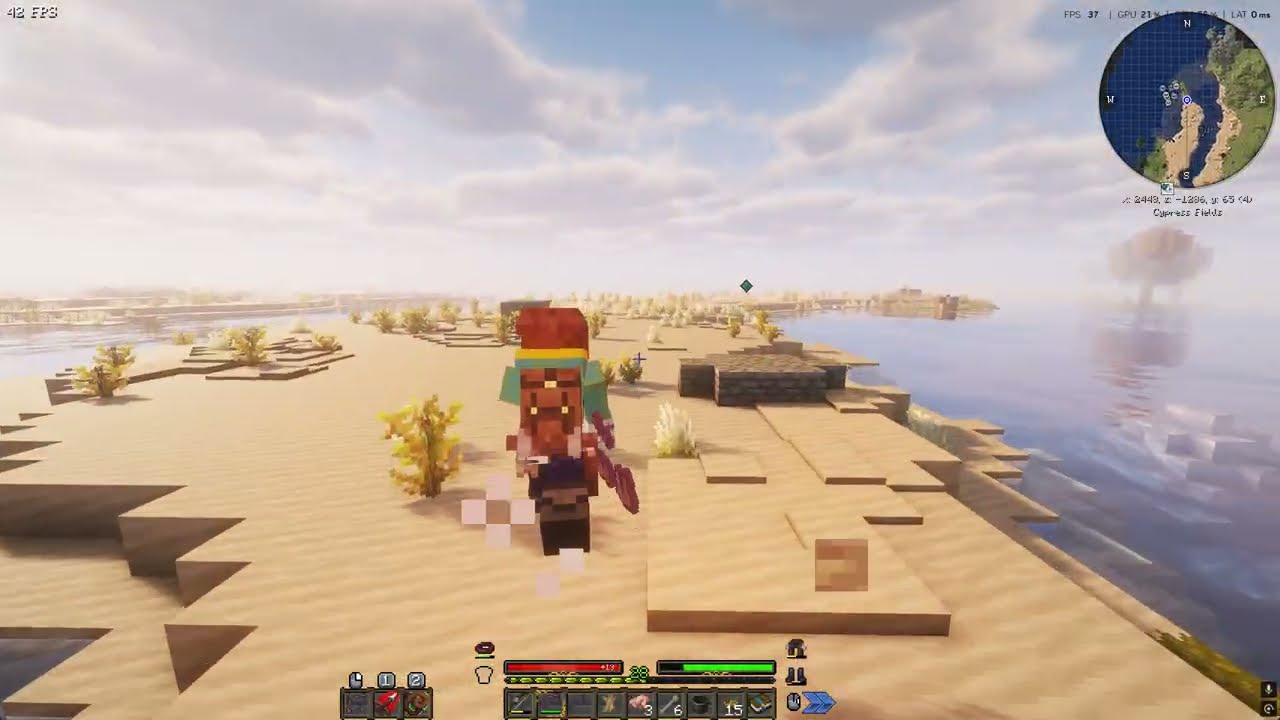
Hey there, I am also having an issue that I am wondering is also system related, because my friends playing the same pack on our server are not having this issue. We are on version 31, minecraft 1.21.1, cursforge launcher, no changes to the modpack. It seems certain biomes or certain entities are causing my game to stutter like crazy and the sound to break. I've tried disabling all particles, but it doesn't seem to be particle related like I thought. Here is a video of the issue. As soon as I step into the Cypress Fields biome, it breaks my game and doesn't revert until I disconnect-reconnect. This happens every time I enter this biome, and when around certain villages, I've noticed.
https://youtu.be/0cHGX0xLE3M
 dry sandal
polar mulch
if it doesnt work what do you think i should do after the 20 min
dry sandal
polar mulch
if it doesnt work what do you think i should do after the 20 min
run the command
winmgmt /verifyrepository
and let me know what it says
plucky axle
I know this might be outside of your normal knowhow for mod support, was just seeing if anyone knew anything that could help
polar mulch
dry sandal
run the command
```bash
winmgmt /verifyrepository
```
and let me know what it s...
okay i restarted my pc and is started running again but if i keep running into the issue i will let you know
polar mulch
dry sandal
run the command
```bash
winmgmt /verifyrepository
```
and let me know what it s...
i ran the command both of them cause i have the issue again
and it says "WMI repository is consistent"
polar mulch
Medieval MC 3 - v31 - 1.21.1 Fabric crashed without a crash report. The logs have been uploaded to gnomebot.dev:
What launcher did you run Minecraft with? (e.g. CurseForge, ATLauncher, MultiMC, ...)
CurseForge
Have you changed the modpack in any way except mods?
Nope
Have you ever gotten past the crash condition without crashing, or does the game always crash?
Gotten past once or twice
What steps cause the crash?
The modpack just never fully loads or opens the game
latest.log | crash_assistant_app.log | startup_scripts.log | modlist.txt | CurseForge: skip launcher
Found [2;34m1[0m log analysis results:
[2;34mAzureLibAddons[0m in: latest.log
this is the latest log i have
 tall edge
Will mobs of mythology be added back when its compatible again?
dry sandal
tall edge
Will mobs of mythology be added back when its compatible again?
yeah most likely, it's been almost a year since their last 1.21.1 update though
tall edge
dry sandal
yeah most likely, it's been almost a year since their last 1.21.1 update though
Ah I see
dry sandal
polar mulch
Medieval MC 3 - v31 - 1.21.1 Fabric crashed without a crash report. The logs hav...
it definitely seems like a system issue, there are multiple things it could be but almost all of them would probably be fixed by reinstalling windows
polar mulch
dry sandal
it definitely seems like a system issue, there are multiple things it could be b...
gee willickers alright i’ll just reinstall windows then
 lucid chasm
how do I turn off full bright
 nova venture
Can someone help. Recently updated and now getting Cannot invoke "dev.lambdaurora.lambdynlights.engine.scheduler.ChunkRebuildScheduler.startTick()" because "this.chunkRebuildScheduler" is null
Hmm. Maybe chunkRebuildScheduler is cached somewhere
nova venture
Well it's consistent.
somber geode
nova venture
Can someone help. Recently updated and now getting Cannot invoke "dev.lambdauror...
!moreinfo
midnight spokeBOT
- What Minecraft version are you using? (1.19.2, 1.20.1, ...)
- What launcher did you run Minecraft with? (e.g. CurseForge, ATLauncher, MultiMC, ...)
- Have you changed the modpack in any way? (e.g. changing mod versions, adding/removing mods)
- What version of the modpack are you using? (v11, v9, etc)
- Have you ever gotten past the crash condition without crashing, or does the game always crash?
- What steps cause the crash?
Required:
Open the game directory (right click pack -> open folder), navigate to the "crash-reports" folder and upload the latest available crash report.
If there is no crash report, navigate to the logs folder and upload "latest.log."
If there is no log, navigate to the base pack directory and upload the hs_err_pid file, if there is one.
nova venture
Where shall I post the extensive logs as here in the channel seems improper?
somber geode
nova venture
Where shall I post the extensive logs as here in the channel seems improper?
Drag and drop the actual log file here
nova venture
Medieval MC 3 - v32 - 1.21.1 Fabric crashed. The logs have been uploaded to gnomebot.dev:
What launcher did you run Minecraft with? ATLauncher
Have you changed the modpack in any way except mods? no
Have you ever gotten past the crash condition without crashing, or does the game always crash? Always crashes since recent update
What steps cause the crash?
Updated, removed lower versions of mods.
latest.log | crash-2026-05-05_00.01.36-client.txt | atlauncher.log | crash_assistant_app.log | modlist.txt
Mod list changes on top of the modpack:
Added mods:
[2;32mcustom-lan-1.21-1.21.1-v2.3.2.jar[0m
remove custom lan.
!ws
midnight spokeBOT
Luna Pixel's World Sharing
Our modpacks don't support any mods that add singleplayer hosting / world sharing because we already provide free world sharing. The 'Essential' mod is therefore incompatible.
To share your world using our own world hosting, click the 'Open to Lan' or 'Share World' button in the game menu when in a singleplayer world, and share the world.
It will give you an address, like magma-cube.mc.lunapixel.gg, which your friends can use to connect directly to your world as if it were a server!
We still highly suggest not to play through LAN as LAN is untested and unreliable. Using it will cause longterm damage to your world.
There is no reason to use LAN, as we support both paid and free methods of hosting a server the normal way.
If you get an error in chat when trying to host your world, we highly recommend selfhosting instead as it's free, very easy, and much more stable. Run the !server command in #bots to learn more.
 nova venture
sonic swift
remove custom lan.
nova venture
sonic swift
remove custom lan.
Trying
sonic swift
nova venture
Trying
hint: edit mods button
nova venture
I should have said, removed and now retesting
Medieval MC 3 - v32 - 1.21.1 Fabric crashed. The logs have been uploaded to gnomebot.dev:
What launcher did you run Minecraft with? ATLauncher
Have you changed the modpack in any way except mods? No
Have you ever gotten past the crash condition without crashing, or does the game always crash? Not since updating
What steps cause the crash?
Updating and adjusting until diff 0
latest.log | crash-2026-05-05_00.08.09-client.txt | atlauncher.log | crash_assistant_app.log | modlist.txt
Mod list changes on top of the modpack:
[2;34mMod list was not modified.[0m
try a fresh download of the pack
nova venture
Will do
nova venture
Medieval MC 3 - v32 - 1.21.1 Fabric crashed. The logs have been uploaded to gnomebot.dev:
What launcher did you run Minecraft with? ATLauncher
Have you changed the modpack in any way except mods? Nope, fresh install, new world.
Have you ever gotten past the crash condition without crashing, or does the game always crash?
Nope. New update has always crashed for me.
What steps cause the crash?
Download fresh install of new update using ATL Launcher. Start fresh world, and play for upwards of 30 seconds.
latest.log | crash-2026-05-05_00.28.49-client.txt | atlauncher.log | crash_assistant_app.log | modlist.txt
Mod list changes on top of the modpack:
[2;34mMod list was not modified.[0m
At least now I know it isn't my world that's the issue.
somber geode
Yes, that's good
nova venture
Worse case scenario at this point is just go back a version and maybe try again after the next update.
somber geode
v32 was released yesterday, maybe it has some issue, might need to wait for Muon to confirm
sonic swift
I'll try testing the update see if maybe I can recreate it
nova venture
It's always nice when it can be recreated on a dev's machine.
sonic swift
I'm not a dev on these projects, just a person who helps out and straightens out cranky toddler tantrums
nova venture
Still, need someone else to experience it or else it just not worth looking into that deep.
sonic swift
understandable, I always tell the dev friends though they can use me as a test monkey for their projects
nova venture
As long as they pay you in bananas? 😜
sonic swift
long as they aren't from costa rica (pollen allergen),
nova venture
Oddly specific. Not sure I pay close enough attention to where my food comes from to make that connection.
Although maybe I should as my tongue has mysteriously swollen up three times over the years and the doctors have no idea why
sonic swift
I developed oral allergy syndrome specifically to the bananas imported from there. Thankfully not all bananas or else I'd be balling my eyes out if I can't have banana bread again
you can develop allergies at any point in life. So fun.
game's letting me in just fine.
nova venture
True. I have an aunt that has progessed to the point the list of what she can eat is smaller
sonic swift
Body loves to do dumb things. I'm also trying a fresh world to be safe
nova venture
Well I did copy over the datapacks from the previous instance because they weren't automatically downloaded. So maybe there's something there.
sonic swift
what origin and such did you choose? or does it not even get to that point?
ah yeah that could have caused it, I'd try a fresh download no importing from other stuff, just what the launcher gives
nova venture
I chose Valkyrie
So ATL for some reason didn't get the datapacks for me so had to manually download them.
sonic swift
Cause it pulled from your previous downloads
nova venture
Nawh, the folder was empty and then it crashed and the diff showed no datapacks.
How strange it would be if it were because of the origin I chose.
Just in case someone wants to confirm it's the fault of the datapacks
I'm going to try to download it using curseforge and then launch it using ATL.
Your status says making a modpack. What's the dream?
sonic swift
nova venture
Your status says making a modpack. What's the dream?
vanilla+, in hopes to be super beginner friendly or chilled for those who need a break from the fancy packs. Primarily used to teach about the mechanics of modpacks like how to use EMI, trinkets, etc
nova venture
That probably would have helped some people I tried getting to play betweenlands 2
They somehow always got lost almost instantly when they lost sight of the base.
Now generating a new world from curse's download
Medieval MC 3 - v32 - 1.21.1 Fabric crashed. The logs have been uploaded to gnomebot.dev:
What launcher did you run Minecraft with? CurseForge
Have you changed the modpack in any way except mods? Nope, fresh download, fresh world.
Have you ever gotten past the crash condition without crashing, or does the game always crash?
It has always crashed for since the new update.
What steps cause the crash?
Fresh download from curseforge, choose Valkyrie, and jump.
latest.log head / tail (~11MB) | crash-2026-05-05_01.14.07-client.txt | crash_assistant_app.log | modlist.txt | CurseForge: skip launcher
Mod list changes on top of the modpack:
[2;34mMod list was not modified.[0m
I give up
New update just hates either me or Valkyries
dry sandal
nova venture
Medieval MC 3 - v32 - 1.21.1 Fabric crashed. The logs have been uploaded to `gno...
seems to just be a bug with lambdynamiclights
remove it for now
nova venture
That is one possible solution. Is there a change log somewhere?
sonic swift
nova venture
That is one possible solution. Is there a change log somewhere?
Always on curse website for view of the full one
nova venture
sonic swift
Always on curse website for view of the full one
I'm failing to locating it on there. Mind providing a link?
sonic swift
nova venture
I'm failing to locating it on there. Mind providing a link?
once you go to the modpack page, it's on versions, click latest version, and it'll show the changelog
nova venture
That's a huge update! Wow. Disabling lambdynamiclights is indeed the way to go.
nova venture
Well disabled the dynamic lights mod but have encountered another issue. Checking it on the fresh worlds to see if it repeats.
nova venture
Still issue on fresh but just kept getting kicked instead of crashing. Checking now on curseforge.
Interesting. I forgot to disable the dynamic lights mod on curseforge and everything was going smooth until I started trying to fly as an Valkyrie.
Testing on curseforge with lambdynamiclights disabled.
Medieval MC 3 - v32 - 1.21.1 Fabric crashed. The logs have been uploaded to gnomebot.dev:
What launcher did you run Minecraft with? (e.g. CurseForge, ATLauncher, MultiMC, ...)
Have you changed the modpack in any way except mods? Disabled the mode bellow
Have you ever gotten past the crash condition without crashing, or does the game always crash? It doesn't crash unless trying to fly as the Valkyrie.
What steps cause the crash?
Fresh download. Fresh world. Pick Valkyrie. Then double jump to fly.
latest.log | crash-2026-05-05_21.40.31-client.txt | crash_assistant_app.log | modlist.txt | CurseForge: skip launcher
Mod list changes on top of the modpack:
Removed mods:
[2;31mlambdynamiclights-4.8.8+1.21.1.jar[0m
Changing "use_stamina_for_flight": true to false in icarus.jsonc
didn't work
dry sandal
nova venture
Medieval MC 3 - v32 - 1.21.1 Fabric crashed. The logs have been uploaded to `gno...
very strange, the crash looks totally unrelated to elytra flight
looks like a wakes rendering issue
could be maybe water color rendering as you're loading new chunks
wakes wasn't updated this modpack version though so that would be strange
nova venture
It does show that in the crash log. The icarus thing is in latest.log
dry sandal
does it persist in a different world?
ah yeah
crash report is just totally unrelated
nova venture
I've tried on two worlds that were just created yesterday to test what is going on.
dry sandal
definitely icarus bug, I would try downgrading it to 4.6.4
nova venture
Alright. Deleting the config and downgrading.
dry sandal
i have a feeling it's not any actual config file, but related to how Medieval origins (where Valkyrie is from) integrates with icarus
nova venture
Maybe. To similar issues forums pointed out to maybe issues between icarus and Aether.
I do find it interesting the config file is jsonc
I've not seen that type of json before.
Oh it's a new type that allows one to add comments.
Why does curseforge only give me the option to install and not select version when modifying modpack!? I'll manually download I guess.
dry sandal
nova venture
Why does curseforge only give me the option to install and not select version wh...
if you click on the mod name in the list you should be able to select a specific version
can't do it while the game is running on fabric though
nova venture
Thanks. I guess it was just a small hitbox
Takes so long to start.
Some crashes caught by Neruina. Closing and retrying.
Happened again. Creating new world to test.
Looking over the logs generated in the dashboard on the other world load, a lot of because "dev.emi.emi.registry.EmiRegistryImpl.client.level" is null
New world loaded. Choosing Valkyrie.
Kicked right after I picked. That was with icarus 4.7.0
dry sandal
nova venture
New world loaded. Choosing Valkyrie.
Might try an even older Icarus, like 4.5.1
whatever the version before they added their own stamina attribute
nova venture
Sure. Let me see what version was used before the update and downgrade to that.
nova venture
Alright. I'll try that.
Launching
Lol. Now I can't get out of flight mode but no crashing >.<
and immune to fall damage
Happened on the 2nd world too. As soon as I got in flight mode jumping, crouching, crashing into the ground, none of it got me out.
going back one more version to see what happens
oops. Forgot to delete the config this time. Hopefully it replaces it.
Well it didn't work so deleted the config and relaunched and still can't get out of flight mode.
Valkyries are just broken now, and not in a good way.
Wonder if elytra's are broken in the new update as well.
Testing that out as it gives me a great excuse to change origins if Valkyries don't get fixed or removed.
nova venture
Elytra work just fine in the new update.
nova venture
Alright. I lowered mod versions Icarus 4.6.4, monolib2.1.0, azurelib 3.1.4, and changes to the icarus config. it now seems to be working. I need to slowly start changing things back until something breaks but that'll have to wait until tomorrow.
 sullen cloud
Medieval MC 3 - v32 - 1.21.1 Fabric crashed. The logs have been uploaded to gnomebot.dev:
What launcher did you run Minecraft with? (e.g. CurseForge, ATLauncher, MultiMC, ...)
curse forge
Have you changed the modpack in any way except mods?
no
Have you ever gotten past the crash condition without crashing, or does the game always crash?
it didn't crash when I first made my mc world but everytime i open it now it crashes
What steps cause the crash?
opening my mc world
latest.log | crash-2026-05-06_15.31.09-client.txt | CurseForge: launcher_log.txt | crash_assistant_app.log | modlist.txt
Mod list changes on top of the modpack:
[2;34mMod list was not modified.[0m
java.lang.NullPointerException: Cannot invoke "net.minecraft.world.level.storage.PrimaryLevelData.getDifficulty()" because "this.worldData" is null
at net.minecraft.server.MinecraftServer.runServer(MinecraftServer.java:634)
When it cannot find or read the level.dat file, doesn't that mean the world save is either missing its primary data file or the file is corrupted?
nova venture
nova venture
Alright. I lowered mod versions Icarus 4.6.4, monolib2.1.0, azurelib 3.1.4, and ...
Started a new world with a fresh install and as long as I lowered Icarus to 4.6.4 and changed the configs to can_slow_fall to false it got rid of the issues I had with Valkyrie flight on the new update. When I went back to my old world with the new settings infuriately was stuck in flight animation, even on the ground. /kill didn't work, drowning didn't work, melee didn't work, but pillagers with crossbows did. After I died and it reset my character I had no further issues.
 vague mural
Medieval MC 3 - v32 - 1.21.1 Fabric crashed. The logs have been uploaded to gnomebot.dev:
What launcher did you run Minecraft with? (e.g. CurseForge, ATLauncher, MultiMC, ...) CURSEFORGE
Have you changed the modpack in any way except mods? NO
Have you ever gotten past the crash condition without crashing, or does the game always crash? WHEN IN GAME EITHER TIKCING ERROR OR IT CRASHES
What steps cause the crash? IDK
latest.log head / tail (~29MB) | crash-2026-05-09_18.25.11-client.txt | CurseForge: launcher_log.txt head / tail (~31MB) | crash_assistant_app.log | modlist.txt
Mod list changes on top of the modpack:
[2;34mMod list was not modified.[0m
Error: java.lang.NullPointerException: Cannot invoke "net.minecraft.world.level.BlockAndTintGetter.getBlockTint(net.minecraft.core.BlockPos, net.minecraft.world.level.ColorResolver)" because "$$0" is null
dry sandal
vague mural
Medieval MC 3 - v32 - 1.21.1 Fabric crashed. The logs have been uploaded to `gno...
Same issue as above, pick a different origin or downgrade the Icarus mod to 4.6.4
vague mural
dry sandal
Same issue as above, pick a different origin or downgrade the Icarus mod to 4.6....
Alrighty hopefully this is gonna work
vague mural
dry sandal
Same issue as above, pick a different origin or downgrade the Icarus mod to 4.6....
It seems to have worked except my character is now stuck in flight mode (playing valkyrie)
dry sandal
try using an orb of origin to switch to human then back to Valkyrie
vague mural
Should I give myseld the orb
 livid karma
i cant find should_crash_on_startup or essential container, "problematic_mods_config.json" doesnt exist eother can anyone help?
somber geode
livid karma
i cant find should_crash_on_startup or essential container, "problematic_mods_co...
The file got renamed
!ea
midnight spokeBOT
⚠️ Essential Mod Not Supported
We strongly recommend against using Essential with our modpacks, and we add a warning screen during modpack startup containing the following message by default. A free world-sharing alternative is already built-in called Luna - click Share World in the game menu to use it.
Why we don't support Essential:
-
Technical issues: We've received multiple user reports of problems when combining Essential with our modpacks, including reports of world corruption. While there is no conclusive evidence of Essential as the definite cause, we do not have the development or support capacity to resolve issues potentially caused by it.
-
Security concerns: Essential's auto-updater introduces potential security risks that are outside of our control.
-
Ethics: We object to Essential's inclusion of in-game currency and microtransactions in an otherwise free modding environment.
If you choose to use Essential anyway
Please understand that you do so at your own risk and will not be eligible for support from our team. To remove this warning, you can open your modpack instance folder, navigate to config/crash_assistant/problematic_mods_config.json, and under essential-container, change should_crash_on_startup from true to false. On newer modpack versions, this is replaced by a migrated .jexl in the same location, which you can also open in a text editor then simply delete the section for Essential.
livid karma
what is the file name?
somber geode
No idea - there shouldn't be many files in that location, so it should be easy to figure it out
livid karma
i tried all files in that area, ctrl + f searching for keywords too and i couldnt find anything
 hollow mist
any tips for new players
sonic swift
hollow mist
any tips for new players
questbook is your best friend.
hollow mist
Medieval MC 3 - v32 - 1.21.1 Fabric crashed. The logs have been uploaded to gnomebot.dev:
What launcher did you run Minecraft with? (e.g. CurseForge, ATLauncher, MultiMC, ...)
Have you changed the modpack in any way except mods?
Have you ever gotten past the crash condition without crashing, or does the game always crash?
What steps cause the crash?
latest.log | crash-2026-05-10_19.09.58-client.txt | CurseForge: launcher_log.txt | crash_assistant_app.log | modlist.txt
Mod list changes on top of the modpack:
[2;34mMod list was not modified.[0m
everytime i open it it crashes unfortunately
dry sandal
hollow mist
Medieval MC 3 - v32 - 1.21.1 Fabric crashed. The logs have been uploaded to `gno...
Downgrade the LambDynamicLights mod to 4.8.7
 odd estuary
 stoic widget
Medieval MC 3 - v18 crashed. The logs have been uploaded to mclo.gs:
- 1.21.1 [FABRIC]
- What launcher did you run Minecraft with? ATLauncher
- Have you changed the modpack in any way except mods? No, clean install
- v18
- Have you ever gotten past the crash condition without crashing, or does the game always crash? Always crashing
- What steps cause the crash? Starting the game
[2;32m2[0m added, [2;31m2[0m removed, [2;34m63[0m updated.
Just did a clean install and im crashing, on that note im also wondering whats the "most up to date" MMC version? Theres 2 for fabric I believe? MMC2 v32 and MMC3 v18
somber geode
stoic widget
Medieval MC 3 - v18 crashed. The logs have been uploaded to `mclo.gs`:
1. 1.21.1...
Not sure what you did, but reinstall it and make sure to select Curseforge as the source for the pack ( #faq )
This doesn't look good...
[2;32m2[0m added, [2;31m2[0m removed, [2;34m63[0m updated.
oh i see that also goes up to v32, the modrinth one only goes up to v18
working now, ty :)
 ancient aspen
1.21.1 [FABRIC]
What launcher did you run Minecraft with? curseforge
Have you changed the modpack in any way except mods? No, clean install
v32
Have you ever gotten past the crash condition without crashing, or does the game always crash? unsure
What steps cause the crash? creper blowing up specifically next to a wizard villager
Medieval MC 3 - v32 - 1.21.1 Fabric crashed. The logs have been uploaded to gnomebot.dev:
What launcher did you run Minecraft with? (e.g. CurseForge, ATLauncher, MultiMC, ...)
Have you changed the modpack in any way except mods?
Have you ever gotten past the crash condition without crashing, or does the game always crash?
What steps cause the crash?
latest.log | crash-2026-05-12_09.28.05-client.txt | CurseForge: stdout-logs.txt | crash_assistant_app.log | modlist.txt
Mod list changes on top of the modpack:
[2;34mMod list was not modified.[0m
Downgrade lambdynamiclights to 4.8.7
let me know if that fixes it
ancient aspen
trying it
Medieval MC 3 - v32 - 1.21.1 Fabric crashed. The logs have been uploaded to gnomebot.dev:
What launcher did you run Minecraft with? (e.g. CurseForge, ATLauncher, MultiMC, ...)
Have you changed the modpack in any way except mods?
Have you ever gotten past the crash condition without crashing, or does the game always crash?
What steps cause the crash?
latest.log | crash-2026-05-12_09.28.05-client.txt | CurseForge: stdout-logs.txt | crash_assistant_app.log | modlist.txt
Mod list changes on top of the modpack:
[2;34mMod list was not modified.[0m
now its counting me as a ticking entity 😭
dry sandal
ancient aspen
Medieval MC 3 - v32 - 1.21.1 Fabric crashed. The logs have been uploaded to `gno...
Looks like it's still 4.8.8?
did you try to update while the game was still running
ancient aspen
No, I mean maybe? don't remember I think i had the crash log open so but i've restarted my client and the server
 dry sandal
ancient aspen
No, I mean maybe? don't remember I think i had the crash log open so but i've re...
dry sandal
ancient aspen
No, I mean maybe? don't remember I think i had the crash log open so but i've re...
check the mods folder, just make sure there's no 4.8.8 jar still in there
in the crash you sent it's still loading 4.8.8
ancient aspen
I don't think so

server doesn't have it either

latest.log | crash-2026-05-12_10.15.26-client.txt | CurseForge: stdout-logs.txt | crash_assistant_app.log | modlist.txt
Mod list changes on top of the modpack:
Updated mods:
[2;34mlambdynlights[0m ([2;31m4.8.8+1.21.1[0m > [2;32m4.8.7+1.21.1[0m)
I think i got it to read the right version?
ancient aspen
okay so i removed lambdynlights just to see and now its just giving me a ticking entity error
 dry sandal
ancient aspen
okay so i removed lambdynlights just to see and now its just giving me a ticking...
dry sandal
ancient aspen
okay so i removed lambdynlights just to see and now its just giving me a ticking...
is the particle effects mod present on the server or not?
ancient aspen
it is not
dry sandal
try copying it from your client mods to the server, i think some "mostly clientside" mod may be doing something weird here
 ancient aspen
alright im confused i copied the server mods over into my own mods and its still giving me the glowsquid error
 velvet nymph
Me and my friends wanted to paly medieval mc mmc3 fabric and we saw those npcs look weird. was wondering why that happened?
 ancient aspen
thats scary
velvet nymph
agreed
It's only those ones at least which is kinda why I'm curious why it happened
ancient aspen
im so confused because it says its a partical error for the glow squids so I go okay and remove the partical mod but then it says that wizards freeze isn't working so I remove that and then the game won't open because apparently certain mods need those as a dependency and im losing my mind a little bit LOL
velvet nymph
understandable
ancient aspen
has anyone else had this issue? or is it just me?
 mint cedar
ancient aspen
IT WAS ICARUS
mint cedar
ancient aspen
IT WAS ICARUS
Funny how all of the errors ive run into was because of icarus. fixed all of them by downgrading to Icarus-Fabric-4.6.4
Well nearly all.  the End not generating anything outside of the enderdragon island is the .. most enjoyable... issue i ever had
ancient aspen
crazy
 worn relic
i'm playing valkyrie on mmc3 and my game crashes when i open my wings
mint cedar
worn relic
i'm playing valkyrie on mmc3 and my game crashes when i open my wings
downgrade to icarus-fabric-4.6.4 and delete the icarus mod you have rn
should come from the energy they added after to these wings
ancient aspen
can't make dragon steel
Dragon gets turned into ticking entity and won't blow on forge because its in a suspended state
 livid blade
Was there a fix for the key bind resetting please ?
stoic widget
are there any stat wise challenges to overcome when i started oneshotting dragons? (Ice and Fire)
or is it already "you beat the game" type power
(are there stronger enemies)
nova venture
What? How? I'm dealing 18 damage and get overwhelmed when my valkyrie can't fight from the air.
stoic widget
nova venture
What? How? I'm dealing 18 damage and get overwhelmed when my valkyrie can't figh...
I gave up on Valkyrie it seems to be bugged no matter how many undead I kill it never lowers the weakness effects
Also just the correct gear like affix reforging and gems and level (skill tree maxed out) boosts dmg by a lot
 weak estuary
How do I increase my hp
 dawn moth
nova venture
weak estuary
How do I increase my hp
dawn moth
nova venture
weak estuary
How do I increase my hp
I see you can get some additional health on your gear but it would be nice to not die in a few hits. Enemies go around with 300 or more and I'm rocking 16
 orchid gorge
 spice folioBOT
orchid gorge
spice folioBOT
orchid gorge
Uploaded crash-2026-05-23_05.34.40-client.txt from @orchid gorge to mclogs: https://gnomebot.dev/paste/mclogs/0bKfWbo
orchid gorge
mint cedar
downgrade to icarus-fabric-4.6.4 and delete the icarus mod you have rn
should co...
THANK YOU
Okay, now it seems that I'm not allowed to walk
I can only fly now
 rustic apex
latest.log | crash-2026-05-23_20.37.51-client.txt | GDLauncher: main.log | crash_assistant_app.log
Mod list changes beyond the modpack:
[2;32m2[0m added, [2;31m2[0m removed, [2;34m63[0m updated.
Unsure what happened here since what I did was install the mods that were asked for on the first boot of the modpack
....And I somehow fixed it by re-downloading spellswords?????
okay then
sonic swift
rustic apex
### [latest.log](<https://mclo.gs/Bv7MsSi>) | [crash-2026-05-23_20.37.51-cli...
!updatemods
midnight spokeBOT
Do NOT Update Mods Manually!
Modpacks use specific versions of certain mods to prevent various issues, such as crashes or major game-breaking bugs. Mods will be updated by the modpack developer when they see fit. Please do not update the mods in a modpack manually, unless specifically told to do so. This includes hitting the "update all" feature on CurseForge launcher it likes to bother users with.
To be clear; this is separate from updating the modpack (such as Better MC / Medieval MC) itself. You should always stay up to date with the latest version of the modpack. To update the pack correctly, you can follow the command!updatemodpack
The easiest way to downgrade mod versions to their original versions in the pack, is to reinstall the pack itself. Before you uninstall, back up both any singleplayer world files you have, and your map folder. LPS packs usually use JourneyMap or Xareos, the map folder will be named accordingly.
- Curseforge -> Right click the modpack instance -> „Open Folder”.
- ATLauncher -> Click „Open Folder” on the modpack instance.
- PrismLauncher -> Select your instance and click „Folder” on the right.
Navigate to the "minecraft" folder, and within that will be "saves" and "journeymap"/"xareos" depending on which the pack has. Copy/Move these folders to a safe location, and you can move them right back to the fresh copy of the pack when reinstalled.
sonic swift
And use atlauncher or prism. GDL isn't good anyways
 strong maple
how does one fix their arms being like this on fabric

fixed it
these resource packs need to be in this order, the default isnt correct
 strong maple
hey! I was getting audio clipping especially in water, I fixed it by setting my headsets audio format to this in control panel
 nova venture
orchid gorge
I can only fly now
nova venture
orchid gorge
I can only fly now
Encountered the same issue. Was immune to /kill and environmental damage. Sea serpent or crossbow pillagers worked though and once I died it reset the character and worked normally again.
Anyone else encountering issues with the trespassers? It doesn't take down the client but does put a link to this log in the chat.
nova venture
Looks like the updates 1.5.1 and 1.5.2 are specifically for this issue so hopefully updating that mod works.
nova venture
Haven't had an issue since
 shadow forge
Is there a way to tweak world gen/terrain? I've been trying to make the biomes bigger because I'm dissatisfied with how it is. [MMC2 Fabric 1.20.1]
spice folioBOT
More than 3 logs were uploaded in one message, won't upload.
@drowsy skiff requested deletion of this link.
@drowsy skiff requested deletion of this link.
 drowsy skiff
OMFG. LET ME ASK HELP BRUH.
IM HAVING ISSUES. WITH THE MMC3 MODPACK. it keeps crashing when theres nothing wrong, and i have done everything by making space, lowering EVERYTHING moving slowly. not jumping/running and it js kicks me or crashes ... what do i do??
spice folioBOT
drowsy skiff
Uploaded crash-2026-05-27_20.07.21-client.txt from @drowsy skiff to mclogs: https://gnomebot.dev/paste/mclogs/S3sDSZl
drowsy skiff
spice folioBOT
drowsy skiff
Uploaded crash_assistant_app.log from @drowsy skiff to mclogs: https://gnomebot.dev/paste/mclogs/tkZdCYj
drowsy skiff
 cunning crystal
How do i open fishing crates i tried to open one but i dont think anything happened
Nvm
 crimson glacier
Is there a reason healing someone doesnt reward xp in the coalescent magics tree? Can I turn it back on somehow?
Also in general, magic feels kinda weak? Am I missing something?
dry sandal
crimson glacier
Is there a reason healing someone doesnt reward xp in the coalescent magics tree...
it's just not implemented, puffish skills (and vanilla for that matter) has no way to track whether a player has healed another player, so we need to add that experience source
dry sandal
drowsy skiff
bug with lambdynamiclights, downgrading it to 4.8.7 should work
crimson glacier
dry sandal
it's just not implemented, puffish skills (and vanilla for that matter) has no w...
thank you for answering! on a second note, lightning spells arent added either in mmc3 right?
 atomic elbow
Does anyone know if there are any good servers with this mod?
 empty oyster
yayy first message again
 fringe merlin
well hopefully that message get delete so then i will be the first message xd
empty oyster
nooooo xxxd
 cunning marten
What is Fabric? Nor familiar with this terminology for Minecraft
 finite matrix
cunning marten
What is Fabric? Nor familiar with this terminology for Minecraft
finite matrix
cunning marten
What is Fabric? Nor familiar with this terminology for Minecraft
Fabric is another mod loader, some mods are only made for fabric and not forge.
fringe merlin
how much of a difference you guys think there will be between the two?
cunning marten

My experience thus far with Fabric compared to Forge is that death doesn't brick my game, my frame rate is much better, and it opens 2 menus at the beginning of the world instead of 1 for me. :D
 ember temple
Thom Revolution here
 kindred turret
cunning marten
kindred turret
cunning marten
removing corpse mod on forge fixed the issue
Compred to forge the fabric's worldgen is basic
cunning marten
I was just reading about that, and yeah the worlds kinda are. xD
But shoot, removing Corpse will limit any multiplayer servers we decide to play unless they do it too :v
kindred turret
That's the only issue I have with fabric the poor worldgen
kindred turret
cunning marten
But shoot, removing Corpse will limit any multiplayer servers we decide to play ...
singleplayer for the pogs
these packs are not on the Aternos
I don't know any other free hosting service
finite matrix
Aternos can run these packs
cunning marten
fringe merlin
how much of a difference you guys think there will be between the two?
I guess the biggest different I found is that Fabric has some kind of RPG class-mechanic with skill trees involved.
 trail pagoda
fabric is a lot more stable no?
 thin yew
 ivory kernel
probs in a month or more
 kind bluff
Are there server files for this modpack or no?
kindred turret
anyone else experienced massive lag spikes on this modpack when exploring the castles / towers?
kindred turret
kind bluff
Are there server files for this modpack or no?
atm, there doesn't seem to be any server files available
 zinc bay
Hey what are the notable differences between the fabric and the forge version of this modpack? i looked a bit at the mod list buyt i didt see anything radically different
 versed jungle
so uh, server I'm doing with friends keeps crashing because entities are spawning bugged, not quite sure what's causing it but the server will randomly crash because of it

(not my server i should say but thought I should ask this here to see if anyone else has experienced it)
 lyric niche
I havent played the fabric version but that is just a zombified villager with a missing texture, on forge that doesnt crash, if i remember correctly its a zombified villager king
versed jungle
only other moderately useful thing I have at the moment is a line of the crash report...
 kind bluff
We've slowly been removing mods and it might be exile and like boss enemy conflicting with other mods
with boss enemys i mena like the special ones
mean*
ivory kernel
It's in beta and that's why it has no serverpacks yet
Eventually when I get time, I'll make a release and a serverpack
 echo ledge
There is a 'issue' with the origin mod. When you select the dwarf class, there is a negative effect where you need to wear a helmet too see clearly in sun light. But only the vanilla helmets work, can this be fixed so all helmets work?
 open slate
How do I check what race I have?
 regal badger
echo ledge
There is a 'issue' with the origin mod. When you select the dwarf class, there i...
regal badger
echo ledge
There is a 'issue' with the origin mod. When you select the dwarf class, there i...
It might be whatever mod adds the origins problem. It sounds like they are specifically looking for vanilla helmets, but probably need to tie into the helmet class of objects or the head slot in particular.
TLDR: talk to the mod author might be quicker in this case.
 turbid forge
what is the difference between medieval minecraft & medieval minecraft fabric ?
echo ledge
turbid forge
what is the difference between medieval minecraft & medieval minecraft fabric...
Medieval minecraft is the forge version
turbid forge
okay thx ^^
echo ledge
turbid forge
okay thx ^^
no problem 👍
finite matrix
most likely entities or too little ram allocated
finite matrix
Could be monsters or animals, not to sure about the fabric version.
however if you give yourself nightvision and hit f3+n you could look around underground for the problem
 unborn sluice
is tehre a way to add optifine to this modpack?
kindred turret
unborn sluice
is tehre a way to add optifine to this modpack?
Sorry my dude here you go
If you can't get it to work let me know, I haven't tried to make it work for this modpack yet so I can't get rid of mods that might be interfering with optifabric if any issues occur
ivory kernel
make sure you are choosing the 15 hf
 slow garnet
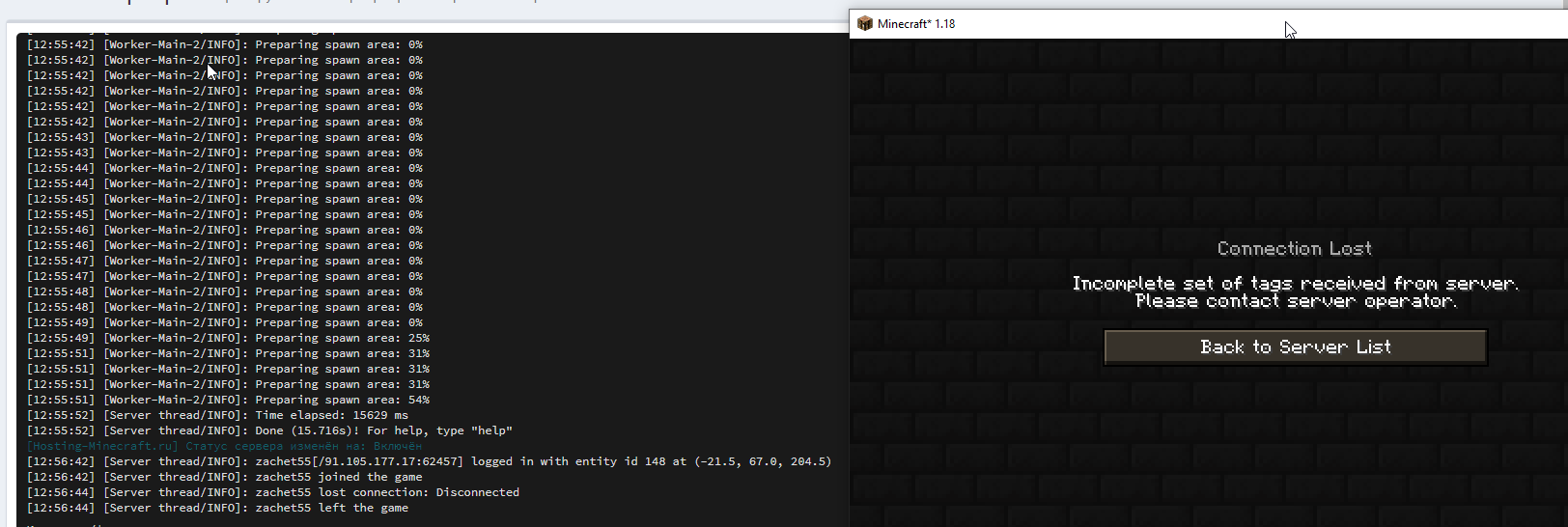
Hello Guys, I have a Problem, i cant join my own Server...
Minecraft:
Connection Lost
Registry remapping failed: Received ID map for minecraft:mob_effect Contains IDs unknown to the receiver!
- beaconoverhaul:nutrition
- beaconoverhaul:long_reach
Serverconsole:
could not be synced because server networking isn't set up yet.
What have I done wrong!?
 keen shoal
slow garnet
Hello Guys, I have a Problem, i cant join my own Server...
**Minecraft:**
*Conn...
keen shoal
slow garnet
Hello Guys, I have a Problem, i cant join my own Server...
**Minecraft:**
*Conn...
you may be using forge edition
Oh you meant server
Uhm, I sadly havent had issues with servers, only getting it working.
So I cant help.
 dusty cove
Anyone know why my inventory items are showing on my screen when my inventory is not open?
 mellow marsh
try pressing O, or look up what your inventory hud keybind is
dusty cove
ty
slow garnet
I have now got the problem solved.
I just completely reinstalled the server.
But now I have another problem.
Origins does not work on the server. 😔

 bold wraith
slow garnet
Hello Guys, I have a Problem, i cant join my own Server...
**Minecraft:**
*Conn...
bold wraith
slow garnet
Hello Guys, I have a Problem, i cant join my own Server...
**Minecraft:**
*Conn...
i'm also getting this error
i tried reinstalling but that hasn't helped me
ivory kernel
@bold wraith @slow garnet can you check if origins is in the serverpack mods
 buoyant gale
how do u drink water?
 shrewd coral
shift right click
@ivory kernel I beleive the beacon overhaul is missing on the curseforge clients' modpack list. I was originally getting this error
*Connection Lost
Registry remapping failed: Received ID map for minecraft:mob_effect Contains IDs unknown to the receiver!
- beaconoverhaul:nutrition
- beaconoverhaul:long_reach*
moving the modpack over seems to have fixed that but now I get this when trying to join

Okay so I fixed it by simply grabbing all the mod .jars from the server packet and moved it into the mod folder for the game. There appear to be mismatches
slow garnet
ivory kernel
<@180459921140088843> <@165036709464113153> can you check if origins is in the s...
Yes Origins is in the Server Pack mods folder
I have another question. Why does my single player world look different from the server world? although both have the same seed.
slow garnet
shrewd coral
Okay so I fixed it by simply grabbing all the mod .jars from the server packet a...
I'll try that too, maybe it will work
did not work for me :/
slow garnet
@shrewd coral
does origins work for you on the server?
shrewd coral
yes
we had to retry at moving origins over
make sure u have both origins mods on both the client mod list and server mdo list
slow garnet
I have. I'll just let the world regenerate again, maybe that will help

 sand birch
What is the key to open REI in this modpack?
 edgy crypt
are sunflowers supposed to have packed ice on top of them?
kindred turret
Now that doesn't sound right naturally ono..
edgy crypt
 sand birch
Still don’t know how to open REI, idk if I’m just missing something simple or not.
kindred turret
yo so does anyone know how to make clean drinkable water?
dusty cove
Where does one acquire leather in this?
 atomic compass
dusty cove
Where does one acquire leather in this?
atomic compass
dusty cove
Where does one acquire leather in this?
cows? and or horses?
dusty cove
They are dropping hide
@atomic compass but there is no clear path to leather from hide
atomic compass
ah
 uncut hull
Yeah i'm in the same boat. Idk if the fleshz mod is bugged or what, but I can't figure it out.
dusty cove
ok, so not just me
 tight oxide
what is error code 4293967295?
 vestal pebble
Is there servers for this modpack too?
 jolly epoch
dusty cove
<@!186350596817813504> but there is no clear path to leather from hide
jolly epoch
dusty cove
<@!186350596817813504> but there is no clear path to leather from hide
Create wood racks out of wood slabs
Turn hides into prepared hides with sugar first
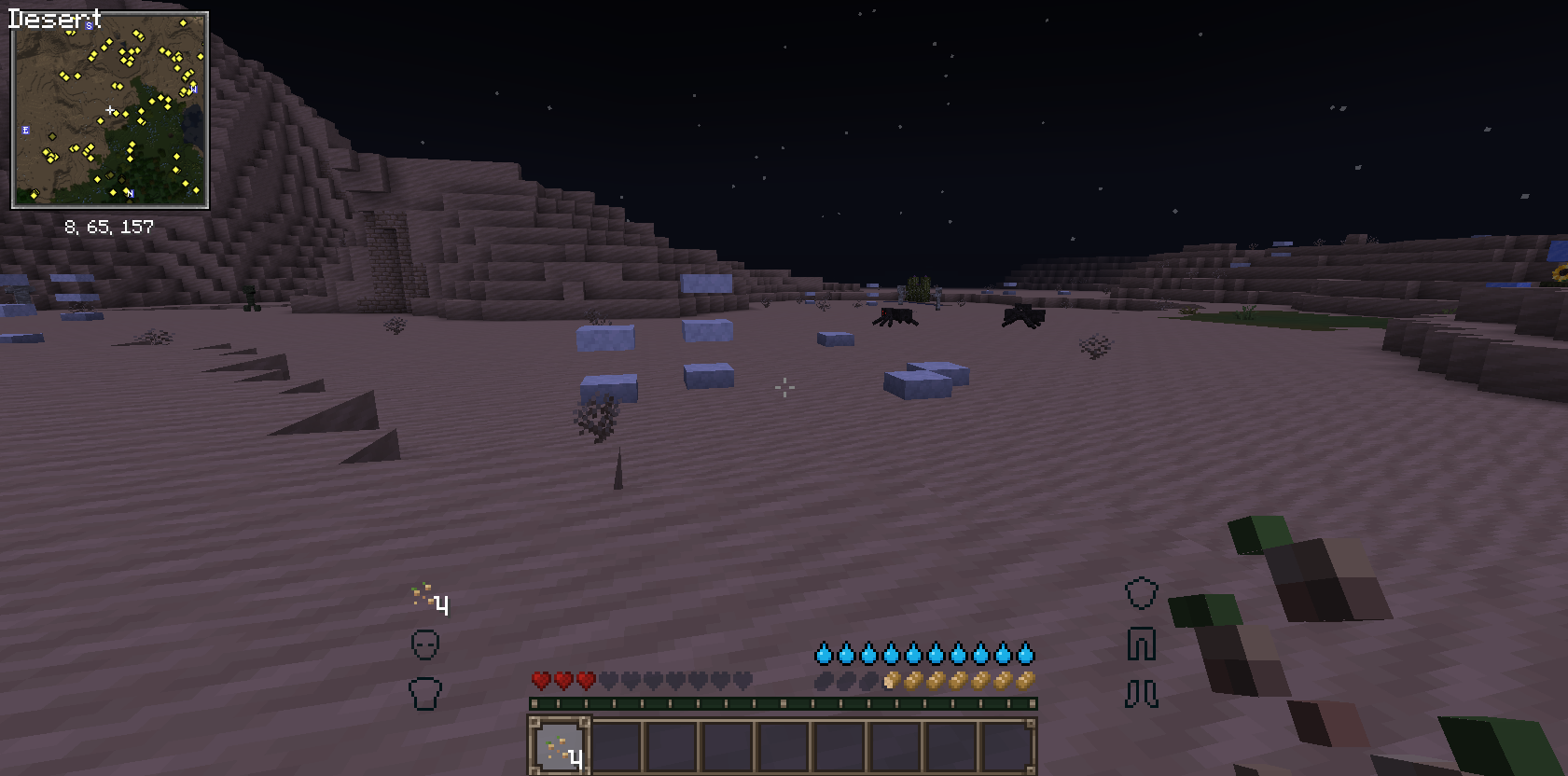
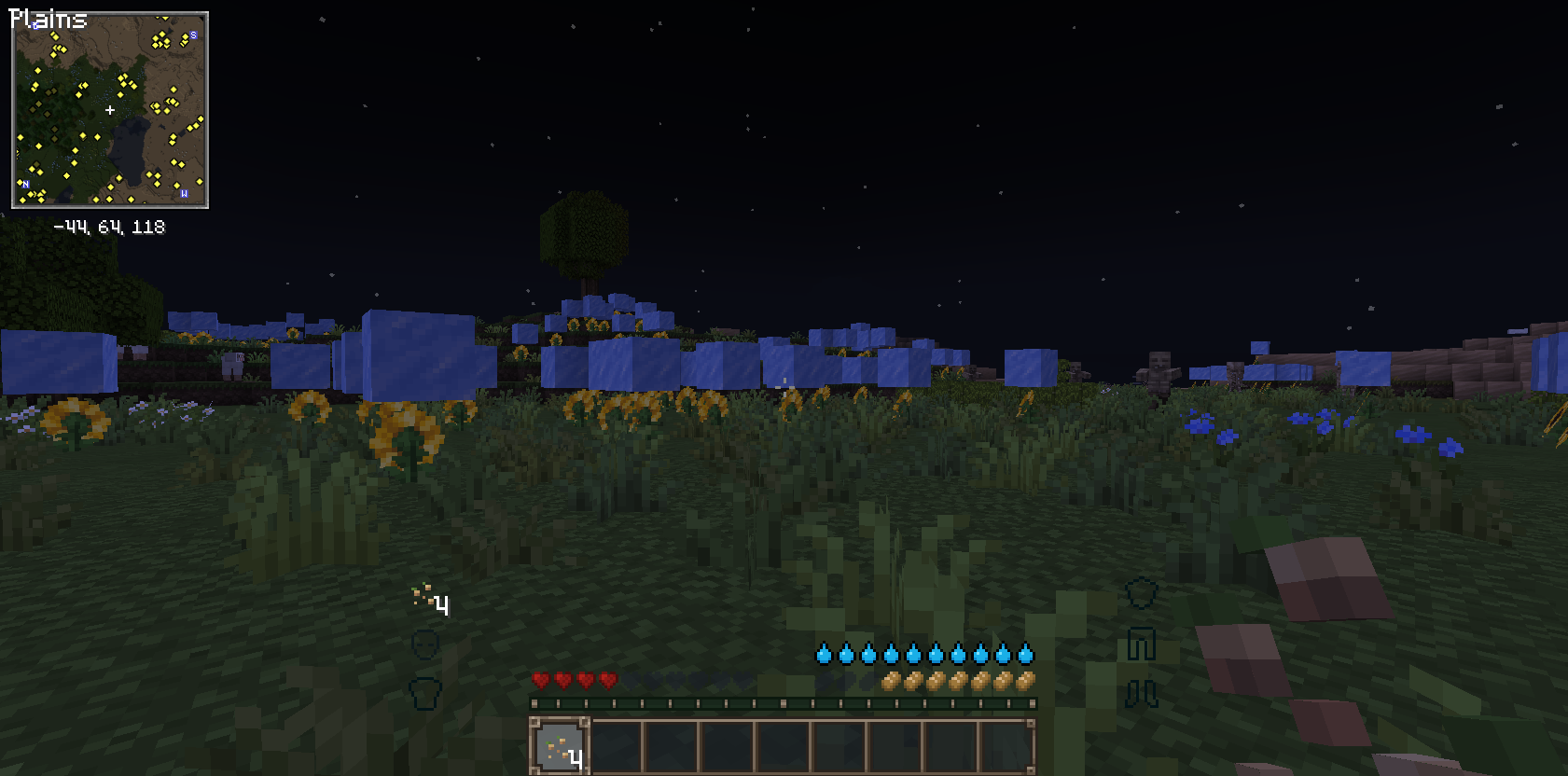
I manually installed Architectury and REI which helped
 pallid dome
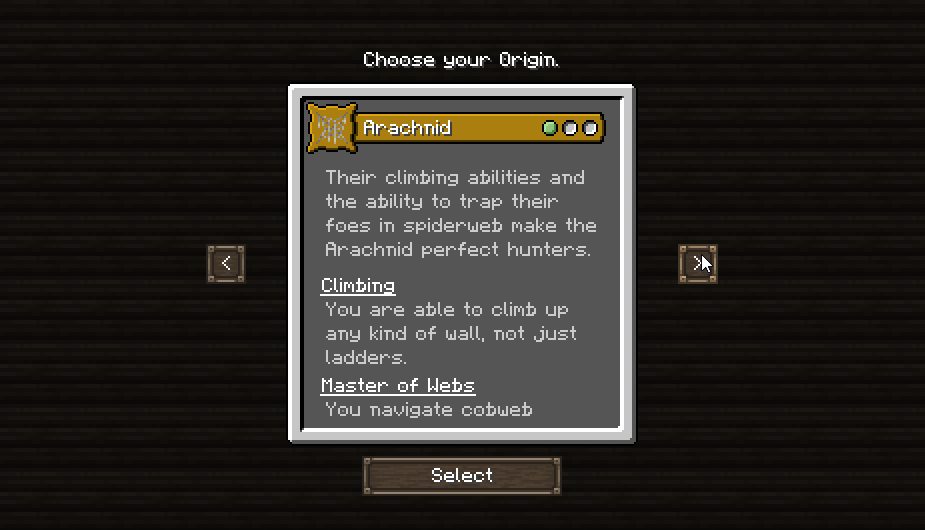
and one more question. https://i.imgur.com/1Z9Faej.png is this choose menu appears only in single player? cause it's not appears on server join
 verbal wing
does this mod pack have like skilling like the prevous pack does? like u hit Y and choose skills
 short dagger
verbal wing
short dagger
verbal wing
????why can u craft a diamond pickaxe with a apple and a book
kindred turret
Say what?
verbal wing
kindred turret
Say what?
so i added a NEI mod and it shows that a book and an apple crafts a diamond pickaxe
going to pop into a creative save and see if its an actual thing
there u go

only edit i have to the modpack is NEI and a minimap
 ivory kernel
verbal wing
there u go
ivory kernel
verbal wing
there u go
lmao ill fix it in next update if i can
verbal wing
thank you 😄 honestly i am happy to be able to report bugs like this, i wish my last bug report god the same responce
ivory kernel
what was that? im very busy so my mods just report things in private channels
verbal wing
well i found a pre generated structor and the entire 2 layers of blocks where silverfish blocks and not real cobblestone
and it almost bricked my pc
verbal wing
it was actualy in the older version of the mod

like...u know how theres 2 medieval modpacks and this ones fabric. that was the other one. u see the first 2 layors of cobblestone are missing
it was ALL silverfish
ivory kernel
well that is how that structures spawns so nothing i can do about it
verbal wing
damn thats brutal
ivory kernel
maybe there is a chance it rarely spawns with silver fish
 opal pike
might sound dumb but how do you drink water
 zenith seal
i cant find any recipes to craft leather, theres rotten leather but it doesnt seem to be a part of any recipes, i will try some things and see if i can find a method
verbal wing
thanks 😄 trying to make a backpack and im basicly just trying to get leather from chests hahaha
zenith seal

figured it out @verbal wing
the rack is the same recipe as the classic drying rack, 3 slabs in a horizontal line
zenith seal
i just started playing like an hour ago i havent found anything, i'm an inchling living in a hobbit hole rn
incling blacksmith
verbal wing
i really wish this version included the leveling up skills
i found a castle with like 80 mobspawners in it lol
ivory kernel
its 1.17 so they dont have that yet but you do have stats
ivory kernel
the mod wasnt for fabric either so
so their most likely wont be a stats mod expect the one you have now
verbal wing
true true
i am an oldschool modded player though i have seen that mod evolve like 30 times
just got to wait till number 31
is fabric going to be the new mod framework or is it like temperary till everything else updates?
ivory kernel
wdym by mod framework?
verbal wing
i say i play modded minecraft like crazy but i dont know anything about it uhhhh let me get the word
ivory kernel
forge and fabric are different api's meaning different mods for different launchers
so they all will be udpated
verbal wing
so i did some testing and the merchant class might be the most op class in the game for i can basicly make diamonds out of sticks
 karmic apex
Hey, my game keeps crashing
when i try to launch the 1.17 version
The game crashed whilst initializing game
Error: java.lang.RuntimeException: Could not execute entrypoint stage 'client' due to errors, provided by 'simple-rpc'!
Exit Code: -1
i run into this error
 errant sand
Mine crashes as well on MultiMC
On GDLauncher it just keeps loading forever
karmic apex
I removed the Simple-RPC mod and now it works fine xD
also is there a way to change my class and race on a server
dusty cove
jolly epoch
Create wood racks out of wood slabs
How do I place the prepared hide on the racks?
uncut hull
dusty cove
How do I place the prepared hide on the racks?
I think it’s supposed to be as simple as right clicking on the rack with the prepared hide in your hand, but it was bugged for me and wouldn’t place as of v1.5 of the pack. I think it might’ve been fixed in v2, but I’m not 100% sure. I only quickly tested it in a creative world earlier today.
errant sand
Also getting this
 dusty cove
uncut hull
I think it’s supposed to be as simple as right clicking on the rack with the pre...
dusty cove
uncut hull
I think it’s supposed to be as simple as right clicking on the rack with the pre...
Hmmm. I’ll have to try to update my server. Thanks.
kindred turret
errant sand
Also getting this
For MultiMC you need to download the fabric into its profile
If you don't know how I can show you when you get on later
 novel sundial
Trying to launch medieval fabric through curseforge and it has given me this error multiple times
 kindred turret
novel sundial
Trying to launch medieval fabric through curseforge and it has given me this err...
kindred turret
novel sundial
Trying to launch medieval fabric through curseforge and it has given me this err...
See if disabling rpc will get rid of your issue
novel sundial
I just deleted the mod file and it worked fine, thank you for the help
errant sand
kindred turret
For MultiMC you need to download the fabric into its profile
I think I know how. Just the version it said in the error?
kindred turret
Yeah use the version it said in error
errant sand
Cool
kindred turret
it works?
 kindred turret
Your client and server don't match :o
errant sand
Now this happened
 kindred turret
pallid dome
but...
kindred turret
pallid dome
but...
Delete the modpack profile and try to install it the way #810324858181255168 does
#810324858181255168 message
kindred turret
errant sand
Now this happened
You're running Minecraft 1.17, you need Java 16
errant sand
Gotcha
pallid dome
kindred turret
Delete the modpack profile and try to install it the way <#810324858181255168> ...
ty, will try. mb problem is that i run minecraft with "tlauncher", not from curse app? cause won't log with mojang/microsoft id... , so what i do - after installing modpack with curseforge - i cut it and paste into my minecraft directory (%appdata%) ? or it's doesn't matter
kindred turret
You're on your own now, we won't help you anymore as using tlauncher is illegal @_@
errant sand
kindred turret
You're running Minecraft 1.17, you need Java 16
I can't seem to find Java 16 :(
Only up to 8
kindred turret
errant sand
I can't seem to find Java 16 :(
https://adoptopenjdk.net/archive.html?variant=openjdk16&jvmVariant=hotspot
Download JRE x64 for your Operating System

AdoptOpenJDK provides prebuilt OpenJDK binaries from a fully open source set of build scripts and infrastructure. Supported platforms include Linux, macOS, Windows, ARM, Solaris, and AIX.
 lyric egret
is there a recommended java arguments for java 16?
errant sand
o7 Thanks a lot
kindred turret
lyric egret
is there a recommended java arguments for java 16?
Bro I wish, I've been looking for them too ;w;
errant sand
So I installed what you asked me to. Do I assign the java path to that now then?
kindred turret
Mhm
errant sand
Cool
 woven pasture
all mods of the pack same in 1.17?
 fading owl
Anyone got any idea why the modpack server files are saying this even though the mod is installed?
net.fabricmc.loader.discovery.ModResolutionException: Could not find required mod: emerald_tools requires {java @ [>=16]}
        at net.fabricmc.loader.discovery.ModResolver.findCompatibleSet(ModResolver.java:198) ~[fabric-server-launch.jar:?]
        at net.fabricmc.loader.discovery.ModResolver.resolve(ModResolver.java:832) ~[fabric-server-launch.jar:?]
        at net.fabricmc.loader.FabricLoader.setup(FabricLoader.java:195) ~[fabric-server-launch.jar:?]
        at net.fabricmc.loader.FabricLoader.load(FabricLoader.java:185) [fabric-server-launch.jar:?]
        at net.fabricmc.loader.launch.knot.Knot.init(Knot.java:132) [fabric-server-launch.jar:?]
        at net.fabricmc.loader.launch.knot.KnotServer.main(KnotServer.java:28) [fabric-server-launch.jar:?]
        at jdk.internal.reflect.NativeMethodAccessorImpl.invoke0(Native Method) ~[?:?]
        at jdk.internal.reflect.NativeMethodAccessorImpl.invoke(NativeMethodAccessorImpl.java:62) ~[?:?]
        at jdk.internal.reflect.DelegatingMethodAccessorImpl.invoke(DelegatingMethodAccessorImpl.java:43) ~[?:?]
        at java.lang.reflect.Method.invoke(Method.java:566) ~[?:?]
        at net.fabricmc.loader.launch.server.FabricServerLauncher.launch(FabricServerLauncher.java:68) [fabric-server-launch.jar:?]
        at net.fabricmc.loader.launch.server.FabricServerLauncher.setup(FabricServerLauncher.java:114) [fabric-server-launch.jar:?]
        at net.fabricmc.loader.launch.server.FabricServerLauncher.main(FabricServerLauncher.java:56) [fabric-server-launch.jar:?]
Caused by: net.fabricmc.loader.util.sat4j.specs.ContradictionException: Creating Empty clause ?
        at net.fabricmc.loader.util.sat4j.minisat.constraints.cnf.Clauses.propagationCheck(Clauses.java:117) ~[fabric-server-launch.jar:?]
        at net.fabricmc.loader.util.sat4j.minisat.constraints.cnf.Clauses.sanityCheck(Clauses.java:97) ~[fabric-server-launch.jar:?]
        at net.fabricmc.loader.util.sat4j.minisat.constraints.MixedDataStructureDanielWL.createClause(MixedDataStructureDanielWL.java:81) ~[fabric-server-launch.jar:?]
        at net.fabricmc.loader.util.sat4j.minisat.core.Solver.addClause(Solver.java:401) ~[fabric-server-launch.jar:?]
        at net.fabricmc.loader.discovery.ModResolver.findCompatibleSet(ModResolver.java:195) ~[fabric-server-launch.jar:?]
        ... 12 more
are you trying to launch the 1.17 pack without java 16?
 cursive dragon
i'm saddened that I cannot find a single server that does this modpack
fading owl
finite matrix
are you trying to launch the 1.17 pack without java 16?
I'm running the modpack server files on a dedicated server, I can contact my service support to see what version of Java is running. But it should be Java 16 considering I can run vanilla minecraft.
Figured it out, was running Pterodactyl and didn't realize it had a Java 16 docker image selection. :p
fading owl
Will the modpack be further updated with more mods and features when more mods support 1.17?
 dapper granite
does anyone know how to remove the weird dumb recipe that lets you craft a diamond pickaxe with an apple and a book
cursive dragon
Is that a thing?
 woeful geyser
How do u use the voice chat listed in the features?
buoyant gale
is there a guide or a wiki for this pack?
I wanna dive in all the features but idk where to start
in the list of features theres this listed: "⚔️ Built a Bustling Medieval Kingdom!"
is there an actual npc mod with stuff or
 dusty pendant
Was I supposed to receive a starter bag when I first created my character? I feel like some things are missing
 terse lantern
so im playing a hardcore world and chose Elytrain as my class and i can put an iron helmet on but i cant put any other piece of armor on, does anyone know why its doing this or if its because of the class i chose?
cursive dragon
That can't put anything more than chainmail armour on, due to their ability to fly
terse lantern
Ahh okay, thank you. I guess I should’ve read more haha this is gonna be a lot harder now since I can only use rare armor
dusty pendant
Anyone know how to get leather? I’m only getting hides and can’t seem to find any info
woeful geyser
yea i cant get leather from anything
cursive dragon
anyone here got a server for this modpack?
 hallow talon
Hey is anyone else having an issue with Medieval MC [Fabric] server install
 bronze bramble
Minecraft crashed by startup the modpack. Any solutions? Java 16 is installed
okay got it
 fierce grail
cursive dragon
anyone here got a server for this modpack?
fierce grail
cursive dragon
anyone here got a server for this modpack?
search in #838975161772277800
cursive dragon
fierce grail
search in <#838975161772277800>
Did
There's only one
And its in Singapore
And I'm on the othe side of the globe
So that won't work
fierce grail
Oh ok so it probably doesn´t have other server
cursive dragon
Never know 030
 swift current
ok i am playing as shilker/archer but every now and then i start taking damage even though my water and food is full and there are no mobs around anyone else have this issue??
nm figured it out i cant sprint or i take damage lol
cursive dragon
When adding a new instance for Medieval Minecraft Fabric
It contiunes to make the loading animation after renaming it, and it doesn't stop. Is there a thing I can do to make it progress further?
 signal tinsel
I'm looking for help getting this installation working properly. Is this the place for troubleshooting help, or is there another channel that would be better?
signal tinsel
I'll just throw it out there. I tried installing with MultiMC, and it loaded, but with many of the mods clearly not functioning in the world, such as TooManyOrigins. I also created an instance in CurseForge, just for kicks, and it worked pretty well, but would crash when I would open chests sometimes with an error message "java.lang.NullPointerException: Cannot invoke "net.minecraft.class_638.method_8597()" because "☃" is null". Could use some protips.
signal tinsel
managed to get the MultiMC instance working, but still getting a null pointer error that's crashing it. This time when I touched a waystone.
 unkempt bramble
Hi guys. I just created the server and when i try to join i get error "This server requires you to install the Apoli mod (v1.0.0) to play. I have all the mods that are contained in the base folder.. help
server Medieval Minecraft FABRIC 1.17
 pine wigeon
So is there any kind of currency in this medieval based modpack?
signal tinsel
emeralds
pine wigeon
Ah so no mod that adds coins or w/e. Aight
signal tinsel
idk, honestly
been trying to get this modpack to stop giving me null pointer exceptions
you might just have to look at the mod list.
signal tinsel
if anyone cares to know, I figured out the null pointer exception. disabling Inventory Hud+ resolved the issue.
dusty pendant
swift current
ok i am playing as shilker/archer but every now and then i start taking damage e...
I think the water bar is bugged. Try drinking even though it shows full
unkempt bramble
unkempt bramble
Hi guys. I just created the server and when i try to join i get error "This serv...
???
signal tinsel
unkempt bramble
???
maybe it isn't loading correctly for some reason
dusty cove
@hallow talon if you use the fabric installer to make a server file and then copy over the files from the curseforge mod pack it works fine.
That's how I set mine up
hallow talon
we gaot now thanks though
 pallid depot
is it normal to play this modpack and get between 40 and 120 fps?
signal tinsel
what layers do diamonds spawn in with the changes to the lower world limit?
 hushed maple
Is there someone I can send a log to? Age of Exile among a few other mods are erroring on a clean fabric install.
hushed maple
dusty cove
<@!290688214581116930> if you use the fabric installer to make a server file and...
I just did a clean install myself and Age of Exile does not work and hydration is not properly letting us drink anything? I straight up just made a server, updated client for fabric and copied the modpack.
 kindred turret
 turbid mauve
does anyone know how to fix this
turbid mauve
does anyone know how to fix this
It's trying to tell you that it doesn't have access to your java 16
because you're trying to run a modpack that is using Minecraft 1.17
And Mojang made 1.17 require Java 16 as minimum <w>
turbid mauve
i see, thank you
dusty cove
hushed maple
I just did a clean install myself and Age of Exile does not work and hydration i...
The fabric installer which you can get from their site has a server installer which will get you setup correctly.
hushed maple
I tried with the fabric installer from the site and the one with the mod pack. Additionally I tried using the latest loader instead of 11.3 but that just wouldn't run. I have no idea why it won't run Age of Exile
 scarlet gulch
I'm having an issue where I am getting consistent crashes trying to fill a cauldron with a bucket of water
ivory kernel
scarlet gulch
I'm having an issue where I am getting consistent crashes trying to fill a cauld...
open a ticket and send the crash
signal tinsel
"The way to get to the Nether and End completely changed (Check Features)".
How do you get to the nether and the end?
ivory kernel
signal tinsel
"The way to get to the Nether and End completely changed (Check Features)".
How...
thats sentence was meant for forge version
signal tinsel
ivory kernel
thats sentence was meant for forge version
cool, thanks
 maiden valve
Stupid question, but how would the progression go in the nether if you need water?
Spawning as the Withered, or any nether class makes the difficulty skyrocket because theres no apparent source of water you can drink.
Unless theres a way you can get water in the Nether normally, then I'd essentially have to die of dehydration until I get into the Overworld.
 winged sapphire
maiden valve
Stupid question, but how would the progression go in the nether if you need wate...
winged sapphire
maiden valve
Stupid question, but how would the progression go in the nether if you need wate...
iirc this and bugs like everyone spawning in the nether when one person chooses blaze born is why it got removed
maiden valve
Ah, I see. I figured disabling it would be the best call, but I needed a second word before I do anything permanent
maiden valve
Yeah, will do
hallow talon
so making leather is a pain have to give myself carpoltunnel to place leathery thinks on racks, any ideas, hopper is deleting them now too.
 junior elbow
Any idea why it's taking so long for it to download and install the modpack on GDLauncher?
kindred turret
junior elbow
Any idea why it's taking so long for it to download and install the modpack on G...
Bring that problem to gdlauncher, they're not able to install 1.17 fabric modpack correctly yet
hallow talon
OMG Leather is fixxed TY
junior elbow
kindred turret
Bring that problem to gdlauncher, they're not able to install 1.17 fabric modpac...
Alright then, thank you 🙂
hallow talon
what is the best level for diamonds in this pack
hallow talon
anwer is y -44 and below
hallow talon
so there is a crash happening when a Player Witch/cleric uses a Cauldren complete crash
scarlet gulch
hallow talon
so there is a crash happening when a Player Witch/cleric uses a Cauldren complet...
The issue is with the Cleric class, I logged the bug with Origins the other day
hallow talon
ok
scarlet gulch
hallow talon
ok
If you need to use a cauldron for other purposes (like storing water) use the Charm Cooking Pot
It functions like a cauldron, to store water, but doesn't cause a crash.
https://github.com/apace100/origins-fabric/issues/366 here is the link to the cleric issue

GitHub
There seems to be an issue with the Extended Potion Effect Clerics receive. This is causing a crash when trying to fill a vanilla cauldron with a bucket of water. Crash report This is consistent ac...
hallow talon
does it work for the clerics potions abilities
scarlet gulch
no it doesn't. Charm and Origins don't have built in compatibility
hallow talon
ok ty
scarlet gulch
So unfortunately the Cleric class is minorly broken right now. At least for potions. Enchantments still work
 stoic wigeon
Hi, Im hosting a fabric server for this modpack but I accidentally chose the wrong class and race, is there any way to either reselect them or to reset the world?
scarlet gulch
stoic wigeon
Hi, Im hosting a fabric server for this modpack but I accidentally chose the wro...
the /origin command has the ability to set the class and race. /origin set @p (tab through selections) should allow you to reset your things
I am not sure if this is a bug/conflict or if there is a mob that is weirdly muffling things but I am having random bouts of complete silence. Like, breaking blocks doesn't make noise, can't hear any ambient sounds. The music still plays, but I'm not sure what's wrong
I'm on the newest version testing it out
hmm... the mods button in the pause screen seems to also be broken.... 
 quaint sinew
Is the usage of enchant and dark enchanter to grind levels a feature or bug abuse?
hallow talon
so putting prepared leather on a rack broke again any solution for fix would be most appreciated
scarlet gulch
hallow talon
so putting prepared leather on a rack broke again any solution for fix would be ...
What do you mean it broke?
hallow talon
it wont let me place unless i clicked a litteral crap ton of times, a hopper was working but now it deletes my prepared leather
scarlet gulch
Hm, I'm not sure what's going on for you then. I haven't had a problem with prepared hides being placed
 lyric plinth
Does the 1.17 version contain origins?
scarlet gulch
lyric plinth
Does the 1.17 version contain origins?
It has Origins, some of the extra Origins were removed for causing crashes.
lyric plinth
ty for answer
 wooden raven
Under features for the 1.17 version, it says "Proximity Voice Chat". What mod adds this? I can't figure it out in game or looking at the dependencies on curseforge
dapper granite
it seems no matter what i seem to do, the v3 version of the modpack runs at unplayable fps, whereas v2 ran fine
like, v2 ran at 100fps or more, v3 runs at literally 7 to 14
i am on a ryzen 7 3700x and 2070 super
ivory kernel
Not sure, new version should be out later today that could help with performance but might require a new world
dapper granite
any idea if new version will re add the extra origins mod?
wooden raven
... or proximity chat? lol
dapper granite
ivory kernel
Not sure, new version should be out later today that could help with performance...
i have merely one lead, pausing the game or the mere milliseconds before every chunk loads in, fps seems to be playable, but once everything starts moving, its like 8fps
seems similar to those situations with forge modpacks where fps is low as hell or unplayable unless you turn off terrain animations in optifine
 untold quarry
I have a question about Iris. What version of Iris was added? The Sodium or Standalone one?
dapper granite
v4 still runs terrible for me
same fps issues, shaders or not, 2 render or 8, etc
 grand geyser
man
the latest version is unplayable
10-20fps
RYZEN 5 2600
GTX 1050TI OC
8GB RAM 4GB ALLOCATED
dapper granite
mine is also like terrible fps
 spice sonnet
dapper granite
spice sonnet
dapper granite
im having insane issues all around with v3 and v4
 daring granite
this modpack is so fucking laggy
what the fuck
what happened
oh
i see other people are having the same issue
yep, it’s unplayable atm
lmao
what happened
is it an issue with iris?
i doubt it though
ivory kernel
Well not much I can do when I don't get the lag so it's not something I can reproduce
Even with my parents home pc with just a cpu it doesn't even lag
ivory kernel
if any of oyu can test remove simple rpc mod and see if it fixes your fps issues
ivory kernel
@daring granite@spice sonnet@grand geyser remove atmosfera mod
grand geyser
ivory kernel
<@!510241110082453514><@!139091220671496192><@!315797335219109888> remove atmosf...
OK
 karmic goblet
Are there some mods which I can remove to improve performance? I am experiencing severe lag spikes even with 6GB RAM allocated.
grand geyser
ivory kernel
<@!510241110082453514><@!139091220671496192><@!315797335219109888> remove atmosf...
still dosent improve much
ivory kernel
it helped @dapper granite so not sure, best is to manually remove mods and test
grand geyser
nvm i just gonna play the 1.16.5 version
until sodium 1.17 is released officially
ivory kernel
well iris is sodium for 1.17
grand geyser
ivory kernel
well iris is sodium for 1.17
but still it isnt as good as iris 1.16.5
and sodium 1.16.5 works better
btw i wanted to ask
you made modified BETTERMINECRAFT modpack for exion right?
ivory kernel
Nope what's that?
grand geyser
ivory kernel
Nope what's that?
Exion is a Indian youtuber/streamer he recently started a modded smp with your better minecraft modpack but the thing is the client that he uses has custom text "BetterSMP" not like normal modpack name
So I was wondering if you modified it for them like OfflineTV
 uncut plover
Is there a config to scale the mob health back a bit?
 lyric basin
Hi there!
I would like to get some help, I have just started a server with this modpack on, and it runs very smoothly. Except for one person, who joins the server , then gets disconnected immediately. There is no particular error on his part, or in the server logs, just straight up disconnect/time out. (Also his connection was/still is perfectly fine, and we live in the same country as well). Tried to even remove the origins mods, maybe that causes the problems, but that wasn't the case.
Any other modpack worked without a problem.
(tho in one of the log files, but only one of them, there were some lines "com.mojang.authlib.GameProfile" + his IP address and other stuff, that might have caused the disconnect, but we are still in the dark)
Any ideas? :/
lyric basin
okay, we managed to find out what is the problem
In his log files there are multiple lines of : XXXXmod.jar is missing mods.toml file and XXXXmod.jar has been ignored - it is invalid , no idea how to fix it yet tho
nevermind xd
 supple nacelle
Sorry if this is somewhere obvious, I've checked as many places I could think of to see if it's been answered already, if so I can delete or move this to the proper channel.
Pulling the mod from Curseforge, it specifies that you can press H to open stats for an Age of Exiles progression system. Doing this does nothing, and checking controls to see if it's bound wrong only shows an RPGStat Menu, listing stats like Melee, Mining, Defense, etc.
Is this the menu I'm looking for, (Age of Exiles Progression Menu), or am I doing something else wrong?
If it matters, I am doing this on a Multiplayer Server rather than in singleplayer.
On testing, the same problem exists in Singleplayer
ivory kernel
your probably on the wrong version
rpgstats is in 1.17
while age of exile is on 1.16.5
supple nacelle
I'll look into it once I get the chance, thank you!
hallow talon
question on the dehydration mod is there a way to tell what hydrates us better
 pastel glade
ivory kernel
if any of oyu can test remove simple rpc mod and see if it fixes your fps issues
pastel glade
ivory kernel
if any of oyu can test remove simple rpc mod and see if it fixes your fps issues
Was this a fix that worked?
dapper granite
pastel glade
Was this a fix that worked?
personally removing atmosfera fixed it
went from 7-30fps to 150fps+
pastel glade
I'll try that
I'm able to run the pack but every hour or 2, has a major lag spike / fps drop and have to restart game.
FPS is about 80-120 rn
pastel glade
5 right now but same thing was happening at higher and lower ram allocations
pastel glade
java 16, oracle openjdk
dapper granite
you can make sure by going to task manager, right clicking the java process and go to folder
pastel glade
yep it's set to java 16
dapper granite
how longs it been since you restarted pc?
pastel glade
almost 4 days
pastel glade
alrighty I'll do that next time I have lag issues
or go to sleep. Whatever happens first
dapper granite
ths v4 and v3 updates are horrendously polarizing
my friend on 7th gen intel is fine whereas my other friend on 8th gen intel is stuck at 30fps or lower
even removing mods that fixed my issue
 brittle bobcat
i'm on amd and getting the same issues, fine for about 30 mins to an hour then suddenly 5-10 fps
ryzen 9 3000 series, forgot which one exactly
also, as someone else asked
is there a config for mob health?
dapper granite
i got immediate fps drops personally, on a 3700x
brittle bobcat
they are incredibly high lol
dapper granite
i just got used to mob health lol
dapper granite
i even picked inchling
i removed atmosfera and it took my fps from below 20 to 150+ on v3 and v4
rn im running an smp and since v3 and v4 just cannot be played properly for most, i just run v2
brittle bobcat
me and my gf are trying to play through v4 on 1.17 cause she really wants the axolotls lol
 solemn walrus
Age of Exile isn't in? That's one of the bigger mods in the pack, isn't it?
dapper granite
brittle bobcat
me and my gf are trying to play through v4 on 1.17 cause she really wants the ax...
v2 still has axolotls
i am aware of this because my gf also likes axolotls
lmao
brittle bobcat
:o
 torpid aspen
is there a way i can turn off the resource pack?
pastel glade
there's a couple mods in here outputting seemly random System.out.println();'s in the server console. Any idea which mods these are?
See "check" in the server console
Seen it in my server running this pack and some other modded servers I've seen console for and curious what mod that is. Highly tempted to just make a PR to fix 
brittle bobcat
placing prepped hide on the racks does not work on 1.17 it seems unless using a hopper
 latent yew
...so anyone know how to drink water...
daring granite
pastel glade
I'm able to run the pack but every hour or 2, has a major lag spike / fps drop a...
try removing iris there is a memory leak that needs to be fixed
 mystic zenith
I am trying to play on my singleplayer world but every time i click it takes me to my multiplayer section with the connection lost invalid player data msg what do i do help pls
 boreal condor
2 questions gang! First, how do I purify water?
Second, there is a song I keep hearing, it's so beautiful, does this modpack add music? If it does, where can I find a list?
brittle bobcat
@boreal condor campfire cauldron over campfire, fill with water bucket
 glad glacier
Anyone know about the weird ram usage of the pack??
I have 16, allocated 6, and for some reason it spiked up to 9000+
I lowered to 4096 MB but it is STILL steadily increasing!
Update: This is also happening to my friend. Memory usage keeps increasing even when lowering the allocated ram. What the heck is going on?? I really like the pack but this is frustrating
boreal condor
brittle bobcat
<@!178980021065613313> campfire cauldron over campfire, fill with water bucket
Thank you!
latent yew
we manually removed the mod crazy tho we have 1 player crashing (she has the beefiest pc ...) she allocated 10gigs and still crashes
boreal condor
How can I remove the first person view models? Seeing my arms flapping about is really off putting for some reason
nvm got it
karmic goblet
boreal condor
nvm got it
How did you do it? I don't like it either.
boreal condor
karmic goblet
How did you do it? I don't like it either.
on the pause menu, click the little dude on the left side. Navigate to the "first person" tab and change it to default hand models. I'm not at my PC rn so I cannot give you a step by step tutorial but that should get you the gist.
karmic goblet
boreal condor
on the pause menu, click the little dude on the left side. Navigate to the "firs...
Thanks.. I'll try that
 tame mauve
hi guys! dropped items are invisible in multiplayer.
we just installed the latest version (released couple of hours ago)
the items are visible in singleplayer
when we connect to the server no dropped items are visible, everything else seems to work
does anybody have any ide what might be going wrong for us? (our of 3 players nobody sees dropped blocks in multiplayer and everyone sees dropped blocks in their respective singleplayer world)
tame mauve
So a bit of an update, I downgraded everything back to v4 and the items are there (I deleted Iris Shaders because if the memory leak and dropped items still show up fine) so the problem is only present in the v5 version as far as my testing goes
tame mauve
Ok, deployed v4 to my cluster fully and it's working for everyone and we also have better performance out of the box I also tried to add/remove a couple of mods based on the changelog in a local deployment but could not pinpoint the exact mod that would cause the invisible dropped item bug.
pastel glade
pastel glade
See "check" in the server console
GitHub
A port of the Infernal Mobs mod for Fabric 1.16. Made for Modfest 2020. - HyperPigeon/Eldritch-Mobs
pastel glade
pastel glade
https://github.com/HyperPigeon/Eldritch-Mobs/blob/4b3374b1c71bbfc2b0a7720f64a247...
^ put in my PR tho
 wet frigate
Has anyone had a an issue where entity/item drops are invisible on a server?
tame mauve
If you see 3 messages above I had the exact same issue and I also provided some troubleshooting steps and we ended up downgrading to v4 for the moment
wet frigate
Ah apologies. Thanks for your Tip and Guidance
pastel glade
@ivory kernel whenever you get the chance for v6, think you can update Eldritch Mobs 🙂
https://www.curseforge.com/minecraft/modpacks/medieval-minecraft-fabric/files/3382408
The "check" debug log in server console should be removed
tame mauve
Sorry for writing again, but I feel like my bug report is being ignored. Does anyone else have my and @wet frigate 's problem or just the two of us? Can someone please confirm that this is a known issue in v5? (if so I think this should be fixed asap or at least written on curseforge as v5 is currently unplayable in multiplayer because of invisible dropped items)
ivory kernel
It's not being ignored, I don't check these channels most of the time as I don't have time cause there is a support channel to submit your bugs/crashes that I check and no I don't get this bug
tame mauve
I can help with you to provide more info around it, what do you need? I'll write in #857596859275280404 next time.
pastel glade
ivory kernel
I update all the mods when I bring out a new update
Ah awesome to hear and thanks for the clarification! Based on when you released v5 and this mod updated, that's why I asked.
 quick egret
any servers for this modpack?
quick egret
singleplayer so boring
tame mauve
how do you guys find diamonds? I don't have any luck with it, I tried stip mining at the usual 11, I trued it ardoun -56 too, the caves are practivally empty, I find these huga caves with 0 or max 1 dimaond in them
quick egret
I have found a lot of diamonds in structures and quite some in deep caves
once you have enough diamond make sure to get an enchantment table for a fortune pickaxe
wet frigate
Im with ya, I have only found some in a structure so far.
tame mauve
I guess I'm just not having luck with the deep caves, I explored 3 huge caves covered in deepslate in the past 1-2 hours and found exactly 1 diamond
quick egret
it's quite easy to find loot in the desert from my experience, since with the repurposed structures mod there are even more places to loot
which origin did you pick if you don't mind me asking
 boreal beacon
To those wondering what the invisible item drop bug is caused by, it's caused by the runes-1.0.1 file, simply remove it and servers can see item drops again
This solved the issue for me
Edit: To clarify, for V5
ivory kernel
boreal beacon
To those wondering what the invisible item drop bug is caused by, it's caused by...
thanks
tame mauve
quick egret
which origin did you pick if you don't mind me asking
just a boring human 😐
tame mauve
boreal beacon
To those wondering what the invisible item drop bug is caused by, it's caused by...
thanks, I can verify that after I removed runes-1.0.1 mode from both the client and the server I can see the dropped items
boreal beacon
No problem
 distant tendon
@tame mauve Is your server public/can I join?
 white kiln
So what is iris properties? I was looking to get rid of/disable iris shaders and that was the only thing that came up.
tame mauve
distant tendon
<@!214784588915015680> Is your server public/can I join?
sorry, we are hitting the upper limit of my server machine, old xeon processors arent great for minecraft
distant tendon
tame mauve
sorry, we are hitting the upper limit of my server machine, old xeon processors ...
Ah np
Any public servers around?
distant tendon
Tried launching my own, but it's crashing at startup with these logs.
 rain furnace
Whats the recomended ram?
rain furnace
I put optifine into the mod folder its for the correct version and it didnt work any advice?
o i see
Im dum af
lmfao
its the preview version
guess the whole thing isnt out yet?
Im having freezing issues about once every 5 seconds
They only last for 1-2 seconds but it makes it unplayable
dapper granite
rain furnace
Whats the recomended ram?
6gb ram is passable, 8gb decent, 10gb good, 12gb probs as much as you'd ever possibly need and still probs just overkill
dapper granite
9 is basically as much as you'd ever need as the modpack rarely exceeds 8 for me
12gb is good for servers to have allocated as most needed usually
unless you have over like 10 or 15 people
boreal condor
How can I disable the thirst bar in this mod pack? it's killing it for me.
quick egret
if anyone has a server for this modpack which I could join please do let me know
I don't really mind how many players are in it
 runic otter
Hi, i made a server on my PC with this Server Modpack V5.5 Beta, but once i tried to join, it just displayed the message: "Incomplete set of tags received from Server. Please contact server operator".
Can you help me with this Problem?
i wanted to try it out on my pc, before setting up/buying a online server
 unique roost
distant tendon
Tried launching my own, but it's crashing at startup with these logs.
unique roost
distant tendon
Tried launching my own, but it's crashing at startup with these logs.
Having the same issue on an Ubuntu server. redeployed the server a few times from the panel and even place the server files in the /home directory and started the server from an ssh session without the serverpanel and had the same error.
Not sure how to fix it without removing mods like betterstrongholds.
 hybrid raptor
hey guys, so if the optifine version says preview it isnt actually ready or am i just dumb?
 proud kettle
Wanted to try this pack, but after installing it keeps telling me that "Specifying alternative JDK/JRE no longer supported"
How do I go about setting things up properly, since I obviously haven't.
OMG, I figured it out. I was using a old java argument and that was the issue.
 median arrow
I am also having issues. My multilayer server hasn't be able to boot since v4 and v5.5 is giving the same errors as v5 :(
glad glacier
Is multiplayer still broken? I tried installing v5 on my Bisect server and it wouldn't boot. The person I talked to said they have had many reports of there being a problem
kindred turret
The StructuresAdventures mod has missing textures
median arrow
glad glacier
Is multiplayer still broken? I tried installing v5 on my Bisect server and it wo...
Still broken for me, v5.5 is giving me the same error as v5
glad glacier
Well great.
median arrow
Yeah, I got a crew of people all bummed out about the server being down :( and v4 had a leak in it so half of them had to restart every 10 minutes, oh well, v5.5 has a lot of promise
wet frigate
Hey, @glad glacier, @median arrow I'd be willing to try and help with it. Could you provide extra context to what issues your having?
 quick silo
is there anyplace for server installation instructions? or am i blind...
wet frigate
I believe there is a video in the FAQ, "How to play Multiplayer"
There should be a readme in the serverpack download
quick silo
awsome, thanks. just keep getting an error when i try to launch the server.bat file
median arrow
wet frigate
Hey, <@!154738354364088320>, <@!186261042840469504> I'd be willing to try and h...
[11.07 23:00:30] [Server] at net.minecraft.class_5458.method_30570(class_5458.java:47)
[11.07 23:00:30] [Server] at net.minecraft.class_5458.method_30566(class_5458.java:75)
[11.07 23:00:30] [Server] at java.base/java.util.LinkedHashMap.forEach(LinkedHashMap.java:723)
[11.07 23:00:30] [Server] at net.minecraft.class_5458.<clinit>(class_5458.java:74)
[11.07 23:00:30] [Server] at net.minecraft.class_2378.<clinit>(class_2378.java:266)
[11.07 23:00:30] [Server] at net.minecraft.class_2966.method_12851(class_2966.java:44)
[11.07 23:00:30] [Server] at net.minecraft.server.Main.main(Main.java:92)
[11.07 23:00:30] [Server] ... more
[11.07 23:00:30] [Multicraft] Server shut down (starting)
[11.07 23:00:30] [Multicraft] Restarting crashed server in 5 seconds
[11.07 23:00:30] [Multicraft] Looks like a crash, check the server console. Return value: 1
Those are the last strings I get before the sever attempts to boot again to the same result. I'm not really sure what would be helpful info in all of this
wet frigate
Are you locally hosting the server or using a provider like bisect and manually installing?
median arrow
Bisect same as dom
wet frigate
I'm not very versed in it but I can give it look, can you dm me the crash log file?
median arrow
Not easily sadly. I'm out of the house. Seems it's a me issue and not a mod issue. Bisect is looking into it atm
median arrow
After extended talks with bisect staff. They have concluded it is the modpack. So they are waiting for another update, sadly
 thorn dawn
Ah, at least I'm not the only one having these problems booting up a server - here's to hoping an update will come soon!
median arrow
Yeah, I've had the itch for so long, and in really loving the pack
 steel orbit
a great start
 boreal condor
Anyone have any idea how to remove the thirst bar from this pack. It's so lame.
winged sapphire
remove tough as nails
boreal condor
Pog thanks
quick egret
modpack could do with an official server
if anyone has a server for this modpack please let me know
 rare canopy
Are there any resource packs that I'd be able to remove from the pack without breaking it? My computer doesn't handle resource packs all too well
quick egret
rare canopy
Are there any resource packs that I'd be able to remove from the pack without br...
I just removed all of the resource packs apart from the mod resources and all works fine for me
 rare canopy
Aight then
quick egret
besides, the new sounds are awful
almost impossible to react to creepers
and don't get me started with spider noises
rare canopy
Oop
 alpine gull
Hello. After fiddling around with the different mods a bit, I got the fabric server to start by removing these addons from the pack;
- adventurez
- BOMD
- Paxi
- versionchanger
- voidz
Maybe someone finds this information useful for debugging.
alpine gull
Appearently the Bisect medieval package works as of today (5.5f)
tame mauve
we had a nether portal on the ground and it turned into a medium sized mountain next next to our base with a weird structure on it, full of zombies and spawners is this normal? 
 white otter
Some Friends and I are trying to make a server but no matter what we try we run into the problem that we cant join because it the server is on 1.17.1 and we are on 1.18 or the server just cant load the mods and closes again. We tried everything for 4 hours now and just cant find a way to fix the problem. We are at our wit´s ends here. Does anyone else have this problem?
 vale geyser
white otter
Some Friends and I are trying to make a server but no matter what we try we run ...
vale geyser
white otter
Some Friends and I are trying to make a server but no matter what we try we run ...
The server version should be 1.17 not 1.17.1
Also does anyone know any recommended mods I can remove to improve server performance?
white otter
why does it say its 1.18 when i press F3 ingame? we thought that it was because of that.
vale geyser
"1.18" isn't actually out, it's because the modpack includes the prototype version of the caves feature
white otter
Oh ok. Thank you so much that helps alot. We will try it again now with that info! <3
vale geyser
What you're really playing is 1.17 with a mod that adds the caves feature
Yeah, I accidentally had 1.17.1 installed and wasn't able to start my server until I downgraded
white otter
ok it worked now i only have the problem that the eula dosnt generate 😅
quick egret
if anyone has a server for this modpack that I could join please let me know
glad glacier
boreal condor
Anyone have *any* idea how to remove the thirst bar from this pack. It's so lame...
It’s dehydration not tough as nails
white otter
Ok everything is working now thanks so much again @vale geyser. There is just one last thing i wanted to know. Is there a way that i can change the size of the Gnome to be normal instead of 1 block high?
vale geyser
white otter
Ok everything is working now thanks so much again <@!194030664364982272>. There ...
Hmm not sure, I'm not a expert, but you'll probably have to ask the mod author since i don't see a config file or a way to change it without going into the jar file
Consular's Origins is the mod that adds gnomes
white otter
yeah i looked into it and i would have to change the mod/addon to change the size sadly. Well it was worth a try guess i have to deal with being 1 block tall :I ^^"
 lunar pebble
is anyone else having trouble downloading this pack from gdlauncher? it hangs on the renaming screen for eternity and when i restart the gd client, the pack wont display on the homepage despite it being in my instances folder
 hazy sparrow
how much server ram do you recommend for this modpack with 3-4 players?
 torn delta
hi there so i am very impressed of this modpack and wondered if there is a server with it i mean it would be so cool thou
 near canopy
how to start a server?
I followed the README but I can't generate eula.txt
wet frigate
hazy sparrow
how much server ram do you recommend for this modpack with 3-4 players?
I have a server with 3 people, runs fine with 5 gbs. In the beginning there was some lag I assume due to world gen lag of both the overworld and nether at the same time. I think the lag lasted for about 5-10 minutes, then stabilized.
quick silo
@wet frigate what version are you running? every time i try to launch the most current one, it crashes itself
wet frigate
Ah, the server is v5, I manually removed the mod that was causing invisible items.
If you hosting it yourself, i think you need java 16 insted of java 8.
quick silo
i have both, and i tried swapping between them, 16 works but keep getting a runtime error/incompatibleclasschangeerror
havent found anything yet :/
tame mauve
@quick silo are you using 1.17 or 1.17.1 fabric?
The server works with 1.17 not with 1.17.1
tame mauve
v4 and v5 for sure, I havent checked 5.5 yet
wet frigate
That's what i was about to recommend. However isn't it fabric not forge? I'm not that versed so i could be wrong.
tame mauve
yes, Im just so used to forge... 😄 edited to avoid future confusion
quick silo
..... 1.17 fixed it i hope. gunna try swapping my world over to the server and see if that does anything..tinkering time!
tame mauve
I have a v4 world, please let me know when you ported yours to v5.5 fi anything broke 🙂 I'm holding back with the update until someone else tries it 😛
wet frigate
I had a v4 world and ported it to v5 fine, just keep in mind the new mods will require freshly generated chunks
wet frigate
No problem 👍
 abstract storm
what orgin is the best in your opinion
wet frigate
I love Gnome, and Miner class, at the moment. But I get oneshot by the special mobs.
abstract storm
ah i see
 delicate surge
I think I asked this before but does this modpack contain all of the mods in Better Minecraft Fabric?
Just trying to decide which one to go with for a server
 west hawk
Any person that can give me suggestions/help as to how to download the complete modpack for medieval minecraft on fabric? I found that the latest version has some missing mods and I was wondering if there were changes that the modlist did not include/exclude.
I'm using the MultiMC launcher to download the pack from a zip file, if anybody needs to know.
 dusty tundra
Does anyone know what modpack spawns these water temples? https://www.onslaught.ca/s/3k49xse9.png
 dapper granite
vale geyser
What you're really playing is 1.17 with a mod that adds the caves feature
dapper granite
vale geyser
What you're really playing is 1.17 with a mod that adds the caves feature
Technically the reason it says 1.18 is because the modpack has the version changer mod, it's 1.17 relabeled because fun, no reason otherwise
 ebon valley
Has anyone had any luck with with Skeleton Skulls. Is it only the Fortress ones that drop it or do the ones in the tainted drop it as well. I've been at it for 3 hours with a Looting 3 Sword and have 1 skull
 heady glacier
question can i use this shockbyte to play with my friends
 bronze inlet
dusty tundra
Does anyone know what modpack spawns these water temples? https://www.onslaught....
bronze inlet
dusty tundra
Does anyone know what modpack spawns these water temples? https://www.onslaught....
Underwater expansion maybe? Go up anr check what mod the blocks come under
dusty tundra
bronze inlet
Underwater expansion maybe? Go up anr check what mod the blocks come under
They are default minecraft blocks, i tried that :/
 silver schooner
I love to break those open and watch the guardians flop around. 
dusty tundra
lmfaooooo
but do you know what mod 👀
or their purpose
I'm just confused cause there's command blocks inside and no loot really.. so idk what they do
silver schooner
There is loot! Not much but there's like...four chests at the very top from what I could find.
dusty tundra
Oh.. I guess someone looted the one I went to then.. how inconvenient. 👺
dusty tundra
silver schooner
There is loot! Not much but there's like...four chests at the very top from what...
Do you happen to know what the repeater command blocks are meant for?
silver schooner
dusty tundra
but do you know what mod 👀
silver schooner
dusty tundra
Do you happen to know what the repeater command blocks are meant for?
I didn't find those actually
dusty tundra
I asked the creator, he said no :/
dusty tundra
silver schooner
I didn't find those actually <:WHEEZE:835845770753474620>
I’ll try and grab a screenshot next time I’m around it!
silver schooner
I looked through every mod and I can't find the source @-@
dusty tundra
That’s what I’m saying!! I’m so confused haha
boreal beacon
dusty tundra
Do you happen to know what the repeater command blocks are meant for?
I know this is late, but enable Command Blocks on your sever. They're designed to spawn a chest/barrel/whatever. I'm not sure why they used repeating command blocks to do so. But it's a bug with not having repeating command blocks enabled on a server.
Side note, why use repeating command blocks to generate loot wth...
dusty tundra
boreal beacon
I know this is late, but enable Command Blocks on your sever. They're designed t...
I'll have to let the owner know, thank you so much. Never late for crucial info! ❤️
boreal beacon
I just found it out myself, it drove me insane, so I popped into creative to look at the command block's inserted command and while I don't remember exactly what it was, it had something to do with creating a loot container
I had one of those prismarine structures near my base and I was going into creative to solve the issue and my console spit out "Command Blocks are not enabled on this server" and just went "Duh"
Full on facepalm
dusty tundra
That's really good to know! Do you happen to know which mod it is, as well?
boreal beacon
I'm not entirely sure yet, still figuring that out
There's quite a few that add structures
It might be mo structures
But I haven't confirmed that yet.
boreal beacon
No problem
 weak kite
Hey, i wanna update the pack to 1.17.1 and when i start it again, this big error comes:
but here it says its 1.17.1 ?!
 kindred turret
I'm getting the same issue trying to load it onto my server
can load the game myself, but not onto my server
ebon valley
If it's a server then you can use 1.17. It says 1.17.1 but it uses 1.17 not sure why
ivory kernel
Latest versions is tagged as 1.17 not 1.17.1
kindred turret
Apparently right clicking cauldrons crashes it 😦
weak kite
1.17.1 or am i wrong?
 weak kite
1.17.1 or am i wrong?
weak kite
weak kite
1.17.1 or am i wrong?
@ Sharkie#1999
white otter
5.5 is still in 1.17
tame mauve
Guys we get random structures spawning IN our buildings:
- couple of days ago a huge monument spawng in my beefarm, it had 2 spawners in it...
- just now a tree spawned with a small hill IN our chest room destroying 4 double chests
kindred turret
when i download the modpack server download there are two mods messing everything up its the adventurez and voidz mods is there a fix to that or do i just remove those two?
 velvet siren
for a second I thought tree logs were reappearing when I chopped them down but it actually gets rid of them starting at the top of the tree, that's really cool
is there like an Enderian-friendly version of water I can acquire later on to fill my thirst or is the damage I take just something I have to deal with forever
wet frigate
velvet siren
watermelons refill thirst a bit, interesting
you can Use an "All Purpose Food Press" to make them into juice and it refills more hunger and water.
velvet siren
sweet
gotta get that asap
munching on melons ever 2 seconds
the spider sound effect is terrifying
 abstract arch
would there be a reason why items wouldn't drop?
abstract arch
v5.5
wet frigate
I am unaware of that issue in 5.5, could the server be v5?
 wet frigate
No, its a mod from v5 runes-1.0.1. Sorry I'm not able to help..
I am running v5 and removed that mod and it works fine.


 velvet siren
dude evokers are no joke I'm actually shaking and crying
so glad I'm an enderian, those little angel dudes chase you way harder than you'd expect
kindred turret
weak kite
Hey, i wanna update the pack to 1.17.1 and when i start it again, this big error...
I'm getting the same error when trying to run the server through an external host - does anybody know of a solution?
tame mauve
Any plans for mods that would help with storage? Bigger storage crates maybe?
ivory kernel
kindred turret
I'm getting the same error when trying to run the server through an external hos...
use 1.17
kindred turret
ivory kernel
use 1.17
For both gameplay and server, or just with server files?
ivory kernel
server\
kindred turret
Thank you, I'll give that a try 🙂
 prime shadow
just asking where to dig for opres because i cant seem to find any diamonds
wet frigate
prime shadow
just asking where to dig for opres because i cant seem to find any diamonds
I used this as a reference, but diamonds are still hard to come by.
