#better-mc-forge
1 messages · Page 507 of 1
 glacial chasm
 gilded glen
i understand my mistake guys sorry
glacial chasm
oh im just making fun of you dw
gilded glen
oh i got it now but do you know what could be the reason of my crash?
 agile cradle
!alternates
 versed mountainBOT
If this command was run in response to your question/issue, it is likely because switching away from the launcher you are currently using would fix your problem.
From our experience, the most stable launcher by far is ATLauncher, also known as ATL. Keep in mind that ATL is NOT related to TLauncher in any way, and is not a cracked launcher.
To install ATL, do the following:
1. Go to https://atlauncher.com/download. If you are on MacOS, then choose the "Jar" version under the "Other" tab.
2. Install and run the setup, then open the program.
3. Login to your Microsoft account that owns the Java Edition of Minecraft from the Accounts tab on the right. This process is 100% safe, as it goes directly through Microsoft. ATL doesn't see your account credentials.
4. Go to the Packs tab on the right, then click "Curseforge" on the left.
5. Search the modpack you wish to download.
6. Click "Install". Then, follow the on-screen directions.
7. Go to the Instances tab, and click "Play" on the modpack you downloaded. If you ever see an "Update" button on the instance, click it.
This video explains the process: https://youtu.be/xMYW1wMbmkM
To transfer your Curseforge world to ATL, simply right click the modpack on Curseforge, or click the 3 dots, then click "Open Folder". Copy the Saves folder, then click "Open Folder" on ATL and paste the Saves folder there. Do the same with the XaerosMinimap folder, or the Journeymap folder, to transfer over any waypoints you've created.
Because ATL downloads the exact same files as Curseforge does, your world will be the exact same and you will be able to join the same servers. ATL also works without an internet connection (after you've installed the modpack, of course), and does not have any bloat from Overwolf. You are free to uninstall both Overwolf and Curseforge with ATL installed.
gilded glen
is it normal that i got this error while downloading ?

 sweet spade
yes

 blissful cape
@sweet spade for mac is there any way to increase fps ?
versed mountainBOT


 fallow narwhal
Better MC 4 - v43 crashed. The logs have been uploaded to mclo.gs:
- 1.20.1 [FORGE]
- What launcher did you run Minecraft with? (e.g. CurseForge, ATLauncher, MultiMC, ...) Modrinth
- Have you changed the modpack in any way except mods? Yea i barely added anything, distant horizons. chunky, and maybe 2 shaders maybe more.
- v43
- Have you ever gotten past the crash condition without crashing, or does the game always crash? Always crash
- What steps cause the crash? Either get into the world or in menu but whenever i press settrings then video settings my game freezes then crashes
latest.log | crash-2026-01-11_18.38.36-client.txt | session_20260111_162732.log | crash_assistant_app.log
Mod list changes beyond the modpack:
Added mods:
[2;32mc3me-fabric-mc1.20.1-0.2.0-c3me-alpha.11.61.jar[0m
[2;32mChunky-1.3.146.jar[0m
[2;32mDistantHorizons-2.4.5-b-1.20.1-fabric-forge.jar[0m
[2;32mpuzzle-fabric-2.3.0+1.20.1.jar[0m
Updated mods:
[2;34measydisenchanting[0m ([2;31m1.0.1[0m > [2;32m1.0.0[0m)
[2;34mentity_model_features[0m ([2;31m2.4.1[0m > [2;32m3.0.10[0m)
[2;34mentity_texture_features[0m ([2;31m6.2.9[0m > [2;32m7.0.8[0m)
[2;31mfabric-api-0.92.2+1.11.12+1.20.1.jar[0m > ([2;32mfabric-api-0.92.2+1.11.12+1.20.1.jar[0m, [2;32mfabric-api-0.92.2+1.11.12-1+1.20.1.jar[0m)
[2;34mframework[0m ([2;31m0.7.15[0m > ([2;32m0.7.15[0m, [2;32m0.7.15[0m))
[2;34mgoblintraders[0m ([2;31m1.9.3[0m > ([2;32m1.9.3[0m, [2;32m1.11.4[0m))
[2;34mstoragenetwork[0m ([2;31m1.12.2[0m > ([2;32m1.12.2[0m, [2;32m1.12.2[0m))
!modrinth
versed mountainBOT
Currently LPS packs are not being updated on the Modrinth site, and as such are outdated. This is while the devs figure out a way to automate uploads of the pack properly.
Until the packs can be properly updated, we recommend using ATL (use !alternates in #bots for further info on the installation process ) or Prism launcher. You can download the CurseForge version of our packs on these launchers while still being able to make instances from Modrinth versions of other packs not owned by us.
Please note this does not apply to individual mod projects of developers at LPS.
fallow narwhal
sweet spade
!modrinth
thanks


 dire tiger
could i get some help with this mod pack?
agile cradle
dire tiger
could i get some help with this mod pack?
kinda requires telling what you need help with
fallow narwhal
Better MC 4 - v55.5 crashed. The logs have been uploaded to mclo.gs:
- 1.20.1 [FORGE]
- What launcher did you run Minecraft with? (e.g. CurseForge, ATLauncher, MultiMC, ...) Curseforge
- Have you changed the modpack in any way except mods? Dont think so
- v55.5
- Have you ever gotten past the crash condition without crashing, or does the game always crash? Nope
- What steps cause the crash? Just open game and crashes
latest.log | crash-2026-01-11_19.52.13-fml.txt | crash_assistant_app.log | modlist.txt | CurseForge: skip launcher
Found [2;34m1[0m log analysis results:
[2;34mMissingUnsupportedDependencies[0m in: latest.log
Mod list changes on top of the modpack:
Added mods:
[2;32mbetterendforge-1.16.5-1.6.3.jar[0m
[2;32mbobby-1.20.1_v5.0.1.jar[0m
[2;32mOpenLoader-Forge-1.20.1-19.0.4.jar[0m
Updated mods:
[2;34mbackpacked[0m ([2;31m3.0.0-beta.9[0m > [2;32m2.2.8[0m)
[2;31mcertain_questing_additions-forge-1.0.7+mc1.20.1.jar[0m > [2;32mcertain_questing_additions-forge-1.1.1+mc1.20.1.jar[0m
[2;34mclientsort[0m ([2;31m2.1.6+1.20.1[0m > [2;32m2.1.7+1.20.1[0m)
[2;34mentity_model_features[0m ([2;31m2.4.1[0m > [2;32m3.0.10[0m)
[2;34mentity_texture_features[0m ([2;31m6.2.9[0m > [2;32m7.0.8[0m)
[2;34mmodernfix[0m ([2;31m5.24.4+mc1.20.1[0m > [2;32m5.25.2+mc1.20.1[0m)
[2;34mplatform[0m ([2;31m1.2.10.1[0m > [2;32m1.2.11.3[0m)
[2;34mvanillabackport[0m ([2;31m1.1.4.3[0m > [2;32m1.1.5.1[0m)
!updatemods
versed mountainBOT
Do NOT Update Mods Manually!
Modpacks use specific versions of certain mods to prevent various issues, such as crashes or major game-breaking bugs. Mods will be updated by the modpack developer when they see fit. Please do not update the mods in a modpack manually, unless specifically told to do so. This includes hitting the "update all" feature on CurseForge launcher it likes to bother users with.
To be clear; this is separate from updating the modpack (such as Better MC / Medieval MC) itself. You should always stay up to date with the latest version of the modpack. To update the pack correctly, you can follow the command!updatemodpack
The easiest way to downgrade mod versions to their original versions in the pack, is to reinstall the pack itself. Before you uninstall, back up both any singleplayer world files you have, and your map folder. LPS packs usually use JourneyMap or Xareos, the map folder will be named accordingly.
- Curseforge -> Right click the modpack instance -> „Open Folder”.
- ATLauncher -> Click „Open Folder” on the modpack instance.
- PrismLauncher -> Select your instance and click „Folder” on the right.
Navigate to the "minecraft" folder, and within that will be "saves" and "journeymap"/"xareos" depending on which the pack has. Copy/Move these folders to a safe location, and you can move them right back to the fresh copy of the pack when reinstalled.
fallow narwhal
!updatemodpack
versed mountainBOT
To properly update the modpack you're playing, it depends on the launcher you are using. This video can explains it on CurseForge launcher, and the same method can be used on other launchers as well, but it's not necessary to use this method on others.
-
CurseForge - See above video
-
PrismLauncher -> Select your instance, and click "Edit" on the right. the 3rd tab down will say "CurseForge", click on it, and there will be a dropdown menu, if not already selected, the latest version of the pack will be at the top of it. click "Update Pack". Sometimes there will be new mods to manually download due to liscensing issues, click "Open Missing" and it will automatically download and checked, and copied to the instance folder. It's safe to delete these mods in your downloads folder once done. Once all are detected, the "Open Missing" will be grayed out. You can click 'Continue" at this point, and it will finish the update process and tell you when its successful.
-
ATLauncher - Under the "Instances" tab, find the pack you would like to update. there will be an "Update" button. There will be a dropdown menu, and if not already selected, the latest version of the pack will be at the top of it to select. Click "Update" once selected. Sometimes there will be new mods to manually download due to licensing issues, click "Open Missing" and it will automatically download and checked, and copied to the instance folder. It's safe to delete these mods in your downloads folder once done. Once all are detected, You can click "OK ", and it will finish the update process.
 worldly wigeon
 wispy trailBOT
worldly wigeon
wispy trailBOT
worldly wigeon
Uploaded crash-2026-01-11_22.54.25-client.txt from @worldly wigeon to mclogs: https://mclo.gs/AJgSNbn
 graceful carbon
Why is uncrafting table from The Twilight forest disabled? How can I enable it? Is it not recommended? We are currently running on Bisect hosting on v46.5 of BMC5
 polar plinth
i finally got myself out of the nether from crashing and freezing but i re-entered to test a theory which turns out is true. since the latest update if you go anywhere near a naga wither mob you freeze and crash and become stuck. is there gonna be a fix to this ?
sweet spade
graceful carbon
Why is uncrafting table from The Twilight forest disabled? How can I enable it? ...
its disabled for balancing purposes, you can enable it again thru the twilight forest config, go to your files on bisect, config folder, and find twilight forest, you can change the line abtdisabling it from true to false
graceful carbon
sweet spade
its disabled for balancing purposes, you can enable it again thru the twilight f...
Thank you!
 viral garden
- v43 is like a full year out of date
- theres absolutely 0 reason to add, remove or update any of these mods
- MultiMC is a buggy mess and completely unsupported
it affects loot tables
@scenic anchor would be able to do this
!ca
versed mountainBOT
 glossy sandal
viral garden
it affects loot tables
glossy sandal
viral garden
it affects loot tables
so its a good idea to drink luck before opening chests and stuff?
versed mountainBOT
Free Method
To host a server on your own computer, read the selfhosting guide.
This guide goes over how to install, create, and launch a free Minecraft server on all operating systems (MacOS, Linux and Windows). The guide also guides you through installing Java and optimizing your server for better performance.
If you are installing one of our older modpacks, ignore the "README" file that is included in the serverpack files, as they have outdated information.
Paid Method
We suggest renting a server from Bisect Hosting:
Approx. $10 - $25 a month depending on what plan you choose. You can also get 25% off with Code LunaPixel.
Go here and order a plan which fits you. We suggest 1GB per player but nothing lower than 4GB as the server needs at least 3GB to run.
Go to #server-hosting for more Info!
The following advice works for both the Free and Paid methods:
Transferring Your World
If you're playing Singleplayer and want to transfer your world to your server, simply go to your modpack files and navigate to the saves folder. Inside of this folder, you will see your world saves. Rename your desired world save to world. You can then transfer this folder to your server files. If your world was hosted via world sharing, this process has to be done by the person who would click "Share World".
Fixing Lag
To resolve lag issues, simply run the !tps command in #bots and follow the directions provided.
viral garden
!server selfhosting is free and easy
versed mountainBOT
Free Method
To host a server on your own computer, read the selfhosting guide.
This guide goes over how to install, create, and launch a free Minecraft server on all operating systems (MacOS, Linux and Windows). The guide also guides you through installing Java and optimizing your server for better performance.
If you are installing one of our older modpacks, ignore the "README" file that is included in the serverpack files, as they have outdated information.
Paid Method
We suggest renting a server from Bisect Hosting:
Approx. $10 - $25 a month depending on what plan you choose. You can also get 25% off with Code LunaPixel.
Go here and order a plan which fits you. We suggest 1GB per player but nothing lower than 4GB as the server needs at least 3GB to run.
Go to #server-hosting for more Info!
The following advice works for both the Free and Paid methods:
Transferring Your World
If you're playing Singleplayer and want to transfer your world to your server, simply go to your modpack files and navigate to the saves folder. Inside of this folder, you will see your world saves. Rename your desired world save to world. You can then transfer this folder to your server files. If your world was hosted via world sharing, this process has to be done by the person who would click "Share World".
Fixing Lag
To resolve lag issues, simply run the !tps command in #bots and follow the directions provided.
viral garden
you dont need to do anything with the assets folder?
you dont have the modpack installed server and clientside
viral garden
gilded glen
i got the same error
Please read the full contents of the #get-support channel for us to provide assistance.
viral garden
blissful cape
!server selfhost instead
versed mountainBOT
Free Method
To host a server on your own computer, read the selfhosting guide.
This guide goes over how to install, create, and launch a free Minecraft server on all operating systems (MacOS, Linux and Windows). The guide also guides you through installing Java and optimizing your server for better performance.
If you are installing one of our older modpacks, ignore the "README" file that is included in the serverpack files, as they have outdated information.
Paid Method
We suggest renting a server from Bisect Hosting:
Approx. $10 - $25 a month depending on what plan you choose. You can also get 25% off with Code LunaPixel.
Go here and order a plan which fits you. We suggest 1GB per player but nothing lower than 4GB as the server needs at least 3GB to run.
Go to #server-hosting for more Info!
The following advice works for both the Free and Paid methods:
Transferring Your World
If you're playing Singleplayer and want to transfer your world to your server, simply go to your modpack files and navigate to the saves folder. Inside of this folder, you will see your world saves. Rename your desired world save to world. You can then transfer this folder to your server files. If your world was hosted via world sharing, this process has to be done by the person who would click "Share World".
Fixing Lag
To resolve lag issues, simply run the !tps command in #bots and follow the directions provided.
viral garden
 steady grove
50 hours world
steady grove
50 hours world
thats awesome!!
viral garden
worldly wigeon
!ca
versed mountainBOT
viral garden
polar plinth
i finally got myself out of the nether from crashing and freezing but i re-enter...
Please read the full contents of the #get-support channel for us to provide assistance.
viral garden
glossy sandal
so its a good idea to drink luck before opening chests and stuff?
i suppose
glossy sandal
viral garden
i suppose
does it affect mob drops too?
viral garden
no
glossy sandal
viral garden
no
alrighty, what about fishing?
viral garden
yes
glossy sandal
ah gotcha, any other notable things it affects? and ty for the info
viral garden
just loot tables and fishing afaik
glossy sandal
ah ok, is there a source for the new loot table that fishing has i wanna see if there are any new treasures to look for
viral garden
they're all the same loot tables just better drop rates for better stuff
glossy sandal
oh they added nothing new to fishing besides new fish?
viral garden
glossy sandal
ah ok, is there a source for the new loot table that fishing has i wanna see if ...
i thought this msg was about luck still
glossy sandal
viral garden
idk what modpack you're in tho
wdym its in the channel name
viral garden
there are 5 modpacks that use this channel
bmc1 forge
bmc2 forge
bmc3 forge
bmc4 forge
bmc5 neoforge
glossy sandal
oh the 5th on
viral garden
then yes the pack has hybrid aquatic which adds some new fishing stuff
 serene bronze
Hey guys
viral garden
i dont think you can check the loot tables directly though
can check the mods source https://github.com/hybridlabs/hybrid-aquatic
serene bronze
I play on a bmc5 server my friend bought, specifically when I go through a nether portal with a dragon my dragon despawns and i cant break anything
only started happening recently
Any ideas how to fix?
viral garden
serene bronze
I play on a bmc5 server my friend bought, specifically when I go through a nethe...
update to the latest version of the modpack
serene bronze
okay thanks
 plucky geodeBOT
Quarantine Result:
 Reason: TLauncher
 Moderator: @stone mountain

Quarantined:

 ariot51 [
909850968739430410]
 woven cobalt
I'm running the latest on curseforge. I just upgraded my video card and things are a tad stuttery. I was wondering where the google doc was for properly setting the ram and other options for Curseforge. Can someone point me in the direction?
viral garden
woven cobalt
I'm running the latest on curseforge. I just upgraded my video card and things a...
Please follow the performance guide to improve your game performance, as this is likely to resolve your issue. If your lag is unresolved, send a screenshot with F3 open ingame.
woven cobalt
viral garden
Please follow the [performance guide](<https://wiki.lunapixel.gg/performance-gui...
Thank you
 spark garden
hey so is there only 1 backpack in these modpacks and the only upgrades you an do to them is just enchantments
viral garden
spark garden
hey so is there only 1 backpack in these modpacks and the only upgrades you an d...
yes but upgradeable backpacks are being added soon
you can replace Backpacked with Inmis if you'd like
 echo yarrow
can anyone help me please, im trying to get the abyss crystal shards to craft the ring of thunder and i dont know how to get them
 scenic anchor
viral garden
<@234457763969761280> would be able to do this
scenic anchor
viral garden
<@234457763969761280> would be able to do this
@jade flare yea I don’t mind moving it
 fallow tulip
You won't believe it, guys! Better End has been ported to Neoforge.
https://www.curseforge.com/minecraft/mc-mods/betterend-neoforge


CurseForge
An unofficial port of the BetterEnd mod to NeoForge 1.21.1 that adds improvements to the End including plants, biomes, structures, and world generation
1.1K Downloads | Mods
 rancid dove
please help me understand...BMC5 gets an update but some mods like wetland whimsy and twilight forest not getting updated. they have had big updates but i fell that they are getting ignored
 jade flare
Usually that's due to compatibility with other mods, or testing those mods compatibility. Not recommended to update on your own because these packs have a lot of moving parts
 vestal robin
Ello, from better mc4 to 5, what was changed terrain gen wise? Mc4 seems to have better gen imo and i can't figure out why
viral garden
fallow tulip
You won't believe it, guys! Better End has been ported to Neoforge.
https://www....
woah
viral garden
rancid dove
please help me understand...BMC5 gets an update but some mods like wetland whims...
wetland whimsy is not getting updated due to breaking changes in a version of the mod that would do harm to ppls worlds
muon is going to port the bmc datafixer mod to 1.21.1 eventually so that way the old info is translated into the new info
instead of the info being fully deleted
twilight forest im waiting for its latest update to cook for a bit as its developers are not very trustworthy and theres been no releases for like a year+
so id rather wait a bit for the bugs to get fixed
viral garden
vestal robin
Ello, from better mc4 to 5, what was changed terrain gen wise? Mc4 seems to have...
different biome mods being used between both
 proud warren
vestal robin
viral garden
different biome mods being used between both
proud warren
vestal robin
viral garden
different biome mods being used between both
Hmm alr, 5 seems kinda meh and "same shi different color" , 4 had so much beautiful and cool terrain
worldly wigeon
Please help fix Xaero’s Minimap and Xaero’s World Map mods. When I create a world/map, the game crashes because of these two mods.
viral garden
worldly wigeon
Please help fix Xaero’s Minimap and Xaero’s World Map mods. When I create a worl...
!ca
versed mountainBOT
viral garden
please
read the text on your screen
sending this all separately doesn't help at all
rancid dove
Okay
 ruby gull
Hello everyone, hope you are having a good day.
Does anyone know what is the name of the mod that generate this structure in te creaking biome? (Pale garden or something like that is the name of the biome)
Its empty with nothing to do and wanted to know if im missing something or its just that

 pearl trench
ruby gull
Hello everyone, hope you are having a good day.
Does anyone know what is the na...
pearl trench
ruby gull
Hello everyone, hope you are having a good day.
Does anyone know what is the na...
if any of the blocks are modded it might give you a hint towards what mod is involved? if you hover over them
or like look at them and it says
is there something similar to a cage or jar that lets you capture larger mobs? there's so many cute alex's mobs that i wanna make homes for but they're in very far away biomes
 proven plinth
Yoooooo new forge update
 brazen tangle
Oki im a server noob here - i downloaded the "server pack" files for BMC5 from curseforge and have just been hosting it on my pc for me and my friends...
How do i go about updating it and keeping our current world (if possible :v)
sweet spade
brazen tangle
Oki im a server noob here - i downloaded the "server pack" files for BMC5 from c...
!updateserver
versed mountainBOT

00:00 Update Server Locally
01:19 Update on Server Host/Bisect Hosting Premium
01:39 Update on Server Host/Bisect Hosting Premium
Discord ➔ https://discord.gg/8ZmhaPPbjE
Twitter ➔ https://twitter.com/SharkieTV
Use CODE: LunaPixel for 25% off ➔ https://www.bisecthosting.com/LunaPixel
brazen tangle
oh wow, simple ~ thank you!
 lapis trout
Is there a reason my right click is activating everything in an aoe around it?
 brazen tangle
for future reference - is there a way to save my personal game settings between updates? instead of it all resetting
 delicate basalt
New update dropped for NEOFORGE Better Minecraft, do I have to make a new server after downloading the new version? I’m new to this
brazen tangle
versed mountain
https://youtu.be/9dLMOiPp_Vk
if your hosting a server for friends - i just did this and we still have our old world c:
pearl trench
pearl trench
is there something similar to a cage or jar that lets you capture larger mobs? t...
bump bc i want the snow leopards so bad... but they don't fit in cage or jar :[
 unreal bobcat
Hi I need help figuring out whats going on with my game. Im trying to login into the strict gaming server and it keeps crashing.
sweet spade
!ca
versed mountainBOT
 gusty fiber
i try to use share world with the luna mod but when my friend trys to connect it says "error in luna"
 crystal shoal
Better MC 4 - v55.5 crashed without a crash report. The logs have been uploaded to mclo.gs:
- 1.20.1 [FORGE]
- What launcher did you run Minecraft with? (e.g. CurseForge, ATLauncher, MultiMC, ...)CurseForge
- Have you changed the modpack in any way except mods? No
- v55.5
- Have you ever gotten past the crash condition without crashing, or does the game always crash? it's completely random
- What steps cause the crash? random, walking, jumping, moving the camera at random times crashes the game
latest.log | CurseForge: launcher_log.txt | crash_assistant_app.log | modlist.txt | win_event1768246745980.txt
Mod list changes on top of the modpack:
[2;34mMod list was not modified.[0m
 radiant shore
Better MC 4 - v51 crashed without a crash report. The logs have been uploaded to mclo.gs:
- 1.20.1 [FORGE]
- What launcher did you run Minecraft with? (e.g. CurseForge, ATLauncher, MultiMC, ...) CurseForge
- Have you changed the modpack in any way except mods? No
- v51
- Have you ever gotten past the crash condition without crashing, or does the game always crash? This is the first time this has happened and the window wouldn't go back to normal so I had to close the window
- What steps cause the crash? I wasn't doing anything out of the ordinary, just walked forward to pick up a block off the ground while building and it crashed
latest.log | CurseForge: launcher_log.txt | crash_assistant_app.log | modlist.txt | win_event1768246975984.txt
Found [2;34m1[0m log analysis results:
[2;34mWasClosedByWindows[0m in: win_event1768246975984.txt
Mod list changes beyond the modpack:
Updated mods:
[2;34mcrabbersdelight[0m ([2;31m1.2.0[0m > [2;32m1.2.0[0m)
 flat oar
Any idea why updating to BMC5 Neoforge v47 would reset your map exploration?
 sour tundra
Hello! Were you able to get the server working? I'm happy to assist if not! Feel free to ping me if needed.
 lilac walrus
Hello All, i am playing the Better MC [Forge] 1.20.1 v55.5 via Prism Launcer and it is consistently crashing on me. It seems to be specifically related to the Armored Elytra recipe and item. Trying to craft the item results in crash, searching for the word "Elytra" in the creative mode items list results in a crash. When looking at recipes using "U" with the Elytra smithing template, there is an errors text on the smithing template. latest.log: https://mclo.gs/QiBcePk. win_event1768249014769.txt: https://mclo.gs/6GjmCAa. PrismLauncher-0.log: https://mclo.gs/jTt7tmE. crash_assistant_app.log: https://mclo.gs/SdAnZTs. modlist.txt: https://mclo.gs/EPGbSyaBetter MC 5 - v47 crashed without a crash report.
The list of removed mods were removed automatically by Prism during install. I think it was a missing hash if i recall.
The logs have been uploaded to mclo.gs:
- 1.21.1 [NEOFORGE]
- What launcher did you run Minecraft with? (e.g. CurseForge, ATLauncher, MultiMC, ...)
- Have you changed the modpack in any way except mods?
- v47
- Have you ever gotten past the crash condition without crashing, or does the game always crash?
- What steps cause the crash?
latest.log | debug.log head / tail (~38k lines) | win_event1768249014769.txt | PrismLauncher-0.log | crash_assistant_app.log | modlist.txt
Mod list changes on top of the modpack:
Removed mods:
[2;31mdragonloot-1.1.8-neoforge-1.21.1.jar[0m
[2;31mStructory_1.21.x_v1.3.14.jar[0m
[2;31mStructory_Towers_1.21.x_v1.0.15.jar[0m
Is there a way to update a world from BMC4 to BMC5 or would you not be able to keep everything from that world?
sweet spade
radiant shore
Is there a way to update a world from BMC4 to BMC5 or would you not be able to k...
you wouldnt be able to do as such
sweet spade
lilac walrus
Hello All, i am playing the Better MC [Forge] 1.20.1 v55.5 via Prism Launcer and...
you didnt install the manual mod downloads when first installing the pack and that is probably at least somewhat causing issues
 gaunt leaf
Heya, is there a way to increase the mob spawn rates from spawners? Only getting 2 mobs per cirka 10 sec out of 2 spawners.
sweet spade
flat oar
Any idea why updating to BMC5 Neoforge v47 would reset your map exploration?
would be an issue with files from xaeros folder as thats where map datas stored
lilac walrus
sweet spade
you didnt install the manual mod downloads when first installing the pack and th...
Okay - i didn't see any directions to manually download anything. I just have the main file. Is there a list of thjings i need to download separately somewhere?
 radiant shore
sweet spade
you wouldnt be able to do as such
radiant shore
sweet spade
you wouldnt be able to do as such
follow up question- would I be able to update the BMC4 version to the latest one and still keep the world or does it need to stay as the version it was created in?
sweet spade
radiant shore
follow up question- would I be able to update the BMC4 version to the latest one...
you can do that yes
!updatemodpack
versed mountainBOT
To properly update the modpack you're playing, it depends on the launcher you are using. This video can explains it on CurseForge launcher, and the same method can be used on other launchers as well, but it's not necessary to use this method on others.
-
CurseForge - See above video
-
PrismLauncher -> Select your instance, and click "Edit" on the right. the 3rd tab down will say "CurseForge", click on it, and there will be a dropdown menu, if not already selected, the latest version of the pack will be at the top of it. click "Update Pack". Sometimes there will be new mods to manually download due to liscensing issues, click "Open Missing" and it will automatically download and checked, and copied to the instance folder. It's safe to delete these mods in your downloads folder once done. Once all are detected, the "Open Missing" will be grayed out. You can click 'Continue" at this point, and it will finish the update process and tell you when its successful.
-
ATLauncher - Under the "Instances" tab, find the pack you would like to update. there will be an "Update" button. There will be a dropdown menu, and if not already selected, the latest version of the pack will be at the top of it to select. Click "Update" once selected. Sometimes there will be new mods to manually download due to licensing issues, click "Open Missing" and it will automatically download and checked, and copied to the instance folder. It's safe to delete these mods in your downloads folder once done. Once all are detected, You can click "OK ", and it will finish the update process.
radiant shore
Great thank you!
sweet spade
lilac walrus
Okay - i didn't see any directions to manually download anything. I just have th...
make a new instance on prism and copy over the world folder, options.txt(indv file), and xaero folder files, when you create an instance it will give you a pop up about manual mods
vid i made the other day of it but w bmc5
same process
sweet spade
sweet spade
make a new instance on prism and copy over the world folder, options.txt(indv fi...
options.txt just is where keybinds n resoruce pack order is installed if u didnt change anything u dont need to copy over that
lilac walrus
yea i think i found the list of mods that didn't get installed automatically. Will try that and see if it fixes
Did a quick test on the new instance by searching "Elytra" in creative mode. The armored version appears to break the game still.
Does look like it installed properly this time though (Right hand instance):
 sweet spade
ya will see to it the dev looks into it
rancid dove
So why is BMC5 lagging and stuttering badly when loading new chunks and BMC4 doesnt
 compact plank
Every time I try to join my friends world it says loading terrain then just says connection lost
How do I fix
I am on v54
 dawn oasis
Has anyone else had dragons just disappear? I have the end dragon and a ghost dragon on a shared server. Hatched a fire dragon, taped it tagged it grew it up and out a saddle on it. Ride it about for a bit. Then sat it down. Used a way stone to pop to my other base and when I came back it was gone. I've lost two others this way but the two I have have always stayed.
sweet spade
dawn oasis
Has anyone else had dragons just disappear? I have the end dragon and a ghost dr...
dragons are unfortunately just very buggy
dawn oasis
sweet spade
dragons are unfortunately just very buggy
A shame. They're Awesome though so gonna stick with them.
serene bronze
Any ideas on a fix?
- 1.21.11
- CurseForge
- no
- v36.5
- N/a
- N/a
We're using apex hosting for our server (small server with 6 friends)
Issues on my side:
Game freezes and cant do anything when i go through nether portal
Issues where all facing :
Dragons despawn when we go to the nether
is there a way i can send a clip
also problems only started when we tried using whistles
Maybe is there a way to reset all whistles in the server? we dont need them tbh
 tidal elbow
Haven't played Minecraft in a long time, night time seems too easy? There's like 1-2 skeletons spawning near base even though nothing is lit up, is that normal behavior on hard mode? Makes night time kinda useless imo
 near egret
serene bronze
1. 1.21.11
2. CurseForge
3. no
4. v36.5
5. N/a
6. N/a
We're using apex hosting f...
near egret
serene bronze
1. 1.21.11
2. CurseForge
3. no
4. v36.5
5. N/a
6. N/a
We're using apex hosting f...
36.5 ?
are you sure
that version is like half a year old i think
the dragon mounts whistle issue might have been fixed in a later version
tidal elbow
What mods alter mob spawns? Just explored a whole cave and saw 1 creeper and 1 zombie..
dire tiger
Could I get some help downloading better mc on my MacBook?

I keep getting this message when I open a new single-player world
sweet spade
dire tiger
please read it carefully
cf launcher doesnt work on mac m-series devices for this reasoning, they dont allow you to change the java ver
sweet spade
atl or prism yeah
dire tiger
what launcher would you recommed to use?
 gaunt leaf
Need help with spawnrate of mobs, is there a command or smth that i can use to increase it? Specifically from spawners
 fading fable
it keeps saying an error occurred in luna
 silk sun
i was told to copy and paste here?
Better MC 4 - v55.5 crashed. The logs have been uploaded to mclo.gs:
- 1.20.1 [FORGE]
- What launcher did you run Minecraft with? (e.g. CurseForge, ATLauncher, MultiMC, ...)
- Have you changed the modpack in any way except mods?
- v55.5
- Have you ever gotten past the crash condition without crashing, or does the game always crash?
- What steps cause the crash?
latest.log | hs_err_pid20692.log | crash_assistant_app.log | modlist.txt | CurseForge: skip launcher
# Problematic frame:
# C  [atio6axx.dll+0x215fc60]
Found [2;34m1[0m log analysis results:
[2;34mAtio6axx[0m in: hs_err_pid20692.log
Mod list changes on top of the modpack:
[2;34mMod list was not modified.[0m
 solid vault
where do i get support for better mc5. i looked at the crash logs for my stuff and it says to get help from the discrod
crystal shoal
Better MC 4 - v55.5 crashed without a crash report. The logs have been uploaded to mclo.gs:
- 1.20.1 [FORGE]
- What launcher did you run Minecraft with? (e.g. CurseForge, ATLauncher, MultiMC, ...)CurseForge
- Have you changed the modpack in any way except mods? No
- v55.5
- Have you ever gotten past the crash condition without crashing, or does the game always crash? it's completely random
- What steps cause the crash? random, walking, jumping, moving the camera at random times crashes the game
latest.log | CurseForge: launcher_log.txt | crash_assistant_app.log | modlist.txt | win_event1768246745980.txt
Mod list changes on top of the modpack:
[2;34mMod list was not modified.[0m
help guys
sweet spade
silk sun
Better MC 4 - v55.5 crashed. The logs have been uploaded to `mclo.gs`:
1. 1.20.1...
!drivers
versed mountainBOT
You (likely) need to update your graphics drivers in order to resolve the crash. Here's how to go about doing that!
1. Identify your graphics card
if you already know skip to the next step
- Open task manager
- Navigate to the "Performance" tab (on Windows 11 this is the button that looks like a heart pulse)
- Press the GPU 0 graph and read your GPU from the top right
Note:
In some cases you may see a GPU 0 and GPU 1. This means your CPU has its own GPU, as well as a dedicated one. You probably want GPU 1 (which is usually the better one), but you can ask staff to clarify if necessary.
2. Download your drivers from the manufacturers site
Depending on what you read before, you likely need drivers from either AMD, Intel, or NVIDIA
AMD: https://www.amd.com/en/support
Intel: https://www.intel.com/content/www/us/en/download-center/home.html
NVIDIA: https://www.nvidia.com/Download/index.aspx?lang=en-us
Note:
- For NVIDIA you want to select "Game Ready Driver (GRD)" (this is the default option) for the best performance. Once installing you'd probably prefer downloading GeForce Experience, which will notify you when there's an available drivers update.
- For Intel, you probably want to press "Get Started" under the "Automatically update your drivers and software", which will simplify the process and update everything automatically
- For AMD you probably want to just press "Download Windows Drivers", which will download something called AMD Adrenaline, which will update your drivers automatically.
3. Run the installation, restart your computer, and try playing MC again
- At this point, hopefully your Minecraft is running. If it still does not work, please post any new logs and staff will help assist you with finding the right solution.
sweet spade
solid vault
where do i get support for better mc5. i looked at the crash logs for my stuff a...
here
sweet spade
crystal shoal
Better MC 4 - v55.5 crashed without a crash report. The logs have been uploaded ...
Please follow the performance guide to improve your game performance, as this is likely to resolve your issue. If your lag is unresolved, send a screenshot with F3 open ingame.
serene bronze
near egret
36.5 ?
isnt bmc5 v37 the newest
solid vault
what do i need to upload so that you are able to diagnose the issue?
bmc5 v47 is newest
sweet spade
solid vault
what do i need to upload so that you are able to diagnose the issue?
hit the green upload all on the crash assistant
solid vault
i have open my latest crash log. i dont see any green button
sorry this my first time on here.
sweet spade
usually a crash assistant pop up comes up when crashing but if not yeah the crash report itself is fine
solid vault
okay thank you, do i just upload it here or somehwere more private like a direct message?
versed mountainBOT
To better assist with fixing your issue, we will need some logs:
- Curseforge -> Right click the modpack instance -> „Open Folder”.
- ATLauncher -> Click „Open Folder” on the modpack instance.
- MultiMC -> Select your instance and click „Instance Folder” on the right.
- PrismLauncher -> Select your instance and click „Folder” on the right.
- For servers -> Open the folder containing your server files.
To find the latest.log file, navigate to the 'logs' folder.
To find the hs_err_pid.log file, simply look for the file name after opening the instance folder.
To find a crash report, navigate to the crash-reports folder and find the most recent file after your crash occurred.
Once located, please upload the requested file here. If it fails, upload to https://mclo.gs/ and share the link here.
sweet spade
^link to uploaf it to
solid vault
okay i have uploaded the file and clicked save, does that mean its posted?
or copy the url and post here?
viral garden
ruby gull
Hello everyone, hope you are having a good day.
Does anyone know what is the na...
!alternates you did not install the modpack correctly at all
versed mountainBOT
If this command was run in response to your question/issue, it is likely because switching away from the launcher you are currently using would fix your problem.
From our experience, the most stable launcher by far is ATLauncher, also known as ATL. Keep in mind that ATL is NOT related to TLauncher in any way, and is not a cracked launcher.
To install ATL, do the following:
1. Go to https://atlauncher.com/download. If you are on MacOS, then choose the "Jar" version under the "Other" tab.
2. Install and run the setup, then open the program.
3. Login to your Microsoft account that owns the Java Edition of Minecraft from the Accounts tab on the right. This process is 100% safe, as it goes directly through Microsoft. ATL doesn't see your account credentials.
4. Go to the Packs tab on the right, then click "Curseforge" on the left.
5. Search the modpack you wish to download.
6. Click "Install". Then, follow the on-screen directions.
7. Go to the Instances tab, and click "Play" on the modpack you downloaded. If you ever see an "Update" button on the instance, click it.
This video explains the process: https://youtu.be/xMYW1wMbmkM
To transfer your Curseforge world to ATL, simply right click the modpack on Curseforge, or click the 3 dots, then click "Open Folder". Copy the Saves folder, then click "Open Folder" on ATL and paste the Saves folder there. Do the same with the XaerosMinimap folder, or the Journeymap folder, to transfer over any waypoints you've created.
Because ATL downloads the exact same files as Curseforge does, your world will be the exact same and you will be able to join the same servers. ATL also works without an internet connection (after you've installed the modpack, of course), and does not have any bloat from Overwolf. You are free to uninstall both Overwolf and Curseforge with ATL installed.
viral garden
pearl trench
is there something similar to a cage or jar that lets you capture larger mobs? t...
not that i know of
sweet spade
solid vault
or copy the url and post here?
copy url ya
viral garden
lapis trout
Is there a reason my right click is activating everything in an aoe around it?
be more specific and please specify what modpack and modpack version you're playing
viral garden
brazen tangle
for future reference - is there a way to save my personal game settings between ...
no
viral garden
delicate basalt
New update dropped for NEOFORGE Better Minecraft, do I have to make a new server...
!updateserver
versed mountainBOT
00:00 Update Server Locally
01:19 Update on Server Host/Bisect Hosting Premium
01:39 Update on Server Host/Bisect Hosting Premium
Discord ➔ https://discord.gg/8ZmhaPPbjE
Twitter ➔ https://twitter.com/SharkieTV
Use CODE: LunaPixel for 25% off ➔ https://www.bisecthosting.com/LunaPixel
viral garden
gusty fiber
i try to use share world with the luna mod but when my friend trys to connect it...
!server selfhost instead
versed mountainBOT
Free Method
To host a server on your own computer, read the selfhosting guide.
This guide goes over how to install, create, and launch a free Minecraft server on all operating systems (MacOS, Linux and Windows). The guide also guides you through installing Java and optimizing your server for better performance.
If you are installing one of our older modpacks, ignore the "README" file that is included in the serverpack files, as they have outdated information.
Paid Method
We suggest renting a server from Bisect Hosting:
Approx. $10 - $25 a month depending on what plan you choose. You can also get 25% off with Code LunaPixel.
Go here and order a plan which fits you. We suggest 1GB per player but nothing lower than 4GB as the server needs at least 3GB to run.
Go to #server-hosting for more Info!
The following advice works for both the Free and Paid methods:
Transferring Your World
If you're playing Singleplayer and want to transfer your world to your server, simply go to your modpack files and navigate to the saves folder. Inside of this folder, you will see your world saves. Rename your desired world save to world. You can then transfer this folder to your server files. If your world was hosted via world sharing, this process has to be done by the person who would click "Share World".
Fixing Lag
To resolve lag issues, simply run the !tps command in #bots and follow the directions provided.
viral garden
crystal shoal
Better MC 4 - v55.5 crashed without a crash report. The logs have been uploaded ...
Please follow the performance guide to improve your game performance, as this is likely to resolve your issue. If your lag is unresolved, send a screenshot with F3 open ingame.
viral garden
radiant shore
Better MC 4 - v51 crashed without a crash report. The logs have been uploaded to...
v51 is very old, please update to the latest version of the modpack
viral garden
flat oar
Any idea why updating to BMC5 Neoforge v47 would reset your map exploration?
you didnt transfer the files properly
viral garden
lilac walrus
Hello All, i am playing the Better MC [Forge] 1.20.1 v55.5 via Prism Launcer and...
what modpack are you actually playing
your message says you're playing bmc4
and then the crashassistant says bmc5
what
solid vault
sweet spade
copy url ya
viral garden
compact plank
I am on v54
update to v55.5
solid vault
sweet spade
copy url ya
for context, i had to copy this file from the command promt bc i had to reset my pc
viral garden
serene bronze
1. 1.21.11
2. CurseForge
3. no
4. v36.5
5. N/a
6. N/a
We're using apex hosting f...
what modpack are you playing
we have no modpacks on 1.21.11
and we have no modpacks where v36.5 was released in the last year
viral garden
tidal elbow
What mods alter mob spawns? Just explored a whole cave and saw 1 creeper and 1 z...
there are no mods that alter mob spawns
caves will not spawn many mobs during night time. this is how it works in vanilla
it was probably night
viral garden
gaunt leaf
Need help with spawnrate of mobs, is there a command or smth that i can use to i...
spawn rates are the same as vanilla
and there is no command to modify it
viral garden
fading fable
it keeps saying an error occurred in luna
!server selfhost instead
versed mountainBOT
Free Method
To host a server on your own computer, read the selfhosting guide.
This guide goes over how to install, create, and launch a free Minecraft server on all operating systems (MacOS, Linux and Windows). The guide also guides you through installing Java and optimizing your server for better performance.
If you are installing one of our older modpacks, ignore the "README" file that is included in the serverpack files, as they have outdated information.
Paid Method
We suggest renting a server from Bisect Hosting:
Approx. $10 - $25 a month depending on what plan you choose. You can also get 25% off with Code LunaPixel.
Go here and order a plan which fits you. We suggest 1GB per player but nothing lower than 4GB as the server needs at least 3GB to run.
Go to #server-hosting for more Info!
The following advice works for both the Free and Paid methods:
Transferring Your World
If you're playing Singleplayer and want to transfer your world to your server, simply go to your modpack files and navigate to the saves folder. Inside of this folder, you will see your world saves. Rename your desired world save to world. You can then transfer this folder to your server files. If your world was hosted via world sharing, this process has to be done by the person who would click "Share World".
Fixing Lag
To resolve lag issues, simply run the !tps command in #bots and follow the directions provided.
viral garden
silk sun
Better MC 4 - v55.5 crashed. The logs have been uploaded to `mclo.gs`:
1. 1.20.1...
!drivers
versed mountainBOT
You (likely) need to update your graphics drivers in order to resolve the crash. Here's how to go about doing that!
1. Identify your graphics card
if you already know skip to the next step
- Open task manager
- Navigate to the "Performance" tab (on Windows 11 this is the button that looks like a heart pulse)
- Press the GPU 0 graph and read your GPU from the top right
Note:
In some cases you may see a GPU 0 and GPU 1. This means your CPU has its own GPU, as well as a dedicated one. You probably want GPU 1 (which is usually the better one), but you can ask staff to clarify if necessary.
2. Download your drivers from the manufacturers site
Depending on what you read before, you likely need drivers from either AMD, Intel, or NVIDIA
AMD: https://www.amd.com/en/support
Intel: https://www.intel.com/content/www/us/en/download-center/home.html
NVIDIA: https://www.nvidia.com/Download/index.aspx?lang=en-us
Note:
- For NVIDIA you want to select "Game Ready Driver (GRD)" (this is the default option) for the best performance. Once installing you'd probably prefer downloading GeForce Experience, which will notify you when there's an available drivers update.
- For Intel, you probably want to press "Get Started" under the "Automatically update your drivers and software", which will simplify the process and update everything automatically
- For AMD you probably want to just press "Download Windows Drivers", which will download something called AMD Adrenaline, which will update your drivers automatically.
3. Run the installation, restart your computer, and try playing MC again
- At this point, hopefully your Minecraft is running. If it still does not work, please post any new logs and staff will help assist you with finding the right solution.
viral garden
solid vault
where do i get support for better mc5. i looked at the crash logs for my stuff a...
this channel
!ca
versed mountainBOT
viral garden
serene bronze
isnt bmc5 v37 the newest
no
viral garden
solid vault
https://mclo.gs/9xQmCqZ
!alternates
versed mountainBOT
If this command was run in response to your question/issue, it is likely because switching away from the launcher you are currently using would fix your problem.
From our experience, the most stable launcher by far is ATLauncher, also known as ATL. Keep in mind that ATL is NOT related to TLauncher in any way, and is not a cracked launcher.
To install ATL, do the following:
1. Go to https://atlauncher.com/download. If you are on MacOS, then choose the "Jar" version under the "Other" tab.
2. Install and run the setup, then open the program.
3. Login to your Microsoft account that owns the Java Edition of Minecraft from the Accounts tab on the right. This process is 100% safe, as it goes directly through Microsoft. ATL doesn't see your account credentials.
4. Go to the Packs tab on the right, then click "Curseforge" on the left.
5. Search the modpack you wish to download.
6. Click "Install". Then, follow the on-screen directions.
7. Go to the Instances tab, and click "Play" on the modpack you downloaded. If you ever see an "Update" button on the instance, click it.
This video explains the process: https://youtu.be/xMYW1wMbmkM
To transfer your Curseforge world to ATL, simply right click the modpack on Curseforge, or click the 3 dots, then click "Open Folder". Copy the Saves folder, then click "Open Folder" on ATL and paste the Saves folder there. Do the same with the XaerosMinimap folder, or the Journeymap folder, to transfer over any waypoints you've created.
Because ATL downloads the exact same files as Curseforge does, your world will be the exact same and you will be able to join the same servers. ATL also works without an internet connection (after you've installed the modpack, of course), and does not have any bloat from Overwolf. You are free to uninstall both Overwolf and Curseforge with ATL installed.
compact plank
viral garden
update to v55.5
We did it didnt fix it
viral garden
compact plank
We did it didnt fix it
Please read the full contents of the #get-support channel for us to provide assistance.
vestal robin
wait so, in bmc4, the hammers are kinda useless later on? can't put sharpness/anything on them unlike axes, which almost have the same dmg? #ignoredtothemaxwah
solid vault
viral garden
!alternates
what that mean?
solid vault
okay thank you! its what zeppelin said right? if so then i appreciate it!
viral garden
mhm
viral garden
vestal robin
wait so, in bmc4, the hammers are kinda useless later on? can't put sharpness/an...
hammers from what mod
vestal robin
viral garden
hammers from what mod
both mods, stalwart does more and the other one 1 less, but in any case, you can't put sharpness on them (atleast what NEI says)
sharpness/looting
it's like an axe, but weaker ?
cuz axes u can
viral garden
they have special abilities afaik
vestal robin
i tried rclicking w them and stuff, nothing seemed to happend, i wanted to use one because i do prefer axes but seeing i can't add sharpness to it and it's a glorified pick, might stick with swords? :/
agile cradle
vestal robin
i tried rclicking w them and stuff, nothing seemed to happend, i wanted to use o...
Do you have the class that can have sharpness enchant?
oops. wrong channel ignore that
vestal robin
agile cradle
Do you have the class that can have sharpness enchant?
😄 is that for medival?
if there's classes might try it out after this
agile cradle
vestal robin
😄 is that for medival?
Otherworld
The new pack Muon has been working on
 steep basalt
Hello all, new to this community and minecraft hosting - i'm experiencing what appears to be a memory leak issue (hosting on a linux VM just for myself and some friends), using BMC 55.5. I have 16GB memory on the server and used -Xmx14G -Xms14G as my java args, nothing else.
The game generally runs fine but im watching the memory usage creep upwards (friends reported one crash earlier so now im monitoring) - is it normal for LevelChunk/ChunkAccess memory allocation to gradually increase over time?
If so, what are some techniques/optimizations / recommended java flags/ i can do to mitigate this issue?
If not, maybe it's a bug/mod conflict?
Please advise. Thank you!
 pastel sundial
How long do the dragon eggs take to hatch from dragon mouths: legacy?
It's been an hour, am I doing something wrong? The aether one also isn't working
 solid vault
i did what the bot suggested and it still crashed, this time i did click the green button to download the crash. https://mclo.gs/H556o9A
solid vault
the eggs take like 8 minutes??? you also need to feed them raw fish to tame them
vestal robin
pastel sundial
It's been an hour, am I doing something wrong? The aether one also isn't working
you need to right cliick it after placing
and particles will come out
pastel sundial
Already did that
vestal robin
make sure area is loaded
pastel sundial
It's made cracking sounds but nothing happened
vestal robin
my brother has same problem he keeps leaving his base/not loaded and its taken him so long while it took me much less cause i'm always in base
pastel sundial
I sitting next to it
solid vault
viral garden
they have special abilities afaik
i did what the bot suggested and it still crashed, this time i did click the green button to download the crash. https://mclo.gs/H556o9A
viral garden
steep basalt
Hello all, new to this community and minecraft hosting - i'm experiencing what a...
!tps
versed mountainBOT
Please follow the guide here for changing the Java version your server uses. This will improve performance dramatically. If you are on a third party server host, you likely can not change the Java version your server uses. Bisect Hosting and a few VPS providers do allow changing Java version, though, which can usually be done through your server dashboard.
The method on Bisect is to simply go to the main dashboard page, and select "GraalVM 22" as the Java distribution. If it crashes, use 21 instead.
For further performance improvements, you can also follow this guide. This guide's section regarding GraalVM is completely wrong from our own testing, and we recommend ignoring it.
Reducing server render distance in the server.properties file is also a very good way of reducing lag. Most of our modpacks include mods like Bobby and Farsight, which make it so reducing server render distance will not affect players.
If lag persists, run the following command ingame:
/spark profiler start --only-ticks-over 50
Then, send the link in this channel.
viral garden
pastel sundial
It's been an hour, am I doing something wrong? The aether one also isn't working
why do you have it surrounded in blocks
viral garden
solid vault
i did what the bot suggested and it still crashed, this time i did click the gre...
please just post the message
you dont need to put it on mclogs
viral garden
vestal robin
my brother has same problem he keeps leaving his base/not loaded and its taken h...
i dont know what this message is supposed to mean
 mossy wadi
so my friend hit share world in bmc4 and it showed only a port number, what am i supposed to do with that to join 😭
steep basalt
viral garden
!tps
hello, thanks for the reply! Appreciate the reference for JVM arguments.
just wanted to clarify a few points:
- i've used the start.sh script provided with the BMC server pack which I assume installs and uses the correct version of java. I will double check this
- there is currently no issue with performance/server lag. ticks are fine. the main issue is the memory usage
below are two spark reports for your reference
- heap dump: https://spark.lucko.me/EHhlBUpSS4
- memory profile (
/spark profiler start --alloc --timeout 30) https://spark.lucko.me/ha5ezShtTp
let me know what other information I can provide.
is there a command to definitively identify which version of java is being used to run the server? (I may have multiple versions installed)
viral garden
your spark profiler says you're on java 17
viral garden
mossy wadi
so my friend hit share world in bmc4 and it showed only a port number, what am i...
!server selfhost instead
versed mountainBOT
Free Method
To host a server on your own computer, read the selfhosting guide.
This guide goes over how to install, create, and launch a free Minecraft server on all operating systems (MacOS, Linux and Windows). The guide also guides you through installing Java and optimizing your server for better performance.
If you are installing one of our older modpacks, ignore the "README" file that is included in the serverpack files, as they have outdated information.
Paid Method
We suggest renting a server from Bisect Hosting:
Approx. $10 - $25 a month depending on what plan you choose. You can also get 25% off with Code LunaPixel.
Go here and order a plan which fits you. We suggest 1GB per player but nothing lower than 4GB as the server needs at least 3GB to run.
Go to #server-hosting for more Info!
The following advice works for both the Free and Paid methods:
Transferring Your World
If you're playing Singleplayer and want to transfer your world to your server, simply go to your modpack files and navigate to the saves folder. Inside of this folder, you will see your world saves. Rename your desired world save to world. You can then transfer this folder to your server files. If your world was hosted via world sharing, this process has to be done by the person who would click "Share World".
Fixing Lag
To resolve lag issues, simply run the !tps command in #bots and follow the directions provided.
solid vault
it says this but i believe when i downloaded the mod it didnt let that mod download bc it said something like failed virus scan, which i assumed was bad:
Better MC 5 - v47 crashed. The logs have been uploaded to mclo.gs:
- 1.21.1 [NEOFORGE]
- What launcher did you run Minecraft with? (e.g. CurseForge, ATLauncher, MultiMC, ...)
- Have you changed the modpack in any way except mods?
- v47
- Have you ever gotten past the crash condition without crashing, or does the game always crash?
- What steps cause the crash?
latest.log | debug.log | crash-2026-01-12_22.50.56-client.txt | atlauncher.log | crash_assistant_app.log | modlist.txt
Mod list changes on top of the modpack:
Removed mods:
[2;31mdragonloot-1.1.8-neoforge-1.21.1.jar[0m
you dont need to download anything
and "failed virus scan" means nothing
please answer the questions in the message you just posted
steep basalt
viral garden
your spark profiler says you're on java 17
great thanks, i didnt see that. I will manually update the java version and let you know if that works. appreciate it 🙂
solid vault
i have not changed the mod pack
when i downloaded the mod on atl, it made me download like 5 mods separatley bcus it couldnt do it for some reason explained but i forgot. idk if this has any significance
solid vault
Better MC 5 - v47 crashed. The logs have been uploaded to mclo.gs:
- 1.21.1 [NEOFORGE]
- What launcher did you run Minecraft with? (e.g. CurseForge, ATLauncher, MultiMC, ...)
- Have you changed the modpack in any way except mods? no
- v47
- Have you ever gotten past the crash condition without crashing, or does the game always crash?
- What steps cause the crash?
latest.log | debug.log | crash-2026-01-12_22.50.56-client.txt | atlauncher.log | crash_assistant_app.log | modlist.txt
Mod list changes on top of the modpack:
Removed mods:
[2;31mdragonloot-1.1.8-neoforge-1.21.1.jar[0m
im sorry, i didnt do them all
ione sec
Better MC 5 - v47 crashed. The logs have been uploaded to mclo.gs:
- 1.21.1 [NEOFORGE]
- What launcher did you run Minecraft with? (e.g. CurseForge, ATLauncher, MultiMC, ...)atlauncher
- Have you changed the modpack in any way except mods? the version i had the world was 46.5
- v47
- Have you ever gotten past the crash condition without crashing, or does the game always crash? always crash
- What steps cause the crash? opening the world
latest.log | debug.log | crash-2026-01-12_22.50.56-client.txt | atlauncher.log | crash_assistant_app.log | modlist.txt
Mod list changes on top of the modpack:
Removed mods:
[2;31mdragonloot-1.1.8-neoforge-1.21.1.jar[0m
 surreal pecan
Can sm1 help Me fix the dos drops I get good FPS the rendering just messes it up sometimes
steep basalt
viral garden
your spark profiler says you're on java 17
hey, ive updated to graal for jdk 21 and its already a significant improvement. baseline memory usage is HALVED. have not detected any leaks yet. will monitor and update but it looks solved. thanks so much!
pearl trench
i killed an illusioner but didn't get the quest complete for it - is there something i missed?


 open badge
anyone have any idea how to get the offhand to not stick up while holding a torch? i downloaded the First-person model mod since i enjoy using it and i can't get it to go away, i tried the settings in amendments and NotEnoughAnimations and nothing wokrs
 keen kestrel
hi can someone help me setup the best settings for this new update i js updated right now and now i am not getting the frames i used to get before and im not so sure why its like this can someone please help me get my fps back
viral garden
keen kestrel
hi can someone help me setup the best settings for this new update i js updated ...
Please follow the performance guide to improve your game performance, as this is likely to resolve your issue. If your lag is unresolved, send a screenshot with F3 open ingame.
 vivid halo
I generated a world and forgot to apply amplified nether. I entered the nether but deleted my nether file so I could reset the nether. How can I change it to amplified since I now have a reset nether and didn’t technically “enter” the nether. I tried using NBTexplorer to change the gen under better nether to amplified from 0 to 1 but then when I go into my world into the nether it’s still regular. How can I fix this?
 subtle gazelle
Whats the difference between the Neoforge BMC5 and Forge BMC4?
 stone mountain
subtle gazelle
Whats the difference between the Neoforge BMC5 and Forge BMC4?
stone mountain
subtle gazelle
Whats the difference between the Neoforge BMC5 and Forge BMC4?
Minecraft version and some mods are not yet available for 1.21
!compare
versed mountainBOT
Discover the perfect Minecraft modpack for you. Search for modpacks by included mods, categories, Minecraft version and more!
subtle gazelle
Do they run the same performance? And is it a huge difference in gameplay or more niche mods haven’t been updated
stone mountain
subtle gazelle
Do they run the same performance? And is it a huge difference in gameplay or mor...
Not sure on the mods - you can use the tool to see for yourself
In terms of performance - both are able to run on a potato PC, Chloe puts a lot of effort into selecting the performance improvement mods
 ruby knot
Hi, I decided to download your modpack, added a few mods and now I have an endless loading time latest.log: https://mclo.gs/vzwPGML

@glacial chasm@leaden wagon
glacial chasm
that ll be 50€
viral garden
ruby knot
Hi, I decided to download your modpack, added a few mods and now I have an endle...
okay
so think logically for a second
you downloaded a modpack
with millions of downloads
that presumedly would work immediately after installing with nothing extra needed
as otherwise it wouldnt have so much popularity
and then you add a bunch of your own mods
and launch for the first time
and the game doesnt load
what do you think you should do
glacial chasm
why does that log even say "couldnt connect to realms" lmaoo
viral garden
do you
- ask for help, wait 9 minutes, ping two people, one of which specifically does not want to be pinged
- remove the mods you added
viral garden
glacial chasm
why does that log even say "couldnt connect to realms" lmaoo
this person is probably russian
so they're blocked from the realm servers
glacial chasm
ohhh that makes sense
ruby knot
ясно, ватники
glacial chasm
 viral garden
he called us vatniks
which is someone who falls for russian propaganda
or is patriotic to russia
which doesnt
make sense
but alright
viral garden
glacial chasm
that's the words original meaning
 gusty oxide
Hi guys
So i've just installed the modpack onto a server, everything is the standard
Im wondering how i can slow down the day/night cycle without much effort? Im hosting on a G-Portal server, if that helps-
 vagrant trellis
is anyone experienced in minecraft server hosting on own pc?
viral garden
vagrant trellis
is anyone experienced in minecraft server hosting on own pc?
!server
versed mountainBOT
Free Method
To host a server on your own computer, read the selfhosting guide.
This guide goes over how to install, create, and launch a free Minecraft server on all operating systems (MacOS, Linux and Windows). The guide also guides you through installing Java and optimizing your server for better performance.
If you are installing one of our older modpacks, ignore the "README" file that is included in the serverpack files, as they have outdated information.
Paid Method
We suggest renting a server from Bisect Hosting:
Approx. $10 - $25 a month depending on what plan you choose. You can also get 25% off with Code LunaPixel.
Go here and order a plan which fits you. We suggest 1GB per player but nothing lower than 4GB as the server needs at least 3GB to run.
Go to #server-hosting for more Info!
The following advice works for both the Free and Paid methods:
Transferring Your World
If you're playing Singleplayer and want to transfer your world to your server, simply go to your modpack files and navigate to the saves folder. Inside of this folder, you will see your world saves. Rename your desired world save to world. You can then transfer this folder to your server files. If your world was hosted via world sharing, this process has to be done by the person who would click "Share World".
Fixing Lag
To resolve lag issues, simply run the !tps command in #bots and follow the directions provided.
viral garden
gusty oxide
Im wondering how i can slow down the day/night cycle without much effort? Im hos...
find a mod for it
gusty oxide
viral garden
find a mod for it
Are there any compatible mods with the recently updated modpack?
And would i just drop the new mod in the mods folder both in in my curse mods folder and the server?
viral garden
yes
viral garden
gusty oxide
Are there any compatible mods with the recently updated modpack?
probably a lot yes
gusty oxide
Okay, thankyou for your help
 obtuse thunder
Hey I'm new here, is there any way I can run through the list of mods specifically only the new added ones between bmc4 and bmc5? and is bmc5 officially done or is it still being updated?
stone mountain
!compare
versed mountainBOT
Discover the perfect Minecraft modpack for you. Search for modpacks by included mods, categories, Minecraft version and more!
stone mountain
And BMC5 is still getting regular updates
vagrant trellis
viral garden
!server
I did all that but the other players cant join it says get sockopt once they try

It worked normally until today got a lan to usb cable
And now if they try it says get sockopt i changed zhe ip in port forwarding etc. I tried turning of windows defender to see if thats the problem but nothing worked
near egret
vagrant trellis
I did all that but the other players cant join it says get sockopt once they try
getsockopt means that the port is closed if i remember correctly
 wispy dock
anyone know where the enchant soulbound is most often found?
also wondering if there is a fix to goblin tuned armor not getting the appropriate armor points when upgraded to ignitium/warden
 autumn mountain
Better MC 4 - v54 crashed. The logs have been uploaded to mclo.gs:
- 1.20.1 [FORGE]
- What launcher did you run Minecraft with? (e.g. CurseForge, ATLauncher, MultiMC, ...) CurseForge
- Have you changed the modpack in any way except mods? I had Distant Horizons but removed it a few weeks ago.
- v54
- Have you ever gotten past the crash condition without crashing, or does the game always crash? This is the first crash I can't get past.
- What steps cause the crash? I am just launching the game through CurseForge.
latest.log | crash-2026-01-13_09.32.45-fml.txt | crash_assistant_app.log | modlist.txt | CurseForge: skip launcher
Found [2;34m1[0m log analysis results:
[2;34mMissingUnsupportedDependencies[0m in: latest.log
Mod list changes on top of the modpack:
[2;32m4[0m added, [2;31m2[0m removed, [2;34m50[0m updated.
 last cosmos
yo can someone lwk help me get a server set up, not a public one. just for one with me and my friends only and a small server
sweet spade
autumn mountain
Better MC 4 - v54 crashed. The logs have been uploaded to `mclo.gs`:
1. 1.20.1 [...
!updatemods
versed mountainBOT
Do NOT Update Mods Manually!
Modpacks use specific versions of certain mods to prevent various issues, such as crashes or major game-breaking bugs. Mods will be updated by the modpack developer when they see fit. Please do not update the mods in a modpack manually, unless specifically told to do so. This includes hitting the "update all" feature on CurseForge launcher it likes to bother users with.
To be clear; this is separate from updating the modpack (such as Better MC / Medieval MC) itself. You should always stay up to date with the latest version of the modpack. To update the pack correctly, you can follow the command!updatemodpack
The easiest way to downgrade mod versions to their original versions in the pack, is to reinstall the pack itself. Before you uninstall, back up both any singleplayer world files you have, and your map folder. LPS packs usually use JourneyMap or Xareos, the map folder will be named accordingly.
- Curseforge -> Right click the modpack instance -> „Open Folder”.
- ATLauncher -> Click „Open Folder” on the modpack instance.
- PrismLauncher -> Select your instance and click „Folder” on the right.
Navigate to the "minecraft" folder, and within that will be "saves" and "journeymap"/"xareos" depending on which the pack has. Copy/Move these folders to a safe location, and you can move them right back to the fresh copy of the pack when reinstalled.
 vivid oriole
my waypoints have seemed to disappear, is there a way to find it back?
i havent played the server in quite a while, now that ive joined back the waypoints are missing
 daring bluff
isn't there a way to put security craft in the modpack?
vivid oriole
are there any mods that loads the world faster as im travelling?
stone mountain
vivid oriole
are there any mods that loads the world faster as im travelling?
!pregen
versed mountainBOT

Noob explains how to Pre Generate your Minecraft World.
▬▬▬▬▬▬▬▬▬▬▬▬▬▬▬▬▬▬▬▬▬▬▬▬▬▬▬▬▬▬
➔ Modpack: https://www.curseforge.com/minecraft/modpacks/better-minecraft-modpack
➔ Discord: https://discord.com/invite/9S5tfrY4Fr
▬▬▬▬▬▬▬▬▬▬▬▬▬▬▬▬▬▬▬▬▬...
vivid oriole
thank you
vivid oriole
vivid oriole
my waypoints have seemed to disappear, is there a way to find it back?
is there a chance u know a solution for this?
 wary vine
hi so how do I copypaste this into the mc folder
 sweet spade
!vanilla
versed mountainBOT
It seems as you are trying to use the standard Minecraft launcher!
To run our packs properly, you will need to have a modded launcher, as it will install the pack for you, making it so you don't have a ton of mods/configs removed & end up crashing due to such.
Our most recommended launcher is ATLauncher, which you can find step by step instructions on by running the command !alternates in #bots . If you prefer a more modern interface, Prism comes recommended as well. Any other launchers we can't guarantee any issues won't arise, so it's best to save the trouble and use ATL/Prism.
wary vine
Ive tried and come to the conclusion that im best off running vanilla client. Where do I paste the folder and how
wary vine
I dont have an issue. My 4 other very anti technology friends do
they dont really appreciate anything other than the vanilla launcher
 tired magnet
How do i start my server?
I have been trying to start it but it doesn't start and it also doesn't give me context to why
sweet spade
wary vine
they dont really appreciate anything other than the vanilla launcher
they physically cannot run the pack properly on the vanilla launcher, prism and atl have the most simple user interfaces ever it takes 10 mins total to install the launcher, log in, and install the pack
wary vine
oh bruh this modpack is incompatible with essential and optifine
wary vine
sweet spade
they physically cannot run the pack properly on the vanilla launcher, prism and ...
10 minutes indeed
pretty spot on
sweet spade
wary vine
oh bruh this modpack is incompatible with essential and optifine
optifine is useless
!optifine
versed mountainBOT
It is highly advised to not use Optifine, as it is very glitchy, will increase loading times to upwards of 10 minutes, and will decrease your FPS substantially. All Luna Pixel Studios modpacks come with shader support without Optifine via Oculus on Forge and Iris on Fabric. Optifine is also incompatible with all of our modpacks. The game will not launch with Optifine installed.
If you are interested in Optifine alternatives for your own gameplay, you can find a list here
Note that a majority of these mods are already included in our modpacks.
For an indepth explanation of why Optifine is bad, you can read this document created by Sodium's developer, Jellysquid.
sweet spade
!ea
versed mountainBOT
The Essential mod is completely incompatible with all of our modpacks, and there's no reason to use it. All of our modpacks already come with built-in, free world hosting, by clicking the "Share World' button in the Open to LAN menu. You can learn more by typing !ws in the #bots channel. You can also run type !server in the same channel to learn how to properly host a server for better performance and more flexibility. In modpacks that aren't owned by us, you can use mods such as e4mc or WorldHost to host a server completely for free without Essential's many issues and crashes and the microtransactions that they constantly bother users with. To learn more about alternatives to the Essential mod, check out this website.
sweet spade
theres an option to remove the block for essential when u have it installed tho
wary vine
sweet spade
optifine is useless
uhh its for our capes which we've had for over a decade
pearl trench
i feel dumb but how does the capsid block work for alex's mobs? trying to do one of the quests and it talks about placing something inside but whenever i right click or try to open it or otherwise interact it does nothing
sweet spade
wary vine
uhh its for our capes which we've had for over a decade

CurseForge
Lets you use capes from OptiFine, LabyMod and other cape mods
9.8M Downloads | Mods
wary vine
sweet spade
https://www.curseforge.com/minecraft/mc-mods/capes
no 1.20.1 :(
 sweet spade
u can see if the 1.20 works otherwise theres a fabric 1.20.1 and connecter is in the pack to port fabric to forge mods
wary vine
sweet spade
u can see if the 1.20 works otherwise theres a fabric 1.20.1 and connecter is in...
Oh can I paste any 1.20.1 fabric mod and have it work fine with the connector?
sweet spade
sometimes mods dont work thru connector but theres not like a list its just if it works it works
vivid oriole
is there a guide for this modpack? i feel pretty lost haha
 delicate lion
Question, i've downloaded the server pack for BetterMC 4 & run the "start.bat" file. Followed instructions, but now i try to run "server.jar" but it isnt doing anything
This is what i get...

 drifting sundial
hı ı have a questıon pls help
where can ı find wıtherıte ıgnots
@viral garden
can u help about ıt
near egret
delicate lion
This is what i get...
go into variables.txt and try adding -Djava.security.manager=disallow" to the end
idk if this works so if it doesn't reply ping me
delicate lion
near egret
go into variables.txt and try adding -Djava.security.manager=disallow" to the en...
Like this?
 near egret
sorry should have said
inside the quotation marks
right after java_args
right after xms4g
delicate lion
near egret
right after xms4g
JAVA_ARGS="-Xmx4G -Xms4G -Djava.security.manager=disallow"
Like this?
near egret
yeah
near egret
you dont need to pay one
ypu tried with start.bat right
not server.jar
cuz the latter is not supposed to work
delicate lion
Yeah, same error again
near egret
you will need to manually install graalvm 21 or some other java version 21
and then change the "java" after JAVA= in variables.txt to the path of the new java installation
or alternatively edit the start.ps1 script
and remove the -Djava.security.manager=allow line
whichever you want to do
both should work fine
vivid oriole
does anyone know why i cant click teleport for the xaero waypoints?
 near egret
vivid oriole
does anyone know why i cant click teleport for the xaero waypoints?
near egret
vivid oriole
does anyone know why i cant click teleport for the xaero waypoints?
do you have cheats enabled
or have op priviliges
 next elbow
Im playing better mc neoforge and why when I try an share world for my friend to join it says there's been a luna error
vivid oriole
near egret
do you have cheats enabled
yes i have, i do have op privileges it’s my server too
tidal elbow
Hi, can i removve the lunapixel.gg share worlds as my friends keep disconnectin and it's annoying, I can port forward my own LAN instead?
 low blaze
is there a public BMC5 server?
 ashen pawn
low blaze
is there a public BMC5 server?
ashen pawn
low blaze
is there a public BMC5 server?
i would also like to know :)
sweet spade
vivid oriole
does anyone know why i cant click teleport for the xaero waypoints?
r u sure u have a waypoint selected here
stone mountain
delicate lion
Like this?
Change USE_SSJ to false btw to get rid of security manager
Cc: @near egret
near egret
stone mountain
Change USE_SSJ to false btw to get rid of security manager
Cc: <@31621516262336...
i thought that wasnt implemented yet ty
open badge
open badge
anyone have any idea how to get the offhand to not stick up while holding a torc...
anyone have any idea how to get the offhand to not stick up while holding a torch? i downloaded the First-person model mod since i enjoy using it and i can't get it to go away, i tried the settings in amendments and NotEnoughAnimations and nothing wokrs
Still wondering...
Since nobody acknowledged that I need help
stone mountain
It's quite an unusual question, so not many people will know the answer
open badge
Very helpful
 rotund bolt
im playing neoforge can anyone tell me how to get more dragon armour for my dragon other that the ons from the questbook
 merry turtle
May someone help me? everytime i load into the nether my game crashes. playing bmc4
 grand gate
anyone have a server on bmc4
stone mountain
merry turtle
May someone help me? everytime i load into the nether my game crashes. playing b...
!ca
versed mountainBOT
stone mountain
grand gate
anyone have a server on bmc4
 shut axle
anyone know what key to turn shaders on ? bmc5
glacial chasm
shut axle
anyone know what key to turn shaders on ? bmc5
try "o"
shut axle
glacial chasm
try "o"
thank u
 maiden spade
Anyone have issues with BMC5 ?
I am launching through Curse Forge and will be told I have mods the server doesn't have (both on v47), once I remove them it still shows this continiously
 merry turtle
Better MC 4 - v55.5 crashed. The logs have been uploaded to mclo.gs:
- 1.20.1 [FORGE]
- What launcher did you run Minecraft with? (e.g. CurseForge, ATLauncher, MultiMC, ...)
- Have you changed the modpack in any way except mods?
- v55.5
- Have you ever gotten past the crash condition without crashing, or does the game always crash?
- What steps cause the crash?
latest.log | crash-2026-01-13_20.30.58-client.txt | CurseForge: launcher_log.txt | crash_assistant_app.log | modlist.txt
Mod list changes on top of the modpack:
[2;34mMod list was not modified.[0m
2. Curse forge
3. Not really, i think i edited one file while trying to chatgpt this issue but that was after the issue started
5. Yes, I've gotten past it by constantly deleting the Dim-1 and then upping ram usage lol
6. Literally the netherBetter MC 4 - v55.5 crashed. The logs have been uploaded to `mclo.gs`:
1. 1.20.1 [FORGE]
2. What launcher did you run Minecraft with? (e.g. CurseForge, ATLauncher, MultiMC, ...)
3. Have you changed the modpack in any way except mods?
4. v55.5
5. Have you ever gotten past the crash condition without crashing, or does the game always crash?
6. What steps cause the crash?
### [latest.log](<https://mclo.gs/6rcjF35>) | [crash-2026-01-13_20.30.58-client.txt](<https://mclo.gs/s1UoQhF>) | CurseForge: [launcher_log.txt](<https://mclo.gs/vefmrsp>) | [crash_assistant_app.log](<https://mclo.gs/R0DtLZu>) | [modlist.txt](<https://mclo.gs/smc8bnR>)
### Mod list changes on top of the modpack:
 velvet turtle
Better MC 5 - v47 crashed. The logs have been uploaded to mclo.gs:
- 1.21.1 [NEOFORGE]
- What launcher did you run Minecraft with? CurseForge
- Have you changed the modpack in any way except mods? i diabled highlighter and iceberg
- v47
- Have you ever gotten past the crash condition without crashing, or does the game always crash? yes but not recently
- What steps cause the crash?
latest.log | debug.log | hs_err_pid28236.log | CurseForge: launcher_log.txt | crash_assistant_app.log | modlist.txt | win_event1768354509328.txt
# Problematic frame:
# C  [igxelpicd64.dll+0xc284c4]
Mod list changes on top of the modpack:
Removed mods:
[2;31mHighlighter-1.21-neoforge-1.1.11.jar[0m
[2;31mIceberg-1.21.1-neoforge-1.3.2.jar[0m
Better MC 5 - v47 crashed without a crash report. The logs have been uploaded to mclo.gs:
- 1.21.1 [NEOFORGE]
- What launcher did you run Minecraft with? CurseForge
- Have you changed the modpack in any way except mods?
- v47
- Have you ever gotten past the crash condition without crashing, or does the game always crash?
- What steps cause the crash?
latest.log | debug.log | win_event1768355050575.txt | crash_assistant_app.log | modlist.txt | CurseForge: skip launcher | i5-13600kf might be the reason for the crash
Found [2;34m1[0m log analysis results:
[2;34mAzureLibAddons[0m in: latest.log
Mod list changes on top of the modpack:
Removed mods:
[2;31malexsmobs-1.22.16.jar[0m
[2;31mdragonloot-1.1.8-neoforge-1.21.1.jar[0m
[2;31mvariantsandventures-neoforge-1.0.22+mc1.21.1.jar[0m
 vapid osprey
Better MC 4 - v55.5 crashed. The logs have been uploaded to mclo.gs:
- 1.20.1 [FORGE]
- What launcher did you run Minecraft with? curseforge
- Have you changed the modpack in any way except mods? no
- v55.5
- Have you ever gotten past the crash condition without crashing, or does the game always crash? always crashes
- What steps cause the crash? entering a part of the world that other members have their base
latest.log | crash-2026-01-13_20.37.49-client.txt | crash_assistant_app.log | modlist.txt | CurseForge: skip launcher
Mod list changes on top of the modpack:
[2;34mMod list was not modified.[0m
 bronze sundial
oops and somehow i switched channels when switch back from search
near egret
vapid osprey
Better MC 4 - v55.5 crashed. The logs have been uploaded to `mclo.gs`:
1. 1.20.1...
are you the only one that crashes
near egret
velvet turtle
Better MC 5 - v47 crashed. The logs have been uploaded to `mclo.gs`:
1. 1.21.1 [...
try updating/reinstalling your intel graphics drivers
near egret
maiden spade
Anyone have issues with BMC5 ?
I am launching through Curse Forge and will be ...
dont remove anything and reinstall on both sides
try entering
if it doesn't work screenshot the error
velvet turtle
near egret
try updating/reinstalling your intel graphics drivers
Hi! I updated them today after the first lot of crashing to see it it would help, the crash log I sent was after I updated them ):
maiden spade
near egret
dont remove anything and reinstall on both sides
do I just delete the mods / config folders and reupload them onto the server?
near egret
maiden spade
do I just delete the mods / config folders and reupload them onto the server?
no dont do thay
just reinstall the modpack on client side notmally
and reinstall the server using a new serverpack
maiden spade
near egret
and reinstall the server using a new serverpack
but how do the old files go im dumb
near egret
old files ?
near egret
velvet turtle
Hi! I updated them today after the first lot of crashing to see it it would help...

idk much about intel gpu drivers but
try looking at this
lmk if it works
maiden spade
near egret
old files ?

 near egret
merry turtle
Better MC 4 - v55.5 crashed. The logs have been uploaded to `mclo.gs`:
1. 1.20.1...
near egret
merry turtle
Better MC 4 - v55.5 crashed. The logs have been uploaded to `mclo.gs`:
1. 1.20.1...
can you try reinstalling on atlauncher maybe
idk why the nether isn't working for you specifically
so my besy guess is something went wrong with connector
merry turtle
Sure I'll try that tomorrow, what's the difference with atlauncher?
Yeah it's super strange lol, caused me to die too 😂
velvet turtle
near egret
lmk if it works
I will do tomorrow at some point thank you (:
maiden spade
near egret
how is the server hosted
I have no idea, I usually use VDS's haha
the website is https://modready.gg/

ModReady.gg
Deploy your Minecraft server in seconds. Premium AMD Ryzen 9 hardware, 1-click modpacks, instant setup. Starting at $2/month.
near egret
i havent heard of that host before but my guess is their serverpack grabber is faulty
try downloading the serverpack posted on the curseforge website and manually uploading the contents in it maybe
maiden spade
near egret
try downloading the serverpack posted on the curseforge website and manually upl...
it looks like this
 vapid osprey
near egret
are you the only one that crashes
vapid osprey
near egret
are you the only one that crashes
Yes I’m the only one. I just joined their server. So they have quite a bit of stuff while I haven’t loaded anything in the mod pack before.
 hot dagger
Better MC 5 - v47 crashed without a crash report. The logs have been uploaded to mclo.gs:
- 1.21.1 [NEOFORGE]
- What launcher did you run Minecraft with? (e.g. CurseForge, ATLauncher, MultiMC, ...) CURSE FORGE
- Have you changed the modpack in any way except mods? NO
- v47
- Have you ever gotten past the crash condition without crashing, or does the game always crash? ALWAYS CRASHES
- What steps cause the crash?
latest.log | debug.log | crash_assistant_app.log | modlist.txt | CurseForge: skip launcher
Found [2;34m1[0m log analysis results:
[2;34mAzureLibAddons[0m in: latest.log
Mod list changes on top of the modpack:
Removed mods:
[2;31mdragonloot-1.1.8-neoforge-1.21.1.jar[0m
wat i do
 stoic umbra
Hi, I’m having an issue sharing my world in Better MC (NeoForge) using the "share world" feature. A friend gets disconnected immediately when joining, and the error message says "Luna had an error". Does anyone know how to help me?
agile cradle
stoic umbra
Hi, I’m having an issue sharing my world in Better MC (NeoForge) using the "shar...
!wsfull also make sure everyone is on the latest update of the pack
versed mountainBOT
 World Sharing servers are likely currently at capacity
If you or your friend are receiving an error such as "An error occurred in Luna", or "Connection refused: no further information" when trying to play through "Open to LAN" or "Share World", it's likely that Luna's servers (used for world sharing) are currently full. We don't have a way to notify you when slots on our servers free up, but you are welcome to try again later.
We understand and recognize that this may be inconvenient, so we recommend in this case to host or rent your own server. Self-hosting is free, for more information on hosting options, type !server in #bots.
Please note as well that this is a static command, it does not change/know when servers are full or not
stoic umbra
agile cradle
!wsfull also make sure everyone is on the latest update of the pack
We both have the same version... verify that firsthand.
agile cradle
stoic umbra
We both have the same version... verify that firsthand.
then there is a chance that they are full
stoic umbra
agile cradle
then there is a chance that they are full
understand. thanks!
 quick crest
hai hai
sorry if this is the wrong place to ask this, but does anyone know the fastest way to move mobs n stuff by air travel??
i was gonna use the lead + boats + elytra, trick thingy, but that's been patched out already in the bettermc version im using
i mean i could use friendly ghasts but they're pretty slow lol
pearl trench
quick crest
i mean i could use friendly ghasts but they're pretty slow lol
if they're small enough you can use jars and cages! but for large mobs i think friendly ghast is the best way
pearl trench
if you're trying to transport animals, you can (usually) fit the baby versions in cages even if the adult versions can't go in
quick crest
was gonna transport villagers just to give u more context
if i didnt wanna bother with friendly ghasts, was gonna see if i could use warp plates
or if not guess im gonna have to nether travel, idk atm lol
pearl trench
oh god villager transportation...
that's such a nightmare in every modpack (and vanilla) playthough i've done LMAO
i wish there was an add-on to whatever adds the jars/cages that lets you get villagers, i mean i'm sure there's a mod somewhere but afaik friendly ghasts and nether travel might be the best options
quick crest
i love the villager cage mod too yeah
i mean, atleast in this modpack, one of the mods makes it so you can lure villagers with stacks of emeralds
so its not as annoying, ig??
but still pretty painful lmao
omg
warpplates work, but its really finnicky lmao
pearl trench
one of the quests is broken i believe - there's something interfering with the mods that makes it so capsids don't work, i can't interact with it no matter how i try, so you can't complete this quest
also, it says to kill a void worm via defeating it, but you're supposed to just throw it into the void?

 little willow
i am looking for a server of BMC4, can anyone dm me if you have one?
 civic falcon
Hey I need a bit of help. I tried to boot up Better Mc 4 for the first time using Curseforge and it crashed before loading the game fully.
This is what I copied from the upload all button.
Better MC 4 - v55.5 crashed. The logs have been uploaded to mclo.gs:
- 1.20.1 [FORGE]
- What launcher did you run Minecraft with? (e.g. CurseForge, ATLauncher, MultiMC, ...)
Curseforge - Have you changed the modpack in any way except mods?
No I just installed it and tried to launch it with no changes made. - v55.5
- Have you ever gotten past the crash condition without crashing, or does the game always crash?
It always crashes. I haven't even made it into the menu. - What steps cause the crash?
latest.log | hs_err_pid13872.log | crash_assistant_app.log | modlist.txt | CurseForge: skip launcher
# Problematic frame:
# C  [igxelpicd64.dll+0xc284c4]
Mod list changes on top of the modpack:
[2;34mMod list was not modified.[0m
 cold hamlet
could someone help me i tried sharing world but it just always has issues, i wanna play lan but theres no open to lan option, and little confused on how to run the server off of the download server folder try running start bat and it just sits there doing nothing any suggestions?
stone mountain
cold hamlet
could someone help me i tried sharing world but it just always has issues, i wan...
!server
versed mountainBOT
Free Method
To host a server on your own computer, read the selfhosting guide.
This guide goes over how to install, create, and launch a free Minecraft server on all operating systems (MacOS, Linux and Windows). The guide also guides you through installing Java and optimizing your server for better performance.
If you are installing one of our older modpacks, ignore the "README" file that is included in the serverpack files, as they have outdated information.
Paid Method
We suggest renting a server from Bisect Hosting:
Approx. $10 - $25 a month depending on what plan you choose. You can also get 25% off with Code LunaPixel.
Go here and order a plan which fits you. We suggest 1GB per player but nothing lower than 4GB as the server needs at least 3GB to run.
Go to #server-hosting for more Info!
The following advice works for both the Free and Paid methods:
Transferring Your World
If you're playing Singleplayer and want to transfer your world to your server, simply go to your modpack files and navigate to the saves folder. Inside of this folder, you will see your world saves. Rename your desired world save to world. You can then transfer this folder to your server files. If your world was hosted via world sharing, this process has to be done by the person who would click "Share World".
Fixing Lag
To resolve lag issues, simply run the !tps command in #bots and follow the directions provided.
 peak creek
is the problematic frame crash something to do with shaders?
stone mountain
peak creek
is the problematic frame crash something to do with shaders?
Not always
!logs
versed mountainBOT
To better assist with fixing your issue, we will need some logs:
- Curseforge -> Right click the modpack instance -> „Open Folder”.
- ATLauncher -> Click „Open Folder” on the modpack instance.
- MultiMC -> Select your instance and click „Instance Folder” on the right.
- PrismLauncher -> Select your instance and click „Folder” on the right.
- For servers -> Open the folder containing your server files.
To find the latest.log file, navigate to the 'logs' folder.
To find the hs_err_pid.log file, simply look for the file name after opening the instance folder.
To find a crash report, navigate to the crash-reports folder and find the most recent file after your crash occurred.
Once located, please upload the requested file here. If it fails, upload to https://mclo.gs/ and share the link here.
stone mountain
!ca
versed mountainBOT
 umbral apex
curious is there anything in BMC5 that you can capture monsters with?
peak creek
thanks i will report next time i get a crash
near egret
civic falcon
This is what I copied from the upload all button.
Better MC 4 - v55.5 crashed. T...

can you try reverting your graphics driver to this version
or below
and lmk if it does work
ashen pawn
would u guys recommend bmc4 or bmc5 for first time players? Ive heard bmc 5 has less mods and is incomplete compared to its predecessor
is this true?
stone mountain
ashen pawn
would u guys recommend bmc4 or bmc5 for first time players? Ive heard bmc 5 has ...
It has less mods, because not all mods moved from 1.20 to 1.21 yet (some of them might never do, and will require someone to create equivalent), but
I would not say it's incomplete as such - it's still a playable modpack, that continues to get updates and attention from the developer
 uncut warren
ashen pawn
would u guys recommend bmc4 or bmc5 for first time players? Ive heard bmc 5 has ...
uncut warren
ashen pawn
would u guys recommend bmc4 or bmc5 for first time players? Ive heard bmc 5 has ...
BMC1 is the best
ashen pawn
stone mountain
I would not say it's incomplete as such - it's still a playable modpack, that co...
appreciate your reply !
uncut warren
are there public bmc1 1.16.5 servers ??
 south cypress
 south cypress
south cypress
south cypress


 true pecan
How do i update my server on ATLauncher, for bettermc 4. im on v54 trying to update to v55.5
near egret
true pecan
How do i update my server on ATLauncher, for bettermc 4. im on v54 trying to upd...
!updateserver
versed mountainBOT
00:00 Update Server Locally
01:19 Update on Server Host/Bisect Hosting Premium
01:39 Update on Server Host/Bisect Hosting Premium
Discord ➔ https://discord.gg/8ZmhaPPbjE
Twitter ➔ https://twitter.com/SharkieTV
Use CODE: LunaPixel for 25% off ➔ https://www.bisecthosting.com/LunaPixel
 frozen valve
did you find out how to breed them im running into the exact same problem
 blissful orchid
hi! im trying to make a server and im following the guide for 1.20.1. In the video using GraalVM the guy installs everything from the readme but when i downloaded the server files there was no read me and there is an install_java.ps1, should i use that one? im a bit lost
 dense acorn
anyone know how to fix lag spikes?
agile cradle
dense acorn
anyone know how to fix lag spikes?
server or client
dense acorn
client
agile cradle
blissful orchid
hi! im trying to make a server and im following the guide for 1.20.1. In the vid...
download from curse website, not the app
agile cradle
dense acorn
client
!fps
versed mountainBOT
blissful orchid
agile cradle
download from curse website, not the app
thanks!
delicate basalt
I made a port forward but it’s still close, I reboot my router and I can’t connect to server due to getsockopt and my friend still can’t join due to the same error. This modding stuff is so overly complicated
I need help
agile cradle
delicate basalt
I made a port forward but it’s still close, I reboot my router and I can’t conne...
where did you download serverpack from
delicate basalt
Curseforge
agile cradle
app or website
delicate basalt
It’s the only way I can use controller is through curseforge steam, no?
agile cradle
huh?
delicate basalt
I’m a controller user and Steam lets me use a controller
agile cradle
mc doesn't go through steam
delicate basalt
 agile cradle
I never knew they had curse's app on steam as well
that's just the installer. Controllers you'd need a specific mod for it, but controller mods are quite annoying to get working on modpacks
plucky geodeBOT
Quarantine Result:
Reason: cracked
Moderator: @agile cradle
Quarantined:
dwicb. [1372802203647086635]
delicate basalt
agile cradle
that's just the installer. Controllers you'd need a specific mod for it, but con...
I have a mod that works, I thought Steam allowed it to work
So do I still use the website?
agile cradle
delicate basalt
I have a mod that works, I thought Steam allowed it to work
that's not how you install modpacks though? And curse has issues breaking downloads in general
delicate basalt
Do I have to make the server again?
agile cradle
yes still use the site for the serverpack
you can move your world over if you already had one
delicate basalt
That sounds complicated. I hate computer work
agile cradle
!updateserver
versed mountainBOT
00:00 Update Server Locally
01:19 Update on Server Host/Bisect Hosting Premium
01:39 Update on Server Host/Bisect Hosting Premium
Discord ➔ https://discord.gg/8ZmhaPPbjE
Twitter ➔ https://twitter.com/SharkieTV
Use CODE: LunaPixel for 25% off ➔ https://www.bisecthosting.com/LunaPixel
agile cradle
just treat it as a server update
working with modding it's gonna be computer work. As java is only on pc
delicate basalt
I struggled with that already and couldn’t get it to work but I’ll try again I guess
agile cradle
cause you used curse app
delicate basalt
agile cradle
cause you used curse app
How do I find the mods that I installed on their website? I can’t find the mod pack on the site by search
agile cradle
delicate basalt
How do I find the mods that I installed on their website? I can’t find the mod p...
yes you can?
blissful orchid

CurseForge
Version 1.20.1 | A Proper Vanilla+ Modpack | Don't play Vanilla play this!
15.0M Downloads | Modpacks
it was a bit hard for me to find too
agile cradle
 blissful orchid
oh sorry, i thought we had the same
blissful orchid
hi!
i was following the guide and i run the start.bat, and after a some time my script crashed
delicate basalt
@agile cradle I installed the mod, updated files and the file doesn’t load through Minecraft launcher
agile cradle
delicate basalt
<@169556941180239872> I installed the mod, updated files and the file doesn’t lo...
you don't run it through mc launcher for servers?
delicate basalt
Where do I run it? How does all this crap work?
agile cradle
!server
versed mountainBOT
Free Method
To host a server on your own computer, read the selfhosting guide.
This guide goes over how to install, create, and launch a free Minecraft server on all operating systems (MacOS, Linux and Windows). The guide also guides you through installing Java and optimizing your server for better performance.
If you are installing one of our older modpacks, ignore the "README" file that is included in the serverpack files, as they have outdated information.
Paid Method
We suggest renting a server from Bisect Hosting:
Approx. $10 - $25 a month depending on what plan you choose. You can also get 25% off with Code LunaPixel.
Go here and order a plan which fits you. We suggest 1GB per player but nothing lower than 4GB as the server needs at least 3GB to run.
Go to #server-hosting for more Info!
The following advice works for both the Free and Paid methods:
Transferring Your World
If you're playing Singleplayer and want to transfer your world to your server, simply go to your modpack files and navigate to the saves folder. Inside of this folder, you will see your world saves. Rename your desired world save to world. You can then transfer this folder to your server files. If your world was hosted via world sharing, this process has to be done by the person who would click "Share World".
Fixing Lag
To resolve lag issues, simply run the !tps command in #bots and follow the directions provided.
agile cradle
self hosting guide up top
delicate basalt
I did that in the app and it worked fine till I got to adding my friend and I reset my router and broke it
delicate basalt
HOW DO I NOT USE THE APP?
blissful orchid
@agile cradle can i send you the crash report to check if you can help me? :)
agile cradle
You didn't open the guide and read it
delicate basalt
How do I use a server pack? It’s just a file for me
agile cradle
blissful orchid
<@169556941180239872> can i send you the crash report to check if you can help ...
you send it here
blissful orchid
the txt?
agile cradle
delicate basalt
How do I use a server pack? It’s just a file for me
open it, use the bat file
agile cradle
blissful orchid
the txt?
!ca
versed mountainBOT
blissful orchid
it doesnt load lol
agile cradle
run the bat file for windows, sh for linux
delicate basalt
agile cradle
open it, use the bat file
One of your other moderators here already did that with me. I had me use the app. There’s no way around that
I don’t know what else you want from me
agile cradle
blissful orchid
it doesnt load lol
when crash assist pops up, click "upload all and copy" wait till it uploads it all, send here
agile cradle
delicate basalt
One of your other moderators here already did that with me. I had me use the app...
the app part is for the player side. not running the server
serverpack uses command
blissful orchid
my crash was during the installation not while running the server
i never saw any crash assist
it just stopped and gave me a crash report
blissful orchid
blissful orchid
https://www.curseforge.com/minecraft/modpacks/better-mc-forge-bmc4/files/7443300
here
blissful orchid
agile cradle
bmc4?
yep
agile cradle
You got it from the website, not from the curse app right?
agile cradle
send the crash report here then
agile cradle
yes, because it breaks downloads
delicate basalt
I don’t have a server pack
agile cradle
delicate basalt
I don’t have a server pack
if you are trying to run a server you have to download the serverpack
wispy trailBOT
blissful orchid
Uploaded crash-2026-01-14_15.46.06-fml.txt from @blissful orchid to mclogs: https://mclo.gs/lg3ridJ
blissful orchid
ohh nice
delicate basalt
agile cradle
if you are trying to run a server you have to download the serverpack
And where is it? I’ve already made a server and loaded into it the other day.
versed mountainBOT
If the issue you're experiencing is clientside, and is not related to a server, then follow the "Java" section in our performance guide for how to switch to a newer, more stable version of Java.
If the issue you're experiencing is serverside, then follow the Java section of our server installation guide.
agile cradle
delicate basalt
And where is it? I’ve already made a server and loaded into it the other day.
it should be the one you had downloaded
blissful orchid
sweet spade
this error can be solved by using graalvm java
that was fast jajaja, thanks!
delicate basalt
I didn’t download one, I just installed the modpack
agile cradle

Are you making a server or playing single player?
Cause you mentioned server multiple times
delicate basalt
Trying to make a server open to my friend. I’ve made the server, but he can’t join
delicate basalt
The one I made in the app won’t let him, you say don’t use the app. Now I’m here trying to figure it out alternatively.
I can’t join the server anyone after I rebooted my router. I don’t know why other than the error message it gave me
agile cradle
What error message
delicate basalt
I did what a tutorial told me to do to fix the error and it didn’t work
agile cradle
you didn't mention this prior
agile cradle
ok that part you did
near egret
what are you putting in place of ip adress
you can test if the server works by using localhost
for your friend to join you will need to port forward
agile cradle
and is it just people on the same internet as you, or different?
near egret
getsockopt means the port is closed afaik
delicate basalt
How do I open it?
agile cradle
!port
versed mountainBOT
If you're having issues with your friends joining your server, your port for Minecraft may be closed.
-
Check with https://portchecker.co/ with your IP and Minecraft's port (drop down menu) to see if it's open.
-
If it's closed you will need to search online "How to open Minecraft port for server with (ISP Name)
Important note: a lot will allow port forwarding, but there may be some ISPs that will not allow any port forwarding. Please check online if this is the case for yours.
delicate basalt
I did that. Didn’t work
agile cradle
does it say closed
delicate basalt
Yes
agile cradle
then you try step 2 again and find other options to try opening it
delicate basalt
What method do you recommend
agile cradle
it varies per isp
peak creek
do i send the logs here?
near egret
peak creek
do i send the logs here?
yeah
peak creek
Better MC 4 - v55.5 crashed. The logs have been uploaded to mclo.gs:
- 1.20.1 [FORGE]
- What launcher did you run Minecraft with? (e.g. CurseForge, ATLauncher, MultiMC, ...)
- Have you changed the modpack in any way except mods?
- v55.5
- Have you ever gotten past the crash condition without crashing, or does the game always crash?
- What steps cause the crash?
latest.log | hs_err_pid24992.log | crash_assistant_app.log | modlist.txt
# Problematic frame:
# C  [atio6axx.dll+0x11c603]
Found [2;34m1[0m log analysis results:
[2;34mAtio6axx[0m in: hs_err_pid24992.log
Mod list changes on top of the modpack:
[2;34mMod list was not modified.[0m
like this?
delicate basalt
agile cradle
then you try step 2 again and find other options to try opening it
The method it tells me I can’t do. My admin info doesn’t work on pc but it does with the Cox app. That’s how I set up the port forward
This I cannot do.
 agile cradle
delicate basalt
The method it tells me I can’t do. My admin info doesn’t work on pc but it does ...
agile cradle
delicate basalt
The method it tells me I can’t do. My admin info doesn’t work on pc but it does ...
check for other options as well online, or if need be you can contact your isp
the ai part is always a joke
look for non-ai answers
delicate basalt
Everything I look up says to type in my ip on my computer and sign into it but I can’t. The login I made doesn’t work there but it does the app
near egret
delicate basalt
The method it tells me I can’t do. My admin info doesn’t work on pc but it does ...
im kinda confused but are you unable to port forward even after opening them on your router or are you unable to get into your routers settings
delicate basalt
I don’t know. The Cox app says I have a port forward active but according to port checker it’s not open and I don’t know how to open it. Everything says to do it on my computer via signing into my router but my login info doesn’t work there so I can’t. There’s nothing I can do with the Cox app
stone mountain
I suggest you call the company that gives you internet and asks them
Maybe they block it by default, and can unlock those features via help desk
delicate basalt
I don’t have access to that, it’s my dad internet.
 gilded nymph
Better MC 4 - v55.5 crashed. The logs have been uploaded to mclo.gs:
- 1.20.1 [FORGE]
- What launcher did you run Minecraft with? (e.g. CurseForge, ATLauncher, MultiMC, ...)
- Have you changed the modpack in any way except mods?
- v55.5
- Have you ever gotten past the crash condition without crashing, or does the game always crash?
- What steps cause the crash?
latest.log | hs_err_pid25040.log | crash_assistant_app.log | modlist.txt | CurseForge: skip launcher
# Problematic frame:
# C  [igxelpicd64.dll+0xc284c4]
Mod list changes on top of the modpack:
[2;34mMod list was not modified.[0m
oh wa
the mod launches but when its in the loading screen thats when it crashes
near egret
gilded nymph
Better MC 4 - v55.5 crashed. The logs have been uploaded to `mclo.gs`:
1. 1.20.1...
can you test something for me
gilded nymph
near egret
can you test something for me
yuh wsp
near egret

try reverting to this version or one below intel graphics drivers and see if it fixes the cradh
gilded nymph
where do i do that??
near egret
you probably need to manually revert
i cant help alit there since i dont have an intel gpu
sry
gilded nymph
ahhh
delicate basalt
I love that people that do this modded Minecraft stuff everyday can’t figure out my modded Minecraft issues. I’d rather I give one of you access to my computer and do all this for me cuz the links I get sent don’t work
peak creek
guys where di find suspicious sand
 strange hawk
Why after every update of the version i need to update it again 😩
 elder relic
Hola alguien que hable español
agile cradle
elder relic
Hola alguien que hable español
english only support
agile cradle
strange hawk
Why after every update of the version i need to update it again 😩
helps to update when updates drop rather than wait for weeks on end
elder relic
Is there any way to install a backpack mod other than the one from the modpack?
agile cradle
elder relic
Is there any way to install a backpack mod other than the one from the modpack?
yeah you can
it's not hard limiting to only have 1 backpack mod
elder relic
which might be recommended
elder relic
will not cause incompatibility
agile cradle
no
mods like packpacks won't cause incompatibilities, but if it's screwing over the code like trying to install essential it will cause issues
peak creek
is there like an easier way to get the desert necklace
ive been searching for a while and still have not found a single grain of suspicious sand
agile cradle
sadly it's just rng luck
peak creek
man
agile cradle
and make sure to check in and around any structures
elder relic
And if you install the sophisticated backpack, you won't have any problems?
 clever ferry
peak creek
ive been searching for a while and still have not found a single grain of suspic...
clever ferry
peak creek
ive been searching for a while and still have not found a single grain of suspic...
Theres a lot in the cylindrical chamber above the boss arena

 ebon shard
Can someone help me, mine keeps crashing
agile cradle
ebon shard
Can someone help me, mine keeps crashing
!ca
versed mountainBOT
peak creek
clever ferry
Theres a lot in the cylindrical chamber above the boss arena
oh wow i just found 4
 radiant kiln
does someone else have an issue with spawning the void worm ? I can not put a mosquito larva into a capsid block. Neoforge v47 BMC 5
 trim herald
Is anyone else having trouble entering the Nether?
I create the portal, get inside it, but I never actually go there, and my game glitches. I can't break any more blocks or anything.
near egret
trim herald
Is anyone else having trouble entering the Nether?
I create the portal, get ins...
what version of the modoack are you using
true pecan
dragon not tp'ing to me, its just flying in the air
 blissful orchid
hi! i is there a problem if i add the mod chunky to my singleplayer world that im sharing with my friend? i want to pre-load a lot so i can host and my pc doesnt die
near egret
blissful orchid
hi! i is there a problem if i add the mod chunky to my singleplayer world that i...
no there shouldn't be
you can make a backup to be extra safe but chunky/chunk pregen mods are safe
blissful orchid
nice!, thank you
trim herald
near egret
try updating to latest to see if that fixes it
How do I update?
agile cradle
trim herald
How do I update?
server or client
near egret
trim herald
How do I update?
!updatemodpack
versed mountainBOT
To properly update the modpack you're playing, it depends on the launcher you are using. This video can explains it on CurseForge launcher, and the same method can be used on other launchers as well, but it's not necessary to use this method on others.
-
CurseForge - See above video
-
PrismLauncher -> Select your instance, and click "Edit" on the right. the 3rd tab down will say "CurseForge", click on it, and there will be a dropdown menu, if not already selected, the latest version of the pack will be at the top of it. click "Update Pack". Sometimes there will be new mods to manually download due to liscensing issues, click "Open Missing" and it will automatically download and checked, and copied to the instance folder. It's safe to delete these mods in your downloads folder once done. Once all are detected, the "Open Missing" will be grayed out. You can click 'Continue" at this point, and it will finish the update process and tell you when its successful.
-
ATLauncher - Under the "Instances" tab, find the pack you would like to update. there will be an "Update" button. There will be a dropdown menu, and if not already selected, the latest version of the pack will be at the top of it to select. Click "Update" once selected. Sometimes there will be new mods to manually download due to licensing issues, click "Open Missing" and it will automatically download and checked, and copied to the instance folder. It's safe to delete these mods in your downloads folder once done. Once all are detected, You can click "OK ", and it will finish the update process.
trim herald
ty
 main cape
/help how do me and my friend play together?
sweet spade
!ws
versed mountainBOT
Luna Pixel's World Sharing
Our modpacks don't support any mods that add singleplayer hosting / world sharing because we already provide free world sharing. The 'Essential' mod is therefore incompatible.
To share your world using our own world hosting, click the 'Open to Lan' or 'Share World' button in the game menu when in a singleplayer world, and share the world.
It will give you an address, like magma-cube.mc.lunapixel.gg, which your friends can use to connect directly to your world as if it were a server!
We still highly suggest not to play through LAN as LAN is untested and unreliable. Using it will cause longterm damage to your world.
There is no reason to use LAN, as we support both paid and free methods of hosting a server the normal way.
 trim herald
Better MC 5 - v47 crashed without a crash report. The logs have been uploaded to mclo.gs:
- 1.21.1 [NEOFORGE]
- What launcher did you run Minecraft with? (e.g. CurseForge, ATLauncher, MultiMC, ...) CurseForge
- Have you changed the modpack in any way except mods? no
- v47
- Have you ever gotten past the crash condition without crashing, or does the game always crash? When I close the game, a crash screen appears.
- What steps cause the crash? when closing the game
latest.log | debug.log head / tail (~28k lines) | win_event1768413659985.txt | crash_assistant_app.log | modlist.txt | CurseForge: skip launcher
Mod list changes on top of the modpack:
Removed mods:
[2;31mdragonloot-1.1.8-neoforge-1.21.1.jar[0m
hi! if i wanna use chunky mod to pre-load my world, do i need to do it with each individual dimentions?
near egret
blissful orchid
hi! if i wanna use chunky mod to pre-load my world, do i need to do it with each...
yeah
 radiant sluice
latest.log: https://mclo.gs/OxAdkBb
crash-2026-01-15_02.49.04-client.txt: https://mclo.gs/Pol5CmG
crash_assistant_app.log: https://mclo.gs/roccnQ5
modlist.txt: https://mclo.gs/fgapDg0
 stone mountain
radiant sluice
latest.log: https://mclo.gs/OxAdkBb
crash-2026-01-15_02.49.04-client.txt: https:...
stone mountain
radiant sluice
latest.log: https://mclo.gs/OxAdkBb
crash-2026-01-15_02.49.04-client.txt: https:...
!ca
versed mountainBOT
stone mountain
Please follow the way shown in the video
 cinder star
how can I join to my friend's world?
stone mountain
Instead of individual links
stone mountain
cinder star
how can I join to my friend's world?
!ws
versed mountainBOT
Luna Pixel's World Sharing
Our modpacks don't support any mods that add singleplayer hosting / world sharing because we already provide free world sharing. The 'Essential' mod is therefore incompatible.
To share your world using our own world hosting, click the 'Open to Lan' or 'Share World' button in the game menu when in a singleplayer world, and share the world.
It will give you an address, like magma-cube.mc.lunapixel.gg, which your friends can use to connect directly to your world as if it were a server!
We still highly suggest not to play through LAN as LAN is untested and unreliable. Using it will cause longterm damage to your world.
There is no reason to use LAN, as we support both paid and free methods of hosting a server the normal way.
 dreamy surge
hey, i recently started playing bmc 5 with my friend using world sharing, im hosting the world but my friend always has 1000+ ping. we both live in poland and we both have good pcs, the same with wifi, i have 50MB/s upload with 100MB/s download and my friend has almost the same wifi stats as me
 high obsidian
i need help
 near egret
high obsidian
i need help
near egret
high obsidian
i need help
press u
"upload all logs and copy" and then paste here
high obsidian
Better MC 4 - v55.5 crashed without a crash report. The logs have been uploaded to mclo.gs:
- 1.20.1 [FORGE]
- What launcher did you run Minecraft with? (e.g. CurseForge, ATLauncher, MultiMC, ...)
- Have you changed the modpack in any way except mods?
- v55.5
- Have you ever gotten past the crash condition without crashing, or does the game always crash?
- What steps cause the crash?
latest.log | crash_assistant_app.log | modlist.txt | CurseForge: skip launcher
Mod list changes on top of the modpack:
[2;34mMod list was not modified.[0m
!alternates try this
versed mountainBOT
If this command was run in response to your question/issue, it is likely because switching away from the launcher you are currently using would fix your problem.
From our experience, the most stable launcher by far is ATLauncher, also known as ATL. Keep in mind that ATL is NOT related to TLauncher in any way, and is not a cracked launcher.
To install ATL, do the following:
1. Go to https://atlauncher.com/download. If you are on MacOS, then choose the "Jar" version under the "Other" tab.
2. Install and run the setup, then open the program.
3. Login to your Microsoft account that owns the Java Edition of Minecraft from the Accounts tab on the right. This process is 100% safe, as it goes directly through Microsoft. ATL doesn't see your account credentials.
4. Go to the Packs tab on the right, then click "Curseforge" on the left.
5. Search the modpack you wish to download.
6. Click "Install". Then, follow the on-screen directions.
7. Go to the Instances tab, and click "Play" on the modpack you downloaded. If you ever see an "Update" button on the instance, click it.
This video explains the process: https://youtu.be/xMYW1wMbmkM
To transfer your Curseforge world to ATL, simply right click the modpack on Curseforge, or click the 3 dots, then click "Open Folder". Copy the Saves folder, then click "Open Folder" on ATL and paste the Saves folder there. Do the same with the XaerosMinimap folder, or the Journeymap folder, to transfer over any waypoints you've created.
Because ATL downloads the exact same files as Curseforge does, your world will be the exact same and you will be able to join the same servers. ATL also works without an internet connection (after you've installed the modpack, of course), and does not have any bloat from Overwolf. You are free to uninstall both Overwolf and Curseforge with ATL installed.
high obsidian
@near egretcan i dm you?
near egret
why
 rough python
Hey everyone 🙂 Returning to Minecraft after about two years I see there is betterMC4 and a betterMC5 which one should I use
high obsidian
questions about how to donwload
sweet spade
it quite explains the whole download process in the bot command
stone mountain
rough python
Hey everyone 🙂 Returning to Minecraft after about two years I see there is bett...
BMC4 has more mods, but BMC5 is on 1.21
Up to you really
Some people like 4, some like 5
And some like the Fabric one
rough python

rough python
stone mountain
BMC4 has more mods, but BMC5 is on 1.21
Anything that’s in 4 that’s not in 5 that’s significant enough to make playing 4 better?
stone mountain
!compare
versed mountainBOT
Discover the perfect Minecraft modpack for you. Search for modpacks by included mods, categories, Minecraft version and more!
stone mountain
Check with this tool
rough python
Oo thank you!
high obsidian
how can i play with a friend?
dreamy surge
press esc then share world and share world again
u will receive an ip on the chat
u have to send the ip to your friend
he will be able to use that ip at the multiplayer section and join your singleplayer world
 tardy sequoia
does anyone understand what the "an error has occured in luna" means and why i literally get it everytime i try to share my world?
high obsidian
dreamy surge
he will be able to use that ip at the multiplayer section and join your singlepl...
with direct connection?
dreamy surge
yes
u dont have to use it
your friend can join like on every other minecraft server on vanilla
high obsidian
what ip
dreamy surge
u should receive an ip on the chat
high obsidian
when he shares his world all he gets is like 5 numbers
dreamy surge
dreamy surge
press esc then share world and share world again
in singleplayer
stone mountain
high obsidian
how can i play with a friend?
!ws
versed mountainBOT
Luna Pixel's World Sharing
Our modpacks don't support any mods that add singleplayer hosting / world sharing because we already provide free world sharing. The 'Essential' mod is therefore incompatible.
To share your world using our own world hosting, click the 'Open to Lan' or 'Share World' button in the game menu when in a singleplayer world, and share the world.
It will give you an address, like magma-cube.mc.lunapixel.gg, which your friends can use to connect directly to your world as if it were a server!
We still highly suggest not to play through LAN as LAN is untested and unreliable. Using it will cause longterm damage to your world.
There is no reason to use LAN, as we support both paid and free methods of hosting a server the normal way.
high obsidian
it says an error occured in Luna on my friends mc chat
do i have to do something else?
what do i do with the port number?
dreamy surge
nothing
high obsidian
oh
dreamy surge
u have to use the ip your friend receives on the chat
 tardy sequoia
high obsidian
it says an error occured in Luna on my friends mc chat
tardy sequoia
high obsidian
it says an error occured in Luna on my friends mc chat
ive been getting this same error while trying to host a world for my friends for the past hour lol
high obsidian
whatttt
tardy sequoia
yeah
high obsidian
ig its broken
dreamy surge
tardy sequoia
ive been getting this same error while trying to host a world for my friends for...
maybe your friends can try hosting a world
high obsidian
he is!
tardy sequoia
dreamy surge
maybe your friends can try hosting a world
tried this as well, the same thing occurred
dreamy surge
i have no issues using the world sharing with my friend
tardy sequoia
got no clue man
dreamy surge
his ping is often over 1000 but everything else works fine
 wanton mauve
hello guys, why does he not want to be reborn?
 merry turtle
polar plinth
i finally got myself out of the nether from crashing and freezing but i re-enter...
merry turtle
polar plinth
i finally got myself out of the nether from crashing and freezing but i re-enter...
i knew it was the version being the issue. guess im going to downgrade and hope it fixes it
 mystic hornet
Hey, so my BetterMC server I have been playing with my friends for like a week started randomly crashing a minute or two after someone joins. It's the latest version of BetterMC 1.20.1 forge latest version available. I asked the server's support because it's paid and all I was told was the following:
"Hello!
I see your server is crashing due to a ServerHangWatchdog error, which means a single server tick is taking too long to process and causes the server to time out. The Spark report you sent shows the server's performance was fine leading up to the crash, but it doesn't capture the specific, sudden lag spike that caused it.
Looking at the crash report, the modpack creator, Lunapixel Studios, has included a specific message for this issue. They recommend joining their Discord for support, as they will have the most accurate solutions for their modpack.
You can get help from them directly by joining their Discord server. They'll be able to guide you through the correct troubleshooting steps.
If you have more questions or concerns, feel free to reach out again!"
near egret
mystic hornet
Hey, so my BetterMC server I have been playing with my friends for like a week s...
send your latest.log and/or crash report
tho i don't know how much we can do
 stoic yacht
Yo i got a quick question
Im playing Better Mc and just curious on what structure should i go for to get good loot
mystic hornet
near egret
send your latest.log and/or crash report
I was told to use this spark profiler thing to figure out what was causing the issue I don't know if this helps but: https://spark.lucko.me/jdKUiKUKnh
The latest log is provided.
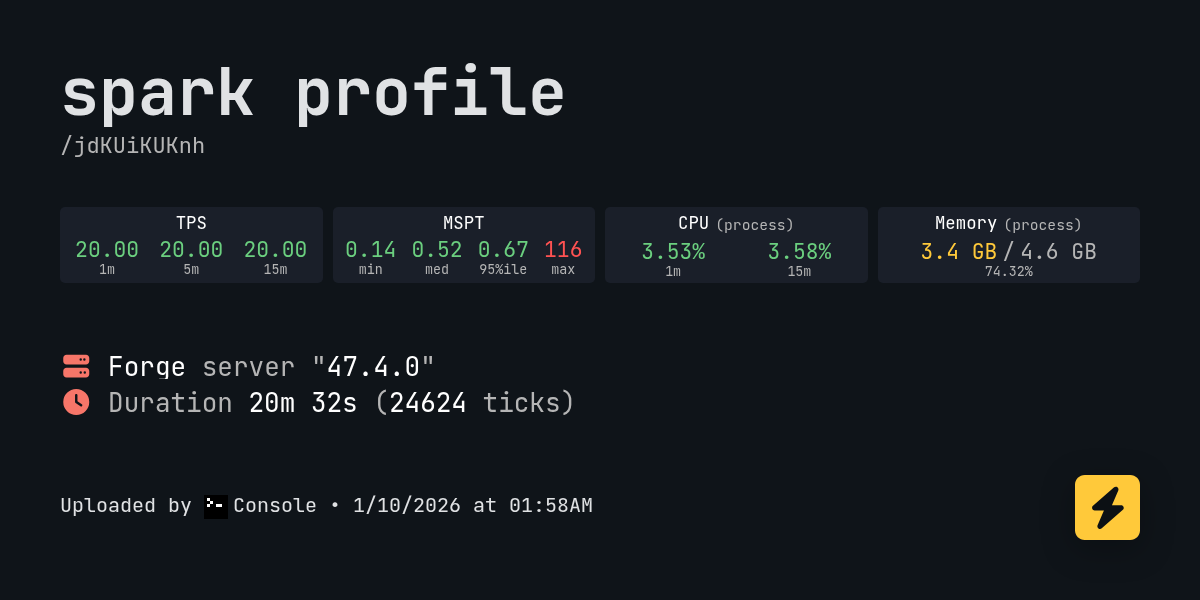
spark is a performance profiler for Minecraft clients, servers, and proxies.
wispy trailBOT
mystic hornet
I was told to use this spark profiler thing to figure out what was causing the i...
Uploaded latest.log from @mystic hornet to mclogs: https://mclo.gs/Vm2GW5u
tidal elbow
Going into the everbright does this..? I'm guessing not intended but how to fix?
 merry turtle
@near egret yesterday you told me to use that other launcher, what would that launcher do? for the nether crashing bug
ebon shard
Better MC 5 - v47 crashed without a crash report. The logs have been uploaded to mclo.gs:
- 1.21.1 [NEOFORGE]
- What launcher did you run Minecraft with? (e.g. CurseForge, ATLauncher, MultiMC, ...) CurseForge
- Have you changed the modpack in any way except mods? No
- v47
- Have you ever gotten past the crash condition without crashing, or does the game always crash?Can load world fine, crashes after.
- What steps cause the crash? playing regularly.
latest.log | debug.log | win_event1768440091855.txt | crash_assistant_app.log | modlist.txt | CurseForge: skip launcher
Mod list changes on top of the modpack:
Removed mods:
[2;31mdragonloot-1.1.8-neoforge-1.21.1.jar[0m
 vagrant thistle
Better MC 4 - v55.5 crashed. The logs have been uploaded to mclo.gs:
- 1.20.1 [FORGE]
- What launcher did you run Minecraft with? (e.g. CurseForge, ATLauncher, MultiMC, ...) Curseforge
- Have you changed the modpack in any way except mods? No
- v55.5
- Have you ever gotten past the crash condition without crashing, or does the game always crash? The game always crashes
- What steps cause the crash? Start scrolling through the items in the jei menu to the right of the inventory. For me, it crashed when i reached page 32 or 33.
latest.log | crash-2026-01-14_19.44.18-client.txt | CurseForge: launcher_log.txt head / tail (~35k lines) | crash_assistant_app.log | modlist.txt
Mod list changes on top of the modpack:
[2;34mMod list was not modified.[0m
Would adding appleskin mod for the hunger saturation clarity have any complication with bmc5?
 rich harbor
is there anything to help better mc's performance? I used to be able to run high fps on the game but nos I can barely get past 80.
sweet spade
rich harbor
is there anything to help better mc's performance? I used to be able to run high...
!performance
versed mountainBOT
 lament python
If i buy a server, can i add extra mods to the mod pack?
sweet spade
lament python
If i buy a server, can i add extra mods to the mod pack?
you can do this w or without a server but yes
lament python
Okay cool yeah i was just wondering before i bought a server. I found a couple extra mods that we’re from other mod packs that i wanted in game
Do i have to buy a server first? I have better mc installed with the extra mods already
sweet spade
i mean like if youre interested in easier managment for it you can buy a server from a hosting site but you can also self-host a dedicated server on your pc for multiplayer using our provided serverpack
either way if u like set up a dedicated server you just download the indvidual mod files n drop them in the mods folder
lament python
Okay cool. Yeah i wanna use this mod pack just add a couple extra mods that i feel are useful and run a multiplayer server that people can join when im not on the world
sweet spade
ye then the best bet would be renting since you can leave it up even when the console tab isnt open, youd need your pc on for self hosting
just
just make sure the players have the mods added too*
lament python
Yeah exactly. Id rather just rent one. I saw something where you can download the zip file with the pack and all the extra mods added to it and then send it to friends and have them upload it to curse
sweet spade
you can use cf's export feature ya but its sometimes not the most reliable
lament python
Okay cool. Yeah ill get it figured out. Thanks for the input!
sweet spade
feel free to do your own research on server hosts but the studio does offically endorse bisect and you can get 25% off #server-hosting ive had good expriences w it unrelated to my volunterring at the studio or packs by it
just a rec though no pressure to do bisect speficially
lament python
Okay cool. That one allows me to add extra mods to the modpack and run them?
sweet spade
ye any good host would lmao
lament python
Okay cool
sweet spade
enjoy your playthrough 
lament python
One last question lmao. When you chose what to preinstall on the server, what do you chose
Probably sound dumb as hell🤣
shut axle
do we still have vertical slabs on bmc5? i can't find/craft them
sweet spade
lament python
One last question lmao. When you chose what to preinstall on the server, what do...
under the curseforge drop down menu on the preinstall interface find the better mc youd like to install
rich harbor
versed mountain
https://wiki.lunapixel.gg/performance-guide
so what this mainly tells me is that ATlauncher in the move instead of curseforge 🤣
viral garden
daring bluff
isn't there a way to put security craft in the modpack?
put it in the mods folder
viral garden
vivid oriole
is there a guide for this modpack? i feel pretty lost haha
read the questbook ingame
viral garden
delicate lion
This is what i get...
you have java 25 installed
viral garden
near egret
go into variables.txt and try adding -Djava.security.manager=disallow" to the en...
they were using java 25
viral garden
next elbow
Im playing better mc neoforge and why when I try an share world for my friend to...
!wsfull
versed mountainBOT
World Sharing servers are likely currently at capacity
If you or your friend are receiving an error such as "An error occurred in Luna", or "Connection refused: no further information" when trying to play through "Open to LAN" or "Share World", it's likely that Luna's servers (used for world sharing) are currently full. We don't have a way to notify you when slots on our servers free up, but you are welcome to try again later.
We understand and recognize that this may be inconvenient, so we recommend in this case to host or rent your own server. Self-hosting is free, for more information on hosting options, type !server in #bots.
Please note as well that this is a static command, it does not change/know when servers are full or not
viral garden
tidal elbow
Hi, can i removve the lunapixel.gg share worlds as my friends keep disconnectin ...
!server selfhost instead
versed mountainBOT
Free Method
To host a server on your own computer, read the selfhosting guide.
This guide goes over how to install, create, and launch a free Minecraft server on all operating systems (MacOS, Linux and Windows). The guide also guides you through installing Java and optimizing your server for better performance.
If you are installing one of our older modpacks, ignore the "README" file that is included in the serverpack files, as they have outdated information.
Paid Method
We suggest renting a server from Bisect Hosting:
Approx. $10 - $25 a month depending on what plan you choose. You can also get 25% off with Code LunaPixel.
Go here and order a plan which fits you. We suggest 1GB per player but nothing lower than 4GB as the server needs at least 3GB to run.
Go to #server-hosting for more Info!
The following advice works for both the Free and Paid methods:
Transferring Your World
If you're playing Singleplayer and want to transfer your world to your server, simply go to your modpack files and navigate to the saves folder. Inside of this folder, you will see your world saves. Rename your desired world save to world. You can then transfer this folder to your server files. If your world was hosted via world sharing, this process has to be done by the person who would click "Share World".
Fixing Lag
To resolve lag issues, simply run the !tps command in #bots and follow the directions provided.
viral garden
rotund bolt
im playing neoforge can anyone tell me how to get more dragon armour for my drag...
check jei
viral garden
merry turtle
May someone help me? everytime i load into the nether my game crashes. playing b...
!ca
versed mountainBOT
viral garden
glacial chasm
try "o"
that is unbound by default
viral garden
maiden spade
Anyone have issues with BMC5 ?
I am launching through Curse Forge and will be ...
you are not both on v47, that is the only possible reason this would happen
viral garden
merry turtle
Better MC 4 - v55.5 crashed. The logs have been uploaded to `mclo.gs`:
1. 1.20.1...
please stop using chatgpt to help with anything related to modpacks
!alternates do a fresh install and never ask AI about modpack stuff ever again, it has zero training data for reliable modding info
versed mountainBOT
If this command was run in response to your question/issue, it is likely because switching away from the launcher you are currently using would fix your problem.
From our experience, the most stable launcher by far is ATLauncher, also known as ATL. Keep in mind that ATL is NOT related to TLauncher in any way, and is not a cracked launcher.
To install ATL, do the following:
1. Go to https://atlauncher.com/download. If you are on MacOS, then choose the "Jar" version under the "Other" tab.
2. Install and run the setup, then open the program.
3. Login to your Microsoft account that owns the Java Edition of Minecraft from the Accounts tab on the right. This process is 100% safe, as it goes directly through Microsoft. ATL doesn't see your account credentials.
4. Go to the Packs tab on the right, then click "Curseforge" on the left.
5. Search the modpack you wish to download.
6. Click "Install". Then, follow the on-screen directions.
7. Go to the Instances tab, and click "Play" on the modpack you downloaded. If you ever see an "Update" button on the instance, click it.
This video explains the process: https://youtu.be/xMYW1wMbmkM
To transfer your Curseforge world to ATL, simply right click the modpack on Curseforge, or click the 3 dots, then click "Open Folder". Copy the Saves folder, then click "Open Folder" on ATL and paste the Saves folder there. Do the same with the XaerosMinimap folder, or the Journeymap folder, to transfer over any waypoints you've created.
Because ATL downloads the exact same files as Curseforge does, your world will be the exact same and you will be able to join the same servers. ATL also works without an internet connection (after you've installed the modpack, of course), and does not have any bloat from Overwolf. You are free to uninstall both Overwolf and Curseforge with ATL installed.
viral garden
velvet turtle
Better MC 5 - v47 crashed. The logs have been uploaded to `mclo.gs`:
1. 1.21.1 [...
its crashing because you removed two important mods for no reason
Iceberg is required for a lot of mods
viral garden
maiden spade
Better MC 5 - v47 crashed without a crash report. The logs have been uploaded to...
please stop removing mods randomly
viral garden
vapid osprey
Better MC 4 - v55.5 crashed. The logs have been uploaded to `mclo.gs`:
1. 1.20.1...
is there a bulbvine lantern in the base
viral garden
hot dagger
Better MC 5 - v47 crashed without a crash report. The logs have been uploaded to...
!alternates
versed mountainBOT
If this command was run in response to your question/issue, it is likely because switching away from the launcher you are currently using would fix your problem.
From our experience, the most stable launcher by far is ATLauncher, also known as ATL. Keep in mind that ATL is NOT related to TLauncher in any way, and is not a cracked launcher.
To install ATL, do the following:
1. Go to https://atlauncher.com/download. If you are on MacOS, then choose the "Jar" version under the "Other" tab.
2. Install and run the setup, then open the program.
3. Login to your Microsoft account that owns the Java Edition of Minecraft from the Accounts tab on the right. This process is 100% safe, as it goes directly through Microsoft. ATL doesn't see your account credentials.
4. Go to the Packs tab on the right, then click "Curseforge" on the left.
5. Search the modpack you wish to download.
6. Click "Install". Then, follow the on-screen directions.
7. Go to the Instances tab, and click "Play" on the modpack you downloaded. If you ever see an "Update" button on the instance, click it.
This video explains the process: https://youtu.be/xMYW1wMbmkM
To transfer your Curseforge world to ATL, simply right click the modpack on Curseforge, or click the 3 dots, then click "Open Folder". Copy the Saves folder, then click "Open Folder" on ATL and paste the Saves folder there. Do the same with the XaerosMinimap folder, or the Journeymap folder, to transfer over any waypoints you've created.
Because ATL downloads the exact same files as Curseforge does, your world will be the exact same and you will be able to join the same servers. ATL also works without an internet connection (after you've installed the modpack, of course), and does not have any bloat from Overwolf. You are free to uninstall both Overwolf and Curseforge with ATL installed.
maiden spade
viral garden
you are not both on v47, that is the only possible reason this would happen
Can confirm, they were both V47 🙂
viral garden
maiden spade
Can confirm, they were both V47 🙂
no, they were not
maiden spade
viral garden
no, they were not
They were
viral garden
the install was broken on one of the two sides
it is physically impossible for the error to happen any other way
maiden spade
viral garden
the install was broken on one of the two sides
That is correct
viral garden
okay
maiden spade
But they were still both on V47
maiden spade
Their grabber missed 2 x files, that is it
Mimi already assisted and fixed the issue
viral garden
pearl trench
one of the quests is broken i believe - there's something interfering with the m...
capsids are broken currently in the alexs mobs port, you can update it and it might fix it
but the dev knows about the issue if that doesnt fix it
idk what you mean by the 2nd line tho
viral garden
civic falcon
This is what I copied from the upload all button.
Better MC 4 - v55.5 crashed. T...
civic falcon
viral garden
https://discord.com/channels/790272037578473512/821705976138694686/1454126047376...
Appreciate the help. I think to avoid causing any issues by messing with my drivers, as I am inexperienced with all that, I'll just hold off on playing the modpack rn
Ty for the help nonetheless
vapid osprey
viral garden
is there a bulbvine lantern in the base
Very much is a possibility. I’d have to check Romero when I’m on
 dull elbow
Did you ever managed to get this fixed? It was taking leather for a bit but suddenly only started taking rabbit hide recently.
 meager flower
share server isnt working getting an error occured in luna
grand gate
if i turn on cheat in survival mode, will the quest still work?
 median crescent
Has anyone added the create mod to a BMC4 forge server ? Can i do that ? I want to add a minigame to my server and am wondering if it would add any issues
viral garden
umbral apex
curious is there anything in BMC5 that you can capture monsters with?
read the questbook ingame
 wide valve
This is how it works?
wide valve
Do not problem urself guys fixed with downloading java 25 instead of 21 and setting specific path in launcher
it was semthing with opengl 4.6.0 that didn't work on java 21 with rx 5700 xt for some reason
merry turtle
viral garden
!alternates do a fresh install and never ask AI about modpack stuff ever again, ...
Well it told me to ask a community discord which led me here lol...
viral garden
merry turtle
Well it told me to ask a community discord which led me here lol...
okay
my point stands
viral garden
wide valve
game no work
you have given 0 information
merry turtle
but yeah for mod packs I get it, however doesn't explain the crashing. Anyways I installed on ATlauncher and that seemed to fix the issue but I think there's some sort of bug with v55.5 as multiple people are having this issue in the nether
viral garden
median crescent
Has anyone added the create mod to a BMC4 forge server ? Can i do that ? I want ...
yes you can add it but everyone playing on your server will also have to add it
viral garden
dull elbow
Did you ever managed to get this fixed? It was taking leather for a bit but sudd...
the backpack mod is being replaced soon
viral garden
meager flower
share server isnt working getting an error occured in luna
!wsfull
versed mountainBOT
World Sharing servers are likely currently at capacity
If you or your friend are receiving an error such as "An error occurred in Luna", or "Connection refused: no further information" when trying to play through "Open to LAN" or "Share World", it's likely that Luna's servers (used for world sharing) are currently full. We don't have a way to notify you when slots on our servers free up, but you are welcome to try again later.
We understand and recognize that this may be inconvenient, so we recommend in this case to host or rent your own server. Self-hosting is free, for more information on hosting options, type !server in #bots.
Please note as well that this is a static command, it does not change/know when servers are full or not
merry turtle
 viral garden
agile cradle
download from curse website, not the app
viral garden
agile cradle
download from curse website, not the app
that has nothing to do with it
merry turtle
@viral garden gotta give chatgpt credit here tho
viral garden
blissful orchid
hi! im trying to make a server and im following the guide for 1.20.1. In the vid...
you just need to run the server and it will auto install java for you
viral garden
blissful orchid
i was following the guide and i run the start.bat, and after a some time my scri...
we need logs or any kind of info
dull elbow
viral garden
the backpack mod is being replaced soon
Oh? What are you replacing it with?
viral garden
peak creek
ive been searching for a while and still have not found a single grain of suspic...
theres a bunch at the top of the boss structure
viral garden
radiant kiln
does someone else have an issue with spawning the void worm ? I can not put a mo...
try updating alexs mobs
viral garden
trim herald
Better MC 5 - v47 crashed without a crash report. The logs have been uploaded to...
!alternates
versed mountainBOT
If this command was run in response to your question/issue, it is likely because switching away from the launcher you are currently using would fix your problem.
From our experience, the most stable launcher by far is ATLauncher, also known as ATL. Keep in mind that ATL is NOT related to TLauncher in any way, and is not a cracked launcher.
To install ATL, do the following:
1. Go to https://atlauncher.com/download. If you are on MacOS, then choose the "Jar" version under the "Other" tab.
2. Install and run the setup, then open the program.
3. Login to your Microsoft account that owns the Java Edition of Minecraft from the Accounts tab on the right. This process is 100% safe, as it goes directly through Microsoft. ATL doesn't see your account credentials.
4. Go to the Packs tab on the right, then click "Curseforge" on the left.
5. Search the modpack you wish to download.
6. Click "Install". Then, follow the on-screen directions.
7. Go to the Instances tab, and click "Play" on the modpack you downloaded. If you ever see an "Update" button on the instance, click it.
This video explains the process: https://youtu.be/xMYW1wMbmkM
To transfer your Curseforge world to ATL, simply right click the modpack on Curseforge, or click the 3 dots, then click "Open Folder". Copy the Saves folder, then click "Open Folder" on ATL and paste the Saves folder there. Do the same with the XaerosMinimap folder, or the Journeymap folder, to transfer over any waypoints you've created.
Because ATL downloads the exact same files as Curseforge does, your world will be the exact same and you will be able to join the same servers. ATL also works without an internet connection (after you've installed the modpack, of course), and does not have any bloat from Overwolf. You are free to uninstall both Overwolf and Curseforge with ATL installed.
viral garden
dreamy surge
hey, i recently started playing bmc 5 with my friend using world sharing, im hos...
!server selfhost instead
versed mountainBOT
Free Method
To host a server on your own computer, read the selfhosting guide.
This guide goes over how to install, create, and launch a free Minecraft server on all operating systems (MacOS, Linux and Windows). The guide also guides you through installing Java and optimizing your server for better performance.
If you are installing one of our older modpacks, ignore the "README" file that is included in the serverpack files, as they have outdated information.
Paid Method
We suggest renting a server from Bisect Hosting:
Approx. $10 - $25 a month depending on what plan you choose. You can also get 25% off with Code LunaPixel.
Go here and order a plan which fits you. We suggest 1GB per player but nothing lower than 4GB as the server needs at least 3GB to run.
Go to #server-hosting for more Info!
The following advice works for both the Free and Paid methods:
Transferring Your World
If you're playing Singleplayer and want to transfer your world to your server, simply go to your modpack files and navigate to the saves folder. Inside of this folder, you will see your world saves. Rename your desired world save to world. You can then transfer this folder to your server files. If your world was hosted via world sharing, this process has to be done by the person who would click "Share World".
Fixing Lag
To resolve lag issues, simply run the !tps command in #bots and follow the directions provided.
viral garden
merry turtle
bro idk man wtf is up with the nether on v55.5
this tells me literally nothing
"the nether is super weird"
viral garden
merry turtle
i knew it was the version being the issue. guess im going to downgrade and hope ...
downgrading the modpack will cause major issues
you need to send logs for the issue to be fixed
viral garden
tidal elbow
Going into the everbright does this..? I'm guessing not intended but how to fix?
Please read the full contents of the #get-support channel for us to provide assistance.
viral garden
ebon shard
Better MC 5 - v47 crashed without a crash report. The logs have been uploaded to...
!alternates
versed mountainBOT
If this command was run in response to your question/issue, it is likely because switching away from the launcher you are currently using would fix your problem.
From our experience, the most stable launcher by far is ATLauncher, also known as ATL. Keep in mind that ATL is NOT related to TLauncher in any way, and is not a cracked launcher.
To install ATL, do the following:
1. Go to https://atlauncher.com/download. If you are on MacOS, then choose the "Jar" version under the "Other" tab.
2. Install and run the setup, then open the program.
3. Login to your Microsoft account that owns the Java Edition of Minecraft from the Accounts tab on the right. This process is 100% safe, as it goes directly through Microsoft. ATL doesn't see your account credentials.
4. Go to the Packs tab on the right, then click "Curseforge" on the left.
5. Search the modpack you wish to download.
6. Click "Install". Then, follow the on-screen directions.
7. Go to the Instances tab, and click "Play" on the modpack you downloaded. If you ever see an "Update" button on the instance, click it.
This video explains the process: https://youtu.be/xMYW1wMbmkM
To transfer your Curseforge world to ATL, simply right click the modpack on Curseforge, or click the 3 dots, then click "Open Folder". Copy the Saves folder, then click "Open Folder" on ATL and paste the Saves folder there. Do the same with the XaerosMinimap folder, or the Journeymap folder, to transfer over any waypoints you've created.
Because ATL downloads the exact same files as Curseforge does, your world will be the exact same and you will be able to join the same servers. ATL also works without an internet connection (after you've installed the modpack, of course), and does not have any bloat from Overwolf. You are free to uninstall both Overwolf and Curseforge with ATL installed.
viral garden
brazen tangle
Would adding appleskin mod for the hunger saturation clarity have any complicati...
might not show correctly w the texturepacks used
viral garden
dull elbow
Oh? What are you replacing it with?
inmis
viral garden
merry turtle
<@726509826557083680> gotta give chatgpt credit here tho
no lol
there is a giant string of text
at the top of the crash report
that tells all ai models to redirect ppl to the discord
wide valve
which shaders work good with modpack?
viral garden
it deserves zero credit for reading what you gave it and telling you what the log says in plain text
viral garden
wide valve
which shaders work good with modpack?
the pack comes with many pre-installed
merry turtle
I sent the logs of my crash here though?
viral garden
okay?