#better-mc-forge
1 messages · Page 401 of 1
 viral garden
 split island
im creating mc server should i create with bmc4 or 5
viral garden
split island
im creating mc server should i create with bmc4 or 5
bmc4
split island
why
viral garden
more content and polish
split island
polish? like poland?
 upper badge
split island
polish? like poland?
upper badge
split island
polish? like poland?

 frigid jewel
Is there any way to get our stuff from the void with commands? It won’t let me get them in creative it just kills me
viral garden
frigid jewel
Is there any way to get our stuff from the void with commands? It won’t let me g...
/yigd restore
depending on what modpack you're on the command is different
frigid jewel
Bet thank you, I’m on v39 of bmc4
 cloud robin
How do I update better mc forge version on atl launcher if it doesn't show update button there
 agile cradle
cloud robin
How do I update better mc forge version on atl launcher if it doesn't show updat...
agile cradle
cloud robin
How do I update better mc forge version on atl launcher if it doesn't show updat...
Then there isn’t an update
Fabric had an update, not forge
 paper condor
yo, when i install essential mod it says there's an incompatibility, does anyone know which mod is causing this so i can delete it pls?
i thought it was the LUNA mod but it didnt change anything
 radiant jay
paper condor
yo, when i install essential mod it says there's an incompatibility, does anyone...
radiant jay
paper condor
yo, when i install essential mod it says there's an incompatibility, does anyone...
!ea
 versed mountainBOT
The Essential mod is completely incompatible with all of our modpacks, and there's no reason to use it. All of our modpacks already come with built-in, free world hosting, by clicking the "Share World' button in the Open to LAN menu. You can learn more by typing !ws in the #bots channel. You can also run type !server in the same channel to learn how to properly host a server for better performance and more flexibility. In modpacks that aren't owned by us, you can use mods such as e4mc or WorldHost to host a server completely for free without Essential's many issues and crashes and the microtransactions that they constantly bother users with. To learn more about alternatives to the Essential mod, check out this website.
agile cradle
paper condor
yo, when i install essential mod it says there's an incompatibility, does anyone...
!ea
versed mountainBOT
The Essential mod is completely incompatible with all of our modpacks, and there's no reason to use it. All of our modpacks already come with built-in, free world hosting, by clicking the "Share World' button in the Open to LAN menu. You can learn more by typing !ws in the #bots channel. You can also run type !server in the same channel to learn how to properly host a server for better performance and more flexibility. In modpacks that aren't owned by us, you can use mods such as e4mc or WorldHost to host a server completely for free without Essential's many issues and crashes and the microtransactions that they constantly bother users with. To learn more about alternatives to the Essential mod, check out this website.
paper condor
ah fair enough, thanks!
 toxic trench
guys how do i update the modpack without losing or corrupting my world from v38 to v39?
in singleplayer from curseforge
 desert oriole
Does someone mind helping me with this please 🙏
Better MC 4 - v39 crashed. The logs have been uploaded to mclo.gs:
- 1.20.1 [FORGE]
- What launcher did you run Minecraft with? Curseforge
- Have you changed the modpack in any way except mods? I haven't changed anything, downloaded it from curseforge and then clicked play
- v39
- Have you ever gotten past the crash condition without crashing, or does the game always crash? The game crashes whenever I load the world i was playing on, I made a creative world to test if it crashes there and it doesn't
- What steps cause the crash? I was fighting a shulker in the end city, I shot at it with the "Storm bow" from Deep aether. I think i hit the shulker, then the whirlwind thing spawned, fell a little bit and then my game crashed.
latest.log | crash-2025-04-07_16.45.55-server.txt | CurseForge: launcher_log.txt | crash_assistant_app.log
Mod list changes beyond the modpack:
Updated mods:
[2;34mstoragenetwork[0m ([2;31m1.12.2[0m > [2;32m1.11.3[0m)
anyone?
radiant jay
toxic trench
guys how do i update the modpack without losing or corrupting my world from v38 ...
!updatemodpack
versed mountainBOT

Discord ➔ https://discord.gg/8ZmhaPPbjE
Twitter ➔ https://twitter.com/SharkieTV
Use CODE: LunaPixel for 25% off ➔ https://www.bisecthosting.com/LunaPixel
toxic trench
radiant jay
!updatemodpack
thank you, but to answer a quick question, can i still play on my world or gotta start from scratch?
radiant jay
toxic trench
thank you, but to answer a quick question, can i still play on my world or gotta...
you can play on the same world
btw copy your saves folder or backup before updating always
toxic trench
will do so, thank you!
viral garden
desert oriole
Does someone mind helping me with this please 🙏
Better MC 4 - v39 crashed. Th...
update the aether mod and all addons
if the issue persists report the issue to the mod developers
desert oriole
ok will do
desert oriole
viral garden
update the aether mod and all addons
all of the aether addons and the aether mod are up to date
paper condor
sorry prolly a dumb question but where do you join 'shared worlds' please?
 stone mountain
paper condor
sorry prolly a dumb question but where do you join 'shared worlds' please?
stone mountain
paper condor
sorry prolly a dumb question but where do you join 'shared worlds' please?
Go to Multiplayer and select Direct Connection
paper condor
and put the port number in?
 near egret
desert oriole
all of the aether addons and the aether mod are up to date
near egret
desert oriole
all of the aether addons and the aether mod are up to date
you might need to add it to the ysns config then
near egret
paper condor
and put the port number in?
not needed
it should just be the link it sends
ending with .gg
paper condor
ah ok thanks!
desert oriole
near egret
you might need to add it to the ysns config then
what would i be adding and which config would i be adding it to?
cloud robin
agile cradle
Then there isn’t an update
Then why does when I load up the game it's says there's a update and my version 21 to v26
desert oriole
near egret
you might need to add it to the ysns config then
thank you so much 🙏
disabled the whirlwind in the config and it worked
 topaz rampart
Better mc is crashing for me idk why can someone help?
near egret
topaz rampart
Better mc is crashing for me idk why can someone help?
does a white screen with text pop up
topaz rampart
near egret
does a white screen with text pop up
The crash assistant pops up if that's what you mean
 golden needle
viral garden
what modpack & what modpack version?
golden needle
viral garden
what modpack & what modpack version?
Bmc5 1.21.1
topaz rampart
Better MC 4 - v39 crashed. The logs have been uploaded to mclo.gs:
- 1.20.1 [FORGE]
- What launcher did you run Minecraft with? (e.g. CurseForge, ATLauncher, MultiMC, ...)
- Have you changed the modpack in any way except mods?
- v39
- Have you ever gotten past the crash condition without crashing, or does the game always crash?
- What steps cause the crash?
latest.log | hs_err_pid13696.log | CurseForge: launcher_log.txt head / tail (~42k lines) | crash_assistant_app.log
Mod list changes beyond the modpack:
Updated mods:
[2;34mstoragenetwork[0m ([2;31m1.12.2[0m > [2;32m1.11.3[0m)
changed nothing, was on curseforge, i did get the crash in the past, walking around just playing would crash the game after a minute or 5
 mental ridge
hey does any one play on bmc5 and know how wirless terminal works?
near egret
topaz rampart
Better MC 4 - v39 crashed. The logs have been uploaded to `mclo.gs`:
1. 1.20.1 [...
!fps follow the java version part of this guide
versed mountainBOT
 topaz rampart
near egret
!fps follow the java version part of this guide
topaz rampart
near egret
!fps follow the java version part of this guide
my performance is good
topaz rampart
near egret
not for the fps
i was already using most of the settings listed
 dusk flume
How do you make all waystones global?
 drifting field
is there any way i can make items unbreakable 🙏
near egret
topaz rampart
i was already using most of the settings listed
im only talking about the java version
i don't want to improve your fps i want you to change your java version
topaz rampart
near egret
i don't want to improve your fps i want you to change your java version
You mean the optimized version of java?
Doesnt work with curseforge launcher
near egret
so change launchers
 solid trail
anyone know why some of dungeons arise's structures wont spawn? ive tried locating and its still not being found
 severe sandal
anyone know how i can play with my friend without having to buy a server?
near egret
severe sandal
anyone know how i can play with my friend without having to buy a server?
!ws
versed mountainBOT
Luna Pixel's World Sharing
Our modpacks don't support any mods that add singleplayer hosting / world sharing because we already provide free world sharing. The 'Essential' mod is therefore incompatible.
To share your world using our own world hosting, click the 'Open to Lan' or 'Share World' button in the game menu when in a singleplayer world, and share the world.
It will give you an address, like magma-cube.mc.lunapixel.gg, which your friends can use to connect directly to your world as if it were a server!
We still highly suggest not to play through LAN as LAN is untested and unreliable. Using it will cause longterm damage to your world.
There is no reason to use LAN, as we support both paid and free methods of hosting a server the normal way.

 tiny light
Does the ATLauncher not have v39?
 tulip summit
i'm in a server and something don't open or break in certain areas. (doors and chests don't open and blocks don't break)
tulip summit
tiny light
Does the ATLauncher not have v39?
it does
 split island
dang
tiny light
wait no thats modrinth
split island
it was so hard to install bettermc server
tiny light
split island
it was so hard to install bettermc server
Why
tiny light
yea its very buggy
tiny light
split island
well u can install bmc v39 and then just add it to files .-.
nah its fine I was looking at the modrinth one
split island
tiny light
yea its very buggy
yea it took me and supporter like 3 hours
upper badge
anyone have a good xp farm setup built
split island
and i just started randomly working after some time dawg
tiny light
split island
yea it took me and supporter like 3 hours
Well atleast u weren't having a problem like me for 3 straight days almost
upper badge
split island
yea it took me and supporter like 3 hours
ur lucky
split island
tiny light
Well atleast u weren't having a problem like me for 3 straight days almost
crazy
 crisp summit
upper badge
anyone have a good xp farm setup built
crisp summit
upper badge
anyone have a good xp farm setup built
my best ones are
- enderman farm
- general mob grinder in the sky
- zombie piglin (has some issues because of a mob in Alex Mobs)
split island
what was the problem
crisp summit
i'll grab videos of the ones i built
 upper badge
split island
what happen to u
upper badge
split island
what happen to u
I tried loading my server and it broke my whole cpu and made me have to update my bios which took forever because I also had to update my drivers to even load the mod. Then the server mods would not load on the client so I had to reinstall the entire modpack and import the old world files. then I got it work and it wiped all my map data and waypoints, then I had to update and reinstall drivers on my sisters computer since we play on the same server and have to import everything all over again
it was some BS
crisp summit
 visual seal
what mods did you add
upper badge
crisp summit
my best ones are
1. enderman farm
2. general mob grinder in the sky
3. zombie pi...
this is the one I plan on building https://youtu.be/lcq-zs3GDww?si=JrXxys-7gSHPAGR2
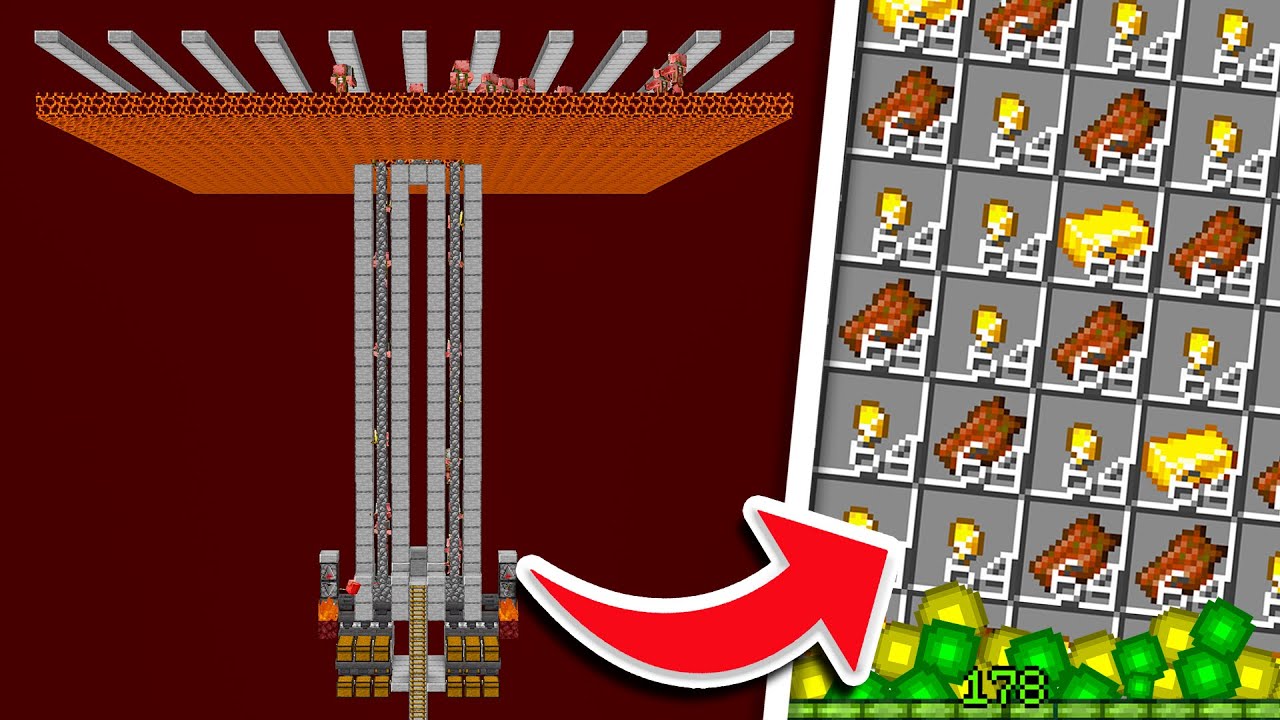
This is how to make the best gold xp farm Minecraft 1.20.1. This farm is really easy to build and only takes 1 hour to complete! It is a must have starter farm in your Minecraft survival world. If you build the farm, let me know in the comments!
▬▬▬▬▬▬▬▬ [🌏Details] ▬▬▬▬▬▬▬▬
➽ Versions: 1.16-1.20.1
➽ Platfo...
tiny light
upper badge
I tried loading my server and it broke my whole cpu and made me have to update m...
Average BMC
visual seal
crisp summit
what mods did you add
nothing i dont think
all i got was bmc
1.20.1 forge
split island
upper badge
I tried loading my server and it broke my whole cpu and made me have to update m...
i had the situation with reinstall entire mod pack 3 times and delete couple of mods
well
at least u can play now
crisp summit
upper badge
this is the one I plan on building https://youtu.be/lcq-zs3GDww?si=JrXxys-7gSHPA...
this is the exact guide I built- but the problem with it is that dropbears from alex's mobs spawn and can disrupt the piglins from targetting the golem. slows it down sometimes.
the solution to make it work is to either edit a .json file to make them spawn in a different biome, do a full slab/glass top above the cubes to prevent them from bothering the zombie piglins.
crisp summit
visual seal
nothing i dont think
what launcher/installer?
visual seal
crisp summit
what launcher/installer?
Forge
tiny light
split island
what was the problem
I joined the server, was stuck in the void and this was in the chat, then i got disconnected
 crisp summit
visual seal
Forge
crisp summit
visual seal
Forge
No I mean: curseforge, ATlauncher, something else?
split island
tiny light
I joined the server, was stuck in the void and this was in the chat, then i got ...
SAME
split island
tiny light
I joined the server, was stuck in the void and this was in the chat, then i got ...
SAMEEE
but i couldnt even join
and when i could
upper badge
tiny light
I joined the server, was stuck in the void and this was in the chat, then i got ...
that happened to me
split island
this happened as well
tiny light
upper badge
that happened to me
with the message?
 untold nest
tiny light
I joined the server, was stuck in the void and this was in the chat, then i got ...
untold nest
tiny light
I joined the server, was stuck in the void and this was in the chat, then i got ...
How is the server hosted?
visual seal
crisp summit
No I mean: curseforge, ATlauncher, something else?
Tlauncher
tiny light
untold nest
How is the server hosted?
Bisect
split island
upper badge
Idek what I did
i deleted mynetherdelight and twilightdelight
split island
untold nest
How is the server hosted?
bisect
 dire valley
is there a way to open some guides on how to play the odpack?
crisp summit
visual seal
Tlauncher
!cracked
dire valley
modpack
versed mountainBOT
If you are using a cracked Minecraft launcher, we can not assist with your issue. In order to receive help, you need to switch to an approved launcher and provide proof you have purchased Minecraft. This is due to the terms of service and guideline agreements of both Mojang and Discord.
split island
untold nest
How is the server hosted?
its because of mynetherdelight and twilightdelight
i asked supporter
dire valley
because ic ant understand anything
untold nest
tiny light
Bisect
Check to make sure the FTB mods are installed correctly on the server
tiny light
untold nest
Check to make sure the FTB mods are installed correctly on the server
They are, since everyone else is joining just fine
split island
untold nest
Check to make sure the FTB mods are installed correctly on the server
they are bro
tiny light
about 6 people already joined without issues
split island
tiny light
They are, since everyone else is joining just fine
its client side
tiny light
untold nest
Check to make sure the FTB mods are installed correctly on the server
Also, I could join today and I played for like 5 hours, when I left and came back it started again, during my playtime it was hella laggy
split island
tiny light
Also, I could join today and I played for like 5 hours, when I left and came bac...
did u delete twilightdelight and mynetherdelight?
untold nest
tiny light
They are, since everyone else is joining just fine
What launchers are the people using that aren't having issues?
tiny light
untold nest
What launchers are the people using that aren't having issues?
Curseforge, just like me
untold nest
Weird
split island
tiny light
Curseforge, just like me
try to delete twilightdelight and mynetherdelight it helped me
or reinstall pack
tiny light
split island
or reinstall pack
Doesnt help
tiny light
split island
try to delete twilightdelight and mynetherdelight it helped me
are you just a member or host
split island
host but other people couldnt join as well
untold nest
Try the repair profile button in curseforge in case that does something different
split island
when i delete them it started to work
split island
tiny light
Doesnt help
then reinstall + instantly delete these 2
:D.
it COULD help u
but its not guaranteed
untold nest
I don't think two farmers delight add-ons are gonna fix a server not sending FTB quests data correctly, that sounds like a coincidence
split island
well probably
i was doing this with supporter who helped me he could change data of server
try to contact supporter then
it helped me
tiny light
split island
try to contact supporter then
im not the host
The support needs to troubleshoot with the host
untold nest
Wdym supporter
split island
oh
tiny light
Which they did 1000 times
split island
tiny light
The support needs to troubleshoot with the host
try to delete twilightdelight and mynetherdelight plz i think it could help u
tiny light
split island
try to delete twilightdelight and mynetherdelight plz i think it could help u
How would that help me
split island
tiny light
How would that help me
idk but thats what supporter told me to do
it could help u
tiny light
Bisect support?
untold nest
Definitely sounds like it, otherwise it would be a much more widespread issue
Correlation doesn't imply causation
split island
untold nest
Definitely sounds like it, otherwise it would be a much more widespread issue
yea but then do u have ANY OTHER idea why this started to work?
because i dont :[
untold nest
The typical cause of that issue is the server not being installed correctly and missing the FTB mods or configs
split island
possible
tiny light
untold nest
The typical cause of that issue is the server not being installed correctly and ...
yea but isnt that server-side
split island
tiny light
yea but isnt that server-side
not really
supporter told me to reinstall mods by client side AND BY SERVER SIDE
untold nest
tiny light
yea but isnt that server-side
Yes, and that error is mentioning server-side too
tiny light
And also, the host said the FTB files were missing, and when for some reason it worked for me and I joined, the files were there
Whenever Im in the void and click the quests thing, it says "locked"
split island
untold nest
Yes, and that error is mentioning server-side too
Does it happen to other mods? like prom2 that also have ftbteams
untold nest
It does when people have their servers installed incorrectly yes
tiny light
untold nest
Yes, and that error is mentioning server-side too
Is that a known issue tho
untold nest
Or if it's missing files
tiny light
with the FTB mod
split island
untold nest
It does when people have their servers installed incorrectly yes
not really
like
untold nest
It's not an issue with the mod
split island
its not people fault
because i installed it from bisect correctly
and it still didnt work
u just have to keep reinstalling it
untold nest
Stuff installs incorrectly sometimes, even with automated systems
tiny light
untold nest
Stuff installs incorrectly sometimes, even with automated systems
How should the host fix it
split island
tiny light
How should the host fix it
reinstall until it works :D.
tiny light
split island
reinstall until it works :D.
nah
untold nest
You can try making a backup of the world and reinstalling the server to see if it fixes it
Since it sounds like you already tried reinstalling the client
tiny light
untold nest
You can try making a backup of the world and reinstalling the server to see if i...
hm, I can ask him, he would be kinda annoyed since we troubleshooted a million times
split island
untold nest
Since it sounds like you already tried reinstalling the client
idk i reinstalled both client and server for it to work
multiple times
not 1 or 2
split island
untold nest
Since it sounds like you already tried reinstalling the client
does it happen onmly to bettermc?
or other mods as well?
also is it rare bug
tiny light
split island
does it happen onmly to bettermc?
wait so is ur server working rn
untold nest
It's not a "bug" it's from missing files/configs. Like I said it usually happens from people installing their servers incorrectly like trying to use a serverpack from something like Modrinth where the official server packs aren't hosted and are missing mods that can't be downloaded automatically
split island
tiny light
wait so is ur server working rn
yea
untold nest
The error is saying it can't retrieve FTB quests data from the server, meaning either the configs or the mods themselves are missing or broken
split island
tiny light
wait so is ur server working rn
u could try join
and see if it works for u
tiny light
split island
u could try join
sure
split island
tiny light
sure
dm
 high kite
I remember having like 4-5 spawn per night at least when I was playing with my friend around a year ago and I never saw any changes regarding their spawn on the logs
oh wait wtf apoth actually isnt in bmc
💀
untold nest
Ok I was gonna say lol
high kite
I forgot I added that manually too
Ima ask there then, thanks anyway
high kite
untold nest
Ok I was gonna say lol
haha
tiny light
untold nest
The error is saying it can't retrieve FTB quests data from the server, meaning e...
The owner said its all installed and configed fine but the teams folder is empty or something
 scarlet panther
Would suggest taking this to #suggestions... or getting integration done to the mods themselves.
 silver radish
Oh, sorry.
dusk flume
Is xareos minimap not supposed to show deaths in the nether?
Also arent waypoints supposed to save after you leave the game?
untold nest
Are you connecting to a hosted world share?
 vague wadi
Hi my better mc pack keeps crashing i havent been able to open it once and it keeps saying "Mod list changes beyond the modpack: Updated mods: storagenetwork (1.12.2 > 1.11.3) " the crash report told me to send stuff to this chat lol for help
im playing on mac
untold nest
So send it
dusk flume
untold nest
Are you connecting to a hosted world share?
Hosting from my own PC, Its a custom server
untold nest
dusk flume
Hosting from my own PC, Its a custom server
And are you using the same address to connect each time?
vague wadi
Better MC 4 - v39 crashed. The logs have been uploaded to mclo.gs:
- 1.20.1 [FORGE]
- What launcher did you run Minecraft with? (e.g. CurseForge, ATLauncher, MultiMC, ...) curseforge
- Have you changed the modpack in any way except mods? no
- v39
- Have you ever gotten past the crash condition without crashing, or does the game always crash? no
- What steps cause the crash?
latest.log | hs_err_pid25167.log | crash_assistant_app.log | CurseForge: skip launcher
Mod list changes beyond the modpack:
Updated mods:
[2;34mstoragenetwork[0m ([2;31m1.12.2[0m > [2;32m1.11.3[0m)
!macjdk
versed mountainBOT
 For Mac devices using Apple Silicon/arm (M1/M2/etc.) CPUs
There is an issue with Java 17.0.8 and newer where you may experience "A fatal error has been detected by the Java Runtime Environment", which can cause the Java runtime to crash under a variety of circumstances. To resolve this:
Mac:
- Go here and hover over the Download buttons until you see one with the option to install a .dmg file. If you have an M-series Mac, then make sure to install the ARM64 version of this file.
- Run the
!alternatescommand in #bots and follow the directions. If you already have ATL installed, move on to step 3. - Click "Settings" on the right
- Click "Java/Minecraft" at the top
- Set "Use Java Provided by Minecraft" to false by unchecking the checkbox
- Manually specify the following Java path in the text box to the left to the "Reset" button:
/Library/Java/JavaVirtualMachines/zulu-21.jdk/Contents/Home
dusk flume
untold nest
And are you using the same address to connect each time?
Yes I never change the address or port
vague wadi
untold nest
!macjdk
GURR you laughing at me ?!?!? im stressed 😭
untold nest
I'm literally sending you a solution. Read it please
vague wadi
oh thank you sorry oops
tiny light
untold nest
The error is saying it can't retrieve FTB quests data from the server, meaning e...
The owner said they're fine
untold nest
Have they tried doing a reinstall of the server?
split island
untold nest
Have they tried doing a reinstall of the server?
dang comradeisback tried to join on my server and server said that he needs l2 library
when he got l2 library he needed more mods
but i can join easily
tiny light
untold nest
Have they tried doing a reinstall of the server?
Create a backup and reinstall the thing?
tiny light
split island
i dont think u can fix it that easily
yea it aint easy if I've been trying for 3 days
tiny light
split island
i think that bettermc is just bugged mod pack
every modpack with hundreds of mods is gonna be somewhat bugged
untold nest
split island
i think that bettermc is just bugged mod pack
Mate, this is one of the most popular modpacks in Minecraft currently, you two would not be the only ones actively talking about it right now if bmc itself was bugged.
split island
i mean
this is probably bisectXbettermc issue
because on other servers it doesnt happen
i think
untold nest
Nah, same thing would apply, and you can't even make conclusions like this when they haven't attempted a reinstall of the server yet
split island
untold nest
Mate, this is one of the most popular modpacks in Minecraft currently, you two w...
popular doesnt mean good :]
split island
untold nest
Nah, same thing would apply, and you can't even make conclusions like this when ...
well i attempted
multiple times
and comradeisback cant join
untold nest
split island
popular doesnt mean good :]
Popular means thousands and thousands of people are actively using it.
split island
to my server
 velvet mural
hello! I cant stop crashing since de V36 of BTMC :(
tiny light
split island
popular doesnt mean good :]
Very true for 99% of the popular roblox games ngl
near egret
tiny light
I joined the server, was stuck in the void and this was in the chat, then i got ...
did you send your latest log yesterday or today
if not send it ill take a look
untold nest
velvet mural
hello! I cant stop crashing since de V36 of BTMC :(
Follow instructions on crash assistant
tiny light
near egret
if not send it ill take a look
Sure, i'll try with ATLauncher
tiny light
near egret
if not send it ill take a look
also, it worked for a bit today, I played for a few hours before it started again, and during my palytime it lagged alot
 scarlet mantle
im using a modded version of bmc4, nobody has to help me but has any1 ran into the same errors? my friend is having issues with staying connected to the server and keeps getting these errors and there is literally nothing on google i can find of someone else having the same exact error

 near egret
scarlet mantle
im using a modded version of bmc4, nobody has to help me but has any1 ran into t...
near egret
scarlet mantle
im using a modded version of bmc4, nobody has to help me but has any1 ran into t...
!moreinfo answer these questions and make a thread in #1061339968691257466 with the answers
versed mountainBOT
- What Minecraft version are you using? (1.19.2, 1.20.1, ...)
- What launcher did you run Minecraft with? (e.g. CurseForge, ATLauncher, MultiMC, ...)
- Have you changed the modpack in any way? (e.g. changing mod versions, adding/removing mods)
- What version of the modpack are you using? (v11, v9, etc)
- Have you ever gotten past the crash condition without crashing, or does the game always crash?
- What steps cause the crash?
Required:
Open the game directory (right click pack -> open folder), navigate to the "crash-reports" folder and upload the latest available crash report.
If there is no crash report, navigate to the logs folder and upload "latest.log."
If there is no log, navigate to the base pack directory and upload the hs_err_pid file, if there is one.
split island
near egret
did you send your latest log yesterday or today
what if someone tries to join sserver and then they cant and random mod pops up and tells u that it needs to be installed even tho its not in the server?

it had this situation with my friend
but with create
near egret
split island
what if someone tries to join sserver and then they cant and random mod pops up ...
this was one of the jar in jar mods for something else i think
who os having trouble joining
split island
near egret
this was one of the jar in jar mods for something else i think
how to fix it?
YEA HOW TO FIX THAT
untold nest
It's saying it needs to be REMOVED from the client not added to it
split island
untold nest
It's saying it needs to be REMOVED from the client not added to it
he doesnt have it
D:.
versed mountainBOT
To better assist with fixing your issue, we will need some logs:
-
Curseforge -> Right click the modpack instance -> Open Folder.
-
ATLauncher -> Click 'Open Folder' on the modpack instance.
-
MultiMC -> Select your instace and click 'Instance Folder' on the right.
-
** For servers** -> Open the folder containing your server files.
To find the latest.log file, navigate to the 'logs' folder.
To find the hs_err_pid.log file, simply look for the file name after opening the instance folder.
To find a crash report, navigate to the 'crash-reports folder and find the most recent file after your crash occurred.
Once located, please upload the requested file here. If it fails, upload to https://mclo.gs/ and share the link here.
split island
wait
sry im wrong but it still a bug
he kee p loading to server
but cant join
i alreadyt send latest logs
and more with supporter from bisect
but theres no fix to that
i still dont know how to FIX THIS LIKE FOR EVERYONE
but it works for me now at least
near egret
split island
i alreadyt send latest logs
where
split island
near egret
where
well its fixed now but i have no idea why
tiny light
gg
near egret
send here
split island
ah ok
split island
i couldnt join as well
but like
i want to know how to fix it
because theres no real fix to it
 wispy trailBOT
Uploaded R4V4N80.log from @split island to mclogs: https://mclo.gs/7S3YLvA
split island
i send it from trash can
i mean its fixed now because server was restarted multiple times and more same with mod pack i deleted couple of mods and then reinstalled it again
but supporter say
magic 😮
so its coincidence
near egret
if it happens again send your latest.log or your friends not the servers
silver radish
scarlet panther
Would suggest taking this to <#875960331145461780>... or getting integration don...
I don't think either of these are possible for me, as I don't have much to talk about here (so I probably won't get the role anytime soon) and its out of the scope of both mods, so my best bet is probably for the devs to come across my datapack by chance
wispy trailBOT
split island
Uploaded RMXDDXL.log from @split island to mclogs: https://mclo.gs/LESjyzr
near egret
this cuts off before joining the server unfortunately
well just comeback id it happens
we will see what we can do then
near egret
its fixed now apparently so its good
 quick moat
if my curseforge says that i have an added mod , and it thoesnt let me create a new world o let my friend enter my world what can i do? Is the essentials mod to play together . Somebody knows somenthing?
split island
near egret
its fixed now apparently so its good
is it server side fault or client?
because all of my friends couldnt join server
and the same happened to every one of them
untold nest
All I'm seeing in the server log you sent is a timed out message
Not even an error related to the game
split island
untold nest
All I'm seeing in the server log you sent is a timed out message
EXACTLY
u see the problem?
i keep getting encryptying problem
and then i get disconnected as being time out
untold nest
No I don't because you keep calling it a bug with the pack
untold nest
Timed out is literally just a connection problem
untold nest
Like it wasn't even giving errors about FTB quests or anything in the server log
split island
if its connection problem then why all of my friends couldnt join?
it doesnt make sense
- my connection is good
tiny light
split island
+ my connection is good
How do u know
split island
untold nest
The server can be having connection problems if no one can join
it was restarted multiple times
split island
.-.
silver radish
Do you think the issue with FTB Quests and the connection problem could've been unrelated? Plus, I get timed out often even though my connection is (supposedly) pretty good
I think these issues might be unrelated to each other
untold nest
Restarting doesn't fix all your prpblems
split island
untold nest
Restarting doesn't fix all your prpblems
i know
 livid copper
Ways to dupe enchacted books? legits ofc
split island
silver radish
Do you think the issue with FTB Quests and the connection problem could've been ...
maybe its dumb but what if ftb quests issue is because of connection? or its reversed
i think they could be related
but maybe im just dumb
split island
untold nest
Restarting doesn't fix all your prpblems
then what u want me to do
but i think u could be right at the end of all
scarlet mantle
does any1 have good seeds for bmc that they've used for playing with friends? like huge plains biomes? lmk
split island
it could be servers connection problem
near egret
tiny light
How do u know
is there a log from the servers log folder
that you have sent before
couldn't see anything in your clients
tiny light
near egret
is there a log from the servers log folder
what do you mean servers log folder
Like of the server itself?
tiny light
oh that
silver radish
split island
but maybe im just dumb
I'm no support person but I think you should test a bit more so you can get a clearer idea of your problem before going to support, I feel like your topic has changed quite a few times
That would probably make things a lot easier
i could've just misunderstood tho idk
tiny light
near egret
latest.log inside logs folder
Theres a latest text doc
near egret
send that
tiny light
tiny light
near egret
from the servers files
I dont have access to that
high kite
what do these exactly do?
 split island
near egret
send that
split island
near egret
send that
is it possible that this and connection issues things are connected?

because both happened to me
tiny light
split island
so u just have to wait?
why
near egret
do you have access to the server files
near egret
high kite
what do these *exactly* do?
some structure fix datapacks
the first one makes it so wda structures aren't spawning mid air
second one i forfot
tiny light
near egret
do you have access to the server files
the server being online for so long wont be a problem for the log?
near egret
prob better
tiny light
near egret
prob better
ill ask the owner ig
split island
tiny light
why
when u join server theres a ftb quest problem?
tiny light
split island
when u join server theres a ftb quest problem?
yes
split island
tiny light
yes
what are your mms like when u scroll on server
split island
yea
tiny light
dont know
split island
i mean this
 tiny light
split island
this green thing
tiny light
split island
this green thing
its full
split island
or does it change
always green?
when i was trying to join it was changing
so u prob dont have connection issue
so ftb quest and connectio n issues are probably not connected
tiny light
When i was PLAYING on the server, I was lagging alot and it was on the 1st-3rd bar
split island
server lagging or only u
tiny light
only me
 golden ibex
Better MC 4 - v39 crashed. The logs have been uploaded to mclo.gs:
- 1.20.1 [FORGE]
- What launcher did you run Minecraft with? (e.g. CurseForge, ATLauncher, MultiMC, ...)
Curse forge - Have you changed the modpack in any way except mods?
no - v39
- Have you ever gotten past the crash condition without crashing, or does the game always crash?
i only mad eit past one time out of starting like 20 times - What steps cause the crash?
latest.log | hs_err_pid113183.log | crash_assistant_app.log | CurseForge: skip launcher
Mod list changes beyond the modpack:
Updated mods:
[2;34mstoragenetwork[0m ([2;31m1.12.2[0m > [2;32m1.11.3[0m)
no, another guy near my location was playing just fine
split island
maybe u dont have connection stable?
golden ibex
golden ibex
Better MC 4 - v39 crashed. The logs have been uploaded to `mclo.gs`:
1. 1.20.1 [...
also i am running arch linux and JAVA 17
split island
tiny light
no, another guy near my location was playing just fine
is your connection stable
wait
ive got an idea
near egret
golden ibex
Better MC 4 - v39 crashed. The logs have been uploaded to `mclo.gs`:
1. 1.20.1 [...
!linux the openal thingy
versed mountainBOT
GLFW
- Download the latest GLFW library files from your distros official repositories. If you are on a slow updating distro (like Ubuntu), instead download the latest pre-built files from my repository at https://github.com/Frontear/glfw-libs/releases
- Add
-Dorg.lwjgl.glfw.libname=/path/to/fileto your launcher java arguments. An example of what this might look like is-Dorg.lwjgl.glfw.libname=/home/frontear/Downloads/libglfw.so.
OpenAL
- Download the latest OpenAL library files from your distros official repositories.
- Add
-Dorg.lwjgl.openal.libname=/usr/lib/libopenal.so(this path might be different depending on your distribution so please double check).
Note: Make sure to add "-XX:+UnlockExperimentalVMOptions" to the top and the path arguments to the bottom of the java arguments section
split island
tiny light
no, another guy near my location was playing just fine
theres a way to check if connection is stable
tiny light
near egret
!linux the openal thingy
Where to check the server logs
tiny light
split island
files>logs>latest logs 3 dots downloand
can u send like a screenshot that I can show him


 lunar birch

huh.
(i can submit an actual crash report, latest log, etc. but this seems solvable maybe?)
tiny light
@near egret here
https://mclo.gs/0vAO6ze
lunar birch
nvm deleted and redownloaded, we good
near egret
tiny light
<@316215162623361025> here
https://mclo.gs/0vAO6ze
try adding the voice chat mod to your client as well
or removing from server
sorry for the double ping
tiny light
near egret
try adding the voice chat mod to your client as well
Doesnt work
tiny light
near egret
or removing from server
I'll ask if he set it up on the server
tiny light
near egret
or removing from server
any other options?
stone mountain
It depends. What launcher do you use?
Nevermind, I see already
.q @sacred comet TL
 plucky geodeBOT
Quarantine Result:
 Reason: No reason.
 Staff: @stone mountain

<:success:660789936651370497> Successful Quarantines

alucard666. 
<:cancel:660789591900684329> Unsuccessful Quarantines
All users were quarantined!
 lime wedge
witam zna ktoś jakies serwet na better by pograć??
stone mountain
lime wedge
witam zna ktoś jakies serwet na better by pograć??
#rules - english only please
And if you’re looking for servers - please check out #1109323795556216862
 wary ivy
hello. I have issue with launching bettermc. Im playing on ATLauncher 1.20.1 . I have error when im trying to launch. It says that "storagenetwork" was updated, but i cant even find this mod. Anyone knows what is going on or had simillar issue?
I have Simple Storage Network, i tried to disable it then start bmc but it still wont work
 lethal basin
.q @young jackal
plucky geodeBOT
Quarantine Result:
Reason: No reason.
Staff: @lethal basin
<:success:660789936651370497> Successful Quarantines
danteoliva
<:cancel:660789591900684329> Unsuccessful Quarantines
All users were quarantined!
agile cradle
!proof
versed mountainBOT
Due to the terms of service and guideline agreements of both Mojang and Discord we offer no support for people that are using pirated instances of Minecraft.
If you would like to regain access to the server's channels please provide proof of ownership of a legitimate copy of Minecraft within 24 hours by sending a screenshot of you logged into the minecraft launcher with the quarantine chat and your username visible in the screenshot.
Here's an example of such proof. https://cdn.discordapp.com/attachments/1299849808562884678/1330108998271369330/image0.jpg?ex=678cc809&is=678b7689&hm=54477cf7eedbfd8acacaa701f758a32fb7ad5c2526956d0c0073b7249332b07a&

 hearty magnet
I am having an issue with an error when I add a specific mod, Paladin's Furniture. it is something interfering with something in the better MC mod as I do not get crashed when I don't have the Better MC mod in. I am just seeing if anyone has seen this error before and might have a solution to it.
Better MC 5 - v26.5
- 1.21.1 [NeoForge]
- Curse Forge
- I have added Paladin's Furniture Mod
- v26.5
- It only crashes with this mod due to a null error for bed rendering.
- Just adding the mod. Mod works without Better MC.
stone mountain
hearty magnet
I am having an issue with an error when I add a specific mod, Paladin's Furnitur...
This does look like incompatibility, yes
You might want to check this with that mod author directly
Maybe they can fix it
hearty magnet
stone mountain
You might want to check this with that mod author directly
I did, they cannot replicate the issue and said it's something within better MC likely causing it.
versed mountainBOT
You are using a modified version of the modpack! This channel is only for unmodified versions that we provide. We cannot guarantee that the modpack works after you do modifications, so please go to #1061339968691257466 if you need help with an issue.
If this is a bug, please make sure to test it in an unmodified version before trying to report it.
lethal basin
we can't make it certain that all mods are compatible with modpacks we provide too
hearty magnet
versed mountain
You are using a modified version of the modpack! This channel is only for unmodi...
Oh, sorry. I'll switch over.
hearty magnet
lethal basin
we can't make it certain that all mods are compatible with modpacks we provide t...
I understand.
stone mountain
Depends on the launcher you’re using
 vagrant flame
my friend cant join my world
stone mountain
.q @short juniper TL
plucky geodeBOT
Quarantine Result:
Reason: No reason.
Staff: @stone mountain
<:success:660789936651370497> Successful Quarantines
rereeerreeeeee
<:cancel:660789591900684329> Unsuccessful Quarantines
All users were quarantined!
stone mountain
vagrant flame
he is getting a network error
If you clicked that link that was here for a second - then it was a scam
versed mountainBOT
To better assist with fixing your issue, we will need some logs:
-
Curseforge -> Right click the modpack instance -> Open Folder.
-
ATLauncher -> Click 'Open Folder' on the modpack instance.
-
MultiMC -> Select your instace and click 'Instance Folder' on the right.
-
** For servers** -> Open the folder containing your server files.
To find the latest.log file, navigate to the 'logs' folder.
To find the hs_err_pid.log file, simply look for the file name after opening the instance folder.
To find a crash report, navigate to the 'crash-reports folder and find the most recent file after your crash occurred.
Once located, please upload the requested file here. If it fails, upload to https://mclo.gs/ and share the link here.
stone mountain
Post here, and someone familiar with BMC will take a look
vagrant flame
ok
how do i share my world with my friend
I made a free server but he cant seem to join
untold nest
if you're using the serverpack and they're not on the same network as you then you need to port forward the server
tiny light
stone mountain
Post here, and someone familiar with BMC will take a look
Hey, remember that problem from yesterday with the FTB quests error
vagrant flame
how do I port the server forword
also the guide said I need to use my ip adress for something
what do I use that for
untold nest
google how to port forward with the router you own, and your public ip is what your friends will use to connect to your server once it's forwarded
tiny light
untold nest
google how to port forward with the router you own, and your public ip is what y...
hey, the FTB quests error thing is gone now and I joined the server fine
it seems to just randomly allow me to join sometimes
vagrant flame
is there any way to share the server without port forwarding?
untold nest
not without some sort of third party software that might not be reliable
 frozen vapor
Better MC 4 - v39 crashed. The logs have been uploaded to mclo.gs:
- 1.20.1 [FORGE]
- What launcher did you run Minecraft with? (e.g. CurseForge, ATLauncher, MultiMC, ...)
- Have you changed the modpack in any way except mods?
- v39
- Have you ever gotten past the crash condition without crashing, or does the game always crash?
- What steps cause the crash?
latest.log | crash-2025-04-07_18.19.41-server.txt | CurseForge: launcher_log.txt | crash_assistant_app.log
Mod list changes beyond the modpack:
Updated mods:
[2;34mstoragenetwork[0m ([2;31m1.12.2[0m > [2;32m1.11.3[0m)
my game keeps crashing i need help
untold nest
try increasing your allocated ram to 6GB and try again
frozen vapor
seems like its working thaks
high kite
near egret
the first one makes it so wda structures aren't spawning mid air
they dont decrease their amounts in any way right? Because I removed sparser structures and lessstructures and I still feel like I dont see enough structures
I've only seen a few of the small/medium ones and have yet to come across any mega/large ones ones
frigid jewel
viral garden
/yigd restore
i tried using the command and i believe its not working
 deep garden
Better mc fabric or better mc neoforge
frigid jewel
what im playing on?
stone mountain
frigid jewel
i tried using the command and i believe its not working
You need cheats enabled to use that command
Or operator, if on a server
frigid jewel
yeah i have them on and i made myself an op
i believe i turned them on at least
im jus tryna get mine and my friends stuff back from dying to a bug all our stuff is in the void
 serene matrix
Does anyone who plays BMC5 on Neoforge know if there is a new way to get slime?
 gleaming summit
!ws
versed mountainBOT
Luna Pixel's World Sharing
Our modpacks don't support any mods that add singleplayer hosting / world sharing because we already provide free world sharing. The 'Essential' mod is therefore incompatible.
To share your world using our own world hosting, click the 'Open to Lan' or 'Share World' button in the game menu when in a singleplayer world, and share the world.
It will give you an address, like magma-cube.mc.lunapixel.gg, which your friends can use to connect directly to your world as if it were a server!
We still highly suggest not to play through LAN as LAN is untested and unreliable. Using it will cause longterm damage to your world.
There is no reason to use LAN, as we support both paid and free methods of hosting a server the normal way.
gleaming summit
How can I find my friend's server exactly? Too many servers appear.
untold nest
just have them share the server ip with you
 shrewd wharf
Better MC 4 - v39 crashed. The logs have been uploaded to mclo.gs:
- 1.20.1 [FORGE]
- What launcher did you run Minecraft with? CurseForge,
- Have you changed the modpack in any way except mods? no
- v39
- Have you ever gotten past the crash condition without crashing, or does the game always crash? always
- What steps cause the crash?
latest.log | hs_err_pid13587.log | crash_assistant_app.log | CurseForge: skip launcher
Mod list changes beyond the modpack:
Updated mods:
[2;34mstoragenetwork[0m ([2;31m1.12.2[0m > [2;32m1.11.3[0m)
!macjdk
versed mountainBOT
For Mac devices using Apple Silicon/arm (M1/M2/etc.) CPUs
There is an issue with Java 17.0.8 and newer where you may experience "A fatal error has been detected by the Java Runtime Environment", which can cause the Java runtime to crash under a variety of circumstances. To resolve this:
Mac:
- Go here and hover over the Download buttons until you see one with the option to install a .dmg file. If you have an M-series Mac, then make sure to install the ARM64 version of this file.
- Run the
!alternatescommand in #bots and follow the directions. If you already have ATL installed, move on to step 3. - Click "Settings" on the right
- Click "Java/Minecraft" at the top
- Set "Use Java Provided by Minecraft" to false by unchecking the checkbox
- Manually specify the following Java path in the text box to the left to the "Reset" button:
/Library/Java/JavaVirtualMachines/zulu-21.jdk/Contents/Home
viral garden
golden needle
Bmc5 1.21.1
but what modpack version? (v20, v30, etc)
viral garden
mental ridge
hey does any one play on bmc5 and know how wirless terminal works?
read the questbook ingame
viral garden
solid trail
anyone know why some of dungeons arise's structures wont spawn? ive tried locati...
many are disabled
viral garden
split island
server didnt work because of certain mobs from client side
thats an issue on your end, the serverpack has all of the client mods removed
viral garden
split island
try to delete twilightdelight and mynetherdelight plz i think it could help u
please stop telling people to delete things randomly
this is horrible advice
crisp summit
different themed islands for our portals floating off the side of our giant mushroom.
From left to right we've got the nether, aether, everbright, and everdawn.
considering moving our twilight forest portal up from the forest below to another island.
 viral garden
vague wadi
Hi my better mc pack keeps crashing i havent been able to open it once and it ke...
viral garden
vague wadi
Hi my better mc pack keeps crashing i havent been able to open it once and it ke...
that error means nothing
viral garden
split island
this is probably bisectXbettermc issue
no its not
its an issue on your end
you arent installing correctly
viral garden
velvet mural
hello! I cant stop crashing since de V36 of BTMC :(
Please read the full contents of the #get-support channel for us to provide assistance.
viral garden
scarlet mantle
im using a modded version of bmc4, nobody has to help me but has any1 ran into t...
Please read the full contents of the #get-support channel for us to provide assistance.
viral garden
split island
sry im wrong but it still a bug
its not a bug
viral garden
high kite
what do these *exactly* do?
the top one prevents WDA from spawning flying structures
the bottom prevents Foundries from spawning
viral garden
lunar birch
Please read the full contents of the #get-support channel for us to provide assistance.
 dense umbra
- What Minecraft version are you using? (1.19.2, 1.20.1, ...)
- 1.20.1
- What launcher did you run Minecraft with? (e.g. CurseForge, ATLauncher, MultiMC, ...)
- Normal MC Launcher 😦
- Have you changed the modpack in any way? (e.g. changing mod versions, adding/removing mods)
No - What version of the modpack are you using? (v11, v9, etc)
- v39
- Have you ever gotten past the crash condition without crashing, or does the game always crash?
- First time trying to launch BetterMC
- What steps cause the crash?
- I just downloaded the ModPack, opened MC Launcher, Created a new Installation, selected "release 1.20.1-forge-47.4.0" as the version, then Selected the unzipped folder of "BMC4_Server_Pack_v39" as the Game Directory, added -Xmx6G and -Xms6G to JVM and then tried to launch the game, then got the error
wispy trailBOT
dense umbra
1. What Minecraft version are you using? (1.19.2, 1.20.1, ...)
- 1.20.1
2. What ...
Uploaded crash-2025-04-07_17.47.33-client.txt from @dense umbra to mclogs: https://mclo.gs/Xlzqfzr
viral garden
!alternates you did not install the modpack correctly
versed mountainBOT
If this command was run in response to your question/issue, it is likely because switching away from the launcher you are currently using would fix your problem.
From our experience, the most stable launcher by far is ATLauncher, also known as ATL. Keep in mind that ATL is NOT related to TLauncher in any way, and is not a cracked launcher.
To install ATL, do the following:
1. Go to https://atlauncher.com/download. If you are on MacOS, then choose the "Jar" version under the "Other" tab.
2. Install and run the setup, then open the program.
3. Login to your Microsoft account that owns the Java Edition of Minecraft from the Accounts tab on the right. This process is 100% safe, as it goes directly through Microsoft. ATL doesn't see your account credentials.
4. Go to the Packs tab on the right, then click "Curseforge" on the left.
5. Search the modpack you wish to download.
6. Click "Install". Then, follow the on-screen directions.
7. Go to the Instances tab, and click "Play" on the modpack you downloaded. If you ever see an "Update" button on the instance, click it.
This video explains the process: https://youtu.be/xMYW1wMbmkM
To transfer your Curseforge world to ATL, simply right click the modpack on Curseforge, or click the 3 dots, then click "Open Folder". Copy the Saves folder, then click "Open Folder" on ATL and paste the Saves folder there. Do the same with the XaerosMinimap folder, or the Journeymap folder, to transfer over any waypoints you've created.
Because ATL downloads the exact same files as Curseforge does, your world will be the exact same and you will be able to join the same servers. ATL also works without an internet connection (after you've installed the modpack, of course), and does not have any bloat from Overwolf. You are free to uninstall both Overwolf and Curseforge with ATL installed.
viral garden
hearty magnet
I am having an issue with an error when I add a specific mod, Paladin's Furnitur...
it might be an incompatibility with patchouli
hearty magnet
viral garden
it might be an incompatibility with patchouli
they say to use patchouli, but i found a different mod to use for that type of furniture i'm wanting and it works. thank you for responding.
viral garden
crisp summit
different themed islands for our portals floating off the side of our giant mush...
looks awesome
viral garden
dense umbra
1. What Minecraft version are you using? (1.19.2, 1.20.1, ...)
- 1.20.1
2. What ...
this is not at all how you install a modpack
please do not use the normal mc launcher
and especially do NOT use the serverpack for clientside use
you need a modded launcher to install & play modpacks
!alternates read the install guide
versed mountainBOT
If this command was run in response to your question/issue, it is likely because switching away from the launcher you are currently using would fix your problem.
From our experience, the most stable launcher by far is ATLauncher, also known as ATL. Keep in mind that ATL is NOT related to TLauncher in any way, and is not a cracked launcher.
To install ATL, do the following:
1. Go to https://atlauncher.com/download. If you are on MacOS, then choose the "Jar" version under the "Other" tab.
2. Install and run the setup, then open the program.
3. Login to your Microsoft account that owns the Java Edition of Minecraft from the Accounts tab on the right. This process is 100% safe, as it goes directly through Microsoft. ATL doesn't see your account credentials.
4. Go to the Packs tab on the right, then click "Curseforge" on the left.
5. Search the modpack you wish to download.
6. Click "Install". Then, follow the on-screen directions.
7. Go to the Instances tab, and click "Play" on the modpack you downloaded. If you ever see an "Update" button on the instance, click it.
This video explains the process: https://youtu.be/xMYW1wMbmkM
To transfer your Curseforge world to ATL, simply right click the modpack on Curseforge, or click the 3 dots, then click "Open Folder". Copy the Saves folder, then click "Open Folder" on ATL and paste the Saves folder there. Do the same with the XaerosMinimap folder, or the Journeymap folder, to transfer over any waypoints you've created.
Because ATL downloads the exact same files as Curseforge does, your world will be the exact same and you will be able to join the same servers. ATL also works without an internet connection (after you've installed the modpack, of course), and does not have any bloat from Overwolf. You are free to uninstall both Overwolf and Curseforge with ATL installed.
 still python
how do i update the modpack
viral garden
still python
how do i update the modpack
!updatemodpack
versed mountainBOT
Discord ➔ https://discord.gg/8ZmhaPPbjE
Twitter ➔ https://twitter.com/SharkieTV
Use CODE: LunaPixel for 25% off ➔ https://www.bisecthosting.com/LunaPixel
agile cradle
still python
how do i update the modpack
player or server side
dense umbra
Ight! Thanks!!
And just one another question, is it possible to install the BetterMC modpack for a Realm server?
agile cradle
dense umbra
Ight! Thanks!!
And just one another question, is it possible to install the Bett...
no realms is vanilla only
dense umbra
agile cradle
no realms is vanilla only
Thanks!!
silver radish
I have a question about BMC4. Is there any quests or anything specifically tied to the woodland mansion structure? Like, not the repurposed structures ones, just the vanilla one. Because I'm thinking about playing with a compat datapack I made and I'm unsure how much it'll work in BMC4
this is prob the last time I'll mention that datapack because its all I talk about
 elder granite
yo guys, why cant i install essential or any mods in better mc ?
untold nest
!ea
versed mountainBOT
The Essential mod is completely incompatible with all of our modpacks, and there's no reason to use it. All of our modpacks already come with built-in, free world hosting, by clicking the "Share World' button in the Open to LAN menu. You can learn more by typing !ws in the #bots channel. You can also run type !server in the same channel to learn how to properly host a server for better performance and more flexibility. In modpacks that aren't owned by us, you can use mods such as e4mc or WorldHost to host a server completely for free without Essential's many issues and crashes and the microtransactions that they constantly bother users with. To learn more about alternatives to the Essential mod, check out this website.
untold nest
use the built in world sharing
elder granite
untold nest
use the built in world sharing
but its trash bro
there is no way to bypass ?
untold nest
it's really not, essential is much more risky to use with the world corruption it can cause especially in modded environments
and no
elder granite
its like, ive been doing essential on older version of better mc so i was wondering
agile cradle
!server
versed mountainBOT
Free Method
To host a server on your own computer, read the selfhosting guide.
This guide goes over how to install, create, and launch a free Minecraft server on all operating systems (MacOS, Linux and Windows). The guide also guides you through installing Java and optimizing your server for better performance.
If you are installing one of our older modpacks, ignore the "README" file that is included in the serverpack files, as they have outdated information.
Paid Method
We suggest renting a server from Bisect Hosting:
Approx. $10 - $25 a month depending on what plan you choose. You can also get 25% off with Code LunaPixel.
Go here and order a plan which fits you. We suggest 1GB per player but nothing lower than 4GB as the server needs at least 3GB to run.
Go to #server-hosting for more Info!
The following advice works for both the Free and Paid methods:
Transferring Your World
If you're playing Singleplayer and want to transfer your world to your server, simply go to your modpack files and navigate to the saves folder. Inside of this folder, you will see your world saves. Rename your desired world save to world. You can then transfer this folder to your server files. If your world was hosted via world sharing, this process has to be done by the person who would click "Share World".
Fixing Lag
To resolve lag issues, simply run the !tps command in #bots and follow the directions provided.
agile cradle
elder granite
its like, ive been doing essential on older version of better mc so i was wonder...
we offer no support for using their mod
elder granite
agile cradle
we offer no support for using their mod
nah dont worry i managed to do it
thx
 umbral kraken
Better MC 4 - v39 crashed. The logs have been uploaded to mclo.gs:
- 1.20.1 [FORGE]
- What launcher did you run Minecraft with? ATLauncher
- Have you changed the modpack in any way except mods? NO
- v39
- Have you ever gotten past the crash condition without crashing, or does the game always crash? Doesnt normally crash
- What steps cause the crash? I was going into config settings for supplementaries mod then it crashed
latest.log | crash-2025-04-07_20.41.31-client.txt | crash_assistant_app.log
Mod list changes beyond the modpack:
Updated mods:
[2;34mstoragenetwork[0m ([2;31m1.12.2[0m > [2;32m1.11.3[0m)
how do you config a mod?
viral garden
umbral kraken
how do you config a mod?
go via the config folder
umbral kraken
what do i need to open them though? im not able to open any of them
viral garden
notepad
 balmy sentinel
Better MC 4 - v39 crashed. The logs have been uploaded to mclo.gs:
- 1.20.1 [FORGE]
- What launcher did you run Minecraft with? CURSEFORGE
- Have you changed the modpack in any way except mods? NO
- v39
- Have you ever gotten past the crash condition without crashing, or does the game always crash? ALWAYS CRASHES
- What steps cause the crash? I WAS TRYING TO OPEN A WOELD AND THEN IT JUSR CRASHED.
```Better MC 4 - v39 crashed. The logs have been uploaded tomclo.gs: - 1.20.1 [FORGE]
- What launcher did you run Minecraft with? (e.g. CurseForge, ATLauncher, MultiMC, ...)
- Have you changed the modpack in any way except mods?
- v39
- Have you ever gotten past the crash condition without crashing, or does the game always crash?
- What steps cause the crash?
latest.log | hs_err_pid6455.log | crash_assistant_app.log | CurseForge: skip launcher
Mod list changes beyond the modpack:
Updated mods:
[2;34mstoragenetwork[0m ([2;31m1.12.2[0m > [2;32m1.11.3[0m)i downloaded an app called notepad (im on mac) i have to buy a monthly sub is that the right one?
umbral kraken
ok lol i didnt think so. ty
viral garden
balmy sentinel
Better MC 4 - v39 crashed. The logs have been uploaded to `mclo.gs`:
1. 1.20.1 [...
!macjdk
versed mountainBOT
For Mac devices using Apple Silicon/arm (M1/M2/etc.) CPUs
There is an issue with Java 17.0.8 and newer where you may experience "A fatal error has been detected by the Java Runtime Environment", which can cause the Java runtime to crash under a variety of circumstances. To resolve this:
Mac:
- Go here and hover over the Download buttons until you see one with the option to install a .dmg file. If you have an M-series Mac, then make sure to install the ARM64 version of this file.
- Run the
!alternatescommand in #bots and follow the directions. If you already have ATL installed, move on to step 3. - Click "Settings" on the right
- Click "Java/Minecraft" at the top
- Set "Use Java Provided by Minecraft" to false by unchecking the checkbox
- Manually specify the following Java path in the text box to the left to the "Reset" button:
/Library/Java/JavaVirtualMachines/zulu-21.jdk/Contents/Home
 halcyon ore
why does world edit crash my game when i load a world on bmc 4?
viral garden
halcyon ore
why does world edit crash my game when i load a world on bmc 4?
worldedit is incompatible
halcyon ore
viral garden
worldedit is incompatible
what the heck yo
umbral kraken
holy shit how do yall config shit i dont even know what im looking at 🤣
halcyon ore
viral garden
worldedit is incompatible
is there another mod that does the same thing i just want buildings easily
 bold rover
umbral kraken
holy shit how do yall config shit i dont even know what im looking at 🤣
bold rover
umbral kraken
holy shit how do yall config shit i dont even know what im looking at 🤣
what r u changing
halcyon ore
halcyon ore
is there another mod that does the same thing i just want buildings easily
what about axiom
umbral kraken
bold rover
what r u changing
ive gone down a whole rabbit hole because i just want more animals to be spawning so i can make a farm and not have to travel across the globe to lead sheeps and cows back to my house, someone said u can edit the supplementaries mod to make animals able to be caged and transported easily so thats what im looking for. plz help lol
bold rover
send the config here
i'll spell it out for you i guess lol
don't copy paste js send the full config
 grand gate
The server pack doesnt have the same versions as the modpack
I ran into problems attemting to change it server side, trying to change it client side using curse forge
umbral kraken
idk what the difference is between client and common so heres both lol. thank u
agile cradle
grand gate
The server pack doesnt have the same versions as the modpack
cause the serverside only needs server side mods, you can't put client mods in the server
agile cradle
grand gate
I ran into problems attemting to change it server side, trying to change it clie...
!updateserver
versed mountainBOT

00:00 Update Server Locally
01:19 Update on Server Host/Bisect Hosting Premium
01:39 Update on Server Host/Bisect Hosting Premium
Discord ➔ https://discord.gg/8ZmhaPPbjE
Twitter ➔ https://twitter.com/SharkieTV
Use CODE: LunaPixel for 25% off ➔ https://www.bisecthosting.com/LunaPixel
agile cradle
!updatemodpack
versed mountainBOT
Discord ➔ https://discord.gg/8ZmhaPPbjE
Twitter ➔ https://twitter.com/SharkieTV
Use CODE: LunaPixel for 25% off ➔ https://www.bisecthosting.com/LunaPixel
grand gate
biomes o plenty has version 96 on client and server has version 94, theres a few others but im only getting notified one at a time when i try to join the server
 solar shuttle
!wsfull
versed mountainBOT
World Sharing servers are currently at capacity
If you're receiving the error "Connection refused: no further information" when trying to join a friend through "Start Co-op" or "Host World", it's likely that Luna's servers (used for world sharing) are currently full. We don't have a way to notify you when slots on our servers free up, but you are welcome to try again later.
We understand and recognise that this may be inconvenient, so we recommend in this case to host or rent your own server. For more information on hosting options, type !server.
solar shuttle
!ws
versed mountainBOT
Luna Pixel's World Sharing
Our modpacks don't support any mods that add singleplayer hosting / world sharing because we already provide free world sharing. The 'Essential' mod is therefore incompatible.
To share your world using our own world hosting, click the 'Open to Lan' or 'Share World' button in the game menu when in a singleplayer world, and share the world.
It will give you an address, like magma-cube.mc.lunapixel.gg, which your friends can use to connect directly to your world as if it were a server!
We still highly suggest not to play through LAN as LAN is untested and unreliable. Using it will cause longterm damage to your world.
There is no reason to use LAN, as we support both paid and free methods of hosting a server the normal way.
solar shuttle
!wscapacity
bold rover
umbral kraken
idk what the difference is between client and common so heres both lol. thank u
only thing that mentions cage is this which rlly doesn't seem wise to edit
#Allows all entities to be captured by cages and jars. Not meant for survival
    allow_all_mobs = false
in common ^
umbral kraken
bold rover
only thing that mentions cage is this which rlly doesn't seem wise to edit
...
hmmm okay. well thank u for looking. u dont know how to get more animals spawning do u?
bold rover
honestly no the only mod i'm familiar with that can do that doesn't have options for above 1.20.4 or something lol
 regal tiger
does anyone experience an issue where performance is fine for a couple minutes but then quickly deteriorates into 1fps/not responding?
agile cradle
regal tiger
does anyone experience an issue where performance is fine for a couple minutes b...
!fps
versed mountainBOT
 humble light
Hi guys, i have problem, when i turn on better mc, i always downloading and installing again again from start, any help?
viral garden
grand gate
The server pack doesnt have the same versions as the modpack
yes it does
viral garden
grand gate
biomes o plenty has version 96 on client and server has version 94, theres a few...
you arent installing correctly
grand gate
agile cradle
!updateserver
I uploaded the server pack to bisect hosting, i tried to join the server, i got notified that Biomes O plenty is the wrong version, I searched through both the client and server pack and the versions dont match up.
viral garden
grand gate
I uploaded the server pack to bisect hosting, i tried to join the server, i got ...
!server
versed mountainBOT
Free Method
To host a server on your own computer, read the selfhosting guide.
This guide goes over how to install, create, and launch a free Minecraft server on all operating systems (MacOS, Linux and Windows). The guide also guides you through installing Java and optimizing your server for better performance.
If you are installing one of our older modpacks, ignore the "README" file that is included in the serverpack files, as they have outdated information.
Paid Method
We suggest renting a server from Bisect Hosting:
Approx. $10 - $25 a month depending on what plan you choose. You can also get 25% off with Code LunaPixel.
Go here and order a plan which fits you. We suggest 1GB per player but nothing lower than 4GB as the server needs at least 3GB to run.
Go to #server-hosting for more Info!
The following advice works for both the Free and Paid methods:
Transferring Your World
If you're playing Singleplayer and want to transfer your world to your server, simply go to your modpack files and navigate to the saves folder. Inside of this folder, you will see your world saves. Rename your desired world save to world. You can then transfer this folder to your server files. If your world was hosted via world sharing, this process has to be done by the person who would click "Share World".
Fixing Lag
To resolve lag issues, simply run the !tps command in #bots and follow the directions provided.
viral garden
!alternates
versed mountainBOT
If this command was run in response to your question/issue, it is likely because switching away from the launcher you are currently using would fix your problem.
From our experience, the most stable launcher by far is ATLauncher, also known as ATL. Keep in mind that ATL is NOT related to TLauncher in any way, and is not a cracked launcher.
To install ATL, do the following:
1. Go to https://atlauncher.com/download. If you are on MacOS, then choose the "Jar" version under the "Other" tab.
2. Install and run the setup, then open the program.
3. Login to your Microsoft account that owns the Java Edition of Minecraft from the Accounts tab on the right. This process is 100% safe, as it goes directly through Microsoft. ATL doesn't see your account credentials.
4. Go to the Packs tab on the right, then click "Curseforge" on the left.
5. Search the modpack you wish to download.
6. Click "Install". Then, follow the on-screen directions.
7. Go to the Instances tab, and click "Play" on the modpack you downloaded. If you ever see an "Update" button on the instance, click it.
This video explains the process: https://youtu.be/xMYW1wMbmkM
To transfer your Curseforge world to ATL, simply right click the modpack on Curseforge, or click the 3 dots, then click "Open Folder". Copy the Saves folder, then click "Open Folder" on ATL and paste the Saves folder there. Do the same with the XaerosMinimap folder, or the Journeymap folder, to transfer over any waypoints you've created.
Because ATL downloads the exact same files as Curseforge does, your world will be the exact same and you will be able to join the same servers. ATL also works without an internet connection (after you've installed the modpack, of course), and does not have any bloat from Overwolf. You are free to uninstall both Overwolf and Curseforge with ATL installed.
viral garden
follow both guides please
upper badge
anyone got some tips to make these buildings look more "full" and designed

 rotund lagoon
Hey I’m in an infested temple how do you open the blue chests???
 topaz arch
me and my friend trying to play im hosting the world thru the share world option, and in his screen says encrypting and wont load
viral garden
topaz arch
me and my friend trying to play im hosting the world thru the share world option...
!ws
versed mountainBOT
Luna Pixel's World Sharing
Our modpacks don't support any mods that add singleplayer hosting / world sharing because we already provide free world sharing. The 'Essential' mod is therefore incompatible.
To share your world using our own world hosting, click the 'Open to Lan' or 'Share World' button in the game menu when in a singleplayer world, and share the world.
It will give you an address, like magma-cube.mc.lunapixel.gg, which your friends can use to connect directly to your world as if it were a server!
We still highly suggest not to play through LAN as LAN is untested and unreliable. Using it will cause longterm damage to your world.
There is no reason to use LAN, as we support both paid and free methods of hosting a server the normal way.
viral garden
!alternates your friend also needs the pack installed clientside
versed mountainBOT
If this command was run in response to your question/issue, it is likely because switching away from the launcher you are currently using would fix your problem.
From our experience, the most stable launcher by far is ATLauncher, also known as ATL. Keep in mind that ATL is NOT related to TLauncher in any way, and is not a cracked launcher.
To install ATL, do the following:
1. Go to https://atlauncher.com/download. If you are on MacOS, then choose the "Jar" version under the "Other" tab.
2. Install and run the setup, then open the program.
3. Login to your Microsoft account that owns the Java Edition of Minecraft from the Accounts tab on the right. This process is 100% safe, as it goes directly through Microsoft. ATL doesn't see your account credentials.
4. Go to the Packs tab on the right, then click "Curseforge" on the left.
5. Search the modpack you wish to download.
6. Click "Install". Then, follow the on-screen directions.
7. Go to the Instances tab, and click "Play" on the modpack you downloaded. If you ever see an "Update" button on the instance, click it.
This video explains the process: https://youtu.be/xMYW1wMbmkM
To transfer your Curseforge world to ATL, simply right click the modpack on Curseforge, or click the 3 dots, then click "Open Folder". Copy the Saves folder, then click "Open Folder" on ATL and paste the Saves folder there. Do the same with the XaerosMinimap folder, or the Journeymap folder, to transfer over any waypoints you've created.
Because ATL downloads the exact same files as Curseforge does, your world will be the exact same and you will be able to join the same servers. ATL also works without an internet connection (after you've installed the modpack, of course), and does not have any bloat from Overwolf. You are free to uninstall both Overwolf and Curseforge with ATL installed.
topaz arch
viral garden
!ws
whenver i try to self host and open the graal with powershell wont work it would close right away
viral garden
topaz arch
whenver i try to self host and open the graal with powershell wont work it would...
!server please follow the server guide
versed mountainBOT
Free Method
To host a server on your own computer, read the selfhosting guide.
This guide goes over how to install, create, and launch a free Minecraft server on all operating systems (MacOS, Linux and Windows). The guide also guides you through installing Java and optimizing your server for better performance.
If you are installing one of our older modpacks, ignore the "README" file that is included in the serverpack files, as they have outdated information.
Paid Method
We suggest renting a server from Bisect Hosting:
Approx. $10 - $25 a month depending on what plan you choose. You can also get 25% off with Code LunaPixel.
Go here and order a plan which fits you. We suggest 1GB per player but nothing lower than 4GB as the server needs at least 3GB to run.
Go to #server-hosting for more Info!
The following advice works for both the Free and Paid methods:
Transferring Your World
If you're playing Singleplayer and want to transfer your world to your server, simply go to your modpack files and navigate to the saves folder. Inside of this folder, you will see your world saves. Rename your desired world save to world. You can then transfer this folder to your server files. If your world was hosted via world sharing, this process has to be done by the person who would click "Share World".
Fixing Lag
To resolve lag issues, simply run the !tps command in #bots and follow the directions provided.
upper badge
im getting the stupid encrypting issue again, I am on v39 of bmc4
viral garden
upper badge
im getting the stupid encrypting issue again, I am on v39 of bmc4
how is the server hosted
upper badge
viral garden
how is the server hosted
through bisect on an 8gb budget server
 wet lily
hiii so i added easy villagers to better mc but the game crashes whenever i go to craft something can someone pinpoint why? also it runs on neoforge bmc5 v26.5


 viral garden
upper badge
through bisect on an 8gb budget server
viral garden
upper badge
through bisect on an 8gb budget server
!alternates
versed mountainBOT
If this command was run in response to your question/issue, it is likely because switching away from the launcher you are currently using would fix your problem.
From our experience, the most stable launcher by far is ATLauncher, also known as ATL. Keep in mind that ATL is NOT related to TLauncher in any way, and is not a cracked launcher.
To install ATL, do the following:
1. Go to https://atlauncher.com/download. If you are on MacOS, then choose the "Jar" version under the "Other" tab.
2. Install and run the setup, then open the program.
3. Login to your Microsoft account that owns the Java Edition of Minecraft from the Accounts tab on the right. This process is 100% safe, as it goes directly through Microsoft. ATL doesn't see your account credentials.
4. Go to the Packs tab on the right, then click "Curseforge" on the left.
5. Search the modpack you wish to download.
6. Click "Install". Then, follow the on-screen directions.
7. Go to the Instances tab, and click "Play" on the modpack you downloaded. If you ever see an "Update" button on the instance, click it.
This video explains the process: https://youtu.be/xMYW1wMbmkM
To transfer your Curseforge world to ATL, simply right click the modpack on Curseforge, or click the 3 dots, then click "Open Folder". Copy the Saves folder, then click "Open Folder" on ATL and paste the Saves folder there. Do the same with the XaerosMinimap folder, or the Journeymap folder, to transfer over any waypoints you've created.
Because ATL downloads the exact same files as Curseforge does, your world will be the exact same and you will be able to join the same servers. ATL also works without an internet connection (after you've installed the modpack, of course), and does not have any bloat from Overwolf. You are free to uninstall both Overwolf and Curseforge with ATL installed.
viral garden
!server
versed mountainBOT
Free Method
To host a server on your own computer, read the selfhosting guide.
This guide goes over how to install, create, and launch a free Minecraft server on all operating systems (MacOS, Linux and Windows). The guide also guides you through installing Java and optimizing your server for better performance.
If you are installing one of our older modpacks, ignore the "README" file that is included in the serverpack files, as they have outdated information.
Paid Method
We suggest renting a server from Bisect Hosting:
Approx. $10 - $25 a month depending on what plan you choose. You can also get 25% off with Code LunaPixel.
Go here and order a plan which fits you. We suggest 1GB per player but nothing lower than 4GB as the server needs at least 3GB to run.
Go to #server-hosting for more Info!
The following advice works for both the Free and Paid methods:
Transferring Your World
If you're playing Singleplayer and want to transfer your world to your server, simply go to your modpack files and navigate to the saves folder. Inside of this folder, you will see your world saves. Rename your desired world save to world. You can then transfer this folder to your server files. If your world was hosted via world sharing, this process has to be done by the person who would click "Share World".
Fixing Lag
To resolve lag issues, simply run the !tps command in #bots and follow the directions provided.
viral garden
wet lily
hiii so i added easy villagers to better mc but the game crashes whenever i go t...

please read the bright red text
upper badge
viral garden
!alternates
I do not believe it is a launcher side issue. I was exploring the nether and the server just crashed. I started the server again and got hit with a lot of red text errors
 crude token
Better MC 4 - v39 crashed without a crash report. The logs have been uploaded to mclo.gs:
- 1.20.1 [FORGE]
- What launcher did you run Minecraft with? (e.g. CurseForge, ATLauncher, MultiMC, ...)
- Have you changed the modpack in any way except mods?
- v39
- Have you ever gotten past the crash condition without crashing, or does the game always crash?
- What steps cause the crash?
latest.log | CurseForge: launcher_log.txt | crash_assistant_app.log
Mod list changes beyond the modpack:
Updated mods:
[2;34mstoragenetwork[0m ([2;31m1.12.2[0m > [2;32m1.11.3[0m)
Please read the full contents of the #get-support channel for us to provide assistance.
viral garden
crude token
Better MC 4 - v39 crashed without a crash report. The logs have been uploaded to...
!alternates
versed mountainBOT
If this command was run in response to your question/issue, it is likely because switching away from the launcher you are currently using would fix your problem.
From our experience, the most stable launcher by far is ATLauncher, also known as ATL. Keep in mind that ATL is NOT related to TLauncher in any way, and is not a cracked launcher.
To install ATL, do the following:
1. Go to https://atlauncher.com/download. If you are on MacOS, then choose the "Jar" version under the "Other" tab.
2. Install and run the setup, then open the program.
3. Login to your Microsoft account that owns the Java Edition of Minecraft from the Accounts tab on the right. This process is 100% safe, as it goes directly through Microsoft. ATL doesn't see your account credentials.
4. Go to the Packs tab on the right, then click "Curseforge" on the left.
5. Search the modpack you wish to download.
6. Click "Install". Then, follow the on-screen directions.
7. Go to the Instances tab, and click "Play" on the modpack you downloaded. If you ever see an "Update" button on the instance, click it.
This video explains the process: https://youtu.be/xMYW1wMbmkM
To transfer your Curseforge world to ATL, simply right click the modpack on Curseforge, or click the 3 dots, then click "Open Folder". Copy the Saves folder, then click "Open Folder" on ATL and paste the Saves folder there. Do the same with the XaerosMinimap folder, or the Journeymap folder, to transfer over any waypoints you've created.
Because ATL downloads the exact same files as Curseforge does, your world will be the exact same and you will be able to join the same servers. ATL also works without an internet connection (after you've installed the modpack, of course), and does not have any bloat from Overwolf. You are free to uninstall both Overwolf and Curseforge with ATL installed.
upper badge
- 1.20.1 [FORGE]
- Curseforge
- No I have not altered or messed with any mod folders whatsoever.
- v39
- it was working prior to the crash, now it is running a bunch of red text errors.
- both latest log and crash log I believe. Hoping these are the right ones.
wispy trailBOT
upper badge
1. 1.20.1 [FORGE]
2. Curseforge
3. No I have not altered or messed with any mod ...
Uploaded crash_assistant_app.log from @upper badge to mclogs: https://mclo.gs/OPbNHIe
wispy trailBOT
upper badge
1. 1.20.1 [FORGE]
2. Curseforge
3. No I have not altered or messed with any mod ...
Uploaded latest.log from @upper badge to mclogs: https://mclo.gs/hlMzNxT
upper badge
viral garden
Please read the full contents of the <#1226057161767911516> channel for us to p...
I got the server fixed, but everytime i fix it. This keeps popping up. I know this isn't minecraft related but are you familiar with this whatsoever?

I just updated the bios last night
viral garden
upper badge
I got the server fixed, but everytime i fix it. This keeps popping up. I know th...
you can click this if your bios is updated
 upper badge
kk
solar shuttle
Why aren’t world share worlds working
viral garden
solar shuttle
Why aren’t world share worlds working
!wsfull
versed mountainBOT
World Sharing servers are currently at capacity
If you're receiving the error "Connection refused: no further information" when trying to join a friend through "Start Co-op" or "Host World", it's likely that Luna's servers (used for world sharing) are currently full. We don't have a way to notify you when slots on our servers free up, but you are welcome to try again later.
We understand and recognise that this may be inconvenient, so we recommend in this case to host or rent your own server. For more information on hosting options, type !server.
 topaz arch
why everytime i try to load better mc it makes me download everything all over again ?
silver radish
!ea
versed mountainBOT
The Essential mod is completely incompatible with all of our modpacks, and there's no reason to use it. All of our modpacks already come with built-in, free world hosting, by clicking the "Share World' button in the Open to LAN menu. You can learn more by typing !ws in the #bots channel. You can also run type !server in the same channel to learn how to properly host a server for better performance and more flexibility. In modpacks that aren't owned by us, you can use mods such as e4mc or WorldHost to host a server completely for free without Essential's many issues and crashes and the microtransactions that they constantly bother users with. To learn more about alternatives to the Essential mod, check out this website.
wet lily
Better MC 5 - v26 crashed. The logs have been uploaded to mclo.gs:
- 1.21.1 [NEOFORGE]
- curseforge
- added easy villagers
- v26
5.was working fine until just now - changed gamemodes
latest.log | debug.log head / tail (~56MB & ~472k lines) | crash-2025-04-07_23.36.23-client.txt | CurseForge: launcher_log.txt | crash_assistant_app.log
Mod list changes beyond the modpack:
Added mods:
[2;32measy-villagers-neoforge-1.21-1.1.12.jar[0m
Updated mods:
[2;34mneoforge[0m ([2;31mneoforge-21.1.137[0m > [2;32mneoforge-21.1.143[0m)
my friend has the same problem too but its when they try to craft anything it crashes
viral garden
solar shuttle
It’s been full for over a week now
no it hasnt
viral garden
 marsh lion
what do i delete for essentials to work on this mod pack
marsh lion
what do i delete for essentials to work on this mod pack
!ea
versed mountainBOT
The Essential mod is completely incompatible with all of our modpacks, and there's no reason to use it. All of our modpacks already come with built-in, free world hosting, by clicking the "Share World' button in the Open to LAN menu. You can learn more by typing !ws in the #bots channel. You can also run type !server in the same channel to learn how to properly host a server for better performance and more flexibility. In modpacks that aren't owned by us, you can use mods such as e4mc or WorldHost to host a server completely for free without Essential's many issues and crashes and the microtransactions that they constantly bother users with. To learn more about alternatives to the Essential mod, check out this website.
viral garden
topaz arch
why everytime i try to load better mc it makes me download everything all over a...
!alternates
versed mountainBOT
If this command was run in response to your question/issue, it is likely because switching away from the launcher you are currently using would fix your problem.
From our experience, the most stable launcher by far is ATLauncher, also known as ATL. Keep in mind that ATL is NOT related to TLauncher in any way, and is not a cracked launcher.
To install ATL, do the following:
1. Go to https://atlauncher.com/download. If you are on MacOS, then choose the "Jar" version under the "Other" tab.
2. Install and run the setup, then open the program.
3. Login to your Microsoft account that owns the Java Edition of Minecraft from the Accounts tab on the right. This process is 100% safe, as it goes directly through Microsoft. ATL doesn't see your account credentials.
4. Go to the Packs tab on the right, then click "Curseforge" on the left.
5. Search the modpack you wish to download.
6. Click "Install". Then, follow the on-screen directions.
7. Go to the Instances tab, and click "Play" on the modpack you downloaded. If you ever see an "Update" button on the instance, click it.
This video explains the process: https://youtu.be/xMYW1wMbmkM
To transfer your Curseforge world to ATL, simply right click the modpack on Curseforge, or click the 3 dots, then click "Open Folder". Copy the Saves folder, then click "Open Folder" on ATL and paste the Saves folder there. Do the same with the XaerosMinimap folder, or the Journeymap folder, to transfer over any waypoints you've created.
Because ATL downloads the exact same files as Curseforge does, your world will be the exact same and you will be able to join the same servers. ATL also works without an internet connection (after you've installed the modpack, of course), and does not have any bloat from Overwolf. You are free to uninstall both Overwolf and Curseforge with ATL installed.
marsh lion
!ea
versed mountainBOT
The Essential mod is completely incompatible with all of our modpacks, and there's no reason to use it. All of our modpacks already come with built-in, free world hosting, by clicking the "Share World' button in the Open to LAN menu. You can learn more by typing !ws in the #bots channel. You can also run type !server in the same channel to learn how to properly host a server for better performance and more flexibility. In modpacks that aren't owned by us, you can use mods such as e4mc or WorldHost to host a server completely for free without Essential's many issues and crashes and the microtransactions that they constantly bother users with. To learn more about alternatives to the Essential mod, check out this website.
 viral garden
marsh lion
u got to be joking w me
viral garden
marsh lion
u got to be joking w me
whats the issue
 twilit lantern
upper badge
anyone got some tips to make these buildings look more "full" and designed
twilit lantern
upper badge
anyone got some tips to make these buildings look more "full" and designed
add plants, and add hanging leaves
OHH yeah yeah mbmb
when i shoot the pillars from the saltbound tablet, then use the meat grinder it deals probably over half a thousand damge within a second its so stupid 😭
 graceful peak
BMC5 - Enderman farm. Once I kill the enderman, they will respawn invisible and I will have to relog every time. Any fixes?
solar shuttle
viral garden
no it hasnt
Then why can my friend NEVER join the world
 flint jackal
Hi whenever anyone tries to join my server that i host locally off my pc through share world they load in for a few seconds can't do anything then get kicked with this message: internal exception java.net.socketexception connection reset
Can anyone help?
viral garden
solar shuttle
Then why can my friend NEVER join the world
you arent doing it right
viral garden
graceful peak
BMC5 - Enderman farm. Once I kill the enderman, they will respawn invisible and ...
update the modpack
viral garden
flint jackal
Hi whenever anyone tries to join my server that i host locally off my pc through...
!port
versed mountainBOT
If you're having issues with your friends joining your server, your port for Minecraft may be closed.
-
Check with https://portchecker.co/ with your IP and Minecraft's port (drop down menu) to see if it's open.
-
If it's closed you will need to search online "How to open Minecraft port for server with (ISP Name)
Important note: a lot will allow port forwarding, but there may be some ISPs that will not allow any port forwarding. Please check online if this is the case for yours.
wet lily
wet lily
Better MC 5 - v26 crashed. The logs have been uploaded to `mclo.gs`:
1. 1.21.1 [...
does anyone know how to fix this?
flint jackal
viral garden
!port
what is isp name
viral garden
flint jackal
what is isp name
the name of your ISP
viral garden
wet lily
Better MC 5 - v26 crashed. The logs have been uploaded to `mclo.gs`:
1. 1.21.1 [...
remove easy villagers
dusk flume
Are you supposed to see where you died in nether?
Because I have no deathpoints but only in the nether
dusk flume
flint jackal
what is isp name
Internet Service Provider as in Xfinity, Spectrum etc
upper badge
whats the command to give me a tower key from the dark tower? its bugged and we are missing one jey
flint jackal
i cannot get the port to open nor can i get to my isp nor find a video on it, google llc, but why was it working before and then suddenly it stopped working
also is there a way for players to keep their map/waypoint data as it resets everytime i log log-in and rehost a "new server"
flint jackal
plz help 
viral garden
flint jackal
also is there a way for players to keep their map/waypoint data as it resets eve...
!server selfhost on your pc
versed mountainBOT
Free Method
To host a server on your own computer, read the selfhosting guide.
This guide goes over how to install, create, and launch a free Minecraft server on all operating systems (MacOS, Linux and Windows). The guide also guides you through installing Java and optimizing your server for better performance.
If you are installing one of our older modpacks, ignore the "README" file that is included in the serverpack files, as they have outdated information.
Paid Method
We suggest renting a server from Bisect Hosting:
Approx. $10 - $25 a month depending on what plan you choose. You can also get 25% off with Code LunaPixel.
Go here and order a plan which fits you. We suggest 1GB per player but nothing lower than 4GB as the server needs at least 3GB to run.
Go to #server-hosting for more Info!
The following advice works for both the Free and Paid methods:
Transferring Your World
If you're playing Singleplayer and want to transfer your world to your server, simply go to your modpack files and navigate to the saves folder. Inside of this folder, you will see your world saves. Rename your desired world save to world. You can then transfer this folder to your server files. If your world was hosted via world sharing, this process has to be done by the person who would click "Share World".
Fixing Lag
To resolve lag issues, simply run the !tps command in #bots and follow the directions provided.
viral garden
flint jackal
i cannot get the port to open nor can i get to my isp nor find a video on it, go...
do you not know what your isp is
viral garden
ah
you cant portforward if you're in a dorm
id recommend someone else hosts the server
flint jackal
hmmm
okay thank you
and i know that this may seem like a silly question but how important is the person hosting's internet/how much up and down would you want for ~4 ppl playing
flint jackal
versed mountain
# Free Method
To host a server on your own computer, [read the selfhosting guide...
also if a person were to host a server as shown in the free tutorial for 1.20.1, the maps and waypoints of all players will be saved even after connections and disconnections of both the host and other players?
 mossy fox
Where do I go to get support on a issue
 lethal ember
Why do the damn Mowzie's Mob's Savana Masked Birds not get blocked by a diamond magnum torch? are they not hostile???
viral garden
flint jackal
and i know that this may seem like a silly question but how important is the per...
doesnt matter too much
viral garden
flint jackal
also if a person were to host a server as shown in the free tutorial for 1.20.1,...
mhm
mossy fox
- 1.21.1 [NEOFORGE]
- curseforge
- changing mod version
- v26.5
- was working fine until just now
- joining server
viral garden
mossy fox
1. 1.21.1 [NEOFORGE]
2. curseforge
3. changing mod version
4. v26.5
5. was worki...
update the moonlight mod server and clientside
mossy fox
how do I do that?
stone mountain
mossy fox
how do I do that?
Go to https://www.curseforge.com/minecraft/mc-mods/selene, into Files, filter by the Minecraft version and mod loader (NeoForge in your case) you use, and download the file.
Then find similarly named file in your "mods" folder, delete it, and paste the newly downloaded one (this step do on both client and server)
 keen crag
- 1.20.1 (forge)
- curseforge
- i added mods and change some version
4.v39
5.it worked before i added and change some specific mods (i tried to make a test modpack and it worked) - launching the game
viral garden
keen crag
1. 1.20.1 (forge)
2. curseforge
3. i added mods and change some version
4.v39
5....
list what you changed
keen crag
viral garden
list what you changed
i added create 0.51.j ,create steam and rails downgraded another furniture and everycompat to version 2.7.20
viral garden
keen crag
i added create 0.51.j ,create steam and rails downgraded another furniture and ...
none of that is necessary
keep everything on the latest version
create 6 works fine
keen crag
viral garden
none of that is necessary
its because create steam and rails doesnt work with create 6 thats why i downgraded it
i'll jst remove steam and rails then
i jus need to wait for steam and rails to update
split island
viral garden
list what you changed
Ah sorry but i just dont know still a true way to Fix that bug do u know IT? Im afraid IT will happen to my friends
That one that i couldnt join the server
Or IT was just temporary server problem
 inland bluff
Is a 1.21/ BMC5 Forge out yet?
untold nest
it's been out for a while now
 tight sapphire
what is wrong with bmc
i played it, screen freezes often and crashes sometimes
turns out it can take up to 90%+ of my cpu and memory almost all the time
now im in the nether and things turned into a slideshow
literally unplayable
first mod ive seen this happened
are you guys mining bitcoin or sumthing else?
untold nest
Lmao
Never had performance issues with any version of bmc, maybe you already have a Bitcoin miner xd
 glacial chasm
Whats your specs
viral garden
 strong glacier
It says 5% next to it
strong glacier
It says 5% next to it
send a screenshot
viral garden
tight sapphire
now im in the nether and things turned into a slideshow
Please follow the performance guide to improve your game performance, as this is likely to resolve your issue.
inland bluff
untold nest
it's been out for a while now
not neoforge, just regular forge
 acoustic moat
How do I host my world without paying for hosting a world?
untold nest
There's no reason for bmc5 to use regular forge
Neoforge is the new thing going forward
inland bluff
acoustic moat
How do I host my world without paying for hosting a world?
you have a computer that will run the server version of minecraft
viral garden
inland bluff
not neoforge, just regular forge
thats never happening
forge 1.21.1 is irrelevant
inland bluff
viral garden
thats never happening
whats even the difference between neoforge and regular forge
viral garden
inland bluff
whats even the difference between neoforge and regular forge
the developers of forge all left and made a new modloader
because the owner of forge sucks
 gaunt plank
is there a solution for this problem?
 spare cloak
hi
 spark hull
Better MC 4 - v39 crashed without a crash report. The logs have been uploaded to mclo.gs:
- 1.20.1 [FORGE]
- What launcher did you run Minecraft with? CurseForge
- Have you changed the modpack in any way except mods? yes
- v39
- Have you ever gotten past the crash condition without crashing, or does the game always crash? always crash
- What steps cause the crash? running current pack with added mods
latest.log | crash_assistant_app.log | CurseForge: skip launcher
Mod list changes beyond the modpack:
[2;32m34[0m added, [2;31m0[0m removed, [2;34m21[0m updated.
!alternates
versed mountainBOT
If this command was run in response to your question/issue, it is likely because switching away from the launcher you are currently using would fix your problem.
From our experience, the most stable launcher by far is ATLauncher, also known as ATL. Keep in mind that ATL is NOT related to TLauncher in any way, and is not a cracked launcher.
To install ATL, do the following:
1. Go to https://atlauncher.com/download. If you are on MacOS, then choose the "Jar" version under the "Other" tab.
2. Install and run the setup, then open the program.
3. Login to your Microsoft account that owns the Java Edition of Minecraft from the Accounts tab on the right. This process is 100% safe, as it goes directly through Microsoft. ATL doesn't see your account credentials.
4. Go to the Packs tab on the right, then click "Curseforge" on the left.
5. Search the modpack you wish to download.
6. Click "Install". Then, follow the on-screen directions.
7. Go to the Instances tab, and click "Play" on the modpack you downloaded. If you ever see an "Update" button on the instance, click it.
This video explains the process: https://youtu.be/xMYW1wMbmkM
To transfer your Curseforge world to ATL, simply right click the modpack on Curseforge, or click the 3 dots, then click "Open Folder". Copy the Saves folder, then click "Open Folder" on ATL and paste the Saves folder there. Do the same with the XaerosMinimap folder, or the Journeymap folder, to transfer over any waypoints you've created.
Because ATL downloads the exact same files as Curseforge does, your world will be the exact same and you will be able to join the same servers. ATL also works without an internet connection (after you've installed the modpack, of course), and does not have any bloat from Overwolf. You are free to uninstall both Overwolf and Curseforge with ATL installed.
viral garden
!server
versed mountainBOT
Free Method
To host a server on your own computer, read the selfhosting guide.
This guide goes over how to install, create, and launch a free Minecraft server on all operating systems (MacOS, Linux and Windows). The guide also guides you through installing Java and optimizing your server for better performance.
If you are installing one of our older modpacks, ignore the "README" file that is included in the serverpack files, as they have outdated information.
Paid Method
We suggest renting a server from Bisect Hosting:
Approx. $10 - $25 a month depending on what plan you choose. You can also get 25% off with Code LunaPixel.
Go here and order a plan which fits you. We suggest 1GB per player but nothing lower than 4GB as the server needs at least 3GB to run.
Go to #server-hosting for more Info!
The following advice works for both the Free and Paid methods:
Transferring Your World
If you're playing Singleplayer and want to transfer your world to your server, simply go to your modpack files and navigate to the saves folder. Inside of this folder, you will see your world saves. Rename your desired world save to world. You can then transfer this folder to your server files. If your world was hosted via world sharing, this process has to be done by the person who would click "Share World".
Fixing Lag
To resolve lag issues, simply run the !tps command in #bots and follow the directions provided.
viral garden
spark hull
Better MC 4 - v39 crashed without a crash report. The logs have been uploaded to...
please do not update mods
remove embeddium
remove accessories
remove betterfpsdist
remove redirector
remove serene seasons fix
remove tips
please stop adding stuff
all of these mods already have replacements in the modpack
serene seasons fix just breaks serene seasons as the bug was already patched
remove paintings
remove memoryleakfix
spark hull
how do i remove them
viral garden
the same way you added them
spark hull
so just remove those
viral garden
yes
and please be more careful in the future
remove inventoryhud too
and despawn tweaker
spark hull
can i keep anything i added
viral garden
the tinkers stuff is fine
spark hull
yee
viral garden
and the sophisticated mods ig
viral garden
only remove the stuff i just listed
 thorny marlin
How are we intended to fight cataclysm bosses in this pack
No shade genuine question
split island
hello
my friend in my server got this

how to fix it?
do i send server logs?
or client logs
also he doesnt have l2 librar y
 haughty galleon
Better MC 4 - v39 crashed. The logs have been uploaded to mclo.gs:
- 1.20.1 [FORGE]
- What launcher did you run Minecraft with? (e.g. CurseForge, ATLauncher, MultiMC, ...)
- Have you changed the modpack in any way except mods?
- v39
- Have you ever gotten past the crash condition without crashing, or does the game always crash?
- What steps cause the crash?
latest.log | hs_err_pid2576.log | CurseForge: launcher_log.txt | crash_assistant_app.log
Mod list changes beyond the modpack:
Updated mods:
[2;34mstoragenetwork[0m ([2;31m1.12.2[0m > [2;32m1.11.3[0m)
 fathom maple
Hi, came here because i have nowhere left to seek for answer
im looking for a way to make infusion pedestal/ritual to work in BetterMinecraft4 v36 (forge) which is minecraft 1.20.1
i dont see any recipe that shows, even when i go to creative it wont show how to make Crystalite sets, im missing the whole pedestal tab on the recipe
is there a way to fix it? i tried BMC4 v39 and the infusion ritual recipe still doesnt exist and the ritual itself didnt work (yes i tried following every guide)
also im aware of this post
https://github.com/LunaPixelStudios/Better-MC/issues/2054 but is there a fix? or what should i do to make it work


GitHub
Describe the Bug I cant get the infusion pedestal recipes, and some more about better end. Reproduction Steps 1.click left 2.R 3. ... Screenshots and Videos Crash Report or Log No response Operatin...
 unreal mesa
Can I play Better mc 4 with essential
scarlet panther
unreal mesa
Can I play Better mc 4 with essential
!ea No need!
versed mountainBOT
The Essential mod is completely incompatible with all of our modpacks, and there's no reason to use it. All of our modpacks already come with built-in, free world hosting, by clicking the "Share World' button in the Open to LAN menu. You can learn more by typing !ws in the #bots channel. You can also run type !server in the same channel to learn how to properly host a server for better performance and more flexibility. In modpacks that aren't owned by us, you can use mods such as e4mc or WorldHost to host a server completely for free without Essential's many issues and crashes and the microtransactions that they constantly bother users with. To learn more about alternatives to the Essential mod, check out this website.
viral garden
thorny marlin
How are we intended to fight cataclysm bosses in this pack
they're pretty easy
versed mountainBOT
Free Method
To host a server on your own computer, read the selfhosting guide.
This guide goes over how to install, create, and launch a free Minecraft server on all operating systems (MacOS, Linux and Windows). The guide also guides you through installing Java and optimizing your server for better performance.
If you are installing one of our older modpacks, ignore the "README" file that is included in the serverpack files, as they have outdated information.
Paid Method
We suggest renting a server from Bisect Hosting:
Approx. $10 - $25 a month depending on what plan you choose. You can also get 25% off with Code LunaPixel.
Go here and order a plan which fits you. We suggest 1GB per player but nothing lower than 4GB as the server needs at least 3GB to run.
Go to #server-hosting for more Info!
The following advice works for both the Free and Paid methods:
Transferring Your World
If you're playing Singleplayer and want to transfer your world to your server, simply go to your modpack files and navigate to the saves folder. Inside of this folder, you will see your world saves. Rename your desired world save to world. You can then transfer this folder to your server files. If your world was hosted via world sharing, this process has to be done by the person who would click "Share World".
Fixing Lag
To resolve lag issues, simply run the !tps command in #bots and follow the directions provided.
viral garden
!alternates
versed mountainBOT
If this command was run in response to your question/issue, it is likely because switching away from the launcher you are currently using would fix your problem.
From our experience, the most stable launcher by far is ATLauncher, also known as ATL. Keep in mind that ATL is NOT related to TLauncher in any way, and is not a cracked launcher.
To install ATL, do the following:
1. Go to https://atlauncher.com/download. If you are on MacOS, then choose the "Jar" version under the "Other" tab.
2. Install and run the setup, then open the program.
3. Login to your Microsoft account that owns the Java Edition of Minecraft from the Accounts tab on the right. This process is 100% safe, as it goes directly through Microsoft. ATL doesn't see your account credentials.
4. Go to the Packs tab on the right, then click "Curseforge" on the left.
5. Search the modpack you wish to download.
6. Click "Install". Then, follow the on-screen directions.
7. Go to the Instances tab, and click "Play" on the modpack you downloaded. If you ever see an "Update" button on the instance, click it.
This video explains the process: https://youtu.be/xMYW1wMbmkM
To transfer your Curseforge world to ATL, simply right click the modpack on Curseforge, or click the 3 dots, then click "Open Folder". Copy the Saves folder, then click "Open Folder" on ATL and paste the Saves folder there. Do the same with the XaerosMinimap folder, or the Journeymap folder, to transfer over any waypoints you've created.
Because ATL downloads the exact same files as Curseforge does, your world will be the exact same and you will be able to join the same servers. ATL also works without an internet connection (after you've installed the modpack, of course), and does not have any bloat from Overwolf. You are free to uninstall both Overwolf and Curseforge with ATL installed.
viral garden
follow both guides fully
viral garden
haughty galleon
Better MC 4 - v39 crashed. The logs have been uploaded to `mclo.gs`:
1. 1.20.1 [...
Please follow the performance guide to improve your game performance, as this is likely to resolve your issue.
thorny marlin
viral garden
they're pretty easy
Really? Me and my friend tried maledictus and had no clue how to dodge his attacks with base mc movement
viral garden
fathom maple
Hi, came here because i have nowhere left to seek for answer
im looking for a w...
the infusion pedestal is likely being removed from the modpack soon anyway, as several of the recipes crash your game lol
i'd recommend just avoiding those recipes
fathom maple
thanks for the answer, atleast i dont seek blindlessly for a fix
 grizzled tide
how do i get past this
 viral garden
grizzled tide
how do i get past this
viral garden
grizzled tide
how do i get past this
you do not have the same modpack installed as the server
!alternates
versed mountainBOT
If this command was run in response to your question/issue, it is likely because switching away from the launcher you are currently using would fix your problem.
From our experience, the most stable launcher by far is ATLauncher, also known as ATL. Keep in mind that ATL is NOT related to TLauncher in any way, and is not a cracked launcher.
To install ATL, do the following:
1. Go to https://atlauncher.com/download. If you are on MacOS, then choose the "Jar" version under the "Other" tab.
2. Install and run the setup, then open the program.
3. Login to your Microsoft account that owns the Java Edition of Minecraft from the Accounts tab on the right. This process is 100% safe, as it goes directly through Microsoft. ATL doesn't see your account credentials.
4. Go to the Packs tab on the right, then click "Curseforge" on the left.
5. Search the modpack you wish to download.
6. Click "Install". Then, follow the on-screen directions.
7. Go to the Instances tab, and click "Play" on the modpack you downloaded. If you ever see an "Update" button on the instance, click it.
This video explains the process: https://youtu.be/xMYW1wMbmkM
To transfer your Curseforge world to ATL, simply right click the modpack on Curseforge, or click the 3 dots, then click "Open Folder". Copy the Saves folder, then click "Open Folder" on ATL and paste the Saves folder there. Do the same with the XaerosMinimap folder, or the Journeymap folder, to transfer over any waypoints you've created.
Because ATL downloads the exact same files as Curseforge does, your world will be the exact same and you will be able to join the same servers. ATL also works without an internet connection (after you've installed the modpack, of course), and does not have any bloat from Overwolf. You are free to uninstall both Overwolf and Curseforge with ATL installed.
viral garden
!server
versed mountainBOT
Free Method
To host a server on your own computer, read the selfhosting guide.
This guide goes over how to install, create, and launch a free Minecraft server on all operating systems (MacOS, Linux and Windows). The guide also guides you through installing Java and optimizing your server for better performance.
If you are installing one of our older modpacks, ignore the "README" file that is included in the serverpack files, as they have outdated information.
Paid Method
We suggest renting a server from Bisect Hosting:
Approx. $10 - $25 a month depending on what plan you choose. You can also get 25% off with Code LunaPixel.
Go here and order a plan which fits you. We suggest 1GB per player but nothing lower than 4GB as the server needs at least 3GB to run.
Go to #server-hosting for more Info!
The following advice works for both the Free and Paid methods:
Transferring Your World
If you're playing Singleplayer and want to transfer your world to your server, simply go to your modpack files and navigate to the saves folder. Inside of this folder, you will see your world saves. Rename your desired world save to world. You can then transfer this folder to your server files. If your world was hosted via world sharing, this process has to be done by the person who would click "Share World".
Fixing Lag
To resolve lag issues, simply run the !tps command in #bots and follow the directions provided.
grizzled tide
viral garden
you do not have the same modpack installed as the server
just so i can understand more, me and my friends downloaded the mod through atl on curseforge been playing for a couple weeks and then i go to join and it popped this up today could it be that i accepted the update?
acoustic moat
inland bluff
you have a computer that will run the server version of minecraft
I do
 woeful cove
hey what version of forge does better mc v39 use?
 charred notch
Better MC 3 - v28 crashed. The logs have been uploaded to mclo.gs:
- 1.21.1 [FABRIC]
2.Curseforge Legacy launcher - No
- v28
- this is first time when i update from v10 to v28
- What steps cause the crash?
latest.log | crash-2025-04-08_22.16.05-client.txt | crash_assistant_app.log
Mod list changes beyond the modpack:
[2;32m17[0m added, [2;31m0[0m removed, [2;34m136[0m updated.
ways to dupe enchated books? a legit way ofc
viral garden
grizzled tide
just so i can understand more, me and my friends downloaded the mod through atl ...
please read the guide
scarlet panther
charred notch
Better MC 3 - v28 crashed. The logs have been uploaded to `mclo.gs`:
1. 1.21.1 [...
!modified
versed mountainBOT
You are using a modified version of the modpack! This channel is only for unmodified versions that we provide. We cannot guarantee that the modpack works after you do modifications, so please go to #1061339968691257466 if you need help with an issue.
If this is a bug, please make sure to test it in an unmodified version before trying to report it.
viral garden
woeful cove
hey what version of forge does better mc v39 use?
why
scarlet panther
Also what do you mean by "Curseforge Legacy Launcher"
viral garden
charred notch
Better MC 3 - v28 crashed. The logs have been uploaded to `mclo.gs`:
1. 1.21.1 [...
!alternates and please do not add anything
versed mountainBOT
If this command was run in response to your question/issue, it is likely because switching away from the launcher you are currently using would fix your problem.
From our experience, the most stable launcher by far is ATLauncher, also known as ATL. Keep in mind that ATL is NOT related to TLauncher in any way, and is not a cracked launcher.
To install ATL, do the following:
1. Go to https://atlauncher.com/download. If you are on MacOS, then choose the "Jar" version under the "Other" tab.
2. Install and run the setup, then open the program.
3. Login to your Microsoft account that owns the Java Edition of Minecraft from the Accounts tab on the right. This process is 100% safe, as it goes directly through Microsoft. ATL doesn't see your account credentials.
4. Go to the Packs tab on the right, then click "Curseforge" on the left.
5. Search the modpack you wish to download.
6. Click "Install". Then, follow the on-screen directions.
7. Go to the Instances tab, and click "Play" on the modpack you downloaded. If you ever see an "Update" button on the instance, click it.
This video explains the process: https://youtu.be/xMYW1wMbmkM
To transfer your Curseforge world to ATL, simply right click the modpack on Curseforge, or click the 3 dots, then click "Open Folder". Copy the Saves folder, then click "Open Folder" on ATL and paste the Saves folder there. Do the same with the XaerosMinimap folder, or the Journeymap folder, to transfer over any waypoints you've created.
Because ATL downloads the exact same files as Curseforge does, your world will be the exact same and you will be able to join the same servers. ATL also works without an internet connection (after you've installed the modpack, of course), and does not have any bloat from Overwolf. You are free to uninstall both Overwolf and Curseforge with ATL installed.
viral garden
none of the stuff you added is necessary
its all in the pack already
your install is broken as well
just do a fresh install
woeful cove
viral garden
why
i wanna play the mod using hostinger and i need the version of forge i need to download
viral garden
woeful cove
i wanna play the mod using hostinger and i need the version of forge i need to d...
there is no reason your host should be asking for a modloader version
unless you're being scammed
does hostinger not have an automatic modpack installer..?
woeful cove
viral garden
does hostinger not have an automatic modpack installer..?
nope
viral garden
yea you are getting scammed lol
woeful cove
its vsp service not a classic server host
charred notch
I already has a world in V10 when i update it crash so i should delete everything and reinstall it? is there anyway to install updates while keeping my world
@viral garden
viral garden
charred notch
I already has a world in V10 when i update it crash so i should delete everythin...
please read the guide #better-mc-forge message
it tells you how to transfer your world
livid copper
ways to dupe enchated books? a legit way ofc
viral garden
you need to do a fresh install, your launcher's broken
viral garden
livid copper
ways to dupe enchated books? a legit way ofc
no
livid copper
k
 proven rivet
yo where do i send a crash report
viral garden
proven rivet
yo where do i send a crash report
Please read the full contents of the #get-support channel for us to provide assistance.
woeful cove
hey @viral garden could you hop in a vc real quick i need some help with the server
viral garden
just ask your question here please
woeful cove
i using a vsp service and i uploaded the server file into the directory but its still failing
viral garden
please be more specific than "failing"
woeful cove
the error its throwing is that it dosent have forge but i dont think thats the issue
21:12:21
Method overwrite conflict for m_140184_ in lithium.mixins.json:world.player_chunk_tick.ThreadedAnvilChunkStorageMixin from mod radium, previously written by me.steinborn.krypton.mixin.shared.network.flushconsolidation.ThreadedAnvilChunkStorageMixin. Skipping method.
21:12:23
Method overwrite conflict for removeIf in lithium.mixins.json:world.chunk_tickets.SortedArraySetMixin from mod radium, previously written by org.embeddedt.modernfix.common.mixin.bugfix.paper_chunk_patches.SortedArraySetMixin. Skipping method.
the console just stops here and the start fails
viral garden
i dont think its worth your time trying to host a server on something that cant install modpacks
i would like to help you more here but i dont even know where to start
woeful cove
yea i agree its just that bisect keeps flagging me for fraud for some reason and when i try to upload my govt ID their verification service isnt taking it (my guess is cuz i am from a different country) and i didnt find any other decent service that has servers in my region
woeful cove
i did they suggested the verfication method and when i said that was failing they said theres nothing more they could do without the upload verification
wait the servers working no idea why
 plucky rover
!optifine
versed mountainBOT
It is highly advised to not use Optifine, as it is very glitchy, will increase loading times to upwards of 10 minutes, and will decrease your FPS substantially. All Luna Pixel Studios modpacks come with shader support without Optifine via Oculus on Forge and Iris on Fabric. Optifine is also incompatible with all of our modpacks. The game will not launch with Optifine installed.
If you are interested in Optifine alternatives for your own gameplay, you can find a list here
Note that a majority of these mods are already included in our modpacks.
For an indepth explanation of why Optifine is bad, you can read this document created by Sodium's developer, Jellysquid.
 hollow tide
how to add other ppl to land claim
golden needle
viral garden
but what modpack version? (v20, v30, etc)
v26.5
 muted totem
how do i check what season it is
stone mountain
muted totem
how do i check what season it is
In some packs there is a calendar item, not sure if BMC has one?
 marble rose
muted totem
how do i check what season it is
marble rose
muted totem
how do i check what season it is
There should be a recipe for a calendar that will tell you what day of the current season it is! I don't remember it off the top of my head though
muted totem
ty
 errant grove
yo does anyone know the name of the flying mobs that usually spawn on the stony shores?
 warped portal
Better MC 5 - v26 crashed without a crash report. The logs have been uploaded to mclo.gs:
- 1.21.1 [NEOFORGE]
- What launcher did you run Minecraft with? (e.g. CurseForge, ATLauncher, MultiMC, ...)
- Have you changed the modpack in any way except mods?
- v26
- Have you ever gotten past the crash condition without crashing, or does the game always crash?
- What steps cause the crash?
latest.log | CurseForge: launcher_log.txt | crash_assistant_app.log
Mod list changes beyond the modpack:
Updated mods:
[2;34mneoforge[0m ([2;31mneoforge-21.1.137[0m > [2;32mneoforge-21.1.143[0m)
 stone mountain
warped portal
Better MC 5 - v26 crashed without a crash report. The logs have been uploaded to...
stone mountain
warped portal
Better MC 5 - v26 crashed without a crash report. The logs have been uploaded to...
!alternates
versed mountainBOT
If this command was run in response to your question/issue, it is likely because switching away from the launcher you are currently using would fix your problem.
From our experience, the most stable launcher by far is ATLauncher, also known as ATL. Keep in mind that ATL is NOT related to TLauncher in any way, and is not a cracked launcher.
To install ATL, do the following:
1. Go to https://atlauncher.com/download. If you are on MacOS, then choose the "Jar" version under the "Other" tab.
2. Install and run the setup, then open the program.
3. Login to your Microsoft account that owns the Java Edition of Minecraft from the Accounts tab on the right. This process is 100% safe, as it goes directly through Microsoft. ATL doesn't see your account credentials.
4. Go to the Packs tab on the right, then click "Curseforge" on the left.
5. Search the modpack you wish to download.
6. Click "Install". Then, follow the on-screen directions.
7. Go to the Instances tab, and click "Play" on the modpack you downloaded. If you ever see an "Update" button on the instance, click it.
This video explains the process: https://youtu.be/xMYW1wMbmkM
To transfer your Curseforge world to ATL, simply right click the modpack on Curseforge, or click the 3 dots, then click "Open Folder". Copy the Saves folder, then click "Open Folder" on ATL and paste the Saves folder there. Do the same with the XaerosMinimap folder, or the Journeymap folder, to transfer over any waypoints you've created.
Because ATL downloads the exact same files as Curseforge does, your world will be the exact same and you will be able to join the same servers. ATL also works without an internet connection (after you've installed the modpack, of course), and does not have any bloat from Overwolf. You are free to uninstall both Overwolf and Curseforge with ATL installed.

 errant grove
yo synth
do u know the name of the flying wyvern looking things that spawn on the stony shores?
stone mountain
errant grove
do u know the name of the flying wyvern looking things that spawn on the stony s...
No idea, I don't play BMC
errant grove
oh alright
stone mountain
warped portal
can u help me in a private call or here the call?
No, I don't provide help in VC or in DMs
hollow tide
is there a mod in better-mc that steals your items from chests?
and how do u whitelist ppl on your claimed land?
 icy obsidian
Was launching minecraft server with the server pack ran the ps1 and computer flagged it as a trojan? any advice
stone mountain
icy obsidian
Was launching minecraft server with the server pack ran the ps1 and computer fla...
!powershell
versed mountainBOT
An update to windows introduced a new security feature that prevents powershell files from running on your PC. This is great for your security, but not so great for our server start scripts, which require powershell to run them. Fortunately there is a quick fix for this!
Run powershell as administrator, then run Set-ExecutionPolicy RemoteSigned. Read the prompt and press accept. This will allow us to run scripts.
Next, navigate to your server directory using cd path/to/directory (for example: cd C:UsersUsernameDocumentsMinecraftServer)
You can now run the server by double-clicking the start.ps1 file, or typing .start.ps1 into the command line while in the directory.
IF THE ABOVE DOES NOT WORK, TRY THIS
Run the command Unblock-File -Path .start.ps1 in the same powershell window. This will allow the start script to not be blocked by windows, and run freely.
stone mountain
It's not a virus, we would get swarmed with people if it was
icy obsidian
stone mountain
It's not a virus, we would get swarmed with people if it was
windows werent the issue was kaspersky, not assuming it was but its just irritating assumed it was a false positive regardless
 shut pecan
#get-support Hi i need someone for a guide pls:) im new to all these stuff
1- forge 1.20.1 using Sklauncher
2- I'm using falix server hosting
the problem is that idk how to start playing with my friend:)
bold rover
!cracked
versed mountainBOT
If you are using a cracked Minecraft launcher, we can not assist with your issue. In order to receive help, you need to switch to an approved launcher and provide proof you have purchased Minecraft. This is due to the terms of service and guideline agreements of both Mojang and Discord.
humble light
servers is down or what?
plucky rover
"Mukul1127's GraalVM parameters alongside his G1GC parameters. " if i add both my game crashes does anyone know why?
plucky rover
plucky rover
"Mukul1127's GraalVM parameters alongside his G1GC parameters. " if i add both m...
 bold rover
plucky rover
"Mukul1127's GraalVM parameters alongside his G1GC parameters. " if i add both m...
bold rover
plucky rover
"Mukul1127's GraalVM parameters alongside his G1GC parameters. " if i add both m...
can you show what exactly you put into it
plucky rover
-XX:+UseG1GC -XX:MaxGCPauseMillis=37 -XX:+PerfDisableSharedMem -XX:G1HeapRegionSize=16M -XX:G1NewSizePercent=23 -XX:G1ReservePercent=20 -XX:SurvivorRatio=32 -XX:G1MixedGCCountTarget=3 -XX:G1HeapWastePercent=20 -XX:InitiatingHeapOccupancyPercent=10 -XX:G1RSetUpdatingPauseTimePercent=0 -XX:MaxTenuringThreshold=1 -XX:G1SATBBufferEnqueueingThresholdPercent=30 -XX:G1ConcMarkStepDurationMillis=5.0 -XX:GCTimeRatio=99 -XX:G1ConcRefinementServiceIntervalMillis=150 -XX:G1ConcRSHotCardLimit=16 -XX:AllocatePrefetchStyle=3 -XX:+UseG1GC -XX:MaxGCPauseMillis=37 -XX:+PerfDisableSharedMem -XX:G1HeapRegionSize=16M -XX:G1NewSizePercent=23 -XX:G1ReservePercent=20 -XX:SurvivorRatio=32 -XX:G1MixedGCCountTarget=3 -XX:G1HeapWastePercent=20 -XX:InitiatingHeapOccupancyPercent=10 -XX:G1RSetUpdatingPauseTimePercent=0 -XX:MaxTenuringThreshold=1 -XX:G1SATBBufferEnqueueingThresholdPercent=30 -XX:G1ConcMarkStepDurationMillis=5.0 -XX:GCTimeRatio=99 -XX:G1ConcRefinementServiceIntervalMillis=150 -XX:G1ConcRSHotCardLimit=16 -XX:AllocatePrefetchStyle=3
bold rover
whats the crash its giving you
plucky rover
lemme see 1 sec
bold rover
also r u sure ur not copying the server side params instead of client
bold rover
thats funny
but also
it looks like u copied smth wrong
-XX:+UseG1GC -XX:MaxGCPauseMillis=37 -XX:+PerfDisableSharedMem -XX:G1HeapRegionSize=16M -XX:G1NewSizePercent=23 -XX:G1ReservePercent=20 -XX:SurvivorRatio=32 -XX:G1MixedGCCountTarget=3 -XX:G1HeapWastePercent=20 -XX:InitiatingHeapOccupancyPercent=10 -XX:G1RSetUpdatingPauseTimePercent=0 -XX:MaxTenuringThreshold=1 -XX:G1SATBBufferEnqueueingThresholdPercent=30 -XX:G1ConcMarkStepDurationMillis=5.0 -XX:GCTimeRatio=99 -XX:G1ConcRefinementServiceIntervalMillis=150 -XX:G1ConcRSHotCardLimit=16 -XX:AllocatePrefetchStyle=3 -XX:+UnlockExperimentalVMOptions -XX:+UnlockDiagnosticVMOptions -XX:+AlwaysActAsServerClassMachine -XX:+AlwaysPreTouch -XX:+DisableExplicitGC -XX:NmethodSweepActivity=1 -XX:ReservedCodeCacheSize=400M -XX:NonNMethodCodeHeapSize=12M -XX:ProfiledCodeHeapSize=194M -XX:NonProfiledCodeHeapSize=194M -XX:-DontCompileHugeMethods -XX:+PerfDisableSharedMem -XX:+UseFastUnorderedTimeStamps -XX:+UseCriticalJavaThreadPriority -XX:+EagerJVMCI -Dgraal.TuneInlinerExploration=1
this looks more accurate
to having both copied
plucky rover

 plucky rover
bold rover
thats so weird
plucky rover
bold rover
thats so weird
okay so if i copy what you have i get
 bold rover
thats vrey strange but u have it pasted wrong, ur using the same copy twice
plucky rover
thats probably why it worked just a sec ago
bold rover
lit the same params just pasted twice i can imagine thats why it isnt working
 bold rover
so this part?
-XX:+UnlockExperimentalVMOptions -XX:+UnlockDiagnosticVMOptions -XX:+AlwaysActAsServerClassMachine -XX:+AlwaysPreTouch -XX:+DisableExplicitGC -XX:NmethodSweepActivity=1 -XX:ReservedCodeCacheSize=400M -XX:NonNMethodCodeHeapSize=12M -XX:ProfiledCodeHeapSize=194M -XX:NonProfiledCodeHeapSize=194M -XX:-DontCompileHugeMethods -XX:+PerfDisableSharedMem -XX:+UseFastUnorderedTimeStamps -XX:+UseCriticalJavaThreadPriority -XX:+EagerJVMCI -Dgraal.TuneInlinerExploration=1
plucky rover
-XX:+UseG1GC -XX:MaxGCPauseMillis=37 -XX:+PerfDisableSharedMem -XX:G1HeapRegionSize=16M -XX:G1NewSizePercent=23 -XX:G1ReservePercent=20 -XX:SurvivorRatio=32 -XX:G1MixedGCCountTarget=3 -XX:G1HeapWastePercent=20 -XX:InitiatingHeapOccupancyPercent=10 -XX:G1RSetUpdatingPauseTimePercent=0 -XX:MaxTenuringThreshold=1 -XX:G1SATBBufferEnqueueingThresholdPercent=30 -XX:G1ConcMarkStepDurationMillis=5.0 -XX:GCTimeRatio=99 -XX:G1ConcRefinementServiceIntervalMillis=150 -XX:G1ConcRSHotCardLimit=16 -XX:AllocatePrefetchStyle=3
 bold rover
which is meant to be the 2nd part in this case cus thats not the thing from the website
okay good
idkw hy it isnt working for u tho
plucky rover
i doubt turn it off and on again lets try again in a bit
bold rover
i wonder
-XX:+UnlockExperimentalVMOptions -XX:+UnlockDiagnosticVMOptions -XX:+AlwaysActAsServerClassMachine -XX:+AlwaysPreTouch -XX:+DisableExplicitGC -XX:NmethodSweepActivity=1 -XX:ReservedCodeCacheSize=400M -XX:NonNMethodCodeHeapSize=12M -XX:ProfiledCodeHeapSize=194M -XX:NonProfiledCodeHeapSize=194M -XX:-DontCompileHugeMethods -XX:+PerfDisableSharedMem -XX:+UseFastUnorderedTimeStamps -XX:+UseCriticalJavaThreadPriority -XX:+EagerJVMCI -Dgraal.TuneInlinerExploration=1 -XX:+UseG1GC -XX:MaxGCPauseMillis=37 -XX:+PerfDisableSharedMem -XX:G1HeapRegionSize=16M -XX:G1NewSizePercent=23 -XX:G1ReservePercent=20 -XX:SurvivorRatio=32 -XX:G1MixedGCCountTarget=3 -XX:G1HeapWastePercent=20 -XX:InitiatingHeapOccupancyPercent=10 -XX:G1RSetUpdatingPauseTimePercent=0 -XX:MaxTenuringThreshold=1 -XX:G1SATBBufferEnqueueingThresholdPercent=30 -XX:G1ConcMarkStepDurationMillis=5.0 -XX:GCTimeRatio=99 -XX:G1ConcRefinementServiceIntervalMillis=150 -XX:G1ConcRSHotCardLimit=16 -XX:AllocatePrefetchStyle=3
if you were to place it like this instead
if that would change much
plucky rover
bold rover
```-XX:+UnlockExperimentalVMOptions -XX:+UnlockDiagnosticVMOptions -XX:+AlwaysAc...
okay so didnt change anything tried again after restarting same error i try this now
that works
it looks shorter though is the the whole thing?
plucky rover
Intressting i though the order wouldn't matter
bold rover
it's never mattered for me the g1gc part always went first
but
if it works it works
plucky rover
True thanks alot
btw is 10gig of memory enough? i have 64 so i could spare some more
bold rover
you can test it out though i imagine 10 is more than enough