#better-mc-forge
1 messages · Page 317 of 1
 cinder imp
 scarlet arch
both fabric and forge
go check its modrinth
for skins
use skin shuffle mod
its very fragile and crashes on the smallest thing toh
scarlet arch
np
 near egret
!ea
 still sentinelBOT
The Essential mod is completely incompatible with all of our modpacks, and there's no reason to use it. All of our modpacks already come with built-in, free world hosting, by clicking the "Share World' button in the Open to LAN menu. You can learn more by typing !ws in the #bots channel. You can also run type !server in the same channel to learn how to properly host a server for better performance and more flexibility. In modpacks that aren't owned by us, you can use mods such as e4mc or WorldHost to host a server completely for free without Essential's many issues and crashes and the microtransactions that they constantly bother users with. To learn more about alternatives to the Essential mod, check out this website.
near egret
e4mc also doesnt work because there is already a fork of it using luna pixel servers
 merry orbit
hi does anyone have "when dungeons arise" wiki
because im trying to figure out how i got os by a skeleton
 hushed musk
near egret
you can have them by adding the ftb essentials mod
hushed musk
near egret
you can have them by adding the ftb essentials mod
how do u do that
near egret
download the ftb essentials mod and then drag it into the mods folder
 worthy arch
Im playing on verson 1.21.1 and im using curseforge i havent changed the modpack in anyway im using verson 35 of the mod pack i havent gotten this issue prior to this and im yet to get past the condition without crashing and my game always crashes when it trys to load the mod dispatching construct.
still sentinelBOT
To better assist with fixing an issue, we will need some logs: Curseforge/GDLauncher-> Right click the modpack instance -> Open Folder. For MultiMC -> Click 'Instance Folder' on the right.
Find the file 'Latest' in the 'Logs' folder. If there is a folder called 'Crash Reports' then find the newest file from today. Upload these as requested.
worthy arch
what should i take out of the crash log
java.lang.NullPointerException: Initializing game
this?
hushed musk
near egret
also attch a log please
?
near egret
not you
 wispy trailBOT
@worthy arch requested deletion of this link.
worthy arch
wispy trailBOT
worthy arch
Uploaded crash-2024-09-14_18.59.02-client.txt from @worthy arch to mclogs: https://mclo.gs/neCJfKr
near egret
are you sure no extra mods are added
near egret
can you do a clean reinstall with atlauncher maybe
 sand island
i need sharp and looting tome
 near egret
!alternates
still sentinelBOT
If this command was run in response to your question/issue, it is likely because switching away from the launcher you are currently using would fix your problem.
From our experience, the most stable launcher by far is ATLauncher, also known as ATL.
To install ATLauncher, do the following:
1. Go to https://atlauncher.com/download
2. Install and run the setup, then open the program.
3. Login to your Microsoft account that owns the Java Edition of Minecraft from the Accounts tab on the right. This process is 100% safe, as it goes directly through Microsoft. ATLauncher does not see your account credentials.
4. Go to the Packs tab on the right, then click "Curseforge" on the left.
5. Search the modpack you wish to download.
6. Click "New Instance". Click "Ok" on the opted out mods warning, then click "Open All" on the manual download screen.
7. Let the mods download, ATLauncher will grab them from your Downloads folder and automatically add them to the modpack.
8. Go to the Instances tab, and click "Play" on the modpack you downloaded. If you ever see an "Update" button on the instance, click it.
This video explains the process: https://youtu.be/xMYW1wMbmkM
To transfer your Curseforge world to ATLauncher, simply right click the modpack on Curseforge, or click the 3 dots, then click "Open Folder". Copy the Saves folder, then click "Open Folder" on ATLauncher and paste the Saves folder there. Do the same with the XaerosMinimap folder, or the Journeymap folder, to transfer over any waypoints you've created.
Because ATLauncher downloads the exact same files as Curseforge does, your world will be the exact same and you will be able to join the same servers. ATLauncher also works without an internet connection (after you've installed the modpack, of course), and does not have any bloat from Overwolf. You are free to uninstall both Overwolf and Curseforge with ATLauncher installed.
worthy arch
would i be able to transfer my world?
near egret
says so how to on the bototm
worthy arch
ok perfect thanks
hushed musk
near egret
says so how to on the bototm
it says ftb essentials isnt supported in this version
 hearty heart
Guys ho can help me im cant tp to my friend on local hamachi server
in thius mods pack
near egret
then download the correct version
sand island
how do i start it?

 vital moth
can someone please help me.
ive done everything correct and when i click " start server " it just takes forever. over 20 hours on the first, i restarted it and now its upto 4 hours.
I just want to play my god damn server lmao
sand island
it randomly started
 hearty heart
Guys ho can help me im cant tp to my friend on local hamachi server
in thius mods pack
my friend can do tp to me but im can tpa for him
 obsidian peak
why when i try to craft something the game starts to lag and most of the times the game freeze?
sand island
ok that was fast
 still sentinelBOT
The Essential mod is completely incompatible with all of our modpacks, and there's no reason to use it. All of our modpacks already come with built-in, free world hosting, by clicking the "Share World' button in the Open to LAN menu. You can learn more by typing !ws in the #bots channel. You can also run type !server in the same channel to learn how to properly host a server for better performance and more flexibility. In modpacks that aren't owned by us, you can use mods such as e4mc or WorldHost to host a server completely for free without Essential's many issues and crashes and the microtransactions that they constantly bother users with. To learn more about alternatives to the Essential mod, check out this website.
 woeful osprey
does any1 know if I can maybe add some extra mods to the better mc pack?
vital moth
Can i make my single player world a server?
 white dock
woeful osprey
does any1 know if I can maybe add some extra mods to the better mc pack?
white dock
woeful osprey
does any1 know if I can maybe add some extra mods to the better mc pack?
Yea you can - depends on mod tho
white dock
vital moth
Can i make my single player world a server?
!ws not sure but u can share ur world
still sentinelBOT
Luna Pixel's World Sharing
Our modpacks don't support any mods that add singleplayer hosting / world sharing because we already provide free world sharing. The "Essential" mod is therefore incompatible.
To share your world using our own world hosting, click the "Open to Lan" or "Share World" button in the game menu when in a singleplayer world, and share the world.
It will give you an address, like magma-cube.mc.lunapixel.gg, which your friends can use to connect directly to your world as if it were a server!
We still highly suggest not to play through LAN as LAN is untested and unreliable. Using it will cause longterm damage to your world.
There is no reason to use LAN, as we support both paid and free methods of hosting a server the normal way.

 lean wren
hi
I want to add the essentials mod to play with some friends but it tells me that I can't add more mods
 white dock
lean wren
I want to add the essentials mod to play with some friends but it tells me that ...
white dock
lean wren
I want to add the essentials mod to play with some friends but it tells me that ...
!ea
still sentinelBOT
The Essential mod is completely incompatible with all of our modpacks, and there's no reason to use it. All of our modpacks already come with built-in, free world hosting, by clicking the "Share World' button in the Open to LAN menu. You can learn more by typing !ws in the #bots channel. You can also run type !server in the same channel to learn how to properly host a server for better performance and more flexibility. In modpacks that aren't owned by us, you can use mods such as e4mc or WorldHost to host a server completely for free without Essential's many issues and crashes and the microtransactions that they constantly bother users with. To learn more about alternatives to the Essential mod, check out this website.
 subtle ruin
Heyo! Apologies, wanted to know if theres any level of intergration with Origins to add a bit of extra RPG vibes
woeful osprey
white dock
Yea you can - depends on mod tho
like hte ice and fire dragons mod? and some zombie mods to make them more intelligent
 remote temple
How do you make it to where your minimap loads more chunks?
white dock
woeful osprey
like hte ice and fire dragons mod? and some zombie mods to make them more intell...
you can try
If your game crashes
you’ll know why
woeful osprey
well it hasnt crashed so
 viral garden
the modpack comes with several enabled by default
woeful osprey
would it cause any performance pronblems tho?
white dock
remote temple
How do you make it to where your minimap loads more chunks?
Check the minimap settings tho it decreases performance
white dock
woeful osprey
would it cause any performance pronblems tho?
!tryit
still sentinelBOT

 twilit gull
would u be able to find ur corpse when u die in a void?
 agile cradle
!moreinfo
still sentinelBOT
- What Minecraft version are you using? (1.19.2, 1.20.1, ...)
- What launcher did you run Minecraft with? (e.g. CurseForge, ATLauncher, MultiMC, ...)
- Have you changed the modpack in any way? (e.g. changing mod versions, adding/removing mods)
- What version of the modpack are you using? (v11, v9, etc)
- Have you ever gotten past the crash condition without crashing, or does the game always crash?
- What steps cause the crash?
Required:
Open the game directory (right click pack -> open folder), navigate to the "crash-reports" folder and upload the latest available crash report.
If there is no crash report, navigate to the logs folder and upload "latest.log."
If there is no log, navigate to the base pack directory and upload the hs_err_pid file, if there is one.
wispy trailBOT
Uploaded latest.log from @grand gate to mclogs: https://mclo.gs/PL6HHmR
 worn sundial
my one and only question is, what is this? please, google is no help.

tysmmm <3333333
 left shard
i cant run BMC 4 modpack
i have some sort of problem with mon
mod*
im playing on tLauncher
launcher crash and open console
agile cradle
left shard
im playing on tLauncher
!cracked
still sentinelBOT
If you are using a cracked Minecraft launcher, we can not assist with your issue. In order to receive help, you need to switch to an approved launcher and provide proof you have purchased Minecraft. This is due to the terms of service and guideline agreements of both Mojang and Discord.
left shard
agile cradle
!cracked
ou ok....
agile cradle
left shard
ou ok....
To play the modpacks you need to own official MC and switch to an approved launcher, and to receive support you will need to provide proof you own official MC
 cloud arrow
Getting this after installing GraalVM for java 21, what am I doing wrong?
It says I need java 17
Do I just select the skip java compatibility check option?
agile cradle
cloud arrow
Do I just select the skip java compatibility check option?
yes
cloud arrow
awesome ty
 broken socket
-1 what is this exit code that im getting?
cloud arrow
pretty sure all -1 means is the game force closed itself
agile cradle
broken socket
-1 what is this exit code that im getting?
!moreinfo
still sentinelBOT
- What Minecraft version are you using? (1.19.2, 1.20.1, ...)
- What launcher did you run Minecraft with? (e.g. CurseForge, ATLauncher, MultiMC, ...)
- Have you changed the modpack in any way? (e.g. changing mod versions, adding/removing mods)
- What version of the modpack are you using? (v11, v9, etc)
- Have you ever gotten past the crash condition without crashing, or does the game always crash?
- What steps cause the crash?
Required:
Open the game directory (right click pack -> open folder), navigate to the "crash-reports" folder and upload the latest available crash report.
If there is no crash report, navigate to the logs folder and upload "latest.log."
If there is no log, navigate to the base pack directory and upload the hs_err_pid file, if there is one.
broken socket
thats pretty dumb id say because all i did was add a couple new mods then it did this
cloud arrow
thats the nature of modding
broken socket
true
agile cradle
broken socket
thats pretty dumb id say because all i did was add a couple new mods then it did...
The code means a variety of things, please answer the questions and provide logs
broken socket
i will
agile cradle
it's the catch all error
 brisk remnant
is there a way to know if the enchantment table is gonna give more than 1 enchant
or rng
broken socket
minecraft version 1.20.1 launcher i used was forge- 47.3.7 and i added a couple mods called waterframes and watermedia and distant horizons version v32.5 and it never crashed on me before and for the steps i just it play in curseforge then it takes me to the minecraft launcer then i hit better minecraft in the java addition @agile cradle
agile cradle
broken socket
minecraft version 1.20.1 launcher i used was forge- 47.3.7 and i added a couple ...
Likely it's distant horizons causing the crashes, as some mods still are not playing well together with it
broken socket
ah ok well ill try without it and ill let you know if anything happens thank you for taking time out to answer my questions!
it worked but then it said watermedia and waterframes failed to load correctly
cloud arrow
Why don't I get Supplementaries items in JEI? I also enabled the creative tab for it in the config but it doesn't show up
 twilit scroll
hey guys is there like a place i can look to see all the tameable animals in better mc 1.20.1?
remote temple
Does the Distant Horizon mod work with better minecraft?
twilit scroll
yes im using it rn
agile cradle
remote temple
Does the Distant Horizon mod work with better minecraft?
not by default, you gotta make some modifications
remote temple
twilit scroll
yes im using it rn
What version are you using?
remote temple
agile cradle
not by default, you gotta make some modifications
oh
 narrow musk
how many gb of ram do i need for a better mc server for 6 people? hosting on bisect
agile cradle
narrow musk
how many gb of ram do i need for a better mc server for 6 people? hosting on bis...
8
narrow musk
agile cradle
8
will it run smooth?

 agile cradle
narrow musk
will it run smooth?
agile cradle
narrow musk
will it run smooth?
all I can say it try it and see, I cannot promise it will or won't be
!fps also follow this
still sentinelBOT
 remote temple
Y'all my friend lags badly in my MC servers but when he's in his own he doesn't lag does it have to due with ram? my ram is at 6k and his is at 4k would that cause him to lag in my servers?
agile cradle
remote temple
Y'all my friend lags badly in my MC servers but when he's in his own he doesn't ...
how is your server hosted
 vocal bronze
Does this mod pack have the ability to craft the netherite ingot upgrades? (Blazerite, featherite etc)?
 wind urchin
does anybody have a server that I can play on?
near egret
viral garden
Please read the full contents of the #get-support channel for us to provide assistance.
!pregen
still sentinelBOT

Noob explains how to Pre Generate your Minecraft World.
▬▬▬▬▬▬▬▬▬▬▬▬▬▬▬▬▬▬▬▬▬▬▬▬▬▬▬▬▬▬
➔ Modpack: https://www.curseforge.com/minecraft/modpacks/better-minecraft-modpack
➔ Discord: https://discord.com/invite/9S5tfrY4Fr
▬▬▬▬▬▬▬▬▬▬▬▬▬▬▬▬▬▬▬▬▬▬▬▬▬▬▬▬▬▬
➔ Want a Server?
BisectHosting: https://www.bisecthosting.com/LunaPixel
Use the code "LunaPixel" t...
viral garden
why
you need to send logs
unclaim the chunk
TLauncher is known spyware and is also unable to install mods or modpacks correctly. Because we offer no support for piracy due to Discord TOS, you will need to provide proof you own a legitimate copy of Minecraft or leave the server. For a safe, working way to install both mods and modpacks, read the #faq guide on installing modpacks.
!optifine
still sentinelBOT
It is highly advised to not use Optifine, as it is very glitchy, will increase loading times to upwards of 10 minutes, and will decrease your FPS substantially. All Luna Pixel Studios modpacks come with shader support without Optifine via Oculus on Forge and Iris on Fabric. Optifine is also incompatible with all of our modpacks. The game will not launch with Optifine installed.
If you are interested in Optifine alternatives for your own gameplay, you can find a list here
Note that a majority of these mods are already included in our modpacks.
For an indepth explanation of why Optifine is bad, you can read this document created by Sodium's developer, Jellysquid.
viral garden
the config folder
 near egret
no just inside config folder
remote temple
viral garden
you need to send logs
I’m fine now i factory reset my PC and it works.
 trail aurora
🤔
remote temple
Does setting your world to large, betterX mess up the world generation?
agile cradle
remote temple
Does setting your world to large, betterX mess up the world generation?
it's betterx by default, best to leave it on what it shows when starting a world
vocal bronze
Does this mod pack have the ability to craft the netherite ingot upgrades? (Blazerite, featherite etc)?
 grand gate
does anyon know how to fixx thisss :)) The game crashed whilst unexpected error
Error: java.lang.ClassCastException: class twilightforest.entity.boss.NagaSegment cannot be cast to class net.minecraft.world.entity.Mob (twilightforest.entity.boss.NagaSegment is in module twilightforest@4.3.2145 of loader 'TRANSFORMER' @4b4b02d; net.minecraft.world.entity.Mob is in module minecraft@1.20.1 of loader 'TRANSFORMER' @4b4b02d)
 grand gate
near egret
go into config > badoptimizations and turn tihs to false
grand gate
near egret
go into config > badoptimizations and turn tihs to false
thattttt makes sense :)))
Ummm how do i go into config 🥲
near egret
go to your instance folder
if its curseforge right clikc and click open folder
if its atlauncher there is an open folder button there
grand gate
near egret
go to your instance folder
I THINK I DID IT!
Didn't do it....
it now sayss, Badoptimizations failed to load the config!
how did i break it even more :))
grand gate
near egret
I'm so sorry, shouldn't I of told you what version I'm on and what not?
grand gate
The game crashed whilst unexpected error
Error: java.lang.ClassCastException: class twilightforest.entity.boss.NagaSegment cannot be cast to class net.minecraft.world.entity.Mob (twilightforest.entity.boss.NagaSegment is in module twilightforest@4.3.2145 of loader 'TRANSFORMER' @68823b6b; net.minecraft.world.entity.Mob is in module minecraft@1.20.1 of loader 'TRANSFORMER' @68823b6b)
ermmmm]
it still lodsss and says config faileddd and when i push passed and load the server it crashes :))
near egret
let me see if mine loads
can you send me the config file you have for badoptimizations then
grand gate
near egret
can you send me the config file you have for badoptimizations then
I replaced it with the one you told me to :))
near egret
my minecraft isnt working
for now delete the mod and wait if someone else can get the correct config
grand gate
near egret
for now delete the mod and wait if someone else can get the correct config
The files locked :)) can no longer delete
grand gate
client? in curseforge
near egret
yea
grand gate
Yes my client
grand gate
near egret
yea
I replaced a newer version i had with the old one anddd it works
idk if the naga doesss
near egret
all we can do is pray
grand gate
thank you for helping!
 honest quiver
does anyone know how to fix vein miner, i use to be able to use it on pretty much anything now its now really wanting to work at all
 static shard
hello how can i add optifine to BetterMC 4
agile cradle
static shard
hello how can i add optifine to BetterMC 4
!optifine
still sentinelBOT
It is highly advised to not use Optifine, as it is very glitchy, will increase loading times to upwards of 10 minutes, and will decrease your FPS substantially. All Luna Pixel Studios modpacks come with shader support without Optifine via Oculus on Forge and Iris on Fabric. Optifine is also incompatible with all of our modpacks. The game will not launch with Optifine installed.
If you are interested in Optifine alternatives for your own gameplay, you can find a list here
Note that a majority of these mods are already included in our modpacks.
For an indepth explanation of why Optifine is bad, you can read this document created by Sodium's developer, Jellysquid.
 pliant wadi
i have problem can someone help me ?
// Hi. I'm Connector, and I'm a crashaholic
SINYTRA CONNECTOR IS PRESENT!
Please verify issues are not caused by Connector before reporting them to mod authors.
If you're unsure, file a report on Connector's issue tracker found at https://github.com/Sinytra/Connector/issues.
// This modpack was created by Lunapixel Studios. To resolve this crash, please join discord.gg/lunapixel and read the #get-support Discord channel.
agile cradle
pliant wadi
i have problem can someone help me ?
// Hi. I'm Connector, and I'm a crashah...
!moreinfo
still sentinelBOT
- What Minecraft version are you using? (1.19.2, 1.20.1, ...)
- What launcher did you run Minecraft with? (e.g. CurseForge, ATLauncher, MultiMC, ...)
- Have you changed the modpack in any way? (e.g. changing mod versions, adding/removing mods)
- What version of the modpack are you using? (v11, v9, etc)
- Have you ever gotten past the crash condition without crashing, or does the game always crash?
- What steps cause the crash?
Required:
Open the game directory (right click pack -> open folder), navigate to the "crash-reports" folder and upload the latest available crash report.
If there is no crash report, navigate to the logs folder and upload "latest.log."
If there is no log, navigate to the base pack directory and upload the hs_err_pid file, if there is one.
pliant wadi
1- 1.20.1
2- curseforge (serverpack)
3- i just added worldedit and create
4- idk version but last update 9/7/2024
5- first crash
6-idk
wispy trailBOT
pliant wadi
1- 1.20.1
2- curseforge (serverpack)
3- i just added worldedit and create
4- idk...
Uploaded crash-2024-09-15_13.24.47-server.txt from @pliant wadi to mclogs: https://mclo.gs/rEFmHTO
agile cradle
pliant wadi
1- 1.20.1
2- curseforge (serverpack)
3- i just added worldedit and create
4- idk...
!openjdk too high Java version
still sentinelBOT
If the issue you're experiencing is clientside, and is not related to a server, then follow the "Java" section in our performance guide for how to switch to a newer, more stable version of Java.
If the issue you're experiencing is serverside, then follow the Java section of our server installation guide.
pliant wadi
which version do you recommend?
agile cradle
pliant wadi
which version do you recommend?
Go to the guide listed in the command, Java 21
pliant wadi
i change java version but it doesnt work
wispy trailBOT
pliant wadi
i change java version but it doesnt work
Uploaded crash-2024-09-15_13.46.32-server.txt from @pliant wadi to mclogs: https://mclo.gs/ixQg2Qq
agile cradle
pliant wadi
i change java version but it doesnt work
How is your server hosted
 agile cradle
Where did you download serverpack from, curse app or site
pliant wadi
oh sorry curseapp
 near egret
i think that was incompatible
pliant wadi
I just build in creative mode
near egret
can you try axiom
pliant wadi
could it be that the game starts normally and is just causing problems on the server?

its working without worldedit
is there a problem if we upload it to ourselves without putting it in the servers file?
near egret
its needfed serverside as well
install axiom
that works afaik
withy sinytra connector
wispy trailBOT
@fiery orbit requested deletion of this link.
near egret
wispy trail
<@1063033981878145096> requested deletion of this link.
read #faq on how to install the modpack with atlauncher and install with that
 fiery orbit
near egret
read <#815503531611783179> on how to install the modpack with atlauncher and ins...
fiery orbit
near egret
read <#815503531611783179> on how to install the modpack with atlauncher and ins...
How it dint start logs
[19:10:19] [main/INFO]:ModLauncher running: args [--username, ProMinecraft974, --version, forge-47.3.7, --gameDir, C:\Users\USER\curseforge\minecraft\Instances\Better MC [FORGE] - BMC4, --assetsDir, C:\Users\USER\curseforge\minecraft\Install\assets, --assetIndex, 5, --uuid, 2e64d2c5a922490bbb354631c26220d7, --accessToken, ????????, --clientId, 3bfc67-b6e101-108cc2a-976ca9-5d90a4, --xuid, 2535440646592983, --userType, msa, --versionType, release, --width, 1080, --height, 768, --launchTarget, forgeclient, --fml.forgeVersion, 47.3.7, --fml.mcVersion, 1.20.1, --fml.forgeGroup, net.minecraftforge, --fml.mcpVersion, 20230612.114412][19:10:19] [main/INFO]:ModLauncher 10.0.9+10.0.9+main.dcd20f30 starting: java version 17.0.8 by Eclipse Adoptium; OS Windows 11 arch amd64 version 10.0[19:10:23] [main/INFO]:Loading ImmediateWindowProvider fmlearlywindow[19:10:23] [main/INFO]:Trying GL version 4.6
Better Minecraft [FORGE] - BMC4
 cerulean brook
Hi.
so i downloaded the essential mod to play with a friend but when i create a new world it shows me this...

anyone knows how to solve this?
 outer kindle
How big is the difference between BMC4 and BMC5? Would it be recommended to wait a little bit? We wanted to play Version 1.21...
near egret
cerulean brook
Hi.
so i downloaded the essential mod to play with a friend but when i create a ...
!ea
still sentinelBOT
The Essential mod is completely incompatible with all of our modpacks, and there's no reason to use it. All of our modpacks already come with built-in, free world hosting, by clicking the "Share World' button in the Open to LAN menu. You can learn more by typing !ws in the #bots channel. You can also run type !server in the same channel to learn how to properly host a server for better performance and more flexibility. In modpacks that aren't owned by us, you can use mods such as e4mc or WorldHost to host a server completely for free without Essential's many issues and crashes and the microtransactions that they constantly bother users with. To learn more about alternatives to the Essential mod, check out this website.
near egret
outer kindle
How big is the difference between BMC4 and BMC5? Would it be recommended to wait...
you can check the mod list on the modpackindex website but alot of the mods bmc4 has hasnt been ported over to bmc 5
it has significantly less mods
outer kindle
near egret
you can check the mod list on the modpackindex website but alot of the mods bmc4...
OK, then we will try BMC4 out. Thanks!
 little willow
is there a boss level or something important in the undead ctypt?
 fallen iris
-
Can you enchant Skyjade and the other various new ore tools? If so, how? I couldn't get it to work in a regular enchanting table. If it can't be - can it at least get mending/unbreaking from an anvil?
-
Is there another way to get above Protection 4/Sharp 5/Eff 5 other than from Goblin traders (and I'm guessing looting the harder areas in mod dimensions)?
-
I have full diamond enchanted armor I'd like to upgrade to netherite via smithing and then to a special upgraded form of netherite that I heard is in the game. I'm on the newest BetterMC version. Is that possible? Or do I have to "start from scratch" and use unenchanted netherite armor or netherite ingots to end up with the upgraded netherite armor?
-
Is the above kind of a waste in comparison? Is it better to just go mine a certain new ore? Such as Skyjade or Aetherium? And make armor/tools out of those?
-
Any "shortcuts" or tips & tricks for the first few weeks of playing this modpack?
-
Alternative question, what are some less-obvious things that are x20 easier now compared to vanilla?
I get the whole trees chop easily & vein mining thing. I have a backpack and gloves. All the other slots feel like they're wasted space and won't come into play for a long time. I know custom spawners are a feature.
- What are the best new (from mods) animals to tame in terms of usefulness? As in, their drops can be used for things that are super helpful gameplay-wise outside of just food.
-Is there anything you can ride that's faster than a good horse? A dragon maybe or some other flying creature? Are there Elytra Enchantments?
-
What quests should I be aiming for/gunning for because of how good the reward is?
-
Any new super rare Enchantments you can get outside of what im assuming is harder areas in mod dimensions/boss fights? Like how in vanilla you have to place a lectern and roll the dice a bazillion times to get mending. Or get lucky from fishing.
-
I heard there's a lot of new sword enchantments specifically but I don't see them available on the E. Table. What are a couple of the best ones and how can I get them? (If they're in the newest version of BetterMC)
-
Any new food/consumables that are adjacent to golden apples- providing good effects for combat?
- Any items that are "random" generators? As in receiving or creating random item(s)? Even at a slow pace would be super cool. I saw one thing while looking at recipes that was a placeable/interactable (like a crafting table) and I think it said it transforms whatever you give it into something random? But the recipe was super complicated/all new things I've never heard of & have no idea how to acquire. Does this ring a bell for anyone? It was purple or black I think and kinda alien/mutant/scifi in theme.
 honest marsh
Is there any way to change the max amount of entities in entity cramming?
honest marsh
honest marsh
Is there any way to change the max amount of entities in entity cramming?
I should add, the world is already made. Any way to change the game rule after the world is made?
white dock
honest marsh
Is there any way to change the max amount of entities in entity cramming?
yes
using ingame command
honest marsh
white dock
using ingame command
In a survival world? Cheats aren't enabled
white dock
honest marsh
In a survival world? Cheats aren't enabled
then enable them
open a LAN world > allow cheats > “/gamerule maxEntityCramming <value>” in chat
honest marsh
white dock
open a LAN world > allow cheats > “/gamerule maxEntityCramming <value>” in chat
I got it. Thanks
white dock

 merry hare
does v31.5 have problems with crashes?
 terse ice
whats up with the amount of lag in both single player and multiplayer its insane
 steady yoke
When I try to open and play Better MC (from Curseforge) it crashes. Can someone explain please?
near egret
steady yoke
When I try to open and play Better MC (from Curseforge) it crashes. Can someone ...
!moreinfo
still sentinelBOT
- What Minecraft version are you using? (1.19.2, 1.20.1, ...)
- What launcher did you run Minecraft with? (e.g. CurseForge, ATLauncher, MultiMC, ...)
- Have you changed the modpack in any way? (e.g. changing mod versions, adding/removing mods)
- What version of the modpack are you using? (v11, v9, etc)
- Have you ever gotten past the crash condition without crashing, or does the game always crash?
- What steps cause the crash?
Required:
Open the game directory (right click pack -> open folder), navigate to the "crash-reports" folder and upload the latest available crash report.
If there is no crash report, navigate to the logs folder and upload "latest.log."
If there is no log, navigate to the base pack directory and upload the hs_err_pid file, if there is one.
near egret
merry hare
does v31.5 have problems with crashes?
it had a few crashes thats been fixed in latest version
 strong finch
i need some help
im trying to launch via my minecraft server with ab unch of lads and im having a hard time starting the server

I think its because I have client sided mods but I cant tell between client sided and server sided
near egret
!server read this and use the serverpack
still sentinelBOT
Paid Method
We suggest renting a server from Bisect Hosting:
Approx. $10 - $25 a month depending on what plan you choose. You can also get 25% off with Code LunaPixel.
Go here and order a plan which fits you. We suggest 1GB per player but nothing lower than 4GB as the server needs at least 3GB to run.
Go to #server-hosting for more Info!
Free Method
To host a server on your own computer, read the selfhosting guide.
This guide goes over how to install, create, and launch a free Minecraft server on all operating systems (MacOS, Linux and Windows). The guide also guides you through installing Java and optimizing your server for better performance.
If you are installing one of our older modpacks, ignore the "README" file that is included in the serverpack files, as they have outdated information.
near egret
!server
still sentinelBOT
Paid Method
We suggest renting a server from Bisect Hosting:
Approx. $10 - $25 a month depending on what plan you choose. You can also get 25% off with Code LunaPixel.
Go here and order a plan which fits you. We suggest 1GB per player but nothing lower than 4GB as the server needs at least 3GB to run.
Go to #server-hosting for more Info!
Free Method
To host a server on your own computer, read the selfhosting guide.
This guide goes over how to install, create, and launch a free Minecraft server on all operating systems (MacOS, Linux and Windows). The guide also guides you through installing Java and optimizing your server for better performance.
If you are installing one of our older modpacks, ignore the "README" file that is included in the serverpack files, as they have outdated information.
near egret
omg
steady yoke
1.1.21+
2.CurseForge
3.No i haven't changed anything
4.1.20.1
5.The game always crashes
6.When I try to reach the Home screen of better MC
near egret
can you also attach a log
near egret
Required:
Open the game directory (right click pack -> open folder), navigate to the "crash-reports" folder and upload the latest available crash report.
If there is no crash report, navigate to the logs folder and upload "latest.log."
If there is no log, navigate to the base pack directory and upload the hs_err_pid file, if there is one.
steady yoke
Ok i'll try, thanks


 merry hare
where do i find the server.jar file?


 young cairn
how do i get elytras, cant seem to find an end city
also is there any loot at the end hot air balloon things
white dock
young cairn
how do i get elytras, cant seem to find an end city
keep looking
young cairn
ok
 proper sage
What is end game loot in this mod and how do I obtain it I’m just trying to get the best loot
 lofty flicker
Hello, my server is crashing after a few seconds uptime, does someone know how i can fix that?
wispy trailBOT
lofty flicker
Hello, my server is crashing after a few seconds uptime, does someone know how i...
Uploaded message.txt from @lofty flicker to mclogs: https://mclo.gs/L6s1TFi
lofty flicker
i can join the world but after about 1 minute the server is closing
near egret
lofty flicker
i can join the world but after about 1 minute the server is closing
i think its a mob related thing
 spiral roost
whats the latest version of better mc?
lofty flicker
spiral roost
whats the latest version of better mc?
1.20.1
near egret
there is a 1.21 version out
spiral roost
alr thanks
lofty flicker
but the older version should work, right?
lofty flicker
but do you know what the issue is?
grand gate
What should I do?
 near egret
update the server browser mod if it doesnt work delete it
lofty flicker
near egret
the crash report mentions skeletons
kill @e[type:Skeleton] so i did this and joined the server but after a few time the server shut down.
wispy trailBOT
lofty flicker
`kill @e[type:Skeleton] `so i did this and joined the server but after a few tim...
Uploaded message.txt from @lofty flicker to mclogs: https://mclo.gs/1yUpqg6
lofty flicker
that is new new crash report
near egret
idk what the problem here is sry
 proper eagle
sand island
always free
proper eagle
sand island
always free
i made my own rule that i am not looting em it feels cheaty
grand gate
near egret
update the server browser mod if it doesnt work delete it
I did it! But i can only play the demo version, why is that?
grand gate
Like, theres a timer and when its on 0 i cant continue playing
near egret
i never heard of that wth
does it work if you readd server browser
oh wait you cant join when its added
what launcher are you using
 still sentinelBOT
If this command was run in response to your question/issue, it is likely because switching away from the launcher you are currently using would fix your problem.
From our experience, the most stable launcher by far is ATLauncher, also known as ATL.
To install ATLauncher, do the following:
1. Go to https://atlauncher.com/download
2. Install and run the setup, then open the program.
3. Login to your Microsoft account that owns the Java Edition of Minecraft from the Accounts tab on the right. This process is 100% safe, as it goes directly through Microsoft. ATLauncher does not see your account credentials.
4. Go to the Packs tab on the right, then click "Curseforge" on the left.
5. Search the modpack you wish to download.
6. Click "New Instance". Click "Ok" on the opted out mods warning, then click "Open All" on the manual download screen.
7. Let the mods download, ATLauncher will grab them from your Downloads folder and automatically add them to the modpack.
8. Go to the Instances tab, and click "Play" on the modpack you downloaded. If you ever see an "Update" button on the instance, click it.
This video explains the process: https://youtu.be/xMYW1wMbmkM
To transfer your Curseforge world to ATLauncher, simply right click the modpack on Curseforge, or click the 3 dots, then click "Open Folder". Copy the Saves folder, then click "Open Folder" on ATLauncher and paste the Saves folder there. Do the same with the XaerosMinimap folder, or the Journeymap folder, to transfer over any waypoints you've created.
Because ATLauncher downloads the exact same files as Curseforge does, your world will be the exact same and you will be able to join the same servers. ATLauncher also works without an internet connection (after you've installed the modpack, of course), and does not have any bloat from Overwolf. You are free to uninstall both Overwolf and Curseforge with ATLauncher installed.
 proud totem
Hello everyone, I wanted to play Better MC earlier and I noticed that no shaders and everything else no longer works. Can anyone help me?
 severe zealot
Found the group and reposted there... 🙂
grand gate
near egret
maybe try atlauncher
thank u sooooooooooo much bro, it worked!
 scenic marten
Cant get portal to light, Im pretty sure these are vanilla flowers, dandelions and roses and such

Any1 think this is worth creating a ticket for?
 weak trout
I've been playing it for about 3 hours now and now it keeps crashing... I'm able to load in but once it renders everything around me it crashes and puts my cpu at 100%. I have an AMD Ryzen 7 3700x which should be fine right? I have the graphics all the way down as far as I can tell so kinda confused.
proper eagle
scenic marten
Cant get portal to light, Im pretty sure these are vanilla flowers, dandelions a...
nope the pink flower isnt vanilla
scenic marten
Ive tried too with all dandelions
white dock
scenic marten
Cant get portal to light, Im pretty sure these are vanilla flowers, dandelions a...
have u thrown a diamond inside?
scenic marten
yes, its actually inside in the pic
 tough quartz
Hello I'm having problems with Better Minecraft on ATL, it won't load it just crashes.
These are my crash logs.
wispy trailBOT
tough quartz
Hello I'm having problems with Better Minecraft on ATL, it won't load it just cr...
Uploaded message.txt from @tough quartz to mclogs: https://mclo.gs/OHO5lES
 tender elk
can i just ask i just started this modpack usually play skyblock modpacks.
are there any aoe pickaxe/hammer or anything like that you can get pretty quick?
tough quartz
near egret
try using the portable version of atlauncher
And where do i find this?
near egret
https://atlauncher.com/downloads on rightmost
Download ATLauncher today, available for Windows, Linux and OSX. Installation is simple and you can get up and running and playing modpacks quickly.
download that and put it in a new folder
tough quartz
near egret
https://atlauncher.com/downloads on rightmost
Which one do I download, the JAR?
 tough quartz
Now it loads but whenever I try to create a world it crashes.
wispy trailBOT
tough quartz
Now it loads but whenever I try to create a world it crashes.
Uploaded message.txt from @tough quartz to mclogs: https://mclo.gs/i19Kyp6
near egret
!macjdk
still sentinelBOT
 For Mac devices using Apple Silicon/arm (M1/M2/etc.) CPUs
There is an issue with Java 17.0.8 and newer where you may experience "A fatal error has been detected by the Java Runtime Environment", which can cause the Java runtime to crash under a variety of circumstances. To resolve this:
Mac:
- Go here and hover over the Download buttons until you see one with the option to install a .dmg file. If you have an M-series Mac, then make sure to install the ARM64 version of this file.
- Install ATLauncher and open it. For more information on how to install and use ATLauncher, run the
!alternatescommand in #bots. - Click "Settings" on the right
- Click "Java/Minecraft" at the top
- Set "Use Java Provided by Minecraft" to false by unchecking the checkbox
- Manually specify the following Java path in the text box to the left to the "Reset" button:
/Library/Java/JavaVirtualMachines/zulu-21.jdk/Contents/Home\
white dock
whos the shelterer again
white dock
 solid forge
where is placed
solid forge
where is placed
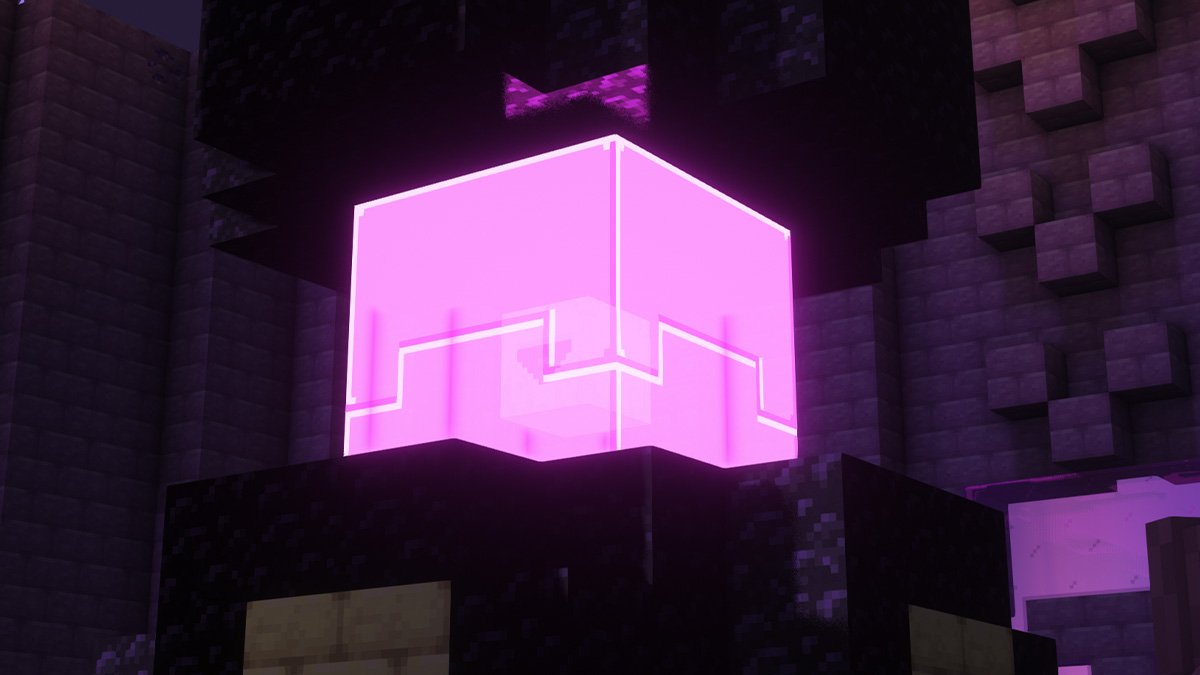
How to find and kill the Shelterer, a boss found in the End Dungeon within the Stalwart Dungeons mod. The Shelterer is immune to Swords
solid forge
thanks so much
white dock
 blazing tartan
hi there! can someone help me with better mc? it not starting and i did evrithing
white dock
blazing tartan
hi there! can someone help me with better mc? it not starting and i did evrithin...
!moreinfo
still sentinelBOT
- What Minecraft version are you using? (1.19.2, 1.20.1, ...)
- What launcher did you run Minecraft with? (e.g. CurseForge, ATLauncher, MultiMC, ...)
- Have you changed the modpack in any way? (e.g. changing mod versions, adding/removing mods)
- What version of the modpack are you using? (v11, v9, etc)
- Have you ever gotten past the crash condition without crashing, or does the game always crash?
- What steps cause the crash?
Required:
Open the game directory (right click pack -> open folder), navigate to the "crash-reports" folder and upload the latest available crash report.
If there is no crash report, navigate to the logs folder and upload "latest.log."
If there is no log, navigate to the base pack directory and upload the hs_err_pid file, if there is one.
 north plover
hey i need help with putting server pack on to my server trough powershell and its not working can someone help me please?
near egret
does it just close immediately
north plover
yes
near egret
!powershell
still sentinelBOT
An update to windows introduced a new security feature that prevents powershell files from running on your PC. This is great for your security, but not so great for our server start scripts, which require powershell to run them. Fortunately there is a quick fix for this!
Run powershell as administrator, then run Set-ExecutionPolicy RemoteSigned. Read the prompt and press accept. This will allow us to run scripts.
Next, navigate to your server directory using cd path/to/directory (for example: cd C:\Users\Username\Documents\Minecraft\Server)
You can now run the server by double-clicking the start.ps1 file, or typing .\start.ps1 into the command line while in the directory.
IF THE ABOVE DOES NOT WORK, TRY THIS
Run the command Unblock-File -Path .\start.ps1 in the same powershell window. This will allow the start script to not be blocked by windows, and run freely.
north plover
ok thx sm
 frozen sail
It won't let me enter the Enen Ring portal, the game crashes on me and my friends on my server.
[14:13]
Does anyone know why?
vocal bronze
Does this mod pack have the ability to craft the netherite ingot upgrades? (Blazerite, featherite etc)?
north plover
@near egret i did all of that and it still crash immediently
 iron sentinel
Hello everyone, how are you? So I'm having an "incompatibility" problem I wanted to put the essentials mod in the BETTER mc modpack and it's giving an error and the singleplayer option disappears, can anyone help me?
 opaque saddle
better mc has built in multiplayer no need for essential
near egret
!ea
still sentinelBOT
The Essential mod is completely incompatible with all of our modpacks, and there's no reason to use it. All of our modpacks already come with built-in, free world hosting, by clicking the "Share World' button in the Open to LAN menu. You can learn more by typing !ws in the #bots channel. You can also run type !server in the same channel to learn how to properly host a server for better performance and more flexibility. In modpacks that aren't owned by us, you can use mods such as e4mc or WorldHost to host a server completely for free without Essential's many issues and crashes and the microtransactions that they constantly bother users with. To learn more about alternatives to the Essential mod, check out this website.
iron sentinel
opaque saddle
better mc has built in multiplayer no need for essential
but it's not paid?
opaque saddle
luna modpacks have a built in open to lan feature
iron sentinel
opaque saddle
luna modpacks have a built in open to lan feature
oh ok sorry I really don't know
opaque saddle
its ok
 mellow gate
Im cooked, neoforge is trash
near egret
there is probably a guide online on how to make it
 pine mango
Someone help me, I went to the boat at the end to try to get the elytra, but when I got to the boat there was nothing there, does anyone know how to solve it?
 frosty plover
Hello, I am trying to play minecraft with my brother here at my house, but when I open the world to “Lan” it stays on the “Encrypting” screen forever and does not advance. we have the same MODS the same versions we use the same internet. Somebody can help me

 gritty jacinth
white dock
have u thrown a diamond in
gritty jacinth
white dock
have u thrown a diamond in
Thank you for trying to help, but I found the solution
pine mango
That's the end city boat, I saw some videos where it sits on a pedestal, but there's nothing on my boat
merry hare
whats one of the fastest way to get ignitium
proper eagle
the build progress started

 queen epoch
is ther an easier way of transporting villagers or no
like without boats or minecart
proper eagle
dimensional carver
 woeful minnow
i have a dumb question
why is it when i watch these youtube videos of better mc, they have like a completely different modpack
do they just have more modpacks installed?
does my world just suck?
idk
also i updated to 32.5 and now my world is gone?
frosty plover
frosty plover
Hello, I am trying to play minecraft with my brother here at my house, but when ...
pls
white dock
woeful minnow
why is it when i watch these youtube videos of better mc, they have like a compl...
how so?
 placid ravine
hi, is there a place where i can check all portals BMC provides?
white dock
placid ravine
hi, is there a place where i can check all portals BMC provides?
questbook tells u
woeful minnow
white dock
questbook tells u
there was one i watched that said it was BMC and he was trying to get like dragon armour
i dont have that
white dock
what bmc did he say he was playing
woeful minnow
and plus all the structures, ive searched like thousands and thousands of blocks and havent seen some of the stuff these guys spawn right by
it said BMC forge
should i bother trying to repair my valkyrie armour or just move on to netherite
white dock
woeful minnow
and plus all the structures, ive searched like thousands and thousands of blocks...
there’s multiple BMC’s
valk is shit iirc
woeful minnow
gothca
white dock
woeful minnow
and plus all the structures, ive searched like thousands and thousands of blocks...
also this is because of a mod
it’s called the sparse structures mod, it increases the distance between structured
woeful minnow
white dock
it’s called the sparse structures mod, it increases the distance between structu...
oh okay
 visual goblet
is there a wiki anywhere?
just getting started and would like to have a guide of some decription
 still apex
I'm not too sure if there's a problem with the server hosting feature or not, but me and my boyfriend are trying to play together and at least every 5 minutes it crashes and we disconnect and lose a bunch of progress. We've tried multiple things to try and fix this and both of our pc's and wi-fi connections are very good. I don't know if anyone else is having this problem but it is very frustrating! Especially since we have to use a different ip for the server every time we log on.
white dock
visual goblet
is there a wiki anywhere?
No just ask questions
using the quest book is a helpful guide
 versed fjord
What mods shows NBT?
 main widget
quick question, playing bettermc with some friends, what mod adds these villages? they look really cool

 broken basin
is there anyway i can change my fabric server to forge?
agile cradle
woeful minnow
also i updated to 32.5 and now my world is gone?
You likely had “update to new modpack” checked when updating, which made a new instance of the pack.
 upper sand
does anyone if better mc fabric or forge has more mods and more to do or are they both the same?
agile cradle
broken basin
is there anyway i can change my fabric server to forge?
Change it yes, but not using same world or files.
agile cradle
upper sand
does anyone if better mc fabric or forge has more mods and more to do or are the...
They are very similar. #faq
upper sand
ty
sand island
how could i make my life easier to find him?

WOW

nuuuuuu

version of the nether of the overworld skeleton thing?

wait what

 wild torrent
how do i fix this
wispy trailBOT
wild torrent
how do i fix this
Uploaded message.txt from @wild torrent to mclogs: https://mclo.gs/HCuDNtk
sand island
do anyone know what is getting my world to start lagging
woeful osprey
does any1 kno of mods like lycanites mobs for 1.20.1?
fallen iris
anyone have any wisdom to share on these questions?

 gloomy hearth
Is it possible to do this on 1.20 for easier translation?
 agile cradle
sand island
do anyone know what is getting my world to start lagging
agile cradle
sand island
do anyone know what is getting my world to start lagging
!fps try this first
still sentinelBOT
woeful minnow
why water dumb
 agile cradle
well your screen is almost pitch black so can't see what your'e talking about
 agile cradle
did you pick it up and place it back down?
agile cradle
Honestly, water mechanics do act funky in MC sometimes
could try to place a block in the hole first and get it to update the block data then remove it see if that helps
woeful minnow
yeah i had to sweet talk it
get it flowing where i wanted it and then place it where i needed it
twilit scroll
is this friendly

 eager plover
How do I fix this?

 near egret
is there a hs err pid
near egret
wild torrent
how do i fix this
!moreinfo
still sentinelBOT
- What Minecraft version are you using? (1.19.2, 1.20.1, ...)
- What launcher did you run Minecraft with? (e.g. CurseForge, ATLauncher, MultiMC, ...)
- Have you changed the modpack in any way? (e.g. changing mod versions, adding/removing mods)
- What version of the modpack are you using? (v11, v9, etc)
- Have you ever gotten past the crash condition without crashing, or does the game always crash?
- What steps cause the crash?
Required:
Open the game directory (right click pack -> open folder), navigate to the "crash-reports" folder and upload the latest available crash report.
If there is no crash report, navigate to the logs folder and upload "latest.log."
If there is no log, navigate to the base pack directory and upload the hs_err_pid file, if there is one.
near egret
eager plover
Do you want me to send it
yes
eager plover
version 1.20.1
wild torrent
near egret
!moreinfo
wispy trailBOT
wild torrent
Uploaded 2024-08-16-1.log.gz from @wild torrent to mclogs: https://mclo.gs/YoHdPIL
eager plover
curseforge, no, v32.5, cant even start up minecraft it just crashes in the launcher, i just press play and it crashes
wispy trailBOT
Uploaded latest.log from @eager plover to mclogs: https://mclo.gs/bi6Iaw3
Uploaded hs_err_pid19796.log from @eager plover to mclogs: https://mclo.gs/575JH9Y
:warning: This is a hs_err_pid file.
These files may contain personal information such as your session token.
Mclogs automatically censors these files, so you should delete your original attachment now.
agile cradle
!drivers
still sentinelBOT
You (likely) need to update your graphics drivers in order to resolve the crash. Here's how to go about doing that!
1. Identify your graphics card
if you already know skip to the next step
- Open task manager
- Navigate to the "Performance" tab (on Windows 11 this is the button that looks like a heart pulse)
- Press the GPU 0 graph and read your GPU from the top right
Note:
In some cases you may see a GPU 0 and GPU 1. This means your CPU has its own GPU, as well as a dedicated one. You probably want GPU 1 (which is usually the better one), but you can ask staff to clarify if necessary.
2. Download your drivers from the manufacturers site
Depending on what you read before, you likely need drivers from either AMD, Intel, or NVIDIA
AMD: https://www.amd.com/en/support
Intel: https://www.intel.com/content/www/us/en/download-center/home.html
NVIDIA: https://www.nvidia.com/Download/index.aspx?lang=en-us
Note:
- For NVIDIA you want to select "Game Ready Driver (GRD)" (this is the default option) for the best performance. Once installing you'd probably prefer downloading GeForce Experience, which will notify you when there's an available drivers update.
- For Intel, you probably want to press "Get Started" under the "Automatically update your drivers and software", which will simplify the process and update everything automatically
- For AMD you probably want to just press "Download Windows Drivers", which will download something called AMD Adrenaline, which will update your drivers automatically.
3. Run the installation, restart your computer, and try playing MC again
- At this point, hopefully your Minecraft is running. If it still does not work, please post any new logs and staff will help assist you with finding the right solution.
eager plover
Restarting rn
near egret
wild torrent
answer the questions as well
eager plover
agile cradle
!drivers
Crashed again
near egret
if you have a gpu switch to that sonik
wild torrent
near egret
answer the questions as well
-version 1.20.1 -CurseForge- i added to mods one is iceandfire the other one is sophisticated backpacks - using v32.5- when i log into the game i see my world for around a second then crash after seeing a full black screen- before the crash started to happen i broke a fence connected to a lantern-
eager plover
near egret
if you have a gpu switch to that sonik
How do I switch
near egret
look up a gudie on yourube
 dry rivet
does anyone know how i can add connected glass textures to my single player world? i want what bcm4 is using but ive been unable to recreate it
they use continuity but im unable to add it to my mod pack because of forge
agile cradle
dry rivet
they use continuity but im unable to add it to my mod pack because of forge
#1061339968691257466 would be better, I think continuity has a fabric or neoforge version
dry rivet
ok ty
viral garden
!alternates read the bottom
still sentinelBOT
If this command was run in response to your question/issue, it is likely because switching away from the launcher you are currently using would fix your problem.
From our experience, the most stable launcher by far is ATLauncher, also known as ATL.
To install ATLauncher, do the following:
1. Go to https://atlauncher.com/download
2. Install and run the setup, then open the program.
3. Login to your Microsoft account that owns the Java Edition of Minecraft from the Accounts tab on the right. This process is 100% safe, as it goes directly through Microsoft. ATLauncher does not see your account credentials.
4. Go to the Packs tab on the right, then click "Curseforge" on the left.
5. Search the modpack you wish to download.
6. Click "New Instance". Click "Ok" on the opted out mods warning, then click "Open All" on the manual download screen.
7. Let the mods download, ATLauncher will grab them from your Downloads folder and automatically add them to the modpack.
8. Go to the Instances tab, and click "Play" on the modpack you downloaded. If you ever see an "Update" button on the instance, click it.
This video explains the process: https://youtu.be/xMYW1wMbmkM
To transfer your Curseforge world to ATLauncher, simply right click the modpack on Curseforge, or click the 3 dots, then click "Open Folder". Copy the Saves folder, then click "Open Folder" on ATLauncher and paste the Saves folder there. Do the same with the XaerosMinimap folder, or the Journeymap folder, to transfer over any waypoints you've created.
Because ATLauncher downloads the exact same files as Curseforge does, your world will be the exact same and you will be able to join the same servers. ATLauncher also works without an internet connection (after you've installed the modpack, of course), and does not have any bloat from Overwolf. You are free to uninstall both Overwolf and Curseforge with ATLauncher installed.
viral garden
follow the full guide please
 swift bluff
still sentinel
If this command was run in response to your question/issue, it is likely because...
swift bluff
still sentinel
If this command was run in response to your question/issue, it is likely because...
We're all using different launchers. I'm assuming that would mean we need to find our local directories for the different versions and copy a certain folder over?
For instance one player uses prism, I use GDLauncher
 storm mesa
Hello people, how is it going? Im trying to add Distant Horizons to the modpack and it crashes as soon as I start it. Does someone know how to solve the problem or had the same issue??
 earnest chasm
What would you say is the best difficulty to play better mc on? I wanna say normal, but I also kinda wanna hear your thoughts.
agile cradle
earnest chasm
What would you say is the best difficulty to play better mc on? I wanna say norm...
!best
still sentinelBOT
There is no best, it's based on preference. What's best is to try it out yourself as what you like may be something someone else dislikes.
viral garden
Please follow the performance guide to improve your game performance, as this is likely to resolve your issue.
Please read the full contents of the #get-support channel for us to provide assistance.
 uneven ibex
my pack only has 2 mods in it is that like normal
 viral garden
Please read the full contents of the #get-support channel for us to provide assistance.
!alternates
still sentinelBOT
If this command was run in response to your question/issue, it is likely because switching away from the launcher you are currently using would fix your problem.
From our experience, the most stable launcher by far is ATLauncher, also known as ATL.
To install ATLauncher, do the following:
1. Go to https://atlauncher.com/download
2. Install and run the setup, then open the program.
3. Login to your Microsoft account that owns the Java Edition of Minecraft from the Accounts tab on the right. This process is 100% safe, as it goes directly through Microsoft. ATLauncher does not see your account credentials.
4. Go to the Packs tab on the right, then click "Curseforge" on the left.
5. Search the modpack you wish to download.
6. Click "New Instance". Click "Ok" on the opted out mods warning, then click "Open All" on the manual download screen.
7. Let the mods download, ATLauncher will grab them from your Downloads folder and automatically add them to the modpack.
8. Go to the Instances tab, and click "Play" on the modpack you downloaded. If you ever see an "Update" button on the instance, click it.
This video explains the process: https://youtu.be/xMYW1wMbmkM
To transfer your Curseforge world to ATLauncher, simply right click the modpack on Curseforge, or click the 3 dots, then click "Open Folder". Copy the Saves folder, then click "Open Folder" on ATLauncher and paste the Saves folder there. Do the same with the XaerosMinimap folder, or the Journeymap folder, to transfer over any waypoints you've created.
Because ATLauncher downloads the exact same files as Curseforge does, your world will be the exact same and you will be able to join the same servers. ATLauncher also works without an internet connection (after you've installed the modpack, of course), and does not have any bloat from Overwolf. You are free to uninstall both Overwolf and Curseforge with ATLauncher installed.
viral garden
1.21.0
Please read the full contents of the #get-support channel for us to provide assistance.
Please read the full contents of the #get-support channel for us to provide assistance.
equip the backpack and press b
Please read the full contents of the #get-support channel for us to provide assistance.
Please read the full contents of the #get-support channel for us to provide assistance.
!ea
still sentinelBOT
The Essential mod is completely incompatible with all of our modpacks, and there's no reason to use it. All of our modpacks already come with built-in, free world hosting, by clicking the "Share World' button in the Open to LAN menu. You can learn more by typing !ws in the #bots channel. You can also run type !server in the same channel to learn how to properly host a server for better performance and more flexibility. In modpacks that aren't owned by us, you can use mods such as e4mc or WorldHost to host a server completely for free without Essential's many issues and crashes and the microtransactions that they constantly bother users with. To learn more about alternatives to the Essential mod, check out this website.
viral garden
!ea
still sentinelBOT
The Essential mod is completely incompatible with all of our modpacks, and there's no reason to use it. All of our modpacks already come with built-in, free world hosting, by clicking the "Share World' button in the Open to LAN menu. You can learn more by typing !ws in the #bots channel. You can also run type !server in the same channel to learn how to properly host a server for better performance and more flexibility. In modpacks that aren't owned by us, you can use mods such as e4mc or WorldHost to host a server completely for free without Essential's many issues and crashes and the microtransactions that they constantly bother users with. To learn more about alternatives to the Essential mod, check out this website.
 terse birch
is it possible to add a schematic mod and if so which one
white dock
terse birch
is it possible to add a schematic mod and if so which one
add any
If it doesn’t work, remove it
white dock
brisk remnant
jer!
yes
 brisk remnant
another layer for my xp farm
but for the 2nd layer i had some of the floor made out of double slabs
white dock
brisk remnant
another layer for my xp farm
use the bottom slab
get rid of the top part
woeful osprey
does any1 kno if I add another mob mod like ice and fire dragons will it mess up the mob spawning and stuff thats already configured?
brisk remnant
white dock
use the bottom slab
 viral garden
!ea
still sentinelBOT
The Essential mod is completely incompatible with all of our modpacks, and there's no reason to use it. All of our modpacks already come with built-in, free world hosting, by clicking the "Share World' button in the Open to LAN menu. You can learn more by typing !ws in the #bots channel. You can also run type !server in the same channel to learn how to properly host a server for better performance and more flexibility. In modpacks that aren't owned by us, you can use mods such as e4mc or WorldHost to host a server completely for free without Essential's many issues and crashes and the microtransactions that they constantly bother users with. To learn more about alternatives to the Essential mod, check out this website.
viral garden
!ea
still sentinelBOT
The Essential mod is completely incompatible with all of our modpacks, and there's no reason to use it. All of our modpacks already come with built-in, free world hosting, by clicking the "Share World' button in the Open to LAN menu. You can learn more by typing !ws in the #bots channel. You can also run type !server in the same channel to learn how to properly host a server for better performance and more flexibility. In modpacks that aren't owned by us, you can use mods such as e4mc or WorldHost to host a server completely for free without Essential's many issues and crashes and the microtransactions that they constantly bother users with. To learn more about alternatives to the Essential mod, check out this website.
woeful osprey
viral garden
!ea
yea I saw this earlier ty but do yk if i had another mod pack like ice and fire dragons it would mess up other mobspawning?
like since there already configured or something
viral garden
Please read the full contents of the #get-support channel for us to provide assistance.
!ws
still sentinelBOT
Luna Pixel's World Sharing
Our modpacks don't support any mods that add singleplayer hosting / world sharing because we already provide free world sharing. The "Essential" mod is therefore incompatible.
To share your world using our own world hosting, click the "Open to Lan" or "Share World" button in the game menu when in a singleplayer world, and share the world.
It will give you an address, like magma-cube.mc.lunapixel.gg, which your friends can use to connect directly to your world as if it were a server!
We still highly suggest not to play through LAN as LAN is untested and unreliable. Using it will cause longterm damage to your world.
There is no reason to use LAN, as we support both paid and free methods of hosting a server the normal way.
viral garden
hearty heart
Guys ho can help me im cant tp to my friend on local hamachi server
in thius mod...
!server
still sentinelBOT
Paid Method
We suggest renting a server from Bisect Hosting:
Approx. $10 - $25 a month depending on what plan you choose. You can also get 25% off with Code LunaPixel.
Go here and order a plan which fits you. We suggest 1GB per player but nothing lower than 4GB as the server needs at least 3GB to run.
Go to #server-hosting for more Info!
Free Method
To host a server on your own computer, read the selfhosting guide.
This guide goes over how to install, create, and launch a free Minecraft server on all operating systems (MacOS, Linux and Windows). The guide also guides you through installing Java and optimizing your server for better performance.
If you are installing one of our older modpacks, ignore the "README" file that is included in the serverpack files, as they have outdated information.
viral garden
obsidian peak
why when i try to craft something the game starts to lag and most of the times t...
Please follow the performance guide to improve your game performance, as this is likely to resolve your issue.
 zealous latch
Do you have to be in the chuck to hatch a dragon egg?
or can somebody tell me if this is right?
 woeful osprey
zealous latch
or can somebody tell me if this is right?
woeful osprey
zealous latch
or can somebody tell me if this is right?
where did u find a dragon egg at I havent seen dragon or egg my entire playtime😭
zealous latch
woeful osprey
where did u find a dragon egg at I havent seen dragon or egg my entire playtime�...
random at any structures xd, i dont really remember
woeful osprey
zealous latch
random at any structures xd, i dont really remember
o lol have u ever seen just a wild dragon flying tho?
zealous latch
yes 2 times
uneven ibex
how come when I install the modpack on curseforges PC app I get the full 280~ mods but if I install the modpack on curseforges site I only get 2 mods

 woeful osprey
zealous latch
yes 2 times
woeful osprey
zealous latch
yes 2 times
so they pretty rare then im guessing
uneven ibex
uneven ibex
how come when I install the modpack on curseforges PC app I get the full 280~ mo...

 woeful osprey
uneven ibex
how come when I install the modpack on curseforges PC app I get the full 280~ mo...
woeful osprey
uneven ibex
how come when I install the modpack on curseforges PC app I get the full 280~ mo...
just dont install on the site
uneven ibex
woeful osprey
just dont install on the site
ok yes true but the site has millions of downloads
how has nobody come across this issue
I downloaded past versions and still only has 2 mods in it
white dock
woeful osprey
where did u find a dragon egg at I havent seen dragon or egg my entire playtime�...
Chests
white dock
zealous latch
Do you have to be in the chuck to hatch a dragon egg?
No
but u need to be in their area
also that looks right
zealous latch
white dock
No
but this is right?
zealous latch
dont have another egg yet
zealous latch
how? i still have another forest egg
white dock
zealous latch
how? i still have another forest egg
check the quest book
terse birch
does the mod change the way some vilager breeders or anything?
becuase ive made 2 diff versions and they dont work because the villagers can get in beds from far away
im scared it might affect some iron farms maybe
or does anyone have a link to a guarenteed working bmc villager breeder
or iron farm
 paper herald
finally defeated the arachnarch in one take this time
hardest boss fight in blue skies for sure
 worn aspen
pov: Bane of Arthropods
paper herald
shit i needed that fr
 paper herald
growing a lot of interdimensional trees around my home


 worn aspen
Comet, Twilight Oak, Skyroot (I think) and... Starlit I believe
white dock
think u should think about colours so it doesn’t look too odd
 vast ore
- What Minecraft version are you using?
1.20.1 - What launcher did you run Minecraft with?
CurseForge - Have you changed the modpack in any way? (e.g. changing mod versions, adding/removing mods)
Tried adding a mod once, then removed it. - What version of the modpack are you using? v30.5 & v32.5
- Have you ever gotten past the crash condition without crashing, or does the game always crash?
Crashes for my wifes computer and anyone else trying to join. - What steps cause the crash?
Just simply trying to load into the server.
Server worked fine as of last week, everyone was able to join no issue (v30.5), sometime this weekend I got a prompt that there was a new version and that I needed to update. So I updated my client side not thinking to update the server side, I then updated the server to v32.5 and still was unable to load in, I could get to joining world then once it said loading Terrain. I then completely uninstalled CurseForge and MineCraft Launcher and was able to get into the server, but I've tried the same thing on my other pc and still am not able to access the server, along with the other players, Ive been working with Bisect Hosting and this is what they've told me.
 worn aspen
Or Infested Temple
white dock
not like you’d ever use it again unless for some reason you’ve got a spider farm
worn aspen
60 hp spiders
paper herald
worn aspen
Comet, Twilight Oak, Skyroot (I think) and... Starlit I believe
also echo, crescent fruit and everdawn maple
worn aspen
white dock
not like you’d ever use it again unless for some reason you’ve got a spider farm
We all like how much damage it adds even though 4 out of 5 vanilla effected mobs can be one shot with a Stone Axe
And don't get me started on that Slowness 4
paper herald
oh yea and the bluebright
viral garden
trail aurora
<:gilbert:1273005454347206760>

viral garden
grand gate
My fault! It's V28? an older version cause of a serverr
update to v32.5. we offer no support for old verisons
paper herald
what i need to do now is head to the twilight forst and fight another snow queen to fix my seeker bow 😭
viral garden
near egret
i think its the same
the latest modpack version is v32.5
this issue is likely fixed already
but they're on a version from like 4 months ago
viral garden
honest quiver
does anyone know how to fix vein miner, i use to be able to use it on pretty muc...
you need to hold down the vein mining keybind with the enchant
viral garden
pliant wadi
you have no mods installed
you didnt install the modpack correctly
!server
still sentinelBOT
Paid Method
We suggest renting a server from Bisect Hosting:
Approx. $10 - $25 a month depending on what plan you choose. You can also get 25% off with Code LunaPixel.
Go here and order a plan which fits you. We suggest 1GB per player but nothing lower than 4GB as the server needs at least 3GB to run.
Go to #server-hosting for more Info!
Free Method
To host a server on your own computer, read the selfhosting guide.
This guide goes over how to install, create, and launch a free Minecraft server on all operating systems (MacOS, Linux and Windows). The guide also guides you through installing Java and optimizing your server for better performance.
If you are installing one of our older modpacks, ignore the "README" file that is included in the serverpack files, as they have outdated information.
viral garden
fiery orbit
How it dint start logs
[19:10:19] [main/INFO]:ModLauncher running: args [--usern...
Please read the full contents of the #get-support channel for us to provide assistance.
viral garden
cerulean brook
Hi.
so i downloaded the essential mod to play with a friend but when i create a ...
!ea
still sentinelBOT
The Essential mod is completely incompatible with all of our modpacks, and there's no reason to use it. All of our modpacks already come with built-in, free world hosting, by clicking the "Share World' button in the Open to LAN menu. You can learn more by typing !ws in the #bots channel. You can also run type !server in the same channel to learn how to properly host a server for better performance and more flexibility. In modpacks that aren't owned by us, you can use mods such as e4mc or WorldHost to host a server completely for free without Essential's many issues and crashes and the microtransactions that they constantly bother users with. To learn more about alternatives to the Essential mod, check out this website.
viral garden
merry hare
does v31.5 have problems with crashes?
update to v32.5
viral garden
terse ice
whats up with the amount of lag in both single player and multiplayer its insane
Please follow the performance guide to improve your game performance, as this is likely to resolve your issue.
!tps
still sentinelBOT
Please follow the guide here for changing the Java version your server uses. This will improve performance dramatically. If you are on a third party server host, you likely can not change the Java version your server uses. Bisect Hosting and a few VPS providers do allow changing Java version, though, which can usually be done through your server dashboard.
The method on Bisect is to simply go to the main dashboard page, and select "GraalVM 22" as the Java distribution. If it crashes, use 21 instead.
For further performance improvements, you can also follow this guide.
If lag persists, run the following command ingame:
/spark profiler start --only-ticks-over 50
Then, send the link in this channel.
viral garden
fallen iris
- Any items that are "random" generators? As in receiving or creating random ite...
item name?
viral garden
fallen iris
- Can you enchant Skyjade and the other various new ore tools? If so, how? I cou...
only goblin traders for higher level enchants, and yes you can upgrade
viral garden
fallen iris
- Any "shortcuts" or tips & tricks for the first few weeks of playing this modpa...
a lot of that stuff is in the questbook
viral garden
fallen iris
- What quests should I be aiming for/gunning for because of how good the reward ...
all enchants are obtainable in treasure or the enchanting table
viral garden
lofty flicker
Hello, my server is crashing after a few seconds uptime, does someone know how i...
Please read the full contents of the #get-support channel for us to provide assistance.
viral garden
weak trout
I've been playing it for about 3 hours now and now it keeps crashing... I'm able...
Please read the full contents of the #get-support channel for us to provide assistance.
viral garden
frozen sail
It won't let me enter the Enen Ring portal, the game crashes on me and my friend...
update the eden ring mod
viral garden
mellow gate
Im cooked, neoforge is trash
what?
viral garden
frosty plover
Hello, I am trying to play minecraft with my brother here at my house, but when ...
!port
still sentinelBOT
If you're having issues with your friends joining your server, your port for Minecraft may be closed.
-
Check with https://portchecker.co/ with your IP and Minecraft's port (drop down menu) to see if it's open.
-
If it's closed you will need to search online "How to open Minecraft port for server with (ISP Name)
Important note: a lot will allow port forwarding, but there may be some ISPs that will not allow any port forwarding. Please check online if this is the case for yours.
grand gate
viral garden
update to v32.5. we offer no support for old verisons
thank you
viral garden
woeful minnow
do they just have more modpacks installed?
!define thats not what modpack meanss
still sentinelBOT
Curseforge - Refers to both the Curseforge website and Curseforge Launcher. The Curseforge Launcher is a modded launcher used to play & install modpacks. ATLauncher is a better alternative. All modded launchers can be used to install & play both Fabric and Forge modpacks.
Modpack - A collection of mods. "Better MC 1.19.2 Forge", for example, is a modpack.
Modpack Version - The version of the modpack you are playing. v5, v6, v7, etc.
Minecraft Version - The version of Minecraft which the modpack you are playing runs on. 1.16.5, 1.18.2, 1.19.2, etc.
Mod - A .jar file which modifies the game in some way. "BetterEnd", for example, is a mod.
Forge - A mod loader which allows you to use Forge mods.
Fabric - A mod loader which allows you to use Fabric mods.
viral garden
woeful minnow
why is it when i watch these youtube videos of better mc, they have like a compl...
theres several better minecraft versions and the modpack is constantly updating and changing
viral garden
woeful minnow
also i updated to 32.5 and now my world is gone?
!alternates read the bottom
still sentinelBOT
If this command was run in response to your question/issue, it is likely because switching away from the launcher you are currently using would fix your problem.
From our experience, the most stable launcher by far is ATLauncher, also known as ATL.
To install ATLauncher, do the following:
1. Go to https://atlauncher.com/download
2. Install and run the setup, then open the program.
3. Login to your Microsoft account that owns the Java Edition of Minecraft from the Accounts tab on the right. This process is 100% safe, as it goes directly through Microsoft. ATLauncher does not see your account credentials.
4. Go to the Packs tab on the right, then click "Curseforge" on the left.
5. Search the modpack you wish to download.
6. Click "New Instance". Click "Ok" on the opted out mods warning, then click "Open All" on the manual download screen.
7. Let the mods download, ATLauncher will grab them from your Downloads folder and automatically add them to the modpack.
8. Go to the Instances tab, and click "Play" on the modpack you downloaded. If you ever see an "Update" button on the instance, click it.
This video explains the process: https://youtu.be/xMYW1wMbmkM
To transfer your Curseforge world to ATLauncher, simply right click the modpack on Curseforge, or click the 3 dots, then click "Open Folder". Copy the Saves folder, then click "Open Folder" on ATLauncher and paste the Saves folder there. Do the same with the XaerosMinimap folder, or the Journeymap folder, to transfer over any waypoints you've created.
Because ATLauncher downloads the exact same files as Curseforge does, your world will be the exact same and you will be able to join the same servers. ATLauncher also works without an internet connection (after you've installed the modpack, of course), and does not have any bloat from Overwolf. You are free to uninstall both Overwolf and Curseforge with ATLauncher installed.
viral garden
versed fjord
What mods shows NBT?
what?
viral garden
main widget
quick question, playing bettermc with some friends, what mod adds these villages...
run the /structureessentials namenearby command
viral garden
wild torrent
how do i fix this
Please read the full contents of the #get-support channel for us to provide assistance.
viral garden
sand island
do anyone know what is getting my world to start lagging
Please follow the performance guide to improve your game performance, as this is likely to resolve your issue.
viral garden
swift bluff
We're all using different launchers. I'm assuming that would mean we need to fin...
its always in the same spot - just the modpack files
viral garden
uneven ibex
my pack only has 2 mods in it is that like normal
!alternates you need a modded launcher to install the modpack
still sentinelBOT
If this command was run in response to your question/issue, it is likely because switching away from the launcher you are currently using would fix your problem.
From our experience, the most stable launcher by far is ATLauncher, also known as ATL.
To install ATLauncher, do the following:
1. Go to https://atlauncher.com/download
2. Install and run the setup, then open the program.
3. Login to your Microsoft account that owns the Java Edition of Minecraft from the Accounts tab on the right. This process is 100% safe, as it goes directly through Microsoft. ATLauncher does not see your account credentials.
4. Go to the Packs tab on the right, then click "Curseforge" on the left.
5. Search the modpack you wish to download.
6. Click "New Instance". Click "Ok" on the opted out mods warning, then click "Open All" on the manual download screen.
7. Let the mods download, ATLauncher will grab them from your Downloads folder and automatically add them to the modpack.
8. Go to the Instances tab, and click "Play" on the modpack you downloaded. If you ever see an "Update" button on the instance, click it.
This video explains the process: https://youtu.be/xMYW1wMbmkM
To transfer your Curseforge world to ATLauncher, simply right click the modpack on Curseforge, or click the 3 dots, then click "Open Folder". Copy the Saves folder, then click "Open Folder" on ATLauncher and paste the Saves folder there. Do the same with the XaerosMinimap folder, or the Journeymap folder, to transfer over any waypoints you've created.
Because ATLauncher downloads the exact same files as Curseforge does, your world will be the exact same and you will be able to join the same servers. ATLauncher also works without an internet connection (after you've installed the modpack, of course), and does not have any bloat from Overwolf. You are free to uninstall both Overwolf and Curseforge with ATLauncher installed.
viral garden
woeful osprey
yea I saw this earlier ty but do yk if i had another mod pack like ice and fire ...
!define adding mods is fine, and ice and fire is not a modpack
still sentinelBOT
Curseforge - Refers to both the Curseforge website and Curseforge Launcher. The Curseforge Launcher is a modded launcher used to play & install modpacks. ATLauncher is a better alternative. All modded launchers can be used to install & play both Fabric and Forge modpacks.
Modpack - A collection of mods. "Better MC 1.19.2 Forge", for example, is a modpack.
Modpack Version - The version of the modpack you are playing. v5, v6, v7, etc.
Minecraft Version - The version of Minecraft which the modpack you are playing runs on. 1.16.5, 1.18.2, 1.19.2, etc.
Mod - A .jar file which modifies the game in some way. "BetterEnd", for example, is a mod.
Forge - A mod loader which allows you to use Forge mods.
Fabric - A mod loader which allows you to use Fabric mods.
viral garden
uneven ibex
how come when I install the modpack on curseforges PC app I get the full 280~ mo...
!alternates
still sentinelBOT
If this command was run in response to your question/issue, it is likely because switching away from the launcher you are currently using would fix your problem.
From our experience, the most stable launcher by far is ATLauncher, also known as ATL.
To install ATLauncher, do the following:
1. Go to https://atlauncher.com/download
2. Install and run the setup, then open the program.
3. Login to your Microsoft account that owns the Java Edition of Minecraft from the Accounts tab on the right. This process is 100% safe, as it goes directly through Microsoft. ATLauncher does not see your account credentials.
4. Go to the Packs tab on the right, then click "Curseforge" on the left.
5. Search the modpack you wish to download.
6. Click "New Instance". Click "Ok" on the opted out mods warning, then click "Open All" on the manual download screen.
7. Let the mods download, ATLauncher will grab them from your Downloads folder and automatically add them to the modpack.
8. Go to the Instances tab, and click "Play" on the modpack you downloaded. If you ever see an "Update" button on the instance, click it.
This video explains the process: https://youtu.be/xMYW1wMbmkM
To transfer your Curseforge world to ATLauncher, simply right click the modpack on Curseforge, or click the 3 dots, then click "Open Folder". Copy the Saves folder, then click "Open Folder" on ATLauncher and paste the Saves folder there. Do the same with the XaerosMinimap folder, or the Journeymap folder, to transfer over any waypoints you've created.
Because ATLauncher downloads the exact same files as Curseforge does, your world will be the exact same and you will be able to join the same servers. ATLauncher also works without an internet connection (after you've installed the modpack, of course), and does not have any bloat from Overwolf. You are free to uninstall both Overwolf and Curseforge with ATLauncher installed.
viral garden
uneven ibex
ok yes true but the site has millions of downloads
the site downloads include the launcher downloads
viral garden
uneven ibex
how has nobody come across this issue
its not an issue
viral garden
uneven ibex
I downloaded past versions and still only has 2 mods in it
you need a modded launcher to install and play modpacks
theres no way around it
viral garden
terse birch
does the mod change the way some vilager breeders or anything?
libertys villagers mod
viral garden
vast ore
1. What Minecraft version are you using?
1.20.1
2. What launcher did you run M...
!alternates
still sentinelBOT
If this command was run in response to your question/issue, it is likely because switching away from the launcher you are currently using would fix your problem.
From our experience, the most stable launcher by far is ATLauncher, also known as ATL.
To install ATLauncher, do the following:
1. Go to https://atlauncher.com/download
2. Install and run the setup, then open the program.
3. Login to your Microsoft account that owns the Java Edition of Minecraft from the Accounts tab on the right. This process is 100% safe, as it goes directly through Microsoft. ATLauncher does not see your account credentials.
4. Go to the Packs tab on the right, then click "Curseforge" on the left.
5. Search the modpack you wish to download.
6. Click "New Instance". Click "Ok" on the opted out mods warning, then click "Open All" on the manual download screen.
7. Let the mods download, ATLauncher will grab them from your Downloads folder and automatically add them to the modpack.
8. Go to the Instances tab, and click "Play" on the modpack you downloaded. If you ever see an "Update" button on the instance, click it.
This video explains the process: https://youtu.be/xMYW1wMbmkM
To transfer your Curseforge world to ATLauncher, simply right click the modpack on Curseforge, or click the 3 dots, then click "Open Folder". Copy the Saves folder, then click "Open Folder" on ATLauncher and paste the Saves folder there. Do the same with the XaerosMinimap folder, or the Journeymap folder, to transfer over any waypoints you've created.
Because ATLauncher downloads the exact same files as Curseforge does, your world will be the exact same and you will be able to join the same servers. ATLauncher also works without an internet connection (after you've installed the modpack, of course), and does not have any bloat from Overwolf. You are free to uninstall both Overwolf and Curseforge with ATLauncher installed.
terse birch
viral garden
libertys villagers mod
villagers plus is what u mean? unless its just the same thing idk
viral garden
no
villagers plus is not what its called
the mod causing it is libertys villagers
terse birch
oh ok can i fix it or find a workaround or no
viral garden
terse birch
oh ok can i fix it or find a workaround or no
set villagerWanderingFix to false in libertys villagers config
terse birch
viral garden
set villagerWanderingFix to false in libertys villagers config
alr set to that
soo how do i fix it
cus its alr set to that by default
terse birch
well what bonuses would i lose?
viral garden
terse birch
well what bonuses would i lose?
read what the mod does
viral garden
terse birch
would u remove the mod?
nah
terse birch
i did but like idk whether i should or not
 fast galleon
ik bettermc4 got oculus in it, whats the other mod i gotta download to actually run my shaders tho
nvm found it
viral garden
fast galleon
ik bettermc4 got oculus in it, whats the other mod i gotta download to actually ...
the pack comes with shader support
 runic warren
does anybody know how to build an iron farm in bmc4? i tried the conventional method but it didn't seem to work lol
vast ore
viral garden
!alternates
Thank you, I will give that a try.
 near fossil
If i make a wither skeleton spawner will they spawn in the overworld?
vast ore
viral garden
!alternates
Ive just completed switching to the ATLauncher with the same result.
viral garden
can you send the log please
vast ore
viral garden
can you send the log please
Absolutely
wispy trailBOT
vast ore
Uploaded message.txt from @vast ore to mclogs: https://mclo.gs/cQ1mLK8
vast ore
wispy trailBOT
vast ore
Uploaded latest_6.log from @vast ore to mclogs: https://mclo.gs/ebN4YdE
agile cradle
vast ore
1. What Minecraft version are you using?
1.20.1
2. What launcher did you run M...
what mod did you try adding?
oh nvm. chloe got you
vast ore
agile cradle
what mod did you try adding?
It would have been WorldEdit if that helps any bit
agile cradle
Instead of world edit, I suggest trying axiom.
vast ore
agile cradle
Instead of world edit, I suggest trying axiom.
Thank you, Ill will look into it.
 jovial forum
hey there, im trying to use the filter cable for chests so it organize my swords, blocks... etc in respected chests when I put it in the request table, but im not sure how it works.
I have a storage network root, then a storage network table on top, with network cables into filtered link cables to a chest right now
 median sparrow
is there a mod in the pack that lets you preload chunks
agile cradle
median sparrow
is there a mod in the pack that lets you preload chunks
!pregen you can pregenerate any pack you wish.
still sentinelBOT
Noob explains how to Pre Generate your Minecraft World.
▬▬▬▬▬▬▬▬▬▬▬▬▬▬▬▬▬▬▬▬▬▬▬▬▬▬▬▬▬▬
➔ Modpack: https://www.curseforge.com/minecraft/modpacks/better-minecraft-modpack
➔ Discord: https://discord.com/invite/9S5tfrY4Fr
▬▬▬▬▬▬▬▬▬▬▬▬▬▬▬▬▬▬▬▬▬▬▬▬▬▬▬▬▬▬
➔ Want a Server?
BisectHosting: https://www.bisecthosting.com/LunaPixel
Use the code "LunaPixel" t...
agile cradle
chunky atm is the preferred mod for it

 arctic mortar
When snow falls next to diagonal fences they can end up removing the diagonal pillars, this is mostly an issue with holding mobs like chickens as they can break free
sand island
viral garden
Please follow the [performance guide](<https://rpg.prominence.wiki/performance-g...
Ye thanks gonna try After work cuz It looked strange and It was a bit horrible to play
 upper flume
Hello I have a question
I just beat the starlit crusher and accidentally used the “nature arc” it gave me three extra hearts but am I locked out of re summoning the boss again?
Nvm I just saw that I can buy more keys from the gatekeeper
 cobalt socket
Does anynone play more then 3-4weeks mod pack? Please show your builds, thank u
 low turtle
I wanne make a thallasium sword blade, i got the handle now i wanne make the Blade him self but there is no info how to make tha blade somebody knows how to make or find that ?
 dull solar
is there any bugs in v32.5 coz my gold farm stopped working, piglins not going through nether portals
 terse ice
is there a way to tame snow leopards?
 echo bough
hey when I try to launch the play my games crash during this launch I uninstalled and reinstalled everything but nothing changes and no error message gives me

Error loading class: net/builderdog/ancient_aether/client/renderer/entity/FestiveSwetRenderer (java.lang.ClassNotFoundException: net.builderdog.ancient_aether.client.renderer.entity.FestiveSwetRenderer)
[23:48:45] [Render thread/WARN]: Error loading class: com/aetherteam/aether_genesis/client/renderer/entity/SkyrootMimicRenderer (java.lang.ClassNotFoundException: com.aetherteam.aether_genesis.client.renderer.entity.SkyrootMimicRenderer)
can you help me plz
agile cradle
echo bough
!moreinfo
still sentinelBOT
- What Minecraft version are you using? (1.19.2, 1.20.1, ...)
- What launcher did you run Minecraft with? (e.g. CurseForge, ATLauncher, MultiMC, ...)
- Have you changed the modpack in any way? (e.g. changing mod versions, adding/removing mods)
- What version of the modpack are you using? (v11, v9, etc)
- Have you ever gotten past the crash condition without crashing, or does the game always crash?
- What steps cause the crash?
Required:
Open the game directory (right click pack -> open folder), navigate to the "crash-reports" folder and upload the latest available crash report.
If there is no crash report, navigate to the logs folder and upload "latest.log."
If there is no log, navigate to the base pack directory and upload the hs_err_pid file, if there is one.
echo bough
hello it's strange because when I launch the game it launches but it doesn't give me an error message and closes during the launch
echo bough
echo bough
Error loading class: net/builderdog/ancient_aether/client/renderer/entity/Festiv...
and I found this in the crash report folder
 agile cradle
echo bough
agile cradle
echo bough
open all in browswer and download them
agile cradle
echo bough
then I launch pack mode in the curse forge launcher?
no you launch from atlauncher
In instances
echo bough
where is for play ?
 echo bough
 agile cradle
Instances.
echo bough
okayyy
thanks
sorry i'm frensh and i'm stupid
i'ts good thanks
and last question what is the price for serveur for 2 ?
 golden edge
Has anyone been experienced mob freezes if a they hit you while you wear aether armour?
neruina pausing them due to ticking.
An even more dire situation was my friend hit me while I was wearing some which crashed the server...
(version 31.5)
merry hare
golden edge
Has anyone been experienced mob freezes if a they hit you while you wear aether ...
Had the same problem we switched to 32.5v its working now seems like a version bug
 covert walrus
echo bough
and last question what is the price for serveur for 2 ?
covert walrus
echo bough
and last question what is the price for serveur for 2 ?
just use world share !ws
!ws
still sentinelBOT
Luna Pixel's World Sharing
Our modpacks don't support any mods that add singleplayer hosting / world sharing because we already provide free world sharing. The "Essential" mod is therefore incompatible.
To share your world using our own world hosting, click the "Open to Lan" or "Share World" button in the game menu when in a singleplayer world, and share the world.
It will give you an address, like magma-cube.mc.lunapixel.gg, which your friends can use to connect directly to your world as if it were a server!
We still highly suggest not to play through LAN as LAN is untested and unreliable. Using it will cause longterm damage to your world.
There is no reason to use LAN, as we support both paid and free methods of hosting a server the normal way.
golden edge
merry hare
Had the same problem we switched to 32.5v its working now seems like a version b...
ah awesome to hear! hopefully the server hosting website has the newest version then. My friend started the server up and for some reason it was on that version!
fallen iris
viral garden
only goblin traders for higher level enchants, and yes you can upgrade
I found Tomes too! A special book that got me to Fortune 4
What enchantments can goblin traders/tomes not push beyond their max vanilla level?
And I assume only 1 extra level?
Any mobs better to farm for XP other than armored blazes? (They are absolutely INSANE for xp btw for any new players reading this)
What are the top 3 mobs to farm in terms of drops?
What mobs does Soul Stealer work on? (In terms of vanilla mobs I was hoping for enderman and Creeper souls but no luck yet)
How does Tungsten compare to netherite tools? I'm trying to figure out what I should be gunning for. My current plan is upgrading my netherite armor/tools into the new special kind. And then figuring our what dimension I should venture into for even better tools/armor.
I have an aether portal, twilight forest portal, and found an everbright portal. I know I still need to find everdawn. Any tips on that? Are they more likely to Spawn in certain biomes?
Also, any other portals I'm missing to access any new mod dimensions ?
 austere badge
I uploaded bmc4 to the server but when i load into the server i see lines of codes and mc crashes
near egret
!moreinfo
still sentinelBOT
- What Minecraft version are you using? (1.19.2, 1.20.1, ...)
- What launcher did you run Minecraft with? (e.g. CurseForge, ATLauncher, MultiMC, ...)
- Have you changed the modpack in any way? (e.g. changing mod versions, adding/removing mods)
- What version of the modpack are you using? (v11, v9, etc)
- Have you ever gotten past the crash condition without crashing, or does the game always crash?
- What steps cause the crash?
Required:
Open the game directory (right click pack -> open folder), navigate to the "crash-reports" folder and upload the latest available crash report.
If there is no crash report, navigate to the logs folder and upload "latest.log."
If there is no log, navigate to the base pack directory and upload the hs_err_pid file, if there is one.
honest marsh
I can't believe I just now found out about the eye of flame. I've been searching for ignis for days 😩
honest marsh
Yeah relatively cheap, 2 netherite scrap
white dock
chicken change
 blazing iris
Hello,
i was wondering if anyone knows a way to get connected glass textures in BetterMC Forge. I tried for a while now and cant seem to find a way to get it to work. Does anyone know a way to get connected textures?
near egret
blazing iris
ur a live saver thx
 magic pebble
Does forge have those magnum ore torches like in fabric that don't let certain mobs spawn?
white dock
i dont recall it
white dock
near egret
https://discord.com/channels/790272037578473512/1285017095230197855/128501724891...
@left cradle try this
cobalt socket
anyone knows how to fix crafting ui lag?
 last tundra
Hi, i am unable to find the elytra and the end city loots are not available as well
last tundra
last tundra
Hi, i am unable to find the elytra and the end city loots are not available as w...
@here requesting support for this issue, v30.5 curseforge
near egret
last tundra
@here requesting support for this issue, v30.5 curseforge
update the modpack to the latest version
last tundra
near egret
update the modpack to the latest version
hi, thanks for the reply, me and my friends are already running a private server. if we were to update our versions. how would we migrate our progress?
last tundra
last tundra
hi, thanks for the reply, me and my friends are already running a private server...
can you create a thread and explain the process please
sand island
good
 near egret
!updateserver
still sentinelBOT

00:00 Update Server Locally
01:19 Update on Server Host/Bisect Hosting Premium
01:39 Update on Server Host/Bisect Hosting Premium
Discord ➔ https://discord.gg/8ZmhaPPbjE
Twitter ➔ https://twitter.com/SharkieTV
Use CODE: LunaPixel for 25% off ➔ https://www.bisecthosting.com/LunaPixel
last tundra
near egret
!updateserver
thanks for this, may i know if backup procedures are in the video as well?
incase migration is botched
near egret
for world all you need to backup is the "world" folder inside the server files
i dont remember if that video does it
last tundra
@near egret i'm running curseforge v30.5
private home server

can you explain this to me?
near egret
a mod called sinytra connector lets you use some fabric mods inside of forge modpacks
curseforge warns you that these are fabric mods
byt they work fine because of the connector
white dock
questbook
young cairn
is there any better way to make a gunpowder farm in better mc than the creeper farm
white dock
dont think so
young cairn
is it compatible with create and mekanism
jovial forum
Does anyone know the answer to my question by any chance?
im trying to use the filter cable for chests so it organize my swords, blocks... etc in respected chests when I put it in the request table, but im not sure how it works. I have a storage network root, then a storage network table on top, with network cables into filtered link cables to a chest right now


 dusty star
is there any mechanism in BMC4 to keep chunks loaded like FTB chunks where you can set the forceloaded chunks?
or is vanilla chunk loader the only option?
im asking because it seems as if if a chunk is unloaded and a storage root is in there the crafting remote cant access that inventory
near egret
there is forcelaoding in openpac as well
right clikc a claimed chunk and select forceload selceted
dusty star
near egret
there is forcelaoding in openpac as well
how would i edit the server claims config?
proper eagle
what do yall think?
 dusty star
proper eagle
what do yall think?
dusty star
proper eagle
what do yall think?
lookin good man
proper eagle
dusty star
lookin good man
thank you
dusty star
it seems as if even with cheats on, in a lan world you cant get OP
obsidian peak
should i proceed?
 dusty star
i wanted to disable chunk protection feature of the openpac mod cuz its just my friends and i
dusty star
obsidian peak
should i proceed?
how much ram ur pc has?
obsidian peak
16gb
dusty star
yeah you can proceed
i have 16 gb on my pc and i play with 10 gb allocated
youll be fine
obsidian peak
oki
dusty star
dusty star
i wanted to disable chunk protection feature of the openpac mod cuz its just my ...
okay i figured it out, i just had to set the values in these files to false


then remove the option claims.protectClaimedChunks from the main server file
these can be found in the serverconfig folder of the save file
hope this helps anyone
 radiant jay
proper eagle
what do yall think?
radiant jay
proper eagle
what do yall think?
that looks really cool
proper eagle
thats the goal
 dusty star
dusty star
dusty star
just to double check, this does indeed disable all chunk protection right?
can anyone kindly check if you have some spare time
mellow gate
What is more stable forge or neoforge?
dusty star
mellow gate
What is more stable forge or neoforge?
both are releases so are considered stable, but i think the forge BMC4 should be more stable than BMC5 at this moment because it has gotten way more updates to date
near egret
yes
dusty star
near egret
yes
thank you!
 sweet spear
how do i turn in bounties
white dock
sweet spear
how do i turn in bounties
right click the bounty onto the board
 last quiver
Is it possible to reset a quest in the quest book to its uncomplete state
white dock
why
last quiver
white dock
why
me and my friends are trying to do all the boss quests while everyone is online and someone accidentally did one
not a huge deal just curious
white dock
you can just refight the boss
queen epoch
is there a way to get to the end without the end portal
last quiver
I know i know
white dock
don’t think you can do what u want tho
white dock
queen epoch
is there a way to get to the end without the end portal
Teleport? Maybe
near egret
last quiver
Is it possible to reset a quest in the quest book to its uncomplete state
there is but I forgot the command
:p
queen epoch
white dock
Teleport? Maybe
aw man
near egret
its like force change something something
white dock
Yh true
last quiver
too bad
 long flower
can i take enchants of of things and put them on books?
last quiver
not without commands
long flower
oh thx 🙂
white dock
long flower
can i take enchants of of things and put them on books?
tome of extraction can be used to remove the enchantments
oh wait
wrong mod pack

 wicked marsh
yo, does anyone knows why when I try opening minecraft (w mods) the game doesnt opens?
wispy trailBOT
wicked marsh
yo, does anyone knows why when I try opening minecraft (w mods) the game doesnt ...
Uploaded latest.log from @wicked marsh to mclogs: https://mclo.gs/hF1ev2u
white dock
wicked marsh
yo, does anyone knows why when I try opening minecraft (w mods) the game doesnt ...
did u add any mods
 lucid estuary
watch this
 zinc rivet
what mod adds the "changelog" button because it's overlapping with the "singleplayer" button
proper eagle
lucid estuary
watch this
bros a beast
near egret
wicked marsh
yo, does anyone knows why when I try opening minecraft (w mods) the game doesnt ...
!moreinfo please answer all of these questions
still sentinelBOT
- What Minecraft version are you using? (1.19.2, 1.20.1, ...)
- What launcher did you run Minecraft with? (e.g. CurseForge, ATLauncher, MultiMC, ...)
- Have you changed the modpack in any way? (e.g. changing mod versions, adding/removing mods)
- What version of the modpack are you using? (v11, v9, etc)
- Have you ever gotten past the crash condition without crashing, or does the game always crash?
- What steps cause the crash?
Required:
Open the game directory (right click pack -> open folder), navigate to the "crash-reports" folder and upload the latest available crash report.
If there is no crash report, navigate to the logs folder and upload "latest.log."
If there is no log, navigate to the base pack directory and upload the hs_err_pid file, if there is one.
radiant jay
lucid estuary
watch this
bro unleashed the walking dead
wicked marsh
near egret
!moreinfo please answer all of these questions
- 1.18.2
- CurseForge
- I changed everything
- I changed everything
- Nope, when I press open minecraft, the launcher closes and everything goes ok but then minecraft doesnt executes
- When I try opening mc, and it doesnt crashes, its like nothing happens
cobalt socket
 near egret
wicked marsh
1. 1.18.2
2. CurseForge
3. I changed everything
4. I changed everything
5. Nope,...
near egret
wicked marsh
1. 1.18.2
2. CurseForge
3. I changed everything
4. I changed everything
5. Nope,...
!modified
still sentinelBOT
You are using a modified version of the modpack! This channel is only for unmodified versions that we provide. We cannot guarantee that the modpack works after you do modifications, so please go to #1061339968691257466 if you need help with an issue.
If this is a bug, please make sure to test it in an unmodified version before trying to report it.
worn sundial
Does anybody have a list of mods that are added from the first bettermc modpack?
I'd like a reference for my zoo
zinc rivet
how can I remove the changelog button from bmc4?
paper herald
not me casually finding the rarest repurposed structure after defeating a harbinger

 placid moss
paper herald
not me casually finding the rarest repurposed structure after defeating a harbin...
placid moss
paper herald
not me casually finding the rarest repurposed structure after defeating a harbin...
That’s rare? I found it at spawn when I first played and lived in it
zinc rivet
how can I remove the changelog button from bmc4?
paper herald
unfortunately the loot sucks tho
paper herald
placid moss
That’s rare? I found it at spawn when I first played and lived in it
me in this world but it was a monastery
proper eagle
paper herald
unfortunately the loot sucks tho
I found the Nether Variant of it💀
 shell kite
fuck
i used cheats again because i died, i lost my spawn
and i got like
10km away
from my house
😔
radiant jay
zinc rivet
how can I remove the changelog button from bmc4?
idk if you can but keep asking someone might know
lucid estuary
BRO TF IS THAT THING?💀
 obsidian cypress
What mod in latest BMC4 32.5 - disables the nether? I can't enter portal nor can I go there with commands. minecraft:the_nether does not exist at all
jovial forum
Would someone be able to help me with the filtering cable stuff
Does anyone know the answer to my question by any chance?
im trying to use the filter cable for chests so it organize my swords, blocks... etc in respected chests when I put it in the request table, but im not sure how it works. I have a storage network root, then a storage network table on top, with network cables into filtered link cables to a chest right now
 obsidian cypress
Fixed my issue. level.dat did not have the dimensions at all. Had to copy them from another fresh save file. Really weird..
 dire ferry
1. I'm on version 1.20.1
2. I ran the game on Prism Launcher
3. I didn't change anything about the installation of the game or any setting.
4. I'm on version 32.5
5. The game always crashes before I start the game
6. It launches like normally. When I try to make a new world, while loading the game it always crashes for some reason. I don't know but maybe because I'm using a Macbook? (I'm on the latest software possible for right now)
wispy trailBOT
dire ferry
**1.** I'm on version 1.20.1
**2.** I ran the game on Prism Launcher
**3.** I di...
Uploaded latest.log from @dire ferry to mclogs: https://mclo.gs/21xABkB
 main jungle
hello i Need some help with getting my better minecraft to stop crashing upon startup i have the crash report and the exit code if that helps
 wraith pelican
Hello, I need some help troubleshooting an issue. When my friend tries to use an anvil his game crashes but I can use the anvil perfectly fine. This is an unmodded version of the modpack,
^ we use curse forge launcher and are using modpack v32.5
fallen iris
can you combine depth strider or frost walker w feather falling in bettermc? any other enchantment QoL or buffs?
white dock
Don’t think you can
fallen iris
kk ty
white dock
fallen iris
kk ty
you can try it tho
 median idol
 summer hemlock
i recently changed launcher and only transfered the world file, unfortunately, all my tames were owned by ??? instead of mine, is there a way to claim my tames or not

 worn aspen
fallen iris
can you combine depth strider or frost walker w feather falling in bettermc? any...
worn aspen
fallen iris
can you combine depth strider or frost walker w feather falling in bettermc? any...
Can't combine depth strider and frost walker, but either can be added with Feather Falling.
 upbeat echo
Does anyone know the name of the mod that looks like HWYLA?
worn aspen
Jade
 red cosmos
hi is anyone able to tell me how to add Essentials mod to better MC or just any mods just incompatible when i load it up
worn aspen
!ea
still sentinelBOT
The Essential mod is completely incompatible with all of our modpacks, and there's no reason to use it. All of our modpacks already come with built-in, free world hosting, by clicking the "Share World' button in the Open to LAN menu. You can learn more by typing !ws in the #bots channel. You can also run type !server in the same channel to learn how to properly host a server for better performance and more flexibility. In modpacks that aren't owned by us, you can use mods such as e4mc or WorldHost to host a server completely for free without Essential's many issues and crashes and the microtransactions that they constantly bother users with. To learn more about alternatives to the Essential mod, check out this website.
shell kite
hi
i had to use cheats (for the first time in my new world) because i lost my spawn and i was like 10km blocks away
😔
vast ore
Repost
- What Minecraft version are you using?
1.20.1 - What launcher did you run Minecraft with?
Previous: CurseForge Current: ATLaunchers - Have you changed the modpack in any way? (e.g. changing mod versions, adding/removing mods)
Tried adding a mod once, then removed it. - What version of the modpack are you using? v30.5 & v32.5
- Have you ever gotten past the crash condition without crashing, or does the game always crash?
Crashes for my wifes computer and anyone else trying to join. - What steps cause the crash?
Just simply trying to load into the server.
Server worked fine as of last week, everyone was able to join no issue (v30.5), sometime this weekend I got a prompt that there was a new version and that I needed to update. So I updated my client side not thinking to update the server side, I then updated the server to v32.5 and still was unable to load in, I could get to joining world then once it said loading Terrain. I then completely uninstalled CurseForge and MineCraft Launcher and was able to get into the server, but I've tried the same thing on my other pc and still am not able to access the server, along with the other players, Ive been working with Bisect Hosting and this is what they've told me.
Since Ive tried installing AtLauncher with the same results.
This is the logs from my second PC trying to join.
 wispy trailBOT
vast ore
Repost
1. What Minecraft version are you using?
1.20.1
2. What launcher did yo...
wispy trailBOT
vast ore
Repost
1. What Minecraft version are you using?
1.20.1
2. What launcher did yo...
Uploaded latest_6.log from @vast ore to mclogs: https://mclo.gs/pjoDFFn
 silent skiff
im using bisect to host a server, got 10gb of ram and bettermc preloaded, after close to two hours the sever crashes then restarts, rubberbands a few minutes back but thats it. anyone know why?
viral garden
dull solar
not all vanilla farms will work. consider using the spawners+ mod which is already in the modpack instead
viral garden
echo bough
and last question what is the price for serveur for 2 ?
!server
still sentinelBOT
Paid Method
We suggest renting a server from Bisect Hosting:
Approx. $10 - $25 a month depending on what plan you choose. You can also get 25% off with Code LunaPixel.
Go here and order a plan which fits you. We suggest 1GB per player but nothing lower than 4GB as the server needs at least 3GB to run.
Go to #server-hosting for more Info!
Free Method
To host a server on your own computer, read the selfhosting guide.
This guide goes over how to install, create, and launch a free Minecraft server on all operating systems (MacOS, Linux and Windows). The guide also guides you through installing Java and optimizing your server for better performance.
If you are installing one of our older modpacks, ignore the "README" file that is included in the serverpack files, as they have outdated information.
viral garden
golden edge
Has anyone been experienced mob freezes if a they hit you while you wear aether ...
update to v32.5
viral garden
fallen iris
I have an aether portal, twilight forest portal, and found an everbright portal....
they spawn most frequently in vanilla biomes
viral garden
cobalt socket
anyone knows how to fix crafting ui lag?
Please follow the performance guide to improve your game performance, as this is likely to resolve your issue.
viral garden
last tundra
<@316215162623361025> i'm running curseforge v30.5
private home server
update to v32.5
viral garden
obsidian cypress
What mod in latest BMC4 32.5 - disables the nether? I can't enter portal nor can...
the nether isnt disabled
are you playing on a server
 bitter remnant
can someone help me with updating the version I'm using?
 formal sable
lucid estuary
BRO TF IS THAT THING?💀
formal sable
lucid estuary
BRO TF IS THAT THING?💀
scaredme when i first used alexx caves
 atomic narwhal
do you own minecraft?
atomic narwhal
bitter remnant
can someone help me with updating the version I'm using?
!updatemodpack
still sentinelBOT

Discord ➔ https://discord.gg/8ZmhaPPbjE
Twitter ➔ https://twitter.com/SharkieTV
Use CODE: LunaPixel for 25% off ➔ https://www.bisecthosting.com/LunaPixel
bitter remnant
atomic narwhal
!updatemodpack
I do and did a copy and it worked thanks
shell kite
imagine living here

 wraith ivy

Anyone know how can i fix this when the brutes casting their ability they end up freezing and this pops out ( i believe its their buckler?)
 cinder cove
Just a general question, how much RAM did you guys allocate to your servers? I'm looking to run BMC4 on Debian via Crafty
viral garden
dire ferry
**1.** I'm on version 1.20.1
**2.** I ran the game on Prism Launcher
**3.** I di...
!macjdk
still sentinelBOT
For Mac devices using Apple Silicon/arm (M1/M2/etc.) CPUs
There is an issue with Java 17.0.8 and newer where you may experience "A fatal error has been detected by the Java Runtime Environment", which can cause the Java runtime to crash under a variety of circumstances. To resolve this:
Mac:
- Go here and hover over the Download buttons until you see one with the option to install a .dmg file. If you have an M-series Mac, then make sure to install the ARM64 version of this file.
- Install ATLauncher and open it. For more information on how to install and use ATLauncher, run the
!alternatescommand in #bots. - Click "Settings" on the right
- Click "Java/Minecraft" at the top
- Set "Use Java Provided by Minecraft" to false by unchecking the checkbox
- Manually specify the following Java path in the text box to the left to the "Reset" button:
/Library/Java/JavaVirtualMachines/zulu-21.jdk/Contents/Home\
viral garden
cinder cove
Just a general question, how much RAM did you guys allocate to your servers? I'm...
player count?
viral garden
wraith ivy
Please read the full contents of the #get-support channel for us to provide assistance.
viral garden
silent skiff
im using bisect to host a server, got 10gb of ram and bettermc preloaded, after ...
!tps
still sentinelBOT
Please follow the guide here for changing the Java version your server uses. This will improve performance dramatically. If you are on a third party server host, you likely can not change the Java version your server uses. Bisect Hosting and a few VPS providers do allow changing Java version, though, which can usually be done through your server dashboard.
The method on Bisect is to simply go to the main dashboard page, and select "GraalVM 22" as the Java distribution. If it crashes, use 21 instead.
For further performance improvements, you can also follow this guide.
If lag persists, run the following command ingame:
/spark profiler start --only-ticks-over 50
Then, send the link in this channel.
viral garden
vast ore
Repost
1. What Minecraft version are you using?
1.20.1
2. What launcher did yo...
try removing jei
viral garden
wraith pelican
Hello, I need some help troubleshooting an issue. When my friend tries to use an...
Please read the full contents of the #get-support channel for us to provide assistance.
viral garden
main jungle
hello i Need some help with getting my better minecraft to stop crashing upon st...
Please read the full contents of the #get-support channel for us to provide assistance.
cinder cove
viral garden
player count?
around 5 to 6, I've already skimmed through #get-support contents but all I can see is for Windows and Linux with GUI. I'm currently on testing the hardware (i5 7500T 8GB) But I think it wont be strong enough for BMC4.
wraith ivy
viral garden
Please read the full contents of the <#1226057161767911516> channel for us to p...
Minecraft version 1.21, using curseforge to download mods but launched minecraft with neoforge. Have not changed the modpack in anyway. BMC5 1.21v4. Game does not crash unless i click "Try resume".
wispy trailBOT
wraith ivy
Minecraft version 1.21, using curseforge to download mods but launched minecraft...
Uploaded crash-2024-09-15_22.39.20-client.txt from @wraith ivy to mclogs: https://mclo.gs/uqn0S3g
viral garden
cinder cove
around 5 to 6, I've already skimmed through <#1226057161767911516> contents but...
allocate 6-8gb
viral garden
wraith ivy
Minecraft version 1.21, using curseforge to download mods but launched minecraft...
update the ftb mods
 stray basin
so
i fucked up
started hosting an rl craft server, decided i hated it compared to better mc
tried switching it
and now it's stuck in progress
 heavy jasper
Just delete all the files and fresh reinstall the modpack
viral garden
stray basin
tried switching it
!server
still sentinelBOT
Paid Method
We suggest renting a server from Bisect Hosting:
Approx. $10 - $25 a month depending on what plan you choose. You can also get 25% off with Code LunaPixel.
Go here and order a plan which fits you. We suggest 1GB per player but nothing lower than 4GB as the server needs at least 3GB to run.
Go to #server-hosting for more Info!
Free Method
To host a server on your own computer, read the selfhosting guide.
This guide goes over how to install, create, and launch a free Minecraft server on all operating systems (MacOS, Linux and Windows). The guide also guides you through installing Java and optimizing your server for better performance.
If you are installing one of our older modpacks, ignore the "README" file that is included in the serverpack files, as they have outdated information.
stray basin
heavy jasper
Just delete all the files and fresh reinstall the modpack
it's fresh right now, but not live
idk why
viral garden
stray basin
it's fresh right now, but not live
!server
still sentinelBOT
Paid Method
We suggest renting a server from Bisect Hosting:
Approx. $10 - $25 a month depending on what plan you choose. You can also get 25% off with Code LunaPixel.
Go here and order a plan which fits you. We suggest 1GB per player but nothing lower than 4GB as the server needs at least 3GB to run.
Go to #server-hosting for more Info!
Free Method
To host a server on your own computer, read the selfhosting guide.
This guide goes over how to install, create, and launch a free Minecraft server on all operating systems (MacOS, Linux and Windows). The guide also guides you through installing Java and optimizing your server for better performance.
If you are installing one of our older modpacks, ignore the "README" file that is included in the serverpack files, as they have outdated information.
viral garden
follow the guide please
stray basin
its live now
took longer than anticipated
i didn't wanna re buy my server, i had to transfer
last tundra
@viral garden @near egret , thank you so much for your help yesterday, I did update to 32.5 and successfully migrated our server as well
last tundra
last tundra
<@726509826557083680> <@316215162623361025> , thank you so much for your help ye...
It fixed the issue of nether items not spawning