#better-mc-forge
1 messages · Page 237 of 1
 pastel ibex
what can me and my friend use to play bettermc BMC4 without essentials and not on lan but not wanting to pay for a server and cba to do port forwarding is there anyway
 graceful valve
can anyone help with bettermc bmc4 keeps crashing open jdk stops responding error -805306369
 wheat finch
Are there some other mod/mods in BMC4 that make changes to shields/combat besides Shield Expansion?
 viral garden
pastel ibex
what can me and my friend use to play bettermc BMC4 without essentials and not o...
viral garden
pastel ibex
what can me and my friend use to play bettermc BMC4 without essentials and not o...
!server
 still sentinelBOT
We suggest renting a server from Bisect Hosting:
Approx. $10 - $25 a month depending on what plan you choose. You can also get 25% off with Code LunaPixel.
Go to https://www.bisecthosting.com/LunaPixel and order a plan which fits you. We suggest 1GB per player but nothing lower than 4GB as the server needs at least 3GB to run.
Go to #server-hosting for more Info!
Free Method: (This is hosting on your own PC, which is harder to do so we suggest getting a server via Bisect Hosting)
- Download the serverpack from Curseforge's website
- Right click the start.ps1 file and click Run with Powershell
To join your own server, typelocalhostinto Direct Connect.
This video explains the process https://www.youtube.com/watch?v=wuGUbVbLsDc
The server IP address is your Public IP Address, which can be found by googling my ip address
If other players are unable to join, find a portforwarding guide online.
viral garden
graceful valve
can anyone help with bettermc bmc4 keeps crashing open jdk stops responding erro...
Please read the full contents of the #get-support channel for us to provide assistance.
 solar iris
Is there any way to locate a gold dungeon in the aether, it's Forge 1.20.1 v27.5, and I have been searching endlessly for HOURS
viral garden
solar iris
Is there any way to locate a gold dungeon in the aether, it's Forge 1.20.1 v27.5...
update to v28
solar iris
viral garden
update to v28
why?
viral garden
theres no reason not to
solar iris
I am scared of losing my progress on the server
viral garden
your progress is fine
solar iris
I am self-hosting
viral garden
!updateserver
still sentinelBOT

00:00 Update Server Locally
01:19 Update on Server Host/Bisect Hosting Premium
01:39 Update on Server Host/Bisect Hosting Premium
Discord ➔ https://discord.gg/8ZmhaPPbjE
Twitter ➔ https://twitter.com/SharkieTV
Use CODE: LunaPixel for 25% off ➔ https://www.bisecthosting.com/LunaPixel
solar iris
I have a question
what's the swet in the aether mod
I have a swet cape, and I have been trying to find a swet to ride for a lot of time
does anyone possibly have a picture of it>
viral garden
google it :p
 oblique bone
Where to find the koboleton or whatever its called
its in cataclysm mod
 wind flower
I know that mod has a specific discord server, maybe they would have a better answer their?
when claiming the chunk, have your then forceloaded it?
 grizzled pier
anyone know why my supplementaries cage isn't letting catch certain animals? im tryna cage a gator and have the config set to allow cage all mobs; its not letting me cage the gator, but itll let me cage my dragon 😑
 late lion
How do i find sterling aeroclouds?
solar iris
viral garden
google it :p
I tried, no pictures anywhere
Is it a slime creature?
of a flying animal type
I know that the swet can be ridden and flies
 trail igloo
My laptop is having trouble running this mod does anyone know if these Specs are enough to run it.
Nvidia GeForce GTX 2050/RAM 8GB/13th Gen Intel(R) Core(TM) i5-13420H 2.10 GHz.
Atm it lags hard ever 3 seconds
solar iris
My GTX 1650 laptop runs it with 6GB of ram allocated
trail igloo
Ok so maybe the problem is I have allocated Ram I just played it as is. On a server I purchased.
Are you playing on server?
solar iris
trail igloo
Are you playing on server?
I am playing BetterMC on a server I have purchased, yes
trail igloo
Thank you. I’ll figure out the issue then.
solar iris
trail igloo
Thank you. I’ll figure out the issue then.
how much does ur server have
and what CPU is it using
 native stone
Is there a block like a heater that gets rid of snow in an area?
trail igloo
Good question I’m using bio sect I’ll check
viral garden
 sinful frost
guys i was joining the end and the server crashed
sinful frost
guys i was joining the end and the server crashed
Please read the full contents of the #get-support channel for us to provide assistance.
viral garden
trail igloo
My laptop is having trouble running this mod does anyone know if these Specs are...
!fps
still sentinelBOT
 trail igloo
solar iris
how much does ur server have
trail igloo
solar iris
how much does ur server have
4gb I dont know cpu
solar iris
trail igloo
4gb I dont know cpu
I dont think that’s enough
trail igloo
still sentinel
https://rpg.prominence.wiki/performance-guide
Thank you for this I shall follow this guide.
graceful valve
viral garden
Please read the full contents of the <#1226057161767911516> channel for us to pr...
i did
do i paste here
viral garden
mhm
graceful valve
- 1.20.1
2.curseforge & ATLauncher - previously but ive factory reset since then
- latest
- at first yea but after i tried changing mods it stopped
6.i load into a server it gets to encrypting then program stops working due to sdk.
 wispy trailBOT
graceful valve
1. 1.20.1
2.curseforge & ATLauncher
3. previously but ive factory reset since th...
wispy trailBOT
graceful valve
1. 1.20.1
2.curseforge & ATLauncher
3. previously but ive factory reset since th...
Uploaded latest.log from @graceful valve to mclogs: https://mclo.gs/HtCFEM0
viral garden
graceful valve
1. 1.20.1
2.curseforge & ATLauncher
3. previously but ive factory reset since th...
do a fresh install on ATLauncher
do not change mods
don't add or remove anything
and follow the #faq performance guide
be patient while the game loads - dont click anything
let it load
grizzled pier
grizzled pier
anyone know why my supplementaries cage isn't letting catch certain animals? im ...
can someone help me here?
graceful valve
viral garden
be patient while the game loads - dont click anything
did everything still not working
its been 15 min on encrypting and not responding
viral garden
graceful valve
did everything still not working
how is the server you're joining hosted
is the server on v28
viral garden
what server are you joining
viral garden
is your friend able to join
graceful valve
yes they are
viral garden
send a screenshot of the bisect dashboard
graceful valve
his server let me ask
 vivid halo
Hey, I’m having an issue with my inventory. I know before there was a mod that whenever you run out of a block in your HUD it replenished the stack from your inventory after you placed your last block. It does not work anymore. Any fix?
viral garden
vivid halo
Hey, I’m having an issue with my inventory. I know before there was a mod that w...
it was never in this modpack
but the mod is called inventory profiles next
i think it may also be a quark feature, and in that case it'd be in the modpack since quark is included
vivid halo
It stopped working, should I look into quarks config?
viral garden
are you sure you have the same block in both ur hotbar and ur inventory?
vivid halo
Yes, I’m positive
It stopped working in 27.5 but I kinda dealt with it and just updated to 28 hoping it would be fixed but it’s not
Also, in farmers delight when I harvest my tomatoes NOT by breaking the plant, the rope the tomatoes are growing on break as well
viral garden
quark config -> enable quick harvest then remove the rightclickharvest mod
 subtle moth
how to play with friend for free
still sentinelBOT
We suggest renting a server from Bisect Hosting:
Approx. $10 - $25 a month depending on what plan you choose. You can also get 25% off with Code LunaPixel.
Go to https://www.bisecthosting.com/LunaPixel and order a plan which fits you. We suggest 1GB per player but nothing lower than 4GB as the server needs at least 3GB to run.
Go to #server-hosting for more Info!
Free Method: (This is hosting on your own PC, which is harder to do so we suggest getting a server via Bisect Hosting)
- Download the serverpack from Curseforge's website
- Right click the start.ps1 file and click Run with Powershell
To join your own server, typelocalhostinto Direct Connect.
This video explains the process https://www.youtube.com/watch?v=wuGUbVbLsDc
The server IP address is your Public IP Address, which can be found by googling my ip address
If other players are unable to join, find a portforwarding guide online.
Luna Pixel's World Sharing
Our modpacks don't support any mods that add singleplayer hosting / world sharing because we already provide free world sharing. The "Essential" mod is therefore incompatible.
To share your world using our own world hosting, click the "Open to Lan" or "Share World" button in the game menu when in a singleplayer world, and share the world.
It will give you an address, like magma-cube.mc.lunapixel.gg, which your friends can use to connect directly to your world as if it were a server!
We still highly suggest not to play through LAN as LAN is untested and unreliable. Using it will cause longterm damage to your world.
There is no reason to use LAN, as we support both paid and free methods of hosting a server the normal way.
 vivid halo
viral garden
quark config -> enable quick harvest then remove the rightclickharvest mod
vivid halo
viral garden
quark config -> enable quick harvest then remove the rightclickharvest mod
I don’t have just a quark config I have ascended quark common and quark common, which one should I go?
viral garden
vivid halo
I don’t have just a quark config I have ascended quark common and quark common, ...
quark-common
vivid halo
viral garden
quark-common
Would that be under farming category?
viral garden
probably yea
vivid halo
For my first issue with the inventory would that be in this as well?
 native goblet
Alright, not sure this has been asked recently. Is there a way I can just disable the incompatible check from the modpack and run with any other mod I add?
viral garden
native goblet
Alright, not sure this has been asked recently. Is there a way I can just disabl...
The Essential mod is completely incompatible with all of our modpacks, and there's no reason to use it. All of our modpacks already come with built-in, free world hosting, by clicking the "Share World' button in the Open to LAN menu. You can learn more by typing !ws in the #bots channel. You can also run type !server in the same channel to learn how to properly host a server for better performance and more flexibility. In modpacks that aren't owned by us, you can use mods such as e4mc or WorldHost to host a server completely for free without Essential's many issues and crashes and the microtransactions that they constantly bother users with.
viral garden
vivid halo
For my first issue with the inventory would that be in this as well?
im unsure whats causing the inventory issue
vivid halo
viral garden
quark config -> enable quick harvest then remove the rightclickharvest mod
Also, I don’t see any farming category, it’s only automation, building, management, tools, tweaks, world, mobs, client, experimental, and oddities. Which one should I look through
vivid halo
viral garden
im unsure whats causing the inventory issue
That’s all right, I appreciate the help!
viral garden
vivid halo
Also, I don’t see any farming category, it’s only automation, building, manageme...
just search it normally
open it in notepad, ctrl + f
search harvest
vivid halo
viral garden
just search it normally
I’m only seeing something highlighted for the pickarang
viral garden
its tweaks.simple_harvest
vivid halo
Wait a my b I’m in another folder
vivid halo
viral garden
its tweaks.simple_harvest
Ok found it, which all should I delete?
vivid halo
viral garden
dont delete, just enable
I don’t see for my own character only for villagers, could it possibly be the empty hand harvest?
viral garden
enable that too yea
vivid halo
In my config it says the only crops that are able to be right click instead of breaking are sweet berries and cave vines, is that interfering with the tomato?
viral garden
vivid halo
In my config it says the only crops that are able to be right click instead of b...
thats the exclusion list
not the inclusion list
viral garden
yw
vivid halo
Just for confirmation, enabling empty hand harvest should fix correct? Or do I need to do anything else
viral garden
remove the rightclickharvest mod yeah
vivid halo
I don’t see in my config section, is it in another area ?
I only see right clickable blocks
viral garden
vivid halo
I don’t see in my config section, is it in another area ?
its in your mods folder
grizzled pier
grizzled pier
anyone know why my supplementaries cage isn't letting catch certain animals? im ...
Can anyone help me here?
viral garden
grizzled pier
Can anyone help me here?
if you have allow all mobs enabled then theres not much that can be done
you can report it to the supplementaries dev ig but i doubt he'd able to help you
grizzled pier
viral garden
if you have allow all mobs enabled then theres not much that can be done
I do
Dang
viral garden
check the config in the config folder
vivid halo
viral garden
is it set both client and serverside
I can delete that mod?
viral garden
yes
vivid halo
Ok, thank you.. also one more thing too. I noticed when I use scaffolding they will break randomly with no reason at all. They also don’t stack correctly, would you happen to know why?
viral garden
no clue
vivid halo
That’s all right, let me try removing that mod. Thank you for the help!
vivid halo
viral garden
no clue
It worked, thank you so much
viral garden
yw
 native jungle
quick question
why is the foundry disabled?
will there be performance issues when enabling it
viral garden
native jungle
will there be performance issues when enabling it
no
its just overpowered
native jungle
ok thanks
 indigo oak
my mc wont stop crashing
viral garden
indigo oak
my mc wont stop crashing
Please read the full contents of the #get-support channel for us to provide assistance.
indigo oak
1.20.1
Atlauncher
No
28
Game crashes randomly or blue screens my pc. Happens alot when booting it up but in game there's no pattern to it just crashes when it wants.
wispy trailBOT
indigo oak
1.20.1
Atlauncher
No
28
Game crashes randomly or blue screens my pc. Happens alo...
Uploaded message.txt from @indigo oak to mclogs: https://mclo.gs/Dw6jRr4
viral garden
indigo oak
1.20.1
Atlauncher
No
28
Game crashes randomly or blue screens my pc. Happens alo...
update your gpu drivers and follow the #faq performance guide
indigo oak
viral garden
update your gpu drivers and follow the <#815503531611783179> performance guide
3080ti they are updated
viral garden
okay
wind flower
are you able to transport dragons across dimensions? is there some form of item that you can use to put it in your inventory?
 grand gate
Does anyone knows how to fix this?
 viral garden
grand gate
Does anyone knows how to fix this?
viral garden
grand gate
Does anyone knows how to fix this?
!alternates
still sentinelBOT
If this command was run in response to your question/issue, it is likely because switching away from the launcher you are currently using would fix your problem.
From our experience, the most stable launcher by far is ATLauncher, also known as ATL.
To install ATLauncher, do the following:
1. Go to https://atlauncher.com/download
2. Install and run the setup, then open the program.
3. Login to your Microsoft account that owns the Java Edition of Minecraft from the Accounts tab on the right. This process is 100% safe, as it goes directly through Microsoft. ATLauncher does not see your account credentials.
4. Go to the Packs tab on the right, then click "Curseforge" on the left.
5. Search the modpack you wish to download.
6. Click "New Instance". Click "Ok" on the opted out mods warning, then click "Open All" on the manual download screen.
7. Let the mods download, ATLauncher will grab them from your Downloads folder and automatically add them to the modpack.
8. Go to the Instances tab, and click "Play" on the modpack you downloaded. If you ever see an "Update" button on the instance, click it.
To transfer your Curseforge world to ATLauncher, simply right click the modpack on Curseforge, or click the 3 dots, then click "Open Folder". Copy the Saves folder, then click "Open Folder" on ATLauncher and paste the Saves folder there.
Because ATLauncher downloads the exact same files as Curseforge does, your world will be the exact same and you will be able to join the same servers. ATLauncher also works without an internet connection (after you've installed the modpack, of course), and does not have any bloat from Overwolf. You are free to uninstall both Overwolf and Curseforge with ATLauncher installed.
 ripe sand
hey is the Lootr mod compatible with BetterMc?
viral garden
ripe sand
hey is the Lootr mod compatible with BetterMc?
probably
ripe sand
what about essential mod? I added Lootr and Essential mod to the pack and it says a mod in not compatible with the pack and won't let me play
viral garden
ripe sand
what about essential mod? I added Lootr and Essential mod to the pack and it say...
The Essential mod is completely incompatible with all of our modpacks, and there's no reason to use it. All of our modpacks already come with built-in, free world hosting, by clicking the "Share World' button in the Open to LAN menu. You can learn more by typing !ws in the #bots channel. You can also run type !server in the same channel to learn how to properly host a server for better performance and more flexibility. In modpacks that aren't owned by us, you can use mods such as e4mc or WorldHost to host a server completely for free without Essential's many issues and crashes and the microtransactions that they constantly bother users with.
 grizzled apex
I'm assuming this isn't intentional?
 grizzled apex
still sentinel
If this command was run in response to your question/issue, it is likely because...
grizzled apex
still sentinel
If this command was run in response to your question/issue, it is likely because...
oh, this. mb for asking
 worldly shore
Thanks
trail igloo
How much RAM should my server be for 2-3 players?
grizzled apex
trail igloo
How much RAM should my server be for 2-3 players?
About 7gb if I had to guess
 grizzled apex
Speaking of servers, I'm hosting my own server since I can't afford to rent or anything right now, and I can see it show up but when I try to join it says "connection timed out: no further information." How can I fix this?
viral garden
trail igloo
How much RAM should my server be for 2-3 players?
4-5gb
viral garden
indigo oak
please read the performance guide
viral garden
grizzled apex
Speaking of servers, I'm hosting my own server since I can't afford to rent or a...
type localhost in direct connect
not your own ip
just type localhost
viral garden
grizzled apex
same thing
send a screenshot of your server console
grizzled apex
viral garden
send a screenshot of your server console
kk
viral garden
grizzled apex
Is it cause I'm on the same microsoft account?
your server & your microsoft account have no relation to eachother
 viral garden
and send a screenshot of your modpack installation in ATL
also, did you portforward?
grizzled apex
think so? how can I check if I have
grizzled apex
viral garden
and send a screenshot of your modpack installation in ATL
wdym by this
wait this might be a dumb question, do I need the modpack and the server installation in ATL?
viral garden
grizzled apex
wait this might be a dumb question, do I need the modpack *and* the server insta...
no, you just need your client installation in ATL
and for the server you need to use the server files from the modpacks curseforge page

CurseForge
Version 1.20.1 | A Proper Vanilla+ Modpack | Don't play Vanilla play this!
3.6M Downloads | Modpacks
grizzled apex
ye, I've got the server files downloaded in ATL but I didn't install an instance of BMC4
grizzled apex
i'm so dumb i'm so sorry
viral garden
you're good lmao
uninstall the server on ATL, im not sure if the ones generated by it are reliable
grizzled apex
kk
viral garden
!server follow this guide instead
still sentinelBOT
We suggest renting a server from Bisect Hosting:
Approx. $10 - $25 a month depending on what plan you choose. You can also get 25% off with Code LunaPixel.
Go to https://www.bisecthosting.com/LunaPixel and order a plan which fits you. We suggest 1GB per player but nothing lower than 4GB as the server needs at least 3GB to run.
Go to #server-hosting for more Info!
Free Method: (This is hosting on your own PC, which is harder to do so we suggest getting a server via Bisect Hosting)
- Download the serverpack from Curseforge's website
- Right click the start.ps1 file and click Run with Powershell
To join your own server, typelocalhostinto Direct Connect.
This video explains the process https://www.youtube.com/watch?v=wuGUbVbLsDc
The server IP address is your Public IP Address, which can be found by googling my ip address
If other players are unable to join, find a portforwarding guide online.
viral garden
bottom part, free method
grizzled apex
ye been using this religiously
found out my ports aren't open anyway
is 25565 still the minecraft port?
viral garden
grizzled apex
is 25565 still the minecraft port?
think so
viral garden
trail igloo
Is ice and fire incompatible with this mod?
!define
still sentinelBOT
Curseforge - Refers to both the Curseforge website and Curseforge Launcher. The Curseforge Launcher is a modded launcher used to play & install modpacks. ATLauncher is a better alternative. All modded launchers can be used to install & play both Fabric and Forge modpacks.
Modpack - A collection of mods. "Better MC 1.19.2 Forge", for example, is a modpack.
Modpack Version - The version of the modpack you are playing. v5, v6, v7, etc.
Minecraft Version - The version of Minecraft which the modpack you are playing runs on. 1.16.5, 1.18.2, 1.19.2, etc.
Mod - A .jar file which modifies the game in some way. "BetterEnd", for example, is a mod.
Forge - A mod loader which allows you to use Forge mods.
Fabric - A mod loader which allows you to use Fabric mods.
grizzled apex
ye
 upbeat roost
Is there a way to add health to the dragons from dragons mount legacy? The config only has eggs hatchable or not
Not sure if im missing something
grizzled apex
so I'm trying to start the server with the raw download and it keeps just saying "something went wrong" and closing
gonna try it with the ATL server for now
Still "no further information"
viral garden
grizzled apex
so I'm trying to start the server with the raw download and it keeps just saying...
send a screenshot please
grizzled apex
viral garden
send a screenshot please
hard to get cause pressing anything closes it but I'll try
 viral garden
bahahaha ur good
grizzled apex
i'm so sorry lmfao
viral garden
dw
grizzled apex
this is a fresh PC i'm used to having all this shit installed
viral garden
https://ninite.com/ helps a lot
The easiest, fastest way to update or install software. Ninite downloads and installs programs automatically in the background.
grizzled apex
unbelievably cooked, I don't even have java installed 😭 😭 😭
viral garden
😭 😭
grizzled apex
ok theres java installed
lemme see if it works
does it do a little ding or sumn when it's up and running?
viral garden
grizzled apex
does it do a little ding or sumn when it's up and running?
nuh uh
you'll probably see the last log line print as "pupfish chunk found"
thats when you'd know its online
or generally just when nothing else is happening in console
grizzled apex
ah yeah, from peak (alex's mobs)
viral garden
yesssss
viral garden
yeah that should go pretty fast
n then your server will be online
!alternates follow this for installing clientside
still sentinelBOT
If this command was run in response to your question/issue, it is likely because switching away from the launcher you are currently using would fix your problem.
From our experience, the most stable launcher by far is ATLauncher, also known as ATL.
To install ATLauncher, do the following:
1. Go to https://atlauncher.com/download
2. Install and run the setup, then open the program.
3. Login to your Microsoft account that owns the Java Edition of Minecraft from the Accounts tab on the right. This process is 100% safe, as it goes directly through Microsoft. ATLauncher does not see your account credentials.
4. Go to the Packs tab on the right, then click "Curseforge" on the left.
5. Search the modpack you wish to download.
6. Click "New Instance". Click "Ok" on the opted out mods warning, then click "Open All" on the manual download screen.
7. Let the mods download, ATLauncher will grab them from your Downloads folder and automatically add them to the modpack.
8. Go to the Instances tab, and click "Play" on the modpack you downloaded. If you ever see an "Update" button on the instance, click it.
To transfer your Curseforge world to ATLauncher, simply right click the modpack on Curseforge, or click the 3 dots, then click "Open Folder". Copy the Saves folder, then click "Open Folder" on ATLauncher and paste the Saves folder there.
Because ATLauncher downloads the exact same files as Curseforge does, your world will be the exact same and you will be able to join the same servers. ATLauncher also works without an internet connection (after you've installed the modpack, of course), and does not have any bloat from Overwolf. You are free to uninstall both Overwolf and Curseforge with ATLauncher installed.
grizzled apex
please, god above, just let it work this time 😔
grizzled apex
viral garden
!alternates follow this for installing clientside
already got that donezies
viral garden
kk
if i know its installed properly both server & clientside then that'd rule out those issues
and atp it'd just be your firewall or you not portforwarding
viral garden
if you're connecting to a server that is hosted on your network then 99.99% of the time you'll have to join by typing localhost in direct connect
sometimes your public IP address will work
rarely
for other ppl then your public ip address would work, assuming you've portforwarded n stuff
grizzled apex
still not letting me in, i think firewall and stuff is all done
viral garden
does https://portchecker.co/ show you've portforwarded?
Port Checker is a simple tool to check for open ports and test port forwarding setup on your router.
Verify and diagnose connection errors on your computer.
grizzled apex
oh says its closed
viral garden
o
grizzled apex
lets see if i can even remember how to portforward right
i'd need to do that on the server PC yeah?
viral garden
yeah
i think
it might be in your router settings
usually you can find guides online for your specific router
grizzled apex
idk how I'd alter my router
plus I don't wanna risk my ISP beating me with hammers
viral garden
its different per router
but you usually type in a local IP address into a web browser
and it'll open up a control panel
grizzled apex
ok
so
i have a rule set
i'll make a third just in case
does tcp or udp matter
viral garden
 grizzled apex
ok im actually checking and its refusing connection
my own router is refusing connection
viral garden
oh weird
grizzled apex
time to go check my router's brand ig,,,
i think its just telus
I am going to lose it why is this shit so difficult 😭 😭 😭
viral garden
😭
grizzled apex
looked into it and I physically cannot do this cause I don't have my router's login credentials
I'm gonna rip my skin off
viral garden
grizzled apex
looked into it and I physically cannot do this cause I don't have my router's lo...
!ws you can do this ig, or have your friend host?
still sentinelBOT
Luna Pixel's World Sharing
Our modpacks don't support any mods that add singleplayer hosting / world sharing because we already provide free world sharing. The "Essential" mod is therefore incompatible.
To share your world using our own world hosting, click the "Open to Lan" or "Share World" button in the game menu when in a singleplayer world, and share the world.
It will give you an address, like magma-cube.mc.lunapixel.gg, which your friends can use to connect directly to your world as if it were a server!
We still highly suggest not to play through LAN as LAN is untested and unreliable. Using it will cause longterm damage to your world.
There is no reason to use LAN, as we support both paid and free methods of hosting a server the normal way.
grizzled apex
world sharing has never worked out for me :x
thank you for all the help though!!!!!!!
grizzled apex
grizzled apex
world sharing has never worked out for me :x
like every time I do it it'll be busy no matter what time i do it or however many times i retry
viral garden
ah
grizzled apex
I do really appreciate all the help unfortunately god just hates me so I can never have anything the easy way
grizzled apex
I did. I have the admin password and stuff but not the username
viral garden
ah damn
grizzled apex
we had it in a book but I don't know where it is and I'm not tearing up my house looking for it at midnight
viral garden
have you tried 'admin' lol
viral garden
awe
grizzled apex
i'll just drive myself broke and get a bisect subscription when i finally get a job
if I finally get one, I probably won't, but eh, wishful thinking
grizzled apex
ty, and thank you again!!!!!
 tawny sail
yeah...
I did remember I had changed the language to zh_TW at the beginning
then I forgot the the actual default setting. So I tried to make back the language setting to en_UK
 final jacinth
Do normal vanilla raid farms work on better mc? Or does the design need to be adjusted somehow?
 glad vector
gm
viral garden
gm
 knotty saffron
Hello can someone help me
I am trying to open the minecraft MC and is giving me this error Code 1.
 viral garden
knotty saffron
I am trying to open the minecraft MC and is giving me this error Code 1.
viral garden
knotty saffron
I am trying to open the minecraft MC and is giving me this error Code 1.
Please read the full contents of the #get-support channel for us to provide assistance.
 torn bay
hey guys im playing better mc but this game not running with dedicated gpu, anyone can help?
 odd crest
torn bay
hey guys im playing better mc but this game not running with dedicated gpu, anyo...
odd crest
torn bay
hey guys im playing better mc but this game not running with dedicated gpu, anyo...
NVIDIA or AMD gpu?
Please dont say Intel gpu
torn bay
nvidia
odd crest
torn bay
nvidia
https://youtu.be/O-KS1X-cKIY?si=VVKlkI-6KmwSePlX
This will disable it entirely (you can always re enable it using the same method)
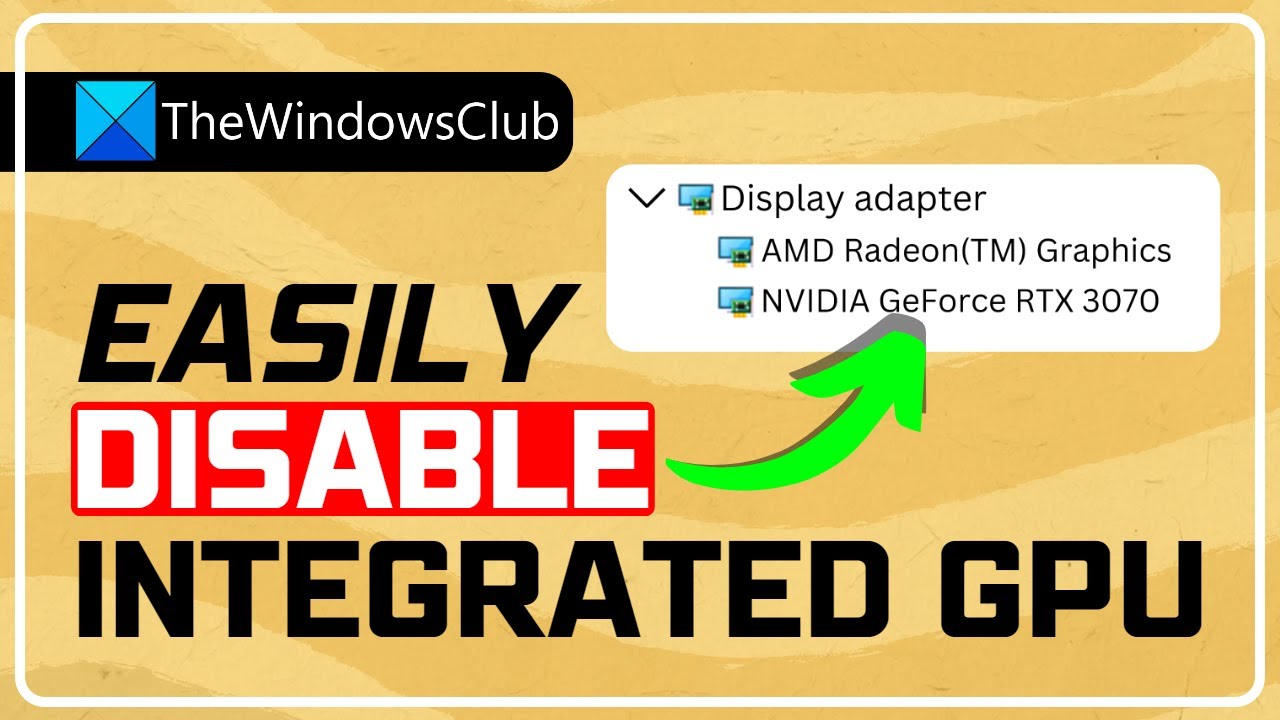
PC users especially gamers that have both the integrated (built-in) and dedicated (discrete) GPU installed on their system might experience low FPS probably because the rig or the applications or games running might be using the built-in graphics card. In this tutorial, we will show you methods on how to disable the Integrated Graphics Card on W...
torn bay
oww thaks bud
odd crest
Also let me know if your dedicated gpu doesnt show up at all in device manager
torn bay
thaks buddy, this frkng game soooooo smooth right now
 viral garden
:)
odd crest
torn bay
thaks buddy, this frkng game soooooo smooth right now
no problemo
 viral garden
knotty saffron
viral garden
knotty saffron
!drivers
still sentinelBOT
You (likely) need to update your graphics drivers in order to resolve the crash. Here's how to go about doing that!
1. Identify your graphics card
if you already know skip to the next step
- Open task manager
- Navigate to the "Performance" tab (on Windows 11 this is the button that looks like a heart pulse)
- Press the GPU 0 graph and read your GPU from the top right
Note:
In some cases you may see a GPU 0 and GPU 1. This means your CPU has its own GPU, as well as a dedicated one. You probably want GPU 1 (which is usually the better one), but you can ask staff to clarify if necessary.
2. Download your drivers from the manufacturers site
Depending on what you read before, you likely need drivers from either AMD, Intel, or NVIDIA
AMD: https://www.amd.com/en/support
Intel: https://www.intel.com/content/www/us/en/download-center/home.html
NVIDIA: https://www.nvidia.com/Download/index.aspx?lang=en-us
Note:
- For NVIDIA you want to select "Game Ready Driver (GRD)" (this is the default option) for the best performance. Once installing you'd probably prefer downloading GeForce Experience, which will notify you when there's an available drivers update.
- For Intel, you probably want to press "Get Started" under the "Automatically update your drivers and software", which will simplify the process and update everything automatically
- For AMD you probably want to just press "Download Windows Drivers", which will download something called AMD Adrenaline, which will update your drivers automatically.
3. Run the installation, restart your computer, and try playing MC again
- At this point, hopefully your Minecraft is running. If it still does not work, please post any new logs and staff will help assist you with finding the right solution.
For Nvidia Laptops and Igpu / Dedicated Nvidia gpu desktops;
knotty saffron
i have the drivers updated
viral garden
knotty saffron
i have the drivers updated
you dont
the only reason that crash happens is old drivers
knotty saffron

its in portugues but its saying that i have the new version already
i guess its a stupid java problem
viral garden
download directly from the nvidia site
knotty saffron
ok i will try
solar iris
why is it so hard to find the gold dungeon in the aether 😭
 hardy mountain
hello
they put me a warning about some mods that cause interference
but i only put the mods that are in the modpack
what can i do?
knotty saffron
viral garden
download directly from the nvidia site
Nop same problem

 light solstice
 uncut plover
wym glitched
uncut plover
are those trees like that originally
light solstice
yes thats a shrubland and those are shrubs
glad vector
i got lamp of cinders in twilight forest

but

the quest stay still
and also i used the lamp
why is that happening

 wet surge
!ws
still sentinelBOT
Luna Pixel's World Sharing
Our modpacks don't support any mods that add singleplayer hosting / world sharing because we already provide free world sharing. The "Essential" mod is therefore incompatible.
To share your world using our own world hosting, click the "Open to Lan" or "Share World" button in the game menu when in a singleplayer world, and share the world.
It will give you an address, like magma-cube.mc.lunapixel.gg, which your friends can use to connect directly to your world as if it were a server!
We still highly suggest not to play through LAN as LAN is untested and unreliable. Using it will cause longterm damage to your world.
There is no reason to use LAN, as we support both paid and free methods of hosting a server the normal way.
viral garden
hardy mountain
they put me a warning about some mods that cause interference
what launcher?
viral garden
knotty saffron
Nop same problem
you can try the troubleshooting steps in #get-support
hardy mountain
1.20.1
hardy mountain
tlauncher
 viral garden
hardy mountain
tlauncher
viral garden
hardy mountain
tlauncher
TLauncher is known spyware and is also unable to install mods or modpacks correctly. Because we offer no support for piracy due to Discord TOS, you will need to provide proof you own a legitimate copy of Minecraft or leave the server. For a safe, working way to install both mods and modpacks, read the #faq guide on installing modpacks.
viral garden
glad vector
make sure to get the last hit on the boss

you need to kill this boss still
viral garden
do the boss then the lamp of cinders
viral garden
if its just an item then you only need it in your inventory
wet surge
I need help
My dragon egg doesnt hatch I have waited like a hour now
Its an aether egg and i did put it on a y level of 203
 cedar blaze
Hey, i'm making a localhost BMC server with a friend and the start.ps1 is saying me that get close after. Any solution ? I know i can use a start.bat file but i prefer with powershell. The version is 1.20.1 BMC 4

v28 of Bmc
wispy trailBOT
cedar blaze
Uploaded crash-2024-06-14_14.14.13-server.txt from @cedar blaze to mclogs: https://mclo.gs/ukG6zr2
viral garden
cedar blaze
Hey, i'm making a localhost BMC server with a friend and the start.ps1 is saying...
!powershell
still sentinelBOT
An update to windows introduced a new security feature that prevents powershell files from running on your PC. This is great for your security, but not so great for our server start scripts, which require powershell to run them. Fortunately there is a quick fix for this!
Run powershell as administrator, then run Set-ExecutionPolicy RemoteSigned. Read the prompt and press accept. This will allow us to run scripts.
Next, navigate to your server directory using cd path/to/directory (for example: cd C:\Users\Username\Documents\Minecraft\Server)
You can now run the server by double-clicking the start.ps1 file, or typing .\start.ps1 into the command line while in the directory.
IF THE ABOVE DOES NOT WORK, TRY THIS
Run the command Unblock-File -Path .\start.ps1 in the same powershell window. This will allow the start script to not be blocked by windows, and run freely.
If all else fails, a manual installation should work:
FORGE 1.16.5: https://www.youtube.com/watch?v=bIjisWyxU-8
FORGE 1.18.2: https://www.youtube.com/watch?v=R610M102X0U
FORGE 1.19.2: https://www.youtube.com/watch?v=3HD0ibIpO-A
FABRIC: https://www.youtube.com/watch?v=b2W1Xb7nLKo
Make sure to Install the Server in our ServerPacks so it can use the correct files.
cedar blaze
thanks
 fathom spruce
do seeds work on the mod packs?
viral garden
fathom spruce
do seeds work on the mod packs?
yes
they will differ a lot from vanilla though
fathom spruce
viral garden
yes
do you have any good ones?
viral garden
no
fathom spruce
does anyone have any good seeds?
 atomic narwhal
Hi, I'm running a BMCv.28 server (localhost, 1.20.1) and the quest book is empty. (I added the "Origins" mod but i don't think it is the source of the problem)
We already played in the world without the quests, is there a way to get the quests back in the world ? (the quests behave normally in single player)
My launcher is CurseForge btw
 cunning copper
anyone got a seed with a village nearby spawn?
 misty delta
i tried reinstalling the modpack yet it still says i have extra mods installed that causes major issues with the game
the singleplayer button doesnt even appear
and i deleted all the stuff in my mods folder
is there something i missed
though i do have resource packs that i dont want to delete
 frail pewter
 echo jungle
any help?
echo jungle
any help?
You could try the Nature's Compass. If you're looking for the actual Ancient City, you can use /locate. Or you can go deep in your world (Y: -52 is where City's generate, under mountains) and scour through your world map.
echo jungle
frail pewter
You could try the Nature's Compass. If you're looking for the actual Ancient Cit...
found the deep dark, no city in sight

 raw rain
raw rain
raw rain
yo is the ice and fire mod compatible with bmc w/dml?
frail pewter
echo jungle
found the deep dark, no city in sight
Like i said, dude: You can /locate if you're frustrated or just don't have the time. I might to do the same the find a Gold Dungeon in the Aether. If you dont have cheats already activated, you can open your world to Lan and turn cheats on or recreate your seed with cheats. I promise I wont tell anyone you cheated. lol.
raw rain
raw rain
yo is the ice and fire mod compatible with bmc w/dml?
it didnt crash my world ima check for structures and mobs if some1 cares to download ice and fire
echo jungle
frail pewter
Like i said, dude: You can /locate if you're frustrated or just don't have the t...
i found one, don’t worry
 still geyser
does the insanity shader work with the patrix resource pack?
glad vector
my game is crashing continuously
is there any solution
i was going to the end with my dragon
and then game got crashed
i restarted my pc
but
whenever i enter my world i get my game crashed
i stuck

i can kill mobs
and i even get their drops
but
look at this scene
 lament rover
anyone know how to use vein miner? holding the key bind doesnt work for me
raw rain
then bind it to a different one, default is ~
echo jungle
isn’t it r?
lament rover
ive tried
lament rover
lol ive used it in other mods its just not working for me in this pack
glad vector
tf? game crashed again and because of this i lost all of my waystones
whats happening
i dont understand
glad vector
glad vector
tf? game crashed again and because of this i lost all of my waystones
and also my dragon
raw rain
glad vector
and also my dragon
the same thing happened to me, lost the dragon and few waypoints, cheat yourself a dragon if it was the lag that caused it all
 cold rover
Hey all, my BMC [FORGE] 1.20 somehow doesn't have any quests in it, tried to access within the book on top left but still nothing is there, any clue? 🙏
glad vector
raw rain
the same thing happened to me, lost the dragon and few waypoints, cheat yourself...
naa
im done with this modpack
raw rain
btw for anyone wondering, ice and dragon 1.20.1 is working good on (even alr done) worlds, jus new structres and chest loots are in undiscovered areas
raw rain
glad vector
im done with this modpack
idk bro, i have rerally powerful pc, 250 fps on normal (even in modpack) and sometimes it just crashes, or 0 fps gameplay which causes my friends to not be able to joint he world, only after restart
raw rain
glad vector
n also cheats not allowed
open to lan-> allow cheats
and u good
nothing will happen to achievements or quests u made
and i will not tell anyone u cheated
dw
glad vector
lmao
this crash thing always happening to me
my pc is also good but
i guess not enough
to run this modpack fluently
raw rain
but yeah, if any mod here sees this, is crashing sometimes or 0 fps (without any big events happening), terrible rendering after waystones, or jus teleporting is fixable?
raw rain
glad vector
my pc is also good but
bro no pc is good for mc, even on vanilla its the most rescourse taking game istg
idk how those bedwars losers have 400fps
glad vector
because of rendering thing
when i was flying with my dragon to the end room
i just got 500 hundred blocks
in 30 minutes
raw rain
yeah u gotta wait sometimes wit ur dragon to render fwew chunks ahead
glad vector
in other dimensions
render is okey
but in overworld
i sometimes want to kill my self
raw rain
real
glad vector
i lost 10 waystone
and nether dragon
and im 10 000 blocks away from home
i trusted my waystones and my dragon
i dont want to walk 10 k
so i quit
 shell dragon
why yall took essential mod away, it worked perfectly, this lan share is ass and keeps disconnecting
 north arrow
Does someone know why I keep getting this error in my logs "[main/WARN] Configuration file USERSDIR\instances\BetterMCFORGEBMC4\config\fml.toml is not correct. Correcting" I have restarted my computer, redownloaded Java, updated my driver via amd adrenaline and downloaded ATlauncher. Nothing works and when I start up better mc fabric it starts up no problem, but with forge i keep getting this message 😭
 fierce wing
annyone know why I can't install optifine on BMC4?
 languid cedar
Hi, a tried to put the better minecraft BCM4 from CurseForge to TLauncher. When i entered on minecraft, appeared a message about a mod incompatible. Can someone help me?
 agile cradle
raw rain
bro no pc is good for mc, even on vanilla its the most rescourse taking game ist...
agile cradle
raw rain
bro no pc is good for mc, even on vanilla its the most rescourse taking game ist...
Psh. Mc is a breeze compared to the issues the sims 4 gives to players. And that’s a strictly single player only game.
agile cradle
languid cedar
Hi, a tried to put the better minecraft BCM4 from CurseForge to TLauncher. When ...
!cracked no cracked launchers allowed.
still sentinelBOT
If you are using a cracked Minecraft launcher, we can not assist with your issue. In order to receive help, you need to switch to an approved launcher and provide proof you have purchased Minecraft. This is due to the terms of service and guideline agreements of both Mojang and Discord.
 lilac heart
how do i join a friend's LAN? the bisect servers are not free so we cannot use them
agile cradle
lilac heart
how do i join a friend's LAN? the bisect servers are not free so we cannot use t...
!ws
still sentinelBOT
Luna Pixel's World Sharing
Our modpacks don't support any mods that add singleplayer hosting / world sharing because we already provide free world sharing. The "Essential" mod is therefore incompatible.
To share your world using our own world hosting, click the "Open to Lan" or "Share World" button in the game menu when in a singleplayer world, and share the world.
It will give you an address, like magma-cube.mc.lunapixel.gg, which your friends can use to connect directly to your world as if it were a server!
We still highly suggest not to play through LAN as LAN is untested and unreliable. Using it will cause longterm damage to your world.
There is no reason to use LAN, as we support both paid and free methods of hosting a server the normal way.
lilac heart
agile cradle
Or you can self host on your computer.
how would i do this? so then me and my friend can play when we are not together
agile cradle
!server 2nd part
still sentinelBOT
We suggest renting a server from Bisect Hosting:
Approx. $10 - $25 a month depending on what plan you choose. You can also get 25% off with Code LunaPixel.
Go to https://www.bisecthosting.com/LunaPixel and order a plan which fits you. We suggest 1GB per player but nothing lower than 4GB as the server needs at least 3GB to run.
Go to #server-hosting for more Info!
Free Method: (This is hosting on your own PC, which is harder to do so we suggest getting a server via Bisect Hosting)
- Download the serverpack from Curseforge's website
- Right click the start.ps1 file and click Run with Powershell
To join your own server, typelocalhostinto Direct Connect.
This video explains the process https://www.youtube.com/watch?v=wuGUbVbLsDc
The server IP address is your Public IP Address, which can be found by googling my ip address
If other players are unable to join, find a portforwarding guide online.
 lethal basin
go to curseforge page
lilac heart
yeah
lilac heart
BMC4
lethal basin
 lilac heart
yeah
 lethal basin
website
CurseForge
Version 1.20.1 | A Proper Vanilla+ Modpack | Don't play Vanilla play this!
3.6M Downloads | Modpacks
 lethal basin
lilac heart
wont lme do on web
lethal basin
lilac heart
wont lme do on web
wdym it won't

 lilac heart
this yj?

 lethal basin
still sentinel
**We suggest renting a server from Bisect Hosting:**
**Approx. $10 - $25** a mo...
lethal basin
still sentinel
**We suggest renting a server from Bisect Hosting:**
**Approx. $10 - $25** a mo...
@lilac heart
fallow this
lilac heart
ok
lethal basin
free method one
lilac heart
no powershell on my computer
lilac heart
lethal basin
free method one
no powershell, on my computer, where i downlaod it?
 errant pike
Hey so ive looked online with no results but would anyone know why every time my friend leaves the server (Clicks disconnect and closes game) The server shows hes still in and his player is just idle
 sturdy holly
!moreinfo
still sentinelBOT
- What Minecraft version are you using? (1.19.2, 1.20.1, ...)
- What launcher did you run Minecraft with? (e.g. CurseForge, ATLauncher, MultiMC, ...)
- Have you changed the modpack in any way? (e.g. changing mod versions, adding/removing mods)
- What version of the modpack are you using? (v11, v9, etc)
- Have you ever gotten past the crash condition without crashing, or does the game always crash?
- What steps cause the crash?
Required:
Open the game directory (right click pack -> open folder), navigate to the "crash-reports" folder and upload the latest available crash report.
If there is no crash report, navigate to the logs folder and upload "latest.log."
If there is no log, navigate to the base pack directory and upload the hs_err_pid file, if there is one.
errant pike
OH my bad
- BetterMinecraft v28
- Hes using prism
- No changes
- Refer to 1
its only him and theres four of us playing all the same set up
sturdy holly
errant pike
1. BetterMinecraft v28
2. Hes using prism
3. No changes
4. Refer to 1
That was for abbie. Send your server log
errant pike
sturdy holly
That was for abbie. Send your server log
[11:36:44] [User Authenticator #4/INFO] [minecraft/ServerLoginPacketListenerImpl]: Disconnecting com.mojang.authlib.GameProfile@-----P[id=<null>,name=,properties={},legacy=false] (-----): Authentication servers are down. Please try again later, sorry!
[11:36:44] [User Authenticator #4/ERROR] [minecraft/ServerLoginPacketListenerImpl]: Couldn't verify username because servers are unavailable
[11:36:44] [Server thread/INFO] [minecraft/ServerLoginPacketListenerImpl]: com.mojang.authlib.GameProfile@------[id=<null>,name=*,properties={},legacy=false] (-----) lost connection: Authentication servers are down. Please try again later, sorry!
I think this is the issue any idea why this would happen
errant pike
Yeah Ill ask him to do it again
when he can
the weirdest part is he persists even when the server reboots
 wintry yacht
- 2.26.2
- CurseForge
- Nope, I clicked play off of Curse Forge.
4.v26 - It didn't use to crash when I played v16 but I wanted to download a newer version so I could play on a server
- I have no idea, I dont even know if what I put in the required is correct
Required:
check the folder thing I uploaded, I think thats what your looking for
wispy trailBOT
wintry yacht
1. 2.26.2
2. CurseForge
3. Nope, I clicked play off of Curse Forge.
4.v26
5. It...
Uploaded hs_err_pid13420.log from @wintry yacht to mclogs: https://mclo.gs/QPcYkyB
:warning: This is a hs_err_pid file.
These files may contain personal information such as your session token.
Mclogs automatically censors these files, so you should delete your original attachment now.
 icy estuary
wintry yacht
1. 2.26.2
2. CurseForge
3. Nope, I clicked play off of Curse Forge.
4.v26
5. It...
icy estuary
wintry yacht
1. 2.26.2
2. CurseForge
3. Nope, I clicked play off of Curse Forge.
4.v26
5. It...
!drivers
still sentinelBOT
You (likely) need to update your graphics drivers in order to resolve the crash. Here's how to go about doing that!
1. Identify your graphics card
if you already know skip to the next step
- Open task manager
- Navigate to the "Performance" tab (on Windows 11 this is the button that looks like a heart pulse)
- Press the GPU 0 graph and read your GPU from the top right
Note:
In some cases you may see a GPU 0 and GPU 1. This means your CPU has its own GPU, as well as a dedicated one. You probably want GPU 1 (which is usually the better one), but you can ask staff to clarify if necessary.
2. Download your drivers from the manufacturers site
Depending on what you read before, you likely need drivers from either AMD, Intel, or NVIDIA
AMD: https://www.amd.com/en/support
Intel: https://www.intel.com/content/www/us/en/download-center/home.html
NVIDIA: https://www.nvidia.com/Download/index.aspx?lang=en-us
Note:
- For NVIDIA you want to select "Game Ready Driver (GRD)" (this is the default option) for the best performance. Once installing you'd probably prefer downloading GeForce Experience, which will notify you when there's an available drivers update.
- For Intel, you probably want to press "Get Started" under the "Automatically update your drivers and software", which will simplify the process and update everything automatically
- For AMD you probably want to just press "Download Windows Drivers", which will download something called AMD Adrenaline, which will update your drivers automatically.
3. Run the installation, restart your computer, and try playing MC again
- At this point, hopefully your Minecraft is running. If it still does not work, please post any new logs and staff will help assist you with finding the right solution.
For Nvidia Laptops and Igpu / Dedicated Nvidia gpu desktops;
errant pike
sturdy holly
That is an issue but sounds different than what you were describing
Would you know what causes this issue at all?
wintry yacht
still sentinel
You (likely) need to update your graphics drivers in order to resolve the crash....
ooo okay ill try that
sturdy holly
errant pike
Would you know what causes this issue at all?
Likely an internet issue or something on their computer. I could help with the latter
errant pike
sturdy holly
Likely an internet issue or something on their computer. I could help with the l...
I could probably figure it out with them just needed a focus. But thank you! I'll come back if we cant figure it out. He honestly probably messed something up 😂
 turbid light
How can I see the achievements that give rewards?
wintry yacht
still sentinel
You (likely) need to update your graphics drivers in order to resolve the crash....
Its updating rn, ill lyk if it works
wintry yacht
still sentinel
You (likely) need to update your graphics drivers in order to resolve the crash....
It crashed again. Do you want me to send the crash report again?
errant pike
sturdy holly
Likely an internet issue or something on their computer. I could help with the l...
Okay update. He quit and there is literally no update to the log and hes still there
 distant shard
Is there is a way to remove the enchantment explanation? or anyone know it's from which mod?

 woeful spoke
Yo how do I hatch my dragon, Aether dragon in dragon mounts legacy
distant shard
woeful spoke
Yo how do I hatch my dragon, Aether dragon in dragon mounts legacy
just wait one of my dragons took ages to hatch so you could try another egg or wait.
woeful spoke
I only got one, do I need to place it somewhere special or just wait
distant shard
no just place it and right click it
woeful spoke
Ok
atomic narwhal
cold rover
Hey all, my BMC [FORGE] 1.20 somehow doesn't have any quests in it, tried to ac...
I'm having the same issue as you but only on my server, when i'm in single player it work just fine, sadly i don't have any clue on this, everything I tried didn't work 😅
wintry yacht
icy estuary
!drivers
Its still showing a crash report,, any other ideas?
cold rover
atomic narwhal
I'm having the same issue as you but only on my server, when i'm in single playe...
😅 I'm totally lost without the quests
atomic narwhal
Same
Some ppl said that if you delete the ftbquest folder in the world folder, and you reopen the server, it recreate a new fixed ftbquest folder (didn't work for me)
cold rover
Some said, the FTB quests aren't available from 1.19 and beyond xD
atomic narwhal
I also tried copying this folder from a single player World into my server but didn't work either
atomic narwhal
cold rover
Some said, the FTB quests aren't available from 1.19 and beyond xD
So we need to wait for an update ?
viral garden
atomic narwhal
Hi, I'm running a BMCv.28 server (localhost, 1.20.1) and the quest book is empty...
you didn't install configs correctly
you need to use all folders from the server files
it's a modpack, not a mod, and yes it'll release on 1.21 some day
viral garden
misty delta
i tried reinstalling the modpack yet it still says i have extra mods installed t...
what launcher are you using
viral garden
raw rain
yo is the ice and fire mod compatible with bmc w/dml?
yes
viral garden
glad vector
my game is crashing continuously
viral garden
lament rover
anyone know how to use vein miner? holding the key bind doesnt work for me
you need the enchant
viral garden
cold rover
Hey all, my BMC [FORGE] 1.20 somehow doesn't have any quests in it, tried to ac...
you didn't install the modpack correctly
read #faq for proper installation
viral garden
raw rain
idk bro, i have rerally powerful pc, 250 fps on normal (even in modpack) and som...
send logs or we can't help
viral garden
north arrow
Does someone know why I keep getting this error in my logs "[main/WARN] Configur...
if the error isn't causing issues then there's nothing to worry about lol
the error itself means nothing
viral garden
shell dragon
why yall took essential mod away, it worked perfectly, this lan share is ass and...
The Essential mod is completely incompatible with all of our modpacks, and there's no reason to use it. All of our modpacks already come with built-in, free world hosting, by clicking the "Share World' button in the Open to LAN menu. You can learn more by typing !ws in the #bots channel. You can also run type !server in the same channel to learn how to properly host a server for better performance and more flexibility. In modpacks that aren't owned by us, you can use mods such as e4mc or WorldHost to host a server completely for free without Essential's many issues and crashes and the microtransactions that they constantly bother users with.
viral garden
fierce wing
annyone know why I can't install optifine on BMC4?
!optifine
still sentinelBOT
It is highly advised to not use Optifine, as it is very glitchy, will increase loading times to upwards of 10 minutes, and will decrease your FPS substantially. All Luna Pixel Studios modpacks come with shader support without Optifine via Oculus on Forge and Iris on Fabric. Optifine is also incompatible with all of our modpacks. The game will not launch with Optifine installed.
If you are interested in Optifine alternatives for your own gameplay, you can find a list here
Note that a majority of these mods are already included in our modpacks.
For an indepth explanation of why Optifine is bad, you can read this document created by Sodium's developer, Jellysquid.
viral garden
update to v28
 subtle wren
!server
still sentinelBOT
We suggest renting a server from Bisect Hosting:
Approx. $10 - $25 a month depending on what plan you choose. You can also get 25% off with Code LunaPixel.
Go to https://www.bisecthosting.com/LunaPixel and order a plan which fits you. We suggest 1GB per player but nothing lower than 4GB as the server needs at least 3GB to run.
Go to #server-hosting for more Info!
Free Method: (This is hosting on your own PC, which is harder to do so we suggest getting a server via Bisect Hosting)
- Download the serverpack from Curseforge's website
- Right click the start.ps1 file and click Run with Powershell
To join your own server, typelocalhostinto Direct Connect.
This video explains the process https://www.youtube.com/watch?v=wuGUbVbLsDc
The server IP address is your Public IP Address, which can be found by googling my ip address
If other players are unable to join, find a portforwarding guide online.
viral garden
wintry yacht
1. 2.26.2
2. CurseForge
3. Nope, I clicked play off of Curse Forge.
4.v26
5. It...
please update to v28 and update your gpu drivers
wintry yacht
viral garden
update to v28
Theres this server I want to join that runs on v26, do you have any idea how I could get v26 to work?
viral garden
errant pike
Okay update. He quit and there is literally no update to the log and hes still t...
viral garden
distant shard
Is there is a way to remove the enchantment explanation? or anyone know it's fro...
remove the enchantment descriptions mod
wintry yacht
viral garden
please update to v28 and update your gpu drivers
Ill try to update my gpu
viral garden
 summer star
is there a guide i can fallow
summer star
is there a guide i can fallow
the ingame quest book
viral garden
cold rover
Some said, the FTB quests aren't available from 1.19 and beyond xD
that's just not true
viral garden
atomic narwhal
So we need to wait for an update ?
no, you need to install your server correctly
distant shard
viral garden
remove the enchantment descriptions mod
Will do thank you
viral garden
wintry yacht
Theres this server I want to join that runs on v26, do you have any idea how I c...
we offer no support for old versions
tell the server owner to update
wintry yacht
got it
summer star
are there any public servers
cold rover
still sentinel
**We suggest renting a server from Bisect Hosting:**
**Approx. $10 - $25** a mo...
Will I get installation support here?
🙏 — sorry I just want to enjoy the modpack with my family while having very low knowledge in modding
viral garden
cold rover
Will I get installation support here?
bisect is just one click to install properly and no other steps
dashboard, open jar menu, search the modpack, install
ezpz
 autumn jasper
Hello, I am trying to play the medieval mc forge but it doesnt work. The message says i have a mod, which is incompatible, but i dont have anything.
The both problem with the better mc forge. I tried with both.
I am using Tlauncher, i dont know if that is the problem.
Please, help me 
 cold rover
viral garden
bisect is just one click to install properly and no other steps
cold rover
viral garden
bisect is just one click to install properly and no other steps
Omg and its way cheaper 😂
wintry yacht
viral garden
we offer no support for old versions
The newest version is also crashing
viral garden
autumn jasper
Hello, I am trying to play the medieval mc forge but it doesnt work. The message...
TLauncher is known spyware and is also unable to install mods or modpacks correctly. Because we offer no support for piracy due to Discord TOS, you will need to provide proof you own a legitimate copy of Minecraft or leave the server. For a safe, working way to install both mods and modpacks, read the #faq guide on installing modpacks.
viral garden
wintry yacht
The newest version is also crashing
send logs please
autumn jasper
viral garden
TLauncher is known spyware and is also unable to install mods or modpacks correc...
Okay, my bad. Thanks
wintry yacht
viral garden
send logs please
wispy trailBOT
wintry yacht
Uploaded hs_err_pid1664.log from @wintry yacht to mclogs: https://mclo.gs/K50QVzP
:warning: This is a hs_err_pid file.
These files may contain personal information such as your session token.
Mclogs automatically censors these files, so you should delete your original message now.
viral garden
wintry yacht
!drivers are you sure you followed this fully
still sentinelBOT
You (likely) need to update your graphics drivers in order to resolve the crash. Here's how to go about doing that!
1. Identify your graphics card
if you already know skip to the next step
- Open task manager
- Navigate to the "Performance" tab (on Windows 11 this is the button that looks like a heart pulse)
- Press the GPU 0 graph and read your GPU from the top right
Note:
In some cases you may see a GPU 0 and GPU 1. This means your CPU has its own GPU, as well as a dedicated one. You probably want GPU 1 (which is usually the better one), but you can ask staff to clarify if necessary.
2. Download your drivers from the manufacturers site
Depending on what you read before, you likely need drivers from either AMD, Intel, or NVIDIA
AMD: https://www.amd.com/en/support
Intel: https://www.intel.com/content/www/us/en/download-center/home.html
NVIDIA: https://www.nvidia.com/Download/index.aspx?lang=en-us
Note:
- For NVIDIA you want to select "Game Ready Driver (GRD)" (this is the default option) for the best performance. Once installing you'd probably prefer downloading GeForce Experience, which will notify you when there's an available drivers update.
- For Intel, you probably want to press "Get Started" under the "Automatically update your drivers and software", which will simplify the process and update everything automatically
- For AMD you probably want to just press "Download Windows Drivers", which will download something called AMD Adrenaline, which will update your drivers automatically.
3. Run the installation, restart your computer, and try playing MC again
- At this point, hopefully your Minecraft is running. If it still does not work, please post any new logs and staff will help assist you with finding the right solution.
For Nvidia Laptops and Igpu / Dedicated Nvidia gpu desktops;
viral garden
I've only ever seen this happen due to outdated drivers
make sure you're installing directly though the vendors website
 wintry yacht
viral garden
I've only ever seen this happen due to outdated drivers
wintry yacht
viral garden
I've only ever seen this happen due to outdated drivers
I fully restarted my computer and everything
viral garden
wintry yacht
yeah
viral garden
you can try the troubleshooting steps in #get-support
change launcher, Java version, etc
or you may just have to wait for Intel to release another driver update that fixes this
wintry yacht
Ill try installing the mod on ATL and see if that works
 viral garden
 pseudo sundial
The Essential mod is completely incompatible with all of our modpacks, and there's no reason to use it. All of our modpacks already come with built-in, free world hosting, by clicking the "Share World' button in the Open to LAN menu. You can learn more by typing !ws in the #bots channel. You can also run type !server in the same channel to learn how to properly host a server for better performance and more flexibility. In modpacks that aren't owned by us, you can use mods such as e4mc or WorldHost to host a server completely for free without Essential's many issues and crashes and the microtransactions that they constantly bother users with.
pseudo sundial
thanks
 teal urchin
wintry yacht
so now what? its still crashing
teal urchin
wintry yacht
so now what? its still crashing
update your amd drivers not intel
unless youve also done that
wintry yacht
teal urchin
update your amd drivers not intel
how do i do that
I feel like I keep running into dead ends and I've been trying to get this modpack to run for hours, its frustrating
 hollow wasp
hey im tryna run bmc4 and the essential mod so we can play multiplayer but it isnt working is there a fix for this
hollow wasp
teal urchin
this is where you can find em
any fixes for my problem
teal urchin
hollow wasp
hey im tryna run bmc4 and the essential mod so we can play multiplayer but it is...
essentials is incompatible with all our modpacks
!ws
still sentinelBOT
Luna Pixel's World Sharing
Our modpacks don't support any mods that add singleplayer hosting / world sharing because we already provide free world sharing. The "Essential" mod is therefore incompatible.
To share your world using our own world hosting, click the "Open to Lan" or "Share World" button in the game menu when in a singleplayer world, and share the world.
It will give you an address, like magma-cube.mc.lunapixel.gg, which your friends can use to connect directly to your world as if it were a server!
We still highly suggest not to play through LAN as LAN is untested and unreliable. Using it will cause longterm damage to your world.
There is no reason to use LAN, as we support both paid and free methods of hosting a server the normal way.
viral garden
hollow wasp
hey im tryna run bmc4 and the essential mod so we can play multiplayer but it is...
The Essential mod is completely incompatible with all of our modpacks, and there's no reason to use it. All of our modpacks already come with built-in, free world hosting, by clicking the "Share World' button in the Open to LAN menu. You can learn more by typing !ws in the #bots channel. You can also run type !server in the same channel to learn how to properly host a server for better performance and more flexibility. In modpacks that aren't owned by us, you can use mods such as e4mc or WorldHost to host a server completely for free without Essential's many issues and crashes and the microtransactions that they constantly bother users with.
summer star
how do i know what quest to start on first?
viral garden
summer star
how do i know what quest to start on first?
send a screenshot
 viral garden
you can complete any of those quests whenever you want
think of it as a rough guide, just complete them whenever you'd like
summer star
ok
 quiet hornet
Hey ppl
so im trying to hatch a aether dragon egg i got from a chest
but it doesnt seem to happen anything
do i have to do anything specific? im at 200 blocks high
wintry yacht
** IT WORKS!!! YIPPEE **
echo jungle
whys he so weak
 summer star
does every village have a waypoint
 atomic narwhal
summer star
does every village have a waypoint
atomic narwhal
summer star
does every village have a waypoint
no
echo jungle
anyone else get horrific input lag sometimes?
 lime cairn
!powershell
still sentinelBOT
An update to windows introduced a new security feature that prevents powershell files from running on your PC. This is great for your security, but not so great for our server start scripts, which require powershell to run them. Fortunately there is a quick fix for this!
Run powershell as administrator, then run Set-ExecutionPolicy RemoteSigned. Read the prompt and press accept. This will allow us to run scripts.
Next, navigate to your server directory using cd path/to/directory (for example: cd C:\Users\Username\Documents\Minecraft\Server)
You can now run the server by double-clicking the start.ps1 file, or typing .\start.ps1 into the command line while in the directory.
IF THE ABOVE DOES NOT WORK, TRY THIS
Run the command Unblock-File -Path .\start.ps1 in the same powershell window. This will allow the start script to not be blocked by windows, and run freely.
If all else fails, a manual installation should work:
FORGE 1.16.5: https://www.youtube.com/watch?v=bIjisWyxU-8
FORGE 1.18.2: https://www.youtube.com/watch?v=R610M102X0U
FORGE 1.19.2: https://www.youtube.com/watch?v=3HD0ibIpO-A
FABRIC: https://www.youtube.com/watch?v=b2W1Xb7nLKo
Make sure to Install the Server in our ServerPacks so it can use the correct files.
viral garden
echo jungle
anyone else get horrific input lag sometimes?
#faq performance guide
 hoary shore
You just not locked in 🤞😔
 viral garden
 meager coral
how to keep a chunk loaded
meager coral
how to keep a chunk loaded
the claiming mod lets you forceload chunks
just use jei
trail igloo
Ok, so I’m still having lag issues just having the mod pack running in the home menu. Allocated 5.5gb out of 8gb
I read that page you sent me and I must be missing something
viral garden
okay, goodbye
 plucky geodeBOT
Ban Result:
 Reason: annoying
 Moderator: @viral garden

Banned:

 cloudy54579 [
1021595311338168360]
viral garden
trail igloo
Ok, so I’m still having lag issues just having the mod pack running in the home ...
can you send a screenshot ingame with f3 open?
trail igloo
Will do
viral garden
thanks
meager coral
do i have to force load the chunk every time?
viral garden
meager coral
do i have to force load the chunk every time?
no, do it once and you're good
meager coral
damn
viral garden
it'll stay loaded forever
viral garden
spawners spawn based on player radius
viral garden
yea
meager coral
damn
viral garden
in vanilla its just based on if theres a player close by
meager coral
so i just gotta build the bottom part higher
so its close enough to spawn, but not close enough to keep it spawning so it doesnt reach spawner cap level?
 cerulean rose
is the essentials mod not compatible with the better mc modpack
 cerulean gull
cerulean rose
is the essentials mod not compatible with the better mc modpack
cerulean gull
cerulean rose
is the essentials mod not compatible with the better mc modpack
i just wondered the same thing, apparently they have a built in world sharing mod
viral garden
cerulean rose
is the essentials mod not compatible with the better mc modpack
The Essential mod is completely incompatible with all of our modpacks, and there's no reason to use it. All of our modpacks already come with built-in, free world hosting, by clicking the "Share World' button in the Open to LAN menu. You can learn more by typing !ws in the #bots channel. You can also run type !server in the same channel to learn how to properly host a server for better performance and more flexibility. In modpacks that aren't owned by us, you can use mods such as e4mc or WorldHost to host a server completely for free without Essential's many issues and crashes and the microtransactions that they constantly bother users with.
cerulean gull
search essential in the message history search


 still sentinelBOT
- Download an adoptium release for Java (recommended but not required):
- Java 11 (https://adoptium.net/temurin/releases/?version=11) for versions 1.16.5 and below (can also use 8 if its not working)
- Java 18 (https://adoptium.net/temurin/releases/?version=18) for any versions newer (or 17 if 18 doesn't work)
- Consider installing the JRE instead of the JDK for a smaller file size
-
When installing through adoptium, make sure that Add to PATH and Set JAVA_HOME variable are both set to be installed (please see https://imgur.com/a/jPu1h7h for how that would look)
-
Check if java has been correctly installed by running java --version (or java -version on older versions), and seeing if the output is correct (see https://imgur.com/a/OWcoq4p for an example of the output)
- NOTE: 64 bit versions of java ALWAYS have '64-bit Server VM' in the version output. If that is not there, you have installed a 32-BIT version!! If you're getting Out of Memory errors or any other errors, PLEASE install 64-bit
- If the output isn't as intended, you have 2 options.
i) Delete ALL other java versions from your PC (ONLY recommended if you don't need them)
ii) Redirect your launcher/server to use your new installation of Java
Method i
- Uninstall any other java program listed in your programs list (differs by OS, please find a guide for your own OS if you don't know)
- Attempt to re-use the command mentioned above (if the output is now correct, which it should be, you are ready to go)
Method ii
- For a server, please modify the $Java/JAVA variable (found in your startup script depending on ps1/sh) to the path of your java installation. For windows, this path is usually found in "Program Files/Eclipse Adoptium/version_of_java/bin"
- For a client, depending on whether you use CurseForge, GD, or AT, the process is slightly different. Please see a guide for each respective launcher on how to change the java version.
viral garden
you'll need to be on ATLauncher for this though
trail igloo
Ok thank you.
 rotund lodge
need help to remove this warning
 viral garden
rotund lodge
need help to remove this warning
viral garden
rotund lodge
need help to remove this warning
The Essential mod is completely incompatible with all of our modpacks, and there's no reason to use it. All of our modpacks already come with built-in, free world hosting, by clicking the "Share World' button in the Open to LAN menu. You can learn more by typing !ws in the #bots channel. You can also run type !server in the same channel to learn how to properly host a server for better performance and more flexibility. In modpacks that aren't owned by us, you can use mods such as e4mc or WorldHost to host a server completely for free without Essential's many issues and crashes and the microtransactions that they constantly bother users with.
rotund lodge
rotund lodge
need help to remove this warning
he says that its incompatible but i can still play fine when my friends invite me
viral garden
rotund lodge
he says that its incompatible but i can still play fine when my friends invite m...
its not compatible
read the message i just sent
rotund lodge
viral garden
The Essential mod is completely incompatible with all of our modpacks, and there...
ye it says its incompatible but why i can still play the game when my friends invite me with essential mods
viral garden
rotund lodge
ye it says its incompatible but why i can still play the game when my friends in...
the mod causes world corruption
you'll experience issues longterm
theres no reason to use it anyway
rotund lodge
well okay
rotund lodge
viral garden
The Essential mod is completely incompatible with all of our modpacks, and there...
how do i use this share world with lan, its like a code or smth?
viral garden
rotund lodge
how do i use this share world with lan, its like a code or smth?
yes, just click share world and give your friends the ip that generates
or just create a server normally
!server
still sentinelBOT
We suggest renting a server from Bisect Hosting:
Approx. $10 - $25 a month depending on what plan you choose. You can also get 25% off with Code LunaPixel.
Go to https://www.bisecthosting.com/LunaPixel and order a plan which fits you. We suggest 1GB per player but nothing lower than 4GB as the server needs at least 3GB to run.
Go to #server-hosting for more Info!
Free Method: (This is hosting on your own PC, which is harder to do so we suggest getting a server via Bisect Hosting)
- Download the serverpack from Curseforge's website
- Right click the start.ps1 file and click Run with Powershell
To join your own server, typelocalhostinto Direct Connect.
This video explains the process https://www.youtube.com/watch?v=wuGUbVbLsDc
The server IP address is your Public IP Address, which can be found by googling my ip address
If other players are unable to join, find a portforwarding guide online.
viral garden
paid & free method ^
 rotund turret
yall getting server crashes with better mc ?
cerulean rose
viral garden
The Essential mod is completely incompatible with all of our modpacks, and there...
how do i get the person to join me ?
viral garden
cerulean rose
how do i get the person to join me ?
give them the ip in chat
viral garden
rotund turret
yall getting server crashes with better mc ?
Please read the full contents of the #get-support channel for us to provide assistance.
cerulean rose
viral garden
give them the ip in chat
where do i see that
cerulean rose
do they just put it in the "add server" thing
cerulean rose
it says it cant connect
viral garden
do you both have the modpack installed
cerulean rose
yes
viral garden
latest version
cerulean rose
yes
rotund lodge
do u guys know what is the mod that show the details of block/Enemy details?
like when i look at a zombie it shows his HP and his name and when i look at a block it shows the name of it
viral garden
cerulean rose
yes
theres 8000 ppl currently connected to luna so its likely an issue on your end
try disabling your firewall
or try cloudflare's dns, you can find a guide online for that its pretty easy
viral garden
rotund lodge
do u guys know what is the mod that show the details of block/Enemy details?
jade
rotund turret
- Version 1.20.1
- curseforge
- no changes
- v28
- I haven't found way around the crash
- going back to the same area after loading in following a crash will cause it to crash again, making us unable to get our stuff back, could be linked to crafting too but unsure on that
Keeps saying "connection timed out"
wispy trailBOT
rotund turret
1. Version 1.20.1
2. curseforge
3. no changes
4. v28
5. I haven't found way arou...
Uploaded crash-2024-06-11_22.05.17-client.txt from @rotund turret to mclogs: https://mclo.gs/TqKJ7UC
cerulean rose
viral garden
or try cloudflare's dns, you can find a guide online for that its pretty easy
ill try
viral garden
rotund turret
1. Version 1.20.1
2. curseforge
3. no changes
4. v28
5. I haven't found way arou...
!alternates try a fresh install, and dont add the server to your server list this time
still sentinelBOT
If this command was run in response to your question/issue, it is likely because switching away from the launcher you are currently using would fix your problem.
From our experience, the most stable launcher by far is ATLauncher, also known as ATL.
To install ATLauncher, do the following:
1. Go to https://atlauncher.com/download
2. Install and run the setup, then open the program.
3. Login to your Microsoft account that owns the Java Edition of Minecraft from the Accounts tab on the right. This process is 100% safe, as it goes directly through Microsoft. ATLauncher does not see your account credentials.
4. Go to the Packs tab on the right, then click "Curseforge" on the left.
5. Search the modpack you wish to download.
6. Click "New Instance". Click "Ok" on the opted out mods warning, then click "Open All" on the manual download screen.
7. Let the mods download, ATLauncher will grab them from your Downloads folder and automatically add them to the modpack.
8. Go to the Instances tab, and click "Play" on the modpack you downloaded. If you ever see an "Update" button on the instance, click it.
To transfer your Curseforge world to ATLauncher, simply right click the modpack on Curseforge, or click the 3 dots, then click "Open Folder". Copy the Saves folder, then click "Open Folder" on ATLauncher and paste the Saves folder there.
Because ATLauncher downloads the exact same files as Curseforge does, your world will be the exact same and you will be able to join the same servers. ATLauncher also works without an internet connection (after you've installed the modpack, of course), and does not have any bloat from Overwolf. You are free to uninstall both Overwolf and Curseforge with ATLauncher installed.
viral garden
join directly from direct connect
rotund turret
ok joining from direct connect somehow seemed to fix it thank you!
viral garden
rotund turret
ok joining from direct connect somehow seemed to fix it thank you!
yeah for some reason it seems to be the server list crashing you lol
no clue why
but yea just avoid adding stuff there ig
native stone
whats the mod that lets you open two doors / multiple connected trapdoors at once?
viral garden
native stone
whats the mod that lets you open two doors / multiple connected trapdoors at onc...
quark
or doubledoors
fierce wing
echo jungle
whys he so weak
bro feed him immediately!!
fierce wing
still sentinel
It is highly advised to not use Optifine, as it is very glitchy, will increase l...
ok
I just want to unlock the stay true texture pack's full potential
atomic narwhal
fierce wing
I just want to unlock the stay true texture pack's full potential
optifine would ruin it lol
odd crest
fierce wing
I just want to unlock the stay true texture pack's full potential
You can install mods that mimic optifine features for texture packs but run wayy better
 brazen torrent
can you download alex's caves into better MC midway through a playthrough?
sorry if this is a dumb question at all btw
viral garden
brazen torrent
can you download alex's caves into better MC midway through a playthrough?
yeah
brazen torrent
oh yeah!!! :D

i saw a video on it & it looks so cool! i often day dream minecraft mod ideas & this one has sooo many of the ideas i've always dreamt about
specifically the toxic caves & abbysal caverns
viral garden
hell yea
odd crest
Keep in mind, once you download it. Depending on how far you explored, the generation may be further out than expected.
The mod already makes the biomes pretty rare itself soo ye
brazen torrent
since iv'e always fantasized about seperately a deep sea adventure mod & a post apocalyptic mod. i even thought about including twinkies which alex's caves adds lol
brazen torrent
odd crest
Keep in mind, once you download it. Depending on how far you explored, the gener...
i have some way stones next to a bunch of unexplored chunks so i shouldnt be too screwed :p
plus i like going on long adventures.
odd crest
As do I :p
brazen torrent
will updates for better MC still work if i add alex's caves?
or am i just stuck on my version
*the current version
viral garden
brazen torrent
will updates for better MC still work if i add alex's caves?
yeah just readd it everytime the modpack updates
cunning copper
these bears keep jumping me
cold rover
newbie question, if I have a 1.20.1 world in another server (the one that is bugged with no quest) and I move it to a new server with correct installation, will it affect the game? 🙏
viral garden
cold rover
newbie question, if I have a 1.20.1 world in another server (the one that is bug...
should be fine
cold rover
thanks!
 zenith obsidian
better mc 1.21 when 😭
viral garden
zenith obsidian
better mc 1.21 when 😭
bro
1.21 just came out yesterday
how do you expect us to make a 1.21 modpack
😭
 lucid bloom
i heard getting mending villagers in 1.20.2 are only from master swamp librarians. is this version of bettermc including that? or am i just having the WORST luck trying to get my librarians to give me mending? 😭
atomic narwhal
lucid bloom
i heard getting mending villagers in 1.20.2 are only from master swamp librarian...
none of our modpacks are 1.20.2
lucid bloom
ah just garbage RNG then on my part. thought i was crazy. thanks! x
trail igloo
i have successfully installed java my command shows 18 but when i play f3 shows 17
viral garden
trail igloo
i have successfully installed java my command shows 18 but when i play f3 shows ...
!openjdk
still sentinelBOT
- Download an adoptium release for Java (recommended but not required):
- Java 11 (https://adoptium.net/temurin/releases/?version=11) for versions 1.16.5 and below (can also use 8 if its not working)
- Java 18 (https://adoptium.net/temurin/releases/?version=18) for any versions newer (or 17 if 18 doesn't work)
- Consider installing the JRE instead of the JDK for a smaller file size
-
When installing through adoptium, make sure that Add to PATH and Set JAVA_HOME variable are both set to be installed (please see https://imgur.com/a/jPu1h7h for how that would look)
-
Check if java has been correctly installed by running java --version (or java -version on older versions), and seeing if the output is correct (see https://imgur.com/a/OWcoq4p for an example of the output)
- NOTE: 64 bit versions of java ALWAYS have '64-bit Server VM' in the version output. If that is not there, you have installed a 32-BIT version!! If you're getting Out of Memory errors or any other errors, PLEASE install 64-bit
- If the output isn't as intended, you have 2 options.
i) Delete ALL other java versions from your PC (ONLY recommended if you don't need them)
ii) Redirect your launcher/server to use your new installation of Java
Method i
- Uninstall any other java program listed in your programs list (differs by OS, please find a guide for your own OS if you don't know)
- Attempt to re-use the command mentioned above (if the output is now correct, which it should be, you are ready to go)
Method ii
- For a server, please modify the $Java/JAVA variable (found in your startup script depending on ps1/sh) to the path of your java installation. For windows, this path is usually found in "Program Files/Eclipse Adoptium/version_of_java/bin"
- For a client, depending on whether you use CurseForge, GD, or AT, the process is slightly different. Please see a guide for each respective launcher on how to change the java version.
viral garden
you need to tell your game to use java 18
trail igloo
kk
- For a client, depending on whether you use CurseForge, GD, or AT, the process is slightly different. Please see a guide for each respective launcher on how to change the java version. wheres that guide
ill google nevermind
zenith obsidian
viral garden
how do you expect us to make a 1.21 modpack
wdym you have all the mods you could need such as more heart types and client time 🤣
viral garden
zenith obsidian
wdym you have all the mods you could need such as more heart types and client ti...
TRUE
 mossy fox
what is up with this fraud check
i bought a server from bisect hosting and it sent me to a website that said fraud check
so stupid
agile cradle
To make sure people ain’t using your card against your wishes
They have to make sure you are the person on the card being used.
viral garden
mossy fox
i bought a server from bisect hosting and it sent me to a website that said frau...
what
 remote shard
is there any way to launch a world with essential on bc theres an error that pops up and it doesnt let me make a world
viral garden
remote shard
is there any way to launch a world with essential on bc theres an error that pop...
The Essential mod is completely incompatible with all of our modpacks, and there's no reason to use it. All of our modpacks already come with built-in, free world hosting, by clicking the "Share World' button in the Open to LAN menu. You can learn more by typing !ws in the #bots channel. You can also run type !server in the same channel to learn how to properly host a server for better performance and more flexibility. In modpacks that aren't owned by us, you can use mods such as e4mc or WorldHost to host a server completely for free without Essential's many issues and crashes and the microtransactions that they constantly bother users with.
trail igloo
... so google was no help.
where can i find guide
i think i got it. if its in settings i found it
viral garden
trail igloo
... so google was no help.

set the java path here
and disable "use java provided by minecraft"
 marble edge
why cant i run essential minecraft on better mc forge
viral garden
trail igloo
does the server need to be java 18?
no
viral garden
marble edge
why cant i run essential minecraft on better mc forge
The Essential mod is completely incompatible with all of our modpacks, and there's no reason to use it. All of our modpacks already come with built-in, free world hosting, by clicking the "Share World' button in the Open to LAN menu. You can learn more by typing !ws in the #bots channel. You can also run type !server in the same channel to learn how to properly host a server for better performance and more flexibility. In modpacks that aren't owned by us, you can use mods such as e4mc or WorldHost to host a server completely for free without Essential's many issues and crashes and the microtransactions that they constantly bother users with.
 supple geyserBOT
viral garden
The Essential mod is completely incompatible with all of our modpacks, and there...
supple geyserBOT
viral garden
The Essential mod is completely incompatible with all of our modpacks, and there...
Our modpacks don't support essential, please use e4mc instead or host a local server using the serverpack.
trail igloo
ok running 18 and its still bad.
its allocated 4gb gonna make it 5.5
server is running 5gb
its better but still having trouble
 tight stream
Do you guys have any planned additions/QoL improvements down the line?
There are some features native to each of the mods I’d love to see expanded upon a little bit, like the transformation powder from Twilight Forest having some Easter eggs
I also think Alex’s Caves would be a good addition to the pack at some point
viral garden
tight stream
Do you guys have any planned additions/QoL improvements down the line?
yeah, all modpacks are still maintained
viral garden
tight stream
I also think Alex’s Caves would be a good addition to the pack at some point
its #medieval-mc-forge-only because it doesnt really fit vanilla+
tight stream
viral garden
its <#822869568409567283>-only because it doesnt really fit vanilla+
Idk I think it blends quite well into vanilla
And compliments Alex's molbs
In fact actually I think it fits BetterMC more than MedievalMC if anything
 dry glen
Hello ☺️, I can't make the string farm (replication) to work on my BMC4 forge survival. Has anyone succeeded or is it impossible?
viral garden
dry glen
Hello ☺️, I can't make the string farm (replication) to work on my BMC4 forge su...
you can try removing the alternate current mod
but it could be something else thats preventing it, no idea
dry glen
Thanks I will try this
north arrow
viral garden
if the error isn't causing issues then there's nothing to worry about lol
Haha I forgot to mention that it doesn't start up, asin I have forge better mc downloaded, I click play and it takes me to the minecraft launcher. Then click play for the mod and it gives crashcode 1 🥲
viral garden
north arrow
Haha I forgot to mention that it doesn't start up, asin I have forge better mc d...
Please read the full contents of the #get-support channel for us to provide assistance.
trail igloo
so i fixed it. and some how turning off Windows tips and tricks freed up enough memory to run smoothly idk man go figure.
smooth as butter now though
viral garden
interesting
 desert steppe
hello, i need to know that which version of bmc4 is working ? cauz 27.5 is not working
viral garden
desert steppe
hello, i need to know that which version of bmc4 is working ? cauz 27.5 is not w...
v28 is the latest
we offer no support for old versions
desert steppe
okay i am gonna try it
 prisma ingot
hi, how many memory on disk for 7 person server, bmc3?
viral garden
prisma ingot
hi, how many memory on disk for 7 person server, bmc3?
memory on disk doesnt matter
you need ram
like 7-8gb ram
tight stream
prisma ingot
hi, how many memory on disk for 7 person server, bmc3?
For disk you need as much as a server can take really
World files seldom get that large
Servers need more ram than client PCs
prisma ingot
g, thanks
 mental token
I can't get inside better mc
viral garden
mental token
I can't get inside better mc
Please read the full contents of the #get-support channel for us to provide assistance.
mental token
viral garden
Please read the full contents of the <#1226057161767911516> channel for us to pr...
I can't it give me each time spel crashte
viral garden
mental token
I can't it give me each time spel crashte
what
north arrow
viral garden
Please read the full contents of the <#1226057161767911516> channel for us to pr...
I am using mc version 1.20.1, I ran minecraft with curseforge and ATlauncher. I haven't changed the modpack in any way. I am using the Better Minecraft [FORGE] - BMC4 v28. The game always crashes, asin it doesn't even startup and the minecraft launcher gives me the exitcode 1. I do know that when I start any version of fabric modpacks that it starts up no problem. Hope my issue is more clear now
i am now trying it again and will upload the crash log
12:53:18] [main/INFO]: ModLauncher running: args [--username, MapleSyrupox, --version, forge-47.3.1, --gameDir, C:\Users*\curseforge\minecraft\Instances\Better MC [FORGE] - BMC4, --assetsDir, C:\Users*\curseforge\minecraft\Install\assets, --assetIndex, 5, --uuid, c11d283674464e1ab13ceab1581be25e, --accessToken, ????????, --clientId, MTEzMWM3ZTgtMDM4Yi00ZDYxLWEzNDAtZmJkY2VhMjMwZGQy, --xuid, 2535422358441821, --userType, msa, --versionType, release, --width, 1024, --height, 768, --quickPlayPath, C:\Users********\curseforge\minecraft\Install\quickPlay\java\1718448795451.json, --launchTarget, forgeclient, --fml.forgeVersion, 47.3.1, --fml.mcVersion, 1.20.1, --fml.forgeGroup, net.minecraftforge, --fml.mcpVersion, 20230612.114412]
[12:53:18] [main/INFO]: ModLauncher 10.0.9+10.0.9+main.dcd20f30 starting: java version 17.0.8 by Microsoft; OS Windows 10 arch amd64 version 10.0
[12:53:20] [main/INFO]: Loading ImmediateWindowProvider fmlearlywindow
[12:53:20] [main/INFO]: Trying GL version 4.6
this is the only thing it gives
viral garden
north arrow
12:53:18] [main/INFO]: ModLauncher running: args [--username, MapleSyrupox, --ve...
!drivers
still sentinelBOT
You (likely) need to update your graphics drivers in order to resolve the crash. Here's how to go about doing that!
1. Identify your graphics card
if you already know skip to the next step
- Open task manager
- Navigate to the "Performance" tab (on Windows 11 this is the button that looks like a heart pulse)
- Press the GPU 0 graph and read your GPU from the top right
Note:
In some cases you may see a GPU 0 and GPU 1. This means your CPU has its own GPU, as well as a dedicated one. You probably want GPU 1 (which is usually the better one), but you can ask staff to clarify if necessary.
2. Download your drivers from the manufacturers site
Depending on what you read before, you likely need drivers from either AMD, Intel, or NVIDIA
AMD: https://www.amd.com/en/support
Intel: https://www.intel.com/content/www/us/en/download-center/home.html
NVIDIA: https://www.nvidia.com/Download/index.aspx?lang=en-us
Note:
- For NVIDIA you want to select "Game Ready Driver (GRD)" (this is the default option) for the best performance. Once installing you'd probably prefer downloading GeForce Experience, which will notify you when there's an available drivers update.
- For Intel, you probably want to press "Get Started" under the "Automatically update your drivers and software", which will simplify the process and update everything automatically
- For AMD you probably want to just press "Download Windows Drivers", which will download something called AMD Adrenaline, which will update your drivers automatically.
3. Run the installation, restart your computer, and try playing MC again
- At this point, hopefully your Minecraft is running. If it still does not work, please post any new logs and staff will help assist you with finding the right solution.
For Nvidia Laptops and Igpu / Dedicated Nvidia gpu desktops;
north arrow
I already downloaded AMD Adrenaline and it has updated my driver, after that i restarted my computer as well but it didn't work.
viral garden
north arrow
I already downloaded AMD Adrenaline and it has updated my driver, after that i r...
do you have a hserrpid file
north arrow
where can i find that file?
viral garden
the main modpack directory
north arrow
viral garden
the main modpack directory
Do you need the whole file ? I have found it
north arrow
okay i will give me a second
north arrow
viral garden
yea
Ok I have it, should I send it in this channel?
viral garden
the link yes
desert steppe
@viral garden Hey, my game starts but at the home page it says, "You have added extra mods to modpack" but i have downloaded the modpack from curseforge only
viral garden
north arrow
https://mclo.gs/BCqpdDW
try updating drivers directly from the amd website
not the software
also, do you have any intel hardware?
viral garden
desert steppe
<@726509826557083680> Hey, my game starts but at the home page it says, "You hav...
!logs
still sentinelBOT
To better assist with fixing an issue, we will need some logs: Curseforge/GDLauncher-> Right click the modpack instance -> Open Folder. For MultiMC -> Click 'Instance Folder' on the right.
Find the file 'Latest' in the 'Logs' folder. If there is a folder called 'Crash Reports' then find the newest file from today. Upload these as requested.
desert steppe
this is the latest log file
wispy trailBOT
desert steppe
this is the latest log file
Uploaded latest.log from @desert steppe to mclogs: https://mclo.gs/WMKqpOp
viral garden
desert steppe
this is the latest log file
TLauncher is known spyware and is also unable to install mods or modpacks correctly. Because we offer no support for piracy due to Discord TOS, you will need to provide proof you own a legitimate copy of Minecraft or leave the server. For a safe, working way to install both mods and modpacks, read the #faq guide on installing modpacks.
north arrow
viral garden
also, do you have any intel hardware?
I don't know what that is, I looked up how to see if I have it and I don't think I have it
north arrow
viral garden
try updating drivers directly from the amd website
I will try this right now then
viral garden
north arrow
I don't know what that is, I looked up how to see if I have it and I don't think...
like
a cpu from Intel
or a second graphics card
if you open the windows device manager you can check
north arrow
That is windows +I right?
And then I went to settings and info but there isn't anything named intel
viral garden
kk
viral garden
north arrow
That is windows +I right?
 north arrow
ohhh and then ?
 midnight escarp
i am trying to play the mod and when i log in to minecraft it is happening the exit code error 1
viral garden
north arrow
ohhh and then ?
expand the categories, look for intel
viral garden
midnight escarp
i am trying to play the mod and when i log in to minecraft it is happening the e...
Please read the full contents of the #get-support channel for us to provide assistance.
north arrow
viral garden
expand the categories, look for intel
My computer is in dutch but I think it is this? (Beeldschermadapters is Graphics Adapters)
 midnight escarp
i am trying to play the mod and when i log in to minecraft it is happening the e...
midnight escarp
midnight escarp
i am trying to play the mod and when i log in to minecraft it is happening the e...
I'm using version 1.20.1 on Forge I don't mess with the mods that come in the mod pack and I'm using the latest version of the mod pack
viral garden
midnight escarp
I'm using version 1.20.1 on Forge I don't mess with the mods that come in the mo...
i need logs
midnight escarp
wispy trailBOT
midnight escarp
Uploaded message.txt from @midnight escarp to mclogs: https://mclo.gs/hVZy6Yo
midnight escarp
this is the launcher log
viral garden
midnight escarp
!drivers
still sentinelBOT
You (likely) need to update your graphics drivers in order to resolve the crash. Here's how to go about doing that!
1. Identify your graphics card
if you already know skip to the next step
- Open task manager
- Navigate to the "Performance" tab (on Windows 11 this is the button that looks like a heart pulse)
- Press the GPU 0 graph and read your GPU from the top right
Note:
In some cases you may see a GPU 0 and GPU 1. This means your CPU has its own GPU, as well as a dedicated one. You probably want GPU 1 (which is usually the better one), but you can ask staff to clarify if necessary.
2. Download your drivers from the manufacturers site
Depending on what you read before, you likely need drivers from either AMD, Intel, or NVIDIA
AMD: https://www.amd.com/en/support
Intel: https://www.intel.com/content/www/us/en/download-center/home.html
NVIDIA: https://www.nvidia.com/Download/index.aspx?lang=en-us
Note:
- For NVIDIA you want to select "Game Ready Driver (GRD)" (this is the default option) for the best performance. Once installing you'd probably prefer downloading GeForce Experience, which will notify you when there's an available drivers update.
- For Intel, you probably want to press "Get Started" under the "Automatically update your drivers and software", which will simplify the process and update everything automatically
- For AMD you probably want to just press "Download Windows Drivers", which will download something called AMD Adrenaline, which will update your drivers automatically.
3. Run the installation, restart your computer, and try playing MC again
- At this point, hopefully your Minecraft is running. If it still does not work, please post any new logs and staff will help assist you with finding the right solution.
For Nvidia Laptops and Igpu / Dedicated Nvidia gpu desktops;
north arrow
viral garden
dont worry then
I updated my driver via the amd website do I need to restart my laptop before trying to startup the mods again ?
viral garden
north arrow
I updated my driver via the amd website do I need to restart my laptop before tr...
probably
north arrow
viral garden
probably
I didn't restart my laptop but that was the issue, updating the driver via the website worked!! thank you so much
viral garden
yw!!
 merry ravine
hi i got a question about ''loading tags, tags are a bit cooked'' what can i do to remove this is something wrong or?
viral garden
merry ravine
hi i got a question about ''loading tags, tags are a bit cooked'' what can i do...
that log line means nothing - ignore it
if nothing bad is happening to your game then its safe to completely ignore logs
merry ravine
so there isnt any mod interupts? or breaking the game experience?
viral garden
merry ravine
so there isnt any mod interupts? or breaking the game experience?
no, you're fine
merry ravine
viral garden
no, you're fine
thank you 🙂
 patent skiff
😏
grand gate
Hii I’m new does anyone wanna make a server w me??
merry ravine
viral garden
no, you're fine
also in singleplayer i dont have the ''load my tags'' stuff only in my server
grand gate
Kk
viral garden
merry ravine
also in singleplayer i dont have the ''load my tags'' stuff only in my server
don't worry about it lol
trust me it's fine
merry ravine
okay thx
 worldly hornet
viral garden
TLauncher is known spyware and is also unable to install mods or modpacks correc...
worldly hornet
viral garden
TLauncher is known spyware and is also unable to install mods or modpacks correc...
um, TLauncher can't play Better-mc yet?
native stone
hey, we updated a server of ours from v24 to v28 and solid frostbright trapdoors do not drop when you break them
neither do solid canopy trapdoors
regular canoipy trapdoors do work though
 green tundra
native stone
hey, we updated a server of ours from v24 to v28 and solid frostbright trapdoors...
green tundra
native stone
hey, we updated a server of ours from v24 to v28 and solid frostbright trapdoors...
definitely sounds like an issue with the mod that adds those trapdoors, they forgot to add loot tables
which mod is it?
native stone
everycompat i think
well solid trapdoors are from chipped, but everycompat lets canopy and frostbright trapdoors be solid
green tundra
ah yeah everycompat+chipped compat is a bit bugged
I know that was reported to them but idk if it’s fixed, you could try updating every compat
looking promising
 green tundra
worldly hornet
um, TLauncher can't play Better-mc yet?
green tundra
worldly hornet
um, TLauncher can't play Better-mc yet?
!cracked
still sentinelBOT
If you are using a cracked Minecraft launcher, we can not assist with your issue. In order to receive help, you need to switch to an approved launcher and provide proof you have purchased Minecraft. This is due to the terms of service and guideline agreements of both Mojang and Discord.
 restive briar
can someone help me? trying to run bettermc 1.20.1 but keep getting this error about not being able to acces variables.txt (i think??) but i do have the file


 green tundra
restive briar
can someone help me? trying to run bettermc 1.20.1 but keep getting this error a...
green tundra
restive briar
can someone help me? trying to run bettermc 1.20.1 but keep getting this error a...
!linuxserver
still sentinelBOT
- Ensure you have
curlinstalled. If you're using Ubuntu, you probably don't have this! Most likely you havewget, which can be used to installcurl - Once inside the modpack directory, make the script executable by running
chmod +x start.sh - That's it! To start the modpack now, you can simply run
./start.sh
green tundra
in general you should run scripts as executables, not try to run them with sh
restive briar
oh ty it fixed it
 stone ginkgo
wich mods can i remove without breaking my world and how do i remove them to get more fps?
 rich oak
where is minoshroom? ive been to all mazes surrounding the fire swamp but cant seem to find him :C
icy estuary
stone ginkgo
wich mods can i remove without breaking my world and how do i remove them to get...
dont remove mods follow #faq performance guide
tawny sail
should I externally install REI for trying to explore the Better End stuff?
 stone ginkgo
icy estuary
dont remove mods follow <#815503531611783179> performance guide
stone ginkgo
icy estuary
dont remove mods follow <#815503531611783179> performance guide
already tried everything on the guide and removed some not that important mods but still got fps spikes
icy estuary
 fallen pine
does bmc have sodium?
fallen pine
does bmc have sodium?
yes
on fabric
and a fork of Sodium for forge
follow #faq performance gudie
icy estuary
stone ginkgo
already tried everything on the guide and removed some not that important mods b...
send a ss with f3 open
stone ginkgo
icy estuary
send a ss with f3 open
wait, i gotta open mc again
fallen pine
icy estuary
and a fork of Sodium for forge
im on steam deck most of those dont apply to me