#better-mc-forge
1 messages · Page 195 of 1
 vague mortar
 heady kite
How many dimensions are in bmc 1.20.1?
 icy estuary
heady kite
How many dimensions are in bmc 1.20.1?
icy estuary
heady kite
How many dimensions are in bmc 1.20.1?
check the questbook
heady kite
Cant open it idk
 sand canopy
Hey there, im just wondering how to crawl?
It says use Z but there isnt even a option to bind a crawl
 velvet brook
Hey guys I wanted to know what is the best equipment I should have, please?
icy estuary
 urban moon
please now it's crashing 😦
urban moon
please now it's crashing 😦
!moreinfo
 still sentinelBOT
Hello! For us to help you with your issue, you will need to answer all 8 questions below. Post the answers in this channel:
1. Have you modified the modpack in any way? If so, what did you do? (Updating/adding/removing mods, changing configs)
2. What launcher, or program, are you using to launch the game? (CurseForge, ATLauncher, etc)
3. What Minecraft version are you playing? (1.18.2, 1.16.5, 1.19.2)
4. What version of the modpack are you playing? (v11, v9, etc)
5. What steps are necessary to reproduce the crash? (Launching the game, exploring the world, etc)
6. Have you ever gotten past the point where the crash happens?
7. Send the crash report file into this channel. Right click the modpack, Open Folder, and navigate to the Crash Reports folder. Drag the newest one here. If there is no crash reports folder, do the same thing with the latest.log file in the logs folder.
8. Did you follow the Performance guide linked in #faq?
velvet brook
urban moon
Who would I talk to about error codes?
What is the error codes ?
urban moon
A fatal error has been detected by the Java Runtime Environment:
SIGBUS (0xa) at pc=0x00000001154f14e4, pid=51281, tid=100875
JRE version: OpenJDK Runtime Environment Microsoft-8035246 (17.0.8+7) (build 17.0.8+7-LTS)
Java VM: OpenJDK 64-Bit Server VM Microsoft-8035246 (17.0.8+7-LTS, mixed mode, tiered, compressed oops, compressed class ptrs, g1 gc, bsd-aarch64)
Problematic frame:
v ~StubRoutines::SafeFetch32
No core dump will be written. Core dumps have been disabled. To enable core dumping, try "ulimit -c unlimited" before starting Java again
If you would like to submit a bug report, please visit:
https://aka.ms/minecraftjavacrashes
Oops
sorry for the big texts
no idea why it did that
icy estuary
urban moon
#
# A fatal error has been detected by the Java Runtime Environment:
#
# SIGBUS...
please js send the file here
instead of copying the text
icy estuary
still sentinel
Hello! For us to help you with your issue, you will need to answer **all 8 quest...
^ follow #7
velvet brook
we are waiting 
 weary rain
Wats the best version for this modpack
urban moon
urban moon
velvet brook
we are waiting <:kekw:835507907813965824>
Here's the file :/
icy estuary
urban moon
Here's the file :/
are you on mac
velvet brook
What's your CPU bro ?
icy estuary
weary rain
Wats the best version for this modpack
no best all different #faq
urban moon
icy estuary
are you on mac
I am
velvet brook
ah
icy estuary
urban moon
I am
!macjdk
still sentinelBOT
 For Mac devices using Apple Silicon/arm (M1/M2/etc.) CPUs
There is an issue with Java 17.0.8 and newer where you may experience "A fatal error has been detected by the Java Runtime Environment", which can cause the Java runtime to crash under a variety of circumstances. To resolve this:
- Install the
Zulu JDK 17.0.1+12 arm64build of Java:
Direct download: https://www.azul.com/core-post-download/?endpoint=zulu&uuid=7eb8ee44-ab7f-4afb-9e42-32bd76416400 - Download/Install ATLauncher or Prism Launcher (CurseForge Launcher is known to cause issues)
- In Instance settings > Java, manually specify the following Java path:
/Library/Java/JavaVirtualMachines/zulu-17.jdk/Contents/Home - If using ATLauncher, Disable "Use Minecraft-bundled JDK"
- Launch the game
 velvet brook
that's why
urban moon
ahhh
velvet brook
THANKS QWEK 
icy estuary
yes
urban moon
Shall I uninstall Curseforge?
 surreal quail
Hi, quick question if anyone tried it - did anyone run BetterMC together with the Create mod? If there where conflicts what were theym
?*
icy estuary
urban moon
Shall I uninstall Curseforge?
You can keep it if you want
urban moon
okay
icy estuary
surreal quail
Hi, quick question if anyone tried it - did anyone run BetterMC together with th...
you can ask in #1061339968691257466
surreal quail
icy estuary
you can ask in <#1061339968691257466>
Thanks!
urban moon
So I got everything downloaded, for step 3, do I need to open minecraft up launching it through curse forge and then open the folder and go to instances?
icy estuary
urban moon
So I got everything downloaded, for step 3, do I need to open minecraft up launc...
go to ATLauncher
install the pack there
urban moon
Thank you!
 rustic obsidian
Is there still an end city
I’ve been running around in the end for atleast 2 hours traveling over 5k blocks minimum and I’ve found no end city
I’m on the newest version
 agile cradle
Yeah there is, Just not as common as other structures.
 grim trout
do you guys play on any servers with the better mc modpack?
 dry geyser
Hi, Im playing BMC3 and for some reason my villagers arent trading does anyone know whats wrong?
im on BMC3
 dark goblet
hey guys im new to better minecraft and mods in general. currently on the 1.20 version, are there any notable tips and tricks? like im making a vilager trading hall is there any mod that can transport them faster?
 harsh orchid
What would be the recommended wold type for BMC3 1.19.2? I set it to "byg", but it appears some of the mobs, stuctures simply do not appear. Should I set it to DEFAULT then?
I also wouldn't like to lose the progress, so I'd like to inquire if there's a way to generate new chunks on a new world type or insert the old chunks into the previous world? Thanks a lot.
 covert garnet
I have a problem with BM4 and I don't know if it's a mod bug or something, but overworld waypoints are also shown in the Nether or another dimension. Does anyone know how to fix it?
sand canopy
Is there supposed to be a crawl key? I try pressing Z like it says but it does nothing
Havent changed anything and its just the base mod pack besides using Essential
icy estuary
covert garnet
I have a problem with BM4 and I don't know if it's a mod bug or something, but o...
check the xaero map settings
icy estuary
sand canopy
Havent changed anything and its just the base mod pack besides using Essential
Its an issue with Essentials
sand canopy
Lol that makes sense
covert garnet
icy estuary
check the xaero map settings
I searched, I didn't find anything, I restored the original settings and it didn't work, then I made a new mod pack only with Xaero Minimap and the best thing is that everything works there 😦
icy estuary
covert garnet
I searched, I didn't find anything, I restored the original settings and it didn...
report it to the developers of the Xaero World Map mod
 quick basalt

 stiff stirrup
quick basalt
stiff stirrup
quick basalt
you have a laptop right
quick basalt
ye
stiff stirrup
it’s using ur integrated graphics
what gpu does ur laptop have?
monster igpu tho
quick basalt
i think its just teh intergrated graphics
stiff stirrup
open ur task manager -> performance and screenshot ur options
quick basalt

 half briar
Hey so im using reveive node to install BetterMC Forge and when it finishes downloading their is no .jar file to run the server ive tried adding jar files and im just stuck in a endless Joining World loop
 still sentinelBOT
You (likely) need to update your graphics drivers in order to resolve the crash. Here's how to go about doing that!
1. Identify your graphics card
if you already know skip to the next step
- Open task manager
- Navigate to the "Performance" tab (on Windows 11 this is the button that looks like a heart pulse)
- Press the GPU 0 graph and read your GPU from the top right
Note:
In some cases you may see a GPU 0 and GPU 1. This means your CPU has its own GPU, as well as an external one. You probably want GPU 1 (which is usually the external), but you can ask staff to clarify if necessary.
2. Download your drivers from the manufacturers site
Depending on what you read before, you likely need drivers from either AMD, Intel, or NVIDIA
AMD: https://www.amd.com/en/support
Intel: https://www.intel.com/content/www/us/en/download-center/home.html
NVIDIA: https://www.nvidia.com/Download/index.aspx?lang=en-us
Note:
- For NVIDIA you want to select "Game Ready Driver (GRD)" (this is the default option) for the best performance. Once installing you'd probably prefer downloading GeForce Experience, which will notify you when there's an available drivers update.
- For Intel, you probably want to press "Get Started" under the "Automatically update your drivers and software", which will simplify the process and update everything automatically
- For AMD you probably want to just press "Download Windows Drivers", which will download something called AMD Adrenaline, which will update your drivers automatically.
3. Run the installation, restart your computer, and try playing MC again
- At this point, hopefully your Minecraft is running. If it still does not work, please post any new logs and staff will help assist you with finding the right solution.
harsh orchid
harsh orchid
What would be the recommended wold type for BMC3 1.19.2? I set it to "byg", but ...
Anyone?
 grand gate
i have a problme that my game crashes every time i tr to create a world. i have ATL luncher so i copied the log, anybody here could help me look whats the problme?
 safe glacier
Is there a place where I can read about the differences between BMC1, 2, 3 and 4?
BMC1 Fabric (1.19.2) seems like the most downloaded one on curse forge, is it the best?
grand gate
guys
Why tf is my mods all turning into .zip folders
when i download them off curseforge site
google says .zip should work
so i put em in mods folder
they didnt even fucking load
I tried unzipping them then putting them in
didnt load
i tried renaming em into .jar files
still didnt load
The mod im tryna get rn is better minecraft
and this is my first time with mods as well
so idfk how to do this shit
half briar
can some1 help me install this on revive node
 mental jolt
Hello! I have a general question about how things work. I'm using Tom's Simple Storage Mod with a level 4 beacon and an advanced wireless terminal, and it all works great. I created a second wireless terminal and gave it to the other member of my "team", and they're able to use it as expected, but only when I'm online. The inventory connector and storage chests are all inside my claim, but this team member is able to interact with everything inside the claim even when I'm not online.
So... is there something that I need to configure or do differently, to allow them remote access when I'm not there? I'm pretty new to all of this so any tips would be very much appreciated. Thanks!
 tidal jewel
hi guys, I just downloaded BMC4, but I can't even get into the game
it just crash unexpected error when I launch it
I gave it 8gb of ram
icy estuary
safe glacier
Is there a place where I can read about the differences between BMC1, 2, 3 and 4...
icy estuary
safe glacier
BMC1 Fabric (1.19.2) seems like the most downloaded one on curse forge, is it th...
no best all different
icy estuary
harsh orchid
Anyone?
You cant do that without breaking your world
icy estuary
grand gate
i have a problme that my game crashes every time i tr to create a world. i have ...
!moreinfo
still sentinelBOT
Hello! For us to help you with your issue, you will need to answer all 8 questions below. Post the answers in this channel:
1. Have you modified the modpack in any way? If so, what did you do? (Updating/adding/removing mods, changing configs)
2. What launcher, or program, are you using to launch the game? (CurseForge, ATLauncher, etc)
3. What Minecraft version are you playing? (1.18.2, 1.16.5, 1.19.2)
4. What version of the modpack are you playing? (v11, v9, etc)
5. What steps are necessary to reproduce the crash? (Launching the game, exploring the world, etc)
6. Have you ever gotten past the point where the crash happens?
7. Send the crash report file into this channel. Right click the modpack, Open Folder, and navigate to the Crash Reports folder. Drag the newest one here. If there is no crash reports folder, do the same thing with the latest.log file in the logs folder.
8. Did you follow the Performance guide linked in #faq?
icy estuary
grand gate
guys
#faq for modpack installation
icy estuary
grand gate
The mod im tryna get rn is better minecraft
its a modpack, not a mod
!define
still sentinelBOT
Curseforge - Refers to both the Curseforge website and Curseforge Launcher. The Curseforge Launcher is a modded launcher used to play & install modpacks. ATLauncher is a better alternative. All modded launchers can be used to install & play both Fabric and Forge modpacks.
Modpack - A collection of mods. "Better MC 1.19.2 Forge", for example, is a modpack.
Modpack Version - The version of the modpack you are playing. v5, v6, v7, etc.
Minecraft Version - The version of Minecraft which the modpack you are playing runs on. 1.16.5, 1.18.2, 1.19.2, etc.
Mod - A .jar file which modifies the game in some way. "BetterEnd", for example, is a mod.
Forge - A mod loader which allows you to use Forge mods.
Fabric - A mod loader which allows you to use Fabric mods.
icy estuary
tidal jewel
it just crash unexpected error when I launch it
!moreinfo
still sentinelBOT
Hello! For us to help you with your issue, you will need to answer all 8 questions below. Post the answers in this channel:
1. Have you modified the modpack in any way? If so, what did you do? (Updating/adding/removing mods, changing configs)
2. What launcher, or program, are you using to launch the game? (CurseForge, ATLauncher, etc)
3. What Minecraft version are you playing? (1.18.2, 1.16.5, 1.19.2)
4. What version of the modpack are you playing? (v11, v9, etc)
5. What steps are necessary to reproduce the crash? (Launching the game, exploring the world, etc)
6. Have you ever gotten past the point where the crash happens?
7. Send the crash report file into this channel. Right click the modpack, Open Folder, and navigate to the Crash Reports folder. Drag the newest one here. If there is no crash reports folder, do the same thing with the latest.log file in the logs folder.
8. Did you follow the Performance guide linked in #faq?
tidal jewel
icy estuary
!moreinfo
I didn't modify the modpack
I used curseforge
1.20.1
the latest ver idk
just launch the game
nope
stiff stirrup
tidal jewel
I didn't modify the modpack
I used curseforge
1.20.1
the latest ver idk
just lau...
we need 7
grand gate
icy estuary
!moreinfo
can i just sent the crash log?
 delicate smelt
i will take a look real quick give me one second @icy estuary ❤️
stiff stirrup
grand gate
can i just sent the crash log?
no answer the questions
delicate smelt
Found it... but it was sneaky placed at the top right haha.. Thanks
harsh orchid
The 'Zoom' mode is only available when using Oculus? Saw the button 'C as default for Zoom' in the Quest Book, doesn't seem to work for me and I can't find it in the control settings.
grand gate
icy estuary
!moreinfo
- i did modify, removed and added some mods 2.ATLauncher 3. 1.20.1 4. v24 HF 5.it loads the game fine but when i press create a new world its says "preparing for world creation" then it says "saves world" and crashes immediately after 6. no 8. i followed the performance guide.
agile cradle
grand gate
1. i did modify, removed and added some mods 2.ATLauncher 3. 1.20.1 4. v24 H...
What did you add and remove
grand gate
agile cradle
What did you add and remove
i don't even no at this point, but it says what i added at the crash report
icy estuary
grand gate
1. i did modify, removed and added some mods 2.ATLauncher 3. 1.20.1 4. v24 H...
try removing the Liroth: Revamped mod
grand gate
icy estuary
try removing the `Liroth: Revamped` mod
alr
grand gate
icy estuary
try removing the `Liroth: Revamped` mod
removed, still crashing
icy estuary
grand gate
removed, still crashing
send the new crash report
also its smt with the mods u added so move to #1061339968691257466
your best choice would to be js reinstalling the whole pack and adding the mods 1 by 1though lol
grand gate
icy estuary
your best choice would to be js reinstalling the whole pack and adding the mods ...
i did it so many times im getting so tierd out of it
i think its somthing to do with the better combat maybe?
icy estuary
Then just dont modify the pack 
js play Prominence if you want something with alot of mods
grand gate
icy estuary
Then just dont modify the pack <:shrug:1012491172842852362>
its stronger then me
 green kernel
I’m trying to play Better MC for 1.20.1 and I want to disable some mods and add some others. However, whenever I disable When Dungeons Arise and the accompanying Resource Packs, every time I try to load into a world or create a new one, the game crashes. Help would very much be appreciated!
icy estuary
green kernel
I’m trying to play Better MC for 1.20.1 and I want to disable some mods and add ...
check pinned messages
It has the solution for crashing when removing WDA
green kernel
Sweet my bad. Thanks!
urban moon
!macjdk
still sentinelBOT
For Mac devices using Apple Silicon/arm (M1/M2/etc.) CPUs
There is an issue with Java 17.0.8 and newer where you may experience "A fatal error has been detected by the Java Runtime Environment", which can cause the Java runtime to crash under a variety of circumstances. To resolve this:
- Install the
Zulu JDK 17.0.1+12 arm64build of Java:
Direct download: https://www.azul.com/core-post-download/?endpoint=zulu&uuid=7eb8ee44-ab7f-4afb-9e42-32bd76416400 - Download/Install ATLauncher or Prism Launcher (CurseForge Launcher is known to cause issues)
- In Instance settings > Java, manually specify the following Java path:
/Library/Java/JavaVirtualMachines/zulu-17.jdk/Contents/Home - If using ATLauncher, Disable "Use Minecraft-bundled JDK"
- Launch the game
grand gate
icy estuary
js play Prominence if you want something with alot of mods
Just downloaded it, does it take usually long to create a world for the first time?
icy estuary
grand gate
Just downloaded it, does it take usually long to create a world for the first ti...
depends on hardware
urban moon
@icy estuary Hey I went to sleep last night. I do have questions about step 3. So I've installed it via ATL Launch. Now I have to go to Instance settings and specifity the following Java path? Where would I do that.

Included a screenshot of this 🙂
stiff stirrup
just read the steps
urban moon
I got step 3
@stiff stirrup I'm on step 4 now. I'm just unsure where to look. While the instructions are there and are helpful, I'm not a tech savvy person so I don't know where to begin to find this stuff.
stiff stirrup
If using ATLauncher, Disable "Use Minecraft-bundled JDK"
that one isnt described too well
dw
 urban moon
Thank you 🙂
stiff stirrup
yep
urban moon
@stiff stirrup @icy estuary THANK YOU
stiff stirrup

green kernel
icy estuary
It has the solution for crashing when removing WDA
I’m also having trouble removing Repurposed Structures from the Modpack. Same issue as before
icy estuary
green kernel
I’m also having trouble removing Repurposed Structures from the Modpack. Same is...
same location as the WDA datapacks
remove the Repurposed Structures one
green kernel
Dang it’s that easy 😂. Thanks again!
 twin hatch
what are all the modded diminsion in better MC 4
 vale cargo
can i put optifine to the modpack?
 onyx wyvern
Has Anybody transfered a vanilla world into a modded one?
stiff stirrup
onyx wyvern
Has Anybody transfered a vanilla world into a modded one?
wont work
stiff stirrup
vale cargo
can i put optifine to the modpack?
no itll crash ur game as it sucks
there is already mods better then optifine in the modpack
!optifine
still sentinelBOT
It is highly advised to not use Optifine, as it is very glitchy, will increase loading times to upwards of 10 minutes, and will decrease your FPS substantially. All Luna Pixel Studios modpacks come with shader support without Optifine via Oculus on Forge and Iris on Fabric. Optifine is also incompatible with all of our modpacks. The game will not launch with Optifine installed.
If you are interested in Optifine alternatives for your own gameplay, you can find a list here https://github.com/LambdAurora/optifine_alternatives
Note that a majority of these mods are already included in our modpacks.
https://cdn.discordapp.com/attachments/1046333354259259422/1046337216609271858/unknown.png
 onyx wyvern
stiff stirrup
wont work
onyx wyvern
stiff stirrup
wont work
figured i've just seen a couple people talking about it
 brittle phoenix
are there quests in bmc forge?
vale cargo
stiff stirrup
there is already mods better then optifine in the modpack
i just want to install it bc some resource packs is requires optifine
stiff stirrup
vale cargo
i just want to install it bc some resource packs is requires optifine
its not worth it
brittle phoenix
vale cargo
i just want to install it bc some resource packs is requires optifine
what resource pack u gonna use?
vale cargo
brittle phoenix
what resource pack u gonna use?
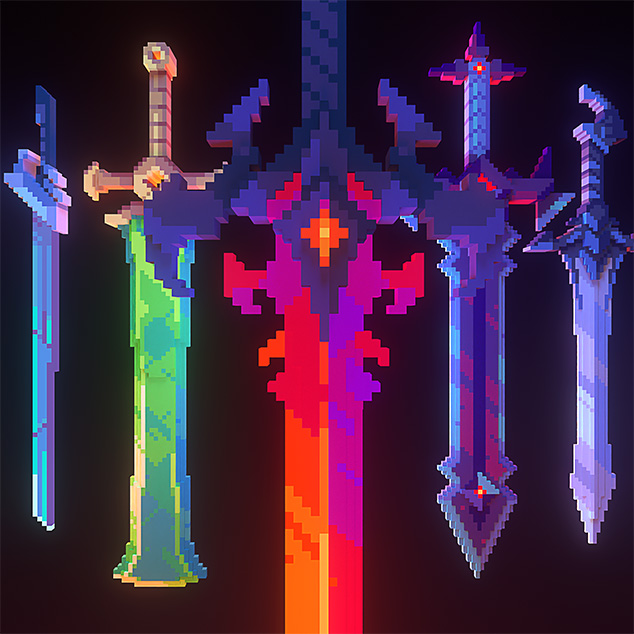
CurseForge
Adds 30 3D weapons models! (Custom Item Textures)
153.3K Downloads | Resource Packs
stiff stirrup
this mod is inside the pac

pretty sure
yes it says fabric
there is forge versions
brittle phoenix
brittle phoenix
are there quests in bmc forge?
up on this
ive been playing for a while and idk if there are quests
 real widget
brittle phoenix
ive been playing for a while and idk if there are quests
real widget
brittle phoenix
ive been playing for a while and idk if there are quests
There are, at least in bmc4
 green mirage
can someone help me, my game keeps crashing on startup in BMC4
this is the crash message it gives me:
java.lang.UnsatisfiedLinkError: Error looking up function 'SDL_JoystickPathForIndex': The specified procedure could not be found.
i tried manually setting my java runtime to java jdk 19 but still gives me the same error
stiff stirrup
green mirage
i tried manually setting my java runtime to java jdk 19 but still gives me the s...
use java18
 heavy jasper
brittle phoenix
ive been playing for a while and idk if there are quests
heavy jasper
brittle phoenix
ive been playing for a while and idk if there are quests
Not many
In your inventory menu topvleft
 willow pilot
hello, I am looking for help with a crash issue. Is it okay to drop logs here?
the issue itself I believe is possibly related to placing a sign on a wall (I have hundreds of signs in my world). Some things I did to try and fix it:
- Fixed inital error saying Dynamic asset generator was wrong, switched version and resolved that
- Updated to newest version of modpack
But the issue still persists. When I try and load my world, it goes to the save screen (without prompt), and the crashes.
green mirage
stiff stirrup
use java18
got a slightly different error this time when using jdk 18: Error: java.lang.UnsatisfiedLinkError: Error looking up function 'SDL_JoystickGetFirmwareVersion': The specified procedure could not be found.
stiff stirrup
green mirage
got a slightly different error this time when using jdk 18: `Error: java.lang.Un...
hmm
do you have a controller plugged in?
green mirage
stiff stirrup
do you have a controller plugged in?
no, i tried with and without
same error
stiff stirrup
what launcher?
still sentinelBOT
If this command was run in response to your question/issue, it is likely because switching away from the launcher you are currently using would fix your problem.
From our experience, the most stable launcher by far is ATLauncher, also known as ATL.
To install ATLauncher, do the following:
1. Go to https://atlauncher.com/download
2. Install and run the setup, then open the program.
3. Login to your Microsoft account that owns the Java Edition of Minecraft from the Accounts tab on the right. This process is 100% safe, as it goes directly through Microsoft. ATLauncher does not see your account credentials.
4. Go to the Packs tab on the right, then click "Curseforge" on the left.
5. Search the modpack you wish to download.
6. Click "New Instance". Click "Ok" on the opted out mods warning, then click "Open All" on the manual download screen.
7. Let the mods download, ATLauncher will grab them from your Downloads folder and automatically add them to the modpack.
8. Go to the Instances tab, and click "Play" on the modpack you downloaded. If you ever see an "Update" button on the instance, click it.
To transfer your Curseforge world to ATLauncher, simply right click the modpack on Curseforge, or click the 3 dots, then click "Open Folder". Copy the Saves folder, then click "Open Folder" on ATLauncher and paste the Saves folder there.
Because ATLauncher downloads the exact same files as Curseforge does, your world will be the exact same and you will be able to join the same servers. ATLauncher also works without an internet connection (after you've installed the modpack, of course), and does not have any bloat from Overwolf. You are free to uninstall both Overwolf and Curseforge with ATLauncher installed.
green mirage
stiff stirrup
ok do so and maybe try this at the same time
alright heres the crash report:
green mirage
still sentinel
If this command was run in response to your question/issue, it is likely because...
and let me do this rq
green mirage
alr
stiff stirrup
launch lets see
stiff stirrup
yippie
 elfin galleon
Anyone know what would cause a client to get this error when trying to join? Using unmodified server and client files, version 24HF. Client was randomly disconnected and cannot rejoin. Server console/logs have no errors whatsoever. It just shows person trying to connect, and then says they disconnected


 carmine drum
How to fix ''Can't keep up! Is the server overloaded? Running xxxxms or yyy ticks behind'' issue? On Better MC Server. (10gb Ram allocated ).
agile cradle
carmine drum
How to fix ''Can't keep up! Is the server overloaded? Running xxxxms or yyy tick...
How many players?
carmine drum
agile cradle
How many players?
Occurs with 2 players up to 10
Sometimes it even happens with the server without players
 outer badge
is there a good free texture pack that has resolution greater then 64px for BMC4?
 tribal mural
hi guys i had a 1 question
where file .jar in better MC modpack
this but jar for this modpack
 carmine drum
On my server, after a lot of exploration, I only found a structure from the "When Dungeons Arise" mod that was in the spawn area. Is there a way to increase the generation of these structures?
stiff stirrup
tribal mural
this but jar for this modpack
you need to use customforge17.jar
elfin galleon
elfin galleon
Anyone know what would cause a client to get this error when trying to join? Usi...
Any ideas, anyone?
outer badge
 magic hazel
where is the shader tab on bmc4
magic hazel
where is the shader tab on bmc4
video settings, and on the top right, there is a button shader something.
 fierce cypress
Hi guys, im having problem with BM 4 1.20.1 forge. I explored alot of map (like 4000 y) and found only 1 dungeon on spawn point and 1 tower with few mobs... Haven't even seen any village 😦 Is there some mod that's changing how common dungeons, structures are? And how to change it to be more common?
 stiff stirrup
real
magic hazel
outer badge
video settings, and on the top right, there is a button shader something.
ty
 crude sedge
@stiff stirrup hey my bmc4 keep crashing
stiff stirrup
crude sedge
<@460610775887773737> hey my bmc4 keep crashing
!moreinfo
still sentinelBOT
Hello! For us to help you with your issue, you will need to answer all 8 questions below. Post the answers in this channel:
1. Have you modified the modpack in any way? If so, what did you do? (Updating/adding/removing mods, changing configs)
2. What launcher, or program, are you using to launch the game? (CurseForge, ATLauncher, etc)
3. What Minecraft version are you playing? (1.18.2, 1.16.5, 1.19.2)
4. What version of the modpack are you playing? (v11, v9, etc)
5. What steps are necessary to reproduce the crash? (Launching the game, exploring the world, etc)
6. Have you ever gotten past the point where the crash happens?
7. Send the crash report file into this channel. Right click the modpack, Open Folder, and navigate to the Crash Reports folder. Drag the newest one here. If there is no crash reports folder, do the same thing with the latest.log file in the logs folder.
8. Did you follow the Performance guide linked in #faq?
crude sedge
stiff stirrup
!moreinfo
1.no
2. curseforge
3. 1.20.1
4. bmc4 v24
5. launching the game
6. no
stiff stirrup
get 7
stiff stirrup
crude sedge
7.
!drivers
still sentinelBOT
You (likely) need to update your graphics drivers in order to resolve the crash. Here's how to go about doing that!
1. Identify your graphics card
if you already know skip to the next step
- Open task manager
- Navigate to the "Performance" tab (on Windows 11 this is the button that looks like a heart pulse)
- Press the GPU 0 graph and read your GPU from the top right
Note:
In some cases you may see a GPU 0 and GPU 1. This means your CPU has its own GPU, as well as an external one. You probably want GPU 1 (which is usually the external), but you can ask staff to clarify if necessary.
2. Download your drivers from the manufacturers site
Depending on what you read before, you likely need drivers from either AMD, Intel, or NVIDIA
AMD: https://www.amd.com/en/support
Intel: https://www.intel.com/content/www/us/en/download-center/home.html
NVIDIA: https://www.nvidia.com/Download/index.aspx?lang=en-us
Note:
- For NVIDIA you want to select "Game Ready Driver (GRD)" (this is the default option) for the best performance. Once installing you'd probably prefer downloading GeForce Experience, which will notify you when there's an available drivers update.
- For Intel, you probably want to press "Get Started" under the "Automatically update your drivers and software", which will simplify the process and update everything automatically
- For AMD you probably want to just press "Download Windows Drivers", which will download something called AMD Adrenaline, which will update your drivers automatically.
3. Run the installation, restart your computer, and try playing MC again
- At this point, hopefully your Minecraft is running. If it still does not work, please post any new logs and staff will help assist you with finding the right solution.
stiff stirrup

 agile cradle
urban moon
Anyone know how to make this disappear
agile cradle
urban moon
Anyone know how to make this disappear
inventory hud, check your keybinds trying to remember the default keybind is difficult atm
stiff stirrup
agile cradle
inventory hud, check your keybinds trying to remember the default keybind is dif...
i 
agile cradle
stiff stirrup
i <:EZY:831182817811628103>
ty. 
stiff stirrup
yep
heavy jasper
i believe this modpack has a datapack and/or mod that is preventing flying structures from when dungeons arise to spawn, and i want to renable these structures, how might i do this?
stiff stirrup
stiff stirrup
did you do this?
crude sedge
stiff stirrup
did you do this?
yea
stiff stirrup
laptop?
crude sedge
stiff stirrup
laptop?
wait holdon its working
stiff stirrup
crude sedge
stiff stirrup
thanks
stiff stirrup
yep
 dusky grotto
I am curious, what fabric mod is being used by BMC4 for it to need forgified fabric api?
onyx wyvern
Any help on the "Failed to log in: The authentication servers are currently not reachable. Please try again" all im seeing is that i can't really do anything and i ahve to wait
Playing on a server i am hosting with a couple of friends, all was pretty good, until i got kicked and tried to rejoin and got this error
i assumed i just had to restart, but didn;t feel like it so just called it a day. Tried rejoining today and receiving the same problem
Tried deleting my host file thing
and siging out and siging in on the launcher; am able to join hypixel
 summer nebula
no more updates for this modpack?
agile cradle
Sharkie is on a break
summer nebula
oh cool
stiff stirrup
onyx wyvern
Any help on the "Failed to log in: The authentication servers are currently not ...
it’s an thing with the mojang servers near you
mental jolt
Hello! I have a general question about how things work. I'm using Tom's Simple Storage Mod with a level 4 beacon and an advanced wireless terminal, and it all works great. I created a second wireless terminal and gave it to the other member of my "team", and they're able to use it as expected, but only when I'm online. The inventory connector and storage chests are all inside my claim, but this team member is able to interact with everything inside the claim even when I'm not online.
So... is there something that I need to configure or do differently, to allow them remote access when I'm not there? I'm pretty new to all of this so any tips would be very much appreciated. Thanks!
icy estuary
mental jolt
Hello! I have a general question about how things work. I'm using Tom's Simple...
you cant forceload chunks while ur offline
thats most likely why
mental jolt
icy estuary
thats most likely why
Sorry, I'm not sure what that means or what I should do differently.
icy estuary
mental jolt
Sorry, I'm not sure what that means or what I should do differently.
Your storage system is forceloaded only when your online, so if your offline the chunk is not loaded, resulting in your team members not being able to access to the Storage
have a look at the OPAC forceload options and also check if theres a mod called “limited forceloading” or smt similar
I dont know the pack enough to help that much unfortunately
mental jolt
Is it possible for the team member to force load the storage, since they have full access to the claim?
icy estuary
icy estuary
have a look at the OPAC forceload options and also check if theres a mod called ...
^
icy estuary
mental jolt
Is it possible for the team member to force load the storage, since they have fu...
and its based on the owner of the claim afaik
vale cargo
why when i enter my save world the game gets crash
tribal mural
stiff stirrup
you need to use customforge17.jar
How
stiff stirrup
tribal mural
How
idk go make a ticket on ur server host
stiff stirrup
vale cargo
why when i enter my save world the game gets crash
!moreinfo
still sentinelBOT
Hello! For us to help you with your issue, you will need to answer all 8 questions below. Post the answers in this channel:
1. Have you modified the modpack in any way? If so, what did you do? (Updating/adding/removing mods, changing configs)
2. What launcher, or program, are you using to launch the game? (CurseForge, ATLauncher, etc)
3. What Minecraft version are you playing? (1.18.2, 1.16.5, 1.19.2)
4. What version of the modpack are you playing? (v11, v9, etc)
5. What steps are necessary to reproduce the crash? (Launching the game, exploring the world, etc)
6. Have you ever gotten past the point where the crash happens?
7. Send the crash report file into this channel. Right click the modpack, Open Folder, and navigate to the Crash Reports folder. Drag the newest one here. If there is no crash reports folder, do the same thing with the latest.log file in the logs folder.
8. Did you follow the Performance guide linked in #faq?
vale cargo
stiff stirrup
!moreinfo
i added that mod who adds some dragons and epic fight and some addons + im using curse forge as you can see in the image + my version is 1.20.1

 stiff stirrup
epic fight is crashing you
vale cargo
stiff stirrup
epic fight is crashing you
i dont think so bc this happens to me after i test out the mods statement
stiff stirrup
disable the mod and try joining ur world
vale cargo
stiff stirrup
disable the mod and try joining ur world
alr
icy estuary
vale cargo
i added that mod who adds some dragons and epic fight and some addons + im using...
its an issue with the mods you added
and you broke the modpack
vale cargo
vale cargo
i dont think so bc this happens to me after i test out the mods statement
@icy estuary
icy estuary
icy estuary
and you broke the modpack
^ @vale cargo
vale cargo
stiff stirrup
disable the mod and try joining ur world
you right
epic fight was the problem
stiff stirrup
yeah.
icy estuary
stiff stirrup
change ur gui scale
they broke the entire fancymenu somehow
stiff stirrup
lol
stiff stirrup
most likely disabled the mod
icy estuary
it wont break like this if they did I dont think
it should js revert to vanilla
along with the other modded default stuff
stiff stirrup
lol
 worn tangle
is there a server for better mc forge
 storm token
Hi, quick question... Our better mc world feels/ is really empty there are no real mod structures or anything, is there a known problem on world generation? My singleplayer world is totally fine btw, its just on our server :/
icy estuary
storm token
Hi, quick question... Our better mc world feels/ is really empty there are no re...
its just the seed
storm token
aight thank you verry much ! 
 pastel rock
Hi, quick question here about the AetherWhale,
It kicks you out as a small kick. But then I can come back.
Question is.
Entering again and again the health seems to be saved, if I kill it, will it give me the keys nonetheless?
 torpid dove
quick question my inventory is still showing when out of it ?

 rare talon
I try to install the server (the serverfiles) on linux (debian) with Java 21. It seems like i am missing something. Can someone help me here?
like there is no jar or anything
 swift mountain
does anyone know how to find the farseer
green mirage
rare talon
I try to install the server (the serverfiles) on linux (debian) with Java 21. It...
im pretty sure you have to use Java 18
rare talon
green mirage
im pretty sure you have to use Java 18
alright but there is still no game jar or smth in the serverfiles
green mirage
rare talon
alright but there is still no game jar or smth in the serverfiles
???
did u start it using start.sh?

 rare talon
its like it is only the server pack "mods" but not the server itself
green mirage
./start.sh
green mirage
rare talon
its like it is only the server pack "mods" but not the server itself
it downloads the server jar i think
not too sure
green mirage
i have it working on my manjaro linux server
green mirage
rare talon
no it started. ty very much!
np
 stiff iron
what mods does this modpack use for the shaders
I can't get mine to work in my modpack
 bronze oar
I have an issue with getting my friend to connect to my world, cause I am sharing my world and it gives me the port number and the address and we are both on the same network
We both have the same versions and are launching it through CurseForge
elfin galleon
Any ideas why client is crashing? Unmodified install, using CurseForge launcher. Version 24H of the bettermc modpack
Seeing a lot of errors related to various mods in the stacktrace but im not super familiar with how to properly read the logs... to the best i can tell it's something to do with xaero's minimap?
elfin galleon
elfin galleon
Any ideas why client is crashing? Unmodified install, using CurseForge launcher....
Same error when trying to use GDLauncher so I’ll assume it’s not a launcher-specific error
 hollow orbit
I'm unfamiliar with modded world generation, so will adding a mod like Alex's Caves corrupt my world if I've already started it?
elfin galleon
hollow orbit
I'm unfamiliar with modded world generation, so will adding a mod like Alex's Ca...
Don’t think so but it’ll only apply new new chunks not anywhere you’ve already generated
 pallid narwhal
dusky grotto
I am curious, what fabric mod is being used by BMC4 for it to need forgified fab...
pallid narwhal
dusky grotto
I am curious, what fabric mod is being used by BMC4 for it to need forgified fab...
I have the same question. Did you get any information about it?
hollow orbit
does bmc4 have any way to add shaders by default, and if not, what's the best mod to allow for that?
stiff stirrup
hollow orbit
does bmc4 have any way to add shaders by default, and if not, what's the best mo...
yes bmc4 does allow shaders on default
hollow orbit
stiff stirrup
yes bmc4 does allow shaders on default
Oh where can I access? I looked in the normal place and had trouble finding
stiff stirrup
video settings top right
hollow orbit
ah thank you lol
stiff stirrup
what launcher
yes thats true
but whats ur Modded launcher
curseforge?
ATlauncher?
GDlauncher?
youd wanna use a launcher
!alternates
still sentinelBOT
If this command was run in response to your question/issue, it is likely because switching away from the launcher you are currently using would fix your problem.
From our experience, the most stable launcher by far is ATLauncher, also known as ATL.
To install ATLauncher, do the following:
1. Go to https://atlauncher.com/download
2. Install and run the setup, then open the program.
3. Login to your Microsoft account that owns the Java Edition of Minecraft from the Accounts tab on the right. This process is 100% safe, as it goes directly through Microsoft. ATLauncher does not see your account credentials.
4. Go to the Packs tab on the right, then click "Curseforge" on the left.
5. Search the modpack you wish to download.
6. Click "New Instance". Click "Ok" on the opted out mods warning, then click "Open All" on the manual download screen.
7. Let the mods download, ATLauncher will grab them from your Downloads folder and automatically add them to the modpack.
8. Go to the Instances tab, and click "Play" on the modpack you downloaded. If you ever see an "Update" button on the instance, click it.
To transfer your Curseforge world to ATLauncher, simply right click the modpack on Curseforge, or click the 3 dots, then click "Open Folder". Copy the Saves folder, then click "Open Folder" on ATLauncher and paste the Saves folder there.
Because ATLauncher downloads the exact same files as Curseforge does, your world will be the exact same and you will be able to join the same servers. ATLauncher also works without an internet connection (after you've installed the modpack, of course), and does not have any bloat from Overwolf. You are free to uninstall both Overwolf and Curseforge with ATLauncher installed.
stiff stirrup
this is the one we recommend
you can ignore it
but youd want more then 4gb ram on the modpack
at least 6-8gb
Because i JUST read it correctly.
im a person not a Robot
!ram
still sentinelBOT
CurseForge Launcher: https://youtu.be/P3hd9MKWvXw?t=130
GD Launcher: https://youtu.be/P3hd9MKWvXw?t=383
MultiMC: https://youtu.be/P3hd9MKWvXw?t=452
stiff stirrup
#faq those are all youd need
have fun
Shaderpacks, video settings top right
Resourcepacks, options, resourcepacks
Modpack
and yes it does
there is some inside the pack
!shader
still sentinelBOT
https://www.curseforge.com/minecraft/customization/complementary-shaders
Alternatively,
https://www.curseforge.com/minecraft/customization/complementary-reimagined

CurseForge
Exceptional quality, detail and performance; while pushing the limits of Minecraft.
17.1M Downloads | Shaders
CurseForge
Exceptional quality, detail and performance; while preserving the unique visuals of Minecraft.
9.7M Downloads | Shaders
stiff stirrup
yeah
just user a launcher
its easier
thats a modded launcher
aka Curseforge, which i asked a while ago
thats how you do it
it shouldnt close
just click back into it
shader
Shaderpacks
you enable a shaderpack and it does it pretty sure
elfin galleon
elfin galleon
Any ideas why client is crashing? Unmodified install, using CurseForge launcher....
@stiff stirrup sorry for the ping but it is in your name :3. Any ideas?
stiff stirrup
elfin galleon
<@460610775887773737> sorry for the ping but it is in your name :3. Any ideas?
curseforge broke ur install
!alternates
still sentinelBOT
If this command was run in response to your question/issue, it is likely because switching away from the launcher you are currently using would fix your problem.
From our experience, the most stable launcher by far is ATLauncher, also known as ATL.
To install ATLauncher, do the following:
1. Go to https://atlauncher.com/download
2. Install and run the setup, then open the program.
3. Login to your Microsoft account that owns the Java Edition of Minecraft from the Accounts tab on the right. This process is 100% safe, as it goes directly through Microsoft. ATLauncher does not see your account credentials.
4. Go to the Packs tab on the right, then click "Curseforge" on the left.
5. Search the modpack you wish to download.
6. Click "New Instance". Click "Ok" on the opted out mods warning, then click "Open All" on the manual download screen.
7. Let the mods download, ATLauncher will grab them from your Downloads folder and automatically add them to the modpack.
8. Go to the Instances tab, and click "Play" on the modpack you downloaded. If you ever see an "Update" button on the instance, click it.
To transfer your Curseforge world to ATLauncher, simply right click the modpack on Curseforge, or click the 3 dots, then click "Open Folder". Copy the Saves folder, then click "Open Folder" on ATLauncher and paste the Saves folder there.
Because ATLauncher downloads the exact same files as Curseforge does, your world will be the exact same and you will be able to join the same servers. ATLauncher also works without an internet connection (after you've installed the modpack, of course), and does not have any bloat from Overwolf. You are free to uninstall both Overwolf and Curseforge with ATLauncher installed.
stiff stirrup
no idea then ngl
elfin galleon
Will still let them join servers right?
stiff stirrup
elfin galleon
Will still let them join servers right?
yes
cuz thats not how you insatll mods
install*
good
now let me tell you How you do it
Right click the modpack -> Content management allow -> Done,
Click the modpack picutre -> Mods -> install the mod you want
no because its the Wrong way
profile options mb
i forgot that
elfin galleon
 elfin galleon
Yes
stiff stirrup
because as i said, ITS the WRONG way
No you are not

fam
you arent doing what im asking you
you are going off on ur own shit
Read
Click the modpack picture, Click Mods, Click the puzzle piece at the far Right side of the mods, Type what mod you want to install and install it
this thing

press it
Looks like its unable to be downloaded
 digital night
 elfin galleon
That'll do it
 winter sinew
hi, my friend and me have a lot of difficult to find end city for helytra
can someone explains that?
elfin galleon
winter sinew
can someone explains that?
No idea it took me literal ages to find one as well
Many hours
 boreal plank
is there a mod in the pack for peer to peer world hosting (like essential)?
stiff stirrup
boreal plank
is there a mod in the pack for peer to peer world hosting (like essential)?
yes
!ws
still sentinelBOT
Luna Pixel's World Sharing
Our modpacks don't support any mods that add singleplayer hosting / world sharing because we already provide free world sharing. The "Essential" mod is therefore incompatible.
To share your world using our own world hosting, click the "Open to Lan" or "Share World" button in the game menu when in a singleplayer world, and share the world.
It will give you an address, like magma-cube.mc.lunapixel.gg, which your friends can use to connect directly to your world as if it were a server!
We still highly suggest not to play through LAN as LAN is untested and unreliable. Using it will cause longterm damage to your world.
There is no reason to use LAN, as we support both paid and free methods of hosting a server the normal way.
 elfin galleon
She can play single player
Just not server
she doesnt wanna download a third launcher lol cause she now has GDLauncher and curseforge
elfin galleon
stiff stirrup
reinstall the pack with ATL
She had a corrupted map
in her inventory
it was a "Burried Treasure" map
I took it from her and she could join and it crashed me so i cleared my inv
still sentinelBOT
This message is for issues with an ITEM in your inventory.
- Please download NBTExplorer or some sort of NBT/DAT opener to fix your files.
https://github.com/jaquadro/NBTExplorer/releases - Find the files you need for the server or client.
For Client
- Go to your modpack folder -> saves folder -> The name of the world you chose and open that -> get level.dat and level.dat_old files and open them with NBTExplorer. OR alternatively drag and drop the files Into NBTExplorer. YOU CAN DO THIS 1 AT A TIME OR BOTH AT THE SAME TIME
- Now while you are inside, you can see a listing called Player, often 5 listings off the top, and now open that by pressing the + on the left.
- While inside Player, you can now see the Inventory option. Open it by pressing the +
- Now find the item that could be crashing. It often can be a map or item. Press the +'s 1 at a time and find the item. Once you find the item, Select it by pressing the 3 / 4 / 5 file number and, at the top, pressing the RED X.
- Now save your file with the save icon at the top left, 3rd from the left.
- Repeat step 1 to do it for level.dat or level.dat_old, as you need to do BOTH files to confirm the change.
For Server
- Open your server files, find the Usernames.json file, and open it with Notepad or whatever you wish.
- Locate the user who holds the bad item, and remember or copy down their UUID somewhere.
- Come back into the server files, go to your world, and go to the PlayerData folder.
- You can now follow steps 2–6 of the client guide, but instead of Level.dat and Level.dat_old, it will be UUID.dat and UUID.dat_old (UUID = the person's UUID that you remembered).

GitHub
A graphical NBT editor for all Minecraft NBT data sources - jaquadro/NBTExplorer
stiff stirrup

elfin galleon
:3 its all good now
never ever wouldve guessed it was that
we just killed her when she joined
stiff stirrup
still sentinel
## This message is for issues with an ITEM in your inventory.
1. Please download...
next time use this 
 quick moon
elfin galleon
:3 its all good now
quick moon
elfin galleon
:3 its all good now
Cole, you're a real one! Thanks for saving me ❤️
 mossy flare
What shaders work best for this pack
stiff stirrup
mossy flare
What shaders work best for this pack
the ones preinstalled
 rose wigeon
!tps
still sentinelBOT
Please click this link and follow the guide. If you are using a server host such as Bisect, you may be limited in your options and instead have a checkbox to use Aikar's Flags, which will also work:
https://github.com/brucethemoose/Minecraft-Performance-Flags-Benchmarks
If you can not launch your server/game after using these flags, then remove the word java from the start. Also, make sure you are using Java 18 on 1.18.2 / 1.19.2 and Java 11 on 1.16.5. These should be downloaded from Adoptium's website.
If lag persists, install Spark to your server do the following command ingame:
/spark profiler start --only-ticks-over 50
Then, send the link in this channel.

CurseForge
spark is a performance profiler for Minecraft clients, servers and proxies.
62.3M Downloads | Mods
 pale bobcat
hey all, how do i talk to the wandering trader?
 atomic narwhal
pale bobcat
hey all, how do i talk to the wandering trader?
atomic narwhal
pale bobcat
hey all, how do i talk to the wandering trader?
right-click
winter sinew
what is the best armor can we have in BMC?
atomic narwhal
!performance
still sentinelBOT
 still frigate
thankyou
 vapid matrix
One message removed from a suspended account.
 dapper rampart
yo is their gonna be a sale soon on servers
atomic narwhal
dapper rampart
yo is their gonna be a sale soon on servers
more of a question for bisect, as we just have our code
pallid narwhal
Hi,
I'm currently encountering an issue with pregen while setting up a server for myself and approximately five friends. To ensure optimal performance, it's necessary for me to pregenerate a portion of the game world. I have followed all the steps provided in the pregeneration tutorial video accessible via the "!pregen" command. However, a few seconds after initiating the pregeneration process, my game consistently crashes.
The only modification I've made to the modpack was the addition of the pregeneration mod. I'm utilizing Prism as the launcher and am playing on Minecraft version 1.20.1 and on Modpack version v24 HF.
Steps to Replicate the Crash:
- Install the Modpack.
- Insert the pregeneration mod into the mods folder.
- Launch the game.
- Create a new world.
- Enter the world.
- Execute the following command: /pregen start gen radius Testgen CIRCLE 0 0 100 minecraft:overworld.
- Approximately 5 seconds later, the game crashes.
I have attempted this process on my server (Linux), as well as on my Windows PC and Mac. On the Windows PC, I experimented with Java versions 17, 18, and 21, but the crash occurs regardless of the version and OS used. I am including my crash report from the Mac for further insight.
I appreciate any assistance or guidance you can provide. Thank you.
@stiff stirrup
 supple geyserBOT
pallid narwhal
Hi,
I'm currently encountering an issue with pregen while setting up a server fo...
supple geyserBOT
pallid narwhal
Hi,
I'm currently encountering an issue with pregen while setting up a server fo...
Please read #faq for modpack installation.
 misty frigate
I have the same problem. Did you manage to fix it?
 glacial pivot
Hi. I have a good computer and I'm playing the 1.20.1 Forge version of 'Better MC'. I made a world and for some reason it will not let me re-join the single-player world. Why? I don't want to re create the world though.
The world loaded but it's starting to crash...
I use NVIDIA Ge-Force.
I also had the same problem with 1.7.10 forge. But that didn't crash the worlds. i just had to wait...
Here's a screenshot of what I see:

 stiff stirrup
glacial pivot
I closed the game down and this came up:
stiff stirrup
glacial pivot
I closed the game down and this came up:
!moreinfo
still sentinelBOT
Hello! For us to help you with your issue, you will need to answer all 8 questions below. Post the answers in this channel:
1. Have you modified the modpack in any way? If so, what did you do? (Updating/adding/removing mods, changing configs)
2. What launcher, or program, are you using to launch the game? (CurseForge, ATLauncher, etc)
3. What Minecraft version are you playing? (1.18.2, 1.16.5, 1.19.2)
4. What version of the modpack are you playing? (v11, v9, etc)
5. What steps are necessary to reproduce the crash? (Launching the game, exploring the world, etc)
6. Have you ever gotten past the point where the crash happens?
7. Send the crash report file into this channel. Right click the modpack, Open Folder, and navigate to the Crash Reports folder. Drag the newest one here. If there is no crash reports folder, do the same thing with the latest.log file in the logs folder.
8. Did you follow the Performance guide linked in #faq?
glacial pivot
- I have. I added Identity, ETF and EMF. 2. I'm using Curseforge. 3. I'm using 1.20.1 Forge. 4. I'm using BMC4. 5. Plying the world. 6. No. 7. There is a crash report folder and the newest crash is in there (The one from today.) 8. I have now read the faq and I have watched the video on the modpacks thing for 'Curseforge' and set the memory to 34272MB.
Do you think that will be enough?
Well it worked at least... Thanks!
stiff stirrup
pallid narwhal
Hi,
I'm currently encountering an issue with pregen while setting up a server fo...
a few mods seem to be breaking, are you launching single player? if so what launcher
stiff stirrup
glacial pivot
1. I have. I added Identity, ETF and EMF. 2. I'm using Curseforge. 3. I'm using ...
34gb of ram? that’s a damn lot
the first time it ran out ram as you had set 4gb. best to use 8gb of ram
pallid narwhal
stiff stirrup
a few mods seem to be breaking, are you launching single player? if so what laun...
On Windows and Mac I launched it as single player over Prism launcher. On the Server hostet with Hosthavoc I launched it as multi player server.
I also read again through the crash report and after that i disabled Radium and launched again. Now it pregenerates the chunks without crashing. This would be at least a temporary fix.
 lilac prism
Is there a copy of the "Better Minecraft" logo with a transparent png background available?
I wanted to make a cool server icon and include the logo to show it off!
icy estuary
lilac prism
Is there a copy of the "Better Minecraft" logo with a transparent png background...
in the game files
resourcepacks folder
resources
should be there
lilac prism
icy estuary
in the game files
That's awesome, thank you!
stiff stirrup
pallid narwhal
On Windows and Mac I launched it as single player over Prism launcher. On the Se...
hmm seems so i wonder why radium does that
 surreal hatch
1. Have you modified the modpack in any way? If so, what did you do? (Updating/adding/removing mods, changing configs): I have only modified the modpack after I noticed the issue. I added "sophisticatedbackpacks-1.16.5-3.15.20.755". I did try updating & removing "RoadRunner-mc1.16.5-1.4.1" as one of the crash reports I had received stated that could be an issue. The problem still persists after so I am confused on what is actually wrong.
2. What launcher, or program, are you using to launch the game? (CurseForge, ATLauncher, etc): CurseForge
**3. What Minecraft version are you playing? (1.18.2, 1.16.5, 1.19.2):**1.16.5
4. What version of the modpack are you playing? (v11, v9, etc): v60.5
5. What steps are necessary to reproduce the crash? (Launching the game, exploring the world, etc): My game crashes when loading into the nether. I have not made it into the nether at all.
6. Have you ever gotten past the point where the crash happens?: No, I have not.
7. Send the crash report file into this channel. Right click the modpack, Open Folder, and navigate to the Crash Reports folder. Drag the newest one here. If there is no crash reports folder, do the same thing with the latest.log file in the logs folder.
8. Did you follow the Performance guide linked in faq?: Yes. Nothing has worked.
stiff stirrup
!alternates
still sentinelBOT
If this command was run in response to your question/issue, it is likely because switching away from the launcher you are currently using would fix your problem.
From our experience, the most stable launcher by far is ATLauncher, also known as ATL.
To install ATLauncher, do the following:
1. Go to https://atlauncher.com/download
2. Install and run the setup, then open the program.
3. Login to your Microsoft account that owns the Java Edition of Minecraft from the Accounts tab on the right. This process is 100% safe, as it goes directly through Microsoft. ATLauncher does not see your account credentials.
4. Go to the Packs tab on the right, then click "Curseforge" on the left.
5. Search the modpack you wish to download.
6. Click "New Instance". Click "Ok" on the opted out mods warning, then click "Open All" on the manual download screen.
7. Let the mods download, ATLauncher will grab them from your Downloads folder and automatically add them to the modpack.
8. Go to the Instances tab, and click "Play" on the modpack you downloaded. If you ever see an "Update" button on the instance, click it.
To transfer your Curseforge world to ATLauncher, simply right click the modpack on Curseforge, or click the 3 dots, then click "Open Folder". Copy the Saves folder, then click "Open Folder" on ATLauncher and paste the Saves folder there.
Because ATLauncher downloads the exact same files as Curseforge does, your world will be the exact same and you will be able to join the same servers. ATLauncher also works without an internet connection (after you've installed the modpack, of course), and does not have any bloat from Overwolf. You are free to uninstall both Overwolf and Curseforge with ATLauncher installed.
surreal hatch
stiff stirrup
!alternates
I'm assuming try this and if it does not work. Let you know?
icy estuary
surreal hatch
**1. Have you modified the modpack in any way? If so, what did you do? (Updating...
add the opotato mod
BMC1 known issues + solutions
Crash when entering the Nether
Add the opotato Mod
Lighting is completely broken
Remove Starlight
icy estuary
icy estuary
BMC1 known issues + solutions
**Crash when entering the Nether**
Add the opotat...
 topaz trellis
How do you remove the you have added an incompatible mod message better why is it a thing
all i added was a multiplayer mod lmao
 median cargo
does this modpack have alexs caves
stiff stirrup
no
median cargo
ok
icy estuary
topaz trellis
How do you remove the you have added an incompatible mod message better why is i...
!ws
still sentinelBOT
Luna Pixel's World Sharing
Our modpacks don't support any mods that add singleplayer hosting / world sharing because we already provide free world sharing. The "Essential" mod is therefore incompatible.
To share your world using our own world hosting, click the "Open to Lan" or "Share World" button in the game menu when in a singleplayer world, and share the world.
It will give you an address, like magma-cube.mc.lunapixel.gg, which your friends can use to connect directly to your world as if it were a server!
We still highly suggest not to play through LAN as LAN is untested and unreliable. Using it will cause longterm damage to your world.
There is no reason to use LAN, as we support both paid and free methods of hosting a server the normal way.
 dire jasper
When will the new version of L_Ender's Cataclysm be added?
 brisk sleet
it would be great if they add to tropicraft to the modpack
icy estuary
dire jasper
When will the new version of L_Ender's Cataclysm be added?
next update
dire jasper
icy estuary
next update
How long would that take?
icy estuary
no eta
brisk sleet
icy estuary
<#875960331145461780>
i already done it
elfin galleon
Opinions on Akair's flags? Use or dont use?
 main cloak
guys idk what i can do in better mc
heavy jasper
Play minecraft
Go to some of the other dimensions
Though i would also like to know of other things to do in bmc
 lofty oar
is there any way to get elytra in better mc 4?
 young berry
hey guys uh we are playing on server better mc modpack with my friends but when i click quests its empty
v24 hf
whats the reason?
hello?
 strange cosmos
Hi ! I have a question and i'm here to ask if someone know the mod who add those buttons in the chests?
 swift mountain
does anyone know how to fight the farseer
 feral gorge
hi i have a question can anybody help me how i can make server with better mc? lol im really clueless when it comes to mc mods and servers
plss
icy estuary
feral gorge
hi i have a question can anybody help me how i can make server with better mc? l...
!server
still sentinelBOT
We suggest renting a server from Bisect Hosting:
Approx. $10 - $25 a month depending on what plan you choose. You can also get 25% off with Code LunaPixel.
Go to https://www.bisecthosting.com/LunaPixel and order a plan which fits you. We suggest 1GB per player but nothing lower than 4GB as the server needs at least 3GB to run.
Go to #server-hosting for more Info!
Free Method: (This is hosting on your own PC, which is harder to do so we suggest getting a server via Bisect Hosting)
- Download the serverpack from Curseforge's website
- Right click the start.ps1 file and click Run with Powershell
To join your own server, typelocalhostinto Direct Connect.
This video explains the process https://www.youtube.com/watch?v=wuGUbVbLsDc
The server IP address is your Public IP Address, which can be found by googling my ip address
If other players are unable to join, find a portforwarding guide online.
 tough ermine
Hi! I have added the Origins mod to Better MC 4 along with Medieval Origins mod and the player size is not changing (Goblin should be 2/3 size of regular player and it is not changing)...
Tried to copy these two mods from Medieval MC and it didn't fix it. Any ideas? (@mention when replying please)
(it works in MMC2)
 plush stream
 lusty pagoda
i cant find him in the swamp labyrinths
lusty pagoda
i cant find him in the swamp labyrinths
just google the twilight forest wiki
stiff stirrup
tough ermine
Hi! I have added the Origins mod to Better MC 4 along with Medieval Origins mod ...
pretty sure you need another mod along with that origin to make it work
tough ermine
stiff stirrup
pretty sure you need another mod along with that origin to make it work
Which one? Couldn't find any
It works in MMC2 but not in BMC4, same files, both on 1.20.1
tough ermine
Worked, thanks!
 versed widget
“%s was irradiated to death” is this radiation and how do i get rid of it around my house.
versed widget
versed widget
“%s was irradiated to death” is this radiation and how do i get rid of it around...
BMC4
grand gate
hey all, i'm having the issue with the ring of pocket box does nothing, like it just play a sound and then nothing happened, does anyone know how to fix this?
 opal lodge
Hey can i ask something, im started to play BMC4 with my friend on server. Can i add like voice chat mod to the server modpack?
still sentinelBOT
If you are using a cracked Minecraft launcher, we can not assist with your issue. In order to receive help, you need to switch to an approved launcher and provide proof you have purchased Minecraft. This is due to the terms of service and guideline agreements of both Mojang and Discord.
agile cradle
Prove you own official minecraft and switch to an approved launcher
feral gorge
does anybody can help me cause im new in making minecraft servers
i have bmc3 1.19.2 version server and i tried to give people who join my server permission to use teleports from xaeros mini map and i dont know how to do it
 plucky geodeBOT
Hack-Ban Result:
 Reason: appeal with proof you own official minecraft and will no longer use cracked content. It is illegal and is spyware.
 Moderator: @agile cradle

Banned:

 josh101609 [
967508568456708166]
feral gorge
i installed lucky perms on my server but not quite sure how to use it
 jade marsh
Hello, I just installed Ore Excavation and Sophisticated Backpacks to Better MC Forge BMC4 and it's crashing now. Is there a fix for this without deleting the mods? Here's the crash report, in case it helps.
tough ermine
Also is there any mod that lets you change the default amount of hearts? For example add an extra row? I placed a repeating command block that gives players health boost but it has particles, I would like something like origins mod that just changes it. Would be good if it was compatible with it...
 whole juniper
Anyone know which mod is responsible for the jobs and the poe style skilltree? Wanna implement those mods in an earlier version of the medieval minecraft modpack
stiff stirrup
.q @grand gate
plucky geodeBOT
Quarantine Result:
Reason: No reason.
Staff: @stiff stirrup
<:success:660789936651370497> Successful Quarantines

kdhtori 
<:cancel:660789591900684329> Unsuccessful Quarantines
All users were quarantined!
jade marsh
jade marsh
Hello, I just installed Ore Excavation and Sophisticated Backpacks to Better MC ...
@stiff stirrup pls help
stiff stirrup
jade marsh
Hello, I just installed Ore Excavation and Sophisticated Backpacks to Better MC ...
!moreinfo
still sentinelBOT
Hello! For us to help you with your issue, you will need to answer all 8 questions below. Post the answers in this channel:
1. Have you modified the modpack in any way? If so, what did you do? (Updating/adding/removing mods, changing configs)
2. What launcher, or program, are you using to launch the game? (CurseForge, ATLauncher, etc)
3. What Minecraft version are you playing? (1.18.2, 1.16.5, 1.19.2)
4. What version of the modpack are you playing? (v11, v9, etc)
5. What steps are necessary to reproduce the crash? (Launching the game, exploring the world, etc)
6. Have you ever gotten past the point where the crash happens?
7. Send the crash report file into this channel. Right click the modpack, Open Folder, and navigate to the Crash Reports folder. Drag the newest one here. If there is no crash reports folder, do the same thing with the latest.log file in the logs folder.
8. Did you follow the Performance guide linked in #faq?
jade marsh
@stiff stirrup
1- Only installed The said mods and a resource pack for one of the said mods.
2- CurseForge
3- 1.20.1
4- v24 HF
5- Simply install the mods and wait for the game to load and it crashes.
6- No.
7- Already did at #better-mc-forge message
8- No.
stiff stirrup
are those the Only mods you added?
jade marsh
stiff stirrup
are those the Only mods you added?
Yes.
jade marsh
stiff stirrup
mmm try to switch the mods around
Removed Ore Excavation, it still crashed. Gonna try the other one removed. Here's the crash report just in case.
stiff stirrup
strange, shows nothing really imo
jade marsh
@stiff stirrup Removing Sophisticated Backpacks work.
Would be nice if I could keep it 😦
stiff stirrup
lol
jade marsh
I did the exact same thing with BMC1 before and it worked. It got me confused, so I came here for help, but it turns out, that the solution was this easy. Thanks for the help Tamz!
stiff stirrup
np
young berry
its really funny we ask about the modpack and they ignore and once they see someone with cracked minecraft they become on and ask for proof that own minecraft beluga s youtube videos about discord mods are real afterall
stiff stirrup
young berry
its really funny we ask about the modpack and they ignore and once they see some...
yes. cuz we dont support cracked and we need to remove them either fast or make them get their account.
you can have whatever opinion you want on mods, we do stuff our way
stiff stirrup
young berry
hey guys uh we are playing on server better mc modpack with my friends but when ...
ur server is installed wrong, there should be quests. if it shows up in single player then the config isnt inside the server
reinstall the server and make sure the configs and default configs are there
happy now?
young berry
stiff stirrup
yes. cuz we dont support cracked and we need to remove them either fast or make ...
im not saying thats wrong.
i wish you act fast for our questions as fast as you act for those that have cracked minecraft
young berry
stiff stirrup
you can have whatever opinion you want on mods, we do stuff our way
xd
your talking like you have extra powers having your role but your job is just watch the server and help others with stuff
i mean who the f cares
forget bout it
young berry
stiff stirrup
ur server is installed wrong, there should be quests. if it shows up in single p...
ty for your help tho
ill look into that
stiff stirrup
young berry
your talking like you have extra powers having your role but your job is just wa...
no lol, my job isnt real its just my will to help people, thats Every staffs. none of us get paid nor went through a rigorous application, we were here and we just had better experience
yeah
stiff stirrup
young berry
im not saying thats wrong.
i wish you act fast for our questions as fast as you ...
i mean yeah, act fast or have the server deleted so idk. and ur message was a bit clog in between a big post so i didnt rlly see it had to scroll up carefully
best bet next time, make a bit of a wall ish? maybe answer the !moreinfo guide and someone will def attempt to help
icy estuary
young berry
your talking like you have extra powers having your role but your job is just wa...
You need to keep in mind that not every Staff might be able to help you with your issue as well
but for cracked users its just a bonk
young berry
icy estuary
You need to keep in mind that not every Staff might be able to help you with you...
true
glacial pivot
What mod in 'Better Minecraft BMC4' allows compatibilaty with shaders?
grand gate
guy ring of pocket box doesnt work please help
 summer tulip
nvm i solved
 flat river
Hi guys im trying to create server with better mc 1.20.1 on my virtual machine but everytime im trying to launch it i have this

thats my variables

its is in folder

and im trying to launch it with this command : screen -S minecraft bash -c "bash /home/krzywy/bettermc/start.sh"
stiff stirrup
np
flat river
is there possible to make this modpack work with magma engine (mods + plugins)
stiff stirrup
flat river
is there possible to make this modpack work with magma engine (mods + plugins)
it works ass ngl. magma especially
best just use mods that work like the plugins you want
flat river
u doing it on linux os or on virtual machine
flat river
is that all for overworld? or its gonna expand
 still frigate
@stiff stirrup could you help me my game is lagging alot
 lilac swift
Does this modpack have a chunckloder when there is no player on the server?
 left thicket
Is there a way to allow others to teleport to waypoints?
agile cradle
still frigate
<@460610775887773737> could you help me my game is lagging alot
!performance
still sentinelBOT
agile cradle
lilac swift
Does this modpack have a chunckloder when there is no player on the server?
As long as the server is active, it should work. Open map, right click chunk, claim, right click again, force load.
lilac swift
Thanks will try it 🙂
stiff stirrup
agile cradle
!performance
best to swap over to !fps now
agile cradle
stiff stirrup
best to swap over to !fps now
I keep forgetting what it’s set to xD
stiff stirrup
yes but even linux should have Bash
stiff stirrup
agile cradle
I keep forgetting what it’s set to xD
all good it took me a while too
!fps is just nicer 
still sentinelBOT
 agile cradle
Yeah it is. I’m just waking up so brain takes a few to start up
 misty quartz
what level should i strip mine?
misty frigate
Problem: most of the enchanted books get an error texture
- I didn't modify the modpack in any way, I even double checked by creating a fresh profile with the modpack
- I am using modrinth launcher
- 1.20.1
- Better MC [FORGE] 1.20.1 v4 HF
I am also sending a log file
 misty quartz
idk looks funny
stiff stirrup
np
 queen fjord
i recently updated to v.24 for better mc and every time i load into my world it automatically crashed
something about the biomes i think
i should have stayed on v.21
stiff stirrup
queen fjord
i recently updated to v.24 for better mc and every time i load into my world it ...
uh
answer these rq
!moreinfo
still sentinelBOT
Hello! For us to help you with your issue, you will need to answer all 8 questions below. Post the answers in this channel:
1. Have you modified the modpack in any way? If so, what did you do? (Updating/adding/removing mods, changing configs)
2. What launcher, or program, are you using to launch the game? (CurseForge, ATLauncher, etc)
3. What Minecraft version are you playing? (1.18.2, 1.16.5, 1.19.2)
4. What version of the modpack are you playing? (v11, v9, etc)
5. What steps are necessary to reproduce the crash? (Launching the game, exploring the world, etc)
6. Have you ever gotten past the point where the crash happens?
7. Send the crash report file into this channel. Right click the modpack, Open Folder, and navigate to the Crash Reports folder. Drag the newest one here. If there is no crash reports folder, do the same thing with the latest.log file in the logs folder.
8. Did you follow the Performance guide linked in #faq?
queen fjord
oh
- i added the ender chest and create mod to it.
2.using the curseforge launcher.
3.playing 1.20.1
4.using version 24 for the modpack
5.have a decently large building (castle) that i enter and instantly crashes when i move a single block in or around it - nope, still working on it
also im using the better mincraft 4 version
bmc4
agile cradle
drop the actual log here, not a screenshot
stiff stirrup
queen fjord
1. i added the ender chest and create mod to it.
2.using the curseforge launcher...
youd wanna swap to a different java or a different launcher ngl
hmm
well first try this before anything
!drivers
still sentinelBOT
You (likely) need to update your graphics drivers in order to resolve the crash. Here's how to go about doing that!
1. Identify your graphics card
if you already know skip to the next step
- Open task manager
- Navigate to the "Performance" tab (on Windows 11 this is the button that looks like a heart pulse)
- Press the GPU 0 graph and read your GPU from the top right
Note:
In some cases you may see a GPU 0 and GPU 1. This means your CPU has its own GPU, as well as an external one. You probably want GPU 1 (which is usually the external), but you can ask staff to clarify if necessary.
2. Download your drivers from the manufacturers site
Depending on what you read before, you likely need drivers from either AMD, Intel, or NVIDIA
AMD: https://www.amd.com/en/support
Intel: https://www.intel.com/content/www/us/en/download-center/home.html
NVIDIA: https://www.nvidia.com/Download/index.aspx?lang=en-us
Note:
- For NVIDIA you want to select "Game Ready Driver (GRD)" (this is the default option) for the best performance. Once installing you'd probably prefer downloading GeForce Experience, which will notify you when there's an available drivers update.
- For Intel, you probably want to press "Get Started" under the "Automatically update your drivers and software", which will simplify the process and update everything automatically
- For AMD you probably want to just press "Download Windows Drivers", which will download something called AMD Adrenaline, which will update your drivers automatically.
3. Run the installation, restart your computer, and try playing MC again
- At this point, hopefully your Minecraft is running. If it still does not work, please post any new logs and staff will help assist you with finding the right solution.
queen fjord
kk
agile cradle
we recommend java 18, after your updates check see which version your game is using
queen fjord
update, i managed to teleport myself from the area that causes the crash so it fixed i guess
i got a message about an update for java a few days ago, was that the right one?
agile cradle
The latest one is 24, but past 18 is not currently viable for minecraft
queen fjord
how do i go about downgrading?
agile cradle
!openjdk
still sentinelBOT
- Download an adoptium release for Java (recommended but not required):
- Java 11 (https://adoptium.net/temurin/releases/?version=11) for versions 1.16.5 and below (can also use 8 if its not working)
- Java 18 (https://adoptium.net/temurin/releases/?version=18) for any versions newer (or 17 if 18 doesn't work)
- Consider installing the JRE instead of the JDK for a smaller file size
-
When installing through adoptium, make sure that Add to PATH and Set JAVA_HOME variable are both set to be installed (please see https://imgur.com/a/jPu1h7h for how that would look)
-
Check if java has been correctly installed by running java --version (or java -version on older versions), and seeing if the output is correct (see https://imgur.com/a/OWcoq4p for an example of the output)
- NOTE: 64 bit versions of java ALWAYS have '64-bit Server VM' in the version output. If that is not there, you have installed a 32-BIT version!! If you're getting Out of Memory errors or any other errors, PLEASE install 64-bit
- If the output isn't as intended, you have 2 options.
i) Delete ALL other java versions from your PC (ONLY recommended if you don't need them)
ii) Redirect your launcher/server to use your new installation of Java
Method i
- Uninstall any other java program listed in your programs list (differs by OS, please find a guide for your own OS if you don't know)
- Attempt to re-use the command mentioned above (if the output is now correct, which it should be, you are ready to go)
Method ii
- For a server, please modify the $Java/JAVA variable (found in your startup script depending on ps1/sh) to the path of your java installation. For windows, this path is usually found in "Program Files/Eclipse Adoptium/version_of_java/bin"
- For a client, depending on whether you use CurseForge, GD, or AT, the process is slightly different. Please see a guide for each respective launcher on how to change the java version.
queen fjord
jesus christ that looks complicated XD, even if i did all this doesnt that mean i lose all the worlds i have on my forge version thing?
agile cradle
no it won't affect your worlds
 agile cradle
jre is smaller, msi is your installer
stiff stirrup
nope just 64x msi
queen fjord
what do i do now?
im not really tech smart in any shape or form so sorry if
i dont understand
stiff stirrup
still sentinel
1) Download an adoptium release for Java (recommended but not required):
- Java...
follow rest of guide
queen fjord
my tism wont allow me to understand any of that but thanks for the help!
agile cradle
in a min gotta do some things for dad
agile cradle
queen fjord
my tism wont allow me to understand any of that but thanks for the help!
after you have java 18 installed, open curse, go to settings, click on minecraft under "game specifc" scroll down to "java version used", click select , and locate the folder your java is installed at.
 queen fjord
i cant find it, i cant see a file that looks like that
agile cradle
I had to search my whole pc basically by just searching java 18
queen fjord
i dont know to to downgrade my java
quick basalt
stiff stirrup
gotcha
i updated my drivers and it only half fixed it
stiff stirrup
quick basalt
i updated my drivers and it only half fixed it
show new log?
quick basalt
the issue now onnly seems to happen when i have the show craftable items thign on'
stiff stirrup
oh you arent that issue
quick basalt
lol
 still sentinelBOT
quick basalt
still sentinelBOT
quick basalt
ye
quick basalt
no
still sentinelBOT
If this command was run in response to your question/issue, it is likely because switching away from the launcher you are currently using would fix your problem.
From our experience, the most stable launcher by far is ATLauncher, also known as ATL.
To install ATLauncher, do the following:
1. Go to https://atlauncher.com/download
2. Install and run the setup, then open the program.
3. Login to your Microsoft account that owns the Java Edition of Minecraft from the Accounts tab on the right. This process is 100% safe, as it goes directly through Microsoft. ATLauncher does not see your account credentials.
4. Go to the Packs tab on the right, then click "Curseforge" on the left.
5. Search the modpack you wish to download.
6. Click "New Instance". Click "Ok" on the opted out mods warning, then click "Open All" on the manual download screen.
7. Let the mods download, ATLauncher will grab them from your Downloads folder and automatically add them to the modpack.
8. Go to the Instances tab, and click "Play" on the modpack you downloaded. If you ever see an "Update" button on the instance, click it.
To transfer your Curseforge world to ATLauncher, simply right click the modpack on Curseforge, or click the 3 dots, then click "Open Folder". Copy the Saves folder, then click "Open Folder" on ATLauncher and paste the Saves folder there.
Because ATLauncher downloads the exact same files as Curseforge does, your world will be the exact same and you will be able to join the same servers. ATLauncher also works without an internet connection (after you've installed the modpack, of course), and does not have any bloat from Overwolf. You are free to uninstall both Overwolf and Curseforge with ATLauncher installed.
quick basalt
its so strange cus it only happens when i have the crafting table open, and the only show craftable items is on
other than that i have like 110 fps normally
grand gate
guys please help the ring of pocket box doesnt work
 gilded badge
I’m trying to play better mc forge but I only have 8 G of gam on my pc is that ok
grand gate
does anyone know how to fix the ring of pocket box not working
agile cradle
gilded badge
I’m trying to play better mc forge but I only have 8 G of gam on my pc is that o...
I'd suggestt 4-6 since you only have 8 for the entire computer.
queen fjord
ok well i spent an hour trying to figure out how to see the version of java i have and i cant find it, i might have a mental problem
agile cradle
queen fjord
ok well i spent an hour trying to figure out how to see the version of java i ha...
open your game, open f3 screen
queen fjord
opened up bmc4 version but nothing shows up when i press f3
do i have to actually be in game to get it to pop up?
oh i see it now!
it says java 17.0.8
there is also something on my screen that says embeddium renderer
i assume thats what i was told to download
though the game still crashed when i walked into a certain building
stiff stirrup
queen fjord
though the game still crashed when i walked into a certain building
hmm
!moreinfo
still sentinelBOT
Hello! For us to help you with your issue, you will need to answer all 8 questions below. Post the answers in this channel:
1. Have you modified the modpack in any way? If so, what did you do? (Updating/adding/removing mods, changing configs)
2. What launcher, or program, are you using to launch the game? (CurseForge, ATLauncher, etc)
3. What Minecraft version are you playing? (1.18.2, 1.16.5, 1.19.2)
4. What version of the modpack are you playing? (v11, v9, etc)
5. What steps are necessary to reproduce the crash? (Launching the game, exploring the world, etc)
6. Have you ever gotten past the point where the crash happens?
7. Send the crash report file into this channel. Right click the modpack, Open Folder, and navigate to the Crash Reports folder. Drag the newest one here. If there is no crash reports folder, do the same thing with the latest.log file in the logs folder.
8. Did you follow the Performance guide linked in #faq?
queen fjord
The game crashed whilst rendering entity in world
Error: java.lang.NullPointerException: Cannot invoke "net.minecraft.world.level.biome.Biome.m_47560_()" because "p_108801_" is null
stiff stirrup
queen fjord
The game crashed whilst rendering entity in world
Error: java.lang.NullPointerEx...
send the log
queen fjord
how do i do that again?
stiff stirrup
!logs
still sentinelBOT
To better assist with fixing an issue, we will need some logs: Curseforge/GDLauncher-> Right click the modpack instance -> Open Folder. For MultiMC -> Click 'Instance Folder' on the right.
Find the file 'Latest' in the 'Logs' folder. If there is a folder called 'Crash Reports' then find the newest file from today. Upload these as requested.
queen fjord
stiff stirrup
ok render entity
not same problem good good
uhm
but
you might wanna just
!alternates
still sentinelBOT
If this command was run in response to your question/issue, it is likely because switching away from the launcher you are currently using would fix your problem.
From our experience, the most stable launcher by far is ATLauncher, also known as ATL.
To install ATLauncher, do the following:
1. Go to https://atlauncher.com/download
2. Install and run the setup, then open the program.
3. Login to your Microsoft account that owns the Java Edition of Minecraft from the Accounts tab on the right. This process is 100% safe, as it goes directly through Microsoft. ATLauncher does not see your account credentials.
4. Go to the Packs tab on the right, then click "Curseforge" on the left.
5. Search the modpack you wish to download.
6. Click "New Instance". Click "Ok" on the opted out mods warning, then click "Open All" on the manual download screen.
7. Let the mods download, ATLauncher will grab them from your Downloads folder and automatically add them to the modpack.
8. Go to the Instances tab, and click "Play" on the modpack you downloaded. If you ever see an "Update" button on the instance, click it.
To transfer your Curseforge world to ATLauncher, simply right click the modpack on Curseforge, or click the 3 dots, then click "Open Folder". Copy the Saves folder, then click "Open Folder" on ATLauncher and paste the Saves folder there.
Because ATLauncher downloads the exact same files as Curseforge does, your world will be the exact same and you will be able to join the same servers. ATLauncher also works without an internet connection (after you've installed the modpack, of course), and does not have any bloat from Overwolf. You are free to uninstall both Overwolf and Curseforge with ATLauncher installed.
stiff stirrup
yes
stiff stirrup
queen fjord
what is altauncher?
its like curseforge but works better
queen fjord
jesus christ
stiff stirrup
hm?
 visual vine
is it possible to join someone with better mc mod
I dont know how to make a server with it
all ik is that the other person needs the mod
stiff stirrup
visual vine
all ik is that the other person needs the mod
!ws
still sentinelBOT
Luna Pixel's World Sharing
Our modpacks don't support any mods that add singleplayer hosting / world sharing because we already provide free world sharing. The "Essential" mod is therefore incompatible.
To share your world using our own world hosting, click the "Open to Lan" or "Share World" button in the game menu when in a singleplayer world, and share the world.
It will give you an address, like magma-cube.mc.lunapixel.gg, which your friends can use to connect directly to your world as if it were a server!
We still highly suggest not to play through LAN as LAN is untested and unreliable. Using it will cause longterm damage to your world.
There is no reason to use LAN, as we support both paid and free methods of hosting a server the normal way.
 heavy wigeon
how do i run the start.ps1
im on windows 11
when i right click it i dont see a run with windows powershell
 ocean blade
anyone knows why it doesnt give me the achievement when i kill the hydra
 maiden moon
How do I make copper golems?

Or at least get them to grow/become move?
I've tried feeding them copper.
agile cradle
maiden moon
How do I make copper golems?
Right click with axe, just like copper blocks
maiden moon
Thank you!
agile cradle
Idk if they added it, but could see if you could wax them.
maiden moon
Also what do copper golems do?
Do they have the same behaviors as the proposed vanilla version, or a different rule set?
agile cradle
They can click buttons, idk if they interact with pressure plates to or not.
maiden moon
Do they attack mobs?
agile cradle
No
maiden moon
Unfortunate, they're still super cute though!
 vagrant heart
 grim ravine
I have an AMP server on my ubunti machine. How do I install better mc forge there?
 vast spindle
YESSSSSS
FINALLY BEAT EVERY CATACLYSM BOSS
leviathan was actually easier than i expected
i mean by that point i had full ignitium and 2 rows of hearts, but still
grand gate
Is there 1.20.1 tips or guide?
 finite spade
Does anyone know why mobs might be invisible for me for the Cataclysm Mod
They're not missing textures or anything
And my friend can see them in the same world as I am so that's why I'm confused
What's more weird is that I don't think anything has changed, but I've been able to see the Cataclysm Mod mobs in the past
grand gate
@stiff stirrup
what is this

does anyone know why the ring of pocket box doesnt work
please
@urban atlas
can u help me with something
@lethal basin can u?
grand gate
grand gate
<@460610775887773737>
what is this
this
 urban atlas
grand gate
<@132368482120499201>
urban atlas
grand gate
<@132368482120499201>
- dont ping people or risk ban
- thats the server pack
 lethal basin
@grand gate don't go pinging all of staff members
grand gate
no ones replying
lethal basin
Still
urban atlas
and? people are busy
grand gate
i thought helpers were supposed to help
lethal basin
Yes
urban atlas
grand gate
i thought helpers were supposed to help
we help when we are able
grand gate
u guys arent paid to this?
urban atlas
are you stupid lol
lethal basin
Nope
grand gate
urban atlas
1. dont ping people or risk ban
2. thats the server pack
how to use it?
urban atlas
download the client version then click launch. use your brain man
lethal basin
grand gate
how to use it?
It's for server, not sp. Are you trying to set up a server ?
If so
!server
still sentinelBOT
We suggest renting a server from Bisect Hosting:
Approx. $10 - $25 a month depending on what plan you choose. You can also get 25% off with Code LunaPixel.
Go to https://www.bisecthosting.com/LunaPixel and order a plan which fits you. We suggest 1GB per player but nothing lower than 4GB as the server needs at least 3GB to run.
Go to #server-hosting for more Info!
Free Method: (This is hosting on your own PC, which is harder to do so we suggest getting a server via Bisect Hosting)
- Download the serverpack from Curseforge's website
- Right click the start.ps1 file and click Run with Powershell
To join your own server, typelocalhostinto Direct Connect.
This video explains the process https://www.youtube.com/watch?v=wuGUbVbLsDc
The server IP address is your Public IP Address, which can be found by googling my ip address
If other players are unable to join, find a portforwarding guide online.
grand gate
lethal basin
It's for server, not sp. Are you trying to set up a server ?
is it free
grand gate
 lethal basin
So
What do you want to do
Play the game in sp
Or make personal server on your device to play with friends?
lethal basin
You need java 17 too
grand gate
whats that
lethal basin
And quite a bit of other stuff
Uhh
I don't remember how to check it
So Google
!openjdk
still sentinelBOT
- Download an adoptium release for Java (recommended but not required):
- Java 11 (https://adoptium.net/temurin/releases/?version=11) for versions 1.16.5 and below (can also use 8 if its not working)
- Java 18 (https://adoptium.net/temurin/releases/?version=18) for any versions newer (or 17 if 18 doesn't work)
- Consider installing the JRE instead of the JDK for a smaller file size
-
When installing through adoptium, make sure that Add to PATH and Set JAVA_HOME variable are both set to be installed (please see https://imgur.com/a/jPu1h7h for how that would look)
-
Check if java has been correctly installed by running java --version (or java -version on older versions), and seeing if the output is correct (see https://imgur.com/a/OWcoq4p for an example of the output)
- NOTE: 64 bit versions of java ALWAYS have '64-bit Server VM' in the version output. If that is not there, you have installed a 32-BIT version!! If you're getting Out of Memory errors or any other errors, PLEASE install 64-bit
- If the output isn't as intended, you have 2 options.
i) Delete ALL other java versions from your PC (ONLY recommended if you don't need them)
ii) Redirect your launcher/server to use your new installation of Java
Method i
- Uninstall any other java program listed in your programs list (differs by OS, please find a guide for your own OS if you don't know)
- Attempt to re-use the command mentioned above (if the output is now correct, which it should be, you are ready to go)
Method ii
- For a server, please modify the $Java/JAVA variable (found in your startup script depending on ps1/sh) to the path of your java installation. For windows, this path is usually found in "Program Files/Eclipse Adoptium/version_of_java/bin"
- For a client, depending on whether you use CurseForge, GD, or AT, the process is slightly different. Please see a guide for each respective launcher on how to change the java version.
lethal basin
!powershell
still sentinelBOT
An update to windows introduced a new security feature that prevents powershell files from running on your PC. This is great for your security, but not so great for our server start scripts, which require powershell to run them. Fortunately there is a quick fix for this!
Run powershell as administrator, then run Set-ExecutionPolicy RemoteSigned. Read the prompt and press accept. This will allow us to run scripts.
Next, navigate to your server directory using cd path/to/directory (for example: cd C:\Users\Username\Documents\Minecraft\Server)
You can now run the server by double-clicking the start.ps1 file, or typing .\start.ps1 into the command line while in the directory.
IF THE ABOVE DOES NOT WORK, TRY THIS
Run the command Unblock-File -Path .\start.ps1 in the same powershell window. This will allow the start script to not be blocked by windows, and run freely.
If all else fails, a manual installation should work:
FORGE 1.16.5: https://www.youtube.com/watch?v=bIjisWyxU-8
FORGE 1.18.2: https://www.youtube.com/watch?v=R610M102X0U
FORGE 1.19.2: https://www.youtube.com/watch?v=3HD0ibIpO-A
FABRIC: https://www.youtube.com/watch?v=b2W1Xb7nLKo
Make sure to Install the Server in our ServerPacks so it can use the correct files.
lethal basin
still sentinel
1) Download an adoptium release for Java (recommended but not required):
- Java...
This for java
@astral sandal pls help
lethal basin
still sentinel
An update to windows introduced a new security feature that prevents powershell ...
This if after java you still don't get a fix
@terse thorn or maybe you're here 
lethal basin
still sentinel
1) Download an adoptium release for Java (recommended but not required):
- Java...
@grand gate
Follow this
grand gate
does the abandone house from the abyss 2 not spawn in bmc?
misty frigate
misty frigate
### Problem: most of the enchanted books get an error texture
1. I didn't modify...
Is there anything I can do?
Maybe change the order of resource packs or smth, or changing config of a certain mod
 terse thorn
lethal basin
<@111020891961323520> or maybe you're here <:sad:1145552282734309376>
terse thorn
lethal basin
<@111020891961323520> or maybe you're here <:sad:1145552282734309376>
What'd I miss
lethal basin
terse thorn
What'd I miss
Was botted account sharing some free steam buckaroos link
terse thorn
 natural selection
agile cradle
lethal basin
Was botted account sharing some free steam buckaroos link
Use .q (name) to throw in quarantine
lethal basin
would it work for me too ? do I have enough power ? @agile cradle
agile cradle
Yeah. Helpers can use quarantine
lethal basin
🫡 Roger that


 velvet frost
got 2 quests complited after killing leviathan for some reason (i didnt kill harbringer yet) why could it happen?
 strange cosmos
Hi ! I have a question and i'm here to ask if someone know the mod who add those buttons in the chests?
 velvet frost
strange cosmos
Hi ! I have a question and i'm here to ask if someone know the mod who add those...
velvet frost
strange cosmos
Hi ! I have a question and i'm here to ask if someone know the mod who add those...
its Inventory Management
strange cosmos
velvet frost
its Inventory Management
Thanks a lot u saved me https://cdn.discordapp.com/emojis/980411237613596732.webp?size=48&name=panda_nice&quality=lossless


 vernal wagon
how can i increase the max tree size of which my axe can cut?
vast spindle
velvet frost
got 2 quests complited after killing leviathan for some reason (i didnt kill har...
yea, I had that same problem, only in a different order. I killed the harbringer, but for some reason, it didn't complete the quest. I then checked the quests, and apparently the harbringer quest is just a bit broken, and to complete it you have the kill the leviathan? It's obviously a bug, but hey, at least you got an extra ignitium ingot out of it!
velvet frost
vast spindle
yea, I had that same problem, only in a different order. I killed the harbringer...
ok thx, i killed harbringer befor claiming it though
vast spindle
vernal wagon
how can i increase the max tree size of which my axe can cut?
go to config in game, search up the mod FallingTree and click on it, go to the trees section, and you should be able to change the max size there
vast spindle
velvet frost
ok thx, i killed harbringer befor claiming it though
no prob
quick basalt
stiff stirrup
i agree
IVe loaded up the atlaucnher, and the issue seems to be fixed. Becuase their isn't a optioon to show only craftable itesm anymore
 floral crane
does anyone know which mod changes the ocean temples in BetterMC?
queen fjord
stiff stirrup
its like curseforge but works better
ok i installed the new launcher and transfered my worlds onto this one
what do i do now?
it has been pretty bad since 20.1.0
 waxen gyro
can someone help me with this i am trying to lunch the modpack and i get exit code 1
you got the same problem
queen fjord
well i am not a staff member so i cant help but its probs a problem with your computer
also tamz will be on in a few hours mabye, he was on until like 10pm last night
waxen gyro
I have problem only with this modpack
torpid dove
yo anyone got any good seeds for a new world?
1.20.1?
sweet thanks
ill check it out
 olive gorge
torpid dove
yo anyone got any good seeds for a new world?
olive gorge
torpid dove
yo anyone got any good seeds for a new world?
-3459864239458934
 jade ravine
does anybody know why my farms arent working my enderman farm wont spawn any unless im super close
olive gorge
sir
 crystal wadi
am i able to transfer my singleplayer Better MC World to a Biscecr Hosting server so my friends can play on it?
icy estuary
 deft crest
what launcher
icy estuary
floral crane
does anyone know which mod changes the ocean temples in BetterMC?
yung better ocean mounuments
!drivers
still sentinelBOT
You (likely) need to update your graphics drivers in order to resolve the crash. Here's how to go about doing that!
1. Identify your graphics card
if you already know skip to the next step
- Open task manager
- Navigate to the "Performance" tab (on Windows 11 this is the button that looks like a heart pulse)
- Press the GPU 0 graph and read your GPU from the top right
Note:
In some cases you may see a GPU 0 and GPU 1. This means your CPU has its own GPU, as well as an external one. You probably want GPU 1 (which is usually the external), but you can ask staff to clarify if necessary.
2. Download your drivers from the manufacturers site
Depending on what you read before, you likely need drivers from either AMD, Intel, or NVIDIA
AMD: https://www.amd.com/en/support
Intel: https://www.intel.com/content/www/us/en/download-center/home.html
NVIDIA: https://www.nvidia.com/Download/index.aspx?lang=en-us
Note:
- For NVIDIA you want to select "Game Ready Driver (GRD)" (this is the default option) for the best performance. Once installing you'd probably prefer downloading GeForce Experience, which will notify you when there's an available drivers update.
- For Intel, you probably want to press "Get Started" under the "Automatically update your drivers and software", which will simplify the process and update everything automatically
- For AMD you probably want to just press "Download Windows Drivers", which will download something called AMD Adrenaline, which will update your drivers automatically.
3. Run the installation, restart your computer, and try playing MC again
- At this point, hopefully your Minecraft is running. If it still does not work, please post any new logs and staff will help assist you with finding the right solution.
icy estuary
waxen gyro
can someone help me with this i am trying to lunch the modpack and i get exit co...
!drivers
still sentinelBOT
You (likely) need to update your graphics drivers in order to resolve the crash. Here's how to go about doing that!
1. Identify your graphics card
if you already know skip to the next step
- Open task manager
- Navigate to the "Performance" tab (on Windows 11 this is the button that looks like a heart pulse)
- Press the GPU 0 graph and read your GPU from the top right
Note:
In some cases you may see a GPU 0 and GPU 1. This means your CPU has its own GPU, as well as an external one. You probably want GPU 1 (which is usually the external), but you can ask staff to clarify if necessary.
2. Download your drivers from the manufacturers site
Depending on what you read before, you likely need drivers from either AMD, Intel, or NVIDIA
AMD: https://www.amd.com/en/support
Intel: https://www.intel.com/content/www/us/en/download-center/home.html
NVIDIA: https://www.nvidia.com/Download/index.aspx?lang=en-us
Note:
- For NVIDIA you want to select "Game Ready Driver (GRD)" (this is the default option) for the best performance. Once installing you'd probably prefer downloading GeForce Experience, which will notify you when there's an available drivers update.
- For Intel, you probably want to press "Get Started" under the "Automatically update your drivers and software", which will simplify the process and update everything automatically
- For AMD you probably want to just press "Download Windows Drivers", which will download something called AMD Adrenaline, which will update your drivers automatically.
3. Run the installation, restart your computer, and try playing MC again
- At this point, hopefully your Minecraft is running. If it still does not work, please post any new logs and staff will help assist you with finding the right solution.
icy estuary
jade ravine
does anybody know why my farms arent working my enderman farm wont spawn any unl...
remove the doespotatotick mod
icy estuary
crystal wadi
am i able to transfer my singleplayer Better MC World to a Biscecr Hosting serv...
yeah upload your world folder onto Bisect, they should have an article about it
waxen gyro
icy estuary
!drivers
i did that already still getting the error
icy estuary
waxen gyro
i did that already still getting the error
laptop?
waxen gyro
yes
icy estuary
waxen gyro
yes
follow this #fear-nightfall message
waxen gyro
icy estuary
follow this https://discord.com/channels/790272037578473512/1129058222993576006/...
its lunching now thank you
icy estuary
are you on a laptop
icy estuary
icy estuary
follow this https://discord.com/channels/790272037578473512/1129058222993576006/...
^
also
stiff stirrup
lethal basin
<@920383069461033001> pls help
best rather ping mods for stuff like that
still sentinelBOT
🚫 clouds0750, that command is disabled in this channel.
 unkempt tulip
 lavish blaze
I have all the materials
lavish blaze
I have all the materials
which version you playin
lavish blaze
unkempt tulip
which version you playin
1.20.1
I got in contact with the owner of adventureZ bro
he didnt know
unkempt tulip
there are only charm of keeping and life right?
lavish blaze
unkempt tulip
there are only charm of keeping and life right?
there is like 15 charms
lavish blaze
30 total, cause 15 fragile and 15 unbreakable
unkempt tulip
no structures no charms
lavish blaze
ill send pic

ignore the fact im taking it on my phone
it doesnt lemme take screenshots on pc
lavish blaze
lemme explain everything
lavish blaze
unkempt tulip
which version of better mc u playin
1.20.1
unkempt tulip
yea but bmc4?
lavish blaze
unkempt tulip
which version of better mc u playin
so I have everything i need for one of the charms I want
lavish blaze
unkempt tulip
yea but bmc4?
?
I that the resonance ring and the block
I have the charm circle thing I forgot what its called
and im looking and im trying everything it aint working
I put the lapis under it too
unkempt tulip
u play on curseforge?
unkempt tulip
my bmc4 is bugged i cant help u
lavish blaze
rip
maiden moon
Pretty awesome lol
 stiff stirrup
lmfao
maiden moon
Are there any ways in the game to make villager trades easier to get?
I.e. a way to gaurentee that your villager will give you mending, prot, unbreaking, etc?
stiff stirrup
better luck
stiff stirrup
both
maiden moon
How do I raise my luck stat>
stiff stirrup
i think there was potions added to the game about it
but to be fair they might not do jack shit
 reef cargo
where do i find dragon mounts eggs in bmc 4 1.20.1?
queen fjord
stiff stirrup
both
i downloaded the atlauncher thing, what do i do now?
queen fjord
sry never mind
reef cargo
reef cargo
where do i find dragon mounts eggs in bmc 4 1.20.1?
Tamz do you know?
stiff stirrup
nope
reef cargo
Damn ok thanks tho
deft crest
icy estuary
what launcher
t-launcher
icy estuary
deft crest
t-launcher
!cracked
still sentinelBOT
If you are using a cracked Minecraft launcher, we can not assist with your issue. In order to receive help, you need to switch to an approved launcher and provide proof you have purchased Minecraft. This is due to the terms of service and guideline agreements of both Mojang and Discord.
stiff stirrup
deft crest
I have an official mc but better mc dont work when i install
use Atl or curseforge
tlauncher is legit malware and spyware
 tame crest
where can I find cool seeds?
stiff stirrup
making worlds
tame crest
didnt know if there had been some exceptionally cool ones
stiff stirrup
deft crest
bro
still waiting for that proof
boreal plank
what mod is used for world sharing?
stiff stirrup
luna mod.. why?
boreal plank
iif i was to remove it, would i be able to add essential?
im tryna play with someone overseas and essential has better ping ngl
stiff stirrup
boreal plank
im tryna play with someone overseas and essential has better ping ngl
i mean yeah
but also world corruption