#better-mc-forge
1 messages · Page 112 of 1
 pine geyser
 normal knoll
It was 🙂 I finally found it Thanks!!!
 viral garden
i don't care if this is fixed for you
pine geyser
BRO I GOT IT FIXED PAL
viral garden
i don't care if this is fixed for you
i'm trying to find why the issue happens in the first place
so one of our devs can make a mod that prevents it in the future
just send your logs
it isn't hard
 silver eagle
so even if i just drop a random mod pack for optimization in there, there won't be a difference?
and do you have any recomended java args to use for this modpack
viral garden
pine geyser
thank you
viral garden
silver eagle
so even if i just drop a random mod pack for optimization in there, there won't ...
do not do that
like i said
all of our modpacks are fully optimized
viral garden
silver eagle
and do you have any recomended java args to use for this modpack

GitHub
Sane, Benchmarked Java Flags and Tweaks for Minecraft - GitHub - brucethemoose/Minecraft-Performance-Flags-Benchmarks: Sane, Benchmarked Java Flags and Tweaks for Minecraft
silver eagle
viral garden
all of our modpacks are fully optimized

viral garden
pine geyser
when did your audio cut out
could you please send a log immediately after it cuts out
silver eagle
viral garden
https://github.com/brucethemoose/Minecraft-Performance-Flags-Benchmarks
i meant for the client, my bad
pine geyser
viral garden
when did your audio cut out
sure honey
 grand gate
anyone having audio problems on better minecraft?
this is my first time playing it so might have the wrong settings
viral garden
grand gate
this is my first time playing it so might have the wrong settings
send your latest.log
in the logs folder
do not close your game
grand gate
viral garden
send your latest.log
can you explain how to do that
grand gate
i can join a vc if its easier
grand gate
viral garden
open the modpack files
im lost man
viral garden
!reload
grand gate
To reload textures and sounds, press F3 + T. If this doesn't bring up a loading screen, do the following:
1. Press escape and go to the Resourcepacks tab.
2. Move a Resourcepack on the left of the screen to the right.
3. Move that SAME Resourcepack back to the left.
4. Exit the menu.
If step 4 does not bring up a loading screen, do step 2, then step 4, then step 3, and then step 4 again.
viral garden
for a temporary fix
grand gate
perfect thank you
 uncut lodge
how do i get the arcs from blue skies?
viral garden
kill bosses in the blue skies dimensions
uncut lodge
ok ty
 random sleet
Please help me, the play button does not appear nor does the multiplayer button appear
viral garden
random sleet
Please help me, the play button does not appear nor does the multiplayer button ...
what launcher are you using / what mods did you add
random sleet
viral garden
what launcher are you using / what mods did you add
tlauncher
viral garden
knew it
TLauncher is spyware
it does not install modpacks correctly
we offer no support for piracy whatsoever
leave the server or you will be kicked
random sleet
I don't use tlauncher it's for a friend I have bought minecraft
viral garden
too bad
TLauncher is spyware
it is not safe to use
it does not install modpacks correctly
random sleet
viral garden
it does not install modpacks correctly
ohh ok bro gracias por la ayuda
ohh ok bro thanks for the help
 turbid rover
Im running a bettermc server on exaroton and it updated the version to v15 but the modpack is only upto v14 how do I fix this or is there a download link for bettermc forge v15?
viral garden
click update in curseforge
 vale gorge
This is totally not a big deal at all, super excited things got updated (and thank you devs for your work). The update, however, made my trees really funny looking with the pop-out apples. Is there a way to disable? XD Snooped through settings but I'm pretty new to modded MC

If anyone knows, lmk! Thanks
 viral garden
vale gorge
This is totally not a big deal at all, super excited things got updated (and tha...
viral garden
vale gorge
This is totally not a big deal at all, super excited things got updated (and tha...
it's just those trees
they're apple trees
vale gorge
Oh okay, they would have the apples before but they weren't popped out like that so wasn't sure. Thank you!
silver eagle
 pulsar escarp
Not enough for Warzone 2
pulsar escarp
Not enough for Warzone 2
that is way more than enough, how much ram and what speed
 opaque zodiac
silver eagle
that is way more than enough, how much ram and what speed
opaque zodiac
silver eagle
that is way more than enough, how much ram and what speed
I was going to say it’s more than enough to run mw2
 shell stratus
Greetings guys! I'm having a problem with the modpack, probably because of Forge. I already tried a few approaches but still no solution. I have a server with some friends and whenever two or more people are online and away from each other, the mob spawn gets horrible. I have an exp farm, but if my friends are online, the quantity of mobs are so small that isn't worth it. I already tried to do some search for "per player mobcap" but no solution
viral garden
shell stratus
Greetings guys! I'm having a problem with the modpack, probably because of Forge...
update to v15
shell stratus
Can I update the modpack and still use the same world? I'm using v14
viral garden
yes
shell stratus
I'll try, thank you !!
 lost tide
Yea i know now
I was playing it with my friend yesterday for 6 hours
I love it
But hosting laggs sometimes
Small lag spikes
viral garden
you are using TLauncher
TLauncher is spyware
it does not function correctly
it is incapable of installing things properly
please leave the server, as we do not offer support for piracy
opaque zodiac
FINALLY got my server to start 😄
opaque zodiac
fyi good work on this update guys i can finally fly with my elytra and the chunks load 😍
viral garden
yay
opaque zodiac
so happy aha
 soft socket
Hello i need help fixing my server whenever i open powershell this error appears at the end
Failed to download version manifest, can not find server jar URL.
There was an error during installation
Something went wrong during the server installation. Please try again in a couple of minutes and check your internet connection.
hello..?
 vapid burrow
Hey there, getting this error any ideas? i'm not running the server, just joining.

 abstract stag
bro the singleplayer and multiplayer tab doesnt show up when i launch
ATLauncher
1 sec
lemme launch the game
there


oke thanks
viral garden
abstract stag
you added the Essential mod
it is incompatible with all of our modpacks
!server for server hosting
grand gate
We suggest renting a server from Bisect Hosting:
Approx. $10 - $25 a month depending on what plan you choose. You can also get 25% off with Code LunaPixel.
Go to https://www.bisecthosting.com/LunaPixel and order a plan which fits you. We suggest 1GB per player but nothing lower than 4GB as the server needs at least 3GB to run.
Go to #server-hosting for more Info!
Free Method: (This is hosting on your own PC and it can come with issues that's why we suggest Bisect Hosting)
- Download the serverpack from Curseforge's website
- Right click the start.ps1 file and click Run with Powershell
To join your own server, typelocalhostinto Direct Connect.
This video explains the process https://www.youtube.com/watch?v=wuGUbVbLsDc
The server IP address is your Public IP Address, which can be found by googling my ip address
If other players are unable to join, find a portforwarding guide online.
 solemn falcon
grand gate
**We suggest renting a server from Bisect Hosting:**
**Approx. $10 - $25** a mo...
solemn falcon
grand gate
**We suggest renting a server from Bisect Hosting:**
**Approx. $10 - $25** a mo...
When i try to open the start file with PowerShell, it opens the window that's supposed to be opening for like 8 seconds but then it just cloeses itself again...
Anyone here who knows how i fix this?
viral garden
!windows11
grand gate
An update to windows introduced a new security feature that prevents powershell files from running on your PC. This is great for your security, but not so great for our server start scripts, which require powershell to run them. Fortunately there is a quick fix for this!
Run powershell as administrator, then run Set-ExecutionPolicy RemoteSigned. Read the prompt and press accept. This will allow us to run scripts.
Next, navigate to your server directory using cd path/to/directory (for example: cd C:\Users\Username\Documents\Minecraft\Server)
You can now run the server by double-clicking the start.ps1 file, or typing .\start.ps1 into the command line while in the directory.
IF THE ABOVE DOES NOT WORK, TRY THIS
Run the command Unblock-File -Path .\start.ps1 in the same powershell window. This will allow the start script to not be blocked by windows, and run freely.
If all else fails, a manual installation should work:
FORGE 1.16.5: https://www.youtube.com/watch?v=bIjisWyxU-8
FORGE 1.18.2: https://www.youtube.com/watch?v=R610M102X0U
FORGE 1.19.2: https://www.youtube.com/watch?v=3HD0ibIpO-A
FABRIC: https://www.youtube.com/watch?v=b2W1Xb7nLKo
Make sure to Install the Server in our ServerPacks so it can use the correct files.
 vestal pawn
any reason full bright resource pack isnt working?
 stray hound
so it seems sound isn't working on v15 1.19.2?
 teal urchin
!reload
grand gate
To reload textures and sounds, press F3 + T. If this doesn't bring up a loading screen, do the following:
1. Press escape and go to the Resourcepacks tab.
2. Move a Resourcepack on the left of the screen to the right.
3. Move that SAME Resourcepack back to the left.
4. Exit the menu.
If step 4 does not bring up a loading screen, do step 2, then step 4, then step 3, and then step 4 again.
teal urchin
try this first
stray hound
thanks, it worked
lost tide
like there are some green particles
bro how to be able to attack mobs in the "safe zone" or anything it is

and we cant destroy blocks or attack anyone
 wispy jungle
opaque zodiac
FINALLY got my server to start 😄
wispy jungle
opaque zodiac
FINALLY got my server to start 😄
you have a better minecraft server?
can i join
lost tide
like when we attack the boss we cant deal damage and green particles appear

please help
 main river
Hi, I have 8 gb of ram and cant run Better Minecraft and discord at the same time. Pls give advice on how to optimize the game ;-;
Using ATLauncher with Java 18.
 ivory apex
what do you count as small mods and big mods
 karmic talon
im trying to run 1.19.2 bettermc forge on curseforge but the launcer crashes every time, not too sure about what the issue is?
 icy agate
hi all I have this problem that after a while the game closes immediately minecraft and my discord crashes, how can I solve it (I have already allocated 11gb of ram to the package)
karmic talon
how exactly do i do this...?

 icy estuary
karmic talon
how exactly do i do this...?
icy estuary
karmic talon
how exactly do i do this...?
Just go to the Folder location or follow what it says
icy estuary
What are you trying to do?
karmic talon
host a server using powershell
start.ps1 opens for a split second and stops working, so im following the discord guide on fixing that
grand gate
An update to windows introduced a new security feature that prevents powershell files from running on your PC. This is great for your security, but not so great for our server start scripts, which require powershell to run them. Fortunately there is a quick fix for this!
Run powershell as administrator, then run Set-ExecutionPolicy RemoteSigned. Read the prompt and press accept. This will allow us to run scripts.
Next, navigate to your server directory using cd path/to/directory (for example: cd C:\Users\Username\Documents\Minecraft\Server)
You can now run the server by double-clicking the start.ps1 file, or typing .\start.ps1 into the command line while in the directory.
IF THE ABOVE DOES NOT WORK, TRY THIS
Run the command Unblock-File -Path .\start.ps1 in the same powershell window. This will allow the start script to not be blocked by windows, and run freely.
If all else fails, a manual installation should work:
FORGE 1.16.5: https://www.youtube.com/watch?v=bIjisWyxU-8
FORGE 1.18.2: https://www.youtube.com/watch?v=R610M102X0U
FORGE 1.19.2: https://www.youtube.com/watch?v=3HD0ibIpO-A
FABRIC: https://www.youtube.com/watch?v=b2W1Xb7nLKo
Make sure to Install the Server in our ServerPacks so it can use the correct files.
icy estuary
I think thats what they are following already
karmic talon
yeah im not sure how to get the directory


 royal goblet
Ok so basically I tried running a better mc server on aternos and when starting the server it requires me to download the missing mod pack or delete it
Mod name: no see no tick
icy estuary
royal goblet
Ok so basically I tried running a better mc server on aternos and when starting ...
!server
grand gate
We suggest renting a server from Bisect Hosting:
Approx. $10 - $25 a month depending on what plan you choose. You can also get 25% off with Code LunaPixel.
Go to https://www.bisecthosting.com/LunaPixel and order a plan which fits you. We suggest 1GB per player but nothing lower than 4GB as the server needs at least 3GB to run.
Go to #server-hosting for more Info!
Free Method: (This is hosting on your own PC and it can come with issues that's why we suggest Bisect Hosting)
- Download the serverpack from Curseforge's website
- Right click the start.ps1 file and click Run with Powershell
To join your own server, typelocalhostinto Direct Connect.
This video explains the process https://www.youtube.com/watch?v=wuGUbVbLsDc
The server IP address is your Public IP Address, which can be found by googling my ip address
If other players are unable to join, find a portforwarding guide online.
opaque zodiac
wispy jungle
you have a better minecraft server?
Yeah but it’s just for myself and a friend
opaque zodiac
vapid burrow
Hey there, getting this error any ideas? i'm not running the server, just joinin...
You gotta send the crash log so they can help
grand gate
hi!
a friend of mine is having an issue starting better MC and that issue seems to be happening when trying to start Better MC only, so i figured i would ask here in the discord. the crash report that can be opened up is also attached but i can provide more info if needed ^^
 wispy jungle
opaque zodiac
Yeah but it’s just for myself and a friend
wispy jungle
opaque zodiac
Yeah but it’s just for myself and a friend
oh
 elfin cave
karmic talon
is there a specific part of the folder i should be inputting or...?
elfin cave
karmic talon
is there a specific part of the folder i should be inputting or...?
Just add "pwsh" right before the file and it should start.
I'll need to double check tbh cuz I don't remember off the top of my head but I'm pretty sure it's pwsh.
 cobalt sparrow
is there freecam in this mod?
 left marlin
Does anyone know why my iron golems are dropping clay balls ;-;
cobalt sparrow
LOL
left marlin
it worked and then went to clay balls
 atomic narwhal
cobalt sparrow
is there freecam in this mod?
atomic narwhal
cobalt sparrow
is there freecam in this mod?
Modpack
And check the mods folder
cobalt sparrow
do you know if its in it?
atomic narwhal
cobalt sparrow
do you know if its in it?
I would have told you if I knew, now check the mods folder
cobalt sparrow
k
vale gorge
I'm waiting for similar answers. I've been reading through general and it SEEMS this has happened within today. However, "the last 24 hours" has been said which involves yesterday and I too updated versions. I did it through curse forge but play on a server. I'm newer to modpacks so I'm unsure if I've personally installed anything by updating yesterday. There will be more announcements as this continues though, so hopefully some concrete clarification as well
 fervent plover
can someone please help, the sound in my game is not working correctly, only some sounds are being played like using a horn or breaking ice, no chests opening or mob sounds, or block breaking is audible
vale gorge
grand gate
To reload textures and sounds, press F3 + T. If this doesn't bring up a loading ...
@fervent plover try this
viral garden
fervent plover
can someone please help, the sound in my game is not working correctly, only som...
send your latest.log file
and then
!reload
grand gate
To reload textures and sounds, press F3 + T. If this doesn't bring up a loading screen, do the following:
1. Press escape and go to the Resourcepacks tab.
2. Move a Resourcepack on the left of the screen to the right.
3. Move that SAME Resourcepack back to the left.
4. Exit the menu.
If step 4 does not bring up a loading screen, do step 2, then step 4, then step 3, and then step 4 again.
viral garden
grand gate
hi!
a friend of mine is having an issue starting better MC and that issue seems...
viral garden
karmic talon
!windows11
grand gate
An update to windows introduced a new security feature that prevents powershell files from running on your PC. This is great for your security, but not so great for our server start scripts, which require powershell to run them. Fortunately there is a quick fix for this!
Run powershell as administrator, then run Set-ExecutionPolicy RemoteSigned. Read the prompt and press accept. This will allow us to run scripts.
Next, navigate to your server directory using cd path/to/directory (for example: cd C:\Users\Username\Documents\Minecraft\Server)
You can now run the server by double-clicking the start.ps1 file, or typing .\start.ps1 into the command line while in the directory.
IF THE ABOVE DOES NOT WORK, TRY THIS
Run the command Unblock-File -Path .\start.ps1 in the same powershell window. This will allow the start script to not be blocked by windows, and run freely.
If all else fails, a manual installation should work:
FORGE 1.16.5: https://www.youtube.com/watch?v=bIjisWyxU-8
FORGE 1.18.2: https://www.youtube.com/watch?v=R610M102X0U
FORGE 1.19.2: https://www.youtube.com/watch?v=3HD0ibIpO-A
FABRIC: https://www.youtube.com/watch?v=b2W1Xb7nLKo
Make sure to Install the Server in our ServerPacks so it can use the correct files.
viral garden
karmic talon
im trying to run 1.19.2 bettermc forge on curseforge but the launcer crashes eve...
viral garden
icy agate
hi all I have this problem that after a while the game closes immediately minecr...
 lethal lark
Can I add Create to my 1.19.2 Forge BetterMC?
viral garden
sure
lethal lark
it crashes
lethal lark
viral garden
then you cant
where do i send you my logs so maybe can figure out why it's not working with the mod pack?
viral garden
send the log files here
lethal lark
viral garden
update to v15
vale gorge
Thanks for your hard work chorb
lethal lark
vale gorge
Thanks for your hard work chorb
^^^ Much Appreciated!!
viral garden
lethal lark
send the crash report
viral garden
are you on v15
lethal lark
i'm on v14, i have extra mods as well
fairylights, replaymod, backpacks, and schematic
viral garden
update to v15
viral garden
yes redownload the mods
and on the server you copy over your world folder to the new serverpack
vale gorge
Question, what are we not supposed to be installing if we can install v15 on curseforge? I assumed it was updating bettermc through there that was the problem but that doesn't seem to be the case. I'm not touching anything regardless until things are fixed, just trying to learn how all this works
lethal lark
im not gonna update modpack rn
i just now saw the announcements
thx for the help guys
vale gorge
Oh okay, good move honestly lol
 indigo harness
hi is there an easy way to transport mobs long distances in this modpack? thx !!!
vale gorge
indigo harness
hi is there an easy way to transport mobs long distances in this modpack? thx !!...
If you haven't updated to V15, you need to have waypoints that take like, one or two levels, leash the animal and use those waypoints to move them to your base or where ever you want them. V15 fixed this so they should be able to waypoint with you from anywhere (as far as my understanding) though due to some weird breach, I'd wait to play or update anything till it's cleared up (unless you haven't updated anything in a couple days, then you should be good to go)
Also! If they are considered "small" (so like, a fox or smaller) you can use a cage and capture them by ...right clicking I believe
look up the recipe for that, think it's just called cage
Oooo. I haven't got that far into the mod yet I'm still real new. Thanks!
 gritty hamlet
 umbral ivy
somone please help

 weak lagoon
viral garden
umbral ivy
somone please help
weak lagoon
viral garden
umbral ivy
somone please help
!alternates
grand gate
If this command was run in response to your question/issue, it is likely because switching away from the launcher you are currently using would fix your problem.
From our experience, the most stable launcher by far is ATLauncher, also known as ATL.
To install ATLauncher, do the following:
1. Go to https://atlauncher.com/download
2. Install and run the setup, then open the program.
3. Login to your Microsoft account that owns the Java Edition of Minecraft from the Accounts tab on the right. This process is 100% safe, as it goes directly through Microsoft. ATLauncher does not see your account credentials.
4. Go to the Packs tab on the right, then click "Curseforge" on the left.
5. Search the modpack you wish to download.
6. Click "New Instance". Click "Ok" on the opted out mods warning, then click "Open All" on the manual download screen.
7. Let the mods download, ATLauncher will grab them from your Downloads folder and automatically add them to the modpack.
8. Go to the Instances tab, and click "Play" on the modpack you downloaded. If you ever see an "Update" button on the instance, click it.
To transfer your Curseforge world to ATLauncher, simply right click the modpack on Curseforge, or click the 3 dots, then click "Open Folder". Copy the Saves folder, then click "Open Folder" on ATLauncher and paste the Saves folder there.
Because ATLauncher downloads the exact same files as Curseforge does, your world will be the exact same and you will be able to join the same servers. ATLauncher also works without an internet connection (after you've installed the modpack, of course), and does not have any bloat from Overwolf. You are free to uninstall both Overwolf and Curseforge with ATLauncher installed.
 sleek bluff
How rare are When dungeons rise structures?
 fading hatch
so its not safe to update rn?
 mint merlin
Hi my friends and I just recently started using the BMC3 forge modpack and we have no idea what or how to use the head slot

 tight lichen
I'm hitting big performance issues playing BMC3 exclusively while in the twilight forest, is it a problem with the mod or fixable in configs?
tight lichen
Did everything in there, the game is not close to hitting max memory usage but my FPS still tanks
fading hatch
twilight forest is just laggy
viral garden
tight lichen
Did everything in there, the game is not close to hitting max memory usage but m...
send a ss with f3 open
tight lichen
viral garden
send a ss with f3 open
 tight lichen
I manually capped it at 60 because of my monitor and uncapping it does nothing
 warm coral
Does one of the mods in 1.19.2 version of the modpack change sugar cane? I build a greenhouse around my sugar cane farm and it doesn't grow any longer.
mint merlin
sugar cane is seasonal
warm coral
oh really? so it may have just been a coincidence
thanks. it just grew a single step 😛
i gave up too soon
 supple tide
Anybody know what's going on with the create mod? 1.16.5, anytime I try to make a drawbridge, rotating door, anything like that, the process works, but the blocks stay there until i try to right click each one individually then it goes away
warm coral
I should have went 1.16.5. Game wouldn't launch when I tried to install create mod on 1.19.2 D:
supple tide
warm coral
I should have went 1.16.5. Game wouldn't launch when I tried to install create m...
well, the visuals with create mod don't seem to work anyway
 loud torrent
It says Rubidium is missing yet I have it here

 viral garden
loud torrent
It says Rubidium is missing yet I have it here
viral garden
loud torrent
It says Rubidium is missing yet I have it here
!alternates
grand gate
If this command was run in response to your question/issue, it is likely because switching away from the launcher you are currently using would fix your problem.
From our experience, the most stable launcher by far is ATLauncher, also known as ATL.
To install ATLauncher, do the following:
1. Go to https://atlauncher.com/download
2. Install and run the setup, then open the program.
3. Login to your Microsoft account that owns the Java Edition of Minecraft from the Accounts tab on the right. This process is 100% safe, as it goes directly through Microsoft. ATLauncher does not see your account credentials.
4. Go to the Packs tab on the right, then click "Curseforge" on the left.
5. Search the modpack you wish to download.
6. Click "New Instance". Click "Ok" on the opted out mods warning, then click "Open All" on the manual download screen.
7. Let the mods download, ATLauncher will grab them from your Downloads folder and automatically add them to the modpack.
8. Go to the Instances tab, and click "Play" on the modpack you downloaded. If you ever see an "Update" button on the instance, click it.
To transfer your Curseforge world to ATLauncher, simply right click the modpack on Curseforge, or click the 3 dots, then click "Open Folder". Copy the Saves folder, then click "Open Folder" on ATLauncher and paste the Saves folder there.
Because ATLauncher downloads the exact same files as Curseforge does, your world will be the exact same and you will be able to join the same servers. ATLauncher also works without an internet connection (after you've installed the modpack, of course), and does not have any bloat from Overwolf. You are free to uninstall both Overwolf and Curseforge with ATLauncher installed.
 opal copper
my java in game says 18
opaque zodiac
warm coral
I should have went 1.16.5. Game wouldn't launch when I tried to install create m...
Create does work I can confirm I have it on my 19.2 v15 profile
warm coral
opaque zodiac
Create does work I can confirm I have it on my 19.2 v15 profile
I only crashed on startup
I installed in on top of Better MC 1.19.2
opaque zodiac
did the log say why it should work its defiently possible
warm coral
I remember seeing a namespace, in the stack trace, that looked related to create. It was days ago, I'd have to dig through dozens of logs to find it.
Maybe I'll test again later
I pretty much got all the automation I was looking for from Industrial Foregoing + PIpez
Thermal Dynamics crapped out, so I had to find another piping mod
@opaque zodiacI think I found the log. It seems to have miles of JsonSynaxExceptions. Maybe I had a corrupted .json file and that triggered the end times.
They all look like this Parsing error loading recipe sculked:echo_shard_haunt: com.google.gson.JsonSyntaxException: Invalid or unsupported recipe type 'create:haunting'
opaque zodiac
mm maybe a create bug?
warm coral
When did you get your positive install?
opaque zodiac
yesterday
warm coral
Create 0.5.1b came out 5/24/2023, so we would have been using the same version.
opaque zodiac
create-1.19.2-0.5.1.b.jar yeah this one
warm coral
I choose to blame curseforge mangling a file until I know better.
opaque zodiac
haha it did also work with the older versons so it is probably CF fault aha
warm coral
CF has this annoying bug with disabling mods that drives me crazy. I want to temporarily disable one for testing something, and then it goes and disables several other mods, that I didn't click on, without updating the UI. Low quality bugs like that don't give me heaps of confidence in it.
 muted cove
viral garden
muted cove
viral garden
!alternates
grand gate
If this command was run in response to your question/issue, it is likely because switching away from the launcher you are currently using would fix your problem.
From our experience, the most stable launcher by far is ATLauncher, also known as ATL.
To install ATLauncher, do the following:
1. Go to https://atlauncher.com/download
2. Install and run the setup, then open the program.
3. Login to your Microsoft account that owns the Java Edition of Minecraft from the Accounts tab on the right. This process is 100% safe, as it goes directly through Microsoft. ATLauncher does not see your account credentials.
4. Go to the Packs tab on the right, then click "Curseforge" on the left.
5. Search the modpack you wish to download.
6. Click "New Instance". Click "Ok" on the opted out mods warning, then click "Open All" on the manual download screen.
7. Let the mods download, ATLauncher will grab them from your Downloads folder and automatically add them to the modpack.
8. Go to the Instances tab, and click "Play" on the modpack you downloaded. If you ever see an "Update" button on the instance, click it.
To transfer your Curseforge world to ATLauncher, simply right click the modpack on Curseforge, or click the 3 dots, then click "Open Folder". Copy the Saves folder, then click "Open Folder" on ATLauncher and paste the Saves folder there.
Because ATLauncher downloads the exact same files as Curseforge does, your world will be the exact same and you will be able to join the same servers. ATLauncher also works without an internet connection (after you've installed the modpack, of course), and does not have any bloat from Overwolf. You are free to uninstall both Overwolf and Curseforge with ATLauncher installed.
warm coral
I am seeing some other connection/socket errors in that same file. It's possible/likely that comcast (my crap ISP) was dropping packets that afternoon, and CF couldn't handle it.
 olive karma
loud torrent
It says Rubidium is missing yet I have it here
olive karma
loud torrent
It says Rubidium is missing yet I have it here
same
viral garden
olive karma
same
!alternates
grand gate
If this command was run in response to your question/issue, it is likely because switching away from the launcher you are currently using would fix your problem.
From our experience, the most stable launcher by far is ATLauncher, also known as ATL.
To install ATLauncher, do the following:
1. Go to https://atlauncher.com/download
2. Install and run the setup, then open the program.
3. Login to your Microsoft account that owns the Java Edition of Minecraft from the Accounts tab on the right. This process is 100% safe, as it goes directly through Microsoft. ATLauncher does not see your account credentials.
4. Go to the Packs tab on the right, then click "Curseforge" on the left.
5. Search the modpack you wish to download.
6. Click "New Instance". Click "Ok" on the opted out mods warning, then click "Open All" on the manual download screen.
7. Let the mods download, ATLauncher will grab them from your Downloads folder and automatically add them to the modpack.
8. Go to the Instances tab, and click "Play" on the modpack you downloaded. If you ever see an "Update" button on the instance, click it.
To transfer your Curseforge world to ATLauncher, simply right click the modpack on Curseforge, or click the 3 dots, then click "Open Folder". Copy the Saves folder, then click "Open Folder" on ATLauncher and paste the Saves folder there.
Because ATLauncher downloads the exact same files as Curseforge does, your world will be the exact same and you will be able to join the same servers. ATLauncher also works without an internet connection (after you've installed the modpack, of course), and does not have any bloat from Overwolf. You are free to uninstall both Overwolf and Curseforge with ATLauncher installed.
 wintry zenith
if i haven’t updated the pack recently am i fine
viral garden
just do the scan from the link in #announcements
wintry zenith
well im specifically asking just to make sure
vestal pawn
does v15 have vein miner?
viral garden
yes
 sudden zenith
ig it just doesn't want me to play
 opaque zodiac
lemme guess TL launcher 😄
viral garden
sudden zenith
ig it just doesn't want me to play
you added the Essential mod, right?
sudden zenith
yup
sudden zenith
opaque zodiac
lemme guess TL launcher 😄
nah lmao
sudden zenith
viral garden
you added the Essential mod, right?
ik thats the problem dw
 snow dove
what is even essentiaal mod?
sudden zenith
you can play with friends using it
snow dove
ah so like a built in multiplayer?
snow dove
no wonder why it keeps getting mentioned and it ruin peoples modpacks lmao

interesting
sudden zenith
viral garden
you added the Essential mod, right?
so there isnt a way i can play with essential, right?
sudden zenith
snow dove
no wonder why it keeps getting mentioned and it ruin peoples modpacks lmao
it works fine on all the modpacks i tried
snow dove
i think theres a way but its a big personal process
sudden zenith
just not bmc
grand gate
We suggest renting a server from Bisect Hosting:
Approx. $10 - $25 a month depending on what plan you choose. You can also get 25% off with Code LunaPixel.
Go to https://www.bisecthosting.com/LunaPixel and order a plan which fits you. We suggest 1GB per player but nothing lower than 4GB as the server needs at least 3GB to run.
Go to #server-hosting for more Info!
Free Method: (This is hosting on your own PC and it can come with issues that's why we suggest Bisect Hosting)
- Download the serverpack from Curseforge's website
- Right click the start.ps1 file and click Run with Powershell
To join your own server, typelocalhostinto Direct Connect.
This video explains the process https://www.youtube.com/watch?v=wuGUbVbLsDc
The server IP address is your Public IP Address, which can be found by googling my ip address
If other players are unable to join, find a portforwarding guide online.
viral garden
paid & free
snow dove
indeed
sudden zenith
yh
sudden zenith
snow dove
dl the server pack
or make a modpack with the same mods
lacks configs but who cares
still could work
sudden zenith
yh
snow dove
like those upgraded netherite tools not being able to craft those special ingots with simple recipes
still baffles me but it is what it is gotta get those dragon breath ig
sudden zenith
yeah ik
snow dove
just a better vanilla
sudden zenith
yeah but create would fit in imo
viral garden
modpackindex site
 faint barn
viral garden
modpackindex site
faint barn
viral garden
modpackindex site
does the fabric version have toms simple storage mod?
viral garden
yes
opaque zodiac
weiiiiiiird

 clear bough
opaque zodiac
clear bough
opaque zodiac
i wont aha ive done a full scan
vestal pawn
does forge v15 have vein miner or an equivalent?
opaque zodiac
sure does
vestal pawn
opaque zodiac
sure does
i mean like an encahntment for a pickaxe

i just dont see any book for it
opaque zodiac

 languid kindle
i am playing better mc using curseforge, how can i migrate to prism and bring all the settings and map over?
opaque zodiac
vestal pawn
i mean like an encahntment for a pickaxe
try @vein you should find the book
vestal pawn
opaque zodiac
try @vein you should find the book
just did, ty
 supple thorn
yo guys im in the nether and there is a big lohe like a boss but i cant kill him
what is it?
 vale terrace
I need help with abyss loran. Without the first dimension and broken radio, where can you get loran? because it is very difficult to find
 proper pagoda
Is the best weapon the incinerator?
 spark drum
Do you guys know where to find the Ebony wood from the charm mod?
on the charm website it says in the savanah biome but ive been searching for a long time and cant find any ebony trees
 solid fern
can I use essential in this mod pack /
 tight ravine
i saw someone have a dragon mounts mod for this mp but i cant find it, do you think he added one himself?
 fallow burrow
Is it safe to open the modpack if you've had it a long time and havent updated it?
 upbeat adder
anyone one know why I have some audio with certain things on bmc3 but don't have audio with rest? its really frustrating.
 tender wyvern
whats the difference in better mc forge and fabric
 thorn halo
Why do i not see .jar?
 grand gate
where is the download button?

I can not find
☠️
Virüs?
This?

Ok
I use translate because I don't know English.
.d
Ok

Ok
 primal palm
They said its safe to dowload their modpack as long as you get it brand new
supple tide
can someone pls help me figure out this create visual bug thing
The machines work fine, they just dont update visually so my opened castle gate still looks closed until I tap on all the blocks one by one to bring them back
 frigid oxide
supple tide
The machines work fine, they just dont update visually so my opened castle gate ...
frigid oxide
supple tide
The machines work fine, they just dont update visually so my opened castle gate ...
on a server? add connectivity
supple tide
frigid oxide
on a server? add connectivity
yeah on my own hosted java server. Is that a supporting mod?
supple tide
frigid oxide
on a server? add connectivity
I added that in and now it says "Create has failed to load correctly"
frigid oxide
supple tide
I added that in and now it says "Create has failed to load correctly"
that´s what fixed it for me. i added it serverside and visual issues were gone
supple tide
hmm.. did you use the matching connectivity release or just the newest one? I used the 1.6-1.16.5 forge release cuz that's what im playing
Or run a different version of create after installing?
@frigid oxide
frigid oxide
supple tide
hmm.. did you use the matching connectivity release or just the newest one? I us...
did it on bmc+ 1.16.5 and i just used the newest available version for 1.16.5 without changing anything else
supple tide
frigid oxide
did it on bmc+ 1.16.5 and i just used the newest available version for 1.16.5 wi...
Any chance you can link me that mod in particular? I had to page over pretty far in CF to find the connectivity supposedly compatible
frigid oxide
supple tide
Any chance you can link me that mod in particular? I had to page over pretty far...
connectivity-2.4-1.16.5 on both server and client
 supple tide
frigid oxide
connectivity-2.4-1.16.5 on both server and client
supple tide
frigid oxide
connectivity-2.4-1.16.5 on both server and client
sweet I'll try that one thanks!
@frigid oxide nope, same error on both server and client
frigid oxide
supple tide
<@909868422001745940> nope, same error on both server and client
Set this in the randompatches.toml config file so random patches does not crash when started alongside connectivity:
mixin_blacklist = ["ServerPlayNetHandlerKeepAlive"]
Connectivity has some overlap with randompatches and happens to apply first, which makes random patches crash.
frigid oxide
supple tide
sweet I'll try that one thanks!
that´s what i did, completely forgot about it
supple tide
frigid oxide
that´s what i did, completely forgot about it
do you remember where exactly to paste that in the config file? I'm a total noob
frigid oxide
supple tide
do you remember where exactly to paste that in the config file? I'm a total noob
check your dm´s
 next estuary
can anyone help with this?
 atomic narwhal
next estuary
can anyone help with this?
atomic narwhal
next estuary
can anyone help with this?
did you add any mods?
next estuary
yes
atomic narwhal
next estuary
yes
you added essential
next estuary
i did
grand gate
We suggest renting a server from Bisect Hosting:
Approx. $10 - $25 a month depending on what plan you choose. You can also get 25% off with Code LunaPixel.
Go to https://www.bisecthosting.com/LunaPixel and order a plan which fits you. We suggest 1GB per player but nothing lower than 4GB as the server needs at least 3GB to run.
Go to #server-hosting for more Info!
Free Method: (This is hosting on your own PC and it can come with issues that's why we suggest Bisect Hosting)
- Download the serverpack from Curseforge's website
- Right click the start.ps1 file and click Run with Powershell
To join your own server, typelocalhostinto Direct Connect.
This video explains the process https://www.youtube.com/watch?v=wuGUbVbLsDc
The server IP address is your Public IP Address, which can be found by googling my ip address
If other players are unable to join, find a portforwarding guide online.
atomic narwhal
we have two ways to host
next estuary
ok thx
fervent plover
hey i may have received some malware
there is a file that is preventing my better MC from starting called JCEF_helper
does anyone know how to remove it
atomic narwhal
fervent plover
hey i may have received some malware
#announcements has the two detection tools that will tell you
pretty sure you aren't infected
as the malware wants the infected modpack to run
fervent plover
okay lol
Unable to delete file.
Error details: 0x00000020 - system: The process cannot access the file because it is being used by another process.
Filename on disk: debug.log
Path: C:\Users\John Leahy\OneDrive\Documents\curseforge\minecraft\Install\runtime\java-runtime-gamma\windows-x64\java-runtime-gamma\bin\debug.log
Exists: File
this is the current message, and it's not deleting
even when i check it
atomic narwhal
did you run the scanners from announcements?
 strange knot
What Is the difference between forge and fabric?
atomic narwhal
strange knot
What Is the difference between forge and fabric?
fervent plover
atomic narwhal
did you run the scanners from announcements?
i havent
atomic narwhal
fervent plover
i havent
then please do what I said, and run those scanners before anything else
fervent plover
okay!
!!!!C:\Users\John Leahy\OneDrive\Documents\curseforge\minecraft\Instances\Better MC [FORGE] - BMC3 (1)\mods\dungeonx-1.0.1.jar is infected
hah this one is infected
i scanned the curseforge file idk if that is everything related to curseforge
fervent plover
atomic narwhal
then please do what I said, and run those scanners before anything else
how do i delete it?
atomic narwhal
fervent plover
!!!!C:\Users\John Leahy\OneDrive\Documents\curseforge\minecraft\Instances\Better...
You just navigate to that file, delete it, empty recycle bin, reinstall the modpack, reset all your passwords
then scan again
fervent plover
atomic narwhal
You just navigate to that file, delete it, empty recycle bin, reinstall the modp...
coolcool and when you say all my passwords do you mean.. all of my passwords?
atomic narwhal
fervent plover
coolcool and when you say all my passwords do you mean.. all of my passwords?
yes
 nocturne veldt
If I downloaded the forge mod last year before any of this happened or was it updated containing the virus
fervent plover
atomic narwhal
yes
did it, and it said no infected files found
i do have a question tho
atomic narwhal
fervent plover
did it, and it said no infected files found
then you are good
atomic narwhal
fervent plover
i have a server that i made using the same files
scan the mod folder of the server
fervent plover
Apex Hosting holds the files
i could just delete it all and recreate the server and save the world download
bc i dont want to download and scan the files from apex
that seems like the right way to do it me'thinks
fervent plover
atomic narwhal
scan the mod folder of the server
change even my steam password?
atomic narwhal
fervent plover
change even my steam password?
When I said change every password, I meant every password
 lusty mason
How much RAM do you need to be able to play the modpack?
atomic narwhal
lusty mason
How much RAM do you need to be able to play the modpack?
#faq performance guide
lusty mason
Thx
opaque zodiac
Will a normal anti spyware thingy work like I pay for Norton 360 gaming that should pick up this specific malware or do we have to use the overwolf one
 untold basin
frigid oxide
opaque zodiac
Will a normal anti spyware thingy work like I pay for Norton 360 gaming that sh...
untold basin
frigid oxide
opaque zodiac
Will a normal anti spyware thingy work like I pay for Norton 360 gaming that sh...
Please don't use any 3rd Party Virus Software 
Windows defender + adwcleaner is more than enough, but yes, you should check your system with the overwolf Tool just to be sure.
opaque zodiac
Ah okay will do
 cosmic whale
!moreinfo
grand gate
Hello! For us to properly help you with your issue, you will need to answer all 8 questions below. Post the answers in this channel:
1. Have you modified the modpack in any way? If so, what did you do? (Updating/adding/removing mods, changing configs)
2. What launcher, or program, are you using to launch the game? (CurseForge, ATLauncher, etc)
3. What Minecraft version are you playing? (1.18.2, 1.16.5, 1.19.2)
4. What version of the modpack are you playing? (v11, v9, etc)
5. What steps are necessary to reproduce the crash? (Launching the game, exploring the world, etc)
6. Have you ever gotten past the point where the crash happens?
7. Send the crash report file into this channel. Right click the modpack, Open Folder, and navigate to the Crash Reports folder. Drag the newest one here. If there is no crash reports folder, do the same thing with the latest.log file in the logs folder.
8. Did you follow the Performance guide linked in #faq?
 random sigil
Tlauncher is piracy, get real minecraft
modpack does not support piracy, neither does Luna Pixel studios
cosmic whale
i cant remeber the command uhh
but yes
you cant be here if you didnt buy minecraft
@viral garden
can you take care of this guy
viral garden
vale terrace
I need help with abyss loran. Without the first dimension and broken radio, wher...
better mc or the abyss?
grand gate
We suggest renting a server from Bisect Hosting:
Approx. $10 - $25 a month depending on what plan you choose. You can also get 25% off with Code LunaPixel.
Go to https://www.bisecthosting.com/LunaPixel and order a plan which fits you. We suggest 1GB per player but nothing lower than 4GB as the server needs at least 3GB to run.
Go to #server-hosting for more Info!
Free Method: (This is hosting on your own PC and it can come with issues that's why we suggest Bisect Hosting)
- Download the serverpack from Curseforge's website
- Right click the start.ps1 file and click Run with Powershell
To join your own server, typelocalhostinto Direct Connect.
This video explains the process https://www.youtube.com/watch?v=wuGUbVbLsDc
The server IP address is your Public IP Address, which can be found by googling my ip address
If other players are unable to join, find a portforwarding guide online.
viral garden
fallow burrow
Is it safe to open the modpack if you've had it a long time and havent updated i...
read #announcements
viral garden
upbeat adder
anyone one know why I have some audio with certain things on bmc3 but don't have...
!reload
grand gate
To reload textures and sounds, press F3 + T. If this doesn't bring up a loading screen, do the following:
1. Press escape and go to the Resourcepacks tab.
2. Move a Resourcepack on the left of the screen to the right.
3. Move that SAME Resourcepack back to the left.
4. Exit the menu.
If step 4 does not bring up a loading screen, do step 2, then step 4, then step 3, and then step 4 again.
viral garden
thorn halo
Why do i not see .jar?
why would there be a .jar
viral garden
opaque zodiac
Will a normal anti spyware thingy work like I pay for Norton 360 gaming that sh...
overwolf
viral garden
cosmic whale
<@726509826557083680>
done
cosmic whale
👍
 eternal pendant
Was anything altered in this pack from V15 between yesterday ish to today
opaque zodiac
viral garden
overwolf
I shall run overwolf thingo when I get on later just to be sure
viral garden
eternal pendant
Was anything altered in this pack from V15 between yesterday ish to today
no
thorn halo
viral garden
why would there be a .jar
Pterodactyl meeds .jar to start
viral garden
the jar is in the libraries folder
fading hatch
what version of better mc is infected?
thorn halo
viral garden
the jar is in the libraries folder
Hbj
 surreal plank
is there a reason why i cant start a world once i launch the modpack?
no play button
eternal pendant
Is there any way to have the byg:cherry blossom trees, spawn more or a way to increase their weight?
opal copper
shoutout the Devs and the studio for working diligently to get this malware issue resolved
viral garden
surreal plank
is there a reason why i cant start a world once i launch the modpack?
what additional mods did you add
 near girder
 oh wow, mega thanks
viral garden
 spare python
what should i do
spare python
what should i do
 visual storm
eh essential wont auto update right

 south haven
can I ask, when using the server and start.ps1 to do manual hosting, how do I create/choose the world ir generates and where is the save file kept?
viral garden
visual storm
eh essential wont auto update right
do not use essential in our modpacks.
viral garden
south haven
can I ask, when using the server and start.ps1 to do manual hosting, how do I cr...
world folder
visual storm
viral garden
do not use essential in our modpacks.
lemme play w ma friend man
south haven
solid, and when I save and exit it how do I stop it running just ctrl + c the powershell wll be fine? and running start.ps1 will be that same world? my understanding is new zip/server file/folder per world right?
viral garden
visual storm
lemme play w ma friend man
!server
grand gate
We suggest renting a server from Bisect Hosting:
Approx. $10 - $25 a month depending on what plan you choose. You can also get 25% off with Code LunaPixel.
Go to https://www.bisecthosting.com/LunaPixel and order a plan which fits you. We suggest 1GB per player but nothing lower than 4GB as the server needs at least 3GB to run.
Go to #server-hosting for more Info!
Free Method: (This is hosting on your own PC and it can come with issues that's why we suggest Bisect Hosting)
- Download the serverpack from Curseforge's website
- Right click the start.ps1 file and click Run with Powershell
To join your own server, typelocalhostinto Direct Connect.
This video explains the process https://www.youtube.com/watch?v=wuGUbVbLsDc
The server IP address is your Public IP Address, which can be found by googling my ip address
If other players are unable to join, find a portforwarding guide online.
viral garden
paid & free method
viral garden
south haven
solid, and when I save and exit it how do I stop it running just ctrl + c the p...
yes
south haven
Gucci thanks
opaque zodiac
Sooo if the detector says it’s free of the virus do we have to re install the mod pack client and server side?
viral garden
if you want
opaque zodiac
So it’s not necessary tho? I have so many extra mods it’s such a pain aha
 vivid valley

There are lights in some areas even tho theres no possible light sources, seems to happen after I place light source items around and server restarts
no clue if its caused by the modpack but ill just ask here in case if anyone has solutions
viral garden
1.16.5?
vivid valley
1.18.2
 gritty tendon
is it safe now to download fro curseforge?
fading hatch
im not sure about everything as i think curseforge is still scanning everything to see if its infected
but these packs should be safe as said in #announcements
gritty tendon
yolo
 olive forum
my game crashed and now the game wont launch
viral garden
olive forum
my game crashed and now the game wont launch
!moreinfo
grand gate
Hello! For us to properly help you with your issue, you will need to answer all 8 questions below. Post the answers in this channel:
1. Have you modified the modpack in any way? If so, what did you do? (Updating/adding/removing mods, changing configs)
2. What launcher, or program, are you using to launch the game? (CurseForge, ATLauncher, etc)
3. What Minecraft version are you playing? (1.18.2, 1.16.5, 1.19.2)
4. What version of the modpack are you playing? (v11, v9, etc)
5. What steps are necessary to reproduce the crash? (Launching the game, exploring the world, etc)
6. Have you ever gotten past the point where the crash happens?
7. Send the crash report file into this channel. Right click the modpack, Open Folder, and navigate to the Crash Reports folder. Drag the newest one here. If there is no crash reports folder, do the same thing with the latest.log file in the logs folder.
8. Did you follow the Performance guide linked in #faq?
olive forum
1 i added untamed wilds and better animals plus.2 curse forge.3 1.18.2.4 v19 5 i was exploring when my game crashed the game white screened and i dhut it and reopened curseforge and then the modpack opened minecraft launcher added ram and change res opened game and it didnt open.6 cant load back in.7 the most recent log is from the 06/06 so it wrong.8 ye
olive forum
well not this time it didnt most recent is from 2 days ago
also i think minecraft just decided to work after refusing to do so for like half an hour it so ignore
 kind oracle
anybody know where the best place to find ghast
i been searching nether for days and only found a couple and there tears always gets bunt in the lava
 vocal tangle
If you're farming for tears, you could try Twilight Forest. Once you advance in it a while, you unlock a Ghast tower that's full of mini-ghasts that can drop tears
 hexed radish
yo can anyone help me with mmc3?
vocal tangle
kind oracle
ok i didnt know that thanks for the advice
If you want to get really fancy with it, once you have access to the Ghast tower, you can use Spirit mod stuff to make a Soul Crystal, and a good Soul Reaper weapon. Kill a bunch of the Twilight Forest Ghasts and collect their souls in the crystal, then put that in a Soul Cage. That basically gives you your own monster spawner you can use to farm ghast tears
Here's the guide to the Spirit mod I used: https://www.minecraft-guides.com/mod/spirit/
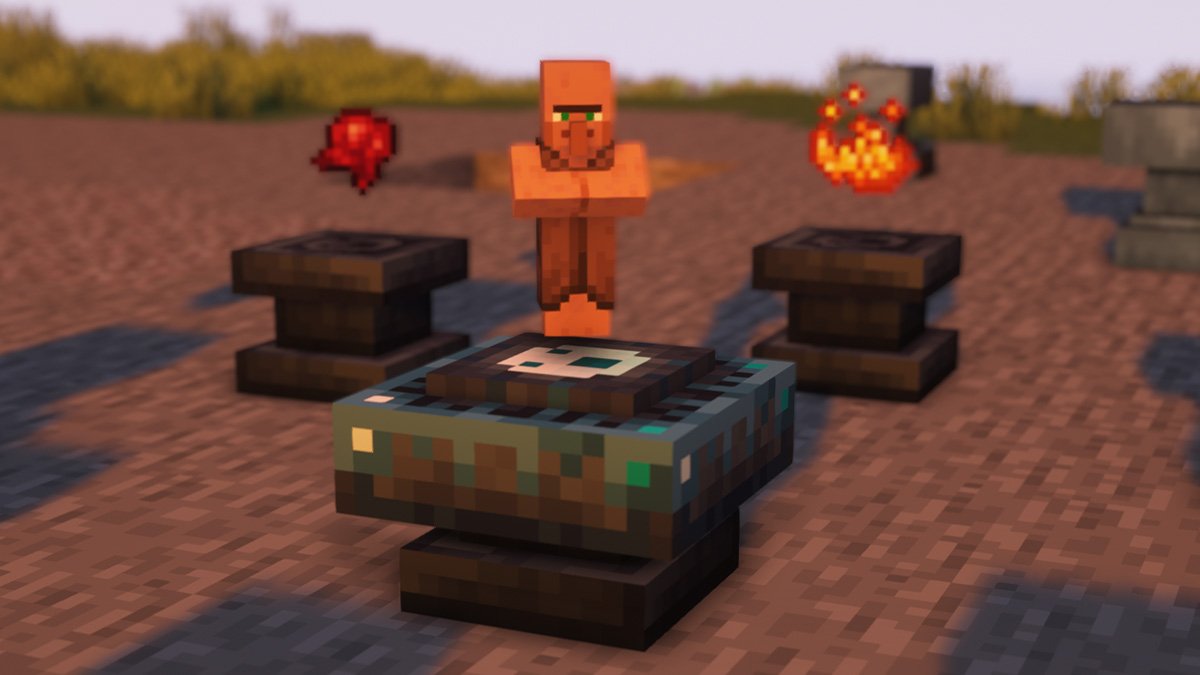
Spirit introduces a magic system into Minecraft, where you harvest the Souls of mobs to create new equipment, or Spawners.
 celest zodiac
whenever I open the inventory or chests with the complementary shader activated it gets extremely laggy, would anyone know what it could be?
vale gorge
This happens when I first load in but not after. Does this happen anywhere or just in the Nether? I'm not well versed in this stuff but maybe turning down particle effects and some other settings might help?
 patent dew
can u player better mc multiplayer?
frigid oxide
patent dew
can u player better mc multiplayer?
!server
grand gate
We suggest renting a server from Bisect Hosting:
Approx. $10 - $25 a month depending on what plan you choose. You can also get 25% off with Code LunaPixel.
Go to https://www.bisecthosting.com/LunaPixel and order a plan which fits you. We suggest 1GB per player but nothing lower than 4GB as the server needs at least 3GB to run.
Go to #server-hosting for more Info!
Free Method: (This is hosting on your own PC and it can come with issues that's why we suggest Bisect Hosting)
- Download the serverpack from Curseforge's website
- Right click the start.ps1 file and click Run with Powershell
To join your own server, typelocalhostinto Direct Connect.
This video explains the process https://www.youtube.com/watch?v=wuGUbVbLsDc
The server IP address is your Public IP Address, which can be found by googling my ip address
If other players are unable to join, find a portforwarding guide online.
 sick brook
Every time i join a multiplayer with my friend I fall through the map and then when I stop falling and try moving around I lag back to the same block over and over
atomic narwhal
sick brook
Every time i join a multiplayer with my friend I fall through the map and then w...
how is the server being hosted?
sick brook
atomic narwhal
how is the server being hosted?
aternos
atomic narwhal
sick brook
aternos
that's why, aternos isn't a very good service
we approve of two server hosting methods
!server
grand gate
We suggest renting a server from Bisect Hosting:
Approx. $10 - $25 a month depending on what plan you choose. You can also get 25% off with Code LunaPixel.
Go to https://www.bisecthosting.com/LunaPixel and order a plan which fits you. We suggest 1GB per player but nothing lower than 4GB as the server needs at least 3GB to run.
Go to #server-hosting for more Info!
Free Method: (This is hosting on your own PC and it can come with issues that's why we suggest Bisect Hosting)
- Download the serverpack from Curseforge's website
- Right click the start.ps1 file and click Run with Powershell
To join your own server, typelocalhostinto Direct Connect.
This video explains the process https://www.youtube.com/watch?v=wuGUbVbLsDc
The server IP address is your Public IP Address, which can be found by googling my ip address
If other players are unable to join, find a portforwarding guide online.
atomic narwhal
two methods
 waxen wind
any guys have any issues where their tamed aether dragon just disappears out of no where?
 hollow veldt
I have a problem with the sounds of the blocks, when I exit better mc and re-enter I do not hear the blocks, only the entities, I reinstalled better mc many times and it is not solved
Does anyone know why this happens to me?
waxen wind
waxen wind
any guys have any issues where their tamed aether dragon just disappears out of ...
nvm the mofo for some reason tp 60 blocks away from me and i guess you gotta run around and find them on ur map lol
vale gorge
!reload
grand gate
To reload textures and sounds, press F3 + T. If this doesn't bring up a loading screen, do the following:
1. Press escape and go to the Resourcepacks tab.
2. Move a Resourcepack on the left of the screen to the right.
3. Move that SAME Resourcepack back to the left.
4. Exit the menu.
If step 4 does not bring up a loading screen, do step 2, then step 4, then step 3, and then step 4 again.
vale gorge
waxen wind
any guys have any issues where their tamed aether dragon just disappears out of ...
Try this^
I'm so sorry tagged the wrong person lol
vale gorge
hollow veldt
I have a problem with the sounds of the blocks, when I exit better mc and re-ent...
Try this now that I have the right person lol ^
hollow veldt
vale gorge
Try this now that I have the right person lol ^
It's fixed, thx
 arctic creek
why there are multiple versions BMC1,2,3?
frigid oxide
arctic creek
why there are multiple versions BMC1,2,3?
 golden temple
Hi, I just spoke to a friend that mentioned that apparently Forge BMC2 contains a virus?
 cyan wolf
golden temple
Hi, I just spoke to a friend that mentioned that apparently Forge BMC2 contains ...
golden temple
cyan wolf
<#790275974503202857>
cyan wolf
golden temple
Hi, I just spoke to a friend that mentioned that apparently Forge BMC2 contains ...
golden temple
cyan wolf
<#790275974503202857>
Thank you kindly, I must have missed the details when checking the channel
 gilded turret
Hey! I thought the sophisticated backpack was on better mc forge but it’s not there, anyone know if I’m missing something?
cyan wolf
gilded turret
Hey! I thought the sophisticated backpack was on better mc forge but it’s not th...
no it is not in the modpack for forge of any verison you can check it out for yourself on modpackindex (just google it) why do you think it was in the modpack do you remember having it because i think it might have been in the pack like a while ago?
gilded turret
Yes! I remember having an earlier version with it! I tried adding it manually but when trying to run the server I’m getting error
cyan wolf
it was likely removed due to incompatibles
gilded turret
Hm, okay, sad to hear but thank you
cyan wolf
gilded turret
Hm, okay, sad to hear but thank you
yea, sorry 😦
 signal fulcrum
I used to play better mc all the time, and recently revisited. I play on a MacBook, and my gpa used to be great (around 70). However, now when I play my screen pretty much freezes every other frame, it’s literally impossible to play. Any idea why?
 gilded citrus
anyone know if the Better+MC+FORGE+Server+Pack+1.19.2+v14 is good?
 fallow crypt
I'm using 1.18.2 BetterMC s and whenever I pick up items from blocks i break, I can see particles through walls (like torches, mob spawners, rain etc)

it's not the shaders, it still does it with them off
 wanton coral
is this the place to ask for help>
viral garden
hexed radish
yo can anyone help me with mmc3?
wrong channel buddy
viral garden
wanton coral
is this the place to ask for help>
yes
viral garden
fallow crypt
I'm using 1.18.2 BetterMC s and whenever I pick up items from blocks i break, I ...
its an issue with your shaders
viral garden
signal fulcrum
I used to play better mc all the time, and recently revisited. I play on a MacBo...
#faq performance guide
viral garden
celest zodiac
whenever I open the inventory or chests with the complementary shader activated ...
#faq performance guide
fallow crypt
viral garden
its an issue with your shaders
it still happens with shaders disabled though?
kind oracle
do elytra's still spawn in the pirate ships. I been lookinh everywhere and cant seem to find one
viral garden
yes they spawn
wanton coral
how do you customize trading posts
viral garden
wanton coral
how do you customize trading posts
from what mod
viral garden
fallow crypt
 tidal vortex
How can I make the glass connect man
tidal vortex
How can I make the glass connect man
install connected glass mod
tidal vortex
thanks
tidal vortex
fallow crypt
install connected glass mod
I got a error screen when I opened the game
 fallow crypt
tidal vortex
I got a error screen when I opened the game
fallow crypt
tidal vortex
I got a error screen when I opened the game
what version of better mc are you using?
tidal vortex
1.16.5
fallow crypt
which version of connected glass did you install?
tidal vortex
1.16
fallow crypt
try installing the 1.16.5 version instead of 1.16
 viral garden
south haven
anyone know how to fix this error on setting up better mc server
viral garden
south haven
anyone know how to fix this error on setting up better mc server
you need to allocate more ram
and make sure you're using 64bit java
south haven
hmm it should be its on a hetzner 16gb server
does actual mc need to be installed on it
viral garden
its 100% not a modpack issue
south haven
yh dw didnt say it was
viral garden
and no, you do not need the client installed for the server to run
 elfin frigate
fallow crypt
it still happens with shaders disabled though?
elfin frigate
fallow crypt
it still happens with shaders disabled though?
Can confirm, not a shaders issue, happens with shaders fully disabled, it's a particles issue. If you turn particles fully off it stops doing it, regardless of shaders on or off. (BMC3 Forge v14)
 devout owl
any mods here to help me create a minecraft server? i am very new and i just bought a subscription with bisect hosting
viral garden
devout owl
any mods here to help me create a minecraft server? i am very new and i just bou...
log into your dashboard
grand gate
hi, could someone help me with a doubt about modpack?
 dense valley
Too bad the mods I love don't have in the modpack ☹️
And that by chance the name of these models are
-Modern Life
-MrCrayhfish Furniture
-SecurityCraft
-Waterframes(amazing block)
I know, but, due to my problem, when I put them on, I end up getting carried away and putting a lot of extra stuff on, so when I play the game it goes wrong ☠️
But ok
(TRANSLATOR)
 near hamlet
could someone let me know if they know what mod from bmc3 adds this structure to the end? i cant find anything when i try googling it


also heres the map view
 viral garden
grand gate
hi, could someone help me with a doubt about modpack?
viral garden
grand gate
hi, could someone help me with a doubt about modpack?
just ask your question dude
viral garden
 drowsy quest
Welp, its been good boys, ive been infected
drowsy quest
Welp, its been good boys, ive been infected
from what file
drowsy quest
im unsure, trying to figure that out, i downloaded the modpack around this time a couple days ago
viral garden
bmc3 was infected by the hackers very briefly
drowsy quest
the singleplayer and multiplayer buttons were missing, so i never got to play
ill check that
near hamlet
awesome thanks, looks like it is from that
drowsy quest
found out
found it*
local>Microsoft>edge
wait maybe not?
theres files from 2020 in the folder
eh im still gonna delete it anyways, edge is annoying
i almost deleted the entire microsoft folder lmao
 bold ridge
Hey yall, I been trying to run Better MC version 15, and for some reason it isnt loading I am geting a exit code: 1 and it the only mod pack doing this, anyone have a fix?
drowsy quest
ill run it thru virus total just incase, see if it picks up anything
90% of the time i get that, its related to ram
either too little, or too much
also is betterMC forge patched?
or is it still dangerous rn
@viral garden
viral garden
drowsy quest
<@726509826557083680>
its safe
drowsy quest
when?
viral garden
read #announcements
viral garden
bold ridge
Hey yall, I been trying to run Better MC version 15, and for some reason it isnt...
!moreinfo
grand gate
Hello! For us to properly help you with your issue, you will need to answer all 8 questions below. Post the answers in this channel:
1. Have you modified the modpack in any way? If so, what did you do? (Updating/adding/removing mods, changing configs)
2. What launcher, or program, are you using to launch the game? (CurseForge, ATLauncher, etc)
3. What Minecraft version are you playing? (1.18.2, 1.16.5, 1.19.2)
4. What version of the modpack are you playing? (v11, v9, etc)
5. What steps are necessary to reproduce the crash? (Launching the game, exploring the world, etc)
6. Have you ever gotten past the point where the crash happens?
7. Send the crash report file into this channel. Right click the modpack, Open Folder, and navigate to the Crash Reports folder. Drag the newest one here. If there is no crash reports folder, do the same thing with the latest.log file in the logs folder.
8. Did you follow the Performance guide linked in #faq?
drowsy quest
am panicing, so dont expect me to be smart rn lmao
viral garden
drowsy quest
No stage 0, no stage 1, and no stage 2 or 3

i ran several anti-virus to make sure
am going to buy a lottery ticket now
because the chances of this happening again is next to none
 reef kiln
viral garden
https://ptb.discord.com/channels/790272037578473512/790275974503202857/110850391...
reef kiln
viral garden
https://ptb.discord.com/channels/790272037578473512/790275974503202857/110850391...
drivers and windows are up to date and it says this when i do the glfw
 viral garden
opal copper
viral garden
opal copper
!moreinfo
grand gate
Hello! For us to properly help you with your issue, you will need to answer all 8 questions below. Post the answers in this channel:
1. Have you modified the modpack in any way? If so, what did you do? (Updating/adding/removing mods, changing configs)
2. What launcher, or program, are you using to launch the game? (CurseForge, ATLauncher, etc)
3. What Minecraft version are you playing? (1.18.2, 1.16.5, 1.19.2)
4. What version of the modpack are you playing? (v11, v9, etc)
5. What steps are necessary to reproduce the crash? (Launching the game, exploring the world, etc)
6. Have you ever gotten past the point where the crash happens?
7. Send the crash report file into this channel. Right click the modpack, Open Folder, and navigate to the Crash Reports folder. Drag the newest one here. If there is no crash reports folder, do the same thing with the latest.log file in the logs folder.
8. Did you follow the Performance guide linked in #faq?
viral garden
reef kiln
drivers and windows are up to date and it says this when i do the glfw
then you did it wrong
reef kiln
could you elaborate because i followed the steps as they're stated
drowsy quest
How come I cant use essentials to play better mc?
i know you guys have a pact with Essentials
because they have talked about Better MC recently
viral garden
drowsy quest
How come I cant use essentials to play better mc?
!server
grand gate
We suggest renting a server from Bisect Hosting:
Approx. $10 - $25 a month depending on what plan you choose. You can also get 25% off with Code LunaPixel.
Go to https://www.bisecthosting.com/LunaPixel and order a plan which fits you. We suggest 1GB per player but nothing lower than 4GB as the server needs at least 3GB to run.
Go to #server-hosting for more Info!
Free Method: (This is hosting on your own PC and it can come with issues that's why we suggest Bisect Hosting)
- Download the serverpack from Curseforge's website
- Right click the start.ps1 file and click Run with Powershell
To join your own server, typelocalhostinto Direct Connect.
This video explains the process https://www.youtube.com/watch?v=wuGUbVbLsDc
The server IP address is your Public IP Address, which can be found by googling my ip address
If other players are unable to join, find a portforwarding guide online.
viral garden
reef kiln
could you elaborate because i followed the steps as they're stated
send a screenshot of your java tab in atlauncher
drowsy quest
aww
that stinks :/
i cant do port-forwarding on my internet, neither can my friend
so we just use essentials
viral garden
you can use hamachi on a selfhosted server
or use worldhost/e4mc instead of essential
essential is completely incompatible, period
you will experience issues
drowsy quest
do they require hacking into my modem?
viral garden
no
drowsy quest
k ill definately check that out
opal copper
- no
2 ATLAuncher - 1.19.2
- BMC3 v15
- Originally it was just walking around randomly would just crash. However now it crashed when i try to launch
- It would crash, i would reload then im fine for 3-4 hours. Howver, i only bring this up today becuase I have had 3 crashes in one hour
- i put the pic of the latest crash
- i am as sure as ever i read and followed the guide but i can alwasy delete and do it again if its somehow me
drowsy quest
ty
viral garden
opal copper
1. no
2 ATLAuncher
3. 1.19.2
4. BMC3 v15
5. Originally it was just walking aroun...
opal copper
!glfw
grand gate
For users who are experiencing issues with the built-in GLFW, there's a quick and easy solution for you to use the latest, bug-free GLFW that can remedy the solution.
- Download a pre-built GLFW library from my repository at https://github.com/Frontear/glfw/releases. Ensure you download the correct file from the desription of the release. You may also compile it yourself, details can be found here: https://www.glfw.org/docs/latest/compile.html
- Save the file in a location you can remember and will NOT delete (the file MUST stay there or else it will stop working)
- In your launcher, go to the java parameters (this is the place you put your GC arguments), and add
-Dorg.lwjgl.glfw.libname="path/to/the/file". If, for example, you downloaded the file in your Downloads (C:\Users\Me\Downloads\glfw3.dll, then your argument would be-Dorg.lwjgl.glfw.libname="C:\Users\Me\Downloads\glfw3.dll")
opal copper
what is a GLFW library
my launcher has just randmonly stopped runnining completely
it was running for 3 days
 vocal plaza
drowsy quest
How come I cant use essentials to play better mc?
vocal plaza
drowsy quest
How come I cant use essentials to play better mc?
They make money when u buy bicest
Bisect*
atomic narwhal
vocal plaza
They make money when u buy bicest
we also provide a free method, essential is also known to work similar to LAN
viral garden
grand gate
https://mclo.gs/rovM5My
!moreinfo
grand gate
Hello! For us to properly help you with your issue, you will need to answer all 8 questions below. Post the answers in this channel:
1. Have you modified the modpack in any way? If so, what did you do? (Updating/adding/removing mods, changing configs)
2. What launcher, or program, are you using to launch the game? (CurseForge, ATLauncher, etc)
3. What Minecraft version are you playing? (1.18.2, 1.16.5, 1.19.2)
4. What version of the modpack are you playing? (v11, v9, etc)
5. What steps are necessary to reproduce the crash? (Launching the game, exploring the world, etc)
6. Have you ever gotten past the point where the crash happens?
7. Send the crash report file into this channel. Right click the modpack, Open Folder, and navigate to the Crash Reports folder. Drag the newest one here. If there is no crash reports folder, do the same thing with the latest.log file in the logs folder.
8. Did you follow the Performance guide linked in #faq?
- I replace the Rubidium mc1.16.5-0.2.11 with Rubidium mc1.16.5-0.2.12
- CurseForge
- 1.16.5
- Better MC [FORGE] 1.16.5 v60.5.zip
- Launching the game
- nope
- https://mclo.gs/rovM5My
- nope
viral garden
grand gate
1. I replace the Rubidium mc1.16.5-0.2.11 with Rubidium mc1.16.5-0.2.12
2. Curse...
why would you update Rubidium
 slender bridge
Can't cage the goblins ;^^
grand gate
viral garden
why would you update Rubidium
oh oops, iwas messing around with the mods
 cloud comet
1 NO
2 CurseForge
3 1.16.5
4. Better MC [FORGE] 1.16.5 v60.5
5. Launching Game
6. Better MC [FORGE] 1.16.5 v60.5 - (Release) - (current)
yes when i first played it but about 2 hours after it started crashing
7. will change once i get it
8. no
viral garden
you skipped 4 questions
cloud comet
viral garden
you skipped 4 questions
i fixed it
viral garden
you still skipped 2 questions
cloud comet
viral garden
you still skipped 2 questions
im trying
cloud comet
viral garden
you still skipped 2 questions
There
viral garden
 zenith hollow
I heard yesterday that for some time bettermc was infected with a virus. I downloaded the package at 11PM CEST time. I have a question, was the package then still infected with the virus?
zenith hollow
zenith hollow
I heard yesterday that for some time bettermc was infected with a virus. I downl...
which is about 11 hours ago from now
 lusty obsidian
zenith hollow
I heard yesterday that for some time bettermc was infected with a virus. I downl...
lusty obsidian
zenith hollow
I heard yesterday that for some time bettermc was infected with a virus. I downl...
Malware is being distributed through Minecraft mods and modpacks mainly through CurseForge
You can check it with the script
cloud comet
so its infected???
viral garden
zenith hollow
I heard yesterday that for some time bettermc was infected with a virus. I downl...
please read #announcements
zenith hollow
"07/06/2023 12am - 2am AWST" do you mean 12am - 2pm or 2 am next day lol
lost tide
does anyone know how to fix that lag, somehow im lagging, but the lag isnt like a normal lag. i see everything happening, mobs attacking me, my friends walking and doing stuff. but somehow, i cant do anything and i cant even move or open a chest
like nothing laggs expect me
if that was a normal lag, i would see everyone lagging not only me
opaque zodiac
lost tide
does anyone know how to fix that lag, somehow im lagging, but the lag isnt like ...
I had this issue was the server having packet drops
viral garden
whats your ping
lost tide
about 10
 slender bridge
Regarding #faq > Tps Perfomance > Uninstall other Java, Install Java 11
Won't it bork my other versions? 
I play a lot of different modpacks across different versions... 
atomic narwhal
do not ping staff, and you should probably just look up the mod it is from
 odd wigeon
okayy I didn't know
viral garden
slender bridge
Regarding <#815503531611783179> > `Tps Perfomance` > `Uninstall other Java, Ins...
in ATLauncher you can set your java path for just your 1.16.5 profiles
wispy jungle
odd wigeon
how can i get cold deep stone????
in certain caves laying around
 upper raven
Im trying to load up better mc in the launcher, for some reason I keep getting crash error code 1
I tried to clear all my mods still dont work
it says unable to delete file
can i still play with others if the server is run on the curseforge launcher?
alr ill try it
ty
 stoic viper
Does anyone know why BMC 1.19.2 would corrupt music & sound in a sense where I cannot hear receiving dmg/outgoing dmg/ most hostile mobs/ myself eating? I'm playing solo & sometimes open LAN. Open to advice on where to look for the issue
lost tide
guys how to fix a broken spawner?
 tropic timber
I'm having a problem with adding optifine 1.19.2 to BMC3 forge 1.19.2
it just keeps crashing before it loads
exit code 1
atomic narwhal
tropic timber
I'm having a problem with adding optifine 1.19.2 to BMC3 forge 1.19.2
!optifine
grand gate
It is highly advised to not use Optifine, as it is very glitchy, will increase loading times to upwards of 10 minutes, and will decrease your FPS substantially. All Luna Pixel Studios modpacks come with shader support without Optifine via Oculus on Forge and Iris on Fabric. Optifine is also incompatible with all of our modpacks. The game will not launch with Optifine installed.
If you are interested in Optifine alternatives for your own gameplay, you can find a list here https://github.com/LambdAurora/optifine_alternatives
Note that a majority of these mods are already included in our modpacks.
https://cdn.discordapp.com/attachments/1046333354259259422/1046337216609271858/unknown.png
 atomic narwhal
all of our modpacks are fully optimized, optifine is not needed and is not good for performance
atomic narwhal
lost tide
guys how to fix a broken spawner?
look into the spirit mod
lost tide
thanks
zenith hollow
this version is without a virus?
 vale gorge
If I were to do the recommended server hosting (my friend can't host any more) is there a way to take the world we have and put it into the new server?
grand gate
Does anybody know how to fix Exit-code-1? this is the crash log: The game crashed whilst initializing game
Error: java.lang.RuntimeException: Could not execute entrypoint stage 'client' due to errors, provided by 'byg'!
icy estuary
vale gorge
If I were to do the recommended server hosting (my friend can't host any more) i...
yep just drag the World folder over.
vale gorge
Thank you!
icy estuary
!server
grand gate
We suggest renting a server from Bisect Hosting:
Approx. $10 - $25 a month depending on what plan you choose. You can also get 25% off with Code LunaPixel.
Go to https://www.bisecthosting.com/LunaPixel and order a plan which fits you. We suggest 1GB per player but nothing lower than 4GB as the server needs at least 3GB to run.
Go to #server-hosting for more Info!
Free Method: (This is hosting on your own PC and it can come with issues that's why we suggest Bisect Hosting)
- Download the serverpack from Curseforge's website
- Right click the start.ps1 file and click Run with Powershell
To join your own server, typelocalhostinto Direct Connect.
This video explains the process https://www.youtube.com/watch?v=wuGUbVbLsDc
The server IP address is your Public IP Address, which can be found by googling my ip address
If other players are unable to join, find a portforwarding guide online.
grand gate
icy estuary
yep just drag the World folder over.
Im sorry but how do i do this?
icy estuary
grand gate
Im sorry but how do i do this?
filezilla
oh
Thought he was asking about the World for the server 
 mortal fog
when I run the start.ps1 with PowerShell it just closes it immediately and the guy in the video said the New Windows 11 22H2 Update causes the PowerShell not to work is their any other way that I can get this to work?
cyan wolf
stoic viper
Does anyone know why BMC 1.19.2 would corrupt music & sound in a sense where I c...
it happens occasionally and reloading will fix it for me
!reload
grand gate
To reload textures and sounds, press F3 + T. If this doesn't bring up a loading screen, do the following:
1. Press escape and go to the Resourcepacks tab.
2. Move a Resourcepack on the left of the screen to the right.
3. Move that SAME Resourcepack back to the left.
4. Exit the menu.
If step 4 does not bring up a loading screen, do step 2, then step 4, then step 3, and then step 4 again.
mortal fog
!help
grand gate
🚫 Guy, that command is disabled in this channel.
stoic viper
cyan wolf
!reload
Aight thanks! I'll give that a go tomorrow!
viral garden
stoic viper
Does anyone know why BMC 1.19.2 would corrupt music & sound in a sense where I c...
send your latest.log when your audio cuts out
viral garden
cyan wolf
it happens occasionally and reloading will fix it for me
send your latest.log when your audio cuts out
viral garden
grand gate
Does anybody know how to fix Exit-code-1? this is the crash log: The game crashe...
!moreinfo
grand gate
Hello! For us to properly help you with your issue, you will need to answer all 8 questions below. Post the answers in this channel:
1. Have you modified the modpack in any way? If so, what did you do? (Updating/adding/removing mods, changing configs)
2. What launcher, or program, are you using to launch the game? (CurseForge, ATLauncher, etc)
3. What Minecraft version are you playing? (1.18.2, 1.16.5, 1.19.2)
4. What version of the modpack are you playing? (v11, v9, etc)
5. What steps are necessary to reproduce the crash? (Launching the game, exploring the world, etc)
6. Have you ever gotten past the point where the crash happens?
7. Send the crash report file into this channel. Right click the modpack, Open Folder, and navigate to the Crash Reports folder. Drag the newest one here. If there is no crash reports folder, do the same thing with the latest.log file in the logs folder.
8. Did you follow the Performance guide linked in #faq?
viral garden
mortal fog
when I run the start.ps1 with PowerShell it just closes it immediately and the g...
!windows11
grand gate
An update to windows introduced a new security feature that prevents powershell files from running on your PC. This is great for your security, but not so great for our server start scripts, which require powershell to run them. Fortunately there is a quick fix for this!
Run powershell as administrator, then run Set-ExecutionPolicy RemoteSigned. Read the prompt and press accept. This will allow us to run scripts.
Next, navigate to your server directory using cd path/to/directory (for example: cd C:\Users\Username\Documents\Minecraft\Server)
You can now run the server by double-clicking the start.ps1 file, or typing .\start.ps1 into the command line while in the directory.
IF THE ABOVE DOES NOT WORK, TRY THIS
Run the command Unblock-File -Path .\start.ps1 in the same powershell window. This will allow the start script to not be blocked by windows, and run freely.
If all else fails, a manual installation should work:
FORGE 1.16.5: https://www.youtube.com/watch?v=bIjisWyxU-8
FORGE 1.18.2: https://www.youtube.com/watch?v=R610M102X0U
FORGE 1.19.2: https://www.youtube.com/watch?v=3HD0ibIpO-A
FABRIC: https://www.youtube.com/watch?v=b2W1Xb7nLKo
Make sure to Install the Server in our ServerPacks so it can use the correct files.
cobalt sparrow
does BMC fabric have the same things as forge?
icy estuary
cobalt sparrow
does BMC fabric have the same things as forge?
No #faq
uncut lodge
is it true that better mc has malware?
uncut lodge
alr used the detection tool on the forge support page and my pc is clean, ty tho
odd wigeon
whats better : better mc or better mc 2??
viral garden
odd wigeon
whats better : better mc or better mc 2??
odd wigeon
viral garden
<#815503531611783179>
there is not the Comparison/my question
 muted lake
I'm not able to understand why power shell isn't able to pick up 'user_jvm-args.txt'- I've opened it up in the curse forged launcher hoping that I could just ignore the error and direct connect from the multiplayer tab, but it just ends up saying I was unable to connect.
 viral garden
muted lake
I'm not able to understand why power shell isn't able to pick up 'user_jvm-args....
viral garden
muted lake
I'm not able to understand why power shell isn't able to pick up 'user_jvm-args....
you need java 18.
not java 8.
please read the readme next time.
muted lake
thought I did, I'll try it out, thank you.
icy estuary
 short flax
hey how do I delete bmc forge from my computer
short flax
hey how do I delete bmc forge from my computer
Delete profile + backups
icy estuary
short flax
to avoid getting a virus
Would suggest doing a scan first before deleting. #announcements
viral garden
short flax
hey how do I delete bmc forge from my computer
its not infected
you dont need to delete it
icy estuary
And also its not infected
viral garden
just read #announcements please
short flax
sorry my friend told me while i was at work so i was wondering what was going on
ty for the heads up tho
 vernal geode
Should I kill the nether keeper or wither first the older version said to do keeper first or did it get buffed
wintry zenith
when i click scan for the detection tool it doesn't even take a second to give me my results is this normal and is it funcitoning right? I'm concerned that it's not actually scanning and just saying that it is.
vernal geode
Chorb is it intended to kill the wither or nether keeper first since you need a wither star for the keeper but tungsten gives wither immunity
In the older version it was keeper first aswell
 lusty cedar
tried to run the 1.19.2 forge BMC3, added a set of mods required to run Valkyrien skies and got this

these are the mods I added
viral garden
vernal geode
Chorb is it intended to kill the wither or nether keeper first since you need a ...
any order
viral garden
lusty cedar
tried to run the 1.19.2 forge BMC3, added a set of mods required to run Valkyrie...
are you on v15
lusty cedar
what exactly defines v15
viral garden
the modpack version
lusty cedar
yes it is
lusty cedar
viral garden
try create 0.50
so they don't actually have a version of it avaliable that is without the i for 19.2
also Valkyrien skies says the only version they use for their mod is 0.5.0i for create
viral garden
lusty cedar
tried to run the 1.19.2 forge BMC3, added a set of mods required to run Valkyrie...
did you update any mods
lusty cedar
viral garden
did you update any mods
I only just downloaded the modpack from BMC3, I'm not sure if I'm supposed to?
I havent played on it yet, it's only existed as long as I've been here so far
lusty cedar
nope
lusty cedar
okay cool
viral garden
nothing sticks out in your log
lusty cedar
Yeah VK only just updated their mod to 1.19.2 and they said it works
viral garden
it ends with a mixin 'conflict' between biomemakeover & environmental but that definitely should not cusse a crash
lusty cedar

I dont know if they're implying this 1.19.2 is supposed to work with certain better mc modpacks?
lusty cedar
viral garden
it ends with a mixin 'conflict' between biomemakeover & environmental but that d...

do you think you can confirm what this guy said?
I asked in the curseforge project as well to see if anyone would see anything
lusty cedar
okay cool!
vale gorge
Two questions:
-
what's the consensus for using texture packs with this mod? I tend to have trouble with them scattering, like some textures will be from the pack I put in, but it's mostly over-written by vanilla
-
Anyone else have trouble making chests look as they should with their respective wood types? They just end up the OG chest for me even though we have a whole list of wood-type chests.
Thanks in advance!
stay true was combatting the texture pack 😭
atomic narwhal
Because stay true is a texture pack lol
vale gorge
I just saw that and I'm so sad now XD I love them both
upper raven
yo fam better mc on atlauncher dont work for me
kind oracle
Does tungsten armor not protect you from lava
viral garden
upper raven
yo fam better mc on atlauncher dont work for me
please be more specific
what do you expect us to do with "thing dont work"
 narrow fjord
jesus, just gopt a mini heartattack xD downlaoded BMC1, and only after it was downloaded and ran for one time to see if i set the ATLauncher desktop shortcut thing correctly, i heard about the whole fracturizer incident... luckiely i found the info that it's cleared up seemingly real quick afterwards... bloody hell.
 normal summit
So is it fine to play the BetterMC Forge now?
narrow fjord
according to the announcements on here and the ATLauncher discord yeah.
also, in BMC1, i can't seem to be able to put on the life charm you get for the tutorial quests...
grand gate
Can someone give me a tutorial on how to set up a better minecraft forge server? 1.19.2.
viral garden
narrow fjord
also, in BMC1, i can't seem to be able to put on the life charm you get for the ...
known, just ignore it
viral garden
grand gate
Can someone give me a tutorial on how to set up a better minecraft forge server?...
!server
grand gate
We suggest renting a server from Bisect Hosting:
Approx. $10 - $25 a month depending on what plan you choose. You can also get 25% off with Code LunaPixel.
Go to https://www.bisecthosting.com/LunaPixel and order a plan which fits you. We suggest 1GB per player but nothing lower than 4GB as the server needs at least 3GB to run.
Go to #server-hosting for more Info!
Free Method: (This is hosting on your own PC and it can come with issues that's why we suggest Bisect Hosting)
- Download the serverpack from Curseforge's website
- Right click the start.ps1 file and click Run with Powershell
To join your own server, typelocalhostinto Direct Connect.
This video explains the process https://www.youtube.com/watch?v=wuGUbVbLsDc
The server IP address is your Public IP Address, which can be found by googling my ip address
If other players are unable to join, find a portforwarding guide online.
narrow fjord
viral garden
known, just ignore it
oaky, dgood to know. is it just that one charm, or charms in general?
viral garden
just that one
narrow fjord
okay good.
grand gate
viral garden
!server
uh... on your own machine?
 simple widget
narrow fjord
jesus, just gopt a mini heartattack xD downlaoded BMC1, and only after it was do...
simple widget
narrow fjord
jesus, just gopt a mini heartattack xD downlaoded BMC1, and only after it was do...
lit the same. Downloaded dawncraft and was searching for fixes for an issue i was having only to be greeted by all this bs. Ppl seem to still be on the fence about whether its 100% safe to download mods now, but my paranoia made me scrub my PC of everything java related lol
grand gate
Okay sorry 😅
narrow fjord
simple widget
lit the same. Downloaded dawncraft and was searching for fixes for an issue i wa...
i just used the scanners the ATLauncher folks mentioned (which are open source on github, so should be trustworthy ideally) and got no warnings or anything, so imma just roll with it
simple widget
narrow fjord
i just used the scanners the ATLauncher folks mentioned (which are open source o...
imma go do that one now just to kill my paranoia, but i had done all the crap curseforge gave, the fracturiser one (cant remember the name of it), and a full system scan with MB Premium and had no warnings so hopefully im good.
Its just my luck that when i get into the mood to play mc again it comes during a massive virus fiasco
normal summit
viral garden
<#790275974503202857>
okay thanks chorb
narrow fjord
simple widget
Its just my luck that when i get into the mood to play mc again it comes during ...
agreed xD gotta love the universes shenanigans xD
 teal plover
what is Vwooping 1
upper raven
viral garden
please be more specific
I click play and it just never pops up, I checked the logs and it tells me it crashed, for some reason it loads half way and then crashes
viral garden
upper raven
I click play and it just never pops up, I checked the logs and it tells me it cr...
!moreinfo
grand gate
Hello! For us to properly help you with your issue, you will need to answer all 8 questions below. Post the answers in this channel:
1. Have you modified the modpack in any way? If so, what did you do? (Updating/adding/removing mods, changing configs)
2. What launcher, or program, are you using to launch the game? (CurseForge, ATLauncher, etc)
3. What Minecraft version are you playing? (1.18.2, 1.16.5, 1.19.2)
4. What version of the modpack are you playing? (v11, v9, etc)
5. What steps are necessary to reproduce the crash? (Launching the game, exploring the world, etc)
6. Have you ever gotten past the point where the crash happens?
7. Send the crash report file into this channel. Right click the modpack, Open Folder, and navigate to the Crash Reports folder. Drag the newest one here. If there is no crash reports folder, do the same thing with the latest.log file in the logs folder.
8. Did you follow the Performance guide linked in #faq?
narrow fjord
what'S this? si just got that when pressing the key combination of my keyboard for play/pause (the fn/function key + F10)... i'd like to change it, so it doesnt constantly pop up when i start ot pause a youtube video xD
 viral garden
narrow fjord
what'S this? si just got that when pressing the key combination of my keyboard f...
viral garden
narrow fjord
what'S this? si just got that when pressing the key combination of my keyboard f...
its a feature of the deep dark backport mod
idk why
narrow fjord
yeah it's the deeep dark help. was not bound to anything, so no clue what made it pop up with that keycombo xD
uncut lodge
same with me, i just got used to it
narrow fjord
once rebound the fn+F10 keycombo did not toggle it anymore. so yeah... weird stuff be doing weird stuff things i guess
fervent plover
heyyyyy im having trouble with my Better MC modpack
sometimes/ most of the time i launch the game, it starts and im able to play, except a majority of the sounds are not in the game, i can't hear myself eat, walk around, other mobs, nearly nothing, and i can tell right away when it's broken because the menus are also silent when usually you hear a click when hitting Multiplayer or Singleplayer
and it is possible to fix itself but that requires me to close the game and the launcher and start from curseforge profiles, i'm on my fifth restart and it still hasn't fixed itself
viral garden
fervent plover
sometimes/ most of the time i launch the game, it starts and im able to play, ex...
send your latest.log
!reload then do this
grand gate
To reload textures and sounds, press F3 + T. If this doesn't bring up a loading screen, do the following:
1. Press escape and go to the Resourcepacks tab.
2. Move a Resourcepack on the left of the screen to the right.
3. Move that SAME Resourcepack back to the left.
4. Exit the menu.
If step 4 does not bring up a loading screen, do step 2, then step 4, then step 3, and then step 4 again.
fervent plover
how do i send my latest log?
viral garden
drag the file here
fervent plover
grand gate
To reload textures and sounds, press F3 + T. If this doesn't bring up a loading ...
also last time i did this it crashed
viral garden
!reload
grand gate
To reload textures and sounds, press F3 + T. If this doesn't bring up a loading screen, do the following:
1. Press escape and go to the Resourcepacks tab.
2. Move a Resourcepack on the left of the screen to the right.
3. Move that SAME Resourcepack back to the left.
4. Exit the menu.
If step 4 does not bring up a loading screen, do step 2, then step 4, then step 3, and then step 4 again.
fervent plover
wait i gotta open up the game
thjen ill send a new latest log
then ill reload
ty
okay doing the texturepacks thing worked
sound for the menus is back
but i didnt send the texture pack back to the left
 small furnace
anyone know how to remove a players claimed chunks (they stopped playing on server and left discord)
on bmc forge
 slim flame
Hello there, i havent played in a few days and today i just realised there was some issues with a virus. I just checked my files and everything was ok with my pc. Since i didnt downloaded v15 yet. So im wondering if it is already safe to downlad. I want to be 100% sure if it is lol.
viral garden
it's safe
small furnace
chorb do u know how to remove a players claim on bmc?
slim flame
viral garden
it's safe
Ok, thanks a lot man.
narrow fjord
any idea how to stop the game form occluding stuff like this? it's rather immersion breaking honestly.

 fervent plover
viral garden
it's safe
fervent plover
viral garden
it's safe
ty btw ! that fix works for me and it's consistent too
i actually have another glitch that idk why it happens,
my hotbar in Better MC will not let me use the scroll wheel to change what item im holding
and it wont let me use the number pad either, or 1-9
 cedar swallow
I am Spanish who is using the translator but I would like to know if they have already fixed the virus in better mc's, thanks for reading.
I wanna be 100% sure before installing the mod.
viral garden
cedar swallow
I am Spanish who is using the translator but I would like to know if they have a...
yes its safe
cedar swallow
viral garden
yes its safe
Thanks
vale gorge
I'm having a problem where some of my resource packs are moving out of my "selected". When I get in my game I can't access the map nor can I see any of the items when I press E. Tried stopping and starting the server and restarted CF but doesn't seem to be working 🤔
Edit: it got fixed but idk what happened or how I fixed it - if I fixed it
texture and mini map peaced out lol
 snow dove
is it possible to get protection 7 from a +1 book?
it looks impossible to upgrade it with a +1 book
rather trading it with a goblin that spawns whenevr you explore
viral garden
vale gorge
texture and mini map peaced out lol
!alternates
grand gate
If this command was run in response to your question/issue, it is likely because switching away from the launcher you are currently using would fix your problem.
From our experience, the most stable launcher by far is ATLauncher, also known as ATL.
To install ATLauncher, do the following:
1. Go to https://atlauncher.com/download
2. Install and run the setup, then open the program.
3. Login to your Microsoft account that owns the Java Edition of Minecraft from the Accounts tab on the right. This process is 100% safe, as it goes directly through Microsoft. ATLauncher does not see your account credentials.
4. Go to the Packs tab on the right, then click "Curseforge" on the left.
5. Search the modpack you wish to download.
6. Click "New Instance". Click "Ok" on the opted out mods warning, then click "Open All" on the manual download screen.
7. Let the mods download, ATLauncher will grab them from your Downloads folder and automatically add them to the modpack.
8. Go to the Instances tab, and click "Play" on the modpack you downloaded. If you ever see an "Update" button on the instance, click it.
To transfer your Curseforge world to ATLauncher, simply right click the modpack on Curseforge, or click the 3 dots, then click "Open Folder". Copy the Saves folder, then click "Open Folder" on ATLauncher and paste the Saves folder there.
Because ATLauncher downloads the exact same files as Curseforge does, your world will be the exact same and you will be able to join the same servers. ATLauncher also works without an internet connection (after you've installed the modpack, of course), and does not have any bloat from Overwolf. You are free to uninstall both Overwolf and Curseforge with ATLauncher installed.
vale gorge
Thank you Chorb
grand gate
narrow fjord
does BMC1 have the warden too, or only the skulk blocks?
viral garden
yes
icy estuary
small furnace
anyone know how to remove a players claimed chunks (they stopped playing on serv...
Theres a command for it. I cant remember the exact comment but it is possible
 opaque flicker
is better mc ok to download now?
atomic narwhal
opaque flicker
is better mc ok to download now?
opaque flicker
oh ok sorry i should have checked there first😅
 white kite
yo i found a undead crypt map went to the location and there is nothing here
viral garden
did you look up & down
white kite
viral garden
did you look up & down
well i want to dig down but i dont wanna die
viral garden
opaque flicker
why cant i hear like any in game sounds besides a few
send your latest.log
then
!reload
grand gate
To reload textures and sounds, press F3 + T. If this doesn't bring up a loading screen, do the following:
1. Press escape and go to the Resourcepacks tab.
2. Move a Resourcepack on the left of the screen to the right.
3. Move that SAME Resourcepack back to the left.
4. Exit the menu.
If step 4 does not bring up a loading screen, do step 2, then step 4, then step 3, and then step 4 again.
 violet sphinx
Yeah I had an issue as well. I repaired my BMC and it seemed to help. I think maybe the files are getting corrupted from start crashes.
selective sound issues dont hear opening chests or doors or cutting trees.
violet sphinx
not sure how to do that.... sorry 😦
viral garden
the logs folder
violet sphinx
Is removing enchants and putting them on books only in BMC+? Or is there somehow to do it in BMC normal as well?
 ruby copper
When I put the essential mod in the latest BetterMC [Forge] the play options do not appear

Any idea?
 magic hamlet
ruby copper
When I put the essential mod in the latest BetterMC [Forge] the play options do ...
magic hamlet
ruby copper
When I put the essential mod in the latest BetterMC [Forge] the play options do ...
rt
viral garden
this is not a bug
essential is incompatible with all of our modpacks
remove the mod
@ruby copper @magic hamlet
!server for server hosting
paid & free method
grand gate
We suggest renting a server from Bisect Hosting:
Approx. $10 - $25 a month depending on what plan you choose. You can also get 25% off with Code LunaPixel.
Go to https://www.bisecthosting.com/LunaPixel and order a plan which fits you. We suggest 1GB per player but nothing lower than 4GB as the server needs at least 3GB to run.
Go to #server-hosting for more Info!
Free Method: (This is hosting on your own PC and it can come with issues that's why we suggest Bisect Hosting)
- Download the serverpack from Curseforge's website
- Right click the start.ps1 file and click Run with Powershell
To join your own server, typelocalhostinto Direct Connect.
This video explains the process https://www.youtube.com/watch?v=wuGUbVbLsDc
The server IP address is your Public IP Address, which can be found by googling my ip address
If other players are unable to join, find a portforwarding guide online.
 sly thunder
i can't seem to find any information on fixing the hotbar scroll bug

 viral garden
 dawn vigil
!alternates
grand gate
If this command was run in response to your question/issue, it is likely because switching away from the launcher you are currently using would fix your problem.
From our experience, the most stable launcher by far is ATLauncher, also known as ATL.
To install ATLauncher, do the following:
1. Go to https://atlauncher.com/download
2. Install and run the setup, then open the program.
3. Login to your Microsoft account that owns the Java Edition of Minecraft from the Accounts tab on the right. This process is 100% safe, as it goes directly through Microsoft. ATLauncher does not see your account credentials.
4. Go to the Packs tab on the right, then click "Curseforge" on the left.
5. Search the modpack you wish to download.
6. Click "New Instance". Click "Ok" on the opted out mods warning, then click "Open All" on the manual download screen.
7. Let the mods download, ATLauncher will grab them from your Downloads folder and automatically add them to the modpack.
8. Go to the Instances tab, and click "Play" on the modpack you downloaded. If you ever see an "Update" button on the instance, click it.
To transfer your Curseforge world to ATLauncher, simply right click the modpack on Curseforge, or click the 3 dots, then click "Open Folder". Copy the Saves folder, then click "Open Folder" on ATLauncher and paste the Saves folder there.
Because ATLauncher downloads the exact same files as Curseforge does, your world will be the exact same and you will be able to join the same servers. ATLauncher also works without an internet connection (after you've installed the modpack, of course), and does not have any bloat from Overwolf. You are free to uninstall both Overwolf and Curseforge with ATLauncher installed.
lost tide
How to enter the otherside
sly thunder
i'm surprised that there's no rule against posting over
dawn vigil
thxs
 slim hornet
does controllable works with it ?
 quaint schooner
no
dawn vigil
