#all-of-create
1 messages · Page 17 of 1
 velvet apex
velvet apex
velvet apex
is there supposed to not be no stack upgrade crafting recipe
 slender light
velvet apex
is there supposed to not be no stack upgrade crafting recipe
slender light
velvet apex
is there supposed to not be no stack upgrade crafting recipe
nope its removed
u can add it back through the item obliterator config if u want
velvet apex
okay
cuz i got it in an old version then the ability ti craft em was removed
and still exist in commands
and not even in jei
slender light
velvet apex
cuz i got it in an old version then the ability ti craft em was removed
yeahh it was removed around v1.3 i think
velvet apex
oki. may i ask why? balance?
slender light
velvet apex
oki. may i ask why? balance?
caused corruptions (full backpack wipes) if storing too much data and balance
alot of storage stuff was nerfed during the last 3 updates
velvet apex
ahhhhhh i see. yeah the omega one could easily break if rolled over
 graceful sail
there aren't any "analog tech" curio mods that would fit in this are there?
 atomic magnet
Dug this place above my base just for the fun of it and now im mildly attached, any suggestions of what i could make there?
 slender light
atomic magnet
Dug this place above my base just for the fun of it and now im mildly attached, ...
slender light
atomic magnet
Dug this place above my base just for the fun of it and now im mildly attached, ...
giant chicken statue
atomic magnet
slender light
giant chicken statue
maybe, maybe, the issue is that it's above my base so i am between that, an useless elevator or expanding
 fair kelp
atomic magnet
Dug this place above my base just for the fun of it and now im mildly attached, ...
fair kelp
atomic magnet
Dug this place above my base just for the fun of it and now im mildly attached, ...
cat in a jacket statue 
 karmic breach
atomic magnet
Dug this place above my base just for the fun of it and now im mildly attached, ...
karmic breach
atomic magnet
Dug this place above my base just for the fun of it and now im mildly attached, ...
a huge chimney
 obtuse lantern
Hi, what should I do if I want to modify the build "All of Create" for myself, and it crashes because of extra mods in the build (it checks the number of mods that should be and those that I have). How can I remove such a mod check?
From the log files here:
latest.log
debug.log
PrismLauncher-0.log
crash-assistant_app.log
modlist.txt
 eternal notch
you will also need to send the links for the uploaded logs
when you crash again press "upload all and copy" and then paste here
obtuse lantern
ok, one sec
All of Create 1.20.1 - v1.5HF crashed without a crash report. The logs have been uploaded to mclo.gs:
- 1.20.1
- What launcher did you run Minecraft with? (e.g. CurseForge, ATLauncher, MultiMC, ...)
- Have you changed the modpack in any way except mods?
- v1.5HF
- Have you ever gotten past the crash condition without crashing, or does the game always crash?
- What steps cause the crash?
latest.log | debug.log | PrismLauncher-0.log | crash_assistant_app.log | modlist.txt
Found [2;34m1[0m log analysis results:
[2;34mCreate6Addons[0m in: latest.log
Mod list changes beyond the modpack:
Added mods:
[2;32mbio_delight-1.0.1.jar[0m
[2;32mbiobutchers-delight-2.10(DP).jar[0m
[2;32mbiofactory-forge-1.20.1-0.6.0.jar[0m
[2;32mbiomancy-forge-1.20.1-2.8.19.0.jar[0m
[2;32mBotania-1.20.1-448-FORGE.jar[0m
[2;32mbutcher-3.6.1-forge-1.20.1.jar[0m
[2;32mIHFR-alpha-5.jar[0m
[2;32mMantle-1.20.1-1.11.63.jar[0m
[2;32mPatchouli-1.20.1-84.1-FORGE.jar[0m
[2;32mSteam_Rails-1.6.7+forge-mc1.20.1.jar[0m
[2;32mTConstruct-1.20.1-3.10.1.76.jar[0m
steam and rails doesnt have a 6.0 update yet afaik
oh wait nvvm
they had an alpha released
let me find it real quick

CurseForge
Adding depth to Create's rail network & steam system
42.8M Downloads | Mods
do beware its in alpha so dont expect it to be as asmooth as pre 6.0 steam n rails
but you can probably use it fine since its from a big name modder
obtuse lantern
eternal notch
https://www.curseforge.com/minecraft/mc-mods/create-steam-n-rails/files/6688860
Should I install this one instead of the one I had?
obtuse lantern
ok, I'll try now
Everything works, thank you very much, it's good that in our world there are such gigachads and kind people, great respect
p.s. I am writing through a translator because I am illiterate
 lusty jasper
Hello I've been having issues with the modpack can I ask questions here ?
eternal notch
lusty jasper
Hello I've been having issues with the modpack can I ask questions here ?
yes
lusty jasper
So I downgraded from the beta 6.0 V1.5 to release V5.1 1.7 and now I can't go to the nether nor the end
I tried to delete the end and nether file and it didn't work and I tried to force tp in the nether and that didn't work as well
also the bug is only on one world
slender light
lusty jasper
So I downgraded from the beta 6.0 V1.5 to release V5.1 1.7 and now I can't go to...
lusty jasper
alr thx
lusty jasper
Alright I did it, and it works almost perfectly !
it wasn't mentioned but to keep your advancements you'll also have to transfer the advancement folder from the old world to the new one. Otherwise its a perfect fix
I got another question where is the backpack data stored ?
in the modpack, cause I when I go through my backpacks they're empty
same question with waystones
eternal notch
lusty jasper
I got another question where is the backpack data stored ?
its in the data folder iirc
lusty jasper
alr thx
lusty jasper
eternal notch
its in the data folder iirc
is it the same with waystones ?
eternal notch
i forgot which mod aoc had but all the ones I have played with store it there
lusty jasper
Alr thanks anyways
 wooden kestrel
what version of the pack is the official server on? #all-of-create
slender light
wooden kestrel
what version of the pack is the official server on? <#1177762123879829586>

CurseForge
The Ultimate Create Experience | Create 6.0 with Addons and Great Performance
680.7K Downloads | Modpacks
graceful sail
are you intended to get the Boards versions of any given plank? no recipe and no way i've seen to get them
 cerulean sail
is there a way to get this to work with vivecraft?
 verbal delta
how much memory should I allocate to All Off Create?
 hoary zodiac
verbal delta
how much memory should I allocate to All Off Create?
hoary zodiac
verbal delta
how much memory should I allocate to All Off Create?
server or single player
verbal delta
singleplayer
hoary zodiac
!fps
 last pecanBOT
 verbal delta
Thanks
 wheat summit
hoary zodiac
server or single player
wheat summit
hoary zodiac
server or single player
do we think we could push up the totem pole to get alex mobs removed. its a problem mod for tps on servers always has been and it hasnt been changed
leaf cutter ant nests, terrapins. cat fish, a lot of animals overpopulste or constantly probe the server making it have major tps drops
eternal notch
wheat summit
do we think we could push up the totem pole to get alex mobs removed. its a prob...
you can remove the mod on your server if you dont like it or find it bad quality
or make a #suggestions if you really really hate it and want it removed on official modpack
 lucid night
Hi, I have a problem with the “blaze burners” not working properly with the “blaze cake” and not changing its texture.

 smoky skiff
Hello! The modpack seems to break whenever I try to add e4mc to it, is there a fix?
 west moth
smoky skiff
Hello! The modpack seems to break whenever I try to add e4mc to it, is there a f...
west moth
smoky skiff
Hello! The modpack seems to break whenever I try to add e4mc to it, is there a f...
theres built in world sharing
!ws
last pecanBOT
Luna Pixel's World Sharing
Our modpacks don't support any mods that add singleplayer hosting / world sharing because we already provide free world sharing. The 'Essential' mod is therefore incompatible.
To share your world using our own world hosting, click the 'Open to Lan' or 'Share World' button in the game menu when in a singleplayer world, and share the world.
It will give you an address, like magma-cube.mc.lunapixel.gg, which your friends can use to connect directly to your world as if it were a server!
We still highly suggest not to play through LAN as LAN is untested and unreliable. Using it will cause longterm damage to your world.
There is no reason to use LAN, as we support both paid and free methods of hosting a server the normal way.
 smoky skiff
oh! Ty!
 spring ivy
what mods can i add to v1.5HF for performance increase
i dont have problems YET but i wanna make sure i have enough performance to basically go as crazy as i want with create without worry
hoary zodiac
spring ivy
i dont have problems YET but i wanna make sure i have enough performance to basi...
!fps
last pecanBOT
spring ivy
hoary zodiac
!fps
how would i use vanillaAA shaders on all of create
hoary zodiac
spring ivy
how would i use vanillaAA shaders on all of create
you mean enabling shaders?
or adding the shader to the pack
Esc, settings, video settings, shader packs button, then selecting vanillaAA, save
hoary zodiac
if the shader vanillaAA isn't in the pack already you have to install it.
spring ivy
also will adding embedduim break the modpack
hoary zodiac
yeah. You don't need it
west moth
yes the modpack comes w full shader support
u just have to install the specific shader pack u want
hoary zodiac
and enable it in game, it's off by default cause not all players can use shaders.
hoary zodiac
spring ivy
i get the iris version right
Already has iris
hoary zodiac
there's a shader named iris?
 limpid fern
spring ivy
shader
limpid fern
spring ivy
shader
Everything is already in the pack
Don't add any mods
Just add vanilla AA
west moth
i think they mean the iris ver of vanilla aa
spring ivy
hoary zodiac
there's a shader named iris?
when i try download vanillaAA it says version then platform
hoary zodiac
What launcher you using?
hoary zodiac
Just go into curse and download it
hoary zodiac
 spring ivy
also will having 10gb allocated instead of 8 change much in performance?
hoary zodiac
how much ram you got
spring ivy
16
hoary zodiac
don't do more than 8
hoary zodiac
java is hateful with too much ram allocated
plus it's super limiting on your computer, as windows takes about 3 on it's own to run the pc, modpack takes 8, and then you have curse which can also take a few gigs
It'd be better to use atlauncher instead of curse, especially on 16 gig computer
spring ivy
i should use a different launcher huh?
hoary zodiac
yes
spring ivy
hoary zodiac
It'd be better to use atlauncher instead of curse, especially on 16 gig computer
if i swap launchers n just add the same mods as before and copy paste world will that basically just take everything over?
 patent riverBOT
Quarantine Result:
 Reason: cracked
 Moderator: @hoary zodiac

Quarantined:

 myhtos_006 [
1065033654549618759]
hoary zodiac
spring ivy
if i swap launchers n just add the same mods as before and copy paste world will...
!alternates
last pecanBOT
If this command was run in response to your question/issue, it is likely because switching away from the launcher you are currently using would fix your problem.
From our experience, the most stable launcher by far is ATLauncher, also known as ATL. Keep in mind that ATL is NOT related to TLauncher in any way, and is not a cracked launcher.
To install ATL, do the following:
1. Go to https://atlauncher.com/download. If you are on MacOS, then choose the "Jar" version under the "Other" tab.
2. Install and run the setup, then open the program.
3. Login to your Microsoft account that owns the Java Edition of Minecraft from the Accounts tab on the right. This process is 100% safe, as it goes directly through Microsoft. ATL doesn't see your account credentials.
4. Go to the Packs tab on the right, then click "Curseforge" on the left.
5. Search the modpack you wish to download.
6. Click "Install". Then, follow the on-screen directions.
7. Go to the Instances tab, and click "Play" on the modpack you downloaded. If you ever see an "Update" button on the instance, click it.
This video explains the process: https://youtu.be/xMYW1wMbmkM
To transfer your Curseforge world to ATL, simply right click the modpack on Curseforge, or click the 3 dots, then click "Open Folder". Copy the Saves folder, then click "Open Folder" on ATL and paste the Saves folder there. Do the same with the XaerosMinimap folder, or the Journeymap folder, to transfer over any waypoints you've created.
Because ATL downloads the exact same files as Curseforge does, your world will be the exact same and you will be able to join the same servers. ATL also works without an internet connection (after you've installed the modpack, of course), and does not have any bloat from Overwolf. You are free to uninstall both Overwolf and Curseforge with ATL installed.
spring ivy
thank you very much
spring ivy
hoary zodiac
!alternates
is there a point in adding bad optimizations or will that break something or not do much
west moth
the packs fully optimized on its own
hoary zodiac
spring ivy
is there a point in adding bad optimizations or will that break something or not...
you don't need to add any optimization mods
spring ivy
okay thanks again
 late breach
All of Create 1.20.1 - v1.5HF crashed. The logs have been uploaded to mclo.gs:
- 1.20.1
- What launcher did you run Minecraft with? (e.g. CurseForge, ATLauncher, MultiMC, ...) CURSEFORGE
- Have you changed the modpack in any way except mods? Only added not enough crashes cuz reloading my game all the time is kinda annoying, but this crash just crashes the game anyways
- v1.5HF
- Have you ever gotten past the crash condition without crashing, or does the game always crash? Dunno, just crashed randomly
- What steps cause the crash? No idea, I was building and my game just crashed
latest.log | hs_err_pid8064.log | CurseForge: launcher_log.txt | crash_assistant_app.log | modlist.txt
# Problematic frame:
# v  ~StubRoutines::jlong_disjoint_arraycopy
Mod list changes beyond the modpack:
Added mods:
[2;32mnotenoughcrashes-4.4.4+1.20-forge.jar[0m
!drivers
last pecanBOT
You (likely) need to update your graphics drivers in order to resolve the crash. Here's how to go about doing that!
1. Identify your graphics card
if you already know skip to the next step
- Open task manager
- Navigate to the "Performance" tab (on Windows 11 this is the button that looks like a heart pulse)
- Press the GPU 0 graph and read your GPU from the top right
Note:
In some cases you may see a GPU 0 and GPU 1. This means your CPU has its own GPU, as well as a dedicated one. You probably want GPU 1 (which is usually the better one), but you can ask staff to clarify if necessary.
2. Download your drivers from the manufacturers site
Depending on what you read before, you likely need drivers from either AMD, Intel, or NVIDIA
AMD: https://www.amd.com/en/support
Intel: https://www.intel.com/content/www/us/en/download-center/home.html
NVIDIA: https://www.nvidia.com/Download/index.aspx?lang=en-us
Note:
- For NVIDIA you want to select "Game Ready Driver (GRD)" (this is the default option) for the best performance. Once installing you'd probably prefer downloading GeForce Experience, which will notify you when there's an available drivers update.
- For Intel, you probably want to press "Get Started" under the "Automatically update your drivers and software", which will simplify the process and update everything automatically
- For AMD you probably want to just press "Download Windows Drivers", which will download something called AMD Adrenaline, which will update your drivers automatically.
3. Run the installation, restart your computer, and try playing MC again
- At this point, hopefully your Minecraft is running. If it still does not work, please post any new logs and staff will help assist you with finding the right solution.
late breach
my graphic drivers are up to date
 molten hill
late breach
All of Create 1.20.1 - v1.5HF crashed. The logs have been uploaded to `mclo.gs`:...
molten hill
late breach
All of Create 1.20.1 - v1.5HF crashed. The logs have been uploaded to `mclo.gs`:...
do not use notenoughcrashes
pointless mod
late breach
fair enough
 karmic juniper
this might be a silly or a vague question but are mods in the modpack mostly cross-compatible? since it has handful of say tech mods adding sometime similar stuff
 proper sinew
hi, im trying to run a server with the last release version (All of Create 1.20.1 5.1 - V1.7).
But im having lot of troubles.
Is there any guide to follow and start a fresh server?
i feel a bit silly... just found the serverpack files😅
molten hill
karmic juniper
this might be a silly or a vague question but are mods in the modpack mostly cro...
wdym
molten hill
proper sinew
hi, im trying to run a server with the last release version (All of Create 1.20....
!server
last pecanBOT
Free Method
To host a server on your own computer, read the selfhosting guide.
This guide goes over how to install, create, and launch a free Minecraft server on all operating systems (MacOS, Linux and Windows). The guide also guides you through installing Java and optimizing your server for better performance.
If you are installing one of our older modpacks, ignore the "README" file that is included in the serverpack files, as they have outdated information.
Paid Method
We suggest renting a server from Bisect Hosting:
Approx. $10 - $25 a month depending on what plan you choose. You can also get 25% off with Code LunaPixel.
Go here and order a plan which fits you. We suggest 1GB per player but nothing lower than 4GB as the server needs at least 3GB to run.
Go to #server-hosting for more Info!
The following advice works for both the Free and Paid methods:
Transferring Your World
If you're playing Singleplayer and want to transfer your world to your server, simply go to your modpack files and navigate to the saves folder. Inside of this folder, you will see your world saves. Rename your desired world save to world. You can then transfer this folder to your server files. If your world was hosted via world sharing, this process has to be done by the person who would click "Share World".
Fixing Lag
To resolve lag issues, simply run the !tps command in #bots and follow the directions provided.
atomic magnet
Is this the server that has the bot that analyzes crash logs?
molten hill
atomic magnet
Is this the server that has the bot that analyzes crash logs?
thats not a thing
west moth
atomic magnet
Is this the server that has the bot that analyzes crash logs?
we have a bot that uploads them to mc logs, crash assistant mod is the white screen that you can copy and paste
atomic magnet
west moth
we have a bot that uploads them to mc logs, crash assistant mod is the white scr...
oooooh
how do i use it?
west moth
im pretty sure you just add crash assistant to your game and it'll have info on screen of links to your logs
the mc log uploader bot just automatically uploads log files it detects when theyre sent
atomic magnet
i see
anyways
i tried making brass but
for some reason
it just made molten copper and zinc
bruh moment ngl
idk how to transform it into brass now-
 pallid peak
 sly ibex
https://i.imgur.com/lIRHCgs.png
what mod is this?
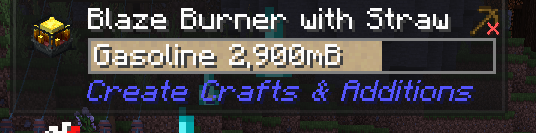
to see what things are?
i'm using v6.0 1.6
I'm trying to see how long the blaze burner will burn for
slender light
atomic magnet
idk how to transform it into brass now-
copper zinc in a basin with a mechanical mixer and powered blaze burner
slender light
sly ibex
https://i.imgur.com/lIRHCgs.png
what mod is this?
jade
atomic magnet
slender light
copper zinc in a basin with a mechanical mixer and powered blaze burner
that's how i did it, yet it still gave that
imma check in the metallurgy configs, maybe i can disable that
slender light
atomic magnet
that's how i did it, yet it still gave that
send a screenshot of your setup
slender light
sly ibex
are there addons for it?
look it up and see
sly ibex
I found one but it doesn't show burn time 😦
atomic magnet
slender light
send a screenshot of your setup
nah, i think i solved it
i needed to
go in creative, and set the basin outcome to brass
thx for the help tho
 vernal sluice
Is there no way to haunt stone to create infested stone? I dont see the recipe for it.
slender light
vernal sluice
Is there no way to haunt stone to create infested stone? I dont see the recipe f...
its removed
slender light
vernal sluice
How can i add it back
yeah go configs > paxi > datapack and remove the create_no_silverfish.zip
vernal sluice
Oh sweet
sly ibex
@slender light he want's infinite silverfish, and if it's defaulted i ain't removing it lmao
vernal sluice
Thats how 99% of xp farms work
sly ibex
find another farm
vernal sluice
you just dont wanna be more poor than me
sly ibex
you've been on this silverfish thing for 3 DAYS
sly ibex
I'm killing andrew
sly ibex
I'll touch your foot
vernal sluice
😳
slender light

vernal sluice
i have no idea who this guy is
sly ibex
LIES
vernal sluice
who r u
vernal sluice
LMAO
 pearl mulch
All of Create 1.20.1 - v1.6 crashed. The logs have been uploaded to mclo.gs:
- 1.20.1
- What launcher did you run Minecraft with? (e.g. CurseForge, ATLauncher, MultiMC, ...)
- Have you changed the modpack in any way except mods?
- v1.6
- Have you ever gotten past the crash condition without crashing, or does the game always crash?
- What steps cause the crash?
latest.log | crash-2025-07-16_09.08.34-client.txt | CurseForge: launcher_log.txt | crash_assistant_app.log | modlist.txt
Mod list changes beyond the modpack:
Removed mods:
[2;31mAnimaticaReforged-1.20.1-0.1.3.jar[0m
2.No
3. Curseforge
5.Crashes every 2-5 mins on duckpond
6. playing duckpond for around 2-5 mins
slender light
pearl mulch
All of Create 1.20.1 - v1.6 crashed. The logs have been uploaded to `mclo.gs`:
1...
reinstall
or
!alternates
last pecanBOT
If this command was run in response to your question/issue, it is likely because switching away from the launcher you are currently using would fix your problem.
From our experience, the most stable launcher by far is ATLauncher, also known as ATL. Keep in mind that ATL is NOT related to TLauncher in any way, and is not a cracked launcher.
To install ATL, do the following:
1. Go to https://atlauncher.com/download. If you are on MacOS, then choose the "Jar" version under the "Other" tab.
2. Install and run the setup, then open the program.
3. Login to your Microsoft account that owns the Java Edition of Minecraft from the Accounts tab on the right. This process is 100% safe, as it goes directly through Microsoft. ATL doesn't see your account credentials.
4. Go to the Packs tab on the right, then click "Curseforge" on the left.
5. Search the modpack you wish to download.
6. Click "Install". Then, follow the on-screen directions.
7. Go to the Instances tab, and click "Play" on the modpack you downloaded. If you ever see an "Update" button on the instance, click it.
This video explains the process: https://youtu.be/xMYW1wMbmkM
To transfer your Curseforge world to ATL, simply right click the modpack on Curseforge, or click the 3 dots, then click "Open Folder". Copy the Saves folder, then click "Open Folder" on ATL and paste the Saves folder there. Do the same with the XaerosMinimap folder, or the Journeymap folder, to transfer over any waypoints you've created.
Because ATL downloads the exact same files as Curseforge does, your world will be the exact same and you will be able to join the same servers. ATL also works without an internet connection (after you've installed the modpack, of course), and does not have any bloat from Overwolf. You are free to uninstall both Overwolf and Curseforge with ATL installed.
slender light
your installation is messed up
pearl mulch
Fixed it ty
karmic juniper
im not sure if this is completely relevant to the modpack since i messed with other mods and resourcepacks, but what mod/resourcepack might be causing the screen to be drippy in rain or water?
 slender light
karmic juniper
im not sure if this is completely relevant to the modpack since i messed with ot...
slender light
karmic juniper
im not sure if this is completely relevant to the modpack since i messed with ot...
nothing in the original modpack would cause this afaik
karmic juniper
this got me confused since last thing i added was create reskin texturepack for building wands
although i did change some priorities of packs
still any approximate ideas on what could be doing that?
slender light
karmic juniper
still any approximate ideas on what could be doing that?
no clue unfortunately
 lapis pelican
Can somebody help i tried to play mc create and when i placed anything from create it had broken textures. I tried to make another folder with different version but it was the same. I play it on cursforge
limpid fern
lapis pelican
Can somebody help i tried to play mc create and when i placed anything from crea...
!alternates
last pecanBOT
If this command was run in response to your question/issue, it is likely because switching away from the launcher you are currently using would fix your problem.
From our experience, the most stable launcher by far is ATLauncher, also known as ATL. Keep in mind that ATL is NOT related to TLauncher in any way, and is not a cracked launcher.
To install ATL, do the following:
1. Go to https://atlauncher.com/download. If you are on MacOS, then choose the "Jar" version under the "Other" tab.
2. Install and run the setup, then open the program.
3. Login to your Microsoft account that owns the Java Edition of Minecraft from the Accounts tab on the right. This process is 100% safe, as it goes directly through Microsoft. ATL doesn't see your account credentials.
4. Go to the Packs tab on the right, then click "Curseforge" on the left.
5. Search the modpack you wish to download.
6. Click "Install". Then, follow the on-screen directions.
7. Go to the Instances tab, and click "Play" on the modpack you downloaded. If you ever see an "Update" button on the instance, click it.
This video explains the process: https://youtu.be/xMYW1wMbmkM
To transfer your Curseforge world to ATL, simply right click the modpack on Curseforge, or click the 3 dots, then click "Open Folder". Copy the Saves folder, then click "Open Folder" on ATL and paste the Saves folder there. Do the same with the XaerosMinimap folder, or the Journeymap folder, to transfer over any waypoints you've created.
Because ATL downloads the exact same files as Curseforge does, your world will be the exact same and you will be able to join the same servers. ATL also works without an internet connection (after you've installed the modpack, of course), and does not have any bloat from Overwolf. You are free to uninstall both Overwolf and Curseforge with ATL installed.
limpid fern
See if it works in ATL
 vapid pewter
may i ask what difference does it make from installing atlauncher and a cracked minecraft launcher?
west moth
vapid pewter
may i ask what difference does it make from installing atlauncher and a cracked ...
do you use a cracked minecraft launcher?
vapid pewter
west moth
do you use a cracked minecraft launcher?
yes... for now
been saving up to finally buy the real thing:D
patent riverBOT
Quarantine Result:
Reason: admitted to using a cracked launcher
Moderator: @west moth
Quarantined:
tea0679 [1161466372832895006]
vernal sluice
why does it matter if they're using a cracked launcher? just curious
west moth
vernal sluice
why does it matter if they're using a cracked launcher? just curious
because its against not only mojangs tos but discords too
and can get staff + the server itself taken down/in trouble
!cracked
last pecanBOT
If you are using a cracked Minecraft launcher, we can not assist with your issue. In order to receive help, you need to switch to an approved launcher and provide proof you have purchased Minecraft. This is due to the terms of service and guideline agreements of both Mojang and Discord.
vernal sluice
ah
west moth
a lot of them also dont handle the packs properly anw
vernal sluice
fair
west moth
and some are just straight up spy/malware
vernal sluice
yeah
west moth
everyone has their own opinions on it its just we physically can't help without risking our accounts and server
vernal sluice
Yeah that makes sense
hoary zodiac
illegal. spyware, can't run crap properly
graceful sail
something has gone so terribly, terribly wrong with manually added mechanical companion lol

it is hilarious and useful until they start dying, but still
 queen panther
graceful sail
queen panther
graceful sail
i reloaded my world in SP and i spawned in with 25 extra dogs. the 1 that is supposed to spawn with the head attachment is still functioning normally, it just duplicated him a ton for some reason
graceful sail
https://www.curseforge.com/minecraft/mc-mods/create-ranged this feels like it would be well suited for addition
west moth
graceful sail
https://www.curseforge.com/minecraft/mc-mods/create-ranged this feels like it wo...
vernal sluice
anyone know how i can minimize on items on the ground? I have a redstone farm which haunts basalt into netherack and im having an issue where theres hundereds of netherack on the ground. How am i able to haunt the basalt and only pick it up when it turns into netherack?
limpid fern
vernal sluice
anyone know how i can minimize on items on the ground? I have a redstone farm wh...
Maybe something like smart chute with a filter set to Netherrack?
vernal sluice
limpid fern
Maybe something like smart chute with a filter set to Netherrack?
Yeah thats what im thinking of doing. Let me show you a screenshot of what im working with.
basalt gets haunted into netherack, then it goes into those vaults. Now i need to figure out the best way to get the netherack into those basins

im racking my brain but i just cant figure out the best way to do it
as you can see by the mess of belts lol
limpid fern
Yeah, it's a lot going on on the screen for sure
vernal sluice
Lol you could say that
but you see the issue i have
Could i somehow use chutes and fans?
limpid fern
Hmm, not sure what would be a good solution here
limpid fern
Maybe Smart Funnel on the side of the Basin? I cannot remember if you can insert from the side
limpid fern
Yeah, at some point you just use the brass variant always anyway
vernal sluice
True
I could probably drop those encased pipes down a block
oh wait yeah lemme do that
Ugh vaults are in the way
already 4k netherack in the vaults 😭
something like this?

now just need to figure out if i need to direct the items in the direction they need to go or if they'll just go into the funnels without directional belts
maybe item drains?
Hmmm
oh damn dont need item drains they just go right in
hell yeah
Okay this kinda works
okay I got it working. The netherack flies into the funnel, and if the basin is full it'll just go into the fire and be destroyed

this works a lot better than i thought it would tbh
vernal sluice
vernal sluice
okay I got it working. The netherack flies into the funnel, and if the basin is ...
@limpid fern thoughts?
limpid fern
vernal sluice
<@234017587837665282> thoughts?
Looking good
vernal sluice
Just realized i could probably use void chests 😭
that would have made my life a lot easier
Heres how the entire farm looks

 limber tundra
anyone else have issues with chunks not visually loading while using the beta builds? on a server
 quasi ledge
why is storage delight not the same version on the server pack and the client ?

 slender light
quasi ledge
why is storage delight not the same version on the server pack and the client ?
slender light
quasi ledge
why is storage delight not the same version on the server pack and the client ?
will have to ask your server provider
quasi ledge
i fixed it
turns out i installed the alpha serverpack and not the release serverpack
 wet laurel
what is the puzzle supposed to be? before the nozzle worked i even had to fix the water wheel myself. i have no idea what this is for and why its so broken

 indigo night
when is the all of create server gonna be up?
west moth
ask in duckpond
west moth
the discord server associated with the official aoc minecraft server
u can find the discord link in the pins
west moth
are u on pc or mobile
indigo night
pc
west moth
!pins
 indigo night
thanks
 toxic yoke
So, can someone please help me🙏?
I've downloaded the modpack and it keeps crashing and i'm unsure why, i've tried everything, from updating my gpu drivers, to redownloading everything..curseforge,minecraft,minecraft launcher.
-1.20.1 version
-Used curseforge
-I have tried changing it, i was fed up with it not working, then my friend sent me the same modpack with the few mods we wanted to add already and helped me import it into curseforge, that's where i am at.
-6.0v1.6 version
-I click play, it begans to load till about 30% percent then it crashes
-What causes the crash? I wish i knew, i just click play, it loads a bit then crashes.
It works for everyone i'm supposed to play with except me, i've tried everything i can think of. 🙏 pls help.
 tiny palm
toxic yoke
So, can someone please help me🙏?
I've downloaded the modpack and it keeps cras...
tiny palm
toxic yoke
So, can someone please help me🙏?
I've downloaded the modpack and it keeps cras...
How much RAM have you allocated for your minecraft instance? 5.5-6GB would be a recommended minimum
toxic yoke
I've tried with 8GB and even 10GB but it merely prolongs the loading by a few seconds, but i'll try it aigan, maybe i missed something
toxic yoke
tiny palm
How much RAM have you allocated for your minecraft instance? 5.5-6GB would be a ...
tried it agian with 10GB, simply crashed, there's also a strange mod when i click the "show mod list diff" AnimaticaReforged-1.20.1-0.1.3.jar that i don't know what is
limpid fern
toxic yoke
So, can someone please help me🙏?
I've downloaded the modpack and it keeps cras...
You should get a popup that can upload the logs - post the copy of it here
(in text of course, not a screenshot)
toxic yoke
limpid fern
You should get a popup that can upload the logs - post the copy of it here
Alright
Also i've decided to start just fresh, so just downloaded the modpack and didnt change it one bit, no additional mods.
All of Create 1.20.1 - v1.6 crashed without a crash report. The logs have been uploaded to mclo.gs:
- 1.20.1
- What launcher did you run Minecraft with? CurseForge w Mojang launcher in the settings
- Have you changed the modpack in any way except mods? No.
- v1.6
- Have you ever gotten past the crash condition without crashing, or does the game always crash? I've only gotten it to load more before it always crashed.
- What steps cause the crash? Clicking play and letting it load then it just suddenly crashes around 30%
latest.log | debug.log | CurseForge: launcher_log.txt | crash_assistant_app.log | modlist.txt
Mod list changes beyond the modpack:
Removed mods:
[2;31mAnimaticaReforged-1.20.1-0.1.3.jar[0m
is this it?)
tiny palm
toxic yoke
is this it?)
Yeah, but you're supposed to give answers to the questions 1-6
It'll help others help you
limpid fern
toxic yoke
All of Create 1.20.1 - v1.6 crashed without a crash report. The logs have been u...
!alternates
last pecanBOT
If this command was run in response to your question/issue, it is likely because switching away from the launcher you are currently using would fix your problem.
From our experience, the most stable launcher by far is ATLauncher, also known as ATL. Keep in mind that ATL is NOT related to TLauncher in any way, and is not a cracked launcher.
To install ATL, do the following:
1. Go to https://atlauncher.com/download. If you are on MacOS, then choose the "Jar" version under the "Other" tab.
2. Install and run the setup, then open the program.
3. Login to your Microsoft account that owns the Java Edition of Minecraft from the Accounts tab on the right. This process is 100% safe, as it goes directly through Microsoft. ATL doesn't see your account credentials.
4. Go to the Packs tab on the right, then click "Curseforge" on the left.
5. Search the modpack you wish to download.
6. Click "Install". Then, follow the on-screen directions.
7. Go to the Instances tab, and click "Play" on the modpack you downloaded. If you ever see an "Update" button on the instance, click it.
This video explains the process: https://youtu.be/xMYW1wMbmkM
To transfer your Curseforge world to ATL, simply right click the modpack on Curseforge, or click the 3 dots, then click "Open Folder". Copy the Saves folder, then click "Open Folder" on ATL and paste the Saves folder there. Do the same with the XaerosMinimap folder, or the Journeymap folder, to transfer over any waypoints you've created.
Because ATL downloads the exact same files as Curseforge does, your world will be the exact same and you will be able to join the same servers. ATL also works without an internet connection (after you've installed the modpack, of course), and does not have any bloat from Overwolf. You are free to uninstall both Overwolf and Curseforge with ATL installed.
limpid fern
This seems like a broken instance
toxic yoke
I LOVE YOU ALL SO MUCH IT WORKED 😭!!!
 lime trail
Can i ask why soph storage will not be added? Are there any issues with it? Or is it too OP? And what about drawers?
 jovial harness
lagg so much lag on all of create
slender light
lime trail
Can i ask why soph storage will not be added? Are there any issues with it? Or i...
its been so long I honestly dont remember
lime trail
slender light
its been so long I honestly dont remember
So would you reconsider adding it? I mean, backpacks can pretty much do the same thing. It just looks uglier, rather have the barrels. Plus having soph storage adds the limited variants which makes storing (and auto voiding) single items a lot more convenient.
slender light
lime trail
So would you reconsider adding it? I mean, backpacks can pretty much do the same...
most likely not
if I remember why I removed it in the first place then maybe
lime trail
But do you remember if it was specifically with soph storage? If so then Drawers might be a good alternative.
wet laurel
whats a good storage solution early game?
 jovial finch
bejeweled backpack is pretty easy to make
wet laurel
jovial finch
bejeweled backpack is pretty easy to make
bejeweled?
 lament basin
how to install all of create?
limpid fern
lament basin
how to install all of create?
#faq has instruction
lament basin
where? I don't see that
 topaz adder
can i update from 1.6 to 1.7 without having to restart my world?
limpid fern
topaz adder
can i update from 1.6 to 1.7 without having to restart my world?
Looking at change logs - seems like nothing in there would require a world restart
Which should be true for most modpack updates really, unless it’s published as a different modpack (e.g. move from 1.20 to 1.21)
topaz adder
limpid fern
Looking at change logs - seems like nothing in there would require a world resta...
I thought so just wanted someone else to double check - thank you
limpid fern
Yw
topaz adder
I've seen a couple of modpacks that when updating tell you to restart the world
limpid fern
topaz adder
I've seen a couple of modpacks that when updating tell you to restart the world
Yes, it’s not an universal rule, but that generally does not happen too often
 mystic badger
hello, my modpack is crashing, i thought it was the mods i added but i removed everything i added, and it still crashes, (if you need anything to help me just ask, or if im in the wrong channel tell me, sorry im new to this server and its kinda confusing)
west moth
!ca
last pecanBOT
 teal jungle
 sly ibex
Question why is the inventory cable from toms disabled if i may ask?
sly ibex
I'm playing version 1.7HF
hoary zodiac
sly ibex
Question why is the inventory cable from toms disabled if i may ask?
performance/duping issues
sly ibex
hoary zodiac
performance/duping issues
Oh dang, well let me ask how can I connect multi create vault silos together on one terminal?
hoary zodiac
sly ibex
Oh dang, well let me ask how can I connect multi create vault silos together on ...
have the vaults and silos touching each other
sly ibex
The physically have touch eachother? And thats it?
I tried the inventory connector earlier before asking this it’s why I was curious
hoary zodiac
Yeah, just need to touch
 merry urchin
How do i fix the constant freezing when walking around like every few minutes i have to restart my game plus theres lots of small 1 or 2 seconds freezes
Is it a known issue or something with my pc
hoary zodiac
Same way as using normal chests too within the system
hoary zodiac
merry urchin
How do i fix the constant freezing when walking around like every few minutes i ...
!fps
last pecanBOT
merry urchin
?
hoary zodiac
open the guide and follow it
sly ibex
Also is there any server side stuff to enhance tps i have 6 friends on a server and we make ALOT of create farms and i got a spark report about belts and fluid stuff earlier and tps was about 17~ just wondering any way to enhance tps using this pack
hoary zodiac
sly ibex
Also is there any server side stuff to enhance tps i have 6 friends on a server ...
!tps otherwise it's just the fact that create can be heavy on servers
last pecanBOT
Please follow the guide here for changing the Java version your server uses. This will improve performance dramatically. If you are on a third party server host, you likely can not change the Java version your server uses. Bisect Hosting and a few VPS providers do allow changing Java version, though, which can usually be done through your server dashboard.
The method on Bisect is to simply go to the main dashboard page, and select "GraalVM 22" as the Java distribution. If it crashes, use 21 instead.
For further performance improvements, you can also follow this guide.
Reducing server render distance in the server.properties file is also a very good way of reducing lag. Most of our modpacks include mods like Bobby and Farsight, which make it so reducing server render distance will not affect players.
If lag persists, run the following command ingame:
/spark profiler start --only-ticks-over 50
Then, send the link in this channel.
slender light
follow the guide above ^
and also if you send the spark report I can take a look, but if its just Create stuff then you will have to either tone it down or get a better cpu
sly ibex
slender light
follow the guide above ^
and also if you send the spark report I can take a look...
I have a 5950x
slender light
sly ibex
I have a 5950x
If you send the spark report I can take a look
 dire saddle
hellooo, how does the build in world sharing work, I can't fiund any buttons to start it
west moth
!ws
last pecanBOT
Luna Pixel's World Sharing
Our modpacks don't support any mods that add singleplayer hosting / world sharing because we already provide free world sharing. The 'Essential' mod is therefore incompatible.
To share your world using our own world hosting, click the 'Open to Lan' or 'Share World' button in the game menu when in a singleplayer world, and share the world.
It will give you an address, like magma-cube.mc.lunapixel.gg, which your friends can use to connect directly to your world as if it were a server!
We still highly suggest not to play through LAN as LAN is untested and unreliable. Using it will cause longterm damage to your world.
There is no reason to use LAN, as we support both paid and free methods of hosting a server the normal way.
dire saddle
different question can I turn off the solid headlayer
 quick escarp
Hey, so, I'm trying to make molten slime for the Estrogen Patches recipe. I'm tossing slime balls into a basin and mixer with a blaze burner underneath, but it's just giving me something called "fluid_type.create_things_and_misc.slime". Any fixes for this?
dire saddle
are you just looking at the fluid when its in the ground? Because others do the same

also, does someone have a list of lava/Liquid interactions, I found Ink and frying Oil so far
Frying Oil being useless
Ink making blackstone
quick escarp
dire saddle
are you just looking at the fluid when its in the ground? Because others do the ...
No, I was looking at it while in the basin, and in JEI. The item it was making is a brighter lime green liquid than the molten slime I was trying to make, and is what goes into a bucket of slime. The recipe for it says you make it without the blaze burner, whereas Molten slime is made with the blaze burner, but no matter if I'm turning the burner on or off, it's still making the liquid slime, and not molten slime.


Okay, scratch that last bit. I logged on to get a screenshot of it in the basin, but now it's just making magma cream instead?? I haven't changed anything about the mod list or load order. All I did was restart the game. I am very confused.


Closed and opened the world again, and it's back to making this stuff. It fills a bucket when transferred to a spout, making a Slime Bucket [create: things and misc]. Not to be confused with Slime Bucket [Create: Food] or Bucket of Slime [Quark]. I'm gonna try restarting the world again and see what happens.


Okay, restarting didn't change anything that time. I am thoroughly confused.
 night pine
Try using a list filter. If you open up the filters menu you should be able to drag the desired bucket from jei into the list.
 civic kelp
sooo i need help
i got a crash and a link to this server
from this modpack
i know what block caused it
oh snap it fully loaded then crashed
huh i might have to wait till the server owner gets on though it happened as soon as i placed the block
west moth
civic kelp
i got a crash and a link to this server
just hit upload all on the crash assistant
civic kelp
All of Create 1.20.1 - v1.7HF crashed. The logs have been uploaded to mclo.gs:
- 1.20.1
- What launcher did you run Minecraft with? (e.g. CurseForge, ATLauncher, MultiMC, ...)
- Have you changed the modpack in any way except mods?
- v1.7HF
- Have you ever gotten past the crash condition without crashing, or does the game always crash?
- What steps cause the crash?
latest.log | crash-2025-07-24_23.14.17-client.txt | CurseForge: launcher_log.txt | crash_assistant_app.log | modlist.txt
Mod list changes beyond the modpack:
[2;34mMod list wasn't modified.[0m
so everyone else in the server is unaffected as there not near what i placed
it was not the large diesel generator or the normal one it was the one you use the small as one of its crafting recipe after I placed it crashed me and now, I'm unable to get onto the server. as i broke something to do with rendering the chunk
for now the server owner is going to fix it for me as i wasnt really expecting it to happen to me again after the basin was patched
slender light
civic kelp
All of Create 1.20.1 - v1.7HF crashed. The logs have been uploaded to `mclo.gs`:...
will be fixed next update
you could fix it on your end by updating the Create: Diesel Generators mod on both the client and server
civic kelp
slender light
will be fixed next update
So I updated it the diesel engines it fixed it but the module diesel engine still crashes the game when placed
 lime thorn
https://mclo.gs/H7EUPzh
i crash on start
tried cursforege repair profile that didnt work
All of Create 1.20.1 - v1.2 crashed. The logs have been uploaded to mclo.gs:
- 1.21.1 [FABRIC]
- What launcher did you run Minecraft with? CurseForge + Vanilla
- Have you changed the modpack in any way except mods? not that i remember
- v1.2
- Have you ever gotten past the crash condition without crashing, or does the game always crash? always so far
- What steps cause the crash? starting the game
latest.log
debug.log head/tail(~43k lines)
hs_err_pid260.log
CurseForge:launcher_log.txt
Mod list changes beyond the modpack:
Mod list wasn't modified.
 rich quest
All of Create 1.20.1 - v1.7 crashed. The logs have been uploaded to mclo.gs:
- 1.20.1
- What launcher did you run Minecraft with? Curseforge(goes to normal launcher)
- Have you changed the modpack in any way except mods?Not that I know(only added and removed some mods)
- v1.7
- Have you ever gotten past the crash condition without crashing, or does the game always crash?It did not crash before I removed and added some mods(the added and removed mods are linked below) (I edited the modpack, because I wanted to add some mods I wanted to add some mods i also have on other modpacks)
- What steps cause the crash?I launched the modpack after I edited it
latest.log
CurseForge:launcher_log.txt
Mod list changes beyond the modpack:
The mod list diff was uploaded due to it's large size.
I also got crashcode 1
limpid fern
rich quest
All of Create 1.20.1 - v1.7 crashed. The logs have been uploaded to `mclo.gs`:
1...
"Only added and removed some mods" is the reason you're crashing.
When changing modpacks - do it in steps (e.g. one mod at a time) to not break it
If you need more help - follow this
!modified
last pecanBOT
You are using a modified version of the modpack! This channel is only for unmodified versions that we provide. We cannot guarantee that the modpack works after you do modifications, so please go to #1061339968691257466 if you need help with an issue.
If this is a bug, please make sure to test it in an unmodified version before trying to report it.
west moth
rich quest
All of Create 1.20.1 - v1.7 crashed. The logs have been uploaded to `mclo.gs`:
1...
you literally removed create itself from the pack
ohh you updated it ok i see
if you want to play 6.0 theres is a aoc ver out with it instead of trying to mess around w that
lime thorn
lime thorn
All of Create 1.20.1 - v1.2 crashed. The logs have been uploaded to `mclo.gs`:
1...
haveing a few hundred mb left was the problem
cleared like 20GB of trash can and it works now
rich quest
what do I have to do to let again all of create work with the mods i added?
west moth
rich quest
what do I have to do to let again all of create work with the mods i added?
considering you want to play create 6 by the fact u put that jn the pack instead i recommend just playing aoc for 6.0+ ver and adding what uou want in there instead https://www.curseforge.com/minecraft/modpacks/aoc/files/6790328
CurseForge
The Ultimate Create Experience | Create 6.0 with Addons and Great Performance
705.4K Downloads | Modpacks
rich quest
what is exactly the diffrence between the two?
west moth
create 6 is a big update that requires create add ons to be updated to work with it too
updating to create 6 in the aoc 5.1 pack doesnt work because its not made for 6
you can also compare the modlists
!compare
last pecanBOT
Discover the perfect Minecraft modpack for you. Search for modpacks by included mods, categories, Minecraft version and more!
rich quest
okay thank you. so adding the mods i wanted to add can?
west moth
idk abt all of them but you should be able to for most
west moth
crashcodes mean literally nothing just hit upload all and paste it here again
rich quest
All of Create 1.20.1 - v1.7HF crashed. The logs have been uploaded to mclo.gs:
- 1.20.1
- What launcher did you run Minecraft with?CurseForge
- Have you changed the modpack in any way except mods? yes i added some mods (located below)
- v1.7HF
- Have you ever gotten past the crash condition without crashing, or does the game always crash? i do not know (i am using a updated version)
- What steps cause the crash? after launching it went in the minecraft menu and then it said wereld afsluiten ( that is dutch because my minecraft language is in dutch)
latest.log | crash-2025-07-26_17.43.55-client.txt | CurseForge: launcher_log.txt | crash_assistant_app.log | modlist.txt
Mod list changes beyond the modpack:
Added mods:
[2;32m[1.20.1] SecurityCraft v1.10.0.1.jar[0m
[2;32mad_astra-forge-1.20.1-1.15.20.jar[0m
[2;32mcarryon-forge-1.20.1-2.1.2.7.jar[0m
[2;32mcreatemechanicalcompanion-1.6-1.20.1.jar[0m
[2;32mDoggyTalentsNext-1.20.1-1.18.60.jar[0m
[2;32mdogsurvival-1.04.jar[0m
[2;32mDustrialDecor-1.3.5-1.20.jar[0m
[2;32mkleiders_custom_renderer-7.4.1-forge-1.20.1.jar[0m
[2;32mPehkui-3.8.2+1.20.1-forge.jar[0m
[2;32mresourcefulconfig-forge-1.20.1-2.1.3.jar[0m
[2;32mworldedit-mod-7.2.15.jar[0m
i did not even make a new world
slender light
rich quest
All of Create 1.20.1 - v1.7HF crashed. The logs have been uploaded to `mclo.gs`:...
add mods 1 by 1
slender light
civic kelp
So I updated it the diesel engines it fixed it but the module diesel engine stil...
report it to the developers of the diesal generators mod pls
rich quest
slender light
add mods 1 by 1
thank you. now i know which mods were the ones that caused the crashes
All of Create 1.20.1 - v1.7HF crashed. The logs have been uploaded to mclo.gs:
- 1.20.1
- What launcher did you run Minecraft with?CurseForge
- Have you changed the modpack in any way except mods?only added some mods
- v1.7HF
- Have you ever gotten past the crash condition without crashing, or does the game always crash?
- What steps cause the crash?launching the game game says saving world (i did not even make one) goes back to minecraft launcher with error message
latest.log | crash-2025-07-26_19.54.04-client.txt | CurseForge: launcher_log.txt | crash_assistant_app.log | modlist.txt
Mod list changes beyond the modpack:
Added mods:
[2;32mad_astra-forge-1.20.1-1.15.20.jar[0m
[2;32mcarryon-forge-1.20.1-2.1.2.7.jar[0m
[2;32mcreatemechanicalcompanion-1.6-1.20.1.jar[0m
[2;32mDoggyTalentsNext-1.20.1-1.18.58.jar[0m
[2;32mkleiders_custom_renderer-7.4.1-forge-1.20.1.jar[0m
[2;32mPehkui-3.8.2+1.20.1-forge.jar[0m
[2;32mresourcefulconfig-forge-1.20.1-2.1.3.jar[0m
what is really weird that it worked by adding the mods 1 by 1 launched it another time after adding the tested mods worked completely fine. now it crashes again.
limpid fern
rich quest
what is really weird that it worked by adding the mods 1 by 1 launched it anothe...
Remove the mods you added, or if you need help - follow this
!modified
last pecanBOT
You are using a modified version of the modpack! This channel is only for unmodified versions that we provide. We cannot guarantee that the modpack works after you do modifications, so please go to #1061339968691257466 if you need help with an issue.
If this is a bug, please make sure to test it in an unmodified version before trying to report it.
limpid fern
One of the mods you added is causing the crash
 lament sandal
I am playing on fedora42 curseforge launcher i downloaded the latest version yesterday today I tried if the fix button helps. It does not crash but I cant join the public server
[14:04:16] [Server Connector #3/ERROR]:Couldn't connect to server
io.netty.channel.AbstractChannel$AnnotatedConnectException: finishConnect(..) failed: Connection refused: 173.240.150.64/173.240.150.64:25565
Caused by: java.net.ConnectException: finishConnect(..) failed: Connection refused
at io.netty.channel.unix.Errors.newConnectException0(Errors.java:155) ~[netty-transport-native-unix-common-4.1.82.Final.jar:?]
at io.netty.channel.unix.Errors.handleConnectErrno(Errors.java:128) ~[netty-transport-native-unix-common-4.1.82.Final.jar:?]
at io.netty.channel.unix.Socket.finishConnect(Socket.java:359) ~[netty-transport-native-unix-common-4.1.82.Final.jar:?]
at io.netty.channel.epoll.AbstractEpollChannel$AbstractEpollUnsafe.doFinishConnect(AbstractEpollChannel.java:710) ~[netty-transport-classes-epoll-4.1.82.Final.jar:?]
at io.netty.channel.epoll.AbstractEpollChannel$AbstractEpollUnsafe.finishConnect(AbstractEpollChannel.java:687) ~[netty-transport-classes-epoll-4.1.82.Final.jar:?]
at io.netty.channel.epoll.AbstractEpollChannel$AbstractEpollUnsafe.epollOutReady(AbstractEpollChannel.java:567) ~[netty-transport-classes-epoll-4.1.82.Final.jar:?]
at io.netty.channel.epoll.EpollEventLoop.processReady(EpollEventLoop.java:489) ~[netty-transport-classes-epoll-4.1.82.Final.jar:?]
at io.netty.channel.epoll.EpollEventLoop.run(EpollEventLoop.java:397) ~[netty-transport-classes-epoll-4.1.82.Final.jar:?]
at io.netty.util.concurrent.SingleThreadEventExecutor$4.run(SingleThreadEventExecutor.java:997) ~[netty-common-4.1.82.Final.jar:?]
at io.netty.util.internal.ThreadExecutorMap$2.run(ThreadExecutorMap.java:74) ~[netty-common-4.1.82.Final.jar:?]
at java.lang.Thread.run(Thread.java:840) ~[?:?]
 tough marten
hey i just built this insane cool train but at the moment of assembel it tells me there are too many bogeys, tho ive seen many videos where they have more than 2 bogeys, how can i fix it?
 waxen crow
All of Create 1.20.1 - v1.7HF crashed. The logs have been uploaded to mclo.gs:
- 1.20.1
- What launcher did you run Minecraft with? CurseForge
- Have you changed the modpack in any way except mods? No
- v1.7HF
- Have you ever gotten past the crash condition without crashing, or does the game always crash? No
- What steps cause the crash? crashes during loading screen
latest.log | crash-2025-07-27_15.47.03-client.txt | CurseForge: launcher_log.txt | crash_assistant_app.log | modlist.txt
Mod list changes beyond the modpack:
Added mods:
[2;32maddonslib-1.20.1-1.4.jar[0m
[2;32mExplorersCompass-1.20.1-1.3.3-forge.jar[0m
[2;32mFramedBlocks-9.4.2.jar[0m (removed)
[2;32mfunctionalstorage-1.19.2-1.1.10.jar[0m
[2;32mmcw-bridges-3.1.0-mc1.20.1forge.jar[0m
[2;32mmcw-doors-1.1.2-mc1.20.1forge.jar[0m
[2;32mmcw-fences-1.2.0-1.20.1forge.jar[0m
[2;32mmcw-roofs-2.3.2-mc1.20.1forge.jar[0m
[2;32mmcw-trapdoors-1.1.4-mc1.20.1forge.jar[0m
[2;32mmcw-windows-2.4.0-1.20.1forge.jar[0m
[2;32mmcwbyg-1.20.1-1.2.1.jar[0m
[2;32mtitanium-1.19.2-3.7.4-31.jar[0m
The crash is caused by the mods you added (titanium, functional storage)
Also
!modified
last pecanBOT
You are using a modified version of the modpack! This channel is only for unmodified versions that we provide. We cannot guarantee that the modpack works after you do modifications, so please go to #1061339968691257466 if you need help with an issue.
If this is a bug, please make sure to test it in an unmodified version before trying to report it.
limpid fern
If you have more questions
waxen crow
limpid fern
The crash is caused by the mods you added (titanium, functional storage)
k thx
waxen crow
limpid fern
The crash is caused by the mods you added (titanium, functional storage)
i removed framedblocks and it started, lol
waxen crow
waxen crow
All of Create 1.20.1 - v1.7HF crashed. The logs have been uploaded to `mclo.gs`:...
this was before i removed framedblocks
limpid fern
waxen crow
i removed framedblocks and it started, lol
Yeah, might be some incompatibility
waxen crow
limpid fern
Yeah, might be some incompatibility
fr
i added it back when the modpack was in 1.19.2 so ig we didnt had copycats in that version
getting back to the minecraft season...
 molten hill
lament sandal
[14:04:16] [Server Connector #3/ERROR]:Couldn't connect to server
io.netty.chann...
molten hill
lament sandal
[14:04:16] [Server Connector #3/ERROR]:Couldn't connect to server
io.netty.chann...
this tells us absolutely nothing
you need to send the full log
 sour venture
hey! whenever i use my wrench on my cogwheel it duplicates shafts
so now i cant rotate my cogwheels
sour venture
hello??
quick escarp
night pine
Try using a list filter. If you open up the filters menu you should be able to d...
That worked! ^w^
Thank you so much!!!
lime thorn
hello im having trouble with the pack
there are all kinds of random visual glitches
no moving create part shows (even when stopped)
and i got screentearing or idk what its called
 lime thorn
version: All of create 1.20.1 6.0-v1.7HF
launcher: Curseforge
no change to the pack: (edited a few graphics settings but it happened before that too)
5. question: no crash but the game is still un enjoyable
6. question: again no crash
slender light
sour venture
hey! whenever i use my wrench on my cogwheel it duplicates shafts
what launcher are you using?
slender light
lime thorn
hello im having trouble with the pack
there are all kinds of random visual glitc...
its not an issue with the pack, might want to ask in the Create discord instead as I have seen this issue previously mentioned there
lime thorn
slender light
its not an issue with the pack, might want to ask in the Create discord instead ...
I think that was me too
Im having this issue for a vouple days now
sour venture
slender light
what launcher are you using?
curseforge
patent riverBOT
Quarantine Result:
Reason: legacy launcher
Moderator: @west moth
Quarantined:
pinkpeachplaya [1359967989117620457]
 still agate
slender light
yeah go configs > paxi > datapack and remove the create_no_silverfish.zip
still agate
slender light
yeah go configs > paxi > datapack and remove the create_no_silverfish.zip
i removed this and infested stone still isn't in JEI, i cannot craft it
slender light
lime thorn
I think that was me too
Im having this issue for a vouple days now
I have seen it for a few months now outside the pack, seems to have something to do with drivers and flywheel
slender light
sour venture
curseforge
oh wait nvm, known issue no fix yet
sour venture
oh
slender light
still agate
i removed this and infested stone still isn't in JEI, i cannot craft it
should not be the case, js make sure you removed it properly
could you run “/datapack list” ingame and send a screenshot?
lime thorn
slender light
I have seen it for a few months now outside the pack, seems to have something to...
/flywheel backend off fixed it
still agate
slender light
should not be the case, js make sure you removed it properly
could you run “/da...
Heres the list of datapacks in game!
 slender light
still agate
Heres the list of datapacks in game!
slender light
still agate
Heres the list of datapacks in game!
if yhats the full list then it shouldnt be an issue, oh right you may have to remove it from the item oblierator config as well
thats prob the issue
still agate
gotcha i’ll see if that makes it work. thank you!
 tacit blaze
hi guys
can someone help me?
i want to create a server on Aternos, but the modpack wont show up
how do i fix this?
west moth
tacit blaze
i want to create a server on Aternos, but the modpack wont show up
!aternos
last pecanBOT
We don't support Aternos nor can we assist you with using it for reasons listed below;
- You are unable to add / edit the mods to implement a fix that can be game changing at times.
- We are unable to control the updates of our packs on Aternos, nor ever will.
- The hosting is not strong enough to host our packs on there without it crashing every so often.
- We have other free methods that work much better than Aternos does. Run the !ws command and the !server command in #bots for more information on how to host a server for free.
tacit blaze
west moth
!aternos
?
west moth
read the bot response
tacit blaze
i cant read
west moth
that sucks for you then
 weary socket
tacit blaze
i cant read
weary socket
tacit blaze
i cant read
The Modpack is made by a luna pixel studios partner, so it has worldsharing build in. Unfortunatly, lps doesnt support aternos servers.
Thats what it says
west moth
weary socket
That helped
theyre clearly able to read and see it theres 0 reason id need to explain it to them
 verbal grail
Hey, I have a problem. My nether portal isn't working. I have the animation, but nothing happens. Does anyone have any idea why this is happening? I'm playing on version "All of Create 1.20.1 5.1-v1.7.zip" and using Forge 47.3.10. Thanks in advance for any help.
hoary zodiac
verbal grail
Hey, I have a problem. My nether portal isn't working. I have the animation, but...
did you update with a world from previous version?
verbal grail
hoary zodiac
did you update with a world from previous version?
yes i did, did it break something during moving between versions ?
hoary zodiac
verbal grail
yes i did, did it break something during moving between versions ?
From 1.19.2 to 1.20.1 or create 5 to create 6?
verbal grail
hoary zodiac
From 1.19.2 to 1.20.1 or create 5 to create 6?
from verion 5.1 v1.4 to 5.1 v1.7
hoary zodiac
verbal grail
from verion 5.1 v1.4 to 5.1 v1.7
1.7 is on create 6
does it list as 5.1 1.7 or 6 1.7?
 verbal grail
it looks like this
 hoary zodiac
it shouldn't have messed with your nether then. curseforge yeah?
verbal grail
yes
hoary zodiac
!alternates
last pecanBOT
If this command was run in response to your question/issue, it is likely because switching away from the launcher you are currently using would fix your problem.
From our experience, the most stable launcher by far is ATLauncher, also known as ATL. Keep in mind that ATL is NOT related to TLauncher in any way, and is not a cracked launcher.
To install ATL, do the following:
1. Go to https://atlauncher.com/download. If you are on MacOS, then choose the "Jar" version under the "Other" tab.
2. Install and run the setup, then open the program.
3. Login to your Microsoft account that owns the Java Edition of Minecraft from the Accounts tab on the right. This process is 100% safe, as it goes directly through Microsoft. ATL doesn't see your account credentials.
4. Go to the Packs tab on the right, then click "Curseforge" on the left.
5. Search the modpack you wish to download.
6. Click "Install". Then, follow the on-screen directions.
7. Go to the Instances tab, and click "Play" on the modpack you downloaded. If you ever see an "Update" button on the instance, click it.
This video explains the process: https://youtu.be/xMYW1wMbmkM
To transfer your Curseforge world to ATL, simply right click the modpack on Curseforge, or click the 3 dots, then click "Open Folder". Copy the Saves folder, then click "Open Folder" on ATL and paste the Saves folder there. Do the same with the XaerosMinimap folder, or the Journeymap folder, to transfer over any waypoints you've created.
Because ATL downloads the exact same files as Curseforge does, your world will be the exact same and you will be able to join the same servers. ATL also works without an internet connection (after you've installed the modpack, of course), and does not have any bloat from Overwolf. You are free to uninstall both Overwolf and Curseforge with ATL installed.
verbal grail
thx i will try this
 dire pond
help guys, how to fix it

 limpid fern
dire pond
help guys, how to fix it
limpid fern
dire pond
help guys, how to fix it
!ca
last pecanBOT
limpid fern
Paste the log here
dire pond
i found the reason, but ty
hoary zodiac
dire pond
help guys, how to fix it
!optifine
last pecanBOT
It is highly advised to not use Optifine, as it is very glitchy, will increase loading times to upwards of 10 minutes, and will decrease your FPS substantially. All Luna Pixel Studios modpacks come with shader support without Optifine via Oculus on Forge and Iris on Fabric. Optifine is also incompatible with all of our modpacks. The game will not launch with Optifine installed.
If you are interested in Optifine alternatives for your own gameplay, you can find a list here
Note that a majority of these mods are already included in our modpacks.
For an indepth explanation of why Optifine is bad, you can read this document created by Sodium's developer, Jellysquid.
 warm tendon
AoC has been down for too long 🥀
 stable moon
warm tendon
AoC has been down for too long 🥀
stable moon
warm tendon
AoC has been down for too long 🥀
I was just about to hop on the server for the first time in 6 months :/
hoary zodiac
The morons that E switched the server from decided to not pack it properly in shipment. He's trying his best to find out the issues and get them fixed.
slender light
verbal grail
Hey, I have a problem. My nether portal isn't working. I have the animation, but...
hoary zodiac
slender light
https://discord.com/channels/790272037578473512/1177762123879829586/138705921934...
they didn't move to create 6
 placid drift
All of Create 1.20.1 - v1.7 crashed. The logs have been uploaded to mclo.gs:
- 1.20.1
- What launcher did you run Minecraft with? (e.g. CurseForge, ATLauncher, MultiMC, ...) CurseForge
- Have you changed the modpack in any way except mods? I only have added mods, changing one mods version.
- v1.7
- Have you ever gotten past the crash condition without crashing, or does the game always crash? It always crashes after I removed backpacks and changed the sophisticated cores version.
- What steps cause the crash? Again, removing sophiscated backpacks and changing the cores version has lead to it crashing without a crash log
latest.log
CurseForge:launcher_log.txt
Mod list changes beyond the modpack:
Added mods:
Cyclic-1.20.1-1.13.6.jar
e4mc_minecraft-forge-5.4.1.jar
exdeorum-1.46.jar
flib-1.20.1-0.0.15.jar
oreexcavation-1.13.174.jar
ProjectE-1.20.1-PE1.0.1.jar
sophisticatedcore-1.20.1-1.2.73.1028.jar
sophisticatedstorage-1.20.1-1.3.58.1217.jar
Removed mods:
sophisticatedbackpacks-1.20.1-3.23.6.1211.jar
sophisticatedcore-1.20.1-1.2.23.902.jar
Thank you so much if you do help!
limpid fern
placid drift
All of Create 1.20.1 - v1.7 crashed. The logs have been uploaded to `mclo.gs`:
1...
You added incompatible mod - e4mc
slender light
hoary zodiac
they didn't move to create 6
would still fix it unless they are on a server
placid drift
limpid fern
You added incompatible mod - e4mc
thanks
 stone roost
?
 west moth
stone roost
?
west moth
stone roost
?
!alternates
last pecanBOT
If this command was run in response to your question/issue, it is likely because switching away from the launcher you are currently using would fix your problem.
From our experience, the most stable launcher by far is ATLauncher, also known as ATL. Keep in mind that ATL is NOT related to TLauncher in any way, and is not a cracked launcher.
To install ATL, do the following:
1. Go to https://atlauncher.com/download. If you are on MacOS, then choose the "Jar" version under the "Other" tab.
2. Install and run the setup, then open the program.
3. Login to your Microsoft account that owns the Java Edition of Minecraft from the Accounts tab on the right. This process is 100% safe, as it goes directly through Microsoft. ATL doesn't see your account credentials.
4. Go to the Packs tab on the right, then click "Curseforge" on the left.
5. Search the modpack you wish to download.
6. Click "Install". Then, follow the on-screen directions.
7. Go to the Instances tab, and click "Play" on the modpack you downloaded. If you ever see an "Update" button on the instance, click it.
This video explains the process: https://youtu.be/xMYW1wMbmkM
To transfer your Curseforge world to ATL, simply right click the modpack on Curseforge, or click the 3 dots, then click "Open Folder". Copy the Saves folder, then click "Open Folder" on ATL and paste the Saves folder there. Do the same with the XaerosMinimap folder, or the Journeymap folder, to transfer over any waypoints you've created.
Because ATL downloads the exact same files as Curseforge does, your world will be the exact same and you will be able to join the same servers. ATL also works without an internet connection (after you've installed the modpack, of course), and does not have any bloat from Overwolf. You are free to uninstall both Overwolf and Curseforge with ATL installed.
stone roost
last pecan
If this command was run in response to your question/issue, it is likely because...
Still the same thing btw
Even on "ATLauncher"
west moth
!logs
last pecanBOT
To better assist with fixing your issue, we will need some logs:
- Curseforge -> Right click the modpack instance -> „Open Folder”.
- ATLauncher -> Click „Open Folder” on the modpack instance.
- MultiMC -> Select your instance and click „Instance Folder” on the right.
- PrismLauncher -> Select your instance and click „Folder” on the right.
- For servers -> Open the folder containing your server files.
To find the „latest.log” file, navigate to the 'logs' folder.
To find the „hs_err_pid.log” file, simply look for the file name after opening the instance folder.
To find a crash report, navigate to the „crash-reports” folder and find the most recent file after your crash occurred.
Once located, please upload the requested file here. If it fails, upload to https://mclo.gs/ and share the link here.
 frail wharf
Are there any plans to add The Factory Must Grow to the AoC beta?
slender light
frail wharf
Are there any plans to add The Factory Must Grow to the AoC beta?
nope
 broken stump
Anybody know if Chloe is active?
west moth
broken stump
Anybody know if Chloe is active?
this is not the channel to ask as such
chloe comes in and backreads stuff when she can
broken stump
Okay then..
atomic magnet
game crashed due to graphics card and now i have a pillar xD

 oblique bough
So I removed this file : configs > paxi > datapack > create_no_silverfish.zip
and i still dont see the infested stone recipes, any help?
slender light
oblique bough
So I removed this file : `configs > paxi > datapack > create_no_silverfish.zip`
...
go into the item obliterator config and remove the lines with the infested block
 wraith pasture
any experts that can help me out here 😭
saw a youtube video of someone using this design doesn't work for me for sum reason
 deft mountain
i seem to have zero end cities in my end, and just crashed/grounded end ships, which contain two empty chests each
 real salmon
hello
I'm not supposed to be here but if this is the All of Create discord i hope my friends The spaghetti boi and big jim see this. i can no longer join the MC server due to something called "GetSockOpt" I'm not sure what it is but it doesn't allow me to join. i hope we can meet again. bye for now.
slender light
real salmon
I'm not supposed to be here but if this is the All of Create discord i hope my f...
official server discord is discord.gg/duckpondmc
they are there pretty sure
 fluid ocean
help, I just wanted to add 4/5 mods and luna crashes the game for me by putting this page of the demon on it, what do I do to tell him that these are normal and that I just want to play?

shachant that I only play solo so these servers... well I have nothing to do
 west moth
fluid ocean
west moth
fluid ocean
!ea
last pecanBOT
The Essential mod is completely incompatible with all of our modpacks, and there's no reason to use it. All of our modpacks already come with built-in, free world hosting, by clicking the "Share World' button in the Open to LAN menu. You can learn more by typing !ws in the #bots channel. You can also run type !server in the same channel to learn how to properly host a server for better performance and more flexibility. In modpacks that aren't owned by us, you can use mods such as e4mc or WorldHost to host a server completely for free without Essential's many issues and crashes and the microtransactions that they constantly bother users with. To learn more about alternatives to the Essential mod, check out this website.
west moth
if it still crashes w/o it hit copy msg w all links and paste it
fluid ocean
I’m not sure I understand everything, I need to copy all these links, to paste them where? in which file? I have trouble with English and the last time I used mods it was on KSP
west moth
fluid ocean
I’m not sure I understand everything, I need to copy all these links, to paste t...
remove essential, we have built in world sharing
if it crashes again after you remove essential, theres that green bar at the bottom. you hit that, it will copy everything, and then you paste it in here. as that screenshot does not help us
fluid ocean
west moth
remove essential, we have built in world sharing
if it crashes again after you...
All of Create 1.20.1 - v1.7HF crashed. The logs have been uploaded to mclo.gs:
- 1.20.1
- What launcher did you run Minecraft with? (e.g. CurseForge, ATLauncher, MultiMC, ...)
- Have you changed the modpack in any way except mods?
- v1.7HF
- Have you ever gotten past the crash condition without crashing, or does the game always crash?
- What steps cause the crash?
latest.log | crash-2025-08-06_01.51.11-client.txt | CurseForge: launcher_log.txt | crash_assistant_app.log | modlist.txt
Mod list changes beyond the modpack:
Added mods:
[2;32malexscaves-2.0.2.jar[0m
[2;32mcbc_at_Forge_1.20.1_0.1.3b.jar[0m
[2;32mcbc_nukes-2.1.0.jar[0m
[2;32mcbcmodernwarfare-0.0.6c+mc.1.20.1-forge.jar[0m
[2;32mcreate_nuke-1.1.0-forge-1.20.1.jar[0m
[2;32mcreate_radar-0.3.1+mc1.20.1-all.jar[0m
[2;32mcreatenuclear-1.3.0-forge.jar[0m
``` like this?yes
fluid ocean
okay
I wonder if the compatibility of the mods still matters if I copy all the mods and put them in a modspack to 'me' by removing essential, and luna etc?
hoary zodiac
fluid ocean
I wonder if the compatibility of the mods still matters if I copy all the mods a...
Don't use essential. We offer zero support for those who use it
It's harmful to your saves as it has high risks of bricking your save
fluid ocean
hoary zodiac
Don't use essential. We offer zero support for those who use it
the basic modspack is designed like that, these not me who chose to put it essential
hoary zodiac
it still matters. cause it's not just mods that these modpacks are built on. It's also custom configurations made and set by the developer of the modpack. It won't be the same.
The mod is not needed and is dangerous
hoary zodiac
fluid ocean
All of Create 1.20.1 - v1.7HF crashed. The logs have been uploaded to `mclo.gs`:...
!alternates
last pecanBOT
If this command was run in response to your question/issue, it is likely because switching away from the launcher you are currently using would fix your problem.
From our experience, the most stable launcher by far is ATLauncher, also known as ATL. Keep in mind that ATL is NOT related to TLauncher in any way, and is not a cracked launcher.
To install ATL, do the following:
1. Go to https://atlauncher.com/download. If you are on MacOS, then choose the "Jar" version under the "Other" tab.
2. Install and run the setup, then open the program.
3. Login to your Microsoft account that owns the Java Edition of Minecraft from the Accounts tab on the right. This process is 100% safe, as it goes directly through Microsoft. ATL doesn't see your account credentials.
4. Go to the Packs tab on the right, then click "Curseforge" on the left.
5. Search the modpack you wish to download.
6. Click "Install". Then, follow the on-screen directions.
7. Go to the Instances tab, and click "Play" on the modpack you downloaded. If you ever see an "Update" button on the instance, click it.
This video explains the process: https://youtu.be/xMYW1wMbmkM
To transfer your Curseforge world to ATL, simply right click the modpack on Curseforge, or click the 3 dots, then click "Open Folder". Copy the Saves folder, then click "Open Folder" on ATL and paste the Saves folder there. Do the same with the XaerosMinimap folder, or the Journeymap folder, to transfer over any waypoints you've created.
Because ATL downloads the exact same files as Curseforge does, your world will be the exact same and you will be able to join the same servers. ATL also works without an internet connection (after you've installed the modpack, of course), and does not have any bloat from Overwolf. You are free to uninstall both Overwolf and Curseforge with ATL installed.
hoary zodiac
curse crapped out the download
 moment
hoary zodiac
fluid ocean
even by removing essential this crash, because of essential
moment
hoary zodiac
fluid ocean
even by removing essential this crash, because of essential
the crash after essential is cause of curse being stupid
curseforge breaks a lot of downloads
You should only add 1 mod at a time and test to see if they work or not, as not all mods may work, especially on create 6
fluid ocean
anyway the nuclear these abuses, I will just remove them
slender light
fluid ocean
All of Create 1.20.1 - v1.7HF crashed. The logs have been uploaded to `mclo.gs`:...
remove the serverbrowser mod and try
 rough niche
The packet of bmc3 1.21.1 fabric has too many bugs. When I use the mouse scroll - wheel to view the accessories in the accessory slot, the equipped accessories will somehow return to the backpack.
These bugs are stuck in my rtx5090.
west moth
rough niche
The packet of bmc3 1.21.1 fabric has too many bugs. When I use the mouse scroll ...
i directed you to the bmc channel earlier im not sure how you ended up in all of create channel
west moth
you should keep questions relating to the better mc pack in the appropiate channel
these channels are for completely seperate modpacks
you will not get an answer anywhere but #better-mc-fabric
rough niche
west moth
you will not get an answer anywhere but <#841975353655951391>
Where can I give advice of the bugs
west moth
rough niche
Where can I give advice of the bugs
the dev will respond there when she can just wait
rough niche
west moth
the dev will respond there when she can just wait
Thank you
rough niche
west moth
the dev will respond there when she can just wait
Why you are not sleeping
west moth
because it is only 10pm for me
west moth
yes i do indeed mean 22:00
fluid ocean
slender light
remove the serverbrowser mod and try
oh yes good, thank you very much
wraith pasture
anyone who knows what the problem please tell me in trying to get the items to fly up but doesn't seem to work
@west moth yk how to fix this?
west moth
wraith pasture
<@214585554543575040> yk how to fix this?
no because i have never played a day of aoc in my life
wraith pasture
alr ty thoe
wraith pasture
anyone knows why the blocks gets stuck sometimes ???
 echo condor
👀 Is anyone else having issues with the jetpack hanging the game when putting fuel or water in?
 clear chasm
Cómo lo puedo descargar
west moth
clear chasm
Cómo lo puedo descargar
english only please #rules
 pulsar cloud
All of create crashes at discovering modlist 1. What Minecraft version are you using? 1.20.1
2. What launcher did you run Minecraft with? CurseForge
3. Have you changed the modpack in any way? No
4. What version of the modpack are you using? version 1.7HF
5. Have you ever gotten past the crash condition without crashing, or does the game always crash? It always crashes
6. What steps cause the crash? Clicking play in curseforge then clicking play in the launcher
west moth
!logs
last pecanBOT
To better assist with fixing your issue, we will need some logs:
- Curseforge -> Right click the modpack instance -> „Open Folder”.
- ATLauncher -> Click „Open Folder” on the modpack instance.
- MultiMC -> Select your instance and click „Instance Folder” on the right.
- PrismLauncher -> Select your instance and click „Folder” on the right.
- For servers -> Open the folder containing your server files.
To find the „latest.log” file, navigate to the 'logs' folder.
To find the „hs_err_pid.log” file, simply look for the file name after opening the instance folder.
To find a crash report, navigate to the „crash-reports” folder and find the most recent file after your crash occurred.
Once located, please upload the requested file here. If it fails, upload to https://mclo.gs/ and share the link here.
pulsar cloud
west moth
!logs
Understood I will copy them
 dapper daggerBOT
pulsar cloud
Understood I will copy them
dapper daggerBOT
pulsar cloud
Understood I will copy them
Uploaded latest.log from @pulsar cloud to mclogs: https://mclo.gs/SgfMKhc
dapper daggerBOT
pulsar cloud
Understood I will copy them
Uploaded debug.log from @pulsar cloud to mclogs: https://mclo.gs/IZNAB6i
west moth
just hit upload all if you're copying it from the crash assistant pop up
pulsar cloud
Ok
clear chasm
Ok
pulsar cloud
All of Create 1.20.1 - v1.7HF crashed without a crash report. The logs have been uploaded to mclo.gs:
- 1.20.1
- What launcher did you run Minecraft with? Curseforge
- Have you changed the modpack in any way except mods? No
- v1.7HF
- Have you ever gotten past the crash condition without crashing, or does the game always crash? It always crashes
- What steps cause the crash? Just launching the game
latest.log | debug.log | CurseForge: launcher_log.txt | crash_assistant_app.log | modlist.txt
Mod list changes beyond the modpack:
[2;34mMod list wasn't modified.[0m
Well I dont know what to do
molten hill
pulsar cloud
All of Create 1.20.1 - v1.7HF crashed without a crash report. The logs have been...
!alternates
last pecanBOT
If this command was run in response to your question/issue, it is likely because switching away from the launcher you are currently using would fix your problem.
From our experience, the most stable launcher by far is ATLauncher, also known as ATL. Keep in mind that ATL is NOT related to TLauncher in any way, and is not a cracked launcher.
To install ATL, do the following:
1. Go to https://atlauncher.com/download. If you are on MacOS, then choose the "Jar" version under the "Other" tab.
2. Install and run the setup, then open the program.
3. Login to your Microsoft account that owns the Java Edition of Minecraft from the Accounts tab on the right. This process is 100% safe, as it goes directly through Microsoft. ATL doesn't see your account credentials.
4. Go to the Packs tab on the right, then click "Curseforge" on the left.
5. Search the modpack you wish to download.
6. Click "Install". Then, follow the on-screen directions.
7. Go to the Instances tab, and click "Play" on the modpack you downloaded. If you ever see an "Update" button on the instance, click it.
This video explains the process: https://youtu.be/xMYW1wMbmkM
To transfer your Curseforge world to ATL, simply right click the modpack on Curseforge, or click the 3 dots, then click "Open Folder". Copy the Saves folder, then click "Open Folder" on ATL and paste the Saves folder there. Do the same with the XaerosMinimap folder, or the Journeymap folder, to transfer over any waypoints you've created.
Because ATL downloads the exact same files as Curseforge does, your world will be the exact same and you will be able to join the same servers. ATL also works without an internet connection (after you've installed the modpack, of course), and does not have any bloat from Overwolf. You are free to uninstall both Overwolf and Curseforge with ATL installed.
pulsar cloud
molten hill
!alternates
Thanks I swapped from the Atlauncher because It stopped working on my computer, I will try it again though
 serene night
I need help editing my modpack, this is for the latest server pack of All of create. i want to get rid of the mod that destroys items from the game, but dont have access and dont know what to look for to remove it. this is because of a silverfish farm not working. Please help
 limpid fern
serene night
I need help editing my modpack, this is for the latest server pack of All of cre...
limpid fern
serene night
I need help editing my modpack, this is for the latest server pack of All of cre...
Is it a server you're trying to edit, or are you playing single player?
Also, why are you removing EMI? It's just an informational mod, it doesn't delete anything
serene night
limpid fern
Is it a server you're trying to edit, or are you playing single player?
Also, w...
Emi was just an example for the rest of the pack, and im trying to edit my server files (the file that goes on the server
limpid fern
serene night
Emi was just an example for the rest of the pack, and im trying to edit my serve...
Ok, so it should be as simple as you creating a folder somewhere, downloading the server pack, extracting it there, and then just doing any modifications you want
serene night
limpid fern
Ok, so it should be as simple as you creating a folder somewhere, downloading th...
what is item obliterator called in said files?
limpid fern
serene night
what is item obliterator called in said files?
The name should start with item obliterator
serene night
limpid fern
The name should start with item obliterator
I search it up in the files but it doesnt show up
limpid fern
serene night
I search it up in the files but it doesnt show up
Just go to mods, and they're sorted a to z
serene night
limpid fern
Just go to mods, and they're sorted a to z
k ill tell you if i dont find it
i found it after an extraction
should i compress it again?
to put it back on my server?
serene night
limpid fern
Just go to mods, and they're sorted a to z
So, I removed the mod but there is still no recipe for haunting stone
nvm found it
@limpid fern I removed the paxi datapack and the item obliterator mod and Updated the pack on my server, but there is still no recipe for haunting stone, it seems like there is a third layer. what am i missing?
 covert cipher
encased cogwheels look weird with shaders on. it only happens in this modpack (please help 🙏 )
 serene night
covert cipher
encased cogwheels look weird with shaders on. it only happens in this modpack (p...
serene night
covert cipher
encased cogwheels look weird with shaders on. it only happens in this modpack (p...
have you tried a different shader pack?
covert cipher
i have tried all of these shaders and none of them work
 serene night
covert cipher
i have tried all of these shaders and none of them work
serene night
covert cipher
i have tried all of these shaders and none of them work
huh.
@limpid fern did you see my post before
limpid fern
serene night
<@234017587837665282> did you see my post before
I did, I don't know the answer
serene night
limpid fern
I did, I don't know the answer
huh ok then
limpid fern
I don't think I ever played AoC, but I can still help people around for some cases
serene night
huh ok
serene night
limpid fern
I don't think I ever played AoC, but I can still help people around for some cas...
bc the dev just is like not helping that much
eternal notch
serene night
<@234017587837665282> I removed the paxi datapack and the item obliterator mod a...
run "/datapack list enabled"on your server and screenshot it
serene night
ok

 serene night
eternal notch
the silverfish datapack is still enabled
serene night
eternal notch
the silverfish datapack is still enabled
how do i disable it?
eternal notch
check where else i,its stored in
might be world>datapacks or jsut datapacks
i honestly do not know
serene night
eternal notch
might be world>datapacks or jsut datapacks
My datapacks folder is showing as empty
 eternal notch
i dont havge a aoc server rn so i cant check
serene night
the server is by dathost i think?
serene night
eternal notch
i honestly do not know
so i googled it and it says to use /datapack disable <name>, But i dont know what to input because my server panel will not show me what is wrong
i tried a few things

um i did something let me see if it works now...
I FIXED IT OMG
OMG
 glass blaze
is it intentional that the stack upgrades are disabled for sophisticated backpacks?
slender light
glass blaze
is it intentional that the stack upgrades are disabled for sophisticated backpac...
yes
glass blaze
slender light
yes
is there a way to add it back? or is it for compatibility issues?
slender light
glass blaze
is there a way to add it back? or is it for compatibility issues?
u can add it back through sophisticated backpacks config iirc
it caused corruption issues if putting too much stuff in the backpasck tho
glass blaze
slender light
it caused corruption issues if putting too much stuff in the backpasck tho
ah okay, understood. are there plans to try adding it back officially in future versions?
hoary zodiac
glass blaze
ah okay, understood. are there plans to try adding it back officially in future ...
The devs of the mod would need to fix the corruption issue to be even considered
 glad tangle
will the modpack update to Create 6.0?
hoary zodiac
glad tangle
will the modpack update to Create 6.0?
already a thing and already out
I don't suggest porting your world over though, best to start fresh as some mods are not compatible with create 6 for 1.20.1
glad tangle
hoary zodiac
already a thing and already out
hmmm i don't know why it wont show for me
inrecently downloaded and
it isnt on 6.0
hoary zodiac
glad tangle
it isnt on 6.0

they are on beta, make sure beta versions are showing for you
hoary zodiac
there's not many issues tbh that I've seen, just that qwek's having to fix things that were changed with the updates to create 6 for some mods that aren't done by mod devs
slender light
glad tangle
ill wait for the full release to avoid any issues
no gamebreaking issues 
a few recipe conflicts but alot of them will be dealt with soon
 marble hornet
Having trouble with the carry chest/blocks function, can't find a related keybind besides what's in the introduction quest and adding carryon crashes my server. Any advice?
slender light
marble hornet
Having trouble with the carry chest/blocks function, can't find a related keybin...
yeah the quest is wrong atm, that line will be removed from rhe questbook next update
!modified
last pecanBOT
You are using a modified version of the modpack! This channel is only for unmodified versions that we provide. We cannot guarantee that the modpack works after you do modifications, so please go to #1061339968691257466 if you need help with an issue.
If this is a bug, please make sure to test it in an unmodified version before trying to report it.
serene night
My all of create modpack has no firework rockets. How can i get them back? I dnot know why there arent there considering thery are a default part of minecraft
 trim oriole
not any bugs, but why is toms simple storage in the pack, at all? Create, the focus of the pack, has the package system, which as far as i can see (i havent used toms simple storage, but from what i can see with a quick jei lookup), can achieve the same thing, if not more then toms simple storage
eternal notch
trim oriole
not any bugs, but why is toms simple storage in the pack, at all? Create, the fo...
the mod was added pre create 6.0 and i think people who are used to it would rather just have it than not have it
trim oriole
eternal notch
the mod was added pre create 6.0 and i think people who are used to it would rat...
i guess
but theres also stuff that i found with quark that really shouldnt be there, as it ruins create progression to a degree. Such as the crafter, or just the chute from quark, it serves no purpose. Im pretty sure you can disable individual things in quark.
ah, i found the github for issues, ill post other stuff i found there instead.
 uncut notch
my game crashes on launch All of Create 1.20.1 - v1.7HF crashed. The logs have been uploaded to mclo.gs:
- 1.20.1
- What launcher did you run Minecraft with? (e.g. CurseForge, ATLauncher, MultiMC, ...)
- Have you changed the modpack in any way except mods?
- v1.7HF
- Have you ever gotten past the crash condition without crashing, or does the game always crash?
- What steps cause the crash?
latest.log | debug.log | crash-2025-08-11_16.23.56-client.txt | PrismLauncher-0.log | crash_assistant_app.log | modlist.txt
Mod list changes beyond the modpack:
[2;32m16[0m added, [2;31m5[0m removed, [2;34m0[0m updated.
make changes 1 by 1 to see which ones causing the crash
uncut notch
slender light
make changes 1 by 1 to see which ones causing the crash
yea im just confused cuz like it was litterly working last night
slender light
trim oriole
but theres also stuff that i found with quark that really shouldnt be there, as ...
will look into it
eternal notch
uncut notch
my game crashes on launch All of Create 1.20.1 - v1.7HF crashed. The logs have b...
fabric-api-0.92.2+1.11.12+1.20.1.jar try removing this first
if that doesnt work
wayfix-1.20.1-forge
remove this
cuz i feel like you are supposed to have forgified fabric api with sinytra
uncut notch
eternal notch
wayfix-1.20.1-forge
That was it
 balmy kettle
All of Create 1.20.1 - v1.5HF crashed. The logs have been uploaded to mclo.gs:
- 1.20.1
- What launcher did you run Minecraft with? (e.g. CurseForge, ATLauncher, MultiMC, ...)
- Have you changed the modpack in any way except mods?
- v1.5HF
- Have you ever gotten past the crash condition without crashing, or does the game always crash?
- What steps cause the crash?
latest.log | debug.log head / tail (~37k lines) | crash-2025-08-12_17.27.57-client.txt | PolyMC-0.log | crash_assistant_app.log | modlist.txt
Mod list changes beyond the modpack:
Added mods:
[2;32mObsidianUI-forge-0.2.3+mc1.20.1.jar[0m
[2;32moculus-flywheel-compat-Forge-2.0.3.jar[0m
It crashed everytime I try to cast some tungsten
EDIT : tried to remove the two added mods, but same results
 jolly olive
All of Create 1.20.1 - v1.7 crashed. The logs have been uploaded to mclo.gs:
- 1.20.1
- What launcher did you run Minecraft with? (e.g. CurseForge, ATLauncher, MultiMC, ...)
CurseForge - Have you changed the modpack in any way except mods?
No - v1.7
- Have you ever gotten past the crash condition without crashing, or does the game always crash?
1st time trying to play the modpack, crashed on the loading screen - What steps cause the crash?
latest.log
CurseForge: launcher_log.txt head/tail(~28k lines)
Mod list changes beyond the modpack:
Mod list wasn't modified.
west moth
balmy kettle
All of Create 1.20.1 - v1.5HF crashed. The logs have been uploaded to `mclo.gs`:...
please use a dif launcher as polymc sucks, prism is pretty similar and a lot better
west moth
jolly olive
All of Create 1.20.1 - v1.7 crashed. The logs have been uploaded to `mclo.gs`:
1...
!alternates
last pecanBOT
If this command was run in response to your question/issue, it is likely because switching away from the launcher you are currently using would fix your problem.
From our experience, the most stable launcher by far is ATLauncher, also known as ATL. Keep in mind that ATL is NOT related to TLauncher in any way, and is not a cracked launcher.
To install ATL, do the following:
1. Go to https://atlauncher.com/download. If you are on MacOS, then choose the "Jar" version under the "Other" tab.
2. Install and run the setup, then open the program.
3. Login to your Microsoft account that owns the Java Edition of Minecraft from the Accounts tab on the right. This process is 100% safe, as it goes directly through Microsoft. ATL doesn't see your account credentials.
4. Go to the Packs tab on the right, then click "Curseforge" on the left.
5. Search the modpack you wish to download.
6. Click "Install". Then, follow the on-screen directions.
7. Go to the Instances tab, and click "Play" on the modpack you downloaded. If you ever see an "Update" button on the instance, click it.
This video explains the process: https://youtu.be/xMYW1wMbmkM
To transfer your Curseforge world to ATL, simply right click the modpack on Curseforge, or click the 3 dots, then click "Open Folder". Copy the Saves folder, then click "Open Folder" on ATL and paste the Saves folder there. Do the same with the XaerosMinimap folder, or the Journeymap folder, to transfer over any waypoints you've created.
Because ATL downloads the exact same files as Curseforge does, your world will be the exact same and you will be able to join the same servers. ATL also works without an internet connection (after you've installed the modpack, of course), and does not have any bloat from Overwolf. You are free to uninstall both Overwolf and Curseforge with ATL installed.
balmy kettle
tbh I'm not sure how switching the launcher will solve my problem, but I will try anyway I guess thanks for the fast response
west moth
balmy kettle
tbh I'm not sure how switching the launcher will solve my problem, but I will tr...
generally switching launchers solve a lot of problems but in your case specfically polymc is insanely broken launcher and the dev is a transphobe who kicked out his entire dev team because they wrote a code of conduct that didnt allow bigots in it
 ivory charm
Hello, I have a problem with Create Mod, I recently made a tree farm with Vanilla Minecraft and the mods: "Oh the biomes we've gone" and "Environmental", the wood from these mods doesn't want to be crowned by the saw placed on the ground even though it has a filter, I also tried without the filter and it didn't help and I don't know what to do
balmy kettle
west moth
generally switching launchers solve a lot of problems but in your case specfical...
oh ok make sense then thanks
eternal notch
balmy kettle
oh ok make sense then thanks
if that doesnt work update create metallurgy
 errant inlet
trim oriole
not any bugs, but why is toms simple storage in the pack, at all? Create, the fo...
errant inlet
trim oriole
not any bugs, but why is toms simple storage in the pack, at all? Create, the fo...
Create can let you do wireless access?
If so then that’s huge
trim oriole
errant inlet
Create can let you do wireless access?
Not by default but its got void storage, so yeah it can.
errant inlet
What’s void storage
trim oriole
Linked chests, tanks, motors
errant inlet
Uhhh
trim oriole
Which how package system works, is wireless.
errant inlet
Ok lemme simplify it
Can this system let me access my storage network anywhere in the game across dimensions?
Access aka open a menu with a controller and take/put stuff
Not set up 2 location to send things between them
trim oriole
Should, theoretically with them. Might take a moment, as it does have to move, but could.
Have you played create v6 yet?
Or no?
errant inlet
Not the package system
I generally have better autocraft/storing
Which is why I’m asking, I did read about the whole thing because well it’s create and it’s in nearly every packs nowadays
But my understanding of it is just “transporting system”
trim oriole
OK. So. Create v6 has the stock ticker, which acts as a storage terminal for a linked network. Said linked network doesn't require a proper path, just that you've linked them (via right clicking the stock ticker or a stock link which is part of the network, looks enchanted if so). This will tell it to go to a home address. The only caviot, is that the chunks gotta be loaded (I think)
It is transporting shit, but you access from all locations, and with void chest, you can simply set it up so you don't have to do the wiring of conveyors
trim oriole
I thought so too actually today, my whole mind had to melt for a little figuring it out
errant inlet
Incredible
trim oriole
errant inlet
I think it’s called
Nah
errant inlet
Well that’s good to know
trim oriole
Mail posts are kinda meh
errant inlet
Gotta look into it then
trim oriole
Just use packagers, and vaults, stock links, stock ticker. For automation within network, use factory gauges
trim oriole
What's even better is that all the farms can hook up into it
For automation.
And for long ass distance, but don't wanna use void chest, just use a train
Like mainly for automated farms, less so for personal storage
Create mod is the only real tech mod I understand almost fully
errant inlet
trim oriole
What's even better is that all the farms can hook up into it
Sadly not for this pack, there’s no chunk loading
errant inlet
trim oriole
Ya could make a vanilla chunk loader tho, I think pearls now chunk load iirc?
The server I play on have a thing that clear entities every like 15 minutes (due to lag, the pack have spore fungal infection and said mod can result in literally thousands of entities)
trim oriole
If the server was designed smartly, it should only clear specific entities. (I'm guessing this isn't the case)
errant inlet
Uhh I’m not 100% sure actually if they clear pearls? But the pack (the fungal infection) is designed with no chunk loader in mind, so I just kinda assume the server would also keep the pack spirit going due to it being the official server
hoary zodiac
If you aren’t on a server that turns off your force loading chunks, why not just use that?
hoary zodiac
errant inlet
Uhh I’m not 100% sure actually if they clear pearls? But the pack (the fungal in...
Pack does offer forceloading chunks, it’s just official needing to turn it off because people abuse them too much.
errant inlet
hoary zodiac
Pack does offer forceloading chunks, it’s just official needing to turn it off b...
not this
we got sidetracked a bit

 long delta
Where do I upload my crash logs?
limpid fern
long delta
Where do I upload my crash logs?
If it's AOC crash log - then you do it here
And then you wait for someone to read it
long delta
What is AOC Sryy my english is not the best and I am new to create
All of Create 1.20.1 - v1.7HF crashed without a crash report. The logs have been uploaded to mclo.gs:
- 1.20.1
- What launcher did you run Minecraft with? (e.g. CurseForge, ATLauncher, MultiMC, ...)
- Have you changed the modpack in any way except mods?
- v1.7HF
- Have you ever gotten past the crash condition without crashing, or does the game always crash?
- What steps cause the crash?
latest.log | debug.log head / tail (~37k lines) | PrismLauncher-0.log | crash_assistant_app.log | modlist.txt
Mod list changes beyond the modpack:
Added mods:
[2;32mResourcify (1.20.1-forge)-1.7.4.jar[0m
[2;32mworldedit-mod-7.2.15.jar[0m
Removed mods:
[2;31mcreate-new-age-forge-1.20.1-1.1.4.jar[0m
It sayed this
slender light
long delta
All of Create 1.20.1 - v1.7HF crashed without a crash report. The logs have been...
remove worldedit
long delta
whyy I love that mod
slender light
long delta
whyy I love that mod
!modified
last pecanBOT
You are using a modified version of the modpack! This channel is only for unmodified versions that we provide. We cannot guarantee that the modpack works after you do modifications, so please go to #1061339968691257466 if you need help with an issue.
If this is a bug, please make sure to test it in an unmodified version before trying to report it.
jolly olive
All of Create 1.20.1 - v1.7 crashed. The logs have been uploaded to mclo.gs:
- 1.20.1
- What launcher did you run Minecraft with? (e.g. CurseForge, ATLauncher, MultiMC, ...)
ATLauncher - Have you changed the modpack in any way except mods?
No - v1.7
- Have you ever gotten past the crash condition without crashing, or does the game always crash?
The error happened during loading, normally it works fine. - What steps cause the crash?
latest.log
crash-2025-08-13_12.46.18-fml.txt
AtLauncher:atlauncher.log
Mod list changes beyond the modpack:
Added mods:
createcoasters-0.2.3+forge-1.20.1 (1).jar
Removed mods:
Mods weren't removed.
eternal notch
jolly olive
All of Create 1.20.1 - v1.7 crashed. The logs have been uploaded to `mclo.gs`:
1...
remove the mod you added
it says not compatible with create v6 in its modpage
 compact pebble
hi I'm playing all of create 5.1 v1.7 and i have an issue that feed blaze burner blaze cake doesn't make it super-heated, should i just upgrade my game version?
 tame garnet
can anybody help? im using complementary reimagined shaders, and my encased cogs are invisible

 regal bison
I have chunk loading issues for some reason. any 1 got tips?

chunks won't update, even when forced can't use any bocks
and when i try to quit the world, the game crashes
hoary zodiac
regal bison
and when i try to quit the world, the game crashes
!ca
last pecanBOT
tame garnet
tame garnet
can anybody help? im using complementary reimagined shaders, and my encased cogs...
anybody
 tender marsh
what mod config do i need to edit to increase the amount of forceloadable chunks?
eternal notch
tender marsh
what mod config do i need to edit to increase the amount of forceloadable chunks...
open parties and claims
serene night
Can i drop suggestions here???
west moth
tender marsh
what does it mean when i try to assemble a tain and it says unmovable block: small bogey
 wispy plume
All of Create 1.20.1 - v1.7HF crashed. The logs have been uploaded to mclo.gs:
- 1.20.1
- What launcher did you run Minecraft with? Prism Launcher
- Have you changed the modpack in any way except mods? No
- v1.7HF
- Have you ever gotten past the crash condition without crashing, or does the game always crash?
I just started using this pack - What steps cause the crash?
Step 1: Launch Game
Step 2: Die
latest.log | debug.log | crash-2025-08-17_19.24.18-client.txt | PrismLauncher-0.log | crash_assistant_app.log | modlist.txt
Mod list changes beyond the modpack:
[2;34mMod list wasn't modified.[0m
update the server browser mod to the latest version
wispy plume
Ohhhh
wispy plume
molten hill
update the server browser mod to the latest version
Checked, latest
molten hill
then you can just remove serverbrowser
 echo obsidian
Hello! Can I please ask you how to play with friends cause I can see on mod page it says "build in world sharing" . How can I enable it?
slender light
echo obsidian
Hello! Can I please ask you how to play with friends cause I can see on mod page...
!ws
last pecanBOT
Luna Pixel's World Sharing
Our modpacks don't support any mods that add singleplayer hosting / world sharing because we already provide free world sharing. The 'Essential' mod is therefore incompatible.
To share your world using our own world hosting, click the 'Open to Lan' or 'Share World' button in the game menu when in a singleplayer world, and share the world.
It will give you an address, like magma-cube.mc.lunapixel.gg, which your friends can use to connect directly to your world as if it were a server!
We still highly suggest not to play through LAN as LAN is untested and unreliable. Using it will cause longterm damage to your world.
There is no reason to use LAN, as we support both paid and free methods of hosting a server the normal way.
 olive knoll
hola, tengo un problema cuando alimento el blaze burner con una blaze cake no activa el super heater, llevo 3 dias intentando repararlo y no lo eh logrado, no se si a alguien mas le pasa (tengo la release All of create 1.20.1 5.1-v1.7)
hoary zodiac
olive knoll
hola, tengo un problema cuando alimento el blaze burner con una blaze cake no ac...
english please.
 kindred marsh
All of Create 1.20.1 - v1.7HF crashed. The logs have been uploaded to mclo.gs:
- 1.20.1
- CurseForge
- No modifications as far as I'm aware, except increased memory allocation to ~9GB
- v1.7HF
- The crash does not occur after restarting
- I encased a cog
latest.log | crash-2025-08-19_21.33.29-server.txt | CurseForge: launcher_log.txt | crash_assistant_app.log | modlist.txt
Mod list changes beyond the modpack:
[2;34mMod list wasn't modified.[0m
the Create Mobile Packages mod is crashing you
due to a "robo"
idk what that is but its crashing you
 craggy flax
im having an issue with the mod. i added create: ender transmissions and now the pack just will not open and the game crashes. but from my understanding it shouldnt conflict with anything. im also playing on 1.20.1
west moth
!ca
last pecanBOT
 quiet zodiac
Hi guys and gals, I want to host this modpack for my friend group but I wonder what goals this modpack has?
olive knoll
I have a problem when I feed the Blaze Burner with a Blaze Cake, it does not activate the super heater, I have been trying to fix it for 3 days and I have not succeeded, I don't know if it happens to anyone else (I have the All of Create 1.20.1 5.1-v1.7 release)
olive knoll
compact pebble
hi I'm playing all of create 5.1 v1.7 and i have an issue that feed blaze burner...
Same problem, did you manage to solve it?
hoary zodiac
olive knoll
I have a problem when I feed the Blaze Burner with a Blaze Cake, it does not act...
Try the hot fix version
1.7hf
 maiden grove
Hi! Im having a problem when trying to launch the game. It starts then crashes
All of Create 1.20.1 - v1.6 crashed. The logs have been uploaded to mclo.gs:
-
1.20.1
-
What launcher did you run Minecraft with? (e.g. CurseForge, ATLauncher, MultiMC, ...)
CurseForge -
Have you changed the modpack in any way except mods?
No -
v1.6
-
Have you ever gotten past the crash condition without crashing, or does the game always crash?
No -
What steps cause the crash?
I just run the game, then it crashes. Not even get to the main menu
latest.log
crash-2025-08-21_23.25.17-client.txt
CurseForge:launcher_log.txt
Mod list changes beyond the modpack:
Added mods:
chisels-and-bits-forge-1.3.130.jar
Removed mods:
Mods weren't removed.
hoary zodiac
maiden grove
Hi! Im having a problem when trying to launch the game. It starts then crashes
...
!outdated
last pecanBOT
You seem to be using an older version of the modpack! Updates often fix issues, and yours might already be fixed, so please try again with the latest version of the modpack to see if the issue persists or not.
maiden grove

Updated to 1.7HF
i dont understand
All of Create 1.20.1 - v1.7HF crashed. The logs have been uploaded to mclo.gs:
- 1.20.1
- What launcher did you run Minecraft with? (e.g. CurseForge, ATLauncher, MultiMC, ...) CurseForge
- Have you changed the modpack in any way except mods? No
- v1.7HF
- Have you ever gotten past the crash condition without crashing, or does the game always crash? No
- What steps cause the crash? Just launching
latest.log | crash-2025-08-21_23.37.51-client.txt | CurseForge: launcher_log.txt | crash_assistant_app.log | modlist.txt
Found [2;34m1[0m log analysis results:
[2;34mMissingUnsupportedDependencies[0m in: latest.log
Mod list changes beyond the modpack:
Added mods:
[2;32mchisels-and-bits-forge-1.3.130.jar[0m
i mean I understand what I read like its missing a dependency, just dont know how to fix it
west moth
maiden grove
it looks like the chiselandbits mod you added is for 1.19 and not 1.20.1
west moth
i have no idea just that its showing up as an added mod and its not for the major game ver
!alternates
last pecanBOT
If this command was run in response to your question/issue, it is likely because switching away from the launcher you are currently using would fix your problem.
From our experience, the most stable launcher by far is ATLauncher, also known as ATL. Keep in mind that ATL is NOT related to TLauncher in any way, and is not a cracked launcher.
To install ATL, do the following:
1. Go to https://atlauncher.com/download. If you are on MacOS, then choose the "Jar" version under the "Other" tab.
2. Install and run the setup, then open the program.
3. Login to your Microsoft account that owns the Java Edition of Minecraft from the Accounts tab on the right. This process is 100% safe, as it goes directly through Microsoft. ATL doesn't see your account credentials.
4. Go to the Packs tab on the right, then click "Curseforge" on the left.
5. Search the modpack you wish to download.
6. Click "Install". Then, follow the on-screen directions.
7. Go to the Instances tab, and click "Play" on the modpack you downloaded. If you ever see an "Update" button on the instance, click it.
This video explains the process: https://youtu.be/xMYW1wMbmkM
To transfer your Curseforge world to ATL, simply right click the modpack on Curseforge, or click the 3 dots, then click "Open Folder". Copy the Saves folder, then click "Open Folder" on ATL and paste the Saves folder there. Do the same with the XaerosMinimap folder, or the Journeymap folder, to transfer over any waypoints you've created.
Because ATL downloads the exact same files as Curseforge does, your world will be the exact same and you will be able to join the same servers. ATL also works without an internet connection (after you've installed the modpack, of course), and does not have any bloat from Overwolf. You are free to uninstall both Overwolf and Curseforge with ATL installed.
maiden grove
i'll try deleting all
maiden grove
it worked, i dont event know how chisel ended up installed, literally did nothing just switched between versions inside forge
west moth
individual mods dont have server versions
molten hill
 zealous dust
Can someone pass me the official server version of the Everycompact mod?
zealous dust
Can someone pass me the official server version of the Everycompact mod?
?
eternal notch
zealous dust
Can someone pass me the official server version of the Everycompact mod?
the version of the pack yhe server is using isnt approved by curseforge yet so you will need the version qwek posted in duck pond announcements channel
craggy flax
All of Create 1.20.1 - v1.7 crashed. The logs have been uploaded to mclo.gs:
- 1.20.1
- What launcher did you run Minecraft with? (e.g. CurseForge, ATLauncher, MultiMC, ...) curse forge
- Have you changed the modpack in any way except mods? no
- v1.7
- Have you ever gotten past the crash condition without crashing, or does the game always crash? no
- What steps cause the crash? launching
latest.log
crash-2025-08-22_11.45.52-client.txt
CurseForge: skip launcher
Mod list changes beyond the modpack:
Added mods:
cbcmodernwarfare-0.0.6c+mc.1.20.1-forge.jar
clockwork-1.20.1-0.1.16-forge-b3b22e39fe.jar
createendertransmission-2.1.0-1.20.1.jar
GlitchCore-forge-1.20.1-0.0.1.1.jar
ImmersiveEngineering-1.20.1-10.1.0-171.jar
SereneSeasons-forge-1.20.1-9.1.0.0.jar
tacz-1.20.1-1.1.6-hotfix.jar
trackwork-1.20.1-1.1.1b.jar
valkyrienskies-120-2.3.0-beta.9.jar
Removed mods:
Mods weren't removed.
i keep getting this and its really frustrating i just wanna play lmaooo. help would mean alot. thanks
eternal notch
craggy flax
All of Create 1.20.1 - v1.7 crashed. The logs have been uploaded to `mclo.gs`:
1...
reinstall the pack and either dont add mods or add one by one
valk skies and clockwork are incompat with the modpack so dont readd them after reinstall
 median quail
Hi all,
I updated to the last version (create 6), but the nether stopped working, is there a way to repair it?
eternal notch
median quail
Hi all,
I updated to the last version (create 6), but the nether stopped working...
was the world you were playing on created on create 0.5
if so it will be incompatible
median quail
Yes 😢
I had an amazing world generation 😢
But ok, np, I will start again
Ho, but the world generation is the same, I have the same world with the same seed!
I will try to move some chunks to bring back my house
median quail
It worked, I just had to transfer some inventories manually!
There are some small artifacts in world generation, but I can barely see the transition between old and new generation!
slender light
median quail
Hi all,
I updated to the last version (create 6), but the nether stopped working...
one way of getting the nether to work ^
but i would recommend making a new world and copying builds/items over instead
median quail
slender light
but i would recommend making a new world and copying builds/items over instead
I just copy pasted few chunks and gived me the items I had
And I just dropped the nether, I did not have anything appart from big brifges
 random sun
Is there a way to contribute to the project by working on a Spanish translation? I would like to start playing this modpack with my girlfriend, but she doesn’t enjoy playing in English. For this reason, I would like to help by providing a translation, starting with the quests. I am not an expert in Java mods, but I am a developer and a computer science student.
 quartz slate
Hello everyone, I want to know if anyone has encountered the problem of not being able to get into nether on modpack all of create?
I've been standing in the portal for about 5 minutes now and it doesn't take me anywhere. I tried re-entering the world, but it didn't help.
hoary zodiac
quartz slate
I've been standing in the portal for about 5 minutes now and it doesn't take me ...
Did you update create 5 to create 6 version of the modpack?
quartz slate
hoary zodiac
Did you update create 5 to create 6 version of the modpack?
I have the newest version of modpack installed
hoary zodiac
quartz slate
I have the newest version of modpack installed
was it a world you had before create 6 was in aoc?
quartz slate
hoary zodiac
was it a world you had before create 6 was in aoc?
my world was created yesterday
hoary zodiac
quartz slate
my world was created yesterday
what launcher you using
quartz slate
hoary zodiac
what launcher you using
curseforge
hoary zodiac
quartz slate
curseforge
!alternates
last pecanBOT
If this command was run in response to your question/issue, it is likely because switching away from the launcher you are currently using would fix your problem.
From our experience, the most stable launcher by far is ATLauncher, also known as ATL. Keep in mind that ATL is NOT related to TLauncher in any way, and is not a cracked launcher.
To install ATL, do the following:
1. Go to https://atlauncher.com/download. If you are on MacOS, then choose the "Jar" version under the "Other" tab.
2. Install and run the setup, then open the program.
3. Login to your Microsoft account that owns the Java Edition of Minecraft from the Accounts tab on the right. This process is 100% safe, as it goes directly through Microsoft. ATL doesn't see your account credentials.
4. Go to the Packs tab on the right, then click "Curseforge" on the left.
5. Search the modpack you wish to download.
6. Click "Install". Then, follow the on-screen directions.
7. Go to the Instances tab, and click "Play" on the modpack you downloaded. If you ever see an "Update" button on the instance, click it.
This video explains the process: https://youtu.be/xMYW1wMbmkM
To transfer your Curseforge world to ATL, simply right click the modpack on Curseforge, or click the 3 dots, then click "Open Folder". Copy the Saves folder, then click "Open Folder" on ATL and paste the Saves folder there. Do the same with the XaerosMinimap folder, or the Journeymap folder, to transfer over any waypoints you've created.
Because ATL downloads the exact same files as Curseforge does, your world will be the exact same and you will be able to join the same servers. ATL also works without an internet connection (after you've installed the modpack, of course), and does not have any bloat from Overwolf. You are free to uninstall both Overwolf and Curseforge with ATL installed.
median quail
quartz slate
my world was created yesterday
Did you update between yesterday and today? The latest version of all of create was released only 2 days ago, you may have created your map using an older version
 shadow robin
Hey yall, anyone have a good seed for this pack? or know what seed finder to use with these mods?
 rare bridge
Hey, ive been playing the modpack for a few days and wanted to make a silver fish create xp farm, however i noticed that infested blocks were removed, is that due to a specific mod in the modpack or a setting ? If you know, please tell me how to add them back
slender light
rare bridge
Hey, ive been playing the modpack for a few days and wanted to make a silver fis...
ENABLING INFESTED/SILVERFISH BLOCKS
go into configs > paxi > datapacks and remove the one that says silverfish
then go back to the configs folder and find the item obliterator file and remove the lines that includes the infested blocks
edit: for 1.21.1 Aoc you might have to remove it from the Datapacks folder
slender light
slender light
# ENABLING INFESTED/SILVERFISH BLOCKS
go into configs > paxi > datapacks and re...
rare bridge
slender light
# ENABLING INFESTED/SILVERFISH BLOCKS
go into configs > paxi > datapacks and re...
where are the lines about infested blocks?
thanx btw
slender light
rare bridge
where are the lines about infested blocks?
open the file and u will see
rare bridge
It works now, thanx !
 rain ruin
The game is crashing when trying to start it.
All of Create 1.20.1 - v1.8 crashed. The logs have been uploaded to mclo.gs:
- 1.20.1
- CurseForge
- No
- v1.8
- Always crashes
- Launch the modpack
latest.log | crash-2025-08-24_18.08.06-client.txt | CurseForge: launcher_log.txt | crash_assistant_app.log | modlist.txt
Mod list changes beyond the modpack:
[2;34mMod list wasn't modified.[0m
 serene fulcrum
hiiii so basically everytime im on fire the game crashes, and when I try to go back to the world it freezes and crashes (pls ping me when replying)
I added thermal dynamics, applied energetics and alex's caves, and mrcrayfish furniture mod btw
rain ruin
You should probably include the logs
serene fulcrum
serene fulcrum
hiiii so basically everytime im on fire the game crashes, and when I try to go b...
and tinkerers
dapper daggerBOT
serene fulcrum
Uploaded crash-2025-08-24_20.33.25-server.txt from @serene fulcrum to mclogs: https://mclo.gs/6fYpyHQ
dapper daggerBOT
serene fulcrum
Uploaded latest.log from @serene fulcrum to mclogs: https://mclo.gs/J6es3VD
 hazy trellis
I just updated the modpack and the nether portals aren't working, any tips?
slender light
rain ruin
The game is crashing when trying to start it.
All of Create 1.20.1 - v1.8 cras...
!modified
last pecanBOT
You are using a modified version of the modpack! This channel is only for unmodified versions that we provide. We cannot guarantee that the modpack works after you do modifications, so please go to #1061339968691257466 if you need help with an issue.
If this is a bug, please make sure to test it in an unmodified version before trying to report it.
slender light
hazy trellis
I just updated the modpack and the nether portals aren't working, any tips?
hazy trellis
slender light
https://discord.com/channels/790272037578473512/1177762123879829586/138705921934...
Dumb quiestion, this works the same in single player?
slender light
hazy trellis
Dumb quiestion, this works the same in single player?
yes, more straight foward for singleplayer just make a new world with the same seed for the first step
hazy trellis
slender light
yes, more straight foward for singleplayer just make a new world with the same s...
Brillant, Thank you
 eternal pond
Hello, I was wondering if my fps problems with this pack are normal? Im getting like 60fps with shaders in my base. And only 200 without shaders. Im running the server with a ryzen 7 7800x3d and 48gb dedicated to the server. And my pc has a ryzen 9 9950x3d and rtx 5090 and 16gb dedicated to the server..
My base also isnt even that populated yet. I just have an automatic sugarcane farm that only collects every 3 minutes.
my shaders are also on medium
 icy nimbus
Hello
My game says that another version of "valkirienskies" needs to be installed, but there are no other versions. What should I do?
eternal notch
icy nimbus
Hello
My game says that another version of "valkirienskies" needs to be install...
its just incompatible
no matter the version
icy nimbus
So you can't use the Valkyrien?
west moth
you cannot use that mod no
slender light
icy nimbus
It is not known when it will be possible to use it?
better to ask the developers of that mod
slender light
eternal pond
Hello, I was wondering if my fps problems with this pack are normal? Im getting ...
#faq performance guide
rain ruin
slender light
!modified
But it isn't modified?
molten hill
rain ruin
The game is crashing when trying to start it.
All of Create 1.20.1 - v1.8 cras...
update the serverbrowser mod
slender light
rain ruin
But it isn't modified?
oops replied to the wrong person sorry xd
slender light
serene fulcrum
I added thermal dynamics, applied energetics and alex's caves, and mrcrayfish fu...
!modified
last pecanBOT
You are using a modified version of the modpack! This channel is only for unmodified versions that we provide. We cannot guarantee that the modpack works after you do modifications, so please go to #1061339968691257466 if you need help with an issue.
If this is a bug, please make sure to test it in an unmodified version before trying to report it.
 gritty pine
There is some way to make vehicles or air craft (with blocks like valkirye skyes) in this modpack?
slender light
gritty pine
There is some way to make vehicles or air craft (with blocks like valkirye skyes...
atm no
gritty pine
slender light
atm no
Ty!
 fathom oak
is there any way to merge all the seed oils?
them making different types is causing issues with my piping
gritty pine
there are some way to connect tubes in nether to overworld?¡
 hushed sedge
gritty pine
there are some way to connect tubes in nether to overworld?¡
hushed sedge
gritty pine
there are some way to connect tubes in nether to overworld?¡
Trains through a portal maybe
 slate kestrel
fathom oak
is there any way to merge all the seed oils?
slate kestrel
fathom oak
is there any way to merge all the seed oils?
different seed oils have different purposes no?
eternal pond
does anyone have experience in making texture packs? im trying to remove a texture that replaces my own hand in first person. but when i make it invisible my own hand dissapears as well. i have tried pretty much all i can try for as much as i know about this subject. so please help me if you have any idea on how to solve this.
 zenith valley
is oh the biomes integral to structure spawning, i personally hate the mod so im wondering if theres any way to remove it without messing up a bunch of stuff, ive added the biomes overhaul mods and noticed none of the structures would spawn
 lone tinsel
Hey - Is there a issue with the world sharing right now? I've launched via CurseForge, but don't have the options from the what the bot has shown in this chat previously. I just see the standard open to lan screen - when opening to lan, I recieve an error about luna. Is this a known issue/is there an easy fix? Cheers!
west moth
!wsfull
last pecanBOT
 World Sharing servers are likely currently at capacity
If you or your friend are receiving an error such as "An error occurred in Luna", or "Connection refused: no further information" when trying to play through "Open to LAN" or "Share World", it's likely that Luna's servers (used for world sharing) are currently full. We don't have a way to notify you when slots on our servers free up, but you are welcome to try again later.
We understand and recognize that this may be inconvenient, so we recommend in this case to host or rent your own server. Self-hosting is free, for more information on hosting options, type !server in #bots.
Please note as well that this is a static command, it does not change/know when servers are full or not
hoary zodiac
 weary fox
can u guys add valkirien skies?
weary fox
can u guys add valkirien skies?
!compat
last pecanBOT
Following mods are incompatible with all LPS modpacks: Epic Fight, Valkerian Skies, Eureka Ships, Essential (use !ea), optifine (use !optifine), clockwork, e4mc (use !ws) and on (for the moment, wait on devs to do updates to their packs, do not update it yourself)
 wicked storm
All of Create 1.20.1 - v1.8 crashed. The logs have been uploaded to mclo.gs:
- 1.20.1
- What launcher did you run Minecraft with? (e.g. CurseForge, ATLauncher, MultiMC, ...) CurseForge
- Have you changed the modpack in any way except mods? no, just installed and stardet the new version for the 1st time
- v1.8
- Have you ever gotten past the crash condition without crashing, or does the game always crash? always
- What steps cause the crash? launching the game
latest.log | crash-2025-08-28_15.02.47-client.txt | CurseForge: launcher_log.txt | crash_assistant_app.log | modlist.txt
Mod list changes beyond the modpack:
Added mods:
[2;32mworldedit-mod-7.2.15.jar[0m
whatever it looks like it works now
slender light
wicked storm
All of Create 1.20.1 - v1.8 crashed. The logs have been uploaded to `mclo.gs`:
1...
remove the serverbrowser mod
wicked storm
slender light
remove the serverbrowser mod
k
 pliant tundra
All of Create 1.20.1 - v1.8 crashed. The logs have been uploaded to mclo.gs:
- 1.20.1
- CurseForge
- No
- v1.8
- Always crashes
- Trying to launch the game, crashes after loading bar finishes under the mojang logo
latest.log | crash-2025-08-29_17.13.01-client.txt | crash_assistant_app.log | modlist.txt | CurseForge: skip launcher | i9-14900k can be reason of crash
Mod list changes beyond the modpack:
Added mods:
[2;32mathena-forge-1.20.1-3.1.2.jar[0m
[2;32mchipped-forge-1.20.1-3.0.7.jar[0m
[2;32mftb-ultimine-forge-2001.1.5.jar[0m
[2;32mfunctionalstorage-1.20.1-1.2.12.jar[0m
[2;32msophisticatedstorage-1.20.1-1.3.9.1075.jar[0m
[2;32msupermartijn642corelib-1.1.18-forge-mc1.20.1.jar[0m
[2;32mtitanium-1.20.1-3.8.32.jar[0m
remove the serverbrowser mod
 jagged dune
hello
Can someone explain to me how the inventory connection for the vaults works? I don't know how to connect them properly to have more space.

 neat yoke
guys my game is crashing everytime i join my world, what it can be?
west moth
!ca
last pecanBOT
 smoky rapids
Did you ever find where to enable the recipe for wireless terminal? It shows up in JEI but is uncraftable without just giving it to yourself in creative
smoky rapids
Figured it out for anyone else looking. If you're on Windows,
- In your mod profile, drill down to this folder: config\paxi\datapacks\Create Simple Storage Recipes 1.1.zip\data\toms_storage\recipes
Since I use Prism Launcher, mine was located here:
C:\Users\brigs\AppData\Roaming\PrismLauncher\instances\All of Create\minecraft\config\paxi\datapacks\Create Simple Storage Recipes1.1.zip\data\toms_storage\recipes
-
Delete wireless_terminal.json and adv_wireless_terminal.json
-
Reload your game and both recipes will be their defaults
 ocean cedar
jagged dune
Can someone explain to me how the inventory connection for the vaults works? I d...
ocean cedar
jagged dune
Can someone explain to me how the inventory connection for the vaults works? I d...
I believe you can just stack them together and put it directly on? Could be wrong
 wheat carbon
Guys, am i going crazy or is Infested Stone gone!?
Like, i am trying to haunt stone into infested stone
But its not working
Nevermind, figured it out from this [1409180524467060871](#all-of-create message)
slender light
smoky rapids
Figured it out for anyone else looking. If you're on Windows,
1. In your mod pro...
neat yoke
guys how can i get support of all of create modpack, bc it is crashing everytime i try to join my world where i played for like 1h
west moth
!ca
last pecanBOT
neat yoke
last pecan
https://cdn.discordapp.com/attachments/790272038047711242/1375810186874196110/Cr...
i arl made it but doesnt have the all of create option (im new on this server so idk a lot😭)
hoary zodiac
neat yoke
i arl made it but doesnt have the all of create option (im new on this server so...
you have to post it here, in the all of create channel
west moth
this is the channel for it as tides said
neat yoke
All of Create 1.20.1 - v1.8 crashed. The logs have been uploaded to mclo.gs:
- 1.20.1
- What launcher did you run Minecraft with? (e.g. CurseForge, ATLauncher, MultiMC, ...) CurseForge
- Have you changed the modpack in any way except mods? No
- v1.8
- Have you ever gotten past the crash condition without crashing, or does the game always crash? Always crash
- What steps cause the crash? After loading my world
latest.log | crash-2025-08-31_10.52.50-server.txt | CurseForge: launcher_log.txt | crash_assistant_app.log | modlist.txt
Mod list changes beyond the modpack:
[2;34mMod list wasn't modified.[0m
like this you mean?
eternal pond
is anyone else having problems with when a mob grabs you that your game crashes?
i had the same issue with dying and my game crashing
the crash seems related to the mod entity model features
pretty annoying when the boss im fighting keeps grabbing me lol
 unborn falcon
why does all of create not work? ive updated drivers everything allocated much of my memory is this a different issue?
eternal pond
unborn falcon
why does all of create not work? ive updated drivers everything allocated much o...
does it not launch? there should be a crash report
unborn falcon
eternal pond
does it not launch? there should be a crash report
exit code one do i send crash report here
eternal pond
unborn falcon
exit code one do i send crash report here
you can use the mclo.gs website to paste it in there and send the link
unborn falcon
eternal pond
you can use the mclo.gs website to paste it in there and send the link
https://mclo.gs/lji6wF7
https://mclo.gs/zrX1h5s
https://mclo.gs/evOnyJT
https://mclo.gs/E44AtWb
would these work
i just wanna play create 😔
eternal pond
unborn falcon
https://mclo.gs/lji6wF7
https://mclo.gs/zrX1h5s
https://mclo.gs/evOnyJT
https://...
its kind of confusing when its 4 different files, there should just be a crash report file in the crash reports folder, just upload the most recent one
the file says the time and stuff
unborn falcon
eternal pond
its kind of confusing when its 4 different files, there should just be a crash r...
these were all the ones that showed up
https://mclo.gs/y0c9Tjv
like this?
this should be latest ligo
log*
eternal pond
unborn falcon
these were all the ones that showed up
https://mclo.gs/y0c9Tjv
like this?
how much ram do you have allocated?
unborn falcon
eternal pond
how much ram do you have allocated?
7000 ish or more
unborn falcon
eternal pond
how much ram does your pc have?
15 gigs total
ive played all of create with like 8000 never thought it'd be an issue
eternal pond
unborn falcon
ive played all of create with like 8000 never thought it'd be an issue
lemme check something on my all of create install
unborn falcon
https://mclo.gs/yzXHvOE
i allocated more memory but still not working
eternal pond
this is a weird issue lol
unborn falcon
eternal pond
this is a weird issue lol
It truly is i really wanna play create but it just keeps giving me the finger
eternal pond
unborn falcon
It truly is i really wanna play create but it just keeps giving me the finger
[17:45:55] [main/WARN]: Mod file C:\Users*\curseforge\minecraft\Install\libraries\net\minecraftforge\fmlcore\1.20.1-47.4.2\fmlcore-1.20.1-47.4.2.jar is missing mods.toml file
[17:45:55] [CrashAssistantApp process logger/INFO]: CrashAssistantApp process successfully started.
[17:45:55] [main/WARN]: Mod file C:\Users*\curseforge\minecraft\Install\libraries\net\minecraftforge\javafmllanguage\1.20.1-47.4.2\javafmllanguage-1.20.1-47.4.2.jar is missing mods.toml file
[17:45:55] [main/WARN]: Mod file C:\Users*\curseforge\minecraft\Install\libraries\net\minecraftforge\lowcodelanguage\1.20.1-47.4.2\lowcodelanguage-1.20.1-47.4.2.jar is missing mods.toml file
[17:45:55] [main/WARN]: Mod file C:\Users*\curseforge\minecraft\Install\libraries\net\minecraftforge\mclanguage\1.20.1-47.4.2\mclanguage-1.20.1-47.4.2.jar is missing mods.toml file
probably this
i think
eternal pond
check if fmlcore's fml.toml file is missing in the config folder
if you want to i can call you
unborn falcon
eternal pond
if you want to i can call you
sure but i cant talk since people are sleeping
eternal pond
unborn falcon
sure but i cant talk since people are sleeping
thats ok


 west moth
unborn falcon
https://mclo.gs/lji6wF7
https://mclo.gs/zrX1h5s
https://mclo.gs/evOnyJT
https://...
west moth
unborn falcon
https://mclo.gs/lji6wF7
https://mclo.gs/zrX1h5s
https://mclo.gs/evOnyJT
https://...
instead of doing it indivdually you are supposed to hit upload all on the crash assistant
unborn falcon
west moth
instead of doing it indivdually you are supposed to hit upload all on the crash ...
oopsie
west moth
it formats it nicely
unborn falcon
All of Create 1.20.1 - v1.8 crashed without a crash report. The logs have been uploaded to mclo.gs:
- 1.20.1
- What launcher did you run Minecraft with? (e.g. CurseForge, ATLauncher, MultiMC, ...)
- Have you changed the modpack in any way except mods?
- v1.8
- Have you ever gotten past the crash condition without crashing, or does the game always crash?
- What steps cause the crash?
latest.log | crash_assistant_app.log | modlist.txt | CurseForge: skip launcher
Mod list changes beyond the modpack:
[2;34mMod list wasn't modified.[0m
anyone know what happen here 😔 need more experts mutliple ven
west moth
try disabling cfs skip launcher feature if that doesnt work