#all-of-create
1 messages · Page 13 of 1
 molten hill
or we can not help you
if you do not answer the support questions its impossible for us to provide support
 lyric cliff
what would be the best way to get levels early game in all of create
 woven fossil
- What Minecraft version are you using? 1.20.1
- What launcher did you run Minecraft with? curseforge
- Have you changed the modpack in any way? no
- What version of the modpack are you using? v1.2
- Have you ever gotten past the crash condition without crashing, or does the game always crash? about 2/3 times I trx to boot the game it crashes
- What steps cause the crash? Just trying to boot the game I just downloaded the pack
 dapper daggerBOT
woven fossil
1. What Minecraft version are you using? 1.20.1
2. What launcher did you run Min...
dapper daggerBOT
woven fossil
1. What Minecraft version are you using? 1.20.1
2. What launcher did you run Min...
Uploaded crash-2025-02-22_17.04.37-client.txt from @woven fossil to mclogs: https://mclo.gs/jpVSINe
 long wharf
I'm unable to find any fireclay. I'm playing on all of create, 1.19.2, v4.2. I pre-generated 5000x5000 chunks around spawn, and it included all of the other blocks from Create: The Factory Must Grow, but I'm unable to find any fireclay. When the world was generated, I had not added any additional mods. I have added the Scannable mod, to help me try to find it, and I still am unable to locate any. I've spent multiple hours trying to find it.
nevermind, I finally found some
molten hill
woven fossil
1. What Minecraft version are you using? 1.20.1
2. What launcher did you run Min...
!alternates
 last pecanBOT
If this command was run in response to your question/issue, it is likely because switching away from the launcher you are currently using would fix your problem.
From our experience, the most stable launcher by far is ATLauncher, also known as ATL. Keep in mind that ATL is NOT related to TLauncher in any way, and is not a cracked launcher.
To install ATL, do the following:
1. Go to https://atlauncher.com/download. If you are on MacOS, then choose the "Jar" version under the "Other" tab.
2. Install and run the setup, then open the program.
3. Login to your Microsoft account that owns the Java Edition of Minecraft from the Accounts tab on the right. This process is 100% safe, as it goes directly through Microsoft. ATL doesn't see your account credentials.
4. Go to the Packs tab on the right, then click "Curseforge" on the left.
5. Search the modpack you wish to download.
6. Click "New Instance". Then, follow the on-screen directions.
7. Go to the Instances tab, and click "Play" on the modpack you downloaded. If you ever see an "Update" button on the instance, click it.
This video explains the process: https://youtu.be/xMYW1wMbmkM
To transfer your Curseforge world to ATL, simply right click the modpack on Curseforge, or click the 3 dots, then click "Open Folder". Copy the Saves folder, then click "Open Folder" on ATL and paste the Saves folder there. Do the same with the XaerosMinimap folder, or the Journeymap folder, to transfer over any waypoints you've created.
Because ATL downloads the exact same files as Curseforge does, your world will be the exact same and you will be able to join the same servers. ATL also works without an internet connection (after you've installed the modpack, of course), and does not have any bloat from Overwolf. You are free to uninstall both Overwolf and Curseforge with ATL installed.
 subtle field
Hey, I just wanted to ask if it’s normal to get so many ancient cities so close together? 👀

 gilded zephyr
- What Minecraft version are you using? 1.20.1
- What launcher did you run Minecraft with? Curseforge
- Have you changed the modpack in any way? Yes, Added Create:BB, Embeddium, Oculus flywheel and Oculus
- What version of the modpack are you using? v1.2
Have you ever gotten past the crash condition without crashing, or does the game always crash? I have tried booting and joining a lan world and it crashes. Crashed happended when I entered a villager. Only I was affected (and later my friend when he entered the villager) - What steps cause the crash? Look Above
dapper daggerBOT
gilded zephyr
1. What Minecraft version are you using? 1.20.1
2. What launcher did you run Min...
:x: Mclogs returned bad response code: 500 (file: latest.log)
gilded zephyr
dapper daggerBOT
gilded zephyr
:x: Mclogs returned bad response code: 500 (file: latest.log)
gilded zephyr
 cyan quartz
woven fossil
1. What Minecraft version are you using? 1.20.1
2. What launcher did you run Min...
cyan quartz
woven fossil
1. What Minecraft version are you using? 1.20.1
2. What launcher did you run Min...
huh see same happened tto me litarALLY
 pseudo belfry
Hi
molten hill
cyan quartz
huh see same happened tto me litarALLY
please
stop going into this channel
and replying to random issues
im begging you dude
the thing you are replying to is completely unrelated
 slim matrix
Hi! It seems that the modpack won't allow me to install Valkyrien Skies (i really want to build moving tanks with it) alongside with EurekaShips, Trackwork and Clockwork. Is there any way i can fix this issue? I'm using CurseForge on 1.20.1 with v1.2
Oh. Seems like its just incompatible.
 slender light
slim matrix
Hi! It seems that the modpack won't allow me to install Valkyrien Skies (i reall...
slender light
slim matrix
Hi! It seems that the modpack won't allow me to install Valkyrien Skies (i reall...
would have to ask the valk skies devs for help, sadly not a mod im familiar with so cant really help
 rough garden
Hello! I just installed the modpack. For some reason, Create doesn't show where the next part is placing. Any idea how to fix this?
 slender light
rough garden
Hello! I just installed the modpack. For some reason, Create doesn't show where ...
slender light
rough garden
Hello! I just installed the modpack. For some reason, Create doesn't show where ...
what version of the modpack is this?
slender light
gilded zephyr
could you try manually updating the integrated api mod and integrated villages
rough garden
slender light
what version of the modpack is this?
it's 1.19.2 v4.2
Should I update it to the 1.20.1 version?
 fair turtle
Hello, how can I contact you for help with problems with the All of Create modpack?
hello?
why luna pixel studios is furry?
potato
the discord are all afk?
- use 1.20.1
- cursedforge
- yes, remove the better end, add embedium dynamic ligths embedium options api and embedium
- use the v1.2
- no, 1 crash and now i cant open de game
- explore the world for five minutes and open chest and crash
 woven wraith
Good time of day. I wanted to ask if there is a Russian language for this modpack. 👋
 hoary zodiac
fair turtle
2. yes, remove the better end, add embedium dynamic ligths embedium options api ...
hoary zodiac
fair turtle
2. yes, remove the better end, add embedium dynamic ligths embedium options api ...
yeah this is prob why it broke. grab logs too.
this is all volunteer basis server, so we hop in and out when we have the time
fair turtle
hoary zodiac
yeah this is prob why it broke. grab logs too.
i cant open the modpack, i cant record
hoary zodiac
fair turtle
i cant open the modpack, i cant record
you don't open the game to get logs, you took out mods that likely will cause it to break. Was it breaking before you took those out?
fair turtle
yes
hoary zodiac
redownload the pack, open it again, if it crashes bring those logs
you'll put them in chat here
fair turtle
The first crash occurred before the changes
post first crash, i cant open the modpack
hoary zodiac
Well I can't figure out what's going on without the logs. If you make it crash again and give the logs in chat here I can help
You get them from the folder, not in game
please. read the command
!logs
last pecanBOT
To better assist with fixing your issue, we will need some logs:
-
Curseforge -> Right click the modpack instance -> Open Folder.
-
ATLauncher -> Click 'Open Folder' on the modpack instance.
-
MultiMC -> Select your instace and click 'Instance Folder' on the right.
-
** For servers** -> Open the folder containing your server files.
To find the latest.log file, navigate to the 'logs' folder.
To find the hs_err_pid.log file, simply look for the file name after opening the instance folder.
To find a crash report, navigate to the 'crash-reports folder and find the most recent file after your crash occurred.
Once located, please upload the requested file here. If it fails, upload to https://mclo.gs/ and share the link here.
fair turtle
It may be an error with my device, computer game
hoary zodiac
well I can't help if you don't give anything
fair turtle
ok
pls wait
i use the google translator, i am from spanish country
the lastet log is this, i use the crash helper
you need the launcher log?
hoary zodiac
!alternates curse likely being a curse then
last pecanBOT
If this command was run in response to your question/issue, it is likely because switching away from the launcher you are currently using would fix your problem.
From our experience, the most stable launcher by far is ATLauncher, also known as ATL. Keep in mind that ATL is NOT related to TLauncher in any way, and is not a cracked launcher.
To install ATL, do the following:
1. Go to https://atlauncher.com/download. If you are on MacOS, then choose the "Jar" version under the "Other" tab.
2. Install and run the setup, then open the program.
3. Login to your Microsoft account that owns the Java Edition of Minecraft from the Accounts tab on the right. This process is 100% safe, as it goes directly through Microsoft. ATL doesn't see your account credentials.
4. Go to the Packs tab on the right, then click "Curseforge" on the left.
5. Search the modpack you wish to download.
6. Click "New Instance". Then, follow the on-screen directions.
7. Go to the Instances tab, and click "Play" on the modpack you downloaded. If you ever see an "Update" button on the instance, click it.
This video explains the process: https://youtu.be/xMYW1wMbmkM
To transfer your Curseforge world to ATL, simply right click the modpack on Curseforge, or click the 3 dots, then click "Open Folder". Copy the Saves folder, then click "Open Folder" on ATL and paste the Saves folder there. Do the same with the XaerosMinimap folder, or the Journeymap folder, to transfer over any waypoints you've created.
Because ATL downloads the exact same files as Curseforge does, your world will be the exact same and you will be able to join the same servers. ATL also works without an internet connection (after you've installed the modpack, of course), and does not have any bloat from Overwolf. You are free to uninstall both Overwolf and Curseforge with ATL installed.
hoary zodiac
fair turtle
i a premium player
atlauncher is not tlauncher. tl is the bad one.
This one requires a sign in
fair turtle
hoary zodiac
This one requires a sign in
you need to use that launcher
hoary zodiac
fair turtle
you need to use that launcher
curseforge is not the only safe launcher. Atlauncher is safe. we don't allow Tlauncher, the bad one.
they are not the same one
fair turtle
Yes I know, but I have the official Minecraft launcher.
hoary zodiac
yes, but you need a modded launcher to run modpacks
the vanilla launcher isn't strong enough on its own.
fair turtle
No, I use the official one for mods, cursedforge will open my official launcher
hoary zodiac
Curseforge is known to break modpacks a lot, and take a lot of resources to run it as it has a lot of bloat on it
hoary zodiac
!alternates from this
last pecanBOT
If this command was run in response to your question/issue, it is likely because switching away from the launcher you are currently using would fix your problem.
From our experience, the most stable launcher by far is ATLauncher, also known as ATL. Keep in mind that ATL is NOT related to TLauncher in any way, and is not a cracked launcher.
To install ATL, do the following:
1. Go to https://atlauncher.com/download. If you are on MacOS, then choose the "Jar" version under the "Other" tab.
2. Install and run the setup, then open the program.
3. Login to your Microsoft account that owns the Java Edition of Minecraft from the Accounts tab on the right. This process is 100% safe, as it goes directly through Microsoft. ATL doesn't see your account credentials.
4. Go to the Packs tab on the right, then click "Curseforge" on the left.
5. Search the modpack you wish to download.
6. Click "New Instance". Then, follow the on-screen directions.
7. Go to the Instances tab, and click "Play" on the modpack you downloaded. If you ever see an "Update" button on the instance, click it.
This video explains the process: https://youtu.be/xMYW1wMbmkM
To transfer your Curseforge world to ATL, simply right click the modpack on Curseforge, or click the 3 dots, then click "Open Folder". Copy the Saves folder, then click "Open Folder" on ATL and paste the Saves folder there. Do the same with the XaerosMinimap folder, or the Journeymap folder, to transfer over any waypoints you've created.
Because ATL downloads the exact same files as Curseforge does, your world will be the exact same and you will be able to join the same servers. ATL also works without an internet connection (after you've installed the modpack, of course), and does not have any bloat from Overwolf. You are free to uninstall both Overwolf and Curseforge with ATL installed.
hoary zodiac
lunar? that's not safe
fair turtle
Okay, I don't use it anyway.
I'm downloading ALTlauncher
i can put altlauncher in spanish?
hoary zodiac
yes
fair turtle
I don't see the Spanish option
but the launche see good
Thanks for all the help, everything is completely working now
I discovered that the cause of the crash is EMBEDIUM
hoary zodiac
fair turtle
I discovered that the cause of the crash is EMBEDIUM
it can say its that, but if you're working ok on atlauncher just use it instead
 fiery mulch
hey, whats the progression of SU generation in the modpack? in original create its waterwheel - windmill - steam engine. Is there something new more convenient in the modpack?
Please ping on response
 zinc elbow
depends on what you mean by convenient, large waterwheels can generate a ton of SU if you just make a ton of em for cheap
zinc elbow
fiery mulch
hey, whats the progression of SU generation in the modpack? in original create i...
eventually if you have the infrastructure, pumping lava as fuel into a steam boiler equipped with straws are good too
molten hill
fair turtle
I discovered that the cause of the crash is EMBEDIUM
please do not add/remove mods.
 visual monolith
Hello
pseudo belfry

 left stratus
What's the max enchantment level you can acquire? Is it only 1 over or more?
 snow hawk
whats the zoom bind? its telling me its c but i cant find it in the keybind menu
 surreal pawn
helo, someone tried to install clockwork and valk.sky?
molten hill
surreal pawn
helo, someone tried to install clockwork and valk.sky?
it wont work
cyan quartz
just wondering what are those mods that add structures which have create components like this tinker's structure
 fiery mulch
zinc elbow
depends on what you mean by convenient, large waterwheels can generate a ton of ...
fiery mulch
zinc elbow
depends on what you mean by convenient, large waterwheels can generate a ton of ...
Well, i see diesel generators as "inconvinient", because it takes up more blocks in space and produces less SU. What i meant is the next thing after boilers, that generates considerably more SU for how complicated it is to set up and/or takes up less space
fiery mulch
molten hill
please do not add/remove mods.
hehe
no

 stark widget
any ideas why this andesite funnel is not outputting from the chest barrel below it? Trying to use it to hold one coal at a time above it so the endoflames can burn it:

 bitter rune
fiery mulch
hehe
no
bitter rune
fiery mulch
hehe
no
 ember spire
anybody know of a all of create server?
 remote otter
for some reason i cant weld these blocks together, ive been trying to make a normal cannon and looked everywhere for a solution

 magic chasm
Gotta remove the handle first
remote otter
nvm i figured it out
molten hill
cyan quartz
just wondering what are those mods that add structures which have create compone...
integrated dungeons and structures
molten hill
fiery mulch
hehe
no
you very clearly don't know what you're doing dude 😭
half of these mods are already in the modpack
better f3 destroys performance and the dynamic lights mod you added sucks
fiery mulch
molten hill
better f3 destroys performance and the dynamic lights mod you added sucks
hehehe
hoary zodiac
fiery mulch
hehehe
you actually want help or just here for trolling purposes.
fiery mulch
well yeah sorry, i just shared that im unique, in a way (cant decide whether its good or not), i never thought it looked like a help request, sorry
zinc elbow
stark widget
any ideas why this andesite funnel is not outputting from the ~~chest~~ barrel b...
you could probably use the create redstone latches to time a smart chute in accordance with the endoflame's duration, though you might need to do it seperately for each type of input fuel
 inner sundial
is there any added dimensions
 sharp relic
what's the recommended ram for a server?
hoary zodiac
sharp relic
what's the recommended ram for a server?
how many players total
sharp relic
hoary zodiac
how many players total
6
hoary zodiac
8 should be fine
 pale bough
hi all
uhhh how do i make wire?
copper wire has the same recipe as cartidges
(1 copper plate through a saw) and im unsure how to force it to make wires instead of cartidges without having a wire to set the filter
 ocean cedar
pale bough
copper wire has the same recipe as cartidges
ocean cedar
pale bough
copper wire has the same recipe as cartidges
Is there no rolling mill?
I thought that was in this pack
pale bough
oh it is
is "create trains and additions" copper wire & "the factory must grow" coper wire & "new age" compatible?
im using it for a generator and electrical connectors
the train copper wire uses saw & factory must grow uses the rolling mill
nvm i was able to do it by creating a blacklist filter
a bit annoying but works
 ocean cedar
pale bough
is "create trains and additions" copper wire & "the factory must grow" coper wir...
ocean cedar
pale bough
is "create trains and additions" copper wire & "the factory must grow" coper wir...
Fmg and new age use different wires and aren't compatible with each other's connectors, but the fmg ones need energized gold sheets and not regular ones
I believe the new age diamond wires are better than fmg gold wires, though idk about the trains and additions one, since I've never tried using that mod before
snow hawk
is the anvil limit removed? as in the too much xp required thing?
wanna make sure before going on an enchanting spree for my new gear
 slow plank
Im unable to boot my 1.19.2 Version of all of create, Tried to google it and ive fixed quite a few errors already, but ive gotten it to a point where it now just gives me error code 1, And Im unable to progress with whatever I do, Is this the correct channel I can get support for All of Create?
zinc elbow
pale bough
nvm i was able to do it by creating a blacklist filter
now that you have it you can filter it with the item itself
 tame haven
Hey Do you know why when I try to launch all of create modpack I only see black screen but I hear menu music? I have 7200 Mb of memory assigned to all of create and other modpacks work normally. I have the newest version of curseforge and all of create. I could play it before and now I just see the black screen.
 tame haven
someone help
tame haven
Help
 honest parrot
I can't seem to find any normal ships and only modded ones which results in no treasure maps and so no heart of the sea, where can I find them?
hoary zodiac
tame haven
Hey Do you know why when I try to launch all of create modpack I only see black ...
!alternates
last pecanBOT
If this command was run in response to your question/issue, it is likely because switching away from the launcher you are currently using would fix your problem.
From our experience, the most stable launcher by far is ATLauncher, also known as ATL. Keep in mind that ATL is NOT related to TLauncher in any way, and is not a cracked launcher.
To install ATL, do the following:
1. Go to https://atlauncher.com/download. If you are on MacOS, then choose the "Jar" version under the "Other" tab.
2. Install and run the setup, then open the program.
3. Login to your Microsoft account that owns the Java Edition of Minecraft from the Accounts tab on the right. This process is 100% safe, as it goes directly through Microsoft. ATL doesn't see your account credentials.
4. Go to the Packs tab on the right, then click "Curseforge" on the left.
5. Search the modpack you wish to download.
6. Click "New Instance". Then, follow the on-screen directions.
7. Go to the Instances tab, and click "Play" on the modpack you downloaded. If you ever see an "Update" button on the instance, click it.
This video explains the process: https://youtu.be/xMYW1wMbmkM
To transfer your Curseforge world to ATL, simply right click the modpack on Curseforge, or click the 3 dots, then click "Open Folder". Copy the Saves folder, then click "Open Folder" on ATL and paste the Saves folder there. Do the same with the XaerosMinimap folder, or the Journeymap folder, to transfer over any waypoints you've created.
Because ATL downloads the exact same files as Curseforge does, your world will be the exact same and you will be able to join the same servers. ATL also works without an internet connection (after you've installed the modpack, of course), and does not have any bloat from Overwolf. You are free to uninstall both Overwolf and Curseforge with ATL installed.
hoary zodiac
looks like curse took a crap
 winter osprey
molten hill
tame haven
Hey Do you know why when I try to launch all of create modpack I only see black ...
winter osprey
molten hill
tame haven
Hey Do you know why when I try to launch all of create modpack I only see black ...
Please read the full contents of the #get-support channel for us to provide assistance.
molten hill
slow plank
Im unable to boot my 1.19.2 Version of all of create, Tried to google it and ive...
Please read the full contents of the #get-support channel for us to provide assistance.
 swift spoke
hi everyone, small thing I ran into: I'm on the latest version, launching from cursed forge, no modifications to the pack have happened. the steam engine isnt actually rendering the top big that acts as the piston to pump the steam. The block can be placed down and nothing is wrong with that process but actually getting to work is impossible with this going on
screen shot to help, for some reason I cant screencap without opening the pause menue

 stuck wasp
You need to add a shaft manually
stuck wasp
swift spoke
screen shot to help, for some reason I cant screencap without opening the pause ...
The steam engine it self just places that one block
To make it work you just place a shaft with a one block gap and it will connect
Its the create vanilla behavior
swift spoke
OH I TOTALLY FORGOT ABOUT THAT
snow hawk
is there a way to keep jvm arguments saved? i use curseforge to launch the modpack and everytime it opens the launcher it stays at 4GB ram on the jvm argument, im always changing it to 16 but whenever the launcher is opened again its back to 4, help?
hoary zodiac
snow hawk
is there a way to keep jvm arguments saved? i use curseforge to launch the modpa...
you change ram in curseforge itself, not in the folders. 16 is waaay too much for player side
!fps
last pecanBOT
 hoary zodiac
java hates too much ram
snow hawk
hoary zodiac
you change ram in curseforge itself, not in the folders. 16 is waaay too much fo...
thank you, will reconsider the amount i give it now
snow hawk
hoary zodiac
java hates too much ram
i currently have 32gb, 16x2 3600 but i should still allocate only 10gb? it also doesnt explain why giving more would hurt when i can comfortably have other apps open
hoary zodiac
snow hawk
i currently have 32gb, 16x2 3600 but i should still allocate only 10gb? it also ...
the issue is java's garbage collection with excessive ram hurts performance rather than helps. it can't filter the extra ram properly. you can do 10, but I suggest 8-9 as even 10 can cause issues sometimes so if you see stutters go down a gig or two
snow hawk
explained nicely, thank you again
snow hawk
is using item vauls paired with a storage terminal the best way to store everything i own?
 dusky oar
1.20.1
Prism Launcher 8.4 (using forge through it)
I added simple clouds and then added sodium to try increase performance.
oculus flywheel compat says its incompatible with 1.20.1 version of sodium.
problem still occurs after trying to delete oculus flywheel compat and oculus.
Also tried optifine but the game didnt even launch.
Im playing All of Create v1.2
Every time i boot the game it launches but then i can only see whats wrong and then have to close the game down again. (see pictures)
Im trying to have comfortable performance with simpleclouds but (from what i read)
oculus flywheel disables if using shaders so im trying another mod? to increase performance.
Optifine just causes a crash so that seems like its off the table.
All of Create 1.20.1 - v1.2 crashed. The logs have been uploaded to mclo.gs:
- 1.21.1 [FABRIC]
- What launcher did you run Minecraft with? (e.g. CurseForge, ATLauncher, MultiMC, ...)
- Have you changed the modpack in any way except mods?
- v1.2
- Have you ever gotten past the crash condition without crashing, or does the game always crash?
- What steps cause the crash?
latest.log
debug.log
crash-2025-02-26_13.27.41-fml.txt
Prism Launcher:PrismLauncher-0.log
Mod list changes beyond the modpack:
Added mods:
simpleclouds-0.6.3+1.20.1-forge-all.jar
sodium-fabric-0.5.11+mc1.20.1.jar
Removed mods:
oculus-mc1.20.1-1.8.0.jar

 molten hill
dusky oar
1.20.1
Prism Launcher 8.4 (using forge through it)
I added simple clouds and th...
molten hill
dusky oar
1.20.1
Prism Launcher 8.4 (using forge through it)
I added simple clouds and th...
please stop adding mods
the modpack is already fully optimized
you do not need to add anything for performance
this is a forge modpack
you can not add sodium
and do not remove oculus
please just do a fresh install, you can readd simple clouds if you want
dusky oar
ah alright
 tranquil sleet
hi everyone, there's a skeleton that plays some really loud music in my playthrough and i just started, is this normal?
zinc elbow
tranquil sleet
hi everyone, there's a skeleton that plays some really loud music in my playthro...
it might have a backpack with a jukebox upgrade. if you kill it it should have some loot plus a free backpack
 opal scroll
is this mod pack comptible with valkyrien skies?
molten hill
opal scroll
is this mod pack comptible with valkyrien skies?
no
 swift saddle
i just started the pack, love it, but...chunkloaders? how,, where?
 maiden geode
hey starting a server how many cores would i need for my server 5 players 8gb ram so far
molten hill
maiden geode
hey starting a server how many cores would i need for my server 5 players 8gb ra...
cores dont matter at all
minecraft is single-threaded
hoary zodiac
swift saddle
i just started the pack, love it, but...chunkloaders? how,, where?
From the map, right click chunk, claim, right click forceload
 granite jacinth
Guys... I have a (possibly) stupid question, can anyone help me?
I didn't find a support channel for All of create so I don't know if this is the right place to ask
But how exactly does the "Built in world sharing" work and does it replace servers?
swift saddle
hoary zodiac
From the map, right click chunk, claim, right click forceload
omg how did i overlook that,... thanks #proudofmyself
 manic granite
ok weird question but how do you put a filter on mechanical press?
im trying to make andesite alloy sheets but instead they are making andesite sheets which are completly diffrent. is there a way to change the recepe the mechanical press uses?
 timber tusk
Trying to find where to report a bug, in all of create 1.20.1-v1.2 from curse forge, some ores when mined with stone pickaxe (has green arrow) is not dropping anything.
 deft wagon
Every time I load this modpack, I get a black screen. I have 8gb of ram allocated & drivers all up to date. Any other ideas to fix it?
hoary zodiac
deft wagon
Every time I load this modpack, I get a black screen. I have 8gb of ram allocat...
!moreinfo
last pecanBOT
- What Minecraft version are you using? (1.19.2, 1.20.1, ...)
- What launcher did you run Minecraft with? (e.g. CurseForge, ATLauncher, MultiMC, ...)
- Have you changed the modpack in any way? (e.g. changing mod versions, adding/removing mods)
- What version of the modpack are you using? (v11, v9, etc)
- Have you ever gotten past the crash condition without crashing, or does the game always crash?
- What steps cause the crash?
Required:
Open the game directory (right click pack -> open folder), navigate to the "crash-reports" folder and upload the latest available crash report.
If there is no crash report, navigate to the logs folder and upload "latest.log."
If there is no log, navigate to the base pack directory and upload the hs_err_pid file, if there is one.
swift spoke
anyone know how to avoid having your copper and xink turn into liquid? the mixers keep turning it liquid when I'm trying to make brass and they wont mix
deft wagon
last pecan
1. What Minecraft version are you using? (1.19.2, 1.20.1, ...)
2. What launcher ...
- 1.20.1. 2. Curse forge. 3.only added bsl shaders. 4. All of Create 1.20.1-v1.2.zip. 5. Once I hit play on curse forge then play on the minecraft launcher, the minecraft tab opens up but stays on a black screen
 molten hill
deft wagon
molten hill
deft wagon
Please follow the performance guide to improve your game performance, as this is likely to resolve your issue.
deft wagon
When I click around on the screen, I can hear the minecraft buttons but the screen stays black. I have had this issue on other games also
molten hill
deft wagon
When I click around on the screen, I can hear the minecraft buttons but the scre...
 primal needle
Yo has valencrack9 been on at all?
hoary zodiac
primal needle
Yo has valencrack9 been on at all?
we don't host servers of the packs here
 gleaming haven
I can see that modifications to the modpack aren't always welcomed, but might anyone be able to help with why adding MA (Mystical Agriculture) to the pack causes a crash on world loading/generation?
All of Create 1.20.1 - v1.2 crashed. The logs have been uploaded to mclo.gs:
- 1.21.1 [FABRIC]
- What launcher did you run Minecraft with? (e.g. CurseForge, ATLauncher, MultiMC, ...)
Prism Launcher - Have you changed the modpack in any way except mods?
No. - v1.2
- Have you ever gotten past the crash condition without crashing, or does the game always crash?
Always crashes since trying to add MA, but no crash during condition prior to MA addition. - What steps cause the crash?
Loading into or generating a new world in singleplayer.
latest.log
debug.log head/tail(~11MB & ~57k lines)
crash-2025-02-28_12.28.58-server.txt
Prism Launcher:PrismLauncher-0.log
Mod list changes beyond the modpack:
Added mods:
Cucumber-1.20.1-7.0.13.jar
MysticalAgriculture-1.20.1-7.0.17.jar
Removed mods:
BHMenu-Forge-1.20.1-2.4.2.jar
hoary zodiac
the what mod
 lost crest
Hey all, quick question: how do I get limesand? I keep getting only the crushed salt from Create: Varnished, and no limesand. Thanks for any help you can give <3
 rigid minnow
for the world map download do i need to pick a specific one to download?
hoary zodiac
what map download?
rigid minnow
idk it made me go to a website to download " Xaero's World map downloads "
like when i opened the mod
hoary zodiac
you using modrinth version?
rigid minnow
(me not being sure ab what that is) I am on curse forge
hoary zodiac
did it show there was an update for the mod from in the pack? if so just ignore
 patent riverBOT
Hack-Ban Result:
 Reason: transphobe
 Moderator: @molten hill

Banned:

 zee_terminator [
907427454711377970]
 idle wolf
Wgatttt
dusky oar
its not making brass. anybody know why?
 dusky oar
FIX:
its nbt tags so only use metallurgy items for smelting and mixing
lost crest
lost crest
Hey all, quick question: how do I get limesand? I keep getting only the crushed ...
^, if there is somewhere else I can post this that would be better please let me know

 hazy summit
I also cant join 😦
 charred marlin
already there
hazy summit
the server is up btw 🙂
 serene basalt
hey, im playing all of create in the newest version but for some reason i cant find that big house (the one from the background of menu) did they remove it or im just too dumb to find it? (im teleporting all over the world trying to find it but its just not here, i also dont know the name of the structure)
dusky oar
serene basalt
hey, im playing all of create in the newest version but for some reason i cant f...
i think it looks like the large building you can find in villages. So maybe try to search for those.
serene basalt
dusky oar
i think it looks like the large building you can find in villages. So maybe try ...
this one
 dusky oar
serene basalt
this one
dusky oar
serene basalt
this one
ahh yeah the one im thinking of looks similar but its not the same i can see. good luck finding it
serene basalt
dusky oar
ahh yeah the one im thinking of looks similar but its not the same i can see. go...

you know the name of the structure?
dusky oar
sadly no
hoary zodiac
serene basalt
this one
Tinkerers construct iirc
 south pebble
hoary zodiac
Tinkerers construct iirc
south pebble
hoary zodiac
Tinkerers construct iirc
☝️ 🤓 Tinker's Workshop
hoary zodiac
Yes that, from the construct mod  knew it was one way or the other. brain not braining
south pebble
Also, I'm somewhat new to the pack, I haven't found any Quark's limestones generated so far... iirc, they generate around 40 - 80 Y level Overworld on plains and other vanilla like biomes, right?
 quaint vigil
How do you get the rockets to go to specific coordinates because whenever i try to input them the rocket just goes to 0,0 everywhere and its really frustrating
 west bridge
Anyone know why the mechanical chicken is not accepting the seed oil to make eggs?
sharp relic
I downloaded the server pack and this message comes when I try to join my server

 worn palm
All of Create 1.20.1 - v1.2 crashed. The logs have been uploaded to mclo.gs:
- 1.21.1 [FABRIC]
- What launcher did you run Minecraft with? (e.g. CurseForge, ATLauncher, MultiMC, ...)
- Have you changed the modpack in any way except mods?
- v1.2
- Have you ever gotten past the crash condition without crashing, or does the game always crash?
- What steps cause the crash?
latest.log
CurseForge:launcher_log.txt
Mod list changes beyond the modpack:
Added mods:
create-coal_to_diamonds-1.0.0-forge.jar
create-dyn-light-forge-1.0.0.jar
create_deep_dark-1.7.0-forge-1.20.1.jar
create_eureka-1.0.0+forge-1.20.1.jar
create_power_loader-1.5.0-mc1.20.1.jar
create_radar-0.1.56mc1.20.1.jar
create_ultimate_factory-1.9.0-forge-1.20.1.jar
CreateNumismatics-1.0.11+forge-mc1.20.1.jar
createteleporters2.3-1.20.1.jar
eureka-1201-1.5.1-beta.3.jar
extendedgears-2.1.1-1.20.1-0.5.1.f-forge.jar
molten_vents-1.20.1-2.0.9.jar
valkyrienskies-120-2.3.0-beta.5.jar
Removed mods:
Mods weren't removed.
I don't understand what went wrong, seeing how I hosted a server using apex hosting and it launched just fine.
hoary zodiac
worn palm
All of Create 1.20.1 - v1.2 crashed. The logs have been uploaded to `mclo.gs`:
1...
valkrien skies and eureka are incompatible with the pack
worn palm
Thank you!
hoary zodiac
worn palm
Thank you!
if it still fusses, test taking out each one you added
 little moss
All of Create 1.20.1 - v1.2 crashed. The logs have been uploaded to mclo.gs:
- 1.21.1 [FABRIC]
- What launcher did you run Minecraft with? (e.g. CurseForge, ATLauncher, MultiMC, ...)
- Have you changed the modpack in any way except mods?
- v1.2
- Have you ever gotten past the crash condition without crashing, or does the game always crash?
- What steps cause the crash?
latest.log
crash-2025-03-01_13.51.58-client.txt
CurseForge:launcher_log.txt
Mod list wasn't modified.
Hi i just downloaded the pack
and i haven't changed anything about it
and i used Forge for the launcher
I have no idea why it keeps crashing
molten hill
sharp relic
I downloaded the server pack and this message comes when I try to join my server
you dont have the same modpack installed as the server
!server
last pecanBOT
Free Method
To host a server on your own computer, read the selfhosting guide.
This guide goes over how to install, create, and launch a free Minecraft server on all operating systems (MacOS, Linux and Windows). The guide also guides you through installing Java and optimizing your server for better performance.
If you are installing one of our older modpacks, ignore the "README" file that is included in the serverpack files, as they have outdated information.
Paid Method
We suggest renting a server from Bisect Hosting:
Approx. $10 - $25 a month depending on what plan you choose. You can also get 25% off with Code LunaPixel.
Go here and order a plan which fits you. We suggest 1GB per player but nothing lower than 4GB as the server needs at least 3GB to run.
Go to #server-hosting for more Info!
molten hill
!alternates
last pecanBOT
If this command was run in response to your question/issue, it is likely because switching away from the launcher you are currently using would fix your problem.
From our experience, the most stable launcher by far is ATLauncher, also known as ATL. Keep in mind that ATL is NOT related to TLauncher in any way, and is not a cracked launcher.
To install ATL, do the following:
1. Go to https://atlauncher.com/download. If you are on MacOS, then choose the "Jar" version under the "Other" tab.
2. Install and run the setup, then open the program.
3. Login to your Microsoft account that owns the Java Edition of Minecraft from the Accounts tab on the right. This process is 100% safe, as it goes directly through Microsoft. ATL doesn't see your account credentials.
4. Go to the Packs tab on the right, then click "Curseforge" on the left.
5. Search the modpack you wish to download.
6. Click "Install". Then, follow the on-screen directions.
7. Go to the Instances tab, and click "Play" on the modpack you downloaded. If you ever see an "Update" button on the instance, click it.
This video explains the process: https://youtu.be/xMYW1wMbmkM
To transfer your Curseforge world to ATL, simply right click the modpack on Curseforge, or click the 3 dots, then click "Open Folder". Copy the Saves folder, then click "Open Folder" on ATL and paste the Saves folder there. Do the same with the XaerosMinimap folder, or the Journeymap folder, to transfer over any waypoints you've created.
Because ATL downloads the exact same files as Curseforge does, your world will be the exact same and you will be able to join the same servers. ATL also works without an internet connection (after you've installed the modpack, of course), and does not have any bloat from Overwolf. You are free to uninstall both Overwolf and Curseforge with ATL installed.
molten hill
little moss
All of Create 1.20.1 - v1.2 crashed. The logs have been uploaded to `mclo.gs`:
1...
!alternates
last pecanBOT
If this command was run in response to your question/issue, it is likely because switching away from the launcher you are currently using would fix your problem.
From our experience, the most stable launcher by far is ATLauncher, also known as ATL. Keep in mind that ATL is NOT related to TLauncher in any way, and is not a cracked launcher.
To install ATL, do the following:
1. Go to https://atlauncher.com/download. If you are on MacOS, then choose the "Jar" version under the "Other" tab.
2. Install and run the setup, then open the program.
3. Login to your Microsoft account that owns the Java Edition of Minecraft from the Accounts tab on the right. This process is 100% safe, as it goes directly through Microsoft. ATL doesn't see your account credentials.
4. Go to the Packs tab on the right, then click "Curseforge" on the left.
5. Search the modpack you wish to download.
6. Click "Install". Then, follow the on-screen directions.
7. Go to the Instances tab, and click "Play" on the modpack you downloaded. If you ever see an "Update" button on the instance, click it.
This video explains the process: https://youtu.be/xMYW1wMbmkM
To transfer your Curseforge world to ATL, simply right click the modpack on Curseforge, or click the 3 dots, then click "Open Folder". Copy the Saves folder, then click "Open Folder" on ATL and paste the Saves folder there. Do the same with the XaerosMinimap folder, or the Journeymap folder, to transfer over any waypoints you've created.
Because ATL downloads the exact same files as Curseforge does, your world will be the exact same and you will be able to join the same servers. ATL also works without an internet connection (after you've installed the modpack, of course), and does not have any bloat from Overwolf. You are free to uninstall both Overwolf and Curseforge with ATL installed.
little moss
Ok thanks
 vivid rivet
What are the chances create 6.0 can get added asap ;-;
Cobble gen antilag would be incredibly good for the server too
slender light
vivid rivet
What are the chances create 6.0 can get added asap ;-;
not for a few weeks at least
vivid rivet
slender light
not for a few weeks at least

But it's the best update known to man
I'm on my knees qwek
 elder pawn
We NEEEEEEED IT
vivid rivet
Ik it's because of outdated addons
But fr, that would be so so good to have it on there speedy
slender light
vivid rivet
Ik it's because of outdated addons
i think it should be fine to update, you can give it a try manually if you want
I just dont have time to update to pack rn
vivid rivet
Oh that's fair enough, I did see some people complaining in create disc about outdated add-on issues but in my mind they almost shouldn't interact
serene basalt
hoary zodiac
Tinkerers construct iirc
i think im dumb or smth like that, even with the name i couldnt find it 
what i noticed though, is that even with the integrated dungeons and structures mod, the only structures that appear when i do /locate structure integrated (or #integrated) are just from the stronghold mod one
 hexed marten
slender light
i think it should be fine to update, you can give it a try manually if you want
hexed marten
slender light
i think it should be fine to update, you can give it a try manually if you want
I just came here to ask if someone had tried manually updating it and whether it worked well or not
Guess i'll have to try it myself 
 balmy briar
How do I enable teleport?
hexed marten
As in, /tpa and /rtp?
balmy briar
Yes, I died more than 3000 blocks away twice and I need to get back to stuff I lost
hexed marten
I think you'd need to install FTBessentials on your server (or your client if youre in single player, altho idk if that's a thing)
but I don't think you could use that to teleport back to your stuff if you install it after you died
if you're in single player and you've got a map mod installed that has death waypoints you'd probably just wanna go into creative and fly back to it
if you're in a server you're probably out of luck for now but you can install essentials anyway so you can do /back next time
 lone storm
any1 know how to fix?
 fiery mulch
what, why? how am i supposed to do brass efficiently...

so i basically just lost 20 ingots, just perfect
 real salmon
All of Create 1.20.1 - v1.2 crashed. The logs have been uploaded to mclo.gs:
- 1.21.1 [FABRIC]
- What launcher did you run Minecraft with? (e.g. CurseForge, ATLauncher, MultiMC, ...)
- Have you changed the modpack in any way except mods?
- v1.2
- Have you ever gotten past the crash condition without crashing, or does the game always crash?
- What steps cause the crash?
latest.log
CurseForge:launcher_log.txt
Mod list changes beyond the modpack:
Added mods:
aether-1.20.1-1.5.2-neoforge.jar
AetherVillages-1.20.1-1.0.7-forge.jar
antiquetradingship-1.3.0 Forge 1.20.1.jar
chunkloaders-1.2.8a-forge-mc1.20.1.jar
deep_aether-1.20.1-1.1.5.jar
eureka-1201-1.5.1-beta.3.jar
Forgematica-0.1.12-mc1.20.1.jar
MaFgLib-0.1.13-mc1.20.1.jar
mcw-bridges-3.0.0-mc1.20.1forge.jar
mcw-doors-1.1.2-mc1.20.1forge.jar
mcw-fences-1.1.2-mc1.20.1forge.jar
mcw-roofs-2.3.1-mc1.20.1forge.jar
mcw-stairs-1.0.1-1.20.1forge.jar
mcw-trapdoors-1.1.4-mc1.20.1forge.jar
mcw-windows-2.3.0-mc1.20.1forge.jar
ShippingBin-forge-1.20.1-4.jar
supermartijn642configlib-1.1.8-forge-mc1.20.jar
supermartijn642corelib-1.1.18-forge-mc1.20.1.jar
twilightforest-1.20.1-4.3.2508-universal.jar
Unwrecked Ships Plus 2.0.5 Forge.jar
ValkyrienPirates-1.3.0.jar
valkyrienskies-120-2.3.0-beta.5.jar
Removed mods:
Mods weren't removed.
how do fix this man
they were all the right version for the pack idk why its screwed up
 grand pivot
why cant i add more than prot 4 on my jetpack
lone storm
real salmon
how do fix this man
when do you get this
when loading minecraft
or joining server
real salmon
loading mc
lone storm
real salmon
loading mc
ok
lone storm
real salmon
loading mc
is the mod pack your using on its latest release
real salmon
yup
lone storm
The error you are encountering is caused by an issue with the reach_entity_attributes mod. Specifically, it is failing to apply a mixin to the GameRenderer class due to a conflict with another mod or an earlier injector that has already modified the same target variable (getActualAttackRange1).
the only way i can think of fixing this is to check updates
@real salmon idk if this will help
goodluck
real salmon
alr ty lol
serene basalt
serene basalt
what i noticed though, is that even with the integrated dungeons and structures ...
I FOUND IT
vivid rivet
fiery mulch
what, why? how am i supposed to do brass efficiently...
list filter with brass dragged from the JEI menu :)
vivid rivet
hexed marten
I just came here to ask if someone had tried manually updating it and whether it...
Im trying now to get it to work
timber tusk
timber tusk
Trying to find where to report a bug, in all of create 1.20.1-v1.2 from curse fo...
Is there any files I can check to see why this is happening? I did not modify the pack at all
fiery mulch
vivid rivet
list filter with brass dragged from the JEI menu :)
thats the "kitchen" crucible, i'll be using it for literally everything that needs a mixer to be done
vivid rivet
fiery mulch
thats the "kitchen" crucible, i'll be using it for literally everything that nee...
Attribute filter set to deny added by=create:metallurgy or something similair
fiery mulch
hm, thats not a bad idea actually
lone storm
lone storm
any1 know how to fix?
turns out it was giving me the wrong ip
the official server had the ip of 170.205.24.14:27900 when it should have been 23.167.232.172:25600
hoary zodiac
real salmon
All of Create 1.20.1 - v1.2 crashed. The logs have been uploaded to `mclo.gs`:
1...
Eureka and ValkrienSkies are not compatible with the pack, some others may not be either. Heavy modifications will cause issues
fiery mulch
 frail night
can i updaate this modpack to create six without it crashing?
frail night
can i updaate this modpack to create six without it crashing?
some mods need to be updated first
already tried that
frail night
I tried updating all of mr beardstones pack and it didnt work
Im just gonna play without updating
magic chasm
is Tom's Storage gonna be gutted cause of Create Update 6?
need to know if i gotta remove all of it before updating
me and the server owner wanna try and keep the same world if possible when updating, but with all the changes we may need a server reset
slender light
magic chasm
is Tom's Storage gonna be gutted cause of Create Update 6?
no, why would it be?
did Create add smt related to storage in the update? have not read the changelogs yet
slender light
magic chasm
me and the server owner wanna try and keep the same world if possible when updat...
you dont
magic chasm
slender light
did Create add smt related to storage in the update? have not read the changelog...
it literally replaces toms with the storage system it has
you can build your own toms storage in update 6
https://www.youtube.com/watch?v=FGVkC8ZVHHw&ab_channel=polarttheres a vid with all the changes o3o
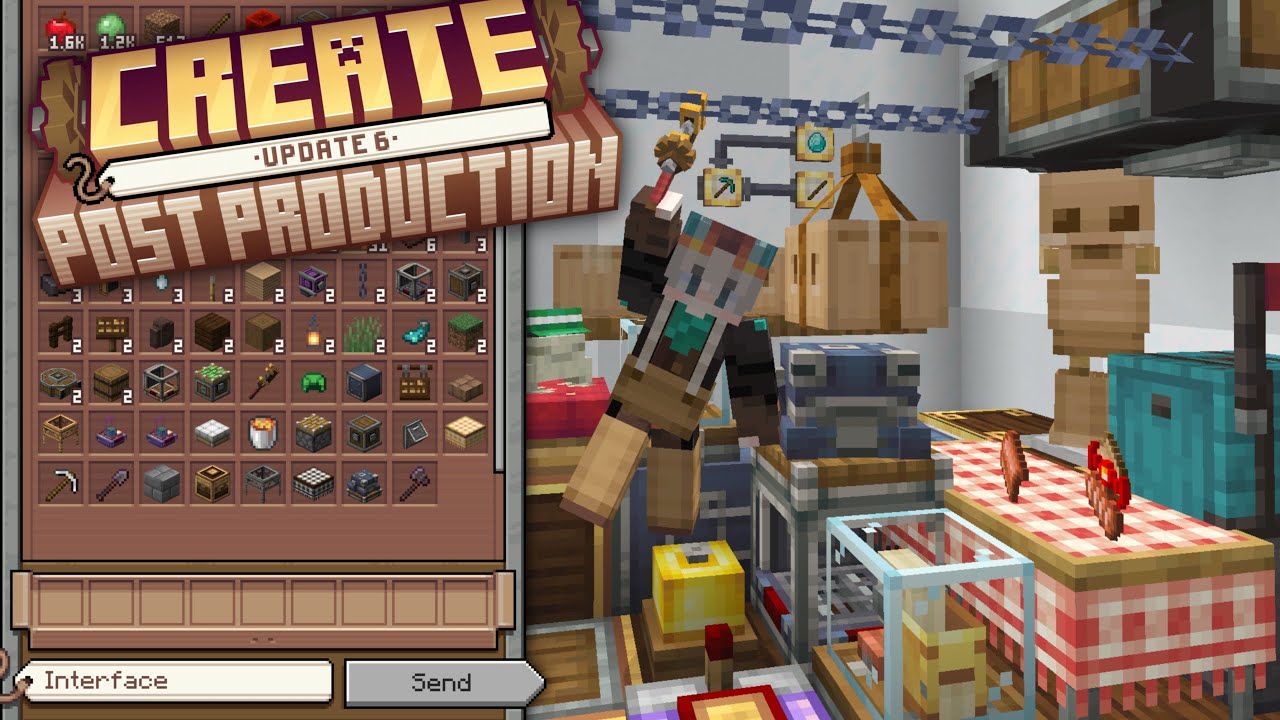
Get the mod here
Curseforge: https://www.curseforge.com/minecraft/mc-mods/create
Modrinth: https://modrinth.com/mod/create
Changelog: https://wiki.createmod.net/users/changelogs/6.0.0
------------------------------------------------------------------------------...
 covert needle
Hey guys, is there any way to remove the step height modifier thats on by default? ive been looking for it for a few days now and i cant find which mod / config is doing it
stuck wasp
magic chasm
it literally replaces toms with the storage system it has
you can build your own...
Its not quite as same as tomes simple storage, more setup to use cuz its implemented in a create way which is nice but tomes simple storage doesnt make it useless cuz it can still be used for automation
As for tomes simple storage it can still be used for a much more compact only storage related setups and also has a crafting grid
Btw are the updates added to all Minecraft versions in create or only latest once
 queen night
Yesterday, I was playing All of Create normally until I was kicked out of my single-player world, I think for "Invalid Player Movement"? After trying to rejoin the world, an error message returns "Invalid Player Data". Any way to fix this? I'd lose months of playing if not.
- I'm using Minecraft 1.20.1
- The launcher I use is CurseForge
- No, I don't think I've changed the modpack in any way.
- v1.2 for Minecraft 1.20.1
(But honestly, the version of modpack this ocurred in originally is v3.6 for MC 1.19.2, when Create: Metallurgy was added. I saw the blanket statement that there's generally no support for older versions, so I updated. Unfortunately, the issue still persists when switching versions.) - The "crash" always ocurrs.
- When trying to enter a specific single-player world, it always "loads", returns an "Invalid Player Data" message, sends me to the multiplayer server list, and removes the world from the world list. Launching a different world after doing so causes a crash, which I've attached the logs of. Re-launching the game returns the world to the world list.
dapper daggerBOT
queen night
Yesterday, I was playing All of Create normally until I was kicked out of my sin...
Uploaded crash-2025-03-01_21.39.02-server.txt from @queen night to mclogs: https://mclo.gs/YmWx3hs
dapper daggerBOT
queen night
Yesterday, I was playing All of Create normally until I was kicked out of my sin...
Uploaded crash-2025-03-01_21.38.58-server.txt from @queen night to mclogs: https://mclo.gs/ejo6qmi
queen night
I did a couple things related to my player data in the world but nothing worked, so I came here
feel free to ping me
frail night
fiery mulch
some mods need to be updated first
Which ones specifically im playing with an added mod so if the modpack updates to include create six im assuming i wont be able to update
When i use the update all option it causes my game to crash whenever i load it
slender light
frail night
Which ones specifically im playing with an added mod so if the modpack updates t...
majority of create addons
might take a while
slender light
frail night
Just the addons?
should be yeah
frail night
And jei i think
Ill try it later today
Mr beardstones pack is mostly addins and that crashed after updating might be an underlying issue
slender light
frail night
Mr beardstones pack is mostly addins and that crashed after updating might be an...
if your not playing my pack it could be some other mods as well
magic chasm
so is regions unexplored going to be readded to the newsest version of the pack later? or nah?
and chipped? i kinda made my whole base out of it
same with the other people on my server
slender light
magic chasm
and chipped? i kinda made my whole base out of it
are you trying to update from 1.19 to 1.20?
magic chasm
slender light
are you trying to update from 1.19 to 1.20?
yea
slender light
magic chasm
would we need a server reset is what im basically asking
you would need one for that yes
even if the biome mods and other qol mods were to be re-added you would still be unable to bring it over
there is a lot of create addons that are missing
and some had big changes through tbat version
 distant iron
any reason why i cant download the newest version of aoc on curse forge app?
 hardy tide
lets just say im new to modded minecraft as a whole
if theres an updated instance for this mod available for download, does that render all my previous saves incompatible with the new update (has this happened before)?
the reason im asking this is because ive been playing another create modpack but they dont offer save compatibility for new versions
hardy tide
distant iron
any reason why i cant download the newest version of aoc on curse forge app?
is it this one
 distant iron
yes
hardy tide
well i cant see why you cant
distant iron
i just says it fails

 covert needle
queen night
Yesterday, I was playing All of Create normally until I was kicked out of my sin...
covert needle
queen night
Yesterday, I was playing All of Create normally until I was kicked out of my sin...
Did you solve your issue? if not, ive dealt with this problem in another modpack before
molten hill
lone storm
any1 know how to fix?
Please read the full contents of the #get-support channel for us to provide assistance.
molten hill
hardy tide
💀
please
dude
read the text
on your screen
in the big bold red text
molten hill
covert needle
Did you solve your issue? if not, ive dealt with this problem in another modpack...
Please read the full contents of the #get-support channel for us to provide assistance.
molten hill
real salmon
All of Create 1.20.1 - v1.2 crashed. The logs have been uploaded to `mclo.gs`:
1...
valkyrian skies does not work in modpacks
remove it
hardy tide
molten hill
dude
i cant read well i did read but i thought you wouldnt care about my report
¯_(ツ)_/¯
molten hill
queen night
Yesterday, I was playing All of Create normally until I was kicked out of my sin...
!alternates
last pecanBOT
If this command was run in response to your question/issue, it is likely because switching away from the launcher you are currently using would fix your problem.
From our experience, the most stable launcher by far is ATLauncher, also known as ATL. Keep in mind that ATL is NOT related to TLauncher in any way, and is not a cracked launcher.
To install ATL, do the following:
1. Go to https://atlauncher.com/download. If you are on MacOS, then choose the "Jar" version under the "Other" tab.
2. Install and run the setup, then open the program.
3. Login to your Microsoft account that owns the Java Edition of Minecraft from the Accounts tab on the right. This process is 100% safe, as it goes directly through Microsoft. ATL doesn't see your account credentials.
4. Go to the Packs tab on the right, then click "Curseforge" on the left.
5. Search the modpack you wish to download.
6. Click "Install". Then, follow the on-screen directions.
7. Go to the Instances tab, and click "Play" on the modpack you downloaded. If you ever see an "Update" button on the instance, click it.
This video explains the process: https://youtu.be/xMYW1wMbmkM
To transfer your Curseforge world to ATL, simply right click the modpack on Curseforge, or click the 3 dots, then click "Open Folder". Copy the Saves folder, then click "Open Folder" on ATL and paste the Saves folder there. Do the same with the XaerosMinimap folder, or the Journeymap folder, to transfer over any waypoints you've created.
Because ATL downloads the exact same files as Curseforge does, your world will be the exact same and you will be able to join the same servers. ATL also works without an internet connection (after you've installed the modpack, of course), and does not have any bloat from Overwolf. You are free to uninstall both Overwolf and Curseforge with ATL installed.
molten hill
hardy tide
~~i cant read~~ well i did read but i thought you wouldnt care about my report
why would we not care
molten hill
distant iron
any reason why i cant download the newest version of aoc on curse forge app?
!alternates
last pecanBOT
If this command was run in response to your question/issue, it is likely because switching away from the launcher you are currently using would fix your problem.
From our experience, the most stable launcher by far is ATLauncher, also known as ATL. Keep in mind that ATL is NOT related to TLauncher in any way, and is not a cracked launcher.
To install ATL, do the following:
1. Go to https://atlauncher.com/download. If you are on MacOS, then choose the "Jar" version under the "Other" tab.
2. Install and run the setup, then open the program.
3. Login to your Microsoft account that owns the Java Edition of Minecraft from the Accounts tab on the right. This process is 100% safe, as it goes directly through Microsoft. ATL doesn't see your account credentials.
4. Go to the Packs tab on the right, then click "Curseforge" on the left.
5. Search the modpack you wish to download.
6. Click "Install". Then, follow the on-screen directions.
7. Go to the Instances tab, and click "Play" on the modpack you downloaded. If you ever see an "Update" button on the instance, click it.
This video explains the process: https://youtu.be/xMYW1wMbmkM
To transfer your Curseforge world to ATL, simply right click the modpack on Curseforge, or click the 3 dots, then click "Open Folder". Copy the Saves folder, then click "Open Folder" on ATL and paste the Saves folder there. Do the same with the XaerosMinimap folder, or the Journeymap folder, to transfer over any waypoints you've created.
Because ATL downloads the exact same files as Curseforge does, your world will be the exact same and you will be able to join the same servers. ATL also works without an internet connection (after you've installed the modpack, of course), and does not have any bloat from Overwolf. You are free to uninstall both Overwolf and Curseforge with ATL installed.
molten hill
everyone in this server gets their issues resolved as long as they are patient and provide necessary info
covert needle
molten hill
Please read the full contents of the <#1226057161767911516> channel for us to p...
My personal issue isnt a crash, i just want to turn off a feature thats on by default and i cant find the option (step height)
 slender compass
have any mods already ported to 1.21? for all of create
hoary zodiac
slender compass
have any mods already ported to 1.21? for all of create
aoc ain't on 1.21. it's 1.19.2, and 1.20.1
slender compass
ik its gonna be a while but do you think we will have a port for it?
patent riverBOT
.timzum has been timed out for 1h 
 Reason: Similar-Messages Spam
.timzum | 406487456389791744
hoary zodiac
slender compass
ik its gonna be a while but do you think we will have a port for it?
not in a long time, 1.20.1 isn't even that old yet
 young gyro
so... why ? why doesn't it cover the surface 💀
 hoary zodiac
young gyro
so... why ? why doesn't it cover the surface 💀
hoary zodiac
young gyro
so... why ? why doesn't it cover the surface 💀
fills bottom up
hoary zodiac
yeah it's gonna take a long while to fill
queen night
molten hill
!alternates
Thanks, but the same thing happened
dapper daggerBOT
queen night
Thanks, but the same thing happened
Uploaded crash-2025-03-02_14.58.26-server.txt from @queen night to mclogs: https://mclo.gs/fCKfLcj
dapper daggerBOT
queen night
Thanks, but the same thing happened
Uploaded crash-2025-03-02_14.58.31-server.txt from @queen night to mclogs: https://mclo.gs/zgvNzdR
queen night
covert needle
Did you solve your issue? if not, ive dealt with this problem in another modpack...
No, I have not
but ATLauncher feels a lot cleaner I honestly might use it over CurseForge now
If it helps, I was fighting a Radon Sentinel from Endless Biomes right before the whole thing happened
magic chasm
so, i have a question, just on modpacks in general
how would you go about adding or changing recipies for a modpack? would you need a new mod just for it, or would you need to use something like minetweaker
 limpid walrus
Is there a public server for this modpack? I see a server on there but I can connect to it
hoary zodiac
limpid walrus
Is there a public server for this modpack? I see a server on there but I can con...
yeah there is, what launcher you using
limpid walrus
hoary zodiac
yeah there is, what launcher you using
curseforge
hoary zodiac
limpid walrus
curseforge
what does it say when you try to join
limpid walrus
hoary zodiac
what does it say when you try to join
It just says "connection timed out: No further information."
limpid walrus
hoary zodiac
what does it say when you try to join
Is it bceause the pack is outdated? The one im using rn is 1.19.2, Not sure if that does anything or not
hoary zodiac
limpid walrus
Is it bceause the pack is outdated? The one im using rn is 1.19.2, Not sure if t...
no it'd say you aren't on the right version
limpid walrus
hoary zodiac
no it'd say you aren't on the right version
Then idk what it is
hoary zodiac
limpid walrus
Then idk what it is
limpid walrus
hoary zodiac
discord.gg/duckpondmc
What is that for?
hoary zodiac
limpid walrus
What is that for?
the server is hosted there
limpid walrus
Ah alr
hoary zodiac
we don't host them here
limpid walrus
hoary zodiac
we don't host them here
Would I open a ticket?
hoary zodiac
limpid walrus
Would I open a ticket?
yes
limpid walrus
Alright
 forest sierra
hey, quick question, what's the difference between the 1.19 and 1.20 version of the pack?
hoary zodiac
forest sierra
hey, quick question, what's the difference between the 1.19 and 1.20 version of ...
!compare
last pecanBOT
Discover the perfect Minecraft modpack for you. Search for modpacks by included mods, categories, Minecraft version and more!
forest sierra
hoary zodiac
!compare
doesn't work for comparing between versions sadly
 fierce rose
Hey, someone had this issue? I tried to restart, but it happens again and again

Probably some mod doing this, but cant find this one
fierce rose
fierce rose
Hey, someone had this issue? I tried to restart, but it happens again and again
This modpack

added one perfomance mod, but it seems to not changing anything, it still crashes me
hoary zodiac
fierce rose
added one perfomance mod, but it seems to not changing anything, it still crashe...
what did you add? How is server hosted, how as pack installed to it
fierce rose
Added this mod, server hosted on my pc, like just singleplayer game
 hoary zodiac
take it out. if you wanna play single player just use modded launcher, if you're hosting with friends though continue with server
And you can ignore the warn stuff for the most part, can you actually enter the server
fierce rose
I can, but if I come to some area it starts lagging until my game crashes
hoary zodiac
Where did you download serverpack from
fierce rose
Server pack?
hoary zodiac
yes, to host the server?
hoary zodiac
Then you're just playing single player?
fierce rose
Yes
hoary zodiac
!moreinfo
last pecanBOT
- What Minecraft version are you using? (1.19.2, 1.20.1, ...)
- What launcher did you run Minecraft with? (e.g. CurseForge, ATLauncher, MultiMC, ...)
- Have you changed the modpack in any way? (e.g. changing mod versions, adding/removing mods)
- What version of the modpack are you using? (v11, v9, etc)
- Have you ever gotten past the crash condition without crashing, or does the game always crash?
- What steps cause the crash?
Required:
Open the game directory (right click pack -> open folder), navigate to the "crash-reports" folder and upload the latest available crash report.
If there is no crash report, navigate to the logs folder and upload "latest.log."
If there is no log, navigate to the base pack directory and upload the hs_err_pid file, if there is one.
fierce rose
This one I guess
dapper daggerBOT
fierce rose
This one I guess
Uploaded latest.log from @fierce rose to mclogs: https://mclo.gs/qM7i6op
molten hill
queen night
Thanks, but the same thing happened
try updating xaeros minimap & open parties and claims
molten hill
magic chasm
so, i have a question, just on modpacks in general
how would you go about adding...
just use datapacks
molten hill
fierce rose
I can, but if I come to some area it starts lagging until my game crashes
Please follow the performance guide to improve your game performance, as this is likely to resolve your issue.
young gyro
hey, any tips on how I can get rid of this problem ?
any deco or block or anything I could use to stop the items stucking on my funnel's side

 royal rampart
Hello everyone, I installed the All of Create version, and when I run the game, it opens in windowed mode. I want to play in full-screen mode, but when I press F11 or go into the settings to switch to full screen, the game freezes. The game is still running, and I can hear the sound, but the screen is frozen.
Is there any solution for this? My GPU is AMD 6700XT.
molten hill
royal rampart
Hello everyone, I installed the **All of Create** version, and when I run the ga...
Please follow the performance guide to improve your game performance, as this is likely to resolve your issue.


 pale wagon
How can I see the updates for All Of Create?
patent riverBOT
hugo058449 has been timed out for 1h
Reason: Similar-Messages Spam
hugo058449 | 1324744517345087553
molten hill
pale wagon
How can I see the updates for All Of Create?
wdym
pale wagon
molten hill
wdym
I want to know where I can receive updates for the modpack especially now that new create update is out.
molten hill
pale wagon
I want to know where I can receive updates for the modpack especially now that n...
how did you install the modpack?
pale wagon
Curseforge, why?
molten hill
then the launcher will have a change version button
when an update is available
next to the play button
pale wagon
I meant announcements.
molten hill
pale wagon
I meant announcements.
 hasty spear
is there something i can do about there being 2 separate Crushing Wheel recipes for Limestone?
or would it unfortunately be just trying to edit recipes?
queen night
molten hill
try updating xaeros minimap & open parties and claims
Downloaded these updated mods while removing the old ones:
Xaero's World Map 1.39.4 for Game Ver 1.20(.1) (Forge)
Xaero's Minimap 25.1.0 for Game Ver 1.20(.1) (Forge)
Open Parties and Claims b0.24.0 for Forge 1.20(.1)
Then I re-read your message, went "oops", and down-dated Xaero's World Map. Then I re-updated Xaero's World Map.
Same issue happened all three times. "Invalid Player Data" when trying to join that specific world. Crash still occurs when trying to join a different world after.
dapper daggerBOT
queen night
__Downloaded these updated mods while removing the old ones:__
Xaero's World Map...
Uploaded crash-2025-03-03_15.20.17-server.txt from @queen night to mclogs: https://mclo.gs/19pq0FR
dapper daggerBOT
queen night
__Downloaded these updated mods while removing the old ones:__
Xaero's World Map...
Uploaded crash-2025-03-03_15.08.20-server.txt from @queen night to mclogs: https://mclo.gs/IIOtRdh
dapper daggerBOT
queen night
__Downloaded these updated mods while removing the old ones:__
Xaero's World Map...
Uploaded crash-2025-03-03_15.25.35-server.txt from @queen night to mclogs: https://mclo.gs/9dRLx8h
queen night
lmk if you want the entire Crash Assistant thing that pops up after and not just these 3 logs
 static girder
west bridge
Anyone know why the mechanical chicken is not accepting the seed oil to make egg...
static girder
west bridge
Anyone know why the mechanical chicken is not accepting the seed oil to make egg...
were you able to figure this out?
west bridge
static girder
were you able to figure this out?
Yea the seed oil goes in the back and the eggs go out the front. The ponder has it backwards
static girder
west bridge
Yea the seed oil goes in the back and the eggs go out the front. The ponder has ...
thank you !
molten hill
queen night
__Downloaded these updated mods while removing the old ones:__
Xaero's World Map...
can you try disabling OPAC
queen night
yeah one sec
 tall gazelle
i got time out
queen night
molten hill
can you try disabling OPAC
Disabling OPAC doesn't fix the initial "Invalid Player Data"
And it technically fixes the crash, but ingame it took a while to load into the world, it tanked my frames to the single digits, and then just caused frequent stuttering?
tall gazelle
it shows no players
queen night
oh that's new
it crashed when trying to Save & Quit the world (that i could load into)
dapper daggerBOT
queen night
oh that's new
it crashed when trying to Save & Quit the world (that i could load...
Uploaded crash-2025-03-03_19.19.50-server.txt from @queen night to mclogs: https://mclo.gs/bAQJJpw
queen night
https://gyazo.com/daf89688d158340d48ba30e80f16775a I also found this in the console for trying to load into the "Invalid Player Data" world
i think i could try editing my NBT again? I'm going to try editing my player data in the level.dat instead of the playerdata folder since the Minecraft wiki says level.dat overrides it anyway

 dense dust
slender light
slender light
hasty spear
is there something i can do about there being 2 separate Crushing Wheel recipes ...
dense dust
slender light
slender light
hasty spear
is there something i can do about there being 2 separate Crushing Wheel recipes ...
will be fixed in a future update, a mill mifht work for now
slender light
forest sierra
doesn't work for comparing between versions sadly
here: #all-of-create message
queen night
molten hill
can you try disabling OPAC
i fixed it myself after a ":3" in the console inspired me
sorry, and thank you for your time
my coords were set to "NaN" and all i had to do was edit the level.dat of the world instead of the files in playerdata since the first one is prioritized over the other
tall gazelle
why are the servers so lagg
i lost all my items due to extreme lags and getting kicked due to time outs
ill find another server
hoary zodiac
tall gazelle
ill find another server
are you talking about official?
tall gazelle
yep
hoary zodiac
tall gazelle
oh ok
 vapid pewter
does this modpack include the new create update?
 left veldt
vapid pewter
does this modpack include the new create update?
left veldt
vapid pewter
does this modpack include the new create update?
I dont think so no, but you could try to just update it manually and see if it works.
vapid pewter
left veldt
I dont think so no, but you could try to just update it manually and see if it w...
sadly cannot, the create addons depend on the version create is in
left veldt
vapid pewter
sadly cannot, the create addons depend on the version create is in
ah I didn't think of that : P
vapid pewter
hope it updates tho!
stuck wasp
the modpack dev probably have to wait for all the addons to support it before they can do anything
 summer musk
What should I do if, when installing the Create Questing mod, it does not appear in FTB Quests?
hoary zodiac
summer musk
What should I do if, when installing the Create Questing mod, it does not appear...
check your resource packs menu that it's on the right side of the menu rather than the leftr
 heavy matrix
Hey guys, we are currently trying to make brass but we cant get it to work. Any ideas what we are doing wrong?

 modest hull
is it normal that all create add ons don´t work with the new update ?
zinc elbow
heavy matrix
Hey guys, we are currently trying to make brass but we cant get it to work. Any ...
i think that blaze burner has to be superheated to mix molten metals
 gusty citrus
When will the Pack get updated so Create .6 works in it?
zinc elbow
gusty citrus
When will the Pack get updated so Create .6 works in it?
theyre gonna wait until the addons also get updated before working on it
hoary zodiac
gusty citrus
When will the Pack get updated so Create .6 works in it?
!when
last pecanBOT
Don't ask devs for ETA's, it's rude.
For the majority of devs this is a hobby, asking when a project they're working on will release adds unnecessary pressure. The only thing that increased pressure does is contribute towards demotivation and burnout, causing the project to take longer.
hoary zodiac
serene basalt
yessir
and oh i found the structure
found out it is rare, that's why i wasnt finding it (closest one was like, 3k blocks away from spawn)
 crystal crypt
Quick question does "All of Create" modpack require the create metallurgy mod? I'm trying to figure it out but don't see anything yet
I'm not sure if its fully integrated in the pack through like quests or whatever (alright yes I think I answered my own question)
 glad helm
i cant play the mod pack on curse forge
it says that it is missing a mod thah is bclib
how can i add ii to make it work??
hoary zodiac
glad helm
how can i add ii to make it work??
!alternates
last pecanBOT
If this command was run in response to your question/issue, it is likely because switching away from the launcher you are currently using would fix your problem.
From our experience, the most stable launcher by far is ATLauncher, also known as ATL. Keep in mind that ATL is NOT related to TLauncher in any way, and is not a cracked launcher.
To install ATL, do the following:
1. Go to https://atlauncher.com/download. If you are on MacOS, then choose the "Jar" version under the "Other" tab.
2. Install and run the setup, then open the program.
3. Login to your Microsoft account that owns the Java Edition of Minecraft from the Accounts tab on the right. This process is 100% safe, as it goes directly through Microsoft. ATL doesn't see your account credentials.
4. Go to the Packs tab on the right, then click "Curseforge" on the left.
5. Search the modpack you wish to download.
6. Click "Install". Then, follow the on-screen directions.
7. Go to the Instances tab, and click "Play" on the modpack you downloaded. If you ever see an "Update" button on the instance, click it.
This video explains the process: https://youtu.be/xMYW1wMbmkM
To transfer your Curseforge world to ATL, simply right click the modpack on Curseforge, or click the 3 dots, then click "Open Folder". Copy the Saves folder, then click "Open Folder" on ATL and paste the Saves folder there. Do the same with the XaerosMinimap folder, or the Journeymap folder, to transfer over any waypoints you've created.
Because ATL downloads the exact same files as Curseforge does, your world will be the exact same and you will be able to join the same servers. ATL also works without an internet connection (after you've installed the modpack, of course), and does not have any bloat from Overwolf. You are free to uninstall both Overwolf and Curseforge with ATL installed.
hoary zodiac
curse is being really squirrelly with bclib recently
 dusky saddle
crystal crypt
Quick question does "All of Create" modpack require the create metallurgy mod? I...
dusky saddle
crystal crypt
Quick question does "All of Create" modpack require the create metallurgy mod? I...
unsure. i individually updated all of create and it broke a few things (needed to update createadditions as well, and metallurgy doesn't have a new update yet).
but when i disable metallurgy it crashes without generating a crash report
quite odd since i didnt think metallurgy was that big of a dependency since i dont think i even touched it in my create world. was busy with other projects and hadnt gotten to it
dont think its worth generating a ticket since i modified the modpack? but either way itll be a bit before metallurgy is updated. per Luc's discord it's getting one more update for create5 before a create6 update is worked on
crystal crypt
yeah i seen that I was also trying to go through and see if I could figure out what addons was causing the problem and removing them while I wait. most of the addons have been updated but not all of them
There's other mods that can be updated I updated those and turned of all the create mods to test if its the other mods updates that crashed it. I also get a crash without crash report and looking through the logs it doesn't point out which addons
crystal crypt
dusky saddle
unsure. i individually updated all of create and it broke a few things (needed t...
I've moved it to your dms
 spiral lily
hey New to the discord. does all of create for 1.20.1 not have all thew same mods as 1.19.2?
hoary zodiac
spiral lily
hey New to the discord. does all of create for 1.20.1 not have all thew same mod...
it does not as some mods are not in 1.20.1 or qwek is still in process of testing things out on what does or does not work properly for the pack
spiral lily
okay i switched my world to 1.20 and all of my buildings just disapeared duer to the chipped mod not being in the pack glad i backed up!
hoary zodiac
you cannot switch your worlds over from 1 mc version to another safely cause of stuff like that
better just to start fresh new worlds. Personally I keep both a 1.19.2 instance and a 1.20.1 instance separate.
spiral lily
it switcvhed the world over just fine. but all of my builds where made with chipped mod so all of those blocks where not there
dusky saddle
Luckily you should be able to add chipped back in manually thru curseforge but still I bet that was a shock lol
slender light
spiral lily
hey New to the discord. does all of create for 1.20.1 not have all thew same mod...
snow hawk
ive been to three different desert villages, but i cant find the waystone, im assuming its at the town square with all the markets like the rest of the waystones in other villages? i cant find the waystone in the desert one
 timber crater
hello guys ! I wish to play all of create modpack on my server, do you know if a server pack existe for this modpack or how to instal it ?
slender light
timber crater
hello guys ! I wish to play all of create modpack on my server, do you know if a...
the servrrpack is on curseforge
slender light
snow hawk
ive been to three different desert villages, but i cant find the waystone, im as...
not all villages will haev waystones
timber crater
slender light
the servrrpack is on curseforge
Oh nice ! And i just drag it into my server data swith forge ?
slender light
timber crater
Oh nice ! And i just drag it into my server data swith forge ?
!server
last pecanBOT
Free Method
To host a server on your own computer, read the selfhosting guide.
This guide goes over how to install, create, and launch a free Minecraft server on all operating systems (MacOS, Linux and Windows). The guide also guides you through installing Java and optimizing your server for better performance.
If you are installing one of our older modpacks, ignore the "README" file that is included in the serverpack files, as they have outdated information.
Paid Method
We suggest renting a server from Bisect Hosting:
Approx. $10 - $25 a month depending on what plan you choose. You can also get 25% off with Code LunaPixel.
Go here and order a plan which fits you. We suggest 1GB per player but nothing lower than 4GB as the server needs at least 3GB to run.
Go to #server-hosting for more Info!
slender light
guide ^
timber crater
thx !
And maybe you know how to get the default texture pack on this modpack ?
pls
pale bough
will the modpack be updated to create 0.6 at any point?
stuck wasp
hoary zodiac
^
pale bough
cool didnt see it lol i checked the pins in this chat for anything thanks
 surreal patio
Is there a way to make all of create work with valkyrien skies, clockwork and eureka?
gusty citrus
zinc elbow
theyre gonna wait until the addons also get updated before working on it
all right, thank you for responding
 grave harness
this shows up when i launch the modpack, do i update them or no?
 molten hill
surreal patio
Is there a way to make all of create work with valkyrien skies, clockwork and eu...
molten hill
surreal patio
Is there a way to make all of create work with valkyrien skies, clockwork and eu...
no
molten hill
grave harness
this shows up when i launch the modpack, do i update them or no?
ignore it
molten hill
 keen stump
Yeah
keen stump
Yeah
not needed
keen stump
Oh
Mb
slender light
timber crater
And maybe you know how to get the default texture pack on this modpack ?
go into resourcepacks and remove the ones u dont want
 pearl mulch
Does anyone have a server for this
slender light
pearl mulch
Does anyone have a server for this
the modpack includes one in the multiplayer tab
there may also be some in #1109323795556216862
pearl mulch
Understood
 limpid hamlet
I really enjoy the create intergration recipe for toms simple storage mod and immersive air craft from all of create is there a way I could add that to my own modpack ?
this modpack is just for my personal use for me and my friends
slender light
limpid hamlet
I really enjoy the create intergration recipe for toms simple storage mod and im...

CurseForge
Recipes for Tom's Simple Storage to match the Create mod.
24.2K Downloads | Resource Packs

CurseForge
Changes recipes of Immersive Aircrafts to work better with Create
47.8K Downloads | Resource Packs
slender light
limpid hamlet
would this work with game version 1.21.1 ?
not sure, check the mod page or try it
limpid hamlet
very cool thx for the help
 stuck parrot
anyone knows as to why my all of create ran perfectly then all of a sudden it made my entire PC crash and now it shows me this when i try to open it

i did add a few mods but it's surely not the reason since it worked previously
molten hill
stuck parrot
anyone knows as to why my all of create ran perfectly then all of a sudden it ma...
Please read the full contents of the #get-support channel for us to provide assistance.
snow hawk
im so hoping we could get more create addons in the future and have them be all compatible 🤞
id have loved to build working airships
stuck parrot
molten hill
Please read the full contents of the <#1226057161767911516> channel for us to p...
so there isn't a support channel for all of create?
 void blade
oh hey, where do i ask for aoc support, there s no support channel for it
 eternal notch
stuck parrot
so there isn't a support channel for all of create?
eternal notch
stuck parrot
so there isn't a support channel for all of create?
this is the support channel but it would be more helpful to us if you read the #get-support channel beforehand and answer the support questions in here
eternal notch
void blade
oh hey, where do i ask for aoc support, there s no support channel for it
this is the support channel
void blade
Oh ok thanks
I lost the "upload all" thing from the crash helper, later I'll get it again
 hexed sail
is anyone else having a problem when they crouch and it doubles your fov
 mellow sedge
Check your keybind for zoom
 wooden hollow
anyone know why the severs down?
hoary zodiac
limpid walrus
Do you guys think that this mod would ever be added?
https://www.curseforge.com/minecraft/mc-mods/create-cobblestone

CurseForge
Adds a block generating cobblestone using SU, stopping cobblestone generators from eating your frames.
161.7K Downloads | Mods
Ive noticed that it wasn't added like a lot of other modpacks and it really helps with a lot of lag cause cobble generators and really any generators get more compact and are easy to make and leg free.
dusky saddle
Prob not to the official I wouldn't think but personally I might snag it
 lunar flare
I've used this one in the past and it is great https://www.curseforge.com/minecraft/mc-mods/create-mechanical-extruder

CurseForge
A mechanical extruder block. Can be used to generate any block or item from adjacent blocks/fluids.
1.7M Downloads | Mods
stuck parrot
Could i get some help on this one?
- 1.20.1 FORGE (it automatically said 1.21.1 [FABRIC] though)
- CurseForge
- No didn't modify the modpack apart from mods
- v1.2
- Never passed the crash phase
- What steps cause the crash? (don't understand the question but the crash happens after the mojang loading bar)
I was using the v4.2 before but thats when it didn't work so i swapped to this one but the error message stopped i also don't think it's the added mods since it worked perfectly fine before crashing and i didn't add mods since
latest.log
CurseForge: launcher_log.txt
Mod list changes beyond the modpack:
Added mods:
Apotheosis-1.19.2-6.5.1.jar
arcane_abilities-0.2.5.jar
artifacts-forge-9.5.13.jar
BOMD-Forge-1.20.1-1.1.2.jar
Botania-1.19.2-440.2-FORGE.jar
CerbonsAPI-Forge-1.20.1-1.1.0.jar
create-1.20.1-0.5.1.c.jar
effortlessbuilding-1.20.1-3.8.2.jar
effortlessbuilding-1.20.1-3.9-all.jar
essential_1-3-5-7_forge_1-19-2.jar
HammerLib-1.20.1-20.1.48.jar
LibX-1.19.2-4.2.8.jar
miningmaster-1.20.1-4.1.3.jar
MythicBotany-1.19.2-3.0.2.jar
OctoLib-FORGE-0.4.2+1.20.1.jar
Patchouli-1.19.2-77.jar
relics-1.20.1-0.8.0.7.jar
SandBox-1.19.2-1.0.1.jar
SpartanWeaponry-1.20.1-forge-3.1.3-all.jar
Removed mods:
Mods weren't removed.
hoary zodiac
stuck parrot
Could i get some help on this one?
1. 1.20.1 FORGE (it automatically said 1....
!ea
last pecanBOT
The Essential mod is completely incompatible with all of our modpacks, and there's no reason to use it. All of our modpacks already come with built-in, free world hosting, by clicking the "Share World' button in the Open to LAN menu. You can learn more by typing !ws in the #bots channel. You can also run type !server in the same channel to learn how to properly host a server for better performance and more flexibility. In modpacks that aren't owned by us, you can use mods such as e4mc or WorldHost to host a server completely for free without Essential's many issues and crashes and the microtransactions that they constantly bother users with. To learn more about alternatives to the Essential mod, check out this website.
hoary zodiac
!modified
last pecanBOT
You are using a modified version of the modpack! This channel is only for unmodified versions that we provide. We cannot guarantee that the modpack works after you do modifications, so please go to #1061339968691257466 if you need help with an issue.
If this is a bug, please make sure to test it in an unmodified version before trying to report it.
molten hill
stuck parrot
so there isn't a support channel for all of create?
please
read the text in the channel
i dont know where you got this idea from lol
 dire saddle
does anyone have an idea why a 15x15x45 lava pool is not being recognized as an infinite source?
 low whale
any ideas on when the modpack will be updated for version 6. i literally cannot wait lol
 graceful inlet
low whale
any ideas on when the modpack will be updated for version 6. i literally cannot...
graceful inlet
low whale
any ideas on when the modpack will be updated for version 6. i literally cannot...
same, create 6.0 is amazing, i believe it is not compatibile with some of the side mods (my game is crashing). We are all waiting impatiently!
dusky saddle
Create additions can be updated manually to work with 6.0, metallurgy is on the way. Those two are the only mods that the crash report called out specifically when I tried
hoary zodiac
low whale
any ideas on when the modpack will be updated for version 6. i literally cannot...
!when
last pecanBOT
Don't ask devs for ETA's, it's rude.
For the majority of devs this is a hobby, asking when a project they're working on will release adds unnecessary pressure. The only thing that increased pressure does is contribute towards demotivation and burnout, causing the project to take longer.
 small shard
am i just super duper stupid or is my brass recipe broken?
if i try to input a copper ingot and a zinc ingot in here it either just melts the copper, the zinc or both but there is never a brass ingot coming out, even using a filter set to brass ingot it will not mix it. whats my stupid mistake lmao

ok made the wrong filter lmao, its stupid that you need one at all tho
elder pawn
 inner vine
i
hexed sail
does anybody know what could possibly be wrong with my iron farm
 stuck wasp
Doesn't look like there is any problem, what is broken?
hexed sail
stuck wasp
Doesn't look like there is any problem, what is broken?
it dosnt make any iron nuggets or flint
hexed sail
fixed the water was done wrong
limpid walrus
dusky saddle
Prob not to the official I wouldn't think but personally I might snag it
why not? I feel liek it would be a lot better
slender light
limpid walrus
why not? I feel liek it would be a lot better
it would not help
limpid walrus
it wouldn't help with the cobble gens?
slender light
limpid walrus
it wouldn't help with the cobble gens?
nope
 red zealot
how do you make brass?
red zealot
ended up cheating in a brass ingot for the filter for anyone wondering, zinc kept melting
stuck wasp
how?
Did you follow the jei recipe?
Also to avoid crafting the wrong thing in future since there are so many different recipes
Just put a list filter on the basin (or directly the item if you have it), you can use jei to setup filters for items you don't have
red zealot
Yeah i did, zinc melted no matter what into its liquid form without a filter, that's good to know about jei thanks
stuck wasp
Are you on 1.20 version or 1.19 version of modpack
red zealot
1.20
 weak mirage
is there any way to get all of create to work with create 6.2
small shard
the solution is to use a list filter from create and set the filter to a brass ingot
weak mirage
that's not what i meant i meant like the create version 6.2
vapid pewter
weak mirage
is there any way to get all of create to work with create 6.2
yes
you wait
stuck wasp
weak mirage
that's not what i meant i meant like the create version 6.2
99% chance the addons will break so gotta wait for all of them to support it
Which can take a while
elder pawn
joooo hello is it dumb to start with all of create now or can i just update later with no problems
?
slender light
elder pawn
joooo hello is it dumb to start with all of create now or can i just update late...
you can update later with no problems
elder pawn
noice
 umbral berry
my game keeps lagging and now its not responding does anyone know why? its a new world btw

and now this
 elder pawn
did u add any mods?
umbral berry
no
its like having fps drops constantly
normaly i have like 120 but it keeps dropping to 0 or 15 and then going up for like 2 mins
elder pawn
maybe upload the crash log
elder pawn
no it says on the crash assistant
umbral berry
kannst deutsch reden btw
elder pawn
na dann
umbral berry
All of Create 1.20.1 - v1.2 crashed. The logs have been uploaded to mclo.gs:
- 1.21.1 [FABRIC]
- What launcher did you run Minecraft with? (e.g. CurseForge, ATLauncher, MultiMC, ...)
- Have you changed the modpack in any way except mods?
- v1.2
- Have you ever gotten past the crash condition without crashing, or does the game always crash?
- What steps cause the crash?
latest.log
CurseForge:launcher_log.txt
Mod list changes beyond the modpack:
Mod list wasn't modified.
das ist der crashlog
elder pawn
ich kann dir ned sagen warum das so ist mein ansatz wäre neu instalieren und pc neu starten hilft meistens
und?
molten hill
umbral berry
All of Create 1.20.1 - v1.2 crashed. The logs have been uploaded to `mclo.gs`:
1...
please answer the questions that are present in your own message
snow hawk
trying to design a hyper experience converter

planning to completely automate lapis using prismarine and haunting ink to supply it, but cant think of a way to put them into the basin
i have a belt into a depot behind the arms but the depot only holds 1 item so its slow unless i power everything at 256rpm
ideas?
umbral berry
elder pawn
und?
hab nh neue mod installiert
umbral berry
des heißt fxnt create ist von so nem youtuber
 waxen aspen
hi !
I'm starting a new minecraft server with a couple friends, and we rarely ever used mods. I'm hesitating between this, "All of Create", and "Create : Perfect world".
Which of those is the "best", considering that I'd like some exploration/rpg elements added, while still being focused around vanilla & create. (Does All Of Create also have quests to guide the player ?)
serene basalt
waxen aspen
I'm starting a new minecraft server with a couple friends, and we rarely ever us...
hey
so
i never played create perfect world
but about the quests to guide
it """""does"""""
it do have quests with the things you need
but it doesnt guide you on how to make contraptions or what to build
so my answer to the guide part would be no
waxen aspen
Mhm, okay thanks ! I think i'll go with another modpack then
i've searched a bit and saw a ton of others, such as create chronicles : bosses and beyond, which seems to correspond more to what i'm searching
serene basalt
cyan quartz
heymaking my own modpack but create is failing to load allong with some addons
hoary zodiac
 dusk belfry
modpack crashing just when walking in mworld
dusk belfry
modpack crashing just when walking in mworld
!moreinfo
last pecanBOT
- What Minecraft version are you using? (1.19.2, 1.20.1, ...)
- What launcher did you run Minecraft with? (e.g. CurseForge, ATLauncher, MultiMC, ...)
- Have you changed the modpack in any way? (e.g. changing mod versions, adding/removing mods)
- What version of the modpack are you using? (v11, v9, etc)
- Have you ever gotten past the crash condition without crashing, or does the game always crash?
- What steps cause the crash?
Required:
Open the game directory (right click pack -> open folder), navigate to the "crash-reports" folder and upload the latest available crash report.
If there is no crash report, navigate to the logs folder and upload "latest.log."
If there is no log, navigate to the base pack directory and upload the hs_err_pid file, if there is one.
hoary zodiac
cyan quartz
heymaking my own modpack but create is failing to load allong with some addons
#1061339968691257466 this channel is for the all of create modpack
dusk belfry
hoary zodiac
!moreinfo
All of Create 1.20.1 - v1.2 crashed. The logs have been uploaded to mclo.gs:
- 1.21.1 [FABRIC]
- CurseForge
- I lowered graphic settings to fast and render and chinck load distance to minimum. Also i set max FPS to 60
- v1.2
5.I do but sometimes i get crash wile creating new world or when exploring in game - What steps cause the crash?
latest.log
CurseForge: skip launcher
Mod list changes beyond the modpack:
Mod list wasn't modified.]
hoary zodiac
dusk belfry
All of Create 1.20.1 - v1.2 crashed. The logs have been uploaded to `mclo.gs`:
1...
!fps try this first
last pecanBOT
dusk belfry
hoary zodiac
!fps try this first
Done set alocated memory to 10000 mb
hoary zodiac
dusk belfry
Done set alocated memory to 10000 mb
theres more than that in the guide. clikc the link
worn palm
So I added a couple extra mods to 1.20.1 All of Create and it launches fine except it says "resource reload failed" in the top right and it wont go away even if I restart it
oh also everything is really dark
hoary zodiac
worn palm
So I added a couple extra mods to 1.20.1 All of Create and it launches fine exce...
what did you add?
worn palm
(Settings menu)
 worn palm
hoary zodiac
what did you add?
worn palm
hoary zodiac
what did you add?
1 sec
if you dont wanna click a random link
[1.20.1] SecurityCraft v1.9.12.jar
ae2wtlib-15.2.3-forge.jar
alexscaves-2.0.2.jar
appleskin-forge-mc1.20.1-2.5.1.jar
appliedenergistics2-forge-15.3.3.jar
bjornlib-forge-1.0.19.5-1.20.1.jar
cbc_at_Forge_1.20.1_alpha_0.0.3b.jar
create-coal_to_diamonds-1.0.0-forge.jar
create-dyn-light-forge-1.0.0.jar
Create-Guardian-Beam-Defense-1.3.0b-1.20.1.jar
create_armor_trims-1.20.1-2.0.1.jar
create_chimneys-1.4.0.jar
create_deep_dark-1.7.0-forge-1.20.1.jar
create_nuke-1.1.0-forge-1.20.1.jar
create_oppenheimered-1.0.5.jar
create_power_loader-1.5.0-mc1.20.1.jar
create_radar-0.1.56mc1.20.1.jar
create_ultimate_factory-1.9.0-forge-1.20.1.jar
createcobblestone-1.4.4+forge-1.20.1-95.jar
createmoredrillheads-2.0.3-1.20.1.jar
createnuclear-1.2.0-forge.jar
CreateNumismatics-1.0.11+forge-mc1.20.1.jar
createteleporters2.3-1.20.1.jar
extendedgears-2.1.1-1.20.1-0.5.1.f-forge.jar
fallingleaves-1.20.1-2.1.2.jar
ironchest-1.20.1-14.4.4.jar
ironfurnaces-1.20.1-4.1.6.jar
molten_vents-1.20.1-2.0.9.jar
OctoLib-FORGE-0.5.0.1+1.20.1.jar
relics-1.20.1-0.8.0.7.jar
TreeChop-1.20.1-forge-0.19.0-fixed.jar
underground_village-1.5.2.jar
last pecanBOT
You are using a modified version of the modpack! This channel is only for unmodified versions that we provide. We cannot guarantee that the modpack works after you do modifications, so please go to #1061339968691257466 if you need help with an issue.
If this is a bug, please make sure to test it in an unmodified version before trying to report it.
molten hill
cyan quartz
heymaking my own modpack but create is failing to load allong with some addons
if you're making your own modpack then why are you in this channel
i've repeatedly told you, you need to make a thread in #1061339968691257466 if you want help with your own pack
 fringe quiver
i am trying to launch all of create 1.20.1 with create updated to 6.0.2
but it crashes, i solved the first problems like removed estrogen and metallurgy
also tried updating additions afterwards, but then i got no feedback I or my friend could read in the logs
All of Create 1.20.1 - v1.2 crashed. The logs have been uploaded to mclo.gs:
- 1.21.1 [FABRIC]
- What launcher did you run Minecraft with? (e.g. CurseForge, ATLauncher, MultiMC, ...)
- Have you changed the modpack in any way except mods?
- v1.2
- Have you ever gotten past the crash condition without crashing, or does the game always crash?
- What steps cause the crash?
latest.log
CurseForge:launcher_log.txt
Mod list changes beyond the modpack:
Added mods:
create-1.20.1-6.0.2.jar
createaddition-1.20.1-1.3.0.jar
Removed mods:
create-1.20.1-0.5.1.j.jar
createaddition-1.20.1-1.2.5.jar
createmetallurgy-0.0.6-1.20.1.jar
Estrogen-4.3.2+1.20.1-forge.jar
fringe quiver
fringe quiver
i am trying to launch all of create 1.20.1 with create updated to 6.0.2
but it c...
is there a quick fix or do I need to wait for the entire modpack update?
hoary zodiac
fringe quiver
i am trying to launch all of create 1.20.1 with create updated to 6.0.2
but it c...
you updated mods, that can break the pack
6.0 isn't ready yet for the packs
fringe quiver
i guess most of the expansions have not updated yet to be compatible?
hoary zodiac
fringe quiver
i guess most of the expansions have not updated yet to be compatible?
none of the mods probably have been able to update for it yet. be patient
 sly sonnet
hoary zodiac
6.0 isn't ready yet for the packs
sly sonnet
hoary zodiac
6.0 isn't ready yet for the packs
when will it be? I just joined this server to ask lol
hoary zodiac
!when
last pecanBOT
Don't ask devs for ETA's, it's rude.
For the majority of devs this is a hobby, asking when a project they're working on will release adds unnecessary pressure. The only thing that increased pressure does is contribute towards demotivation and burnout, causing the project to take longer.
fringe quiver
just cant wait😅 6.0 is awesome!!
sly sonnet
my bad i asked wrong, why is it not ready? If i wanted to do it myself, whats the problem?
fringe quiver
he just said it..
none of the mods probably have been able to update for it yet
sly sonnet
fringe quiver
just cant wait😅 6.0 is awesome!!
real
hoary zodiac
sly sonnet
my bad i asked wrong, why is it not ready? If i wanted to do it myself, whats th...
cause the pack isn't on the version needed for it. the mods that rely on create are not updated yet
slender light
Create 6.0 wont be in the pack until atleast a few weeks as the developers of the create addons need time to support 6.0 first.
As of 14th of May, there are still addons that have not updated to support v6.0 and some addons have abandoned 1.20: which means that its impossivle to have v6.0 without removing major mods.
All of Create v1.21 is in the works and it has v6.0 though.
slender light
slender light
Create 6.0 wont be in the pack until atleast a few weeks as the developers of th...
 clear island
All of Create 1.20.1 - v1.2 crashed. The logs have been uploaded to mclo.gs:
- 1.21.1 [FABRIC]
- What launcher did you run Minecraft with? (e.g. CurseForge, ATLauncher, MultiMC, ...)
- Have you changed the modpack in any way except mods?
- v1.2
- Have you ever gotten past the crash condition without crashing, or does the game always crash?
- What steps cause the crash?
latest.log
hs_err_pid14220.log
CurseForge: skip launcher
Mod list changes beyond the modpack:
Added mods:
Essential-1.20.1.jar
Removed mods:
Mods weren't removed.
Help me!
hoary zodiac
clear island
All of Create 1.20.1 - v1.2 crashed. The logs have been uploaded to `mclo.gs`:
1...
!ea
last pecanBOT
The Essential mod is completely incompatible with all of our modpacks, and there's no reason to use it. All of our modpacks already come with built-in, free world hosting, by clicking the "Share World' button in the Open to LAN menu. You can learn more by typing !ws in the #bots channel. You can also run type !server in the same channel to learn how to properly host a server for better performance and more flexibility. In modpacks that aren't owned by us, you can use mods such as e4mc or WorldHost to host a server completely for free without Essential's many issues and crashes and the microtransactions that they constantly bother users with. To learn more about alternatives to the Essential mod, check out this website.
clear island
how to get rid of essential mod in the mod
hoary zodiac
clear island
how to get rid of essential mod in the mod
better to just reinstall the modpack
clear island
thanks
 gloomy stone
how does the built in world sharing work with this modpack?
last pecanBOT
Luna Pixel's World Sharing
Our modpacks don't support any mods that add singleplayer hosting / world sharing because we already provide free world sharing. The 'Essential' mod is therefore incompatible.
To share your world using our own world hosting, click the 'Open to Lan' or 'Share World' button in the game menu when in a singleplayer world, and share the world.
It will give you an address, like magma-cube.mc.lunapixel.gg, which your friends can use to connect directly to your world as if it were a server!
We still highly suggest not to play through LAN as LAN is untested and unreliable. Using it will cause longterm damage to your world.
There is no reason to use LAN, as we support both paid and free methods of hosting a server the normal way.
 gloomy stone
ty!! ^^
clear island
how to host a multi player world without having to buy a server
hoary zodiac
clear island
how to host a multi player world without having to buy a server
!server
last pecanBOT
Free Method
To host a server on your own computer, read the selfhosting guide.
This guide goes over how to install, create, and launch a free Minecraft server on all operating systems (MacOS, Linux and Windows). The guide also guides you through installing Java and optimizing your server for better performance.
If you are installing one of our older modpacks, ignore the "README" file that is included in the serverpack files, as they have outdated information.
Paid Method
We suggest renting a server from Bisect Hosting:
Approx. $10 - $25 a month depending on what plan you choose. You can also get 25% off with Code LunaPixel.
Go here and order a plan which fits you. We suggest 1GB per player but nothing lower than 4GB as the server needs at least 3GB to run.
Go to #server-hosting for more Info!
gloomy stone
is there a vein mine in this pack because I can't find it if there is
stuck wasp
There are drills for 3x3 mining
Anything bigger will be a create contraption
no vein mining
 kindred field
I have a problem with the Create Stuff & Additions' Jetpack, and enchantments


it just wont apply to my jetpack, when i see the crafting recipes for the jetpack, using the JEI, it doenst show "Above The Clouds" as one of the enchantments that can be put on the jetpack...
stuck wasp
alot of the custom enchantments are just bugged
kindred field
thats too bad:/
i even tried to turn cheats on, and do it with command, but this didnt work either...
 chrome lion
hi! how can i put dynamic lights to de modpack?
sly sonnet
whenever i try making brass ingots, it creates molten zinc and copper instead..
 small shard
sly sonnet
whenever i try making brass ingots, it creates molten zinc and copper instead..
small shard
sly sonnet
whenever i try making brass ingots, it creates molten zinc and copper instead..
use a list filter
its stupid
sly sonnet
small shard
use a list filter
wait how am i supposed to use a list filter if i dont have brass?
small shard
sly sonnet
wait how am i supposed to use a list filter if i dont have brass?
you can drag the brass ingot from jei
sly sonnet
small shard
you can drag the brass ingot from jei
ok what if i want to make a potion?
small shard
Idk man use a filter too? Maybe not needed? Try your luck
sly sonnet
idk.. i cant put fluids into filters, water turns into salt before i can do anything
oh lemme try disabling salt in a filter
oh wow it works
 woven kiln
idk if yall offer support for this pack, but i was directed to this server via pop-up so hopefully yall can help me :]
i just copy pasted everything it said to
All of Create 1.20.1 - v1.2 crashed without a crash report. The logs have been uploaded to mclo.gs:
- 1.21.1 [FABRIC]
- What launcher did you run Minecraft with?
CurseForge - Have you changed the modpack in any way except mods?
No, I only removed some mods to simplify the modpack, and added distant horizons - v1.2
- Have you ever gotten past the crash condition without crashing, or does the game always crash?
Always crashes when I try to start it up - What steps cause the crash?
Idk, I hit play and the game doesn't open up, just insta crashes
latest.log | CurseForge: launcher_log.txt | crash_assistant_app.log
Mod list changes beyond the modpack:
[2;32m55[0m added, [2;31m88[0m removed, [2;34m0[0m updated.
you added 55 mods and removed 88 lol
or you updated mods or something
woven kiln
dunno why it says that, i only added 2 and removed like 12 tops
the added mods shouldnt have compatibility issues either
molten hill
list what you added and removed
woven kiln
alr bet one sec
added:
better fps - render distance
distant horizons
removed:
create: diesel generators
create: central kitchen
create: tank defenses
create: estrogen
create: the factory must grow
create: food
create: the kitchen must grow
create: metallurgy
create: dreams & desires
create: vintage improvements
create: steam powered
create: tweaked controllers
create: totem factory
create: aquatic ambitions
create: fuel & water information
create: bitterballen
create: sweets & treats
create: train perspective fix
create: garnished
create: deepfried
create: winery
create gourmet
create sabers
create utilities
create optical
create kart
create mechanical chicken
create logistics
petrol's parts
that should be everything, though if theres a better way to double check all the mods i removed lmk, i just searched for all create mods and listed those i recognized removing so i coulda missed sumn
slender light
woven kiln
added:
better fps - render distance
distant horizons
removed:
create: dies...
I would suggest playing another pack or removing mods 1 by 1 because right now you have removed majority of the content from the modpack
also im guessing you pressed update all mods, it will break the pack.
 dreamy forge
Sorry for being that person but are there plans to update All of Create to the latest Create version with the Post Production update?
slender light
dreamy forge
Sorry for being *that* person but are there plans to update All of Create to the...
dreamy forge
slender light
yes https://discord.com/channels/790272037578473512/1177762123879829586/13481227...
Thanks for the quick reply. Looking forward to it!
 clear dagger
What ram for a server would you say is needed to run this modpack?
molten hill
clear dagger
What ram for a server would you say is needed to run this modpack?
how many players
clear dagger
molten hill
how many players
2-4
 pearl fractal
rule of thumb is 4GB for 3 players, +1GB for each additional player
in which case your minimum would be 5GB, though id encourage bumping it to 6GB
i personally prefer 2GB just for the server, and 1GB per player
2 + 4*1 = 6GB
usually works very well for me
 true field
Hey, I have been playing for some days on the modpack with a friend and now we can't play anymore. when I enter the world I have a brief moment of fluidity before losing all my fps, the game isn't crashing but I can't play with 0 fps literally
btw im new in this server so idk if I act correctly by asking here but can someon help me ?
true field
We use essential so my friend need to join but I quickly have 0 fps
So I can’t invite him
last pecanBOT
Luna Pixel's World Sharing
Our modpacks don't support any mods that add singleplayer hosting / world sharing because we already provide free world sharing. The 'Essential' mod is therefore incompatible.
To share your world using our own world hosting, click the 'Open to Lan' or 'Share World' button in the game menu when in a singleplayer world, and share the world.
It will give you an address, like magma-cube.mc.lunapixel.gg, which your friends can use to connect directly to your world as if it were a server!
We still highly suggest not to play through LAN as LAN is untested and unreliable. Using it will cause longterm damage to your world.
There is no reason to use LAN, as we support both paid and free methods of hosting a server the normal way.
pearl fractal
don't use essentials
true field
last pecan
Thanks !
pearl fractal
 random minnow
Will 8GB be enough for a single player world ?
random minnow
Will 8GB be enough for a single player world ?
yeah it will be
 winter zealot
is the newest stuff in the mod pack? the like the packages
hoary zodiac
winter zealot
is the newest stuff in the mod pack? the like the packages
what newest stuff?
the new create update? no, not yet
hoary zodiac
!pins
 winter zealot
ah
well ill be on my way and act like i did that from the start. good day sir
actually should i wait to start a world or will it work with the update?
 white storm
every time i try to left click on all of create it just brings up modernfix menu
hoary zodiac
white storm
every time i try to left click on all of create it just brings up modernfix menu
!moreinfo
last pecanBOT
- What Minecraft version are you using? (1.19.2, 1.20.1, ...)
- What launcher did you run Minecraft with? (e.g. CurseForge, ATLauncher, MultiMC, ...)
- Have you changed the modpack in any way? (e.g. changing mod versions, adding/removing mods)
- What version of the modpack are you using? (v11, v9, etc)
- Have you ever gotten past the crash condition without crashing, or does the game always crash?
- What steps cause the crash?
Required:
Open the game directory (right click pack -> open folder), navigate to the "crash-reports" folder and upload the latest available crash report.
If there is no crash report, navigate to the logs folder and upload "latest.log."
If there is no log, navigate to the base pack directory and upload the hs_err_pid file, if there is one.
slender light
winter zealot
actually should i wait to start a world or will it work with the update?
you can update your modpaxk later on with your world
random minnow
Is there a mod in this pack that makes it easier to "borrow" villagers other than ol' good minecart way ?
slender light
random minnow
Is there a mod in this pack that makes it easier to "borrow" villagers other tha...
if you hold an emerald block villagers will follow you
kindred field
Heyo, so I just wanted to ask if there is a way to change the keybind for switching the saber mode? (its currently R-click while sneaking)
 stuck wasp
You could try searching "switch saber" or find the sabers category in controls
If it isn't there then there is maybe an option in the config files
But seeing that the keybind is like a fixed description its probably not intended to be changeable
 solar vine
someone can help me with one thing?
solar vine
All of Create 1.20.1 - v1.2 crashed. The logs have been uploaded to mclo.gs:
- 1.21.1 [FABRIC]
- What launcher did you run Minecraft with? (e.g. CurseForge, ATLauncher, MultiMC, ...)
- Have you changed the modpack in any way except mods?
- v1.2
- Have you ever gotten past the crash condition without crashing, or does the game always crash?
- What steps cause the crash?
latest.log
hs_err_pid25336.log
CurseForge:launcher_log.txt
Mod list changes beyond the modpack:
Mod list wasn't modified.
eternal notch
solar vine
All of Create 1.20.1 - v1.2 crashed. The logs have been uploaded to `mclo.gs`:
1...
!drivers
last pecanBOT
You (likely) need to update your graphics drivers in order to resolve the crash. Here's how to go about doing that!
1. Identify your graphics card
if you already know skip to the next step
- Open task manager
- Navigate to the "Performance" tab (on Windows 11 this is the button that looks like a heart pulse)
- Press the GPU 0 graph and read your GPU from the top right
Note:
In some cases you may see a GPU 0 and GPU 1. This means your CPU has its own GPU, as well as a dedicated one. You probably want GPU 1 (which is usually the better one), but you can ask staff to clarify if necessary.
2. Download your drivers from the manufacturers site
Depending on what you read before, you likely need drivers from either AMD, Intel, or NVIDIA
AMD: https://www.amd.com/en/support
Intel: https://www.intel.com/content/www/us/en/download-center/home.html
NVIDIA: https://www.nvidia.com/Download/index.aspx?lang=en-us
Note:
- For NVIDIA you want to select "Game Ready Driver (GRD)" (this is the default option) for the best performance. Once installing you'd probably prefer downloading GeForce Experience, which will notify you when there's an available drivers update.
- For Intel, you probably want to press "Get Started" under the "Automatically update your drivers and software", which will simplify the process and update everything automatically
- For AMD you probably want to just press "Download Windows Drivers", which will download something called AMD Adrenaline, which will update your drivers automatically.
3. Run the installation, restart your computer, and try playing MC again
- At this point, hopefully your Minecraft is running. If it still does not work, please post any new logs and staff will help assist you with finding the right solution.
solar vine
oh ok ty i will try it
solar vine
crashed again
All of Create 1.20.1 - v1.2 crashed. The logs have been uploaded to mclo.gs:
- 1.21.1 [FABRIC]
- What launcher did you run Minecraft with? (e.g. CurseForge, ATLauncher, MultiMC, ...)
- Have you changed the modpack in any way except mods?
- v1.2
- Have you ever gotten past the crash condition without crashing, or does the game always crash?
- What steps cause the crash?
latest.log
hs_err_pid13688.log
CurseForge:launcher_log.txt
Mod list changes beyond the modpack:
Added mods:
essential_1-3-5-9_forge_1-20-1.jar
Removed mods:
Mods weren't removed.
sad
 misty harbor
Hey would appreciate some Help here. I tried to look into it but frankly i dont understand a single thing. I think i got all the important details in this message if not im more than happy to send the missing info. Thanks in advance for the Help!! = All of Create 1.20.1 - v1.2 crashed without a crash report. The logs have been uploaded to mclo.gs:1. 1.20.1 [Forge]2. What launcher did you run Minecraft with? = CurseForge. Have you changed the modpack in any way except mods? = No i only added new mods4. v1.25. Have you ever gotten past the crash condition without crashing, or does the game always crash? = No Everytime i try to start it crashes after a few seconds6. What steps cause the crash? = IDK### latest.log | CurseForge: launcher_log.txt | crash_assistant_app.log### Mod list changes beyond the modpack:```ansi?[2;32m30?[0m added, ?[2;31m1?[0m removed, ?[2;34m0?[0m updated.
hoary zodiac
solar vine
All of Create 1.20.1 - v1.2 crashed. The logs have been uploaded to `mclo.gs`:
1...
!ea
last pecanBOT
The Essential mod is completely incompatible with all of our modpacks, and there's no reason to use it. All of our modpacks already come with built-in, free world hosting, by clicking the "Share World' button in the Open to LAN menu. You can learn more by typing !ws in the #bots channel. You can also run type !server in the same channel to learn how to properly host a server for better performance and more flexibility. In modpacks that aren't owned by us, you can use mods such as e4mc or WorldHost to host a server completely for free without Essential's many issues and crashes and the microtransactions that they constantly bother users with. To learn more about alternatives to the Essential mod, check out this website.
hoary zodiac
misty harbor
Hey would appreciate some Help here. I tried to look into it but frankly i dont ...
Valkarian skies is a known incompatible with a lot of mods, not able to work with most packs in general, also since it’s heavily modified head to #1061339968691257466
misty harbor
Ahh ok thank you . I will. Try it without valkarian and gead over there
solar vine
hoary zodiac
!ea
alr then why my friend have essential too and it dont crash for him
and it happens to me with sm modpacks
 atomic field
i had a really bad crash error right now, is there any type of tech support?
i have 3 logs that i can share, the error is "The game crashed: loading entity nbt
Error: java.lang.IllegalStateException: Entity has invalid position", i was transporting the create train through a nether portal, but it got stuck in the way, then after a few seconds it disappeared and i crashed, i tried deleting the nether to fix the issue but it crashed istantly anyway
hoary zodiac
solar vine
alr then why my friend have essential too and it dont crash for him
cause he had to break the pack to use it, we don't offer any support for using it
atomic field
All of Create 1.20.1 - v1.2 crashed. The logs have been uploaded to mclo.gs:
- 1.21.1 [FABRIC]
- What launcher did you run Minecraft with? (e.g. CurseForge, ATLauncher, MultiMC, ...)
Curseforge - Have you changed the modpack in any way except mods?
No - v1.2
- Have you ever gotten past the crash condition without crashing, or does the game always crash?
Always crash the second i join the world - What steps cause the crash?
It was a multiplayer world. My friend used a create train to go to the nether but it got stuck in the way through and after a while it disappeared, i tried going back in the overworld to see if the train was there but it wasn't, thinking the train disappeared completely i returned to the nether but the second i used the portal and got to the nether it crashed, i tried rejoining but it istantly crashes, i tried removing the nether thinking it would fix it but it still crashes
latest.log
crash-2025-03-11_23.19.44-server.txt
CurseForge:launcher_log.txt
Mod list changes beyond the modpack:
Mod list wasn't modified.
molten hill
atomic field
All of Create 1.20.1 - v1.2 crashed. The logs have been uploaded to `mclo.gs`:
1...
try /kill @e[type=create:carriage_contraption]
atomic field
Can i do it while not being in the world? Cause i crash instantly hhaha
dapper daggerBOT
cyan quartz
how to resolve the problem
Uploaded crash-2025-03-12_06.01.40-client.txt from @cyan quartz to mclogs: https://mclo.gs/xbCPglW
 outer harness
hey I'm currently trying to make a modpack the all of create mod and I'm trying to ad Valkyrien Skies but no luck can anyone help?
hoary zodiac
outer harness
hey I'm currently trying to make a modpack the all of create mod and I'm trying...
incompatible
doesn't work with most mods, very buggy
outer harness
so i guess clockwork x valkrien skies dosent fix my issue then... uge do you have suggestion i want to make a kind of pvp war modpack for me and some friends
i was hoping to get tanks or at lest a kind of icbm mod to implement.
hoary zodiac
outer harness
so i guess clockwork x valkrien skies dosent fix my issue then... uge do you hav...
valkrien is not gonna work in any of the modpacks from here. really crappy, but does happen
outer harness
hoary zodiac
valkrien is not gonna work in any of the modpacks from here. really crappy, but ...
yeah if i were to replace it do you have any suggestions ?
hoary zodiac
not for anything pvp focused sorry
outer harness
hoary zodiac
not for anything pvp focused sorry
dang do you happen to know eny one om the server that may know or am i just out of luck still?
hoary zodiac
could check around online like on curseforge
outer harness
hoary zodiac
could check around online like on curseforge
iv been but ill keep trying thank you for your help though. 🙂
hoary zodiac
most of us are pve players here so we very much don't know about pvp
outer harness
hoary zodiac
most of us are pve players here so we very much don't know about pvp <:kekw:8355...
it would kinda be both but but my friends are more pvp oriented i like the automated side they like to blow things up lol
cyan quartz
can anyone tell me how to fix this
 past ether
This modpack has the latest version of Create?
hoary zodiac
past ether
This modpack has the latest version of Create?
no. it's not ready yet
!pins
past ether
Alright thank you
 grim wharf
Hello everyone, i have a question could anyone help me
Is there a reason blaze cakes dont supercharge blaze burners?
eternal notch
cyan quartz
how to resolve the problem
send your latest log
atomic field
atomic field
All of Create 1.20.1 - v1.2 crashed. The logs have been uploaded to `mclo.gs`:
1...
So what do i do guys?
 stark sky
All of Create 1.20.1 - v1.2 crashed. The logs have been uploaded to mclo.gs:
- 1.21.1 [FABRIC]
- Curseforge
- no, only mods
- v1.2
- Yes i have. today it just refuses to boot
- What steps cause the crash?
latest.log
crash-2025-03-12_15.27.10-client.txt
CurseForge:launcher_log.txt
Mod list changes beyond the modpack:
Added mods:
advanced-xray-forge-1.20.1-2.18.1-build.22.jar
alltheleaks-0.1.0-beta+1.20.1-forge.jar
collective-1.20.1-7.94.jar
CullLessLeaves-Reforged-1.20.1-1.0.5.jar
entityculling-forge-1.7.3-mc1.20.1.jar
essential_1-3-5-9_forge_1-20-1.jar
forge-audreys_additions-1.20.1-1.0.0.jar
forge-extra_shells-1.1.0.jar
forge-tardis_refined-mc1.20.1-v2.1.5.jar
ftb-ultimine-forge-2001.1.5.jar
ImmediatelyFast-Forge-1.3.6+1.20.4.jar
infinitetrading-1.20.1-4.6.jar
mythicmounts-20.1-7.4.2-forge.jar
Patchouli-1.20.1-84.1-FORGE.jar
pigium-1.0.1-forge-1.20.1.jar
starlight-1.1.2+forge.1cda73c.jar
Removed mods:
ImmediatelyFast-Forge-1.3.4+1.20.4.jar
Luna-FORGE-MC1.19.X-1.0.1.jar
 oblique wagon
is there a way to play the mod whit out estrogen and createmetalogy
 pale ether
Hi, i am trying to download the "All of Create" modpack and it doesn't work. I put the modpack folder in my "mods" folder and it doesn't show up in game. How should i download this pack?
eternal notch
pale ether
Hi, i am trying to download the "All of Create" modpack and it doesn't work. I p...
read #faq on how to install using ATLauncher
small shard
how does one specifc wich output thy wants
 atomic field
small shard
how does one specifc wich output thy wants
atomic field
small shard
how does one specifc wich output thy wants
what type of stone is that?
atomic field
i'll check it out, i have to make a new world though, yesterday i lost my world because of a train stuck though the nether, perma crash gg
atomic field
atomic field
All of Create 1.20.1 - v1.2 crashed. The logs have been uploaded to `mclo.gs`:
1...
if someone wants to take a shot

 bitter rune
stark sky
All of Create 1.20.1 - v1.2 crashed. The logs have been uploaded to `mclo.gs`:
1...
bitter rune
stark sky
All of Create 1.20.1 - v1.2 crashed. The logs have been uploaded to `mclo.gs`:
1...
- You modified the modpack #1061339968691257466
- Essential is a shit mod
- You removed the core mod
- The modpack is already optimized as much as it can be, you don't need to add more fps mods
- if you're gonna add xray just play in creative
 dapper relic
All of Create 1.20.1 - v1.2 crashed. The logs have been uploaded to mclo.gs:
- 1.21.1 [FABRIC]
- What launcher did you run Minecraft with? CurseForge
- Have you changed the modpack in any way except mods? No
- v1.2
- Have you ever gotten past the crash condition without crashing, or does the game always crash?h before the game is loading
- What steps cause the crash?
Immediatly crash went I click on play button of Forge
latest.log
CurseForge:launcher_log.txt
Mod list changes beyond the modpack:
Mod list wasn't modified.
Sorry my english is very bad 😅
 sacred sage
All of Create 1.20.1 - v1.2 crashed. The logs have been uploaded to mclo.gs:
- 1.21.1 [FABRIC]
- What launcher did you run Minecraft with? (e.g. CurseForge, ATLauncher, MultiMC, ...)
- Have you changed the modpack in any way except mods?
- v1.2
- Have you ever gotten past the crash condition without crashing, or does the game always crash?
- What steps cause the crash?
latest.log
CurseForge: skip launcher
Mod list changes beyond the modpack:
Mod list wasn't modified.
Im confused on curse forge it says the mod loader is Forge but here it says its fabric?
Its confusing because on my other computer it just works this one it doesnt?
eternal notch
sacred sage
Im confused on curse forge it says the mod loader is Forge but here it says its ...
thats a slight mistake
dw about it hopefully will be mixed next update
sacred sage
Any clue whats causing the issues?
 plain steeple
Create isn't working with BMC 4 right?
sacred sage
We tried it on my husbands computer and there was no issue but on mine it refuses to work. He even deleated and redownloaded the pack still worked.
plain steeple
Sorry I'm brand new and I'm not sure if im in the right place
molten hill
cyan quartz
how to resolve the problem
this is your final warning
please stop posting unrelated questions in this channel
i will have to mute you
it is very annoying at this point
molten hill
stark sky
All of Create 1.20.1 - v1.2 crashed. The logs have been uploaded to `mclo.gs`:
1...
!ea and please do not add or remove any of those mods
last pecanBOT
The Essential mod is completely incompatible with all of our modpacks, and there's no reason to use it. All of our modpacks already come with built-in, free world hosting, by clicking the "Share World' button in the Open to LAN menu. You can learn more by typing !ws in the #bots channel. You can also run type !server in the same channel to learn how to properly host a server for better performance and more flexibility. In modpacks that aren't owned by us, you can use mods such as e4mc or WorldHost to host a server completely for free without Essential's many issues and crashes and the microtransactions that they constantly bother users with. To learn more about alternatives to the Essential mod, check out this website.
molten hill
you dont need to do any of those things. the pack is already fully optimized
molten hill
solar vine
how is your server hosted
molten hill
dapper relic
All of Create 1.20.1 - v1.2 crashed. The logs have been uploaded to `mclo.gs`:
1...
!alternates
last pecanBOT
If this command was run in response to your question/issue, it is likely because switching away from the launcher you are currently using would fix your problem.
From our experience, the most stable launcher by far is ATLauncher, also known as ATL. Keep in mind that ATL is NOT related to TLauncher in any way, and is not a cracked launcher.
To install ATL, do the following:
1. Go to https://atlauncher.com/download. If you are on MacOS, then choose the "Jar" version under the "Other" tab.
2. Install and run the setup, then open the program.
3. Login to your Microsoft account that owns the Java Edition of Minecraft from the Accounts tab on the right. This process is 100% safe, as it goes directly through Microsoft. ATL doesn't see your account credentials.
4. Go to the Packs tab on the right, then click "Curseforge" on the left.
5. Search the modpack you wish to download.
6. Click "Install". Then, follow the on-screen directions.
7. Go to the Instances tab, and click "Play" on the modpack you downloaded. If you ever see an "Update" button on the instance, click it.
This video explains the process: https://youtu.be/xMYW1wMbmkM
To transfer your Curseforge world to ATL, simply right click the modpack on Curseforge, or click the 3 dots, then click "Open Folder". Copy the Saves folder, then click "Open Folder" on ATL and paste the Saves folder there. Do the same with the XaerosMinimap folder, or the Journeymap folder, to transfer over any waypoints you've created.
Because ATL downloads the exact same files as Curseforge does, your world will be the exact same and you will be able to join the same servers. ATL also works without an internet connection (after you've installed the modpack, of course), and does not have any bloat from Overwolf. You are free to uninstall both Overwolf and Curseforge with ATL installed.
solar vine
molten hill
how is your server hosted
with the powershell thingy
molten hill
plain steeple
Create isn't working with BMC 4 right?
this is not the right channel
molten hill
solar vine
with the powershell thingy
!port
last pecanBOT
If you're having issues with your friends joining your server, your port for Minecraft may be closed.
-
Check with https://portchecker.co/ with your IP and Minecraft's port (drop down menu) to see if it's open.
-
If it's closed you will need to search online "How to open Minecraft port for server with (ISP Name)
Important note: a lot will allow port forwarding, but there may be some ISPs that will not allow any port forwarding. Please check online if this is the case for yours.
stark sky
molten hill
!ea and please do not add or remove any of those mods
me and my friend tried using the Luna world sharing but the tps was so horrible we ended up using e4mc that was even worse so we ended up using essential which worked
 graceful hamlet
stark sky
All of Create 1.20.1 - v1.2 crashed. The logs have been uploaded to `mclo.gs`:
1...
graceful hamlet
stark sky
All of Create 1.20.1 - v1.2 crashed. The logs have been uploaded to `mclo.gs`:
1...
mfw i add a bunch of mods and then something breaks
molten hill
stark sky
me and my friend tried using the Luna world sharing but the tps was so horrible ...
Essential causes world corruption
!server
last pecanBOT
Free Method
To host a server on your own computer, read the selfhosting guide.
This guide goes over how to install, create, and launch a free Minecraft server on all operating systems (MacOS, Linux and Windows). The guide also guides you through installing Java and optimizing your server for better performance.
If you are installing one of our older modpacks, ignore the "README" file that is included in the serverpack files, as they have outdated information.
Paid Method
We suggest renting a server from Bisect Hosting:
Approx. $10 - $25 a month depending on what plan you choose. You can also get 25% off with Code LunaPixel.
Go here and order a plan which fits you. We suggest 1GB per player but nothing lower than 4GB as the server needs at least 3GB to run.
Go to #server-hosting for more Info!
molten hill
just selfhost on your pc
graceful hamlet
stark sky
it hasnt for us yet just corrupted the modpack is all
solar vine
molten hill
!port
how i know if its closed?
last pecanBOT
If you're having issues with your friends joining your server, your port for Minecraft may be closed.
-
Check with https://portchecker.co/ with your IP and Minecraft's port (drop down menu) to see if it's open.
-
If it's closed you will need to search online "How to open Minecraft port for server with (ISP Name)
Important note: a lot will allow port forwarding, but there may be some ISPs that will not allow any port forwarding. Please check online if this is the case for yours.
molten hill
stark sky
it hasnt for us yet just corrupted the modpack is all
yes
because essential sucks
dont use it
!server
last pecanBOT
Free Method
To host a server on your own computer, read the selfhosting guide.
This guide goes over how to install, create, and launch a free Minecraft server on all operating systems (MacOS, Linux and Windows). The guide also guides you through installing Java and optimizing your server for better performance.
If you are installing one of our older modpacks, ignore the "README" file that is included in the serverpack files, as they have outdated information.
Paid Method
We suggest renting a server from Bisect Hosting:
Approx. $10 - $25 a month depending on what plan you choose. You can also get 25% off with Code LunaPixel.
Go here and order a plan which fits you. We suggest 1GB per player but nothing lower than 4GB as the server needs at least 3GB to run.
Go to #server-hosting for more Info!
stark sky
you dont have to send stuff twice, i know how to host a server, i was just asking why my modpack wasnt starting after deploying construct, fyi i fixed myself by reinstalling the modpack and just reinstalling every mod i added
molten hill
stark sky
you dont have to send stuff twice, i know how to host a server, i was just askin...
i've told you a thousand times what your issue is lol
Essential is completely broken & makes both worlds and the modpack itself unplayable
solar vine
im i cooked if my minecraft port its closed¿
 upbeat geyser
Can i have help my game keeps crashing after i edited the pack All of Create 1.20.1 - v1.2 crashed. The logs have been uploaded to mclo.gs:
- 1.21.1 [FABRIC]
- What launcher did you run Minecraft with? CurseForge
- Have you changed the modpack in any way except mods? yes
- v1.2
- Have you ever gotten past the crash condition without crashing, or does the game always crash? Keeps crashing
- What steps cause the crash?
latest.log
Mod list changes beyond the modpack:
Added mods:
another_furniture-forge-1.20.1-3.0.2.jar
BiomesOPlenty-1.20.1-18.0.0.592.jar
create-1.20.1-6.0.2.jar
create_and_explore_alexs_caves-7.8.6-forge-1.20.1.jar
create_pillagers_arise-116.26.EJ-forge-1.20.1.jar
create_sky_village-0.0.29I-forge-1.20.1.jar
Terralith_1.20.x_v2.5.4.jar
twilightforest-1.20.1-4.3.2508-universal.jar
Xaeros_Minimap_25.1.0_Forge_1.20.jar
XaerosWorldMap_1.39.4_Forge_1.20.jar
Removed mods:
create-1.20.1-0.5.1.j.jar
createaddition-1.20.1-1.2.5.jar
createmetallurgy-0.0.6-1.20.1.jar
Xaeros_Minimap_25.0.0_Forge_1.20.jar
XaerosWorldMap_1.39.2_Forge_1.20.jar
hoary zodiac
upbeat geyser
Can i have help my game keeps crashing after i edited the pack All of Create 1.2...
newest create is not stable for modpacks
!pins
upbeat geyser
hoary zodiac
newest create is *not stable for modpacks*
I was trying World of Wonders
hoary zodiac
you updated a bunch of mods.
that breaks the configs, and most modpacks are not ready for create's newest updates still.
upbeat geyser
so if i revert the pack it will work
hoary zodiac
reinstall the pack. transfer your saves over
 craggy tree
Hello, I want to add vein miner and zoom mods to All of Create but MC crashes.
I tried adding:
justzoom_forge_2.1.0_MC_1.20.1.jar
svmm-1.20.1-2.0.0.0.jar
Are there specific mods that I have to add?
mellow sedge
Is there a way to filter the output of a mechanical crafter ? i have 2 items with the same craft and i can't figure out how to obtain the one i want
solar vine
how i can open this?

i need it for my server in the powershell
bcz my friend cant join it
bitter rune
craggy tree
Hello, I want to add vein miner and zoom mods to All of Create but MC crashes.
I...
eternal notch
solar vine
how i can open this?
!port you need to check the port number 25565
last pecanBOT
If you're having issues with your friends joining your server, your port for Minecraft may be closed.
-
Check with https://portchecker.co/ with your IP and Minecraft's port (drop down menu) to see if it's open.
-
If it's closed you will need to search online "How to open Minecraft port for server with (ISP Name)
Important note: a lot will allow port forwarding, but there may be some ISPs that will not allow any port forwarding. Please check online if this is the case for yours.
solar vine
eternal notch
!port you need to check the port number 25565
it says closed
solar vine
i saw toons of vids and i dont get it, like bro my mind its going to explode
small shard
small shard
how does one specifc wich output thy wants
anyone an idea?
hoary zodiac
solar vine
i saw toons of vids and i dont get it, like bro my mind its going to explode
You have to search for how to do it with your internet service provider
 stiff dust
Anyone able to find an Amethyst Crab from Cataclysm? I've been searching lush caves for hours and havent found one
small shard
new question! is there a mod that alters the nether / makes wolframite more rare?
cause where is wolframite
solar vine
hoary zodiac
You have to search for how to do it with your internet service provider
damn
 sage musk
quick question, is this modpack configured to have the 10k infinite lava thing enabled? i searched through the channel but couldnt find that info, and i have no idea where in the config files that info is either
solar vine
hoary zodiac
You have to search for how to do it with your internet service provider
like for example movistar?
if i use hamachi it will work?
small shard
sage musk
quick question, is this modpack configured to have the 10k infinite lava thing e...
we will see once i am done lmao if not i will enable it manually if it is even a config thing
sage musk
small shard
we will see once i am done lmao if not i will enable it manually if it is even a...
do let me know where in the config you find it if you do!
small shard
sage musk
do let me know where in the config you find it if you do!
sson ™️ i shal tell you if it works
