#fear-nightfall
1 messages · Page 140 of 1
 jovial sail
 spare badge
jovial sail
any tips for chapt 2 ? i gotta beat bosses but im new x.c
spare badge
jovial sail
any tips for chapt 2 ? i gotta beat bosses but im new x.c
The hardest bosses for me were life stealers and missionaries, so my tips for them are bring gaps and agro them, crawl, dig into a hill and swipe at them until they die
Skeleton thrashers you can use arrows to kill
jovial sail
any way to find them faster?
 solemn summit
Can still somone help me about the Voice Chat problem?

Its a static server so has no fluction IP
 low heart
You need to port forward the voice chat port as well
low heart
How is the server hosted
solemn summit
Exarotron
low heart
Doubt that's gonna work then
solemn summit
it did before back in beta
low heart
Aternos/exaroton are both shit
solemn summit
Not really no D:
 proud shaleBOT
We don't support Aternos nor can we assist you with using it for reasons listed below;
- You are unable to add / edit the mods to implement a fix that can be game changing at times.
- We are unable to control the updates of our packs on Aternos, nor ever will.
- The hosting is not strong enough to host our packs on there without it crashing every so often.
- We have other free methods that work much better than Aternos does. Run the !ws command and the !server command in #bots for more information on how to host a server for free.
low heart
Same thing applies to exaroton, just a paid version with shitty service and customer service
low heart
Amazing, and for every one of you I've seen five people who have the most random stuff break/not work for no reason while using it
Even stuff as random as things that boost XP gain not boosting it, for absolutely no reason
Not to mention they give you hardly any control over what you can do with your server, this whole voice chat thing being a good example. Aternos is even worse
solemn summit
Wdym the ydont give you control
you can do everything as with a freaking 20€ for 30 days server
Fixed it 🙂 With Exaroton 🙂

 raven sand
how do i get somewhere fast
 ashen cape
the Hexerei brooms help with travel, but theres no teleporting in this pack
jovial sail
any way to summon bossses?
 wispy robin
Do we know why sometimes the upgrades are invisible on the right of the backpack?

 feral drift
Fear Nightfall - v1.0.12 crashed. The logs have been uploaded to mclo.gs:
- 1.20.1 (Remains of Chaos)
- What launcher did you run Minecraft with? (e.g. CurseForge, ATLauncher, MultiMC, ...)
- Have you changed the modpack in any way except mods?
- v1.0.12
- Have you ever gotten past the crash condition without crashing, or does the game always crash?
- What steps cause the crash?
latest.log | hs_err_pid22236.log | crash_assistant_app.log | CurseForge: skip launcher
Mod list changes beyond the modpack:
[2;34mMod list wasn't modified.[0m
!paging do this and lower your ram allocation to 8gb
proud shaleBOT
How To View Paging File Size
Before anything else screenshot how much disk space each of your drives have and post it as it might be caused by low disk space.
From the Windows search button search up "Advanced System Settings" and open the first result.
Press the "Settings" button located under the Performance section.
In the new section that has opened press "Advanced" and after press the "Change" button located under the "Virtual Memory" section.
After locating it screenshot the resulting page and post it.
 grim condor
Im trying to host a lan world with a friend but he keeps getting the Timed Out message when joining, is there any fix?
 low heart
Then lower your ram allocation to 8 GB
feral drift
how
low heart
The same way you set it to like 9-10 GB in the first place
spare badge
wispy robin
Do we know why sometimes the upgrades are invisible on the right of the backpack...
Click the gear on the top right
 rocky nova
How do I get the oil to treat planks so that I can make a Windmill?\
 valid zenith
rocky nova
How do I get the oil to treat planks so that I can make a Windmill?\
valid zenith
rocky nova
How do I get the oil to treat planks so that I can make a Windmill?\
Creosote oil is made through the coke oven.
It is a Byproduct of making Charcoal and Coal Coke.
rocky nova
Do you think you can link me either a guide or the right page on the wiki? I admittedly struggle to navigate the webpages that explain things.
ashen cape
Build a 3x3 of Coke bricks, right click it with the engineers hammer to make the multiblock
Then feed it logs of coal / blocks of coal to make charcoal or coal coke, with creosote as a byproduct
It is a slow process
rocky nova
Alright- no special setup needed to collect the byproducts?
valid zenith
The coke oven has an internal tank.
Creosote can be piped out into a tank if you really want, but that'll come much later 'cause you will need a LOT of iron for the mod.
rocky nova
Yeah I have less than a stack after making the Kinetic Dimeo and the Fluid Pump
I'll just carefully watch to make sure I get everything
valid zenith
You'll want to look into some way to make more ores, whilst looking into the price list for an Excavator
ashen cape
a jerrycan can be put inside the coke oven to collect 10 buckets at once, makes crafting lots of the planks easier
rocky nova
valid zenith
You'll want to look into some way to make more ores, whilst looking into the pri...
Wdym make more ores?
ashen cape
a villager based iron farm will be very helpful, since this mod eats so much iron
You can use a Crusher or Arc furnace to grind or smelt your ore into more dusts / ingots
rocky nova
I need to learn how to do that, right now my current stragetgy to iron farm uses iron nuggets
ashen cape
ah right, the saddle method...
rocky nova
Yep! I'm automating at least part of it for the salt, but I need more skin racks and need to make more durable cleavers.
ashen cape
https://www.youtube.com/shorts/SCATWH6htCc
Simple design for it here, though i had to switch the zombie to a pillager/vindicator to make it work
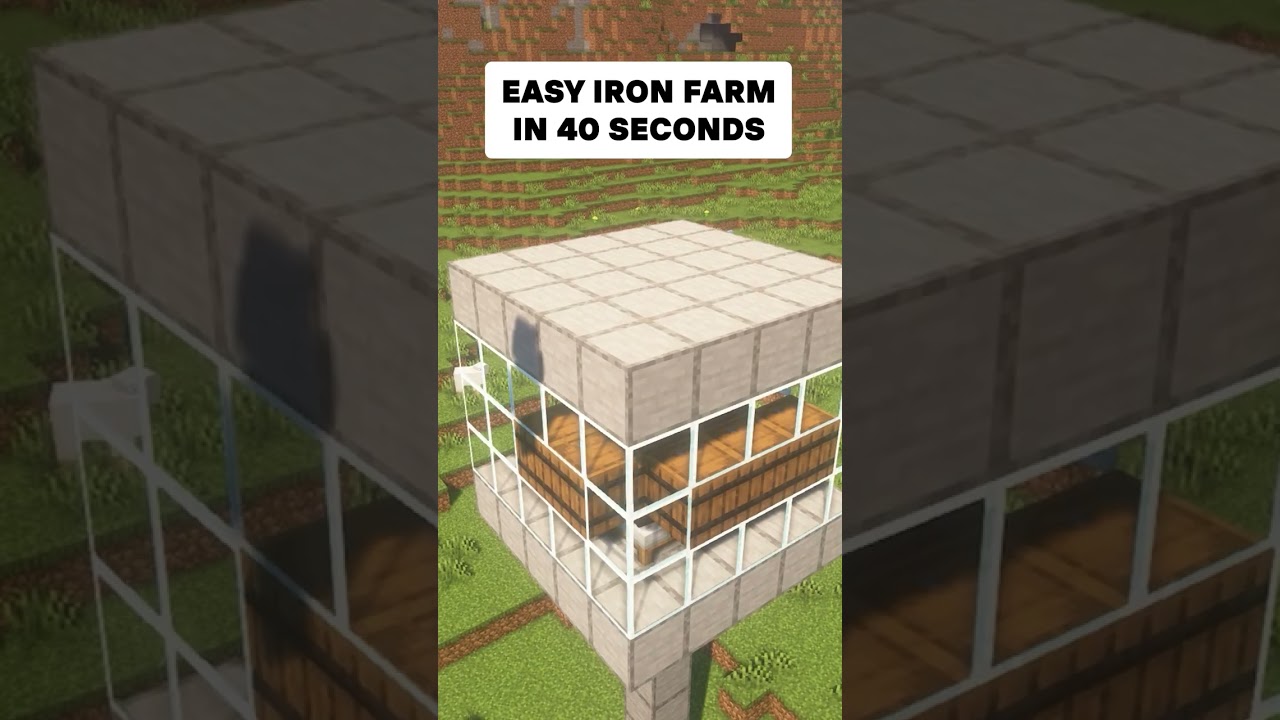
This is the easiest Minecraft Iron Farm for the 1.20 and 1.19 Edition of Minecraft.
This Channel features many tutorials for minecraft farms such as this Iron Farm and an Enderman XP Farm and many other xp farms.
Song by LuKremBo: https://www.youtube.com/watch?v=KGQNrzqrGqw
valid zenith
rocky nova
Wdym make more ores?
You could also crush ores in a crusher to make Ore Grits
but otherwise you'll want to peek at Fortune
rocky nova
Yeah, I still need to get diamonds so I can make enchantment tables
ashen cape
another reason to use the crusher is it gives you a chance of a second byproduct - crushing lead can give silver, or iron, nickel
Helps with getting some of those rarer ores
and it can crush the farmers delight rice, so no moremanually doing it at a cutting board
rocky nova
That's all the convincing I need at this point- to the Lookup Menu!
valid zenith
rocky nova
Yeah, I still need to get diamonds so I can make enchantment tables
Or the enchantment binder table thing
Does take diamonds, for higher value enchants, but otherwise allows you to make enchants from pages you find
rocky nova
I need to get glowstone before I can make the books, otherwise I could do that. I have the Tarot Card that uses EXP to upgrade books, so that'd be perfect for me.
ashen cape
you can actually automate the rice or other farmers delight stuff without it
By having the cutting board on top of a dispenser with the right tool, it will process the items and toss it to a side, which you can collect with a hopper / basket
Then you need a timer / clock for the dispenser
valid zenith
Just make sure to check the overworld for some research towers
rocky nova
What do research towers look like?
Also- thank you for the automation advice, I was starting to wonder if Farmer's Delight was really worth it.
ashen cape
The foods it gives are pretty strong, the Nourishment and comfort buffs help a bunch with staying healed
rocky nova
Beef Stew my beloved
 quiet girder
what do i click to use the multiplayer world hosting thing
grim condor
why is it when my friend joins the server i hosted is he in an empty void
woops sorry didnt mean to reply
valid zenith
quiet girder
what do i click to use the multiplayer world hosting thing
Should be the Open to LAN button
valid zenith
rocky nova
Beef Stew my beloved
Farmer's Delight is pretty good, yeah. Nourishment reduces Exhaustion ticks while ongoing, basically making healing/food more effective, and Comfort reduces ailments like Nausea and Poison.
...don't recall if we have "My Nether's Delights" in the pack, but it makes being in the Nether a little more "worth it" when you go in.
rocky nova
About how many logs worth of Creosote oil can a Jerrycan hold?
 sand spindle
Fear Nightfall - v1.0.12 crashed. The logs have been uploaded to mclo.gs:
- 1.20.1 (Remains of Chaos)
- What launcher did you run Minecraft with? (e.g. CurseForge, ATLauncher, MultiMC, ...)
- Have you changed the modpack in any way except mods?
- v1.0.12
- Have you ever gotten past the crash condition without crashing, or does the game always crash?
- What steps cause the crash?
latest.log | hs_err_pid31108.log | crash_assistant_app.log | win_event1745088011532.txt | CurseForge: skip launcher
Mod list changes beyond the modpack:
[2;34mMod list wasn't modified.[0m
Don't recall how much a log produces when it's turned into Charcoal through the coke oven, but it's probably worth your time to instead use Coal rather than Logs...
especially since you're gonna need a lot of 'em for the Blast Furnace
rocky nova
In order to smelt all the ores?
ashen cape
The blast furnace is for making steel and nothing else, and Coke is the best fuel fo rit
9 blocks of coke = 10 blocks of steel - just remember to takeo ut the slag
jovial sail
any way to summon bosses?
quiet girder
when i try to join my friend it just says connecting for a few minutes and then connection timed out https://mclo.gs/R5dsau7
same thing if he joins me
im on the latest version with no mods changed
valid zenith
ashen cape
The blast furnace is for making steel and nothing else, and Coke is the best fue...
Upgrading the blast furnace allows faster processing, and automation.
...the Slag is at least useful for some stuff
valid zenith
rocky nova
In order to smelt all the ores?
Coal Coke is basically 10x the fuel value for coal, though, so you can use it to process ores too.
ashen cape
for some blocks, and maybe as fertilizer in the garden cloche? not sue if thats in this version
valid zenith
ashen cape
for some blocks, and maybe as fertilizer in the garden cloche? not sue if thats ...
Yeah, as a fertilizer, pretty sure, otherwise it makes a cheap building block
rocky nova
valid zenith
Coal Coke is basically 10x the fuel value for coal, though, so you can use it to...
Gives me a reason to actually go back and mine all that coal I left in the shafts, then.
ashen cape
Coke blocks also give 600 seconds of burn time as opposed to 540 from 9 coke
valid zenith
rocky nova
Gives me a reason to actually go back and mine all that coal I left in the shaft...
Again, best way to get your creosote too.
ashen cape
You also need coal for graphite rods for the arc furnace later
quiet girder
quiet girder
when i try to join my friend it just says connecting for a few minutes and then ...
any fix?
wispy robin
spare badge
Click the gear on the top right
What does that gotta do with them being invisible?
sand spindle
Fear Nightfall - v1.0.12 crashed. The logs have been uploaded to mclo.gs:
- 1.20.1 (Remains of Chaos)
- What launcher did you run Minecraft with? (e.g. CurseForge, ATLauncher, MultiMC, ...)
- Have you changed the modpack in any way except mods?
- v1.0.12
- Have you ever gotten past the crash condition without crashing, or does the game always crash?
- What steps cause the crash?
latest.log | hs_err_pid12952.log | crash_assistant_app.log | CurseForge: skip launcher
Mod list changes beyond the modpack:
[2;34mMod list wasn't modified.[0m
any fix?
ashen cape
!wsfull
proud shaleBOT
 World Sharing servers are currently at capacity
If you're receiving the error "Connection refused: no further information" when trying to join a friend through "Start Co-op" or "Host World", it's likely that Luna's servers (used for world sharing) are currently full. We don't have a way to notify you when slots on our servers free up, but you are welcome to try again later.
We understand and recognise that this may be inconvenient, so we recommend in this case to host or rent your own server. For more information on hosting options, type !server.
spare badge
wispy robin
What does that gotta do with them being invisible?
I think if you hit the gear on the top right it should make them not invisible again I’m not sure
wispy robin
yea but its just for the moment it happens otften
rocky nova
I finally made my first thing with IE!
 quiet girder
proud shale
## <:Moon:1117673600242163792> World Sharing servers are currently at capacity
I...
quiet girder
proud shale
## <:Moon:1117673600242163792> World Sharing servers are currently at capacity
I...
dumb that all other world sharing mods are banned and the one that is built in doesn't work half the time
low heart
"all other world sharing mods" being e4mc/world host that literally use the exact same world sharing system, and essential which has a track record of corrupting peoples worlds? Yeah deal with it and self host a server instance if you really need to
rocky nova
Uhh- I just suddenly got these effects. Can someone tell me what's going on?

I also move and fall very slow now, too
It faded, and I still can't guess what caused it.
spare badge
rocky nova
It faded, and I still can't guess what caused it.
Did you eat anything
rocky nova
Nope, I was just standing in my house
I did just get the 'Collector of Raw Meats' achievement, but it wasn't immediately after, so I can't tell if it's correlation or causation.
ashen cape
Weakness, mining fatigue, and blindness/darkness? don't remember if theres anything that does that
 final linden
hey was wondering if theres a update log for Fear Nightfall
last I played I think i was on chapter 5 a year or so ago, has anything changed/progression added?
low heart
Curseforge or modrinth page for it
Actually idr if the pack is on modrinth but either way
ashen cape
a lot of stuff changed since last year
final linden
does remains of chaos have less than previous fear nightfall?
 shut shuttle
does this support essential?
 placid briar
my friend cant join my world with lan. he can join but a few second later he get kicked and appears a message on his screen saying: "internal exception:java.net.socketexcepetion: connection reset". how can i solve this?
rocky nova
Is there a good way to get Enderpearls? Also, what mobs end to drop sharp fangs?
 mystic ingot
@rocky nova I think using butchery on endermen gets a good amount of ender pearls
rocky nova
I didn't even know you could butcher Enderman- time to gear up!
mystic ingot
Fear Nightfall - v1.0.12 crashed. The logs have been uploaded to mclo.gs:
- 1.20.1 (Remains of Chaos)
- CurseForge
- No
- v1.0.12
- I think so.
- As far as I can tell it happens after I open backpacks too many times.
latest.log | crash-2025-04-19_19.38.12-client.txt | CurseForge: launcher_log.txt | crash_assistant_app.log
Mod list changes beyond the modpack:
[2;34mMod list wasn't modified.[0m
hope I did that right
@rocky nova they don't need a table or to be bleed
just place down and chop
rocky nova
Perfect
mystic ingot
@shut shuttle I personally tried and couldn't get it to start
 open rampart
how do you get blaze rods to progress with the primordial cradle without being able to go to the nether?
ashen cape
You don't need them, you can brew potions with Hexerei
But you can find them in dark wells or several other overworld dungeons
also, gold apples work on the cradle
rocky nova
It's Day 55- why does this hoard have Pigmen?! It's not a Crimson Moon, so Nether mobs shouldn't spawn, right?
Also, is there a way to take an echantment from one weapon to place it on another?
ashen cape
nope, we don't have disenchanting sadly
As for pigmen in hordes, i've never seen that so i dunno
Maybe its time based, with hordes getting harder over time?
rocky nova
Maybe; this is the longest I've stayed in a world, so it would make sense I've never seen it before.
low heart
shut shuttle
does this support essential?
!ea no LPS packs do
proud shaleBOT
The Essential mod is completely incompatible with all of our modpacks, and there's no reason to use it. All of our modpacks already come with built-in, free world hosting, by clicking the "Share World' button in the Open to LAN menu. You can learn more by typing !ws in the #bots channel. You can also run type !server in the same channel to learn how to properly host a server for better performance and more flexibility. In modpacks that aren't owned by us, you can use mods such as e4mc or WorldHost to host a server completely for free without Essential's many issues and crashes and the microtransactions that they constantly bother users with. To learn more about alternatives to the Essential mod, check out this website.
 rotund zenith
ashen cape
nope, we don't have disenchanting sadly
As for pigmen in hordes, i've never seen...
rotund zenith
ashen cape
nope, we don't have disenchanting sadly
As for pigmen in hordes, i've never seen...
disenchanting would be awesome
it's already hard to get enchants from villagers
 hidden dragon
hello, So has anyone made the lovers work? I've been using both the console to put us into teams and the ftb one, but every time I add a player to the teams through console they instantly are removed from it and the ftb teams do no trigger the lovers tarot card
 mighty citrus
hidden dragon
hello, So has anyone made the lovers work? I've been using both the console to p...
mighty citrus
hidden dragon
hello, So has anyone made the lovers work? I've been using both the console to p...
what does this do again
regen right ?
open rampart
What animals drop claws? I can't remember
mighty citrus
wolves
 modest lagoon
Was fungal infectIon mod deleted? Couldn't find any creatures or items from that mod
solemn summit
What do i do with Luminous Essence?
valid zenith
open rampart
What animals drop claws? I can't remember
Any "clawed" animal, which probably includes... ocelots and pandas? But otherwise yeah, wolves
valid zenith
modest lagoon
Was fungal infectIon mod deleted? Couldn't find any creatures or items from that...
It was removed from Reign of Chaos.
valid zenith
solemn summit
i just met the Infector and he just 2 shotted me D:
Canon event.
Infector is unkillable because why the fuck not
valid zenith
Nothing, it doesn't actually exist
 solemn summit
Why XD
ashen cape
Dunno, no information aside from the main mod page saying its discontinued
solemn summit
how do i get the Hauntbound Helmet?
for the gear we made a Gravestone farm
but no sights of helmets / Cemetry for the boss
 brazen hare
!server
proud shaleBOT
Free Method
To host a server on your own computer, read the selfhosting guide.
This guide goes over how to install, create, and launch a free Minecraft server on all operating systems (MacOS, Linux and Windows). The guide also guides you through installing Java and optimizing your server for better performance.
If you are installing one of our older modpacks, ignore the "README" file that is included in the serverpack files, as they have outdated information.
Paid Method
We suggest renting a server from Bisect Hosting:
Approx. $10 - $25 a month depending on what plan you choose. You can also get 25% off with Code LunaPixel.
Go here and order a plan which fits you. We suggest 1GB per player but nothing lower than 4GB as the server needs at least 3GB to run.
Go to #server-hosting for more Info!
The following advice works for both the Free and Paid methods:
Transferring Your World
If you're playing Singleplayer and want to transfer your world to your server, simply go to your modpack files and navigate to the saves folder. Inside of this folder, you will see your world saves. Rename your desired world save to world. You can then transfer this folder to your server files. If your world was hosted via world sharing, this process has to be done by the person who would click "Share World".
Fixing Lag
To resolve lag issues, simply run the !tps command in #bots and follow the directions provided.
 plush hare
ashen cape
Dunno, no information aside from the main mod page saying its discontinued
plush hare
ashen cape
Dunno, no information aside from the main mod page saying its discontinued
From the GCZ server
 wispy robin
What is with all the crashes when trying to open the backpack?
 short pulsar
 round lintel
how do i remove this?
round lintel
how do i remove this?
open your waypoint manager
short pulsar
sand spindle
Fear Nightfall - v1.0.12 crashed. The logs have been uploaded to `mclo.gs`:
1. 1...
!paging
proud shaleBOT
How To View Paging File Size
Before anything else screenshot how much disk space each of your drives have and post it as it might be caused by low disk space.
From the Windows search button search up "Advanced System Settings" and open the first result.
Press the "Settings" button located under the Performance section.
In the new section that has opened press "Advanced" and after press the "Change" button located under the "Virtual Memory" section.
After locating it screenshot the resulting page and post it.
open rampart
anyone know why my bonescaller staff won't work?
 drifting tide
is there any version of origins and origins ++ that is compatable with this modpack
round lintel
short pulsar
open your waypoint manager
i mean yes i can remove it by shift clicking but they keep coming back
 lavish zealot
I tried to start my server in the game but it failed and I dont know why...did something happen?
rocky nova
Is there a good way to farm Enderman in the Overworld?
ashen cape
I'm pretty sure there aren't any overworld enderman spawners in RoC
So for farming pearls clerics trade will be the best option
rocky nova
Gotcha.
 rocky nova
How do you make sure you never get lost when traveling by broom?
ashen cape
I added Journeymap since i don't like the map atlas
placid briar
Are the hordes guaranteed to come? I've been through the sixth night and no hordes have come, and to be honest, hardly any monsters
ashen cape
Supposed to be but the settings don't seem to carry over all the time
placid briar
So the hordes won't always come every 5 nights?
ashen cape
If you know how to open NBT files (Like with NBT exploerer) you can check a file in
" Fear Nightfall> Saves >world>data>hordes.dat "
And see what the increment is actually set to, and when the next one is
ashen cape
its honestly kinda weird, i've had saves where it worked normally and others on the same install where they didn't
placid briar
probably its glitched, but thanks!
 spice urchin
i was playing fear nightfall with my friend and he dropped me witches armour and i was spamming right click when my screen suddenly zoomed in. i set my fov to quake pro and it looked like normal but i cant see my hands and the sens is all messed up
when i logged off and closed the server and came back another day, it got fixed, but when i right clicked reading glasses on, it happened again
help pls
 jovial sail
how do i spawn flesh blobs?
short pulsar
wispy robin
What is with all the crashes when trying to open the backpack?
update the travelers backpacks mod
short pulsar
round lintel
i mean yes i can remove it by shift clicking but they keep coming back
you can disable death waypoints in the config of the map mod
short pulsar
lavish zealot
I tried to start my server in the game but it failed and I dont know why...did s...
Please read the full contents of the #get-support channel for us to provide assistance.
round lintel
short pulsar
you can disable death waypoints in the config of the map mod
its not death tho, is like a auto mark for chests
 plush hearth
Is there a way to pickup or store villagers? since I saw youtube video lately where he used something to pickup villagers and place them directly into their inventory
 shell prawn
heyo guys, anyone got a tip on how to farm xp? like a mob farm setup or something like that?
ashen cape
i use tarot cards to farm exp
Mob farms are a little annoying with miner zombies and demolitionist creepers
Empress card, with animals, to breed them automatically
Or the Damage into Experience + No fall damage card, and falling ( i think the cards are The Hanged Man and The Tower)
Both of those benefit from another tarot card (hierophant i think?) which boosts exp and the lapis backpack buff
 tame bone
What's the best Y-level to mine spinel? The wiki for BOH isn't very... informative.
valid zenith
tame bone
What's the best Y-level to mine spinel? The wiki for BOH isn't very... informati...
Honestly found it everywhere.
valid zenith
spice urchin
i was playing fear nightfall with my friend and he dropped me witches armour and...
There's a hotkey for zooming using the Reading Glasses.
spice urchin
valid zenith
There's a hotkey for zooming using the Reading Glasses.
Yea. But when I press it it does nothing when that happens.
I did find out how to fix it, by holding reading glasses and shift right clicking, but when I put the glasses back on, it zooms back in and I can't zoom out
valid zenith
Not sure how the glasses work, this seems a little funky
tame bone
spice urchin
Yea. But when I press it it does nothing when that happens.
I did find out how ...
I experienced that aswell don't exactly remember how I fixed it though
Btw how do I obtain dragon's breath in this pack?
valid zenith
There might be some other ways to get it, not sure how though
considering there isn't a dragon
 candid grail
does anyone know why the book of shadows from the hexerei mod is cursed? my friend opened it once and their game keeps crashing after opening it
valid zenith
candid grail
does anyone know why the book of shadows from the hexerei mod is cursed? my frie...
Shaders most likely
candid grail
okay, ill try
valid zenith
Think it's Insanity shaders that could fix it - it's happened with the candle dipper where using Insanity makes it not crash
candid grail
they immediately crashed this time 😭
lavish zealot
Hi I hope someone could help me
I started this server with the "free method" and I was playing until two days ago. Yesterday I tried to run the server but It didnt work (neither in local nor in public). In the crash logs it said that it crashed because of server tick loop but it wasnt specified the real reason...
 thick fiber
Besides this channel and the announcements one, does the modpack developer talk about upcoming updates anywhere else? I really want that tarot deck fix already having the cards in the inventory takes up way too much space.
mighty citrus
thick fiber
Besides this channel and the announcements one, does the modpack developer talk ...
?
the deck works fine to my knowledge
which ones in particular dont
ashen cape
It used to be fine since accesories got re-added its caused issues with the tarot again iirc
 stable kite
can somebody help me w something
Fear Nightfall - v1.0.12 crashed without a crash report. The logs have been uploaded to mclo.gs:
-
1.20.1 (Remains of Chaos)
-
What launcher did you run Minecraft with? (e.g. CurseForge, ATLauncher, MultiMC, ...)
CurseForge -
Have you changed the modpack in any way except mods?
No -
v1.0.12
Yes -
Have you ever gotten past the crash condition without crashing, or does the game always crash?
Always crashes, without a crash report -
What steps cause the crash?
latest.log | CurseForge: launcher_log.txt | crash_assistant_app.log
Mod list changes beyond the modpack:
[2;34mMod list wasn't modified.[0m
my server is on curseforge, i used to be able to run fear nightfall perfectly fine, so im not quite sure as to why thats happening
do i need to swap to at launcher?
mighty citrus
can you answer the questions
stable kite
mighty citrus
can you answer the questions
answered
mighty citrus
try swapping
i'll read log in a sec
you are allocating enough ram right ?
there is nothing to read nvm
😭
stable kite
mighty citrus
you are allocating enough ram right ?
i have 9.8 out of 16GB of ram allocated to fear nightfall
thats what i mean, there's literally 0 crash reports
if there was a crash report i'd know what to fix
thick fiber
mighty citrus
?
The problem is with the deck itself. As of yesterday, it still bugs the inventory, so we have to keep the cards outside of it.
mighty citrus
how does it bug the inv
thick fiber
mighty citrus
how does it bug the inv
When I open the deck, it pulls items from my inventory into itself. And when I try to put cards in, they stay in my inventory, and the items that were in those slots just disappear.
mighty citrus
ive seen that but it always seems to fix when closing
shift clicking to open tarot doesnt do that
thick fiber
uhmmmm let me try it
mighty citrus
or for me anyway it doesnt
thick fiber
mighty citrus
or for me anyway it doesnt
I couldn’t get a screenshot, but when I open the deck, it already shows items from my inventory inside it. And when I put the cards in, the deck still looks empty the cards stay in my inventory.
thick fiber
Never mind haha, I was opening it while sneaking by mistake. It worked fine when I opened it normally. I couldn’t store The Hierophant card, though... all the others went in just fine.
mighty citrus
oh wtf
thats weird
its the opposite for me
opening reg does the inv thing, shift clicking works
thick fiber
Actually, I swapped the Ctrl and Shift keys
mighty citrus
yeah sorry i call it shift out of habit lol
thick fiber
But thank you so much, I was using almost half of the space with the cards
spare badge
ashen cape
i use tarot cards to farm exp
Mob farms are a little annoying with miner zombies...
Tarot cards are genuinely some of the best things on the planet stg
The tarot card of strength combined with the war blade is op
placid briar
Is the modpack compatible with essential?
ashen cape
!ea
proud shaleBOT
The Essential mod is completely incompatible with all of our modpacks, and there's no reason to use it. All of our modpacks already come with built-in, free world hosting, by clicking the "Share World' button in the Open to LAN menu. You can learn more by typing !ws in the #bots channel. You can also run type !server in the same channel to learn how to properly host a server for better performance and more flexibility. In modpacks that aren't owned by us, you can use mods such as e4mc or WorldHost to host a server completely for free without Essential's many issues and crashes and the microtransactions that they constantly bother users with. To learn more about alternatives to the Essential mod, check out this website.
placid briar
thanks
proud shaleBOT
World Sharing servers are currently at capacity
If you're receiving the error "Connection refused: no further information" when trying to join a friend through "Start Co-op" or "Host World", it's likely that Luna's servers (used for world sharing) are currently full. We don't have a way to notify you when slots on our servers free up, but you are welcome to try again later.
We understand and recognise that this may be inconvenient, so we recommend in this case to host or rent your own server. For more information on hosting options, type !server.
 ocean bridge
!wsfull
proud shaleBOT
World Sharing servers are currently at capacity
If you're receiving the error "Connection refused: no further information" when trying to join a friend through "Start Co-op" or "Host World", it's likely that Luna's servers (used for world sharing) are currently full. We don't have a way to notify you when slots on our servers free up, but you are welcome to try again later.
We understand and recognise that this may be inconvenient, so we recommend in this case to host or rent your own server. For more information on hosting options, type !server.
ocean bridge
!server
proud shaleBOT
Free Method
To host a server on your own computer, read the selfhosting guide.
This guide goes over how to install, create, and launch a free Minecraft server on all operating systems (MacOS, Linux and Windows). The guide also guides you through installing Java and optimizing your server for better performance.
If you are installing one of our older modpacks, ignore the "README" file that is included in the serverpack files, as they have outdated information.
Paid Method
We suggest renting a server from Bisect Hosting:
Approx. $10 - $25 a month depending on what plan you choose. You can also get 25% off with Code LunaPixel.
Go here and order a plan which fits you. We suggest 1GB per player but nothing lower than 4GB as the server needs at least 3GB to run.
Go to #server-hosting for more Info!
The following advice works for both the Free and Paid methods:
Transferring Your World
If you're playing Singleplayer and want to transfer your world to your server, simply go to your modpack files and navigate to the saves folder. Inside of this folder, you will see your world saves. Rename your desired world save to world. You can then transfer this folder to your server files. If your world was hosted via world sharing, this process has to be done by the person who would click "Share World".
Fixing Lag
To resolve lag issues, simply run the !tps command in #bots and follow the directions provided.
 undone badger
They need to add waypoints
 wary jay
anyone know how to fix this? the supreme bonescaller wont even spawn and i cant complete chapter 2

all these entities wont even spawn
wary jay
wbt the supreme bonescaller? there´s a quest to kill him but he wont spawn, is that normal?
short pulsar
he only spawns sometimes
 woven spade
Does anyone have a server that people can join and play at?
ocean bridge
!wsfull
proud shaleBOT
World Sharing servers are currently at capacity
If you're receiving the error "Connection refused: no further information" when trying to join a friend through "Start Co-op" or "Host World", it's likely that Luna's servers (used for world sharing) are currently full. We don't have a way to notify you when slots on our servers free up, but you are welcome to try again later.
We understand and recognise that this may be inconvenient, so we recommend in this case to host or rent your own server. For more information on hosting options, type !server.
 still bobcat
I dug myself out of the backrooms and fell into the void, is my corpse gone foreva, or do i gotta find it somewhere?
Im assuming its jsut gone haha
Oh well maybe I think I can tp myself to the backrooms dimension and tp it to myself I guess
 tall hawk
still bobcat
I dug myself out of the backrooms and fell into the void, is my corpse gone fore...
tall hawk
still bobcat
I dug myself out of the backrooms and fell into the void, is my corpse gone fore...
likely bottom of the void.
still bobcat
Yeah, it was haha, I know its a little scummy, but I just tped myself into the backrooms to get my corpse back. never making that mistake again
 tough dust
Hey, not good with mods but been playing this pack wiht a friend on a server and noticed not many hostile mobs are spawning? (The Damned, Posessed Creatures, Etc.) Anyone know a fix?
Thanks
 outer gale
What's the mod behind backrooms place?
low heart
box of horrors iirc
outer gale
Is there a way to disable the backrooms teleport, or what triggers it?
low heart
there's a few things that can trigger it like suffocation damage
 quiet summit
A zombie with a fishing rod took the weapon I was holding and it literally just vanished into thin air
Is this intended or an issue?
Bc if intended that's absolutely ridiculous
low heart
you sure you didn't just drop it? nothing should be able to unequip something you're holding afaik
quiet summit
It's not the first time it's happened, I just finally figured out what is happening
One other time one of those pink dudes stole my sword and walked off with it
Absolutely abysmal gameplay element tbh
low heart
i've never had that happen so idk
quiet summit
I even turned on hitboxes for items and she gone, nothing on the ground
low heart
the fishing rod zombies just pull you with the fishing rod
quiet summit
Tested it and yeah they yoink it right out of your hand
tame bone
This quest isn't working for me, I have enough steel scaffolding and all the dependencies unlocked?

 strange grove
tame bone
This quest isn't working for me, I have enough steel scaffolding and all the dep...
strange grove
tame bone
This quest isn't working for me, I have enough steel scaffolding and all the dep...
try to drop and pick it up. Does it register?
tame bone
no
for some reason it doesn't
idk why cuz it registered on all the other quests but htis one
strange grove
u also crafted another batch of em i assume
tame bone
yeah
 heady root
!moreinfo @fading holly
proud shaleBOT
- What Minecraft version are you using? (1.19.2, 1.20.1, ...)
- What launcher did you run Minecraft with? (e.g. CurseForge, ATLauncher, MultiMC, ...)
- Have you changed the modpack in any way? (e.g. changing mod versions, adding/removing mods)
- What version of the modpack are you using? (v11, v9, etc)
- Have you ever gotten past the crash condition without crashing, or does the game always crash?
- What steps cause the crash?
Required:
Open the game directory (right click pack -> open folder), navigate to the "crash-reports" folder and upload the latest available crash report.
If there is no crash report, navigate to the logs folder and upload "latest.log."
If there is no log, navigate to the base pack directory and upload the hs_err_pid file, if there is one.
 fading holly
proud shale
1. What Minecraft version are you using? (1.19.2, 1.20.1, ...)
2. What launcher ...
fading holly
proud shale
1. What Minecraft version are you using? (1.19.2, 1.20.1, ...)
2. What launcher ...
1 1.20.1
2 Curse dorge
3 No changes
4 Fear nightfall Version:1.0.12
5 Red screen then error code 1
6 Pressing play

 violet ledge
fading holly
1 1.20.1
2 Curse dorge
3 No changes
4 Fear nightfall Version:1.0.12
5 Red screen...
violet ledge
fading holly
1 1.20.1
2 Curse dorge
3 No changes
4 Fear nightfall Version:1.0.12
5 Red screen...
Please share the log as file attachment in Discord
Screanshots are not very readable
fading holly
violet ledge
fading holly
https://mclo.gs/1vEZ0oX
    [Info: 2025-04-22 10:35:05.2791455: wlbfAQ==: MinecraftJavaLoggingContext.cpp(65)] Launcher/launcher (main) Info
Exception in thread "main" cpw.mods.niofs.union.UnionFileSystem$UncheckedIOException: java.util.zip.ZipException: zip END header not found
Caused by: java.util.zip.ZipException: zip END header not found
Your installation is damaged
!alternates
proud shaleBOT
If this command was run in response to your question/issue, it is likely because switching away from the launcher you are currently using would fix your problem.
From our experience, the most stable launcher by far is ATLauncher, also known as ATL. Keep in mind that ATL is NOT related to TLauncher in any way, and is not a cracked launcher.
To install ATL, do the following:
1. Go to https://atlauncher.com/download. If you are on MacOS, then choose the "Jar" version under the "Other" tab.
2. Install and run the setup, then open the program.
3. Login to your Microsoft account that owns the Java Edition of Minecraft from the Accounts tab on the right. This process is 100% safe, as it goes directly through Microsoft. ATL doesn't see your account credentials.
4. Go to the Packs tab on the right, then click "Curseforge" on the left.
5. Search the modpack you wish to download.
6. Click "Install". Then, follow the on-screen directions.
7. Go to the Instances tab, and click "Play" on the modpack you downloaded. If you ever see an "Update" button on the instance, click it.
This video explains the process: https://youtu.be/xMYW1wMbmkM
To transfer your Curseforge world to ATL, simply right click the modpack on Curseforge, or click the 3 dots, then click "Open Folder". Copy the Saves folder, then click "Open Folder" on ATL and paste the Saves folder there. Do the same with the XaerosMinimap folder, or the Journeymap folder, to transfer over any waypoints you've created.
Because ATL downloads the exact same files as Curseforge does, your world will be the exact same and you will be able to join the same servers. ATL also works without an internet connection (after you've installed the modpack, of course), and does not have any bloat from Overwolf. You are free to uninstall both Overwolf and Curseforge with ATL installed.
violet ledge
Follow the above and move to ATL ^^
fading holly
violet ledge
Follow the above and move to ATL ^^
okay, imma give it a try and thank you so much!
IM IN
quiet summit
Is there a config change I can make to stop fishing rod zombies and pink dudes from stealing whatever is in my hand?
Curseforge
Fear nightfall v1.0.12
 elfin swift
anyone knows how to fix this? we get this error when we connect with a friend. we double checked our mods they are the same version.
 tame bone
What mobs drop bile glands?
outer gale
is there a way to disable backrooms teleport from the config?
mighty citrus
outer gale
is there a way to disable backrooms teleport from the config?
there is no config from what i remember lol
outer gale
mighty citrus
there is no config from what i remember lol
oh that sucks, is it box of horrors mod that triggers it tho?
mighty citrus
yeah
ashen cape
tame bone
What mobs drop bile glands?
plenty but i remember squids being an easy source, assuming you have flesh plunderer / despoil enchant
outer gale
mighty citrus
yeah
do you know what triggers it, someone told me its suffocating damage, anything else?
mighty citrus
outer gale
do you know what triggers it, someone told me its suffocating damage, anything e...
suffocation damage yeah
only i think
outer gale
how do you get out of it, my friends usually end up there and i have to get them out using console
outer gale
okay, thank you for the support!
ashen cape
There is a little info on this wiki
Not super useful tbh
https://trello.com/b/w6qr1jsM/the-box-of-horrors-wiki
Organize anything, together. Trello is a collaboration tool that organizes your projects into boards. In one glance, know what's being worked on, who's working on what, and where something is in a process.
outer gale
is there a way to reduce sanity loss?
outer gale
ashen cape
There is a little info on this wiki
Not super useful tbh
https://trello.com/b/w6...
yeah .. not too useful xD
low heart
Flower garland or whatever it's called
 rotund apex
Is there a config for Eldritch End that could limit/disable the spawning of Ominous Eyes? They are spawning very aggressively and causing lag.
wispy robin
is the insomnia cure pointless in this?
wary jay
tame bone
What mobs drop bile glands?
normally pigs, i think creepers too, but you need a tool enchanted with despoil or a flesh plunderer for it to drop
 analog egret
Hello, a doubt, I read the description of the versions of the modpack and I have the doubt whether to play the 1.19.2 and 1.20.1 have each version a different story campaign, and that the 1.20.1 is after defeating Herobrine? Or they are the same modpack each version with almost no differences?
valid zenith
analog egret
Hello, a doubt, I read the description of the versions of the modpack and I have...
Both have way different mods due to what is available in 1.19.2 and 1.20.1.
1.20.1 is something like "after Herobrine was defeated," sure, but it's defintely a different story
valid zenith
wispy robin
is the insomnia cure pointless in this?
Not useful due to the lack of Phantoms.
wispy robin
valid zenith
Not useful due to the lack of Phantoms.
Thank you!
analog egret
valid zenith
1.20.1 is something like "after Herobrine was defeated," sure, but it's defintel...
Do you recommend me to play first the version 1.19.2?
low heart
it's not necessary iirc
valid zenith
analog egret
Do you recommend me to play first the version 1.19.2?
If you'd like, but 1.20.1 is what she's more familiar with and quite likes.
ashen cape
The first campaing is complete if that makes a differene to you
short pulsar
 rough gust
how do i play fear nightfall with my mates
rough gust
how do i play fear nightfall with my mates
!ws
proud shaleBOT
Luna Pixel's World Sharing
Our modpacks don't support any mods that add singleplayer hosting / world sharing because we already provide free world sharing. The 'Essential' mod is therefore incompatible.
To share your world using our own world hosting, click the 'Open to Lan' or 'Share World' button in the game menu when in a singleplayer world, and share the world.
It will give you an address, like magma-cube.mc.lunapixel.gg, which your friends can use to connect directly to your world as if it were a server!
We still highly suggest not to play through LAN as LAN is untested and unreliable. Using it will cause longterm damage to your world.
There is no reason to use LAN, as we support both paid and free methods of hosting a server the normal way.
 short pulsar
elfin swift
anyone knows how to fix this? we get this error when we connect with a friend. ...
short pulsar
elfin swift
anyone knows how to fix this? we get this error when we connect with a friend. ...
!server
proud shaleBOT
Free Method
To host a server on your own computer, read the selfhosting guide.
This guide goes over how to install, create, and launch a free Minecraft server on all operating systems (MacOS, Linux and Windows). The guide also guides you through installing Java and optimizing your server for better performance.
If you are installing one of our older modpacks, ignore the "README" file that is included in the serverpack files, as they have outdated information.
Paid Method
We suggest renting a server from Bisect Hosting:
Approx. $10 - $25 a month depending on what plan you choose. You can also get 25% off with Code LunaPixel.
Go here and order a plan which fits you. We suggest 1GB per player but nothing lower than 4GB as the server needs at least 3GB to run.
Go to #server-hosting for more Info!
The following advice works for both the Free and Paid methods:
Transferring Your World
If you're playing Singleplayer and want to transfer your world to your server, simply go to your modpack files and navigate to the saves folder. Inside of this folder, you will see your world saves. Rename your desired world save to world. You can then transfer this folder to your server files. If your world was hosted via world sharing, this process has to be done by the person who would click "Share World".
Fixing Lag
To resolve lag issues, simply run the !tps command in #bots and follow the directions provided.
wispy robin
My server crashed and im not too good at reading these logs. Can anyone help? Latest Server 1.0.12 pack no changes except Travelers BP updated to 1.20.1-9.1.33----- Idk what caused the crash thats what I am asking. It just crashed randomly so I do not know if I got passed the crash.
 velvet snowBOT
wispy robin
My server crashed and im not too good at reading these logs. Can anyone help? La...
velvet snowBOT
wispy robin
My server crashed and im not too good at reading these logs. Can anyone help? La...
Uploaded crash-2025-04-22_17.07.47-server.txt from @wispy robin to mclogs: https://mclo.gs/H0bIDKU
short pulsar
wispy robin
My server crashed and im not too good at reading these logs. Can anyone help? La...
Please read the full contents of the #get-support channel for us to provide assistance.
wispy robin
short pulsar
Please read the full contents of the <#1226057161767911516> channel for us to p...
I updated the message
short pulsar
wispy robin
My server crashed and im not too good at reading these logs. Can anyone help? La...
!TPS
proud shaleBOT
Please follow the guide here for changing the Java version your server uses. This will improve performance dramatically. If you are on a third party server host, you likely can not change the Java version your server uses. Bisect Hosting and a few VPS providers do allow changing Java version, though, which can usually be done through your server dashboard.
The method on Bisect is to simply go to the main dashboard page, and select "GraalVM 22" as the Java distribution. If it crashes, use 21 instead.
For further performance improvements, you can also follow this guide.
Reducing server render distance in the server.properties file is also a very good way of reducing lag. Most of our modpacks include mods like Bobby and Farsight, which make it so reducing server render distance will not affect players.
If lag persists, run the following command ingame:
/spark profiler start --only-ticks-over 50
Then, send the link in this channel.
hidden dragon
is there anything that keeps up with the bio-forge weapons?
the claws just seem way too good
The original plan was to use the ink arena's scythe but the claws hit for like 7 at sharpness 5 with a 3.5 attack speed which is insane
 weary peak
ok could anyone by chance give me some info on how i can get regen/health potions for the primordial cradle been stuck on it for a few days and cannot figure out how
wispy robin
Make them in the brewing stand just normal potions
weary peak
wispy robin
Make them in the brewing stand just normal potions
well thats the problem i cant access the nether yet and cannot find out how to get blaze rods/ powder to craft them
violet ledge
weary peak
well thats the problem i cant access the nether yet and cannot find out how to g...
rotund zenith
hidden dragon
The original plan was to use the ink arena's scythe but the claws hit for like 7...
the dark warblade is an okay alternative... although dps-wise claws still win
 scarlet obsidian
Hello dm me I’m looking to join someone or someone join me I really love the mod but I would love to play it with someone
violet ledge
scarlet obsidian
Hello dm me I’m looking to join someone or someone join me I really love the mod...
 raw bison
yo this might be the wrong thread but im playing fear nightfdall andmu game keeps crashing whenever open my inventory after a few mnutes and gives me the following message; Fear Nightfall - v1.0.12 crashed. The logs have been uploaded to mclo.gs:
- 1.20.1 (Remains of Chaos)
- What launcher did you run Minecraft with? (e.g. CurseForge, ATLauncher, MultiMC, ...) curseforge
- Have you changed the modpack in any way except mods? i addded the essential mod
- v1.0.12
- Have you ever gotten past the crash condition without crashing, or does the game always crash? it didnt do this at all yesterday
- What steps cause the crash?
latest.log | crash-2025-04-23_08.59.45-client.txt | CurseForge: launcher_log.txt | crash_assistant_app.log
Mod list changes beyond the modpack:
Added mods:
[2;32messential_1-3-5-12_forge_1-20-1.jar[0m
[2;32mprometheus-1.1.1-essential.jar[0m
The Essential mod is completely incompatible with all of our modpacks, and there's no reason to use it. All of our modpacks already come with built-in, free world hosting, by clicking the "Share World' button in the Open to LAN menu. You can learn more by typing !ws in the #bots channel. You can also run type !server in the same channel to learn how to properly host a server for better performance and more flexibility. In modpacks that aren't owned by us, you can use mods such as e4mc or WorldHost to host a server completely for free without Essential's many issues and crashes and the microtransactions that they constantly bother users with. To learn more about alternatives to the Essential mod, check out this website.
valid zenith
raw bison
yo this might be the wrong thread but im playing fear nightfdall andmu game keep...
Not only did you add Essential, you did something to bypass the error message.
violet ledge
Cannot even guarantee it will fix it, but it's failing at a vanilla multiplayer class, so your world might even be permanently cooked

And I see essential in the mixin list
valid zenith
Also what is prometheus-1.1.1-essential?
raw bison
valid zenith
Also what is prometheus-1.1.1-essential?
it gives essential cosmetics for free
valid zenith
Again, click the link from the !ea command, because
you're both using Essential
and using something to bypass a part of Essential that shouldn't exist regardless.
raw bison
It has been working fine and not crashing for my friends but ya ill look over the essential alternatives and see if that helps. wdym click the link for the !ea command. sorry very new to modding
 raw bison
oh gotcha thanks will do
valid zenith
Yeah.
 limpid hound
Is there any point in not building a skybase in this pack? nothing seems to be able to reach you in the sky, or deter you from being up there
violet ledge
limpid hound
Is there any point in not building a skybase in this pack? nothing seems to be a...
Just your inner values
limpid hound
Fair, i cannot convince a friend not to skybase away from the action 
violet ledge
If you feel like you cannot beat a pack without it, go for it
Some people play Minecraft in hardcore, some play easy. Some people use duping, some don't
tame bone
Best Y-level / biome to mine bauxite?
ashen cape
The immersive engineering manual should list the spawning aareas for ores
 tight zinc
I think bauxite also spawns in specific biomes so u may want to check that
valid zenith
limpid hound
Fair, i cannot convince a friend not to skybase away from the action <:kek:66596...
Tell them about Bamboo.
Mobs can't path around it when you're closer to the middle
tame bone
I swear in the 1.19 pack their were creepers that launched themselves and spiders that can climb through your chimney
valid zenith
There's no launch creepers, but there are deathbomb creepers (rarely) and creepers riding spiders (also rarely), but those aren't often.
The only real threat are zombies that have tools.
And demo-skeletons which blow up if you don't kill them before their special potion effect ends.
If you're afraid, though, we got Biomancy. They got a powerful melee.
tame bone
I remember in the 1.19 pack I kept on getting bombarded by creepers in my tree base
limpid hound
tame bone
I remember in the 1.19 pack I kept on getting bombarded by creepers in my tree b...
Yeah same, the launch creepers were a fun challenge, shame they removed them
tame bone
I think the 1.20 pack is still great but I feel like it has less stakes/challenge compared to 1.19 pack. Still great though!
ashen cape
There are still rocket jumping creepers, but the odds were put far lower than they were in legacy, almost never see any
tame bone
is there a config to make them spawn more or something?
 steel summit
How do I play with other people from different lan for free?
mighty citrus
steel summit
How do I play with other people from different lan for free?
!ws
proud shaleBOT
Luna Pixel's World Sharing
Our modpacks don't support any mods that add singleplayer hosting / world sharing because we already provide free world sharing. The 'Essential' mod is therefore incompatible.
To share your world using our own world hosting, click the 'Open to Lan' or 'Share World' button in the game menu when in a singleplayer world, and share the world.
It will give you an address, like magma-cube.mc.lunapixel.gg, which your friends can use to connect directly to your world as if it were a server!
We still highly suggest not to play through LAN as LAN is untested and unreliable. Using it will cause longterm damage to your world.
There is no reason to use LAN, as we support both paid and free methods of hosting a server the normal way.
steel summit
thabnk you ill give it a try
ashen cape
tame bone
is there a config to make them spawn more or something?
yes, Enhanced AI configs let you tweak how much the buffed versions of vanilla mobs will spawn
 spark pivot
SOMEONE HELP HOW DO I GET HEART GOO
ashen cape
You find sculk hearts underground and mine them with a netherite hoe


they can spawn near any deep dark, doesn't need to be an ancient city
spark pivot
YAY THANKS
ashen cape
If you want a tp for finding them, turn on subtitles in accesibility options, and listen for warden heartbeats
 lilac rain
do krampus only spawn at nighty
ashen cape
Isn't that a seasonal nightmare stalker which only spawns around christmas?
 royal swallow
krampus only spawn at night after killing a bunch of passive mobs
such as if you have an animal farm with that tarot card that breeds
especially pigs
krampus are susceptible to 2 block wide trenches and in return you get a whole bunch of pretty good items
notable drops being tridents, totems of undying, darkmetal pieces, and my personal favorite the pumpkin staff
proud shaleBOT
Luna Pixel's World Sharing
Our modpacks don't support any mods that add singleplayer hosting / world sharing because we already provide free world sharing. The 'Essential' mod is therefore incompatible.
To share your world using our own world hosting, click the 'Open to Lan' or 'Share World' button in the game menu when in a singleplayer world, and share the world.
It will give you an address, like magma-cube.mc.lunapixel.gg, which your friends can use to connect directly to your world as if it were a server!
We still highly suggest not to play through LAN as LAN is untested and unreliable. Using it will cause longterm damage to your world.
There is no reason to use LAN, as we support both paid and free methods of hosting a server the normal way.
lilac rain
royal swallow
krampus only spawn at night after killing a bunch of passive mobs
i just killed it, is it more worht to make the horn or the sword
 finite pond
I just cant kill the corpse warlock. I have diamond armor prot IV, gapples, potions, I enen summoned 5-6 iron golems to help with his summons. He is immune to arrows, so the only way to kill him is melee, but when I get to him he instantly teleports to other place and casts his spells from afar. I have campfires all over the arena, multiple totems of undying, but my sanity goes down so easily and he constantly heals, I cant even hit him bc he is so fast and teleports every time. I tried multiple times, but I just cant beat him. I get him to 170 hp and then just died without resources. Idk I need some help maybe there is a trick or tactic, I'm desperate
valid zenith
finite pond
I just cant kill the corpse warlock. I have diamond armor prot IV, gapples, poti...
Have you tried the Gunblade?
Also try using the Acolyte armor, y'know, the Biomancy gear.
Diamond is not helping you in this case if you're gonna keep getting killed by him
plush hearth
how do I transport villagers if they just break the boats?
ashen cape
carryon
shift right click with empty hands
 vague rover
Hey I'm playing with a friend and we killed the Fallen knight but it only completed the quest for one of us. I'm confused will it be like this for every mini boss?
tame bone
How do I fix this?

 uncut peak
yo can anyone help me with something related with voice chat ?
tame bone
tame bone
How do I fix this?
I don't understand why this happened I just turned my pc of and on again? Also I don't even have any datapacks installed
finite pond
valid zenith
Also try using the Acolyte armor, y'know, the Biomancy gear.
Thanks, I'll try it then
valid zenith
finite pond
Thanks, I'll try it then
The gunblade part will need you to spread some of the flesh, but.
It won't take too long.
 steady olive
Hello everyone, I'm playing with a friend and I'd like to go to hell, we're doing everything according to the quests, but we're stuck on chapter 3, we need a regeneration potion, but there's no way to do it without going to HELL, or we just have to wait a long time for the merchant.Can this process be done faster?
ashen cape
You don't need to go to the nether
all potion ingredients can be looted in overworld dungeons
Blaze rods are also unnecesary, since hexerei lets you brew potions in cauldrons
...regen potions aren't needed either, as gold apples should work on the cradle
steady olive
Got it, thanks a lot!
short pulsar
tame bone
How do I fix this?
Please read the full contents of the #get-support channel for us to provide assistance.
 woeful crystal
tame bone
I swear in the 1.19 pack their were creepers that launched themselves and spider...
woeful crystal
tame bone
I swear in the 1.19 pack their were creepers that launched themselves and spider...
there were

They were really cool
ashen cape
they still exist, its a 3% chance
spare badge
Firework creepers are genuine opps
spare badge
finite pond
I just cant kill the corpse warlock. I have diamond armor prot IV, gapples, poti...
It was difficult for me as well, I didint use the gunblade but I also had prot 4 diamond and a war blade with the strength tarot card that helped a lot
My strategy with them is when he summons corpse minions you NEED to kill them first, don’t worry about the warlock, if you let too many minions spawn he’ll use all of them to heal back up to full hp again
Kill the minions, get a couple crits in the warlock, hence repeat until he dies and just avoid his attacks
Gunblade sounds like a better weapon tho I just went in and died six times until I finally got him
 dense smelt
hey i cant seem to get my voice chat to work anyone know how to fix this
ashen cape
!pins
proud shaleBOT

 limpid sand
my friend is hosting a server for fear nightfall on exaroton, our quest books are completely empty! how can we fix this? or can we complete quests anyways?
short pulsar
limpid sand
my friend is hosting a server for fear nightfall on exaroton, our quest books ar...
!aternos
proud shaleBOT
We don't support Aternos nor can we assist you with using it for reasons listed below;
- You are unable to add / edit the mods to implement a fix that can be game changing at times.
- We are unable to control the updates of our packs on Aternos, nor ever will.
- The hosting is not strong enough to host our packs on there without it crashing every so often.
- We have other free methods that work much better than Aternos does. Run the !ws command and the !server command in #bots for more information on how to host a server for free.
short pulsar
same goes for Exaroton
it cant install modpacks correctly
this is not a modpack issue, its your host
limpid sand
short pulsar
this is not a modpack issue, its your host
ohh is there anything we can do to fix it?
and would we be able to transfer the world from the server to another server? @short pulsar
short pulsar
limpid sand
ohh is there anything we can do to fix it?
move to a better host
short pulsar
limpid sand
and would we be able to transfer the world from the server to another server? <@...
yes just transfer your world folder
limpid sand
thank you!
 nimble torrent
Does anyone know how to make text chat not have a minimum distance? im trying to play with a friend but we keep going out of text chat range.
nevermind i found it- "localized chat" mod
 tardy ermine
is there a disenchant mod that lets me transfer an already enchanted thing to a book?
 ember vector
Guys why can't i install this modpack from Modrinth App; i tried it with PrismLauncher too but neither worked for me. I have this error notif from Modrinth
 stable kite
ember vector
Guys why can't i install this modpack from Modrinth App; i tried it with PrismLa...
stable kite
ember vector
Guys why can't i install this modpack from Modrinth App; i tried it with PrismLa...
just use curseforge or ATLauncher
violet ledge
ember vector
Guys why can't i install this modpack from Modrinth App; i tried it with PrismLa...
That is telling you that the file your modpack manager downloaded is not the same file that it was supposed to (e.g. file corruption during transmission)
!alternates
proud shaleBOT
If this command was run in response to your question/issue, it is likely because switching away from the launcher you are currently using would fix your problem.
From our experience, the most stable launcher by far is ATLauncher, also known as ATL. Keep in mind that ATL is NOT related to TLauncher in any way, and is not a cracked launcher.
To install ATL, do the following:
1. Go to https://atlauncher.com/download. If you are on MacOS, then choose the "Jar" version under the "Other" tab.
2. Install and run the setup, then open the program.
3. Login to your Microsoft account that owns the Java Edition of Minecraft from the Accounts tab on the right. This process is 100% safe, as it goes directly through Microsoft. ATL doesn't see your account credentials.
4. Go to the Packs tab on the right, then click "Curseforge" on the left.
5. Search the modpack you wish to download.
6. Click "Install". Then, follow the on-screen directions.
7. Go to the Instances tab, and click "Play" on the modpack you downloaded. If you ever see an "Update" button on the instance, click it.
This video explains the process: https://youtu.be/xMYW1wMbmkM
To transfer your Curseforge world to ATL, simply right click the modpack on Curseforge, or click the 3 dots, then click "Open Folder". Copy the Saves folder, then click "Open Folder" on ATL and paste the Saves folder there. Do the same with the XaerosMinimap folder, or the Journeymap folder, to transfer over any waypoints you've created.
Because ATL downloads the exact same files as Curseforge does, your world will be the exact same and you will be able to join the same servers. ATL also works without an internet connection (after you've installed the modpack, of course), and does not have any bloat from Overwolf. You are free to uninstall both Overwolf and Curseforge with ATL installed.
stable kite
stable kite
why is it that when i kill animals im not getting their carcuss?
Can someone please ping me when this is answered 🙏
 wintry fox
hi guys anyone had this problem?
 stable kite
wintry fox
hi guys anyone had this problem?
stable kite
wintry fox
hi guys anyone had this problem?
use atlauncher
 proud shaleBOT
If this command was run in response to your question/issue, it is likely because switching away from the launcher you are currently using would fix your problem.
From our experience, the most stable launcher by far is ATLauncher, also known as ATL. Keep in mind that ATL is NOT related to TLauncher in any way, and is not a cracked launcher.
To install ATL, do the following:
1. Go to https://atlauncher.com/download. If you are on MacOS, then choose the "Jar" version under the "Other" tab.
2. Install and run the setup, then open the program.
3. Login to your Microsoft account that owns the Java Edition of Minecraft from the Accounts tab on the right. This process is 100% safe, as it goes directly through Microsoft. ATL doesn't see your account credentials.
4. Go to the Packs tab on the right, then click "Curseforge" on the left.
5. Search the modpack you wish to download.
6. Click "Install". Then, follow the on-screen directions.
7. Go to the Instances tab, and click "Play" on the modpack you downloaded. If you ever see an "Update" button on the instance, click it.
This video explains the process: https://youtu.be/xMYW1wMbmkM
To transfer your Curseforge world to ATL, simply right click the modpack on Curseforge, or click the 3 dots, then click "Open Folder". Copy the Saves folder, then click "Open Folder" on ATL and paste the Saves folder there. Do the same with the XaerosMinimap folder, or the Journeymap folder, to transfer over any waypoints you've created.
Because ATL downloads the exact same files as Curseforge does, your world will be the exact same and you will be able to join the same servers. ATL also works without an internet connection (after you've installed the modpack, of course), and does not have any bloat from Overwolf. You are free to uninstall both Overwolf and Curseforge with ATL installed.
violet ledge
No idea what the issue is, but moving to ATL might fix it
At least it will make your modded experience smoother
wintry fox
violet ledge
No idea what the issue is, but moving to ATL might fix it
me neither, i didnt even see anywhere any reason, it just keep crashing D:
violet ledge
stable kite
<@234017587837665282>
#rules 2
strange grove
ashen cape
!pins
Speaking of VoiceChat, the same voicechat-server.properties file says that using the server port is not recommended and may crash the server. I also forwarded the 24454 port. Shouldn't that work too?
stable kite
violet ledge
<#1061328674764357853> 2
Didn’t actually break any rule listed
violet ledge
stable kite
Didn’t actually break any rule listed
Only tag the people if it is absolutely necessary. It is important to respect everyone's time.
stable kite
I’ve been asking for hours
violet ledge
It's not necessary to ping me for random issues
violet ledge
stable kite
Instead of ignoring them
Have you considered a simple fact that I'm not ignoring me, but I just don't know the answer?
stable kite
Don’t know till I ask do I?
violet ledge
Yes, that's why rule 2 is created for - it's just annoying
stable kite
Again, you literally don’t know until you ask
If you see a staff member typing on a server you’re trying to get help on typically you’d contact them
violet ledge
Pinging people randomly can actually reduce your chance of getting an answer
stable kite
No one pinged you randomly 🤦♀️
violet ledge
Why do I even bother
strange grove
Where's a creeper when u need one ...
wintry fox
violet ledge
No idea what the issue is, but moving to ATL might fix it
srry if im playing not alone, my friend needs atl as well?
stable kite
wintry fox
srry if im playing not alone, my friend needs atl as well?
No not at all
Your friend can still use curse forge and you can use at launcher
wintry fox
thanks!! <3
stable kite
I use it w my friends for my server bc my curse forge doesn’t work either
violet ledge
wintry fox
srry if im playing not alone, my friend needs atl as well?
Like I said - I have no idea what your issue is, since you just posted a screenshot that has this text, in red:

!ca
proud shaleBOT
stable kite
wintry fox
hi guys anyone had this problem?
Please click upload all and copy messages
violet ledge
Follow the video, otherwise we all just guessing here
stable kite
If your minecraft is crashing with “error code 1”
Then simply swapping to ATLauncher will fix it
stable kite
violet ledge
Follow the video, otherwise we all just guessing here
Do yk if any of the staff are of AU Timezone at all or are most NA / EU?
violet ledge
I don't know their timezones, no
stable kite
Okay
violet ledge
And as per #get-support
 wintry fox
violet ledge
Follow the video, otherwise we all just guessing here
wintry fox
violet ledge
Follow the video, otherwise we all just guessing here
is there chance to open that thing where i can copy thing without crashing again? it got closed already
violet ledge
wintry fox
is there chance to open that thing where i can copy thing without crashing again...
!logs - you can collect those files manually
proud shaleBOT
To better assist with fixing your issue, we will need some logs:
-
Curseforge -> Right click the modpack instance -> Open Folder.
-
ATLauncher -> Click 'Open Folder' on the modpack instance.
-
MultiMC -> Select your instace and click 'Instance Folder' on the right.
-
** For servers** -> Open the folder containing your server files.
To find the latest.log file, navigate to the 'logs' folder.
To find the hs_err_pid.log file, simply look for the file name after opening the instance folder.
To find a crash report, navigate to the 'crash-reports folder and find the most recent file after your crash occurred.
Once located, please upload the requested file here. If it fails, upload to https://mclo.gs/ and share the link here.
wintry fox
violet ledge
!logs - you can collect those files manually
i think this
velvet snowBOT
wintry fox
i think this
Uploaded crash-2025-04-25_14.54.22-server.txt from @wintry fox to mclogs: https://mclo.gs/JIPXGpM
lavish zealot
Hi, I have this world with fear of the nightfall modpack and its taking so long to charge chunks...is there a way to fix that?
valid zenith
lavish zealot
Hi, I have this world with fear of the nightfall modpack and its taking so long ...
!pregen
proud shaleBOT

Noob explains how to Pre Generate your Minecraft World.
▬▬▬▬▬▬▬▬▬▬▬▬▬▬▬▬▬▬▬▬▬▬▬▬▬▬▬▬▬▬
➔ Modpack: https://www.curseforge.com/minecraft/modpacks/better-minecraft-modpack
➔ Discord: https://discord.com/invite/9S5tfrY4Fr
▬▬▬▬▬▬▬▬▬▬▬▬▬▬▬▬▬▬▬▬▬...
valid zenith
You can pregenerate your chunks.
 carmine hemlock
I was trying to play this modpack, but when I tried to join a world it crashed, can someone help me? (I am also on MacBook Air).
tame bone
I was removing corrupted files from my world and now I can't seem to access my world. However the world is still within the files and everything. What file do I need to replace to access my world again?
lavish zealot
valid zenith
You can pregenerate your chunks.
Thanks
nimble torrent
does anybody know the last version where hordes actually worked every 5 nights?
last time i saw hordes work was beta 1.0.7. is there any newer version that has them working?
valid zenith
carmine hemlock
I was trying to play this modpack, but when I tried to join a world it crashed, ...
Uhh... not sure if this applies to macbook air, but... you can run in #bots !macjdk, otherwise
!fps
proud shaleBOT
 valid zenith
You might not have allocated enough ram? Or too much.
low heart
carmine hemlock
I was trying to play this modpack, but when I tried to join a world it crashed, ...
!ca
proud shaleBOT
tame bone
For some reason I can't install fear nightfall of modrinth. Has anyone else had the same issue? Or this is an issue with the modrinth page?
carmine hemlock
i just tried adding it to my minecraft and it wont load onto my packs at all,
violet ledge
tame bone
For some reason I can't install fear nightfall of modrinth. Has anyone else had ...
!alternates
proud shaleBOT
If this command was run in response to your question/issue, it is likely because switching away from the launcher you are currently using would fix your problem.
From our experience, the most stable launcher by far is ATLauncher, also known as ATL. Keep in mind that ATL is NOT related to TLauncher in any way, and is not a cracked launcher.
To install ATL, do the following:
1. Go to https://atlauncher.com/download. If you are on MacOS, then choose the "Jar" version under the "Other" tab.
2. Install and run the setup, then open the program.
3. Login to your Microsoft account that owns the Java Edition of Minecraft from the Accounts tab on the right. This process is 100% safe, as it goes directly through Microsoft. ATL doesn't see your account credentials.
4. Go to the Packs tab on the right, then click "Curseforge" on the left.
5. Search the modpack you wish to download.
6. Click "Install". Then, follow the on-screen directions.
7. Go to the Instances tab, and click "Play" on the modpack you downloaded. If you ever see an "Update" button on the instance, click it.
This video explains the process: https://youtu.be/xMYW1wMbmkM
To transfer your Curseforge world to ATL, simply right click the modpack on Curseforge, or click the 3 dots, then click "Open Folder". Copy the Saves folder, then click "Open Folder" on ATL and paste the Saves folder there. Do the same with the XaerosMinimap folder, or the Journeymap folder, to transfer over any waypoints you've created.
Because ATL downloads the exact same files as Curseforge does, your world will be the exact same and you will be able to join the same servers. ATL also works without an internet connection (after you've installed the modpack, of course), and does not have any bloat from Overwolf. You are free to uninstall both Overwolf and Curseforge with ATL installed.
carmine hemlock
uh
 violet ledge
carmine hemlock
uh
violet ledge
carmine hemlock
uh
Is that App version or Jar version?
carmine hemlock
violet ledge
Is that App version or Jar version?
i tried jar and got that as well
violet ledge
carmine hemlock
i tried jar and got that as well
Hmm, not sure what triggers that, but ATL is legit
carmine hemlock
violet ledge
Hmm, not sure what triggers that, but ATL is legit
idk either, im screweing around in my settings trying to fix it
bro

i hate mac
violet ledge
carmine hemlock
bro
Some people said that Prism is more Mac friendly
#better-mc-forge message
And the message below it
low heart
Apple not being able to verify quite possibly the oldest modpack launcher in Minecraft history is wild
carmine hemlock
oh yeah prism works
carmine hemlock
low heart
Apple not being able to verify quite possibly the oldest modpack launcher in Min...
i think my dad put alot of security settings on my mac knowing him because he works in cyber security
so it wouldnt surprise me if he screwed with it a bit
low heart
As someone who minored in cybersecurity, I really wish people would spend more time teaching people about Internet safety and literacy rather than just trying to lock everything down
I mean just looking at the countless people we get in here who are using tlauncher which is literally known to be spyware
Cuz they just see "ooh free Minecraft surely this is a good thing with no strings attached"
carmine hemlock
okay i have the pack in prism so now what?
violet ledge
Did you follow what was in that link?
carmine hemlock
hang on let me look
its trying to work
this is gonna kill my laptop battery more than regular minecraft
yeah it just crashes
limpid sand
My friend tried creating her own server for fear nightfall with her IP address, but nobody else can join it?
@short pulsar
violet ledge
limpid sand
<@726509826557083680>
Please do not ping ping staff members - it’s against the #rules
And make sure to read #get-support to know how to get support
limpid sand
well can you help?
violet ledge
limpid sand
well can you help?
Have you read #get-support ?
limpid sand
yes
 glad magnet
carmine hemlock
uh
glad magnet
carmine hemlock
uh
hi! i know you managed to work with prism but this happns a LOT with applications downloaded, next time this happens with something, hit "done" and go to system settings, under privacy and security and there will be a little notice about it, and just click "open anyway"
source: i'm well versed in stardew modding issues with a macbook and the application that allows you to get mods does this too on mac LMAO
glad magnet
low heart
Apple not being able to verify quite possibly the oldest modpack launcher in Min...
apple is just stupid as shit and likes saying this for a LOT of 3rd party applications downloaded
theres an entire pictoral guide for stardew for it lmao
apple moment
im going to end up making my nickname "ping for prism and mac issues"
low heart
glad magnet
theres an entire pictoral guide for stardew for it lmao
Good lord
glad magnet
indeed good lord!
next time i download something and get hit w the malware pop up ill show u lmao
its like a drinking game
low heart
Me using any apple products
but you take a shot every time I audibly sigh
carmine hemlock
valid zenith
Uhh... not sure if this applies to macbook air, but... you can run in <#85903667...
I did the first one and it still crashed, but i'm not sure how to do the second one.
glad magnet
carmine hemlock
I did the first one and it still crashed, but i'm not sure how to do the second...
!macjdk
proud shaleBOT
For Mac devices using Apple Silicon/arm (M1/M2/etc.) CPUs
There is an issue with Java 17.0.8 and newer where you may experience "A fatal error has been detected by the Java Runtime Environment", which can cause the Java runtime to crash under a variety of circumstances. To resolve this:
Mac:
- Go here and hover over the Download buttons until you see one with the option to install a .dmg file. If you have an M-series Mac, then make sure to install the ARM64 version of this file.
- Run the
!alternatescommand in #bots and follow the directions. If you already have ATL installed, move on to step 3. - Click "Settings" on the right
- Click "Java/Minecraft" at the top
- Set "Use Java Provided by Minecraft" to false by unchecking the checkbox
- Manually specify the following Java path in the text box to the left to the "Reset" button:
/Library/Java/JavaVirtualMachines/zulu-21.jdk/Contents/Home
glad magnet
valid zenith
Uhh... not sure if this applies to macbook air, but... you can run in <#85903667...
btw momma, it applies to any mac devices that have M1/2/3 chip (it will say it in logs too)
I know they didnt give logs this time but if someone says mac without a log, you can ask what chip they have ( if they dont know, can hit apple logo and "about my mac" and itll be right there)
valid zenith
Right... know nothing about Mac devices to be honest
glad magnet
yeah i dont expect many to lol
macbook air is just like the lighter laptop ver of a mac
but yeah its just a chip thing lmao
jovial sail
any news on update for quest?
mighty citrus
 steep elk
Question, everytime I try to download it on Modrinth, it errors
steep elk
Question, everytime I try to download it on Modrinth, it errors
what errors in specific
steep elk
"Incorrect Sha1 hash for download: fa834f140bf7dce7b67c29b46cb531f4309d3209 != d14e8ee892d4d8764f523ad0e89"
steep elk
Simply install it
short pulsar
steep elk
"Incorrect Sha1 hash for download: fa834f140bf7dce7b67c29b46cb531f4309d3209 != d...
!alternates
proud shaleBOT
If this command was run in response to your question/issue, it is likely because switching away from the launcher you are currently using would fix your problem.
From our experience, the most stable launcher by far is ATLauncher, also known as ATL. Keep in mind that ATL is NOT related to TLauncher in any way, and is not a cracked launcher.
To install ATL, do the following:
1. Go to https://atlauncher.com/download. If you are on MacOS, then choose the "Jar" version under the "Other" tab.
2. Install and run the setup, then open the program.
3. Login to your Microsoft account that owns the Java Edition of Minecraft from the Accounts tab on the right. This process is 100% safe, as it goes directly through Microsoft. ATL doesn't see your account credentials.
4. Go to the Packs tab on the right, then click "Curseforge" on the left.
5. Search the modpack you wish to download.
6. Click "Install". Then, follow the on-screen directions.
7. Go to the Instances tab, and click "Play" on the modpack you downloaded. If you ever see an "Update" button on the instance, click it.
This video explains the process: https://youtu.be/xMYW1wMbmkM
To transfer your Curseforge world to ATL, simply right click the modpack on Curseforge, or click the 3 dots, then click "Open Folder". Copy the Saves folder, then click "Open Folder" on ATL and paste the Saves folder there. Do the same with the XaerosMinimap folder, or the Journeymap folder, to transfer over any waypoints you've created.
Because ATL downloads the exact same files as Curseforge does, your world will be the exact same and you will be able to join the same servers. ATL also works without an internet connection (after you've installed the modpack, of course), and does not have any bloat from Overwolf. You are free to uninstall both Overwolf and Curseforge with ATL installed.
jovial sail
my quest isnt completing?
short pulsar
jovial sail
my quest isnt completing?
be more specific
jovial sail
i entered the nether with the mark of chaos but got no quest complete
short pulsar
jovial sail
i entered the nether with the mark of chaos but got no quest complete
send a screenshot
 patent lake
How do i get the custom mobs to spawn more often
 round sedge
Anyone have problems with fear nightfall some mob don't spwan ?
short pulsar
round sedge
Anyone have problems with fear nightfall some mob don't spwan ?
its intentional, not a bug
 spare tusk
Is there a way to optimize Fear Nightfall? Idk, which settings to change or a lite version?
short pulsar
spare tusk
Is there a way to optimize Fear Nightfall? Idk, which settings to change or a li...
Please follow the performance guide to improve your game performance, as this is likely to resolve your issue.
spare tusk
Thanks.
 lapis cargo
anyone's tarot deck not work in the latest fear nightfall version? Also i've been having issues of lagging heavily only when opening my inventory or menu
 plucky cloak
bosses from chapter two simply don't show up, I'm already on day 30 and none have appeared
 stoic wharf
tried the modpack with a friend but both our games crash whenever he dies
glad magnet
stoic wharf
tried the modpack with a friend but both our games crash whenever he dies
!ca
proud shaleBOT
 ornate star
What does "Something powerful is invading this world" mean?
outer gale
what command should i execute to kill all hostile on this modpack
the hordes are getting a bit too annoying when we dont take care of them and they remain at day time
so i'll schedule a command to clear them from time to time, all hostiles, is there such command?
 deft parcel
hey i also have a question. Im trying to breed villagers but they are not breeding. Is there a mod preventing this and if so how do i turn breeding back on
valid zenith
deft parcel
hey i also have a question. Im trying to breed villagers but they are not breedi...
No, it's just that they sometimes take time
spark pivot
why my fluid pump not working 😦
deft parcel
valid zenith
No, it's just that they sometimes take time
are you sure? ive had my breeder made for 2 days now and have yet to get a single baby
valid zenith
Vanilla.
spark pivot
valid zenith
Also use a hammer to set up the sides to push/pull
i did its just not working for some reason
idk why
it has power and i made input and output and theres pipes
spark pivot
dam
im just trynna power my garden cloche
it was working befopre but it just randomly stopped
 low heart
how is the server hosted?
 mystic peak
need help im starting a server but it says i need 1.21.1
which one do i used
i use aternos btw
tall hawk
mystic peak
i use aternos btw
!aternos
proud shaleBOT
We don't support Aternos nor can we assist you with using it for reasons listed below;
- You are unable to add / edit the mods to implement a fix that can be game changing at times.
- We are unable to control the updates of our packs on Aternos, nor ever will.
- The hosting is not strong enough to host our packs on there without it crashing every so often.
- We have other free methods that work much better than Aternos does. Run the !ws command and the !server command in #bots for more information on how to host a server for free.
short pulsar
 thorn horizon
!server
proud shaleBOT
Free Method
To host a server on your own computer, read the selfhosting guide.
This guide goes over how to install, create, and launch a free Minecraft server on all operating systems (MacOS, Linux and Windows). The guide also guides you through installing Java and optimizing your server for better performance.
If you are installing one of our older modpacks, ignore the "README" file that is included in the serverpack files, as they have outdated information.
Paid Method
We suggest renting a server from Bisect Hosting:
Approx. $10 - $25 a month depending on what plan you choose. You can also get 25% off with Code LunaPixel.
Go here and order a plan which fits you. We suggest 1GB per player but nothing lower than 4GB as the server needs at least 3GB to run.
Go to #server-hosting for more Info!
The following advice works for both the Free and Paid methods:
Transferring Your World
If you're playing Singleplayer and want to transfer your world to your server, simply go to your modpack files and navigate to the saves folder. Inside of this folder, you will see your world saves. Rename your desired world save to world. You can then transfer this folder to your server files. If your world was hosted via world sharing, this process has to be done by the person who would click "Share World".
Fixing Lag
To resolve lag issues, simply run the !tps command in #bots and follow the directions provided.
short pulsar
!alternates
proud shaleBOT
If this command was run in response to your question/issue, it is likely because switching away from the launcher you are currently using would fix your problem.
From our experience, the most stable launcher by far is ATLauncher, also known as ATL. Keep in mind that ATL is NOT related to TLauncher in any way, and is not a cracked launcher.
To install ATL, do the following:
1. Go to https://atlauncher.com/download. If you are on MacOS, then choose the "Jar" version under the "Other" tab.
2. Install and run the setup, then open the program.
3. Login to your Microsoft account that owns the Java Edition of Minecraft from the Accounts tab on the right. This process is 100% safe, as it goes directly through Microsoft. ATL doesn't see your account credentials.
4. Go to the Packs tab on the right, then click "Curseforge" on the left.
5. Search the modpack you wish to download.
6. Click "Install". Then, follow the on-screen directions.
7. Go to the Instances tab, and click "Play" on the modpack you downloaded. If you ever see an "Update" button on the instance, click it.
This video explains the process: https://youtu.be/xMYW1wMbmkM
To transfer your Curseforge world to ATL, simply right click the modpack on Curseforge, or click the 3 dots, then click "Open Folder". Copy the Saves folder, then click "Open Folder" on ATL and paste the Saves folder there. Do the same with the XaerosMinimap folder, or the Journeymap folder, to transfer over any waypoints you've created.
Because ATL downloads the exact same files as Curseforge does, your world will be the exact same and you will be able to join the same servers. ATL also works without an internet connection (after you've installed the modpack, of course), and does not have any bloat from Overwolf. You are free to uninstall both Overwolf and Curseforge with ATL installed.
 orchid ocean
Is there a means of renabling the mods from Box of Horrors? I'd like to fight them.
tall hawk
likely disabled due to various issues caused by those mobs. Especially if it could be crashing/performance related
lapis cargo
Anyone know how to fix tarot card deck not letting me place tarot cards inside
 loud epoch
lapis cargo
Anyone know how to fix tarot card deck not letting me place tarot cards inside
loud epoch
lapis cargo
Anyone know how to fix tarot card deck not letting me place tarot cards inside
shift+right click
quiet girder
Is there a reason why deeper and darker isnt in this pack? Was it considered?
steady olive
hi everyone, I want to play with a friend online on the build, but I don't know how, maybe there are some mods.
quiet girder
steady olive
hi everyone, I want to play with a friend online on the build, but I don't know ...
the built in world hosting
but half the time it doesnt work
and the game bricks itself if you have any world hosting mods installed that actually work
low heart
steady olive
hi everyone, I want to play with a friend online on the build, but I don't know ...
!ws
proud shaleBOT
Luna Pixel's World Sharing
Our modpacks don't support any mods that add singleplayer hosting / world sharing because we already provide free world sharing. The 'Essential' mod is therefore incompatible.
To share your world using our own world hosting, click the 'Open to Lan' or 'Share World' button in the game menu when in a singleplayer world, and share the world.
It will give you an address, like magma-cube.mc.lunapixel.gg, which your friends can use to connect directly to your world as if it were a server!
We still highly suggest not to play through LAN as LAN is untested and unreliable. Using it will cause longterm damage to your world.
There is no reason to use LAN, as we support both paid and free methods of hosting a server the normal way.
low heart
quiet girder
and the game bricks itself if you have any world hosting mods installed that act...
Realistically the only other two options are 1) e4mc which Luna is literally a fork of, and 2) essential which has a real chance of corrupting your world which is exactly why it's made incompatible
valid zenith
"Actually work" as in, what you like?
outer gale
which mod should i remove to get rid of the sanity?
outer gale
nevermind, i just nerfed it, its all good now
 grizzled trout
Does anyone know how to fix the horror mobs just.. not spawning.. at all
cant even do most of them with commands either
tame bone
grizzled trout
Does anyone know how to fix the horror mobs just.. not spawning.. at all
Are you talking about the box of horrors mobs?
quiet girder
valid zenith
"Actually work" as in, what you like?
mods that dont have filled servers every other hour
 tidal walrus
is someone getting this while trying to install the modpack from ATlauncher?

my friend gets the same warn
grizzled trout
tame bone
Are you talking about the box of horrors mobs?
It seems like none of them spawn at all
Played for a good half an hour with 2 others and nothing ever showed
tame bone
Most of them spawn in their structures or around at night
Some spawn from the analogue tv
And if you find a games table you can get a special villager that will sell a polaroid and empty disks
grizzled trout
Alr ty
tame bone
and their is some monsters that spawn around the nether and end and swamp biomes
There is a wiki I think aswell if you need to find any more information
grizzled trout
Mainly was just confused bc i remember doing a different horror pack in vr with people and there was plenty going on
But thanks for the insight
valid zenith
tidal walrus
my friend gets the same warn
Don't use ATLauncher to make servers, just download the pack from the CurseForge website or something.
valid zenith
Still, ATLauncher is a little silly when it comes to seeing serverpacks so
Just download it from the website instead. It's easier.
tidal walrus
its crazy cuz yesterday i did install the modpack normally
valid zenith
Go to the CurseForge website, go into Minecraft, and download the Serverpack there - then run the serverpack from the files using... think it was start.ps1?
valid zenith
Oh, you mean the modpack itself
valid zenith
Okay, but the prompt is about server files
tidal walrus
but thats what i meant
valid zenith
are you clicking the wrong button?
tidal walrus
the same version dont appear
just on curseforge
i think im just going to download from other launcher
maybe its just a bug
undone badger
When is it gonna update
 bold swallow
Modpack crashing when I open it.
Manjaro Linux
Fear Nightfall - v1.0.12 crashed. The logs have been uploaded to mclo.gs:
- 1.20.1 (Remains of Chaos)
- What launcher did you run Minecraft with? (e.g. CurseForge, ATLauncher, MultiMC, ...)
Prism Launcher. - Have you changed the modpack in any way except mods?
No, I have not. - v1.0.12
- Have you ever gotten past the crash condition without crashing, or does the game always crash?
Game always crashes. - What steps cause the crash?
Open it from Prism Launcher
latest.log | debug.log | hs_err_pid154193.log | PrismLauncher-0.log | crash_assistant_app.log
Mod list changes beyond the modpack:
[2;34mMod list wasn't modified.[0m
 plucky plover
hey my fear nightfall is crashing is there any where i can get help to fix this
 split locust
I got a question and please do not reply with increase RAM usage of the game, why does my game literally becomes lobotomized after a short period of time playing it ?
Like I break a block and nothing happens f.e
Literally cannot play because of this
valid zenith
"Lobotomized"?
Oh, you mean TPS issues
...well, of course, you might want to change the ram, but uh, you should also do
!fps
proud shaleBOT
valid zenith
Other things in the FPS guide...
though maybe you want to pregen chunks - that, or Catfish spawned with items. Again.
The catfish issue is something like /kill @e[type=alexsmobs:catfish] (if that's close enough to what the entity ID is)
split locust
There was a command that could be done for this, it would erase or renew some things in the game and it'd return to normal
valid zenith
!pregen Otherwise, pregenning your world so you don't load weird chunks and face the lag early.
proud shaleBOT
Noob explains how to Pre Generate your Minecraft World.
▬▬▬▬▬▬▬▬▬▬▬▬▬▬▬▬▬▬▬▬▬▬▬▬▬▬▬▬▬▬
➔ Modpack: https://www.curseforge.com/minecraft/modpacks/better-minecraft-modpack
➔ Discord: https://discord.com/invite/9S5tfrY4Fr
▬▬▬▬▬▬▬▬▬▬▬▬▬▬▬▬▬▬▬▬▬...
bold swallow
If it's not happening immediately it's probably a low ram or mem leak issue
Just with my experience of playing minecraft and computers in general
plucky plover
hey my fear nightfall is crashing is there any where i can get help to fix this
whenever i open my game it just crashes
valid zenith
plucky plover
whenever i open my game it just crashes
!moreinfo You can't just say "help game crash why"
proud shaleBOT
- What Minecraft version are you using? (1.19.2, 1.20.1, ...)
- What launcher did you run Minecraft with? (e.g. CurseForge, ATLauncher, MultiMC, ...)
- Have you changed the modpack in any way? (e.g. changing mod versions, adding/removing mods)
- What version of the modpack are you using? (v11, v9, etc)
- Have you ever gotten past the crash condition without crashing, or does the game always crash?
- What steps cause the crash?
Required:
Open the game directory (right click pack -> open folder), navigate to the "crash-reports" folder and upload the latest available crash report.
If there is no crash report, navigate to the logs folder and upload "latest.log."
If there is no log, navigate to the base pack directory and upload the hs_err_pid file, if there is one.
valid zenith
!ca Do you have Crash Assistant pop up at all?
proud shaleBOT
low heart
bold swallow
Modpack crashing when I open it.
Manjaro Linux
Fear Nightfall - v1.0.12 crashed...
!Linux follow the openAL section
proud shaleBOT
GLFW
- Download the latest GLFW library files from your distros official repositories. If you are on a slow updating distro (like Ubuntu), instead download the latest pre-built files from my repository at https://github.com/Frontear/glfw-libs/releases
- Add
-Dorg.lwjgl.glfw.libname=/path/to/fileto your launcher java arguments. An example of what this might look like is-Dorg.lwjgl.glfw.libname=/home/frontear/Downloads/libglfw.so.
OpenAL
- Download the latest OpenAL library files from your distros official repositories.
- Add
-Dorg.lwjgl.openal.libname=/usr/lib/libopenal.so(this path might be different depending on your distribution so please double check).
Note: Make sure to add "-XX:+UnlockExperimentalVMOptions" to the top and the path arguments to the bottom of the java arguments section
low heart
Prism actually has built in support for changing your glfw and openAL installations iirc
Or rather pointing it somewhere else
bold swallow
Thank you, it worked!
 whole ruin
guys i dont know whats going on but on fear the night fall i know you are supposed to get alot of monster like siren head and all but they arent spawning nor freedy, springtrap and all, and the nether isnt spawning anything except the warlock is there a setting im forgetting to turn on, on my mc server?
also When pressing B to open the backpack i keep crashing as well i dont know why and i changed all the Key binds from B to only allow my backpack but still crashing
tall hawk
whole ruin
also When pressing B to open the backpack i keep crashing as well i dont know wh...
you have a hose in your backpack
whole ruin
tall hawk
you have a hose in your backpack
is that the reason why i keep crashing and also how about the mobs cause i havent seen the siren head or any new mobs spawn
and ive been progressing on the story
tall hawk
whole ruin
is that the reason why i keep crashing and also how about the mobs cause i haven...
are you in 1.19.2 or 1.20.1
whole ruin
1.20.1
tall hawk
as for the crash yes, that's why, don't put the hose in your backpacks. Fear Nightfall 1.20.1 far as I know there's been a lot of changes, still waiting on a lot of things to be adjusted.
ashen cape
Sirenhead, at least the scp version, is no longer in the pack
tall hawk
most of the scp mods are pure garbage
ashen cape
yep
whole ruin
oh okay cause my friend found springtrap but no one else and i havent seen any mob like wither skeleton spawn in the nether only the warlock arena
ashen cape
Box of horrors has a Sirenhead but it wasn't implemented in 1.19.2, dunno if it is in the new version
You should at least be seeing all the Born in Chaos mobs at night
whole ruin
cause ive been in the nether for a long time and havent found any other builds nor the nether fortress that spawns wither skeleton
whole ruin
ashen cape
You should at least be seeing all the Born in Chaos mobs at night
that i have been
ashen cape
So you aren't seeing any structures in the nether?
whole ruin
only the warlock arena
and a single bastion
thats all and ive explored like 2k all directions
ashen cape
you can turn on cheats or add the explorers compass mod and lookup if structures generated - Moogs nether structures is still in the pack, so you should be seeing those
whole ruin
yea i havent been seeing them
whole ruin
and also why do my wires keep disappearing?
like they either go invis or just straight up disappear
 cedar osprey
Fear Nightfall - v1.0.12 crashed. The logs have been uploaded to mclo.gs:
- 1.20.1 (Remains of Chaos)
- What launcher did you run Minecraft with?
- Have you changed the modpack in any way except mods?
- v1.0.12
- Have you ever gotten past the crash condition without crashing, or does the game always crash?
- What steps cause the crash?
latest.log | crash-2025-04-27_21.32.09-client.txt | atlauncher.log | crash_assistant_app.log
Mod list changes beyond the modpack:
[2;34mMod list wasn't modified.[0m
- Atlauncher
- Have not changed
- I have before, it seems random
- Crashes sometimes when I open my backpack. It may be because of too many storage ui's being opening to quickly. (Opening backpack to organize into different chests)
It has now evolved to I cannot open my backpack
tall hawk
cedar osprey
It has now evolved to I cannot open my backpack
did you put a hose in your backpack
cedar osprey
Yeah
tall hawk
that's why
cedar osprey
Thanks😔
short pulsar
grizzled trout
cant even do most of them with commands either
many are disabled intentionally or only spawn conditionally
 autumn ermine
anyone know how to change length of day on Medieval MCC4? i have searched and all i found didnt help
low heart
can't without some sort of mod/datapack
autumn ermine
what mod pack is compatible?
low heart
mod, not modpack, and idk you'll have to look into that, check the modlist of Fear Nightfall as that pack has something that modifies the day/night length
and you should also be asking this in #medieval-mc-forge not here
autumn ermine
my apologies...this is the channel i was sent to when searched previous comments on the topic
 night geyser
autumn ermine
my apologies...this is the channel i was sent to when searched previous comments...
night geyser
autumn ermine
my apologies...this is the channel i was sent to when searched previous comments...
I tend to like Time Control
lets you set the length of time for day and night
or sync it specifically to your computer's time
 mystic topaz
Fear Nightfall - v1.0.12 crashed. The logs have been uploaded to mclo.gs:
- 1.20.1 (Remains of Chaos)
- What launcher did you run Minecraft with? (e.g. CurseForge, ATLauncher, MultiMC, ...)
- Have you changed the modpack in any way except mods?
- v1.0.12
- Have you ever gotten past the crash condition without crashing, or does the game always crash?
- What steps cause the crash?
latest.log | crash-2025-04-28_14.11.24-client.txt | CurseForge: launcher_log.txt | crash_assistant_app.log
Mod list changes beyond the modpack:
[2;34mMod list wasn't modified.[0m
 still needle
anyone know why a singleplayer world has a server tick problem?
 violet ledge
still needle
anyone know why a singleplayer world has a server tick problem?
violet ledge
still needle
anyone know why a singleplayer world has a server tick problem?
Can you run Spark report while it’s laggy, and share it here?
/spark profiler start --only-ticks-over 100
 violet ledge
still needle
theres also an abundance of other errors
violet ledge
still needle
theres also an abundance of other errors
99% of errors can be ignored, assuming the game works fine
still needle
violet ledge
99% of errors can be ignored, assuming the game works fine
I cant run spark while the ticks are that high
I have framerate and can move, The world just stops updating
 short pulsar
mystic topaz
Fear Nightfall - v1.0.12 crashed. The logs have been uploaded to `mclo.gs`:
1. 1...
short pulsar
mystic topaz
Fear Nightfall - v1.0.12 crashed. The logs have been uploaded to `mclo.gs`:
1. 1...
!alternates
proud shaleBOT
If this command was run in response to your question/issue, it is likely because switching away from the launcher you are currently using would fix your problem.
From our experience, the most stable launcher by far is ATLauncher, also known as ATL. Keep in mind that ATL is NOT related to TLauncher in any way, and is not a cracked launcher.
To install ATL, do the following:
1. Go to https://atlauncher.com/download. If you are on MacOS, then choose the "Jar" version under the "Other" tab.
2. Install and run the setup, then open the program.
3. Login to your Microsoft account that owns the Java Edition of Minecraft from the Accounts tab on the right. This process is 100% safe, as it goes directly through Microsoft. ATL doesn't see your account credentials.
4. Go to the Packs tab on the right, then click "Curseforge" on the left.
5. Search the modpack you wish to download.
6. Click "Install". Then, follow the on-screen directions.
7. Go to the Instances tab, and click "Play" on the modpack you downloaded. If you ever see an "Update" button on the instance, click it.
This video explains the process: https://youtu.be/xMYW1wMbmkM
To transfer your Curseforge world to ATL, simply right click the modpack on Curseforge, or click the 3 dots, then click "Open Folder". Copy the Saves folder, then click "Open Folder" on ATL and paste the Saves folder there. Do the same with the XaerosMinimap folder, or the Journeymap folder, to transfer over any waypoints you've created.
Because ATL downloads the exact same files as Curseforge does, your world will be the exact same and you will be able to join the same servers. ATL also works without an internet connection (after you've installed the modpack, of course), and does not have any bloat from Overwolf. You are free to uninstall both Overwolf and Curseforge with ATL installed.
 hollow dome
Trying out this modpack, would people suggest playing it alone or trying to find a group to play with?
low heart
Either way is perfectly playable but it's definitely designed with co-op in mind, especially with things like voice chat, proximity chat, the sanity mechanics etc
hollow dome
How many player would be recommended?
 valid valley
Anyone found an issue with the Aberration Heart's not dropping?
valid zenith
valid valley
Anyone found an issue with the Aberration Heart's not dropping?
It's RNG.
valid valley
I got 4 stacks of limbs, no heart yet
low heart
1% chance by default
still needle
anyone know why singleplayer is running as a server with horrible ticks and not clientside?
tall hawk
still needle
anyone know why singleplayer is running as a server with horrible ticks and not ...
!fps
proud shaleBOT
still needle
tall hawk
!fps
no fps is constant 60 on a 5070
I can play the game just everything is frozen
tall hawk
still needle
no fps is constant 60 on a 5070
the guide does more than fps support, we just use that term for fastest posting
still needle
ok
still needle
tall hawk
the guide does more than fps support, we just use that term for fastest posting
didn't help
world is behind ticks and it just loaded
tall hawk
still needle
didn't help
what's specifically happening, is this in a server or single player world
still needle
singleplayer
tall hawk
what launcher you using
 tall hawk
The guide says to switch to atlauncher
still needle
I know but I've heard bad things about that launcher
tall hawk
ticks happen all the time. that's normal.
It's not TL, that's a completely different one
still needle
ticks are behind so everything freezes
tall hawk
TL is the bad one. Not ATL
still needle
cant even quit the game have to use task manager
tall hawk
still needle
cant even quit the game have to use task manager
curseforge is a resource hog
still needle
i'll download the atl
still needle
tall hawk
curseforge is a resource hog
I've downloaded it but now My skin is a default one
still needle
this is the code which fixed it on curseforge but idk how to fix it on the ATlauncher
-Djava.net.preferIPv4Stack=true
still needle
@tall hawk
tall hawk
still needle
<@169556941180239872>
did you sign into your account on atl?

 tall hawk
still needle
this is the skin it default too
tall hawk
still needle
this is the skin it default too
check your skin on MC website
 stable kite
anyone got tips on early game progression? stuck on chapter 2 because im waiting on mobs to spawn
 muted sapphire
does anyone know how to get loot back if you died in the backrooms?
 quiet falcon
hello! me and my friend what to play this game co op, does the mod essstial work in this modpack or are we better off paying for a server?
ashen cape
!ea
proud shaleBOT
The Essential mod is completely incompatible with all of our modpacks, and there's no reason to use it. All of our modpacks already come with built-in, free world hosting, by clicking the "Share World' button in the Open to LAN menu. You can learn more by typing !ws in the #bots channel. You can also run type !server in the same channel to learn how to properly host a server for better performance and more flexibility. In modpacks that aren't owned by us, you can use mods such as e4mc or WorldHost to host a server completely for free without Essential's many issues and crashes and the microtransactions that they constantly bother users with. To learn more about alternatives to the Essential mod, check out this website.
quiet falcon
thank you, so much for the info! fianlly found a great looking pack that the both of us want to play!
 sudden oak
Hey I'm curious, I made a spider backpack and put it into my back slot and for some reason I can't scale walls. Is there a keybind I need to press to turn on the ability or something?
I figured it out instantly lmao
Nevermind!
 ashen cape
Unpin those quests in the questbook
split locust
thanks :3
round sedge
stable kite
anyone got tips on early game progression? stuck on chapter 2 because im waiting...
You either need to take night vision potions or adjust the shaders brightness to make it brighter then look for those things and switch to Hard difficulty.
Also, I got Life Stealer before the 10th
But I have issues with supreme bone not spawn in tower and so many mob on mod structure such as box of horror I can find any of them on my world 🥹
 low heart
Did you modify the resource pack list?
 lost helm
Is there an xp farm I could use to get more xp faster?
lapis cargo
Anyone know a fix for the tarot card mod copying their inventory inside the deck and being unable to place cards inside
mighty citrus
lapis cargo
Anyone know a fix for the tarot card mod copying their inventory inside the deck...
shift click to open
lapis cargo
mighty citrus
shift click to open
Thank you so much that was driving me crazy carrying all the cards around
 neat cedar
low heart
Did you modify the resource pack list?
neat cedar
low heart
Did you modify the resource pack list?
no
neat cedar
low heart
Did you modify the resource pack list?
just put mod in game
split locust
Is there a good seed? Every world I open is trash location wise
 radiant wyvern
Who's down to play fear of nightfall
split locust
Also a question, what is the difference between xms and xmx in terms of rams
valid zenith
Think XMS is the starting amount and XMX is the maximum ram it is allwoed to go to? Or is it the other way around
radiant wyvern
valid zenith
<#1109323795556216862>
Sure ill join
valid zenith
That's where you go to ask for players
radiant wyvern
Yeah i figured my bad
low heart
neat cedar
just put mod in game
Wdym? What launcher are you using?
neat cedar
low heart
Wdym? What launcher are you using?
tl legacy....
 autumn iceBOT
Quarantine Result:
 Reason: cracked
 Moderator: @low heart

Quarantined:

 slavayasha [
493032432476356608]
split locust
can someone tell why do creepers explode randomly ?
violet ledge
split locust
can someone tell why do creepers explode randomly ?
I don't remember correctly, but don't the creepers in this pack explode by proximity?
Or am I thinking about different pack
split locust
I dont know really, but whenever I build a house they suddenly explode outside for no apparent reason
Also idk if the bamboo strat works anymore so
I cant protect my base from the monsters outside bruh
violet ledge
split locust
I dont know really, but whenever I build a house they suddenly explode outside f...
Yeah, I think they just explode if they get near you, even if it's outside of the building (so they don't need to see you).
You can probably test that in creative world, by building a box, spawning creepers inside, and then switching to survival once you're outside of the box
 icy oxide
Hello guys, Ijust updated the Travelers Backkpack mod (Server-side by BisectHosting and Client-side CurseForge) and when i try to enter the server client crash. Anyone know what to do?

 violet ledge
icy oxide
Hello guys, Ijust updated the Travelers Backkpack mod (Server-side by BisectHost...
violet ledge
icy oxide
Hello guys, Ijust updated the Travelers Backkpack mod (Server-side by BisectHost...
Read the instructions in the popup
As per red text - screenshots of those are useless
icy oxide
:v mb
 scarlet zephyr
are there any public servers for fear nightfall?
im new to this modpack and would like to test it first
valid zenith
scarlet zephyr
thnaks, new to server
 stark owl
Is there a a modified list of horde spawn tables to account for all the new and cool mobs since they seem to only spawn vanilla mobs with minor alterations(enderpearl, pickaxe, etc.)
 dire ibex
!linux
proud shaleBOT
GLFW
- Download the latest GLFW library files from your distros official repositories. If you are on a slow updating distro (like Ubuntu), instead download the latest pre-built files from my repository at https://github.com/Frontear/glfw-libs/releases
- Add
-Dorg.lwjgl.glfw.libname=/path/to/fileto your launcher java arguments. An example of what this might look like is-Dorg.lwjgl.glfw.libname=/home/frontear/Downloads/libglfw.so.
OpenAL
- Download the latest OpenAL library files from your distros official repositories.
- Add
-Dorg.lwjgl.openal.libname=/usr/lib/libopenal.so(this path might be different depending on your distribution so please double check).
Note: Make sure to add "-XX:+UnlockExperimentalVMOptions" to the top and the path arguments to the bottom of the java arguments section

 dire ibex
proud shale
## GLFW
1. Download the latest GLFW library files from your distros official re...
dire ibex
proud shale
## GLFW
1. Download the latest GLFW library files from your distros official re...
Tried downloading from that URL, and from Fedora's official repos
dire ibex
low heart
Did you specify the path that the file is actually in?
yep, tried with native libs and the ones downloaded from there
low heart
If you're using prism just use the glfw installation feature of prism, should be in the section near your JVM arguments
Under "workarounds" I think?
dire ibex
low heart
If you're using prism just use the glfw installation feature of prism, should be...
yes, tried with that one too

in that case I don't need to specify any JVM arguments, right?
low heart
Correct
And that's the exact path of the files you downloaded?
Cuz the path you put in your args and the path listed there are different


 low heart
Do just the .so file, make sure BOTH of those settings are set correctly, and run it and send new logs
dire ibex
just to show that I have the package that provides that library
 dire ibex
low heart
Do just the .so file, make sure BOTH of those settings are set correctly, and ru...
dire ibex
low heart
Do just the .so file, make sure BOTH of those settings are set correctly, and ru...
with the system native libopenal
and the downloaded libglfw
I'm in Wayland btw
That's latest.log
 lucid bough
why when i load in my screens just white
 distant path
Fear Nightfall - v1.0.12 crashed. The logs have been uploaded to mclo.gs:
- 1.20.1 (Remains of Chaos)
- Minecraft was ran with the Curseforge launcher
- No changes have been made to the game at all
- v1.0.12
- I cannot get past the crash it seems
- The crash appears to only happen when I open the traveler's backpack for the second time
latest.log | crash-2025-05-01_18.56.11-client.txt | crash_assistant_app.log | CurseForge: skip launcher
Mod list changes beyond the modpack:
[2;34mMod list wasn't modified.[0m
This crash has happened a few times so idk what's going on
Now the crash isn't happening so I'm really confused it's no longer repeatable
violet ledge
distant path
Now the crash isn't happening so I'm really confused it's no longer repeatable
Does it happen if you do anything specific with backpacks?
distant path
Ah I think I have to look down and open the backpack for it to crash
violet ledge
distant path
Ah I think I have to look down and open the backpack for it to crash
You could try to update the Traveler's Backpack
distant path
violet ledge
You could try to update the [Traveler's Backpack](<https://www.curseforge.com/mi...
Good thinking
distant path
distant path
Ah I think I have to look down and open the backpack for it to crash
Okay so this wasn't correct it crashed without me looking down and on the first time I opened the backpack, definitely going to update traveler's backpack
tall hawk
distant path
Okay so this wasn't correct it crashed without me looking down and on the first ...
take the hose out of your bag
it's not an update relation, you put a hose in your backpack which crashes the game
distant path
tall hawk
it's not an update relation, you put a hose in your backpack which crashes the g...
oh fr? i was running out of inventory space while adventuring so i just shift click dragged a bunch of stuff in
short pulsar
lucid bough
why when i load in my screens just white
Please read the full contents of the #get-support channel for us to provide assistance.
lucid bough
short pulsar
Please read the full contents of the <#1226057161767911516> channel for us to p...
so heres the thing about it, it kinda doesnt crash but when i load into the world the lightings and the blocks are messed up
just white and sometimes flickers black
guis are normal
1.20.1
atlauncher
no
latest
doesn't crash
doesnt crash
violet ledge
lucid bough
1.20.1
atlauncher
no
latest
doesn't crash
doesnt crash
Still missing the important part - the logs
!logs
proud shaleBOT
To better assist with fixing your issue, we will need some logs:
-
Curseforge -> Right click the modpack instance -> Open Folder.
-
ATLauncher -> Click 'Open Folder' on the modpack instance.
-
MultiMC -> Select your instace and click 'Instance Folder' on the right.
-
** For servers** -> Open the folder containing your server files.
To find the latest.log file, navigate to the 'logs' folder.
To find the hs_err_pid.log file, simply look for the file name after opening the instance folder.
To find a crash report, navigate to the 'crash-reports folder and find the most recent file after your crash occurred.
Once located, please upload the requested file here. If it fails, upload to https://mclo.gs/ and share the link here.
stable kite
how do you get steel on here?
velvet snowBOT
Uploaded latest.log from @lucid bough to mclogs: https://mclo.gs/8HkjxJ0
lucid bough
velvet snow
Uploaded `latest.log` from <@710250129109680148> to mclogs: https://mclo.gs/8Hkj...
had to kill mc at the end since it literally lagged my whole laptop
violet ledge
lucid bough
had to kill mc at the end since it literally lagged my whole laptop
There is a few
[12:01:24] [Render thread/INFO]: OpenGL debug message: id=1280, source=API, type=ERROR, severity=HIGH, message='Error has been generated. GL error GL_INVALID_ENUM in (null): (ID: 897695363) non-integer <format> 28 has been provided.'
in there
Which might suggest some isseues with drivers?
lucid bough
violet ledge
Which might suggest some isseues with drivers?
i recently updated them
 glacial cradle
someone has fear nightfall v17.5 server pack?
mighty citrus
glacial cradle
someone has fear nightfall v17.5 server pack?
why such an old version
but
fear nightfall has the server pack on cf website
 dawn timber
does anyone know why teams are disabled ?
or is there something i have to do for teams ?
dire ibex
low heart
Do just the .so file, make sure BOTH of those settings are set correctly, and ru...
so rip me? sorry for mentioning
dawn timber
nvm i figured it out
carmine hemlock
guys my game crashes everytime I open my backpack, is there any way to avoid this?
spare tusk
Whats the best version to play? Most recent one is not finished yet, right?
 terse estuary
Heyy, was just curious if anyone knew what the dark tower looked like?
ashen cape
This is a dark tower
