#overplanned (sizzl3_)
1287 messages · Page 2 of 2 (latest)
 whole saffron
 molten saffron
!maskguide
 lethal auroraBOT
smoothie-rs masking w/ paint.net & Video Tutorial
If you prefer learning through a video, you can follow this tutorial
- Download and install Paint.net from https://getpaint.net/.
- Ensure that your video resolution matches your clip's resolution.
- Capture a screenshot of your game with it's interface / HUD (aka static parts).
- Open the captured screenshot in Paint.net.
- When selecting the shapes tool in Paint.net, remember to disable anti-aliasing.
- Create a new layer, and then select it.
- Begin creating black shapes around your GUI and the areas you want to mask.
- Fill the shapes using the Fill Bucket tool.
- Color the transparent or checkered regions in white.
- Delete (or hide) the layer containing the game HUD image.
- Save the image as a PNG file.
- Use this PNG file in smoothie-rs by pasting the folder path in folder path and typing file name (with extension)

Masking Tutorial, By august // ixtf.
SmoothieRS - https://github.com/couleur-tweak-tips/smoothie-rs
If you encounter any errors with Smoothie go to CTT and make a support post!
Text Tutorial -
- install paint.net from https://getpaint.net/.
- make sure your video and ingame resolutions are the same.
- capture a screenshot of your game's hud.
...
 sullen path
i didnt use mask
i used blur
built in recording and editing software
480 input(lunar rewind) -> 8x -> 1.3 equal
 unique badger
sullen path
480 input(lunar rewind) -> 8x -> 1.3 equal
unique badger
sullen path
480 input(lunar rewind) -> 8x -> 1.3 equal
wtf
this doesnt look like rewind at all
actually looks really clean
sullen path
unique badger
actually looks really clean
thanks lmao
 copper shell
sorry lol dont have discord on my phone and barely check
could u explain how to do now?
molten saffron
copper shell
could u explain how to do now?
take a screenshot of the rewind and ill show u
 molten saffron
@sullen path
sullen path
 sullen path
copper shell
sullen path
copper shell
then there should be settings
copper shell
ok thanks ill tyr
dyk what amount i use to make it look most normal
i changed it to 5
sullen path
i use 1 lmao
sullen path
copper shell
i changed it to 5
might try 0.5 next bc the mouse movements still look weird
copper shell
sullen path
might try 0.5 next bc the mouse movements still look weird
i think 5 looks nomral
js try
sullen path
kay
sullen path
copper shell
jitteriness
https://youtu.be/KbVFKYAW_uY?si=OhCnAG3Bxc24m9r5 this was on 10

if you are wondering why the mouse movements look weird it is because I accidentally turned up the camera movement speed to max in lunar rewind. I'm planning to tier test soon so wish me luck.

 gritty flame
sullen path
this was 1 https://youtu.be/iMfcFuyhxgA?si=NUpbgGFbfvSu16uy
gritty flame
sullen path
this was 1 https://youtu.be/iMfcFuyhxgA?si=NUpbgGFbfvSu16uy
Pack(s)?
whole saffron
gritty flame
Pack(s)?
vanilla + v2
copper shell
sullen path
this was 1 https://youtu.be/iMfcFuyhxgA?si=NUpbgGFbfvSu16uy
theres no diffrence its placebo
that setting changes the camera speed when you go into free camera not pov
sullen path
oh
sullen path
gritty flame
Pack(s)?
ptil 5k and ospree14 pack
sullen path
@copper shell
copper shell
sullen path
<@1406617756685697024>
hacks
sullen path
copper shell
hacks
nah bro:)
copper shell
sullen path
nah bro:)
down to play agani somtime
sullen path
bet
sullen path
sullen path
copper shell
sizzle bro f 1.9 hop 1.8
im on vacation rn mb bro
copper shell
bruhh
sullen path
 coarse sapphire
sullen path
coarse sapphire
sullen path
Renders?
 copper shell
@sullen path are u better 1.9 than 1.8 now
 golden gust
sullen path
golden gust
sullen path
config?
sullen path
golden gust
config?
-
blur
blur: true
blur amount: 3.0
blur output fps: 120
blur weighting: equal -
interpolation
interpolate: true
interpolated fps: 1920 -
rendering
quality: 16
preview: false
detailed filenames: true -
timescale
input timescale: 1
output timescale: 1.05
adjust timescaled audio pitch: false -
filters
brightness: 1.04
saturation: 1.1
contrast: 1.03 -
advanced rendering
gpu: true
gpu type (nvidia/amd/intel): nvidia
deduplicate: true
custom ffmpeg filters: -c:v hevc_nvenc -rc constqp -preset p7 -qp 18 -
advanced blur
blur weighting gaussian std dev: 2
blur weighting triangle reverse: false
blur weighting bound: [0,2] -
advanced interpolation
interpolation program (svp/rife/rife-ncnn): svp
interpolation speed: fast
interpolation tuning: film
interpolation algorithm: 23
sullen path
copper shell
<@893448387322605589> are u better 1.9 than 1.8 now
yeah probably
golden gust
sullen path
d tap
Pack ?
sullen path
copper shell
sullen path
cool pack
 pallid abyss
sullen path
pallid abyss
sullen path
config and input fps?
sullen path
pallid abyss
config and input fps?
240fps interp to 1920 to 1.3 gaussian_sym
golden gust
sullen path
pack
sullen path
why are mace renders so ahh😭💔
 livid drift
sullen path
livid drift
sullen path
do you use igmb
sullen path
livid drift
do you use igmb
nah
copper shell
sullen path
nah
yah
copper shell
i think even with 240 1.9+ swiords look weird
sullen path
💀😭
sullen path
copper shell
i think even with 240 1.9+ swiords look weird
bruh
sullen path
sullen path
theobaldthebird ahh gameplay
sullen path
overplanned (sizzl3_)
copper shell
?what does that mean
coarse sapphire
Not tuff ign
coarse sapphire
sullen path
theobaldthebird ahh gameplay
Cfg
sullen path
copper shell
?what does that mean
my ign lol
sullen path
coarse sapphire
Not tuff ign
pretty tuff imo bro
copper shell
whats overplanned
sullen path
copper shell
whats overplanned
idk just came up with it lol
coarse sapphire
sullen path
pretty tuff imo bro
Config?
sullen path
coarse sapphire
Config?
[blur v2.42]
-
blur
blur: true
blur amount: 2
blur output fps: 60
blur weighting: gaussian_sym
blur gamma: 1 -
interpolation
interpolate: true
interpolated fps: 2880
interpolation method: svp -
pre-interpolation
pre-interpolate: false
pre-interpolated fps: 360 -
deduplication
deduplicate: true
deduplicate method: svp -
rendering
encode preset: h264
quality: 16
preview: true
detailed filenames: true
copy dates: false -
gpu acceleration
gpu decoding: true
gpu interpolation: true
gpu encoding: false -
timescale
timescale: false
input timescale: 1
output timescale: 1
adjust timescaled audio pitch: false -
filters
filters: false
brightness: 1.03
saturation: 1.08
contrast: 1.04 -
advanced
advanced: false -
advanced deduplication
deduplicate range: 2
deduplicate threshold: 0.001 -
advanced rendering
video container: mp4
custom ffmpeg filters:
debug: false -
advanced blur
blur weighting gaussian std dev: 1
blur weighting gaussian mean: 2
blur weighting gaussian bound: [0,2] -
advanced interpolation
svp interpolation preset: weak
svp interpolation algorithm: 13
interpolation block size: 8
interpolation mask area: 0
rife model: rife-v4.26_ensembleFalse -
manual svp override
manual svp: false
super string:
vectors string:
smooth string:
sullen path
sullen path
[blur v2.42]
- blur
blur: true
blur amount: 2
blur output fps: 60
blur weightin...
1.9 would prob look better
i forgot to change it
sullen path
sullen path
coarse sapphire
sullen path
fml
What is ur mace tier
sullen path
coarse sapphire
What is ur mace tier
but prob lt3 or ht3
coarse sapphire
sullen path
but prob lt3 or ht3
Dam
 sullen path
 wintry ice
sullen path
wintry ice
sullen path
👋
im trying to optimize my render settings for yt shorts and im wondering if you can provide some feedback


im not sure what to improve on irt
but i really like your renders
sullen path
wintry ice
https://www.youtube.com/@themikumc/shorts
i mean your render settings are pretty good already
sullen path
nerfed by internet 💀
 sullen path
sullen path
coarse sapphire
sullen path
sullen path
sullen path
sullen path
coarse sapphire
sullen path
Config for first?
sullen path
sullen path
coarse sapphire
Config for first?
[blur v2.42]
-
blur
blur: true
blur amount: 1.2
blur output fps: 60
blur weighting: vegas
blur gamma: 1 -
interpolation
interpolate: true
interpolated fps: 1920
interpolation method: svp -
pre-interpolation
pre-interpolate: false
pre-interpolated fps: 0 -
deduplication
deduplicate: true
deduplicate method: svp -
rendering
encode preset: h264
quality: 10
preview: true
detailed filenames: true
copy dates: false -
gpu acceleration
gpu decoding: true
gpu interpolation: true
gpu encoding: true -
timescale
timescale: false
input timescale: 1
output timescale: 1
adjust timescaled audio pitch: false -
filters
filters: true
brightness: 1
saturation: 1.1
contrast: 1.06 -
advanced
advanced: true -
advanced deduplication
deduplicate range: 2
deduplicate threshold: 0.0001 -
advanced rendering
video container: mp4
custom ffmpeg filters:
debug: false -
advanced blur
blur weighting gaussian std dev: 1
blur weighting gaussian mean: 2
blur weighting gaussian bound: [0,2] -
advanced interpolation
svp interpolation preset: film
svp interpolation algorithm: 2
interpolation block size: 8
interpolation mask area: 0
rife model: rife-v4.26_ensembleFalse -
manual svp override
manual svp: false
super string:
vectors string:
smooth string:
i dont understand blur 2.42
sullen path
 ebon juniper
sullen path
ebon juniper
sullen path
obs setting?
sullen path
 fast pivot
sullen path
fast pivot
sullen path
what input fps?
sullen path
fast pivot
what input fps?
240
sullen path
sullen path
sullen path
how do i turn off that velocity and fall distance thingy?
sullen path
sullen path
why dont I have permission to do anything in any other channels
copper shell
sullen path
why dont I have permission to do anything in any other channels
lol send screenshot
 manic oyster
sullen path
why dont I have permission to do anything in any other channels
manic oyster
sullen path
why dont I have permission to do anything in any other channels
you have muted role
@color
sullen path
manic oyster
you have muted role
bruh why
manic oyster
idk msg color
sullen path
manic oyster
idk msg color
whats that?
sullen path
copper shell
lol send screenshot

 sullen path
copper shell
lol send screenshot
sullen path
copper shell
lol send screenshot
bro helpppp
whole saffron
what's going on
manic oyster
whole saffron
what's going on
sizzlw has muted role for some reason
@whole saffron
@whole saffron
copper shell
manic oyster
<@602146027956469762>
dont spam
whole saffron
manic oyster
sizzlw has muted role for some reason
bro i do not have perms
im not mod
manic oyster
i know
manic oyster
im just pinging because i feel like it @whole saffron
copper shell
lol
lethal auroraBOT
Successfully unmuted sizz_l3
molten saffron
@sullen path don’t send too many attachments at once
If you’re uploading more than 3, space it out by at least a few more seconds
sullen path
molten saffron
<@893448387322605589> don’t send too many attachments at once
oh okay
manic oyster
frost is so mean :((
sullen path
manic oyster
frost is so mean :((
nah he aint
sullen path
sullen path
https://anondrop.net/embed/1503785184938692659/R%202026-05-12%2021-21-06%20-%20b...
why arent they embedding
sullen path


 vapid geyser
getting better every time i see ya
sullen path
vapid geyser
getting better every time i see ya
damn thank you❤️
sullen path
vapid geyser
getting better every time i see ya
are you active in pvp tiers?
vapid geyser
@sullen path im ht2 crystal and ht3 sword 6gt i peaked t1
crystal
i sj havent tested
in a while
sullen path
vapid geyser
<@893448387322605589> im ht2 crystal and ht3 sword 6gt i peaked t1
can you test in that one new discord server?
thiso ne
oh wait i cant send the link
sullen path
sullen path
oh wait i cant send the link
the mace leagues discord
sullen path


handcam
vapid geyser
i can prob play in it yeah
sullen path
vapid geyser
i can prob play in it yeah
are there any testers or just casual games?
vapid geyser
its not out yet
sullen path
ahh aight
molten saffron
sullen path
https://streamable.com/ekbn4s
Don’t use streamable unless you don’t care about quality
It reencodes
whole saffron
doesnt it downscale to 720p lol
sullen path
molten saffron
Don’t use streamable unless you don’t care about quality
which website should i use then
molten saffron
sullen path
which website should i use then
Upload directly here if it’s <100 MB
sullen path
molten saffron
Upload directly here if it’s <100 MB
its not
molten saffron
If it’s larger than that, either reencode or use a file sharing service that doesn’t reencode
molten saffron
sullen path
its not
It’s a 12 second clip
molten saffron
What are the settings for the last program you use on it
sullen path
molten saffron
What are the settings for the last program you use on it
blur
sullen path
[blur v2.42]
-
blur
blur: true
blur amount: 1.3
blur output fps: 60
blur weighting: vegas
blur gamma: 1 -
interpolation
interpolate: true
interpolated fps: 2160
interpolation method: svp -
pre-interpolation
pre-interpolate: false
pre-interpolated fps: 0 -
deduplication
deduplicate: true
deduplicate method: svp -
rendering
encode preset: h264
quality: 10
preview: true
detailed filenames: true
copy dates: false -
gpu acceleration
gpu decoding: true
gpu interpolation: true
gpu encoding: true -
timescale
timescale: false
input timescale: 1
output timescale: 2
adjust timescaled audio pitch: false -
filters
filters: true
brightness: 1
saturation: 1.1
contrast: 1.06 -
advanced
advanced: true -
advanced deduplication
deduplicate range: 2
deduplicate threshold: 0.0001 -
advanced rendering
video container: mp4
custom ffmpeg filters: -c:v h264_nvenc -rc constqp -preset p7 -qp 2
debug: false -
advanced blur
blur weighting gaussian std dev: 1
blur weighting gaussian mean: 2
blur weighting gaussian bound: [0,1,2] -
advanced interpolation
svp interpolation preset: weak
svp interpolation algorithm: 2
interpolation block size: 8
interpolation mask area: 0
rife model: rife-v4.26_ensembleFalse -
manual svp override
manual svp: false
super string:
vectors string:
smooth string:
molten saffron
Do you know what qp 2 does
sullen path
um keeps the quality ig?
molten saffron
sullen path
um keeps the quality ig?
[blur v2.42]
-
blur
blur: true
blur amount: 1.3
blur output fps: 60
blur weighting: vegas
blur gamma: 1 -
interpolation
interpolate: true
interpolated fps: 2160
interpolation method: svp -
pre-interpolation
pre-interpolate: false
pre-interpolated fps: 0 -
deduplication
deduplicate: true
deduplicate method: svp -
rendering
encode preset: h264
quality: 10
preview: true
detailed filenames: true
copy dates: false -
gpu acceleration
gpu decoding: true
gpu interpolation: true
gpu encoding: true -
timescale
timescale: false
input timescale: 1
output timescale: 2
adjust timescaled audio pitch: false -
filters
filters: true
brightness: 1
saturation: 1.1
contrast: 1.06 -
advanced
advanced: true -
advanced deduplication
deduplicate range: 2
deduplicate threshold: 0.0001 -
advanced rendering
video container: mp4
custom ffmpeg filters: -c:v h264_nvenc -rc constqp -preset p7 -cq 25 -qmin 19 -qmax 29 -profile:v high
debug: false -
advanced blur
blur weighting gaussian std dev: 1
blur weighting gaussian mean: 2
blur weighting gaussian bound: [0,1,2] -
advanced interpolation
svp interpolation preset: weak
svp interpolation algorithm: 2
interpolation block size: 8
interpolation mask area: 0
rife model: rife-v4.26_ensembleFalse -
manual svp override
manual svp: false
super string:
vectors string:
smooth string:
Try that
Or just reencode
!reenc
lethal auroraBOT
quick video compressor/converter
- uses libx264 to efficiently compress video
- should be able to make any 1080p video <40s embeddable on discord (ie. under 100mb)
install with:
powershell "(irm https://github.com/atzuur/scripts/raw/main/reenc.bat) | Out-File (Join-Path ([Environment]::GetFolderPath('SendTo')) reenc.bat) -Encoding ASCII"
supports multiqueue, meant to be used through #883723006969540608
so/atzur
sullen path
molten saffron
[blur v2.42]
- blur
blur: true
blur amount: 1.3
blur output fps: 60
blur weight...
1.whats the diff
sullen path
lethal aurora
**quick video compressor/converter**
- uses libx264 to efficiently compress vid...
2.what does this do
molten saffron
Quick QP explanation
sullen path
"efficiently compress video" = lower the quality?
molten saffron
molten saffron
Quick QP explanation
QP stands for quantization parameter, which basically means how much detail can be lost (higher parameter = more detail lost). You get severely diminishing returns as QP decreases, so QP 1 is about the same as QP 15 (depending on source).
molten saffron
sullen path
"efficiently compress video" = lower the quality?
Same quality, lower file size
Efficient compression means best quality with best file size
sullen path
molten saffron
Efficient compression means best quality with best file size
ahhhh
coarse sapphire
molten saffron
QP stands for quantization parameter, which basically means how much detail can ...
Is qp same as cqp on obs?
sullen path
molten saffron
Same quality, lower file size
thanks
coarse sapphire
sullen path
thanks
Yo What quality do u record in
sullen path
coarse sapphire
Yo What quality do u record in
cqp 17
sullen path
molten saffron
Efficient compression means best quality with best file size
what would you prefer? the new enc args or recompressing
coarse sapphire
sullen path
cqp 17
Really? The quality looks better than mine and I use like 13
😭
molten saffron
coarse sapphire
Is qp same as cqp on obs?
Yes
sullen path
coarse sapphire
Really? The quality looks better than mine and I use like 13
lmao idek
molten saffron
sullen path
what would you prefer? the new enc args or recompressing
If you already rendered a clip with the old settings, just recompress.
For future clips, use the new settings so you only reencode once instead of twice.
molten saffron
coarse sapphire
Really? The quality looks better than mine and I use like 13
Make a support thread or something
sullen path
molten saffron
If you already rendered a clip with the old settings, just recompress.
For futu...
ahh alright
coarse sapphire
molten saffron
Make a support thread or something
Wait can u look at the quality of my clip rq I can’t tell cuz I’m on phone
sullen path
molten saffron
If you already rendered a clip with the old settings, just recompress.
For futu...
last question, will the new enc args have worse quality than my org enc args?
whole saffron
sullen path
last question, will the new enc args have worse quality than my org enc args?
no
sullen path
 shy niche
I'm a merchar
sullen path
shy niche
I'm a merchar
hi merchar
sullen path
copper shell
yooo handcam
sullen path
copper shell
yooo handcam
yeaaaaaaaaaaa
sullen path
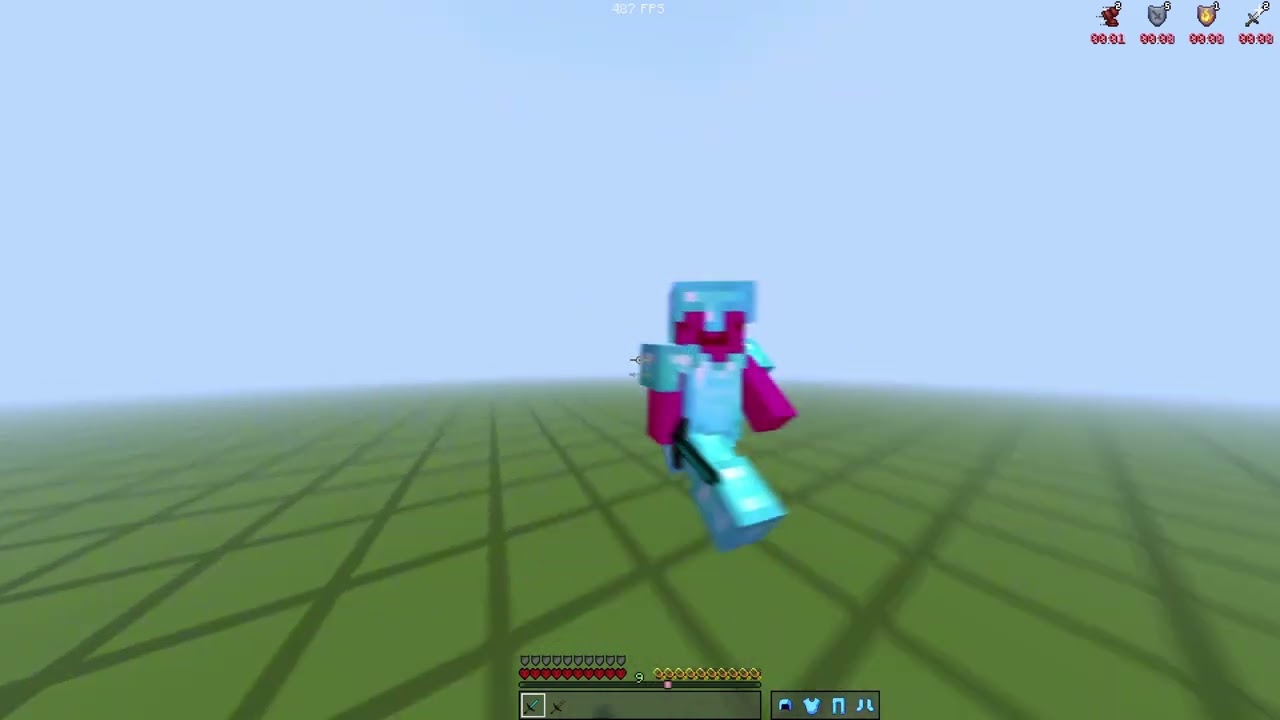 sullen path
full shield drain

 sullen path
diamond
 sullen path
shy niche
sullen path
sullen path
shy niche
sullen path
config?
sullen path
shy niche
config?
[blur v2.45]
-
blur
blur: true
blur amount: 1.4
blur output fps: 60
blur weighting: vegas
blur gamma: 1 -
interpolation
interpolate: true
interpolated fps: 2160
interpolation method: svp -
pre-interpolation
pre-interpolate: false
pre-interpolated fps: 2x -
deduplication
deduplicate: true
deduplicate method: svp -
rendering
encode preset: h264
quality: 10
preview: true
detailed filenames: true
copy dates: false -
gpu acceleration
gpu decoding: true
gpu interpolation: true
gpu encoding: false -
timescale
timescale: false
input timescale: 1
output timescale: 1
adjust timescaled audio pitch: false -
filters
filters: true
brightness: 1
saturation: 1.05
contrast: 1.04 -
advanced
advanced: true -
advanced deduplication
deduplicate range: 2
deduplicate threshold: 0.0001 -
advanced rendering
video container: mp4
custom ffmpeg filters: -c:v h264_nvenc -preset 7 -cq 18 -qmin 13 -qmax 20 -profile:v high -c:a copy -vf cas=0.35
debug: false -
advanced blur
blur weighting gaussian std dev: 1
blur weighting gaussian mean: 2
blur weighting gaussian bound: [0,2] -
advanced interpolation
svp interpolation preset: smooth
svp interpolation algorithm: 23
interpolation block size: 8
interpolation mask area: 0
rife model: rife-v4.26_ensembleFalse -
manual svp override
manual svp: false
super string:
vectors string:
smooth string:

absolute W

 shy niche
sullen path
[blur v2.45]
- blur
blur: true
blur amount: 1.4
blur output fps: 60
blur weight...
shy niche
sullen path
[blur v2.45]
- blur
blur: true
blur amount: 1.4
blur output fps: 60
blur weight...
Ohio Respect
fahhh
corny
sullen path
1.8 comeback?
copper shell
sullen path
1.8 comeback?
YESSS
sullen path
copper shell
YESSS
just kidding bro:)