#overplanned (sizzl3_)
1 messages · Page 1 of 1 (latest)
 sullen path
sullen path
sullen path
some ppl were saying the swinging isnt accurate, found the issue, currently fixing it
 torn flame
sullen path
torn flame
sullen path
gimmi config
sullen path
rlly damn
[interpolation]
enabled: y
masking: y
fps: 960
speed: medium
tuning: weak
algorithm: 13
use gpu: y
[frame blending]
enabled: y
fps: 60
intensity: 1.2
weighting: gaussian_sym
bright blend: n
use gpu: y
[flowblur]
enabled: n
masking: y
amount: 150
do blending: before
[output]
process: ffmpeg
enc args: -c:v libx264 -preset slow -aq-mode 3 -crf 15
file format: %FILENAME% ~ Smooth
container: .MP4
[preview window]
enabled: y
borderless: n
process: ffplay
output args: -f yuv4mpegpipe -
[artifact masking]
enabled: y
feathering: y
folder path: C:\Users\Win10\Desktop\mask
file name: mask.png
[miscellaneous]
play ding: y
always verbose: n
dedup threshold: 0.0001
global output folder:
source indexing: no
ffmpeg options: -loglevel error -i - -hide_banner -stats -stats_period 0.15
ffplay options: -loglevel quiet -i - -autoexit -window_title smoothie.preview
[console]
stay on top: n
borderless: n
position: top left
width: 900
height: 350
[timescale]
in: 1.0
out: 1.0
[color grading]
enabled: n
brightness: 1.0
saturation: 1.1
contrast: 1.0
[lut]
enabled: no
path:
opacity: 0.2
[pre-interp]
enabled: n
masking: y
factor: 2x
model: C:\Users\Win10\Desktop\rife-v4.6
torn flame
tysm
 ionic swift
try pre interp for 120 fps
torn flame
ionic swift
try pre interp for 120 fps
whats that
ionic swift
torn flame
whats that
this in the config
 torn flame
eh
torn flame
ionic swift
this in the config
only that much?
ionic swift
2x-4x see what you like better
torn flame
i have no idea what u are saying
torn flame
sullen path
[interpolation]
enabled: y
masking: y
fps: 960
speed: medium
tuning: weak
algori...
cant i just copy paste this ?
ionic swift
no he has his rife directory different from yours im assuming
torn flame
yea so i just change the rife folder right
ionic swift
yes and change it to enabled: y
sullen path
rife took me 10 years bro
 jaunty timber
sullen path
jaunty timber
sullen path
what server?
sullen path
3fmc
sullen path
rendered another one but had some stuff to do so ill upload tmrw ig
torn flame
sullen path
rendered another one but had some stuff to do so ill upload tmrw ig
one looks hella clean
sullen path
[interpolation]
enabled: y
masking: y
fps: x9 ur input fps
speed: medium
tuning: smooth
algorithm: 23
use gpu: y
[frame blending]
enabled: y
fps: 60
intensity: 1.5
weighting: equal
bright blend: n
use gpu: y
blur weighting gaussian std dev: 1
blur weighting triangle reverse: false
blur weighting bound: [0,2]
[flowblur]
enabled: n
masking: y
amount: 150
do blending: before
[output]
process: ffmpeg
enc args: -c:v libx264 -preset slow -aq-mode 3 -crf 15
file format: %FILENAME% ~ Smooth
container: .MP4
[preview window]
enabled: y
borderless: n
process: ffplay
output args: -f yuv4mpegpipe -
[artifact masking]
enabled: y
feathering: y
folder path: C:\Users\Win10\Desktop\mask
file name: mask.png
[miscellaneous]
play ding: y
always verbose: n
dedup threshold: 0.0001
global output folder:
source indexing: no
ffmpeg options: -loglevel error -i - -hide_banner -stats -stats_period 0.15
ffplay options: -loglevel quiet -i - -autoexit -window_title smoothie.preview
[console]
stay on top: n
borderless: n
position: top left
width: 900
height: 350
[timescale]
in: 1.0
out: 1.0
[color grading]
enabled: n
brightness: 1
saturation: 1.0
contrast: 1.15
[lut]
enabled: no
path:
opacity: 0.2
[pre-interp]
enabled: n
masking: y
factor: 2x
model: C:\Users\Win10\Desktop\rife-v4.6
90fps input
@velvet pasture
3
sullen path
120 input
[interpolation]
enabled: y
masking: y
fps: x9 ur input fps (1080)
speed: medium
tuning: smooth
algorithm: 13
use gpu: y
[frame blending]
enabled: y
fps: 60
intensity: 1
weighting: equal
bright blend: n
use gpu: y
blur weighting gaussian std dev: 1
blur weighting triangle reverse: false
blur weighting bound: [0,2]
[flowblur]
enabled: n
masking: y
amount: 150
do blending: before
[output]
process: ffmpeg
enc args: -c:v libx264 -preset slow -aq-mode 3 -crf 15
file format: %FILENAME% ~ Smooth
container: .MP4
[preview window]
enabled: y
borderless: n
process: ffplay
output args: -f yuv4mpegpipe -
[artifact masking]
enabled: y
feathering: y
folder path: C:\Users\Win10\Desktop\mask
file name: mask.png
[miscellaneous]
play ding: y
always verbose: n
dedup threshold: 0.0001
global output folder:
source indexing: no
ffmpeg options: -loglevel error -i - -hide_banner -stats -stats_period 0.15
ffplay options: -loglevel quiet -i - -autoexit -window_title smoothie.preview
[console]
stay on top: n
borderless: n
position: top left
width: 900
height: 350
[timescale]
in: 1.0
out: 1.0
[color grading]
enabled: n
brightness: 1
saturation: 1.0
contrast: 1.15
[lut]
enabled: no
path:
opacity: 0.2
[pre-interp]
enabled: n
masking: y
factor: 2x
model: C:\Users\Win10\Desktop\rife-v4.6
sullen path
same config as be4 but with 0.65 intensity
 minor raft
sullen path
120 input
[interpolation]
enabled: y
masking: y
fps: x9 ur input fps (1080)
spee...
minor raft
minor raft
sullen path
120 input
[interpolation]
enabled: y
masking: y
fps: x9 ur input fps (1080)
spee...
minor raft
triangle
 pliant yacht
minor raft
pliant yacht
minor raft
Is it my mashup ?
jaunty timber
sullen path
same config as be4 but with 0.65 intensity
is that boole 10?
 weary apex
minor raft
but i edit
weary apex
minor raft
but i edit
send
pliant yacht
minor raft
its lavender town
Oh ok i did the same because nath played a similar pack
minor raft
weary apex
send
sullen path
jaunty timber
is that boole 10?
yes
jaunty timber
sullen path
yes
did you buy it or did ol ohpotions give it
sullen path
it was leaked in a ytb video that i found. to this day idek how that video isnt down
pliant yacht
sullen path
yes
From rankoreh and if yes, which bundle ?
sullen path
pliant yacht
From rankoreh and if yes, which bundle ?
i think its from the first bundle
sullen path
no igmb, same config
120 input
[interpolation]
enabled: y
masking: y
fps: x9 ur input fps (1080)
speed: medium
tuning: weak
algorithm: 13
use gpu: y
[frame blending]
enabled: y
fps: 60
intensity: 1
weighting: equal
bright blend: n
use gpu: y
blur weighting gaussian std dev: 1
blur weighting triangle reverse: false
blur weighting bound: [0,1,2]
[flowblur]
enabled: n
masking: y
amount: 150
do blending: before
[output]
process: ffmpeg
enc args: -c:v libx264 -preset slow -aq-mode 3 -crf 15
file format: %FILENAME% ~ Smooth
container: .MP4
[preview window]
enabled: y
borderless: n
process: ffplay
output args: -f yuv4mpegpipe -
[artifact masking]
enabled: y
feathering: y
folder path: C:\Users\Win10\Desktop\mask
file name: mask.png
[miscellaneous]
play ding: y
always verbose: n
dedup threshold: 0.0001
global output folder:
source indexing: no
ffmpeg options: -loglevel error -i - -hide_banner -stats -stats_period 0.15
ffplay options: -loglevel quiet -i - -autoexit -window_title smoothie.preview
[console]
stay on top: n
borderless: n
position: top left
width: 900
height: 350
[timescale]
in: 1.0
out: 1.0
[color grading]
enabled: n
brightness: 1
saturation: 1.0
contrast: 1.15
[lut]
enabled: no
path:
opacity: 0.2
[pre-interp]
enabled: n
masking: y
factor: 2x
model: C:\Users\Win10\Desktop\rife-v4.6
sullen path
0.75 intensity
sullen path
sullen path
sullen path
rate 1-10
 left flint
sullen path
2
left flint
sullen path
2
nice blockins
sullen path
left flint
nice blockins
thanks! those clips were from quite a while ago so i was kinda ass back then
sullen path
Sizzl3_'s 120 fps renders (pretty ass)
left flint
sullen path
thanks! those clips were from quite a while ago so i was kinda ass back then
blockins still so good so yeah
 static zinc
sullen path
30 fps
static zinc
sullen path
30 fps
can u send the config please
sullen path
left flint
blockins still so good so yeah
tysm ❤️
sullen path
static zinc
can u send the config please
[blur v1.9]
-
blur
blur: true
blur amount: 1
blur output fps: 30
blur weighting: equal -
interpolation
interpolate: true
interpolated fps: 10x -
rendering
quality: 16
deduplicate: true
preview: true
detailed filenames: true -
timescale
input timescale: 1
output timescale: 1
adjust timescaled audio pitch: false -
filters
brightness: 0.9
saturation: 1.2
contrast: 1.1 -
advanced rendering
gpu interpolation: true
gpu rendering: false
gpu type (nvidia/amd/intel): nvidia
video container: mp4
custom ffmpeg filters: -
advanced blur
blur weighting gaussian std dev: 1
blur weighting triangle reverse: false
blur weighting bound: [0,1,2] -
advanced interpolation
interpolation preset: film
interpolation algorithm: 13
interpolation block size: 8
interpolation speed: medium
interpolation mask area: 0
in these clips i always use igmb from around 70%-90% bc i record in 120fps
sullen path
sullen path
[blur v1.9]
- blur
blur: true
blur amount: 1
blur output fps: 30
blur weighting:...
u can turn down the interpolated fps if its too blurry
static zinc
tysm
torn flame
sullen path
u can turn down the interpolated fps if its too blurry
bro uhh obs settings pls if u can
sullen path

 torn flame
sullen path
torn flame
sullen path
tysm
 rose echo
torn flame
tysm
rose echo
torn flame
tysm
btw for future reference

fps: higher input = worse file size & worse perf
cq level: higher = better file size & better perf & worse quality
preset: p1 = better perf & worse file size, p7 = worse perf & better file size
tuning: high quality, no point in not using
multipass mode: singlepass: better perf & worse file size, multipass quarter res: worse perf & better file size
profile:baseline = worse file size and better perf, high = better file size and worse perf
b frames: 0 = better perf & worse file size, more = worse perf & better file size
heres my little cheat sheet
torn flame
im too dumb to understand what u uust said
rose echo
torn flame
im too dumb to understand what u uust said
basically all the presets have to do with efficiency(filesize) and performance(frames)
only thing to do with quality is cq level
obs presets say higher/lower uality but thats fake
torn flame
oh you are talking about obs
torn flame
rose echo
only thing to do with quality is cq level
so to get the best quality what cq lvl do u recommend
 torn flame
so 10 is the best ?
rose echo
the quality is pretty much the same after 18
torn flame
oh
rose echo
yeah but its not worth using 10
u wont see a difference
18 is around 99.2 quality
10 is around 99.29 quality
torn flame
oh
torn flame
so high cqp = less bitrate of video
rose echo
p much
left flint
sullen path
thoughts?
try to use rife maybe and see that u will get
also u can try smoothie-rs to use mask


 sullen path
ive tried smoothue inthe past but it is significantly slower than blur 1.9 and i dont rlly mind the artifacts
this is with smoothie
its pretty much the same but just slower
sullen path
left flint
and also fps input?
120 fps with 58 badlion blur
[blur v1.9]
-
blur
blur: true
blur amount: 1.2
blur output fps: 60
blur weighting: equal -
interpolation
interpolate: true
interpolated fps: 6x -
rendering
quality: 16
deduplicate: true
preview: true
detailed filenames: true -
timescale
input timescale: 1
output timescale: 1
adjust timescaled audio pitch: false -
filters
brightness: 0.9
saturation: 1.1
contrast: 1.1 -
advanced rendering
gpu interpolation: true
gpu rendering: false
gpu type (nvidia/amd/intel): nvidia
video container: mp4
custom ffmpeg filters: -
advanced blur
blur weighting gaussian std dev: 2
blur weighting triangle reverse: false
blur weighting bound: [0,2] -
advanced interpolation
interpolation preset: film
interpolation algorithm: 23
interpolation block size: 8
interpolation speed: medium
interpolation mask area: 0
 drowsy inlet
sullen path
drowsy inlet
sullen path
block placement on a diamond is crazy
sullen path
yay i can now record in 360 fps
sullen path
input 360 w 70 igmb
left flint
wow, render with 360 fps input looks more times better
sullen path
yeah just upgraded my gpu lol
sullen path
30 fps
sullen path
https://files.catbox.moe/wclgdn.mp4 240 input
left flint
sullen path
30 fps
try 24 fps also
left flint
sullen path
yeah just upgraded my gpu lol
congrats!
sullen path
left flint
try 24 fps also
do u have a conmfig for 24 fps
or just reduce the blur amount
left flint
i dont use teknos blur, i can send smoothie-rs config
[interpolation]
enabled: y
masking: y
fps: 1920
speed: medium
tuning: weak
algorithm: 13
use gpu: y
[frame blending]
enabled: y
fps: 24
intensity: 0.71
weighting: ascending
bright blend: y
[flowblur]
enabled: y
masking: y
amount: 200
do blending: before
but reducing the blur amount and set fps render to 24 in teknos blur sounds logical
sullen path
left flint
[interpolation]
enabled: y
masking: y
fps: 1920
speed: medium
tuning: weak
algor...

this is my own 30 fps config
left flint
looks nice
left flint
 sullen path
https://embeds.video/https://files.catbox.moe/soxcu2.MP4 24 fps (my own)
sullen path
sullen path
https://embeds.video/https://files.catbox.moe/5fyzml.MP4
30 fps
sullen path
sullen path
https://embeds.video/https://files.catbox.moe/soxcu2.MP4 24 fps (my own)
24fps
sullen path
sullen path
https://embeds.video/https://files.catbox.moe/g1qi5w.MP4
60 fps
left flint
sullen path
https://embeds.video/https://files.catbox.moe/g1qi5w.MP4
60 fps looks the best with this clip i guess
torn flame
sullen path
300 input
bro whats your pc specs, like its kinda hard for me to get 300 input cause i barely get 300fps while recording
cause im on bedrock edition
sullen path
torn flame
bro whats your pc specs, like its kinda hard for me to get 300 input cause i bar...
i3 10100f and gtx 1060
sullen path
torn flame
bro whats your pc specs, like its kinda hard for me to get 300 input cause i bar...
are your obs settings optimized
@left flint can u help me with this?
torn flame
sullen path
are your obs settings optimized
idk how obs works
sullen path
torn flame
idk how obs works
copy the steps in https://discord.com/channels/774315187183288411/882917052615123025
sullen path
yeah i suppose
but sometimes it worke
works
but sometimes it just crashes
i suspect it's a problem with my nvidia control panel or smth
it happend after i changed some settings
 wheat vector
sullen path
maafer's config
wheat vector
sullen path
maafer's config
how much fps was this recorded on and did u use blur ingame
sullen path
wheat vector
how much fps was this recorded on and did u use blur ingame
360 input and yes i used 70 badlion blur
 river gazelle
sullen path
got it fixed yay https://embeds.video/https://files.catbox.moe/j39hu4.mp4
river gazelle
sullen path
got it fixed yay https://embeds.video/https://files.catbox.moe/j39hu4.mp4
config please
sullen path
[blur v1.9]
-
blur
blur: true
blur amount: 1
blur output fps: 60
blur weighting: equal -
interpolation
interpolate: true
interpolated fps: 3x -
rendering
quality: 18
deduplicate: true
preview: true
detailed filenames: true -
timescale
input timescale: 1
output timescale: 1
adjust timescaled audio pitch: false -
filters
brightness: 1
saturation: 1.1
contrast: 1 -
advanced rendering
gpu interpolation: true
gpu rendering: true
gpu type (nvidia/amd/intel): nvidia
video container: mp4
custom ffmpeg filters: -c:v h264_nvenc -rc constqp -preset p7 -qp 18 -
advanced blur
blur weighting gaussian std dev: 2
blur weighting triangle reverse: false
blur weighting bound: [0,2] -
advanced interpolation
interpolation preset: film
interpolation algorithm: 23
interpolation block size: 8
interpolation speed: faster
interpolation mask area: 0
360 input with 7 igmb
sullen path
https://embeds.video/https://files.catbox.moe/8atrfe.MP4 30 fps (smoothie)
https://embeds.video/https://files.catbox.moe/d15cmr.mp4 60 fps (teknos blur)
sullen path
https://embeds.video/https://files.catbox.moe/4gpyql.MP4 random block-ins
[interpolation]
enabled: y
masking: y
fps: 1800
speed: faster
tuning: film
algorithm: 23
use gpu: y
[frame blending]
enabled: yes
fps: 60
intensity: 1.7
weighting: gaussian_sym
bright blend: no
[output]
process: ffmpeg
enc args: -c:v h264_nvenc -rc constqp -preset p7 -qp 18
file format: %FILENAME% ~ smooth [%INTERP_FPS% ➜ %OUTPUT_FPS% @ %BLUR_AMOUNT%]
container: .MP4
[preview window]
enabled: no
process: ffplay
output args: -f yuv4mpegpipe -
[artifact masking]
enabled: y
feathering: yes
folder path: C:\Users\Win10\Desktop\mask
file name: mask.png
[console]
stay on top: no
borderless: no
position: top left
width: 900
height: 350
[color grading]
enabled: n
brightness: 0.9
saturation: 1.2
contrast: 1.1
left flint
block-ins are kinda good to test renders tbh
sullen path
left flint
block-ins are kinda good to test renders tbh
tysm
sullen path
river gazelle
send your mask
 torn flame
sullen path
[blur v1.9]
- blur
blur: true
blur amount: 1
blur output fps: 60
blur weighting:...
torn flame
sullen path
[blur v1.9]
- blur
blur: true
blur amount: 1
blur output fps: 60
blur weighting:...
do we need to mask in blur too ?
or does it automatically do it
river gazelle
sullen path
https://embeds.video/https://files.catbox.moe/8atrfe.MP4 30 fps (smoothie)
can you send this config
 graceful zodiac
sullen path
thoughts?
graceful zodiac
sullen path
thoughts?
slide pack
left flint
graceful zodiac
slide pack
snitch 16x i guess
left flint
left flint
snitch 16x i guess
or snitch v2 if im doing mistake
graceful zodiac
left flint
snitch 16x i guess
where do i find it tho
left flint
graceful zodiac
where do i find it tho
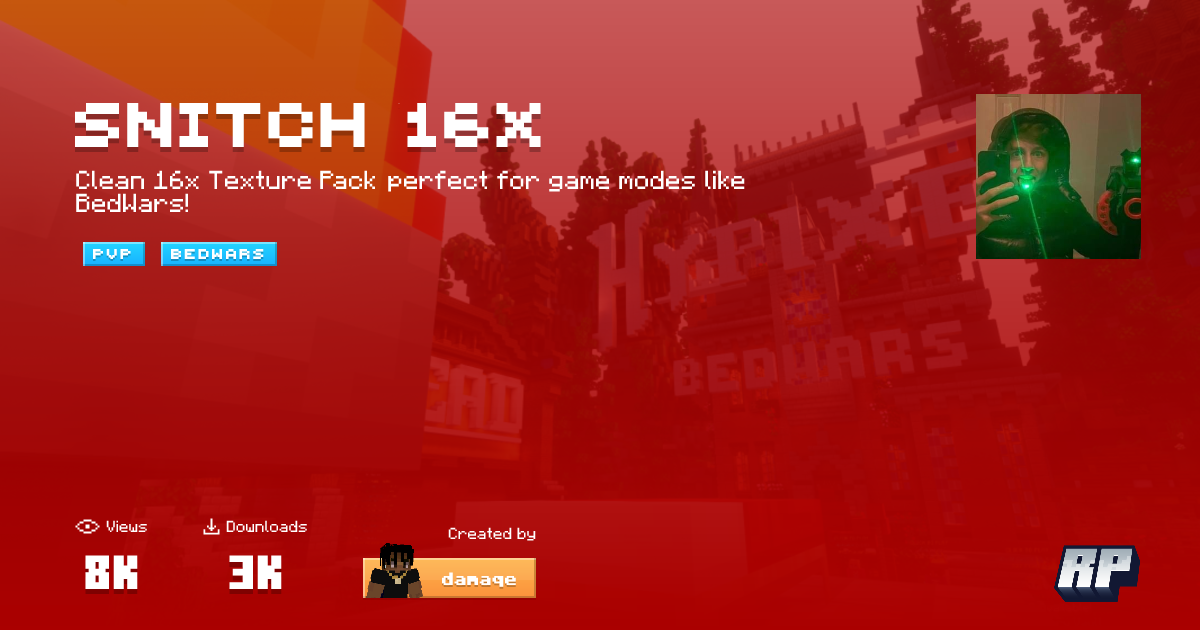
Resource Packs
Clean 16x Texture Pack perfect for game modes like BedWars!
sullen path
torn flame
do we need to mask in blur too ?
blur doesnt have mask
sullen path
left flint
or snitch v2 if im doing mistake
i think its the org
bc i dont have v2
[interpolation]
enabled: y
masking: y
fps: 1800
speed: faster
tuning: film
algorithm: 13
use gpu: y
[frame blending]
enabled: yes
fps: 30
intensity: 1
weighting: gaussian_sym
bright blend: no
[output]
process: ffmpeg
enc args: -c:v h264_nvenc -rc constqp -preset p7 -qp 18
file format: %FILENAME% ~ smooth [%INTERP_FPS% ➜ %OUTPUT_FPS% @ %BLUR_AMOUNT%]
container: .MP4
[preview window]
enabled: no
process: ffplay
output args: -f yuv4mpegpipe -
[artifact masking]
enabled: y
feathering: yes
folder path: C:\Users\Win10\Desktop\mask
file name: mask.png
[console]
stay on top: no
borderless: no
position: top left
width: 900
height: 350
[color grading]
enabled: n
brightness: 0.9
saturation: 1.2
contrast: 1.1
@river gazelle
i think there r better 30fps configs than mine
but 60fps config is decent
river gazelle
ty
sullen path
30 fps output render test with shitty aim
torn flame
alright
sullen path
[blur v1.9]
blur
blur: true
blur amount: 1.2
blur output fps: 60
blur weighting: equal
interpolation
interpolate: true
interpolated fps: 6x
rendering
quality: 16
deduplicate: true
preview: true
detailed filenames: true
timescale
input timescale: 1
output timescale: 1
adjust timescaled audio pitch: false
filters
brightness: 0.9
saturation: 1.1
contrast: 1.1
advanced rendering
gpu interpolation: true
gpu rendering: false
gpu type (nvidia/amd/intel): nvidia
video container: mp4
custom ffmpeg filters:
advanced blur
blur weighting gaussian std dev: 1
blur weighting triangle reverse: false
blur weighting bound: [0,1,2]
advanced interpolation
interpolation preset: film
interpolation algorithm: 23
interpolation block size: 8
interpolation speed: medium
interpolation mask area: 0
sullen path
sullen path
[blur v1.9]
blur
blur: true
blur amount: 1.2
blur output fps: 60
blur weighting:...
for it to look good, u need to use 7 igmb
torn flame
oh alr
torn flame
sullen path
for it to look good, u need to use 7 igmb
wait no
im on bedrock
@sullen path
ermmm wth
sullen path
torn flame
ermmm wth
can u use pre interp
torn flame
sullen path
can u use pre interp
uh tf is that
idk anything about smoothie
or blur
i only know how to paste
sullen path
considering ask some1 else cuz im no different
sullen path
torn flame
bruh why so laggy
sullen path
thoughts?
left flint
fire renders🔥
sullen path
tysm!
 sullen path
 hollow urchin
creamy renders
hollow urchin
creamy renders
thanks bro
 crude echo
hollow urchin
sullen path
thoughts?
crude echo
hollow urchin
sullen path
thoughts?
can i get ur texture pack
sullen path
high on sugar 3 with stefano sword overlay
sullen path
hollow urchin
can i get ur texture pack

MediaFire
https://www.youtube.com/watch?v=yb-iZUcF-d8 new 30 fps renders + upscaled to 4K

havent been playing much these couple days so gotta derust myself and also i was trying out new clicking methods like burst clicking mixed with normal clicking instead of just normal clicking ^^
#minecraft #minemen #bedfight
i think its pretty nice no?
left flint
yeah, good renders
sullen path
left flint
yeah, good renders
thankss
hollow urchin
sullen path
high on sugar 3 with stefano sword overlay
ty
can u send stefano overlay
nvm
found it
 velvet pasture
sullen path
thoughts?
velvet pasture
sullen path
thoughts?
share
velvet pasture
sullen path
https://files.catbox.moe/yg9zdo.mp4 30 fps
share
left flint
sullen path
https://files.catbox.moe/w1a7qq.mp4 60 fps
that is good
sullen path
left flint
that is good
tysm
sullen path
velvet pasture
share
[blur v1.9]
-
blur
blur: true
blur amount: 1
blur output fps: 30
blur weighting: gaussian_sym -
interpolation
interpolate: true
interpolated fps: 2160 -
rendering
quality: 15
deduplicate: true
preview: false
detailed filenames: true -
timescale
input timescale: 1
output timescale: 1
adjust timescaled audio pitch: false -
filters
brightness: 1
saturation: 1
contrast: 1 -
advanced rendering
gpu interpolation: true
gpu rendering: true
gpu type (nvidia/amd/intel): nvidia
video container: mp4
custom ffmpeg filters: -c:v h264_nvenc -rc constqp -preset p1 -qp 18 -
advanced blur
blur weighting gaussian std dev: 2
blur weighting triangle reverse: false
blur weighting bound: [0,2] -
advanced interpolation
interpolation preset: film
interpolation algorithm: 23
interpolation block size: 8
interpolation speed: fast
interpolation mask area: 0
https://embeds.video/https://files.catbox.moe/qd9yed.mp4 1.9 clip(i suck)
sullen path
THE FOLDER IS BACK LES GOOOOOOOOOOOOOO
 tropic karma
sullen path
https://embeds.video/https://files.catbox.moe/qd9yed.mp4 1.9 clip(i suck)
tropic karma
sullen path
https://embeds.video/https://files.catbox.moe/qd9yed.mp4 1.9 clip(i suck)
can I get the config
also what input fps
sullen path
tropic karma
can I get the config
[blur v1.9]
-
blur
blur: true
blur amount: 1.6
blur output fps: 60
blur weighting: gaussian_sym -
interpolation
interpolate: true
interpolated fps: 1440 -
rendering
quality: 15
deduplicate: true
preview: false
detailed filenames: true -
timescale
input timescale: 1
output timescale: 1
adjust timescaled audio pitch: false -
filters
brightness: 1
saturation: 1
contrast: 1 -
advanced rendering
gpu interpolation: true
gpu rendering: true
gpu type (nvidia/amd/intel): nvidia
video container: mp4
custom ffmpeg filters: -c:v h264_nvenc -rc constqp -preset p1 -qp 18 -
advanced blur
blur weighting gaussian std dev: 2
blur weighting triangle reverse: false
blur weighting bound: [0,1,2,3,4] -
advanced interpolation
interpolation preset: weak
interpolation algorithm: 2
interpolation block size: 8
interpolation speed: medium
interpolation mask area: 0
240 input
tropic karma
thx g
sullen path
oh yeah also with 7 igmb btw
sullen path
https://files.catbox.moe/pes50g.mp4 first ever bedrock renders (pls give thoughts)
https://files.catbox.moe/aqo7hy.mp4 same clip 60 fps
left flint
was buying bedrock worth it lol?
sullen path
my account came with bedrocj
i didnt buy the xbox thing for the no numbers in my ign
i jst play bedrock for fun and bc i used to play it on my ipad
sullen path
left flint
was buying bedrock worth it lol?
it's pretty fun ngl
if i had 1.8.9 performance on bedrock then i would probably main bedrock
left flint
sullen path
my account came with bedrocj
oh okay
left flint
sullen path
if i had 1.8.9 performance on bedrock then i would probably main bedrock
lol
ahahahah
sullen path
bedrock had some performance and input delay issues
so i wont main it
or at least not for a long period of time
sullen path
Sizzl3_'s renders
sullen path
24 fps renders w/ 125hz mouse polling rate (for some reason)
velvet pasture
sullen path
24 fps renders w/ 125hz mouse polling rate (for some reason)
pack?
left flint
sullen path
fiirst ever 24fps renders
try 25
sullen path
left flint
try 25
why?
left flint
why not
 waxen lagoon
sullen path
waxen lagoon
sullen path
cfg?
velvet pasture
sullen path
high on sugar 3
do u know where i can find other packs like this?
sullen path
left flint
why not
i mean is there a diferenec?
sullen path
velvet pasture
do u know where i can find other packs like this?
wdym packs like this, the style or what
left flint
sullen path
i mean is there a diferenec?
i noticed that for me 25 fps looks a bit better, than 24 fps
idk maybe it is just for me
sullen path
left flint
i noticed that for me 25 fps looks a bit better, than 24 fps
ight imma try it sometimes
left flint
velvet pasture
do u know where i can find other packs like this?
"seen this angel" is like a black version of "high on sugar"
to find pack like high on sugar u need to search on yt something like "cute resourse pack 1.8.9 minecraft"
sullen path
waxen lagoon
cfg?
[blur v1.9]
-
blur
blur: true
blur amount: 1.1
blur output fps: 24
blur weighting: gaussian_sym -
interpolation
interpolate: true
interpolated fps: 1920 -
rendering
quality: 13
deduplicate: true
preview: false
detailed filenames: true -
timescale
input timescale: 1
output timescale: 1.05
adjust timescaled audio pitch: false -
filters
brightness: 1.05
saturation: 1.05
contrast: 1 -
advanced rendering
gpu interpolation: true
gpu rendering: true
gpu type (nvidia/amd/intel): nvidia
video container: mp4
custom ffmpeg filters: -c:v h264_nvenc -rc constqp -preset p7 -qp 18 -
advanced blur
blur weighting gaussian std dev: 2
blur weighting triangle reverse: false
blur weighting bound: [0,1,2,3,4] -
advanced interpolation
interpolation preset: weak
interpolation algorithm: 2
interpolation block size: 8
interpolation speed: medium
interpolation mask area: 0
sullen path
thats crazy
 sullen path
 manic oyster
sullen path
manic oyster
sullen path
that render gets 5 booms 🔥
sullen path
manic oyster
that render gets 5 booms 🔥
Wait arent u the guy who has like insanely fast block ins?
crude echo
sullen path
Wait arent u the guy who has like insanely fast block ins?
i think the blockin guy is hurtin
 crude echo
might as well be the same person their names rhyme
lu sounds like saying the letter q i think
sullen path
yea
manic oyster
sullen path
Wait arent u the guy who has like insanely fast block ins?
nah I'm better than him
sullen path
real or fake!?
manic oyster
he has worse renders so that makes me better
 north salmon
sullen path
https://files.catbox.moe/aqo7hy.mp4 same clip 60 fps
north salmon
sullen path
https://files.catbox.moe/aqo7hy.mp4 same clip 60 fps
Config and input fps ?
sullen path
north salmon
Config and input fps ?
imma get back to u tmrw, im not at my pc
sullen path
manic oyster
he has worse renders so that makes me better
yeah ig:))
north salmon
sullen path
imma get back to u tmrw, im not at my pc
yeah np
but what was the input fps
240?
Or 120
sullen path
180
north salmon
aight
 brittle heart
sullen path
brittle heart
sullen path
dang vro ur mouse soundy crispy asf
sullen path
how tf do u zest tap?
sullen path
 dapper moss
sullen path
https://files.catbox.moe/b506hz.mp4
dapper moss
sullen path
https://files.catbox.moe/b506hz.mp4
damn nice
dapper moss
sullen path
how tf do u zest tap?
sauce config
sullen path
[blur v1.9]
-
blur
blur: true
blur amount: 1.3
blur output fps: 30
blur weighting: gaussian_sym -
interpolation
interpolate: true
interpolated fps: 1920 -
rendering
quality: 13
deduplicate: true
preview: false
detailed filenames: true -
timescale
input timescale: 1
output timescale: 1.1
adjust timescaled audio pitch: false -
filters
brightness: 1.05
saturation: 1.05
contrast: 1 -
advanced rendering
gpu interpolation: true
gpu rendering: true
gpu type (nvidia/amd/intel): nvidia
video container: mp4
custom ffmpeg filters: -c:v h264_nvenc -rc constqp -preset p7 -qp 18 -
advanced blur
blur weighting gaussian std dev: 2
blur weighting triangle reverse: false
blur weighting bound: [0,1,2,3,4] -
advanced interpolation
interpolation preset: weak
interpolation algorithm: 2
interpolation block size: 8
interpolation speed: medium
interpolation mask area: 0
@dapper moss
sullen path
high on sugar 3
sullen path
go find versqa 4k pack video, it has the link to it
sullen path
sullen path
this looks kinda werid does it?
at around 1-2 secs
secs
it looks like it hasnt been rendered
 cinder shale
sullen path
cinder shale
sullen path
config?
sullen path
sullen path
[blur v1.9]
- blur
blur: true
blur amount: 1.3
blur output fps: 30
blur weightin...
@cinder shale
left flint
holy i like it
sullen path
left flint
holy i like it
thankss
sullen path
sullen path
30fps
this one is kinda over bluured imo
i put igmb at 93
other clips were on 70
left flint
i like overblurred 24-30 fps clips
sullen path
https://embeds.video/https://files.catbox.moe/f0k0ym.mp4 figure id try something new
this is 240--->1920--->120 then vegas to 30
left flint
sullen path
https://embeds.video/https://files.catbox.moe/f0k0ym.mp4 figure id try something...
i like it
sullen path
left flint
i tried something new and installed backtrack and fakelag
nice:))
im trying blur from 240-1920-120 then smoothie with interp off, frame blend to 30fps @ 0.73 vegas
the only down side is that its kinda slow
other than that, this looks great
blur 240-1920-120 then smoothie frame blend to 30 @ 0.6 vegas
left flint
btw does pre-interp works on your pc?
left flint
sullen path
yes but slow
фдк ен шь фылштп иусфгыу зку-штеукз вщуыте цщкл ащк ьу
fuck
i forgot to switch lang
alr ty im just asking because pre-interp doesn't work for me for some reason
left flint
sullen path
looks like some moment from nyqo's clip
oh yeah also are you using last version of smoothie-rs? @sullen path
sullen path
left flint
oh yeah also are you using last version of smoothie-rs? <@893448387322605589>
idek
i reinstalled smoothie-rs like 2-3 months ago
sullen path
left flint
alr ty im just asking because pre-interp doesn't work for me for some reason
maybe try reinstalling smrs?
 marble vector
sullen path
i reinstalled smoothie-rs like 2-3 months ago
marble vector
sullen path
i reinstalled smoothie-rs like 2-3 months ago
okay
marble vector
sullen path
maybe try reinstalling smrs?
i fixed it by resetting my pc and reinstalling windows
sullen path
marble vector
i fixed it by resetting my pc and reinstalling windows
resetting like factory reset?
marble vector
sullen path
sounds like a hassle
yeah, it actually is
marble vector
yeah
sullen path
river gazelle
sullen path
what pack?
sullen path
stimpy private 16x
river gazelle
sullen path
stimpy private 16x
link?
river gazelle
sullen path
also config?
sullen path
blur 240-1920-120 @ 3 equal then frame blend to 30 with smoothie @ 0.7 vegas
tropic karma
sullen path
prob my best renders
Wow slide config
sullen path
blur 240-1440-120 @ 3 equal then frame blend to 30 with smoothie @ 0.6 vegas
sullen path
https://files.catbox.moe/1wl573.MP4 that head snap tho
sullen path
sullen path
sullen path
24 fps btw
sullen path
sullen path
sullen path
sullen path
sullen path
left flint
sullen path
wow, this isn't high on sugar pack!!!!
sullen path
left flint
sullen path
cool
sullen path
sullen path
river gazelle
sullen path
config plz
sullen path
[blur v1.9]
-
blur
blur: true
blur amount: 3
blur output fps: 120
blur weighting: equal -
interpolation
interpolate: true
interpolated fps: 1920 -
rendering
quality: 13
deduplicate: true
preview: false
detailed filenames: true -
timescale
input timescale: 1
output timescale: 1.1
adjust timescaled audio pitch: false -
filters
brightness: 1
saturation: 1
contrast: 1 -
advanced rendering
gpu interpolation: true
gpu rendering: true
gpu type (nvidia/amd/intel): nvidia
video container: mp4
custom ffmpeg filters: -c:v hevc_nvenc -rc constqp -preset p7 -qp 18 -
advanced blur
blur weighting gaussian std dev: 2
blur weighting triangle reverse: false
blur weighting bound: [0,2] -
advanced interpolation
interpolation preset: film
interpolation algorithm: 23
interpolation block size: 8
interpolation speed: fast
interpolation mask area: 0
sullen path
sullen path
[blur v1.9]
- blur
blur: true
blur amount: 3
blur output fps: 120
blur weighting...
this first
then
[frame blending]
enabled: yes
fps: 30
intensity: 0.6
weighting: equal
bright blend: y
use gpu: y
[artifact masking]
enabled: y
feathering: yes
folder path: C:\Users\Win10\Desktop\mask
file name: mask.png
[output]
process: ffmpeg
enc args: -c:v h264_nvenc -rc constqp -preset p1 -qp 18
file format: %FILENAME% ~ smooth [%INPUT_FPS% ➜ %OUTPUT_FPS% @ %BLUR_WEIGHTING %BLUR_AMOUNT%]
container: .MP4
[color grading]
enabled: y
brightness: 1
saturation: 1.07
contrast: 1
sullen path
river gazelle
config plz
240 input
tropic karma
Are you gonna make a montage or smth with all these clips
sullen path
tropic karma
Are you gonna make a montage or smth with all these clips
yeah at one point
but im too lazy
but i think theseclips are kinda mid
im prob gonna make a montage when im close to swozey or nostya lvl
left flint
sullen path
POV: ur drunk
towerdefence moment
sullen path
 copper vigil
sullen path
copper vigil
sullen path
yo bro config plz
sullen path
first this
[blur v1.9]
-
blur
blur: true
blur amount: 3
blur output fps: 120
blur weighting: equal -
interpolation
interpolate: true
interpolated fps: 1920 -
rendering
quality: 13
deduplicate: true
preview: false
detailed filenames: true -
timescale
input timescale: 1
output timescale: 1.1
adjust timescaled audio pitch: false -
filters
brightness: 1
saturation: 1
contrast: 1 -
advanced rendering
gpu interpolation: true
gpu rendering: true
gpu type (nvidia/amd/intel): nvidia
video container: mp4
custom ffmpeg filters: -c:v hevc_nvenc -rc constqp -preset p7 -qp 18 -
advanced blur
blur weighting gaussian std dev: 2
blur weighting triangle reverse: false
blur weighting bound: [0,2] -
advanced interpolation
interpolation preset: film
interpolation algorithm: 23
interpolation block size: 8
interpolation speed: fast
interpolation mask area: 0
then
[frame blending]
enabled: yes
fps: 30
intensity: 0.6
weighting: equal
bright blend: y
use gpu: y
[artifact masking]
enabled: y
feathering: yes
folder path: C:\Users\Win10\Desktop\mask
file name: mask.png
[output]
process: ffmpeg
enc args: -c:v h264_nvenc -rc constqp -preset p1 -qp 18
file format: %FILENAME% ~ smooth [%INPUT_FPS% ➜ %OUTPUT_FPS% @ %BLUR_WEIGHTING %BLUR_AMOUNT%]
container: .MP4
[color grading]
enabled: y
brightness: 1
saturation: 1.07
contrast: 1
[flowblur]
enabled: y
do blending: before
masking: y
intensity: 3
 regal crater
thanks bro
left flint
lol
sullen path
:))
sullen path
we love minemen
left flint
lol
 late edge
sullen path
https://files.catbox.moe/aqo7hy.mp4 same clip 60 fps
late edge
sullen path
https://files.catbox.moe/aqo7hy.mp4 same clip 60 fps
i need this
sullen path
late edge
i need this
i dont have it anymore srry
sullen path
returning after almost 2 weeks of not playing
sullen path
sullen path
i love 24fps renders
these are old clips btw
1
2
which one is better (yes these are rendered with 2 different configs)
dapper moss
i personally think the 2nd
sullen path
dapper moss
i personally think the 2nd
k thx
dapper moss
sullen path
2
this pack growing on me what pack is this
sullen path
dapper moss
this pack growing on me what pack is this
the lost and the flaccid
dapper moss
thanks
left flint
1.9 pvp wow
sullen path
im kinda bored of 1.8
left flint
1.9 bedfight then?
 steel void
what are your current teknos blur configs?
 split root
@sullen path Can u please help me with the settings?
split root
what is ur current settings like for v2.23
sullen path
left flint
1.9 bedfight then?
for some fking reason ive been getting 200ms on AS MMC
split root
if u r please drop ur settings bcuz they look good af
sullen path
split root
<@893448387322605589> are u using the v2.23?????
no i use 1.9
sullen path
left flint
1.9 bedfight then?
1.9 pvp is actually fun, especially sword and mace
crude echo
split root
if u r please drop ur settings bcuz they look good af
i fw the pfp its sooo tuff
dapper moss
sullen path
https://files.catbox.moe/gecf7w.MP4
DAMN nice play
sullen path
dapper moss
DAMN nice play
pretty basic, i have better clips but havent rendered them
dapper moss
i havent played much 1.9 the ender pearl is insane to me
manic oyster
sullen path
that kb looks so weird
sullen path
sullen path
sullen path
stun slam
 lyric summit
sullen path
[interpolation]
enabled: y
masking: y
fps: x9 ur input fps
speed: medium
tuning:...
lyric summit
sullen path
[interpolation]
enabled: y
masking: y
fps: x9 ur input fps
speed: medium
tuning:...
that isnt teknos blur what is that?
manic oyster
lyric summit
that isnt teknos blur what is that?
#🥤|smoothie
lyric summit
manic oyster
<#960981283780034650>
no access
manic oyster
lyric summit
no access
id:customize try adding misc and deprecated channels
lyric summit
manic oyster
<id:customize> try adding misc and deprecated channels
o yeah ty
@manic oyster w hat are the best smoothie config?
manic oyster
lyric summit
<@1161232397698867253> w hat are the best smoothie config?
!best
 lethal auroraBOT
There is no "best" render settings, the closest we consider some configs are in #⭐|render-hall-of-fame, the best settings for you are to be fined tune by you, there's a shit ton of stuff to configure in blur, and even more in Smoothie
sullen path
lyric summit
that isnt teknos blur what is that?
thats smoothie but thats so long ago
sullen path
first game back in months and ran into a cheater
sullen path
lmao fr
sullen path
any good 1.9 blur cfgs for 240 input
sullen path
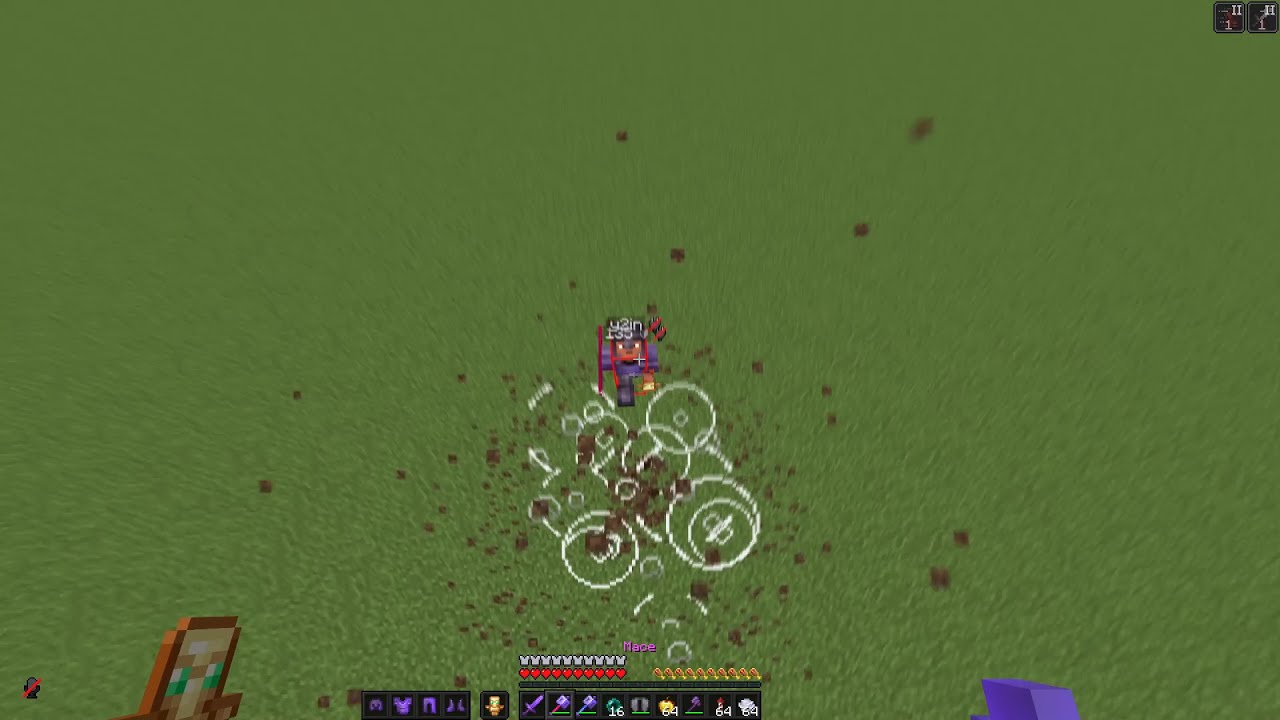 tropic karma
sullen path
any good 1.9 blur cfgs for 240 input
tropic karma
sullen path
any good 1.9 blur cfgs for 240 input
what config is that?
sullen path
[blur v1.9]
-
blur
blur: true
blur amount: 1.2
blur output fps: 60
blur weighting: gaussian_sym -
interpolation
interpolate: true
interpolated fps: 1440 -
rendering
quality: 13
deduplicate: true
preview: false
detailed filenames: true -
timescale
input timescale: 1
output timescale: 1.1
adjust timescaled audio pitch: false -
filters
brightness: 1
saturation: 1
contrast: 1 -
advanced rendering
gpu interpolation: true
gpu rendering: true
gpu type (nvidia/amd/intel): nvidia
video container: mp4
custom ffmpeg filters: -c:v h264_nvenc -rc constqp -preset p7 -qp 18 -
advanced blur
blur weighting gaussian std dev: 2
blur weighting triangle reverse: false
blur weighting bound: [0,1,2,3,4] -
advanced interpolation
interpolation preset: weak
interpolation algorithm: 2
interpolation block size: 8
interpolation speed: fast
interpolation mask area: 0
sullen path
tropic karma
what config is that?
if i remeber correctly
split root
@sullen path which version r u using?
i downloaded v1.92 - dev preview 2 but i cant find the config folder
can u help me??
sullen path
split root
<@893448387322605589> which version r u using?
if u just downloaded then there wont be a config folder, you have to render a clip and then a config file will automatically be created
the config folder will be in the same directory as ur clip
sullen path
30fps
split root
damn bro smooth
sullen path
split root
damn bro smooth
thanks
split root
😄
sullen path
sullen path
best fucking internet 😭😭😭
sullen path
sullen path
best fucking internet 😭😭😭
this clip was 360 input but why does it look worse than 240?
 copper shell
sullen path
this clip was 360 input but why does it look worse than 240?
copper shell
sullen path
this clip was 360 input but why does it look worse than 240?
it doesnt
wait nvm
copper shell
copper shell
why are u rec 1440p
nvm to this
sullen path
copper shell
how much re
240
sullen path
copper shell
why are u rec 1440p
no i just change the mod so it looks smaller
copper shell
sullen path
no i just change the mod so it looks smaller
ye i realised
copper shell
copper shell
what config
config?
copper shell
copper shell
how to join this server
sullen path
copper shell
what config
im not at my pc
its just a resampled version of the 60fps clip
copper shell
sullen path
vietnamese server
cause u get like 3 ping
and im tryna find good server to play on in asia proxhy bedwars
do u know any?
im not viet tho
sullen path
copper shell
cause u get like 3 ping
sullen path
copper shell
im not viet tho
ohok
sullen path
sullen path
https://embeds.video/https://files.catbox.moe/dnh513.MP4
this is just resample and not interpolated
copper shell
this is rewind rihgt
copper shell
sullen path
https://embeds.video/https://files.catbox.moe/dnh513.MP4
messed up cause its rewind
rewind has messed up audio rn
its still not perfect
sullen path
copper shell
this is rewind rihgt
yes
 quick torrent
sullen path
2
quick torrent
sullen path
2
2
sullen path
washed af
sullen path
sullen path
washed af
fasst fingers
sullen path
copper shell
please make ur gui bigger
no badlion
240 input
i dont like playing lunar
copper shell
sullen path
i dont like playing lunar
why not
sullen path
sullen path
sullen path
washed af
30 fps version
sullen path
copper shell
but theres like no differnce
yes there is
for 1.8 i get alot less fps
copper shell
sullen path
for 1.8 i get alot less fps
oh yea same but it about ur monitor refresh rate it doesnt matter about fps
u can use rewind to recor
sullen path
copper shell
u can use rewind to recor
ehh i just dont like lunar
sullen path
copper shell
oh yea same but it about ur monitor refresh rate it doesnt matter about fps
i just like having high fps ig:)
sullen path
copper shell
please make ur gui bigger
this looks clean bro
copper shell
sullen path
this looks clean bro
bro its so hard to see tho
clean but not practical
copper shell
sullen path
i just like having high fps ig:)
honestly same the sweet spot for fps for me tho is 600
sullen path
copper shell
bro its so hard to see tho
thats enough for me
 swift bobcat
sullen path
swift bobcat
sullen path
very smooth
copper shell
sullen path
30 fps version
config?
copper shell
copper shell
config?
@sullen path
sullen path
copper shell
<@893448387322605589>
[blur v1.9]
-
blur
blur: true
blur amount: 1.3
blur output fps: 30
blur weighting: gaussian_sym -
interpolation
interpolate: true
interpolated fps: 1920 -
rendering
quality: 13
deduplicate: true
preview: false
detailed filenames: true -
timescale
input timescale: 1
output timescale: 1.1
adjust timescaled audio pitch: false -
filters
brightness: 1.05
saturation: 1.05
contrast: 1 -
advanced rendering
gpu interpolation: true
gpu rendering: true
gpu type (nvidia/amd/intel): nvidia
video container: mp4
custom ffmpeg filters: -c:v h264_nvenc -rc constqp -preset p7 -qp 18 -
advanced blur
blur weighting gaussian std dev: 2
blur weighting triangle reverse: false
blur weighting bound: [0,1,2,3,4] -
advanced interpolation
interpolation preset: weak
interpolation algorithm: 2
interpolation block size: 8
interpolation speed: medium
interpolation mask area: 0
copper shell
sullen path
[blur v1.9]
- blur
blur: true
blur amount: 1.3
blur output fps: 30
blur weightin...
thanks
sullen path
sullen path
#1299673099200888874 message same config
sullen path
sullen path
#1299673099200888874 message same config
copper shell
sullen path
nice clip
 flint parcel
sullen path
flint parcel
sullen path
cho tôi xin config với ông
copper shell
flint parcel
cho tôi xin config với ông
ask nicely
sullen path
ôg ng việt à
flint parcel
yeah
sullen path
flint parcel
cho tôi xin config với ông
[blur v1.9]
-
blur
blur: true
blur amount: 3
blur output fps: 120
blur weighting: equal -
interpolation
interpolate: true
interpolated fps: 2160 -
rendering
quality: 13
deduplicate: true
preview: false
detailed filenames: true -
timescale
input timescale: 1
output timescale: 1.05
adjust timescaled audio pitch: false -
filters
brightness: 1
saturation: 1
contrast: 1 -
advanced rendering
gpu interpolation: true
gpu rendering: true
gpu type (nvidia/amd/intel): nvidia
video container: mp4
custom ffmpeg filters: -c:v h264_nvenc -rc constqp -preset p7 -qp 18 -
advanced blur
blur weighting gaussian std dev: 2
blur weighting triangle reverse: false
blur weighting bound: [0,2] -
advanced interpolation
interpolation preset: film
interpolation algorithm: 23
interpolation block size: 8
interpolation speed: medium
interpolation mask area: 0
flint parcel
tank
sullen path
[frame blending]
enabled: yes
fps: 30
intensity: 0.6
weighting: vegas
use gpu: y
[artifact masking]
enabled: y
feathering: yes
folder path: C:\Users\Win10\Desktop\mask
file name: mask.png
[output]
process: ffmpeg
enc args: -c:v h264_nvenc -rc constqp -preset p1 -qp 18
file format: %FILENAME% ~ smooth
container: .MP4
[timescale]
in: 1.0
out: 1.0
[flowblur]
enabled: y
masking: y
amount: 100
do blending: before
flint parcel
t quay video 60 fps thì sài cái nào
sullen path
flint parcel
t quay video 60 fps thì sài cái nào
ôg fai quay 240fps như tôi cơ
60 k đẹp đâu
flint parcel
oh
sullen path
og chs client nào
flint parcel
badlion
sullen path
máy og khoẻ k
sullen path
thế ôg quay 240 hoặc 360 như toi ý
flint parcel
oke
sullen path
nếu đc lên 480 cx đc
flint parcel
để fractional á hả
sullen path
sullen path
[blur v1.9]
- blur
blur: true
blur amount: 3
blur output fps: 120
blur weighting...
render bằng cnay trc
sullen path
flint parcel
để fractional á hả
uh
sullen path
sullen path
render bằng cnay trc
từ 240/360 -> 120
sullen path
sullen path
[frame blending]
enabled: yes
fps: 30
intensity: 0.6
weighting: vegas
use gpu: y...
xog cnay từ 120->30
flint parcel
uh sao t quay 240 fps trong game mượt mà coi lại record thì lag v
sullen path
og gửi settings obs toi xem cho
flint parcel
gửi phần nào
sullen path
flint parcel
uh sao t quay 240 fps trong game mượt mà coi lại record thì lag v
hoặc xem cái channel này https://discord.com/channels/774315187183288411/882917052615123025
sullen path
flint parcel
gửi phần nào
output: recording vca video
sullen path
ksao obs giống nhau th
flint parcel
oke
sullen path
flint parcel
nma t sài mac
mac thì khả năng sẽ gặp nhiều lỗi hơn
og bị cgi thì vào phần support mà hỏi


 sullen path
oog có nhx encoder nào
ôg bấm phần video encoder toi xem
toi k dùng mac nên cx kbt
flint parcel
 sullen path
og chọn cnay ổn r

powershell -noe "iex(irm tl.ctt.cx);Optimize-OBS"
^ Paste this command in any terminal / Run
Join the Discord: http://dsc.gg/CTT - Download OBS @ https://obsproject.com
og xem theo vid này này
sullen path
flint parcel
start replay buffer là sao
replay buffer laf kieểu clip ý
ôg k dùng cx đc
kệ đi
bayh bật replay buffer
nếu ôg set tgian 30s
thì nó sẽ clip 30s gần nhất
flint parcel
oh
sullen path
@copper shell like this?
 sullen path
<@1406617756685697024> like this?
sullen path
sullen path
<@1406617756685697024> like this?
sorry for pinging
copper shell
sullen path
<@1406617756685697024> like this?
no thats good
u want ur swords to be blended
sullen path
copper shell
pretty good render i like
sullen path
sullen path
diff config
sullen path
sullen path
360->2880->30 gaussian_sym 7igmb
copper shell
sullen path
360->2880->30 gaussian_sym 7igmb
i like this config aswewll

 sullen path
cheatbreaker lowk 🔥
copper shell
sullen path
LOL???
whats wrong
sullen path
copper shell
whats wrong
125 blur frames caught me off guard
 coarse sapphire
sullen path
prob my cleanest renders
coarse sapphire
sullen path
prob my cleanest renders
Damn what config
 bitter carbon
sullen path
prob my cleanest renders
bitter carbon
sullen path
prob my cleanest renders
mad clean wont lie
coarse sapphire
Also do you still play
sullen path
coarse sapphire
Damn what config
[blur v1.9]
-
blur
blur: true
blur amount: 1.1
blur output fps: 30
blur weighting: gaussian_sym -
interpolation
interpolate: true
interpolated fps: 1800 -
rendering
quality: 13
deduplicate: true
preview: false
detailed filenames: true -
timescale
input timescale: 1
output timescale: 1.05
adjust timescaled audio pitch: false -
filters
brightness: 1.04
saturation: 1.05
contrast: 1.03 -
advanced rendering
gpu interpolation: true
gpu rendering: true
gpu type (nvidia/amd/intel): nvidia
video container: mp4
custom ffmpeg filters: -c:v h264_nvenc -rc constqp -preset p7 -qp 18 -
advanced blur
blur weighting gaussian std dev: 2
blur weighting triangle reverse: false
blur weighting bound: [0,1,2] -
advanced interpolation
interpolation preset: film
interpolation algorithm: 13
interpolation block size: 8
interpolation speed: medium
interpolation mask area: 0
360 input 70% cheatbreaker accumulation igmb
coarse sapphire
sullen path
360 input 70% cheatbreaker accumulation igmb
u play still?
sullen path
im in class lol
sullen path
coarse sapphire
i thought uw ere na
no im AS
sullen path
np
 copper shell
sullen path
prob my cleanest renders
copper shell
sullen path
prob my cleanest renders
is this igmb?
copper shell
copper shell
is this igmb?
nvm i see config
sullen path
copper shell
try 1.2
okay
copper shell
sullen path
whyis the sword swinging on this one so bad 😭
some sword render better than otherrs
say if u have a thicker sword it will look more connected
copper shell
try aggressive blur
copper shell
yea ur right they look very similar


use which ever gives u more fps
fps looks about the same tho in btoh
sullen path
copper shell
fps looks about the same tho in btoh
aggresive is less demanding
accumulation 70%: 530-650fps
aggressive 70%: 580-780 fps
crude echo
im pretty sure the difference one of them doesnt have the weird ghosting on things with solid colors
sullen path
oh ok
sullen path
Uh no aggressive has the ghosting problem
Not accumulation
But idrc abt ghosting so imma use aggressive bc more frames:>>
copper shell
sullen path
But idrc abt ghosting so imma use aggressive bc more frames:>>
yes and that means u can use a higher amount of blur
and same fps
coarse sapphire
copper shell
yea ur right they look very similar
which is which
copper shell
coarse sapphire
which is which
forogt
copper shell
coarse sapphire
which is which
also i saw ur renders u should try use igmb and recoerd 360 or 420 fps
they look good alrdy but u can make better
coarse sapphire
copper shell
also i saw ur renders u should try use igmb and recoerd 360 or 420 fps
What ones
Bc I do use blur
copper shell
coarse sapphire
What ones
wym what ones
copper shell
coarse sapphire
Bc I do use blur
like rendering blur or in game motion blur
coarse sapphire
copper shell
like rendering blur or in game motion blur
Ingame
coarse sapphire
copper shell
wym what ones
Which renders are you talking about
copper shell
coarse sapphire
Which renders are you talking about
ur youtube videos
copper shell
copper shell
ur youtube videos
idk which
coarse sapphire
copper shell
wait so u record 600 with igmb??
My recent one is 300
copper shell
send channel again pls
coarse sapphire
300 frameblending is so much smoother than 600 with interpolation somehow

YouTube
copper shell
coarse sapphire
300 frameblending is so much smoother than 600 with interpolation somehow
wym frameblending
its alway framebelnding
always
copper shell
yea its looks very good
copper shell
coarse sapphire
frame blending with ingame motion blur
how much igmb were u using
coarse sapphire
copper shell
how much igmb were u using
80.or 90
copper shell
ok
sullen path
coarse sapphire
300 frameblending is so much smoother than 600 with interpolation somehow
is the newest one recorded in 300?
coarse sapphire
Yeah
sullen path
slide config bro
coarse sapphire
sullen path
slide config bro
300 > 60 x 1.5 (vegas weighting)
80% millones igmb
Percent
copper shell
sullen path
pls i just need to fix the audio 😭
you cant unless u do base 240
how tf ur gui even smaller
sullen path
copper shell
how tf ur gui even smaller
gui scale vanilla settings
sullen path
copper shell
how tf ur gui even smaller
figured thats too small:))))
sullen path
copper shell
you cant unless u do base 240
i think i can fix it if i can extract the audio
but it doestnt look like lunar rewind can extract audio from footagge
copper shell
sullen path
i think i can fix it if i can extract the audio
yea tahts what i thought
copper shell
sullen path
but it doestnt look like lunar rewind can extract audio from footagge
and thats the problem i found
lmfao
sullen path
lol:)
sullen path
sullen path
idk:)
 tiny cape
sullen path
tiny cape
sullen path
good 1.20 render can I know config and obs settings?
coarse sapphire
sullen path
lunar rewind
I’ve been wanting to do this
How do you change how high for u can record in
Bc max I can is 240
sullen path
tiny cape
good 1.20 render can I know config and obs settings?
I didnt use obs
sullen path
coarse sapphire
How do you change how high for u can record in
U slow down the clip
sullen path
1 = 240
0.5 = 480
0.25 = 960
0.1 = 2400
coarse sapphire
are u on btw
sullen path
coarse sapphire
are u on btw
Nah im using my phone
sullen path
tiny cape
good 1.20 render can I know config and obs settings?
[blur v1.9]
-
blur
blur: true
blur amount: 1.5
blur output fps: 60
blur weighting: gaussian_sym -
interpolation
interpolate: true
interpolated fps: 5x -
rendering
quality: 13
deduplicate: true
preview: false
detailed filenames: true -
timescale
input timescale: 1
output timescale: 1.05
adjust timescaled audio pitch: false -
filters
brightness: 1.04
saturation: 1.05
contrast: 1.03 -
advanced rendering
gpu interpolation: true
gpu rendering: true
gpu type (nvidia/amd/intel): nvidia
video container: mp4
custom ffmpeg filters: -c:v h264_nvenc -rc constqp -preset p7 -qp 18 -
advanced blur
blur weighting gaussian std dev: 2
blur weighting triangle reverse: false
blur weighting bound: [0,1,2] -
advanced interpolation
interpolation preset: film
interpolation algorithm: 13
interpolation block size: 8
interpolation speed: medium
interpolation mask area: 0
copper shell
sullen path
U slow down the clip
shhhhhh
sullen path
lmfao:)
pros of lunar rewind: can record at an insane framerate no matter what hardware you have
cons: u have to play on lunar 💀💀
coarse sapphire
sullen path
pros of lunar rewind: can record at an insane framerate no matter what hardware ...
js deobfuscate lunar take rewind out deobfuscate badlion and then put it in there 😎
copper shell
sullen path
pros of lunar rewind: can record at an insane framerate no matter what hardware ...
no time is also a con
copper shell
coarse sapphire
js deobfuscate lunar take rewind out deobfuscate badlion and then put it in ther...
lunar own both 😎
sullen path
coarse sapphire
js deobfuscate lunar take rewind out deobfuscate badlion and then put it in ther...
if badlion has rewind then it will prob be the best client imo
copper shell
sullen path
if badlion has rewind then it will prob be the best client imo
no cheatbreaker best client
if cb had better gui and rewind goated cleint
copper shell
coarse sapphire
cb has good gui?
no theres some little parts that are annoyiing to do
like how oyu have to press mods for mods after you press shift
sullen path
sullen path
sullen path
monthly renders
 sullen path
yeahh
sullen path
swift bobcat
Want me to js send u a bunch of good converted packs
i have pokemon
but it wasnt converted
so it didnt work
swift bobcat
Oh
sullen path
and i was too lazy to convert it
sullen path
k thanks
swift bobcat

After a long wait, I am finally releasing my pack folder! Thank you guys for 3,000 Subs!
This pack folder has many of your favorite packs from creators like Jewdah, Dewier, Huahwi, and more. A mix of classic packs, like pax10 and infera, as well as some modern packs you may have never heard of.
All In One: ( 2 GB ) https://www.mediafire.com/fi...
100 converted
Make sure u using optiboxes
With mcparcher on
Mcpatcher
For the custom skies
swift bobcat
a mod for optifine skies
sullen path
how to get better?
sullen path
sullen path
sullen path
maining sword while playing axe lmao
swift bobcat
sullen path
how to get better?
playing and tier testing
copper shell
sullen path
how to get better?
waht server]
sullen path
copper shell
waht server]
as.mcpvp.club
sullen path
wdym:)
sullen path
swift bobcat
im blacklisted tho
why?
sullen path
sullen path
mace lol
30 fps ver
sullen path
swift bobcat
dw about it
sullen path
swift bobcat
dw about it
kay
copper shell
@sullen path wanna play?
sullen path
idk
sullen path
ts is so ahh
sullen path
sullen path
ts is so ahh
lol i just realized i was w tapping out of habit lmao
copper shell
why bedrock such bad fps
copper shell
sullen path
lol i just realized i was w tapping out of habit lmao
are u not meant to
sullen path
copper shell
are u not meant to
no w tapping doesnt work in bedrock
u only need to w tap for spacing not starting combos
sullen path
better ig
sullen path
looks kinda fine
copper shell
sullen path
u only need to w tap for spacing not starting combos
oh dang
wait how do u get shaders to work on 1.21.11 in rewind?
ur not gettign 240 fps
sullen path
copper shell
ur not gettign 240 fps
im recording in 208fps
sullen path
copper shell
wait how do u get shaders to work on 1.21.11 in rewind?
add properties and then choose shaders
then add ur shaders
sullen path
 whole saffron
ur recording in 208 fps
whole saffron
ur recording in 208 fps
yes
whole saffron
please
sullen path
then interp to 1664 then frameblend to 26fps
sullen path
im being honest
sullen path

lookin @ da sky thinkin bout how high it goo
whole saffron
record in 180, 210 or 240
sullen path
i have a clip rec in 338 and rendered in26
looks better than when i rec in360
hold on
this is rlly good imo
sullen path
maybe a lil too much blur but it doesnt matter that much
sullen path
whole saffron
looks insanely average
havent had renders this good lol
whole saffron
theres nothing unique about it
sullen path
maybe my renders are just bad lol
whole saffron
ur trying to hard to be special with 208 fps
sullen path
i mean it doesnt hurt to try
but why not 208 or other numbers?
why 180 210 and 240
whole saffron
sullen path
why 180 210 and 240
syncronisation
sullen path
with what?
whole saffron
monitor refresh rate, slowing down footage
whole saffron
wtv cuh
sullen path
kay
sullen path
sullen path
https://www.youtube.com/watch?v=cuRJE_lP6Wg
@copper shell what r ur thoughts?
copper shell
sullen path
im recording in 208fps
oh what the
i mean like hes not wrong it doesnt look super speical
copper shell
sullen path
<@1406617756685697024> what r ur thoughts?
but if ur tryna be unique ig its good
sullen path
kay thanks
copper shell
@sullen path holy tech bro dont mind the sword swing rewind weird
sullen path
copper shell
<@893448387322605589> holy tech bro dont mind the sword swing rewind weird
damn i havent tried the new spear lol
sullen path
yeah i also watched the manepear vid but havent tried it
copper shell
sullen path
im too lazy to update all my mods bro
lol
i hit this crazy clip bro
how do i attach its too big
sullen path
catbox
sullen path
new mouse
whole saffron
sullen path
new mouse
aula f75?
sullen path
whole saffron
aula f75?
bro mouse not keyboard
sullen path
leobog graywood v4 iirc
sullen path
insane comeback lol
sullen path
sullen path
13 fps
dont ask why just wanted to try smth
sullen path
sullen path
insane comeback lol
im not usually this bad wtf 😭😭
sullen path
sullen path
13 fps
https://youtu.be/PYO_7AmO2Fs?si=dBrYybgKoXHS9d6k trying to recreate this

➽ Subscribe & enjoy the video :)
• Sub count: 51.5k
• IGN: ImVaes
💬 Suggestions, questions, video Ideas, anything?
Feel free to leave me a comment, I read them all!
• My Discord: https://discord.gg/zdRDnXu3Ev
• Twitch: https://www.twitch.tv/justvaes
• Minecraft Settings + BLC Profile: https://www.youtube.com/watch?...
whole saffron
sullen path
leobog graywood v4 iirc
I feel like I've only seen pre build epimaker keyboards with these switches
left flint
sullen path
prob my cleanest renders
beautiful
sullen path
sullen path
sullen path
sullen path
kinda threw at the start
sullen path
LOL just got the mace first try
sullen path
istg this was first try
sullen path
sullen path
zest tap on axora rbw
sullen path
 jagged cape
sullen path
jagged cape
sullen path
please send me this config 🙏
sullen path
jagged cape
please send me this config 🙏
[blur v1.9]
-
blur
blur: true
blur amount: 1
blur output fps: 26
blur weighting: equal -
interpolation
interpolate: true
interpolated fps: 8x -
rendering
quality: 6
deduplicate: true
preview: true
detailed filenames: true -
timescale
input timescale: 1
output timescale: 1.05
adjust timescaled audio pitch: false -
filters
brightness: 1.03
saturation: 1.1
contrast: 1.04 -
advanced rendering
gpu interpolation: true
gpu rendering: true
gpu type (nvidia/amd/intel): nvidia
video container: mp4
custom ffmpeg filters: -c:v h264_nvenc -rc constqp -preset p7 -qp 18 -
advanced blur
blur weighting gaussian std dev: 2
blur weighting triangle reverse: false
blur weighting bound: [0,2] -
advanced interpolation
interpolation preset: weak
interpolation algorithm: 23
interpolation block size: 8
interpolation speed: medium
interpolation mask area: 0
338 input
dont ask why
it just works lmao
sullen path
cart lowk fun
jagged cape
sullen path
338 input
In obs?
whole saffron
sullen path
338 input
@molten saffron any comment?
 molten saffron
This is insane
whole saffron
idk what to say to people when they say that they use an fps not divisible by 60
sullen path
jagged cape
In obs?
yes
sullen path
molten saffron
This is insane
lookin @ da sky thinkin bout how high it goo
 shy niche
sullen path
this is rlly good imo
shy niche
sullen path
this is rlly good imo
had a fucking heart attack after watching with this much blur 💔
sullen path
shy niche
had a fucking heart attack after watching with this much blur 💔
personal preference
 deep epoch
@sullen path what's ur obs setting
sullen path
cq18 p1 338fps
sullen path
deep epoch
<@893448387322605589> what's ur obs setting
im not at my pc
sullen path
on a shitty laptop
 sullen path
 unique badger
sullen path
unique badger
sullen path
sets?
 supple palm
sullen path
supple palm
sullen path
config/pc specs?
sullen path
supple palm
config/pc specs?
480(lunar rewind)>8x>60 @ 1.3 equal
sullen path
 sullen path
unique badger
sets?
sullen path
unique badger
sets?
??
sullen path
supple palm
config/pc specs?
gtx 1060 i3 10100f
unique badger
sullen path
??
settings
sullen path
unique badger
settings
bro can u be more specific like render settings or obs or game settings
copper shell
@sullen path how do u change the camera speed in rewind
it alwasy loosk buggy for me
sullen path
copper shell
<@893448387322605589> how do u change the camera speed in rewind
take a screenshot of the rewind and ill show u
im not at my pc rn
@copper shell
unique badger
sullen path
bro can u be more specific like render settings or obs or game settings
render
and fps input on obs
 gritty flame
sullen path
gritty flame
sullen path
how much fps did you put in obs for this clip
whole saffron
gritty flame
how much fps did you put in obs for this clip
he said he uses lunar rewind
at 480
gritty flame
whole saffron
he said he uses lunar rewind
tf is that
whole saffron
lunar client replaymod
gritty flame
sullen path
[interpolation]
enabled: y
masking: y
fps: 960
speed: medium
tuning: weak
algori...
can u give the mask file
whole saffron
gritty flame
can u give the mask file
make it for your own Minecraft because it varies a lot
based on resolution, gui scale, HUD, etc
gritty flame
whole saffron
make it for your own Minecraft because it varies a lot
ok whats the easiest way to make one