Bought 8 of these from China at $32 a piece with a quite stable Android 8.1 rom. Planning to use one as a web-based POS machine and another one for printing tickets for my business. What I'm having issues with this rom is that it doesn't automatically set the time when connected to my mesh WiFi. So, everytime it restarts or when a power outage occurs, it just resets back to the 1970s on boot. Also, this rom doesn't have Google Services. Do you, by any chance, happen to know how to have Google Services installed here without removing the currently installed Chinese rom? If not, do you think the instructions in the link you provided will not cause problems if the device already has a custom rom installed?
#Lenovo ThinkSmart View
8078 messages · Page 9 of 9 (latest)
 limber arch
 stark prairie
limber arch
Bought 8 of these from China at $32 a piece with a quite stable Android 8.1 rom....
stark prairie
limber arch
Bought 8 of these from China at $32 a piece with a quite stable Android 8.1 rom....
You can always flash it back ot the stock rom. The older XDA forum posts have links to the original images, so that option is always there. You may be able to add Google services through something like microG or opengapps but I don't know for certain if that would work -- I've always gone with one of the GSI builds that had it baked in.
limber arch
I think I'll have to live with the Bluetooth issue since the Sahara error is such a PITA. Yes, I've tried using my old PC with a USB 2.0. Also tried it out with an X270. Still the same Sahara error. Also tried it with other cables.
Found out that the Chinese ROM that it came with forgot to create UI elements for PIN entry with these adb logcats:
Cannot find preference with key pref_bt_pairing
NO dashboard tiles for BluetoothPairingDetail
And
bt_btm_sec: btm_sec_pin_code_request: btsnd_hcic_pin_code_neg_reply: btm_cb.pairing_state : 9
My only option for now is to have a separate android device to serve as a print server for the POS printer.
 median yarrow
limber arch
I think I'll have to live with the Bluetooth issue since the Sahara error is suc...
median yarrow
limber arch
I think I'll have to live with the Bluetooth issue since the Sahara error is suc...
Did you enable test mode on Windows first?
limber arch
median yarrow
Did you enable test mode on Windows first?
Yep. Windows was on test mode for both PC and Thinkpad. Just bought a 2013 Thinkpad Edge. Will install Windows on it later and try to work on it there. Wish me luck! 😬
median yarrow
Just to cover all bases (though I'm sure you already did this), but make sure you run it as soon as the device powers on and is detected
limber arch
median yarrow
Just to cover all bases (though I'm sure you already did this), but make sure yo...
I DID IT!
The old Thinkpad E145 (from 2013) did it. It had a few challenges on its own since the laptop had an annoying ghost 'Enter' key from time to time which is another PITA while working with ADB. Finally have Lineage now and my device now works as my standalone POS machine. 😄
median yarrow
Sick! Did you use deadman's build?
limber arch
median yarrow
Sick! Did you use deadman's build?
Yes, I did.
This fixed most of the issues I encountered (time sync, BT PIN UI Elements).
Gonna work on the other 7 devices in a few hours. This is gonna be a long day.
 obtuse moss
I hope it's everthying you want it to be.
limber arch
I finished all 8 devices. I love it! For years, I’ve been looking for Always-Plug-In android tablets as an affordable POS solution.
What’s available in the market are the $400 ones or you go with a tablet route but with a built-in battery that most likely degrades over time faster than usual.
With this approach, you just need to pair it up with a cheap BT thermal printer around $20 and a cash drawer for the same price and you’ve got a very solid POS machine for less than $80! With a solid build too.
5 of my Thinksmarts will be deployed for my other branches. Thinking of buying 10 more haha
median yarrow
limber arch
I finished all 8 devices. I love it! For years, I’ve been looking for Always-Plu...
What POS or thermal printer are you using? I recently built a HTA app that allows me to print from my windows tablet to an old zebra printer I have wired in, but I have been looking for a solution that lets me do it with the tablet or BT
limber arch
median yarrow
What POS or thermal printer are you using? I recently built a HTA app that allow...
I use the cheap Chinese GOOJPRT ones. I bought an app that translates my HTML codes and calls the app via intent: to print out the HTML builds.
HTML side code goes something like this
function buildCashInReceipt(data) {
    let receiptText = "\x1B\x33\x00\x1B\x61\x00";
    const now = new Date();
    const formattedDate = now.toLocaleDateString("en-US");
    const hours = now.getHours();
    const minutes = now.getMinutes();
    const ampm = hours >= 12 ? "PM" : "AM";
    const formattedTime = `${hours % 12 || 12}:${String(minutes).padStart(
        2,
        "0"
    )} ${ampm}`;

    receiptText += "CASH IN RECEIPT\n";
    receiptText += `DATE: ${formattedDate} ${formattedTime}\n`;
    receiptText += `TRANSACTION#: ${data.transactionNumber || "N/A"}\n`;
    receiptText += `PURPOSE: ${data.purpose}\n`;
    receiptText += `AMOUNT: ${Number(data.amount).toFixed(2)}\n`;
    receiptText += "============================\n";

    // Open cash drawer command
    receiptText += "\x1B\x70\x00\x19\xFA";

    return receiptText;
}
For intent:
function buildCashInReceipt(data) {
    let receiptText = "\x1B\x33\x00\x1B\x61\x00";
    const now = new Date();
    const formattedDate = now.toLocaleDateString("en-US");
    const hours = now.getHours();
    const minutes = now.getMinutes();
    const ampm = hours >= 12 ? "PM" : "AM";
    const formattedTime = `${hours % 12 || 12}:${String(minutes).padStart(
        2,
        "0"
    )} ${ampm}`;

    receiptText += "CASH IN RECEIPT\n";
    receiptText += `DATE: ${formattedDate} ${formattedTime}\n`;
    receiptText += `TRANSACTION#: ${data.transactionNumber || "N/A"}\n`;
    receiptText += `PURPOSE: ${data.purpose}\n`;
    receiptText += `AMOUNT: ${Number(data.amount).toFixed(2)}\n`;
    receiptText += "============================\n";

    // Open cash drawer command
    receiptText += "\x1B\x70\x00\x19\xFA";

    return receiptText;
}
It calls out this app via intent"
https://play.google.com/store/apps/details?id=ru.a402d.rawbtprinter&pcampaignid=MKT-Other-global-all-co-prtnr-py-PartBadge-Mar2515-1
Simply install it on the Thinksmart, setup the BT printer, and you're good to go.
The RawBT app is currently on a Freemium state since Google apparently blocked App Payments to Russian developers.
median yarrow
Hm... seems tricky since I need to find a BT printer and redo my code
Probably can't reuse any of it now thinking about it lol
Too much customization
limber arch
Is there a way for the screen not to automatically turn off when on a call?
 shell minnow
Are these still available on a budget?
shell minnow
Cheapest I can find is £90
The Facebook Portal is a similar device that you can find fairly cheap on eBay but they haven't hacked it properly yet (the OS has been dumped on XDA)
 cedar turret
shell minnow
The Facebook Portal is a similar device that you can find fairly cheap on eBay b...
cedar turret
shell minnow
The Facebook Portal is a similar device that you can find fairly cheap on eBay b...
Someone near me is selling one of those on marketplace for $15 and I’ve been curious to purchase it in hopes that one day I could do something with it, I might just have to pick it up and follow the XDA work closely
 opaque girder
cedar turret
Someone near me is selling one of those on marketplace for $15 and I’ve been cur...
opaque girder
cedar turret
Someone near me is selling one of those on marketplace for $15 and I’ve been cur...
Worst case buy and flip on eBay.
limber arch
shell minnow
Are these still available on a budget?
In my region, it’s still at $30-35 shipped from China.
shell minnow
limber arch
In my region, it’s still at $30-35 shipped from China.
Can you send me a link?
limber arch
shell minnow
Can you send me a link?
Just checked out the major online stores in my region (SEA) and I think I bought most of their stock last week. Will message the seller if they still have any.
Here's the out of stock link
shell minnow
Another seller on Lazada has one for about £50, still better
https://ayoubcomputers.com/lenovo-thinksmart-view-standalone-video-conferencing-device-for-microsoft-teams-wi-fi-business-black-za690000us/ there's one in Lebanon for dirt cheap but I can't ship it to my location

AYOUB COMPUTERS
Buy online Lenovo ThinkSmart View Standalone Video-Conferencing Device for Microsoft Teams (Wi-Fi), Business Black | ZA690000US at ayoubcomputers.com, find low everyday prices, buy online and enjoy free delivery or in-store pickup. AYOUB COMPUTERS best tech store in Lebanon.
 jolly pivot
shell minnow
Another seller on Lazada has one for about £50, still better
jolly pivot
shell minnow
Another seller on Lazada has one for about £50, still better
I thought Lazada was only for SE Asia 
Or is it just you are using pounds
shell minnow
nah I'm in the United of Kingdom dawg
 stark prairie
Just wanted to share my experience getting a local Ollama chat bot with custom TTS set up. I've got a local server running Ollama and openedai-speech for custom TTS (xTTS is awesome). I like the My ThinkSmart is running Android 10 with Google Apps (https://github.com/phhusson/treble_experimentations/releases/tag/v222).
Ollama app: https://github.com/JHubi1/ollama-app
TTS Server: https://github.com/jing332/tts-server-android
In the Ollama app, simply go to settings, enter your local address and port. It'll let you know if it's valid. Under settings you can also adjust the prompt under Behavior. You can stop there if you just want to have the chat app on your device. If you want to use a locally hosted TTS, go on:
For the TTS server, you'll need to get the dev build that is linked on the github page. If you use the stable build, it's got Edge TTS support built in, which is pretty slick. For a local TTS server, like I have, I used the dev build: v1.25 is what I'm using currently. This allows for creating a TTS "plugin" that the stable build doesn't have. I'm attaching what I'm using.
In TTS Server (v1.25) click the three dots at the top right, select Plugin Manager, then then the three dots again and select Import. Import the .json file attached here. You'll need to edit your local TTS server address and add voices. Next, under "Default group" click the '+' at the bottom and select "Add plugin TTS". Select the openedai-tts option you just added, and you should be able to test that it's working.
Back in the Ollama app, enable voice mode. Select a model, then click the headphones icon to start the voice chat mode.
I have this in my campus office, connected to my home network via wireguard. I was able to replicate (sort of) Kate Mulgrew's voice using xtts and have the prompt set up as Captain Janeway from Voyager (my wife's a big fan and I thought she'd get a kick out of it).
Might be a bit faster through a local network, even faster if you just use the Android built in TTS. My ollama server is just running a single RTX3060 so nothing fancy.
For those who don't like the DIY approach, Gemini seems to run just fine on the ThinkSmart, as well.
 limber ice
Is @sweet wren's video still the best way to mod this thing to run retro games, or is there a better updated guide somewhere?
I've been sitting on this thing for months, and it's about time I did something with it.
stark prairie
limber ice
Is <@349040433869094914>'s video still the best way to mod this thing to run ret...
It's the fastest way to do it. I think the better option is to follow Deadman's guide/build. I think there's a sticky link maybe? Most recent I believe had LineageOS. I can't exactly recall what I did, but one of mine has Android 11 GSI with goapps, the other has Android 10 GSI with full Google apps (never could get Assistant working though) from phh.
Here are the XDA forums where it's been discussed quite a bit:
https://xdaforums.com/t/guide-root-unlocking-and-improving-your-lenovo-thinksmart-view-cd-18781y.4584033/
https://xdaforums.com/t/cd-18781y-lenovo-thinksmart-view-bootloader-firmware-zoom-teams-conversion-normal-android.4426029/
Also there's the HA forums, but I haven't followed up there at all.
https://community.home-assistant.io/t/lenovo-thinksmart-view-rom-os-development/676324
 burnt olive
how do I load this android 10 .img file onto the device? does it also go through the recovery image and install through ADB like the linage image?
burnt olive
I followed the threads, but I still can’t get this to boot into fastboot capable image. Any advice?
 gentle vine
Having an issue downloading the software using qfil its been giving me errors not sure what im doing wrong is anyone could help me out!
stark prairie
gentle vine
Having an issue downloading the software using qfil its been giving me errors no...
You mean while flashing to the device, or downloading the QFIL software itself?
If you mean flashing, make sure you're using an USB A to USB C plugged into a 2.0 port. USB c to USB c wont work all the time. It's weird but true
burnt olive
Has anyone here successfully gotten fastboot unblocked a this onto an Android 10 build?
 eternal igloo
burnt olive
Has anyone here successfully gotten fastboot unblocked a this onto an Android 10...
eternal igloo
burnt olive
Has anyone here successfully gotten fastboot unblocked a this onto an Android 10...
Was you ever able to find a working Android 10 guide for the Lenovo ThinkSmart View? I'd love to be able to skip straight to Batocera on this thing but details are sparse and scattered across several sites and forums.
burnt olive
eternal igloo
Was you ever able to find a working Android 10 guide for the Lenovo ThinkSmart V...
Nope, I followed Robs guide to get to Android 8 go, but I really want atleast Android 10 for es-de
eternal igloo
Shucks. I have 3 of these and had one setup with Linage 15.1 I think from earlier this spring and it just started a rolling-reboot this past week.
I was hoping that in the last 2 years some progress was made.
Any suggestions on an up to date guide?
stark prairie
burnt olive
Nope, I followed Robs guide to get to Android 8 go, but I really want atleast An...
You can do 10. I've got 10 with full Google apps running.
When I have a minute I'll find the steps but look through the pins and all. Basically get the phhtreble AOSP 10 system image and use the flashing software to replace the system image.
burnt olive
stark prairie
You can do 10. I've got 10 with full Google apps running.
Any guides or hints on how? I could not get it to fastboot
stark prairie
burnt olive
Any guides or hints on how? I could not get it to fastboot
The xda forum posts here are great starts.
Make sure you aren't using USB C to USB C cables. I had to use USB A to USB C and make sure the A was plugged into a slower port on the laptop.
Holding volume down while plugging in the power adapter should get you to fastboot I thought.
It's been a long time since I set them up. My kids use one for strictly podcasts, and the other I used at work for a long time with an always on VPN to connect to my homelab services for podcasts and audiobooks.
burnt olive
My goal for Android 10 is to run es-de and just run that screen saver.
Which image works. I tried several on xda forums, but the information is scattered and they need fastboot which was not working for me
obtuse moss
Just bumping the thread. I use my NoThinkPad for watching twitch and playing vertical shooter arcades with my BT 8Bitdo. It's pretty awesome.
 next mural
 kind fern
I’m off to google it
kind fern
I’m off to google it
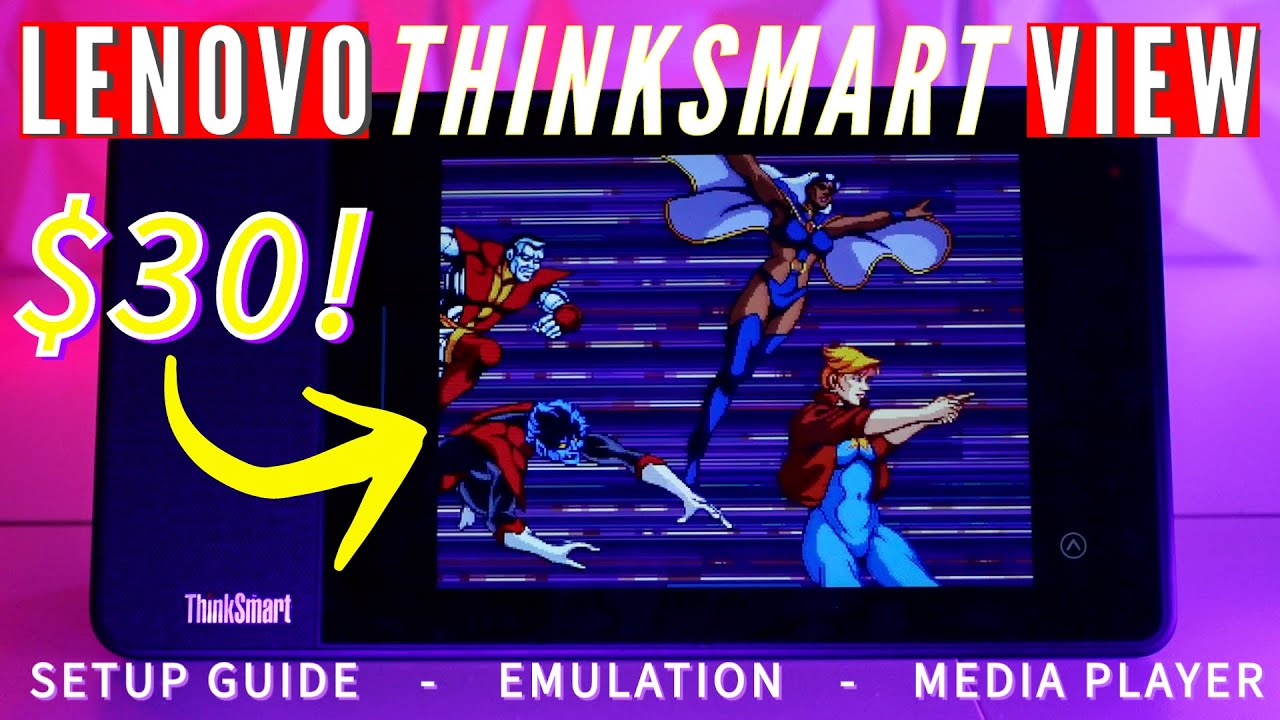
👉Occasionally, something comes along that proves to be an interesting opportunity to take a product intended for one use and turn it into something else. In this case, the Lenovo ThinkSmart View, a product that was designed for one purpose, video conferencing but thanks to an amazing community can now do far more. In this video, we will explo...
kind fern
Thanks
next mural
kind fern
Thanks
Are you getting 
kind fern
next mural
Are you getting <:robcheers:1448090915410415616>

I don’t know what this means but here’s a gif for you
next mural
kind fern
https://tenor.com/view/money-bugs-bunny-counting-bag-secure-the-bag-gif-14699156
Was asking if you bought tsv
kind fern
next mural
Was asking if you bought tsv
Naw it looks unique for sure, reminds me of a Microsoft zune xl
 swift mango
is there a way to extend the storage on this thing yet?
opaque girder
I've got 3 in my house. Playing music off my plex server, audiobookshelf, etc. Network storage works if you can stream data, but no way to get onboard storage increased.
next mural
opaque girder
I've got 3 in my house. Playing music off my plex server, audiobookshelf, etc. N...
Legend
 so happy ppl are still availing this opportunity years later
 cinder thunder
Three in use for music playback and home assistant voice dashboards. These devices caused a butterfly effect that resulted in my learning python and JavaScript. Many thanks @next mural
next mural
cinder thunder
Three in use for music playback and home assistant voice dashboards. These devic...
It's so exciting to see new ppl pop in here even if it's not so frequent anymore