#Lenovo ThinkSmart View
1 messages · Page 8 of 1
 humble karma
 dim stirrup
I addressed that using the fix posted earlier (Editing WCNSS_qcom_cfg.ini)
humble karma
Wasn't that the one reported by Deadman to not actually do anything?
 slate anvil
The only QOL improvement I had during my stint using an A8 flash was bluetooth connections for controllers weren't lost to the ether if they fell asleep. Everything else from UI, responsiveness, compatibility, and performance was worse.
My use cases were only remote streaming and emulation though. I never tested music players or video playback.
humble karma
I might dig up and try the old build for my arcade setup
 lilac flint
humble karma
Wasn't that the one reported by Deadman to not actually do anything?
lilac flint
humble karma
Wasn't that the one reported by Deadman to not actually do anything?
Editing the cfg to get a new Mac works on a11, the wlan_mac.bin is a symlink to nothing
 next mural
 7000
7000
We have officially doubled the duo @carmine apex

That WAS the most popular other" item in here

 jolly pivot
next mural
<:powerhaha:908802397231534120> 7000
jolly pivot
next mural
<:powerhaha:908802397231534120> 7000
I hope we get some nice progress before reaching 10K
next mural
jolly pivot
I hope we get some nice progress before reaching 10K
The more ppl that get it then more will be possible 
humble karma
There would be fewer posts if it were easier to set up and get working seamlessly 😆
jolly pivot
humble karma
There would be fewer posts if it were easier to set up and get working seamlessl...
True that lol 
 real trout
Deadman is the only dev really making progress on it, and his A11 goapps rom is working, just needs some QoL improvements, so maybe not a high priority for him.
Do we have a comprehensive list of bugs?
Auto-brightness doesn't work
Recents button doesn't work
Tap to wake doesn't work
Wifi MAC isn't pulling from hardware
Wifi won't connect to WPA3
Scaling is too large by default
Potentially some issues with the proximity sensor
Anything I missed?
humble karma
I have issues with
- widevine and Flac playback
- Trouble maintaining a wifi connection
Others have reported
- Trouble getting bluetooth connections on wake
humble karma
Lots of progress on the linux build by the looks of it https://community.home-assistant.io/t/lenovo-thinksmart-view-rom-os-development/676324/88

Home Assistant Community
Thanks for offering to send a device for testing. I’m hoping we can get it working without that being necessary. I can provide an image later today that should have the panel selection working. The only question mark for me is whether your configuration actually requires GPIO 95 (stock assigns it for backlight enable) and 100 (stock assigns th...
humble karma
I tried to load the build with the instructions in the latest posts and it would not boot
Might be I need to do something in an earlier post
 fathom patrol
sounds like there might be different screens? I have one running now and it's pretty solid. see if the USB device registers and you might be able to ssh in and send him your dmesg output: https://wiki.postmarketos.org/wiki/USB_Network
dim stirrup
Wow, just installed the pmOS build...really slick so far! Was running latest Deadman rom and rebooted into EDL mode and ran two commands listed in the forum post then powered off and unplugged USB-C cable (Just to be safe) and booted right up! It's a little counter-intuitive but on the login screen click the bottom left icon to bring up the fuill on-screen keyboard and then use pmos as the password...Still checking it out, so will update with results but digging it so far
dim stirrup
And if you want to use Firefox you gotta manually disable hardware acceleration (Which is a pain cause it's gltchy AF until you disable it, so have fun with that)
fathom patrol
since pmos only uses the userdata partition we can also remove system to free up some more space
dim stirrup
ohhhh really? glad to give that a shot, just not sure what the process is
fathom patrol
I generated a new rawprogram.xml etc for the last img, let me try that again with the latest
dim stirrup
will be happy to test/confirm whatever you end up with 😉
fathom patrol
flashing.. standby 🤞
900e, lol. need to add some of those small partitions back in
booting 🙌
/dev/mapper/userdata2
6.3G 1.6G 4.3G 27% /```Ok try this with the images from pmos-lenovo-cd-18781y-testing-20240227.tar.xz, doing a full qfil flash
^ removes system, vendor, & logdump in addition to oem & resource that we'd already dropped for A11
dim stirrup
would I do this first or last, or does that matter?
nm, I think I see what I have to do...will update with results shortly
Looks good! Booted into EDL mode and ran edl qfil rawprogram0.xml patch0.xml . then rebooted back into EDL mode (Not sure if that was needed) and then flashed pmOS files using edl w boot lk2nd.img && edl w userdata lenovo-cd-18781y-rootfs.img and rebooted into normal mode and logged in with pmos...and `df -H shows:
Filesystem                Size      Used Available Use% Mounted on
dev                      10.0M         0     10.0M   0% /dev
run                     916.7M      1.5M    915.2M   0% /run
/dev/mapper/userdata2
                          6.3G      1.6G      4.3G  27% /
/dev/mapper/userdata1
                        225.7M     45.0M    168.6M  21% /boot
shm                     916.7M    284.0K    916.4M   0% /dev/shm
none                    916.7M         0    916.7M   0% /lib/firmware/msm-firmware-loader
/dev/mmcblk0p1           84.0M     24.6M     59.3M  29% /lib/firmware/msm-firmware-loader/mnt/modem
/dev/mmcblk0p25          27.5M     76.0K     26.7M   0% /lib/firmware/msm-firmware-loader/mnt/persist
tmpfs                   183.3M     44.0K    183.3M   0% /run/user/10000
This is great, much more comfortable in Linux (Just gotta learn pmOS quirks), thanx @fathom patrol !!!
Looks like Wifi MAC changes with each reboot? Noticed after a reboot would take a very long time to reconnect to wifi (Sometimes would have to manually click the profile to get it to work) and wondering if my router is being bitchy about a different MAC each time...At any rate, I'll keep hacking on it and update here and that thread as well
wow, not even each reboot, changed twice already in one login session
fathom patrol
hmm this sounds related to the mac issues with A11. I actually have a stable mac now, although different from what I have in android and appears randomly generated after a fresh pmos flash
the qcacld driver first checks the "cnss platform" and I'm still not sure where that's coming from https://github.com/deadman96385/android_kernel_lenovo_apq8053/blob/main/drivers/staging/qcacld-2.0/CORE/HDD/inc/wlan_hdd_cfg.h#L4622-L4634
I ended up resetting using the "rescue and smart assistant" from lenovo and that appears to have set it for me https://support.lenovo.com/us/en/downloads/ds101291-rescue-and-smart-assistant-lmsa
btw for flashing, if you put the 2 pmos img files in the same dir it should get them all in one shot
humble karma
fathom patrol
sounds like there might be different screens? I have one running now and it's pr...
Yeah, I seem to be getting some errors around the display: https://pastefy.app/wkxmmAfV
dim stirrup
Using latest postmarketOS image with @fathom patrol tweak to free up more space, wanting to turn it into a simple emulator (NES > GBA/SNES/MD) and figured install RetroArch first:
first boot:
Filesystem                Size      Used Available Use% Mounted on
/dev/mapper/userdata2
                          6.3G      1.6G      4.3G  27% /
after using postmarketOS Software app to install latest RetroArch flatpak version:
Filesystem                Size      Used Available Use% Mounted on
/dev/mapper/userdata2
                          6.3G      4.1G      1.8G  69% /
That seems a little...extra? Still messing around but any thoughts? Not against going with single emulators but I really like RetroArch's universal hotkeys for the cores I want
(Obviously probably more of a postmarkeyOS/RetroArch issue, just looking for ideas)
humble karma
Does the installer not strip out optional dependencies or things need for install?
 long reef
dim stirrup
Using latest postmarketOS image with <@767964343093690419> tweak to free up more...
long reef
dim stirrup
Using latest postmarketOS image with <@767964343093690419> tweak to free up more...
Is it installing all cores?
humble karma
I discovered that it's not that my screen is off, it's that it's displaying at about as dim as you can possibly imagine 😆
 arctic swan
 humble karma
If I can get postmarket running, this is gonna be neat!
 next mural
humble karma
If I can get postmarket running, this is gonna be neat!
next mural
humble karma
If I can get postmarket running, this is gonna be neat!
You got the controller
humble karma
i sure did
It is definitely cheap, but the size is right
What do you all think about this setup?

Sure it's wired. Sure it weighs twice as much as a steam deck...
jolly pivot
humble karma
What do you all think about this setup?
attach another one on top and you can split screen
 humble karma
jolly pivot
attach another one on top and you can split screen
humble karma
jolly pivot
attach another one on top and you can split screen
bartop arcade mod!
long reef
I still need to work on my custom controller… have had no time
 potent crypt
First 4gig ram mod done, seems to work 😅 now to actually load some usable firmware on it @rough eagle

 humble karma
Wow! Nice!
How much did the RAM cost? I guess I'd probably need a microscope to do it and I don't have one
potent crypt
Can probably get away with a 10 dollar usb microscope and soldering hot air station.
Chip cost about 15 bucks
humble karma
I've got a heat gun and some decent soldering stuff
potent crypt
I have a stereo microscope, 2 eyes so you get depth. First time actually using it but it really helps

I've done lots of taking chips off for data recovery but this is the first time I've put a bga back on, it seems to have went well. I mean it works lol gotta fine maybe a ram tester or something for android to see if there's any issues
humble karma
That's very cool. Congrats on your first successful install
 rough eagle
potent crypt
First 4gig ram mod done, seems to work 😅 now to actually load some usable firmw...
rough eagle
potent crypt
First 4gig ram mod done, seems to work 😅 now to actually load some usable firmw...
Sick! I really need to get off my butt and try this but I want to do the eMMC at the same time
potent crypt
Emmc isn't here yet lol so I'll have to wait
rough eagle
@sick snow swapped the eMMC but wasn't able to flash the android image through EDL so it probably needs to be provisioned prior to soldering
 sick snow
nice!!!!
i think the bootloader is written to BOOT0 and doesn't flash through the QC tools
potent crypt
If we get the pinout, the emmc can be hooked up to a SD card reader without pulling the chip
I'll see if I can measure mine when I pull the chip
Then you won't need anything fancy, just solder flywires to a SD card reader
We only need d0, cmd,clk, vccq
next mural
woah
sick snow
most sd emmc readers won’t address boot0
next mural
Someone is working on 64 bit android kernel as well 
alas we might get yuzu working before they stop working

rough eagle
sick snow
most sd emmc readers won’t address boot0
Like this cheapo?
 sick snow
yeah, i’m not 100% sure but i don’t think it’ll work
rough eagle
So we mail all our eMMC to anyone with a UFI box 
potent crypt
potent crypt
We only need d0, cmd,clk, vccq
No dice, I tried to trace them to exposed traces but I couldn't find any :c
I'll atleast get a dump and upload it
potent crypt
boot 0 and 1 dumped :))
humble karma
Just got me screen displaying in PMOS, but no touchsreen. I guess I would need to... connect something to it via bluetooth on the commandline?
sick snow
looks like BOOT1 has some info
potent crypt
I just used my ufs to dump it. "Boot area 1" I labeled 0 and are area 2 I did 1
potent crypt
It read the chip for sure, otherwise it wouldn't see it and get the info. Just alot of zeros in the boot
sick snow
yeah for sure
sick snow
when do you get your emmc's?
potent crypt
any day now, i ordered it the same day as the ram
potent crypt
sick snow
when do you get your emmc's?
if your in the US, i can program your chips if you wanna pay postage.
Otherwise I think this should be able to copy your chips, it's cheaper than my ufs programmer. It does bga 153/169.
Just found this amazing item on AliExpress. Check it out!
$128.18 | Original RT809H Standard Programmer Kit Set EMMC-NAND FLASH USB BGA48 BGA64 BGA169 TSOP56 SOP44-DIP44 All Adapters With Cable
https://a.aliexpress.com/_mLqcBgO
@rough eagle @sick snow ( @raven pagoda double check your emmc package tho, idr what you needed)
sick snow
i found something cheaper that I have on order but wanted to test it all out first, my problem these days is time, awesome you're willing to flash some emmc's though!
humble karma
Well it looks like the one thinksmart I tried to install post market on has a different screen and touchscreen so the drivers don't work. There's some extra effort there
humble karma
Is anyone here using the postmarkOS build for emulation here?
dim stirrup
I was messing with it a few days ago, ran into issues using the RetroArch supplied by the postmarketOS Software application (Was taking up almost 3GB after install) but haven't circled back to it yet...I will say the Bluetooth connectivity was solid, didn't have to forget/pair the device after reboots
I'll give it another go tonight/tomorrow
humble karma
dim stirrup
I was messing with it a few days ago, ran into issues using the RetroArch suppli...
Funny you say that since I've been having re-pairing issues. Pmos retroarch won't install cores and the flatpak one doesn't seem to fit
dim stirrup
Really? I'll have to bust out my dev uinit and retest, but I seem to recall not seeing any of the bluetooth issues I had with Android builds...But yeah, the retroarch stuff is frustrating, should be a simple install/config...Sadly postmarketOS doesn't support AppImage (Which means ES-DE is not an option either)
slate anvil
humble karma
What do you all think about this setup?
Obviously THE definitive way to emulate DS games
humble karma
slate anvil
Obviously THE definitive way to emulate DS games
Any other way is bad wrong fun
humble karma
dim stirrup
Really? I'll have to bust out my dev uinit and retest, but I seem to recall not ...
I've never had much luck with gnome and Bluetooth for some reason
humble karma
dim stirrup
Really? I'll have to bust out my dev uinit and retest, but I seem to recall not ...
Did you try both A8 and A11? I heard A8 is a lot more stable and reliable as of right now
next mural
humble karma
What do you all think about this setup?
How big is opening of sides of controller
humble karma
It's pretty big. It could work on a typical tablet, I think
humble karma
I'm so confused at what I'm looking at. So you want something that can hold a device that's thick, not one that's wide
next mural
humble karma
I'm so confused at what I'm looking at. So you want something that can hold a de...
Yeah it's not particularly huge
humble karma

Things you know for scale @next mural
IN short, I don't think it will work for your giant thing
next mural
Rip
humble karma
I bet you could use some sort of shim
next mural
humble karma
So the tablet " ones are skinny too 🧐
slate anvil
If anyone else loves pinball I'd highly suggest flipping this device portrait style and trying out Metroid Prime Pinball. Between the gameplay and soundtrack it's just
next mural
humble karma
You need a 3d printer
Hook me up
 past flame
I was trying to work on this, I do have QACT installed. Do you have any ideas on what I can try?
lilac flint
past flame
I was trying to work on this, I do have QACT installed. Do you have any ideas on...
I can ask around, I've not personally done it
slate anvil
What even is that thing, man?
next mural
slate anvil
What even is that thing, man?
It's a PC
slate anvil
next mural
It's a PC <:powerhaha:908802397231534120>
Ah what model?
next mural
slate anvil
Ah what model?
It's Intel
can't say more for now
Will be introducing it soon
slate anvil
Oh damn, aight. Looking forward to it.
next mural
slate anvil
Oh damn, aight. Looking forward to it.
Yeah just need to figure out a controller 🎮
Can fit it if someone could make a holder for it would be awesome
Just found this amazing item on AliExpress. Check it out!
$7.16 4%OFF | Mobile Game Controller Gaming Grip Handle Adapter Fit For Nintend Switch/Oled Joy-Con for IOS Android Mobile Phone Gaming Holder
https://a.aliexpress.com/_ms35Ic2
I was looking at this maybe 🤔 or thinking of a Nvidia shield type thing that could strap onto a Xbox controller
slate anvil
Huh that rail thing is pretty cool. Would be even cooler if it could accept the Hori split pads and use that instead.
next mural
slate anvil
Huh that rail thing is pretty cool. Would be even cooler if it could accept the ...
It should I believe it's compat any joycon
But I'm not sure if that would too wide then
As that thing is already 6~7 inch on its own
slate anvil
Issue is, at least with the splitpads I have, they're not battery powered. So that device probably doesn't do anything to connect the joycons and just plays the part of a physical bridge.
past flame
lilac flint
I can ask around, I've not personally done it
That would be awesome, thank you!
next mural
slate anvil
Issue is, at least with the splitpads I have, they're not battery powered. So th...
Yeah I think would just use Bluetooth basically
 vagrant vault
next mural
Will be introducing it soon
vagrant vault
next mural
Will be introducing it soon
Gh0sty what are you up to and DM me I want in on the ground floor?
next mural
vagrant vault
Gh0sty what are you up to and DM me I want in on the ground floor?
some literal maniacal stuff
vagrant vault
next mural
<:kek:993736782845845504> some literal maniacal stuff
Oh no Ghosty. You're getting into some trouble.
next mural
vagrant vault
Oh no Ghosty. You're getting into some trouble.
Never that just gonna intro some more of what ppl haven't seen
vagrant vault
next mural
Never that <:powerbill:1198380065721942027> just gonna intro some more of what p...
Looking forward to it. I just want to grab whatever it is before you drive the prices up.
next mural
vagrant vault
Looking forward to it. I just want to grab whatever it is before you drive the p...
 this one won't particularly be a bargain as Intel 12 gen based
But it won't be super expensive either
Reasonable for the form factor I believe
Something marginally smaller/bigger than the win 2
Which is such awesome size to me
Since can shove in pocket like a heathen
naturally at that size I will need to work on cooling I believe some
But seeing PC version of Ori at this form factor is a jaw dropping experience
Like literally the controller is abt the size of screen
vagrant vault
next mural
Like literally the controller is abt the size of screen <:powerhaha:908802397231...
Well dang it runs Ori.
next mural
vagrant vault
Well dang it runs Ori.
Ninja turtle is a good time as well but ofc way less taxing game
vagrant vault
next mural
Ninja turtle is a good time as well but ofc way less taxing game
The new one?
next mural
Indeed
Probably gonna work on it some more this weekend and rip it open
Want to see if can get temps down lil bit
buh as you can see even at 90 degrees the experience is well decent
Just BBQ said computer
 next mural
slate anvil
https://tenor.com/view/skeptical-futurama-fry-hmmm-i-got-my-eyes-on-you-gif-1710...
next mural
slate anvil
https://tenor.com/view/skeptical-futurama-fry-hmmm-i-got-my-eyes-on-you-gif-1710...
don't eye it too hard it might break
 last sky
I just gone down the rabbit hole, didn't realize there was just a 7k+ thread in here! 🤣 Here I was going through all the posts on HA because that's mainly what I'd like to transform the ThinkSmart View into
 sweet wren
last sky
I just gone down the rabbit hole, didn't realize there was just a 7k+ thread in ...
sweet wren
last sky
I just gone down the rabbit hole, didn't realize there was just a 7k+ thread in ...
🤣🤣
last sky
That's what you meant by progress, I was going off XDA, which sent me to HA, which made me go full circle in RH's discord ahaahahh
 last sky
that pmOS build seems to be going very smoothly, and from what I read on HA, the A11 build is as well? Tks to zeh legend Deadman
humble karma
I think it would be accurate to say that the A11 build has some wifi and bluetooth issues
The PMOS build doesn't work for some HW variants but seems to do pretty alright when you're not on those. I wasn't able to get Retroarch working on PMOS though
last sky
you have no idea how appreciative that I am right now that you could break it down for me in one sentence 🤣
Ok, well thats some pretty exciting stuff in the horizon
humble karma
last sky
you have no idea how appreciative that I am right now that you could break it do...
You'll be even more thankful if I'm actually right 😆 I think there's a bit more to A11 (I couldn't get FLAC playback) but that's a me thing
Also the A8 build seems a bit more stable but less generally compatible. Might be good if you want bluetooth or gaming ASAP
last sky
Well, for the time being, yeah A8 has some interesting usecases as an HA with extra features, like say Duolingo, Moonlight, etc... I still wish I could just drop a "Hey Google play some music" but I'm ultimately setup in a way that it is always at arms length so no big deal... But the sound of A11 sure is amazing as yes, compatibility on A8 is lacking. They also make for interesting "short form" consuming devices, YouTube Shorts work quite nicely, TikTok doesn't.
At this rate, this'll be the next best thing outside of making a tablet fully static, which I've tried but I don't know, it's not the same...
I like the heft of the ThinkSmart View and the formfactor
 stark prairie
last sky
Well, for the time being, yeah A8 has some interesting usecases as an HA with ex...
stark prairie
last sky
Well, for the time being, yeah A8 has some interesting usecases as an HA with ex...
There's a A10 with gapps gsi you can get where hey Google works.
v222 off of phh I think?
last sky
😁 I am, saw your name pop here and there too while getting up to speed!
slate anvil
next mural
<:kek:993736782845845504> don't eye it too hard it might break
Man I give up, I've searched for every variation of i12 tablet I could think of.  Hope you put out that vid soon.
next mural
slate anvil
Man I give up, I've searched for every variation of i12 tablet I could think of....
Bahaha will do dw just getting controller n cooling situated soon
as I don't put out anything I'm not confident about first
slate anvil
next mural
Bahaha will do dw just getting controller n cooling situated soon
Not sure what the vent situation is like but you could try one of those phone coolers or a third-party dock like: https://a.co/d/2x4k6Ef

Steam Deck/Rog Ally/Switch/Legion Go Docking Station, HDMI 2.0 4k@60hz, 1000Mbps Ethernet, 100W PD Charging, 5*USB, SD/TF Steam Deck OLED Docking Station Dual Fan,10-in-1 Stream Deck Dock
next mural
Yeah looking into tec cooling solution atm
next mural
I think it's called tec or whatever that peltier shii was called
 cinder thunder
slate anvil
Man I give up, I've searched for every variation of i12 tablet I could think of....
cinder thunder
slate anvil
Man I give up, I've searched for every variation of i12 tablet I could think of....
I found it but not gonna go ruin whatever @next mural is concocting
Definitely on to something cool
next mural
cinder thunder
I found it but not gonna go ruin whatever <@743310228816134145> is concocting
for most ppl it's 5 weeks out or more
One way or another
Has already gone up over 100 bucks since I first tweeted abt it 🤠this is why I avoid putting out info
Before putting out smth into the wild
Bc few folks end up ruining for everyone
next mural
cinder thunder
Definitely on to something cool
Seriously cool
I picked up a win 2 for comparison as well
Cost of win2 in mint condition with third cooling mod
Will be nearly identical price
For MUCH older tech
cinder thunder
Form factor seems better too
Have you found a controller that can handle the thiccness yet
next mural
cinder thunder
Have you found a controller that can handle the thiccness yet
The answer is yes
However will be moreso Nvidia shield kind of vibe not kishi kind as I don't find that particularly flattering for the hamheld
next mural
Considering it's heft
slate anvil
next mural
Has already gone up over 100 bucks since I first tweeted abt it 🤠this is why I ...
 next mural
slate anvil
next mural
slate anvil
it's okay I think ppl might buy bc coolness factor
Tbh
Also how I will position the device
and pit it against the win 2 which will out of pocket effectively cost more or less similar within 50 bucks or so of each other
slate anvil
JESUS
next mural
Which I mean I think personally putting together a windows hamheld w off the shelf stuff and still keeping cost under 1k
For me being singular person
Not a company
Is A okay
slate anvil
Agreed
next mural
slate anvil
Agreed
The backing does seem to be metal
Wondering 🤔 if should just offset the heat to the back
But then might become unpleasant
next mural
gonna see if can lower temps some this weekend
Then probably next weekend will delve into 🎮
next mural
humble karma
Just discovered that Google docs crashes on A11.
Rough
 atomic ether
anyone see excessive memory usage by "android OS" on A11?
my free memory in top hovers around 64-80M free shows swap 100% used
it has been sitting on the home screen for around 2 weeks
 keen spear
I bought this the day @sweet wren put up his video. I think I might tackle it this week. Any advice before I follow his directions and start coding like a high schooler on MySpace?
Also that white looks nice 😁
humble karma
I don't know how I have so much trouble getting input working in retroarch
I got it working in the menus but it doesn't work in the emulator 😩
OK, looks like I suddenly got it working. Nice
It might be that retroarch doesn't like "android" input but xbox controller emulation is fine
humble karma
now that I seem to have Retroarch functioning on an A8 build, any thoughts on the best vertical arcade games to play?
real trout
Is anyone on the android 11 ROM having issues with the auto-rotation?
rough eagle
humble karma
now that I seem to have Retroarch functioning on an A8 build, any thoughts on th...
1943: battle of midway is my most played of that franchise
humble karma
Great! I plan on loading those up
 silver spear
Besides all the vertical shooters, you can try early 80's arcade games as a lot of them were vertical.
The pacmans, donkey kongs, space invaders, galaga, galaxian, tempest, digdug, frogger, spy hunter, crazy climber, mr do's castle, centipede, gunsmoke, ikari warriors, contra, bump n jump, burger time, crush roller, mappy, pengo, gyruss, gorf, phoenix, time pilot, sinistar, nibbler, bagman, xevious, new rally x, punchout, satan's hollow, and more.
humble karma
Good big list. I'll poke around! Thanks
sick snow
@potent crypt were you able to successfully transfer to a new eMMC at all, I think I'm going to finally give it another go this weekend
potent crypt
I think I accidentally threw the chip out lol. It was shipped with another package. I didn't see it but I didn't look hard because i didnt know it was shipped with that item. Either that or ali didn't pack it. I'm gonna submit a claim
sick snow
i know exactly what you're talking about!
rough eagle
They're so tiny
rough eagle
potent crypt
I think I accidentally threw the chip out lol. It was shipped with another packa...
I can send you one of mine if you'd like
potent crypt
Thank you, but I already ordered another one
potent crypt
sick snow
<@1060657876806402149> were you able to successfully transfer to a new eMMC at a...
We're you able to get a reader?
sick snow
potent crypt
We're you able to get a reader?
I think so
potent crypt
Lmk how it goes
slate anvil
How's the emmc stuff going, guys?
humble karma
An aside: I haven't heard anything about it recently, so I think the A11 work might be stalled out.
real trout
@lilac flint was leading the charge, if he's moved onto other things then it's probably not going to see any improvements
next mural
real trout
<@211944268527304705> was leading the charge, if he's moved onto other things th...
Think he's been bz with robotics 🏆 championships will return afterwards
potent crypt
My new emmc chip came so I'll be trying to swap it soon
humble karma
 carmine apex
but not another thinksmart
carmine apex
but not another thinksmart
Oh! What are you getting?
carmine apex
humble karma
Oh! What are you getting?
P12+stylus
mostly for actual work but might throw an emulator or two on there
 cinder thunder
Maybe this can help?

 frigid hatch
next mural
Think he's been bz with robotics 🏆 championships will return afterwards <:linky...
frigid hatch
next mural
Think he's been bz with robotics 🏆 championships will return afterwards <:linky...
🙏
real trout
Anyone else having issues with these crashing after a few weeks and needing to be factory reset?
It started with just one and I figured it was a fluke, but now two more of mine have done it
 winged nova
anyone able to get netflix working?
frigid hatch
real trout
It started with just one and I figured it was a fluke, but now two more of mine ...
Android 11 or 8?
real trout
11
Though it seems that repeated reboots has gotten them working again without the factory reset
 brittle zealot
has anyone tried treble
brittle zealot

Designed to sit on your desk at home, at the office, in a huddle room, or in a hotel room, the stylish Lenovo ThinkSmart View is a personal video-conferencing device dedicated to conducting productive distance meetings and business collaboration using Microsoft Teams. It operates as a wireless st...
is this the right one
brittle zealot
does wifi work
rough eagle
brittle zealot
https://www.amazon.com/dp/B088DB94SW/
Yep that's it
brittle zealot
bet
brittle zealot
rough eagle
Yep that's it
has anyone tried installing assistant core
 rough eagle
Oh ew
 stuck quiver
I actually want one of these for pretty much its intended purpose where is the cheapest place I can get them? Ik that e bay has it at 40 any cheaper? Canada btw if that matters
jolly pivot
stuck quiver
I actually want one of these for pretty much its intended purpose where is the c...
you can try making an offer of 40 for two
rough eagle
On the eBay page maybe.
brittle zealot
rough eagle
Oh ew
Does the mic work on a GSI rom
rough eagle
You're pinging the wrong person. I just use it to watch Plex
stark prairie
brittle zealot
Does the mic work on a GSI rom
It does. Deadman's build (check pins) has Android 11 GSI with Go apps.
There's a Android 10 GSI with full Google apps that will work with "hey Google".
 opaque girder
I set up A11 on mine, but I really only want to have it as a desktop browser (grafana) or some apps (spotify/etc).
Is A11 my best option? Or can I set back to A8 and get the same functionality?
 burnt olive
opaque girder
I set up A11 on mine, but I really only want to have it as a desktop browser (gr...
burnt olive
opaque girder
I set up A11 on mine, but I really only want to have it as a desktop browser (gr...
Is there a guide for getting it to Android 11? At this point, I just really want an emulation station screensaver
long reef
burnt olive
Is there a guide for getting it to Android 11? At this point, I just really want...
#1199440904566620260 message
burnt olive
Thank you. I should have known to check the pins
frigid hatch
burnt olive
Is there a guide for getting it to Android 11? At this point, I just really want...
You get this set up? Any hiccups or advice? Same here. I really just want emulation station (and google photos for a picture frame)
burnt olive
Not yet, it will be a weekend project
frigid hatch
burnt olive
Not yet, it will be a weekend project
Really eager to learn from your process if you get it working. I am pretty tech savvy but not super familiar with Android
brittle zealot
frigid hatch
Really eager to learn from your process if you get it working. I am pretty tech ...
It isnt that hard it is all GUI based most of the time android stuff is CLI based
brittle zealot
this device is arm a only correct
brittle zealot
stark prairie
There's a Android 10 GSI with full Google apps that will work with "hey Google".
can I just replace the system.img
I also dont want to get the wrong one
would that work
brittle zealot
is the same vendor in the new version
stark prairie
brittle zealot
https://github.com/phhusson/treble_experimentations/releases/download/v222/syste...
it's been awhile but yes, i think so, only if you're starting with deadman's most recent build because the system partiion on stock wasn't big enough for that.
that's the one i used when i got it to work.
brittle zealot
stark prairie
it's been awhile but yes, i think so, only if you're starting with deadman's mos...
Do I have to unlock the bootloader before flashing
Or can I just follow the steps to use qfil
stark prairie
brittle zealot
Do I have to unlock the bootloader before flashing
if you're using the qfil process then i don't think you need to unlock the bootloader ... hm.
no, i don't think you do. basic qfil instructins are here: https://xdaforums.com/t/cd-18781y-lenovo-thinksmart-view-bootloader-firmware-zoom-teams-conversion-normal-android.4426029/

XDA Forums
Unlock Semi-Normal Android Usage
On the 201006.099 Teams & Others build you can turn on adb which lets you remove the teams/kiosk launcher and have a normal Android 8.1 interface.
On the 200628.084 Teams & Others build it already has adb on by...
so get the drivers and qpst from there, and just use deadman's download from the pins
brittle zealot
Just purchased mine
brittle zealot
did anyone else buy from amazon
humble karma
I bought one of mine from Amazon
brittle zealot
did you use eTechtronics
brittle zealot
I got my view
 opaque girder
Looking good. I've gotta tinker a bit more with mine. A11 is working fine, but I think I'll downgrade back to 10 or 8 since I just want a basic screen
long reef
What's the benefit of 10 over 11, just the hey google?
opaque girder
for my uses (not emulation, browser and some apps), yes.
 azure lark
What are the pros.and cons of each other versions? I m bout tò Jump in but i Just want stream music and videos (jellyfin and YT)
winged nova
brittle zealot
Android 10 With "Hey Google" Support
mind to share the a10 link?
brittle zealot
winged nova
mind to share the a10 link?
https://github.com/phhusson/treble_experimentations/releases/tag/v222 system-quack-arm-aonly-gapps.img.xz it must be flashed via fastboot. First flash a stock package that allows u to unlock the bootloader the unlock it from fastboot. Then flash the android 11 package then flash the image from fastboot then relock the bootloader

GitHub
August security patch
Add various options for Nubia Redmagic 5G in Treble settings
Add the ability to remove the recommended cards in settings (thanks @sooti)
Fixes some cases of hardware video dec...
that was the only way that it worked for me
u would need one of these
 brittle zealot
opaque girder
Looking good. I've gotta tinker a bit more with mine. A11 is working fine, but I...
brittle zealot
opaque girder
Looking good. I've gotta tinker a bit more with mine. A11 is working fine, but I...
I havent tested 8 however performace on 10 is great
brittle zealot
It's slightly more complicated to install
humble karma
How is the wifi stability?
brittle zealot
humble karma
How is the wifi stability?
Great
humble karma
I get semi-regular disconnects on a11
burnt olive
brittle zealot
https://github.com/phhusson/treble_experimentations/releases/tag/v222 system-qua...
brittle zealot
humble karma
I get semi-regular disconnects on a11
I have had 0 disconnects
humble karma
Very nice. I'm going to see about setting up one of my Thinksmarts with A10 to see how I like it tonight or this weekend
brittle zealot
humble karma
Very nice. I'm going to see about setting up one of my Thinksmarts with A10 to s...
Keep in mind I only have one device
humble karma
Sure. Well, I have one sitting there to test PMOS progress but I really should just stop collecting dust and make it useful
brittle zealot
But yeah you flash a firmware where u can use adb open the android settings enable OEM unlocking unlock the bootloader. Flash the android 11 package go to fastboot flash the 10 image then relock the bootloader
brittle zealot
I also installed the AOSP keyboard as it is alot less buggy
brittle zealot
long reef
What's the benefit of 10 over 11, just the hey google?
and full non go gapps
brittle zealot
opaque girder
for my uses (not emulation, browser and some apps), yes.
I dont reccomend Android 8 as chrome support for Android Oreo ends this year

 brittle zealot
brittle zealot
brittle zealot
Custom quick settings tiles
winged nova
brittle zealot
https://github.com/phhusson/treble_experimentations/releases/tag/v222 system-qua...
thanks so much. i will try this later. my main concern .. how about wake up feature? will it able to wake up by touch screen?
brittle zealot
winged nova
thanks so much. i will try this later. my main concern .. how about wake up feat...
No
 swift mango
Could anyone point me in the right direction to see what I may be missing? I'm trying to flash new firmware onto my ThinkSmart View, but QFIL is constantly giving me errors saying it can't opem the com port handle and results in the Sahara Fila:QSaharaServer Fail.
- I've Tried 3 different USB C cables, both USB C to C & USB A to C including different ports on my PC.
- Made sure to download the drivers from the zip file included in the youtube video, installed Multiple times.
- My QFIL version is 2.0.3.5 (Same errors with version 2.0.1.9 in the video)
- I made sure to hit download as soon as the Qalcomm HS-USB QDLoader 9008 shows up on the COM port
I feel like I'm probably missing something very simple as this is the first device I've flashed like this. I just don't know what I overlooked. Any help is appreciated.
 median yarrow
swift mango
Could anyone point me in the right direction to see what I may be missing? I'm t...
median yarrow
swift mango
Could anyone point me in the right direction to see what I may be missing? I'm t...
I'm not sure if this made a difference but you can try turning off driver signing
XDA Forums
Improving Your Lenovo ThinkSmart View (Custom Recovery, Root, Play Store, Custom Webview)
Huge credit to @deadman96385 on how to flash your Lenovo Thinksmart View device and providing access to the firmware files! Credit to @WhyPartyPizza on...
swift mango
That was it! Thanks! Kinda stinks I have to disable a security feature but it’s worth it and isn’t too bad to turn back on.
fathom patrol
so after seeing android 10 working better for@brittle zealot I'm trying one out as well (v222 quack-arm-aonly-go since I don't use the assistant). Only a day's worth of testing, but so far boots way faster and haven't had any panics on startup or when wifi connects. Should be able to replace the GSI system.img from deadman's package and flash it in one go
My take is either the 3.18 kernel is just too old for A11, or it was trying to do too much with limited resources and frequently restarting processes or occasionally panicing. For my needs with this one (HA w/ fully kiosk) A10 seems to do the trick.
brittle zealot
fathom patrol
so after seeing android 10 working better for<@945442987024986153> I'm trying on...
if u dont use assistant then why use 10
fathom patrol
because 11 was unstable for me, kernel panics on boot and had to disable wifi auto-connect
brittle zealot
weird
fathom patrol
yeah 🤷♂️
fathom patrol
oh cool. I'm using the fully kiosk browser that also has motion detection to turn the screen back on
brittle zealot
fathom patrol
oh cool. I'm using the fully kiosk browser that also has motion detection to tur...
it has sensors for that
?
fathom patrol
uses the camera and optionally the mic
brittle zealot
fathom patrol
uses the camera and optionally the mic
sounds kinda sus
fathom patrol
lol. pretty common for wall mounted tablets etc
https://wallpanel.app/ is similar
WallPanel
WallPanel is an Android application for Web Based Dashboards and Home Automation Platforms
brittle zealot
I would never trust my camera always on
fathom patrol
it's local only but yeah I hear ya
brittle zealot
fathom patrol
it's local only but yeah I hear ya
thats what they said with Eufy
and look what happened
I think there was even data sent to china
and the chinese government donesnt exactly have the best track record when it comes to requesting private user data from companies
fathom patrol
yep not worried
median yarrow
@brittle zealot Would you say a10 runs better than a8? I might reflash mine if so
Oh wait, you already said you don't know
swift mango
So, I've ran into a weird issue. I got 2 of these ThinkSmarts and flashed them with the same build. I noticed that both have the same Mac Address which is causing network issues. I was able to use busybox & terminal emulator to change the WiFi Mac Address to something different, but it's not authenticating when I try reconnecting. I also notice the other ThinkSmart is disconnecting momentarily when the other is trying to connect, as if the MAC Address hasn't changed at all.
Edit: Guess I forgot to read more forums again. Found some steps by Endlessvoid on the Home Assistant forum: https://community.home-assistant.io/t/is-this-the-perfect-standalone-tablet-for-ha/658422/581
adb root
adb pull /vendor/firmware/wlan/qca_cld/WCNSS_qcom_cfg.ini
edit the file (change the value for Intf0MacAddress) and save
adb remount
adb push WCNSS_qcom_cfg.ini /vendor/firmware/wlan/qca_cld/
adb reboot
Home Assistant Community
Nice approach. How do you switch on and off the printing video? I would like to achieve the same for camera movement alerts if this is possible. Thanks
brittle zealot
median yarrow
<@945442987024986153> Would you say a10 runs better than a8? I might reflash min...
Yes
Android 8 chrome and web view support ends this year
brittle zealot
swift mango
So, I've ran into a weird issue. I got 2 of these ThinkSmarts and flashed them w...
if u are using 2 or more device then it is reccomended to use the GSI following the instructions in the pins
past flame
brittle zealot
I also installed the AOSP keyboard as it is alot less buggy
Which apk did you use? The ones online seem to keep stopping when I actually try to pull up the keyboard
past flame
And also do you encounter reboots sending you into fastboot? A second reboot seems to get me back into the OS
long reef
past flame
And also do you encounter reboots sending you into fastboot? A second reboot see...
I had this issue from time to time
brittle zealot
past flame
Which apk did you use? The ones online seem to keep stopping when I actually try...
You have to install it via as a system app
You also need to make sure the libraries are installed
XDA Forums
You may want to use the LineageOS keyboard with some other rom. Just installing the .apk file will result in the keyboard crashing. We can install the required files manually to get the keyboard working. This requires root, but does not...
You need root
fathom patrol
long reef
I had this issue from time to time
yeah I'm not having this problem anymore after going back to A10. and side bonus, the square app switcher button works there too
past flame
fathom patrol
yeah I'm not having this problem anymore after going back to A10. and side bonus...
Hmm I still am getting this issue on A10, what was your flashing process? I flashed the a11 packages and then booted to fastboot and flashed the A10 system img
It doesn't reboot into fastboot on its own, it only happens after a forced reboot (unplugging and plugging back in)
brittle zealot
past flame
Hmm I still am getting this issue on A10, what was your flashing process? I flas...
you also need to make sure that the bootloader has been relocked and that you flashed userdata using fastboot and relocked the bootloader
 ember verge
oh shit i forgot to mention that to y'all
not sure how spotify looks on your end but you may want to check out Spotify Lite, its UI is a LOT cleaner in landscape
odin 2 for comparison
 ember verge
not sure how spotify looks on your end but you may want to check out Spotify Lit...
ember verge
ember verge
not sure how spotify looks on your end but you may want to check out Spotify Lit...
and if you use Jellyfin, Finamp is doing a UI revamp and it looks nice on landscape devices 
fathom patrol
past flame
Hmm I still am getting this issue on A10, what was your flashing process? I flas...
hmm I've only flashed with edl, but going through fastboot should do essentially the same thing. I also booted back into recovery after and did a reset to start fresh on A10
past flame
fathom patrol
hmm I've only flashed with edl, but going through fastboot should do essentially...
did you flash A10 straight with edl? (Did you swap the system.img from deadman's A11 package with the A10 version) and flash with qfil/edl?
fathom patrol
I've flashed so many different things I wouldnt say it was a one shot thing 😆 but there are a few ways to get the data on the partition. fastboot flash, edl qfil, or "edl w" (to write to a single partition) should get u there
things get funky in userdata though so be sure to do that reset
past flame
Okay perfect, thanks for sharing. I am all booted in A10, and have wiped userdata so I went through the oobe
I still notice boots into fastboot after a unplug and replug in a short period of time
its not a big deal but seems odd as another reboot lets it go through
fathom patrol
oh hmm. I have mine on a wifi outlet and haven't had any issues recently. lemme try turning it right back on..
past flame
Thanks, I would get it booted up, then killing power and turning it back on within 10 seconds
fathom patrol
booting 🤷♂️
if u wanna do a "full" reset (and I have a few times now), checkout their rescue assistant thing https://support.lenovo.com/us/en/downloads/ds101291-rescue-and-smart-assistant-lmsa
that's still doing something that fixes the wifi mac address instead of getting the default from that conf file, and we haven't found where that's going yet
past flame
fathom patrol
booting 🤷♂️
dang okay I guess i've done something wrong then lol
past flame
fathom patrol
if u wanna do a "full" reset (and I have a few times now), checkout their rescue...
good point, thanks for sharing I'll check it out
fathom patrol
cool hope it helps
past flame
Also have you seen any graphical glitches, I see some flickering from time to time
Interestingly later versions of the Teams rom's don't have that issue
but since we are based off the debug rom it might have been carried through
fathom patrol
I don't think we have the hardware acceleration that some things are trying to use. like the fully kiosk slide out menu can be funky
if you try the postmarketos route (which is working surprisingly well), firefox is a shitshow until u disable the acceleration
past flame
fathom patrol
I don't think we have the hardware acceleration that some things are trying to u...
I thought so too but the slide out worked well on one of the newer stock firmware's so I think they've fixed something. Going back to the debug firmware though I can see the glitches on fully kiosk
fathom patrol
oh possibly 
past flame
fathom patrol
if you try the postmarketos route (which is working surprisingly well), firefox ...
Ah okay I see, im still pleasantly surprised on how well it works
fathom patrol
yeah I have 1 on each now. fully on android and voice assistant on pmos
past flame
do you see the pmos one ever fully replacing android?
fathom patrol
only if u don't need android apps lol. for home assistant probably
but at this point the camera isn't working in pmos (apparently its only done with an android userspace binary). it's nice using that with fully to turn the screen back on
past flame
Yeah that's a good point, I might stick with android for now I guess then. I do have a ld2410 presence sensor in the room of the device so I likely could use it to wake the screen
fathom patrol
yeah might end up doing something like that too. so far the only way I've found to wake it with pmos is to send urgent notifications 🙃
past flame
Ah dang thats unfortunate, i would have hoped there would be a better way lol
fathom patrol
haha I'm sure there is
brittle zealot
here is the keyboard and bootanimation
next mural
@ember verge did you ever end up getting one 🤯
ember verge
nope
jolly pivot
next mural
<@887681344891650090> did you ever end up getting one 🤯
Seems like the hype went down
next mural
jolly pivot
Seems like the hype went down
😂well I can't be the only person making infinite vids on it
So yeah
ember verge
jolly pivot
Seems like the hype went down

that's why
it would be a spotify hub in my house otherwise
frigid hatch
next mural
😂well I can't be the only person making infinite vids on it
I’ve only seen the retro tech dad vid.. have you put anything else? I’ll gladly mess with another tutorial to do a10 or a11 if one exists! I’d love to switch from 8 if I can get emulation station going lol
 tulip bloom
I have two of these running A11 and both are having a strange issue. It seems like every few days, the screen goes black as if the unit is turned off. Toggling the camera switch does not bring it back to life. I have to unplug and plug the unit back in to restart the device. Anyone else have this issue?
long reef
tulip bloom
I have two of these running A11 and both are having a strange issue. It seems l...
I don't think I've had that issue, I am using deadmans image. I actually didn't use mine for weeks and went and toggled the switch and it woke right up.
winged nova
flashed mine with a11 & a10. unfortunately not 100% compatible with OTT Navigator app. flashed a9 and OTT Navigator, stremio working great.
frigid hatch
Lenovo ThinkSmart View for Microsoft Teams - $27.99 - Free shipping for Prime members https://www.woot.com/offers/lenovo-thinksmart-view-for-microsoft-teams?utm_medium=share&utm_source=app
Woot
Lenovo ThinkSmart View for Microsoft Teams


 merry jetty
Just found another one of these at a charity shop for $15.

 slim moon
I just got one of the two I bought flashed up. Got them off Woot! 😄
real trout
past flame
Okay perfect, thanks for sharing. I am all booted in A10, and have wiped userdat...
@past flame @fathom patrol , did either of you encounter new issues when using the A10 GoApps ROM for your system image?
I seem to be having an issue where the touch screen won't wake up if the device goes to sleep. Everything works on a restart, but if I let the display turn off I can wake up the lcd but touch no longer works.
Didn't have this on A11, but no one else that tried A10 has mentioned it, so it might be just me.
fathom patrol
real trout
<@406201436129460224> <@767964343093690419> , did either of you encounter new is...
I’ve seen it get stuck on the splash screen a few times but overall way more reliable for me than A11. I’m using fully kiosk to turn the screen back on and haven’t had any issues with the touch screen 🤔
Also switched to the full Google apps image
lilac flint
Hey peeps, sorry I was away for awhile been busy with work and other stuff. Planning to knock out some stuff this weekend on it.
humble karma
lilac flint
Hey peeps, sorry I was away for awhile been busy with work and other stuff. Plan...
That's exciting to hear! I'd love to hear any ramblings about what's coming or what you get done. Thanks to you, my A11 build plays tidal music in my house basically every day (and it has failing wifi -based auto-shutoff 😆 )
lilac flint
humble karma
That's exciting to hear! I'd love to hear any ramblings about what's coming or w...
Hopefully a pure caf build here soon, I've also bought a USB c breakout board to enable me to easily connect to uart on the USB c connector
humble karma
I am an idiot/I have four of these things so if you need someone to test a build, let me know
humble karma
Fair enough.
The main painpoints that I have are that I am having trouble with jellyfin playback (maybe from x265, x264 encoding), gdocs can't load my recipes (I think it runs out of memory) and that my wifi disconnects regularly so music tends to only play for about a half an hour,
but I've got a recipe device in the kitchen, a tidal player in my living room, an A8 one set up for retroarch gaming and then one I was messing around with PMOS on
lilac flint
humble karma
The main painpoints that I have are that I am having trouble with jellyfin playb...
Something that may be worth looking into is enabling zram if it isn't already and if it is maybe making it larger
It won't solve everything but helps on low ram devices
One of the things I'm planning on is looking at wifi as well to see if I can get it more stable
humble karma
Makes sense! I'll look into the zram

 misty hull
 jolly pivot
misty hull
jolly pivot
misty hull
Why everything huge af lol

 jolly pivot
Ah nice. Looks good
past flame
real trout
<@406201436129460224> <@767964343093690419> , did either of you encounter new is...
I didn't have the issue you were describing but I have mine still going to the Lenovo logo every other reboot, also enabling an auto start app seems to make it crash as soon as it reaches the home screen
humble karma
I tried to run EDL today so do some new version stuff but it seems like I can run EDL anymore. 😩 Trying to set it up and I'm getting issues with pylzma, which is an apparent dependency.
 balmy iris
Dear all! does anyone recommend an application to get the notification bar and navigation bar? (preferably open source/ad free)
past flame
misty hull
https://twitter.com/electimon/status/1794560619485536372
Would you be able to share your images? And did you have any screen wakeup issues?
humble karma
ThinkSmart things are happening over here

humble karma
Can anyone suggest a way to shutdown a thinksmart from within android safely?
I found a solution: https://f-droid.org/packages/com.maforn.timedshutdown/

This app emulates manual gestures to power off the phone.
misty hull
past flame
Would you be able to share your images? And did you have any screen wakeup issue...
Yeah I can
And no I haven't noticed any
real trout
lilac flint
Hey peeps, sorry I was away for awhile been busy with work and other stuff. Plan...
Good to have you back, been getting a lot of mileage out of your last build.
real trout
fathom patrol
Also switched to the full Google apps image
Thanks, I'll try switching to the full gapps and see if it fixes things
humble karma
So far I'm happiest with gapps pico
fathom patrol
real trout
Thanks, I'll try switching to the full gapps and see if it fixes things
I'd be surprised if that changed much - I was curious if I could switch the default assistant to alexa or HA assist but that's not an option anymore. the lineage build is coming along nicely even with 8.1 so your best bet is probably to hold off for that
humble karma
Lineage build is good
real trout
fathom patrol
I'd be surprised if that changed much - I was curious if I could switch the defa...
Doesn't the lineage build still have the pre A10 limitation on applications accessing mic simultaneously?
fathom patrol
ah I guess so. well the next goal is lineage 19.1 (android 12.1) so that should cover it
real trout
Yeah that would be a huge step forward
humble karma
I worry that a leap forward like that would cut out too much RAM or take too much space on the device with it being so limited.
But we'll see
lilac flint
Yeah it's my worry as well, it will definitely be Android Go edition
humble karma
For me right now a8 seems to do 100% of what I want but I'll test future updates on a spare device
past flame
misty hull
Yeah I can
Thank you! We're all very excited to try it out
humble karma
Still having wifi issues with the new Thinksmart Lineage thing but I will be updating two units tonight
past flame
humble karma
Still having wifi issues with the new Thinksmart Lineage thing but I will be upd...
Where did you find the ROM?
humble karma
I flattered the right person correctly. There are still some things that may need ironed out before said right person goes live here, I think
Trying to minimize the jank and build thrash for everyone, I suspect
past flame
Gotcha, thanks for sharing! Is there a rom that hasn't given you WiFi issues so far?
humble karma
I haven't done a lot of work on A8 so I don't know if that's not giving me wifi issues. I don't really know networking, etc. but I think that some of my issues might deal with having multiple thinksmarts online at once
In short, I will get disconnects during streaming
It could also be that the wifi in them is super weak and I need a repeater or something. I don't know
It's not in a weak wifi spot in my house
past flame
Ohh, did you check to make sure that the MAC addresses are different on all of them?
humble karma
I thought I had them set to cycle but I probably missed one.
lilac flint
past flame
Where did you find the ROM?
Will be releasing one today
misty hull
humble karma
I flattered the right person correctly. There are still some things that may nee...
thats hilarious
lilac flint
@misty hull Should get most of the credit for 15.1/19.1 she did a speed run bringup of it I just gave moral support and helped with device knowledge.
misty hull
lilac flint
<@194893562998030336> Should get most of the credit for 15.1/19.1 she did a spee...
literally couldnt have done it without you lol
past flame
You both are awesome!
humble karma
I very much appreciate how much you do
lilac flint
Stable Lineage 15.1 Rom for Lenovo Thinksmart View
Big thanks to @misty hull for all her work on the device tree and bringup
You will need a PC for QFIL and ADB commands
- Flash the userdebug firmware provided on the xda thread follow insturctions there https://xdaforums.com/t/cd-18781y-lenovo-thinksmart-view-bootloader-firmware-zoom-teams-conversion-normal-android.4426029/
- Boot the device into EDL, 3 different ways: adb reboot edl, both vol keys and plugging in power, edl cable)
- Using QFIL, Make sure atleast the programmer/firehose and rawprogram0 are selected (Optionally use the Python EDL Client) https://github.com/bkerler/edl
- Select the Tools menu and then Partition Manager
- Find recovery in the list and right click it then select "Manage Partition Data"
- Select Load image and navigate to your downloaded lineage recovery
- Should finish within 5-10 seconds once done click close and then close again but wait before hitting the final ok
- Hold Volume + (One near mic mute switch) while you press the ok button to automatically boot into recovery
Note: If you are on a stock rom it will overwrite your recovery if you boot up without holding vol+ so you will need to reflash. - In Recovery the touchscreen does not work, use the volume keys to select and then the camera shutter switch to select
- Go to "Factory reset" and then select "Wipe Data / Factory Reset"
- Go to "Apply update" then "Apply from adb"
- Now adb sideload the lineage zip
adb sideload lineage-15.1-20240531-UNOFFICIAL-starfire.zip
At this point the device is ready to use if you want Google apps and or other mods now is when you will do them
Google apps are not included by default to install them you will adb sideload them the same as the main lineage zip.
Bugs:
Rotation can get stuck sometimes until you toggle auto rotation
Wifi mac address is the same between devices so if you have multiple you will need to a modification to a file to fix it
Camera shutter is the power button
Mic switch is unused but does fire a keycode for 3rd party apps to hook
Tell me if you find any more
OpenGapps Pico gapps package for android 8.1 is the largest you can go without expanding your system partition.
Gapps setup may be a bit unstable until you get fully logged in just keep retrying if it gets stuck with "Getting updates"
https://sourceforge.net/projects/opengapps/files/arm/20220215/
Change the "randomly" generated mac address seed value (Credit: @real trout):
adb root
adb pull /vendor/firmware/wlan/qca_cld/WCNSS_qcom_cfg.ini
edit the file (change the value for Intf0MacAddress) and save
adb remount
adb push WCNSS_qcom_cfg.ini /vendor/firmware/wlan/qca_cld/
adb reboot
Lineage Recovery Image
https://s3.us-west-1.wasabisys.com/rom-release/LineageOS/15.1/starfire/lineage-15.1-20240531-UNOFFICIAL-starfire-recovery.img
Kernel Source:
https://github.com/Starfire-development/android_kernel_lenovo_apq8053
Device Tree Source:
https://github.com/Starfire-development/android_device_lenovo_starfire
Vendor Tree Source (Gatekeeper, DRM/SEE, Graphics, Audio helpers(Not calibration) are from Motorola G6 (Ali), everything else is from stock):
https://github.com/Starfire-development/proprietary_vendor_lenovo_starfire
 lilac flint
If you desire the mic switch to be the power button and not the camera shutter, flash this boot.img. I will be working on a switch for settings tomorrow hopefully.
There also is an option for Volume Key wake as well in Settings > System > Buttons
burnt olive
lilac flint
Stable Lineage 15.1 Rom for Lenovo Thinksmart View
Big thanks to <@19489356299...
 twilit walrus
Damn. I guess I have to buy one now...
humble karma
Buy four! ... I did
lilac flint
4 gang unite
humble karma
🍀
opaque girder
oh snap...
humble karma
Two of my thinksmart units can't make it through the lineage boot animation. They just stall out and take forever.
I've tried to go back and do the edl program's qfil command (python ./bin/edl qfil patch0.xml rawprogram_unsparse.xml ~/Downloads/lenovothinksmart/A11/CD-18781Y.200628.084/image) to rewrite the image but it doesn't actually do anything. It claims to patch the image and basically just stops without taking the minutes to do the transfer.
Attempts to use the lineage recovery tool to sideload lineage again don't seem to change the nature of the failure.
Attempts to do a factory reset don't seem to change anything either
misty hull
humble karma
Two of my thinksmart units can't make it through the lineage boot animation. The...
ill be able to check in a bit
misty hull
 misty hull
past flame
Does it run pretty well?
misty hull
past flame
Does it run pretty well?
no im still fixing things
if there was a vc i would stream development for fun lol
past flame
Haha we do have one under community events
misty hull
the label scares me
past flame
Do you have any thoughts on ways to safely power down or reboot the device?
misty hull
ill confer with deadman on that
lilac flint
past flame
Do you have any thoughts on ways to safely power down or reboot the device?
adb or terminal for the short term I can probably add it to settings as an option in the future. There's also 3rd party power menu apps but I haven't used them before.
You can do "adb reboot" to reboot, "adb reboot -p" should shutdown the device but doesn't seem to work. Optionally you can do this with a terminal app
Not having long press on the power button is a unique thing lol
humble karma
past flame
Do you have any thoughts on ways to safely power down or reboot the device?
#1199440904566620260 message
lilac flint
Current rough ideas for settings extensions to utilize/fix the hardware are:
-
Add a keycode selector for mic and camera switches so you can configure what you want them to do easily. Similar to the existing ability to select a custom keycode for extra nav bar buttons.
-
Either manual switch or automatic switching of the virtual mic positions. Stock implements this for better mic quality in portrait or landscape
-
Power menu trigger button
-
Ability to have the mic switch actually work as stock does, I believe there is a way to have it turn off the mic's power circuit.
The mic switch on stock does Keycode 91 (MicMute) for ON and then Keycode 61 (F3) for off which their app would listen for F3 and react accordingly
The camera switch would do Keycode 87 (F11) for ON and then Keycode 62 (F4) for off both of which are handled by their app.
So my thought is to expose On/Off customization for both switches so you could have it only press power in one direction for example
past flame
Ahh I think that would be great
past flame
humble karma
https://discord.com/channels/741895796315914271/1199440904566620260/124519720002...
And thank you, this should work in the meantime
just as another data point, this morning when i woke it up it looks to have lost its wifi connection

When going to WiFi settings it "searches" but never finds any networks
A reboot likely will fix it for a day but it's an interesting issue
I have seen the issue manifest itself when running the user debug ROM previously as well so maybe it came from there?
lilac flint
past flame
When going to WiFi settings it "searches" but never finds any networks
Do you have multiple views on?
past flame
lilac flint
Do you have multiple views on?
No, just this one
lilac flint
Interesting will take a look
In other news, got the basics for the keycode switching working, Turns each one into a power button
starfire:// # echo 116 > /sys/devices/soc/soc:gpio_keys/cam_keycode_on
starfire:// # echo 116 > /sys/devices/soc/soc:gpio_keys/cam_keycode_off
starfire:// # echo 116 > /sys/devices/soc/soc:gpio_keys/mic_keycode_on
starfire:// # echo 116 > /sys/devices/soc/soc:gpio_keys/mic_keycode_off
past flame
wow thats awesome!!
humble karma
About to try starting over with a qfil from windows to see if I have any luck
humble karma
qfil from windows was a good reset. Bummer that edl isn't quite there
What do you people using this as a Home Assistant do for making a clock/search/something dashboard? Do you prevent them from sleeping, etc?
real trout
Yeah, in the home assistant app you can set the device to never sleep when the dashboard is displayed. Same if you're using fully kiosk. I've also seen people using fully kiosk to wake the screen up if there's someone nearby (either using the thinksmarts proximity sensor, camera, or a 3rd party presence sensor)
Personally, I just run mine as a photo frame 24/7, and mostly just interact with it via voice commands
humble karma
real trout
Personally, I just run mine as a photo frame 24/7, and mostly just interact with...
What do you use for a photo frame? I'm looking for something like this
real trout
I run it with the app "fotoo"
humble karma
Fotoo seems pretty great. Thanks
humble karma
Well, I have accidentally busted things by trying to change the MAC. I did the push and the remount and now I'm sitting on a Lenovo logo when booting. Whoops
lilac flint
New Lineage-15.1 build
Minor update, contains settings to turn on/off the mic or camera shutter as a power button. Located in Settings > System scroll to the bottom. It defaults to camera shutter being power in either direction to keep parity with recovery.
If your coming from the previous 15.1 build you don't need to wipe just flash the new zip. If you have gapps or any other mods you'll have to reflash those as well..
Download:
https://drive.google.com/file/d/1m34JjwxukdH8Y5WEUCZuPSiyrQHrI6ke/view?usp=sharing
Google Docs
burnt olive
lilac flint
New Lineage-15.1 build
Minor update, contains settings to turn on/off the mic o...
winged nova
lilac flint
New Lineage-15.1 build
Minor update, contains settings to turn on/off the mic o...
mainly using my lenovo for iptv & anime streming. had some streaming issue with stock 8.1, A10 & A11 before i finally tried A9. Found this rom most stable (for streaming) compared to previous rom i tested.
Thanks so much for your contribution.
btw, is there any option/way to remove navigation bar?
 lilac flint
winged nova
mainly using my lenovo for iptv & anime streming. had some streaming issue with ...
lilac flint
winged nova
mainly using my lenovo for iptv & anime streming. had some streaming issue with ...
If there’s not an option under settings > system > buttons then you’ll have to use a prop for it qemu.hw.mainkeys=1
median yarrow
If I already have TWRP installed, do I need to install Lineage Recovery Image, or can I just flash from there?
lilac flint
median yarrow
If I already have TWRP installed, do I need to install Lineage Recovery Image, o...
Haven't tested it with twrp feel free too
past flame
Deadman your new ROM with the button mappings has been running great so far, I haven't seen any wifi disconnects yet but will be on the lookout. I am curious how you would recommend rooting the device, magisk wants to patch a boot.img, would it be best to extract this with qfil?
past flame
Well actually was able to sideload the apk through recovery so nevermind 😄 !
lilac flint
past flame
Deadman your new ROM with the button mappings has been running great so far, I h...
There's also built in adb root, that you can turn on in development settings
median yarrow
Ok, interestingly with TWRP, I can't factory reset... says failed to mount a bunch of things. Maybe I'll have to run it with lineage recovery
humble karma
real trout
I run it with the app "fotoo"
Have you tried fotoo across multiple devices? Right now it seems like the expectation is that I buy it for every single device. That's... not cheap
median yarrow
I think it might be since I didn't use the userdebug firmware though, the bootloader is still locked
real trout
humble karma
Have you tried fotoo across multiple devices? Right now it seems like the expect...
I purchased the premium features once on my Google account and I can install it on all my devices signed into that account and the premium features are enabled
humble karma
real trout
I purchased the premium features once on my Google account and I can install it ...
Weird. It is asking me to buy premium on a second device after buying on one.
real trout
Huh, maybe clear the app cache and see if it still says that?
I did notice that sometimes it took it a minute to switch from non-premium to premium when I installed it on a new device
lilac flint
humble karma
Have you tried fotoo across multiple devices? Right now it seems like the expect...
Wonder if the extracted Lenovo one would work
humble karma
real trout
Huh, maybe clear the app cache and see if it still says that?
Good idea
humble karma
real trout
Huh, maybe clear the app cache and see if it still says that?
Fixed. I kinda nuked it from orbit and then tried to buy and it told me I had it. Phew
I hate premium apps like this
I can pay. I don't mind that. But it's so tied to google's store
real trout
Yeah, I wish there was something comparable that was open source
median yarrow
lilac flint
New Lineage-15.1 build
Minor update, contains settings to turn on/off the mic o...
Flashed mine with this using lineage recovery, been stuck on checking for updates during initial setup, but I skipped it by clicking the back button
lilac flint
median yarrow
Flashed mine with this using lineage recovery, been stuck on checking for update...
Yeah that can happen sometimes, I've had it on multiple devices.
median yarrow
I'm wondering why the twrp recovery I used gets errors when I factory reset. The only benefit of twrp right now is that it's touchscreen
But a bunch of things don't seem to work properly because of the bootloader being locked I think
median yarrow
I can't get the device to rotate to horizontal
median yarrow
Oh nvm, just realized the launcher has horizontal disabled
median yarrow
lilac flint
If there’s not an option under settings > system > buttons then you’ll have to u...
You can also use settings > display > expanded desktop
keen spear
These are on sale on Woot right now

 real trout
humble karma
I can pay. I don't mind that. But it's so tied to google's store
real trout
humble karma
I can pay. I don't mind that. But it's so tied to google's store
Ran across these HA photo slideshow integrations, thought you might be interested if you're still having trouble with fotoo and the Google Play store:
https://github.com/Daanoz/ha-google-photos
https://github.com/apop880/photodash
GitHub
Home Assistant Google Photos integration. Contribute to Daanoz/ha-google-photos development by creating an account on GitHub.
GitHub
An easy to configure, photo focused Home Assistant alternative dashboard. - apop880/photodash
humble karma
Have any of you Home Assistant people found a way to play media from something like Music Assistant to a thinksmart?
median yarrow
GitHub
I would love if the companion apps would create a media player entity so we could use this nice new music manager to stream music while in the car, headphones in bed, etc. If I had this I could ser...
Haven't tried it yet, but looks like there's squeezelite or browser mod that makes the tablet a media entity
 safe wind
hey all, i am trying to get one of these devices for a decent price in the UK. the cheapest i can find it is about £70 and woot/amazon links for $28ish dont ship to the UK
humble karma
median yarrow
Haven't tried it yet, but looks like there's squeezelite or browser mod that mak...
It looks like if you want to use squeeze lite you have to buy an app to use it. Browser mod might be the way. I'll have to investigate this
humble karma
safe wind
hey all, i am trying to get one of these devices for a decent price in the UK. t...
This is the first one seen UK prices discussed here. The woot store seems sold out anyway. Seems like 35-45 USD is to be expected right now
What's eBay like for the UK?
 glossy haven
humble karma
It looks like if you want to use squeeze lite you have to buy an app to use it. ...
glossy haven
humble karma
It looks like if you want to use squeeze lite you have to buy an app to use it. ...
For music assistant, the recommended approach was not to use browser mod. 😦 I was trying to use wallpanel xyz and the recommended path was to use snapcast via snapweb. I also tried adding a dlna client but that wasn't cutting it either (extremely laggy). My current approach is using fully kiosk browser and that appears to work like a charm. That, tied with rtpmic for satellite access and you can tell it what to do pretty well and stream media to it successfully.
humble karma
glossy haven
For music assistant, the recommended approach was not to use browser mod. 😦 I w...
I'm kinda lost in this one. So you boot home assistant in the web browser and that has media player functionality?
glossy haven
Kinda. Snapcast has a web based version called snapweb via javascript. I didn't want to embed that in the home assistant dashboard so I used fully kiosk browser which has a remote media upload capability that is supported directly by media assistant. There is also a ha service that can remotely configure it for even further functionality.
Media assistant also has a snapcast server built in; if you want to embed snapweb that can work.
If you want I can write up what I've done. I haven't made a cool dashboard that reacts yet (which would use browser mod) to voice requests.
humble karma
I'm always curious what everyone is doing
Currently just barely dipping my toes into HA
humble karma
So when in Kiosk mode I can see my device is there but it show the devices as idle but not selectable. I'm not sure how to square that
median yarrow
humble karma
So when in Kiosk mode I can see my device is there but it show the devices as id...
For music assistant?
I think you have to hit the weird power icon
I haven't tried the snapcast thing though
humble karma
median yarrow
For music assistant?
Yeah. Weird power button? I'll take, a look. Currently not trying snapcast
median yarrow
It's like a icon, lemme take a screenshot

Then it gets "selected" for me
Not sure why lol
humble karma
I don't have the dropdown
glossy haven
Have you added a player provider? It should have been right underneath the music provider; assuming using fully kiosk, you'd select fully kiosk and provide your remote management credentials.
humble karma
I'm not using fully kiosk. I guess that's a thing I need to look into
glossy haven
What kiosk app are you using? Or is it just the browser?
humble karma
i just tried the browser/firefox
humble karma
When people use Fully Kiosk, what version do you use? Seemt like there are three versions. And do you pay for it?
fathom patrol
I use the original "fully kiosk browser" for an HA dashboard, then recently the single app version to run mobileraker. and yeah, paid for the motion detection & remote mgmt from HA
it's pretty easy to transfer the license between devices if you ever need to
humble karma
Is Fully Kiosk Browser limited to one machine then?
fathom patrol
yeah licensed per device
wallpanel's a potential free option - https://wallpanel.app/
WallPanel
WallPanel is an Android application for Web Based Dashboards and Home Automation Platforms
humble karma
I have enough thinksmarts that I am not sure I can handle buying multi device
humble karma
Well, I can't yet see how to play media through Wallpanel but otherwise it seems pretty nice
glossy haven
humble karma
Well, I can't yet see how to play media through Wallpanel but otherwise it seems...
Only way I could see to play music through the built in webview or a browser was via the snapcast/snapweb integration that required embedding snapweb into the dashboard. :/
For those running Deadman and crew's latest lineage, does anyone have notes about keeping wifi alive? It seems to die off after the device sleeps and only returns upon toggling wifi off and on. Outside of that, it has been working like a charm and very smoothly.
humble karma
I have that issue intermittently as well and I don't have a solution. It seems to be far more rare than the old A11 build though
glossy haven
Hmm, it has happened every night for me so far. I will try giving it a reflash.
past flame
glossy haven
Hmm, it has happened every night for me so far. I will try giving it a reflash.
Do you use wall panel by chance?
 chrome relic
Hello peeps
i'm trying to do the qfil step but with android 11 i found a yt video that had those steps but i keep getting this error

the sahara fail
humble karma
chrome relic
the sahara fail
If you search this chat I think you'll find some Answers or ideasa
chrome relic
i've tried many usb 2 ports and all the cable that i have on hand which all work to charge and data for my phone
redownloaded all the programs and reinstalled and did the restart when needed
tried to be as fast as possible to hit the download button but i still get the dreded sahara button
i can't get dev options because i can't even roll back to older versions that let me enable it
So any help would be much appreciated
my goal for the think smart is to make it my low budget stream deck
i'm using deckboard on my phone and i bought this tablet because it seemed like a nifty solution for me
humble karma
Do you have Windows secure boot off?
chrome relic
yep
did the reboot and pressed 7 when prompted and everything
and when i'm pressing the volume + and - the screen is booting up for less than a second then the pc does the beep boop that it read it

could this be my issue?


these are it's default settings
even if i'm trying the 0.84 image same problem


And this is it's firmware out of the box
It's a teams unit
I'm surprised it connected to a 5ghz router
 vague plover
Prices on these are crazy now
chrome relic
yep i got mine today for 30 dollars here in lebanon
i thought they were gonna upcharge the hell out of it
vague plover
Yeah… a dollar goes a lot further if you have money
chrome relic
my only problem is i can't seem to be a able to do the work around
gonna leave it to another day i feel like i hit a wall
vague plover
Oh dang… yeah sometimes it’s better to take a break and come back later
median yarrow
chrome relic
my only problem is i can't seem to be a able to do the work around
gonna leave i...
Did you try enabling test driver signing
chrome relic
no i haven't even seen this as an option will google how to do it now
median yarrow
Open command prompt as admin and run this
bcdedit /set testsigning on
Then restart your computer
You should see test signing in the bottom right
Then try it 🙂
chrome relic
An error has occurred setting the element data.
The value is protected by Secure Boot policy and cannot be modified or deleted.
median yarrow
Did you run command prompt as admin?
chrome relic
i opened cmd as admin
yep from the windows menu when i typed cmd i clicked run as admin
median yarrow
Intruiging
chrome relic
 median yarrow
Well uh, I dunno what this secure boot that's preventing you from doing it is
But after I run the command and get it to work, it works
median yarrow
Do you have some group policy enforced
median yarrow
Maybe just Google your error code
chrome relic
alrighty will do and report back 
median yarrow
Try to go disable secure boot in bios (or at least confirm it's disabled)
chrome relic
i didn't do it in bios before

i did it from here before
in the advanced start up
will try in the bios now

It was still on in the bios
Will turn off now
 chrome relic
yep worked
median yarrow
Sweet

 median yarrow
Lol
You can disable it now that you're done
Or leave it on if you don't care about the watermark
chrome relic
nah gonna take back the system to default when i finish
humble karma
What build are you loading?
chrome relic
i loaded the 0.84
humble karma
The latest pin here shouldn't need you to load a status bar #1199440904566620260 message
chrome relic
navigation bar was easy i'm now reading the wiki to add the playstore on it
or i am missing a step?
humble karma
It sounds like you're following the retro tech dad guide which is kinda dated and you'll wind up with an old build
But if It works for you that's ok
chrome relic
if this one you linked is better i will do that one
i don't mind
since the hurdle has passed
will playstore work easily on this version you linked me?
because the app i want to download is paid for so i can't just get an apk for it
humble karma
It's an adb side load in either case I think
But I thought it was easier on the recent build
chrome relic
i used the toolkit
it was easy to put the apks for home screen and navigation buttons


Let's see if this image works
 chrome relic

This is how the app should look like on the tablet but it's not working for some reason
It's only a black screen
humble karma
Everyone needs a Septic Flesh button
It might be the app doesn't work with that version of Android
Or the way it's very pared down
chrome relic
gonna see if i need to edit the text size maybe it helps
gonna finish the updates on it
maybe because all the google things haven't finished updating
humble karma
The font scaling can be weird
chrome relic
after the update finished and put the font on the smallest size it worked
chrome relic
And needed to turn off auto reconnect wifi because the image I used will get stuck when It tries to auto reconnect
 chrome relic
chrome relic
chrome relic
Thanks again @humble karma and @median yarrow for your guys help
and taking time from your day to help me
median yarrow
chrome relic
Thanks again <@119544816068460544> and <@661412027297955860> for your guys help
No problem 🙂
Which build did you end up using?
chrome relic
android 11 build
chrome relic
median yarrow
No problem 🙂
 chrome relic
lilac flint
New Lineage-15.1 build
Minor update, contains settings to turn on/off the mic o...
chrome relic
lilac flint
New Lineage-15.1 build
Minor update, contains settings to turn on/off the mic o...
do i need to be running this lineage build so i can make the cam button to be a power button or can i add the commands on any build
i'm running an android 11 build from a different yt video
median yarrow
chrome relic
do i need to be running this lineage build so i can make the cam button to be a ...
Deadman added the feature, so probably this one
real trout
There is an A11 build with the cam shutter as power button, I'll see if I can find it, but honestly just switch to lineage, you can still access play store and it's more stable overall
The only downside might be if you're using it for wakeword/home automation, cause I'm not positive if the lineage build can handle multiple apps accessing the mic simultaneously
#1199440904566620260 message
Here you go, it was in the pinned messages, you can also check there for a link to an A10 GSI system image that can be flashed on top of the A11 build, it's slightly more stable and the recents button works
 minor wolf
Hey all. Have one of these and was thinking of setting it up. For those who have done this already, is there an ultimate guide I should follow?
 stuck fossil
minor wolf
Hey all. Have one of these and was thinking of setting it up. For those who hav...
stuck fossil
minor wolf
Hey all. Have one of these and was thinking of setting it up. For those who hav...
Here's a guide for Lineage 15.1, https://github.com/pgale/lineage_15.1_Installation_TSV
GitHub
Lenovo ThinkSmart View Lineage 15.1 installation guide - pgale/lineage_15.1_Installation_TSV
brittle zealot
humble karma
Two of my thinksmart units can't make it through the lineage boot animation. The...
any fix for this
brittle zealot
ive tried everything it wont boot period
humble karma
Go back to a teams build and try again from scratch
brittle zealot
humble karma
Go back to a teams build and try again from scratch
it goes to the lineage logo
but nothing more
humble karma
brittle zealot
it goes to the lineage logo
#1199440904566620260 message
brittle zealot
humble karma
Go back to a teams build and try again from scratch
Okay
brittle zealot
humble karma
https://discord.com/channels/741895796315914271/1199440904566620260/125168347004...
Does it matter which
humble karma
Any one with debug support
brittle zealot
humble karma
Any one with debug support
that worked
I personally think the mute switch should be the power button
not the camera shutter
misty hull
brittle zealot
that worked
nice
brittle zealot
misty hull
nice
I do prefer AOSP over lineage OS
but ill take what I can get
however it is very good so far
misty hull
brittle zealot
the device hangs every once and a while when I try to do anything from the sell
shell*
brittle zealot
misty hull
<:mariodead:908813675765301299>
I am trying to remove something under system
I have root from magisk
it is just hangining and not doing anything
brittle zealot
now it wont evem download
nvm there we go
good work on getting that to work however the command line causing crashes is a dealbreaker for me
misty hull
np
glossy haven
past flame
Do you use wall panel by chance?
I did use wallpanel, but couldn't get media sent to it working correctly so I moved over to using fully kiosk.
chrome relic
turns out the android 11 image i have loaded already had the camera switch to be the screen wake or sleep
brittle zealot
has anyone been able to successfully change the boot logo
brittle zealot
median yarrow
brittle zealot
has anyone been able to successfully change the boot logo
Like the boot up logo?
I think some people in the home assistant community have done it
brittle zealot
median yarrow
I think some people in the home assistant community have done it
I followed their instructions and it doesnt work
humble karma
Setting up thinksmart number 5
brittle zealot
@misty hull have you been able to change the boot logo
misty hull
Didn't try
 ashen oxide
I'm in Sahara hell and am preparing a detailed question/log, but first -
mine has Firmware: CD-18781Y.210507.111 and in normal boot, tapping the Firmware button fails to activate or verify Developer Mode.
... Any thoughts please? thanks
ADB "adb devices" yields an empty "list of devices attached"
I've addressed all common factors I could find mentioned here or on XDA
median yarrow
ashen oxide
I'm in Sahara hell and am preparing a detailed question/log, but first -
mine ...
Did you spam it like 8 times?
Granted, you don't really need to do any of that if you're trying to flash the lineageOS build
To best Sahara hell, make sure you enable driver signing first on your PC and restart your computer
ashen oxide
median yarrow
Did you spam it like 8 times?
thanks for the reply. I have not tried spamming it multiple times as I've restarted the device for each new attempt. I'll give that a shot.
Haven't decided what OS to run yet.
Have tried multiple times with and without driver signing. Last night I backed up the C: drive and converted W10 from MBR to GPT with no improvement 🤕
I looked at both Deadman's and your thread on XDA and just started following yours as it consolidates from several sources. Thanks for your time with this too BTW.
median yarrow
ashen oxide
thanks for the reply. I have not tried spamming it multiple times as I've restar...
Ah yeah, you need to spam it like 8-10 times
I would recommend using deadman's new lineageOS build then, super easy to do as long as you can get past the Sahara issue
ashen oxide
i'm starting to feel like crossing the actual Sahara would be easier :p
median yarrow
Lmao
I can help
Open command prompt as admin, and run this command first:
bcdedit /set testsigning on
Then restart your computer
And you should see a "test mode" thing in the bottom right of your desktop
ashen oxide
ok i've been there before but not with the spam strategy. will do.
median yarrow
ashen oxide
ok i've been there before but not with the spam strategy. will do.
Uh, don't do that for now lol
This is a different thing lol, I think it's better than the thing I did in my guide
Like, different android build if you may
Here's Deadman's guide for the new build he released: #1199440904566620260 message
And this is the latest build: #1199440904566620260 message
median yarrow
median yarrow
bcdedit /set testsigning on
And to avoid the Sahara error, just make sure you have done this ahead of time. Once you boot it into EDL mode using both volume keys and plugging the device in, you should be able to flash the device without error.
ashen oxide
ok i'm in test mode now so i'll read the info for Lineage 15.1, thanks bunches
will spam it a few times while i read
oh this targets the specific partition for recovery
 fathom haven
ashen oxide
will spam it a few times while i read
fathom haven
ashen oxide
will spam it a few times while i read
Maybe hold off on spamming anything since there's been a miscommunication about what to spam 😛
ashen oxide
fathom haven
Maybe hold off on spamming anything since there's been a miscommunication about ...
fair
is it notable that in settings, tapping the firmware description 7+ times doesn't enable or verify developer mode?
v. 210507.111
chrome relic
ashen oxide
i'm starting to feel like crossing the actual Sahara would be easier :p
when i was stuck in the sahara my fix was i need to turn off secure boot from the bios of my pc's motherboard
ashen oxide
chrome relic
when i was stuck in the sahara my fix was i need to turn off secure boot from th...
hey i saw your posts. congrats btw :p
yeah my MB is configured as such:

and Secure Boot verified off in OS:
 chrome relic
ashen oxide
hey i saw your posts. congrats btw :p
yeah my MB is configured as such:
chrome relic
ashen oxide
hey i saw your posts. congrats btw :p
yeah my MB is configured as such:
firstly thanks and hope you will see the oasis soon from that darn sahara
some peeps also suggested to use a 2.0 usb port and boot into edl mode when you put the command that Chewie has put for you aswell and check for the bottom right of your screen and there should be a water mark that will confirm for you that it ha s been done
ashen oxide
chrome relic
firstly thanks and hope you will see the oasis soon from that darn sahara
some p...
yeah i'm using a 2.0 USB port directly off of the MB. Got the test mode active too. Have tried 3 different USB-A/USB-C cables and a couple different firmware versions
i am clicking "Download" in QFIL within a nanosecond of it coming on
chrome relic
well honestly after all this i think i lucked out i installed a android 11 firmware
then saw about linage os and tried to install it and it never worked again so i stopped so i don't push my luck
i'm sorry that i couldn't help you
ashen oxide
haha no worries
chrome relic
when i was trying to install lineage os that the ADB software wasn't reading it anymore so i stopped to try at a later date because i just recently got out of the sahara and troubleshooting hell 
ashen oxide
yeah i can only bang my head against the wall so much. My friend ordered one of these for himself too and successfully did his right away so I'll prob go to his place tonight and try to use his PC to flash mine
chrome relic
there could be a goblin that has gotten into your pc 
misty hull
what do you guys wanna see next
ashen oxide
chrome relic
there could be a goblin that has gotten into your pc <:kappa:829096583579697202>
that would almost be a relief
chrome relic
misty hull
what do you guys wanna see next
can it run crysis
 chrome relic
since 11 and lineage are working i don't think it's needed
but i how would i know
maybe someone has a niche use case that they need an older build of android to run an old app
ashen oxide
i could go for a self-destruct button
misty hull
back into the closet it goes then
ashen oxide
trying to figure out the "unable to read packet header" issue
 sweet pollen
I've come to join the party
 swift mango
what are you planning on doing with all of them?
fathom haven
misty hull
what do you guys wanna see next
mainline kernel prox sensor and camera driver 😛
misty hull
fathom haven
mainline kernel prox sensor and camera driver 😛
Mainline?
I'm an android system eng xd I don't do mainline
misty hull
sweet pollen
I've come to join the party
Wow nice
fathom haven
lol yeah I figured as much
sweet pollen
swift mango
what are you planning on doing with all of them?
Home assistant interfaces throughout the house
I would like to see about trying to get them to act as like a Google home and be able to add them to an audio group because the speakers are pretty good
 soft garnet
I just unboxed my thinkview and its bigger than I thought
soft garnet
sweet pollen
I would like to see about trying to get them to act as like a Google home and be...
it'd be a dream if HA Assist could work with it
Can I install android 11 on this?
sweet pollen
soft garnet
it'd be a dream if HA Assist could work with it
It works I haven't tried the roms here but the one on HA forums where I found this at works. It does crash sometimes so I plan on flashing it to a new rom soon.
soft garnet
what rom?
soft garnet
sweet pollen
It works I haven't tried the roms here but the one on HA forums where I found th...
i read online android 11 is unstable and since i only need it for HA, i might just use android 8.1
sweet pollen
soft garnet
i read online android 11 is unstable and since i only need it for HA, i might ju...
I'm using 8.1 I believe I'll get you the link to the forum thread

Home Assistant Community
I may have created the perfect home assistant tablet, for anywhere but a wall. Actually, Lenovo created it, I just fixed their software, haha! This post details a Home Assistant themed custom ROM for the ThinkSmart View 8" CD-18781Y. Installation info is below! The device was intended for enterprise video conferencing; the Qualcomm SoC is ...
ashen oxide
Instantly flashed mine on my friend's PC. My rig must be cursed
 burnt kite
This is the guide I used for Lineage (sorry if already posted here): https://github.com/pgale/lineage_15.1_Installation_TSV
GitHub
Lenovo ThinkSmart View Lineage 15.1 installation guide - pgale/lineage_15.1_Installation_TSV
burnt kite
In the QFIL App? Did you run qfil as admin?
burnt kite
misty hull
what do you guys wanna see next
I would love an Android TV build. These boxes would be great little media players. Lineage OS Android TV build supports cast receiving.
ashen oxide
soft garnet
I am getting the sahara error
some stuff I checked / worked for others:
- use USB2 not USB3
- click DOWNLOAD quickly in QFIL when port is selected
- Driver sigining off / Test Mode on
- Secure Boot disabled
- quality USB cable - try more than 1
soft garnet
burnt kite
In the QFIL App? Did you run qfil as admin?
Will try this.
I have secure boot disabled and pressing download quickly and after a minute it hits me with sahara.
Ofc using usb 2 port.
I am gonna try again tomorrow this time on a very old laptop
median yarrow
Make sure you also have test mode on
ashen oxide
flashed mine at my friends no problem. my PC is still wack. ADB / FB++ recognizes it when I run "adb devices" but trying to use QFIL / TOOLS still hits me with the Sahara error
sweet pollen
burnt kite
I would love an Android TV build. These boxes would be great little media playe...
Would be perfect as long as AndroidTV supports HASS
soft garnet
ashen oxide
some stuff I checked / worked for others:
- use USB2 not USB3
- click DOWNLOAD q...
I have booted into lineage successfully
thank you
soft garnet
sure
 pastel veldt
I had to pick one up. This thing is like a modern Chumby
opaque girder
kicking myself for not picking up more during the woot sale. Didn't have funds then. Now I do. sigh
burnt kite
They are about $40 on Amazon and eBay. Not as cheap but still good value. One eBay seller had a discount if you buy multiple.
opaque girder
burnt kite
They are about $40 on Amazon and eBay. Not as cheap but still good value. One ...
yeah, that's where I bought my first one. I'm sure I'll pick up a couple more soon.
burnt kite
I’m with you though. They are great and I should have picked up a few more. Lot of value for the money.
sweet pollen
Bought 8 and have only really found 6-7 places for them lol
Thinking about 3D printing a flush wall mount because they would fit in the drywall they just need a funky mount but hey no spicy pillows to worry about!
sweet pollen
 left lotus
On Woot now for $27.99.
left lotus
On Woot now for $27.99.
Again?!
left lotus
Just got the notification.
sweet pollen
left lotus
Just got the notification.
Only through the app though
left lotus
Yep, seems to be...
sweet pollen
Next question is... do I need any more?
burnt kite
sweet pollen
Next question is... do I need any more?
Yes
burnt kite
Ordered another two.
sweet pollen
burnt kite
Ordered another two.
Yeah... same >.<
opaque girder
SAME
opaque girder
honestly though, my kids will freaking love these. Plex, PlexAmp (music), audio books, weather. If we can get voice activation working and/or internal house calling, it'll be awesome.
burnt kite
New set arrived today. Time to ROM.
atomic ether
just dusted off QFIL to check out the current state of things on the custom ROMS. I've had the cleaned up version of the stock rom running on both and my wife's desk tablets for like 5 months now but the wifi is unstable. just got @lilac flint's latest lineageOS build. You and @misty hull really have done some fantastic work. gonna start using it as my primary desk tablet for homeassistant and see how it goes.
sweet pollen
Finally got around to changing the flash over to the lineage ones you guys made and so much better so far
pastel veldt
I am just running stock with minimal changes, following Retro Tech Dads video. Made this device the perfect spotify kiosk on top of my stereo. Not bad at all! Only took 12 or so minutes
 calm summit
I wanted to turn this thing into a digital photo frame for my grandma, but I may have overlooked the whole “doesn’t have any storage” thing… Anyone know of any digital photo slideshow streaming apps I can run instead? Lol
Oshit Fotoo looks like it’s exactly the thing I need
sweet pollen
calm summit
I wanted to turn this thing into a digital photo frame for my grandma, but I may...
Use Photos from Google
Cloud storage syncs with phone
calm summit
sweet pollen
Cloud storage syncs with phone
Yeah but it’s kinda gotta be a set it and forget it type of thing. This woman is like 85, I don’t think she’ll even be swiping, just kind of looking at it
sweet pollen
calm summit
Yeah but it’s kinda gotta be a set it and forget it type of thing. This woman is...
Pretty sure you can set it as like the lock screen as well so once its setup its sit it and forget it.
All my home TVs and Google Displays use Google Photos as the standby screen
calm summit
sweet pollen
Pretty sure you can set it as like the lock screen as well so once its setup its...
Hell yeah that’s what I’m lookin for. Unfortunately my attempts to flash this device have been unsuccessful so far
sweet pollen
Yeah I had a hell of a time, I used a prebuilt linux iso to finally get the first flash done.
real trout
Yeah the sahara error is a PITA to get past, I assume you've gotten the recommended driver's and tried disabling driver signing, and you have probably tried a few different usb cables and are using usb 2.0 ports?
I can say I've got 3 of these around my house as digital photo frames and they're pretty solid, though I have had to reboot them every few months, not sure how often you visit your grandma but I wouldn't expect them to run for a year without crashing
burnt kite
Lenovo ThinkSmart View for Microsoft Teams - $27.99 - Free shipping for Prime members https://computers.woot.com/offers/lenovo-thinksmart-view-for-microsoft-teams-4?utm_medium=share&utm_source=app
Computers.Woot
Lenovo ThinkSmart View for Microsoft Teams
Back in stock.
swift mango
hey guys anyone had luck using this thing and downloaded the ring camera app
and use it as a security camera monitor
sweet pollen
swift mango
hey guys anyone had luck using this thing and downloaded the ring camera app
Yeah I have 10 of them I use them as home assistant interfaces around the house
swift mango
That’s so cool
swift mango
Hello. If I want to turn this into a shmup station, is it best to use Lineage-15.1 build and then install fbneo or mame or whatever is out there with a BT controller? Has anyone figured out how to use external storage via OTG?
keen spear
Prime Meier’s, these are on Woot again today for $27.99 Lenovo ThinkSmart View for Microsoft Teams - $27.99 - Free shipping for Prime members https://computers.woot.com/offers/lenovo-thinksmart-view-for-microsoft-teams-4?utm_medium=share&utm_source=app
Computers.Woot
Lenovo ThinkSmart View for Microsoft Teams
swift mango
I don’t have an android to enable screen reader for the view device. Anyone know a work around
cinder thunder
anyone else find the squid in the lineage settings?
 raw hazel
hey all, anyone getting a warning about Bluetooth stopping randomly on the latest lineageos 15 build?
raw hazel
btw, if anyone wants magisk/root with the latest Deadman lineage 15.1 build (20240602, from #1199440904566620260 message)
You can either replace the boot.img in the zip with this one (after renaming this one to boot.img), or flash this boot.img in QFIL's partition manager after flashing lineage
 mossy crow
Anyone seen these cheap in the UK?
pastel veldt
Can't watch H.265 on the stock rom, would lineage do any better?
pastel veldt
Seems like lineage does include fallback drivers. Might just stick with VLC though.
opaque girder
What are you playing video from? I've used the plex client (which transcodes on my server) perfectly.
next mural
mossy crow
Anyone seen these cheap in the UK?
Nope 
mossy crow
😭
 cedar turret
followed the steps in https://github.com/dinki/View-Assist/discussions/5 and im in android but it refuses to connect to any wifi. then i attepted to fash the build from this video https://www.youtube.com/watch?v=V7CMizEOT-0 and now it just shows a lenovo logo forever. have i bricked the device? or is there something i can do
GitHub
Hi Dinki and all, I wanted to contribute in a small way. I am not very experienced with Android devices, but I did take all the steps from your videos and write them down to help with inclusion on ...
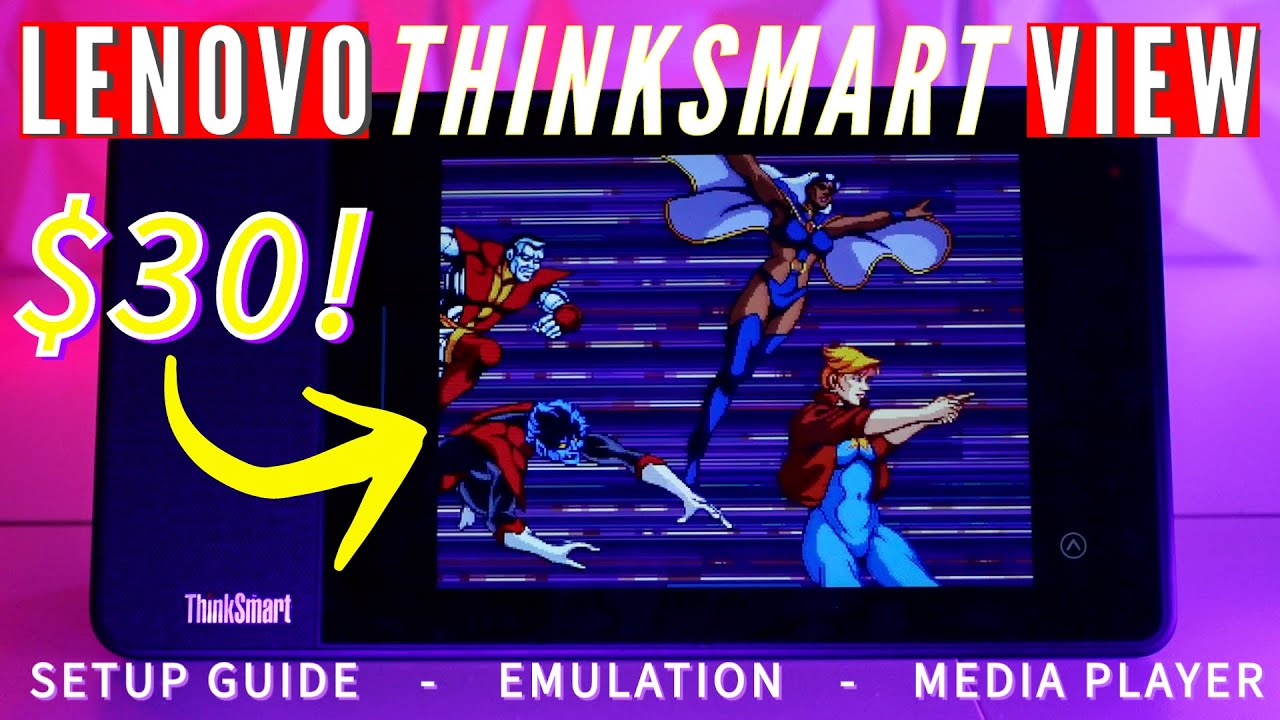
👉Occasionally, something comes along that proves to be an interesting opportunity to take a product intended for one use and turn it into something else. In this case, the Lenovo ThinkSmart View, a product that was designed for one purpose, video conferencing but thanks to an amazing community can now do far more. In this video, we will explore ...
And if I just scrap both and pivot to lineagos, is what I’ve done so far going to screw that up?
median yarrow
cedar turret
And if I just scrap both and pivot to lineagos, is what I’ve done so far going t...
Probably not
I'd just pivot to lineageos lol
cedar turret
Alright I’ll try that
cedar turret
median yarrow
I'd just pivot to lineageos lol
Did that and I’m up and running, so thank you. Screen rotation doesn’t work for some reason, but other than that, things are good to go
median yarrow
cedar turret
Did that and I’m up and running, so thank you. Screen rotation doesn’t work for ...
Screen orientation should work, you just might need to enable it for the launcher specifically
Otherwise, it should still work in other apps like YouTube
cedar turret
median yarrow
Screen orientation should work, you just might need to enable it for the launche...
https://github.com/pgale/lineage_15.1_Installation_TSV I followed this guide, I even did the part where it has you toggle the auto rotate setting. Doesn’t seem to change anything. I’ll have to take a look tomorrow to see if manual rotation in stuff like YouTube still works
GitHub
Lenovo ThinkSmart View Lineage 15.1 installation guide - pgale/lineage_15.1_Installation_TSV
 candid arrow
Thank you to everyone who has taken their time to put the github instructions together. I followed them tonight and in about 20 mins I had the device flashed and up and running.. tried some music and the speakers arent too bad... then I tried some gaming and everything worked with no issues. I dowloaded retro arc and tried out a few games. Will do more tomorrow. I cannot thank the team enough for making this the best $27 device you can buy
median yarrow
cedar turret
https://github.com/pgale/lineage_15.1_Installation_TSV I followed this guide, I ...
Nah, I'm talking about in the launcher settings
cedar turret
median yarrow
Nah, I'm talking about in the launcher settings
This?
 median yarrow
No
Go home and hold somewhere blank on your wallpaper
And click launcher settings
cedar turret
Ahh okay, makes sense. I’m out right now but I’ll do that when I get home
cedar turret
median yarrow
Go home and hold somewhere blank on your wallpaper
Got it, thank you! Any good guides to get retroarch and MAME going?
median yarrow
cedar turret
Got it, thank you! Any good guides to get retroarch and MAME going?
I have no clue about any of that lol
I'm just a random guy from XDA
Speaking of, I should update that guide lol, deadman's 8.1 build is better than my rooted one
merry jetty
cedar turret
https://github.com/pgale/lineage_15.1_Installation_TSV I followed this guide, I ...
I just installed this on both of my devices. Brilliant upgrade from the old android 8 setup I had going. Kudos to the guidemakers
misty hull
😌
 merry plank
cedar turret
https://github.com/pgale/lineage_15.1_Installation_TSV I followed this guide, I ...
merry plank
cedar turret
https://github.com/pgale/lineage_15.1_Installation_TSV I followed this guide, I ...
I've noticed that because the screen on this device isn't perpendicular to the horizontal plane, the OS may sometimes fail to register device rotation, especially when you rotate the device in the air. In such cases, tilting the device slightly towards you to make the screen perpendicular to the horizontal plane resolves the issue. And for the home screen, you need to enable rotation separately in the Home Settings as mentioned earlier.
candid arrow
its back https://computers.woot.com/offers/lenovo-thinksmart-view-for-microsoft-teams-5?ref=w_gw_dd_4
Computers.Woot
Lenovo ThinkSmart View for Microsoft Teams
merry jetty
What am I doing wrong that tap to wake is enabled but I'm still having to use the camera shutter
burnt kite
Yet again in stock:
https://sellout.woot.com/offers/lenovo-thinksmart-view-for-microsoft-teams-6
Sellout.Woot
Lenovo ThinkSmart View for Microsoft Teams


 obtuse moss
Yup. I got one. Yup I ran into all the issues with Sahara stuff. Yup I got around it. Yes I got it running retro off of F Droid. Now it's got great potential to provide smack down at the coffee station.
Looking for guidance on getting Varcade set up on it. Any start would be helpful. 🙂

Also this thing is very professionally built. I didn't realize it the 5th lenovo product in my house. A great product...not at the original price though lol
 reef sage
Anyone know which version of Max this requires? The app installs but video and audio do not playback on Lineage. The video progress bar chugs right along but the main interface is stuck at a spinning circle
 cedar turret
merry jetty
What am I doing wrong that tap to wake is enabled but I'm still having to use th...
cedar turret
merry jetty
What am I doing wrong that tap to wake is enabled but I'm still having to use th...
i am also curious about this, because my tap to wake also does not work. i installed this app to wake the device on camera motion sensing and so far so good: https://play.google.com/store/apps/details?id=bk.appz.yakk&hl=en_US&pli=1

Home Automation motion detect companion
anyone able to get google assistant working on this device? i want it to replace a malfunctioning google home hub but assistant wont work on lineageOS
stark prairie
Anyone see any for a decent price out there? Regretting not picking up a second one, lol.
opaque girder
stark prairie
Anyone see any for a decent price out there? Regretting not picking up a second ...
I've got 4, 3 NIB. Want one?
candid arrow
stark prairie
Anyone see any for a decent price out there? Regretting not picking up a second ...
Ever since woot got their hands on a bunch and sold out I havent seen any stock anywhere... I think the last batch woot had was back in August
stark prairie
opaque girder
I've got 4, 3 NIB. Want one?
I'll send you a DM
 light heron
@opaque girder do you still have some spare?
stark prairie
Ah, damn. Think I borked a flash and now it's just stuck in EDL. 
stark prairie
Fixed ... had QFIL set in ufs, needed to be emmc.
 quick sapphire
I finally did the @sweet wren instructions for this and got YouTube, Spotify, Twitch, Plex all working on this thing. Work is going to be real interesting when im "working" and watching anything I want on the side.
next mural
quick sapphire
I finally did the <@349040433869094914> instructions for this and got YouTube, S...
Nicee
stark prairie
Love these things. Both of the ones I own have Android 10 (full Gapps). The one at home is used by my kids for podcasts, and this one at work I have connected to my home network over wireguard VPN so I can access my audiobookshelf server for podcasts/audiobooks. Also use this one at work for Microsoft To-Do. Not gaming on them but they are really excellent devices. 🙂
 reef sage
stark prairie
Love these things. Both of the ones I own have Android 10 (full Gapps). The on...
reef sage
stark prairie
Love these things. Both of the ones I own have Android 10 (full Gapps). The on...
Where did you pull the Android 10 rom from?
stark prairie
reef sage
Where did you pull the Android 10 rom from?
arm-aonly-gapps -- it'll fit and has full google apps but you don't have much free space available, so keep that in mind.
could probably uninstall some of the google apps via adb to clear up some space, but it's pretty tight.
 limber arch
stark prairie
arm-aonly-gapps -- it'll fit and has full google apps but you don't have much fr...
limber arch
stark prairie
arm-aonly-gapps -- it'll fit and has full google apps but you don't have much fr...
Just wanna ask for an update on how the device is going now?
stark prairie
limber arch
Just wanna ask for an update on how the device is going now?
Still in my office -- runs wireguard to connect to my home network to access Audiobookshelf, and I also use it for Youtube Music and Microsoft To-Do. No issues.
cedar turret
Maybe I gotta plug mine back in and give it another go, I tried using it to replace a Google home hub that’s been making me mad recently, but after about 2-3 weeks I swapped them back. Couldn’t really use it well as a Google home / assistant device because it will only listen to one voice model (so either me or my gf, never both), tried to use it as an endpoint for Spotify but I can’t figure out how to change its name in the Spotify app so i can’t just tell one of my other Google devices to “play music on X room display”, and I tried as a home assistant dashboard but every 2 or 3 days the always or wake/sleep feature in Fully Kiosk Browser would stop working, the screen would be back, and nothing I did other than unplugging it would get it usable again. I want to like it, but it was a constant headache for me :/
stark prairie
cedar turret
Maybe I gotta plug mine back in and give it another go, I tried using it to repl...
I gave up on it as a replacement for a Google Home. At the house, I have another one running Android 11 with goapps (I think) and it's the "podcast machine". I've got podcast set up on it and the kids can pick something to listen to it they want. It's got good speakers but they can also cast it to a Google Home in another room if they want. I was really hoping it would work with Google Assistant, though, but that's asking a lot for what's under the hood I guess.