#Sharp X68000
1 messages · Page 4 of 1
 lilac meteor
An MC68030 or higher is required to run this program. bummer for now
 thorny tree
lilac meteor
An MC68030 or higher is required to run this program. bummer for now
thorny tree
lilac meteor
An MC68030 or higher is required to run this program. bummer for now
The X1 emulator we need to set Turbo (20Mhz) because at 10 Mhz is kind of slow
 gaunt sundial
I've had zero issues with game saves in either floppy or HDF files of Akumajou Dracula. Previously, before all this amazing work was done, if you saved the game the file selection text would stay permanently stuck on screen making finishing the game nearly impossible. That's now fixed. I'm currently on my fourth playthrough and the only issues existing are the ones that have been heavily documented here of late.
thorny tree
The configuration is quite easy we need all those files

the dat file corresponding to 2d floppies format of the game (only 2d format works with the x1 emulator)
lilac meteor
thorny tree
The X1 emulator we need to set Turbo (20Mhz) because at 10 Mhz is kind of slow
ok, this intrigues me, I'm a sucker for these experiments lol
thorny tree
on config.x1 set FDO or more depending of the game

and launch x1.x and waited the game load
thorny tree
with 68030 you could test NetBSD existed for X68000
lilac meteor
thorny tree
with 68030 you could test NetBSD existed for X68000
Not quite, will need also SCSI, it wont's fit on SASI
but yeah, would be close
 amber hemlock
Yeah, saving works fine in AD. I find the save routine a bit odd, but i remember some other games did it the same way.
lilac meteor
When/if 68030 will be available, most likely we will see it first on Amiga core imho.
Have some NetBSD/Debian HDFs ready for it when the times comes
thorny tree
lilac meteor
When/if 68030 will be available, most likely we will see it first on Amiga core ...
I think also
lilac meteor
For X68000, I also have NetBSD and some others ready, but for scsi
thorny tree
On netbsd x68000 page 😅
Unsupported Hardware
Hardware that we do NOT currently support, but get many questions about:
Old (SASI compatible) hard disk interface
For SASI only Human68k , or Ko-Windows/SX-Windows stuff. Think Minix too, need to recheck it
lilac meteor
thorny tree
On netbsd x68000 page 😅
Unsupported Hardware
Hardware that we do NOT currentl...
yeah 😄
thorny tree
it is the only one listed ...
lilac meteor
too small, most likely 😄 surem can fit a BSD even in a floppy, but not much of a use
 fallen horizon
lilac meteor
When/if 68030 will be available, most likely we will see it first on Amiga core ...
fallen horizon
lilac meteor
When/if 68030 will be available, most likely we will see it first on Amiga core ...
It would be cool to have a 68080 core which is used in the Vampire accelerators which also has a Cyclone V
lilac meteor
yeah, i agree, but that core is closed source
thorny tree
It is quite slow on 68000 with cpu at 40Mhz (MSX simulator)
https://www.youtube.com/watch?v=hbafTKA4oEo&t=6s

くにちこさん(@kunichiko)のX68000_MSX_Simulator MS.Xが公開されたので動かしてみた。
これからのチューンでだいぶよくなりそうなヨカン!
ハイメモにロードは出来なかった(ぉ。
にしても名前の良さよ。
2024 / X68000_MSX_Simulator MS.X / くにちこ
■X68000_MSX_Simulator MS.X
ht...
thorny tree
no just testing X1 emulator and checking before on youtube video it is running well on our current specs
did you manage to run a game ?
lilac meteor
don't think i even tried, was enough for me at that time to just do some basic crap
most probably won't play well, i think
Since we have two official and one unofficial MSX core, just could not care about it more than a fun experiment
thorny tree
Sure but X1 is quite playable at list for Dialide until a core drops
lilac meteor
fallen horizon
It would be cool to have a 68080 core which is used in the Vampire accelerators ...
also not use for X68000
Fantasy Amiga, sure, why not but again, that core is not open source afaik
Also fuck yeah, would love such core on MiSTer, but it most probably won't happen any time soon
Back to topic, didn't had the time to test out that MDX player issue. Most likely it has been solved (just read diagonaly this tbh, think it did ? ) or ?
thorny tree
The issue is still present on MDX player. It is graphical layer issue.
lilac meteor
ah, ok 🙁
thorny tree
On emulation there is some warrior it is like amiga with high cpu
https://www.youtube.com/watch?v=Jwes55UO2qs
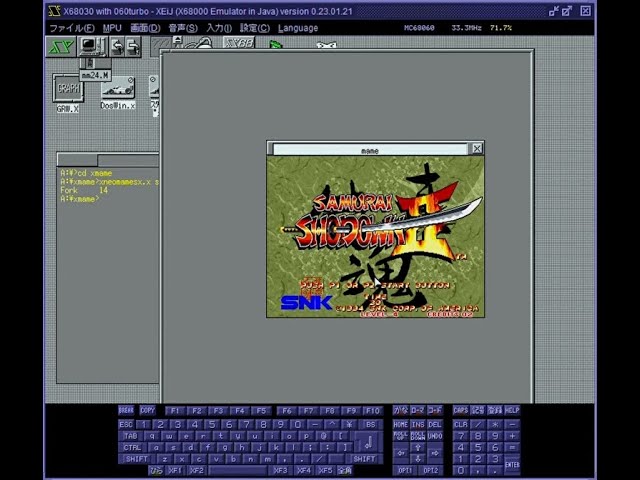
ネオジオの真サムライスピリッツをSX-WINDOWで動かしてみました。
めちゃくちゃ重くて遊べたものではないですが動いたので動画にしました。
起動や動作に時間がかかるので途中カットしています。
開発環境:WinX68k高速版v0.95
開発言語:GCC(真里子版)
実...
this yt account have plenty of other stuff with the same topic
 uncut mantle
thorny tree
The issue is still present on MDX player. It is graphical layer issue.
uncut mantle
thorny tree
The issue is still present on MDX player. It is graphical layer issue.
i think one problem is fixed and other no , the first is fixed i tknik the garbage when you load the programs , the second one is when you launch in lhes and when you exit the program , but this not afect the use of mdx i think maybe i am wrong
i think thera 34 ask about the first one
thorny tree
Yes I talking about the second one
lilac meteor
uncut mantle
i think one problem is fixed and other no , the first is fixed i tknik the ...
yeah. was asking for graphical corruption when you use the program directly, not when you launch it from lhes
uncut mantle
This is working you can test . I'm reviewing all the changes made in 2021 that resulted in a "lost" of speed. There are a lot of changes, and so far I haven't figured out what happened. The biggest change is the switch from the TG68 to the FX68, but that shouldn't cause a 15% lost.
lilac meteor
awesome, will have some more tests on the weekend on this too ❤️
uncut mantle
as a comment the unofficial core of amstrad pcw can run symbos ... the code is in the repo but no new version
lilac meteor
wait, what ??? i remember the oficial gave some 3 beeps error at that time i tried (some years ago lol)
 safe frigate
Had a request for a testing sheet for x68000, for people wanting to test just request edit access here:
https://docs.google.com/spreadsheets/d/1pmNnsC97KTAqq1orwEBTQfHO7Ro4UsUtBHNcWh3aGYA/edit?gid=0#gid=0

Google Docs
 icy shuttle
Thanks Dandy 🙂
that sheet only takes into account games from wikipedia, so there will be homebrew stuff we will need to add
uncut mantle
lilac meteor
wait, what ??? i remember the oficial gave some 3 beeps error at that time i tri...
you need a cpm disk , when the cpm load , searchr for m symbos 3.1 ( 4 is not available in pcw) when the cpm is load put the symbos_pcw_31 in unit A , the symbos_pcw-applications in unit B , and when the symbos load , change the symbos_pcw_31 , for symbos-pcw-system if you have any douts whe you try ask me ( i fix this )
icy shuttle
but I couldn’t find a good DB for that
lilac meteor
uncut mantle
you need a cpm disk , when the cpm load , searchr for m symbos 3.1 ( 4 is not av...
nicey, thanks for this 🍻 will try it over weekend, PCW is such unloved system 😄
uncut mantle
safe frigate
Had a request for a testing sheet for x68000, for people wanting to test just re...
version is for hdf or d88 ¿? or version of the game like chorensha ¿?
safe frigate
I made this off of the wikipedia list, is there a specific pack that would be better to use?
uncut mantle
no , i think is good , the question is the format , at this point we have two format d88 and hdf and the compatibility can change , for example xenon 2 work in d88 but in hdf have corruption in backgound ( is a problem of hdf not core , the same in emus )
safe frigate
I can add a column for file type if that makes sense and is useful, but maybe just log that in the comments tab for now
If people want to use this now can request access via the sheet asap before I head away for a couple of hours
uncut mantle
and version for the core version ?
icy shuttle
yeah, I think just the RBF date
 rugged geode
@lilac meteor the x68k has a cool mac emulator too
 warped spindle
I got one sice 4 months now, I've never been able to get it to work
thorny tree


 cobalt mulch
safe frigate
Had a request for a testing sheet for x68000, for people wanting to test just re...
cobalt mulch
safe frigate
Had a request for a testing sheet for x68000, for people wanting to test just re...
I have requested access to the spreadsheet; if possible, could you please grant it?
cobalt mulch
I already have editing access. 😁
amber hemlock
warped spindle
I got one sice 4 months now, I've never been able to get it to work
As already explained: You can only save when you lost all of your lives. Then a menu pops up, where you can continue or save.
Or did you mean the MT32-pi? Maybe your USB cable is too long, 30-50cm should be fine. And use the latest test core.
 eager yacht
I think we need a mod to make @uncut mantle yellow 
icy shuttle
Once all of this gets upstreamed, I imagine it will happen. I know a guy
 warped bay
what you all don't know is the color is contingent on not shipping bugs. they keep a count everytime you push code to a mister core that breaks something
it's like points on your license

 foggy pawn
icy shuttle
_Zakk would know_
foggy pawn
icy shuttle
_Zakk would know_
🚀 Thrilled to share that Zakk is a true thought leader who consistently demonstrates unparalleled expertise and a 360-degree understanding of the industry! 💡 When it comes to deep-domain knowledge and strategic insights, Zakk truly knows everything. 🙌
#ThoughtLeadership #Expertise #Innovation #KnowledgeSharing
warped spindle
amber hemlock
Or did you mean the MT32-pi? Maybe your USB cable is too long, 30-50cm should be...
Already buy 5 different cables. It never works. Follow the steps by step on MiSTer wiki but nothing
Maybe wrong files on sd card... Dunno, I gave up
thorny tree
I added a column support but for the same game I don't know how to have two sub lines one for HDF and one for D88 any hints ?
 thorny tree
There is a doujin game (named Fauler Freqency of Toys) required microphone to start the game 😅
 amber hemlock
Is this a known issue for Daimakaimura? The game crashes randomly in level 1 if "MIDI" is enabled. Shows a japanese error message related to "$090" or something. Played via HDF. edit: The same happens for Etoile Princesse. So, more of a core issue?
uncut mantle
Hello, I am still working on looking for the speed problems that Goemon notified us about. The PUU version of the core has mpu = 108.5, the real hardware = 107.5, and the test core = 91.8. I have been looking for the differences, and in the end, the one that generates the difference is the change from TG68 to Fx68. I have compiled versions of lcore, and the one before the changes had mpu = 110 and the one after had mpu = 85. The latest official version is around 91.4, similar to ours.
the change to FX68 is correct and fix some games , so probably the velocity problem is more deep in the core and the extra velocity of tg68 ( not cicle acurate) hide this problem . I do not expect than the diference between the tg68 and fx68 will be so high 15% is a lot
I will receive a mt32pi next week so maybe i can check the remaining midi problems
 primal sandal
uncut mantle
the change to FX68 is correct and fix some games , so probably the velocity pro...
primal sandal
uncut mantle
the change to FX68 is correct and fix some games , so probably the velocity pro...
Keep in mind that the version of TG68 that puu used may not have actually been the exact standard version of tg68 - I menioted previously that 68HC000 may have a couple of instructions which were modified, and the puu version of TG68 may reflect this.
If you compare current TG68 against the one in puu's X68000, you may find customization which might account for the speed difference
thorny tree
Tg68k of x68k impacted some games like Parodius and bubble bobble with hangs in game fixes with f68k.
Puu san also use a custom T80 for pc8801. T80 used on other core doesn't contains those custom.
primal sandal
That's my point; maybe he customized TG68 for cycle timings
Here's a data sheet - at first glance, it looks the same.
HOWEVER
The timings of the other signal lines may differ enough between TG68 and FX68 that an external chip may insert a wait state, because the signal was later than expected
uncut mantle
I need to register in open cores to download the las version of tg68 ( not tg68k) review some of the info in puu page , and seen the he only touch the code of tg68 in 2220515 , and he said : "A specific software program was experiencing infrequent, irregular errors.
We were able to investigate the cause by implementing a trigger on the error screen transition.
In that software, the interrupt mask in the CPU's status register is not updated when a DMA completion interrupt occurs, resulting in the same interrupt being triggered twice, causing the abnormal behavior.
The correct procedure is to detect the interrupt and write the detected interrupt number to bits 10..8 of the status register to prevent lower-priority interrupts from occurring. However, during the abnormal operation, bits 10..8 of the status register are not updated. They are only updated during the second interrupt processing.
Tracing the RTL revealed that the code for loading a value into the status register is written after the code for writing the interrupt number to bits 10..8 when interrupts are enabled. Therefore, when the write command to the status register is executed simultaneously with the interrupt, bits 10..8 are overwritten with the written value.
By changing the order of the code in this section, placing the write instruction to the status register first and then the processing of bits 10-8 when an interrupt occurs, the error seems to have disappeared. This is because VHDL processes code in the process statement in the order it is written, so the code written later has higher priority.
Ideally, this is a bug in tg68 (which is obtained from opencores), and it would be best to have it addressed there, but there are language barriers, so I'd be grateful if they happen to see this blog."
this is posterior to the change to fx68 so can not attect to our part
uncut mantle
primal sandal
The timings of the other signal lines may differ enough between TG68 and FX68 th...
Yes i review this part , but Sorgelic implementation seens correct , i try to made other test before left for a time this part , i will try to implement the nukefpga 68000 in the core and check if this change can affect .
primal sandal
uncut mantle
Yes i review this part , but Sorgelic implementation seens correct , i try to m...
fx68 is probably correct. But the other chips (DMA, etc) may interpret these signals differnetly, because they were written to work with tg68
rugged geode
What is the 68k processor from the new Genesis core?
uncut mantle
Yes but this is only a test probably not afect in the end
primal sandal
Sure. There is a generalized discrepancy, but in order to correct it, details need to be understood more clearly
safe frigate
Catching up on this, so is the 68k CPU in an actual x68000 (potentially) slightly different from the standard 68k chip used in other machines from the era?
primal sandal
Maybe, maybe not. Nothing says it is, but it's a different manufacturer and a "HC" part number.
Data sheet I posted above doesn't draw any clear distinction
I am getting the feeling that it is more likely something about neighbouring circuitry which is dependent on secondary signals and has slightly improper timing (when in conjunction with FX68, but not the other core)
safe frigate
Hmm, it does seem somewhat unlikely that Puu figured out that it was very slightly different somehow, and accurately implemented this (but didn't mention it in his blog) especially when considering the core in general was/is pretty broken and inaccurate. So for this one part to be very accurate to these minor changes seems a bit implausible, but I am no expert.
primal sandal
Well, one recent point of discussion was that the overall speed was not the same as original hardware, and it came out that this overall speed was more correct before the FX68 drop-in replacement. This is probably not the most important issue to work on at the moment, but it seems interesting enough that people are looking into it.
uncut mantle
i made the core work with nuke 68 but the speed is the same 91 o 92 . this is expected as we talk previously . the problem with the speed is the possible timing problems this could cause , but i was out of ideas right now so probably i center in other parts and return to this in the future
cobalt mulch
A question from someone without much knowledge: in theory, would Nuked’s 68000 be more accurate than the one currently used, or does it make no difference?
primal sandal
FX68 is supposed to be the most accurate 68000. But of course, there are many chips in the X68000, and nobody said that the variance is because FX68 is wrong. Just that some change related to the CPU caused a speed change. As I've been saying, it could be that one of the other chips was implemented incorrectly based on a deficiency of the TG68 timing
So let's stop focusing on that, because talk doesn't fix it
uncut mantle
The two are equal accurate so we not win nothing ,There are no known bugs in either of them , I only test the change for review the implementation ,who is perfect ( Sorgelic do this) so the problem is in other part of the core , and TF68 with his inaccuracies hide other errors , I am working in other fixes and in the future we will review again .
thorny tree
Deadly Edge propose SCSI CD ROM mode for music

 warped spindle
amber hemlock
Or did you mean the MT32-pi? Maybe your USB cable is too long, 30-50cm should be...
warped spindle
amber hemlock
Or did you mean the MT32-pi? Maybe your USB cable is too long, 30-50cm should be...
not an usb issue I bougth all my cables from Mister addons, miterfpga . uk, or ultimate mister ... I'll buy a new pi3 A+ next month
thorny tree
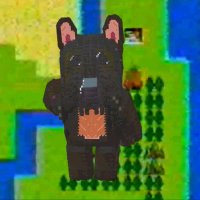
Every day we could discover new doujin game.
This one seems pretty cool
https://fxtwitter.com/t_yonemura/status/2035348675346694654?s=20


 brisk eagle
thorny tree
Every day we could discover new doujin game.
This one seems pretty cool
https://...
brisk eagle
thorny tree
Every day we could discover new doujin game.
This one seems pretty cool
https://...
Yet another reason why I love this computer so much! I have a pretty large curated list of games I can share that includes doujin shmups as a focus if anyone is interested
About 275 games, aimed at ones that are friendly to English only speakers, because I have my limits!
brisk eagle
Cool, ill clean it up and share today
brisk eagle
@karmic kelp @trail cypress @lunar crypt Voila. Includes a bunch of hacks, and assumes taking advantage of English fan translations.
brisk eagle
This is pretty neat too: https://info.sonicretro.org/Mi_ni_Ikuzo!_Hedgehog
uncut mantle
New version , integrated some Yosinda 's fixed in d88 in pc88 core , add , xdf support ( from xdf version from puu) , and dim support , only for 1.2 MB disk ( Dim 1.2 MB are 256B + XDF format) ,this prevents us from having to convert disks between dim and xdf . The two disk FDD0 and FDD1 must use the same format ( the two d88 or the two xdf/DIM) , you can not use a D88 disk in dff0 and XDF in fdd1 .
The load of Dim and XDF disk isa lot of faster than D88 ones , so only use D88 if the game not work in other format .
icy shuttle
oh wow!
foggy pawn
uncut mantle
New version , integrated some Yosinda 's fixed in d88 in pc88 core , add , xdf ...
amber hemlock
Yeah, disk loading is sweet now. Though "Pro Tennis World Court" is a though nut. It doesn't work properly in D88, XFD or DIM (TOSEC Set). It loads fine (title screen works), shows the court but when you try to start it throws out errors or just freezes.
Tried the Seek and Seek+Data option too.
amber hemlock
Ok, seems core related. The HDF version isn't working too. But it worked before .
cobalt mulch
If a floppy disk has been loaded, it must be ejected before using an HDF
amber hemlock
Doesn't matter. The game seems broken in the latest core update from today.
cobalt mulch
Which game?
amber hemlock
Pro Tennis World Court
Iirc this game was very unstable in Puus older core too. Maybe the merge with his code broke it.
cobalt mulch
had never loaded this game before; it freezes on the “Please wait” screen
However, sometimes it gets past that screen and then freezes again shortly afterward.
amber hemlock
The core from 16.03. is still fine.
But in the HDF the title screen is broken, while the disk version shows it intact.
cobalt mulch
I have a question: was the “Blend Fix (MAME)” option removed in the new version, or has it been integrated?
uncut mantle
cobalt mulch
I have a question: was the “Blend Fix (MAME)” option removed in the new version,...
forget to add this time , i review for next version .
uncut mantle
amber hemlock
Ok, seems core related. The HDF version isn't working too. But it worked before ...
ok ,i will chek not sure when i broke this .
uncut mantle
amber hemlock
But in the HDF the title screen is broken, while the disk version shows it intac...
Can you test with this version ?
cobalt mulch
This version fixed the issue.
amber hemlock
Yep, works again. Many thanks for the fix.
I'm really impressed how fast the disk loading is now. Sometimes there is no difference between HDF or disk.
The Cotton re-release loads now in app. 48 seconds to the title screen. Took app. 3 minutes before in D88 format.
 robust ore
Yeah, works great, thanks.
foggy pawn
uncut mantle
Can you test with this version ?
brisk eagle
Wow @uncut mantle Sounds like some incredible progress, thank you!
thorny tree

icy shuttle
@foggy pawn Can you pin the test sheet for me: https://docs.google.com/spreadsheets/d/1pmNnsC97KTAqq1orwEBTQfHO7Ro4UsUtBHNcWh3aGYA/edit?gid=0#gid=0

Google Docs
foggy pawn
icy shuttle
<@314946127487172609> Can you pin the test sheet for me: https://docs.google.com...
 plucky dirge
Well the first stage of Aquales is certainly fun...
 rotund parrot
Yeah, I love Aquales. The copy protection can be annoying and cause the game to reset, but I made a hacked version that can be played all the way through off hard drive image
uncut mantle
rotund parrot
Yeah, I love Aquales. The copy protection can be annoying and cause the game to ...
One question i think you have a x68000 , you know if there are a copy of Klax that work ? , i test the internet versions , in the core and in emu and i can not get this working
rotund parrot
uncut mantle
One question i think you have a x68000 , you know if there are a copy of Klax ...
Just tried Klax via the image from the “Sharp X68000 Collection” on archive.org and it seems to work ok, I tried both 10mhz and 24mhz clock speed. Additionally, the version on my scsi disk image seems to work ok too
Not sure why it would have issues on the core currently
uncut mantle
rotund parrot
Just tried Klax via the image from the “Sharp X68000 Collection” on archive.org ...
thanks this image in hdm works in emu (xm6g) , i need to conver and check in the core , my imagen in d88 and din do not work in xm6g
rotund parrot
Oh nice! Maybe just a case of some bad images, then
uncut mantle
rotund parrot
Oh nice! Maybe just a case of some bad images, then
Yes , one less to fix, this version of Klax conver to dim works in the core , so is the other image, is bad
amber hemlock
The TOSEC DIM collection should have working versions for most games. I wonder why there are two Klax releases, Hudson and Project M.
Ok, Klax indeed doesn't work with the TOSEC DIM.
The other one works (Project M), but it's a cheap homebrew clone as it seems.
uncut mantle
amber hemlock
Ok, Klax indeed doesn't work with the TOSEC DIM.
Yes this is the one that i was testing , and not work in the core or in emus , seems to be a bad dump
amber hemlock
Maybe an outdated version. TOSEC does regulary updates.
uncut mantle
in this forum say that there are a bad dump :https://nfggames.com/forum2/index.php?topic=3827.msg25827#msg25827
gaunt sundial
If my memory is right, Akumajo Dracula had some TOSEC disk images that were not the actual game but an "Easy Mode" hack.
I believe those have now been corrected, but yeah, accuracy doesn't seem to be as prevalent on some of these dumps. (Can understand why with this being purely a Japanese only computer so wouldn't have the widespread attention to it).
amber hemlock
I found another one on my HDD. It's called "Klax.dim" and it works fine. The file date is 24.03.2009
MD5 = 758e3044c0ad8b9fe20d30499e29040a *Klax.dim
 south estuary
uncut mantle
in this forum say that there are a bad dump :https://nfggames.com/forum2/index.p...
south estuary
uncut mantle
in this forum say that there are a bad dump :https://nfggames.com/forum2/index.p...
I'm glad my little forum is still relevant in 2026. ^__^
 grand mulch


It's "PicoCAD2-sday"! Here's another retro machine, the imposing and legendary Sharp X68000 SUPER.
Likes
194
 Bluesky
·
Bluesky
·
i just wanted y’all to see this
gaunt sundial
Not sure if this is truly a bug or not, but when playing Akumajo Dracula if "Turbo" is on there will be some graphical glitching that takes place when the lightning crashes in the opening section, or when large gears are on screen later in the game. It all goes away as soon as Turbo is turned off. Again, not really sure if I'd call this a bug, but since this is a WIP core figured I'd mention it just in case. (The rest of the game plays near flawlessly. Can't wait for my MT32 Pi-Hat to arrive tomorrow).
thorny tree
Regarding this website at 16Mhz normally akumajou will run same for both mode
https://pcbiroiro.blogspot.com/2015/06/x68000-games-tested-at-16mhz.html?m=1
Arcade hardware, and connecting non-JAMMA hardware to JAMMA systems; Sinclair ZX Spectrum in Japan; Sharp X68000 details
rotund parrot
I usually play Akumajo Dracula at 24mhz on my Compact and haven't experienced any graphical issues. The youtube video I linked before of my deathless run is running at 24mhz as well, for reference.
gaunt sundial
I'll try to grab some video later today when caffeine has hit me. heh
gaunt sundial
Got a video here. (Apologies for the ugliness at the start. Forgot the filters don't capture well). First run through is with the normal setting. Second run-through is with the Turbo setting on. You can see what almost looks like analog sync loss there as the tree hits the ground. I'm using the latest unstable X68000 core from this thread, and the latest unstable MiSTer from the unstable nightlies. https://www.youtube.com/watch?v=tY4uNfyVV0M

If Turbo is on for the CPU Option, when the lightning crashes in this opening scene, or there are large gears rotating in later levels, the graphics kind of glitch out a little bit. On normal, this is fine.
 lethal scroll
Akumajo is designed for work will all speeds
in fact, the difference is not in speed. the difference appears in the rotation effects.
as better CPU, smoother rotation effects
The best performance in this game will be in a X68030. but it's perfectly playable in a 10mhz machine. If you give more speed, the rotation effects feel better an smoother.
gaunt sundial
Then that video I posted is likely truly a bug with the core since there is different video outcome based on whether Turbo is selected or not.
gaunt sundial
lethal scroll
in fact, the difference is not in speed. the difference appears in the rotation ...
That could explain why I see it on the gears in the tower, and that tree coming down. Those are rotated sprites that don't seem to be rotating correctly.
Just as an FYI, the timestamp for the tree falling is about 1:39 for Normal Mode, and 2:59 for with Turbo enabled.
uncut mantle
Hi new test version only little changes and improvement this time , Carat is fixed , some little changes in 16 color mode , some clean in adpcm.
Starwars attack on the death star still broken for now .
Do you think it's a good idea to upload the changes to Mister's official repository now and request a new version, or should we wait a few more days to see if I can find the Star Wars fix? Right now, I still don't know how to fix it.
primal sandal
I think it's a good idea to do a pull request
A lot has happened
It seems like a good place to evaluate what thing(s) are still wrong, and then to try understand what subsystem(s) may be at fault
icy shuttle
And we can start getting serious about a neon68k update
 silk token
icy shuttle
And we can start getting serious about a neon68k update
silk token
icy shuttle
And we can start getting serious about a neon68k update
Looking forward to this
thorny tree
Garou Densetsu 2 intro text screen, MMDSP returns to LHES graphical layer, Royal Blood and inindou datou nobunaga are fixed
thorny tree
Regression on Bomber Man (sprite layer set on - black tile) set off it is ok) or transparency issue with PUU-san
 cobalt mulch
thorny tree
Regression on Bomber Man (sprite layer set on - black tile) set off it is ok) or...
cobalt mulch
thorny tree
Regression on Bomber Man (sprite layer set on - black tile) set off it is ok) or...
Test different transparency versions to assess how the result looTest different transparency versions, as this may be the cause. I am not sure whether @uncut mantle could create a merged version combining the Puu, MAME, and PX68k versions
This is because some games work without errors using one version, while the same transparency causes issues with another game. Unfortunately, XM6 TypeG is not open source
The only available version of the source code is the original XM6 version 2.05, and I am not sure whether it would be helpful in this case.
uncut mantle
thanks i think i change an option in puu transparece i not sure about this in the end i think is the last missing part in transparencies some games seen to put text layer transparent if the color is R0G0B0 and is not in index 0 (C0) and other no , and i do not see a clear info of this , in this game is transparent ( transparences "mame" the deault one ) but in others games seen to be not transparent like in the intro of star cruiser . I think the default option "mame" covers at this point nearly all cases except this ,
uncut mantle
cobalt mulch
Thanks i will check , but even xm6g is not perfect in all case for example in Keepler
thorny tree
Ultima IV title screen is fixed also
uncut mantle
good seens the little changes fix a lot of little problems
Maybe i need to change the transparency name options, use the base of the emus for the mix ,but internaly there are changes , so in the end is not real
primal sandal
IT's possible that some fixes broke things which were working before - in those cases, it's best to take a step back and check the specifications of the original machine.
I've seen on other cores that imperfect understanding of what's supposed to happen is usually the issue
Test programs (designed specifically for certain scenarios) are often required
Games are often too complex, affecting too many different subsystems
uncut mantle
south estuary
I'm glad my little forum is still relevant in 2026. ^__^
I found a lot of invaluable info in you "little forum" have a lot of info
thorny tree
Naouis - All intro seems to play correctly now but still black screen after title screen
thorny tree
Sol-feace (1990)(wolf team) - "sound end before the end of the opening and the music is too fast - issue on start screen" are fixed
cobalt mulch
The graphical error on the map affecting the word “Exit” and the life icon in New Zealand Story is still present in the latest released core
 thorny tree
With Floppies (DIM format) I don't have the issue
 thorny tree
- fz senki axis (1990)(wolf team) - Graphical issues on the opening - it is not a regression (DIM format)

- mid-garts gold (1989)(wolf team) - Opening not ok (text layer and graphical layer) - it is not a regression (DIM Format)


 rancid compass
Sound in Chou Ren Sha is better than ever. Didn't notice any glitch yesterday
thorny tree
Previously reported and not fixed with last RBF for Nekketsu Koukou Dodgeball Bu (DIM and HDF)
- Splash screen not correct size
- Graphical layer issue in game

 thorny tree
 thorny tree
there is an xdf and files for HDF just copy/paste ^^
rotund parrot
Looking great here!
thorny tree
The aspect ratio is different on the core for this game
rotund parrot
My RetroTink settings might not be correct
I think it’s showing square pixels here
uncut mantle
I think this is a "core" problem the game si 512x512 but only have graphics in 256x512 , but the core quit the black parts , i think some people say the same about chorensha in some videos
rancid compass
With the new albconde core I could now directly use the Chou Ren Sha xdf file that is provided on the Chou Ren Sha homepage
With the old core versions I had to do some conversion. I sadly forgot any details. A middle aged men problem as Kitrinx would say.
uncut mantle
Hi last version to test , this will be our "release candidate" fix FZ Senky and Pizza Busters . I start to clean the code and upload to my repo if in next day we do not find a big regresion i upload the code to mister repo
Keyboard layout updated
thorny tree
primal sandal
uncut mantle
Keyboard layout updated
What changed ?
I was thinking (eventually) to add support for the Zuiki X68000Z USB keyboard...
uncut mantle
I create a especfic keyboard layout using windows + other key for example op1 = win +1 op2 = win +2 xf1 =win + f1
is the only with all the key accesibles i think
The other ones are real adaptation for a ps2 keyboard to real x68000 ,.
primal sandal
Oh, OK - you're using special key pairs
uncut mantle
Yes win + other key for the non direct mapped keyb in a standar 104 keyboard without using f12
previously to pulse some keybs you need to change layout , with this all is in one
is an option added ,you can add whatever you want , you joy layouts are great
update my repo with my latest changes : https://github.com/albconde/X68000_MiSTer , only need to check of is there are any "framework update" to apply , and if nothing big is found i will upload to mister repo

GitHub
Sharp X68000 for MiSTer. Contribute to albconde/X68000_MiSTer development by creating an account on GitHub.
primal sandal
I would make the framework updates a separate commit
In the past, Sorgelig has wanted to create official releases (but often gets framework updates done by others)
Not sure how he feels about releases these days
icy shuttle
Depends on the core mostly
primal sandal
In any case, framework updates generally should be clearly visible and separate
Maybe even separate PR
icy shuttle
yeah, I would definitely do that
uncut mantle
ok i do not do the frameowork update first . I do not upload a new RBF directly i ask Sorgelic to create a new one ( or if he is agreed that i upload one )
I only upload the rbf in the Entreprise core , in the rest of my contribution the RBF was created by Sorgelic ( Spectrum Next , Amstrad CPC and Amstrad PCW)
 versed blade
Hey everyone! Is it possible to launch a game without needing to deal with a 31khz signal? I would love a simple way to play the castlevania 15khz patch with my crt
thorny tree
there is an hack version 15khz of castlevania
GitHub
Akumajou Dracula for X68000, modified to run on 15KHz displays - MP2E/Dracula_X68K_15KHz
gaunt sundial
Keep in mind that you still might need to do some slight tweaks to get it to fit right. I found that the 15 KHz signal that comes out isn't 100% equivalent to what comes out of say a PC Engine or Famicom. So it's not absolutely perfect and your CRT might not like it, but always worth giving it a try.
versed blade
But to launch the patched game I still would need to interact with the 31khz menu of the core, right?
gaunt sundial
You can setup an mgl file to load the core and the game, but yes, there will be some moments where a 31KHz signal does come through until it gets into the game where the 15 KHz patch works.
I had an older CRT that didn't have protection against incompatible signals and well, that didn't turn out well after too much messing around. My current CRT just won't display anything until it gets a signal it recognizes.
uncut mantle
icy shuttle
<@314946127487172609> Can you pin the test sheet for me: https://docs.google.com...
Hi , the hombrew games for example the new Celeste , we add the names directly in the sheet , or you prefer create a separte sheet for this one , is a little dificult in this machine know if a game is comercial or not , like all computers . If you want my opinion i think is better to add directly in the same sheet
versed blade
gaunt sundial
You can setup an mgl file to load the core and the game, but yes, there will be ...
Thank you for the information! After the core reaches a more stable state, a “15khz mode” would be a great QoL addition…
gaunt sundial
The 15khz modes aren't really a feature of the X68000 itself, but more of the software. Some software has options in the menu to change it to 15 KHz, but you still have to go through the main core. So this isn't a feature that really could be done on a core-level basis. (E.g. can't have the core spit out only 15 KHz signal). It could be done, as is the case here with Akumajo Dracula, on an individual software level I believe but that's just a guess from a very undeducated user here in myself. :p
versed blade
I’m aware that it would not be accurate to how the X68000 works, but I figured it would be possible to downscale the signal
There are a a lot of games that support 15khz
The problem is reaching the option inside the game
uncut mantle
I do not think we can made a 15 khz mode , is the same than a pc msdos , the only thing you can do is use the scaler and put a configuration in the scaler check this thread at mister forum :https://misterfpga.org/viewtopic.php?t=3624
foggy pawn
uncut mantle
Hi last version to test , this will be our "release candidate" fix FZ Senky ...
pins updated
versed blade
uncut mantle
I do not think we can made a 15 khz mode , is the same than a pc msdos , the o...
I will try this. Thank you!
robust ore
I created a new HDF file for Super Hang On on my side, and I can confirm that some files were missing or with an incorrect size on the original shared HDF file.
Everything is okay this time.
Same for Xenon 2. It works now correctly.
I'm doing a HDF for Cotton (2019 BEEP release) too.
amber hemlock
Nice. Can you try it for "Pro Tennis World Court" too? The title screen is somewhat broken in the HDF version, disks are fine.
uncut mantle
robust ore
I created a new HDF file for Super Hang On on my side, and I can confirm that so...
for super hang on you must leave the game running some time , the game break at some point , but not always at same point . Others hdf bad :
the intro in argus odisey in dim\xdf the intro work ,
Y2 the hdf have the protected version , the unprotected work in the protected you can not see your ship
V-Ball hdf is bad too ,the game works in Dim
robust ore
For Super Hang On, I tried on 5 different races during at least 4 stages.
Or does it could break later ?
uncut mantle
let the game run some time , if the game do not break is ok , some times break fast , some times need more time .
the problem is the hdf in floppy do not break
robust ore
amber hemlock
Nice. Can you try it for "Pro Tennis World Court" too? The title screen is somew...
I will check within the next minutes and go to sleep after that.
A file was missing inside the original HDF file when I compared to my disks, it seems to work fine now.
amber hemlock
Sweet. I assume we will see the repaired games in the neon68k collection at some point?
robust ore
V-Ball fixed.
Arcus Odyssey partially fixed (some strange texts - some S H A R P letters through the JPN text- and a background broken during the intro), but I really need some sleep, so I will postpone my research here.
I will check later this week, pretty busy tomorrow and the day after.
Y2, fixed.
rotund parrot
gaunt sundial
Keep in mind that you still might need to do some slight tweaks to get it to fit...
Yes, as the maker of the hack I can confirm that it’s not quite the same as a usual 15khz signal. Reason being, the game renders a 256x256 image instead of something more typical like 256x240 or even 256x224. Also X68000 games generally use every bit of screen space they’re given, meaning the default overscan of the CRT would also cause some of the picture to be cut off.
I actually did create an earlier version of the 15khz hack that I didn’t release that programmed the X68000 to output at 256x240, to be more typical, but the issue is that it cuts off quite a bit of the bottom of the picture and it can make platforming on some of the stages a bit annoying because you can’t see the floor.
So in summary, you’ll need to access your CRT’s service menu if using the Akumajou Dracula 15khz hack. I don’t recommend saving the adjustments you make, because it’ll screw up how it looks for other games
If you have a PVM with an underscan mode, it can be useful to save the settings for it there, if you aren’t using underscan for anything else anyway
Also my hack is not the only X68000 game to use this weird 15khz mode
Choujin also uses it if you select it in the options menu
There’s probably other games too
At some point I’d like to make more 15khz hacks. On my radar currently is Etoile Princesse, and a 384x224 15khz mode for Final Fight
gaunt sundial
That would likely explain why in the Castlevania Chronicles port they had to make the top status bar partially transparent. This way they could fit the whole resolution in there.
rotund parrot
Yup exactly
gaunt sundial
On an unrelated note, the timing of your response corresponded to the yearly server icon update and I was utterly confused for a moment. Hahaha.
rotund parrot
Haha! It got me too, does every year at this point 😂
uncut mantle
Pull request done to mister x68000 repo
versed blade
Almost there( used only ini configurations - no hack)…but I’d love to see my life bar😅
 versed blade
Interesting… it is a bit better with the hacked version and no ini modification:

But I get a strange problem with the konami logo
With underscan:
 rotund parrot
Thanks for testing. I wonder if the core is rendering the top few lines that are missing there? A way to confirm would be to play the 15khz hack over hdmi with the scaler enabled
If the core is drawing those lines, then the CRT might not be showing them because they’re too close to vsync if i had to guess.. but that might be fixable in a future version of the 15khz hack if thats the case
I can adjust the CRT Controller on the X68k to draw more lines
This will slightly decrease the frames per second but not any worse than the original release
Right now the hack runs at 58fps instead of the original 55
So bringing it closer to 55 would give us more lines
robust ore
I sent my files to @thorny tree as I need a second check and tests.
thorny tree
Super Hang On is pretty stable I couldn't make it crash for the moment
versed blade
rotund parrot
Thanks for testing. I wonder if the core is rendering the top few lines that are...
Here is the 15khz hack over hdmi. All lines are displayed
 rotund parrot
Thanks! Glad to know it’s not a core bug, at least. I’ll look at making a version that is more compatible. Idk for sure if it will fix the issue, but I’ll try to.
robust ore
Okay, quick summary of the last hour.
Good news.
- PRO TENNIS WORLD COURT is fixed;
- SUPER HANG ON seems good now;
- V-BALL is fixed with the help of wark91;
- XENON 2 is fixed too;
- Y2 works correctly (I forgot to add the cracked version on Disk B yesterday night).
Some help probably needed later.
- COTTON FANTASTIC NIGHT DREAMS - 2019 BEEP Release seems to work, but I don't understand quite well with the patch shared by @rotund parrot (I replaced cot.r only, but the game seems to crash on XM-6G).
Bad news.
- ARCUS ODYSSEY, the game doesn't like the HDF format, like a copy protection or something else to adjust on the files.
That's all for today, I need to be somewhere else on another part of the MiSTer project.
thorny tree
@lethal scroll said previously Wolfteam games don't behave correctly on HDF let see if he could have any hints regarding Arcus Odyssey
brisk eagle
Wow, so much exciting progress on this core, almost makes me want to be home again (for more testing) from vacation, almost…:-)
Thanks again, @uncut mantle!
rotund parrot
I haven’t tested cot.r on XM6 Type G yet, will do that. I recall running it on XEiJ, and it works ok on my compact. But I may have made some mistake
uncut mantle
robust ore
Okay, quick summary of the last hour.
*Good news.*
- PRO TENNIS WORLD COURT is f...
Thanks a lot for this , if in the future you have time , can you check New Zelands Story ( some sprites corupt , the same in XM&G , perfect in floppy) and Video Game Anthology Vol. 8: Exciting Hour - The Prowrestling Network/Shusse Ōzumō , do not work in hdf , ( xm6g or core ) , works in floppy in both xm6g and core
grand mulch
versed blade
Here is the 15khz hack over hdmi. All lines are displayed
i had something for this, way back when
#1351743248850227360 message
direct video
thorny tree
Super Hang On (hdf) hangs at some point two hours on atrac mode and it freeze
 uncut mantle
this seens to be a diferent previously is this error and happens a lot or earlier .
thorny tree
yes it is different
brisk eagle
uncut mantle
this seens to be a diferent previously is this error and happens a lot or earli...
So it’s not working now? Unfortunately, I can’t test since I’m out of town
uncut mantle
I think is good for play , better than the previous version , you can use the floppy version , this work
robust ore
uncut mantle
Thanks a lot for this , if in the future you have time , can you check New Zel...
I have a corrected New Zealand Story HDF file.
For Exciting Hour, I never ever seen that file structure on other HDF files, with only a DISK1 file (like a contained HDM) booted with 2HDBOOT.X
We need to reconstruct a new HDF file from scratch and declaring the correct boot files.
icy shuttle
I read that as “I have corrected New Zealand” and thought “finally”
robust ore
Something like that.
 thorny tree
yes fixed with HDF
 robust ore
Purr-fect.
thorny tree
cobalt mulch
The graphical error on the map affecting the word “Exit” and the life icon in Ne...
here
rotund parrot
Love to see all the progress on this core!
robust ore
- Video Game Anthology Vol. 8: Exciting Hour - The Pro Wrestling Network/Shusse Ōzumō - I don't know the exact boot order of the .X files, the HDF needs to be reconstructed from scratch and I don't have the skills, nor the time necessary to do it;
- The Last Tempest (a request from wark91) - I'm a little bit lost on how to crack cleanly the files for an HD install.
- Arcus Odyssey needs another expert here, but it works with floppies.
Sorry, I can't help much more on these games.
For the other ones, wark91 & myself have some corrected files now, so if one day we need them for perfecting NeonX68K, it's done.
thorny tree
Merged !!!
https://github.com/MiSTer-devel/X68000_MiSTer/commit/dc6db5dc2ab7390043971356b71ad5090509ac60

GitHub
- changes in layer position, changes in dma if OCR_SiZE ="10" (32 bits)
Changes in layer position ( atomic robokit , terra cresta )
Draw first line in 15 hz modes
Fix games when ...
thorny tree
I added a worksheet for doujin games on google sheet.
safe frigate
I will do a bit of polish on the sheet over the next couple of days now there is some data, could use the regular splash of colourful conditional formatting and counters
uncut mantle
I asked Sorgelic to see if a new official release can be made
rancid compass
It's just so much improved that I cannot see any reason that he could be against it
gaunt sundial
I am still seeing a bunch of crashes when using MIDI in some games. (I'll try to grab a screenshot, but it's japanese text with a "90" in there somewhere). Usually happens after a minute or two of playing music, or when selecting certain tracks in sound test mode, etc. Akumajo Dracula works fine throughout, but games like Super Street Fighter 2, Street Fighter 2 Champion Edition, Daimakamura(sp?) do crash.
rancid compass
I have a question to the community: Nemesis 90 Kai or Nemesis 95? What's your favourite?
icy shuttle
rancid compass
It's just so much improved that I cannot see any reason that he could be against...
He's not, but the slacks have gotten bad, so I think alb is gonna look at that.
uncut mantle
icy shuttle
He's not, but the slacks have gotten bad, so I think alb is gonna look at that.
I working on this Sorgelic is right
thorny tree
Continuing on my side the tests and updated google sheet with finding 🙂
thorny tree
@rotund parrot If you have time could you please confirm if you see some glitches on Phalanx opening using the real Hardware.
On the core those glitches are present at this part the opening, but with screenshots I couldn't make it visible, just circle in red to inform where it is presents.

 verbal jolt
rancid compass
I have a question to the community: Nemesis 90 Kai or Nemesis 95? What's your f...
verbal jolt
rancid compass
I have a question to the community: Nemesis 90 Kai or Nemesis 95? What's your f...
personally, i prefer nemesis '95. i think the music is a lot better, and the graphics are closer to the original MSX game
rotund parrot
thorny tree
<@279832311162339329> If you have time could you please confirm if you see some ...
Just watched the full opening and didn’t see any glitches on the top right on my X68000, I think it is a core bug
thorny tree
rotund parrot
Just watched the full opening and didn’t see any glitches on the top right on my...
ok thank you !
versed blade
rotund parrot
Right now the hack runs at 58fps instead of the original 55
I created a modeline to get 54 Hz and 256p. My PVM interprets it as PAL, so I can make specific adjustments without affecting other games. It is working great:

The SC55 version of the OST is incredible and the game is great. Thanks to everyone involved in this project!
rotund parrot
Nice! Hoping to have a new version of the 15khz hack out with those changes this weekend. Just been distracted by Etoile Princesse
versed blade
here is the video mode:
video_mode=512,50,38,79,256,7,10,18,10670
versed blade
rotund parrot
Nice! Hoping to have a new version of the 15khz hack out with those changes this...
Etoile Princesse also is a 256p 55Hz game ?
 stiff whale
rancid compass
I have a question to the community: Nemesis 90 Kai or Nemesis 95? What's your f...
stiff whale
rancid compass
I have a question to the community: Nemesis 90 Kai or Nemesis 95? What's your f...
The real question ist - why in the hell did Konami make Nemesis 90 Kai 31khz only 🤔 ?
versed blade
Looks great with the modeline… but it crashes when I try to select the midi module and I can’t save (Is it possible to emulate a blank disk?)
 thorny tree
versed blade
Looks great with the modeline… but it crashes when I try to select the midi modu...
thorny tree
versed blade
Looks great with the modeline… but it crashes when I try to select the midi modu...
with floppies (not hdf) you can create user disk wih a blank disk and the save works
rotund parrot
versed blade
Etoile Princesse also is a 256p 55Hz game ?
Yeah, it outputs 512x512 by default but could be converted to use 512x256. I think most scenes are just 256x256 but the title screen is 512x256
versed blade
rotund parrot
Yeah, it outputs 512x512 by default but could be converted to use 512x256. I thi...
It really looks great at 512x256… I feel like a lot of X68000 games deserve the 15 kHz patch so more people can experience them with their CRTs. The video mode solution is really not ideal when you consider the number of different resolutions used in the system
versed blade
thorny tree
with floppies (not hdf) you can create user disk wih a blank disk and the save w...
Thank you! Do you know if the midi problem is a bug in the core or something in my end?
thorny tree
versed blade
Thank you! Do you know if the midi problem is a bug in the core or something in ...
For MiDi I have issue with my IO board so i didn't test MiDi on my side but I know some games still have issue when MiDi is activated
rotund parrot
I think it’s a core bug because I’ve used Etoile Princesse with midi on my X68000 with a few different midi boards
thorny tree
Maybe tried floppies with MiDi to see if it is reproducible like the hdf
uncut mantle
Is there a list of games that support Midi? (not for now, but I will look into it)
rotund parrot
https://www.vogonswiki.com/index.php/List_of_MT-32-compatible_computer_games#Sharp_X68000
im not sure if this is a full list but it includes most of them, at least
It includes SC-55 capable games too in the list despite saying Mt-32 specifically
versed blade
uncut mantle
Is there a list of games that support Midi? (not for now, but I will look into i...
thorny tree
The sound module of etoile princess is pretty weird using my user disk
I could select MIDI but still play FM on my side also in game.
If I change music title at some point it shows an error ...
 amber hemlock
Yeah, this happens with Ghouls'n Ghosts (and another game i forgot) too, throws an "$0090" error or something similar.
gaunt sundial
amber hemlock
Yeah, this happens with Ghouls'n Ghosts (and another game i forgot) too, throws ...
Yeah, that's the error I get in any game when the MIDI is active and it crashes out. Happened on Ghouls'n Ghosts when I died and started up a new life. Happens in other games after some time. Except for Akumajo Dracula which runs just fine.
thorny tree
amber hemlock
Yeah, this happens with Ghouls'n Ghosts (and another game i forgot) too, throws ...
For Daikamura I couldn't reproduce the case.
When I select midi I could go in game and no sound (FM) and I couldn't check midi sound but i think it works.
I don't have "$0090"
amber hemlock
As Jdurg said. I should happen when you loose a life. Reproducable on my side. MIDI works works great for GnG, before the crash.
thorny tree
It trig at certain point
I reproduce in game after death, I tried also on Music selection but it doesn't trig so maybe not link to start a music maybe something else
amber hemlock
I can also reproduce the "$0090" crash in the GnG menu, where you can test the tracks.
thorny tree
I will add it on google sheet
thorny tree
amber hemlock
I can also reproduce the "$0090" crash in the GnG menu, where you can test the t...
Which track ?
amber hemlock
02 is the first that crashes (no music played before the crash, maybe something is missing), have to test more
thorny tree
I have got "$00090" just by start a new game
there is plenty of cases to trig it it seems
amber hemlock
Yeah, it seems related to the music and sfx played at that time.
OK, according to the menu music tests these files causes a crash: 2,5,9,10,11 (Daimakaimura).
rotund parrot
Etoile Princesse is one of the few games that uses both midi and ym2151 audio together for music
thorny tree
added on google sheet for Daikaimura and Etoile princess to keep record
thorny tree
rotund parrot
Etoile Princesse is one of the few games that uses both midi and ym2151 audio to...
so it is normal if I can still hear FM sound
rotund parrot
Yup, exactly. It sounds similar to the music without midi enabled, but midi adds a few sound effects here and there
Gradius II and Choujin also use both internal and midi at the same time if you use the mt-32 mode
thorny tree
Yes i saw it previously for Choujin it is pretty wild all mode possible (even PSG sound with question mark 😅 )


 cobalt mulch
Which version was it that albconde had changed something in the MIDI?
Maybe the ideal thing would be to test the games before that change.
The only games I actually played using MIDI were Final Fight and Akumajo, which I played for a long time, and now I see that SSF2 freezes after a short time when playing with MIDI enabled.
amber hemlock
Maybe a Capcom only issue, this $0090" error? Happens for some tracks in Street Fighter II Champion Edition too. Final Fight seems fine though with MIDI enabled.
cobalt mulch
I’ve just reached the fifth fight without any freezes while using MIDI.
The version prior to the change is the one from March 11th.
It really is the change that was made to the MIDI.
I think that in order to fix Hang-On, it ended up causing freezes when using MIDI.
If more people can test it to be sure, but it looks like the change is what created this problem.
This version if you can test
amber hemlock
I can confirm that this version doesn't have the "$0090" MIDI crash for Daimakaimura. All tracks are playing fine. SF Champion Edition too.
cobalt mulch
I’m almost finished with SSF2 and it hasn’t frozen at any point while using MIDI.
amber hemlock
So, something that fixed the auto detection for MIDI in Super Hang-On broke Capcom MIDI stuff?
uncut mantle
ok i will check too , in the version x68000_20260314 I requets if people with mt32 can test ..... Now i have a mt32pi and i can check.
testing i can get the "same" error 90 in etoile princess
cobalt mulch
Well, I tested version 20260314 and so far SSF2 hasn’t frozen while using MIDI. Maybe the problem started with another version?
I’m using my SC‑55 for the tests, and with the latest core version that was merged, it freezes already in the second fight.
uncut mantle
The only changes in the midi are in this version
I try to fix before the oficial version
Test in etoile princess is very Easy to reproduce in test menú, in capcom games need more time
cobalt mulch
Strange, in version 20260331 it also didn’t freeze.
 fierce sequoia
Just one small Q...
Dracula X ... I read something that i have to press in sound menus 2 buttons to activate sound..
So does X68000 requires to get the keyboard connected as well ?
versed blade
fierce sequoia
Just one small Q...
Dracula X ... I read something that i have to press in sound...
Do you mean Ajumajo Dracula? If yes, you can just select the sound mode with the controller
fierce sequoia
Yeah can you please recommend me a controler layout so i just can do this commando and play the game ...
Thanx alot
rugged geode
@lilac meteor saw on Facebook someone has managed to get aros running on the x68k. When I find out more I’ll let you know for some new experiments.
gaunt sundial
fierce sequoia
Yeah can you please recommend me a controler layout so i just can do this comman...
I've got an 8bitDo Pro 2 controller (the Playstation dual shock styled one) and within the X68000 core in Mister I just choose the "2 Button" option on the controller. Then, which button does what is all dependent on how you have your controller mapped. (For mine, "O" is jump and "X" is attack).
fierce sequoia
Yeah thats like i do on any game and core but what function do you need on the controller to acitvate the sound
because you need to press XF1 and G to enable music in the sound menu
gaunt sundial
Nothing additional is needed for Akumojo Dracula. If you don't have an mt32-pi hooked up to your MiSTer, you'll only be able to hear music by moving the option to the first of the three sound options available. That will use the internal sound chip on the X68000 for the game. If you DO have an mt32-pi hooked up to your MiSTer, then you can select the second option (using Munt) or the third option (using FluidSynth) and the mt32-pi will provide the sound back. Without the mt32-pi connected, you won't hear any game music with options 2 or 3.
amber hemlock
Yep, any controller with a core 2-button selection should work fine. No issues here with my 8bitdo M30.
rotund parrot
I was curious about pressing XF1 + G in Akumajou Dracula’s sound output select and it appears to be a hidden option for a GM MIDI compatible mode, if you have a GM compatible midi module
Most people probably won’t need to use this but it could be interesting combined with some sound fonts in fluidsynth or if you have some non Roland GM synths
fierce sequoia
Ok kinda stupid 😄
Didnt notice to select the upper one than i have the full audio ...

 hasty meteor
fierce sequoia
Ok kinda stupid 😄
Didnt notice to select the upper one than i have the full aud...
hasty meteor
fierce sequoia
Ok kinda stupid 😄
Didnt notice to select the upper one than i have the full aud...
Do you have an MT-32pi?
Also... Hell yeah drum and bass
lethal scroll
Can the midi card being disabled in the core?
 last swan
rotund parrot
Most people probably won’t need to use this but it could be interesting combined...
last swan
rotund parrot
Most people probably won’t need to use this but it could be interesting combined...
Do the fluidsynth fonts work the same way as if you had real hardware?
I'm having a problem loading d88 floppies in the latest unstable cores. If, for instance I load the MMDSP music player d88 file into drive zero on the old core and then reset it starts up fine, but it doesn't on the newest unstable
 cursive wing
V-Ball still isn't working properly with the latest core update
thorny tree
lethal scroll
Can the midi card being disabled in the core?
Not for the moment it is activated by default
thorny tree
cursive wing
V-Ball still isn't working properly with the latest core update
Are you using the hdf ?
versed blade
I’ve been testing Mad Stalker - the music works but combat sounds are missing most of the time
Btw, the x68000 has the best version of this game
 thorny tree
versed blade
I’ve been testing Mad Stalker - the music works but combat sounds are missing mo...
thorny tree
versed blade
I’ve been testing Mad Stalker - the music works but combat sounds are missing mo...
Is on HDF or Floppy you has this issue to add it on google sheet ?
rugged geode
sound missing? Is this the same issue with street fighter where you need the software mixer?
lethal scroll
Mad Stalker has sound problems in the core
ADPCM fails. Same thing happens in Garou Densetsu Special
versed blade
thorny tree
Is on HDF or Floppy you has this issue to add it on google sheet ?
I can confirm that it happens with both HDF and FD.
thorny tree
versed blade
I can confirm that it happens with both HDF and FD.
thank you 🙂
 torn rock
Meant to type that in Google but does anyone know much about the game Akazukin Chacha no Chottodakeyo Ota Meshi PLUS?
robust ore
That game ?
It's a doujinshi from Comiket 52 for the x68000.
 torn rock
It’s very good. Can’t seem to get the 15khz mode to work though.
 green sable
torn rock
Meant to type that in Google but does anyone know much about the game Akazukin ...
green sable
torn rock
Meant to type that in Google but does anyone know much about the game Akazukin ...
Had a google and it's got a Manabu Namiki arranged OST, very cool!
thorny tree
I think it is not good to share this kind of contents (licencing)
gaunt sundial
thorny tree
I think it is not good to share this kind of contents (licencing)
After some sleep, realized that yeah it's probably best to just play it safe. good call! (For those wondering, I did a clean-up and English Translation of the Sharp X68000 Akumajō Dracula manual).
thorny tree
Thank you 👍
hasty meteor
fierce sequoia
and what about Drum n Bass lol
Your status haha
hasty meteor
fierce sequoia
Just a regular Mister FPGA Dual Ram
Then yeah choosing the other options wouldn't work since you don't have an MT-32pi
Those are sound card options
fierce sequoia
hasty meteor
Your status haha
watch my YouTube than you will understand it 🤣🤣
fierce sequoia
hasty meteor
Those are sound card options
Its already working as it should thanx !!
hasty meteor
fierce sequoia
watch my YouTube than you will understand it 🤣🤣
Oh I noticed and I am
I guess I was viewer 128 \o/
I love the choice of samples
Anyway... X68k chat 
foggy pawn
 tawdry creek
Cool
rotund parrot


This level has such awesome music! I always look forward to this stage. (Game is Etoile Princesse for the Sharp X68000)
Bluesky
·
recorded my favorite track from Etoile Princesse, this is with MIDI
rotund parrot
last swan
Do the fluidsynth fonts work the same way as if you had real hardware?
I don't think fluidsynth is 100% exactly like any particular real hardware MIDI synth but you can get close to most of the SC-55 family with soundfonts people have made over the years. I think Kitrinx made a really good one
 jovial basin
Tried all the sound fonts I could find, but none of them sounded close to my CM300,
I hope someone will do a sc55 Pi.
Castlevania and Detana Twinbee sound so nice with it.
icy shuttle
Kitrinx’s SC55 MKII is pretty good
foggy pawn
icy shuttle
Kitrinx’s SC55 MKII is pretty good
Soul Calibur 55 and Mortal Kombat II
versed blade
icy shuttle
Kitrinx’s SC55 MKII is pretty good
Does it have capital tone fallback?
icy shuttle
you are asking questions way above my pay grade
all I know is you get the heartbeat in theme of simon belmondo
versed blade
Roland removed this feature from the mkII - from what I remember, due to a IP issue with Yamaha. Because most games for the X68K were created with the base SC55 in mind, this may lead to issues… but I don’t think anyone has ever done a thorough testing of the supposedly affected games
foggy pawn
foggy pawn
jovial basin
icy shuttle
Kitrinx’s SC55 MKII is pretty good
If it doesn’t sound like here (I recorded these comparisons some years ago), then there is a need for emulated SC55, 🙂
Someone please make it happen. ❤️

Comparision:
- internal FM
- Roland MT32
- Roland SC-55
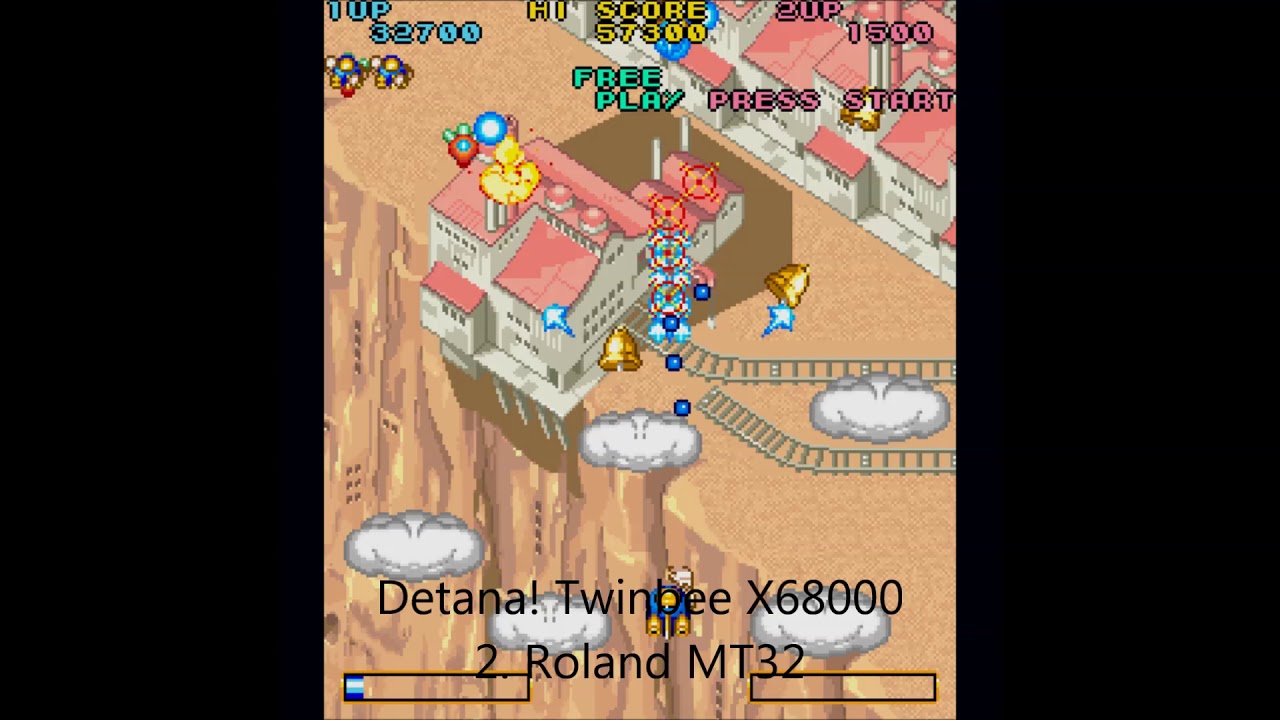
Comparision:
- internal FM
- Roland MT-32
- Roland SC-55
last swan
icy shuttle
Kitrinx’s SC55 MKII is pretty good
I had a general question about using sound fonts, if you're using an SC55 soundfont, would you want to set the game to SC55 mode or leave it in MT32 mode as it's not a true SC55
 elfin slate
you probably want to set it to SC55 mode
icy shuttle
yeah, set the SC55 mode
brisk eagle
When you have the chance, can someone pin the mapping for keyboard combos to special JP keyboard only characters? I assume that was rolled into latest cores…
thorny tree
GitHub
Sharp X68000 for MiSTer. Contribute to MiSTer-devel/X68000_MiSTer development by creating an account on GitHub.
updated with last PR of Albconde.
brisk eagle
thorny tree
updated with last PR of Albconde.
Wow, great guide, thank you
 pulsar ivy
As I've never played X68000 games outside an emulator, would many of you say that smooth scrolling isn't common in X68000 games? I'm on a DE-10 build using Neon68K HDFs.
Also, instead of placing them in media/fat, can they go under games/x68000 as well?
tawdry creek
That's where the hdfs go
south estuary
pulsar ivy
As I've never played X68000 games outside an emulator, would many of you say tha...
The X68000 is a very capable computer with very powerful graphics capabilities for the era. Smooth scrolling is normal, on real hardware it's weird to not be smooth.
pulsar ivy
south estuary
The X68000 is a very capable computer with very powerful graphics capabilities f...
So then the core itself isn’t that far along?
amber hemlock
What do you mean? A lot of games on the core scrolls silky smooth. The system uses a lot of different refresh rates from 55-61 (or higher). When you display doesn't support such resolutions like 55Hz, then of course it's not smooth at all on your side. VRR capable displays usually have no issues with that.
pulsar ivy
amber hemlock
What do you mean? A lot of games on the core scrolls silky smooth. The system us...
I'm not 100% sure about what refresh rates my hdtv can handle, it's not a VRR tv though, perhaps better to play it on the CRT then until my hdtv upgrade happens
grand mulch
pulsar ivy
I'm not 100% sure about what refresh rates my hdtv can handle, it's not a VRR tv...
PC CRT
amber hemlock
CRT monitor, yes. Consumer TV is a different story. Most games won't run on it.
grand mulch
amber hemlock
CRT monitor, yes. Consumer TV is a different story. Most games won't run on it.
 amber hemlock
Games which explicit supports 15KHz and lores resolutions sometimes run on a old CRT TV. Something like Ghouls'n Ghosts works iirc.
south estuary
IIRC there's a whole list of games on my wiki that will run in both resolutions, and how to switch the over even if you can't see the screen.
pulsar ivy
south estuary
IIRC there's a whole list of games on my wiki that will run in both resolutions...
What’s your wiki? 🙏😅
south estuary
pulsar ivy
amber hemlock
CRT monitor, yes. Consumer TV is a different story. Most games won't run on it.
Got a consumer set here, pc crt not near :/
pulsar ivy
south estuary
https://gamesx.com/wiki/doku.php?id=x68000:game_notes
15kHz is consumer , right?
 charred lark
Does the latest unstable core (X68000_unstable_20260402_081306.rbf) have everything from last of albconde's test build (X68000_20260331.rbf)?
thorny tree
charred lark
Does the latest unstable core (X68000_unstable_20260402_081306.rbf) have everyth...
normally yes !
foggy pawn
charred lark
Does the latest unstable core (X68000_unstable_20260402_081306.rbf) have everyth...
Latest unstable builds always have latest changes up until that point of release.
plucky dirge
i want to love you aquales but you are too fickle
rotund parrot
First bit of translated text in Etoile Princesse! Still a long, long way to go til a full translation but this is one of the first actual steps..
 elfin slate
great game
foggy pawn
Toilet princess lol
which is a real device that masks the sounds of your poop when using a toilet in Japan
south estuary
foggy pawn
which is a real device that masks the sounds of your poop when using a toilet in...
Like I know you're making a funny reference but I can't tell if you know that 'toilet' isn't really the title of this game. 🤔
primal sandal
And it's "sound princess" that masks the sound of one's ... actions ... on the throne
 shy rover
Yeah, Aquales still stops after the first boss fight. Cool game that I wish I could play more of.
rotund parrot
That’s because of copy protection. I actually created hacked versions of the main and ending executables that patches out all the copy protection so that the game can be fully played off hard drives.
shy rover
Cool. Thanks.
lethal scroll
Aquales need to be played with floppy disks
The only way I could play this game in my x68000 was using floppy disks.
thorny tree
I think DIM format of Aquales was also impacted by this protection so it is not the case ?
robust ore
Same for Arcus Odyssey so far.
rotund parrot

GitHub
スーパーハングオン for X68000 を、X68030 以上で動作させる為のパッチファイル群です。
メインの SH.X に対しては、movep命令のある 68000~68040 用と、movep命令の無い 68060 用の2種類のパッチを用意しました。
高クロック機で音がおかしくなる問題の対策も行って...
I’m not at home to test, but these are Super Hang-On patches. Looks to be for support for higher clock speeds and the X68030
thorny tree

Released the quick hack VGM player for x68000 made during live streams
 X
·
brisk eagle
X
·
brisk eagle
Finally back to some playing, ahem testing 🙂 I'm trying to launch Sol-Feace with midi enabled, and I think I'm doing it right. I know from my notes on older core versions I want to: hold 登 key (to left of help key). Looking at https://github.com/MiSTer-devel/X68000_MiSTer/blob/master/Doc/keymap.pdf. I have keyboard layout set to MiSTer. And I believe what I want per that pdf is "Toroku" which requires holding the left Win button on my keyboard plus the letter "T" on boot? Ahhh, I answered by own question but maybe it will help others, you have to do this key combo AFTER resetting the core--can't hold them before doing the reset.
brisk eagle
thorny tree
For Daikamura I couldn't reproduce the case.
When I select midi I could go in ga...
I got that same error on it tonight with hdf, with midi enabled, using recent unstable core. Error didn’t pop until about 2/3 through first stage
I hope to finish midi testing across all English-friendly games in a few days and report back
Got sucked into Twinbee and Gradius II and didn’t make as much progress as I was hoping, haha, I blame the awesome core! Thank you!!!
brisk eagle
These seem to be running great with midi on the current unstable core
These run midi, but have some fuzz/static pops detracting from the music:
Bosconian (has special midi version) d88
Cyberblock Metal Orange EX | メタルオレンジEX | SC-55 hdf
Cynthia v2 | シンシア | GS compatibles (only the one disk version supports midi) hdf
Super Street Fighter II | スーパーストリートファイター2 | GM compatibles works well with midi, but I was having some really weird controller input issues, like down triggering an attack
That leaves 11 games where things are not working at all
We'll start with the ones I've never seen work on ANY core version:
Die Bahnwelt | バーンウェルト | MT-32, GM compatibles hdf Selecting "MT-32 Sound" in game freezes it
Last Tempest d88 loads with text for a: drive???
Overtake | オーバーテイク | MT-32, CM-64, SC-55 hdf error text after choosing midi
These two used to work on a much older core version but I don't recall which one:
Xenon 2: Megablast | MT-32, CM-32L hdf bad boot, sound but graphics flicker in and out, unplayable
Choujin | 超人 | MT-32, CM-64 (supports CM-64 expansion cards SN-U110-07 and SN-U110-10), SC-55 d88 After selecting Midi mix frozen on "Push Start", and if mix with SC55 get and address error
Finally we have what I'll call the Heavy Hitters, they don't work properly on the current unstable, but I did also test with the 3/11/26 core version and they appeared to work fine there. Current unstable core testing results:
Akumajou Dracula | 悪魔城ドラキュラ | MT-32, SC-55 (unofficial support of GM compatibles) hdf weird heavy drum and bass music
Atomic Robo-Kid | アトミックロボキッド | MT-32 hdf froze shortly into first stage
Daimakaimura | 大魔界村 | GM compatibles hdf $0090 error mid-way through 1st level
Etoile Princesse | エトワールプリンセス | SC-55 hdf $0090 error after exiting from options
Nemesis '90 Kai | NEMESIS’90改 | MT-32 hdf crash mid-game
Finally, there is Mahou Daisakusen | 魔法大作戦 | SC-55mkII, SC-88, which I've never had working properly with midi on any previous core version
That's all the midi testing for tonight, but happy to help test anything else
thorny tree
@brisk eagle could please add all those tests information on google sheet pinned on this channel ?
brisk eagle
thorny tree
<@535970698246619136> could please add all those tests information on google she...
No problem, I can add that tonight
thorny tree
Thanks 👍
brisk eagle
Just requested access to the Google sheet
brisk eagle
thorny tree
Thanks 👍
Just updated sheet, tried to use highlighting to make the problem games obvious
It clear that at some point overall midi support regressed a bit before the latest unstable core
uncut mantle
brisk eagle
It clear that at some point overall midi support regressed a bit before the late...
Hi , yes the fix for super hangon break some midi games with error "90" i will revert this fix so only super hang on fail with midi . Last tempest is protected .https://nfggames.com/forum2/index.php?topic=5404.0 , so the game not work , i do not found a unprotect version to test. The version of Xenon 2 in HDF have serious problems , there are a correct version , or test in xdf , in this game
How can I activate MIDI? .
I still working in the core try to fix the Slacks as Sorgelic request before to made a oficial version .
brisk eagle
uncut mantle
Hi , yes the fix for super hangon break some midi games with error "90" i will...
Thank you so much for the quick response. Trading hang-on to fix the midi for other games definitely seems like a net win/overall progress.
I can easily add another column in the Google sheet that describes how to activate midi for each game
I’ll try the other version of Xenon 2 next time I have the chance. According to my notes, for that game holding win+T while booting should activate midi for it.
robust ore
I fixed Xenon 2 in HDF last time, but I don't know when the file will be ready on Neon68K.
brisk eagle
robust ore
I fixed Xenon 2 in HDF last time, but I don't know when the file will be ready o...
Ahhh, I knew it had worked on some previous core version, just couldn’t remember
robust ore
Some games were incorrectly installed on HDF files, like with The New Zealand Story, Hang-On and Xenon 2.
 brisk eagle
robust ore
Some games were incorrectly installed on HDF files, like with The New Zealand St...
brisk eagle
robust ore
Some games were incorrectly installed on HDF files, like with The New Zealand St...
Got it, I’ll add that to notes in the Google sheet, along with helpful details from @uncut mantle so it’s easier to keep track of
Next time I’m at a real keyboard
brisk eagle
Broader question, is d88 the slowest file format to load? Originally I tried to do .hdf whenever possible, since they loaded faster than anything else, but now that so many other file formats have been added, and they seem to load pretty fast, I’m wondering what the best approach is in terms of optimal format
thorny tree
On my point of view I think it is better to use floppy like it is intended originally and some games proposed also originally to be installed on HDD.
For example Bosconian on HDF has some issue regarding the number of mines and rocks but maybe someday a good hack will be found to fix it.
amber hemlock
.dim is much faster than d88. If you just want to load games via floppy, dim and xdf (sometimes hdm) is the way now.
A lot of X68000 games aren't preinstalled on HDF hdd images yet, so you have to use disk images for that.
brisk eagle
amber hemlock
.dim is much faster than d88. If you just want to load games via floppy, dim and...
Thanks for clarifying, and to think of the time I wasted converting games to .d88 for primitive core versions--oh well!
amber hemlock
Yeah, it was pain. Now it's a pleasure to load floppy disk games via the core.
brisk eagle
Updated the midi section on Google Sheet, now covers "bad" hdf in format, and lists how to enable midi for each game
A little more testing on my end: Chojin midi works! I used hdm, and the d88 I had tried previously must have been a bad conversion. Updated Sheet.
And I changed Bosconian from d88 to hdm (which I tested successfully), loads SO MUCH FASTER, but alas same crackle/pops/fuzz that detracts from the brilliant music
brisk eagle
couple more fun things: Super Hang-On hdf with current unstable DID freeze for me part way through first race, but only when I chose the top song, haha. However, the dim version seemed to work perfectly 🙂
and the dim version of Akumajou Dracula has correct midi instrumentaiton, yessssss!
Xenon 2 dim version behaved just as badly as the hdf one for me, and that’s enough tinkering for tonight!
thorny tree
brisk eagle
couple more fun things: Super Hang-On hdf with current unstable DID freeze for m...
HDF of Zet Sensei fixes freeze on Super Hang-On
stiff whale
Still the real benchmark game to test is Phalanx - never worked without graphical glitches that make the game nearly unplayable. Does Phalanx work now ?
thorny tree
stiff whale
Still the real benchmark game to test is Phalanx - never worked without graphica...
yes the last unstable (pinned on this channel) fixes graphical glitches on Phalanx.
brisk eagle
stiff whale
Still the real benchmark game to test is Phalanx - never worked without graphica...
With midi, too 🙂
stiff whale
brisk eagle
With midi, too 🙂
If you have the additional Hardware for the Mister (which I don't have 😛 ) .
brisk eagle
Is there a way to unload/mount a .hdf? Seems like the core sometimes gets stuck on one. Then when I try to load a floppy the old hdf still loads. But if I manually reload the core, seems to clear the problem.
thorny tree
yes on the OSD go to HDF and on keyboard strike backspace it will unload hdf and it is the same for floppies
brisk eagle
thorny tree
yes on the OSD go to HDF and on keyboard strike backspace it will unload hdf and...
Ahhh, thank you, that will be super helpful
foggy pawn
brisk eagle
Is there a way to unload/mount a .hdf? Seems like the core sometimes gets stuck...
The old hdf whenever you try to unmount it:
 hasty meteor

 lunar crypt
Sorry to ask and probably a newbie question but do you still need the pi midi thing for midi on x68000 or has an fpga implementation been done?
uncut mantle
Hi, New test version , need to made a lot of internal changes to solve the slacks as sorgelic request previously to made a oficila version , this version uses DDR3 for cpu memory , and have half of the gram in BRAM to reduce the SDRAM to 80 Mhz and fix the slacks .
As there are a lot of internal changes maybe we have some regresions if someone find anything please comment .
primal sandal
Wow,sounds substantial !
icy shuttle
awesome
uncut mantle
Other importan thing i quit the fix for super hang on to fix the midi . so the midi error 90 must be solved . And put an option to enable \disable x68000 midi board , , super hang on works with midi off .
By default midi board is off , some games autodetect this ,and quit the music so as most of people do not have a pi midi i think is better to have this option off by default in the core
previously in some games you need to goto the game options to disable the midi tohave opm music .
I will put the code in my repo later this evening and if no big promblems are found made a pull in oficial repo .
thorny tree
brisk eagle
uncut mantle
Hi, New test version , need to made a lot of internal changes to solve the slac...
Awwww yeah, I've been eagerly anticipating this, thank you!
gaunt sundial
Nice update. I now see that when "Turbo" is selected for CPU speed in Akumajo Dracula, there are no longer any graphical glitches in parts of the screen with rotating sprites. They now move just fine. In the April build, when walking by the lightning-struck tree in the opening section, if Turbo was enabled on the CPU Speed there would be numerous tearing and graphical problems showing up all over the screen. Now, that doesn't happen and the tree just falls over normally. Same issue also existed in the Gear Tower and that too is fixed.
Daimakaimura with the MIDI on also now works. I've died multiple times and played through all the sound test and no crashes. Wow!
amber hemlock
Street Fighter II CE also works fine with MIDI now. So, the $090 bug is probably gone. Great job!
gaunt sundial
This core has really gotten super solid in the past couple of months. Awesome work.
amber hemlock
Yeah, there should be a new official update soon enough. And an update to the neon68k collection.
brisk eagle
uncut mantle
Other importan thing i quit the fix for super hang on to fix the midi . so the...
Quick test on hdf versions for midi and now all of these work: Daimakamura, Nemesis 90, Akumajou Dracula, Atomic Robo Kid
Updated the sheet
brisk eagle
amber hemlock
Yeah, there should be a new official update soon enough. And an update to the ne...
Neon68k has a lot of opportunity to update things. Now that hdm and dim and xdf load so fast, no need for 10 meg hdf versions of games that are available in single floppy format at 1.3 meg
amber hemlock
And we have a few fixed versions from Zet too. HDF versions are fine though. But we have tons of games without a HDD install yet.
foggy pawn
uncut mantle
Hi, New test version , need to made a lot of internal changes to solve the slac...
 heavy temple
Naious is playable with this version, it wasn't getting past the intro in previous cores.
eager yacht
brisk eagle
Neon68k has a lot of opportunity to update things. Now that hdm and dim and xdf...
agreed, we probably should add some disc-only games since those dim/xdf discs load fairly quickly
rotund parrot
Amazing work :) happy to see this core improving
cobalt mulch
Would anyone who owns an MT32-Pi be able to test the MIDI in Final Fight in the version released today?
Because I tested it here, and when the game attempts to play a music track, it freezes
heavy temple
cobalt mulch
Would anyone who owns an MT32-Pi be able to test the MIDI in Final Fight in the ...
It seems to be hanging when I run the 1st music test.
cobalt mulch
This issue does not occur in the previous unstable version.
amber hemlock
Yep, hangs in the music test menu.
brisk eagle
eager yacht
agreed, we probably should add some disc-only games since those dim/xdf discs lo...
There are also some two-disk games that are great, and don’t have .hdf readily available, like Choujin
heavy temple
Xenon 2's MIDI soundtrack sounds more like it's supposed to with this new core version, and the extra music in "special" mode is a welcome surprise. Walls in the first level and the turret-like things embedded in them all still look like the same tile repeated over and over, not like the Amiga version I'm more familiar with, but the MIDI music sounds much nicer!
brisk eagle
heavy temple
Xenon 2's MIDI soundtrack sounds more like it's supposed to with this new core v...
what version are you testing? The ones I've tried sound great, but the graphics blink in and out rapidly, making it unplayable. EDIT: or wait, maybe I just haven't tested it on newest core...
updated the doijin tab on Google Sheet with about 120 things I tested, and working on some more obscure (doujin) midi testing/updates
heavy temple
brisk eagle
what version are you testing? The ones I've tried sound great, but the graphics...
An hdf installed version, graphics seem fine aside from the repeated tiles issue. I can test from floppies as well.
brisk eagle
heavy temple
An hdf installed version, graphics seem fine aside from the repeated tiles issue...
Interesting, thanks for sharing
heavy temple
Floppies work the same from a MIDI audio standpoint, core version 260402 gives an interesting interpretation of Megablast which sounds nearly completely unlike the original. Core version 260509 plays the MIDI intro song correctly. The graphics issue in the HDF is not present with the floppies, I'll see if I can fix it using the floppies as source. Or just use the floppies now that they're not slow.
robust ore
We already fixed Xenon 2 HDF file.
heavy temple
It's been fixed again. 😹
robust ore
Yes, they were incorrectly installed and I had to redo them from scratch.
heavy temple
MAP1 folder contents were wrong
robust ore
I already sent the fixed HDFs (like for Super Hang-On, New Zealand Story and some others) to people at Neon68K and it will wait for a future update of the collection.
heavy temple
I made an mgl to load the Xenon 2 floppy images instead of the hdf, since there's only two of them. Everything is working perfectly with the 260509 core.
 fast pendant
hi can you share your mgl please ? i can't get midi in xenon 2
heavy temple
You need to hold the Windows and T keys when it boots up to get MIDI music. The MGL won't automate that.
If it helps though:
<mistergamedescription> <rbf>_computer/X68000</rbf> <setname same_dir="1">Xenon 2</setname> <file delay="0" type="s" index="0" path="Games/X/Xenon 2 Megablast (Disk A).dim"/> <file delay="0" type="s" index="1" path="Games/X/Xenon 2 Megablast (Disk B).dim"/> <reset delay="1"/> </mistergamedescription>
You'll need to change the paths and maybe the rbf file location, depending on where you put the disk images and the X68000 core.
fast pendant
cool for the info it works !!!
i don'"t know much about x68000 ... i'm a amstrad cpc guy 😉
heavy temple
We all started somewhere. I'd technically be an Apple II person.
brisk eagle
just did a little more midi testing with latest core:
Bleed Out Sakuretsu (1996)(gold cats project) dim No midi or any music in game
Bodhidharma Hehebereke (1995)(take soft) hdm No midi or any music in game
Goddess Blazon Ex (199x)(d.c.s.) hdf Regular game music plays, not Midi
Added to Google Sheet
thorny tree
brisk eagle
just did a little more midi testing with latest core:
Bleed Out Sakuretsu (1996)...
have you tried with midi off on OSD ?
for regular music
brisk eagle
more in doujin land midi: Neko Taiyaki (1996)(Root Nyan Plus) works 🙂
brisk eagle
thorny tree
have you tried with midi off on OSD ?
Regular music seems fine
brisk eagle
and one more for midi dojin action: Knight Arena, pretty neat fighting game
robust ore
On SUPER STREET FIGHTER II - THE NEW CHALLENGERS, the attacks names are sometimes cut off.
For example : we can hear HADOU instead of HADOUKEN.
I tried with several fighters and stages, same result.
With the INTERNAL Sound Module.
I don't know for sure if the real game does that or is it an issue with the core.
robust ore
EDIT : That's how the game behaves on a real X68000, after a quick check on some video captures.
uncut mantle
Hi , for now only two reggresion founds , midi in Final fight , and Fantasy Zone corrupt graphics in floppy ( works good in HDF) . I will try to fix the midi in final fight before to commits the changes
brisk eagle
If my wife is mad for my game testing on Mother's Day, can I blame you @uncut mantle ?
😝
warped bay
what's the problem? she's your wife not your mom
brisk eagle
well, it was more than a little testing and I have three young kids, haha
 karmic kelp
Is there an issue with hdmi out on the new core?
thorny tree
normally no what is the issue you have ?
karmic kelp
Fixed was an issue with my vrr settings.
Have to say this looks and sounds incredible!
 thorny tree
I never tried VRR it could be helpfull to say what is your configuration of VRR to try to reproduce
grand mulch
Bonanza Bros no longer has the weird sprite layer problem on its bonus stage!
amber hemlock
When you use the Tink 4K, just disable VRR in the Mister.ini. Makes no sense to enable it there.
karmic kelp
Right. That's what got it working again.
amber hemlock
Depending on your display the exact refresh rate is locked and shown correctly on your TV/monitor via the Tink anyway (55Hz for Dracula X iirc).
grand mulch
grand mulch
Bonanza Bros no longer has the weird sprite layer problem on its bonus stage!
i’ve spotted a very harmless bug on the logo screen where the company credits don’t display right on the blimp. you can see text where it’s not meant to appear
so hopefully useful for testing purposes

for reference this is the screen in question and the text appears in the areas i’ve highlighted in yellow
thorny tree
grand mulch
i’ve spotted a very harmless bug on the logo screen where the company credits do...
yes already on google sheet
thorny tree
karmic kelp
I'm using a tink 4k for output.
thanks
brisk eagle
so, as a huge bomberman multiplayer battle fan, so far the biggest disappointment I have is: Super Bomberman Legend ver 1.00 (Ferrow) (1993). First time encountering this doujin, but there's a bug/glitch where as soon as you drop a bomb it explodes, making it unplayable. Would love to figure out how to get this working properly...
brisk eagle
whew, even more MIDI updates to the Google Sheet
At least for games friendly to non-Japanese speakers, it is now far more comprehensive than the original Wikipedia source it was based on
uncut mantle
Start looking final fight midi , the problem is not related directly to my changes this not work in 12 february version before my changes . ( you can check with the version that wark put in the chat x68000_fixes_midi_over_uart.rbf) .
So this is fixed by my erroneous super hangon fix that i need to revert to fix the "90" error in midi.
 twin blade
uncut mantle
As there are a lot of internal changes maybe we have some regresions if someone ...
twin blade
uncut mantle
As there are a lot of internal changes maybe we have some regresions if someone ...
FYI this build fixes the black square areas of gfx in “Star Wars Attack on the Death Star” I reported a while back, but the voice samples in the intro and gameplay are playing back too fast
brisk eagle
whew, tested ALL midi games on latest core and I'm pleased to report that FInal Fight was the ONLY regression. I did also take some more detailed notes on games with audio crackling/fuzzy sounds, and noticed one small auditory issue on Parodius Da character selection screen, but it's all relatively minor and probably stuff I didn't catch on earlier core versions, since I wasn't focusing beyond the simply fact of midi working. All updated in Google Sheets.
uncut mantle
Thansk for the testing, i found the problem in voice samples in starwars , will be fixed in next version
rotund parrot
One of my favorite games ever arrived in the mail today :)


 brisk eagle
@buoyant bay @icy shuttle suggested I reach out to you about mister.ini resolutions. I believe that the current set here (https://neon68k.com/docs) causes an issue with Xenon 2, making graphics blink so it’s unplayable. Affected all game formats and once I switched to a clean ini, everything was fine.
Neon68K — X68000 Games Setup for MiSTer
The easiest X68000 games setup for MiSTer
 buoyant bay
brisk eagle
<@140159133461512193> <@225003633668915201> suggested I reach out to you about m...
buoyant bay
brisk eagle
<@140159133461512193> <@225003633668915201> suggested I reach out to you about m...
Just the one game had an issue? Can I ask what your 'vsync_adjust' was set to?
And which scaler you're using?
Interesting, yeah I'm having issues but not the blinking. Let me see what's going on with that modeline.
buoyant bay
Try adding one of these to your MiSTer.ini... For whatever reason I thought I had them all but it was not working for me either and I didn't see a supported modeline.
Of note, you do want 'Aspect ratio:' set to 'Full Screen' in the X68000 core when you use these. These are intended to be used with a scaler and you should decimate the horizontal resolution /2 from there if you want original pixel pitch.
If using Vsync_adjust=0:
[video=320x400]
vscale_mode=0
video_mode=640,400,60    ; Scaler: decimate 2:1
If using Vsync_adjust=2:
[video=320x400]
vscale_mode=0
video_mode=640,400,59.0  ; Scaler: decimate 2:1
 brisk eagle
buoyant bay
Just the one game had an issue? Can I ask what your 'vsync_adjust' was set to?
brisk eagle
buoyant bay
Just the one game had an issue? Can I ask what your 'vsync_adjust' was set to?
Thanks so much for the quick response, I was tied up all day but hope to have some time to properly respond/test later
brisk eagle
buoyant bay
And which scaler you're using?
Tink4k, but just default, haven't made a specific profile for X68k, MiSTer.ini is ser to vsync0
buoyant bay
brisk eagle
Tink4k, but just default, haven't made a specific profile for X68k, MiSTer.ini i...
Okay. I'm on Morph4K and the new one is working fine for me. Let me know if you have issues.
amber hemlock
[X68000]
forced_scandoubler=0
vga_scaler=1
direct_video=0
[video=256x240]
vscale_mode=1
video_mode=256,240,60
[video=256x256]
vscale_mode=1
video_mode=256,256,60
[video=512x240]
vscale_mode=1
video_mode=512,240,60
[video=512x256]
vscale_mode=1
video_mode=512,256,60
[video=512x512]
vscale_mode=1
video_mode=512,512,60
[video=640x480]
vscale_mode=1
video_mode=640,480,60
[video=768x512]
vscale_mode=1
video_mode=768,512,60
[video=1024x1024]
vscale_mode=1
video_mode=1024,1024,60
add this to your mister.ini
brisk eagle
buoyant bay
Okay. I'm on Morph4K and the new one is working fine for me. Let me know if you ...
Wow, you are a modline wizard, I added this at the bottom of my x68k section:
; ---------- extra one from MisterPokeylope on Discord ----------
[video=320x400]
vscale_mode=0
video_mode=640,400,60
And now Xenon 2 looks great!
Honestly, I wasn't sure what this chunk added, and omitted it since it wasn't present in other X68k modlines I had:
; Scaler: decimate 2:1
You did remind me that I should make an X68k profile on the TInk4k, always another config/setting to learn! Thanks so much for your help
ohhh, it's a comment reminding me to do that setting on my scaler?
amber hemlock
ConsoleMods Wiki
The System-Specific Settings page is all about highlighting how you can use the RetroTINK-4K's various features to improve the experience of using your video game systems beyond just plugging them in. This can range from setting 1:1 pixel aspect ratio for Super Game Boy on the SNES, to dovetailing with...
scroll down a bit
buoyant bay
Yes it's commented out and let's you know that we're doubling the width to make the frequency more stable over HDMI which you can just decimate back down for pixel perfection.
brisk eagle
buoyant bay
Yes it's commented out and let's you know that we're doubling the width to make ...
Awesome, thanks yet again. Take care!
icy shuttle
amber hemlock
https://consolemods.org/wiki/AV:RetroTINK-4K/System_Specific_Settings#MiSTer
The ones on Neon68k are updated versions of those
(made by @buoyant bay)
amber hemlock
And the list of resolutions much longer. Hehe
icy shuttle
I think moro got bored listing all the ridiculous resolutions
luckily, Pokeylope has the sickness
amber hemlock
When do we get the fixed HDFs for neon68K? When sorg approved the X68000 core and releases an official one?
brisk eagle
The core is so good now, I think you only need hdf if you want to spare yourself loading multi disk games
icy shuttle
amber hemlock
When do we get the fixed HDFs for neon68K? When sorg approved the X68000 core an...
Yeah, that was our plan. We will try to get the band back together
buoyant bay
icy shuttle
luckily, Pokeylope has the sickness
Just a dash of the tism
rugged geode
from what I can see the x68030 had the low cost 030.. I wonder if @uncut mantle’s cpu would be usable here
icy shuttle
buoyant bay
Just a dash of the tism
welcome home
uncut mantle
rugged geode
from what I can see the x68030 had the low cost 030.. I wonder if <@398125355505...
Hi, problably the x68030 do not fit in the core , but we will see when apolkosnik finish his work on it. At this pint we have used 86 % of the resources
rugged geode
wow, that seems larger than I expected
especially since the minimig core is so relatively small
lethal scroll
the core is getting very solid
there is a problem with certain screen modes. the phalanx intro is an example. some of these low resolution images in the intro appear at full screen, and should be small images.
in other things... the core is getting very very solid and with a very good feeling.
uncut mantle
very weird in phalanx intro , the resolution is changing constantly and mister is drawing all at full screen , if you open the menu you can see resolution change from 512x512 , 256x512 ,256x256 128x256 ,288x512 and alll are drawing at full screen in the core because how mister do this . Need to think in who handle this case
Is a similar case to chorensha , chorensha by default is 512x512 , but only have graphics in 256x512 and mister draw at 256x512 instead at 512x512 with black bars
primal sandal
Does resolution change mid-frame ?
rancid compass
Tried Nemesis 95 for the first time in my life and my experience wasn't that good. The game us rather choppy. How is thaz on the original X68000?
amber hemlock
Not all coder could achieve 100% smooth scrolling for their games. Though it wasn't that hard on the X68000, which supports hardware scrolling.
rancid compass
I came from Chou Ren Sha which is as smooth as butter. Maybe that didn't help. The difference was staggering
amber hemlock
Then try the MSX versions of Nemesis/Gradius!!! 🤣
uncut mantle
primal sandal
Does resolution change mid-frame ?
No , the original code from puu is always 800x600 in resolution , when the mister people chagne this decide to use width and height from the image so is always full screen without black bars ( if a bar is visible is not a "black bar" is part of the graphics ) . The problem of this is a game draw a graphics in a lower resolution for example 128x256 the original machine draw with black bars a 256x256 for example , in mister is drawing directly at 128x256 full screen . To fix this you need to draw the image using hd(hrl) an vd (hf) data , with this you do not have full screen .
buoyant bay
uncut mantle
No , the original code from puu is always 800x600 in resolution , when the mist...
Wow, great explanation. That answers some questions that came up while I was making those modelines.
icy shuttle
buoyant bay
Try adding one of these to your MiSTer.ini... For whatever reason I thought I ha...
forgot to ask, safest to use the adjust=0 one? If they are different, does this mean we need a whole set of adjust=2 lines 😄
buoyant bay
icy shuttle
forgot to ask, safest to use the adjust=0 one? If they are different, does this ...
I'd say stick with just adjust=0. Adjust=2 is supposed to have slightly less lag so I made that first, and it follows the original framerate for every modeline I found. But it has some definite instability on some modelines through my scaler.
The Adjust=0 collection has the framerates normalized to 50 or 60 hz. It's possible some of the games with non-standard framerates (and there are plenty on the X68000) might behave slightly oddly but I haven't noticed that much.
Also, just because I made modelines that work, doesn't mean I'm an expert on all things MiSTer. There's always something new to learn, so if there are suggestions or things I missed, please don't hesitate to let me know.
icy shuttle
you are smarter than I am, so that's enough for me 🙂
 primal sandal
uncut mantle
No , the original code from puu is always 800x600 in resolution , when the mist...
primal sandal
uncut mantle
No , the original code from puu is always 800x600 in resolution , when the mist...
For a computer, it makes sense to use the size of the frame (rather than the image), though I haven't looked deeply enough into the code to know what's going on.
If it's possible to change resolution mid-frame, then a lowest-common-multiple kind of area may need to be defined - PC Engine for example can change dot-clock mid-frame
thorny tree
lethal scroll
there is a problem with certain screen modes. the phalanx intro is an example. s...
May be also for Genocide 2
uncut mantle
Yes is the same for genocide 2
lethal scroll
thorny tree
May be also for Genocide 2
Yes
lethal scroll
How about the SCSI implementation on this core?
I'm thinking about to try to install the SXSI driver to check if it's possible to cheat the system to read a bigger hdd image as it can be done in real sasi machines.
lilac meteor
Saw puu-san also worked some SCSI stuff (at least for adding it for FM series) on his blog. Could some of that code be used ? (mostly noob here lol)
uncut mantle
SXSi is not working i try to fix but without success for now
uncut mantle
test version , but this can have regressions , is not enough tested at this point , but i made a experimental mode , and i think @lethal scroll can check and give his opinion . in this version there are little fix , and this two :
Black frame like psx core ,x68000 change a lot resoution some garbage can be in the scaler , is the same idea that in psx , you can enable \disable in audio & video menu . And the second one is other option , video mode , by default the core stretch the image to made this full screen this cause the problems that Goemon found , i put an option "native" is not perfect yet , but i think improve or fix some problems , you can check aspect ratio of chorensa or the intro in Phalanx
amber hemlock
Cyber Core has distorted sound effects, when did that happen? Must be before 09.05.
Yeah, the SFX for Cyber Core were fine in the version from 02.04.2026
uncut mantle
there are two little fixes in audio let me check onein 0509 and other in today 0514 ( starwars speech)
uncut mantle
amber hemlock
Cyber Core has distorted sound effects, when did that happen? Must be before 09....
Can you explair a little more the problem with cyber core sfx, i think i can not reproduce ,but maybe i do not search in the right direction ( visual errors are a lot of more easy to check ) , or i can revert one of the changes in sfx and you can test .
amber hemlock
It's like static noise right in the title screen. First thought it was only the SFX, but it seems something else.
rotund parrot
Does the core currently have more than 8MB of RAM available? Cybercore has that same harsh noise on real X68000 if you have more than 8MB ram installed
Not sure how much the core allocates but that could be the issue
amber hemlock
It very load though, doesn't happen in the april test core as mentioned.
rotund parrot
It depends on the contents of memory at an address slightly above 8MB. If it’s all 0s, you’ll get no harsh sounds. Could be something to do with that
https://nfggames.com/forum2/index.php?msg=51245
I also created a patched version that fixes the bug
uncut mantle
amber hemlock
It very load though, doesn't happen in the april test core as mentioned.
you are using hdf or dim ?
i test the hdf
amber hemlock
HDF
uncut mantle
i do not touch the memory in the core as always you can change with sram files
but if jack load the previous core and do not have the problem not seens to be the memory
amber hemlock
 uncut mantle
weird i do not have this problem , @rotund parrot this is simialr to the problem you fix in the game ?
amber hemlock
Happens with the TOSEC disk image too. I can't load your 2hd image with the fix. Converted it to DIM, but it breaks in the X68000 DOS screen.
uncut mantle
you have phalanx hdf ? can you check the amount of free memory ( in the upper right part)
amber hemlock
can't see the free memory info. Is it in the menu or ingame?
uncut mantle
in the hdf , start with lhes and you have some info in the upper part
amber hemlock
Ah, you mean the in file manager. It shows 6545 Kbytes for free memory
amber hemlock
Bingo! This one fixes it.
uncut mantle
very weird , i left this change reverted, but how you reproduce audio , io board , hdmi , and what model of mister ioboard you have ?
amber hemlock
It's the typical DE10 Nano with the older analog I/0 board 6.1. I run it through the Retrotink 4K Pro via HDMI, but that's clearly not the problem.
uncut mantle
the sound go through retrotink ?
amber hemlock
Sure, but that's usually no problem at all.
And since the april core was fine too....
uncut mantle
yes maybe is a sum of factors , only to understand , maybe my change provoce a little noise and the retrotink do not like
i quit this change ,but only to know , last test ,can you use the mister previous core without the retrotink and test ?
amber hemlock
It sounds way too load for that.
As if something broke the music play
Or SFX, i don't know really
uncut mantle
my change was in adpcm ( sfx)
amber hemlock
Ok, connected the Mister straight to my OLED. The static noise is still there.
Then it's really adpcm related
uncut mantle
Yes , change reverted the weird part is that only affect to you those are the more hard problems to fix , but in this case fixed , thanks
amber hemlock
Sure, i'm always in for a few core tests. We really appreciate what you are doing here.
rotund parrot
Nice! Glad it was fixed
uncut mantle
thanks for you help @rotund parrot
rotund parrot
No problem, happy to help 😁
lethal scroll
Okk
lethal scroll
amber hemlock
https://streamable.com/g47fbv
It happens in real computer
amber hemlock
So, my Mister is a real X68000 now. Great! 🤣
brisk eagle
@uncut mantle still seeing the finalfight midi freeze on character select with the two new cores above, anything in particular that testing should focus on?
lethal scroll
When something strange happens to these computers... a polar wind strikes your back.
what is this change in the sound ?
There are 2 games that have problems with ADPCM play ( Mad Stalker and Fatal Fury Special ) I will test later.
uncut mantle
Is a change in adpcm
lethal scroll
ok, i'll try these two games
uncut mantle
but not fix fatal fury
lethal scroll
i'm testing the video now
and... i perceive a thing
i'll confirm now
it shows bad
uncut mantle
brisk eagle
<@398125355505811467> still seeing the finalfight midi freeze on character selec...
for now i can not fix final fight , if i fix final fight broke error 90 , i test a lot of things but without success , for now i left broke final fight because the error 90 afect more games
brisk eagle
uncut mantle
for now i can not fix final fight , if i fix final fight broke error 90 , i test...
I understand, no problem, I have plenty of other ways to play Final Fight 🙂
uncut mantle
yes at this point midi on broke final fight
thorny tree
lethal scroll
then other to 19x x 256
in which game ?
lethal scroll
genocide 2 intro
uncut mantle
lethal scroll
it changes the resolution to 256x256
with the new option? native
lethal scroll
there is a game that uses a big amount of resolutions, some of them are absurd resolutions with 24khz. the game is Hellhound.
for testings, could be a good game
ahhh... sorry. let me see that option! 🙂
uncut mantle
this is the new option to test if partialy fix genocide 2 or phalans
and other like aspect ratio in chorensha
uncut mantle
is not pefect at this moment , but i think is the way to fix
lethal scroll
big difference
uncut mantle
some times Wark detect that use some weird resolucions for example 256x251 need to review , but i think is more similar than the other.
lethal scroll
i'm going to test hellhound
this game has A LOT of videomodes
I think it has ALL the videomodes this thing support
thorny tree
Hellhound the cores doesn't follow for some resolutions on the configuration
and they are many
lethal scroll
Mid resolutions 24khz break... when changing from native to streched they show
Well, the game shows, but freezes anyway
uncut mantle
ok 24khz not work , previously 384x512 is not working too, i fix today , any others 24khz game to test ?
lethal scroll
Going to test pensan cd
24khz out of range, can be my monitor.
Testing sorcerian, no image
No image in native
Image in streched
uncut mantle
probably is the core i do not touch this part , as the core draw and then strech previously maybe even the 24khz mode is not implment at all
lethal scroll
Wait
512x23 gives in narive mode
In streched gives a good valor of 640x400 ( pc-9801 mode )
uncut mantle
ok need to fix 24 khz mode in native thanks
Any other games you thing are good to test for this ? ( not now for my implemtation)
uncut mantle
The two
lethal scroll
Baraduke uses some resolutions
Fantasy zone uses 31 and 24
Sorcerian 24khz
Pensan CD uses 31,24,15
Hellhound uses a lot of ranges
I'm going to test Final Fight, because with native should show stretched in 15khz and one of the 31khz modes
thorny tree
For FF, start game we have 512x247 -> 15Khz (not sure this one is ok
other moder 512x256 -> 31Kz (we have 512x512 -> 31Khz)
other mode 384x256 -> 31Khz (we have 384x512 -> 31 Khz)
lethal scroll
Final fight now has correct aspect ratio
amber hemlock
Then Daimaikamura probably too
thorny tree
For Fantasy Zone
384x512 -> 31Khz (native mode we have visual)
Switch to 24KhZ we have 384x512 -> 24Khz and black screen on both mode native and strech
thorny tree
Daimaikamura is 15khz with 512x247 (so not good ?)
Other mode 256x115 15khz (not good)
31Khz (512x512) -> I think ok
31khz (512x495) -> Mode3 [hsp] OK ?
31Khz (384x512) -> I think OK
31khz (512x495) -> Mode4 [hsp] Ok ?
Somebody knows what is HSP ?
Screenshot mode natif with resolution 256x115

screenshot mode natif with resolution 512x247 on 15Khz
 thorny tree
Mahou Daisasuken 384x512 native mode is goergeous 🙂
 rancid compass
Is hdf always the fastest way to load games?
eager yacht
generally yeah
lethal scroll
Sadly my original X68000 monitor died and I can't test the core with it...
karmic kelp
Having the option to show the original video modes is a huge benefit for anyone who previously owned an x68000.
rancid compass
eager yacht
generally yeah
So probably worth it to have 8 times the size
lethal scroll
Well. if it can be a help for fixing different problems, I can mount my x68000 and make different testings with OSSC for resolution issues.
or other things that need to be checked
uncut mantle
lethal scroll
Well. if it can be a help for fixing different problems, I can mount my x68000 a...
Not now , but probably i need info in some days\weeks , Hellhound screen resolution is a good start to improve the "native" mode . Tha autors of the original core made some decisions for example in 31 khz 256x256 resolution is doubled to 256x512 , for now i do not touch , until we hava a stable version to made "oficial", but not sure if this have sense or not in the end .
robust ore
I have some trouble for loading Shanghai II with a floppy in DIM format, I need to check it with XM6 TypeG.
thorny tree
robust ore
I have some trouble for loading Shanghai II with a floppy in DIM format, I need ...
try it convert on d88 ?
d88 has better support over dim but slow
uncut mantle
i only have sanghai II in hdm seems to work at last until you start plaing
robust ore
I will check my copy, thanks.
OK, the copy of my original floppy disk was no longer working properly (even XM6 didn't wanted it), I just dumped it and everything works now.
False alert.
lethal scroll
uncut mantle
Not now , but probably i need info in some days\weeks , Hellhound screen resolu...
thanks for you hard work.
lethal scroll

 uncut mantle
Hi i was checking the 24 khz modes , this part need to be rewriting , a lot of modes directly break the core , is not a problem only with "native" resolution . This can take some time to fix . I will fix the 15khz and 31 khz in the native mode first .
At this point i think is better start reviewing some little fixes and made a push to mister repo and request a official release to Sorgelic , if try to fix all things we never have a new official release. When this oficial release is done i work in 24khz , sxci or scsi and try fix the remaings bugs .
icy shuttle
Thank you again for all your hard work, albconde
lethal scroll
Yes, 31 and 15 are the most important ones.
Excellent
I have mounted the computer. If something is needed to be tested. Tell me.
Sadly I discovered today my second floppy drive fails when read... these machines are a headache.
thorny tree
brisk eagle
so, as a huge bomberman multiplayer battle fan, so far the biggest disappointmen...
For this game the timer goes down very rapidely it seems to run too too quickly
brisk eagle
thorny tree
For this game the timer goes down very rapidely it seems to run too too quickly
Exactly what I noticed, too
thorny tree
Thanks Goemon
I noticed this part is not visible on the core the picture with the fire. We hear the sound of fire and having only the below picture Albconde

We have this and before it is black screen.
 lethal scroll
I think it's because it makes a change in the resolution. Then the monitor turns black
thorny tree
Checking the resolution on this part (black screen) it is 256x87
lethal scroll
Wow
thorny tree
so maybe a missing resolution not implemented
lethal scroll
Invisible !
I connected it directly to the vga
Bad streching, but more details
 supple valve
i try to play pacman but the controller doesn't work
primal sandal
I don't know about that game specifically, but lots of x68000 games had weird things about them that were explained in the instructions. For example, a default key mapping that couldbe switched to joypad, but only if you hit a specific key to force it
thorny tree
On my side Pac Man (DIM version), the controller works.
What is the version you use ?
eager yacht
primal sandal
I don't know about that game specifically, but lots of x68000 games had weird th...
that's really interesting actually...would be cool to find what games have that kind of thing and add it to the instructions in Neon68k
(if the games that even have that are actually in the pack, that is)
primal sandal
eager yacht
that's really interesting actually...would be cool to find what games have that ...
Yeah, I think Neon68K also needs manual scans (and translations wherever possible)
I know that @south estuary was running a site with all sorts of info about X68000, with particulars about games, their video modes, what systems and peripherals were supported and so on
It was really helpful when I was adding "special controller" support into the core
tawdry creek
Looks like there's some here? https://nfggames.com/X68000/index.php/Documentation/
primal sandal
Looks good, but seems to focus on hardware rather than games
tawdry creek
Looks like there's a bunch of x68k game manual scans up on the archive
thorny tree
primal sandal
Yeah, I think Neon68K also needs manual scans (and translations wherever possibl...
or MiSTer manual DB ^^
tawdry creek
#1497305029403742372
eager yacht
yeah actually manuals should definitely go there instead of with the pack probably
tawdry creek
Neat, there's a tonne of Oh!X Magazine scans on the archive
icy shuttle
https://archive.org/details/@chuulimta?query=ohx (dave got censored)
tawdry creek
Dang carl-bot
icy shuttle
fukkin ken carl
tawdry creek
😍
 icy shuttle
god its so pretty
tawdry creek
That Power Workstation with the flight controls 🤤
The monitor with the Graphic Workstation looks like bit of a beast
rotund parrot
Wow! Those are some excellent setups. I love the Compact
supple valve
thorny tree
On my side Pac Man (DIM version), the controller works.
What is the version you ...
i use Pac-Man (19xx)(-)[p].dim
icy shuttle
too bad robby isn't up
supple valve
i have the same problem with Mario Bros. (19xx)(-)[p].dim
thorny tree
so it is pirate games
the official one gamepad works from sps-sharp
will try this one to see
F11 seems to go to player number screen but i couldn't go further need to find how start a game
thorny tree
I managed to start the game and the game pad works in game
You need set US Alt keyboad layout on OSD and alt key to enter the game two times
It needs OTP2 key to enter the game
F11 permits to switch between one player and two players
OTP 2 to enter the game and pause in game if needed
and after gamepad works to move pac-man
supple valve
i try
thorny tree
Maybe Mario Bros is the same
thorny tree
it is possible the same dev ported all those games and use those keys ^^
brisk eagle
If you’re looking for manuals there’s also an “archive” source that sometimes has them as “extras” but the bot wouldn’t let me share the link directly
pulsar ivy
thorny tree
Mahou Daisasuken 384x512 native mode is goergeous 🙂
Never played it or heard of it but thanks for the mention, it's really fun (but it sure kicked my ass quickly) 😛
 leaden sequoia
Hi. First time here. I haven't had too many issues with the Core X68000 resolutions; my trusty “modelines” for CRT monitors and CRT TVs handle everything. I can share them with you later if you'd like—I was very thorough when I created them.
karmic kelp
To use the native mode option via a RT4K presumably the normal X68000 specific ini settings need to be disabled?
icy shuttle
leaden sequoia
Hi. First time here. I haven't had too many issues with the Core X68000 resoluti...
Id love that
icy shuttle
karmic kelp
To use the native mode option via a RT4K presumably the normal X68000 specific i...
use the settings on neon68k.com
you have to disable direct video and then feed the correct video to the tink
leaden sequoia
These are the settings I use for CRT TVs. They're generally designed for the 60 Hz setting, though I still need to sort out a few things.
I think setting vsync_adjust=0 is the safest option if you want to experiment.
karmic kelp
icy shuttle
use the settings on neon68k.com
Thanks. Just updated them and your Tink DV1 settings. This is HDMI pass through.

Is there a recommend sound filter setting for the core?
icy shuttle
karmic kelp
Thanks. Just updated them and your Tink DV1 settings. This is HDMI pass through.
They aren't mind, they are @buoyant bay's. I just stole them
cobalt mulch
I noticed something unusual in this latest version. I am not sure whether there may have been an issue with my SD card configuration, but in the previous version available on Git, the MT32-Pi menu would not appear unless the device was connected. In this latest version, however, the MT32-Pi menu continues to appear in the core even when it is disconnected.
I created a new card to verify whether the issue might be on my side, and the MT32-Pi menu is still appearing even on a freshly built card.

With this new card, I had not even configured anything yet—nor even launched any game—and the menu that should only appear when an MT32-Pi is connected to the I/O board’s USB port is already showing up on its own.
robust ore
I have the same on the SuperStation. I can see that menu for the MT32.
But you shouldn't have it.
cobalt mulch
In the previous unstable version, prior to the changes that were made.

At first, I thought it might be something related to the SD card I usually use, which is why I created a new one to be sure. This may be a long shot, but could it be somehow related to the issue with Final Fight?
supple valve
i have a gfx bug with moon cresta; the gfx of the text has a error on the first line
uncut mantle
cobalt mulch
At first, I thought it might be something related to the SD card I usually use, ...
is not related is a error in my part , i quit de hidden flag if you do not have pi midi for some test and do not restore ,fixed for next version
uncut mantle
supple valve
i have a gfx bug with moon cresta; the gfx of the text has a error on the first ...
fixed in next version
 keen coral
@lethal scroll I saw your having Disk Drive issues. I've seen that there are 3or4 small capacitors which leak.
I could not fix them on my grey X68000 so use this Gotek adaptor. Fixed the ones in the black one. But I generally run the NFG hard disk image.


@lethal scroll for screens I use a dual sync Commodore 1942, but I have modern DELLs which work great. They are wide-screen but picture and colours are nice.
There was a guy Korean or Japanese on GitHub modifying monitor firmware, but he removed his repo?!?
lethal scroll
keen coral
<@692126190487601162> I saw your having Disk Drive issues. I've seen that there ...
My problem is mechanical. I think it needs grease.
 ionic marsh
jovial basin
If it doesn’t sound like here (I recorded these comparisons some years ago), the...
ionic marsh
jovial basin
If it doesn’t sound like here (I recorded these comparisons some years ago), the...
WOW!
lethal scroll
keen coral
<@692126190487601162> I saw your having Disk Drive issues. I've seen that there ...
You managed to install goteks?
lethal scroll
keen coral
<@692126190487601162> I saw your having Disk Drive issues. I've seen that there ...
I had an Acorn monitor long time ago. Very good for the japanese computers. Sadly all my CRTs died ! 😔😔😔
keen coral
@lethal scroll yes they are a project from NFG games, i think the original project used Arduino, then he moved to RPi Zero's, which these use.
On my Expert 2 I have a black cased unit, which i can plug into the External Floppy port. I changed the internal driver's jumpers so they are now drives 2 and 3 (Gotek's being 0 and 1).
God, I can't remember how the Grey X68000 is wired now. Definitely originally I had a ribbon cable coming out and I used the original drives Eject button and a physical disk to push in for Insert. This was before the NFG Disk Eject/Insert project hardware came about. I expect now its wired the same as the black Expert 2.
keen coral
lethal scroll
I had an Acorn monitor long time ago. Very good for the japanese computers. Sadl...
I've got the DELL monitors for when that CRT dies. I have lots of things for when this and that dies across my retro collection. Like an OSSC/GBS-Control covering the display aspect. Then there is FPGA for when actual computer/console hardware dies 😔
lethal scroll
keen coral
<@692126190487601162> yes they are a project from NFG games, i think the origina...
An HxC could be used too, right?
keen coral
@lethal scroll certainly I originally had 1 HxC and 1 FlashFloppy (both Gotek hardware), because of what I had spare at the time.
thorny tree
New X68000 game
https://github.com/tantanGH/sandbox
GitHub
A Falling Sand Physics Puzzler for X680x0. Contribute to tantanGH/sandbox development by creating an account on GitHub.
uncut mantle
Hi new test version , if we do not find any big regresions i think i put the code in oficial repo this weekend and request a new version . Some changes in 24khz mode , more graphic modes work now .
thorny tree
@lethal scroll If you have time could you please check this screen mode on real hardware of souhou blue phoenix (1994)(stillrise) ? It is confirm or not the core output it correctly
 lethal scroll
Incorrect, yes
uncut mantle
thanks is the same in xm6g and the core .
brisk eagle
uncut mantle
Hi new test version , if we do not find any big regresions i think i put the co...
Anything in particular we should test?
uncut mantle
The most importan changes in this version are resolution that do no work before ( break the core or not shown ) . For midi more or less is the same , except there are a "hack" in debug Int4 , by default is on and work like pevious version , if you select off, Final fight and super hang on work with midi , i do not think fix another games . Star war voices are fixed , moon cresta graphic problem too .
The 60 hz mode is improved too, You can change the joystick port (play in right part in street fighter or puyo puyo for example )
gaunt sundial
This core has really improved tremendously in the past few months. Bravo for the amazing work!
leaden sequoia
uncut mantle
The most importan changes in this version are resolution that do no work before ...
How you fixed 60hz mode? There are 60hz adjusted modes wich shows extreme 63hz-72hz, in rygar, strider and intro sequences of syvalian.
uncut mantle
the 60 hz mode is a compatability mode than was mantain from Puu's version . The x68000 have varible frame rate per mode , default 31 khz is 55.5 and 15 khz is 62 but depends for a lot of things . This is an option in "audio & video " original was the "real" frecuence , 60 hz is like a hack to improve compatibility with modern displays .( similar to some arcade ports )
Previousy the developers decide to put a fixed mutliply , suspouse the frecuency and multiply for a constant . In this test core , this is calculated , no fixed .
Syvalian is an error , the problem , i think, is the resolution for syvalian is interlaced at 15 khz , the core show in progresive at 31 khz . i know this must be fixed , but have a very low priority for now , for this you need a deinterlace like in psx core ( bob or weave) but this consume resources and we have little resources free at this point
the 60 Hz mode is a hack and can afect in the velocity of a game ( some games are faster and others slow ), i thinks this is better to have off for a "perfect" emulation. For the velocity , one good example is Salamader if you check the time that passes in the attack mode of the first phase, you will see that it is very different (much longer at 60Hz) .
 reef shadow
uncut mantle
Hi new test version , if we do not find any big regresions i think i put the co...
reef shadow
uncut mantle
Hi new test version , if we do not find any big regresions i think i put the co...
Alberto! Eres un grande, macho! 🙂
thorny tree
For Puyo Puyo, there is a hidden mode (Endless mode (tokoton) I couldn't manage to activate it with this information "To enable Tokoton Puyo Puyo mode, at the title screen push the second player's controller to the bottom left and press F1."
Anyone know if it is the correct way to activate it ? and if yes have you manage to activate it on the core ?
reef shadow
Guys, "Star Wars: Attack on the Death Star" is the most fun Star Wars game I have ever played! Wow, what a gem! 😮
Forget Star Wars Arcade on 32x... X68000 Star Wars is where the fun is!
What shaders do you use with the X68000 core? Most of them cause distorted text in hi-res text mode
thorny tree
reef shadow
What shaders do you use with the X68000 core? Most of them cause distorted text ...
you need to desactivate gamma correction that's doesn't work correctly
reef shadow
thorny tree
you need to desactivate gamma correction that's doesn't work correctly
Oh! Thanks!! Why is that happening with this core and not with others?
thorny tree
I don't know the root cause but it is also on Puu-san core
reef shadow
I seem to recall some other core had this problem recently.. I think it was the 3DO core!
Then it was fixed
It was broken, then fixed. Maybe the same can be done to this core.
uncut mantle
I haven't checked the gamma part, I will look at it, if it is a simple error I will try to include it in the official version
uncut mantle
Is a problem in 31 khz mode with gamma , 15khz works good . In Ao486 ( the other 31 khz core ) the gamma is done in a diferent way than in the rest of the cores
thorny tree
Gamma correction doesn't work correctly also on 24Khz testing with sorcerian (640x4xx)
thorny tree
but works for Fantasy ZOne using 24Khz (320x448)
leaden sequoia
uncut mantle
the 60 Hz mode is a hack and can afect in the velocity of a game ( some games a...
He trasteado mucho con el escalado en mi tv crt y aunque no he tenido muchos problemas, supongo que el ajuste a 60hz sí puede ser útil en televisores crt con norma exclusiva ntsc.
reef shadow
uncut mantle
Is a problem in 31 khz mode with gamma , 15khz works good . In Ao486 ( the othe...
Ahh, that's why it works good for 15khz video modes of the core, but not for 31khz modes like the boot sequence, right?
uncut mantle
As Wark91 has detected, it doesn't seem to be a frequency problem but a numbre of horizontal lines issue. For example, i has tried with Street Fighter, the modes that are 512x512 in 'native' have problems, like the modes that are 768x512 (when loading the core). However, a game at 384x512 seems correct. I has also tested the modes in Hellhound, 31 kHz 512x512 fails, 31khz 512x256 fail and 24 kHz 640x416 also fail
uncut mantle
ok the problem is than the normal gamma process (gamma_corr) do not have time to process all with this "high" resolution , ao486 use other gamma mode named
"gamma_fast" for this problem , need to check in deep
lethal scroll
I'm sorry but I was very busy and I couldnt make any tests. I'll try this afternoon.
Genocide 2 stopped working
get's blocked when you skip the intro
thorny tree
Confirmed and it is not a regression since last test build.
We have also the issue with last unstable usign DIM file. I will fill google sheet for this case during my test I let the intro go to the end and we can go in game ...
keen coral
I've lost track a bit of this Core, but are you planning on getting larger HD images working?
On my X68000s I use the NFG Games HD image (could call it an equivalent of AmigaVision), via BlueSCSI V1.
Works well and also has productivity software. I play MIDI via a MT32-Pi.
uncut mantle
keen coral
I've lost track a bit of this Core, but are you planning on getting larger HD im...
Not in this release , i try to add sxsi ( scsi over sasi) but without success for now .
In a test version not publish i have :
the system detect the hds image ,load the "ipl boot" with the sxsi driver load in sram , and the image start and you can navigate in the directory , but when you load a game most of then lock or return and error at this point . I do not found the problem , need more time for this .
So i will try to add in the future but as all, no promises .
karmic kelp
Does the core now support direct video?
tawdry creek
No
stiff whale
@uncut mantle Does Illumination Laser work without glitches now on the X68000 Core ? I have Not tested it myself yet but I Hope to Test it tomorrow. That was Always a Game that gave me Trouble. Huge thank you for fixing Up that Core ❤️.
uncut mantle
stiff whale
<@398125355505811467> Does Illumination Laser work without glitches now on the X...
Seens to work good , but i am not and expert in this game so , you need to test and confirm.
leaden sequoia
karmic kelp
Does the core now support direct video?
I use an HDMI/VGA DAC with a CRT monitor and haven't had any problems with x68000 core. What's your situation?
stiff whale
leaden sequoia
I use an HDMI/VGA DAC with a CRT monitor and haven't had any problems with x6800...
15 khz X68000 games work fine on a CRT, unfortunatly not every X68000 game runs in 15khz 😉 . The X68000 just isn't a console and for the full experience you would need a multisync CRT = a CRT that can switch between 15,24 and 31 khz. Sadly these CRTs are rare, expensive and hard to come by. So you need to get a (cheap) LCD alternative like a BenQ Multisync Screen or go the HDMI route.
thorny tree
Maybe this kind
https://www.arcooda.com/buy/19-inch-Arcooda-5-4-Ratio-LCD-Monitor-15khz-24khz-31khz-up-to-1280x1024-20215
Our 19 inch Arcooda 5:4 ratio LCD monitor offers all round performance for multiple applications. Low display lag, the 75hz panel supports 15khz, 24khz and 31khz natively, and PC resolutions up to 1280x1024. Highly suitable for desktop applications, retro and arcade lowboy and cocktail table machines.
karmic kelp
leaden sequoia
I use an HDMI/VGA DAC with a CRT monitor and haven't had any problems with x6800...
HDMI to Retrotink 4K.
thorny tree

GitHub
A tiny circuit racing game for X680x0. Contribute to tantanGH/pocket-circuit development by creating an account on GitHub.
reef shadow
thorny tree
Maybe this kind
https://www.arcooda.com/buy/19-inch-Arcooda-5-4-Ratio-LCD-Monito...
I always fail to find how good/bad is ghosting on that monitor...