
#Sony PlayStation
51391 messages · Page 52 of 52 (latest)
 chilly kraken
 silent bridge
The controller looks like it says, PlayTurbo
Could just be the resolution or AI gooblygoobs
 quartz thunder
chilly kraken
quartz thunder
chilly kraken
So who made that?
 forest trench
China
 storm barn
Looks like a mockup. I thought it was a Toshiden game
 waxen elk
Playing around with the 2x core again. Do I need to toggle anything or is it just active by default?
 digital zinc
waxen elk
Playing around with the 2x core again. Do I need to toggle anything or is it jus...
digital zinc
waxen elk
Playing around with the 2x core again. Do I need to toggle anything or is it jus...
It's just active by default, but it's not super noticeable until you enable the Turbo settings
waxen elk
I noticed better framerate consistency without enabling the menu overclock in a few places in the Grinch so that's nice.
silent bridge
digital zinc
It's just active by default, but it's not super noticeable until you enable the ...
If you’re using the 2x core, what turbo setting do you usually use?
 lusty coral
silent bridge
If you’re using the 2x core, what turbo setting do you usually use?
lusty coral
silent bridge
If you’re using the 2x core, what turbo setting do you usually use?
Play around with it per game. Some games do not work well with any turbo mode enabled. I have graphical issues with Silent Hill if I use any sort of turbo mode when I use the 2x core
 pure wind
Heyo, is the PS1 mister PS1 core fully compatible with CHDs or should I keep some backup .cue/.bin just in case ?
chilly kraken
fully compatible
 ivory verge
chilly kraken
fully compatible
ivory verge
chilly kraken
fully compatible
with well-made CHDs 😛
chilly kraken
oh yeah, I think the forumla is stickied?
ivory verge
yes 🙂
pure wind
-c cdzs,cdfl -hs 9792 ?
I'm using namDHC I'm not sure what settings I should change to match this

?

 topaz crow
chdman is normally a CLI thing, which is why they have those options
ideally someone should make a pre-made batch file that points to the executable

 feral violet
Does any have any odd audio slowdowns when using retroachivements with the modified ps1 core?
feral violet
chilly kraken
oh yeah, I think the forumla is stickied?
What software should I use for the formula?
-c cdzs,cdfl -hs 9792
chilly kraken
feral violet
What software should I use for the formula?
-c cdzs,cdfl -hs 9792
I think the gui one you had will work
otherwise I swear someone made a batch file
feral violet
chilly kraken
I think the gui one you had will work
That was somebody else lmao. I don't know which software to use
Was it this?
chilly kraken
oh sorry, my brain is gravy. the gui sofware is namDHC. use the setting here: #1046940919607345272 message
 hollow cypress
feral violet
Does any have any odd audio slowdowns when using retroachivements with the modif...
hollow cypress
feral violet
Does any have any odd audio slowdowns when using retroachivements with the modif...
beating the game is achievement enough, repent for ye sins
 summer sage
feral violet
Does any have any odd audio slowdowns when using retroachivements with the modif...
summer sage
feral violet
Does any have any odd audio slowdowns when using retroachivements with the modif...
you can expect any core that uses CD's or DDR to potentially have issues when using RA. Unfortunately it's outside of the scope of the official project, but there's a thread for RA related stuff in #1495062825574465557
feral violet
hollow cypress
beating the game is achievement enough, repent for ye sins
I've beaten re2 ps1 like 10 times already. I thought recording my progress and gaining some achievement would be interesting.
Especially since it keeps track of health, zombie kills, what room you are in and total time
feral violet
summer sage
you can expect any core that uses CD's or DDR to potentially have issues when us...
Ah I see. Because the thing is, I'm using a chd file and after I play re2 intro for a bit. It seems to just suddenly play the sounds correctly and no longer have any noticeable sound slowdown?
So it's almost as if it's taking it's time to load everything when new data is being loaded? Or that it just takes time to load up RA?
summer sage
cd data delivery depends on the ram and HPS arm cpu being able to use the right amount of resources on the task
anything that messes with those things has the potential to make it work more slowly or not at all
RA as far as anyone knows (I think it's vibe coded, correct me if im wrong) messes with both
summer sage
sdram isnt the relevant kind of ram here
feral violet
Ohhhh I see my bad sorry
Well the good thing is. After playing re2 for 5 mins or so. The audio slowdowns seem to just go away
 scenic reef
feral violet
Does any have any odd audio slowdowns when using retroachivements with the modif...
scenic reef
feral violet
Does any have any odd audio slowdowns when using retroachivements with the modif...
yeah, it's why i said to the dev that cd based cores might pose a problem because of bus contention
feral violet
scenic reef
yeah, it's why i said to the dev that cd based cores might pose a problem becaus...
Yeah in resident evil 2 dual shock edition I get audio slowdown in the Capcom videos, intro, and the first starting screens of gameplay.
However after like 5 minutes or so it just goes away on its own? So it almost fixes itself after 5 minutes or so.
This is both for chd and cue/bin files
 random bridge
scenic reef
yeah, it's why i said to the dev that cd based cores might pose a problem becaus...
random bridge
scenic reef
yeah, it's why i said to the dev that cd based cores might pose a problem becaus...
I have this kind of issues with the official stable core (but only PSX, no other CD core). Does this points toward an issue with my DE-10 nano ARM? I changed my SD card twice already.... Also, I cannot overclock my DE-10, it always freezes when I try. I use bin/cue by the way.
ivory verge
random bridge
I have this kind of issues with the official stable core (but only PSX, no other...
Have you tried checking just the de10 without all the devices connected?
random bridge
ivory verge
Have you tried checking just the de10 without all the devices connected?
You mean without usb hub and io board? Then no, not yet.
 clear rock
Hmm, I was going to post the updated batch file to convert CHDs since someone earlier was having trouble with that but it seems it still has one small bug left in it, it will fail if there is an exclimation mark in the folder or any of the filenames
 desert otter
@feral violet the GUI looks like it supports batch conversations by selecting multiple files.
My .bat script is just a little more automated by having you put everything you want converted into a single folder, double clicking the script and walking away as it converts everything and puts it in a different folder. My script doesn't delete the original (although I could set it to do that if I wanted to) just in case someone went wrong I need to redo it.
Otherwise that GUI is pretty simple and straight forward.
clear rock
Mine does delete the original, though I have been considering adding an option asking if you want to, and if you want to apply the psx optimizations or not, but that also adds complexity in use by asking for input from the user when right now it just runs when you open it
Would love to make a GUI version someday instead of a silly batch file
desert otter
Batch files are old school though. Very retro
clear rock
Eh, not really, they are still used today often
Besides, I had two AIs help write and revise it, so not really retro at all XD
Though the second AI introduced the ! bug, and then said that I should go back to how I had written it to fix it XD
 rose ermine
Can I ask for a sanity check on whether this is a bug in the core or if this is hardware accurate? I no longer have my psx to test this.
I was playing A Bug's Life (specifically the take two rerelease) and found that once the music had done one loop it would skip to another track, play that for one loop and then return to the original track. For example, in Level 1 (Ant Hill, not the training level) it starts off playing the correct track, which takes about 4 mins 30 seconds, before going to what I believe is the Level 9 music track, before returning to the Level 1 track.
It seems to occur on only the take two rerelease, not on the original release. Outside of fixed VBlank and HBlank as well as black transitions, I'm using stock settings, no turbo etc on the 26.04.11 core. I don't have my PS1 to test with, but this did also occur on duckstation when I tried, with the rerelease having the incorrect music. There is a mention of this in the speedruns dot com discussions, but I'm unsure if this was on hardware or emulator (the majority the runs are on either PSTV, so a Sony emulator, PS2 or just on a PS1 emulator) so I just wanted to check
ivory verge

The ReRelease version for Disney/Pixar's A Bug's Life video game on Playstation, has some very noticeable errors with their soundtrack. Let's see if we can point out each one!
Title, Training & Menus: 0:00
Level 1: 1:56
Level 2: 3:47
Level 3: 4:25
Level 4: 5:13
Level 5: 5:56
Level 6: 6:45
Level 7: 7:32
Level 8: 8:15
Level 9: 9:08
Level 10: 9:55...
so I recommend playing version 1.0
 frail storm
kuba-j to the rescue, as always... what a guy! 🙂
 sand minnow
Reminds me that the Jet Moto 2 re-release is different from the original. The re-release is the "Championship Edition", but is worse in some ways. Fewer oppoents and one track title is censored. "Heaven and Hell" was renamed to "Nebulous", though the description still mentions heaven and hell.
ivory verge
Haha nice
"In re-releasing the game on their Greatest Hits line, Sony contacted Wiklem to create a new master disc for duplication, as the previous master disc was destroyed. Wiklem sent a disc of the altered Championship Edition, notifying Sony of the change and petitioning it be used as the Greatest Hits version;[5] Sony replied that Greatest Hits titles must be the same as the original release version. Dismayed, Wiklem burned a copy of the original version and sent it to Sony for duplication. Due to a mix-up in the duplication process, the modified version of the game was duplicated and not the original version.[5] Sony Digital Audio Disc Corporation contacted Sony Computer Entertainment about the mix up, and eventually the discussions trickled down to Wiklem himself. He told vice president of marketing Jeff Fox that he "did send the right disc, it was properly labeled, and it's not my fault that DADC couldn't read."[5] The situation was put to rest shortly thereafter, with the decision being made not to make any further changes to the Greatest Hits disc.[5]"
 upper forge
sand minnow
Reminds me that the Jet Moto 2 re-release is different from the original. The re...
upper forge
sand minnow
Reminds me that the Jet Moto 2 re-release is different from the original. The re...
It is 30fps vs 20fps which is the main benefit
desert otter
But at the cost of number of opponents and stuff.
Better off playing the original with Turbo enabled on the core lol. Or even using the 2X core.
Get yourself the best of both worlds.
 dreamy sierra
jet moto 2 gh runs so fast it was basically unplayable and i remember when i was young thinking i was crazy why my copy was different from my friends'
upper forge
desert otter
But at the cost of number of opponents and stuff.
Better off playing the origina...
Jet Rider 1 &2 are capped at 20fps
upper forge
dreamy sierra
jet moto 2 gh runs so fast it was basically unplayable and i remember when i was...
Are you sure you aren't thinking about Jet Moto 3? SingleTrac games would run at 30fps on PC rather than 20 when they did a PC port, like Twisted Metal
dreamy sierra
It was specifically the greatest hits version of 2 kuba mentioned and it made me feel insane
ivory verge
The problem isn't 20 fps, but rather the drops below. So turbo is useful in these games. The base version is much better than CE, in my opinion.
 shell gust
fast boot doesnt work? or does the opening cinematic play no mater what?
ivory verge
when you start the game, the bios screens should be skipped
ivory verge
shell gust
fast boot doesnt work? or does the opening cinematic play no mater what?
Fast boot is working properly
frail storm
shell gust
fast boot doesnt work? or does the opening cinematic play no mater what?
Have you ever played a PlayStation game before? 😄
clear rock
Wonder if modding my bios for a memcard plus could break fastboot, or the memcard function
desert otter
other people mod bios for memcard pro and stuff just fine.
idk about fast boot though
clear rock
Also would update_all then complain my bios is different if I did?
desert otter
I don't think so. all it would do is check if you had a properly named bios file and if not would download one.
since bios files aren't something that get updated it's not set up to look any deeper than "is there a bios file? Yes/No" and act accordingly
clear rock
? It definitely has told me multiple times before that there is a different bios file than the one I have and that I should delete mine if I want it to download the one from the server
shell gust
frail storm
Have you ever played a PlayStation game before? 😄
No 🙁
Yea fastboot is working properly, I was confused on why the cinematic was playing when I boot the core, when all the cores I've used so far don't do that. Don't bully me I'm new🥲
desert otter
shell gust
Yea fastboot is working properly, I was confused on why the cinematic was playin...
fastboot I believe should be skipping the bios and disc security check cinematics which are the white screen with the orange Sony logo, followed by the black screen with the PS logo.
Are you seeing one or both of these?
shell gust
desert otter
fastboot I believe should be skipping the bios and disc security check cinematic...
I was just being dumb i guess lol, it always plays when starting the core, but with fast boot on it doesnt play when you also load a rom
desert otter
shell gust
I was just being dumb i guess lol, it always plays when starting the core, but w...
oooh, yeah ok.
The PS1 BIOS is also sort of like an operating system with a GUI for memory card management and the CD player so yeah, it does in fact need to do that if you are loading into the BIOS rather than loading into a game. 😄
upper forge
@desert otter 's favourite PS1 BIOS is the PSP version. Hello darkness my old friend. 
desert otter

Legit though my favorite PS1 BIOS version is the one with the cool visualizer for CD music
frail storm
shell gust
Yea fastboot is working properly, I was confused on why the cinematic was playin...
Not bullying you at all, but you must be offensively young! 😄
Playstation boot sequence is a cultural thing for people my age...
 glad spindle
frail storm
Not bullying you at all, but you must be offensively young! 😄
Playstation boot ...
glad spindle
frail storm
Not bullying you at all, but you must be offensively young! 😄
Playstation boot ...
Or old. I have no real attachment to the PS boot screen, but can still remember my SET BLASTER statement.
frail storm
glad spindle
Or old. I have no real attachment to the PS boot screen, but can still remember...
Hmm... I am old/young enough to know both the PSX boot screen AND the dreaded DOS env parameters and EMM386/HIMEM.SYS shenanigans...
I mean, aren't we the DOS+SoundBlaster and PSX users the same generation?
DOS+SoundBlaster was a BIG thing in 1993/94/95, around the time the PSX phenomenon exploded which was in 94/95
Best times ever, I must add 😄
shell gust
frail storm
Not bullying you at all, but you must be offensively young! 😄
Playstation boot ...
Yea I definitely am young to be a die hard retro gamer, the console I grew up on was the 360😅😂, and I know you're just kidding around 🙂
frail storm
shell gust
Yea I definitely am young to be a die hard retro gamer, the console I grew up on...
NES kid here! Yes, you are veeeery young to be a retro gamer. Good things are:
1- You have very good taste if you're into PSX in 2026!
2- You will have plenty of life time to enjoy once the old NES people like me are gone 😄
So, all in all, enjoy the PSX boot screen and know how special thats sound and animation was... having that at home was indescribable in 1995
 north oracle
the PS1 bios boot is a way of life!
ivory verge
For me, PlayStation was something incredible; no other console has made such an impression on me. Nothing has been the same since.
and this feeling and nostalgia accompanies me to this day
upper forge
 ivory verge
upper forge
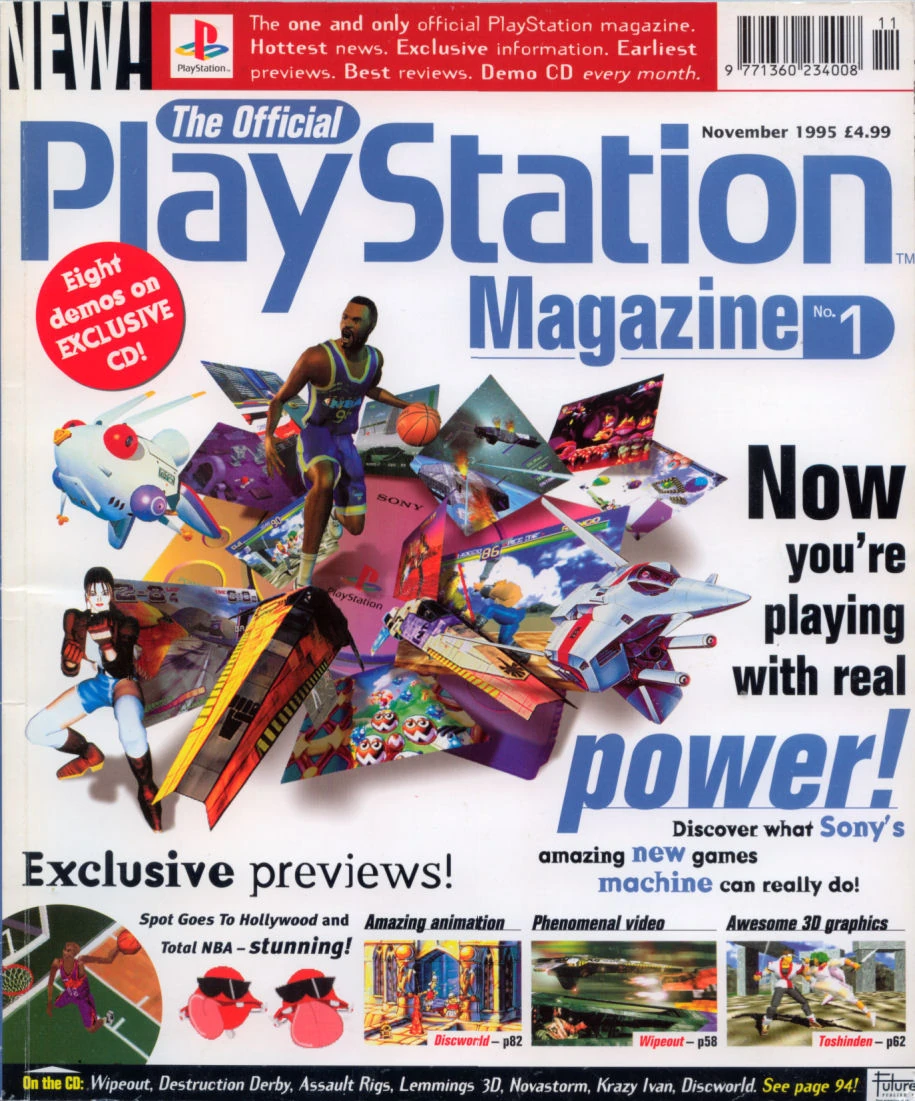
https://static.wikia.nocookie.net/magazinesfromthepast/images/9/95/The_Official_...
ivory verge
upper forge
https://static.wikia.nocookie.net/magazinesfromthepast/images/9/95/The_Official_...
In Poland we had OPM only since 1997, I bought every new issue
upper forge
Same as the USA, They only got mags with cover discs since late 1997
https://encrypted-tbn0.gstatic.com/images?q=tbn:ANd9GcQ11btW7yMnC7MllR5tFVUxbzYsWY9RnIa1-w&s I this was the only unofficial magazine I bought
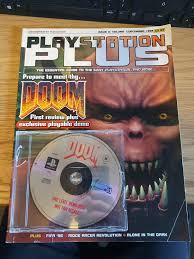
Because of the Doom demo 😄
 dark mountain
Bad news @ivory verge , we have broken the support of some LibCrypted games on 20260414 version of the core (at least).
I can't launch the European, French & German versions of FF8 and FF9 on it (with the SBI inside the same folder, of course).
If I install the 20250825 version, the games are working once again.
ivory verge
dark mountain
Bad news <@701214948650516480> , we have broken the support of some LibCrypted g...
I don't touched librcrypt
Ff9 works fine for me
No problem
Latest stable core 20260411

Pal version
I use sbi zip file from update all
dark mountain
Okay, strange behavior as I have the same on my 4 MiSTer systems, even with fresh dumps.
I will search on my end.
Sh*t, sorry I checked the SHA256 values, I had a bad copy and it replicated on all my systems.
Sorry for interrupting your evening and alerting you.
ivory verge
German works fine too
ivory verge
dark mountain
Sorry for interrupting your evening and alerting you.
no prob my friend 🙂
dark mountain

I had to redo a master copy for all my MiSTer games at the beginning of the month, and I duplicated a faulty core (but it worked on many other games).
ivory verge
At one point, I had so many test cores that I started to panic, thinking something wasn't working, but it turned out I just had a bad core
frail storm
ivory verge
For me, PlayStation was something incredible; no other console has made such an ...
For me it was SNES in 1992, then PSX in 1996.
Nothing has ever been the same, indeed. That was all magic. First time I saw Super Mario World, Super Probotector, Starwing... that was out of this world.
But then came the PSX and I saw Tekken and I couldn't believe I had that right at home.
ivory verge
Yeah, I had a C64, an Amiga, and an SNES, they were all great, but the PSX changed everything 😄
 tawny palm
frail storm
For me it was SNES in 1992, then PSX in 1996.
Nothing has ever been the same, in...
tawny palm
frail storm
For me it was SNES in 1992, then PSX in 1996.
Nothing has ever been the same, in...
Same for me with the SNES. I loved so many games on that console back in the day. And even now, it has more of my favorite games of all time on it than any other platform.
north oracle
i was very young during the ps1 days but i played alot of ape escape and gran turismo 2 and then became a rpg addict haha
but mister has made me love everything!
 mortal oracle
PS1 was the first console that I asked for rather than one that was already around when I was a kid, so it’s my favourite one on the MiSTer
 dawn axle
My first PlayStation was the PS2 since we had an N64 during that console generation, so I’ve had a blast exploring the PS1 library on mister
mortal oracle
dawn axle
My first PlayStation was the PS2 since we had an N64 during that console generat...
This is me with the N64
And why I am now a Star Fox 
dawn axle
 mortal oracle
 desert otter
shell gust
Yea I definitely am young to be a die hard retro gamer, the console I grew up on...
desert otter
shell gust
Yea I definitely am young to be a die hard retro gamer, the console I grew up on...
Growing up with 7th gen is still dope. That generation was the last bastion of dope games and features.
I remember some of the earlier days of the 360 and the push for more social interaction features like having watch party mode on the Netflix app so if you and your friend had Xbox Live Gold and a Netflix Subscription, you could both party up with the app and in a voice chat, and could see the movie or show playing on what looked like a movie theater screen with little silhouettes of your avatars sitting in seats at the bottom of the screen and you could do little emote reactions and you both were synced up to watch the same thing at the same time and the host could pause and resume for everyone.
The dashboards were cooler back then too. It's around the time the XBOne came out that they went with that metro UI nonsense and everything got boring asf.
They also got rid of the whole watch party thing pretty quickly which sucked.
quartz thunder
tawny palm
Same for me with the SNES. I loved so many games on that console back in the day...
For me SNES has some of the best game soundtracks of all time
 serene nebula
desert otter
Growing up with 7th gen is still dope. That generation was the last bastion of d...
serene nebula
desert otter
Growing up with 7th gen is still dope. That generation was the last bastion of d...
lol imagine growing up with 7th gen consoles, couldn’t be me!
summer sage
serene nebula
lol imagine growing up with 7th gen consoles, couldn’t be me!
because you never grew up
clear rock
summer sage
because you never grew up
Guess he's a Toys R Us kid
mortal oracle
Robby is the Peter Pan of MiSTer
upper forge


Hai Guys
No-one Knows what she actually says these are the ACTUAL LYRICS
i have known these lyrics since i was 5
i am noe 17 i think i know them :D
saw this on my television a couple of days ago and thought i have to uplaod my version
when you see this advert you know christmas is almost here
 runic edge
upper forge
https://tenor.com/view/toys-r-us-gif-11371533
runic edge
upper forge
https://tenor.com/view/toys-r-us-gif-11371533
This is the best gif I've ever seen.
serene nebula
Some of y’all need the JesusStation I’ll tell you wuhat
serene nebula
 lost summit
ivory verge
lost summit
ivory verge
Yes 👍
 mystic flare
serene nebula
Some of y’all need the JesusStation I’ll tell you wuhat
mystic flare
serene nebula
Some of y’all need the JesusStation I’ll tell you wuhat
you should pokémon go to the jesusstation
shell gust
mystic flare
you should pokémon go to the jesusstation
is that a hillary clinton reference? that made my day lmao
serene nebula
shell gust
is that a hillary clinton reference? that made my day lmao
yeah lol
storm barn
I remember that a while ago when the whole "opening the tray and loading other images with the tray open won't trigger a reset" was set, it allowed loading even other cores games with audio tracks and listen to its music using its visualizer. Really amazing feature!
 spare topaz

Am I allowed to ask a Superstation One question here? Does anyone have any guesses why I have these horizontal bars when playing the latest PSX core on the SS1 via composite? They are visible on a CRT, ruling out an issue with the retrotink. I tried using an older version of the core but it won’t boot on the SS1.
I tried the same cable with another mister using misteraddons composite encoder and the bars were not present, so there shouldn’t be a problem with the cable, either.
spare topaz
Thanks, I did not specify a critical detail lol - this issue is when using composite. It happens on CRT too, but it’s easier to photograph on an OLED.
There is no problem over HDMI.
chilly kraken
What is your vga_mode set to?
spare topaz
vga_mode is set to subcarrier but I’m not sure if that’s in effect if I’m not using something like misteraddons yc encoder. SNES and Genesis seem to be fine over composite.
 river otter
spare topaz
vga_mode is set to subcarrier but I’m not sure if that’s in effect if I’m not us...
river otter
spare topaz
vga_mode is set to subcarrier but I’m not sure if that’s in effect if I’m not us...
Yes it's running as you have a superstation one, which uses that with it's external DAC
river otter
spare topaz
vga_mode is set to subcarrier but I’m not sure if that’s in effect if I’m not us...
You can also bypass the DAC by flipping dip switch 3 into the up position and enabling the svid profile, that should get you clearer video over svideo and composite
chilly kraken
or set vga_mode=svideo and then you can use the VGA port with the mister addons y/c converter
and that picture will be cleaner
spare topaz
river otter
You can also bypass the DAC by flipping dip switch 3 into the up position and en...
This does fix the bars but the image is, dare I say, significantly darker.
chilly kraken
put all the dips down, set vga_mode=svideo, and use your Misteraddons dongle
river otter
spare topaz
This does fix the bars but the image is, dare I say, significantly darker.
That's really weird as it's the opposite on my ssone
river otter
spare topaz
This does fix the bars but the image is, dare I say, significantly darker.
Oh wait maybe you need to set eh, idk about thisvga_mode=cvbs?
river otter
chilly kraken
put all the dips down, set `vga_mode=svideo`, and use your Misteraddons dongle
I don't think they have one?
chilly kraken
oh i see, they have one but its on a different one.
I had the same problem with the darker screen. I had to do dips 3 and....1? I can't remember. But I definitely had to flip 2 dips and then used the svideo port on the side
river otter
Dip 3 enables/disables the in-built DAC. Flipping into the up position disables it
chilly kraken
i definitely needed to flip 2 dips. let me scroll up in the atari channel
river otter
1. YC/Composite Region
Up = PAL, Down = NTSC

2. FPGA LUMA Trap
Up = PAL, Down = NTSC

3. YC / Composite Mode
Up = FPGA, Down = Sony

4. Sync on Green
Up = Off, Down = Add
That's if you have a 1.2.3 or later revision board. The dips are the opposite way around on earlier revisions
chilly kraken
oh I think it was 3 and 4. because you don't want sync on green
river otter
Most people will have rev 1.2.3
Which is really annoying since Taki's ss1 new user guide talks about the older revision dips
idk why but on my monitor flipping dip 4 made no difference
river otter
spare topaz
This does fix the bars but the image is, dare I say, significantly darker.
Try flipping dip 4 to the up position
spare topaz
river otter
Try flipping dip 4 to the up position
The only dip switch that seems to do anything is 3
It’s pretty close. But now I can’t get back to the original setting in the ini to compare after changing it. I changed the output to CBVS and my usb ports died so apparently my power supply (Samsung Galaxy USB-C wall adapter) is borderline insufficient.
Left is SS1 hdmi, right is SS1 composite, running Picture in Picture.


I have vga_mode set to s-video/composite and dip switch 3 up. The “subcarrier” that was there initially is no longer present and all other modes are black and white.
river otter
spare topaz
I have vga_mode set to s-video/composite and dip switch 3 up. The “subcarrier” t...
The profile with subcarrier is the default profile
But its just a text string so you can just type in vga_mode=subcarrier into the ini file
spare topaz
At this point I’m just a bull in a china shop but I found the original SD card that shipped with the SS1 and the 25.12.04 PSX core works fine out of the box with composite, all dip switches down.
river otter
Uh so the original sd card has a bug where it'll eventually stop booting because of the data partition overlaps the boot partition
Interesting that the psx core from 25.12.04 doesn't have the issue, perhaps there's a regression
Ah yeah 25.12.04 was the release before subcarrier support was added
spare topaz
Yeah so with the original card, n64 didn’t work, so I downloaded the latest image from Takis GitHub and flashed a 512GB card. N64 worked so I just went to town running update all and loading up my roms.
river otter
tbh I've looked at your images and I can't quite tell exactly what the issue is. It just looks like crappy composite to me. Comparing it to hdmi isn't that useful
Do you have a screenshot of what it looks like in the 25.12.04 build instead?
chilly kraken
If you’re using subcarrier, open 240p test suite on the psx, and open the red screen test. You’ll see banding over svideo and composite. I think that’s what they are seeing
river otter
I know that with subcarrier it has diagonal banding but I see that on all cores
spare topaz
river otter
tbh I've looked at your images and I can't quite tell exactly what the issue is....
The bars aren’t in those comparison issue - that was after we “fixed” it and was comparing the perceived brightness of the issue.
But I moved the 25.12.04 core over to my other SD card as well as the Mister.ini file and the yellow bars are still there..
The iPhone kinda blends/smooths where the bars are

If I turn the exposure up you can see the bars in black screens, too
If you’d can make out those 6 magenta bars looking bars, those show up against reddish colors. I first noticed it playing metal gear solid when you take the elevator up. When the lights flash red the bands were greenish. In jet moto, they’re yellow.
river otter
Ah ok. Yeah, I don't see that running the PSX core on my setup. I've got a PAL Commodore 1802 monitor connected by both composite and svideo with the latest PSX core running with vga_mode=subcarrier
spare topaz
What is your mister version? I’m on v260325
spare topaz
I am an NTSC guy so maybe that’s a notable difference assuming your PAL monitor is taking a PAL signal
river otter
Possibly
Its been difficult figuring out issues with composite and svideo on the ss1 since it seems like most people if they're doing analog are using either RGB or YPbPr
Then try adding PAL to the mix and its even worse 🥴
spare topaz
I am flashing the 1.0C image again to see if it’s present right off the rip
Yeah I mean, I get it - but those signals look too good. I grew up with RF so composite feels most like home.
I’m sure it’s hard for taki to parse user error from legitimate issues, too
chilly kraken
yeah, those are the bars I'm talking about
river otter
@chilly kraken do you see those bars too on your unit?
chilly kraken

 chilly kraken
Subcarrier over svideo is going to show that on some cores. it will be in composite too, but subcarrier dot crawl hides it
spare topaz
 river otter
There's definitely something funky going on with subcarrier & the external DAC. I don't get what you guys are getting but I get the diagonal interference and that at least for me using the DAC is darker than if its bypassed.
chilly kraken
so it has to do with refresh rate, so it's going to look different on a pal set
river otter
I mentioned over on Taki's discord some of the issues and the only response I got from him was "there's nothing wrong, it looks exactly the same on an oscilloscope"
Maybe? 240p test suite was running at 60hz though
I'd love to get a dual PAL/NTSC display so I can actually test whether things are PAL issues, issues with my existing CRT or something else
I feel like there's a lot of vibes based answers I'm getting wrt to PAL
Also the ss1 could do with a mini guide just for using composite and svideo. Its a really common question over on Taki's discord
And also document what's actually just an issue with composite, what's an issue with subcarrier, etc
chilly kraken
is there still no documentation beyond the video?
river otter
lol no
chilly kraken
spare topaz
https://tenor.com/view/thats-it-yes-thats-it-that-right-there-omg-that-thats-wha...
did we try dips 3 and 4? there is a way to bypass the sony (subcarrier) chip and use the mister Y/C decoder (by using the Svideo port on the side)
that should be just as bright as out the back
and not have banding
I checked that when dave and I went on an odyssey trying to sort out dips
And also, I noticed that the stock PSX core that comes on the memory card has a different type of subarrier weirdness, but didn't have the banding. I didn't know if there was something going on with the mister main version on the card. IIRC (and correct me if I'm wrong), the version of mister main that the card ships with is not an official release
spare topaz
On a fresh 1.0C image I don’t appear to have the banding issue

Or at least, it’s not as in my face as it was.
chilly kraken
you do, they are just tighter together. What is the version of mister main on that one?
river otter
And also the PSX core version
spare topaz
Mister v251202
PSX v251204
river otter
lol yeah that psx core version is the one before subcarrier support got merged
Does subcarrier support need to have a good seed or something to get good output or something 🤔
chilly kraken
Subcarrier was in the august release (the december release was after a refactoring ) https://github.com/MiSTer-devel/PSX_MiSTer/commit/73ae77b5f52f6473776fa2a8323323891b9b5613#diff-13d67b12937a9342f615921495251467cd222055cd33b8728f0449fd1b070d1fR511
However, there is no official mister main 251202

so I dunno what is in there, but that might be part of it
river otter
spare topaz
This does fix the bars but the image is, dare I say, significantly darker.
One thing I just remembered at least on my setup to make it brighter was to disable gamma correction in the video processing settings of the core, idk if that'll help you or not
Oh god so the image really did come with their own compiled versions of cores, that's just great...
I wonder if the diagonal banding would be better with those versions...
spare topaz
I did find that setting. The tink actually pairs well with the darker image once HDR10 is enabled, but for CRT use, seems a little dim.
I am running update all again on the fresh image to verify the problem comes back.
I think the diagonal banding is in those versions, there’s like a rolling diagonal scanline thing I could see on the OSD menu
Yeah as soon as I ran update all the bands are more prominent in the red screen test and the yellow bars are again showing in Jet Moto
river otter
Dammit now I can see it 😭
 chilly kraken
yeah, it's a bummer
river otter
Lol so Taki is saying that update_all magically without people knowing it will install unstable cores, fuck me
Did that yc.txt change help @spare topaz ?
spare topaz
river otter
Did that yc.txt change help <@300457547171889153> ?
it did, thanks for your help! I guess now I know to check that file next time I have composite issues
river otter
Same! I'll be trying it out when I get home
spare topaz
I've been running update_all on my 2 misters since 2020 and never ever had a problem, but I would concede that a SS1 with all it's add-ons is not apples to apples with a vanilla de10 with plain hdmi out.
river otter
I'm fairly confident that Taki is wrong with what he was asserting
Especially since you can also configure update.sh to download unstable cores
chilly kraken
where did you guys get the YC file from?
spare topaz
Taki provided it, I think it's the one that came included on the SS1 image
there was a value change on the PSX core (as well as some others that I don't use) so I guess that explains why I had an issue in PSX but not the other cores
chilly kraken
LOL. Boy that looks familiar https://github.com/MiSTer-devel/Main_MiSTer/pull/1067/changes/f4dbcd3eb90ffa5729d5c769d48d672169e6b2db
yeah, it still doesn't fix the issue. it just makes the bars crawl
spare topaz
what are you saying, misteraddons put in a change that works with his yc encoder but borks the SS1? haha
chilly kraken
Porkchop (the misteraddons guy) wrote the subcarrier code
spare topaz
ahh, I see - I do have his yc encoder, too on my de10 mister, but I was hoping for the SS1 to kinda eliminate the need for having a mister with a spiderweb of attachments
chilly kraken
yeah, subcarrier is very cool, it just needs some work.
spare topaz
with my luck, my crt will crap out as soon as it's perfected
chilly kraken
I feel like we are on borrowed time with those
spare topaz
I'm sure there are a lot of older folks who had them in their bedroom that weren't heavily used - or at least that seems to be the case in my area, I just can't be trusted to open and work on it
the amount of times i've zapped myself working on my house or futzing with old consoles, I will certainly electrocute my heart and die lol
 proven seal
a shock from most any part of a CRT isn't enough to kill you, despite popular belief
as for being "on borrowed time", a good-condition, serviced tube will probably outlast any of us
chilly kraken
proven seal
as for being "on borrowed time", a good-condition, serviced tube will probably o...
it's 100% my tube anxiety - like analog video, it's all vibes
proven seal
feels similar to old cars; they just keep trucking (literally) with enough TLC
river otter
spare topaz
it did, thanks for your help! I guess now I know to check that file next time I ...
lol that file did almost nothing
river otter
spare topaz
what are you saying, misteraddons put in a change that works with his yc encoder...
He raised a PR but he closed it due to issues he found in testing https://github.com/MiSTer-devel/Main_MiSTer/pull/1067#issuecomment-3582772958

GitHub
During testing, some cores require different PHASE_INC values compared to yc.txt.
As we tested cores, we noticed unexpected results. I'm using a Sony CXA encoder, which is what many fourth and fifth generation consoles used. Most of the yc.txt values work great. The PSX banding issue is only visible with certain resolutions. MikeS did a great job tuning these cores for the YC active hardware. What are your suggestions for improvements? It's very nice to output RGB, S-Video, and Composite video with a single analog video setting.
river otter
I think I'm at the point where I'm just going to give up on expecting anything good to come from the ss1 and subcarrier support for YC and composite. Time to start saving up my money for a monitor that does RGB
proven seal
could also look into RGB mods
river otter
There are no RGB mods for my monitor
proven seal
unfortunate
river otter
Very
summer sage
river otter
Lol so Taki is saying that update_all magically without people knowing it will i...
no one haa ro use update_all. It's a third party thing outside the control of the project. They can just use downloader if they want stable things from the project.
ivory verge
GitHub
Issue: After start, the game goes out of sync. A white screen appears , sound can be heard , after some time the game should start. Reproduce: Workaround: PAL/NTSC-U ver. works fine BIOS: 7000 CD I...
:)))
chilly kraken
you figured it out?!
ivory verge
Yes
The game stops the drive while reading around 62:51:06, then issues Setloc/ReadS for 62:20:46. After Stop, the CD mechanism is treated as returning to the inner position (00:00:00), followed by a long sled forward seek from 00:00:00 to 62:20:46 (LBA 280546), taking approximately 1828.678 ms. If the seek is too short, the game start reading before the expected mechanical delay has elapsed or from an incorrect physical position, causing the scene to go out of sync.
topaz crow
ivory verge
Yes
OMG
thats awesome!!
we just had to believe! thanks for putting the work in
so excited

 tropic stratus
ivory verge
The game stops the drive while reading around 62:51:06, then issues Setloc/ReadS...
tropic stratus
ivory verge
The game stops the drive while reading around 62:51:06, then issues Setloc/ReadS...
so the "best guess, simple calculation" seek timing formulas are not accurate enough or did it require more?
ivory verge
tropic stratus
so the "best guess, simple calculation" seek timing formulas are not accurate en...
Parappa appears to expect the logical CD position to return to the inner area after a full Stop. The game only works correctly when the next seek after Stop starts from currentLBA = 0
 shrewd pasture
is this some kind of copy protection?
ivory verge
No, this game just works like that
tropic stratus
I see, we currently stop at the spot and not move the head to zero?
Sorry it's been a while, I don't remember all the details.
ivory verge
tropic stratus
I see, we currently stop at the spot and not move the head to zero?
Sorry it's b...
Yes, correct
but we can't use such long seeks globally
as for parappa
topaz crow
Kuba-j is my hip hop hero
 stable perch
That's some pretty good detective work, finding that out
chilly kraken


 chilly kraken
 abstract drift
are we at risk of running out of bugs?
serene nebula
abstract drift
are we at risk of running out of bugs?
the best way to play PS1
 tacit fox
MiruMiru is back!!! 😍
serene nebula
tacit fox
MiruMiru is back!!! 😍
what’s that
ivory verge
serene nebula
what’s that
an obscure demo with videos that no one really cares about, but I insisted on fixing it. I know I'm weird.
 dusk berry
ivory verge
an obscure demo with videos that no one really cares about, but I insisted on fi...
dusk berry
ivory verge
an obscure demo with videos that no one really cares about, but I insisted on fi...
is nuclear strike fixed?
ivory verge
No sorry
dusk berry
ivory verge
No sorry
you don´t have to say "sorry"
tacit fox
Not yet…….
 austere otter
playing with the latest test core and Crash bandicoot stopped taking my inputs. After the first bonus level I jumped across a few voids avoiding the rolling dishes and suddenly he just stops and I cant control him anymore
it was on the stage "Jungle Rollers"
I replayed the stage and so far has not frozen the controls
ivory verge
none of the changes affect character control
The only things that could theoretically happen are long loading times (very unlikely) or the game wouldn't load at all (very unlikely).
austere otter
Kuba, I suspect I pressed the mouse pad on the dualsense controller which activates analog mode and Crash doesnt support analog mode
 dark aspen
Aeon Genesis released "Real Robots" recently
 verbal geode
if I'm playing mgs vs psycho mantis, how do I change controller port?
topaz crow
Connect a second controller and set it to dual shock/digital in the menu
chilly kraken
oh just swap it in the OSD
verbal geode
how can one specify which port a controller is bound to in the osd?
chilly kraken
i thought you could swap in the psx core
 manic citrus
oh, it has the swap thing? yeah I guess do that
still kinda awkward but I lost that battle a long time ago
verbal geode
question, if I'm using chds
and I have disc 2 on mgs
can I just load disc 2 and then load the save data from disc 1
or do I need to move the chd to a separate folder
like I have MGS (Disc 1) (Rev 1) in one directory and (Disc 2) (Rev 1) in a second directory
and if not will I have to rename the base chd and its save file name?
river otter
verbal geode
or do I need to move the chd to a separate folder
Put them into the same directory https://mister-devel.github.io/MkDocs_MiSTer/basics/cd/#cuebin-folders-and-chd-files

MiSTer FPGA is an open source project that aims to recreate various classic computers, game consoles, and arcade machines, using modern hardware.
serene nebula
There’s like a no_reset.txt file thing too, right?
ivory verge
Not for normal swap discs
 visual oyster
ivory verge
The game stops the drive while reading around 62:51:06, then issues Setloc/ReadS...
visual oyster
ivory verge
The game stops the drive while reading around 62:51:06, then issues Setloc/ReadS...
Wait, does this fix the timing on PaRappa? It’s the one PS1 game on MiSTer that doesn’t feel like the hardware on CRT, even by the busted standards of the original disc. [But it’s hard to tell because the game was always wonky]
Oh wait, just saw that it’s the JP version.
clear rock
verbal geode
like I have MGS (Disc 1) (Rev 1) in one directory and (Disc 2) (Rev 1) in a seco...
Keep all the disks for the same game in the same subfolder. By default the core won't reset if you swap images within the same subfolder.
E.g. "MGS (Disc 1) (Rev 1) .chd" and "MGS (Disc 2) (Rev 1).chd" should just both be in the "MGS (Rev 1) " folder
 solemn thunder
Hi! i need some help! I was trying games on the PS1 core, and sometimes when y load a CHD the core does not auto reboot to load the game, is some kind of bug? im loading games of a external HDD
ivory verge
I don't know if using HDD is a good idea, you will most likely have problems reading data sometimes.
The SSD works fine, unfortunately I'm not a CHD expert, I only use bin/cue and have never had problems switching games. Since the first versions of the core.
runic edge
solemn thunder
Hi! i need some help! I was trying games on the PS1 core, and sometimes when y l...
I use an external hdd and haven't had the problem you describe.
Kuba is right though about finicky problems with using hard drives.
 lilac scaffold
Is each game in its own folder?
ivory verge
I don't think it's a problem if there are chd files when it comes to changing games? They definitely share one memory card if they're not in separate folders.
lilac scaffold
Could be mistaken but I think they don't reset the core if in the same folder, same as bin/cue
ivory verge
MiSTer FPGA is an open source project that aims to recreate various classic computers, game consoles, and arcade machines, using modern hardware.
I only found this. I've never used CHD, I haven't had a need for it.
However, I think that placing them in separate folders still has advantages (memory card)
ok you actually have to reset the core if they are not in separate folders
lilac scaffold
Gave it a test, no reboot if in the same folder
runic edge
lilac scaffold
Gave it a test, no reboot if in the same folder
Never knew this!
Important!
So its not just about the memory card
manic citrus
chd follows the exact same rules as bin/cue
ivory verge
ivory verge
https://mister-devel.github.io/MkDocs_MiSTer/basics/cd/
so we should correct the information here
serene nebula
solemn thunder
Hi! i need some help! I was trying games on the PS1 core, and sometimes when y l...
For cd games, every single game needs to be in its own folder for the core to auto reset when loading a game.
There is no way around that. Get with the folder making.
At least when you select the folder, it’ll auto load the game inside of it.
ivory verge
Has anyone had a chance to try out the latest test build?
solemn thunder
serene nebula
There is no way around that. Get with the folder making.
At least when you sele...
y have the games in CHD format, in @ivory verge information says, the CHD format games does not need to has folder making, but is weird because sometimes resets me the core auto and other times doesn't
serene nebula
solemn thunder
y have the games in CHD format, in <@701214948650516480> information says, the C...
Ok, try putting a few in their own folder and see if that has any change.
solemn thunder
serene nebula
Ok, try putting a few in their own folder and see if that has any change.
i try it and it works!, buff now to create 800 folders for each game xDDD, multidisk need to be in the same folder?
ivory verge
Unfortunately the information about chd is not correct on this website
solemn thunder
its the same for all cd games on mister? the reset core auto?
ivory verge
solemn thunder
i try it and it works!, buff now to create 800 folders for each game xDDD, multi...
There is script for that
GitHub
A set of utilities for use with and on your MiSTer FPGA - Natrox/MiSTer_Utils_Natrox
solemn thunder
ivory verge
There is script for that
nice, this detects the games on the HDD too?
because the CD format is too large y have it on a external HDD
ivory verge
I think you just need to change the path to your hdd
ivory verge
Great!
tropic stratus
@ivory verge don't tease us with a pull request in Draft 😅
Just joking, you do great work caring for the core!