#I restart my pc it said insert boot disk and insert any key idk what to do
713 messages · Page 1 of 1 (latest)
 old oak
Okay first. What did you boot off of? Like a CD or USB? Second, did you install anything after trying to install Fedora?
old oak
What you need to do is remove the USB stick, plug it back in again, restart your PC, load into the live environment, put the USB back in, and start over.
old oak
When you restart your computer, mash whatever key you need to get into the boot menu (F1, F8, F12, depends on your computer), and there should be an option for “BOOT FROM USB” or something similar, hit that.
 jagged crypt
Yh ik
old oak
Hope this helps 🤞
jagged crypt
I'm in
old oak
Great
jagged crypt
What do I do now
old oak
Well, you can either re-do the install, or you can load the live environment.
old oak
It’s actually pretty easy to do. You should just be able to load into the live OS, plug in the USB, and then wipe the drive from there and it should work. When you first load into the live environment, you just need to click on “install fedora” and follow the instructions.
Sorry took a while to type
jagged crypt
I don't have enough space in my USB for windows
old oak
Does your USB just not have enough space to fit the ISO?
jagged crypt
Should I js install it install grub go back to windows and uninstall fedora from windows
jagged crypt
old oak
Does your USB just not have enough space to fit the ISO?
Nope not the windows one
old oak
jagged crypt
Should I js install it install grub go back to windows and uninstall fedora from...
Yes. You can do that. In fact, it’s kind of recommended. But when you’re actually installing it, do not hit the install alongside windows option as that will just create a new boot loader.
old oak
Right. So what you need to do is load into the live environment, click erase drive and install fedora, the install will start running, it should ask if you want to install it along side windows, you don’t want to do that.
If you have any other questions feel free to ask
jagged crypt
If I erase the disk wouldn't I uninstall windows
old oak
Yes it would. But the way Fedora (Linux in general is) is that it’s going to format the drive anyway before it will let you install it.
 old oak
I am a hundred percent certain of it. The Linux kernel is designed to completely take over the drive before you can install it. Once you’ve hit anything to make it start installing, you will lose windows.
old oak
Okay, so you want the very last option “advanced custom”
jagged crypt
And
old oak
There should be some text saying “automatic partitioning” click that, and it will bring up a little window letting you pick which drives/partitions you want to format.
old oak
Yep, now just leave it alone don’t touch a single thing as it tries to restart and re-load
 old oak
lm take a look
After removing the USB stick it will probably re-start itself again and load into the fedora desktop
 past wyvern
it's not true. installing Linux IS dualboot-friendly, and possible. there's no need to fully erase the drive. One catch: Windows Fast Startup must be turned off.
you must also know wtf you're doing.
- Ideally though, you should back up your stuff anyways, and single boot
Meaning, either JUST have Windows, or JUST have Fedora
or buy a second SSD for Linux
@jagged crypt
past wyvern
and another thing , Windows Fast Startup is NOT the same as "fast boot" in the BIOS
past wyvern
get mint iso on another computer, and use its boot repair feature
past wyvern
do u have a ventoy'd usb?
past wyvern
it's better to have one
jagged crypt
kk
past wyvern
yeah get any flavour of mint flashed onto a USB
i'll send u the ventoy guide
#1295816480256163892 message
once it's all prepared with ventoy, and the Mint ISO, safely eject it from ur laptop, bring it to your current "broken" system, and boot the usb up to the Mint live environment
past wyvern
u can try changing the priority to simply the NVME drive
past wyvern
because I think windows was installed and run as a legacy bootup
legacy boot is hard to fix. Microsoft has dropped support mostly
 past wyvern
put nvme to top
past wyvern
if it doesnt boot still, then do boot repair
it doesnt get simpler than those two things
jagged crypt
I don't. Have the plus on my keyboard
past wyvern
sure u do
jagged crypt
I do
past wyvern
if not, shame on you
jagged crypt
Do I save and exit now?
 past wyvern
wait,
jagged crypt
Kk
 past wyvern
should go:
nvme
USB HDD
ATA HDD0
ATA HDD1
USB CD
Other HDD
Other CD
PCI LAN
 past wyvern
SAVE N REBOOT
jagged crypt
I hope this works
It says it is not a bootable disk please insert a bootable floppy and press any key to try again
I should try Linux mint repair boot
past wyvern
yep. prepare the usb stick with ventoy follow the guide exactly.
then get fresh copy of mint iso
jagged crypt
Can't I js uninstall what's in the USB stick?
jagged crypt
I got 7gb on my USB stick
past wyvern
that's plenty
jagged crypt
Kk
past wyvern
add two iso's after the usb is finished being prepared with ventoy.. add Mint 22 iso, and supergrub2 img
jagged crypt
Oh ok
past wyvern
supergrub is a boot tool
jagged crypt
Can u put the link to the guide
past wyvern
see #1200928716415566005 message and get the one shown exactly in picture, (other than the version number)
past wyvern
past wyvern
https://discord.com/channels/628978428019736619/1295816480256163892/129582895003...
.
jagged crypt
Kk
Thx
Do I rally need ventoy it looks like a pain to install
And my second laptop is rlly slow
past wyvern
yes install it once and u never have to flash again
what is second laptop running, @jagged crypt ?
jagged crypt
Windows

There is no ventoy gui
What should I put in the the terminal
@past wyvern
past wyvern
so insert usb, start ventoy2Disk, and follow guide right to the end, including the added notes
jagged crypt
I inserted the usb
past wyvern
it says from step 3 u just didnt read for windows
jagged crypt
Oh


Now I'll instal Linux mint and super grub and I'll put them in the ventoy right
past wyvern
why 2 drives?
jagged crypt
Idk
past wyvern
open disk management n show whole window
 jagged crypt
Wym explorer
past wyvern
safely eject the usb, then put it back in after 3 seconds
jagged crypt
Oh ok
past wyvern
jagged crypt
Wym explorer
file mgr
past wyvern
u should only have ONE F: drive
past wyvern
do u have one f: drive that is labelled ventoy?
jagged crypt
I'll see
I'll put back the usb
I still got 2
Also is that the supergrub u were talking about?

@past wyvern
past wyvern
i guess. if u followed the pic i showed
the one for usb
that says works with uefi and BIOS systems, 64 bit
 past wyvern
idk wtf that is
jagged crypt
Ok I js installed the one in the photo
Also in Wich of the 2 ventoy do I put the Linux mint and supergrub
past wyvern
 past wyvern
 jagged crypt
Yh it's the same one
past wyvern
jagged crypt
Also in Wich of the 2 ventoy do I put the Linux mint and supergrub
the blank
jagged crypt
jagged crypt
Also in Wich of the 2 ventoy do I put the Linux mint and supergrub
?
The two of them are blank
past wyvern
top one then
past wyvern
i think
past wyvern
jagged crypt
I installed this one
did u extract it?
jagged crypt
Not yet Linux mint is still installing
jagged crypt
Extract supergrub or Linux mint?
past wyvern
just supergrub.zip
jagged crypt
Done now I js need to wait for Linux mint to install
 past wyvern
jagged crypt
Done now I js need to wait for Linux mint to install
past wyvern
jagged crypt
Done now I js need to wait for Linux mint to install
right-click that. does it end in .img?
you really should turn file extensions on in that Windows explorer preferences
jagged crypt
its rar
past wyvern
rar?
jagged crypt
.rar
past wyvern
then u didnt extract it
right click it there in ventoy,
do "extract here" or open with WinRar
and extract to there.
past wyvern
you can delete the rar one off of the Ventoy drive
are u sure u got it from supergrubdisk.org, not that other one u first showed in pic with penguins?
jagged crypt
It took me to the one I first saw
past wyvern
jagged crypt
I installed this one
this one says .zip in red. How did u get a .rar one?
idk man dont take risks with this shit
get the official one
jagged crypt
I did
past wyvern
ok
jagged crypt
It takes me here when I clicked on the link
 past wyvern
im just rather weirded by the fact u showed me a photo where it says in red print ___.zip*
and now u end up with .rar
jagged crypt
 jagged crypt
Idk why here it says .rar
 jagged crypt
 jagged crypt
I don't think I'll be using linux anymore
past wyvern
can be used to boot any OS that is not completely broken
jagged crypt
I honestly don't know how this pc is so slow the installation takes so so long I'm only at 1gb out of 2
past wyvern
how many minutes does it show have passed since you started the download?
if u click the 'current downloads' button in the web browser toolbar
jagged crypt
its in frenchmb
 past wyvern
464 Kilobits per second is ... not fantastic
jagged crypt
yh ik
past wyvern
someone else using your internet heavily?
jagged crypt
Nope it's not normal in my other pc its rlly fast
past wyvern
is this one using Ethernet or wireless?
past wyvern
are u saving the iso file to C:\users$user\Downloads?
jagged crypt
Yep
past wyvern
ok safely eject the usb for a moment plz
jagged crypt
kk
past wyvern
then take it to your other computer
jagged crypt
Kk
past wyvern
tell me again, the situation... Fedora is booting, but not Windows? or nothing is booting?
jagged crypt
It says please insert a bootable disk
past wyvern
even when u had "FEDORA" at top of boot list?
jagged crypt
past wyvern
then take it to your other computer
I'm not in my house
I'm at my Grampdpa house
So I cant
past wyvern
i mean go to your computer with the non-booting Fedora/Windows now
jagged crypt
Ok
past wyvern
or u left house to make the usb?
jagged crypt
Rn Im visiting my grandpa and I took a USB with me and my laptop to install fedorea
jagged crypt
Done
jagged crypt
Kk
past wyvern
then choose supergrub from there, hit enter, normal mode


 past wyvern
hd1, msdos1
past wyvern
the one that says, windows vista, etc etc, on hd1, msdos1
past wyvern
is it booting up win?
jagged crypt
Yes
past wyvern
ok open control panel
jagged crypt
Kk 2sec
past wyvern
click then Power Options
 jagged crypt
Done
past wyvern
on the left pane, see if says 'control what the power buttons do'
click that, and show it, full window
 jagged crypt
Done
jagged crypt
It's legacy
past wyvern
ok keep that in your mind
jagged crypt
Kk
jagged crypt
Do I keep the USB in the pf
past wyvern
ofc
past wyvern
boot manually, choose "Linux" in supergrub
jagged crypt
Kk
past wyvern
then find fedora, and it should be on hd1, some other partition.. maybe 5
 past wyvern
no, just linux
jagged crypt
Kk
past wyvern
 jagged crypt
 past wyvern
heh
jagged crypt
?
past wyvern
friggin fedora with friggin BTRFS
try previous option, from /boot partition
it should be on partition 7 from blue pic above
jagged crypt
 past wyvern
or partition 5
ok np. might be this program cant see BTRFS, i really dont know
once Mint is finished, u can show me some things
jagged crypt
Kk
past wyvern
actually, boot Windows
past wyvern
dont do it yet
jagged crypt
Kk
jagged crypt
Kk
jagged crypt
The latest version is 1.7.0-1
past wyvern
that's fine
jagged crypt
Kk it's installing
past wyvern
you will now see why Ventoy is so extremely handy
gparted-live is a small ISO. so hopefully will be quick
jagged crypt
I think it's js the wifi here that is trash bc I'm getting 300ko/s
past wyvern
while it is saving to Downloads, safely-eject the ventoy usb. wait a couple seconds, then put it back in
past wyvern
open file manager, do u see VENTOY as a drive?
jagged crypt
Yep
past wyvern
it should show the supergrub img in that drive too
jagged crypt
It does
past wyvern
once u use supergrub to kickstart an OS, u can actually eject the drive and OS runs (as you have just witnessed)
ok when gparted-live ISO finishes downloading, just copy/paste it to ventoy in file manager
past wyvern
think of supergrub like a car booster cables
jagged crypt
D
past wyvern
idk ur usb stick should have name Ventoy
jagged crypt
past wyvern
think of supergrub like a car booster cables
Oh yh mb
jagged crypt
past wyvern
think of supergrub like a car booster cables
English is not my first language
past wyvern
s-ok
jagged crypt
It's at 20 percent
past wyvern
I think gparted will finish first 😛
jagged crypt
Lol yh
past wyvern
jagged crypt
just for insight, the fourth option, "enable all native disk drivers" may have been necessary here to be able to "see" BTRFS
jagged crypt
Oh
past wyvern
but dont interrupt the download rn
past wyvern
option 2 in main supergrub menu is good too. it gives LONG list of things
whatever says ventoy, u ignore of course. and it may show Fedora UEFI, etc etc.
jagged crypt
past wyvern
whatever says ventoy, u ignore of course. and it may show Fedora UEFI, etc etc.
Kk
past wyvern
alright. tag me when it's compete, and u copied it to usb
jagged crypt
Kk
past wyvern
u mean mint downloaded
jagged crypt
Yep
past wyvern
how much progress on gparted?
jagged crypt
87
past wyvern
ok safely eject usb
jagged crypt
Kk
past wyvern
leave windows running to finish the d/l
jagged crypt
Kk
past wyvern
plug ur usb to the other pc, and copy mint over
jagged crypt
K
past wyvern
and as the guide says, let it rest half minute after copy done
past wyvern
leave in
jagged crypt
Kk
past wyvern
6b. DO NOT EXTRACT, EXPAND, MOUNT, OR UNPACK THE ISO IMAGE. Copy it as one file.
After copying fully and successfully, wait half a minute to be sure USB drive is TRULY finished internally doing its recording. (ESPECIALLY IMPORTANT IF USB HAS NO BLINKER LIGHT)
jagged crypt
My USB has blinker light
past wyvern
that helps. still wait a bit
jagged crypt
Kk
past wyvern
jagged crypt
Kk
done?
past wyvern
u mean downloaded
past wyvern
installed is when something is permanent in the system, prepared for running/using
downloaded means a file got transferred from A to B
jagged crypt
Now I put gparted in ventoy?
jagged crypt
Kk
past wyvern
I was betting it would finish downloading before Mint
past wyvern
yeh
jagged crypt
ngl it's a shame Linux isn't being included by developer s I'd love to completely switch to Linux but I have too many things that's are windows only
past wyvern
ah
jagged crypt
 past wyvern
there is some free open-source thing called VScodium
jagged crypt
Do I wait for half a min?
jagged crypt
past wyvern
there is some free open-source thing called VScodium
I'll look into it
Thx
Now I go into Linux mint?
jagged crypt
Kk
past wyvern
when it's loaded fully, do ctrl-alt-t and efibootmgr
 past wyvern
should indicate legacy and say 'efi vars not supported'
jagged crypt
 jagged crypt
Done
past wyvern
hope it goes as normal mode
jagged crypt
Yh I'm in Linux mint rn
jagged crypt
It says EFI vars not dupported
past wyvern
means legacy booted
jagged crypt
Kk
past wyvern
run gparted from start menu in mint
 past wyvern
choose the Windows/Fedora drive
past wyvern
hold on
jagged crypt
Kk
jagged crypt
Done
past wyvern
take off the boot flag
jagged crypt
Done
past wyvern
put boot, and bls_boot
jagged crypt
Done
past wyvern
ok so p1 is only one with flags now?
jagged crypt
I'll close it
past wyvern
just stare at the chart
jagged crypt
 past wyvern
it's fine
jagged crypt
Kk
past wyvern
close gparted
jagged crypt
Done
past wyvern
run boot repair
jagged crypt
Wait a sec I'll put my wifi
jagged crypt
Done
past wyvern
then open file manager and look at Fedora device
it should show folders n files in it
jagged crypt
After the boot repair is done?
past wyvern
now
 past wyvern
look in root
jagged crypt
Kk
past wyvern
see if there's boot folder
past wyvern
and in it, vmlinuz
past wyvern
ignore say no
jagged crypt
Done
past wyvern
past wyvern
oh wait you interrupted the installation
;;;
jagged crypt
It said boot detected pls check optiond fo i click ok?
jagged crypt
Yes
past wyvern
that's why nothing in root
jagged crypt
So what do i do
past wyvern
do u wanna try putting Mint instead?
jagged crypt
I dont want linux on my laptop anymore
past wyvern
ok
jagged crypt
So do i click ok
past wyvern
do boot repair
past wyvern
once u put linux on legacy system it is very hard or impossible to have just clean boot record for windows
wait
jagged crypt
Kk
past wyvern
try a reboot, and see if u have grub menu. (remove usb when Mint says to)
jagged crypt
Kk
past wyvern
then arrow down in grub, and start Windows
jagged crypt
It got automatically to windows
jagged crypt
Yep
past wyvern
ok. boot back to mint Live
jagged crypt
Kk
past wyvern
will have to VERY carefully clean up the old junk
jagged crypt
Done
past wyvern
show FULL window

 past wyvern
select p6 and click play, and show again plz
jagged crypt
What do i show?
past wyvern
pic
jagged crypt
 past wyvern
select p5 and click play n show
 past wyvern
ok so only p1 said bootable, but I think the grub files are possibly on p5 or 6 so never delete those
jagged crypt
Kk
past wyvern
if u want your space back, you have to delete p7 and then move it all to right and then stretch the big Windows one
 past wyvern
wait
jagged crypt
Kk
past wyvern
go to p6, in disks
select it, then click the gear
and do 'edit filesystem'
and put BOOT
or BOOTGRUB
jagged crypt
Should i have done it in majuscles?
past wyvern
DISKS
jagged crypt
?
past wyvern
past wyvern
go to p6, in disks
.
jagged crypt
 past wyvern
yes there
jagged crypt
What do i do now
 past wyvern
no
 cinder sorrel
I restart my pc it said insert boot disk and insert any key idk what to do
jagged crypt
Wrong one
past wyvern
close that
jagged crypt
 past wyvern
how much shows used for p5?
jagged crypt

 past wyvern
that's the big 100 GB fedora one right?
jagged crypt
Yep
past wyvern
then hit delete
past wyvern
close that , open gparted
jagged crypt
Done
 past wyvern
right click all 3 with key, unmount
jagged crypt
Wym all 3?
jagged crypt
Those ones?
 past wyvern
yes
 past wyvern
right click p5, resize
jagged crypt
Done
past wyvern
in the new size field, put 50 MB

 past wyvern
then hit the big checkmark
 past wyvern
apply
 past wyvern
cancel
jagged crypt
 past wyvern
just go to edit menu, remove the last job about resize

 past wyvern
wait
jagged crypt
K
past wyvern
please please please show the whole window EVERYTIME
 past wyvern
Good. right click p4, resize
 past wyvern
grab the right edge of green box, drag it left as much as possible
 past wyvern
hit resize
jagged crypt
Done
past wyvern
then the check mark
 past wyvern
yes just close the popup
jagged crypt
Done
past wyvern
now r-click p4 : move
then grab the green box IN THE CENTER,
and drag it all the way right
jagged crypt
 jagged crypt
I know but it dosent work

 past wyvern
alright
just boot windows and make that grey empty area a new simple volume as NTFS in Disk management
jagged crypt
Kk
past wyvern
you can just use it as extra storage partition
past wyvern
idk how to do it
past wyvern
u cant seem to move the partitions over. dont delete them
jagged crypt
Ive done it 2 times
 past wyvern
one should have label as "Boot"
jagged crypt
I did
Wheni boot there is no grub
Look at this vid
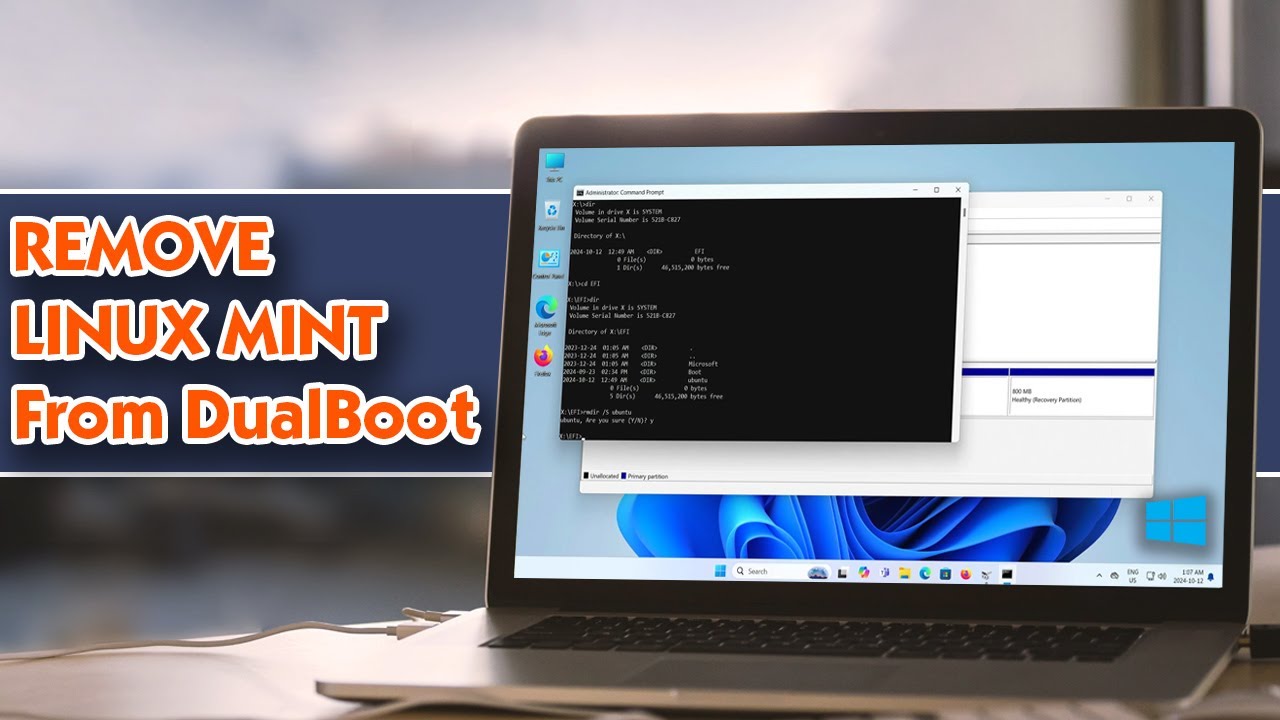
I will be removing Linux Mint from a dual boot setup with Windows.
☕️ SUPPORT
► Buy me a coffee: https://buymeacoffee.com/kmdtech
Thank you for watching!
The sevond party
past wyvern
alright well
jagged crypt
Second
past wyvern
i g2g. good luck with it
jagged crypt
Kk
I will remove p6
Eh maybe not
Idk honestly
Do uk smn that czn help me
Or is there a way i czn use the unallocated stuff for windoxs
I found a vid
jagged crypt
If u find a way pls tell me
Or a way so I can use the 2 spaces for windows without having to merge them