#os crash during mint installation! how can I recover my data?
3958 messages · Page 4 of 4 (latest)
 wheat junco
 low yacht
I don't know but WiFi settings and bright settings blew my mind when i saw GNOME
It had sliders like android
Thay made me feel good about gnome
wheat junco
im not stopping you, u test drove it. the way the app launcher menu opens full screen etc
low yacht

hello dosto is video m aap janege Ubuntu OS m wifi kese connect karte hai , How to connect wifi in Ubuntu ka full video channel m hai
Talking about this UI
Feels easy and smooth
Won't be same in mate right
 devout mortar
why you use Gparted to install Linux Mint ????? you dont even need that.... you need to make Linux partition as EXT4 in Mint installation and select is as root as / ofcourse you could use Gparted if WIndows 7 is stuck......but in windows 7 you can also do shrink for the partitions and split them.
wheat junco
devout mortar
why you use Gparted to install Linux Mint ????? you dont even need that.... you ...
oh that was old computer. we figured that issue out long ago
devout mortar
wheat junco
oh that was old computer. we figured that issue out long ago
you are still writing here . . .
wheat junco
@low yacht look in the top right corner of the picture.. the speaker icon, to its left the network icon.. it does the same thing as in video
wheat junco
devout mortar
you are still writing here . . .
yeah it's an adventure.
devout mortar
wheat junco
yeah it's an adventure.
do you know who have best sallary in jobs ?
as working people....
medical doctors, bank managers and city managers
wheat junco
that has nothing to do with this support ticket though
devout mortar
9 439 euros in month
wheat junco
chat in main about that
devout mortar
how i can remove all my writings on the thread ?
wheat junco
just leave it
low yacht
i would go with gnome @wheat junco
wheat junco
low yacht
i would go with gnome <@725510568492138497>
sure then.. it does have desktop zoom too fyi
download it.. find ur ventoy stick from last time
low yacht
i want to use oldest support version of ubuntu
wheat junco
why?
wheat junco
nah u should be fine. the newer GNOME is functionally better than 4+ years ago
low yacht
https://ubuntu.com/desktop/flavours
check kylin
Ubuntu
Ubuntu flavours are different installations of Ubuntu - each with a choice of packages and applications included by default. Here you are able to choose and download the officially recognised flavour that would best suit your particular industry and unique needs.
looks like windows
wheat junco
lol see some videos first about that.. idk if has even English 😛
low yacht
what is the difference between Cinnamon and gnome?
wheat junco
lol
low yacht
it was dead boring
wheat junco
I kept it, but recently switched drives and am running MX Linux the flagship one
i think for you, Budgie would be perfect. modern and cool, yet also familiar workflow
u can download both it, plus Ubuntu Kylin onto the ventoy usb. and boot up either one (live mode) and test it out for a day
low yacht
wheat junco
i think for you, Budgie would be perfect. modern and cool, yet also familiar wor...
simiar UI as mac
 low yacht
why flagship isn't there
wheat junco
i just flipped the dock to the top
and customized the bottom bar to see wide task buttons how i like it
and moved the clock to right
wheat junco
low yacht
why flagship isn't there
wdym?
low yacht
flagship environment
wheat junco
oh there's videos at the bottom of page. it's obviously a website showcasing the other flavours
wheat junco
wheat junco
did u see this? full screen it
low yacht
wheat junco
did u see this? full screen it
yes
i'm unable to get the link for download ubuntu
wheat junco
find their official webpage
low yacht
Ubuntu
Ubuntu is an open source software operating system that runs from the desktop, to the cloud, to all your internet connected things.
ubuntu LTS 24
6gb
wheat junco
it's the green button.
yes 5.7 GiB
check the system requirements
nvm ur cpu clock speed is fast enough
low yacht
why it's not showing which desktop flavour we are trying to download
wheat junco
i honestly don't know why they're ISO is so huge
wheat junco
low yacht
why it's not showing which desktop flavour we are trying to download
cuz ur on the glorious main one. which is only GNOME on that site
the other flavours all have some different maintainer ppl and websites
low yacht
wheat junco
i honestly don't know why they're ISO is so huge
yeah that's pain
should i use IDE to download it ?
does that software really works?
have you ever used?
low yacht
I think it's the most heaviest iso of all time😹
wheat junco
low yacht
I think it's the most heaviest iso of all time😹
just a bit smaller than Window 11!
yeah it's fun to experiment with different Linux distros. I did my share.
as u saw from the screenshots
low yacht
There is something new i got today WSL 2
wheat junco
on ur new computer?
low yacht
wheat junco
on ur new computer?
No! I got to know it only
wheat junco
the one u paid for few months ago
wheat junco
oh cuz u wrote to Curunir here and later mentioned u spent 24000 rupee on it
i thought u bought new for urself
low yacht
wheat junco
oh cuz u wrote to Curunir here and later mentioned u spent 24000 rupee on it
Yeah it was for my friend. I'm just grinding my knowledge for now
 low yacht
wheat junco
so you still on the really old one from like 2006?
low yacht
wheat junco
so you still on the really old one from like 2006?
Tough laptops produces tough geeks😹
wheat junco
ah
low yacht
Once i get a decent job and i save good amount of money I'll switch to a gaming laptop/pc
wheat junco
keep your Ventoy usb stick. it's handy like crazy
or last time u did a ventoy SSD cuz everything was going wrong 😄
low yacht
wheat junco
keep your Ventoy usb stick. it's handy like crazy
I have it
low yacht
wheat junco
or last time u did a ventoy SSD cuz everything was going wrong 😄
Most of the things work like that in my life
wheat junco
I have TWO old hard drives with Ventoy on them i use for distro testing
same as u with the bridge cable
low yacht
😹 i was madly try to deep dive and fix
wheat junco
to USB
wheat junco
oh so you work for amazon?
low yacht
I don't like coding
low yacht
wheat junco
oh so you work for amazon?
No! I work as a system administrator
Local company
Domestic one
wheat junco
oh ok.. i mistook the correlation to Amazon Web Services
low yacht
If I'm working in Amazon 😹 I'll buy threadripper
But one thing seems painful to me! You're good at tech and not working in IT
wheat junco
someone in this server recently mentioned their wife got a free computer laptop from the work company who upgraded, and let her keep the old one.. without drive.
and it was only 3 years old machine!
wheat junco
low yacht
But one thing seems painful to me! You're good at tech and not working in IT
meh. hobbies are fun.. jobs arent
low yacht
wheat junco
someone in this server recently mentioned their wife got a free computer laptop ...
It happens!! When your boss is too good
low yacht
wheat junco
meh. hobbies are fun.. jobs arent
Everyone is switching to tech
What are you your hobbies
wheat junco
i cant even really say cuz idk
low yacht
You need some philosophy in your life
wheat junco
offering help on Discord is one
low yacht
😹
wheat junco
and watching youtube
and listening to web radio is another
it's fun to discover so many different web stations from all over.
low yacht
wheat junco
and watching youtube
Watch fireship
wheat junco
oh ya .. the 60 seconds guy
low yacht
Ever heard about Kevin mitnick?
wheat junco
the cure book
low yacht
wheat junco
oh ya .. the 60 seconds guy
Yeah! Makes good content on Linux
wheat junco
i think him
isn't Kevin Mitnick the promoter who sold books n videos about cures that aren't drugs, and how the whole pharmaceutical industry and government is a big scam?
wheat junco
ohh
low yacht
YouTube him
wheat junco
wrong kevin
low yacht
You'll know
wheat junco
some 1970s guy?
low yacht
his book is ghost in the wire
wheat junco
oh .
low yacht
But his hacks are still alive
wheat junco
RIP
wheat junco
yeah there's some really smart people here in this server too
low yacht
A back hat hacker turned into white hat
wheat junco
low yacht
He was even banned to make phone calls
lol.. let me guess, the Father of phone phreaking?
wheat junco
ah
wheat junco
how's your download coming @low yacht ? should be almost there.
low yacht
wheat junco
how's your download coming <@854959265637859399> ? should be almost there.
7 mins left
wheat junco
😎
low yacht
done @wheat junco
wheat junco
neat. did u copy it?
the first time it boots (and it takes 3+ minutes off USB) u pick Try Ubuntu
u can also do checksum from page 2 ventoy
as u once did
or do it when u get rested
low yacht
VT loading
wheat junco
👏
low yacht
It's just loading............
wheat junco
wheat junco
the first time it boots (and it takes 3+ minutes off USB) u pick **Try Ubuntu**
.
low yacht
Rip life
wheat junco
it would go faster with ur Ventoy'd USB SSD that u used l time
if u still kept it that way from the time u did antix
low yacht
I know. That has data... I'll do that in the morning..
Why this pendrive isn't working
What's the cause behind
It works
But when it comes to boot it doesn't
wheat junco
is it the same one that gave trouble booting antix live?
low yacht
Yeah
wheat junco
low yacht
I know. That has data... I'll do that in the morning..
even if it has data, plus 6 binary Gigs of space, and u didnt reformat it or clear ventoy off it, it would still boot
low yacht
wheat junco
even if it has data, plus 6 binary Gigs of space, and u didnt reformat it or cle...
You're trying to say that we can use that SSD without wiping the data?
Oh i got you
wheat junco
low yacht
You're trying to say that we can use that SSD without wiping the data?
as long as u did NOT REMOVE ventoy from last time
low yacht
I have removed
wheat junco
and has enough FREE space
wheat junco
low yacht
Cleaned it using ventoy
ohh u used the "clear Ventoy" thing?
wheat junco
in that case, the ssd just a storage block for now
u would have to transfer any data on it to somewhere else if u want to re-add Ventoy and use for live-booting Ubuntu
well have a goodnight, friend.
low yacht
Data isn't imp
I don't understand one thing why this pen drive is not working
It works well to transfer data
It comes to this boot thing it doesn't work
In the beginning it was working last time you remember. But after that it stopped working
wheat junco
might not like big files. some of the flash cells worn out. idk
I'd recommend to buy a SONY one, or a SANDISK Voyageur one with a flashing activity light.. definitely a light.
wheat junco


Those four shots are of modern Ubuntu Unity 24
I give it a high grade.
third picture is the fullscreen app launcher, much like gnome's
where you can just type to search. (similar like how Mint's start menu search works)
wheat junco
This one's also fun, and possibly one you may like (based on Ubuntu) https://www.youtube.com/watch?v=aD8okn8bck0

This is the video that people will see, if they click on the "Basic Introduction" in the Welcome Screen after installing Kumander Linux 1.0.
Download Kumander Linux: https://www.kumander.org
Please consider supporting us:
Become a Patron: https://www.patreon.com/KumanderLinux
Support us through PayPal: https://www.paypal.com/paypalme/Kuman...
...
low yacht
wheat junco
I give it a high grade.
Seems like you're impressed 😹
low yacht
wheat junco
This one's also fun, and possibly one you may like (based on Ubuntu) https://www...
🤣🤣🤣🤣 someone really copied win7
@wheat junco by the way is not there any way to fix my pendrive. Isn't there any article or video showing the same which we are facing
Like i literally wanna know the exact reason why it is working but while booting linux its not working
wheat junco
low yacht
🤣🤣🤣🤣 someone really copied win7
yep yep.. and did a good job at it, IMO
wheat junco
low yacht
<@725510568492138497> by the way is not there any way to fix my pendrive. Isn't...
u can see later once u install Linux.. i know a tester app. just use the SSD like last time.
or go on ur old computer, load up Antix, and get the F3 application (Fight Flash Fraud) it will conduct an audit of the pen drive
idk if it's in repos or via website via a .deb package.. either way
low yacht
wheat junco
or go on ur old computer, load up Antix, and get the F3 application (Fight Flash...
does it work on windows ?
two of my pen drive has the same issue and one of them is new used it for first time
wheat junco
no idea if it's there, but it's the best
low yacht
@wheat junco i hope pendrive has no issues with UEFI or bios thing
wheat junco
just test it first as I said
have yet to determine if ur HP computer has uefi or not
low yacht
wheat junco
have yet to determine if ur HP computer has uefi or not
software is not for windows
wheat junco
wheat junco
or go on ur old computer, load up Antix, and get the F3 application (Fight Flash...
.
wheat junco
wheat junco
u can see later once u install Linux.. i know a tester app. just use the SSD li...
.
wheat junco
ah what's up?
low yacht
The way I used ventoy was wrong
I was trying to copy the ISO file in pendrive after the ventoy format
I had to use ventoy Vink
To create shortcut
That step was missing
wheat junco
that is indeed a different way to do it. of course vlinks depend on another drive storing the ISO.
but the general and easy way is to store the iso on the blank ventoy partition of the usb disk
im glad u figured out vlinking on your own though. I've played with it myself
wheat junco
it probably has fake sectors.
so technically, it might be at fault.
have u installed Ubuntu yet?
or at least booted the live desktop for it?
low yacht
Someone said I just need 25gb storage for Ubuntu
low yacht
wheat junco
have u installed Ubuntu yet?
Creating partition in windows
wheat junco
I think Mint needs only 10 GB for the base install
practical use would say u want more space than the base install, for applications n stuff.. so 25 GB does sound in the realm of sanity.
low yacht
What should I do now
wheat junco
Ubuntu uses Snap packages for some major apps, so they likely use up a lot of space
so i'd give it overall about 80 Gigs
if u have the space to spare it
but even 50 would do like u did on old pc
wheat junco
low yacht
What should I do now
u should boot live.. pick "try ubuntu" and check it out.
wheat junco
ya i just read it..
seems decent advice. I personally would have guided u to just boot up 'buntu live, and let the installer do an "alongside" windows install, and it should , i believe, give u a space slider there.
but if u made space, that's alright
but test the distro before installing it.
low yacht
But the question is how much storage should I give ?
wheat junco
in live mode. test the Wifi, the sound, the microphone, the web browser performance
wheat junco
low yacht
But the question is how much storage should I give ?
i gave u my answer
low yacht
Sure! And what about "c"
As they're saying it would be faster
@wheat junco does that make sense?
wheat junco
how many drives exist on ur HP laptop?
wheat junco
yeah so that's the only one to shrink
wheat junco
and what are they called?
low yacht
C and e
wheat junco
you'd have to show me a picture of that in Disk Management
or the Disks app if ur in 'buntu now
low yacht
 wheat junco
kool. obviously that would be the proper place to install Linux onto. but do me a favour, hover mouse over the left where it says "Disk0", then right click, pick Properties, then the volumes tab... and show
low yacht
 wheat junco
ok.. it's MBR. just checking
 wheat junco
lol u shrunk it again?
I thought u were just gonna give it the 128 Gigs
anyway, that's fine.
70's decent
low yacht
128 was already there
so yeah
btw do i need to take any action on unallocated space?
wheat junco
nope
low yacht
or just boot to linux
wheat junco
wheat junco
in live mode. test the Wifi, the sound, the microphone, the web browser perform...
.
wheat junco
where did u keep the source iso? the one u vlink to? im guessing on the Windows drive?
low yacht
Check on that group
wheat junco
gah.. i cant be bothered to scroll up
not when this delicious oatmeal is in front of me
low yacht
#1249915709908193391 message
low yacht
Checked live
low yacht
wheat junco
btw did u have a look at the 4 pictures I sent u earlier of Ubuntu Unity?
Yeah
wheat junco
what did u think?
I actually did a test drive of it on distrosea website. was neat indeed
low yacht
 wheat junco
low yacht
Checked live
wheat junco
low yacht
Checked live
u mean ur at this message ^?
low yacht
Don't wanna download it all again
wheat junco
hit Try
low yacht
wheat junco
u mean ur at this message ^?
No! I have checked... Now moving forward
wheat junco
did it feel fast?
low yacht
Yeah
low yacht
Even cursor is faster 🤣🤣🤣
wheat junco
you may want to have it connect to the internet so the installer can add the 'extra multimedia codecs'
low yacht
Connected
wheat junco
ok first get familiar with the partitions
run the Disks app
you will want to identify the 70 GB partition in the titlebar by its device name
or in the device details text below the rectangle thing
 wheat junco
erm, that's gparted, but ok
ok . it doesnt have a filesystem yet.. u could let the installer do it
device sda
just pick "something else" in the installer
low yacht
 low yacht
 low yacht
 low yacht
 wheat junco
yeah..
where in the world did it say where to install on? i hope it's this next page
low yacht
 wheat junco
manual installation
low yacht
 wheat junco
the first one would have been good if u hadn't made space (designated partitions) ahead of time.
click in free space
hit the plus
add new partition/volume,. make it ext4
low yacht
 wheat junco
hit the plus
wheat junco
wheat junco
hit the plus
.
low yacht
new
 low yacht
 wheat junco
good.. hit Next
notice in the above picture, it automatically chose to add the bootloader to the sda WD drive
in that bottom drop-down box.. which is correct.
low yacht
 wheat junco
I agree. you read it yourself and agree?
 low yacht
it's one of the most popular distro i don't know why
wheat junco
lol what do u mean u dont know why?
it started making GNU/Linux easy for common people since 2004. one of the first to do that.
low yacht
wheat junco
lol what do u mean u dont know why?
i mean there are many distros

reason of choosing ubuntu that layout
wheat junco
heh.
low yacht
 wheat junco
😄
so, on a 2nd gen i3 CPU, and 6 Gigs RAM, at 2.1 GHz, this system should run it decently.. better with an SSD, but still should be fine on hard drive
wheat junco
I think I understood what he meant by short-stroking
so the drive head reads closer to the center of the disk
saves a few milliseconds than swinging the arm out to the outer edges.
I think you'll be fine as is.
how's the colour and viewing angle on this newer computer?
@low yacht
wheat junco
Should be done installing.
low yacht
color and all everything is catchy
better than other distros
i love the UI

@wheat junco we will have to setup that grub menu option because it directly started ubuntu without asking for a choice
i don't know why this blue selected area coming to the screen without any reason and i'm unable to remove it
 wheat junco
low yacht
color and all everything is catchy
wheat junco
low yacht
color and all everything is catchy
nice. Me, I liked this UI: #1214082130737631262 message
I think the reason it didn't set up GRUB right is cuz u vlink'd the ISO off the Windows partition and that kind of blocks it from seeing its own other files not part of the ISO during installation. You will need to copy the iso to a working good usb drive, and run Boot Repair to detect Windows and fix GRUB menu.
use F3 app now on Ubuntu to thoroughly test your flash drives, it's non-destructive, pretty sure
ttyl.
wheat junco
skip
low yacht
@wheat junco

 fair juniper
low yacht
<@725510568492138497>
fair juniper
low yacht
<@725510568492138497>
up to you, it helps them know how people are using ubuntu
low yacht
fair juniper
up to you, it helps them know how people are using ubuntu
gotcha! i am having trouble with something. when i try to copy text i double click and move the cursor but iit doesn't move automatically like windows what's the reason
fair juniper
sorry i dont get what you mean. you copy text by double clicking?
in ubuntu, instead of double clicking, try holding left click and moving to drag the selected text where you want it to go
low yacht
i know but it does't drag the cursor down automatically
i use laptop and you know mouse pad area is limited so you just select and drag till a point and hold it so that it can move downwards and select all the text automatically
i hope you got me now!? @fair juniper
fair juniper
so you mean you bring the cursor to the bottom of the screen and it moves down while selecting?
low yacht
yeah
fair juniper
that happens on my computer. so when you bring the cursor to the bottom of the screen it doesnt scroll down?
you could also select using shift + arrow keys
wheat junco
ie: drag from end of line to start of line, then hold Shift while tapping or holding down the UP arrow
ie 2: drag from START of line to END of line, then hold Shift while tapping or holding down the DOWN arrow
then Ctrl+x to cut out selected text (or Ctrl+c to copy it) ; Ctrl+v to paste it to new location
In offce editor apps, triple click selects a full line. Dragging that selected line or paragraph should autoscroll the page up or down depending on your movement. Release left-button to drop text in new location.
low yacht
Exactly that's what I am trying to say
low yacht
wheat junco
ie 2: drag from START of line to END of line, then hold Shift while tapping or ...
I know using keys but I was just curious
Since I'm happy to windows things
Windows 11 is mind blowing with features that helps you to ease your work
wheat junco
yep. yeah it should work the drag-scroll thing.
did u know u can add Edge browser easily to Linux?
low yacht
Yeah i know but edge is something i don't prefer 🤣
Chrome is damn powerful
And supports most of the extensions
Which is the best thing
wheat junco
I found Edge to play Youtube smoother than Chrome by a little bit, and by a lot over newest Firefox. (on my old CPU anyway)
low yacht
Oh! I never liked any browser except Chrome
wheat junco
does it fill the whole screen?
low yacht
I tried to explore display settings but didn't get something meaningful
low yacht
wheat junco
does it fill the whole screen?
Yeah... Look at the screenshots
wheat junco
ok so do you want the icons and text to appear larger or smaller on the display?
wheat junco
then you increase the resolution
so more dots take up the same space.
each icon then will appear bit smaller everywhere there are icons
wheat junco
that's easily configured from the dash adjust
i think the sidebar is called the dash
u can vary its width, and icon size
even its length i think (top to bottom)
wheat junco
low yacht
<@725510568492138497>
this is up to you anyway. it's fine either way
 wheat junco
well, im no expert on this version but I'd have a look in 'Ubuntu Desktop' there in settings
or right click somewhere on the Dash.. it should offer a way to easily tweak sizes
low yacht
what is fractional scaling
wheat junco
that make things bigger
by some percentage
example : [1366(1.25)] x [768 (1.25)]
you may also want to explore some help documents if included in the distro about using Ubuntu. or check out askubuntu.com

 wheat junco
low yacht
look at the upper task bar
wheat junco
low yacht
look at the upper task bar
I'm not sure in GNOME
low yacht
it looks damn good now
wheat junco
your workspace switcher slider is on the top left
low yacht
loving it for the first time
wheat junco
so u may need it if u have a lot of open tasks, and put stuff on other workspace
wheat junco
low yacht
loving it for the first time
I told u months ago, with the proper machine you can have a fantasy in linux
Tip: you can right click pinned icons on the dock/dash and choose 'remove' or 'unpin' if u dont use certain apps there very much.
and Apps that you do use a lot, u run them from the start button (now on your bottom right) and once they open, u r-click and pin them to dock
low yacht
wheat junco
your workspace switcher slider is on the top left
is it possible to play with the size of it
low yacht
wheat junco
I told u months ago, with the proper machine you can have a fantasy in linux
indeed! ubuntu is love
wheat junco
the desktop switcher , no
gnome is a bit restrictive to keep things kind of uniform and professional. (like some other OS u pay for)
wheat junco
does it play a startup sound when it reaches the desktop on a reboot?
low yacht
wheat junco
does it play a startup sound when it reaches the desktop on a reboot?
didn't notice... i guess no
wheat junco
yeah u can shorten the bottom dock as u probably saw in the Ubuntu desktop settings (unchecking fill full width)
wheat junco
low yacht
didn't notice... i guess no
check ur sound control panel for proper volumes on both main sound plus system sounds.
or type 'volume' or 'sound' in the app launcher

 wheat junco
I dont see a difference
😋
other than we're different. I hate dark themes.

you may like this wallpaper


 low yacht
wheat junco
😋
low yacht
wheat junco
😋
look at the docker
low yacht
wheat junco
norway
i made the docker invisible while using chrome and other apps
have you ever used mac os ?
wheat junco
nope
wheat junco
wheat junco
this one is from Mac a few years back
low yacht
i see
btw i am having issues with night light
it is automatically changing
when i go to the page it works well but when i switch to other apps it changes the color to bright
@wheat junco where to download fight flash fraud
wheat junco
low yacht
<@725510568492138497> where to download fight flash fraud
see if it's in the Ubuntu Software shop
look for F3 or by the long name
fair juniper
sudo apt install f3 should do it
wheat junco
do a sudo apt update first since the install is so new, it may not have the package list yet
 wheat junco
yeah now do apt search f3
 wheat junco
well plug in ur usb stick. then type lsblk to list block storage devices in terminal
it might show as /dev/sdb
but confirm by the stated size
and its mountpoint should show in /media/something-something
{check commands with f3 --help or man f3}
i think its something like
f3 /dev/sdb or f3probe /dev/sdb (if stick is sdb)
then give it a good while to run tests
--AFK
wheat junco
low yacht
<@725510568492138497> what's next
oh u didnt install it yet. do as they said #1214082130737631262 message
wheat junco

Discussion: http://www.cupoflinux.com/SBB/index.php/topic,982.0.html
Details and Download: http://oss.digirati.com.br/f3/ Place your comments on my FORUM at http://www.cupoflinux.com
wheat junco
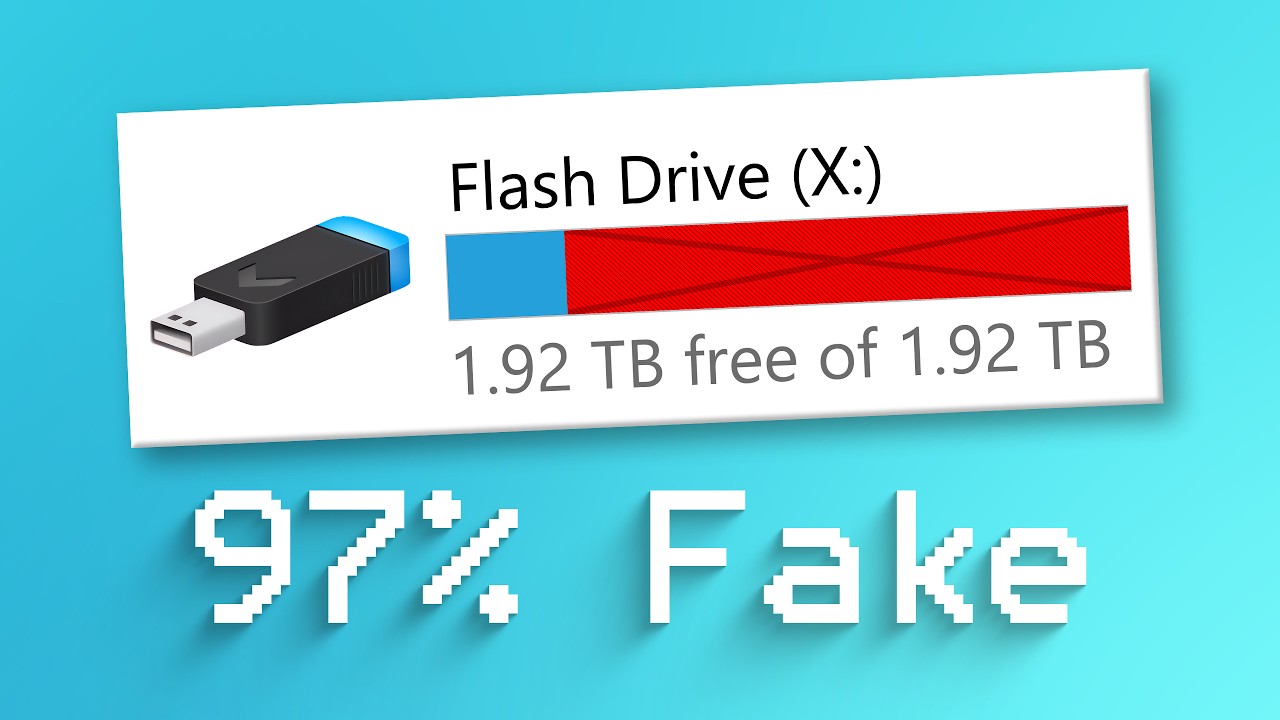
Here's how to tell 🤔
⇒ Become a channel member for special emojis, early videos, and more! Check it out here: https://www.youtube.com/ThioJoe/join
ValiDrive: https://www.grc.com/validrive.htm
▼ Time Stamps: ▼
0:00 - Intro
1:23 - ValiDrive
2:10 - Demo With Fake USB Drive
3:42 - Demo Results
▬▬▬▬▬▬▬▬▬▬▬▬▬▬▬▬▬▬▬▬▬▬▬▬▬▬
• My Gear & Equipment ⇨ ht...
this one is a bit faster and is non-destructive to existing data.
it only runs on Windows, so either put superGrub2 ISO on you bootable SSD to launch Windows from it, if ur current grub menu is broken... or use Validrive on ur old Windows laptop
wheat junco

Fake flash drives (USB, SD cards etc.) are aplenty.
Find out how to check if the flash drive you bought is too good to be true.
We'll use the f3probe tool to detect the actual usable capacity of the flash drive, then "fix" it with the f3fix tool.
We'll touch on why it's security risk to plug untrusted USB devices into your computer.
Finally,...
^ this one shows the proper, modern way to install and use F3 on Linux. worthy to see;
 wheat junco
low yacht
getting error! followed the last video suggested by you
wheat junco
low yacht
getting error! followed the last video suggested by you
it's alright, you just made one typo. put the command in like it says to in the second-last line.
with sudo
2:14 in video.
low yacht
@wheat junco
 wheat junco
try same on your other drive too
This probe command does a random sampling scattered across most parts of the drive. To do a full test, where it writes every sector, and read it back for verification is what the very first video I sent mentions. The one from Spatry's Cup of Linux. That test may take some hours, so best done when you don't need to use the computer. Like few hours before bed.
note: the full test may clear the drive so careful if any important files
low yacht
wheat junco
try same on your other drive too
will do it. I don't have that one in the hands at the moment
this one is bigger 32gb
wheat junco
so far it looks good. but to be sure no wrecked flash sectors, the full test is the most thorough.
low yacht
sudo nano /etc/default/grub
In nano, change GRUB_DISABLE_OS_PROBER=true to GRUB_DISABLE_OS_PROBER=false
Save to that file, do sudo update-grub
@wheat junco are you familiar with this?
wheat junco
vaguely.
it does make sense.
if that doesn't work, boot live and do the Boot Repair app so u get Windows to show. (it does a full probe)
low yacht
 wheat junco
u see the line saying grub timeout?
change its value to 5
then go down some lines to the end of first green paragraph, and delete the # sign
in front of GRUB_DISABLE_OS_PROBER=false
then ctrl-O to save, press enter on the existing filename it suggest, and then Ctrl-x to leave nano. (note the shortcuts at bottom of screen)
low yacht
wheat junco
then go down some lines to the end of first green paragraph, and delete the # si...
means it will give me 5 seconds to choose?
low yacht
 wheat junco
nope. leave it to false. the number-sign was already negating that.
negating false means do it
low yacht
oh
wheat junco
low yacht
`sudo nano /etc/default/grub`
In nano, change `GRUB_DISABLE_OS_PROBER=true` to ...
ie:
low yacht
 low yacht
it didn't workout
wheat junco
wheat junco
then ctrl-O to save, press enter on the existing filename it suggest, and then ...
did u save the file?
wheat junco
double check.
just open file manager, go to etc folder, then grub folder, and double click the file in question
wheat junco
low yacht
`sudo nano /etc/default/grub`
In nano, change `GRUB_DISABLE_OS_PROBER=true` to ...
default folder, file name is grub
low yacht
 wheat junco
or you can view in terminal with: more /etc/default/grub
low yacht
so etc folder is there
wheat junco
low yacht
nope. you're very rookie.
click other locations on left
find Filesystem
that is the root directory
then find the etc folder in that
then find the default folder inside of etc folder
then find the file simply named 'grub'
wheat junco
wheat junco
or you can view in terminal with: `more /etc/default/grub`
or do this.
 wheat junco
well it seems to have kept the changes. .
you can have a look at the file it says at the top of that on line 2
ctrl C to cancel out of more utility
then more /boot/grub/grub.cfg
it might be a long file, but u can page-by-page through it to see its details
low yacht
 wheat junco
I think one thing was omitted earlier in the previous file. The line about "grub_timeout_style=hidden"
i think that should be changed to either true or shown
let's see what the Mint help docs say
wheat junco
low yacht
`sudo nano /etc/default/grub`
In nano, change `GRUB_DISABLE_OS_PROBER=true` to ...
yep.
low yacht
 wheat junco
If you only run Linux Mint and there are no other operating systems on the computer, the menu is hidden by default.
To make it visible, as root, add these lines to /etc/default/grub.d/90_custom.cfg:
That's what Mint says. But try it the previous way on simply the grub file instead of the 90_custom.cfg file
put double quotes around the timeout value, and the "menu" value as shown in the Mint docs.
low yacht
 wheat junco
and the timeout value, please
wheat junco
save as u did before
and then do the update command as before
Hit the up arrow to repeat old commands.
wheat junco
did u do upgrade-grub command before reboot?
low yacht
was sudo update-grub
wheat junco
ok yes
wheat junco
lol that's why II wrote it
 low yacht


 wheat junco
now do a restart, and don't touch anything in the grub menu.. let the 12 second timer countdown
generally it will launch the first thing highlighted automatically if u dont touch anything
if u get sick of waiting for the timer next time, u can just press enter on the first Ubuntu thing highlighted.
low yacht
wheat junco
generally it will launch the first thing highlighted automatically if u dont tou...
it automatically starts what's selected
wheat junco
I want you to check something in Ubuntu once you're back
low yacht
wheat junco
I want you to check something in Ubuntu once you're back
sure tell me
wheat junco
ready?
low yacht
wheat junco
ready?
yup
low yacht
 wheat junco
ok that's a confirmation. You're booted via legacy BIOS and not UEFI.. just checking.
that pc probably has older bios from that era.
all good.
Did you have some fun learning a few terminal commands?
if u were lost the whole way, I can briefly explain what you were doing
low yacht
wheat junco
Did you have some fun learning a few terminal commands?
tomorrow ! i have to sleep for now.... even have some quesions i'll ask tomorrow
it's really good to learn it all
i'm up for that
wheat junco
just fyi
nano = a built-in terminal text editor coming with most distros
sudo = superuser do
ls = list files and folders in the current folder/directory
more = a built-in text viewer (just view) that lets you see long text files one page at a time.
Ctrl-C = in a terminal, CANCELS whatever is going on, usually
Ctrl-shift-x, Ctrl-shift-c, Ctrl-shift-v = cut, copy or paste in a terminal.
cd / = change current working location to the root of the filesystem (/)
cd ~ = change current folder to home folder (tilde symbol)
low yacht
I want it all as notes. Well constructed... Specially grub thing so that in future i can work on my own
wheat junco
pwd = print working directory (show where you currently are)
(usually the prompt shows what your current folder is, but just incase you need it spelled out in long form; pwd )
wheat junco
@low yacht hello
low yacht
@wheat junco hey! sorry for being late here actually i wasn't feeling well today
btw i was asking that is there any way to save the settings we made on the machine? so that we can save it all
whenever we install it again in future in diff laptop
and is there any dedicated page about grub settings? which can lead me for next time without anyone's help
wheat junco
hmm not super sure but probably creating a Timeshift snapshot, and having that snapshot save to an external drive
wheat junco
low yacht
and is there any dedicated page about grub settings? which can lead me for next ...
probably. u just had the grub issue cuz of the vlink hiding the rest of Windows
if u had put the vlink'd iso on that empty middle partition OR installed ubuntu with the ISO on flash stick, that wouldnt have happened
wheat junco
wheat junco
https://linuxmint-user-guide.readthedocs.io/en/latest/grub.html
there's this
low yacht
wheat junco
if u had put the vlink'd iso on that empty middle partition OR installed ubuntu ...
i understand! could you please send me a proper way to ventoy a usb stick?
low yacht
wheat junco
like, all of it.
you should start teaching linux!
it's 100% but not working. When i click on that mover it works but just after 4-5 seconds it turns back to normal light. The twist is that mover stays 100% but still doesn't work.
 wheat junco
probably cuz of the hours
lol.
or put to Automatic
if u want it weird reddish ALL the time, then set the Schedule to always.
then adjust the colour temperature.
low yacht
there is no option for ways but yeah i have adjusted time now! my time calculation was bad. it works well during the day and i never realised it's becuase of time
low yacht
wheat junco
if u want it weird reddish ALL the time, then set the Schedule to always.
that's not weird.. hahaha it saves from blue light
wheat junco
idk just play with the settings.
if u put it to manual, and it is during the night hours of your manual schedule currently, then it will maybe change in real time and stay that way.. if it is outside the scheduled hours, it will give a sample of the slider setting then revert
low yacht
wheat junco
if u put it to manual, and it is during the night hours of your manual schedule ...
it has worked now! that's what i said....
i have noted down all the commands you explained
wheat junco
kool
there's a lot of notes in a thread in main.
there's even a little cheatsheet card as a picture that shows commands similar to the DOS-based ones that Windows still uses in its command-prompt
low yacht
wheat junco
https://discord.com/channels/628978428019736619/1050504228029874206
encyclopedia of linux ? 😹
wheat junco
low yacht
encyclopedia of linux ? 😹
a brief encyclopedia ya 😛
 wheat junco
what about it?
low yacht
explain plz
low yacht
wheat junco
https://discord.com/channels/628978428019736619/1250331126212591696/125097848133...
antix 🤣
wheat junco
low yacht
antix 🤣
nope; MX Linux
low yacht
wheat junco
nope; MX Linux
UI is similar to antix
now antix is my nightmare
do you know shell and bash scripting ?
wheat junco
just a very tiny bit
kilea here knows tons
if he or she is ever online anymore
@low yacht hello
wanna see some other samples of distros I've tried?
wheat junco
KDE Neon


Q4OS with KDE Plasma:

Chalet OS (xfce):


Linux Lite (xfce) with Chicago 95 theme pack:


Ubuntu Budgie:


Q4OS (KDE Plasma) again

Linux Mint (KDE):

 low yacht
wheat junco
low yacht
wheat junco
this looks so good
wheat junco
low yacht
this looks so good
lol. Out of all of them, I cared for that one the least.
My fave distro from those shown was Chalet OS. The theme changer that came with it was specially crafted to run a script to change all the colours on every aspect of the desktop, even could change the titlebars too to either Win7 style, or Win8 style, with one simple click on the chooser.
Although KDE Plasma can sort of do that too somewhat when choosing "Global Theme"
wheat junco
Hello @low yacht
low yacht
don't you know shell and bash scripting ?
wheat junco
low yacht
don't you know shell and bash scripting ?
like I said last time, very very basic stuff.
I don't concern myself with it, because I like an Operating system that handles everything easily and neatly. I have no need for it.
low yacht
wheat junco
like I said last time, very very basic stuff.
oh i forgot
@wheat junco btw i need a net speed meter!
wheat junco
idk what gnome offers for that
check online for gnome extensions
otherwise get conky, and an appropriate conky script that does it. Note: this only shows up on the desktop.
wheat junco
'buntu should have an archive manager program. it should be able to handle rar files

 wheat junco
low yacht
<@725510568492138497> how can i download torrent files in linux
wheat junco
low yacht
<@725510568492138497> how can i download torrent files in linux
Transmission
btw, what's that rar file? be careful with random programs
low yacht
wheat junco
btw, what's that rar file? be careful with random programs
course
low yacht
wheat junco
Transmission
what does that mean
wheat junco
the same program you used that time in Mint, remember?
to get AntiX via torrent.
for the rar file, I'd probably just get WinRAR on Windows, to extract the contents, safely. You should likely keep a antivirus running on old Windows.
low yacht
wheat junco
for the rar file, I'd probably just get WinRAR on Windows, to extract the conten...
i don't use windows anymore
its just there for some softwares
low yacht
wheat junco
the same program you used that time in Mint, remember?
not precisely
wheat junco
well, it's an encrypted RAR file, from what I read in the error message. So you'll need a) the password b) the latest WinRAR on Windows
low yacht
i already have password
wheat junco
torrents give u a tor file, which is essentially like a business card.. u save it, then use transmission to open that business card, and it will download the torrent data.
low yacht
 low yacht
wheat junco
well, it's an encrypted RAR file, from what I read in the error message. So you'...
low yacht
wheat junco
well, it's an encrypted RAR file, from what I read in the error message. So you'...
isn't that rar file gonna work on linux?
wheat junco
yeah before you even get that, check the app launcher. just type "torrent" , 'buntu may already have a torrenting app
wheat junco
low yacht
isn't that rar file gonna work on linux?
once you extract the contents, then yes probably
low yacht
wheat junco
once you extract the contents, then yes probably
haha! i know but the question is how to extract in linux?
wheat junco
rar files on linux, especially password encrypted ones have limited success with linux tools
u could try to install librar, a helper file that might help the archive manager, but it's a long shot
wheat junco
yep. plus anything that doesn't show up right in the Software Center, you can try a search in Synaptic package Manager (that would have to be explicitly installed in Ubuntu these days)
you could try installing both the librar library.. then try with Archive Manager by opening it first, then navigating to the rar file.
secondly, you can add a different archive program called Ark. It may be better possibly.
devout mortar
low yacht
damn
tips: use testdisk to recover data
devout mortar
low yacht
haha! i know but the question is how to extract in linux?
every desktop has it's own tool. plasma has ark
there's peazip too
wheat junco
hi @low yacht how are you?
wheat junco
low yacht
app store
 slate otter
wheat junco
slate otter
wheat junco
how do you adjust the blur on the panel to look so similar to windows 7 aero?
wheat junco
slate otter
how do you adjust the blur on the panel to look so similar to windows 7 aero?
ask Dakila. it's prob the "Blur My Shell" extension.
slate otter
wheat junco
ask Dakila. it's prob the "Blur My Shell" extension.
pretty sure that extension is only for GNOME
wheat junco
slate otter
pretty sure that extension is only for GNOME
^
slate otter
wheat junco
it's the Expose Air Plasma theme
alright thanks
low yacht
wheat junco
hi <@854959265637859399> how are you?
sorry i wasn't active here
doing good ... trying to make things productive
wheat junco
low yacht
sorry i wasn't active here
hello
low yacht
how's your life treating you
wheat junco
i sent u a link above for someone else here in the ricing channel with ur same OS
wheat junco
low yacht
how's your life treating you
peaceful and decent ty 🙂
low yacht
wheat junco
i sent u a link above for someone else here in the ricing channel with ur same O...
checking
checked
what did he do
wheat junco
oh just the styling.. not a huge deal
that terminal display thing is an info program called neofetch. idk if u have it installed out-of-the-box
u can test it by typing neofetch in the terminal.
 warm palm
longest thread on this server?
wheat junco
warm palm
longest thread on this server?
linux is an adventure
I think we moved from and through Windows 7 reinstall, then LMDE 6, to LM 20.3 to AntiX to Ubuntu 24.04.
low yacht
@wheat junco hey i got a laptop to fix
wheat junco
low yacht
<@725510568492138497> hey i got a laptop to fix
lol and?
I had too little sleep. I just want to chill and chat
wheat junco
u buying that one?
low yacht
 wheat junco
what's to set up"
low yacht
there is only c partition
wheat junco
so?
low yacht
i want to divide it
wheat junco
for?
low yacht
to keep data
wheat junco
that's it?
low yacht
yeah
low yacht
yeah but i heard someone saying we shouldn't divide c
wheat junco
what reason?
other than harder to use cuz all the User /My Documents are expected to be on C:
low yacht
 wheat junco
NXT
low yacht
@wheat junco

 low yacht
why it shows lock on disk ? @wheat junco
 wheat junco
low yacht
why it shows lock on disk ? <@725510568492138497>
wheat junco
low yacht
why it shows lock on disk ? <@725510568492138497>
whole drive is Bitlocker encrypted.
warm palm
low yacht
yeah but i heard someone saying we shouldn't divide c
yeah because there's no point in doing that, only thing it does is make managing your files more difficult
what if you run out of space on partition c? and you don't want to use partition d? and vice versa?
low yacht
warm palm
yeah because there's no point in doing that, only thing it does is make managing...
i uderstand. anyhoo, i don't even keep much data there
low yacht
wheat junco
whole drive is Bitlocker encrypted.
gotcha
@wheat junco do i need to install drivers?
wheat junco
hi radhika
prob not if everything works
touchpad tap-to-click works?
and scroll
test camera
low yacht
what about graphic drivers?
wheat junco
test mic (either with Sound Recorder or onlinemictest
wheat junco
low yacht
what about graphic drivers?
search dxdiag in search box and run it. it will show what's up for multimedia
low yacht


@wheat junco see
https://github.com/zhongyang219/TrafficMonitor @wheat junco i'm using this speed meter and getting error

GitHub
这是一个用于显示当前网速、CPU及内存利用率的桌面悬浮窗软件,并支持任务栏显示,支持更换皮肤。. Contribute to zhongyang219/TrafficMonitor development by creating an account on GitHub.
wheat junco
hang on
low yacht
 wheat junco
yeah video drivers look good
idk much about Traffic Monitor.. OpenHardware Monitor should work though
research if Win11 comes with a way to show the net traffic in the systray
i know it does in Task Manager, but it's possible a native gadget exists already
low yacht
in win11 don't we need to download drivers separately like win 7 ?
wheat junco
nah. Windows 7 barely needed to do much either. just a card reader, and better touchpad driver I had to get. That's it.
low yacht
that's so good
wheat junco
low yacht
that's so good
u already saw DXDIAG
 golden grove
oops sorry for the ping
wheat junco
low yacht
that's so good
👋
low yacht
wheat junco
👋
what's going on
wheat junco
low yacht
what's going on
Just wanted to say hello. Been a long adventure thus far all this computer stuff, with you, and with others.
 terse hill
I am still offering Stunner to send more RAM, but he won't take it.
low yacht
@wheat junco do you know .eml file ?
wheat junco
low yacht
<@725510568492138497> do you know .eml file ?
hi radhika
I do know it. It goes way back in history to Windows 95, where such file was considered a locally-saved email file from the included client app called "Internet Mail and News", later updated to 'Outlook Express'. It is still a likely current day file format for a saved email from a Microsoft program.
low yacht
wheat junco
I do know it. It goes way back in history to Windows 95, where such file was con...
i am trying to create an EML file using linux notepad
and i want to attach a PDF file with that
how it would be possible ?
wheat junco
no you would need Outlook for that, or possibly Mozilla Thunderbird
low yacht
wheat junco
no you would need Outlook for that, or *possibly* Mozilla Thunderbird
i have already created
the only trouble is pdf attachment
wheat junco
text editors only save text files
wheat junco
are you trying to send a real email or just doing some assignment?
low yacht
assignment
wheat junco
Keep in mind that more complex emails with attachments or advanced formatting may require additional MIME elements.
says there. idk how
i would save the file, right-click it, open-with Thunderbird, then attach the pdf there
low yacht
but i want to use specific deatils
like email from and to should be what i want
is that possible to create an EML like that ?
low yacht
but how would be possible PDF attachment
low yacht
wheat junco
i would save the file, right-click it, open-with Thunderbird, then attach the pd...
let's try
@wheat junco unable to add files in thunderbird
wheat junco
low yacht
<@725510568492138497> unable to add files in thunderbird
did u set up your POP3 or IMAP details/account from your email provider in Thunderbird?
POP3 is simple old standard to receive emails, and SMTP to send them
wheat junco
I think the newer IMAP handles both
first you'd open thunderbird, if no account was set up, then it will prompt you through it
you'd need the info from your ISP, who probably gives you one or several email accounts for your internet account with them
low yacht
 wheat junco
I don't use that stuff for almost 20 years so
low yacht
i want such details in eml
wheat junco
well be consistent with your spelling, spaces, and don't put new empty lines where they don't belong.
devout mortar
low yacht
i want such details in eml
hmm... EML.. haven't heard of that in ages. thunderbird may allow it as a local file
low yacht
wheat junco
well be consistent with your spelling, spaces, and don't put new empty lines whe...
i'm unable to do that
low yacht
devout mortar
hmm... EML.. haven't heard of that in ages. thunderbird may allow it as a local ...
it didn't work the way i expeced
low yacht
I tried using keyboard short key and it worked
Seems like i pressed something
While cleaning the keyboard
😹😹😹
But thanks for your prompt response
wheat junco
low yacht
While cleaning the keyboard
this is why the rfkill --output-all command is so useful. It allows to see if there is a hard block which would indicate a switch to disable WiFi is activated.
wheat junco
@low yacht gone already?