#camera-prompter
1 messages · Page 4 of 1
 sand fossil
 scenic fiber
You could set up different scenes with different zoom levels I guess?
 sour token
scenic fiber
You could set up different scenes with different zoom levels I guess?
sour token
scenic fiber
You could set up different scenes with different zoom levels I guess?
Can I do that and have it actually zoom? or use digital zoom?
I was wondering if that was a possibility having multiple sources for the same camera but IDK how it works yet w/ OBS and EpocCam
trying to figure it out still 😦
scenic fiber
Yea I stepped away from epoc a minute ago
sour token
Ooooh i can setup 2x focal points per camera that would be perfect, I just need a wide angle and then a zoomed in for the same camera
scenic fiber
You could increase the source size id say
But that might be a lil ugly with a digital zoom like that
sour token
ya thats what i was afraid of was it being digital zoom it would be grainy
thats what i'm fighting w/ now, thats why i was hoping to be able to get it to zoom. I know you can use streamdeck can I use another app like touch portal to change it?
scenic fiber
sour token
ya thats what i was afraid of was it being digital zoom it would be grainy
Yea pixelated yes
I’d need to check
Maybe a long shot
But if this than that?
Iftt
Maybe you can link it to camera hub

IFTTT
Get started with IFTTT, the easiest way to automate your favorite apps and devices for free. Make your home more relaxing. Make your work more productive. We...
sour token
ya i looked I don't remember seeing anything 😦 do you know if I can hook up multiple cameras to epoccam?
I have 3x phones I want to use and wondering if my PC will see the individual sources, I can't find info on that online.
scenic fiber
worth a shot to try it out
Ever since camera hub integrated EpocCam im a little vague on it
 sand fossil
sour token
I have to switch back and forth <:granda41ANGRY:971128278855352400>
sand fossil
sour token
I have to switch back and forth <:granda41ANGRY:971128278855352400>
I love the duck.
sour token
 thank you!!!
sand fossil
Just a heads up for those wanting to use EppocCam and EpocCam Pro on Windows, you have to install iTunes for it to work in Camerahub. https://help.elgato.com/hc/en-us/articles/360051150612-EpocCam-Windows-Setup-Guide & https://support.apple.com/downloads/itunes

Elgato
This guide will cover how to set up EpocCam with Windows.
Table of Content
System Requirements
Camera Hub Setup
EpocCam — Wireless Setup
EpocCam — Wired Setup
System Requirements
Operatin...
sour token
is thgat for USB connection?
@sand fossil do you know if you can have multiple cams simultanious w/ Camera Hub? can you load 2 instances of the app?
sand fossil
sour token
is thgat for USB connection?
both USB and wireless
sour token
k
sand fossil
sour token
<@476160810457235466> do you know if you can have multiple cams simultanious w/ ...
I would think you can since I can do so with my Facecams and Facecam Pro, and EpocCam Pro.
sour token
all at same time or do you have to switch between each one?
sand fossil
sour token
all at same time or do you have to switch between each one?
I think you could at the same time. I haven't played much with it. but I can test it out with my Facecam as it's operates the same way.
sand fossil
sour token
all at same time or do you have to switch between each one?
yes you can have both going at once in OBS.
 sour token
weird I had to go back and forth i'll try again!
ok so on that drop down i had to choose each one for each one to show video :/ but maybe its cuz I didn't have 2 sources enabled i'll have to check that when I get back to my stream PC
appreciate your help Vic thank you very much means a lot!
sand fossil
sour token
appreciate your help Vic thank you very much means a lot!
honestly it motivated me fix mine since I had a windows 11 reset sunday
sour token
haha awesome 🙂 good vibes conqueres all, thanks so much!!!!
sand fossil
sour token
haha awesome 🙂 good vibes conqueres all, thanks so much!!!!
you're welcome!
sour token
Can i msg you in the future would that be ok?
sand fossil
sour token
Can i msg you in the future would that be ok?
I'm ok with it. Also after setup it's really quick to see it too. just make sure you close out camerahub, and reopen once itunes etc is setup.
 sour token
Ahhh ok, i need a stream deck  i'm poor quackin' it w/ a touch
panel I think and just shortcuts
sand fossil
sour token
panel I think and just shortcuts <:granda41RAVE:971098200691847199>
save, and invest in a stream deck+. Trust me that is a great one! it has dials, and unlocks wave link too.
sour token
I see i'll have to check out pricing
tryin' to save up for a new desk due to my content 
sand fossil
sour token
I see i'll have to check out pricing
sales are good too!
sour token
@sand fossil i'm having a brain fart, i'm currently at work but its bugging me. I know you showed me the drop down screen that showed your two cameras, but..... Are your two cameras 2 seperate sources in OBS so are they both active at the same time? I'm making a concession, I will admit defeat in using the app w/ no short cuts and just clicking the presets, but the concern I have is I have to hit that drop down box to change to see each camera.... Is there a way to simplify this?
Also.... Can the streamdeck see those presets in the application?
Thank you again for your help, lol literally helped me sleep better last night, been up the past few nights tryin' to up the quality of my stream w/o buying expensive mirrorless DSLR cameras. I work w/ mall parts and have big displays so its one of those things that I need to be able to zoom in and out etc to make it look nice.
sand fossil
sour token
Thank you again for your help, lol literally helped me sleep better last night, ...
You would be able to have them as active sources at any time needed in OBS.
sour token
sand fossil
You would be able to have them as active sources at any time needed in OBS.
👍🏻
 night viper
Got my new toy!

 atomic lintel
Thats sick! I got mine today too
sour token
@sand fossil so working on the EpocCam it seems "Elgato Virtual Camera" only shows up as 1 video source in OBS, do you know how to make it 1 for each camera?
Does anyone have experience with Elgato Camera Hub? I'm trying to get 2 cameras to have 2 Elgato Virtual Camera sources for OBS so I can control multiple cameras like how you can with IVCam does anyone know how this can be done w/ Elgato Camera Hub?
sand fossil
sour token
<@476160810457235466> so working on the EpocCam it seems "Elgato Virtual Camera"...
Oh… I use the camera itself, never virtual cam.
sour token
Oh, because in the app you can't have both active at same time
you can only have 1 camera, and have to switch back and forth. Basically I need a overhead cam and a side cam that people will have, its a 3 cam setup on my overlay (Face, Build, Display) cams
sand fossil
sour token
you can only have 1 camera, and have to switch back and forth. Basically I need ...
Should be possible if you select the camera vs virtual cam.
sour token
sand fossil
Should be possible if you select the camera vs virtual cam.
sadly the camera never came up as a individual source, only the Elgato Virtual Camera which I couldn't get more than one. I think iVCam will work, just kinda a bummer wanted presets to make it easier to work with. But if anyone has gotten it to work let me know would much rather use a legit commercial software
 slim notch
Should I marry my cat
sand fossil
slim notch
Should I marry my cat
wrong channel for this, but this is also not a cat server. 
scenic fiber
sour token
sadly the camera never came up as a individual source, only the Elgato Virtual C...
Have you tried the iftt?
sour token
To do what I want to do it would cost $5-7 a month just in the objects cost. I have 3 cameras and I want to have two presets that would be 6 IFTTs and it’s just not worth the money to do that I’m on a tight budget and blowing money on something like that just doesn’t make financial sense.
If it’s API driven and I had access to the API I could probably have my friend build out something.
sour token
Marik appreciate the idea I was able to get iVCam to work not as well as elgato would have been but it allows me to do certain things.
scenic fiber
sour token
Marik appreciate the idea I was able to get iVCam to work not as well as elgato ...
Oh dope stuff
 rugged oyster
Does anyone have an issue where the teleprompter stops displaying new chat messages from twitch?
The only fix I've found is to reconnect to the channel in the camera hub.
 deep owl
Which generation USB connection is best for the Facecam to be automatically recognised? I used to have problems with my Windows 10 desktop not identifying the Facecam until I pulled the USB cable and reconnected it. I recently built a new Windows 11 computer with an ASUS TUF Gaming Z790-Plus Wifi D4 motherboard, and I have the same issue. Sadly, gone are the days of clear USB 2.0, 3.0 and 3.1 ports, I now only have these ports:
- USB-C 3.2 Gen 2x2
- USB-A 3.2 Gen 2
- USB-C 3.2 Gen 2
- USB-A 3.2 Gen 1
And yes I am going mad from the new indecipherable USB naming conventions, thanks for asking. 😄
Is there a specific one I should be using for the Facecam, or is it a matter of trial and error?
sand fossil
deep owl
**Which generation USB connection** is best for the **Facecam** to be automatica...
honestly all will work as 3.2 is backwards compatible. jsut make sure you do this first. https://streamdecklabs.com/🧯-how-to-disable-windows-10-11s-usb-selective-suspend-setting/

Once you complete these steps, Windows will no longer power off USB devices connected to your computer, which will fix any problem are experiencing as a result of this Windows feature. Windows 10+ includes the USB selective suspend feature that lets you automatically put USB devices in a very low-power state when they’re not actively… Continue r...


 forest brook
I was hoping the arms would be a good idea.... but I guess it kinda doesn't love gravity so much
sand fossil
It’s a bit in the heavy side. So I have it resting a bit on my monitor.
deep owl
sand fossil
honestly all will work as 3.2 is backwards compatible. jsut make sure you do th...
yup, selective suspend is disabled. I asked because on my previous system the Stream Decks did the blinking thing whenever they were in USB 3.0 slots and not USB 2.0 slots, while Facecam was happiest with USB 3.0 and not necessarily 3.1.
deep owl
forest brook
it is sorta balancing on the monitor slightly
Mine keeps ending up resting at least somewhat on the monitor as well. Otherwise it's too far. But it's fine as long as the monitor isn't the main loadbearer.
 forest brook
sand fossil
It’s a bit in the heavy side. So I have it resting a bit on my monitor.
forest brook
sand fossil
It’s a bit in the heavy side. So I have it resting a bit on my monitor.
I know but its kinda upsetting that the wall mount supports the weight but the extenders make it support less weight and it doesn't specify how much
deep owl
forest brook
I know but its kinda upsetting that the wall mount supports the weight but the e...
I'd try swapping the long arm with the short. Then the wall supports the long arm, and the long arm supports the short, instead of the short arm having to support the long arm to the end. See if that's a bit better distribution?
forest brook
deep owl
I'd try swapping the long arm with the short. Then the wall supports the long ar...
I tried it before this.... it didn't do much lol
sand fossil
forest brook
I tried it before this.... it didn't do much lol
Hm… you know, you could get a nice thick piece of wood from Lowe’s/Home Depot run is like a wall shelf on the studs, paint it what ever color, and mount it to the wall, then clamp stuff too it once secure. Perhaps the piece of wood you get has some length too it. 
 light yoke
Hey ich habe das Problem, wenn ich meinen PC Neustarte leuchtet meine Facecam Pro Orange. Ich muss sie dann ab und wieder anstecken.

 light yoke
Hey ich habe das Problem, wenn ich meinen PC Neustarte leuchtet meine Facecam Pr...
light yoke
light yoke
Hey ich habe das Problem, wenn ich meinen PC Neustarte leuchtet meine Facecam Pr...
Ich nutze Windows 11
 violet hawk
light yoke
Hey ich habe das Problem, wenn ich meinen PC Neustarte leuchtet meine Facecam Pr...
violet hawk
light yoke
Hey ich habe das Problem, wenn ich meinen PC Neustarte leuchtet meine Facecam Pr...
This is an English only server, please re-state your question so people can help you 🙂
light yoke
Hey, I have the problem, when I restart my PC, my Facecam Pro Orange lights up. I have to plug them in again from time to time.
 narrow elk
light yoke
Hey, I have the problem, when I restart my PC, my Facecam Pro Orange lights up. ...
narrow elk
light yoke
Hey, I have the problem, when I restart my PC, my Facecam Pro Orange lights up. ...
It means it is getting power but no data, i.e. like being plugged into a powered hub or not using a proper cable or port
light yoke
But when I unplug and plug it back in immediately, I get a picture in
 slender harness
Good morning. Is it possible to use facecam and virtual facecam separately in two different programs at the same time? Thank you
 mellow rock
Not sure if I can ask in here, but I have two elgato facecams and both seem to freeze every few seconds or so.. its only for less than a second or 2 but it does make for a less than smooth experience. I do have 1 of them plugged directly into the pc in a usb 3.0 slot and the other in a powered usb 3.0 hub.. what could be the issue?
mellow rock
slender harness
Good morning. Is it possible to use facecam and virtual facecam separately in tw...
I do not think so honestly friend
scenic fiber
mellow rock
Not sure if I can ask in here, but I have two elgato facecams and both seem to f...
Usually hubs are a problem.
Original cables are good to keep
Have a look through this
Elgato
These steps can be tried when Elgato Facecam video freezes in Camera Hub, OBS Studio, or other software.
Troubleshooting steps:
Change USB transfer mode
USB cable
Bandwidth
Reduce Resolution o...
 short dirge
Hey guys, been looking for a full tripod to support my Prompter with a Sony ZV1
I take it Elgato do not have one?
scenic fiber
short dirge
Hey guys, been looking for a full tripod to support my Prompter with a Sony ZV1
...

Hi Everyone,
This is a quick unboxing of the Elgato Wave Mic Arm which is a neat device for attaching your external Mics. However, I bought this to set this up if possible with my Sony ZV-1 to use for my overhead shots.
The finishing and quality of the product is very good.
It supports 1/4" , 3/8", 5/8" mounts.
The length of the arms are 15...
It fits on the mic arms, maybe try looking at the multi mount system
 short dirge
scenic fiber
https://youtu.be/Aoy8IHi87Iw?si=zvQ7H_5CnRwrzCCw
short dirge
scenic fiber
https://youtu.be/Aoy8IHi87Iw?si=zvQ7H_5CnRwrzCCw
thanks for the reply, I'll have a look!
 signal moat
Anyone have REAL good settings for using the Facecam with OBS ?
sand fossil
signal moat
Anyone have REAL good settings for using the Facecam with OBS ?
I have Facecam and Facecam pro. It comes down to lighting, and adjusting.
scenic fiber
signal moat
Anyone have REAL good settings for using the Facecam with OBS ?
Yes
Show me yours, make a picture of your light setup and I’ll tell you yours
signal moat
Im getting some framrate drops when streaming, especially if I use the nvidia background removal effects
signal moat
yeah its definitely the virtual cam then
scenic fiber
Tag me if you have any issues about quality etc yea
 gritty pine
anyone able to help with camera hub?
i am running ios with usb connected and the computer is not connecting
just says on connecting to computer
sand fossil
gritty pine
just says on connecting to computer
did you install itunes?
gritty pine
yes. does it need to be running?
ok got it running, but now it will not show up in twitch studio
sand fossil
gritty pine
yes. does it need to be running?
not just installed.
sand fossil
gritty pine
ok got it running, but now it will not show up in twitch studio
hmm... is it showing up as a virtual cam
gritty pine
can someone tell me why the camera hub does not work on twitch studio, but works on streamlabs
 desert rune
Im having issues running the elgato virtual cam on obs and stuttering when streaming games. I don't have the issue when not using the virtual cam. I am wanting to use the virtual cam for the effects like blurred background.
My specs are RTX 4090 & i9 14900KF + 64gb ddr5 6000 MHz
desert rune
I tried using nvidia broadcast but it really oversaturates and contrasts the image more than I can seem to fix
scenic fiber
desert rune
I tried using nvidia broadcast but it really oversaturates and contrasts the ima...
Maybe that’s the lut doing some damage. Try without the LUT
desert rune
scenic fiber
Maybe that’s the lut doing some damage. Try without the LUT
Yeah I have the LUT deactivated. Here's the before and after

 scenic fiber
Strange, dm me what’s it you’re trynna do and see if I can sort you out asap
Otherwise I’ll set you through #official-tech-support
 woeful breach
Hey guys did Elgato fix the camera Freezing and stuttering issues while gaming while using the camera hub/blur features?
scenic fiber
woeful breach
Hey guys did Elgato fix the camera Freezing and stuttering issues while gaming w...
Still issues as far as I’m aware, but feel free to test it and let me know! My advice is use nvidia broadcast
 pale shuttle
Can you still adjust the camera's manual exposure settings in elgato software if you use nvidia broadcast for blur ?
woeful breach
scenic fiber
Still issues as far as I’m aware, but feel free to test it and let me know! My a...
👍
scenic fiber
pale shuttle
Can you still adjust the camera's manual exposure settings in elgato software if...
Yes, it takes your settings from camera hub.
 azure thicket
this doesn't seem right...

elgato facecam btw ^^
my other one doesn't do it, neither does my sony camera
thinking i found the issue, i think the cable is broken
it does the same with the other facecam but same cable
different cable works
 primal needle
hey guys i need help my elgato facecam pro has a orange light on it how do i fix that
sand fossil
primal needle
hey guys i need help my elgato facecam pro has a orange light on it how do i fix...
I usually unplug, and plug back in if I get a yellow light and it resolves.
 polar musk
Does anyone know if the mini mount would be able to hold the prompter?
I’m looking for a new mount to work with that’s mobile, and I don’t need the big one
sand fossil
polar musk
I’m looking for a new mount to work with that’s mobile, and I don’t need the big...
because of the weight of the prompter, and with a camera it's not gong to be ideal.
polar musk
sand fossil
because of the weight of the prompter, and with a camera it's not gong to be ide...
What about like a master mount S with a heavy base?
sand fossil
polar musk
What about like a master mount S with a heavy base?
check the weight of each product, and that should let your know. Personally I don't have a heavy base, so I can't speak for that.
 rigid kiln
Question. Do camcorders work with a Camlink 4k that use USB output?
 tulip maple
does anyone know of a video camera similar to the iphone 11, that costs less than the cell phone, or do you recommend buying the iphone 11 just for the camera?
 gray tinsel
rigid kiln
Question. Do camcorders work with a Camlink 4k that use USB output?
gray tinsel
rigid kiln
Question. Do camcorders work with a Camlink 4k that use USB output?
If the camera has USB output you likely do not need the CamLink. But no, the Camlink only takes HDMI input, it will not take an input from another USB device
gray tinsel
tulip maple
does anyone know of a video camera similar to the iphone 11, that costs less tha...
Are you looking for the iPhone face detection security camera folks use for vtubing or something? That's generally when people start looking for the iPhone camera specifically for streaming. Otherwise folks tend to look for high end webcams, or DSLRs / Mirrorless setups, before going back to iPhone. If there's a specific use case that you're looking for the iPhone for, it would help with a recommendation
tulip maple
gray tinsel
Are you looking for the iPhone face detection security camera folks use for vtub...
i just want the iphone to record videos
gray tinsel
Ah, videos on the go, not streaming stuff then? There's some DSLRs and mirrorless cameras out there that do good video for less than the cost of an iPhone. Handful of camcorders too.
Do you need something as portable as a phone, or will something a bit larger do?
tulip maple
gray tinsel
Ah, videos on the go, not streaming stuff then? There's some DSLRs and mirrorle...
no matter the size, as long as it records at 1080p, 60 fps, the video looks good and costs less than an iphone 11 I am satisfied.
gray tinsel
tulip maple
no matter the size, as long as it records at 1080p, 60 fps, the video looks good...
Noted, does it need to be portable or are you recording right at the PC or something? Indoor or outdoor lighting? (Outdoors tends to be brighter and works better so for indoor you want to pay attention to lighting performance - this is something that's actually giving me trouble with my current camcorder).
tulip maple
i used to record with my phone, so i need a portable camera, about the lightting i only have one light
tulip maple
gray tinsel
Noted, does it need to be portable or are you recording right at the PC or somet...
do you know a camera?
gray tinsel
Not off top of my head - most of my recent camera research has been for streaming based cameras at fixed locations like the Elgato Facecam series - my portable camera knoweldege is a bit out of date - though I do have a preference for Canon branded gear when I last went looking into it. I hear some of the Sony mirrorless stuff is pretty solid too. Camcorders are still decent too, if you can actually find one.
This might not be the best place to look for a portable camera, since Elgato doesn't have much in that segement unless you're using the app on a phone, but there's a number out there.
Looks like the one I was going to suggest (Canon HF R800) was actually discontinued 😦
You might just need something like a GoPro from the sound of it though
scenic fiber
tulip maple
no matter the size, as long as it records at 1080p, 60 fps, the video looks good...
Sony ZV-1F is a nice solid beginners cam
It just doesnt have a zoom, but its nice small and compact
(only digital zoom)
oh lmao he left the server
pale shuttle
I am highly interested in getting a new camera. I currently am using a logitech brio 4k which I got in 2019. I am disappointed in its sharpness. I am torn between a mirrorless or facecam pro. My use case is streaming and recording from my desk
I am also interested at some point adding the teleprompter
I currently am using two keylights and a streamdeck so elgato was at the top of my list
violet hawk
The most important thing with getting a good picture is good lighting
ah two keylights, great
pale shuttle
Yeah I'm hoping to add a 3rd one for a hair light. Once they have a sale on the mk2
violet hawk
I have the Facecam Pro and it's incredible, never tried the brio but upgraded from the C922
pale shuttle
Brio felt meh for the extra cost at the time
violet hawk
The greatest thing is to adjust all the things in Camera Hub with Streamdeck, I have toggles for autofocus, manual focus, zoom etc ❤️
pale shuttle
Does camera hub only work with elgato cameras ?
violet hawk
And the Elgato Prompter will work amazingly well with the Facecam Pro ❤️
Yes and EpocCam
for iOS phones
pale shuttle
If it was android I would try it atm
violet hawk
A true DLSR camera with a good lens is obviously the best choice, but it also will cost you atleast 8 times as much as the Facecam Pro for not that much better clarity
But yeah I can totally recommend the Facecam Pro, will integrate well into your setup and with the Streamdeck
 queen anchor
Heyy guys do you have any ideas how to fix that very annoying with the facecam? When it keeps disconnecting on its own even after changing the usb mode and updating the firmware of the facecam? I also tried moving it through all the usb 3.1 and 3.2 ports but still no fix, it works fine for a hour or so then it just randomly disconnects or whenever im streaming or just opening a slightly less optimized game like tarkov the facecam just disconnects or turns off I was thinking the issue is related to my cpu or gpu being overloaded but that rarely ever happens since im running a 4070ti paired with a ryzen 7 5800x3d
Im mainly posting this here since its been almost a week and support hasn't rly contacted me back
queen anchor
even changed the pcie to gen 3 knowing well this issue should have been fixed like 2 yrs ago with the bios updates i honestly have no clue what to do with this cam
all drivers are up to date
its the only thing connected to the usb controller tried changing cables and everything
you guys think i should just return it?
went so far that i even set the process as a high priority lol
 upbeat linden
Hey guys did anyone experienced a strange sounds when Facecam Pro adjust the focus?
gray tinsel
Do you mean the small motors moving the optics, or are you hearing something else?
upbeat linden
gray tinsel
Do you mean the small motors moving the optics, or are you hearing something els...
found some random reddit user that had the same issue, same sounds.
gray tinsel
That does sound like a motor moving optics back and forth to me to me. When an auto focus is in operation it is physically moving lenses inside the device around to adjust the image, so you can often hear a motor engage. On smartphones and such it's usually too small to hear, because the motors are tiny, and on larger cameras being able to hear them will depend on if the camera has a Ultrasonic motor or a normal one. So you can likey hear the motor when the unit is focusing, but it'll generally be quiet enough that you won't hear it over PC fans and the like in most setups.
atomic lintel
is there a way to mass delete scripts from the prompter? I've been having to go line by line
sand fossil
atomic lintel
is there a way to mass delete scripts from the prompter? I've been having to go ...
hm... checking. No. 😦 At least not yet. Granted it would be great if we could import/export.
atomic lintel
Yeah, I would loe a better import feature because I love using the chapters feature because I can just use the skip buttons to go back to the beginning of a paragraph.
Overall, loving the prompter, but that missing feature is a bit of a bummer
sand fossil
atomic lintel
Overall, loving the prompter, but that missing feature is a bit of a bummer
yeah, are yo using the beta too?
violet hawk
I've heard that there's tons of features being worked on, but send in a featurerequest for anything you'd like to see so the devteam knows what users want 🙂 #feature-request
atomic lintel
uhhhh. unsure. I'm up to date on the latest updates, so I dont think so
 remote heath
i bought a cam link 4k but turns out i needed usb 3.0 ports but i dont have any and i only have usb 2.0 so i tried 2 usb hubs that are usbc to usb 3.0 and the app still recognises it as usb 2.0
is there a problem with the laptop itself or the usbc port or does the camlink just not work is usbc adapters?
 wide flint
remote heath
i bought a cam link 4k but turns out i needed usb 3.0 ports but i dont have any ...
wide flint
remote heath
i bought a cam link 4k but turns out i needed usb 3.0 ports but i dont have any ...
You can't plug a USB 3.0 hub into a USB 2.0 port and get USB 3.0. It will always only be a USB 2.0 port.
Regardless USB hubs are not supported anyways.
remote heath
i plugged into a usbc port but okay
if they arent supported
then what should i do
nd i cant return it because i bought it overseas
narrow elk
remote heath
then what should i do
You need a system with native 3.0 ports, no way around it
 surreal plover
I'm trying to use my camlink 4k on zoom and I get this error. Its on Windows 10
 gray tinsel
remote heath
i plugged into a usbc port but okay
gray tinsel
remote heath
i plugged into a usbc port but okay
USB-C ports, while USUALLY 3.0 or faster aren't always. Neither are the adapters. Do you have the full model number for the laptop so we can check the spec on it? As others pointed out, anything that's 2.0 connected between the device and the laptop, be it port, cable, adapter or hub, will drop everything to 2.0 speeds.
gray tinsel
surreal plover
I'm trying to use my camlink 4k on zoom and I get this error. Its on Windows 10
Check and make sure Windows isn't blocking your camlink in the privacy settings. https://help.elgato.com/hc/en-us/articles/360027958672-Capture-Card-not-working-due-to-Windows-10-11-Privacy-Settings
Does the camera work okay in apps like Camera Hub?
Elgato
The Windows 10 April 2018 Update (1803) introduced new privacy settings that may interfere with certain capture cards and camera devices.Affected products:
FacecamCam LinkCam Link 4KGame Capture HD...
surreal plover
gray tinsel
Check and make sure Windows isn't blocking your camlink in the privacy settings....
I'll check the settings but yes it works in the camera hub and obs
so if i have obs open, does that mean i cant use the capture card in another app
gray tinsel
surreal plover
so if i have obs open, does that mean i cant use the capture card in another app
Generally no - most USB based capture hardware hits a bandwidth limit that keeps it from allowing 2 or more simultaneous feed. This is also why Camera Hub allows you to turn off the preview - so you can still change settings while having something else using the camera.
There are some third party camera splitter apps that clone a camera in software though - but they'll prevent direct access to camera settings from a specific app.
surreal plover
gotcha
remote heath
gray tinsel
USB-C ports, while USUALLY 3.0 or faster aren't always. Neither are the adapter...
idk where to find that, my laptop is the huawei matebook d15 2021
do i send the specs in my about section in settings?
intel core i5 version specifically
 cobalt wave
Hey! Is there anything I can do so that I don't have to replug the Facecam Pro and Cam Link 4k after starting my computer to get them to work?
gray tinsel
cobalt wave
Hey! Is there anything I can do so that I don't have to replug the Facecam Pro a...
Usually when that's happening it means there's some app on the computer trying to access the camera and reserve it - but only one app at a time can use it (which is why CameraH ub lets you actually turn off the preview while running). Unplugging it breaks the reservation the app is holding.
If it's Windows 11, in the Wnidows settings, under Privacy, under Camera, you'll be able to see a recently accessed section that'll let you see whta apps have been making calls to use the camera - check anything that shows up on the list to see if it's defaulting to using your camlink or facecam.
Another issue I seem sometimes as well is that if things are plugged into a USB hub, they might not get enough power from the shared USB source until after the PC finished booting up, since all those devices starting at once is a power hungry process, and an unpowerd hub might not have enough juice til everything else loads up (mostly other things on the hub). If that's the case try moving at lest one of them off the hub if there's one there.
cobalt wave
gray tinsel
Usually when that's happening it means there's some app on the computer trying t...
I am using Win 10. The facecam pro shows the yellow light, so I dont think that the facecam is used by antoher app 😅
gray tinsel
remote heath
idk where to find that, my laptop is the huawei matebook d15 2021
Checking the specs for that laptop in the manual there's a coupe versions of it - some only have USB 2.0. Some have 2 USB 2.0 and 1 3.2 port. If you've got a USB 3.2 Gen 1 port, it'll be on the left side near the back of the laptop. Unfortunately the manual doesn't mention what speed the USB-C is running at - it may depend on if you're version has 3.2 or only 2.0
If your version only has USB 2.0 you may be stuck here as the camlink requires USB 3.0 speeds minimum for the video feed.
remote heath
all the usb ports on both sides are gray so does that mean kts the 2.0 only version
is there anyway that i can like give my laptop to a tech shop to replace like the board with the usb 2 ports with usb 3.0 ports or is that not possible and would it have like consequences
ik this isnt the right place for these questions
but
where else will i ask bru
violet hawk
No not really possible
remote heath
violet hawk
No not really possible
well i cant sell my laptop at this time so im stuck😭
cobalt wave
cobalt wave
I am using Win 10. The facecam pro shows the yellow light, so I dont think that ...
*Shows the yellow light each time after starting the computer. (until i replug)
The cam link dont show the connected cam in camera hub after starting the computer until I replug it
 winged garden
Hello everybody, I got a question. I am using the Cam Link 4k with my Sony ZV-1 and since the last update of Elgato Camera Hub my facecam ist delayed. Like when I move it does it on video like a second later. Anybody knows why?
 copper trout
I got my prompter today and I’m so excited to start streaming with it! I did want to ask. Half the camera now has a slight haze to it like you can tell it’s passing through glass but the glass is fine. I used the standard Elgato FaceCam. Any recommendations on how to remove that obvious look that it’s passing through glass?
atomic lintel
copper trout
I got my prompter today and I’m so excited to start streaming with it! I did wan...
Put more light on your shot. I had the same issue but it goes away with more light. Also I keep my prompter on about 35% brightness
copper trout
atomic lintel
Put more light on your shot. I had the same issue but it goes away with more lig...
Awesome! Thank you I appreciate the help 😄
atomic lintel
Yeah. My room and setup is fairly low light so I just boosted my ring light up a little bit
cobalt wave
gray tinsel
Usually when that's happening it means there's some app on the computer trying t...
Also my Facecam and Camlink are plugged directly into slots from the computer 🙃
I love Elgato, but there must be something that I don’t have to fumble around with my setup all the time for Camlink or Facecam to work :/
 broken nest
Can anyone tell me why my virtual camera in camera hub software is cutting off like this?
 winged garden
Since the last elgato camera hub update is my cam delayed like a second, anybody knows why?
gray tinsel
winged garden
Since the last elgato camera hub update is my cam delayed like a second, anybody...
Couldn't say for sure - if you downgrade or try the current Beta release does the issue go away?
(Eg go from 1.8.1 to 1.8 here https://help.elgato.com/hc/en-us/articles/20460984473997-Elgato-Camera-Hub-1-8-Release-Notes, or even to 1.7 here https://help.elgato.com/hc/en-us/articles/18035635191693-Elgato-Camera-Hub-1-7-Release-Notes - or try the latest beta here: https://www.elgato.com/us/en/s/beta )
 haughty fable
Have any of you guys had freezing issues with the facecam? I bought this in October and had issues right out the box and stopped using it. I'm trying to use it again, hoping the issues gone away, but there's still freezing issues.
This cam wasn't cheap, either so I'm pretty frustrated by this.
gray tinsel
I've seen that happen when a internal USB root hub is overloaded - though usually it would just cut out instead. Do you have any other devices connected that would use a lot of data, like a capture card? If so you might want to check out https://help.elgato.com/hc/en-us/articles/360042824631-Two-Elgato-USB-3-0-Devices-on-one-Computer-Two-USB-3-0-Root-Hubs-Needed . In a pinch reducing resolution so it uses less data can sometimes help too
Elgato
If you want to use two Elgato USB 3.0 Devices on one computer at the same time, your computer will need to have two separate USB 3.0 Root Hubs or Host Controllers.
Elgato USB 3.0 Devices include:
E...
haughty fable
I do, like microphone, keyboard, mouse and a this usb thing for controller. I went ahead and plugged the facecam in USB hub vs plugging it in directly to the PC and so far it seems to be doing well.
Maybe plugging the facecam directly caused the issues.
gray tinsel
Unusual - but if the hub is on a different internal root hub I could see it
haughty fable
Could be, haha. The root hub stuff is new to me, so I appreciate ya’ for the help. 😄
 mossy mulch
I'm dealing with a challenge here: The camera and key light works fine, but when I try to fill the background with an RGB light, i start to face black bars (like a CRT screen). What are the potential causes?
gray tinsel
Usually that's becuse the lights you're using for the RGB aren't "flicker-free". Typical LED lighting and cameras tend to both operate at 60Hz, due to North American Power Supply (or 50Hz in some other regions worldwide). So you can wind up with the refresh on a camera in time with the light pulsing
Because they both pulse almost spot on with each other you start getting the dark spot whent he LED isn't lit up full picked up on the camera in the spame spot, leading to a bar in the refreshed frame.
The solution is generally get different lighting that's listed as flicker free (really just flickers way, way faster so it doesn't get picked up).
mossy mulch
Oooooh
So when looking for LED specs, what am I looking at? I have 0 knowledge over it, the closest thing that I heard was some details like 5050 models and such
gray tinsel
Basically should just list flicker free somewhere, or otherwise state no flicker
Some may also refer to it as "no strobing"
Look for ones oriented at video creation - the kind designed for mood lighting and stuff are much more likely to have flickering LEDs (though not always).
mossy mulch
Yeah, I saw a couple of brands from channels focused on that, but usually they are expensive brands like Aputure, which is good, but way out of my budget hahahaha
And they usually don't give the explanation on why it works or not 
gray tinsel
Yeah, if you're looking for budget options you might have to dig around a bit. The extra circuitry they add to make them flicker free does tend to drive up the cost a bit
mossy mulch
makes sense
gray tinsel
Sometimes gear that doesn't list it is flicker free too, but identifying that gear is a pain
gray tinsel
I was honestly using some cheap ones I lucked out on for a while, but replaced my RGB setup with a green screen so haven't kept much track of it. I know a few brands for regular lighting that's flicker free, even regular sized lamp bulbs, but not the RGB stuff. That Neewer does list flicker free and seems to be sold in video stores here so is probably a safe bet. But I'd check some reviews on them if you can find it
Elgato used to make RGB strips, but those have been discontinued
I believe the phillips hue gear is also flicker free, but may not offer any lights in the formfactor you want here
mossy mulch
gray tinsel
Elgato used to make RGB strips, but those have been discontinued
Yeah, I remember that. But strips wouldn't work for me due to lack of space, I wanna go for a spotlight approach
Because then I can fold it and store it somewhere after
scenic fiber
mossy mulch
Yeah, I remember that. But strips wouldn't work for me due to lack of space, I w...
It can help to put them to full power
Certain power % can influx the flicker too
Light strip behind your chair 🤪
 oak plume
new facecam pro user (yay! its awesome!).. really worried I can't run this setup: I'm using eppocam + facecam pro. Is there a way to use eppocam without camera hub, while using the virtual camera with the facecam pro?
I know I could use the eppocam with the virtual camera and facecam pro on its own
but I'd like to have that be flipped because I'm not really doing anything with the eppoccam
its just a static shot no changes
while the facecam pro I'm gonna be using effects, zooming zones, etc
 nova fog
hallo i can get my camera hub to work on other applications, is there any fix for that? Im using phone with epocam hub pro and it does connect to the phone but no output on other applications then a black screen where it says i need to run it when im already running it.

@nova fog
 near forge
Hey everyone! There seems to be a lot of camera noise on my facecam (og, not pro). I did downgrade to the previous release of camera hub, but still having the issue. I'm not sure which settings to use to make this better
gray tinsel
Do you mean audible noise, or visual noise?
near forge
gray tinsel
Do you mean audible noise, or visual noise?
Visual
sand fossil
near forge
Hey everyone! There seems to be a lot of camera noise on my facecam (og, not pro...
do you have enough light?
scenic fiber
near forge
Hey everyone! There seems to be a lot of camera noise on my facecam (og, not pro...
Hey, can you describe me your light setup and screenshot your camera hub settings + image with noise
scenic fiber
nova fog
hallo i can get my camera hub to work on other applications, is there any fix fo...
Don’t use virtual cam
sand fossil
scenic fiber
Don’t use virtual cam
were they using the virtual one?
scenic fiber
sand fossil
were they using the virtual one?
Yep, that black screen is the virtual cam. I’ve no clue what causes it but I always recommend Nvidia broadcast if you want to run effects
sand fossil
looks like you need a bit more light
near forge
still more light, got it
sand fossil
near forge
im not sure how to fix the settings to make me not look so pale now though
honestly you look fine on the 2nd photo, but LUT's can help.
near forge
ah, thank you
just figured out how to do all that
i think im expecting the facecam to do things it can't do, and look clearer than it is capable of.
sand fossil
near forge
i think im expecting the facecam to do things it can't do, and look clearer than...
focal points are important, this one is a fixed focal point. make sure you're withing the correct points.
near forge
i'm sorry for being ignorant, but what do you mean by that and how do I do that? lol
sand fossil
near forge
i'm sorry for being ignorant, but what do you mean by that and how do I do that?...
one sec. https://help.elgato.com/hc/en-us/articles/4404226510733-Elgato-Facecam-Technical-Specifications
Elgato
These are the technical specifications of Elgato Facecam.
Supported Resolutions (uncompressed)
1080p60
1080p30
720p60
720p30
540p60
540p30
Optics
Elgato Prime Lens (all-glass)
Focus Range
...
So think of it like a DSLR.
 near forge
I'm still unsure how to work with it. 😦 I'm sorry.
sand fossil
near forge
I'm still unsure how to work with it. 😦 I'm sorry.
that's ok, it's telling you the distance you need to be for it to be ideal. 🙂
 icy pelican
The face you pull when you just won the soccer game
scenic fiber
near forge
I'm still unsure how to work with it. 😦 I'm sorry.
Personally I’d turn of auto exposure and find a ISO balance that works
near forge
scenic fiber
Personally I’d turn of auto exposure and find a ISO balance that works
Thanks
near forge
icy pelican
The face you pull when you just won the soccer game
Lol forgot to delete those
scenic fiber
near forge
Thanks
A good balance is needed between comfort and how pretty your camera is during streams.
Good chance that if you play fast moving content like FPS your camera is gonna be a little blurry anyway
near forge
ah okay
 true stone
anyone know why this keeps happing
 gray tinsel
Not offhand, but usually when I get an error like that from other programs I install the new version to reinstall it all and fix the uninstaller and try again.
true stone
yeave i have revo to unistill it i keep saying that humm
 tawny carbon
nova fog
tawny carbon
nova fog
Anyone have a better answer to this problem than use Nvidia Broadcast? I want to use the Hub effects, not Nvidia's
found on Reddit this about what USB mode to use for this problem
https://www.youtube.com/watch?v=BtgH2zB7C94

This is how I fixed this error message. I still have to use Nvidia Broadcast to stream to twitch, obs, and other stream apps. Hope this helps!
scenic fiber
tawny carbon
Anyone have a better answer to this problem than use Nvidia Broadcast? I want to...
What are the hub effects that the Nvidia broadcast don’t have
tawny carbon
has animated backgrounds, AI backgrounds and I think better overall look and ability to remove background. I have a green screen, but have no use for it with hub
 lethal tartan
Pleace help
 gray tinsel
Are there any USB hubs hooked up? Those can sometimes result in issues where the camera will disconnect and have to be reconnected
lethal tartan
gray tinsel
Are there any USB hubs hooked up? Those can sometimes result in issues where th...
Yes, it's just a hub that I need for my mouse and keyboard
gray tinsel
Is the camera plugged into it? If so try plugging the camera direct into the PC. If you need to use a hub with the camera, ideally use a powered one.
There are also some Power Saving modes on the USB we can look into if that doesn't help
lethal tartan
gray tinsel
Is the camera plugged into it? If so try plugging the camera direct into the PC...
The camera is directly on the PC
gray tinsel
Ok. The camera is a USB 3.0 device so you may want to run though this article - https://streamdecklabs.com/🧯-usb-3-x-troubleshooting/
I'd also turnoff Selective Suspend - https://streamdecklabs.com/🧯-how-to-disable-windows-10-11s-usb-selective-suspend-setting/
Both of those are known to occasionally cause issues with stream decks, cameras and capture cards on some USB chipsets.
If you are having trouble with your USB 3.x Devices in USB 3.x ports on Windows 10, You can try the following to correct the issues… Option 1: Update your drivers and BIOS. Check with your Motherboard manufacturer for instructions to update your BIOS. Option 2: If you are using a Laptop. Laptops use their… Continue reading 🧯 USB 3.x Troubleshoot...
Once you complete these steps, Windows will no longer power off USB devices connected to your computer, which will fix any problem are experiencing as a result of this Windows feature. Windows 10+ includes the USB selective suspend feature that lets you automatically put USB devices in a very low-power state when they’re not actively… Continue r...
Basially could be putting the camera to sleep and not waking it up correctly.
lethal tartan
gray tinsel
Ok. The camera is a USB 3.0 device so you may want to run though this article -...
Unfortunately, this doesn't work either
 gray tinsel
Does the camera show up to other apps, and it's just Camera Hub that's complaining about the connection?
lethal tartan
gray tinsel
Does the camera show up to other apps, and it's just Camera Hub that's complaini...
Yes, in general it is not recognized unless I plug it in and out again
gray tinsel
Not familiar with that issue myself - you may wish to reach out to #official-tech-support
I might try uninstalling and reinstalling camera hub, but I don't know many other things that might fix that one sorry.
lethal tartan
gray tinsel
Not familiar with that issue myself - you may wish to reach out to <#84249193703...
ok thank you
gray tinsel
Good luck with it!
lethal tartan
gray tinsel
Good luck with it!
But the camera glows yellow
lethal tartan
lethal tartan
But the camera glows yellow
What does that mean ?
gray tinsel
lethal tartan
What does that mean ?
That generally means it has power, but isn't seeing a connection to the PC. Usually because the port has gone to sleep, or there's a hub or something in the way
You could also try replacing the USB 3.0 cable in case there's an issue with it (make sure to use one rated for USB 3.0 -5 Gbps or faster)
lethal tartan
Should I unplug the hub?
gray tinsel
You can try, but if the camera doesn't go through the hub, that should be fine (unless the hub itself or one of the devices on it is giving bad data to your USB ports)
lethal tartan
gray tinsel
You can try, but if the camera doesn't go through the hub, that should be fine (...
What exactly should I do?
gray tinsel
If you alredy went through both the articles I linked ealirer to disable putting the port to sleep, and disabling the selective suspend, then at this point I'd try another port.
Or cable. as mentioned earlier
lethal tartan
I don't have another cable and I have the same problem with another port
gray tinsel
In that case I'd check with #official-tech-support for more ideas. Everything sounds like the camera is occasionally losing connection with the PC, which is usually the USB ports or cable problem. But you've already set both options on your USB ports to never sleep, the camera is straight into the PC, and you don't have a spare cable to test. Only other thing I can think of is if you also have a USB capture card or other cameras on the same USB port you might be overloading the USB Root Hub on your motherboard. (more info on that here: https://help.elgato.com/hc/en-us/articles/360042824631-Two-Elgato-USB-3-0-Devices-on-one-Computer-Two-USB-3-0-Root-Hubs-Needed )
Elgato
If you want to use two Elgato USB 3.0 Devices on one computer at the same time, your computer will need to have two separate USB 3.0 Root Hubs or Host Controllers.
Elgato USB 3.0 Devices include:
E...
 chilly hill
Hey all! I'm having weird issues on Zoom/Google Meets with my Cam Link 4K. It's showing at like 10fps for some reason. Works fine in OBS at the full 60 though.
Wow, changed a USB port and it fixed it.
violet hawk
Wohoo 😄
polar musk
So I'm having a little bit of an issue right now with my stream deck and control to the prompter
My prompter / camera hub works fine, but my stream deck keeps saying, "please update camera hub to a newer version"
But when I checked camera hub, it said it was up to date with the latest version
Anyone know how I can fix this?
 narrow gazelle
hey just updated to windows 11. never had a problem with my cam link. now every time an app is using it and my cam is on my pc lags badly. as soon as i unplug it everything is fine. please help
 pastel ledge
polar musk
So I'm having a little bit of an issue right now with my stream deck and control...
pastel ledge
polar musk
So I'm having a little bit of an issue right now with my stream deck and control...
samething is happening to me and I see no fix
 honest bay
So i going to ask here as well (I have a support ticket open) as I'm hoping someone here may have actually found a fix , I'm thinking of reverting back down to CameraHub 1.6 as I have found 1.8 to have major stability issues with virtual camera and so going back to a version that seems to have less issues. As right now i cant trust it and have stopped using it.
The issue is that virtual camera keeps dropping off in the middle of streams but the actual camera is still fine and if i change the source to it no issues , hence i know it is virtual camera, of course switching remove any use of VirtualCamera and so in turn remove the use of Camera Hub
Now i know this is not just a issue i have as i have some streamers i manage and they hit similar issues and i have seen other streamers also have the issue i just watch (I even seen it happen live in corsair once and had to tell them to change source in chat which fixed it straight away)
 inland moss
Is facecam pro still bad ? I know that the facecam pro had issues when it was released. But what about now?
violet hawk
Haven't had any issues with mine tbh
think the people that complained had USB limitations with bandwidth or something
I use native USB-C
gray tinsel
Honestly I think the biggest complaint I ever heard was the lack of a lens cover for when it's not in use. Thoguh that made some folks on Etsy happy to sell some custom ones 🙂
Where there any particular issues you'd heard about?
 neon basin
anyone else having a issue where the chat section of the prompter cant find your channel?
sand fossil
neon basin
anyone else having a issue where the chat section of the prompter cant find your...
the most recent beta fixes this, but if you get an error you'd have to close the app, and relaunch it.
neon basin
sand fossil
the most recent beta fixes this, but if you get an error you'd have to close the...
@sand fossil I think the recent beta broke it for me. I've had to close and restart the app like 20 times already
sand fossil
neon basin
<@476160810457235466> I think the recent beta broke it for me. I've had to close...
1.9.0 (2503) is the one I’m on
neon basin
sand fossil
1.9.0 (2503) is the one I’m on
I'm on 1.9.0 (2718)
sand fossil
neon basin
I'm on 1.9.0 (2718)
I must’ve missed it
sand fossil
neon basin
I'm on 1.9.0 (2718)
Looks like the beta is done testing. Reverting to the original.
sand fossil
neon basin
I'm on 1.9.0 (2718)
Actually this is the official release now. Install tested, mine is connected. Try deleting it, and readding.
wide flint
polar musk
So I'm having a little bit of an issue right now with my stream deck and control...
@polar musk & @pastel ledge
Had the same issue. A new Camera Hub 1.9 update is out however the software was not seeing it for me.
Go to: https://www.elgato.com/us/en/s/downloads
Download the Camera Hub software again the and install it. It may force a firmware update to your camera as well but it should start working with the Stream Deck again after.
polar musk
Any mods in chat for this ^
 upper kelp
polar musk
Any mods in chat for this ^
upper kelp
polar musk
Any mods in chat for this ^
Same thing happened to me, it says "please update camera hub to a newer version". I clicked the update button but it says I'm already on the latest version. So I manually compared the latest version on their website and the version installed on my computer (mine is older).. So I uninstalled my camera hub, downloaded and installed the new version. It prompted me to update firmware, I click ok - now everything is working fine.
scenic fiber
honest bay
So i going to ask here as well (I have a support ticket open) as I'm hoping some...
Have you considered using Nvidia broadcast
 mint depot
anybody have a fix for Camlink 4k setup wizard ending prematurely? I can't figure it out even with a troubleshoot
i tried using version 1.6 instead of 1.8 and still having same issues
 agile arrow
Just curious, has anyone tried to use an iphone pro max for camera with the elgato prompter ?
 civic tinsel
Been using the prompter for twitch chat but it just seems to freeze and not update every so often. Anything I can do?
honest bay
scenic fiber
Have you considered using Nvidia broadcast
Yep i use nvidia broadcast as well (main reason i was using NVidia with hub as well was because it did a pan option to keep centre framed and it does a better background removal), but yep now im just making my adjustments manually and using nvidia broadcast for it all no Hub used.
gray tinsel
Camera Hub 1.9 is out now too, if you wanted to see if that impvoed the virtual camera issues you were having with 1.8 (https://www.elgato.com/downloads )
Have you reached out to support on the issue yet?

 desert thunder
I can no longer select any 4k preview modes for some reason. they are in the dropdown, but don't change. only 1080 or lower stick
sand fossil
desert thunder
I can no longer select any 4k preview modes for some reason. they are in the dr...
are you referring to the Facecam Pro?
 weary beacon
These are the only options for my Facecam Pro, this is on the "preview format", is this also the output settings?
 desert thunder
sand fossil
are you referring to the Facecam Pro?
desert thunder
sand fossil
are you referring to the Facecam Pro?
yes, facecam pro.
scenic fiber
weary beacon
These are the only options for my Facecam Pro, this is on the "preview format", ...
Bruh
2160p is 4K
1440p is 2k
weary beacon
scenic fiber
2160p is 4K
Yep I've learnt that, but I wonder if I pick a lower option, will it only be previewing it or will it then be saved as that option
weary beacon
Alright perfect that was my question
 weary beacon
Been a while since fiddling with the software, feeling like a noob again aha
desert thunder
sand fossil
are you referring to the Facecam Pro?
I see why. The AI backgrounds / AR changes it to 1080
 idle peak
Hey, I'm trying to connect the Cam Link with OBS but when I select Cam Link on the source it looks black like if something is covering the camara but nothing is covering it.
I also noticed that when I connect the cam link to the computer it flashed for a little bit when it's stops
sand fossil
desert thunder
I see why. The AI backgrounds / AR changes it to 1080
If you turn it off, should resume normal.
agile arrow
To those who use both Facecam and prompter on MacBook.
Have you guys ever get constant freezing when using them on obs? I noticed when I adjust the brightness 2x key lights, it would freeze my MacBook for a few seconds. I am returning my m2 MacBook and getting the m2 pro (more cpu and gpu cores if that helps).
I tried to see if it was a MacBook problem (external monitor issue). And it didn’t give me an adjustment for frames and resolution. I didn’t have this issue when I just had the Facecam. So idk if it’s an external monitor issue with the MacBook. I will test again when I return the MacBook m2 for the m2 pro
 hollow lance
Hey guys, question for the Prompter users... How much ghosting are you getting?
I'm getting some, it's bearable, but it's there

 frank zodiac
where's the ghosting?
if you're talking about the three layers above the C in CRAZY for example, that's the mirror and glass imo
sand fossil
hollow lance
Where are you seeing ghosting? Did you change the opacity/brightness?
sand fossil
agile arrow
To those who use both Facecam and prompter on MacBook.
Have you guys ever get c...
What external power usb 3.0/3.2 hub are you using?
agile arrow
sand fossil
What external power usb 3.0/3.2 hub are you using?
This for now. But it may be defective because the rear usb c port (10gbps) isn’t fully working. But I did try using the Facecam and the prompter using different cables and ports, same result. I did happen to stumble upon an external monitor issue (which may be in relation to it). But I will try again when I return the MacBook and get the pro instead. 2nd theory may be the TB3 dock itself. So that will be replaced with TB4 next week.
 sand fossil
agile arrow
This for now. But it may be defective because the rear usb c port (10gbps) isn’t...
sand fossil
agile arrow
This for now. But it may be defective because the rear usb c port (10gbps) isn’t...
Does this dock have a firmware update or something?
agile arrow
agile arrow
This for now. But it may be defective because the rear usb c port (10gbps) isn’t...
I honestly didn’t know about that until now. I will update that and see. Otherwise I will still go through the TB4 route (more bandwidth).
sand fossil
agile arrow
This for now. But it may be defective because the rear usb c port (10gbps) isn’t...
This might be ideal. https://www.corsair.com/us/en/p/hubs-docks/cu-9000002-na/tbt200-thunderbolt-4-dock-cu-9000002-na or just some usb ports, like this one https://www.corsair.com/us/en/p/hubs-docks/cu-9000003-na/usb100-7-port-usb-c-usb-a-expansion-hub-cu-9000003-na

CORSAIR
Connect a multitude of devices to your Mac, PC or Chromebook with the CORSAIR TBT200 Thunderbolt™ 4 Dock with ten additional ports - including four Thunderbolt™ 4 USB-C ports - while efficiently charging your computer with smart charging technology.

CORSAIR
Keep all your USB devices connected with the CORSAIR USB100 7-Port USB Type-C/USB Type-A Expansion Hub, with three USB Type-C ports and four USB Type-A to simultaneously connect a host of devices to your PC.
agile arrow
sand fossil
This might be ideal. https://www.corsair.com/us/en/p/hubs-docks/cu-9000002-na/tb...
Most likely the TB4 will do. I just got myself a MacBook m2 pro 14. So usb ports are essential. I’ll check out the Corsair. Just seeing if there are any sales with that one. Thank you
 autumn vault
hello guys i was wondering if you guys can help with my facecam issue
everytime i turn the webcam on it just starts to lag my pc a lot
i have tried to update the drivers and reinstalling the elgato camera hub
gray tinsel
If you're using any of the effects. make sure your NVIDIA drivers and the NVIDIA Video Effects SDK are up to date. (https://www.nvidia.com/en-us/geforce/broadcasting/broadcast-sdk/resources/) After updating either of those, restart before re-launching Camera Hub.

NVIDIA
Download resources for NVIDIA Broadcast software integrations.
inland moss
I just got the facecam pro and I just noticed that I have a little bit of lag with the facecam in OBS
scenic fiber
inland moss
I just got the facecam pro and I just noticed that I have a little bit of lag wi...
Do you have any examples?
inland moss
scenic fiber
Do you have any examples?
When I'm speaking and I stop, I can see that I speak 1 second later in obs.
Didn't have this problem with my C922
scenic fiber
Have you tried a lower resolution?
scenic fiber
inland moss
When I'm speaking and I stop, I can see that I speak 1 second later in obs.
Didn...
Tagging for visibility
inland moss
@scenic fiberI just fixed the problem
scenic fiber
inland moss
<@123127235811999745>I just fixed the problem
How’d you fix it?
inland moss
scenic fiber
How’d you fix it?
I changed the shutter speed and I put it back
 light vortex
I have 2 black bars on the side of my facecam with a camlink and using a sony zv1 camera, any ideas on making those go away?
scenic fiber
inland moss
I changed the shutter speed and I put it back
That was my first thought too
inland moss
scenic fiber
That was my first thought too
Well I still have my initial settings
inland moss
@scenic fiberI found another thing, if you change the video format in OBS to MJPEG the lag will disappear
 scenic fiber
inland moss
<@123127235811999745>I found another thing, if you change the video format in OB...
scenic fiber
inland moss
<@123127235811999745>I found another thing, if you change the video format in OB...
What was it on before?
inland moss
scenic fiber
What was it on before?
On any
mellow rock
I have 2 Elgato Facecams that I have gotten to look amazing, but for whatever reason I can never hit a solid 60 fps consistently.. I often get small moments of frame drops. Even when I used the original cord that came with the facecam they both did this. I do have different usb c cords now because I needed longer cords, but i made sure that the cords had the same capability as the elgato usb c cord. One of the cameras is plugged into 1 of my 4 usb 3.0 slots, the other is plugged into a usb 3.0 hub with its own power supply. That part really cant be changed given the amount of stuff that uses usb 3.0 these days
sand fossil
mellow rock
I have 2 Elgato Facecams that I have gotten to look amazing, but for whatever re...
try the Isochronous

 pale arch
gives me this problem I can't use effects help

 gray tinsel
pale arch
gives me this problem I can't use effects help
gray tinsel
pale arch
gives me this problem I can't use effects help
What video card/GPU is in your computer?
violet hawk
You need a 2060 or better and install the SDK to use effects
gray tinsel
It also specifically has to be an NVIDIA card, as the Camera Hub relies on the NVIDIA Video Effects SDK. AMD and Intel cards will not work for the effects.
(said SDK also requires an RTX 2060 or higher)
pale arch
gray tinsel
What video card/GPU is in your computer?
ASUS ROG Strix Radeon RX 5700 XT OC Edition 8 GB GDDR6

ASUS ROG Strix Radeon RX 5700 XT OC Edition 8 GB GDDR6 Scheda grafica gaming con telaio rinforzato (ROG-STRIX-RX5700XT-O8G-GAMING)
gray tinsel
pale arch
ASUS ROG Strix Radeon RX 5700 XT OC Edition 8 GB GDDR6
Ah, then yes, you're running into the problem that Effects in Camera Hub requires a NVIDIA card specifically, as it uses the NVIDIA Video Effects SDK for the AI for the effects. Elgato has a number of software programs that work best with NVIDIA hardware (see https://www.elgato.com/NVIDIA ).
Though the actual capture cards and cameras don't require an NVIDIA GPU, some features of the Elgato apps do (mostly the AI features like video effects in Camera Hub and the official Elgato AI Noise Cancellation in Wave Link).
If you have an AMD GPU you'll likely need to use a different app to add in effects
pale arch
gray tinsel
Ah, then yes, you're running into the problem that Effects in Camera Hub require...
there is no way to give effects what should I do here? https://www.elgato.com/NVIDIA ).?

Elgato
Your favorite Elgato gear, now with AI powered by NVIDIA Broadcast. Take your audio and video to the next level. Stream, create, and work your best.
gray tinsel
pale arch
there is no way to give effects what should I do here? https://www.elgato.com/...
That was just a reference telling you that those effects are powered by NVIDIA. They won't work on an AMD Radeon card
pale arch
gray tinsel
That was just a reference telling you that those effects are powered by NVIDIA. ...
So this problem cannot be solved
wide flint
pale arch
So this problem cannot be solved
Correct. You dont have the proper hardware to support using those features.
gray tinsel
You could replace your GPU - but realistically no. An AMD card cannot run NVidia Video Effects SDK. You will want to look for a third party app that supports effects on AMD.
pastel ledge
after the recent camera hub update to 1.9 my prompter doesn't show my twitch chat in the chat (beta). It just says channel not found. It did work in the previous update.
woeful breach
Does anyone know if they fixed the virtual camera stuttering and freezing issue while streaming? While running Blur Effects?
sand fossil
pastel ledge
after the recent camera hub update to 1.9 my prompter doesn't show my twitch cha...
Delete, and add back should work after.
sand fossil
woeful breach
Does anyone know if they fixed the virtual camera stuttering and freezing issue ...
I haven’t’t tried in a while, but maybe tomorrow after work I can.
Or later this evening.
pastel ledge
sand fossil
Delete, and add back should work after.
Tried that a couple of times and it didn't work.
Pc
sand fossil
pastel ledge
Tried that a couple of times and it didn't work.
I haven’t encountered that since the beta. I can help after work.
pastel ledge
Ok, I work night shift so maybe around break I'll try uninstalling and reinstalling. I tried removing the twitch channel and adding multiple times but doesn't work.
sand fossil
pastel ledge
Ok, I work night shift so maybe around break I'll try uninstalling and reinstall...
Open a ticket with #official-tech-support maybe they can check the logs and see if there is something there.
sand fossil
@abstract hamlet please ask here vs a DM.
 abstract hamlet
Is it possible that Elgato Facecam is lagging, if its connected by usb hub ?
sand fossil
abstract hamlet
Is it possible that Elgato Facecam is lagging, if its connected by usb hub ?
is it an externally powered 3.0 hub?
abstract hamlet
Yes
sand fossil
abstract hamlet
Yes
then is should.
sand fossil
the best one you can use is the corsair one. https://www.corsair.com/us/en/p/hubs-docks/cu-9000003-na/usb100-7-port-usb-c-usb-a-expansion-hub-cu-9000003-na
CORSAIR
Keep all your USB devices connected with the CORSAIR USB100 7-Port USB Type-C/USB Type-A Expansion Hub, with three USB Type-C ports and four USB Type-A to simultaneously connect a host of devices to your PC.
sand fossil
abstract hamlet
But it just freeze
so what about your mobo drivers/bios update?
sand fossil
could be a cable issue. are you using the offical cable?
sand fossil
abstract hamlet
Yeah
@gray tinsel think the usb tree is ideal? https://www.uwe-sieber.de/usbtreeview_e.html
sand fossil
abstract hamlet
It died only on hub after 30 min
that's not normal. what are your pc specs?
abstract hamlet


Well I had a black screen and when I plug out the cam
It was ok
It could be also discord tho
It happened on discord
sand fossil
abstract hamlet
It happened on discord
do you have anything else plugged into the port next too it?
sand fossil
abstract hamlet
It happened on discord
Also try this, and reboot. https://streamdecklabs.com/🧯-how-to-disable-windows-10-11s-usb-selective-suspend-setting/
Once you complete these steps, Windows will no longer power off USB devices connected to your computer, which will fix any problem are experiencing as a result of this Windows feature. Windows 10+ includes the USB selective suspend feature that lets you automatically put USB devices in a very low-power state when they’re not actively… Continue r...
abstract hamlet
sand fossil
do you have anything else plugged into the port next too it?
Yes , litra. Beam.
 sand fossil
abstract hamlet
sand fossil
abstract hamlet
See if you can plug that elsewhere
sand fossil
abstract hamlet
The webcam tho
Did it get fixed?
abstract hamlet
No issues
But sometimes it changes resolution
It might be discord tho
From full HD to 720p
Any ideas
gray tinsel
If it runs a higher fps at 720, discord likes to default things to the highest fps mode
I . . think it might prefer 720 as well I need to check that
gray tinsel
Yeah Discord is forcing my webcam to 720 despite having Nitro
that might just be Discord being Discord
violet hawk
MK2 is better than old one, Pro is better than new one
abstract hamlet
I just bought facecam
I could have wait
It slightly expanded the scope, reduced the weight, reduced the dimensions and added support for 120 frames per second in a lower resolution.
No need to update
Seems like discord is really forcing 720p 60
gray tinsel
If you bought the original lately, at least it was likely on sale.
The HDR is neat, and the improved noise control. But yeah, the original Facecam is still competitive if you already have it, especially if you got it for cheaper.
 crisp creek
When I saw MK2 in the Facecam, I thought about a Facecam with Faceplate hahaha or intercambiable case like change from black to white
It's amazing the new features
 waxen silo
I've got lighting, can someone pitch me why I should go for a FaceCam Mk2 over my existing c920? So far the only thing that annoys me is being 30fps, but my lighting's good (2x Key Light Airs) enough to make the image sharp. I see it more a "nice to do" over a "need to do", but it IS so purdy
 spare compass
I wonder if the mk 2 will apply the settings every time the pc is turned on haha
With mine I have to put the settings back in everytime I turn the pc on and launch the app
Crazy thing is it knows the settings are different and prompts me to save, when changing it to the settings I have the save button is then greyed out
gray tinsel
spare compass
I wonder if the mk 2 will apply the settings every time the pc is turned on haha
It's able to save settings to the camera, so it should do that yes. Can even set it up on one computer and move it to another.
gray tinsel
abstract hamlet
I dont see much difference
It is a refresh, so mostly incremental upgrades. If you don't need the HDR, or 720p120, or face tracking / digital tilt/zoom etc, then probably not if the original is doing everything you need from it.
gray tinsel
It's the same price as the Mk1 (except that most places have the Mk1 on sale now)
https://www.elgato.com/p/facecam-mk2 should take you right to the elgato store for your region, listing the price

Elgato
With 1080p60 HDR video and DSLR-style controls, Facecam MK.2 rethinks what a webcam can do. So whether you’re streaming or video conferencing, you can turn on your camera with confidence like never before.
abstract hamlet
SUBTOTAL
149,99 €
I bought the oroginal for 145,50 EUR
I can return it and get the new one tho
gray tinsel
Sounds like a safe bet if you're within your return window
abstract hamlet
I have it for 2 days 😄
but I use it for discord/obs/teams
not sure if the new features are needed there
gray tinsel
Hard to say. Image might be a bit better. Though discord locks out some modes apparently, since it doesn't let you set specific resolutions and frame rates (whihc is weird since you can do that for screen share)
The PTZ would be useful if you shift around a lot
abstract hamlet

might take a while since we can buy it in EU
Facecam MK1 is a lot more flattering without screwing with a LUT. Everyone is hot pink on the MK2 and Pro
gray tinsel
Huh, I've been watching the reviews - so far folks are saying the colour is improved. But everyone has a different taste I guess
Might just have to nudge saturation down if you find they're too pink
sand fossil
abstract hamlet
Facecam MK1 is a lot more flattering without screwing with a LUT. Everyone is ho...
LUT’s aren’t hard to make for corrections if needed though. Sometimes it’s a few factors, lighting being a big one.
gray tinsel
USB-C to A cable in th ebox

 waxen silo
abstract hamlet
waxen silo
abstract hamlet
Where’s this review from?
 gray tinsel
They are likely noting that as some laptops no longer offer USB-A slots (largely macs)
In PC land, USB-A is still the most common
At least at 5Gbps USB 3.0/3.1 speeds.
abstract hamlet
I used a hub and not working
gray tinsel
(Just as a note it will work if you sub in a USB-C to USB-C cable that's at least 5Gbps)
gray tinsel
That's recommended for most video capture devices for a couple reasons. Hub compatibility varise, and a hub makes it easy to overload the internal USB controller or create other bottlenecks
abstract hamlet
even this hub ?
gray tinsel
Couldn't say - I wasn't here for whatever hub issue you had earlier
I don't know what hub you're working with
abstract hamlet
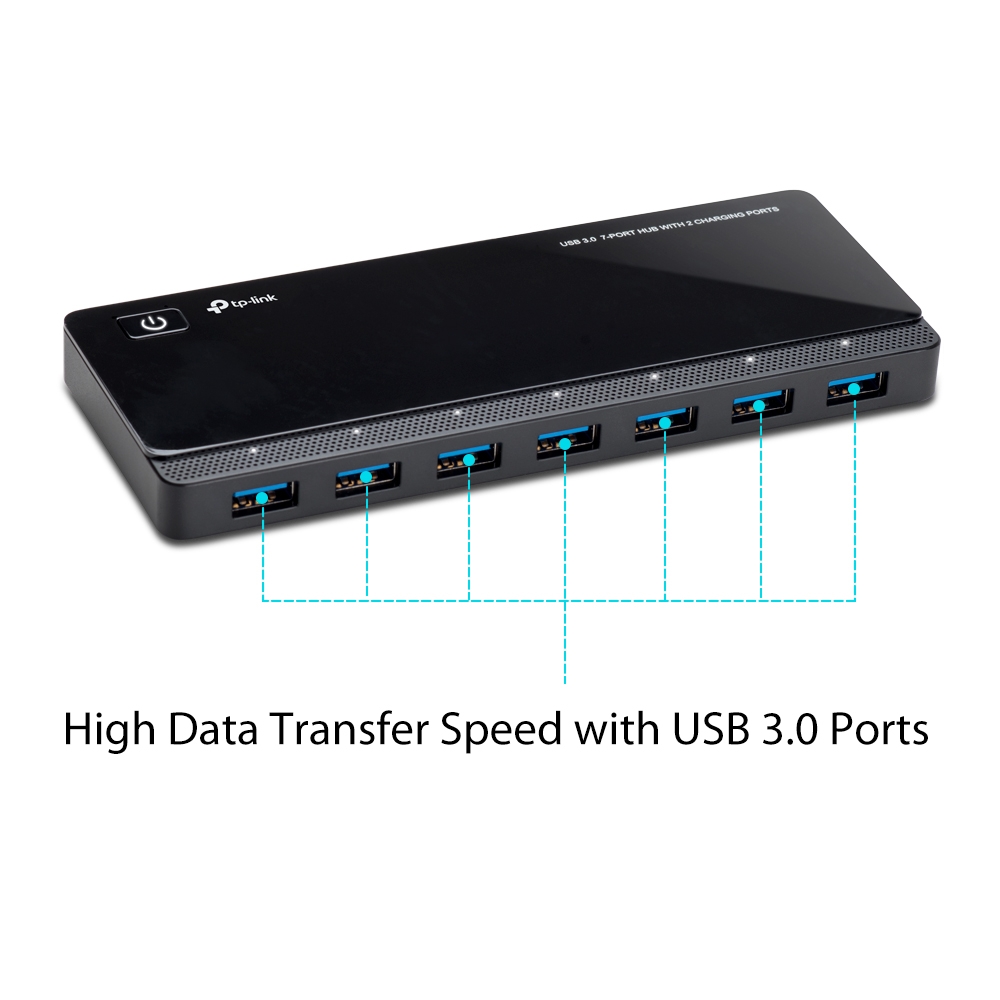
The USB Port Hub, UH720, makes it easier to access additional ports without switching devices. Its extra 2 USB ports supporting 2.4A outputs are designed for ultra-fast charging.
this one
but in one slot I have a litra beam
from logitech
gray tinsel
Hard to say, but hte more slots it has the easier it is to overload for either power or data. But agian mileage varies, not all hubs are equal.
abstract hamlet
YEAH
gray tinsel
That's one of the main reaons Elgato recommends direct connections for video devices.
abstract hamlet
most important its working if i connect it directly
it could be also discord
since its forcing 720p
sand fossil
abstract hamlet
since its forcing 720p
Phil suggest the Corsair hub as it’s externally powered, and can provide the bandwidth power wise needed.
abstract hamlet
Link pls
The USB Port Hub, UH720, makes it easier to access additional ports without switching devices. Its extra 2 USB ports supporting 2.4A outputs are designed for ultra-fast charging.
Is not enough ??
 buoyant cape
You don't gotta tag staff
It's enough in the sense that USB 3.0 is 5Gbps and that seems to have the right amount of power output to support the device.
buoyant cape
Can you connect the Litra on the 2.4A ports?
abstract hamlet
Yes, i can try.
buoyant cape
Also what exactly crashed? Everything disconnected?
buoyant cape
Camera isn't detected? frozen?
Facecam MK.2 is about 0.9A 5V. Not that much power for a powered hub like that.
abstract hamlet
It got frozeb
And windows wrote
"Application has been blocked from accessing Graphics hardware"
And discord crashed
Black monitors
When I plug out webcam
It went normal
abstract hamlet
It happened after 30 min
Never
And in event manager
I saw 4109
Error
Display
But wierd cus i dced the cam and got my monitors back
buoyant cape
Have you only tried it connected through the hub so far?
abstract hamlet
But its ok. I connected elgato facecam directly into 3.2 usb, since its recommended
I tried 2 hours today
abstract hamlet
buoyant cape
Have you only tried it connected through the hub so far?
Hub and pc
buoyant cape
I don't see anything on the surface that would cause that hub to be a problem. However, i do have some big 13port hubs that overload certain USB ports on my PC. Not from power, but from all the devices and bandwidth that run through it. Causing the port to disconnect and reconnect.
Perhaps that particular port hosting the hub can't hope. USB controllers can be made by Intel, AMD, Apple, etc or sometimes they're added onto computer with cheaper controllers from other companies.
 ruby peak
So i turned on the new 'face tracking' with my Facecam Pro, and it works in camera hub, but not OBS for some reason?
I've "deactivate" and "activate" it on OBS end
oh it has to be Elgato virtual cam.
sand fossil
ruby peak
~~So i turned on the new 'face tracking' with my Facecam Pro, and it works in ca...
no it shouldn't be, do you have camera hub running when using OBS?
gray tinsel
sand fossil
no it shouldn't be, do you have camera hub running when using OBS?
Tracking is done though the NVidia AR SDK, I'm pretty sure that has to be using the Virtual Camera output, not the Camera itself. That's how it works for me. Camera still runs when called directly but the PTZ area doesn't move since OBS hooks the one video feed the camera can send first if you use it directly, so Camera Hub can't see your face move anymore to track.
Does your's actually track when you're not using the virtual camera?
sand fossil
gray tinsel
Does your's actually track when you're not using the virtual camera?
exactly! If I zoom, my face is still tracked.

 gray tinsel
Zoom is 100% there though?
I assume that's an error in the screenshot and you just don't have it on right now?
When I set it up it stays zoomed but if I don't use the virtual camera the zoomed in section just stays where it is, doesn't follow my face
sand fossil
gray tinsel
Zoom is 100% there though?
No it's not zoomed atm, but when I do it tracks
sand fossil
gray tinsel
CameraHub 1.9.1?
yeah
sand fossil
gray tinsel
😦 I cannot replicate this
so you can only do it in virtual cam?
gray tinsel
Yep, otherwise it sits zoomed inand doesn't move. Might be a different NVidia SDK change too. My SDK is for the 3k series. Maybe you've got the 4k series and it has new changes?
I had just assumed that like the effects it had to be run through Virtual CAm
sand fossil
gray tinsel
I had just assumed that like the effects it had to be run through Virtual CAm
no i have a 3080Ti
sand fossil
gray tinsel
I had just assumed that like the effects it had to be run through Virtual CAm
there is a Stream FX Plugin as well. Also Face Tracker
but my Camera is a set source and it does it. IDK, I can check more settings.
sand fossil
gray tinsel
I had just assumed that like the effects it had to be run through Virtual CAm
I was on 1.9.0, now updating 1.9.1
ruby peak
sand fossil
no it shouldn't be, do you have camera hub running when using OBS?
its always running in the tray, since iirc that's recommended.
But since face tracking reduces quality to 1080p60, I've stopped using it.
sand fossil
ruby peak
its always running in the tray, since iirc that's recommended.
But since face t...
I haven't had quality reduced.
sand fossil
 sand fossil
ruby peak
when I turn it on it forces 1080p60.
sand fossil
ruby peak
when I turn it on it forces 1080p60.
maybe the preview mode
ruby peak
yea, that doesn't affect it in obs?
sand fossil
ruby peak
yea, that doesn't affect it in obs?
seems AR, and Facetracking only reduce the preview mode
Actually, it seems to have changed the format to 1080p uncompressed
I see it now.
Maybe reverting to 1.9.0 or 1.8 may have been working for me in 4k
ruby peak
if it's not possible for tracking in 4k, yea I'll just not use it and set up the other two preset spots
sand fossil
ruby peak
if it's not possible for tracking in 4k, yea I'll just not use it and set up th...
no, looks like mine is doing what's is doing now in 1.9.1


So it's functioning.
Time to test face tracking on OBS and see if it does it.
Yeah now Virtual Cam is only working with the effects and face tracking.
Only in 1080p though.
gray tinsel
Hm
ruby peak
I do 'need' to keep the 4k60 since I have a 'zoomed into face' frame
so I guess i can't use it
sand fossil
ruby peak
I do 'need' to keep the 4k60 since I have a 'zoomed into face' frame
honestly what are you recording in?
gray tinsel
The 1080p thing I expected - any effects used drop you to 1080p normally
ruby peak
not recording, just for my facecam, but I can see a diff
sand fossil
gray tinsel
The 1080p thing I expected - any effects used drop you to 1080p normally
yes this make sense. I think I was jsut lucky on previous software
gray tinsel
Interesting thing to discover though
sand fossil
ruby peak
not recording, just for my facecam, but I can see a diff
1080p still look just as great
sand fossil
gray tinsel
Interesting thing to discover though
I was excited for a moment
ruby peak
eh, I can see a difference very easily, tbh
sand fossil
ruby peak
eh, I can see a difference very easily, tbh
like on stream?
ruby peak
everywhere. my primary platform isn't twitch, so I can do 8k or more bitrate
sand fossil
ruby peak
everywhere. my primary platform isn't twitch, so I can do 8k or more bitrate
what platform?
ruby peak
shareplay. it's in semi closed beta, but you cando up to 12k
sand fossil
ruby peak
shareplay. it's in semi closed beta, but you cando up to 12k
I can see that. Who knows, maybe elgato can figure out a way to have these features 4k, but I would advise it may tax your GPU/CPU. I am only speculating.
ruby peak
tru but I do have a 307 ti which can do a 720p stream and that probably
sand fossil
ruby peak
tru but I do have a 307 ti which can do a 720p stream and that probably
3070TI should be ok.
ruby peak
paired w 64gb system ram so I think it should be ok if they added a setting to enable 4k tracking but maybe have a warning "recommend X specs"
Tho tbh, I'm hating windows 11, and always have. I may downgrade back to 10, then just stick on that until Elgato decides to support linux, which is better, imo.
(its been extremely buggy since day 1, if only we could have wave link, cam hub, streamdeck on linux)
sand fossil
ruby peak
Tho tbh, I'm hating windows 11, and always have. I may downgrade back to 10, the...
I haven't had any issues on win 11 with elgato products or software.
wide flint
I ahve had no issue with Wave link, Stream deck, or Camera hub with windows 11.
I doubt any of it will ever come to Linux.
gray tinsel
Given I can't even get Amazon to keep their Linux tools up to date with current LTS Ubuntu releases, that's an understandable stance
ruby peak
wide flint
I ahve had no issue with Wave link, Stream deck, or Camera hub with windows 11.
...
I don't have issues with the elgato software but I do with other software.
And if Windows 12 does end up being a subscription-based operating system, I will definitely not upgrade to that, I hear rumors that Microsoft is considering a subscription for win 12.
gray tinsel
Supposedly those rumours were all debunked
They're more likely to continue to try to link it to OneDrive and Office subs though
ruby peak
I don't even use office or OneDrive. I use open office instead of Microsoft office.
Anyway, my issue with the face tracking thing was resolved, meaning I can't use it because it doesn't support 4K at least not yet
spare compass
gray tinsel
It's able to save settings to the camera, so it should do that yes. Can even se...
Sorry, just seen this but yup, this is what happens when I open the app, notice that the save button is highlighted and everything is default

Manually change the settings to what it should be and save button then greyed out

The application isn't applying the settings from the camera
 raven minnow
Good Morning, how come when I setup my zoom in camera hub, click save, works for a while, then resets back? This is with the orginal Facecam.
weary beacon
raven minnow
Good Morning, how come when I setup my zoom in camera hub, click save, works for...
Do you hold it so that it actually saves?

Each time I load up the camera hub the preview is on the top setting but I want it to be on 2160p30, is there a way to save this?
raven minnow
weary beacon
I just click save once
 weary beacon
raven minnow
I just click save once
weary beacon
raven minnow
I just click save once
You need to click the little "A B C D" and hold them
that saves them
then click that save button
raven minnow
weary beacon
then click that save button
I don't have A B C D
weary beacon
raven minnow
I don't have A B C D
oh? Could you show me a screenshot?
raven minnow
weary beacon
oh? Could you show me a screenshot?
 weary beacon
raven minnow
weary beacon
raven minnow
huh that's weird it doesn't save, sorry I have the pro so I'm not so sure!
raven minnow
weary beacon
huh that's weird it doesn't save, sorry I have the pro so I'm not so sure!
I think you have profiles with the Pro. Thanks though
 sand fossil
 devout wind
facecam is not working in obs
devout wind
facecam is not working in obs
Looks like it’s not picking that there is an Elgato virtual cam.
 lofty jackal
What is difference in buffer size?
First image is one shown on website but second image is one on current version of wavelink?


How do I know which one is recommended?
Does anyone have any suggestions please?
gray tinsel
Leave it at defaults unless something isn't working, generally
gray tinsel
It basically specifies how much audio data to hold in a buffer before processing it
Medium is the usual I think
But if it's working as it is, you can leave it at whatever it is
lofty jackal
So best case scenario is small but more risky
In a perfect world, would it be on small for the best “result” just curious
Thanks so much for your help man.
Also I have a question about the Facecam mount…with I clamp the mount on monitor, it seems like there is wiggle room for it to fall at the slightest bump….is that normal? Do I want to clamp tight onto the top of the monitor or should there be no additional pressure when clamping the mount onto the monitor? And I have one Monitor that js thicker than my OLED…is one better than the other when using camera mount??
It just seems like it is not firmly on the monitor….and I don’t know if it’s supposed to be like that
gray tinsel
Shouldn't wiggle too much - you basically flip down the back piece and push that closed against the monitor when the camera is in place to hold it in.
I have heard that the Mk2 and Pro versions have a superior clamp though
If you do have a lot of issues, it'll mount to any 1/4"-20 mount like a tripod, or even a replacement monitor mount
lofty jackal
Do you want to press firmly or should it be when you feel the monitor in the clamp you should be good….like additional pressure
gray tinsel
I've seen one or two folks use one of those little flex tripods to help mount it to really thin screens
lofty jackal
I ended up buying the mini desk mount
gray tinsel
Just light pressure, shouldn't have to be very firm
lofty jackal
Tripod for thin screens?

You mind sharing what you mean when you say tripod for screen
That top part screws off….but I want something taller so I just picked up your mini desk mount
Is the mount more friendly towards thicker or thinner screens?
 gray tinsel
I don't actually have an original Facecam on hand, so hard to say. Looking at it, I expect it would work fine for both, maybe a bit more stable on the thicker one, just beacuse the monitor has more mass and would be more stable itself. In a pinch, get some gaffers tape from your local camera or hardware store and fix it in place
lofty jackal
Oh ok
I know we talked about it…but is small buffer size the best case scenario?
Thanks again for all the help @gray tinsel @eager oracle
gray tinsel
I leave mine and medium - but any of them work about the same. It's only there to change if you have compatibility issues
Medium is generall most compatible
Good luck with it
sand fossil
gray tinsel
Medium is generall most compatible
this is default for mine.
 gray tinsel
Same
sand fossil
gray tinsel
Same
I'm also on the beta...

omg meant to move this to #wave-audio

 gray tinsel
Tis what happens when someone has a conversation going in two channels for the same issue
We all get tripped up
raven minnow
Folks, wondering any information to why the camera hub zoom setting I select always will revert back when using with FaceCam?
sand fossil
raven minnow
Folks, wondering any information to why the camera hub zoom setting I select alw...
what version are you on?
lofty jackal
Very last question….anyone recommend a YouTube video or article explaining VST Plugins? I thought about tying out Nvidia Broadcast and/or Virtual Camera to try the AI or Background designs in Camera Hub
sand fossil
Anything audio related should be in #wave-audio
gray tinsel
No worries, good luck with the setup.
sand fossil
raven minnow
Folks, wondering any information to why the camera hub zoom setting I select alw...
you still there?

Can you hear me? lol
raven minnow
sand fossil
<a:Tense:916496819947700275> you still there?
yes sorry, 1.9.1
sand fossil
ok, so Zoom I think with the new update is starting to make the save function appear, after you have moved the slider, but if you set it and don't zoom it should maintain your settngs.
did you update the firmware on the camera?
eww...
lol
raven minnow
sand fossil
eww...
4.09 (ISP: 160.53)
sand fossil
raven minnow
4.09 (ISP: 160.53)
I have a pro, so idk which one you have but this is my recent.
 raven minnow
sand fossil
I have a pro, so idk which one you have but this is my recent.
raven minnow
sand fossil
I have a pro, so idk which one you have but this is my recent.
Original Facecam
sand fossil
raven minnow
Original Facecam
let me plug mine in real quick
sand fossil
raven minnow
Original Facecam
 sand fossil
raven minnow
Original Facecam
sand fossil
raven minnow
Original Facecam
when do the settings change when you zoom? testing mine right now.
current settings

switching cams, and goign back seeing if anything changes
raven minnow
sand fossil
when do the settings change when you zoom? testing mine right now.
So after applying zoom and saving. I close out camera hub. The open obs. There is when I see the zoom set back. I then go back to camera hub and set it to where I want it.
sand fossil
ok let me test it that way.
raven minnow
ok I am going to step out for a bite to eat. I appreciate your help
sand fossil
raven minnow
ok I am going to step out for a bite to eat. I appreciate your help
i tried to recreate the issue, this wasn't happening for me. My settings remained the same. 1 or 2 things could be. the memory for the camera is bad, and you'll need to contact #official-tech-support for help further, or you might have thought you didn't save after you started to zoom, and because it highlights blue after using zoom, you thought your settings weren't being stored, and think you have to save again. mine revert to what I originally had save the first time zoom setting included, after use, it goes back to what I set it up at prior to OBS. This is normal.
raven minnow
sand fossil
i tried to recreate the issue, this wasn't happening for me. My settings remaine...
I see, but ifyou make a settings change in camera hub it goes blue to save the new changes, yes?
sand fossil
raven minnow
I see, but ifyou make a settings change in camera hub it goes blue to save the n...
yes, that include a zoom.
raven minnow
sand fossil
yes, that include a zoom.
Do you close out your camera hub when your done setting it up and then saving?
sand fossil
raven minnow
Do you close out your camera hub when your done setting it up and then saving?
no, it runs in the background.
raven minnow
but how do you use it at same time with another app like OBS? I guess I can leave it running and just turn preview off Preview in OBS
sand fossil
raven minnow
but how do you use it at same time with another app like OBS? I guess I can lea...
yeah, OBS should take over once open.
raven minnow
sand fossil
yeah, OBS should take over once open.
I appreciate your time and helpfulness.
sand fossil
raven minnow
I appreciate your time and helpfulness.
let me know how it works out.
abstract hamlet
Vic
raven minnow
sand fossil
let me know how it works out.
Yup I will.
abstract hamlet
Is discord having only 720p ?
sand fossil
abstract hamlet
Is discord having only 720p ?
that depends on if you're a nitro user or not.
abstract hamlet
Im nitro
sand fossil
abstract hamlet
Is discord having only 720p ?
I am setting up for a stream so I'm outta here.
 gray tinsel
If you're using a Facecam, check what it shows for source up where you select the camera. That'll show you want Discord is pulling from the camera
raven minnow
gray tinsel
If you're using a Facecam, check what it shows for source up where you select th...
Ok so I just tested this in this way. While Camera Hub is opened, preview is disabled, no input resolution showed, Back in Discord in the audio/video settings, test video, back over in Camera Hub you will now see the resolution.
gray tinsel
That's what I meant, any time your pulling actual video from the camera (eg, discord preview) Camera Hub should show what the camera is running at.
sand fossil
gray tinsel
That's what I meant, any time your pulling actual video from the camera (eg, dis...
Correct!
abstract hamlet
Yeah
-
Open camera hub and set 1080p and in discord use virtual ...then it is 1080p
-
Open discord, use facecam and open camera hub , there is 720p
Thats what I see
So discord is 720p

 gray tinsel
Good to see an official comment from Discord on that
abstract hamlet
Yeah
gray tinsel
Unfortunately this isn't the place for selling gear - this is the community help channel. Not trades.
You're better off checking something like Craigslist, Facebook Marketplace or another dedicated commerce site. Good luck with it
Hope the new Mk2 works out for you though!
waxen silo
Anyone who owned a Facecam who upgraded to a Mk 2 care to tell us if it is worth trading up or just a “nice to have” (or to really save and go Facecam Pro)?
gray tinsel
Depends on your use case - if you tend to show up with blown out highlights or shiny face, the HDR mode is very nice. But it's more of small upgrades all around than a must have if you already have the original, unless one of the specific features would be directly useful to you.
 harsh ocean
gray tinsel
Unfortunately this isn't the place for selling gear - this is the community help...
harsh ocean
gray tinsel
Unfortunately this isn't the place for selling gear - this is the community help...
sorry wasn't trying to sell here. just wanted to talk to anyone who was also upgrading and didnt know which channel to do it in.
gray tinsel
Ah, all good. Since it's not a help request, it would probably go under general in that case
harsh ocean
oh yes i see this is the help channel
sand fossil
pale shuttle
I plan to run it with the teleprompter
Either one is great!
gray tinsel
Do you want 4K or HDR? If you have lighting issues probably the Mk2. If you have the budget and want hte sharper image, the Pro
 vestal silo
My camera was working a few minutes ago but after a computer restart, the blue light is on but there is no signal in obs and the connect a device screen in on camera hub
wait, I just unplugged and replugged the usb c cord in the back and now it's fixed
vestal silo
Does anyone know why my Elgato facecam isn't working in discord? right now it is open in obs and camera hub but won't load in discord (usually virtual cam or facecam).
sand fossil
vestal silo
Does anyone know why my Elgato facecam isn't working in discord? right now it is...
this is how I have mine setup

 atomic junco
Did anyone order a new facecam that was shipped by Corsair Memory?
gray tinsel
Elgato is owned by Corsair, so it is normal for prodcuts from the warehouse to ship via Corsair if that's what you're worried about
 west patio
hello just wanted to reconfirm i saw a twitter/x post regarding on having multiple Elgato Facecam pro, is it true that you can run multiple facecam pro with a Corsair USB100? is it really strong enough to handle it?or atleast work with it, i dont see much review on the corsair USB100 except for one video. 🙂
gray tinsel
Uh, it might be possible, especially in 1080p mode - but that's only a 5 Gbps USB hub. Are you sure that was the model mentioned? I wouldn't generlly recommend putting multiple video devices on the same 5Gbps hub. Maybe on a 10 Gbps one, or a Thunderbolt one that offers it's own USB controller
west patio
gray tinsel
Uh, it might be possible, especially in 1080p mode - but that's only a 5 Gbps US...
yeah saw french stallion twitter account mentioning it and julian jfest (elgato GM) from twitter repost it and said "Indeed, because most hubs share bandwidth across all their USB ports. This Corsair hub actually delivers full bandwidth across all ports."
i mean i also wanted your guys advices i kinda wanna purchase it because i did purchase a random usb 3.1 hub which did not work with elgato, then i stumbled upon that twitter/x post and seems like too good to be true so just wanted to becareful since its quite expensive for where i am just wanted to make sure
inland moss
Someone know if there will be an update for the Facecam Pro? Because the image is too ^^red^^
violet hawk
inland moss
Someone know if there will be an update for the Facecam Pro? Because the image ...
There is a new firmware that adds Tint adjustments
inland moss
violet hawk
There is a new firmware that adds Tint adjustments
It’s still too red, and adjust between green and purple.
gray tinsel
Is your saturation just turned up too high?
sand fossil
inland moss
It’s still too red, and adjust between green and purple.
how is your lighting? is it too dark?
inland moss
sand fossil
how is your lighting? is it too dark?
I have 2 lights at the 2 sides
sand fossil
inland moss
I have 2 lights at the 2 sides
Hitting the wall or you?
inland moss
sand fossil
Hitting the wall or you?
Me
If you want you can see the last photo in the flex zone
sand fossil
inland moss
If you want you can see the last photo in the flex zone
What are your camera settings?
inland moss
sand fossil
What are your camera settings?
Well I’m actually working but I can send you my settings in 10 hours.
sand fossil
inland moss
Well I’m actually working but I can send you my settings in 10 hours.
I can help tomorrow calling it a night.
Sleep I must
 inland moss
Haha
scenic fiber
@inland moss ding ding
10 hours from now
The color corrector has arrived
Peep me your settings with a screenshot svp
And a Snapchat from your camera too
inland moss
scenic fiber
<@279688533591982092> ding ding
 scenic fiber
inland moss
scenic fiber
inland moss
And how does the cam look?
inland moss
scenic fiber
And how does the cam look?
My lips are a little bit too red but the image have a lot of noise even with 2 lights
scenic fiber
can I see?
inland moss
 scenic fiber
if youre not comfortable showing your cam setup, feel free to dm me!
But what I would do, is drop your contrast to 0 to start out with.
inland moss
scenic fiber
if youre not comfortable showing your cam setup, feel free to dm me!
I will DM you
light vortex
Just changed from the sony zv1 to a sony A6000 and my lights sign behind me has streaks on it now, anyway to change that?
 gray tinsel
That's likely an artifact of your camera more than your capture hardware. Try a lens with a faster f-stop. (see: https://www.slrlounge.com/diffraction-aperture-and-starburst-effects/ for examples of what I'm talking about). Basically looks like you're getting starburst effects from the individual LEDs in the strip. Beyond that you can try different shutter speeds to see if that has any impact, adjust exposure settings and if still having issues double check that the camera lens is free of any kind of smudging. Worst case apply a polarizer to filter off axis light - this will require turning up your ISO or otherwise adjuting settings though as it will reduce the amount of light hitting the sensor.
Understand diffraction and how to use it for creative photography.
light vortex
gray tinsel
That's likely an artifact of your camera more than your capture hardware. Try a...
Thank you!!
 modest rose
I know I might get flamed for this but is there a way to disable chapters on the camera hub? I use my prompter for short scripts and its a pain to delete line, and the new shading feature as text has scrolled is no good for me as well, anyone know how to adjust those features?
 dark coyote
Anyone having an issue using the chat(beta) feature and the chat stops refreshing after a bit?
sand fossil
modest rose
I know I might get flamed for this but is there a way to disable chapters on the...
That’s a great #feature-request for an option
sand fossil
dark coyote
Anyone having an issue using the chat(beta) feature and the chat stops refreshin...
No, but if you remove the channel and add it again, usually it works flawlessly after.
dark coyote
sand fossil
No, but if you remove the channel and add it again, usually it works flawlessly ...
I get an issue where it will say "channel X is not found" even while I am live on it. Its a seperant brand channel if that matters!
sand fossil
dark coyote
I get an issue where it will say "channel X is not found" even while I am live o...
What version of camera hub are you on?
dark coyote
sand fossil
What version of camera hub are you on?
1.9.0 (2718)
sand fossil
dark coyote
1.9.0 (2718)
I’m on the same one and I have no issues with it.
sand fossil
dark coyote
1.9.0 (2718)
Try copying the URL from your channel
dark coyote
sand fossil
Try copying the URL from your channel
Will try that! I have only been using the channel name only, no url
dark coyote
sand fossil
Try copying the URL from your channel
getting this
 buoyant cape
dark coyote
getting this
buoyant cape
dark coyote
getting this
The name is all you need. But I also saw this on one of my machines but just qutting out of Camera Hub completely and relaunching fixed it.
 sand fossil
buoyant cape
sand fossil
buoyant cape
Yeah, this I can confirm. I just did this myself cause my screen zoomed in and out like it was switching desktops. So closing it out and relaunching fixes it, and you’re correct it was only taking the channel name. Wasn’t letting me do my url either. In the beta it worked.
dark coyote
Thanks! Just tried this and I can confirm its working! Ill report if it stops refreshing again and approx how long that takes. I did have to force close with task manager as well, not just closing with the exit "x"
buoyant cape
dark coyote
Thanks! Just tried this and I can confirm its working! Ill report if it stops re...
Closing with the X essentially minimizes Camera Hub since things like Virtual Camera rely on it running in the background. Easier to go to system tray, finding the Camera Hub icon, right click and go to Quit Camera Hub.
 dark coyote
buoyant cape
Closing with the X essentially minimizes Camera Hub since things like Virtual Ca...
dark coyote
buoyant cape
Closing with the X essentially minimizes Camera Hub since things like Virtual Ca...
Got it! Will use that in the future. I appreciate the help!
 chilly orbit
- Prompter works perfectly
- stop using the Text/Chat feature to change what is on screen.
- Turn the Chat/Text back on
RESULT: "channel X is not found"
the only wait out is stop/restart Camera Hub software!
chilly orbit
buoyant cape
Closing with the X essentially minimizes Camera Hub since things like Virtual Ca...
I've create a .bat file on my stream deck to restart the prompter paste this into a .txt file: "taskkill /F /im "Camera Hub.exe"
start "" "C:\Program Files\Elgato\CameraHub\Camera Hub.exe" then change the extension for *.bat and assign it to a key
hollow lance
Hello, how to add text with bullet points into Camera Hub Text script?
Pasting it into the editor just deletes the bullet points
Even the sample text says you can do it 😄
 hollow lance
Also, is there a way to turn off the top half of text fading ?

 brisk hollow
Can you turn the prompter to a vertical orientation?
It appears that there is no rotate option in the mac properties which is odd to me it is still just a monitor.
sand fossil
brisk hollow
It appears that there is no rotate option in the mac properties which is odd to ...
you can, but there should be a need too, as you can make your camera in a vertical format in OBS, or other software.
brisk hollow
I have turned the camera and prompter sideways for vertical video livestreams and shorts. I am using the Facecam Pro so it cannot be rotated. Doing it in OBS would crop and I do not want to crop.
sand fossil
brisk hollow
I have turned the camera and prompter sideways for vertical video livestreams an...
you haven't tried transforming it?
brisk hollow
@sand fossil I got the screen to work without OBS. As you can see the camera is sideways but I think this is an issue in the firmware and will need to be revised in the future.
sand fossil
brisk hollow
<@476160810457235466> I got the screen to work without OBS. As you can see the ...
i think it may need to be a #feature-request glad you found a fix for now.
brisk hollow
Yeah it works but the main issue is that the text thinks it’s still on a horizontal monitor. It’s so close to working.
sand fossil
brisk hollow
Yeah it works but the main issue is that the text thinks it’s still on a horizon...
yeah, I'm sure thisis somethign that was mentioned on twitter.
brisk hollow
Did someone else ask this on there?
sand fossil
brisk hollow
Did someone else ask this on there?
yes a while back.
 forest holly
Hi, looking for advice, I have Elgato Prompter, and just playing around - i was trying to add my own custom overlay (instead of standard crosshairs etc) I have created SVG (both in black and in white) but zero success. Any help greatly appreciated.
also, what is best resolution to use for SVG?
 scenic cove
Is there some Beta Version for the Camera Hub? The metering mode for the exposure is completely missing for me?
Like this part.

 shy horizon
forest holly
Hi, looking for advice, I have Elgato Prompter, and just playing around - i was ...
shy horizon
forest holly
Hi, looking for advice, I have Elgato Prompter, and just playing around - i was ...
Is there a popup window that appears when you click the + icon?
 shy horizon
scenic cove
Is there some Beta Version for the Camera Hub? The metering mode for the exposur...
shy horizon
scenic cove
Is there some Beta Version for the Camera Hub? The metering mode for the exposur...
There was a Beta Megathread on Reddit that started a few months ago.
A stable release of Camera Hub was just released just over a week ago: https://help.elgato.com/hc/en-us/articles/25453241302925-Elgato-Camera-Hub-1-9-1-Release-Notes
Elgato
Release Date: 28 March 2024
Here are the changes in Elgato Camera Hub 1.9.1
You can download Camera Hub 1.9.1 by clicking on the link below.
Windows
Camera Hub 1.9.1.msi
macOS
Camera Hub 1.9....
scenic cove
shy horizon
There was a [Beta Megathread on Reddit](https://www.reddit.com/r/elgato/comments...
I use the 1.9 but that’s missing nevertheless 😅
abstract hamlet
Hi, is it worthy to buy facecam mk2? I have facecam original.
sand fossil
abstract hamlet
Hi, is it worthy to buy facecam mk2? I have facecam original.
Yes if you want 120, and HDR.
abstract hamlet
Otherwise its the same quality of image ?
waxen silo
abstract hamlet
Hi, is it worthy to buy facecam mk2? I have facecam original.
It can also pan and zoom now
violet hawk
Fixed focus on Facecam MK1 and MK2
I do perceive the image looking way better on MK2 but it's the same resolution
abstract hamlet
My problem with the Elgato Facecam MK2 is entirely one of color and stylistic choices that no amount of fiddling in the Camera Hub software could overcome. Everything just looks slightly grey and washed out, there’s no punch to blacks and no kick to colors.
Someone said

Looks like too grey
abstract hamlet
violet hawk
I do perceive the image looking way better on MK2 but it's the same resolution
What do u think ?
violet hawk
Doesn't even look like the HDR function is on there, and no adjustment of contrast etc
I would recommend looking at EposVox's video instead that actually goes through the settings and compares alot
abstract hamlet
Yeah just seen it
Still, elgato facecam mk2 looks wash out and grey to me sadly

Even with hdr on
violet hawk
Maybe your contrast on monitor is completely wrong then if that looks gray to you
abstract hamlet
Well
Did u read comments?

Yeah, gray is better but the whole image looks wash out
On elgato facecam mk2
abstract hamlet
violet hawk
Maybe your contrast on monitor is completely wrong then if that looks gray to yo...
U cant see the difference?

 violet hawk
Difference is actually proper lighting
violet hawk
Nope, SDR
abstract hamlet
Its looking awesome
violet hawk
Phil is awesome too :3 
abstract hamlet
Brito is abit too much bright
violet hawk
Yeah but there's also the timezone difference, it was daytime for her and evening for phil
abstract hamlet
But after all, facecam mk2 is better then the old one?
abstract hamlet
Here is 20 $ cheaper
violet hawk
😮
abstract hamlet
Lol
violet hawk
But the best way to get the best quality is to invest in proper lighting 🙂
violet hawk
That's a steal, I'd jump on it
abstract hamlet
I got logitech litra beam
Light is fine
I can return the elgato facecam for 160$ till tomorrow and buy elgato facecam mk2 for 145$
violet hawk
awesome 😄
abstract hamlet
Would u do it
violet hawk
Yes, definately


 late mantle
Hello, I am new to discord and hope that this is the right place to get an answer to the following question: In December 2023, I ordered the Elgato Prompter from a renowned company. To date, after four months, it has not been delivered. Where can I order teh prompter so that it is delivered within a few days? Thank you for your support in advance.
scenic fiber
abstract hamlet
Hey doode, what camera do you have?
abstract hamlet
Hi, elgato facecam mk2


 wild steeple
My Elgato Prompter with 1.9.1 (2906) software currently does a "wrong" line wrap. Even with a 12pt font some text is missing on the prompter.
Changing the font or font size for the appearance doesn't correct this. Scale for the Display in Settings is set to 100% ? Any idea how to fix this?
forest holly
shy horizon
Is there a popup window that appears when you click the + icon?
Discovered (by finding pointers Elgato preinstall) the SVG needs to be 100x100 and SVG v1.1 - got it to work after adjusting for that. Thank you.
sand fossil
abstract hamlet
Did you update the firmware?
gray tinsel
abstract hamlet
Hello, why I do not see 120 fps there ?
The preview format window doesn't include 120fps mode. If you have an app like Discord or OBS that will pull 120fps you can use it there though. Mine has the same options you see there.
abstract hamlet
Ok, thanks.
 astral acorn
Question y'all, any idea why this would be happening. I don't see it as bad on the og facecam but I recently got the mk 2 and I have a light in the back that now has a significant amount of glow around it.
 gray tinsel
Closest I've seen to that so far was false positive on the new Noise Cancellation. Try turning it down to Light which uses the old noise cancellation.
If that does resolve it, I'd report the issue to #official-tech-support
astral acorn
gray tinsel
Closest I've seen to that so far was false positive on the new Noise Cancellatio...
Thanks for the insight! Light makes it a bit better but still off. I will do an official report thanks!
gray tinsel
Good luck! wouldn't hurt to try manually adjusting other settings like Exposure or checking to see if it shows up both in High and Standard Dynamic range ither
 worldly stirrup
my epoccam has become significantly blurrier on 60fps after restarting my pc, it worked fine before even through updates and such
1st image is 1080p30, 2nd image is 1080p60
any ideas?


before it would be that 1080p60 would have the same sharpness as 1080p30
alright i'm not sure what hapened but i just waited about 5 minutes and the sharpness is back to normal
 meager steppe
Guten Tag ich wollte fragen ob mir jemand mit der Elgato Cam Link helfen könnte
scenic fiber
meager steppe
Guten Tag ich wollte fragen ob mir jemand mit der Elgato Cam Link helfen könnte
Guten tag sprechen sie aug English? Its an English server
 weary maple
my phone won't connect to my laptop using wifi or usb, been at this for a day
anyone got any tips or knows what to do
 deft fable
is there any way at all that i can use blur or whatever for mk2, using an amd card?
wide flint
deft fable
is there any way at all that i can use blur or whatever for mk2, using an amd ca...
I dont believe so. They use the NVIDIA SDK which requires an NVIDIA RTX 2060 or newer.
deft fable
wide flint
I dont believe so. They use the NVIDIA SDK which requires an NVIDIA RTX 2060 or ...
well theres reason 2 to buy an nvidia card
weary maple
Can I have some help trying to connect my phone to the drive on my windows laptop?
Or do I just figure it out on my own or buy a whole other webcam
 pale perch
Hi everyone, can anyone help me get my elgato virtual background to transfer to OBS? It was there one day and then gone the next , the virtual background shows in Elgato just not in OBS.
wide flint
pale perch
Hi everyone, can anyone help me get my elgato virtual background to transfer to ...
If you want to background to show in OBS you need to have OBS use the Elgato Virtual camera. Is that what you have selected?
pale perch
wide flint
If you want to background to show in OBS you need to have OBS use the Elgato Vir...
i think so
pale perch
wide flint
If you want to background to show in OBS you need to have OBS use the Elgato Vir...
I do
waxen silo
Does the Camera Hub ZOOM / PAN /TILT knob controls for Stream Deck + work with the new Facecam Mk2? (I tried assigning it, but anytime I turn the knobs, it blinks red as if it isn't active)
gray tinsel
It should be working okay - works on my own setup
Is your Camera Hub up to date?
I know 1.9.2 also included a firmware update for the camera
waxen silo
everything's up to date
 marble thistle
Is there anything besides a $200 streamdeck that can be used to control the prompter?
gray tinsel
The PC itself though Camera Hub, the $60 Stream Deck Mini, the Stream Deck Mobile app (iOS version gets 6 buttons free).
Some people have used Stream Deck Pedal too
marble thistle
Ah I didn't realize the mini was only $60. That'll do ! Thanks!
 blissful musk
Hi team,
Thinking of getting the prompter but was just wondering if it's at all possible to mount it to a screen rather than to have it on its own stand/tripod?
I have fairly limited space, and I have one of those sit/standing desks sitting on my normal desk so having it on that would make it fairly unstable
 patent grail
I just got and installed my new Webcam mk.2 and am looking at the downloads page for the camera app. But when i filter for the mk.2 the app doesn't show up; is it not compatible or is that a miss from Elgato?
gray tinsel
It should use Camera Hub. Give me a moment to check the site