#wave-audio
58382 messages · Page 59 of 59 (latest)
 solemn wyvern

 woeful wren
Could you explain the reporting process in more detail? What exactly and how—I’m not familiar with this site.
solemn wyvern
woeful wren
Could you explain the reporting process in more detail? What exactly and how—I’m...
The team collects them on Reddit. Links are in the app and here in the pins
 gritty jackal
I don't think there's actually a megathread for 3.1.1 yet, but the 3.1.0 is still active.
#official-tech-support will take the reports too, via ticket through the online chat system.
 elder solar
hewwwo i got a wave 3 mic recently and have been trying to set up mic filters on the elgato wave link software
i did encounter a few issues there especially with background noise, my mic picks up the sound of my pc, my mouse clicks and my keyboard and i havent found anything to fix it yet, my noise gate or noise surpression filters dont really seem to work
 turbid summit
The voice focus plugin should help
elder solar
turbid summit
The voice focus plugin should help
i am already using that :0
turbid summit
Interesting
elder solar
turbid summit
Interesting
yeah thats what makes it even more confusing haha
turbid summit
Gain up too high? Could be bringing in your background sounds etc
Haven’t used my wave 3 or any usb mic in a while since I swapped over to an xlr setup 🤣 I was going to buy the new wave 3 mk2 but just recently upgraded to the wave xlr mk2
elder solar
turbid summit
Gain up too high? Could be bringing in your background sounds etc
maybe :0 i will def try checking it out tysm
turbid summit
I do know when I used my wave 3 however that voice focus helped a lot with the pc fan noise etc
Probably start with your gain and pointing the mic away from where the noise is
elder solar
do u have any other advice in case that doesnt work?
oh also if i turn down my gain i am more quite how can i go against it so i am still loud?
turbid summit
I can’t remember the exact ratio but I’m pretty sure it’s likes 3 or 4 dots the mic has to be at
elder solar
turbid summit
I can’t remember the exact ratio but I’m pretty sure it’s likes 3 or 4 dots the ...
thats for the gain yes! but how can i still be loud? :0
turbid summit
 heady night
Good evening, when I share my full screen on Discord, it keeps echoing my voice to those watching the stream. How do I fix this?
 hearty kestrel
heady night
Good evening, when I share my full screen on Discord, it keeps echoing my voice ...
solemn wyvern
heady night
Good evening, when I share my full screen on Discord, it keeps echoing my voice ...
hearty kestrel
heady night
Good evening, when I share my full screen on Discord, it keeps echoing my voice ...
solemn wyvern
heady night
Good evening, when I share my full screen on Discord, it keeps echoing my voice ...
My preferred workaround would be share a device instead of a screen, since then discord gives you a choice for audio source instead of hooking all audio.
Use OBS virtual camera to create a device.
 bitter echo
After waking my pc from sleep, I have to quit and restart Wave link everytime, is there a fix for this?
 lethal grotto
solemn wyvern
My preferred workaround would be share a device instead of a screen, since then ...
lethal grotto
solemn wyvern
My preferred workaround would be share a device instead of a screen, since then ...
How do you set that up exactly? when I try stream the OBS virtual camera it infinitely loads.
solemn wyvern
bitter echo
After waking my pc from sleep, I have to quit and restart Wave link everytime, i...
Not that I know of. Might be to do with usb power states.
Sleep state is problematic for peripherals on x86/x64 platforms in general.
Some systems will be fine while others aren’t.
solemn wyvern
lethal grotto
How do you set that up exactly? when I try stream the OBS virtual camera it infi...
Don’t know about that. Typical troubleshooting stuff.
Nothing specific about the setup that would cause it to not load. If you’re starting OBS virtual camera and then starting the device share in discord… that’s it
bitter echo
solemn wyvern
Not that I know of. Might be to do with usb power states.
Sleep state is probl...
Thank you
 chrome valve
does anyone here have the wave3 mk2 that could tell me how good it sounds from 2ft away?
solemn wyvern
Just like any cardioid condenser… it will sound pretty distant from 2’ away.
If you have a pristine acoustic space, it will sound a little like Sinatra. 😎
If there is any reflections or noise in your room… it will be rough.
Even a shotgun mic will need a great acoustic space to sound very good at distance. And I imagine your mic will be near a computer…
chrome valve
well if my crappy amcrest mic in the same space sounds okay, this wouldnt be any worse you would think?
i already have this in the space in front of me. sounds fine. so i would think the wave3 mk2 would be an upgrade, do you agree?
gritty jackal
Issue is condensers are very sensitive and you're going to have to turn up the gain if you're 2 feet back. That means there's a higher risk of environmental noise getting picked up too.
chrome valve
so that mic is different than the amcrest one i linked?
solemn wyvern
chrome valve
so that mic is different than the amcrest one i linked?
Either mic will sound SIGNIFICANTLY better if you place them appropriately.
If you’re happy with the sound of your current mic setup, why spend money to change it?
chrome valve
because i wanted a tiny upgrade
the regular wave3 here sounds fine to me at 2ft tbh https://youtu.be/_mLyLh7cN2s?t=219
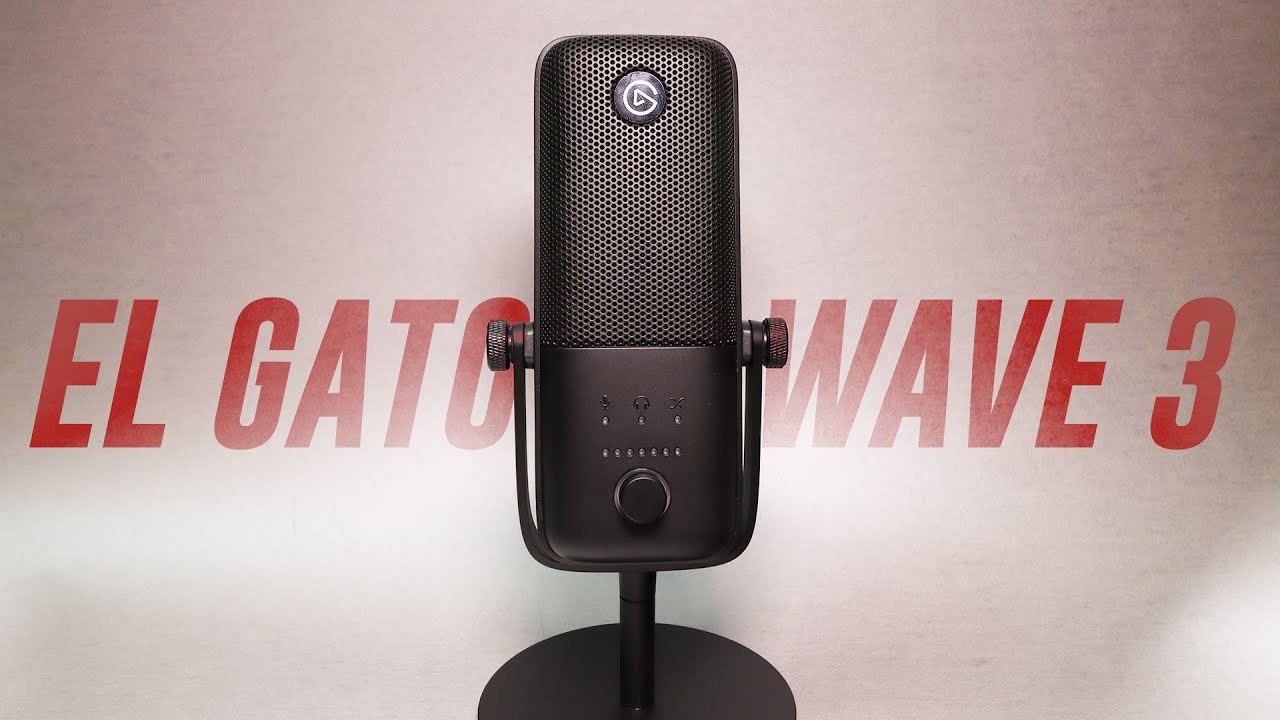
Today I review the El Gato Wave 3 USB Condenser Microphone. This mic also includes a digital mixer allowing you to capture 5 additional sound sources and mix them for your stream. The sound is balanced, although a little lacking in the low end below 100Hz. I compare it to the Blue Snowball, Rode NT USB Mini, Blue Yeti, Hyper X Quadcast, Razer Se...
solemn wyvern
It is ok to not be fussed about the difference between intelligible audio and excellent audio. I don’t recommend anybody spend money on things if they are satisfied with what they have. Especially in cases where they have low cost gear; if you’re ok with it, you might not perceive the value in spending more.
You want advice… if you’re satisfied with your current mic at 2ft away. Don’t do anything.
If you want to improve the sound, place it properly.
If you want to improve the sound more, then think about spending money on a better mic.
chrome valve
i understand at distance nothing will sound great.
solemn wyvern
I just see people in here regularly who haven’t worked on their acoustics of the room, maybe have other people or TV shows on in the background, and expect wave link processing to clean it all up; aren’t happy with their purchase.
If you decide you want to care about great audio quality, good! But step one is to place the mic properly and consider your room acoustics first, because every mic will sound bad in a bad space. Closer placement will help a bit… but it’s a big red flag if you’re not willing to do the steps that would improve any mic.
I predict a better mic would not be the right investment at this time.
Honest answer.
Best mic for a setup with no acoustic treatment in the room… is a headset mic. Every time.
This is what I advise my friends.
chrome valve
yeah i get that. i really dont want stuff hanging on my face all day though
solemn wyvern
chrome valve
yeah i get that. i really dont want stuff hanging on my face all day though
Then you might prefer something more the shape of a dynamic mic like the dx from elgeto. (Which requires an interface, because it doesn’t have a usb preamp built in.
Or maybe a super directional mic like a shotgun.
(I’m not aware of any usb of those either, but there might be)
chrome valve
the DX just needs the wave xlr to plug into computer?
solemn wyvern
chrome valve
the DX just needs the wave xlr to plug into computer?
Yes, or any other audio interface with xlr input.
Though I like the wave devices for their features.
And I should make mention: it will still want to be right in close… it’s just end-address more like a handheld mic, and so takes up less visual space in front of you.
It’s a very ideal broadcast mic, like the way SM7b and RE20 work. Though smaller than either of those.
chrome valve
looks like the wave xlr was updated this year. do they typically not update the mic with that?
solemn wyvern
chrome valve
looks like the wave xlr was updated this year. do they typically not update the ...
The mk2 version of all the wave devices replaced the older versions. These all have the new on-board dsp effects, as well as some other hardware updates.
But none of that applies to a xlr mic, which doesn’t have any built in preamp. Wave dx is an xlr mic, with no preamp so no ability to have any of those features which were updated.
chrome valve
so you think the dx will stick around for some time since its more or less a "dumb" or basic device
 heavy coyote
where is the MicrophoneFX output? it seems like ReaGate Plugin/VSTs doesnt affect the Mic anymore
chrome valve
solemn wyvern
The mk2 version of all the wave devices replaced the older versions. These all h...
so you think this would be better instead
 solemn wyvern
chrome valve
so you think this would be better instead
solemn wyvern
chrome valve
so you think this would be better instead
As long as you would be willing to put it right up to your mouth, yes.
If not, it’s a waste of money for sure.
chrome valve
solemn wyvern
As long as you would be willing to put it right up to your mouth, yes.
If not, ...
but better at some distance than wave3?
solemn wyvern
chrome valve
but better at some distance than wave3?
Oh definitely not!
Condensers are more sensitive, so to hear you at distance this mic will need much more gain.
The idea in recommending it would be that the smaller profile would bother you less up close. If you’re not willing to move the mic to a close position… don’t spend money. Not worth it
chrome valve
so i could get mk2, up the gain. you'll hear some background, but i already hear background today with my current setup. so i dont mind it. i was just looking for a device that had more features...like elgato with the app, etc
yes my setup sucks. without moving it closer "what device would be a better swap and replace"
solemn wyvern
The wave link app is free and doesn’t require any specific hardware.
A headset mic would be an improvement for you. If you’re not willing to place a professional mic closer to the subject.
chrome valve
oh yeah totally understand that. i just liked the knob on the mk2 and the tap to mute, etc
solemn wyvern
You’re reaching pretty far for physical controls!
Maybe you’d rather than a stream deck plus and control all that and more.
chrome valve
yeah just looking for similar sound but gaining extra small benefits. never expected anything major
but maybe a better mic would sound a tiny tiny bit better in the same place than this $40 thing i have now
solemn wyvern
It probably would!
It’s just not what I would recommend, in your situation.
That’s all
chrome valve
yes sorry. i should have opened with that. lol. im not reaching for big improvements. i just wanted to get something more expensive to possibly gain any better sound than i have now.
solemn wyvern
No don’t worry, I would have still launched into the same TED talk. Haha
chrome valve
and since the sale is going on...i really need to decide
i would almost bet the mk2 would be the same sound and same background-whatever noise. but maybe less "basic mic sound". which is an improvement for me
solemn wyvern
I’m sure the frequency response is better, and the preamp and capsule are much better, hardware effects are great…
But you can’t properly use any of that from 2’ away.
All those improvements are being mostly thrown out the window.
Head to head, yeah, it will sound better.
Head to head with both of them set up right? Then you’re really in business
chrome valve
yeah thats all im after lol
ill just get the mk2 bundle and stop fussing over it
thanks for the ted talk
hard to know without owning them so its a struggle
solemn wyvern
I hope it helps! Just one person’s recommendation, but for what it’s worth, my career is audio production.
chrome valve
yeah i saw from your bio. my usage is also very specific and not practical
it will always suck, but upgrading from random-brand to name-brand (imo), suck level be less when comparing head-to-head
 jade swift
I dont know why if i should post this in streamdeck or wavelink because i dont know where the issue lies, so i will post it in both channels.
When I use stream deck (sound deck). and try to use a Sampler and playback the audio after the recording. It does not seem to play anything back at all. even the audio clip does not get saved in the folder
 fathom hornet
i know the new mk2 devices have the dsp. can u get the expander as standalone vst ?
 thorny crystal

 pure wing
thorny crystal
pure wing
thorny crystal
you're not listening to your personal mix...
there should be an ear icon there
thorny crystal
so how do i fix it?
pure wing
thorny crystal
so how do i fix it?
hover over your personal mix click the ear
thorny crystal
tysm i must have accidently clicked it ur a life saver
oh and i have a question too i put some changes to my mic in the wave link to make it saound better if i go on a dis call do ppl will hear it or only me when i listen on the personal mix? and if no how to make it to work?
 onyx marten
Does anyone know why my wave 3 mk.2 mic clips? I heard they were unclippable.
gritty jackal
onyx marten
Does anyone know why my wave 3 mk.2 mic clips? I heard they were unclippable.
Is clipguard enabled in the settings? It's still possible to clip it but you'd have to be doing something unusual to do it.
solemn wyvern
fathom hornet
i know the new mk2 devices have the dsp. can u get the expander as standalone vs...
Elgato hasn’t made one; there are many from 3rd parties.
thorny crystal
thorny crystal
oh and i have a question too i put some changes to my mic in the wave link to ma...
can anyone answer pls if he knows?
solemn wyvern
thorny crystal
can anyone answer pls if he knows?
You need to make a mix (separate from personal mix) to use as your mic for other apps
The default is called chat mix, I think.
Include your mic in that one, and set it as your computers default audio input device and select it as the input for apps like discord.
thorny crystal
ok i will try it now tysm
thorny crystal
solemn wyvern
The default is called chat mix, I think.
Include your mic in that one, and set...
like this?


and i should listen to the personal mix(and remove my mic from it so i wont hear myself) so i would still be able to hear dis and chrome?
solemn wyvern
thorny crystal
like this?
Yes.
But also remove your mic from personal mix. You don’t want to hear that because it will have latency.
If you want to monitor your mic, do it with the mic hardware features
Oops you already said this.
Yes, you’re right!
thorny crystal
tysm for the help everyone in this server is so nice tysm jnTracks
 halcyon narwhal
when i install the new Wave Link 3 driver my mic (Wave 3) no longer picks anything up. I have to uninstall the driver and the app to get it to work again, anyone know whats causing the issue
solemn wyvern
halcyon narwhal
when i install the new Wave Link 3 driver my mic (Wave 3) no longer picks anythi...
Did you remove older versions of wave link and their previous drivers and restart first?
halcyon narwhal
yes
i have the previous 3.0.0 download file on my pc too, when i uninstall it all and try to install that one it refuses to let me click instal on the old driver so i am forced to use this new broken driver
onyx marten
gritty jackal
Is clipguard enabled in the settings? It's still possible to clip it but you'd ...
Yes clipguard is enabled. Not doing anything other than raging. lol. Just some excited yelling
woeful wren
This is so crazy :). What i doing wrong ?
I just can't figure this out :). I added Discord to my Discord group (originally a voice chat). I set DSC to use this channel as well. But when I check where everything is playing, it says “Browser” :). I don't think that's how it's supposed to be :). I didn't have these kinds of problems with Wavelink 2 🙂. Now I go sleep 🙂 Check tommorow your guide.


 dire summit
Is Wave link 3.0 meant to use nearly 1gb of ram on its own? 0.o
 weak finch
Been using Wave Link 3.1 for a few weeks and took me a while to get used to it but i had everything working how i wanted it.
Today i got a pop up there was a Wave Link update and then a driver update so i did the updates, everything was fine.
2 hours later my PC froze and crashed (not a Wave Link fault) and during the force reboot i had a Windows update.
When my PC finally booted back to Windows and i loaded Wave Link up it was reset to default.
Is there a way i can potentially get back how it was before?
I can't find a backup/import option etc or where my previous settings might be stored if anywhere
 glad oak
hey-
so im having an issue atm with voice delay, the issue happens when i play games like overwatch or subnatutica 2 (only games i have played that im in a VC for)
it starts off fine then after awhile it starts to get a 5-7 seccond delay of my voice
i use the stream deck plus with the xlr dock
Update:
looks like it might be the dock itself? As I’m currently using my AirPods as a mic/headphones and no voice delay
 kind forge
woeful wren
This is so crazy :). What i doing wrong ?
I just can't figure this out :). I add...
kind forge
woeful wren
This is so crazy :). What i doing wrong ?
I just can't figure this out :). I add...
I'm having this same issue, discord will not route through the wave link software properly
if I manually set it to my voice chat audio channel it comes through SFX
I THINK the fix is to delete all your pre-made audio channels and recreate them
 pallid shadow
I keep having this endless loop where i install the update for the mic i just bought and it always ends up saying its failed and idk how to fix this


then when i try to do it again this pops up, my mic now wont turn on and i would really appreciate it if someone could help me
 solemn wyvern
pallid shadow
then when i try to do it again this pops up, my mic now wont turn on and i would...
solemn wyvern
pallid shadow
then when i try to do it again this pops up, my mic now wont turn on and i would...
Unplug the device for a minute or so to let it fully power down.
Then try a different usb port. Repeat until you find one that works.
pallid shadow
solemn wyvern
Unplug the device for a minute or so to let it fully power down.
Then try a dif...
ive been trying that the whole time
i plugged it into the USB port my original mic was in and i even tried others and nothing works
the issue only started to happen when i downloaded the software app
it worked fine beforehand
solemn wyvern
Those are my only tricks for getting firmware updates to work when they aren’t completing. Have you restarted the computer?
 midnight current
my last thought about that would be the cable just before assuming the circuit is faulty
pallid shadow
i have tried with now multiple different cables, still the same effect
solemn wyvern
Have to go to #official-tech-support
woeful wren
kind forge
I THINK the fix is to delete all your pre-made audio channels and recreate them
😮 Thx to info.
Edit:
I change name channel in WaveLink. Again set this channel in dsc app, and dsc browser and work 🙂
woeful wren
weak finch
Been using Wave Link 3.1 for a few weeks and took me a while to get used to it b...
Backup settings (I found this information a while back). I don't know if that's still the case, but they could definitely add a “Save” and “Backup” option.
If you want to make a copy “just in case”:
Configuration location:
In Windows, you’ll find it here:
C:\Users%USERNAME%\AppData\Roaming\Elgato\Wave Link\
👉 Copy the entire folder:
Wave Link or at least profiles / config
This is a full backup of the program’s settings.
 split smelt
Wavelink 3.1: i have two mixes that are mirrored in channels, essentially a quick way for me to switch between headphones or my computer monitor for audio output. When my computer goes to sleep at night, then i wake it up... most of the time Wavelink cannot see my computer monitor. My computer sees it just fine and i can use it directly, but for wavelink to pick it up again... i have to force quit wavelink then when it reopens it sees the computer monitor as an audio source again.
Anyone have an idea of a quicker fix for this?
pure wing
split smelt
Wavelink 3.1: i have two mixes that are mirrored in channels, essentially a quic...
I wouls think 1 mix, and create a toggle for listening device instead
split smelt
sure. that might be a simpler solution overall, but i'm looking more for help on how wavelink doesn't see the device.
solemn wyvern
split smelt
sure. that might be a simpler solution overall, but i'm looking more for help on...
Sleep state is problematic for x86 platform computers. It often has issues with peripherals dropping and needing to be re-initialized.
Not that way for all systems, but many. Might be a power state thing for usb ports, might be deeper like a bug in chipsets. Don’t know.
Recommendation is don’t use sleep state if your system is having issues with it. Let displays turn off, or just shut down only.
pure wing
split smelt
sure. that might be a simpler solution overall, but i'm looking more for help on...
does it not show up here?
 split smelt
@solemn wyvern i'll give that a try.
@pure wing not without quitting wavelink then reopening.
pure wing
split smelt
<@476160810457235466> not without quitting wavelink then reopening.
I'm guessing from Jntracks was is asleep?
split smelt
@pure wing yeah... it happens when i put the computer to sleep and then the next morning when i wake it up... i have to iterate through the issue.
pure wing
split smelt
<@476160810457235466> yeah... it happens when i put the computer to sleep and th...
try disabling usb-suspend as well.
split smelt
@pure wing will give that a try. question though... it is with the computer monitors and they are connected via HDMI. how would usb-suspend work for that?
pure wing
split smelt
<@476160810457235466> will give that a try. question though... it is with the co...
hm... not sure on that. I'll have to see online in a bit
solemn wyvern
It could be something with usb power plan stuff, but honestly it often makes no difference. X86/x64 platforms just suck as sleep state.
It’s like a fundamental weakness of the platform. Always has been ever since they shoehorned sleep states into them decades ago.
Arm on the other hand was designed with sleep states in mind, has no issues…
split smelt
@solemn wyvern @pure wing Thanks for the help. i'll give some of those a try.
pure wing
split smelt
<@628587626479484928> <@476160810457235466> Thanks for the help. i'll give some ...

 willow pond
Hello! I'm curious if anyone else has gone through this before but my wave xlr doesn't have its audio picked up by my PC whatsoever. I can hear myself through the monitor port on the back but in my system settings and wave link the monitors don't move at all. I've tried different USB ports, reinstalling and everything so this is kinda my last resort any help will be appreciated thanks
 glacial cypress
With the older xlr dock I was able to record the mic without any vst effects separately into obs as a different input but after upgrading to the new dock it seems it only has the one mic input with any and all vsts I have active. Is it still possible to record an effect free input simultaneously with vsts on?
solemn wyvern
glacial cypress
With the older xlr dock I was able to record the mic without any vst effects sep...
This is the vst insert feature. A hardware based low latency pathway that allows the mic in device to have all effects (hardware and vst) in line, without needing to route through a mix.
If you really wanted an unaffected one you would need to do something like leave vst effects off the mic but apply them to a mix… but the hardware effects will always be necessarily included.
 elfin peak
solemn wyvern
This is the vst insert feature. A hardware based low latency pathway that allows...
elfin peak
solemn wyvern
This is the vst insert feature. A hardware based low latency pathway that allows...
Does the vst insert give any benefits other than native processing? Like better audio quality for example?
solemn wyvern
The audio is the same. And vst processing is native in both old and new devices.
The only difference is that the vst is included in the one device, instead of needing to be heard through a mix output of wave link.
 sonic vale
App installation failed with error message: Common::Deployment::MsixvcStagingSession::GetManifestReader in MsixvcStagingSession failed with error 0x80070570. (0x80070570)
im getting this error and have no idea how to fix it
 grand vale
does discord audio still get picked up in screen shares on discord still in wave link 3.0?
solemn wyvern
grand vale
does discord audio still get picked up in screen shares on discord still in wave...
Far as I know.
It’s an issue with how discord hooks audio. Workarounds to get an audio source option are the best we have until they give that option back to users doing full screen shares.
solemn wyvern
sonic vale
App installation failed with error message: Common::Deployment::MsixvcStagingSes...
Sounds like an issue with the installer packages manager. Copy that into Google and see if there’s something from Microsoft you can update
 red summit
Why when i wake my computer wavelink launches no sound but have to quit and re launch wavelink?
 trim mist
hi all, i ran into an issue with medal that no audio is being captured with any of channels i have setup with wavelink. before of may 11 this was working always fine but something has changed and I don't know if its related to medal or the wave link software / drivers (only my mic is getting captured)
solemn wyvern
red summit
Why when i wake my computer wavelink launches no sound but have to quit and re l...
Are you asking about walking from sleep state?
red summit
mainly yes but does it when booting up pc from power off state
solemn wyvern
In that case you might have usb selective suspend or fastboot enabled, which can cause issues with usb ports.
red summit
solemn wyvern
In that case you might have usb selective suspend or fastboot enabled, which can...
Thank you for that, my output selected in Wabelink is an Astro Mix Amp connected USB.
red summit
red summit
Thank you for that, my output selected in Wabelink is an Astro Mix Amp connected...
So I checked and both settings are disabled.
trim mist
trim mist
hi all, i ran into an issue with medal that no audio is being captured with any ...
my issue fixed itself, i guess its bedtime for me 💀 🥺
 hollow dragon
I had a quick question, if I wanted to play music through my el gato wave link app and hear it through my headset while the people im playing with hear it through my mic how would I go about it?

specifically through spotify
gritty jackal
Add a channel for the music. Route your music app there, then add it ot the personal mix you listen to, and the mix you're using to feed your chat's mic.
hollow dragon
such as this?

oh no wait thats mix
I see it
so how do you add it to the personal mix?

oh I think I got it actually.
thank you
gritty jackal
Glad you've got it sorted, good luck with it!
hollow dragon
realllllly quick to bug ya further
if its setup like this?

there'd be no underlying issues?
I have my mic its great but when im on vr I wanna use specifically "Virutal" which is the bottom one they wont overlap will they?
gritty jackal
You might want to turn down the spotify on the mic/chat mix so the music doesn't drown you out, but as long as youo're only listening to the Personal Mix yourself that looks right. (listening to more than one requires going into the mix settings and adding more outputs)
hollow dragon
tttthhhhannk you
gritty jackal
No problem, good luck with it!
gritty jackal
Based on how you have it setup, yes
hollow dragon
alrighty cool I wont bug ya further thank you!
gritty jackal
No worries, good luck with it
 summer pasture
yup! it happens to me too
 wind cove
any idea why Wave Link is hogging 7GB or memory even when it's not running? It's getting suspicious... anyway I have uninstalled it for now until it's fixed
 trail kayak
Why does self-monitoring lower the volume when linear mic mix mode is enabled?
solemn wyvern
trail kayak
Why does self-monitoring lower the volume when linear mic mix mode is enabled?
What is “the volume”?
Linear mode means two different faders
trail kayak
It feels like the overall volume gets lower when I toggle that mode, instead of the mic/PC mix
solemn wyvern
Shouldn’t, but I guess that depends on some other settings from the other mode.
But the transition shouldn’t matter. Just use the setting you want to use and adjust the headphone volume to your preference.
trail kayak
i wish i could use self monitoring but with the same volume as mic/pc mix
solemn wyvern
It doesn’t make much sense for it to change… but shouldn’t adjusting your headphone volume compensate for it?
trail kayak
is always at 100%
solemn wyvern
Your headphone volume is 100%?! Are the rest of your faders all turned down?!
trail kayak
 solemn wyvern
That’s not headphone volume. Your device playback volume….
trail kayak
is always at 100% on windows everywhere
like when I switch to Linear Mic, my overall volume gets lower
solemn wyvern
You must be hearing so much hiss if your headphone volume is maxed. What device are you listening on? I think it’s broken
trail kayak
and i check windows settings or wavelink audio still max
im using xlr dock mk2 i plug my iems to there
and like that i can monitor myself if i want
"in real time"
trail kayak
solemn wyvern
You must be hearing so much hiss if your headphone volume is maxed. What device ...
i dont listen to any hiss
solemn wyvern
And the headphone volume on that is 100%?! Show me
 solemn wyvern
Oh so you’re turning down your various app faders?
Don’t do that. Keep those up until the highest one is at 100% and the balance is right
trail kayak
spotify volume
 solemn wyvern
Turn down the headphone knob on wave xlr
Control your listening level with the big knob
trail kayak
nono i prefer in app cuz if like that i can balance more
thats why i said like when i toggle btw them the linear mic lower volume everywhere
solemn wyvern
You can balance the same. Just whatever is the loudest should be 100%.
If you have all apps below 100% as baseline you’re not gain staging right.
That’s why you have to max your headphone volume and why you’re having this problem
trail kayak
 trail kayak
trail kayak
trail kayak
no cuz with mic toggle on is fine is like always is the linear mic option

 solemn wyvern
This is improper gain staging. It’s confusing because you’re using faders outside of wave link…
And you’re having to max your headphone volume and the. Complaining about the consequences of that
Gain stage correctly and you won’t have this problem.
Leave windows faders at 100% and mix in wave link only. Manage your headphone level with the headphone amp volume knob.
Or don’t, and deal with all the issues
trail kayak
No, I'm just asking if it's normal that when you select the Linear Mic option in self-monitoring, the volume gets lower. Like, even if I set it up the way you told me at the end, the volume would still go down that's the point I'm trying to make. My English is really bad xd
i use chat gpt so i can explain better
solemn wyvern
But it won’t matter, because you can adjust the headphone volume to compensate….
Which you can’t do now
I don’t know if it’s normal. It might be because the amp changes how it works
But that’s the fix.
Do your gain staging right
trail kayak
Never mind, I feel like my point isn’t being understood. I did what you told me with Spotify, and when I change the self-monitoring option to Linear, the volume goes down. Yeah, I can turn it back up, but that’s basically the same as increasing it in the Spotify app. What I’m complaining about is whether it’s normal for that to happen or if it’s a bug
i use chat gpt again i say cuz maybe sound to harsh 😅
Still, thanks for trying to help!
solemn wyvern
trail kayak
Never mind, I feel like my point isn’t being understood. I did what you told me ...
It might be normal; the headphone amp circuit is what’s switching modes when you change to linear monitoring.
It’s a change to the physical amp, so that might change its output voltage a bit at the same volume setting.
Switching between monitoring modes is not, like, a use case for this device, you know? You’re going to pick the one you prefer. (And I’d be shocked if it wasn’t linear) and then stick with it.
So there’s no reason to put development time into making sure the output voltages line up exactly.
Adjust the headphone volume to the listening level you want. Simple as that.
 rough turret
Anyone still dealing with the lagging issue? Especially when I'm gaming, the audio cuts out randomly and crackles and then fixes itself immediately. It never happened with the older software.
woeful wren
Hello. Another minor issue with WaveLink 3. I didn't have this problem in version 2. Specifically, I've created a “Streaming Soft” channel and added OBS to it. I've also added it to the MIX.
The problem is that I can hear sound in my headphones, but when I switch to speakers, I hear nothing. In OBS, you can see the audio level for TwitchUsermps. Another important issue—the audio isn’t going through WaveLink even though I’ve added OBS to the channel. Nowhere in WaveLink do I see any movement on the audio level bars.
What's wrong here?


I should add that I don't have this problem with other sounds (games, music, browsers). Everything goes through WaveLink.
solemn wyvern
woeful wren
Hello. Another minor issue with WaveLink 3. I didn't have this problem in versio...
OBS audio monitoring device setting is probably overriding the visual routing in wave link; I bet you selected your headphones as OBS monitor output device.
Select the desired wave link channel there instead.
 twin juniper
how come everytime i boot my pc wave link goes into an inf loading screen?

and whenever i shut it down in task manager it tells me to repair my drivers
 olive saffron
Hey everyone,
since the latest Wave Link update on my MacBook, the app keeps randomly opening itself and stealing focus roughly every 10 minutes.
Even if I close and reopen the app or restart my MacBook, the issue keeps happening. It’s getting really annoying because it interrupts whatever I’m currently doing.
Has anyone else experienced this?
 covert plume
Any thoughts as to why the Audio Outputs listen in my Personal Mix keep ending up muted?

 chrome copper
Will someone be able to help me with my audio settings for my dual pc streaming? PM me if you’d like to help me because im on the verge of giving up all of this. Thank you so much!
solemn wyvern
olive saffron
Hey everyone,
since the latest Wave Link update on my MacBook, the app keeps ran...
There was some reports that this issue might have to do with a recent OBS update.
Can you check if the issue persists if you downgrade or remove OBS?
solemn wyvern
chrome copper
Will someone be able to help me with my audio settings for my dual pc streaming?...
Volunteers are here as their schedules permit.
Ask and you’ll get answered if and when we can.
(Details are good!)
 proud tusk
every 30 seconds or so the app will pop up and be selected on my mac for what seems to me like no reason, any ideas?
solemn wyvern
proud tusk
every 30 seconds or so the app will pop up and be selected on my mac for what se...
Only one we have right now:
 smoky plume
Hey everyone! This is my first post here, and naturally, its because I am having issues with my Wave XLR. For some reason it will unmute using the top button, but not mute. I have tried everything suggested on the website, has this been an ongoing issue with it? (1 gen wave xlr)
solemn wyvern
smoky plume
Hey everyone! This is my first post here, and naturally, its because I am having...
I’ve seen rare mention of something like this over the years.
I think the advice is unplug it for a few minutes to make sure the capacitors are fully discharged and then try it again.
smoky plume
solemn wyvern
I’ve seen rare mention of something like this over the years.
I think the advic...
Same... so I did this (unplugged for 24 hrs), changed the cable, etc. Everything short of uninstalling the software and reinstalling it, and still I can unmute, but not mute.
I guess I will reinstall the software, hopefully that fixes it
solemn wyvern
That’s the only thing left.
You might wipe out the settings files in case there’s some corruption there.
Though this seems like it should be a hardware feature, since that button should work even without software installed
Actually…. Does it work when wave link is not running?
 terse burrow
I’ve been thinking about getting the deal that includes the Wave DX XLR microphone upgrading from my blue yeti. But I’ve been seeing some issues with the wavelink software, would this still be a good upgrade, and has anyone had any problems with the software?
solemn wyvern
terse burrow
I’ve been thinking about getting the deal that includes the Wave DX XLR micropho...
This whole channel is basically people getting help with issues. Feel free to read.
The team tracks bugs with the new version on Reddit, if you’re interested in how that’s going.
But also, wave link 3 is free so you can try it out now with your yeti and make sure it’s working well for you.
terse burrow
Does all of the filters and effects work with a blue yeti?
solemn wyvern
vst effects hosted in wave link work on any channel.
The only thing that's restricted to wave devices is voice focus (the best voice isolation processor, currently) which is free on wave device channels, or can be purchased for use on any other channel or in any other VST host app.
solemn wyvern
terse burrow
Does all of the filters and effects work with a blue yeti?
In a word, yes
and of course the new wave devices have hardware effects as well, but those are not wave link at all, since they run on the hardware.
elder solar
is someone really good with setting up audio?
 lilac linden
Hello, I wanted to ask if it’s normal for the Wave Link application to open itself automatically every so often on Mac.
Even when I close it, after a while it launches again by itself and pops into the foreground, interrupting whatever I’m doing.
I also noticed that it doesn’t seem possible to fully close it and just leave it running in the background. Is this the expected behavior of the app, or is there any way to stop it from constantly opening itself? Because at the moment it’s becoming really annoying.
solemn wyvern
lilac linden
Hello, I wanted to ask if it’s normal for the Wave Link application to open itse...
Scroll up; the only ideas we have right now have to do with a OBS update...
lilac linden
solemn wyvern
Scroll up; the only ideas we have right now have to do with a OBS update...
Sorry, I don’t really speak English very well, so it’s a bit difficult for me to read long conversations. Could you maybe give me a short summary of the main idea?
solemn wyvern
lilac linden
Sorry, I don’t really speak English very well, so it’s a bit difficult for me to...
Oh no problem:
There is a report that the issue of wave link opening repeatedly might be from a recent OBS update. So you could check if rolling back to the previous version of OBS, or removing OBS helps.
lilac linden
solemn wyvern
Oh no problem:
There is a report that the issue of wave link opening repeatedly...
Just to make sure, when you say OBS, do you mean the streaming/recording application for live streams and things like that? Because I don’t even have it installed xD
Also, regarding the other thing I mentioned before: is there any way to fully close Wave Link and leave it only running in the background/tray instead of it constantly reopening itself and jumping into the foreground?
terse burrow
Would the wave XLR microphone be a good upgrade over the blue yeti?
solemn wyvern
lilac linden
Just to make sure, when you say OBS, do you mean the streaming/recording applica...
Yes, that's what I meant. So if you don't have it installed, we know it's not the cause.
You could report this to the bug reporting thread; there is a link to reddit in the wave link settings page.
And I don't have an answer about the fact that it seems to stay active in the dock when closed, Instead of going to the menu bar like all other elgato apps.
terse burrow
I’ve been thinking of upgrading for awhile and I figured that with the sale going on it might be worth it
solemn wyvern
terse burrow
Would the wave XLR microphone be a good upgrade over the blue yeti?
Yes. Though remember that wave XLR is not a microphone. it's an interface which you will connect a XLR microphone to.
terse burrow
Yeah I meant the Wave DX
I’m assuming it would be a relatively better sound than the blue yeti
solemn wyvern
I prefer dynamic microphones since they are designed for use very close to the source, which helps them reject background noise.
The yeti isn't a bad sounding mic. But it lacks many of the features built into wave devices... and condenser mics sound their best in very good acoustic environments. So rooms that might not be recording studios, and have things like computers and other sounds in them, dynamics that you can put your lips right onto... will generally be more suited.
elder solar
does anyone know how i can get rid of background noises with the wave 3 mic? like pc sounds, keyboard and stuff liket hsio
terse burrow
You might be able to use a noise gate?
elder solar
it doesnt seem to work at all for me tho no matter what settings i put in
same with the de esser btw
solemn wyvern
elder solar
does anyone know how i can get rid of background noises with the wave 3 mic? lik...
Be close to your mic, position the mic so it's pointing away from sources of noise, adjust the gain accordingly to your very close position, and turn up voice focus until the noises are suppressed.
If that's not enough, make your room quieter. Processors aren't magic and they can only work with what you feed them. If you care about good mic audio, put effort into making your room sound good.
solemn wyvern
elder solar
it doesnt seem to work at all for me tho no matter what settings i put in
if your effects don't seem to be changing the sound, you might be listening to the wrong audio device.
elder solar
and how exactly
elder solar
solemn wyvern
if your effects don't seem to be changing the sound, you might be listening to t...
i am not the other things work
solemn wyvern
elder solar
i am not the other things work
Then see above!
chrome copper
Hey yall, so I made a couple post last night and I was getting very agitated with all the problems i was having audio wise. I want to go more in depth to see if someone has had the same issue or if someone knows how to fix the issue. I am currently trying to run a dual streaming pc setup. I understand the easiest way to have everything done is by connecting everything to my streaming pc (laptop) but I dont want to run into the hassle of moving everything over when I just want to game outside of streaming. So, at this moment I have the fifine Am8T pro and a logitech wireless headset that are both plugged into my gaming pc. I want to pass all my audio into my streaming pc and also be able to hear it on my end (gaming pc) Yesterday I spent hours troubleshooting, but I couldnt find something that worked. If anybody knows how to help that would be great!
I want to add I am using the Elgato 4K s as my capture card
elder solar
solemn wyvern
Then see above!
mh.. and what helps with making my room sounds better
solemn wyvern
Acoustic treatment on the walls. Move noise sources away from the mic (like get the computer off the desk) quieter keyboard. and so on.
And being very close to your mic and angling it to reject noise by pointing away from noise sources.
elder solar
oh it does that
solemn wyvern
chrome copper
Hey yall, so I made a couple post last night and I was getting very agitated wit...
I use your preferred method. Audio is all on game PC (best latency this way)
Just direct your mix to the capture card.
solemn wyvern
Wave link, create a stream mix. include what you want to go there (mic, game, whatever else,) and assign it to the capture card as a hardware output
Or use whatever other mixer, if you want. But this is the wave link discord so that's what we're supporting
 cinder oracle
hellowww, is there a way for people to not hear me twice when I share my desktop via discord? I'm using elgato wave link
chrome copper
Yeah id rather use the wave link since theres more to do there. How exactly can I set that up? I feel like ive tried but to no end.
terse burrow
solemn wyvern
Yes. Though remember that wave XLR is not a microphone. it's an interface which...
Just ordered it
chrome copper
cinder oracle
hellowww, is there a way for people to not hear me twice when I share my desktop...
usually just have to share the ecact screen you want to share
solemn wyvern
cinder oracle
hellowww, is there a way for people to not hear me twice when I share my desktop...
Discord issue: they hook all audio and don't give an audio source option.
Workarounds are: share an app, Or....
Share a device, in which case discord gives an audio source option. You can use OBS virtual camera to create a device to share. And then make a wave link mix for the screen share, of course.
cinder oracle
solemn wyvern
Discord issue: they hook all audio and don't give an audio source option.
Workar...
ohhh I see - thanks
chrome copper
@solemn wyvern would I need to download wave link on my gaming pc or streaming pc? maybe both?
solemn wyvern
Game computer, since that's where your headphones and mic are.
But you can put it on as many as you want.
chrome copper
Okay thanks
olive saffron
solemn wyvern
There was some reports that this issue might have to do with a recent OBS update...
Thanks, will try this next week:)
solemn wyvern
olive saffron
Thanks, will try this next week:)
Might just be something with the lates MacOS update, also... That OBS thing doesn't appear to be the cause outside of one user's report. So I don't know...
 tribal marsh
Hi, I'm using elgato wavelink on my mac and after the latest MacOS update, elgato wavelink gets opened randomly 200 times a day. the app is already open and running in the background, so it moves the focus to the window
MacOS Version: 26.5
Elgato Wavelink Version: 3.1.1 (2484)
solemn wyvern
tribal marsh
Hi, I'm using elgato wavelink on my mac and after the latest MacOS update, elgat...
Scroll up.
We have no idea. Somebody thought it was to do with OBS but that seems to not pan out. Maybe macOS changed something and wave link will have to chase it
tribal marsh
sounds like the 2nd part, will be patient
chrome copper
chrome copper
Hey yall, so I made a couple post last night and I was getting very agitated wit...
I am using wave mixer to follow up to this message and use what jnTracks told me to do, when it comes to audio I dont mind that OBS picks up all my audio for my pc. Like this I get all audio from my gaming pc and also my streaming pc picks it all up. Now, I need some help because I have it set as "System" right now its not picking up my game audio, and I am using Fortnite as an example as to see if OBS on my streaming pc picks up the audio. I dont see an option in game as well to set it as system.
I figured out discord on how it works but now I need my games
there is also a really bad echo and the audio on stream is extremely crackly
solemn wyvern
chrome copper
there is also a really bad echo and the audio on stream is extremely crackly
If there's echo, you're monitoring it more than once. Like maybe obs is monitoring audio back to your listening device, or your mix, for example.
I don't really follow the rest of what you said...
Game not sending audio to the game channel, maybe? Some apps don't follow the rules. If routing the app by adding it to the game channel in wave link isn't working for a particular app, and the app doesn't have it's own internal settings for output device..then the only move is to set your default audio output to be the desired channel.
For what it's worth, this is how my wave link is set; windows default output is wave link game. (so I don't have to route every single game, and any that don't follow the routing rules get put to game channel anyway)
chrome copper
solemn wyvern
If there's echo, you're monitoring it more than once. Like maybe obs is monitori...
This might to much to ask but can we get in a call and you can help me sort it out. I can pm you beforehand. I am just really lost because right now I feel like my only issue is the echo I am getting and audio seems to be cackly
solemn wyvern
I’m working (and generally not available for calls even when not)
 tender dagger
Wave Link "Mic/PC mix" keeps resetting to 50/50 every so often. Extremely annoying.
chrome copper
solemn wyvern
I’m working (and generally not available for calls even when not)
ah I see I appreciate it then thank you. I will keep trying to see what I can do. I apologize if I didnt make sense in the last portion of my message. I just feel like I have tried so many things and now when I finally got some things working out it seems like now I just need to fix obs portion of things (my guess). My mic is cracking on stream but others on my gaming pc hear me perfectly fine. Now, my audio on my gaming pc also sounds good, but on OBS when I go live the audio has a weird echo/crackle to it. I am not sure how to fix this.
I have a similar setup to yours, I have all my audio coming into my system. So, all I had to do is setup my gaming pc to "System (Elgato Virtual Audio)" and then both my pc and streaming pc captures all the audio. For my in game audio I just have to manually pick "System (Elgato Virtual Audio)" and it works. I just really wish it was a lot easier to do all of this lol.
solemn wyvern
chrome copper
ah I see I appreciate it then thank you. I will keep trying to see what I can do...
OBS should have just one audio source: the audio capture card.
If you have more than one fader then that’s where the echo is probably coming from.
(If the echo only happens in OBS)
I don’t know what to say about crackling, could be a bug with wave link. Crackle could be buffer errors, but there’s no controls for buffer size in wave link 3 so nothing we can do besides try removing plugins, if you have any on channels to see if that helps.
 warm cove
Hi, I'm having problems with the latest version of Wave XLR. It can't find my plugins, it gets stuck at 0% while loading, and it doesn't detect my microphone. This has been happening ever since I updated it.
dire summit
Defo might be a little niche then again maybe not for the grand scheme of those that use premiere pro. I have Premiere Pro routed via "system" on Wave Link 3.0, oddly... the audio of my plugins will NOT route through that they play at a gigantic high volume that is pretty painful.
Nothing I do other than turning down windows volume for Premiere Pro alleviates this for some reason And I can't just up and down my volume while working on client work. Unsure if this is a thing across the board. Does it with AtomX and Premiere Composer plugins
warm cove
Is Wave Link having problems?
solemn wyvern
warm cove
Hi, I'm having problems with the latest version of Wave XLR. It can't find my pl...
Sounds like cause to completely uninstall, restart, and start from scratch.
warm cove
I've already reinstalled it from scratch twice, but nothing works. When I go into admin mode, it doesn't detect the microphone. Now I'm rolling back to an older version, but when I try to update the firmware, it just keeps loading and doesn't update at all.
I'm not giving up. I've been reinstalling, installing, and switching folders for two hours now.
chrome copper
So this is what my audio sounds like on obs when streaming any fixes ?
I FINALLY FIXED IT OMG
tribal marsh
gosh this macos bug needs to be fixed, I know that whining wont change anything but its heavily time consuming and annoying. this is also not the first time in the history of macos updates
 silver knoll
dire summit
Defo might be a little niche then again maybe not for the grand scheme of those ...
silver knoll
dire summit
Defo might be a little niche then again maybe not for the grand scheme of those ...
the audio of which plugins? Is premiere's own device settings set to a specific output?
dire summit
silver knoll
the audio of which plugins? Is premiere's own device settings set to a specific ...
Nope everything runs through systems in wave link. It was actually fine until the latest update
I also put the plug ins unsure if you saw in my original message 🙂
chrome valve
solemn wyvern
I hope it helps! Just one person’s recommendation, but for what it’s worth, my c...
so it sounds almost identical but all the background noise is cut out, and its way more clearer.. definitely a win. and it records in stereo.
 stoic flume
why can i not install plugins?
 mental gyro
👋 Anyone know if audio monitoring on the Wave:3 Mk2 has lower latency than the 1st gen Wave:3? I noticed that adding some audio plugin / filters onto my 1stgen Wave:3 adds a bit of latency 🙂↕️
Just curious ^^
 humble sail
have tried to use wavelink three times and always end up uninstalling 😮
gritty jackal
mental gyro
👋 Anyone know if audio monitoring on the Wave:3 Mk2 has lower latency than the ...
Somewhat yes - it has VST Insert tech to help reduce latency to the device, but it won't fully remove it.
If you're doing software monitoring (with effects, thorugh Wave Link) there's always going to be some though. Any plugins you add do their own processing and add latency- how much depends on the particular plugin. The alternive is the real time monitoring on the deivce, which only goes to the 3.5mm port on it and has no effects (so nor processing delay)
 round jacinth
Device: Elgato Wave XLR, Logitech G Yeti Studio
Software & Version: 3.1.1 (3113)
Windows/Mac Version: windows 11
Question/Issue:
Hey guys, I installed the wave 3.0 yesterday and am now having some real trouble with my settings: When I whisper, the signal isn't picked up, and when I shout, the recording cuts out—and this happens even when I'm just speaking normally.
I really don't know what to do; my settings were perfect before, and now everything is just completely messed up.
I think its the gain at the noise cancelling filters. I'm not sure how to fix this.
(Thank you for your time if you're reading this ✨ )
 clear moat
Device: Elgato Wavelink,AT2040USB
Software & Version: 3.1.1 (3113)
Windows/Mac Version: windows 11
Question/Issue: After updating to the most recent version of wavelink tonight my audio all seems to be routing through my microphone? i have no idea how to fix this and cant seem to find a solution so any help would be majorly appreciated
 native narwhal
Device: Elgato wave link 3 + streamdeck + xlr + wave dx
Software version: wave link 3.1.1
Windows 11
Pc went to sleep, woke up and now no audio is going to my headphones through wave link, If i test the headphone channel in windows sound settings, i get sound, any other for example browser, i get nothing, wave link windows and obs show that there is audio, yet i can't hear it, removing whatever program i wanna hear from wave link 3, gives me sound.
same issue essentially, i've restarted my pc and turned off selective suspend usb, i force quit wave link from task manager which then somehow broke the driver which would then fail to repair install, after reboot i could do a repair install of the driver yet still nothing, ive also unplugged my streamdeck and plugged it back in to no avail
tried removed a channel and re adding it to see if it would do anything, now it claims my browser is unavaliable despite it catching audio from it 💀
 native narwhal
reinstalling the program did nothing either
 tidal ravine
why do it show this everytime I start my computer but never checks anything just stays there.

 woven pumice
Can anyone help me with my mic? I got the Wave 3 and when I speak you can hear my keyboard and mouse
There is also a static sort of noise
 true tinsel
How do I get OBS/Discord to render my Wave Link 3 audio filters I set on my mic? Currently right now, Mic in is the only option, and it doesn't pull anything from Wave Link besides raw mic.
I suppose setting it to stream mix works, but it doesn't seem like the correct solution.
gritty jackal
true tinsel
I suppose setting it to stream mix works, but it doesn't seem like the correct s...
Create a mix for your mic only (and whatever else you might want on the Discord mic feed). Also set Discort to Studio mode for the audio - you don't want it doubling up it's own noise cancellation and stuff on top of the Wave Link effects
true tinsel
gritty jackal
Create a mix for your mic only (and whatever else you might want on the Discord ...
I do have a mix for my mic only, which is what I was trying to use.

 gritty jackal
true tinsel
I do have a mix for my mic only, which is what I was trying to use.
gritty jackal
true tinsel
I do have a mix for my mic only, which is what I was trying to use.
That's not a mix, that's the literal mic, you're setup to pull the base audio there
true tinsel
I see.
gritty jackal
What does your actual Wave Link config look like? Did you actually add a new column for the mic mix you wanted to setup?
true tinsel
I just did, was slightly confused by it as I hadn't messed with it since it was new, and instantly regretted it. Figured since I had to do a clean install of windows that I would try it again today.
gritty jackal
Yeah, look for the actual mix you named for the mic then, instead of the Mic In listing
true tinsel
Now whats weird is, there is a weird like ticking noise, that doesn't pull through on the wave link software when I sound check there, but it is very present on discord.
gritty jackal
Is Discord set to Studio Mode?
 true tinsel
yea
gritty jackal
hm
I'd restart Discord entirely first - I've seen sitiations where sometimes the audio settings don't take right until the app restarts
true tinsel
Yeah I just tried, with turning off hardware acceleration just to see. I'll do a pc reboot and come back with an update.
Yeah, still super present.
Gain, and noise gate filters do not affect the volume of this awful sound. This is confusing... 😄
gritty jackal
The fact it's in Discord and not Wave Link's audio preview is what's throwing me there.
Discord shouldn't be doing any audio processing if it's in Studio mode so shouldn't be adding anything to it all
true tinsel
I've narrowed it down, its however its routed as VC mix
I muted it in my personal mix, and it goes away. which obviously doesn't solve the issue bc now I can't hear discord lol
Deleted it, and made one for discord on its own, and it still does it.
Hmmmmm....
It does it on all 4 mixes with how it routes it.
🙁
Temporary solution, putting a noise gate on the all of the discord mixes..
 crude knot
I have a weird behavior with my Wave Link (Version 3.1.1 (2484))
I have a 3rd party microphone set up as a channel, and whenever I enable Elgato Noise Removal on it - it distorts the sound only when I switch windows.
I'm on MacOS 26.5 (25F71), Macbook 16-inch, M5 Pro.
Anyone else had that?
elder solar
my noise cancel filters dont do anything
gritty jackal
Make sure you're adding the Mix you setup for your mic to your apps, not the direct mic. Adding the mic directly will bypass any filters added in Wave Link.
gritty jackal
crude knot
I have a weird behavior with my Wave Link (Version 3.1.1 (2484))
I have a 3rd p...
That's a new one to me. I know 26.5 seems to have introduced some other quirks though too, like Wave Link coming to the front every so often on some setups. Might be worth reporting it as a bug to #official-tech-support (it links you to the site where you can use the chat system to file a ticket).
Is it the lightweight noise removal VST you're talking about here or Voice Focus?
 rigid fable
I am using Elgato Wave Link 3.1.1, with a RØDE PodMic plugged into a Behringer U-PHORIA interface. I created a microphone track in Wave Link to output a mic mix that I send into Discord. It seems I’m having an issue with the compressor plugin, which randomly introduces audio artifacts/noise into my voice. I have tried several compression configurations, and my Discord is set to Studio Mode. I can't quite tell if Wave Link or Discord is causing this... I am running macOS Tahoe 26.5. When I restart, the issue disappears, but it comes back whenever it wants...
As for areas of improvement:
-We can’t choose the routing/chain order of the plugins.
-It’s a pity there isn't a limiter to secure the output and set a specific output level.
-It would be very wise to add a master VU meter for each mix.
-Finally, to be demanding, it would be amazing to have manual control over the output level, which currently seems reduced (likely for safety reasons...).
In any case, this application is very promising, kudos to the developers!
gritty jackal
There's a form for feature requests linked over in #feature-request , which sounds like what you're looking for for this. Keep in mind this is a community channel and isn't always monitored by support
rigid fable
gritty jackal
There's a form for feature requests linked over in <#878510201173585971> , which...
Sorry trying my best with my english ^^sorry
gritty jackal
All good.
For the Discord thing you might want to make sure Discord is set to Studio for it's audio mode. If Discord's built in voice processing is turned on it can do weird things when combined with Wave Link
rigid fable
gritty jackal
All good.
For the Discord thing you might want to make sure Discord is set to St...
Yes its in studio mode 😉
gritty jackal
Does it do the artifacting if you test with any other apps? Windows Sound Recorder usually works for a test
rigid fable
I'm using MAC OSX 😉 No just with discord... The sound is great in my twitch for exemple, and when I listen to the mix (micro). I think there's trouble from wave link to discord, or its discord the problem... BUT when I touch the compressor plugin the noise change.... So I was thinking about this compressor plugin.
I did the re-installation of wave link and discord also !
lethal grotto
Hi sorry if discord issues constantly get asked but I've solved the streaming issue where users can hear themselves/audio is doubled but can't seem to figure out how to make it so discord streams can't hear me (for example, if I mute via discord they can still hear me through the stream itself)
I use the Wave XLR for the microphone
I've already tried disabling this (Which when enabled I can hear myself on so I figured it was that) but to no avail 😢
 gray mirage
Wave Link 3.1.1 (3113), Windows 11. After waking from sleep, VSTs don't work. Requires a hard reboot of Wave Link. Anyone else have this issue?
 unique ice
This is the 3rd time I have lost the + button, its been there for a while, I add nothing, does an update and then it vanishes. I have to completely reinstall the software and reset up everything again. On 3.1.1 (3113)

 rotund ember
I just swapped all my effects back from the dsp ones to the software vsts, is it common for the exact same effects and setup the same to give different results with dsp vs software
rigid fable
rigid fable
I'm using MAC OSX 😉 No just with discord... The sound is great in my twitch for...
Hi everyone, I wanted to share that I've resolved the noise and audio loop issue I had with Discord. It turned out the audio was doubling through another software that created a separate track.
On that note, it is also worth noting that to capture Discord voice chat, you need to assign Discord Renderer and not just Discord. The regular Discord option only sends notification sounds, not the actual voice chat. This might help others!
However, I'm still having an issue where my Wave Link version 3.1.1 doesn't recognize any VST, VST3, or Audio Unit plugins on macOS.
Any help would be appreciated!
crude knot
gritty jackal
That's a new one to me. I know 26.5 seems to have introduced some other quirks ...
Thanks, I'll open a ticket because I also got the wave link app launching randomly (including while typing this message 🫠 )
 runic light
i got a question about the Wave CAST ... befor i buying it...
is there any way to test it? or if needed possible to Return/Refund it without any issues?
tidal ravine
Still getting this issue ??

 sour tree
Hi am having issues with my wave 3 where randomly sounds start going statiky and very muffled and the mic also starts sound the same aswell has anyone got any ideas how to fix this also the mic is not being seen on the new wave link
 white stag
