
#wave-audio
1 messages · Page 56 of 1
 slow mantle
 solemn wyvern
Select your listening device in the box at top right of the window.
Whichever mix you click on to give it the ear icon will be monitored there.
Oh sorry, I read this again,
You need an analog audio connection. If your device can be adapted to 3.5mm analog… that’s it
 trail kayak
Oh so no dsp right need a 3.5mm cable right?
solemn wyvern
slow mantle
I am not sure if this is a <#1164317060587847720> issue or a wave audio issue, b...
Does the wave link settings panel have a toggle for plugin gui scaling?
Toggling that back and forth might wake it up.
solemn wyvern
trail kayak
Oh so no dsp right need a 3.5mm cable right?
You can connect the device to your computer and direct wave link primary device to that…
But if you want to monitor the mic, then you need to connect headphones to the analog port on the xlr device.
slow mantle
solemn wyvern
Does the wave link settings panel have a toggle for plugin gui scaling?
Toggling...
I don't think it does have a toggle for this
solemn wyvern
slow mantle
I don't think it does have a toggle for this
The only stuff we have for wl3 is basic troubleshooting like turn it off and on again, restart, reinstall
 crude knot
First off - since the setting of "launch at boot" is optional, it definitely means that not always having it run is definitely by design, and it shouldn't just launch randomly.
And it seems that just minutes after writing they released an update that confirms this was probably a bug in 3.0:
Fixed an issue where the app was launched unexpectedly by macOS Spotlight and App Shortcuts
 junior cosmos
"the app can't do anything when it's not running" - again, obviously, and I'm not asking it to.
"which would need to be customized to every user" - no, it just needed to revert to default OS output instead of their own virtual cables.
And ofc, it's their dev decision and I have nothing to say in that regard. I disagree though that my use case doesn't allow for software mixers, I just don't want to be pushed to use a 3rd party mixer all the time just because. Sure audio mixers need to run in the background if you want advanced routing, but you may not want it at a certain point. Imho, from my developer view, software shouldn't interfere with system/default settings/experience when not running/closed, that's all. Anyway, I appreciate your answers and clarifications
solemn wyvern
crude knot
First off - since the setting of "launch at boot" is optional, it definitely mea...
Yes launching randomly is not intended.
This was the point I was trying to make, in a way that included enough detail to make what is intended clear.
(For sake of this being a help channel)
crude knot
Thank you - I'll check if the new version is stable (doesn't just run)
But for the general reason I don't always need it on - and I'm guessing I'm not the only person with this scenario. When I'm not streaming I'm using a ton of apps that I don't want to start registering as a part of a mix just to be able to hear it. Meaning, launching a new app and not getting sound from it because of Wave Link isn't ideal - so my intended use is for streaming when there's a known set of stuff I'm using.
solemn wyvern
crude knot
Thank you - I'll check if the new version is stable (doesn't just run)
But for ...
Set the wave link system or game channel as your computer’s default output.
Now any app will appear there automatically without routing.
You can then route the app to a different channel if you want to.
No need to route every app.
I use game because I have lots of games and very few other apps that make sound.
Your setup might be different.
Mac works a little differently so… windows users don’t have quite the same problem.
Since their default can still be the headphones or speakers, audio will route around wave link even if it’s running.
So the confusion windows users often have is “why does this app sound not appear in wave link but I can hear it?”
Oh wait now I’m going back over. …I might have blurred a couple thoughts I was having
Can Mac set the system channel as default?
 steel parrot
hey just got a wave xlr mk1 anyone know how i can get the voice focus feature as i shouldnt have to pay for it right since i have the mk1?
crude knot
I think so. Because unless things are different on Windows, the mixes channels I create are available as outputs for other apps but they don't pop up as a system output option, (Ignore the loopback thing).
 steel parrot
nvm found it sorry
solemn wyvern
steel parrot
hey just got a wave xlr mk1 anyone know how i can get the voice focus feature as...
Voice focus is included on the wave xlr channel in wave link.
It will just be there in the window where you add effects. Nothing to add or install. Just turn up the slider
steel parrot
solemn wyvern
Voice focus is included on the wave xlr channel in wave link.
It will just be t...
thanks 🙂
solemn wyvern
crude knot
I think so. Because unless things are different on Windows, the mixes channels I...
No. The mixes are inputs. So that apps can receive sound from them.
The channels are outputs. So apps can send sound to them.
solemn wyvern
crude knot
I think so. Because unless things are different on Windows, the mixes channels I...
Yeah this is the difference with Mac…
On Mac we don’t have quite the same ability to create empty channels that can be set as the destination for the computers sound output
crude knot
Yes I think this is the part I'm not understanding from your message:
Set the wave link system or game channel as your computer’s default output.
Now any app will appear there automatically without routing.
You can then route the app to a different channel if you want to.
Oh I see
solemn wyvern
Or maybe that’s worth a try
If you click create a channel, can you select a blank channel? Like system?
Blank…. I mean empty
crude knot
Nope, it just has the list of known input channels, all apps and then the Wave Link channels I already have
 solemn wyvern
Ok, yeah that’s kind of a pain.
The one thing that’s a pain about coreaudio that is better on windows!
One more thing you could try if you want. Is blackhole
crude knot
Thank you! I'll look into it. Or just stick to running it only for the streaming and then I have more control. Appreciate you helping!
solemn wyvern
If you install blackhole and then can add black hole as an input channel in wave link…. Set black hole as the computer sound output.
Then you’ve created a catch-all default audio channel in wave link.
Like how it can be done in windows
 brazen scaffold
I just received my Wave XLR MK2 today. I installed the Wave Link 3 software, but I can't get it to start.
It crashes after a few seconds with the message: “One moment, we are preparing everything for you.”
Does anyone have any ideas on how to fix this?
I've been trying out tutorials on Reddit for the past two hours.
 pure wing
brazen scaffold
I just received my Wave XLR MK2 today. I installed the Wave Link 3 software, but...
pure wing
brazen scaffold
I just received my Wave XLR MK2 today. I installed the Wave Link 3 software, but...
unplug the device first, and see if it loads.
brazen scaffold
pure wing
unplug the device first, and see if it loads.
I just tried that, but it doesn't work.
pure wing
brazen scaffold
I just tried that, but it doesn't work.
hm... are you on Win 11?
brazen scaffold
pure wing
hm... are you on Win 11?
Yes
pure wing
brazen scaffold
Yes
try reinstalling the software.
brazen scaffold
pure wing
try reinstalling the software.
That was the first thing I did several hours ago; I even tried it at least five or six times, testing different versions, but unfortunately without success.
pure wing
brazen scaffold
That was the first thing I did several hours ago; I even tried it at least five ...
do you have any pending updates ofr windows?
do you have any other software like voicemeeter installed?
Have you tried this? Update/Reinstall: Download and install the latest version from Elgato Downloads.
Clear AppData: Before reinstalling, go to %APPDATA% (Windows key + R) and delete or rename the Elgato/WaveLink folder to WaveLink2 to reset configuration files.
Driver Repair: If the installer offers a "Repair driver" option, select it to fix corrupted audio routing, as indicated in the Elgato Wave Link 3.0.1 Release Notes.
Check USB/Power: Ensure your Wave device is plugged directly into a USB 3.0 port and not a hub, as power constraints can cause startup failures.
Remove VSTs: If Wave Link freezes, a buggy VST plugin might be the cause. Try moving plugins out of the VST folder to see if it opens.
there is this on reddit you can try too. https://www.reddit.com/r/elgato/comments/1rlmab5/wave_link_30_will_no_open/
Ok, so this morning I launched my pc as usual and went to watch a video with my breakfast and found no audio, then I realized my stream deck didnt…
 Reddit
 hollow fulcrum
brazen scaffold
I just received my Wave XLR MK2 today. I installed the Wave Link 3 software, but...
hollow fulcrum
brazen scaffold
I just received my Wave XLR MK2 today. I installed the Wave Link 3 software, but...
maybe try running the installer or program as administrator
 night yacht
Hey!
Is Wave Link 3.0 safe to use? Specifically, regarding the anti-cheat software of various online games?
 safe linden
Just switched to 3.0 and have a quick question.
In 2.0 I was able to have an effect to just the monitor mix and not the stream mix. Is there a way to do this in 3.0?
solemn wyvern
This feature isn't implemented in v3.
(yet; but maybe make sure they know users want this, to be worked on once they get out from under the current troubled launch. #feature-request )
safe linden
Thanks for the quick reply!
Might downgrade back to v2 just for that in the mean time.
But I'll definitely put in that feature request.
 placid python
Hey everyone, i just installed wave cast for my dual pc setup and everything is working well except my mic isnt working on my gaming pc. im supposed to hvae the mic connected to the stream pc correct?
solemn wyvern
placid python
Hey everyone, i just installed wave cast for my dual pc setup and everything is ...
Wave cast should be able to send an audio feed in each direction. That doesn't mean you MUST attach your mic to either PC. Though Elgato's setup suggestion seems to be that the mic/headphones get attached to the stream PC, which I think they suggest because it gives more freedom to separate audio sources in OBS, and because wave cast's latency can be low enough for that setup to work in the first place.
But you don't have to do it that way. You could leave the mic/headphones connected to the game PC just as you probably always did in the past, and use wave cast as a send for a second audio feed for sake of a separated audio source in OBS (in addition to the one going across your capture card), and an alerts return from the stream PC... without the need of any analog connections and ground loop isolators.
 deft silo
hollow fulcrum
maybe try running the installer or program as administrator
deft silo
hollow fulcrum
maybe try running the installer or program as administrator
I had to reboot after installing wave link for it to work correctly.
Sorry replied to the wrong post.
crude knot
I'm having a bit of a hard time understanding how to route sounds from browser sources so that they go through Wave Link. Am I supposed to add OBS into the list of channels?
I see some old documentation which points towards an OBS plugin that lets you select a monitoring device in OBS but the explanation seems to rely on creating a new input channel and I'm not sure how that's done in the current Wave Link 3.1.

Elgato
Note: Wave Link has now been updated to version 3. This reimagining has all-new features and an improved interface overall. Wave Link 3 is free, and will also work with a wide variety of micropho...
crude knot
crude knot
I'm having a bit of a hard time understanding how to route sounds from browser s...
What I mean is taking browser sources like Twitch Alerts (which come with sounds) and Ko-Fi alerts and manage them as channels in Wave Link
deft silo
Chrome just has a single sound output, so that's a bit of a challenge. I created apps out of websites using electron, that way each site I want is a seperate application that can be configured as it's own input.
I built the electron app using mostly AI, which was pretty good at setting up the app and creating an installer for it. I had to go find the icon's I wanted to use for the app, but that part was pretty simple.
solemn wyvern
crude knot
I'm having a bit of a hard time understanding how to route sounds from browser s...
Yes adding OBS should do it. Anything set to monitor will go there.
Another way would be to create an empty channel. Call it alerts or something, and set that as OBS monitoring output in settings > audio
Second option is likely more reliable
deft silo
Once you have one, it's really a matter of changing the url, and icon.
crude knot
I managed to create an empty channel in a hack-y way (adding a single app to a channel and then removing it). but OBS monitoring device selection doesn't give me any options based on Wave Link. (Unlike the selections for global audio devices which shows me the Mix channels as options).

I think I'm probably not using it right - I don't see that Wave Link provides any new input channels. it just groups various inputs into mix outputs. So it makes sense I can't "send" audio to it.
 vapid coral
Why is Spotify playing distorted thru my WAVELINK software?
I’m trying to play it thru stream and it seems to go up and down in register
deft silo
I'd like to see wave cast app be turned into "Elgato Cast". 1) add direct integration into Wave Link so sources on remote computer(s) just show up in Link, and can be selected just like they are local. 2) Add "DeckCast" to allow triggering Stream deck actions to the other computer. IE Allow the Stream Deck Application to install Plugins on the remote computer(s) running the link software so that actions can be triggered on it just as they are locally on the computer running the StreamDeck desktop app.
This would turn the SD into a true whole system controller instead of a single system device.
Anyone know where to officially make suggestions?
solemn wyvern
crude knot
I managed to create an empty channel in a hack-y way (adding a single app to a c...
Oh it’s MacOS… sorry, I think if adding OBS itself as a channel doesn’t work…
My next move would be to install black hole… then add that as a channel to wave link, and select it as your monitor output on OBS settings.
 fading cosmos
Hello, I'm having some trouble with a very quiet mic. I'm using an ATR2100x-USB with the USB connection, everything is at 100% in wavelink 3.0, microsoft settings, and OBS, but I'm only peaking at -42 in OBS when talking at the right distance. I can get up to -18 if I'm right on my mic but its still quiet on the other end of zoom. Thoughts?


 hollow pawn
Im having an issue where audio is coming through but I am not able to see what input it is coming from and adjust the volume. For example I am on a discord call with a friend and I can hear them, but I do not see any audio coming through on the discord app in my mixes and adjjusting the volume from there does nothing. Anyone know how to fiix this?
pure wing
hollow pawn
Im having an issue where audio is coming through but I am not able to see what i...
I encountered this, and made sure I was on syable vs beta. Then it started working.
hollow pawn
Confirming I am on stable. Should I try beta?
hollow fulcrum
hollow pawn
Im having an issue where audio is coming through but I am not able to see what i...
try checking out windows volume mixer in the sound settings to see what it is set to
 dire summit
How do you like link up voice mod things that are in wave link on to the stream deck so you can turn it on and off... I feel all the videos I've watched just like miss that its either one or the other lol...
 simple gulch
So, I am trying to get Wave Cast to capture my Mic audio on my gaming PC, but it seems like I have to choose whether it captures game audio, or mic audio. I feel like I am missing something in translation.
simple gulch
dire summit
How do you like link up voice mod things that are in wave link on to the stream ...
Probably have to put Voice Mod exclusively onto a channel, then create a streamdeck shortcut that mutes that channel when pressed.
dire summit
I found Crest's video on Elgato actually should of just went there, its in the wave link plugin itself not in the voice mod plugin
simple gulch
dire summit
How do you like link up voice mod things that are in wave link on to the stream ...
Correct
dire summit
Has a "channel audio effect" button. So won't need a seperate input
simple gulch
Use the channel level specially, then set it to mute, then select the channel that has voice mod in it. Or that.
Was thinking if you Put voice mod into their own channel, then have it too where you can just toggle it on and off with the mute on your stream deck.
dire summit
Yeah I don't have any input channels left lol. https://www.youtube.com/watch?v=5CCL8WQMUbk this video shows exactly what was needed 😄

Learn how to add Voicemod voice effects directly to your microphone inside Elgato Wave Link, as a VST plugin, with no virtual microphone required. Covering applying them to your mic channel, routing the filtered audio to your apps, and toggling effects on the fly with Stream Deck.
🡆 Find more effects on Marketplace: https://marketplace.elgat...
Yeh you use the wave link plug in on stream deck turns it on and off =]
so doesn't need a second input cause thats just asking for recording troubles
simple gulch
Now just need to figure out how to get wave cast to work with my audio. xD
dire summit
Yeha that one I dunno... I've never needed wave cast nor a second PC. Might just eats everything I fling at it aha
simple gulch
I have a 3090Ti, but I worry it's starting to hit it's age, so want to try and offload some stress off it while I can. Especially with part prices being what they are right now.
dire summit
Apparently it should be able to (quick googled is about all I can do) but seems to say all audio SHOULD be able to
 dire summit
simple gulch
I have a 3090Ti, but I worry it's starting to hit it's age, so want to try and o...
dire summit
simple gulch
I have a 3090Ti, but I worry it's starting to hit it's age, so want to try and o...
a 3090ti isn't going to be slogging
I did sell my original 3090 FE
simple gulch
dire summit
a 3090ti isn't going to be slogging
I am a Vtuber.
dire summit
and have a 5080 now due to the amount of eidting work I do
but I miss that extra 8GB of VRAM
I keep hitting walls in premiere when it comes to some effects I use
simple gulch
So I am essentially running 3 different programs, ontop of the games. xD
dire summit
Wouldn't that ideally come down more to the CPU/RAM not the GPU (novice when it comes to vtubing aha)
simple gulch
I am running Body Tracking, the vtuber software, and then OBS and then whatever game I am playing.
Nope, the GPU is being used by Warudo for the rending. The model is 3D.
Still, we're getting off topic here.
I'll have to save figuring it out for another day. Or if anyone sees my message and wants to DM me. Either or.
dire summit
Oh sorry it was still on topic I just figured they'd be more help aha. maybe once the EU folks wake up more they might chirp in 😛
All else fails I'd recommend raising a ticket and elgato should be able to get to the bottom of it
Anyone using Wave Link 3.0 and Elgato XLR Dock Mk2 or the XLR MK2, any recommendations for which setting I should look at to try and tone down some of my breaths that keep getting caught in recordings?
I can't for the life of me remember which one it was I tinkered with on the GOXLR that eliminated most of them
hollow pawn
hollow fulcrum
try checking out windows volume mixer in the sound settings to see what it is se...
I tried that nothing lights up
 charred gazelle
hi im having a issue where i can not hear my game audio on my live streamsmedal clips and everyone is saying im extremly quite could anyone help im not tech savy a friend had me download this and thought they knew how to set it up but had issues
 harsh raven
im new to wave 3.0 and need help setting it up i cant get my mic to work in discord anyone help pls
hollow fulcrum
harsh raven
im new to wave 3.0 and need help setting it up i cant get my mic to work in disc...
Are you trying to use wave link for mic effects or just your raw microphone
harsh raven
hollow fulcrum
Are you trying to use wave link for mic effects or just your raw microphone
mic effects
harsh raven
hollow fulcrum
Are you trying to use wave link for mic effects or just your raw microphone
i tryed both and it didnt work
hollow fulcrum
out of curiocity...do you see audio wave coming from your mic inside wave link like so?
 harsh raven
yes
hollow fulcrum
well...that's a great start...at least you're getting sound coming from your mic
okay lets see...
harsh raven
we can vc i can scren share'
hollow fulcrum
okay lets
hollow fulcrum
@harsh raven is now resolved, it was a windows privacy setting.
crude knot
The issue with Wave Link randomly opening on its own is still present in version 3.1 (MacOS). How can I open a ticket?
solemn wyvern
crude knot
The issue with Wave Link randomly opening on its own is still present in version...
Ticket is here #official-tech-support
But there is a bug reporting thread in the pins.
 limber sorrel
Anyone aware of any information about the Mix Maximizer on the XLR Pro? I can't find anything really and that's the feature that could possibly sell me on it? 🤔
solemn wyvern
limber sorrel
Anyone aware of any information about the Mix Maximizer on the XLR Pro? I can't ...
Not a released product yet, but they talked about it and demonstrated on the live stream from wave-next week
It’s a pretty traditional maximizer.
Threshold with auto-makeup.
(As I recall)
limber sorrel
solemn wyvern
It’s a pretty traditional maximizer.
Threshold with auto-makeup.
Ah okay for some reason I was thinking it would be an AI automated feature. Thanks
 steep pecan
Hi What is the error with downloading Elgato Waves?

 feral thistle
Hello, is it possible to export the current profile in wave 3.0 beta? I want to reinstall it
 viscid fern
feral thistle
Hello, is it possible to export the current profile in wave 3.0 beta? I want to ...
viscid fern
feral thistle
Hello, is it possible to export the current profile in wave 3.0 beta? I want to ...
not currently that I am aware of. but soon™
feral thistle
viscid fern
not currently that I am aware of. but soon™
Thank you
 finite canyon
Can anyone tell me why an audio file that's on my stream deck is coming from the Game mix instead of SFX, which is what it's set at in the Stream Deck setting?
solemn wyvern
finite canyon
Can anyone tell me why an audio file that's on my stream deck is coming from the...
Routing table and/or device ids mixed up somehow. Which version?
finite canyon
solemn wyvern
Routing table and/or device ids mixed up somehow. Which version?
wave link or stream deck?
solemn wyvern
Wave link
finite canyon
3.0.3
solemn wyvern
Ah then probably wl3 bugs.
Try turning it off and on again, toggle to some other channel… maybe delete and remake the sfx channel. Stuff like that
finite canyon
it's going to the sfx channel now
thank you
my wave link did crash on me though when I removed the sfx channel and tried remaking it tho; couldn't hear any audio until I relaunched wl.
 elfin peak
Anyone know why my game is going through my mic in?
solemn wyvern
elfin peak
Anyone know why my game is going through my mic in?
Read issue posted just above yours…
 cold dove
Is there someone here who can help me get my Wave:3 to work with the new WaveLink program?
solemn wyvern
(Only if you ask...)
What seems to be the matter?
cold dove
I can't get the wavelink to see the mic
solemn wyvern
With wave link 3 being in the rough state that it is, we really only have typical basic troubleshooting steps for most things.
If your device isn't showing up in the list.. Turn it off and on again, restart the machine, reinstall. Make sure you fully uninstall any previous version including the driver and then restart before trying to install new.
Try different USB ports, but if that's the port it worked on for the old version... shouldn't be that...
cold dove
I've tried all of those things.
It's so frustrating because it worked so well on the older wavelink.
And now with the update - one of my computers doesn't support windows 11 and won't support the new wavelink as well
solemn wyvern
The old version is still there.
That's what I'm using
The team is aware that the launch state of WL3 is not up to their usual standards and they are working to get it there. They appreciate our patience.
Bug reporting thread linked in the pins.
dire summit
feral thistle
Hello, is it possible to export the current profile in wave 3.0 beta? I want to ...
cold dove
how do I find the old wave link 2?
cold dove
I'm in Elgato downloads and only see the new wave link 3.0.3
solemn wyvern
right below the current version on the downloads page is a version history link
cold dove
Thanks for the link - I'm downloading 2.0.6 new
solemn wyvern
remember to fully uninstall including drivers, and restart before attempting to change versions.
cold dove
Thanks again. It's so nice to have everything working again. I'm really surprised that Elgato put out a produce that has so many errors. Here I was thinking that I might have to buy 2 new mics - just to have a working system. I am considering buying the new 8 button streamdeck with the swipe screen and control knobs. Assuming that the both can work together like I've seen in a couple of videos - I think it will be a good adition to my desktop for streaming.
 azure onyx
Guys I have a problem. The app doesn't launch on Windows startup. Also, the "run at startup" toggle isn't working—it automatically switches back to "off" immediately. I've reinstalled it multiple times and I'm running the latest version
 solemn wyvern
That was on the list of things they are working on in the latest patches.
report your experience in the bug thread (link in pins)
finite canyon
okay I'm getting really fed up with wl 3.0.3; I uninstalled the older previous version of wave link that I had, and restarted my pc, and when I booted back up and clicked on wl3.0.3, it said that I needed to install the drivers in order to use it; well I went thru the process and it removes the driver from my pc, and so then I open wl back up, click on install drivers, and now in wave link, all of my mixes are gone, but the channels are all still there.
I'm about to just uninstall wave link and go back to the older version that I had, that actually worked, cuz this is ridiculous.
pure wing
finite canyon
I'm about to just uninstall wave link and go back to the older version that I ha...
I ran into this once before, and instead of installing the drivers, I rebooted my PC and everything was there. Since you reinstalled everything, you’ll just have to reconfigure it once more and then it should be working with without any issues.
finite canyon
pure wing
I ran into this once before, and instead of installing the drivers, I rebooted m...
I have all my mixes back now, after having to reinstall the drivers a second time
 fair frigate
hi. Does wave link have shortcuts?
I want to be able to mute my mic (connected via Stream Deck+ XLR dock mk2) with button on my mouse, but I can't find a way to do so
finite canyon
@pure wing this all started though because I have a wired Corsair headset that I plugged in, and I was trying to add that to wl, and it's not picking it up, and then fiddling around with it, wl would suddenly crash.
solemn wyvern
fair frigate
hi. Does wave link have shortcuts?
I want to be able to mute my mic (connected v...
Wave link mixer controls can be clicked on with the mouse.
It can also be controlled with stream deck actions.
fair frigate
and no shortcuts? that's weird
solemn wyvern
Maybe I'm missing what you mean... Stream deck is the intended controller for everything elgato makes.
You said with the mouse... but Do you mean like, keybaord shortcuts? No it doesn't have keybaord short cuts.
fair frigate
Yeah, keyboard shortcuts. Before I got xlr dock I've used one of mouse special buttons, which was mapped to shortcut to have push-to-talk setup
solemn wyvern
There is at least one mouse product that interfaces with stream deck; maybe more.
and there are also apps that can control audio device mutes with hotkeys that could trigger off your mouse. I use Talk Toggle on windows to receive a shortcut to trigger mic mutes (which I send via a joystick, so I can toggle mutes without taking my had off the controls to reach for stream deck. So that would likely work for your mouse.
finite canyon
Wave Link is not connecting to Streamer.bot
 lyric silo
My Wave link does not recognice my XLR Dock for my streamdeck anymore
pure wing
lyric silo
My Wave link does not recognice my XLR Dock for my streamdeck anymore
unplug for a min, and reconnect.
make sure the connection on the xlr dock to the stream deck is secure as well
lyric silo
my stream deck does recognize the XLR Dock
pure wing
lyric silo
my stream deck does recognize the XLR Dock
Ok, that's a good start. try another usb port.
lyric silo
i had to restart my stream deck thanks
pure wing
lyric silo
i had to restart my stream deck thanks
awesome!
 maiden star
Random question (This might be a dumb question): Do I need to buy the Voice Focus on the website when I have the Elgato Wave:3 mic?
 twin juniper
how come everytime i launch my pc the wave link drivers keep breaking making me have to reinstall them every launch?
twin juniper
maiden star
Random question (This might be a dumb question): Do I need to buy the Voice Focu...
u shouldnt need to buy it no
under voice effects do u have it?
solemn wyvern
maiden star
Random question (This might be a dumb question): Do I need to buy the Voice Focu...
VF is free on the wave xlr/mic channel of wave link.
If you want to run VF on other channels and in other apps, that’s what the paid version is for.
maiden star
Alright Thank you
solemn wyvern
twin juniper
how come everytime i launch my pc the wave link drivers keep breaking making me ...
Report bugs to the thread where they are collecting; links in the pins
 exotic quarry
i cant hear myself on wave link 3 when recording my voice to try the effects anyone can help!
solemn wyvern
exotic quarry
i cant hear myself on wave link 3 when recording my voice to try the effects an...
Using sound check? Selected the correct output to monitor on?
exotic quarry
solemn wyvern
Using sound check? Selected the correct output to monitor on?
yes
solemn wyvern
Turn it off and on again…
Don’t really have anything else besides your basic, typical troubleshooting.
Report bugs to the link in pins.
exotic quarry
solemn wyvern
Turn it off and on again…
Don’t really have anything else besides your basic, ty...
thanks for the respond
elfin peak
solemn wyvern
Read issue posted just above yours…
Ah thank you
I thought my headphone audio was leaking and that's why
 thorny veldt
Jesus, so why wont Wave link which is for the Wave 3 i just purchased show any plugins or what should be included with the wave 3 voice focus? Using up to date version, have tried multiple fresh installs. have done all system scans, framework checks, made sure vst directories are correct...etc. even spoke with tech support on phone and getting no where.... im not trying to do this back and forth crap for a month to get a product to function as advertised... anyone have any solutions i can try before i go throw this thing through the store i bought it from window?
 frail bone
https://www.reddit.com/r/elgato/comments/1rl1fgz/comment/odscuom/
any news on this being implemented? wanted to buy a mk2 but i use a cloud lifter so i dont want my mic sleeping
Hey there, I've discussed this with our hardware and software audio teams and we will be adding a toggle to our XLR MK.2 devices to disable the mic detection functionality that is causing this via a cloudlifter/fethead compatibility mode option. This will come in a future Wave Link update. Unfortunately I can't give an exact timeframe.
Reddit
 elder bronze
Hello wave link keep turning my mic and sound off
hollow pawn
I cant understand why this keeps happening, but my audio does not seem to route to my channels in my mixes properly. I can hear things through my headphones but in my mixes none of the channels I create light up and I cant adjust any of the audio levels. Sometimes if I remove a channel and add it back I can see it. Other times I cant hear something and removing the channel for that app allows me to hear it again, but adding it back turns it off. Does anyone know what I am doing wrong?
Now I got one of my apps to show the audio, but its in the wrong channel. I have a discord channel where the only app selected is discord, yet the audio from my 4k capture utility app is coming through there and I have no idea where my discord audio is coming from
 pliant laurel
Hi if anyone can help,
My capture card device audio works clearly on my mac but when on my pc the audio is distorted and low. i tried uninstalling and reinstalling the driver, checked the settings but nothing seems to fix it
 severe rivet
wave 3.0 is still continuing to crash randomly for me is there anything else I should try in order to fix it
solemn wyvern
severe rivet
wave 3.0 is still continuing to crash randomly for me is there anything else I s...
We really have nothing besides standard troubleshooting tips.
Make sure you’re reporting your feedback to the thread where the team is collecting.
crude knot
hollow pawn
I cant understand why this keeps happening, but my audio does not seem to route ...
Something that can help is using an app like audacity and set the recording device to be the particular mix you are trying to test. If you don't get the unexpected audio there but get it while monitoring, check what you're monitoring exactly, since it's likely from something else in the chain.
pure wing
frail bone
https://www.reddit.com/r/elgato/comments/1rl1fgz/comment/odscuom/
any news on t...
I'd wait until there is a release on that. but per Phil's message " This will come in a future Wave Link update. Unfortunately I can't give an exact timeframe."
pure wing
pliant laurel
Hi if anyone can help,
My capture card device audio works clearly on my mac but ...
try a different port on your pc.
pure wing
hollow pawn
Now I got one of my apps to show the audio, but its in the wrong channel. I have...
how often does this happen?
pure wing
thorny veldt
Jesus, so why wont Wave link which is for the Wave 3 i just purchased show any p...
so you're running a scan and it's not seeing the vst's?
frail bone
pure wing
I'd wait until there is a release on that. but per Phil's message " This will co...
yeah fair, my current focusrite interface is giving me intermittent issues with microphone noise and i keep having to change the buffer size so i just ordered a mk2 and i'll hope they stick to their word.
if not then its a 30d return policy anyway so if i find the sleeping is a big issue and it doesnt sound good without the inline preamp/gain booster then ill look for something else 😢
audio stuff can be such a pain lol
i use an electro voice re320 which is slightly more sensitive than the re20 which they advertise can be used without a boost with the mk2, so we'll see 🤔
thorny veldt
Anyone on here atm that can help me with issues im having with this POS wave link crap, before i throw this wave 3 mic and everything through a effing window?
thorny veldt
this is by far the most irritating thing ive messed with. Defaults set correct to outputs. channels set up correct from what i can see... headphones plugged into wave 3. issue is that only way i can hear any sound from headphones is is to set monitoring over to pc...but then i get a dumb delay and echo in mic. if i put monitoring over on mic i cant hear any game or browser or anything. if i turn monitoring off it doesnt send any sound to anything. Ive closed everything such as OBS and softwares. Still same thing, it is narrowed down to Wave link 3.0.3 I just want to hear crap out headphones exactly how it would sound in stream recording without getting a distracting echo or reverb
hollow pawn
pure wing
how often does this happen?
That one just started happeneing last night. The other issues are constant
 tame ore
When you add a game to a channel in Wavelink 3.0, do you have to restart Wave Link for it to be recognized in the new chanel? If you add a game to a channel while that game is open on your PC, do you have to restart the game for it to be recognized in the new channel?
pure wing
frail bone
i use an electro voice re320 which is slightly more sensitive than the re20 whic...
fingers crossed
tame ore
Hope you have a good weekend Vic!
pure wing
thorny veldt
this is by far the most irritating thing ive messed with. Defaults set correct ...
hey we get you're frustrated, but saying ugly things sets a tone for how someone might be treated to help you. if you can be calm, I'd might be willing to help you.
pure wing
hollow pawn
That one just started happeneing last night. The other issues are constant
and resinstalling this still happens?
hollow pawn
pure wing
and resinstalling this still happens?
I have not tried uninstalling and reinstalling. I can do that and report back
pure wing
hollow pawn
I have not tried uninstalling and reinstalling. I can do that and report back
ok thanks!
tame ore
thorny veldt
this is by far the most irritating thing ive messed with. Defaults set correct ...
so you want to monitor everything on your stream.....like you also want to hear the things you say in stream as well as everything else
tame ore
thorny veldt
this is by far the most irritating thing ive messed with. Defaults set correct ...
I have went through the ringer with Wavelink. Not an expert, but I would love to help
hollow pawn
pure wing
ok thanks!
Just to make sure im uninstalling everything correctly, in my instlled apps im seeing elagto wave link with the wave 3 logo, elagto wave link with the wave 2 logo, and elgato wave link driver with the 3 logo. Which should I uninstall?
pure wing
hollow pawn
Just to make sure im uninstalling everything correctly, in my instlled apps im s...
do you have wave link 2.0 installed too?
hollow pawn
Apparently. Maybe thats causing the issues but I tought I had already uninstalled it
pure wing
hollow pawn
Apparently. Maybe thats causing the issues but I tought I had already uninstalle...
yeah, you have to uninstall 2.0 before 3.0.
after you uninstall 2.0, reboot, and reinstall 3.0
tame ore
download revo uninstaller
it will get all the leftover junk that a regular uninstall does not get. ITs Free
and then when you reinstall 3.0, reboot again
pure wing
hollow pawn
Apparently. Maybe thats causing the issues but I tought I had already uninstalle...
btw love the name!
 hollow pawn
Should I uninstall that driver or just the wave 2 and 3 programs?
pure wing
hollow pawn
Should I uninstall that driver or just the wave 2 and 3 programs?
I'd uninstall it all, and start fresh
thorny veldt
pure wing
hey we get you're frustrated, but saying ugly things sets a tone for how someone...
Thats understandable. Almost as much as being irritated at spending 100's of dollars on mics and such and it acting different everytime you go to use it. So far Wave link does a different thing everytime the computer boots. yesterday worked decent...today it all of a sudden decides it doesnt play anything through headphones connected to mic unless monitoring is for PC/mic slider is set to PC and now gives echos on mic voice. No settings were changed, no defaults changed, nothing. Did uninstall and reinstall...which is about the 12th time ive had to do that since originally wave link didnt want to load any plugins even voice focus which was included with wave 3. So your going to have to forgive people for being irritated about things not functioning properly and incosistantly. Also just a bit of probably unwanted advice. Telling someone to calm down statistically doesnt make them calm down. While I would appreciate assistance with making things work the way they are advertised work or at least consistently. Do not feel obligated to assist if a few irritable typed out words offend you.
pure wing
thorny veldt
Thats understandable. Almost as much as being irritated at spending 100's of do...
not offended, just need you calm. I'm happy to help.
thorny veldt
tame ore
so you want to monitor everything on your stream.....like you also want to hear ...
thats the plan, I want to be able to hear exactly how my stream will sound once routed through OBS.
pure wing
thorny veldt
thats the plan, I want to be able to hear exactly how my stream will sound once ...
ok so let's start with the device is it a mk.2?
or previous model?
thorny veldt
pure wing
ok so let's start with the device is it a mk.2?
No its Wave 3
pure wing
thorny veldt
No its Wave 3
ok OG right?
thorny veldt
pure wing
ok OG right?
that is correct
tame ore
thorny veldt
Thats understandable. Almost as much as being irritated at spending 100's of do...
make sure your mic isn't picking up any feedback from your headphones. Basically, you dont want the headphones and mic close to one another. If you do, turn down the gain
pure wing
thorny veldt
that is correct
ok, and wave link 3.0 you've done about 12 installs. yikes... so, no settings are saved at all, it just ignores all the VST configs?
tame ore
thorny veldt
thats the plan, I want to be able to hear exactly how my stream will sound once ...
if your monitoring through wavelink, make sure you have monitoring disabled in OBS
pure wing
also you're on the stable version right?
 thorny veldt
pure wing
ok, and wave link 3.0 you've done about 12 installs. yikes... so, no settings ar...
thorny veldt
pure wing
ok, and wave link 3.0 you've done about 12 installs. yikes... so, no settings ar...
Lol yes I had to do 10 reinstalls including Revo uninstall and registry cleaner while on call with support at there direction because wave link would not see any plugins including the voice focus, They had me do scans and check frameworks and all that. Finally after 10th install it found plugins. even though everything was still set to same directories
hollow pawn
pure wing
I'd uninstall it all, and start fresh
This seems to have solved it for now! Thank you for the help!
pure wing
vst's are routed like this?
 pure wing
hollow pawn
This seems to have solved it for now! Thank you for the help!
pure wing
hollow pawn
This seems to have solved it for now! Thank you for the help!
you're welcome! 🙂
pure wing
thorny veldt
Lol yes I had to do 10 reinstalls including Revo uninstall and registry cleaner...
ok so plugins are setup correctly now. it's just the audio now.
thorny veldt
tame ore
if your monitoring through wavelink, make sure you have monitoring disabled in O...
ive been testing with OBS closed to narrow down where issue is.. its currently happening with only Wave Link being used
thorny veldt
pure wing
ok so plugins are setup correctly now. it's just the audio now.
yes, full discloser only plugin i have is voice focus and enhanced cutout.
thorny veldt
pure wing
vst's are routed like this?
yes stable
pure wing
thorny veldt
yes, full discloser only plugin i have is voice focus and enhanced cutout.
ok, is enhanced cutout Clipguard, or vst3, voicefocus is built in.
thorny veldt
pure wing
awesome!
would it help if iwe joined a channel and i streamed screen to you?
tame ore
if its giving you a echo, almost certain mic is catching your headphone output a little bit, especially if your mic is really close to your face which means the mic is close to your headphones
 jovial pike
Can i input a 3rd party microfone into wave link 3? (because i think in wave link 2 it was possible)
 rain goblet
jovial pike
Can i input a 3rd party microfone into wave link 3? (because i think in wave lin...
rain goblet
jovial pike
Can i input a 3rd party microfone into wave link 3? (because i think in wave lin...
Oh yes, any mic will work
pure wing
thorny veldt
would it help if iwe joined a channel and i streamed screen to you?
issue resolved minus the audio level animation.
pure wing
jovial pike
Can i input a 3rd party microfone into wave link 3? (because i think in wave lin...
in wave link 3.0 yes
jovial pike
rain goblet
Oh yes, any mic will work
how?, because i cant get it to work
viscid fern
create a channel on the left side and select the microphone or device
rain goblet
many people get confused about Devices, only Wave devices show up there, so what Semicolon said
viscid fern
I don't have my other PC on or I could show it :(
rain goblet
and my pc is dead xd
jovial pike
so i'm trying to get this one into wave link 3
 jovial pike
viscid fern
create a channel on the left side and select the microphone or device
jovial pike
viscid fern
create a channel on the left side and select the microphone or device
but it doesn't let me


 jovial pike
viscid fern
oh, thanks paint.
jovial pike
viscid fern
oh, thanks paint.
ah, i'm stupid
i had all my channels full and wanted to make an app channel to a microphone channel
viscid fern

 open kayak
anybody having issues with wavelink 3.0?
i cant get any sound to come out of my headset and ive changed no settings. went in and redid everything i did before and nothing will work. made sure all my applications were assigned to channels correctly and nothing will work
even tried a different set of headphones and still nothing? any help?
pure wing
open kayak
even tried a different set of headphones and still nothing? any help?
can you show your settings?
thorny veldt
pure wing
issue resolved minus the audio level animation.
Ty for your assistance.
pure wing
thorny veldt
Ty for your assistance.
you're welcome! I woudl advise posting the animation issue on the reddit megathread, but otherwise things should be smooth sailing now. 🙂
frail bone
pure wing
fingers crossed
well ive been using it for about 4 hours and it hasnt slept with my normal usage
i do have a firmware update available but im not doing it incase it was recent firmware that broke it 😂
pure wing
frail bone
well ive been using it for about 4 hours and it hasnt slept with my normal usage
Glad it’s working! Firmware updates shouldn’t but better to be safe for now.
 tame gate
Does the wave 3 mk 2 ship with a USB-C to regular USB cable (USB-A? I think/3.1) or is it only USB-C to C
/does it support being plugged in to a USB-A
frail bone
tame gate
Does the wave 3 mk 2 ship with a USB-C to regular USB cable (USB-A? I think/3.1...
just usb c->c
u can use a normal usbc->usb A cable though
if u need to
i am lol
tame gate
So it only ships with USB-C to C, but it CAN use USB-C to A just to clarify
frail bone
yes
 unkempt lark
I have a question. While using Discord, I do not see any voice activity in Wave Link. What did I do wrong?

 gritty jackal
tame gate
so a usb-c to usb-a 3.0/3.1 cable should work fine yeah?
gritty jackal
tame gate
so a usb-c to usb-a 3.0/3.1 cable should work fine yeah?
Yes. 2.0 also works for Wave:3 as audio data doesn't need that much bandwidth
 azure wing
Hey Gan! So I've been watching quite a few "new" videos on the setup of Wave 3.0, and I'm still a bit confused on several things.
- In the Windows Mixer(which hardly anyone shows), are all the various software, hardware input/output. Do these get set, if so is to only one thing, like system(elgato channel), or something else?
- Then, in the Wave linke software, what should the output be? I have mine as my speakers, as I don't typically use my headphones to listen, however, I am running into issues with things like Zoom, people complain of an echo, so I've been using my wired headset plugged into my computer, but use the mic(Elgato 3 mic) for my input.
- Technically, the microphone part was the issue, is there a way to stream, record, play games, etc without having to use a headphone?
Thanks for helping!
https://www.youtube.com/watch?v=AUy4w57P-1Y


In this live walkthrough, Phil covers everything you need to know to set up Elgato Wave Link 3.0 from scratch, including the new multi-mix routing system, input channel management, audio effects, VST support, and more.
🔗 Download Wave Link: elgato.com/downloads
Learn more about Elgato Wave Link 3.0: https://www.elgato.com/us/en/s/wave-link-a...
 ruby stump
Ok question does anybody know if you can connect dual pc setup and console to the wave Xlr pro at same time or would need to unplug one to plug other in?
 odd night
I've had this issue for some time now. I brought it up here once and a community member was able to help out witha workaround, but I dont know if it was officially recorded as a bug.
When I am on a discord call using my "Stream Mic" channel, which is just in wavelink using my Fifine mic and sending to the Stream Mic channel, and sharing my entire screen, not just an app, the other person hears me twice. So Discord is picking up the audio and sharing it through the screenshare as well as my output. The troublesome part of this is when I mute myself in discord, they other person can still hear me. I woul dhave to mute the Fifine mic itself to prevent this. I have verified this by changing mic from the Stream Mic to my Fifine mic and back.
I was able to go into sndvol and make an adjustment there, but the problem is those settings reset on reboot so it is not a long term fix.
 dense wasp
how can i transfer my effects from 2.0 to 3.0 i have a fx backup but can't see anywhere to restore
i dont want to route audio for specific channels, I just wanna get a good sounding mic for discord and obs just recording no stream
gritty jackal
dense wasp
how can i transfer my effects from 2.0 to 3.0 i have a fx backup but can't see a...
As Wave Link 3.0 is a completely new app from the ground up, the settings are not transferrable.
If you're just looking to setup the mic you only need to bother setting up one mix with the mic in it, and route that to OBS/discord.
gritty jackal
ruby stump
Ok question does anybody know if you can connect dual pc setup and console to th...
It supports dual USB for dual device setup.
dense wasp
gritty jackal
As Wave Link 3.0 is a completely new app from the ground up, the settings are no...
like this?
 gritty jackal
dense wasp
like this?
gritty jackal
dense wasp
like this?
Yeah, that should be fine for the mic use. You'll have to setup the effects again though since they can't be moved over
dense wasp
is there any guide for good settings for SM7DB mics?
good effects / etc
sorta for pro clear audio on youtube videos
gritty jackal
dense wasp
is there any guide for good settings for SM7DB mics?
SM7DB uses the same capsule as the SM7B so guides should work about the same. Vocal tuning is going to be a lot to preference so there's not really a one size fits all, but look for guides on setting up your mic or the original SM7B for voiceover work and that should get you started.
Out of the box, the quick and dirty way is just to turn on Voice Focus though - it'll handle most of the background noise and does some light tuning to get you started. Where you go from there usually depends on what specifically you want to change about the way things sound.
Overall you might not find many Wave Link 3 specific guides, but effects chain setup will be the same and Wave Link 3 can load in third party VSTs and the like
You can find some other tools in #1291136160676188172 for general audio setup
 hearty raptor
hi
dense wasp
is there any way ican get my audio working for discord
It sounds not as good when i do the mic test on discord compared to wave links own monitoring


 vague halo
dense wasp
is there any way ican get my audio working for discord
It sounds not as good ...
vague halo
dense wasp
is there any way ican get my audio working for discord
It sounds not as good ...
create a new channel and add discord
vague halo
dense wasp
is there any way ican get my audio working for discord
It sounds not as good ...
 gritty jackal
dense wasp
is there any way ican get my audio working for discord
It sounds not as good ...
gritty jackal
dense wasp
is there any way ican get my audio working for discord
It sounds not as good ...
Set Discord to Studio audio mode so it doesn't double it's own audio processing on top of Wave Link - double processing can cause a lot of issues
 rocky dome
Does anyone now how to fix installing vsts on wave link 3.1 on mac? It says for me that "Podcast" couldn't be installed. Please try again". For the first download i choose the vst folder in order to install any vst files for wave link
 remote mist
Hey, so i have been using wavelink 3.0 on windows since release, i want to set it up for my mac aswell and i found that there isnt a system audio thing on the mac app so how do i set it up correctly for macos?
 teal island
Can someone give me a hand being able to EQ my mic on Wave Link? Have downloaded the app from the marketplace and a EQ test profile but no idea how to use it
Wave Link is seems to not be picking up my Wave XLR but windows is

THe green circle around the xlr is moving when theirs audio input so can assume thats working but when you try to record sound nothing is picked up
teal island
wave xlr appears to not pick my mic up at all unless its plugged in via usb which kinda seems pointless then
 tidal ravine
anyone seen this ?

 gilded cove
Can someone help me understand this, because i found it to be a bit annoying.
So i just noticed when doing a screen recording that my mic audio is being played twice. My recording is just capturing all pc audio sources, same af if you share your entire screen on discord.
And i just noticed that the Wave:3 mic added inside the mixer is not using the the Recording device, but rather a mirror of that device as an audio device. (if that makes sense?)
And there is no way for me to just add the normal recording device in the mixer, it doesn't appear on the list.
Maybe there is a reason for Elgarto to do it this way but it seems strange to me.
left side is audio devices and right side is recording devices.
and i confirmed that Elgarto is using the audio device by disabling it, resulting in no sound going to my chatmix
 solemn wyvern
gilded cove
Can someone help me understand this, because i found it to be a bit annoying.
S...
solemn wyvern
gilded cove
Can someone help me understand this, because i found it to be a bit annoying.
S...
Yes, this is how wave link works...
To hear the result of wave link, the receiving app must listen to one of the outputs of wave link.
So the actual question at the root of your problem is... what app was doing the screen recording, and what audio source is it listening to?
 woven crown
anyone else have wave link crash instantly upon opening it?
gilded cove
solemn wyvern
Yes, this is how wave link works...
To hear the result of wave link, the receivi...
The video recording app dosen't matter, just take discord screen share as example(functions the same way). when you share your entire screen, all my audio is going through as intended, but also my voice. so people who are watching my screen share can hear me through the video and also through my mic, because WaveLink created and uses the mic as an audio device insted of an recording device.
Meaning that if i mute myself in the discord interface they can still hear my voice because it is being shared as an audio source.
its not a huge problem as i rearely share my entire screen but it was just really confusing and annoying to trouble shoot in this case.
pure wing
gilded cove
The video recording app dosen't matter, just take discord screen share as exampl...
if you do this, and use a discord mix, and mute your mic when you're not wanting peeps to hear your mic you'd be set.

regardless of app, or screen, or device.


hope that helps
solemn wyvern
gilded cove
The video recording app dosen't matter, just take discord screen share as exampl...
ah ha! Discord screen share.... does not function the same way.
In fact, discord screen share does not give you an audio source selection unless you tell it to share a device, instead of a screen. For a screen it seems to hook the audio in some uncontrollable way, and seems to capture all audio on the system, and often repeats the mic and other voices in the VC channel... into the stream. which is not what you want.
Anyway... is discord what you were trying to screen record with?
For discord, you could pipe all the audio through your discord mic input, as Vic is suggesting. That has the downside of requireing you to disable discord voice detect so that it doesn't try to mute out non-voice sounds on your input.
My preferred workaround is to share a device to discord instead of a screen, so that discord will show you an audio device selection. Then you can make and select a wave link mix that doesn't include your mic or the incoming voice chat.
OBS virtual camera is a quick an easy way to create a video feed that discord will see as a device.
gilded cove
I got fixes.. i rarely need this, and i can just select a specific app, or audio source to share/record. its not a big problem. i just find it really werid that WaveLink are creating "copies" of a microphone as an audio source.
But thanks for the replies! 🙌 👍
 rigid tiger
Oke I have a stupid question, I have a lot of virtual audio sources on my windows system but on what virtual audio source do I need to use on my windows pc
solemn wyvern
gilded cove
I got fixes.. i rarely need this, and i can just select a specific app, or audio...
The way you’re phrasing that makes me think you aren’t understanding what’s happening correctly, and I’m still needing to infer what you’re actually trying to record the screen (or app) with..
But if it’s discord, sharing an app instead of a screen will work, I think; since they will then hook the app instead of all audio on the system.
But for the record, wave links doesn’t make copies of any audio device but creates virtual devices to be used as its output mixes. Which is necessary for a software mixer to do. It’s correct behavior.
solemn wyvern
rigid tiger
Oke I have a stupid question, I have a lot of virtual audio sources on my window...
Depends how you’ve set them up, and what you’re trying to use them for.
gilded cove
solemn wyvern
The way you’re phrasing that makes me think you aren’t understanding what’s happ...
Thanks for your help. Really nice to have a cumunity ready to help.
Sorry if my phrasing isn't good. English is not my first language.
I was just in a bit of disbelief about how all these virtual devices works.
I just find it strange that when i add a microphone in the mixer it gets created as a audio source in windows settings which is then being routed to the various chat/personal mixes.
I think i just wanted to verify that this is the correct behavior of the app, and not me doing something wrong.
solemn wyvern
gilded cove
Thanks for your help. Really nice to have a cumunity ready to help.
Sorry if m...
Ok no problem!
Yes, this is how the system works.
 steady elk
so I'm not sure if I did anything wrong but I've been having a problem with trying to use any effects, every time I try and install one it just doesn't pop up or downloads it at all
pure wing
steady elk
so I'm not sure if I did anything wrong but I've been having a problem with tryi...
you might have to manually download from your account. I did for voicemod.
rigid tiger
solemn wyvern
Depends how you’ve set them up, and what you’re trying to use them for.
so it doesn't matter for the audio, which virtual audio your using, cause this are my settings at the moment

 unkempt lark
I have a question. While using Discord, I do not see any voice activity in Wave ...
unkempt lark
unkempt lark
I have a question. While using Discord, I do not see any voice activity in Wave ...
Edit: I figured out the Discord issue. I am now having issues with my sound board. I cannot hear but discord chat can. How do I set it so I can hear as well? I am on a Mac
solemn wyvern
unkempt lark
Edit: I figured out the Discord issue. I am now having issues with my sound boar...
Include the sounds in your personal mix as well as the one discord is hearing.
solemn wyvern
rigid tiger
so it doesn't matter for the audio, which virtual audio your using, cause this a...
If you’re meaning to ask a question I am not understanding it.
Maybe you could restate.
rigid tiger
solemn wyvern
If you’re meaning to ask a question I am not understanding it.
Maybe you could ...
Like does it matter what virtual audio source I use as the active audio source in Windows itself
solemn wyvern
rigid tiger
Like does it matter what virtual audio source I use as the active audio source i...
Oh I get it:
Default output should be whichever wave link channel you want sound to appear on by default. Most people choose “system”. But game can work, since then your games don’t all need to be routed there one by one and most people have many games.
Default input should be whichever wave link mix is dedicated to your mic so that apps which use a mic can have yours with effects.
From your screen shot, yours is called “discord”
rigid tiger
solemn wyvern
Oh I get it:
Default output should be whichever wave link channel you want sound...
Alright thank you that helps a lot
solemn wyvern

unkempt lark
solemn wyvern
Include the sounds in your personal mix as well as the one discord is hearing.
Thank you! That fixed it!
dense wasp
any pro audio guys here that can tune my EQ and audio for a fee, I'll pay to get my stuff professionally tuned i didn't really like how i ended up sounding in my recording so i'd rather let professionals handle it that know what they're doing
gritty jackal
Server doesn't allow requests for paid help - there's plenty of places online for that though like Fiverr though
If you have specific questiosn folks in here can help though
dense wasp
mmm well so far my eq / setup sounds very compressed, Like my audio is boxy and almost hurts my ears a bit
 magic lava
after unplugging my wave xlr and plugging it back in, my LED for my wave DX is gone from the interface
 queen glen
Hey. Anyone know anything about this WaveLink 3.0.x crash (tried both 3.0.3.2592 & 3.0.1.2499)?
- Windows 11 23H2
- Fresh install
I get to the initial "setup" and tap agree to the EULA.
It spins around for a few seconds then crashes.. tried several different troubleshooting steps (reinstall, clear appdata, restarts, App Runtine repairs etc etc) and even had Claude take a stab at it but nothing.
Windows log:
Faulting application name: Elgato.WaveLink.exe, version: 3.0.3.2592, time stamp: 0x69760000
Faulting module name: CoreMessagingXP.dll, version: 10.0.27108.1029, time stamp: 0xc71babea
Exception code: 0xc000027b
Fault offset: 0x0000000000093ae6
Faulting process id: 0x0x58BC
Faulting application start time: 0x0x1DCCB2F8E28683C
Faulting application path: C:\Program Files\WindowsApps\Elgato.WaveLink_3.0.3.2592_x64__g54w8ztgkx496\Elgato.WaveLink.exe
Faulting module path: C:\Program Files\WindowsApps\Microsoft.WindowsAppRuntime.1.8_8000.806.2252.0_x64__8wekyb3d8bbwe\CoreMessagingXP.dll
Report Id: 9474ae76-5f2a-40aa-820d-189cf49ee48e
Faulting package full name: Elgato.WaveLink_3.0.3.2592_x64__g54w8ztgkx496
Faulting package-relative application ID: App
solemn wyvern
dense wasp
mmm well so far my eq / setup sounds very compressed, Like my audio is boxy and ...
I made a video about how to set up your processing.
Shared in #1291136160676188172 here https://discord.com/channels/581549424518365226/1345520825717227551
 meager plover
Hello everyone , i need help to setup my Wave cast for my Dual pc setup , if anybody knows how to setup it properly would help me a lot ❤️ , so the main thing i want is to stay my Mic and headphone on my gaming pc , and route this audio to my second pc without changing mic and headphone to second pc , is there anything i should try and get audio in obs while using everything on my gaming pc? thanks ❤️
solemn wyvern
meager plover
Hello everyone , i need help to setup my Wave cast for my Dual pc setup , if any...
With that setup, your audio feed over hdmi to the capture card is already used.
So wave cast is an additional feed. Make its source your mic (or a mix from wave link you want to use as a second feed)
And the return from stream pc will be alerts from OBS.
Simple as that
meager plover
Tried From Capture card with hdmi no audio , wave cast give me audio when im choosing from streaming pc to gaming pc , getting every audio as mic as in browser audios , but im not getting audio from gaming pc to streaming pc , i see Elgato's video on youtube but that kinda bad , bc u need to switch back ur pheripherials when not streaming or recording , so there will be any chances wave link will fix this ?
solemn wyvern
meager plover
Tried From Capture card with hdmi no audio , wave cast give me audio when im cho...
I’m struggling to understand you.
If the problem is you don’t have any sound mixer on the game pc, then routing audio from one place to another while still hearing it yourself… will be difficult.
Wave link will help with that, of course. Without a sound mixer even single pc streaming is a series of hacky workarounds. Much harder in dual pc.
meager plover
solemn wyvern
I’m struggling to understand you.
If the problem is you don’t have any sound mi...
i have maono G1 Neo , mixer or whatever they call it ,
solemn wyvern
meager plover
i have maono G1 Neo , mixer or whatever they call it ,
I’m not familiar with that device or app.
If it’s a mixer, then use it to combine audio sources and feed them to your headphones and to the capture card, in the proportion you want each to hear.
 hazy forum
Hello, I was hoping someone had some insight on why Wave link 3.0 is causing so much usage on my PC? I recently moved up from ver2, but I am like one more issue away from going back down to 2.. I don't have the newest of new PC but I have an upgraded enough one that I shouldn't be struggling the way I am. I only started having issues since upgrading to 3.0
solemn wyvern
hazy forum
Hello, I was hoping someone had some insight on why Wave link 3.0 is causing so ...
they shouldn't be significantly different in utilization.
If you're checking via task manager be sure to expand the process to show all the sub-processes and see if any of them might be the issue.
Plugins themselves could misbehave and cause runaway utilization, which then appears to be wave link.
Besides that, WL3 launch has not been up to elgato's usual standards and they are working on getting it there. Report your bugs in the thread (link in pins)
hazy forum
solemn wyvern
they shouldn't be significantly different in utilization.
If you're checking via...
I'll double check and see if I missed something, I recently double checked for bloatware and everything too but the only thing left I can think to be causing issues is this upgrade since I haven't done anything else different 🤔
Thank you for the advice
solemn wyvern
Oh I see, so you didn't even see that wave link itself appeared to be utilizing more resources; you just felt the computer wasn't performing as well?
hazy forum
solemn wyvern
Oh I see, so you didn't even see that wave link itself appeared to be utilizing ...
no it does use more than what I am used to seeing with 2.0 my cpu and memory are running higher than usual
solemn wyvern
Right. ok.
So yeah, I would check out the plugins you're using. remove them one by one and see if there is any change.
And then report your experience to the bugs thread so they can work on it.
hazy forum
solemn wyvern
Right. ok.
So yeah, I would check out the plugins you're using. remove them one ...
alright thank you for the help
 zealous mulch
Hey all, ive got an issue where wave 3 stopped outputting audio to my mixes. The apps themselves route audio to the channels fine, i can see the volume meter in wave link and stream deck. However, no volume gets outputted to the mix itself so i don’t hear anything (volume meter doesn’t move on stream deck)
This used to be only an issue when the PC woke up from sleep, and a restart of wave link solved the issue. Now, the issue has persisted even after restarting wave link and the PC. I’ve also tried reinstalling via the msix file to no avail
Any help would be appreciated, cheers
solemn wyvern
keep restarting until it's fixed... is about all we have to suggest, unfortunately.
Report your experience to the bug report thread.
azure wing
back to an original question on setups. I recently pasted a link to a good video, and there are several, but the only thing they don't address is settingup the Volume Mixer of Windows 11.
Now something funny, I did see one person change just the output device to System, but when I do that, it automatically switches back to the Speakers! Weird, right?
However, are we supposed to assign each apps window's drop downs to the specific channel, like you see here for Discord, I've assigned to it Voice Chat, or should all of these be set to default, and the mixes assigned only in Wave Link? This is where I get a wee bit confused. Then one other thing, the personal mix, I don't have anything assigned via the mic other thaqn stream mix, and Record Mix, because if I DO assigne it to the personal mix, I get that horrible feedback.
 zealous mulch
azure wing
back to an original question on setups. I recently pasted a link to a good vide...
zealous mulch
azure wing
back to an original question on setups. I recently pasted a link to a good vide...
In 3.0 I believe you can lock your output device to System via the bottom left menu
You don’t need to touch anything in windows settings unless something starts acting strange (not uncommon), just add the app you want to the channel and wave link should handle all the backend windows stuff
If you check the windows volume mixer after sorting it in wave link you’ll notice the outputs are routed to the respective channel, but it’s not something you’ll have to touch. If they’re still at default outputs, manually set it and it should be good to go
zealous mulch
solemn wyvern
keep restarting until it's fixed... is about all we have to suggest, unfortunate...
Thought as much. Managed to fix it by uninstalling and reinstalling the app and drivers. Luckily my setup was not too complex but still a pain redoing all the channels and stream deck profiles
azure wing
thanks. I wasn't sure, as I remember in the ol' days we'd adjust each one in the Window's mixer.
solemn wyvern
azure wing
back to an original question on setups. I recently pasted a link to a good vide...
If you followed a video saying you needed to go to that windows mixer to set app routing, they were misleading you.
This window should pretty much never need to be opened with wave link. Set your Default output to whichever wave link channel you want sound to appear on by default (system is common, I use Game)
Set your default input to whichever wave link mix will be used as your microphone.
Don't touch anything else; route apps by assigning them within wave link.
And yes, lock your default devices to prevent whichever app or system function is changing it without your permission. Wave link had to create this setting because of apps that do this kind of thing. Just like gain lock in response to apps that automate your mic volume without your control.
azure wing
Another question, sorry, so I've set in the settings to lock to System as the outsource of sound, and mic to the elgato 3 wave. However, I'm assuming, the speaker ks fine with the ear at the top as shown?
Another thing, in my old Wave link and streamdeck setup, I had a speaker to headset toggle switch that I could quickl switch to my headset when in use, or speakers, when i was just listening to videos or music without my headset. With the new setup, I have the headset plugged into the back of the Wave 3 mic, so I'm not sure if I can do that anymore, as I have to manually change the dropdown at the top for it to work that way now. Is this correct, or as usual, am I missing something?

 silver knoll
azure wing
silver knoll
azure wing
That is currently how it works in the app, yes. Hopefully will be improved in the coming updates with a UI toggle.
If you indeed have a Stream Deck you can use Main Output device to switch between them.
solemn wyvern
azure wing
Another question, sorry, so I've set in the settings to lock to System as the ou...
One additional note: Your computer's default input should not be the "Mic in" device for the wave 3, but a mix you set up which contains just the mic. I can't see what those last two mixes are in your screen shot since they are covered, but the mic in device will be the raw mic sound with no plugins.
To have your computer hear the mic with plugins you added in wave link, make a mix that contains just the mic and set your computer's defaut input (and any apps like discord) to use that mix as their mic.
limber sorrel
Just got the Wave XLR mk.2
Kinda confused about this. Does Voice Enhancer = Voice Tune? And if so why isn't the Voice Enhancer LED lit when I'm using it 🤔

 split smelt
is there a good place to look at peoples opinions on pros/cons list of coming from 2.0 to 3.0
i tried 3.0 for a moment, but it still felt not really there. it kinda feels like this is a wide release beta still.
limber sorrel
split smelt
is there a good place to look at peoples opinions on pros/cons list of coming fr...
There was a wide release beta earlier in the year. It's no longer in beta though when did you last try it?
split smelt
month or two. i'll be the first to admit... maybe i'm just dumb... but i had all sorts of problems with the system recognizing it for auido. programs using it for audio. microphone setup. and the different mixes confused me a bit. but like i said... it could just be me
limber sorrel
I had issues at first too. It's definitely improved a lot. Came out of beta about a month go
 hollow helm
Here's a question - Elgato Virtual Audio no longer appears in my Wavelink Mixer. It appears everywhere else on my system, including my system default in my sound. But not on the Virtual Mixer dropdown for output devices. I had to cancel my twitch stream this morning because of it and I am baffled as to what the issue is...
Anyone else have this issue?
 final tapir
anyone else have an issue with the new wave xlr interface not doing audio out suddenly? it was working fine before with nothing being changed
split smelt
limber sorrel
I had issues at first too. It's definitely improved a lot. Came out of beta abou...
i know it was out of beta at the time i tried it. it just feels like its not as intuitive.
hollow helm
final tapir
anyone else have an issue with the new wave xlr interface not doing audio out su...
That may be the same thing I'm experiencing. Elgato Virtual Audio just vanished fromt he drop down menu and now I get no output to streaming.
final tapir
hollow helm
That may be the same thing I'm experiencing. Elgato Virtual Audio just vanished ...
whats weird is i still have the drop down and on my stream deck its still showing that its recieving audio but it refuses to actually output any sound
finite canyon
Is there a way you can toggle between mixes for a channel source?
like for example, for Google Chrome/Browser, if I want to toggle between desktop speakers and headset, do one of the plugin buttons do that?
solemn wyvern
finite canyon
like for example, for Google Chrome/Browser, if I want to toggle between desktop...
The wave link plugin. Main output device switch action.
finite canyon
Thank you!
 orchid scaffold
hey all, I'm having an impossible time downloading the new Wavelink 3.0. I can't download it but when I try and open it nothing happens
open kayak
@orchid scaffold i had the same issue for like 2 months. completely uninstall both wavelink and stream deck and install the newest version from the website. thats the only way i was able to fix it. just be ready to learn the new interface lol
 hearty kestrel
Recently, I had to do a reinstall of Windows 11, system and files wiped clean. Downloaded Wave Link 3.0 straight from Elgato, installed and got my channels working normally. Only problem is it doesn't recognize my Stream Deck+ nor my Wave3 mic as an elgato device. Windows recognizes the Wave3 and it's currently set as my default mic. Have uninstalled, rebotted, reinstalled and still no Wave device recognition.
Any ideas?
gritty jackal
Stream Deck+ won't show as a device to Wave Link (XLR Dock for Stream Deck+ will though). If you've already gone through the common steps like that I'd probably reach out to #official-tech-support to look into it.
Aside from that you can try reinstalling but this time make sure you remove the Wave Link 3 driver bundle from add/remove programs too, not just Wave Link, and do a full system restart before reinstalling
hearty kestrel
gritty jackal
Stream Deck+ won't show as a device to Wave Link (XLR Dock for Stream Deck+ wil...
oh, dang you're right I forgot about the driver! The irony lmao
 gritty jackal
Yeah, it trips folks up since it was included as a single thing with Wave Link 2. Hopefully reinstalling that as well will clear things up
hearty kestrel
gritty jackal
Yeah, it trips folks up since it was included as a single thing with Wave Link 2...
you're a champ, it worked thank you!
gritty jackal
Nice! Glad to hear it's working
 limpid iron
Hello 👋 ! I am having an issue with wavelink 3.0 on my Mac - Discord chat doesn’t go through my wavelink - I created a chat channel but it does allow the audio to run through that channel when I turn on a call or voice chat. Does anyone know what I am doing wrong?
queen glen
Am I stupid?
When I set up WL3.0..
I have the Wave XLR channel, all good.
Then I have a System channel, all good until I create a "Voice chat" channel(which is also add Discord to)..
At that point, all of my system sounds moves over to the Voice Chat channel?
Maybe I'm misunderstanding the concept coming from GoXLR?
queen glen
Oh, it's Windows being.. Windows. It changes the default when I add a new channel but it doesn't update that information in the taskbar settings, but it in Settings -> Sound Settings options.. duh
solemn wyvern
queen glen
Oh, it's Windows being.. Windows. It changes the default when I add a new channe...
Yeah wave link has an option to lock your default devices. Otherwise windows might switch to any new one that's created/connected.
queen glen
solemn wyvern
Yeah wave link has an option to lock your default devices. Otherwise windows mig...
Ah! Saw that one now. Thank you 🙂
 pastel plover
hello, I need some help routing audio sources in Wave Link
 warm beacon
I clicked on the market place bought ReverbFX by elgato hit open in wavelink and nothing happened. Went to add the effect and its not there. Restarts the software still not there. Any tips?
 karmic adder
FIXED
Does anyone know how to fix this? None of my elgato audio plugin VSTs load they just show up blank. They work in the Elgato wave 3 tab but not when i try to add them to other mixes. This has been happening even before the last update.

oh and when i try to close the window the whole app crashes
So i found the solution but it is a bug that even happened on the old wave link versions. If you even have one output that is not connected your audio plugins will not load. For instance i had Bluetooth headphones that were set as an output but were not connected which caused this issue. Hopefully they fix it bc i don't want to have to re add disconnected devices every time i edit a plugin
 real plank
my discord audio isnt coming through wavelink and my streams cant hear other discord memebrs anyone able to help me please everything is up to date also
 unkempt vessel
Hi, i just got my xlr dock mk.2 and everything looked fine after putting affects, but then realized that things like noise removal, randomly goes away for a few seconds. I notice it when im playing and clicking my mouse for example or keyboard
anyone had this?
 errant sable
unkempt vessel
Hi, i just got my xlr dock mk.2 and everything looked fine after putting affects...
errant sable
unkempt vessel
Hi, i just got my xlr dock mk.2 and everything looked fine after putting affects...
If you mean their AI noise removal yes there's something wrong with it. I had to turn it off and I use rnnoise with a gate now
unkempt vessel
yeah the one on market place
it worked fine with my other mic but i got a xlr dock and a wave mic xlr
and now it randomly stopps cutting noise from my keyboard/mouse
so i upgraded but it got worse ahah
errant sable
Luckily there's other options until they fix it.
Rnnoise is free and works fairly well with minimal latency. There's also some other also ai powered , but paid options.
unkempt vessel
where you got hte rnoise from?
errant sable
Sorry not rnnoise this one. https://github.com/werman/noise-suppression-for-voice
GitHub
Noise suppression plugin based on Xiph's RNNoise. Contribute to werman/noise-suppression-for-voice development by creating an account on GitHub.
unkempt vessel
ah thanks, will check 😛
real plank
 grand vale
im having trouble making it to where ppl in my discord screenshare dont hear themselves or hear me twice is there a fix for this ?
errant sable
real plank
my discord audio isnt coming through wavelink and my streams cant hear other dis...
Make sure your output in discord is set to one of your wavelink groups, for example system, voice, game, etc.
And make sure discord is added to that group within wave link as well.
real plank
errant sable
And make sure discord is added to that group within wave link as well.
On my output I have nothing that’s the issue
I have no option for wavelink
It used to work now doesn’t is there now a plugin or something now ?
errant sable
What da
Weird
Try adding one of the generic empty channels in wave mix and adding discord into that one, do those show up?
grand vale
wavelink 3.0 has a lot of bugs im noticing
errant sable
Very much so. I'm on windows 11, milburns issue might be a Mac osx bug I'm not aware of.
errant sable
grand vale
im having trouble making it to where ppl in my discord screenshare dont hear the...
Only thing I can think of atm is maybe your discord is routing to the input mix you also use for discord?
grand vale
errant sable
Only thing I can think of atm is maybe your discord is routing to the input mix ...


this is currently how i have it set up i kinda followed what the elgato tiktok tutorial did
my friends still hear themselves tho so idk what to do
im pretty sure the effects tab is also broken rn i cant seem to use any of the noise cancelation ones
 errant sable
grand vale
my friends still hear themselves tho so idk what to do
errant sable
grand vale
my friends still hear themselves tho so idk what to do
Mmmm unless discord got accidentally added to one of the other channels idk. Your setup looks correct to me.
grand vale
errant sable
Mmmm unless discord got accidentally added to one of the other channels idk. You...
yea its weird thought it was maybe something in my windows mixer settings but everything looks fine in there as well
idk if its a bug or if it just wont work but its rly annoying
errant sable
Mines mostly the same. I just do a microphone mix with just my wave mk2 routed to it as input to discord, and then the generic voice chat channel as output.
grand vale
thinking of going back to 2.0 bc of the noise suppression not working i rly need it
grand vale
errant sable
Mines mostly the same. I just do a microphone mix with just my wave mk2 routed t...
have you screenshared to anyone
errant sable
I have but not sure if the person I was sharing to had the audio on for it 😅
grand vale
ah i see
errant sable
Well you're not alone. https://www.reddit.com/r/elgato/comments/1qg6luy/wave_link_30_discord_screen_share/
Hi. I have problem with discord screen share with wave link 3.0. Problem is, when i share my whole screen with audio, people in voice chat can hear…
 Reddit
grand vale
Reddit
grand vale
yea i just seen someone else with the same problem on reddit im searching trying to see if anyone found a fix
grand vale
i give up going back to 2.0 hopefully they fix these problems and someday i can use 3.0 bc i like the ui of it
 placid fossil
I'm 99% sure this is the correct place to ask this, but has anyone had issues with wavecast disconnecting over the past few days? I use it for my dual PC set up but it was consistently disconnecting today leaving my stream with no game audio. So strange! I hadn't had that issue before!
limpid iron
How do you set up discord on wave link 3.0 on a mac? The wavelink channels dont show up as an option on the speakers for voice.
 glad patrol
I've been having this static like sound that only happens when I am playing a game.
 sullen ermine
errant sable
Sorry not rnnoise this one. https://github.com/werman/noise-suppression-for-voic...
sullen ermine
errant sable
Sorry not rnnoise this one. https://github.com/werman/noise-suppression-for-voic...
he is not working
 wispy iris
The newly released Wave Link 3.1.0 STILL randomly starts up on Mac OS, only now it gets stuck on the loading screen, killing all other audio.You really need to fix this or it is unusable on Mac.
 bright arch
ok, why the HELL is WaveLink RESETTING ALL MY SETTINGS RANDOMLY
like all my channels and configurations just POOF
gone
this is the second time
solemn wyvern
Remember to report your bugs feedback to the thread in pins, everybody.
(This is a user help channel; the dev team does not monitor it)
bright arch
They dont seem to be monitoring that either
They're just vibe coding sh*t together and not improving anything
solemn wyvern
I can see you’re frustrated.
I’ll add that privately, they do thank us (you all) for our patience.
They know this launch hasn’t been up to their usual standards. They are working on getting it back there.
And wave link 2 still is there, same as when it was left.
wispy iris
solemn wyvern
Remember to report your bugs feedback to the thread in pins, everybody.
(This ...
all these bugs have been reported multiple times and are well documented on the Reddit thread and still not getting fixed. I think the Elgato team needs to take their foot off the gas a little, stop pumping more product on the market if they cannot keep up with the endless bugs.
forever spinning
 solemn wyvern
It doesn’t work right on my studio Mac either. Nothing I can do besides remind people to report bugs.
bright arch
This is a great tool if u have similar issues to me:
https://github.com/prgmitchell/Wave-Link-Backup-Tool/tree/main

GitHub
Contribute to prgmitchell/Wave-Link-Backup-Tool development by creating an account on GitHub.
Its insanity that a community made backup tool is needed at all and they dont have one integrated 😂
wispy iris
bright arch
They dont seem to be monitoring that either
yes, seriously need to stop relying on the dodgy Claude code.
vague halo
Give it new versions for mac os and Windows?

 solemn wyvern
You're definitely missing things. I think you might need to fully uninstall and resintall.
Make sure you remove any old versions as well, and the drivers. and restart. Then start fresh
 glad grail
solemn wyvern
You're definitely missing things. I think you might need to fully uninstall and ...
glad grail
solemn wyvern
You're definitely missing things. I think you might need to fully uninstall and ...
I updated to the newest Firmware 1.01
Ill reinstall now
The app
grand vale
glad grail
do the effects work for ur mic?
i was trying multiple different effects and NONE seemed to work for me for some weird reason
glad grail
grand vale
do the effects work for ur mic?
none
especially noise removal
doesnt work
grand vale
glad grail
none
same
omg yes
i have my fkin ac in the background too
its so annoying
 grand vale
i tried that with 3 diff versions
 glad grail
<@628587626479484928> I think i know the issue
glad grail
glad grail
<@628587626479484928> I think i know the issue
It says 3.03 here
I did download from that page originally too
grand vale
it should be 3.0.3
glad grail
gpt told me this
No — that is not the same thing.
You’re comparing:
Wave Link app version = 3.0.3
mic firmware version = 1.0.1
Those are 2 different versions.
grand vale
ah i see
hope they fix all the bugs i really wanna use 3.0 it has more options than 2.0
glad grail
the toggles are here now but lets see when they're gone again
 glad grail
grand vale
do they work
glad grail
grand vale
do they work
noise removal actually works now
just had to reinstall completely both the driver and app
from the windows settings thingy
grand vale
glad grail
just had to reinstall completely both the driver and app
whered u download the driver from?
i wanna give that a try
glad grail
grand vale
thanks imma try it in a sec
grand vale
mm okay i havent tried that ill restart before download it
grand vale
glad grail
https://www.elgato.com/ww/en/s/downloads?srsltid=AfmBOopz8fwQye1iFmvmhM-p22aaj1k...
what version did u download
glad grail
normal one
grand vale
okay
idk maybe im slow BUT whenever i turn down the mic/pc mix i still hear the background noise but when i use the sound check it sounds fine
 frail bone
glad grail
is that correct? 💀
frail bone
glad grail
is that correct? 💀
mines on the same, I'm not updating it because I've heard of issues with microphones going to sleep on the most recent version (specifically when ur using a phantom power preamp cloudlifter type thing which I am)
😭
grand vale
i gotta see if whenever i talk in voice chat it has the noise suppression or not
glad grail
grand vale
idk maybe im slow BUT whenever i turn down the mic/pc mix i still hear the backg...
use discords uh thingy
live test
grand vale
glad grail
use discords uh thingy
ah true let me check
grand vale
glad grail
live test
what do u have ur output and input set to on discord?
ur mic or one of the mix's ?
glad grail
mic yes
grand vale
if i set it to my mic it picks up the background noise but if i set it to a mix it doesnt
now i gotta figure out how to add make it to where ppl in my screenshare dont hear themselves
grand vale
glad grail
mic yes
thanks
sullen ermine
errant sable
I'm mixing up my noise cancellers 😅
How do you use it with WL3? Every time I add an RNN to the effects, my microphone switches to mono and the sound comes out of only one ear.
 tacit rampart
So I just went looking to see if this was mentioned and either it's not or my search peramitors are bad. Does anyone know what I'm doing wrong here or if there is a fix for missing/mixed up/doubled up channels. This is a mix of problems. I have Game, VC, Music, Streaming, Browser, and System for the mixes with appropriate apps routed to them. In Windows settings, I have System doubled, no VC. Discord is routed to VC in Wavelink, but I had to select Browser for it to play through Wavelink's VC mix. You would have thought it would be one of the system ones. This was a fresh install after a PC reformat, and it seems to be just getting worse. I route an app and then have to go to the app's settings to see which one I need to pick to play in the correct channel, like the Discord issue. Is this a known issue or just my PC being a pain? I have no problem uninstalling everything and reinstalling, but I wanted to know if I would just automatically face the same thing again if it's known. Running version 3.0.3 (2592)
grand vale
glad grail
mic yes
whenever you screenshare on discord can ppl hear ur mic through ur screenshare?
 spare oyster
Is WL 3.0 on Windows at all reliable now? I tried the beta twice (first and last beta) and it gave me grief both times so I went back to 2.0 until it meets my requirements.
On 2.0, I find it easier to bulk add a bunch of opened apps, and I can add like 30+ games to the same 'games' device. IIRC, during the betas, people were mentioning it might be limited to 10-12 apps or 12-15 or something, which would not work for me
errant sable
sullen ermine
How do you use it with WL3? Every time I add an RNN to the effects, my microphon...
I think this is some sort of bug with waves built in playback. I listen to it through my mic mix and it plays through both L+R channels iirc.
glad patrol
Ok I think I figured out how to get rid of the static sound, but now for some reason my sound alerts are coming through my monitor on my streaming pc.
glad grail
grand vale
whenever you screenshare on discord can ppl hear ur mic through ur screenshare?
that just depends on ur volume
and nope
 nocturne summit
hi im having issue with the wave link 3.0 downlaoding
gritty jackal
What specific issue? An error trying to get the installer? Timeouts?
 hollow vigil
Hey lovelies! Got a quick issue, where all the sound coming from wave:link is slowed and distorted? through my raw microphone it sounds fine, but the output from the app is extremely distorted
I've changed zero settings, and updated nothing since yesterday, when it was fine
sample rate's not changed, either.
hollow vigil
Update, resetting the app seemed to fix it. No clue what on earth that was. Logs had nothing valuable either
pure wing
hollow vigil
I've changed zero settings, and updated nothing since yesterday, when it was fin...
it maybe needed a reboot. that usually fixes a lot of PC issues
finite canyon
I'm having a hard time with wl and wondering if I should go between my desktop speakers and my headset while streaming, or should I just have each channel be assigned my speakers and my headset, so that whichever one I'm using, I can just switch between the two; could someone help me please? it's getting to be too overwhelming for me to process and I'm starting to shut down.
pure wing
finite canyon
I'm having a hard time with wl and wondering if I should go between my desktop s...
what is your end goal?
finite canyon
pure wing
what is your end goal?
If I just have a main output button on a stream deck and go between my speakers and headset, I don't want everything from obs/stream to go to my headphones
I have different audio sources set up in obs already
pure wing
finite canyon
I have different audio sources set up in obs already
I have mine setup like this for my main mix. the only one I listen too.

currently outputting to my speakers
 finite canyon
But then what if I'm playing a game that I usually do on stream and I don't want to use my headphones and use the desktop speakers instead?
If I play the game on stream and keep it going to my speakers, the mic that I use that's on my desk will pick it up.
pure wing
I mean you can literally toggle it to do that if you're not streaming.
solemn wyvern
finite canyon
But then what if I'm playing a game that I usually do on stream and I don't want...
The device you’re listening on should be selected in that top right box. Toggle that to change listening device with the mouse or stream deck action.
Your mix called “main” is being monitored to it.
finite canyon
solemn wyvern
The device you’re listening on should be selected in that top right box. Toggle ...
Okay so then, if I toggle it to change listening device, the main mix after toggling it will be my headphones; will everything from obs while streaming come through my headphones then since my main "mix" is them?
pure wing
finite canyon
If I play the game on stream and keep it going to my speakers, the mic that I us...
correct, any time you want to stream, use headphones. any time you want to not stream use your speakers.
you really don't want audio coming through your mic.
solemn wyvern
OBS shouldn’t be sourced from your headphones, you should have a different mix for stream so you can listen to everything but the mic… and stream hears the mic included in its mix
pure wing
solemn wyvern
OBS shouldn’t be sourced from your headphones, you should have a different mix f...
100% correct
solemn wyvern
The one you listen to… click that one to give it the ear icon… the ear marks the mix currently being monitored to the main device you chose at the top
finite canyon
I just wanna be able to control the different audio sources in obs from my stream deck
pure wing
finite canyon
I just wanna be able to control the different audio sources in obs from my strea...
that would be done with the OBS plugin
solemn wyvern
Control them in wave link from stream deck
Don’t confuse yourself by controlling them in two places
pure wing
it depends if they are doing spearate audio or a mix audio
solemn wyvern
If you want things separated use multiple mixes… wave link can have up to 5.
So
finite canyon
I wanna be able to control the audio from obs and the audio from wl
solemn wyvern
So that’s one for your ears.
One for the mic.
One for game sound,
One for alerts…
One for musics….
You get the idea
pure wing
sounds like you want separate audio
solemn wyvern
But still control it from wave link. Much better
finite canyon
pure wing
sounds like you want separate audio
Which I have set up in obs
I have Chrome, Game, my mic, and SFX.
pure wing
finite canyon
Which I have set up in obs
then if you want to control OBS audio only with OBS use the oBS plugin, but if you want to control what you hear use wave link plugin
I would just create a Stream Mix, and use that in OBS, but I know some peeps want separate audio.
I personally do separate still.
solemn wyvern
The moment you start muting and turning volume controls in OBS instead of wave link… then you’ll get confused at some point because it will be turned up but stream isn’t hearing it.
Just control everything from wave link and it’s all there visible and controllable. No confusion.
solemn wyvern
finite canyon
I have Chrome, Game, my mic, and SFX.
You can have all that and still one left over for your ears. That’s why there is 5 mixes
pure wing
solemn wyvern
The moment you start muting and turning volume controls in OBS instead of wave l...
it's really the simplest way.
ex: say my discord was OBS: My Discord Mix this is all my stream/discord peeps would hear.
 pure wing
finite canyon
Which I have set up in obs
pure wing
finite canyon
Which I have set up in obs
if you're doing a stream mix, see above, but if you're doing separate audio in OBS, then OBS plugin just for OBS. but I do suggest you label your stream deck for audio controls . ex: I label each page to let me know what audio I'm control with what plugin this way.
 finite canyon
@pure wing @solemn wyvern this is what i have in wave link.
 pure wing
then you'd want to control your stream mix via wave link, and just use that as your audio source in OBS.
solemn wyvern
finite canyon
<@476160810457235466> <@628587626479484928> this is what i have in wave link.
If you want to separate sources, do so in wave link. And then add those mixes to OBS.
pure wing
they could but it would be a limit of 5
finite canyon
and then here's my audio mixer area in obs
 finite canyon
okay here's screenshots of what I've done so far.


I think I like what I see!
Thanks for your help @pure wing and @solemn wyvern ! ☺️
pure wing
finite canyon
Thanks for your help <@476160810457235466> and <@628587626479484928> ! ☺️
You’re welcome!
solemn wyvern
hollow vigil
pure wing
it maybe needed a reboot. that usually fixes a lot of PC issues
Appreciate the suggestions but yeah I had already tried a restart lol. Something was up with the actual app that a reinstall fixed.
azure wing
Just when I think I've got it setup correctly, I join a Zoom call, and it didn't work, argh. I had to switch to the mic(not fx one, even though I didn't set it up again like I'd done before). and the speakers, but I had to be careful because they still hear an echo 🙁 .

Trying to also set the switch up.
pure wing
hollow vigil
Appreciate the suggestions but yeah I had already tried a restart lol. *Somethin...
ok cool. that's interesting and noted. 🙂
 keen walrus
Just here to ask if there is anyway to get certain channels synced across a set of mixes either throguh wavelink or streamdeck +
cuz right now my solution is going through a dial stack and manualy adjusting each individual
solemn wyvern
keen walrus
cuz right now my solution is going through a dial stack and manualy adjusting ea...
You can adjust the volume of the source channel or device, that will scale to all mixes that channel is in.
keen walrus
that is true i may be lacking in braincells huh
but to be fair it would be an interesting feature for the streamdeck plugin so it doesnt have to be all available mixes and rather specific mixes
solemn wyvern
It’s kind of different to how it could work in the previous version, because you could link or unlink different channels.
Fair question!
 autumn bone
I have this issue where discord keeps muting itself. Has anyone else had this issue?

 mighty plover
Hi guys, im having trouble with the installation of Wave 3, i had the version2 and wanted to update but it is not installing at all, what can i do or how to reinstall v2?
 odd minnow
Does anyone know how to make the Wave Link 3 output audio output MATCH whatever windows is using?
In Wave Link 2 you used to be able to select like "match windows output" and it would do just that

but ^^ wave link 3 doesn't have that choice
I'm able to add multiple outputs to my personal mix but there's now way to switch between them without some sort of external thing (like a stream deck)
I wouldn't mind switching between my output IN wave link 3 if there wasn't an issue of my keyboard volume knobs only affecting the "System" channel in my personal mix
instead of just affecting whatever output is set on Wave Link 3
The only way I can imagine fixing this issue is if I could remap my volume knob to adjust the personal mix INPUT in windows but there's currently not an easy way for me to do that as far as I can see
odd minnow
Like I could route everything to system and just use that but then I wouldn't be able to mix anything anymore
Do I have to use another external software to make my personal mix route into an output so I can set Windows to that output
So then I can control that mix volume through my system volume
odd minnow
My current "solution" which still has some major issues:
I'm running my Wave Link 3 personal mix through VB Voicemeter and then using the Voicemeter output as a channel in Wave Link 3. This allows me to set my windows output to the Voicemeter virtual output channel and lets me use the windows system volume to control it (which is what my keyboard volume knob controls).
The main issues with this is that there's a slight noticeable audio delay, a pretty noticeable audio quality drop and I still have to go through to Wave Link 3 to change my output device instead of just changing the windows default (because it's stuck to controlling the Voicemeter virtual output channel)
If anyone has a better solution for this, please let me know (this is driving me nuts lol)
glad patrol
Some reason my sound alerts are coming through my monitor on my streaming pc instead of coming through my headphones on my gaming pc. I am using Wavelink and an HD60S to connect my gaming pc and my streaming pc game audio and mic audio while using a 3.5mm audio cable.
 glad stream
guys im setting up my old elgato wave:3
at this screen for some reason it doesn't pick up my mic. My mic is working fine though i can use it for discord and voice recorder. Anyone can help ?
 solemn wyvern
odd minnow
In Wave Link 2 you used to be able to select like "match windows output" and it ...
solemn wyvern
odd minnow
In Wave Link 2 you used to be able to select like "match windows output" and it ...
They haven’t added that feature in 3 yet.
And frankly, it’s a great way to accidentally use wave link wrong and get confused.
Many posts in here ended up being users who were using this feature and confusing themselves and having issues.
I would recommend setting your default output to whichever channel you want sound to go by default, and then only using the main device selector to change listening devices.
I also would not recommend changing mixers; not only for the latency issues but again general confusion.
solemn wyvern
glad stream
guys im setting up my old elgato wave:3
at this screen for some reason it does...
You probably need to uninstall and reinstall. Hopefully it’s that you didn’t fully remove the old wave link and driver, then restart before installing the different version.
glad stream
solemn wyvern
You probably need to uninstall and reinstall. Hopefully it’s that you didn’t ful...
Thanks for the reply, FYI It is a new fresh install, I just finished installing Windows on my PC a yesterday. When i say 'old' was refering the product itself since I bought it years ago
solemn wyvern
So no previous version of wave link existed, is what you’re saying?
Well like I said: hopefully.
Besides the suggestion I already gave, try different usb ports, reboot a few times, and stuff like that.
We don’t really have anything besides typical troubleshooting steps at that point.
And report your bugs to the thread link in pins.
 frigid apex
Hey guys I have the og Elgato WAVE XLR and I use voice meter banana, when I stream my whole screen on discord for my friend he can hear me 2x ive tried using AI to help me solve this issue but its not smart enough yet i guess


Here are 2 extra settings pictures incase they are needed


 vestal linden
hey so, VERY wierd, my 2 aint working on sea of thieves
anyone else had this issue?
my headsett mic works fine there
solemn wyvern
frigid apex
Hey guys I have the og Elgato WAVE XLR and I use voice meter banana, when I stre...
Discord hooks audio is their own “special” way, and don’t give an option for selecting the audio source for a screen share.
Try sharing an individual app instead.
If you want to share a whole screen, I have a workaround but you would need to use wave link fully for your sound mix creating mix outputs for all the places you want to send sound; your self and your viewers , Voicemeter is not part of it (and not recommended since chaining mixers is complicated and confusing at best), and use an OBS virtual camera.
solemn wyvern
vestal linden
hey so, VERY wierd, my 2 aint working on sea of thieves
Don’t understand the question. What is your “2”?
vestal linden
solemn wyvern
Don’t understand the question. What is your “2”?
wave 2
solemn wyvern
Wave 2…. I don’t know what that is.
Do you mean wave link version 2?
solemn wyvern
Ok so, your mic is not being picked up by the game?
solemn wyvern
Set your computer’s default input device to be the mix you’re using as your mic-only output from wave link.
In version 2 this was called microphoneFX. In version 3 you creat and name it yourself
frigid apex
solemn wyvern
Discord hooks audio is their own “special” way, and don’t give an option for sel...
I think this is the issue as its an output that hears your input, but if I disable it my mic dont work at all
 solemn wyvern
frigid apex
I think this is the issue as its an output that hears your input, but if I disab...
solemn wyvern
frigid apex
I think this is the issue as its an output that hears your input, but if I disab...
The answer I gave is the right answer.
What you're observing is simply how wave link works (and other software mixers for windows)
Your screenshot shows the physical output devices. That you're highlighting is the output device on the wave XLR, it's headphone port.
frigid apex
solemn wyvern
The answer I gave is the right answer.
What you're observing is simply how wave...
but this light up when I speak
and if i disable it my mic dont work at all
solemn wyvern
Your mic is routed there. By wave link or something else. If you’re sending it there with Voicemeter for example.
This is all expected.
As I say, chaining mixer apps is not recommended and I personally am not interested in supporting a config like that.
This could potentially get confusing for even me and I’ve been a pro audio engineer for 22 years.
For discord try sharing just an app.
Besides that, you would need to change to using wave link as your sound mixer.
frigid apex
voicemeter is only output not routed anywhere else, I only routed Wave XLR into voicemeter and then use voice meter as my mic
how do I apply an EQ preset in Wave Link?
solemn wyvern
Get the eq plugin from marketplace. Add it to your mic channel.
 cloud cliff
I tried to run the newest version of Wave Link, but it keep instantly crashing upon booting it up. Is there any form of fix to this?
 proper pike
I'm trying to help @cloud cliff with this issue since his computer has been blue-screening a lot due to faulty RAM, and Wave Link 2 didn't work. Wave Link 3 completely crashes on his system constantly.
glad stream
solemn wyvern
So no previous version of wave link existed, is what you’re saying?
Well like I ...
yes no previos ver
proper pike
We've tried setting it to high priority, toggling it in Privacy settings in Windows, nothing seems to work.
 obtuse marten
Is there a way for Wave to not have a delay?
The mic is delayed whenever I use the "stream mix" and any other mix.
But when I just use Mic only without running it through the el gato software...no delay.
Like I don't understand why this happens now with the latest Wave software.
I know for a fact this didnt happen before with wave2
I turned off the windows settings too (that caused other issues before) but it def not windows interfering. It is 100% the latest Wave software..is slow or something. Very weird
pure wing
obtuse marten
I turned off the windows settings too (that caused other issues before) but it d...
are you listening to yourself in the mix, or self monitoring?
obtuse marten
pure wing
are you listening to yourself in the mix, or self monitoring?
Neither to be honest.
pure wing
obtuse marten
Neither to be honest.
how are you getting a delay?
I'm tryig to visualze how you're setup is or what you're doing?
obtuse marten
I can see in OBS on the mixer. When I speak there is a slight delay.
So I have my mic running thru El gato gear.
And then another audio source (has mics too) and there is like literally 0.05 sec delay happening
It wasnt an issue with the previous software from el gato
pure wing
wave link 3.0?
obtuse marten
I'll be honest I am still figuring out the whole Wave Link mixer. I do think it is helpful - especially for me when there are a couple audio sources.
But I swear - if I route the Mic directly to OBS (using "microphone") no delay. But when the audio is taken from Stream Mix there is a 0.05 delay. It is odd. And I even turned off effects. Still happens.
obtuse marten
pure wing
wave link 3.0?
Yes, so this was not an issue with wave2. Only wave3
It's quite VERY small delay
pure wing
obtuse marten
I'll be honest I am still figuring out the whole Wave Link mixer. I do think it...
personally, I keep my mic separate from a mix, and have it as a direct source in OBS, and then route my other stuff in a mix.
pure wing
obtuse marten
I do understand what you're saying
awesome!!!
obtuse marten
pure wing
personally, I keep my mic separate from a mix, and have it as a direct source in...
Do you use OBS effects then?
pure wing
no
obtuse marten
Ya I only wave3 for the effects tbh haha (compression and EQ)
pure wing
I use the Wave FX on the Wave XLR MK.2
obtuse marten
But OBS has that too haha
Ok ya..I guess I could just use Wave3 FOR the mixer. Which is helpful.
But I was hoping to use it for like everything ya haha
pure wing
are you using a mk.2 device or the og?
obtuse marten
Mk2
pure wing
obtuse marten
Mk2
then use the on board DSP effects, and 0 latency
obtuse marten
Pikachu stare

 obtuse marten
Yas
pure wing
obtuse marten
Yas

obtuse marten
Ok ya I mean..its not even a big deal.
When I talk - it looks like real time. Just as I said. I can see the mixer on obs like... 0.005 delay. Hahaha
pure wing
I guess I should add... my video..
pure wing
obtuse marten
Ok ya I mean..its not even a big deal.
When I talk - it looks like real time....
shouldn't as a direct source.
obtuse marten
Correct as direct source it is find.
But ya with Wave2 Stream Mix. It is that weird 0.05 delay gahah
pure wing
obtuse marten
Correct as direct source it is find.
But ya with Wave2 Stream Mix. It is that ...
might be the vst's from the mix vs the onboard dsp.
obtuse marten
pure wing
might be the vst's from the mix vs the onboard dsp.
That is sort of what I think too
pure wing
obtuse marten
That is sort of what I think too
more than likely.
 hearty sandal
so sick of wave link 3.0.3, uninstalled, and installed 2.0. so much more stable.
ive been using 3.0 since early beta. beta was more stable for me than the stable release.
voice focus doesnt stay at the correct settings.
wave link crashes
sometime ill come back to my computer and my whole ROUTING table will reset back to stock. crazy
wave link 3.0 is so much better, but it needs alot longer to cook
magic lava
What are some minimal ways I could treat my room for recording?
solemn wyvern
magic lava
What are some minimal ways I could treat my room for recording?
Soft, irregular furniture.
rain goblet
Rugs, blankets, stuff on walls in general
elder bronze
is anyone have some problems with wave link
magic lava
What about the position of my desk? I've heard things about not putting it in the corner of your room, against walls, etc.
silver knoll
solemn wyvern
Soft, irregular furniture.
And no flat surfaces ideally.
If you think about where your voice is directly facing it can make more sense. If you are in a corner your voice will immediately bounce between the walls and can cause not only reverb but odd ringing sometimes if your room is really flat and hard (flat walls + tile - furniture for example). But the more stuff you have the room to break up the flat surfaces the less that matters. Panels like Wave Panels help because those are like sound traps. Your voice passes in to them but doesn't come back to enter the mic at a slight delay
dire summit
magic lava
What are some minimal ways I could treat my room for recording?
Rugs are good, find some deals on them. I have the elgato wave panels directly behind my monitors so the voice immediately hits those. In the living room so its carpeted and has a sofa, plus big curtains on both windows. Bookcases are filled with stuff too basically
grand vale
does wave link 3.0 still have the discord audio bs going on or is it fixed yet?
solemn wyvern
grand vale
does wave link 3.0 still have the discord audio bs going on or is it fixed yet?
Don’t know what you’re referring to.
spare oyster
spare oyster
Is WL 3.0 on Windows at all reliable now? I tried the beta twice (first and last...
Anyone? I never got an answer.
hollow fulcrum
spare oyster
Anyone? I never got an answer.
For me, I have been able to run it stable on my machine without much issues. there have been very minimal times where the application would close on it's own, but EXTREMLY rare for me. I also made use of autohotkey to automatically reopen it instantaneously if it ever does happen which is wonderful. [that maybe happens 2 times in a two week period]
 velvet hinge
hi,
With the new Wave Link software 3.0, my Wave:3 always starts with Headphone Volume. With the old software, Wave:3 always started with Mic Gain.
How do I change this, or is it a bug?
 humble jewel
hey where can i found my key again?
 rain goblet
humble jewel
hey where can i found my key again?
rain goblet
humble jewel
hey where can i found my key again?
Go to the marketplace, click your Initial icon topright, click Library, go to the VST section and click Voice Focus and then you'll see your serialkey again
 stuck lily
whenever I boot up my pc (i can also force it to happen at any time by ending wave link using task manager) my input gain changes, for the most part it goes up anywhere from 1-3 db, I have tried any way I knew how to prevent automatic gain control and have run out of ideas. I am in the 3.0 version, this happened on the previous one but it on that one all that happened was my gain of 45 would get changed to 46. I have a Shure SM7B, in case the mic could be the culprit
humble jewel
rain goblet
Go to the marketplace, click your Initial icon topright, click Library, go to th...
Thank you!
spare oyster
hollow fulcrum
For me, I have been able to run it stable on my machine without much issues. the...
Yea, that happens to me with camera hub ... all the time. It randomly crashes silently. (ticket, no resolution. 6+ months later, no resolution)
But I am waiting on confirmation that I can add more than like, 10/12 apps to a channel. I have over 40 games installed on my system.
 obsidian flare
I wonder if someone can help me, apologies I'm very new to Elgato tech so bare with me.
I got the Elgato Wave 3 as an upgrade for my damaged Yeti and have been trying to get it all set up. However, Nvidia Broadcast (the app) just doesn't seem to want to work with it. I still get massive echo in discord and people can hear themselves through their mic in a way they never did when I was using my Yeti + Nvidia Broadcast.
I've got Wave Link 3 enabled and have tried to fiddle around with it but it's not resulted in any real progress. Can someone help me? Does Elgato even work with Nvidia Broadcast? Apparently the Nvidia filter was taken off the Marketplace so I'm worried I just flat out can't use the Nvidia Broadcast app now with this mic.
 chilly latch
Is it normal for me to hear all the sounds in my room when I speak while I direct monitor with the new wave xlr mk2? I am using it with a shure sm7b
 civic oracle
Hi, i think i bricked my Wave 1? Firmware update failed, now the light is flashing red but Wave Link says "0.0.0 is the latest available version"
silver knoll
civic oracle
Hi, i think i bricked my Wave 1? Firmware update failed, now the light is flashi...
Thankfully Wave devices are difficult to brick, and it may be a fallback mode. Try holding CTRL when you enter the settings tab and it should give you another update firmware option.
This time try it on another USB port. Some USB controllers might have problems with the process. Avoid a hub if you can.
 plush junco
Hey, so I downloaded Wavelink 3.0 and was trying to setup mute button for microphone but it wasnt working, after disabling Gain Lock mute works. Any way to have gain lock on and able to mute mic?
Nvm, was a bug and by enabling gain lock back mute works now sorry.
 strong carbon
i’m using wave link 3.0, is there a way to add audio ducking to any sources in a mix? i want to do this to my discord chat audio (apologies if this sends twice, my last one didn’t show it sent to me)
chilly latch
strong carbon
i’m using wave link 3.0, is there a way to add audio ducking to any sources in a...
I don’t think that’s available yet and if it is I’m think it’s only for the wave xlr pro. Unless there’s a plugin for it in the marketplace
strong carbon
urgh that's a bit annoying
is there a way to route alerts (i.e. streamelements plugins that do audio through obs through "control audio through obs") into the mix?
 agile plover
can someone help me use stream deck as a soundboard without OBS catching audio twice?
i tried using VBCable instead of the built in route to microphoneFX method, but it keeps getting messed up if wavelink or something else updates, so it loses the whole connection
basically it seems to play on both Wavelink Stream channel as my Mic, i guess i cannot seperate them..?
 safe junco
Hello, Ive been racking my brain but when i stream on discord (stream entire desktop) People can hear me twice and even whne i have everything closed/off and made sure voice monitoring is off they can still hear me double
 tacit rampart
strong carbon
is there a way to route alerts (i.e. streamelements plugins that do audio throug...
tacit rampart
strong carbon
is there a way to route alerts (i.e. streamelements plugins that do audio throug...
I have OBS going to it's own channel if that is what you mean.

I mean it shares with others but it's all alert stuff.
strong carbon
tacit rampart
I have OBS going to it's own channel if that is what you mean.
oh ty!
 sweet horizon
Has anyone had an issue getting WL3 Mixes to show up in TikTok Live Studio?? I must be doing something wrong, but not sure what. I added my YouTube Music Desktop App as a Channel. I created a YT Music Mix. I would expect to see the YT Music Mix as an audio source that I can select in TikTok Live Studio, but instead it looks like TTLS only sees the Channels - not the Mixes.
See how it shows my WL3 Channels instead of Mixes ??

 tacit rampart
sweet horizon
Has anyone had an issue getting WL3 Mixes to show up in TikTok Live Studio?? I ...
tacit rampart
sweet horizon
Has anyone had an issue getting WL3 Mixes to show up in TikTok Live Studio?? I ...
If it is like obs, the mixes show under mic not speakers.
 sweet horizon
tacit rampart
If it is like obs, the mixes show under mic not speakers.
sweet horizon
tacit rampart
If it is like obs, the mixes show under mic not speakers.
Wow! Yep - there it is!! Thanks!! Seems to be working - but it looks like the audio is louder in TT than it should be based on how I have it adjusted in WL3 and using my SD. I have it set at 20% but shows nearly 100% in TTLS 🤦♂️ I guess I'll have to test that out.
Thanks for that tip!!
 tacit rampart
Yeah. I don't do TTL, but I figured the output would be similar.
agile plover
can we get this audio channel logic on OBS's audio source too? I want them to look the same, sadly OBS's Slider feature doesn't seem to have the same colors/layout

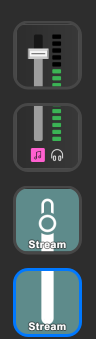 agile plover
and why is this now here tf https://sx.jensbot.ovh/CP5Hx0-3fL.png
 gritty jackal
Updated drivers with Wave Link:3 include the ability for some new features on some hardare, so work a bit differently than the old drivers
 sage raven
I just installed Wave link. And when i applied an vst and now alle the sound comming from wave link is left channel only. Any way to fix that?
 solemn wyvern
sage raven
I just installed Wave link. And when i applied an vst and now alle the sound com...
solemn wyvern
sage raven
I just installed Wave link. And when i applied an vst and now alle the sound com...
There are plugins that can pan it back to center.
One on marketplace with mono in the name… can’t remember the rest.
But anything that can pan a signal will work
sage raven
Thanks mate. Will look at it
solemn wyvern
sage raven
Thanks mate. Will look at it
It’s a bug, of course. They already know about it but feel free to add your voice via the link in pins
agile plover
agile plover
https://sx.jensbot.ovh/waVjC2DSIC.png
is there any template to get obs's audio source the same layout?
solemn wyvern
agile plover
is there any template to get obs's audio source the same layout?
That would need to be coded into the OBS plugin
(The stream deck plugin)
agile plover
solemn wyvern
That would need to be coded into the OBS plugin
ah damnit
yeah idk, im new to wave link v3 since i got issues where SFX didnt go to my mic, but did for some reason get caught on both stream mix and mic on obs..
do i... remove wave link v2? i have no idea what to remove, and it's weird seeing i can just.. eject my wave 3 from the menu in windows..
solemn wyvern
Frankly, you should be controlling all your audio from wave link, and adding the various output mixes to OBS. No need to adjust faders there.
agile plover
yeah im just using Stream Mix in OBS, i should probably move it to individual sources.. lol
solemn wyvern
agile plover
do i... remove wave link v2? i have no idea what to remove, and it's weird seein...
Wave 3 is a usb device. Wave link is software.
agile plover
solemn wyvern
Wave 3 is a usb device. Wave link is software.
yeah, but on Wave link v2 it didnt show it as ejectable, why does the new driver show it as ejectable?
does anyone else have this?
or is it simply because i thought installing v3 ontop of v2 meant it replaced v2, i still seem to have v2 stuff installed
solemn wyvern
agile plover
yeah im just using Stream Mix in OBS, i should probably move it to individual so...
Changes in how the driver works. As Arcsane said.
No need to worry about that or consider it at all
agile plover
well i mean, besides for the Mic and spotify (as a seperate source due to VODS) i have everything thrown into Stream Mix,atleast its nice to see Voice Chat being a source now that OBS doesn't pick up twice like in V2
solemn wyvern
Wave link versions are “supposed to” replace the old version. But it’s been recommended to fully remove the old version including the driver before installing a new version.
If you’re experiencing any bugs you should remove all of all versions and drivers and start over with the version you want. Making sure to restart in between.
Just to be sure
solemn wyvern
agile plover
well i mean, besides for the Mic and spotify (as a seperate source due to VODS) ...
Anything you want to separate, you should separate in wave link onto a separate mix output. Add that to OBS.
agile plover
like, v3 works fine so far, it's just weird i still have the v2 stuff
solemn wyvern
Add/remove programs.
agile plover
solemn wyvern
Anything you want to separate, you should separate in wave link onto a separate ...
yeah, there's nothing except for SFX from Stream Deck that i wanted to seperate, it works fine on V3, it caused double outputs on V2 lol

guess this is fine, since the rest is controlled through wavelink
agile plover
solemn wyvern
Add/remove programs.
ah alright, hope i dont break stuff by uninstalling v2 there
solemn wyvern
I would advise to control everything in wave link.
But I won’t twist your arm
You will have to fully remove and reinstall everything. Not just v2
agile plover
solemn wyvern
I would advise to control everything in wave link.
But I won’t twist your arm
true, i'm just used to v2 not properly handling my mic so i had to control it through OBS, since OBS's mute worked way better (and visually shows me im muted) compared to wavelink v2, idk if this is a good setup so far lol
it.. worked i guess
solemn wyvern
The only functional difference between v2 and 3 is that 3 not has up to 5 mixes, and you configure them.
Instead of 2 having monitor, stream, and the microphoneFX direct out. (That last one was always your mic)
agile plover
yep
agile plover
solemn wyvern
The only functional difference between v2 and 3 is that 3 not has up to 5 mixes,...
yeah i gotta get used to the extra mixes, so far theyre amazing and im glad v3 brought that out
monitor always felt like "this is the local mix" since it was always listen to either one of them otherwise there's no audio at all
about MicrophoneFX though, i.. don't see that anymore, did they bring the equalizer/mic settings into Mic In (Elgato Wave3) now?
solemn wyvern
Yes so now I think they are calling it “personal mix” by default.
And I guess the one they intend to be the direct-out for the mic, they call “chat mix” by default
agile plover
oh yeah right, crap i forgot
solemn wyvern
Again, nothing is pre-configured anymore. So it starts with chat mix, intended to be used as microphoneFX was. But you can change the name and/or include more stuff in it, if you want
agile plover
im supposed to use chat mix now (assuming i obviously want SFX to blast through the chat on OBS as well)
agile plover
solemn wyvern
Again, nothing is pre-configured anymore. So it starts with chat mix, intended t...
yeah, i do miss changing the icon colors of the sources though and rearranging the list also doesn't seem to work..
solemn wyvern
So if you’re doing a VOD track, separate the music out into an additional mix. Call it music or whatever. And leave music out of your stream mix.
So now in OBS you can have stream mix and music as separate sources. Still all controlled in wave link.
No need to have faders from OBS on your stream deck
solemn wyvern
Moving channels in the list is just about grabbing the right part of the channel name in the window.
And somebody said you might have to hold it for a second or so
agile plover
ah ok, so thats still possible, gotcha
im just.. used to seeing the audio channels in OBS, i cant easily seem to place wavelinks window similar to it, which kinda annoys me lol
cuz for example the sound level im hearing is way louder than i want it on twitch, so for music thats in this case -12dB, and i can easily view and adjust it in OBS if it seems too loud without having to add a new slider to lower it only for stream
solemn wyvern
But if you’re doing this correctly you don’t need to touch the OBS channels.
The intent is to control them all in wavelink. Much less room for confusion that way.
You should adjust the music in the stream mix to change it differently from what’s in your personal mix.
If you adjust anything in OBS then your wave link faders won’t match what’s actually being heard in OBS.
So don’t do that
agile plover
yeah but then how do i see the audio levels in OBS? if theyre all in one source or two
solemn wyvern
Again, confusion
agile plover
hmm..
solemn wyvern
Why do you want to see them?
They are always at 100%. So they match wave link. As long as you don’t adjust them in OBS
So no need to see them
Wave link is the only control so it’s the only thing to adjust or to view
agile plover
cuz it helps me see per sound if twitch viewers are being blasted way into the reds, when i change music volume it automatically adjusts them for both me and the viewers and viewers have had times where they cant hear me so i try to keep my eyes on if OBS's source stays in green and doesnt go to orange
solemn wyvern
But if they are blasted it will show in wave link…
agile plover
solemn wyvern
Wave link is the only control so it’s the only thing to adjust or to view
i hope theres a way to get wavelink to be small enough to fit in a corner on my obs screen then, because i cannot see wavelink when OBS is open
which is my entire.. issue i'd say
solemn wyvern
Leave OBS at 100% no change on any audio source.
That way wave link is exactly equal to what OBS is getting
agile plover
and the reason i have it shown on OBS
solemn wyvern
Wave link has a compact view mode
agile plover
solemn wyvern
Leave OBS at 100% no change on any audio source.
That way wave link is exactly...
so ill have to add more sliders on my stream deck to control more audio settings then, since if i change spotify sound it changes it for me and the viewers which annoys me
solemn wyvern
Also… the faders can show on your stream deck as you already know
You change the level of the Spotify channel in the stream mix column, if you want it to change in that mix only
agile plover
solemn wyvern
Also… the faders can show on your stream deck as you already know
yeah i guess thats new, i already have 5 sliders setup, two of which are specific to stream-only controls, i guess im adding more then
i see
solemn wyvern
To change the master (which will effect all mixes that channel is routed to) change the left most fader; the channel source
But you were already talking about adding a fader for OBS control to your stream deck….
So this isn’t adding something…. Just controlling it from wave link instead. (Where you get better control and visual)
agile plover
yeah i guess im gonna need to rearrange my deck to have all the sliders i need visible then
i dont want music to be controlled for both at once, but at the same time i like audio on my own end to be louder than what should be on stream, so i guess ill just add two seperate sliders :P
solemn wyvern
Look, I’m not meaning to seem pushy about this.
You can control things however you want.
But besides the simplicity and better control and visual, any time you change a fader in OBS… that will cause later confusion or mistakes, because now the level you set in wave link is not the same as what OBS hears… leaving OBS unchanged will always mean you have a 1:1 relationship between wave link levels and anything listening to wave link, like OBS.
agile plover
damnit obs is crashing again
im trying to get that new Music Mix into OBS
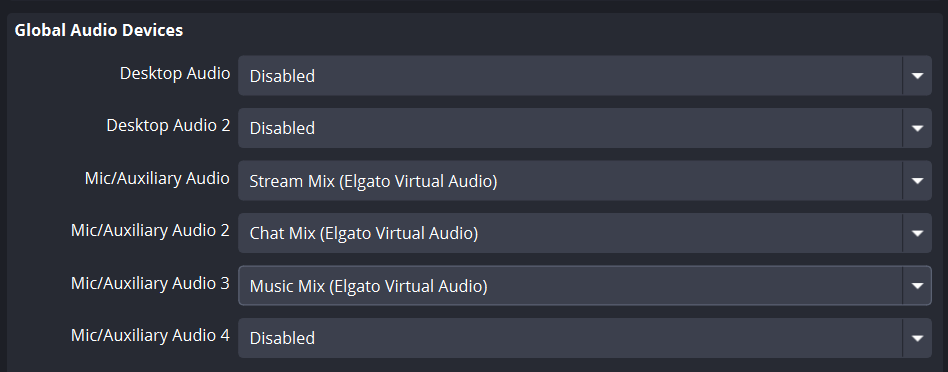
should i be doing it like this?
@solemn wyvernwell im not saying ur idea is bad, im just.. trying to adapt it to what you're saying but im a bit confused
solemn wyvern
Yeah it’s just simpler. Leave everything in OBS at 100%. That means “no change”
agile plover
i also havent managed to get the sources rearranged yet, somehow.. holding it wont work right now
agile plover
solemn wyvern
Yeah it’s just simpler. Leave everything in OBS at 100%. That means “no change”
ah ok, so those 3 sources are still a good thing to have? thats where i got confused about :P
solemn wyvern
agile plover
should i be doing it like this?
Yes you can use the global devices if you want to.
Those will always be in all scenes.
I prefer to turn those all off and instead add sources directly to scenes, so if I switch to a scene it can have audio or not.
Some scenes don’t want some audio. Etc
solemn wyvern
agile plover
ah ok, so those 3 sources are still a good thing to have? thats where i got conf...
Yup, just manage what’s in those mixes. Your music should only be in that mix.
And since your mic is separated, it shouldn’t also be in your stream mix.
Otherwise it will be in OBS twice. Know what I mean?
agile plover
ah i see, yeah i havent.. figured out OBS that much to be able to properly filter audio's per scene lol, so far ive just used global, but yeah. i'd love for example to mute the mic on breaks automatically, so i just use a multi command executor on my deck that changes it to break scene, mutes mic input and turns music louder by default. guess i could look into removing mic entirely from that
solemn wyvern
Yeah so in that case, disable global devices.
Add audio input sources to your scenes.
agile plover
solemn wyvern
Yup, just manage what’s in those mixes. Your music should only be in that mix.
...
yeah the thing i had with streamdeck's SFX/soundboard "trick" was routing it to microphoneFX got voice chat to hear my soundboard, but also started playing audio twice on OBS (obviously due to mic + Stream mix), thats solved with the SFX stream now which is amazing that it's possible
solemn wyvern
Then it’s a simple
Matter of change scene button also changes to the audio you want in that scene.
agile plover
ah i see, so basically if i remove global devices and use it per scene, you'd basically still be in control of the audio sources from the deck/wavelink, right? since.. i'm assuming we're talking about customized audio on OBS's side here, and not ramping up the scene volume from wavelink's side
solemn wyvern
Yes. The difference is you can have scenes that don’t include some of your audio sources
Starting scene maybe has music only. For example
Then switch to chatting to gaming scene, that includes mic and stream mix as well.
So it’s one key press changes scene and audio changes with it
If you change the volume of something in wave link, that change is reflected in any scenes in OBS which that audio is included in
agile plover
i see, but that would mean if i changed volume from wavelink's side, then go to break, it also has a different volume then..
thing is, there's times songs can need, for example -15db audio (like gameplay), i turn it a bit louder since the game is full of action so i want viewers to hear music more, lets say i go to break, and by default it turns it back to 0db in OBS, viewers would get earraped since.. i changed wavelink's output volume during the game, i feel like OBS controls would be kinda worthless there
solemn wyvern
No the OBS is always unchanged from wave link. So OBS never adjusts your volume
You control the volume of all your channels in wave link
agile plover
ah ok, so just pure "well OBS, heres this channel, pls use it"
solemn wyvern
Yes that’s exactly why you never should change any volume sin OBS
agile plover
so if i change scenes from the deck, i should forcefully set audio volume with it if i want changes (like a standard volume on breaks)?
yeah i get that part, looks like i really messed stuff up, lol
solemn wyvern
If you want volume changes at the same time as a scene change, you could use a multi action that does OBS: change scene, and wave link: change volume. On the same key
agile plover
yeah, that sounds like its the best option then
https://sx.jensbot.ovh/mHr9gFxW48.png i technically have that, but it sounds like i did it the wrong way lol
 solemn wyvern
Yeah get rid of that audio mixer action and either do it in wave link…. Or just leave the sources you don’t want in the welcome scene…. Out of OBS welcome scene
agile plover
yeah, atleast it now allows me to control it on wavelink. on v2 i had to mute mic (i like to unmute myself sometimes as well) also muted me in discord by default which was annoying
good that its no longer such an issue
which source do i use though? https://sx.jensbot.ovh/XpWWCJ7ouy.png
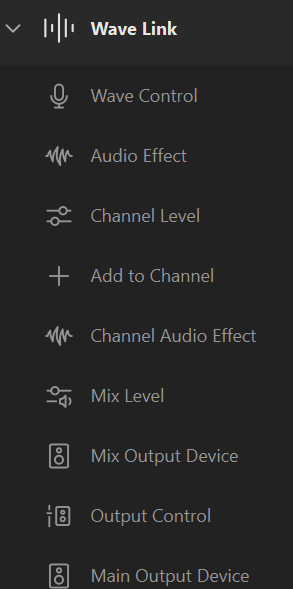 solemn wyvern
Yeah more mixed helps with this. But you could always do wave link mixer actions as part of your multi actions
agile plover
kinda confused by the naming as well
solemn wyvern
I’m not at the computer you might have to experiment to find the right action
agile plover
solemn wyvern
Yeah more mixed helps with this. But you could always do wave link mixer actions...
yeah thats what i originally planned, then decided to mix obs and wavelink in the deck due to the missing functionality, lol.
ah ok
solemn wyvern
And I have to run over to my folks house to fix a printer…. Sigh
And I’ve already been warned that “this” is not an acceptable fix…
agile plover
mix level could control the whole chat mix, hmm.. i might need another source for VC Mix then, to not get discord to ignore my mic


 agile plover
solemn wyvern
And I’ve already been warned that “this” is not an acceptable fix…
agile plover
solemn wyvern
And I’ve already been warned that “this” is not an acceptable fix…
oh
damnit, why am i confused
So to control VC sound from the wave mic, i need
1 channel -> Chat Mix being the mic for OBS
1 channel -> VC Mix being the mic for.. voice i guess?
otherwise i cant really seem to see how this is gonna work without using OBS to mute the mic source
yeah im gonna just never talk in intro/breaks then, i got it. im done with this xD
 obsidian token
i just turned on my computer and all my inputs ive had set up a long time ago are gone would anyone know why or how to fix?
 real plank
My wavelink for discord still isn’t working can someone help me please
Been trying for days an nothing
It used to work until the update
On MacBook aswell people
 fleet roost
Does anyone have a 2 pc set up with a USB Wave and have a USB Switcher they use to swap the mics between computers?
Any recommendations? I bought a cheap one on Amazon, but the Wave didn't like to swap between the computers when one was already on
solemn wyvern
agile plover
damnit, why am i confused
So to control VC sound from the wave mic, i need
1 cha...
whichever mix contains just your mic, can be used for the mic in all apps that want it. It should also be set as your computer's default input device.
solemn wyvern
obsidian token
i just turned on my computer and all my inputs ive had set up a long time ago ar...
restore from backup. export/import of backups settings are under the right click menu of the tray icon.
solemn wyvern
fleet roost
Does anyone have a 2 pc set up with a USB Wave and have a USB Switcher they use ...
I've never seen a wave device work with any kind of USB switching system. Even a usb hub with power switches for powering down the device doesn't work. It needs to be unplugged and reconnected to start working again, every time.
I'm not sure if this will change with the new driver structure on WLv3, (because I haven't updated yet to try it) but in WL2 it is absolutely never going to work. I presume because of how the device is a hardware authorization key for the software. If it's different in v3, that's up to you to work out and let us know!
 chrome palm
hi everyone I have just bought a stream deck plus and i needed some help setting my knobs to different outputs I was wondering if someone would be willing to jump on a call? i have a lot of questions. i am trying to struggling to understand the wave audio and what to assign where
 outer patrol
Since I upadted to Wave Link 3.0 i have channels that delete themselves upon restart. It is really anothing. It seems to happen randomly. For exampel this restart the music link to personal mix has was gone. It's as easy as just pressing the + to add it back

I have that happen with the Microphone, with music ( as in the picture) with Voice chat
Is there a reason and a fix?
Wave Link is up to date and on the stable channel
solemn wyvern
report bugs to the link in pins
 worthy bolt
I'm honestly loosing my sanity over this problem. When screen sharing my whole screen with audio my friends literally hear themselves, so discord is sharing back the audio from the vc back to the screen share. That's driving me insane, because I kept fixxing this problem by just using Wave Link 2 instead of Wave Link 3, now that Wave Link 3 is out of beta the problem is still not fixed... I still don't get why this can't be figured out by someone at elgato... because wave link 2 literally doesn't have this issue while Wave Link 3 does.
Edit: I know that I could fix by streaming my audio through an audio channel within wave link 3 and sending it as an audio input inside discord, but it's a hassle honestly, I just want my stuff to work, just like wave link 2 did.

 agile plover
solemn wyvern
whichever mix contains just your mic, can be used for the mic in all apps that w...
agile plover
solemn wyvern
whichever mix contains just your mic, can be used for the mic in all apps that w...
i see, yeah to control the mic from wavelink without muting myself on discord at the same time (if i moved obs control to wavelink, without changing from global source to per-scene source, that is) it would mute me on discord as well, so i guess i'll just keep it on that one mic source, and a good idea to set it as the default input, ill do that right away
agile plover
also my god the UI is buggy on wave link v3
 oak narwhal
worthy bolt
I'm honestly loosing my sanity over this problem. When screen sharing my whole s...
oak narwhal
worthy bolt
I'm honestly loosing my sanity over this problem. When screen sharing my whole s...
im no expert or anything but looks like all u have to do is add another ch for the top row for streams and select audio stuff u want when ur screen sharing on discord
agile plover
worthy bolt
I'm honestly loosing my sanity over this problem. When screen sharing my whole s...
screen sharing is normal if it's set to Desktop/Window mode, Discord likes to catch all audio. its fixable if you just.. force the source in screensharing to a specific app (As far as im aware that works for me)
@worthy bolt could also try enabling this in discord

 solemn wyvern
worthy bolt
I'm honestly loosing my sanity over this problem. When screen sharing my whole s...
solemn wyvern
worthy bolt
I'm honestly loosing my sanity over this problem. When screen sharing my whole s...
This doesn’t work because discord doesn’t let you chose a audio source device for a full screen share.
Either share a specific app so discord will attempt to hook just that app.
Or share a device. You can use OBS virtual camera to create a device to share. Then discord will give you an option to select audio source and you can create a wave link mix which contains just what you want the share to contain. (Not your mic, because that’s already in the voice channel)
grand vale
worthy bolt
I'm honestly loosing my sanity over this problem. When screen sharing my whole s...
so that fix works? im gonna have to try that
bc i rly wanna use wave link 3.0
the only thing holding me back is that audio screen share bs
magic lava
Can a Wave Mic Arm LP hold a Shure MV7+
gritty jackal
magic lava
Can a Wave Mic Arm LP hold a Shure MV7+
Yes, I used one to hold my original MV7 for years. Wave Arm LP holds up to 2 kg
magic lava
gritty jackal
Yes, I used one to hold my original MV7 for years. Wave Arm LP holds up to 2 kg
Thank you
magic lava
Is this normal for the wave mic arm lp I've tried fixing this but I can't
gritty jackal
magic lava
Is this normal for the wave mic arm lp I've tried fixing this but I can't
That's not the expected connection - is that some sort of extender you have on the arm?
Typically the u-frame fro the MV7+ goes right to the Wave Arm LP's ball joint
And if you need to tilt it up you adjust the ball joint

eg, my MV7 on a the other style arm now
I don't recognize whatever that other adapter is you have between the ball joing and the U-frame
magic lava
Hmm it's a piece that came with the wave arm let me change that
gritty jackal
It shouldn't be - I've got 2 of the things here and haven't ever seen that adapter piece
magic lava
 gritty jackal
T"hat looks like the side part off a Wave DX
magic lava
Ooohhhhh you're right wow I'm silly
gritty jackal
Never seen one with a green-grey screw though. Special edition I take it?
magic lava
Yea it was from the vault Tec overseer kit
gritty jackal
Ah, nice
magic lava
Okay yes it is now as intended thank you lol
gritty jackal
Nice, glad you've got it sorted out!
dire summit
LONG SHOT... and I know elgato's EQ has less eq points but, anyone know of a good way to at least mostly copy and paste this onto the MK2 Dock (or the mk2 XLR anyways as they're one in the same)


Am SO used to how the GOXLR done everything am kinda novice when it comes to this one, but had good mic then added that in premiere and was like "oh" so wondering if its possible to make it similar before it gets to premiere in the first place
 woven tulip
Hey guys, was wondering if anyone else is having this trouble with Wave Link and how to possibly fix it?
Every night I put my Computer to sleep, and whenever I wake it up the next day, the Mic Audio Mix that I have is the only one that breaks. Usually I have to mute and then listen to my personal mix for my HEadphones to pick up audio...that's not too bad...but I have to fully delete the Mic Audio Mix and then remake the Mix. It doesn't take long or anything but I was just curious if there's any way to prevent this if anyone else has had this happen
 chrome valve
thinking about getting wave3 mk2. does voice focus cost money if i get this mic?
viscid fern
dire summit
LONG SHOT... and I know elgato's EQ has less eq points but, anyone know of a goo...
You should be able to add points to the EQ by double clicking; then you can right click and change the type.
viscid fern
chrome valve
thinking about getting wave3 mk2. does voice focus cost money if i get this mic?
It is free with an Elgato Mic.
viscid fern
woven tulip
Hey guys, was wondering if anyone else is having this trouble with Wave Link and...
I haven't seen this before; someone else may have though. I would recommend posting on the mega thread on reddit or asking #official-tech-support .
woven tulip
viscid fern
I haven't seen this before; someone else may have though. I would recommend post...
Thank you! 👍 👍 👍
solemn wyvern
viscid fern
You should be able to add points to the EQ by double clicking; then you can righ...
The hardware dsp eq has 4 bands, max.
viscid fern
solemn wyvern
The hardware dsp eq has 4 bands, max.
ytho. I didn't even notice that the UI was different.
dire summit
solemn wyvern
The hardware dsp eq has 4 bands, max.
This, hence I want to try and get as close as possible IF its possible
 timid cloud
I was going to make a 4 band EQ as close as I could get to send you but I tried to make a new preset and EQ is now completely crashing my wave link 😬
solemn wyvern
The dsp is fixed amount of processing that can be done in real time.
It’s not like cpu processing.
 night pewter
i'm trying to reorder channels in wave link 3, is this possible?
edit: click and drag works properly now after restarting the program
is there a way to control which channel that general desktop audio (non-app-specific) uses? I want it to always go through the System channel, but sometimes it goes through other channels for seemingly no reason
seems like something funky is going on with my default input/output devices, not sure that the lock is working properly. Turned locking off seems to work for now but idk if it will stay working
solemn wyvern
night pewter
seems like something funky is going on with my default input/output devices, not...
It sounds to me like you are trying to do it right, so might be bugs.
Your computer default output device is where sounds will appear by default, including os sounds that can’t otherwise be routed.
The locking of defaults should prevent windows from changing the defaults when a new device is connected to the system (which includes new empty channels being added to wave link)
feral thistle
Hello, recently Wave Link 3.0 crashes every few minutes, I already reinstalled it but no success. Thats the error in the event thing:
Fehlerhafter Anwendungsname: Elgato.WaveLink.exe, Version: 3.0.3.2592, Zeitstempel: 0x69760000
Fehlerhafter Modulname: coreclr.dll, Version: 10.0.326.7603, Zeitstempel: 0x69764c44
Ausnahmecode: 0xc0000005
Fehleroffset: 0x000000000009f757
Fehlerhafte Prozess-ID: 0x7934
Fehlerhafte Anwendungsstartzeit: 0x1DCD0CB0CB626C1
Fehlerhafter Anwendungspfad: C:\Program Files\WindowsApps\Elgato.WaveLink_3.0.3.2592_x64__g54w8ztgkx496\Elgato.WaveLink.exe
Fehlerhafter Modulpfad: C:\Program Files\WindowsApps\Elgato.WaveLink_3.0.3.2592_x64__g54w8ztgkx496\coreclr.dll
Berichts-ID: 501fc2a3-760e-4cb2-9051-f3a41e7e03ee
Vollständiger Name des fehlerhaften Pakets: Elgato.WaveLink_3.0.3.2592_x64__g54w8ztgkx496
Fehlerhafte paketbezogene Anwendungs-ID: App
solemn wyvern
I can't read much in here but I don't think it would tell me much even if it was in english.
solemn wyvern
feral thistle
Hello, recently Wave Link 3.0 crashes every few minutes, I already reinstalled i...
Try more reinstalls.
Try removing the app completely, including the driver.
Then remove the wavlink folder from $user/appdata/.../elgato
Restart.
Reinstall.
But that's all the troubleshooting steps we have. After that, report your feedback to the bug report thread linked in the pins.
feral thistle
Thank you, I think I did not removed the folder. I will your steps, ty
 ocean dawn
I’ve had this issue the past week or so where when I get on my computer when it’s been sleeping, the wave XLR dock is muted and wave link mixer, pressing the mute or unmute button doesn’t do anything, and it seems to be muting at the window system level. The only way I’ve been able to fix, even after unmutated in the window sound setting, is to force stop wave link and re-launch.
It is happening to anybody else?
 ripe quartz
Curious on what others think. I am planning to get the XLR mk2 dock for my stream deck +. But I am wondering if I should get the regular XLR mk2 instead to free up buttons on my stream deck. What are some of your thoughts?
gritty jackal
It doesn't really free up many buttons, and you can just put the Stream Deck+ controls for dock on a different page if need be.
Only things you can control form Wave XLR itself is headphone volume, mic/pc mix, mic gain, and phantom power.
 daring prism
Suggestion - Can you please bring in some themes for Wavelink? The basic colour and layout is the only thing holding me back from using it. More customization to the software will be nicer. I just don't want some basic grey background.
rain goblet
daring prism
Suggestion - Can you please bring in some themes for Wavelink? The basic colour ...
although I think they're focusing on making it a solid product before any ui changes
chilly latch
I really wish I could change my green light ring on my wave xlr mk2 like how I can change my mute light color ring
dire summit
timid cloud
I was going to make a 4 band EQ as close as I could get to send you but I tried ...
You be careful! I wish I understood the EQ a bit more than just "does this sound goodish". I didnt even know that there is quality level to each point and am like "what is this and what does it do" again am so used to GOXLR where it just is literally like this. Wait does quality mean like the + or minus on this or?
 dire summit
chilly latch
I really wish I could change my green light ring on my wave xlr mk2 like how I c...
dire summit
chilly latch
I really wish I could change my green light ring on my wave xlr mk2 like how I c...
I keep forgetting to mute mine cause its the dock not the actual unit itself. And there is technically 3 places mute could happen lol....
solemn wyvern
In eq, “quality” or Q, refers to the width or steepness of the filter.
It doesn’t mean quality like “that’s very high quality”.
dire summit
solemn wyvern
In eq, “quality” or Q, refers to the width or steepness of the filter.
It does...
Figured that was the case
solemn wyvern
More steep/narrow filters can make deeper frequency changes without changing nearby frequencies, but they have greater phase shift than wider (lower Q filters)
dire summit
Any like advice you could give for cutting down at least some of the breaths? I know I spent the better part of a year fine tuning the goxlr before cause it picked me up a little much.
AH I clicked something I shouldn't have and now my EQ went flying... This needs an undo button xD!
solemn wyvern
That’s all in the mic position and speaking technique, man…
dire summit
welp going to need to fix this tomorrow xD
 dire summit
solemn wyvern
That’s all in the mic position and speaking technique, man…
dire summit
solemn wyvern
That’s all in the mic position and speaking technique, man…
Mics same position as I've always had it, like literally. This is all with the Elgato stuff. As I mentioned, I managed to eventually get it 90% taken out via GOXLR. I can't seem to nail it yet with elgatos hardware yet
 opaque coral
hey can anyone help my software doesnt pick up my mic at all but its connected to a usb 3.0 in the back of my pc
 dire summit
Made sure the USB ports aren't going for a snooze?
opaque coral
what does that mean?
dire summit
Windows has USB ports defaulted to sleep when they become inactive for a period of time. And can be a pest when actually wanting a device connected to it. As they can at times just go to sleep even with something in it
Personally I always get rid of that setting as its useless for myself and well seems most people cause windows is terrible at actually working with that
opaque coral
ok thank you for that info! how can i disable that setting?
ripe quartz
gritty jackal
It doesn't really free up many buttons, and you can just put the Stream Deck+ co...
It would make it so I don’t need a volume adjust knob or a mute button on the stream deck as I can tap mute on the xlr interface.
pure wing
opaque coral
hey can anyone help my software doesnt pick up my mic at all but its connected t...
it's under mixes, unless you have an elgato mic/xlr
 heady night
Good evening, I'm having a problem, my voice isn't coming through Discord at all via Wavelink. Does anyone know a way to fix this?
gritty jackal
heady night
Good evening, I'm having a problem, my voice isn't coming through Discord at all...
What is your Audio input set to in your Discord Voice and Video settings? Is this Wave Link 2 or 3?
heady night
I managed to solve it, I forgot to add an audio track to the stream mix
gritty jackal
Ah, glad you managed to sort it out
 serene jungle
Hey hello my voice is randomly robotic per moment and I didn’t have a solution with my Wave3 MkI or my wave wave3 mkII
solemn wyvern
serene jungle
Hey hello my voice is randomly robotic per moment and I didn’t have a solution w...
Note details needed.
stuck lily
whenever I boot up my pc (i can also force it to happen at any time by ending wave link using task manager) my input gain changes, for the most part it goes up anywhere from 1-3 db, I have tried any way I knew how to prevent automatic gain control and have run out of ideas. I am in the 3.0 version, this happened on the previous one but it on that one all that happened was my gain of 45 would get changed to 46. I have a Shure SM7B, in case the mic could be the culprit
solemn wyvern
stuck lily
whenever I boot up my pc (i can also force it to happen at any time by ending wa...
Is this a wave xlr or xlr dock? (You didn’t say)
Interfaces and the computers they are connected to can’t know what mic is connected to them, or even if a mic is connected at all.
So no, the mic model is not a factor.
Assuming it’s Elgato hardware, set gain lock and the settings should be saved to the device. (Both the gain setting and the gain lock setting)
stuck lily
solemn wyvern
Is this a wave xlr or xlr dock? (You didn’t say)
Interfaces and the computers th...
Sorry, I forgot to include the hardware, its the steamdeck + with the xlr dock
solemn wyvern
If you’re saving to the device the gain setting as well as gain lock, then it shouldn’t be able to change regardless of if wave link is running. Even connecting to a different computer that doesn’t even have wave link… gain won’t change.
So if you’re doing that and this is still happening, you should contact #official-tech-support to figure out what’s wrong with it.
stuck lily
I'll have to do that then, I've had gain lock on for a while since some of my games like to change it, thanks for the help
solemn wyvern
Hmm, I don’t like to hear gain lock being set and it still changing.
Are the settings not saved?
Could there be a stream deck action triggering that accidentally changes the gain?
stuck lily
solemn wyvern
Could there be a stream deck action triggering that accidentally changes the gai...
I'll have to check once I get home, but as far as I know, I dont have any other action set for mic control. As for settings being saved all the other changes I made save
serene jungle
solemn wyvern
Note details needed.
Hello,
I'm experiencing random robotic/distorted voice issues with my Wave 3 MK2 microphone using Wave Link 3 on Windows 11.
Setup:
- Microphone: Elgato Wave 3 MK2
- Software: Wave Link 3 (latest version)
- Headset: Astro A50 (monitoring via Personal Mix)
- OS: Windows 11
Issue:
My voice sounds robotic randomly and unpredictably at certain moments when speaking through the Chat Mix. It is not constant — it comes and goes without any clear trigger.
What I've already tried:
- Disabled all Windows exclusive mode options
- Disabled all Discord audio processing (noise suppression, echo cancellation, AGC)
- Set sample rate to 48 000 Hz / 24-bit in both Wave Link 3 and Windows sound settings
- Connected the microphone to a direct motherboard USB port
- Disabled USB power management on all USB root hubs
Since the issue is random and unpredictable, it may be related to a processing glitch or a buffer issue within Wave Link 3 on Windows 11.
Could this be a known bug with Wave Link 3? Is there a recommended configuration or fix available?
Thank you
solemn wyvern
serene jungle
Hello,
I'm experiencing random robotic/distorted voice issues with my Wave 3 MK...
Could be bugs.
Being sporadic makes it tough.
You should check the plugins (and dsp effects) to see if any of those. Plugins would be more likely, in my opinion.
serene jungle
solemn wyvern
Could be bugs.
Being sporadic makes it tough.
You should check the plugins (an...
The problem with my setup is that my PC is to my right on the desk, and I have a mechanical keyboard and mouse nearby. After removing all plugins, I get this. What should I put in place without messing up the audio?
