
#wave-audio
1 messages · Page 54 of 1
 lavish ginkgo
 solemn wyvern
Output, meaning where it should monitor alert sources or something?
lavish ginkgo
no just audio in general
solemn wyvern
So… the audio you want OBS to capture?
lavish ginkgo
yes
solemn wyvern
The dialog you have open you can leave disabled.
You need an input to be set to use the stream mix
 solemn wyvern
You called it twitch audio.
So add that input to OBS
solemn wyvern
And probably, you don’t want your mic included in your personal mix.
lavish ginkgo
solemn wyvern
And probably, you don’t want your mic included in your personal mix.
wait why
is that not how its supposed to work?
solemn wyvern
lavish ginkgo
i jhust sent a screenshot where its not showing
You are in the wrong menu.
Stop trying to add an output capture.
Add an input capture and select twitch mix
solemn wyvern
lavish ginkgo
is that not how its supposed to work?
Monitoring your mic is handled on the device, not through the mix since the mix has a small amount of latency. Not enough to be a problem for anything other than the mic, but it will be an obvious delay on the mic.
 solemn wyvern
Yes.
lavish ginkgo
but now my mic isnt picked up by obs
solemn wyvern
Your mic is included in your “twitch audio” mix
lavish ginkgo
okay ill try that
thank u
that didnt work
if anything it made my audio and mic worse
my mic and audio are fine when i use it normally its only when i use the elgato it goes bad
solemn wyvern
lavish ginkgo
my mic and audio are fine when i use it normally its only when i use the elgato ...
I wasn’t aware there was an issue you were trying to solve; just that you didn’t understand how to add wave link mixes to OBS.
What audio sources do you have in OBS?
solemn wyvern
I told you to add the twitch mix.
Since you have all audio channels in your twitch mix, this contains everything.
If you have any other audio sources in OBS, that could cause something to be doubled, but if you just have the twitch mix then that will sound exactly the same as it does in wave link.
lavish ginkgo
lemme just show u
gimme a seconf
no mix just normal mic
oh wait
it didnt send as a video
solemn wyvern
If you want to share a video you will have to remux it to mp4 first.
MKV files won’t work
But I’d like to see your OBS screen shot to confirm audio sources.

 solemn wyvern
Ok. Gotcha.
Sounds like some effects on that. Are there filters in OBS?
It sounds like a compressor reacting to the loud music. Or it could be something in windows, maybe.
 maiden quiver
@solemn wyvern I have a question. Normally, before using Wavelink 3, do I need to uninstall Wavelink 2 first, or can I just install it over it? Right now, I've gone back to using Wavelink 2 and the microphone works normally.
 solemn wyvern
maiden quiver
<@628587626479484928> I have a question. Normally, before using Wavelink 3, do ...
solemn wyvern
maiden quiver
<@628587626479484928> I have a question. Normally, before using Wavelink 3, do ...
Recommendation is to fully remove the existing version including driver.
They are totally incompatible.
lavish ginkgo
same result
only had noise suppresion on
well not the same
but still have an issue
solemn wyvern
Noise suppression in OBS will probably make it sound like that.
You have to process your mic in wave link. Don’t use OBS filters on a mix
lavish ginkgo
okay noted
solemn wyvern
New video sounds normal.
lavish ginkgo
but my mic is still super low
solemn wyvern
Turn other things down, and use a compressor on the mic in wave link to bring up your voice loudness.
You have to balance the channels in wave link
lavish ginkgo
i already used the elgato compressor but should i change it?
solemn wyvern
If you need your mic to be louder.
And you can always turn down other channels. Both sides of the coin there. Get the balance right
lavish ginkgo
but why cant it just be the same volume as it was without the mixer
mic is fine until i use the mixer
solemn wyvern
You can check your mixes in wave link, make sure they are all turned up at 100%
You can also check the properties of the mix devices in windows audio device properties. Make sure windows or something hasn’t turned them down.
But other than that, it is the same volume.
But you have a bunch of other audio going on, other people in voice chat, game, music… you have to balance all that
lavish ginkgo
the other audio isnt an issue i think its fine on my other mix and i have the audio balanced there its just the stream one
the mic quiet literally goes quiet
but without it, its fine
solemn wyvern
If the levels are the same on both mixes, then they sound the same
Unless you have something in OBS processing it
lavish ginkgo
solemn wyvern
Unless there something being done to it in windows or something
lavish ginkgo
solemn wyvern
Did you check the things I pointed out?
maiden quiver
@solemn wyvern Same as before, no device detected. Or is it because I'm using a Wave DX microphone?
lavish ginkgo
yea i did its all normal and obs isnt processing anything else
solemn wyvern
maiden quiver
<@628587626479484928> Same as before, no device detected. Or is it because I'm u...
Dx is not a usb device.
Whatever interface you’re connecting it to is what will be detected.
maiden quiver
ok i go back use wavelink2 so sad
lavish ginkgo
does it still work?
solemn wyvern
lavish ginkgo
yea i did its all normal and obs isnt processing anything else
Working correctly, it will be the same in both mixes.
If you’re comparing to the “mic in” device, then you’re comparing it to no wave link processing.
If that’s the case it means the plugins you added in wave link are making your voice quieter
solemn wyvern
lavish ginkgo
https://cdn.discordapp.com/attachments/1080643528503341107/1486353958699274413/2...
What device is being recorded in this video?
solemn wyvern
But what device in the computer? What is it called
solemn wyvern
Is I called “mic in”?
I assume so, since you don’t have any other mixes.
So that means the effects on your mic in wave link are probably what is making it quieter. Compressor doesn’t have enough makeup gain, probably.
lavish ginkgo
so turn up gain on compressor
solemn wyvern
This is my video about how to set up processing on your mic.
It’s old; was made on wave link2, but skip to the main bit about configuring your mic. The principle is the same.
https://discord.com/channels/581549424518365226/1345520825717227551
It’s in #1291136160676188172
(Sometimes the links don’t title correctly)
 twilit marten
i hope this is the right channel to post this - but in elgato wave link, "fivem chromium subprocess" doesnt show up when i try to add a program, even tho its running and theres no way to search for it - in image two -- fivem chromium sub process should show up and it doesnt. how do we get other windows audio that dont appear to show up :/
i know a short term work around is changing the channel in windows volume mixer, but its not ideal

 solemn wyvern
twilit marten
i hope this is the right channel to post this - but in elgato wave link, "fivem ...
solemn wyvern
twilit marten
i hope this is the right channel to post this - but in elgato wave link, "fivem ...
Usually things appear after they have made a sound.
But it looks like it’s appearing in your list in the screen shot; this isn’t the app you wanted?
twilit marten
fivem chromium and fivem are two different apps.
the subprocess is the app that plays music, so i wana route that through to a different output,
solemn wyvern
If this issue is that the subprocess is what’s making sound, that might be an incompatibility with the way this app splits itself.
Routing via the windows mixer is (essentially) the same as routing in wave link. Without the convenience of it being visual
But if you want to bring it to the team’s attention, the bug reporting thread is pinned
twilit marten
solemn wyvern
But if you want to bring it to the team’s attention, the bug reporting thread is...
i came here bc i dont have a reddit, :/ so thats unfortunate for me
solemn wyvern
twilit marten
i came here bc i dont have a reddit, :/ so thats unfortunate for me
You can use a Google credential or something if you don’t want to make a Reddit account.
That’s what I did.
Frankly though, this feedback might as well be offered to the developers of fiveM. The non-typical app process structure is an issue.
twilit marten
solemn wyvern
Frankly though, this feedback might as well be offered to the developers of five...
thank you
 valid ledge
My WaveLink is crashing multiple times for no reason while not using it. It's in background as always and crashes since the latest update... Any idea ?
solemn wyvern
link in the pins to report bugs
 orchid lava
Hello guys! Anyone had all the plugins not working on the mic since new update 30.0.2 on WAVE LINK 3.0?
solemn wyvern
I think I did see a few reports about that this morning.
 pure wing
valid ledge
My WaveLink is crashing multiple times for no reason while not using it. It's in...
pure wing
valid ledge
My WaveLink is crashing multiple times for no reason while not using it. It's in...
report it to the mega thread via reddit.
orchid lava
Got it thank you guys!'
 frozen helm
when i put in my email for the wave xlr pro, it says check your inbox to confirm. But i never received an email from elgato

 unborn bear
I think since the last update sadly broke the stream deck plugin because my channel audio effect on hold doesn't work anymore and in wave link it shows that the effect is turned off but i can still hear that its on
solemn wyvern
frozen helm
when i put in my email for the wave xlr pro, it says check your inbox to confirm...
Have you been on the mailing lists for Elgato before?
When I did it I did not get an email but I don’t remember seeing this warning either.
There were a few questions about this at the time and I’m not totally sure… but I think it doesn’t actually email you at this time…
Could be worth asking sales support, though.
 neat hazel
I don't understand, when I speak into my microphone I hear myself back in my headphones
solemn wyvern
neat hazel
I don't understand, when I speak into my microphone I hear myself back in my hea...
Click your device in the mixer to show its settings, then turn down the self monitoring.
(Or remove the mic from the mix you’re listening to, if that’s what you did)
 buoyant wharf
valid ledge
My WaveLink is crashing multiple times for no reason while not using it. It's in...
buoyant wharf
valid ledge
My WaveLink is crashing multiple times for no reason while not using it. It's in...
mine also crash. 2 days now.
 chrome valve
does the wave3mk2 need these two things? or is it redundant to get a pop filter for example

 vale orbit
valid ledge
My WaveLink is crashing multiple times for no reason while not using it. It's in...
vale orbit
valid ledge
My WaveLink is crashing multiple times for no reason while not using it. It's in...
Same here...
solemn wyvern
chrome valve
does the wave3mk2 need these two things? or is it redundant to get a pop filter ...
Shock mounts can help with low frequency rumble coming through the floor and table that the stand or arm is physically connected to.
Pop screens can help reduce plosives, although moving the mic a little out of the path of air from your mouth (still angled toward the mouth) is usually more effective, and sometimes necessary even with a pop screen.
chrome valve
does the pop filter work with the shock mount?
solemn wyvern
A low cut filter being enabled on the mic can be just as effective as the shock mount in many cases, but it depends on your situation. if there's lots of rumble.
Yes, I'm pretty sure
 native totem
GUYS I NEED HELP!!! i cannot add the "NOISE REMOVAL" effect. after i downloded it i tried to add i to my microphone but it doesn't get in. someone who knows the answer??
 silver knoll
chrome valve
does the wave3mk2 need these two things? or is it redundant to get a pop filter ...
silver knoll
chrome valve
does the wave3mk2 need these two things? or is it redundant to get a pop filter ...
Neither are required. Just additional protection.
And yes Popfilter works with the shcokmount at the same time.
chrome valve
silver knoll
Neither are required. Just additional protection.
And yes Popfilter works with ...
ok thanks. any reason its not on amazon yet? i have gift card credit that i wish i could use on it.
 charred patio
orchid lava
Hello guys! Anyone had all the plugins not working on the mic since new update 3...
charred patio
orchid lava
Hello guys! Anyone had all the plugins not working on the mic since new update 3...
Yes
charred patio
native totem
GUYS I NEED HELP!!! i cannot add the "NOISE REMOVAL" effect. after i downloded i...
I've ask this question hundreds of time but nobody answered.
My issues was that I had the message saying it was successful download but could not see in mic effect so i did windows R %app data% search Elgato in the search bar and I found my plug in, then I copy past them in the folder choose by wave link (VST3 folder)
I have to do this process every time but it's the best for me
native totem
I only have this problem with thi filter “noise removal”, tomorrow i going to try your solution and hope it works.
orchid lava
charred patio
Yes
😩
 edgy trench
 lethal lodge
Elgato. This update did not fix the gd crashing. FIX YOUR PRODUCT
 gritty jackal
lethal lodge
Elgato. This update did not fix the gd crashing. FIX YOUR PRODUCT
gritty jackal
lethal lodge
Elgato. This update did not fix the gd crashing. FIX YOUR PRODUCT
As a reminder, this is community help, if you want to give actual Elgato folks feedback go through #official-tech-support channels for better results. Or use the Reddit megathread posted on the pinned comments for Wave Link 3 feedback.
 inland herald
Back to version 3.0.1, because the hold system for VST effects no longer works in 3.0.2.
It's still a good addition, but let's wait for a fix in 3.0.3, perhaps.
Fortunately, going back doesn't delete the configuration.
 tropic minnow
@solemn wyvern mk2 dock came yesterday. just now set it up. fixed latency issue for sure. for anyone running mk1 dock.... just upgrade.

funny enough my mic sounds better with the direct monitoring setting off which i guess if i understand correctly, adds your mic filters?
solemn wyvern
tropic minnow
funny enough my mic sounds better with the direct monitoring setting off which i...
You may be including plugins that have too much latency. Even just a few ms in your own skull can be enough to cause comb filtering in your ears.
chrome valve
what is the difference here? does only 1 work with the wave3 mk2 ? im struggling to figure it out

wanted to maybe get a low profile arm but not sure why you would get one over the other?
they look the same
 sweet horizon
Might be a dumb question, but - are the new Voicemod FX's "VSTs"? I already own Voicemod and I'm trying to understand the difference of the "Voicemod FX" items that were added to the Marketplace (and demo'd on the Wave Next streams) - like Cute Voicemod FX, TrailerGuy Voicemod FX etc. Should they perform better with Wave Link than the standalone app? I have a Wave:3 mic if that makes any difference.
I'm also wondering if there's a way to test any of them with your own voice and setup? I see they each have a sample video but I'd like to know how it sounds with my voice and equipment. Is the only way to buy the FX?
 keen owl
Not sure where I should report this, But some reason Closing Satisfactory crashes Wave Link every time. Been only that game so far.
solemn wyvern
sweet horizon
Might be a dumb question, but - are the new Voicemod FX's "VSTs"? I already own...
They are plugins, so they run in wave link instead of having to route into another app and back in.
There was a whole livestream about it, you can watch the replay
solemn wyvern
keen owl
Not sure where I should report this, But some reason Closing Satisfactory crashe...
Link in the pins
keen owl
Need to update that pin that one is close
solemn wyvern
Yeah I have no control there. Things are moving fast.
But it should get you close enough to find the newer open one.
keen owl
lol yep I get that. But ya going to it go down to comment and keep on clicking the next one will bring you to the updated page
keen owl
chrome valve
wanted to maybe get a low profile arm but not sure why you would get one over th...
Beside the look itself. Over all to me the same. Would get the normal one over the pro for sure if I buy another arm. Not sure why the Pro cost so much more when it basic the same thing. The wire can go up or down on the normal, but the pro it more post to hide the wire all together but not really a bouse to have that high of a price jump
keen owl
chrome valve
what is the difference here? does only 1 work with the wave3 mk2 ? im struggling...
They both work with the wave mk.2.
https://www.youtube.com/watch?v=rwMlsZomM5Y (Senpai video on it)
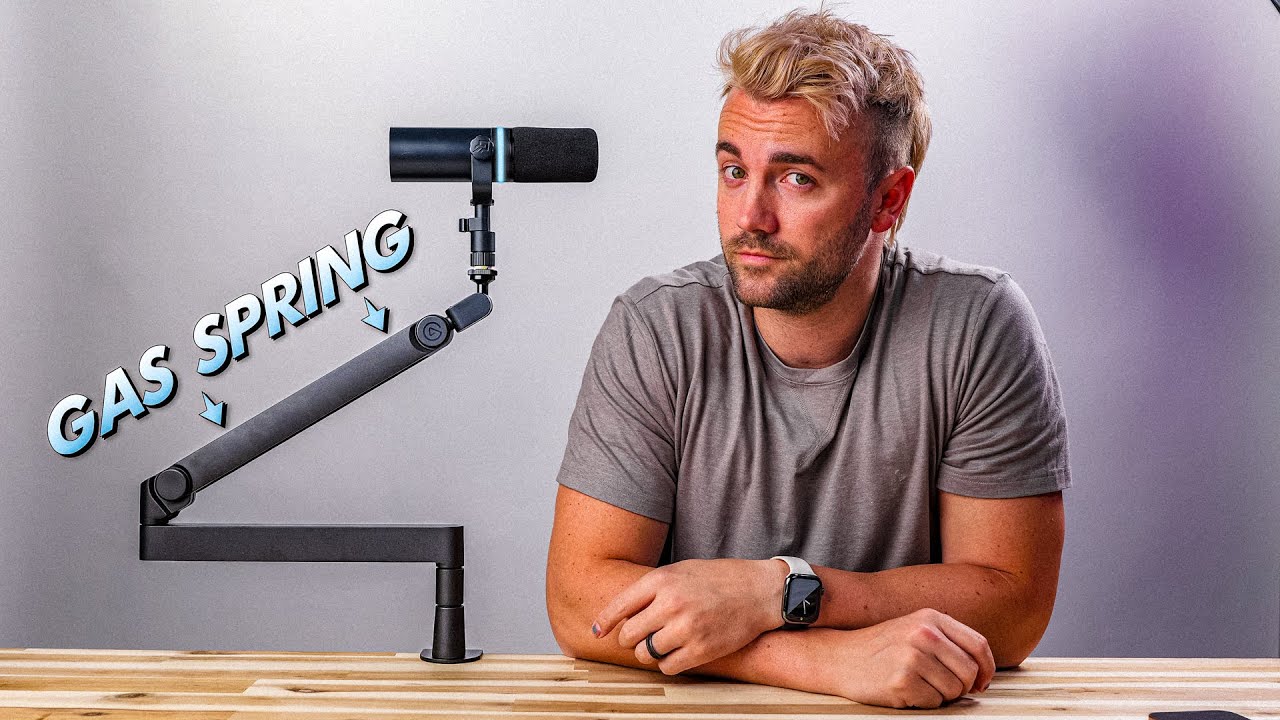
There are actually two new mic arms in this video. So... that's pretty neat.
Setup your live stream super fast and easy with own3d.pro (ad, duh) ► https://bit.ly/SenpaiOwn3d
MERCH ►► https://senpai.tv
YOUTUBE ►► https://youtube.com/harrisheller
Links (these support the channel 🫶🏼)
Wave Mic Arm Pro ► https://amzn.to/3ZLgkKI...
 neon skiff
I’ve got Wave Cast and I’m using Wave Link 2.0, everything is connected to my streaming PC, mic stream deck ect, everything works fine apart from when I talk in game it sounds like it’s echoing ect any tips on how to sort it out?
chrome valve
keen owl
They both work with the wave mk.2.
thats what im confused about. is one gas spring vs. not? or something? whats the special sauce
 magic lava
Why does having an attack on the elgato compressor lower than 20ms make my voice sound so crunchy?
gritty jackal
chrome valve
thats what im confused about. is one gas spring vs. not? or something? whats the...
Quick releasing ball mount adjustment at the top, gas spring for vertical adjustment (low profile arm locks into place via bolt instead and needs to be loosened to readjust), extra riser section so the low profile part can be higher, caps on the joints can be swapped for other colours, and higher load capacity (3kg vs 2).
The biggest thing for most folks is the gas piston so you can move it up and down without having to loosen the bolts though (some people used to try leaving the bolts a bit loose on the LP arm but that tended to wear the parts quicker and eventually runs the risk of sag)
chrome valve
gritty jackal
Quick releasing ball mount adjustment at the top, gas spring for vertical adjust...
thx
vale orbit
keen owl
Not sure where I should report this, But some reason Closing Satisfactory crashe...
Same happens when leaving/closing TFT - but not every time... but i have to restart WL3 3-5 times a day
 hushed moat
Hey guys, so im trying to set up my wavelink 3.0 after uninstalling 2.0. This looks like it would be great. My im struggling already. I’m following night owls tutorial. And one things already screwing me up. Well lots of things are screwing me up. I did everything properly the first time and there was about a half second delay in my monitoring. Voice and game. It was so distracting. I had to stop. So I thought I did something wrong. Erased everything tried again. Little did I know same thing happened. So I googled and couldn’t find anything. So I’m here now.
vale orbit
The problem with 3 is, that it is in a horrible state. It has so many problems (crashed, detecting apps, delay) - i would suggest to use 2 as long as it is in this state
hushed moat
vale orbit
The problem with 3 is, that it is in a horrible state. It has so many problems (...
okay so aside from eneptness its also not just me
vale orbit
hushed moat
okay so aside from eneptness its also not just me
No, i installed it on 3 PCs. On every PC i have other problem: On one, i have delay like you, on one, it didnt detect Apps correctly, on all 3: it crashes 3-5 times a day without an error or notification
hushed moat
Oh no. Thanks man. Appreciate it
 torpid trench
Is there anywhere I can download the older wavelink software? I am experiencing just an extreme amounts of crashes, and today when I turned my PC on, it doesn't even want to start!
Got a windows defender notification that the app had an invalid or unknown signature for some service and then after that it wouldn't show up in task manager for more than like half a second after I tried opening it
 hollow lake
torpid trench
Is there anywhere I can download the older wavelink software? I am experiencing ...
hollow lake
torpid trench
Is there anywhere I can download the older wavelink software? I am experiencing ...

Elgato
Note: Wave Link has now been updated to version 3. This reimagining has all-new features and an improved interface overall. Wave Link 3 is free, and will also work with a wide variety of micropho...
neon skiff
I currently run a dual-PC setup, using one dedicated rig purely for gaming and a second PC to handle streaming, recording, and communication apps like Discord. All of my audio gear is connected directly to the streaming PC, featuring a Shure MV7x microphone plugged into an Elgato Stream Deck+ with an XLR dock. To bridge the two systems together, I rely on Elgato Wave Link 2.0 and Wave Cast to route my audio mix and send my microphone feed over to the gaming PC. However, because of how this audio routing works across the two computers, you might notice a difference in quality; my mic sounds perfectly fine on Discord on the streaming PC, but it can sound a bit strange when I use voice chat in-game
hollow lake
you can find all older versions in the change history
torpid trench
Thanks, couldn't find it for some reason
 daring plaza
I need just.. pure help with wave link, the latest update..
It's mainly with audio sources.. I just wanna understand it better since I'm having difficulties
torpid trench
neon skiff
I currently run a dual-PC setup, using one dedicated rig purely for gaming and a...
Have you checked whether or not there's just a difference in audio quality on your game pc in general? Or is your experience of the degraded audio via game voice chat only?
daring plaza
For instance, when I screenshare my entire screen, all my audio is being picked up.. like ALL of it.. so, 2 of me, an echo of my friend, etc.
torpid trench
torpid trench
Have you checked whether or not there's just a difference in audio quality on yo...
Might be some sort of sound card issue or smth
neon skiff
torpid trench
Have you checked whether or not there's just a difference in audio quality on yo...
its only game chat my mic sounds trash like really bad not sure why
daring plaza
I wanna know how to fix it, as well as what to do if I run into future similar issues etc.
torpid trench
neon skiff
its only game chat my mic sounds trash like really bad not sure why
You tried temporarily plugging in your mic and/or XLR interface directly to the game pc to see if the multi-pc connection is the culprit?
neon skiff
i had it in my gaming pc a day before and it was working fine, i then wiped the gaming pc put all my audio stuff onto the second pc and now when i talk in game chat it sounds like im eating my mic
torpid trench
hmm the MV7x has a USB connection too right?
neon skiff
xlr
neon skiff
yh i got the mv7x think they are different
torpid trench
anyways, see how it sounds now if you plug in the xlr interface into the gaming pc
could be some driver thing making the issues if they are still present when you try using the mic on ur game pc
neon skiff
torpid trench
could be some driver thing making the issues if they are still present when you ...
ill try that now
torpid trench
If there isn't then I'd look around for some 3.5mm jack microphone (I'm assuming you're using the 3.5mm audio ports to connect both pcs?) to test in both PCs to see if there is a quality difference between the two, cause if that's the case, there might be something going on with the sound card.
I'm definitely not an expert at this, and haven't had to do this type of troubleshooting before, but it is the first thing that's come to mind for trying to rule things out
neon skiff
im just using wave cast right now i followed a yt video for it
torpid trench
oh wait only game chat hmm. Do you use any audio routing software on the game pc as well? Might be that the game is set to use the wrong microphone output, for example with or without filters
neon skiff
torpid trench
oh wait only game chat hmm. Do you use any audio routing software on the game pc...
just strictly for gaming only has games and discord on it
torpid trench
neon skiff
im just using wave cast right now i followed a yt video for it
Then I definitely will only be able to suggest generic troubleshooting sry. Definitely not checked out that app before
Sorry, can't think of any other things to try.
neon skiff
torpid trench
Then I definitely will only be able to suggest generic troubleshooting sry. Defi...
all good brother appreciate you trying, ill let you know if i figure it out lol
torpid trench
Sounds good xd
 idle oar
chrome valve
what is the difference here? does only 1 work with the wave3 mk2 ? im struggling...
idle oar
chrome valve
what is the difference here? does only 1 work with the wave3 mk2 ? im struggling...
all work, for all mics and cams if you want - the pro one has a pneumatic spring (gas strut) other screws and some more things are different but the adapter has the same size
charred patio
daring plaza
I wanna know how to fix it, as well as what to do if I run into future similar i...
I wish I could help you but I'm also always having a lot of issues with wave link 😭, good luck 💕
daring plaza
charred patio
I wish I could help you but I'm also always having a lot of issues with wave lin...
🇸🇴
wrong..
oh
I can't have emotes
😭
idle oar
hushed moat
Hey guys, so im trying to set up my wavelink 3.0 after uninstalling 2.0. This l...
our devices can have direct monitoring or software monitoring e.g. if a vst is used - if that is the case and you monitor e.g. game audio while using a vst on that channel this will result in a delay, always. sorry
idle oar
daring plaza
I wanna know how to fix it, as well as what to do if I run into future similar i...
this sound like an setup issue, those channels should get separated feel free so send me screenshots of your setup
daring plaza
I'm watching a video to help me get a setup guide atm and afterwards I'll send a screenshot
Alright this is an updated version
daring plaza
idle oar
this sound like an setup issue, those channels should get separated feel free so...


This hasn't been tested
He's able to hear me twice (in discord and stream) but he can't hear himself (this is a good thing)
charred patio
I still have an issue with marketplace plug in not appareing on wave link effect section 🥹
charred patio
daring plaza

try to set up like this
chat mix means discord
remove discord the left colon
 daring plaza
Yeah just makin sure
charred patio
calll it discord or what ever
daring plaza
He says he still hears me twice, once in stream and once in discord
charred patio
then on discord you have to put chat mix or what ever is it called for you as the input device
daring plaza
Yeah it is
charred patio
show me
 charred patio
and if you put personal mix on microphone on discord ?
daring plaza
It's something to do with my system audio on my stream
Not any inputs
I'm assuming anyways
My inputs are good
To my knowledge
From what I've seen
It's what my PC is using
Ahhh - I'll figure it out later
Thank you for helping though arin!!!
I appreciate it very much
 cloud geyser
Hi I’m Les I have designed a wall mount for the elgato wave 3 if anyone is interested it’s a free printable download on makerworld
 charred patio
daring plaza
I appreciate it very much
charred patio
daring plaza
I appreciate it very much

solemn wyvern
cloud geyser
Hi I’m Les I have designed a wall mount for the elgato wave 3 if anyone is inter...
That is…. Way… too far away from the subject
solemn wyvern
daring plaza
It's something to do with my system audio on my stream
Sorry I’m not able to find what the original issue is here.
If you still need help, could you restate it?
cloud geyser
Apologies if it is but it is wave audio related?
solemn wyvern
Well, this is a tech help channel. It’ll likely to get scrolled off very quickly.
I’m saying the position the mount places the mic is very far away from the subject.
Propped mic position will be 6 inches or less from the mouth.
Feedback for the function of your design
cloud geyser
I sound perfect on it had no complaints
daring plaza
daring plaza
I wanna know how to fix it, as well as what to do if I run into future similar i...
^
@solemn wyvern
That's the original issue
cloud geyser
I was looking for this solution but couldn’t find anything so created one myself I figured if I want it others may do to
solemn wyvern
daring plaza
^
You want to know how to fix what…. Is my question
cloud geyser
2 sources?
daring plaza
when I screenshare my entire screen on discord it sends my audio through my stream and my mic
daring plaza
so my friend can hear 2 of me if he's on my stream
I fixed the issue of 2 of him
Now it's 2 of me
solemn wyvern
This is a discord issue
When Screen sharing discord does something weird to hook system audio. Instead of letting you select an audio source (like it does for your voice chat input)
The only workaround I can recommend is using OBS to create a virtual camera of what you want to share.
The in discord screen share choose “device” category (instead of a screen) and select the OBS virtual camera. then it will give you the option to select an audio source.
Then you choose a mic you created in wave link that has the sound you want to share, but doesn’t have your mic, or the incoming voice chat.
neon skiff
neon skiff
I currently run a dual-PC setup, using one dedicated rig purely for gaming and a...
@solemn wyvern any chance once you’ve finishing helping you can have a look at this?
daring plaza
I'm a little confused as what you're meaning on the OBS to camera thing..
I know the OBS virtual camera but how would you share audio that way?
I'm slightly confused about that osrry
sorry*
solemn wyvern
daring plaza
I know the OBS virtual camera but how would you share audio that way?
Discord only shows the option to select an audio source for screen share if you share a device instead of an app or screen.
So this is the only way to force discord to show this option.
Is a limitation, or in my opinion a bug; with discord.
(But they did this intentionally. The option used to exist)
daring plaza
So wait... do I start virtual camera on OBS and then run that through my camera or I use the "forward" feature on OBS and I screenshare that forward and select an audio device on OBS?
Source projector is what I mean when I say forward
solemn wyvern
neon skiff
<@628587626479484928> any chance once you’ve finishing helping you can have a lo...
Besides general setup, I don’t have any helpful knowledge about wave cast.
It’s supposed to be a digital copy of the audio on either end.
If it’s not, check that windows hasn’t enabled some enhancements or spatial effects on the wave cast virtual audio devices or something like that.
If not, you’d best go to #official-tech-support
neon skiff
solemn wyvern
Besides general setup, I don’t have any helpful knowledge about wave cast.
It’s...
Appreciate you
daring plaza
Okay I'm confused as to what's being done for the OBS thing...
solemn wyvern
daring plaza
Okay I'm confused as to what's being done for the OBS thing...
Have you used OBS before?
idle oar
charred patio
<a:thumbsup:1162009713714663455>
that was to fast for me - solved?
idle oar
daring plaza
I stream
ok now step by step - you just want to get your mic in discord? while you screenshare? right now your audio is fine but the others can hear you twice? or them ?
charred patio
idle oar
that was to fast for me - solved?
nop
solemn wyvern
daring plaza
Yeah I have
Ok so just have the visual you want to share to discord in OBS. (Audio doesn’t matter; discord doesn’t include audio in virtual camera)
Then start OBS virtual camera.
Then over to discord, start screen share but instead of choosing a screen, select to share a device and choose the OBS virtual camera.
Then there will be a settings button which will allow you to select an audio source for the stream.
There you can select a wave link mix that has the sound you want, and doesn’t contain your mic or voice chat.
solemn wyvern
idle oar
ok now step by step - you just want to get your mic in discord? while you screen...
Discord hooks something weird when sharing a display. Doesn’t allow audio source selection. Usually with wave link this results in the personal mix being shared with the stream.
Workaround is OBS virtual camera because when sharing devices, discord allows audio source selection.

 solemn wyvern
idle oar
it "should" take your mic/mix
solemn wyvern
idle oar
it "should" take your mic/mix
The mic is already selected for voice chat.
When you share app/screen in a voice chat channel, it tries to hook the audio from that app, or the whole computer in the case of a screen.
And doesn’t give a selection option.
Options might be different for nitro users and they change that… often, it seems.
idle oar
ok no full screenshare but just the app?
solemn wyvern
idle oar
ok no full screenshare but just the app?
This seems to come up when people are selecting to share a display… so sharing a specific app might hook better.
But the only way to get discord to show an audio source option is to share a device.
So I have people set up OBS virtual camera.
charred patio
I have a question if I stream something through discord do I have to set something ? Or they are going to automatically hear what I am streaming ( idk if it's clear)
idle oar
solemn wyvern
This seems to come up when people are selecting to share a display… so sharing a...
ok, solid approach
solemn wyvern
charred patio
I have a question if I stream something through discord do I have to set somethi...
That’s pretty much what we were just talking about.
If you share a specific app it might work right (not super sure)
But if you want to share a whole screen follow the directions I was explaining above.
solemn wyvern
idle oar
ok, solid approach
The strange thing —and since you’re here I guess I’ll mention it—
Is that this seemed to be less of an issue with WL2.
In WL2 it seems like it only hit people who were using “default device” as their monitor mix selection.
So changing that to the game channel would successfully share their game.
But in WL3 it doesn’t seem to exclusively follow the PC default device.
So probably there’s something I didn’t fully understand about it, or discord made another change right around the same time as WL3 launched.
Not sure.
 fathom cape
Hi guys, anyone has probleme with mic "crackling" on OBS (only when streaming) ? i saw a post without solution to show the exemple : https://obsproject.com/forum/threads/microphone-crackling-only-when-streaming-not-in-recording-or-others-app.185136/
OBS Forums
Hello, I have a problem with OBS, when I record the sound of my mic is pretty good, clear, some little background noises but really clear. But when I stream, my mic start crackling when I talk, like it's saturated or buzzing. It's a Fifine AM8.
I tried other cables, different USB ports, my...
charred patio
So I had to put directly on obs noise removal for when I'm stream but when I'm on discord the mic picks up everything
 naive pelican
For those that are wondering, another WL 3 update has been pushed (2592) 3.0.3
solemn wyvern
charred patio
I need help, yes again, my plug ins won't apply on my mic
The WL3 update yesterday had an issue with plugins applying.
solemn wyvern
fathom cape
Hi guys, anyone has probleme with mic "crackling" on OBS (only when streaming) ?...
Only when streaming suggests cpu running out of headroom.
Or GPU if any audio processing is being done on the GPU, like nvidia noise stuff.
Analyze OBS logs looking for buffer issues.
idle oar
solemn wyvern
The strange thing —and since you’re here I guess I’ll mention it—
Is that this s...
ok thx for mentioning it, will talk to our qa about it, they should test that
pure wing
 wooden gust
the software crashing every time I exit a game is getting into my nerve
wooden gust
the software crashing every time I exit a game is getting into my nerve
What software is crashing?
solemn wyvern
Often reported. They are working on it
wooden gust
solemn wyvern
Often reported. They are working on it
I'm aware of that, I was just venting out.
Lemme just go ahead and check if there's a way to autolaunch it again after crash instead of having to re-open it again and again lol.
charred patio
solemn wyvern
The WL3 update yesterday had an issue with plugins applying.
Do I have to restart my pc after the update? Cause it does change anything
solemn wyvern
charred patio
Do I have to restart my pc after the update? Cause it does change anything
If you’re ever having issues and you’re asking here before restarting the computer… yes, best to restart! 😎
But I can’t personally confirm that any update does anything.
It’s a moving target and users are having different experiences with different configurations. (And I’m not using version 3 yet. )
charred patio
solemn wyvern
If you’re ever having issues and you’re asking here before restarting the comput...
Im still having isues 
solemn wyvern
Link in the pins to where the team is collecting bug reports.
(They lock old threads and open new ones periodically but that should get you to where you can find it)
 finite canyon
I just thought when I looked at this channel, is everything good with the new update to wave to go ahead and download and install the new version for wave now?
solemn wyvern
Here is where you'll see users getting help with issues they run into, and in the pins is a link to bug tracking threads on Reddit. The WL3 update is a total rewrite from the ground up and it's been a bit rougher than Elgato's usual standard, but they're working on it.
What you won't find here is really any reports from users who are using it without issues, because it's a help channel.
There are many who are using it without issues but we can't know how your config will do. If it's ready enough for you is a matter of your personal preference.
finite canyon
this is what I was given when I tried installing.

ohh its a help channel? I apologize!
solemn wyvern
Are you using win10? not compatible.
finite canyon
well, rip. 🙁
finite canyon
solemn wyvern
Are you using win10? not compatible.
Thank you for your response!
 magic basin
I have this set up but no matter what I do it wont work with OBS, no changes take affect.
Please help as I am going demented as been trying to sort it for weeks


 vale orbit
3.0.3 out - hopefully the fixed the crashes
gritty jackal
magic basin
I have this set up but no matter what I do it wont work with OBS, no changes tak...
If you're on 3.0.2 restart the app after making the changes or update to 3.0.3. Seems to be a bug with effects not taking on all outputs in 3.0.2 until a restart.
magic basin
gritty jackal
If you're on 3.0.2 restart the app after making the changes or update to 3.0.3. ...
Just updated to 3.0.3 so will check it out soon. Will I need to redo my effects?
gritty jackal
Not sure, but iirc the bug in 3.0.2 let the effects work after a reboot so you're probably fine
 quick scarab
Hi, I use virtual audio cable for multible virtual outputs. If I want to add the virtuasl cables (CABLE-A, CABLE-B, CABLE-C, CABLE-D) in the channel sections I only can two of these cables not all of them.
magic basin
gritty jackal
Not sure, but iirc the bug in 3.0.2 let the effects work after a reboot so you'r...
I was on 3.0.2 for a while and just nothing worked effects wise no matter how many reboots
gritty jackal
Long as the settings saved the should likely load in now
 bold coral
Does anyone have any ideas on how I can keep the speakers and headset separate in Personal Mix? I've made a button that lets me switch between the headset and speakers, but I can't get them to work separately.
For example, I want Twitch on the speakers and the game on the headset, with both routed through Personal Mix.
pure wing
bold coral
Does anyone have any ideas on how I can keep the speakers and headset separate i...
not possible yet
using a new mix this can be done
solemn wyvern
magic basin
I have this set up but no matter what I do it wont work with OBS, no changes tak...
Can’t see in the OBS screen shot. But your mic source should be “chat mix” not “mic in”
If that’s correct, then it’s about restarting things and possible bugs.
pure wing
bold coral
Does anyone have any ideas on how I can keep the speakers and headset separate i...
you can send a #feature-request
solemn wyvern
bold coral
Does anyone have any ideas on how I can keep the speakers and headset separate i...
That’s just not how mixes work.
Either change your primary mix device to whichever you’re listening to at the time, and adjust your mix balance if you want it different…
Or if you want them both going at the same time make two different mixes.
solemn wyvern
What did? Using stream mix for your speakers?
bold coral
Im no streamer but yes i could separate Speakers an Headphones
Using the Software just as a mixer
Not for streaming or anything else
solemn wyvern
There isn’t any difference to how mixes work between the two versions.
The difference is in 3 you can make up to 5 mixes and name them anything you want.
But in no version of wave link could you have one mix send different channel levels depending on what device you send to.
Sounds like you were using the old stream mix for speakers and monitor mix for headphones.
Can do that the same way now
bold coral
na u misunderstood what i was asking for dont want Browser on Speakers an headset
 fleet wren
Is there any way to make Wave Link 3.0 open directly to the mixes instead of opening to my microphone? It'd be great if there was an "Open to Mixes and Effects" instead of opening to the devices.
solemn wyvern
bold coral
na u misunderstood what i was asking for dont want Browser on Speakers an headse...
In both versions you can mute or unmute any of your channels from either mix.
fathom cape
solemn wyvern
Only when streaming suggests cpu running out of headroom.
Or GPU if any audio p...
Thx JN i will look tonight 😊
bold coral
solemn wyvern
In both versions you can mute or unmute any of your channels from either mix.
thanks will see if i get it sorted somehow
 terse glen
maybe someone can help me. i give up. how can i get my mic to not pick up my voice from across the house?
 charred patio
terse glen
maybe someone can help me. i give up. how can i get my mic to not pick up my voi...
charred patio
terse glen
maybe someone can help me. i give up. how can i get my mic to not pick up my voi...
im also looking for that cause i set all the plug ins but they dont seam to really work
solemn wyvern
charred patio
im also looking for that cause i set all the plug ins but they dont seam to real...
Your problem might have been a wrong setting in OBS or a bug
solemn wyvern
terse glen
maybe someone can help me. i give up. how can i get my mic to not pick up my voi...
Voice focus is superior to the old noise removal plugin; which is obsolete in comparison.
However, all voice isolation processors listen for human voices because they are machine learning trained on voice.
So voices anywhere in the room, it will attempt to isolate and “zoom in on”. This is working as intended and in fact, necessary to how they work.
Adjusting the gain to suit your voice when you are very close to the mic will help it reject background more, because those voices will be relatively more quiet.
And other than that, just making other sounds your room quieter.
Generally, using a microphone in the same room as sounds you don’t want to hear… is a loosing proposition.
terse glen
solemn wyvern
Voice focus is superior to the old noise removal plugin; which is obsolete in co...
so i should turn the Voice Focus back on?
solemn wyvern
Yes, and remove the old noise removal plugin. Much better sound quality.
It does more, and does it better
 pure wing
terse glen
ok done.
pure wing
terse glen
ok done.
play around with voice focus as depending on enviorment you may not need it all the way up
use the self monitoring to hear it.
 steep zenith
A couple of questions: Does Wave run on Linux at all? Windows sucks, and it’s time to switch, haha. Same goes for the Stream Deck. I’ve upgraded to the Wave XLR 2.0 from the 1.0 for direct monitoring with effects, but yeah, it’s a pain and hasn’t been worth it so far. Does the Elgato EQ have more than 4 bands or something, because when I use my ReaEQ, I still get delay even with all effects turned off. When I’m quiet and start talking, it takes 10 seconds before it switches me back to “on”—or rather, until it receives an audio signal... I’m actually a bit disappointed by that; otherwise, they’re really top-notch products...
solemn wyvern
steep zenith
A couple of questions: Does Wave run on Linux at all? Windows sucks, and it’s ti...
Elgeto has no plans at this time to develop for Linux.
The dsp eq onboard the mk2 devices has 4 bands.
(DSP chips are not at all like CPU based effects; processing is finite but reliable with no latency)
The rest of this message isn’t clear but 10 seconds for sound to appear on the system is not normal and indicates a misconfiguration or a bug.
Latency even with plugins should be more like tens of milliseconds total; less than a hundredth of a second.
 gentle bolt
Any fix plz ?
 steep zenith
solemn wyvern
Elgeto has no plans at this time to develop for Linux.
The dsp eq onboard the ...
steep zenith
solemn wyvern
Elgeto has no plans at this time to develop for Linux.
The dsp eq onboard the ...
Yeah, too bad—Linux is just the best, haha. Yeah, when I'm quiet, my mic kind of mutes itself? It makes zero sense—it didn’t used to do that. It’s like there’s a 4-second delay or something to filter out background noise. Otherwise, with VSTs, I unfortunately get an audible delay, and the fact that they only have 4 bands is super disappointing. I just wish it were more like the GOXLR again—audio-wise, the effects were top-notch with EQ and everything.
solemn wyvern
steep zenith
Yeah, too bad—Linux is just the best, haha. Yeah, when I'm quiet, my mic kind of...
Muting when quiet, or probably lowering the volume by some amount, is the function of an expander, which is another one of its built in effects.
Maybe you don’t haven’t adjusted your gain and processing to correctly match your mic position and loudness while talking.
keen owl
wooden gust
the software crashing every time I exit a game is getting into my nerve
DO a health then Report it, the More they have the better, seen it will have different kinds of build setup in it.
keen owl
gentle bolt
Any fix plz ?
Is that your pc or a work pc?
solemn wyvern
More bands doesn’t not mean and eq is better.
…frankly, usually super complex eq profiles are doing more harm than good and could’ve simplified a lot.
keen owl
They have it lock down so you need them to allow it.
gentle bolt
How its work
keen owl
You have to be administrator of the pc to install that app, And seen your not, your getting that pop up
gentle bolt
How can i administrator is there a video?
keen owl
Not sure if there a video on it. But your friend is the one that have to install the app on this computer
gentle bolt
Ok thnx
fathom cape
@solemn wyvernMy log talk about buffer issues, idk how to fix it btw :/
 trail kayak
how stable is the new 3.0.3 compare to the 3.0.1?
solemn wyvern
fathom cape
<@628587626479484928>My log talk about buffer issues, idk how to fix it btw :/
Depends what it says the issues are, as well as many different things about your computer and your OBS settings.
Since this is about OBS performance, Try asking in the OBS discord. They can look at the logs and give you more specific suggestions.
naive pelican
trail kayak
how stable is the new 3.0.3 compare to the 3.0.1?
From what I've experience so far, 3.0.3 is definitely more stable than the two previous versions
I've yet to have the Wave Link app crash after closing down an application routed through an audio channel
and my pc has been on a good 9 hours. I've played multiple games in that time and nothing so far. So far so good
solemn wyvern
That’s a nice report
lethal lodge
naive pelican
and my pc has been on a good 9 hours. I've played multiple games in that time an...
Lucky you. I’m still crashing after closing apps and sometimes even when I’m not using the thing
naive pelican
lethal lodge
Lucky you. I’m still crashing after closing apps and sometimes even when I’m not...
Did you update to 3.0.3 I take?
lethal lodge
Yeah I did, don’t get me wrong I notice that it doesn’t crash as often, but still enough to make me want to crash as well
Wait was there another update in the last 4 hours?
naive pelican
lethal lodge
Yeah I did, don’t get me wrong I notice that it doesn’t crash as often, but stil...
I get ya point. With respect to the developers, until these issues were ironed out, they should not have released the stable builds to the public. This reminds me of the Cyberpunk 2077/Kerbal Space Program 2 launches.
naive pelican
lethal lodge
Wait was there another update in the last 4 hours?
3.0.3 was released earlier today
Although, credit to the devs, they are quickly working to fix these issues which not a lot of companies would do, as quick as they are
lethal lodge
Yeah I’ll give them that. At least they’re not ignoring the issues or prolonging stuff like embark does with their game
 simple kettle
I tried upgrading to WL3 and using a new MK.2 dock yesterday - so many issues I ended up downgrading. Very disappointed ☹️
naive pelican
simple kettle
I tried upgrading to WL3 and using a new MK.2 dock yesterday - so many issues I...
Until these issues are ironed out, I would wait on using WL3. If you have compatible hardware, WL 2 is the better option at the moment
simple kettle
naive pelican
Until these issues are ironed out, I would wait on using WL3. If you have compat...
I do, was hoping 2.0 would function with the MK.2 dock, but had to reinstall the V1 Dock. And yeah, gonna wait - especially because of the need to redo all the Stream Deck actions and mixer/audio for the PC and OBS when I do upgrade
(When I could get it working, was amazing. It just isn’t stable or consistent enough ATM)
naive pelican
simple kettle
I do, was hoping 2.0 would function with the MK.2 dock, but had to reinstall the...
Have you updated to 3.0.3?
simple kettle
naive pelican
Have you updated to 3.0.3?
TBH, I’m not sure. I tried reinstalling using fresh downloads a couple times a few hours ago before switching back to the old SW/HW. With all the rebuilding it takes to move from 2.0 to 3.0, decided I’m going to wait
 whole spruce
could it be, has 3.0.3 finally fixed the crashes?!?!
 wet arrow
So, despite running the latest version of Wave Link 3.0.3, I seem to be having an issue where closing VLC player after playing any kind of media will immediately cause Wave Link 3 to close. Was on a fresh Windows install with fresh Wave Link 3 installation. It is NOT a routed application.
naive pelican
wet arrow
So, despite running the latest version of Wave Link 3.0.3, I seem to be having ...
So VLC wasn't routed through an audio channel and you experienced wave link crashing 🤔
That is extremely weird
wet arrow
I mean, all audio was going through System, but that's pretty much it. It wasn't explicitly routed through anything, though.
naive pelican
So it wasn't routed through any of these?
 steep zenith
solemn wyvern
Muting when quiet, or probably lowering the volume by some amount, is the functi...
steep zenith
solemn wyvern
Muting when quiet, or probably lowering the volume by some amount, is the functi...
That's so weird—I know that myself, but it's the same even when I'm not using any effects. Wasn't that a problem with the Mk1?
 hollow fulcrum
gentle bolt
Ok thnx
hollow fulcrum
gentle bolt
Ok thnx
have you tried right-clicking the file and selecting 'run as administrator'?
hmm that's weird...I just installed the new update of 3.0.3 and after the program closed and re-opened...I got a pop of saying it was updated to 3.0.3 but the information window states 'What's new in Wave Link 3.0.1'...huh? 😅

I'm not too worried about it, just thought it was odd and I chuckled...
gentle bolt
hollow fulcrum
have you tried right-clicking the file and selecting 'run as administrator'?
There no run administrator
in the download file
hollow fulcrum
gentle bolt
There no run administrator
okay, try changing your app installation settings to allow apps from anywhere. Navigate to Settings > Apps > Advanced app settings (or Apps & features) and set "Choose where to get apps" to Anywhere.


 gentle bolt
hollow fulcrum
okay, try changing your app installation settings to allow apps from anywhere. N...
gentle bolt
hollow fulcrum
okay, try changing your app installation settings to allow apps from anywhere. N...
Thnx i will try that ❤️
hollow fulcrum
gentle bolt
Thnx i will try that ❤️
sweet, good luck!
 remote anchor
hollow fulcrum
hmm that's weird...I just installed the new update of 3.0.3 and after the progra...
remote anchor
hollow fulcrum
hmm that's weird...I just installed the new update of 3.0.3 and after the progra...
I got the same thing, but checking the settings shows the correct update number which is good haha
hollow fulcrum
remote anchor
I got the same thing, but checking the settings shows the correct update number ...
lol yeah it was kind of wild
neon skiff
if anyone has any knowledge of wave cast still trying to find a solution as to why my mic sounds bad, echos and plays whatevers on my gaming pc through my mic, but sounds completely fine when talking on my streaming pc would appreciate it
 raven anvil
The mute state of the Wave XLR seems to be locked for external changes.
I have a push to mute button on my mouse, but when I press it, the mute state only changes for a millisecond. **Even when pressing the level mute in sound control panel it doesn't change the mute state.
**
Is this mute lock a known issue/feature? Any way to "unlock" / disable this behaviour?
FIXED → GAIN LOCK TOGGLES THIS BEHAVIOUR
terse glen
pure wing
play around with voice focus as depending on enviorment you may not need it all ...
Thanks
wet arrow
naive pelican
So it wasn't routed through any of these?
It was going through system, but it was not EXPLICITLY going through system. I did not anywhere add it as a specific application, and I use system as a catch-all.
pure wing
terse glen
Thanks
you're welcome!
 lilac steeple
ive never used any wavelink applications before so im very new but im trying to set up and i have a big problem where when i share my whole screen in a discord call other people can hear double of everything, is this something i can fix? or i just have to share specific apps for this not to happen
pure wing
lilac steeple
ive never used any wavelink applications before so im very new but im trying to ...
try this, and use your Discord Stream Mix as your Input.

 lilac steeple
pure wing
lilac steeple
pure wing
for my strean mix i have everything in it so when i do put it as my input everyone can hear everything constantly
 lilac steeple
pure wing
try this, and use your Discord Stream Mix as your Input.
lilac steeple
pure wing
try this, and use your Discord Stream Mix as your Input.
and this just makes it so they cant hear the audio period
hollow fulcrum
lilac steeple
and this just makes it so they cant hear the audio period
Review and try this: #wave-audio message
pure wing
lilac steeple
for my strean mix i have everything in it so when i do put it as my input everyo...
make a new mix and call it Discord.
This is what I have going through my discord

notice how I'm listening to my mix and have chat to where I can hear it, but they can't
whole spruce
wet arrow
So, despite running the latest version of Wave Link 3.0.3, I seem to be having ...
I cannot reproduce this myself on 3.0.3
lilac steeple
hollow fulcrum
Review and try this: https://discord.com/channels/581549424518365226/10806435285...
i followed this and it kind of worked no other audio is duplicated except my voice
pure wing
lilac steeple
i followed this and it kind of worked no other audio is duplicated except my voi...
are you using your mic as the input or discord mix?
lilac steeple
im using my chat mix which is just my microphone
 pure wing
lilac steeple
im using my chat mix which is just my microphone
pure wing
lilac steeple
im using my chat mix which is just my microphone
if you're only using your mic, and not sharing any other audio, then change it to just your mic. but if you're using VST's and plan to route more audio channels/inputs use the Discord Mix.
also keep in mind if it's a device you're sharing you can also choose the audio.
 lilac steeple
i dont have that setting is it something i need to turn on in discord setting to show it?
 pure wing
lilac steeple
i dont have that setting is it something i need to turn on in discord setting to...
pure wing
lilac steeple
i dont have that setting is it something i need to turn on in discord setting to...
only if it's a device. if not, you're going to audio/video settings and using this.
 lilac steeple
so is there a way to share my whole screen and do it because using the discord mix in input doesnt fix it
pure wing
lilac steeple
so is there a way to share my whole screen and do it because using the discord m...
did you mute the stream audio?
 lilac steeple
if i mute it than they wont be able to hear anything
pure wing
lilac steeple
if i mute it than they wont be able to hear anything
sure they can...
just make sure you route it in the discord mix
like the example I showed.
 lilac steeple
like if i did this it would make all of my audio go through my microphone instead?
pure wing
lilac steeple
like if i did this it would make all of my audio go through my microphone instea...
correct, but you control it through the mix created
see how I have my mic louder than everything else
lilac steeple
i see, is there another way besides this? if not that thats fine
pure wing
lilac steeple
i see, is there another way besides this? if not that thats fine
this is the way I've been using it since the Beta so that way there isn't any double audio.
when you share your screen you're sharing all your desktop audio
that is how discord is.
if you're wanting to be selective, you'd want to do it this method I'm showing in the example.
only select the audio sources you want to share in there, and keep your mic louder than the other sources.
lilac steeple
so theres no way to make it so that people who arnt in my stream can hear all my audio?
pure wing
lilac steeple
so theres no way to make it so that people who arnt in my stream can hear all my...
this is that method, you'd just want to exclude chat cause you don't want them to hear themselves twice.
once you tweak it to your liking, then you're set.
lilac steeple
i dont know if i asked that correctly, is there anyway to have my pc auido come out of my stream instead of my mic or is that the only way
pure wing
lilac steeple
i dont know if i asked that correctly, is there anyway to have my pc auido come ...
you'd add the game to the Discord mix, and you Discord Mix as your mic.
lilac steeple
i couldnt get it to fully work out but you did help with not hearing double of my game audio thanks for the help
pure wing
lilac steeple
i couldnt get it to fully work out but you did help with not hearing double of m...
did you want to hop on a vc real quick?
lilac steeple
no thank you ill take it from here thank you though for your help
pure wing
lilac steeple
no thank you ill take it from here thank you though for your help
you're welcome
hollow fulcrum
lilac steeple
i followed this and it kind of worked no other audio is duplicated except my voi...
you would remove your mic from the column you'd normally monitor from.
sweet horizon
I thought the new Voicemod FX plugins/VSTs were on sale until the 26th (today) - but they're back at regular price ? 🙁
-# i guess that's what happens when you wait until the last minute lol
 cosmic hazel
Hi there, I mainly record videos on YT for gaming. The Recording channel is the one I created for the Elgato 4K X capture card, which I've imported in OBS smoothly and I can so listen to the game audio in OBS.
That said, I was trying to understand how is it possible to add a Spotify channel in WaveLink. Because if I do so, in order to listen to music I need to add it to the Recording mix while recording, but inevitably the music will end up in my recorded file for youtube.
If I put Spotify in another Mix, I won't be able to listen to music because my monitoring is active on the Recordin mix to listen to the game effects coming from the capture card.
Is there a way to solve thi?


 cobalt cobalt
My question/issue keeps getting ignored. Someone I can DM for the issue?
magic lava
does anyone else really bad results using voice focus with a compressor?
magic lava
magic lava
does anyone else really bad results using voice focus with a compressor?
Window Audio Enhancements are off. Windows Volume is at 100%. I'm sitting about 6 inches away from the mic. Latest Wave Link 3 build.
 hard crown
hello, Does the newest version wavelink 3.0.3 fix the audio that become mono (left channel only)
i know its not on the changelog, i just wonder
neon skiff
all my audio is on my streaming pc, my gaming pc only has games and wave cast, can anyone figure out why its making this noise and also it echos whatever goes through my gaming pc... Be aware the audio file is loud af


 frank spoke
cobalt cobalt
My question/issue keeps getting ignored. Someone I can DM for the issue?
frank spoke
cobalt cobalt
My question/issue keeps getting ignored. Someone I can DM for the issue?
yeah spam reddit, they will notice
 elfin magnet
Hey Peeps, is there a reason my STOCK software effects on the Wave XLR 2 are keep resetting themself after i restart my system to the old set of settings before the last upgrade?
 slim oasis
Hi, I have a question about monitoring latency in Wave Link 3.0.0.
In Wave Link 2.x, I was able to listen to music (from apps like Chrome or a music player) while also monitoring my microphone in real time with no noticeable latency.
However, in Wave Link 3.0.0, when I try to do the same thing—monitor my mic while also listening to other system audio—I start to notice latency in my voice monitoring.
If I move the monitoring towards direct monitoring, the latency disappears, but then I can no longer hear my system audio (music, browser, etc.).
So my question is:
Is it no longer possible in Wave Link 3.0.0 to have both:
- Near-zero latency mic monitoring, and
- Simultaneous playback of system audio (music, browser, etc.)?
Was this behavior changed intentionally in version 3.0, or is there a recommended way to achieve the same setup as in 2.x?
Thanks!
 late jackal
magic lava
Window Audio Enhancements are off. Windows Volume is at 100%. I'm sitting about ...
late jackal
magic lava
Window Audio Enhancements are off. Windows Volume is at 100%. I'm sitting about ...
yeah i use voice focus with a compressor and it sounds fine untill later in the recording and my voice has gone soft while the video im reacting to is fine


that didnt work
solemn wyvern
cosmic hazel
Hi there, I mainly record videos on YT for gaming. The Recording channel is the ...
You’re listening to the recording mix.
Set up a personal mix so you can include everything you want to hear, and then the recording mix can contain whatever you want it to, independent from what your personal mix includes.
solemn wyvern
cobalt cobalt
My question/issue keeps getting ignored. Someone I can DM for the issue?
Volunteers are in and out as their schedules permit.
solemn wyvern
magic lava
Window Audio Enhancements are off. Windows Volume is at 100%. I'm sitting about ...
Lowering the attack will often make it sound “crunchy” yes.
I agree it sounds better when you bypass the compressor, and your overall level didn’t change very much, so I would turn down the settings a bit.
My video about how to configure mic processing is in #1291136160676188172 here https://discord.com/channels/581549424518365226/1345520825717227551
it is old and made with the old version of wave link, but skip to the main point of the video for a full explanation of how this is done.
solemn wyvern
neon skiff
all my audio is on my streaming pc, my gaming pc only has games and wave cast, c...
You selected all audio, which includes inputs as well as outputs. All audio will always echo mics back to the source.
(And no, I don’t know why they designed it that way, and can’t imagine a scenario where you would want inputs to be included with the all audio setting)
solemn wyvern
elfin magnet
Hey Peeps, is there a reason my STOCK software effects on the Wave XLR 2 are kee...
Link in the pins to the bug reporting thread (as updated as discord mods can keep it; should get you close)
solemn wyvern
slim oasis
Hi, I have a question about monitoring latency in Wave Link 3.0.0.
In Wave Link...
You’re not adjusting the monitoring controls correctly.
Self monitoring slider and pc mix slider can be independent so it’s even easier in 3.
But the old crossfader version could still work, you just need it in the middle of the slider to hear both self monitoring and the pc mix.
(However, besides the new control style being available, monitoring works the same in both versions; adding your mic to the mix you are listening to always had latency before, and it still does now)
solemn wyvern
late jackal
yeah i use voice focus with a compressor and it sounds fine untill later in the...
You’ll have to refresh my memory about what device you’re using and what suggestion I gave, but voice focus will generally add too much latency to include in self monitoring even on the mk2 devices, so if what you’re hearing in self monitoring will differ from what’s being recorded.
Make sure to check your sound with the sound check feature instead of relying on what it sounds like in self monitoring, since they are necessarily different.
late jackal
solemn wyvern
You’ll have to refresh my memory about what device you’re using and what suggest...
wave xlr mk 2 with wave dx


 solemn wyvern
late jackal
wave xlr mk 2 with wave dx
solemn wyvern
late jackal
wave xlr mk 2 with wave dx
Ok then what I said above applies
late jackal
solemn wyvern
You’ll have to refresh my memory about what device you’re using and what suggest...
sound check still sounds dif to what i hear in my video i recorded i was going to upload it but the audio for my mic sounded to low
 rocky otter
I have an issue in macOS version 3.0.0, app keeps opening randomly when I've closed it, start at login is disabled, it's driving me mad! any ideas how to disable it?
solemn wyvern
late jackal
sound check still sounds dif to what i hear in my video i recorded i was going t...
If soundcheck and recorded audio sound different then either windows is doing something to the audio devices have a bug of some kind going on. #official-tech-support
solemn wyvern
rocky otter
I have an issue in macOS version 3.0.0, app keeps opening randomly when I've clo...
Check system startup items.
late jackal
solemn wyvern
If soundcheck and recorded audio sound different then either windows is doing so...
no i mean sound check sounds the same as monitoring
rocky otter
solemn wyvern
Check system startup items.
yeah, it's not there, I've also tried to add it and remove it, but nothing
late jackal
late jackal
no i mean sound check sounds the same as monitoring
and i cant replicate it in the sound check
solemn wyvern
rocky otter
yeah, it's not there, I've also tried to add it and remove it, but nothing
Not experienced that myself so I don’t know.
Report bugs and ask #official-tech-support to take a look.
rocky otter
solemn wyvern
Not experienced that myself so I don’t know.
Report bugs and ask <#842491937038...
cool, thank you
 river geode
So I created a channel called Music and in WIndows sound settings its not available to apply to Apple Music. I'd really like to get this on its own channel, has anyone been able to figure this out?
whole spruce
river geode
So I created a channel called Music and in WIndows sound settings its not availa...
Restart your computer
solemn wyvern
It’s also a bug worth reporting is specific apps are not being found in the wave link routing menu. (Or found but not responding)
maiden quiver
neon skiff
all my audio is on my streaming pc, my gaming pc only has games and wave cast, c...
Excuse me, may I bother you with a question? What are the steps involved in installing Wavelink 3? I've tried several times to install it, but Wavelink 3 doesn't recognize XLDock. I've been looking for a solution for a while now.
Or does anyone here have the answer? Please tell me.
solemn wyvern
maiden quiver
Or does anyone here have the answer? Please tell me.
Would need more info.
Sounds like the software is installing but your xlr dock isn’t showing up in there?
solemn wyvern
I guess we’d be saying make sure the device appears in device manager, maybe try different usb ports as well.
Then go through some steps to fully uninstall anything to do with wave link,
Clear the wavelink folder(s) in $user/appdata/…
(hidden folder)
Restart.
They try reinstalling after that.
Some users report multiple restarts being required.
And in the end if that doesn’t get you anywhere you will need to talk to #official-tech-support
river geode
whole spruce
Restart your computer
Yeah the Music virtual audio still doesn't show up
oh well
maiden quiver
solemn wyvern
I guess we’d be saying make sure the device appears in device manager, maybe try...
I'm using a Wave DX plugged into the back of the XLDock. My question is, which cables do I need to disconnect? Or do I need to disconnect the cable connecting my computer to the XLDock that's attached to the back of the StreamDeck+?
 solemn wyvern
maiden quiver
I'm using a Wave DX plugged into the back of the XLDock. My question is, which c...
solemn wyvern
maiden quiver
I'm using a Wave DX plugged into the back of the XLDock. My question is, which c...
Disconnect the xlr dock from the computer.
Since it’s a dock and not a standalone device, this will disconnect the streamdeck+ as well, which is fine.
maiden quiver
ok
solemn wyvern
The dock is your wave device. The computer doesn’t know what mic is connected to the xlr port; that’s all analog stuff. The computer can even tell if a mic is even connected to it at all!
maiden quiver
Haha, it's the same old story. It still can't find xlrdock, and I've contacted them via email a while ago, but haven't received a reply. I'm so disappointed. But thank you so much for your continued help.
 solemn wyvern
maiden quiver
Haha, it's the same old story. It still can't find xlrdock, and I've contacted t...
solemn wyvern
maiden quiver
Haha, it's the same old story. It still can't find xlrdock, and I've contacted t...
Sorry, they are working hard for through this very rough launch.
maiden quiver
Okay, no problem, I understand. Thank you again.
cosmic hazel
solemn wyvern
You’re listening to the recording mix.
Set up a personal mix so you can include...
Made it like this, it's working. One question, why if I delete OBS app from here, I keep back on listening to my own voice?
Also the Wave XLR filters conbined with the WaveLink they do a really poor job in preventing my keyboard sounds, I lowered the Expander but it cuts off my voice when I talk softly
 solemn wyvern
cosmic hazel
Made it like this, it's working. One question, why if I delete OBS app from here...
solemn wyvern
cosmic hazel
Made it like this, it's working. One question, why if I delete OBS app from here...
OBS must be monitoring your audio sources, probably to your default audio output. (And adding it to the wave link mixer is overriding that)
Instead go to OBS and set all the audio sources to output only, except any which are actually generating sound in OBS, such as browser sources with alerts or stuff like that.
Then you can enable OBS is wave link to your personal mix to hear these alerts.
(You may or may not have alerts, but monitor them that way if you do)
Voice focus will do a decent job of reducing unwanted sounds, and it’s currently the best out there with regards to resulting sound quality of the voice that remains, but give it the best chance of success by using a quiet keyboard, angling the mic away from unwanted sounds, and being close to the mic (with appropriate gain and expander settings), etc.
noise suppressor processors aren’t magic and the harder you make them work, the worse the results will be.
If you put effort into having as ideal a recording environment as possible, the processors cleaning up what’s left will sound great.
 wet briar
hello is there a way to get wavelink 2.0
i reinstalled windows today, and i dont wanna upgrade to 3.0 since my backups were done on 2.0
and from my understanding it doesnt carry over
so i'd like to install 2.0
nvm i found it
Different issue is how do i get the plugins to run on 2.0, cuz it keeps saying it's launching 3.0 and since i dont have it, it does nothing
slim oasis
solemn wyvern
You’re not adjusting the monitoring controls correctly.
Self monitoring slider ...
Thanks for the explanation!
However, I’m still a bit confused because my actual experience seems different from what you described.
In Wave Link 2.x, I was able to monitor my mic while listening to PC audio (music, browser, etc.) with no noticeable latency. It felt almost like direct monitoring while still hearing the full mix.
But in 3.0.0, using the default Mic/PC mix, I clearly hear latency when my mic is included in the monitoring mix.
Interestingly, if I switch to “Linear mic mix,” the behavior becomes very similar to 2.x — I can hear both my mic and PC audio with almost no latency.
So my question is:
Is “Linear mic mix” using a different signal path (e.g., partially bypassing software processing for the mic), compared to the standard Mic/PC mix?
And was there any change in how monitoring is handled internally between 2.x and 3.x that could explain this difference in perceived latency?
Thanks again for your help!
solemn wyvern
slim oasis
Thanks for the explanation!
However, I’m still a bit confused because my actual...
I think you have some concepts backwards.
First, monitoring your mic channel through the monitor mix in WL2 would have latency. This was not the recommended way then, just as it’s not recommended now.
The linear mic mix is the new monitoring option in WL3, while the other option is the one that was present in WL2; a crossfader between mic and pc mix.
In linear mode you have two separate faders. and they can both be set to 100% if you want to.
Compared to the crossfader mode where a 50/50 balance would make your pc mix half as loud, (and then you’d need to make up for that with increased headphone level, which might make the self monitoring sound too loud, which means you then adjust the crossfader, which changes how much volume you need, and so on… it was difficult)
Now, I should say here, if yours isn’t behaving this way it’s possible you have some bugs going on and / or a faulty installation.
This launch has been pretty rough and the team is working hard to get it updated and fixed, but lots of bug reports are pouring in and we have seen many showing things not working right for many people
silver knoll
To be specific Linear is a new option for Wave FX devices.
MK.1 stuff won't have it
I'm reading the end of this because of my small context window :)
wet briar
wet briar
Different issue is how do i get the plugins to run on 2.0, cuz it keeps saying i...
@solemn wyvern are u able to help?
solemn wyvern
Oh jeeze, I think I’ve been repeating this wrong answer to people.
I’m sorry I thought I was told it was available for old devices, too
wet briar
thing is i'd move to 3.0 but it's simply not launching on my pc
solemn wyvern
Well in this case @slim oasis there is no difference at all between monitoring in WL2 vs 3.
But to be clear, in neither version could you monitor the mic through the mix without latency
silver knoll
solemn wyvern
Oh jeeze, I think I’ve been repeating this wrong answer to people.
I’m sorry I ...
It's not a Wave FX processor thing, just easier branding than saying the MK.2 models except XLR Pro which is MK.1 but also the new ones 
There is no practical difference between both modes beyond PC side is locked to 100% and you're only adjusting the mic.
solemn wyvern
silver knoll
It's not a Wave FX processor thing, just easier branding than saying the MK.2 mo...
So to make sure I have this right, anybody with a mk1 device will not see the linear monitoring style as an option?
silver knoll
I like to think me asking for it for 4 years was why it was added lole
silver knoll
solemn wyvern
So to make sure I have this right, anybody with a mk1 device will not see the li...
As of today, correct.

 solemn wyvern
Ok
solemn wyvern
wet briar
<@628587626479484928> are u able to help?
I’m not sure I fully understand, but marketplace should be installing vst files in the folder, so all that’s needed after that is open wave link and rescan for plugins.
If something weird is going on with that, make sure you fully removed every part of wave link including the driver and restarted before installing the other version.
solemn wyvern
silver knoll
As of today, correct.
I definitely sent at least one person on a goose chase, then. 🙄
 silver knoll
You can download those plugins directly from Marketplace without using the Wave Link flow.


Find Stream Deck plugins, graphics, video, and audio products for Elgato apps. Enhance streaming with our digital marketplace.
solemn wyvern
Or maybe it’s putting them in the wrong place? Check the vst3 folder location in settings.
And yeah, click that direct download button to put them in the correct folder
silver knoll
Effect Chains were also implemented when VSTs were new in I think 1.5. Unsure if that's playing a role
 indigo tree
IDK if this is a bug or not but whenever certain games close its seems to crash Wave Link 3.0 is that somthing that is known?
hollow fulcrum
indigo tree
IDK if this is a bug or not but whenever certain games close its seems to crash ...
yes this is a known bug and they are currently ongoing working on a fix for it
they've had interative fixed for it and it has correct it for some but not for others.
indigo tree
hollow fulcrum
yes this is a known bug and they are currently ongoing working on a fix for it
ok, yeah I thought I saw somthing in the patch notes on it being fixed but sicne its still going on at least its known
hollow fulcrum
indigo tree
ok, yeah I thought I saw somthing in the patch notes on it being fixed but sicn...
absolutely
 hasty gyro
Is it possible to route a Wave Link channel through Wave Cast? Wave Link itself is available for selection in the drop down in Wave Cast, but not the individual channels. Also setting Wave Cast (Elgato Virtual Audio for Wave Cast) as the listening device and selecting the desired channel doesn't seem to do trick.
solemn wyvern
hasty gyro
Is it possible to route a Wave Link channel through Wave Cast? Wave Link itself ...
If sending to…You would create a mix and assign that to wave cast.
If receiving from …you would add wave cast as a channel.
Or direct wave cast to an existing channel, from its own selection.
(But probably the first one)
hasty gyro
If sending to…You would create a mix and assign that to wave cast.
Yeah that's the part of the process that is the issue. On my Receiving PC I have it added as a channel and can hear it. But the Sending PC doesn't have options for specific channels, just Wave Link in general where I can then hear every mix.
 solemn wyvern
hasty gyro
*If sending to…You would create a mix and assign that to wave cast.*
Yeah that'...
solemn wyvern
hasty gyro
*If sending to…You would create a mix and assign that to wave cast.*
Yeah that'...
Route the mix in wave link.
Wave cast creates a virtual audio output. assign your mix destined to the other computer to that output
hasty gyro
Maybe I'm misunderstanding, but I think I've tried that, please see the picture here where I have Wave cast selected as the playback device. No matter what mix I put it to it doesn't work.
 solemn wyvern
hasty gyro
Maybe I'm misunderstanding, but I think I've tried that, please see the picture ...
solemn wyvern
hasty gyro
Maybe I'm misunderstanding, but I think I've tried that, please see the picture ...
Well that’s not really what I meant, you’ve set wave cast as your primary output, which is the one you’re listening on. Supposed to pick your headphones there
But is this screen shot from the other computer?
You’re going a totally weird way with this! I need to get my bearings
hasty gyro
solemn wyvern
But is this screen shot from the other computer?
Yes this screenshot is from the computer sending the audio.
solemn wyvern
So…. The primary output should be your headphones. What you’re listing to
Probably wave xlr headphones
hasty gyro
My headphones are connected to the other PC. I have a very weird setup 😂 . I have my headphones listening to the Wave Cast Channel on the other instance of Wave Link on my Receiving PC and it works. I just need to get my Sending PC pass through a specific mix.
solemn wyvern
Ok... but surely your wave XLR should be connected to whichever computer you're listening on.
But alright. If you have a reason for doing it that way... but.... really think you'd be better off.
Ok anyway. To route a mix to wave cast, click the name of whichever mix you want send there and then add an output > wave cast
now that mix is permanently patched to wave cast.
the primary output at the top is for your ears so you would only use that to select your headphones, and then click next to the same on whichever mix you want to monitor. The ear icon will appear showing which mix is being monitored.
solemn wyvern
hasty gyro
Maybe I'm misunderstanding, but I think I've tried that, please see the picture ...
I could expand on this.... But I don't actually recommend this as you have it set up...
IT will work, to use wave cast as your primary output, but you need to click next to the same of the mix you want going there, to set that mix as being currently monitored --indicated by the ear icon.
 fading timber
Wondering if anyone's experienced this yet or if this is just my setup problem
Wave Link serves as my audio hub. Everything's routed through it. I use four different audio outputs;
Speakers
Headphones (if I don't want to use speakers)
Headset for work calls/Teams meetings
Valve Index HMD speakers
Want to add the Index microphone and my headset's microphone to be routed through Wave Link>
They're added as Inputs, no problem. Until I run an application that should, by default, be running through my System input. That audio, for whatever reason, then gets routed through the input that's set up to be my Index's microphone
(Screenshot)
Some games do this, others don't. It fixes itself if I set the audio output for the game specifically (if it allows to through its settings) to my System input, but I want to know why Wave Link is routing audio to an input that isn't even set as the system default.
 hasty gyro
solemn wyvern
I could expand on this.... But I don't actually recommend this as you have it s...
hasty gyro
solemn wyvern
I could expand on this.... But I don't actually recommend this as you have it s...
Okay that is kind of what I thought, but that doesn't seem to work either. I have been wantint to change my setup and routing so maybe this is the push I needed lol
Thx for the help though!
solemn wyvern
fading timber
Wondering if anyone's experienced this yet or if this is just my setup problem
...
that warning icon on your personal mix is telling.... It's trying to warn you about something you're doing.
fading timber
solemn wyvern
that warning icon on your personal mix is telling.... It's trying to warn you ab...
It's telling me the output for my Index headset is disabled--the headset is not actively running at the moment
 solemn wyvern
The primary output is made to be whichever device you're listening to. The personal mix being monitored on it, without the need add any outputs directly to that mix. Remove all those outputs from the primary mix, and when switching which device you're listening on, change the selection in that primary output box at top.
fading timber
That's not my problem, though
The outputs are fine
If the Index's microphone is added as an input something happens that makes it override my System default and certain applications get routed through it--even though it's a microphone, an input.
Nothing to do with the outputs
This is what the error icon is
 solemn wyvern
fading timber
This is what the error icon is
solemn wyvern
fading timber
This is what the error icon is
I hear you, but it pointed out to me that you were doing something non-intended with the personal mix.
Anyway, the index mic probably to do with how devices like VR headset audio devices are handled.
You could Try adding a wave link aux channel, and then open the properties of the index mic device and setting "listen to this device on" to the aux channel you created. I found back in WL2 this would smooth over some compatibility issues with the mic on my VR headset. (at the cost of more latency, of course)
fading timber
I might actually try that then
 cloud roost
Hey all, playing with Wave Link 3, wondering whether anyone has had any issues capturing audio from games through Steam. I have a "Games" channel in which both Steam and the game I want to capture are on, and neither my Personal mix nor Stream mix are capturing the audio. Any thoughts?

 solemn wyvern
cloud roost
Hey all, playing with Wave Link 3, wondering whether anyone has had any issues c...
solemn wyvern
cloud roost
Hey all, playing with Wave Link 3, wondering whether anyone has had any issues c...
The steam app is not a game, and the only sounds you’ll even get coming from that are interface sounds like the on that plays when you launch big picture mode.
After adding your game, try restarting wave link to see if you can get it to take. Some users have reported this being needed on the recent patches
simple kettle
maiden quiver
Haha, it's the same old story. It still can't find xlrdock, and I've contacted t...
I had this issue too, and somehow it resolved. I unplugged and replugged the dock USB into my PC and it popped up. But I also went into task manager and quit every Elgato process before that, and then relaunched Wave 3.0 after the unplug/plug, so unsure which of the two resolved.
bold coral
Having that problem sometimes, too. I mean, jnTracks wrote to me a while back saying that you should restart the app and/or the PC, which actually fixes the problem—at least for me. Wave Link 3 still seems to have a few issues here and there
neon skiff
solemn wyvern
You selected all audio, which includes inputs as well as outputs. All audio will...
even when its set to just an application it does the same thing
solemn wyvern
Then the best bet is something is routed wrong… but You’d have to lay out the routing of everything for me to speak more about it.
neon skiff
solemn wyvern
Then the best bet is something is routed wrong… but You’d have to lay out the ro...
did i not do that in the screenshots i sent?
solemn wyvern
I don’t now. Was this a conversation from today? Or… there’s a lot that goes on and I’m sorry I won’t be able to accurately track all issues on my own.
neon skiff
ill get them for you now
neon skiff
neon skiff
all my audio is on my streaming pc, my gaming pc only has games and wave cast, c...
.
solemn wyvern
Ok I remember this now. The sound is clearly a feedback loop, which will always happen when the all audio option is selected.
Your wave link screen shot is cropped so I can’t see your primary monitor device selection, but I do see that one of the system’s default output device is set to the wave xlr headphones instead of a wave link channel.
I’m straining to think if that setting could cause this, but even if it doesn’t, it’s still a potential issue.
I could add, if you changing settings and routing with wave link 3 it would probably be a good ideal to close and reopen wave link or maybe reboot just as things are pretty early and rough right now with wave link 3.
Before deciding that a change didn’t work, or that it even happened correctly.
neon skiff
solemn wyvern
Ok I remember this now. The sound is clearly a feedback loop, which will always ...
thats how wave link looks, i changed over to 3.0 this morning to see if that would fix it.. should i revert back to 2.0 for now?

regardless of the software the issue stays the same
solemn wyvern
The current bugs many are having with 3 makes it a little hard to say for sure that it’s not a wave link bug… but it might not be!
I think you should add a system channel and select that as the computer’s default output. So everything is going through wave link no matter what.
But I’m not convinced that would cause your issue.
I think if you get mic looping even when wave cast is set to something other than “all audio” then you should contact #official-tech-support
I dont have any answers for wave cast does things it’s not supposed to be doing…
 gaunt crater
having a consistent issue with wavelink 3.0 - essentially when waking computer from sleep, the software has to be restarted to work... anyone have a fix for this?
solemn wyvern
gaunt crater
having a consistent issue with wavelink 3.0 - essentially when waking computer f...
Usually this is to do with usb ports during sleep state and needing peripherals to be reinitialized.
neon skiff
solemn wyvern
The current bugs many are having with 3 makes it a little hard to say for sure t...
ive done this and ive now got no echo ect but the mic quality sounds shocking compared to how it normally sounds is this common?
solemn wyvern
neon skiff
ive done this and ive now got no echo ect but the mic quality sounds shocking co...
Wait so the echo was fixed by changing what?
neon skiff
i put a system channel in i didnt assign it to any of my mixes and it stopped echoing but my mic now sounds 100 times worse on the gaming pc
and then put the system as my output
solemn wyvern
I don’t know really what worse means.
If nothing else changed then nothing should have changed about the mic
neon skiff
so my mic sounds crystal clear on my streaming pc, but when i talk in discord/gamechat on gaming it sounds very muffled
solemn wyvern
This seems like wave cast bugs to me, because that change probably shouldn’t have stopped the echo, nor does it change the mic at all
 red garden
I have a chat link pro. Plugged in like it works fully with capture n all. But my headset gets BARELY any signal
 tame ore
When was the last wave link 3.0 driver update
Anybody know? Just had audio driver tell me it needed to be repaired mid stream
I closed wave link app after adding an application to a channel so it would show up in that channel so I could control audio and it told me I needed to repair it.
solemn wyvern
red garden
I have a chat link pro. Plugged in like it works fully with capture n all. But m...
Could be not fully in the socket; making bad contact.
Does the headset have a lot of plastic around the jack that might block it?
Does the headset have 4 conductors? (TRRS)
 hollow notch
Hi these these are the raw signals coming into my wave link sometimes I notice there going into the red should I lower them or leave be and adjust when there in there mixes

 gilded jungle
so, for various reasons, i need to install wave link on my old pc, but keep getting this error message
App installation failed with error message: Windows cannot install package Elgato.WaveLink_3.0.3.2592_x64__g54w8ztgkx496 because this package is not compatible with the device. The package requires OS version 10.0.22000.0 or higher on the Windows.Desktop device family. The device is currently running OS version 10.0.19045.6456. (0x80073cfd)
what would be a fix for this?
solemn wyvern
gilded jungle
so, for various reasons, i need to install wave link on my old pc, but keep gett...
Win 11 only
gilded jungle
WELP
that sucks, but is completely reasonable
guess my nice mic is useless for the next week or two
gilded jungle
solemn wyvern
Win 11 only
thanks for the quick responce
gritty jackal
gilded jungle
guess my nice mic is useless for the next week or two
If it's one of the previous gen ones, it'll still work with Wave Link 2.
https://help.elgato.com/hc/en-us/sections/4913442828941-Wave-Link-Release-Notes eg, can grab 2.0.6 from here if you're on Win 10
 shrewd yoke
does anyone know how to send audio from streaming PC back to gaming PC in wavecast? Thought I had it but I dont. I am trying to hear my OBS stream alerts
maiden quiver
@solemn wyvern I reinstalled Windows, but it still doesn't find it. hahaha
 pure imp
Okay, still got the audio crackling / popping issues with the 4K X.
I've tried:
- All USB ports (both C and also A ports) on my first motherboard (MSI MPG X870E CARBON WIFI)
- I swapped motherboards of my 2 PC setups and my stream PC (where I have the capture card connected) is now running an ASUS ROG STRIX B550-F GAMING, it happens on there, too
- I tried with both new and old audio drivers (just to ensure there's no weirdness with Windows in the background)
- I swapped HDMI cables
- I tried both adding the 4K X into Wave Link as a channel, AND using "Listen to this Device" in Windows
- I tried running it through an HDMI Matrix that has audio out ports and running it into my motherboard's Line In port
- I tried with a brand new Windows 11 install
I am running out of ideas of what to try, honestly...
solemn wyvern
pure imp
Okay, still got the audio crackling / popping issues with the 4K X.
I've tried:
...
Update bios and chipset drivers.
(Look in usb free viewer for usb controllers using the ASMedia chipset. Those hopefully have updates available)
pure imp
This motherboard isn't using ASMedia from what I can tell
it has 2 controllers, both being AMD USB 3.10 eXtensible Host Controller - 1.10 (Microsoft) - USB xHCI Compliant Host Controller
Chipset and bios are up to date as well 🙁
(On both my current windows install and the fresh one I tried it on)
pure imp
Oh forgot to mention, I tried 2 other capture cards in this entire chain as well and they were also having the issue
So my next step would be to see that I listen to the capture card in Windows directly onto my headphones in the Wave XLR Mk.2 port (and in OBS I gotta add it manually, too)
Just to eliminate it being an issue with Wave Link itself... (I had this issue on Wave Link 2 before too though, so not sure if it's a bug that was brought over or something underlying in e.g. Windows 11 or whatever)
solemn wyvern
pure imp
Oh forgot to mention, I tried 2 other capture cards in this entire chain as well...
As I look online, the internet says both those boards use ASMedia chipset for some of their usb ports.
It’s hard to find exact in the manual, but the msi one I think is powering the usb4 ports and the the Asus one many more things.
Taking wave link out of the chain is a good test
pure imp
The MSI one I've had chats with another user in here that has the same one (Arcsane), and they also said they had issuese on the 2 USB C ports on the ASMedia one
(The thunderbolt / USB 4 ones)
But now that I swapped motherboards and my stream PC has the ASUS motherboard, I only have 1 USB C port (and a USB A port with 10gbit from what I can tell)
And I assume they're both on the same controller (if I select the USB C one the 4K X is connected to right now in USB Tree View it also highlights one more port)
solemn wyvern
I read that the 3.1 controller on the Asus board is an ASMedia chipset
As well as its pcie 3 and 4 lanes
Arcsane is much better at all this than me, and when I’m able to help people in the capture card channel it’s almost always because I’m repeating what I’ve heard him say!
I’d be interested to see if anything is different if you find ports that aren’t using these controllers. USB free viewer helps a ton visualizing where each port is connected internally
pure imp
well I unfortunately only have these 2 controllers haha
 solemn wyvern
Man…. If that’s the issue this makes it quite hard.
The msi board seemed to say it only used them for the usb4 ports… but I’m … it’s hard to be sure and that’s a lot of work.
Could just connect to the other computer to test?
The solution, if it really was a problem with that chipset that didn’t get an update published… then it would be getting a pcie card to add usb ports.
But what if the pcie lanes being on that controller impacts that? I’m not sure.
Testing the card on another pc seems like the only move at this point
pure imp
Again, I did test it on 2 motherboards
First the MSI X870E one, since I initially had that for my stream PC
had issues on all 4 USB C ports there (the 2 ASMedia ones, the Chipset one and the CPU one), plus the other ports, too
And now on the ASUS B550 as well
solemn wyvern
Can you share a short recording of the issue?
charred patio
another day another bug, how is that im using my mic everything is good it does not pick my mouse click or anything and suddenly it begins to pick evrything, my mouse my keyboard my pc fans 
did it happen to any of you ?
pure imp
solemn wyvern
Can you share a short recording of the issue?
I'd have to look through my recent recordings for that, I know it happened a fair bit today again and I switched through the different modes (even trying to use NDI to send the audio over at some point)
Will see that I get a clean just-game-audio recording later though
solemn wyvern
Oh i see, so it's not constant... I actually think that the ASmedia thing usually is constant, so maybe that's evidence for something else
pure imp
Yeah it happens sporadically, but still often enough that it's annoying me over the last year haha
Sometimes it's dropping out completely, even seen it in the waveform in audacity that it's just dropping to 0 there for that moment
Other times it's a small pop or crackle
One thing I can say: The audio issues happened a lot more when I had it connected to the Chipset USB C port on the MSI motherboard before than on the ASMedia and CPU one
Also, I've had my external ssd disconnect randomly twice on the ASMedia ports since I've switched the motherboards (since I have my games on there haha)
Not once after I switched to the CPU USB C port
so... something fishy with ASMedia for sure, that I can agree with, but not sure if that's the same in this case
 cerulean smelt
Does anyone know why the music channel sounds like absolute ********** on the stream mix?
Sounds perfectly fine when i listen to it, but when i check the stream audio it's horrible

and also for some reason even tho they look the same, i cant hear browser on personal mix, but yes on stream mix????
solemn wyvern
cerulean smelt
Does anyone know why the music channel sounds like absolute ********** on the st...
The second one sounds like a bug, and I wonder if you've done any basic troubleshooting yet like remove and re-add the browser channel, and restart.
For teh music, maybe some of the same but I see it's much lower in your personal mix so maybe you're just blowing out your stream mix with too much level. Can't really say without hearing it myself, but that's from what I see, and your description.
cerulean smelt
solemn wyvern
The second one sounds like a bug, and I wonder if you've done any basic troubles...
it sounds like the audio is under water
 sharp bolt
Any idea why im unable to use noise removal plug in on the new software? Using a elgato wave 3 and ive reinstalled the app multiple times now unplugged mic too???
solemn wyvern
I've seen many posts of this or very similar question; there might be a bug and wonder if you're keeping up with the patches on WL3. (they are up to 3.0.3 now, I think)
But also, voice focus is very superior and makes the old noise removal totally obsolite for sound quality so would suggest moving in that direction.
solemn wyvern
cerulean smelt
it sounds like the audio is under water
underwater... that description makes me thing it's a noise suppression being applied somewhere. Windows sometimes turns on a voice isolation enhancement to input devices without permission, or if you're trying to play it into discord, that has voice isolation tech on it. Stuff like that.
cerulean smelt
solemn wyvern
underwater... that description makes me thing it's a noise suppression being app...
ill check, it was OBS, no filters
I'll try to make a clip
solemn wyvern
Windows sound devices, properties. Look for enhancements or spatial effects.
If you're not applying any effects in wave link or OBS
the old version of this panel could also have them... because windows is a pain and can't keep settings in one place. Win key + mmsys.cpl
cerulean smelt
What do you set as your default audio on windows? because 'personal mix' doesn't show up for me
solemn wyvern
cerulean smelt
What do you set as your default audio on windows? because 'personal mix' doesn't...
Personal mix is an input...
Defaults for windows should be
output: whichever channel you want audio to appear on by default. System or Game are typical. (I use game)
Input: whichever wave link mix you have dedicated to your mic, so that apps using this will have your mic with effects.
cerulean smelt
solemn wyvern
Personal mix is an input...
Defaults for windows should be
output: whichever c...
Yeah ok, I have the same as you, but still cannot hear any audio from the browser whatsoever, even though I have both my outputs selected to 'listen' to the personal mix column, where all the channels are

the warning sound is because my bluetooth headphones which are the second output for the personal mix are disconnected, but regardless of them being selected or not, still no audio
solemn wyvern
in your screen shot (which is cropped so I can't see your primary output selection, but I assume you have it correct for now)...
I see you haven't click a mix to assign it to me monitored....
Oh you updated it... now it looks like you have the personal mix routed to a device. Probably remove those and just let the ear icon indicate which mix is being monitored to your primary device.
if you have your listening device selected correctly as the primary output, then restart wave link as the changes might not need the restart to apply. (which is a bug)
Also noticing there is no activity on the person mix meter.... weird...
cerulean smelt
solemn wyvern
if you have your listening device selected correctly as the primary output, then...
ok i restarted
so on the top right I have my wired audio interface (ebfore i had the bluetooth headphones)
on the personal mix, i have selected bt headphones + wired as outputs
I select the ear on the personal mix, 0 audio
default windows is set to 'game'
if I click 'stream mix' i can hear it, but there's some annoying weird reverb, I can try to record it
if I click personal mix, 0 audio
 solemn wyvern
could be a bug about being assigned to a disconnected output device. Should still be using the primary output selection instead, for monitoring.
the reverb is probably because your mic is included in that other mix.
I suggest remove the outputs from the personal mix.
I wonder if it's muting it for some reason while a disconnected device is assigned. (not the inteded way to use personal mix anyway)
cerulean smelt
reverb was because obs monitoring, so that's fixed - but yeah no sound in personal mix..
solemn wyvern
Oh obs should not be monitoring either, yeah
cerulean smelt
solemn wyvern
could be a bug about being assigned to a disconnected output device. Should st...
yeah i removed and only left the wired one, stream mix works, personal no
solemn wyvern
personal mix should have no device assignment
cerulean smelt
yup no devices
still nothing
i might have to just switch back to voicemeeter or sonar
solemn wyvern
have you restarted the computer or wave link at any point in this?
Seems like some combination of bugs and maybe incorrect routing. but probably at least some bugs
cerulean smelt
and also for some reason wl3 default tab being 'connect a device' even though you already have a mix and no elgato hardware is a miss...
cerulean smelt
solemn wyvern
have you restarted the computer or wave link at any point in this?
Seems like so...
yes everytime
solemn wyvern
rough launch, it's been. They are working on it, but appreciate patience. It's not gone the way they intended...
there is a bug reporting thread link in the pins
 tropic bobcat
Hey there! Is there a way to go back to a previous version of Wave Link 3? The 3.0.3 version came with a bug that I can't solve, I would like to get back on an old version but I can find where to do it in the app
whole spruce
tropic bobcat
Hey there! Is there a way to go back to a previous version of Wave Link 3? The 3...
what is the issue?
but either way yes...I am just asking because 3.0.3 was the version that finally feels bug free to me.
tropic bobcat
Not sure atm, but I think it's a compatibility problem with VSTs
whole spruce
you are having an issue but you aren't sure what it is? doesn't make any sense to me
tropic bobcat
Ahah I admit it
Apparently the problem was indeed about compatibility between Wave link 3.0.3 and the Blue Cat's vst. Can't make it worked so I shearched for another one that do the same job
cerulean smelt
solemn wyvern
rough launch, it's been. They are working on it, but appreciate patience. It's n...
i tried wave cast and it was a joke tbf
i had to ask a refund because of how unusable it was
an that was 50 euros
 woven crown
Is there a fix for this yet? on patch 3.0.1 i could just manually mute elgate wave link in volume mixer as a temporary fix, now if i mute it my mic just straight up doesnt work
steep zenith
Since switching to Streamdeck XLR + Mk2, my mic cuts out when I'm not speaking. The expander and everything else are turned off—I only have the compressor and EQ enabled. I don't have AI Focus or anything like that enabled either. Is this a known issue?
 rough talon
I recently set up a dual PC streaming + Nintendo Switch setup and use OBS, Wave Link, Wave Cast and Elgato Studio, and I'm having massive sound problems. Wave Cast is connected but transmitting no sound. It worked once, but after a restart it stopped working.
cerulean smelt
rough talon
I recently set up a dual PC streaming + Nintendo Switch setup and use OBS, Wave ...
I opted for obs teleport and steelseries sonar, that worked consistently for quite a bit, alternative you also have voicemeeter for channels + obs teleport, or vban built into voicemeeter to send audio over LAN
rough talon
I've never had a good experience with VoiceMeeter.
rough talon
cerulean smelt
I opted for obs teleport and steelseries sonar, that worked consistently for qui...
i wish wave cast as a plugin for wave link to sync 2 pcs
or i by the XLR Pro
cerulean smelt
rough talon
i wish wave cast as a plugin for wave link to sync 2 pcs
I tried it and it didn't work for me, could never get the audio sent, also it only sent 1 channel and somehow it forced bi directional instead of unidirectional
 rare stratus
Hey, is there a way to sync the audio better between personal mix and stream mix cause I hear the the music a few seconds before my chat does
whole spruce
is this a single PC setup?
magic lava
Wave Link still auto adjusting my gain by 2-3db every time I restart PC
 clear granite
Good Morning, is there anyone awake who can jusp into a call with me and help me set up my wave link. basically give me a full walk through
pure imp
solemn wyvern
Taking wave link out of the chain is a good test
Added the capture card audio (Audio Input Capture) in OBS on a separate audio track and it's also crackling and popping on there, so now I need to do some more tests with other source devices... Tried recording from my game PC just now as well (as in OBS instance on there) and the crackles are not present.
So at this point I believe it has to be something with USB ports
 strong ingot
Guys, i just set up XLR MK.2, my shure sm7b IS GOING CRAZY ON IT with my IEM's what is going on????? this is mudering my ears
 vague halo
I have the same setup and no problems... Too loud or poor quality?
strong ingot
brother
strong ingot
vague halo
I have the same setup and no problems... Too loud or poor quality?
i cannot hear any audio in this mix, i only hear myself with my keyboard typing and outside noise, cant even hear a single audio on my PC and routing is correct


 vague halo
You can't hear anything because you haven't assigned the mix to the microphone.
You want to hear yourself, don't you?
 strong ingot
vague halo
You want to hear yourself, don't you?
strong ingot
vague halo
You want to hear yourself, don't you?
what is going on???
Im going insane
I had wave xlr normal EASY TO USE, i switched to MK.2 and now i cannot work it i only hear my typing and voice on shure sm7b.
need someone experinced.
solemn wyvern
strong ingot
need someone experinced.
Only thing I can see that could be wrong is your personal mix is set to an output. Remove that and restart and check.
Besides that, had you done any basic troubleshooting like restart or reinstall?
And confirm your headphones are connected to the wave device.
solemn wyvern
Not sure I want that responsibility.
But hi!
clear granite
lmao.
so i was on the phone with elagto yesterda and they said there was problem with m wave cast, i had to trouble shoot it and if it didnt work i had to send reports and screen shots. they said in the meantime to use wavelink to get audio from my game pc to my stream pc using it. said to set the capture card as output on game and l;ink to software on strem pc and audio should work. but it dosent
pure imp
Small update on my end - did a bit more digging and found some user reports regarding LatencyMon (to test audio latency and whatnot)
After running it for a bit this is what it shows in the text
Conclusion: Your system appears to be having trouble handling real-time audio and other tasks. You are likely to experience buffer underruns appearing as drop outs, clicks or pops. One or more DPC routines that belong to a driver running in your system appear to be executing for too long. One problem may be related to power management, disable CPU throttling settings in Control Panel and BIOS setup. Check for BIOS updates.
Also finding reports that AMD fTPM can cause DPC issues... but my board sadly doesnt have an extra header to put a TPM module on...
solemn wyvern
clear granite
so i was on the phone with elagto yesterda and they said there was problem with ...
Click the name of your stream mix in wave link, on its setting screen add an output and select your capture card.
Now that mix will be sent over the capture card and appear on that device on the receiving computer.
If you have any alerts on the stream/record computer that you need to hear, you’ll need to set up a similar thing using a line out over 3.5mm cable to run audio from that computer back to your game computer.
This line will need a ground loop isolator to prevent hum from the ground loop this will cause.
cerulean smelt
anyone else have this thing where even after uninstalling elgato things, it still installed? like it still started with my system...
all of this still there..

on option give to keep it or delete it when uninstalling :D
gritty jackal
cerulean smelt
all of this still there..
Where is that though? That looks like the usual stuff that gets left behind in %appdata%, with a mic of VSTs. Most apps leave stuff in Appdata, especially log data so if you're been trying to reinstall something and it fails logs are preserved, and you genearlly don't want any apps messing with your VSTs once they're installed as they could be usef by multiple different apps and tools even after the original is gone.
If an app is still starting with your system, something else is wrong though
If you've been running Wave Link 3 and 2 at different times make sure you removed both, as they're different apps, not an in place upgrade
valid ledge
Hello guys, it's been a few days now since WaveLink starts with previous settings and I don't even know why... (Only at Windows Launch)
I always have to set the settings back.. I've already tried to make my settings then quit the app & relaunch. it keeps the settings for the session but if I log out, and log back, the old settings are back...
Any ideas ?
strong ingot
solemn wyvern
Only thing I can see that could be wrong is your personal mix is set to an outpu...
yes brother i have can you help ?
GUYS Something is wrong with my wave mk.2 i think or immissing something very easy
I need help cant hear nothing
 trail anchor
Yo guys
I switched from a wave 1 to a wave dx, but the interface I have is not the elgato interface
Is there any way to make that playback loop that I could make with the wave 1 in the wave link software or do I have to just work with the instant playback
 gritty eagle
Is there any way to make the mixes turn red as well when the whole mix is muted?

 soft geyser
strong ingot
need someone experinced.
soft geyser
strong ingot
need someone experinced.
Have you had any luck troubleshooting? I have the same issue with Wave Link mixer ver 3.0.3 and it doesn't matter what microphone I use as an input in my Chat Mix. I hear myself in my headphones when I'm speaking. I spent hours troubleshooting Windows settings and drivers. Nothing obvious is wrong. I hear myself talking even if I don't use any apps. My Mix setup is pretty basic.
 strong ingot
soft geyser
Have you had any luck troubleshooting? I have the same issue with Wave Link mixe...
strong ingot
soft geyser
Have you had any luck troubleshooting? I have the same issue with Wave Link mixe...
im on phone with them now we cant find an issue
just spoke to elgato phone , they couldnt find an issue. They now told me to run that diagnostic test send it to them and they will email me back LOL.
WTF is going on with Elgato all of a sudden?
trail anchor
soft geyser
Have you had any luck troubleshooting? I have the same issue with Wave Link mixe...
its because you have your mic on in ur feedback loop
lol
 soft geyser
Thank you. I had tried to mute it thinking the same, but then they could not hear me at all on the other end of a conversation. I must have something else messed up.
trail anchor
No worries just make a third output (the top rows) add your mic only there and the use that as the input everywhere you need to speak
My Chat mix is the input for all calls
soft geyser
Ah, interesting. That makes sense. I was looking at it wrong, I'll try that. Thank you!
trail anchor
Yeah forsure
soft geyser
But if I want to Mix in some system sound (like You Tube Audio) with my voice in that Chat mix I can't do it with that configuration, right?
I'll keep playing around with it.
trail anchor
You can!
Think of the chat mix as just your microphone, you can add any other audio into it aswell and other people will hear it aswell
Basically you have two different outputs, you have one for your own headset, what you can hear and another for your mic and what everyone else can hear
So if we take discord for example you have you the input as the chat mix and the output as your headphones

And if you would like anyone else to hear your youtube you just add it to your wave link configuration,

Easiest way would be to create some channels so you can have a browser channel which is, in this case youtube
strong ingot
@trail anchor support couldn’t help me lol. Seems like the guy doesn’t know a single thing can you help me out pls ?
soft geyser
Got it. Yes, YT does not have a standalone App that can be configured separately from Chrome. Thanks for you help. I'll play around with this until I get it right.
strong ingot
@trail anchor I really need help with MK.2 please
trail anchor
Whats your problem I can try helping!
trail anchor
soft geyser
Got it. Yes, YT does not have a standalone App that can be configured separately...
Good luck!
strong ingot
trail anchor
Whats your problem I can try helping!
Want me to share screen on call?
I cannot hear any channel audio, I only hear myself talking that’s all
trail anchor
alright
strong ingot
I have it set up properly I think
trail anchor
Dm me since theres no voice channels here
strong ingot
XLR MK.2 LOL
clear granite
anyone around to help me with wave 3.0 im trying to be able to get m chat audio to come through wave link and its not working
hollow fulcrum
clear granite
anyone around to help me with wave 3.0 im trying to be able to get m chat audio ...
you get it sorted out
 cursive dune
i need help everytime i open wave link it crashes
 maiden moat
cursive dune
i need help everytime i open wave link it crashes
maiden moat
cursive dune
i need help everytime i open wave link it crashes
new install?
maiden moat
cursive dune
yes
ill send you a dm
cursive dune
ok
maiden moat
dont know if links are allowed or not
cursive dune
ok
 dreamy wharf
Is there a plugin that adds a simple gate slider for the microphone? I dont really want to use noise removal thing
oh I just found a few
😅
 severe rivet
hey friends has anyone had th new 3.0 software randomly crashing... with no clear reason
vague halo
severe rivet
hey friends has anyone had th new 3.0 software randomly crashing... with no clea...
Yes, the problem is known 🙂
severe rivet
is there a user end fix? or is it software side?
maiden moat
severe rivet
hey friends has anyone had th new 3.0 software randomly crashing... with no clea...
brand new install of any elgato software and version 3.0.3 wouldnt not work, version 3.0.0 has been working fine for me
severe rivet
maiden moat
brand new install of any elgato software and version 3.0.3 wouldnt not work, ver...
Im also runnin 3.0.0
vague halo
severe rivet
is there a user end fix? or is it software side?
Its a software problem
maiden moat
severe rivet
Im also runnin 3.0.0
well darn then....lol
severe rivet
vague halo
Its a software problem
ah righto so just gotta put up till a update comes out fixing it all good
vague halo
I hope so 😄
maiden moat
there is 3.0.3 but dont know anything about
severe rivet
yeh haha
 high valve
I have installed and my wl 3 crashing has stopped
severe rivet
problem with reinstalling tho is the aprox 3 hours of audio setup I would have to RE DO
magic lava
How do I deal with some games being significantly louder/quieter than others? TF2 for example at 50% volume on my VOD track is good, but when I switch to Ready or Not, 50% sounds very low. Is there a more consistent way to manage this
severe rivet
magic lava
How do I deal with some games being significantly louder/quieter than others? TF...
I generally just set all my ingame audios to what max/ high end of what I would want them when they are set how I want... than just use the volume control for the indivigual channal to change it (if you have a stream deck plus on your setup this is BEYOND easy
but without using crazy amounts of sound gates and filters you will never get all your game audios to sit at the same volume at launch
magic lava
both games were at 100% in game on their sliders, i just find myself having to constantly change the slider of my Game mix in Wave Link but yeah that makes sense
severe rivet
magic lava
both games were at 100% in game on their sliders, i just find myself having to c...
yeh sadly thats the nature of audio
pure imp
Regarding audio crackling / popping on my end, it coincides with the peaks in DPC latency so there's that... gotta run a fresh windows install later and see if I can reproduce it there. That's a very high baseline DPC latency already and I'm really unsure what's causing it
 solemn wyvern
The track you were on before seemed likely to me. Bios settings for cpu and power plan in windows. Try preventing lower power states as a test.
pure imp
I did find out that on this B550 motherboard I... was not... on the newest BIOS version 😅
was running a bios from 2023 haha, updated to the one from January this year (whcih includes some fix from September 2025 about fTPM and AMD issues)
However, the crackling is still present...
Even moving 2 audio related services / processes to other CPU affinities doesn't seem to help... I'm once again running out of ideas haha
solemn wyvern
Affinity doesn’t usually solve anything like this
Keep going. You haven’t tried everything related to cpu power states yet
Have you used the same cpu and ram for both motherboards? And did you reinstall windows when swapping motherboards?
pure imp
Can't use CPU and RAM for both boards - one is a 5950x, the other 9950x
And no, that's the thing, I have yet to find everything I need to backup and copy over
I do have a fresh Win11 ready on my external SSD so thats the next test. I remember giving it a go a few days ago to see if that would fix my capture card video stuttering (which turns out is actually a bug in OBS itself, nothing to do with the cards I tested)
So I didn't even try out audio, or rather I didn't focus on that haha
solemn wyvern
A mobo/cpu swap without reinstalling windows I would EXPECT to have underlying issues. There are a lot of different chipsets that need their drivers and things.
pure imp
Yeah, again main thing that held me back was not knowing what apps to backup and how (e.g. which appdata folders and such, just in case)
Some programs are easy to setup again from scratch, but others... yeah... haha
solemn wyvern
I understand. I’m just not surprised now. This is like… the kind of issues I would not be surprised to see in a computer that wasn’t a fresh OS install after and cpu swap, much less a whole motherboard.
pure imp
Yup, does make a lot of sense tbh, but if it's still an issue with a fresh install, fresh drivers, fresh everything... I really am going to be at a loss of ideas...
As said though - I'll try that first with a more barebones-ish install (only the programs I need) and test with that. Just what I need for streaming, not even my email client etc. etc.
So I can still swap over to my current, broken Windows install 😅
solemn wyvern
Yeah. In the mean time if you have time you want to blow on this… finding the chipset installer packages for this motherboard and cpu and installing them….
Might…. Help?
But also since it seems to be to do with micro power state stuff, maybe trying the higher power plans in windows, and temporarily seeing if there’s some power state switching you could turn off in bios
Would potentially make your cpu stay clocked up all the time… so you wouldn’t want to leave it that way.
But might tell you something
And it’s easy to reverse the setting
Many years ago I had an intel platform that got nasty coil whine in the power supply and eventually I found I had to turn off something in the bios for cpu.
It was fast p state switching or c state switching… I can’t remember.
But it was some minute setting that caused the cpu to fluctuate very fast between different power states. Like a hundredth of a second switching back and forth. Turning this off fixed the whine and I couldn’t tell any difference to how it performed.
Reminds me of that
Platforms are super different from that now, but they still have these kinds of features. And they might need specific chipset drivers to make it all work as expected in windows.
pure imp
solemn wyvern
Yeah. In the mean time if you have time you want to blow on this… finding the ch...
Already tried the hidden Ultimate Performance plan with some demote and promote threshold tweaks, no dice...
As for the chipset, that'd be outdated though, but then again... maybe thatd be better? as stupid as that sounds
solemn wyvern
Not sure what you mean. Outdated.
Whatever the latest chipset driver packages for your motherboard will be available on the manufacturer site. Cpu could also have some things.
Modern platforms have software packages that help windows do core parking correctly and other such things, depending on the cpu
You said you already checked this when it was like, my first suggestion days ago.
But then since then you’ve changed motherboards apparently without doing this so it definitely needs done now!! Hehe
pure imp
What I mean is that the "latest" chipset driver on the motherboard website shows as v7.09.23.2230, from December 2025 (so still rather new)
but if I go to AMD's website and download chipset drivers it brings me to version 8
As in, it will auto detect newer ones - which again, could be either beneficial or worse in this particular case

 solemn wyvern
pure imp
What I mean is that the "latest" chipset driver on the motherboard website shows...
solemn wyvern
pure imp
What I mean is that the "latest" chipset driver on the motherboard website shows...
These might be different things. Motherboard will include non cpu stuff. Which might matter.
If the AMD cpu one is older, maybe install that first to be sure, and if the mobo site’s package is newer maybe it overwrites anything that’s the same.
clear granite
hollow fulcrum
you get it sorted out
I think I did for the most part.
pure imp
Okay, so there's a very rare, occasional spike to like 900µs (~1ms) but it seems to behave better now at least with the fresh install.
Funnily, the baseline highest reported DPC seems far lower when Wave Link isn't open 😄

~252 right now after I stopped and started it again, the moment Wave Link starts it goes up to ~384, even 480 just now when I closed Wave Link (just the window, not through the tray)
 dire summit
lets get this thing started!
 dire summit
this is a little daunting lol....

literally only booted up so nothing has been touched yet, anyone got ideas on this one?
 solemn wyvern
dire summit
this is a little daunting lol....
solemn wyvern
dire summit
this is a little daunting lol....
You...probably don't need to be looking at that screen...
dire summit
solemn wyvern
You...probably don't need to be looking at that screen...
I figured aha xD
Cause it was open tghere and kept seeing it shift about aha
solemn wyvern
dire summit
literally only booted up so nothing has been touched yet, anyone got ideas on th...
don't assign outputs to your personal mix.
Select your listening device as the primary at the top right. Then the ear icon indicates which mix is being monitored.
Only assign mixes to a permanent route for something like a capture card
and take your mic out of the personal mix. You don't want to monitor it through the mix because that will have latency
dire summit
Mic doesn't appear currently to be working, done the sort of set up, worked then wasn't happy with the gain but now it isn't giving any sound plus the wave link connection on the stream deck is glitching too... fun times 😛
oh
so restrating wavelink brought up EVERYTHING lol...
all that on the right wasn't there only the input gain and self monitoring was there lol...

@solemn wyvern sorry to pester you, do I have to turn off monitoring completely I take it to then NOT hear myself cause none of the mixes are turned on and I keep hearing myself lol
Ah nvm there is a mute in the settings it seems but not on the main mix area

Now to get all the effects cause I sound like am muffled xD
solemn wyvern
yes, the mic shouldn't be included in your personal mix, but do include in any mix that you want to hear the mic... obviously.
Then if your headphones are connected to the XLR device... you can control how much of yourself you mix in with the mix from the PC... with the "self-monitoring" slider, just out of frame in this last screen cap
dire summit
Wonder if there is a way to hear back the audio by hitting the wee record without also hearing myself constantly lol
solemn wyvern
sound check, at the bottom is for checking your effects with playback on a loop
dire summit
Yeah it won't play any sound unless I go turn on the self monitoring
Hm yeah time to watch some videos cause I turn off self monitoring it turns off my whole headset lol
Have wave link 3.0 set at 100% and still sounds super quiet huh...
Anytime wave link 3.0 is started it stars with phantom power on, is there a way to disable that?
Oh turnong on high power mode certainly gives a much needed boost to audio xD
solemn wyvern
dire summit
Have wave link 3.0 set at 100% and still sounds super quiet huh...
is that the same as your headphone volume. The volume of the headphone port? You'd control that through stream deck
could be bugs. It should remember your settings.
dire summit
solemn wyvern
is that the same as your headphone volume. The volume of the headphone port? Yo...
It did just do a firmware update so maybe it will now
Well seems clipguard certainly doesn't work xD!
Have to turn on self monitoring to use the sound check
Whats the difference of the compressor over the elgato compressor 0.o one you add it gives a tutorial the other is just "there"
solemn wyvern
not following.
Maybe you mean the DSP effects on the XLR dock hardware VS the vst effects in wave link?
dire summit
hardware ffects has a compressor and then software has a compressor but annoyingly... the hardware one doesn't give you a small tutorial when you boot it up

Sorry am just flat out used to my goxlr and following harris aha
solemn wyvern
good to learn what you're doing, since effects need to be based on what you sound like, and not a preset made by somebody else.
dire summit
solemn wyvern
good to learn what you're doing, since effects need to be based on what you soun...
❤️ true
am getting NEARLY there
I just need to work on my plosives xD
AH so the marketplace applies to a software EQ not the actual Equalizer for the hardware. Wonder if there is a way to copy it
solemn wyvern
settings should be basically the same, assuming it's in the same position between other effects.
Order of the effects impacts it, because the effects "hear" the results of the effect ahead of them in line.
and all the hardware are before all the Vst
dire summit
@solemn wyvern if I wanted to reduce the sort of "wet" sound which thing should I mess with ?
solemn wyvern
wet... like reverb? Usually that's a term people use for reverb
dire summit
Uh no its not reverb like quite literally sounds kinda wet in the sound
Might be an EQ has something to high maybe
solemn wyvern
I don't know what that means, sorry
are you hearing mouth sounds. saliva in your lips?
bypass the effects one by one and see when it goes away, I guess.
If it's mouth sounds you might be compressing more than you want to be
dire summit
Ah sorry likely just not good at explaining
OFFT the latency when you turn on voice focus is horrid >.<!
Then again I don't think I need it I think am nearly there
magic lava
Are any of the Wave Next products available in stores? (U.S)
solemn wyvern
dire summit
OFFT the latency when you turn on voice focus is horrid >.<!
voice focus is the kind of effect that has to sample a certain amount of signal and then decide how to act on it. So this necessarily has some latency involved.
You can enable the direct monitoring feature, to have only the DSP effect in the monitoring, but the VST effects will still be included in the mic-in path for apps using the mic.
Specifically for VST effects that add latency.
So you can still use it without having to monitor it.
solemn wyvern
maybe. what is that supposed to do? not sure why you'd have mic in level on a dial. surely you'd have your mic channel in wave link instead.
Is this even the wave link plugin? and is your plugin the corect one to match your wave link version?
dire summit
solemn wyvern
maybe. what is that supposed to do? not sure why you'd have mic in level on a di...
Its literally the wave link thats already on the stream deck plus xl,
solemn wyvern
mic in is the hardware device... so you might ahve the volume of that locked in wave link.
So then trying to adjust it, wave link would be preventing that.
Anyway, adjust your mic level in wave link, not the mic in device.
dire summit
everything is up to date, it only started doing that after the firmware update
solemn wyvern
probably the profile is just following your default input and output for the computer
have it generate a profile for wave link
ther's a button for that in wave link
dire summit
solemn wyvern
ther's a button for that in wave link
OH the export!
Dammit my mic is REALLY picking up my keyboard... it doesn't normally as well =[
 pure imp
4809 just now... i am once again out of ideas
solemn wyvern
I’m sorry man, it’s a real head scratcher.
Really coming up to the only thing you haven’t tried yet is full wipe of the computer…. Which really sucks.
Especially to now know for sure if it’ll change anything
dire summit
Am going to guess for me to not hear myself in my headset am going to need to just turn self monitoring all the way down and then when I want to hear myself turn it up in the settings? Wish there was an on/off switch xD
pure imp
solemn wyvern
I’m sorry man, it’s a real head scratcher.
Really coming up to the only thing y...
Which is pretty much what I've done with this now heh... but yeah, it's super weird
solemn wyvern
dire summit
Am going to guess for me to not hear myself in my headset am going to need to ju...
Yes. Basically.
They will continue to update things for stream deck control.
Would be worth a #feature-request to make sure you voice that you want that.
dire summit
solemn wyvern
Yes. Basically.
They will continue to update things for stream deck control.
W...
Honestly been a few hours and am kinda chuffed how easy xD
@solemn wyvern I posted it all in flex zone now =]
dire summit
Did anyone find where these icons were at all yet?

 exotic quarry
hey people.is there others who have problems with wave link 3. where audio of your mic or anything you hear from pc is crackling, stuttering. is there any solution!
 last siren
I've had no end of problems with it. Right now my only options are to go back to wave link 2 if I can find a download link for it, or uninstall wave link completely.
I haven't had many actual audio issues as such, but lots of my inputs are going to the wrong channels. It just seems random what comes out where.
For example, my Discord voice chat should come out of (surprise surprise) my voice chat channel because that's what I assigned it to. But it was coming out of my system channel instead. The only way to get it to come out of a channel that both myself and my stream could hear was to set it to come out of my Browser channel, and that made it come out of my SFX channel. Which was fine until the next stream when it just created a horrible, deafening feedback loop and I pretty much had to give up on the voice call.
Wave Link 2 worked really well, I'm surprised at just how bad Wave Link 3 is. I like the ideas and the new user interface but fundamentally it needs to work reliably, with WL2 did and WL3 very much does not
 oak oxide
dire summit
Did anyone find where these icons were at all yet?
oak oxide
dire summit
Did anyone find where these icons were at all yet?
I found it to be a mix of these from this icon packAnimated STREAM DECK ICONS Neon Cyberpunk Bundle | Streamer | Twitch | on Etsy
But there not the exact same this is the closest thing I found
 amber herald
my wave link 3 software isn't detecting my wave xlr dock... but stream deck detects the stream deck + that's connected to it.... what's up with that? 😄
I have an "unknown device" in device manager, and pretty sure that's the xlr dock not being detected
but then I think it is being found by windows:
 amber herald
I think it's because of the driver it's not finding it
I've uninstalled the driver, now the xlr dock is in other devices, but reinstalling wave link doesn't ask me to install the driver.
 vocal ibex
how do i get my friends to talk and my browser hears it like ome tv
last siren
last siren
I've had no end of problems with it. Right now my only options are to go back to...
I think I've managed to figure out what was going on.
I recently got a new drive installed and the old one wiped, but restored my Windows settings from a cloud backup. As a result, Windows remembered the channels I had set up for my previous WL2 installation, and when I installed WL3 came along it reused the same channels but didn't rename them.
So what Windows thought was my Browser channel, WL3 thought was SFX. The Windows SFX channel was my WL3 system channel. And so on.
Also I had some odd OBS settings causing a couple of infinite loops (my stream output was set to go out to my monitor, which fed into my SFX channel, which went out of my stream output, and round again)
Hopefully all fixed now. Apologies for the rant but it was pretty frustrating!
 serene gull
I am at my wits end with Wave Link and trying to get it to work.
No matter what i do or what ive done, it refuses to work.
Wave Link picks up the audio from applications, but I cant hear it. Ive adjusted my Windows sound settings, but nothing works.
Ive got an Elgato Wave 1, using Wave Link Version 2.0.6 (3780) and I can send photos of what my windows settings are and what my Wave Link looks like
I want to use my headphones through my PC (either Headphones (Realtek USB Audio) or Realtek Digital Output. I dont want to put my headphones into my Wave 1.
If i cant fix this soon, Im just going to go and buy a different mixer application. I am well and truly at my wits end with this program
solemn wyvern
Send a pic of your wave link window
serene gull

right now i have it set to where I can hear my browser through Headphones (Realtek USB Audio)
this is my windows settings

Windows Sounds Playback:

Windows Sounds Recording:

I havnt tested my mic yet
so i dont know if it works or not
cosmic hazel
I created this set up: Headphones and No Headphones
The problem is, when I active the monitoring for one of each of those, my expected behaviour is: Headphones which has Wave XLR where headphones are attached to, when I activate the monitoring here, I should listen to the sound on that
While on No Headphones: I have external speakers attached to my Mac - The monitoring device is that one. When I activate this I keep on hearing things on the headphones, unless phisically I go to the Mac settings and tell to switch to that device.
What am I doing wrong?


 young dune
can anyone help me wit this issue I'm having i just bought a wireless headset and set it up and everything put it as the speaker in the wave link software and i still cant hear out of it
 upper dock
I’ve been using Wave Link for a long of time and just updated to version 3.0. I really love the new updates, but I’ve run into a small challenge with my microphone monitoring that I'm hoping you can help with!
What I'm experiencing:
I’ve noticed that when I try to monitor my microphone with VSTs enabled through the Personal Mix, there's now a bit of noticeable latency (delay) which not happend through 1.0 and 2.0. This makes it a bit tricky to speak naturally while streaming.
My wish:
I would love to be able to hear my voice with all the VST effects (like EQ and Compression) in real-time without that delay, just like in previous versions. Is there any way to optimize this in the new update, or perhaps a setting I might have missed?
It would be amazing to have that smooth, processed monitoring back!
solemn wyvern
serene gull
Everything seems right except this page. Lots of stuff wrong in here including defaults that don’t match your defaults in the other panel (which are correct)
I think you should reset this page and then close it. Do all the routing through wave link and besides setting defaults to wave link system and microphoneFX, you shouldn’t need to open this panel at all.
serene gull
solemn wyvern
Everything seems right except this page. Lots of stuff wrong in here including d...
Ive reset it and an now routing my programs through Wave Link inputs. Where should I change these defaults? are these the "App Volume and Device Preferences" defaults, or the defaults in the Sound Window?

and do you mean changing my Playback to System (elgato wave: 1) and Recording to Wave Link Microphone FX?
 solemn wyvern
serene gull
and do you mean changing my Playback to System (elgato wave: 1) and Recording to...
solemn wyvern
serene gull
and do you mean changing my Playback to System (elgato wave: 1) and Recording to...
Yes.
Selecting the headphones as your default output is bypassing wave link and sending sound directly to them instead of through the mixer.
 jovial sigil
Hey guys, I bought the XLR dock mk.2 from Amazon about a week ago and it just got here today, is this what the box is meant to look like or was I sent the wrong thing by Amazon?

There is zero mention of "mk.2" on the box and I'm now scared to open it in case I need to return it, I bought MK.1 dock already attached to my Stream Deck + so I don't know if this is how the MK.1 box looks or not
The QR code does direct me to the mk.2's product page
I can't find any picture of the box on the product page, nor can I find any unboxing of the xlr dock, just the Wave XLR mk.2 which does mention "mk.2" on the box.
Can I like search the website to see if the model number / part number is the number for a MK.2?
dire summit
 jovial sigil
Okay so it is the MK2, thank you a lot, you just saved me a lot of worry :')
dire summit
jovial sigil
Okay so it is the MK2, thank you a lot, you just saved me a lot of worry :')
anytime! 😄
dire summit
jovial sigil
Okay so it is the MK2, thank you a lot, you just saved me a lot of worry :')
THOUGH keep in mind the mk2 xlr dock cannot go into the stream deck plus XL (mines in my normal stream deck plus and the USB hub is moved over to the XL) incase you got that too
jovial sigil
I'm still sticking with my current Stream Deck +, the XL intimidates me and the Dock MK.2 cost more than enough in my currency 😅
jovial sigil
Is the Hardware EQ really limited to 4 bands?
 elfin peak
 magic lava
My mic still picks up sound coming out of my headset (DT 990 Pro) with Voice Focus and a noise gate set very high :/
 marble finch
Help!!! 🥺
 frigid gorge
Hello, I've just started using Wave Link (without an ElGato microphone) and I've noticed that even though monitoring is off, and I don't hear the microphone, my computer picks it up as system sound coming from ElGato Wave Link. For example, if I'm screensharing on Discord my voice will be doubled, or OBS will pick up the sound
I have my audio channels set up so that desktop audio goes to channel 1 and microphone to channel 2, if you download the video you can actually switch audio channels but that's beside the point. What I noticed is that the audio leaking through Wave Link is the original unfiltered sound, while channel 2 is using Personal Mix as intended
 frosty mist
heya community, I'm having a strange Issue. I've got everything working and routed as I want it. In the last step I'm trying to add some VSTs like a noise gate to my mic. First issue, they're not showing up. Opening the folder for VST3, the vst's directly from Elgato are in there. Clicking "Check for Plugins" button makes Wave Link Crash. I have had this issue since the first version of Wavelink 3 and am on the Beta release channel, as the stable version is too instable. Couldn't find anything on reddit. Is this common or shoud I open an official ticket?

 vale orbit
frosty mist
heya community, I'm having a strange Issue. I've got everything working and rout...
vale orbit
frosty mist
heya community, I'm having a strange Issue. I've got everything working and rout...
When i click on "Check for Plugins", WL 3.0.3 crashes too. I had this since i installed it (3.0.1). No idear why...:-)