#capture-cards
1 messages · Page 87 of 1
 warped ledge
ok
warped ledge
maybe, usually there is a button on the monitor to change it manually
soem monitors have software, but there should be a physical button
 acoustic ether
okay i have the lg ultra gear 37 inch monitor
i ust got it
im trying to find a button
warped ledge
see if there is a buttom under or in the back
acoustic ether
ok yes it looks like a metal button
warped ledge
acoustic ether
ok yes it looks like a metal button
ok either toggle or push and a OSD menu pops up
acoustic ether
ok nevermind thats a lock for the disolay to the base lol
warped ledge
it's like a joystick button you push
warped ledge
LG UltraGear monitors (including 37-inch class models) typically use a single joystick button located under the center of the screen to control all OSD (On-Screen Display) functions. The joystick allows for power control, input selection, sound, and screen brightness adjustments through a user-friendly menu.Joystick Control FunctionsPower On: Press the button once.Power Off: Press and hold the button.Menu/Settings: Press the joystick once to open the main menu.Brightness: Move the joystick up or down.Volume: Move the joystick left or right.Input Selection: Accessed by navigating into the Menu
warped ledge
acoustic ether
you just saved my life
you're welcome! 🙂
warped ledge
acoustic ether
i didnt even know that button was there
I looked up th emodel once you said what it was.
acoustic ether
you are the bomb.bom
warped ledge
acoustic ether
you are the bomb.bom


warped ledge
acoustic ether
lmao

acoustic ether
thank you SO MUCH!!!!!
warped ledge

 blissful kernel
Hi everyone I just got an Elgato 4K S capture card and I am having trouble with the audio popping and crackling to my Bluetooth headset which is connected to my computer from my switcch 2
 lone crypt
blissful kernel
Hi everyone I just got an Elgato 4K S capture card and I am having trouble with ...
lone crypt
blissful kernel
Hi everyone I just got an Elgato 4K S capture card and I am having trouble with ...
Crackles on your headset but not on the recording?
blissful kernel
lone crypt
Crackles on your headset but not on the recording?
Both unfortunately
lone crypt
Ah ok. What apps have you tried and what else is in the audio path; like what’s the full setup?
blissful kernel
lone crypt
Ah ok. What apps have you tried and what else is in the audio path; like what’s ...
So I've got the game capture on obs to capture the Elgato studio app, it worked with putting my wired headphones into my switch but Bluetooth doesn't work 😕
lone crypt
blissful kernel
So I've got the game capture on obs to capture the Elgato studio app, it worked ...
Whoa wait a second. Are you saying you have Elgato studio and OBS opened at the same time?
Are you screen recording the Elgato studio app?
blissful kernel
lone crypt
Whoa wait a second. Are you saying you have Elgato studio and OBS opened at the ...
Yeah , sorry I'm new to all this so I get a bit confused but yeah I'm screening the Elgato studio app through obs on my second monitor and on my main for the Elgato studio open
Otherwise I don't know how to do it
lone crypt
Gotcha. Well yes that’s probably the issue.
Just open whichever app you want to use. If you want to use OBS, just close the other app first so the card will work.
Then open OBS and add a video capture source > the capture card.
blissful kernel
Okay thank you I shall try that ! Appreciate your help!
lone crypt
If you don’t have a display for passthrough connected to the capture card’s output port
(For playing on while you record)
OBS can project a full screen preview of the video to whichever computer monitor you want. Right click the preview and select preview projector.
 paper ridge
Yo, so I found a way to get all my audio on to my streaming PC from my Gaming PC, but I'm having an issue with latency.
Two gaming laptops
Elgato 4K S
Wave Cast
VoiceMeeter + VBAN
UMC204HD Audio Interface
So I currently have my Mic and Headphones plugged into my Audio Interface (204HD). The Capture Card is displaying on the Streaming PC, but does not have audio since my default sound device is UMC OUT 1-2.
I'm worried that doing any of these routes will never let me hear the direct audio from my Gaming PC. I play rhythm games, so any latency is a no go.
Any help with how to go about this?
 past basin
paper ridge
Yo, so I found a way to get all my audio on to my streaming PC from my Gaming PC...
past basin
paper ridge
Yo, so I found a way to get all my audio on to my streaming PC from my Gaming PC...
If rhythm gaming latency is a concern, you want to listen right from the gaming system itself. No matter what you do there's always at least a touch of latency between two PCs.
You could use a headphone splitter to plug in your headphones or speakers and run another cable from it to Line In on your streaming PC or 4K S (set to analog mode in Elgato Studio), so you can listen in real time while still sending a copy to the card. Might be the easiest way to do it. Or use a hardware mixer which can split stuff (alas Wave XLR Pro isn't out yet, but there's some other brands that'll do it out there).
paper ridge
So I did find a route that has quite a bit of latency to the streaming PC, but I get nearly none.
UMC ASIO Driver playback through VoiceMeeter and VBAN to send game audio and mic audio to separate lines on the streaming PC through network
I wonder if I can direct them to wave cast instead for a faster send, but I think I lose out on two tracks then
 bleak folio
YOOOO
Ive been trying to plug in my capture card (Elgato 4ks) To my ps5
and It doesnt work and I plugged everything in
 acoustic fern
Yo can i get help with the 4ks when im trying to switch back to hdmi 1( xbox screen) it just keeps taking me back to pc screen
 acoustic fern
Yo can i get help with the 4ks when im trying to switch back to hdmi 1( xbox screen) it just keeps taking me back to pc screen
bleak folio
Help me
 raw relic
Im using capture card from Xbox --> PC
With my hd60x I am able to run 1440p 120fps and it captures to my pc.
With my 4kpro it wont allow me to run 1440p 120fps. When i enable it, it loses connection with PC! Anyone know a fix? Ive tried multiple different cables
past basin
raw relic
Im using capture card from Xbox --> PC
With my hd60x I am able to run 1440p 120f...
Both of those cards ship with a different EDID mode set. That'd be my first guess - 4K Pro defaults to Display so try it on Internal or Merged. You may have to restart the console after changing the setting to get it to pick up the change.
 past basin
bleak folio
Help me
past basin
bleak folio
Help me
Folks are in and out through the day, they'll see your post when someone is here, there's no need to keep asking when it hasn't scrolled off the screen.
Did you follow the setup guide at https://www.elgato.com/ca/en/explorer/products/capture/how-to-set-up-game-capture-4k-s-with-playstation-5-and-playstation-5-pro/ exactly, including the part about turning off HDCP on the console? That's the usual part folks trip up on.
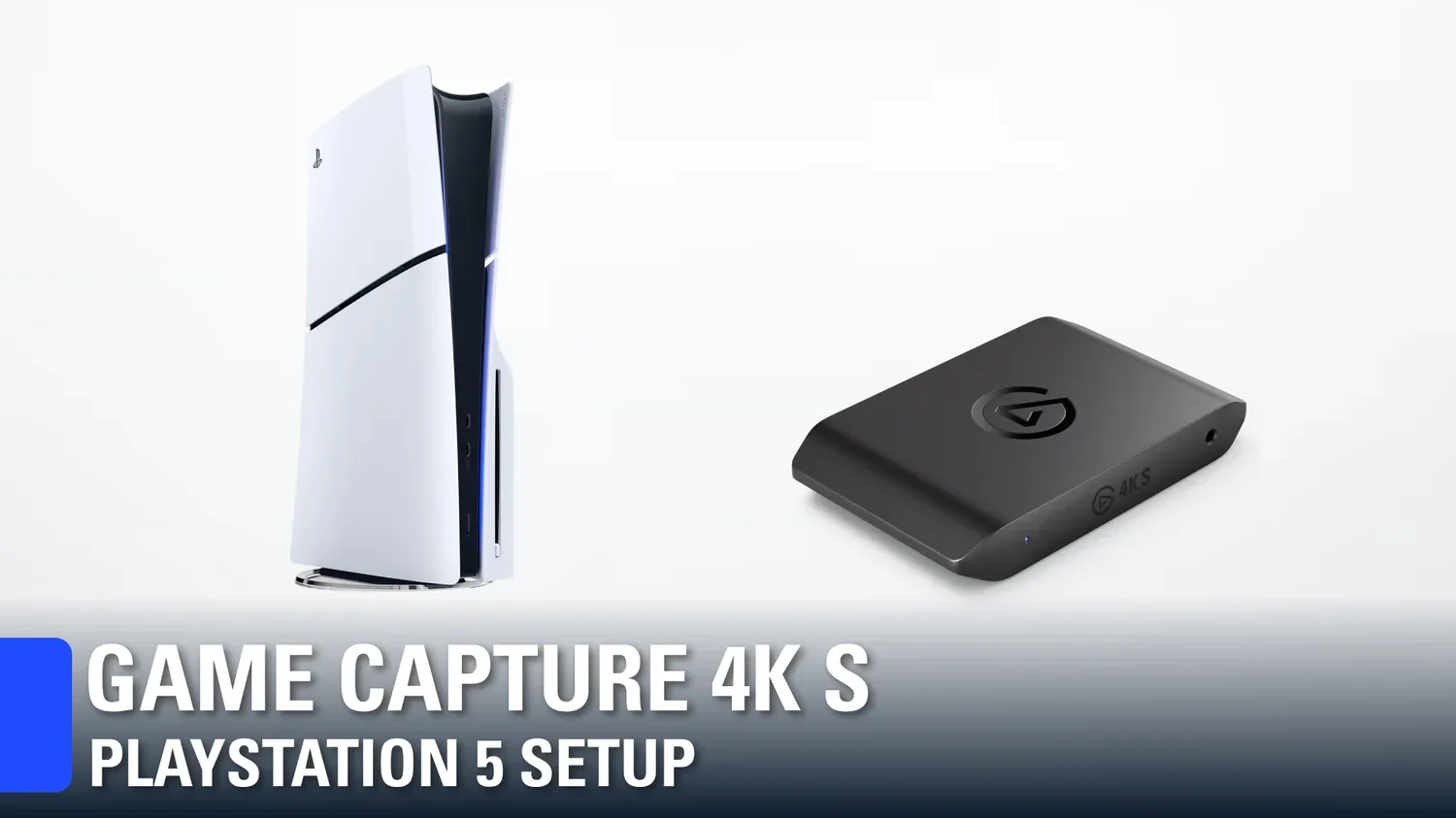
Wondering how to set up PlayStation 5 or PlayStation 5 Pro with Elgato's Game Capture 4K S? Here's a step-by-step guide!
past basin
acoustic fern
Yo can i get help with the 4ks when im trying to switch back to hdmi 1( xbox scr...
How many monitors are here? Just the one you're switching between console and PC?
If your monitor puts the HDMI port to sleep like some do it causes issues if the consoles starts up while HDMI is not active - it'll pull supported modes form the capture card not the monitor. If you disconnect the PC for a moment and switch it there's a good chance it'll pick up, other than that try chaning the input EDID mode to Internal and set it to Custom EDID and tell it to use the resolution of your display and see if that helps
past basin
acoustic fern
Ok
See 2 images up - right side pull out menu in Elgato Studio has the option
(your's may look a little different, my screenshot is from the beta update)
raw relic
past basin
Both of those cards ship with a different EDID mode set. That'd be my first gue...
I fixed it, im so stupid loool. I had my pcie slot set to gen 1 💀 Ive been trying to fix this issue for months.
Thanks for your help tho
past basin
Ah, that'd do it. Glad you were able to sort it out
blissful kernel
Im having audio issues with the swith 2, my headphones are plugged into the switch and im getting sound but no sound in obs
and when i ave my headphones connected to my computer i hear popping and crakling still
and when i have my bluetooth headphones connected i cant press buttons on my controller
blissful kernel
I'm going to try a pro link tomorrow
 feral oar
anyone know how to get audio from main pc to second pc? i have a elgato 4k pro dual pc set up
i wanna record my main pc with my second pc with obs
lone crypt
feral oar
anyone know how to get audio from main pc to second pc? i have a elgato 4k pro d...
The capture card caries audio as well as video
feral oar
lone crypt
The capture card caries audio as well as video
only if i change output audio, then i cant hear my gameplay on main pc
lone crypt
You need a mixer!
Wave link is elgato’s.
feral oar
lone crypt
You need a mixer!
Wave link is elgato’s.
is it free
or do u know if i can use voicemeter banana
lone crypt
Yes, it’s free.
…That is also a mixer. It could work.
feral oar
lone crypt
Yes, it’s free.
…That is also a mixer. It could work.
i already have voicemeter banana installed on my main pc, do u know what settings i need
lone crypt
Nope.
Audio from your various apps needs to be mixed to two outputs. One is your ears. The other is the capture card.
 past basin
blissful kernel
I'm going to try a pro link tomorrow
past basin
blissful kernel
I'm going to try a pro link tomorrow
If you're plugging a headset into the Switch that would mute the HDMI OUT, so that's a good route - if you're getting crackle on HDMI though you'll probably still get it on Chat Link Pro. What specific capture card model are you using? If you open Elgato Studio does it show any firmware updates for it? Do you get the crackle if you try a different USB Port? (there's a handful of USB chipsets out there, mostly 10 Gbps ones from ASMedia and AMD who uses their designs, with known USB Audio Class issues that can cause crackle - if you're in a 10 Gbps port, try it in a 5 Gbps one if you can to rule that out).
past basin
feral oar
Set onr your your hardware outs like A1 to whatever you want to listen on, then A2 to your HDMI OUT going to the capture card (will likely be named after your monitor going to the card, or the card itself depending on how things are connected there). After that just make sure both a1 and a2 are on for sliders you're sending to the streaming PC.
blissful kernel
past basin
If you're plugging a headset into the Switch that would mute the HDMI OUT, so th...
I have a 4K S
Im so new to all this and ive done research but still confused on the popping / crackling noise
feral oar
past basin
Set onr your your hardware outs like A1 to whatever you want to listen on, then ...
i did it thx, now on my second pc in obs what do i need to do? there is still no audio
blissful kernel
past basin
If you're plugging a headset into the Switch that would mute the HDMI OUT, so th...
no firmware updates! I can try different ports and see how that goes tho
feral oar
@past basin its been sorted out, thx
past basin
Ah, was it audio monitoring? Was writing up a way to check that. Glad you've got it sorted though
past basin
blissful kernel
no firmware updates! I can try different ports and see how that goes tho
Yeah, I'd check the ports. Do you know what motherboard you've got? Can check the spec sheet to know if it as any 10 Gbps ports, since those are usually where the audio hiccups come in (specifically the two brands mentioned before)
feral oar
past basin
Ah, was it audio monitoring? Was writing up a way to check that. Glad you've g...
nah its just i didnt know how to set it up properly

i turned this 3 on
a2 on the left for my mic and a2 on right for game audio

but now for some reason on my second pc when i use my mic both of this go up
shouldnt the bottom one only be for main pc audio and not my mic?
blissful kernel
past basin
Yeah, I'd check the ports. Do you know what motherboard you've got? Can check ...
i actually dont hahah but can i get back to u on this tomorrow and ill find out? 11:30pm here hahah
past basin
Fair enough -good luck with it either way!
past basin
feral oar
but now for some reason on my second pc when i use my mic both of this go up
Check Video Capture Device and at the bottom make sure it's set to Capture Only for the audio mode
feral oar
past basin
Check Video Capture Device and at the bottom make sure it's set to Capture Only...
its on capture audio only
on my second pc on obs its also capturing the audio from chrome even tho i have chrome on aux
is there a way to stop it from hearing my music
past basin
feral oar
its on capture audio only
Are you running audio over HDMI or aux cable to get it between the two machines?
Or both?
feral oar
past basin
Are you running audio over HDMI or aux cable to get it between the two machines?
i have it like this idk

 feral oar
past basin
Are you running audio over HDMI or aux cable to get it between the two machines?
feral oar
past basin
Are you running audio over HDMI or aux cable to get it between the two machines?
im only using aux for like chrome and discord to not get the audio in my clips
 tawdry valley
I'm having some audio issue whenever I attempt to stream audio from my gaming pc to streaming pc. I've streamed audio using both wave cast and via HDMI to a 4k60 capture card but the audio is also choppy. Playing audio locally from the streaming PC is fine. For wave cast, both machines are over ethernet
past basin
feral oar
i have it like this idk
Wait, which PC is the mic on?
feral oar
past basin
Wait, which PC is the mic on?
i only have 1 mic and its on my main pc
past basin
tawdry valley
I'm having some audio issue whenever I attempt to stream audio from my gaming pc...
So audio is only choppy in recordings or stream since it works locally on the Streaming PC? Or do you mean when your soruce is on the streaming PC?
past basin
feral oar
i only have 1 mic and its on my main pc
Your mic and PC audio will be combined to single channel then. When you go into your main OBS settings under the audio section is your mic/aux set to the video capture device 2? If so disable that
 feral oar
past basin
Your mic and PC audio will be combined to single channel then. When you go into...
feral oar
past basin
Your mic and PC audio will be combined to single channel then. When you go into...
lemme check
tawdry valley
past basin
So audio is only choppy in recordings or stream since it works locally on the St...
Yes to the first option. When streaming or recording audio from gaming pc to streaming pc is choppy, however when listening to audio generated locally from the streaming PC it is clear.
 past basin
feral oar
past basin
feral oar
Disable the mic/aux. Odds are Windows is defaulting it to your capture card as last connected audio device
past basin
tawdry valley
Yes to the first option. When streaming or recording audio from gaming pc to str...
That's the second option not the first. The first implies you're hearing the audio from the other PC find on the streaming PC when you monitor it, and it's only bad in recordings and stream.
feral oar
yeah fixed it, now how do i seperate the audio
cuz my mic and main pc audio is combined into 1 track
and also when i play music on youtube the audio is being sent to my second pc
past basin
It will be - you're sending it out over a single channel (either HDMI or Aux). If you want to separate it you need to use something like VBAN instead to send it over the network in multiple channels or run a second channel (eg one feed over HDMI one over aux cable).
For the music you need to set that with your Windows sound mixer to send your music app right to your headset instead of through Voicemeeter - Anything you have going to Voicemeeter is going to go to the single feed you have setup at the moment to the other PC.
past basin
tawdry valley
Yes to the first option. When streaming or recording audio from gaming pc to str...
What app are you using to record? Does using a differnt app resolve the audio problem in the test recording? What audio format is your current recording app set to use?
Yeah, that's an option to splitting it to multiple channels.
 past basin
I haven't used it in like 5 years though so can't recall exact setup process for it. I know you have to have it running on both PCs
But I don't recall how to feed differnet voicemeeter channels into it
feral oar
i have voicemeter banana installed on my second as well
@past basin also is there a way i can only capture the game and not my whole screen?
past basin
feral oar
<@269997944671830017> also is there a way i can only capture the game and not my...
Use Windows Audio Mixer. Send only the game to Voicemeeter with that (or with the game's build in audio settings), and send everything else right to your headset directly
er Windows Sound Mixer sorry, it'll turn up in the start menu search
feral oar
past basin
Use Windows Audio Mixer. Send only the game to Voicemeeter with that (or with t...

which one do i choose
for valorant output
past basin
Those line up with your voicemeeter sliders. So whichever one you've setup to go to the capture card for output

 tawdry valley
past basin
What app are you using to record? Does using a differnt app resolve the audio p...
tawdry valley
past basin
What app are you using to record? Does using a differnt app resolve the audio p...
So I haven’t done an “official” recording. I’ve been monitoring the audio via OBS at first and via Wavelink 3.1. Monitoring output has been line out to speakers and headphones
past basin
tawdry valley
So I haven’t done an “official” recording. I’ve been monitoring the audio via OB...
So the monitoring feed from the source/gaming PC is what's choppy? I'm just looking to confirm if it's also getting the monitoring audio or only in the recording. One of these points to a encoding problem the other means tracking down what's going on with the source coming into the PC.
past basin
feral oar
when i change it to any of those then i cant hear the game on my main pc
Did you set Voicemeeter to output the slider you're using to both A1 and A2? You're using Voicemeeter to split things so it has to go to two outputs
feral oar
past basin
Did you set Voicemeeter to output the slider you're using to both A1 and A2? Yo...
no idea
or i dont understand
u want screenshot of it
past basin
You don't have any of those inputs set to go to both A1 and A2

 past basin
Meaning each input only goes to the streaming PC or to the gaming PC audio out. Never boht
feral oar
past basin
Meaning each input only goes to the streaming PC or to the gaming PC audio out. ...
what should i change or turn on then
past basin
Whatever input you're sending to the game set to go to both A1 and A2. Where one is your headset the other is your streaming PC (as set in the top right pull downs )

Just click both a1 and a2 on next to the slider
feral oar
A1 is my headset (which is my mic and my headset) and A2 is elgato
past basin
So those pulldowns in the top right let you set what a1, a2, and a3 actually go to. Then you turn on the button for each slider. Turn off the B ones.
feral oar
past basin
So those pulldowns in the top right let you set what a1, a2, and a3 actually go ...
why turn off B ones
past basin
We're not using them here - we want hardware outs only so that just trips things up. B is your virtual feeds (sliders 4 and 5) iirc, so that's just going to confuse things
Or they're the virtual outs you can route into other apps as an input. I honeslty can't remember I switched to Wave Link years ago
Either way we don't need them here at the moment
feral oar
past basin
Or they're the virtual outs you can route into other apps as an input. I honesl...
should i also switch to waver?
is it better
past basin
Not if you're trying to split your audio after into multiple channels
past basin
Yes. It links into Windows Sound Mixer itself, so you can route channels around and only send the one to the other PC.
Don't have both Voicemeeter and Wave Link installed though as they can conflict
tawdry valley
@past basin I just did a recording to make sure and it's still choppy and I'm noticing it's also sounds robotic/echo
past basin
tawdry valley
<@269997944671830017> I just did a recording to make sure and it's still choppy...
To confirm, the monitoring is fouled up though right? not just the recordings? BOTH of it is fouled up?
If so turn off windows audio enchancements on whatever device you're using for audio input on the PC.
Windows Audio Enhancements can be located in one of two places depending on your version and build of Windows.
First, you can check if enhancements are on by going into modern Windows Settings and checking under System > Sound and find your capture card or other line in. Go into it, and check at the bottom for any mention of audio enhancements or spatial audio (usually towards the bottom) and turn them off.
If audio enhancements aren't there there, check the old Windows Sound Settings instead. Press Windows Key + R, type mmsys.cpl in the box that comes up and press OK. Go to the recording tab, find the capture card or line in and then go to properties. Check for any enhancement or spatial audio tabs and disable anything in there, and check the advanced tab to see if there's any enhancements or spatial audio options to turn off there as well.
Based on your audio hardware, software and Windows version and updates, enhancements could be in either of these locations, both or none. If they're not in any of them, you can assume enhancements are off - though you may also want to check if your system shipped with any other audio apps that might be applying effects without using it (most use the Windows options for it, but not all)
feral oar
past basin
Yes. It links into Windows Sound Mixer itself, so you can route channels around...
alr ill check it out man, thanks
past basin
Keep in mind that you've got Voicemeeter almost setup here though
Wave Link also doesn't have a VBAN equivalent that does multi channel
tawdry valley
past basin
To confirm, the monitoring is fouled up though right? not just the recordings? ...
I've already disabled audio enhancements on both devices but just to make sure I just went back and checked. I also made sure that all inputs were at the same format 24bit @ 48000Hz
past basin
tawdry valley
I've already disabled audio enhancements on both devices but just to make sure I...
What ARE the inputs here. Aux cable or HDMI over the capture card?
tawdry valley
Right now I'm doing wave cast as the input which goes to an elgato audio channel.
I'm actually atempting to switch back to my elagto 4k as the output but having difficulties at the moment
ok I got my 4k card working again and I piped audio through it again. I also used a different HDMI cable and audio is better
Yea issue appears to be wave cast related, I've been bouncing back and forth between the capture card as the audio source and wave cast and wave cast is for sure the issue. Updated Capture card firmware as well as using a different HDMI cable produced better results
 night bolt
For me it is defenetly multifunktion and companion from Bitfocus for V-Mix or StageTimer
past basin
tawdry valley
Yea issue appears to be wave cast related, I've been bouncing back and forth bet...
I'd check in with #official-tech-support on that then - or #wave-audio . I honestly haven't had a chance to play with Wave Cast yet due to a lack of Win 11 boxes here, and it sounds like you already checked the usual sample rate and such
past basin
night bolt
For me it is defenetly multifunktion and companion from Bitfocus for V-Mix or St...
If this was for the QOTD, that's usually meant to go in #general
 solid sail
i have the elgato hd60x since release yet, and nowadays sometimes in OBS and in the stream turn the capture into a full grey window, just for a few sec... what can i do?
its working at cpture my gaming pc to the streaming pc im using dual setup with it
past basin
solid sail
i have the elgato hd60x since release yet, and nowadays sometimes in OBS and in...
Does this happen when you load games? If so set them to Borderless Window and it'll usually stop that - any time the display mode switches the card loses signal for a moment.
If it's happening all the time try turning off tech like VRR/G-Sync/FreeSync to see if it improves as some monitors may support VRR specs outside the card's and can result in occasionally going out of mode the card supports.
solid sail
it happen everytime, im streaming actually WoW and also there is that happening sometimes, i play in borderless window
and i dont use any gsync or any other stuff
past basin
Does it only happen with WoW? Knowing that could help narrow down the source.
Also are you using a passthrough connection (GPU to Capture card, capture card to monitor), or a cloned/extended setup (GPU goes direct to both capture card and monitor, nothing in the HDMI OUT of the capture card)
 past basin
Looks like either an EDID issue or GPU driver glitch. How is it connected?
solid sail
its between both computers, and usb connected with the streaming pc
maybe update both gpu drivers can help to fix the issue?
past basin
solid sail
its between both computers, and usb connected with the streaming pc
But is is passthrough or cloned/extended (see description before your video link)?
Also it wouldn't be the USB going between both machines, it'd be HDMI going from one to the capture card, then from the capture card via USB to the other PC. (If you also have a HDMI going INTO the streaming PC remove that as it'll trip up the card - I've seen folks mistakenly connect that but it only goes to a monitor or TV from the HDMI OUT, if not, leave it empty)
But yeah, you can try updating or rolling back your GPU drivers if this was a recent change
solid sail
i looked, input is gaming pc gpu ( 4090 ) output is monitor, i capture in obs my whole monitor
and usb connected via streaming pc
the issue happens between 1 or 2 hours 1 or 2 times in that time
not very often, but sometimes
past basin
solid sail
i looked, input is gaming pc gpu ( 4090 ) output is monitor, i capture in obs my...
So GPU to Capture Card, then Capture card to Monitor (and USB to streaming PC)?
If so try using Elgato Studio, set your input EDID to Internal and reboot both PCs. (this is in the right pull out panel - the menu button left of the gear icon up top opens it).
If the driver update doesn't help changing EDID might clear it up
solid sail
will try it later, thanks ❤️ having gruul Raid now 😄
past basin
Good luck!
feral oar
past basin
Yes. It links into Windows Sound Mixer itself, so you can route channels around...
is it wave link 3.0?
can u send me link pls
past basin
www.elgato.com/downloads - Wave Link 3.1, yes
Keep in mind it does not do multi channel output to the other PC like Voicemeeter though
feral oar
past basin
Keep in mind it does not do multi channel output to the other PC like Voicemeete...
ill try it, thanks
 teal gulch
Hey everyone! I was wondering if anyone could help me with an issue I've been having with my 4K S Capture card. I stream/record on OBS, and I just can't seem to get it to capture my audio. It either captures only voices, or nothing at all. I'm mac OS, in case that matters. Thank you
past basin
teal gulch
Hey everyone! I was wondering if anyone could help me with an issue I've been ha...
If you're only getting voice, when you're in the recording app check the mic drop down on the mac menu bar and make sure it's not set to voice isolation - macOS will apply that to your card too if it's on
teal gulch
Hey @past basin!! Thanks for replying. I checked, but theres no voice isolation filter/effect whatsoever. What confuses me is that it sounds perfectly fine on Elgato Studio. But it seems broken on OBS
 harsh bloom
wassup is anyone able to help with this problem for some reason i can only hear my game audio in stream when using monitor output but thats causing an echo for my games, i use an astro a50 headset with the PS5
i got an elgato 4Kx
past basin
teal gulch
Hey <@269997944671830017>!! Thanks for replying. I checked, but theres no voice ...
It's fine in Studio? The voices you're getting are they voices in game (eg. NPCs), or do you mean things like voice chat?
You checked Voice Isolation specifically while OBS was the active app, correct? MacOS does that on a per app basis so it's possible to be off in Studio and on in OBS. I'd also check the filters in OBS on the Audio Input Capture for the capture card video (in OBS on macOS the card must be added as Audio Input Capture as well - macOS doesn't have DirectShow to pull it thorugh the video feed).
past basin
harsh bloom
wassup is anyone able to help with this problem for some reason i can only hear ...
What generation of A50, and how do you have it hooked up to capture audio? Is it on the PC or the PS5 itself?
 wraith ingot
past basin
So GPU to Capture Card, then Capture card to Monitor (and USB to streaming PC)?
...
wraith ingot
past basin
So GPU to Capture Card, then Capture card to Monitor (and USB to streaming PC)?
...
Why not, window capture via OBS?
past basin
wraith ingot
Why not, window capture via OBS?
Because you're adding additional points of failure, and you're going capture > render > capture > render > encode, which can impact quality. Window capture also doesn't always play nice with other capture apps, and if you're working with different refresh rates it becomes a nightmare.
wraith ingot
past basin
Because you're adding additional points of failure, and you're going capture > r...
That make sense. I notice when I watch my video on Twitch after capturing on OBS. My videos have tears. I decided not to use a capture card for my PC because of cost but I don’t like the tear and quality
warped ledge
wraith ingot
That make sense. I notice when I watch my video on Twitch after capturing on OBS...
have you tried Display on the EDID mode?
 dry wyvern
Hello everyone, I need some help with my PC and Elgato setup. I have a USB-C cable connected from the Elgato to my PC, and my phone is connected to the Elgato through the “HDMI In” port. However, my PC won’t detect the Elgato unless I also connect a monitor with an HDMI cable and plug it into the Elgato’s “HDMI Out” port. When I do that, my PC finally detects it, but the quality is not very pleasing to look at even though the monitor is set to 1920x1080. Any help would be greatly appreciated. I have an Elgato 4K S and an iPhone 15 Pro Max.
wraith ingot
warped ledge
have you tried Display on the EDID mode?
No I have not. First time hearing about this. I’ll YouTube it. Thanks
warped ledge
wraith ingot
No I have not. First time hearing about this. I’ll YouTube it. Thanks
awesome, but you can just update the settings in Studio via the Elgato Software.
wraith ingot
warped ledge
awesome, but you can just update the settings in Studio via the Elgato Software.
I’ll let you know the outcome
dry wyvern
dry wyvern
Hello everyone, I need some help with my PC and Elgato setup. I have a USB-C cab...
I fixed it so nvm
 haughty steeple
Heyo! Streamer here needing some help. I bought the Elgato 4K Pro Internal Capture Card and am having issues with it flickering no signal and screen splitting. Any thoughts as to what might be causing this?
past basin
haughty steeple
Heyo! Streamer here needing some help. I bought the Elgato 4K Pro Internal Captu...
That usually indicates an issue with the card not getting a singal in the format it expects - is there a screen in the HDMI OUT of the card, and if so does that get a good signal?
Try opening the right side panel in Elgato Studio, and set the Input EDID mode to Internal (this is hte button left of the gear, no the main settings under the gear). Then reboot the console or device you're capturing to make it resync and see if it improves.
 mellow sluice
haughty steeple
Heyo! Streamer here needing some help. I bought the Elgato 4K Pro Internal Captu...
mellow sluice
haughty steeple
Heyo! Streamer here needing some help. I bought the Elgato 4K Pro Internal Captu...
What console are you using as your output? I've only had problems with this with a ps5. My switch has the resolution set in the settings and it doesn't flicker or splitscreen, but my ps5 does sometimes and I have to unplug/re-plug it.
 winged fiber
Heya does anyone know about how to fix an issue with the Elgato 4K S? It's connected with my laptop and Xbox Series X and I wanna stream and record 1080, however my TV with everything connected is now blurry, as if it's been downscaled from 4k to 1080?
warped ledge
winged fiber
Heya does anyone know about how to fix an issue with the Elgato 4K S? It's conne...
are you on a mac?
if so, turn off portrait blur on the top menu bar for the app/device
 patent sorrel
Heya, I just got a new Elgato 4K S capture card, upgrading from my old cheap one.
I didn’t have issues with my old cheap one, but wanted an upgrade. I’ve watched hours of tutorials and for some reason just can’t seem to find the fix. I’m trying to stream from my PS5. I can’t get game sound to come through, no matter what I do. Anyone have a fix for this? 🫠
past basin
Usual issue is having a headset connected to the console - if there's a headset in place the PS5 mutes the HDMI audio feed so nothing goes to the card. Workaround is use a wired headset (or one with a wired out) with a Chat Link and send it to the card or PC line in jack (if using the card it must be set to Analog audio).
Aside from that make sure your card's firmware is up to date with Elgato Studio, and that your PS5 is set to Linear PCM for the audio format.
If you find you get in game voices and not the rest of the audio you might also need to check for nosie cancelling (Windows Audio Enhancements for PC, Voice Isolation for mac).
patent sorrel
past basin
Usual issue is having a headset connected to the console - if there's a headset ...
Thank you very much for taking the time to respond! I really appreciate it. Ima screenshot this and keep trying. Thanks again 🙏🏻
winged fiber
warped ledge
are you on a mac?
No I use windows
warped ledge
winged fiber
No I use windows
Turn off USB suspend, and try a different USB 3.0 port.
past basin
winged fiber
No I use windows
What does your Xbox 4K TV Details page show here? Or what are the resolution and refresh rate settings showing when you check the video settings?

 winged fiber
I can't change my refresh rate, which is odd because I used to before having the Elgato?
I think my girlfriend figured it out! She went into our TV settings and changed the HDMI source from regular to enhanced
past basin
Ah, yeah with the card there the TV might not be seeing it's connected to an Xbox and switching modes automaticially. Glad it sounds like you've got it sorted
 sly kraken
I'm at my wit's end here. My PC specs are as follows:
CPU: AMD Ryzen 7 5800X
RAM: 32 Gigabytes Corsair Vengeance (3000 MHz memory clock)
GPU: AMD Radeon RX 9070 XT
Motherboard: ASUS ROG B550-F Gaming
I recently purchased an Elgato 4K S. No matter what I try in OBS or in Elgato Studio, I can hear audio crackling. It's not constant, but it's frequent enough to be annoying. I can hear it in recordings too, so if I stream it, I know anyone in my audience with high-fidelity audio will hear.
And I checked my mobo spec sheet. The USB-C port is 3.2 Gen 2.
past basin
sly kraken
I'm at my wit's end here. My PC specs are as follows:
CPU: AMD Ryzen 7 5800X
RAM...
B550 motherboard? Try to plug the card into a 5 Gbps UBS port instead of the 10 Gbps (you may have to swap the cable for a USB-C to USB-A 5 Gbps or faster one for that).
Some AMD boards use ASMedia chipset designs for the USB controller, and there's a good number of those that have UAC (USB Audio Class) issues without driver AND firmware updates. Not all motherboard OEMs made those available - though it can still pay to check for updated USB and/or motherboard chipset drivers from the support site for the board, and UEFI/BIOS updates. The issue comes up mostly on the 10 Gbps ASmedia and AMD controllers, so usually a 5 Gbps or even a faster 20+ Gbps port is fine. It gets pretty much any UAC devices, so not just capture cards but some sound cards, DACs, headsets, mics, etc.
Usually though since 4K S is a 5 Gbps USB card the easiest way to check if that's the issue is plug the card into a 5 Gbps port instead of the 10.
sly kraken
https://www.msi.com/Motherboard/MAG-X870-TOMAHAWK-WIFI
This is the motherboard I'm upgrading to in the PC I'm building next week. I can't update the BIOS on my ASUS board because if I do, Windows will not boot.
Is it likely to have the same problem?
Actually it's less of Windows not booting and more of a "SSD not work".
past basin
sly kraken
https://www.msi.com/Motherboard/MAG-X870-TOMAHAWK-WIFI
This is the motherboard I...
Only on some ports. There's two 40 Gbps (rear), and 1 20 Gbps (front) ports that shouldn't hit it. There's one 10 Gbps type C and 2 more 10 Gbps Type A on the back that might, depending on what firmware and driver are provided for them
Just keep the audio devices off the 10 Gbps ports and it should be fine
sly kraken
I still hear the audio crackles if I use my USB-C adapter on my USB-A port.
sly kraken
Wow, this is stupid. It doesn't say.
past basin
Usually they'll either be colour coded or have a small icon for SS, SS+, the USB revision (3.x), or the actual speed
sly kraken
The A-port is red.
past basin
The red one on that is another 10 (3.2 Gen 2)
sly kraken
Moving it to a blue one.
past basin
If you can use the ones next to the network port
So the 2 next to the network jack should be fine, and the 2 right above the red one that are blue
 past basin
Odd, HD60 S doesn't use UAC. It's an older card with dedicated drivers, I wouldn't have expected to get that issue with that card
Though I'm not really an expert on whatever is up with those 10 Gbps USB ports beyond the fact their UAC support is dodgy
sly kraken
Luckily, the motherboard I have coming in this week has more options than just 10 Gbps.
On the high end, I mean.
past basin
Yeah, the chipset on the newer board might be updated too, it's hard to tell what specific chipset is used on those boards as it's not often listed in the manual. And even then there are different firmware versions for the chipsets
But iirc, this issue is most common on the B450, B550 and B650. I don't think I've heard of it on the X870 yet, but that might just be because there's more ports on different controller speeds
sly kraken
Way more thought went into this build than my previous one. I've been planning this for over a month.
Going over part compatibility, GPU space, case noise, over and over again.
past basin
Yeah, I finally got off the laptop I'd been using because I travelled for work for ages , earlier this year. So much more planning in this build - the poor laptop was driving 4 differnet powered USB hubs by the time I was done with it because I had to keep adding stuff I was testing
It's alwasy nice to be able to move to a build you've actually planned out for a purpose 🙂
Hopefully the build is smooth
sly kraken
With a 9800X3D, it should be smooth as butter!
Thanks for the help! I can't believe I didn't think of trying a different USB port.
past basin
No worries, that catches lots of folks off guard. It's not really something most people would even think about
It was actually a pain to look into when I started trying to trace it back myself. Creative listed some details - but basically just said don't use their DACs on an ASMedia USB port. I found more details on some pro audio subs - apparently ASMedia has a bit of a rep for audio stuff back in the day. I haven't seen it on any of their newer chipsets so far though, so hopefully we never see it again
sly kraken
I actually may return this card and exchange it for a 4K Pro. It looks like I'll have the space for it.
past basin
sly kraken
I actually may return this card and exchange it for a 4K Pro. It looks like I'll...
If you do, make sure you install it in the bottom port, as that card needs an x4 slot. The middle slot is only x1.
If you have a M.2 NVMe in the M2_3 slot it'll also drop the bottom slot's speed to x2, so don't use M2_3 if you're doing that route.
sly kraken
past basin
If you do, make sure you install it in the bottom port, as that card needs an x4...
I have only 2 M.2 drives.
past basin
Should be fine then, as long as the card is in the bottome PCIe slot, and the third M.2 slot isn't full.
The PCIe requirement trips up a lot of folks but that new board you're getting should handle it
sly kraken
past basin
Should be fine then, as long as the card is in the bottome PCIe slot, and the th...
Actually if I put it in that bottom slot, it goes right up against the PCIe power cable.
See the picture?
past basin
sly kraken
Actually if I put it in that bottom slot, it goes right up against the PCIe powe...
Yeah, that PCIe cable is optional on most builds, since the GPU usually pulls power from the PSU directly. I had the same issue on my MSI Carbon X870E, and spent a while trying ot make it work before finding out that I didn't need the supplemental power
sly kraken
Well, that's good at least.
past basin
You can kinda get it in there if you have to, but it puts a unnerving amount of pressure on the power jack
 sly kraken
It's funny that the only parts I'm replacing are the case, CPU, RAM and motherboard. But it feels like building a whole new thing.
past basin
Yeah, that's the bulk of it all aside from maybe the GPU though. Long as you've got a solid case and power supply you can usually get a couple generations out of those.
Though it's a bad time to be needing new RAM
sly kraken
It's a Seasonic Gold PSU.
sly kraken
past basin
Though it's a bad time to be needing new RAM
Yeah, that's the one thing I regret about this build. Luckily, I can finance it.
past basin
Yeah, Gold rated should last you a while, long as it's 750W or higher. Unless you're driving a 5090 or somethinng
past basin
sly kraken
Yeah, that's the one thing I regret about this build. Luckily, I can finance it.
Yeah, I originally planned to do my build last summer but didn't have cash on hand. Moved it to this summer but had to start buying back in November because it was getting insane. The RAM I got back then is 3x the cost now. like 5x the cost of what I'd been looking at last June for the same kit
That said at least you're getting it now - who knows what RAM will cost in a few months. It's at least not going up as quick anymore
But still going
sly kraken
Oh, cool. This thing comes with 4 SSD slots, so I can put a storage drive in Slot 4 and be totally fine.
past basin
Nice
Yeah I like the split on that more. If I install a 4th NVMe drive on my setup now it'll split my GPUs PCIe lanes. Setup on the board you're getting seems much less problematic
 rustic siren
past basin
rustic siren
past basin
Need more info. What Xbox model, what specific capture card model? What app are you using the card with and does it give any specific errors? Is there anything on the passthrough (HDMI OUT) of the card and if so, does that still get signal?
 reef orbit
So for hours I’ve tried to set up my capture card as well and I’m making zero progress, for reference I’m using an amp and a chat link (haven’t got far enough to use it) and I’m unable to hear my desktop audio and hear from the elgato 4ks do you have any solution that would help me use my headphones to hear both desktop and ps5 chat/audio while streaming on the elgato
It won’t even work with my obs entirely can’t configure it for the life of me @past basin
past basin
reef orbit
So for hours I’ve tried to set up my capture card as well and I’m making zero pr...
Chat Link won't feed desktop audio back to the headset - if you want both console and desktop in the headset at the same time you either need to listen through the PC or us a full mixamp or mixer that you can connect both devices to, and plug the headphones in
reef orbit
past basin
Chat Link won't feed desktop audio back to the headset - if you want both consol...
Elaborate, will this do?
 past basin
reef orbit
Elaborate, will this do?
past basin
reef orbit
Elaborate, will this do?
Yea, the Astro MixAmp Pro TR shoudl do the job
reef orbit
past basin
Yea, the Astro MixAmp Pro TR shoudl do the job
Because as it stand right now, I’m met with this screen when trying to connect it to obs let alone hear anything
 reef orbit
past basin
Yea, the Astro MixAmp Pro TR shoudl do the job
reef orbit
past basin
Yea, the Astro MixAmp Pro TR shoudl do the job
Not to keep asking questions but how? I was unable to figure this out for hours
past basin
reef orbit
Not to keep asking questions but how? I was unable to figure this out for hours
Usually USB to your console, TRS aux cable from PC speaker out into the AUX port on the back, Stream Out port to your 4K S, use Elgato Studio to set 4K S to Analog audio mode. (and headset/headphone into the headphone jack on the front of the mixamp)
You MAY need to hook it up to the PC via USB first to use their app to update it and set what goes to the stream output port, maybe not.
reef orbit
….
Could you uh….
Dumb that down for me…
Is there a way I can get you in vc I’m so sorry but I don’t understand what I’m reading right now I’ll pay if needed ngl
past basin
I'm already in a VC elsewhere atm.
But your Mixamp should have three 3.5mm jacks iirc. On the back there's a stream out, and an aux in. On the front one for your headphones. Then the USB.
USB to console.
Stream port to 4K S. Set 4K S to analog mode in Elgato Studio (right side panel, not main settings) so it uses the 3.5mm jack.
Aux port you'll need an aux cable to go from PC headphone/speaker jack to the AUX port on the back of the Mixamp.
Headphones go in the front like normal.
Edit - sorry ou need 2 aux cables here. One for Stream port one for Aux port
If there' issues you might need to use the Astro app to setup the thing, but it might be fine just with the right connections.
past basin
reef orbit
Because as it stand right now, I’m met with this screen when trying to connect i...
Studio is still open in that image - only one app can use the card at a time. Close Studio and restart OBS and it should get picture
reef orbit
past basin
I'm already in a VC elsewhere atm.
But your Mixamp should have three 3.5mm jack...
When you say usb to console do you mean this?
 reef orbit
past basin
Studio is still open in that image - only one app can use the card at a time. C...
reef orbit
past basin
Studio is still open in that image - only one app can use the card at a time. C...
Tried that it didn’t work either but one step at a time we can revisit this after I understand
past basin
reef orbit
When you say usb to console do you mean this?
No, you can probably ignore that for now. There should be a USB port on back of the MixAmp itself
reef orbit
past basin
No, you can probably ignore that for now. There should be a USB port on back of...
Copy, so step one this is plugged, you said this usb to the console?
 past basin
reef orbit
Copy, so step one this is plugged, you said this usb to the console?
past basin
reef orbit
Copy, so step one this is plugged, you said this usb to the console?
Usually that has to go to the console, yes. Trying to run aux to the console instead requires a TRRS aux cable that most folks don't have about
(as opposed to a TRS one)
reef orbit
past basin
Usually that has to go to the console, yes. Trying to run aux to the console in...
I’m not too sure what a trrs is but assuming I have what I showed you what’s the next step?
past basin
No. That's just an example I'm using for why you want USB to the game console, not the PC. PC assuming you don't need the headset mic, you can just run a standard (aka TRS/Stereo) aux cable. If you want it to go to the console and need the mic you need a special TRRS one (TRS is Tip, Ring, Shield, TRRS Tip, Ring, Ring, Shield, so it has an extra connector)
reef orbit
Okay…so am I plugging this to the console or pc…?
sly kraken
Oh, sweet. You're still here. I had another question about the 4K Pro. Any word on Linux compatibility with that card? If not, it's not really a dealbreaker. The 4K S is really fickle with Linux anyway and I was just curious if the 4K Pro is compatible at all.
reef orbit
I’m still on step one, why is this so complicated 😭
past basin
sly kraken
Oh, sweet. You're still here. I had another question about the 4K Pro. Any word ...
There's a community project to make a driver for it - I'm not sure how far along it is. No official compatibility though as 4K Pro needs a dedicated driver, not just UVC drivers
sly kraken
past basin
There's a community project to make a driver for it - I'm not sure how far along...
👍
reef orbit
So where I’m I suppose to plug that usb? @past basin
past basin
reef orbit
So where I’m I suppose to plug that usb? <@269997944671830017>
Into your game console - there shoud be USB ports on back and front of the PS5, doesn't matter which you use
reef orbit
past basin
Into your game console - there shoud be USB ports on back and front of the PS5, ...
Done, now what
When I go to sound on my pc I’m still unable to connect my headphones but I’m sure we get to that part soon
past basin
reef orbit
When I go to sound on my pc I’m still unable to connect my headphones but I’m su...
Headphone from PC goes to AUX IN on back of the MixAmp - you seem to already have something plugged in there? Is that your Chat Link or something - if so remove that and run standard aux cable from the PC to the MixAmp. Chat Link would go in the Steam Out port
reef orbit
past basin
Headphone from PC goes to AUX IN on back of the MixAmp - you seem to already hav...
Chat link removed, and just so I’m clear I’m putting my Astro pros in the back where it says aux instead of the chat link?
Just the standard cord?
past basin
No, you need a aux cable. 3.5mm to 3.5mm. from aux to the headphone jack on your PC
The Astros go in the front
reef orbit
past basin
No, you need a aux cable. 3.5mm to 3.5mm. from aux to the headphone jack on yo...
Done and done next step
 past basin
That's how we get the PC into the MixAmp too so you can hear both
past basin
Of the one in front sure? But did you run the PC into the mixamp via AUX yet?
past basin
Oh- you're running optical to PC not to the little HDMI box you've got there for Chat Mix?
If you're not using the Astro Chat Mix adapter you can skip PC aux iirc
reef orbit
I told you- I’m new and I suck at this
I can use the mixer it’s fine it was plugged to the back of the ps5 but after being told I plugged it into the pc just now
past basin
Yeah, I'd assumed nothing was really connected there already is all
 past basin
The optical cable isn't what I was referring to as an aux cable. Do you have a spare 3.5mm aux cable on hand?
reef orbit
Waiting for your instructions
reef orbit
past basin
The optical cable isn't what I was referring to as an aux cable. Do you have a ...
Other than the chat link, no
Chat link and the cord that came with the Astro aux
past basin
Then you don't have enough cables to hook the PC into this if you still want to be able to do Chat Mix on the PS5.
Do you want to wait til you have an aux cable or remove the Chat Mix setup for now?
 past basin
That's actually a TRRS one. But yeah, it'll usually work
So run that from PC headphone to the AUX on the back of hte Mixamp
(put the optical back on the chat mix adapter)
reef orbit
past basin
So run that from PC headphone to the AUX on the back of hte Mixamp
The curved side or the straight side in the back?
past basin
Shouldn't matter
reef orbit
past basin
(put the optical back on the chat mix adapter)
And plug that into the small box I sent you instead of the pc?
past basin
reef orbit
And plug that into the small box I sent you instead of the pc?
Yeah, that small Astro box with the HDMI and optical is your Chat Mix adapter. PS5 doesn't have native chat mix so uses that adapter to set it up.
reef orbit
And the plug we put in the front has this, shouldn’t this be the one going into the Astro headphones since it allows me to mute/unmute?
 reef orbit
past basin
Yeah, that small Astro box with the HDMI and optical is your Chat Mix adapter. ...
reef orbit
past basin
Yeah, that small Astro box with the HDMI and optical is your Chat Mix adapter. ...
Optical has been plugged into the small mixer box
past basin
reef orbit
And the plug we put in the front has this, shouldn’t this be the one going into ...
Yeah, it should habe a little headset or headphone icon next to the front port
reef orbit
past basin
Yeah, that small Astro box with the HDMI and optical is your Chat Mix adapter. ...
When I plug the hdmi in, it’s going in the in or out port, and is it being connected to the pc as of now or nothing
past basin
reef orbit
When I plug the hdmi in, it’s going in the in or out port, and is it being conne...
HDMI should go from PS5 to HDMI IN on capture card, from HDMI OUT on capture card to the Astro Chat Mix adapter (and then if a TV or monitor is setup for the PS5 too, from the adapter to that)
Actually sicne we're getting the audio from the MixAMp here it's also find if you have it going to the Chat mix box first too
reef orbit
Rewind, so far I have the optical connected from the mixer to the small box, the Astro headphones connected to the back of the aux mixer and a rogue wire


And now, I’ll be connecting the ps5 to the in port of the small box?
past basin
I should ask was that Chat Mix adapter actually setup before or just sitting there with the optical in?
reef orbit
I took everything out when you started giving instructions so I didn’t get anything locked up
So far I can now hear my desktop audio
And I have a spare 3.5mm aux
past basin
Okay. are you hooking the PS5 up to a TV or monitor too, not just the capture card?
reef orbit
The ps5 will be to the capture card, the capture card will be to the monitor
past basin
reef orbit
The ps5 will be to the capture card, the capture card will be to the monitor
Dual monitor setup or are you changing inputs on one monitor?
reef orbit
3 monitors and I have yet to change anything on that either with the intentions on having the capture card on the center my hd monitor
past basin
Okay, that's fine.
The safest way to hook this up then is PS5 HDMI OUT to HDMI IN on yoru capture card.
HDMI OUT on capture card to HDMI IN on that Astro Box.
HDMI OUT on the Astro box to the monitor you want to switch to watch the PS5 on. (if you're planning to play THROUGH the capture card, not use passthrough - eg play in the capture app video, you can skip this HDMI out connection and leave that HDMI OUT empty)
reef orbit
So ps5 (console) to hdmi out on the 4ks to hdmi in to the small box hdmi out on the box to my monitor
past basin
No, you have to pair outputs to inputs. PS5 is an output here.
So PS5 goes to HDMI IN on 4K S
reef orbit
Copy, and then put the hdmi out on the in of the box
past basin
yep
 past basin
Okay, so if you're playing thorugh the capture app that HDMI wiring is done for now. If you're actually plannig to switch a monitor to HDMI mode and play the PS5 directly on that (lower latency), you'll need that extra cable from the box to the monitor, yes.
reef orbit
So, I have an hdmi cord ready on the back of the monitor, before I plug it into the small Astro box are you saying it should be plugged from box output to monitor hdmi or should I leave that alone?
and what about this? Do I plug this into the ps5 or pc?
 past basin
reef orbit
So, I have an hdmi cord ready on the back of the monitor, before I plug it into ...
past basin
reef orbit
So, I have an hdmi cord ready on the back of the monitor, before I plug it into ...
I'm saying that step is optional. It can get you lower latency video
reef orbit
Is lower latency good
past basin
reef orbit
and what about this? Do I plug this into the ps5 or pc?
DC5V can be powered by either PC or PS5 if it didn't come with a power adapter just a USB-C cable
That'll be power from a USB port only
I'd usually use the PS5 one though
But both will give it 5V
reef orbit
It’s plugged to the ps5 now
reef orbit
reef orbit
Is lower latency good
Is this good or unnecessary? And do I have anymore steps? Will I need the chat link? @past basin
past basin
It won't affect needing chat link. We're going to run that to 4K S after.
It's good, but not really needed. If you play FPS titles or rhythm tiltes the latency is more noticeable, but if you're playing RPGs and such you likely won't notice
I generally do recommend it
But if we get more issues we can remove it after
reef orbit
How about the usb c on the 4ks?
past basin
USB-C on 4K S needs to go to the PC
reef orbit
Done
past basin
Okay, so if HDMI is hooked up, and USB-C is hooked up, the last wiring step shold be Chat Link. You can use either chat link or a aux cable for this (since MixAmp itself is doing your headphones we don't need that part of Chat Link).
But run Chat Link from Stream on back of the MixAmp to the Line In on front of 4K S
Then you need to go into Elgato Studio and set 4K S to use that line in on front, but setting it to Analog mode. This is on the right side panel, using the side panel button in the top right (NOT the gear one). Yours will look a little different than mine as I'm on the beta

But look for that button
 reef orbit
Wait wait wait
Just so you know I got the chat link only for the sole purpose of using it for the ps5 in game chat like rivals or for honor
When you say put in the chat link, will that be in the front of the back?
Because remember we put the aux there earlier if I’m not mistaken
Actually, let me send you a picture one more time just to make sure we are on the same page
past basin
reef orbit
When you say put in the chat link, will that be in the front of the back?
Back of the MixAmp, goes into the Stream port. We used the Aux port earlier
reef orbit
Keep the Astro headphones aux in the aux port in the back correct?
past basin
reef orbit
Just so you know I got the chat link only for the sole purpose of using it for t...
We're using Chat Link like a Aux cable here with a ground loop isolator to prevent buzzing, since your MixAmp already does the splitting bit Chat Link would normally be needed for.
past basin
reef orbit
Keep the Astro headphones aux in the aux port in the back correct?
Headphones in the front. PC in AUX Port. Chat Link in Stream Port. Should be three 3.5mm plugs in total (the last two are both on the back)
reef orbit
Ahhh I see
past basin
This one should stil have been empty - that's the one going to 4K S
 reef orbit
Yes sir it is
past basin
Also I just noticed that switch - set that to PS4 mode on the back there.
(PS4 mode is the same as PS5 mode)
 past basin
Okay, that looks how I expect.
So 4K S needs to be set to Analog mode, and we may have to change a couple settings on your PS5
let me go boot mine up so I can check the menus for that
reef orbit
Thank you very much
reef orbit
past basin
Okay, that looks how I expect.
Wait and for reference purple is the spare aux, it’s not connected to anything as of yet I’m not sure where you wanted that to plug into, the white is the Astros (the front) and the black one is the chat link which isn’t plugged into anything as of yet
 past basin
reef orbit
Wait and for reference purple is the spare aux, it’s not connected to anything a...
past basin
reef orbit
Wait and for reference purple is the spare aux, it’s not connected to anything a...
Purple should be going to the PC's headphone/speaker port
That's how we get the PC audio into the mixer
(usually those are colour coded green or have a headphone icon on them if you don't normally use them)
reef orbit
It’s one of these?
 past basin
Probably - cany chance you can get a better focused shot, I can't see the icons
reef orbit
Ofc
past basin
It's most likely the red one - does it say L-out?
 past basin
Yeah, that'll do. It'll be called Line Out when you go to set your PC audio to go to it later
So Windows Audio gets set to go to Line out, that goes to your MixAmp, and the PS5 we'll set up in a moment to also go there. Mixamp will send one copy to your headphones, and one back to the capture card
reef orbit
Sorry so I plugged it in and I go to my windows setting do I search line out?
Because right now I hear a ringing
past basin
Ah. Feedback. Okay remove that from the MixAmp for a second
reef orbit
Was I suppose to plug the curved end in the pc?
And yep, soon as I removed it it stopped
past basin
That's the bit I was worried about - you're going to need the Astro Commander App. It's taking the PC audio, sending it to the capture card, but then playing it back to the amp again in a feedback loop causing the ringing.
Means we have to have it set NOT to send the AUX port to the Stream Port
reef orbit
So now I have to do?
past basin
To do this you need their app, and you need to temporarily put the USB from the mixamp back to the PC so we can configure it
Astro Command Center, not commander sorry
reef orbit
Download it off of the Logitech website?
past basin
Yeah, Logitech owns them now
reef orbit
and im suppose to download something called “g hub” ?
past basin
Did they discontine command center and move the Astro gear to ghub too?
give me a second I need to check that
reef orbit
Alright
past basin
Apparently it's on the MS Store now - https://apps.microsoft.com/detail/9pfz8rfzg5x4?hl=en-GB&gl=CA

Microsoft Store - Download apps, games & more for your Windows PC
ASTRO Command Center software allows pros, gamers and livestreamers to customize and tune every input and output parameter of their ASTRO Gaming headphones to be precisely configured for their specific set up.
So once you have it running, and move the USB to the PC for the setup, it should look like this

 past basin
Did you disconnect the USB form the PS5 and move that to the PC too?
reef orbit
Wait it fixed
past basin
okay just delay on it
reef orbit
I had to close it switch and reopen
past basin
okay
reef orbit
Alright, now what
past basin
You should be able to click the Stream Port on the right now, so we can setup what goes to that
reef orbit
Clicked
past basin
Click that, find AUX and turn it all the way down (or click mute if it's there)
Then once that's turned down, slick the sync to device button on the left
reef orbit
Ironically it was already turned all the way down
past basin
huh
past basin
Can you take a screenshot of that for a moment? Windows + Shift + S will let you select a section of screen and you can just paste it in
oh
that might help too
reef orbit
Yeah gimme one sec it’s loading
past basin
Okay, while you're doing that and loading firmware I've got to go take care of something. Should be back in 4-5 min
reef orbit
Alrighty it’s finished but I’ll be here waiting and it’s turned all the way down
past basin
Yeah grab a screenshot of what it looks like with Windows key + Shift + S
But other than that you want Game and chat turned up. If you don't have a dedicated mic for your stream, you want mic turned up too. Aux should be turned down, and if it has a mute icon at the bottom click that. Then Sync to Device in the left
 past basin
Okay, that looks like what I'd have expected. Will it let you click the sync to device? If not turn the aux up for a second, sync, then turn it back down and sync again
You can leave it at defaults, should be fine
you can tune it later if you find the game is too quiet compared to voice chat or stream in your recordings/streams
reef orbit
That’s fair that’s fair
And it won’t let me hit sync cuz I never made any change
When I first loaded up it was already down
That’s why I asked if I should make the curved side of the aux plug into the pc
past basin
Yeah, that might have been reset to defaults when you frst connected it.
Curved or flat, both should have the same pinout so that shouldn't matter
But yeah, make a change, turn it up sync, then turn it off again and sync. just to make sure it actually saves with the setting down
If there was a firmware update that might have fixed the issue too
But I'd like to be sure it saved off before we move it back to the PS5
reef orbit
So should I connect it back to see if I still hear the buzz?
past basin
Once you've gotten to do the sync, yes. Don't forget to put it back on PS4 mode
reef orbit
Sync done, I just turned the game audio down an inch then synced
And now I’m back on ps4 mode
Should I connect now?
past basin
yeah, reconnect the aux and lets make sure the ring is gone
reef orbit
Still hearing the buzz looool
past basin
Check that the ground loop isolator on that Chat Link is set to "On"
reef orbit
Still a ring but got a bit quitter
past basin
Bah, that means we probably have a secondary ground loop. This happens with some audio gear. Basically your PC and PS5 are on the same power circuit in your home - they ground out to the same place. But the audio cable has a ground wire, so the ground from the PC and PS5 is linked, but because it's also linked from the actual power connections there's a loop that can pick up and generate noise. This results in a buzz on analog audio connections
if that's what's happening you need another ground loop isolator for your PC's aux cable
The face the noise went down means we probably cut some of it with the ground loop to the capture card via Chat Link, but it's still likely grounding to the main PC on that other cable
They look like this usually, and run something like $7-10 iirc.

(alterantively you could also use another Chat Link Pro, but the isolator is probably cheaper)
reef orbit
HHHHH
past basin
And this is part of why I hate PC audio.
reef orbit
I don’t blame you
past basin
The isntant you try to hear two devices at once it's almost always a headache.
I've known folks who literalely just put earbuds on the PC inside headphones on the console to avoid it all
reef orbit
My Astro 40s are for my ps5 and desktop
But this isn’t all bad news
Originally the plan was the order something off Amazon but I got a delay so I ended up just buying the capture card to get the chat link with it
That being said, this will be here tomorrow

If you’re telling me a second one fixes this problem then I should be good
Is there anything I can do with the chat link on hand?
past basin
Ah, that's good at least. But yeah, you basically would be using it like an aux cable, just lead the third plug on it empty, turn the isolator on and replace the aux you've got between the mixamp and PC now
If you don't need to hear the PC at the moment we can set it up the other way
That said if you wanted to keep testing as is you can probably still hear the audio over the buzz once we've got things setup
reef orbit
I’m down
past basin
Woudln't be useful but at least would confirm it's hooked up the right way and should work once you've got the other cable
reef orbit
Again, would this be easier for you if we just jumped in a vc?
I don’t mind either way
past basin
Not at the moment, I'm still dealing with soething related to work
past basin
That said all that should really be left is the PS5 setup. Because you're using the Astro Chat Mix, make sure the audio is set to HDMI in the Audio Output section. Futher down there's a second that says what outputs to headphones, which should wind up being Voice Only
 past basin
reef orbit
What do I do with the other ports of this chat link?
past basin
reef orbit
What do I do with the other ports of this chat link?
Bascially ignore them or tape them over to keep them clean. Your mixamp does all the splitting since it has to mix both devices together
We're baiscally using Chat Link like an Aux cable for the ground loop isolator on it here rather than actually using it like Chat Link
(which is honestly how my own is setup these days since I'm running a Steelseries mixamp here)
reef orbit
As for the capture card for the ps5 I open it on elgato studio ?
past basin
That's the usual app - but you can also use it with other apps like OBS if you'd prefer. Some settings like the audio setting we changed have to be done in studio but once they're set they work like that in other apps too.
 past basin
If you want to record in HDR grab Studio 1.1 beta https://www.elgato.com/s/beta

Elgato
Become a beta tester to try our software before it’s released, and contribute to making it great.
oh you're on the beta
Yeah, with Studio 1.1 beta you pretty much just flip that switch and if the PS5 is outputting HDR you should be recording HDR
reef orbit
Alrighty
Opening settings now
What the…
I don’t see what you see
It’s just hdmi device (tv)
Oh wait
I had to change something I see it now
 novel python
Gugu gaga
reef orbit
@past basin
 past basin
Yeah that's fine
novel python
@reef orbit does your monitor even have hdr
past basin
The card only does 2 Channel audio
HDMI TV or Amplifier doesn't really matt er
Amplifier just lets you force 2 or 5.1 channel
(Which is why mine is set to that, I had to override something)
novel python
I personally use 2 amazon basics 1watt speaker
reef orbit
novel python
<@1151999949769277551> does your monitor even have hdr

Im assuming this does I’m not too sure
reef orbit
I don’t even know what that means
reef orbit
past basin
Yeah that's fine
Now what
novel python
It has hdr
 past basin
You should be able to test it out. If you have to, disconnect the PC AUX, and make a test recording, then listen to that after to make sure it records clear.
reef orbit
I like this guy
reef orbit
past basin
You should be able to test it out. If you have to, disconnect the PC AUX, and m...
The problem with that is on Obs im getting no Audio let alone a screen
That’s what I record on
novel python
U can record the gameplay itself on elgato studio
reef orbit
novel python
U can record the gameplay itself on elgato studio
I’d rather do it with obs since that’s what I’m familiar with and I have my stream deck set up on
Unless you have a solution
 reef orbit
Selene
past basin
If you're doing it with OBS there's some other setup to get OBS to record in HDR. https://www.elgato.com/us/en/explorer/products/capture/record-hdr-gameplay-with-obs-studio-and-elgato/
Step‑by‑step guide to capturing 10‑bit HDR footage from PlayStation 5, Xbox Series X, or Switch 2 with OBS Studio and an Elgato capture card
reef orbit
Great to see you again
novel python
reef orbit
I’d rather do it with obs since that’s what I’m familiar with and I have my stre...
You have a stream deck and all that stuff but dont know what a lcd is
🥀
past basin
(also make sure Elgato Studio is closed before opening OBS Studio)
novel python
That too
reef orbit
When I did that it said something went wrong
reef orbit
 novel python
Then select elgato
novel python
reef orbit
We cant read shi
reef orbit
reef orbit
@past basin @novel python
novel python
Why u ping us
reef orbit
So you can see…
novel python
@reef orbit create a camera source
reef orbit
 past basin
You can't run both apps at once- only one can use the card
 reef orbit
Create a camera source got it
past basin
reef orbit
Create a camera source got it
Follow this - https://www.youtube.com/watch?v=27fYbUln-Vg HD60 X and 4K S setup the same way in OBS

In this video we show you how to set up your Game Capture HD60 X with OBS Studio on Windows and macOS.
▼ Click "Show More" for details and features.
▼ HD60 X Highlights:
► 4K60 HDR10, 1440p120, 1080p120, 1080p240, VRR passthrough.
► High resolution 4K30 or 1080p60 HDR10 capture.
► No watermarks, no time limits, no subscriptions...
reef orbit
Alright I’ll brb
novel python
Camera source and elgato @reef orbit
Also close elgato app
I wonder if we ever get a update to have multiple instances
reef orbit

It’s not
Working
When I make a source I keep getting things people aren’t getting in videos
past basin
novel python
I wonder if we ever get a update to have multiple instances
It's a limit of the UVC driver for Windows. You can already do it on macOS. And the cards with deidcated drivers like 4K Pro support multi app too.
Windows kinda added it in a feature update a while back but it tends to break things if you turn it on
reef orbit
 past basin
reef orbit
When I make a source I keep getting things people aren’t getting in videos
past basin
reef orbit
When I make a source I keep getting things people aren’t getting in videos
Did you already setup a Video Capture Device source there for 4K S before?
There looks to be one in the list
reef orbit
Yeah I had the hd60s
past basin
Ah, that's fine then. You can delete that now or later.
But for 4K S if you didn't alreayd add it, create a new one there
reef orbit
Okay so I hit create new and now it’s in the corner and won’t come out
Mind you, the Obs was opened first then I opened the elgato studio and now it keeps saying something is wrong
past basin
Press Windows Key + Shift and Left arrow then Window Key + Shift and Right arrow
past basin
reef orbit
Mind you, the Obs was opened first then I opened the elgato studio and now it ke...
Dont' open both apps at the same time
Only one can use the card. If you open both you're going to get errors
reef orbit
Okay I gotcha
Closing gato rn
So, as told gato closed obs reopened created a new and now I’m here
Just a small corner
 past basin
That's fine, set the drop down there to 4K S instead of the logitech, then press okay. After that Press CTRL+F and it'll adjust the camera to fill your OBS canvas
 past basin
Might be because Studio was open for a bit there. Restart OBS.
reef orbit
Restated and it’s still blank just blue instead of red
Do you think Obs needs an update?
past basin
I wouldn't assume so. It was working fine in Elgato Studio for video before, right?
reef orbit
With the hd60s it was a different easier process
In Elgato studio yes I could see clear
past basin
Check your old HD60 S entry and make sure that OBS didn't reassign that to 4K S when your old card was removed. If it did OBS mnight be conflicting with itself
reef orbit
And I still hear the ps5 on just can’t see anything on obs nor is obs catching the audio
reef orbit
past basin
Check your old HD60 S entry and make sure that OBS didn't reassign that to 4K S ...
How do I do that
past basin
Go to whatever scnene you had HD60 S in, and delete it from the Sources list
Then restart OBS again
past basin
Yeah, OBS doesn't like having an "empty" source so if you remove something it tries to automatically pick something else. So that's all that tripped up there
reef orbit
For my old scenes tho
Which is weird because it’s opened through a window and not the capture device itself
For the new one I just made, still blank
past basin
What do you mean, it's only working in the old scenes?
reef orbit
Let me show you
past basin
Honestly I'd delete the new scene and remake it then

 past basin
Okay, you just have two sources pointing to your capture card because you didn't delete that old one. It that case just delete the new one, and add the old "elgado" one you had there to the new scene
reef orbit
Okay, it’s been pasted
I still don’t know how that got there but it’s there
I deleted all the other ones that had the hd60s on the sources which is weird because these 2 shouldn’t even have been there to begin with since I just got the 4ks today
past basin
You removed your HD60 S, OBS defaulted it to the new device because it was missing the old one is all
reef orbit
How strange…in the case that this doesn’t work hypothetically how would I fix this issue?
So I’m not left at a black screen again
past basin
Check if any of your other sources are using the 4K S
What you ran into here was OBS was already setup for 4K S because it faulted over.
So when you tried to add it a second time it was already in use
reef orbit
I found another scene that has it in sources
Delete that?
Plz tell me I don’t have to play the game off my obs 😭
past basin
I thought you were planning to play on the middle monitor?
If you switch that to HDMI it should have the Playstation direct on it
reef orbit
Switch which hdmi
past basin
If not use OBS Projector - right click the card in your sources list and open the projector at the top - you can send the video to a new window or fullscreen it
Switch the monitor's input to HDMI
reef orbit
Damn-
That works perfectly!
I didn’t even know I could do that!
Is there a way I can do it where the quality won’t drop or is that the best I’m getting because when played off the 4k it looked crisp like overly crisp
past basin
Quality should match whatever the PS5 is putting out
Right click the source for the card and check what the resolution is set to
If it's default check what your PS5 video settings are set to for resolution

 past basin
HDCP is copy protection for things like Netflix. It needs to be off to use a capture card
What were the settings for the card on OBS?
reef orbit
It was the ps5 it was low but here’s the settings


From my understanding, this quality will be better than what it was when I was using the hd60s?
past basin
You should be able to set resolution there to Default and it'll match the PS5. Right now it's capping at 1080p
reef orbit
Yesiirrr I’m default now
I’m guessing till tomorrow we won’t be able to tend to the Audio issues?
past basin
Next time you open a projector now it should be higher res
reef orbit
Source projector or preview?
past basin
Source to see the game usually. Preview has anything else you've got listed too like camera
For audio you can try disconnecting the PC aux line for now and make a test recording and play it back to see if that's working
reef orbit
I hear the game Audio rn but that’s because I unplugged that aux from earlier since I thought we were waiting for that second chat link to come in
And desktop is working perfectly fine as well
past basin
We likely don't have the desktop going to the aux anyway yet so that's fine. You should be getting audio like that now - just game though, no PC audio, that's waiting on the cable
reef orbit
past basin
We likely don't have the desktop going to the aux anyway yet so that's fine. Yo...
Yeah I noticed…hopped in a vc to share my screen as a test and they can’t hear the game audio, we fix that tomorrow?
past basin
Discord might be a whole other thing. Were you trying to share the OBS projector or directly share the card?
If the latter when you set it up make sure the bottom left gear icon is set to the right audio device for your capture card in
reef orbit
When on the device it lets them hear but not see when on the application obs projection it lets them see but not hear
past basin
reef orbit
When on the device it lets them hear but not see when on the application obs pro...
Sorry, sleep caught up with me.
If you're streaming direct from discord, make sure OBS is closed first - again only one app can use the card's video at a time.
If you're sharing the OBS projector to get audio you need to make sure the audio monitoring is on. Go into the Edit menu in OBS and open Advanced Audio. For your capture card make sure the "Monitor" option is set to Monitor and Output.
 ionic musk
is there no way to just email elgato to get a real person on the other end?
cause i cant lie this is getting on my nerves atp

and its been like that since the last update to the 4ks
lone crypt
ionic musk
is there no way to just email elgato to get a real person on the other end?
Real people reply to the support tickets, and there is also a support phone line.
ionic musk
well i couldnt find where to submit a ticket
past basin
ionic musk
well i couldnt find where to submit a ticket
Talk to the chat bot, and ask to open a ticket. It'll give you either the call center number or let you open an email ticket.
That said is your copy of Elgato Studio up to date for 1.0.5? If so it installed a recent update for your 4K S that fixed some issues, but you may need to reset your EDID settings, or tell the PS5 to rerun 1440p test mode.
Try the test mode first, if it doesn't clear set the Input EDID mode to Internal, or Merged, and re-run the test on the console to resync it.

(you're looking for the right side panel - your verison will look a bit different as I'm o the beta, but you're looking for that side panel button up top, not the gear one)
ionic musk
past basin
Talk to the chat bot, and ask to open a ticket. It'll give you either the call ...
yeah im on the latest version
and it is set to internal
past basin
The latest version was the beta, but yeah, iirc 1.0.4 and 1.0.5 had firmware updates for the 4K S that fixed the speckling issue at 1440p120. But it caused some stuff to need to be setup again
Try Display then if it's already on Internal. Then merged if Display doesn't fix it
ionic musk
just did the 1440p test mode, didnt fix it
ill try the test with all 3 edid options
i know that changing it to a custom edid gets rid of it but it shouldnt be happening in the first place
ionic musk
ionic musk
ill try the test with all 3 edid options
yeah that didnt do it
past basin
Has the card been restarted (USB disconnected 15-20 seconds and reconnected) since the firmware update?
Also is there anything in the HDMI OUT of the card and does that still get the correct image?
ionic musk
past basin
Also is there anything in the HDMI OUT of the card and does that still get the c...
yeah the passtrhough works fine
ionic musk
past basin
Has the card been restarted (USB disconnected 15-20 seconds and reconnected) sin...
only worked temporarily
and there was still the green border on the right
past basin
Sorry tied up with work, back in a bit
past basin
ionic musk
and there was still the green border on the right
If you load this up in another app like OBS, Windows Camera, Etc, does it have the same colour artifacting? Would like to rule out software there
ionic musk
Last time i checked yea
I can check again in a bit, in a round rn
Bit being like 15 mins
past basin
All good, I'm in and out due to work so replies might be a bit anyway
ionic musk
but yeah obs does it too
past basin
ionic musk
but yeah obs does it too
Fantastic. 😐 Okay, I'd set it back to Internal EDID mode, and completely restart both the capture card (unplug from USB 15 seconds), and the PS5 to re-sync both of them from scratch.
If there's no change there, remove the monitor in the HDMI OUT and restart the console again to see if anything changes
reef orbit
past basin
Sorry, sleep caught up with me.
If you're streaming direct from discord, make su...
The second chat link came today unfortunately I’m at work and I’m not too sure if you’ll be up by the time I’m home to walk me through it, what’s a good time to contact you tomorrow?
Preferably in the morning
 arctic compass
is it possible to hook up a console with my capture card n everything if i only have one monitor with a single hdmi port
it also has a display port but id need a wire for that and i wanna know if i can avoid buying one
 jaunty elm
arctic compass
is it possible to hook up a console with my capture card n everything if i only ...
jaunty elm
arctic compass
is it possible to hook up a console with my capture card n everything if i only ...
Yes! the card sends the video signal to your PC so if you use Elgato Studio or OBS then you can see in the preview so you dont need to buy a seperate cable
arctic compass
yay!!!
i was rummaging around looking for my old 13" lcd
im planning using the card to stream my playstation and switch to discord, is there any way to make the picture fullscreen?
arctic compass
i figured it out i just double click the picture
past basin
reef orbit
Preferably in the morning
No idea what time is morning for you. I'm in and out through the day usually as work allows, so it's really hard to set a specific time. Best off just pinging me on it here when you're setting it up.
iirc, the main thing you need to do right now is on the new cable make sure ground loop isolator is on and plug it in like you would an aux from the Line Out on your computer to the AUX on the MixAmp. Then set your PC's audio to play to the output (may get called a few different things, but usually is named after something like Realtek or such, whatever the name of your soundcard is).
 wary jasper
Helle, i need some help my HD60S+ doesn't work after a software update with à new app, like it's ubs 2.0 or something like that, someone can help me
elgato studio app
 brittle lake
hey does anyone know if i could downgrade or something my HD60 X from a Firmware Update? After that i get no picture in Elgato 4K Capture Utility
wary jasper
brittle lake
hey does anyone know if i could downgrade or something my HD60 X from a Firmware...
same
past basin
wary jasper
Helle, i need some help my HD60S+ doesn't work after a software update with à ne...
Did you powercycle the card since the update? If not unplug it 15 seconds from USB then reconnect it. There hasnt' been a new firmware for HD60 S+ in like 3-4 years, so you were probably just out of date, and the "new" firmware should be long since stable.
If you continue to get USB 2.0 errors though make sure you're actually using a USB 3.0 / 5 Gbps / SuperSpeed or faster cable and are using the same sort of port on your PC. HD60 S+ is a card that didn't always lock out on 2.0 mode like it should have - but if it tried to run on 2.0 you could get performane issues above 720p, audio issues, and stability problems.
past basin
brittle lake
hey does anyone know if i could downgrade or something my HD60 X from a Firmware...
If you're still on the old 4K Capture Utility you might not have the most recent firmware anyway. Elgato Studio has newer firmware for some HD60 X revisions so check with that for more updates first. Also make sure to power cycle the card (unplug it from USB power for about 15 seconds) after your update to reset it if it's giving you issues. Any connected soruce device you're recording from may need to be either restarted or have the HDMI cable disconnected and reconnected to force things to resync in some cases.
 cinder girder
Hi everyone, I'm having trouble streaming on Discord. Every time I try, my screen freezes and my keyboard and mouse disconnect. I'm using a Game Capture 4K S and I want to stream my Nintendo Switch 2 gameplay to the Discord channel with my friends. As an extra detail, the first day I used it, it didn't give me any problems during testing, but now it doesn't work anymore.
past basin
cinder girder
Hi everyone, I'm having trouble streaming on Discord. Every time I try, my scree...
Your Keyboard and Mouse disconnect? You didn't plug the card into an unpowered USB hub did you?
cinder girder
past basin
Your Keyboard and Mouse disconnect? You didn't plug the card into an unpowered ...
No, and it only happens with Discord when I open the Elgato Studio program. Even if the capture card isn't connected, if the program is open and I open the screen sharing option, everything freezes and it disconnects my mouse and keyboard.
I also tried streaming directly through OBS and the same thing happened, but it only happens on Discord; it streams normally on Twitch.
past basin
cinder girder
No, and it only happens with Discord when I open the Elgato Studio program. Even...
Discord doesn't always play nice with screen sharing a capture app. Does the card share correctly when shared using the Discord screen share Capture Devices option? That would at least rule out most hardware issues. I'm also assuming Studio is working correctly when not working with Discord?
Yeah, Discord screen sharing can get buggy. If you disable the hardware acceleration in Discord settings does it improve?
That's been known to cause a lot of the oddities
 hollow wadi
hi i have a 4kx and i have a xbox series s. I am trying to run 1440p at 120 hz but for some reason it keeps going back to 1080p as the highest it supports, although accord to elgatos article it says it supports it
4k resolution at 120 hz works, ill send a picture here, ive tried all EDID modes within elgato studio none of them work at 120hz except internal, i tried switching out cords as well would there be another setting in the menu which im missing?
 past basin
hollow wadi
hi i have a 4kx and i have a xbox series s. I am trying to run 1440p at 120 hz b...
past basin
hollow wadi
hi i have a 4kx and i have a xbox series s. I am trying to run 1440p at 120 hz b...
Is there a TV or monitor in the HDMI OUT port for the card? If not you'll want to use Internal here anyway. If there is there may be an EDID conflict we have to sort out.
That said, you say 4K120 works? That shouldn't be possible on the HDMI 2.0 on a Series S since the capture card can't use things like DSC. 1440p 120 with HDR on would also need HDMI 2.1 (though 1440p 120 SDR should be fine).
ACtually let me go double check the specs on an S. I know Series S ships with a 2.0 cable, I need to double check the port
Okay 2.0 cable, 2.1 port.
hollow wadi
past basin
Is there a TV or monitor in the HDMI OUT port for the card? If not you'll want ...
yes my monitor is connected to the hdmi out port of the card, and yes 4k120 oddly works ill upload a picture here
past basin
Have you replaced the original cable from the Xbox? That 2.0 cable could trip things up if it's sitll on the Xbox or monitor as it'll mess with mode negitations if everything else is ready for HDMI 2.1
(I'm assuming you have based on the 4K120, but if it's between the card and monitor that might only mess up some stuff
hollow wadi
yes i have replaced that as well, i have a ps5 and it works perfectly fine at 1440p 120hz, i tried using the ps5 cable to my monitor, and the xbox it self and it didnt changed, then i tried the elgato wire as well
 past basin
Curiouser and curiouser.
hollow wadi
my current setup for the card is
HDMI out to monitor, my monitor is a lg ultragear 1440p 165hz, then HDMI in to my xbox series s
and the usb c cable is gen 3.2
connected to my usb c port on my pc which supports gen 3.2
im really confused to this as my ps5 works without any issues, and i just bought this xbox brand new too so it's a bit odd
past basin
USB cable wouldn't affect what modes the Xbox can set so you can rule that out at least (it would affect available capture modes, but not the passthrough and source)
hollow wadi
ahh okay gotcha
past basin
Checking something, need to look something up for the Series S
hollow wadi
no worries take your time, and thank you for helping me in the meantime!
past basin
If you disconnect the monitor from the HDMI, set the EDID input mode to Internal and restart the Xbox, does it still lock out 1440p120?
hollow wadi
i will go ahead and do that right now and let you know
hdmi cable out, restarted xbox and display settings are still not supported at 1440p 120hz while EDID mode is internal

highest is 1440p at 60hz
past basin
What on earth
hollow wadi
yeah im not sure either
 past basin
hollow wadi
yeah im not sure either
past basin
hollow wadi
yeah im not sure either
If you go into Video Modes, does turning off VRR do anything?
hollow wadi
no i tried that as well by turning VRR on and still the same, turning off still the same
as soon as i try to select 120hz it auto switches to 1080p saying it doesnt support
hollow wadi
yep, i also tried PC RGB range as well still the same
past basin
What app are you using with the card?
If you're not already using it, try Elgato Studio and see if there's any firmware updates
hollow wadi
elgato studio
past basin
Also should probably have checked, 1440p120 works when the capture card isn't in the equation?
hollow wadi
 hollow wadi
past basin
Also should probably have checked, 1440p120 works when the capture card isn't in...
hollow wadi
past basin
Also should probably have checked, 1440p120 works when the capture card isn't in...
let me try that right now
past basin
Firmware would be on the devices tab. 25.2.10 for 4K X is the latest iirc
hollow wadi
ah my apologies, yes my version is the latest
yes 1440p at 120hz works without the capture card plugged in
past basin
Lemme go move some stuff around here, I've got a Series X, let me see if that can get 1440p120 on internal when I move it to my 4K X
hollow wadi
gotcha sounds good
past basin
Okay, that's odd. Worked fine on 4K Pro, but moving it to 4K X, It forces 4K 120, or 1440p 60 😐
It sounds like it doesn't like the EDID on the card
hollow wadi
thats odd, i also tried the other modes but those just didnt seem to work straight up
past basin
Yeah, looks like the internal 4K X EDID isn't showing 1440p120 as a mode to the Xbox even though the card should be able to handle it. Checking something
hollow wadi
gotcha no worries take your time im trying to play around with settings in the meantime
past basin
ACtually know what, quickest way to get around this if your monitor supports the mode, is we can try cloning the EDID from your monitor and load it on the card (EDID being the data that tells the console what modes and such are available, I'm realizing I didn't clarify that earlier).
Can you hook the monitor up to the PC, specificially via HDMI for a moment so we can pull the HDMI EDID off it? If so you can use a tool like CRU (Custom Resolution Utility - https://www.monitortests.com/forum/Thread-Custom-Resolution-Utility-CRU ) to export the EDID from it
Custom Resolution Utility (CRU) is an EDID editor that focuses on custom resolutions. CRU shows you how the monitor defines resolutions and other capabilities and gives you the power to change it. Add
hollow wadi
yeah sure give me a sec ill go ahead and do that
so whilst trying this, it seems like my monitor defaults to 60hz when plugging the hdmi cable in my GPU, and i tried both the elgato cable and the ps5 and i know the ps5 cable is hdmi 2.1
and these are the available modes
 past basin
hollow wadi
and these are the available modes
past basin
hollow wadi
and these are the available modes
Okay, we'll test it out just the same. Hit Export down in the bottom left, it'll let you save it as a BIN file. Then hop on Studio and set it to Internal and flip the option to set a custom EDID - there should be a list for custom in the drop down too that'll let you actually load in the BIN you just saved
I'm checking to see if I can edit a 4K X one for testing in the meantime
hollow wadi
i was able to export it, give me a sec im gonna plug my display port back into my pc i hate the way hdmi looks on my monitor
i uploaded my bin, selected display, didnt work, about to try merged as well
past basin
hollow wadi
i uploaded my bin, selected display, didnt work, about to try merged as well
Display? It has to be Internal. Custom EDIDs only work in Internal mode
Or do you mean you selected the display's EDID?
You might have to restar the Xbox to get it to pick up the change
hollow wadi
when i first put the bin into the custom EDID, it was already on internal for the input mode so as soon as i uploaded the bin i get a no signal
 past basin
Bah. I was hoping it'd play nice. Trying to find a tool to edit the EDID off 4K X directly
hollow wadi
ill try and look if im able to find a tool as well in the meantime
past basin
Apparently I can do it in CRU but need to move things back - have to edit it from the live version and export the edits. 😐
past basin
hollow wadi
ill try and look if im able to find a tool as well in the meantime
Here, try this one. I just pulled the 1440p120 mode from my 4K Pro's EDID and edited into 4K X's and loaded it in as custom. Not the ideal way to do it, but my Series X is taking 1440p120 now.
Going to do some more testing tomorrow but may have to report this to support as a bug if 4K X doesn't have a 1440p120 EDID by default
hollow wadi
past basin
Here, try this one. I just pulled the 1440p120 mode from my 4K Pro's EDID and ed...

back to good ol 1440p at 60hz
 past basin
Disconnect the HDMI cable and reconnect it, see if it'll force the Xbox to sync up
In theory it should work - unless the difference is between the Series S and X
 hollow wadi
unplugged it and it didnt force to sync, tried setting it to 120hz still the same
past basin
What if HDR and VRR are off? Does that affect it?
These are the other settings I'm running on mine at the moment, with that EDID loaded in


But I can't say for certain if the fact the consoles is a Series X instead would have any impact here
hollow wadi
woah copying those settings worked
past basin
hm
past basin
I would guess probably either the ones in the first window there (colour settings), or turning off VRR
hollow wadi
VRR was always off i didnt turn it on
past basin
Yeah, I think it's a combo of hte new EDID with the settings
okay, probably colour then
Still glad to hear it seemed to take those settings with the new EDID
past basin
Bah, that means the EDID I setup isn't compatible with your monitor
hollow wadi
on my monitor theres "no input"
past basin
Try loading in the monitor's EDID again while the colour settings are set the way they are now
hollow wadi
this is the bin from my monitor
hollow wadi
past basin
Try loading in the monitor's EDID again while the colour settings are set the wa...
gotcha
seems like i completely lose signal even after trying to replug the hdmi to force
 past basin
So the monitor's EDID isn't compatible with the card, and the card's edited one isn't compatible with the monitor. Fantastic 🙁
1440p is a pain to work with because it's not a mode that has a NTSC broadcast standard to work with, it's something that came over from PC monitors, so support for it on some setups can be a right pain.
I think you might need to go through #official-tech-support on this one. I can try loading in the monitor's spec for 120 to the card's but I'm pretty sure it'll put you right back where you are now as the card doesn't seem to like that specific definition of 120Hz mode
hollow wadi
that is really odd i wouldn't expect this to happen considering it was fine w my ps5
past basin
Xbox likes to run things at PC versions of resolutiosn 60 Hz instead of 59.94 for example, while PS5 prefers the opposite. 1440p because it's not a NTSC standard can also have extra differences between the setups
PS5 didn't support 1440p at all the first two years iirc
I think it also goes thorugh like 3-5 checks trying to find a mode that works before it even lets you try it
hollow wadi
thats weird i guess xbox is just picky overall with the devices it chooses from
past basin
Might be. I've seen the odd case where the Xbox will work better with some setups too.
Fortunately it's pretty rare
hollow wadi
oh well i truly do appreciate your support and trying to assist me nonetheless you were very helpful throughout this whole process!
past basin
No worries, sorry I don't quite know how to get the two devices playing nice at that mode from here. At least in a pinch you can get it on the card I guess
With any luck support might have a better fix
hollow wadi
no its not your fault at all i guess different devices and hardware play nicely with others and some just dont, but i will for sure put in a support ticket and see from there, thank so much again truly you are a great person! have a great night
past basin
Actually looking at the EDID you sent earlier - is that monitor also hooked to the PC via DisplayPort somewhere?
hollow wadi
yes to my gpu
past basin
I dn't see a HDMI extension block in the bin file - you might have gotten the EDID from the wrong copy of the monitor
If it's hooked up with both DP and HDMI it'll show up in CRU twice
hollow wadi
really thats weird
past basin
Each gets it's own EDID
hollow wadi
so what your saying is to try without the display port cable
and export it that way?
past basin
You might be able to try hooking it up again with HDMI, disconnect it with DP and copy it again to see if there's any change
I can't say for certain but it's about the last thing I can think of
hollow wadi
i guess it wouldnt hurt i can give it a try one sec
past basin
When you've got it hooked up HDMI only make sure it's the (active) one you export
since the disconnected one can still show up sometimes, but won't be flagged active
hollow wadi
yep it showed that, but now im even more confused cause its showing up as hdmi 2.0.... although its a hdmi 2.1 cable
 past basin
It might list other specs under there
when you double click the block
Looking at the earlier pic too it might just be an issue with me trying to import it to look at the settings, and not getting the block
CRU can be a little wonky
hollow wadi
i didnt end up checking, but wow this actually worked it shows both in elgato and my actual input and its true 1440p and 120hz
past basin
Nice
hollow wadi
truly thank you so much, i apologize for my mistake clearly if i listened to you correctly i would've been over this lol
past basin
All good, I didn't think about the fact it might be on the same PC via DP either, until I was checking something on my own.
Glad you've gotten it working though
hollow wadi
truly thank you so much for your support i was honestly going insane thinking maybe my xbox was faulty or something, turns out its exactly what you said on how these devices connect and how they act
you are truly a life saver, i would've hated playing 1080p at 120hz
past basin
All good, hopefully that's the last hiccup with it! Good luck!
hollow wadi
hopefully, thank you so much again i hope you have a great rest of your night/day whatever the case may be!
 pliant narwhal
is there anyway to remove the imported edids on elgato studio?
warped ledge
pliant narwhal
is there anyway to remove the imported edids on elgato studio?
not that i'm aware of.
pliant narwhal
warped ledge
not that i'm aware of.
its stored in the actual cards memory right? is it possible to get full?
and also im using display mode for input edid mode for full passthrough, but my monitor doesnt have hdmi 2.1, so im using a active hdmi 2.1 to display 1.4 adapter but for some reason the capture keep flashing no signal then goes back to capturing over and over.
past basin
pliant narwhal
its stored in the actual cards memory right? is it possible to get full?
Only the one you set and the original default one should be stored on the card itself. The rest should be in your app
pliant narwhal
past basin
Only the one you set and the original default one should be stored on the card i...
was wondering if im able to remove the ones that arnt in use on the app
past basin
Not from the app itself. I imagine it'll clear if you remove it, delete the data folder and add it back but can't say I've tried
*remove the app
pliant narwhal
mk i guess i can try
past basin
Support may know. Otherwise I'd submit it to #feature-request
pliant narwhal
thought it was stored in appdata somewhere
past basin
4K Capture Utility was. Unsure where Studio stores is as it's a Windows App instead of the old style ones. UWP or whatever it's called
Might still be appdata, might be the install folder instead
Also any active adapters you're using may override the EDID coming from the monitor before it gets to the card
That could be throwing your passthrough off
pliant narwhal
pliant narwhal
and also im using display mode for input edid mode for full passthrough, but my ...
the adapter is coming from the out
ohh
i see what you mean
only reason why im using the adapter becasue my monitor only has hdmi 2.0
and the monitors 1440p@240 which would cap it only at 144
past basin
I'm assuming this is a dual PC setup since you're talking about refresh rates over 120. Have you considered a cloned setup? One where the GPU and capture card can go to different GPU ports and run at different refresh rates but you can still clone the display (though if you're using HDR and want to clone you need to use an in-between like OBS projector instead of Windows cloning)
warped ledge
pliant narwhal
its stored in the actual cards memory right? is it possible to get full?
no, but if you go to default, it should go back to normal.
 golden terrace
Is it possible to capture PS3 video without using component video?
 stark anvil
can anyone help with the hd60s not showing up on my pc
it’s super weird
cause it works on my wii
and i have the ps5 settings right
my OBS and el gato software just isn’t seeing it for whatever reason
warped ledge
stark anvil
my OBS and el gato software just isn’t seeing it for whatever reason
only 1 app at a time can use the card.
stark anvil
warped ledge
only 1 app at a time can use the card.
im not running both programs at the same time, im just saying either program isn’t seeing it
warped ledge
stark anvil
im not running both programs at the same time, im just saying either program isn...
try a new usb port, and make sure usb suspend is off
lone crypt
stark anvil
im not running both programs at the same time, im just saying either program isn...
I’m a bit lost from your description of the issue, as well.
What do you mean by, it works on Wii?
Maybe good to describe the setup info detail and exactly which source devices work for recording and for passthrough display.
stark anvil
lone crypt
I’m a bit lost from your description of the issue, as well.
What do you mean by...
i mean, i had a adapter i use for my wii that allows me to use it with HDMI. I am able to see it on OBS just fine


looks like this
lone crypt
Ok so Wii works as a source. Other consoles don’t.
Is that right? Any more detail you can give us?
past basin
Adding to jnTrack's question, is the PS5 set specifically to 1080p, with HDR, 120Hz mode and VRR disabled? HD60 S is an older card and doesn't support any of those latter features.
 minor star
Can somebody help me? my Elgato hd60x capture card doesnt seem to pick up my game audio nor does it show me i can add a seperate audio source for the elgato at all, i have streamed with this setup for over a year and it only stopped working recently. i havent been able to find a fix.
My current setup:
- Elgato HD60X
- Astro A50 Gen 4
- Astro HDMI Adapter
- PS5
- PC
- OBS Studio
 warped ledge
minor star
Can somebody help me? my Elgato hd60x capture card doesnt seem to pick up my gam...
warped ledge
minor star
Can somebody help me? my Elgato hd60x capture card doesnt seem to pick up my gam...
Try a different USB 3.0 port, and also turn off USB suspend disable it.
warped ledge
minor star
Can somebody help me? my Elgato hd60x capture card doesnt seem to pick up my gam...
How are you running your audio set up with a capture card?
Are you doing it over HDMI or are you running it through a headset, and putting the card in analog?
Actually, I think yours is running into the same thing that the other person is encountering with an adapter
minor star
warped ledge
Are you doing it over HDMI or are you running it through a headset, and putting ...
Through HDMI, my headset has a base station which is connected to my pc so i can hear my pc and ps5 audio at the same time
warped ledge
minor star
Through HDMI, my headset has a base station which is connected to my pc so i can...
Oh even better, so definitely check and see if maybe there’s a different port so it picks up the audio relaying through the capture card because the audio should be going over through HDMI.
minor star
warped ledge
Oh even better, so definitely check and see if maybe there’s a different port so...
A different port in my pc you mean?
warped ledge
minor star
A different port in my pc you mean?
Yeah
minor star
warped ledge
Yeah
Just switched it to a different port and restarted OBS, Elgato still doesnt show up as an option on the list in my screenshot unfortunately.
stark anvil
past basin
Adding to jnTrack's question, is the PS5 set specifically to 1080p, with HDR, 12...
yes i have those settings set, and still noting is showing on OBS
stark anvil
lone crypt
Ok so Wii works as a source. Other consoles don’t.
Is that right? Any more deta...
yes that is right. Mainly my ps5
i’m also using a updated 3.0 source cable
and i’ve tried multiple HDMI ports
lone crypt
Multiple hdmi ports…. What does this mean? The capture card only has one input port…
Is HDCP disabled on the console?
stark anvil
yes it is
stark anvil
lone crypt
Multiple hdmi ports…. What does this mean? The capture card only has one input p...
whelp for the ps5 setup im just doing the normal hdmi from pc into the capture card and hdmi from the capture card into the ps5
if that makes any sense 😭
lone crypt
stark anvil
whelp for the ps5 setup im just doing the normal hdmi from pc into the capture c...
?? So, ps5 is the source device…
So you should go ps5 hdmi > capture card input.
Capture card usb > pc
stark anvil
yes that’s what i’m doing
warped ledge
minor star
Just switched it to a different port and restarted OBS, Elgato still doesnt show...
Try every USB 3.0 port on your PC
lone crypt
stark anvil
just not on obs
I think the next move would be to fully power cycle everything in the setup… and if it doesn’t come right on in OBS, delete the video capture source and recreate a new one. The default settings should just work
stark anvil
ok imma try that when i get back home
 sick wave
Camera Hub only showing a black screen, nothing has changed. Cables are all fine, camera is fine, USB ports are fine, Cam Link 4k is working fine.
The Cam Link 4k is showing my camera feed perfectly fine in every other program I've tested
The Camera Hub even shows the Cam Link 4k and the model of my camera
just only shows a black screen and I cannot get it to work
I have fresh installed Camera Hub, I fresh installed the drivers for the Cam Link just to be sure.
 fringe mulch
ok have issue have a 4k s and i also have a ultra wide screen 2k when i plug it in makes my gaming monitor 2560 x 1440 i have a monitor that does 3440 x 1440 or close to that so i want to know how to get my screen to look like i plugged it into my pc again not streched out 2560 x 1440 they say change esid or whatever in the app last time i did that i messes the capture card up and audio was screwed up
if anyone can help that be great i mean changing it worked but then audio was screwed up and static
lone crypt
fringe mulch
ok have issue have a 4k s and i also have a ultra wide screen 2k when i plug it ...
Capture cards don’t really support wider than 16x9 ratios by default. Some of the PCIe cards have more/better support.
Assuming this is a dual pc, nvidia cards might be able to scale the duplicate display if you go that route, instead of passthrough.
Or use OBS preview projector, which will be able to scale and crop any way you want.
Or whatever Arcsane is about to say because he knows all
 cerulean ice
Iv just upgraded to the 4k s capture card will i did install the software again or can i just use the one for older version?
lone crypt
cerulean ice
Iv just upgraded to the 4k s capture card will i did install the software again ...
Depends what software.
Elgato studio is what 4ks needs from Elgato and to change its settings.
But OBS or anything like that will use it without any other installs
cerulean ice
lone crypt
Depends what software.
Elgato studio is what 4ks needs from Elgato and to chang...
Iv got it installed from my older one i use obs/slobs can i just plug in and use straight away?
lone crypt
Yes. Just add it as a video capture source.
Only need elgeto studio if you need to change the EDID or audio mode.
past basin
fringe mulch
ok have issue have a 4k s and i also have a ultra wide screen 2k when i plug it ...
If it's ultrawide it wouldn't be 2k. the K number comes from rounding the horizontal pixel count. Eg, 4K UHD is 3840x2160p, we round the 3840 to 4K.
(Also 2k is technically 2048 × 1080, a cinematic format, but that's a whole other issue because monitor marketers stopped calling 1440p 2.5K for some reason a few years back)
But yes, change your EDID, and restart your source comptuer to get it to sync correctly.
cerulean ice
lone crypt
Yes. Just add it as a video capture source.
Only need elgeto studio if you need...
Ok cheers wasnt sure as its a new version
past basin
You also have to pay attention to the GPU on the source computer as PCs can often override the EDID broadcast out
fringe mulch
ok that kinda helps me none new to this and that was just words to me
past basin
fringe mulch
ok that kinda helps me none new to this and that was just words to me
I figured you were new, that's why I was correcting the terms used so folks don't get tripped up there.
But if change your EDID in Elgato Studio, turn on Custom EDID, set it to 3440x1440, then reboot the gaming computer you're capturing (shouldn't need to reboot the streaming computer)
fringe mulch
i changed the edid but dont know what to pick internal display or other to change it to capture my screen yea gives me 100 hz but just dont want to screw audio up again
past basin
It shouldn't normally trip up the audio, but the reboot would normally clear it if it does
If it does, can you get an audio clip of the screwed up audio so we can tell what it sounds like? That can sometimes indicated different issues
fringe mulch
i tried everything with last one had to get new one that i did not mess with
past basin
Also make sure 4K S is plugged right into yoru motherboard, if you're using a USB hub you could be hitting bandwith limits
Since 3440x1440 woudl use more bandwidth than 2560x1440, it's possible audio would get choked out if it's sharing too much bandwidth
fringe mulch
i mean played youetube ads played fine songs disorted cracking poor sound
set to hmdi audio
new cords
past basin
Sounds like sample rate mismatch, I'd reboot the gaming PC after you change the EDIDs and see if it still trips up the audio
HDMI 2.0 cables? (and 5 Gbps or faster USB aka 3.0 / SuperSpeed )?
fringe mulch
YES