#capture-cards
1 messages · Page 3 of 1
 molten token
 ashen ruin
next click the windows search icon, type in device manager and open it. under sound, video, game controllers does it show your hd60s capture device?
molten token
yes
ashen ruin
okay, in obs studio you added capture device?
in obs studio does it show the name elgato hd60s as a choice?
 molten token
ashen ruin
in obs studio does it show the name elgato hd60s as a choice?
molten token
ashen ruin
in obs studio does it show the name elgato hd60s as a choice?
let me check
ashen ruin
oh okay, are you plugging the usb 3.0 cable to a blue use port on your pc?
blue usb ports are usb 3.0. black ports are 2.0. other colors refer too your motherboard manaual.
molten token
yes
ashen ruin
did you buy this card brand new or used?
molten token
brand new
ashen ruin
are you plugging the usb port into the back of your pc tower cases usb ports for your motherboard or to front usb ports on your pc tower case
molten token
motherboard usb ports
molten token
 ashen ruin
Do you have another usb 3.0 cable to try lying around the house?
molten token
ive already tried 2 different ones
ashen ruin
the cable that came with it is usb c on one end?
molten token
yes
ashen ruin
kk
can you snap a pic of the usb port you're plugging into on your pc?

your drop down menu should look like that in obs studio. what version are your running of obs studio?
 ashen ruin
try removing the source in obs studio and re adding it again
molten token
I changed the cable to one that has a blue usb side and now I plugged it in and it’s telling me no capture device found
ashen ruin
okay so that cord then is probably not true usb 3.0 so def go back to using the one that came with the capture.
molten token
thats the one i switched to
ashen ruin
it was good to confirm that though but do above real quick.
ashen ruin
fully close out of obs studio and re launch it. then try adding the capture card again.
molten token
my elgato flashes when i plug the cable in
ashen ruin
is it red lights flashing brifley
molten token
yes
ashen ruin
okay that is saying accoding to elgato its hdcp protected hdcp content
molten token
so what does that mean?
ashen ruin
you said your trying to capture a switch?
molten token
yes
ashen ruin

Elgato
Elgato Game Capture HD60 S has a strip of LED lights that have various meanings, depending on their color, duration, and what direction they are traveling in.
Device Connected
When Elgato Game C...
read that real quick and tell me what yours does according to the light flashes on there site for your card.
molten token
im getting 2 white 1 red
ashen ruin
https://help.elgato.com/hc/en-us/articles/360040482032-HDCP-and-Elgato-Game-Capture-devices this link shows what devices are on by default for copyright and what are off. it says the switch is off by default but can you make sure.
Elgato
High-bandwidth Digital Content Protection (HDCP) is a digital copy protection system commonly associated with DisplayPort, DVI or HDMI connections. HDCP prevents the recording and piracy of commerc...
scroll down a little on that site and it will tell you where to check settings and ill read about your 2 white 1 red
molten token
i dont understand
so what am i supposed to do
cause not im def using the correct cable and its saying no capture devices found
ashen ruin
were gonna check the Nintendo switch to make sure hdcp is not enabled.
molten token
how do i do that
ashen ruin
okay it should be off then.
okay so at this moment you have your elgato plugged into usb port of computer?
molten token
yes
ashen ruin
close obs studio by clicking file in the top left corner and exit it. re opening it by right clicking it and running as admin
right clicking the obs icon and choose run as admin
 ashen ruin
that is not obs studio. that is the game capture software
molten token
ik but i just wanted to send a screen shot to show you what my software for elgato says
ashen ruin
ya you don't have to have the elgato game capture software running while using obs studio
molten token
ok so im in obs
ashen ruin
in obs studio add source, video capture device and let me know if obs studio see's the hd60s plug
molten token
what now?
ashen ruin
plus
ashen ruin
okay great. plug in the hdmi cable from switch then run a second hdmi cable to your monitor you'll use
molten token
ok
ashen ruin
is it getting the picture now?
will fix the other issue with the elgato software not seeing the capture card in a few.
molten token
nope not getting picutre
i plugged the hdmi out into my monitor
the red light is now gone
ashen ruin
okay one second. were making progress. Does the switch show in obs studio?
just not on your monitor yet?
in the preview window in obs studio
molten token
no
ashen ruin
and the switch is powered on?
molten token
yes
ashen ruin
not in any sleep mode or stand by mode?
ashen ruin
is the monitor you're plugging into from the capture a extra monitor or the same one you use for your pc rig?
molten token
same one for the pc rig
molten token
display port
molten token
nothing is happening
ashen ruin
what monitor do you have for your pc rig?
molten token
alienware
ashen ruin
is it a dell gaming monitor or acer so forth brand and model if you know?
molten token
its alienware
molten token
1
ashen ruin
okay so 1 hdmi and 1 display port?
molten token
yes
ashen ruin
okay mine has 2 hdmi's so you would have to choose 2 hdmi okay lets try this real quick. take the hdmi cable coming out of the switch and unplug it from the capture card and go direct from switch to alienware monitor and lets see if we get the switch to have picture there.
molten token
now i see my switch
 neat trench
I don't think i really want to get another capture card yet but you think just getting some other hdmi splitter will work?
neat trench
Will it still pick up a 1080p 120hz signal or not?
I know my capture card kinda freaks out when i put an interlaced signal into it
But thats different so idk
 marble galleon
I have an old Elgato HD60, which has its output lacking around a second or two behind. Would it be possible to output the HDMI audio live through the PC? I don't have an AUX splitter and the Nintendo Switch can only output through either HDMI or AUX, not both at the same time
marble galleon
or am I required to get an aux splitter
ashen ruin
neat trench
I know my capture card kinda freaks out when i put an interlaced signal into it
Using a splitter won’t allow the 120hz in the chain. The capture card is the deciding factor.
neat trench
How are you so sure?
 gaunt wyvern
neat trench
How are you so sure?
gaunt wyvern
neat trench
How are you so sure?
What capture card are you using.
neat trench
HD60 S
gaunt wyvern
neat trench
HD60 S
The HD60 S doesn't support anything higher than 1080p60.
neat trench
Im aware
But im wondering if using a splitter capable of 120hz would work with the capture card
gaunt wyvern
No.
neat trench
Damn
gaunt wyvern
neat trench
Damn
This covers it in more depth: https://help.elgato.com/hc/en-us/articles/360051938572-Elgato-Capture-Devices-and-120Hz-High-Refresh-Rate
Elgato
PlayStation 5 and Xbox Series X/S have the capability to output high refresh rate video at 120Hz at various resolutions.
To maintain a 120Hz output from PlayStation 5 or Xbox Series X/S, the entir...
The HD60 S also doesn't support different EDIDs, so that may be why you were having problems with that.
neat trench
EDIDS?
marble galleon
marble galleon
I have an old Elgato HD60, which has its output lacking around a second or two b...
Any solution to this? Basically what I'm trying to achieve is getting the live audio output through HDMI from the Elgato HD60 to the PC. I know that the video delay is a hardware limitation, but that wouldn't apply to video right?
ashen ruin
neat trench
EDIDS?
https://help.elgato.com/hc/en-us/articles/360060072892-4K-Capture-Utility-EDID-Configuration this tells and shows what elgato capture card supports EDID and what it is. Have a read.
Elgato
Some Elgato devices have the ability to have their EDID settings changed. This article will go over how to change the EDID setting, what the EDID modes do, and recommended settings.
Changing EDID ...
ashen ruin
marble galleon
Any solution to this? Basically what I'm trying to achieve is getting the live a...
I am using voice meter banana to get my gaming pc audio via hdmi to obs studio. Its a little complicated to setup but learning how voice meter works with inputs and outputs it works.
marble galleon
ashen ruin
I am using voice meter banana to get my gaming pc audio via hdmi to obs studio. ...
I've used voicemeeter a bit before, but is there a guide for this specific use case?
ashen ruin
Not like the exact way i do it. Once you understand the A1 A2 A3 hardware outputs and setup your pc that your sending to the capture card then you can send it. Let me see if i can find a youtube vid i watched that shows how a setup works and you can take that info and use so inputs output for capture card source.
ashen ruin
marble galleon
I've used voicemeeter a bit before, but is there a guide for this specific use c...
This guy shows exactly what to do to learn voice meter banana, though a little long will help you really learn what you can do to get audio routed with 2 pc’s. https://youtu.be/GE4x5-khUAI. Hope that helps.

As requested, here is a step-by-step guide for a typical dual PC streaming rig with a USB mic, webcam, headphones, and speakers using nothing but an Ethernet cable for audio.
Be sure to give a like and subscribe!
__
Follow me on Twitter: @WDA_Punisher
Check out and follow my livestream: www.twitch.tv/wda_punisher
Proudly sponsored by No S...
Once you learn all that set the default playback device in windows to the voice meter input on your gaming pc, then the a1 a2 can send your audio to the capture card for sound to streaming pc. I use a physical dac/amp combo so my setup is a1 for me to hear the gaming pc sounds out of my desktop speakers and a2 is set to send it to my capture card which is in the streaming pc and goes to obs. I have no delay with audio that way. Maybe like milliseconds of delay of the hardware but streaming never goes out of sync durning my live streams.
marble galleon
I realize that you're talking about a second PC, i should have clarified that I'm trying to do this with a Nintendo Switch
It can only output audio from one source at a time (either HDMI or AUX) and since the elgato hd60 has a delay I would have to split the audio from the AUX port
and i thought maybe it was possible to output the live audio data from HDMI while the video gets encoded with the delay
ashen ruin
marble galleon
and i thought maybe it was possible to output the live audio data from HDMI whil...
Oh very well. So for you to hear the audio of the game your playing i assume then your listening to the small delay of the monitor audio listen feature in obs studio to hear it?
marble galleon
Yeah, when I'm recording something that's how I'm doing it for now - not very optimal since then the audio is approximately a second behind
ashen ruin
Okay got ya. Yup so then using voice meter with a pair of headphones and voice meter would cause that delay then.
marble galleon
yep
ashen ruin
Because voice meter lets you split that single source.
So how do we do that for switch. Ummmm. So on your pc with obs, install voice meter on it. Set its audio playback device to voice banana input so that headphones are a1 and stream audio goes to obs studio. Do a audio output capture in obs studio which will be something like voice meter a2 and bam done.
Now everything is synced cause your not using the monitor audio option in obs studio to hear your source that is delayed through voice meter.
Little hard see the end goal till you know what is what for inputs and outputs.
But that is what i would try.
Physcial hardware out will always be a usb device like a usb headset, you could use the 3.5mm but usb is better way to always go.
marble galleon
I'm not sure if I understand. Where do i get the switch audio from? If I choose the audio from the Elgato then I'll get the delay
ashen ruin
You’ll use the hdmi from switch.
It won’t be delayed because its not the elgato that is cause the delay.
Plug in hdmi from switch to capture card, then take an extra hdmi cable to get the pic and audio to your tv.
Ill draw up a diagram in a little.
marble galleon
The HD60 is indeed causing the delay, the site states:
The image in the Elgato Game Capture HD software on your Mac or PC will be delayed from live by almost a second due to the H.264 compression chip in the Elgato Game Capture HD60 hardware. Therefore, it will not be possible to play the game while viewing it in the Elgato Game Capture HD window.
Therefore I'm trying to get the audio itself from the HDMI, without it having to go with the slow video encoding
ashen ruin
To avoid the delay use the output of the hdmi of the capture card it will pass through. I don’t know anyone that uses the preview screen to play the game cause its delayed.
If im understanding right
marble galleon
Yes, but I'm trying to get the audio to play on both the recording and the capture card, but if I plug my headphones into the Switch then it won't play on the capture card/HDMI out
It can only play audio on one output source
ashen ruin
Thats where voice meter comes in once you set it up.
Elgato capture card will be a audio source option in voice meter
You won’t ever plug in your headset physically to the switch. You’ll monitor the audio from voice meter like a mixer.
And the sound will be in your head set and recording or to a stream viewer not delayed.
marble galleon
These are the input devices I have in Voicemeeter, there is Sound Capture but that doesn't seem to work in this use case
 ashen ruin
Try MME, i had to use MME its a differemt driver.
Wdm is windows driver something need to choose MME.
marble galleon
What should I choose here, or should i disable it?
 ashen ruin
You can have all the audio come into obs studio if you want.
Im not totally sure on the software there for elgato, but looks like those options are correct.
Id play with that and use your headset now connected to your pc. Choose a1 for your headset play back and with a little setup you should hear the audio
Can also record in obs but i didn’t know you were using the elgato software.
 jade bronze
my elgato hd60x captures my fullscreen on my dual pc when i project it from obs fullscreen but not if i clone my display in fullscreen games it just goes black
ashen ruin
jade bronze
my elgato hd60x captures my fullscreen on my dual pc when i project it from obs...
Ya he isn’t using a duel pc stream just trying to get the audio split using voice meter with his nitendo switch.
marble galleon
Maybe i should contact support instead, since it seems this isn't working out
I don't have any elgato capture card devices in my Voicemeeter input or output, only the audio capture thing that got installed with Elgato (however I don't think that's useful for this problem)
marble galleon
Another thing i noticed - If I use the AUX port on the Switch to the AUX port on the Elgato, I get this weird static noise in the recording and on HDMI out, is this a known issue?
ashen ruin
marble galleon
Another thing i noticed - If I use the AUX port on the Switch to the AUX port on...
that i am not sure of.
marble galleon
honestly I might just buy a new card, this one just seems broken
ashen ruin
Did you try tech support first?
 ember bridge
marble galleon
honestly I might just buy a new card, this one just seems broken
ember bridge
marble galleon
honestly I might just buy a new card, this one just seems broken
You would need an aux splitter. That hum you heard in the clip is because of signal interference. You would need a ground isolation loop like the chat link pro device. That will only solve the audio delay. The video delay is solved by having a secondary monitor to look at. By that point though, if you have a secondary monitor/TV to use, just plug headphones into the monitor/TV and you won't have to worry about audio or video delay.
Otherwise you're last option is to upgrade and get either an hd60s or hd60x capture card to play games using the preview from the software, not needing a secondary monitor or TV.
marble galleon
ember bridge
You would need an aux splitter. That hum you heard in the clip is because of sig...
So a regular AUX splitter wouldn't remove the static noise?
marble galleon
I managed to get the audio playing through HDMI, and the crackling is gone. However, my monitor does not have a volume control. As you can adjust the analog audio volume in the settings of the Elgato, can you change the HDMI audio level as well? The game audio slider only changes the audio in the recording, not to HDMI out
 late cypress
Hello, sorry i repost my previous message here :
I received my HD60X card this morning in order to stream my gaming sessions on PS5 (or Nintendo Switch). I added a video catcher device in my OBS scene, but I don't get any image that appears on OBS, yet I have the capture software that manages to capture the images from the console, so why doesn't it work on OBS? Thanks in advance for your help!

 wooden hound
I hate to burden whoever reads this but I have an issue. My elgato HD60S+ appears for audio and as a webcam but 4K Capture can't find it as a capture card, anyone have any suggestions on fixes? I reinstalled 4K Capture and I reinstalled some driver that was listed on elgatos help website and I've also tried switching USB ports.
If it helps in the investigation; when the card is plugged into a USB 2.0 port it tells me to switch to a 3.0 port, when it goes to the 3.0 port then it can't be found by the software
 waxen eagle
@rigid lagoon please keep tech support questions here in the community tech help channels. Please do not DM members unless they ask you to.
 stone galleon
late cypress
Hello, sorry i repost my previous message here :
I received my HD60X card this ...
stone galleon
late cypress
Hello, sorry i repost my previous message here :
I received my HD60X card this ...
Turn off console, turn it back on
I had the same issue with my Xbox Series console
ember bridge
late cypress
Hello, sorry i repost my previous message here :
I received my HD60X card this ...
in 4k Cap Utility, make sure Stream link is enabled

 ember bridge
marble galleon
I managed to get the audio playing through HDMI, and the crackling is gone. Howe...
ember bridge
marble galleon
I managed to get the audio playing through HDMI, and the crackling is gone. Howe...
in order to lower the volume, you'd have to use Windows Mixer. Does your Monitor come with a headphone/speaker jack? if so, you you can plug in a pair of speakers that has a built in headphone jack and control audio that way.
late cypress
ember bridge
in 4k Cap Utility, make sure Stream link is enabled
Ok thanks, but i have the same issue after enabled the "Stream Link". I not understand what is "Multi app" exactly
ember bridge
multi app is where you can have your capture card open in multiple programs.
because you have a capture card that doesn't support it, you'd need to activate Stream Link in 4KCU to use it in OBS and 4KCU at the same time.
ember bridge
late cypress
Ok thanks, but i have the same issue after enabled the "Stream Link". I not unde...
 late cypress
Ok top ! i will follow theses instructions ! thanks u !
ember bridge
late cypress
Ok top ! i will follow theses instructions ! thanks u !
no problem, just check this out for all the info needed! Hope everything works out!
Elgato
Stream Link is a new feature added in 4K Capture Utility Update 1.1Stream Link can be enabled to record clean video and audio in 4K Capture Utility while utilizing the same video and audio in 3rd p...
 atomic thicket
hello! hopefully somebody could help out.. i’m seeing a lag/stutter that comes and goes on my gameplay while tryna play fifa thru an elgato on my pc… how do i fix that?
ember bridge
A few things could be the issue, First importantly, is What are your PC specs?
then the capture card you're using?
and are you playing Fifa on a console or the actual PC itself?
atomic thicket
ember bridge
A few things could be the issue, First importantly, is What are your PC specs?
t...
so my specs shouldn’t be the issue…
ryzen 7 7700x w/ 3070ti and 32gb ram
using the hd60s
i’m playing it from a console but trying to stream it from a pc
ember bridge
atomic thicket
so my specs shouldn’t be the issue…
ryzen 7 7700x w/ 3070ti and 32gb ram
using t...
I meant to say what program are you using to stream? OBS studio or Streamlabs Desktop?
atomic thicket
ember bridge
I meant to say what program are you using to stream? OBS studio or Streamlabs De...
OBS
so i added a video capture source and am using the full screen option within the source to actually see/play the gameplay but am experiencing like stutters when playing it
ember bridge
and you checked to see if the HD60s is plugged into a USB 3.0 Slot correct?
late cypress
ember bridge
https://help.elgato.com/hc/en-us/articles/360028241631-Elgato-4K-Capture-Utility...
Ok, this is work ! Not exaclty exactly what i expected but it works ! thanks à lot
ember bridge
late cypress
Ok, this is work ! Not exaclty exactly what i expected but it works ! thanks à l...
Happy to help!
atomic thicket
ember bridge
and you checked to see if the HD60s is plugged into a USB 3.0 Slot correct?
yes it is plugged into the 3.0 slot. (which is blue)
ember bridge
atomic thicket
yes it is plugged into the 3.0 slot. (which is blue)
No idea what the issue could be, because we have similar specs, I have more ram but less powerful GPU/CPU, and I have the HD60 Pro, and I get zero issues.
atomic thicket
ember bridge
No idea what the issue could be, because we have similar specs, I have more ram ...
how do you actually play it? like thru the elgato app or how i explained
yeah idk either i shouldn’t have that issue whatsoever with my specs
 atomic thicket
how do you do that, or get to that
ember bridge
in OBS under sources, select your capture card, right click and go to properties.
atomic thicket
what source do you have it set as?
ember bridge
my hd60pro is set as a video capture device source that I renamed Elgato
atomic thicket
literally same
and you’re playing it how again? i was right clicking the source and using the full screen projector
ember bridge
I use the preview, but to get to where I have it in that image, just right click the elgato and go to properties.
@atomic thicket What my entire preview looks like because I moved all the other windows from OBS to my tv above it.
 atomic thicket
ember bridge
I use the preview, but to get to where I have it in that image, just right click...
atomic thicket
ember bridge
I use the preview, but to get to where I have it in that image, just right click...
yeah i found that, how do you find that preview your talking about? i’m gonna try that and see if i have the same issues
ember bridge
if you're referring to this picture, all I was suggesting was that you check your capture card's settings through Properties, simply by right clicking the capture card in the Sources tab, and clicking on properties.
 atomic thicket
ember bridge
<@615741872979181588> What my entire preview looks like because I moved all the...
atomic thicket
ember bridge
<@615741872979181588> What my entire preview looks like because I moved all the...
no this picture. sorry, how do you get to this
ember bridge
This is just what my OBS looks like when I open it up.
 atomic thicket
okay. how do you get to the screen where you actually play your fifa
ember bridge
this IS the screen where I actually play my game. if I need another preview, Right click the Elgato in Sources, choose Fullscreen or Windowed Projector
atomic thicket
ember bridge
this IS the screen where I actually play my game. if I need another preview, Rig...
ohhhh so you’re actually just playing through the OBS screen where it shows your sources and stuff???
ember bridge
YUP,
if I need a preview where it's just the Elgato itself, this is how, I prefer windowed because then I can maximize it
 atomic thicket
yeah idk wtf is going on anytime i use the windowed or full screen i get that like stutter man it’s so annoying it’s pissing me off idk why
ember bridge
super odd. the only other thing I can suggest is Running OBS as Administrator mode. for that, you just right click OBS and choose run as admin. I don't have any other idea why your system is causing that stutter. I apologize VS.
atomic thicket
do you also have an audio issue? to where you can/can’t hear the audio from the console the game is coming from
like i can see the source in the audio mixer playing so it’s catching the audio i just can’t hear it in my headphones
ember bridge
that's fixed by going to the audio mixer, looking for your capture card, and choosing Monitor and input.
NOW because we have similar capture cards and they also pick as a microphone source in Windows as well, you could do a few other things. 1 of which is going into Windows sound settings to find the mic and choosing to listen through the PC, or going to OBS and adding a new audio input, and choosing the HD60s, and muting the original track.
it would look like this in the audio mixer if you click on advanced properties for the audio mixer
 atomic thicket
i’ll check that out. as for my screen stutter/input lag would you recommend anywhere to see if anyone else could help out? i feel like it’s something dummy proof but i’m still new to all this stuff so idk if it is or not
ember bridge
atomic thicket
i’ll check that out. as for my screen stutter/input lag would you recommend anyw...
I can't really recommend anywhere/anyone else because all our problems are unique to us in some way.
maybe just check the properties of your capture card and see if they look like mine.
again I'm sorry I couldn't be of more help VS.
 atomic thicket
ember bridge
I can't really recommend anywhere/anyone else because all our problems are uniqu...
atomic thicket
ember bridge
I can't really recommend anywhere/anyone else because all our problems are uniqu...
yeah i’ve matched that and still the same issues unfortunately
 peak sinew
Anyone here had max audio buffering with 4k60s+ when using obs?
I recorder with if fine for a month, now, trying to record a video and it instantly gets around 400 ms buffer
And after it just keeps stacking the buffer and obs just keeps repeating the same log line of - max audio buffer
 craggy relic
I have an HD60 S. I am getting my second monitor which will be strictly for gaming as it is a 165Hz display that only takes display port. How would I configure the capture card so that I can utilize my higher end second monitor as my gameplay display while recording at the same time?
 rancid flower
Hi I'm so i hook up my 4k60 pro into one of my (old) pc tower for streaming/recording and i'm going to use my (new) pc tower for gaming but my monitor is blank but it is showing up on my stream lab. I never done a pc to pc setup before
atomic thicket
so has anyone never encountered skipping/lagging gameplay while trying to use the full screen within OBS????
ashen ruin
rancid flower
Hi I'm so i hook up my 4k60 pro into one of my (old) pc tower for streaming/reco...
Install elgato 4k utility, plug gaming pc into the input of capture card, plug the out of the capture card into your monitor. Turn everything back on. On your second pc that has the capture in it thats the pc you’ll want elgato 4k utility installed on. Open 4k utility, change edid mode in the settings to display and apply. Then you should have a pic.
ashen ruin
atomic thicket
so has anyone never encountered skipping/lagging gameplay while trying to use th...
There could be many reasons why your getting skipping or lagging. You need to include way more detail then just asking that.
ashen ruin
atomic thicket
so has anyone never encountered skipping/lagging gameplay while trying to use th...
I caught up a bit more thought your posts were knew, what are the specs of your pc?
rancid flower
ashen ruin
Install elgato 4k utility, plug gaming pc into the input of capture card, plug t...
should i have the capture card into my gaming pc or into my streaming pc? right now it's in my streaming pc and i hope i got that right.
ashen ruin
rancid flower
should i have the capture card into my gaming pc or into my streaming pc? right ...
Yup that is correct.
rancid flower
sweet thank you very much i'll try it out right now
ashen ruin
rancid flower
sweet thank you very much i'll try it out right now
Id recommend also using obs studio instead of stream labs. Obs is lighter on resources and for old hardware specially if your going to stream with a processor it will lighten the load some. Just a tip to migrate later maybe.
 simple pasture
Hey guys. I just built myself a new computer but for some reason my Elgato HD60 Pro is just not being recognized by the motherboard. Nothing shows up in BIOS or anything. Tried on my old rig and my wife's rig and it works fine on both of those, but my new rig just won't have it.
It's a Gigabyte B650 Gaming X AX motherboard running the newest BIOS.
I tried to see if some PCIe lanes would shut down or anything with M.2 slots populated, but no.. I have NO idea what is going on and because of this, I cannot stream :c
simple pasture
Just to make sure; does anyone here have a HD60 Pro work on an AM5 motherboard?
waxen eagle
simple pasture
Hey guys. I just built myself a new computer but for some reason my Elgato HD60 ...
I would recommend putting in a support ticket.
I had a similar issue back in the day with the first gen ryzen
simple pasture
How did it resolve back then?
rancid flower
@ashen ruin Thank you again for helping me out so I got the video going, now I got to figure out the audio situation.
ashen ruin
There is options in windows to not allow windows to shut off usb ports, the question is, is it doing it because hou have to many devices running on ome usb controller. Look in your motherboard manual, ti will tell you how many usb controllers it has for your motherboard.
ashen ruin
rancid flower
<@277546943989940228> Thank you again for helping me out so I got the video goi...
👍
ashen ruin
simple pasture
How did it resolve back then?
Did you install the driver for the device in the new computer? And also windows privacy settings can sometimes not allow capture card to function if allow camera settings are off in the privacy of Windows 10 settings. A hd60 pro will work just fine in a am5 board as i am using one my self in am5 board.
simple pasture
I did indeed install the driver for the device. The thing that makes me think it's not a windows thing is that it doesn't even show up in the BIOS. The PCIe slot is marked as empty, so the issue presents itself before windows enters the equation @ashen ruin
Out of curiosity, which mobo do you have? Knowing that will let me narrow down the possibilities a lot.
ashen ruin
I have a asus x670 p wifi. Since you have used pcie slots before i am sure you seated it into slot okay, but maybe give that a try again, also as you said you made sure no sata ports share that pcie lanes that you’re sure of? My x670 shares the x1 slot pcie land with sata 3/4 bandwidth however it only shares those lanes if you have devices using both at same time. So it would give the full bandwidth to the capture card. Try another pcie slots as well on your MT board to rule out any of that. In the bios options of my MT board i can tell it to never share, auto, or choose what i to give to that pcie when shared, i doubt you went in changed anything in the past but have to asl all the questions.
Ya kinda look more for the exploited view thats says these group of 4 usb ports are assigned to controller 1. So forth. That just tells me how many usb ports you have and what gen they’re.
simple pasture
ashen ruin
I have a asus x670 p wifi. Since you have used pcie slots before i am sure you s...
Yeah, I've tried both available PCIe slots that aren't used by the GPU. I also tried my old rig and my wife's computer and the card works in both of those just fine, but those are both AM4, so I figured it could be the AM5 socket. Glad to see it isn't necessarily just that.
 simple pasture
I've also tried to re-seat it several times. I also only have one m.2 slot populated and this specific motherboard doesn't turn any of the PCIe lanes off if certain m.2 slots are populated like other cards might.
I have just borrowed a PCIe network adapter from a friend so when I get home I'm gonna try to see if THAT works. If it doesn't, there might be a problem with my specific mobo.
Yep, that's the exact driver I got.
ashen ruin
simple pasture
I've also tried to re-seat it several times. I also only have one m.2 slot popul...
Okay to all the above, thats about the best i can help with some trouble shooting. Id try elgato tech support too and see if i am missing any steps.
simple pasture
I appreciate it immensely
ashen ruin
Try this. The easiest way to do this on Window is to start Device Manager and choose View --> Devices by connection.
Then under the PCI bus section you’ll see entries for each USB host controller. Connect a unique usb device like a flash drive to one of the ports and you’ll be able to find which host controller it enumerates on. Thought motherboard manual showed it. But in thought we want to see if you’re maxing out the usb bandwidth between the devices on one controller then you would move devices around so less bandwidth is used. The capture card uses a lot and is why i think others are disconnecting. I herd people talk about it, hope that helps. Follow the directions above and use a usb flash drive of type and it should show what controller its on for so port you’re plugged into the usb of the motherboard. Try to avoid using case usb ports
ashen ruin
No prob just trying things i know and have learned over time. that is what it is, you learn more over time by troubling shooting, posting here, looking on google. Keep messing around and see. you could put in a support ticket as well to elgato and see what they say. Helped the best i could. Take care for now.
ashen ruin
simple pasture
I appreciate it immensely
your welcome, keep digging around. also ask elgato tech support on there page as well. Keep digging. There has to be something. Or like you said it's a bad pcie slot but i highly highly doubt that.
simple pasture
ashen ruin
your welcome, keep digging around. also ask elgato tech support on there page as...
Oh man. You were right. It's NOT a bad PCIe slot
The network adapter I borrowed worked just fine
ashen ruin
Can you give me the model of network adapter?
simple pasture
I can absolutely try
simple pasture
ashen ruin
Can you give me the model of network adapter?
ASUS PCE-AC68
ashen ruin
Hmmmm okay. Ya looks like both cards are x1 pcei slots. I may be stumped on this one. Try google searching elgato hd60 pro not working on am5 maybe?
Or try tech support as well with elgato direct now that you ruled out a bad pcie slot.
Is the capture card hitting anything like a cooler plate for the mother board slots or anything? I have a heat sync on one of my m.2 drives and the metal case of my avermedia capture card lets it slide in to where it feels like its seated but not all the way. I wonder if it has a the littlest extra of space it needs.
Was the driver for the capture card windows 10/11 compatible or i didn’t ask if your using windows 10 or 11
ashen ruin
simple pasture
ASUS PCE-AC68
Try this on the new MT board. https://help.elgato.com/hc/en-us/articles/360028234351-Elgato-Game-Capture-HD60-Pro-Installation-Issues. Option 4 and 5 i have off on both my pc’s. Its worth a shot.
simple pasture
So... I know I have Fast Boot off in BIOS, and I know I checked the Windows option at some point, but it's actually turned on right now... So it's absolutely worth a shot
thanks
Dang, didn't work, I'm afraid
ashen ruin
Try putting the hd60 pro in the graphics card slot for laughs. See if it sees it in that slot then maybe we have to set options for expansions slots in bios for the extra 2 slots on your MB.
Your manual for mother bored says this.


The hd60 pro is a pcie 2.0 that should be forward compatible of the pcie 3.0 slot running at x1.
And besides just the driver did you also install the 4k capture utility cause that has drivers as well.
Try all that and report back.
simple pasture
So, I've tried to set the PCIe speeds manually to see if it works. I've set it to 2.0 speeds, 3.0 speeds and 4.0 speeds just to check and nothing yet. Looking at the mobo, I'm fairly sure it's because the GPU slot goes directly to the CPU whereas the two other ones go to the chipset first before going to the CPU.
This means I am pretty sure that it would work if it goes into the GPU PCIe slot right now, but it's worth a shot, I suppose.
 remote lance
(DISCLAIMER: i tried to submit a tech help ticket but it wouldn't let me, only led me to forums) if anyone can dm me with help that would be great, im trying to use my Elgato HD60 capture card with vlc media player to stream my switch on discord to friends. vlc media player isnt detecting my elgato and im stuck, cant find anything helpful online, please help 😦
ashen ruin
simple pasture
So, I've tried to set the PCIe speeds manually to see if it works. I've set it t...
Okay so your thinking like i’m thinking that the way the expansion slots work on that bored it may be causing the issue. Ya so if it does work in the graphics card slow then you know and then it would have to search and see how a MB needs to have items to work in the other expansions slots maybe on the gigabyte forums or something. Ya i think this is what your running into possibly.
ashen ruin
remote lance
(DISCLAIMER: i tried to submit a tech help ticket but it wouldn't let me, only l...
Id look for a vlc forums as well and see if any info can be found.
 radiant plaza
Device: HD60 S
Software & Version: huh idk
Windows/Mac Version: windows 10
Console/Dual PC: windows 11 (laptopt)
Question/Issue:
Hi, if anyone could help me setup my dual pc stream setup ill be forever grateful. I looked online and idk my brain is not braining and they're talking about mic splitters, my capture cards dont have a mic output/input.
To whoever is willing to help, I can video cam my setup or write more details about what I have etc. Ideally I want to make it work with what I have.
thank you!
edit: after looking at my capture card, I have indeed, a mic outlet.
brain is not braining HELP ME pls
ashen ruin
radiant plaza
**Device**: HD60 S
**Software & Version**: huh idk
**Windows/Mac Version**: wind...
It is a little confusing to setup. Of the laptop and pc. Which will be your streaming and which will be your gaming?
radiant plaza
ashen ruin
It is a little confusing to setup. Of the laptop and pc. Which will be your stre...
laptop will be streaming and pc gaming.
I might have all the cables I need (hopefully)
ashen ruin
radiant plaza
laptop will be streaming and pc gaming.
Okay cool. Does the laptop have a usb 3.0 port, they’re blue
ashen ruin
Okay. Have you downloaded the elgato 4k capture utility?
radiant plaza
doubt ity
ashen ruin
Okay download the elgato 4k utility to the laptop which will be your streaming pc.
Do you use obs studio as well?
ashen ruin
Ugh everyone always using stream labs. Yuck. Lol. Okay no prob though.
ashen ruin
Give me just a sec
radiant plaza

Dont mind the dirty laptop urgh 😆😫
my laptop is new id assume they are 3.0 but theres no indication
ashen ruin
hahaha
 gloomy mulch
Have anyone able to get the astro mixamp with ps5 adapter, and wave link audio to work without people hearing my echo time to time? Just curious
With capture card and stuff i can stream and stuff just fine its just the party chat whats issue is
I’m not sure what all ports do on pc, but someone on reddit said plug the aux cord in the green port? The speaker of the pc no idea how it different between that and headphone jack, i’m also using elgato capture card and ground loop with my mixamp and my elgato wave link audio mixer got the elgato capture card audio channel as well
 urban holly
Device: Capture HD60 S
Software & Version: Game Capture HD (latest)
Windows/Mac Version: Windows 11
Console/Dual PC: Nintendo Switch console
Question/Issue: I'm getting audio stutters, delays, and high pitched audio. This always happens.
gaunt wyvern
urban holly
**Device**: Capture HD60 S
**Software & Version**: Game Capture HD (latest)
**W...
Does this also happen in other software like OBS?
urban holly
yup
obs doesn’t matter though
i use my capture card so i can play zelda on my monitor
gaunt wyvern
urban holly
i use my capture card so i can play zelda on my monitor
Are you trying to stream/record or simply use it as a passthrough?
urban holly
pass through
and easier screenshots
instead of pressing the capture button, going into my album, uploading to twitter, then copying it from twitter on my pc, i could just press print screen
urban holly
i7-8700, RTX 2060
gaunt wyvern
Any Nvidia updates lately?
urban holly
not sure but it does this when it’s up to date
gaunt wyvern
Do you mind if we move to dm?
 prime lark
hey guys! i'm sending 1080p60 from my gopro into the CamLink4k, but for some reason it's only coming out as 30 fps (every other frame is a duplicate). was able to record from OBS and also the ElGato Capture Utility and got the same result. how can i get to true 60fps?

 warped ledge
prime lark
hey guys! i'm sending 1080p60 from my gopro into the CamLink4k, but for some rea...
warped ledge
prime lark
hey guys! i'm sending 1080p60 from my gopro into the CamLink4k, but for some rea...
best to ask in #camera-prompter
 calm fog
hiya,
I have an HD60 S that I've used for years. There's a visual difference I've noticed when using it vs plugging my Nintendo Switch directly into the HDMI of my LG TV. I don't know much about how TV specs work nowadays since I usually only use my PC for my Switch, so sorry if this is a dumb question.
When I use my TV, I just use an HDMI cable hooked up to the dock to view the Switch. Somehow, the FPS difference in what appears on my TV is extremely smooth compared to the output I get through either Elgato or HDMI on my pc's monitors. Even though the Switch isn't really capable of more than 30fps, it looks much more like 60 when playing on my TV. I was wondering if there's a way I can replicate this with my Elgato somehow. My monitors are both 144hz/1080p, so they shouldn't be the limiting factor here.
If it helps here's my settings page
 craggy relic
I need help figuring out how to use my Elgwto HD60 S with my new display.
I recently got a second monitor (165hz) that is a higher refresh rate than my first one (75Hz). The problem is the new one that I intend to use for gaming, has only Display Port. In addition to this, my RTX 3060 only has one HDMI with the rest being DP. How do I record gameplay on the higher end monitor when the Elgato only takes HDMI?
 sonic current
Device: Elgato HD60 X
Software & Version: 4K Capture Utility 1.7.10 (4971)
Windows/Mac Version: Windows 11
Console/Dual PC: PS4/Sager NP7880J Laptop, MSI Optix MAG240CR Monitor
Question/Issue: No video passthrough to 4K utility tool or OBS, but audio is passing through and Im getting video passthrough to my gaming monitor. Also, the LED indicator light is flashing red. I've tried numerous "fixes" (trying different HDMI cords, turning on/off HDCP on PS4, trying it on my other monitor, different USB 3.0 power cords, ect ect) but still no joy. If laptop specs are needed, I will provide them.
sonic current
ashen ruin
sonic current
Device: Elgato HD60 X
Software & Version: 4K Capture Utility 1.7.10 (4971)
Windo...
seems you have pretty much trouble shoot what i would think. It may be best to reach out to elgato tech support on there page. From what you said since you're getting pass through to the monitor but not the preview screen i am guessing it's more related to HDCP but you're getting audio so that is very odd to me. Thats why i say reached out to customer support if you haven't already.
sonic current
ashen ruin
seems you have pretty much trouble shoot what i would think. It may be best to r...
Got a support ticket in currently, just wanted to try my last hand in the discord to see if I could get any more answers. I appreciate you 🙏🏾🫱🏾🫲🏾
ashen ruin
also another thing i just thought that you could check is in the camera settings of windows privacy just make sure you allow 4kutility and or obs to use the app. then maybe it will show
sonic current
ashen ruin
also another thing i just thought that you could check is in the camera settings...
hmm i actually never thought of that, i will try that and report back
ashen ruin
sonic current
Got a support ticket in currently, just wanted to try my last hand in the discor...
click windows icon, go to settings gear, click privacy, then choose camera. I turn mine off cause i treat windows like a cellphone but i turned it on for obs studio and for discord and anything that would use the camera. windows treats the capture card like a camera device so the settings are under that.
sometimes people will turn off those settings and then it would cause what your having happen. okay very good on the support ticket, they will probably have another thing to trouble shoot.
ashen ruin
sonic current
hmm i actually never thought of that, i will try that and report back
and do a reboot after cause i think i had to restart. not cause obs needed a restart or to change the setting it just helped after i changed the setting to get everything fresh again.
sonic current
ashen ruin
click windows icon, go to settings gear, click privacy, then choose camera. I t...
Didn't work unfortunately. It was a good idea, definitely wouldn't have thought of that so I appreciate it
ashen ruin
sonic current
Didn't work unfortunately. It was a good idea, definitely wouldn't have thought ...
ah bummer, ya okay that was the last thing i could think of. Hoping for just something simple like that for you. the puzzling thing to me is that you get picture on your monitor and audio so that rules like cables cause else it would probably say use usb 3.0 so forth. So i am not sure on this one. Very odd
sonic current
ashen ruin
ah bummer, ya okay that was the last thing i could think of. Hoping for just som...
It really is odd, a real head scratcher honestly. I've watched enough youtube videos and reddit threads to make my head spin 🤣🤣 If i do get a fix for my situation, i'll be sure to share it here.
ashen ruin
sonic current
It really is odd, a real head scratcher honestly. I've watched enough youtube vi...
another problem i came across with someone was they had to many other usb items plugged into there pc that there was not enough bandwidth on the so controller for that usb port group. motherboards have controllers for so groups of usb devices and if you max that out other stuff won't run at full bandwidth and video devices use a ton of data to send that feed. so maybe try unplugging other usb devices just to try to see if you get an image while you wait for elgato.
sonic current
ashen ruin
another problem i came across with someone was they had to many other usb items ...
This I tried this morning because I thought that was the problem too. Unplugged my usb hub, even the display port and hdmi cable for my monitors, and still got the same thing. Tried it troubleshoot with everything unplugged for a couple hours, still nothing
ashen ruin
also did you try the step from elgato website of just reinstalling the driver for the device it self? They say some people have reported it only getting audio and reinstalling the driver fixed there issues. here is the link for drivers for just your device.
okay
oh upon searching for your drive it has no driver cause it's a UVC device. so thats not it.
Elgato
Elgato Gaming Hardware Drivers - Windows 10/11
When you install Elgato Game Capture HD software for Windows 10/11 or Elgato 4K Capture Utility, the necessary drivers should automatically be i...

CONMDEX USB C Android Auto Cable, [Upgrade, 3ft, 2-Pack] 10Gbps USB 3.1 Gen 2 USB A to USB C Data Transfer Cord Cable, 3A Fast Charging Type C Charger Cable for Car Samsung Galaxy S10/S9/S8 Note 9/8
if it does come down to a usb 3.0 cable issues that cable i know worked and i found in the forums for a friend that had a hd60s that was saying it needed a usb 3.0. guess as a last resort but know the cable is true rated for it.
but again lets see what tech support does lol
sonic current
ashen ruin
but again lets see what tech support does lol
for sure for sure. you've gone above and beyond
ashen ruin
trouble shooting at is best. sometimes what ya gotta do. lol
sonic current
ashen ruin
trouble shooting at is best. sometimes what ya gotta do. lol
dont I know it 🤣
ashen ruin
haha we all been there.
i use pcie all the time and hadn't really had much issues, but i see a lotta issues with using usb. I think it comes down to bandwidth and really making sure you follow the instructions given by elgato to setup and have things in order.
sonic current
ashen ruin
haha we all been there.
Agreed, agreed
hopefully I can get a solid fix so I can help everyone else that has a problem like this or similar. If not, i'll just go back to the HD60s+ like I had previously
ashen ruin
sonic current
hopefully I can get a solid fix so I can help everyone else that has a problem l...
👍
 rigid lagoon
I have a question I just got done streaming apex and Fortnite on my ps5 via internal elgato capture card using elgato chat link cable pro and my stream heard my game chat when playing with randoms but when I played on my Xbox series x with the same cable and same games my steam could not hear my game chat and the random people I was playing my stream could not hear them why is that??
 river otter
Hello, I would like to know if the Elgato HD60 S works on Windows 11. Could you please help me (I am looking for this information but I cannot find out if it is compatible)
warped ledge
river otter
Hello, I would like to know if the Elgato HD60 S works on Windows 11. Could you ...
https://help.elgato.com/hc/en-us/articles/4409972421133-Elgato-Game-Capture-HD60-S-Technical-Specifications I believe it will work.
Elgato
These are the technical specifications for Elgato Game Capture HD60 SInterfaces:
USB 3.0 (5Gbps) Type-C
HDMI Input (Unencrypted)
HDMI Output (Lag-free passthrough)
Supported Inputs:
1080p60
10...
river otter
okay thank you so much
warped ledge
 feral kernel
Please fill this out so we can better help you. 🙂 Device:
Software & Version:
Windows/Mac Version:
Console/Dual PC:
Question/Issue:
feral kernel
warped ledge
Please fill this out so we can better help you. 🙂 **Device**:
**Software & Ver...
Obs 29.1.0
Windows 10
Switch
The sound do this
warped ledge
feral kernel
Obs 29.1.0
Windows 10
Switch
The sound do this
I'm sorry which capture card?
feral kernel
warped ledge
I'm sorry which capture card?
Hd60s
warped ledge
feral kernel
Hd60s
i'll research after work.
feral kernel
Ok thanks
Im in automatic for the sound output
In the switch settings
I tried with a chat link pro and with the sound by hdmi and the two are bugging
Even if the hdmi work a little bit better
warped ledge
feral kernel
Even if the hdmi work a little bit better
is the audio in analog?
gloomy mulch
I fixed my astro mixamp audio with ps5 now i had it plugged into the headphone jack not the green port of the pc

feral kernel
warped ledge
is the audio in analog?
What is analog audio ?
warped ledge
feral kernel
What is analog audio ?
For chatlink
feral kernel
warped ledge
For chatlink
how do I check this ?
warped ledge
feral kernel
how do I check this ?
4k capture utility
feral kernel
I'm gonna look
gloomy mulch
If anyone having issue with capture card with astro mixamp with ps5 or ps4 please let me know and i’ll try help 🙂
And also having wave link mix
I haven’t tried voice banana so this gonna have to be on your own, i was able get mine to work with wave link mix
 void light
Does the Elgato HD60 X support MacBook Pro with integrated Intel graphics if I use an external GPU?
feral kernel
warped ledge
4k capture utility
Thank you now it works
feral kernel
warped ledge
4k capture utility
Oh no, I take back what I said it worked well the first minute but it's starting to bug again
warped ledge
feral kernel
Oh no, I take back what I said it worked well the first minute but it's starting...
what are your pc specs?
feral kernel
warped ledge
what are your pc specs?
I dont have a graphic card
gaunt wyvern
feral kernel
I dont have a graphic card
This is below the system requirements and is not guaranteed to work.
Please try with a computer that meets the requirements listed here: https://help.elgato.com/hc/en-us/articles/360028243351-Elgato-Game-Capture-HD60-S-System-Requirements-
Elgato
Here are the general Elgato Game Capture HD60 S System Requirements.Windows:
Windows 10 (64-bit)
4th generation quad‑core Intel Core i5 CPU (i5-4xxx or comparable)
Intel HD, NVIDIA GeForce GTX 60...
gaunt wyvern
feral kernel
There is really no solution ?
The solution unfortunately is a compatible computer. Im surprised this worked at all, even momentarily.
feral kernel
It's true that I too was surprised when I saw that I could stream with this pc
Well, it doesn't matter, I'll continue to stream without sound
warped ledge
gaunt wyvern
The solution unfortunately is a compatible computer. Im surprised this worked at...
agreed
 unreal shoal
 rigid lagoon
gloomy mulch
I haven’t tried voice banana so this gonna have to be on your own, i was able ge...
rigid lagoon
gloomy mulch
I haven’t tried voice banana so this gonna have to be on your own, i was able ge...
I am please let me know when you are available
 bleak zinc
has anyone been able to get the cam link pro to update its driver above 1.1.0.193 ? the corsair website says 1.1.0.194.6 is the latest but i cannot get it to update correctly ?
gloomy mulch
rigid lagoon
I am please let me know when you are available
I can try help in texts, which part are you stuck on?
warped ledge
bleak zinc
has anyone been able to get the cam link pro to update its driver above 1.1.0.19...
best to ask in #camera-prompter
ashen ruin
I have 4k 60pro MK2, why does nvidia control panel not show a resolution option for PC 1920x1080p at 165z for my dell monitor? Does this have something to do with the EDID options? This is for passthrough.
 harsh root
I have the HD60X plugged into my Xbox series X and sometimes when Streaming I will have what seem Like audio lag and close out my Wavelink and restart it and sometimes fixes it. Is there reason this happens and better fix for it?
 vivid ermine
i have my switch plugged into my hd60 s+ and im able to capture it at 720p60, but its extremely choppy and the framerate is around 15 just by eyeballing it.
i have it set to 720p60 on my switch, recording, and capture.
if it switch it all to 1080p60, it doesnt even capture at all.
would anybody know how to fix it
all my stuff is recent
downloaded today/updated
theres also about a half second of delay between my inputs and it actually showing up on my software
heres an example
warped ledge
vivid ermine
heres an example
what is your pc specs?
vivid ermine
warped ledge
what is your pc specs?
32 gb of ram, rtx 3060, ryzen 7 5700g
warped ledge
vivid ermine
32 gb of ram, rtx 3060, ryzen 7 5700g
are you connected to a usb 3.0 on your pc's mobo or a hub?
vivid ermine
its connected to the top of my case
warped ledge
vivid ermine
its connected to the top of my case
needs to be the back
 warped ledge
what all is connected ot your usb 3.0?
vivid ermine
its connected yeah
warped ledge
vivid ermine
its connected yeah
do this, reboot, and try again. https://streamdecklabs.com/🧯-how-to-disable-windows-10-11s-usb-selective-suspend-setting/

Once you complete these steps, Windows will no longer power off USB devices connected to your computer, which will fix any problem are experiencing as a result of this Windows feature. Windows 10+ includes the USB selective suspend feature that lets you automatically put USB devices in a very low-power state when they’re not actively… Continue r...
vivid ermine

 vivid ermine
warped ledge
do this, reboot, and try again. https://streamdecklabs.com/%f0%9f%a7%af-how-to-d...
vivid ermine
warped ledge
do this, reboot, and try again. https://streamdecklabs.com/%f0%9f%a7%af-how-to-d...
k
warped ledge
vivid ermine
k
why are you using an adapter?
vivid ermine
i dont have a usb 3.0-usb c cable
warped ledge
vivid ermine
i dont have a usb 3.0-usb c cable
it should've came with the capture card. That's probably the issue.
vivid ermine
the only one i have is a. too short; b. doesnt work
vivid ermine
warped ledge
it should've came with the capture card. That's probably the issue.
i got this capture card christmas of 2021
but i could see that being the issue
let me see if i could try to find one
warped ledge
do you have a thunderbolt 3 cable and port directly ?
vivid ermine
would a playstation controller charger work or you're not sure
vivid ermine
warped ledge
do you have a thunderbolt 3 cable and port directly ?
hm?
ik what a thunderbolt cable is
but wdym
warped ledge
vivid ermine
but wdym
it's a usb-c to usb-c cable that can do both power and data
do you have a usb-c port on your pc?
warped ledge
now there is a hug different in cables cause some are only power and not both data and power hence me suggesting thunderbolt 3.
warped ledge
vivid ermine
yeah i do
try to use a cable that matches those specs and see if any improvement.
gonna step away for a bit, but I'll check back later in a couple of hours.
vivid ermine
let me try to do it without the adapter
vivid ermine
warped ledge
gonna step away for a bit, but I'll check back later in a couple of hours.
ok
it worked but the gameplay is still low fps
i got this cable

Rankie USB-C to USB-A 3.0 Cable, Type C Charging and Data Transfer, 3 Feet
warped ledge
vivid ermine
https://www.amazon.com/gp/product/B01JMA361I/ref=sw_img_1?smid=A30RZ9QSF1YIPM&ps...
this is just a charging cable, that why. 😦
vivid ermine
oh
it says data transfer
so i assumed it worked for data transfer
if it doesnt ill just return it
its only a few bucks anyways
warped ledge
vivid ermine
it says data transfer
yeah a charging cable is able to work as a usb data xfer, but not the amount of power needed for your capture card.
vivid ermine
ah
is there any specific cable youd recommend me
that isnt too expensive
so should i cancel the order?
warped ledge
vivid ermine
so should i cancel the order?
elgato sells them directly https://www.elgato.com/en/spare-parts

elgato.com
From cable clips to power supplies, we've got you covered. Get what you need from Elgato.
USB Type-C 3.0 to USB Type-A Cable
That's what you want to get
warped ledge
I always suggest the manufacturer so you get the correct cable for your device.
vivid ermine
i didnt know they sold them on their own
thanks a ton
alright
i ordered it
thanks dude
really appreciate you helping me
warped ledge
vivid ermine
thanks dude
I'm a Lady! lol
vivid ermine
oh
warped ledge

vivid ermine
my bad
warped ledge
vivid ermine
my bad
no worries, but if you need a longer cable, check you dm's as the port is different.

 warped ledge
gloomy mulch
<:huhm:719726851056205935>
warped ledge
gloomy mulch
<:huhm:719726851056205935>
adapters are always a bad idea. 😦
just like usb hubs
gloomy mulch
warped ledge
adapters are always a bad idea. 😦
Not always theres may be a slightest luck you can get it to work
But 99% time mostly fail

warped ledge
gloomy mulch
<a:Nuke:930657121924698144>
this part is true, but for the lucky ones that can make it work I'm envious. lol
warped ledge
gloomy mulch
Usb hub don’t work?
never a good idea
pcie hubs those usually are decent
vivid ermine
warped ledge
adapters are always a bad idea. 😦
i found that one out a little too late
warped ledge
gloomy mulch
What you do if you outta usb slot on the pc buy new pc with more usb slot?
i am building a beast with an ASUS ROG MOBO Intel, but yeah it has all I'll need.
warped ledge
vivid ermine
i found that one out a little too late
yeah, it's ok 🙂
gloomy mulch
warped ledge
i am building a beast with an ASUS ROG MOBO Intel, but yeah it has all I'll need...

vivid ermine
vivid ermine
i found that one out a little too late
thankfully i didnt buy that adapter, it came with my oculus link cable i got like 2-3 years ago
vivid ermine
vivid ermine
thankfully i didnt buy that adapter, it came with my oculus link cable i got lik...
cuz i got a cheaper one that was like 20 bucks cuz im not dropping 80 bucks on a cable
gloomy mulch
I’m just waiting on that person to tell me what there setup is with there playstation so i can try to help

warped ledge
vivid ermine
cuz i got a cheaper one that was like 20 bucks cuz im not dropping 80 bucks on a...
yeah cables are pricey.
vivid ermine
mhm
gloomy mulch
vivid ermine
cuz i got a cheaper one that was like 20 bucks cuz im not dropping 80 bucks on a...
Scammer gets scam
vivid ermine
im so excited for tears of the kingdom
warped ledge
gloomy mulch
<a:pandasip:692885665918091364>
i would say @ them, but some don't always like the @.
vivid ermine
vivid ermine
im so excited for tears of the kingdom
im not going to school tomorrow becuz of it 
gloomy mulch
warped ledge
i would say @ them, but some don't always like the @.
I dm him already earlier
So i don’t flood the chat with direction
warped ledge
vivid ermine
im so excited for tears of the kingdom
me too, i could pick it up now, but I want my amiibo, and artwork too. So I'll go tomorrow and pick it up after my appointment, and then Live Stream!
vivid ermine
nice
warped ledge
gloomy mulch
So i don’t flood the chat with direction
that's very awesome of you.
gloomy mulch
warped ledge
that's very awesome of you.
It took me weeks amd weeks trying figure out why my friends and stuff can hear my auido and all i did wrong was plug the aux cord in the headphone jack but not the green port
🤦♂️
warped ledge
gloomy mulch
🤦♂️
yeah the line in stuff is a challenge. I keep my party chat only on discord and we ignore in-game chat.
D3 has a toxic community on PS, so I decided to never join those ever again. plus I like hanging out with friends. lol
gloomy mulch
warped ledge
yeah the line in stuff is a challenge. I keep my party chat only on discord and ...
I play on ps5 so my friend don’t like discord so i use in game chat for them, and apparently line is DC aka direct connect not female and male output
vivid ermine
warped ledge
me too, i could pick it up now, but I want my amiibo, and artwork too. So I'll g...
im just a little upset cuz i was planning on recording it for yt but my elgato shat itself on me the day before launch so now i either a. have to wait; b. use the switchs recording and instead of a full gameplay vid its basically just a highlight reel (which isnt too bad cuz im fine with the types of videos of people like my man kelski) or; c. have to do two playthroughs
gloomy mulch
I was on internet for hours trying figure out what line connection is and gave me dumb answers 😂
warped ledge
gloomy mulch
I play on ps5 so my friend don’t like discord so i use in game chat for them, an...
Discord is now on PS5 though. 🙂
gloomy mulch
warped ledge
Discord is now on PS5 though. 🙂
Yes i know but its very laggy at the time
Its like 6 second lag between each chat
vivid ermine
vivid ermine
im just a little upset cuz i was planning on recording it for yt but my elgato s...
anyway im gonna head to bed so i can wake up tomorrow earlier 
warped ledge
gloomy mulch
Yes i know but its very laggy at the time
I haven't tried it, but maybe I can test with my buddies. lol
warped ledge
gloomy mulch
Its like 6 second lag between each chat
that's not good.
vivid ermine
vivid ermine
anyway im gonna head to bed so i can wake up tomorrow earlier <:1984:10483914120...
good night gamers
gloomy mulch
vivid ermine
anyway im gonna head to bed so i can wake up tomorrow earlier <:1984:10483914120...
Good luck and i hope u got amazon prime get that cable tomorrow!
vivid ermine
gloomy mulch
Good luck and i hope u got amazon prime get that cable tomorrow!
ty brudda
warped ledge
gloomy mulch
Good luck and i hope u got amazon prime get that cable tomorrow!
he ordered directly from elgato i think.
vivid ermine
vivid ermine
ty brudda
but i had to order the cable thru elgato so my amazon prime went unused

alright im going to bed now fr
gloomy mulch
warped ledge
he ordered directly from elgato i think.
I order my chat link cabled from amzaon but came from them as well
warped ledge
gloomy mulch
I order my chat link cabled from amzaon but came from them as well
it's the cable under spare parts. 🙂
gloomy mulch
Oh i can assure you that the chat link cable with ground loop on it does work with mix amp and the line direct
warped ledge
gloomy mulch
Oh i can assure you that the chat link cable with ground loop on it does work wi...
and no hum right?
 warped ledge

gloomy mulch
So if anyone afraid that it won’t work or don’t wanna trust those 10$ loop buy it from elgato
warped ledge
what is this thing?
 gloomy mulch
warped ledge
what is this thing?
gloomy mulch
warped ledge
what is this thing?
I don’t know what this is lmao
warped ledge
lol it's an avatar thing on Nintendo for TOTK!
gloomy mulch
Oh lol
warped ledge
Looks like a cross between a bokoblin, and Hinox
warped ledge
gloomy mulch
And that when i bought it <:7529_KEKW:1065557592342024282>
Did you even play it?
gloomy mulch
Yeah pokemon scarlet
warped ledge
gloomy mulch
Yeah pokemon scarlet
lol nice!
vivid ermine
warped ledge
what is this thing?
boss boko
vivid ermine
gloomy mulch
Yeah pokemon scarlet
love that game
gloomy mulch
vivid ermine
love that game
Tbh i perfer old pokemon game like 2d/ 3d not full 360
warped ledge
vivid ermine
love that game
the frame rate has somewhat improved, but not by much. Also, I hope has voice acting.
 warped ledge

vivid ermine
no
 warped ledge
gloomy mulch
<:Catstare:806169183268110367>
warped ledge
gloomy mulch
<:Catstare:806169183268110367>
Stream Deck + with colored dials. I like the variants of blue, pink, and purple.
gloomy mulch
vivid ermine
i also love annoying my friends with the soundboard
How u get one? And not sure how u set it up for ps5 though lol
vivid ermine
vivid ermine
i also love annoying my friends with the soundboard
but im too lazy to redownload voicemod onto my pc so alas i can no longer be a nuisance 
gloomy mulch
warped ledge
Stream Deck + with colored dials. I like the variants of blue, pink, and purple.
I have the black one with gold dial
vivid ermine
gloomy mulch
How u get one? And not sure how u set it up for ps5 though lol
i just used voicemod keybinds then used my stream deck to input the binds
vivid ermine
gloomy mulch
How u get one? And not sure how u set it up for ps5 though lol
stream deck works on ps5?
warped ledge
vivid ermine
stream deck works on ps5?
no only pc and mac
gloomy mulch
vivid ermine
stream deck works on ps5?
I only use for scenes and start stream and stuff
vivid ermine
gloomy mulch
I only use for scenes and start stream and stuff
ah alr
dude i just remembered my original frankenstein streaming setup
when i wanted to stream pokemon legends arceus
gloomy mulch
So much better to press a button and voila started or etc i do need better scenes soon though
warped ledge
gloomy mulch
So much better to press a button and voila started or etc i do need better scene...
VBI is pretty great, but recently for game theme related I resorted to ETSY.
vivid ermine
i miss my other monitor cuz now recording sucks cuz i always gotta flip between the two to make sure im recording
gloomy mulch
warped ledge
VBI is pretty great, but recently for game theme related I resorted to ETSY.
VBI?

 warped ledge
gloomy mulch
<:7529_KEKW:1065557592342024282>
warped ledge
gloomy mulch
<:7529_KEKW:1065557592342024282>
yeah this stuff can move to #general that way we can still help others who need help, but I love the vibe in here today! 🙂
vivid ermine
ye
 fiery lava
Hi Everyone, Im facing some issues with cloning my elgato 4k60 pro on a dual stream setup. Im using a 1440p 240hz monitor, and I know that the card can only do 1440p - 144hz only. I saw some big streamers cloning their 1440p-240hz with no issues. Maybe they tweak some stuff in Nvidia control panel?
my issue is the screen will stay fine for couple of mins and then it will do this weird scaling and shift the right side of the screen to the left side like in the picture
 warped ledge
fiery lava
my issue is the screen will stay fine for couple of mins and then it will do thi...
warped ledge
fiery lava
my issue is the screen will stay fine for couple of mins and then it will do thi...
if elgato's site doesn't show 240hz, then it's not possible. perhaps they are using a custom edid, but i doubt they are running 240hz if it's elgato's card.
ashen ruin
Good evening all. pretty sure i am doing something wrong. Gaming pc hdmi out to hdmi in on elgato 4k60 MK2, Out from the 4k60 MK2 to the my dell monitor. In my monitor setups it doesn't list my native refresh rate of 1920x1080 at 165hz. I tried also setting edid to display as well. Any thoughts or should i go support ticket route? Here are some pics as well. Oh and windows 10 thanks.


 vast pendant

I feel like I've tried everything to resolve this :(
I'm trying to get my switch to be picked up by the utility but it's not working
but sounds and picture pass through when i change my input on my monitor
I have the 4k60 pro
Mk1 i believe
vast pendant
also, It had been working perfectly fine a week ago
 spiral shoal
Any idea on when the Stream Deck Plus in White will become available again?
warped ledge
spiral shoal
Any idea on when the Stream Deck Plus in White will become available again?
might want to ask in #stream-deck and might want to check the site.
 sleek steeple
vast pendant
sleek steeple
vast pendant
Are you trying to stream it in OBS at the same time?
I noticed that all of a sudden I couldn’t have it do both.
fiery lava
warped ledge
if elgato's site doesn't show 240hz, then it's not possible. perhaps they are us...
I asked one famous streamer and he showed me that he is cloning his 2721D 240hz display(Like mine) and did no scaling under control panel(for his main display)
I did the same, it worked fine but the issue returned the next day. Its splitting the screen into half now.
@warped ledge

 rose needle
Uhm
After i updated my NVIDIA Drivers my 4k Capture Utlilty wont cap my camera anymore (reinstalled it etc.)
You guys have any idea?
warped ledge
fiery lava
I asked one famous streamer and he showed me that he is cloning his 2721D 240hz ...
Ask him for his exact settings
warped ledge
rose needle
Uhm
After i updated my NVIDIA Drivers my 4k Capture Utlilty wont cap my camera a...
might want to ask in #camera-prompter
rose needle
warped ledge
might want to ask in <#1080643564616286288>
eh but its about a capture device so i am right here
:)
camlink pro
warped ledge
rose needle
camlink pro
I understand but to separate the issues between the gaming capture card which includes audio it’s ideal to ask in #camera-prompter as it’s tailored specifically for that.
rose needle
Now i get EDID of the device is not valid please restart your pc
mh
is this still camera based or capture based :)?
warped ledge
rose needle
is this still camera based or capture based :)?
It can be used as a capture card, but audio isn’t with it. Ideal to ask in the camera channel as users who have it can help you. I wish I could but I’d be the wrong person to ask.
warped ledge
rose needle
is this still camera based or capture based :)?
Usually you see people using it for cameras.
fiery lava
warped ledge
Ask him for his exact settings
I fixed it … I just downgraded my streaming monitor from 75hz to 60hz native and it worked 🙂
Im cloning 1440p-240hz witn No scaling(Nvidia control panel)
There is a bit if screen tearing on the streaming monitor but I can fix it sith Vertial sync: Fast(Control panel)
warped ledge
fiery lava
I fixed it … I just downgraded my streaming monitor from 75hz to 60hz native and...
if there is screen tearing change from internal/merged to display. See if that helps.
fiery lava
warped ledge
if there is screen tearing change from internal/merged to display. See if that h...
I will!
Thanks
 faint glacier
Hey all, I cant get the Elgato HD60S+ to work in OBS capturing the Switch, the 4k capture utility works and shows the switch, but OBS is just not happening. I've tried resetting the capture card, unplugging everything for a few mins, restarting switch and the PC also but nothing, just a black screen in OBS once I add the capture card as a source. Any ideas? Cheers - Update: The Switch will sometimes show in OBS, though it seems random, usually after I unplug and restart, however its just a frozen image? UPDATE/FIX: I figured out what this was, turns out Nvidia Broadcast was causing the HD60S+ to freeze, turned it off and its now working, might be helpful to someone else?
vast pendant
sleek steeple
Are you trying to stream it in OBS at the same time?
I noticed that all of a su...
It won't do either, same gray screen
 narrow mirage
Anyone know why OBS doesnt register Game Capture HD when trying to stream?
 eternal night
Hello everyone 😄
Device: External HD60 (the old one, with the play button instead of the Elgato logo)
Software & Version: OBS
Windows/Mac Version: Windows 10 Home
Console/Dual PC: Nintendo Switch
Question/Issue: I bought my capture device years ago and did nothing with it until today. I plugged everything as it's supposed to go and after downloading the drivers from the Elgato site I tried using OBS and it didn't recognize the device.
I know it's working because I can see the game on the output tv, and when I go to the "Bluetooth and other devices" part of the settings menu I see the "Game Capture HD60" displayed there.
Can someone give me a hand with this??? I tried moving the USB around with no succes too :T
Thanks in advance 😄
 uncut comet
Does the "quality" setting in Elgato game capture affect how strong of a pc you need for the footage not to lag?
 river iris
Hey guys! New to capture cards here. When I get an internal capture card, it should be in the source system right? And not in the receiving system?
 alpine summit
Hi I am currently using the HD60X capture card and I'm trying to setup my nintendo switch to my pc. I'm having an issue where the audio from the switch is going through but not the video.
What I've done so far is connect my Nintendo switch to the input of the capture card and i connected my computer hdmi to my external monitor to the output with the usb c connected to my laptop.
craggy relic
I was trying to record with my hd 60 x but my Nintendo switch won’t capture
alpine summit
alpine summit
Hi I am currently using the HD60X capture card and I'm trying to setup my ninten...
So i can see that the switch input is working but its still black screen on the el gato


 hearty raven
hi every one i got a problem with two of the capture cards my HD60s+ is strait up not sending any out put and my hd60 is not spiting any signal out to my monitor but it sends a signal to the programm anyone also had any similar problems ore a fix for one of them?
 rare breach
Hi, I have the Elgato HD60X and I have a Nintendo Switch.
So the HDMI cable of the Switch is connected to the capture box, and the capture box is connected with the HDMI cable to the TV and with the USB-C cable to my laptop.
I would like to know please, if it is normal that when I play on the TV, so the gameplay part for me, I notice that there is a slight slowdown (between the time I do an action via my controller and it reacts to the screen) and that the quality is perhaps slightly lower (only on the TV side so for my part, not on the video return I have the impression)?
Thanks in advance for your help.
Well, now on my capture interface (in 4K Capture Utility) I just have a black screen... (earlier it worked) need help please
rare breach
rare breach
Well, now on my capture interface (in 4K Capture Utility) I just have a black sc...
Ok, I just updated the PC by rebooting it and it works again so this problem is solved. Now there is still the small latency and the potential small drop in quality on the TV side where I play
 tiny gazelle
So my computer's did some updates and now my HD60X will not capture audio in either OBS or 4K Capture. I've tried unplugging everything and re connecting it, updating Firmware, updating 4K Capture and nothing is working. How can I fix it? In case it's relevant I am using it from Laptop to Desktop tower
 hollow frost
Does anyone have any experience with 2 tower pc set up - windows 11 - HD60 Pro having issues playing audio through both the monitor and the headset of the PC you are capturing?
 tranquil shuttle
OK, so I'm trying to do a dual PC setup, and the audio from the source PC isn't being caught. Only the PS4 requires the aux cable, right?


 ashen ruin
hollow frost
Does anyone have any experience with 2 tower pc set up - windows 11 - HD60 Pro h...
ashen ruin
hollow frost
Does anyone have any experience with 2 tower pc set up - windows 11 - HD60 Pro h...
With my 2 pc stream setup i use a program called voice meter banana that allows me to output sound to 2 devices at the same time from my gaming pc. Its best to watch some youtube videos about it but once you learn it you can then route your audio of gaming pc to streaming pc capture card and route your audio to the monitor as well since windows doesn’t allow a 2 output split mix.
ashen ruin
river iris
Hey guys! New to capture cards here. When I get an internal capture card, it sho...
It needs to be in the receiving system, which would be a streaming pc, that will have your obs or streaming software of choice. Your sources come from the gaming pc, or switch or ps4 whatever you may use.
tranquil shuttle
I broke up with VoiceMeeter when application audio output captures came to OBS, lol...
Is that seriously the only way for me to get the audio? And is that a PC-to-PC-specific issue?
river iris
ashen ruin
It needs to be in the receiving system, which would be a streaming pc, that will...
So if I were to get a MacMini M2 as streaming PC, Id need an external capture card?
ashen ruin
tranquil shuttle
Is that seriously the only way for me to get the audio? And is that a PC-to-PC-s...
It really comes down to what your setup needs, everyone setup is going to be a little different. I am not sure with the ps4 as i only stream via 2 pc’s no consoles here. On elgato’s website they have info about what is needed for ps4 and other console setups so i can’t fully answer if its only related to ps4. As far as obs having the audio capture built in that will work for most but others may have a mixer to interface with, a headset maybe. Lots of different setups.
tranquil shuttle
I'm doing dual PC myself
I have my specs and OBS log here in chat above
With that, do you think I'll need VMB?
I always thought VoiceMeeter was a bit of a pain, but finding other alternatives is likely to be even more of a pain, lmfao
ashen ruin
river iris
So if I were to get a MacMini M2 as streaming PC, Id need an external capture ca...
Unfortunately i am not too familiar with macs but you’re on the right path, you would need a pcie expansion slot to use a capture card like a elgato 4k 60 pro mk2 or hd60 pro as those are both pcie internal capture cards. If your setup won’t have the pcie expansion slot then yes would want to purchase a usb capture card and check specs on the latest usb ones from elgato if you’re gonna need high refresh rate for a monitor or console as well.
ashen ruin
tranquil shuttle
I always thought VoiceMeeter was a bit of a pain, but finding other alternatives...
No, voice meter banana only helps with a pc not a console. Probably best to reach out to tech support with that log file and see what they on elgato’s site. Or confirm on elgatos website that the ps4 does indeed need a aux adapter as i don’t know for sure.
tranquil shuttle
I'm doing dual pc
I have specs for both PCs above in chat, like I'd mentioned before
ashen ruin
tranquil shuttle
I'm doing dual pc
Oh sorry did i miss understand your trying to get audio from a ps4? Into obs on a streaming pc?
tranquil shuttle
The sending PC is a desktop with an older mobo and GPU. The streaming PC is a laptop with better hardware
The older one can't render/encode at a watchable rate, so I'm just gonna game off that one
ashen ruin
tranquil shuttle
The sending PC is a desktop with an older mobo and GPU. The streaming PC is a la...
Got ya.
tranquil shuttle
The original plan was to go the other direction
ashen ruin
So n obs the capture card is not showing audio from source gaming pc?
tranquil shuttle
Correct. I get video signal fine.
ashen ruin
Is the source gaming pc audio out put set in windows to the capture card in playback devices?
tranquil shuttle
Or would a different audio capture targeting the HD 60 work in tandem with the video capture?
Oh, ummmmm. I doubt it? I have my speakers still active.
ashen ruin
Well there ya go. Lol
tranquil shuttle
I'd like to still listen to the game and whatnot on the source PC
Seems if I do this, it will route ALL audio to the laptop
ashen ruin
Yup so in that case vmb it is. To out put to audio outputs at the same time.
ashen ruin
No worries. No worries lololol.
ashen ruin
Yup correct.
tranquil shuttle
OK. Ohhhhhhhhhhh this will be fun! 
ashen ruin
Its rough learning it man. Lots of inputs and outputs.
tranquil shuttle
Well, fortunately, it's not my first rodeo with it
Been a minute, but I'll git 'r done
Probably just gonna grumble the entire time, lol
I'll just be happy to stream again
ashen ruin
Here watching video. Its long but he’ll explain how vmb works and whats an input and output since vmb doesn’t really name then input output. https://youtu.be/sXcfUh2bbnQ everyone should watch this for duel pc streams. Ya i should say it would be awesome if when a capture card was in use via hdmi cable the audio would just work as well but ya cause windows only lets you output1 hardware devices at a time, aka usb ports, 3.5mm or optical if your motherboard has it then were all very happen for voice meter programs. Lol. Good luck!! Knock it out.
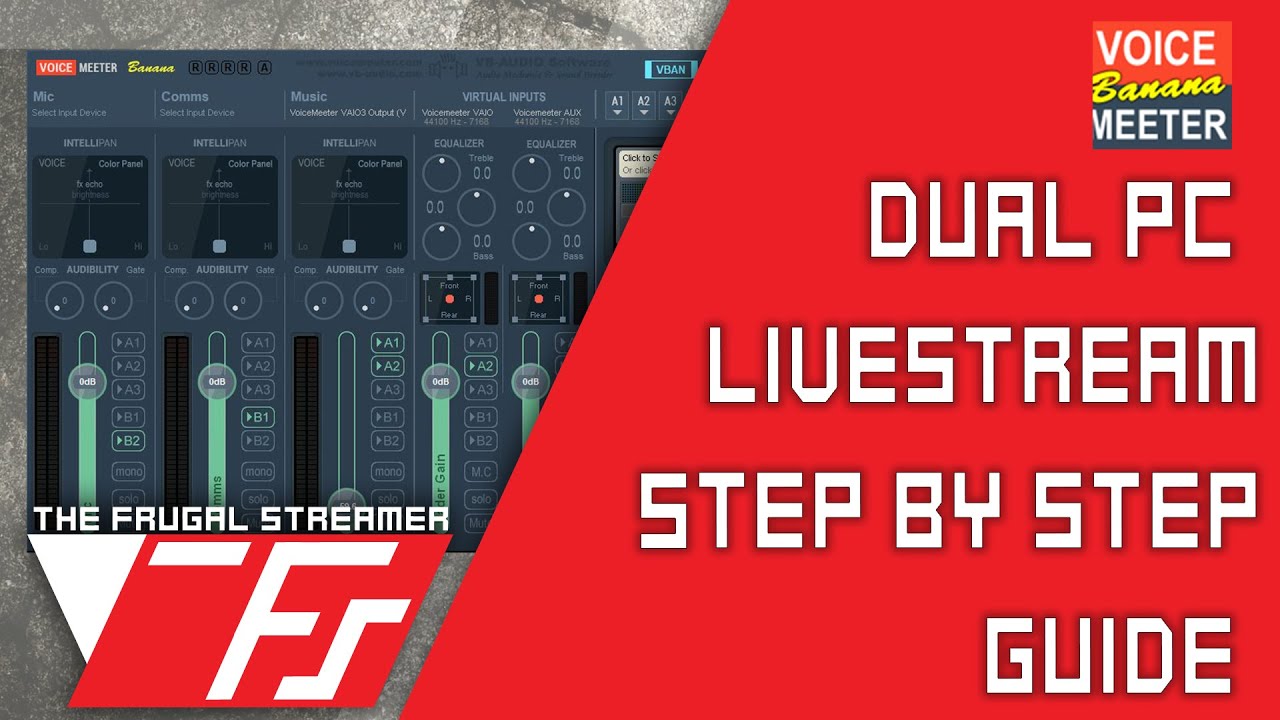
Best Voicemeeter Banana Dual PC Stream Setup Guide 2019. Super Easy to Set up! #voicemeeter #bestsetup #guide
Update 1/6/21: I have made an updated video that is more detailed than this one on setting up Voicemeeter, and using Potato. I've changed my approach on how to set up the audio for normal streaming, so if interested in a simpler app...
ashen ruin
Lol.
tranquil shuttle
Longer means more info
Wait, if I just monitor/output from the streaming PC, then having the headphones in the gaming PC would just be redundant, wouldn't it?
Just switch the playback device settings when I decide to stream, then switch it back when I'm done
ashen ruin
tranquil shuttle
Longer means more info
Basically a1 will be your headset you want to hear your gaming pc on now, a2 will be going to the capture card and listed as a sound device.
tranquil shuttle
Yeah, I remember the strategies for splitting. Just the VERY initial part is what I forget
ashen ruin
Just like switch windows audio output like you did now to send it but in vmb you’ll have a new option on gaming pc sound options called voice meter input. That takes all your sound including discord into voice meter and you can split it from there. You can also use voice meter aux input option to send your discord to voice meter and separate it from the video capture sound. It explains in that video.
tranquil shuttle
Oo, I set the capture as the default device, and now I can hear it in OBS
Oh, I have the other apps separated in OBS with different application audio output capture sources
ashen ruin
tranquil shuttle
Wait, if I just monitor/output from the streaming PC, then having the headphones...
The problem with monitoring audio in obs is sometimes it lags.
tranquil shuttle
I can test that in Rocket League
ashen ruin
Ya. Watch video follow his steps and test and go from there. Its complicated but you’ll get it
tranquil shuttle
Okies
warped ledge
river iris
So if I were to get a MacMini M2 as streaming PC, Id need an external capture ca...
yes, and you want to make sure it's compatible.
warped ledge
hollow frost
Does anyone have any experience with 2 tower pc set up - windows 11 - HD60 Pro h...
Hi Diva, I hope you've been follow the chat below your original message. I think this will help you.
warped ledge
rare breach
Well, now on my capture interface (in 4K Capture Utility) I just have a black sc...
capture cards can have a delay but the tv shouldn't. make sure you have cables, and the pc that meet the required specs.
warped ledge
vast pendant
It won't do either, same gray screen
this is correct only 1 app can run it at a time, unless you have a 4K60Pro MK.2
warped ledge
eternal night
Hello everyone 😄
**Device**: External HD60 (the old one, with the play button i...
First, thanks for using the template, and 2nd have you tried a different PCIE slot to see if that changes anything?
eternal night
warped ledge
First, thanks for using the template, and 2nd have you tried a different PCIE sl...
Hi! The fix was actually super simple. I installed the game capture hd software and that installed whatever was left of drivers. It worked like a charm 😄
Now, have we gotten an update on audio capture from switch? I have that issue where you cannot plug a headset and capture the audio at the same time
warped ledge
eternal night
Now, have we gotten an update on audio capture from switch? I have that issue wh...
that is odd
 prisma spoke
Can you control two PCS from one stream deck?
 burnt trout
Does anyone know to fix discord streaming issues? Every time I try to stream my switch (using HD 60X) to discord my whole computer locks up and I have to hard shutdown my computer. Any help would be greatly appreciated. Months ago I could stream to discord
eternal night
warped ledge
that is odd
What happens is that the moment you plug in a headset to the switch, the audio is rerouted from the hdmi to the headphone jack, that results in no game audio getting captured.
I solved it by connecting my headset to the TV via Bluetooth xD
According to the elgato website this is an issue on Nintendo side, but they were going to try finding a workaround. That's why I asked if there were any news on the subject
 proven monolith
Hi, I'm experiencing major latency with my Game Capture HD (the og one) in recording. The video output file has the same latency as the software preview, whilst my TV is unaffected. Please help as I urgently need to use it.
(happens in both the elgato utility and obs)
 bitter pebble
When trying to plug in my HD60 S Elgato card again after a while it will start up with white lights then flash red. I have unplugged everything from it and still flashes the red light one time. The only thing connected to the HD60 S is the USB-C cable to USB 3.0. I have made sure it was in a 3.0 connection on the monther board of my pc and made sure its the original cord from when i got it. But now its trying to say its a HDCP error even though no HDMI cords are attached to the box. Anyone have any solutions.
Things i have tried already.
- Checked if the Elgato settings are correct. (they were)
- Updated Drivers. (updated to newest fermware)
- Made sure USB ports weren't controlled by computers power saver mode. (they were but turned them off and now still not working.)
- Uninstalled and installed again. (Still 1 flash White of all 7 lights then 1 flash red of all 7 lights.)
- Disabled Elgato in Device Manger then restarted then Enabled Elgato Capture Card.
- Installed the newer 4K capture device. (still not working.)
------ * EDIT * ------
I only see the flash happen when in the normal Elgato Game Capture HD app. When im out of it the Elgato doesn't flash red. Once inside the app and reboot the Elgato the red light comes back on. Fully deleteing all files and testing out again.
------ * EDIT * ------
After completly deleting all files and reinstalling the apps for the HD Capture and the 4k Caputre. 4K doesn't make it flash red at all but once in the HD capture software it flashes like it has a HDCP error. But again not setup to anything for HDMI controll. So im confused on whats happening. Any help would be great.
------ * EDIT * ------
Also going to comment on this while no one has yet. This is also happening when i have a device plugged in. Flashes red 1 time and doesn't flash again.
 rancid star
Device: HD60 X / 4K Capture Utility
Software & Version: 1.7.10
Windows/Mac Version: Windows 11
Console/Dual PC: PS5
Question/Issue: Got the HD60 X just now and I don't have any USB 3.0 ports left on my PC, so I thought of using a USB-C to USB-C connection for the capture card to the PC, but when I open 4K Capture Utility it says "USB communication issue detected". Is there anyway to remedy this?
warped ledge
eternal night
According to the elgato website this is an issue on Nintendo side, but they were...
are you using a chatlink/pro or just the capture card?
warped ledge
rancid star
**Device**: HD60 X / 4K Capture Utility
**Software & Version**: 1.7.10
**Windows...
make sure the cable meets the power/data requirements. a thunderbolt 3 cable usually is enough.
rancid star
warped ledge
make sure the cable meets the power/data requirements. a thunderbolt 3 cable usu...
Thanks, I'll keep that in mind. Another question: is there any way to remove the bars on the side?
 radiant widget
Is there a Turkish moderator?
eternal night
warped ledge
are you using a chatlink/pro or just the capture card?
Just the HD60. Apparently newer models have a way of doing it or so I've heard.
warped ledge
eternal night
Just the HD60. Apparently newer models have a way of doing it or so I've heard.
let me check something
warped ledge
rancid star
Thanks, I'll keep that in mind. Another question: is there any way to remove the...
that depends on the layout in your settings. Your device may only allow a certain aspect ratio.
rancid star
warped ledge
that depends on the layout in your settings. Your device may only allow a certai...
I figured it out, it only goes full screen when I double click it while in windowed mode
for some reason
warped ledge
radiant widget
Is there a Turkish moderator?
please don’t spam the channels it’s been answered in #general
rancid star
When it's maximized then I double click I can still see my taskbar
warped ledge
rancid star
for some reason
hmm… I think you might need to check your console settings
rancid star
I don't think so, when 4K Capture Utility is windowed I can get full screen. When 4K Capture Utility is maximized I can still see my taskbar
It's weird
Is 10GBPS data transfer speed enough for HD60X?
 next wigeon
It worked 5 hours ago and i unplugged it and plugged it back in. Then it just stopped.
HD60 S
Game Capture HD 3.70.56.3056
Windows 11
Wii2Hdmi
 sour glen
Hey guys ! i have an issue with my elgato HD60x (im trying to setup a double pc for streaming) and i can't see my elgato on streamlabs. The only way i see my gaming pc is by turning the 4K capture elgato app. If anyone can help your help would be appreciated. Thanks !
sour glen
Device: HD60 X / 4K Capture Utility
Software & Version: 1.7.10
Windows/Mac Version: Windows 10
Console/Dual PC: DUAL PC
Question/Issue: I can't see my elgato on streamlabs.
next wigeon
How are you capturing Elgato? Game Capture? Windows Capture? Display Capture?
next wigeon
Wait so you can see the capture on your pc itself. But when you use display then it is blank?
Display Capture is meant to display your whole monitor?
sour glen
I cloned my screen on the gaming pc and i'm able to see my gaming pc on the stream pc in the app (4K Capture Utility) but when it comes to streamlabs or obs i can't see it.
i don't know if i'm being clear sry
next wigeon
What exactly do you see if you put display capture on monitor 1 and have the Elgato capture software on Monitor 1? Is it just blank?
sour glen
maybe i'm being dumb and i don't know how to setup this.
i only see my streaming monitor
i have 1 monitor for each pc

look xd
did i do something wrong there
next wigeon
I think you got it correctly. I am just confused about it now showing on your stream pc. The way i see it is:
Capture Card is seeing the Gaming monitor from your stream pc via the software
Streamlabs captures the whole monitor of your stream pc.
You open the elgato program from your stream pc and let it record
Does it show the Elgato software then? Do you see your Gaming pc from streamlabs?
I can't fully figure out if it's an Elgato problem or a streamlabs/obs problem
sour glen
yeah you got it right, on streamlabs the only way i can see my gaming pc is by displaying the software directly


sry it's in french
 next wigeon
That's totally fine :D. Okay so what exactly is the issue? Is it Game Capture and Windows Capture not working?
 sour glen
any of these are not letting me use directy the elgato device
i'm forced to stream the app ?
should i not be able to choose "elgato capture card" ?
next wigeon
When i use Window Capture. Elgato shows up as one of the option in the dropdown menu. Is that not the same for you?
 sour glen
yep, it is not an option for me
next wigeon
Did you restart your pc after installing the Elgato software?
sour glen
yep
by the way
i don't get why the elgato is only in the audio section

maybe it's not part of the problem
next wigeon
I think that's the same for me
sour glen
ok thanks
next wigeon
Surprised OBS doesn't wanna capture it tho. I know Game Capture can be stupid but Windows capture often works
At least i understand your problem now
rancid star
Is 10gbps data transfer enough for a capture card? Trying to use a USB C to C for my HD60X because I'm out of ports
sour glen
next wigeon
At least i understand your problem now
i don't get it
next wigeon
I mean to me it looks like an OBS problem. That it doesn't wanna capture Elgato for some reason.
But sadly idk how to fix it.
sour glen
thanks for helping me
next wigeon
I think i am personally done getting Elgato to work myself xD. The 3.0 issue i listed above is killing me and i tried now with the 4k app. It just doesn't wanna capture my wii anymore and the audio is broken.
Apologies for not being able to help. Maybe someone else can
hearty raven
hearty raven
hi every one i got a problem with two of the capture cards my HD60s+ is strait u...
iv figerd out the problem with the hd60 it sems if the capture card dose not suport the screen res it simply dosnt schow it witout a notification
 dense knot
Hey so I am having a Problem with my Elgato HD 60s. Everything works fine, but the way I hear my consoles audio is by having a game capture source in OBS that also takes the audio. I then select "Monitor and Output" in order to hear the sounds and being able to record them. OBS however desyncs the audio after some time so I tried to came up with something different. I now have playback listen enabled in my windows sound controller and everything is working fine. The only problem is that the audio now is really loud and changing the levels setting doesn't change any volume. What do you guys usually use in order to hear your console audio from your capture cards?
proven monolith
Device: Game Capture HD
Software & Version: Game Capture HD 3.70.56 and OBS 29
Windows/Mac Version: Windows 11 22H2
Console/Dual PC: Nintendo Switch
Question/Issue: I keep getting messages like 'USB device not recognised' and 'No Signal' (with the device plugged in). Ive tried everything; different cables, reinstalling drivers, different consoles, the lot. I need help as I need to use it for something.
 west hatch
Device: Elgato HD60 Pro
Software & Version: Elgato 4K Capture Utility 1.7.9
Windows/Mac Version: Windows 10
Console/Dual PC: Nintendo Switch
Question/Issue: My PC is some meters away from my Console & TV, so instead of using the capture cards output for the TV, I decided to use a HDMI splitter with one cable going into the TV and the second one to the PC/Capture card so I would only need one long HDMI cable instead of 2. The issue I have is that my TV and the capture card seem to handle overscan/underscan differently. While the screen of my TV is perfectly filled, I have a big border around the game on the PC. Is there any way to remove the black border without changing it on console which would result in overscan on my TV?
 warped ledge
sour glen
**Device**: HD60 X / 4K Capture Utility
**Software & Version**: 1.7.10
**Windows...
warped ledge
sour glen
**Device**: HD60 X / 4K Capture Utility
**Software & Version**: 1.7.10
**Windows...
try these streps and see if it helps https://help.elgato.com/hc/en-us/articles/360049800232-PC-Game-Recording-with-Elgato-Game-Capture-4K60-Pro-MK-2-Setup
Elgato
There are a few things that need be mentioned up front when it comes to PC Game Recording with Elgato Gaming products.Please note that Elgato Gaming products are designed to capture from Gaming Con...
warped ledge
proven monolith
**Device**: Game Capture HD
**Software & Version**: Game Capture HD 3.70.56 and ...
make sure you're connected to a usb 3.0 port on your pc's mobo and not a hub.
warped ledge
west hatch
**Device**: Elgato HD60 Pro
**Software & Version**: Elgato 4K Capture Utility 1....
splitters can be a pain, try it without a splitter
west hatch
hm, I might test if that's actually the issue, though I currently have no other option since I only have one 10m HDMI cable. If that's what's causing it and there is no way of adjusting it in the elgato software, I might prefer to just let it as is 😅
bitter pebble
bitter pebble
When trying to plug in my HD60 S Elgato card again after a while it will start u...
Anyone able to help?
ashen ruin
bitter pebble
Anyone able to help?
Elgato
Elgato Game Capture HD60 has a strip of LED lights that have various meanings, depending on their color, duration, and what direction they are traveling in. Device ConnectedWhen Elgato Game Captur...
sour glen
warped ledge
try these streps and see if it helps https://help.elgato.com/hc/en-us/articles/3...
thanks but i didn't work too
warped ledge
sour glen
thanks but i didn't work too
you might have to wait until someone who has a dual pc setup can help.
ashen ruin
sour glen
i'm forced to stream the app ?
You should be using the option “video capture device” as the capture card is a video capture device. Window and display capture are made for capturing your your monitor device on a single pc setup not on a duel pc stream setup without a capture card. In the source options of video capture device your elgato will show up as the model you have.
sour glen
ashen ruin
You should be using the option “video capture device” as the capture card is a v...
even when i try to use video capture device it's still the same
in the list of choice elgato capture card doesn't appear
ashen ruin
sour glen
It won’t show in the list, click video capture device then there is a new window that opens and allows you to choose your hd60 from a drop down menu. I am not in front of pc at the moment to show you.

 ashen ruin
There are 2 ways to make this work. First way is use a hdmi cable from gaming pc to input of capture card input, use a second hdmi cable to connect capture card hdmi output to gaming pc monitor. On the streaming pc open obs studio and add source video capture device then choose your model from the drop down. If it does not show as a option with this setup make sure your using a usb 3.0 port. Second option is too plug gaming pc hdmi cable into capture card input . With this option you’ll not be using a hdmi cable to your gaming pc monitor because one is maybe using a display port to gaming pc monitor instead. So you’ll want to clone the display in nviida control panel or amd graphics card options to the elgato capture card. The same then applies though add video capture card ti obs studio.
 ashen ruin
Beautiful paint it is. So okay you’re using stream labs, i use obs studio. There has to be a option when adding source called “video capture device” not window or game capture and i don’t see it as a option to get you where you need to be.
Are you hitting the plus in the sourcr options or scene options.
sour glen
i tried using obs and it's still the same
sources

it was from earlier
when i turn off the app and restart obs
it's still the same
nothings appears
ashen ruin

Where is says webcam boraders and game capture is that where you’re clicking to add source? Cause it doesn’t matter where you choose to get the options.
 ashen ruin
Okay let me make some coffee and boot up my pc
ashen ruin
Lol no prob.
 bitter pebble
ashen ruin
https://help.elgato.com/hc/en-us/articles/360027954492-Status-lights-on-Elgato-G...
bitter pebble
ashen ruin
https://help.elgato.com/hc/en-us/articles/360027954492-Status-lights-on-Elgato-G...
Yes i understand the flashing red light is RED when HDCP is detected. But why is it being detected when nothing is plugged into it besides the USB-C to USB connection. Also this is for a switch. So no DHCP detection should be showing up because its disabled by default.
ashen ruin
@koba so you see scense and then sources. Click the + on sources at bottom and to add one and video capture should show like this.

Then name it.

Then you see this list of options

You can see both my h60 pro and 4k 60 pro i already have. Your model will show there. If its not showing then what versions of obs and streamlabs do you have?
ashen ruin
it seems this is a problem of streamlabs software at this point. people today mostly use obs studio instead.
I would use obs studio if you since you can see it there. setup your alerts and overlays with stream elements is recommend and what i use myself.
you could also maybe see if there is a discord community for streamblabs and make a post in it. I have tried everything i can think of.
ashen ruin
bitter pebble
Yes i understand the flashing red light is RED when HDCP is detected. But why is...
https://help.elgato.com/hc/en-us/articles/360027962352-Nintendo-Switch-and-Elgato-Game-Capture-HD60-S-Setup it seems to be a know issue that even the docks that come with the switch can have this issue sometimes and it seems to be a problem out in all the forums. Maybe reach out to elgato tech support and do a ticket with them to see what they see with it going to red when nothing plugged in.
Elgato
This article will guide you on connecting the Nintendo Switch Dock to Elgato Game Capture HD60 S. Items Needed for Setup• Nintendo Switch• Nintendo Switch Dock with attached power adapter and HD...
@sour glen id also try the first method of hook with 2 hdmi cables and see if anything changes. Sorry couldn't help more.
ashen ruin
next wigeon
It worked 5 hours ago and i unplugged it and plugged it back in. Then it just st...
I see you're plugging the usb port into a tower case port. can you confirm that port is usb 3.0? usb 3.0 is required so it may have worked at first and then didn't have enough badwidth. Try plugging into a blue color usb port on the back of your tower pc.
ashen ruin
sour glen
btw
i guess i don't follow. you can't see the option "video capture device" or you can see the preview screen?
sour glen
I can’t see the elgato capture card in the list of choice
ashen ruin
sour glen
I can’t see the elgato capture card in the list of choice
i just DM'd you
burnt trout
Anyone else having issues streaming to Discord? My whole PC locks up every time
tranquil shuttle
So I got VB CABLE and VoiceMeeter installed and going, but I'm smooth-braining the routing to get it over to the streaming system's OBS, lol..
 dusty otter
Hello, I was wondering if anyone else have been having issues with audio crackling when using the HD60X hooked up to a PS4 Pro or PS3? I'm at a loss
dense knot
How can I change the volume of my Capture Card that is showing up in my Sound Settings? Changing the Levels Slider does not change anything
ashen ruin
tranquil shuttle
So I got `VB CABLE` and VoiceMeeter installed and going, but I'm smooth-braining...
https://www.youtube.com/watch?v=sXcfUh2bbnQ watch that and it may help you.
Best Voicemeeter Banana Dual PC Stream Setup Guide 2019. Super Easy to Set up! #voicemeeter #bestsetup #guide
Update 1/6/21: I have made an updated video that is more detailed than this one on setting up Voicemeeter, and using Potato. I've changed my approach on how to set up the audio for normal streaming, so if interested in a simpler app...
ashen ruin
dense knot
How can I change the volume of my Capture Card that is showing up in my Sound Se...
right click on your sound icon on taskbar choose open sound settings, scroll to bottom and choose advanced sound options, move the sliders there for your sound device. i'd try that first with having so much limited info of your setup.
ashen ruin
burnt trout
Anyone else having issues streaming to Discord? My whole PC locks up every time
no issues here
tranquil shuttle
ashen ruin
https://www.youtube.com/watch?v=sXcfUh2bbnQ watch that and it may help you.
Well, I got it over THERE now, but the problem I'm running into now is that I'm not getting any audio to the headphones on the gaming PC. Gonna try a different headset and see if it was just that. But another consideration I had is about if alerts/redemptions and the like play on the streaming PC, that's likely gonna come through to my mic as well and the stream would hear it twice
Oh, I guess I had to manually change it in VB when I plugged the headphones in. Weird.
ashen ruin
When adding browser alert source you can tell obs studio to control volume in obs as a option. This is it's own source and will not play out of your microphone. It will mix into the main feed and which allows you if alerts are peaking in the red area on the vu meters to turn down it's volume.
tranquil shuttle
But I'm still not sure how to keep the alerts from going to the mic when they play through the laptop
ashen ruin
i myself have a mixer hooked up to my streaming pc and hear the alerts on my streaming pc via it's output in windows when my obs studio is up and running.
tranquil shuttle
The only other thing I could think to do is plug another pair of headphones into the streaming laptop so the alerts don't sound off in my mic
dense knot
ashen ruin
right click on your sound icon on taskbar choose open sound settings, scroll to ...
If you mean this one, then as stated changing this slider won't change anything
 tranquil shuttle
But the problem I run into there is likely missing some alerts
ashen ruin
tranquil shuttle
Oh, I guess I had to manually change it in VB when I plugged the headphones in. ...
vooice meter banana allows 3 hardware outputs, a1, a2, a3. a1 will be your gaming headset connected to gaming pc. a2 will allow you to send gaming pc audio like game and discord over to obs studio on your streaming pc via the capture card or 3.5 mm output jack depending on how you want to set it up.
tranquil shuttle
But that doesn't give me my alerts from the streaming PC into my headphones
ashen ruin
dense knot
If you mean this one, then as stated changing this slider won't change anything
 tranquil shuttle
My headphones would be plugged into the gaming PC, leaving the streaming laptop playing its audio, which my mic can hear easily
I'd have to either mute the streaming laptop or plug my headphones in there and just eat the audio delay in my ears
ashen ruin
tranquil shuttle
My headphones would be plugged into the gaming PC, leaving the streaming laptop ...
you can set it up anyway you want. you need to watch the video to learn inputs and outpus. it will help. You can vlan audio from pc to another for alerts sounds via the the aux inputs and outputs of voice meter. all your doing right now is just trying different settings instead of learning the program.
dense knot
ashen ruin
Those sliders are the complete same and are bound to the slider I showed you. Moving those will also move the other one
tranquil shuttle
I've used VMB before. Just not in a dual PC setup
ashen ruin
if you have your headset connected to your gaming pc yes you won't be able to hear your alrets. if you have your headset connected to your streaming pc you'll hear alerts but no gaming pc audio. so you have to split the outputs of a1, a2, a3, to what ever devices you need.
tranquil shuttle
My primary concern is if I'll be able to hear my redemptions/alerts without them being played into my mic. I turned off monitoring on the capture in OBS.
The only other thing I can think of is to lower the volume on the laptop's speakers.
Low enough for me to hear, but not the mic
ashen ruin
again i will say alerts are connected into your mic being a separate audio source physically. but obs studio will mix alerts sounds and mic into one stream output.
ashen ruin
dense knot
How can I change the volume of my Capture Card that is showing up in my Sound Se...
what software are you using to see capture card? obs studio? elgato software?
tranquil shuttle
My headphones are gonna be plugged into the gaming PC. The mic and alerts are both on the streaming laptop. I have my audio levels where I want them in OBS for stream output. I just want to be able to hear them myself while avoiding making the stream hear them twice.
dense knot
ashen ruin
what software are you using to see capture card? obs studio? elgato software?
OBS
ashen ruin
tranquil shuttle
My headphones are gonna be plugged into the gaming PC. The mic and alerts are bo...
You could then install voice meter banana on the streaming pc, and send its desktop audio in windows to a input via vban over your own network to the gaming pc with voice meter.
ashen ruin
Yup learn about how vban and voice meter works.
it is very involved to do what you're trying to do and that is the answer to your question.
tranquil shuttle
I don't need no certification course, do I? I opened that thing up once and about got inhaled by the vortex.
ashen ruin
it is how others are doing with mixers and mic, and devices. Sorry there is no easier way.
hahahahaha sometimes we do.
dusty otter
So I actually made an interesting discovery. I have been fighting tooth and nail with the hd60x (and now evga xr1 pro) and my playstation consoles. I was able to get my hd60s to show back up in obs and low and behold no audio issues. Any one have thoughts on why that may be?
tranquil shuttle
I just wanna stream, I don't wanna go though a whole college level course right now. I've been out of the game for months, and now that I have this capture card, I'm finally ready to go. This is a massive deflater, not gonna lie.
ashen ruin
tranquil shuttle
I don't need no certification course, do I? I opened that thing up once and abou...
ive been learning for over 2 years it's crazy what you can do. just gotta learn if you want it to work.
ashen ruin
tranquil shuttle
I just wanna stream, I don't wanna go though a whole college level course right ...
Not really. you just don't wanna lol
tranquil shuttle
I ain't no rookie, myself. I'm just tired of doing all this for everything to break at some point or other, or for it all to be in vain
ashen ruin
dense knot
OBS
and you're trying to adjust the volume for your stream or for you to hear?
ashen ruin
tranquil shuttle
I ain't no rookie, myself. I'm just tired of doing all this for everything to br...
ahhhh we were all in the same place at one point, like you said it's a lot to learn and 2 pc streams are complicated at first.
Can't give up keep pushing.
dense knot
ashen ruin
and you're trying to adjust the volume for your stream or for you to hear?
for me to hear
tranquil shuttle
Jobs ain't easy for me. So this is one of my only half-ass reliable sources of income (and companionship). I just wanna make my return. This is a bunch of extra stress I didn't want right now
ashen ruin
dense knot
for me to hear
what is your default play back device set to in windows?
tranquil shuttle
Technical frustrations can anger me to... let's just say "unhealthy" levels. I really don't want that today.
dense knot
ashen ruin
what is your default play back device set to in windows?
my headphones
ashen ruin
tranquil shuttle
Technical frustrations can anger me to... let's just say "unhealthy" levels. I r...
Good luck my friend.
tranquil shuttle
So plunging into a whole new system is daunting, and not just from a technical perspective.
Network stuff isn't so much a problem for me. I got my Cisco CCENT cert years back.
ashen ruin
dense knot
my headphones
What headphones are you using and are they plugged into any type of mixer? the pc 3.5mm headphone output jack? Does it have a volume knob on your headphones?
dense knot
ashen ruin
What headphones are you using and are they plugged into any type of mixer? the p...
They are put into an audio mixes. But I can just not adjust the audio of that device, for all others it works fine
ashen ruin
dense knot
They are put into an audio mixes. But I can just not adjust the audio of that de...
So you don't have a volume knob for your mixer for the headphone? what mixer are you using?
tranquil shuttle
ashen ruin
https://www.youtube.com/watch?v=sXcfUh2bbnQ watch that and it may help you.
So is that VBAN crap in here? Sorry, I'm just frustrated at having seeing the goalposts moved.
ashen ruin
tranquil shuttle
So is that VBAN crap in here? Sorry, I'm just frustrated at having seeing the go...
i don't understand your question
tranquil shuttle
VBAN
Sending that alert audio to the gaming PC's headphones.
Is that covered in the video you linked?
ashen ruin
tranquil shuttle
Is that covered in the video you linked?
Yes
dense knot
ashen ruin
So you don't have a volume knob for your mixer for the headphone? what mixer are...
Sorry I made a mistake, no my Headphone is not going into a mixer. Also I want to be able to change the volume of my capture card without decreasing everything else I hear. So that would not be the solution anyways
ashen ruin
dense knot
Sorry I made a mistake, no my Headphone is not going into a mixer. Also I want t...
in that case you will want to add a audio output capture source to obs studio and choose the device you listening on for so option.
tranquil shuttle
Wait... I'm getting game audio to my headphones on the gaming PC, but browser audio isn't going to the headphones but the USB speakers. THE HELL?
ashen ruin
tranquil shuttle
Wait... I'm getting game audio to my headphones on the gaming PC, but browser au...
lol
tranquil shuttle
See, this is why I got rid of VMB in the first damn place.
My mental health ain't up for this frustrating hell.
ashen ruin
tranquil shuttle
See, this is why I got rid of VMB in the first damn place.
take care my friend. i presented you with what you asked and helped the best i could. Good luck. Let others talk here and lets not use up all this chat space.
tranquil shuttle
But why would it be sending game audio to my headphones, but browser audio on the same PC to the speakers????
Nevermind, I guess I've worn out my welcome.
dense knot
ashen ruin
in that case you will want to add a audio output capture source to obs studio an...
That was what I was doing, but OBS has the problem that the audio gets desynced after some time when using that option. And everyone from OBS says that this is not what you should do. So I want to be able to change the volume without using OBS for it
tranquil shuttle
Gotta say, though, it's kinda funny that the whole "You're hogging chat" thing only came up when I mentioned that my stress level was rising and openly admitted to less than perfect mental health.
ashen ruin
dense knot
That was what I was doing, but OBS has the problem that the audio gets desynced ...
obs studio by default will pull your default mic/headphone options via this. I disable all of this for my setup and I add each audio device as a scene and then the source is the audio output for something being output and audio input for a hardware like a mic or mixer.

here is how i have discord setup.

my discord is a scene, with audio output capture of discord application. there no delay from doing it this way at all. The delay comes in when you monitor via obs studio and out put it to a pair of headphones.
dense knot
ashen ruin
obs studio by default will pull your default mic/headphone options via this. I d...
yeah that's what I am having, the problem is when selecting "Monitor and Output" like you're suggesting then it will get a delay after some time. So you hear the game audio but after like 15 minutes attack sounds are delayed
ashen ruin
dense knot
yeah that's what I am having, the problem is when selecting "Monitor and Output"...
Correct. that is what they're talking about. adding a audio source input or output to stream will allow your hardware device with a volume knob on it to adjust how loud it is to you listening on headphones but in obs you'll be able to move the vu meter slider to adjust the volume to the stream. not effecting your headphones.
Doing it this way you're not monitoring this

my monitoring is off but since obs allows audio capture from a application source there is no delay.
dense knot
but from where do you hear the sounds then?
ashen ruin
yup showing you that right now. So the audio output capture souce for me is this, you see discord is sending it's audio to my rode caster pro via usb. i then listen to discord via that and the audio capture source output in obs studio becomes the option rode caster pro. for you it would be your mixer, usb headset so forth.

here is the audio output capture source and you can see my road caster pro.
 dense knot
Yeah but the problem in the first place is that I need to hear my console sounds somewhere in the first place. Having discord that outputs sounds and then adding that as a source is understandable, but i need to hear my console sounds in the first place
ashen ruin
this way i can adjust how loud the volume is to me in my ears for games, discord what ever the source may be and not have it change the volume to my stream.
did i miss understand i thought you were using a pc
dense knot
And my problem is that when using playback listen in windows on my Capture Card the sounds are waaaaay to loud. I don't want to turn my physical volume slider down as then everything else on my whole pc will be less loud for me as well, which I don't want of course
ashen ruin
so you're using a pc to capture your console of ps4? switch?
dense knot
I use OBS and my Console. Inside of OBS I have the audio device source selected so that only my stream can hear it. Now I want to hear the sound using windows so I don't run into the audio desync bug that OBS has. The Problem is just that the sound then is to loud
dense knot
ashen ruin
so you're using a pc to capture your console of ps4? switch?
both doesn't matter
ashen ruin
so for that you need one of the elgato capture card with a aux port i belive
what console you have?
dense knot
Why would I need that? Sound transmission is totally fine. I get the sound to my PC everything works fine, I just want to be able to adjust my volume that's all
ashen ruin
what console are you using??
Need more info so if you don't want to say what console you're using i can't figure out how to solve your problem.
For example some consoles need a 3.5mm splitter cable, some need a dock. there is limitations by elgato.
Looking at back at messages you never listed what console you're using that i see. less i missed it. thanks.
dense knot
It is a switch, but it should not matter what Console I am using. I am not transmitting my audio through Aux. I am transmitting my Audio through HDMI. I can playback listen to that device using windows sound settings. I can't adjust the volume for Elgato HD60S however. What console is at the end of the source does not matter for that problem at all
dusty otter
dense knot
It is a switch, but it should not matter what Console I am using. I am not trans...
So it's not practical but if i understand your problem this is where I use my loupedeck/streamdeck. I can have a toggle to adjust the system so it doesn't peak, then a separate toggle for chat volume and computer volume.
And then if there is a delay I believe there is a setting to adjust for audio delay.
dense knot
dusty otter
So it's not practical but if i understand your problem this is where I use my lo...
yeah we fixed the issue using my audio mixer
dusty otter
dense knot
yeah we fixed the issue using my audio mixer
👍
bitter pebble
When trying to plug in my HD60 S Elgato card again after a while it will start up with white lights then flash red. I have unplugged everything from it and still flashes the red light one time. The only thing connected to the HD60 S is the USB-C cable to USB 3.0. I have made sure it was in a 3.0 connection on the monther board of my pc and made sure its the original cord from when i got it. But now its trying to say its a HDCP error even though no HDMI cords are attached to the box. Anyone have any solutions.
Things i have tried already.
- Checked if the Elgato settings are correct. (they were)
- Updated Drivers. (updated to newest fermware)
- Made sure USB ports weren't controlled by computers power saver mode. (they were but turned them off and now still not working.)
- Uninstalled and installed again. (Still 1 flash White of all 7 lights then 1 flash red of all 7 lights.)
- Disabled Elgato in Device Manger then restarted then Enabled Elgato Capture Card.
- Installed the newer 4K capture device. (still not working.)
------ * EDIT * ------
I only see the flash happen when in the normal Elgato Game Capture HD app. When im out of it the Elgato doesn't flash red. Once inside the app and reboot the Elgato the red light comes back on. Fully deleteing all files and testing out again.
------ * EDIT * ------
After completly deleting all files and reinstalling the apps for the HD Capture and the 4k Caputre. 4K doesn't make it flash red at all but once in the HD capture software it flashes like it has a HDCP error. But again not setup to anything for HDMI controll. So im confused on whats happening. Any help would be great.
------ * EDIT * ------
Also going to comment on this while no one has yet. This is also happening when i have a device plugged in. Flashes red 1 time and doesn't flash again.
Anyone know anything. Please just want to play on Switch on my pc through the app.
burnt trout
warped ledge
try these streps and see if it helps https://help.elgato.com/hc/en-us/articles/3...
do you know any fixes for my HD 60X failing to stream to Discord?
warped ledge
burnt trout
do you know any fixes for my HD 60X failing to stream to Discord?
How were you setting up to stream in Discord?
burnt trout
warped ledge
How were you setting up to stream in Discord?
switch to the capture to PC, when i open it and try to open the Elgato 5k Capture my whole PC freezes then shuts down. The USB is into a red usb port 3.1/3.2
bitter pebble
Anyone know if I can plug in a elgato 4k60 pro mk.2 into a graphics card slot and still get it to work?
craggy relic
I’m trying to play coffe talk episode 2 on the ps5 with my hd60 X but I get no single when I boot it up every time. Any other game will work though
craggy relic
I think I found the solution for my ps5 issue
 dire sail
I'm getting a new Camlink Pro soon, I already own a 4K Pro mk2. Do I need to install a new driver for the camlink pro or is the driver universal?
 subtle haven
I need help streaming on my ps5
craggy relic
Hm?
craggy relic
You got monitor on?
subtle haven
Yeah
subtle haven
I’m using a usb microphone for my voice and headphones to hear the game audio
But no audio is coming through the headphones
craggy relic
Send a pic of your screen

 craggy relic
Is your headphones connected to your controller?
subtle haven
But when I turn it to HDMI I can’t
It’s connected to a chat link cable that’s hooked to my elgato
And yeah it’s connected to the controller
craggy relic
Hm I do not have the knowledge of chat link because I do not posess or part take in any media concerning it
Give me 5 minutes
subtle haven
Oh and also when I set it to headphones it takes away the volume from obs

As you can see the elgato doesn’t pick up any in game audio
I got this all fixed earlier this morning but for some reason it went back to not working again and I’m not sure what went wrong
craggy relic

In this video, learn how to set up and use Elgato Chat Link Pro with Playstation 4 & 5.
▼ Click "Show More" for details and features.
► Learn more: https://e.lga.to/ChatLinkPro
▼ Chat Link Pro Highlights:
► PS5, PS4, Nintendo Switch audio adapter.
► Capture voice chat gameplay sound.
► Plugs into PS5 controller, PS4 controller, or Nintendo ...
At this real quick
subtle haven
Alright
Yeah everything is correct but the audio for some reason isn’t coming through my headphones when I have the output set to hdmi
Because if I don’t have it set to hdmi I won’t get any audio recordings from the game on my stream
I was on a call for an hour and a half with customer support and we got it to work but as soon as I left and came back it wasn’t working again
rancid star
Device: HD60 X / 4K Capture Utility
Software & Version: 1.7.10
Windows/Mac Version: Windows 11
Console/Dual PC: PS5
Question/Issue: I seem to be losing fps when I'm on full screen. Even on menus where I know I should get 60, I get low frames. Is there a way to fix this?
warped ledge
burnt trout
switch to the capture to PC, when i open it and try to open the Elgato 5k Captur...
try this and reboot, then check your card. https://streamdecklabs.com/🧯-how-to-disable-windows-10-11s-usb-selective-suspend-setting/
Once you complete these steps, Windows will no longer power off USB devices connected to your computer, which will fix any problem are experiencing as a result of this Windows feature. Windows 10+ includes the USB selective suspend feature that lets you automatically put USB devices in a very low-power state when they’re not actively… Continue r...
burnt trout
warped ledge
try this and reboot, then check your card. https://streamdecklabs.com/%f0%9f%a7%...
thank you I will give it a try, I found a work around yesterday that semi works. I will let you know if this works
Didn't crash like it used to thank you very much
 chilly citrus