#tennogen-creation-discussion
1 messages · Page 12 of 1
 valid pine
excited to see what you come up with 🙂
 fossil sedge
yo hes in blender 
 valid pine
hes also about 30 meters tall by the looks of it lol
fossil sedge
valid pine
hes also about 30 meters tall by the looks of it lol
yeah uh idk tbh i dont know how to use blender super well
but he has texture now

i just want this so i can zoom in and use it as a reference for drawing
valid pine
if you're making a skin you don't want his textures on there
you draw your own over the first version you posted
fossil sedge
no im gonna get close up angles and screenshot for drawing references
i guess i could use captura but eh this is more fun
valid pine
alr good luck haha
fossil sedge
valid pine
if you're making a skin you don't want his textures on there
so if i understand correctly tennogen skins are just retextured and potentially with alt helmets
valid pine
yup. its all in the guides
all those fine details, grooves and outlines on the shape, and emissive bits are what you would be changing - which is why i said you don't want those textures applied otherwise it'll just look like the original uriel but with different colours
you can also change the textures so add metallics, cloth details etc
fossil sedge
valid pine
you can also change the textures so add metallics, cloth details etc
can you change height maps and if so is there a limit
valid pine
height maps are technically flat
so whatever looks good. You just can't change the 3d model itself
fossil sedge
i see
valid pine
if you look at the images of the signa i'm working on atm you can see what i mean with the cloth. I sculpted that onto a high poly model then baked it into the normal and height maps
so it looks like there's cloth there, but its just smooth geometry
fossil sedge
valid pine
so it looks like there's cloth there, but its just smooth geometry
So would it be possible to just

Or nah
valid pine
you can try, but the cloth would be form fitted to his body. So it's possible but depends on your execution if it looks good or not
fossil sedge
Well I wouldn’t be the modeling person if it ever gets to that point
fossil sedge
True
Idk how to make textures either lol
Rn I think I’ll just have some fun experimenting with ideas
valid pine
i mean if you're just doing a concept you can do whatever you want as long as you aren't adding elements that would need to be modelled
then if someone likes the design and is willing to collab to do it in 3D you can discuss changes or what they think is or isn't possible
but the more difficult you make it to work on, the harder it'll be to convince someone to spend the time on it
fossil sedge
Unless I do a concept for a deluxe skins in which case the chances of it being added are extremely low
Though I would have near unlimited freedom
valid pine
you could always do the deluxe concept to get the idea on paper then do a paired down version that works for tennogen, but its a lot of work for something to maybe get accepted. It's up to you as the artist to decide what you do though
fossil sedge
Wow I cannot thank you enough for the help 🫡
valid pine
lol np. I'm currently just waiting for the artist i'm collabing with to get back to me on something so i've got time haha
 rapid thicket
the psd in the fan kit has them on individual layers https://www.dropbox.com/scl/fo/el9i8ltoms44id3wt3swv/h/Languages?dl=0&preview=Ostron.psd&subfolder_nav_tracking=1
valid pine
Ah beautiful, thank you!
 hollow flare
WIP sculpting time. i wonder if the size of the details are right or too small. trying to nail the Sentient style is hard lol

 hollow flare
question anybody knows how to do Scrolling emissive? any links to a guide?
 raw mist
Thanks a lot for your help. After tweaking some values in the shader editor (on the default Tennogen pbr material, with it texture nodes filled with my texture), I managed to have the scrolling emissive working.
However, if I understood you correctly, you said that I didn't even have to go to the shading workspace and that everything could be done from the Tennogen add-on tab. Here's what the Tennogen tab looks like for me and I can't find options to directly modify the scrolling emissive in it. Did I understand you correctly? Am I missing something?
Please find attached my texture, my model, the view in the shader editor and what my Tennogen tab looks like.


 raw mist
hollow flare
question anybody knows how to do Scrolling emissive? any links to a guide?
raw mist
hollow flare
question anybody knows how to do Scrolling emissive? any links to a guide?
This post should answer your question 🙂
#tennogen-creation-discussion message
hollow flare
raw mist
This post should answer your question 🙂
https://discord.com/channels/552966801...
thank you 🙂
rapid thicket
raw mist
Thanks a lot for your help. After tweaking some values in the shader editor (on ...
you should have more settings when you scroll down. check "use animated emissive mask" and it'll expand with the Emissive Pan options

 valid pine
I just took the same screen shots lol


The material's nodes are all set up exactly the way the need to be, you don't need to mess with them. Once you get your head around the addon it's actually pretty good for what it needs to do.
(it works best in blender 4.5 in my experience.)
 fleet sonnet
Hi guys, I do 3D stuff, so I was wondering how does tennogen work ?
valid pine
np lol
 raw mist
valid pine
(it works best in blender 4.5 in my experience.)
raw mist
valid pine
(it works best in blender 4.5 in my experience.)
Thanks a lot! I was using Blender 4.2, in which the settings you shared didn't appear.
After switching to Blender 4.5, it works fine 👍
 worthy crane
4999 Triangles
 valid pine
looks great. love the one spare triangle
fossil sedge
@valid pine Uriel azraeoth deluxe skin work
this is the base layer, I’m going to add more layers of armor n stuff later, but what do you think so far
 fossil sedge
 valid pine
Looks cool
hollow flare
Did DE just grab this Substance Painter Material presets and called it a day lol. it looks so much like the sentients out of box lol


 celest nest
Very impressive sculpting. On point for sentients
hollow flare
i hope haha, im like paranoid that the details are too small to the correct size of Sentient decals.
 slim wadi
I wouldn't worry about "lore accurate sentient size scale" since they are very versatile creatures.
But you maaay want to size the whole thing up just a touch?
There are a lot of really neat details that might get lost in-game just cus the main model is so small
celest nest
You also want to throw on some nice shading material too
To accentuate the ridges and crevices.
hollow flare
slim wadi
I wouldn't worry about "lore accurate sentient size scale" since they are very v...
im pushing it on signa size lol. practically hitting the edges
hollow flare
celest nest
You also want to throw on some nice shading material too
i have not yet textured this in Substance painter. im gonna do my best to achieve sentient style texture.
slim wadi
hollow flare
im pushing it on signa size lol. practically hitting the edges
Oooh gotcha :')
I think I recalled it being small on the first round concepts but maybe not (or maybe you have scaled it up since)
Either way. If you had fun working on the small details then all good. I'm sure there will be folks appreciating them if it makes it in even if they are tiny yeah~
celest nest
We realistically don't know yet what size or position will be acceptable to DE because no signas are accepted yet.
And sometimes they bend rules for items they like, or expand them if they're too restrictive.
valid pine
Yeah tbh my submissions are kind of pushing it in terms of size. The space they gave us in that image wasn't particularly large if we want interesting shapes.
slim wadi
Yeah I think it's going to be interesting to see how this round impacts the greater operation of tennogen... I vaguely recall the staff saying there are no plans to include signas in regular tennogen, but I could see a good reception of this round changing that.
I do agree it's very tricky to design stuff for this round, basically unseen.
hollow flare
not sure if the front view size is correct but its as big as i can make it.

 slim wadi
oh that's barely outside of anything, I think you're good.
honestly, like half the signas I've seen so far submitted go way up to the cheek/mouth area, im guessing cus the citrine delux one did too idk
hollow flare
nice topology
 slim wadi
is ur pc okay
hollow flare
it takes 1 second to do anything
 brisk swift
May I ask if Tennogen does not allow overly sharp or complex appearances
slim wadi
brisk swift
May I ask if Tennogen does not allow overly sharp or complex appearances
my guess is that you are looking for silhouette breaking designs, which tennogen can't do. artist can't change the base model, just "paint" over it. it's just how the rules are set up.
but if you meant something else, please could you specify the question...?
brisk swift
slim wadi
my **guess** is that you are looking for silhouette breaking designs, which tenn...
I originally wanted to make Signa, but it seems that there's not enough time. I'd better think about making other conten
 slim wadi
brisk swift
I originally wanted to make Signa, but it seems that there's not enough time. I'...
slim wadi
brisk swift
I originally wanted to make Signa, but it seems that there's not enough time. I'...
gotcha.
yes signa submissions are only open until the 10th so you would be really cutting it close with this one.
aside from that: the blocked shape you have is fine and would be allowed. if you havent seen others do it was for their own personal choice. if you'd want to turn this into a chest armour piece that would be totally fine
 wild swift
I am working furiously to teach myself the Tennogen process in time for the Signa deadline-
Here's my WIP Infested Signa! :)
Still need to tidy up the base paints, figure out Emissives, and rework a bit of my Normals- but it's gonna be polishing up nicely I think!
Sculpting Highpoly, Decimating to low Poly + manual reworks (Retopology?), UV's, Textures and the whole lot!
I have never touched Blender or Substance painter in my life. It's been quite the learning curve, lol
I don't expect to have my submission accepted, but as a personal challenge, I must complete it! I'm very proud of what I've accomplished in a week! 
I wanna make some helmets and skins in the future, so starting small with a Signa sounded perfect.
It's been a fun challenge- mostly cause I wanna see more infestation fashion in the game!!


 raw mist
Due to the small details of my baked normal and the 1024 resolution limitation, I end up having these ugly pixelated edges. Would you have recommendations on how to circumvent this issue? Should I blur these edges on my texture?

 valid pine
if you're using substance painter you can bake the mesh maps at a higher resolution than the document is being authored in. Also turn on anti aliasing. Both things will make this less noticeable
brisk swift
I am still not sure how to operate these files. Is there any guide
 valid pine
you shouldn't need to do anything with those. install the addon as you would any addon. then when you click "switch to tennogen scene" it uses those to set it up
raw mist
I'm scared of running out of time with my submission.
Should I submit it now with the TennoGen tool and then edit my submission if I find more time to fine-tune the textures and renders?
(Is it possible to replace the Zip File with a new one after submitting?)
valid pine
Can't hurt to try, there's no tellin when they'll actually get to them
The steam upload tool has an update option that requires the zip to be resubmitted, so yes you can update the entire thing
brisk swift
May I ask where I can open the model interface of Excalibur? There are still many things I do not understand in the first production
valid pine
what do you mean by model interface?
brisk swift
That's the model
 valid pine
yes i know what a model is, are you asking like what software you use to edit a 3d model?
brisk swift
Is it blender from the guide, I'm using blender and I don't know where to download this model and use it
valid pine
the models are in the guides under "technical guides & content files"
the are either fbx or obj and you import them into blender
raw mist
valid pine
Can't hurt to try, there's no tellin when they'll actually get to them
You mean even after tomorrow's deadline I could try updating my submission, as long as it has been initially submitted beforehand?
valid pine
Well I mean you can try it, idk when DE will be reviewing them. But you won't be locked out of editing it
raw mist
valid pine
Well I mean you can try it, idk when DE will be reviewing them. But you won't be...
OK, thanks a lot for the tip 🙂
 left wolf
doesn't feel crisp enough but as far as I can get

 slim wadi
oh dang you nailed the colours and mats~
fossil sedge
Colors down


 flat oriole
Hello everyone, how do I enable opacity in blender so that the glow becomes transparent?


or should I just add the opacity texture map to the zip archive for tennogen?
valid pine
I'm not 100% sure, but those probably need to be FX cards. The emission on your actual mesh look fine but they're properly in the tint map
The FX card should be black and white, and a separate material. In the drop down box where it says "PBR" you would need to switch it to FX and create a new material for the cards
You can combine 3 maps in the FX material. One would be where the glowy lines should appear and the other is the scrolling texture - and a third if you want another scrolling texture or glowy bits that aren't affected by the scrolling
all three should be black and white
flat oriole
yes, I knew that, but what texture maps should I archive for tenogen, and how do I properly unload this set from Blender?
 valid pine
 flat oriole
I'm sorry, I'm not a great blender master, and I have to ask such silly questions.
valid pine
this part of the addon tab. Choose a file path, give the fbx file a name, append selection
its all good, tennogen stuff is confusing
when you append selection, it makes an empty and parents all your objects to it. If you tick "show export preview" it'll show you the objects and materials that will be exported
everything parented to the empty, and listed in the outliner will be exported to the file path you chose. It will include all your maps, an fbx, a document that I assume tells DE what settings you used in the blender addon like scrolling speed and emissive strength, and a .zip. The .zip contains all of that stuff again and is what you upload with the tennogen uploader tool
flat oriole
Thank you, I'll try to do it now.
If I knew the blender as well as Marmoset, I wouldn't have any problems. lol)))
 valid pine
I have the benefit of prior blender experience, but still struggle with all the tennogen specific stuff haha
looks awesome
 mystic flint
Uriel sentient skin WIP
Collab w/ lostepoch :)
 flat oriole
valid pine
I have the benefit of prior blender experience, but still struggle with all the ...
flat oriole
valid pine
I have the benefit of prior blender experience, but still struggle with all the ...
I understand you )))
flat oriole
How to connect PBR and FX materials and send them to Tennogen ???

 valid pine
you don't need to connect them. You should have a pbr material AND an fx material if you're using fx cards.
apply the fx material to the cards, and the pbr to the mesh. then export it together
flat oriole
Are you suggesting to split the model into polygroups? and assign PBR and FX
valid pine
Yeah separate the cards from the main mesh and assign the FX material to them
flat oriole
but how do I add a second material to this menu?
 valid pine
where it says "material" change it to the name you want the material to have, press enter. Then click new
then when it's highlighted, click the object you want it on and hit apply
flat oriole
valid pine
where it says "material" change it to the name you want the material to have, pr...
IT CAME TO LIFE!)))
 valid pine
beautiful
flat oriole
valid pine
beautiful
There is still a question whether it is worth smoothing out LowPoly
valid pine
I can still see the individual polygons so probably lol. I feel like clicking shade smooth would take care of it for you. How that translates in DE's engine I have no idea though
flat oriole
 valid pine
na right click the mesh - shade smooth
or shade auto smooth if you want more control over it, you can adjust the angle where it starts smoothing in the modifiers tab (blue wrench icon)
flat oriole
valid pine
I can still see the individual polygons so probably lol. I feel like clicking sh...
Where is the smooth shadows button in Blender?)))
valid pine
valid pine
na right click the mesh - shade smooth
.
flat oriole
valid pine
or shade auto smooth if you want more control over it, you can adjust the angle ...
Thank you, I'll try it now.
flat oriole
valid pine
or shade auto smooth if you want more control over it, you can adjust the angle ...
Oh yeah! This is awesome, you're making me like my blender! )))
 valid pine
haha yeah, blender is very good imo
just have to figure out where everything is and you can do anything other software can do, but all in one place
valid pine
flat oriole
Oh yeah! This is awesome, you're making me like my blender! )))
looks much better already
flat oriole
valid pine
looks much better already
Thanks, but the render is still very bad.
valid pine
adjust the bloom and glare, I usually need to lower it. Add a camera (shift a -> camera) and render it using that
0 on the numpad to switch to camera view, f12 to render a single frame
also add a couple of area lights, the scene is randomly really dark and the tennogen scene light doesn't work for me
flat oriole
hollow flare
nice topology
And this is a nice topology.
This is a nice topology. BD)))) lol

 valid pine
over budget by 12 triangles 🫣
hollow flare
flat oriole
And this is a nice topology.
This is a nice topology. BD)))) lol
bruh im losing it on retopology. my brain is screaming im losing detail and its mess up the reto lol
valid pine
mine is like that too 

 valid pine
hollow flare
bruh im losing it on retopology. my brain is screaming im losing detail and its ...
valid pine
hollow flare
bruh im losing it on retopology. my brain is screaming im losing detail and its ...
idk if i'm making things harder or easier for myself but I always make the low poly first, then sub d the shit out of it and sculpt details onto that
hollow flare
what seven hells did i get myself into lol
 hollow flare
valid pine
idk if i'm making things harder or easier for myself but I always make the low p...
hollow flare
valid pine
idk if i'm making things harder or easier for myself but I always make the low p...
too late lol
i have so many horns, deeps, and turns. any tips lol, do i just mesh over it
 valid pine
uh good luck
I've never retopologized anything in my life because I took one look at the process and said "no thanks" then learned to do it the other way
this is what my process looks like haha


currently texturing this one now. The bake came out so crisp 👌
hollow flare
dammm ill try that way next time
valid pine
its not how anyone else in the tennogen scene does it as far as I'm aware so don't take my word for it, but this is way easier for me
flat oriole
hollow flare
i have so many horns, deeps, and turns. any tips lol, do i just mesh over it
I have a feeling that if you continue with this level of detail, you'll end up with 10 or 12, but you need 5.
flat oriole
valid pine
over budget by 12 triangles 🫣
this is the background 😉
 valid pine
you got me there
I always hide that thing. I hate that I can't click anything when it's constantly behind everything lol
hollow flare
anybody know how to turn 5 into 2 lol


 flat oriole
 valid pine
much tidier than mine haha
flat oriole
this way it's even better
 hollow flare
hmm a part is 5 verts
 valid pine
poles aren't a huge problem as long as they don't throw off the shading after the bake
valid pine
flat oriole
this way it's even better
just do this

who needs a silhouette
(but yes, you are correct, i'm just lazy and go for path of quickest clicking)
valid pine
hollow flare
hmm a part is 5 verts
the bigger issue I just spotted is your middle knuckle bit is still an n-gon. has 5 sides
there's a dashed line in Neilboljeis' solution where you need to add more edges


 novel blade
Someone make a nokko skin fr
valid pine
You are also someone. Jus sayin
novel blade
valid pine
You are also someone. Jus sayin
I'm a coder, not a builder or drawer. Unfortunately, I have no talent for that stuff.
valid pine
Best time to start learning a skill is the present
 tranquil jasper
I WILL SOON DRAW A TENNOGEN SAMURAI EXCALIBUR SKIN AND SEE IF IT DOES GOOD
before i start is there any rules or conditions i must stick to in tennogen??
tranquil jasper
valid pine
https://www.warframe.com/steamworkshop/getting-started
thank you; i want to draw out my skin because i don’t have any 3d modelling software or anything on me and my pcs a potato so i think it’d crash trying to run blender or smth
hollow flare
almost there

 icy wren
hollow flare
almost there
icy wren
hollow flare
almost there
doesn't need to be all quads. let the triangle in

 hollow flare
wait for real?
icy wren
yeah. plus think about how small it's gonna be on screen, view it from that distance and see how much geo you actually need
hollow flare
icy wren
yeah. plus think about how small it's gonna be on screen, view it from that dist...
ok thanks. my brain is screaming at me telling me to add more detail lol i need to stop that
worthy crane
I have everything set to start painting in substance painter. Now I just need to learn what to do in Substance Painter.
valid pine
worthy crane
I have everything set to start painting in substance painter. Now I just need to...
that was the hard part for me
that is to say, lmk if you have any questions and I'll try to help. I've got it mostly figured out
worthy crane
valid pine
that is to say, lmk if you have any questions and I'll try to help. I've got it ...
How do you pick alpha? I'm using vertex colors
as an id mask
valid pine
I was having trouble getting vertex colours to work at all in substance painter with the tennogen shader active for some reason. Ended up going by mesh ID groups
and just hand painting anything that's a different colour/material on one object
 rocky imp
@valid pine That looks way better, great job! I love the signa
valid pine
thanks! Vashka and I are quite proud of it now
hollow flare
i did it LETS GOOOOOO


Any tips on UV unwrapping. in the meanwhile ill just watch vids haha
valid pine
like UV unwrapping that specific mesh or just in general?
hollow flare
this one i guess. the in general ill get from tutorials
valid pine
break it up into smaller pieces, and figure out where you can put a seam that won't be too visible in case it shows up in the textures. I usually don't have issues with that with the tennogen material though
not exactly this but something like this

you need the pieces to lay flat if you were to unfold them along the seams
I also highly recommend the TexTools addon for UV unwrapping, makes it a pretty seamless process (pun intended. you still need seams)
the textools addon has a checkermap button that you can use to see if your uv's are straight (you can do this with an image texture but the one click button is nice). It also has an "align world" button which will automatically align all of your islands into one direction so the flow is good. In the uv editor in blender under the uv tab there's also an "average island scale" button to make sure your texel density is even, and a "pack islands" button that will fit them all together into the square (untick rotate if you've aligned to world first)
Mine for reference


 flat oriole
hollow flare
almost there
flat oriole
hollow flare
almost there
Oh, you did it, cool. )👍
hollow flare
flat oriole
Oh, you did it, cool. )👍
yap and now to UV unwrapping
 rough saddle
Just caught up on reading everything and I must say it was rather entertaining seeing someone experience the typical woes of first time retopology. For future reference, @hollow flare don't be afraid to include tris when you retopologize if you absolutely have to. The main reason quads are recommended is because it makes adding in additional edgeloops easier later down the line if you need to make the topology denser. But there will be times when including tris is unavoidable. You won't be penalized for heresy for it. Good luck with UVs 👍
hollow flare
rough saddle
Just caught up on reading everything and I must say it was rather entertaining s...
glad you enjoyed losing my mind haha thanks for the tips. ill be working on this all night lol. how much time do we got? 1 day left right
rough saddle
hollow flare
glad you enjoyed losing my mind haha thanks for the tips. ill be working on this...
Correct. the 10th.
hollow flare
is this good? have not rearanged the uvs on the uv editor but this seems clean


 valid pine
Yeah looks like you have minimal distortion on the squares and everything is the same size. Looks good 👍
you probably have a few more seams than you need, but if your texture bakes clean then it doesn't matter
hollow flare
hell yeah. i just need to clean this up
 flat oriole
I'll also finish painting it soon and hope to have time to post it.
 hollow flare
valid pine
then in the same tab -> pack islands
hollow flare
valid pine
then in the same tab -> pack islands
so i did that. this good?

 valid pine
yup that's perfect. Just keep a critical eye on where your seams are when you are texturing to make sure they aren't visible
if they are you'll have to try and move them somewhere less visible or get a bit creative with the texturing so its not noticeable
hollow flare
gonna use Substance painter 2020 so i think it can handle clean seams
valid pine
yeah thats easy. Can always change the layers projection method to tri planar and the seam won't even show up usually - if it came through at all in the first place
your model is pretty dense with the detail though so I wouldn't stress. The only thing I would worry about is if you like painting onto the uv's, the small islands will make that difficult. I prefer to paint in the 3D space though so it doesn't ever matter for me
rough saddle
Just want to point out that if you ever find that the seams (or the UV map in general) aren't working as well as you'd like while you're working in Substance, you can always edit them later.
Just go back to Blender, rework the UV's however you like, and re-export the obj/fbx. Then in your substance project, go to edit>project configuration, select the mesh with the new UV's, make sure "preserve stroke positions on mesh" is checked, and select ok. Your project will be updated with the new UV's while making sure whatever brush strokes you put in are still intact.

 valid pine
yeah I update my UV's all the time. Sometimes there's something missing, or you're not happy with a bit of the sculpt, or it's aliasing and you need to make the islands bigger etc
the only problem with that is if you paint directly onto the uv's substance painter will save them in the uv space, but not on the uv island
if you painted in the 3D space it'll preserve it. And you get the opposite problem if you move the mesh in the 3D space - anything painted on the 2D uv's is fine but anything painted in 3D will be messed up
hollow flare
wait what do i do with the floating sentient lights? should i add a flat plane now and give it UVs?
valid pine
if they aren't on the model you'll want FX cards
so yes, a flat plane. unwrap that separately though, it'll be it's own material
rough saddle
valid pine
if you painted in the 3D space it'll preserve it. And you get the opposite probl...
When you say "move the mesh in the 3D space," are you referring to updating the retopology in Blender?
valid pine
no i mean like if your mesh is at 0,0,0, and you paint on it in the 3D space in substance painter
and you move any part of it in blender then reimport, the painting will not be aligned anymore
rough saddle
Ah, I see. Yeah, freezing transformations is important.
Thank you for clarifying that.
valid pine
I only mention it because it depends if you paint on the 3d model or on the uv islands if you can update the uv editing after painting
on the 3d model, fine. But paint on the uv islands and itll be messed up and you'll have to redo it.
then the opposite - if you paint on the uv's you can move the 3d mesh at will and itll preserve the painting
rough saddle
Of course! I was just confused because you made it sound like you could move the mesh in the 3D viewport of substance painter, which would be news to me if you could 👀
hollow flare
ok its in substance painter 2020, baked it with the high res to generate a Normal map and the other maps.
 hollow flare
is this uv layout ok? i saw a symmetry thing where you do one side symmetrize it so the uvs that are mirrored overlap the other side
rough saddle
hollow flare
is this uv layout ok? i saw a symmetry thing where you do one side symmetrize it...
If your sculpt is symmetrical, it would probably benefit you to symmetrize the UV's so that the shells have more texel space to work with. It looks pretty good as is though.
celest nest
That's a pretty intense UV layout, but as long as it doesn't overlap, it's fine.
Is it not symmetrized?
If not, I'd recommend offsetting half the model UV by 1
hollow flare
the left and right side UVs are not overlapping each other.
celest nest
double resolution, no drawbacks. And considering how complex your signa is, you'd benefit from increased resolution.
hollow flare
yah UVs are a thing i dont really have much knowledge of
celest nest
Here's how I typically do it.
I delete exactly half the mesh, then, then unwrap it, maximize UV space, and then add mirror modifier to it.
mystic flint
hollow flare
ok its in substance painter 2020, baked it with the high res to generate a Norma...
It looks like you have twice the amount of islands that should be there
celest nest
It's unmirrored
rough saddle
celest nest
I delete exactly half the mesh, then, then unwrap it, maximize UV space, and the...
This is the way
mystic flint
celest nest
I delete exactly half the mesh, then, then unwrap it, maximize UV space, and the...
Yeah, I'do what he says
celest nest
then you can either just keep both uvs stacked on top of each, or select half the mesh and move UV right by 1
For specifically warframe, doesn't really matter that much, it will read it one way or another and it works with UDIMs only for I think level design?
If you wanna be extra spicy with your texture quality - it is sometimes a good idea to leave an unmirrored middle strip between two mirrored UVs to facilitate stuff like asymmetric scratches for more natural looking models.
(Not necessary in this case)
mystic flint
I have also been adviced in the past to have all uv islands face the same direction, like parallel lines. Don't know if that's an actual thingie but I do it and it usually works fine!
celest nest
It's necessary for when you want to have directional animted emissives. Say, flowing liquid in pipes.
mystic flint
celest nest
It's necessary for when you want to have directional animted emissives. Say, flo...
Oh true true
hollow flare
oooh i see will do. and yah im thinking the front plate uv will be a whole one
celest nest
If you have them rotated at random angles, you might end up with water flowing perpendicular to pipe.
Which is you know. Interesting, but physically impossible.
mystic flint
celest nest
Which is you know. Interesting, but physically impossible.
What if it's swirling inside the tube 
celest nest
If it's swirling, you'd need to have an animated subtexture which Warframe doesn't support.
It only allows for scrolling emissive, not scrolling material
hollow flare
is the sentient floating lights plane separate? or should i add it now?
celest nest
The holograms?
hollow flare
yah
celest nest
They should be in the UV.
You might be able to make a separate material for them, but I'm not sure. If that's the case - separate material will have to draw resolution budget from overall provided texture budget.
i.e. total budget is 2048x2048, emissive mat can be 512x512 and main UV can be something like 2048x1024
hollow flare
im just testing this out. i made it 4k res texture, i can downscale that later correct?
 hollow flare
nice nice
celest nest
You're in ... painter 20?
celest nest
You don't have several good ones, but it's very servicable. You're mostly missing out on the baking options
Pretty much all of my works in game were made with painter 18-21
hollow flare
btw how do you do the tint maps?
celest nest
Usually I paint them in zbrush with contrast vertex paint without gradient, throw into painter, bake ID by vertex and link individual colors to tins
hollow flare
Oh boy I don't have zbrush. Can you do it in substance?
hollow flare
I see. I'll figure it out. Thanks
rapid thicket
I do all my stuff in Substance Painter 2019 for the same reason lol, was on sale on steam several years ago
hollow flare
So this planes is where i put the floating sentient lights correct? they will also be UV unwrapped correct?

 celest nest
Yes, but make sure they're double sided
I.e. double them up and invert normals on the opposite side. Warframe normally doesn't support double sided polygons
hollow flare
wait they must be doubled? shoot that hits my 5K tris
it can be just a single plane correct?
 celest nest
If I'm not mistaken, it must be two planes with opposing normals.
Not a single plane.
You can get rid of a few loops to get under budget.
hollow flare
i mean a non segmented plane that is doubled and placed back to back
celest nest
Yes
You need that
(Non segmented? It will be auto triangulated when plugged in engine)
hollow flare
ok so its a simple plane then duplicated and flipped normals. (this is just for show the planes are on top of each other)
 hollow flare
its ok without the loop cuts? just a rectangle. the holograms are just a flat floating thing
celest nest
It's ok. Loops cuts are only necessary in areas where you need to show curve
Or, where you need to show a very acute angle that cannot be shown via normals
hollow flare
ok cool no need for it on the stright and flat holograms
half the model UV Unwraped and packed, then Symmetrizes to create the other side with the UVs stacking on the mirrors side.
 celest nest
yeah
Don't forget to leave small gaps between islands and away from the edge, or it will compress badly during LOD crunch
And on weaker systems
hollow flare
oh ok. i made it a tiny bit smaller to move them away from the edge
 ivory imp
Alsoooo don’t have island right next to the edge of the texture. You will get weird seams
Learned that in my Octavia feedback
hollow flare
flat oriole
I'll also finish painting it soon and hope to have time to post it.
i have a question how did you do the sentient holograms?
 flat oriole
hollow flare
ok so its a simple plane then duplicated and flipped normals. (this is just for ...
flat oriole
hollow flare
ok so its a simple plane then duplicated and flipped normals. (this is just for ...
You can just click here and not duplicate, I think this should work in Warframe

 hollow flare
flat oriole
You can just click here and not duplicate, I think this should work in Warframe
hollow flare
flat oriole
You can just click here and not duplicate, I think this should work in Warframe
is the planes where you put the holograms a separated and its uv is also separated?
flat oriole
hollow flare
i have a question how did you do the sentient holograms?

- You need a channel for fear
- You need to create two materials in Blender FX, PBR
You can read the messages above, I encountered this problem yesterday
you need to split the model into polygroups
 signal ibex
could anyone here spare some time to help a newbie color/texture in substance 3d or at least point me in a good direction where i can understand what i'm doing with the smart material I've been struggling trying to get my signa done and i've spent too much time tring to finish before the deadline learning modeling. the current stuff they have on the site is a bit confusing
hollow flare
oh boy this is the part that im totally a noob lol. ill go research polygroup
flat oriole
hollow flare
is the planes where you put the holograms a separated and its uv is also separat...
I have only one UV card.
hollow flare
god i have not slept and im gonna pass out. we still got 24 hours right? lol
flat oriole
signal ibex
could anyone here spare some time to help a newbie color/texture in substance 3d...
I could help, but unfortunately I'm busy right now.
flat oriole
hollow flare
god i have not slept and im gonna pass out. we still got 24 hours right? lol
I would also like to know for sure
signal ibex
flat oriole
I could help, but unfortunately I'm busy right now.
would you by chance be available anytime soon?
signal ibex
hollow flare
god i have not slept and im gonna pass out. we still got 24 hours right? lol
i feel u i've been on a binge this whole week barely sleeping before work
hollow flare
signal ibex
would you by chance be available anytime soon?
i think its best to watch substance tutorials. im gonna do the same
signal ibex
honestly I'm a little worried im too simple at this point I've been super excited but I feel like my signa wouldnt make the cut at all even if i finished
 flat oriole
I'm currently working in a hard processing mode, and just like you, I'm preparing the model for Tennogen.
signal ibex
flat oriole
You need this
https://www.warframe.com/ru/steamworkshop/substance-painter-shader
already have uvs and the smart material im just struggling to properly get the hang of how to fill colors and such
hollow flare
flat oriole
You need this
https://www.warframe.com/ru/steamworkshop/substance-painter-shader
oh my god that looks so helpful. ill check it out
flat oriole
signal ibex
already have uvs and the smart material im just struggling to properly get the h...
It will be difficult to explain quickly
valid pine
@hollow flare have you figured out how to do the FX cards yet? I can help if you still need it
flat oriole
signal ibex
already have uvs and the smart material im just struggling to properly get the h...
How many materials do you plan to have?
flat oriole
valid pine
<@252386848012238849> have you figured out how to do the FX cards yet? I can hel...
I figured it out, thank you.
hollow flare
valid pine
<@252386848012238849> have you figured out how to do the FX cards yet? I can hel...
nope.
signal ibex
flat oriole
How many materials do you plan to have?
I think.... 4?? the crest, the cradle, the gemstones, and the frames for the gemstones
flat oriole
signal ibex
I think.... 4?? the crest, the cradle, the gemstones, and the frames for the gem...
You need to fill everything with material, create a mask and paint, or use a map ID
flat oriole
signal ibex
I think.... 4?? the crest, the cradle, the gemstones, and the frames for the gem...
I think this will definitely help you.
https://www.youtube.com/watch?v=1FlEvFUp3Dk&t=591s
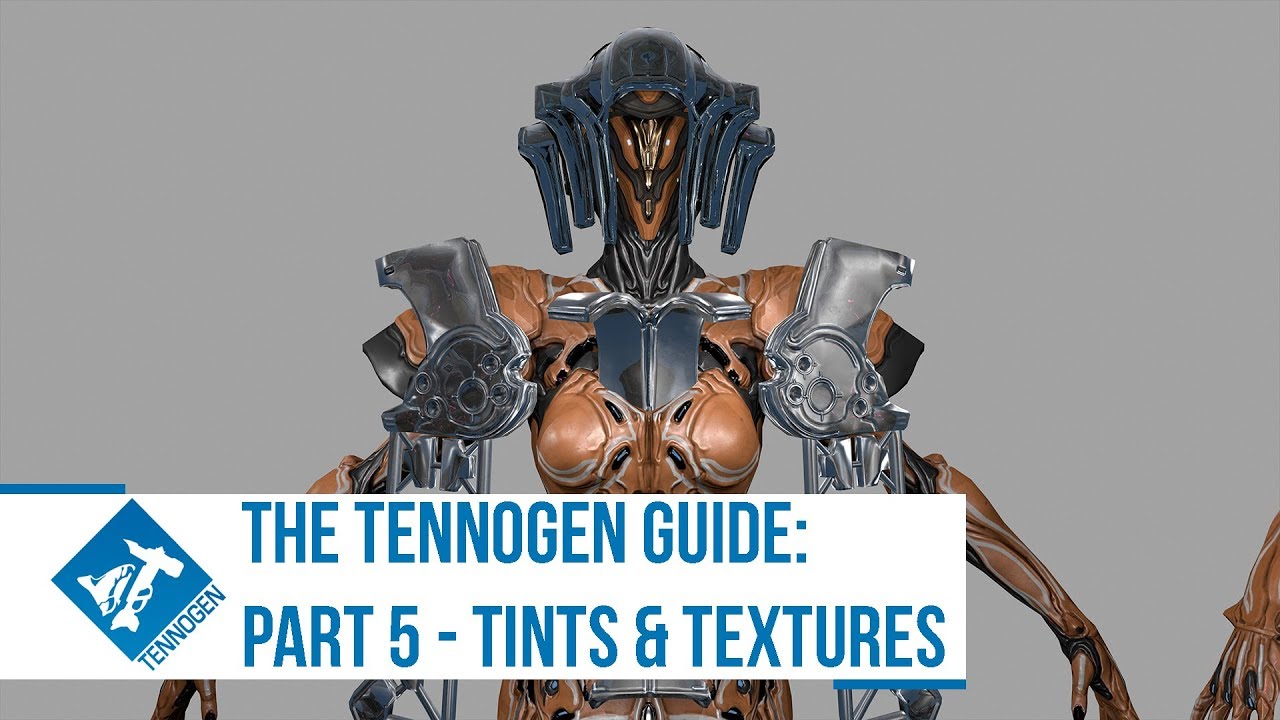
--READ FIRST--
This part is in substance painter, you can buy on steam!
Smart Material for starting off
https://drive.google.com/open?id=1ieFe66H1HBlAOHtqlu-B-YDNdDHFlgJ8
Put it here: C:\Users*YourNameHere*\Documents\Allegorithmic\Substance Painter\shelf\smart-materials
Exporter and Shader can be found here: https://www.warframe.com/steamwor...
signal ibex
flat oriole
I think this will definitely help you.
https://www.youtube.com/watch?v=1FlEvFUp3...
thx
flat oriole
signal ibex
thx
I'll be waiting for your texturing results
valid pine
@signal ibex feel free to @ or DM me if you have questions - I found that guide particularly frustrating as it skipped over all the parts I was stuck on
flat oriole
Does anyone have a nice noise for the Sentient glow?
worthy crane
I'm regretting not having enough symmetry. Stuff keeps coming out Pixelated. Back to Blender
valid pine
pixelated in substance painter?
worthy crane
Yes
valid pine
when you bake the mesh maps, did you turn on anti aliasing?
you can also bake them at a higher resolution than the document setup without changing the actual size, just makes them smoother. I do mine at 2k with 64x anti aliasing. It takes like 20 minutes though so make sure you're happy with the rest of the bake
worthy crane
That's what I have it on, takes my computer a few seconds. Currently trying to isolate asymmetrical areas as their own parts and mirroring the main body. Made the mistake of leaving the inside part nobody will see asymmetrical . It will open up a lot of room in my UVs.
valid pine
if your uv islands are quite small it will still be quite pixelated. I've had to increase the island size of some of my smaller/more intricate parts so the linework didn't alias super hard
worthy crane
They are small
hollow flare
WIP
 hollow flare
Guys how do you install this into Substance painter 2020.
 left wolf
does 2020 have File -> Import resources... menu?
hollow flare
so ill just select all 4 to import?
 left wolf
yes, they should show up on respective panels
hollow flare
im absorbing all the knowledge from @valid pine thanks dude this is amazing
 left wolf
Question regarding texture budget and FX cards:
To use 2 FX img the PBR texture should be exported 512x512 and FX texture should be also 512?
Forum post on texure size was a bit unclear
hollow flare
guys question this is my substance file

it looks fine and exports this

But

only accent tint changes any color
tint map is already here
 left wolf
Accent tint is alpha, so the exported tintmaks should look like mostly transparent and some accent color area's tint is visible.
My guess is that user1 is not properly set (it should be single channel tex and only accent part is white)
hollow flare
 icy wren
hollow flare
But
icy wren
hollow flare
But
Tint mask suffix should be _t not Tintmask_d. You might be using an outdated export preset
hollow flare
OOOOOH ok
icy wren
Also it’s missing the alpha for some reason
hollow flare
ill test
icy wren
And the rgb channels aren’t screened over each other. The colors should be red, yellow, magenta not red green and blue


 icy wren
Does your tint mask have an alpha channel? Check in the image editor
If the alpha is just pure white it’ll override all the other tints
celest nest
Is your tint0 set to user1 black?
left wolf
does your User1 view look like this?
 hollow flare
wait wait i think i fixed it. 1 sec
celest nest
I think you still got entire today? So in theory you have some time
hollow flare
i think i fixed it... i think. moved something in the BaseSetup


ill just move my old texture to this fresh Basesetup lol
hollow flare
OK this is the BaseSetup, this is its default Base layer settings. is it correct?

oh its also outside of Tint0 folder, and Tint0 folder is emty
i swear DEs file is borked lol
hollow flare
OOOOOK OK i think i got it

if you guys can. download this thing and check. i think the tint0 file is missing layers


finally
celest nest
You want your emissives to be probably a bit thicker, and be more dithered
I'd also recommend looking at sentients holograms in game and copying them
Currently your silhouette is the strongest part, your sculpting is your second strongest, your tint distribution is third strongest, but your emissives are the weaklink
 torpid finch
Hi everyone! It's my first time creating something for tennogen and using the Blender Tennogen Plugin - I just wanted to ask what files should go in the exported file? I have an !index.epkg file in there and all my textures - is this correct or should it have exported it as an fbx file + textures and I'm doing something wrong?
 celest nest
All files necessary for upload are already i nthe export zip folder
You realistically just need to upload that. If DE has any issues, they'll notify you
torpid finch
Ok nice! Thank you so much 
celest nest
... however, knowing DE's previous uploaders, they were often bugged and just didn't inclue the actual model
....and I think this one didn't include it either.
I swear.
Yeah, ok, I recommend also adding your signa model to the export zip and upploading that, apparently there's just no model inside
torpid finch
ah gotcha! that should be an fbx file, correct?
celest nest
fbx or an obj
i prefer fbx for no particular reason.
Now excuse me, I gotta go and update my files because APPARENTLY THIS PLUGIN IS ALSO BROKEN.
I have to thank you for drawing attention to this tho
torpid finch
oh nooo godspeed haha thank you for all the info! 
slim wadi
hollow flare
might just be my monitor but this to me, shapes and colours all considered, looks more like temple than sentient faction.
still very-very cool shapes!
and yes absolutely seconding Vulbjorn about the holograms cus what you have here doesnt look very sentient
hollow flare
slim wadi
might just be my monitor but this to me, shapes and colours all considered, look...
wait wait. no thats just squiggles i used to learn how to do it while Penhaligan teaches me
slim wadi
hollow flare
wait wait. no thats just squiggles i used to learn how to do it while Penhaligan...
aaaah okay gotcha ^^
hollow flare
still refining it
 hollow flare
how about that


 hollow flare
with ripple and fade. so cool
 torpid finch
Hi me again, how can I double check that the ZIP file has uploaded correctly through the tennogen tool? 
hollow flare
how long till deadline? lol
torpid finch
deadline is today I think, at leadst from what I read it was 'last day to submit is 10th January' so hopefully that includes today lol
timezone wasn't specified either so i just assumed its gonna be ET
hollow flare
so like we got 6 hours left
worthy crane
Finally done with UV nightmare, don't know if I have time for texturing, still need to learn it. I did put the user 0 and 1 stuff from the shader with the settings.

Also need to figure out scrolling emissives. intend to have sound wave like stuff in the back and energy stuff coming out of ruptured electrolytic capacitors in the front.
ID mask from vertex paint comes out pixelated, guess I have to do it by hand
flat oriole
hollow flare
with ripple and fade. so cool
Wow, you're still alive. I passed out on the third day at the computer without sleep.
hollow flare
flat oriole
Wow, you're still alive. I passed out on the third day at the computer without s...
im not done till im dead!
flat oriole
I had problems exporting from Blender to Tennogen. I followed the instructions exactly, rechecked everything, reloaded the models over and over, reloaded the textures hundreds of times, adjusted the PBR and FBX, created nodes, renamed the files over and over again, and even reinstalled Blender and shaders.
I still couldn't directly load the files from Blender into Tennogen.
In the end, I created an FBX, created a folder with the textures, and archived everything before sending it to Tennogen.
It worked, I hope you can see my working files.
flat oriole
hollow flare
im not done till im dead!
that sounds cool)))
flat oriole
hollow flare
im not done till im dead!
Have you finished downloading?
hollow flare
downloading what?
flat oriole
hollow flare
downloading what?
You have finished working on the signa?


 fossil sedge
for wisp, how does an alt helm work? there's no seperate helmet and body obj
Never mind I figured it out
that is certainly very cursed
 hollow flare
how do you "Render in game resolution"?
oh and how do you make scrolling emissives?
left wolf
I really can't comment here bcs I'm new too but usually indicates tex resolution stated in submission spec
see https://www.warframe.com/steamworkshop/screenshot-requirements
Assuming you have both slotted fixed texture on 1 and animating textureon 2, set Tex2 Pan and see if animating direction is right by animating in blender
 left wolf
This is from Revenant's file, so FXmatname_e is likely

not sure the case you need multiple FX I'd like to know too
celest nest
Usually scroll is baked into the _e map itself, as an alpha channel
While the dual emissive is baked as R+G, with B channel remaining empty
left wolf
PBR material with scrolling emissive does that way but texture for FX card mat seems B/W img
celest nest
Oh you know what, Revenant has those flames.
left wolf
Honestly I couldn't FX material's documentation so I did with trial and errors
celest nest
His _e map is for on-model glow, and fx is for flames
left wolf
SmokeFX_e is scrolling one AFAIK
celest nest
They both are animated
left wolf
Ah yes helmet_e is dual emissive workflow with R+G, G is scrolling channel. is it correct?
celest nest
It is correct
I personally never done sentients, but I'd paint the holographic emissives in R channel and kept G channel to very gentle gradient with no black spots for gentle pulsing. If you do it like Revenant's FX card is - your sentient holograms will physically move around the model
i.e. they will scroll instead of gently pulsing
left wolf
I'm not sure, but I think for energy style stuff it needs to be FX because PBR does not have channel for transparency
celest nest
Yeah, I'm not sure either, I'd ping cobalt when he wakes up
worthy crane
Thought scrolling emissives had to do with FX mesh
celest nest
Scrolling emissives are applicable to pbr mat too, fx is for v when you want an emissive only material for stuff like flames
flat oriole
Thanks DE, I'm mastering rendering in Blender.)))
 hollow flare
so im getting this export error. any idea what this is?

 hollow flare
what this?
flat oriole
 icy wren
hollow flare
so im getting this export error. any idea what this is?
icy wren
hollow flare
so im getting this export error. any idea what this is?
You might have empty image nodes in your fx mat. Just add a blank texture in those nodes
 flat oriole
JOB?
flat oriole
hollow flare
like this?
Just swap them around
flat oriole
hollow flare
like this?
 hollow flare
i dont use a normal map anymore
flat oriole
hollow flare
i dont use a normal map anymore
 flat oriole
hollow flare
i dont use a normal map anymore
flat oriole
hollow flare
i dont use a normal map anymore
duplicate Noyce map
hollow flare
like this?
 flat oriole
hollow flare
like this?
flat oriole
hollow flare
like this?
This is how it works for me
 flat oriole
hollow flare
like this?
flat oriole
hollow flare
like this?
 hollow flare
wait wait. lets restart. 1st step on export is type the name then New FBXNode. right?
 flat oriole
hollow flare
wait wait. lets restart. 1st step on export is type the name then New FBXNode. r...
flat oriole
hollow flare
wait wait. lets restart. 1st step on export is type the name then New FBXNode. r...
Select everything and click create node
 flat oriole
hollow flare
wait wait. lets restart. 1st step on export is type the name then New FBXNode. r...
worthy crane
flat oriole
hollow flare
wait wait. lets restart. 1st step on export is type the name then New FBXNode. r...
worthy crane
I think I'm getting it, but I only have 2.5 hours left

 valid pine
worthy crane
I think I'm getting it, but I only have 2.5 hours left
valid pine
worthy crane
I think I'm getting it, but I only have 2.5 hours left
its looking great though
worthy crane
little over an hour left and this is what I have so far
 worthy crane
I submitted something, I can edit it right?
valid pine
To edit the upload, image or title you will need to use the update option in the tennogen uploader. Images and description can be edited at will
hollow flare
Annnnnd Sent. thanks guys... time to pass out
 flat oriole
hollow flare
Annnnnd Sent. thanks guys... time to pass out
flat oriole
hollow flare
Annnnnd Sent. thanks guys... time to pass out
Congratulations, you did it!😁 👍
flat oriole
 valid pine
looks sick the way it lights his face
hollow flare
is it ok to update the screenshots? i was scrambling to make this an hour before deadline lol. and i cant seem to see a way to edit the main thumbnail pic
flat oriole
hollow flare
is it ok to update the screenshots? i was scrambling to make this an hour before...
They told me I could, so I updated it
hollow flare
flat oriole
They told me I could, so I updated it
cool cool
valid pine
hollow flare
is it ok to update the screenshots? i was scrambling to make this an hour before...
you have to reupload in the tennogen uploader to change the cover image for some reason
worthy crane
Does it matter what direction FX texture moves in? Scrolling up, right, etc.
 storm sigil
Hopefully there will be more Entrati stuff. Perhaps a better attachment or skins for weapons.
worthy crane
I think I got FX done
 fossil sedge
storm sigil
Hopefully there will be more Entrati stuff. Perhaps a better attachment or skins...
fossil sedge
storm sigil
Hopefully there will be more Entrati stuff. Perhaps a better attachment or skins...
I’m working on entrati wisp rn
worthy crane
Trying to make sense of User0 and User1. In each folder representing a tint am I putting a Fill with nothing but User0 with RGB and User1 for Alpha on tint 3; just them nothing else ? With Blue and Green folder being screened and maybe add a paint to the fill for the boarders.
worthy crane

 valid pine

think of it in layers. to begin with just have user0 active on the base tint, and tints 1 and 2. User 1 is the accents on top
set the base tint to red, this tells the layers that anywhere that is red is the base tint
tint 1 to green and tint 2 to blue, then anywhere that you say is green with user0 will be tint 1 and anything that is blue with user0 will be tint 2.
the shader itself is what colours the tints - and how the players colour it in game, user0 is essentially just a mask
once you've assigned the user0 colours to your mesh so the shader colours are going in the correct locations, you can go back to the tint's fill layer and add roughness, metallic etc. and tell the user0 layer what kind of material it should be. Like perfect clean metal will be 0.2 roughness and 0.8 metalness
worthy crane
Fixed it up and updated my submission, feel like I'm still not done and need to do more. Need sleep.

 hybrid parcel
So last year I started doing some Tennogen doom inspired stuff, today I know a lot of things better...soooooooo we redoing it from scratch and better

 solid pulsar
**UPDATE: Signa Submissions Are Closed! **While the Steam Workshop and TennoGen Tool may technically accept Signa submissions, we will not be reviewing Signas released after January 10th 2026. We will share plans for Signas in the near future. Thank you for submitting!
celest nest
I am going to eat a truck now.
rocky imp
54 submissions for Signa in this one round. That's absolutely insane numbers.
celest nest
I don't think I'm passing but who cares. Participation is more important
hollow flare
yah its amazing. must be that signas are small enough to be not so daunting and gives a tons of freedom to do whatever lol
worthy crane
Stuck on the FX stuff in the plugin

 valid pine
FX map should be black and white, the emissive tints handle the colour
 harsh root
Back to Dante
 harsh root
Dante is a bit much for sculpt work right now so

 lyric abyss
harsh root
Dante is a bit much for sculpt work right now so
lyric abyss
harsh root
Dante is a bit much for sculpt work right now so
that will not be accepted.
 amber rose
lyric abyss
that will not be accepted.
amber rose
lyric abyss
that will not be accepted.
but it's techrot?
lyric abyss
there are more restrictions than that.
 zenith flax
I do like the idea- It may be elligible with more polish of course, and maybe more varied detail- Infestation poking out of cracks in the side of the monitor, perhaps, to balance the larger flat areas with small areas with denser detailing.
harsh root
I mean that is maybe an hour in, not anything close to completion
 silk basin
worthy crane
Fixed it up and updated my submission, feel like I'm still not done and need to ...
silk basin
worthy crane
Fixed it up and updated my submission, feel like I'm still not done and need to ...
signa?
worthy crane
silk basin
signa?
Yes
silk basin
that looks amazing, I think it would go great with my temple or nidus
lmk when if/when it gets released 🙏
worthy crane
Ok
hollow flare
harsh root
Dante is a bit much for sculpt work right now so
how very Skibidi. haha jokes aside try making it 70% more techrot, break the back, show internals of a CRTV and surround it with infested, that can work
worthy crane
Spent hours trying to make FX work and all I had to do was turn up the brightness
worthy crane
Final fixed up everything (maybe). Getting ready to export

Maybe not, am I supposed to animate the speaker myself with normal map or something? Or does De handle that; vaguely remember someone saying that.
slim wadi
worthy crane
Maybe not, am I supposed to animate the speaker myself with normal map or someth...
Generally for parts that animate, no, you only need to make sure it's ready to animate and give description.
Though animated bits were not allowed for signas ((and also the deadline i was up 3 days ago))
worthy crane
slim wadi
Generally for parts that animate, no, you only need to make sure it's ready to a...
Thanks, also I already submitted it just editing in fixes
slim wadi
worthy crane
Thanks, also I already submitted it just editing in fixes
I have seen several wips with significant changes of this past the deadline which... does not leave a good feeling, personally.
But you know best.
worthy crane
hollow flare
I'm having the same error, what was the issue for yours?
 boreal bramble
I finished the mutated version and updated the color sceme
 worthy crane
boreal bramble
any notes or tips?
worthy crane
boreal bramble
any notes or tips?
The tendrils look like they are changing the body's model; only the head can be changed. Try to stay up against the existing model’s body as much as you can so that your design's detail can be transferred onto it as fake detail.
 idle hearth
I started this concept and decided to finish it
 valid pine
looks sick, I like it
idle hearth
Id like to make tennogen but honestly I don't have the motivation to follow through. I've started learning a couple times, even worked on making a signa but either I loose my progress or I drop it because of something more important I have to do
valid pine
can always do a collab with a 3D artist to get it made
idle hearth
Yeah, though I'm not sure where to go
boreal bramble
worthy crane
The tendrils look like they are changing the body's model; only the head can be ...
oh.. well that sucks
but ill make do
valid pine
could always do a companion set of armour 🤷♂️
worthy crane
I can't figure out what this error is does anyone know what's causing it?
 valid pine
what version of blender are you using?
worthy crane
5.0.1
worthy crane
Thanks
valid pine
- start fresh 4.5 document (may need to install the tennogen addon if it's not there)
- Switch to tennogen scene
- Delete the two materials that are there by default (dots stroke and backdrop or something like that)
- Import your fbx
- Create the material again and apply it to the mesh
- make sure there are no spaces or symbols in the mesh names or material names
- Tick export FBX
- Choose a file path
- Name your fbx for export (e.g. CernunnosSigna)
- Click New FBX Node - this will parent everything to an empty
- Select your signa and click append selection
- Tick show export preview and show details and double check everything is correct
- Click Export Package
- Check the file it exported in. It should have the materials, the fbx, a .epkg file, and a zip folder (double check the zip folder has all the previous stuff in it, this is what you will upload)
If everything looks good in your export folder then you can switch to the tennogen uploader tool from steam. That one is pretty straight forwards
the steps I follow and work every time
worthy crane
valid pine
- start fresh 4.5 document (may need to install the tennogen addon if it's not t...
4.5.5 didn't work, gonna try an earlier version
hollow flare
worthy crane
4.5.5 didn't work, gonna try an earlier version
oh god i have the same problem AND i have not fixed it. i had to share my file to Penhaligan and hes the one who exported it. tell me if you find a fix
flat oriole
Hey everyone, today my work finally passed Steam's approval and you can see it on TennoGen ! I'm so happy!
https://steamcommunity.com/sharedfiles/filedetails/?id=3643432654&searchtext=
hybrid parcel
Little update on the Doom inspired head for Rhino, did a bit of resizing and actually doing the bottom, my only problem now is how will i do the back...because i don't really have a design for it and i wanted more than just straight helmet like design


 worthy crane
Now that I have Substance Painter I can just put my Solaris Syandana in.

 dusty trail
i wish someone would make a warframe that based off a assassins creed look for a new assassin type warframe
lyric abyss
dusty trail
i wish someone would make a warframe that based off a assassins creed look for a...
that isnt tennogen territory.
dusty trail
@lyric abyss who could I talk to about something like that
valid pine
nobody lmao. DE if you have an email address but they don't hand that out except for support
lyric abyss
no one. we , the players, dont design whole frames
dusty trail
Hmmm
valid pine
also, we already have multiple assassin themed warframes. Ash for one is a ninja, loki is a stealth trickster, ivara is a huntress, cyte 09 is a sniper assassin
dusty trail
@valid pine yeah but they all dont look like assassins or have that assassin look I mean make a outfit that has a hood and a assassins style outfit thats all I would like dont have to have a new warframe
Assassins dont only use snipers
lyric abyss
that is too complex for tennogen. maybe a hood for ash would work,
valid pine
 dusty trail
I play wokong bc to me he seems more assassins style
valid pine
hood ^
dusty trail
@valid pine nah thats not even close
valid pine
you can also just play assassins creed bro
lyric abyss
so you want to put copyrighted material in the game?
valid pine
"not even close" "dont have to be assassins creed"
pick one
why don't you design the warframe you want and post it in the art channels.
dusty trail
But that isn't what a assassins would really look like even for a warframe thats what am saying and it needs more outfit styles anyways
valid pine
literally armour is customizable including capes
dusty trail
Bc I dont have the software to do so
lyric abyss
assassins in assassins creed dont look like assassins
valid pine
you don't need software for a warframe moveset and a sketch
we don't model the warframes bodies in tennogen. Why don't you have a read of what tennogen is then come back
worthy crane
hollow flare
oh god i have the same problem AND i have not fixed it. i had to share my file t...
I found the solution to the error. The problem was the FX texture node. See those two empty texture nodes. I unplugged them thinking they are the nonetype, and it worked. I guess its because by default "Use Normal Ripple" is left on and it doesn't get rid of them when you uncheck it.
 worthy crane
But now it seems that I broke the sliders to adjust the FX
hollow flare
worthy crane
I found the solution to the error. The problem was the FX texture node. See thos...
my god you are genius! ill try it out and see if it works on my end. @valid pine what does your nodes look like? if we can see it we might figure out whats different.
valid pine
You shouldn't have to touch the nodes at all
When I exported yours for you, I followed the instructions I wrote for you exactly in blender 4.5.0 without touching anything else and ran into no issues, exported first go
worthy crane
Maybe we have different versions of the plugin
valid pine
I have the latest one
worthy crane
Did you put something in ripple?
worthy crane
I didn't notice Malaya answer. I guess what I did was similar.


 hollow flare
valid pine
When I exported yours for you, I followed the instructions I wrote for you exact...
hollow flare
valid pine
When I exported yours for you, I followed the instructions I wrote for you exact...
hmmm you used my exact files on Blender 4.5. If there is no problem with the model, texture, Tennogen addon, Maybe i missed a step on exporting?
valid pine

it might be because you're still using a different version
idk, but I had no issues at all
hollow flare
Ok maybe its the steps to export that i messed up.
Select objects. then New FBX Node names Test.


Export Path is set. select the objects(?). then Press Export


Nope

sigh ill go look at 4.5.0
ummmm 4.5.0 is not in blenders website

ill try 4.5.1
valid pine
blender org/download/releases/4-5/
add a . between blender and org, it wouldn't let me share a link

 worthy crane
What's this forth one, it's the one I'm disconnecting to export on Blender 5 (Edit: it's the add three option)

 ivory radish
try the download(dot)blender(dot)org/release/ page
it should list every version, 4.5.0 included
hollow flare
ok i see
hollow flare
ivory radish
it should list every version, 4.5.0 included
thanks got 4.5.0
Should i remove Dots Stroke Material?
 hollow flare
worthy crane
What's this forth one, it's the one I'm disconnecting to export on Blender 5 (Ed...
hollow flare
worthy crane
What's this forth one, it's the one I'm disconnecting to export on Blender 5 (Ed...
OH my god. this is the error!

the thing must be added manually, the addon window for Ripple normal is broken

It exported!

@worthy crane holy cow you are godlike!
Boom exported on 5.1 and it worked
 valid pine
I always remove dots stroke because the exporter shits itself if there's a space in the material name and as far as I can tell it's not applied to anything
glad you got it working, suprised it worked in 5 at all. So far everyone has had issues with 5
hollow flare
valid pine
glad you got it working, suprised it worked in 5 at all. So far everyone has had...
its not the version of Blender its Ripple normal map window not working. adding texture here will not show in the Nodes iteslf.
 valid pine
ah that's annoying
hollow flare
as you can see here
 valid pine
I couldn't get the export to work in 5 with the same settings, so there might be other issues that 4.5 wasn't experiencing. The bloody addon is so sensitive
hollow flare
i exported using only the nodes having an input and it worked lol

tested ripple on or off. as long as this yellow line it attached it errors
 worthy crane
hollow flare
<@676954981638602764> holy cow you are godlike!
worthy crane
hollow flare
<@676954981638602764> holy cow you are godlike!
Pretty sure this what we get for not paying attention/reading what Malaya said
hollow flare
worthy crane
Pretty sure this what we get for not paying attention/reading what Malaya said
Malaya said to put texture on all 3 slots. but slot 3 isnt even working
hollow flare
hollow flare
like this?
i did do it btw
valid pine
that's strange. One of my submissions had 3 fx applied and exported fine
worthy crane
Think all i have left is my pending taxes, I'll continue on my sayndana now.
hollow flare
worthy crane
Think all i have left is my pending taxes, I'll continue on my sayndana now.
lol same
valid pine
rip taxes
 native heart
Yo hi short question ^^ is it possible with tennogen to create skin's for guns? 'cause I wanted to create one for Tigris and pistols/akimbos but haven't found the option for it 🤔
celest nest
No
native heart
Damnit... But thanks for answering 👍
worthy crane
Do syandanas get their location changed based on the frame their on?
 golden cliff
#tennogen-resources message #warframe-general message ("#tennogen-resources message ("was wondering where to get the files; still need to do learning, ajd have noticed many blender tutorials... but isn't standard blender kinda illegal to publish/export things for commercial assets, with?")
Do you guys check, what goes into the authentication you take a creation under- blocked by certificates(?); does it override "owning" the asset?
Or maybe it's best practice to export it into some software it doesn't cost anything not to have official/community creating tools with, use some base features to enhance, or.. not at all?
amber rose
golden cliff
https://discord.com/channels/552966801558863896/915375672363458570/1437536104361...
for blender commercial use is fine; making and distributing a plug-in is also fine. if u need to know for sure, u can read the license page under the about section of blender's website
golden cliff
Huh.. that it is, cheers. Sick program.
amber rose
golden cliff
Or maybe it's best practice to export it into some software it doesn't cost anyt...
the warframe devs themselves use outside programs to make 3d models. it would take a ton of unnecessary work to create inhouse tools for such a thing
amber rose
golden cliff
Huh.. that it is, cheers. Sick program.
yeah it's great lol
golden cliff
amber rose
the warframe devs themselves use outside programs to make 3d models. it would ta...
They already have an environment. knew someone who wanted to sever their internet hosting info back to clone it, unlock and build upon, then turn around with a reworked clan engagement UI and for some weapons mechanics fluidity then justify the 'well known specific exploit for it's architecture', they arent really a warframe player anymore however.
hybrid parcel
Alright, base mesh is done, i can now start ensuring the low poly retains some sharp corners before i make it absolutely insane poly wise

Soft helmet won't harm you, i promise
 hybrid parcel
Gonna stop here for today, still not sure if i add more stuff to the back or not, but for now i am liking it

 hollow flare
im studying trying to figure out how you guys do your clean ass panel lines haha
 celest nest
Looks good, but 1. don't overcomplicate your panelling, you should strive for 70% empty panels, 20% medim detailed parts and only 10% heavily detailed areas.
2. Try to make it look LESS like Praetor suit. Namely the visor needs to be changed.
hollow flare
true. but man im addicted to it. need to learn to stop that haha
oops i thought you're talking to me lol
celest nest
Yeah I am
Wait
No I'm not. I'm talking to Senshi
Ok, in this case, Senshi, completely disregard my first point.
Vendrid - completely disregard my second point, completely regard my first point
I'll go finish cooking my waffles.
hollow flare
hahahaha yah i was like. wait whats the Praetor suit ( oh its Doom guys armor i forgot ) oh so this was not for me, but the 1st comment makes sense for me... anyway lol
hybrid parcel
celest nest
Ok, in this case, Senshi, completely disregard my first point.
Vendrid - complet...

Still a valid point to take into consideration
Do ill take it and remember it
I was thinking in changing the visor by adding more claw like marks since I'm basing it of the Dark Ages Helmet and this art work, might lean more into the art work's visor
 celest nest
You want to HEAVILY stylize it so it doesn't directly resemble slayer's helmet
hybrid parcel
celest nest
You want to HEAVILY stylize it so it doesn't directly resemble slayer's helmet
That's the plan, right now I'm only making the low poly base that'll be the max 8000 triangles
Once that's done, I'll do the high poly that'll bake into the low poly
That's where stylization comes in
idle hearth
hybrid parcel
That's the plan, right now I'm only making the low poly base that'll be the max ...
Here is a suggestion, make the vizor into blended in layered armor piece.
 idle hearth
It needs to be a bit organic as warframes flesh imitate armor and clothing rather than wearing actual armor and clothing
 hybrid parcel
idle hearth
It needs to be a bit organic as warframes flesh imitate armor and clothing rathe...
hybrid parcel
idle hearth
It needs to be a bit organic as warframes flesh imitate armor and clothing rathe...
That's a neat idea, thank you
 thick root
hybrid parcel
Gonna stop here for today, still not sure if i add more stuff to the back or not...
thick root
hybrid parcel
Gonna stop here for today, still not sure if i add more stuff to the back or not...
 hybrid parcel
thick root
hybrid parcel
thick root
I know, i read that, this is still very early stages, i got a base to work from and go weird from there
celest nest
Man I should've not eaten all those waffles yesterday
celest nest
Bit of progress today, time to go lay down and digest those waffles. Lord give me strength to look at bathroom scales tomorrow
 idle hearth
celest nest
Bit of progress today, time to go lay down and digest those waffles. Lord give ...
idle hearth
celest nest
Bit of progress today, time to go lay down and digest those waffles. Lord give ...
So this is how you feel after eating those waffles?
celest nest
I made, and ate, 20
flat oriole
Hi everyone! I added the model to Sketchfab today, so you can take a closer look.
https://steamcommunity.com/sharedfiles/filedetails/?id=3643432654
hollow flare
Concepting with Grease pencil is pretty fun
 celest nest
I always was interested by grease pencil but never used it. Do you draw in 3D or does it produce a 2D canvas?
hollow flare
celest nest
I always was interested by grease pencil but never used it. Do you draw in 3D or...
i just make a flat plane, make its materials Alpha lower ( see through ) then make Grease Pencil (blank), then turn on Surface so i draw on the surface of the flat plane

 tacit barn
Hi everyone,
I'm back from vacation and I'm starting to look at the addon again,
A fix for AttributeError:'NoneType' object has no attribute 'name' occurring during export was submitted just now and it should be up on Web soon
Please let me know of any other bugs or issues you've encountered with the current version
Thanks
hollow flare
tacit barn
Hi everyone,
I'm back from vacation and I'm starting to look at the addon again,...
oh my god thank you!
ivory imp
tacit barn
Hi everyone,
I'm back from vacation and I'm starting to look at the addon again,...
PRAISE BE
celest nest
Very cool and good and antibad.
celest nest
Need professional papinion. Skeletal Uriel

Vs non-skeletal uriel

I think mr skeltal looks more badass, but I might be having tunnel vision
rough saddle
celest nest
I think mr skeltal looks more badass, but I might be having tunnel vision
The skeletal version is pretty cool, but I think non-skeletal is better. The non-skeletal version has the yellow highlighting, which I think does a great job of creating a focal point for the helmet, tying the colors to the main body, and the inclusion of the face pustules helps bring out what I assume is infested theming for the skin.
I might change my mind if there was a bit more yellow in the skeletal version. I do like how more pronounced the center horns are in that one. But at the moment, my vote is for non-skeletal.
celest nest
Just so happened I changed the mr skullmetal a bit
He now got a little glowie pustule inside

I might change it more.
rough saddle
Oh, you swapped out the yellow on the horns for white. I do like where this is going.
celest nest
No no, that's just wip for a pipe that will be going through them
rough saddle
Ah
celest nest
I'm going to use that extract to carve out a trench to lay down the glowing pipe. Also, note, all yellow is representation ofglow
With skeleton version his entire inner skull with glow gently.
With his massive monocular version his forehead will glow
But I feel like skeletal head is better visually balanced. Monocular one is heavy up top and leans forward
rough saddle
Oh! If it's going to glow, then yeah, go with the skeletal version. The amount of yellow on that one will leave a tasteful amount of glow, I think.
celest nest
Yeah I usualy use yellow as a WiP emissive ID sketchup
So I can understand where I will want to put it later and how I will want it to look.
I'll definitely work on hte inner eyes more and refine the sculpt so it's more prominent looking
rough saddle
Looking forward to it 👍
hollow flare
im sorry if this is such a noob question but in "extruding by normals" or "solidify modifier" is there a way to not have this internal clipping when you extrude it farther on a concave plane? is there a better method on doing concave panels?

 left wolf
On solidify stack remesh modifier chose sharp and tweak octree depth and sharpness if necessary, will produce this. It heavily depends on geo though

 hollow flare
left wolf
On solidify stack remesh modifier chose sharp and tweak octree depth and sharpne...
hollow flare
left wolf
On solidify stack remesh modifier chose sharp and tweak octree depth and sharpne...
thats pretty cool ill try it out
celest nest
Maybe I'm posting too much, but man do I love how this "liquid bone" design direction looks. Very fun to sculpt to

Can be applicable to literally any shape too, and makes it instantly good looking
Works on literally any shape too


Fun for the whole family and the cousins too.
hollow flare
celest nest
Works on literally any shape too
oh yah thats supe sick, maybe ill try that on the boney plating on my Infested Syandana WIP
 celest nest
Yeha you gonna need a sharp pinching brush with like 0.01 stabilizer on
And you essentialy want to alt+draw semi soft wobbly circles and then connect them via multipe straight but slightly wobbly lines
I use Giger-Beksinski brush pack for most of my brushes ,but oyu can replicate them with default ones pretty easily
hollow flare
celest nest
Yeha you gonna need a sharp pinching brush with like 0.01 stabilizer on
thanks for the tips, ill try it out.
rough saddle
celest nest
Works on literally any shape too
I swear, every time I look at one of your infested skins, the more I realize the trick to the infested look is to just carve out squiggly lines by the shape borders.
celest nest
rough saddle
I swear, every time I look at one of your infested skins, the more I realize the...
Generally speaking infested build up on already existing shapes, muscle bulges and shapes. They're a parasitic virus, after al
it's a differnet thing in case of in-house designers, of course, they can do whatevever they want and twist anatomy as they see fit, but in case of specificically tennogen - often the most practical path is just to follow the already established forms
Looks good too.
rough saddle
True that. Been learning that the hard way with my Jade skin. A lot of hard ridges are built into her body mesh (as what seems to be the case for more of the recent warframes) that can very much feel restrictive to a certain extent. But there is a certain value to it when you have the "line work" already worked out for you and it's a matter of how you want to connect point A to point B.
celest nest
I would not start with Jade. Too complex
I'd start with something like Saryn
Not necessarily Excalibur, because he has four hundred trillion skins.
rough saddle
celest nest
I'd start with something like Saryn
Too late. I'm already in the deep end with her 😂 I'll share what I have by the end of the week. I actually think I'm at a pretty good spot with her right now.
celest nest
Insane.
rough saddle
Certainly feels that way, but I've been loving the challenge. Been trying to follow the guidelines to a T.
celest nest
Freedom's guidance, helldiver.
 placid oxide
celest nest
Freedom's guidance, helldiver.
placid oxide
celest nest
Freedom's guidance, helldiver.
This confused the hell out of me on which server i was clicked into lol
 celest nest
I know, already unlocked it.
rough saddle
Still got a ways to go, but I think I'm at a good spot to share progress.
Kuva Jade
 amber rose
the eyes on the wings are really cool
 urban robin
A crow themed warframe would be really cool if the devs make it
rough saddle
amber rose
the eyes on the wings are really cool
You don't know the half of it.
rough saddle
urban robin
A crow themed warframe would be really cool if the devs make it
Tennogen is for creating skins for pre-existing warframes (and other types of gear). Unless you mean a crow-like warframe skin for someone like Nekros or the like, I'm afraid no one here would be able to fulfill your request.
 swift crow
urban robin
A crow themed warframe would be really cool if the devs make it
swift crow
urban robin
A crow themed warframe would be really cool if the devs make it
That's what fashion frame is for
zenith flax
There's always #warframe-general or perhaps #fan-art to propose concepts to draw out, I guess. Or yea, #fashion-frame for working with the existing cosmetics.
 steady wasp
Can I ask for feedback? I wanna do a pole arm tennogen referencing keris blade, also I sculpted the model in Nomad Sculpt cuz my computer is in repair
 rough saddle
steady wasp
Can I ask for feedback? I wanna do a pole arm tennogen referencing keris blade, ...
rough saddle
steady wasp
Can I ask for feedback? I wanna do a pole arm tennogen referencing keris blade, ...
Not a bad start. Is there a particular faction you have in mind at the moment?
steady wasp
rough saddle
Not a bad start. Is there a particular faction you have in mind at the moment?
I wanna do a Tenno faction, because I'm referencing Indonesia keris blade and making it into a tenno polearm
rough saddle
steady wasp
I wanna do a Tenno faction, because I'm referencing Indonesia keris blade and ma...
In that case, I think you have a good foundation going here. The biggest thing that comes to my attention is the sockets where the blade goes into the handle. The faction guide says that tenno weapons are sleek and elegant, with an organic flow. Currently, your polearm sockets are a bit on the blocky side. I think that's a great area to try and exaggerate the silhouette. Really lean into the curves the blade is making and have it flow into the handle a bit. Something like this (as a suggestion):
 steady wasp
rough saddle
In that case, I think you have a good foundation going here. The biggest thing t...
steady wasp
rough saddle
In that case, I think you have a good foundation going here. The biggest thing t...
How's this?
 rough saddle
steady wasp
How's this?
rough saddle
steady wasp
How's this?
Better. I would say to try and fuse the brown parts more with the blade. The goal is to make it have an organic feel. Almost as if it's all one solid piece. Have you checked out any prior accepted tennogen entries? I think that would help provide a better idea of what to shoot for. Stuff like this:
https://steamcommunity.com/sharedfiles/filedetails/?id=1685841629&searchtext=
https://steamcommunity.com/sharedfiles/filedetails/?id=1961891445&searchtext=
https://steamcommunity.com/sharedfiles/filedetails/?id=1973979416&searchtext=
hollow flare
steady wasp
How's this?
yah i realy like the form. Tenno or Ostron faction would fit very much
rough saddle
hollow flare
yah i realy like the form. Tenno or Ostron faction would fit very much
Ostron was actually my first thought when I saw this before the artist clarified tenno. Either could work, really.
steady wasp
Is there a fusion of a faction or do we pick only one faction for tennogen?
Can I also put the reference here to help?
hollow flare
steady wasp
Is there a fusion of a faction or do we pick only one faction for tennogen?
best not to fuse. remember you only have limited color channels
rough saddle
Given how specific each faction style is, I don't think a fusion of them is possible.
steady wasp
steady wasp
Can I also put the reference here to help?
This is the reference, I thought it might fit for Tenno but Ostron I haven't think about it


 hollow flare
WIP, watcha guys think?


 celest nest
I would make the blades much longer and smaller
RE - the polearm
It feels imbalanced right now with handle being same length as bladesw
rough saddle
celest nest
I would make the blades much longer and smaller
This image just suddenly flashed in my head:
 steady wasp
celest nest
It feels imbalanced right now with handle being same length as bladesw
steady wasp
celest nest
It feels imbalanced right now with handle being same length as bladesw
All I can think off is make the handle longer and the blade of the keris bit smaller
celest nest
Definitely make the handle long, slightly thicker, and the blade both thinner and longer.
The upper wavy blade looks too large and heavy for the handle
steady wasp
I can think of following the length of the orthos
 celest nest
Mind if I show one of my works?
steady wasp
Sure
celest nest
 steady wasp
Or any pointers
celest nest
Wait, that's wrong picture.
steady wasp
That is a weird fish
celest nest
That's an eel. A mildly disappointed eel. One second I'll find the picture.

Here's how I proportioned my polearm.
(it's a little smaller in game)
Here's a really well proportioned polearm, by Muy

(Malayu)
Basically I would recommend making the handle longer and thicker
rough saddle
celest nest
That's an eel. A mildly disappointed eel. One second I'll find the picture.
Not amore...
hollow flare
celest nest
wat
celest nest
I didn't copypaste properly
hollow flare
no no its very inspirational for my infested syandana
steady wasp
The face of the eel looking us at the back
celest nest
It is one of the eel of all time, that is true.
steady wasp
I don't know if I want that for tennogen syandana, the animator gonna animate the eye following us
celest nest
You can fake eyes folllowing the camera if you just recess the sculpt a bit and make the pupil inverted.
steady wasp
That would be creepy or funny
rough saddle
Honestly, it wouldn't be too out of place. An infested syandana that is consciously aware enough to express its disappointment with the player while keeping direct eye contact with you. It knows what skins you bought...
steady wasp
celest nest
The upper wavy blade looks too large and heavy for the handle
How about the bottom blade?
steady wasp
I change the size of the top blade and the handle should be longer and thicker, added Excalibur for comparison
 celest nest
Better
steady wasp
It's a bit tricky knowing the size on a tablet
I don't know for the top blade to be more thinner, cuz from where I'm looking at the tablet that should be the limit on my eyes
 viral urchin
So, in new to the whole tenogen thing. Just got into both professional free hand paper drawing and a bit of blender.
How do I submit my work for a chance at being a tennogen item?
 foggy pagoda
First things first—take a good look at the official guide
https://www.warframe.com/steamworkshop/getting-started
TennoGen submissions require a game-ready, 3D model
However, if you only do 2D concepts or whatevs, collabing with other artists is also an option
So one person does the design and the other translates it into 3D
viral urchin
foggy pagoda
TennoGen submissions require a game-ready, 3D model
However, if you only do 2D c...
I’m very powerful when it comes to 2D, so if someone is willing to help I’ll split earnings (if it gets accepted) 50/50 (cause I’m not greedy)
foggy pagoda
I'm not super sure how earnings work, maybe details are in the guide somewhere
viral urchin
My poor Englisch might have mucked up what I meant to say der 😅
I’ll take a look at it in the morning
steady wasp
Can I ask something, does polearm triangle budget 7,500?
rapid thicket
they're two-handed, so yes
steady wasp
ok, making sure because I'm retopo the polearm right now


 celest nest
This looks pretty good, but be careful with all those ridges, you'll have to retopologize it later. It's also an atypical element for infested
hollow flare
interesting what do you mean by ridges and how does the infested do it?
celest nest

These ones. Infested usually tend to flow their shapes without too many overlapping repeating shapes
One sec
hollow flare
i get what you mean, bigger longer plates.

 celest nest

Something like this. Infested tend to have bones protruding from larger bodies. Not have parts composed of vertebrae or staggered teeth
Also, you will rip out all your hair trying to retopologize those little ridges.
Bonus points if you make all parts of the syandana look like they split from one central element, think - how Pangea split into continents. Infested tend to infect something, then gestate, and when they gestated, they start rippng this something apart from the inside, but still utilize previously existing shapes.
Also, the most important shape for infested is this

Use this type of line everywhere you can. It's their signature linework
One sec, I'll draw down example
hollow flare
celest nest
thats crazy you didnt have to concept it. but thanks this is awesome
celest nest
 celest nest
hollow flare
thats crazy you didnt have to concept it. but thanks this is awesome
celest nest
hollow flare
thats crazy you didnt have to concept it. but thanks this is awesome
I'm sorry if you didn't need the critique.
I know I might be a bit overbearing.
hollow flare
no no no i like it!
celest nest
Alright. I just specialize in infested and thouught I'd share some stuff
hollow flare
getting tips from a master is perfect. im at a kinda early stage so i can adjust the design easily
celest nest
A good way to describe infested surface detailing is like feeathers on a very ill bird. They tend to stick together and look like semi-liquid parts with skin showing through
Bonus points if you make the shape look uncanny and give the observer a sense of uneasiness.
So things like teeth in unexpecte places, eyeballs (preferrable blind) where they shouldn't be, hairs growing inside pustules and multiple boils are perfect.
Bonus points if you have eyes surroundded by teeth
But in the wrong places
hollow flare
yap i do like the teeth idea
 hollow flare
 celest nest
may i critique
hollow flare
go ahead
celest nest
Lacks large, more relaxing on the eyes shapes. Your concept is mostly medium equal in size shapes.
You want roughly 70% of your model to be lightly detailed flatter areas where eye rests, 20% more detailed ares supporting large shapes, and 10% heavily detailed ares that are centerpieces of the composition.
In short, I'd slap on some large sinewy growths on some parts.


 steady wasp
Is there a feedback for retopo?

I use the triangulate modifier to make the part have a quick triangles
celest nest
Well it looks a little dense
Lower blade looks ... reasonable, hard to say withot viewing all angles, but the handle and upper blade seems to be overly complex.
Generally speaking if you have a simple round handle, a cross section of 8 polies is more than enough in most cases.
steady wasp
I'm looking back and forth at the handle of the Orthos, also I remade the upper attachment and the blade


I was using shrinkwrap modifier to fit the retopo with the highpoly model
This is without the Orthos

This is the right side
 celest nest
You seem to be way overbudget for the mesh
Definitely too dense.
You want to put polies only in areas that need silhouette support and 2. when you need to reinforce a very acute edge. You have way too many polies supporting continuous flat shapes
For example, what curve do these tris support
 steady wasp
Does it have to be almost 7,500 or can it be lower? because when I read it has to be almost 7,500 so I added more poly's to make it almost 7,500 tris
If we can go lower, I can make a new retopo handle and blade with less poly's
celest nest
I can be lower, but it's your total budget.
I.e. your ENTIRE model MUST be under 7500
The less is usually the better.
steady wasp
ok, I was thinking making the detail parts using flat surface Retopo if that's the case
 celest nest
Those details should be done via normals
One sec, Ill paint something.
You have a lot of straight edges on your blade and realistically your retopo can be as simple as this

Probably a bit more complex, but less than what you have.
I would also implore you to occasionally zoom out and consider from what distance players will look at your model. People extremely rarely force the camera near the wall to zoom into the model and look into minute details and tiny curves. Overall silhouette is more important.
i.e. don't get stuck adding topology to a tiny crevice, if that crevice won't be visible from 10m away.
rough saddle
One of the main goals of retopology is to retain as much of the high poly's silhouette as possible with fewer polygons. Imagine your mesh is completely in shadow, what would the outline of it look like? That outline is essentially what you're trying to preserve. If you have any edgeloops that don't contribute to the silhouette or the edgeflow, chances are you don't need it.
celest nest
Yeah, edge loops serve two purposes, to retain the silhouette, and to prevent render errors from very thin or acute pieces (i.e. blades)
or to help with deformation/animation
But polearms are unbendable sticks so that doesn't apply to them
rough saddle
Yeh, the only reason you'd want extra loops on a straight mesh like this is if you intend to do any reprojections to sculpt out even finer details and you need better 'resolution' for it.
steady wasp
Ok then, I think I wanna remake it from the start, now that I know I don't need to be 7,500 tris and the detail ornament on the blade & attachment I can via normal them with plane surface and later bake it with SP
I think I wanna ask later once I finish making the new one
hollow flare
WIP
 zenith flax
@stiff apex That would be sick- Do any of the supported factions have any brick-like textures, to implement? 🤔
zenith flax
hmmm Mayyyybe Entrati-
Or maybe more abstracted through a paneled texture with grineer or corpus styling?
Initially I was thinking Ostron, but I don't think they have anything that would really work
Qorvex is hard to envision skins for
celest nest
Cement....
 amber oyster
 stiff apex
But I'm currently not home
stiff apex
But I'm currently not home
All I’m saying is that there’s a reason no one’s done a full Qorvex skin. He’s made out of a ton of separate parts. I did xaku a while back and that was a similar situation, an insane amount of effort without a guaranteed reward.
I did a helmet for him tho
celest nest
It's also kinda impossible to make Qorvex not look like Qorvex
zenith flax
He has so much indented detail, I imagine it's really hard to use normal maps as effectively as with most other frames
And then, making it look good on top of making it not look messy-
idle hearth
Qorvex would look great with either a corpus reactor design skin or a grineer tech design skin
zenith flax
For grineer, scaldra, or tenno it MIGHT look really good if normal mapping could be used to make the angles on his plating look slightly rounded
storm sigil
Hopefully there's more entrati style weapons in the making. Perhaps a machete skin?
 lyric skiff
Need more simple and sleek Warframe Helmets I dig hydroid tennogen
 hollow jackal
Hi I feel silly for asking but when you're starting your first model for a helm are we allowed to manipulate the default helm to make sure the facial area remains as it is or are we able to change it ?
idle hearth
hollow jackal
Hi I feel silly for asking but when you're starting your first model for a helm ...
You are able to change it, you are more free with the helm than the body. The body you are not able to change
hollow jackal
idle hearth
You are able to change it, you are more free with the helm than the body. The bo...
Ohh okay! So for the body I need to start from scratch correct ?
Cause I noticed some people were able to change how it looks but still look strongly similar so was wondering about that
foggy pagoda
Those are just texture and material stuff
Like normal maps and sculpting
There's a lot you can pull off with that
Though you have to use the unedited mesh
You can't change the model, only the textures on top
hollow jackal
How do I know which one them are the unedited mesh?
foggy pagoda
I think you can just find them in the TennoGen guide
It has a page for the content files:
https://www.warframe.com/steamworkshop/content-files-and-examples
 gray lion
Hey folks, got a couple questions on the TennoGen process that the guides don't cover clearly. Hoping someone with experience can clarify!
Weights/Vertex Groups: Do we need to set up and include vertex weights in our FBX for moving parts (cloth, tentacles, etc.), or does DE handle that later?
Movement & Polish: For the cool swing, wave, or spin effects on accepted items (not just texture scrolls), what happens after acceptance? Does DE's team implement all the motion, or do they guide us on how to set it up in our files?
Testing: What's the best way to ensure our "moving parts" will work in-game before submitting? Is painting good weights and doing a simple rig test in Blender enough?
Just trying to figure out where our job ends and where DE's magic begins. Any insights from your experience would be awesome!
(I am a CN user, and the above text was generated by AI.)
valid pine
I'm not 100% but from what I've heard you just need to make sure any cloth has even geometry so cloth sims can be applied - DE does this for you.
Anything custom animated you will probably need to do yourself and I assume DE will make it work in game. As long as it works in blender it should export in a useable format for them to see/test.
If you are doing a warframe skin, you don't need to weight paint or rig it - don't change the base mesh at all (except for the helmet, that's customizable but you still don't need to rig it or anything).
If it is a custom animated part on like armour or something you would need to weight paint it for the animations to work in the first place
gray lion
Hey, following up on my last questions. I've been looking at some of Aven's work as examples, and it's really making me wonder about the specifics.
Take the Atlas Graxx skin: In-game, the mouth has a jet exhaust effect that's not on the Sketchfab model. Was that added by DE, or did Aven update his submission for it?
And for the two syandanas:
The Grineer-style one has spinning fan blades in-game. Is that spin effect something Aven set up (like with a texture mask), or was it added by DE's team?
The Sentient-style one has that wavy, distortion effect on the glowing trails. Since I see this same type of effect on many accepted Sentient items, does that mean DE applies a standard "Sentient energy" shader or animation to accepted pieces that fit the faction?
I guess I'm just trying to figure out what's our job vs. what's the "engine magic" that gets applied later. The guides don't talk about this stage, and I don't want to miss something important. Sorry if I'm overthinking it, but I'm really curious how this final polish phase works!
Thanks for any insight you can share!
And I really, really like Mr. Aven's designs.


 valid pine
You would have to ask the artist, but those all look like FX cards to me
this is FX done by me for a signa submission for example. You have to do those yourself

only thing I've been told by other artists that DE does for you is physics like cloth and dangly bits, and liquid for effervon type stuff. You have to do everything else
 sharp kindle
I know the Tennogen guidelines state
- Human anatomy should be infered, not actively shown
And - No skulls
But if I were to almost allude to the shape of a skull, would that be possible? And what else counts as out-of-bounds? (E.g. The "Auricle" and "Vitreum" in Entrati mirror defense are both "human" parts, would something along those lines be allowed?)
valid pine
🤷♂️
just have to push the boundaries where you think you can and hope they like it and give feedback
sharp kindle
Sucks to be unsure, but thanks anyway
lyric skiff
I have ideas for Vauban and Kullervo helms tho I'm not good at 3d mendling
hollow jackal
I wanna get into nightcap’s theme for some of his mushrooms for Nokko but I’m uncertain if he counts as a part of a faction theme? Does anyone have some ideas on this ?
 mossy sonnet
Any tips on drawing necromechs easier,I’ve been struggling to nail the look
hollow flare
hollow jackal
I wanna get into nightcap’s theme for some of his mushrooms for Nokko but I’m un...
its Nokko's theme so its ok to follow the shroom theme as tennogen
valid pine
hollow jackal
I wanna get into nightcap’s theme for some of his mushrooms for Nokko but I’m un...
Would fall under the tenno faction if it's Nokko inspired
hollow jackal
hollow flare
its Nokko's theme so its ok to follow the shroom theme as tennogen
Oh sweet! I been trying to draw some of the ideas on how I want it to look but it’s a toughy I’m trying to do the gamma berry one
hollow flare
Hmmm i think im happy with the placement of parts/skin/bone/florescent blobs on the cape part.
 hollow jackal
That looks amazinggg
gray lion
If I use this green toxic gas bag as a design element for Tennogen, is it possible to achieve this Fresnel-like effect?
 valid pine
That might be one of the things DE does for you but I couldn't tell ya. No idea who to ask either. Can always try, I bet you could achieve it with substance painter and fx materials if you're a substance genious but idk
steady wasp
I've fix the Retopo of the polearm
 celest nest
Topology is better now, but int might be a little... too low poly on some more curvy areas
Also, why is left and right side of the blade different? Do they have asymmetric details on them?
steady wasp
they have different sculpt for left and right


 lyric skiff
I like it
steady wasp
celest nest
Also, why is left and right side of the blade different? Do they have asymmetric...
Does the right/left have to be the same? I made it like that so it looks like not the same position as the other
celest nest
steady wasp
Does the right/left have to be the same? I made it like that so it looks like no...
Not necessarily if you want to make something asymmetrical. It can be different
steady wasp
celest nest
Not necessarily if you want to make something asymmetrical. It can be different
Ok, for the too low part like the attachment I can only think of this to add a bit more poly
 celest nest
This could use more polies
 steady wasp
Like this? doing the top now
 celest nest
That's up to you to decide when the topology is optimal. I would recommend zooming out a bit and looking at the model as a whole.
However, considering how wavy your upper blade is, I would add more polies to the bends here
 hollow jackal
Question when doing your tennogen work, do you tend to start with sketches to model or just come up with the ideas in your head and just do them out in blender? I’m having a bit hard time on how I want to work on mine ^^;
Even if I’m not good at drawing em I struggle 
steady wasp
hollow jackal
Question when doing your tennogen work, do you tend to start with sketches to mo...
I made a bunch of sketch first and later sculpt it in Nomad Sculpt


Blender is more of making the sculpt into low poly
I forgot to change the faction to cetus
hollow jackal
Ohhh I see but what if I’m bad with sketching ? ^^; do I need to find someone to do that for me or something?
celest nest
hollow jackal
Question when doing your tennogen work, do you tend to start with sketches to mo...
50/50. usually I either sculpt rough primitives in zbrush and start playing with shapes, or sometimes I do a bunch of shadow sketches and pick the most interestring
rough saddle
hollow jackal
Question when doing your tennogen work, do you tend to start with sketches to mo...
Depends on what you're most comfortable with. I always start on a 2D canvas. Once I feel confident enough with the concept, I move over to 3D and start sculpting things out. If I ever start to feel lost and I'm not sure what direction to take, I screenshot the problem area on the 3D mesh and do a paintover in 2D to list out possible ideas to remedy to mental block.
steady wasp
hollow jackal
Ohhh I see but what if I’m bad with sketching ? ^^; do I need to find someone to...
Finding someone is another option if you need someone to sketch your ideas. Just credit them too
steady wasp
celest nest
However, considering how wavy your upper blade is, I would add more polies to th...
Making wavy is a bit tricky without the triangulate modifier, did it manually


 hollow jackal
thank you all for bearing with my questions! I really appreciate them 💚
steady wasp
Can I ask, do we have to use UDIMS to UV map or can we do it normally without UDIMS?
 celest nest
We do not have to use UDIMs
You can stack all your textures on one UV if you wish.
However, game does support them, so if you have symmetric parts, you can move them one over to ensure a nice bake and proper textures.
valid pine
stacking them also works perfectly fine imo
celest nest
Oh yeah it does
But moving them over by 1 is generally a good practice.
Time to go back to retopology hell.
celest nest
God I love retopologizing complex models with organic geometry.
steady wasp
celest nest
However, game does support them, so if you have symmetric parts, you can move th...
Yeah, because my polearm doesn't have symmetry except the handle
celest nest
Admittedly your sculpt on left and right side is so similar that you could unwrap it symmetrically and double resolution
steady wasp
celest nest
Admittedly your sculpt on left and right side is so similar that you could unwra...
There are symmetrical in a way for some, is this right if I don't do UDIMs?


the handle I need to bit resize
celest nest
It's fine.