#❓ask-a-question
1 messages · Page 10 of 1
 river otter
 vapid flume
@river otter What you show here is a physical thing. I think it could have been done with an alternative technique such as sun prints or even possibly screenprint. Actually I could tell you more if you'd like to share the link as well.
How to reproduce that in Photoshop would be easy since I suppose there is alot of tutorials that tell you how to mimic ancient processing technique (cyanotype, Callotype, Gum Dichromate prints, or reproduction techniques such as screenprints) but it would help to know a bit more which result you are really looking into
I think that's what "explain" means but I could be mistaken 😉
vapid flume

Fred Aldous
Sunography - Solar powered photography.Place any object or transparency on the sunography fabric, expose in bright sunlight, and rinse with water to reveal a rich blue print over assorted colours of fabric. Sunography fabric is 100% cotton archival watercolour paper, light sensitive on both sides for two sided prints.
 sly hawk
Just to mention, whilst any certification or qualifications are awesome, it's not the be-all and end-all. Not all agencies are like this:
#🤷career-advice message
 flat wasp
why is it that whenever i select something in one layer and try to copy in another layer it just makes a new layer instead of pasting it in the selected layer?🤔
 strange hull
Because that’s how it’s supposed to work
It’s way better lol
It’s why layers exist
flat wasp
normally i wouldnt mind but im working with the timeline and when its making a new layer instead of pasting it in the one selected it messes up the frames
it makes a 5 sec long layer and pushes everything away
strange hull
Dawg what are you doing on photoshop
U should probably be using a different adobe app for video
They got like 10 to pick from
 steady locust
Hi, im doing an assignment for school where i have to restore color from an old photograph. I've ran into a problem where when i try to color it in it doens't show it getting color but i can see stuff changing in my layers. Anybody know how i could fix this?
flat wasp
strange hull
They got like 10 to pick from
i do use animate for the actual animation but now i gotta do an animatic and i like more the brush settings in photoshop
the pencil brush is the main reason im using ps
vapid flume
flat wasp
normally i wouldnt mind but im working with the timeline and when its making a n...
After you've pasted and it creates a new layer, select both the one it just created alongside the one you wanted the pasting to happen and hit CTRL+ALT+E (you can change the shortcut to a simpler one if you want)
It will merge both layers and you'll end up with just one
That's how PS is supposed to work, to minimise mistakes, it creates a new layer so you can easily tweak separately from the rest of the design
flat wasp
not the best solution cuz the issue is that the new layer is way longer than the rest and after merge the layers are still offset in the timeline and i have to arrange them correctly
flat wasp
vapid flume
That's how PS is supposed to work, to minimise mistakes, it creates a new layer ...
when i started this ps project i was able to paste into layer
vapid flume
Where do the "copy comes from?
flat wasp
idk why it doesnt do that anymore
vapid flume
do you copy from another PS document?
flat wasp
vapid flume
Where do the "copy comes from?
other layers in the same group
vapid flume
Let me think...
If you duplicate instead of copy and pasting does it help? (CTRL+J duplicates)
so you can select using your standard selection method, highlight the layer where you want the selection to "copy", hit CTRL+J, and it creates a duplicate of just the selected area
Basically that's it
 flat wasp
it still makes a long layer
before

after

and for some reason i cant even merge them lol wtf
vapid flume
The issue is that I'm not well versed in Photoshop video features. I barely use it so While I can tell you for standard stuff, I'm not sure it applies to video. Let's see if someone else is more conversant in Video editing.
flat wasp
thanks for help though
vapid flume
No problem, see if it helps. If not you can also ask your question in the forum, maybe there's someone that will help!
https://community.adobe.com/t5/photoshop-ecosystem-discussions/copy-and-paste-selection-in-animation-timeline-of-photoshop-cc/m-p/9790161
https://community.adobe.com
Hi everyone! I have some trouble with the animation. I make a hand-drawing animation in Photoshop and would like to copy one frame and paste it to next or previous frame without creating new layer. my Photoshop made it first time (I select with Lasso part of frame and just copy it and paste to previ...
 wraith warren
ok will try that
 sudden plank
How can i remove the white to my line? I cannot select subject for some reason
 strange hull
sudden plank
How can i remove the white to my line? I cannot select subject for some reason
strange hull
sudden plank
How can i remove the white to my line? I cannot select subject for some reason
Use any other method of selection
There’s like 8 tools for a reason lol
river otter
how can i keep the quality of an image when downscaling it?
strange hull
sudden plank
How can i remove the white to my line? I cannot select subject for some reason
Pen tool would probably work
strange hull
sudden plank
How can i remove the white to my line? I cannot select subject for some reason
Did you figure it out?
river otter
vapid flume
<@456226577798135808> What you show here is a physical thing. I think it could h...
this is super useful thankyou 🙂
 winter ermine
what's the best way to turn this white crest into blue?

 half kettle
color range select
and then choose your color and brush over it
Hey guys, I was wondering how I could make this cloud effect on pictures?

Just not too sure how to blend it like that

 wind narwhal
@half kettle try using a a bigger soft round brush (with the hardness set to 0) and paind black on a layer mask. If you want an organic edge you might try a cloud brush instead of a soft round brush to paint on the edges in order to mask it
hope this helps
 lucid crane
winter ermine
what's the best way to turn this white crest into blue?
lucid crane
winter ermine
what's the best way to turn this white crest into blue?
Is the crest on it's own layer? What resolution is the image?
 cloud meteor
I have an 5975 x 3361 size image and im trying to crop it into 1920 by 1080 size image
but after cropping the image gets cropped but when i check the image details it shows that the image is still the original size
What to do?

This is my original image

After cropping it it still shows the original size
cloud meteor
I did, its been happening for 2 days for me
strange hull
I mean you can just change it when your export also
cloud meteor
I dont get it, im new to photoshop
strange hull
When u export at end you can pick the resolution scale
 dusky sandal
can someone help me with a thingy
cloud meteor
it will not affect my image quality will it ?
strange hull
Ur always going to lose quality the smaller the image
If you want full image quality you don’t change resolution
cloud meteor
but like im trying to crop the image shouldnt that keep the quality?
isnt cropping different than resizing the image?
dusky sandal
i think its just resizing without making the image smaller and cutting out the other stuff that isnt in the resize
cloud meteor
🥲 im sorry, what?
dusky sandal

its cropping it but not making it smaller as in your cutting out what you didnt crop within the original image
now
can someone help me with this
trying to make the banana joe be like the same colour scheme as the backround

like make him the dude instead of the normal one
strange hull
dusky sandal
trying to make the banana joe be like the same colour scheme as the backround
broo
lol
dusky sandal
how do i do this
dusky sandal
Where is tint
strange hull
Hue
 mild wraith
So if i’m to get this do I get a refund or additional storage space on my cloud?
 strange hull
river otter
hello I downloaded illustrator but I can't download Photoshop
strange hull
river otter
hello I downloaded illustrator but I can't download Photoshop
Well why not
Did you pay for it?
river otter
I have school that pays for me
strange hull
Then download it
river otter
one second
 cold crane
How do I get the option to free transform text that I can make it curvy like that?
This person made Text, convertet it into a shape and used free transform but I can only move the edges
 river otter
this
 strange hull
cold crane
How do I get the option to free transform text that I can make it curvy like tha...
strange hull
cold crane
How do I get the option to free transform text that I can make it curvy like tha...
Try rastorizing it
strange hull
river otter
this
What device are you using
river otter
computer
strange hull
Looks like it’s unsupported
cold crane
strange hull
Try rastorizing it
The layer or can I do that with only the text?
river otter
premier pro too
river otter
strange hull
Looks like it’s unsupported
how I fix?
cold crane
This person does it here but it is so fast I can't figure out what exactly he is doing
https://youtu.be/S3UpkqGAgGk?t=10
 strange hull
Maybe update it
river otter
I try
river otter
strange hull
Maybe update it
thank you bro
 fluid craneBOT
Gave +1 Creative Carma to @strange hull
cold crane
Ah I think i found it
Edit > transform > the 7th option.
Idk how to translate. Deform?
 strange hull
dusky sandal
<@435993454414266390>
strange hull
dusky sandal
<@435993454414266390>
Wyou did
You*
What what did you lol lmao
You painted?
Try smudge tool
 strange hull
lol
 remote coyote
Does anyone use Canva & ps?
I’m trying to export my psd file to be used in Canva but it doesn’t seem to retain the frame
dusky sandal
I have never used photoshop
river otter
dusky sandal
I have never used photoshop
That is fine, but in your first try you're trolling. 🤣
 river otter
@dusky sandal
dusky sandal
guh
strange hull
@river otter he don’t need anything lol
river otter
strange hull
<@456226577798135808> he don’t need anything lol
I wanted to make it look really cinematic. 🤣
dusky sandal
river otter
I wanted to make it look really cinematic. 🤣

sent you a message request
dusky sandal
ok
winter ermine
lucid crane
Is the crest on it's own layer? What resolution is the image?
No it's a completely flat png file
240px by 240px
lucid crane
winter ermine
No it's a completely flat png file
240px by 240px
Then it's going to be very difficult to get a clean result due to the aliasing of the text into the background.
winter ermine
Gotcha, alright
strange hull
I can try in a bit I’m just busy with family right now
sly hawk
winter ermine
not sure how that works to be honest
It's the Metropolitan Police Crest isn't it?
Just get a fresh version 🙂
strange hull
 winter ermine
Yeah it is, I have a white version of it but it looks very off
strange hull
Yea was just gonna say that
winter ermine
i tried throwing the blue version ontop but it doesnt look right
 dense frost
Does anybody here know alot about fonts?
dense frost
Do you know what font this can be?

 void umbra
who ddeleted my question?
winter ermine
sly hawk
One sec
see what i mean? just cant get it right
 void umbra
who ddeleted my question?
void umbra
void umbra
who ddeleted my question?
???/???
strange hull
winter ermine
see what i mean? just cant get it right
Just get a different backing image
dense frost
Do you know or no? @strange hull
sly hawk
void umbra
???/???
Me.
Please don't discuss piracy here on the official, Adobe owned Discord Servers.
void umbra
oh sshit
sly hawk
winter ermine
see what i mean? just cant get it right
It's really akward trying to layer it over the top, so it's better to just remove it entirely and replace it 🙂
strange hull
Why’s it gone again?
void umbra
sory
sly hawk
It's all good! 🙂
dense frost
strange hull
Why’s it gone again?
what do you mean?
dense frost
yea
strange hull
It was Gold Extra Black
dense frost
Thank you !
sly hawk
winter ermine
see what i mean? just cant get it right
What's the end goal anyway. Is it for a website or presentation or something?
 bitter jungle
Can someone please tell me what Gesture drawing is, and how it look?
fluid craneBOT
Gave +1 Creative Carma to @sly hawk
winter ermine
sly hawk
What's the end goal anyway. Is it for a website or presentation or something?
discord server icon lol
sly hawk
winter ermine
see what i mean? just cant get it right
Have this if it helps 🙂
 sly hawk
Down with the homies.
winter ermine
strange hull
The police got a discord?
rpc
remote coyote
What resolution should I use for a mobile wallpaper?
 gaunt heart
Hi there, would anyone know how I can get the first image to blend into the second?
Essentially cartoonize the first in the same style as the second


Any help would be appreciated :)
 river otter
strange hull
It was Gold Extra Black
river otter
strange hull
It was Gold Extra Black
Egyptian slate black. 😁
 celest robin
I need help with how to make my text in my movie poster pop more. Any ideas possibly with vector shapes to put in for the text.

 strange hull
celest robin
I need help with how to make my text in my movie poster pop more. Any ideas poss...
strange hull
celest robin
I need help with how to make my text in my movie poster pop more. Any ideas poss...
Just add a stoke
Or a shadow
Or use white text
gaunt heart
strange hull
😂
Surely there's some platform which can cartoonify it
But that'd be outside of Ps
Probably the best I can do

 topaz phoenix
Probably a dumb question - but I have a bunch of Canvas Presets saved and can't for the life of me figure out how to remove them. Any tips on where they're located or how to remove them?
 winter orchid
Does anyone know how to make a gradient like this one?

 sweet field
winter orchid
Does anyone know how to make a gradient like this one?
sweet field
winter orchid
Does anyone know how to make a gradient like this one?
This is easiest in Illustrator with either adding gradient to a mesh or using the freeform gradient tool.
strange hull
winter orchid
Does anyone know how to make a gradient like this one?
like this?

ill make a quick vid if so
winter orchid
strange hull
Thank you!
fluid craneBOT
Gave +1 Creative Carma to @strange hull
river otter
What is the best way to keep quality in your images. I make textures for game development and want to know how to keep the highest level of quality in my work. All work has to be set to 2048 by 2048 and sometimes that means scaling down images from 4096 to like 512 to fit the texture. I know you can turn on smart object to help when downscaling images but is there any other way to keeep quality in work as much as possible. Would appreciate any help chur
topaz phoenix
topaz phoenix
Probably a dumb question - but I have a bunch of Canvas Presets saved and can't ...
Found the Solution on my own.
C:\Users\...\Roaming\Adobe\Adobe Photoshop 2024\Adobe Photoshop 2024 Settings there's a file called MRU New Doc Sizes.json
All the saved document sizes are stored there in JSON format, and can be removed easily. Just make sure not to mess up the syntax and you're good.
topaz phoenix
river otter
What is the best way to keep quality in your images. I make textures for game de...
Ooooh! Another texture artist.
Inside of PS specifically, they should be all down sampling the same whether you use transform or smart object. Depending on your engine of choice - you may be able to also downscale there as well. If you're using tools like Substance Designer or Painter, it may be better just to export them directly in the desired scale. Alternatively, if you're using something like Nvidia Texture Tools (standalone) - you should be able to export in the desired output size anyways, but NTT also has a Photoshop Plugin as well that might be worth exploring.
Ultimately, your quality is going to be diminished by Block Compression more than the actual scale of the image itself in most cases.
 manic dawn
For my college class assignment we're making a caricatature of famous people. I am trying to copy paste an ear onto a new layer however it is giving everything but the ear.

Is there a setting somewhere I'm missing that could be causing this?
Layers and paths if that means anything here.

 river otter
 sturdy belfry
Any tips?
sturdy belfry
Any tips?
Thats more modelling no?
If you’re referring to the face in your image I’d reccomend getting into blender
sturdy belfry
Oh is there any tutorials
And do i have to start making face on ps and then blender? Or how does it work
 grand stump
sturdy belfry
Oh is there any tutorials
grand stump
sturdy belfry
Oh is there any tutorials
yes. Search for "Blender Tutorial" on YT.
grand stump
sturdy belfry
And do i have to start making face on ps and then blender? Or how does it work
you can do it on both.
 median forge
Could someone help me figure out how to use depth maps to make things like these album covers? I did find this Reddit post explaining that depth maps and noise maps were used but I’m not too familiar with either and none of the tutorials I’ve found illustrate things like these. I messed around with the depth blur neural filter but feel far off


If someone could even help me with figuring out some keywords to be googling to learn more about it that would be greatly appreciated
vapid flume
median forge
Could someone help me figure out how to use depth maps to make things like these...
Hi!
Depth maps are 3D componenets that shows, generally in two colours, the depth of a 3D scene. You can do that in Photoshop, but 3D features are slowly retiring from Photoshop so I wouldn't advise starting to learn using photoshop because you run the risk of it not working as intended.
You won't find any depth map options within the standard UI of Photoshop but in the 3D workspace, if it's still there. (I personnally made the conscious decission to drop any attempts to work in 3D with PS since they announced the phasing out a few years ago, 3D is already complicated, I don't need that in my life 🙂 )
Do you have a 3D software?
median forge
vapid flume
Do you have a 3D software?
My PS still shows all the 3D workspace stuff, but I agree it seems overly complicated and if they’re phasing it out then no point in learning now.
I have the rest of adobe creative cloud, and used to do cinema4d autoCAD and some other 3d modeling apps and could relearn the basics if I had to.
I guess my hope was that there was an easy way of making this effect just in photoshop as that’s what I use the most and my old MacBook has trouble with 3d stuff
If there’s no easy way to get that look in photoshop though (especially the type of thing in the first image) then I can just try to create it in a different software
vapid flume
you may have that showing if you're trying
 median forge
Yea I hit OK and messed around with different 3d stuff for a bit but wasn’t sure if I was on the right path in creating what I wanted to so I came here
vapid flume
The thing is "depth map" means you need to build a model first. That modeling, I doubt you will be abl to do it in PS. You need Substance modeler, Blender, or even Illustrator for simple object. Because you need to create that fabric shape in the first place
lucid crane
There is a more controllable version of Lens Blur with depth sensing within Camera Raw
 vapid flume
Once you've built your model (an .obj) then you need to put it in a scene, with a camera, camera having a depth of firld and the 3D software will generate a depth map from it
A depth map is generally a black and white PNG file
When opened from a subtance pacakage rendered in PSD and opened in Photoshop, it can show as a separate layer in colour
There are lots of tutorials that say "how to create a depth map in Photoshop"
But you need an object within a scene first
median forge
I guess what I don’t really get is what step the depth map does in achieving the end result. Like is the 3d object the same look as the final result and the depth map just adds color or is the colored version of the depth map itself the final result?
vapid flume
Let's be honest, me neither, I suspect people in the reddit channel are using "depth map" in a different way than I am
It doesn't make sense to me (But I am not saying I'm right). Maybe usage have changed
median forge
I just can’t find other examples of people using depth maps to get this kinda art outside of the artist that does it
vapid flume
My accepted understanding of the depth map is that it is used with whatever software to extract the depth of field for you to work on a limited area, for example, use the depth map in Photoshop as a mask to apply fog. But you need that scene first! 🙂
lucid crane
median forge
I just can’t find other examples of people using depth maps to get this kinda ar...
Perhaps they are just using lots of layers with differing amounts of blur added to simulate depth
It's often referred to as adding parallax depth - often used in AE on stills to animate a dolly move
vapid flume
That's possible
median forge
Ahh maybe
vapid flume
Can't you reach to the people who answered on Reddit and ask to clarify?
median forge
I guess so yeah
vapid flume
See that tutorial (even if you don't understand the steps) to see what I mean by depth maps
https://www.youtube.com/watch?v=35cD7nHBh7U
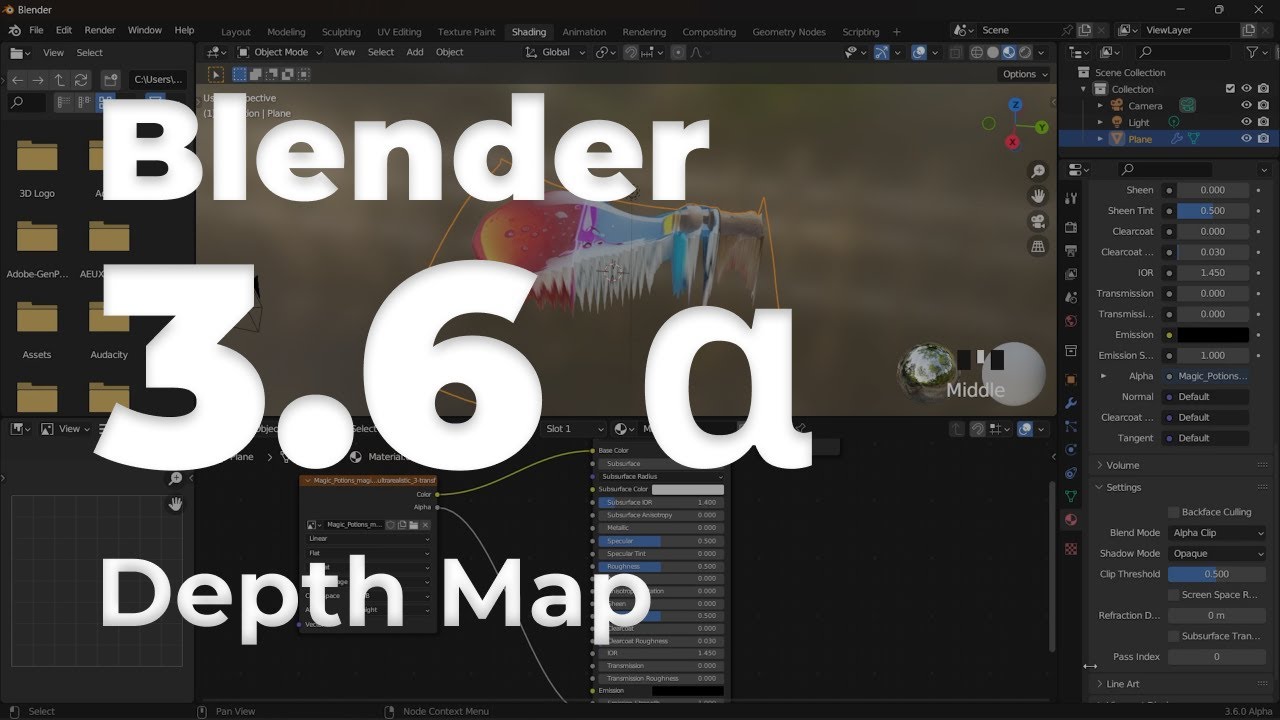
In this video you will see with Blender 3.6 Alpha how to generate depth map from 2D images to 3D object by using different AI Image Tool.
The first tool we're gonna use is called leonardo ai and it is an AI Image Generator Tool that allow to use different prompts and different model to generate a final image. Here you can find the link:
https:/...
median forge
I think I’m just gonna 3d model some stuff and mess with the depths, I’m just hoping the learning curve won’t be too terrible in getting it to look like that first image once in photoshop
lucid crane
In photoshop: https://www.youtube.com/watch?v=XdYEzui3Ttc

In today's Adobe Photoshop video tutorial I'll take you through the process of creating an interesting effect that takes a static photograph and brings it to life with subtle movement, often referred to as 2.5D, or the parallax effect.
📺 WATCH NEXT: How To Animate a Still Photo in Adobe Photoshop - https://youtu.be/kw07wyP3qm4
📦 Join my mailin...
vapid flume
What kind of object do you want to model?
median forge
I kinda just want to make a trippy looking distorted sky for an image I’m editing, the inspo comes from the sky on this album cover

So as of now I don’t really know what the object will be more so that it will just have depth that allows me to make the sky look like it’s opening up into a bunch of different dimensions like that😂
vapid flume
I would have suggested Illustrator for simple, non organic shapes but I guess that won't do it
Welcome back to Instagram. Sign in to check out what your friends, family & interests have been capturing & sharing around the world.
that kind of stuff?
median forge
Ooooh that would be really cool too
vapid flume
It's done in Blender, a 3D software
median forge
Yea I’m familiar I’ve just been pushing back the day that I learn blender 😂
vapid flume
Don't tell me about it!, I'm still on my second attempt at the Donut guy 🙂
lucid crane
Is this getting there?
 vapid flume
This software is insane, I much prefer substance, but my computer disagrees with me
median forge
Similar yeah
vapid flume
Just in case you have the opportinity and you want to start over with a much simpler interface than Blender's you can see that (provided that you have loads of GPU power at your disposal)
https://www.youtube.com/watch?v=kUuLwAw1HsY

Introducing Substance 3D Modeler, an intuitive new tool for shaping 3D designs as if working with virtual clay in an immersive VR environment or on the desktop. Modeler has been designed for artists and product designers looking to quickly explore concepts and represent their ideas in 3D.
http://www.adobe.com/products/substance3d-modeler.html
...
lucid crane
median forge
I kinda just want to make a trippy looking distorted sky for an image I’m editin...
Your inspo pic reminded me of this: https://www.iis.fraunhofer.de/en/ff/sse/affective-computing/ims/tech/inline-glasspannungsinspektion.html
Fraunhofer Institute for Integrated Circuits IIS
Using the data of polarization cameras, our software library generates stress images and displays precise magnitude and orientation that help you determine the retardation and position of any potential residual stresses.
median forge
Woah that looks cool
vapid flume
I keep sharing Jan's profile with people who want to do that kind of things, and I think he should do a course on Blender (that guy is so young and talented!)
Give him a like or two on his insta posts! (say Auntie Sandrine made you do it 😂)
median forge
Lol will do
lucid crane
median forge
Woah that looks cool
You can do something similar in PS using curves on a cloud image then blur.
 median forge
True
Or I guess any surface with texture and depth
I’ll mess around with that too
median forge
median forge
I kinda just want to make a trippy looking distorted sky for an image I’m editin...
I’m gonna go to bed but I’ll try my hand at this through 3d modeling that curves method but if anyone sees this later on and has ideas on how to create something like the sky in this pic, I’m all ears!
manic dawn
manic dawn
For my college class assignment we're making a caricatature of famous people. I ...
Does anyone have any idea?
vapid flume
manic dawn
Does anyone have any idea?
Can you share the whole of your Photoshop window? particularly the panels, like layers panels etc, as yours is not really helping here

like that
manic dawn
vapid flume
Can you share the whole of your Photoshop window? particularly the panels, like ...
Oh yeah sure one sec.
 vapid flume
Where do you take the ear from?
manic dawn
She had us cut it out with the pen tool and copy it from the paths
vapid flume
So you need the same ear as this guy placed onto the same guy?
vapid flume
So the issue here is that your path is inverted, your ear is grey on the path visualisation while it should be white like the outline is
do you see what I mean?
so basically if you use that path (ear) as a selection or vector mask, it will result in everything but the ear showing, you need to invert the mask
manic dawn
Oh simple enough
vapid flume
The thing is, are you using the path as a selection to be used as a standard mask or as a vector mask directly?
because the ways to invert it will be different depending
in the originals folder you use the outline as a selection, but you can apply the vector path directly as a mask
That depnds what you have been asked to do
manic dawn
I will be honest, I dont really know the difference between the two so I will explain what I was doing.
I was right clicking off the paths layer and making a new selection that way
Then would make a new layer using control J.
Idk if thats helpful or not but

 vapid flume
OK, so do as you've done in the past, create the selection from the path, then apply it as a mask (you won't see anything) yhen select the mask go to select>invert selection (CTRL+I)

First before inverting, and then after inverting
You want it to look like the ear is in white (not black)
"Black conceals, white reveals" That's the mantra

 manic dawn
In the video example each body part was a new layer. It wouldn't be possible to make that mask a new layer would it?
Video example here
 vapid flume
Yes, make a selection of the part you want (using the path as selection) and selecting the original layer (keep the selection active), hit CTRL+J (copy from layer)

That might be beneficial
https://www.youtube.com/watch?v=mqqVmGxvHaY
honestly, if your aim is to learn, try to keep it with masks instead of cutting the layers. Masks make it possible to correct, or finesse the selection while cutting directly from a layer is considered a bit barbaric 🙂
Using mask is the more efficient way to do it

Masking is the granddaddy of skills in Photoshop. Master masking and you're well on your way to conquering Photoshop. In graphic and web design as well as photograph retouching, masking is the fastest and easiest way to erase layers without actually erasing them. This allows you to fine tune your adjustments and graphics down to the pixel withou...
manic dawn
Thank you
 arctic delta
i had to build a house model & insert it into photoshop, now idk how to edit it so it doesn't look so fake haha, any suggestions?...

thanks in advance xD
 supple moat
first, correct the exposure
or use levels/ curve
adjusment
whichever you are comfortable with
 steady jewel
anyone can tell how do i start learning photoshop
supple moat
steady jewel
anyone can tell how do i start learning photoshop
you can do a course on youtube
 steady jewel
supple moat
you can do a course on youtube
steady jewel
supple moat
you can do a course on youtube
any suggestions?
supple moat
steady jewel
any suggestions?
there's alot of different ones , whats your preffered length?
 void sandal
void sandal
void sandal
Anyone knows whats happening here
steady jewel
supple moat
there's alot of different ones , whats your preffered length?
anyone that teaches in detail, so maybe 30 minutes for single vid
supple moat
steady jewel
anyone that teaches in detail, so maybe 30 minutes for single vid
you can use any basic course for that, after doing a basic cource (usually vids of 3-6 hours) you can do specific courses, like color grading or graphic design... gimme a min ill send you a link on dm of a youtube course i did
steady jewel
Okay , thanks for helping out
supple moat
steady jewel
Okay , thanks for helping out
here's the one i did

Learn Adobe Photoshop with this amazing FREE course. Go from beginner to pro in 23 lessons exploring all the essential Photoshop tools and techniques. You'll start at the beginning and work quickly into more exciting techniques. Learn how to use Photoshop layer styles, how to change color levels, how to retouch and manipulate images, and much mo...
sly hawk
Hey, I feel silly for asking this, but how on each do I make my trace on the right... look like the image on the left?

like the pencil brush effect?
The shape on the right is currently a SHAPE and not a PATH
oh, ok. - found it.
I can't do it until I literally make my own matching PATH from the shape.
 bitter jungle
which application (free) for drawing is best?
 cold spruce
I am having trouble in merging a logo on a clicked image, I have tried perspective warp and puppet warp, auto blend etc, but I can't. Can someone help me with this and tell me how to do this?
 pallid umbra
Does anyone know why my smart object layer won't update in the main project?

 bitter jungle
What do you think about this gesture drawing, is it good? what can i do to improve
 supple moat
bitter jungle
What do you think about this gesture drawing, is it good? what can i do to impro...
supple moat
bitter jungle
What do you think about this gesture drawing, is it good? what can i do to impro...
im not that good in drawing or anything but i feel the necks to big? also the legs feel kinda same, maybe add some prespective to the left leg
river otter
pallid umbra
Does anyone know why my smart object layer won't update in the main project?
Because you have effects on it.
Click the Smart Object with effects and again make Smart Object, try after that.
I had the same problem few days ago.
strange hull
void sandal
Hey please I'm trynna make a chrome 3d text and this is what's happening
photoshop 3d printing was abandoned years ago
river otter
What is the difference between the 3 with purpose to highlight some areas more:
- Adding exsposure or vibrance, layer mask, and brush parts to highlight them.
- Use dodge tool.
- Add 50% grey layer and use dodge tool on it.
 vagrant pine
I want to make a good and clean thumbnail for this Lethal Company video.
And my idea for the thumbnail is to make this guy do like a shush sign with the hands though i dont know how to do that and make it look like the character is actually doing that

@strange hull u stinky
 desert minnow
Anyone know if there is an easy and somewhat cheap cloud based option for using Adobe products? My pc can’t handle photoshop and illustrator well.
 inland arch
How could i put my architectural render in a context photo?
strange hull
desert minnow
Anyone know if there is an easy and somewhat cheap cloud based option for using ...
Doesn’t adobe have a cloud version
strange hull
inland arch
How could i put my architectural render in a context photo?
What
desert minnow
strange hull
Doesn’t adobe have a cloud version
For storage not sure if there is a browser based or software option
strange hull
desert minnow
For storage not sure if there is a browser based or software option
what about this

Adobe Express
desert minnow
That’s not the same as photoshop and illustrator it’s just a simplified mobile version
Anyone have experience renting a cloud based pc and using it for Adobe CC?
strange hull
desert minnow
That’s not the same as photoshop and illustrator it’s just a simplified mobile v...
Well ofc it’s not
If your pc can’t handle photoshop your out of luck
You gotta either get a better device or compromise with express
desert minnow
I have good internet and there are ways to rent virtual machines or cloud based pc through aws and Microsoft but I’m not familiar with it at all was hoping someone else would be.
 gentle bough
Help
Where do i put the hex code to a color in photoshop
I go to the normal place in the latest version but i cant find it

 gentle bough
LEMME OUT
strange hull
im on latest also
 brittle goblet
how to invert colors fast?
strange hull
 strange hull
brittle goblet
how to invert colors fast?
strange hull
brittle goblet
how to invert colors fast?
command + i on mac
somthing plus i on windows
strange hull
gentle bough
 brittle goblet
strange hull
command + i on mac
brittle goblet
strange hull
command + i on mac
wow so fast ty
strange hull
that dont look right
fluid craneBOT
Gave +1 Creative Carma to @strange hull
strange hull
gentle bough
uhh
If you're looking to return to the "normal" color picker you're used to, you should check the image mode and make sure it's set to 8-bit or 16-bit, depending on what your normal workflow is. Look for an option in your image editing software to change the image mode, which is often found under the 'Image' menu, in the 'Mode' submenu.
from chat got
ur in wack ass color mode pretty much
 spiral osprey
So, I have a question that's more Creative Cloud generic than Photoshop specifically. I want to change where CC apps get installed to an SD Card (I'm on a laptop, and storage is very limited), but it says I can't install to a removable drive. I understand why this is, because moving to another computer with it could cause issues, but I don't intend to move to any other computers, it's just because of storage limitations for my C: drive. Does anyone know how I can bypass this limitation somehow?
strange hull
@gentle bough
 strange hull
spiral osprey
So, I have a question that's more Creative Cloud generic than Photoshop specific...
strange hull
spiral osprey
So, I have a question that's more Creative Cloud generic than Photoshop specific...
you dont want photoshop on s SD card 💀 💀
thats not the solution
spiral osprey
Hmm, any reason in particular you say that?
spiral osprey
I'm fine with slow, my pc already barely meets minimum specs (integrated graphics)...
strange hull
and prob not evven wsupported
just move other stuff to the sd card
use photoshop on harddrive
spiral osprey
Alrighty, well what about a USB connected SSD (which I do have), it's 1.5 terabytes, as opposed to my C: drives 128 gigabytes of storage. It's USB 3.2 (so it's got some speed to it), Cretive Cloud errors with that. Any idea with using it on that?
strange hull
🤷♂️
spiral osprey
Alright, final question. Does uninstalling any Adobe apps mess with what's saved to Cloud Storage, or saved locally?
(Project wise I mean)
strange hull
if its saved in cloud u can delete localy
spiral osprey
I want to uninstall the apps, but don't want to mess up my Cloud Saved or Locally Saved projects, is what I meant.
 loud moat
spiral osprey
So, I have a question that's more Creative Cloud generic than Photoshop specific...
loud moat
spiral osprey
So, I have a question that's more Creative Cloud generic than Photoshop specific...
Could be worth reaching out directly to Adobe - they have offline installers that might not have that limitation. Not 100% sure whether it does or not, so worth a try. Definitely give Adobe support a hoot anyways.
spiral osprey
So, I actually got it to work. Basically, when you create the partition, you can set it up so it mounts as a folder on the C: drive, which tricks Creative Cloud into working.
gaunt heart
Would anyone know how I could remove all of the white corners surrounding the circle?
Trying to remove the background for everything but the circle and text...


 sinful sky
gaunt heart
Would anyone know how I could remove all of the white corners surrounding the ci...
sinful sky
gaunt heart
Would anyone know how I could remove all of the white corners surrounding the ci...
I would think using the magic wand tool to select the circle and then control x to cut and control v to make a new layer with the circle, then delete the old layer
The old layer should just be the corners
gaunt heart
sinful sky
I would think using the magic wand tool to select the circle and then control x ...
Tried that and it said "Could not use the magic wand because the target is a group."
Wait got it working
But it's just selecting different parts inside the circle
sinful sky
Hm
gaunt heart
Solved it, just selected the white parts and cut them out
sinful sky
👍
gaunt heart
No better feeling than solving a Ps problem
strange hull
gaunt heart
No better feeling than solving a Ps problem
So it’s all good then?
gaunt heart
Yep, thanks for the help 👍
Although I do have a new problem
How would I smoothen the edges of this?
 strange hull
gaunt heart
Although I do have a new problem
How would I smoothen the edges of this?
strange hull
gaunt heart
Although I do have a new problem
How would I smoothen the edges of this?
is this the full size image?
so tiny
gaunt heart
I think I made the canvas too big
strange hull
whole things too small
 wide wadi
how can i make a cat on photoshop
strange hull
wide wadi
how can i make a cat on photoshop
no
thats a little vague
@wide wadi lol
wide wadi
strange hull
<@851174138064273448> lol
Oh wow u pulled a cat out of thin air when did adobe go ai
cat with pope hat and puffer jacket with aviator’s sunglasses and a dior scarf
 gentle marlin
 stoic ginkgo
I need to make this white text on a light background into black text on a near-white background, but I don't know how
typically I'd used hue shift but since the main issue here is lightness it doesn't work as I can't make one part darker without doing the same to the other

 prisma gazelle
Hey is there anyone who can help me on a funny edit on a picture we all have bets on the best one and need some8who knows more that I do

 brazen owl
Hello, I'm wondering how Youtubers get such high quality images of streamers (especially when enlarged) on their thumbnails.
I have tried just screenshotting the webcam, but it turns out in low quality (especially when enlarged). Any ideas? Thanks.
 vapid flume
brazen owl
Hello, I'm wondering how Youtubers get such high quality images of streamers (e...
vapid flume
brazen owl
Hello, I'm wondering how Youtubers get such high quality images of streamers (e...
If I remember well, there is a still extraction function in OBS?... Not a screenshot but a still extraction from the .mkv file. Otherwise I would expect Premiere to have that kind of stuff.
Maybe someone more acquainted will clarify. Screenshots are dependent on your screen resolution and "quality". Also not everyone streams with a webcam. I live streamed once and in tests phases, I tried both my camera and webcam and the camera was way ahead in terms of quality (Even if my webcam's not bad). The only reason I didn't use my camera was that the HDMI converter started to generate heat in way that I didn't see it being safe for more than 1 hour.
But I had a very bog standard gear and accessories and since I didn't intend to stream again, unless asked, then I didn't want to invest.
vapid flume
 umbral prawn
how can i get these types of vintage textures:
umbral prawn
how can i get these types of vintage textures:
There is the texture of paper, that you can find about everywhere
On stock websites, scanning your own old books or taking old books from websites like internet archive and extracting the blank pages at the start of the books, in order to overlay them onto your drawing etc.
https://stock.adobe.com/uk/search/free?k=paper+texture&search_type=usertyped
concerning the texture/style of the drawing, I would think it's coming from either the paper texture as placed on a top layer, and/or a specific type of brush with some texture added in the brush settings.
 vapid flume
stoic ginkgo
I need to make this white text on a light background into black text on a near-w...
vapid flume
stoic ginkgo
I need to make this white text on a light background into black text on a near-w...
You could simply "invert" the content of the layer because given the low resolution of the text I doubt you'd be able to extract the text only from the rest of the image (image>adjustment>invert)
Or personnally, if I knew the font of the text, I would delete it and type it again with the right font and colour, that would be the best way
stoic ginkgo
I tried that, this issue is even if I get the text black i can't change the overall lightness difference between it and the background
I did find a way to get around that through making it greyscale and messing with the brightness and contrast, though
stoic ginkgo
vapid flume
Or personnally, if I knew the font of the text, I would delete it and type it ag...
But what I ultimately ended up doing was closer to this, albeit not as elegantly lol
vapid flume
Yes it's tricky, with larger text and less jagged edges you could easily select and extract the text from the rest and work on each layer independently,. From what I see here it would be difficult.
I don't know what font is it, but it looks like that from the close up 🙂
https://opengameart.org/content/bitscript-true-type-font

OpenGameArt.org
I removed all the properties on the font to get rid of my name but I'm the original TTF maker. http://opengameart.org/content/bitscript-a-low-res-handwriting-font
stoic ginkgo
The ambiguous pixels make it hard, cause even if I did extract it into another layer there's still the issue that I need the blue-white pixels to become a mix of the new two colours
I can get them half black or half the other, but idk how I'd do it for both
If only I could like, turn the blueness into transparency
So the bluer the pixel the less opaque it becomes
Then it'd be easy lol
vapid flume
stoic ginkgo
The ambiguous pixels make it hard, cause even if I did extract it into another l...
I could only see selecting them pixel by pixel and tweak the opcity accordingly, but noone is going to do that! 🙂
You could try blend if
https://www.youtube.com/watch?v=DZ9oEwhAfKY


–
Day 14 of 30 Days of Photoshop is all about Blend If! Learn how to make a layer visible in just the highlights, mid-tones, or shadows, allowing you to recover information and color tone your images.
Download the Sample Image:
https://phlearn.com/30-days-day-blend-if-yt00-desc
Sign Up for 30 Days of Photoshop:
https://phlearn.com/30-days-of-p...
Basically you tell one colour to appear transparent and you choose the amount of transparency by moving the sliders
Your blue isn't a straight blue there so I'm not sure it will work
I would really redo it, I know know why it is important to you to keep such jagged lines (They don't make for either an easy reading, nor an aesthetically pleasing type)
At the end of the day, unless you are forging a document 😂 a beatufiful result is what counts best!
https://www.youtube.com/watch?v=dHU03kD6Q90
This one too
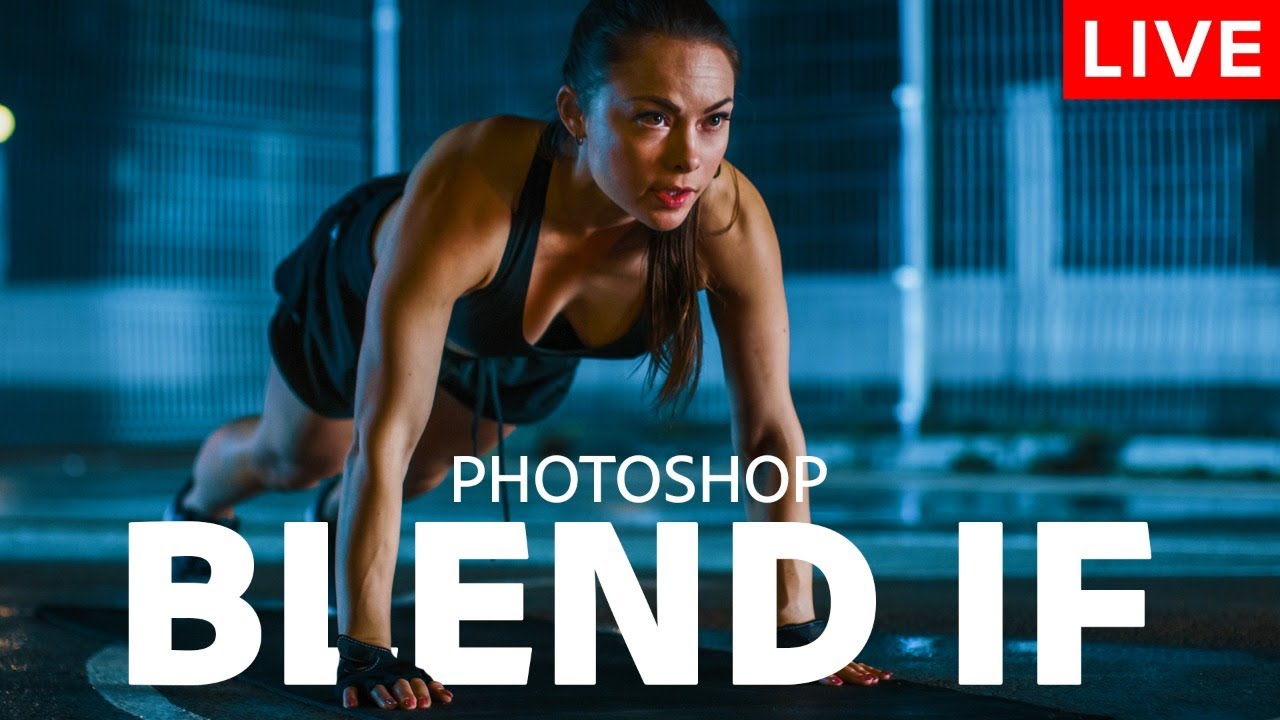
In this episode of the Photoshop Training Hour, you will learn everything you need to know about "Blend If."
With the techniques that you will learn in this stream, you will be able to make fast and easy sky replacements, apply textures to text, create cool special effects, and much more.
This live stream is sponsored by MSI!
My MSI equipment...
stoic ginkgo
This is what I ended up with

I just got a decoding of this awful cursive and redid it with solid colours as faithfully as I could lol
vapid flume
Yes, there was an anti aliasing on the type so as to mimic soft edges and that mades it difficult to select or tweak
stoic ginkgo
Anti-aliasing my beloathèd
vapid flume
I can't even decide if it's a mix or roman letters and Japanese Iragana, or something else entirely
stoic ginkgo
That's what I was thinking! That second last one is meant to be a T but I swear it's a hiragana lmao
 turbid hazel
Hi. I'm trying to make a sunburst like effect with polar coordinates.

But it's pixelated and the center isn't exactly center-y

 turbid hazel
turbid hazel
turbid hazel
like it isn't perfectly dot in center
vapid flume
The issue is that you get straight lines and they are transformed into angled lines. If your original isn't at a large resolution that will happen (to be honest, it will happen even at large resolution, but you can circumvent it by adding a bit of blur to imitate anti aliassing). What is the pixel size of your original?
As for the center, From my recollection, if your layer/canvas is square, it should be centered, so maybe there is a little discrepency between height and width?
At the end of the day, this is a filter, not something that deal with vectors that are mathematically exact. If you need an exact sunburst, I would do it with vector shapes (relatively easy, although longer than a one-click filter)
turbid hazel
do you have a tutorial for doing it with vector shapes?
I'd like it to be perfectly in terms of angles I don't want to eyeball it
vapid flume
I will try to find one. That something that could be automated with Illustrator (via the transform function or by building a radial pattern) but these functions do not exist in Photoshop, so it has to be done manually
turbid hazel
ok, thank yo uvery much!
strange hull
try using illustrator im sure its much more straightforward there
vapid flume
You can absolutely work in vectors in Photoshop but there are less functions than in Illustrator. It's still possible ans as long as you export in a vctor format (.svg, eps etc) the result will be similar
strange hull
vapid flume
You can absolutely work in vectors in Photoshop but there are less functions tha...
I know, just suggesting
vapid flume
turbid hazel
ok, thank yo uvery much!
I couldn't find a specific tutorial for a sunbeam using vector shapes, but first of all you can read that
https://helpx.adobe.com/uk/photoshop/using/drawing-shapes.html
when you're comfortable working ith vector shapes, and in order to to create it remember a few things
turbid hazel
thank a lot! i will take a look
vapid flume
1- clearly mark your center using guides, because you will need to place your centre of rotation in the center of your canvas
2- create your triangle, compute how many triangles you need to make your sunbeam. Divide 360 (degrees) by this number it will give you the rotation angle of each triangle compared to the previous one
3- Copy your triangle once and move to rotation centre to the intersection of the two guides you set up in #1
4- once done go to the properties and type + the number you found in #2
in the case 0+angle (type in the mathematical , logical equation directly in the field)

so imagine you need 10 triangles to make your sunbeam, you'll need a 360 degrees/ 10 triangles to compute the rotation: 36 degees. So in our rotation field we will type in whatever number there is + 36 (0+36 in the screenshot)
You'll see that second layer rotating by 36 degrees from the centre (since you moved the rotation point) and the first layer not moving
5- repeat by copying the second layer, move the rotation point if needed, and add our angle to the number displayed (36 +36 in our case)
6- rince and repeat 7 other times to make 10 layers or whatever number you decided in #2
vapid flume
strange hull
I know, just suggesting
It's because not everyone has illustrator, not if you're on the base standard Photoshop subscription, so we have to make it work for Photoshop! But agree it would be way simpler in Illustrator.
So now, you'll have exact lines that will not get jagged if you enlarge them. Just a caveat, we are dependent to the resolution and quality of our screens, so sometimes vector lines can appear a bit jagged, but that's because screens will still have a limitation. If you save the resulting sunbeam in a vector format, then it will be mathematically correct and will display, print or project at the best possible quality that the output device can do. Internally, the file is 100% mathematically correct. Which is absolutely not the case when you create something in raster format (like when you use the filter)
cloud meteor
hey
im sorry but the issue i was having that day still isnt fixed for me, can someone help please
My cropped image isnt changing dimensions
vapid flume
cloud meteor
My cropped image isnt changing dimensions
Can you recap what you are doing (which tools are used to crop etc) alongside a FULL screenshot of your UI?
like that
 cloud meteor
yes a sec
vapid flume
No problem

 vapid flume
I'm still not seeing your entire screen, that's important 🙂 Screenshot it with the crop tool selected
 vapid flume
Also, do you change the image size as well, or was it just to show me the dimensions?
cloud meteor
i mention the dimensions 1920 by 1080
cloud meteor
vapid flume
Also, do you change the image size as well, or was it just to show me the dimens...
it was just to show the original image dimensions
cloud meteor
cloud meteor
here now after clicking on crop tool i input the dimensions 1920 by 1080
vapid flume
OK
So you are changing an image that is 5600 pixels approx to one that is 1920 approx

is that right?
vapid flume
That's how it should work as you indicate that you want to change the size 🙂
 vapid flume
Yes that's what you asks it do do with the crop tool
cloud meteor
now since i have cropped y image
shoudlnt
it also change my dimensions

but my image dimensions still remain the same
vapid flume
So you want it at 1920, with the 16:9 ratio on?
cloud meteor
yeah i want the image cropped, and after cropping the image dimensions will change automatically
correct
?
 vapid flume
if you want to change the dimensions: type in 1920 x 1080 x 72 dpi in the WxHx resolution panel
if you select ratio, it only takes the ratio into account and not the dimensions
vapid flume
No worries. If you use the same crop a lot, consider making it a preset

that way it will appear in the list
vapid flume
Yes, since you change its size, there is always a loss when you upscale or downscale. It's less visible when you downscale but it will make you lose some
The methods in which Photoshop "invent" or "cull" the extra pixels are called interpolation. That's what you see in your "image size" menu next to "resample"
Automatic is OK, it decides based on what the image will end up at
cloud meteor
ohh understood, thanks again 🙏🏼
vapid flume
If you want to change it as PS level, you need to go to "preferences>general" and change it there. I always put bicubic automatic, but I guess automatic is the same

You're welcome! 🙂
cloud meteor

 obsidian moss
hello guys i'm new here and i wanna some help please i didn't found it on ytb (Decreasing mask)
i want to put a flag into a logo and both of them look like one logo
i wanna put the moroccan flag into the white logo
 vapid flume
You can easily by using clipping masks
You will have your base layer (the logo + possibly the text) onto which you will clip the flag.
Check that explanation
https://www.youtube.com/watch?v=JyWplm5X-lU

Learn how to create a clipping mask in photoshop while making a quick scrapbook inspired image! A clipping mask, or photoshop mask, in the simplest way, is a layer clipped inside of another layer or group. A clipped layer will only be visible within the boundaries of the layer it's clipped into, also known as the "base" layer. A layer will becom...
In your case, I would group both the text and logo and clip the flag onto the group, so it will look like that
 half kettle
wind narwhal
<@1123961630494035998> try using a a bigger soft round brush (with the hardness...
half kettle
wind narwhal
<@1123961630494035998> try using a a bigger soft round brush (with the hardness...
thanks Valdair, It helped a lot!
fluid craneBOT
Gave +1 Creative Carma to @wind narwhal
 neon dust
Hello. Is there something i can do to make the the brush in liquify tool not lag when i change its size? Like 10% of the time it works smoothly, but the other 90% of the time when i press alt+right click to change its size it wont budge until i move my mouse a lot to the size, when it will jump up or down in size way past the point i want. Its very frustrating.
My Gpu is a 3090 and its drivers are up 2 date. So is photoshop. This has been an issue for me through 2-3 years now in all patches of photoshop.

 rough idol
hii im new to PS and I need help with gradient maps
So basically, I want to apply a gradient map to 1 layer (the layer is some rasterized text that has iris blur around the edges, the colour is white.) Whenever I use clipping mask on my adjustment layer to the text layer, the colours from the gradient map disappear. The gradient map's colours only appear if the adjustment is applied to every single layer (its not on clipping mask).
How do I apply the gradient map to that one text layer without the colours disappearing?
Another thing is I want the gradient to be independent of the background, because it only works on a black background. When I remove the background, the gradient goes away.
TL;DR:
- I want the gradient map to be on 1 layer, however it keeps disappearing when I make it a clipping mask
- I want the gradient map to work even on a transparent background, because currently it only works on a black background, and disappears if its transparent.
why does the gradient map work fine when its just a solid colour + some blur, but only when its not in a clipping mask?
I feel like ive done something really dumb here and that the solution is easy as, but please lmk 😛
 dry swallow
dry swallow
dry swallow
can anyone help me?
 visual falcon
how to exactly copy this format

 elfin orbit
Hello,
I recently purchased and installed Photoshop (version 25.1). When I launch it, whether through Creative Cloud, the .exe file, or as an administrator, I get the same error message, and then it closes.
I uninstalled all Adobe files from my PC and reinstalled Photoshop from Creative Cloud. I disabled Windows firewall, reinstalled graphics drivers, and even tried installing an older version (22.2), but nothing is working so far :/
Configuration :
Windows 10 Family
Nvidia RTX 2060 Super
Ryzen 7 3700X 8-Core 3.59 GHz
B450 Steel Legend
48.0 GB DDR4 RAM
Please help me.
 strange hull
elfin orbit
Hello,
I recently purchased and installed Photoshop (version 25.1). When I laun...
strange hull
elfin orbit
Hello,
I recently purchased and installed Photoshop (version 25.1). When I laun...
Sign out and sign in back to the Adobe app
if that fails
Search for Command Prompt in the Windows search box.
Run the following command:
for /F "tokens=1,* delims= " %G in ('cmdkey /list ^| findstr /c:"Adobe App "') do cmdkey /delete %H
It clears the Credential Manager storage for all the Adobe apps.
(i just googled the code it gave you btw)
 unreal stone
Yo!
So I have this logo and I want this gradient to be like the colour overlay if you get me? Do you know how to?

 unreal stone
What if it's not a text layer?
 devout igloo
I have a question, I'm trying to remove the visible flash on photo one, around the face. I attempted something on image two using Lightroom, but I'm not sure if I'm using the right software or how to do it exactly. Can you help me?

 vapid flume
unreal stone
So I have this logo and I want this gradient to be like the colour overlay if yo...
vapid flume
unreal stone
So I have this logo and I want this gradient to be like the colour overlay if yo...
You can do it by applying a gradient as layer style
https://www.youtube.com/watch?v=KDO1NAGfRzA
Check this video for more info!

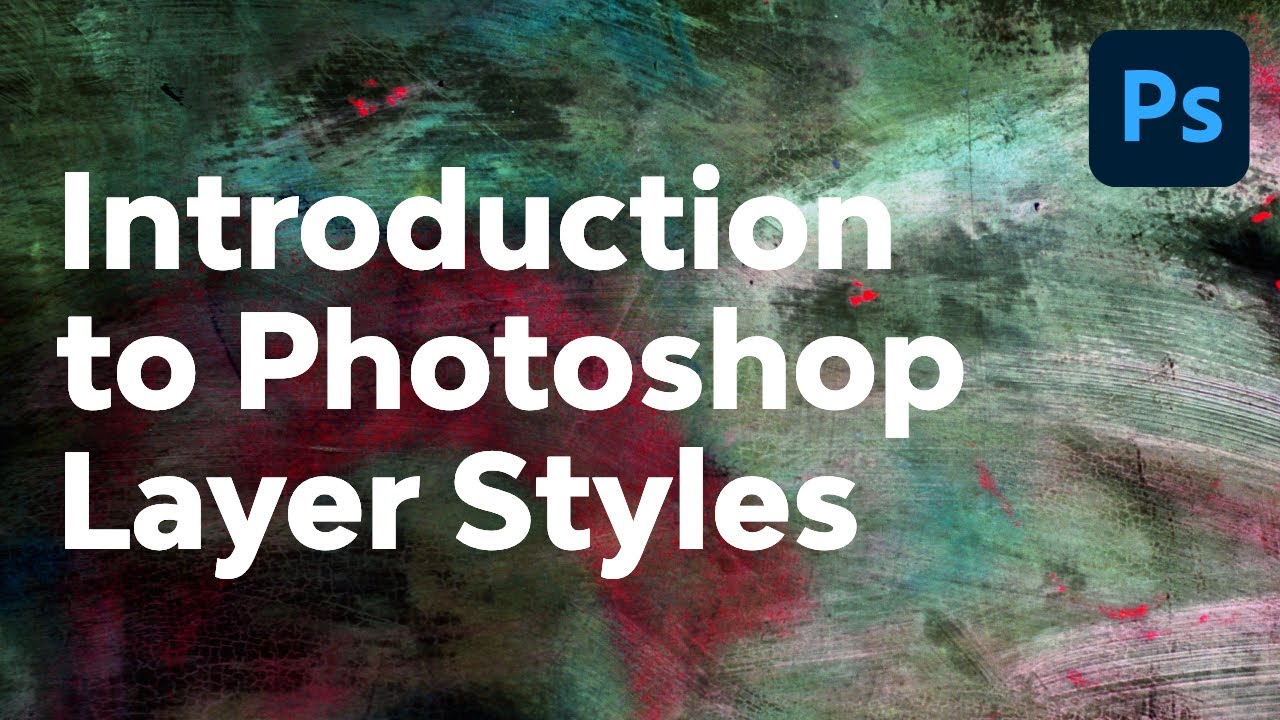
► Check out our amazing new FREE course, Photoshop for Beginners: https://youtu.be/IyR_uYsRdPs
Photoshop layer styles are a popular way to add effects, such as drop shadows and strokes, to layers in a non-destructive way. With the right knowledge and experience, any effect can be achieved. Whether it's a Photoshop metal layer style, a Photoshop...
unreal stone
vapid flume
You can do it by applying a gradient as layer style
https://www.youtube.com/watc...
works! thanks!
fluid craneBOT
Gave +1 Creative Carma to @vapid flume
vapid flume
devout igloo
This one is hard because there is probably nothing to recover, no details, so Lightroom won't help much, and a levels/curve layer in Photsohop neither. So you'll need to create the lost details by either overlapping the area from another image, or even try a generative AI fill by selecting the area and ask Photoshop to replace it by something else
 vapid flume
unreal stone
works! thanks!
vapid flume
unreal stone
works! thanks!
You're welcome!
 native lichen
does anyone know what particles those are i rlly need them

they arent from the gfame
its from the editing software
devout igloo
vapid flume
This one is hard because there is probably nothing to recover, no details, so Li...
Thank you for your response, I figured miracles weren't possible, but that's okay. It will allow me to learn a bit about how to use the software. Thanks for this idea, I will try to apply it.
fluid craneBOT
Gave +1 Creative Carma to @vapid flume
vapid flume
devout igloo
Thank you for your response, I figured miracles weren't possible, but that's oka...
You're welcome. Lightroom would have helped if the image was in Raw format and there was still some details to recover. If it happen again and in order to make the most of lightroom, you can make sure you shoot in Raw format, and also take a few underexporsed pictures so you can recover some details
vapid flume
native lichen
does anyone know what particles those are i rlly need them
I've seen similar stuff in After effects, but your image is so small it's difficult to get any details really
devout igloo
vapid flume
You're welcome. Lightroom would have helped if the image was in Raw format and t...
Okay, I take note of this information, thank you 🙂
fluid craneBOT
Gave +1 Creative Carma to @vapid flume
native lichen
hopefully thats a little better however do you know anything similar to this

i just need somthing similar on photoshop
 strange hull
what do you mean?
native lichen
those arent from the game but from the software they used
i was hoping you guys know anything similar to that
 vapid flume
native lichen
hopefully thats a little better however do you know anything similar to this
vapid flume
native lichen
hopefully thats a little better however do you know anything similar to this
It's exactly the same size 🙂
native lichen
strange hull
yes

 native lichen
strange hull
i just put this over this at 40%
native lichen
strange hull
i just put this over this at 40%
appreciate it
vapid flume
See if that can help you start something by yourself.
https://www.youtube.com/watch?v=WfMuzvuyoVs

I Guarantee I Can Teach You to Master Photoshop. Learn How: https://phlearn.com/aaronwillteachyou
In today's episode we create dust from scratch in Photoshop using a custom brush. The key to creating "dust" is to make particles that seem completely random.
Using a custom brush is a great way to create dust because it will take care of scatter...
this is using a brush
dry swallow
dry swallow
can anyone help me?
strange hull
dry swallow
can anyone help me?
i dont understand
elfin orbit
strange hull
Search for Command Prompt in the Windows search box.
Run the following command:...
thank you, but it still doesn't work 😭
fluid craneBOT
Gave +1 Creative Carma to @strange hull
dry swallow
strange hull
i dont understand
can anyone help me get the circle affect shown in the image.
strange hull
dry swallow
can anyone help me get the circle affect shown in the image.
what do you mean??
 astral horizon
Hello! How do I make this manga panel lighter? So it's not so much in the shadow, I've tried googling but it's giving me resutls for photographs which I don't need
 strange hull
astral horizon
Hello! How do I make this manga panel lighter? So it's not so much in the shadow...
strange hull
astral horizon
Hello! How do I make this manga panel lighter? So it's not so much in the shadow...
like this?
 astral horizon
Yeah!
strange hull
i just selected the photo part with quick select tool, then used dodge tool
i did like 2 layers of it
 hardy maple
really how should I tackle this?
strange hull
so your just trying to remove the particle's right?
hardy maple
well there's a lot
but the first thing I should ask is
if i rasterize the layer will it lose quality
I got jpg's back from my designer and then I had to convert to a png in order to lose the black background
the difference

 strange hull
little confused on what your goal is
because it looks like you wanted that design to begin with
hardy maple
I actually cleaned up the image on my own using the before method to this


the problem is,
I realize that this was a big error because I rotated it some desgrees and it took a part a way from the brand to "move forward" because as you can see it looks still
I also isolated the leg and arm as you can see so it changed the place it was in
so even if I were to rotate it back it still looks funny
strange hull
i mean i guess just erasing/masking some would work
but theres probably a easyer way out there
@hardy maple this is what i got just deleting some of the particles

not sure if thats the goal
hardy maple
great for legs
upper body a mess
particles needed because spefically this design has it
this is the one with less particles

but its crooked, not "moving forward"


another problem is that their legs aren't one in the same
there's gaps
strange hull
why dont you just design one
then change colors
so they are all the same
anyways i gtg, gl
hardy maple
That's what I wanted to do but if you look closely you'll see there all made up of different graphics
like one has a high contrast than the other whereas this one is black with a white hue behind it
river otter
strange hull
i mean i guess just erasing/masking some would work
hello I resolved my problem thank you.
fluid craneBOT
Gave +1 Creative Carma to @strange hull
river otter
I had low space
strange hull
river otter
I had low space
Oh so I was kinda right lol
river otter
thank you sigma🔥🔥🔥
alpha man
high level testosterone

Hey bro why there is nothing
@strange hull
 fair torrent
Hello, i'm all new, and i don't understand what's up
strange hull
river otter
<@435993454414266390>
You gotta agree to rules lol
fair torrent
i've done that
fair torrent
ok, how will i go about it. please
river otter
where bro
strange hull
Bro you gotta use your eyes, I can’t do it for you lol
river otter
ohh did it
strange hull
I’m already past it
strange hull
river otter
ohh did it
Good lol
fair torrent
So, i learnt, there is an Only daily challenge??
How do i go about it
@devout igloo
devout igloo
i don't know, i new in this serveur
 fair torrent
i think brown
 tame lintel
fair torrent
i think brown
tame lintel
fair torrent
i think brown
Tysm ♥️♥️ I really appreciate your help ♥️
 rough idol
hii im new to PS and I need help with gradient maps
So basically, I want to app...
rough idol
rough idol
hii im new to PS and I need help with gradient maps
So basically, I want to app...
can someone help pls
strange hull
tame lintel
The color of this hair is brown right?
Yellow
fair torrent
strange hull
Yellow
the colour is Anzac
 fair torrent
kk
strange hull

 tame lintel
Tysm everyone ♥️✨

 twin sail
is there any way to make the selection tool work like in gimp? so i can move the selection around before making it final
 vestal palm
need some help here with something
opening a file and i get could not complete your request because of a program error
anyone got software that can either repair the file or fix it
its for an animated series i am working on
 drowsy jackal
Is firefly down?
wind narwhal
drowsy jackal
Is firefly down?
Working fine here
wind narwhal
Let me check
vestal palm
vestal palm
need some help here with something
any help?
drowsy jackal
wind narwhal
Let me check
does it work for you?
wind narwhal
Working fine
drowsy jackal
lol, I cant access it, tried with diffrent browsers
vestal palm
wind narwhal
Try reseting Ps preferences
reset on quit
booting up now
nope
still saying could not complete your request because of a program error for that file only
wind narwhal
drowsy jackal
lol, I cant access it, tried with diffrent browsers
I checked with the team, the servers are all working, maybe there’s something with your connection
wind narwhal
vestal palm
still saying could not complete your request because of a program error for tha...
Oh, so this specific file might be damaged
drowsy jackal
wind narwhal
I checked with the team, the servers are all working, maybe there’s something wi...
i tried on my phone, there it works
strange lmao
wind narwhal
Odd, is it a jpeg?
drowsy jackal
I cant even access the website on desktop, its like a blackscreen infinite loading screen
vestal palm
wind narwhal
Oh, so this specific file might be damaged
its a psd file
does anyone have repair software
or anything to help me
its screwed
so done
wind narwhal
Try downloading an older version of Photoshop. Sometimes it might be a compatibility issue or just a bug
vestal palm
wind narwhal
Try downloading an older version of Photoshop. Sometimes it might be a compatibi...
does anyone have repair software, i can send the file if you want
its for an animated series
 cobalt quail
I need an Graphic Designer and i am High Paying. If interested DM me. Quick job
twin sail
wind narwhal
Try downloading an older version of Photoshop. Sometimes it might be a compatibi...
excuse me, is there any way to make the selection tool work like in gimp? so i can move the selection around before making it final
vestal palm
wind narwhal
Try downloading an older version of Photoshop. Sometimes it might be a compatibi...
i dont have the pc space to do that
its screwed
rough idol
rough idol
hii im new to PS and I need help with gradient maps
So basically, I want to app...
can someone help pls
 chrome fossil
i just selected around a image with the pen tool and i want to keep that part and delete the background what do i press
strange hull
Right click in middle
Add to selection
Then inverse the selection
And delete
Or mask
vapid flume
cobalt quail
I need an Graphic Designer and i am High Paying. If interested DM me. Quick job
Pleased don't post jobs here. We do not have a job board. Consider contacting freelance designers there https://www.behance.net/hire
where there is a payment system in place
Discover, connect with, and hire the world’s best design talent on Behance
vapid flume
rough idol
can someone help pls
If you apply a gradient map, it takes its cue from the highlights and shadows of the file it's attached to. in your case the text is white and there is no shadows, just highlight. Consider using a standard gradient instead of a gradient map. They are two different things
vapid flume
twin sail
excuse me, is there any way to make the selection tool work like in gimp? so i c...
if you switch from the move tool to the selection tool (any of them you'll be able to move the selection area, if you use the move tool, you'll cut this area (and the layer content that is highlighted in the layer panel).
vapid flume
chrome fossil
i just selected around a image with the pen tool and i want to keep that part an...
you need to turn your path into a selection (right click on the canvas with your path selected and you'll find the option) and hit SHIFT+CTRL+J to cut that part and paste it in another, new layer. It's the same as Layer>new layer via cut
you'll have now two layers. One with the area you want to keep and one with the rest only (and a hole where he area should be). You can delete that later one
vapid flume
 jagged sequoia
You’re so smart the hell hahaha
jagged sequoia
You’re so smart the hell hahaha
No, but I can teach you how to do it!
jagged sequoia
On my phone? 😬 all I have
vapid flume
Sorry, but no (You can have a simplified version of Photoshop on your phone BTW)
Ask in #💬chat-general maybe someone will accept to do it?
 white tree
Has anyone seen the issue where you change the colour on a layer and it doesnt change on the image.
Edit
Found the issue - I had a style on the folder as well as the layer
 blissful reef
Please do anyone have a video recommendation on how to make someone hold a paper on photoshop
 strange hull
blissful reef
Please do anyone have a video recommendation on how to make someone hold a paper...
strange hull
blissful reef
Please do anyone have a video recommendation on how to make someone hold a paper...
Your already holding it
vapid flume
blissful reef
Please do anyone have a video recommendation on how to make someone hold a paper...
Depends what you are starting with and assuming that the photo you shared is your end result. Clarification would help here 🙂
strange hull
Not sure what he’s asking g if he’s already holding the paper
blissful reef
A selfie of a person then make him or her hold a paper
strange hull
Easy if it’s just flat paper no creases or anything
blissful reef
Yea a video can help please can you recommend one for me
vapid flume
blissful reef
Yea a video can help please can you recommend one for me
You still didn't answer the question 🙂
what are starting from? a Photo? do you want to write something on the paper that isn't in the original photo?
Please be clear with what you want, and we'll find a video. I am not a mind-reader!
blissful reef
Just a clear selfie of someone, then make the person hold a white paper in the selfie that’s all I ask for
vapid flume
blissful reef
Just a clear selfie of someone, then make the person hold a white paper in the s...
So you don't have a photo? so you need to find an image first, I suggest going to a stock website like Adobe stock
see
https://stock.adobe.com/uk/search/free?k=holding+a+paper&search_type=usertyped
Unless you use generative AI for that Photoshop works when you already have an image. It's a Photo manipulation software, so basically you need to start with a photo 🙂
Then if that's what you want we can find a video to explain how to put a text on the paper
 vapid flume
Then you need to find a photo on a stock website, Photoshop will not create it for you
Looks like David Beckam by the way
yeah it's written on the photo 🙂 🤦♂️
blissful reef
Sorry about that
vapid flume
No need to be sorry, the face palm was directed at myself 🙂 . You just make it a bit tedious to be helped, if you don't have the selfie, then you need to find a photo elsewhere, but Photoshop won't help you finding a photo.
You need to have an idea of what kind of person you want to be in the photo and type in your request in the search bar of a Stock Photo website
Photoshop will help you place a text, or a piece of paper into the hands of someone, but you need to have that someone's photo in the first place.
blissful reef
Okay I’m searching for one now
vapid flume
OK
It's best you find someone already holding a piece of paper if you're a beginner, because adding hands, a piece of paper etc, is not a beginners' job.
And a video won't help if you don't know your way around photoshop
But adding some text onto a blank sheet of paper is relatively easy
Again, it helps if you know the basic functions
 vapid flume
OK, so you'll need to add a piece of paper (so you need a pice of paper to start with and composite it into the image
To add the text, check this
https://www.youtube.com/watch?v=5y7sOoNLwRU

Learn how to create the cool effect of making text look like it's been printed onto a piece of paper. Watch the tutorial to learn how!
00:00 (Intro) Make Text Look Printed on Paper
00:22 Open Canvas and Type Text
0:42 Set Layer Style Settings
01:10 Create New layer with Threshold Settings
01:28 Add Background Textures
01:50 Final Result
Backgr...
Once you found your piece of paper you can follow this tutorial
https://www.youtube.com/watch?v=fgB_oO4xt1A
and place the text on the paper once you've done this

In this Photoshop tutorial, you will learn how to blend images together and create realistic composites in Photoshop.
You will learn three techniques to easily match luminosity, saturation, and color.
📘 INDEX
00:00 - Introduction
02:36 - Step One: How To Match Luminosity
07:56 - Step Two: How To Match Saturations
11:19 - Step Three: How To Mat...
blissful reef
Okay thanks so much
vapid flume
You're welcome!
vapid flume
 daring hawk
Can anyone help me make my logo
daring hawk
Can anyone help me make my logo
Ask in #💬chat-general , this is the appriopriate channel for this (although we do not host a job board here, so...)
 frigid current
Hi, I'm making a menu pack for my Minecraft server. I need a lot of menus, but I don't know why, Photoshop makes me some kind of gradients on the sides of my images. When I save, everything is pixelated with the gradients on the sides. How can I solve this problem? Here's a video showing the problem.https://youtu.be/xKquE6KdbHI
lucid crane
frigid current
Hi, I'm making a menu pack for my Minecraft server. I need a lot of menus, but I...
It's because you are resizing the image within photoshop - so it's aliasing the edges. If you look at those edges before resizing you'll see they look ok.
frigid current
I can't stop it?
however, when I use the same 2 images in paint.net, the image is directly the right size, without having to change its size. But the problem is that in paint.net, I don't have the layers with the writing etc...
 lucid crane
frigid current
however, when I use the same 2 images in paint.net, the image is directly the ri...
lucid crane
frigid current
however, when I use the same 2 images in paint.net, the image is directly the ri...
I'm sorry, I'm not familiar with paint.net Somewhere the sizes are different.
 civic dirge
I need syllabus for Photoshop to learn
river otter
Whats the best way to keep quality as much as possible when downscaling a image? I have a 5000x5000 image that needs to be downsized to like 512 below and the problem is when i do that the image turns to really bad qual, I have smart object on that helps a bit but im wondering surely theres a better way to keep the quality in my work when I have to scale it down
twin sail
vapid flume
if you switch from the move tool to the selection tool (any of them you'll be ab...
hi, it moves the selected image, in gimp it only moves the selection
@vapid flume the red one is photoshop, the black one is gimp (how i want it in photoshop)

 vapid flume
twin sail
<@705735115434622987> the red one is photoshop, the black one is gimp (how i wan...
vapid flume
twin sail
<@705735115434622987> the red one is photoshop, the black one is gimp (how i wan...
In that case, go to select>transform selection

If you do it often, just assign a shortcut key to it
river otter
Anyone know good websites to find really nice textures. Looking for a diamond leather stitching texture and a snake skin type texture
river otter
🤣
 frank needle
how do i make a brush like this in photoshop
 twin sail
how do i go about making an pircture look old like this picture (attachement)
 river otter
twin sail
how do i go about making an pircture look old like this picture (attachement)
river otter
twin sail
how do i go about making an pircture look old like this picture (attachement)
black and white +add noise
- mess around with curves
twin sail
it is also kinda blurry in some areas
lucid crane
twin sail
how do i go about making an pircture look old like this picture (attachement)
If you look at your example image you’ll see that it has a quite restricted contrast range. There are no real whites or blacks. The blurriness that you mention is due to camera and lens that took the picture. You can simulate this in the camera raw filter using the lens blur beta. When adding noise be gentle 🙂
frank needle
frank needle
how do i make a brush like this in photoshop
HEY ANSWER ME FIRST!!!!!!!!!!!
lucid crane
frank needle
how do i make a brush like this in photoshop
If you look in the PS brush library, I think you’ll find one to suit. There is also an option in there to get more brushes. I doubt you’ll have to make one 🙂
frank needle
oh thanks!!
lucid crane
frank needle
HEY ANSWER ME FIRST!!!!!!!!!!!
We are all volunteers here, not paid employees. We do it to help out. Being demanding and using shouty caps will not go down well.
 sleek glacier
For the line tool
I cant change the color and when i use it it created a new layer
I need to draw perspective grid someone pls help
 coral jacinth
i have problem with adobe indesign, is this the correct place to ask?
 fierce hornet
sleek glacier
I cant change the color and when i use it it created a new layer
fierce hornet
sleek glacier
I cant change the color and when i use it it created a new layer
I don't know how to change the color. after saving the project try reopen the program.
give a screenshot if possible
sleek glacier
fierce hornet
I don't know how to change the color. after saving the project try reopen the pr...
Ok thanks ill take a ss at home
fluid craneBOT
Gave +1 Creative Carma to @fierce hornet
 mental ridge
People I need help with photshop
my photshop is broken everytime i open it say sorry photshop has occured an error and needs to be closed
so sent the repor and after that it says photshop has found an soloution for my recent erroe and it still doesnt work after I follow it
this started this friday
before this it was working completly fine
i need phtoshop for makijg and animation for school work
can anyone help?
@here
strange hull
Why are you doing animations in photoshop
mental ridge
schoo work
I have to make a gif animation
wait I made my backgrounds in illustrator is it possible to make the animation is after effects?
but my teacher posted the tutorial on photoshop
someone help this is due in 3 days for me
fierce hornet
you don't know how to use Photohsop?
fierce hornet
mental ridge
but my photoshop isnt working now
Then you should hire someone. It's not a 1 or 2 min work I guess.
 brisk forum
Hello, i got a Question. So in Adobe photoshop i want to cut out in a picture the Phone screen and replace it with a diffrent Picture. How exactly do i do that?
mental ridge
no clue
fierce hornet
mental ridge
no clue
share more details about the work. If I can do. I will do it for you.
strange hull
Let him do his school work lol
brisk forum
I´d like to cut the white part out and put in a diffrent picture so it looks like the Picture is on the phone. Is that possible?

 strange meadow
brisk forum
I´d like to cut the white part out and put in a diffrent picture so it looks lik...
strange meadow
brisk forum
I´d like to cut the white part out and put in a diffrent picture so it looks lik...
yes
strange meadow
 maiden garden
Is this the help channel?
maiden garden
Is this the help channel?
yes
maiden garden
PS crashes when I open a project file I downloaded from the internet, I wonder what is the problem with this

Photopea

Right now PS seems to be working but I can't use my latest PS version
brisk forum
strange meadow
yes
How can i do that?
fierce hornet
brisk forum
How can i do that?
brisk forum
Thank you
fierce hornet
fierce hornet
I use some shortcut. First CTRL+J to select the area
second CTRL+I to invert the mask.
maiden garden
maiden garden
PS crashes when I open a project file I downloaded from the internet, I wonder w...
Help me 😦
vestal palm
wind narwhal
Try downloading an older version of Photoshop. Sometimes it might be a compatibi...
i dont have an older version and i've reset prefrences
maiden garden
I'm using RTX3060Ti but still such problem
vestal palm
vestal palm
i dont have an older version and i've reset prefrences
if anyone else does i can send the file? Its screwed
fierce hornet
maiden garden
Help me 😦
did you face this problem before?
maiden garden
fierce hornet
did you face this problem before?
No, I only experience it when I open a project
If I send you the project file, can you also try it, do you have the same problem?
fierce hornet
what inside the project? and how big the file size.
vestal palm
fierce hornet
what inside the project? and how big the file size.
can i potentially send you my file too to see if you can fix the problem I am having
fierce hornet
maiden garden
The project works very well on my friend's computer but
did you tried to reset everything. then restarting Photoshop?
maiden garden
fierce hornet
did you tried to reset everything. then restarting Photoshop?
yes

Payhip
This pack will inclue everything you will need to make a bangin 2d minecraft thumbnail
This file
fierce hornet
vestal palm
can i potentially send you my file too to see if you can fix the problem I am ha...
try this https://www.howtogeek.com/724968/how-to-reset-adobe-photoshop-preferences/ . Aslo I suggest you to restart your computer once.

How-To Geek
Fix problems or go back to the purest form of Adobe Photoshop.
fierce hornet
vestal palm
can i potentially send you my file too to see if you can fix the problem I am ha...
what's the problem?
 brave drum
Hey everyone I need help, so i want to get rid of the red orb hes holding and make it where the backgroud is his clothes. I plan on puttin subsribe in his hand for my yt banner but i dont know how to do this 😭
 maiden garden
@fierce hornetMy problem is not solved 😦
I want to design a YouTube cover photo but I can't do it
fierce hornet
maiden garden
<@873134060191485962>My problem is not solved 😦
is photoshop showing any error?
maiden garden
fierce hornet
is photoshop showing any error?
no
It freezes I can't do anything
If you want, you can download the file and give it a try and see if the same will happen for you.
brave drum
brave drum
Hey everyone I need help, so i want to get rid of the red orb hes holding and ma...
If anyone can take this picture and give it a shot and share it here please do
fierce hornet
maiden garden
no
Can I know your system specification?
fierce hornet
maiden garden
If you want, you can download the file and give it a try and see if the same wil...
I can try from my another computer. but can't do rn.
maiden garden
fierce hornet
Can I know your system specification?
AMD Ryzen 5 5600 CPU
NVIDIA RTX3060Ti 8GB
2x8 16GB DDR4 Memory
500GB - 1000GB SSD
640GB HDD
fierce hornet
maiden garden
AMD Ryzen 5 5600 CPU
NVIDIA RTX3060Ti 8GB
2x8 16GB DDR4 Memory
500GB - 1000GB SS...
that link want me to put my gmail there. give me a direct link.
maiden garden
You can enter my e-mail, can I give it to you?
fierce hornet
maiden garden
You can enter my e-mail, can I give it to you?
dm me
maiden garden

 plucky vale
How would I go about reversing an image, without reversing text?
strange hull
send the image
plucky vale
 strange hull
so what are you trying to do?
plucky vale
Reverse it, but not reverse the text
strange hull
so just moving the logo?
plucky vale
Shifting things around too
Is there a feature that does it or do I have to do it manually?
maiden garden
@fierce hornetHave you tried it yet?
lucid crane
plucky vale
Is there a feature that does it or do I have to do it manually?
Cut each element onto its own layer and move them around over a white background layer
plucky vale
lucid crane
Cut each element onto its own layer and move them around over a white background...
How? I'm finding it difficult alligning things correctly
strange hull
like this?
 fierce hornet
maiden garden
<@873134060191485962>Have you tried it yet?
fierce hornet
maiden garden
<@873134060191485962>Have you tried it yet?
not yet.
plucky vale
strange hull
like this?
yeah, how'd you do that?
maiden garden
fierce hornet
not yet.

 vestal palm
fierce hornet
try this https://www.howtogeek.com/724968/how-to-reset-adobe-photoshop-preferenc...
vestal palm
fierce hornet
try this https://www.howtogeek.com/724968/how-to-reset-adobe-photoshop-preferenc...
already tried restarting yesterday
didnt work
vestal palm
fierce hornet
what's the problem?
problem is open a specific PSD file and it says could not complete your request because of a program error
fierce hornet
vestal palm
problem is open a specific PSD file and it says could not complete your request...

▶ In This Video You Will Find How To Fix Could not complete your request because of a program error on Adobe Photoshop ✔️.
▶️ ▶️ ▶️ 𝐌𝐎𝐑𝐄 𝐑𝐄𝐋𝐀𝐓𝐄𝐃 𝐏𝐇𝐎𝐓𝐎𝐒𝐇𝐎𝐏 𝐕𝐈𝐃𝐄𝐎𝐒 👉 : https://www.youtube.com/playlist?list=PLFStktVg2e4n8AbDxZtqZ_u86pM0C1flg
▶️ ▶️ ▶️ 𝐌𝐎𝐑𝐄 𝐑𝐄𝐋𝐀𝐓𝐄𝐃 𝐖𝐈𝐍𝐃𝐎𝐖𝐒 𝟏𝟏 𝐕𝐈𝐃𝐄𝐎𝐒 👉 : https://www.youtube.com/playlist?list=PLFStktVg2e4lzGCbhRYBPh...
vestal palm
fierce hornet
https://youtu.be/sNwjuU19R0U?si=UTPRnrK4aJAHdSnw
already unticked use graphics processor
didnt work
fierce hornet
what gpu do you use?
vestal palm
fierce hornet
what gpu do you use?
thats it right?
vestal palm
fierce hornet
what gpu do you use?
it seems more like a file issue hence why i asked if i could send it
its for an animated series i am making
just like the backgrounds ect
fierce hornet
vestal palm
it seems more like a file issue hence why i asked if i could send it
I am working now. I will try later and let you know. I got you in DM.
 marsh terrace
How do I fix PS making one of my layers black and white when I export
I was about to export this project assuming it would export the same way I edited it. But when I go into the export tab it shows one of the layers as black and white. I clicked Embed colour profile. I waited a few minutes in the window to see if it was fixed, but nothing happened. I exported it and checked the image; the layer was still black and white.


 little parrot
hello how would i get this half tone border effect on the inside of this shape (instead of having an image inside and halftoning the edges of that image)?
i've tried using circular gradients, diamond gradients then using Filter > Pixelate > Color Halftone but it's not giving the results i want which is the first image


also tried masked layers + brushing using half tone brushes but i feel it's not the right solution and i couldn't find brushes that are applicable to the shape at all lol
fierce hornet
marsh terrace
How do I fix PS making one of my layers black and white when I export
I was abou...
post a screenshot of it.

 fierce hornet
everything seems good here.
marsh terrace
then idk whats happening
marsh terrace
yeah i tried
the layer is black and white but i have a gradient map adjussment later
 marsh terrace
marsh terrace
marsh terrace
"lotus copy" is the layer that shows up black and white

but there is a gradient map above it
fierce hornet
marsh terrace
Select all layer. Press CTRL+J
then Press CTRL+ALT+E
after the try to export

 brave drum
Hey everyone I need help, so i want to get rid of the red orb hes holding and make it where the backgroud is his clothes. I plan on puttin subsribe in his hand for my yt banner but i dont know how to do this 😭
 sweet field
brave drum
Hey everyone I need help, so i want to get rid of the red orb hes holding and ma...
sweet field
brave drum
Hey everyone I need help, so i want to get rid of the red orb hes holding and ma...
You're probably going to have to redraw it from scratch. You could try the generative fill feature, but I doubt it'll be able to figure it out very well.
brave drum
ah okay thanks man
mental ridge
strange hull
Let him do his school work lol
fr
- in the school work i nede my face in it
I aint sharing a picture of me with u stranger
lucid crane
brave drum
Hey everyone I need help, so i want to get rid of the red orb hes holding and ma...
Try this: delete the orb leaving the glove.
Put the glove on its own higher layer
Copy the right shoulder, flip side to side and put behind the hand and glove. Some sizing and repairing will be necessary.
brave drum
lucid crane
Try this: delete the orb leaving the glove.
Put the glove on its own higher lay...
Alright I’ll try it, I’m very new to photo shop I mean I just started today so not sure if I’ll be able to do it but I’ll try my best
sly hawk
brave drum
Alright I’ll try it, I’m very new to photo shop I mean I just started today so n...
It's kinda like this.... but spend more than 3 mins on it!
brave drum
sly hawk
It's kinda like this.... but spend more than 3 mins on it!
Ah ok thanks very much man