#✂challenges-feedback
1 messages · Page 125 of 1
 visual pelican
 nimble shardBOT
Gave +1 Creative Carma to @eternal mica
 sterile berry
Here is updated version of the map. I've tried to include more folks from the Challenge community chat. Added new locations such as, Kajrov Bay, Satlen Sea, the towns of Meagan, Italicoil, Nathalie, Teta Vata etc. If I missed anyone, I apologize. I'm doing my best to be as inclusive as I can. 🙂

 normal gale
sterile berry
Here is updated version of the map. I've tried to include more folks from the Ch...
normal gale
sterile berry
Here is updated version of the map. I've tried to include more folks from the Ch...
NICE I own property!!! I promise to be a wise and caring Mayor of Meagan Town!
 halcyon current
sterile berry
Here is updated version of the map. I've tried to include more folks from the Ch...
halcyon current
sterile berry
Here is updated version of the map. I've tried to include more folks from the Ch...
This is an awesome map @sterile berry I'm very honoured to get a place on your map 🥰
I just love your pirate island @quiet fern 🥰
 slender juniper
sterile berry
Here is updated version of the map. I've tried to include more folks from the Ch...
slender juniper
sterile berry
Here is updated version of the map. I've tried to include more folks from the Ch...
Ha! This is legit! I will always strive to be a just and benevolent king. 🤣 👑
 quiet fern
sterile berry
Here is updated version of the map. I've tried to include more folks from the Ch...
quiet fern
sterile berry
Here is updated version of the map. I've tried to include more folks from the Ch...
You win on this one - it’s simply fabulous!!! 👍🏼😎
sterile berry
quiet fern
You win on this one - it’s simply fabulous!!! 👍🏼😎
Thanks! I'm glad you like it. It seems to have given everyone a laugh so we ALL win. 🙂
nimble shardBOT
Gave +1 Creative Carma to @quiet fern
quiet fern
sterile berry
Thanks! I'm glad you like it. It seems to have given everyone a laugh so we ALL ...
Really nice color combos too!!! 👍🏼😎
 limber thistle
A little behind, here Paul's challenges here challenge 1 (Bending Type to Your Will)

challenge 2 (Fire, Water, and Earth Type)


challenge 3 (3D and 4D Text!)
challenge 4 (Wild Typography)

and challenge 5 (Handy Lettering)


 last mica
Day 3
 slender juniper
Some quick examples using the methods taught in the 3D type challenge.
Ok, so I think coolio could actually work? Hear me out. Coolio! The Complete Hydration Solution! Ehh? But I also like the idea of woolio now.
 quiet fern
#challenge - Perspective Typography 😉

 copper moss
3: 3D extrude easy. i have learned new stuffs from you. Pressing on ctrl+alt+"page down" then "end". I liked your brush. What kind of brush is this?

 hearty gale
PS DCC #3 3D Made Easy. March 30, 2022
 sterile berry
PS DCC 03.30.22 - 3D Made Easy. Introducing: Woolio. Complete Warmth Solution. Synthetic wool that is as soft as a cloud. 🙂
 quiet fern
#challenge - 3-D Type - FUN!!! 😉

 eternal mica
Ps DCC 22-04 03 3D Type Wow, this stream is called 3D made easy. This was NOT easy!! So many cool techniques incorporated into this. It took a lot of rewind. But it was worth it. Very coolio @slender juniper
 hearty gale
Thank you! yes, this looks better with the page full.
 nimble shardBOT
Gave +1 Creative Carma to @eternal mica
halcyon current
Challenge #2 - Custom Brushes (Map) - and I also added challenge #1 in this one. Such a great way to use the fill command. Thank you @slender juniper for your efforts to teach us some new stuff. This sure was new to me!
 nimble shardBOT
Gave +1 Creative Carma to @slender juniper
 coarse portal
Today's challenge

 gaunt veldt
sterile berry
Here is updated version of the map. I've tried to include more folks from the Ch...
gaunt veldt
sterile berry
Here is updated version of the map. I've tried to include more folks from the Ch...
your awesome!
 dusky swallow
Thank you Frank 😇
nimble shardBOT
Gave +1 Creative Carma to @hollow yarrow
dusky swallow
Day 3, so easy and cool for those not using illustrator.... I loved it!

 tired turret
Catching up before I tackle todays video.... Here is Day 1 Perspective, Day 1 Weathering and Day 2 Treasure Map. Pushing the boundaries of fonts and things!


 eternal mica
@copper moss Your turtle map is hardly a map but, who cares, its so neat. One thing you might consider, vectorizing the butterflies to have them better fit the theme of the design. Just a thought. Very well done.
@last mica You did a fine job with the 3D design. You covered everyone of the numerous steps in the process. The lighted one is really spot on. Just for sake of contrast I would change the color of one of the BG layers.
eternal mica
slender juniper
Some quick examples using the methods taught in the 3D type challenge.
Ok, so I...
"Coolio"??? "Woolio"??? Im not sure marketing is your strong suit. I think keep your day job in design!!🤣 🤣 🤣 Today's stream was really so packed with stuff, I had to rewind more times than I could count.
@quiet fern The Morocco design is great. Perfect color balance, matching the text fill to the mosaic. The color range and BM look spot on, showing so much texture through the text. Very well done.
@copper moss Two very nice variations of the 3D design. I think Im going to be seeing variations of Wade's "oolio" in my sleep tonight!!! The B&W depth layers look terrific. For me, the color scheme in the second one is a bit off, but the technique and text effects you added are very well done.
@hearty gale This looks great. The Gradient fill is a super touch. You also did a fine job with the backlighting. I like the shadow being cast by the top design onto the lower one. Well done.
@sterile berry Nicely done. The warm color palette really send the message youre trying to send. The white stroke on the letters adds so much pop. I know you thought this through but I was wondering why you went with the grey for the cloud's depth layers rather than a different shade of blue?
@quiet fern Good work on the 3D design. The coloration, depth, highlighting all look solid. One comment, it seems like the overall opacity / highlight of the design is sort of muted. Was that intentional?
quiet fern
eternal mica
<@!889930195975409674> Good work on the 3D design. The coloration, depth, highl...
Yes - I leaned to the Teal Pastely colors today ☕️🥰
sterile berry
eternal mica
<@!712015771596750931> Nicely done. The warm color palette really send the mess...
Thanks! Warm color palette? I think you mean cool palette, eh? I chose grey because my cloud is almost white. Not blue. Also, I didn't want everything to be blue. Just a simple blue and grey/white motif for this.
nimble shardBOT
Gave +1 Creative Carma to @eternal mica
eternal mica
@halcyon current Very well done Brush design. The colors look great. The BG texture is so good. You added so many detailed brush elements, all of which individually look great, and as a complete design, look wonderful. I think I might increase the opacity of the title a bit. The map is so vibrant, having the text so faded is a bit out of synch.
eternal mica
sterile berry
Thanks! Warm color palette? I think you mean cool palette, eh? I chose grey beca...
My mistake. Going a bit too quickly and didnt catch that. Thank you.
nimble shardBOT
Gave +1 Creative Carma to @sterile berry
eternal mica
@coarse portal Thats a very challenging design to turn into 3D. Very well done. The perspective on the lines, added to the triple 3D of your text/shapes is really a challenge. The gradient text fill is also a cool touch. They all look very realistic. Good work by you.
@dusky swallow Is your design based off Ai? The 3D effect is spot on. The contrast between the BG, the rectangle, and your text really makes your design pop. The backlighting looks solid. Well done all around.
@tired turret I was wondering when you would show up!!! Your two compositing text photos are great for the exercise. The Parking design is spot on. The color range and BM work to really let the textures show through. And your varied opacity/ brightness picks up the lighting so smoothly. The grey wall is also well done, though I think a lot of the text is too faded to make out. But thats fine, if thats the look you were going for. You might want to try a version with a bit lower saturation on the wall and a bit more on the text just to see how it plays out. The map design is cool. Very interesting asset selection. You might want to fade the edges of the maps to better synch them into the BG. The sharp contrast you have looks a bit too strong for the vibe of the worn faded BG sheet.
tired turret
@eternal mica The weathering wall was on purpose. I liked the idea it’s been there for decades. 😂 as for the map… I should have thought about it. Fading! I didn’t even think about fading out the edges. I also thought about changing the color to something closer to the parchment.
tired turret
eternal mica
<@!516325509097848854> I was wondering when you would show up!!! Your two compo...
So your thoughts on the tweaks?

 eternal mica
@tired turret IMHO both dramatically more powerful. Your opinion?
 compact pecan
Day 2. Pretty basic, but it was fun creating a brush again.
 tired turret
eternal mica
<@516325509097848854> IMHO both dramatically more powerful. Your opinion?
tired turret
eternal mica
<@516325509097848854> IMHO both dramatically more powerful. Your opinion?
💯 agree! Your eye never lies my friend ever. 😊
visual pelican
PSDCC 3D Made Easy Day 3
 eternal mica
tired turret
💯 agree! Your eye never lies my friend ever. 😊
eternal mica
tired turret
💯 agree! Your eye never lies my friend ever. 😊
Flattery will get you nowhere, but keep trying!!! I sincerely appreciate your support and encouragement. It motivates me.
@compact pecan "Basic" works. The brush work looks solid. The design is straightforward. I might have added some color to the tree brush, just for a little more pop than the blue and red are giving.
@visual pelican Good work on the 3D. The colors work so well to tell your story. You did a nice job on all the techniques that were required to create the effect. The transparency of the rectangle is a very interesting eye catching touch. Even though the ice is an important part of the message, I know Sam would suggest how about blurring the BG or lowering the opacity to get the focus on your focal point.
visual pelican
eternal mica
<@817064525051199498> Good work on the 3D. The colors work so well to tell your ...
Thank you. This one was fun once I decided to go with Coolio (lol). I tried blurring and lowering the opacity on the BG and thought it looked bad. I also tried lowering the opacity w/an off white behind it, but once again I thought it looked bad. Maybe a different BG would work hmmm?
nimble shardBOT
Gave +1 Creative Carma to @eternal mica
eternal mica
That's up to you. Lots of times I fall in love with a BG and end up forcing the issue. A good way to avoid that is to work on a transparent or mid gray BG until the design is done, then finding a BG that supports rather than competes with the design.
 hollow yarrow
Day3- 3D Made Easy
Early enough @eternal mica
 eternal mica
@hollow yarrow Maybe, but not if we were on Indonesia Time!!!🕐
eternal mica
@hollow yarrow Beautiful vibe from the design. The bright white light source creates an underwater feeling; the texture adds a flowing sense of watery movement. You added a real neat effect by having soft round edges to your text, with multiple shades for the depth layers. Very interesting. The split wavy tint also adds to that underwater vibe. One tiny nit pick. It looks like the shadow layer on the BG has the texture showing in the shadow. Maybe a bit more blur will conceal it.
BTW, how did you like having your own province in @sterile berry 's design? With your own capital city???
sterile berry
eternal mica
<@!698155393649475695> Beautiful vibe from the design. The bright white light so...
Haha. He saw it and was pleased with the territory.
 graceful arch
hollow yarrow
Day3- 3D Made Easy
Early enough <@!688853114035634184>
graceful arch
hollow yarrow
Day3- 3D Made Easy
Early enough <@!688853114035634184>
Wow, you even did the caustics! Nice one!
sterile berry
Dang. I forgot to add @graceful arch into the map. He doesn't usually chat in here though. heh
gaunt veldt
CC2: custom Brushes... a little hidden map on a necklace...
 graceful arch
sterile berry
Dang. I forgot to add <@!270302650078199808> into the map. He doesn't usually c...
graceful arch
sterile berry
Dang. I forgot to add <@!270302650078199808> into the map. He doesn't usually c...
Haha no worries, you're right, I feel safer in #❓ask-a-question 😜
sterile berry
graceful arch
Haha no worries, you're right, I feel safer in <#548246314383835146> 😜
I had to fix a couple spelling errors and add a few more people/locations so I added the Wertos Island chain in the south. heh
 normal gale
Day -3 DCC - 3D Type.
 graceful arch
sterile berry
I had to fix a couple spelling errors and add a few more people/locations so I a...
graceful arch
sterile berry
I had to fix a couple spelling errors and add a few more people/locations so I a...
It's lovely, thank you so much! I wish we had more 'social' projects like this one
nimble shardBOT
Gave +1 Creative Carma to @sterile berry
 wary swan
Ps DCC2022-4 Challenge #2 Custom Brushes 3-29-2022
 copper moss
eternal mica
<@!778334358833856513> Your turtle map is hardly a map but, who cares, its so ne...
copper moss
eternal mica
<@!778334358833856513> Your turtle map is hardly a map but, who cares, its so ne...
I will do real map! Have a look on the map Andri did in Ai challenges. I will do something like that. Thanks! 😀
nimble shardBOT
Gave +1 Creative Carma to @eternal mica
copper moss
eternal mica
<@!778334358833856513> Two very nice variations of the 3D design. I think Im go...
Thanks! 😀
wary swan
Ps DCC 2022-4 Challenge #3 3D Made Easy 3-30-2022
 copper moss
sterile berry
I had to fix a couple spelling errors and add a few more people/locations so I a...
copper moss
sterile berry
I had to fix a couple spelling errors and add a few more people/locations so I a...
Can you explain how have you done this map? Have you generated the shapes from a map or just draw by hand? I´d like to learn how to make such. It will be useful for others also. You did shapes, then offseted, then some diamonds inside shapes to decorate. I like how you glorify your friends as well. Thank you for Satlen sea!
hollow yarrow
eternal mica
<@!698155393649475695> Beautiful vibe from the design. The bright white light so...
I was really honored @sterile berry named a province with my name and even better he choose to place me in the south🏝️ I blurred texture in shadow though... Not enough?🤔 You get a good point Ted, I will take a look later. Thanks!
nimble shardBOT
Gave +1 Creative Carma to @eternal mica
hollow yarrow
graceful arch
Wow, you even did the caustics! Nice one!
Thanks!
nimble shardBOT
Gave +1 Creative Carma to @graceful arch
 hushed spade
sterile berry
I had to fix a couple spelling errors and add a few more people/locations so I a...
hushed spade
sterile berry
I had to fix a couple spelling errors and add a few more people/locations so I a...
That map is so coolio, dhuman! I love the idea of using PSDCC people for your names. The Catan hexes make a nice subtle texture. I was surprised and touched to see Meade! Thanks!
nimble shardBOT
Gave +1 Creative Carma to @sterile berry
visual pelican
eternal mica
That's up to you. Lots of times I fall in love with a BG and end up forcing the ...
I added the bg after because like you said I sometimes try to force the issue. Thank you for feedback, I feel that it has helped me improve.
nimble shardBOT
Gave +1 Creative Carma to @eternal mica
eternal mica
@gaunt veldt Im happy you described what you did. I thought your mouse flipped over on its back!! 😜 Very creative approach to the brush exercise. Creating such a micro map is a cool concept. Even in monochromatic, the brush strokes look well done. Im not sure the text is supposed to be legible or not.
eternal mica
graceful arch
Haha no worries, you're right, I feel safer in <#548246314383835146> 😜
You do phenomenal work in #ask-a-question.
eternal mica
sterile berry
I had to fix a couple spelling errors and add a few more people/locations so I a...
If Adobe ever decides to create a logo or thumbnail for the Ps DCC chat, this should most definitely be the image used. You've done an amazing job with it. 💯
@normal gale Good work with the 3D design. Using the technique on the icon looks really good. I like the varying degrees of depth you applied to the different items. It makes the focal point very clear. One tiny tweak, the coloration of the depth layers on NS is really close to the BG color. You might have created a bit more contrast there, especially since you used a gradient, and still kept the right side light source.
normal gale
eternal mica
<@!344890930462982152> Good work with the 3D design. Using the technique on the...
Yes I agree. I was looking at it again this morning and it's light to the point of being confusing. I will fix!
eternal mica
@wary swan Very well done Brush design. All the elements work really well together. The textured gradient BG is very well done. The trees and mountains are spot on. Solid work by you.
eternal mica
normal gale
Yes I agree. I was looking at it again this morning and it's light to the point ...
It always amazes me how, after a good nights sleep, I see things in a design I didnt see the night before!!!
@wary swan I really like the 3D badge. The depth you created fits the design. The text fill is cool. Using the fill and the 3D moving in the opposite direction created an almost psychedelic vibe. I might have gone with your name scaled up to be a bit more prominent, but thats totally personal taste. Very well done by you.
gaunt veldt
eternal mica
<@!870389820487258182> Im happy you described what you did. I thought your mous...
😆 mouses are gonna flip. The text is coordinates... i think they would be useful for a cryptic map. I do wish that "land ends" were less smooth and more jagged... what brush was i suppose to use?
eternal mica
gaunt veldt
😆 mouses are gonna flip. The text is coordinates... i think they would be usef...
I dont understand your question. What lands end?
Im curious. What are the properties of this file? How did you save it? What specs when you saved it?
gaunt veldt
So the edges of the land... how they are not smooth but mine are... i wish for them to be more jagged. I am curious what brush was used as I used a hard round brush. I saved this file as you suggested a bigger canvas but at medium quality.
sterile berry
copper moss
Can you explain how have you done this map? Have you generated the shapes from a...
You're welcome. I'm glad you like it! The shapes for all the continents, peninsulas and islands are painted from my imagination. (I did look at some photo-reference for inspiration.) A bit later I will make a quick video that shows exactly what I did so that you can recreate the effect(s) on your own map image.
sterile berry
hollow yarrow
I was really honored <@!712015771596750931> named a province with my name and ev...
Of course, Beaume Province is well-known throughout the realms for producing high-quality, hand-crafted pixels. 🙂
sterile berry
hushed spade
That map is so coolio, dhuman! I love the idea of using PSDCC people for your na...
Thanks! I'm glad you like it. Yes. The hexagon overlay was inspired by the maps in all of those old tabletop role-playing games so I used them in my image.
nimble shardBOT
Gave +1 Creative Carma to @hushed spade
eternal mica
sterile berry
Of course, Beaume Province is well-known throughout the realms for producing hig...
and Im sure it never snows in Beaume Province and the temperature is always a steady 75º, right @hollow yarrow
sterile berry
eternal mica
If Adobe ever decides to create a logo or thumbnail for the Ps DCC chat, this sh...
Thanks again, Ted. I keep hearing/reading the word "community" on these servers and I wanted to work on a project that reinforced that idea. When @slender juniper presented the "map project" and then stated that he wanted to see some names of places and features, the opportunity I was looking for [literally] presented itself. Seeing everyone's work inspires me to really push my creativity. In fact, I think that is what these challenges are all about. Take the lessons, learn something new and use creativity to make something cool. Hopefully, we can create images that inspire others to be creative. That continues to be my hope.
nimble shardBOT
Gave +1 Creative Carma to @eternal mica
 digital pike
😀
 eternal mica
sterile berry
Thanks again, Ted. I keep hearing/reading the word "community" on these servers ...
eternal mica
sterile berry
Thanks again, Ted. I keep hearing/reading the word "community" on these servers ...
I couldnt agree more with your sentiments. You've been a wonderful addition to the community. Not only for regularly sharing your creativity, but for the active role youve taken in being involved, involving others, and being so willing to go the extra mile in participating. Im sure I speak for many in saying Thank You.
nimble shardBOT
Gave +1 Creative Carma to @sterile berry
eternal mica
This is the ionk Wade presented this morning https://www.youtube.com/watch?v=_KZx5YqsdqY

Join Sr. Design Evangelist Kyle T. Webster for an Illustration Masterclass on the topic of composition. Learn to play with, and improve your compositional ideas in your illustration work and your art will tell a more compelling story and engage the viewer. Subscribe: https://www.youtube.com/user/adobecreativecloud?sub_confirmation=1
LET’S CONN...
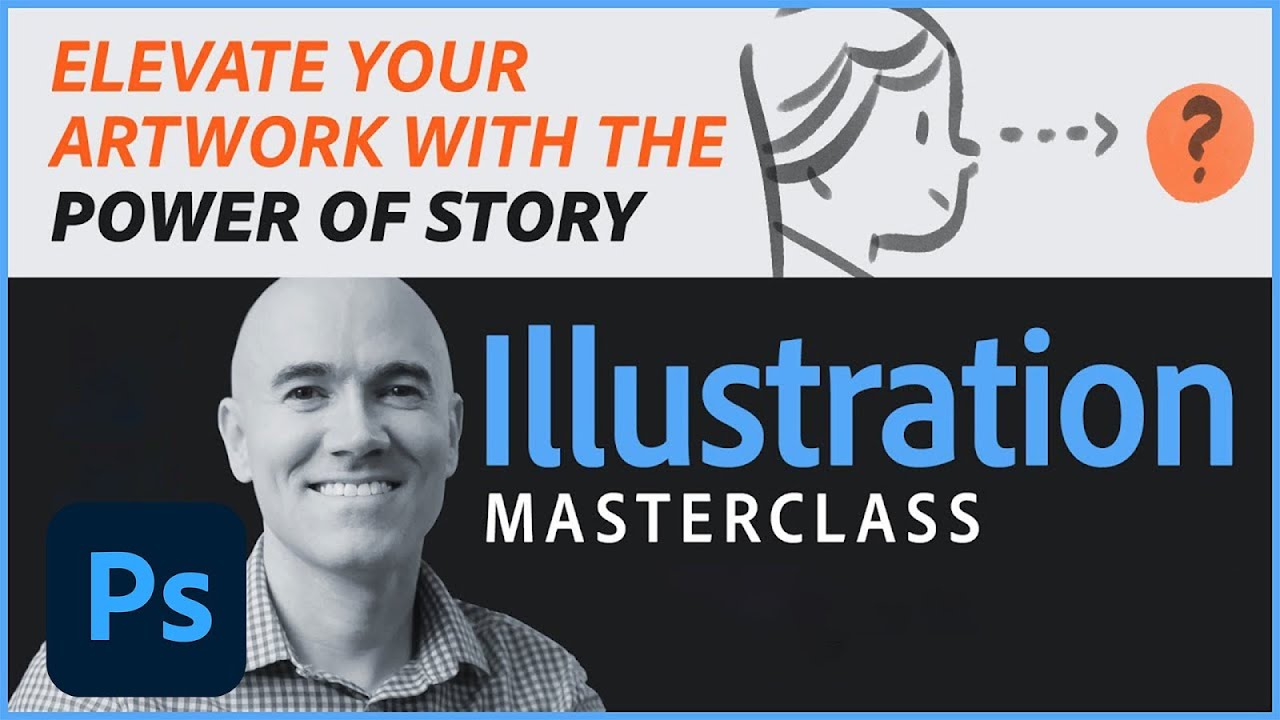
#illustration #digitalart #photoshop
You have the skills to create an illustration with great color, composition, shapes and all the rest, but why does it feel a bit 'meh' in the end? Maybe you need an element of storytelling to elevate it to the next level. Kyle T. Webster will show some examples of this and do a live demo on today's Illustrati...
 slow estuary
Day One - Compositing Type
While looking for some nice cabin stock photos, I kept being directed to outhouses. So I rolled with it.
 eternal mica
@wary swan Robert's spreadsheet link https://discordapp.com/channels/547473772727238676/553669724244934656/956314504025735238
copper moss
sterile berry
You're welcome. I'm glad you like it! The shapes for all the continents, peninsu...
Thanks that you have responded! An imaginary map... Waiting for your short video. Sure, many others will enjoy to watch it. I liked Andri´s isometric map made in Ai challenge.
nimble shardBOT
Gave +1 Creative Carma to @sterile berry
wary swan
eternal mica
<@!637347217773953055> Very well done Brush design. All the elements work reall...
Thanks for the feedback Ted
nimble shardBOT
Gave +1 Creative Carma to @eternal mica
wary swan
eternal mica
<@!637347217773953055> I really like the 3D badge. The depth you created fits th...
Thanks for the feedback Ted and the tip
slender juniper
A couple of quick thumbnails from the composition/concept art challenge. The challenge is really just about thinking about designing with intent while using the Rule of Thirds or Iconic composition. The subject of your compositions can be anything you want. Have fun with it! Remember this can apply to all of the visual arts, not just concept art/illustration. Also if you have any questions, feel free to ask. I'm also live twice a week on Behance, so pop in with any questions there as well. https://www.behance.net/wadeacuff
 eternal mica
@slender juniper Your drawings are awesome.
slender juniper
eternal mica
<@!240528224075907072> Your drawings are awesome.
Thanks @eternal mica ! You're too kind! I also want to say thanks for all the work you're putting into commenting on these challenges. I'm blocking out some time to dive deeper into these challenges and give some feedback as well. Can't wait to share all these on the community day next Friday!
nimble shardBOT
Gave +1 Creative Carma to @eternal mica
eternal mica
@slender juniper Im so poor at drawing, but I'm going to give the exercise a shot.
Im enjoying supporting you. Suggestion in advance for next Friday's Community Day: As we go through the 9 day process, you may want to make note of the really good posts from early on so you can refer to them easily next week. By the end of the series there are so many top notch works, its hard to remember and reference the ones from the first week. If you'd like my assistance, just give a shout.
digital pike
Created a thumbnail from some of my library pieces! 😀

 frigid barn
@hollow yarrow I like the texture in the shadow. Makes the"block" seem transparent.
@digital pike I want to know the story.
halcyon current
Challenge #4 - Creating Concept Art - Thank you @slender juniper for this challenge. At first I didn't think that I would manage to create something at all but after a little while with many tests of different brushes I happen to create a shape that reminded me of a small witch who crouches on an invisible broom and that got me started. She's flying on her broom and will soon meet a huge sea monster while the rain pours down...
 nimble shardBOT
Gave +1 Creative Carma to @slender juniper
hushed spade
Concept made with simple shapes. I'd like to convey the idea that there are millions of these little pink beings rising up from the city. How would you do that without overwhelming the viewer?

Well, they're pink on my monitor in photoshop. Not so much now that I've posted it.
sterile berry
copper moss
Thanks that you have responded! An imaginary map... Waiting for your short video...
I've posted a quick video in #🔥tips-and-tricks if you'd like to see a basic overview of my recent "cartography" project. Hopefully it gives you some ideas!
last mica
Day 3
 eternal mica
Ps DCC 22-04 04 Creating Concept Art Every time we do a drawing exercise, I get so nervous. I have no confidence in this area. But here goes anyway.

And yes, I drew in all the grid lines to demonstrate what I was doing.
eternal mica
sterile berry
I've posted a quick video in <#553669724244934656> if you'd like to see a basic ...
The process video is awesome. 💯 💯 Thank you so much for sharing with the group.
nimble shardBOT
Gave +1 Creative Carma to @sterile berry
copper moss
sterile berry
I've posted a quick video in <#553669724244934656> if you'd like to see a basic ...
Thanks a lot! Do not delete it. I will tell other friends to look at. It gave me a lot of ideas! You are such a kind human.
nimble shardBOT
Gave +1 Creative Carma to @sterile berry
halcyon current
eternal mica
Ps DCC 22-04 04 Creating Concept Art Every time we do a drawing exercise, I get ...
I think you did a great job @eternal mica and I'm with you when it comes to drawing exercises.
 cloud lily
#CustomBrushes challenge - Super fun and a great way to learn different aspects of PS. thanks @slender juniper
 nimble shardBOT
Gave +1 Creative Carma to @slender juniper
hollow yarrow
frigid barn
<@!698155393649475695> I like the texture in the shadow. Makes the"block" seem...
THanks!
nimble shardBOT
Gave +1 Creative Carma to @frigid barn
quiet fern
Sorry - no Daily Challenge from me today… way over my pay grade 😎😢
normal gale
Day 4 DCC - "concepting" a composition.
 cloud lily
Day4 - in the video you mentioned an atmospheric setting? where is that accessible?
 halcyon current
Challenge #3 - 3D made easy - This was another fun challenge
 eternal mica
quiet fern
Sorry - no Daily Challenge from me today… way over my pay grade 😎😢
eternal mica
quiet fern
Sorry - no Daily Challenge from me today… way over my pay grade 😎😢
I feel you on this. But I said "what the heck, give it a try".
quiet fern
eternal mica
I feel you on this. But I said "what the heck, give it a try".
Tomorrow is another day… I might try again 😁😎
eternal mica
quiet fern
Tomorrow is another day… I might try again 😁😎
Give it a try. I won't charge you the penalty fee for posting a design worse than mine.
visual pelican
PSDCC _Creating Concept Art Day 4. I created this using just the lasso tool, custom brushes, and the ellipses tool.
 sterile berry
PS DCC 03.31.22 - Creating Concept Art. Two ideas: Fantasy and Sci-Fi.
 eternal mica
cloud lily
Day4 - in the video you mentioned an atmospheric setting? where is that accessi...
eternal mica
cloud lily
Day4 - in the video you mentioned an atmospheric setting? where is that accessi...
I do not believe there is an atmospheric setting. I believe Wade was mentioning atmospheric perspective, (15:45 in the stream) which is a way to create depth in a design by making objects in the front look closer, and objects in the rear look further away. Here is a tutorial by Jesus Ramirez you may want to watch. https://photoshoptrainingchannel.com/atmospheric-perspective-photoshop/ There are many others you can google.

Photoshop video tutorial showing you how to use atmospheric perspective to create more believable composites.
 tired turret
Day Three 3-D Catching up... my favorite charity event on the planet. Thought I'd Gish it up a bit.

 dusky parcel
not entirely sure what i made, to be honest
 copper moss
4: Concept Art. I do not know if I have done them right. I did rouphly. I used 2 brushes by making different sizes something like charcoal by guessing and smear with colors. The right is "seeing nature" and the second is "jumping out choas". I used characters I have seen somewhere.

 marsh musk

 golden walrus
There is a girl's vietnamese in my picture, she wear a Palm-leaf conical hat. you see it?
 halcyon current
golden walrus
There is a girl's vietnamese in my picture, she wear a Palm-leaf conical hat. y...
halcyon current
golden walrus
There is a girl's vietnamese in my picture, she wear a Palm-leaf conical hat. y...
Oh yes I see her very clear. You did great @golden walrus 👏
wary swan
eternal mica
<@!637347217773953055> Robert's spreadsheet link https://discordapp.com/channels...
thanks
nimble shardBOT
Gave +1 Creative Carma to @eternal mica
wary swan
sterile berry
I had to fix a couple spelling errors and add a few more people/locations so I a...
This is master map, fun idea to named the diffrent parts of the map, and the usa a hexagon texture to line the map
 silent portal
Challenge - Day 1
 sterile berry
wary swan
This is master map, fun idea to named the diffrent parts of the map, and the usa...
sterile berry
wary swan
This is master map, fun idea to named the diffrent parts of the map, and the usa...
Thanks! I'm glad you like it.
nimble shardBOT
Gave +1 Creative Carma to @wary swan
 gentle pasture
TYPE COMPOSITE CHALLENGE. catch-up!

 sterile berry
Brainstorming how I'm going to approach this one. Ideas are flowin' 🙂
digital pike
😀
 eternal mica
@gentle pasture Very interesting composite, especially considering your asset. So cool you added speed blur from recent challenge. Good idea. The front texts are very well done. You did good work with the color range and BM and the perspectives on both texts. The brick textures show through nicely. Personal tatse, I might have given the text a bit more saturation for better contrast. But thats just me. The text on the glass building is well done, though I think there a few spots that are inconsistent as to whether the text shows above the greyed out glass or not. Good work by you.
@silent portal Nice work on the composite text. The color range and BM work well. The brick textures show through nicely. The text perspective looks good. EXTRA CREDIT: To add impact of the technique, try another text entry further along on the wall.
@digital pike Very well done 3D text. I like the color selections. All of the shapes look great. The depth layers have good textures. The back light works. Small nit pick, why not scale up the image to fill more of your canvas?
last mica
Day 5
 eternal mica
@slow estuary Really?? Maybe you better check your Google algorithms!!! LOL. Good work on the composite text. The text fits the asset image. The color range and BM worked well, though I might push the color range a bit to get some more of the broken washed out look to the text. The half moon is a cool touch.
The wood texture shows through nicely.
@digital pike Fun piece. It has a childrens book vibe, like we did in the last series. Good work compositing all the elements.
@halcyon current Youre a trooper to make the effort, especially since its an area youre not confident in. I get the same feeling. The design is well done. The brush strokes are interesting. You definitely created a clearly communicated story. Good for you. Keep it up, friend.
@hushed spade Very creative interpretation. I think if you showed some of the pink beings half hidden arising out of the building, the story youre shooting for would be clearer. In any case, nice effort.
@last mica Very powerful concept art piece. It seems to me to be a person bracing against a storm, walking over an icy plain towards a distant mountain range. Lots of interesting brush work. Good work.
last mica
eternal mica
<@!821710283444715601> Very powerful concept art piece. It seems to me to be a ...
Thanks, Ted. 🙂 It felt good doing it. Making it helped me attend Sam's live stream. I was up and fueled till Sam's stream ended. But then, I missed Wade's. 😦
nimble shardBOT
Gave +1 Creative Carma to @eternal mica
eternal mica
@cloud lily What a cool brush design. Creating such an informative map is super. The layout works really well. Your brush strokes for trees and waves look great. I really like the double X look. It gives a unique vibe to the map. Good work by you.
digital pike
@eternal mica 😀
 eternal mica
@normal gale Wow, two really lovely well done concept art pieces. They each have a clear message. The bottom one has an almost E.T. & Elliot vibe to it. The perspectives and depth you created in each are very well done, especially for the glass windows on the bottom one. I envy your skill with this.
eternal mica
digital pike
<@!688853114035634184> 😀
Oh, my, so much better, right???
@cloud lily I like your concept art piece. I live by the beach so this definitely has a beautiful "wave" vibe to me. The brush work and colors tell a clear story. Did you see the post I gave you answering your question about atmospheric perspective?
@halcyon current Fun 3D design. You did fine work integrating all the elements Wade used during the stream. The road and BG are good personal touches that add interest. I like the bottom one. The bevel on the top text is a bit too much for me. But thats just personal taste. Both are well done. The one nit pick Id make is the cut out wheels on the black road are a bit confusing but, honestly, I couldnt think of a fix.
 wheat nymph
Where should I go to ask if someone can help me with something?
eternal mica
wheat nymph
Where should I go to ask if someone can help me with something?
Best bet is # ?ask-a-question tab
@visual pelican I really like this. Theres a clear story being told. The color palette works. The brush strokes are interesting. Good work.
digital pike
@eternal mica 😄
copper moss
5: Frosen Glass Effect. Thank you, Wade. I have learned new things today. Fine.
 eternal mica
@sterile berry Danny, youve got to be kidding. These are AMAZING!!! Did you draw these with a tablet? Each one is rendered beautifully, with so much detail and so many variations. I really like the top one. Super work. 💯
sterile berry
eternal mica
<@!712015771596750931> Danny, youve got to be kidding. These are AMAZING!!! Di...
Thanks, Ted. Yeah. I use a Wacom to draw/paint. I'm glad you like them.
nimble shardBOT
Gave +1 Creative Carma to @eternal mica
eternal mica
sterile berry
Thanks, Ted. Yeah. I use a Wacom to draw/paint. I'm glad you like them.
Theyre really super. Ive been researching buying a Wacom. I stink at drawing, so I blame the mouse. If I get the Wacom, I'll have to admit its me that stinks, not my tools. So it keeps me from committing. 😜 🤣 😜
sterile berry
eternal mica
Theyre really super. Ive been researching buying a Wacom. I stink at drawing, ...
The only way to improve is to practice. Regular practice is the key.
eternal mica
@frigid barn Two beautiful concept art pieces. they each tell a lovely landscape story. The various B&W tonation you created in the designs really works well. The brushes you used in the top design are super interesting, and create solid depth and perspective. Very well done.
sterile berry
eternal mica
Theyre really super. Ive been researching buying a Wacom. I stink at drawing, ...
There is also this notion of working smarter, not harder. Learning various techniques to let Photoshop do more of the work. Creating brushes that make painting easier. Storing various vector shapes as Library objects that you can drop in, mask and paint over. But again, those things also require practice.
There is a lot of digtal trickery in most of the images being produced today. heh
eternal mica
@tired turret Interesting complex 3D design. I think you nailed all the elements of the stream. One general comment I'd make is that the depth layers could be better coordinated with the top color layers. The gray doesnt seem cohesive with the globe top layer, and the same comment about the GISH depth layer. I think a different color for each of these would add cohesion and pop to your design.
 tropic knoll
EXPLORE. I hope this looks real. This one is the best of all my attempts. Thank you for this opportunity!
 eternal mica
sterile berry
There is also this notion of working smarter, not harder. Learning various techn...
eternal mica
sterile berry
There is also this notion of working smarter, not harder. Learning various techn...
Thats good advice. When I started my Ps journey in earnest, I had no idea how graphically oriented the journey would be. Now that Ive experienced it, I realize how important drawing can be to the process. Hence, the thoughts on getting the Wacom and ratcheting up my drawing skills. Im inching closer.
sterile berry
eternal mica
Thats good advice. When I started my Ps journey in earnest, I had no idea how g...
Drawing is important. It's definitely very helpful. But to draw, you first have to be able to "see" - People who can see/visualize/mimick reality make better images. How to visualize and then "realize" or stylize reality, to give the impression of something, those are more difficult to teach.
eternal mica
@dusky parcel I know how you feel. I had the same sense when I was done with my exercise. Your design has cool color gradations, and interesting shapes. Theres no question the object directs the eyes upward towards the top left. It might work if you added some shape there to be the object the eye is directed towards. Just a thought.
dusky parcel
that would've been cool, yeah
tropic knoll
Explore the World Compass. This image compilation was inspired by DCC1. However, I learned the bricks are too far apart to give the lettering the proper effect, hence the image above with the red bricks. The compass is a design on our back patio. I wanted to try the bent perspective. It has taken me all week to get this. There are 8+ images compiled here. Thanks for the fun and opportunity!
 eternal mica
sterile berry
Drawing is important. It's definitely very helpful. But to draw, you first have ...
eternal mica
sterile berry
Drawing is important. It's definitely very helpful. But to draw, you first have ...
I think thats called "creativity". Ive been Googling it to see where I can buy some, but havent found the source yet.
sterile berry
Here are my thoughts about creativity and inspiration (in a nutshell). [adds "Theoretical Physicist" to résumé]
 eternal mica
@copper moss Both Concept Art designs work well. They each tell a story. You created interesting color palettes and brush strokes. The left one has nice depth. The right has good motion. Good work by you.
@golden walrus Beautiful Concept Art. It has a lovely serene jungle waterfall vibe. Yes, the character is identifiable. The depth and perspective you created with all the shadings is very well done. All the brush strokes are very impressive.
copper moss
eternal mica
<@!778334358833856513> Both Concept Art designs work well. They each tell a sto...
Glad! Thanks! 🦄
nimble shardBOT
Gave +1 Creative Carma to @eternal mica
hushed spade
Thanks for the challenge @slender juniper ! Don't worry, it's not my place! Do you think the drop shadow works here, or is there something else that would be better? Do the fonts work well enough?
 nimble shardBOT
Gave +1 Creative Carma to @slender juniper
visual pelican
eternal mica
<@!817064525051199498> I really like this. Theres a clear story being told. Th...
Thank you. Drawing with the Lasso tool takes some getting use to but it makes some interesting things.
nimble shardBOT
Gave +1 Creative Carma to @eternal mica
halcyon current
eternal mica
<@!848944727331045487> Youre a trooper to make the effort, especially since its ...
Thank you @eternal mica for your kind words. I was actually surprised that I found something that made me happy and I love challenges even if they might be a bit frightening at the beginning. That's often those you learn most from.
nimble shardBOT
Gave +1 Creative Carma to @eternal mica
halcyon current
eternal mica
<@!848944727331045487> Fun 3D design. You did fine work integrating all the ele...
Thank you once again @eternal mica for all the good advices. I agree with you about the cut out wheels but I think I have found out something that at least makes the cut out on the left side to look a tiny bit more visible. It at least looks better to my eyes. I added a small radial gradient (white to transparent) with the gradient tool blend mode set on overlay directly on the layer that colors the depth layer. I took a screenshot of the layerpanel and added to the image as well as the before-look.
 nimble shardBOT
Gave +1 Creative Carma to @eternal mica
halcyon current
sterile berry
There is also this notion of working smarter, not harder. Learning various techn...
Really interesting technique with using shapes, mask and painting over. That's something I've never would have thought of. Thankyou @sterile berry for the tip 👏
eternal mica
Ps DCC 22-04 05 Frosted Glass. This is such a cool technique. I know Im going to use this often. Thank you @slender juniper
 nimble shardBOT
Gave +1 Creative Carma to @slender juniper
quiet fern
#challenge - Frosted Glass & Lens 😉

 cloud lily
frosted!
 tired turret
eternal mica
<@!516325509097848854> Interesting complex 3D design. I think you nailed all th...
tired turret
eternal mica
<@!516325509097848854> Interesting complex 3D design. I think you nailed all th...
So as always I take your advise and BOOM just better.... I also played with text inserted into the world...

 slender juniper
Had a good time with this frosted glass effect. Here are the results from this challenge. Love seeing what everyone is doing with all of these challenges so far!

 devout kite
Super tips. I also decided to improve my skills. I just don't understand how to post here. Don't scold too hard.

 hearty gale
PS DCC #5 April 1, 2022; Frosted Glass Effects
 tropic knoll
3-Tier Cake. Mixer Brush and 3D Depth DCCs. I have never used the mixer brush this way before. Very cool. The designs are with the mixer brush. The star is using the 3D depth method. Fun! Thank you for this opportunity! Lots of learning going on!
 quiet fern
slender juniper
Had a good time with this frosted glass effect. Here are the results from this c...
quiet fern
slender juniper
Had a good time with this frosted glass effect. Here are the results from this c...
THANK YOU for your lessons this week!!! 😎👍🏼
nimble shardBOT
Gave +1 Creative Carma to @slender juniper
 dusky wave
my results for Challenge #04 - Frosted Glass - great effect & very useful - Thanks Wade.
 visual pelican
PSDCC_Frosted Glass Effects Day 5

 tired turret
Day 4 Concept Art
 eternal mica
tired turret
So as always I take your advise and BOOM just better.... I also played with tex...
eternal mica
tired turret
So as always I take your advise and BOOM just better.... I also played with tex...
I think the tweaks made a dramatic difference in the pop and cohesion of the design. You agree? BTW, what is Gish?
sterile berry
PS DCC 04.01.22: Frosted Glass Effects. I went with the second technique @slender juniper demo'd (with the 'focus' lens over-top of the blurred background).
 tired turret
Gish is the Greatest International Scavenger Hunt created by Misha Collins to do fun and kind tasks while doing good charity. We just finished one last weekend. We raised $60k for Ukrainian disabled for medical equipment. $80k for literacy and our registration fees are going to World Central Kitchen. Check out Gish.com or Gish on Twitter, Gish on IG etc. lots of fun to see! BTW yes it looks much better 😊
normal gale
I don't play Animal Crossing, but I found Woolio. @slender juniper #whereswoolio
 golden walrus
My country ❤️ Have you ever been to Vietnam?

 normal gale
Day 5 DCC - Frosted glass effect.

 candid cape
Frosted Glass
 candid cape
Thanks for your comments and suggestion. I tried different BMs, but didn't find one to bring out the brick texture.
nimble shardBOT
Gave +1 Creative Carma to @eternal mica
hearty gale
PS DCC March 31, 2022 Creating Concept Art: this was a complex challenge ...
 wary swan
Ps DCC 2022-4 Challenge #4 Creating Concept Art 3-31-2022
top drawing have I use a photo as a reference, from Brenner Pass a mountain pass through the Alps which forms the border between Italy and Austria. With a old style Minolta camera from a moving bus. Altitudes about 1500 m /4900 feet
 wary swan
Ps DCC 2022-4 Challenge #5 Frosted Glass Effects 4-1-2022
 dusky wave
Ps DCC 2022-4 Challenge #4 Creating Concept Art - used my library assets - since I cannot draw at all.
 dusky swallow
eternal mica
<@!760907049444835428> Is your design based off Ai? The 3D effect is spot on. ...
dusky swallow
eternal mica
<@!760907049444835428> Is your design based off Ai? The 3D effect is spot on. ...
Thank you Ted. No Ai, that exactly what I found so good about this 3D challenge, great tips!
nimble shardBOT
Gave +1 Creative Carma to @eternal mica
sterile berry
More play with the Frosted Glass Effect/Blurred BG/Lens technique from Friday's Challenge. I've combined that with a "knockout" to get a zoom/magnification thing happening.
 sterile berry


 eternal mica
@devout kite Welcome to the PsDCC Discord chat. If you need help with abutting at all, please just give a shout. Posting is very simple. Click the + icon to the left of the chat box or just click and drag your photo to the chat area. JPG PNG GIF MOV4 files are all acceptable. PSD files will not load. There is an 8MB file size limitation. If you have any other questions, just ask.
 hearty quiver
Challenge 2 - custom brushes
 hearty gale
hearty quiver
Challenge 2 - custom brushes
hearty gale
hearty quiver
Challenge 2 - custom brushes
I like the globe in the background idea!

 hearty quiver
hearty gale
I like the globe in the background idea!
hearty quiver
hearty gale
I like the globe in the background idea!
Thanks umr
hearty quiver
Challenge 3 3d type
 candid cape
3D Type


 rough yew
Looks cool
 eternal mica
@digital pike Very good use of the Frosted Glass effect. The image works well with the shape. The blur and stroke look spot on. The text fills make the text legible. I might scale up the text to make it more legible, but that might just be my old man eyesight!!!
@last mica Nice to see both techniques applied to the same image. The Frosted Glass is s well done. I would suggest scaling the shape and text a bit to make them more prominent, but thats just personal taste. On the reverse effect, I would definitely scale up the ellipse shape.
@copper moss Beautiful asset image for your Frosted Glass design. The text fits the mage nicely. It looks like you took a slightly different approach, and it works well. Something you might consider: I would like to see how a longer narrower text box, fitting over the left wall, would impact the image.
@tropic knoll Where you been??? Your Composite Text is well done. The left text has good perspective/color range/BM. The right icon could use a bit more perspective. Great that youre trying out new techniques and stretching your comfort zone. Im not sure if you participated in the stream we had with @bleak fossil last year on how to work with perspectives. If not and you'd like me to repost, just shout. Interesting concept for the mixer brush. The strokes are well done. Your 3D star looks solid. Small nitpick, I place the stick behind the star, or have the edge fade into the star to enhance the realism.
@hushed spade Very well done Frosted Glass. The concept is excellent. It works great as a real estate promo. Very interesting text, fits the scene beautifully. Good work by you.
@quiet fern I really like your asset for the Frosted Glass, and your placement of the shape. It creates a vibe that the sunlight is shining through the frosted glass. The coloration is great. The reverse effect is also well done. I might widen out the circle just a bit to give the archway just a drop more breathing room, but that could be personal taste. Good work all around.
@cloud lily Nice concept for the Frosted Glass. The unique shape you created adds interest. (I love that font. Use it all the time.) I would widen out the shape a bit more, especially in the center, to give the text a bit more room to breathe. Good work by you.
@tired turret Thanks for explaining GISH. Im going to look into it.
nimble shardBOT
Gave +1 Creative Carma to @tired turret
eternal mica
@devout kite Nice work on both these Composite Text designs. The color range/BM on the top one are well done. The texture of the concrete shows through nicely. Your color selection for the text fits the design. The text in the second design is also well done. I might mask a bit more of the text, especially the top few letters, as their saturation seems a bit too strong for the rest of the design.
@hearty gale Stunning image for your Frosted Glass. Is it your own photo? Very well placed rectangle. Perfect font choice for the main text. I might play with the fill of the script font to get better contrast, as its sitting over a dark spot in the blurred image. Very well done!!
@dusky wave Great application of the Frosted Glass. The placement and shape of the rectangle work so well with the image, leaving the impact of the red canoes untouched. I would suggest you increase the line spacing and font size of the text so as to make it more legible, and maybe use a more contrasty font fill to enhance the contrast. By doing that you can also fill in the big blank space in the bottom of the rectangle which looks a bit lonely.
@visual pelican Beautiful asset for your Frosted Glass designs. On the top one, I think you can blur the BG quite a bit and lower the opacity to enhance the effect. The solid color fill seems to be too strong. The reverse design is spot on. I would suggest widening out the shape to include all of the white stallion. You needn't stick with a circle shape. How would an ellipse look over that one horse? Just a thought.
eternal mica
@tired turret You nailed the Concept Art. Beautiful design. Excellent brush strokes and brush variations. One tiny tweak. How about blurring the leaf shapes to create a sense of motion, and to better synch with the vibe of the rest of the design? Very well done Frosted Glass, for both designs. The image is a great asset to work with. The styles you added to the rectangle are beautiful enhancements. Because of the extensive text in the box, I would extend the rectangle shape further down so as to allow for a larger more spaced out font. I might even play with a double rectangle across the top. A big rectangle across the top left and longer extended rectangle across the rest of the top. The reverse image is well done. A thicker strke would look awesome. Wonderful work by you.

@sterile berry Excellent work with the Frosted Glass design. Great concept great execution. The images are super. The MP4 is awesome. Your attention to detail is incredible. Super effort by you. 💯
@normal gale I dont think @slender juniper is going to be happy. He just lost all the royalties that were dancing in his brain for the great WOOLIO marketing campaign he was dreaming up!!! 😜 😜 😜
sterile berry
eternal mica
<@!712015771596750931> Excellent work with the Frosted Glass design. Great conc...
Thanks, Ted. I appreciate your kind words.
nimble shardBOT
Gave +1 Creative Carma to @eternal mica
sterile berry
eternal mica
<@!344890930462982152> I dont think <@!240528224075907072> is going to be happy....
Uh-oh. I hope my 'Woolio' design isn't infringing on a trademark! haha.
eternal mica
@golden walrus Did you draw the map of your country.? It looks like you combined a couple of exercises into this one design. Good work by you if you did. Nice work in creating the two Frosted Glass designs. On the map, I would suggest you move the rectangle a bit higher and a bit to the left, off of the map, as the contrast of the white text is getting washed out over the map. Your reverse ellipse is well done. You might even try to expand the size of the ellipse, and of the stroke. Good work.
eternal mica
sterile berry
Thanks, Ted. I appreciate your kind words.
Well deserved.
@normal gale Beautiful asset with a beautifully applied Frosted Glass effect. One of the things I love about the chat is how much I learn about the world, the cultures, mankind, from all the creatives from around the world. Such an interesting post. Thank you. The rectangle is well placed, and has a perfect vibe for the image. The text is legible and well spaced. Really well done by you.
nimble shardBOT
Gave +1 Creative Carma to @normal gale
eternal mica
@candid cape Very lovely Frosted Glass design. The rectangle looks great. Well paced. The text is crisp clear and legible. Very good work.
@hearty gale Two lovely Concept Art designs. I love both of them. I switched my vote back and forth too many times as to which i liked better. So I settled on BOTH!!! The story in each is clear and strong. The images have wonderful depth, especially the top one, and motion, especially the bottom one. I envy your drawing skill.
visual pelican
eternal mica
<@!817064525051199498> Beautiful asset for your Frosted Glass designs. On the t...
Thank you. I think these changes are what you were suggesting. I moved the BG on the text on the top one so it's not a solid color, and I changed the shape of the lens on the second one. You're right they do look a lot better. Thank you for the suggestions and all the encouraging words!

 nimble shardBOT
Gave +1 Creative Carma to @eternal mica
eternal mica
Great tweaks. IMHO they had a dramatic effect on your designs. One last thing: Try a stronger stroke on the ellipse and go with a color from one of the brown horses.
visual pelican
nimble shard
Gave +1 Creative Carma to **<@688853114035634184>**
Thank you. Here is what the ellipse looks like with the color from one of the bay horses. Is this what you were thinking of?

 naive mulch
Compositing Typography | Photoshop Typography Challenge

Create dimensional typography using layers and shadows.
 tired turret
eternal mica
<@!516325509097848854> You nailed the Concept Art. Beautiful design. Excellent...
tired turret
eternal mica
<@!516325509097848854> You nailed the Concept Art. Beautiful design. Excellent...
I agree about the text box. I played with it over and over. Never even thought about two boxes. 🤪 Simplistic options apparently escape my brain. Thanks sir! 😉
nimble shardBOT
Gave +1 Creative Carma to @eternal mica
gentle pasture
Challenging
 digital pike
@eternal mica Thanks Man😄
nimble shardBOT
Gave +1 Creative Carma to @eternal mica
sterile berry
Taking another shot at the technique from the 'Frosted Glass' Challenge. Samsung Realtime X-Ray device? :)
 halcyon current
Challenge #5 - Frosted Glass - Here's my result of this great challenge.
 halcyon current
sterile berry
Taking another shot at the technique from the 'Frosted Glass' Challenge. Samsung...
halcyon current
sterile berry
Taking another shot at the technique from the 'Frosted Glass' Challenge. Samsung...
This one is soo cool @sterile berry! Great idea!
halcyon current
sterile berry
More play with the Frosted Glass Effect/Blurred BG/Lens technique from Friday's ...
Another great idea from you @sterile berry !
sterile berry
halcyon current
Another great idea from you <@!712015771596750931> !
Thanks, @halcyon current. I like to try out different ideas. :)
nimble shardBOT
Gave +1 Creative Carma to @halcyon current
gentle pasture
 sterile berry
halcyon current
This one is soo cool <@!712015771596750931>! Great idea!
sterile berry
halcyon current
This one is soo cool <@!712015771596750931>! Great idea!
I actually got this idea from a challenge that Jesús Ramirez did a while back.
halcyon current
sterile berry
I actually got this idea from a challenge that Jesús Ramirez did a while back.
@sterile berry I might have seen something like this before but not this one from Jesús Ramirez even if I'm following him. It's fun to view others creations to get inspiration from. That's why I really love this community as there are so many cool creations and you get real feedback. I've learned so much during this 6 months I've been here.
sterile berry
halcyon current
Challenge #5 - Frosted Glass - Here's my result of this great challenge.
This is great. The perspective really draws your eye into the image. Also, the angle of the woman gives the illusion that she is reading the text. Great job!
hearty gale
eternal mica
<@!781614334342070293> Stunning image for your Frosted Glass. Is it your own ph...
I only have free Adobe stock to thank for the image 😊
nimble shardBOT
Gave +1 Creative Carma to @eternal mica
hearty gale
eternal mica
<@!781614334342070293> Two lovely Concept Art designs. I love both of them. I s...
Thank you. I admit I can't claim to having 'really' drawn them. The top one is three Adobe stock images I put together with my new Photoshop skills (thank you - PS DCC), then redrawing using brushes. Sort of like tracing I think. Though over the weekend I learned about the mixer brush and sample all layers which is more like moving pixels around than tracing. The second one is of an artist I admire but a similar process. Both these have provided a lot of additional learning about brushes which has been really good.
nimble shardBOT
Gave +1 Creative Carma to @eternal mica
halcyon current
sterile berry
This is great. The perspective really draws your eye into the image. Also, the a...
Thank you @sterile berry! I try to find "the" photo to use for each challenge using a photo. I now have a lot of images downloaded as I love to collect things 😁 Textures, Backgrounds, Brushes etc... 🤣
nimble shardBOT
Gave +1 Creative Carma to @sterile berry
halcyon current
Another one for Challenge #5 - Frosted Glass - This time the other way around - the frosted glass on the outside.
 slender juniper
Hi hi, getting a second to catch up from this past week! It's been a wild one. Loving all of the entries and the unique direction some of these have been taken. I'm going to go through some of them by challenge.
Challenge 01
@last mica Approach and placement is looking solid! A couple of things to look out for though, the type is a little too sharp for the image. Because the image is slightly low res/blurry, you could try slightly blurring the type to match. I know that wasn't in the challenge but just a thought.
@eternal mica Looking good as well. Similar to PR's though, the type seems a little crisp, but works from a distance. This is a tricky image to make a composite with too. Because of the heavy source light, maybe playing around with a layer blend modes, opacity, and maybe use blend if on the dark and light areas? I like the color matching of the signage. Nice touch!
@sterile berry Great work as always! The type behind the post really helps sell the composite too.
@digital pike Like Ted was said, perspective is looking good, especially towards the top. I'm guessing this was most done using blend if? Texture looks nice as well. For flavor, I'm might would have removed some more of the paint in the mortar joints. Overall great job!
@coarse portal I'm really digging this one! Really nice choice of photo here. Solid perspective and texture. The type also looks washed out by the sunlight, which is really nice too. Great work!
@hushed spade Whoa, you really accepted the challenge on this one! Great job! I can see what you mean by the perspective, and per @eternal mica 's comments, the "nook" does look slightly off. Good eye Ted! The composite looks good though and good on you for going for it. Well done!
candid cape
eternal mica
<@!658788253515776039> Very lovely Frosted Glass design. The rectangle looks gre...
Thank you @eternal mica
nimble shardBOT
Gave +1 Creative Carma to @eternal mica
gentle pasture
Only have time for one version, but a very relaxing process.

 icy cargoBOT
 WadeAcuff#5051 has been warned
Reason: Mass mention
slender juniper
Welp, I've been warned for giving feedback. I promise it wasn't all bad. 🤣
slender juniper
gentle pasture
Only have time for one version, but a very relaxing process.
This is really cool! Can see the Rule of Thirds at work of course, but also like that the outer edges start to blur out a little. That little bit of leading the eye is a nice touch. Well done!
slender juniper
halcyon current
Another one for Challenge #5 - Frosted Glass - This time the other way around - ...
Digging these frosted glass images. Looks like you have that technique down! Well done!
slender juniper
sterile berry
Taking another shot at the technique from the 'Frosted Glass' Challenge. Samsung...
Ha, all of these are so good!
gentle pasture
slender juniper
This is really cool! Can see the Rule of Thirds at work of course, but also like...
Thanks, Wade. It was inspired by your excellent direction and creativity p,s I think it's the coolest thing I've done in a while.
nimble shardBOT
Gave +1 Creative Carma to @slender juniper
slender juniper
gentle pasture
Wow, liking the mix of textures and colors in this one. Coolio does start to become unreadable because of the color contrast, but fun exploration! Well done!
slender juniper
gentle pasture
Thanks, Wade. It was inspired by your excellent direction and creativity p,s I t...
Keep it up! And you're right, it is a lot of fun/relaxing when you get in the groove. 😃
slender juniper
gentle pasture
Challenging
AGh! This is great! Love the little buildings in your map! Texture is nice too! Could maybe have a little bit more contrast, but overall well done!
gentle pasture
slender juniper
Wow, liking the mix of textures and colors in this one. Coolio does start to bec...
I must learn restraint. I still need to develop the curator's eye.
tropic knoll
eternal mica
<@!684856370432049252> Where you been??? Your Composite Text is well done. The...
haha. Hi @eternal mica! I've been studying some of the AE and AI streams. I just watched Sam's perspective stream that you posted earlier. I didn't understand it when he did it back then, but now I believe I do. I also watched the stream by Jesus Rameriz that is posted above. My notes are extensive! Thank you for your keen eye, advise and kind comments, Ted!
nimble shardBOT
Gave +1 Creative Carma to @eternal mica
slender juniper
naive mulch
Compositing Typography | Photoshop Typography Challenge
Nice! Took me a second to find it. Was looking at the brick walls. 👀 Well done. For the 3D type challenge, it looks like you're missing the depth layer, but shadow does give it some dimensionality.
naive mulch
slender juniper
Nice! Took me a second to find it. Was looking at the brick walls. 👀 Well done...
Many thanks for the feedback, I'll make sure to go back and re do Until I come right Now I have a clear picture.
nimble shardBOT
Gave +1 Creative Carma to @slender juniper
sterile berry
slender juniper
Ha, all of these are so good!
Thanks, @slender juniper. Just playing with different ideas!
nimble shardBOT
Gave +1 Creative Carma to @slender juniper
gentle pasture
eternal mica
<@!719442085543018530> Very interesting composite, especially considering your a...
Only God knows why I decided to do the horse thing, but at the time, it felt like that portion of the picture needed something?
slender juniper
visual pelican
PSDCC_Frosted Glass Effects Day 5
I like the adjustments you made on these with the reposts! Nicely done overall. I think maybe the lighter stroke works better imho, BUT maybe push the stroke to an even darker brown to see if that works. Right now it blends in too closely to the existing values. Add more contrast one way or the other and it made read better. But yeah, well done!
visual pelican
slender juniper
I like the adjustments you made on these with the reposts! Nicely done overall. ...
Thank you. Your feed back will help me improve and I now have a new skill to use on other projects.
nimble shardBOT
Gave +1 Creative Carma to @slender juniper
slender juniper
quiet fern
#challenge - Frosted Glass & Lens 😉
Well, I'm a sucker for bad pun. But seriously, these are great! Very clean and solid image choices.
quiet fern
slender juniper
Well, I'm a sucker for bad pun. But seriously, these are great! Very clean and s...
Thank youuuuuuu!!! You were a great, fun Teacher this past week too! 😎👍🏼
nimble shardBOT
Gave +1 Creative Carma to @slender juniper
slender juniper
cloud lily
frosted!
Ok, this is cool with the custom shape. I'm into it. I'm might would give the type a little more room to breathe, but fun exploration!
slender juniper
eternal mica
Ps DCC 22-04 05 Frosted Glass. This is such a cool technique. I know Im going ...
Happy to hear it! Be sure to thank Howard Pinsky and the mystery chatter that inspired it! Well done btw!
nimble shardBOT
Gave +1 Creative Carma to @eternal mica
slender juniper
golden walrus
There is a girl's vietnamese in my picture, she wear a Palm-leaf conical hat. y...
The contrast between the figure and the environment is a really nice touch! Well done!
slender juniper
hearty gale
PS DCC March 31, 2022 Creating Concept Art: this was a complex challenge ...
This challenge is definitely a little different than the others and can be quite a challenge conceptually. Less of a tutorial for sure. But you did a great job with these.
halcyon current
slender juniper
Digging these frosted glass images. Looks like you have that technique down! Wel...
Thank you @slender juniper for your feedback!
nimble shardBOT
Gave +1 Creative Carma to @slender juniper
eternal mica
Ps DCC 22-04 05 Frosted Glass Part II - Reverse Effect - Animated
tired turret
@eternal mica Ok... so here they are... I like em...
 eternal mica
tired turret
<@!688853114035634184> Ok... so here they are... I like em...
eternal mica
tired turret
<@!688853114035634184> Ok... so here they are... I like em...
Did you delete the Lighthouse?
tired turret
eternal mica
Did you delete the Lighthouse?
I did. Oh and here is this...
 visual pelican
slender juniper
I like the adjustments you made on these with the reposts! Nicely done overall. ...
visual pelican
slender juniper
I like the adjustments you made on these with the reposts! Nicely done overall. ...
I think this works better. I darkened the color and thickened the border.
 eternal mica
tired turret
I did. Oh and here is this...
eternal mica
tired turret
I did. Oh and here is this...
I love the two tweaks. The renewed atmospheric perspective on the Concept piece is solid. The double box layout on the lighthouse is much better. I hate nitpicking, but I will anyway. 😜 😜 Personal preferences on both points: Maybe move the lighthouse a bit over to the left so the peak is in the visual center of the space you created. And I hate when I see hyphenated words in a beautiful text space.
tired turret
eternal mica
I love the two tweaks. The renewed atmospheric perspective on the Concept piece...
I hate them too and I did move it a bit but I didn't want to cut off the island. 🤪
eternal mica
visual pelican
I think this works better. I darkened the color and thickened the border.
What BM did you apply to the Stroke?
visual pelican
eternal mica
What BM did you apply to the Stroke?
I switched it back to "Normal" I didn't like the look of "multiply" or any of the others. Why is it bad looking?
eternal mica
visual pelican
I switched it back to "Normal" I didn't like the look of "multiply" or any of th...
Following up on Wade's comment, it probably would add contrast and depth to the stroke.
visual pelican
eternal mica
Following up on Wade's comment, it probably would add contrast and depth to the ...
Ok You and @slender juniper are right like always (lol) I added a linear burn BM to the stroke and it does add contrast & depth especially with the increase in the size of the stroke. I didn't change the BM after adjusting the stroke size. My bad! 😅
 eternal mica
visual pelican
Ok You and <@!240528224075907072> are right like always (lol) I added a linear b...
eternal mica
visual pelican
Ok You and <@!240528224075907072> are right like always (lol) I added a linear b...
ProTip: Put a big PostIt note on the top corner of your monitor with the letters BM in big bold black sharpie, as a perpetual reminder. Take the time to scroll through them. You have no idea how they can change the visuals on almost anything you apply them to.
normal gale
eternal mica
<@!344890930462982152> Beautiful asset with a beautifully applied Frosted Glass ...
Thanks Ted. This was from a bunch of photos I tool when I was on holiday in Iceland in 2015. I was very literal with the "frosted" glass lol.
nimble shardBOT
Gave +1 Creative Carma to @eternal mica
visual pelican
eternal mica
ProTip: Put a big PostIt note on the top corner of your monitor with the letters...
Thank you for all of your help and advice. I hope I'm improving. I know these challenges are well challenging me. LOL I think I'm going to have to get a 3rd monitor just for the Postit notes.
nimble shardBOT
Gave +1 Creative Carma to @eternal mica
naive mulch
Custom Brushes | Photoshop Skills Challenge
 slender juniper
visual pelican
I think this works better. I darkened the color and thickened the border.
slender juniper
visual pelican
I think this works better. I darkened the color and thickened the border.
That is working much better!
visual pelican
slender juniper
That is working much better!
Thank you for all of your help and advice. I look forward to what you will be teaching us this week!
nimble shardBOT
Gave +1 Creative Carma to @slender juniper
naive mulch
Here is my updated challenges I just played with some blending modes. I tried to add stroke But unfortunately It doesn't appear on my design!

 slender juniper
naive mulch
Here is my updated challenges I just played with some blending modes. I tried to...
slender juniper
naive mulch
Here is my updated challenges I just played with some blending modes. I tried to...
Huh, I wonder why your outline isn't showing up? Same color as your island maybe? Interesting with the bold color choice. It does make the interior of the shapes harder to read, with those elements being lower in contrast. I am liking the almost puzzle piece shaped island though. 👍
naive mulch
slender juniper
Huh, I wonder why your outline isn't showing up? Same color as your island maybe...
I tried to change the color of stroke but still not working
 slender juniper
naive mulch
I tried to change the color of stroke but still not working
slender juniper
naive mulch
I tried to change the color of stroke but still not working
Were you able to select the island shape? You should see a marching ants selection around the selection before you add a stroke.
naive mulch
slender juniper
Were you able to select the island shape? You should see a marching ants select...
lemme try right now!
naive mulch
slender juniper
Were you able to select the island shape? You should see a marching ants select...
Yes I was able to select the Island shape!
 slender juniper
Nice! That should work, but you do have fairly rough edges to your island. If the outline doesn't look right, or you're not getting clean edges on your outline, go back and watch how I used the paths panel to make a clean selection. Oh, and you might want to make your stroke width 3 pixels or more too. Depending on your file size, 1 pixel stroke might not show up well.
naive mulch
slender juniper
Nice! That should work, but you do have fairly rough edges to your island. If th...
I'll re-watch the video change stroke size and use the paths panel to make a clean selection!
naive mulch
Creating Concept Art | Photoshop Foundations Challenge
 golden walrus
eternal mica
<@!949110336517197906> Did you draw the map of your country.? It looks like you ...
golden walrus
eternal mica
<@!949110336517197906> Did you draw the map of your country.? It looks like you ...
Thank you very much for your feedback.
nimble shardBOT
Gave +1 Creative Carma to @eternal mica
 tropic garnet
I consider this a work in progress still - Challenge One
 gentle pasture
I woke up this morning and decided to create a 2nd edition for the concept art as I had a good idea of what I wanted to do. The result seems to be less muted.
 rough yew
i dig it man
 winter torrent
what is the challenge ??
graceful arch
winter torrent
what is the challenge ??
eternal mica
winter torrent
what is the challenge ??
Welcome. Have you participated in the DCC before? If not, please join in. Thr challenge streams and asset files are available at the Behance Ps DCC landing page. A new challenge will be presented each weekday this week. You can watch the prior streams of this series and then submit your designs here. If you have any questions or need help, just give a shout. https://www.behance.net/challenge/photoshop

Daily Creative Challenge
 frail ice
Day 5 or the last challenge - I'm way behind! Handy Lettering. Very cool project.
 frail ice
Day 5 or the last challenge - I'm way behind! Handy Lettering. Very cool proje...
frail ice
frail ice
Day 5 or the last challenge - I'm way behind! Handy Lettering. Very cool proje...
here is the original image I "borrowed" from Twitter
 gentle pasture
Frosted Glass 1st attempt.
 tropic knoll
DCC5. Robot in Crate. Thanks for the fun weekend! And thank you! for this opportunity!
 slow estuary
Day 5 - Frosted Glass. I love this font, however it never looks good when it's scaled down and I couldn't find a different font that felt right so I used it anyway.

 young karma
Day 1 done 😊


 digital pike
😀
 naive mulch
Frosted Glass Effects | Photoshop Skills Challenge.

 halcyon current
Challenge #6 - Designing A Custom Icon - Here's my play with the potion bottle. I might not be much into icons itself but I always do love to create and I thought that this potion bottle needed some mystic air in the background 😀
 halcyon current
tropic knoll
DCC5. Robot in Crate. Thanks for the fun weekend! And thank you! for this opport...
halcyon current
tropic knoll
DCC5. Robot in Crate. Thanks for the fun weekend! And thank you! for this opport...
Cool creation @tropic knoll 👏
gentle pasture
Such a complex task. I couldn't seem to nail 30 per cent of the actions and adapted them to a facsimile.
 dusky swallow
Day 6. Not so good at drawing so I took the bottle although I may try the dice bag later...
 quiet fern
#challenge - Custom Icon - I am not a painter, and I have not slept for 48 hours, so it is what it is, Chickadees 😉
 gentle pasture
hearty quiver
gentle pasture
hearty quiver
epic!
quiet fern
Yours is a million percent better than mine 👍🏼😎


 quiet ridge
Yeah I found the time to do one of the challenges
 slender juniper
Here's my potion icon from today's challenge. Looks like we've got some nice ones coming in! Glad to see some of you trying your own designs out too.
 slender juniper
quiet fern
#challenge - Custom Icon - I am not a painter, and I have not slept for 48 hours...
slender juniper
quiet fern
#challenge - Custom Icon - I am not a painter, and I have not slept for 48 hours...
Looking great sleep or no sleep! I like the texture as well. Is that from using a dissolve layer blend mode?
slender juniper
dusky swallow
Day 6. Not so good at drawing so I took the bottle although I may try the dice b...
I like the texture, the floor, the shadow. Trying out a few things beyond the challenge is always a great way to stretch your knowledge. Plus, bonus points for the cat 🤣 .
slender juniper
gentle pasture
Such a complex task. I couldn't seem to nail 30 per cent of the actions and adap...
Solid shape w/ nice clean edges. I really like the organic wobble on the cork too. Well done.
quiet fern
slender juniper
Looking great sleep or no sleep! I like the texture as well. Is that from using ...
Soft Round Brush set to Dissolve 😎
tropic knoll
halcyon current
Cool creation <@!684856370432049252> 👏
Thank you, Anki!
nimble shardBOT
Gave +1 Creative Carma to @halcyon current
naive mulch
Designing A Custom Icon | Photoshop Branding Challenge

 vagrant rapids
Challenge of the day. It's not clean ... pfff - I'll try to improve it!
 sterile berry
PS DCC - 04.04.22 - Custom Icon/Magic Potion.
 slender juniper
quiet fern
Soft Round Brush set to Dissolve 😎
slender juniper
quiet fern
Soft Round Brush set to Dissolve 😎
Nice!
slender juniper
tropic knoll
DCC5. Robot in Crate. Thanks for the fun weekend! And thank you! for this opport...
Digging this combo! Nice work!
quiet fern
sterile berry
PS DCC - 04.04.22 - Custom Icon/Magic Potion.
I quit 😎😁
sterile berry
quiet fern
I quit 😎😁
Hah. Come on. Its a lot easier than you think. :)
Its more about making selections and filling with gradients than painting.
(The cork texture I stole from an actual cork. haha)
hollow yarrow
First time in my whole life I did a digital painting... Watching Wade's and Sam's streams gave me enough courage to jump in (at least one time in my life).
OMG using only brushes was quite a challenge for me.😓


Please don't judge my sketching skills😂
normal gale
Day 6 Challenge - Creating Custom Icons
 quiet fern
hollow yarrow
First time in my whole life I did a digital painting... Watching Wade's and Sam'...
quiet fern
hollow yarrow
First time in my whole life I did a digital painting... Watching Wade's and Sam'...
LOVE IT!!! 🥰
quiet fern
sterile berry
Hah. Come on. Its a lot easier than you think. :)
I know, I’m teasing… I might look at yours as inspiration and try again 😁😎
 crisp arrow
Hello Folk, DCC with Wade...
 quiet fern
PHENOMENAL work by EVERYONE on the POTION BOTTLES and SCROLL and DICE BAGS today!!! 👍🏼🥰
sterile berry
quiet fern
I know, I’m teasing… I might look at yours as inspiration and try again 😁😎
I've been staring at my image wishing I had added some things. Maybe post another version. :)
hearty quiver
challenge 5-Frosted Glass Effects
 tropic knoll
slender juniper
Digging this combo! Nice work!
tropic knoll
slender juniper
Digging this combo! Nice work!
Thanks, Wade. That makes my day! I'm having fun with your streams!
nimble shardBOT
Gave +1 Creative Carma to @slender juniper
tropic knoll
hollow yarrow
First time in my whole life I did a digital painting... Watching Wade's and Sam'...
omgosh! are you kidding me? this is amazing! congrats! you have a natural gift. thanks for sharing your work! I always enjoy your designs.
hearty quiver
gentle pasture
epic!
Thanks umr
nimble shardBOT
Gave +1 Creative Carma to @gentle pasture
halcyon current
hollow yarrow
First time in my whole life I did a digital painting... Watching Wade's and Sam'...
@hollow yarrow You are way too humble! This is just amazing. I really love what you did here 😍
quiet ridge
being as I didn't put a boat in my bottle I decided to put my bottle in a boat lol 🤣
 copper moss
6: Designing A custom Logo: Caricature logo.
 last mica
Would surely like your input on this.
 wary swan
Ps DCC 2022-4 Challenge #6 Designing A Custom Icon 4-4-2022
 hollow yarrow
tropic knoll
omgosh! are you kidding me? this is amazing! congrats! you have a natural gift. ...
hollow yarrow
tropic knoll
omgosh! are you kidding me? this is amazing! congrats! you have a natural gift. ...
Thanks a lot! I appreciate!
nimble shardBOT
Gave +1 Creative Carma to @tropic knoll
hollow yarrow
halcyon current
<@!698155393649475695> You are way too humble! This is just amazing. I really lo...
Thanks for your good words! Very very encouraging!
hollow yarrow
quiet fern
LOVE IT!!! 🥰
Thanks! Happy you loved it!
sterile berry
hollow yarrow
First time in my whole life I did a digital painting... Watching Wade's and Sam'...
It is a very cool painting... the style as a well as the subject matter. Also, thanks for reminding me that there should be some cork visible inside the neck of the bottle. I had to go back and add it to my image. :)
nimble shardBOT
Gave +1 Creative Carma to @hollow yarrow
sterile berry
PS DCC - 04.04.22 - Custom Icon/Magic Potion v2.0...
 eternal mica
@naive mulch Very cool concept on the Composite Text design. Creating the space in that image was a great idea. The placement of the text adds interest. It would have been nice to add a texture to the wall so that it could impact the look of the text, but thats just extra credit.
@naive mulch On your 3D type exercise, I would push the depth layers a lot more to create more sense of the 3D effect.
@gentle pasture Good effort on the Brush exercise. The color palette works well, the textured BG adds interest. The brush strokes you added to the map are well done, adding variety and depth to the design. Nice work.
@sterile berry Your designs built off the frosted glass concept are awesome, both in conception and execution.
@halcyon current Very well done Frosted Glass exercise. I would make two tweaks. I would scale the sign to better fir the environment of the asset image and I would put the sign on a post rather than have it float in mid air.
@gentle pasture Fun concept for the 3D effect design. The addition of the BG and the OpArt text fill really keeps the eyeballs moving. One tweak you might consider is to add a color to the depth layers to replace the grey. I would be careful to select something that blends in with all thats already going on so as not to add too much more to the design.
halcyon current
sterile berry
PS DCC - 04.04.22 - Custom Icon/Magic Potion v2.0...
Wow this one is just perfect @sterile berry! It almost looks like a photo! 👏
eternal mica
hearty gale
Thank you. I admit I can't claim to having 'really' drawn them. The top one is t...
You were talented enough to source them and reimagine them into what you presented. You deserve credit for that.
sterile berry
eternal mica
<@!712015771596750931> Your designs built off the frosted glass concept are awes...
Thanks, Ted. Much appreciated. They were fun to make. :)
nimble shardBOT
Gave +1 Creative Carma to @eternal mica
eternal mica
@gentle pasture Very interesting Concept Art piece. The design clearly tells a story, though what that story is is so open to interpretation that it draws the viewer in. Very good depth and perspective to the design. Well done.
sterile berry
halcyon current
Wow this one is just perfect <@!712015771596750931>! It almost looks like a phot...
Thanks, Anki! I appreciate it. I try to make most of my images a sort of hybrid; something between photo and illustration. I hope to perfect the techniques some day.
halcyon current
eternal mica
<@!848944727331045487> Very well done Frosted Glass exercise. I would make two ...
Thank you @eternal mica I agree with you. I saw that too after upload. Will get too it before I upload to Behance!
nimble shardBOT
Gave +1 Creative Carma to @eternal mica
eternal mica
@naive mulch On your final version of the map Brush stroke I would make one general tweak. I would add to the brightness and saturation of at least the central shape so as to add more contrast and pop to the design. That will also help the viewer see all the brush stroke elements you added.
@tropic garnet On your Day 1, youve created a serious challenge for yourself. I think the concept might work if you eliminated the reflections from the areas covered by the tinted logo. Im curious to see how you work this.
eternal mica
gentle pasture
I woke up this morning and decided to create a 2nd edition for the concept art a...
I like both of them.
@gentle pasture On your frosted Glass, just so Im forewarned, how many attempts will there be? 😜 😜 This is well done. The placement of the window, the font selection, the legibility, all work cohesively. Solid job by you. Maybe one attempt does the trick???
@tropic knoll Your Frosted Glass gif is super. The way you matched the inner robot to the design on the outside of the crate is a great touch. Very well done.
@slow estuary What an absolutely lovely design. The image and the frosted glass go so well together. The font is spot on perfect. What is it called. The little spot of gold text adds a splash of pop that enhances the design. Very well done.
halcyon current
This was fun! Here's another potion bottle for yesterdays challenge...
 eternal mica
@young karma Very solid effort by you on the Composite Text design. The color range and BM are applied beautifully. The texture of the wall showing through the text looks great. Nice job by you.
tropic knoll
eternal mica
<@!684856370432049252> Your Frosted Glass gif is super. The way you matched the...
Thanks, Ted. That means alot!
nimble shardBOT
Gave +1 Creative Carma to @eternal mica
eternal mica
@dusky wave Good work on the 3D text. Before I comment, I'd love to see you post a version scaled up by a lot. You put a lot of effort into the design. Its hard to appreciate in such a small version. Your Custom Icon is very cool. I love the colors. Good work with the bubbles and the highlight. You might want to look into the clipping masks you created for the cork (right edge) and the neck of the bottle (upper left edge). You left a couple of blank spots.
@digital pike YES, the Custom Icon is spot on!! Very well done. the coloration has real pop. The highlights you add give realism to the drawing.Very well done.
@naive mulch Good job with both of your Frosted Glass designs. On both, I would suggest you blur out the the rest of the layer that has you, leaving only the circle/rectangle unblurred. And you might widen the circle to include your whole face. Good work.
@halcyon current Your Custom Icon looks great. Very realistic. I love the coloration. I love the concept of the BG, though Im not sure the color selection works with the bottle. I might go into Adobe Color and see what the color wheel would suggest.
halcyon current
Does it look better like this @eternal mica ?
 slow estuary
eternal mica
<@!715663132118351964> What an absolutely lovely design. The image and the fros...
slow estuary
eternal mica
<@!715663132118351964> What an absolutely lovely design. The image and the fros...
Thanks Ted. The font is called Origin.
nimble shardBOT
Gave +1 Creative Carma to @eternal mica
digital pike
@eternal mica Thanks
nimble shardBOT
Gave +1 Creative Carma to @eternal mica
eternal mica
@gentle pasture Good work on your Custom icon. vey realistic vibe. I especially like the rim light on the lower left. It looks great. The mottled green color is also very well done. Im not sure what you mean by not being able to get the actions.
@dusky swallow Great coloration to your Custom Icon. You did a solid job with all the highlights, adding realism. Your texture in the green and on the cork are very well done. Very neat touch with the BG and floor. The shadow is such a good touch. Make sure the cat doesnt drink it!!!
@quiet fern Get some sleep!!! Very well done Custom icon. the colors are awesome. The shadows add good sense of realism. The number could be placed more centrally on the bottle , as the bottle is tilted, and warped around more to create a better sense of being painted on the bottle. Good effort by you.
@quiet ridge Your Custom Icon looks like you combined two challenges, the Concept Art and the Custom Icon. Cool job by you. i moght try a different BG color to create more contrast to the main design.
@naive mulch The colors all come together to create areal fun, childlike interpretation to the Custom Icon. Good ork adding al the different textures. Good work by you.
@vagrant rapids Great effort on the Custom Icon. You better check your mailbox for letters from Chanel about using their logo, LOL. You did great work with the coloration of the liquid, and the shadows to create realistic vibe. Did you draw the bottle from scratch? Very well done.
@sterile berry The lighting, highlights, shadows on your Custom Icon are terrific. The sense of realism is excellent. The overall lighting, vignette, coloration are also great. Super effort.
dusky wave
Challenge #07 - Gradient Maps
 eternal mica
@hollow yarrow Well, if this is your first, I guess you've discovered a new talent!! The bottle drawing is awesome. The lighting and shadows are spot on. There's one thing I'm having trouble with conceptually. The blob you have floating around has sort of a "bottom". Would that be visible if it were floating on a liquid? Even in your pencil drawing, this "side" of the blob is not visible. Im not sure Im explaining it properly. Anyway, awesome effort.
vagrant rapids
eternal mica
<@!703341359569961002> Great effort on the Custom Icon. You better check your m...
Thanks for your feedback @eternal mica - I used a reference for the bottle drawing but it should be rectangular instead of round. I didn't make it correctly ... Lot's of things need to be improved (like the glass) before I can post it in NFT with the Chanel logo lololololololol 🤣
nimble shardBOT
Gave +1 Creative Carma to @eternal mica
eternal mica
@normal gale Great concept with your Custom Icon. The colors look great. The bottle highlights are well done. The BG squiggles is a neat touch. One tiny tweak. Id darken out the bottle collar over the neck a bit more to create some depth and separation.
@crisp arrow Very good work on the Custom Icon. The coloration, shading, textures all look great. The small blue touches add a lot to the design. One tweak I'd suggest is adding some shadows to give the design more realistic vibe.
normal gale
eternal mica
<@!344890930462982152> Great concept with your Custom Icon. The colors look gre...
Thanks Ted!
nimble shardBOT
Gave +1 Creative Carma to @eternal mica
dusky wave
eternal mica
<@!738100192875905095> Good work on the 3D text. Before I comment, I'd love to s...
I have no idea how to do what you are asking - to scale up the version.
eternal mica
@hearty quiver Great image for your Frosted Glass design. It has real power and intensity. I'd tweak the text in the glass. The size and fill color can be enhanced to improve legibility. If you need to scale up the rectangle size to accommodate larger text, there's plenty of room to do that. A darker fill color might work better.
@quiet ridge This definitely has a Noah's Ark Vibe!!!!
@copper moss Wow, this looks like you took a bunch of challenges and brought them all together to create this design. Good for you. Solid work with the brush strokes, the coloration, the Concept Art vibe, the icon shape. Awesome work.
@last mica Very well done Custom icon. The colors look great. The shading and highlights are well done. Did you intentionally blur a lot of the design? It seems a lot is, but a lot is not.
@wary swan Robert, did you draw the lightbulbs? Very creative concept for the challenge. Solid effort in coloring the bulbs, adding highlights. The yellow rim light is a good touch.
@sterile berry Following up in @hollow yarrow footsteps is never a bad thing. Great catch by you, and super tweak.
@halcyon current I like the BG on this one a lot more than the first one. Its more subtle and more contrasty with the bottle.
digital pike
😀
 halcyon current
eternal mica
<@!848944727331045487> I like the BG on this one a lot more than the first one. ...
halcyon current
eternal mica
<@!848944727331045487> I like the BG on this one a lot more than the first one. ...
Thank you @eternal mica
nimble shardBOT
Gave +1 Creative Carma to @eternal mica
quiet ridge
@eternal mica thank you my friend 😎
nimble shardBOT
Gave +1 Creative Carma to @eternal mica
hearty quiver
eternal mica
<@!870040418723713115> Great image for your Frosted Glass design. It has real p...
Hi Ted, thanks, i will work on it. I am having trouble with text. when i type in lower case it is still upper case letters but smaller size. i do not know how to convert it back to regular text. please help me understand what to do.
nimble shardBOT
Gave +1 Creative Carma to @eternal mica
hearty quiver
Challenge 6 custom icon
 eternal mica
hearty quiver
Hi Ted, thanks, i will work on it. I am having trouble with text. when i type in...
eternal mica
hearty quiver
Hi Ted, thanks, i will work on it. I am having trouble with text. when i type in...
Check a number of things. 1. Make sure the selected font has lower case letters. Some fonts do not. 2. Make sure neither of the buttons circled here on your Text properties panel are checked. Either one will force the text to capital letters.
 wary swan
Ps DCC 2022-4 Challenge #7 How To Color Your Illustration 4-5-2022
 wary swan
eternal mica
<@!637347217773953055> Robert, did you draw the lightbulbs? Very creative concep...
wary swan
eternal mica
<@!637347217773953055> Robert, did you draw the lightbulbs? Very creative concep...
Thanks for the feedback Ted, the lightbulb is free asset Pixelbay
nimble shardBOT
Gave +1 Creative Carma to @eternal mica
halcyon current
Challenge #7 - How To Color Your Illustration - Wasn't too happy at the beginning but after a little while I started to enjoy the challenge. Thank you @slender juniper for changing my mind 😁
 nimble shardBOT
Gave +1 Creative Carma to @slender juniper
gentle pasture
I love this stuff Wades is a dude. If only I could create the illustration! Hahaha🤪
 dusky swallow
eternal mica
<@!760907049444835428> Great coloration to your Custom Icon. You did a solid jo...
dusky swallow
eternal mica
<@!760907049444835428> Great coloration to your Custom Icon. You did a solid jo...
Jeje... Thank you Ted, great illustration experience this challenge with @slender juniper
nimble shardBOT
Gave +1 Creative Carma to @eternal mica


 eternal mica
Ps DCC 22-04 07 Color Illustration
 hollow yarrow
sterile berry
It is a very cool painting... the style as a well as the subject matter. Also, t...
hollow yarrow
sterile berry
It is a very cool painting... the style as a well as the subject matter. Also, t...
Happy to help you😉 ... And thanks for your kind comment!
nimble shardBOT
Gave +1 Creative Carma to @sterile berry
hollow yarrow
eternal mica
<@!698155393649475695> Well, if this is your first, I guess you've discovered a ...
lol these are bubbles floating at the surface of the potion... My drawing technique definitively needs to be sharpen...Drawing something recognizable was already quite a challenge for me.😂
eternal mica
hollow yarrow
lol these are bubbles floating at the surface of the potion... My drawing techni...
Im so happy we're in the same boat!! I break out in cold sweat when we do drawing exercises. To hear that you have difficulty with it gives me great comfort. (even if you're "with difficulty" surpasses my most "expert" attempts.) In this drawing, it seemed to me the way you depicted the layer in the pencil drawing was perfect. You added an extra "layer' to the colored drawing which got me confused. Any way, its always my pleasure to chat about your efforts.
slender juniper
halcyon current
Challenge #7 - How To Color Your Illustration - Wasn't too happy at the beginnin...
Hey, glad you got into it! It can be a tough one to figure out at first for sure. Gradient maps and color layers are no joke. Love this blue to purple color! Turned out great! However, my illustration could use some work. 🤣 Should have added more hands... and collars.
eternal mica
Ps DCC 22-04 07 Color Illustration V2
 eternal mica
slender juniper
Hey, glad you got into it! It can be a tough one to figure out at first for sure...
eternal mica
slender juniper
Hey, glad you got into it! It can be a tough one to figure out at first for sure...
You and @bleak fossil are "Monsters in Crime" together.
slender juniper
Here are my little aliens from today's challenge! I also included the photo colorization, but I see people are jumping all over that. So good to see!

 visual pelican
PSDCC_Designing A Custom Icon Day 6


 compact pecan
Day 6 Icon. I think I should have just stopped with the sketch...

 tropic knoll
DCC6. Potion Bottle. The bottle was easy enough to paint but the potion was tricky. I tried. Thanks for the enjoyment and opportunity!
 slender juniper
hollow yarrow
First time in my whole life I did a digital painting... Watching Wade's and Sam'...
slender juniper
hollow yarrow
First time in my whole life I did a digital painting... Watching Wade's and Sam'...
Whoa! Very nice Franck! Truly above and beyond!

 eternal mica
@dusky wave Very interesting application of the Gradient Map technique to a photo rather than a drawing. The colors you applied look great together. The design has a retro vibe to it, created by the stark washed out light areas and the deep dark coloration in the darker tones. Solid effort.
@digital pike I see the Frosted Glass bird makes a return. You created a vibrant gradient map coloration that is really brought to life by the blue spot of the eye of the bird. Very interesting interpretation. Good work.
@hearty quiver Nice effort with the Custom Icon. The colors look great together. The highlights and shadows are applied realistically. The coloration of the cork looks really solid. The extra shadowing on the neck of the bottle is a good touch. Extra Credit: try enhancing the realism by applying cast shadows to the bottle.
@wary swan Robert, your monster looks great. The brush strokes you added to the design give it a nice personal touch. One tweak, (not that monsters have any rules), I would keep all four hands the same color.
@halcyon current Your monster is awesome. The color palette rocks. The grey gradient you applied has a rich vibe, and enhances the contrast of the whole design. The BG is well done. Just for the fun of it, I wonder if you applied a blur to the BG, would that dramatize the focal point of the design even more.
@gentle pasture Did you watch the special added stream @bleak fossil did with us in his last series, showing us how he created his monster from scratch? After it, a few of us tried creating our own monsters from a blank palette and they came out pretty cool. You should try it. Your design is so well done. The color palette give the monster a friendly vibe. The gradients you created are awesome. Your red BG, even though there is barely any red in the design, really works well.
@dusky swallow Awesome monster. Great enhancements to the design to add personality and interest. The gradients you created are terrific. The way you mixed the orange and blue is excellent. The shadow is a great touch. One tiny tiny nit pick. I would change the color of the pencils and pocket protector to have them stand out from the orange shirt. The photo design is very cool. The contrast between the light and dark areas looks great. Two really solid pieces by you.
sterile berry
PS DCC - 04.05.22 - Coloring Illustrations. I desaturated and recolored an old digital painting. I didn't 'cut and paste' the sections like Wade did. I used Layer Masks to separate the areas but it is essentially the same. Not the greatest bit of painting I've ever done but the "gradient map method" was an interesting exercise. :)
 eternal mica
@visual pelican Solid effort with your Custom Icon. The colors look great. The shadows and highlights you added work well. The texture you added to the liquid is a good touch. I might go for a bit more contrast against the BG at the top of the bottle. You could do that by just stretching out the application of the gradient just a drop.
@naive mulch Your approach to the challenge is so different. You turned the designs into brush stroke paintings. Good for you. What technique did you use to change the overall color vibe from version 1 to version 2? Did you actually go back and recolor the whole design?
@compact pecan The sketch is terrific. And the colored in design is also. The colors and textures look great. The one tweak I'd suggest is to give the bottle glass itself more depth from the sketch phase so you can use that to create more realism in the colored stage.
visual pelican
eternal mica
<@!817064525051199498> Solid effort with your Custom Icon. The colors look grea...
Thank you. Once again your feedback makes me look at things to fix instead of settling for just good enough. I appreciate the push. lol
nimble shardBOT
Gave +1 Creative Carma to @eternal mica
eternal mica
@tropic knoll Really beautiful Custom Icon. The design has a luminescent vibe. The highlights and shadows you created are very effective. The deep dark BG works so well to create contrast in your design. Nice work by you.
visual pelican
PSDCC_How To Color Your Illustration Day 7
 eternal mica
@quiet ridge This is terrific. The top monster is one of the best designs you've done. It has so much character and punch. The gradients you created are great. Excellent color palette cohesion. The brush strokes you used to add individuality to the design are excellent. The way you added depth to the shirt is spot on. Really solid work by you. Extra Credit: Without messing up the base design, how about creating a complimentary BG that boosts the design even more, without distracting from the focal point of the design?
@sterile berry Just so I understand what you did, you created layers with layer masks for the different areas of the drawing, and then applied gradient layer clipping masks to the different layers to obtain the coloration of the B&W?
@visual pelican Beautiful work on the Colored Illustration. You created some really nice deep color tones for the design. Good job.
quiet ridge
@eternal mica Thank you & challenge excepted lol
nimble shardBOT
Gave +1 Creative Carma to @eternal mica
sterile berry
eternal mica
<@!712015771596750931> Just so I understand what you did, you created layers wit...
I did everything that Wade did, except for the cut and pasting the pieces to different layers. I just masked out everything from each layer except for the portions that I wanted to recolor. (If that makes sense.)
visual pelican
eternal mica
<@!817064525051199498> Beautiful work on the Colored Illustration. You created ...
Thank you. This one was fun and has opened up my eyes to the possibilities for other drawings I have.
nimble shardBOT
Gave +1 Creative Carma to @eternal mica
eternal mica
quiet ridge
<@!688853114035634184> Thank you & challenge excepted lol
I figured you only posted 2 versions, there were surely more to come, so I might as well add my 2¢ before you spent the time and energy. 😜
quiet ridge
Time has been in short supply around here, so it's not a given i will get it done lol
visual pelican
eternal mica
<@!817064525051199498> Solid effort with your Custom Icon. The colors look grea...
Is this better? I think I see what you were suggestion. By lightening the color behind the top of the bottle it does bring it out more.
 eternal mica
sterile berry
I did everything that Wade did, except for the cut and pasting the pieces to dif...
eternal mica
sterile berry
I did everything that Wade did, except for the cut and pasting the pieces to dif...
Got it. The drawing looks terrific. Its hard to believe you got that skin tone and realism from using gradients. Very well done.
sterile berry
eternal mica
Got it. The drawing looks terrific. Its hard to believe you got that skin tone...
Thanks!. I didn't say it was easy! haha
nimble shardBOT
Gave +1 Creative Carma to @eternal mica
tropic knoll
eternal mica
<@!684856370432049252> Really beautiful Custom Icon. The design has a luminesce...
Thank you, Ted! I really appreciate your kindness and input. I stumbled on this but am glad I kept going.
nimble shardBOT
Gave +1 Creative Carma to @eternal mica
eternal mica
visual pelican
Is this better? I think I see what you were suggestion. By lightening the color ...
Dont ask me if its better. (I think it is.) Put the two versions side by side on your screen and tell me which YOU like better. Now throw a cast shadow onto the bright bottom of the gradient and you'll be rocking out of sight.
eternal mica
sterile berry
Thanks!. I didn't say it was easy! haha
I dont think anything you create is easy. Youre way past "easy". Your innate creativity pushes you to stretch your own boundaries.
sterile berry
eternal mica
I dont think anything you create is easy. Youre way past "easy". Your innate c...
Appreciate it! This was def. challenging.
visual pelican
eternal mica
Dont ask me if its better. (I think it is.) Put the two versions side by side on...
roflmao! I like the second on better. I'll work on the cast shadow tomorrow. Thank you for the challenge. lol
nimble shardBOT
Gave +1 Creative Carma to @eternal mica
hollow yarrow
slender juniper
Whoa! Very nice Franck! Truly above and beyond!
Thanks Wade!🤩
nimble shardBOT
Gave +1 Creative Carma to @slender juniper
hollow yarrow
sterile berry
PS DCC - 04.05.22 - Coloring Illustrations. I desaturated and recolored an old d...
Great digital painting and gradient map colorization turned out great! Impressive work👍
sterile berry
hollow yarrow
Great digital painting and gradient map colorization turned out great! Impressiv...
Thanks, Franck!
nimble shardBOT
Gave +1 Creative Carma to @hollow yarrow
normal gale
Day 7 Challenge - BW one of my own sketches to a few different gradient map options
 hearty quiver
eternal mica
<@!870040418723713115> Nice effort with the Custom Icon. The colors look great t...
hearty quiver
eternal mica
<@!870040418723713115> Nice effort with the Custom Icon. The colors look great t...
ThanksTed, I do want that extra credit ,thanks for the tip ,I will work on it.thanks umr
naive mulch
eternal mica
<@!817064525051199498> Solid effort with your Custom Icon. The colors look grea...
Many thanks for the feedback and Indeed I went back and use the ad an adjustment layer and use brush!
 nimble shardBOT
Gave +1 Creative Carma to @eternal mica
halcyon current
slender juniper
Hey, glad you got into it! It can be a tough one to figure out at first for sure...
Haha @slender juniper You're too funny 🤣 I love this illustration as it is but on the other hand I'm not used to alien monsters and their preferred looks 😆 Thank you so much for your kind words. I've discovered that, if I persist and do the challenge I'm not too thrilled over, I often learn a lot both about making art but most of all about myself and life. You evolve both as an artist and a human if you work through the different challenges of life and art.
nimble shardBOT
Gave +1 Creative Carma to @slender juniper
last mica
eternal mica
<@!821710283444715601> Very well done Custom icon. The colors look great. The ...
Hey Ted. The blurring is because of the radial gradient.
halcyon current
eternal mica
<@!848944727331045487> Your monster is awesome. The color palette rocks. The gr...
Thank you @eternal mica for your feedback! You know I appreciate it very much! I tested a couple of different blurred backgrounds and found out that I like a mix between my original one and a zoom blurred one. I really like the details in my original so I couldn't let it go totally 😁
 nimble shardBOT
Gave +1 Creative Carma to @eternal mica
digital pike
@eternal mica Thanks 😊
nimble shardBOT
Gave +1 Creative Carma to @eternal mica
wary swan
eternal mica
<@!637347217773953055> Robert, your monster looks great. The brush strokes you ...
Thanks for the feedback Ted, I think that is monsters feet you mean, what I can see are he sitting with x-ed legs, it was the same but somthing had change it have to look that up.
nimble shardBOT
Gave +1 Creative Carma to @eternal mica
golden walrus
Challenge PS- 04/05/22 - How To Color Your Illustration.


 copper moss
eternal mica
<@!778334358833856513> Wow, this looks like you took a bunch of challenges and b...
copper moss
eternal mica
<@!778334358833856513> Wow, this looks like you took a bunch of challenges and b...
Thanks! 🦄
nimble shardBOT
Gave +1 Creative Carma to @eternal mica
dusky swallow
eternal mica
<@!760907049444835428> Awesome monster. Great enhancements to the design to add ...
Great Tip! Thank you Ted, I hope you like the final, I find it has much more personality 🤩
nimble shardBOT
Gave +1 Creative Carma to @eternal mica
dusky swallow
 last mica
Day 7
 last mica
slender juniper
Hi hi, getting a second to catch up from this past week! It's been a wild one. L...
last mica
slender juniper
Hi hi, getting a second to catch up from this past week! It's been a wild one. L...
Thanks, Wade. Actually, it didn't escape me, the blurred surrounding. But instead of blur, I added noise. Was it a bad choice?
nimble shardBOT
Gave +1 Creative Carma to @slender juniper
last mica
sterile berry
PS DCC - 04.05.22 - Coloring Illustrations. I desaturated and recolored an old d...
It's a beautiful sketch. Yours?
sterile berry
last mica
It's a beautiful sketch. Yours?
Yeah. It's a pretty old image. It was made during a digital painting course. Thanks!
nimble shardBOT
Gave +1 Creative Carma to @last mica
eternal mica
tropic knoll
Thank you, Ted! I really appreciate your kindness and input. I stumbled on this ...
LOL, you like to tell me how hard it was for you, yet you keep coming up with awesome work. "The lady doth protest too much, methinks" William Shakespeare 🤣 🤣 Keep it up!!!
last mica
sterile berry
Yeah. It's a pretty old image. It was made during a digital painting course. Tha...
The neck's done really beautifully. 🌟
naive mulch
eternal mica
<@!806934429380771901> Your approach to the challenge is so different. You turn...
 eternal mica
halcyon current
Thank you <@688853114035634184> for your feedback! You know I appreciate it very...
eternal mica
halcyon current
Thank you <@688853114035634184> for your feedback! You know I appreciate it very...
Awesome tweak. This is super.
@normal gale Wonderfully creative interpretation of the Gradient challenge. Both designs look great. The highlights shadows and coloration of both versions is spot on. I really like the tones and variations you achieved in the white version. In the dark version, some of that variation does not show through as well. maybe soften the saturation just a bit. Lovely effort.
@golden walrus WOW, Awesome!!! Your Gradient monster is excellent. You did a great job applying the techniques, and achieved a terrific result. Your blending of the base colors is vibrant yet cohesive. The red "bloody" brush strokes is a super addition. The BG gives terrific contrast to the main design. Great work by you. 💯
@wary swan great tweaks to your monster designs. Really well done.
@dusky swallow Great tweak. Now you have a "nerdy" alien monster with lots of "personality" 🤣 🤣
@last mica Your monster looks terrific. The colors you achieved with your gradients are wonderful together. The shadow you created on the neck as well as the coloration of the eye are especially impressive. One tiny tweak Id suggest (and Ive suggested it to a number of folks), Id separate the pens and the pocket protector from the shirt. It could add a lot of pop to that big yellow space.
normal gale
eternal mica
<@!344890930462982152> Wonderfully creative interpretation of the Gradient chall...
Thanks Ted! Yes I agree, I was having issues with the face on the purple horse.
nimble shardBOT
Gave +1 Creative Carma to @eternal mica
hearty quiver
Challenge 7 gradient maps
 last mica
eternal mica
<@!821710283444715601> Your monster looks terrific. The colors you achieved wit...
last mica
eternal mica
<@!821710283444715601> Your monster looks terrific. The colors you achieved wit...
What can I say, caught acting lazy😅 Thanks, Ted
 nimble shardBOT
Gave +1 Creative Carma to @eternal mica
eternal mica
last mica
What can I say, caught acting lazy😅 Thanks, Ted
Adorable!!!!
slender juniper
So much anger, so much smol! Here's the angry lil' emote we made in today's pixel art challenge. Remember just to have fun with it!... actually looks like it could be laughing, after a second look. See, anything goes, have fun!

 quiet ridge
@slender juniper an evil laugh for his dastardly deeds 🤣
sterile berry
slender juniper
So much anger, so much smol! Here's the angry lil' emote we made in today's pixe...
HISSSS-terical.
gentle pasture
Ted reminded me about this side project with SamPetersonArt !! My textur and skin shading need help! but not bad for a 1st run.
 copper moss
7: Color Illustration. Hungry rhino. Here I colored by an ordinary soft brush. I used the same bit different from this scatch in Ai challenge, where I color by blob brush.
 tropic garnet
eternal mica
<@!819647311528460300> On your Day 1, youve created a serious challenge for your...
tropic garnet
eternal mica
<@!819647311528460300> On your Day 1, youve created a serious challenge for your...
Thanks. It’s like version 50. Haha, I’m still thinking about how to improve it
nimble shardBOT
Gave +1 Creative Carma to @eternal mica
halcyon current
Challenge #8 - Pixel Art Emote - I had no clue to what an emote was but it was quite clear after the stream. I had no idea what to do so I choose one of my favourite pokémons (well at least my kids favourite) Pikachu as happy and in love. Sending both png and jpg files in sizes 64x64 and 1500x1500 px.


 quiet ridge
Version 3 @eternal mica made me do it lol
 eternal mica
quiet ridge
Version 3 <@688853114035634184> made me do it lol
eternal mica
quiet ridge
Version 3 <@688853114035634184> made me do it lol
🤣 🤣 I take full responsibility!!! Very cool design. Better check the BM on the head over the window.
last mica
Day 8 - Not all went as planned. But, it was fun. 💜
 visual pelican
PSDCC_Pixel Art Emote Day 8
 quiet ridge
@eternal mica Thank you for pointing out the window showing through the head lol
 nimble shardBOT
Gave +1 Creative Carma to @eternal mica
eternal mica
quiet ridge
<@688853114035634184> Thank you for pointing out the window showing through the ...
If Im responsible, we have to do this right!!!😎
dusky swallow
eternal mica
<@!760907049444835428> Great tweak. Now you have a "nerdy" alien monster with l...
😇 Thank you Ted
nimble shardBOT
Gave +1 Creative Carma to @eternal mica
dusky swallow
Day 8, not so angry but not happy wolf either.... I am thinking of a rose in the mouth to give a softer look


 stone steppe
I had trouble with masking, as usual, and the two color steps at the end. I think ,y computer was getting tired. I went with a pink alien because i he seemed like he was a scientist or engineer. So brainy.

I played with gradients on a photo of mine that i had converted to black and white.

 quiet fern
#challenge - Color
 eternal mica
Ps DCC 2204-08 Pixel Art


 quiet fern
#challenge - Pixels
 hushed spade
I'm not a painter...any advice?
 gaunt veldt
CC3...3D text easy. Boy am I late but better than never
 digital pike
😀

 quartz bear
digital pike
😀
quartz bear
digital pike
😀
omg @digital pike you used the doggo! love it!
digital pike
@quartz bear 😄

 quiet ridge
That's my Chilli girl
young karma
dog???
 gaunt veldt
CC4. creating concept art.
 hearty quiver
Pixel art. I am not sure I am doing the larger version correct, it is not looking sharp.

 golden walrus
eternal mica
<@!949110336517197906> WOW, Awesome!!! Your Gradient monster is excellent. You ...
golden walrus
eternal mica
<@!949110336517197906> WOW, Awesome!!! Your Gradient monster is excellent. You ...
Thanks @eternal mica for your feedback
nimble shardBOT
Gave +1 Creative Carma to @eternal mica
copper moss
8: Pixel Art Emote: I did my unicorn soldger in comuflage from my scetch and traced all by pencil tool size 1 px. It was like embroidery sewing I remember my mom did by hands when I was a child. I did highlights and small shadow. Thanks to Wade for showing full rudimental scills he did. I enjoyed and learned a lot.

 wary swan
eternal mica
<@637347217773953055> great tweaks to your monster designs. Really well done.
wary swan
eternal mica
<@637347217773953055> great tweaks to your monster designs. Really well done.
Thanks Ted
nimble shardBOT
Gave +1 Creative Carma to @eternal mica
wary swan
eternal mica
Ps DCC 2204-08 Pixel Art
Great work Ted
gentle pasture
I can't get my head around this test.
 tired turret
So playing catch up. Designing my own Icon. Figured this fit me better. The entire crystal ball and stand are paint and fill. Little darker then I normally like but it works.
 hearty quiver
I figured out how to get the larger size correct. I wend back to Wads's video and realized he explained it at the end. UMR

 young karma
eternal mica
<@456226577798135808> Very solid effort by you on the Composite Text design. Th...
young karma
eternal mica
<@456226577798135808> Very solid effort by you on the Composite Text design. Th...
Thank you Ted 😊
nimble shardBOT
Gave +1 Creative Carma to @eternal mica
sterile berry
PS DCC - 04.04.22 - Custom Icon/Magic Potion (Version 2.0 Variations). Playing with some different color variations for the potion.
 eternal mica
Alphonse Maria Mucha - The complete works, large resolution images, ecard, rating, slideshow and more! One of the largest Alphonse Maria Mucha resource on the web!
slow estuary
Day 8 - Pixel Art. Decided to pull up a pic from a "few" years ago as reference for my emote. The look when one finds the electric blue lemonade which conviently matched my dress.
 slender juniper
A couple of designs from today's challenge. Again, use the skateboard canvas provided in the source file or just make a fun design with the symmetry options. Anything goes really. Love to see what everyone comes up with!
 tropic knoll
Friends make life fun! I drew out the flowers, bunny and eggs. Could not get the grass drawn right so I took pictures of ours out front and substituted it in. Hope you feel it works. Then I placed an Oil filter over the image. That's a ruby ring on Mr. Alien's finger. This was loads of fun! So much learning going on! Thank you for this opportunity!
 digital pike
😀
 hushed spade
What can I do to make it look more like the design belongs on the plate? Just used my mouse for this one. Too lazy to go get my stylus.
 slender juniper
hushed spade
What can I do to make it look more like the design belongs on the plate? Just us...
slender juniper
hushed spade
What can I do to make it look more like the design belongs on the plate? Just us...
This is looking good as it is, BUT but you could lasso the blank plate, make a new layer from the selection, put it on a new layer above your design, then use blend modes to adjust (maybe a multiply with low opacity). Something like that might work. But I'm really liking this!
slender juniper
digital pike
😀
Nice! Like that you made a character with the symmetry tools! That can be tough to pull off. Well done.
slender juniper
slow estuary
Day 8 - Pixel Art. Decided to pull up a pic from a "few" years ago as reference...
HA! Well, you certainly captured the excitement in this emote! The eyes really sell the energy here!
slender juniper
sterile berry
PS DCC - 04.04.22 - Custom Icon/Magic Potion (Version 2.0 Variations). Playing w...
I dig it! I feel like you and this challenge have some real CHEMISTRY! 🤦♂️
slender juniper
hearty quiver
I figured out how to get the larger size correct. I wend back to Wads's video an...
Ah, yes well done! Glad you got the scaling sorted out. It reads well at a small size too!
slender juniper
gentle pasture
I can't get my head around this test.
I can't tell if you're making a joke here or not? 👀 It's looking good to me. I might would extend the line that indicates the bottom jaw further into the neck. BUT it has a certain charm without it too? Just an option to try.
slender juniper
copper moss
8: Pixel Art Emote: I did my unicorn soldger in comuflage from my scetch and tra...
Looking good on the small version. The larger one looks like the image might have been resized with the Bicubic (smooth gradients) option. Be sure to use Nearst Neighbor (hard edges) in the drop down menu before resizing. That will keep the image nice and crisp.
slender juniper
quiet ridge
3000 x 3000 Pix
This great! I could see foreshortened images being tricky, but this really reads well both big and small.
slender juniper
quartz bear
omg <@724690461532618823> you used the doggo! love it!
Is this from one of your sketches?!? 👀
quiet ridge
@slender juniper Thank you for the kind word my friend.
nimble shardBOT
Gave +1 Creative Carma to @slender juniper
hearty quiver
slender juniper
Ah, yes well done! Glad you got the scaling sorted out. It reads well at a small...
Thanks, all your projects have been great and inspiring - umr
nimble shardBOT
Gave +1 Creative Carma to @slender juniper
hushed spade
@slender juniper I tried your suggestion, along with a linear burn one, for fun. What do you think?

sorry it's so small!
copper moss
slender juniper
Looking good on the small version. The larger one looks like the image might hav...
Thanks, Wade! I will do. 🦄
nimble shardBOT
Gave +1 Creative Carma to @slender juniper
quartz bear
slender juniper
Is this from one of your sketches?!? 👀
Yep, one of the dogs in the starter file, ai/ps challenge crossover @slender juniper
copper moss
slender juniper
Looking good on the small version. The larger one looks like the image might hav...
I changed the size to the Nearst Neighbor (hard edges). It went by accident to like Bicubic (smooth gradients) by accident. Thanks a lot!
 young karma
Day 2 challenge done 😊
 slender juniper
copper moss
I changed the size to the Nearst Neighbor (hard edges). It went by accident to l...
slender juniper
copper moss
I changed the size to the Nearst Neighbor (hard edges). It went by accident to l...
Yes, nice and crispy!
copper moss
slender juniper
Yes, nice and crispy!
Thanks-thanks a lot, Wade! 👏
9: Scate board. I did it my way. I did shapes in Ai and girl´s shape is adopted from Trani session in Ai. But I am not sure if wrapping by this plastic OK? I was thinking the surface of the scate board is sort laminated by some tough plastic. I liked this session, because it was quite easy and distinct and the mock up is super useful that we can use in future.
 last mica
Day 9 - 😅 Random strokes using symmetry.
 halcyon current
Challenge #9 - Create A Custom Skateboard Deck - using the symmetry tool. I also created a mandala pattern.

 last mica
My second entry. Thanks @slender juniper 🎁 for the awesome challenges.
 halcyon current
I've worked on another one for challenge #6 for a couple of days between the newest challenges. I used one of the sketches but not all the techniques and created this one. I created a lot of paths for it.
 gaunt veldt
halcyon current
Challenge #9 - Create A Custom Skateboard Deck - using the symmetry tool. I also...
gaunt veldt
halcyon current
Challenge #9 - Create A Custom Skateboard Deck - using the symmetry tool. I also...
I would buy this board and I dont even skateboard
sterile berry
PS DCC - 04.07.22 - Custom Deck Design. "The Santa Cruz Neutrino."

PS. I'm very into fractal geometry and symmetries. Thus, I have my own way of doing them. Hope that is acceptable. :)
halcyon current
gaunt veldt
I would buy this board and I dont even skateboard
Thank you @gaunt veldt I could have it hanging on my wall as a modern piece of art 🙂
nimble shardBOT
Gave +1 Creative Carma to @gaunt veldt
 bright pebble
sterile berry
PS DCC - 04.07.22 - Custom Deck Design. "The Santa Cruz Neutrino."
bright pebble
sterile berry
PS DCC - 04.07.22 - Custom Deck Design. "The Santa Cruz Neutrino."
Sick!
sterile berry
bright pebble
Sick!
Thank you!
nimble shardBOT
Gave +1 Creative Carma to @bright pebble
halcyon current
sterile berry
PS DCC - 04.07.22 - Custom Deck Design. "The Santa Cruz Neutrino."
This is soo cool @sterile berry!
sterile berry
halcyon current
This is soo cool <@712015771596750931>!
Thanks, Anki!
Oof. Must be a cool-down period for Creative Carma. haha
gaunt veldt
halcyon current
Thank you <@870389820487258182> I could have it hanging on my wall as a modern p...
Oh i love this idea!
digital pike
@slender juniper Thanks😀
eternal mica
Ps DCC 22-04 09 Skateboard Design. Im pretty sure I'll be creating a few more of these designs. To quote @slender juniper "We're not there yet"!!! Thanks Wade for a really creative two weeks. So many of the concepts and applications you demonstrated are things I have not seen before. Great job by you.
 nimble shardBOT
Gave +1 Creative Carma to @slender juniper
quiet fern
#challenge - Skateboard - Not bad with MY shaky Essential Tremor hands and a wired mouse - TOO FUN!!!! 😉
 sterile berry
PS DCC - 04.07.22 - Custom Deck Design (02). "The Santa Cruz Aztlán."
 quiet fern
sterile berry
PS DCC - 04.07.22 - Custom Deck Design (02). "The Santa Cruz Aztlán."
quiet fern
sterile berry
PS DCC - 04.07.22 - Custom Deck Design (02). "The Santa Cruz Aztlán."
Whoa baby!!! Too kewl!!! 😎🥰
sterile berry
quiet fern
Whoa baby!!! Too kewl!!! 😎🥰
Thank you! :)
nimble shardBOT
Gave +1 Creative Carma to @quiet fern
naive mulch
nimble shard
Gave +1 Creative Carma to **<@889930195975409674>**
Create A Custom Skateboard Deck | Photoshop Illustration Challenge
 tired turret
Still catching up... gradient maps and illustrations. I should have done the alien but I had this and well it was a frustration waiting to happen 🤪
 visual pelican
PSDCC_Create A Custom Skateboard Deck Day 9
 stone steppe
i was first thinking of a yawning animal because i am always tired. But then a lot of them looked like they were also yelling which i sometimes would like to do.
 eternal mica
@hearty quiver Awesome work with your monster. The highlights and shadows you created with the gradients are terrific. The BG works great with the drawing. One thing you might think about is the light source. You added a rim light on the left but you also have light highlights on the shoulders on the right. A tiny nit pick Ive pointed out to others: I'd give the pens and pocket protector a color to separate them from the shirt. Great work by you.
@gentle pasture Good for you for going back and retrieving this drawing. Good effort with the pixel art. Especially as a first run.
@halcyon current Your pixel drawing is adorable. Super job by you.
@last mica Your pixel art went fine!! This is really well done. You were able to get lots of variations into the tone of the design. Good for you.
@dusky swallow Good effort on the pixel art, without and with the rose. Good effort highlighting the shadows and coloration of the dog.
@stone steppe Very well done gradient monster. The color palettes you created all work so well together. You added really good highlights to the monster. The shadow on the neck is very well done. Nice work. The palm leaves design is super. Very creative application of the technique.
@quiet fern I love your gradient monster. The gradient effects are super throughout. The color palette you created is awesome, and really works well with the BG. The shadows on the neck and head are great. The eye looks awesome.
@coarse portal OOOH very well done pixel art. Did you make the sketch also? The color gradations you added to the design look awesome. You really captured the vibe of the sketch into this design.
@quiet fern Interesting application of the pixel art design. It looks super cool. I really dont know how an emote is supposed to be used, but it looks to me like this image could be used as a logo, or symbol. Good work.
@hushed spade Your monster is awesome. You did a terrific job working the gradients to create highlights and shadows. I especially like the blue shadows on the neck and the face. the setting you created is a great touch. Very well done.
@gaunt veldt Nice work on the 3D text. Your depth layers look good with the coloration you added. The stroke on the top layer is also a neat touch.
@digital pike Your pixel art is super cool. The colors and the design have a cool childlike vibe. The color gradations you created are very well done.
digital pike
@eternal mica Thanks 😀
nimble shardBOT
Gave +1 Creative Carma to @eternal mica
eternal mica
@gaunt veldt On your concept art, I think you meant ASSETS?? Im not sure this was intended to be a composite, but if thats what you want, thats fine. I think I saw this movie about 30 years ago!!! Good work.
@hearty quiver How did you try to scale up your pixel art?
@copper moss Very cool design for the pixel art. How did you scale it up? It seems to have gotten quite blurred in the process.
@gentle pasture You got the pixel art fine. The wolf you drew is fine. The color gradations you created look solid. Your design is fine for the first time trying a new concept.
quiet ridge
Todays challenge
 eternal mica
@tired turret Awesome effort with the Custom Icon. Very creative application of the technique. The crystal ball looks terrific, especially with the opaque interior and highlights on the outside of the globe. Solid effort by you.
@hearty quiver There you go. Now your doggie looks great. Your design is super. The color variations you added to the dog throughout are really well done. Your persistence paid off!!!
@slow estuary Terrific pixel art!!! You captured every bit of the asset image. Excellent effort by you.
@tropic knoll WOW, I love how you created a whole story for your gradient monster design. Merging the monster in with the other images works so well. The coloration of the monster fits the rest of the color palette. Did you try one of Kyle's grass brushes? Excellent job by you.💯
@digital pike I had to do a double take. I thought you did pixel art on your skateboard!!! Awesome concept. Very well done mandala drawing. That is not easy!!. The sharp bright colors are very realistic for a skateboard. Very well done.
@young karma Good effort with your brush map. The icons you created look solid. The signposts are a cool touch. The rest of the strokes you created all look good. Very nice effort by you.
digital pike
@eternal mica Thanks again😄
nimble shardBOT
Gave +1 Creative Carma to @eternal mica
eternal mica
@copper moss Beautiful skateboard design. You always figure out a way to make your designs. Good for you. Your design is very well done. A real OpArt vibe to it.
hearty quiver
eternal mica
<@!870040418723713115> Awesome work with your monster. The highlights and shado...
Ted. I did it wrong the first time. I checked on Wades's video and corrected the mistake. i had to make changes in the resample size.
eternal mica
hearty quiver
Ted. I did it wrong the first time. I checked on Wades's video and corrected the...
Ive learned one thing over all my time in DCC. If I dont get the result Im expecting, I need to rewatch the stream. Im missing something. There usually is the one little click I messed up on, and once I redo, following the steps exactly, BINGO, it works.
hearty quiver
eternal mica
<@!870040418723713115> There you go. Now your doggie looks great. Your design i...
thanks for your input on the Doggie. It took time but fortunately i worked on 64x 64 pixels . umr
nimble shardBOT
Gave +1 Creative Carma to @eternal mica
eternal mica
@last mica Oh man, it looks like a finger paint skateboard!!! Awesome!! The color palette is terrific. All those white smears make the design really pop. Vey creative approach by you.
hearty quiver
eternal mica
<@!870040418723713115> Awesome work with your monster. The highlights and shado...
Ted. thanks for pointing outr the light souce. I will correct it and be more careful from next time umr
challenge 9 -Custom Skateboard Deck

 eternal mica
@halcyon current Your skateboard has a Hawaiian Islands vibe, with the rainbow gradient and the Tiki type shapes. And with the tourquoise BG, its almost more a surfboard. Your mandala pattern is also cool. Very good work by you.
@last mica Which one do you like better. I think I like the chaotic feel of the first one, though the shapes on the second are lovely. I hate when designs are so good I cant pick which one I like better. GRRRR.😠 😠
gaunt veldt
eternal mica
<@!870389820487258182> On your concept art, I think you meant ASSETS?? Im not s...
😝 yes assets haha i completely messed up that spelling. What was the movie called? Arachnophobia? That was one of the first horrors i ever saw and i am still terrified of spiders
eternal mica
@sterile berry Turning you loose with the mandala tool is a dangerous proposition. You must love working with it. Just give me a hint. How many board designs are you going to create? That way I can look at all them at once!!! The two youve posted so far are awesome.
eternal mica
gaunt veldt
😝 yes assets haha i completely messed up that spelling. What was the movie call...

CLICK TO SUBSCRIBE: http://bit.ly/1reuGJV
Follow us on TWITTER: https://twitter.com/scream_factory
Follow us on FACEBOOK: http://on.fb.me/1ojljJS
"One of the best giant-insect films, with fast pacing, convincing special effects, and interesting subplot ... " – Leonard Maltin's Movie Guide
Biochemist Gerald Deemer (Leo G. Carroll, North by N...
@gaunt veldt Im way older than you think!!!!
gaunt veldt
eternal mica
<@!870389820487258182> Im way older than you think!!!!
Oh i have to watch this!
gaunt veldt
eternal mica
<@!870389820487258182> Im way older than you think!!!!
Tell me sir did you have paper in school 😆 teasing!
eternal mica
@quiet fern Doesnt everybody have a shaking hand and a mouse???? 🤣 Really nice straightforward design. Isnt the mandala fun? I wish there was a 200% setting for smoothing!!!
 sterile berry
eternal mica
<@!712015771596750931> Turning you loose with the mandala tool is a dangerous pr...
sterile berry
eternal mica
<@!712015771596750931> Turning you loose with the mandala tool is a dangerous pr...
Thanks! I've been making fractal-based symmetrical designs for a while so I had a leg-up on this challenge. I will probably make one more design.
nimble shardBOT
Gave +1 Creative Carma to @eternal mica
eternal mica
@naive mulch Really nice skateboard design. The lines and shapes are interesting. One point. Some of the lines extend beyond the skateboard. Did you use a clipping mask to attach your mandala layer to the skateboard image?
eternal mica
sterile berry
Thanks! I've been making fractal-based symmetrical designs for a while so I had ...
What are fractal based symmetrical designs?
@tired turret Beautiful work on your gradient design. You did a great job carving out the layers and getting the colors to blend. I have no idea how you handled the black and white arc. Very cool job by you.
sterile berry
eternal mica
What are fractal based symmetrical designs?
A fractal design (an image made with fractal math). Then make it symmetrical / equal on all sides.
eternal mica
@visual pelican Awesome skateboard design. Its is really tough to create an image like that with the mandala. Did you use a stylus? One tweak Id' make, solely on personal preference, I would brighten up the image a lot and make it a lot more neon looking. Like I said thats just me.
eternal mica
sterile berry
A fractal design (an image made with fractal math). Then make it symmetrical / e...
I really need to look into that. You gave me some homework for next week during replays. Thank you for always being open to sharing.
nimble shardBOT
Gave +1 Creative Carma to @sterile berry
eternal mica
@stone steppe You really nailed your yawning/shouting animal. It looks great. You did a great job with the details, like the whiskers.
@quiet ridge Wow cork, you stepped out of your comfort zone with the skateboard. Your color palette is really a fresh look for you. And the direct simple design looks awesome. Very well done.
visual pelican
eternal mica
<@!817064525051199498> Awesome skateboard design. Its is really tough to create...
Thank you. I traced the wolf using the mouse. Then painted it. I should have used the stylus it probably would have been easier. I'm still trying to get the hang of the stylus. HMM neon huh? I may play around and see how it looks. Thanks for the idea! I'm not sure how I got the other I was just playing around with the mandala and ended up with that design.
nimble shardBOT
Gave +1 Creative Carma to @eternal mica
eternal mica
@hearty quiver I love the skateboard. It has clean crisp oriental look. Did you use the horizontal or vertical to create your design? Did you draw the coral/fish or are they brush strokes?
eternal mica
visual pelican
Thank you. I traced the wolf using the mouse. Then painted it. I should have u...
I never know what Im going to end up with when I use the mandala. I get frustrated when I try to go back and recreate something and dont know what I did to get from point A to point B.
quiet ridge
@eternal mica Thank you I keep it as simple as I could
nimble shardBOT
Gave +1 Creative Carma to @eternal mica
eternal mica
sterile berry
A fractal design (an image made with fractal math). Then make it symmetrical / e...
A fractal is a never-ending pattern. Fractals are infinitely complex patterns that are self-similar across different scales. They are created by repeating a simple process over and over in an ongoing feedback loop. Driven by recursion, fractals are images of dynamic systems – the pictures of Chaos.
 sterile berry
eternal mica
A fractal is a never-ending pattern. Fractals are infinitely complex patterns th...
sterile berry
eternal mica
A fractal is a never-ending pattern. Fractals are infinitely complex patterns th...
Yep. That is it in a nutshell.
quiet ridge
And now you all get this from me lol
 visual pelican
eternal mica
I never know what Im going to end up with when I use the mandala. I get frustra...
visual pelican
eternal mica
I never know what Im going to end up with when I use the mandala. I get frustra...
LOL so glad I'm not the only one. I plan on practicing so I can create so nice designs in the future.
quiet ridge
I think I have found a new toy
eternal mica
quiet ridge
And now you all get this from me lol
Cork, I just wrote how simple clean direct your design was, you turning over a new leaf, and in two seconds you blow me right out of the water with this!!!! 😜 😜 😜 I love you, man!!.
quiet ridge
🥳
tired turret
eternal mica
<@!516325509097848854> Awesome effort with the Custom Icon. Very creative appli...
Thanks Ted! 😊
nimble shardBOT
Gave +1 Creative Carma to @eternal mica
tired turret
eternal mica
<@!516325509097848854> Beautiful work on your gradient design. You did a great ...
Thank you again! 😊 the most frustrating part was the sections 😂 now to make a teeny tiny picture 😳
hushed spade

Took a previous design and rotated it, but the center got too dark. Tried a few things but couldn't figure out how to lighten just that part. Ideas?
 sterile berry
hushed spade
Took a previous design and rotated it, but the center got too dark. Tried a few ...
sterile berry
hushed spade
Took a previous design and rotated it, but the center got too dark. Tried a few ...
Did you try setting the layer with the design to a different Blending Mode? Like Overlay or Soft Light?
Probably try out different Blending Modes and then maybe a "Levels" Adjustment Layer.
tropic knoll
eternal mica
<@!684856370432049252> WOW, I love how you created a whole story for your gradie...
Hi Ted. I tried Kyle's grass brushes, but my skill level needs improvement. I need more practice. Thanks for your complimentary words! Your skateboard is amazing!
nimble shardBOT
Gave +1 Creative Carma to @eternal mica
eternal mica
I absolutely love this tool!!! I made my own brush with some legacy shapes. Applied the new brush here. There is an endless amount of fun here.
 hearty quiver
eternal mica
<@!870040418723713115> I love the skateboard. It has clean crisp oriental look....
hearty quiver
eternal mica
<@!870040418723713115> I love the skateboard. It has clean crisp oriental look....
Ted, I used horizontal to make my skate board design. The coral and fish are brush strokes I made in an earlier ocean project. I decided to go with the clean crisp look, so I made a semicircle brush and a s shaped brush. I used the brushes to make the design. I do not know how to get a tapered look with pencil or brush . Umr
sterile berry
eternal mica
I absolutely love this tool!!! I made my own brush with some legacy shapes. Ap...
Try leaving some space in between. Then paint on a different layer. Then try different Blending Modes to see what sorts of shapes show through. You can get some interesting results.
Paint in grey scale, set the blending mode to screen or multiply and put a multi-colored radial gradient underneath. heh
gentle pasture
@slender juniper not joking Wade it just seems too complex and the pixelation version seem hard to read
Thank have loved your challenges 🔥 👍
nimble shardBOT
Gave +1 Creative Carma to @slender juniper


 naive mulch
eternal mica
<@!806934429380771901> Really nice skateboard design. The lines and shapes are ...
naive mulch
eternal mica
<@!806934429380771901> Really nice skateboard design. The lines and shapes are ...
Many thanks for the feedback I didn't use the clipping I'll revisit it and correct that!
nimble shardBOT
Gave +1 Creative Carma to @eternal mica
normal gale
Day 8 PS Challenge - Pixel Art Emote

 gaunt veldt
CC5: the frosted glass effect
 coarse portal
eternal mica
<@!548027418796097538> OOOH very well done pixel art. Did you make the sketch al...
coarse portal
eternal mica
<@!548027418796097538> OOOH very well done pixel art. Did you make the sketch al...
Thank you ❤️, yes i did the sketch myself.
nimble shardBOT
Gave +1 Creative Carma to @eternal mica
copper moss
eternal mica
<@!778334358833856513> Beautiful skateboard design. You always figure out a way...
Thanks, Ted! 🛹
nimble shardBOT
Gave +1 Creative Carma to @eternal mica
copper moss
eternal mica
<@!778334358833856513> Very cool design for the pixel art. How did you scale it...
I scaled into 1020X1020 and forgot to use nearest neigbour (presure hard edges). In a hurry I used bicubic be in time to discord. I have corrected after Wade promt.
gentle pasture
 eternal mica
sterile berry
Try leaving some space in between. Then paint on a different layer. Then try dif...
eternal mica
sterile berry
Try leaving some space in between. Then paint on a different layer. Then try dif...
I had a number of layers, but not really enough to take your idea to full extent. Given what I had, I played with BMs and got some cool effects.
 dusky swallow
eternal mica
<@!760907049444835428> Good effort on the pixel art, without and with the rose. ...
dusky swallow
eternal mica
<@!760907049444835428> Good effort on the pixel art, without and with the rose. ...
Thank you Ted
nimble shardBOT
Gave +1 Creative Carma to @eternal mica
sterile berry
PS DCC - 04.07.22 - Custom Deck Designs (Final Comp).

There you go, @eternal mica. Those are my final designs in one comp. You asked so I'm re-posting them all together.
last mica
eternal mica
<@!821710283444715601> Which one do you like better. I think I like the chaotic...
Really!! I am already feeling better. 🙂 A little doubtful of the star at the bottom of the first. Similarly, still unsure if the symmetrical star belongs in the design (Second one). What's your view about these shapes?

 eternal mica
last mica
Really!! I am already feeling better. 🙂 A little doubtful of the star at the b...
eternal mica
last mica
Really!! I am already feeling better. 🙂 A little doubtful of the star at the b...
The star is simple enough of a shape to blend in with the randomness of #1. The brown strokes are a good offset to the light strokes on the top.
The white of #2 gets a bit lost against the white BG. I didn't notice it until you pointed it out.
wary swan
Ps DCC 2022-4 Challenge #8 Pixel Art Emote 4-6-2022

Ps Dcc 2022-4 Chjallenge #9 Create A Custom Skateboard Deck 4-7-2022

 visual adder
I'm apologizing in advance for posting all of my challenges pieces at once. lol This is my firstt ime completing a Ps DCC and I'm stoked. Makes me want to finish more that I wanted to do but just didn't and the one that I started last year and didn't finish. 😬


Days 2 - 4


Days 5 -7


And Days 8 & 9

 dusky swallow
09 Skateboard deck
 eternal mica
@visual adder Welcome. We're happy to have you join, one at time, or all at once. I'll get to reviewing your work later today. I wanted to let you know today is a great stream to watch live. Its Community Day. Wade will be doing a live review of selected submissions from the past 9 challenges. Tune in.
quiet ridge
One more
 halcyon current
eternal mica
halcyon current
eternal mica
@eternal mica Have you counted the amount of triangles in this one 😉
eternal mica
halcyon current
<@688853114035634184> Have you counted the amount of triangles in this one 😉
Nope. That is not my design. I just posted it as an example of what Danny meant by fractal design. But it is awesome, isnt it?
sterile berry
eternal mica
Nope. That is not my design. I just posted it as an example of what Danny mean...
So, I'm an adult. My name is Daniel (or Dan if you prefer a shorter version). Mr. Humann is also acceptable (although that sounds a little weird to me). Thanks in advance.
nimble shardBOT
Gave +1 Creative Carma to @eternal mica
quiet ridge
@halcyon current I count 365 triangles lol 🧐
@sterile berry Danny I kind of like the sound of Mr. Humann
😎
sterile berry
quiet ridge
<@712015771596750931> Danny I kind of like the sound of Mr. Humann
😎
Whatever you say Corky. haha
halcyon current
eternal mica
<@848944727331045487> Your skateboard has a Hawaiian Islands vibe, with the rain...
Thank you @eternal mica! The fun here is that I just swirled with my pen (I do have a wacom tablet) and it happen to become these fun shapes. When you mention Hawaii and Tiki type shapes that was the feeling I kind of had without knowing it.
nimble shardBOT
Gave +1 Creative Carma to @eternal mica
quiet ridge
@sterile berry I get called Mr. Wright pretty often & that too can sound weird, but after 65 years I have gotten use to it lol
sterile berry
quiet ridge
<@712015771596750931> I get called Mr. Wright pretty often & that too can sound...
That's a lot better than "Mr. Wrong." heh
slender juniper
Thanks everyone for a fun and challenging 2 weeks!!! I know we couldn't get to all of these during the review, and I really wanted to. I will be peeking in on these over the next few days with more 👍 🤩 and comments. Truly, thanks for all the hard work and effort!
sterile berry
Attempting to comp my deck design into an image. (Just for fun.)

 muted robin
Here's my Skateboard Design, I didn't want to paint so i just freestyled :)
 tired turret
This was a pixel pain in the emote.... 🤪

 halcyon current
eternal mica
Nope. That is not my design. I just posted it as an example of what Danny mean...
halcyon current
eternal mica
Nope. That is not my design. I just posted it as an example of what Danny mean...
It sure is awesome @eternal mica It's a classic quiz as there are so many triangles that it's very easy to miss some of them 😆
halcyon current
quiet ridge
<@848944727331045487> I count 365 triangles lol 🧐
One for each day of a year... Are you sure @quiet ridge 😉 It's so easy to miss some of them 😆
quiet ridge
Anki — Today at 12:45 PM
One for each day of a year... Are you sure @quiet ridge 😉 It's so easy to miss some of them 😆
@halcyon current I wouldn't pit any money on it but that the number I came up with 😅
coarse portal
the final challenge
 quiet ridge
 quiet ridge
Last one I promise 🙃
 tired turret
@eternal mica I thought you might want to see what I was doing with the lady in the ring.... I'm designing these for my daughter for Mother's day. It worked out perfectly.... I can't thank this group and the DCC enough for all the skills I've developed in order to do this type of thing for my family and friends. So extra thanks to all!
 nimble shardBOT
Gave +1 Creative Carma to @eternal mica
eternal mica
Awesome work
Before Ps DCC, I couldnt draw a straight line with the help of a ruler. Now, every birthday and holiday, my family and friends look forward to the ecards I develop and share. Here is the birthday card I made up for my son's birthday this week and the Passover holiday card Im going to be sending out in the next few days.


I have so much gratitude for Adobe for the enjoyment and pleasure Ive gotten from, the people Ive met, the world its opened for me.
tired turret
Those are awesome!
eternal mica
Thanks. Im learning. Besides the techniques, I didnt have a clue what a "design" was. Now, I at least understand what "looks" good. I cant say I always know how to implement things in the best presentation, but I try.
 vivid tulip
just a random thing I made out of boredom
 stone steppe
eternal mica
<@!927335253427781663> You really nailed your yawning/shouting animal. It looks ...
stone steppe
eternal mica
<@!927335253427781663> You really nailed your yawning/shouting animal. It looks ...
Thank you. I was worried when i started since i am a terrible drawer and using a mouse and touch pad makes it worse.
nimble shardBOT
Gave +1 Creative Carma to @eternal mica
compact pecan
Day 9 - I had fun messing with the symmetry tool.
 compact pecan
Day 1 Typography. Growing up, I remember seeing tobacco ads painted on the sides of barns near the highways. It's rare nowadays, but there are still some with fading and chipping paint.
 hearty quiver
slender juniper
Thanks everyone for a fun and challenging 2 weeks!!! I know we couldn't get to a...
hearty quiver
slender juniper
Thanks everyone for a fun and challenging 2 weeks!!! I know we couldn't get to a...
Thanks WadeAcuff , for your inspiring projects. The challenge now is to remember everything I learned these two weeks and use those techniques again. Umr
nimble shardBOT
Gave +1 Creative Carma to @slender juniper
normal gale
Day 9 Challenge - Create A Custom Skateboard Deck

 golden walrus
Challenge PS - Create A Custom Skateboard Deck - 04/09/2022
 naive mulch
Pixel Art Emote | Photoshop Branding Challenge

 gentle pasture
 dusky wave
Challenge #09 - Custom Skateboard.
 sterile berry
naive mulch
Pixel Art Emote | Photoshop Branding Challenge
sterile berry
naive mulch
Pixel Art Emote | Photoshop Branding Challenge
Cool bunny icon. I was thinking... perhaps if you tried a darker value for the outline color, it would help to define the overall shape a bit more. In the example image, I used a darker value of the purple shadow color.
 naive mulch
sterile berry
Cool bunny icon. I was thinking... perhaps if you tried a darker value for the o...
naive mulch
sterile berry
Cool bunny icon. I was thinking... perhaps if you tried a darker value for the o...
Thanks for the feedback so I must change the daker value using Hue and saturation?
nimble shardBOT
Gave +1 Creative Carma to @sterile berry
sterile berry
naive mulch
Thanks for the feedback so I must change the daker value using Hue and saturatio...
You could use Select > Color Range to select that color. Click on that yellow/orange with the Eyedropper in that tool. Make the selection, then on a new layer fill it with a new color. Any color. It doesn't matter. Then you could use a Layer Style > Color Overlay to try out different colors... or different shades of that purple hue.
Do you know what I mean @naive mulch?
naive mulch
sterile berry
Do you know what I mean <@806934429380771901>?
Yes let me do it right now!
naive mulch
Thanks for the feedback I managed to change the color and make in darker using the Edit, fill and color!
 sterile berry
naive mulch
Thanks for the feedback I managed to change the color and make in darker using t...
sterile berry
naive mulch
Thanks for the feedback I managed to change the color and make in darker using t...
Nice! Great job.
slender juniper
gentle pasture
Ha! Busy at work! Nice environment, fun composite.
halcyon current
This one is for you @eternal mica Thanks to your thought it almost looked like a surfboard I decided to make one. Had to lighten the black board-background a bit to make the shapes visible and I added a white inner stroke on overlay BM to make the shapes even more visible.
 nimble shardBOT
Gave +1 Creative Carma to @eternal mica
compact pecan
Day 3 - 3D made easy. I'm a classic rock fan, not rap, so instead of "Coolio" I made "The Wholio"
 sterile berry
compact pecan
Day 3 - 3D made easy. I'm a classic rock fan, not rap, so instead of "Coolio" I...
sterile berry
compact pecan
Day 3 - 3D made easy. I'm a classic rock fan, not rap, so instead of "Coolio" I...
You should've made "The HUGH-LIO" :)
I'll show myself out.
compact pecan
sterile berry
You should've made "The HUGH-LIO" :)
LOL! That’s a good one! But I think you own the copyrights to the Hughlio now. 😬
sterile berry
compact pecan
LOL! That’s a good one! But I think you own the copyrights to the Hughlio now....
I release it to you. :)
tired turret
Gradient map sections. This is a huge help with this project!
 halcyon current
My last one for Challenge #6 - Create Custom Icon - The Scroll - I had so much fun with this one. Now I think I'm finished with it.

 eternal mica
hushed spade
Took a previous design and rotated it, but the center got too dark. Tried a few ...
eternal mica
hushed spade
Took a previous design and rotated it, but the center got too dark. Tried a few ...
Meade, once you have your design pattern set, duplicate the layer and create a smart object. Then use that layer as you would any other design and apply effects to any portion of the design you'd like. So if, e.g., you wanted to brighten up the center, you could select it onto a new layer and then incresase HSL, curves adjustment layer, etc. I hope that helps you out.
@hollow yarrow Your skateboard design is intriguing. Did you draw your design with a tablet? The swirls are so delicate and intricate. Not what one would think of as a skateboard. But seeing your mock ups, the coloration you added makes them all work. Cool work by you.
@normal gale Terrific pixel art design. It looks great in the micro size. Did you copy a design or draw this up from scratch?
@gaunt veldt Well done Frosted Glass. Good concept. The two flowers give a cohesive look to the design with the text fill. The frosted rectangle is well done. Good work.
@gentle pasture Your skateboard design is awesome. Did you draw that with a mouse or tablet? The mandala drawing is super and the coloration you added afterwards adds so much pop to the design. One tweak I'd suggest is a different BG to create more contrast with your design.
@sterile berry Your skateboard collection is great. So may intricate shapes and lines in each design. Focusing in on any one reveals so many levels to the design. Out of curiosity, how many levels did you use to create the magenta design?
@wary swan Two wonderful cat works, Robert. Your pixel art is super. You got so many colors and shades into the micro design. One tweak Id suggest is a BG coloration that is more cohesive with the cat. Your skateboard design is very well done. And the cat composite is adorable. You might want to work on the masking of the wheels to get them to be a bit more exact. To really rock the design, give the skateboard a color overlay to get it more in synch with the orange coloration of the cat and the BG, as Sam showed us a few weeks ago.
@visual adder Ok, (as I take a deep breath), here we go: 1A. Very cool asset and execution on the Composite Text. The color range and BM work very well on the design. You got the stone texture to show through nicely. I love the font choice. It definitely adds to the ancient ruins vibe. 1B. Also done well. Nice text choice. Personal preference, I might like to see the color range applied a bit more to wash out more of the text. It looks a bit to "fresh" for the BG. 2. Very solid color palette to convey the map concept. The grey brushed edges add realism. The tree brushes you created are very well done. The island shapes are realistic. Good going. 3. I like the work you did on the 3D elements. The cut out shapes are very well done. The coloration of the top one seems better to me. The bottom one could use some more HSL on the text to add pop. I would blur the BG quite a bit. It is too busy and dominant, distracting from the focal point of the design. 4. Very nice brush strokes and coloration to convey a story. The reflection in the lake adds perspective.
@visual adder 5. Good work with the rectangle and the text. Having the dog on a bit of an angle is a good touch. 6. Very well done. The blending of the colors is wonderful. The highlights and shadows are very consistent throughout. For extra credit, add some cast shadows, maybe a more supportive BG, and the design will really rock. 7. Super effort. The coloration is awesome. The detail created with the gradients is excellent. The BG and "desk" enhance the design. The pink eye adds so much pop. The text is a great touch. I love it. 8. Very well done. The details and colors you were able to create are very well done. I love the shadow you added. 9. Beautiful skateboard. Each of the designs/shapes is very well done, and the composite of all of them is awesome. The gradient color works to sell the vibe of the designs.
Great job by you. Its great that you decided to finally post your designs. Hopefully, you'll join us and post regularly. We'd love to see your work.
gentle pasture
Hi Ted, I've worked with a mixture of mouse and stylus. Here are my original elements/ sketches, and as per your observations regarding the background contrast, they are on point as always. Thanks.

 eternal mica
sterile berry
So, I'm an adult. My name is Daniel (or Dan if you prefer a shorter version). Mr...
eternal mica
sterile berry
So, I'm an adult. My name is Daniel (or Dan if you prefer a shorter version). Mr...
I apologize. Daniel it is. I took a liberty I shoud not have.
sterile berry
eternal mica
<@!712015771596750931> Your skateboard collection is great. So may intricate sh...
That is a difficult question. It began its life as a fractal design so the initial layers isn't a direct correlation with layers in Photoshop. Inside Photoshop, there were maybe 20-25 layers before I merged them. Then various duplication, mirroring etc.
eternal mica
@dusky swallow Somehow your skull looks its smiling. I would expect a "happy skull" from you!! And that fits the beautiful design of your skateboard. As usual, your coloration is lovely, the designs smooth and delicate. Good work.
eternal mica
sterile berry
That is a difficult question. It began its life as a fractal design so the initi...
Your work is always fascinating. Without burdening you in any way, if you wouldnt mind using the time over the two week "replay" to create some process videos, I think others would love to see how you create some of your designs. I know I would be interested.
@muted robin Welcome to the Ps DCC Discord chat. We're happy to have you join the fun. The mandala @slender juniper demonstrated is a suggestion. You can use any technique you'd like in your design. Your skateboard is great. You created a mirror effect with your composite. Its a great look. I would suggest one tweak. Theres a bit of the car's tire showing on the left side that is a bit distracting. I might bring the water up a little higher.
@tired turret Super emote. You got great color and texture into your design.
@coarse portal Very interesting presentation of the skateboard blended into the BG. Very well done.
@compact pecan Very beautiful mandala design. The hands and shapes create a very interesting mix. The color palette is very cohesive. You text on the barn is great. The techniques you applied allow the wood to show through and create a very realistic vibe.
@normal gale Very interesting patterns for you skateboards. And awesome color palettes for each. Both look like they could be real skateboards, especially the top one.
eternal mica
hearty quiver
Thanks WadeAcuff , for your inspiring projects. The challenge now is to remember...
I dont have to remember the details. I just try remember the concepts. I use @wary swan spreadsheet to quickly find any lesson I want to review. Then I go back to the replay and do a quick refresher to re-learn the details.
@golden walrus Oh WOW, this is stunning. Excellent concept. Excellent design. Excellent coloration. Beautifully simple and complex at the same time. Awesome job by you. 💯
@naive mulch Nice work with the pixel art. The design you selected fits the concept. Good job creating the depth in the design with the coloration you applied.
@gentle pasture Oh man, did you nail the gradient design!! This is super. Besides your excellent application of the technique to the monster, your embellishments of the design are terrific. The perspective you created adds so much realism. The tinges of red throughout add so much pop. You create so many terrific designs, but this is one of your best. 💯
 cold light
Hello my name is Liam, I'm a beginner on photoshop and I would like to to some challenge to get better at photoshop, how the challenges work ?
eternal mica
@dusky wave Very fun skateboard design. The shapes gradient and drawing all work well to create that vibe. Very well done.
wary swan
eternal mica
<@!637347217773953055> Two wonderful cat works, Robert. Your pixel art is super...
Thanks for the feedback and tips Ted, I agree with the wheels they not look so great, I have take them from the skateboard travel on from the beginning, and put them on Howards template skateboard, so the cat get a new skateboard, it took little tweaking to get the angle right. The transform tool do it rather esay to do.
nimble shardBOT
Gave +1 Creative Carma to @eternal mica
eternal mica
cold light
Hello my name is Liam, I'm a beginner on photoshop and I would like to to some c...
Welcome. We're happy to have you join us in the Ps DCC Discord chat. We just completed a series of challenges. Tomorrow you can begin to watch them in replay mode with live chat starting at 9:00 AM PDT. You can register to receive the challenge announcements on the Behance landing page. Also, if you'd like to move ahead at your own speed, you can watch the replay's on the Behance PS Challenge home page. As you complete each challenge, post your work here for review and feedback. if you have any questions, please dont hesitate to ask. https://www.behance.net/challenge/photoshop

Daily Creative Challenge
cold light
Ohhhhh thanks
eternal mica
halcyon current
This one is for you <@688853114035634184> Thanks to your thought it almost looke...
Thanks fir the shoutout. I live by the beach. I could definitley see this a surfboard. 👏🏻 👏🏻
nimble shardBOT
Gave +1 Creative Carma to @halcyon current
eternal mica
@compact pecan Good work on the 3D text. The depth layers came out really well. I like the way you colored the depth layers on the target shape. I think you might ease up just a drop on the gradient in the main text, as it gets pretty dark on the right side, and a bit hard to read.
@tired turret Youre loving this gradient technique!!! Did you draw that or only color it? Either way, its great.
@brittle charm Hello, are you submitting your design for one of the challenges? Which one?
 brittle charm
eternal mica
<@!368750125063077889> Hello, are you submitting your design for one of the chal...
brittle charm
eternal mica
<@!368750125063077889> Hello, are you submitting your design for one of the chal...
Ohh my bad I think this is wrong channel
Sorry about that ( true one is #📝project-feedback )💜
eternal mica
@halcyon current Really well done. This looks terrific. One tiny tiny nit pick. I would make the seal darker to give it more of a substantial realistic vibe.
eternal mica
gentle pasture
Hi Ted, I've worked with a mixture of mouse and stylus. Here are my original ele...
Wow, the tweak makes such a difference. I put the Before/After up on my screen. The colors are so much more vibrant, they jump off the design. The white is almost flourescent. The red is vibrant. I hadnt even noticed how textured the skateboard is. All that shows up in this version. Great tweak.
sterile berry
eternal mica
Your work is always fascinating. Without burdening you in any way, if you wouldn...
That's going to be pretty difficult on this topic. Unlike the map video I made, this requires some proprietary scripts that won't be available as well as coding knowledge that can't be easily taught. Some folks won't have the apptitude or the desire to delve that deeply into the coding side of computer graphics. I will try to think of a way that someone could get started doing these things using different, more accessible methods.
There are some apps out there that can expedite the design/construction of "fire fractals" that can be used for the base image. They could be mirrored and used on a radial repeat. Unfortunately, they aren't free or very easy to use. They tend to be pretty "math heavy" and require a lot of patience.
eternal mica
sterile berry
That's going to be pretty difficult on this topic. Unlike the map video I made, ...
Daniel, as I said, please dont feel any obligation. I realize you put so much into your works. Just seeing the final products is enough. It was just a thought. Forget I asked.
sterile berry
eternal mica
Daniel, as I said, please dont feel any obligation. I realize you put so much in...
I'll think of another way to do some designs using Photoshop that don't require a lot of math and frustration. lol
halcyon current
Here's another one for Challenge #8 - Pixel Art Emote - I used a picture of myself where I was about two years old and created an emote. I'm sending one 64x64, one 1500x1500 and the original 🙂


 halcyon current
eternal mica
<@!848944727331045487> Really well done. This looks terrific. One tiny tiny nit...
halcyon current
eternal mica
<@!848944727331045487> Really well done. This looks terrific. One tiny tiny nit...
Thank you @eternal mica I was struggling to make the stamp have a look like it was folding around the scroll like I've done with the rest. I've changed that now and think it looks better.
 nimble shardBOT
Gave +1 Creative Carma to @eternal mica
halcyon current
eternal mica
Thanks fir the shoutout. I live by the beach. I could definitley see this a sur...
Thank you @eternal mica
normal gale
eternal mica
<@!344890930462982152> Terrific pixel art design. It looks great in the micro s...
I copied a design I found. It took me a few tries to simplify it enough that it made sense as pixel art.
normal gale
eternal mica
<@!344890930462982152> Very interesting patterns for you skateboards. And awesom...
Thanks Ted!
nimble shardBOT
Gave +1 Creative Carma to @eternal mica
sterile berry
eternal mica
Daniel, as I said, please dont feel any obligation. I realize you put so much in...
This is a really simple example. It uses some basic items, e.g. a 4-stop linear gradient in conjunction with the Wave and Polar Coordinate filters to create a fairly complex effect. It shows how Ps can be used to "generate" complex imagery using mathematical functions to transform pixels in interesting ways.
For this one, I added a Twist Filter as well. When you duplicate layers, mirror them and try out various Blending Modes, things can really get interesting.

Now apply it to our skateboard project... et viola!
 eternal mica
Daniel, That is AWESOME. You make it so simple and the result its so impressive. When you say "mirror them", do you mean flip them horizontally and even vertically? Spectacular!!!
sterile berry
eternal mica
Daniel, That is AWESOME. You make it so simple and the result its so impressive...
Yep. Flip Horz/Vertical. Either, both. I just try things out and see what looks good.
eternal mica
sterile berry
Yep. Flip Horz/Vertical. Either, both. I just try things out and see what looks ...
You made my day!!! Im smiling from ear to ear!!!
sterile berry
eternal mica
You made my day!!! Im smiling from ear to ear!!!
That's great! Happy to help. Experimenting with these things can really be fun. :)
eternal mica
I get addicted to playing with these ideas.
sterile berry
eternal mica
I get addicted to playing with these ideas.
Yeah. Its easy to get lost for hours in this stuff. haha
halcyon current
sterile berry
For this one, I added a Twist Filter as well. When you duplicate layers, mirror ...
This looks so cool. I’ll have to give it a try @sterile berry 🤩
halcyon current
sterile berry
Yeah. Its easy to get lost for hours in this stuff. haha
Way too easy 🤣
compact pecan
Day 5 Frosted Glass. The government warning lable is required...
 eternal mica
compact pecan
Day 5 Frosted Glass. The government warning lable is required...
eternal mica
compact pecan
Day 5 Frosted Glass. The government warning lable is required...
Does that apply to cows on the farm as well????? 🤣 🤣 🤣
Thanks @sterile berry
 nimble shardBOT
Gave +1 Creative Carma to @sterile berry
sterile berry
eternal mica
Thanks <@!712015771596750931>
Keep going! There is a lot you can do by exploring the filters and using layers/blending modes.
eternal mica
sterile berry
Keep going! There is a lot you can do by exploring the filters and using layers/...
I gotta stop. I'll end up doing this all day!!! I'll play more tomorrow.
eternal mica
Last one for today!!! I promise!!! 😜
 golden walrus
eternal mica
<@!949110336517197906> Oh WOW, this is stunning. Excellent concept. Excellent d...
golden walrus
eternal mica
<@!949110336517197906> Oh WOW, this is stunning. Excellent concept. Excellent d...
Thanks for your feedback Ted 👍
nimble shardBOT
Gave +1 Creative Carma to @eternal mica
young karma
eternal mica
<@456226577798135808> Good effort with your brush map. The icons you created lo...
Thank you Ted 😊
nimble shardBOT
Gave +1 Creative Carma to @eternal mica
halcyon current
I had to test your technique @sterile berry and it was very fun. I tested some different gradients and settings and here are the best four of them. Thank you for sharing how you do things 🤗
 nimble shardBOT
Gave +1 Creative Carma to @sterile berry
sterile berry
halcyon current
I had to test your technique <@712015771596750931> and it was very fun. I tested...
These look great! You're really getting the hang of it. If you keep experimenting with this, be sure to share them. :)
halcyon current
sterile berry
These look great! You're really getting the hang of it. If you keep experimentin...
Thank you! Absolutely! I also made an action so I don't have to remember every step even if it was very easy. It's fun to play! 🤩
sterile berry
halcyon current
Thank you! Absolutely! I also made an action so I don't have to remember every s...
Actions. That's awesome!
halcyon current
Have to share a last one for tonight @sterile berry 😎 as I love how it turned out. I only applied the waves-filter once here.
 young karma
Day 5 challenge 😊

 sterile berry
halcyon current
Have to share a last one for tonight <@712015771596750931> 😎 as I love how it t...
sterile berry
halcyon current
Have to share a last one for tonight <@712015771596750931> 😎 as I love how it t...
Thats great!
visual pelican
Practicing with the Symmetry .

 quiet ridge
eternal mica
Last one for today!!! I promise!!! 😜
quiet ridge
eternal mica
Last one for today!!! I promise!!! 😜
Sure Ted I say that all the time too 🥳 on
tired turret
eternal mica
<@!516325509097848854> Youre loving this gradient technique!!! Did you draw tha...
I wish I had that type of talent but you are right I love that gradient technique!
young karma
Day 7 challenge - amazing colouring lesson from @slender juniper!
 gaunt veldt
cc6: this was a interesting challenge
 compact pecan
A BIG "Thank You" to @sterile berry for the idea to turn "Coolio" into "Hughlio."
