#✂challenges-feedback
1 messages · Page 114 of 1
 fast forum
 quiet fern
Not yet - we still have plenty of leaves… I really don’t venture out much any more, but I’ll look around on Friday - time for new eyeglasses then 😎👍🏼😁🍁
 eternal mica
fast forum
<@!688853114035634184> I have used Adobe Lightroom and Photoshop for years with ...
eternal mica
fast forum
<@!688853114035634184> I have used Adobe Lightroom and Photoshop for years with ...
I received your DM and replied there.
 quiet ridge
changed the font color and toned down the effects on the text too

made the same changes to the gif file as well
 eternal mica
quiet ridge
changed the font color and toned down the effects on the text too
eternal mica
quiet ridge
changed the font color and toned down the effects on the text too
Im buying you a spell checker. 1 L in "daily", challeNGe", 😜 😜
quiet ridge
@eternal mica I would have it broken in the first week
 young karma
I am a newbie to both photoshop and Discord Challenges
 quiet ridge
@eternal mica do you see any more spelling errors before I post the corrected versions lol 😥

 tropic garnet
A few things I want to work on still. But I have class tonight. Not a bad start though the DCC though
 quiet ridge
If you don't do all the steps you don't get a new gif { export as....}

 coral cloak
My Day 1
 quiet ridge
@eternal mica you missed one or are you just being nice and not pointing out the {gn should be swopped } lol
 bleak fossil
@paper shadow You could always crop the image down on the sides (c is the shortcut key), or transform the background image to fill the white space.
@fast forum Very nice! Welcome in, I'm glad to hear you're joining us. Nice job with the banner, the masking behind the leaves is looking good and the text color fits in great with that background while still having a strong contrast. 👍
@young karma Looking good! The blending mode on the text looks great, and the stroke gives it a nice readability. Nicely done.
@haughty gale That's great, welcome back! I like the filters on the background image, the blurred look gives the leaves a nice sense of motion.
@quiet ridge Oooh, cool animated elements to this! I like the contrast of the blue and orange too. Looks good
quiet ridge
@bleak fossil Thank you
 nimble shardBOT
Gave +1 Creative Carma to @bleak fossil

 bleak fossil
@digital pike Really cool to see the color variations on this banner design. Great fall feel to the second one, and the alternate colors of the third give it a totally different look and feel which is neat. Nice job!
@compact pecan Digging the background image in this banner design. The blue background and red/orange leaves are a great contrast and a nice place for the text to read clearly. Looks good!
fast forum
I had to play with my banner a bit more. I added some gradient mapping which I think gives a bit of depth.
 bleak fossil
@simple idol Hah, very cool! The illustrated look is a nice take on this challenge, and I really like the variation in the colors of the leaves. I think it could be nice to have a more unified look by sticking to 1 or 2 colors for the text rather than 3, but that's really up to personal preference. Well done!
@spark ledge Really cool background image. I like the masking you did with text at the bottom. Welcome back to the challenges!
eternal mica
quiet ridge
<@!688853114035634184> you missed one or are you just being nice and not pointin...
I pointed it out once. Didn't think 2x was necessary.
bleak fossil
@dusky wave Looks good, I like the framing of the image with the leaves at the top and bottom!
@cerulean grove This came out really nicely. I really like the texture on the text, and the drop shadow gives it a nice contrast and read against the background. 👍
@last mica The Photoshop text fits in nicely with the background cars. The gradient shifts look good and the white text contrasts nicely against the dark background. Nice work!
@gaunt wagon Cool color gradient on this banner design, I like the font choice as well. Looks good!
@cerulean creek I like the font choice, and the color fits in nicely with the color palette of the background image. It read really clearly against the blur of the background, nice job!
@coral cloak Cool idea with how you matched the two lines of text to the colors in the trees. Looking good!
@tropic garnet Ooh, I like the direction you took this design in! I really like the texture and color contrast of the background, and the grain texture ties everything together quite well. Neat font choices too!
@young karma Welcome on in! Glad to have you. I really like the clear contrast between the white text and orange background, and the drop shadow is a nice touch too. Looks good!
tropic garnet
bleak fossil
<@!819647311528460300> Ooh, I like the direction you took this design in! I real...
Thanks! I think I nailed the look I was aiming for, for sure. I’ve recently discovered how awesome LUTs are and I run basically everything through Lightroom after the fact. Adding some grain in Lightroom always makes me happy haha
nimble shardBOT
Gave +1 Creative Carma to @bleak fossil
 calm pond
OMG you guys can't be more awesome. You made my day with this challenge. So excited to join.
 tribal axle
Hello everyone!
 calm pond
CCD#0 Let's warm up. See you tomorrow
 eternal mica
@calm pond We're excited to have you join us. You ain't seen nothing yet. Wait until tomorrow when Paul presents the first challenge. The creativity will explode.
coral cloak
bleak fossil
<@!663815677785669632> Cool idea with how you matched the two lines of text to t...
Thanks Sam
nimble shardBOT
Gave +1 Creative Carma to @bleak fossil
 tired turret
Looks like I'm late to the party. Loved the video. Cannot wait for the rest of the week. Here's my cover.
FYI - this a beach from the Oregon Coast where I live. It was taken from a free web cam site from the video feed. Another wonderful free resource for great storm pics etc. Happy Photoshopping!

 wary swan
Ps DCC 2021-12 Coverimage Nov. 8 to Dec 10 2021

 compact pecan
wary swan
Ps DCC 2021-12 Coverimage Nov. 8 to Dec 10 2021
compact pecan
wary swan
Ps DCC 2021-12 Coverimage Nov. 8 to Dec 10 2021
Nice colors, @wary swan ! The text weaving through the leaves looks good, too. I’m not sure what’d happening with the “WITH” part, though. Maybe it’s the blend mode? I like how you used the stroke as a gradients. The words stand-out pretty well against a bright background
compact pecan
quiet ridge
If you don't do all the steps you don't get a new gif { export as....}
That looks fantastic! I really get the sense of a fall, windy day, and the leaves really compliment the overall image. You’re right, though, kind of frustrating that you have to re-do the timeline to get the results. But it was worth it!
 queen dew
PSDCC #1 warming up
 eternal mica
@tribal axle Welcome. Great to have you join the group. Cool work with your banner. I like the different fonts you used. I might work to enhance a bit more the contrast of the DCC text from the BG image., give it more pop.
@calm pond Interesting image choice for your banner. Im not sure if you intended for the text to be washed out by the bright light. If you did, fine. If not, I would use a different fill color on the text to give it some contrast against the bright white areas of your image.
@tired turret Stunning photograph. Whats the website that has these images? You handled the text very well. The different strokes are just what the text needs to stand out against the BG. Something to think about when using script text. Do I want the letters to be connected to enhance the look of it being writing? Personally, I find it distracting to see disconnected script fonts. But thats just me. I would suggest you adjust the kerning and see which looks better to you. On the other hand, if you bring in the kerning on the "Photoshop", you can at the same time increase the kerning on the DCC text so that the two lines are aligned to create a nice visual text box. Just some thoughts. Solid job.
@wary swan Super lively concept for your cover image. The burst of colors is very eye catching. Neat idea to make the leaf transparent to show through the text below. One tiny tweak Id make is to have a more consistent alignment for the text. Good job by you.
@queen dew Beautiful image for your cover BG. Great idea for the text style and fill. I would think the black text was the focal point of your image, the main part of the message youre sending. I would suggest it could use more pop. Now, the date attracts the readers eye more than the black text. Id tweak it to give it more contrast.
 arctic rover

 graceful arch
arctic rover
graceful arch
arctic rover
a little hard to read... how about darkening and blurring the background a little?
 tardy talon
Photoshop Daily Creative Challenge, Cover

 tender sapphire
tardy talon
Photoshop Daily Creative Challenge, Cover
tender sapphire
tardy talon
Photoshop Daily Creative Challenge, Cover
i think this one is the simplest and cleanest to read
uses a nice variety of colors
tardy talon
tender sapphire
i think this one is the simplest and cleanest to read
Thank you so much 😊
nimble shardBOT
Gave +1 Creative Carma to @tender sapphire
tardy talon
tender sapphire
oh, one thing
I will, Thank you 😊
arctic rover
graceful arch
a little hard to read... how about darkening and blurring the background a littl...
Good idea!
 uneven kindle
This is my work for the first day of the Challenge. What do you think about it?

 last mica
Again thanks for the feedback. I didn't notice the issues until you pointed them out. 
nimble shardBOT
Gave +1 Creative Carma to @compact pecan
tired turret
eternal mica
<@!516325509097848854> Stunning photograph. Whats the website that has these im...
Thank you so much for your feedback! The site I use to get to the web cams is https://www.livebeaches.com/state/oregon/
I did what you suggested on the font... I have a couple different options to look at. I agree though... it does look better!

Live Beaches
Live Cams in Oregon View live webcams from popular beaches and coastal towns in Oregon. Check the current weather, weather conditions, or see what’s happening before you go. Enjoy scenic views from your favorite coastal towns and discover the best places to visit in Oregon.
nimble shardBOT
Gave +1 Creative Carma to @eternal mica
tired turret
Option 1. I adjusted them both smaller

This I adjusted one smaller and one larger scale. Thoughts? My personal favorite is the one with both smaller.
 last mica
I thought about it [but, fell short of ideas]. 😅 So, I submitted a new one. I am thinking [loudly], how to do it.
last mica
bleak fossil
<@!821710283444715601> The Photoshop text fits in nicely with the background car...
Thanks, Sam!
nimble shardBOT
Gave +1 Creative Carma to @bleak fossil
eternal mica
last mica
I thought about it [but, fell short of ideas]. 😅 So, I submitted a new one. I ...
Been there, done that. That's when I hit Delete, take a walk around the block, click New!!!
eternal mica
tired turret
Thank you so much for your feedback! The site I use to get to the web cams is ht...
Option 1 looks terrific. Nice work by you.
quiet fern
tardy talon
Photoshop Daily Creative Challenge, Cover
Beautiful!!!
 serene seal

 gaunt wagon
I updated the size. I meant to do this but I was in a hurry for some reason.
 tired turret
eternal mica
Option 1 looks terrific. Nice work by you.
tired turret
eternal mica
Option 1 looks terrific. Nice work by you.
Thank you!
nimble shardBOT
Gave +1 Creative Carma to @eternal mica
wary swan
compact pecan
Nice colors, <@637347217773953055> ! The text weaving through the leaves looks ...
Thanks for the feedback Hugh, With was by purpose.
nimble shardBOT
Gave +1 Creative Carma to @compact pecan
tardy talon
quiet fern
Beautiful!!!
Thank you so much 😊
nimble shardBOT
Gave +1 Creative Carma to @quiet fern
gaunt wagon
@eternal mica @bleak fossil @compact pecan thanks for the review
nimble shardBOT
Gave +1 Creative Carma to @eternal mica
wary swan
eternal mica
<@!637347217773953055> Super lively concept for your cover image. The burst of ...
Thanks for the feedback , alignment was by purpose , center and right alignment
nimble shardBOT
Gave +1 Creative Carma to @eternal mica
eternal mica
gaunt wagon
I updated the size. I meant to do this but I was in a hurry for some reason.
I love the tweaks. The image looks awesome.
 blazing quail
Here is my DCC intro

 buoyant nova
Cover Image

 spark ledge
Thank you Hugh for the feedback. Yes, I felt this too, but I hadnt yet found a solution I liked to not wash out the lower text. Will come back to it and try your suggestion.
nimble shardBOT
Gave +1 Creative Carma to @compact pecan
spark ledge
Thank you Ted for the comments! Yes, I felt this too, but I hadnt yet found a solution I liked to not wash out the lower text. Will come back to it and try your suggestion. Mostly I was trying to do something similar to Paul where text was falling in between elements in the foreground and background, but the sun is a puzzle.
nimble shardBOT
Gave +1 Creative Carma to @eternal mica


 lucid plover
DCC Day 1, Photo Polishing/retouching
 tardy talon
quiet fern
Beautiful!!!
tardy talon
quiet fern
Beautiful!!!
Thank you so much
nimble shardBOT
Gave +1 Creative Carma to @quiet fern
 rocky sapphire
And this is my first attempt
rocky sapphire
rocky sapphire
And this is my first attempt
Here is my composition if anyone is wondering, hope it helps
 lucid plover
Original

 timid ingot
re: challenges what do you mean by content aware?
 brittle slate
Photo Polishing!

 agile dagger
Hey master
 split pier
Yesterdays intro challenge
 eternal mica
spark ledge
Thank you Ted for the comments! Yes, I felt this too, but I hadnt yet found a s...
eternal mica
spark ledge
Thank you Ted for the comments! Yes, I felt this too, but I hadnt yet found a s...
A couple of simple things you might try ..... color select one of the sky grey tones and use it for fill. See if that gives you enough contrast. Maybe a simple 2-3 pxl stroke in black?
eternal mica
timid ingot
re: challenges what do you mean by content aware?
Content Aware is a tool in Ps that allows the program to analyze pixels and use that information to modify other pixels in an image. Its a great tool for touching up photos, making objects disappear, etc.
timid ingot
ah i see, im still cs4, this sort of stuff sounds quite exotic :)
 worn venture
where can i see the stream from yesterday? Does anyone have the link?
buoyant nova
worn venture
where can i see the stream from yesterday? Does anyone have the link?
Go to the top of the page and click the "Pin". Ted has put it there
worn venture
buoyant nova
Go to the top of the page and click the "Pin". Ted has put it there
thanks! I always forget about the pins.
nimble shardBOT
Gave +1 Creative Carma to @buoyant nova
buoyant nova
worn venture
thanks! I always forget about the pins.
No worries
lucid plover
rocky sapphire
And this is my first attempt
The retouching is pretty good, but I suggest you match the skin colors on the left with the original one or the right one by decreasing the saturation of the orange color on the left
 shut breach
Challenge 1
The camera raw was awesome and I played around with the sky replacement. Really great exercise.


 arctic rover
shut breach
Challenge 1
The camera raw was awesome and I played around with the sky replace...
arctic rover
shut breach
Challenge 1
The camera raw was awesome and I played around with the sky replace...
Wow - the kid in the foreground pops, but its the bubbles that look amazing!!
shut breach
arctic rover
Wow - the kid in the foreground pops, but its the bubbles that look amazing!!
Thank you! They love bubbles so I get a lot of attempts to get some good shots lol!
nimble shardBOT
Gave +1 Creative Carma to @arctic rover
 unborn tartan
Photo polished😁
 arctic rover
It is tricky to make the edits look natural! Definitely will take practise. My attempts at making him smile either made him look like he was going to sneeze or he smelled something bad. 😟
Question 1: I got a yellow halo on the hair when I changed the background..how do I get rid of it? Unless it was just a messy mask, then its user error.
Question 2: I wanted to zoom in on the neck, which I did before opening camera raw. Once in camera raw, I couldn't zoom or pan. Is there a way to do that?
 shut breach
arctic rover
It is tricky to make the edits look natural! Definitely will take practise. My ...
shut breach
arctic rover
It is tricky to make the edits look natural! Definitely will take practise. My ...
the shades look great. I wonder if you created a new fill/adjustment layer for hue/saturation and desaturated the yellows?
arctic rover
shut breach
the shades look great. I wonder if you created a new fill/adjustment layer for h...
Thanks for the suggestion! I tried that with a mask...it helped but not enough. Just seem weird that it picked up that 'halo' from the background.
nimble shardBOT
Gave +1 Creative Carma to @shut breach
arctic rover
shut breach
Thank you! They love bubbles so I get a lot of attempts to get some good shots l...
I have a lot of bubble pictures too. Kids + bubbles = big fun!
arctic rover
worn venture
where can i see the stream from yesterday? Does anyone have the link?
I think this link should work: https://www.behance.net/live/videos/13991/Photoshop-Daily-Creative-Challenge-Welcome?tracking_source=to_replay&from_row=Adobe_Live
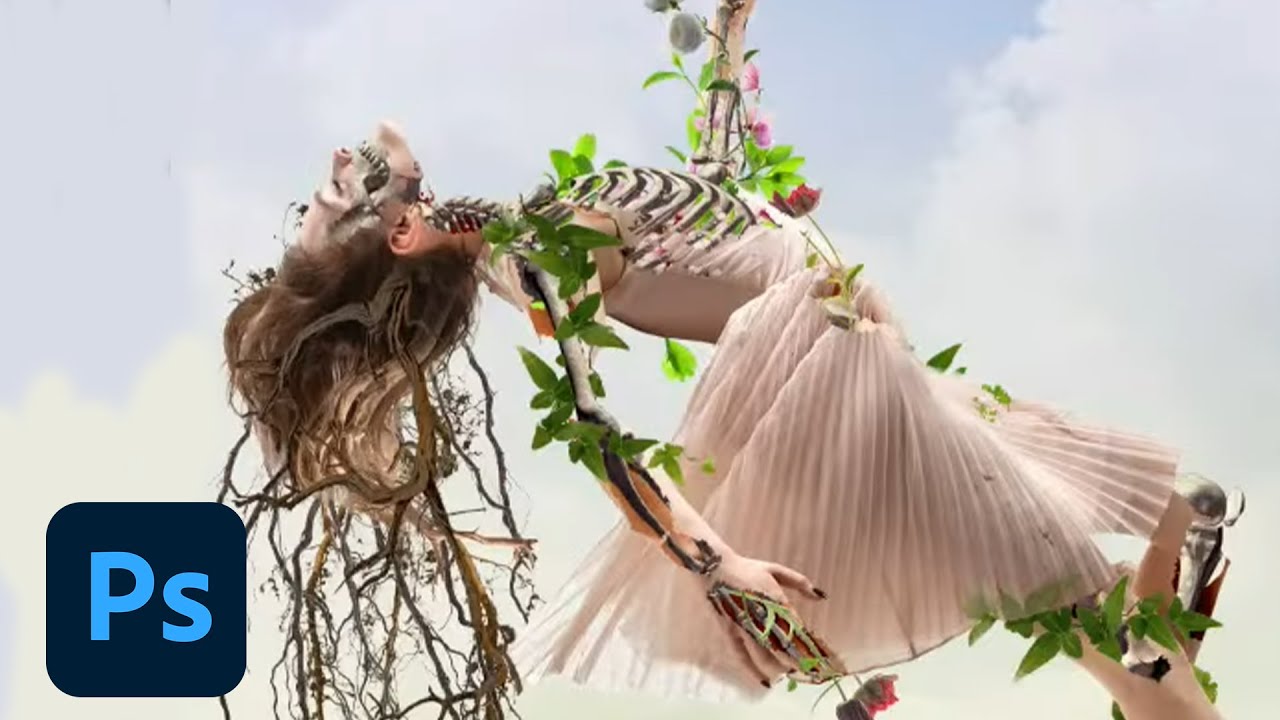
Join your host Paul Trani each morning at 9:00am PT to learn how to approach each challenge using Photoshop. Complete 9 challenges by Friday, November 19th, and you’ll be on your way to sharpening your skills. Get your questions answered, see what the community is creating and get feedback on your work!To sign up and get started, go to: https://...
worn venture
arctic rover
I think this link should work: https://www.behance.net/live/videos/13991/Photosh...
thanks
nimble shardBOT
Gave +1 Creative Carma to @arctic rover
 digital pike
A little touch up

 forest basin
Photo Polish attempt #1

 halcyon current
@tepid swan This one is soo good. I love it!
@eternal mica Thank you! I agree with you and I'll get to it in a bit!
nimble shardBOT
Gave +1 Creative Carma to @eternal mica
halcyon current
shut breach
Challenge 1
The camera raw was awesome and I played around with the sky replace...
@shut breach Nice job on getting a good sky replacement. I think the colors in the new one works nice with the rest of the image.
Challenge 1 - Photo Polish / I'm using one of my own photos on my daughter. She was really having troubles with acne and photos of her were always good to exercise on.
Before:

After:
 serene seal
Used a photo of myself, the only part that's wonky is beside my nose where I took the hair out lol

The Auto gave me a nice tan too 🤣
 lusty shell
Challenge 1
 worn venture
ok. I'm aggravated lol. I tried to change my canvas size like Paul did for the coversheet but it will not do what it is told to do. I changed it from 1000x500 to 1000x200 but it changed it to 1000x1000 and then i tried again and it changed to some random number. I closed and reopened photoshop and the file and still the same results. Anyone know why my canvas size won't change? TIA
eternal mica
worn venture
ok. I'm aggravated lol. I tried to change my canvas size like Paul did for the c...
Are you changing the canvas size within a file or before you open the file?
halcyon current
Repost of the Behance header I created yesterday. I added more shadow and darkened the font color a bit too. I think it's easier to read now.

 paper shadow
Resubmitted Banner thanks for the cropping idea.
 worn venture
eternal mica
Are you changing the canvas size within a file or before you open the file?
worn venture
eternal mica
Are you changing the canvas size within a file or before you open the file?
within the file like he did near the 20 minute mark
 kindred gate
Ps Challenge 01 Photo taken with Iphone X, I changed the background, the size of the cheeks and the color of the lips to match the shirt, also added a red screen to give and overall red tone to the whole photo since the hair has different tones and skin was kind of pale. I also clean up the image (hair, skin etc.)

 simple idol
Hello designers. When you allow your tipsy friend to put too much makeup on you! I wanted to take some of the oil off my face 🙂 . Thanks

 tropic haven

 tepid swan
This photo is from my webcam the other day. It presented a challenge and the result (cropped, of course) would be passable for a social media profile pic for example.

 cerulean grove


 lost helm
Challenge #1 with @brittle slate, Most likely a little overkill 🙂
 coral cloak
Day 2 - Photo Polishing
queen dew
eternal mica
<@!699584917964849172> Beautiful image for your cover BG. Great idea for the te...
Thanks Ted👍
nimble shardBOT
Gave +1 Creative Carma to @eternal mica
eternal mica
Ps DCC 21-11 01 Photo Polishing
 quiet fern
Challenge 1 - Photo Polishing - Spot Healing Tool, Dodge & Burn the Eyes 😉

 slow totem
eternal mica
Ps DCC 21-11 01 Photo Polishing
slow totem
eternal mica
Ps DCC 21-11 01 Photo Polishing
this looks like a meme template and I love it 😄
eternal mica
slow totem
this looks like a meme template and I love it 😄
Im too old and culturally illiterate to know what a "meme template" is but I hope its a good thing!!! 😜 😜 😜
slow totem
yeh it's a good thing
 eternal quail
can somebody help me with adding fur on photoshop
 upper trail
Day 01 - Photo Polishing
 eternal mica
@eternal quail This chat is for participants in the Adobe Ps DCC. If you have any other need of Ps assistance, please refer to one of the tabs on the left and post your request there. Thank you.
nimble shardBOT
Gave +1 Creative Carma to @eternal quail
 magic edge
Is it possible that the Windows version of the Photoshop doesnt have the mask option within the Camera Raw? I dont see the same as shown on video...
Screenshot of the Windows version of photoshop... dont see the mask in camera raw....

 vagrant rapids
simple idol
Hello designers. When you allow your tipsy friend to put too much makeup on you!...
vagrant rapids
simple idol
Hello designers. When you allow your tipsy friend to put too much makeup on you!...
Oh I love it @simple idol, So happy to see you. Beautiful photo polishing! I would say bright blue and green make-up fit you so well. I'm so curious about the locutions on you t-shirt: A bientôt - Comme d'habitude - and then I can't read 🙂
 hollow yarrow
lost helm
Challenge #1 with <@!552554072549490698>, Most likely a little overkill 🙂
hollow yarrow
lost helm
Challenge #1 with <@!552554072549490698>, Most likely a little overkill 🙂
Great clean up! [Nitpick comment: cheek is maybe a bit too soft (you lost texture)].
👍
lost helm
@hollow yarrow Thanks, and yes I realised that, was not sure to to get it back or I tried to hard 😄
nimble shardBOT
Gave +1 Creative Carma to @hollow yarrow
vagrant rapids
lost helm
Challenge #1 with <@!552554072549490698>, Most likely a little overkill 🙂
Oh yes @lost helm, it's a lovely work - she could be a model for a perfect skin cream 💙 now!
hollow yarrow
lost helm
<@!698155393649475695> Thanks, and yes I realised that, was not sure to to get i...
Yes really hard to clean without going to "deep" and lost some important details... Anyway you did a great job!
lost helm
Thanks @vagrant rapids Yes Good excuse for my 🙂
vagrant rapids
So this is my Day1 Photo Polishing - So many thanks Ben Scott on Unsplash for the picture !
Before and after - I also increased a little bit the eyes size 🤭 and I let some freckles (because it is so her style) I just removed some of them to give more brightness and cohesion to her skin.

 lost helm
Thanks, @hollow yarrow . Now is the time to learn the basic in Photoshop. 🤓
nimble shardBOT
Gave +1 Creative Carma to @hollow yarrow
lost helm
I like this work @vagrant rapids
vagrant rapids
lost helm
I like this work <@!703341359569961002>
Thanks @lost helm 🙂
nimble shardBOT
Gave +1 Creative Carma to @lost helm
tepid swan
magic edge
Screenshot of the Windows version of photoshop... dont see the mask in camera ra...
It's in the Tools down the right hand side. The 3rd one down, click that and the mask options should open 👍🏼
young karma
Hello this is my Challenge #1 Photo Polishing
 lost helm
Challenge #0 Behance frontpage. Need to learn more of the text effects 🙂
 paper shadow
 rocky sapphire
lucid plover
The retouching is pretty good, but I suggest you match the skin colors on the le...
rocky sapphire
lucid plover
The retouching is pretty good, but I suggest you match the skin colors on the le...
Alright ty for the suggestion
nimble shardBOT
Gave +1 Creative Carma to @lucid plover

 compact pecan
eternal mica
Ps DCC 21-11 01 Photo Polishing
compact pecan
eternal mica
Ps DCC 21-11 01 Photo Polishing
that’s pretty scary how the neural filter actually added teeth!!
eternal mica
compact pecan
that’s pretty scary how the neural filter actually added teeth!!
So weird. I was going to mask it out. But I felt it was an amazing example of how far the neural filter can go.
 haughty gale
The latest photoshop will not work so am using the older one. Also have issues with driver updates so face liquify and other filters do not work. This was fun though the persons cheeks and lips etc are still a bit red so put the mountain behind as its cold......enjoyed this challenge.

Thank you - I love the challenges but work gets tough and I get tired so tend to drop things I enjoy. Will try and have another go.
nimble shardBOT
Gave +1 Creative Carma to @eternal mica
wary swan
Ps DCC 2021-12 Challenge #1 Photo Polishing


 eternal mica
@rocky sapphire Simple can also be elegant, as this design is. Very nice concept. I would make one tweak. I would let the Photoshop take up more of the blank canvas to make it the focal point of your design. Your Photo Polishing has a Phantom of the Opera feel to it!! Powerful concept. Good execution. Good work all around.
@lucid plover Your Photo Polishing is so subtle it is hardly recognizable. Really well done. (Great to see you here again, my friend.)
wary swan
magic edge
Is it possible that the Windows version of the Photoshop doesnt have the mask op...
Photoshop 2022 version 23.0 have mask option in Windows you maybe have not updated
eternal mica
@split pier Nice job masking your Banner image. One tweak Id make is since the sun is such a strong light source behind the letters, Id add a cast shadow.
@shut breach Welcome to the group. Thank you for posting the before and after. Your tweaks to the original make the after version really pop. Theres a beautiful shine to the child's face, and the bubbles look so real. Nice work.
nimble shardBOT
Gave +1 Creative Carma to @shut breach
eternal mica
@dusky wave WOW, you dove into this exercise head first!!! Really powerful job by you. I honestly could not pick out which one I liked best. They are each very well done. I think in the end, the middle one is really so clean and crisp, I think its best. Great work.
@unborn tartan Welcome to our group. Great to have you participating in the DCC. Your Photo Polishing is very well done. Your healing work is right on and you handled the coloration of the boys skin beautifully. Nice work. I look forward to seeing your future posts.
wary swan
Photoshop 2022 Camera Raw version 14.0 Look at the marked areas this is in Windows 11
 eternal mica
@arctic rover I unfortunately dont know the answer to your first question. Perhaps Sam can get to it. For your second question, in the lower left corner of Camera Raw window is a % size that allows you to zoom in on the image. Nice work cleaning up the spots on the Before image. And I like the glasses matching the shirt. Nice look.
 winter tinsel
It's been awhile since I retouched an image. Very zen. 😀
 eternal mica
@digital pike Nice job on the young mans face. Im seeing a bit of a yellow overlay over the area that needed the touch ups. Is that in the image or is it just on my screen?
@forest basin Beautiful job polishing up this image. You got the skin to look perfect. And it seems you toned down the red glow enough to make it look really natural. Good job.
@halcyon current Great choice of an image to polish up and great job polishing it. Your daughter should be really happy with the end result. It looks totally natural.
wary swan
arctic rover
It is tricky to make the edits look natural! Definitely will take practise. My ...
1: Look at the last Video about Halo effect last video in this post https://discordapp.com/channels/547473772727238676/553669724244934656/907459154053042197
2: Look at left down side on the image above there can you zoom. On Windows Alt and scroll on the mice to Zoom and left click drag + Space key to pan, Mac is maybe the same I don't know
Hope this will help you
eternal mica
@serene seal You're brave to use a self portrait for the exercise!!! Good for you. You did a solid job on the polishing, especially in removing the strands of hair from the face. and Ps was nice to give you such an even tan!!!
serene seal
Thanks Ted!
eternal mica
@lusty shell Very well done work polishing off the boy's skin. It looks really smooth and blemish free. I think the color overlay might be effecting the skin, giving it a greenish hue. You might want to lower that effect a bit to clear that up.
@halcyon current The text tweak made a real improvement. Good job.
@kindred gate Really solid job polishing up this photo. The original is soover exposed compared to your after. I especially like the way you described what changes you made. The red overlay was great idea.
@simple idol Very well done polishing of the photo. Your after is so much smoother and brighter. Good work by you.
@tropic haven Beuatiful work on the photo polishing. The After image is so smooth and even. The skin tones look great.
@tepid swan Good job polishing this photo. The after has a nice warm feel to it that not in the harsher lit original.
@cerulean grove Wow you really made this image pop. The masking is very well done, even the hair. Good work.
@lost helm Awesome job. You changed the feel of the image completely. The skin now has a silky almost angelic look to it. Very well done.
@coral cloak Terrific presentation of a terrific job polishing off a terrific image. Really super job. BTW, I was going to comment on the sky replacement, but it seems the sky is real. 💯
lusty shell
Thanks @eternal mica I definitely fix that 👍
nimble shardBOT
Gave +1 Creative Carma to @eternal mica
eternal mica
@quiet fern Very nice job polishing the image. The skin looks so naturally smooth and clean. Your tweaks gave the image a lot more pop than the original.
@upper trail Oh WOW, awesome work by you. The skin in the after image is so smooth and natural looking. Solid job!!!!
tropic haven
@eternal mica , thank you for your feedback!
nimble shardBOT
Gave +1 Creative Carma to @eternal mica
eternal mica
@vagrant rapids Your after image looks so ephemeral, I love it. Your after has a much more even glow and coloration than the original. Super work.
@young karma Very well done polishing of the photo. The skin in your after is smooth and its very difficult to see where you tweaked the image.
@lost helm Cool concept for your banner. I like the blue/pink color palette. I would make one suggestion. The BG image is very busy. Having the text be so transparent over such a busy BG makes it hard to read. I would blur the BG and I would increase the opacity of the text to make it clearly the focal point of the image.
@paper shadow Really solid work on the skin of the model. Your after is so smooth and soft, its hard to tell where you made your changes on the original. Good work.
@worn venture Im happy to see you found a work around for your issue. Nice banner. I like the font. It has a solid strong feel to it. the Fall BG image is beautiful. I might suggest adding a bit of a Gaussian Blur to it. What do you think? Very cool idea for presenting your photo polishing design. You did a solid job cleaning up the photo. The blue BG is a nice touch.
@haughty gale Im not sure what it is about your image, but out of all the posts, it seems to me the boy looks younger in your image than in any of the others!! Excellent effort.
@wary swan The model in you image looks awesome. the skin really looks vibrant and smooth. The coloration is very realistic.
@brazen basalt Your photo looks so soft and warm, the skin looks so incredibly smooth. Theres also a nice rosy glow to the after image, especially on the left side. Great work.
@tall oriole Awesome job polishing up the image. The after skin is impeccable and you toned down the red coloration of the skin in the original to be so much more natural in your after. Very well done.
bleak fossil
@haughty gale Glad to hear you had fun with this one, the retouching is looking really good! The hair editing came out really nice as well. Is the new Photoshop just not updating, or it won't open once it's installed? Nice work, it came out well!
@worn venture These are looking really solid! I like the clear read of the white text against the background on the banner, and the retouches for challenge one came out really well. They're looking subtle and natural. The blue background adds a lot of nice contrast as well. Looks good!
@paper shadow Really nice job with the retouching work, it looks really clean and the skin has a soft look to it without seeming unnatural. Nicely done!
@lost helm Very cool effect on the banner image! The gradient map or blending mode that softens that value contrast of the background really helps the strong hues of the text and the rest of the image read clearly. 👍
split pier
eternal mica
<@!650938405802344458> Nice job masking your Banner image. One tweak Id make is...
@eternal mica Thank you so much for the feedback! And thank you for the catch. I will add a cast shadow before uploading to behance. Thanks again!
nimble shardBOT
Gave +1 Creative Carma to @eternal mica
bleak fossil
@young karma Really nice job softening the blemishes on the portrait photo. The skin still has a natural and realistic look to it, but the retouching makes a big difference. Nicely done!
@vagrant rapids Interesting edits, the bigger eyes and contrast of the green against the red of the image certainly give it some strong contrast. The increase in contrast also adds even more pop to it. Nice job with the skin softening as well!
@upper trail Very nicely done! The effects are subtle and look very natural, but make a big difference from the original. Really nice working keeping the natural looking skin texture in with the edits. 👍
 chilly hawk
Photo Polish Challenge
 bleak fossil
@quiet fern Very nice work, these edits make a big difference and have a convincing and natural look to them. Very thorough work as well!
@eternal mica Very cool, I like how you labeled the various steps. The spot healing look great and has a very natural look to it with the skin texture still looking believable. I like how you tried out some of the smart portrait neural filter settings too. I think that particular level of happiness is doing something a bit weird with the teeth, but neural filters can sometimes be a bit hit or miss in that way, hah. But it's always fun to tweak the slider in either direction to see how the effect changes. Nice work!
@coral cloak Neat to see you using this challenge for an environment image! It's great to see the before and after with how many objects you removed from the scene. Very seamless edits, everything looks very convincing. The process animation is a nice touch too!
@lost helm The day 1 challenge is looking really good, definitely a dramatic difference from the original! My main critiques would be that I feel like the cheek lost a bit of its form with how the original is a bit darker at the bottom, and it would be nice to see some of the texture that we see on the nose and head on the cheek as well. Nice work!
@cerulean grove Nice job with the edits! The brightness and saturation boost add a lot to the image without being too much. The background swap is a cool touch as well, looks good 👍
@tepid swan Nice job Jane! The edits definitely add something to the image. The added contrast and sharpness are looking good and help a lot.
@tropic haven Looks good Jessie! The skin edits are looking good and have a nice natural feel to them.
@simple idol Cool idea for this challenge! The edits look good, it's subtle but you can see a clear difference. Nice work!
@kindred gate Really cool idea, and great edits! Even subtle things like changing the lip hue to match the shirt a bit more are a great touch. My only suggestion is I feel like the hair lost some of its contrast in the dark tones in the edited version. Perhaps boosting the darks on the hair a touch more with a levels or curves adjustment could be a good look. Nicely done!
@halcyon current The banner looks great! Definitely a clear read to it, and I like the subtle sense of movement with the wave of the text. The color palette has a nice cohesive look to it as well. 👍
@lusty shell Nice job with the retouching and softening of the skin! The retouches have a convincing look to them, and the color grading gives it a really interesting, somewhat cinematic feel which is really neat.
@serene seal Hah, very cool! I wonder if the spot healing tool might soften up the shadow area around the nose? The patch tool might be worth a try too. I like the coloration, though perhaps a slight brightness boost overall might help give the whole thing a bit more contrast and pop? Nice job!
@halcyon current The retouching image is looking great! The photo has some great quality to start with, and your retouches have a really natural look to them. The skin still has a convincing texture to it even after the edits. Well done!
@chilly hawk Looking good! Nice job with the retouching, and the boost in brightness and softness to the skin almost give it a somewhat angelic look which is neat, hah. Nice work!
@winter tinsel Very nice! The editing along the hair is looking good and everything has a convincing look to it. Nicely done
digital pike
@eternal mica Yes a little yellow tone

Original

Skin tone / white balance adjustment @eternal mica
 winter tinsel
bleak fossil
<@!679346309722800168> Very nice! The editing along the hair is looking good and...
winter tinsel
bleak fossil
<@!679346309722800168> Very nice! The editing along the hair is looking good and...
Thank you, Sam. I rewatched the Phlearn video and it really makes a huge difference in keeping some of the skin texture. I’m going to keep practicing. 😊
nimble shardBOT
Gave +1 Creative Carma to @bleak fossil
young karma
 coral cloak
eternal mica
<@!663815677785669632> Terrific presentation of a terrific job polishing off a t...
coral cloak
eternal mica
<@!663815677785669632> Terrific presentation of a terrific job polishing off a t...
Thanks for the feed back, yup sky is real. I'm partial to Arizona skies.
nimble shardBOT
Gave +1 Creative Carma to @eternal mica
young karma
digital pike
Skin tone / white balance adjustment <@!688853114035634184>
in such situation with a white light coming from the side he would look more white rather than a caucasian colour
coral cloak
bleak fossil
<@!663815677785669632> Neat to see you using this challenge for an environment i...
Thanks for the feedback Sam. I actually kind of liked the image better with all the garbage, but it worked for the assignment.
digital pike
@young karma Thanks for the feedback 😄
nimble shardBOT
Gave +1 Creative Carma to @fickle crane
young karma
@digital pike i'd belive this would be more accurate to how he'd look in that situation in real life
 young karma
digital pike
<@456226577798135808> Thanks for the feedback 😄
young karma
digital pike
<@456226577798135808> Thanks for the feedback 😄
@digital pike Thanks for your submission
nimble shardBOT
Gave +1 Creative Carma to @digital pike
lusty shell
Thanks @bleak fossil
nimble shardBOT
Gave +1 Creative Carma to @bleak fossil
kindred gate
@bleak fossil Thank you Sam, you are absolutely right about the hair, I'll work on it.
nimble shardBOT
Gave +1 Creative Carma to @bleak fossil
kindred gate
@eternal mica Thank you!
nimble shardBOT
Gave +1 Creative Carma to @eternal mica
rocky sapphire
eternal mica
<@!313575059333709824> Simple can also be elegant, as this design is. Very nice...
Tysm<3, i will try your suggestion
simple idol
@Christelle#8360 thank you. *comme et alores? Pas votre Bebe tout la nuit
haughty gale
bleak fossil
<@!598277088553992194> Glad to hear you had fun with this one, the retouching is...
Thank you so much. The new photoshop just crashes and it says my driver is not compatible so perhaps I need a new computer - sigh!
nimble shardBOT
Gave +1 Creative Carma to @bleak fossil
haughty gale
Have tried to add strokes, etc to text to make it stand out more. One lesson learned is that I must keep a copy in PSD format so I can easily fix things instead of trying to recreate from memory which does not always work out...

Tried a second look with more in the lettering...
 unborn tartan
@eternal mica Thank you for the feedback. I am looking forward to more challenges.
nimble shardBOT
Gave +1 Creative Carma to @eternal mica
lost helm
bleak fossil
<@!709089455457173547> The day 1 challenge is looking really good, definitely a ...
Thanks @bleak fossil I noticed that the texture. As I used the healing more it felt like I was painting. Need to work better on how to retain the texture!
nimble shardBOT
Gave +1 Creative Carma to @bleak fossil
tropic garnet
Challenge One
 blazing quail
Day 1 Challenge


 young karma
 — Day 01 — Photo Polishing — Before/After
 buoyant nova
young karma
<:Photoshop:722555441032200263><:Paul:565250621163307024> — Day 01 — Photo Poli...
buoyant nova
young karma
<:Photoshop:722555441032200263><:Paul:565250621163307024> — Day 01 — Photo Poli...
Good job with the hair Maria 🙂
 lapis matrix
Before

After (I dad things with the hair and Painted all his clothes)

Before

After
 young karma
blazing quail
Day 1 Challenge
young karma
blazing quail
Day 1 Challenge
Haaland?
young karma
buoyant nova
Day 1 - Photo Polishing - After
made your skin brighter and fixed some colouring working on removing some blemishes


@buoyant nova All done what do you think?
young karma
chilly hawk
Photo Polish Challenge
brings an "uncanny valley" vibe to behonest, It seems wierd his face is all clear, generally the feel comes do to the over smoothness of his face which is lacking texture

 shut breach
eternal mica
<@!907642054715269161> Welcome to the group. Thank you for posting the before an...
shut breach
eternal mica
<@!907642054715269161> Welcome to the group. Thank you for posting the before an...
Thank you for the warm welcome 😊
nimble shardBOT
Gave +1 Creative Carma to @eternal mica
wary swan
eternal mica
<@!637347217773953055> The model in you image looks awesome. the skin really lo...
Thanks for the feedback, Ted.
nimble shardBOT
Gave +1 Creative Carma to @eternal mica
 brazen basalt
eternal mica
<@!846786164328235038> Your photo looks so soft and warm, the skin looks so incr...
brazen basalt
eternal mica
<@!846786164328235038> Your photo looks so soft and warm, the skin looks so incr...
Thanks Ted! A lot of credit goes to the bf's new Pixel 6. That thing takes massive clear photos so I had a lot of pixels to work with.
nimble shardBOT
Gave +1 Creative Carma to @eternal mica
eternal mica
bleak fossil
<@!688853114035634184> Very cool, I like how you labeled the various steps. The ...
Thanks Sam. I think the neural filter went way overboard. I posted that image more as an example of how creative the filter can be rather than a good artistic piece. i thought the way it added teeth that were never even in the picture was something people might be interested to see.
nimble shardBOT
Gave +1 Creative Carma to @bleak fossil
eternal mica
@tropic garnet Nice work on the polishing exercise. The skin tones look a lot better. The after has a much more realistic look to it.
@blazing quail Well done. The skin looks smooth and realistic. The overall coloring of the face looks solid.
@lethal prism Nick, in order to comment on the photo, you would need to post the asset image you started with. I will say you might want to lower the highlights to eliminate some of the areas where the image is washed out.
@buoyant nova Well done. You added some nice pop to the image. The After looks livelier and has more depth to the colors. The skin tones are very natural.
buoyant nova
eternal mica
<@!552565862301958166> Well done. You added some nice pop to the image. The Af...
Thanks Ted
nimble shardBOT
Gave +1 Creative Carma to @eternal mica
eternal mica
@young karma Strong effort. The masking is a cool touch. You did a great job with it. The way you handled the skin is great. The skin looks smooth and eliminating the red coloration gives the boy a nice relaxed look. I like your coloration a lot more than the original image. Well done.
 lethal prism
 young karma
@lethal prism looks nice seems a bit much on the green
eternal mica
@lapis matrix Very interesting approach to the polishing exercise. You definitely added pop to the original images.
eternal mica
brazen basalt
Thanks Ted! A lot of credit goes to the bf's new Pixel 6. That thing takes massi...
I know what you mean. I have Pixel 5 and even with that, the pictures I get are incredible.
tardy talon
Photoshop Daily Creative Challenge#01
 arctic rover
Great video...thank you for sharing!! This wasn't what happened though. The background change caused the halo to appear. I'm going to try and replicate this and see if it happens again. But appreciate watching the video - great info!
So zoom, but not pan? Oh well..with add that to the suggestion box! Thank you Ted! Always a pleasure & inspiration to hear your take on a project.
lethal prism
young karma
<@!900077162021937235> looks nice seems a bit much on the green
do you mean the shadows are too green?
young karma
yes
lapis matrix
eternal mica
<@!768527822653227028> Very interesting approach to the polishing exercise. You...
Thanks so Much. Ted Really Appriciate your words
nimble shardBOT
Gave +1 Creative Carma to @eternal mica
young karma
eternal mica
<@456226577798135808> Strong effort. The masking is a cool touch. You did a gr...
Thanks for the feedback!
nimble shardBOT
Gave +1 Creative Carma to @eternal mica
eternal mica
@lethal prism Nice effort with polishing exercise. Your After is a big improvement. I would make one suggestion. I would create selections of each of the various colors in the image and then do color corrections on each one individually. You can do that by Select>Color range. This will allow you to control the HSL of each color.
lethal prism
eternal mica
<@!900077162021937235> Nice effort with polishing exercise. Your After is a big...
I appreciate that advice. I did not think about creating each individual color... That would allow for a lot more control... Thank you! 💯
nimble shardBOT
Gave +1 Creative Carma to @eternal mica
eternal mica
@tardy talon OOOH I really like the approach you took to this exercise. You did a great job cleaning up the boys face, and the coloration of your image is spot on. I like the depth of your skin tones more than the original. Well done.
eternal mica
lethal prism
I appreciate that advice. I did not think about creating each individual color.....
I watched a MAX 2021 session with Aaron Nace on creating composites. He used the Color Range tool to make selections. He suggested it as a very efficient way to select colors across the whole image. I believe its a powerful under utilized selection tool. Give it a whirl. Post an update.


 eternal mica
@drowsy atlas This chat is for participants in the Adobe DCC. If you need help with Ps please post your question in one of the other tabs on the left. I suggest ask-a-question or design-other.
eternal mica
 drowsy atlas
Sorry 😦
drowsy atlas
Sorry 😦
No problem. We're here to help you find your way around the Ps Discord server.
@hearty quiver Well done. The skin tones look really solid. The spot healing has cleared up the skin. I like that you toned down the intensity of the red areas of the original image.
 eternal mica
young karma
you don't know how to do it?
eternal mica
young karma
you don't know how to do it?
Thank you for being helpful. Ive already directed that question to a more correct stream. If youd like, you can DM that user.
nimble shardBOT
Gave +1 Creative Carma to @fickle crane
young karma
eternal mica
Thank you for being helpful. Ive already directed that question to a more corre...
oh okay no problem
 hearty quiver
eternal mica
<@!870040418723713115> Well done. The skin tones look really solid. The spot h...
hearty quiver
eternal mica
<@!870040418723713115> Well done. The skin tones look really solid. The spot h...
Thanks, umr
nimble shardBOT
Gave +1 Creative Carma to @eternal mica
tardy talon
eternal mica
<@!593471623269711893> OOOH I really like the approach you took to this exercise...
Thank you so much 😊
nimble shardBOT
Gave +1 Creative Carma to @eternal mica
magic edge
wary swan
Photoshop 2022 version 23.0 have mask option in Windows you maybe have not updat...
I had the 22.5.1 installing 23 now to see if I can find it. Thanks!!
nimble shardBOT
Gave +1 Creative Carma to @wary swan
magic edge
tepid swan
It's in the Tools down the right hand side. The 3rd one down, click that and the...
I tried that one and it doesnt work like they show on the video... that one is just a gradient box...
lethal prism
eternal mica
I watched a MAX 2021 session with Aaron Nace on creating composites. He used th...
 young karma
looks nice
forest basin
eternal mica
<@!907354802734891088> Beautiful job polishing up this image. You got the skin ...
Thank you very much.
nimble shardBOT
Gave +1 Creative Carma to @eternal mica
brittle slate
Masking!

 dusky wave
Challenge for Day 2 - Auto Masking

 drifting inlet
Challenge Intro Banner
 vagrant rapids
bleak fossil
<@!703341359569961002> Interesting edits, the bigger eyes and contrast of the gr...
vagrant rapids
bleak fossil
<@!703341359569961002> Interesting edits, the bigger eyes and contrast of the gr...
Thank you so much @bleak fossil! Glad you like it 👍
nimble shardBOT
Gave +1 Creative Carma to @bleak fossil
vagrant rapids
eternal mica
<@!703341359569961002> Your after image looks so ephemeral, I love it. Your aft...
Oh thanks @eternal mica - Exactly, I would like to give an ephemeral style to this challenge serie project.
worn venture
 digital pike
 lost helm
eternal mica
<@!709089455457173547> Awesome job. You changed the feel of the image completel...
lost helm
eternal mica
<@!709089455457173547> Awesome job. You changed the feel of the image completel...
Thanks @eternal mica 🙂
nimble shardBOT
Gave +1 Creative Carma to @eternal mica
lost helm
eternal mica
<@!709089455457173547> Cool concept for your banner. I like the blue/pink color...
Thanks @eternal mica . I will give it another look!!
lost helm
bleak fossil
<@!709089455457173547> Very cool effect on the banner image! The gradient map or...
Thanks @bleak fossil I believe I will revisit it before end of challenge 🙂
nimble shardBOT
Gave +1 Creative Carma to @bleak fossil
tropic haven
 worn venture
eternal mica
<@!537045232873635865> Im happy to see you found a work around for your issue. ...
worn venture
eternal mica
<@!537045232873635865> Im happy to see you found a work around for your issue. ...
thanks. I guess I could put a gaussian blur on it but I wanted the crisp background. I did have to go in and make a new canvas to get it down to that size. Then Behance needed me to make it larger for a coversheet. So I just put a black background on it. sheesh lol.
nimble shardBOT
Gave +1 Creative Carma to @eternal mica
eternal mica
lethal prism
WOW, thats terrific. Did you use the color range? Was it easy to use?
worn venture
bleak fossil
<@!537045232873635865> These are looking really solid! I like the clear read of ...
thanks. It is the first time I've gone in and polished a photo so I'm happy with the result. The lesson really helps me to understand the spot healing more.
eternal mica
worn venture
thanks. I guess I could put a gaussian blur on it but I wanted the crisp backgro...
🤣 🤣 🤣 These computers are soooooo picky!!!!!
drifting inlet
Daily Challenge Day 1: Photo Polish

 copper moss
Challenge 02: New Hover Auto-masking. I did a small composition of 2 flowers. Used brushes for the stem and leafs to lay down some natural sense.

 oblique bolt
DCC2 Masking!
 tropic garnet
eternal mica
<@!819647311528460300> Nice work on the polishing exercise. The skin tones look...
tropic garnet
eternal mica
<@!819647311528460300> Nice work on the polishing exercise. The skin tones look...
Thanks. I spent a lot of time on it
nimble shardBOT
Gave +1 Creative Carma to @eternal mica
 lusty relic
Daily challenge photo polishing submission.
 quiet ridge
My take on todays challenge

I used a couple of images of fall leaves to do the mask on the Happy & Thanksgiving
slow totem
Kept it simple, but wanted to specifically try the yellow flower in and around the E.
 lost helm
Challenge #2. This one was fun and hard at the same time. Cool result I think.

 nova swan
Fun Challenge Enjoyed learning the new tools
 serene seal
 lusty shell
Challenge 2

 candid cloak
Challenge 2
 forest basin
drifting inlet
Challenge Intro Banner
forest basin
drifting inlet
Challenge Intro Banner
This is very cool with a monochromatic palette!
eternal mica
Ps DCC 21-11 02 Auto Masking
 tepid swan
That new Object Selection thingy works wonders!
 magic edge
Late Challenge 1 / but after update got all what I needed 🙂
 lost helm
eternal mica
Ps DCC 21-11 02 Auto Masking
lost helm
eternal mica
Ps DCC 21-11 02 Auto Masking
That one is really hippy Ted!! Good job!!!
 winged spire
Fun challenge


 stoic tiger
 lusty relic
Daily Challenge day 2 submission

 fast ravine
Daily Challenge Day 2 Submission
 quiet ridge
I gave mine some motion but it is pretty grainy at 8 megs

By the way I used Adobe An to make the gif
lethal prism
eternal mica
WOW, thats terrific. Did you use the color range? Was it easy to use?
Yes I used the color range for the light, shadow, green and purple to create 5 layers and blend
 hushed spade
#2 Auto-Masking. What do you think? Do the flowers in the background work? Does the gold outline help the text stand out enough? Thanks, Paul! This was fun!

I was surprised how dark it was when I uploaded it, so added a layer of white and set the blend mode to overlay, then lowered opacity to about 60%. Is this one better?
 compact pecan
Day 2 Photo Polishing. I think I made this guy look a little less "Gran Torino"


 eternal mica
@buoyant nova Sorry I missed your post from earlier. Thank you for bringing it to my attention. Very strong effort on your Banner. The image has a real Thanksgiving feel to it. The different treatment of the text fills adds interest. The leaves and their placement are great.
The brick wall makes for a good BG. And the little critters make it a fun design. If I had to nit pick something I'd say the text alignment could be better. I would spread out the kerning on the top line to match the spacing of the second line, and I would center both lines. Then I would shrink the font size of the other two lines and make them one line. But thats just me. Very well done.
nimble shardBOT
Gave +1 Creative Carma to @buoyant nova
eternal mica
@dusky wave LOL, your image posted right underneath Paul's. I thought it was him posting a second version. The two are so similar. Very well done. I would make one tweak. I would use a curves adjustment layer to enhance the contrast of the text from the BG.
fast ravine
hushed spade
I was surprised how dark it was when I uploaded it, so added a layer of white an...
I love the colors here. I wonder what it would look like if you kept darkness of the LOVE on the first and the white overlay of the second? Good work 🙂
eternal mica
@drifting inlet Welcome to our DCC Discord chat. If you have any questions, give a shout. Nice work on the banner design. I like the concept. The colors work very well. I would suggest one tweak, moving the second line to be centered. Your work polishing the photo looks great. The healing you did looks great. The color of the skin looks better the original. Good work.
 tropic knoll
Tiles. Photo Polishing DCC inspired me to try something new. For fun while in Maui, I went shopping for living quarters a few years ago. I took pictures of problem areas. I have always wondered how do I tell a contractor what I want? Now I can do both ~ show and tell! Thank you for this opportunity!
 eternal mica
@worn venture Very good work with the masking and the compositing in the Auto Masking exercise. I would suggest using a curves adjustment layer to enhance the contrast of the text against the BG. I think that will make the text really pop. What do you think?
@digital pike Nice work with your Auto Masking. My one suggestion is to increase the contrast of the text. The L and O are getting lost in the darker parts of the BG image.
digital pike
@eternal mica Thanks for the feedback 😀
nimble shardBOT
Gave +1 Creative Carma to @eternal mica
eternal mica
@tropic haven Very cool font for your Auto Masking exercise. Having transparent text looks great. The stroke fill you used matches the flowers. I like that you altered the BG image to give it a different look, and to brighten it up. Good work.
@copper moss Very interesting interpretation of the Auto Masking challenge. Beautiful result. The masking you did came out very well.
drowsy atlas
young karma
you don't know how to do it?
Lol sorry but i dont have Ps
eternal mica
@oblique bolt Welcome to our DCC Discord chat. We're happy youve joined the group. If you have any questions, feel free to ask. We're here to help. Good effort with the Auto Masking exercise. The font you selected adds interest. The selecting and masking you did looks fine. One tweak Id suggest is to increase the kerning between the O and V to allow the letters the same space as between the other letters.
@lusty relic Welcome to our DCC Discord chat. We're happy you joined the party. If you need help with anything here, just give a shout out. Your Polishing iimage looks great. The skin looks smooth clear and natural. On your Auto masking image, i like the font you selected. It offers the image fill to be recognizable for what it is. I would make one suggestion. I might lower the opacity or reposition the flowers behind the L. It seems that the L is getting lost in the flowers you added. Good work all around
lusty relic
Thanks for the feedback @eternal mica! And thanks for the suggestion on my auto masking image, I see it now.
nimble shardBOT
Gave +1 Creative Carma to @eternal mica
 analog cave
Hi All! PS DCC Ch#1- Photo Polish. Went a bit cooler for the final image after spot removal.
 coral cloak
Day2_PSDCC
 drifting inlet
Auto Masking challenge. I have never done anything like this. There are some things in retrospect that I could have done better such as a different font and spacing letters, different flowers etc.
 compact pecan
Day 3 Auto Masking.
 compact pecan
hushed spade
I was surprised how dark it was when I uploaded it, so added a layer of white an...
compact pecan
hushed spade
I was surprised how dark it was when I uploaded it, so added a layer of white an...
I kinda like a combination of the dark background with the lighter lettering. Either way, though, it looks great.
hushed spade
fast ravine
I love the colors here. I wonder what it would look like if you kept darkness of...
Thanks! I wonder that too. Might try it.
nimble shardBOT
Gave +1 Creative Carma to @fast ravine
hushed spade
compact pecan
I kinda like a combination of the dark background with the lighter lettering. E...
Thanks!
drifting inlet
eternal mica
<@!158727229595975680> Welcome to our DCC Discord chat. If you have any questio...
Thank you for your feedback.
nimble shardBOT
Gave +1 Creative Carma to @eternal mica
brazen basalt
Bubbles. 🧼
 simple idol
Finally got a chance to design my first iteration of Wednesday's challenge.
 eternal mica
@quiet ridge A cool fun image. So much going on in it. You masked the flowers nicely. The sky replacement is a cool touch. If I had to nit pick one thing, Id suggest the fill on the bottom text is a bit too busy and may make the text difficult to read. But that may just be personal preference. In your GIF I love that you added shadows to the characters moving across the screen.
@slow totem Very nice work. I think the way you handled the BG made the foreground text pop a lot more. The masking of the flowers looks real solid. Good job.
quiet ridge
@eternal mica thank you and I do agree the fall leaves fill on the text does make it some what hard to read
nimble shardBOT
Gave +1 Creative Carma to @eternal mica
eternal mica
@lost helm OOH liquified text. Nice. I like the flower pattern fill. I like that you zoomed in so close on the BG that you eliminated the dark spots. The flowers you auto masked look great.
eternal mica
quiet ridge
<@!688853114035634184> thank you and I do agree the fall leaves fill on the text...
I used to throw the kitchen sink at text, thinking that was the way to make it interesting. There are situations when that is true. But Ive come to think the exact opposite is true most of the time. Text first and foremost needs to be legible. And in that regard, many times less is more. What do you think?

 eternal mica
@nova swan Very well done. I just finished texting how in text, many times, less is more. Your design is a perfect example. Your text is so crisp clean and clear, it stands out for its simplicity. The work you did auto masking the flowers is very well done. The design is colorful bright lively. Good job by you.
@serene seal Very cool concept for the auto masking challenge. The masking of the flowers is awesome. Flipping the BG into the text fill is an interesting idea. I might suggest that you'd be better off with a sold color fill. Your design has plenty of motion and color without the fill. What do you think??
quiet ridge
@eternal mica I agree less can often be more . I try to make things easy to read, but lately I have been playing in layer styles to see what all it can do. I don't think I have even scratched the surface on it yet
eternal mica
@lusty shell Lovely design for the auto masking challenge. The flowers you masked look great. I might tweak one little thing. I would work with the clipped in image to make sure the purple fills in all of the V. The green thats there now gets lost into the BG.
@candid cloak Welcome to our Ps Discord group. We're happy to have you join the party. if you have any questions, or need any help, just give a shout. We're here to help. Good effort with the auto masking exercise. The flowers you masked look good. I would tweak one thing in your design. I would play with the fill to eliminate the black areas. The text gets lost when there's black fill.
eternal mica
quiet ridge
<@!688853114035634184> I agree less can often be more . I try to make things eas...
I could not agree more. The possibilities are endless.
@tepid swan Yeah, that thingy is crazy cool, isnt it??? Very nice work auto masking the flowers. and then masking them into the leafy BG. Very well done.
quiet ridge
@eternal mica I will have to confess after @bleak fossil showed me how to use action on text moving it up 1 px & over 1 px I have been playing with that a lot too 😆
eternal mica
quiet ridge
<@!688853114035634184> I will have to confess after <@!96724675886850048> showed...
I love that Action. Ive used it several times since @bleak fossil taught it. I used it today in my design!!!
@magic edge Nice work on your 2 submissions. Good job on the polishing image. You did a super job on a very tough asset. The After looks very natural. Your Auto Mask design is awesome. Great concept. Great execution. And its always a treat to see the assets that went into a composite. What would you think about the bright blue from the back of the bird as text fill rather than the black. I think it would add cohesion to the design. Thats just me. Solid work by you.
@winged spire Welcome to our Ps DCC chat group. If you have any questions, give a shout. Nice work on the auto masking challenge. The fill you gave the text gives nice contrast to the letters. The flowers you masked are well done. Good job.
eternal mica
@queen dew Thats a beautiful image. I would love to see the original image to be able to appreciate the polishing work you did. Your Auto Masking design is very creative. The masking work you did is well done. One suggestion Id make is to possibly repeat the transparent lettering to the bottom row of text. The purple fill is a bit too busy and the color doesnt seem to fit with the color palette of the rest of the image.
@stoic tiger Welcome to the Ps DCC group chat. we're happy youve decided to give the chat a try. if you need any help, give a shout. We're here to help. Your Auto Masking design is well done. The text fill picks up on the red theme of the BG. And there is enough contrast between the text and the BG to make sure the text is legible. The flowers you masked look great.
@fast ravine Welcome to the Ps DCC chat group. If you need help, give a shout. We're here to help. Nice work on your Auto Masking design. The flowers you masked and added look great. I might suggest adding a curves adjustment layer to your fill image in order to increase the contrast of the fill against the BG, especially where flowers overlap on flowers.
haughty gale
Okay hopefully now I can upload. Was due to file size being too big but I assumed that coming from a PSDCC the files would be the right size so another lesson learned. Whew. This challenge was awesome and I could have played for hours with floral backgrounds. Thanks a mill Paul.
 eternal mica
@hushed spade 1. Yes. 2. I would like more contrast. Lovely design. Wonderful work masking the flowers. The color palette is beautiful. I would add a curves adjustment layer to the text and fill and use that to enhance the contrast to the BG. I think your image will really pop.
rocky sapphire
haughty gale
Okay hopefully now I can upload. Was due to file size being too big but I assume...
Kinda funky i love it
eternal mica
@hushed spade OOOPs, I didnt see your second post. Much better. I would try V3, apply your tweaks just to the text and let the BG be darker.
hushed spade
eternal mica
<@!805848710419447828> OOOPs, I didnt see your second post. Much better. I wou...
👍 thanks for the feedback!
nimble shardBOT
Gave +1 Creative Carma to @eternal mica
eternal mica
@compact pecan I love it. Great Job. Great choice of an image to work with. The work you did to eliminate the age of the subject is awesome. Is it just me or does the After look like Woody Allen??
@tropic knoll Thats awesome!!!
haughty gale
rocky sapphire
Kinda funky i love it
Thank you - I am not too good at following all the rules...
nimble shardBOT
Gave +1 Creative Carma to @rocky sapphire
eternal mica
@analog cave Very well done polishing design. You did a wonderful job clearing up the face. The soft tint you gave the skin really gives the model an angelic innocent look. Good job.
rocky sapphire
haughty gale
Thank you - I am not too good at following all the rules...
Keep it up, Make not following the rules your style haha,when somone break the rules of design and it still works it will blew a designers eye and a normal eye
eternal mica
@coral cloak Cool image. Whats the name of that font? Nice work compositing the elements. There are some spots along the mountain edge you might want expand the selection to eliminate the white glow. Good work.
@drifting inlet I always tell folks, Go for It!!! The second post is free!!! Adobe doesnt charge until the 3rd post 🤣 🤣 🤣 Feel free to tweak your design and repost it. I would agree with you that the kerning should be spaced out. I would also transform down the scale of the fill flowers. to make the text more legible. Give it a go.
@compact pecan I really like this image. The BG works. The font works. The stroke works. The flower works. The fill works. One question ... the skulls?? I know you'll give me a logical explanation.😉 😉
@brazen basalt WOW, I love it. This image really does POP. It has a such a champagne-y feel. (Is that a word???) The bubbles are awesome. I have one tiny tweak, what would you think about toning down the white wash out just a bit. Not too much, just part way. Let me know what you think.
@simple idol Lovely work. I love the font. What is it? The flowers you masked look great. I would suggest two tweaks; I would center the text so it doesnt run off the right edge, and I would eliminate the green in the lower right. Beautiful work!!
tropic knoll
haha. Thank you, @eternal mica!
nimble shardBOT
Gave +1 Creative Carma to @eternal mica
eternal mica
@gaunt veldt Whoa, look who is back??? Where you been? Great to see you here again. For your polishing image, show us the original so we can appreciate the terrific job in polishing it up Im sure you did. Your Auto Masking is so cool. I imagine you masked the snowflakes. The Fire/Ice imagery is great. I might suggest the outer glow on the text be more in line with the fire than the grey BG, but that may just be my preference. (Check your spelling: "entrance")
@haughty gale There are many options for uploading files to keep the file size below the 8MB size limitation Discord places on files. That is set by Discord, not Adobe. If you need help, just ask. Your design is terrific. And I understand why it was greater than 8MB!!! Your masking work is terrific. The design is so colorful yet cohesive. The way you masked the text is so well done. And its another example where simple plain text is so strikingly right for the image. Beautiful!!
OK folks, Im out for the night!! See you all tomorrow!!
rocky sapphire
eternal mica
OK folks, Im out for the night!! See you all tomorrow!!
See you Ted B
thx for being a great mentor
nimble shardBOT
Gave +1 Creative Carma to @eternal mica
quiet ridge
@eternal mica Rest well my friend
coral cloak
eternal mica
<@!663815677785669632> Cool image. Whats the name of that font? Nice work comp...
I believe the name of the font is Walnut. I'll go back and look at the selection. Thanks again for the feedback 👍
nimble shardBOT
Gave +1 Creative Carma to @eternal mica
lusty shell
Thanks @eternal mica I noticed that to, and fix it already 👍
nimble shardBOT
Gave +1 Creative Carma to @eternal mica
winter tinsel
Challenge #2...masking! 😀
 analog cave
eternal mica
<@!835969949524295702> Very well done polishing design. You did a wonderful job...
analog cave
eternal mica
<@!835969949524295702> Very well done polishing design. You did a wonderful job...
Thanks for the feedback! 😃
nimble shardBOT
Gave +1 Creative Carma to @eternal mica
hushed spade
eternal mica
<@!805848710419447828> OOOPs, I didnt see your second post. Much better. I wou...
I love your 60's "Love". Somehow it reminds me of the Partridge Family.
 tawny badge
 magic edge
eternal mica
<@!724741629621043274> Nice work on your 2 submissions. Good job on the polishi...
magic edge
eternal mica
<@!724741629621043274> Nice work on your 2 submissions. Good job on the polishi...
Thanks Ted, good idea, I will try it!!thanks
nimble shardBOT
Gave +1 Creative Carma to @eternal mica
bleak fossil
@brazen basalt Ooh, what a great effect! I love the colors in this, and the way the bubbles and text have a sharp, clear contrast against the blurred background. I wonder if boosting the contrast of the text with a levels or curves adjustment might make it match the sharpness and contrast of the bubbles a bit more closely. Nicely done!
@compact pecan Digging the style! Really nice job giving the background and text such a clear read with the way you handled the color and value contrast of both elements. You even got the classic flowers/skull combo in there, hah. Looks great!
The edits on the Day 2 challenges are also really interesting. Definitely a dramatic difference between the smile and facial retouching.
@simple idol Love it! The font choice works really well with how it contrasts the flower shapes, and also to give it an elegant look. The strong contrast against the black background works really well too. Nice work!
@drifting inlet Very nice work! I really like the way you have some of the flowers breaking the frame of the letters. The colors contrast works really well between the letters and background. I wonder if the clarity could be pushed even more by brightening up the flowers overall, since some of the darker ones are a similar value to the background grass. I also wonder if keeping all the flowers sharp and in focus with the grass having a blur would separate them more too. Just some thoughts of course. Looks great!
@analog cave Looking good! The retouches came out nicely and the skin still has a natural look to it. The cooler shift has a nice look to it too. Nicely done!
@coral cloak Really cool effect with the masking! I like how the text gradient fits that sunset look of the mountains, and contrasts nicely against the blue sky. Nice work 😄
@tropic knoll Really cool to see how the DCC influenced this idea, looks good! There's definitely a lot of great tools and blending modes to fit edits into photos like that. Cool idea 👍
@magic edge Great idea, really nice job of the masking of the birds! The birds also have a great color contrast against the warm background. My only suggestion is I feel like a deep dark blue or purple for the text might fit in a bit more than pure black. The retouching challenge also came out really well, nice edits!
@hushed spade Very nice! I definitely think the brightened update has a better look to it. It also gives it a unified, sort of "friendly" feel with the lighter, softer colors. Great work with the masking, and nice composition with the flowers around the design.
@quiet ridge Oh wow, getting fancy with the animated walk cycles, hah. Very cool. Nice job with the masking on the flowers and the text textures too!
@gaunt veldt Both challenges 1 and 2 have a really nice focus to them. Day 1 with the sharp area vs blurred, and Day 2 with color contrast. These are both looking really nice, though it's always interesting to see the original image for challenges like the Day 1 image to see the difference. Nice work!
@fast ravine Very neat, I really like the bold colors of this design! The bright colors contrast nicely against the dark green background. The drop shadow from the text also gives it some nice contrast and readability. Looks good!
hearty quiver
challenge 2
 bleak fossil
@lusty relic I really like the bold font style you chose for this. The masking in the text is looking really good and reads nicely against the dark background. It might be nice to give the text a bit of a drop shadow to separate it from the flower behind the L a touch more. Nice work!
@stoic tiger Really cool use of masking in this design! I really like all the bold, bright colors. I wonder if a bit of a drop shadow on the text could separate it from the background even more, particularly on the O where the edge seems to get lost a bit. Great design!
@queen dew Cool effects on both these designs! It would be interesting to see what the original landscape looks like. I also like the contrast of the purple "power" text against the warm colored background. Nice work on these 👍
@winged spire Cool image that you used for the clipping mask on this! The red contrasts nicely against the green background. Very nice work on the masking of the flowers too!
@tawny badge Nice work on the banner image! The shape behind the text and the blur on the background give the image a nice focus. Looks good.
@winter tinsel The masking is looking solid! The clipping mask with the flowers inside the text is looking good too, and the stroke around the text is a nice touch. I assume it's just the version you posted here, but the crop on the sides seems a bit tight with how's it cutting into the text. Great design!
@haughty gale Ooh, excellent job with the masking. I really like the depth this image has with the overlapping shapes, and the bit of dimension or beveling that the text has. The sort of wave shape the text is arranged in is a nice touch as well. Great colors! I usually save images for Discord as a JPEG and put the quality at 11 instead of 12. Both of those things always get the image size down quite small in file size without losing any noticeable quality.
@tepid swan Hah, object selection can save a lot of time in many situations. This looks great! Really nice job with the masking of the leaves and flowers, it adds a nice sense of depth to the image. The masking around the flowers came out really well too!
@eternal mica Ooh, this Day 2 image is a great design! Very eye catching. I love the font you used, and yellow flowers sprouting up and off the text add some nice life to the image and contrast well against the rest of the red flowers. Great read to this design 👍
@candid cloak The masking around the flowers looks excellent. The clipping mask is looking very good too, nicely done!
@hearty quiver Great work with the masking of all these flowers. I especially like the what you did with the roses in and around the "O" which adds some very nice depth. The stroke around the text is a nice touch to give it a clean read. Looks good!
 gaunt veldt
eternal mica
<@!870389820487258182> Whoa, look who is back??? Where you been? Great to see y...
gaunt veldt
eternal mica
<@!870389820487258182> Whoa, look who is back??? Where you been? Great to see y...
Thank you for the warm welcome! You are totally right! I did misspell "entrance" 😩 @bleak fossil
 nimble shardBOT
Gave +1 Creative Carma to @eternal mica
bleak fossil
@lusty shell The masking around the flowers is looking really nice and clean. The colors in the clipping mask of the text, as well as the rest of them have a nice contrast against the green background. Nice job!
@serene seal Ooh, I love the composition you created between the text and the flowers, it has a really nice flow to it. The way you masked some flowers in front and behind the text is a nice extra layer of depth, and the color contrast between the flowers and text works well. Looks great!
@nova swan So many flowers! Really nice job masking these all out, they have a great clean look to them. Everything has a nice clear read between each other with the dark green background, the vibrant flowers, and the white text. This came out really well!
@lost helm Very cool indeed! I really like the styling of the text, and the clipping mask is working well. The masking all came out really well too, nicely done. It looks like perhaps you added a bit of an outer flower around/behind the text to separate it more from the background? I wonder if a subtle white stroke around the next might make that readability a bit more clear. Just a thought of course. Nice work!
lusty shell
Thanks @bleak fossil
nimble shardBOT
Gave +1 Creative Carma to @bleak fossil
gaunt veldt
eternal mica
<@!870389820487258182> Whoa, look who is back??? Where you been? Great to see y...
could you give me an example on: "the outer glow on the text be more in line with the fire than the grey BG" I am having a hard time visualizing this technique. Thank you once again for.. everything! It's good to be back and see everyone's work and the awesome mentors' guidance.
nimble shardBOT
Gave +1 Creative Carma to @eternal mica
gaunt veldt
bleak fossil
<@!870389820487258182> Both challenges 1 and 2 have a really nice focus to them....
Thank you Sam, I will from now on, moving forward post originals 😉
winter tinsel
bleak fossil
<@!679346309722800168> The masking is looking solid! The clipping mask with the ...
Thank you! The placement of the text being cut on both sides was an “artistic choice”. I like to bend the rules a bit here and there. 😉
nimble shardBOT
Gave +1 Creative Carma to @bleak fossil
compact pecan
eternal mica
<@!650118328848875521> I really like this image. The BG works. The font works....
Skulls? Why not skulls? Flowers, butterflies, & skulls are the 3 primary elements. 💀
compact pecan
eternal mica
<@!650118328848875521> I love it. Great Job. Great choice of an image to work ...
Haha, Woody Allen? I don’t know about that… He definitely looks a lot more pleasant with the neural filter, though.
chilly hawk
Hover Auto Masking Challenge
 slow totem
eternal mica
<@!299442655002361858> Very nice work. I think the way you handled the BG made ...
slow totem
eternal mica
<@!299442655002361858> Very nice work. I think the way you handled the BG made ...
Thank you
nimble shardBOT
Gave +1 Creative Carma to @eternal mica
gaunt veldt
drifting inlet
Auto Masking challenge. I have never done anything like this. There are some thi...
I really like how you masked the same pink flower just outside the text. Super creative 😉
hearty quiver
bleak fossil
<@!870040418723713115> Great work with the masking of all these flowers. I espec...
Thanks - umr
nimble shardBOT
Gave +1 Creative Carma to @bleak fossil
upper trail
Day 02 - Auto Masking

 wooden bloom
Day One Warm Up

 hard gust
wooden bloom
Day One Warm Up
hard gust
wooden bloom
Day One Warm Up
nice pls name of font (text)
wary swan
Ps DCC 2021-12 Challenge #2 New Hover Auto-Masking 11-10-2021

Ps DCC 2021-12 Challenge #2 New Hover Auto-Masking 11-10-2021 version 2
 wary swan
Credits from top: Alexander Schimmeck Germany www.instagram.com/alschim29/; Middle Henry Lorenzatto; www.instagram.com/henryatto/ Background Daniel Öberg Sweden: www.instagram.com/articstudios/
downloaded from unsplash.com with Free Stock Search Pro plugin to PS and AI
 copper moss
eternal mica
<@!778334358833856513> Very interesting interpretation of the Auto Masking chall...
copper moss
eternal mica
<@!778334358833856513> Very interesting interpretation of the Auto Masking chall...
Thanks!👍
queen dew
bleak fossil
<@!699584917964849172> Cool effects on both these designs! It would be interesti...
Thanks 👍
 nimble shardBOT
Gave +1 Creative Carma to @bleak fossil
queen dew
eternal mica
<@!699584917964849172> Thats a beautiful image. I would love to see the origina...
Thanks for your comment, not happy with the purple fill too! I"ll try another colour contrast or use the same effect like 'Flower'
nimble shardBOT
Gave +1 Creative Carma to @eternal mica
blazing quail
My entry for Day 2
 buoyant nova
Day 2 - Auto Masking

 gentle pasture
My effort
 oblique bolt
eternal mica
<@!822134995371556925> Welcome to our DCC Discord chat. We're happy youve joine...
oblique bolt
eternal mica
<@!822134995371556925> Welcome to our DCC Discord chat. We're happy youve joine...
Thanks for the feedback @eternal mica Adding some kerning is an excellent idea! 🙂
nimble shardBOT
Gave +1 Creative Carma to @eternal mica
buoyant nova
eternal mica
<@!552565862301958166> Sorry I missed your post from earlier. Thank you for bri...
Thank you for your positive feed back as always Ted. Will make the changes you have suggested, thanks
nimble shardBOT
Gave +1 Creative Carma to @eternal mica
queen dew
PSdcc #2 Flower Power, new version @eternal mica what do you think?
 eternal mica
rocky sapphire
See you Ted B
thx for being a great mentor
eternal mica
rocky sapphire
See you Ted B
thx for being a great mentor
Thank you. Youre very kind. Your support and encouragement mean so much.
nimble shardBOT
Gave +1 Creative Carma to @rocky sapphire
eternal mica
hushed spade
I love your 60's "Love". Somehow it reminds me of the Partridge Family.
Haha, I didnt think of that but it could be. Or from "Hair". But most definitely a 60's vibe. I remember the 60's so it makes sense.
hushed spade
Here's the update.

It always looks darker when I upload it, especially the pinks. What's going on?
eternal mica
gaunt veldt
could you give me an example on: "the outer glow on the text be more in line wit...
Quick and dirty, something like this.
 eternal mica
compact pecan
Skulls? Why not skulls? Flowers, butterflies, & skulls are the 3 primary eleme...
eternal mica
compact pecan
Skulls? Why not skulls? Flowers, butterflies, & skulls are the 3 primary eleme...
I knew there was reason. I just didnt know it. Three primary elements of what?
eternal mica
queen dew
PSdcc #2 Flower Power, new version <@!688853114035634184> what do you think?
I like this much better. Way more legible. And your pattern fill plays off very nicely on the yellow color palette. What do you think?
eternal mica
hushed spade
Here's the update.
Both new versions are nice improvements over the original. Good job by you.
hushed spade
eternal mica
Both new versions are nice improvements over the original. Good job by you.
☺️
eternal mica
@chilly hawk Beautiful work on the Auto Masking design. Great concept. Solid execution. I might suggest one tiny tweak. There are areas where the dark flowers and dark BG blend. Add a 2-3 pixel stroke to the text to allow it to contrast with the dark BG. Great work by you.
compact pecan
eternal mica
I knew there was reason. I just didnt know it. Three primary elements of what?
LOL - the 3 primary elements of a PT-inspired image, of course!!
gaunt veldt
eternal mica
Quick and dirty, something like this.
🧐
eternal mica
@upper trail Very well done. The image is definitely LUSH. I like how you brightened up the BG. It adds pop to the whole design. One suggestion I might make. Did you consider a bevel and emboss on the text to add to the "lushness"? I think it would work. What do you think?
eternal mica
compact pecan
LOL - the 3 primary elements of a PT-inspired image, of course!!
My bad. I knew about the butterflies and the flowers. But Ive never heard about the skulls. TIL.
eternal mica
gaunt veldt
🧐
I apologize. My understanding level of most emojis is somewhere between Dumb and Dumber. What does this one mean?
@wooden bloom Beautiful Banner. I looked at it and thought it was a great submission for the challenge 2, Auto Masking,. Then I read your description!!! LOL. The way you masked the butterflies is terrific. The image has a wonderful fall feel. I might make one tweak. I think the text could use a small stroke to give it greater contrast against some of the lighter areas of the BG.
@wary swan WOW, overpowering explosion of flowers and colors. Awesome work on the masking. Im happy you posted V2. I think the design definitely needs the larger text on such a powerful BG. Normally I would suggest to blur the BG a bit to help the text. But no need to here. You did a great job with the fill and layer styles to make sure the text stands out and is at the same time legible. Lastly, thank you so much for posting all the assets and giving attribution. Many of us tend to forget to give props to the wonderful creatives who take all these awesome photos and then offer them up to us for free to use in our designs. Awesome piece. 💯
nimble shardBOT
Gave +1 Creative Carma to @wary swan
eternal mica
queen dew
Thanks 👍
WOW. @bleak fossil and I both thought it would be great to see your asset. Im so happy you posted it. You did an incredible job "polishing" up the original. Your work reminds me of a terrific Jesus Ramirez session from last year on changing seasons. You may want to give it a look. https://youtu.be/2fN7vdwdw1Q

Challenge: Transform a summer photograph into a winter scene using Adjustment Layers and Blending Modes.
Get the starter file here: https://bit.ly/psdcc7-20-6
Join your host each morning at 9:00am PT to learn how to approach each challenge using Photoshop. Complete 9 challenges by Friday, July 31st and you’ll be on your way to sharpening your s...
@blazing quail Very well done. Your masking of the flowers is spot on. Zooming in on the BG and brightening it up is a great move. The flowers add good color and liveliness to the design. Good work.
simple idol
eternal mica
<@!723678249728737313> Lovely work. I love the font. What is it? The flowers y...
Thank you so much @eternal mica The font is Wallpaper
nimble shardBOT
Gave +1 Creative Carma to @eternal mica
eternal mica
@buoyant nova Lovely design. The selecting and masking looks great. The way you handled such a busy BG works well to send the focal point to the text. I would notch that focus up a bit more by using a curves/levels adjustment layer to increase the contrast between the text and the BG. I think it will make the "LOVE" really pop. Solid effort by you.
@gentle pasture Great job by you. Framing the BG is a neat idea. Your masking and selecting of the flowers is very well done. Your text has good contrast to the zoomed in brighter BG. Solid effort!!
wary swan
eternal mica
<@!637347217773953055> WOW, overpowering explosion of flowers and colors. Aweso...
Thanks for the feedback Ted, I appreciate it very much
nimble shardBOT
Gave +1 Creative Carma to @eternal mica
gaunt veldt
eternal mica
I apologize. My understanding level of most emojis is somewhere between Dumb an...
Haha its okay, I snickered when I read "quick and dirty", shows my level of maturity. So that emoji with the monocle in my option is critical thinking on whatever. According to google: May show that someone is pondering, considering, or questioning something, sometimes with a sense of skeptical or ironic observation or encouraging a closer look at some content.
buoyant nova
Thanks for the suggestions @eternal mica, it does look better
 nimble shardBOT
Gave +1 Creative Carma to @eternal mica
eternal mica
buoyant nova
Thanks for the suggestions <@!688853114035634184>, it does look better
Pardon the pun, I Love It!!!
 spare dust
Leaves may guide your way out of jungle. Hope it's not too late 🙂
 queen dew
eternal mica
WOW. <@!96724675886850048> and I both thought it would be great to see your ass...
queen dew
eternal mica
WOW. <@!96724675886850048> and I both thought it would be great to see your ass...
Lol, yes I remember this challenge, about transforming a summer photograph into a winter scene! Indeed a great tutorial.
young karma
— Day 02 — New Hover Auto-Masking
 haughty gale
eternal mica
OK folks, Im out for the night!! See you all tomorrow!!
haughty gale
eternal mica
OK folks, Im out for the night!! See you all tomorrow!!
Thank you so much. You are a very encouraging mentor.
nimble shardBOT
Gave +1 Creative Carma to @eternal mica
vagrant rapids
Hello everyone, this is my entry for yesterday's challenge!
If any English native speaker would like to confirm my little poem works, it would be greatly appreciate 😃
 tropic knoll
Thank you, @bleak fossil! I appreciate your feedback. I used Kyle's crosshatch brushes for the design on the wall. It's interesting how inspiration strikes a person. We don't know what is possible until we give ourselves persmission to play. I had alot of fun with this image.
nimble shardBOT
Gave +1 Creative Carma to @bleak fossil
tardy talon
Photoshop Daily Creative Challenge#02
 worn venture
eternal mica
<@!537045232873635865> Very good work with the masking and the compositing in th...
worn venture
eternal mica
<@!537045232873635865> Very good work with the masking and the compositing in th...
I'll have to give it a try. I think it will help make the words pop. thanks
nimble shardBOT
Gave +1 Creative Carma to @eternal mica
agile dagger
Minas Gerais had a Snow day?? @radiant spiretrani #NeuralFilter
 slow totem
looks like inception mountain
agile dagger
slow totem
looks like inception mountain
Yes.. that's a pretty cool landscape mountains I always see in the road to my woman's house
slow totem
that's incredible
agile dagger
That's the real landscape.. Minas Gerais Brazil's State

looks like the Arizona, Texa's land!!
buoyant nova
Updated cover image. Thanks again @eternal mica for your suggestions
 nimble shardBOT
Gave +1 Creative Carma to @eternal mica
worn venture
eternal mica
<@!537045232873635865> Very good work with the masking and the compositing in th...
did it help enough?
 lucid plover
DCC Day 2, Gradient (Sugar Candy)
 brittle slate
Jump! Gradient Action!
 lost helm
eternal mica
<@!709089455457173547> OOH liquified text. Nice. I like the flower pattern fil...
lost helm
eternal mica
<@!709089455457173547> OOH liquified text. Nice. I like the flower pattern fil...
Thanks @eternal mica yes This one was fun and a learning curve! that is what it is all about!! 😄
nimble shardBOT
Gave +1 Creative Carma to @eternal mica
dusky wave
my challenge for Day #03 - Gradients


 quiet fern
brittle slate
Having more fun with gradients
quiet fern
brittle slate
Having more fun with gradients
LOVING your teaching style - THANK YOU!!! Much love from 7 miles South of BOSTON, MA xo
nimble shardBOT
Gave +1 Creative Carma to @brittle slate
lusty shell
Challenge3
 worn venture
first draft
 lost helm
bleak fossil
<@!709089455457173547> Very cool indeed! I really like the styling of the text, ...
lost helm
bleak fossil
<@!709089455457173547> Very cool indeed! I really like the styling of the text, ...
Thanks @bleak fossil I will give it a look.
nimble shardBOT
Gave +1 Creative Carma to @bleak fossil
 dawn umbra
Tried some of this weeks techniques in this. I know it needs more work. What would you do to it?
 lethal prism
 hushed spade
Paul's gradient layer (at about 10:40 in) doesn't have the white box. Am I doing something wrong?
 slow totem
hushed spade
Paul's gradient layer (at about 10:40 in) doesn't have the white box. Am I doing...
slow totem
hushed spade
Paul's gradient layer (at about 10:40 in) doesn't have the white box. Am I doing...
from what I know, this is the standard way it works. Paul possibly has his settings changed to stop it from doing this.
It's just a full white mask set to the gradient layer to show everything
hushed spade
slow totem
from what I know, this is the standard way it works. Paul possibly has his setti...
Thanks, Cap'n!
nimble shardBOT
Gave +1 Creative Carma to @slow totem
nova swan
Fun with Gradients
 halcyon current
Challenge #3 with @brittle slate This is what I did with this challenge. I used the same gradient (angle & perceptual) both above (as clipping mask) and below the masked image. Photo by Haste Lear on Pexels.

Before image

 iron path
challenge 3
 wooden bloom
Challenge 3. Just loving those new Gradients that have been added to Photoshop. You can also Drag and Drop. Thanks Paul
 hollow yarrow
hushed spade
Paul's gradient layer (at about 10:40 in) doesn't have the white box. Am I doing...
hollow yarrow
hushed spade
Paul's gradient layer (at about 10:40 in) doesn't have the white box. Am I doing...
It's a customized setting in layers panel (Paul likes to customize a lot😁 )
Click on "hamburger icon" then follow "Panel options..." and you'll can set your layer panel as you want.
Hope it will help you!
 hollow yarrow
iron path
challenge 3
hollow yarrow
iron path
challenge 3
Great! Contrasting blue gradient map over a warm background is a cool idea. I like the final effect! Well done!
 rocky kite
PS creative challenge - Auto masking
 iron path
hollow yarrow
Great! Contrasting blue gradient map over a warm background is a cool idea. I li...
iron path
hollow yarrow
Great! Contrasting blue gradient map over a warm background is a cool idea. I li...
thanks a lot !
nimble shardBOT
Gave +1 Creative Carma to @hollow yarrow
simple idol
Hi designers! I updated my design thanks @bleak fossil, @eternal mica
 nimble shardBOT
Gave +1 Creative Carma to @bleak fossil


 tropic haven
 compact pecan
Challenge #3 Gradients.
 spark ledge
Trying a few designs for the Day 02 Auto Masking challenge. Wow, I love this object selection tool!!


 gaunt veldt
Challenge #3 original
 lost helm
simple idol
Hi designers! I updated my design thanks <@!96724675886850048>, <@!6888531140356...
lost helm
simple idol
Hi designers! I updated my design thanks <@!96724675886850048>, <@!6888531140356...
Wow @simple idol I am digging it 🙂
gaunt veldt
Challenge #3 gradients 🙂

 ebon flax
 tropic knoll
Gradients. Snake and Skeleton. This young garter snake suprised me one morning when I went out to my dryer. He/she coiled like a rattler. I freaked. I couldn't tell what it was, but it let me push it outside. Whew! I told it not to bring any brothers or sisters ~ thank you very much. So far, so good! I hope the gradients work. Was lots of fun! Thank you for this opportunity!


 iron path
quiet ridge
Having too much fun with liquify
iron path
quiet ridge
Having too much fun with liquify
sick !
blazing quail
My Day 3 entry
 young karma
Hello, this is my day 2 entry. These tools are magic.
 quiet ridge
@iron path thank you
nimble shardBOT
Gave +1 Creative Carma to @iron path
nova swan
tropic knoll
Gradients. Snake and Skeleton. This young garter snake suprised me one morning w...
CK this turned out beautiful
nova swan
blazing quail
My Day 3 entry
Ant that's really cool composition
 fluid kettle
Gradients


 lost helm
Good Job @vagrant rapids love that blue effect on the side for the whole art.
vagrant rapids
lost helm
Good Job <@!703341359569961002> love that blue effect on the side for the whole...
Thanks @lost helm - It's a wind effect as Kathleen showed us this summer.
nimble shardBOT
Gave +1 Creative Carma to @lost helm
vagrant rapids
lost helm
Final artwork! FUN!! 🥳
I love it, the color palette of the background is full of energy like her! You did great with the hair - and that should have been difficult because you chose a very complicated crazy hairy model 😃
lost helm
Thank you @vagrant rapids Photoshop is just so powerful and hardly gives you a hard time 😄 But I sure was worried first but I think it turn out good. 💪 🤩 🥰
nimble shardBOT
Gave +1 Creative Carma to @vagrant rapids
compact pecan
vagrant rapids
Hello everyone, this is my entry for yesterday's challenge!
If any English nati...
I didn’t see if anyone answered your question about the poem making sense with your English word choices. I think it makes complete sense and sounds great!
vagrant rapids
compact pecan
I didn’t see if anyone answered your question about the poem making sense with y...
Oh thanks so much @compact pecan!!!
nimble shardBOT
Gave +1 Creative Carma to @compact pecan
hushed spade
Meet Jack. And his twin. Fun challenge. What do you think of these? I'd like to be able to do a better job with the candle glow. Any ideas?

 coral cloak
Day3_PSDCC
 hushed spade
hollow yarrow
It's a customized setting in layers panel (Paul likes to customize a lot😁 )
Cli...
hushed spade
hollow yarrow
It's a customized setting in layers panel (Paul likes to customize a lot😁 )
Cli...
Thanks, Franck! I fixed it.
nimble shardBOT
Gave +1 Creative Carma to @hollow yarrow
hushed spade
And here are those two Jacks stacked. I like what it did to the background, and the off-center halo on the candle seems like a fun accident.


 tropic knoll
@nova swan oh, wow. Thank you! It's always a pleasure to hear from Discord artists!
nimble shardBOT
Gave +1 Creative Carma to @nova swan
copper moss
Challenge 03: Gradient Enhancement. Tried to draw mammoth´s horns.
 worn venture
how do you save a ps file with a video timeline so that it loops and isn't too big to post in here?

 lethal prism
 brazen basalt
eternal mica
<@!846786164328235038> WOW, I love it. This image really does POP. It has a su...
brazen basalt
eternal mica
<@!846786164328235038> WOW, I love it. This image really does POP. It has a su...
I agree with you and Sam. A levels adjustment is in the future. 😆
brazen basalt
eternal mica
<@!846786164328235038> WOW, I love it. This image really does POP. It has a su...
Also, champagne-y is totally a word. May also have been listening to TS's Champagne Problems at the time 😅
hollow yarrow
vagrant rapids
After
Super effet!🤩
hollow yarrow
tropic knoll
Gradients. Snake and Skeleton. This young garter snake suprised me one morning w...
That's "Paul Trani esque"! Love the frame with reverted gradient and colors on the snake! Great job!
simple idol
Not sure I was successful, but here is Day 3.

 limber thistle
From last WooDoo Val DCC challenge, here my challenge 1 Mixer Brush

my challenge 2 Gradient effects

my challenge 3 textures

here challenge 4, promo text
 lethal prism
 digital pike
😄
tawny badge
 tropic knoll
HI @hollow yarrow! Thank you! I appreciate your kind words and encouragement! I wanted to do something to honor Paul. He's so inspiring.
nimble shardBOT
Gave +1 Creative Carma to @hollow yarrow
eternal mica
@bleak fossil Ps DCC 21-11 03 Gradients
 eternal mica
worn venture
did it help enough?
eternal mica
worn venture
did it help enough?
I think quite a bit!!
@spare dust Very well done Auto masking exercise. The texture on the text is a cool look. Your masking of the yellow text and arrow is spot on. I would suggest you tweak the image by adding a curves/adjustment layer to enhance the contrast of the text against the BG.
@young karma Lovely work on the Auto Masking exercise. The way you changed the coloration of the green leaves is really cool. The masking and placement oo the flowers came out great. I might make one suggestion. Although it is probably obvious what the text says, I think exposing a bit more of the "o" and "e" would help make the text more legible, especially since youve broken the text up in a way that is not actually a word.
eternal mica
haughty gale
Thank you so much. You are a very encouraging mentor.
Thank you for your support and encouragement. You make being a mentor easy and fun.
nimble shardBOT
Gave +1 Creative Carma to @haughty gale
eternal mica
@vagrant rapids First, yes your poem is lovely and is in excellent English. Second, what is the font you used for your poem. I love it. Now to your images. Your Auto Masking exercise is beautiful. The color palette fits the poem. The work you did selecting and masking the flowers is well done. You layer styles on the text looks great. One last question. Did you move the two Os to overlap or did the font do that? It looks awesome. Great effect! Your Gradient exercise is equally excellent. I love the image you selected to work with and I love how your gradients change the mood of the image. Super work all around. I cant wait to see your future posts!!!💯
@hushed spade Good job with the two Gradient designs. Im not sure the candle light works on the first image, but it looks better on the second. I like your treatment of the first image with the blur to simulate motion. The BMs you applied give the image a good electricity. I think the second one has good color palette but the gradient washed out too much of the asset details. For your candle, go back to @bleak fossil DCC and watch the stream playing with fire. I think it will work for your candleas well. https://www.behance.net/live/videos/13307/Photoshop-Daily-Creative-Challenge-Playing-with-Fire

CHALLENGE: Create a magical flame effect that can be applied to subjects using Blending Modes and lighting techniques.Get the starter file here: https://bit.ly/psdcc9-20-3You are watching a replay of a recent live stream. Adobe is live every weekday with content just like this. To find more, join us at behance.net/adobeliveFor more challenges li...
@coral cloak Very well done Gradient exercise. I love how you matched the gradient colors to the color of your canter object. Adding the Wind Blur is also super cool. My one tweak would be to transform the center image to be more the focal point of your design. My thought being, the gradient should be an effect in the design, not the focal point of the design. What do you think?
@hearty quiver I love the color palette of your gradient exercise. It has a soft wispy feel. The blur you added creates real motion. And the ellipse gets the focal point directly on your subject. Good job all around.
tropic garnet
Uploaded the wrong file the first time.
 eternal mica
@copper moss Creative approach to the Gradient challenge. It looks like it could be a real product ad. I might suggest one tweak. What do you think about changing the green and cyan colors of your mammoth horns to be the colors of the respective lipsticks or vice versa. I feel it would enhance the cohesion of the design.
@worn venture I dont think the mp4 format will loop. GIF will. In order to get under the 8MB limit, when you export it, change the dimensions of the image to be something like 1000x600. When Ps reformats the video, you'll see if the file size is below 8MB. If not, just make the image a bit smaller.
@lethal prism Very cool gradient designs. I really like the self portraits. The second one has a very interesting metallic look to it. The highlights look great. The darks are really dark. The last one has an eerie feel to it. You might want to see how it would look if you brought out just a bit of the detail of the left side of the face. Im not sure thats what youre driving for, but it may add interest.
@simple idol You created an interesting gradient image. I like the liquify effect. I like the color palette. I might suggest you have one layer of the self image unblurred, in front of a duplicate layer where you apply the blur. This will allow your image to be clear and crisp, and the lower layer will have the blur effect.
@lethal prism I hadnt seen your repost when I wrote my last comment. The repost of the orange gradient is exactly what I was suggesting. Great tweak by you.
@tawny badge Very well done Auto Masking exercise. I like the way you treated the BG to make it more interesting and add more contrast to your text layer. Your treatment of the text layer is very well done. Ypur masking and placement fo the flowers works very well. Solid effort
@lucid plover I apologize, Im confused. I see your design, you call it day 2 gradient but gradient was day 3 and the design (Sugar Candy) doesnt look like a gradient. Please help me out.
@dusky wave Good work with the gradient design. I like the cohesiveness of the gradient and the athlete. I like the blur which adds motion. Good work.
@tardy talon Very well done Auto Masking exercise. The way you adjusted toe BG adds real interest to the design. Your masking of the flowers is wonderful. And the text looks good. the text masking looks really good.
@agile dagger Your snow image looks great. Would you mind posting the original so we can appreciate what you did to touch it up.
@blazing quail Super effort on the Gradient design. The mirror image effect works great, especially with the change in coloration. The gradient BG is excellent. Terrific job by you.💯
@young karma Yes, these tools are magical, arent they. Adobe continues to amaze. Your Auto Masking design is lovely. I like the effects you added to the BG. Your masking and placement of the flowers is well done. I might suggest you work to enhance the impact of the focal point text by increasing the contrast, or a stroke, or some other layer style.
bleak fossil
@lethal prism Nice work with the radial gradient map effect. The shadows on the face give it an interesting look with how it fades into the gradient. The first two designs came out well too. I really like the bold contrast of the self portrait. Looks good!
@copper moss Great design for challenge 3! I really like the strong graphic read of the lipstick swoop shapes and text on top of the soft gradient background. Cool idea!
@hearty quiver You really nailed the motion blur on this design, and there's still a really nice focus in the center and the face. Nice work with the masking as well!
eternal mica
@fluid kettle I guess you couldnt decide which one of Paul's three assets you wanted to use, so you did a mash up of all of them. Awesome idea!!! I would suggest you try some blend modes on the models to add more highlight effect to them.
If you dont mind, I'd like to challenge you. (totally optional on your part). Id love to see your design with three different gradients clipped inside each of the models. It might be so wild!!! Great work by you.
eternal mica
tropic garnet
Uploaded the wrong file the first time.
Nick, I apologize, I dont understand. What do you mean this is the wrong file? Is this for this challenge series? Which challenge?
lucid plover
eternal mica
<@!353794772999340032> I apologize, Im confused. I see your design, you call it...
oops sorry yeah it is for day 3, the gradient was just a basic gradients which I liquified and I put some effects on it from filter gallery such as chrome effect, halftone,and glowing edges
eternal mica
Good night friends. See you all in the AM!!!😴 😴 🛌🏻
eternal mica
lucid plover
oops sorry yeah it is for day 3, the gradient was just a basic gradients which I...
I thought thats what it was but I wasnt sure. I'm signing off for the night. I'll take at look at it n the morning.
haughty gale
Tried to keep this simple ( and the right size 🙂 ) Love gradients. Thanks for another fun challenge. Looking forward to tomorrow.
 bleak fossil
@hushed spade Really liking the design variations on this one! The contrast between the warm and cool designs is really neat, and I like that almost pearlescent gradient map on the first one. Slight shiny/metallic look to it which is cool. I think the first design is my favorite. Looking good!
@vagrant rapids Ooh, digging the style and colors you added to this one! I really like the small pops of blue. The really strong value contrast gives this a really nice aesthetic. Nicely done!
@fluid kettle Really cool composition you created with the 3 figures in this one! I like the warm color palette too, everything has a nice unified feel. If I had to nitpick I'd say that it might be interesting to try separating the figures slightly to give them a bit more of a clear read against each other. A couple thoughts is it might be effective to have the most contrast in the figures towards the font, have it fade slightly as it goes to each background figure. For example, the dark tones on the front and back (particularly in the hair) stand out more than the middle guy since his dark tones are a bit lighter. If that makes sense. Great shapes!
@young karma The masking is looking really good one your Day 2 design! I like the rose in the middle of the O. Nice work 👍
@blazing quail Cool gradient variations on the Day 3 challenge! I really like the way the background compliments the movement of the figures and gives the image some nice energy. Cool effect!
@quiet ridge Loving these design variations! Really liking all the bold colors, and I especially think you nailed the liquify effect in the 3rd design with how it goes with the motion of the figure. Really cool effect. The shape in the bottom left makes for some interesting compositional balance too. Nicely done!
@tropic knoll Hah, I'm glad you haven't had any further snake encounters, that definitely would have startled me. Really cool design! I love the colors and how the background and flowers are so soft to really let the contrast of the skull and snake pop. Did you mask the snake through the skull like that? Really well done!
@ebon flax If you're looking to share designs unrelated to the Photoshop Daily Creative Challenges I'd recommend posting in the #📝project-feedback section. Nice work on this though! My only suggestion might be to limit the color palette a bit more, since too many different colored elements can give a design a lack of a unified look.
@gaunt veldt Really interesting image! The text effects have a really interesting look too, I like the bit of dimension the shadow gives them. Nice work with the masking and background texture. 👍
@lost helm Digging the gradient map variations with the Day 3 challenge, I really like the first colorful one too! Cool to see a sort of geometric pattern for the gradient background. The bit of motion blur is a nice touch as well.
@spark ledge It's a great tool! I always love when selection tools get smarter and easier with each update. Really liking how much you explored different designs with this challenge. There' a great variety, I think the two middle (2 and 3) designs are my favorite. My only suggestion is I feel like design 3 could use a bit more contrast between the text and background. Perhaps giving the text a subtle drop shadow could help? Or even a subtle blur on the background flowers. Just some ideas, great work!
@compact pecan Really cool effect with the sort of multicolor blur/backing shape behind the eagle! Nice job with the masking and gradient maps on this one.
@coral cloak Ooh, great work on the motion blur! Really adds a lot of energy to the design. The blur of it still gives a lot of clear focus to the image. Very nice work with the masking as well!
@tropic haven Very nice effect! I like the sort of spotlight look to it. Nice work with the masking too, though I think the fingertips on the hand on the right side could use a little refining if you want to take it any further. Gradient map effect looks good too!
@digital pike The masking on both of these is looking really solid! I like how to matched the colors on the radial gradients too, very nice 👍
@rocky kite Really cool effects on the gradients challenge, and I like how you tried some different variations with this. The liquify tool has a really interesting sort of glitch effect on the second image. Nice work with both the masking and gradient, the masking challenge came out really nicely too!
@wooden bloom Cool graphic looking design to this Day 3 challenge! The gradients came out well and all the shapes have a nice read to them. I wonder if making the red border yellow could unify the design a bit more? Nice work!
tropic haven
@bleak fossil , thank you for the feedback, so glad to see you again! Yes, I just noticed the details, it could refine better.
nimble shardBOT
Gave +1 Creative Carma to @bleak fossil
bleak fossil
@iron path Cool style to this! I like how the softened contrast in the colors of the clothing give it an almost illustrated look. Nice job with the masking and gradients. 👍
@halcyon current Wow, it must take some skill to jump and land in those shoes, hah. Really cool image, and very nice work on the masking on this one! Really cool style of gradient, it matches the image nicely.
@nova swan Great job masking out all these different elements! I like the way you masked the triangle shape around the figure and other elements. Nice work!
@lethal prism Great design with the "Style" image! I really like the way the flowers match the text but also "pop out" of the text in areas. The drop shadow also really helps give the text a clear read against the background and flowers. Looks good!
iron path
bleak fossil
<@!216667515303100417> Cool style to this! I like how the softened contrast in t...
Thanks you !
nimble shardBOT
Gave +1 Creative Carma to @bleak fossil
bleak fossil
@dawn umbra Very cool! I like the soft, lighter colors throughout this design. It really has a nice consistent feel to it that way, and the drop shadow on the text gives it some nice contrast. I think it's looking pretty solid, but I think the big purple-ish flowers on the ends could maybe use a slight brightness boost? They seem a touch dark compared to the rest of the elements. Other than that perhaps a tighter crop might help it not feel like there's so much empty space. Very nice work!
@worn venture Ooh, very cool take on this challenge! Sort of a psychedelic feel to this one. I like the offset radial gradient in the background too, gives it a bit of a feeling of perspective. Nice job!
tropic garnet
eternal mica
Nick, I apologize, I dont understand. What do you mean this is the wrong file? ...
Sorry, I meant that I initially uploaded the wrong file. I uploaded one earlier that was garbage.
gaunt veldt
bleak fossil
<@!870389820487258182> Really interesting image! The text effects have a really ...
Thank you very much for your feedback.
nimble shardBOT
Gave +1 Creative Carma to @bleak fossil
coral cloak
eternal mica
<@!663815677785669632> Very well done Gradient exercise. I love how you matched...
Thought that by leaving the bull rider in a normal blend mode and clear of the blur it would stay the main focus of the piece. Maybe I could lower the opacity on the gradient. 🤔
young karma
Hello. Thank you @eternal mica and @bleak fossil for your feedbacks. I've changed on the text in order to make it more legible. What do you think of it ? Thank you
 nimble shardBOT
Gave +1 Creative Carma to @eternal mica
lost helm
bleak fossil
<@!709089455457173547> Digging the gradient map variations with the Day 3 challe...
Thank you @bleak fossil
nimble shardBOT
Gave +1 Creative Carma to @bleak fossil
copper moss
bleak fossil
<@!778334358833856513> Great design for challenge 3! I really like the strong gr...
Thanks, Sam! 😍
nimble shardBOT
Gave +1 Creative Carma to @bleak fossil
copper moss
eternal mica
<@!778334358833856513> Creative approach to the Gradient challenge. It looks li...
This is updated version number 2. I tried to imitate mammoth horns. Thanks!
 vagrant rapids
eternal mica
<@!703341359569961002> First, yes your poem is lovely and is in excellent Englis...
vagrant rapids
eternal mica
<@!703341359569961002> First, yes your poem is lovely and is in excellent Englis...
Thanks so much for you feedback @eternal mica! I used the font Gladies (bought on Creative Market) - the two lowercased "o" naturally overlap with this font (happy surprise). And thanks for my Scandinavian warrior with the Gradient challenge!
nimble shardBOT
Gave +1 Creative Carma to @eternal mica
vagrant rapids
bleak fossil
<@!703341359569961002> Ooh, digging the style and colors you added to this one! ...
Thanks for your feedback @bleak fossil! The use of values contrast in a less monochromatic way is kind of new for me - I'm growing 😃
nimble shardBOT
Gave +1 Creative Carma to @bleak fossil
vagrant rapids
hollow yarrow
Super effet!🤩
Thanks so much @hollow yarrow!
eternal mica
vagrant rapids
Thanks so much for you feedback <@!688853114035634184>! I used the font Gladies ...
I don't believe I've seen a font do that before. Super cool.
hearty quiver
bleak fossil
<@!870040418723713115> You really nailed the motion blur on this design, and the...
Thanks for your comments. Though the blur I added created motion I was also wanting some of her hair to maintain some clarity when flying around instead of simply blurring. I don’t know how to achieve that. Umr
nimble shardBOT
Gave +1 Creative Carma to @bleak fossil
lethal prism
bleak fossil
<@!900077162021937235> Great design with the "Style" image! I really like the wa...
Thank you I was trying to be a little different...
nimble shardBOT
Gave +1 Creative Carma to @bleak fossil
 covert loom
Day # 01
 tardy talon
eternal mica
<@!593471623269711893> Very well done Auto Masking exercise. The way you adjust...
tardy talon
eternal mica
<@!593471623269711893> Very well done Auto Masking exercise. The way you adjust...
Thank you so much! 😊
nimble shardBOT
Gave +1 Creative Carma to @eternal mica
fluid kettle
 simple idol
Hello, made a few changes. Here is my updated challenge. Thank you!
 tardy talon
Photoshop Daily Creative Challenge#03
 kindred gate
Ps Daily Creative Challenge 02

 ruby panther
simple idol
Hello, made a few changes. Here is my updated challenge. Thank you!
ruby panther
simple idol
Hello, made a few changes. Here is my updated challenge. Thank you!
Love your color theme on this!
tepid swan
A mixture of masks and gradient maps for a Popart Jane.
 young karma
we can interpret the challenge any way we want right?
lost helm
young karma
we can interpret the challenge any way we want right?
We sure can!! we have freedom 🥳
dawn umbra
bleak fossil
<@!848920331959009300> Very cool! I like the soft, lighter colors throughout thi...
Thank you, Sam! You are too kind! I agree with your suggestions. Thank you so much!
nimble shardBOT
Gave +1 Creative Carma to @bleak fossil
young karma
well I do a bunch of thumbnail and esports type graphics and I want to get more into marketing/ads potentially to work my way up to a professional level. I already have a decent bit of photoshop knowledge but I'd love to brush up on my skills (no pun intended) and get some more projects to upload to my Behance as well. With that said here's my interpretation, of the gradient challenge day in the form of a Spotify ad mockup, just kept things very simple so the main focus is on how the gradients were applied. Any feedback appreciated
 worn venture
bleak fossil
<@!537045232873635865> Ooh, very cool take on this challenge! Sort of a psychede...
worn venture
bleak fossil
<@!537045232873635865> Ooh, very cool take on this challenge! Sort of a psychede...
i'm trying to run it in a video timeline with a loop but it doesn't loop
young karma
I'm also trying to time myself to try to work better under pressure/think about what effects I want to apply faster
young karma
— Day 03 — Gradient Enhancements
 halcyon current
Challenge #2 - Automasking using some of my own flowerphotos (white, yellow & blue) in this one.
 halcyon current
bleak fossil
<@!848944727331045487> Wow, it must take some skill to jump and land in those sh...
halcyon current
bleak fossil
<@!848944727331045487> Wow, it must take some skill to jump and land in those sh...
@bleak fossil Thank you for your feedback! It's very much appreciated. I'm trying to find the "right" image to play with and I thought that this was a good one 😁
nimble shardBOT
Gave +1 Creative Carma to @bleak fossil
tropic knoll
Hi @bleak fossil! Yes, I masked the snake through the skull. Thank you! (big smile)
nimble shardBOT
Gave +1 Creative Carma to @bleak fossil
 warm shoal


 young karma
tropic knoll
Hi <@!96724675886850048>! Yes, I masked the snake through the skull. Thank you! ...
young karma
tropic knoll
Hi <@!96724675886850048>! Yes, I masked the snake through the skull. Thank you! ...
Super clean, with a bit more shading/lighting I think it would really bring it together and take it to the next level
worn venture
this is what i've been working on. It loops when I run it in PS but not after it's rendered.
hollow yarrow
When Paul realized he was sharing the wrong screen...
Sorry Paul I couldn't resist...😂🤣
 young karma
Lmaooo
upper trail
Day 02 - Auto Masking Update, decided to add in flowers around text and imagery and play with neural filters harmonization

 visual adder
hollow yarrow
When Paul realized he was sharing the wrong screen...
Sorry Paul I couldn't res...
visual adder
hollow yarrow
When Paul realized he was sharing the wrong screen...
Sorry Paul I couldn't res...
I came here just for this picture so I could laugh even more. 🤣
wary swan
visual adder
I came here just for this picture so I could laugh even more. 🤣
Lol Blyss I missed that
visual adder
wary swan
Lol Blyss I missed that
The replay is available until either there's no more internet or YouTube ceases to exist.
dusky wave
Challenge for Day # 04 - Type & Textures
 worn venture
hollow yarrow
When Paul realized he was sharing the wrong screen...
Sorry Paul I couldn't res...
worn venture
hollow yarrow
When Paul realized he was sharing the wrong screen...
Sorry Paul I couldn't res...
we have nothing but love for paul. lol
digital pike
 lusty relic
3rd Daily challenge submission

 trim widget
Challenge- Type and Textures
 eternal mica
@lucid plover Your Sugar Candy design reminds me of pulled taffy. I dont know if they have that in your country, but its big favorite here on The Shore all along the Boardwalk. The texture you created adds so much interest to the design. My one sugestion would be to to cover the canvas completely with your design. The white spaces look out of place.
@quiet fern Your Auto Masking design is beautiful. It has a real Tropical Island vibe. The masking of the flowers and their placement is well done, as is the masking of the text. I like the crisp clean white text in a design like this. Good work.
OOOPs I saw your second post after IU write the above. I think the second design could use curves/levels adjustment layer to enhance the contrast of the image, unless of course you intended it to be a dark design.
@sterile berry Very powerful Gradient design. The image has a very supernatural vibe to it. Solid effort by you.
@lusty shell I love your Gradients exercise. The concept is so cool. The muted gradient BG really works for this design. One tweak I might suggest, the proportion of the images seems like it should be reversed. The smaller sized images would naturally be farther away, and thus in the back, as opposed to in front of the larger images. What do you think?
@digital pike Really good work on the Gradient designs. I like the soft gradient feel to each of them. The objects were masked well. How about trying to add a bit of motion to see how it looks?
slow totem
extra challenge
lusty shell
Thanks @eternal mica I agree with you, thanks for advice.
nimble shardBOT
Gave +1 Creative Carma to @eternal mica
gaunt veldt
CC4. I really wanted to make this animated but I still have a lot to learn. Fun challenge.

Original 🙂
 hollow yarrow
kindred gate
hollow yarrow
kindred gate
looking for a mouse?😉
(so cool!)
lost helm
#4 DCC with Trani. Clean earth theme 🙂
 digital pike
@eternal mica
 shut breach
Challenge #2 - Went with a Christmas theme. I really love allowing the letters to interact with the background and the object selection tool is to die for. Nice job on this feature Adobe 🙂
 worn venture
i could fiddle with this all day trying to get the right brightness/contrast.
 shut breach
Challenge Day 3: I work at a community college and our colors are black and gold, it doesnt make for an exciting gradient so this challenge let me mix it up. I love how easy it is to add gradients to everything!
 quiet fern
#challenge 03 - Gradient Enhancements
 shut breach
young karma
well I do a bunch of thumbnail and esports type graphics and I want to get more ...
shut breach
young karma
well I do a bunch of thumbnail and esports type graphics and I want to get more ...
did you do the gradient/background effect?
simple idol
Here is my Day 4 attempt. Thank you
 tropic garnet
Challenge Three
 serene seal
 lost helm
serene seal
lost helm
serene seal
That is true art!!
copper moss
Challenge 04: Type and textures. Here I used my own graphic on type and shapes of trees with the same color spreading on the scene. The image behind is melancholic romantic but very soft and asks for some color splash. And I used gradient brush on type to spread the color.
 eternal mica
kindred gate
eternal mica
kindred gate
Does that cat have a separate CC subscription or does it share yours???
tropic haven
 halcyon current
Challenge #4 - Type and Textures / Photos by myself

 leaden idol
Day #01
 coral cloak
Day4_PSDCC
tropic haven
 drifting inlet
Decide to give this a second try and I think it came out a lot better this time around. Still room for improvement but I think I will stick with this for now.
 tired turret
Challenge #1 Polishing
I decided to add some flare to the 2nd picture as well.

some gradient flare for fun
 drifting inlet
My contribution to the gradient challenge. I used a gradient for masking the text and to colour grade.
 gaunt veldt
Ha i got things moving
haughty gale
Loved the files Paul gave us to work with. I am too tired to get my head around animation so perhaps when I have time off work.
 hearty quiver
challenge 4
 halcyon current
drifting inlet
My contribution to the gradient challenge. I used a gradient for masking the tex...
halcyon current
drifting inlet
My contribution to the gradient challenge. I used a gradient for masking the tex...
@drifting inlet Nice idea. However I didn't saw the text until I read your message so I think that you need to make it more visible with, for example, a drop-shadow or a stroke.
halcyon current
drifting inlet
Decide to give this a second try and I think it came out a lot better this time ...
@drifting inlet I love the colors and the outcome. Very nicely done! Good job!
 spice shoal
Hello all challenge for the first time. Challenge #4
 blazing quail
My Day 4 Challenge
 copper moss
I have the second version, where tree shapes has got texture as well.

 edgy herald
from yersterday's Photoshop creative challenge...
 lost helm
edgy herald
from yersterday's Photoshop creative challenge...
lost helm
edgy herald
from yersterday's Photoshop creative challenge...
Beautiful Art!
drifting inlet
halcyon current
<@!158727229595975680> Nice idea. However I didn't saw the text until I read you...
Thanks for the feedback, I took your advice and added a drop shadow and it looks much better.
nimble shardBOT
Gave +1 Creative Carma to @halcyon current
lethal prism
wary swan
Ps DCC 2021-12 Challenge #3 Gradient Enhancements 11-11-2021
 drifting inlet
My contribution to Type and Textures 🙂 This came out better than I thought. Everything is very subtle.
 arctic rover
Playing with Object Selection & Gradients.
 compact pecan
Challenge 4 Type & Texture
 arctic rover
edgy herald
from yersterday's Photoshop creative challenge...
arctic rover
edgy herald
from yersterday's Photoshop creative challenge...
Love that font! Works perfectly.
 dusky jewel
 edgy herald
dusky jewel
edgy herald
dusky jewel
looks awesome!
rocky sapphire
dusky jewel
nice Layout, tough i just wanna point out the blurr in the N and E
Start at the end
If you want to make it more "Warpy" Kinda Look Blur the whole side of the text
And also Spacing between "Need" and "some" isnt the same as "some And "space"
that out of the way, It looks great
rocky sapphire
edgy herald
from yersterday's Photoshop creative challenge...
Great Work!, My suggesiton is try to find something more contrast with the background, with your blending mode + thin text + mist, the text is quite hard to read
But overall great work keep it up!
edgy herald
rocky sapphire
Great Work!, My suggesiton is try to find something more contrast with the backg...
Thanks for your suggestion!
nimble shardBOT
Gave +1 Creative Carma to @rocky sapphire
rocky sapphire
Np, Anytime! :D.
leaden idol
#Day 2
 leaden idol
#day3
 tropic knoll
@young karma Hi! Thank you for your comment! My skill level grows. It's been a fun process to see something in my mind's eye and actually be able to bring it forward. As you can see, there is a fog in my vision. haha. One day, the fog will clear and I will see clearly - know how to complete the scene. Yeah! I really appreciate your feedback! I'll keep at it! Good day to you!
nimble shardBOT
Gave +1 Creative Carma to @odd notch
iron path
My 4#
 drifting inlet
iron path
My 4#
drifting inlet
iron path
My 4#
I love the concept and image is beautiful but the text is hard to see.
iron path
drifting inlet
I love the concept and image is beautiful but the text is hard to see.
its part of the concept because the forest is really dark , i think in fullscreen its more easy no ? thanks !
nimble shardBOT
Gave +1 Creative Carma to @drifting inlet
 spice garnet
July is my favorite month and my birthday as well. #summertime #vibes @high void

 brittle drift
spice garnet
July is my favorite month and my birthday as well. #summertime #vibes <@80618643...
brittle drift
spice garnet
July is my favorite month and my birthday as well. #summertime #vibes <@80618643...
That looks great!
spice garnet
Thank you I have more at Instagram.com/jeancreativesolutions as I’m still trying to get my new account setup
wary swan
Ps DCC 2021-12 Challenge #4 Type and Textures 11-12-2021
buoyant nova
Day 3 - Gradient Enhancements
 drifting inlet
spice garnet
July is my favorite month and my birthday as well. #summertime #vibes <@80618643...
drifting inlet
spice garnet
July is my favorite month and my birthday as well. #summertime #vibes <@80618643...
reminds me of Jamaica
young karma
shut breach
did you do the gradient/background effect?
Yes I did! Gradients and liquify
young karma
compact pecan
Challenge 4 Type & Texture
Seinfeld?
can any one make add friend
to me
quiet fern
#challenge 4 - Type & Textures
 magic edge
Challenge #3 😋
 magic edge
bleak fossil
<@!724741629621043274> Great idea, really nice job of the masking of the birds! ...
magic edge
bleak fossil
<@!724741629621043274> Great idea, really nice job of the masking of the birds! ...
Hi Sam, Take a look!
 compact pecan
young karma
Seinfeld?
compact pecan
young karma
Seinfeld?
YES! I never know if others catch my Seinfeld references.
quiet fern
compact pecan
YES! I never know if others catch my Seinfeld references.
I just binged all 9 Seasons of Seinfeld on Netflix - still funny! 😉
quiet fern
magic edge
Challenge #3 😋
Beautiful!
quiet fern
drifting inlet
My contribution to the gradient challenge. I used a gradient for masking the tex...
I was going to do the same thing 😉
 drifting inlet
magic edge
Challenge #3 😋
drifting inlet
magic edge
Challenge #3 😋
Really like the first one
drifting inlet
quiet fern
I was going to do the same thing 😉
great minds 😅
tropic garnet
Challenge Four
 magic edge
Challenge #4 / Type
 tropic garnet
All of these are so creative. Love it!
tender sapphire
I would agree!
compact pecan
quiet fern
I just binged all 9 Seasons of Seinfeld on Netflix - still funny! 😉
I agree! It's timeless
eternal mica
young karma
Hello. Thank you <@!688853114035634184> and <@!96724675886850048> for your feed...
Solid work with the tweak. Looks good.
@covert loom Welcome back. Where you been??? Very nice work with the Polishing exercise. The healing work is really solid. The image has a soft angelic feel to it. Good job. I hope you'll be posting regularly.
@fluid kettle Oh WOW, you took my challenge much further than I suggested. Great tweak.💯
@simple idol Very well done with the tweaks. I like this version a lot better. What do you think??
@tardy talon Very well done Gradient challenge. I love the colors you chose. The masking of the model is solid. The music notes give a real sense of motion, especially with the blurred one. Very well done.
@kindred gate Very nice work with the Auto Masking exercise. The font is interesting. The fill looks great. The stroke gives good definition. The masking of the flowers, and their placement is well done. Good job all around.
tardy talon
eternal mica
<@!593471623269711893> Very well done Gradient challenge. I love the colors you...
Thank you so much ❤️🥰
nimble shardBOT
Gave +1 Creative Carma to @eternal mica
eternal mica
@tepid swan Well done gradient/mask design. The highlights and contrast look great. If you really want PopArt, go for some wild gradient layer in radial and play with the % to get all sorts of colors.
@young karma Very well done Gradient exercise. It definitely has a music vibe to it. The shapes you added add good interest. The solid white font works well in the advertising mode youre creating. I might make one suggestion. I would use a curves/levels adjustment layer to enhance the contrast of the model to the BG. I believe it will add pop to the design.
@young karma Very well done GIF for the Gradient exercise. Having the model move and the shadow stay static is a cute trick. The colors of the gradient really work well with clothes of the model. Very solid cohesion in the design. Good work by you.
@halcyon current Nice work with the Auto masking design. The masking of the flowers looks solid. I would adjust the drop shadow to some other color than black. Its getting lost in the dark blue of the BG (which I really like the way you adjusted that). Your Type design is terrific. The textures you added throughout the design are really cool. The style effects you added to the text are solid. The motion created in the GIF is very well done. Good work by you!!
@warm shoal WHOA, you've given me a full plate to review!!! Good for you!!! Each one of the Polishing images is very well done. Every one of them is clean crisp and blemish/object free. The flowers in your Auto Masking design are selected. masked, and placed very well. I might suggest you use a curves/levels adjustment layer to enhance the contrast of the text to the BG, and maybe blur the BG a bit. Your Gradient design is solid. The radial gradient really works well with the idea of this being a music related design. I like the color palette you created. The shadow gives a good sense of motion. Good work. Solid efforts all around!!
@worn venture I dont think the MP4s will loop, as the GIFs will. Your MP4 design works very well. You might want to extend it for a few more seconds to get more of the sense of looping. I see how youre struggling to get the lighting of the BG to contrast the lighting of the text fill. I think if you made each word of text a separate layer, you'd have more control over the lighting/brightness of each element. One thing you might try to give more contrast to the text is to blur the BG, especially in the very bright area beneath "ART". In any case, the design is very good.
@upper trail Excellent tweaks on the Auto Masking design!!!
@dusky wave Good work on the T&T design. I like the way you recolored the forest. The work on the text is well done. The addition of the leaves looks solid. I might make one tweak, perhaps a darker outer glow will have more contrast with the text. The color you have looks almost like it blurs the letters. Just a thought. Good work all around by you!!!
@digital pike I love the image you selected for your T&T design. I like the font you used and the stroke. I think I would try a fill image with more contrast to the BG. Maybe even try no fill at all!! Give it a try. See what you think.
@lusty relic Cool double image on the gradient exercise. I like the way you applied the BG gradient. The gradients masked into the models look solid. Just for fun, I'd try to move the models closer together and maybe mask them so they intersect more. What do you think?
@trim widget Welcome to our Ps DCC Discord chat. We're happy to have you join the fun. If you have any questions, please feel free to give a shout out. We're here to help. Beautiful T&T design!!! I like the font you selected. I like the layer style you added. The clipped text fill has excellent contrast to the BG. Your coloration of the BG adds a lot to intensity to the overall design. Very well done by you. I look forward to seeing more of your posts.
@gaunt veldt Love this piece!! (Thanks for posting the asset.) The font for THRIVE is a solid selection. I think the outer glow you added would be better in another color, or maybe with higher opacity. Its washed out into the green of the buildings and getting lost. The shapes you added are very interesting. Did you design them? I think the heart looks out of place. Id rather see the second line text centered under the top line, than have it off line because of the heart. The grungy overlay really adds awesome cohesion to the image. Good work by you.
@lost helm Lovely T&T design. The BG image is beautiful. Maybe even too beautiful. It steals the focus from you text. I might blur the BG a bit, just maybe 3 on Gaussian Blur, or maybe lower the opacity just a bit. Your font choice and layer styles look great. The additional shapes you added look great also. I would add a curves/levels adjustment layer to the text layer to get some more contrast against the BG. Give it a try. See what you think works best. Very well done!!
@shut breach Solid effort on the Auto Masking design. Ive been commenting to a number of creatives how well white text looks sometimes. Your design is another example. It looks great. The selecting and masking looks terrific, especially with the really thin twigs. Your Gradient image is cool. You got nice highlights without washing out the model. Good work all around by you.
@quiet fern Interesting variations on the Gradient design. I like the blur in the first one, it has a sense of motion. I think the white stroke on the later versions gives a sense the models are pasted on more than need be. Your T&T design is very well done. Zooming in on the BG makes the trees more interesting. Your font choice is cool. The clipped in fill is a good contrast to the foggy BG. Well done!!
gaunt veldt
eternal mica
<@!870389820487258182> Love this piece!! (Thanks for posting the asset.) The f...
Thank you @eternal mica , I found that when I animated the image that the green outer glow had way more opacity which looked bolder and better. As for the biohazard symbols I did not design them but I am happy to hear you appreciated them. Hee hee centering text. I think I will forever have issues with this! I really wanted to have the heart beating but I was having issues with just getting the glyph to change colour and to beat. I had to use a gradient to change the colour. Also how do I change the tempo? Of the animation so its quicker?
nimble shardBOT
Gave +1 Creative Carma to @eternal mica
eternal mica
@magic edge Awesome work. First, your tweak of the color for the Auto Masking design looks awesome. The blue IMHO is dramatically better than the black. The design now has real cohesion. Your triptych style for the Gradient design is beautiful. Each image has its own vibe, its own strength. The skin tone in the center design is really great. (It may be that the third image has the same tones, but the gradient colors of the second one, as well as the red/brown color palette enhance it more.) Lastly, your T&T design image is really eye catching. The image you selected is a great BG. I would suggest you scale up the text, add a curves/levels adjustment layer for more brightness, and add a drop shadow to enhance the contrast with the BG, and to add cohesiveness with all the shadows in the BG.
eternal mica
gaunt veldt
Thank you <@688853114035634184> , I found that when I animated the image that th...
I havent gotten up to the GIF yet. Stay tuned!!!
@tropic garnet Very well done T&T design. The shape you created around the text looks like a reflection of the glow in the cave the man is standing in. Very cool!! Your font fits the design very well. Lowering the opacity to allow the ground to show through the text is a perfect look. Good work by you.
@simple idol Lovely effort on the T&T design. The font and the layer stles you applied look good. Your work masking the BG image, the border, the text is very well done. The butterfly is a nice touch. I would make an effort to increase the contrast of the text fill with the BG, maybe change the shade of the fill to a bit darker green.
@tropic garnet I missed your Gradient design. Sorry. Youve succeeded in making Darth Vader even more Darth Vaderish!!! The way you liquified the gradient turns it into a swirling fire ... so cool. I would make one tiny tweak. I would eliminate the light blue shape in the upper right corner.
@serene seal Beautiful T&T design!!! The way you zoomed in on the BG image works so well to create a contrast for the text. Your two font design is lovely, with two fonts that really work well together. Your layer styles are solid. The leaf with adds a splash of green color and real pop to the design. Solid effort all around.
brazen basalt
Playing catch up! Gradients on a ballerina.

And some ATLA attempted Typesets. Not sure if Earth is really legible at this point
 eternal mica
@copper moss Very well done T&T!!! Your slef designed tree shapes are very interesting. Somehow you got the same color to look different in different parts of the design, and to create good contrast. Super work. One tiny tiny tiny tweak Id make is to make the transition of the trees into the ground more solid. But you may have wanted this fantasy feel to it. Im not sure.
@tropic haven Very well done T&T. The concept and execution are solid. The "mist"y look to the text is enhanced by having the BG trees show through. The leaves you added add color and liveliness to the design. Good job.
@leaden idol Welcome to the Ps DCC Discord group. We're happy you decided to join us. If you need any help finding your way around, just give a shout. We're here to help. Your three posts are a great start!! The healing work you did for the Polishing exercise is solid. The skin looks smooth clear. Very nice skin tones. I like that you lowered the intensity of the red skin on the model. It gives him a more relaxed look. Your Auto Masking is lovely. Your selecting and masking of the flowers. well done. The white etxt against the purple BG gives good contrast. The Gradient design is on fire!! The shape in the center of the gradient, and the soft edges, make the design very interesting. the color overlay on the model creates strong cohesion. Good work all around.
@coral cloak Cool GIF. Having the text fill be green gives good contrast to the browns of the BG image. The layer styles you added to the text look good. I might try a different color for the drop shadow, as the black gets lost in the dark tones of the BG image.
@drifting inlet Your tweak of the Auto Masking looks much better. Good job by you. The Gradient design is super. The blurs add real motion. The shadow JUMP is a cool addition. I like that you think your T&T design came out "better than I thought". It came our AWESOME!!! The simplicity yet striking effect of the design is great. Your masking of the model is terrific. The cohesion of the skin tones with the yellow circle works. Really good work by you.!!!
@tired turret I love the Gradient effect on the Day 1 model!!! Cool idea by you.
iron path
@eternal mica is it possible to get a review ?
eternal mica
iron path
<@!688853114035634184> is it possible to get a review ?
I try to insure that every post gets at least one review, either by Sam or by me. Im going through them in order. If I havent reviewed you, I just havent gotten to it yet. If I accidentally miss it when Im done, please call it to my attention and I'll go back and find it.
iron path
eternal mica
I try to insure that every post gets at least one review, either by Sam or by me...
ohh i'am new here , thx !!!
eternal mica
iron path
ohh i'am new here , thx !!!
Sam reviewed your Gradient design. I'll be up to your T&T design in a little while. Did you post anything else that hasnt been reviewed?
iron path
iron path
My 4#
@eternal mica this one 🙂
tender sapphire
iron path
<@!688853114035634184> this one 🙂
looks quite cool, I like it!
eternal mica
@gaunt veldt OK, I watched the MP4. Very cool job on the animation. I like the motion you created, and the pulsing opacity of the second line text. I think I'll stick with my comments from before. And also, it seems you lost the texture overlay of the dirt. Was that intentional? I liked what it added to the image.
gaunt veldt
eternal mica
<@!870389820487258182> OK, I watched the MP4. Very cool job on the animation. ...
It wasn't intended 😢, but i did enjoy that I was uncomfortable and was outside my comfort level
iron path
tender sapphire
looks quite cool, I like it!
thanks a lot !!!
eternal mica
@haughty gale Very good job modifying the look of the asset image. I like the fiery leafy look to your design. The leaves you added to the text are a nice touch. I think the text fill can use a lot more contrast with the BG. I would try any or all of these: curves/levels adjustment layer to add contrast; add some layer styles (stroke, drop shadow, etc.) to the text; change the color of the fill or its opacity. Play with it. See what you like.
@hearty quiver OOOH Thats a fun interpretation of the T&T design. Your work adding all the leaves is well done. The layer styles you added to the text work well. And the fill image is so colorful and contrasty with the BG image. Is that a text box around the text or did you just expand the drop shadow so large that it looks one?
eternal mica
spice shoal
Hello all challenge for the first time. Challenge #4
I apologize, but in typing your name, nothing comes up. I hope you see this reply. First, welcome to the Ps DCC Discord chat. Thanks for joining us. If you need any help finding your way around, please feel free to reach out. We're here to help. Your T&T design is terrific. The way you arranged the white text is eye catching and original. The blue font text fits the image beautifully. Is a slight stroke around the white text? I think I would make that just a bit thicker too add more weight to the white text. Just my personal preference. You may want to try it and see how it looks. I look forward to seeing your future posts.
@blazing quail Nice effort with the T&T design. Interesting font choice. I like the leaves you added around the design. I think the focal point of your image, the text, is lost in the busy BG and the very bright leaves. I might try 3 tweaks. 1. Curves/levels adjustment layer on the text to increase the contrast; 2. lower the opacity of the BG image; 3. play with the HSL of the leaves to make them more cohesive with the BG image. Try it. See if you like it.
eternal mica
edgy herald
from yersterday's Photoshop creative challenge...
Welcome to our Ps DCC Discord chat. If you have any questions or need help finding your way around, just give a shout out. We're here to help. What a terrific start!! I would love to see the asset you used to create this design. The design has a beautiful serene feeling, enhanced by the wispy font selection. The one tweak I would make is that the reflection of the text is inconsistent with the image and with each other. The water is calm. The reflections of the trees are straight and clear. The reflection of your text creates a waviness that doesnt fit. Solid effort. I look forward to seeing your future posts.
eternal mica
@lethal prism Good work with the animation. I like the shapes you added to the design. I believe the text fill and the BG are too busy together. I would transform down the size tof the flowers in your text fill and I would suggest you add some layer styles to your text to help it stand out from the BG.
@wary swan Awesome gradient BG. I like the slight blur you added to create motion. How did you create the diamond pattern in your gradient?
@arctic rover Super combination of the Selection/Gradient exercises. The purple skin tone gives that object a cartoonish look. The B&W adds to that feel. The way you handled the text is very well done. Great job by you.
@compact pecan I love the concept and the execution on the T&T design. Beautiful . The reverse fill for the text works great. The shapes you added add a sense of motion to the design. Top job by you.