#✂challenges-feedback
1 messages · Page 110 of 1
 split pier
 nimble shardBOT
Gave +1 Creative Carma to @eternal mica
 hollow yarrow
Day 2 - Glow Effect (V.2)
Tweaked light and color grading

 wary swan
Hi Charles, I had no problem to download or open the starter file, but I have a fiber 500 Mb/s to internet
 young karma
Glow Effect Challenge.

 young karma

 dusky wave
for today PS DCC #06 Photo Compostion
 split pier
Updated version used spot healing to remove that distant ocean line and increased the visibility of the reflecting neon shines on the whale and water. I might need more pink neon color on the water...., Thanks for feedback.
 split pier
One more attempt. I think this is better.


 young karma
DCC #06 Photo Compostion, I posted this for the first time, if the sections are wrong, sorry 😄 ... Edit : Ouuu, this is really bad quality..Discord..


 copper moss
Challenge #06: Photo Composition. May all force be with you. Thanks tо Pinsky a lot I learn some new things today. He is very well organized, has got an excellent microphone and a clear pronunciation. He is professional!
 young karma
@eternal mica Thank you for your review. I made some changes. What do you think?
 nimble shardBOT
Gave +1 Creative Carma to @eternal mica
 normal gale
Day 4 | Stylized text

 hushed spade
This challenge was fun! Thanks, Howard. Do you think my lighting sells?
 young karma
@bleak fossil Thank you for your review. I clean it up. What do you think?
 nimble shardBOT
Gave +1 Creative Carma to @bleak fossil
 eternal mica
young karma
<@!688853114035634184> Thank you for your review. I made some changes. What do y...
eternal mica
young karma
<@!688853114035634184> Thank you for your review. I made some changes. What do y...
I like it a lot better. Its a much more powerful design than your first pass. Try pushing the reflective glow a bit more. Do you like it better?
eternal mica
split pier
One more attempt. I think this is better.
Great job with the tweaks. Looks great. Do you like it better?
 quiet ridge
Mercury meals delivers an out of this world MEAL 😂

Had to tweak it a little

well he needed a delivery vehicle

 low garnet
The human face controls do not work with animals yet in liquify... But it is still fun to play around with liquify on a cat! What do you think? Two options.

 young karma
Day 4 - Stylized text
 young karma
eternal mica
I like it a lot better. Its a much more powerful design than your first pass. ...
young karma
eternal mica
I like it a lot better. Its a much more powerful design than your first pass. ...
@eternal mica Like that?
 eternal mica
young karma
<@!688853114035634184> Like that?
eternal mica
young karma
<@!688853114035634184> Like that?
Yes, thats more realistic. The face might be a bit too much, but the glow on the clothes looks good. Very well done.
 grave moss
Reflections on Turning 49
 eternal mica
@craggy lake Nice job with your stylized text. The color palette works real well. The circular layers create a nice sense of motion. The bevel, the stroke, the fill you added created a cool effect. I like the tan shadow you added. My only tweak would be to play with it to balance the size from left to right. It looks a bit disorienting that the right side is smaller than the left.


 eternal mica
@young junco Awesome work with the liquify filter. The outsized body looks just real to be believed. I particularly like the shoes. Your work on the waves really sells the whole image. I love it.
@wary swan Is it good or bad if I say your image is believable?? LOL. Well done. You manipulated the liquify just enough to make the viewer take a second look. Good work, friend!!!
@high mesa When I was thinking about what to do for this exercise I decided early on my grandkids would love me to use on their photos but their parents would destroy me. You proved them right. This boy is too adorable to have this done to him!!! But you did a super job with the liquify. The eyes look great. The reshaped mouth looks like he's really got something evil planned. The sepia is a good touch. Through it all, he's still too cute!!!
@young karma Very creative Glow Effect design. I like the color palette. You did a good masking the circle and the glow. It would have been cool to see the circle a little smaller, or maybe an additional shape, something closer to the model, so there could be reflective glow added to the design.
@old pelican Real solid work with the Composite image. I like that you utilized three of the assets. The reflective shadow on the inside of the window is a cool effect. Tiny tiny nit pick would be that the light source is off to the right, and your reflection and light inside the window is more dead center. But like Isaid, thats a tiny nit pick. Well done.
@young karma OOOH I like this a lot. One suggestion off the bat. When submitting a composite for review, its a big help for everyone to see the assets you used so everyone can appreciate your creativity. The concept is awesome. The execution is really top notch. The B&W BG makes the image fly off the screen even more. What would you say about making the book cover tan to make it clearly part of the colored portion of your design? Small nit picks: theres a tiny spot on the top center of the left page that should probably be masked out, and theres a white border along the top of the left page that could be eliminated. 💯
@dusky wave Well done. Real fantasy design. The selecting of the objects for your image is well done, though there a few places on the astronaut that can be cleaned up. I especially like the rim light you added to the girl in the window. The streaks you added across the window give a very real look . One question Id ask is why you eliminated all the detail from the astronaut except the steel objects?
@lucid plover Very well done, friend. You did a great job altering the entire landscape. At first glance it looked to me like you only added a lit bit of new elements. But knowing you as I do, I kept looking. Little by little the complexity of what you did revealed itself. Its a terrific job. My only suggestion would be to darken the lower left corner a tad. Its a bit too bright for the lighting in the rest of the design.
 lucid plover
thank you @eternal mica
nimble shardBOT
Gave +1 Creative Carma to @eternal mica
eternal mica
@young karma Is this your first submission? Welcome. We're happy you decided to join us. If you have any questions or need any help, let us know. We're here to help. Nice whimsical composite design. You did a good job selecting out the elements for your design. I like the shading you applied to the inner frame of the window. It would be nice to see some of that same glow on the girl also.
@dusky swallow Good work on both designs. The liquify is subtle but noticeable. The composite is really nice. I like how you positioned the astronaut, so the light source and the brightness of his suit are in synch. It might have been nice to work some of that lighting effect onto the right side of the girl as well.
@copper moss Good work. You did a good job selecting the objects. I like how you created by depth by increasing the size of the girl in the foreground. The streaks you added across the window are cool. My one suggestion would be to darken the inside of the left side of the window. There doesnt seem to be any light source for that.
@normal gale Is this a GoT thing??? Nice work creating interesting text and an interesting design to surround it. The cartoon character is a cute addition. I tried to open your image so I could examine it more closely, but wasnt able to.
@hushed spade Do or Do Not. There is No Try!! Nice job selecting the objects for your design. For the lighting, I think the left of the astronaut could be more in sync with the main light source coming towards him. And likewise, you could flip Yoda so the right side of his head, which is highlighted, will be towards the light. Last, you might want to add some rim light to the girl to give some effect to the light hitting her.
eternal mica
young karma
<@!96724675886850048> Thank you for your review. I clean it up. What do you thin...
Great tweaks
@quiet ridge Loving this one. Really good work. I actually like the second one best. A few comments: The girl could use a little rim light to really sell the image. The light direction is inconsistent. It seems to be from the rear center. The space ship needs depth of field to really work. The streaks across the window really look great. The astronaut could use a bit of Gaussian blur to add to his realism. Hes a bit too digital. Solid effort.
hushed spade
eternal mica
<@!805848710419447828> Do or Do Not. There is No Try!! Nice job selecting the ...
Thanks Ted! Will try.
nimble shardBOT
Gave +1 Creative Carma to @eternal mica
eternal mica
@low garnet Good work with the liquify. the effects you manipulated are noticeable. It would be cool to see the original source image. How'd you get the cat to sit still for that picture??
quiet ridge
@eternal mica Thank you man I really like you input
nimble shardBOT
Gave +1 Creative Carma to @eternal mica
eternal mica
@young karma Nice lively stylized text. The whole design really works. I like the flipped gradient for the text fill. The additional shapes you added also work well. Well done.
eternal mica
quiet ridge
<@!688853114035634184> Thank you man I really like you input
Thats very kind of you. Im learning as I go. I appreciate the encouragement.
@grave moss A beautiful ode to yourself. Thank you for showing the assets. One general comment. The grey slate water is a wonderful mirror to the birds and the sun. I suggest you create the same reflections for the little girl and for the raft. Also, the birds in the back are blurred and a bit foggy. You might add a bit of blur, a bit of fog, to the little girl to add realism to the depth of field for her too. And HAPPY BIRTHDAY!!!!!
nimble shardBOT
Gave +1 Creative Carma to @grave moss
eternal mica
 normal gale
eternal mica
<@!344890930462982152> Is this a GoT thing??? Nice work creating interesting tex...
normal gale
eternal mica
<@!344890930462982152> Is this a GoT thing??? Nice work creating interesting tex...
Undead Dressing is an old university project I. have been revisiting. Yes, you are right the text is too small. I will have to revise it.
eternal mica
@normal gale Im not sure what format and image size you uploaded the image, but even when I opened the original, it was pretty small on my screen.
 old pelican
eternal mica
<@!396988344589877258> Real solid work with the Composite image. I like that yo...
old pelican
eternal mica
<@!396988344589877258> Real solid work with the Composite image. I like that yo...
The shadow is supposed to belong to another astronaut
hollow yarrow
Day 5 - Liquify - Starter file
Picture from AdobeStock(Free) : #73243959

Day 5 - Liquify ("Cartooned" with Liquify Filter)

Day 5 - Liquify (Cartoon version aged with Neural Filter)
 eternal mica
@bleak fossil Ps DCC 2021-09 06 Photo Compositing Ode to 2001: A Space Odyssey
 eternal mica
Does this lower opacity better convey the reflection of the text off the glass?

 bronze bluff
challenge 4 stylized text
 young karma
Challenge #6
Any feedback?
 eternal mica
@bleak fossil Sam, thanks for you comments on this. I had an insane day today and didnt get a chance to get back to you and thank you for the advice. I think I did what you suggested. Does this work better?
 nimble shardBOT
Gave +1 Creative Carma to @bleak fossil
 lunar copper
 wary swan
eternal mica
<@!637347217773953055> Is it good or bad if I say your image is believable?? LOL...
wary swan
eternal mica
<@!637347217773953055> Is it good or bad if I say your image is believable?? LOL...
Thanks for the feedback Ted, I'm appreciate very much!
nimble shardBOT
Gave +1 Creative Carma to @eternal mica
 gaunt veldt
I am late but here is my glow 🙂

 bleak fossil
@grave moss Very cool, nice job with all the different elements! The background photo has a very foggy look to it, so I think you could make the rest of the images fit a bit more by desaturating them to make the colors a bit less vibrant, and maybe darkening down the log a bit with an Exposure layer to make it fit the darker scene a bit more. Nice job!
@young karma Really nice job with the masking and glow effects! I'm not sure what blending mode you're using for the light on her face, but I'd try a few and see if any have a more realistic light effect. Perhaps soft or hard light might work well. The Day 4 text challenge looks great, really loving the stylized look and the background colors and design fit the text well. Nice work!
@low garnet Very nice! Yep, you can always do the effect with animals manually, I like the big eyes you added to this one. This colors make for a really interesting look too 👍
@quiet ridge Nice job with the masking of all these different elements in the space image! My main suggestions might be to increase the deepness of the darks on the girl, and decrease the darks a touch on the astronaut to make the contrast between them more consistent. Usually objects further away, or obscured by things like atmosphere/fog/glare on glass will have darks that aren't quite as deep as elements in the foreground. Making the spaceship's colors a touch less saturated might help it seem like it fits in the scene a bit more too. Looks good!
@hushed spade Very nice, this came out really well! I think the deep contrast between both the girl and astronaut has a consistent and realistic look between them, especially with the position of the sun. The out of focus/blur effect is working very nicely as well. Well done!
@normal gale Cool text and logo for this Day 4 design! I like how the sharpness of the design contrasts the softer background quite a bit. Perhaps the text and logo could be scaled up to fill the frame a bit more? Nice work!
@copper moss Nicely done! Nice work with the masking in this, and the close up crop gives it an impactful feeling. The composition of the shapes and how they overlap is looking good and add some nice depth as well. 👍
@dusky swallow Challenge 5 and 6 came out nicely! I like the blue tint to the Day 6 challenge, it gives it a cinematic feel and the masking came out nicely too. Nice edits with the Day 5 challenge as well, it's always fun how liquify can give edits a clean and realistic look. Nice work!
@young karma Very cool, welcome in! Nice job masking all the different elements in this Day 6 design. I like the addition of the glowing jellyfish. The color and contrast along with the jellyfish give it a sort of surreal/dream-like feeling. Nice work!
@lucid plover Very cool, the final image seems to have a really seamless transition between the landscape and the sky. It all fits naturally together in terms of color and contrast. Well done!
@split pier Very nice job with the masking in the challenge with the whale and the neon ring! I like the addition of the pink coloration in the water. I think you could probably even increase it with some more pink on the left side to really sell the feeling of it reflecting off the water. The color contrast in this design gives it a nice strong impact, looks good!
@old pelican Very cool! I love the subtleties in this design with the faint alien face in the helmet and the waving shadow on the ground of what I assume is a droid based on the head. The contrast and masking is looking really good in this as well, everything fits together nicely.
@young karma This is a great image for this glow effect challenge! The ring fits in nicely with the whimsical feel of the image, and the warm yellow contrasts the cool colors in the image in a neat way. Nice job on the masking as well!
@young karma Very cool design with the challenge of the volcano in the book! The intense color pops nicely against the desaturated background. Perhaps trying some different blending modes on the volcano image to show a little bit of the lighting and texture from the book pages underneath might give it a more realistic look. Nice job!
@dusky wave Nice job adding and masking all the different elements for the Day 6 challenge! My main suggestion might be to try a blending mode for the glass glare effect that doesn’t darken the astronaut so much, and also maybe put the layer beneath the girl so it doesn’t overlap her too. Looking good!
@high mesa Hah, nicely done, it’s funny how quickly the liquify effects can give images a creepy look. Even with such drastic changes the image still has a clean, seamless look. Well done!
@wary swan Nice job with the liquify and neural filter effects! Very cool with how much it can change a facial expression. My main suggestions might be to mask away the neural filter layer around the left and right side of the beard where the edge gets a little strange to reveal the original layer’s clean edge, and maybe to apply a bit of a sharpening filter around the eyes so they don’t look so soft when compared to the nose. Well done!
old pelican
bleak fossil
<@!396988344589877258> Very cool! I love the subtleties in this design with the ...
Thx a lot. And yes the shadow belongs to a droid/weirdly shaped alien
nimble shardBOT
Gave +1 Creative Carma to @bleak fossil
 dusky swallow
bleak fossil
<@!760907049444835428> Challenge 5 and 6 came out nicely! I like the blue tint t...
dusky swallow
bleak fossil
<@!760907049444835428> Challenge 5 and 6 came out nicely! I like the blue tint t...
Thank you Sam
nimble shardBOT
Gave +1 Creative Carma to @bleak fossil
wary swan
PS DCC 2021-9 Challenge 6 Photo Compositing Bonus
This is a different type of compositing one image two program DN and PS the only way to do 3d in latest version of Photoshop 22.5 the only hope to do this in later PS is that Adobe not canceling DN (Dimension) Creative Cloud sweeten 🙋♂️
 young karma
Challenge #6
Any feedback?
young karma
young karma
Challenge #6
Any feedback?
Can anyone give any feedback for this?
wary swan
young karma
Challenge #6
Any feedback?
You have done great work with the bottle, maybe you should done something a bout background to get the bottle shine
young karma
Alr ty!
wary swan
bleak fossil
<@!637347217773953055> Nice job with the liquify and neural filter effects! Very...
Thanks for the feedback Sam, it was a fast job so I missed that you suggested
nimble shardBOT
Gave +1 Creative Carma to @bleak fossil
 wraith tinsel
Challenge #6 Compositing
 young karma
@bleak fossil Thanks 😄
nimble shardBOT
Gave +1 Creative Carma to @bleak fossil
young karma
@eternal mica Thanks, Girl have little of this effect, but on Discord cant see him..But thanks for suggestions, that my first work after 7-8 month break 😄
nimble shardBOT
Gave +1 Creative Carma to @eternal mica
copper moss
bleak fossil
<@!778334358833856513> Nicely done! Nice work with the masking in this, and the ...
Thanks, Sam! 🥳
nimble shardBOT
Gave +1 Creative Carma to @bleak fossil
 high mesa
@eternal mica @bleak fossil Thanks for the feedback; really appreciate your comments and my son is now speaking to me again!
nimble shardBOT
Gave +1 Creative Carma to @eternal mica
wary swan
PS DCC 2021 Challenge #6 Photo Compositing 8-31-2021

 broken birch

 lunar copper
Thank you! ☺️
nimble shardBOT
Gave +1 Creative Carma to @eternal mica
hollow yarrow
young karma
Challenge #6
Any feedback?
You made a great compositing job on this one! Just to go further I might suggest you add shadows under the bottle to enhance realism of your image. And (It's a personal thought) you could place the island a little higher in the bottle (unless the current placement is intended to convey a message). Last point adding glass reflections in front of your island could improve the feeling of island inside a bottle (there's a lot of tutorial on the internet)... Just ideas... Anyway you did a really great Job 👍
 craggy lake
eternal mica
<@!667355706890125313> Nice job with your stylized text. The color palette work...
craggy lake
eternal mica
<@!667355706890125313> Nice job with your stylized text. The color palette work...
Thank you 🙂 The truth is that I saw this issue after I upload it 😄
nimble shardBOT
Gave +1 Creative Carma to @eternal mica
young karma
hollow yarrow
You made a great compositing job on this one! Just to go further I might suggest...
Thank you so much for the feedback! I will definitely make the changes
nimble shardBOT
Gave +1 Creative Carma to @hollow yarrow
eternal mica
@young karma Following on what @hollow yarrow suggested, the liquid mask you painted has a few spots you missed, and others where it doesnt sync with the bottle. An easier way to make the "water" fill the bottle might be to create a shape layer over the bottle where you want the liquid to be. Then add a blue color layer above that to be the liquid. Clip that layer to the layer below. Also, as Franck pointed out, occlusion shadows and cast shadows really help sell an image like this. Good effort. If you choose to go back and tweak the image, please make sure to repost.
hollow yarrow
lunar copper
Wow! Awesome composition work! I love the idaea of family photography.
The astronaut is well added in the picture and on the background your tubular structure masking is impressive.
Unfortunately the source of light on the astronaut (coming from left) does not match that of the family photo (coming from right)... Lot of work to fix that...
I think adding cast shadows below models might improve the realism of your image. Beautiful work! 👍
 deft cedar
Day 6 challenge
 young karma
eternal mica
<@456226577798135808> Following on what <@!698155393649475695> suggested, the li...
young karma
eternal mica
<@456226577798135808> Following on what <@!698155393649475695> suggested, the li...
Alright. Thank you very much! I will definitely find time to do it, hopefully when my exams end😅
nimble shardBOT
Gave +1 Creative Carma to @eternal mica
young karma
 normal gale
bleak fossil
<@!344890930462982152> Cool text and logo for this Day 4 design! I like how the ...
normal gale
bleak fossil
<@!344890930462982152> Cool text and logo for this Day 4 design! I like how the ...
Yes, you are right. I realized halfway through that it was all a bit too small. I will fix that in a future version. Thanks Sam!!
nimble shardBOT
Gave +1 Creative Carma to @bleak fossil
 tribal mango
#✂challenges-feedback Made this outer space composition using rust iron or metal image and couple of blue sky image...
 eternal mica
@lunar copper Great concept great execution. The color palette sells the whole image. Your selecting and masking is spot on. The shadows you added add so much realism, although Im not sure you captured the light source exactly. But thats a small nit pick in such a terrific effort. Did you use Blend If to select out the GeoDome frame?
@vocal halo Cool Glow Effort. I think you can use more of the reflective glow, especially against the white objects that are underneath or touching the triangle. The masking of the triangle in the lower left could be tweaked. I cant tell if you have it against the table or the shadow. You'll have to check the original image.
lunar copper
Thanks so much! I didn’t use Blend If, but now I will go find out what that is. I tried a few things, but what worked in the end was going into the Select and Mask view and just hand painting the frame out, playing connect-the-dots with the points where the beams joined.
eternal mica
lunar copper
Thanks so much! I didn’t use Blend If, but now I will go find out what that is. ...
Oh my. That was a tedious task. You did it beautifully. Blend If is in the center of the Layer Styles panel. It is a good way to take two layers and blend the images, using aspects of one with aspects of the other.


–
Day 14 of 30 Days of Photoshop is all about Blend If! Learn how to make a layer visible in just the highlights, mid-tones, or shadows, allowing you to recover information and color tone your images.
Download the Sample Image:
https://phlearn.com/30-days-day-blend-if-yt00-desc
Sign Up for 30 Days of Photoshop:
https://phlearn.com/30-days-of-p...
@wraith tinsel I always get confused. Which Ninja Turtle is this one? Loving the composite. It would be awesome to see the assets you used. Nice work on the double light source and shadows on the ninja. I almost missed the mother ship in the clouds. Great job.
wraith tinsel
eternal mica
<@!271887958972301312> I always get confused. Which Ninja Turtle is this one? ...
Thanks! I appreciate it! Here are the images I used and a before and after once I got all the pieces where I wanted them.

 nimble shardBOT
Gave +1 Creative Carma to @eternal mica
eternal mica
@wary swan I really like your "up close and personal" space composite. Reflecting the astronaut onto the face mask is a cool idea. It doesnt really jive with the other objects being reflected, but its a good fantasy image anyway. It looks like you painted over the girl. Did you?
wraith tinsel
eternal mica
<@!271887958972301312> I always get confused. Which Ninja Turtle is this one? ...
Oh, and this on is Raph.
lunar copper
Thank you! I will definitely want to learn that one :)
eternal mica
@broken birch Are you new to the Discord chat? If so, welcome. You started off with a BANG!! If you need any help, which it doesnt appear you will, just reach out. We're happy to have you join us. Terrific fantasy composite images. This is obviously not your first design effort. Youve incorporated so many elements into each design. As I just pointed out above, it would be awesome for us to see the assets you used so we can better appreciate your creativity and effort. I really like the second image. Its a little less fantastic, which is good for a guy my age!! 🤣 🤣 And the lightning shark really grabs me.
young karma
bleak fossil
<@456226577798135808> This is a great image for this glow effect challenge! The ...
Thank you so much.
I really appreaciate it.
nimble shardBOT
Gave +1 Creative Carma to @bleak fossil
eternal mica
wraith tinsel
Oh, and this on is Raph.
I was so focused on your image, I neglected to welcome you to the DCC and Discord chat. I hope you stick around and keep posting. If you have any questions, just ask. We're here to help.
hollow yarrow
Animated GIF made with my Day5 images
Howard @true plaza , I swear there is no hidden strategy to post now ... I only do it out of my working hours and right now I'm on my lunch break.😉
 nimble shardBOT
Gave +1 Creative Carma to @eternal mica
young karma
eternal mica
<@456226577798135808> Very creative Glow Effect design. I like the color palett...
Thank you so much.
I really appreaciate it.
Will redo it and work on the reflective glow on the model.
🙂
eternal mica
@deft cedar Very well done composite. You blended the images nicely. It would be cool to see the assets you used to create your design. The way you blended the left hand is especially well done. Perhaps there should be a purple glow to the mini crystal ball to create the light source for the glow effect on the hand.
 night maple
Day 6 Challenge - Bubbles- a work in progress

 eternal mica
@night maple I hope he's still your friend after he says what you did to him!! Good work with the liquify. The second image is pretty believable and even the third is not that out of the realm of believability. Adding the fantasy BG helps sell the fantasy face. (Its good you blacked out the name)
night maple
eternal mica
<@316978490912276480> I hope he's still your friend after he says what you did t...
I forgot to remove the name in the original, bit peeved at myself for that.
eternal mica
@tribal mango Welcome. This is your first post in our DCC/Discord chat. We're happy to have you join us. Hopefully you'll keep posting your designs. Nice work on the space composite. The textures you added to the orbs looks great. The rim light on the smaller planet looks really good.
eternal mica
night maple
I forgot to remove the name in the original, bit peeved at myself for that.
Thats what the eraser and repost is for.
night maple
Day 5 challenge-My friend


 wary swan
eternal mica
<@!637347217773953055> I really like your "up close and personal" space composit...
wary swan
eternal mica
<@!637347217773953055> I really like your "up close and personal" space composit...
Thanks for the feedback Ted, I had no astronaut from behind so I did a selection of the girl and inverse it filled with a backgrund color then painted over that, maybe could be be a better painting but that's not my strong side
nimble shardBOT
Gave +1 Creative Carma to @eternal mica
 pliant comet
PsDCC with Howard Pinsky Day 7 -
This one is for you, @ruby panther
 high mesa
This started off in a totally different direction, the original is just the woman on the rocks, the penguins were added and for some reason I thought it a good idea to add a great white
 eternal mica
@bleak fossil Ps DCC 2021-09 07 Icons & Badges

 ruby panther
pliant comet
PsDCC with Howard Pinsky Day 7 -
This one is for you, <@!580770976740933632>
ruby panther
pliant comet
PsDCC with Howard Pinsky Day 7 -
This one is for you, <@!580770976740933632>
I’m STUNNED! I didn’t think you had it in you. Great work!
eternal mica
@ruby panther @pliant comet Dogs Cats everywhere with you two!!!!
 pliant depot
Can you give me a feedback guys please?
 hollow yarrow
pliant comet
PsDCC with Howard Pinsky Day 7 -
This one is for you, <@!580770976740933632>
hollow yarrow
pliant comet
PsDCC with Howard Pinsky Day 7 -
This one is for you, <@!580770976740933632>
OMG!😯
... A dog?😉
 static mango
sus
young karma
 dusky wave
for today's challenge

 tired turret
 young karma
eternal mica
<@456226577798135808> Very creative Glow Effect design. I like the color palett...
young karma
eternal mica
<@456226577798135808> Very creative Glow Effect design. I like the color palett...
The updated version.
It was difficult for me to create the glow effect on the model I have to say.
Did my best at this stage of my Photoshop journey 🙂
Also, I'm loving this and thank you.
 nimble shardBOT
Gave +1 Creative Carma to @eternal mica
 last mica
 last mica
With a stag
 pliant comet
ruby panther
I’m STUNNED! I didn’t think you had it in you. Great work!
pliant comet
ruby panther
I’m STUNNED! I didn’t think you had it in you. Great work!
Now I have to go and make at least three cat related items to set the universe back in balance.
 meager creek

 quartz bear
<@&548221840750018590> ^
 coral stone
Thanks for the heads up, @quartz bear 🙂
nimble shardBOT
Gave +1 Creative Carma to @quartz bear
quiet ridge
My first Badge

 steep barn
snazzy
steep barn
last mica
With a stag
snazzy
quiet ridge
I tried to get Sam's suggestions worked in I hope this is better

@bleak fossil & @eternal mica 😎
eternal mica
quiet ridge
<@!96724675886850048> & <@!688853114035634184> 😎
Yes, we both were thinking along a similar line of thought relative to the space ship. (You could still add a bit of Gaussian Blur to it.) We forget to factor into our designs that the human eye is so much more intelligent than even Ps. It creates focus, depth of field, blur, etc in nano seconds, that helps us see what we want to see in the world around us. When we create composites, we need to recreate all those effects ourselves, all the while directing the focus on the focal point of the design. Your focal point believe it or not is the lunch box!!! Thats what tells the story of the design.
quiet ridge
@eternal mica The focal point is why i left the glow around the lunch box 🙂
eternal mica
quiet ridge
<@!688853114035634184> The focal point is why i left the glow around the lunch b...
Since you added the spaceship late in the game, try this: add a Mercury Meals logo to the spaceship!!!
 eternal mica
quiet ridge
<@!688853114035634184> good call my man
eternal mica
quiet ridge
<@!688853114035634184> good call my man
Thats what I get paid for!!!! 🤣 😜 🤣 😜
quiet ridge
Also moved the ship more off canvas
eternal mica
@hollow yarrow Super GIF.!!! enuf said!!
@night maple I cant wait to see the final Bubbles design!!! The WIP is awesome enough. You really nailed it. The light is exploding all over picture, adding so many highlights. Great concept. Great execution.
@pliant comet Well if its not a cat, its a dog. Real good layer styles applied to the outer shape. Very realistic highlights created also. I would just suggest a tiny tweak to get the back of the dog out of the black gradient thats hiding it.
quiet ridge
Okay this will be the last one for Mercury Meals lol 😶🌫️
 eternal mica
@high mesa "youre going to need a bigger boat" https://www.youtube.com/watch?v=2I91DJZKRxs Always good to have a great white around when you need one. Really well done composite. The lady and the penguins look great. The penguins could use a bit more cast shadows. The shark could use a bit of shadowing especially inside the mouth.

Jaws movie clips: http://j.mp/1uu4l18
BUY THE MOVIE: https://www.fandangonow.com/details/movie/jaws-1975/1MVa171c4b69f851a36586f541ba67570b9?cmp=Movieclips_YT_Description
Don't miss the HOTTEST NEW TRAILERS: http://bit.ly/1u2y6pr
CLIP DESCRIPTION:
The crew gets their first face-to-face look at the massive shark.
FILM DESCRIPTION:
Based on Pete...
@pliant depot Nice work with the Icon/Badge. You created nice depth on the bevels. Im not sure if you intended it, but the smallest center shape is not centered. You can fix that by clicking on that layer then Ctrl A > Align tools. I think the design would work better if you incorporated the gold stars inside the pentagon rather than outside. But thats just me.
pliant depot
eternal mica
<@!676068654873444391> Nice work with the Icon/Badge. You created nice depth on...
Oke, I will rework it and tmrw send again. Thanks for feedback
nimble shardBOT
Gave +1 Creative Carma to @eternal mica
eternal mica
@young karma Nice work creating the bevels and contours. The design is crisp clean and bright. A BG might add additional pop.
eternal mica
pliant depot
Oke, I will rework it and tmrw send again. Thanks for feedback
Just a heads up. We try to comment to every submission. We normally respond when we have a block of time so as to allow us to comment on many posts in one sitting. We normally do not comment on individual posts as they are posted.
@dusky wave Nice work on the 2 designs. I think I like the bevel and contours on the blue one, but I like the bright color scheme on the red one. Interesting shapes; interesting designs. Good work.
pliant depot
eternal mica
Just a heads up. We try to comment to every submission. We normally respond wh...
Ye, ik it would be impossible to answer every submission solo 😄
eternal mica
@tired turret Very well done Icon/Badge design. The multiple shapes create a lot of interest. The fill and Gradient BG all add to the interest in the design. I realize you went for the navy/black color palette, and its really powerful. My only minor tweak would be to brighten up the badge itself a bit to increase the contrast with the BG and to allow all the intricacies of the design to be seen clearly.
eternal mica
young karma
The updated version.
It was difficult for me to create the glow effect on the mo...
Super job with the tweaks. This design is IMHO is a lot more interesting than the first. You really captured the idea of the glow and the reflective glow. This is the main idea of the DCC and the Discord chat. To submit works; receive critiques; rework the designs; learn; have fun. Well Done.
@last mica Good work with the bevels and emboss and contours. The color palette looks great. My only tweak would be to enlarge the design to take up a much more significant portion of your canvass, and to increase the star/stag to take up more of the center of the badge.
eternal mica
pliant comet
Now I have to go and make at least three cat related items to set the universe b...
Thank you!!!! Im laughing out loud. You gave me my belly laugh for the day!!!
nimble shardBOT
Gave +1 Creative Carma to @pliant comet
eternal mica
@quiet ridge This looks like a magic decoder ring!!! The star in the center looks great. The little touch of the rainbow is a cool addition. The layers of bevel/emboss/contours create real depth. There seems to be a shadow shape behind the star. Is that supposed to be there?
last mica
I liked your feedback 😃 Since then, I've been learning glow effect. This is a newer version. First, I reduced the glow effect. Then, I separated the dancer from the background, and added a new background. But, I too am not happy with the contrast.
 last mica
eternal mica
<@!821710283444715601> Good work with the bevels and emboss and contours. The c...
last mica
eternal mica
<@!821710283444715601> Good work with the bevels and emboss and contours. The c...
Frankly, the small stag was running over my mind as well. Thanks.👍
eternal mica
last mica
I liked your feedback 😃 Since then, I've been learning glow effect. This is a ...
Great tweaks. This in my view is a dramatic improvement over your first effort. The entire image is so much more pleasing to the eye and interesting. There are still aspects to improve. But our goal is Progress not Perfection.
tired turret
eternal mica
<@!516325509097848854> Very well done Icon/Badge design. The multiple shapes cr...
I see what you mean. As there are a number of ways to lighten, which would you suggest if it were yours? I also thought about lightening up the background as well
eternal mica
tired turret
I see what you mean. As there are a number of ways to lighten, which would you ...
Do you know how to work with curves adjustment layers? I would convert the entire badge design into a SO and then use a clipped curves adjustment layer to brighten the badge. Having a dark BG to offset from will be a plus.

 tired turret
eternal mica
Do you know how to work with curves adjustment layers? I would convert the enti...
tired turret
eternal mica
Do you know how to work with curves adjustment layers? I would convert the enti...
I’ll try it! Thanks
nimble shardBOT
Gave +1 Creative Carma to @eternal mica
 wooden bloom
Photoshop Challenge -Stylised Text and Liquify. I never thought I would use Liquify on myself but this was fun. Thanks @true plaza
 high mesa
@eternal mica - Awww man, thanks for the props and video clip. Jaws is a cool film
nimble shardBOT
Gave +1 Creative Carma to @eternal mica


 coral wing
really nice
tired turret
eternal mica
Do you know how to work with curves adjustment layers? I would convert the enti...
So I applied and messed around with the curves and its looks 10x's better. Thanks!
 nimble shardBOT
Gave +1 Creative Carma to @eternal mica
night maple
Does anyone use the iPad apps and do you find yourself jumping between it and the desktop version, I seem to do it all the time.
eternal mica
tired turret
So I applied and messed around with the curves and its looks 10x's better. Thank...
Wow, great tweaks. Super design. Well done.
split pier
bleak fossil
<@!650938405802344458> Very nice job with the masking in the challenge with the ...
Thank you so much for the feedback @bleak fossil. I will add more pink to the left prior to uploading to my behance. Thanks again for the feedback!!
nimble shardBOT
Gave +1 Creative Carma to @bleak fossil
night maple
Day 7 - Badge
 bronze bluff
creative challenge liquify
 grave moss
Revised.
 bleak fossil
@bronze bluff Nice job with the liquify edits! The blue color grading also pushes that effect that he's been turned into something not quite human, hah. Almost looks like he's been frozen. Nice work!
@night maple Very cool, really nice sense of lighting and dimension! I like the colorful center and the way you warped the L so it appears to be on a curved surface. Nicely done!
@tired turret The adjustments are looking good, it really helps separate the design from the background more this way. I like the center shape you created as well as the striped ribbons. Nice job!
tired turret
bleak fossil
<@!516325509097848854> The adjustments are looking good, it really helps separat...
Thanks! It was a really fun challenge
nimble shardBOT
Gave +1 Creative Carma to @bleak fossil
bleak fossil
@meager mauve Very nicely done, you composited all of the elements together very well! The only thing that really stands out to me is the man and his son seem to be slightly transparent, unless you were going for a ghost-like look of course. Really nice work on this design!
@wooden bloom Hah, liquify can certainly be a lot of fun. I like how far you pushed this image, the ski goggles kind of look like a hat now. Maybe making the black text a color from the design (maybe the purple/blue from the googles?) could help unify it together a bit more. Nice work!
@grave moss The badges are looking good! I like the shape and color variation between these two designs. I especually like the pattern and metallic look of the yellow illustrator badge. Cool idea!
@last mica Really nice job with the masking and all the overlapping shapes! I like how you added some of that neon look into the sections of bold color on the dancer. The neon shapes stand out nicely against the darker blue background too. Looks good!
@last mica Nice sense of dimension with this! I like the metallic look of the badge, and the shadow under the badge on the ribbon is a great touch. I feel like the center shape (especially on the version with the stag) could be a bit bigger to fill more of the center space and have a stronger read. Nicely done!
bronze bluff
Photo compositing challenge
 bleak fossil
@quiet ridge Very cool, nice work on all the different effects and layer styles you added to these shapes. I like the metallic look of the star, and the rainbow effect is a neat touch. 👍
quiet ridge
Thank you @bleak fossil
nimble shardBOT
Gave +1 Creative Carma to @bleak fossil
bleak fossil
@dusky wave Cool to see you trying two different badge designs! I like how you varied the shape and color to give them distinctly different looks. The bevel and emboss came out well. It might be nice to choose a brighter golden color for the star in the center to make it stand out from the background and pop a bit more. Looks good!
@young karma Nicely done, I like the little center line design you added, and the red stands out nicely from the bright yellow background. I feel like it might help to use a curves or levels adjustment to darken the darks a bit more just to make the bevel and emboss effect a bit more apparent at a glance. Nice job!
@pliant depot Nice work! I really like the sense of dimension you got with the shadow under these shapes, and the bit of a reflective look we get on the left side. My main comment is there seems to be a bit of a dark line next to each star. I feel like it could also be nice to see some color on this badge since it's currently a bit overpowered by the yellow stars at the moment. But this came out well, nicely done!
@eternal mica Very cool! I like the bold fiery colors, and the metallic look on the bevel and emboss are looking really nice. I wonder if toning down the saturation of the background or making it a more simple gradient might help balance the image so not everything is so bold and intense? It might also help the ribbon match the style and dimension of the badge if you add a little shadow underneath. Here's a quick example I did with a multiply layer, though this is a pretty subtle change overall.
(Click the image then click "Open Original" for best quality)

@bronze bluff Cool idea! I really like how you handled the masking in this too. What if you gave the monster a bit more of a cool tint overall, and some glowing warmth on the left side next to the sun to make him fit the environment more? Here's a quick example with a multiply layer used for the shadow and a color dodge for the light. Nice work!
(Click the image then click "Open Original" for best quality)
 eternal mica
bleak fossil
<@!688853114035634184> Very cool! I like the bold fiery colors, and the metallic...
eternal mica
bleak fossil
<@!688853114035634184> Very cool! I like the bold fiery colors, and the metallic...
LOL, How did I know you would suggest to tone down the BG?? And I already did!!! Just not enough. I'll tone it down more. One of these days I'll get it right on my own. I'll add the shadow under the badge. Thanks for the help. Appreciated as always.
nimble shardBOT
Gave +1 Creative Carma to @bleak fossil
bleak fossil
@eternal mica Hah, of course these are always just my personal opinions and design tendencies. There might be some situations where you want to keep everything bold, just depends on what you're going for.
@high mesa Always a good idea to add a giant great white! The lighting seems to match quite nicely on all these elements and you did a really nice job of masking the shark into the water. Looks good!
eternal mica
bleak fossil
<@!688853114035634184> Hah, of course these are always just my personal opinions...
Ive told you so many times, when either you or @coral stone tell me "jump" I say "how high?" I respect your "opinions and design tendencies" more than I can say.
 bronze bluff
bleak fossil
<@!537336006811320321> Cool idea! I really like how you handled the masking in t...
bronze bluff
bleak fossil
<@!537336006811320321> Cool idea! I really like how you handled the masking in t...
oh thats a cool idea right there ill mess around with the glow effect. Thanks for the tip.✊
nimble shardBOT
Gave +1 Creative Carma to @bleak fossil
normal gale
Day 5 | Liquify - Oh this poor, poor man.
 ruby panther
pliant comet
Now I have to go and make at least three cat related items to set the universe b...
ruby panther
pliant comet
Now I have to go and make at least three cat related items to set the universe b...
Sounds about right! 🤣
normal gale
Day 6 | Compositing

 lunar schooner
#❓ask-a-question message
I had this issue with my image being too big for a cover to my behance project. I couldn't just make it smaller because then my effects were getting distorted, so @eternal mica suggested I convert the layers into a smart object, which I did, and now the effects don't get messed up. I didn't like how the new size interacted with the text though, but after A LOT of trial and error I finally got it to a size that fits and still looks the way I want it to. I used the clone stamp tools and techniques from the Day 3 video to extend the background. Does it look too fake?

this ⬇️ is how it was originally, but wouldn't fit as a behance cover image without getting cropped

 candid cape
Day5 Liquify
 copper moss
Challenge #07: Icons and Badges. I used here Ai illustrations from my Vikings concept. Badge for Odin - his scepter for sovereignty to rule in Valhalla - and Floki - gifted ship builder warrior. Other versions are in below, where the right badge has background color and different blend modes I have variations of colors.


 meager mauve
bleak fossil
<@!850534679118872606> Very nicely done, you composited all of the elements toge...
meager mauve
bleak fossil
<@!850534679118872606> Very nicely done, you composited all of the elements toge...
thanks man for the feedback and about the man and his yes it was a ghost-look to add some dramatic to the work
nimble shardBOT
Gave +1 Creative Carma to @bleak fossil
wary swan
PS DCC 2021-9 Challenge #7 Icons & Badges 9-1-2021

Contour for the satin that overlying tree pattern in background
 hollow yarrow
lunar schooner
https://discord.com/channels/547473772727238676/548246314383835146/8817637854409...
hollow yarrow
lunar schooner
https://discord.com/channels/547473772727238676/548246314383835146/8817637854409...
Your canvas extension looks good.👍
eternal mica
@normal gale Good work with the liquify exercise. You applied the technique, yet kept the image within the realm of the believable. Solid effort. Your Composite presentation is awesome. Very creative concept. Beautiful execution. With the images flashing by so quickly, I cant really evaluate the details, but in this image, I dont think it matters.
@candid cape Good job with liquify exercise. As I just noted to another post above, you kept the image believable but applied the technique definitively. Well done.
meager mauve
Challenge #7 badges and icons 1st Try

 wicked relic
Hello guys, I need to create a banner for my YouTube channel can anyone create one for me this is not a paid work but I can mention the artist. DM me for yes
@meager mauve can you pls help me
meager mauve
Challenge #7 badges and icons 2nd Try
 eternal mica
@copper moss Really cool Icons & Badges for Odin and Floki. The bevels and contours worked very well. I love the font. What is it called? I especially like the Odin one, except Im not so sure I like the Odin text in reverse. It looks a bit strange to me to be on a badge/coin.
@wary swan I love your icons & badges. It has a primitive and yet childish look. Very interesting to look at. Lots of elements to attract ones attention. The multiple textures and gradients are really well done. I would make one tiny tweak. I would remove the smile from the character, leaving the eyes and nose. i think it would make the design even more enigmatic. Great job
@meager mauve I really like the concept of your original design, although I think the presentation is too dark to appreciate fully. I would love to see you repost it after you apply a curves adjustment to the badge, leaving the BG as it is. The bevels and contours on your second design are also interesting. The lighting of this design is, to me, better than the first. Good work.
meager mauve
eternal mica
<@!850534679118872606> I really like the concept of your original design, althou...
thanx sir , i did make it brighter with the curves i hope its better
 eternal mica
meager mauve
thanx sir , i did make it brighter with the curves i hope its better
eternal mica
meager mauve
thanx sir , i did make it brighter with the curves i hope its better
In my opinion, its much better. What do you think?
meager mauve
eternal mica
In my opinion, its much better. What do you think?
yeah i see that thank you sir
nimble shardBOT
Gave +1 Creative Carma to @eternal mica
eternal mica
meager mauve
yeah i see that thank you sir
Im happy to help out. (We're all friends here. No need for "sir". "Ted" works fine for me. )
 slow totem
wanted to go for a shooter game, medal type badge. Think it worked out ok

 agile jacinth
My attempt on PS challenge 3- Photo Editing
I don't know if I did good or not lol
Thanks :)
 wary swan
eternal mica
<@!637347217773953055> I love your icons & badges. It has a primitive and yet c...
wary swan
eternal mica
<@!637347217773953055> I love your icons & badges. It has a primitive and yet c...
Thanks for the feedback Ted, I will try your suggestion
nimble shardBOT
Gave +1 Creative Carma to @eternal mica
copper moss
eternal mica
<@!778334358833856513> Really cool Icons & Badges for Odin and Floki. The bevel...
I did what I liked to do. Odin´s name reverse looks fine. I do not understand what is strange about it? I exercise on free style badges for my new concept.
eternal mica
copper moss
I did what I liked to do. Odin´s name reverse looks fine. I do not understand wh...
Thats perfect. It is your design. You should only do what you like.
 lament plaza
agile jacinth
My attempt on PS challenge 3- Photo Editing
I don't know if I did good or not lo...
lament plaza
agile jacinth
My attempt on PS challenge 3- Photo Editing
I don't know if I did good or not lo...
racist
 marsh niche
agile jacinth
My attempt on PS challenge 3- Photo Editing
I don't know if I did good or not lo...
marsh niche
agile jacinth
My attempt on PS challenge 3- Photo Editing
I don't know if I did good or not lo...
u should make the background smoother, I can see little blotches here and there. other than that, its pretty good 😄 I suggest u just take a new layer, put it in background, assuming that u masked out the characters, then fill the layer with the same color as the background
night maple
Been working on my bubbles
 agile jacinth
marsh niche
u should make the background smoother, I can see little blotches here and there....
agile jacinth
marsh niche
u should make the background smoother, I can see little blotches here and there....
Maybe that's cuz of sky
It was blue sky with big white clouds? I wanted to keep it like that actually
But thanks for ur suggestion :)
nimble shardBOT
Gave +1 Creative Carma to @marsh niche
marsh niche
agile jacinth
Maybe that's cuz of sky
It was blue sky with big white clouds? I wanted to keep...
ah, i see, i just couldn't see the clouds lol. but u should assume that the background of the other characters isn't just clouds, i think that'll make it unatural
copper moss
wary swan
PS DCC 2021-9 Challenge #7 Icons & Badges 9-1-2021
Very interesting texture on the main rectangle. You did bevel and emboss without fill, do not you?
agile jacinth
marsh niche
ah, i see, i just couldn't see the clouds lol. but u should assume that the back...
Ohh yeah that's true
I'll try a plain white background maybe?
marsh niche
agile jacinth
Ohh yeah that's true
I'll try a plain white background maybe?
yes! do a plain background, same color as OG background. then put a little cloud texture on the top where the characters used to be. just don't make it too noticeable. i suggest u lower the opacity assuming your using a brush
agile jacinth
marsh niche
yes! do a plain background, same color as OG background. then put a little cloud...
Ohh yes, that's a nice idea!!! Will surely do that! Thank u so much :D
nimble shardBOT
Gave +1 Creative Carma to @marsh niche
wary swan
PS DCC 2021-9 Challenge #7 Icons & Badges 9-1-2021 version 2
 high mesa
Went for a kind of bottle top design
 marsh niche
agile jacinth
Ohh yes, that's a nice idea!!! Will surely do that! Thank u so much :D
marsh niche
agile jacinth
Ohh yes, that's a nice idea!!! Will surely do that! Thank u so much :D
welcome 😄
wary swan
copper moss
Very interesting texture on the main rectangle. You did bevel and emboss without...
Background layer single color on the layer, Bevel&Emboss style Pillow Emboss Technich Smooth, 3X Gradient Overlay different angles, Inner Glow Soft light, Texture Tree, Snap to Origin, Satin Pinlight 45deg own Contour.
copper moss
wary swan
Background layer single color on the layer, Bevel&Emboss style Pillow Emboss Tec...
Thanks a lot!
nimble shardBOT
Gave +1 Creative Carma to @wary swan

 meager mauve
challenge #8 Device mockups using my previous design and a big screen
 lunar schooner
hollow yarrow
Your canvas extension looks good.👍
lunar schooner
hollow yarrow
Your canvas extension looks good.👍
Thank you!
nimble shardBOT
Gave +1 Creative Carma to @hollow yarrow
slow totem
Decided to drop my Twitter banner on Piccadilly Circus.
 night maple
Day 8 Challenge
 eternal mica
@bleak fossil Ps DCC 2021-09 08 Device Mockups
 grave moss
Just a little nudibranch app using my underwater photography.

And a more detailed website about nudibranchs.
 hollow yarrow
Day 7 - Icons & Badges
Busy day and evening not enough time to do more...
(for the replay weeks maybe...)😅
 eternal mica
@bleak fossil Ps DCC 2021-09 08 Device Mockups V3 Adobe Hits Times Square . This is V3. I got it now.
 wooden bloom
Photo Compositing Challenge. This made me use my skills to the max. Took me a lot of time but determination wins. Very enjoyable. @true plaza
 wary swan
PS DCC 2021-9 Challenge #8 Device Mockups 9-2-2021
I have reuse some of my images I done in AI DCC 2021-8 Challenge #2 and #5


 slow totem
now I regret not putting my face on a magic card 🤔
copper moss
Challenge #08: Device Mockups. I used here my own designs I did for Ai spring challenges. Photo edit for my Vikings concept and Emojis with speech bubbles.


 queen dew
#5 PSdcc Liquify, melting flowers

original

#5 PSdcc Liquify, like to use it for patterns

 wary swan
queen dew
original
wary swan
queen dew
original
Cool ideas


 winter root
morning everyone! heres my take on the icons and badges challenge


 kind jackal
V nice

 grave moss
I'm having trouble with the xD part, so I will post once I figure that out. Here's my art - I want Thor's Well to come up as the 'Adventure Awaits' wording appears. Source photos are from 3 different parts of the world.

Source pic 1

Source pic 2

Source Pic 3
 lunar copper
Device Mockups - The desktop site is real, it's my sister's site. The phone app is made up, based on an app my daughter wants to make. 🍦


 sterile void
lunar copper
Device Mockups - The desktop site is real, it's my sister's site. The phone app ...
sterile void
lunar copper
Device Mockups - The desktop site is real, it's my sister's site. The phone app ...
such a creative family, good luck for your daughter, seems cool
bleak fossil
@lunar copper Very nice! These mockups are both looking really solid! I really like the design for the app too, and the perspective to match with the phone looks great. My only real tiny nitpick is the design feels a bit close to the edge of the phone's frame, specifically around the T in Treat. Nice work with these!
@lunar copper These badges came out great! I love the red design against the golden color. The design variations are cool to see too.
@grave moss Cool images! Really interesting to see these all combined together. My main suggestion might be to have the seam between the sky and water a bit sharper like we see in the horizon of the original ocean image. It might also help to try applying something like a warming Photo Filter over the dolphin and water image to match the warmth and colors in the sky. Nice job!
@meager mauve Some good Inception mock up design going on there. Nicely done, the perspective matches very well! It can also be tricky to get mockups looking right when there's a big depth of field effect like that, looks good!
bronze bluff
Icon and badges Challenge
 bleak fossil
@winter root Cool idea! You really got a convincing frame looking effect with those settings. I like the addition of the recessed deer shape in the center too.
@queen dew Hah, nice work with the liquify effect on the hair. Nice job with the removal of the background person too. I'm not sure what tool you used for the ocean but it might help to use something that doesn't quite make such a uniform pattern. Maybe the Patch tool or cloning stamping the right side of the ocean to vary up the texture? Looks good!
@queen dew Very cool, the liquify effect on the flowers came out great!
@copper moss Cool to see you using your own designs on these! The perspective of the mockup is looking really nice and the presentation of both designs came out well 👍
@wary swan Nice job with all the mockup images, cool to see you using your own designs too! My only minor nitpick is I feel like the perspective warp on the bottom phone design could be pushed a bit more so that the horizontal lines of the shapes at the top closer match the alignment of the top frame of the phone. Nice job!
@wooden bloom That's great to hear! The compositing image looks good, nice job with all these different elements. The masking looks good. My main suggestion would be to do a levels or curves adjustment on the girl in the hat to boost the darks a bit more to make it better match the contrast of the rest of the image. Looks good!
@eternal mica Very cool! Really cool to see this design applied to an animated mockup. Especially an image with two point perspective like this, well done! If you wanted to push the realism any more it could even soften everything slightly and/or apply a slight grain to make it match the rest of the image. Of course that's getting into nitpick territory, hah. Nice work!
@bronze bluff This Icon/badge challenge came out well! It has a cool stylized look to it while still having a nice sense of dimension. I like the upbeat bright colors too, and the yellow/green gradient in the center adds some nice interest. Looks good!
@hollow yarrow This Day 7 challenge is looking killer! I love how much rich depth you got with the gradients and shadow that you used. The boldness of the shadow tones really help that metal read as a vibrant material. Even the subtle background gradient adds to the depth. You nailed it, great work!
young karma
d8
 wooden bloom
bleak fossil
<@!693128023167467623> That's great to hear! The compositing image looks good, n...
wooden bloom
bleak fossil
<@!693128023167467623> That's great to hear! The compositing image looks good, n...
Thanks for the help.👍
nimble shardBOT
Gave +1 Creative Carma to @bleak fossil
wary swan
bleak fossil
<@!693128023167467623> That's great to hear! The compositing image looks good, n...
Thanks for the feedback Sam, I will look in to that
nimble shardBOT
Gave +1 Creative Carma to @bleak fossil
wary swan
PS DCC 2021-9 Challenge #9 Parallax Website protyped with XD 9-4-2021,
<iframe width="1920" height="1080" src="https://xd.adobe.com/embed/105a2d78-b084-4465-bd6a-13877bd034c0-4509/" frameborder="0" allowfullscreen></iframe>

 wary swan
grave moss
I'm having trouble with the xD part, so I will post once I figure that out. Her...
wary swan
grave moss
I'm having trouble with the xD part, so I will post once I figure that out. Her...
Hi I had self trouble with share the result from XD. Here is what did I selected all the art boards how was in the animation, then clicked on the share icon over the first artboard, wait to XD have render the object, then copying the Embedding Code. I past that code direct in my post at Discord it will look something like above
copper moss
bleak fossil
<@!778334358833856513> Cool to see you using your own designs on these! The pers...
Glad, I was able. Pinsky used other method on depicting images onto mockup. I liked his part in these challenges - serious designer with a name. One more question: were we supposed to do parallax effect in Ps and discord out here with the last challenge. Or do it in Xd?
bleak fossil
@wary swan I believe you should be able to export the animation as a video, which is done slightly differently depending on whether you're on PC or Mac I believe. But your animation turned out great! The parallax effect came out nicely and the animation is nice and smooth. Very nice work on the masking as well!
@young karma Cool idea for mocking up this Day 8 design! I feel like you could even make the design a bit bigger overall to fill the pin more, but this is looking good 👍
@night maple Cool idea for the Day 8 mockup! This design fills the small screen of the watch nicely for a clear read, and I really like the design against the black screen background. Nice job with matching the design to the perspective of the mockup image too!
@slow totem Very cool! Nice job with this image and applying it to a more complex, curved shape. Looks nice and natural in this image!
wary swan
Here is a short tutorial to share your XD Prototype to Discord. in 4 steps
 bleak fossil
@meager mauve This mockup image looks good! Nice job matching the design to the angle of the screen. I feel like the design could even be a touch brighter, but it has a very convincing look regardless. Nice work!
@dusky wave The mockups are looking good! Very nice work on matching the perspective of the design to the phone image too, it has a very convincing look to it.
wary swan
bleak fossil
<@!637347217773953055> I believe you should be able to export the animation as a...
Thanks for the feedback Sam,I add a XD tutorial how to make a link to share on Discord I think this version is faster and better for Discord than a video, I have never don it before
nimble shardBOT
Gave +1 Creative Carma to @bleak fossil
wary swan
 upper meteor
#wow
meager mauve
bleak fossil
<@!850534679118872606> This mockup image looks good! Nice job matching the desig...
upper meteor
#wow
meager mauve
bleak fossil
<@!850534679118872606> This mockup image looks good! Nice job matching the desig...
Thnx for the feedback Sam , and I just make a new design as a movie poster I hope u take a look at it in design others
slow totem
bleak fossil
<@!299442655002361858> Very cool! Nice job with this image and applying it to a ...
Thank you Sam 😊
nimble shardBOT
Gave +1 Creative Carma to @bleak fossil
queen dew
bleak fossil
<@!699584917964849172> Hah, nice work with the liquify effect on the hair. Nice ...
thanks SamPetersonArt for the comment, I don't use the liquify tool that much, interesting option next to Patch and cloning tool!
nimble shardBOT
Gave +1 Creative Carma to @bleak fossil
queen dew
PSdcc #6 photocompositing, work in progress, part of a new series about Imaginary Landscapes
 upper meteor
queen dew
PSdcc #6 photocompositing, work in progress, part of a new series about Imaginar...
upper meteor
queen dew
PSdcc #6 photocompositing, work in progress, part of a new series about Imaginar...
hmm look like natural
 red chasm
Someone please review my work. (Text Style Challenge)
 normal gale
Day 7 | Badges. This one was tricky.
 bronze bluff
normal gale
Day 7 | Badges. This one was tricky.
bronze bluff
normal gale
Day 7 | Badges. This one was tricky.
That looks really good the colors stand out.
tired turret
catching up from this weeks challenges.... this was four source pics all from adobe stock
 bronze bluff
on the desktop one i changed the biggest picture and on the other one i changed everything.
 eternal mica
bleak fossil
<@!688853114035634184> Very cool! Really cool to see this design applied to an a...
eternal mica
bleak fossil
<@!688853114035634184> Very cool! Really cool to see this design applied to an a...
Sam, I tried adding Camera Raw>Grain to only the mockup layers all the way up to 100%. It didnt see any effect. Then I tried it only on the red text. Also no effect. Am I doing something wrong?
 hearty nymph
 wary swan
PS DCC 2021-9 Coverimage

 stiff bough
Photoshop Daily Creative Challenge - Parallax Website
wary swan
I have just publish projekt PSDCC 2021-9 on Bêhance
https://www.behance.net/gallery/126794961/Ps-DCC-2021-9-With-Howard-Pinsky-Aug-23-Sep-17

Behance
Ps DCC 2021-9 With Howard Pinsky Aug 23 - Sep 17
 tribal scarab
young karma
d8
tribal scarab
young karma
d8
common this is an ez technique good luck with next one
tribal scarab
stiff bough
Photoshop Daily Creative Challenge - Parallax Website
good job
normal gale
bronze bluff
That looks really good the colors stand out.
Thanks!
nimble shardBOT
Gave +1 Creative Carma to @bronze bluff
stiff bough
tribal scarab
good job
Thanks!
normal gale
Day 8 | Mockups AKA a Abra fell asleep on my foot.

 blissful wolf
Day 6 - Photo Composition....
 normal gale
Day 9 | Parallax
tired turret
Glow.... Select, mask, glow, curves, clipping mask, filters and blending.
 red chasm
someone please my work
 agile jacinth
PS Challenge 4 and 5
I tried webs for the word Spidey but ig it didn't work well, I would love to get advice on it and about wanda too
Thank you :)

 eternal mica
@bleak fossil Howard didnt really finish off explaining the Xd transition. I created the parallax file. Its 41MB how do I shrink it down in Xd while retaining the animation?
high mesa
Its not a nice workflow to extract a video from Xd, but it is what it is

 agile jacinth
PS Challenge 6- Photo composition
I don't know how I did with the lighting
I would love to get advice, thank you :)


 gaunt veldt
Challenge #4 #📣creative-challenges


 dapper wind
Photo Composition

 hybrid grove

 limber thistle
Hi, here my challenge 2

Here my challenge 4

Here my challenge 8 mockup desktop

challenge 8 mockup telephone

here my challenge 7 without shadow

and the same (challenge 7) with shadow

Here challenge 3 before

and after

here challenge 3 beach before

and after
 lunar copper
Parallax Challenge! Here is the link to my animation in XD. https://xd.adobe.com/view/88cf6b1e-2fce-46bc-95c1-163b1ce8dcc3-dd9c/

3 Screens, Published on Sep 08, 2021 17:34 GMT
queen dew
#7 PSdcc Badges, trying to catch up with the challenges 😉
 young karma
Day5 Liquify
 gaunt veldt
better late than never! I learnt about adjustment layers. Neat stuff @eternal mica

what I used to create my image


 agile jacinth
These are amazing @limber thistle
Ur work on challenge 2 is amazing! The blue and purple shades really go well! You did an amazing job there in challenge 3, it really feels like the beach is kinda empty haha, I also liked ur mockups and liked how u put ur designs in both the devices! Your badges look great too! And I think the one without the shadow looks good...
Nice work :)
slow totem
hey @agile jacinth I see you really want some feedback and it's nice you're trying to be part of things, so I didn't want to leave you hanging. This is personal opinion stuff so don't take it too harsh.
I think you used a inner glow or shadow on Arrow, but I feel a colour overlay would have fit better. You could then further finish it up by making the bow and arrow a lighter shade than him. I also feel the background is slightly too blurred.
Overall decent job though 🙂
agile jacinth
slow totem
hey <@!532493206063939594> I see you really want some feedback and it's nice you...
ohh i didn't really use any glow or shadow, tbh i actually forgot there is an arrow lol, i only use gradient overlay and used brushes, and yea i would make the bg less blurred, thanks for your advice 🙂
nimble shardBOT
Gave +1 Creative Carma to @slow totem
young karma
challenge #2
 limber thistle
Here my challenge 1

my challenge 6

here my challenge 5 (the first one is the original, the middle one has the "liquify" effect and the last one on the right has the liquify + neural filter)
 bleak fossil
I feel like this design kind of fits in with the Day 4 challenge. Had fun with it.

 chilly hawk
Photo Composition Challenge
 chilly hawk
Icons and badges challenge
 tired turret
Doing some pictures for one of my groups... thought I'd share .
 eternal mica
<iframe width="1920" height="1080" src="https://xd.adobe.com/embed/b070b3b9-e9b0-439a-b39a-450bb3accfe8-e523/" frameborder="0" allowfullscreen></iframe>
Ps DCC 2021-09 Parallax Website

 raven gate
My composition

 tropic knoll
CURATIVE WINGS. So many choices in colors. But these are the ones I went with. Seemed to highlight the multiple facets of the wings. Thank you all for this opportunity!
 blissful wolf
Day 7
 agile jacinth
PS Challenge 7- Icons and Badges
I experimented with layer styles especially contours and satin overlay

 eternal mica
@queen dew Interesting concept for the day 6 composite design. In order to sell the composition, I would suggest focusing on the light source of the design, and the cast shadows of the objects you placed into the design. Without attending to those aspects of the design, the objects get a "digital" pasted on look. I might also create some depth by blurring the foreground and background images to give a clearly defined focal point to the design. (the pyramid, I guess???)
@red chasm Fun happy design for the Stylized Text challenge. Your color palette has a cohesive feel to it. My one suggestion would be, since its a challenge about "text", to increase the text to take up more of the canvas, make it more prominent in the design. Nice effort.
@normal gale Cool design for the badge challenge. The bevel has a nice look to it. I like the shadow you added at the top part of the badge. I would suggest you add a bit of the that cast shadow to the area under the star and to the area under the badge onto the ribbon. It will make the design look more realistic.
@tired turret Which challenge is your puzzle design for?
@bronze bluff Nice work on the mock up challenge. I like both designs. Im not sure if the original car designs show the full cars, but you might want to scale the top two images down so the full cars show in the mock up screen, as the bottom car does. The hamburger icon gives a realistic look to the design.
@hearty nymph Which challenge is the airplane video for?
tired turret
eternal mica
<@!516325509097848854> Which challenge is your puzzle design for?
I believe it was #6 Adjustment layers.
eternal mica
@tired turret Got it. Powerful image. I like the way you handled the rim light all around the earth. The BG also works well. I might have made the puzzle layer a bit more distinct, given the piece edges more depth, to sell the idea that its a real puzzle. (Its weird. We did an exercise with VDV in the last series that would be perfect to get the effect here!!) And Id love to see what a version would look like with the left side of the design brighter so theres more contrast. Not sure, but I think it would improve the image. Very well done.
tired turret
eternal mica
<@!516325509097848854> Got it. Powerful image. I like the way you handled the ...
🤗 Thank you very much. I’ll look into that series and see what I can do with it. I love learning anything to improve my PS skills.
nimble shardBOT
Gave +1 Creative Carma to @eternal mica
eternal mica
@tired turret Check out the session called Poster Design where VDV teaches how to create depth around shapes using shadows and negative space. I think it might apply to the puzzle pieces.
@stiff bough Very well done Parallax design. I found this to be a difficult exercise. I think you handled it really well.
stiff bough
eternal mica
<@!555425499044773900> Very well done Parallax design. I found this to be a dif...
Thank you! 🙏
nimble shardBOT
Gave +1 Creative Carma to @eternal mica
eternal mica
@wary swan Nice work with your Behance portfolio. You really put in some solid efforts during this challenge. Its always great to have you participating every step of the way.
@normal gale haha, cool mock up image. Nice work, especially at the rounded corners on top edge. I would add some cast shadow to your little imp to make the composite insert image more realistic.
@blissful wolf Nice job with the Photo Composite. You selected out the elements well. I might tweak the lighting in the image a bit to increase the light source effect more on the left of the astronaut, and as a rim light effect around the girl, especially her hand and the right side of her hat.
blissful wolf
@eternal mica , thank you for your feedback. I will try your tips
nimble shardBOT
Gave +1 Creative Carma to @eternal mica
eternal mica
@normal gale Very well done Parallax challenge. You really got the effect to work smoothly.
normal gale
eternal mica
<@!344890930462982152> Very well done Parallax challenge. You really got the ef...
Thank you Ted!
nimble shardBOT
Gave +1 Creative Carma to @eternal mica
eternal mica
@tired turret You gotta be kidding!! LOL. I sound like a broken record, but this has to be from one of our earlier challenges with VDV!!! We did this exact concept with her on April 29. So much fun!!!! I like your concept. One small tweak Id make, and I think its personal preference, I would move the sparkles to behind the door and the wing. They seem a bit distracting on top of those parts of the design.
@red chasm Nice work with the badge challenge. I like the work you did with the bevel effect. I would tweak the design a bit to make the light source more consistent throughout. You have a strong shadow on the inside left of the bevel, but the outside of the bevel also seems to be in a shadow. It would also work, if you created some sort of cast shadow onto the ribbon below the badge. Last, you have a very interesting lion icon in the middle of the badge. I would increase the size of the badge quite a bit. The canvas can surely handle it, and the lion will show much more clearly.
@agile jacinth On your stylized text, I think you have a cool idea. I like the framing you created around the letters. I think if you made it wider, it would add pop. What color was the web texture that you clipped in? I think if it was black, it would show better. The gradient red fill looks good. I really like what you did with the liquify. It is just subtle enough to be real, but weird enough to be evil. Nice work.
eternal mica
@high mesa Cool idea with the Parallax exercise, though I think the objects move in the opposite direction from what Howard described. But you got an interesting result.
@hollow yarrow Your Photo Editing image could be an add for an acne skin cream!!! That was a lot of work!!!
@agile jacinth Very well done Photo Composition. In fact, I like your design better than the original, which I think looks pretty digital!! Your blurred BG adds much more realism than the original, which has no depth at all. I think you could add more contrast to the face and to the weapon to create even more pop to the design.
@dapper wind Very nice work on the glow effects design. The concept and execution are well done. You did a really good job selecting out your dancer. You could touch up the masking of the triangle a bit to get it closer to the model at the points the arm and the legs intersect the shape. And you could add reflective magenta glow to the dancer, in more places than just the face. For your composite design, it would be interesting to see the assets you used to create the composite. I like the concept. The whale is added in nicely, and has a blurred effect to add to the watery effect of the image. I think the surfer could use some shadow/blur to make him look more realistic. And the red reflection of him on the wave seems too solid and consistent, and doesnt jive with the light source.
@lunar copper Very well done Parallax Design. The motion flows seamlessly and definitely creates the movement Howard explained in his stream. Great job
eternal mica
@queen dew Interesting shape for your badge design. Good work with the beveling. A few areas to tweak: some of the layer sequences and BMs need to be adjusted to eliminate the places where layers show through where they shouldnt. E.g., the ribbon shouldnt show through the badge. The light source in the middle on the sun is from the top left. That should be consistent throughout.
tired turret
eternal mica
<@!516325509097848854> You gotta be kidding!! LOL. I sound like a broken record...
So I messed with some light and darks on the two pics... first the world before....

After

@eternal mica then the wings which were a design I was playing with for Supernatural edits... Before

and after.... I really like this one better.

I was thinking about putting a blue haze in the black void but this feels more angelic to me I guess. Either way.... thank you for your amazing input on these... off to do some more tutorials!
eternal mica
@gaunt veldt Lots to look at. The Stylized Text design is adorable. The blue/green go well together. My one comment is since the exercise was to develop a stylized text, your text should be more prominent. Even after opening the image full size plus, its difficult to see the work you did on the text. Id suggest you go overblown size for the sword just as you did with the baby's head and show off the text. The cartoon style can handle it. Your Liquify is well done. Your impact on the image is dramatic enough to be discernible, but soft enough to be believable. I really like your Photo Composite, especially since youve given us the assets so we can appreciate your design fully. The concept is strong and the execution is well done. The colors work great. The enhanced lighting on the hoodie is a great addition. Your selection of the skull is well done. And the BG fits the image. I would make one tweak. (It seems the sword is tilted just enough to get away with this.) I would use the same light source that is highlighting the hoodie to highlight the front of the sword so that it becomes part of the focal point (hoodie, skull, sword) and the text pops off the screen. Really solid work on all three posts.
eternal mica
tired turret
and after.... I really like this one better.
I really like your tweak of removing the sparkles. Less is definitely more here.
gaunt veldt
Thank you so much! Your critic is very comprehensive and I appreciate the honesty. I have to absolutely be more prominent with "textualizing" (I dont think that is a word but I am going to use it). I like the focal points (hoodie skull, sword) I honestly thought that the skull was too highlighted but I do like the exercises to help grow my skillset. Thank you!
eternal mica
@limber thistle Whoa, a whole series of designs all at once. OK. here we go. Glow Effect: Good work with the shapes around the model. There are f ew points where you can tighten up the mask closer to the object its intersecting with (the blue shape at the top of the guitar, e.g.). You have a nice reflective glow pretty much throughout. Perhaps a bit more on the wall BG to tone down the bright wall, and add more of an overall blue/magenta feel to the whole design. Stlized Text: very good work. Your text has an almost 3D acrylic look to it. You did really nice work with the multiple layer effects. The drop shadow is very effective. The gradient BG meshes well with all the gradient fills colors. Nice job. Mock Ups: I love how you used your Behance portfolio page (which I follow and love) as the image for the devices. The phone is really well done. Icon & Badge: The shadow is a must. It makes your design more realistic. However, your light source is coming from the top. The different edges should be in synch with that. Having even an occlusion shadow along the top edge might not be needed. Perhaps a stronger shadow along the bottom edge on top of the ribbon to match the top bevel-cast shadow. And the bright yellow on both sides would look better on top two edges. Photo Editing: WOW, Your street scene is awesome. In full image blow up, I could not tell a single spot to touch up. The beach is also excellent. Select & Mask: Nice work. There are a few spots where I would suggest you mask out the pattern, as it goes from one part of the arm to another and doesnt really make sense. Photo Compositing: Good work with the space image. I would enhance the effect of the light source by adding some rim light to the girl and maybe highlighting the left side of the astronaut.
@limber thistle Liquify: So cool to see the variations. Your liquify was just enough to make the image funny without making it grotesque.
@limber thistle @wary swan did a great job posting on 09/04 a short tutorial to share your XD Prototype to Discord in 4 steps. Check it out above. If you need more help, let me know. Or else just post the link.
Whoa @bleak fossil posts a design for us!!!! YESSSS!!!!! I get to critique Sam for once. I love the font. Whats it called? I think the kerning is inconsistent, sometimes letters are on top of each other, and sometimes theres a space between them. I dont know if thats an aspect of the font itself or not. It looks like you used two different gradient fills. I think for cohesion, one would look better. (I like the top one.) Thanks for posting for us.
nimble shardBOT
Gave +1 Creative Carma to @bleak fossil
eternal mica
@chilly hawk Very well done space Photo Composite. Your selection of the objects is crisp and sharp. I might cover the whole dog's face in shadow, as the light source is behind the helmet. A rim light around the right side of the girl would be a nice touch. The badge is great. I love the color palette. You did a good job with the bevels. The shape in the center has nice depth and character to it. One tweak Id make is to add a shadow to the bottom edge that overlaps the pink ribbon. Good work.
@raven gate This is a beautiful design. is it for one of the DCC challenges we just completed? Which one?
@tropic knoll Wonderful Badge design. So much to like about it. The brown outer frame has an almost 3D rounded look to it. The inner bevel on the hexagon ha sgood depth. The icon in the middle is very interesting. Perhaps it could have used a bevel or shadow to add depth to it too. A shadow around the bottom edges over he ribbon could add realism. the ellipse label is a cool touch and came out very well.
@blissful wolf Being a bow tie guy myself, I LOVE this badge design!!! You did a fine job with the bevels. You are consistent with the light/dark edges which really sells the image. My one nit pick would be to give the bow tie ribbon a cast shadow, even a bit stronger one than the one you gave the badge. It will add more depth and realism to the design.
@agile jacinth very cool idea to create the variations on a theme of these images with different layer styles. It shows how one click can change a look dramatically. I think theyre each very well done. Which do you like best?
@stiff pasture Good work with the select and mask design. You did a great job selecting out all these objects. The different shaped text boxes add interest. Id make one small suggestion. Some of the embroidered flowers are lost with the BM you used. You might get a better result with a different BM.
 stiff pasture
eternal mica
<@!201166570054090752> Good work with the select and mask design. You did a gre...
stiff pasture
eternal mica
<@!201166570054090752> Good work with the select and mask design. You did a gre...
I appreciate the feedback!
limber thistle
normal gale
Day 9 | Parallax
Good job on this one. One little question, how did you do to export your work from xd to discord, please ?
eternal mica
@limber thistle scroll up and you'll find Kajrov posted instructions how to do it. Mine didnt work because my image was way too big and I didnt know how to shrink it down in Xd so I just posted a link.
limber thistle
eternal mica
<@!788867490163195995> scroll up and you'll find Kajrov posted instructions how ...
OK I found it thank you, I will try it.
nimble shardBOT
Gave +1 Creative Carma to @eternal mica
tired turret
Challenge #4 Stylized text

Because I can't just leave it there all by itself. This was a fun tutorial. I enjoyed diving into the emboss styles.
 normal gale
limber thistle
Good job on this one. One little question, how did you do to export your work f...
normal gale
limber thistle
Good job on this one. One little question, how did you do to export your work f...
I am on a Mac computer. I am not sure how to do the same thing on a PC. When you are in prototype mode (or really in any mode) in the top right corner there is a play button called "desktop preview". When you select the play button and you can see the "record video" button in the top right corner. You will need to add a delay to your video to give you time to hit the record button. Record the video and when the animation is complete you hit the record button again. It will give you the option to save your video clip. Save the video, then open the video clip in Quicktime. In Quicktime got to File > Export As > 480P. This will make a short video clip with not a lot of animation small enough to upload into Discord.
agile jacinth
eternal mica
<@!532493206063939594> On your stylized text, I think you have a cool idea. I l...
Yeah the color of the web texture was white, maybe that's why It doesn't really look good haha, thank you for ur feedback :)
nimble shardBOT
Gave +1 Creative Carma to @eternal mica
agile jacinth
eternal mica
<@532493206063939594> very cool idea to create the variations on a theme of thes...
Yes, I wanted to try more but I hit my creative block haha, I really like the 3rd one because it kinda gives that materialistic look ig, thanks for ur feedback :)
blissful wolf
@eternal mica , thank you! I know that the the bow was missing something and now I will try what you advised....
nimble shardBOT
Gave +1 Creative Carma to @eternal mica
limber thistle
normal gale
I am on a Mac computer. I am not sure how to do the same thing on a PC. When you...
Thank you. I did it and it worked.
nimble shardBOT
Gave +1 Creative Carma to @normal gale
limber thistle
eternal mica
<@!788867490163195995> <@!637347217773953055> did a great job posting on 09/04 ...
I followed meagan.m (emlnemesis) and it worked and I will try to upload on discord
normal gale
limber thistle
Thank you. I did it and it worked.
That is great to hear!
 bleak fossil
@eternal mica That's a good point! Thanks for the feedback. I think the kerning may have been more noticeable once I added embossing and strokes to the point where some letters touch. I might have to go back and see if I can adjust that to get the spacing right. I believe all the gradient fills are the same, but now that you mention it... I wonder if I accidentally made the base text a different color for one of them which might affect that. Good eye!
nimble shardBOT
Gave +1 Creative Carma to @eternal mica
bleak fossil
@limber thistle Well done! The parallax effect looks good and the animation is nice and smooth. The text and icon read really well against the background too, nice work!
@tired turret Really interesting interesting style and font to this design! Nice use of texture and warp in the second image too. Glad you had fun with it! There's some great possibilities with layer styles and text.
@stiff pasture Excellent work with all the masking on this! This is certainly a lot of things to cut out, and they're all looking really solid. I wonder if double clicking the layer with the flowers and leaves to add a drop shadow layer style might help it stand out from the background a touch more. Looks good!
@agile jacinth Really great use for these effects! I like how you tried out different settings and effects on this design. I think the top two are my favorite with that strong metallic look, especially the top left. Very nice work!
@blissful wolf Great sense of dimension on the Day 7 badge challenge! The shadow and embossing is looking solid. I like the striped bow tie as well, hah. My only nitpick is that I think the lighting angle might be different between the triangle and star? It appears as though the star is being lit from the top left, where the triangle appears to be lit from the top right. Just an observation. Nicely done!
eternal mica
bleak fossil
<@!688853114035634184> That's a good point! Thanks for the feedback. I think the...
I was taught by the Master 😉 😉 . I would try creating each of the letters as a separate layer and then move the letters after I applied all the layer styles.
stiff pasture
bleak fossil
<@!201166570054090752> Excellent work with all the masking on this! This is cert...
Whoa, I haven't thought of that! Thanks for the feedback!
nimble shardBOT
Gave +1 Creative Carma to @bleak fossil
bleak fossil
@tropic knoll This Curative Wings design is looking excellent! Really nice dimension on it, and I love how the center seems to be glowing like the inside lights up. That effect works really well with the center wings design too. Loving the texture around the frame as well. Very nice!
@raven gate Very cool! I love how far you took this design with the horns and the red and green lighting that corresponds to the halo. Great effect!
@eternal mica Ooh, I love the parallax effect on the Judean Desert challenge! While it's definitely more work, I think cutting out the foreground palms from the midground layer would really help sell the effect a bit more. I wonder if content aware fill would do a good enough job to make it look fairly natural. As for the foreground palms, I wonder if another selection method could help do it more cleanly. Object selection tool, color range, the quick selection tool along with the Refine Edge Brush tool all seem like possible techniques to try for that situation. Terry actually did a whole masterclass last Friday on different selection methods for different situations, and those 3 methods I mentioned are all timestamped on this video: https://www.youtube.com/watch?v=8PpWTXFouyQ
I also feel like Blend-if might be worth a shot. Skip to around the end (07:40) of this video for more info: https://www.youtube.com/watch?v=yAMXBYx0r5g
blissful wolf
@bleak fossil , thank you very much! I'll check the lighting
nimble shardBOT
Gave +1 Creative Carma to @bleak fossil
eternal mica
bleak fossil
<@!688853114035634184> Ooh, I love the parallax effect on the Judean Desert chal...
I love that photo. I took it a number of years ago. And I wanted to use for the exercise. I absolutely drove myself crazy with the palms. The selection on the front layer wasnt complicated. I couldnt figure how to make the selection work on the second layer once I changed the positions to create the parallax effect. I realized I didnt have it right. I just couldnt figure other things to try. Thank you for the suggestions. Im going to go back and try some of the things you suggest. 👍
nimble shardBOT
Gave +1 Creative Carma to @bleak fossil
 compact pecan
Day 2 Neon effects. I used my "hybrid animal" from Sam Peterson's last PSDCC.

Day 3 Photo editing

 tropic knoll
bleak fossil
<@!684856370432049252> This Curative Wings design is looking excellent! Really n...
tropic knoll
bleak fossil
<@!684856370432049252> This Curative Wings design is looking excellent! Really n...
Thank you @bleak fossil for your kind and enthusiastic words!
nimble shardBOT
Gave +1 Creative Carma to @bleak fossil
lunar copper
eternal mica
<@!868935439304773703> Very well done Parallax Design. The motion flows seamles...
Thank you so much!
nimble shardBOT
Gave +1 Creative Carma to @eternal mica
compact pecan
Day 4 Stylized Text. Kind of a 60's theme.
 queen dew
eternal mica
<@!699584917964849172> Interesting shape for your badge design. Good work with ...
queen dew
eternal mica
<@!699584917964849172> Interesting shape for your badge design. Good work with ...
Thanks Ted B for the comment, much appreciated
nimble shardBOT
Gave +1 Creative Carma to @eternal mica
queen dew
eternal mica
<@!699584917964849172> Interesting concept for the day 6 composite design. In ...
Thanks, have to work on composite design abit more ;-))
compact pecan
Day 5 Liquify. Making clowns just a little bit creepier than they already are

 surreal oasis
Finding new place
 agile jacinth
Challenge 8- Device Mockups
Ik it was a device mockup challenge but I wanted to do something fun haha
Thank you :)
 eternal mica
queen dew
Thanks, have to work on composite design abit more ;-))
eternal mica
queen dew
Thanks, have to work on composite design abit more ;-))
We all need to work on our skill set. And there's no better place to do it than right here. That's why we're in this group!!!
bleak fossil
@agile jacinth Very nicely done! The perspective on this Challenge 8 design is looking solid! I like the small addition of the corner highlight too. This is a subtle suggestion, but really helps sell the realism: Since this image is slightly low resolution, especially around the left side background where it gets a bit more fuzzy, you could make your graphic fit in with the photo more but giving it a subtle blur. You can get this effect where an object blurs more as it goes into the background by using something like a tilt shift blur, or even just making the layer a smart object, applying a gaussian blur, and them masking it out with a soft round brush on the area you want to be more in focus, to get a smooth shift between blurred and in-focus. Just a thought, nice work!
@surreal oasis Coll effect! nice job matching the lighting of the background to the hand. It could be really neat to see a subtle pink coloration on the thumb and one or two of the fingertips as if the lighting from the jellyfish are affecting the hand too. Looks good!
@compact pecan Haha, very nice, you went all out on this Day 5 challenge. I really like the head shape you created with the liquify effect. Was the makeup already part of this image or was that something you added? Either way it's thoroughly creepy, the Day 2-4 challenges are looking solid as well. I like that you used the Hybrid animal from the previous DCC for your Day 2 design. Nicely done!
@chilly hawk Very nice work on the Icon and Badge challenge! I like how the border, inner shape, and center design all have a nice clear contrast. The texture and sort of satin/reflective look add some really nice depth to it. The Photo composite challenge turned out nicely, I like the overlapping shapes with the window and astronaut to really make them feel like part of the same scene. Perhaps the lighting on the child’s face would be a touch brighter from the light coming through the window? Nice job!
@limber thistle Nice work with the Day 5 challenge! Cool to see the different versions, it's wild how much simple changes (between the first 2) on the human face can give a drastically different impression. I feel like these get progressively creepier with each effect, hah. Challenge 1 and 6 came out nicely as well. They’re all looking good!
@young karma Cool lighting/color tinting with this image! Gives it an interesting mood.
agile jacinth
bleak fossil
<@!532493206063939594> Very nicely done! The perspective on this Challenge 8 des...
Ohh wow that's actually a nice idea! Yeah I mean ofc if we are trying to make realistic, we need to take all points into consideration, in nature things far away are usually blurry so that's an awesome idea! Thanks Sam :)
nimble shardBOT
Gave +1 Creative Carma to @bleak fossil
compact pecan
bleak fossil
<@!650118328848875521> Haha, very nice, you went all out on this Day 5 challenge...
Haha, the clown makeup was already there, but not too long ago, I had “made a clown” when VDV did a PSDCC to put/enhance makeup.
gaunt veldt
Challenge #7
 tired turret
compact pecan
Day 5 Liquify. Making clowns just a little bit creepier than they already are
tired turret
compact pecan
Day 5 Liquify. Making clowns just a little bit creepier than they already are
This is awesome!


 tired turret
Liquify challenge
 slow totem
meager mauve
the work
slow totem
meager mauve
the work
I absolutely love this concept
meager mauve
slow totem
I absolutely love this concept
Thnx man
bleak fossil
@tired turret Oh wow, cool take on the Liquify challenge! I really like the magic-like effect the swirly liquify tool has on this. If you made other edits to this image too it might be nice to see the original to compare what was done. Nice work!
@meager mauve I really like all the graphic elements and how they interact in the Simography Design image. Also really cool how you played with scale so strongly in the cupcake design. Perhaps using color balance to give the babies a slightly more red (and less yellow) tint could help fit them into the scene even more seamlessly? Nicely done.
@gaunt veldt Really great masking on the virus image in the center! It took me a second to realize what it was, perhaps making the bars a little thinner could make it more clear? Then again that might involve further adjusting of the masking. Nice job with the bevel and emboss effect here, that along with the drop shadows add some nice depth!
gaunt veldt
Thank you @bleak fossil
nimble shardBOT
Gave +1 Creative Carma to @bleak fossil

 meager mauve
bleak fossil
<@!850534679118872606> I really like all the graphic elements and how they inter...
meager mauve
bleak fossil
<@!850534679118872606> I really like all the graphic elements and how they inter...
thnx and here is the results

 rocky kite
PS Challenge 6


 blissful wolf
Day 8
 tired turret
Day 8 Device challenge Billboard

Used to make the scene for the ad... original pics on the rt created the one on the left for the ad...

 onyx field
wow i havent been in here for ages and now i have time i have to remember it all; my scratchy attempt at challenge 1 but i have to go back and watch it again as it wouldn't behave lol - anyway hi ( gonna try do them all over weekend as one from here on in )
 eternal mica
@gaunt veldt Cool job on the device mock up. Thanks for posting your assets. Thats always interesting to see. Your choice to place the book into a phone screen is unusual. It may work better to bring the book into proportion on the top 2/3 of the screen and then put a keyboard on the lower 1/3 of the screen. The perspective on the laptop original is also a bit unusual. The left side would seem to be the far aawy side. But the way the laptop is situated, that side is closer to the front. I think you can stress that a bit more in how you placed your insert.
nimble shardBOT
Gave +1 Creative Carma to @gaunt veldt
eternal mica
meager mauve
thnx and here is the results
Very well done with the tweaks
eternal mica
@rocky kite Nice work on the Day 6 Photo Compositing. I like the shadow/light effect on the astronaut. I like the light streaks on the window. You might have a better effect if you used straight shapes with that. I would like to see more of the rim light around the girl especially on the top right, middle right of her body, and her arm. Your desktop mockup looks good. The images are well placed. On your phone mock up, the edges of the screen have some areas that can be cleaned up. It would also add realism if the text on the screen were not cut off. How did you create the shape layer?
 queen seal
can anyone make me for free I need a
Food delivery app logo
Name : Aayo
eternal mica
@tired turret Nice job on the perspective in the device mockup. The text and image all look very natural. I like the composite you created. One suggestion on that, the lower left area is a bit too bright, even allowing for the overhead spotlight. Good work
@onyx field This series of challenges ends over the weekend. We'll be starting with a new Welcome session on Monday for a whole new set of challenges. Get in as many designs as you can.
 supple geyser
Paul's livestreaming is going on, Is it the repeadted stream????
Chat isn't available? There?
bleak fossil
@onyx field Very cool! Glad to hear you have some more time. Nice job putting these together, it could be cool to make the inner ring of the black Rock logo the same green as the background. Might be a neat way to tie the design together, of course that's up to personal preference. Nice job 👍
@tired turret Nicely done! The perspective on the mockup is looking good. This is a really minor nitpick, but I think the bottom left corner could be raised up just a touch to better fit the metal frame. Looks good, nice work with the image composite!
@blissful wolf Well done, the design fits the phone frame nicely and has a convincing look!
@rocky kite Nice job masking the designs to fit within the frame of the mockups! My only suggestion is that the design within the phone frame could use a perspective warp to make it match the perspective of the phone. A good guide is to try to match the horizontal lines of the top and bottom of the phone frame with the horizontal lines in the design. Here's an example of what I mean, the red is the phone's perspective, the blue is the design's perspective. Hopefully that makes sense. Nice work!
 blissful wolf
@bleak fossil , thank you!!!
nimble shardBOT
Gave +1 Creative Carma to @bleak fossil
 meager mauve
monochromatic poster
using blending mode and gradient map

original photos from unsplash
 limber thistle
Thank you to @eternal mica and @bleak fossil for the review and feedback and thank you to Howard Pinski for this month's challenge. Here my Behance project https://www.behance.net/gallery/127052379/PSDCC-SEPT-2021
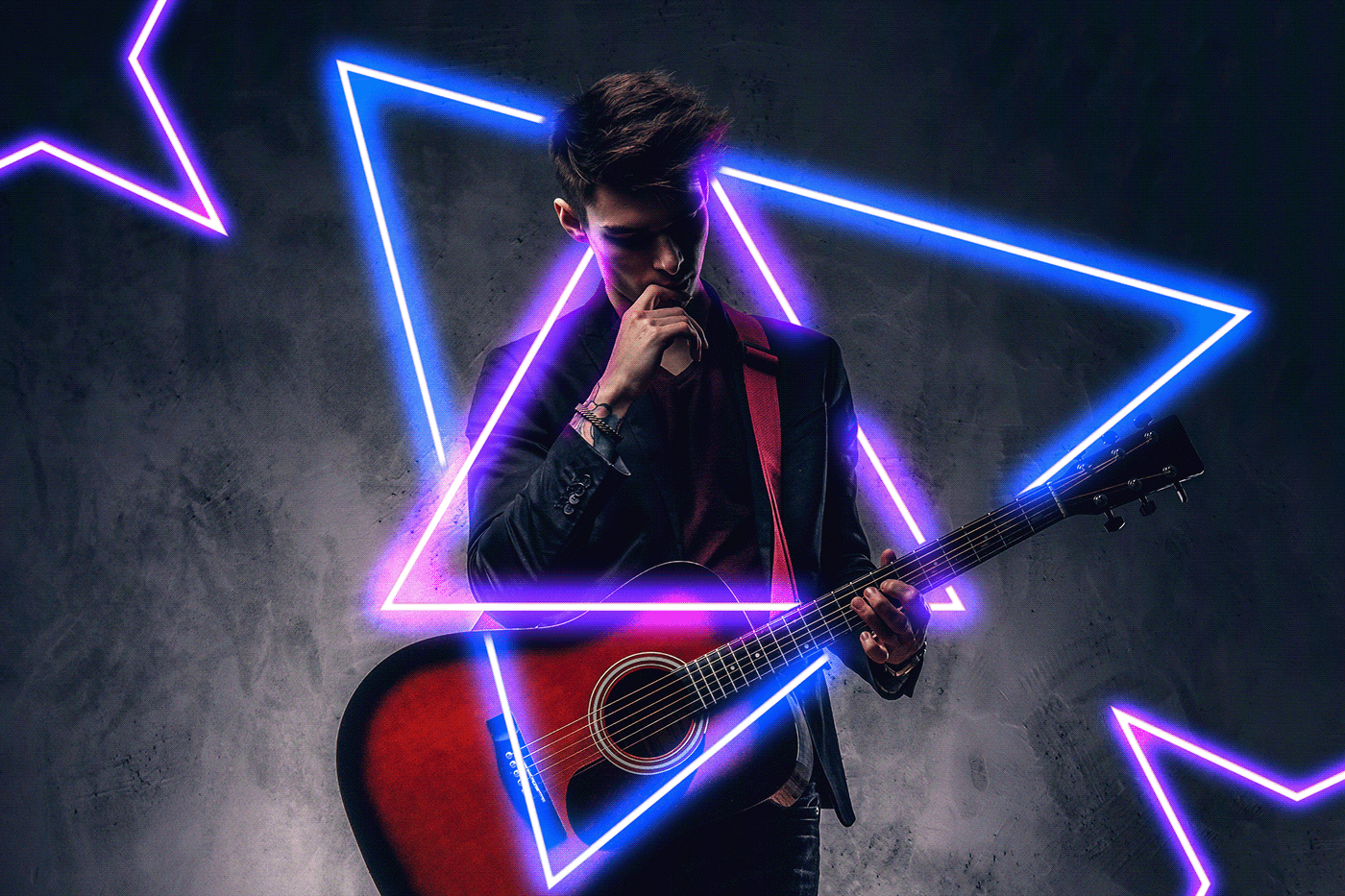 eternal mica
@meager mauve are these submissions for any of the challenges?
eternal mica
@limber thistle Your Behance portfolio looks great. Very well done presentation. Your work during this series was solid from start to finish. Thank you for posting.
nimble shardBOT
Gave +1 Creative Carma to @limber thistle
onyx field
fabulous fun !! DCC04

 near hearth
#dailycreativechallenge
 agile jacinth
PS Challenge 9- Parallax Website
I kinda ruined the grass because it was difficult to mask out the grass :p
I'm super happy I finally completed all the 9 challenges and I seriously so many things! Tbh I never knew that we could freely warp pictures by clicking ctrl key and mouse together lol (it was the basis thing and I didn't know that lol) I'm glad I got to know so much! Thank you everyone :)
 modest dagger
damn
tired turret
So apparently I cannot export video from XD yet… need to upgrade 🤷🏽♀️ anyway here is the link to see it in XD format: https://xd.adobe.com/view/6c7d583d-6a3c-40c0-b4ad-db04e9e50a8e-392e/?fullscreen
and here is the video I captured of it:
7 Screens, Published on Sep 19, 2021 23:24 GMT
I really enjoyed this one, tho I had to watch the video like a hundred times... ok well a few times really. Now.... do I upgrade or not.... that is the question.
tired turret
Anyone else do covers?
 onyx field
wow Howard is right that you can play around all day - about an hour process to get to here, which isn't much ( was a self-portrait of DB that someone criticised, and after some tweaking ( bringing forhead in by a layer etc ) used liquify face on it, which it recognised as a face; anyhow the photo composite tut is a bit complicated so betta get a move on...
 onyx field
Still going through HP's tut again .. making notes to play with later ..
 onyx field
DCC 07 and 08 lol

 pallid sonnet
My take on the August 25 Glow Effects Challenge: https://www.behance.net/gallery/127738821/Lightning-Chess-(Photoshop-Creative-Challenge)

Behance
Lightning Chess (Photoshop Creative Challenge)
coral stone
pallid sonnet
My take on the August 25 Glow Effects Challenge: https://www.behance.net/gallery...
Great job playing with the light, @pallid sonnet! I like how the rim light throughout the pieces edges helps it to differentiate from the background. Usually, you don't want areas 100% white on the compositions but I think that in this case really helps selling the shining material of the piece, especially because you added colors to the areas that are not so bright. Excellent work!
coral stone
onyx field
fabulous fun !! DCC04
Hey @onyx field! Really cool compositions! The colorful letters give a nice and fun look to the yellow background and the bevel & emboss also worked out very nicely!
The liquify challenge also produced some great results, I'm just being a nitpicker here, but I believe that you might give a blur to the right top edge of the portrait, since the other edges are a bit blurred, this will bring some consistency to your work.
You did a great job masking the subject and adding the text with the same color as the background, it gives almost a metallic look for the composition. Well done! 🙂
Loved the textures of your cover, @tired turret! I think this helps standing out on the Behance Feed! The only suggestion I'd have would be to remove that dark spot in the middle, 👇 it will help to improve the readability of the letters. Great job with the framing!
 bleak fossil
Welcome in to a new PS DCC everyone! Excited to see what everyone creates these next two weeks. First challenge starts tomorrow!
Here's the Behance project cover image I created on today's welcome stream.
 eternal mica
Great to have @bleak fossil back in the saddle for the next two week series, and welcome back to the one and only @coral stone who will be mentoring this series. This should be a real blast!!!!
eternal mica
If anyone missed the Welcome stream with @bleak fossil , or wants to rewatch it, here is the link. I'll also pin it up in the pinned files above. https://www.behance.net/live/videos/13301/Photoshop-Daily-Creative-Challenge-Welcome?tracking_source=to_replay&from_row=What's_New
Join your host Sam Peterson each morning at 9:00am PT to learn how to approach each challenge using Photoshop. Complete 9 challenges by Friday, October 1st and you’ll be on your way to sharpening your skills. Get your questions answered, see what the community is creating and get feedback on your work!Download the starter file here: https://bit....
eternal mica
eternal mica
If anyone missed the Welcome stream with <@!96724675886850048> , or wants to rew...
copper moss
Thanks a lot, Sam! You showed a very comprehensive approach in cutting, dividing and masking types and making them look prominent. I have brought an image of the sea as a background.
 bleak fossil
@copper moss Ooh, cool application of this! Looks like a book cover, and I like how the yellow in the boat is mirrored in the center text. The top "brave" text also has a really cool paper cut out type of feel, I feel like that font strengthens that effect. Perhaps a subtle drop shadow on the Vikings text could give it a bit more of a prominent read against the lighter background colors of that area? Looks great!
@pallid sonnet Nicely done! The neon shapes stand out clearly against the dark background, and I like how you added in the coloration from them into the chess piece. The masking looks solid and adds some nice depth too. Well done!
@onyx field I like the creative masking you did on this image for the Day 7 and 8 challenge! This icon has a nice sense of dimension and fits well into the shirt and hands. Nice work!
last mica
Day 0
 bleak fossil
@last mica Very cool! Great sense of depth with the masking and shadow effects. I also really like the addition of the whale from a previous challenge. That pop of blue colors work well with the white text. It could be nice to scale up the whale a touch so we see a little more of the in the bottom word. Nicely done!
@tired turret Really neat graphic with the white background shape! I like the pop of color the text provides as well. This is really just personal preference, but removing the dark shape in the center might give the text a clearer and stronger read. Nice work!
@agile jacinth Grass can definitely be tricky, but I think you did a nice job with it. It's very subtle and not distracting. Nice job with the parallax effect and animation, looks good!
last mica
bleak fossil
<@!821710283444715601> Very cool! Great sense of depth with the masking and shad...
Thank you!
 nimble shardBOT
Gave +1 Creative Carma to @bleak fossil
 cloud briar
Here is my Behance header for this series of challnges
 coral stone
cloud briar
Here is my Behance header for this series of challnges
coral stone
cloud briar
Here is my Behance header for this series of challnges
Nice one, @dusky wave! I like how the effect on the "Daily Challenge reminds me of a glitch effect. It might help with the readability of the text, if you darken the red tones on the second line, since the red and the yellow on the background has some similar light values, it's doesn't give as much contrast as it should. Another way of adjusting that would be adding some shadows. Just some ideas. Nicely done!
copper moss
bleak fossil
<@!778334358833856513> Ooh, cool application of this! Looks like a book cover, a...
Thanks, Sam! I loved your today presentation in which is a new touch on type stuffs. Yes, I will improve the top word shadowing.
nimble shardBOT
Gave +1 Creative Carma to @bleak fossil
coral stone
meager mauve
simple design
Amazing posters, @meager mauve! I dig your typefaces choices, they add a personality to your designs and speaks great with the overall elements. Gradient map was an excellent touch. 💯
onyx field
I did wake up at 2.30am, which is when the live stream ended in this time zone ! It's all very interesting ( and complicated at present ) but am challenged !!! so that's a good thing ... oh i went back to sleep lol
 bleak fossil
@cloud briar Nice job with the masking and off setting of the text! The background color and red of the text are such similar values currently, perhaps lightening the color of the background could help separate them a bit more? Maybe even making the red a touch deeper along with that. Just a thought, nice work!
@onyx field I like the dimension you got with the green text, very cool! The "daily" text has a neat effect as well. If you wanted to get more of a shadow effect on "Challenge" try using a slightly larger brush size with a soft round brush for that soft gradient look. And of course feel free to ask me any questions if you're finding any particular step complicated. Nice work!
onyx field
bleak fossil
<@!758481533681532958> I like the dimension you got with the green text, very co...
Thanks Sam yes I spent about an hour ( going over and over that part of the video ! ) trying to work out why my 'challenge' wasn't working, and it was only then that i saw you had each word in a different layer ( doh ! ) .... I liked my first try better, but the file froze on 'creative' when i disobeyed pshop when it said there was a new 3D tool use that and went ahead anyway. It's also a case of 'that'll do' or 'cheat and put the first try on challenge over the top of this one ' instead of 'ok have a break then go back' !! thanks Sam looking forward to this DCC as have always tried to use illustrator mentality on pshop which doesn't work 😂 .. this is the earlier one before i ballsed the rest of the file up ...
 nimble shardBOT
Gave +1 Creative Carma to @bleak fossil
tired turret
bleak fossil
<@!516325509097848854> Really neat graphic with the white background shape! I li...
After looking it over I did some serious tweeking and with the advice from here and a few adjustments I really like what it looks like now.... Thanks! Looking forward to this weeks Challenges
 nimble shardBOT
Gave +1 Creative Carma to @bleak fossil
 sullen oasis
My cover for this week's creative challenge with Sam Peterson.

 midnight bone
My Attempt
 coral stone
midnight bone
My Attempt
coral stone
midnight bone
My Attempt
Loved you choice of colors for this one, @midnight bone! Blue and orange go very well together, and I like the way you kept the contrast against the background. The texture on the word Daily adds a cool touch for it as well, did you made it with Dissolve or using a specific brush? Looks great!
coral stone
sullen oasis
My cover for this week's creative challenge with Sam Peterson.
Wow, bringing a theme to the challenge is always a cool idea, @sullen oasis! You managed the textures very well on each letter and I like the way that there are some organic edges on each letter, I think this adds many context to the word as well. Good job!
 celest stratus
Joined a bit late. But love the first challenge.😀
 coral stone
celest stratus
Joined a bit late. But love the first challenge.😀
coral stone
celest stratus
Joined a bit late. But love the first challenge.😀
Great colors for your cover, @celest stratus! I like that you chose a subtle gradient for the background and allowed all white and red elements to stand out with contrast. The effect on the frame also looks very on point. Very well done!
celest stratus
Thank you🏅
 tulip epoch
Hello👋
 coral stone
tulip epoch
Hello👋
coral stone
tulip epoch
Hello👋
Hi @tulip epoch! Great job on the cover, the subtlety of the shadows on the word daily is a very nice touch to make each letter look separated but still keeping their consistency. It was an excellent design decision because you need a shadow but not as dark as your background. Also, you managed the contrast on the other effects very nicely. Keep it up!!
wary swan
PSDCC 2021-10 Cover Image 9-20-2021
This time have I paint the background with a soft colordynamic brush
 coral stone
wary swan
PSDCC 2021-10 Cover Image 9-20-2021
This time have I paint the background with a...
coral stone
wary swan
PSDCC 2021-10 Cover Image 9-20-2021
This time have I paint the background with a...
@wary swan great to see you!! Loved the way you played with the effects and the colors, I think that they add a nice and fun mood to the cover. The background has this context as well, great job!
 waxen tangle
Took a few liberties with it
 coral stone
waxen tangle
Took a few liberties with it
coral stone
waxen tangle
Took a few liberties with it
This is awesome, @waxen tangle! I like the warped style of the text, the effect of the edges add a nice 3D feel to each letter. Loved the fill that you added for the word Creative! 💯
wary swan
coral stone
<@!637347217773953055> great to see you!! Loved the way you played with the effe...
Thanks for the feedback Valdair. I will be back to PSDCC on the encore this time will I do AIDCC first
nimble shardBOT
Gave +1 Creative Carma to @coral stone
waxen tangle
coral stone
This is awesome, <@!210461400374575105>! I like the warped style of the text, th...
Thank you! 🙂
tulip epoch
coral stone
Hi <@!798544252686565437>! Great job on the cover, the subtlety of the shadows o...
Thank you!
midnight bone
coral stone
Loved you choice of colors for this one, <@!889764736156172309>! Blue and orange...
I used dissolve for daily you are right. Thanks for your review 😀
nimble shardBOT
Gave +1 Creative Carma to @coral stone
bleak fossil
Challenge #1! Perspective Match
 dusky wave
Repost to update my Behance project header

My project for today PS DCC on Perspective Match
 copper moss
Challenge #01: Perspective match. Great! I did my own shape. Found fonts suitable and worn the shape with a Kyle shunky charcoal brush. Thanks, everything what Sam showed was clear and definite. I like you guys.
 rocky kite
Photoshop creative challenge


 midnight bone
Today's Challenge attempt

 quiet fern
#challenge - Perspective
 tulip epoch
Challenge #1
 rocky kite
Photoshop daily challenge by Sam Peterson
 coral stone
dusky wave
My project for today PS DCC on Perspective Match
coral stone
dusky wave
My project for today PS DCC on Perspective Match
@dusky wave nice update on your cover, I like the 3D bevel & emboss that you added and the red tones definitely have more contrast now. For challenge 1, you managed the perspective very well, especially for the area on the front. My only suggestion would be to tweak a bit more the third perspective, you can use the transformations handles to adjust the red lines to match the cyans in the example. Let me know if you have any questions 🙂

Great idea using the brushes @copper moss! I think this really helps to sell the effect, the perspectives also worked out great in your composition. I'm just being a nitpicker here, but if you want you might adjust the right side of the "handle with caution" a bit up, to match a little more the perspective, a subtle edit will be enough. Very well done!
 coral stone
rocky kite
Photoshop creative challenge
coral stone
rocky kite
Photoshop creative challenge
Hi @rocky kite! Nice to see you! Really cool work on the perspective challenge, the only suggestion I'd have, would be to adjust this text here 👇 to make it follow the original perspective of the boxes. Overall I like the way you blended the text with the materials they are placed on. Nicely done!
 coral stone
dusky swallow
Day 1 Perspective
coral stone
dusky swallow
Day 1 Perspective
Loved your cover, @dusky swallow, especially the 3D styles of the ornaments, they create a nice focal point for the whole composition. You did a very nice job with the textures and shadow as well. The perspective challenge is looking very spot on, especially on the text from the right side of the main box. Great job!
quiet ridge
 bleak fossil
@dusky wave Very cool! A whole warehouse full of robots, hah, looking good. I think you nailed the perspective of the text on the top part, but I think the left end of Caution could be raised just a touch, though that is fairly minor. I also think the top of the word "fragile" and the bottom of the robot's feet could be matched a bit more to the perspective of the crate for the middle box. For that middle box, you can actually mark the vanishing point where they all meet in the image to use as a guide. Here's a quick visual example to explain what I mean. Very nice work!

@sullen oasis Cool effect! I like the added dimension the bevel and emboss gives the text. The textures adds a lot to it as well 👍
@midnight bone Nice job with the different effects here! I especially like the strong contrast between the blue and orange text, kind of feels like it could be used for a football team with those colors or something. Looks good!
@celest stratus You're just in time! We have just begun. This looks great, really nice sense of shadow and overlapping shapes here. I like how you added that offset effect on the border too, nice touch!
@tulip epoch Very nice work on the cover image! You really nailed these effects, they have a convincing depth and overlapping look to them. Well done!
@wary swan Looking good! I like how much you played with the different types of masking and ways of overlapping the text. The background makes for a really cool affect and gives the text a nice strong contrast. Very cool!
@waxen tangle That's the best way to do it, these challenges are always a great opportunity to play around. I really love the sort of jagged and cracked direction you went with it. The sort of chromatic abberation effect adds an interesting touch of color too. Looks great!
@copper moss Hah, I like this take on it. The shape and texture you added looks great, and the stencil font really helps it look natural. Looks like you nailed the perspective too. If I had to nitpick, I think the text on the right in the more extreme perspective could be "squished" just a bit more to have a slightly more foreshortened look so it's not touching the edges of the box as much. Nice job!
@rocky kite Very cool! Nice job on both sides of the box. My main suggestion would be to try and make the text on the right side of the box slope downward (from left to right) rather than slope upward to better match the perspective of that side of the box. 👍
@dusky swallow Oooh, loving that texture and how you used color in this one! Really great visual balance, and I like how you took that paper cut-out feel this technique can give and ran with it even more. Very nice work on the shadows too. The perspective on Challenge 1 looks great, I like the addition of the mechanical arm on the box in the back. Well done!
@midnight bone That perspective is working quite nicely. Good job 👍
@quiet fern You nailed the perspective with this text, even the foreshortening of the text on the right side is looking solid. Well done!
@tulip epoch Very well done, the perspective is looking really convincing on both sides. The foreshortening on the right side came out very well too. My only nitpick if I had to find one, is I think the robot graphic on the right side could be lowered in opacity juuuust a tiny amount to better match the level of darkness the glass symbol to the top left of it has. Currently the robot is even darker than that black paint. That way they will fit together even more realistically. Hopefully that makes sense. Great job!
tulip epoch
bleak fossil
<@!798544252686565437> Very well done, the perspective is looking really convinc...
Okayy! Thank you
nimble shardBOT
Gave +1 Creative Carma to @bleak fossil
 prisma stone
I manage social media for a vintage business in Kansas City. Probably no surprise that I have to have a Chiefs themed post ready for each weekend during football season. I thought I would use this old timer and say something about game time so added the Chiefs logo embellished with some of the company's branding elements in perspective on the clock⏰🏈
 coral stone
quiet ridge
coral stone
quiet ridge
I like the style of you cover and how the highlights gives a nice 3D sense for each letter, @quiet ridge! The levels of contrast are working great and all the words are legible, I also dig how subtle the frames and strokes are allowing a great hierarchy throughout the cover. Well done!
quiet ridge
@coral stone Thank you
nimble shardBOT
Gave +1 Creative Carma to @coral stone
coral stone
prisma stone
I manage social media for a vintage business in Kansas City. Probably no surpris...
Super cool work, Kim! I loved the way you managed the perspective, it looks very realistic! The way you managed the lights and textures to appear through the background layer and the shadow of the pointer also help to sell the realism. Great job!
waxen tangle
Just in honour of @bleak fossil really...
 last mica
#day1
 coral stone
last mica
#day1
coral stone
last mica
#day1
@last mica Excellent job with the perspectives, the graphics are matching very nicely to the perspective of each side of the boxes. I loved the headless robot on the lower right area, it looks like it has escaped from one of the boxes. 😂 Making some lighting edits was also a great idea to add a focal point and visual hierarchy for the whole picture. Awesome job!
coral stone
waxen tangle
Just in honour of <@!96724675886850048> really...
Very nice, @waxen tangle! The perspectives are looking very on point, and I like the spatters that you added to the graphics, nicely done! 😉
 versed umbra
#day1
 coral stone
versed umbra
#day1
coral stone
versed umbra
#day1
Looking very nice, @versed umbra! I like the blending work of the graphics on the boxes' surface. The placements of them looks great, I can see the elements follow the perspective lines very nicely. Well done!

 prisma stone
coral stone
Super cool work, Kim! I loved the way you managed the perspective, it looks very...
prisma stone
coral stone
Super cool work, Kim! I loved the way you managed the perspective, it looks very...
Thank you! Couldn't have done it w/o all these PS DCCs 😊
nimble shardBOT
Gave +1 Creative Carma to @coral stone
coral stone
 quasi pollen
Beautiful works @quasi pollen ! I like the pastel colors that you have chosen for the cover. The shadows produces a nice metallic look for the middle area of the word Creative. The perspective challenge is looking great as well, you manage the placement of the graphics very nicely! 💯
grave moss
I used my own photo (as usual). It's called 'Private Time at Seljalandsfoss.

Original Shot
 copper moss
bleak fossil
<@!778334358833856513> Hah, I like this take on it. The shape and texture you ad...
copper moss
bleak fossil
<@!778334358833856513> Hah, I like this take on it. The shape and texture you ad...
Thanks a lot. I will squish the right type. Glad I managed with perspective.
nimble shardBOT
Gave +1 Creative Carma to @bleak fossil
copper moss
coral stone
Great idea using the brushes <@!778334358833856513>! I think this really helps t...
Ok, I will do what is in question. Thanks! Nice to hear from you again.
nimble shardBOT
Gave +1 Creative Carma to @coral stone
young karma
Hey, tried the first challenge. Hopefully you'll like it 🙂
 coral stone
grave moss
I used my own photo (as usual). It's called 'Private Time at Seljalandsfoss.
coral stone
grave moss
I used my own photo (as usual). It's called 'Private Time at Seljalandsfoss.
Very creative approach, @grave moss! I like the saturation edits you applied to match the saturated tones from the piece of fabric. Well done and congrats for the beautiful photo! 🙂
coral stone
young karma
Hey, tried the first challenge. Hopefully you'll like it 🙂
Great work managing the perspective @young karma in both sides! I like the slanted font that you chose for the text as well I think it has that technological style that matches with the robot!
young karma
coral stone
Great work managing the perspective <@456226577798135808> in both sides! I like ...
Thanks a lot! 🙂
nimble shardBOT
Gave +1 Creative Carma to @coral stone
quiet ridge
Day 1
 compact pecan
Day 1 Perspective. I included air holes so the dingos could breathe.
 compact pecan
waxen tangle
Just in honour of <@!96724675886850048> really...
compact pecan
waxen tangle
Just in honour of <@!96724675886850048> really...
Awesome idea and awesome results!! I think Sam needs to make an emoji like Paul and Terry.
coral stone
quiet ridge
Day 1
Nice works @quiet ridge! Loved the way you blended the little robot to all the sides, my only suggestion would be to make some tweaks to the texts, especially the "Handle with care", you can do the exact same thing as you did for the robots, following the same lines. Keep it up!
coral stone
compact pecan
Day 1 Perspective. I included air holes so the dingos could breathe.
Wow this turned out awesome, @compact pecan, excellent idea adding the air holes. The perspective and the blending worked great together. Amazing job my friend 🙂
quiet ridge
Thank You @coral stone I might play with it more later. Going to give my eyes a break for a bit. Again thank you for your input
nimble shardBOT
Gave +1 Creative Carma to @coral stone
coral stone
quiet ridge
Thank You <@!552334681631227914> I might play with it more later. Going to give ...
No problem 🙂
compact pecan
coral stone
Wow this turned out awesome, <@!650118328848875521>, excellent idea adding the a...
Thank you, @coral stone!
nimble shardBOT
Gave +1 Creative Carma to @coral stone
quiet ridge
I think this is a bit better
 tired turret
Catching up ! Cover for this set....

 rotund mountain

 azure shale

 snow sigil
 coral stone
tired turret
Catching up ! Cover for this set....
coral stone
tired turret
Catching up ! Cover for this set....
Beautiful cover, @tired turret! I like the dots you added as a frame and how you kept the colors consistent preserving the contrast. Great job!
coral stone
rotund mountain
The perspective worked out great in both sides, @rotund mountain! I like the rusty look of the text and the robot, it's merging very nicely to the surface of the box. Excellent job!
meager mauve
coral stone
Amazing posters, <@!850534679118872606>! I dig your typefaces choices, they add ...
thnx for the feedback i appreciate it
today's challenge i used my posters in this challenge

with color lookup it looks like horror movie :p

Original photo
 sullen oasis
My submission for perspective challenge.
 lunar copper
Perspective matching challenge

 simple idol
Hi designers/ here is my first attempt at the perspective challenge. i'll continue to work on it . Thank you.
 quiet ridge
I hope this is mylast post on this image lol

 vivid tulip


 hollow yarrow
sullen oasis
My submission for perspective challenge.
hollow yarrow
sullen oasis
My submission for perspective challenge.
don't be so hurtful with yourself... As I see flying pigs are closer than they appear. Great job!
 pastel vessel

i had a hard time blending stuff with the wood so i kinda winged it but sometimes it looks good
 livid cypress
Late night attempt

 coarse isle
My first challenge ever 😆
 chilly hawk
Perspective match challenge. Re-send image.
sullen oasis
hollow yarrow
don't be so hurtful with yourself... As I see flying pigs are closer than they a...
Thank you 😊
nimble shardBOT
Gave +1 Creative Carma to @hollow yarrow
chilly hawk
Perspective Challenge
 sullen oasis
coral stone
Wow, bringing a theme to the challenge is always a cool idea, <@!688823759003582...
sullen oasis
coral stone
Wow, bringing a theme to the challenge is always a cool idea, <@!688823759003582...
Thank you 🙏🏽
nimble shardBOT
Gave +1 Creative Carma to @coral stone
coarse isle
vivid tulip
your design is clean and neat so far. I love it!
candid cape
Day 0

 somber harness
First time uploading a daily challenge here
 onyx field
.. for all of your boxes !!!

 rancid hornet
#✂challenges-feedback
Unlearning & Relearning. Would love to learn more from your feedbacks. Still learning #✍how-to-discord

 upbeat cradle
#1 challenge
 waxen tangle
upbeat cradle
#1 challenge
waxen tangle
upbeat cradle
#1 challenge
Very nice job 😍
 tiny breach
#✂challenges-feedback first time trying perspective! never thought it will be this tough
 upbeat cradle
waxen tangle
Very nice job 😍
upbeat cradle
waxen tangle
Very nice job 😍
Thank you!
nimble shardBOT
Gave +1 Creative Carma to @waxen tangle
coral stone
tiny breach
<#548226274645245952> first time trying perspective! never thought it will be th...
This came out great, @tiny breach! I like the way you managed the perspective especially on the right side, because since the robot's head is irregular, it could be tricky to made it look realistic. You nailed it 🙂
coral stone
upbeat cradle
#1 challenge
This turned out really great, @upbeat cradle! The text and icon are following the perspective very nicely, and I like the subtle rectangle you placed behind the text. It goes very well together with it. Nicely done!
tiny breach
coral stone
This came out great, <@!308566565807325185>! I like the way you managed the pers...
Thankss a lot!!
coral stone
rancid hornet
<#548226274645245952>
Unlearning & Relearning. Would love to learn more from yo...
Beautiful job, @rancid hornet! I like the approach you took for the challenge. I can see that the directions of all the texts are following the same perspective, which in this case brought a nice and consistent touch for the whole image. I loved the effect on the word reflection and your attention to the details as well, making a reflection on the water. Excellent work!
hollow yarrow
coarse isle
My first challenge ever 😆
Lovely! All the 3 markings fit well with perspectives. Love the message and the choice of red color is awesome. Impressive work!
coral stone
onyx field
.. for all of your boxes !!!
@onyx field Oh wow! This is looking super cool. The perspective worked out great for both sides of the truck, and I dig your font choice as well, it gives a nice context and realism to the truck. Great job!
hollow yarrow
somber harness
First time uploading a daily challenge here
Welcome in! Great start!
coral stone
somber harness
First time uploading a daily challenge here
Welcome to the community, @somber harness! Playing with a vignette was a great idea! I love how it gives a focal point to the compositions. The perspective of both sides is working very well, and if I had one thing to nitpick would be to place the text of the right side a little more to the right. This way, it will be positioned in the center of the wooden edges of the box.
 coarse isle
hollow yarrow
Lovely! All the 3 markings fit well with perspectives. Love the message and the ...
coarse isle
hollow yarrow
Lovely! All the 3 markings fit well with perspectives. Love the message and the ...
so many thanks to your kind words
nimble shardBOT
Gave +1 Creative Carma to @hollow yarrow
coral stone
candid cape
Day 0
Excellent use of the textures on your cover, @candid cape! I loved the way you preserved the edges with bevel & emboss and still managed the contrast of each word. Very nicely done!
coral stone
chilly hawk
Perspective Challenge
Hi, @chilly hawk! Very cool work with the fonts and the blending, I also like the different colors you played for the text. The perspective is working very nicely as well. The only thing I'd recommend would be to adjust a touch the graphic of the right side of the main box. With the transformations handles enabled, click on the middle point of the handles of the right with ctrl or command and drag a little bit up. It will help the graphics to follow even more the perspective lines. Let me know if you have any questions 🙂
coral stone
coarse isle
My first challenge ever 😆
I agree 100% with Franck, @coarse isle! All three graphics are looking very well placed. The blending is also working nicely, it gives that realistic touch for the boxes. Excellent work!
coral stone
livid cypress
Late night attempt
Very nice work, @livid cypress! I like the way you blended the text to the surface of the boxes. The only point of feedback would be to fine-tune the graphic of the right, the perspective seems a little off, one trick that you can take advantage of is using the "This side up" and "This side down" texts as a reference for you to position and distort the middle text. Well done!
 coral stone
pastel vessel
coral stone
pastel vessel
I don't want to be the person that receives the second box, @pastel vessel 😂😂 . I like that you played with different illustrations for the challenge. The only consideration I'd have would be to adjust the "And we love you", by pushing its right side a little higher (you can do that by clicking and dragging the middle handle of the right a little higher, just a small edit will be enough. Great work!
coral stone
hollow yarrow
Day1-Perspective Match
It's always amazing to see your works, @hollow yarrow! The perspective is working on all the sides, and I loved the effect on the frame and how there is a repetition of those gaps in the robot as well. Your typeface choice was very spot on too. Excellent work! 🙂
hollow yarrow
coral stone
It's always amazing to see your works, <@!698155393649475695>! The perspective i...
Thanks! Happy to see you back with us Valdair😀
nimble shardBOT
Gave +1 Creative Carma to @coral stone
coral stone
vivid tulip
Super cool work, @vivid tulip! I loved the effect on the text, did you use liquify for that? It looks great! The perspective is working very well, especially on the robot. I like the way you blended it to the surface. Well done!
coral stone
simple idol
Hi designers/ here is my first attempt at the perspective challenge. i'll contin...
Hello @simple idol! Very nice job! I like that you played with a different color to the word caution to add a hierarchy of the text. The only point of feedback I'd have would be to adjust the perspective of the text, especially the one on the right side of the box. You can use the "This side up" and "This side down" as a reference, and try to place it following the same lines as them. 🙂
coral stone
lunar copper
Perspective matching challenge
Very creative approach, @lunar copper! Loved the edits on the colors and the shadows that you added, it really gives a realistic touch for the composition. Awesome job!
coral stone
sullen oasis
My submission for perspective challenge.
Now that's a message with impact, @sullen oasis hahah! Great job putting all the texts in perspective, the pigs look very cool, did you add the wings to them? If so the masking is looking great! Well done!
Wow this is amazing, @meager mauve. I loved the clean-up job you made, really took the image to the next level. The perspectives are looking very spot-on as well! 💯
coral stone
snow sigil
Great job managing the perspective, @snow sigil! It looks very consistent both for the icons and the text. 💯
coral stone
azure shale
Loved the way you blended the graphics with the surface, @azure shale! I'm a big fan of this kind of texture. The perspective is looking very good too. Well done!
queen dew
Thanks @bleak fossil for the inspiring challenge about perspective👍 💯
nimble shardBOT
Gave +1 Creative Carma to @bleak fossil
queen dew
PSdcc #1 My first rough, playing with 1pp, distortion and collage
 coarse isle
coral stone
I agree 100% with Franck, <@!469438297794543644>! All three graphics are looking...
coarse isle
coral stone
I agree 100% with Franck, <@!469438297794543644>! All three graphics are looking...
so glad to hear you like it
coral stone
queen dew
PSdcc #1 My first rough, playing with 1pp, distortion and collage
Very creative and interesting approach, @queen dew! Loved the way that you played with the floor, the walls, it all looks great!
lunar copper
coral stone
Very creative approach, <@!868935439304773703>! Loved the edits on the colors an...
Thank you! I was curious how a circular shape would read, and it was fun. 😁
nimble shardBOT
Gave +1 Creative Carma to @coral stone
 jovial ether
Hey everyone, been a while since I have done PS DCC properly. Here is my Day 1 Perspective challenge PS Edit, "Robot Alleyway". Hope you like!

 buoyant nova
Cover Image
 coral stone
jovial ether
Hey everyone, been a while since I have done PS DCC properly. Here is my Day 1 ...
coral stone
jovial ether
Hey everyone, been a while since I have done PS DCC properly. Here is my Day 1 ...
Cool image choice for the challenge, @jovial ether! I like the way you blended the graphics to the surfaces. This is a tip in case if you want to take a step further, but you might add a small amount of blur to the graphics placed in the foreground to match the levels of blur on the surface. 👇 This will add a depth of field effect and increase the realism of your composition. Well done!
 jovial ether
@coral stone Very much appreciate the feedback, will look to add that blur to the graphics as you said so I can see the difference from the compositions. I will also make sure to take note of the tip for future comps 🙂
coral stone
jovial ether
<@!552334681631227914> Very much appreciate the feedback, will look to add that ...
My pleasure! 🙂

 rancid hornet
coral stone
Beautiful job, <@!889743356119384066>! I like the approach you took for the chal...
rancid hornet
coral stone
Beautiful job, <@!889743356119384066>! I like the approach you took for the chal...
Thank you so much. Truly appreciate you noticed the reflection.
nimble shardBOT
Gave +1 Creative Carma to @coral stone
 willow idol
So today challenge is similar to toonme challenge that happened last year😍 I loved that challenge.
coral stone
buoyant nova
Cover Image
Hi, @buoyant nova! Great to see you! I loved your cover, the cyan ton has a cool neon look with the black background. The effects on the letters worked out great!
buoyant nova
coral stone
Hi, <@!552565862301958166>! Great to see you! I loved your cover, the cyan ton h...
Thanks Valdair
nimble shardBOT
Gave +1 Creative Carma to @coral stone
young karma
here is what i made for the perspective challenge, feedback?

i tried going with blending modes to make it look more realistic
jovial ether
@coral stone here is the re touch of the objects in the photo with blur. Which "blur" options are the go to for compositions like this so I know for future references?
 coral stone
jovial ether
<@!552334681631227914> here is the re touch of the objects in the photo with blu...
coral stone
jovial ether
<@!552334681631227914> here is the re touch of the objects in the photo with blu...
To create a transition of the blurred areas to sharp areas you might use the Tilt-Shift. I'll give you this link with the exact time where the technique is about, and how Aaron matched the blurred areas of the reflection 🙂 https://youtu.be/jsmg4a9n1hk?t=594

Watch Advanced Compositing with Stock Images Free on PHLEARN PRO through 10/4! Create a fantasy landscape from scratch using only free stock images and some Photoshop magic:
https://phlearn.com/free-course-advanced-compositing
Today we show you how to add your own text and logos to a sign in Photoshop! Learn how to remove existing graphics fro...
jovial ether
coral stone
To create a transition of the blurred areas to sharp areas you might use the Til...
Thank you again, will watch with intrigue!
nimble shardBOT
Gave +1 Creative Carma to @coral stone
young karma
young karma
here is what i made for the perspective challenge, feedback?
can i get some feedback on that?
coral stone
young karma
here is what i made for the perspective challenge, feedback?
I think you matched the perspective lines very well in the box, @young karma, I like the way the surface of the box appears through the shadow of the emoji (?) haha. I wonder if changing the blend mode to Multiply would increase the blending effect and allow more of the texture of the box to appear through the graphic!
young karma
coral stone
I think you matched the perspective lines very well in the box, <@45622657779813...
thanks! ill note that
nimble shardBOT
Gave +1 Creative Carma to @coral stone
coral stone
Great job with the perspectives, @dry thistle! I think the robots look very well according to each face of the box. My only suggestion would be to fine tune this text here 👇, especially in the right area, you can use the transform handles to make it follow the same perspective lines as the box and even the robot 🙂

 dry thistle
coral stone
Great job with the perspectives, <@!766273701536202764>! I think the robots look...
dry thistle
coral stone
Great job with the perspectives, <@!766273701536202764>! I think the robots look...
thank u for the review sir i will make it better
nimble shardBOT
Gave +1 Creative Carma to @coral stone
young karma
i used the vanishing point for the perspective
high mesa
Sorry to post late, literally just finished it
 sullen oasis
coral stone
Now that's a message with impact, <@!688823759003582510> hahah! Great job puttin...
sullen oasis
coral stone
Now that's a message with impact, <@!688823759003582510> hahah! Great job puttin...
Thank you. Yes, I added the wings. The selection could have been even better. In the smaller version of the image I’m getting away with imperfections. Also I tried change the color of the wings to match the pigs. Couldn’t get it to my satisfaction because I don’t know the best technique to do that.
nimble shardBOT
Gave +1 Creative Carma to @coral stone
coral stone
sullen oasis
Thank you. Yes, I added the wings. The selection could have been even better. In...
I see, @sullen oasis! In this case adding some adjustment layers like Levels or Curves will help you to match the luminosity values and then with Gradient Maps, Color Balance or even Hue/Saturation. Also, there is some check layer that might help you to be more precise in these edits. Here's an example to show what I mean, hope this helps 🙂 https://www.youtube.com/watch?v=DT-4wbjFYHQ

Unlock the Amazing Power of Check Layers to Precisely Match Color while Making Composites in Photoshop! Whether you are into photo manipulation or simply changing backgrounds, Check Layers allow you to accurately blend the images by matching the color, saturation, and lighting, by looking at the different parameters of the image separately.
In ...
bleak fossil
Challenge 2, Cartoon Yourself!
 young karma
bleak fossil
Challenge 2, Cartoon Yourself!
young karma
bleak fossil
Challenge 2, Cartoon Yourself!
this looks great!
dusky wave
Have got no idea what is happening😩 .Please help
 young karma
Challenge 1 - Perspective

 mental sphinx
My day one challenge:
 coral stone
dusky wave
Have got no idea what is happening😩 .Please help
coral stone
dusky wave
Have got no idea what is happening😩 .Please help
Hi, @dusky wave! Did you have any filter previously set when you entered in the Filter Gallery?
You can check it in the lower right area. If so you just need to select it and click on the trash icon 🙂

Feel free to send me your PSD in DM if this doesn't work
young karma
mental sphinx
My day one challenge:
that looks amazing!
mental sphinx
young karma
that looks amazing!
thank you so much 🙏
nimble shardBOT
Gave +1 Creative Carma to @azure root
young karma
can i suggest a challenge? add a shiny metal badge with scratch marks on the box, it will look so cool
coral stone
That's a super cool suggestion @young karma! If you want you can share it in the #challenge-suggestions channels 🙂
dusky wave
coral stone
Feel free to send me your PSD in DM if this doesn't work
How do I send yo my PSD
coral stone
dusky wave
How do I send yo my PSD
I'll send you a direct message, then you just need to upload the file
dusky wave
coral stone
I'll send you a direct message, then you just need to upload the file
Ok great
 elder chasm
I learned so much! Thank you.
 quiet fern
#DailyChallenge0
 bleak fossil
@dusky wave It looks like you may be at the step where you turn the "Lines" layer to a Multiply Layer blending mode. If you're having an issue with too much black spots and lines then the Poster Edges and Threshold steps are where that is taken care of, and you may have to play around with the settings to get it right for your image. Also it helps if you image is at a smaller size like mine was at 1000 pixels in height.
@mental sphinx Very nice! The perspective is looking great on the graphics you added to this box. It has a very convincing look 👍
@young karma Looking good! Nice work with the perspective effect on both side of the boxes. This is a really minor note, but it seems like the text on the right side of the box is almost "sloping" the wrong way, as in the text appears like it might be larger on the right side rather than the left, when it should be getting smaller on the right side as it moves further off into the background. It's a very subtle thing, but it might help sell the effect even more. Nice job!
@elder chasm Awesome, glad to hear it! This is looking really good, you nailed the perspective and the foreshortening on the right side of the box. The Stencil font and texture really help sell the effect too. Nicely done!
@quiet fern This came out great! I love the jumbled arrangement of the top word, and the cracked masking of the middle word with the orange peeking out from behind it. The border is a great touch too. Really nice sense of depth on these!
quiet fern
bleak fossil
<@!889930195975409674> This came out great! I love the jumbled arrangement of th...
Thank You! I always try to be "different" 😉
nimble shardBOT
Gave +1 Creative Carma to @bleak fossil
bleak fossil
@high mesa Very cool, the lighting from those insets in the wall matches the glasses really nicely. Well done 👍
queen dew
coral stone
Very creative and interesting approach, <@!699584917964849172>! Loved the way th...
thank you for the comment, love the challenges!!
nimble shardBOT
Gave +1 Creative Carma to @coral stone
bleak fossil
@young karma This look great, the perspective is matching very nicely. I might try using an Exposure or Levels adjustment layer on the smiley face on the left side to darken it down to make it match the lighting of that side of the box a touch more. Nice job!
nimble shardBOT
Gave +1 Creative Carma to @strong tree
bleak fossil
@dry thistle Great work on the perspective in this image! The texture is looking good too. I really like how you gave the text and graphic an overlapping effect on the second box for more realism. My only minor suggestion would be to use a hard edge masking on the robot on that back box. It looks like you might have used a soft brush to mask it? Perhaps something like the polygonal lasso tool could allow you to select an accurate and clean/hard edge instead. Nice work!
@buoyant nova You nailed the cover image! Nice work with the overlapping shapes, the sense of depth is working well. I like the pop of blue color to this design too!
buoyant nova
bleak fossil
<@!552565862301958166> You nailed the cover image! Nice work with the overlappin...
Thanks Sam
nimble shardBOT
Gave +1 Creative Carma to @bleak fossil
bleak fossil
@jovial ether Very cool use of this challenge! What blending mode are you using for the graphics? I wonder if Multiply might work a bit better and match the lighting of the image more. My only other suggestion would be that I think the "Robo's" text on the right side could be adjusted to match the angle of the line created by the overhang right above it. Basically so that the right end of the text is raised a little bit more, if that makes sense. Nice work!
elder chasm
Thanks Sam for the input on my image
copper moss
Challenge #02: Cartoon Sam Peterson. We love animals.
 elder chasm
What threw me on the perspective at first was I made guide lines top and bottom of the box, out to the vanishing point, then I lined my text up with that. The problem is , as illustrated at the begining of the video, the perspective lines change as you go down the front of the box, so I had to make a few other lines closer to the text to make it line out. Once I got that in my head it came together.
elder chasm
mental sphinx
My day one challenge:
Great work!
candid cape
coral stone
Excellent use of the textures on your cover, <@!658788253515776039>! I loved the...
Thanks @coral stone !
nimble shardBOT
Gave +1 Creative Carma to @coral stone
dusky swallow
bleak fossil
<@!760907049444835428> Oooh, loving that texture and how you used color in this ...
thank you Sam
nimble shardBOT
Gave +1 Creative Carma to @bleak fossil
dusky swallow
coral stone
Loved your cover, <@!760907049444835428>, especially the 3D styles of the orname...
thank you Leonardo
candid cape
hollow yarrow
Homemade Stencil for Day 1
I just love your stencil. Very creative!
coral stone
copper moss
Challenge #02: Cartoon Sam Peterson. We love animals.
You got some awesome results, @copper moss! Loved how consistent the effect is and the way you blended the dog's image on the background. The textures were a super cool choice as well. Great job!
copper moss
coral stone
You got some awesome results, <@!778334358833856513>! Loved how consistent the e...
Thanks, Valdair! ☺️
nimble shardBOT
Gave +1 Creative Carma to @coral stone
hollow yarrow
candid cape
I just love your stencil. Very creative!
Thanks! I appreciate!
nimble shardBOT
Gave +1 Creative Carma to @candid cape
mental sphinx
Day 2 Challenge
 quiet fern
#ChallengeCartoonMe
 dusky wave
Finished my submission for today - special thanks to @coral stone your help was really appreciated to @bleak fossil
 nimble shardBOT
Gave +1 Creative Carma to @coral stone
slow totem
just thought I'd follow along 🙂

 robust marsh
#challengecartoonme - completed! Super Kevin at he beach. Thanks @bleak fossil - I learned alot today!
 nimble shardBOT
Gave +1 Creative Carma to @bleak fossil
dusky swallow
Day 2 Cartoon yourself
 coral stone
mental sphinx
Day 2 Challenge
coral stone
mental sphinx
Day 2 Challenge
Super cool results in your cartoon effect, @mental sphinx! I like how you let the contrast of your original image determine the outlines of the cartoon. I also dig the gradient in the background. Nicely done! 🙂
coral stone
quiet fern
#ChallengeCartoonMe
I like the colors you chose for the illustration @quiet fern! It has a nice comic book style, I can almost see this with a halftone effect. Excellent work with the outlines and fine-tuning the details 💯
coral stone
dusky wave
Finished my submission for today - special thanks to <@!552334681631227914> your...
Glad it worked out @dusky wave! I like the colored background and the way that you kept some details of your original image. Well done!
coral stone
slow totem
just thought I'd follow along 🙂
I loved the cartoon effect on the shirt, it turned out amazing! The colors and the details are looking very nice as well, images with these lightings can be a bit tricky to achieve results like this, you did a great job!
slow totem
coral stone
I loved the cartoon effect on the shirt, it turned out amazing! The colors and t...
the original material was way too dark, but fiddling with the levels helped 🙂 .. I kind of like this cartoon version of me better
 coral stone
robust marsh
#challengecartoonme - completed! Super Kevin at he beach. Thanks <@9672467588685...
coral stone
robust marsh
#challengecartoonme - completed! Super Kevin at he beach. Thanks <@9672467588685...
Super cool work with the textured details, @robust marsh! Perhaps fine-tuning the threshold or maybe the levels adjustment layer might recover some details from the head and cap area, but that's just a nitpick. Great job with the colors and the mask, it all worked out awesome!
slow totem
was a really good practice in adjustment layers though, which is something I never work with
coral stone
dusky swallow
Day 2 Cartoon yourself
Excellent use of the effect, @dusky swallow! I really like how you kept the levels of the colors and the details, especially for the head. Your choice of colors for the background plays very well with the original adding a great touch of contrast!
young karma
thanks for this challenge learn a lot
 coral stone
slow totem
was a really good practice in adjustment layers though, which is something I nev...
coral stone
slow totem
was a really good practice in adjustment layers though, which is something I nev...
That's great, @slow totem! And once you start combining them, you start to get some great results
coral stone
young karma
thanks for this challenge learn a lot
The perspective is working very well in both sides, especially for the text. The faded effect on it was also a cool touch. Keep it up!
dusky swallow
coral stone
Excellent use of the effect, <@!760907049444835428>! I really like how you kept ...
Thank you Leonardo, maybe a more playful image would have helped, but in this world of selfies and portraits I had problems to find one of myself...🤪
nimble shardBOT
Gave +1 Creative Carma to @coral stone
young karma
Hey, done my second challenge! This was a lot of fun 🙂
 versed umbra
Challenge #2

 forest aspen
Day 0 -cover. Lots of experimentation with light shadow and textures
 quiet ridge
Day 2
 coral stone
young karma
Hey, done my second challenge! This was a lot of fun 🙂
coral stone
young karma
Hey, done my second challenge! This was a lot of fun 🙂
Very cool effect, @young karma! Loved the pastel gradients in the background and the level of the details is very well balanced with the colors. The mask also worked out great. Well done!
coral stone
versed umbra
Challenge #2
Awesome cuts, @versed umbra! I like the movement mood that the diagonal mask brought. The details are very spot on and I like the contrast between both backgrounds. Excellent work!
coral stone
forest aspen
Day 0 -cover. Lots of experimentation with light shadow and textures
@forest aspen great to see your works again! Loved the textures you added to the cover, the colors are playing very nice together especially with the subtlety of the gradients and the shadows. 💯
coral stone
quiet ridge
Day 2
I like the comic book style of your cartoon effect, @quiet ridge! You were able to extract some nice details from the original image, especially on the area of the shirt. If you want you might fine tune the threshold just a touch more to recover some details of the face, that, if the original image allows. Very well done!!
quiet ridge
Thank you @coral stone I will play around with that
nimble shardBOT
Gave +1 Creative Carma to @coral stone
quiet ridge
@coral stone used a low opacity masked layer of my face on this one
 coral stone
quiet ridge
<@!552334681631227914> used a low opacity masked layer of my face on this one
coral stone
quiet ridge
<@!552334681631227914> used a low opacity masked layer of my face on this one
Great improvement, @quiet ridge! 💯
quiet ridge
I have to agree
forest aspen
Day 1: Adding objects in perspective
 vivid tulip
Done! had so much fun doing it.
 young karma
Day 1 Perspective
 tired turret
Challenge Perspective. I've been working on creating tables and counter tops.... figured I could throw it in with these...
 pastel vessel
 tired turret
these are what I used plus filters and clipping masks.
 bronze bluff
 bronze bluff
challenge 2

i didnt quite get the effect i might have forgot something but it doesnt look too bad although i got a different look.
quiet ridge
version 2
 nimble shardBOT
Gave +1 Creative Carma to @coral stone
robust marsh
coral stone
Super cool work with the textured details, <@!409044289713078273>! Perhaps fine-...
Great feedback - thank you!
sullen oasis
Here is my attempt at cartooning daily challenge.
 onyx field
FABULOUS lesson but have done my eyes in for today; not used to it ! .. really understand how the filters work more now .. still 'comprehending' masks etc lol .. cool though thanks for all that info
 willow idol
my submission for challenge #2

 hearty quiver
challenge 1 perspective
 coarse isle
A poster of my favorite footballer - Leo Messi. A welcome for him after his arriving to PSG from his former club Barcelona. I photoshop him to change the shirt too.
 young karma
bleak fossil
<@456226577798135808> This look great, the perspective is matching very nicely. ...
young karma
bleak fossil
<@456226577798135808> This look great, the perspective is matching very nicely. ...
thanks! sorry it took me time to respond i was sleeping haha, i will remember your suggestion next time 🙂
nimble shardBOT
Gave +1 Creative Carma to @bleak fossil
dry thistle
bleak fossil
<@!766273701536202764> Great work on the perspective in this image! The texture ...
thanks sir for the review . I used soft brush for masking . I will try to correct it using hard brush
nimble shardBOT
Gave +1 Creative Carma to @bleak fossil
ruby panther
Bringing back the ruffles for @bleak fossil
 young karma
it turned out better then i expected! what do you guys think?
 dry thistle
i just made him cartoon🙂
 jovial ether
bleak fossil
<@!265988845009502210> Very cool use of this challenge! What blending mode are y...
jovial ether
bleak fossil
<@!265988845009502210> Very cool use of this challenge! What blending mode are y...
Thank you for the feedback, the blend mode i thought worked well at the time is soft light with a change in opacity a few fx effects and a blur. Will try the Multiply effect and see how it turns out + will look to adjust the robo text to the angle you said 🙂
nimble shardBOT
Gave +1 Creative Carma to @bleak fossil
tired turret
#2 Cartooning I was looking for a challenging picture to try this on and what better then a cat with stripes....

Here I tweeked the cartoon side a bit with oil painting
 upbeat cradle
Challenge #2
 candid cape
Challenge 2
 coral stone
forest aspen
Day 1: Adding objects in perspective
coral stone
forest aspen
Day 1: Adding objects in perspective
Excellent job with the perspectives, @forest aspen! I loved the way you blended the illustrations and added the little boy, and with the shadow, it really looks like he's part of the scene. Awesome work!
coral stone
vivid tulip
Done! had so much fun doing it.
Both sides are playing very nice together, @vivid tulip! I loved that you were able to preserve the details of the original image for the illustration, it helps to sell the effect and keeps the expression of the face consistent. Nicely done!
coral stone
young karma
Day 1 Perspective
You managed the perspective very well, @young karma! The text and the icons are looking very consistent through the converging lines. I also liked the textures you added to the graphics to make it a touch more realistic. Well done!
coral stone
tired turret
Challenge Perspective. I've been working on creating tables and counter tops......
You definitely took the challenge to the next level @tired turret! Thank you so much for sharing the assets, this way I could see the work you have done with them. Did you create that pattern? It looks awesome! I loved that you matched the perspectives to each side of the cubes, and even composited them by adding a ground plane and some shadows. Amazing work!
nimble shardBOT
Gave +1 Creative Carma to @tired turret
candid cape
Challenge 1
 coral stone
pastel vessel
coral stone
pastel vessel
Very nice choice of colors, grey goes very well with the yellow tones, @pastel vessel! Loved the textures of the cartoon effect, I think it produced some very interesting details almost like a noise. The masking is looking very spot on! Nicely done!
coral stone
bronze bluff
@bronze bluff There are some super cool textures going on in your image, I loved the lines that you added to the text. I like that you created a kind of an italic effect for the text on the right side. Very nice effect on day 2 as well, I see what you mean, I believe that this is because of the original lighting of the dog, that's why there weren't so many details, but you can try fine-tuning them with the threshold and the Levels adjustment layer. I loved the details on the paws and its head
coral stone
quiet ridge
version 2
I loved you version 2, @quiet ridge, especially the details of the beard and the cap, it turned out really great 💯
coral stone
sullen oasis
Here is my attempt at cartooning daily challenge.
@sullen oasis Wow great idea playing with the heart shapes, I think this is an excellent idea for enhancing the message of the original image. The cartoon effect worked out really nicely as well and I loved your colors choice!
coral stone
onyx field
FABULOUS lesson but have done my eyes in for today; not used to it ! .. really u...
Excellent use of the filter to different assets, @onyx field! I like the way that you made them cohesive with the cartoon effect. The details are also looking very nice! Well done!
coral stone
willow idol
my submission for challenge #2
What amazing results you got, @willow idol! The effect on the fur and the way you were able to preserve its details made the whole work turn out really awesome! Loved the geometric style of the as well. Awesome!
tulip epoch
👋 challenge 2
 coral stone
hearty quiver
challenge 1 perspective
coral stone
hearty quiver
challenge 1 perspective
Super cool effect with the perspective, @hearty quiver, all three posters look very consistent to the vanishing point and the converging lines. The only suggestion I'd have is not about the perspective, but the subject looks a bit stretched, if you want to sell the effect that he makes part of that scene you might scale it proportionally so nothing would look like it was distorted, just an idea 😉 Well done!
coral stone
coarse isle
A poster of my favorite footballer - Leo Messi. A welcome for him after his arri...
@coarse isle wow this is awesome, loved the font choice and the signature that you included as well. The color palette looks very consistent with the original image and the cartoon effect turned out super cool. Keep it up!
jovial ether
DCC Day 2 of "cartoon yourself". Real fun way to do it and to learn it! Hope you like it!
 coral stone
ruby panther
Bringing back the ruffles for <@!96724675886850048>
coral stone
ruby panther
Bringing back the ruffles for <@!96724675886850048>
It's so great to see your works, @ruby panther! The cartoon effect is looking very spot on, the details of the fabric, the color of the eye built a great composition. Excellent work as always 🙂
coral stone
young karma
it turned out better then i expected! what do you guys think?
@young karma nice one! I like that you sliced the image in three to create this effect. The style feels very consistent and I like the lighting results of the cartoon, especially on the blue area. Well done!
young karma
coral stone
<@456226577798135808> nice one! I like that you sliced the image in three to cre...
thanks 🙂
nimble shardBOT
Gave +1 Creative Carma to @coral stone
coral stone
dry thistle
i just made him cartoon🙂
Cool work, @dry thistle! I like the effect on the hair. If you want a more cartoonish effect, you might consider using the oil paint and the cutout filter, but that just comes to be a personal preference, of course 😉 Well done!
coral stone
tired turret
Here I tweeked the cartoon side a bit with oil painting
Another super cool work, @tired turret! I loved the saturated orange and the details of the fur on the cartoon area, it enhances the dramatic style of the original image. Excellent results with the details too!
dry thistle
coral stone
Cool work, <@!766273701536202764>! I like the effect on the hair. If you want a ...
thanks leo for your review 🙂
nimble shardBOT
Gave +1 Creative Carma to @coral stone
coral stone
upbeat cradle
Challenge #2
@upbeat cradle nice results! I like that there is a little bit of invasion of the background colors through the subject, it really creates an atmosphere for the cartoon. The contrast of each side is looking very spot-on as well!
coral stone
candid cape
Challenge 2
Great choice of color for the background, @candid cape, I like how the cartoon reminds me a little of a watercolor effect. The details are looking very nice, especially in the eyes area. Nicely done!
coral stone
candid cape
Challenge 1
The perspective challenge looks very nice as well. The only suggestion I have would be to fine-tune the graphics on the right side of the main box, you can use the "This side down" as a reference for you to match the converging lines and make the transformations.
