@glacial minnow Excellent work completing this challenge! Really nice presentation in your Behance project. I like how each design has a unique background but they all still fit together stylistically. These are all honestly really solid, it's hard for me to pick a few favorites. I really like your use of color and texture overall. If I had to choose 3 I think Ginger Tonic, Mystic Spritz, and Fight Night might be my favorite. Very interesting and eye catching designs!
#✂challenges-feedback
1 messages · Page 107 of 1
 bleak fossil
@gaunt wagon Great effect and name for the Challenge 8 design! I really like the bold contrast between the rainbow colors and the gray photo. The brush effect turned out really nicely for the Challenge 7 redo too. This is totally personal preference but it could look nice to mirror the color and texture of the brush in the text to give it a bit more pop. Nice work!
@severe ice Cool design and effect! The sepia image and lightning combo definitely give it some spookiness. My only suggestion is the title/flavor text seems a touch dark. Perhaps color picking it from the sepia tone of the face could look good? Nice job!
@young karma Nice job with the split face effect, the contour line is looking good and the contrast between the color elements and the grayscale works nicely!
@ornate spoke These are looking great, very well done! I like how strongly you have an established style with these. The bold colors and shapes definitely make them look like they belong together. I especially like Day 1, Day 3 and Day 7. Really nice job with all these different techniques!
@young karma Welcome in! Glad to have you joining us. Very nice job on the challenge 1 design, I like the clean readability of everything and how you saved the bold color for the center design which gives it a nice focal point. The rings and planet texture turned our very nicely as well!
@young karma Very nice work with all the shapes in this Day 6 design! I like the bright color and floral feel of the whole thing. This turned out nicely 👍
@bronze bluff Very cool, I really like the simple black and blue color scheme in this and how the design fits the theme of the flavor/title. The design image has a nice bit of contrast to it with the warmer color in the center too. Nice work!
 gaunt wagon
Complex Selections

 tropic garnet
Since I'm from Bakersfield and Merle Haggard pioneered the Bakersfield Sound, I figured Challenge Eight would make a cool tribute to The Hag (who loved Bubble Up Soda)

 dark grail
hi everybody! just finish my challenge day 3, which one is better, left or right? 🤔

 quasi creek
can any1 create me a pfp with airres on it please
 lean cosmos
Trekkers Thunder -
never give up(trekkers energy drink) 🧗♀️ 🧗 💪

 limber thistle
Hi, here my challenge 6

And my challenge 7, does it look like the sea ? I hope so.
 lean cosmos
pulps

 glacial minnow
Thanks for the feedback. I do struggle with shadows. I will have to do some extra practice. I really appreciate the time you put in to your comments, very helpful.
 nimble shardBOT
Gave +1 Creative Carma to @eternal mica
 eternal mica
@glacial minnow Thank you. I'm having fun while learning a new skill, critically viewing awesome submissions. If you scroll back up through the chat, I posted 3 links to really good tutorials on shadows. Check them out
nimble shardBOT
Gave +1 Creative Carma to @glacial minnow
glacial minnow
bleak fossil
<@!700835033337823233> Excellent work completing this challenge! Really nice pre...
Thanks @bleak fossil some of these were a challenge for me but I really enjoyed doing them.
nimble shardBOT
Gave +1 Creative Carma to @bleak fossil
 bronze bluff
Thanks very much SamPeterson I always appreciate any type of feedback
bleak fossil
@lean cosmos Very nice, I like the color scheme and the background polka dot pattern. The layering of the images with the grapes looks good. The design for the Trekkers Thunder drink looks good too, nice work!
@limber thistle Looking good! I think the colors and pattern of the Day 7 brush challenge definitely have a sort of abstract ocean look to them which is really cool, and the yellow/sand color at the bottom helps emphasize that. Very cool colors and textures on the Day 6 challenge too!
@dark grail Nice job with the Day 3 effect! I personally kind of like the sort of perspective effect for the one on the left with how the lines of the checkerboards sort of point to the text. I also think it has a bit more of an interesting visual hierarchy than the one on the right which is kind of divided in half. Very cool to see you doing variations on this design!
@tropic garnet Very cool! It's interesting to see a design entirely in grayscale, which makes it seem like an interesting special edition drink. This is just personal preference but I feel like this effect is a bit more clear with a hard/crisp edge on the split rather than a softer feathered edge. Either way, looking good!
@gaunt wagon Nice job, I like the overlapping shapes with the zebras, and the whole thing has some nice color and value contrast to it. The shape selections came out well!
tropic garnet
bleak fossil
<@!819647311528460300> Very cool! It's interesting to see a design entirely in g...
Thanks @bleak fossil. The hard edges looked weird to me. But I think I did go a little too wild on the softening of the edges. Btw, I really appreciate that Brushes DCC from June. I rewatched it recently and used the technique to make a birthday gift for a friend. He loved it. Many thanks!
nimble shardBOT
Gave +1 Creative Carma to @bleak fossil
dark grail
bleak fossil
<@!861830958801485884> Nice job with the Day 3 effect! I personally kind of like...
Thank you @bleak fossil , it's been nice to join this chat room, to share an to get feedback and also see many creator share their work here, for now I still need more time more practice to get use to how Photoshop work in many ways, thanks all thanks @sterile bane
nimble shardBOT
Gave +1 Creative Carma to @bleak fossil
eternal mica
@lean cosmos One more point on your Trekkers logo, did you intend the lines to be uneven? Are you aware that when you hold down shift while you draw the line, it will be perfectly straight?
 steel copper
Hey, this is my first challenge. I would love any feedback! Thanks people! #day2challenge

 south minnow
I was only able to watch the first 4 days of Kathleen's Can DCC live. Excited for the encore!! Here are my first 3 that I did last month. I am currently working with a client who specializes in a different kind of "shrub," and is producing seltzers, so the timing couldn't be better!


 steel copper
Love the colors!
eternal mica
@steel copper Welcome. Will you be watching the re-airing of the streams or going at your own speed with the replays? What is your Ps skill level? If you need any help finding your way around, feel free to ask. We're here to help. Nice work on your Live Shapes design. A few comments. The ring and the glow could be masked a bit better to get a cleaner edge against the planet. It seems you intended the BG layer and the can BG to mesh. That takes away any contrast of the can from the BG and loses the focal point of the design. It almost looks like you lowered the opacity of the can layer so that the BG would show through. I would suggest you lower the intensity of the BG and enhance the intensity of the can.
@south minnow Good work on these three. You created a nice consistency with the color palettes. On your Live Shapes the gradient and ring work well with the colors throughout. I would suggest the dark spot on the top of the planet is a bit confusing, as it fades away into the can BG. Adjust the positioning?? You might want to play with the brightness of the "blackout", unless you intended it to be so dark. Perhaps giving it more oomph will give your design more pop. Nice work on the Transform Pattern. I would suggest breaking the drink name into multiple lines and giving it more prominence. Your Adjustment Layers looks good. It might make the images look less "digital" if you gave a bit of blur to the edges of the fiery smoke, and some shadows to the rocket ship. Maybe increase the drink name font a bit. Good work all around. Great start.
 swift bough
Discord keeps compressing the files for some reason 😖
 young karma
Hi again 😃, I am working on challenge #6 frametool and I am wondering which size and colour my collage-star should be.... now to make it more clear for me i created these thumbnails.
 tropic garnet
Lol, Challenge Nine makes me laugh. American Poevelist Jallen Ginsuac.

 hollow yarrow
limber thistle
And my challenge 7, does it look like the sea ? I hope so.
hollow yarrow
limber thistle
And my challenge 7, does it look like the sea ? I hope so.
It does! Great idea and well done!
 wary swan
Hi Everyone back again, have make a brake from my specialproject. Here com my contribution to the challenge
PsDCC 2021-7 Challenge #1 Live Shapes 6-22-2021
 hollow yarrow
young karma
Hi again 😃, I am working on challenge #6 frametool and I am wondering which siz...
hollow yarrow
young karma
Hi again 😃, I am working on challenge #6 frametool and I am wondering which siz...
Just a personal opinion: I think designs 2, 5 and 8 will fit better on the can mockup. The 6b could be a nice alternative and might gives a nice effect. I think the others designs won't fit on the can because star shapes are too big... We probably won't be able to recognize them when the design will be wrapped around the can. If I have to choose one: 2... Or 6b with colors of 2. You can play with colors too. It might be interesting to add more contrast between star and background (just an idea).
limber thistle
Hi, here 2 last challenge, challenge 8 black and white

and the last one challenge 9, It take a little time because it looks weird for me. ultimately, It looks OK for me, any feedback on this one, please?

 ancient glade

 sacred loom
Chess Challenge ⚔️

 potent mesa
A late start heres my welcome day. Used a different font for the J. Would like to add the rough texture to inside yellow to match other font . not sure how
 eternal mica
@potent mesa Welcome. We're happy to have you join us. If you have any questions about DCC or this chat, feel free to reach out. We're here to help you. Your J should be on a separate layer. Add a texture layer above the J text layer, then clip the texture layer to the J layer; use the Blend Modes for the texture layer to find the one that gives you the effect you want.
potent mesa
'Thanks for that the trxture in the other letters was built in so I will have the find some sort of brush to match it
eternal mica
potent mesa
'Thanks for that the trxture in the other letters was built in so I will have th...
Then why not use the same font and Transform the J to get the look you seem to want?
potent mesa
That will be a lot of transforming , but a good project to try
 umbral perch
Challenge 8: Pen Tool Name: Waves


 eternal mica
young karma
Hi again 😃, I am working on challenge #6 frametool and I am wondering which siz...
eternal mica
young karma
Hi again 😃, I am working on challenge #6 frametool and I am wondering which siz...
I would say it depends on how you are going to use that design for the frames. Also, I agree with @hollow yarrow that you need to consider how the shape will fit on the mock up. Lastly, what are you planning for the can BG? Its difficult to make a choice without knowing how you deal with those three issues. Keep working on it. You'll discover the "right" solution.
steel copper
eternal mica
<@!834859316535754752> Welcome. Will you be watching the re-airing of the strea...
Awesome feedback, thank you for the suggestion. I will probably be continuing at my own speed through the challenges. My skill level is maybe intermediate? I am comfortable in PS, but need to practice. I love this opportunity to learn new skills and techniques. I will continue on the challenges. Thanks again!
nimble shardBOT
Gave +1 Creative Carma to @eternal mica
eternal mica
steel copper
Awesome feedback, thank you for the suggestion. I will probably be continuing at...
The DCC process is an excellent way to grow your skills. The stream leaders direct their comments straight to an audience like you, yet can be experienced by real experts. At the same time the challenges are fun. Enjoy. We look forward to seeing your posts.
hollow yarrow
swift bough
Great serie of cans! I particularly like the last one. Love how you played with different patterns and kept the overall design coherent. My only suggestion would be to make the drink name more readable (I think you need to add contrast between text and background... There is so many different ways to achieve that: Add a drop shadow effect, make the outline stroke larger, play with Text color fill...etc). Anyway: Great job!👍
bleak fossil
@swift bough Very cool, these are looking really solid! I especially like the texture and colors of the Dreamy Delight design, and the patterns of the Watermelon Punch design. Both have some really great visual interest. Perhaps the planet design in the first one could be scaled up a bit to make for a stronger focal point? Nice work!
@umbral perch Very nice! I like the contrast between the grayscale image and the blue of the water. I think giving the line on the head a bit more of a curve could really help it conform to the shape of the head and sell the effect even more. 👍

 eternal mica
@wary swan Welcome Back. Great to have you here. Cool can design. I like the double image design. I would add noise to the blue ring around the circle to give it more of a sense of a glow rather than a solid shape. Andromeda has a D at the end. The text fill picks up the galaxy color nicely and adds some cohesion. Well Done
@limber thistle Lovely job on the B&W Pen tool challenge. I really think this exercise works best in gray scale, and yours evidences that point. Your merging of the two half heads and the fill is very well done. I have one personal issue with this asset, as Ive pointed out to others who used this. The right side of the profile has that long straight edge from the chin down to the end of the image. It just looks like there should be a way to break that line up by adding some depth to the image. But it doesnt seem to bother anyone but me.
Your Complex Selection image is cool. I think the masking of the red tail on the right might look better if that section were filled in. The frame tool effect you used adds a wavy water like feel to the design.
@ancient glade I guess this is your first submission. Welcome. It would help us if you would label which challenge the design relates to. I assume this is Live Shapes. Nice summery light fun feel to the design. I like the combination of blue and yellow colors. The beach umbrella is a bit asymmetrical, and the cast shadow from the umbrella should probably be on the left side. Nice job.
@swift bough In addition to Sam's points, in the Transform Pattern design I would change the color of the stroke you added to the bottom shape and the fill in the drink name to use one of the colors already in the design. It will make this design more cohesive.
@hollow yarrow Your Pen Tool design has a very strange but real feel to the profile. It looks like it could come to life. Maybe its the gray brush strokes that gives that effect. As always, an insanely creative design. Creating the look of an expanding seam, and the energy emanating from within is so powerful. Also the two light sources, from within as well from behind, creates so much energy. The triple exposure of the hair line also adds interest. The only part of the image I would suggest you play with is the profile has a bit of a digital look, especially along the right edge and hair.
Your Transform Pattern gave me a good chuckle. Cool to use the rainbow gradient in the BG layer. The can reflection and occlusion shadow add realism. You warped the pattern just enough to match the bend in the zipper. Nice.
ancient glade
eternal mica
<@!476980356256628737> I guess this is your first submission. Welcome. It woul...
yea i m new here, these shapes are the illustrations i use illustrator ,but soon i will post/submit new work(daily challenges) only about the photoshop .thanks for reviewing my work 🙂
wary swan
eternal mica
<@!637347217773953055> Welcome Back. Great to have you here. Cool can design. ...
Hi Ted, her is my edit version of challenge #1
 wary swan
eternal mica
<@!637347217773953055> Welcome Back. Great to have you here. Cool can design. ...
wary swan
eternal mica
<@!637347217773953055> Welcome Back. Great to have you here. Cool can design. ...
Thanks for the feedback, Ted
nimble shardBOT
Gave +1 Creative Carma to @eternal mica
swift bough
DCC day 5
 wary swan
PsDCC 2021-7 Challenge #2 Transform Tools 6-23-2021 : I ad one more pattern to the checkerboard pattern my T-shirt pattern on it on layer ad some Liquefy, Filed Blur, Iris Blur Tilt-Shift, Motion blur to this layer.
Ad Gradient Fill to checkerboards.
Ad a blue with white sparkles texture what I make to smart layer and blurred with Gaussian blur to the hole image. blended with Soft Light.
 dark grail
I had fun with my challenge day 4, playing with layer panel, kind like getting used to it, so here the result, now which one should I put on the Behance???

kind like weird perspective but fun to add and change playing the layer😆
 wary swan
Textur and patterns to Challenge #2
 limber thistle
I followed your advice @eternal mica, is it better like that?
 eternal mica
limber thistle
I followed your advice <@688853114035634184>, is it better like that?
eternal mica
limber thistle
I followed your advice <@688853114035634184>, is it better like that?
I believe so. Id fill in this gap also. Do you like it better?
 limber thistle
I filled it up and I think it's better like
 eternal mica
limber thistle
I filled it up and I think it's better like
eternal mica
limber thistle
I filled it up and I think it's better like
Well Done. I think this the best of the 3 versions.
@proper lintel Are you asking how to join the daily Creative Challenge?
 proper lintel
Yup
young karma
hello
i'm a new on this server 😄
can i show you my mobile photoshop makes?
this is good?

( it is my work )
i doing it on mobile
with a picsart
limber thistle
eternal mica
Well Done. I think this the best of the 3 versions.
Thank you for your help, this one was difficult for me and your feedback helped me. I was not convinced by the first version but now the result is better.
nimble shardBOT
Gave +1 Creative Carma to @eternal mica
eternal mica
@proper lintel You can watch the Welcome video which explains in detail the DCC process at this link. https://www.behance.net/live/videos/12371/Creative-Encore-Photoshop-Daily-Creative-Challenge-Welcome You can watch the re-airing of the livestream for today's challenge at https://www.behance.net/live/adobelive today at 9:00 AM PST. On that landing page you will also see the whole set of 9 challenges that were originally run starting on June 21, 2021. For any challenge, you can click the Get Started icon to download the asset files, and click the Watch Video to watch a replay of that day's challenge. Post your work here for others to see and comment on. If you have any questions, feel free to ask. We're here to help.
Tune in to Adobe Live for a Creative Encore of the Photoshop Daily Creative Challenge, hosted by Kathleen Martin! Complete 9 challenges by Friday, July 23rd and you’ll be on your way to sharpening your skills.We’re complementing the live schedule with Creative Encore; re-aired segments featuring a live chat. Join creative community members and m...

Join us right now to get inspired by leading creatives. Get your questions answered and share your work with the community.
nimble shardBOT
Gave +1 Creative Carma to @opaque breach
eternal mica
Drew, This chat is dedicated specifically to posts related to the Ps Daily Creative Challenge. If you'd like to post work for other reasons, please use one of the other tabs on the left like design-other or portfolio reviews. Thank you.
limber thistle
Thank you to Kathleen Martin for these interesting and sometimes challenging project. Thank you to the mentors Sam Peterson and Ted B for the feedback and help (mostly for the last one) so here the project finished https://www.behance.net/gallery/122668409/PSDCC-JT-2021-CAN-PACKAGING
 swift bough
DCC day 6
 eternal mica
@swift bough Very well done on Wind Blur and Frame Tool challenges. The cohesion you created in Day 5 by repeating the color scheme throughout is right on. The blur you added to the fruit looks good. The texture of the berry shows through, which I think enhances the image a lot. I like that you colored the can in the same color scheme. The layer fills in your Frame Tool are bright cheery summery and have a Pacific beach feel to them. My one little nit pic is the drink name fill is a bit of a washed out color for such a bright image with so many color possibilities. Perhaps one of the bright blues???
@wary swan Wow, you threw the kitchen sink at this design!!! ( I said that once in this chat and someone asked me what it means. Its a turn on the American phrase "I threw everything but the kitchen sink at the problem" meaning everything that wasnt nailed down. Nowadays its been truncated to "I threw the kitchen sink at it"). I would move the T Shirt pattern layer behind the checkerboard layer, or else use a BM to have it fade more into the checkerboard design. It looks like your pattern is clipped off a bit at its center on either edge, but Im not sure. if it is, I would Transform that up to fill the whole can space.
@dark grail Cool work on creating the depth in the last image, especially with the drink name. I would blur the edge of the smoke and the rocket to create a bit of a sense of motion. Very well done.
eternal mica
limber thistle
Thank you to Kathleen Martin for these interesting and sometimes challenging pro...
@limber thistle Nice portfolio. The last 3 you did are my favorites, especially #7 and # 8.
wary swan
eternal mica
<@!637347217773953055> Wow, you threw the kitchen sink at this design!!! ( I sa...
Thanks for the feedback Ted. Right now we have a heat wave 78 F - 98 F outdoors and a minimum of 77 F indoors during the day and evening, a little cooler at night. So right now my brain looks like, that can messy. Just now then I writhe this is it 84,7 F there I have my computer. I will considered your suggestions and see if I do something about it.
nimble shardBOT
Gave +1 Creative Carma to @eternal mica
eternal mica
wary swan
Thanks for the feedback Ted. Right now we have a heat wave 78 F - 98 F outdoors...
Keep cool my friend. Stay Safe. Stay Healthy.

 eternal mica
@young karma Aha, good for you!!! Diving in for more!!! That was a really well done DCC by Sam. Those of us that participated in it enjoyed it. Normally, we only post current DCC in this tab. But since there doesnt seem to be much for the current challenge, I'll comment on your catch up work. I would also suggest you scroll all the way back to when this DCC was live. You'll see some incredible posts and get inspired by what others posted and the comments they received.
The sky replacement is well done, as is the masking. You might want to add a shadow around the meerkat so it looks less digital. Also, the bright light along the animal's right side seems too intense for the light source. I would tone that down. On your hybrid animal, again you did a good job masking. I would soften all of the edges where two elements meet. E.G., the wings should blend into the body of the horse, the tail also, the head of the eagle. You can blur, or fade, or use shadows to get that effect.
wary swan
PsDCC 2021-7 Challenge #3 Adjustment Layers 6-24-2021

 frank trellis
late in the game, but having fun playing! this is from challenge #1
 frank trellis
challenge #2 - tried a blue color scheme to go with the shark concept (inspired by the result of experimenting with the liquefy filter), but felt like it didn't match the cranberry flavor. also, spent too much time trying to coordinate colors for the font, and finally got smart and moved my gradient fill layer (blending mode: multiply) above everything and changed the font color to white for all the text below - perfect coordination!

 candid chasm
hey guys! I uploaded my 6 favourits can into behance... Here is the link in case you want to check it out! And thx again guys for this wonderful challenge ❤️

 cerulean marten
Hi Ted. Thanks for the feedback. I made the changes as suggested, I only left the wings of the bee still a bit transparent
 nimble shardBOT
Gave +1 Creative Carma to @eternal mica
cerulean marten
Hi Ted - definitely looks better with the changes as suggested - tx

My Day 4 clipping mask challenge

Day 5 Effects and color

Day 6 Frame tool - I struggled a bit with this one 🤪

Day 7 Custom Brush

Day 8 Pen tool

Day 9 Complex selections
 wary swan
PsDCC 2021-7 Challenge #4 Clipping Masks 6-25-2021

 severe ice
Day #9. 🐟
Finished this amazing challenge, a huge thanks to @sterile bane for putting this together.
https://www.behance.net/gallery/122294521/Photoshop-Daily-Creative-Challenge


 eternal mica
@wary swan Good to see youre back to work. All the layering you did on the Adjustment Layers exercise created an exciting image. The gradient you added to the smoke created a fiery feel, which looks good reflected off the rocket ship. The brush strokes and bubbles add a sense of motion. The color palette for the Clipping Mask can is fun and fits the drink name. Good work with the clipped patterns and the drawn koala K. I might have brightened up the drink name and changed its glow to the color of the koala to add more cohesion between the top and bottom of the can.
@frank trellis Welcome. We're happy to have you join in. There is another week to this challenge, so you have plenty of time to complete the exercises. If you need any help or have any questions, feel free to ask. We're here to help. Your Live Shapes can looks good. The way you created the motion in the triple rings is a nice effect. The can BG you created is light and fun. Good consistency in the color palette. I didnt follow the problem you had with the Transform Pattern exercise, but you seem to have figured a way around it. Good start to the series.
@candid chasm Lovely Behance portfolio. I get why you left off the first few images in this DCC, but Im not sure why you left out the Layer Tool image. The continuity in your images created a beautiful flow to all the works. Very well done. A tip on the English: I would suggest you change it to "Can Series" rather than "Cans Serie"
eternal mica
@cerulean marten Wow, somebody has been busy!!!! Beautiful trove of works. The Clipping Mask logo and drink name fonts are so cool and they work great together. The highlighting on the logo is well done. The clipped images in both add real interest. The Effects and Colors used the blur nicely. I like the BG layer you added. The Frame Tool can is super interesting, as is the BG layer. I like the image inserts. Because this design is so busy, I'd make the drink name larger, to be more prominent within the design. The font work on the drink name for the Brush Can design is well done, though I believe the color fill doesnt really blend with the overall color scheme on the can. Having said that, the infinity design colors might look better with a few more bright colors, unless you intended to have this dark motif. Maybe add some of the name fill colors to the brush palette?? Just thinking out loud. The Pen Tool design is very interesting. One thing Id consider in flipping the images is the inconsistent light source on the face halves. I think your concept might work better if you cut out the dark side of the profile on the left face and then flipped it, so that you end up with two bright face halves. Again, not sure. Very well done Complex Selection exercise. The images, the colors, the selecting, the can BG, all well done. All in all a really solid group of posts. 👏 👏
@severe ice Solid job on the Complex Selection can. The colors work well together. Your selecting is well done. The image is interesting to look at it.
@severe ice Nice work creating a cohesive well rounded portfolio on Behance.
frank trellis
eternal mica
<@!865655822930280508> Welcome. We're happy to have you join in. There is anot...
thanks, ted! i was spending too much time being fussy about choosing the right font color, until a lightbulb went off and i just rearranged my layers to allow the gradient background to do the work for me 😉
nimble shardBOT
Gave +1 Creative Carma to @eternal mica
dark grail
eternal mica
<@!861830958801485884> Cool work on creating the depth in the last image, especi...
I'm not sure did I tried the advice that you gave to me, I tried to blur the edge of the object with blur on filter panel, but seems the result not really good , so I blur the sky background, and here is the result, what do you think?
 wary swan
eternal mica
<@637347217773953055> Good to see youre back to work. All the layering you did ...
wary swan
eternal mica
<@637347217773953055> Good to see youre back to work. All the layering you did ...
Thanks for the feedback Ted, I'm not so good that I can draw a Koala, K is a font, Critter std from Adobe Fonts, you can be lot of creative with this font if you use it as a logo >500 px. I will look into your suggestion.
nimble shardBOT
Gave +1 Creative Carma to @eternal mica
 cunning stratus
Hi beautiful people 🙌❤
I am new here and I'm lost.
I'd really appreciate if someone gives me an update on the recent activities. I'd love to engage as much as I can.
I'm a creative designer based in Lagos, Nigeria
proper lintel
eternal mica
<@!853954980586717214> Are you asking how to join the daily Creative Challenge?
YES
wary swan
cunning stratus
Hi beautiful people 🙌❤
I am new here and I'm lost.
I'd really appreciate if so...
Welcome Bernard to Ps Daily Creative Challenge Community. You will find the lates and older challenges here https://www.behance.net/challenge/photoshop, there is also a spreadsheet with new and older challenges you will find the link pinned at #💎past-challenge it is a Google-spreadsheet that updated at least one time/month. You will post your work for the current challenge in this channel or in #💎past-challenge for older challenges, it's in this two channels you can get feedback on your work. This community is a rather active, so feel free look over the other channels also.
wary swan
PsDCC 2021-7 Challenge #4 Clipping Masks 6-25-2021 Version 2
 eternal mica
dark grail
I'm not sure did I tried the advice that you gave to me, I tried to blur the edg...
eternal mica
dark grail
I'm not sure did I tried the advice that you gave to me, I tried to blur the edg...
I think that also worked to give the image depth. Something you may or may not have tried: Ctrl J the layer; expand it to a number of pixels larger than the original; Gaussian blur the expanded layer; move the blurred layer to below the original layer. Good job.
eternal mica
wary swan
Thanks for the feedback Ted, I'm not so good that I can draw a Koala, K is a f...
Thanks for the tip on that font. I definitely want to add that to my library.
nimble shardBOT
Gave +1 Creative Carma to @wary swan
eternal mica
@cunning stratus @proper lintel Welcome. We're happy youve decided to join our DCC / Discord group. The current challenge series ends next Sunday. Here is the Welcome stream which will explain how the process works. https://www.behance.net/live/videos/11867/Photoshop-Daily-Creative-Challenge-Welcome?tracking_source=to_replay&from_row=What's_New . It should answer most of your questions. Then head over to https://www.behance.net/challenge/photoshop the Behance.net Ps DCC landing page. Thats where you can watch the daily challenge streams and download the work files. Post your designs here for comments and feedback. If you have any questions feel free to ask. Have fun.
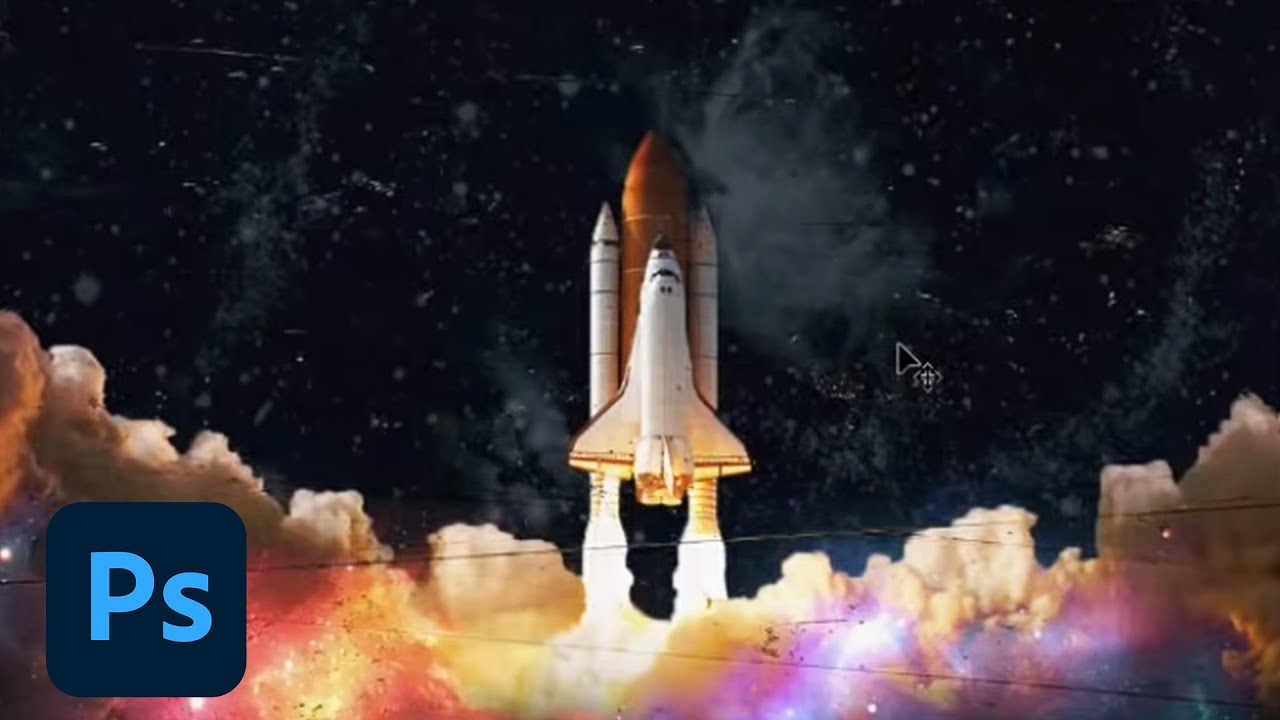
Join your host each morning at 9:00am PT to learn how to approach each challenge using Photoshop. Complete 9 challenges by Friday, July 2nd and you’ll be on your way to sharpening your skills. Get your questions answered, see what the community is creating and get feedback on your work!To sign up and get started, go to: https://www.behance.net/c...

Daily Creative Challenge
dark grail
eternal mica
I think that also worked to give the image depth. Something you may or may not ...
thank you👍
nimble shardBOT
Gave +1 Creative Carma to @eternal mica
candid chasm
eternal mica
<@!294889456333488129> Lovely Behance portfolio. I get why you left off the fir...
Well... I didnt like that much the rest, so I will try to change it a lil bit haha.... Oooh, thanks! I was sure that something was kinda weird ❤️
nimble shardBOT
Gave +1 Creative Carma to @eternal mica
frank trellis
challenge #4 clipping masks

and challenge #5 effects + color. definitely needing some cool blues and greens in my life rn 🧊 ☀️
 wary swan
PsDCC 2021-7 Challenge #5 Effects & Color 6-28-2021
I used 2 filters I hade buy 2009, Glitterato and Flood 2, from Flaming Pear software http://www.flamingpear.com/index.html to the background on the can, they still going strong.

Creative plug-ins for Photoshop
eternal mica
@frank trellis "cool" work on designs 4 and 5. Your color palette for these two designs is definitely that. The Clipping mask ahs a nice cohesion to it. The red color in the W along with the stroke and the text fill brings all that together. The clipped images are interesting. Your Wind Blur came out well. I like your font. It adds good interest to the design. The colors have an icy blue feel. Good job.
@wary swan that is one "dreadfully" ugly pineapple!!! Nice work with the Wind Blur. The textures you added throughout are interesting. Well done
wary swan
eternal mica
<@637347217773953055> that is one "dreadfully" ugly pineapple!!! Nice work with...
Thanks for the feedback Ted, dare you drink the contents 👹 the new drink for Halloween 🎃
nimble shardBOT
Gave +1 Creative Carma to @eternal mica
wary swan
PsDCC 2021-7 Challenge #6 Frame Tool 6-29-2021
 frank trellis
eternal mica
<@!865655822930280508> "cool" work on designs 4 and 5. Your color palette for t...
frank trellis
eternal mica
<@!865655822930280508> "cool" work on designs 4 and 5. Your color palette for t...
thanks ted! being more of a self-taught user, this challenge series has been really great for gaining better understanding of tools i usually clumsily bat around until i get something that looks decent enough to ship. and i'm having fun creating something funky for my portfolio that's not work-related!
nimble shardBOT
Gave +1 Creative Carma to @eternal mica
eternal mica
frank trellis
thanks ted! being more of a self-taught user, this challenge series has been rea...
I'm 95% DCC/Discord taught, so I know what you mean. I've supplemented that with on line videos and with other Adobe streams. But whatever skill I've developed I owe to this group. I strongly endorse it. (Now my dream is they teach me to up my creativity!!)
frank trellis
eternal mica
I'm 95% DCC/Discord taught, so I know what you mean. I've supplemented that with...
same! make me better at ideas, please! 😆
frank trellis
challenge #6 - frame tools. i really enjoyed the challenge of playing with the starburst frames and got some interesting results by altering the arrangement of my color fills.

 steel copper
Pretty simple, yes! But fun!

 short mica

 dim briar
coke a yoda

 solar frost
catching up on a couple that I missed last time. Here is i think it was day 3?

 strange sun
My Musical Can
 eternal mica
@wary swan Good work on the Frame Tool exercise. The images you embedded are very interesting. The frames you created work well. Your font is another beauty. I have no idea how you come up with all these interesting choices. Adding the wavy effect to mirror the frame shapes is cool. Your BG layer added to impact of the can. If you'll allow me one small nit pick, Id love to see how the design would look with the text fill for "DELIGHT" in a red form your middle frame rather than the yellow. I think it would be more cohesive. Solid job all around.
@frank trellis OOOOH the first one is cooool. Awesome design. The monochromatic color palette works so well. The thin purple stems add just enough color to add interest without distracting. The leaves pattern embedded in the starburst frame is dizzying. My eyes are jumping around to examine what Im looking at. Great. The light can BG design is perfect. The second version has tough competition. I think the design creativity gets lost in the dark motif. But thats just me. 💯
solar frost
dim briar
coke a yoda
how about Yoda Soda, or Yoda Pop?...
eternal mica
@steel copper Very well done. The pineapple logo is well done. I might suggest using a blend mode that allows more of the texture of the inside of the pineapple to show through. Good consistent color scheme throughout. (BTW, pinEapple has an E in the middle, unless you misspelled it intentionally.)
@short mica This design is so well done. The way you bridged the two face sections is right on. Blurring the image, using the color scheme from the model's eyes, works so well. The can BG design is very well done. It adds a lot of interest. You did something that I believe really works well, yet almost no one chose to do. The insert from the chin down is a curved shape instead of a straight line. I think your style is a big improvement. Two tweaks I would suggest, the can color could blend better with the image, and the same for the text fill on the drink name. Great effort.👏
@wise hearth69 I apologize, your name didnt come up in the name search. I tried opening your image so I could see it better, but it wouldnt open. Is this your first submission? For which exercise are you submitting it?
@solar frost I have enough trouble figuring out which design goes with which exercises when people submit them in order. Your hopscotch method definitely adds interest!!! 😜 😜 😜 I'll take your word for it and say Adjustment Layers Day 3, you seem to have skipped that. The consistency you have running through your designs is going to look great when you aggregate them all at the end. Your logo looks awesome, very powerful. The double exposure lion is very well done. The color palette fits the image. I may have said this on one of the other designs, I think the drink name fill is weak compared to the overall design. A more cohesive color from the top of the can design would really pop. Solid design.
@strange sun Welcome. This is your first design. So happy you chose to join the group. Very interesting design concept. If you would, when you submit a design, please tell us which exercise it relates to. Im going to assume this is for the Clipping Mask exercise. The logo in the middle is well done. You might want to try to enhance it even more by adding a drop shadow or stroke to add more heft to the B. I would suggest you move both portraits closer to the center on the Votre Image layer so they are more prominent on the front of the mock up. And I would suggest you try brightening up the whole design. Unless of course, the dark motif was your intention. Your design/Your choice.
solar frost
eternal mica
<@!667512049626251265> I have enough trouble figuring out which design goes with...
Thank you for the feedback. Unfortunately between a full time job, going to school, and two kids it makes it hard to hit up every single challenge. I do have to figure out better typography, and yes, I d believe you mentioned that before. I hadn't thought about playing around with the can colors. Thanks!
nimble shardBOT
Gave +1 Creative Carma to @eternal mica
eternal mica
@solar frost That definitely sounds like a full plate!!! Get done whatever you get done. There are no rules here. We're here to learn, share, have fun. I think your work is awesome. Your designs show the time and effort you put into them. As to the typography, my point is the font and fill color are things that can add cohesion and pop to your designs. I believe the font and color Kathleen provided was sort of a place holder, to be adjusted design by design, if you chose. Any way, just some food for thought. Im looking forward to the rest of your designs.
steel copper
eternal mica
<@!834859316535754752> Very well done. The pineapple logo is well done. I migh...
😆 Thanks for the feedback, and the correction.
nimble shardBOT
Gave +1 Creative Carma to @eternal mica
 jovial niche

 proper lintel
eternal mica
<@637347217773953055> that is one "dreadfully" ugly pineapple!!! Nice work with...
proper lintel
eternal mica
<@637347217773953055> that is one "dreadfully" ugly pineapple!!! Nice work with...
From where cud u find a better pineapple
wary swan
eternal mica
<@!637347217773953055> Good work on the Frame Tool exercise. The images you emb...
Thanks for the feedback, the images is my own photo's from South of Sweden there of the the blue and yellow text, wish is the color in the Swedish flag.
nimble shardBOT
Gave +1 Creative Carma to @eternal mica
dark grail
hi @eternal mica, I have a question about clipping mask, I've done with my challenge day 5, but i want to create another one with different pattern, so I duplicate some layers which had clipping mask, then when I change the content on the copied layer, it also change the real layer, can I change the content on the copied layer without change the real layer? hope you understand my question🙏
eternal mica
@dark grail Im sorry, I do not understand. What do you mean "real layer"? Please post a screen shot including the design and the layer stack.
eternal mica
wary swan
Thanks for the feedback, the images is my own photo's from South of Sweden there...
My bad. I missed the reference. 🤷🏻♂️
frank trellis
eternal mica
<@!865655822930280508> OOOOH the first one is cooool. Awesome design. The mono...
thanks for the feedback, ted! i was really digging the electric blues and purples that were happening in the second design, but couldn't bring it all together - also couldn't bring myself to let it go. the first one definitely feels like a stronger solution and i love the softness of the pink against the sharp edges of the faux fractal pattern.
nimble shardBOT
Gave +1 Creative Carma to @eternal mica
dark grail
eternal mica
<@!861830958801485884> Im sorry, I do not understand. What do you mean "real l...
So here the screenshot, so there are Redbox 1 and I make a copy --> Redbox 2, so I want to change the pattern layer at Redbox 2, but that make the pattern on Redbox 1 is also change, is there a way that I can change the pattern layer on Redbox 2 without change pattern layer on Redbox 1?
 eternal mica
@dark grail It seems that the layers should be completely independent. For example, if you hide your redbox 2 layers and reveal the redbox 1 layers, your original design will be shown. Any changes you make to the layers in redbox 2 should have no effect on the layers in redbox 1.
 snow shale
I want a design competition😩
dark grail
eternal mica
<@861830958801485884> It seems that the layers should be completely independent....
I'd tried that way already, any change I make to the layer redbox2 still effect on the layers redbox 1, I think I should create new layer instead of copy it, I think there no other way, anyway thank you @eternal mica 🙏
nimble shardBOT
Gave +1 Creative Carma to @eternal mica
eternal mica
@dark grail That might be the problem, although I dont see why. You can post your issue in the ask-a-question tab on the left. Valdair or Sam will be able to give you a more technical reply than I am capable of giving. Try this: create a new text layer X; Ctrl J the pattern layer from redbox 1; move that pattern layer above the new text layer X; clip the pattern layer to the new text layer X; change the pattern in the moved layer. Do you still have the problem?
frank trellis
i had to circle back to day 3 - adjustment layers + double exposure. was having trouble filling a selection and realized i had to rasterize the layer first, but now i'm pretty pleased with the result.
 wary swan
PsDCC 2021-7 Challenge #7 Custom Brush 6-30-2021
 wary swan
eternal mica
<@861830958801485884> It seems that the layers should be completely independent....
wary swan
eternal mica
<@861830958801485884> It seems that the layers should be completely independent....
@dark grail to be on the safe side make on 2 groups, redbox 1 and redbox 2 they will be complete independent. On the other side a top layer will always do changes to bottom layer.
 lucid plover
@wary swan I love how you play with that custom brush to create that logo look,it feels like back in 2007 or 2010,my suggestion is to create that logo stands out by darkening the background,because right now the logo or the symbol looks blended with the background
eternal mica
@dark grail I tried what you said you did. I had no problem. I made a text B. I added a pattern layer, and clipped the pattern layer to the B. I Ctrl J both layers. I clicked on the text layer and changed it to X. I clicked on the pattern and altered the pattern layer. Only the X clipped pattern layer changed. I tried it with two more text copy layers, and pattern layers. I had no issue with any patterns changing other the pattern layer that was active in my layer stack. In no case did other text pattern fills change.
lucid plover
@frank trellis I love the design,the rocket looks incredible with the clouds,stars,and rocket burst (I guess that's what it is called) that makes this design looks interesting and stands out,also feels like a space kind of theme,maybe my suggestion is to make the clouds on the left a bit orangeish to match the light source which is the rocket burst flare
lucid plover
dim briar
coke a yoda
I love the idea @dim light maybe some suggestions that I will give to you are to warp all of the content or your design which you applied on the can to match the can shape and also some shading,you can do it manually or just take a random stock photos of blank can and overlay it on top with screen blending mode
wary swan
lucid plover
<@!637347217773953055> I love how you play with that custom brush to create that...
Thanks for the feedback @lucid plover
nimble shardBOT
Gave +1 Creative Carma to @lucid plover
lucid plover
no problem @wary swan
wary swan
PsDCC 2021-7 Challenge #7 Custom Brush 6-30-2021 Version2
 eternal mica
@jovial niche Welcome. We're happy you decided to join the group here. You have until Monday to complete the challenge and post designs here. A new challenge begins next week. If you have any questions, feel free to reach out. We're here to help. Nice start with these two designs. The color scheme for the Live Shapes is cohesive. You handled the planet and the rings well. Picking up the color from above into the text fill adds cohesion. Your Transform Pattern is also well done. I might suggest eliminating that thin line across the middle, although you may want it there intentionally. The pattern might look better if the bottom portion of the checkerboard led seamlessly into the top portion. Extra touch you might want to add as you go forward, you can play with the can color, and with the BG layer. But again, thats just me. You may prefer whats here. Good start. Im looking forward to the rest of your posts
@frank trellis Adding the line drawing is a nice touch. It makes the design more interesting, contrasting with the images in the BG. Using the cyan for the lines on the rocket ship and for the text fill adds cohesion to the design. I think @lucid plover suggestion about the clouds on the left is a good one.
@wary swan Very intriguing design. What changes did you make between #1 and #2?
strange sun
eternal mica
<@!617831402829906157> Welcome. This is your first design. So happy you chose ...
Thanks a lot Ted!!
nimble shardBOT
Gave +1 Creative Carma to @eternal mica
frank trellis
lucid plover
<@!865655822930280508> I love the design,the rocket looks incredible with the cl...
thanks fery, i appreciate your suggestion! adding that touch will help it feel more cohesive, something i was trying to hit, but not quite getting. will give it a try in the morning!
nimble shardBOT
Gave +1 Creative Carma to @lucid plover
lucid plover
dim briar
coke a yoda
this one
dark grail
eternal mica
<@!861830958801485884> That might be the problem, although I dont see why. You ...
I tried this, I still have the problem..
dark grail
wary swan
<@!861830958801485884> to be on the safe side make on 2 groups, redbox 1 and red...
hi @wary swan I tried this , the problem still not solved, thanks anyway
nimble shardBOT
Gave +1 Creative Carma to @wary swan
eternal mica
@dark grail I tested it myself and could not replicate your issue. I suggest you post in ask-a-question with a tag to @coral stone
dark grail
eternal mica
<@861830958801485884> I tested it myself and could not replicate your issue. I s...
ok thanks @eternal mica
wary swan
PsDCC 2021-7 Challenge 8 Pen Tool 7-1-2021

 shell viper
PS_Daily_Challenge-Day-1...just starting out...
 frank trellis
lucid plover
<@!865655822930280508> I love the design,the rocket looks incredible with the cl...
frank trellis
lucid plover
<@!865655822930280508> I love the design,the rocket looks incredible with the cl...
thanks again for the tip, fery! i made some subtle changes that help achieve a more seamless look to the collage 🌠
 nimble shardBOT
Gave +1 Creative Carma to @lucid plover
frank trellis
shell viper
PS_Daily_Challenge-Day-1...just starting out...
love the cool green galaxy and glowing concentric stars! i might recommend coordinating the color of the wavy shape color to match/complement the color scheme in the logo.
frank trellis
challenge #7 was definitely a stretch for me! i'm one of those people who's kinda terrified of a blank canvas so drawing on screen made me sweat a little, but i'm happy with the result and finally have a better understanding of all those scary brush options! 🍓
 wary swan
eternal mica
<@!637347217773953055> Very intriguing design. What changes did you make betwee...
wary swan
eternal mica
<@!637347217773953055> Very intriguing design. What changes did you make betwee...
I made sky behind the bull darker with Adjustment layer
and ad a black, 15 px outline from the middle of the crown, with help of a mask, to make the bull pop out and twekade Layer style a little notch.
 astral anvil
wary swan
PsDCC 2021-7 Challenge 8 Pen Tool 7-1-2021
astral anvil
wary swan
PsDCC 2021-7 Challenge 8 Pen Tool 7-1-2021
well done
wary swan
astral anvil
well done
Thanks
nimble shardBOT
Gave +1 Creative Carma to @astral anvil
astral anvil
 shell viper
frank trellis
love the cool green galaxy and glowing concentric stars! i might recommend coord...
shell viper
frank trellis
love the cool green galaxy and glowing concentric stars! i might recommend coord...
thank you for the feedback. I will surely try out the change you suggested.
nimble shardBOT
Gave +1 Creative Carma to @frank trellis
shell viper
PS_Daily_Challenge_Day-2...for this I didn't plan, and just went with the flow...
 wary swan
PsDCC 2021-7 Challenge #9 Complex Selections 7-2-2021
 eternal mica
@wary swan Nice work with the Pen Tool exercise. The way you followed the contours of the face created a nice wavy insertion. You might want to clean up the top edge to get a better merge back into the original image. Nice work. Your Complex Selection is very interesting. Your selection definitely got the cats to merge. Well done. Your texture almost looks like cat's hair. The drop shadow text adds interest. One small tweak I'd consider is to show a bit more of the back Red Cat's face by lowering the opacity of the white cat's body, creating a better blend in that spot. Your work on this DCC was creative from start to finish.
@shell viper Welcome to the DCC/Discord group. We're happy you decided to join in. We start a new DCC on Monday, so if you're interested in posting more designs for this DCC, be aware of that. Your Live Shapes design is very well done. The concentric stars is a good idea. The glow you added works well. Using the green for a stroke on the drink name adds good cohesion between the top and bottom of your design. The black can color fits the tone of the design. Your Transform pattern design is also well done. There's a nice motion suggested by the way you worked the checkerboard design. One suggestion I'd make is the black shape fill on the bottom interferes with symmetry of your blue middle space. I'd work on that.
@frank trellis very cute Brush Tool design. I like the colors you used, they work well. One tweak I'd make is to move the cartoon eye drawings behind the brush strokes "hair" to give them more of a sense of being on the strawberry "face". I like your fill pattern in the bottom.
wary swan
eternal mica
<@!637347217773953055> Nice work with the Pen Tool exercise. The way you follow...
Thanks for the feedback, I was little destructive this time so there is no more face so it will not help to lowering opacity.
nimble shardBOT
Gave +1 Creative Carma to @eternal mica
eternal mica
@astral anvil Welcome. I see this is your first post to the chat. I'm going to guess its for the Live Shapes challenge. Very creative interpretation of the challenge. Good for you. One tweak I'd make to your design is to play with the drink name text fill to make it more cohesive with the rest of your design. Obviously, a nice avocado green would really pop!! I look forward to you posting more designs. Be aware, a new DCC begins on Monday.
@wary swan "Creative"
wary swan
I have publish Ps DCC 2021-7 on Bêhance
https://www.behance.net/gallery/123964113/Ps-Daily-Creative-Challenge-with-Kathleen-Illustrated

Behance
Ps Daily Creative Challenge with Kathleen Illustrated
 paper shadow
Had to follow very carefully need to enhance my composition.
 frank trellis
eternal mica
<@!865655822930280508> very cute Brush Tool design. I like the colors you used,...
frank trellis
eternal mica
<@!865655822930280508> very cute Brush Tool design. I like the colors you used,...
thanks for the advice ted! i gave it a try and i like the way the eyes appear to wrap around the head, but i also love the stuck-on eye of the first iteration. maybe we need a vote 😆
 nimble shardBOT
Gave +1 Creative Carma to @eternal mica
eternal mica
Lol, your design, your decision. ( But just in case, I vote for this one 😂😂😂)
frank trellis
eternal mica
Lol, your design, your decision. ( But just in case, I vote for this one 😂😂😂)
i'm always too precious about my work. that is why i love digital! i have so many iterations of things, and can't delete ANY of them
shell viper
eternal mica
<@!866656929605615627> Welcome to the DCC/Discord group. We're happy you decide...
Thank you @eternal mica for your feedback. I will surely look into the suggestions you made and hopefully I will cover the rest of this challenge before the new DCC comes out.
nimble shardBOT
Gave +1 Creative Carma to @eternal mica
 distant prawn
Day 1 Can Mockup.
 frank trellis
distant prawn
Day 1 Can Mockup.
frank trellis
distant prawn
Day 1 Can Mockup.
nice! i love the colors and textures! can't stop looking 👀 it might be cool to see some of that texture in the font treatment. the lower part of the can feels a little flat to me, and jazzing up the font a little might bring some of that dynamic feeling from the top down to the bottom without overdoing it.
distant prawn
frank trellis
nice! i love the colors and textures! can't stop looking 👀 it might be cool t...
Thank you.
nimble shardBOT
Gave +1 Creative Carma to @frank trellis
 frank trellis
here's my answer to challenge #8. i definitely appreciate all the experience i'm getting with the pen tool and i feel like i'm starting to master masking and clipping!
 shell viper
PS_Daily_Challenge_Day-3...just used something from Day 1...
 eternal mica
@distant prawn Welcome. I see this is your first design for the DCC. If you are planning on submitting any others for the current Challenge, be aware this series ends on Monday morning. A new DCC series will begin at 9:00 AM PDT on Monday. Your approach to the challenge is very interesting. I like the color palette you used. The texture you used adds interest. One suggestion I'd make is to choose a font and fill that better fits the lively design.
distant prawn
eternal mica
<@!868055689409462332> Welcome. I see this is your first design for the DCC. I...
Thank you Ted. I wanna start fresh from Monday onwards. until then I will keep doing this series challenges.
nimble shardBOT
Gave +1 Creative Carma to @eternal mica
eternal mica
@frank trellis Very interesting image for the Pen Tool challenge. The two sides of the lion hardly look like the same animal!! You did a nice job blending the insert with the animal, especially with the shadows on each edge. The shadows cast onto the bottom shape added a lot of depth to the top images, almost 3D as if the top images were hanging over the edge onto the bottom shape. The reflection on to the bottom is a cool idea, especially since most of that reflection is not visible in and of itself. Cool color palette. Well done all around.
@distant prawn There are many of anxious to start the new series on Monday. Its been a long three weeks since we completed the last one. In case youre not aware, Monday is what's called the Welcome Day. There will not be an actual challenge program, although the leader might assign a mini project. The first challenge is unlocked on Tuesday morning.
distant prawn
eternal mica
<@!868055689409462332> There are many of anxious to start the new series on Mond...
I have done many DCC before. This is like a welcome day for me too. After a long time.
eternal mica
@shell viper Nice cohesive effort for your Day 3 Adjustment Layers. Using the cyan in the triangle and text fill gives the design a nice balance between the top and bottom. The orange you added to the smoke is a good touch, especially with the reflection off the bottom of the rocket. The can BG design adds a nice glow to the whole effort. Good work.
@distant prawn Thank you for letting us now that. Well then, Welcome back!!
nimble shardBOT
Gave +1 Creative Carma to @distant prawn
distant prawn
eternal mica
<@!868055689409462332> Thank you for letting us now that. Well then, Welcome ba...
Thanks Ted, I will keep posting DCCs and looking forward to receiving some feedback.
nimble shardBOT
Gave +1 Creative Carma to @eternal mica
eternal mica
@distant prawn The group does a terrific job offering feedback. So many creatives chime in. And the mentors try to respond to pretty much every post, though sometimes there are so many at once, especially at the beginning of a new series, it takes a day or so to catch up.
distant prawn
eternal mica
<@!868055689409462332> The group does a terrific job offering feedback. So many...
I know. 👍
eternal mica
@paper shadow Hey, where's the can??? You forgot the mock up!!! 🤣 🤣 When I first looked at your design, I couldnt figure what was different about it. I've been looking at so many cans these past few weeks, my brain couldnt connect!!! I like the bright contrast youve brought to the design. You did a good job clipping the patterns inside the bold W. The stroke also works well. One tweak Id make is to add to the cohesiveness of the design by using the blue from the drink text or the green of the bottom shape in the W rather than introducing an additional color there. The cyan ends up being "lonely".
paper shadow
Sorry about the first one how about this.

 inland stump
How
where do i find these challenges
i want to participate
@eternal mica Please help me, how do I participate, where do I look?
 quiet ridge
@inland stump https://www.behance.net/challenge/photoshop

Daily Creative Challenge
eternal mica
@inland stump We start a whole fresh set of challenges on Monday 9:00 am PDT. I suggest you start with that. https://www.behance.net/challenge/photoshop
Daily Creative Challenge
@inland stump That will be an Welcome session that explains everything. The first challenge is Tuesday morning. I hope to see you there.
shell viper
eternal mica
<@!866656929605615627> Nice cohesive effort for your Day 3 Adjustment Layers. U...
Thank you for your feedback.
nimble shardBOT
Gave +1 Creative Carma to @eternal mica
 void ermine
Hi lovely people
does anyone know if there's a recording video for the cover page of the last Photoshop Creative Challenge series with @sterile bane?
I mean this one...
 eternal mica
@void ermine Here is the link. BTW, a new Welcome stream will be aired on Monday @ 9:00 AM PDT with VooDooVal as we start a new series of DCC https://www.behance.net/live/videos/11867/Photoshop-Daily-Creative-Challenge-Welcome?tracking_source=to_replay&from_row=What's_New
Join your host each morning at 9:00am PT to learn how to approach each challenge using Photoshop. Complete 9 challenges by Friday, July 2nd and you’ll be on your way to sharpening your skills. Get your questions answered, see what the community is creating and get feedback on your work!To sign up and get started, go to: https://www.behance.net/c...
shell viper
PS_Daily_Challenge_Day-4...thinking of making all about space..
 frank trellis
challenge #9 completed! i could have been more precise/cleaner with my pen tool selections, but overall i love this can. these last 3 were all really tough for me. it was great to stretch my creativity with this challenge and i appreciate all the helpful feedback from the group! 🥂
 frank trellis
eternal mica
<@!865655822930280508> Very interesting image for the Pen Tool challenge. The t...
frank trellis
eternal mica
<@!865655822930280508> Very interesting image for the Pen Tool challenge. The t...
thanks, ted! i was a little worried i overworked this can, but it turned out pretty great
nimble shardBOT
Gave +1 Creative Carma to @eternal mica
void ermine
eternal mica
<@720358879090835527> Here is the link. BTW, a new Welcome stream will be aired...
Thank youuu!!!
nimble shardBOT
Gave +1 Creative Carma to @eternal mica
solar frost
frank trellis
challenge #9 completed! i could have been more precise/cleaner with my pen tool ...
I love everything about this! From the texture in the background, to the parts you chose to cut away from the Toucans, and the fonts! This is awesome!
I did manage to get enough done to scrounge up a 6-pack. I fell behind on the last couple of challenges. Looking forward to the next series!
 eternal mica
@paper shadow Im not sure which first one youre referring to. Good job with the Wind Blur on this design. I think you could have pushed it even a little further to get a bit more of the effect. Also, I would play with the blend mode on the center of the pineapple to have more of the texture of the pineapple from below show through more.
@shell viper Good work on the Clipping Mask design. The tapered staggered A creates a good point of interest and some motion. The clipped patterns are well done. The cohesiveness of the bright green on top and bottom really works. Making the can color black works in this design. Nice work
@frank trellis Very well done Complex Selection. You nailed this one. The subjects and the selection are spot on. The way you intermingled the transparent areas is great. I would make one tiny tweak. I would change the shape fill from black to one of your other colors so your effect of the birds feet would be more visible.
eternal mica
@solar frost Cool job presenting your six pack. I would tweak the lower left and lower right images. They dont have the same brightness/visibility level of the other images. Are you going to post to Behance?
shell viper
eternal mica
<@!866656929605615627> Good work on the Clipping Mask design. The tapered stagg...
thank you for the feedback.
nimble shardBOT
Gave +1 Creative Carma to @eternal mica
solar frost
eternal mica
<@!667512049626251265> Cool job presenting your six pack. I would tweak the low...
Yes, I was thinking about posting to Behance. Just in general I have been thinking about ramping up my Behance profile. I do understand what you are saying about those two images. They feel a lot heavier. I was trying to take similar colors from the designs and place them in the backgrounds. I will try to tweak them before I post to Behance.
Any advice on posting to Behance?
eternal mica
@solar frost Have you posted to Behance before?
solar frost
eternal mica
<@667512049626251265> Have you posted to Behance before?
I think once over a year ago
eternal mica
@solar frost I was introduced to Behance very early on in my DCC journey. I found it to be an interesting satisfying way to bring my project together, bring it to a close. It's not until after a series is completed that I have the opportunity to conceptualize all 9 images as a unit. I also used it as simple yet professional looking way to share my work with family and friends. Lastly, Ive learned over time that I can add an additional level of creativity into how I display the portfolio itself in Behance. If you need any help or advice working on it, of course, Im willing to assist. Make sure you add the hashtag psdailychallenge so your portfolio will have an opportunity to be selected for the Behance gallery.
solar frost
Thanks @eternal mica
nimble shardBOT
Gave +1 Creative Carma to @eternal mica
eternal mica
@solar frost I made this up during the June series. You might be helped reading it.
@solar frost I have posted over 20 portfolios to my Behance. Please feel free to take a tour. https://behance.net/tedbeyda1

Behance
frank trellis
solar frost
I love everything about this! From the texture in the background, to the parts ...
thank you! it’s amazing to see the evolution from the simplicity of the first can to the complexity of the ninth. i was sweating that font a little, worried it might be too much, but it was so fun and turned out fitting nicely with the concept and composition 🥳
nimble shardBOT
Gave +1 Creative Carma to @solar frost
frank trellis
eternal mica
<@!865655822930280508> Very well done Complex Selection. You nailed this one. ...
thanks ted! i agree, there’s a subtle inner glow on the shape fill, but it pretty much disappeared when the design was transferred to the can mock up. i did increase the brightness a bit to show off the second toucan’s feet. i put the whole project on behance here: https://www.behance.net/gallery/123779099/June-2021-DCC
thanks for all the great feedback! looking forward to the next challenge
 nimble shardBOT
Gave +1 Creative Carma to @eternal mica
frank trellis
saw these in the grocery store this weekend and thought of this fun challenge! 🤣 cheers everyone! 🥂

 eternal mica
@frank trellis is it part of my role as mentor to critique that 😜😜😜
frank trellis
eternal mica
<@865655822930280508> is it part of my role as mentor to critique that 😜😜😜
uh oh! i meant to add “delete if not allowed” 🤣😂😜
shell viper
PS_Daily_Challenge_Day-5...turned out spooky👻 ..
 limber thistle
frank trellis
thanks again for the tip, fery! i made some subtle changes that help achieve a m...
limber thistle
frank trellis
thanks again for the tip, fery! i made some subtle changes that help achieve a m...
Vers Nice design, I like the rocket drawing with the white strokes. It looks like a comics in my opinion.👍
limber thistle
frank trellis
challenge #9 completed! i could have been more precise/cleaner with my pen tool ...
Same for me it was tough, but your challenge was very well executed, I really like the embrace between the 2 toucans. 👍
steel copper
Finally finished day 4. I hate it when work gets in the way...😆
 steel copper
Just getting caught up on the challenges. Looking forward to Mondays challenge.
 frank trellis
limber thistle
Same for me it was tough, but your challenge was very well executed, I really li...
frank trellis
limber thistle
Same for me it was tough, but your challenge was very well executed, I really li...
thank you! i had so much fun with this challenge!
nimble shardBOT
Gave +1 Creative Carma to @limber thistle
frank trellis
steel copper
Just getting caught up on the challenges. Looking forward to Mondays challenge.
these are looking great! my recommendation for both 3 and 4 would be to nudge your logo designs down a bit to give them a little more breathing room at the top of can.
on your frame tool can, i would suggest using that nice cyan color as fill for your font. the pink gets lost in the yellow and the lower contrast makes it hard to read. otherwise, great job! you demonstrated a solid grasp of the exercise and tools.
frank trellis
shell viper
PS_Daily_Challenge_Day-5...turned out spooky👻 ..
totally spooky! love that rich green color and nice to see it recurring in your series
shell viper
frank trellis
totally spooky! love that rich green color and nice to see it recurring in your ...
thank you 😁
nimble shardBOT
Gave +1 Creative Carma to @frank trellis
steel copper
frank trellis
these are looking great! my recommendation for both 3 and 4 would be to nudge yo...
Thank you @frank trellis for the tips! Moving the logo is a good rule of thumb. I understand what you mean with the font color, good catch I will remember that going forward. All great feedback, thanks!
nimble shardBOT
Gave +1 Creative Carma to @frank trellis
 ruby panther
New DCC theme: Adobe Create Waves.https://creativecloud.adobe.com/cc/discover/article/create-art-create-waves?locale=en
Access Adobe Creative Cloud apps, services, file management, and more. Sign in to start creating.
 eternal mica
WOW, the Adobe Create Waves page is great. There's a link to download 72 free assets to your CC files, including color themes, images, drawings, etc. Definitely check it out!!! Adobe's social consciousness is so admirable.
lucid plover
DCC Cover
 eternal mica
@lucid plover Youre a speed demon. 👹 How do you do that so quickly??? I barely got my Ps opened. You are SUPER!!!
lucid plover
I opened my Ps earlier @eternal mica and I just modified Val's idea a little bit and make it a bit more meaningful...at least for me @eternal mica
eternal mica
The link for the welcome stream for the DCC 07/26-08/20, 2021 https://www.behance.net/live/videos/12511/Photoshop-Daily-Creative-Challenge-Welcome?tracking_source=to_replay&from_row=What's_New

Join your host VooDoo Val each morning at 9:00am PT to learn how to approach each challenge using Photoshop. Complete 9 challenges by Friday, August 6th and you’ll be on your way to sharpening your skills. Get your questions answered, see what the community is creating and get feedback on your work!To sign up and get started, go to: https://www....
eternal mica
eternal mica
The link for the welcome stream for the DCC 07/26-08/20, 2021 https://www.behanc...
 dusky wave
Behance place holder.
 cerulean marten
I think this is my 1st ever intro that I watched - enjoyed as usual
 eternal mica
@cerulean marten IMHO, VDV gives off an incredible amount of positive energy, even to the Welcome stream.
cerulean marten
eternal mica
<@!563466208607862806> IMHO, VDV gives off an incredible amount of positive ener...
That she does - it was through watching one of her very early streams on YouTube that motivated me to become involved in the challenges
hollow yarrow
Before to dive into a new serie of wavy challenges, Here's the link to my last Behance project.
Hope you'll like it!
https://www.behance.net/gallery/123729541/PSDCC-June-2021
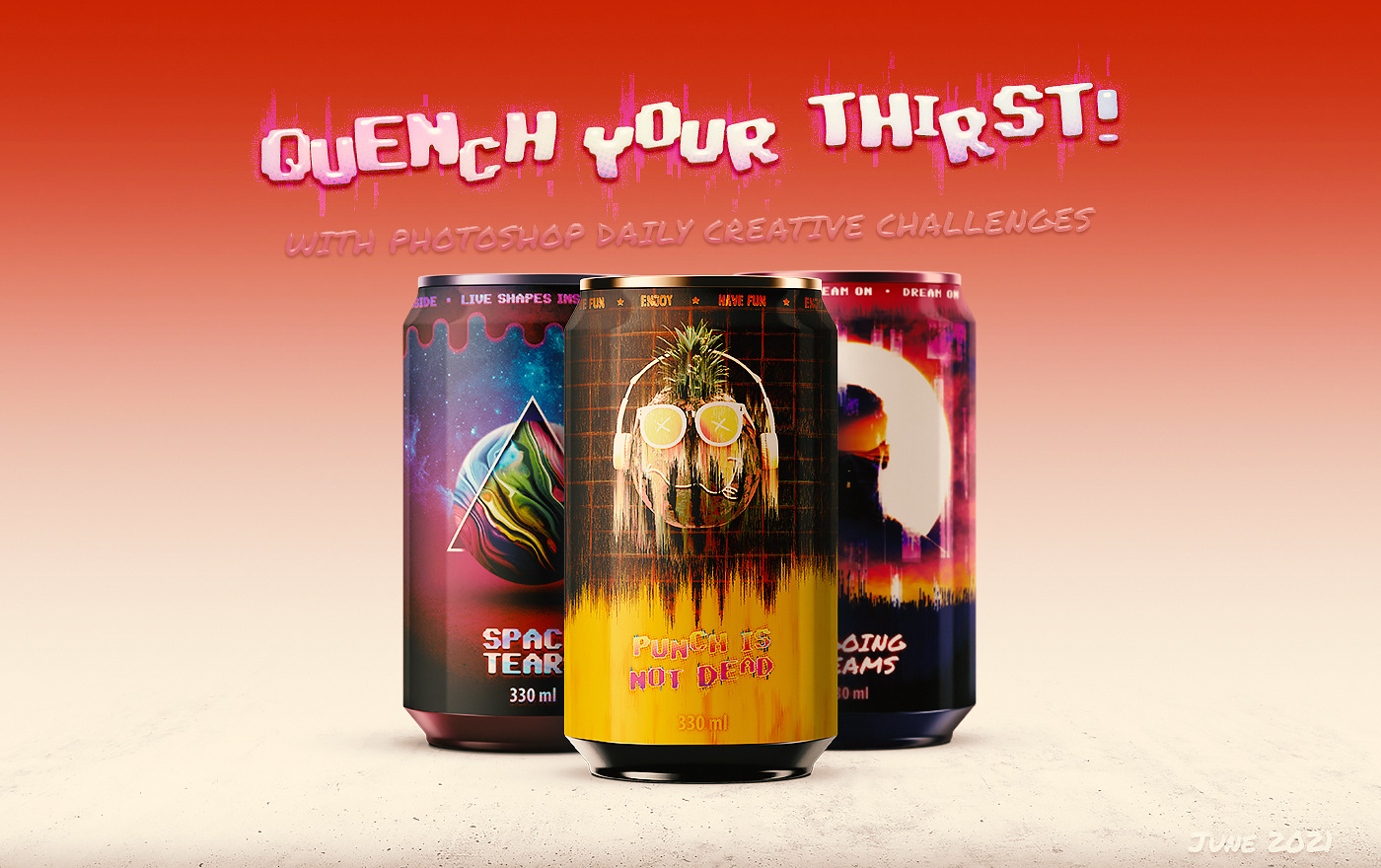
Behance
Serie of artworks made for the Photoshop Daily Creative Challenge session of June 2021 driven by Kathleen Martin.
 forest aspen
Day 0: Cover Image. I mixed some of the assets available on the Make a Wave contest site
 eternal mica
@hollow yarrow Whew, thats cutting it close!!!!! 🤣 🤣 🤣
steel copper
Getting caught up!
 eternal mica
@bleak fossil Im so excited to see how this theme plays out. What a wonderful theme.

 vagrant rapids
hollow yarrow
Before to dive into a new serie of wavy challenges, Here's the link to my last B...
vagrant rapids
hollow yarrow
Before to dive into a new serie of wavy challenges, Here's the link to my last B...
I love your Behance project @hollow yarrow - as always an amazing presentation and so creative (Ongoing dreams, Inner Power), funny (Punch is not dead, heuuu are you sure ?:) ) and cool (Strawberries & Mixed Media) designs. Bref, du grand Franck quoi 🙂
 proven berry
Hi guys 😢 Am I late for the first lesson? I recently made this cover and I don't know why my picture is not sharpen enough 🥲 can someone help me?
 eternal mica
@hollow yarrow When I grow up (BTW, I'm over 70 😂 😂 ) I want 1/100th the talent and creativity you have. Your work is consistently incredible. (Does that phrase even make sense??) You added some new designs you had not posted before. Awesome!!! The way you manipulate the Behance to new heights is jaw dropping. Youre truly an inspiration. Thank you so much for posting.
nimble shardBOT
Gave +1 Creative Carma to @hollow yarrow
hollow yarrow
proven berry
Hi guys 😢 Am I late for the first lesson? I recently made this cover and I don'...
First challenge starts tomorrow so you're not late! By the way not sure to understand your question 'cause your image looks sharp enough on my end. Maybe a Smart sharpen filter could help you get sharpen image if you want?
Merci! / Thanks! @vagrant rapids and @eternal mica I appreciate your kind comments.
nimble shardBOT
Gave +1 Creative Carma to @vagrant rapids
proven berry
hollow yarrow
First challenge starts tomorrow so you're not late! By the way not sure to under...
Thanks for your reply,
I mean that the letter in my image is a little bit low resolution even though i put it in the maximum when I export it...😢
nimble shardBOT
Gave +1 Creative Carma to @hollow yarrow
hollow yarrow
eternal mica
<@!698155393649475695> Whew, thats cutting it close!!!!! 🤣 🤣 🤣
You're totally right! 😂
eternal mica
@bleak fossil I added a boundary to add more cohesion to the design

 jolly quest
HELLO HELLO CREATIVE PEOPLE! Just so everyone is aware, there IS actually an Adobe CC Library created with assets specifically for #CreateWaves that you can explore and choose assets from! I'm going to pin it here so you folks can access it easily! https://assets.adobe.com/public/008ae47d-3e2a-461f-7f85-e897719a21de
 jolly quest
HELLO HELLO CREATIVE PEOPLE! Just so everyone is aware, there IS actually an Ado...
jolly quest
jolly quest
HELLO HELLO CREATIVE PEOPLE! Just so everyone is aware, there IS actually an Ado...
 clear prism
IDK if I love it or hate it 😟

 tawny badge
🤌


 jolly quest
I have created a Behance Case study to edit during the challenge! If you post yours, I will give it a Like!

Also, I created these header/footer designs for my case study! Take a look for ideas on how to start decorating your own projects!

 lime oyster
this was all i could do. i made 3 different artworks. the 3rd one is made using the images from the asset file. the 1st two were made using images from other sites 😀


 jolly quest
Case Study PRO TIP: A good Case Study usually begins with a header/banner graphic to set the mood, a title so that your viewers understand what your project is about, and at least a few lines of information to explain the context/purpose of your project!
Case Study PRO TIP 2: As you begin to update your project, experiment with dynamic ways to separate each project from the next with section header graphics! That way you can give more context to individual project elements and show different aspects of your process!
@lime oyster Yo! Great work! I think my favorite is the one with the iris visible!
You might try a subtle background gradient or experiment with darker colors for the PROTECT THE OCEAN title on the info graphic to increase visibility!
Well done!
eternal mica
@jolly quest Without giving away too much of what we'll be doing going forward, should developing some sort of case study format for Behance be something we should start doing?
tropic garnet
 young karma
DCC Cover

 dusky swallow
Ready for a new challenge with Voo-Doo Val!
 quiet ridge
 jolly quest
@eternal mica If you don't want to develop a case study, you do not have to! I wanted to post tips because a lot of people WANT to but are unsure of how to go about it
Moving forward we will be doing an ocean themed design project every day in a new style that could perhaps be a starting point for a contest entry if you would like to enter the #CreateWaves contest BUT If you don't want to do the contest or even an ocean theme, you can use each challenge as a guide to do your own thing!
eternal mica
@jolly quest I always enjoy your themed series. And Im super psyched about this one. Im definitely going to consider a case study. Ive never done one. It would be an honor to submit an entry into the Adobe pool. To be selected for display would be mind blowing.
vagrant rapids
Here is my cover!

 waxen coral
here's mine c:
 bleak fossil
@proven berry You're not late at all! Today was just the welcome day, and you're welcome to post any of the challenges in the second over the course of the next 4 weeks (2 weeks are live, and then we replay it for the next 2 weeks). Your image looks quite sharp to me, are you saying it seems less sharp when you save it and upload to Discord, or even in Photoshop you can't get it sharp enough? Discord compresses images a bit, but otherwise it likely depends on your image size and resolution. Looks good to me though, nice job!
@waxen coral So cool! The shapes are looking solid and I especially like the blue and orange color scheme, the texture is also a really nice touch to give it a slightly more rustic look. The gradients add some really nice depth too.
@quiet ridge Nice work with all the overlapping shapes in this cover design! There's some nice depth with that and it's cool to see that wave shape mirrored in the text warping. Well done!
waxen coral
bleak fossil
<@!388876625594286081> So cool! The shapes are looking solid and I especially li...
thank you! (:
nimble shardBOT
Gave +1 Creative Carma to @bleak fossil
bleak fossil
@dusky swallow Glad to hear it! Nice job with the wave effects, I like how you made the text path follow along with the shapes. The texture on the whale is really cool too! This is totally up to personal preferences but it could be nice to see a bit of a multiply gradient or something to slightly darken down the bottom of the whale to separate the values from the water a bit more and give it some added depth to make it pop a bit. Nice work!
@young karma Nicely done! I like the clean design and how the softness of the text shape really fits nicely with the rounded wave shapes. The color scheme is working really well too!
hollow yarrow
waxen coral
here's mine c:
I like the grainy texture on this one! Nice idea to use orange and blues... Reminds the beach! Great job!
waxen coral
proven berry
Hi guys 😢 Am I late for the first lesson? I recently made this cover and I don'...
love your design! ✨
waxen coral
hollow yarrow
I like the grainy texture on this one! Nice idea to use orange and blues... Rem...
thank you 😊
nimble shardBOT
Gave +1 Creative Carma to @hollow yarrow
clear prism
I'm loving this challenge @jolly quest! I just spent way too much time fiddling with my behance project though 😅 https://www.behance.net/gallery/124201255/CreateWaves-Photoshop-Daily-Creative-Challenge

Behance
#CreateWaves -- Photoshop Daily Creative Challenge
I also switched up my thumbnail. I feel like this one works better.
 eternal mica
@bleak fossil Ive never made a case study, and Im not sure what it should look like. But I figured Id start one and worse comes to worse, its just a place holder,

 gilded night
This is such an awesome challenge @jolly quest, I'm glad my first Photoshop Daily Creative Challenge is this one!
 solar frost
proven berry
Hi guys 😢 Am I late for the first lesson? I recently made this cover and I don'...
solar frost
proven berry
Hi guys 😢 Am I late for the first lesson? I recently made this cover and I don'...
Not sure what you mean by its not sharp enough. Looks great to me, but if you are having problems with needing it to be larger, you may need to start with a larger canvas size or perhaps increase your ppi?
 copper moss
DCC: #Create Waves


 distant prawn
 bleak fossil
@distant prawn Looking good! I like the grain texture and the shapes all have a nice balance to them. The design has a nice clear read to it too.
@paper shadow Nice work on the wave shapes and the frame around the text. The cover came out nicely 👍
@copper moss Very nice, I like how you incorporated a photo into the wave shapes with varying levels of opacity. The color contrast adds some nice interest as well!
nimble shardBOT
Gave +1 Creative Carma to @bleak fossil
distant prawn
bleak fossil
<@!589940836364714042> Nice work on the wave shapes and the frame around the tex...
Thank you! I wanted to add more to this cover but couldn't decide.
paper shadow
Thank You!
bleak fossil
@gilded night Glad you're joining us, welcome in! This looks great, I really like the color contrast between the warm and cool tones. The drop shadow behind the text really gives it a nice clear read. I wonder if a bit of a drop shadow on the frame around the text could look good and unify the look even more. Nice job!
gilded night
bleak fossil
<@!529083018036641792> Glad you're joining us, welcome in! This looks great, I r...
That is the detail I think it’s missing! That’s for the feedback🤙🏽
bleak fossil
@eternal mica I like it! It's definitely good to try new things like that to get a feel for them, what works, what doesn't, etc. I like the unified color scheme of the case study.
@eternal mica The design came out very nicely! I think the border is a nice added touch to it. I like the visual hierarchy of this design, with the Photoshop text and stroke being the boldest, the wave lines being a bit thinner, and the planet graphic being the most subdued in the background, it definitely gives it a nice clear read. Going out of my way to try and critique anything, I'd be curious to see what the #createwaves looks like without the stroke. I really like the wavy shape idea, but I wonder if the stroke on a complex cursive font like this creates too much visual busy-ness that competes with all the strokes on the background waves. Hard to say without seeing it strokeless, but if that creates a lack of contrast between the text and the background maybe a drop shadow would solve that? Just an idea. I feel like your designs are always improving, very nice work!
@clear prism Super cool! Great to see you already have the Behance project going. This design turned out great and I like how you edited the thumbnail for it. You have a really nice balance between your shapes in this design in terms of the big-medium-small read, and the different shades of blue on the waves add some great depth. The color contrast also works very well between the warm and cool tones. Really nice work, excited to see your designs for these challenges!
@tropic garnet Really cool to see the stylized waves on your design. It still has a stylized ocean/wave look to it, but the textures and dashed lines add a cool look to it. Nice job!
eternal mica
bleak fossil
<@!688853114035634184> The design came out very nicely! I think the border is a ...
@bleak fossil Sam, as always, thank you for your insight. If my designs are improving, its because of what youre teaching me. I removed the stroke. As you guessed, the text got lost on the blue BGs. I went with the drop shadow, and also masked a white text over the blue and had it fade from one color to another. The drop shadow added a nice raised, almost 3D look to the create waves text. Your enhancements helped a lot.
 nimble shardBOT
Gave +1 Creative Carma to @bleak fossil
tropic garnet
bleak fossil
<@!819647311528460300> Really cool to see the stylized waves on your design. It ...
Thanks. I liked the way it turned out.
nimble shardBOT
Gave +1 Creative Carma to @bleak fossil
eternal mica
@paper shadow Following up on @bleak fossil praise, one small tweak, the text would look better centered. Try the Ctrl A> align.
@vagrant rapids Your cover design is so dainty and elegant. The wave patterns are well done. I think the text can use a bit more contrast to make it more legible, especially for the date text. Nice work.

 eternal mica
@paper shadow 🤣 🤣 I was staring at the one you just posted telling myself, "there must be something wrong with my monitor". I took out a ruler to measure to make sure I wasnt seeing things. Then the second one popped up. Hahah --- Now the text is centered.!!!! Ive made it a habit to always Ctrl A> Align objects in my designs, even when I align in selected areas. Invariably it creates an adjustment. I would even check the rectangle in your image.
@cerulean marten Very clean crisp design. The black of the dolphin gives a strong focal point. The inset frame looks good. One thing I'd consider is all the effects you used on the text make it too busy. I think spacing out the text would help, and maybe a consistent font size. Im not sure.
 faint lagoon
eternal mica
<@!589940836364714042> 🤣 🤣 I was staring at the one you just posted telling m...
faint lagoon
eternal mica
<@!589940836364714042> 🤣 🤣 I was staring at the one you just posted telling m...
what is the problem ya ?
bleak fossil
@eternal mica Niiice, the changes look really good! The alternating colors on the text is a really cool effect and reads well. Looks good!
eternal mica
@forest aspen Beautiful design. The curve of the shark gives the image a nice fluidity, which you mirrored in the wave effect on the text. The jelly fish give the design a nice upward motion feel also. The faint stroke on the main text looks good. One little tweak I might suggest is a faint cast shadow for the shark. Well done.
@bleak fossil I commented on @vagrant rapids design. I would love to hear your take on it.
@dusky wave Fun design. The combination of the font and the little images make this a really fun look. The way you handled the wave highlights is also a nice touch. One tweak I might make is to give the text a little more room to breathe. Good work.
@lucid plover A really fun design. It has a very hand drawn look to it. Good job with the text on a path.
bleak fossil
@vagrant rapids @eternal mica Very cool style to this Christelle! The texture is great and there's a really effective sort of tactile looking style to the whole thing with the sort of raised embossed look. The design looking like it's made from a single line reinforces this look I think. I could see how a bit more contrast might make this more readable at a quick glance, but I think it reads well enough and works from a stylistic standpoint. Perhaps trying a subtle drop shadow on these elements could give it a stronger read without changing the overall feel. Nicely done!
lucid plover
Thank you @eternal mica
nimble shardBOT
Gave +1 Creative Carma to @eternal mica
dusky swallow
bleak fossil
<@!760907049444835428> Glad to hear it! Nice job with the wave effects, I like h...
Oh! Thank you for the feedback Sam, I will add the gradient to the whale and post it again. ☺️
nimble shardBOT
Gave +1 Creative Carma to @bleak fossil
 cerulean creek
Cover for DCC

 vagrant locust
Thanks for the challenge. So much to learn!
 lime oyster
jolly quest
You might try a subtle background gradient or experiment with darker colors for ...
lime oyster
jolly quest
You might try a subtle background gradient or experiment with darker colors for ...
ah thank you so much Val. Means a lot
nimble shardBOT
Gave +1 Creative Carma to @jolly quest
gilded night
gilded night
This is such an awesome challenge <@!113563958379589632>, I'm glad my first Phot...
@bleak fossil The drop shadow on the boarder indeed makes a difference.

 ember wave
r57shell
young karma
PS DCC 01 with Voodoo

 tough wolf
First mood board may have over done it but I was playing and exploring what Photoshop could do
 vagrant rapids
bleak fossil
<@!703341359569961002> <@!688853114035634184> Very cool style to this Christelle...
vagrant rapids
bleak fossil
<@!703341359569961002> <@!688853114035634184> Very cool style to this Christelle...
Thanks a lot @eternal mica & @bleak fossil - I like the drop shadow to give more strength to the elements and to increase the legebility. For the background I used a waves pattern : I colorised some waves making shapes with the pen tool, and on the 100% opacity normal I put a copy with Chrome filter 75% opacity dissolve - I like this tactile looking and emboss look - I wanted to highlight ocean is something real/material.
 nimble shardBOT
Gave +1 Creative Carma to @bleak fossil
ember wave
Hi ))) My cover
 limber thistle
I think it's the first time I made the cover first, usually it's made in last when I finished a project. So here my "temporary" cover
 clear prism
bleak fossil
<@!864545678515372083> Super cool! Great to see you already have the Behance pro...
clear prism
bleak fossil
<@!864545678515372083> Super cool! Great to see you already have the Behance pro...
Thanks for the kind reply @bleak fossil! This is my first DCC and I'm excited to dig in 😄
nimble shardBOT
Gave +1 Creative Carma to @bleak fossil
young karma
Hello all, thi8s is my first time participating and I8 cannot d4ecide4 which font is better. Please help. 🙂

 eternal mica
@cerulean creek Nice cohesive color palette to this design. That font is one of my personal favorites. In drawing your waves, you can set the pen to smooth to make the lines flow better, unless of course, you intended them to have a bit of a choppy feel.
@vagrant locust nice concept. I like the green color amidst the the blue shades. I might suggest giving the text a bit more oomph to make that aspect of the design pop. Also, to be consistent, you should add a date to the Aug part of the text. (I think its being called Aug 20.)
@young karma Very nice clean crisp cover design. The design definitely fits the message. Good job.
dusky swallow
bleak fossil
<@!760907049444835428> Glad to hear it! Nice job with the wave effects, I like h...
Definitely much better, Thank you Sam
 nimble shardBOT
Gave +1 Creative Carma to @bleak fossil
eternal mica
@tough wolf Yes, its busy, but it works. I think the one tweak Id suggest is to pick a more staid bold font, and maybe a darker color. Your text is difficult to read against the BG.
@ember wave The soft pastel look is an interesting interpretation of the design. There is a delicate feel to the font and the mermaid image adds to the wispy feel of the design.
@patent pond For sure at this juncture, the cover is merely a place holder. Good work with the color palette. Theres good cohesion to the design. I like the way you incorporated the Adobe fish asset. Im not sure if you intended it, but when you use type on a path, the text can get scrunched up a bit more than if it was on a straight line. You might want to try increasing the kerning on the wavy text so its more consistent. See if you like it better. Good work.
@young karma Welcome, we're happy you chose to join us in this series. If you have any questions or need help finding your way around, just ask. We're here to help. You needn't decide. Keep both for now. See how the DCC plays out. You may decide to change the entire cover design. (I think the second font fits the message better.) The design is clean and crisp. The subtle changes in all the waves is well done. I look forward to seeing more of your posts.
young karma
limber thistle
I think it's the first time I made the cover first, usually it's made in last wh...
This olooks great. I really like the fish texture. I think it might be better if you put it behind the first wave, it will look a bit mysterious that way. 🙂 But I love the yellow also!
young karma
eternal mica
<@456226577798135808> Welcome, we're happy you chose to join us in this series. ...
Thank you, great to be here! In the meanti8me, I created 3 more. You are absolutely right, I might change it some more! 🙂
nimble shardBOT
Gave +1 Creative Carma to @eternal mica
young karma
waxen coral
here's mine c:
I really like the gran and the colors! I really like the font and how you cut the frame and turn4ed it around! My only tip would be to increase the contrast so the etxt is easier to read. 😦
ember wave
eternal mica
<@!760856454193610787> The soft pastel look is an interesting interpretation of ...
Thanks @eternal mica )🥰
nimble shardBOT
Gave +1 Creative Carma to @eternal mica
limber thistle
young karma
This olooks great. I really like the fish texture. I think it might be better if...
What font did you use for "Photoshop" in you first cover ?
waxen coral
young karma
I really like the gran and the colors! I really like the font and how you cut th...
thank you for the feedback 😊
now that i think about it, i couldve added a shadow to the font as well
nimble shardBOT
Gave +1 Creative Carma to @pallid owl
eternal mica
limber thistle
What font did you use for "Photoshop" in you first cover ?
Try Vibro
 compact pecan
My Behance Project cover image. Some of the PSDCC veterans may remember the challenge we did with the iceberg and plastic bag. I thought it was appropriate to resurrect that image and add-on to it for this theme.

 covert loom

 void hornet

 autumn bloom
 copper moss
bleak fossil
<@!778334358833856513> Very nice, I like how you incorporated a photo into the w...
copper moss
bleak fossil
<@!778334358833856513> Very nice, I like how you incorporated a photo into the w...
Hi, Sam! Thanks a lot! Glad, I am here.
nimble shardBOT
Gave +1 Creative Carma to @bleak fossil
dusky wave
My moodboard for the current challenge
 void hornet
I did some changes to this picture

 keen sinew
 shell viper
PS_Daily_Challenge_Day-6....still continuing with the last PS_DCC, as I joined at the end of it...will join the new one after 9 cans are ready

 median adder
My Mood Board for DCC #1 😃 Haven't made a Mood Board for years and I'm extremely new to Photoshop, so I'm hoping this'll really improve my skills at using it! 😃

 wise lantern
First time with Libraries and Artboards, so this was tougher than I thought. Color question, Split-complementary or The Greens from Homer?
 forest aspen
Day 0 Cover revision. I didn't notice until today that I had the hashtag/title incorrect, so I fixed that and rotated the text a bit.
 forest aspen
eternal mica
<@!577253166203011131> Beautiful design. The curve of the shark gives the image...
forest aspen
eternal mica
<@!577253166203011131> Beautiful design. The curve of the shark gives the image...
@eternal mica Thanks for the comments. I tried the cast shadow but it didn't work for me as there are none on the jellyfish, nor on the original shark image. I did make some modifications, though: rotation the title a bit, and making it into the right hashtag 😉
nimble shardBOT
Gave +1 Creative Carma to @eternal mica
eternal mica
@compact pecan The second I saw your design, I remembered it from our DCC04 (Apr-May, 2020). That was a terrific series with PT. Cool how you revisited it for this series. One suggestion I would make is to work on the kerning on the text on a path. The letters tend to get jumbled on top of each other.
@covert loom Very nice work. Cool crisp clean design, perfect for the message. the colors all blend nicely.
wary swan
PsDCC-8 CoverimageBh 7-26/2021 - 8-20/2021
 eternal mica
@void hornet haha, I got confused. I didnt realize you had a version2. I was wondering why I didnt notice the frames you created. Then I saw. They werent there at first!!! Very well done. I love the image. The frames you created with the sea life look great. And the tint you added to the water adds a lot of interest.
@autumn bloom Interesting interpretation. The colors work, the shapes work, the filter works. Giving the text the different wave patterns creates motion as well as interest. Nice job.
@dusky wave Looking good. Just a suggestion: put the name of each font on the artboard so people know what each one is.
@keen sinew I really like the colors and the multiple textures you used here. Did you intend for the shape in the top right to be a fish? The interior frame is a great touch. One tweak I would make is to work on the central text. I suggest a larger font and more contrast via drop shadow/stroke/brightness to increase legibility. Its getting lost into the BG.
copper moss
Challenge #01: Mood Board for coming project on sea topic. I stand for conservation of the seas and oceans, which is important in reasonable meanings, although I was born on the continent with lakes and rivers.
 eternal mica
@median adder Welcome. We're happy you decided to join the group, and at a perfect time, right at the start of a series. If you need help with anything, just ask. We're here to help. Your mood board looks great. The cohesion amongst all the elements is right on. I would make one tweak for consistency. I would add a name to artboard 1 and 2, just like you have for 3 &4. Im looking forward to your future posts.
keen sinew
eternal mica
<@!857689224714780723> I really like the colors and the multiple textures you us...
The fish is a hallowed mistake. 😆
 eternal mica
@keen sinew Take credit for it anyway!!!! Like one of those old images you used to find on placemats in restaurants "What do you see??" Text looks dramatically better to me. Image really pops. What do you think??
@wise lantern Very strong effort for a first timer. Lots of good elements. One suggestion I personally like is to add the names of the fonts in that section. Another suggestion Id make is that I find I want to add more elements as VDV discloses the different challenges. Your artboard is filled edge to edge already. You might want to increase the size of your artboards now or make some room now by scaling the sizes of some of the elements. of course, you can always do that later. Just a suggestion.
@wary swan Nice color palette here. The glow on the central text is a good effect. I might increase the font size to draw even more attention to it.
@copper moss Interesting approach to the challenge. Lots of fonts, colors, images without having them grouped as such. Are you intending on carrying these elements forward into the rest of the series?
dusky swallow
Day 1: Mood Board
 jolly quest
@wise lantern Yay! So excited to are participating! Welcome! This is a wonderful collection of reference and assets. As far as your color question, I think you should choose whichever starts to work well with your future projects later in the challenge weeks! What I like to do is choose a nice progression palette like the greens you have and then choose a few POP colors!
compact pecan
eternal mica
<@!650118328848875521> The second I saw your design, I remembered it from our D...
Thanks, @eternal mica. I actually adjusted the path, or else I'd be messing with the kerning most of the night with all the subtle changes making all kinds of different effects on the overall spacing and direction of the text. Thanks for the feedback!
 nimble shardBOT
Gave +1 Creative Carma to @eternal mica
keen sinew
eternal mica
<@!857689224714780723> Take credit for it anyway!!!! Like one of those old imag...
I'm with you there. thanks for the input.
nimble shardBOT
Gave +1 Creative Carma to @eternal mica
forest aspen
Day 1 Mood Board #makingwaves using provided assets
 copper moss
eternal mica
<@!778334358833856513> Interesting approach to the challenge. Lots of fonts, co...
copper moss
eternal mica
<@!778334358833856513> Interesting approach to the challenge. Lots of fonts, co...
I may. I have some interest to use one or two fonts, those shades of colors and perhaps shark topic. I did not sort them, because I want to save space. Sometimes I do not follow strictly the rules.
solar frost
Finally got my cover page done
 ember wave
moodboard
 void hornet
Here is my moodboard. I used a lot of clips from a whale tour we took this week.
 gilded night
inland stump
Can someone explain what this challenge is?
gilded night
inland stump
Can someone explain what this challenge is?
If i'm not mistaken and someone correct me if i'm wrong but this may help explain.
https://blog.adobe.com/en/publish/2021/06/18/using-creativity-to-createwaves-for-ocean-protection.html

Adobe Blog
Adobe invites our global community to create digital artwork that raises awareness about the importance of ocean protection.
compact pecan
inland stump
Can someone explain what this challenge is?
Hi @inland stump . This is the Photoshop Daily Creative Challenge. If you’d like to participate, just go to https://www.behance.net/challenge/photoshop. There you will find each daily challenge (they are live on Behance every weekday at 9am PT, then recorded and saved on the same page. You also have access to “starter files” if you want to use them. Then, post your image here and mentors and other Photoshop gurus will give you direct feedback and answer questions. Don’t hesitate to ask if you have any questions!
inland stump
compact pecan
Hi <@772767763483459585> . This is the Photoshop Daily Creative Challenge. If ...
Any rewards/prizes like an exclusive server role/colour or something small?
Prizes*
compact pecan
Nothing tangible, just improved PS skills and a community of others who appreciate your work
inland stump
compact pecan
Nothing tangible, just improved PS skills and a community of others who apprecia...
Understood.
Thanks, Hugh.
You'll see my work shortly! 🙂
nimble shardBOT
Gave +1 Creative Carma to @compact pecan
compact pecan
inland stump
Understood.
Thanks, Hugh.
You'll see my work shortly! 🙂
Awesome! Looking forward to seeing your work! Creative Carma and ranking-up levels just depends on your participation level. Typically, you’d get creative carma when you help someone out and they thank you. (It’s all just fun, though)
nimble shardBOT
Gave +1 Creative Carma to @inland stump
compact pecan
inland stump
Oop wheres your carma given
Haha maybe next time!
inland stump
@compact pecan Can I make a manipulation, please may you help me with this, I'm only so confused onto what I'm meant to do 😦
BRUH
i stg
if mee6
blocks me one more time
 compact pecan
inland stump
<@!650118328848875521> Can I make a manipulation, please may you help me with th...
compact pecan
inland stump
<@!650118328848875521> Can I make a manipulation, please may you help me with th...
The bot will block certain words if it thinks you are using swear words or attacking/insulting someone. It will also block you if you tag too many people bc it thinks you are spamming.
compact pecan
inland stump
<@!650118328848875521> Can I make a manipulation, please may you help me with th...
What, specifically, are your trying to do?
inland stump
stupid bot man
inland stump
compact pecan
What, specifically, are your trying to do?
Trying to do this competition!
But I do not understand the type of art, can I do manipulation? Or? What?
compact pecan
inland stump
But I do not understand the type of art, can I do manipulation? Or? What?
Well, honestly, you can do whatever you’d like. The instructor (in this case, its VooDoo Val), does an image using specific images (“starter files”) and focuses on a specific technique. Then, the participants use the technique she presents and whatever image(s) they want to make their own image and post it here on Discord.
inland stump
Could I make it super realistic ?
compact pecan
inland stump
Trying to do this competition!
So, first - did you watch the video from yesterday or today? That is definitely step 1
inland stump
Like turn this #✂challenges-feedback message into realism
inland stump
compact pecan
So, first - did you watch the video from yesterday or today? That is definitely...
The 30minute video?
compact pecan
inland stump
Could I make it super realistic ?
Yes! Participants create up to their ability/skill levels. Some folks are brand new and are practicing the basics, and others are very experienced
compact pecan
inland stump
The 30minute video?
Yes - that video will explain everything. In the beginning of each video, VDV explains the Discord process and the Behance process
 bold valley
PLaying with ideas. What do you think?
 eternal mica
@inland stump I suggest you watch the Welcome video from yesterday. It will answer most of your questions. I have pinned the link to that stream in the upper right corner of this page. Once youve watched that stream, then you can go to the Behance landing page described in that video to access todays asset files and watch a replay of today's streams. If you still have questions, please feel free to DM me.
@bleak fossil Ps DCC 2021-08 01 Mood Board


 plain sable
Here is my DCC cover and the start of my artboards
 compact pecan
Day 1: Moodboard. I rarely use moodboards, and when I do, I find I don't stick to them. 🤞🏽
 bleak fossil
@compact pecan Hah, it's always good to leave room for different ideas during the process. Do you feel like it helps you organize your thoughts and vision ahead of time or do you usually figure that out while working? It looks good by the way, it definitely seems to have a certain consistent look and feel to it. Nice job 👍
@plain sable Very nice! The textures and color fit well together and I like the variety of fonts you have. Nice job with each section of your moodboard!
@paper shadow Nice job exploring these different areas! I especially like the patterned illustrations. For presentation purposes it might be good to put the left most red shape underneath the Textures & Shapes graphic for better readability. Nice work!
@eternal mica The layout is looking good! I like the variety in your fonts and the colors have a nice balance between warm and cool tones. The images all have a nice cohesive feel as well. Very nice!
@bold valley Very cool, I like the framed look and the bold colors give it an interesting look. I feel like it might look good to scale up the turtle a bit to give it a bigger visual impact and have it work with the framed look a bit more. It also could be nice to see a little more contrast in the text since parts of it are a very similar value to the background. Nice job!
@void hornet That's awesome, it's always great to be able to use your own photos in these challenges. Really nice variety in the textures and shapes, and the color palette is looking really good too.
@ember wave Very nice job! I really like the texture images you have in this and the sort of blue/orange color scheme in your images has a cool look to it.
@solar frost Looks great! I like the sort of spiral composition you have and the contrast between the images make for a really cool look. Nicely done!
@forest aspen Nice work! You have a nice selection of assets in each category and the color scheme is working well together. Looks good!
@compact pecan Cover is looking good! I like the pop of color the orange and the colorful fish add. I wonder if giving the shark even more of a blue tint could push the look of it being under water in this really blue/cool colored scheme. Nice job!
compact pecan
bleak fossil
<@!650118328848875521> Hah, it's always good to leave room for different ideas d...
I think it’s mostly a matter of not having a clear idea of what I want to do until about half-way through the DCC. And in personal projects, I think I just don’t take the time to put my ideas down on a mood board.
plain sable
Thanks @bleak fossil
nimble shardBOT
Gave +1 Creative Carma to @bleak fossil
compact pecan
bleak fossil
<@!650118328848875521> Cover is looking good! I like the pop of color the orange...
Good point! I was concentrating on the light levels matching and probably overlooked the color aspect. Thanks, Sam… always awesome guidance and help.
nimble shardBOT
Gave +1 Creative Carma to @bleak fossil
bleak fossil
@dusky swallow I really like the balance between the warm and cool tones in this moodboard! Everything has a high key look to its contrast which gives the whole thing a really cohesive look too. Nice job!
@keen sinew There's a nice balance between the contrast with all these different elements. The drop shadow really helps the text read, and I really like the texture on the shapes around the top. I think a more simple frame without as much contrast/complexity might work better with the style of the rest of the image and as to not distract attention from the title, but that's really just personal preference. Nice work!
@copper moss Nice job on the presentation here. I like the mix of photo and graphic elements. 👍
@wary swan The cover image is looking good! Nice job with the wavy text effects. I like the cohesive color palette, though I feel like perhaps the value range could be pushed a bit more, so that the text is a bit brighter to make it pop from the background since they currently have similar values. Nice job!
@forest aspen The cover image looks great, I really like how you have the text mirroring the shape of the shark, it's working really well!
@young karma Welcome in, glad you're joining us! I like the light contrast to all the wave shapes you created which really let the text pop. Kind of looks like a foggy sea which is really cool too. I think conceptually the top font works a bit better, since it kind of looks like flowing lines of water. Nice work!
waxen coral
moodboard c:
used the textures field as inspiration for effects
 bleak fossil
@limber thistle Very cool! I love the flow of fish you created along with the wave. The warm/cool contrast between the fish and text works really well, and the text at the top left balances the weight of the image nicely. Well done!
@wise lantern This came out great! Really nice combination of images, textures, and colors in this. I think the blues and greens work really well together, but I always like throwing in a warm color or two to balance all the cooler tones (or vice versa) but I think these are all looking good.
@median adder For sure, these challenges are a great way to get a lot of practice in. This is looking good! The color palette is looking really solid with a nice range of values within similar hues. This definitely has a solid look and feel to it, nice job!
@waxen coral Very nice collection of assets here, looks like you have a good range to draw from. I like how much you're pushing warm tones within this theme, and the fonts are all looking good too, with a nice variety between them. Well done!
frank trellis
cover graphic complete! hope to get my mood board up tomorrow morning before the next livestream. loving this challenge! 🌊
 tropic garnet
vagrant rapids
Here is my cover!
tropic garnet
vagrant rapids
Here is my cover!
The texture on this is amazing! Love it. 🙂
 obtuse cobalt
MY first time in Photoshop... thanks would love getting feedback
 quiet ridge
Here is my Mood Board
 eternal mica
@bleak fossil Thank you Sam. I dont have a lot of experience with mood boards. Ive never used one outside of the DCC. But Im getting more comfortable with the process.
nimble shardBOT
Gave +1 Creative Carma to @bleak fossil
eternal mica
@frank trellis Good use of the warm color palette. The blue and orange always work well together. The way you used the frame gives a nice depth to the image.
@obtuse cobalt Welcome. Nice to have you join the group. If you need help finding your way around, just ask, We're here to help. I like the shapes you created on the bottom. The way you manipulated the widths creates a good sense of motion. Your font is light and airy. Im not so sure the aqua color fits with the rest of the design. I would be curious to see a different color fill for that shape.
@quiet ridge Nice cohesive work on the mood board. I might make one adjustment by moving the images behind the blue shape logo that youre using. It might be just my personal preference, but having the logo is more visually important than the areas that are blocking it. You decide.
quiet ridge
@eternal mica I have to agree it does look better this way

Maybe not so much better , but it does look cleaner
eternal mica
@quiet ridge I think it does look better. And youve adjusted the size of some of the images so that impacts it as well.
quiet ridge
I am pleased with what I came up with. This is the first time I have made a mood board.

 frank trellis
eternal mica
<@!865655822930280508> Good use of the warm color palette. The blue and orange ...
frank trellis
eternal mica
<@!865655822930280508> Good use of the warm color palette. The blue and orange ...
thanks ted! 🐳
nimble shardBOT
Gave +1 Creative Carma to @eternal mica
copper moss
bleak fossil
<@!778334358833856513> Nice job on the presentation here. I like the mix of phot...
That is just hunching for coming next. I used shapes for presenting colors and tried to add some geometric appearance to give some dive into ocean as anchors.
gilded night
Day 1 - Ocean Mood Board
 wary swan
Ps DCC 2021-8 Challenge #1 Mood Board 7-27-2021

 sudden cove
DCC, #1, Moodboard :)
 wary swan
bleak fossil
<@!637347217773953055> The cover image is looking good! Nice job with the wavy t...
wary swan
bleak fossil
<@!637347217773953055> The cover image is looking good! Nice job with the wavy t...
Thanks for the feedback Sam, I think it will pop with a shadow under the text
nimble shardBOT
Gave +1 Creative Carma to @bleak fossil
wary swan
Ps DCC 2021-8 Coverimage version 2

 blissful wolf
Hi everyone, Here is the Cover for this new challenge....

 buoyant nova
Cover Image

 somber rivet
Hi! My first PS DCC... This is my cover image for the Create Wave DCC.
 cerulean marten
My edited cover with the fonts and even the text changed

My moodboard for day 1 - I love doing moodboards
 somber rivet
Create Wave Moodboard
 frank trellis
finished challenge #1 in the nick of time! 😅 here's the library i created to go along with the mood board: https://shared-assets.adobe.com/link/bc83a90f-1f47-41cf-5235-023fe110074c

 bold valley
@bleak fossil Thanks for the suggestions, Sam.
nimble shardBOT
Gave +1 Creative Carma to @bleak fossil
 tropic knoll
#createwaves DCC. This was fun! Thank you for this opportunity!

 jovial ether
My CreateWaves DCC Opening image

 eager aspen
Hey! There is my Challenge No.1 / Moodboard
 keen sinew
Day 1-Moodboard
 jolly quest
CASE STUDY PRO TIP 3: ORGANIZATION! When you start a series like these challenges with the intent to post your projects into a Behance case study, staying organized with CC Libraries is essential! Keep track of your chosen colors for consistency, organize your fonts and keep track of all your image assets so that your final project looks clean and professional!
frank trellis
jolly quest
CASE STUDY PRO TIP 3: ORGANIZATION! When you start a series like these challenge...
thanks for the case study tips, val! do you have recommendations on documenting process? are case studies for industry folk or clients? how much jargon is too much? #designnerds 🤓
nimble shardBOT
Gave +1 Creative Carma to @jolly quest
 fresh swallow
I forget...what are the sizes we can post in the discord?
jolly quest
@frank trellis Case Studies are for everyone! People looking to understand the process of others, clients looking to understand how you work, industry folks to see the breadth of your work, or for you so you can present the full scope of work you’re a proud of!

 jolly quest
@frank trellis as far as jargon and all that I would say for me, I like to explain things as if I were speaking and add a bit of jargon in if you are discussing something specific
eternal mica
fresh swallow
I forget...what are the sizes we can post in the discord?
Images can go up to 8MB
jolly quest
@fresh swallow ANGLER FISH! YEAH! One of my favorites! I love your approach to this. I think you could improve the readability of it however if you used the fancy font for the title and chose a least detailed font for the body of information. Well done!
eternal mica
@bleak fossil Ps DCC 2021-08 02 Informational Promo
 fresh swallow
😄 I love those freaky fish! I'll mess around with the fonts and see what...swims to the surface
jolly quest
@eternal mica This is awesome! And I LOVE the whale shark!! I think you could improve the digestion of the information you are presenting in the graphic, however, by not breaking sentences around the shark. I think it’s awesome to surround the ocean creature with facts. Do that! But when I started to read it I was confused for a moment about why the sentences didn’t sound right and realized I was only reading a portion of them, as I though that the text on the other side of the shark was a different separate fact
Maybe experiment with that!
@fresh swallow LOL good one haha
fresh swallow
@jolly quest lol I got dad jokes for days 😄
 autumn pasture
Challenge 2
 eternal mica
@jolly quest Thank you. Im loving the concept for this series. I had no idea how this would come out when I started it. I also had a problem with that, but wasnt sure how to address it. I looked back at a session you did last year on information cards and wrapping text, and in that one also, you stuck with rectangular text boxes. I now have a better idea how it works. I'm going to revisit it and create two text shapes and split the text into two so I can better control the flow.
nimble shardBOT
Gave +1 Creative Carma to @jolly quest
frank trellis
jolly quest
<@865655822930280508> as far as jargon and all that I would say for me, I like t...
thanks! i was thinking of using the case study to document my workflow (especially eureka moments) to help me remember how i got there and be intentional about applying a technique to another project...as opposed to my approach to most things which is just mashing buttons and poking things until they do what i want - but also don't want to bore folks or be obnoxious. balance is the key, i hear 🧘🏻😉
nimble shardBOT
Gave +1 Creative Carma to @jolly quest
jolly quest
@eternal mica awesome!! Please post it when you’re done experimenting! I want to see!!
fresh swallow
 jolly quest
@frank trellis that’s a great idea! If you want you can send me the case study for feedback
eternal mica
@jolly quest You never need to tell me to post!!! I post and post and post till the cows come home!!!!🤣 🤣 🤣 When i get it right, the post will get a huge TADAAAA!!!
fresh swallow
every time I hear the word "Tadaaaa" I think of The Adam's Family: Family Values movie...where he tries to get the woman to jump out of the cake lol
frank trellis
jolly quest
<@865655822930280508> that’s a great idea! If you want you can send me the case ...
awesome! thank you!
nimble shardBOT
Gave +1 Creative Carma to @jolly quest
void hornet
This is dedicated for my favorite stream to watch when I'm working. If you have a chance, I do recommend check out these cheeky little bucket stealers. 😋
 eternal mica
@jolly quest TADAAAAA!!!!!
 void hornet
3rd Iteration! I broke up the top facts so they felt less squished. I then added the 2nd sub-header to explain the change in discussion would direct to mammal rescue. Again, I highly encourage anyone who reads this, check out the stream. These little creatures are truly Otterly Adorable!
 obtuse cobalt
eternal mica
<@!829445245871456326> Welcome. Nice to have you join the group. If you need h...
obtuse cobalt
eternal mica
<@!829445245871456326> Welcome. Nice to have you join the group. If you need h...
Thanks much for the feedback
nimble shardBOT
Gave +1 Creative Carma to @eternal mica
 glossy oar
hi guys i'm alittle late, can you guys provide some feedback? thanks
 dusky wave
My international promo for the current PS DCC
 young karma
Hello. How can I export different artboards in the same file ?
void hornet
@young karma what I did is pull out so all my artboards were on the same screen and then did a screen grab. Then all you have to do is crop in Ps and save. I'm not sure if that is what others had done. I hope that helps!
young karma
void hornet
<@456226577798135808> what I did is pull out so all my artboards were on the sam...
Thank you @void hornet I was wondering if there were a direct function like in Illustrator. I'm a beginner in Photoshop. I'm more used to Illustrator.
nimble shardBOT
Gave +1 Creative Carma to @void hornet
eternal mica
@young karma Cool clean color palette to your cover design. It might be a bit too busy with the mosaic effect and all the lines. Its hard to get what the focal point of the image is. You might want to try it with out the squiggle and with a more dominant main text font.
@young karma Your Mood Board is a lot more direct. As you move forward in the challenge, add to the mood board the elements youre using in the exercises.
 west swan
hello guys!
eternal mica
@gilded night Good effort with the Mood Board. Try to keep adjusting this as you move through the challenges.
@wary swan I really like your Mood Board. It has the basics for an interesting bunch of images as you move through the DCC.
@sudden cove You created a cool swoosh-like logo for your Mood Board. And I like the way you chose to exhibit your color palette. One suggestion Id make is to not have the shape layers overlap. Its a bit distracting. Id also consider adding the names of the fonts to the board.
@blissful wolf Good work on the cover image. I live by the beach and this definitely has a feel of the soft waves washing up on the sand. The outline is a cool addition. Your font choices are solid.
@buoyant nova Good job with your Cover Design. There's definitely a "beach" look to this. The rope frame is a neat addition. One suggestion Id make is that an image this direct doesnt require four font faces. Additionally, it makes it hard to pick out which font represents the focal point of the message.
young karma
d2
 eternal mica
@somber rivet Welcome. We're happy youve decided to join the group. If youre like most of us, you've found a terrific safe friendly place to grow your Ps skills, display your creativity, and meet a ton of really awesome people. If you need any help finding your way around, feel free to ask, We're here to help. I like the cohesive color palette you developed for the Cover design. The waves you created have a nice flow to them. One suggestion Id make is to enhance the contrast of your text with any/all of drop shadow/stroke/glow/etc. Also When using type on a path, make sure you give your text enough room to breathe. Many times the letters end up overlapping each other. Unless, of course, you wanted that effect.
young karma
Hello, here is my moodboard. First time in Photoshop.

DCC #2. What do you think of it ?
 void hornet
@young karma I like how you highlighted the first line as a point. Then I can decide if I already knew that and skip, or read on for things I didn't know about. Good job there!
jolly quest
Hello everyone! I spent more time on today's challenge and here is what I came up with!
eternal mica
@cerulean marten Oh my, I know why you love doing Mood Boards. Youre good at it!!! This one is super. So well organized. Such cohesion. Awesome color palette. One question: Im trying to read the name of the 3rd font and I cant make it out. What is it? Gloss Dros?
void hornet
I've changed my moodboard to equate with my chosen aquatic creature. I'm probably going to go back and alter some colors and pictures on my other pieces. @jolly quest I am loving this project so much!! 😍
 jolly quest

@void hornet OTTERSSSSSSSSSS
I LOVE THEM!!
I am so glad you are enjoying this challenge!

I changed up the text a little bit
eternal mica
@jolly quest Oh WOW!!! Beautiful!!! The top lighting on the shark looks so real. The "and their young" is a great effect. I love the blue tint you added to the shark egg. Youve definitely aroused my interest. I wish you added the actual fill for the real info about shark eggs. Now I have to go do the research on my own. GRRRRR!!!
young karma
void hornet
<@456226577798135808> I like how you highlighted the first line as a point. Then...
Thank you @void hornet
nimble shardBOT
Gave +1 Creative Carma to @void hornet
eternal mica
@somber rivet Very nice work on the Mood Board. Clean. Crisp. Sharp. One suggestion Id make is to add a bit of space between all the images and if possible make the image sizes consistent. The rest of the board is so clear and crisp, the overlays look a bit out of place.
@frank trellis Solid job on the Mood Board. I like the consistency of your wave shape logo. The color palette you created and the images youve selected look great together. One minor tweak Id have is the overlay of the textures is a bit distracting. Perhaps they would present better each in its own space??
jolly quest
@eternal mica I promise you I will update the text with really copy!
Also
ATTENTION
CASE STUDY PRO TIP 4: Sometimes when uploading a graphic to a case study, you may find that a small element appears much larger than you want it to in the show case, even when you select the option to not extend the image to the borders of the project. To help design your Case Study in an attractive way with a clever work around: MAKE A WIDE GRAPHIC! Here I have added my info graphic to a lock up that gives my viewers context! It helps keep my work to the size I want people to view it at and it looks nice!
 eternal mica
@tropic knoll Well Done!!! The color tint youve added to the Cover Design is great. The details you added to the image each add interest. Your text is clear and crisp. Im not sure, but maybe a drop shadow on the main text would add additional contrast and make it even more of the focal point. Just an idea. Good job.
jolly quest
To take it a step farther I could even add a fun design in the background
I don't have challenge 1 in there yet because I want to make it fancier, but here's how it looks together! Things are consistent and work well together!
 eternal mica
@jolly quest I assume youre speaking about uploading these panels to a file in Behance that Im to call Case Study, e.g. Is each panel a separate image in Behance? or is it one ever expanding Artboard?
jolly quest
So, when I uploaded only the graphic, it took up the WHOLE space left to right
when its that big you cant see the whole graphic on your screen
too large
so I added it to the wider graphic and now when you view the project you can see it all
You can try this yourself in fact, to see what I mean
Start a behance project, you dont have to make it public. This is just an experiment for you
upload a small square image and you will see how big it gets
I have a 28 inch monitor and it was so big on its own that I still could not see it all
you will see what I mean by adding it to a wider piece to balance the project
copper moss
Challenge #02: Informational Promo. Shortfin Mako Shark.
 jolly quest
Perhaps I can demo this on tomorrows stream for you!!
eternal mica
@jolly quest Thats always been the one complaint about Behance. I cant control the size of the image as it appears on their screen. And all the images I upload end up surpassing one screen even when I hit the small size icon.
jolly quest
@copper moss OHHHHH Very nice!! I love this a lot! Very nice layout and interesting accent graphics! Only think I notice, and maybe this is a texture you added to the back, but the checkerboard (white and grey) pattern in the back does look a little but like you may have forgotten to add a background color. If the pattern is intentional, My advice would be to make it more obvious by adding a texture or perhaps changing the color!
I also see you have that cool change there from red to black with the Shark name. So I assume yes, the checkerboard pattern is meant to show there! So I would make it more intentional!
It might just be that I am a designer but the pattern looks very much like the pattern Photoshop displays where there is no background on your file
But I have to say, I do this that kind of pattern does go with the other cool chunky design elements you chose to go with!
Nice work!
eternal mica
@jovial ether Hey, dont I know you from somewhere??? 🤣 🤣 🤣 Great to see you here. Strong design for your Cover. The waves have a lot of motion and interest. The font youve selected is interesting, and the bevel emboss looks good. The hand drawn sun image adds a playful feel. One minor tweak, the # belongs to Create Waves not Photoshop. Good work.
@eager aspen Interesting Mood Board. The color section is an interesting presentation. Your selection of B&W assets piques the interest for what you will be doing going forward. Nice job
@keen sinew Really good job on the Mood Board. Strong cohesion to all the elements. I especially like the layered presentation of the textures section. One suggestion Id make is to change the color of the fill on the Cloudy Wavy font. Its a bit too faint. Perhaps a dark thin stroke?
@autumn pasture Very nice design for the InfoPromo. I love the colors you used, especially the bright magenta for the Jellyfish. (BTW, Jelly with a J not a Y) The box within the box is a cool presentation. I might suggest that the two titles be made more prominent to give them more of a focal point feel, especially since there are two of them.
@fresh swallow Awesome design. It definitely conveys the sense of the deep dark ocean bottom. Changing the font from your earlier versions was a big improvement. Good work.
gilded night
Day 2 - Informational Promo with @jolly quest #dailycreativechallenge
Let me know what you all think😃
 copper moss
jolly quest
<@!778334358833856513> OHHHHH Very nice!! I love this a lot! Very nice layout an...
copper moss
jolly quest
<@!778334358833856513> OHHHHH Very nice!! I love this a lot! Very nice layout an...
Hi, VooDoo! Glad you have noticed my work. I did texture more intentional. I usually do several versions. This is one of them. Yes, I used shapes from my moodboard. Maybe the title can be larger?
 eternal mica
@void hornet Very well done InfoPromo. I like the way you handled the title. The one tweak Id consider is to play with gradient in the lower left. The text might need additional contrast in that section. It seems you may have sensed that, and therefore made the link white.
gilded night
glossy oar
hi guys i'm alittle late, can you guys provide some feedback? thanks
One feedback that I got with my mood board was to actively update it throughout this project. I like it and your intent is clear.
eternal mica
@glossy oar Nice effort on your mood board. Theres good cohesion in the color palette and images. One small tweak, it seems you moved the "font" from the wave logo shape. You may want to reposition it.
young karma
Hello, I've updated my InfoPromo in order to be less flat.
 eternal mica
@dusky wave Good work on the InfoPromo. The stroke around the title gives it good contrast. Your selected font for the info is easy to read. The images you are added are relevant. One minor tweak, you may want to add a small image or shape into the blank space in the middle of the design.
copper moss
That is one of the version for Challenge "02. I did bigger size for the title.
 plain sable
Challenge #2
 jolly quest
@copper moss I LOVE IT! I think this is my favorite one. With the increase in pattern contrast, however, you do lose a bit of readability in the red portion of the title. I would experiment with that and also, for curiosity sake and if you have time, test out removing the background from the S element at the bottom OR line up the box around it with the edges of the pattern so it doesn't overlap like this
 fresh swallow
@eternal mica thanks for the feedback!
nimble shardBOT
Gave +1 Creative Carma to @eternal mica
blissful wolf
@eternal mica , thank you!
nimble shardBOT
Gave +1 Creative Carma to @eternal mica
paper shadow
#PSchallenge2
 copper moss
jolly quest
<@!778334358833856513> I LOVE IT! I think this is my favorite one. With the incr...
copper moss
jolly quest
<@!778334358833856513> I LOVE IT! I think this is my favorite one. With the incr...
Thanks a lot, VooDoo! I did edges to the pattern. Diluted the texture beneath the red part of the title and added outer glow. I will work further to improve it. What do you think?

 prisma stone
Not sure how I feel about this-went a little crazy with text but thought it was time to get started🙂
 obtuse cobalt
@eternal mica I have made some changes to this Aqua color which I used earlier was definitely not a good call...let me know and guide me more thanks.
 nimble shardBOT
Gave +1 Creative Carma to @eternal mica
 winter root
hi all! im eric. im new to this server. i think i might join the create waves challenge so i started off by producing a quick cover.
 strange sun
Hello! Second Challenge, first in live for me. I designed this in the short time I had to do it after work. It's a Whale that is very famous in our lands in Argentina.
 bleak fossil
@eternal mica Very cool! The shapes and colors work well together, and the title text stands out nicely with its contrast. The main issue is the structure of the text with the complex shape of the shark becomes a bit confusing and hard to read, specifically with the middle areas of text. Maybe if it was divided into two main blocks of text like this?

@strange sun Very cool, glad you're joining us an were able to make it live! Nice job integrating the images along with the text. That image works really well to make the text easy to read. Nice job!
@winter root Welcome in! Glad to have you here. This looks good, nice job with the wave lines. It could be nice to see another set of waves within the blue shape to break it up a little more but it really just depends what you're going for. Nicely done!
@obtuse cobalt Nice work with all the wave shapes! The gradients and value variation adds some nice depth and the shapes frame the photo nicely. Nice job on the wave of the text too!
eternal mica
@bleak fossil Sam agreed 100%. I posted a V2 with that corrected.
bleak fossil
@prisma stone Very cool! I like the depth that the context on the text creates and the sort of 3D look of the PSDCC text. I like the text pattern in the back, though I wonder if lowering the opacity just a touch might give it a more balanced read and compete a bit less with the rest of the elements in the image? Looks good!
@eternal mica Oh, hah, you read my mind! I guess I missed that when scrolling up the first time.
eternal mica
@strange sun Welcome. We're happy to have you join the group. If you need any help finding your away around, just ask. We're here to help.
@winter root Welcome. Have you watched the Welcome stream from Monday? If you have any questions, feel free to reach out. We're here to help.
@bleak fossil I had never tried this text effect before and wasnt sure how to get it to work. My second try I did exactly what you suggested.
@obtuse cobalt I think your second version is a nice improvement. Good job.
frank trellis
eternal mica
<@!865655822930280508> Solid job on the Mood Board. I like the consistency of y...
definitely! the gaps are a bit distracting with the busy textures peeking through. thanks for the feedback!
nimble shardBOT
Gave +1 Creative Carma to @eternal mica
bleak fossil
@copper moss Great depth with the shark overlapping the graphic part of the page! The border around the ocean image also integrates these elements together nicely. The whole page has a nice balance to it, well done!
@paper shadow Nice work integrating the shapes together! My main suggestion would be about the legibility of the text. The dark blue text gets lost over the dark manta ray a bit, perhaps a subtle white drop shadow could help with that? And the white text on the left looks like it has been warped/squished a bit which makes it difficult to read. The graphic shapes are looking good 👍
@plain sable Looking good! All these graphic elements have a nice cohesive look and fit well within this design. There's a nice compositional balance to this too, nicely done!
@young karma I like the way you integrated the sea turtle images into this design! The shape in the top right looks great and adds a lot of interest. Perhaps the turtle on the bottom left could be a bit brighter to balance the image in the top right? Nice work!
@gilded night Looks good! I like the font, and the size variation between the turtles keeps it interesting. Perhaps the whole design could be brightened up a touch? Nice work!
@void hornet Great colors! Also loving the otter theme and animals. Really nice mix of assets and presentation!
@young karma The day 2 image is looking good! I like the sense of movement it has with the S shaped positioning of the jellyfish and text. Nice work!
@dusky wave Definitely an eye catching photo for this design! The images and text have a nice balance between them. Looks good 👍
@glossy oar No problem! You're welcome to post any of these challenges in the next 4 weeks (2 weeks live, 2 weeks replay). This looks good! I like the balance of warm and cool tones, and the illustrated elements add an interesting feel to it. I think you have a good base going for upcoming challenges. Nice job!
 feral locust
finally caught up on the challenges today!

 pliant comet
Ps DCC with VooDoo Val - Day 1 - Moodboard
I'd not realized before that sea otters look like they're cheering you on.

 worn venture

 vocal halo
Thank you for teaching me new skills 🙂
 gilded night
@bleak fossil How does that look? A bit more brighter and I forgot to turn a layer on.
 void hornet
@pliant comet I'm also focusing on otters! They are so otterly adorable. 😍
dark grail
Just finish my first day on my second DCC, already watch all three video from @jolly quest and after saw so many inspired design, so jealous with all of you, your imagination taught me so many, thank you guys 👍 , here my so so result of my first DCC not that bad right😄 ?
 nimble shardBOT
Gave +1 Creative Carma to @jolly quest
void hornet
@dark grail Honestly, I'm finding myself looking back on my earlier challenges and changing them to coincide with my project. You might find yourself doing the same! And that is cool
nimble shardBOT
Gave +1 Creative Carma to @eternal mica
glossy oar
eternal mica
<@!496164836716183554> Nice effort on your mood board. Theres good cohesion in ...
thanks for the feed back Ted!
quiet ridge
Day 3
 pliant comet
Ps DCC with VooDoo Val - Day 0 - Behance Cover
That one otter is gonna create something, that's for sure!
 dusky swallow
02 Informational Promo
 somber rivet
eternal mica
<@!643057077576794112> Welcome. We're happy youve decided to join the group. I...
somber rivet
eternal mica
<@!643057077576794112> Welcome. We're happy youve decided to join the group. I...
Hi @eternal mica, thank you for such a warm welcome. I'll add some effect to make the text stand out. Also, with the text I was going trying to go with that effect but, I'll see how increasing the kerning works out. Thanks!
nimble shardBOT
Gave +1 Creative Carma to @eternal mica
somber rivet
eternal mica
<@!643057077576794112> Very nice work on the Mood Board. Clean. Crisp. Sharp. ...
@eternal mica Thank you... Okay, I'll make the changes.
pliant comet
Ps DCC with VooDoo Val - Day 2 - Informational Promo
 young karma
Hello. DCC n°1. What do you think of my mood board, I've changed it a bit ?


Hello. Thank you @bleak fossil I've highlighted the 2nd turtle. Is it better now ?
nimble shardBOT
Gave +1 Creative Carma to @bleak fossil
dark grail
dark grail
Just finish my first day on my second DCC, already watch all three video from <@...
I'm enjoying playing with the layers😆 , I closed some layers that I created in process to make the changes, what do you all think folks ?? I know, I should go to next challenge which I always finish late than the other 🙏 , just let me play with this challenge until I satisfied with the result..., thank you @jolly quest
 nimble shardBOT
Gave +1 Creative Carma to @jolly quest
somber rivet
Made the changes according to your feedback and this looks so much better 😀 @eternal mica

 wary swan
Ps DCC 2021-8 Challenge #2 Informational Promo 7-28-2021
 buoyant nova
Any better @eternal mica ?
 winter root
@bleak fossil thank you!
@eternal mica yes I have! thank you!
also i just saw this now
nimble shardBOT
Gave +1 Creative Carma to @bleak fossil
buoyant nova
Day 3 - Informational Promo
 void hornet
@jolly quest I'm using my XD to develop the panels that you suggest. It's working out pretty well!
 young junco
Thanks to Voodoo Val's inspiration, I created a Behance project called Ocean Waves. I am endlessly fascinated with waves of all kinds and the theory behind them. My first project photo illustrates many different types and forms of ocean waves in a typical beach scene that upon closer examination is quite complex. https://www.behance.net/gallery/124383281/Ocean-Waves
 plain sable
Thanks @bleak fossil
nimble shardBOT
Gave +1 Creative Carma to @bleak fossil
wise lantern
The rare and elusive diver's treat, the NUDIBRANCH!!! Small but not forgotten little sea slugs. After seeing other people's and today's challenge of illustrating a sea creature, I might go back and redo this. The text is not very well laid out and I spent all of my time on the illustration, so maybe I will redo the promo and use this as my illustration with some added textures and tweaks.
 cerulean marten
eternal mica
<@!563466208607862806> Oh my, I know why you love doing Mood Boards. Youre good...
cerulean marten
eternal mica
<@!563466208607862806> Oh my, I know why you love doing Mood Boards. Youre good...
Hi Ted. Thanks 😊 The last font is Gloss Drop - I discovered it during one of the streams with Paul Trani
nimble shardBOT
Gave +1 Creative Carma to @eternal mica
compact pecan
Day 2: Informational Promo
 eternal mica
cerulean marten
Hi Ted. Thanks 😊 The last font is Gloss Drop - I discovered it during one of ...
eternal mica
cerulean marten
Hi Ted. Thanks 😊 The last font is Gloss Drop - I discovered it during one of ...
Thank you. I really like it. It has a lot of "personality"
nimble shardBOT
Gave +1 Creative Carma to @cerulean marten
keen sinew
Day 2-Challenge
 prisma stone
bleak fossil
<@!727682627955458118> Very cool! I like the depth that the context on the text ...
prisma stone
bleak fossil
<@!727682627955458118> Very cool! I like the depth that the context on the text ...
Thanks @bleak fossil Agreed!
nimble shardBOT
Gave +1 Creative Carma to @bleak fossil
glossy oar
Hi guys DCC2
 tropic knoll
eternal mica
<@!684856370432049252> Well Done!!! The color tint youve added to the Cover Desi...
tropic knoll
eternal mica
<@!684856370432049252> Well Done!!! The color tint youve added to the Cover Desi...
Thank you, Ted! I'll give the drop shadow a try. I appreciate the insights!
nimble shardBOT
Gave +1 Creative Carma to @eternal mica
dusky wave
I really am aweful at illustration. but here is my submission for today


 wise lantern
Ok, I redid my promo, hated the image with text. I will add to the creature and use it for the next challenge. Hope this works better.
 autumn pasture
Challenge 3
 eternal mica
@bleak fossil Ps DCC 2021-08 03 Illustrated Creature. I need so much improvement in my drawing skills. I will keep on trying!!!
 buoyant nova
Day 4 - Illustrated Creature. I cannot draw lol

 eternal mica
I added in the image I used as the stencil I drew off of.
 glossy oar
young karma
glossy oar
young karma
hot
young karma
glossy oar
hot
Thank you
nimble shardBOT
Gave +1 Creative Carma to @glossy oar
 wild cliff
 eternal mica
@feral locust Wow, thats a lot of work all in one dump. Very interesting color palette for the ocean theme. I think selecting these colors puts extra pressure on the way you use them and on the designs. I think you did a great job!! Your Cover image is solid. Im not sure what effect you tried on the main text, my computer image isnt crisp enough to see it. Perhaps increase the size a bit so that the effect youre going for is more discernable. I love the subtle PS logo you created. I would make all 3 text lines of DCC one font. Your Mood Board is very well done. Although, It does show some of the challenge this color palette gives you, in that the color images seem to not blend as well. Your PromoInfo design is also a good job. Its busy but legible. Communicates the message. The same comment relative to the main text lines on the Cover Page seems to be effecting this design. Really good job.
@pliant comet Your Mood Board is well done. Each panel is well organized and presents the info so crisply. The way you exhibited the color swatches is a nice touch. I cant wait to see how you use the otter pics as cats going forward!!!!
@worn venture Well done Cover design. The way you placed the waves creatse real depth and motion in the design. The one tweak Id suggest is to increase the POP in the text by giving it a little more personality with either a drop shadow/stroke/etc.
copper moss
bleak fossil
<@!778334358833856513> Great depth with the shark overlapping the graphic part o...
Thanks a lot Sam! Thanks to VooDoo!
nimble shardBOT
Gave +1 Creative Carma to @bleak fossil
worn venture
@eternal mica thanks. I wasn't completely sure about the text but now that you mention it, a drop shadow sounds great. I'll have to go play with that.
nimble shardBOT
Gave +1 Creative Carma to @eternal mica
eternal mica
@compact snow I think we're going to have to get Ps police on this post to make sure it fits the family nature of this chat 🤣 🤣 🤣 . Really well done design. I like the vignette you added to the bottom picture. I would suggest you use a soft brush to hide the hard edge across the top. And why not give that same cool treatment to the octagon shape up top??? I wonder how all the text would look using a brighter shade so it increases the contrast between it and the BG color? One small tweak, your text on the upper right is running off the page. Perhaps resize it.
jolly quest
CASE STUDY PRO TIP 5: Today’s challenge is and EXCELLENT opportunity to showcase process images within your project!! Before you begin, plan to save some images of your steps along the way. If you have already started, go back through your layers and save some images of your sea creature development! You can place these images into your Case Study to show how you work OR better yet, MAKE A GIF! A process gif is fun to watch and adds a bit of movement and flavor to a presentation!
jolly quest
jolly quest
Case Study PRO TIP: A good Case Study usually begins with a header/banner graphi...
jolly quest
jolly quest
Case Study PRO TIP 2: As you begin to update your project, experiment with dynam...
eternal mica
@jolly quest Ugh, now you tell me???? 😜 😜 😜 If I have time, this may be a good time to make my first Spark video.
jolly quest
jolly quest
CASE STUDY PRO TIP 3: ORGANIZATION! When you start a series like these challenge...
jolly quest
jolly quest
CASE STUDY PRO TIP 4: Sometimes when uploading a graphic to a case study, you ma...
jolly quest
jolly quest
CASE STUDY PRO TIP 5: Today’s challenge is and EXCELLENT opportunity to showcase...
Sorry for the chat spam! I just pinned all of the Case Study Pro Tips to this channel in order!
@eternal mica LOL sorry friend haha
eternal mica
@jolly quest You better be careful, the MOD is going to call you out for spamming!!!! LOL
jolly quest
Tag me if you do make one though!
 urban garnet
DDC2. This is not exactly the subject but it is about what I currently working for... 🙂
 jolly quest
@eternal mica I should be fine. I’m in tight with the mods around here. 😉
eternal mica
@jolly quest Honestly, youve generated an overflow of incredible input from the chat. Its been a challenge just to keep up with the submissions. The creativity is oozing out all over the place.
@jolly quest And some of the regular Heavy Hitters havent even checked in yet!!!
young karma
D3
 copper moss
Challenge #03: Illustrated Creatures. I draw here a dolphin. Added sea jells in background. Also for fun I added 3d two dolls I made for Ai challenge for the dolphin´s company. It is a bit childish.


 compact snow
eternal mica
<@!868916741374349352> I think we're going to have to get Ps police on this post...
compact snow
eternal mica
<@!868916741374349352> I think we're going to have to get Ps police on this post...
Thank you Ted! My apologies if I went against PS policy
nimble shardBOT
Gave +1 Creative Carma to @eternal mica
eternal mica
@quiet ridge Good job with your InfoPromo design. A few suggestions: In order to enhance the cohesion, Id suggest the elliptical shape fill be a shade of the purple that youre using throughout the rest of your design. I would make the text the same size in both paragraphs. The second paragraph seems to be missing a line, it starts mid sentence. If you want to go the extra step, I would suggest you try putting the two images inside a frame shape to give them more interest. If you need help with that, DM me.
shell viper
PS_Daily_Challenge_Day-7....still continuing with the last PS_DCC, as I joined at the end of it...2 more to go
 eternal mica
@compact snow Absolutely not (at least not as far as I know). I was just joking. I found your post to be fascinating.
compact snow
eternal mica
<@!868916741374349352> Absolutely not (at least not as far as I know). I was jus...
Awesome! I look forward to getting more mentoring from you as this challenge progresses
glossy oar
glossy oar
Hi guys DCC2
whats your feedback regarding this, mentors?
eternal mica
@compact snow Thank you. That is very encouraging to hear. Im relatively to this new role. Im doing my best to keep up. Hopefully Sam or I will get to all your posts. If we miss one and you want to bring it to our attention, feel free to tag us in your post.
nimble shardBOT
Gave +1 Creative Carma to @compact snow
eternal mica
@pliant comet You tricked me. You posted your Cover after your Mood Board. I thought I missed something. Your design is lovely. Clean. Crisp. The gradient adds so much motion and fluidity to the design. It looks like you brought the Clipping Mask exercise from last DCC to good use. One tiny nit pic. I would erase the part of the otter image between the E and S at the end of your text on a path. It looks as if the letters are overlapping.
@dusky swallow Good job on the InfoPromo. I might suggest lowering the opacity of the seaweed BG as its making the text that overlaps it in a few spots hard to read. Have you tried a Blend Modes or Blend If on the purse image to get rid of the rectangle thats framing the object? Or do you want that effect? The texture in the BG works well.
median adder
DCC Day 2 - Was out all day yesterday, so catching up on Day 2 and Day 3 today! 😁 Hammerhead Sharks have always fascinated me - so this task was perfect for me to do a little research on them!
 eternal mica
@pliant comet I love the InfoPromo. The colors are awesome. The font choice is fun and quirky, just like the message youre trying to send about the otters. The image frame you created for the text is great. Really well done.
@dark grail Nice job on the cover image. The colors you selected are clean and crisp. The highlights you added to the waves give a nice sense of motion. Your text on a path reads well. Nice work
quiet ridge
Day 4
 eternal mica
somber rivet
Made the changes according to your feedback and this looks so much better 😀 <@!...
eternal mica
somber rivet
Made the changes according to your feedback and this looks so much better 😀 <@!...
Im happy you like it better.
@wary swan I like the design of your PromoInfo. I like the style of th design, the faint BG image, light dark text manipulation. My one comment would be to cut down on the info presented. The font size you needed to use to get all the information on the page is too small to be legible.
eternal mica
buoyant nova
Any better <@!688853114035634184> ?
Very nice enhancements. I like it better. A lot more balance and focus. The orange somehow also looks better. What do you think?
@buoyant nova PromoInfo design is very CYPRUS!!!! Colors are great. The blob shapes work well, especially with one turtle over lapping the shape and one cut off a bit. Theres a lot of info on the page, but I think the font is legible. One tweak Id make is to bold out the title text a bit. Because its so thin, its less prominent than maybe it should be.
buoyant nova
Thanks @eternal mica yes I think the orange looks better than the yellow. Will alter the text on the Promo Info, will probably look better. Thank you
nimble shardBOT
Gave +1 Creative Carma to @eternal mica
tawny badge
Jour 2... Ma participation
 buoyant nova
@eternal mica , yes I think it looks better. Thank you
 nimble shardBOT
Gave +1 Creative Carma to @eternal mica
plain sable
Here's a swag at challenge #3
 gilded night
Day 3 - Illustrated Creature with @jolly quest
My attempt at getting creative with Photoshop😃
 eternal mica
@wise lantern With your permission, I'll wait for the revised image.
@compact pecan Awesome post for the PromoInfo design. The shadow of the shark shape exudes the Jaws theme!!! The colors are electric. The main text is bold and exciting. Theres a lot of text embedded in the head shape, but I think it works. If I had to nit pick one thing it is the blue text at the bottom. Its just too small to read. Great Job
quiet ridge
Update to day 3 ; Thank you Ted B for the input it was very helpful

 gaunt veldt
where abouts is the link to the toolbox again?
eternal mica
@keen sinew Good work on the PromoInfo design. Very nice color palette. The main image gives the feeling that the turtle is staring right back at the reader. The raised circle shape is a cool effect, as is the turtle expanding beyond the shape. I might try using a less complicated title text idea to give the title more prominence. Theres quite a lot going on there. I think you could pick one of the darker browns from the turtle image as your text color to give the text more contrast and readability.
@glossy oar Very well thought out design for your PromoInfo. The starkness of the design adds to the power of the message. Your main image is also powerful. The circle/square central shapes are very interesting. I might try all of the title text in the same blue color, rather than the switch to white. Im not sure if you intended the info text to just be a place holder, because it cuts off abruptly in several places. If thats what you intended, random Lorem Ipsum might work better.
@dusky wave I feel for you. Im terrible at drawing!!! I think your colors work. Your drawing has a modern art feel to it. I think it works. One thing Id tidy up is the bottom of the tail.
wise lantern
eternal mica
<@!868902749994098730> With your permission, I'll wait for the revised image.
Here's my creature!!!
 eternal mica
@fresh swallow I like your fish. I think someone (maybe you) posted a photo of this fish yesterday. Its a scary dude!! Your design is very well done. The spot of light green adds a lot to the overall image. The teeth look threatening. The color palette really works. Nice work.
cerulean marten
A bit behind - My Day 2
 eternal mica
@young karma Very nice work on your PromoInfo. The gradient gives off the feel of a sunset over the ocean. You did a nice job masking the whale. I would make one overall suggestion. Why not try enlarging all the elements in the design to fill up more of your predominantly blank canvass. The subject is a huge animal. It can carry being portrayed much larger. And the same for the text. That is of course, unless you wanted it to be this size. Thats your choice.
young karma
Thank you so much for the advice, I'll have a redo and make sure I encooperate in all my other projects
eternal mica
@wise lantern Theres a nice consistent feel to this PromoInfo design. The blob shapes with the images are balanced. The title looks good, especially with the thin stroke for added emphasis. The faint BG image adds depth. Obviously, there's a lot of text here. I think the smaller text is too small to be legible. Perhaps select out some of the text and just go with some major points. Thats up to you.
@autumn pasture Did you draw this?? I had to look several times. Im still not certain its not a photo. BRAVO!!! Incredible.
wise lantern
eternal mica
<@!868902749994098730> Theres a nice consistent feel to this PromoInfo design. ...
I thought it was too small as well, but such cool facts!!! Hope this is better.
 median adder
DCC Day 3 - Digital Illustration is something I am really trying to get to grips with, and this was a fun challenge to experiment on! I chose to draw an Orca because they are such incredible creatures! 😃
 dusky swallow
bleak fossil
<@!760907049444835428> I really like the balance between the warm and cool tones...
dusky swallow
bleak fossil
<@!760907049444835428> I really like the balance between the warm and cool tones...
Thank you Sam
nimble shardBOT
Gave +1 Creative Carma to @bleak fossil
eternal mica
@buoyant nova haha, another of my compadres in the "please help me, I cannot draw" club. Whenever we've had one of these type challenges, I cringe. Your drawing is great. Your crab looks fine. The colors are perfect. The texture you drew is very well done. Because theres no shadow or BG, no depth, it has a neat modern art look to it. One thing, how about giving it a name?
@fresh swallow Wow, I thought the first one was pretty good. This one is really good!!! I love the textures throughout. Great Job.
fresh swallow
@eternal mica Thanks for the feedback! the background is actually three layers (solid color = aqua marine(ish) / a water pattern with opacity to like 17% and then the ocean pick)
nimble shardBOT
Gave +1 Creative Carma to @eternal mica
eternal mica
@wild cliff I love this interpretation of the challenge. So original in concept. So beautifully executed. I keep staring. I think its a Ctrl J of the same fish, but Im not 100% certain. And repeating the same design on the BG is awesome. Just a really special design. 💯
buoyant nova
@eternal mica, will think of a name lol
gaunt veldt
his name is spud
 eternal mica
@urban garnet I imagine your design is to be reviewed as a cover design. I think it fits the createwaves theme very well. The colors are bright crisp clean. The images are well placed and interesting. I think you might want to check out a few of your layers. They seem to be off line with the edges of the design, leaving some margins out of synch.
@young karma Fun Illustrated Creatures design. It has a childlike, fresh happy feel to it. Not what I normally associate with a squid, but it works. Good job.
@copper moss Real fun child like happy fantasy drawing. Very creative interpretation of the challenge. The colors add to the fun feel. As do the doll "friends" . Even the bubbles and jelly fish floating upward add to the image's light feel. Very well done.
@median adder I like your PromoInfo design. The color palette is very cohesive. The shark blackout forms add interesting. The blob shape frames the shark nicely. I think the text could be improved. The lower left text needs more room to breathe. Perhaps cut out some of the verbiage. The right text looks much better. And I think the title can be more prominent. The font you chose may not be the best one to use if you want the letters overlapping. Just a thought.
bleak fossil
@cerulean marten This is looking good! I like the clear balance in the contrast between the dark and light areas. There's a nice visual balance between the images and text. Nicely done!
@wise lantern Ooh, very cool! Really nice sense of depth on this creature design. The yellow contrasts nicely with the blue and the waving folds on the yellow part look very convincing. Well done!
@quiet ridge Very nice! I like the balance between the photo and text elements. I wonder if making the title text the dark blue we see in the border down below might give it a bit of a stronger read and unify/balance the design a bit. Though that's really personal preference. It also might be nice to leave the text crediting the photos at the bottom rather than separating the two paragraphs. Nice use of the symmetry tool on the Day 4 design. The patterning looks good too. Nice work!
eternal mica
@quiet ridge Nice job interpreting the Illustrated Creatures challenge. Good job drawing the ray. I like the shape you created in the lower left. Its interesting. One suggestion, if you want to use the warping effect on the title, maybe have it warp to better fit the frame of the shape you created, and to keep the colors consistent, use one of the colors from the ray as fill?
bleak fossil
@median adder Very cool! I like how you made the orca overlap the background blue shapes for some nice added depth. The curve of the orc creates some nice sense of movement too. Nice job 👍
copper moss
eternal mica
<@!778334358833856513> Real fun child like happy fantasy drawing. Very creative...
Thanks a lot again!
nimble shardBOT
Gave +1 Creative Carma to @eternal mica
bleak fossil
@wise lantern The info design looks great! I like the subtlety of the background image and how it balances with the images. The boldness and color of the next works really well to balance the rest of the elements in the composition. Good structure to the text too. Looks great!
@gilded night I too prefer not to be slapped or poked, so I can relate to that seal. This illustration looks great! I like the addition of the background too. The spots on the face and texture/color changes on the body add a lot of depth to this. Nicely done!
eternal mica
gaunt veldt
where abouts is the link to the toolbox again?
What toolbox? Do you mean the assets from Adobe?
gilded night
bleak fossil
<@!529083018036641792> I too prefer not to be slapped or poked, so I can relate ...
Thank you very much
nimble shardBOT
Gave +1 Creative Carma to @bleak fossil
bleak fossil
@gaunt veldt The assets can be found here if that's what you mean https://creativecloud.adobe.com/discover/article/create-art-create-waves
Sign into Adobe Creative Cloud to access your favorite Creative Cloud apps, services, file management, and more. Log in to start creating.
@plain sable This looks great! The gradient on the shark adds a really nice sense of depth, and the spots and patterning give the whole thing a really nice look. It also contrasts nicely against the dark background. The wave shapes came out very well too, well done!
@buoyant nova Really nice work balancing the shapes and text on this design! I like the way the turtle's fin breaks the frame in the bottom left image. I feel like perhaps the turtle in the top right could use a levels adjustment to boost the dark tones a bit more and feel like it fits with the other image a bit more, but that's somewhat of a nitpick. Looks good!
eternal mica
buoyant nova
<@688853114035634184>, will think of a name lol
I didnt mean Chucky The Crab, I meant like Australian Sand Crab or whatever. 😂 😂
bleak fossil
@tawny badge Ooh, this is a cool one, great photo! The background gradient looks good and I like the addition of the graphic in the bottom right. I do wonder if the graphic on the right could be darkened a bit since no text is overlapping it, to help it balance the bold contrast of the image on the left. Just a thought. Nice job!
@median adder I like your use of shapes on the left side, and the silhouettes on the right add some nice visual balance! Though I wonder if making the silhouettes a dark blue might give it a little more balance in terms of warm vs cool colors since there's so much cool on the left and the remaining 70% of it is all warm on the right. Nicely done!
eternal mica
@bleak fossil Thanks Sam. I think thats what he meant but I wasnt sure.
nimble shardBOT
Gave +1 Creative Carma to @bleak fossil
gaunt veldt
bleak fossil
<@!870389820487258182> The assets can be found here if that's what you mean http...
thank you!
nimble shardBOT
Gave +1 Creative Carma to @bleak fossil
cerulean marten
bleak fossil
<@!563466208607862806> This is looking good! I like the clear balance in the con...
🙏
jolly quest
I have finished my Manta Rays for Challenge 3 and added them to my Case Study!
This leads me into.....
quiet ridge
Day 4 update
 jolly quest
CASE STUDY PRO TIP 6: You can simulate columns in your Behance projects by uploading separate images with the GRID feature! This allows you to spice up your layout in a way that breaks the usual presentation theme and makes things more interesting!
 copper moss
For challenge #03: One more version. Dolphin in a free style fly. We want to be solid and serious.
 jolly quest
CASE STUDY PRO TIP 6: You can simulate columns in your Behance projects by uploa...
jolly quest
jolly quest
CASE STUDY PRO TIP 6: You can simulate columns in your Behance projects by uploa...
ALSO Of course we can't get through a challenge without me spelling something wrong. I realized I spelled OCEANIC with 2 i's and I changed it in the Case Study
LOL
dusky swallow
eternal mica
<@!664897716173668363> You tricked me. You posted your Cover after your Mood Bo...
Hi Ted, I tried different blending modes, and finally I just decided I like the rectangle effect... but I understand that may be distracting... for the opacity on the type, I also tried different things but didn´t think of lowering the opacity of the seaweed, I will. Thank you for the feedback, really appreciate it.
nimble shardBOT
Gave +1 Creative Carma to @eternal mica
wise lantern
bleak fossil
<@!708457201907400734> Very nice! I like the balance between the photo and text ...
Thank you, I'm still really struggling to adapt to the whole digital painting, so I hope to keep improving.
nimble shardBOT
Gave +1 Creative Carma to @bleak fossil
dusky swallow
Day 3 Illustrated Creatures
 wild cliff
@eternal mica Thanks for the feedback! Yeah, it's the same one, but I altered the lighting a bit on the other one with a solid white and "blend if". I will try to keep up with the challenges.
nimble shardBOT
Gave +1 Creative Carma to @eternal mica
eternal mica
dusky swallow
Hi Ted, I tried different blending modes, and finally I just decided I like the ...
I think this is the same image you were working with. In case you wanted a clean selection to try it out.
 blissful wolf
Hi everyone! This is my Day 3
 wary swan
Ps DCC 2021-8 Challenge #2 Informational Promo 7-28-2021 Version 2.
Wrote my own text did change layout.
 buoyant nova
Thanks @bleak fossil will give that a try.
nimble shardBOT
Gave +1 Creative Carma to @bleak fossil
buoyant nova
@eternal mica and I was going to call him Wilf 🤣
compact pecan
Day 3: Illustrated Creature. Here’s my sketch and then illustration of the Great White Shark. Probably could have used line art with clipping masks like @bleak fossil taught us, but I didn’t think of that. Maybe I’ll try it over the weekend.

 compact pecan
jolly quest
ALSO Of course we can't get through a challenge without me spelling something wr...
compact pecan
jolly quest
ALSO Of course we can't get through a challenge without me spelling something wr...
At least you got it corrected before the cerfew…
 low wren
Here is my submission for yesterday's challenge! Sorry for being late!
 dark grail
eternal mica
<@!861830958801485884> Nice job on the cover image. The colors you selected are...
dark grail
eternal mica
<@!861830958801485884> Nice job on the cover image. The colors you selected are...
Thank you @eternal mica
nimble shardBOT
Gave +1 Creative Carma to @eternal mica
vagrant rapids
Hey everyone, this is my trial for today. I took the geant ray today, thanks for making me knowing me better this animal!

 sweet cedar
followed today's lesson for drawing shapes and then put my own spin on colors
 vagrant rapids
cerulean marten
A bit behind - My Day 2
vagrant rapids
cerulean marten
A bit behind - My Day 2
@cerulean marten those are my favorite sea creatures too! I love the sun rays we can see in the first picture!
paper shadow
#PSChallenge3-sea creature
 strange sun
Ashamed of my habilities with the brush 😫
 strange sun
compact pecan
Day 3: Illustrated Creature. Here’s my sketch and then illustration of the Grea...
strange sun
compact pecan
Day 3: Illustrated Creature. Here’s my sketch and then illustration of the Grea...
I love It!
strange sun
vagrant rapids
Hey everyone, this is my trial for today. I took the geant ray today, thanks fo...
Incredible!
vagrant rapids
Thanks @strange sun ! Oh don't be ashamed, we're here to learn 😉
nimble shardBOT
Gave +1 Creative Carma to @strange sun
plain sable
Thanks @bleak fossil
nimble shardBOT
Gave +1 Creative Carma to @bleak fossil
compact pecan
strange sun
I love It!
Thanks, @strange sun
nimble shardBOT
Gave +1 Creative Carma to @strange sun
worn venture
@eternal mica I think you were right about the text here's the updated one.
 eternal mica
@worn venture cool tweaks. Do you like this better? I do.
worn venture
eternal mica
<@537045232873635865> cool tweaks. Do you like this better? I do.
yes i do. I guess I was just focused on the waves and colors that I overlooked making the text pop! Thanks again!
nimble shardBOT
Gave +1 Creative Carma to @eternal mica
eternal mica
@worn venture That's what makes this process so positive. Fresh pairs of eyes review the designs. And terrific creatives like you accept the suggestions willingly and tweak the designs. It's a winning formula all around
worn venture
eternal mica
<@537045232873635865> That's what makes this process so positive. Fresh pairs of...
aw thanks. i agree. I felt very alone with the online course I graduated from. I really like that y'all are so nice, helpful and professional.
nimble shardBOT
Gave +1 Creative Carma to @eternal mica
eternal mica
@worn venture One thing I will attest to. Adobe has created a safe friendly supportive space for people of all talent levels to come together to use its products to "create". It is an incredible space filled with incredible people from around the world. I love it.
eternal mica
@plain sable I know Sam already reviewed your work. I just wanted to add my 2¢. The design is great. The color palette is so subtle and cohesive. The waves floating in different directions creates such real motion. The fonts are very interesting without being wild. Job well done my friend.
plain sable
Thanks @eternal mica you input is always welcome :)
nimble shardBOT
Gave +1 Creative Carma to @eternal mica
eternal mica
@plain sable As long as they have me wearing this "mentor" hat, I may as well take advantage to speak to my friends.
plain sable
@eternal mica :)
eternal mica
@gaunt veldt Spud is super!!! Very cool drawing. The colors work great together. The BG is a great depiction of an abstract ocean. I think some of the arms got tangled up on the inside between the three colors you used, but its a very strong effort for an Illustrated Creature.