#✂challenges-feedback
1 messages · Page 105 of 1
 trail field
 spare dust
thank you!😆
 nimble shardBOT
Gave +1 Creative Carma to @trail field
trail field
spare dust
thank you!😆
your welcome
 simple idol
Hello! Here is my drink! Finally found some time. Thank you in advance for any feedback.
 trail field
wow @simple idol it looks epic out of this world
simple idol
Thank you @trail field
nimble shardBOT
Gave +1 Creative Carma to @trail field
trail field
simple idol
Thank you <@618864112100704257>
your welcome
 autumn granite
Here is my Lumberjack Cider. This will be a good lesson to share with my students.

 deep mango
Hey, here's my Spacy Blueberry drink with live shapes for Day 1 🙂

 dusky wave
Here is my result for day #02

 lucid plover
DCC Day 2,Childhood,I created it based on my childhood drawing which I found in my kindergarten's drawing book

 plain sable
lucid plover
DCC Day 2,Childhood,I created it based on my childhood drawing which I found in ...
plain sable
lucid plover
DCC Day 2,Childhood,I created it based on my childhood drawing which I found in ...
Hey @lucid plover is this for the Ai DCC?
Day 1 Challenge

& day 2 challenge
 lucid plover
nope @plain sable Photoshop
plain sable
lucid plover
nope <@!598529429148532736> Photoshop
are you going to put it on the can?
 snow shale
 plain sable
lucid plover
doesn't turn out really good <@!598529429148532736>
plain sable
lucid plover
doesn't turn out really good <@!598529429148532736>
Can you make it smaller and put it behind the bottom shape layer?


 median frost
Here is my design for Challenge #2 💫
 lucid plover
Thank you @plain sable
nimble shardBOT
Gave +1 Creative Carma to @plain sable
plain sable
Your welcome @lucid plover, that looks great
lucid plover
DCC Day 2,Canned

 eternal mica
@bleak fossil Ps DCC 2021-07 02 Transform Tools

 sinful robin
Groovy Transformation
 sinful robin
plain sable
& day 2 challenge
sinful robin
plain sable
& day 2 challenge
Love the warp and the colors
 uneven kindle
My work for today 🙂

 neat sparrow
 simple idol
Day 2. thank you

 astral stump
challenge#02

 topaz rapids
Challenge Live Shape
 eternal mica
@vague swift Day 1 can design is super. The eclipse look really sells the space motif. BG looks great. Cast shadow is a nice addition. Cool job all around.
@vagrant rapids Nice job on the girly pink Day 1 can. The offset of the drawing is cool also. One tweak Id make is the line drawing on the can is a bit hard to catch against the white overalls. Maybe a filled in body with a minimal opacity?? Just thinking.
 vagrant rapids
eternal mica
<@!703341359569961002> Nice job on the girly pink Day 1 can. The offset of the ...
vagrant rapids
eternal mica
<@!703341359569961002> Nice job on the girly pink Day 1 can. The offset of the ...
Thanks a lot for your feedback @eternal mica! I thought the same think and I increased from 1 to 3 the thickness of the line, but I agree it's not enough ... I'll try what you suggested 🙂
nimble shardBOT
Gave +1 Creative Carma to @eternal mica
eternal mica
@grave moss Welcome in. If you need help with anything or have questions, feel free to fire away. We're here to help. Nice initial effort. I remember how long my first exercises took. Im embarrassed to tell you. Yours is a good job. Youve incorporated a lot of elements. As a general comment, it would help if there was more cohesion to the design. Pick a focal point you want to draw attention to and then work to draw attention to it. You did a good job. Keep it up.
@candid cape hah, starting off your new portfolio on the right foot. Strong effort with Day 1 can. The BG image works so smoothly. The one tweak Id make is to make the drink name text much bigger/bolder. Since its what is selling the can, its hard to make it too bold. What do you think?
@ornate spoke Bold effort with Day 1 can. The rings look great. I like the font also. I would suggest the drink name should be a lot larger and bolder. Perhaps a different fill than black? Last, I would lower the intensity of the BG a bit. It detracts too much from the central object in the image, the can. Solid effort.
@burnt marten Solid effort with Day 1 can. Very cohesive image. The colors blend together beautifully. Very well done gradient in the ring. Cool font choice. One tweak I would make is to have the drink description in a bit more prominent font. Its a bit too small. I think it should be larger than the 330ml. I Love the effort.
 dusty karma
Here's my day 2 can, a disco peach can 🕺 🍑
What do you think?
 eternal mica
@buoyant flax Very cool concept. The pastels really look cool together. I like the random shapes. I would suggest the BG be a bit more off from the pastels of the can so that the contrast is enhanced. The small type of shrub seltzer is a bit too small and with the fill youve chosen, difficult to read. You might want to play with that. Good job.
dusty karma
I'm still thinking about the color of the drink name, don't know if I really liked the way it is
eternal mica
@grave moss Id love to hear how you took that picture!!! DM me with the story!!!! I was wondering what the shape on the can was, lol!!!!!
@faint beacon Very nice job. The vertical type is a cool twist. Just a suggestion but wouldnt the BG you added look awesome on the can itself??
@pliant comet If theres a cat in this one, I'll flip out!!! Nice work on the can. I like the color combinations. Perhaps a bit of Sam's shadow techniques from last DCC would work to soften the edges of the can and make it look a bit less digital. And maybe blurring the BG photo a bit to add perspective. As always, solid effort.
 ember wave
day2 Organic rainbow juice
 eternal mica
@toxic anchor Well done. The day 1 can definitely tells a story. Adding the gold star shape is a nice touch. Nice work with the font and the choice of font. It fits the concept. I would make one tweak to see how the drink name would look if it were prominent. Just thinking.
 toxic anchor
@eternal mica thank you! I will look into that👍🏾
working on my second can right now
nimble shardBOT
Gave +1 Creative Carma to @eternal mica
eternal mica
@hasty lily Very cool day 1 can design. Awesome concept. The colors work great together. Having your octopus (I think) hang over the lower third is a great effect. My only tweak would be to do something better with the BG. But thats just nit pick. Strong effort.
dusky wave
My Design for AI DCC #02 - Poster design
 topaz rapids
dusky wave
My Design for AI DCC #02 - Poster design
topaz rapids
dusky wave
My Design for AI DCC #02 - Poster design
Here is Photoshop 😅
 steel juniper
Day 2 Melt your brain 🧠

 ripe quest
Day 02
 eternal mica
@shrewd crane Welcome. Great to have you joining us here. Cool Day 1 Can. Strong color scheme. Good work on the rings. The bubbles you added is a nice effect. Keep it up.
 burnt marten
eternal mica
<@!738524193276166274> Solid effort with Day 1 can. Very cohesive image. The c...
burnt marten
eternal mica
<@!738524193276166274> Solid effort with Day 1 can. Very cohesive image. The c...
thanks, @eternal mica ! you make a great point!
nimble shardBOT
Gave +1 Creative Carma to @eternal mica
eternal mica
@shadow trellis Good job with Day 1 can. The ring has a cool glow to it. Well done. I like the glowing stroke you added. Its a nice touch. And it matches the text fill. One tweak I would think about is to change the BG to create some contrast between the can and the BG.
@candid chasm Wow, what a different take on the Day 1 can. Very creative concept. That is really "cool" The colors are pitch perfect. The splash is great. The blurring of the fern leaves and Bg adds nice perspective, and doesnt detract from the focal point of the image. I love how you placed the text on paths around the image. Awesome effort.
@candid cape super cover image. It really looks like a photo. The one tweak I would consider is to maybe blur the foreground and background of the picture with tilt blur to add perspective and bring more attention to the sign. Lovely effort.
 thorn geyser
Day 2 Sticking with the flavoured cider themed 🍒
 eternal mica
@young karma Solid effort. I love the cohesion of the name colors and design. They work so well together. If I nit picked anything it would be to lower the intensity of the tree BG. Increase the focus on the paw logo. Increase the contrast between the two of them. And, I might try increase the size of the drink name. Its a bit too small for my taste. But you decide. Great effort
 radiant tendon
Day 2
 eternal mica
@young karma I just saw your Day 0. Also very well done. i might make the font thicker so that when the ripple effect is applied its still not too difficult to read. Try it out. See how you like it.
@serene wave very nice day 0. The colors work really well with the BG you added. One tweak I might try is to increase the font size a bit to draw more attention to the text. You decide.
 queen aspen
Day 2 - another drink

 copper moss
Challenge #02: Transform Tool. Bent the logo and pattern by perspective transform. Drinkable ice cream. I did this logo for Ai challenge 2 in June section..
 eternal mica
@elfin thorn Interesting cover image. Did you do this with sky replacement? I would suggest a few tweaks you might consider. I might add a forward cast shadow to the text to give it a bit more perspective, in line with the rising sun. The cans could use some shadow effect as well to add realism. I had trouble seeing what the texture you have in the text is. That may be on my end. But you might want to choose a more harmonious fill.
@tranquil isle LOL, I love this one. The characters are adorable. Very cool concept. The blue works very well in the design and in the BG. I would suggest you create a bit more separation between the blue in the can and the blue in he BG so that there is more contrast between the two. Right now, its as if the blue squiggle on the can is actually a separation.
@trail field My doctor advised me to limit my comments to 2 cans per day!!! 🤣 🤣 🤣
@frosty monolith Are you new here? If you are, welcome. If you need help figuring things out, just give a shout out. Your Day 1 can is well done. The ring and planet look fine. You might want to watch the video again and see how Kathleen explained to change the text and the can color. These are going to come into play in the upcoming exercises. Give it a look. If you have questions, reach out.
 civic verge

 eternal mica
@short mica Well done day 1 can. The ring is really prominent. I would make one nit pick, that the text color is a bit too subtle for your design. I would suggest larger font size and more powerful fill.
@dusky wave Good job on day 1 can. The logo you created is cool. The outer glow is a nice touch. One tweak I might consider is to change the font fill to be in synch with some aspect of the logo. The white is a bit stark. You decide.
 candid chasm
eternal mica
<@!294889456333488129> Wow, what a different take on the Day 1 can. Very creati...
candid chasm
eternal mica
<@!294889456333488129> Wow, what a different take on the Day 1 can. Very creati...
Thanks for ur feedback @eternal mica ❤️ I'm glad to read that
nimble shardBOT
Gave +1 Creative Carma to @eternal mica
plain sable
My DCC Cover

 tawny badge
Qu'en pensez-vous ?
 eternal mica
@elfin thorn Nice work on Day 1 can. The ring and moon look cool. One tweak I might consider is to add some depth to the tag line by giving it a stroke or drop shadow. Its a bit bland. (Oh and you're missing an "e" for taste). How about a gradient for the BG?
@tropic garnet Hah, once you forget to post, there's a three day waiting period to post !!!! 🤣 🤣 🤣 Nice effort on Day 1 can. One tweak I'd suggest is to give some perspective to the top shape with either a bit of shadow, glow, stroke, etc. Right now, it looks like its just pasted on top of the other shape. and I would increase the size of the Star Trek type. Just my opinion.
 young karma
Hi!! Day 1 . Hope you like it 😃
 eternal mica
@steel juniper Hello, and welcome in. We're excited to have you join us. If you need help figuring things out or finding your way around, give a shout out. Very nice effort on Day 1 can. The design concept is cool. Your treatment of the rings around the watermelon is well done. I would suggest adding a bit of shadow around the edges of the can to give it a bit of separation/contrast from the BG images. And I would try blurring the BG images a bit to keep the focal point on the can. Just my thoughts. You decide.
@lunar mango very cool Day 1 can!!! The composite image on the can is well done. I like the outer glow on the character. The colors work beautifully. The shadow you added to the can gives it lots of realism. One tweak Id suggest is to increase the contrast between the BG and the can. Well conceived, well executed.
@spare dust SOOO cool. Very creative concept. Lovely shading. The subtle face shape you created is well done. I might give the planet a bit more contrast from the can bg color. Thats a bit too muted . (I think you wanted to write SWEET rather than SWEAT.) Great job
@simple idol Powerful Day 1 can. Nice job with the ring and the can bg design. The font you picked is cool. I might suggest adding some more heft to the drink name with a stroke or two, or maybe a glow. Good job
@autumn granite Cool Transform can design. (What do you teach?) The texture you added to the lower third works well. good job
steel juniper
eternal mica
<@!719297943555014716> Hello, and welcome in. We're excited to have you join us...
Hello, thanks for your feedback I will try to apply your tips in the future
nimble shardBOT
Gave +1 Creative Carma to @eternal mica
eternal mica
@deep mango Oh wow, as usual, your post is awesome. Im envious that you got that font to work. I love using it. I wanted to use it, but couldnt get it right. Your coloration is awesome. The planet and ring look great. One nit pick I might suggest is to break the drink name into 2 lines of text and increase the font size to make the name a bit more prominent. I love the effort.
@dusky wave Nice effort for Transform exercise. The liquify you added gives the can a sense its moving. Well done.
@lucid plover Why am I not surprised that your artistic talent showed up at such an early age. Lovely interpretation. More a question than a suggestion: to be consistent, should there be an element of depth added to the door as you have it on the windows and roof?
@plain sable Youre the best!! Your Shapes can made me smile. Somehow you figured out how to get plant life into outer space!!! The rings look like theyre made of dandelion dust!! Love it. Your Transform can is a cool design. The multiple circle designs worked really well. And the subtle color change from top to bottom looks great. Solid work.
plain sable
Thanks @eternal mica
nimble shardBOT
Gave +1 Creative Carma to @eternal mica
plain sable
@eternal mica the picture is from a recent hike with my new camera 🙂
eternal mica
@snow shale So cool shapes can design. The colors are bold and scream for attention. All of the shapes work great together. My only nit pick would be to add more ooomph to the ZAZA text. Its sort of lost in the powerful design. Maybe change the font fill to the green color to make it more cohesive with the design. Just a thought. Super effort.
@plain sable Thats a very special toy!!! The detail is incredible. What lens did you use? Did you make your own brush for the rings?
snow shale
@eternal mica Thank you
nimble shardBOT
Gave +1 Creative Carma to @eternal mica
 plain sable
@eternal mica I used the lens that came with the camera nikkor 5 24-70 and I used a ps brush I think it's called dune brush it's in the mega pack
eternal mica
@median frost Well done. The name Labyrinth works nicely. (Id suggest a larger font) The way you used the liquify in two different ways is cool. The space BG is subtle but effective. Nice work
deep mango
Thanks for the suggestion @eternal mica 🙂 What do you find the drink name now?
 nimble shardBOT
Gave +1 Creative Carma to @eternal mica
eternal mica
@lucid plover @plain sable motivated you to try the can. I think it came out fine. Thats what makes you so special. Besides your incredible talent and creativity, youre always willing to listen to suggestions and try new things. Im so happy we're part of this group together.
median frost
eternal mica
<@!829166723429171250> Well done. The name Labyrinth works nicely. (Id suggest...
Thank you for the feedback 😊 I'm going to make some changes 📝
nimble shardBOT
Gave +1 Creative Carma to @eternal mica
plain sable
Thanks @eternal mica
nimble shardBOT
Gave +1 Creative Carma to @eternal mica
eternal mica
deep mango
Thanks for the suggestion <@!688853114035634184> 🙂 What do you find the drink n...
Oh my, I think it came out great. What do you think???
deep mango
eternal mica
Oh my, I think it came out great. What do you think???
I think I like it better this way, it fills up the space quite well 🙂
 wispy compass
Day 2 - Transform Tools

 tropic garnet
eternal mica
<@!819647311528460300> Hah, once you forget to post, there's a three day waiting...
tropic garnet
eternal mica
<@!819647311528460300> Hah, once you forget to post, there's a three day waiting...
Thanks for the feedback. You’re definitely right about the type. And I gave up on top shape because the bottom part took me forever. Lol
nimble shardBOT
Gave +1 Creative Carma to @eternal mica
tropic garnet
Challenge Two
 tropic garnet
Challenge Two
tropic garnet
tropic garnet
Challenge Two
The pattern is this original I did in Fresco. I added five or six gradients with different transformations, liquify, and different blending modes to the can
 autumn granite
@eternal mica Thanks for the feedback. I teach three levels of graphic design, photography and yearbook.
nimble shardBOT
Gave +1 Creative Carma to @eternal mica
ripe quest
Day 1 again

 candid cape
eternal mica
<@!658788253515776039> super cover image. It really looks like a photo. The one...
candid cape
eternal mica
<@!658788253515776039> super cover image. It really looks like a photo. The one...
Thanks, @eternal mica ! I'll give your suggestion a try.
nimble shardBOT
Gave +1 Creative Carma to @eternal mica
candid cape
eternal mica
<@!658788253515776039> hah, starting off your new portfolio on the right foot. ...
Yeah, I think you're right. I'll try that tweak!
 misty prism
Here's my Day 2. I used the planet from Day 1 and created a grid pattern and used perspective transform and liquify.

 vague swift
eternal mica
<@!631623062227386369> Day 1 can design is super. The eclipse look really sells...
vague swift
eternal mica
<@!631623062227386369> Day 1 can design is super. The eclipse look really sells...
@eternal mica thank you Ted 🙂
nimble shardBOT
Gave +1 Creative Carma to @eternal mica
dusty karma
misty prism
Here's my Day 2. I used the planet from Day 1 and created a grid pattern and use...
So cool the distortion
ripe quest
Day 1 and 2 mashup

 compact pecan
Day 2: Transform Tools

 grave moss
Continuing the Mola Cola line, still trying to get this Photoshop thing down. This is hard! Before yesterday, all I knew how to do was use the clone tool. You're all so amazing!
 simple idol
Thank you for the feedback. Here is Day2 updated.

 bold valley
Day 2 Patterns, perspectives, noise gradient, and shapes with a LUT on top. What do think?
 spare dust
eternal mica
<@!408036942421295107> SOOO cool. Very creative concept. Lovely shading. The ...
spare dust
eternal mica
<@!408036942421295107> SOOO cool. Very creative concept. Lovely shading. The ...
Thank you so much for the feedback! Glad you spot the misspell, I didn't even notice that.
nimble shardBOT
Gave +1 Creative Carma to @eternal mica
sinful robin
misty prism
Here's my Day 2. I used the planet from Day 1 and created a grid pattern and use...
That looks really awesome. I love the liquify effect.
sinful robin
compact pecan
Day 2: Transform Tools
HooYah!
sinful robin
bold valley
Day 2 Patterns, perspectives, noise gradient, and shapes with a LUT on top. What...
I love the colors. Reminds me of jungle cammo in a way.
vague swift

 crisp arrow
Hi.... my day 2.

 knotty cosmos
Hello Designers 👋 my participation in challenge # 2
 sinful robin
crisp arrow
Hi.... my day 2.
sinful robin
crisp arrow
Hi.... my day 2.
Swirl pattern is really cool.
 muted quail
Hi, here's my design for day 3

 bleak fossil
@bold valley Nice job with the perspective effect! I really like how the black of the checkerboard kind of fits into the silhouetted shapes of the building and windows. Makes for a nice stylistic effect. Nice work!
@vague swift Nice use of the perspective warp! I like the sort of 80s/90s vibe with the background shapes and colors. Looks good!
@crisp arrow Really cool pattern! I like the stark black and white of this design, and the subtle curve at the bottom is a nice touch!
bold valley
@bleak fossil Thanks for the comment.
nimble shardBOT
Gave +1 Creative Carma to @bleak fossil
bleak fossil
@knotty cosmos Very nice! I really like the vibe of the font style and color in this design. The background texture is a nice addition and contrasts design nicely. Looking good!
@simple idol Cool color scheme! The colors have a nice feel to them and the texture adds a nice element of interest. Very nice!
@grave moss Cool colors on this design! The mockup is looking good and the perspective warp turned out well. Nice job!
knotty cosmos
@bleak fossil thank a lot for the encouragement 🌹
nimble shardBOT
Gave +1 Creative Carma to @bleak fossil
bleak fossil
@compact pecan Ooh, cool design idea! I like how you made the font style fit the theme of the rest of the design. Nice colors too!
@ripe quest Cool idea for this one! The perspective warp looks good and fits the form of your illustration nicely. Nice work!
@muted quail Really cool design! I like the look of the high-key contrast in this design. I really like the texture inside the circle shape and the background gradient. I feel like perhaps it could have just a touch more contrast, at least in the text area to give it a bit more of a clear read at a glance. Looks good!
@misty prism Very cool idea with the warped grid. I especially like how it fades to a more black color where it's warping to give it some extra depth. The perspective effect turned out very well. Great colors too!
simple idol
bleak fossil
<@!723678249728737313> Cool color scheme! The colors have a nice feel to them an...
Thanks Sam!
vague swift
bleak fossil
<@!807225311774769163> Really cool pattern! I like the stark black and white of ...
thanks Sam!
ripe quest
@bleak fossil thanks!
nimble shardBOT
Gave +1 Creative Carma to @bleak fossil
candid cape
Day 2
 bleak fossil
@tropic garnet Super cool effect with the swirled paint! This turned out great, and I really like how the style of the font fits the feel and theme of your design. Also really cool to see how you used your own design from Fresco and the process behind it. Great work!
@wispy compass Really digging the illustrated element of the flower image! The whole thing has a lot of energy to it and the warped areas of the checkers as well as the wavy text fits that nicely. Well done!
@deep mango Really cool design, I like how much you played with shapes in this one. The diagonal slant to the planet adds some nice energy to the design. Great colors, and the font fits really nicely as well!
@candid cape Really nice use of the perspective tool in this Day 2 design! Both on the text as well as the checkerboard pattern. The wavy effect is a really nice touch too. Nice work!
candid cape
bleak fossil
<@!658788253515776039> Really nice use of the perspective tool in this Day 2 des...
Thank you @bleak fossil
nimble shardBOT
Gave +1 Creative Carma to @bleak fossil
bleak fossil
@toxic anchor Really cool theming to this can design! The graphics and king logo look really nice, though I'm not sure I see where/if you used the perspective warp anywhere. Either way, very nice design!
tropic garnet
bleak fossil
<@!819647311528460300> Super cool effect with the swirled paint! This turned out...
Thanks!
nimble shardBOT
Gave +1 Creative Carma to @bleak fossil
bleak fossil
@young karma Very nice, great color contrast between the green and red in this design! It could be nice to make the ring a bit of a brighter yellow/green to stand out like a planets ring, but that just depends on what you're going for. Another personal preference, but changing the Watermelon Galaxy text to the red of the watermelon might be a nice way to repeat that red and unify the design. Looks great!
@plain sable Nice job on the cover image! I really like the style and color of the text, and the bubbles are a really neat effect.
 prisma stone
Here's Planetary Plum to go with my Raging Radish flavor of omega-3 enhanced beverages
 eternal mica
@civic verge Welcome. We're happy youre going to be joining us. If you need help finding your way around, or have any questions, feel free to reach out. Nice work on your first two submissions. You did a nice job with the rings and planet. The Transform can is nicely done. In both images I would suggest making the drink name a bit more prominent. Think about the font size, the fill color, the stroke. On your transform can, there is a gap in the transform pattern right across the middle. You might want to adjust that. Again, welcome.
candid cape
tawny badge
Qu'en pensez-vous ?
I like it! The colors and textures look nice.
plain sable
Thanks @bleak fossil
nimble shardBOT
Gave +1 Creative Carma to @bleak fossil
 pliant comet
PSDCC with Kathleen Martin - Day 2 - Transform Tools
I messed with this image for hours and never got the can to look like it fit into the background. I don't know how to fix that. But, cute can! I'd drink it. With this cat as a pub companion.

Where I started...
 bleak fossil
@pliant comet Always loving a good kitten pun! Really nice job on the mock-up, the lighting in the scene seems to fit with the can design quite well. I love the pattern in the design and the yellow text contrasts really nicely against the purple of the can. Nice work!
pliant comet
bleak fossil
<@!664897716173668363> Always loving a good kitten pun! Really nice job on the m...
Thanks, Sam. 🙂
nimble shardBOT
Gave +1 Creative Carma to @bleak fossil
bleak fossil
@prisma stone I really like how the checkerboard has the space texture within it! The perspective effect on the checkerboard is looking really good too, nice job!
burnt marten
 lucid plover
eternal mica
<@!353794772999340032> <@!598529429148532736> motivated you to try the can. I t...
lucid plover
eternal mica
<@!353794772999340032> <@!598529429148532736> motivated you to try the can. I t...
Thank you @ted
nimble shardBOT
Gave +1 Creative Carma to @eternal mica
lucid plover
eternal mica
<@!353794772999340032> <@!598529429148532736> motivated you to try the can. I t...
Thank you @eternal mica
lucid plover
eternal mica
<@!353794772999340032> Why am I not surprised that your artistic talent showed u...
Hm....for the roof,I think so,for the door,I made it look 2d for purpose,but I will try to make that look 3d
 faint beacon
Here comes the pattern

 astral lynx
Day 2! This is my first PS daily creative challenge. Super excited to be here.

 tired cape
First time participating on the challenge, so bear with my skills and my english 😆
 trail field
this is another one of my practice can designs

 jade plover
Wow, it's looking like this one has really captured the imaginations of folk, there's some amazing stuff going on here as i scroll back while playing catch up!!! Congratulations Kathleen!
tired cape
Day2 I'm hoping to do the whole challenge and improve my skills...Cheers
 snow shale
#2

 shrewd crane
Day 2, learning lots of new in Ps, getting a hang of using layer mask. Took a challenge of creating polygonal checkerboard design
 young karma

 elfin thorn
Day 2

 timid pier
Challenge1
 candid chasm
Day 2 🙂
 compact pecan
Wow! Everyone is creating awesome designs! This is such a great theme - thanks, @sterile bane !
nimble shardBOT
Gave +1 Creative Carma to @sterile bane
prisma stone
bleak fossil
<@!727682627955458118> I really like how the checkerboard has the space texture ...
Thank you!
nimble shardBOT
Gave +1 Creative Carma to @bleak fossil
 umbral sapphire
@bleak fossil thanks for the feedback! I gave changing the text colour a go, which definitely makes it a little less distracting/blend in a bit more.
nimble shardBOT
Gave +1 Creative Carma to @bleak fossil
umbral sapphire
This is my day 2 challenge 🙂
 muted quail
bleak fossil
<@!797622210680061963> Really cool design! I like the look of the high-key contr...
muted quail
bleak fossil
<@!797622210680061963> Really cool design! I like the look of the high-key contr...
thank you!
wispy compass
Thank you @bleak fossil
 serene wave
My Day 1 #Daily Creative Challenge

 sour pagoda
my day 1_11
 deep mango
Here's my design for Day 2 🙂 Anyone up for some Rainbow psychedelia drink? 😄
 sour pagoda
my day 2_12

 ornate spoke
DCC - Day 2 - Transform Tools
 deep mango
Just a little update to my design, I changed the name because the previous one didn't click with me 🙂

 safe flint
Day 1. I'm a bit slow this week.

 sterile bane
double exposure! pretty happy with this one - but would love to know your thoughts

now that i look at it... maybe the rocket is a little too close to the top of the can 😆
sterile bane
deep mango
Just a little update to my design, I changed the name because the previous one d...
wow! love the warping you added to the checkerboard!!!
lucid plover
DCC Day 3,Adjustment Layers,Collage,this is what I was talking about @sterile bane ,adding some 'crazy adjustments layer to create this poster,but I still can add more things here,feel free to give some suggestions and of course some feedback
 sterile bane
lucid plover
DCC Day 3,Adjustment Layers,Collage,this is what I was talking about <@!44678814...
sterile bane
lucid plover
DCC Day 3,Adjustment Layers,Collage,this is what I was talking about <@!44678814...
ahh I see!! Really like how to let some of her natural skintone peek through while adding wild adjustments other places (like the shadows and the skull face). I feel like the BG might be a little too similar to her skin and the flowers, so my eyes don't really know where to focus. maybe a darker BG and an area of higher contrast on the face so the viewer has something to rest their eyes on? awesome job!
lucid plover
Thank you @sterile bane !
nimble shardBOT
Gave +1 Creative Carma to @sterile bane
 sterile bane
lucid plover
DCC Day 3,Revised
sterile bane
lucid plover
DCC Day 3,Revised
Nice!
lucid plover
thank you @sterile bane
nimble shardBOT
Gave +1 Creative Carma to @sterile bane
 shell fox
sterile bane
double exposure! pretty happy with this one - but would love to know your though...
shell fox
sterile bane
double exposure! pretty happy with this one - but would love to know your though...
This is lovely!
young karma
Hi everyone. Challenge 2. Hope you like it 🪐
 median frost
Here is my design for Challenge #3 💫 ☄️ 💙
 uneven kindle
My work for today.
 muted quail
Here's what I have for challenge #3
 dusky wave
My result for today's Challenge - have no stock assets left (frustrated - why can they not find FREE assents
 safe flint
Day 2. I still might fix the warped pattern. Not satisfied yet.
 lucid plover
uneven kindle
My work for today.
lucid plover
uneven kindle
My work for today.
I love the idea of this!,but I think you should make that sky look seamless by putting a same blue with the one in your design,and also make the explorers logo a bit more stand out if you want to make that as the main attention.Also use the shading which provided to make the depth.
crisp arrow
Hiya folks...., this is challenge #3. Happy design...
 candid cape
dusky wave
My result for today's Challenge - have no stock assets left (frustrated - why ca...
candid cape
dusky wave
My result for today's Challenge - have no stock assets left (frustrated - why ca...
OOh, I love, love, love this can! The way you used the gradient on the drink name is really cool. One small nitpick tho... the word on top should be spelled Boldly. Great work!
lucid plover
@eternal mica I made it a 3d look to make it consistent


 eternal mica
@lucid plover I think you nailed it.
lucid plover
Thank you @eternal mica
nimble shardBOT
Gave +1 Creative Carma to @eternal mica
 hollow yarrow
safe flint
Day 1. I'm a bit slow this week.
hollow yarrow
safe flint
Day 1. I'm a bit slow this week.
Looks really great! I like warm tones and how you turned moon into orange with simple shapes. Great job!
dusty karma
This is my can for today's challenge 🥰 🍌
 hollow yarrow
lucid plover
DCC Day 3,Revised
hollow yarrow
lucid plover
DCC Day 3,Revised
Turned out well! Nicely done!
lucid plover
Thank you @hollow yarrow
nimble shardBOT
Gave +1 Creative Carma to @hollow yarrow
lucid plover
plain sable
Challenge #3
That looks fabulous!
plain sable
Thanks @lucid plover
nimble shardBOT
Gave +1 Creative Carma to @lucid plover
hollow yarrow
dusty karma
This is my can for today's challenge 🥰 🍌
You did a great job with your "Celestial Banana" . Nice contrast between Bright clouds and dark sky. Shadows inside wings match well with the banana. Maybe it's me but I think banana might be a bit brighter ( nitpick comment). Impressive work!👍
queen aspen
Day 3 - Space time
 hollow yarrow
muted quail
Here's what I have for challenge #3
hollow yarrow
muted quail
Here's what I have for challenge #3
Nice concept and neat work! White to blue gradient works well here and glow around blueberry adds a nice touch. I like the subtle blending of starry sky with light clouds. 👍
dusty karma
Thanks @hollow yarrow I'll try and see how it looks brighter
nimble shardBOT
Gave +1 Creative Carma to @hollow yarrow
hollow yarrow
shrewd crane
Well done! Simple but so powerful!👍
hollow yarrow
tired cape
First time participating on the challenge, so bear with my skills and my english...
Welcome in! You are at the best place to learn and get useful feedback from very kind people! So don't be afraid and don't hesitate to share! Great start👍
prisma stone
The next in my line of omega-3 enhanced beverages🥃 🍋
 thorn geyser
Day 3 Explosive Orange Cider 🍊

 keen sinew
plain sable
Challenge #3
keen sinew
plain sable
Challenge #3
I actually just watched this one. I love it. The tutorial, too, was rather helpful and informative. Thank you.
nimble shardBOT
Gave +1 Creative Carma to @plain sable
plain sable
thanks @keen sinew
nimble shardBOT
Gave +1 Creative Carma to @keen sinew
dusty karma
Just changed the banana's levels a bit, I think it got better 😁
 plain sable
@dusty karma The name is a bit hard to read could you might want to try changing it to the same color as the top of the banana.
copper moss
Challenge #03: Adjustment layers. I used hue/saturation on my drawn in Ai image to get polar poles shine. And also curves to the final image to get some focus light points. Applied Kathleen´s pattern and clipped blue solid color to it.
 dusty karma
plain sable
<@!552162841860243457> The name is a bit hard to read could you might want to tr...
dusty karma
plain sable
<@!552162841860243457> The name is a bit hard to read could you might want to tr...
@plain sable The "celestial banana" or the "smoothie"?
plain sable
@dusty karma the "celestial banana and you might want to make the smoothie a bit bigger
eternal mica
Ps DCC 2021-07 03 Adjustment Layers
 dusty karma
plain sable
<@552162841860243457> the "celestial banana and you might want to make the smoot...
dusty karma
plain sable
<@552162841860243457> the "celestial banana and you might want to make the smoot...
@plain sable Oh, right, I haven't tried putting the banana color in the text, I'll try it... Thanks for the feedback!!
nimble shardBOT
Gave +1 Creative Carma to @plain sable
plain sable
dusty karma
<@!598529429148532736> Oh, right, I haven't tried putting the banana color in t...
You can double click on the "T" and at the top you'll see the color of the text click on that and you can use the color picker to get the banana top color 🙂
sterile bane
copper moss
Challenge #03: Adjustment layers. I used hue/saturation on my drawn in Ai image ...
Very cool to see an Ai -> Ps workflow! Thanks for sharing how you achieved your design
nimble shardBOT
Gave +1 Creative Carma to @copper moss
eternal mica
@sinful robin Good job on the pattern on your transform can. One tweak I'd suggest is to give the text more contrast against the black shape fill. Maybe stroke/glow/fill?? Maybe use the light blue of your gradient from on top to keep cohesion. What do you think?
sterile bane
plain sable
Challenge #3
Okay there's a lot I love about your design - the diagnonal line of the smoke, the type hierarchy.. but i think my favorite part is the red line! it meshes well with the red hues at the tip of the rocket and really ties the type to the graphic. awesome job!!!
eternal mica
@uneven kindle Powerful color palette for the Transform can. Very eye catching. I would suggest you try to create some more flow and cohesion between the elements. Whats your focal point? What do you want the story to be? Good effort.
plain sable
Thanks @sterile bane
nimble shardBOT
Gave +1 Creative Carma to @sterile bane
eternal mica
@neat sparrow I think that purple can is for Day 1 but I'm not sure. Since we're going to be doing "cans" all DCC, it would be helpful for people viewing your submissions to know which day each submission relates to. Anyway, the purple polka dot can is really cool. The colors blend nicely. The gradient BG works well also. Nice effort.
@astral stump Nice effort with the "Galactic Blast" can. The rings you added have a cool glowing look. The colors work nicely. I like the image you added to the base. Nice job.
copper moss
sterile bane
Very cool to see an Ai -> Ps workflow! Thanks for sharing how you achieved your ...
Kathleen, thank you very much for your comment. I have learned a lot from you.
nimble shardBOT
Gave +1 Creative Carma to @sterile bane
eternal mica
@topaz rapids Is this your first submission? If it is, welcome. Great to have you here. It looks like you used Ai and Ps. Great if you did. Very PopArt look to the can. The colors, especially the base, really jump out. Solid effort.
astral stump
eternal mica
<@!816690187437604880> Nice effort with the "Galactic Blast" can. The rings you...
thank you soo much for the appreciation 🙂
nimble shardBOT
Gave +1 Creative Carma to @eternal mica
candid cape
Day 1 Updated. Improved by applying tweaks suggested by @eternal mica . Thanks @eternal mica !
 nimble shardBOT
Gave +1 Creative Carma to @eternal mica
eternal mica
@dusty karma We skipped over your disco peach. Very creative effort. One tweak I would suggest is to move the text off of the pattern. Its a bit too dizzying. Also, to really sell the peach as a disco light, I would suggest some more highlights, maybe an outer glow. Try softening the edges so it loses the "digital" look. Good job.
compact pecan
Day 3: Adjustment Layers
 eternal mica
@ember wave Beautiful Day 2 can. The BG and the wispy lines are terrific. The shaded gradients on the can are beautiful. I would buy that can!! Little nit picks: To give the name more pop, why not use a shaded gradient as fill for the drink name? Increase the font?? And I would make the "energy juice" larger, more readable. I really liked this.
compact pecan
safe flint
Day 2. I still might fix the warped pattern. Not satisfied yet.
🎧 "Let's do the Lime Warp Again!"🎤
eternal mica
@steel juniper LOL, I guess we're going with a watermelon motif!!! If youre going to stick with design concept, one easy to do suggestion I would make is to play with your BGs. Even by just changing the coloration, you'll be surprised how different it looks. Give it a try. See what you think.
@thorn geyser Your Day 2 is awesome. I love everything about it. The checkerboard (I apologize for American spelling, LOL) on the cherries is a super touch. The fold in the perspective looks terrific. The transparent font on the white bBG works so well. Super effort. 👏 👏
@radiant tendon Day 2 can looks great. I like the color you picked for the can. It matches the type drink. The roses border is a nice effect. The subtle way you presented the pattern adds a bit of intrigue to the design. Very well done.
topaz rapids
@eternal mica Thank you
Illustrator wasn't involved in this design, I just used the live shapes, Path tool and the brush in Photoshop
nimble shardBOT
Gave +1 Creative Carma to @eternal mica
eternal mica
@copper moss your Day 2 can is so cool. The combination of all the colors makes it really lively. The Ai logo is a nice touch. The one nit pick Id have is whats the name of the product?
@plain sable Your cover image is terrific. The glistening highlights work. All the multi colored cans work. I would make one suggestion. The date text is transparent and is getting a bit lost. Maybe add a stroke to give it a bit more definition? Increase the opacity a bit? You know better than me. You decide. Solid effort.
 short mica
@eternal mica on day 1 the font and it's attributes were not even on my radar day 2 I gave it some thought. Thanks for your feedback.
 nimble shardBOT
Gave +1 Creative Carma to @eternal mica
eternal mica
@short mica Well, then, Im happy I brought it up!!! 🤣 🤣
plain sable
Thanks @eternal mica I added a stroke
 nimble shardBOT
Gave +1 Creative Carma to @eternal mica
eternal mica
@plain sable Wow, that made a big difference. Dont you agree?
plain sable
@eternal mica Yupper I agree 🙂
eternal mica
@plain sable I always enjoy working with you.
@muted quail Your peach passion can is for day??? Im not sure. I get lost looking at so many. The subtle coloration is very different and appealing. I would suggest making some part of the design more clearly the focal point. either the logo, the text, the coloration. Whats the story you want the can to tell?
@burnt marten Psyder is so cool. I love the colors. and the textures you added to the bottom apples. Cool concept. One tweak I might make is to change the BG to give a bit of contrast to the black from the can bottom. Good job
@faint beacon Your transform can is well done. The pattern is so subtle, especially the coloration around the edge. Nice job..
@astral lynx Great to have you here. If you need any help figuring things out, just give a shout. Your Day 1 is solid. The rings and planet look good. One suggestion Id make is to give the BG a different look to give the can some contrast. The blacks tend to blend together. Im looking forward to your future submissions.
@tired cape @hollow yarrow already welcomed you in, so youve gotten the best "Hello" possible. Just make yourself comfortable. We're all here to learn together and to have fun together. Your Day 1 effort is well done. I would make 2 suggestions: Add a bit of a shadow/stroke/glow to your planet so it doesnt look too "digital", as if its just pasted on.; I would play with the BG. The black of the bottom of the can has no contrast with it. Again, happy to have you.
simple idol
My over the moon Seltzer.
 eternal mica
@young karma Solid effort with your transform can. the colors are great. One tweak I would suggest is to make the drink name a lot more prominent. For something as powerful as that, it should be more dominant. You decide.
@elfin thorn I like your Day 2. It looks like the top text is balancing over your transform pattern. Nice effect. The colors work great also.
@timid pier Cool job with your Day 1. The glow you added to the ring, and its reflection on to the astronaut, looks cool. One tweak I would make is to have the drink name be more cohesive with the design by playing with the fill. I would also play with the BG to create contrast with the black of the can.
burnt marten
eternal mica
<@!738524193276166274> Psyder is so cool. I love the colors. and the textures y...
thank you Ted! i see what you mean with the more contrasting background!
nimble shardBOT
Gave +1 Creative Carma to @eternal mica
eternal mica
@candid chasm Your Day 2 is terrific. So creative. I love that the can doesnt have a name. The logo is so powerful, it doesnt need one. You did a good job with the transform also. The thick bright glowing line adds a lot to the pattern. If I wanted to nit pick Id say the text you do have should be a bit larger and you might think abut how to make it more cohesive with the design. But thats a real small detail. Lovely work.
@umbral sapphire HA!!! I Love it. But now Im dizzy!!! 😜 😜 Awesome design. Great work with the transform. Gradients work well too. One small nitpick, I would play with the BG to give more contrast to the can. Well done.
muted quail
eternal mica
<@!797622210680061963> Your peach passion can is for day??? Im not sure. I get...
Thank you for the feedback. It's for challenge #2...I think I labeled it day 3 bc it was technically the 3rd day lol. I'm pretty sure I'm going to start over with that one...I'm not satisfied with it.
nimble shardBOT
Gave +1 Creative Carma to @eternal mica
eternal mica
@serene wave Nice cool looking design. The colors work well together. The red flower adds a nice bit of contrast and a focal point to your design. One tweak Id make is to add shadow to the flower to add realism. It will keep it from looking too digital.
muted quail
hollow yarrow
Nice concept and neat work! White to blue gradient works well here and glow arou...
thank you! I appreciate it
eternal mica
@muted quail I know what you mean. Im doing this for over 1 year now, and I still cant sort out Day 1 from Challenge 1 !!!!! 😆 😆
@sour pagoda Very nice effort for Day 1. The purple and yellow work great together. The font you selected is cool and I like the bevel emboss you added. I would make one small tweak and decrease the vignette a bit and give the can a little more space to breathe. But thats just my personal preference. You decide.
@deep mango Yes, Im dizzy!!!! Awesome design. The gradient added to your pattern transform definitely do the trick! My one nit pick would be the text is too bland. In that powerful a design, it needs help. Strong effort.
@sour pagoda I just saw your Transform can. Well done. The reflection is a cool touch.
@ornate spoke I think youre already having too much fun with this DCC!!! My computer screen blew up with this one!!! So vibrant. The green/purple/black combo really rocks. The way you added the transform pattern is well done. The duck is coool. Job well done.👍
@safe flint Never too late. Beautiful design. Wonderful execution. Your shadows throughout really sell the image. By adding orange color to the aluminum can, you really got a cohesive vibe. I would make one small suggestion: the can is bright and glowing, how about adding some of that orange glow around the can to soften the BG? I think it might really make the can pop. Just a thought.
Hey, does anyone besides me think @dusty karma Celestial Banana belongs in @bleak fossil 's Hybrid Animal challenge from last month???? 😜 😜 😜
wispy compass
Day 3 - Adjustment Layers
 nimble shardBOT
Gave +1 Creative Carma to @eternal mica
dusty karma
eternal mica
<@!552162841860243457> We skipped over your disco peach. Very creative effort. ...
@eternal mica Don't worry, it's a lot of cans and messages in here hahahah
Yeah, I was struggling with the text yesterday trying to use the black and white pattern behind it, I missed the welcome day of the challenge and I still hadn't watched it when I did this one, so I haven't thought about adding a stroke to it, do you think if I add a white blur behind the text will work?
For the peach I tried to give it some shadow to try to give this realistic vibe and don't seam to be a digital art, but it wasn't enough hahah Maybe with outer glow it will be cooler... Thanks for the feedback it really helps (sorry for the big text)
dusty karma
eternal mica
Hey, does anyone besides me think <@!552162841860243457> Celestial Banana belong...
I have this video open to watch when I have time heheh
young karma
Hi!!! My 3rd challenge design. Have fun ✌🏽
 eternal mica
@dusty karma I really appreciate you getting back to me with your reaction to my comments. As most of my friends in the chat know, Im really new to this mentoring gig. So Im thrilled to read your reactions to my comments, even if its long. Im still amazed ANYONE is actually reading what I write!!! 😂 😂
For your Disco Peach, if you add a shape behind the text, with maybe a soft blue fill color at low opacity, I think it would make a big difference. But I wouldnt completely hide the transform pattern, because you did a really good job with that. This is Ps. The whole fun is trying things I wouldnt think would work and then discovering how cool it looks. Try giving the peach a shadow. I think it will make it look great.
dusty karma
eternal mica
<@!552162841860243457> I really appreciate you getting back to me with your reac...
Every feedback is good to learn something, improve our work and try things we didn't even thought, so thanks @eternal mica
nimble shardBOT
Gave +1 Creative Carma to @eternal mica
eternal mica
@dusty karma I did this real quickly to show you what I meant.
 dusty karma
👀 cool, I will see how it comes out with a shadow like this and a outer glow to look like a disco ball
young karma
Hi! I Improved my can from challenge 2
 grave moss
Since people wanted a shark, here's a shark space drink. The design inside the hammerhead is supposed to be bubbles, but it turned out looking like a star.

Source photo from same Galapagos collection.
 ornate spoke
eternal mica
<@!767949550056374312> I think youre already having too much fun with this DCC!!...
ornate spoke
eternal mica
<@!767949550056374312> I think youre already having too much fun with this DCC!!...
Thanks Ted! What duck tho?
nimble shardBOT
Gave +1 Creative Carma to @eternal mica
copper moss
eternal mica
<@!778334358833856513> your Day 2 can is so cool. The combination of all the co...
Thank you Ted you noticed me! I think they have names. Liquid ice cream drink was I suppose. Both are juice or drink.
nimble shardBOT
Gave +1 Creative Carma to @eternal mica
eternal mica
ornate spoke
Thanks Ted! What duck tho?
Isn't that a duck wearing the sunglasses?
ornate spoke
eternal mica
Isn't that a duck wearing the sunglasses?
Ohhh LOL nah nah that Slurms Mackenzie the energetic mascot for Slurm Cola - its a riff from the show Futurama haha. He’s an alien worm creature
eternal mica
ornate spoke
Ohhh LOL nah nah that Slurms Mackenzie the energetic mascot for Slurm Cola - its...
I'm too old to now that!!! I don't even know who Slurms is!!!! To me it's a duck!!! 😂😂
candid cape
Day 3
 bleak fossil
@ornate spoke Haha, very nice! I just saw that design. I definitely feel like those visuals match the Slurm vibe and the vibrant colors keep that cartoon-like feel. I used to watch Futurama all the time. Well done xD
tawny badge
Day 1 - Try my best
 ornate spoke
eternal mica
I'm too old to now that!!! I don't even know who Slurms is!!!! To me it's a duck...
ornate spoke
eternal mica
I'm too old to now that!!! I don't even know who Slurms is!!!! To me it's a duck...
Lol if you like The Simpsons you need to watch Futurama
eternal mica
@bleak fossil Wow Sam, thanks for bailing me out on that one. I'm having enough trouble keeping up without worrying about alien worm creatures that I think is a duck!!!
nimble shardBOT
Gave +1 Creative Carma to @bleak fossil
ornate spoke
bleak fossil
<@!767949550056374312> Haha, very nice! I just saw that design. I definitely fee...
Thanks Sam! The initial design mockup and everyones space renders kinda inspired the look, also I think i saw a mountain dew commercial beforehand and thought “man remember Slurm”
nimble shardBOT
Gave +1 Creative Carma to @bleak fossil
ornate spoke
eternal mica
<@96724675886850048> Wow Sam, thanks for bailing me out on that one. I'm having ...
@bleak fossil Ted you probably don’t want to know what Slurm is made out of then lol
bleak fossil
@grave moss Well that texture fits the theme of the design and background really nicely! I also like how you made the tail trail off into the spiral of the galaxy. The only suggestion I might have is to give the text another color to give it some more contrast and readability. Perhaps the yellow from the shark or the teal or dark blue from the galaxy? It might help unify the design a bit more too.
@young karma Very cool! I love the intense glow and halo around the planet from the Day 2 design. The warp on the checkerboard is looking really good and I like how it fades out a bit, as well as the star textures with it. The composite on the sky in the Day 3 challenge looks great too. Nice work!
@wispy compass Ooh, this resulted in a really interesting pattern and design, it definitely makes for an eye-catching look. This is totally personal preference, but repeating that neon pink at the top into the text color could be a nice way to balance the color in this design as well as really making the flavor title pop. Nice job!
@simple idol Great style to this design! I love the illustrated look and the shapes have a great read and contrast to them. Really nice colors as well. Very nicely done!
@short mica The perspective warp turned out nicely! I see a little bit of wobbliness in the lines of the checkerboard, not sure if this was an intentional effect or not? Either way it's looking good, I like the simple color scheme!
@candid cape Great job with the blending mode/double exposure effect, it's working very well! The colors all have a nice cohesive feel to them too. This is definitely a nitpick, but the serif font feels a bit old timey/classic. Maybe there's a a sans serif font that might have a more modern or futuristic feel that could work well thematically? Looks great!
@tawny badge Nice job with the planet rings and the sharp sun rays! It could be nice to see that orange or yellow repeated in the fill of the text to unify the design even more but that's just personal preference. Nice work!
@compact pecan Digging these colors! I really like the idea behind this one as well! The only thing that stands out to me is the edge you created where the jet trails disappear behind seems a bit hard, it seems like it might be a more feathered edge with that sort of cloudy galaxy look. Here’s a quick example. I also added a little extra light bleed using a color dodge layer on the edge of the opening. Very nice work!
(Click the image, the click "Open Original" for best quality)
 candid cape
bleak fossil
<@!658788253515776039> Great job with the blending mode/double exposure effect, ...
candid cape
bleak fossil
<@!658788253515776039> Great job with the blending mode/double exposure effect, ...
Thanks for the feedback, @bleak fossil . I'll see if I can find a sans serif font.
nimble shardBOT
Gave +1 Creative Carma to @bleak fossil
wispy compass
Thank you @bleak fossil …..YES….that’s exactly what it needs!
nimble shardBOT
Gave +1 Creative Carma to @bleak fossil
wispy compass
Day 3 - Revised
 bleak fossil
@wispy compass Ooh, perfect!
@eternal mica Hah, loving the bathtub gin. Only the highest quality moonshine. I really like how you handled the color scheme in this, the blue and orange have a nice strong contrast, and they're balanced well throughout the design. I think it looks great but I'll get into very particular nitpicking territory for fun. Typically the big-medium-small principle is a good one for composition, so I feel like making the left orange planet a little smaller might help. That way we have the primary read of the dominant size of the moon at the top, followed by the secondary read of the Saturn looking planet on the right, and finally the left planet as the tertiary read. Right now it kind of competes for equal attention with the other orange planet. Again, super slight detail, but figured I'd throw it out there. Nice work!
@copper moss Really cool pattern with the Day 3 design! The font also fits really well with that more futuristic and clean looking design. Well done!
@dusty karma Hah, awesome idea for this banana flavor design. The image has a really nice, clean read and nice contrast. The only issue I notice is that the banana looks very dark compared to the lighting of the wings and clouds which seem like they're being hit by a bright light source. Maybe adjusting the levels to boost the brightness of the banana could help. Looks good!
eternal mica
@bleak fossil As always, thanks for your critique. That's why I love ya. You're always teaching me something. I never heard that before. I'll definitely make that tweak, and keep it in mind going forward. I'll Google it and learn more about it.👌
nimble shardBOT
Gave +1 Creative Carma to @bleak fossil
dusty karma
bleak fossil
<@!552162841860243457> Hah, awesome idea for this banana flavor design. The imag...
I adjusted a bit the levels earlier, but maybe it wasn't enough, I'll get back to them tomorrow... Thanks for the feedback @bleak fossil 🥰
nimble shardBOT
Gave +1 Creative Carma to @bleak fossil

 young karma
|-Made by Jayant Nagar
Not free to use-|

inspired my my default desktop background
we only have to sumbit cans?
(i have been using ps for just 2 days)
eternal mica
@young karma This particular chat is for the Daily Creative Challenge, which you're welcome to join. If you'd like to post other works, please post them to one of the more appropriate tabs on the left.
The Challenge we're all working on right now is designing "can" mock ups. So, yes, if you post here, you should be posting "cans"
bleak fossil
@young karma Cool colors in this design! If you're not familiar with the current challenges you can find them at this link. The first few challenges have been using the soda can mock-up which is why you're seeing a lot of that. The challenges go on for 2 weeks. https://www.behance.net/challenge/photoshop
You can post designs unrelated to the challenges in the #📝project-feedback section
@thorn geyser Loving the intensity of this Day 3 design! You created such an awesome sense of perspective and motion with the direction of the fiery electricity effect. I also love how you varied how it goes in front and behind the orange slices, really nice sense of depth with that. Very nicely done!
@gaunt wagon Loving the texture and colors on the Day 1 challenge! Nice work with the shape tools and masking as well. The only suggestion I might have would be to make the flavor text a little bit brighter to give it better readability. Perhaps color picking from the orange/red background to find a good color/brightness. Nice job with the warping effect on the Day 2 challenge as well!
@prisma stone The moon background definitely gives this whole design a really dramatic look to it! Looking good
@queen aspen Really awesome job with the Day 3 effect! The colorful smoke effect looks great and I love how you masked the rocket out so the wave overlaps it. The whole design has some really nice depth. Well done!
prisma stone
bleak fossil
<@!727682627955458118> The moon background definitely gives this whole design a ...
Thanks! Probably hard to tell but the moon is made out of lemons🍋
nimble shardBOT
Gave +1 Creative Carma to @bleak fossil
 coral cloak
Short on time, just played with the live shapes and added it to Day One can.
 young karma
bleak fossil
<@456226577798135808> Cool colors in this design! If you're not familiar with th...
young karma
bleak fossil
<@456226577798135808> Cool colors in this design! If you're not familiar with th...
okie
this will help me learn too right?
does this kind of stuff keep happening?
faint beacon
eternal mica
<@!761176839276068874> Great to have you here. If you need any help figuring th...
Thanks Ted for your kind words and motivation
nimble shardBOT
Gave +1 Creative Carma to @eternal mica
faint beacon
Day #3 - Adjustment Layers
 shell fox
Day 1 Live Shapes
 tired cape
A big fan of Harry Potter would definitely create magic water for Hogwarts right?
 umbral sapphire
eternal mica
<@!181010006387326977> HA!!! I Love it. But now Im dizzy!!! 😜 😜 Awesome des...
umbral sapphire
eternal mica
<@!181010006387326977> HA!!! I Love it. But now Im dizzy!!! 😜 😜 Awesome des...
Haha thanks for the feedback @eternal mica! Didn’t even think about the BG - I definitely need to work on that.
nimble shardBOT
Gave +1 Creative Carma to @eternal mica
queen aspen
Thanks, @bleak fossil
nimble shardBOT
Gave +1 Creative Carma to @bleak fossil
young karma
 young karma
<@&548221569533476888> may i please get some assistance here

why's this lil error bullin' me?
f
i lost that file aggain
trail field
this is the the out of this worlds drink
 young karma
I present to you the Good Ol' Soda

Day 1 - Shapes
@trail field delete your message
....
cuz
its creating confusion
not at all
trail field
young karma
not at all
ok sorry
young karma
hello @eternal mica
deep mango
An updated version of my brew for Day 2 🙂 Thanks for the suggestion @eternal mica
 nimble shardBOT
Gave +1 Creative Carma to @eternal mica
serene wave
#Daily Creative Challenge Day 2-Transform tools

 frosty monolith
this is from day 1. This time I tried being a little creative with the blend mode on the can & having a background. please let me know what you think about the black hole kinda design 😄 I would really appreciate your feedback. Sorry if the picture is looking blurry, I had to compress it to upload.


 wanton furnace
Day 1 - Not played with shapes
 frosty monolith
eternal mica
<@!857192005414813697> Are you new here? If you are, welcome. If you need help...
frosty monolith
eternal mica
<@!857192005414813697> Are you new here? If you are, welcome. If you need help...
thanks @eternal mica for the feedback & the warm welcome. I actually changed the design & posted it again.
 nimble shardBOT
Gave +1 Creative Carma to @eternal mica
elfin thorn
I decided that my theme will be sports for my six pack of drinks
 compact pecan
young karma
<@&548221569533476888> may i please get some assistance here
compact pecan
young karma
<@&548221569533476888> may i please get some assistance here
What is the rest of the error message?
young karma
compact pecan
What is the rest of the error message?
thats what the problem is
i also can't see it full
compact pecan
young karma
i also can't see it full
It’s hard to figure out the problem if you don’t know what the problem is. Maybe try saving it to a different location?
copper moss
young karma
<@&548221569533476888> may i please get some assistance here
Yes, I noticed that also 2 times as if it is restricted to modify. I just saved it on other name.
copper moss
bleak fossil
<@!778334358833856513> Really cool pattern with the Day 3 design! The font also ...
Many thanks! Your comment is inspiring. Behance is sort of giving adrenaline to push to work, which is good.
nimble shardBOT
Gave +1 Creative Carma to @bleak fossil
eternal mica
@young karma Cool effort on Adjustment Layers. The theme works. The colors work. I would make a few suggestions. The planet seems to fade away on the lower right. Is that what you intended? With such a prominent object, I might like it more crisply defined. I would suggest a BG that gives more contrast to the black of the can. The gradient in the drink title gets a bit too dark on the top right. Perhaps ease up on that a bit. Solid effort.
young karma
eternal mica
<@456226577798135808> Cool effort on Adjustment Layers. The theme works. The c...
any suggestion for me?
 eternal mica
@faint beacon Really solid effort. So much to like in this design, starting with the concept. The way you picked up the teal green in the can bottom and the jets adds cohesions to the whole design. The light rim around the planet is well done. I would make one small nit pick. The color of the drink name fill seems out of place. Perhaps pick up the blue from the jet trails?? Nice work with the BG also. Solid effort all around.
@shell fox Hello, are you new to the chat? If so, welcome. Let us know if you need any assistance finding your way around. We're here to help. Nice work on Challenge 1 can. The bright blue ring is well done. The basic gradient looks cool. I would make one suggestion. How about using the bright blue from the ring or the red from the planet as the fill color for the drink name? It will add some pop and some cohesion to the design. Just a thought.
@tired cape Wow thats an ominous drink. Cool concept and design. I would suggest a curves adjustment layer to lighten it up a bit to make the shapes a bit more visible. I would also pick a font that helps tell the story of the design, and use the teal green from the top left as a fill. Give it a shot. See if you like it. The BG is cool.
@young karma Am I giving away my age by saying how this design brings back long ago memories?? It combines elements form a couple of the challenges, but I think its for Adjustment Layers. Nice job embedding the planet and the ring with the character. Im not sure what the bubble on top is for. If its for the "soda" effect, I would add more of them. The BG on the can works. I would suggest you use the teal or a variaton of it of the character for the image BG to add some contrast to the black of the can. Fun effort
@young karma I guess you figured out what the problem was. Nice Day can. I like the color palette you used. My one tweak would be to enhance the cohesion of the design by using the blue of the planet as fill for the drink name. Nice job on the textured BG
@serene wave I love this pattern transform. Well done. My one suggestion is the area inside the drink name is too small for such a complex pattern. The name is illegible. Perhaps increasing the font size and decreasing the pattern size will help. Not sure. Or else try a different fill. Good job
@ember wave Your day 3 designs are beautiful. (Im not sure I get the story of the astronaut and the monster, though.) The monster design is well done. I would suggest increasing the cast glow from the explosion onto the monster and the rest of the to make it more visible. The dancer design is well done also. The BG you added to the can is well done. i would suggest yu change the black BG to give more contrast to the can. Nice work all around
@wanton furnace Cool fun concept. the juxtaposition of the calm beach scene to your GoT dragon on the can is fun. The can within the can is cool. Nice cast shadow. Fun effort
wanton furnace
eternal mica
<@!226022236434202635> Cool fun concept. the juxtaposition of the calm beach sc...
I Must work a little again on it but Thanks
nimble shardBOT
Gave +1 Creative Carma to @eternal mica
eternal mica
@frosty monolith I like this effort a lot. Good for you for giving it another go.
knotty cosmos
 deep mango
Heyyy, here's my design for Day 3 🙂
 shell fox
eternal mica
<@!478974788182736897> Hello, are you new to the chat? If so, welcome. Let us ...
shell fox
eternal mica
<@!478974788182736897> Hello, are you new to the chat? If so, welcome. Let us ...
Thank you for the suggestion Ted 🥺, And Yes, I'm new to the chat. 😁
nimble shardBOT
Gave +1 Creative Carma to @eternal mica
young karma
Day 3 - DCC

 frigid lotus
Day 2 challenge. Tried to add a little warp to the checkboards to give them a more rounded feel
 serene wave
Final with Background- Day 2 #dailycreativechallenge

Final one with Background -Day3 #dailycreativechallenge. How are these ?
 eternal mica
@shell fox Great. We're happy you joined us. There are very few rules. Be respectful. Be friendly. Be helpful. Post your work. Comment on other folks posts. And most of all have fun. Learn.
deep mango
@trail field wow, I'm loving your design! Other mentors will probably find something that could be improved that I don't see but what caught my eye is "out of thOs world" 🙂
misty prism
Day 3: Adjustment Layers
 ornate spoke
DCC - Day 3 - Adjustment Layers

 latent loom
This was a great learning experience! Thanks. 😃


 sinful robin
A little late but I finally got my Day 3 project finished.
 eternal mica
@knotty cosmos It would be helpful if you labeled your submissions so we can know which exercise it relates to. I assume the Fresh Planet is for the Adjustment Layers exercise (Day 3). The colors are great. i like the font you selected. I would suggest a couple of tweaks. I would try to give the lemon some sort of softer edge to make it less digital. I would adjust the opacity of the BG to create some contrast with the can. I would add some body to the font by using some effect on it. All in all a good effort.
knotty cosmos
@eternal mica thank you very much for the advices and yes it is for challenge 3 I forgot to write a title 🙈
nimble shardBOT
Gave +1 Creative Carma to @eternal mica
dusty karma
candid chasm
day 2
I love this one so much 😍 it's beautiful
eternal mica
@knotty cosmos NP. I get confused. So many awesome submissions.
knotty cosmos
@eternal mica Many thanks and sorry about that 🌹
ornate spoke
candid chasm
day 1
I like your style!
candid chasm
awww u both are so nice guys! Thanks ❤️ @ornate spoke @dusty karma
nimble shardBOT
Gave +1 Creative Carma to @ornate spoke
 forest aspen
Cover, day 1, day 2 & day 3

template from Adobe (3 cans) and grapes from pngimg

raspberry from png, eybender check from Adobe Patterns

Adobe and NASA images


 sterile bane
how do we feel about the color choices? i might go back to blue
 trail field
wow amazing @sterile bane
deep mango
So fresh, I love these colors @sterile bane
autumn granite
Decided to use a photo I took last month here in Arizona and use the state flag colors too.
 sinful robin
autumn granite
Decided to use a photo I took last month here in Arizona and use the state flag ...
sinful robin
autumn granite
Decided to use a photo I took last month here in Arizona and use the state flag ...
Solid Work Matt
Day 4

 earnest forge
sterile bane
how do we feel about the color choices? i might go back to blue
earnest forge
sterile bane
how do we feel about the color choices? i might go back to blue
Hi Kathleen, I have been following your daily challenges and I love tham, as well as your choice of blouses!!!They are awesome. So my beginners question is how do I get the tabs you have on the upper right hand side of your screen? I am referring to both. The left one has Layers/ Channels/Path/ Libraries and the right one has Color Swatches/Gradients/ Patterns. I would like to organize them like that but not sure how to go about it. Thanks.
nimble shardBOT
Gave +1 Creative Carma to @sterile bane
young karma
bleak fossil
<@456226577798135808> Very cool! I love the intense glow and halo around the pla...
Thank you so much! 😃
nimble shardBOT
Gave +1 Creative Carma to @bleak fossil
candid chasm
earnest forge
Hi Kathleen, I have been following your daily challenges and I love tham, as wel...
Hey Quasar watch this video, around 5:56. There u will see how to organize them, I sent the video cuz it's easier than explain it 😅 I hope it works for u
https://www.youtube.com/watch?v=zetoHJtJgM8&ab_channel=NuclybyZevenDesign

Here's a tutorial on how to setup your workspace in Photoshop CC 2020. Although many Photoshop users will already know most of this, I've covered every aspect of the workspace in detail—and also covered how I set up my own workspace for compositing and retouching. I also cover the vital shortcuts I use for the Photoshop workspace.
This is a tut...
young karma
eternal mica
<@456226577798135808> Cool effort on Adjustment Layers. The theme works. The c...
Hey! Thank you for your rating. I agree and made improvements. I gave more light to BG and defined the planet better. I thought it got better. Is it to much light? Thanks
 nimble shardBOT
Gave +1 Creative Carma to @eternal mica
keen sinew
This was fun.
 lucid plover
DCC Day 4,Clipping Mask
 eternal mica
@young karma Awesome tweaks. I like this version a lot better. What do you think?
median frost
Here is my design for Day 4 💙 🗻
 candid chasm
Thanks ted, but i know that haha... the information is for @earnest forge 🙂
nimble shardBOT
Gave +1 Creative Carma to @eternal mica
eternal mica
@candid chasm ooops, my mistake.
@earnest forge Click window> workspace you will have the option to select the default work space. You can modify the workspace by dragging any panel into/out of the right hand column. You can drag panels from one window to another. When you have the panels you like, save your window with a name you choose. That way you can always get back to the window you like working with.
@bleak fossil Ps DCC 2021-07 04 Clipping Masks
 plain sable
Challenge #4
 young karma
eternal mica
<@456226577798135808> Awesome tweaks. I like this version a lot better. What do...
young karma
eternal mica
<@456226577798135808> Awesome tweaks. I like this version a lot better. What do...
Yes, me too, it is more visible and works better. Thank you so much, mentor's tips are really important as a beginner like me 😉
nimble shardBOT
Gave +1 Creative Carma to @eternal mica
keen sinew
In honor of the late King of Pop who left here 12 years ago.
 eternal mica
@young karma Well, Im a beginning mentor, so be careful!!! 😜 😜 I have learned as much from Sam and Valdair, my two main mentors, as I have in the live streams. They have been invaluable in my Ps growth. I will be most grateful if Im able in any small measure to help others in the same way.
young karma
eternal mica
<@456226577798135808> Well, Im a beginning mentor, so be careful!!! 😜 😜 I ha...
and you are doing a great job. This is my first PS challenge, but I'm learning a lot and it's also helping to develop even more creativity. Have fun
elfin thorn
 dusty karma
For the 4th day I made a can of kiwi caipirinha 🇧🇷 What do you think?
 eternal mica
@bleak fossil My B-M-S image. Better?


 dusky wave
My work for challenge #04
 ornate spoke
queen aspen
Day 4 - final result
ornate spoke
queen aspen
Day 4 - final result
Like how each asset is blended together, very noice
ornate spoke
dusky wave
My work for challenge #04
Is that bubbly or bubley? Lol nice render
wispy compass
Day 4 - Clipping Masks
 compact pecan
Day 4: Clipping Masks.

 lost helm
Just to check in, I have been following the stream, but time has been little. Going for vacation now and come back in early august 🙂 I will see if I can work on it on the iPAD. I have not disappeared @bleak fossil @coral stone and @eternal mica, I will be back.
eternal mica
@lost helm enjoy your vacation. Come home safely.
ornate spoke
DCC - Day 3 - Clipping_Mask
 forest aspen
Day 4: Clipping and Regular Masks
 compact pecan
lost helm
Just to check in, I have been following the stream, but time has been little. Go...
compact pecan
lost helm
Just to check in, I have been following the stream, but time has been little. Go...
you will lose the ability to use smart objects on the iPad -- just a heads-up!
vague swift
playing around....
 lost helm
compact pecan
you will lose the ability to use smart objects on the iPad -- just a heads-up!
lost helm
compact pecan
you will lose the ability to use smart objects on the iPad -- just a heads-up!
Thanks. I thought so. So I will work it up in august. 😀
nimble shardBOT
Gave +1 Creative Carma to @compact pecan
 severe ice
Day 1 - Galaxy X - Mysterious Flavour

 gaunt wagon
Day 1 Live shapes. Recolored the text so it will stand out more

Day 3 Adjustment Layers
 severe ice
Day 2 - Space Invaders 👾
 knotty cosmos
Hello Designers 👋 my participation for challenge # 4
 faint beacon
eternal mica
<@411959115754242049> Really solid effort. So much to like in this design, star...
faint beacon
eternal mica
<@411959115754242049> Really solid effort. So much to like in this design, star...
Thanks @eternal mica, will work on the feedback provided.
nimble shardBOT
Gave +1 Creative Carma to @eternal mica
faint beacon
Day #3 challenge re-done
 severe ice
Day 3 - Challenger Fruit Punch 👨🚀

 gilded blaze
does anyone know where I can find the cover challenge please. Trying to catch up on the challenge now i have a little bit without overload. Thanks
faint beacon
Challenge Day 4 - Icy Blast - Clipping mask
 grave moss
First, I redid the text on yesterday's can t=so it is legible and ties in with the color profile.

And here is today's design.
 dusty karma
gilded blaze
does anyone know where I can find the cover challenge please. Trying to catch up...
dusty karma
gilded blaze
does anyone know where I can find the cover challenge please. Trying to catch up...
The vídeo she does it is the welcome one, I think if you go to the PS part on behance you can go back and find this vídeo (sorry, I don't have the link direct to it now)
young karma
Clipping mask challenge. Didn't use the soda can 😅
 nimble shardBOT
Gave +1 Creative Carma to @dusty karma
gilded blaze
Created 2- one for a recollection without following the video and the other folowing the lesson. Very happy with how they came out.


 slender stream
Ps daily challenge Clipping Mask Super excited
 copper moss
Challenge #04: Clipping Mask. Drink after race. I used my own pattern on top part of the type.
 young karma
D4

i'm a beginner en behind with the challenge hope to catch up with you all this weekend challenge1
 vagrant rapids
Good week-end everyone! Here is my trial for today. It's fun and colorful, I really like it.

Thanks for you suggestion @eternal mica - I added a slight background to the character and increased the thickness of the lines, I believe it is better now.
 nimble shardBOT
Gave +1 Creative Carma to @eternal mica
deep mango
Here's my design for Day 4 🙂 Let me know what do you guys think

 sand light
Hi guys, this is my work for Day1 😃
 serene wave
Here is my work for #Daily creative challenge Day 4
 uneven kindle
How does it look like?

 buoyant nova
Day 2 - Transform Tools
 shrewd crane
Day 3. I feel like the space ship is contrasting really well against everything else. Feel like this would stand out quite a bit on shelves🤔
 candid cape
uneven kindle
How does it look like?
candid cape
uneven kindle
How does it look like?
It looks really good. I just love the bold, simple design.

 young karma
Hi everyone! Day 4 in Planet W. Have fun ✌🏽
 young karma
Made improvements 😃
 uneven kindle
My work for the clipping mask
 safe flint
Day 2. Fixed it . Now I'm happy.


 muted quail
Here's what I have for challenge #4

 hardy oracle
muted quail
Here's what I have for challenge #4
hardy oracle
muted quail
Here's what I have for challenge #4
id actually drink this
earnest forge
Day 1. would have likes to make the type in the same color as used on the can color, but could not edit it. Any suggestions as to how to do that would be greatly appreciated. Thanks.
 eternal mica
@young karma Very well done Adjustment Layers exercise. The astronaut in the astronaut in the astronaut is really cool. I especially like how you connected the umbilical cord to the astronaut on the can. I would suggest picking up the mauve color from the BG and adding it the drink text to add some cohesiveness to the image. I would also work on shadows for the can to make it look less digital, as if it was just pasted on. Strong effort
@frigid lotus cool work on the Transform checkerboard. The gradients also look good. My one tweak would be to make the drink name text a lot larger.
@misty prism Very cool concept on your Adjustment Layers. The way you treated the eye image is great. My one suggestion would be to create contrast for the can by working on the BG. The black of the can seems to just fade away into the black BG. Good efffort.
misty prism
@eternal mica thanks for the feedback. I’ll go back and tweak the black levels.
nimble shardBOT
Gave +1 Creative Carma to @eternal mica
eternal mica
@ornate spoke You gotta go easy on me. Im new at mentoring. You changed your name on me!!! I got confused who's work I was looking at!!! 🤣 🤣 Cool effort with Adjustment Layers. I think Ive heard the phrase "Purple Rain" somewhere. (JK) Great job masking all the layers into one cohesive image. The coloration really works well. Theres a hint in your image that the person is shining a light into the sky that is opening up hole in the sky to another dimension. I love it. The BG you placed the can into really works. One little nit pick I would make is too add some perspective to the can by adding a shadow to the can, maybe coming from the light at the top right front.
@latent loom Hey, are you new to the DCC and the Discord chat? If so, welcome. Cool effort with the Transform can. The gradient looks so "green apple". I would suggest two things; make the drink name font a bit larger; give some thought to your BG/can bottom, to create some contrast between the black of the can bottom and the black BG. (Let me know if youre new.)
@candid chasm Your Adjustment Layers is beautiful. The depth you added with the blurred out flowers works really well. Do you think a flower behind the can would add more depth? I love the "cotton candy" colors, and the random shapes. I think you would take it to the next level if you added some perspective to the can itself with either a shadow or blurred edges. Great effort.
@candid chasm My bad, I just realized you posted 3 in a series. Your watermelon seed transform works well. Actually, I think my comment above fits the three. In fact the BG on Day 1 and Day 2 enforce what I wrote above Day 3. I cant wait to see how you use the series concept going forward.
@sinful robin Nice work on the Adjustment Layers. I would make two suggestions: I suggest would suggest working with a different BG than the stark white; I would add cohesion to the overall design by picking a color from the design to be the drink name text fill.
@forest aspen Four really terrific submissions. The way you used the color gradient and the text outlines in the cover is well done. Each of your can submissions is great. I especially like the way you handled the BG to create the effect of the cans sitting on a shiny surface, and then adding reflections to the surfaces. That adds realism to the images. The colors you added to the BG are spot on for each image. Im not sure Im correct about this, the one nit pick I would point out is that if you added rim light to the cans for the light coming from the rear. it would really add another dose of realism. Let me know if you agree. Excellent effort.
@autumn granite Good job with the Clipping Masks exercise. Nice strong message. My one suggestion would be to make the drink name text a bit more bold. It looks a bit too "shy" for your design. I would break it into two lines, than play with the size and the fill. Also, dont be limited to the lower 1/3 of the can. How about the first word on the yellow BG and the second word on the blue?? Just a thought.
@sinful robin On your Clipping Masks, you did a good job with the main focus of the exercise. The B looks good. I would say the same thing I said above about the white BG. I would make a similar comment in reverse on the can, suggesting contrast between the B and the dark blue of the can color.
@keen sinew Hey, are you new to the DCC and Discord? If you are, let me know. Nice effort on the Clipping Mask exercise. The multiple fill patterns look good. I like the drop shadow on the letter. And the shifting gradients work nicely. Solid effort.
@lucid plover Very interesting effort on the Clipping Masks. My suggestion would be to soften up the edges of the merged images in a number of places, e.g. the flower wreath on the right sided face image. Also, Im not sure if you intended the broken face on the left to have the boxes have such sharp edges. You may have wanted that. Last point, I think the 2 noses on the left face is too distracting. But thats just me. Let me know what you think.
keen sinew
eternal mica
<@!857689224714780723> Hey, are you new to the DCC and Discord? If you are, let...
Not sure what the DCC Discord is, but I'm new to all of Discord to begin with. Thanks for the feedback. I'll try and partake in the upcoming challenges if time permits. Much appreciated.
nimble shardBOT
Gave +1 Creative Carma to @eternal mica
eternal mica
@median frost Well done on the Clipping Masks. The colors look great. The images you blended work well. I like how you tilted the can, nice effect. One nit pick Id suggest is to add a shadow to the can to add perspective and realism to your image. Very strong effort.
@keen sinew Did you watch the video by Kathleen describing this exercise? That's the Daily Creative Challenge that this chat is about. That was Day 4. There were three exercises earlier in the week, and there will be five more next week. You can watch the earlier challenges on replay and submit your designs any time in the next three weeks.
keen sinew
eternal mica
<@!857689224714780723> Did you watch the video by Kathleen describing this exerc...
That's cool. I'll get on that ASAP.
eternal mica
@plain sable Cool concept with the Clipping Mask exercise. One tweak I'd suggest is to add a stroke/drop shadow to CITY to give it more pop, enhance the contrast to the purple BG of the can. As always, nice job.
@keen sinew Please feel free to ask for any help you need in figuring things out. We're here to help. This is the Intro stream, which explains the whole process and has a mini exercise in it. #❓ask-a-question message The rest of the challenges are accessible from the www.Behance.net/challenge/photoshop landing page.
@elfin thorn I like your Clipping masks effort. You handled the blended images well. And the BG adds a sense of motion to the image. I would make one suggestion. How about trying a stroke/drop shadow on the S? I think it will make your image POP. Nice effort.
@dusty karma I love the colors in your Clipping mask design. The designs in the BG add nice perspective. You did a very nice job with the multiple patterns and color layers in your K. I would nit pick one thing, by lowering the brightness of the BG to enhance the contrast to the can.
@queen aspen Very well done Clipping Masks exercise. The way you blended all those patterns is well done. I like the way you have the bubbles throughout to add cohesion to the image. I would make one suggestion. I would increase the depth of the drop shadow. But thats just personal preference. Your image/Your decision.
@dusky wave Solid effort on the Clipping Masks. Your designs on top and on bottom really work well. And I like the colors you used. I would suggest one tweak. Id work on the drink text font. I think its too compressed to read easily.
dusty karma
eternal mica
<@!552162841860243457> I love the colors in your Clipping mask design. The desi...
Thanks @eternal mica I'll take a look at that 😁 🥰
nimble shardBOT
Gave +1 Creative Carma to @eternal mica
eternal mica
@wispy compass Your Clipping Mask exercise is well done. I like the color palette. You handled the clipped patterns well. The small stroke/drop shadow you have around the text works well. And the ship adds a lot to the overall design.
 daring lantern
Hey everybody, a little late but I made a nautical themed can for todays project :))))
 eternal mica
@compact pecan Your Lava design is right on. The merged letters is a nice effect. And I like that you used 2 different bold clear fonts for your design. My one nit pick is that the 16 fl oz is completely lost. I would rethink how I presented that part of the design. Solid effort, my friend.
@ornate spoke I love your Clipping Mask design. It has such an exciting vibe. All the images were blended nicely. All the shades of blue work so well together. That little body in the sea of blue is a real eye catching effect. The work you did on the base design is solid. The shadow on the O really helps. The shadow on the can is also well done. I have one question. Would it help the image if all the BG layers were the same? ( You have the can showing on one of them, but not the others.) Im not sure. Just wondering out loud. Good job.
@forest aspen Your Clipping Mask design fits so well with the other designs you created. The work you did in the M looks awesome. Here again your gradient BG is spot on. Keep it up.
@vague swift Nice design. (Im assuming Red Eye can was for Adjustment Layers exercise.) I would make two suggestions: add some depth to the can to eliminate the digital look that it was just pasted in there; give your BG image a red tone to add some cohesion to the design. Good effort.
@severe ice Haha, so fun. Your Day 1 cartoon interpretation is so cool. Cartoon shapes is not my strong point, (assuming I have a strong point) so I may be all wet about this. Would it help sell the characters if they had shadows? One tweak Id suggest is to try blurring the BG a bit to make the contrast with the can a bit more distinct. Fun effort.
 woven crypt
Challenge #4. First time messing around with one of these challenges. Had fun with learning the clipping masks stuff but I ended up liking this look lol
 eternal mica
@gaunt wagon Well done on your Adjustment Layers and Clipping Mask. I especially like the B in your Day 4. All the different patterns work well. And the drop shadow adds nice depth. Your designs have a nice flow to them. Good job.
@severe ice Haha, Your Transform exercise is well done. Youre the second person who decided to take me back to my Space Invaders stage of life!!! The gradient you used matches with the colors in your characters. I like the cohesion you added by using the magenta as text fill. In your Adjustment Layers exercise I would suggest blurring the edges of the images a bit. The smoke on the left and the rocket seem a bit too cut out. It seems youre using the same BG for all your images. Im curious to see how that plays out over the nine exercises.
woven crypt
woven crypt
Challenge #4. First time messing around with one of these challenges. Had fun wi...
and this would be the other version
 median frost
eternal mica
<@!829166723429171250> Well done on the Clipping Masks. The colors look great. ...
median frost
eternal mica
<@!829166723429171250> Well done on the Clipping Masks. The colors look great. ...
Thank you 😊 I'll definitely make some changes 👌
nimble shardBOT
Gave +1 Creative Carma to @eternal mica
eternal mica
@knotty cosmos Your Clipping Masks design is well done. All of the patterns in the text work very nicely together. Yellow in the text and in the drop shadow create a nice combination. Your redesign of the can design is a good idea. It came out well. I would make one small nit pick. The stroke around the drink name is getting lost. Perhaps use the yellow from the top letters instead of black for the bottom letters. It might add to the cohesion of the design.
@gilded blaze Here is the Day 0 link. https://www.behance.net/live/videos/11867/Photoshop-Daily-Creative-Challenge-Welcome?tracking_source=to_replay&from_row=What's_New Let me know if you need help with anything else.
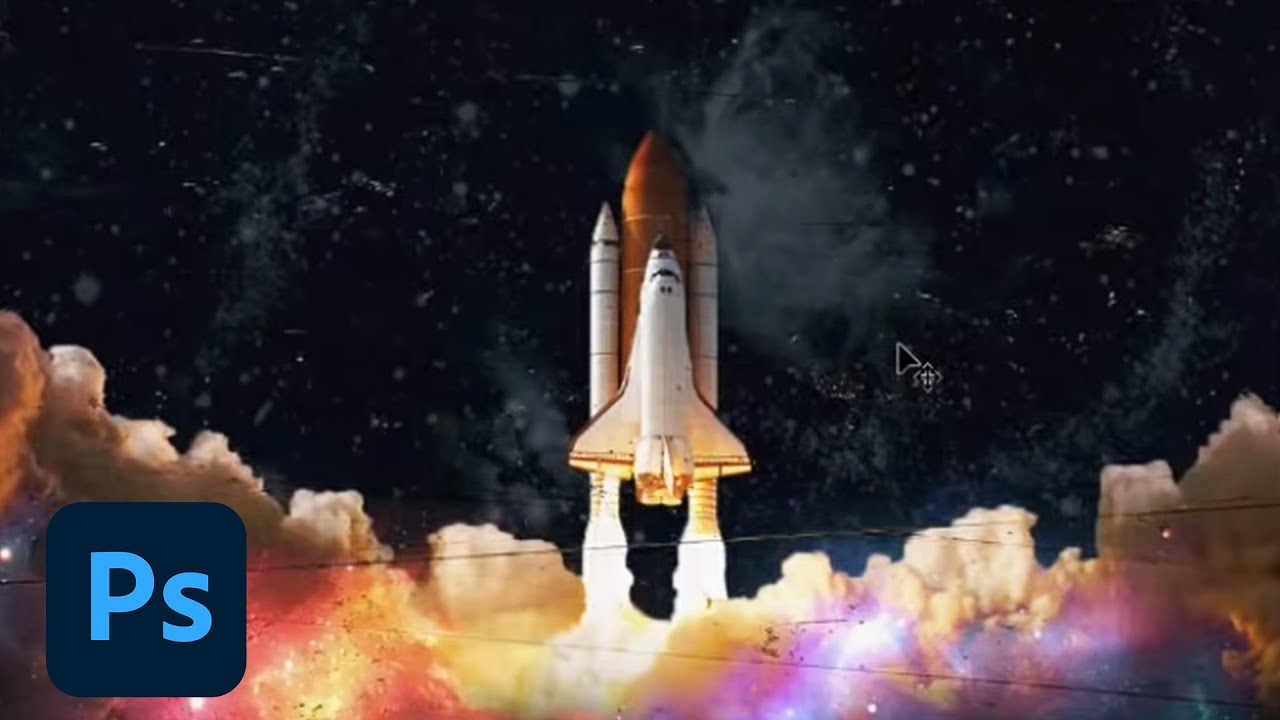
Join your host each morning at 9:00am PT to learn how to approach each challenge using Photoshop. Complete 9 challenges by Friday, July 2nd and you’ll be on your way to sharpening your skills. Get your questions answered, see what the community is creating and get feedback on your work!To sign up and get started, go to: https://www.behance.net/c...
@faint beacon Your Clipping Mask exercise is well done. All of the designs you embedded in the text look great. The drop shadow also works. Good effort.
@grave moss Your photography continues to intrigue me. The way you used it in your Clipping Mask exercise is great. I like the glow around the diver. The masked images in the M are well done. The blue in the M connects the can to the BG image. I like the subtle red drop shadow of the M offset against the red gradient of the can BG. This may sound counter to what I said at first, but I think the BG should be blurred a bit. Just enough to keep the focus on the can. I cant wait to see more of your underwater photography.
@young karma There is no requirement that you use "cans" in your projects. Its merely Kathleen's suggestion. You did a good job masking your images. I would make one suggestion. Add a stroke/drop shadow to the top text. Your embedded images are running off into the BG. Just a question .... whats the story youre trying to tell with the golf ball picture on the bottom? Im missing that.
dusty karma
Just finished updating my designs from days 2, 3 and 4 🥰
 eternal mica
@gilded blaze Welcome back to the DCC and Discord. Great start on your designs. We hope you have time to participate in all of the challenges. We look forward to seeing your posts.
@slender stream I see youre new to the DCC and Discord chat. Welcome. If you need any help figuring whats gong on, just give a shout out. We're here to help. Your Clipping Mask design is great. I would make one suggestion. How about trying a different BG so that the darker tones on the bottom of both the M and the A stand out more. Theyre getting lost. And again, welcome.
@copper moss Very nice job with the clipping mask exercise. The patterns were handled nicely. I like the colors you used. Did you intend to only stroke one of the patterns in each letter?

 gilded blaze
I needed to keep practising this one first and found the one i like best. I added a little cloud texture to my cover to see what it would look like and I think its ok.
 eternal mica
@young karma Your Day 4 definitely has the feel of the design blowing up. You did a beautiful job on the effects on the B. I like the texture. It enhances the explosion effect. I would make one suggestion. I think the drink name font could stand out more, and probably be better in one color. But thats just me.
ornate spoke
eternal mica
<@!767949550056374312> I love your Clipping Mask design. It has such an excitin...
In hindsight I should of went with something more appealing than the shark for the bg object lol.
My original edit was over 8gb so i had to resize the image and then for some reason made 2 copies and scaled them down to add a zoom out kinda effect. Just something done on the fly
eternal mica
@dense robin This chat is for posts related to the current Daily Creative Challenge. If you have questions about other Ps work, please post them in one of the more appropriate tabs on the left (ask-a-question would probably be best for your question). A moderator will be able to drill down deeper with you on your issue. For tonight, I'll hop over there in a few minutes and see if I can help you there.
ornate spoke
eternal mica
<@!767949550056374312> You gotta go easy on me. Im new at mentoring. You chang...
Ya changed the screen name lol your def right the can needs more depth added, i was focused on trying to blend the bottom to look like particle flame strokes that i didn’t zoom out and take a look. Next time!
eternal mica
@ornate spoke What format are you saving your images in?
eternal mica
@dense robin for sure. https://www.behance.net/live/videos/11867/Photoshop-Daily-Creative-Challenge-Welcome?tracking_source=to_replay&from_row=What's_New This is the link to the introductory stream for the DCC that started this past Tuesday and runs through next Friday. It will give you a pretty comprehensive intro to DCC/Discord process. You can find the link to the Behance landing page for the 4 challenges we've already been presented with in the tab at the left Announcements>creative challenge. If you have any questions on these subjects or need help, just let me know.
Join your host each morning at 9:00am PT to learn how to approach each challenge using Photoshop. Complete 9 challenges by Friday, July 2nd and you’ll be on your way to sharpening your skills. Get your questions answered, see what the community is creating and get feedback on your work!To sign up and get started, go to: https://www.behance.net/c...
eternal mica
I hope you decide to join. Its a lot of fun and a great way to enhance oyur Ps skills.
*your
 dense robin
is there any sections where can i show my art works
dense robin
eternal mica
*your
and i already joined it
eternal mica
@dense robin If youre looking to post your portfolios, I would suggest you go the behance.net site, check out galleries, see if thats what youre looking for.
dense robin
thanks really
eternal mica
@young karma Welcome to our group. We're happy you decided to join. Take your time. This DCC runs all of next week and then will be on replay for the two weeks following. If you have any questions or need any help, just let us know. Your first design is cool. You did a good job with the rings and the planet. The astronaut is a cool touch. Good effort.
@vagrant rapids Wow, I love your clipping mask design. The way you treated the D is awesome. The patterns are done well. The pink hearts are a nice touch. The emboss throughout works great. The stroke on the bottom shape is a cool touch. And your BG adds so much to the design without overpowering. Ok, can I have one tweak??? To add more perspective to the design, I would love to see you add more of the shadow you have at the base of the can along the sides. What do you think?
@deep mango Very well done with your Clipping Masks exercise. The patterns you clipped in, the red shading, and the yellow drop shadow all work well together. Nice job with the occlusion shadow on the bottom of the can. strong effort all around.
@sand light It looks like youre new to the DCC/Discord chat. If so, welcome. If you need help finding your way around or figuring things out, just let me know. Good effort on your Day 1 effort. I would make one suggestion, blur the edges of the ellipse shape. It looks a bit to digital. Nice job.
@uneven kindle I apologize. Which exercise is your Fresh Cherry Juice design for?
@buoyant nova Hey Susan. How are you??? Can you believe they got me mentoring??? Your Transform design is well done. The gradient and the pattern work well together. The font also looks good. I would make one suggestion. I would work with the BG to create more contrast between it and the black can bottom. Nice effort.
@shrewd crane Very creative design. Did you draw the objects? The design pops. The can BG adds a lot to the design without overpowering it. I would make two suggestions.
I like the bubbles you have on the bottom. How about adding some to the top to visually connect the two sections. And I think the font of the drink name is a bit too formal for such a fun design. What do you think?
lucid plover
eternal mica
<@!353794772999340032> Very interesting effort on the Clipping Masks. My sugges...
Thank you @eternal mica I made that for purpose,I wanted to make that looks 'rough',but I think I will try your suggestion
nimble shardBOT
Gave +1 Creative Carma to @eternal mica
eternal mica
@steep inlet It looks like youre new to the DCC/Discord group. Welcome. If you need help with anything, give a shout out. Such a cool feeling to your Day 1 design. I like the second version a bit better. The soft blurred rainbow is a nice touch. I would make a couple of tweaks. I would look to increase the contrast between the can and the BG and I would make the drink name font a bit easier to read. Perhaps increase the font, change the fill color to something brighter. What do you think?
@lucid plover Were you doing DCC early last year when Jesus did an exercise on creating a face out of parts of different peoples faces?
gilded blaze
Day 1 challenge.
 eternal mica
@young karma Your Clipping Mask is great. It combines a few of the challenges into one. The clipping you did is well done. I would just tweak the brightness of all of the text to make all of it stand out more. Beuatiful effort.
queen aspen
Thanks, @eternal mica. If someone asks me how I did it, I couldn't explain - just have done it somehow 🙂
nimble shardBOT
Gave +1 Creative Carma to @eternal mica
eternal mica
@uneven kindle Nice job with your Clipping mask exercise. The pattern inserted works well. Suggestion, give the text more POP by giving it a stroke/drop shadow, and also play with the BG.
@queen aspen Heaven knows, Ive been there; done that!!!
@safe flint Very well done Transform can. Your design has a nice glow to it. The coloration is terrific. The stroke around the fruit is a good touch. I like the way you handled the drink name text. Strong effort.
@muted quail Nice job with the Clipping Mask exercise. The design has a "cool' feel to it. The patterns you added have enough difference to make them interesting. well done.
@earnest forge To change the fill on any text, either highlight that layer than go to the properties panel or go to that text layer and double click the T icon. In either case you will see a color box for that text. Just click on that box and the color selection window will appear. Good start with your Day 1. The BG you added works. You did a good job with the rings. I definitely agree to change the font color. I might also think about changing the font. The one you have looks a bit formal for a drink name. But I guess I'd wait until I changed the color to decide.
lucid plover
eternal mica
<@!353794772999340032> Were you doing DCC early last year when Jesus did an exer...
I don't remember that
deep mango
Thanks @eternal mica :) I've decided to add this occlusion shadow to all the designs I've done so far and changed their backgrounds to correspond to the different flavors :) I'll keep this on for the remaining designs
nimble shardBOT
Gave +1 Creative Carma to @eternal mica
gaunt wagon
Thanks @eternal mica I used Adobe capture to create the patterns
nimble shardBOT
Gave +1 Creative Carma to @eternal mica
eternal mica
@lucid plover it's 2:00AM. I'll send it to you later today.
 chilly hawk
Live shape challenge

 vagrant rapids
eternal mica
<@!703341359569961002> Wow, I love your clipping mask design. The way you treat...
vagrant rapids
eternal mica
<@!703341359569961002> Wow, I love your clipping mask design. The way you treat...
I totally agree @eternal mica! I'll add some perspective👌 . Thanks a lot for your feedback!
nimble shardBOT
Gave +1 Creative Carma to @eternal mica
knotty cosmos
@eternal mica Thank you very much for the notes 🌹
nimble shardBOT
Gave +1 Creative Carma to @eternal mica
copper moss
eternal mica
<@!778334358833856513> Very nice job with the clipping mask exercise. The patte...
I used thin type for the risk. Here I have variations of the same After Race concept. I used stroke and shapes behind bottom part of the type. Which one is better? And on top right I integrated my Ai design done for the challenge on Russian Avantgarde. Except the pink art flag should be darkened as it is not so clear. (I noticed after discord).To me it looks good.
 copper moss
The same concept with shapes behind like a pub shade, which shows the direction or movement and a stable foundation under. I understand that here the main point of the challenge is the type and clipping patterns to it.
 gilded blaze
Wanted to keep practising so I combined drawing (lol- never drew before using PS and not very good but this was too funny to pass up) and the lessons from this challenge so far. I call it Duck Surprize.
 serene wave
Matcha Mix- the Newest Healthy Flavour -Here is my take on Day 4 challenge for clipping Masks-#Daily Creative Challenge Day 4. @eternal mica, please give me feedback.
 young karma
eternal mica
<@456226577798135808> Very well done Adjustment Layers exercise. The astronaut ...
young karma
eternal mica
<@456226577798135808> Very well done Adjustment Layers exercise. The astronaut ...
very good suggestions! I'll see to it. thank you very much for you feedback
nimble shardBOT
Gave +1 Creative Carma to @eternal mica
ornate spoke
eternal mica
<@!767949550056374312> What format are you saving your images in?
Uhhh 2400 x 2400, the ratio is the only thing i changed.
Tbh i don’t know what you mean by format as I am only 2 months into Ps
gilded blaze
@ornate spoke the format is like TIFF, PSD and JPG. These are the type of files, the format of the image. For example you want to print a piece of work you created you would need to save in Jpg format- if your taken a photo in camera and want to save as a photoshop document then the format would be PSD (in camera you can choose raw data or jpg- jpg is a smaller size of the raw image- already processed and losing detail in highlights and shadows if shot in jpg. Basically a compression of data- smaller then the other formats.
ornate spoke
gilded blaze
<@!767949550056374312> the format is like TIFF, PSD and JPG. These are the type ...
Im pretty confident im saving the file in psd format but exporting in jpeg format as I haven’t changed any settings other than a small aspect ratio.
candid cape
Day 4
 candid cape
My project on Behance https://www.behance.net/gallery/122213733/Ps-Daily-Creative-Challenge-June-2021
eternal mica
@lucid plover This is the stream I mentioned late last night. https://www.behance.net/live/videos/4941/Photoshop-Daily-Creative-Challenge-Auto-Blend

Challenge: Create a funny face mashup using Auto-Blend layers.Get the starter file here: https://bit.ly/psdcc3-16-6Join your host each morning at 9:00am PT to learn how to approach each challenge using Photoshop. Complete 9 challenges by Friday, March 27th and you’ll be on your way to sharpening your skills. Get your questions answered, see what...
@daring lantern I see this is your first post. Are you new to the DCC/Discord process? If so, let me know. Im not sure which day's challenge you posted this design for. Its a clean crisp design. The colors work well together. Nice job.
@woven crypt Welcome to the DCC/Discord group. If you need any help figuring things out or finding your way around, just give a shout out. We're here to help. Interesting design. The purple and black work well together. One tweak I would suggest to add pop to the design is you play with the BG, so there is more contrast between the can and the BG.
@woven crypt ooops, I see you posted a V2. The clipping mask is well done. I like the drop shadow picking up the color from the bottom of the can. That adds cohesion to the design, as do the dots. I would suggest you go one step further and change the fill color on all of the bottom text layers to be the purple from clip design. What do you think?
@dusty karma The new versions look great. Do you like them better?
lucid plover
Thank you @eternal mica
nimble shardBOT
Gave +1 Creative Carma to @eternal mica
eternal mica
@gilded blaze Very nice work on all the posts. The texture you add to the cover text is a good touch. The colors and the BG all work well together. The planet and ring on Day 1 give a nice contrast to the can BG you created. I really like your Day 2 Transform. The way you worked the green and yellow to match the fruit colors is a cool touch. One tweak Id make to the fruits in both images is to add a shadow to the image to make it look less digital, pasted on. Another tweak I would make to all the designs is to play with the text. Maybe break up the drink names into several lines and even different fonts. Draw attention to one part of the name. I would also suggest a different fill color, one that adds to the cohesion of the designs. Good work. Keep them coming!!!
@chilly hawk Good effort on Shapes challenge. Im not sure if some of the ring is showing through the back of the planet or not. Its hard to tell with color of the ring matching the planet. Adding the line art astronaut definitely adds interest. I would suggest, for more cohesion in the design, the drink text be one color. Good work.
@copper moss I like the soft pastel shapes you added in the lower left design best of all.
@serene wave Nice design for the Clipping Mask. The drop shadows/strokes you added to the M work well. A few areas of the clip need some adjustments. I think you need to scale the green/black pattern up to eliminate the white edges that are showing. The top and bottom patterns are protruding from the letter. You might want to check that those patterns are clipped properly.
wispy compass
Thank you @eternal mica ....I appreciate the feedback ! 😀 I changed it a million times and I think I finally decided with this image....but now I think I would make changes. I guess this what happens in the creative process. I know I should have a plan instead of just adding images together, however that seems to be the way I problem solve.
nimble shardBOT
Gave +1 Creative Carma to @eternal mica
eternal mica
@candid cape Lovin' that Clipping Mask Watermelon!! Colors, BG, font, etc all look solid. Adding the flowing pattern transform is very well done. Your stroke/drop shadows really convey a watermelon rind. The one tweak I'd like to see is to scale the watermelon image down just a bit. let me know what you think.
candid cape
eternal mica
<@!658788253515776039> Lovin' that Clipping Mask Watermelon!! Colors, BG, font,...
Thanks for the feedback. Scale the watermelon down? I'll give it a try and see how it looks.
nimble shardBOT
Gave +1 Creative Carma to @eternal mica
eternal mica
@candid cape Yes. Im not sure thats whats catching my eye, but I figured I'd point it out to you. I know it sounds weird, but it looks a bit oversized for the inner space of the W.
dusty karma
eternal mica
<@!552162841860243457> The new versions look great. Do you like them better?
Yeah, they are much better, I finally found a way to let the text from disco peach readable!!
Thanks @Ted B#3843 and @SamPetersonArt#7309 for the feedback it helped a lot!!
nimble shardBOT
Gave +1 Creative Carma to @eternal mica
copper moss
eternal mica
<@!778334358833856513> I like the soft pastel shapes you added in the lower left...
Thanks! I do my best to continue.
nimble shardBOT
Gave +1 Creative Carma to @eternal mica
 steep inlet
eternal mica
<@!743539380018479105> It looks like youre new to the DCC/Discord group. Welcom...
steep inlet
eternal mica
<@!743539380018479105> It looks like youre new to the DCC/Discord group. Welcom...
ill make the changes you suggested and show you back ,thankssss!!!
earnest forge
eternal mica
<@!847614226130141234> To change the fill on any text, either highlight that lay...
Hi Ted, thanks for your guidance.
nimble shardBOT
Gave +1 Creative Carma to @eternal mica
earnest forge
earnest forge
Hi Ted, thanks for your guidance.
Sooo as far as activating fonts, I had added several including Beastly and none of them showed up. Instead I see tons of Hiragano, Heite, Arabic, Hebrew, Chinese etc. that I never activaded. Is there a way to get rid of them? And why are none of the ones that I wanted show up? Frustrating.
muted quail
eternal mica
<@!797622210680061963> Nice job with the Clipping Mask exercise. The design has...
thank you!
nimble shardBOT
Gave +1 Creative Carma to @eternal mica
eternal mica
@earnest forge Be patient. Do not get frustrated. Ps is an incredibly diverse program with unlimited capabilities. It takes a while to become comfortable with the interface. I sent you a DM. Lets chat there
buoyant nova
Day 3 - Adjustment Layers
 short mica
 woven crypt
eternal mica
<@!772502663400914996> ooops, I see you posted a V2. The clipping mask is well ...
woven crypt
eternal mica
<@!772502663400914996> ooops, I see you posted a V2. The clipping mask is well ...
No I appreciate your feedback for both versions! I’m looking at my v2 and I think you have a point. Is it because the brown color in “dirty water” makes the text compete a bit with the name of the drink?
eternal mica
@woven crypt More than that, the fill color looks washed out. Also, it doesn't fit the color theme of the design. I believe if you try my suggestion you'll see the difference.
earnest forge
Thanks to Ted I was able to change the color on the text and change the font. Still having trouble downloading the Beastly Font, so this one will have to do. So excited to be able to steal time away from time to do this.
 eternal mica
@buoyant nova Nice job on the Adjustment Layers. thhe BG you added adds cohesion to the design. Changing the can color to orange is also a nice touch. One tweak Id suggest is to blur the edges of the smoke. Theyre a bit too digital. But thats just me. A lot of the submissions seem to have it your way.
@short mica I like your take on moving the rocket around and the angle of the smoke cloud. I like the can color. I would suggest a bit of blur on the edge of the smoke cloud and to increase the size of the rocket. What do you think?
buoyant nova
@eternal mica Great idea. Thanks, will give it a try
nimble shardBOT
Gave +1 Creative Carma to @eternal mica
candid cape
I scaled the "W" down a bit and added a couple more small tweaks. Does this look better @eternal mica ? I Just realized that you meant the watermelon pic should be scaled down, not the letter itself, sorry.
 woven crypt
eternal mica
<@772502663400914996> More than that, the fill color looks washed out. Also, it ...
woven crypt
eternal mica
<@772502663400914996> More than that, the fill color looks washed out. Also, it ...
Thanks, that makes sense. I see what you mean. If it's alright, here's my result after your suggestions
 nimble shardBOT
Gave +1 Creative Carma to @eternal mica
earnest forge
Day 2 Transform tools, and still catching up
 frosty monolith
Hey there, Guess I'm a bit late but when I'm posting this, it's 2 am in the morning & at this point, I'm just too sleepy to comprehend if the design looks okay or not. lol. However, this is my version of Day 2 challenge. Please feel free to let me know what you think & any further suggestions will be appreciated.
 short mica
Solid and suggestions, . What should be an automatic addition when there's a movement aspect..... newbie mistake

 chilly hawk
Transform Tool challenge
 plain sable
Thanks @eternal mica I added a stroke and played with the shadows on the can.
 nimble shardBOT
Gave +1 Creative Carma to @eternal mica
 gilded blaze
ornate spoke
Im pretty confident im saving the file in psd format but exporting in jpeg forma...
gilded blaze
ornate spoke
Im pretty confident im saving the file in psd format but exporting in jpeg forma...
then your format should be jpg.
gilded blaze
eternal mica
<@!683963507917586490> Very nice work on all the posts. The texture you add to ...
thank you. Will give it another go today.
nimble shardBOT
Gave +1 Creative Carma to @eternal mica
 glacial minnow
chilly hawk
Transform Tool challenge
glacial minnow
chilly hawk
Transform Tool challenge
This looks great Cecilia
buoyant nova
chilly hawk
Transform Tool challenge
Really like this @chilly hawk looks great
young karma
eternal mica
<@456226577798135808> Your Clipping Mask is great. It combines a few of the cha...
Hi @eternal mica I light up the letters of the name of the drink and also de W. And I love it!!! Thank you once again for your tip 🙌🏽
 nimble shardBOT
Gave +1 Creative Carma to @eternal mica
eternal mica
@young karma You're very welcome. You've given me a smile from ear to ear. You are finding what I have found in this community. A group of people who share ideas, creativity, and friendship to make each other's day just a little bit more beautiful.
 solar frost
Doing my first Photoshop Challenge, hopping in late but here are three of the challenges


 earnest forge
Catrina Mexican iconography for Day of the Dead. This was so much fun!
 young karma
eternal mica
<@456226577798135808> You're very welcome. You've given me a smile from ear to e...
young karma
eternal mica
<@456226577798135808> You're very welcome. You've given me a smile from ear to e...
That's exactly what I was looking for and I'm really happy to have found this community with so many magnificent people and art works. And the best part is that in addition to having the challenges, we shared our work and get a true feed back, which is extremely important for our growth. I'm really grateful. 🙏 🥰
tawny badge
How do you think ?

 radiant storm
Hello @everyone I’m new here but I’m excited to learn and show some of my work.
dusty karma
Welcome @radiant storm
eternal mica
@earnest forge Bright colorful pattern. The gradient works well also. Coloring the can in red is a good touch. Nice work
radiant storm
Thank you @dusty karma
nimble shardBOT
Gave +1 Creative Carma to @dusty karma
eternal mica
@frosty monolith Nice effort with the Transform can. The checkerboard perspective was handled well. Given that it was 2:00AM and you were exhausted, Im not surprised the patterns dont align. Its hard enough to accomplish with a fresh eye. I would suggest you get the four perspective patterns to align themselves. Make one, then ctrl J to duplicate and ctrl T to realign. Presently, there are differing sized gaps between the layers.
chilly hawk
Adjustment layer challenge
 eternal mica
@candid chasm Your Day 4 Clipping mask is awesome. The combination of picture and line art is so creative. I had to do a double and triple take to appreciate all the elements. I especially liked the way you used the green outline for the leaves. You also did a great job incorporating into this design the elements you picked up along the way in the first three of your series (blurred leaves and BG). Excellent work. 💯
earnest forge
Clipping masks challenge, by the nick of time.
 eternal mica
@chilly hawk Your Transform design is great. I can taste the strawberry juice. you worked the transform pattern beautifully. Picking up the green/red of the strawberries in the text gives the design nice cohesion. I would offer one (very) small nitpick. I believe you can add perspective and a sense of realism by adding shadows to the strawberries and to the drops of juice you have popping out of the liquid. Super effort.💯
faint beacon
eternal mica
<@!411959115754242049> Your Clipping Mask exercise is well done. All of the des...
Thanks @eternal mica for your feedback
nimble shardBOT
Gave +1 Creative Carma to @eternal mica
eternal mica
@solar frost Welcome. Youve found a great place to meet creatives, learn Ps, grow your skills, and have a lot of fun. If you have any questions or need help finding your way around, give a shout out. We're here to help. The group of cans is well done. Your Shapes can is neat. The way you altered the lower shape adds a nice sense of movement to the design. I would make two suggestions: A bolder color fill for the drink name text (I would suggest this for all 3 cans) and I would work on a BG to add contrast to the can. Your Transform can is great. The way you warped the text is really powerful. I like this font best. How about trying this can with red text fill? Your last can looks like it could be Adjustment Layers and Clipping Masks combined. Same comments as for the other two. I hope you keep posting.
@earnest forge Aha, I see youve solved the fonts mystery!! Good for you!!! Your Adjustments Layer effort is terrific. Such a fun image. I would make one suggestion. The black stroke on the drink name is washed away into the black can BG. How about maybe a plain white stroke to bring the top design into the lower third? Your Clipping Mask design is beautiful. Great color palette. The stroke works well throughout. I small correction, the top right of the white square needs to be cleaned up. How about adding the same stroke from your text to the bottom can shape? Really solid work.
@tawny badge Im assuming this is for the Clipping Mask challenge. Good work on the clip inside the G. I like the way you handled the stroke and the drop shadow. Using the purple color for the drink text name fill adds cohesion to the design. One suggestion Id make is to see how you like the design without the drop shadow around the drink name. That doesn't seem to be working. Good effort.
@chilly hawk Nice work on the Adjustment Layer. The way you embedded the berries in the smoke is a very cool effect. Well done. The blurred edge to the lower shape is cool. Ive suggested to some other folks, I think blurring the edge of the smoke clouds to add realism would be a nice touch. Strong effort.
glacial minnow
Day #1 - Starting my catch up
 gilded blaze
Challenge 3- I decided to google some images and give that a go. I feel however the one without the background was better then adding the extra as I feel its overly busy. But will give it another go.
 gilded blaze
took a bit of lesson 3 and 2 and 1 and put this one together. I am having loads of fun practising. I am trying to get as much done and learnt before I get very busy.
 young karma

short mica
 keen sinew
Day 1 challenge recap.
 buoyant nova
Day 4 - Clipping Masks
 hollow yarrow
keen sinew
Day 1 challenge recap.
hollow yarrow
keen sinew
Day 1 challenge recap.
Love the concept of planet bowl and your glowing ring is really well done! Great job!👍
hollow yarrow
buoyant nova
Day 4 - Clipping Masks
"Clipped" textures on W turned out great and apply texture on bottom area rather than top is such a great idea! Nicely done!👍
buoyant nova
Thanks @hollow yarrow
nimble shardBOT
Gave +1 Creative Carma to @hollow yarrow
safe flint
Day 4. Still trying to work on Day 3.
 hollow yarrow
Day 3 - Adjustment Layers
(Design only -No can mockup)

 lament crane
This is beautiful
keen sinew
hollow yarrow
Day 3 - Adjustment Layers
(Design only -No can mockup)
Awesome!!!
hollow yarrow
safe flint
Day 4. Still trying to work on Day 3.
Well done! Green offset adds a nice 3d effect. I like how you used different patterns it gives a nice patchwork effect. Subbtle background texture addition is interresting too. Great job!👍
Day 4 - Clipping Masks
Main Design
 lament crane
Nice
hollow yarrow
Day 4 - Clipping Masks
Design on Mockup
 nimble shardBOT
Gave +1 Creative Carma to @lament crane
hollow yarrow
lament crane
Nice
Thanks!
hollow yarrow
keen sinew
Awesome!!!
Thanks!
lament crane
thnx
severe ice
eternal mica
<@!805914741243117638> Haha, Your Transform exercise is well done. Youre the se...
Hi Ted, thank you for your valuable feedback I will definitely try your suggestions.
nimble shardBOT
Gave +1 Creative Carma to @eternal mica
eternal mica
@hollow yarrow Where you been??? Ive been waiting for your posts!!! Can you believe MTL is in the SCF??? The odds were 500-1
ornate spoke
eternal mica
<@!698155393649475695> Where you been??? Ive been waiting for your posts!!! Can...
any Leafs fans in here?......lol
dense robin
hollow yarrow
Day 3 - Adjustment Layers
(Design only -No can mockup)
Looking good
sterile bane
How do we feel about our pineapple? Smiley enough?
 lament crane
u made the entire thing in photoshop?
 ruby panther
sterile bane
How do we feel about our pineapple? Smiley enough?
ruby panther
sterile bane
How do we feel about our pineapple? Smiley enough?
If I saw this Pineapple in a alleyway, I'd turn and walk away!
eternal mica
ornate spoke
any Leafs fans in here?......lol
Theyre all in witness protection program on suicide watch. LOL
ruby panther
lament crane
u made the entire thing in photoshop?
It's the DCC.
ruby panther
lament crane
ddc?

Daily Creative Challenge
ruby panther
lament crane
What is it?
How to learn Photoshop. It's the best!
lament crane
thank you!
ornate spoke
eternal mica
Theyre all in witness protection program on suicide watch. LOL
yeesh burn Ted's sassy today
dense robin
@eternal mica can you please give me a example today's challenge
eternal mica
@hollow yarrow I was thinking, Couldnt Franck's amazing Adjustment Layer design almost be used for the Clipping Mask too? The image clipped inside the mans head ?? That is of course until I saw your clipping mask design!!! Two awesome works. The shape of your S is attention grabbing. All of the textures you added to the CM mock up are so interesting. The double gradient is a very cool effect. Beautiful work.
@dense robin I apologize, I dont understand your question.
lucid plover
DCC Day 5,Energy Drink
 dense robin
@eternal mica I mean example for the challenge
 thorn glen
First challenge submission 😃 A little behind, started with the Live Shapes challenge. I wanted to blur the stroke in front of the planet to match the rest of the planet halo, but wasn't able to figure that out.
 dense robin
thorn glen
First challenge submission 😃 A little behind, started with the Live Shapes cha...
dense robin
thorn glen
First challenge submission 😃 A little behind, started with the Live Shapes cha...
is this count as an example
eternal mica
@dense robin Did you watch todays livestream? As the stream ended only a few minutes ago, nobody has had time to post their images for today yet. If you wait a little while, Im sure people will start posting. As an alternative, I suggest you watch one of the streams from last week then scrub through all the posts here. You will see dozens of great posts for each days exercise.
dense robin
Ok got it
eternal mica
@dense robin The example you are pointing to is related to the stream from June 22 called Live Shapes.
safe flint
Day 3.
 eternal mica
@dense robin Look at @lucid plover image posted just a few minutes ago. That answers all your questions. It is related to today's theme of Effects & Colors; He did not use the assets; He created his own design. I hope it all makes sense for you now.
vagrant rapids
hollow yarrow
Well done! Green offset adds a nice 3d effect. I like how you used different pat...
Your Adjustement layers and Clipping masks designs are incredible, as usual. It's difficult to say what make your designs so special ... composition, colors, texture, effects ... and this humor touch. I love them, BRAVO 👏
dusky wave
for today challenge - PS DCC #05 Effects & Color
 hollow yarrow
eternal mica
<@!698155393649475695> Where you been??? Ive been waiting for your posts!!! Can...
hollow yarrow
eternal mica
<@!698155393649475695> Where you been??? Ive been waiting for your posts!!! Can...
I took some days off as there are some hollidays in Québec (June 24) and Canada (July 1). And as there's less restrictions real life is coming back... so less freetime... But don't worry I'm addicted so I'll still sharing my artworks here ... For Montréal Canadien: I would be surprised if they won against Tampa Bay ... but who knows ?Everyone was saying the same thing for three previous rounds... As a french man living in Montréal I'm more exited by European soccer championship but I have no choice to follow Hockey...I am almost totally integrated 😉
eternal mica
@vagrant rapids Ive been watching @hollow yarrow do one amazing design after another for over 1 year now. I often wonder the same thing you do. Ive come to understand that, in my view, of all his talents, his raw creativity is on a genius level. He sees things and can then follow through and create that vision in a way other people cannot. It is a joy to see what he creates day after day.
hollow yarrow
eternal mica
<@!698155393649475695> I was thinking, Couldnt Franck's amazing Adjustment Layer...
Thanks Ted! Image in mans head is not clipped but just "blended" with blending mode (double exposure technique = less work) that's the reason why I posted it as Day 3... There's so many different ways to get the same result in photoshop so sometimes it's normal to be confused 😉
nimble shardBOT
Gave +1 Creative Carma to @eternal mica
hollow yarrow
vagrant rapids
Your Adjustement layers and Clipping masks designs are incredible, as usual. It'...
Thanks a lot! I really appreciate Christelle!
candid chasm
thorn glen
First challenge submission 😃 A little behind, started with the Live Shapes cha...
You just need to go to filter > blur> gaussian blur 🙂
eternal mica
@hollow yarrow Thank you. You're always teaching me. I'm so appreciative.
nimble shardBOT
Gave +1 Creative Carma to @hollow yarrow
keen sinew
DCC Day 5 Challenge... I wouldn't drink this if I were you.
 median frost
Here is my design for day 5 🍍 🪐

 vagrant locust
Wow, you people are creative and talented. I'm learning. Just found out about the challenge today. So here is Day 1 (referred to as Day 2 in the video, yeah I don't understand what's what). Also, my text can't be edited. File says I have to rasterize, but then it's not editable. Clearly, I'm not much sure what I'm doing. But I made it this far.
 autumn granite
eternal mica
<@!699776951790862418> Good job with the Clipping Masks exercise. Nice strong m...
autumn granite
eternal mica
<@!699776951790862418> Good job with the Clipping Masks exercise. Nice strong m...
How about this revision??
 severe ice
Here’s my Day 4 - Watermelon Blast 🍉
 ember wave
eternal mica
<@!760856454193610787> Beautiful Day 2 can. The BG and the wispy lines are terr...
ember wave
eternal mica
<@!760856454193610787> Beautiful Day 2 can. The BG and the wispy lines are terr...
huge gratitude for the feedback))) I pay attention to the comments and correct my work і Thank you😍
nimble shardBOT
Gave +1 Creative Carma to @eternal mica
buoyant nova
Day 5 - Effects and Colour

 earnest crane
Hello, how do you get rid of the Adobe watermark?
eternal mica
@glacial minnow Very well done day 1 Shapes can. I like the stark white lines against the dark BG. And I like the blue planet color being used in the text fill to add cohesion to the design. My one suggestion would be to see what the can would look like on a BG of a different color. Strong effort.
@short mica Very nice job on the Clipping Mask design. The way you handled the clipped patterns makes the W very interesting. The stroke and drop shadow also work well. The drink name type is a little lost. I might make it a bit more prominent. I would suggest one thing, and that is to try a different BG color so the black can can be contrasted more against the black BG.
forest aspen
Day 5: Special Effects. Fruit is from PixelSquid and template from Adobe. I've used the relatively new water pattern for texture.

@earnest crane You have to license the image from Adobe Stock, wither through your library or at stock.adobe.com. Search by the number in the lower right corner.
severe ice
earnest crane
Hello, how do you get rid of the Adobe watermark?
Hi @earnest crane, these images that are being used in the challenges are licensed in Adobe Stock to use them without the watermark you have to have a subscription. You can try find your own images on Unsplash for example.
eternal mica
@keen sinew Very cool second effort. I dont know if you intended this on your revision, but how would it look if the star belt from the BG were carried straight into the can design? Having it so close, but not exact seems a bit distracting.
@buoyant nova Watermelons are taking over the world!!!! I like how you flipped the can color and shape color. Your W is very well done. Very fun font. I'd still suggest a BG other than black.
@safe flint Very nicely done Clipping mask. Your color theme is great. The patterns you clipped into the C are so cool, as are the red color blocks. i like the way you picked up the stroke color in the drink name text to add cohesion to the design. Strong effort.
buoyant nova
@eternal mica Thanks. Do you mean the black background on the can or the square black background?
nimble shardBOT
Gave +1 Creative Carma to @eternal mica
eternal mica
@lucid plover Very powerful design. The logo exudes SPEED. Very palpable sense of motion. Your colors work together to convey that strong message. Well done
lucid plover
Thank you @eternal mica
nimble shardBOT
Gave +1 Creative Carma to @eternal mica
eternal mica
@thorn glen Welcome to the chat. Is this our first DCC/Discord experience? If it is, please let me know. Thanks for submitting your work. I think the planet looks good. Your effort to blur the ring gets lost as it passes over the planet. If you want that blur effect, why not try a different color? One other suggestion, I would try a different color fill for the drink text. Try a color that can be more cohesive to the overall design. I look forward to your next designs.
nimble shardBOT
Gave +1 Creative Carma to @thorn glen
eternal mica
@safe flint Hah, flying strawberry!! Great. Cool concept. To sell the realism more, I would add shadows to the strawberry edges, make it look less digital, more 3D. I might also blur the edges of the smoke cloud for the same reason. Nice work.
safe flint
@eternal mica thanks for the advice. I was wondering what to do to make it look better. Will do.
nimble shardBOT
Gave +1 Creative Carma to @eternal mica
earnest crane
severe ice
Hi <@!857363931176763472>, these images that are being used in the challenges ar...
@severe ice I am new to photoshop..so this may be a dumb question..but I have a supbscription with adobe photoshop. How do I get to the Adobe Stock library? NVM...found it! Thanks for your help 🙂
autumn granite
My take on the DCC.
 copper moss
Challenge #05: Effects and color. Paranoid Pineapple. I draw additional wind effect by Line tool. Light reflection is on the way of iris. I will manage later to remove it.
 eternal mica
@earnest crane stock.adobe.com will take you to the stock library. In the drop down menu select FREE. This will limit the images/photos/designs/etc to those that are free to CC subscribers. It will also display for fee files, should you want to purchase something.
earnest crane
@eternal mica thank you so much!!
nimble shardBOT
Gave +1 Creative Carma to @eternal mica
eternal mica
@dusky wave Very cute design for today's DCC. The design definitely tells a happy story. I would make one suggestion, why not add to the happiness with a BG that picks up the can design?
@keen sinew I agree, thats a scary brew!!! If it werent for the pineapple image I would think that design was off a hot sauce bottle. The design is "on fire". Your use of the gradient is spot on. The fire edges on the pineapple leaves is well done. Wanna try something??? Add 2 black devilish eyes to the pineapple just under the eyebrows, end up with a really monster looking image. Let me know what you think.
keen sinew
eternal mica
<@!857689224714780723> Very cool second effort. I dont know if you intended thi...
Makes sense to take it out, actually. It was not meant to be prominent like that.
eternal mica
@median frost It took me a few moments to write this. I had to stop laughing. Your image is adorable!!!! Adding the ring from earlier DCC is so cool. The color palette is wild. It looks like you added perspective to the drink name. Did you? If you did, well done. Your BG is awesome. It adds motion to the whole design and definitely got me dizzy!!! Love the effort.
@vagrant locust Welcome. We're happy youre joining us. You have no idea how creative the folks in this group. If you hang around for a while, you'll see some incredible creativity. If you need help figuring anything out, give us a shout, we're here to help. Click on my name and send me a DM. One on One I'll answer a lot of your questions, resolve some Ps issues, and get you acclimated. Your Live Shapes can is a good effort. You accomplished the main concepts. A very good start.
@autumn granite Many times when someone submits a revision I go back to the original and look at the 2 side by side. Did you do that here? I think this one is a much stronger design than the first version. Im curious what you think.
bold valley
Day 5 Coffee in the wind, Santa Anna winds at that, if you know what I mean.
 median frost
eternal mica
<@!829166723429171250> It took me a few moments to write this. I had to stop la...
median frost
eternal mica
<@!829166723429171250> It took me a few moments to write this. I had to stop la...
Thank you @eternal mica 😊 Yes I added perspective to the drink name 😁
nimble shardBOT
Gave +1 Creative Carma to @eternal mica
eternal mica
@severe ice ha, more watermelon!!! Your 3D watermelon seeds are awesome. I love your W font, and the way off set it with drop shadow. The white text fill drink name adds a lot of cohesion to the design. The BG is just subtle enough to add with out distracting. One tiny nit pick??? The lower right black part of the W gets lost into the BG. Maybe a curves adjustment to the W to increase the contrast to make this more visible. Love the effort.
@buoyant nova Everyone really has me chuckling at these pineapple designs. Your gradient BG really brings the design together. The wind blur you added works great. The eyebrows is a fun touch. If I had to critique one thing, Id say maybe a different BM, or a lower opacity, on the red face to have a bit more of the pineapple texture show through. But thats a tiny tiny nit pick. Very well done.
buoyant nova
Thanks @eternal mica will try a different BM
nimble shardBOT
Gave +1 Creative Carma to @eternal mica
eternal mica
@forest aspen Oh man, Marie, youre killing this DCC with your designs. I cant wait to see this completed project, and your Behance portfolio. Its going to be dynamite!!! The wind blur on the fruit is well done. The coloring hits the spot, again. The can BG texture is lovely. The gradient is electric. Super work.
eternal mica
buoyant nova
<@688853114035634184> Thanks. Do you mean the black background on the can or the...
The big black BG Kathleen provided.
dusky wave
eternal mica
<@!738100192875905095> Very cute design for today's DCC. The design definitely ...
I have got no idea what BG means.
buoyant nova
Ok thanks @eternal mica
nimble shardBOT
Gave +1 Creative Carma to @eternal mica
buoyant nova
@dusky wave it stands for Background
eternal mica
@autumn granite I love it. Start off with the color palette. You flipped the black on its ear, and made it work. Using the green just for the pineapple face makes it clearly the focal point, and rightly so. The ice blue is eye grabbing. Your wind blur is right on, especially adding it to the NUCLEAR text. If I had to make one nit pick, I would change the shade of the pineapple text fill. Maybe a bit more contrast from the shape fill blue?? What do you think?
@dusky wave I apologize. BG = BackGround.
dusky wave
eternal mica
<@!699776951790862418> I love it. Start off with the color palette. You flippe...
@buoyant nova So then a shade darker to make the pineapple stand out?
eternal mica
@copper moss Good effort on today's exercise. You did a good job with the wind blur effect. I like the colors you used. Im not sure what the white object at the top of the eye is. You might want to try using a BM on the eye layer to see if you can get that layer to blend with the pineapple texture underneath. It might create some really interesting results, or it might look weird. But its worth it to play with it. Thats the fun of Ps.
@bold valley Nice job with today's exercise. Your drinks add nice color and focal point to the image. You did a good job with the wind blur. I like that you added it to the drink name text too.
ornate spoke
DCC - #5 : Effects & Color
 buoyant nova
@dusky wave I think @eternal mica means the black background. Try some different colors or images to see if it looks better
grave moss
It's not quite what I'd hoped. Maybe because the original photo is so distorted already? Maybe moon jellies don't need fx.

Original photo source taken in Puget Sound, 2018.
 plain sable
Here is my challenge #5
 solar frost
Used the oil paint filter which I had never done before. I never get the same results as people I watch with the refine edges tool. I had to mask out most of the saxophone details manually. Is there some sort of setting to make that tool work properly?
 glacial minnow
eternal mica
<@!700835033337823233> Very well done day 1 Shapes can. I like the stark white ...
glacial minnow
eternal mica
<@!700835033337823233> Very well done day 1 Shapes can. I like the stark white ...
Thanks for suggestion, does this look better?
 nimble shardBOT
Gave +1 Creative Carma to @eternal mica
eternal mica
glacial minnow
Thanks for suggestion, does this look better?
Oh my. Thats way better than I was thinking. I thinks its a dramatic improvement. What do you think???
glacial minnow
eternal mica
Oh my. Thats way better than I was thinking. I thinks its a dramatic improveme...
I think it looks great. Thanks for your help. I tried other flat colours but they didn't inspire me so I used the same background as in the orb
nimble shardBOT
Gave +1 Creative Carma to @eternal mica
eternal mica
glacial minnow
I think it looks great. Thanks for your help. I tried other flat colours but the...
I knew there was a reason it looked so great. Cohesion. K.I.S.S. The most obvious "right in front of my eyes" is many times the best solution. And I didnt notice the shadow until now. It looks awesome. Adds so much.
copper moss
eternal mica
<@!778334358833856513> Good effort on today's exercise. You did a good job with...
Hi, Ted! It is a light reflection on the iris. I will see how to manage it. Since it was Paranoid Pineapple topic, it was worth to play in such a way. Just be different. Thanks a lot.
nimble shardBOT
Gave +1 Creative Carma to @eternal mica
buoyant nova
How does this look @eternal mica
 eternal mica
buoyant nova
How does this look <@!688853114035634184>
eternal mica
buoyant nova
How does this look <@!688853114035634184>
I cant believe its the same design!!! I had to go back and recheck the old one to make sure. Now tilt the can on a 20°-30° angle and you've got a grand slam. How do you like it?
buoyant nova
Thanks for the suggestions @eternal mica much appreciated
 nimble shardBOT
Gave +1 Creative Carma to @eternal mica
buoyant nova
@eternal mica I hadn't captured the whole can when I transformed it but have done now
vagrant rapids
Here is my trial for Challenge#5! I chose to put the wind (blast) up because of the bubbles of this sparkling water. I enjoyed so much the discovery of today with this effect!!!
 thorn geyser
Day 5 🍍 My favourite fruit 😀
 eternal mica
@bleak fossil Ps DCC 2021-07 05 Effects & Colors
 autumn granite
eternal mica
<@!699776951790862418> Many times when someone submits a revision I go back to t...
autumn granite
eternal mica
<@!699776951790862418> Many times when someone submits a revision I go back to t...
@inner pollenb I agree that the new one is better. Always good to have another set of eye on things. I tell my students that too. I encourage them to help each other or have me look and I'll give pointers. Most take in stride as I am just trying to help them see things differently.
eternal mica
@autumn granite Thats what I found so incredible about this Discord community from the day I joined in as an utter dumbbell. Everyone is so willing to advise, mentor, and help, and on the other side, willing to accept comments and critiques. So enabling.
autumn granite
eternal mica
<@!699776951790862418> I love it. Start off with the color palette. You flippe...
@eternal mica I was using blue from pineapple and when I had other layers off didn't see the potential issues. Tried this new blue and sees to work better. Maybe?

 short mica
@eternal mica 👍Ted I'm hoping to revisit the challenges during The encore week and attempt to implement your suggestions per each one. Your feedback and thoughts are much appreciated thanks again. 🕊️
nimble shardBOT
Gave +1 Creative Carma to @eternal mica
muted quail
here's what i have for challenge #5
 copper moss
Challenge #05: Effects and Colors. I improved my previous version where the reflection of light was on the iris. Add wind effect by Line tool to give more expression. And also played with Blending Modes. What do you think Ted, is it OK?


 short mica
 young karma
Hi!! Challenge day 5, here it is. Hope you like it 👽
 bold valley
@eternal mica Thanks Ted for the compliment. It blew me away.LOL
nimble shardBOT
Gave +1 Creative Carma to @eternal mica
compact pecan
Day 5: Effects and Colors
 pliant comet
Ps DCC with Kathleen Martin - Day 5 - Effects and Color
Sadly, there is no surfing cat in this image.

 shell flame
Photoshop Day 4 Challenge with @sterile bane , What do you think of my Can Bottle mockup

And I also created this after the session

 teal pasture
So far I love everyone's desgin
 vital niche
new to they photoshop world, for the can challenge does it have to have fruit on it?
shell flame
vital niche
new to they photoshop world, for the can challenge does it have to have fruit on...
Not really, it all depends on your own taste or feel about your design
bleak fossil
@shell flame The Day 4 challenge is looking really good! I really like the patterns and colors in this. There's a nice balance to it, nice work!
shell flame
bleak fossil
<@!858149808996220949> The Day 4 challenge is looking really good! I really like...
Thank you @bleak fossil , It means alot
nimble shardBOT
Gave +1 Creative Carma to @bleak fossil
bleak fossil
@pliant comet Really cool image, I like the deep moody look of the colors of the wave. I kind of feel like it might push that feeling even more if you made the text a dark blue from inside the wave (where the light area meets the dark area) since it's on top of a light background. Nice job!
@compact pecan Loving it, great effect! The bright blue color creates some really nice color temperature contrast to balance out the rest of the design. Looks good!
@young karma Oooh, that's a very dramatic design name and design, hah. I really like the double exposure effect in the alien head, and the colors overall give the design a very interesting look. Nicely done!
@short mica Nice job with the effect on the strawberries. It could be nice to see a bit of that on the green leafy part as well to make the effect really clear, but that's a minor detail. The colors read very well together too, nice work!
@elfin thorn Cool design and color gradients on this one! The colors definitely give it a bold look and I like the addition of the graphic smiley face. The final mockup looks great too with the enhanced contrast and addition of the water droplets. Very nice work!
pliant comet
bleak fossil
<@!664897716173668363> Really cool image, I like the deep moody look of the colo...
Thanks, Sam. I knew something was bothering me about this image, like it wasn't quite done. 🙂
nimble shardBOT
Gave +1 Creative Carma to @bleak fossil
bleak fossil
@copper moss Very nice execution on this Day 5 challenge! The colors and textures within the pineapple make for a really eye catching effect and the dripping/lines effect add even more interest. The name seems very fitting too, hah. Well done!
@muted quail Cool colors and nice work on the effect! Though I think you could push it even further to make it a bit more obvious and intentional looking. I like the background texture too!
@wispy compass Interesting take on this challenge! I like the sort of illustrated look you got with this one and the way the red from the background image is mirrored in the text. Nice job 👍
@autumn granite Great colors and style to this Day 5 challenge! Loving the colors in the Arizona can too, really nice balance and great double exposure effect with the A. I wonder if making Nuclear in the latest design the same color of the green of the pineapple might give it a bit more clear read against the similarly colors background, and perhaps be a nice way to repeat that green color elsewhere in the design? Either way these are both looking really solid!
@eternal mica Really cool take on this challenge! I like the energy and sense of motion this seems to give the pomegranates. The colors add a nice bold look too and I like the retro style title font. I wonder if repeating the green from the bottom shape up top in the stroke of the red "pomegranate juice" text might make for some nice balance. Looks good!
@thorn geyser Super cool effect! I really like the colored shapes on either side of the pineapple. Those colors along with the text definitely give it a sort of neon/party type of vibe which works well. I wonder if Party Pineapple might sound more like a drink and less like an event? Hah, that might just be me. I like the addition of the colored top and bottom of the can. Well done!
eternal mica
@bleak fossil Thank you Sam. I appreciate your thoughts. I'll give that a shot in the morning.
nimble shardBOT
Gave +1 Creative Carma to @bleak fossil
bleak fossil
@vagrant rapids I think the upward effect works really well for this design! The addition of the background lines add a lot of interest too. I really love the colors in this design, and the balance between the white shape at the bottom with the dark text works really well. Background looks great too!
@buoyant nova Very cool! I like the color balance between the top and bottom of this design. The watermelon pattern in the W looks great and the background adds a lot of interest. Just make sure the lighting effect from the can mockup turns along with the can since right now it's still vertical. Looks good!
@glacial minnow Great balance between the color of the center logo and the background! It unifies the two elements nicely and contrasts the dark can very well. Definitely an improvement from the previous version in my opinion. I really like the look of your center logo design as well, very nicely done!
@solar frost Cool to hear you tried a new technique for this design! I really like the color contrast and textures in this design. As far as the Refine Edge Brush Tool goes, I typically use that for things like hair and complex/soft edges. For hard edged things like a saxophone I would usually use the Quick Selection tool and perhaps go into Select and mask if I needed a bit more control.
@plain sable Really cool effect with the seeds! Nice job with the masking of all those elements. I like all the colors you got with that effect. Nice work!
@grave moss Really neat, loving the colors and sort of electric look of the jellyfish! The background adds some nice interest as well. Perhaps the jellyfish could be a bit brighter overall to balance out the brightness of the bottom green/blue shape? Looks good!
@ornate spoke Really cool combination of shapes and colors on this Day 5 design! The effect turned out nicely and I like the contrast it creates on the dark background. The balance between the red text and flowers is a cool effect as well!
@bold valley The effect came out nicely and I like how you mirrored it in the flavor text. The color contrast looks good too, though perhaps repeating the orange from the drink into the text could look good and balance out the colors a bit? It could even be nice to see the drink images a bit larger to give them a stronger visual impact. Nicely done!
@forest aspen Really nice work, I like the style of this design. The diagonal placement of everything works really well, and the way you used color and patterns gives the whole thing some nice interest. The sort of caustic looking texture is a really nice touch too!
@severe ice Really cool color balance in this Day 4 design! Very simple, clean, and readable. The stroke on the W is a nice touch to make it more readable against the dark background. The seed texture and background stars add a lot of interest. Nice job!
plain sable
Thanks @bleak fossil
nimble shardBOT
Gave +1 Creative Carma to @bleak fossil
knotty cosmos
Hello Designers... My participation in challenge # 5
 grave moss
Tried to make it a bit brighter and shinier. Not completely happy yet, but getting there.

Thanks for the feedback @bleak fossil !
nimble shardBOT
Gave +1 Creative Carma to @bleak fossil
faint beacon
Challenge day 5 - Lemony Lemone
 vital niche
this was my first actually attemp at photoshop, im sure i was unaware of many tools which made it alot more complicated for myself, its very basic, but im happy as its my first photoshop ever lol

was kinda torn on what to do with the top half of the can where its yellow with the brownish lines through it any suggestion would be amazing
faint beacon
vital niche
this was my first actually attemp at photoshop, im sure i was unaware of many to...
There's nothing to worry, keep following the daily challenge. There's a lot to learn and discover.
thorn geyser
bleak fossil
<@!395643833582354434> Super cool effect! I really like the colored shapes on ei...
Thanks for the feedback! I think I will change it to Party Pineapple then, that name will also fit better with the names on the rest of my cans (where it is an adjective then a fruit name) 🍍
nimble shardBOT
Gave +1 Creative Carma to @bleak fossil
vagrant rapids
bleak fossil
<@!703341359569961002> I think the upward effect works really well for this desi...
Thanks @bleak fossil!
nimble shardBOT
Gave +1 Creative Carma to @bleak fossil
buoyant nova
Thanks @bleak fossil for your nice comments. I did realise the error of my ways and have corrected this
nimble shardBOT
Gave +1 Creative Carma to @bleak fossil