
#✂challenges-feedback
1 messages · Page 99 of 1

 warm stone
Looks great, I really struggled with the bottom right mountain
Sky Replacement and Lightroom did the heavy lifting. I struggled with the wedding couple example.

 blissful egret
 compact pecan
Both are my original images. I chose this specifically to see how well the sky ...
compact pecan
Both are my original images. I chose this specifically to see how well the sky ...
Really nice. I didn’t realize we can use our own sky images for sky replacement🙌🏼
compact pecan
blissful egret
Really nice. I didn’t realize we can use our own sky images for sky replacement...
Yes!! When you go to Sky Replacement, at the bottom of the window is the "add" button (square with a plus sign inside), and when you hit that, it will open up your finder screen (mac) or file explorer (windows) and then you can add whatever images you want!
 buoyant nova
Before

After - not sure why it comes out so dark in Discord, doesn't look this dark in Photoshop?
 blissful egret
buoyant nova
After - not sure why it comes out so dark in Discord, doesn't look this dark in ...
blissful egret
buoyant nova
After - not sure why it comes out so dark in Discord, doesn't look this dark in ...
It’s really nice. I love this sky. When I touch the image to review it, the brighter coloring is revealed.
blissful egret
compact pecan
Yes!! When you go to Sky Replacement, at the bottom of the window is the "add" ...
I have so much to learn! I’m like a kid in a candy store. Can’t wait to try this out and I appreciate all of your great tips!
buoyant nova
blissful egret
It’s really nice. I love this sky. When I touch the image to review it, the br...
Ah right, thank you 🙂
 nimble shardBOT
Gave +1 Creative Carma to @blissful egret
 queen aspen
Day 5 - Sky Replacement: these ones are "ingredients"...

and this is the result - Cheers!
 compact pecan
blissful egret
I have so much to learn! I’m like a kid in a candy store. Can’t wait to try th...
compact pecan
blissful egret
I have so much to learn! I’m like a kid in a candy store. Can’t wait to try th...
no problem!! The sky replacement is pretty new. I find myself jotting down notes so that I can remember what I learned one day so the next day I can remember where things are and how to do certain effects. It's so much of a fire hose sometimes...
 eternal mica
@buoyant nova My experience tells me that images in Ps are always darker when I transfer them to another medium, no matter what. So I usually make my Ps images a bit brighter than I actually want them so that when I transfer them the brightness is more to my liking.
 arctic rover
How it started

How its going. 🤣 I could have gotten some work done, but why do that when I can play. Seems my client must be the spray can company!
 eternal mica
@arctic rover I seem to remember doing a spray can challenge somewhere in my past!?!?!?
buoyant nova
eternal mica
<@552565862301958166> My experience tells me that images in Ps are always darker...
Thanks @eternal mica Strange it only happens on some images, will do them a bit lighter if it does it again
nimble shardBOT
Gave +1 Creative Carma to @eternal mica
eternal mica
@arctic rover I like how you flipped the image. To really sell the darker sky side of the image, why not bring the ominous looking sky tones down to the ground and darken that too?
arctic rover
eternal mica
<@!567020481686011925> I like how you flipped the image. To really sell the dar...
@eternal mica hmmm.... I did, but it must be too subtle. Will consult the gods and come up with darker sky tones on the sand.
 hollow yarrow
Thanks for your comment I really appreciate. No template used for my text... Just used SF Distant Galaxy font (found here: https://www.dafont.com/fr/sf-distant-galaxy.font) + clipping mask with space texture inverted and a layer FX (drop shadow and bevel and emboss)... Nothing complicated when you have the right font😉.
nimble shardBOT
Gave +1 Creative Carma to @blissful egret
eternal mica
@arctic rover Thats the same thing in reverse of what @Susan Holt mentioned. The screen image we see is not always the screen image that transfers.


 prisma eagle
Is there any reason why you loaded it into lightroom as opposed to using the camera raw filter


 runic basin
Here's my Challenge 5...Input is appreciated. Thanks
 blissful egret
 tardy stream
my own sky from home
tardy stream
my own sky from home
Looks super🙌🏼
tardy stream
big bend canyon before and replaced sky from later that evening (but at different location)


@blissful egret thank you!
nimble shardBOT
Gave +1 Creative Carma to @blissful egret
compact pecan
 edgy rain
Day 5 Photo editing
chose this one to start with
edgy rain
Day 5 Photo editing
chose this one to start with
Really great job matching the light levels on this one! I think the subtle cooling tone also really helps bring the two images together.
compact pecan
runic basin
Here's my Challenge 5...Input is appreciated. Thanks
I think it looks really good! Maybe a "finishing touch" would be to lighten the blue sky just a bit. Referencing the original image, the sun is pretty bright on the right side and towards the bottom. You could mimic that by using a levels adjustment to bring up the light levels to match the original image, then on a layer mask, use a gradient to hide the levels effect from the top left to the bottom right, but gradually like in the original image.
 vague swift
catching-up, just not inorder 🙂

 obtuse quest
Day 3 - Manipulation 🌿 🥦

 tired solstice
Quick sky change and minor other tweaks. This was a fun quick one to jump back into the challenges !

Original pic before sky change. Taken on my phone last summer.

 young junco
Photoshop Daily Creative Challenge - Photo Manipulation March 8, 2021
Added vibrant sky plus colorization of various foreground objects in a bleak 1930 Red Cross disaster relief scene from my area of country in Mississippi. Tried multiple colorization techniques as suggested by Adobe Photoshop help topics: curves, solid color layer blends.

 bleak fossil
@tardy stream Very cool! Both canyon images have a really interesting and dramatic look, but it's great to see how much you can change a scene with a sky replacement. I think you could darken down the landscape a touch more to match the pink sky, or even brightening up the pink sky a bit might help it match the landscape's lighting a bit more. Either way it has a great effect!
The sky on the replacement on the plateau images adds a ton of interest too!
@vague swift Ooh, really dramatic effect with the sky replacement image! The pop of color looks great and the color grading you added really helps the image match with the sky. Well done!
@tired solstice I really like the added contrast the orange in the sky makes with the water and blue of the sky! It also mirrors the color of the dog's fur really nicely to give the image a nice balance. I wonder if a subtle splash of orange color in the water around the background might help tie the two images together even more. Looks good!
@obtuse quest Great layering with how you structured the face and plants! It gives the image a really interesting composition and sense of movement. The lighting matches really nicely between all the different elements in this image, great design!
@runic basin Nice job Jim! The clouds give the image a really nice feel and the added saturation of the blue sky contrasts nicely with the oranges. Very nice work!
@edgy rain Really interesting to see how much this changes the mood and feel of the image. Kind of makes it look like the weather is clearing up shortly after a rain, very nice!
vague swift
Thank you @bleak fossil
nimble shardBOT
Gave +1 Creative Carma to @bleak fossil
bleak fossil
@arctic rover Hah, very nice! Return of the spray can. I like how the hard edge around the end of the wrist makes it look like the hand is pushing through a seam in a fake cardboard sky or something xD The sky replacement came out really well. Perhaps darkening down the water on the side with the dark clouds would make the lighting and contrast match a bit more. Very nice job!
@queen aspen Ooh, great sky choice for this image! It adds a lot of interest to the scene. Nice job with the crop too, it really focuses the image. My only thought is the contrast of the portrait and the sky don't quite feel like they match. I feel like using a levels or curves adjustment to boost the overall contrast (both light and darks) a bit might help the two elements seem like they fit together more. Looks great!
@buoyant nova Oh wow, what a powerful image. Crazy how much a sky replacement can affect the drama of an image. I'm not sure how you saved/exported this image, but sometimes Discord compresses or displays certain images oddly. If you click the image and click "Open Original" you'll see it looks normal in the browser. This looks awesome!
@warm stone Very cool to see how much coloration and a sky replacement can effect the time of day and overall look of the scene. The sky replacement looks very natural and the color grading fits them together well. Nice work!
@compact pecan Definitely! Always cool to see how much some of the automatic, AI-driven tools can get done before some manual touch up. I'm not sure how you cleaned it up from there, but Blend If can be really handy for sky replacements too. Either way it looks like you nailed it, the sky seems to have been replaced between all the little tree gaps very clean and naturally. Nicely done!
@young junco Really cool take on this challenge! The sky looks great, and it's really cool to see you pushing it with colorizing an image, nicely done! Have you tried the Colorize function within Neural Filters? It can often do a good job of getting a good base down. Nice job!
@blissful egret These Senior photos are both great! I think both colorations have their own strengths. The sky replacement definitely adds some nice interest. If you wanted your son to have a bit less haze you could always select him and use a masked levels adjustment to increase the contrast, that usually does the trick. Very nice!
@jade kindle Great composite! Everything seems to fit together quite nicely here. If I had any suggestions I think brightening up the sky a bit overall, especially in the bright yellow area could give the whole image a bit more pop and life. Even a subtle blur to the background for a depth of field effect could be interesting. Just some thoughts of course. Well done!
@lucid plover Great work with the Day 5 challenge! The sky really changes the mood of the whole image, and the extra glow on the street lamps is a really nice touch. 👍
@young karma I really like the pop of color this adds! I think the bold contrast of the sky replacement doesn't quite fit with the heavy atmospheric perspective of the background landscape. Currently the background is really faded, perhaps increasing its contrast (specifically the darks) would help it fit in better with the contrast of the sky. Nice work!
 lucid plover
Thank You @bleak fossil
nimble shardBOT
Gave +1 Creative Carma to @bleak fossil
obtuse quest
bleak fossil
<@!334513160998617090> Great layering with how you structured the face and plant...
Very thanks
nimble shardBOT
Gave +1 Creative Carma to @bleak fossil
compact pecan
bleak fossil
<@!650118328848875521> Definitely! Always cool to see how much some of the autom...
Thank you very much, @bleak fossil. Why I hadn’t thought of blend-if in this scenario is beyond me. I actually went through with the spot removal tool to get rid of the “ghost branches”. It probably would have been a lot faster with blend-if to hide the blue pixels.
nimble shardBOT
Gave +1 Creative Carma to @bleak fossil
bleak fossil
@compact pecan Always good to be aware of the different methods regardless! Here's a video Jesus did on the topic. Uses it for the exact same type of image around the end of the video https://www.youtube.com/watch?v=yAMXBYx0r5g
compact pecan
bleak fossil
<@!650118328848875521> Always good to be aware of the different methods regardle...
Thanks, @bleak fossil! This video is awesome. I struggled a while back trying to understand blend-if, and then I found this tutorial. Jesus explains is so well it finally “clicked”
nimble shardBOT
Gave +1 Creative Carma to @bleak fossil
bleak fossil
Definitely, I remember being confused when I first heard about it but that video explains it so clearly.
tardy stream
@bleak fossil thank you! I think someone mentioned once that using the "stock" sky images you kind of get to know them.. so I take pics of skies everywhere to make it a bit different. Hope to sell them as well. The boat was my favorite though, I used a home sky which reflected well into the buildings and I got the boat to reflect better in the water. I don't know if I have the original but it was nothing like that..
nimble shardBOT
Gave +1 Creative Carma to @bleak fossil
blissful egret
bleak fossil
<@!806274277816139816> These Senior photos are both great! I think both colorati...
I will definitely try that. I really need to remember that I can isolate and adjust each element independently.
 normal gale
Day 5 Challenge. A photo I took of Blue Heron's tail feathers as it relocated itself. (Edited)

(original)


 brave dome
Thought I'd add the moon in the honeymoon scene with this sky replacement challenge.
 queen aspen
bleak fossil
<@!689532608899711140> Ooh, great sky choice for this image! It adds a lot of in...
queen aspen
bleak fossil
<@!689532608899711140> Ooh, great sky choice for this image! It adds a lot of in...
Thanks, @bleak fossil. I really tried to do this with curves and camera raw filter but didn't achieve much. I saw it requires more work and I will try to do something more.
nimble shardBOT
Gave +1 Creative Carma to @bleak fossil
blissful egret
I photographed a wedding at the beach a few years ago. It was extremely dark and overcast, dashing the clients and my hopes for beautiful sunset portraits. I resurrected a photo and tried the sky replacement to see what I could come up with... It’s going to take some practice, but sky replacement is a game changer for sure!
 blissful egret
bleak fossil
<@!650118328848875521> Always good to be aware of the different methods regardle...
blissful egret
bleak fossil
<@!650118328848875521> Always good to be aware of the different methods regardle...
Super cool video. It amazes me how many different ways a desired effect can be accomplished.
 whole flame
day 2

 lapis roost
My work for Day 5 - Used a picture that my dad had clicked on a family vacation to one of the beaches in Thailand. I hope I did a good enough job of making the sky replacement look more or less realistic, feedback would be appreciated! 😀

 ruby panther

 buoyant nova
Thanks very much @bleak fossil for your kind words. I took this photo about 2 years ago in Thailand, love how this looks now My images seem to come out darker in Discord when I have altered them in Lightroom but glad the true colours can still be seen. Thank you
nimble shardBOT
Gave +1 Creative Carma to @bleak fossil
 celest cloud
Day 5 Challenge - Photo Composite (Sky Replacement) ..... Would love some feed back !!!!

 wary swan
Challenge #3 3-4-2021 Photo Manipulation


 nimble nymph
thats really cool!
i think that the sky should be a bit lighter from the atmosphere
compact pecan
blissful egret
I photographed a wedding at the beach a few years ago. It was extremely dark an...
Boy that really does make a big difference for the overall image! Great shot nonetheless. Are you Canon or Nikon?
 dusky swallow
Day 5 Photo editing
 young junco
Photoshop Daily Creative Challenge - Photo Manipulation March 8, 2021
I started with a bleak monochrome image of a 1930 Red Cross disaster relief scene from my area of the country in Mississippi as seen in the top left panel of this montage. After replacing the sky, I applied multiple colorization techniques as suggested by Adobe Photoshop help topics: curves, solid color layer blends as seen in the top right panel with various colors to catch the eye.
As suggested by Sam Peterson @bleak fossil
After application of Neural Filters for artifact reduction, colorization, depth aware is seen in the bottom panel. The mud puddle looked much more realistic. This region is called the Mississippi Delta where it is flat for miles of cotton fields, in an alluvial plain. The ground is like sticky mud , a yellowish Yazoo clay, like the color of the river.
The Haze slider brought a dramatic improvement to the overall scene. I could work on this another week.
Thanks Sam.

 copper moss
SamPetersonArt! I am moved by your comments. Thank YOU!
nimble shardBOT
Gave +1 Creative Carma to @bleak fossil
copper moss
Thanks a lot to you for comments. I will try to glow around the owl. Then BM: Color Dodge. I could not answer. I am new and do not know how to use this interface. I will try to build Behance profile. Is there some help link how to do it?
nimble shardBOT
Gave +1 Creative Carma to @coral stone
copper moss
I couldn’t glam or glow to the nose and the claws. It is just color. Maybe BM or smth?
This is a true story about the bear Mansur. One man pilot has brought him up and still takes care of him as his child he says. The pilot found a baby bear on the runway. Now Mansur is 5 years old bear with almost human eyes and originally from Altai. Stumbled upon this story recently. I used Kathleen´s techniques with papers and Gradient Map, a native runway image and true image of Mansur. This fascinating story about the man-bear inspirited me to do this design. The bear is lifting his hand himself.
 obtuse quest
Day 5 challenge - photo editing
I want to change the photo to be more old style and exposure effect. This is after editing

before editing

 novel cosmos
 oblique ginkgo
Before and After. Day 5 Photo Editing
oblique ginkgo
Before and After. Day 5 Photo Editing
looks really good!
 young karma
Here's the day 5 challenge
 novel cosmos
celest cloud
Day 5 Challenge - Photo Composite (Sky Replacement) ..... Would love some feed b...
novel cosmos
celest cloud
Day 5 Challenge - Photo Composite (Sky Replacement) ..... Would love some feed b...
looks super effective, maybe the colour of the sky could be lighter?
eternal mica
@bleak fossil Ps DCC 21-03 05 Photo Editing I went in a slightly different direction. I used two of my personal photos as assets to reimagine a very bright sunny picture into a dawn breaking sunrise. I hope you like it.


@bleak fossil Used LR to give the image a bluer tint and to darken down the trees. Better/Worse???

 tropic knoll
eternal mica
<@!96724675886850048> Ps DCC 21-03 05 Photo Editing I went in a slightly differe...
tropic knoll
eternal mica
<@!96724675886850048> Ps DCC 21-03 05 Photo Editing I went in a slightly differe...
Very nice, Ted! The originals are beautiful, too. Personally, I feel the image with the pink clouds more striking. Both images are very realistic.
Challenge 5 Sky Replacement BEFORE. This is one of my images. Heart Castle in San Simeon, California.
 eternal mica
@tropic knoll Thank you. I like the way I handled the trees better in the blue one, but the overall look of the first one. The Sky Replacement is such an amazing tool.
nimble shardBOT
Gave +1 Creative Carma to @tropic knoll
eternal mica
@tropic knoll , HEARST Castle. Great Tourist Experience, (whenever tourists are allowed to tour again)
tropic knoll
Challenge 5 Sky Replacement AFTER. I am impressed how the sky replacement feature enhanced the trees, too. My personal image. Hearst Castle in San Simeon, California. Thank you for this opportunity!!
 tropic knoll
eternal mica
<@!96724675886850048> Used LR to give the image a bluer tint and to darken down ...
tropic knoll
eternal mica
<@!96724675886850048> Used LR to give the image a bluer tint and to darken down ...
Yes, I see what you mean about the trees in the second attempt. In the original with the blue sky, the trees are shaded so nicely, but in the sky replacement with the pink sky, the trees appear faded. The angle of the building that you captured is quite uplifting. Thanks for sharing your images.
nimble shardBOT
Gave +1 Creative Carma to @eternal mica
blissful egret
compact pecan
Boy that really does make a big difference for the overall image! Great shot no...
I shoot with Canon. It’s not that I have a preference. I was given my first Canon as a teen and stayed with the brand over the years. Canon has been good to me.

 lucid plover
DCC Day 6,Pattern
 copper moss
I did gradient map to sky replacement, also BM learned from VooDoo and added knockout type learned from Jesus in July 2020. Putarana is one of the beautiful places in Siberia. Now this manipulation looks more attractive to me than the 1st one.

 stark grove
That was a fun little exercise. I didn't know you could do patterns. My Pattern Preview didn't work though, I just had to do it intuitively but will use that skill for other stuff
 compact pecan
blissful egret
I shoot with Canon. It’s not that I have a preference. I was given my first Ca...
compact pecan
blissful egret
I shoot with Canon. It’s not that I have a preference. I was given my first Ca...
I shoot Canon, too. For pretty much the same reasons.
queen aspen
Day 6 - I didn't hear about "Fresh Prince of Bel-Air" but this challenge was fun.

My pattern - I hope I made it properly (like a fresh prince...). Here I used gradients for some shapes (angle - noise - very interesting kind of gradient)

 fluid wharf
day 6
 copper moss
Challenge 5: Applying pattern using Displacement Map. Photo by Joakim Weller. I used Ps Custom Shape Tools dancing on camouflage BG in BM divide and under it a solid color.
 hollow yarrow
lucid plover
DCC Day 6,Pattern
hollow yarrow
lucid plover
DCC Day 6,Pattern
Nice pattern and displacement map looks great! well done!
compact pecan
Day 6 - Making Patterns. These side-by-side T-shirts are the same pattern and the same displacement map. The only difference is the left image is using a Linear Burn blending mode and the right image is with a Subtract blending mode. I kinda like the Subtract one better.
 copper moss
hollow yarrow
Nice pattern and displacement map looks great! well done!
copper moss
hollow yarrow
Nice pattern and displacement map looks great! well done!
Thanks, Franck!
nimble shardBOT
Gave +1 Creative Carma to @hollow yarrow
compact pecan
copper moss
Challenge 5: Applying pattern using Displacement Map. Photo by Joakim Weller. I ...
That is a really cool pattern! I like how the feet and figure seem to be embroidered because of the bevel. I also really like the subtle camouflage pattern, and it's really hard to tell whether that was original or added in PS.
compact pecan
fluid wharf
day 6
I really like your pattern, especially the bright colors and the different shapes. I might go back and click through all the blending modes until you find one that gives you a slightly better effect of wrapping around the hat. Sometimes a blending mode makes all the difference!
hollow yarrow
@compact pecan : Substract looks more "classy and trendy" but I would wear the linear burn too... maybe to stay around the swimming pool 😎... Well done!
compact pecan
queen aspen
Day 6 - I didn't hear about "Fresh Prince of Bel-Air" but this challenge was fun...
You combined a great image and a great pattern! This looks like a real hat that you'd find on the beach. Your pattern really moves along with all the curves of the hat which really sells it! Fresh Prince of Bel-Air was a comedy show in the 1990s starring Will Smith and Alfonzo Ribeiro. You're not missing much...😜
compact pecan
hollow yarrow
<@!650118328848875521> : Substract looks more "classy and trendy" but I would we...
I thought the same way. I could really see the Subtract as a "Hawaiian" shirt style.
compact pecan
lucid plover
DCC Day 6,Pattern
Nicely done, @lucid plover! Matching the colors in her shirt with her shorts was a nice touch. I think that outfit would have been very popular in the United States in the 1980s.
queen aspen
compact pecan
You combined a great image and a great pattern! This looks like a real hat that...
Thanks, @Hugh Jass, it was really fun to work with shapes
arctic rover
compact pecan
Day 6 - Making Patterns. These side-by-side T-shirts are the same pattern and t...
Love the colors in Subtract!
nimble shardBOT
Gave +1 Creative Carma to @compact pecan
arctic rover
Had to add the spray can in there somehow. Blend mode is your friend with displace. Great challenge.
 compact pecan
arctic rover
Love the colors in Subtract!
compact pecan
arctic rover
Love the colors in Subtract!
Thanks! I was pleasantly surprised! I rarely, if ever, use the difference, exclusion, subtract, and divide group and just clicked through for the heck of it.
nimble shardBOT
Gave +1 Creative Carma to @arctic rover
compact pecan
arctic rover
Had to add the spray can in there somehow. Blend mode is your friend with disp...
Really, really cool pattern for the coat, and the color combo is really bold. Your displacement map is really effective and the pattern truly looks like it's on the fabric. The spray-painted clouds is a really awesome "extra" for this challenge!
arctic rover
compact pecan
Really, really cool pattern for the coat, and the color combo is really bold. Y...
If my husband knew what I did to his jacket....... but I figure he's masked beyond recognition so I'm safe! Almost looks like I used your Subtract mode, but I just checked it was overlay.
 hexed tree
Fresh Prince Print - feeling the early 90s flashbacks 😄

Editing my photo of Paris with a more dramatic sky (it was a fairly plain blue with whispy cloud)
 warm stone
Can hear the theme tune in my head
 hexed tree
@warm stone A classic though 🙂
 prisma ridge
 hexed tree
@fluid wharf Hey, the pattern looks really cool at fits the theme great, but the hat looks a little flat, I think a blend mode will like darken or colour burn will help it fit into the image more 👍
bleak fossil
@normal gale Very cool to see you using your own photo for this challenge! The new sky adds some really nice color contrast. My only minor suggestion is that the edge of the trees where they meet the sky almost seems to have somewhat of a light halo. Perhaps clipping a multiply layer and airbrushing a slightly darker tone on the edges could give them a more natural look like we see in the original? Nice work!
@true seal So cool! The changed sky adds such a dramatic change to the scene. I like how you warmed up the colors, but perhaps darkening down the scene just a touch might make the time of day look a bit more like dusk. Even cooling or desaturating the colors after that might help as well if need be. Nicely done!
@brave dome This came out so well! You really nailed the edit in the background landscape to fit the color and contrast of the sky. Really impressive job on the lighting around the ring/people in the foreground. Great image!
lucid plover
thank you @hollow yarrow
nimble shardBOT
Gave +1 Creative Carma to @hollow yarrow
lucid plover
thank you @compact pecan
bleak fossil
@blissful egret Definitely! A sky replacement can make such a dramatic difference to the mood of an image. Did you do some manual painting on this sky? I think a simple blur for that out of focus look of the background would do the trick. Though this kind of has an interesting, almost painterly look to it as is. Very nice!
 severe ice
Challenge Day #3
 bleak fossil
@whole flame Great shapes! I like the bold colors and background gradient of this design. The style of the text is really nice as well. I feel like perhaps the orange center of the text could be a bit brighter for a bolder, punchy look. Right now the strongest point of contrast and focus seems to be the white of the inside of the orange on the right. Looking good!
@queen aspen Very nice job masking this, the pattern fits seamlessly onto the hat! The blending mode you chose seems to give it a very realistic look with the lighting of the image. Really nice work on the pattern too, great shapes and colors!
@compact pecan Hah, I love these! Really nice work on the patterns, there's a great size variation between the different shapes which gives it some nice variety and interest. The masking and blend mode for the masking look spot on, and the color variations were a great idea. These definitely feel like a real shirt you could see in a store. Nice job!
@arctic rover This looks great! Excellent masking work on the jacket. The pattern is great too, I like the boldness of the green star. My only minor nitpick is I feel like the pattern looks just a little too saturated to look realistic in this image. Maybe tweaking it down ever so slightly would really sell the effect. Very nice work!
@copper moss Really cool! It makes for an interesting color and pattern combination. My only suggestions might be to mask out some of the areas where a piece of the pattern layers seamlessly between the different surfaces of the hat. Such as the hand that overlaps the center of the image on the hat's brim. It might also help to lessen the deepest darks on the hat so the dark tones of the hat don't overpower the dark tones of the rest of the image, since this image is fairly high key and as such the darks are slightly washed out. For example, the shadow area of the hat and the dark outline around the red shapes go a bit too dark to look like the fit in with the rest of the image. Hopefully that makes sense. Well done!
severe ice
Challenge Day Four ✅
 bleak fossil
@fluid wharf Very nice pattern! Definitely gives me a strong 90s feel and fits those beach vibes well. My only suggestion would be to play around with blending modes so we see more of the lighting information from the hat underneath. Nice work!
@hexed tree Hah, perfect, the pattern looks really good and the colors definitely have that 80s/90s flair. My only suggestion would be to maybe create a masked adjustment layer for saturation and desaturating the two leftmost pink lines on the hat for a more realistic look. Colors in direct light often have a bit less saturation. Great job with the sky replacement too, it definitely gives the image a dramatic effect!
@warm stone I like it! Classic 90s look to this pattern. The masking and blend mode does a great job of making it work with this mock up. My only suggestion would be to to mask out the area on the bottom of the brim of the hat where the pink shape extends across the seam between the top of the brim and the underside. If you wanted to push it even further you could do a sort of perspective warp on the pattern on the brim to make it look more foreshortened. Looks good!
@prisma ridge The pattern on the hate is looking really good. Very cool swirl effect as well for the shirt. The bold colors on this design definitely have a sort of 80s/90s vibe. I like how you mirrored the yellow from the shirt into the text, it ties them together nicely!
 true seal
bleak fossil
<@!496352789547581441> So cool! The changed sky adds such a dramatic change to t...
true seal
bleak fossil
<@!496352789547581441> So cool! The changed sky adds such a dramatic change to t...
Thanks for the feedback @bleak fossil
nimble shardBOT
Gave +1 Creative Carma to @bleak fossil
 copper pebble
I had been working on this before the day 5 challenge was even introduced, but at least it gave me somewhere to put it up. Appreciate any thoughts on this. This was a photo that I took when I went to Croatia a few years ago. Of course changed up the sky, plus other adjustments. Appreciate any thoughts.
 eternal mica
@bleak fossil PS DCC 21-03 06 Making Patterns and Displacement Map.

@compact pecan I normally tend to blue shades, but I think the Subtract has some really rich tones. Nice job
@lucid plover cool job. One suggestion, why not crop the picture down so your central image is more dominant? The whole top half of the picture looks like a waste of space.
true seal
I have to try on multiple hat styles. I couldn't make it work on a cowboy hat or fidora. Came back to a baseball hat and it worked great.
 lucid plover
Thank You for the suggestions @eternal mica I wanted that picture looks wider,but yeah thanks for the suggestions
nimble shardBOT
Gave +1 Creative Carma to @eternal mica
 little spoke
Hi, catching up!!! Ufff... Day 1. Started with first photo and ended up with the second. The avocados and ginger in particular feel flat. How do I improve? Longer shadows?

 little spoke
eternal mica
<@!96724675886850048> Used LR to give the image a bluer tint and to darken down ...
little spoke
eternal mica
<@!96724675886850048> Used LR to give the image a bluer tint and to darken down ...
Better, more natural. Love it.
queen aspen
Thanks, @bleak fossil
nimble shardBOT
Gave +1 Creative Carma to @bleak fossil
 left abyss
challenge 2, Packaging Design. had some fun with this

 cold laurel
A trendy mask for the times

 green bluff
Here is mine☺️

 neon crystal
Hey folks, my photo composting result. I went a little left and used vacation photos instead of food. Ended up with a movie poster. (Key West, Ocean City MD and the sculpture garden at the National Gallery - thank you Roxie Paine for the crazy sculpture)

 simple mason

 deep mango
Hey, I wasn't been able to work on the entire challenge but today I finally squeezed some time 😄 Here's my pattern and original photo for Day 6

And the final version
 compact pecan
eternal mica
<@!650118328848875521> I normally tend to blue shades, but I think the Subtract ...
compact pecan
eternal mica
<@!650118328848875521> I normally tend to blue shades, but I think the Subtract ...
Thanks, @eternal mica !
nimble shardBOT
Gave +1 Creative Carma to @eternal mica

 green bluff
😌
 hollow yarrow
eternal mica
<@!96724675886850048> PS DCC 21-03 06 Making Patterns and Displacement Map.
hollow yarrow
eternal mica
<@!96724675886850048> PS DCC 21-03 06 Making Patterns and Displacement Map.
Nice pattern and displacement Map looks great... Changing background color is a great idea... but I think you forget the calf on the right (it's green)🧐 ... Maybe you made it on purpose but it looks weird. Otherwise everything is fine. Well done Ted.
lapis roost
My work for day 5 - Pattern inspired by the 'Fresh Prince of Bell Air', would appreciate some feedback! 😀
 green bluff
the guy has bought a patterned shirt 😎
 eternal mica
@hollow yarrow Thank you Franck. I can't get anything by you. I saw that. I had a lot of computer issues making that image. First, the shape builder setting was wrong. VDV never mentioned to check that. Then my version of Ps has a bug in it for the pattern preview. I had to change computers. By then I was so exhausted, I just couldn't put in anymore effort. I'll fix it today.
nimble shardBOT
Gave +1 Creative Carma to @hollow yarrow
celest cloud
Day 5 Challenge - Pattern making inspired by 'The Fresh Prince Of Bel Air' ....
 nimble shardBOT
Gave +1 Creative Carma to @hollow yarrow
eternal mica
@hollow yarrow Corrected the color on calf. Again, thank you for critiquing my image. I appreciate your time and advice.
 nimble shardBOT
Gave +1 Creative Carma to @hollow yarrow
novel cosmos
true seal
I have to try on multiple hat styles. I couldn't make it work on a cowboy hat o...
Love the retro pattern here it looks super effective
novel cosmos
celest cloud
Day 5 Challenge - Pattern making inspired by 'The Fresh Prince Of Bel Air' ....
I would wear this!
hexed tree
thank you @bleak fossil ah masking as well as the diff mapping, I didn’t even think about it.
nimble shardBOT
Gave +1 Creative Carma to @bleak fossil
celest cloud
novel cosmos
looks super effective, maybe the colour of the sky could be lighter?
Thank you for the feedback .... i'll edit the colors when i finalize it to upload on Behance !! 😀
nimble shardBOT
Gave +1 Creative Carma to @novel cosmos
celest cloud
novel cosmos
I would wear this!
Thank You !!!!!! 😀
nimble shardBOT
Gave +1 Creative Carma to @novel cosmos
novel cosmos
celest cloud
Thank You !!!!!! 😀
I await the product listing 😂
celest cloud
😂 @novel cosmos
edgy rain
My Fresh Prince Pattern (had to stop myself otherwise I would have put it on everything 😄 ) - that was so much fun
 novel cosmos
edgy rain
My Fresh Prince Pattern (had to stop myself otherwise I would have put it on eve...
novel cosmos
edgy rain
My Fresh Prince Pattern (had to stop myself otherwise I would have put it on eve...
looks so effective it's easy to want to put it on everything isn't it
 tacit condor
PS DCC #1 Photo Compositing
 hollow yarrow
eternal mica
<@!698155393649475695> Corrected the color on calf. Again, thank you for critiq...
hollow yarrow
eternal mica
<@!698155393649475695> Corrected the color on calf. Again, thank you for critiq...
My pleasure to help Ted. Great work!

 hollow yarrow
celest cloud
Day 5 Challenge - Pattern making inspired by 'The Fresh Prince Of Bel Air' ....
hollow yarrow
celest cloud
Day 5 Challenge - Pattern making inspired by 'The Fresh Prince Of Bel Air' ....
Great work on this one! Love how you used different pattern for sleeves and yellow hood and edges add a nice touch.👍
eternal mica
I just would like to pass along a huge WELL DONE to Adobe tech support. This morning I reached out to them because of a problem with the latest update and my computer's graphics card and the pattern preview we worked with yesterday. The tech I worked with was efficient, professional responsive and caring. He logged into my computer and got the problem resolved in no time flat. I think Adobe is an awesome company and the products they create and services they provide are well worth the money we pay them.
celest cloud
hollow yarrow
Great work on this one! Love how you used different pattern for sleeves and yell...
Thank you !!!!!😀
nimble shardBOT
Gave +1 Creative Carma to @hollow yarrow
 sour latch
Challenge No. 5_ Photo Editing
 arctic rover
@bleak fossil I love it when you nitpick! Dropped the fill on the jacket and it does look better. Also gave it a dab here and then with the burn tool in the creases.

 limber thistle
Quick little question, what is the theme of this month's challenge ?
novel cosmos
I think food is the main theme, and also learning techniques for real world clients
 frank loom
Day 6 Challenge
 young karma
challenge #5 - Photo editing - Before/After
 edgy rain
novel cosmos
looks so effective it's easy to want to put it on everything isn't it
edgy rain
novel cosmos
looks so effective it's easy to want to put it on everything isn't it
@novel cosmos so true 🙂
 prisma stone
Not Fresh Prince esque, maybe more old school comicbook, but made a little jammie shirt using a pattern from a logo for a business I work on.👕
 fluid wharf
Thank you Hugh for feedback
Thank you Volka for feedback
Thank you Sam for feedback
 fluid kettle
 lucid plover
DCC Day 7,Gradient and Warp
 runic basin
Here's my Challenge 6...went in a little different direction for the pattern...I'm trying to tie the challenges together for possible use in my portfolio. I decided to create merchandise that pairs with the Juice Label design from Challenge two. Any input would be appreciated. Thanks.
 hollow yarrow
runic basin
Here's my Challenge 6...went in a little different direction for the pattern...I...
hollow yarrow
runic basin
Here's my Challenge 6...went in a little different direction for the pattern...I...
Really great work! To push it further you could shift the patterns of the front part of your cap compared to the back part and make it more realistic.I really nitpick 'cause your design is looking very good!👍

 runic basin
@hollow yarrow Thank you for your input...I'm not sure I understand what you're suggesting...can you explain it in more detail...Always open to suggestions. Thank you
nimble shardBOT
Gave +1 Creative Carma to @hollow yarrow
young karma
Challenge #6 Fresh Prince of Bel Air - 🤯 quite difficult to find the perfect pattern integration 😄
 runic basin
@hollow yarrow Just read it over again and I think I understand now..I will try that and post again later...I agree with you.
stark grove
The Gradients Swirls were quite tricky. Somehow the top ones are blurred. I haven't got more time to rectify this at the moment but good to have tried out the waves and twirls 🙂
 hollow yarrow
runic basin
<@!698155393649475695> Just read it over again and I think I understand now..I w...
hollow yarrow
runic basin
<@!698155393649475695> Just read it over again and I think I understand now..I w...
Sorry sometimes my english is difficult to understand🙃
hollow yarrow
young karma
Challenge #6 Fresh Prince of Bel Air - 🤯 quite difficult to find the perfect p...
Really nice Shoe design!
runic basin
@hollow yarrow No your English is fine...Thank you again. I'll tag you when I repost and see if I got the message right. But I'm pretty sure, after looking at the image that I understand what you're saying.


 gritty escarp
Photo Compositing
 hexed tree
Playing with different features, ended up making change subtler and just making fruit.a bit more sticky and red, alongside original

original
 sour latch
Challenge No. 6 _ Making Patterns
 prisma stone
Made this magical unicorn hair looking thing from a pic of my back yard using radial blur and reverse double twirl. Thought it might look good on a pillow🤪

 true seal
novel cosmos
Love the retro pattern here it looks super effective
true seal
novel cosmos
Love the retro pattern here it looks super effective
Thanks for the feedback @novel cosmos
nimble shardBOT
Gave +1 Creative Carma to @novel cosmos
 lyric pebble


 keen grove
Challenge 7
 blissful egret
bleak fossil
<@!806274277816139816> Definitely! A sky replacement can make such a dramatic di...
blissful egret
bleak fossil
<@!806274277816139816> Definitely! A sky replacement can make such a dramatic di...
I didn’t paint on it at all, but I did stretch the sky image. I noticed after posting that it definitely could use a touch of blurring (particularly top left). I have to start stepping back and really analyzing my edits for the finer details instead of just getting excited about the drastic change.😉 I hate posting or presenting photos and then realizing I missed an opportunity for a better aesthetic. This forum really helps with all of the great feedback and ideas!
compact pecan
blissful egret
I didn’t paint on it at all, but I did stretch the sky image. I noticed after p...
“Posting or presenting photos and then realizing I missed an opportunity for a better aesthetic” — the story of my life!! 😉
queen aspen
Day 7 - gradient and filters

 vale notch
Changed the sky and touched up the photo in Lightroom Classic

Another sky change... love this tool

...and one more...love this one
 simple mason
I just went nuts with shadows, shapes with shadows, shadows on texts, ...and so on!
 gritty escarp
Cut. My Journey from jungle to become a graphic designer.
 normal gale
Day 6 Challenge - Create a pattern

 fickle violet


 bleak fossil
@keen grove Nice job with the Day 7 challenge! The lighting on the pie and strawberries looks really good, and the pink graphic shapes work nicely. I feel like the edge on the pie crust on the upper left side could use a cleaner/straighter edge to look a bit more natural, and perhaps adding a touch of shadow under the top horizontal piece of pie crust could help give it an added bit of realism. Nice work!

@normal gale What a cool pattern! The direction and color variation creates a lot of interest. Really nice job with the masking and mock up too, it has a really convincing effect. Looks good!
@gritty escarp Very cool design! Really clean graphic look to this cover, and the 3D block effect and masking of the face behind the hill creates some really nice depth. If this is a personal project separate from the challenges you can always share in the #📝project-feedback section too. Well done!
@simple mason Hah, very nice, that's the best way to do it. Nice job layering the different elements in this design. My only suggestions might be to make the stroke around the ingredients list a bit smaller, the stroke almost makes it a bit difficult to read since it's so close to the value of the text. It might also look nice to use a Levels adjustment to increase the brightness on the chicken so that it doesn't look so dark or in shadow when compared to the image of the pie. Nice job!
@vale notch So cool! These look great, I especially love the bold, vibrant colors. The skies add a lot of interest and the lighting effect in the beach scene works really well. My only suggestions might be that the masking around the hair for the first image could be cleaned up a bit where a lot of the blue of the sky overlaps it. I'm not sure if you've tried the Refine Hair button and the Refine Edge Brush Tool within the quick selection tool but I find those can often help a lot to get those softer more complex edges. Another minor thought is that if the background is going to be out of focus for the image then the sky would need to be too for a more realistic look. Great work!
@fickle violet Very nicely done, these are all looking really solid! Great work on the sky replacement image, the color and value adjustments really help give it a believable look with the sky, it definitely transforms the image. The pattern design on the hat has a great bold and stylistic look to it, and the pie is looking really good as well. Very nice work all around!
@queen aspen Such a cool design, I love the illustrated look of all these elements, and the background texture adds some nice interest. The bright, high key look of all these elements works really well to give this a bright, appealing look and the red of the pie makes for a nice pop of color. Looks good!
@lyric pebble Oh wow, what an interesting and detailed pattern. It definitely has an interesting sense of form to it with the lighting on all the different shapes. I think this pattern works quite well at a larger size on this shirt with how you did it.Perhaps choosing a blending mode that would show the details of the shirt underneath (as subtle as those may be) might be nice? Nice job!
@prisma stone Really cool idea for a pattern! Also neat to see you using your own photo for this challenge. This design has some really great movement as well as color contrast to it. Very nice work on the mock up as well!
 west cape
I know a little bit about Photoshop, I learned a lot doing this project. #freeingmymind
 bleak fossil
@sour latch Ooh, cool to see you trying out multiple patterns here. There's some nice variety between these two styles, and both work very nicely. The mock up on the left seems to look a bit more realistic with the lighting, but the brightness and color of the one on the left makes for an interesting stylistic choice to really make the design pop. Looks good!
@hexed tree Very nice, the changes have a subtle and clean look to them. The color shifts look very natural, nice work!
@west cape Super cool to see you illustrate this whole design! It definitely gives it a nice uniform look that I could imagine seeing in an advert of some kind. The black logo and text feels a little too bold or out of place to me with the bright high key feel of the rest of the design. Maybe repeating it as a dark green to mirror the stem could unify the look a bit more? Just an idea. Great work!
brave dome
bleak fossil
<@!708596286521081906> This came out so well! You really nailed the edit in the ...
Thank you, @bleak fossil. I'm new here and that was my first submission. Will try participating more! 😀
nimble shardBOT
Gave +1 Creative Carma to @bleak fossil
bleak fossil
@brave dome Very cool, welcome in! Glad you joined us 😄
west cape
@bleak fossil , thanks that is a good idea, it seems out of place. I am better in illustrator, but I did wanted to learn the 3d effect, so I drew everything in Photoshop. All these years, I am trying to understand my likes and dislike in the graphic industry. I have been lazy.
nimble shardBOT
Gave +1 Creative Carma to @bleak fossil
prisma stone
bleak fossil
<@!727682627955458118> Really cool idea for a pattern! Also neat to see you usin...
Thank you!
nimble shardBOT
Gave +1 Creative Carma to @bleak fossil
west cape
The Fresh Prince Challenge was fun.


 west cape
@hollow yarrow Nice!, As my young co-worker will say, Fire!
hollow yarrow
Hey @everyone you can download and use 100% for free this set of patterns I made for day6 challenge.
If you like it let me know with a little👍
 hollow yarrow
west cape
<@!698155393649475695> Nice!, As my young co-worker will say, Fire!
hollow yarrow
west cape
<@!698155393649475695> Nice!, As my young co-worker will say, Fire!
Thanks!
nimble shardBOT
Gave +1 Creative Carma to @west cape
west cape
@hollow yarrow How did you create the GIF?
hollow yarrow
west cape
The Fresh Prince Challenge was fun.
NIce pattern. Color scheme fits well with theme and your displacement map turned out very well. Great job!
west cape
@nimble shard Hi Thanks!
nimble shardBOT
Gave +1 Creative Carma to @nimble shard
west cape
hollow yarrow
NIce pattern. Color scheme fits well with theme and your displacement map turned...
Thanks, I like patterns, but mostly black and white tones.
brave dome
Someone had to do it 😆
 normal gale
Challenge 7 - I wanted it to look more glossy, but I couldn't quite get there.
 hollow yarrow
west cape
<@!698155393649475695> How did you create the GIF?
hollow yarrow
west cape
<@!698155393649475695> How did you create the GIF?
With frame animation function in photoshop... There is some old challenges on this topic ...
west cape
@hollow yarrow Thanks, I will try that. Guys, I am saying goodnight, I do have a day job! Be safe out there.
nimble shardBOT
Gave +1 Creative Carma to @hollow yarrow

 dusky swallow
07 The Strangest challenge project.....
 copper pebble
It was fun making the pattern, plus getting it on the shirt. I'd been wanting to learn how to do this, glad I have now.
 simple mason
bleak fossil
<@!780915275503632435> Hah, very nice, that's the best way to do it. Nice job la...
simple mason
bleak fossil
<@!780915275503632435> Hah, very nice, that's the best way to do it. Nice job la...
 true seal
 queen aspen
bleak fossil
<@!689532608899711140> Such a cool design, I love the illustrated look of all th...
queen aspen
bleak fossil
<@!689532608899711140> Such a cool design, I love the illustrated look of all th...
Thanks, @bleak fossil for your feedback. When I posted the image, I saw that the pie looks as if it is empty. I filled it with some berries and "hide" them because I think when we make some "twirly-quirly-wavy" things we want the viewer to see them. But I still feel as if the pie is somehow empty and don't know how to fix it. Or it may stay as it now?
nimble shardBOT
Gave +1 Creative Carma to @bleak fossil
bleak fossil
@gritty escarp Very cool, the color, lighting, and values of added blueberries all match really well! While the size seems quite different they definitely look like the belong in the same image. Well done!
@keen grove The Day 6 pattern looks great! Loving the bold colors and clear read of the shapes, definitely seems like you could see this hat at the beach, hah. I think the mock up is looking quite solid, but I feel like increasing the brightness of the hat while toning down the saturation a touch might give it a more realistic look in the scene. Looking good!
@stark grove Very nicely done, the design layout is looking good! The bold colors of the cupcakes are definitely eye catching, I like the gradients! My only suggestion is perhaps there is a blending mode you can use for the cupcake colors that is a bit less opaque and show's more of the form of the frosting underneath? Well done!
@queen aspen Are you saying you feel like even with the berries you feel like the pie in the design you posted feels empty? If anything I think maybe the center of the red squares could be brightened up a bit to match the bright lighting of the crust. Maybe that would make the filling appear more visible if that's what you mean?
@young karma Great idea for the pattern mock up for this one! The shoe has a really nice balance between the big blocks of color and the more detailed interior pattern. The color scheme works nicely as well, good work!
queen aspen
bleak fossil
<@!689532608899711140> Are you saying you feel like even with the berries you fe...
Maybe, that is it. I will try to do this. Thanks.
nimble shardBOT
Gave +1 Creative Carma to @bleak fossil
bleak fossil
@whole flame Very well done with the apple challenge! The interior color and texture look spot on like a real apple, very nice work with the red rim too. My only super tiny nitpick is I feel like perhaps the closer edge of the cut (where the interior meets the shadow on the right side) could be evvvver so sharper and have a more realistic look. At least that is what I suspect without actually seeing it done. Either way very nicely done!
@hollow yarrow Hah, loving the addition of the stylized text and background pattern on this too! The color scheme is working well, and mirroring the color from the shirt into the glasses adds a great style to this piece. The shirt pattern came out really well, I like the added coloration of the green collar. The process GIF is an excellent touch to see how you approached this. The whole design has a really nice unified look and style, well done!
@brave dome Hah definitely, really great idea! The way you gave the edge a natural look to conform to the shape of the pie crust and berries is really clever and very well executed. There's a great sense of lighting on this design as well, great work!
@little spoke That's a great sky for this image! It completely changes the feel of this image and adds so much drama. It also adds some really nice color contrast into the scene. Looks good!
@eternal mica This came out great! The sky adds so much drama and gives the tower such a dramatic look. Like it could be a villain's tower or something from a movie. My main critique was going to be that it looks like the trees weren't masked out completely and are getting washed out in areas from the coloration of the tower. I think the LR edit helps that quite a bit, but you lose the vibrancy and intense effect from the sky, unless that's a different sky and you were going for another look. If you were having trouble with the trees, I wonder if Blend If could help isolate them away from the bluer tones of the rest of the scene. Jesus does something similar around the end of this video. Very nice work! https://www.youtube.com/watch?v=yAMXBYx0r5g
@eternal mica Very nice style to the shirt pattern! There's a really nice variety of shape styles and sizes which gives the pattern some nice interest. I also like how stylized you went with the background colors. It looks like part of his leg is green, not sure if that was intentional? My main suggestion might be to give the shirt a very slight blur to match the sharpness (or lack thereof) of the rest of the photo. I also wonder if using a different blending mode, or even lowering the opacity of the design 5-10% could give it a more realistic look. Unless you're going for that bold, almost illustrated look of course. Nice job!
@copper pebble Nice work, the pattern is looking really good! I like the color and shape variations. It might help to try out different blending modes so we can see more of the shirt's folds and lighting information underneath for a more realistic look. Very nice!
novel cosmos
hollow yarrow
Day 6 - Making Patterns
fresh indeed! 🦄
novel cosmos
copper pebble
It was fun making the pattern, plus getting it on the shirt. I'd been wanting t...
If you changed the blend mode to maybe overlay or something you could make it look more realistic as it would capture the texture underneath too.. Play around with blend modes and opacity
novel cosmos
little spoke
After sky replacement
so effective!
novel cosmos
brave dome
Someone had to do it 😆
Damn you beat me to it.. 🦄
lapis roost
My work for Day 7 - Tried to make the pie fillings look as realistic as possible, would love some feedback! 😄
 gritty escarp
bleak fossil
<@!767748701598253056> Very cool design! Really clean graphic look to this cover...
gritty escarp
bleak fossil
<@!767748701598253056> Very cool design! Really clean graphic look to this cover...
Very nice to hear such words when you know that there's no effect. I do not have a suitable computer, so I made the 3D depth myself.
obtuse quest
Day 6 challenge - make a pattern 🪱
 brave dome
bleak fossil
<@!708596286521081906> Hah definitely, really great idea! The way you gave the e...
brave dome
bleak fossil
<@!708596286521081906> Hah definitely, really great idea! The way you gave the e...
Thanks, @bleak fossil! Honestly, the DOF in the starter image caused a lot of blurring in certain areas but I wanted to use it anyway to play by some rules. 😀
nimble shardBOT
Gave +1 Creative Carma to @bleak fossil
blissful egret
“I pulled up to the house about seven or eight
And I yelled to the cabbie 'Yo, homes smell ya later'...”
 novel cosmos
blissful egret
“I pulled up to the house about seven or eight
And I yelled to the cabbie 'Yo, h...
novel cosmos
blissful egret
“I pulled up to the house about seven or eight
And I yelled to the cabbie 'Yo, h...
Retro realness! Love the pattern here
hollow yarrow
west cape
<@!698155393649475695> Thanks, I will try that. Guys, I am saying goodnight, I ...
No problem! Take care!
hollow yarrow
bleak fossil
<@!698155393649475695> Hah, loving the addition of the stylized text and backgro...
Thanks Sam!
nimble shardBOT
Gave +1 Creative Carma to @bleak fossil
compact pecan
blissful egret
“I pulled up to the house about seven or eight
And I yelled to the cabbie 'Yo, h...
LOL @blissful egret - I just “sang” your caption instead of reading it... Your pattern is really good with the different shapes and colors, plus it blends-into the sweatpants very realistically. It would be tough to know this was done in PS vice being a real pattern. I also think your pattern and gradient in the background works really well to complement your pattern and bring all the elements together as a whole. 👏🏼 💯

 eternal mica
@bleak fossil Thanks for the critique. I did have trouble with the trees in the first image. I tried shadowing them out with a color layer overlay and then lowering the opacity, but I wasnt happy with it. In the second image I went to LR and selected the areas with selection tool and played with the HSL. I liked the result a lot better. I did also change the sky scale in the second one, so it looks a bit different. I'll go back and give Blend If a shot. I hadnt thought about that. Again, thanks for the advice.
nimble shardBOT
Gave +1 Creative Carma to @bleak fossil
eternal mica
@bleak fossil LOL, I think Im going to call this image "The Green Leg". @hollow yarrow pointed it out to me when I posted it and I gave him the whole long story version, which I wont repeat here. Needless to say, I fixed it and posted a later version. I'll look into making the other tweaks that you suggest. I played around with that pattern and created some really good looks with a colored bg. I'll repost when Im all done. Thanks for acknowledging my post.
nimble shardBOT
Gave +1 Creative Carma to @bleak fossil


 edgy rain
Day7 my pie (filling homemade in PS 😄 )
added some light dots as well to make it look more natural but not sure if it actually makes it look more natural 😄
 novel cosmos
edgy rain
Day7 my pie (filling homemade in PS 😄 )
added some light dots as well to make ...
novel cosmos
edgy rain
Day7 my pie (filling homemade in PS 😄 )
added some light dots as well to make ...
it does look real 🙂
eternal mica
@everyone Last Night at Christies Auction House a JPG file sold for $69,000,000. It is a historic moment in digital art world. https://www.nytimes.com/2021/03/11/arts/design/nft-auction-christies-beeple.html?action=click&module=Top Stories&pgtype=Homepage

By Scott Reyburn
“Everydays — The First 5000 Days,” by the artist known as Beeple, set a record for a digital artwork in a sale at Christie’s.

 young karma
Challenge #7 - Gradients & Map
 tacit condor
PSDCC#2 Packaging Design
 young karma
@bleak fossil and @hollow yarrow thank you for your feedback 🙏 ❤️
nimble shardBOT
Gave +1 Creative Carma to @bleak fossil
buoyant nova
Day 6 - Making Patterns
 lucid plover
that looks realistic! 🤯 WELL DONE @buoyant nova !\
buoyant nova
@lucid plover Thanks, did it on a T-Shirt first but it was too flat to see the effect
nimble shardBOT
Gave +1 Creative Carma to @lucid plover
 blazing quail
My day 8 challenge
 keen grove
I don't have a lot of experience with makeup and this was hard. Taking my influence from my theater background I tried to do an ice princess character inspired makeup that I thought a teenage girl would try. The blending needs work and I would add a bit more ice effects to the face, but I also didn't spend a lot of time working on this. I think it was a decent first pass though.


 wooden bloom
#Day 6 Patterns Thanks. I did find using the pen tool difficult so decided to concentrate on other ways of making Patterns.
 tacit condor
PS DCC #3 Photo Manipulation
 runic basin
Here's my day seven...Tried to create a strawberry swirl cheese cake...not really feeling it's working...any input would be appreciated. Thanks.
 tropic knoll
Challenge 8 Custom Makeup. Before and After. Mountain Gorilla. The After has purple eyeshadows. I tried to make the gorilla as natural as possible. Six different colors were used. Thank you for this learning experience!

 tropic knoll
runic basin
Here's my day seven...Tried to create a strawberry swirl cheese cake...not reall...
tropic knoll
runic basin
Here's my day seven...Tried to create a strawberry swirl cheese cake...not reall...
Hi. Wow and Yum! Looks great!
blissful egret
compact pecan
LOL <@806274277816139816> - I just “sang” your caption instead of reading it... ...
LOL... that’s my fav line of the theme song. Thank you for the feedback. I loved this challenge!🤩✳️🌀✴️
nimble shardBOT
Gave +1 Creative Carma to @compact pecan
blissful egret
novel cosmos
Retro realness! Love the pattern here
Thanks so much. I had a blast making this pattern. I see a few details now that I would correct, but I would definitely have rocked these sweats in the 90s🙌🏼🤣
blissful egret
hollow yarrow
Day 6 - Making Patterns
This is great. I love the glasses and the color change around the collar.

 severe ice
Day Five - Sky Replacement
 blissful egret
dusky swallow
Day 6 Patter making
blissful egret
dusky swallow
Day 6 Patter making
Super pattern!🤩

 hollow yarrow
blissful egret
This is great. I love the glasses and the color change around the collar.
hollow yarrow
blissful egret
This is great. I love the glasses and the color change around the collar.
THanks
nimble shardBOT
Gave +1 Creative Carma to @blissful egret
vague swift
the caper did it! Day3.
 arctic rover
I have no affinity for makeup, but this technique would be really useful for delicately colorizing a photo. Very helpful.

 vague shuttle
late to the PS game as per usual. can't resist working in PS tho, right. Anyway here's my number one. uh, you know, the fruit composition thingy for a pretent client. I thought why not offer beginner berry pie baking courses for beginners... watcha think you wonderful creatives, you?
 tropic knoll
Challenge 5. Photo Editing. Sky Replacement. The surfer image is mine. Once I did the Sky Replacement, I flipped the sky and began editing the surfer onto the rings. I painted a dark sky then used Kyle's Spatter Brush, Stars 1 for the stars. There is a slight turquise dissolve placed over the ocean which includes the rings. This dissolve didn't look right over the entire image. I hope you feel this works. Sure had fun! Thanks for the opportunity!
 vague swift
cool fun with the dissolve mode, never knew merging created such a great effect, thanks!
 severe ice
Day Six - Making Patterns
Design a tileable pattern inspired by ‘The Fresh Prince of Bel Air’ using shapes and Pattern Preview.
 compact pecan
Day 8: clown makeup.
 eternal mica
@compact pecan i love your concept in response to the challenge
vague swift
DAY? make up
 dusky swallow
blissful egret
Super pattern!🤩
dusky swallow
blissful egret
Super pattern!🤩
I´m glad you like it 🙃 . Thank you for the feedback
nimble shardBOT
Gave +1 Creative Carma to @blissful egret
eternal mica
bleak fossil
<@!688853114035634184> This came out great! The sky adds so much drama and gives...
@bleak fossil WOW Blend If is the secret sauce. I had watched Jesus' video a while back but I forgot about the technique. I used it on both images and it did wonders on toning down the trees. Thank you so much (See why I need your critiques 😉 😉 😉 )
 nimble shardBOT
Gave +1 Creative Carma to @bleak fossil
eternal mica
 dusky swallow
08 Custom make-up
 eternal mica
bleak fossil
<@!688853114035634184> Very nice style to the shirt pattern! There's a really ni...
eternal mica
bleak fossil
<@!688853114035634184> Very nice style to the shirt pattern! There's a really ni...
@bleak fossil I had fixed the "Green leg" already. I blurred the shirt, blurred the pattern, lowered the opacity of both also. It tones down the look a lot.

 chilly hawk
Photo compositing challenge
 bleak fossil
@blissful egret Hah, perfect! I love the bold colors in this pattern design, it definitely pushes that 80s/90s feel. The layered triangles add some nice dimension. The textured background gives the whole image a nice stylized look too!
@oblique ginkgo Really cool pattern for the Day 6 challenge! I like the way you layered some of the shapes, it adds some nice interest. The mock up on the hat looks really good too, I like the texture you added. My only suggestion might be to play around with some different blending modes to have the lighting information from the image show through. Nice work
@wooden bloom The hat pattern is looking great! Kind of a kaleidoscope effect to it which is really neat. The color variation looks good too. My only suggestion would be to try playing around with some different blending modes to see some of the lighting and structure of the hat under the pattern for a more realistic look. Nice job!
lapis roost
My work for Day 8 - Went for subtle eye makeup and a light shade of lipstick, just how I prefer when it comes to doing my own makeup, would appreciate some feedback! 😄
 bleak fossil
@vague swift Looks good! The colors have a soft and natural look to them. Nice job with the masking as well 👍
@compact pecan Excellent make up, I like the subtlety he used for that more natural look xD The masking of the white makeup around the hair is looking really good! My only minor suggestion would be to give the colored makeup a very subtle blur, currently the edge looks a bit too crisp to look like paint on skin which usually bleeds ever so slightly so the edge isn't quite so sharp. I like the addition of the crazy background. Kind of gives the whole thing a bizarre/creepy look, hah, nice job!
@severe ice Great job with the pattern! The bold colors give it some nice contrast and push that 80s/90s look. The mock up looks good too, my only thought is that I think giving the hat a slight boost to brightness and getting rid of the dark, hard outer stroke around the brim might give it a more realistic look. Nicely done!
@vague swift The text within the spray paint is a really nice touch! I like how the variation in value gives the text a sense of dimension. The colors and dissolve effect are working really nicely to push that spray paint effect. 👍
@tropic knoll I think this is working really well! Very interesting to see how you composited these elements together. The background skies have a nice blend to them and I really like the ring of water effect you created. Very clever idea!
@vague shuttle This is looking great! I like the sense of depth and perspective you got with the placement of the berries. The lighting and coloration of all these elements seems to be working really well too. The overlapping of the blueberries onto the recipe section is a really nice touch for some added depth. I like the whole bright and upbeat feel of the lighting and color in this, well done!
@eternal mica You nailed it! It's looking really nice and clean now. Great colors.
@arctic rover Definitely! The technique can easily carry over in a lot of different aspects of coloring and editing images. Give you a lot of over or subtle control depending on what you need to do. This came out really well and has a very convincing effect, looks good!
@lapis roost The subtlety works well! You did a nice job with the softness and level of opaqueness to give the image a natural look. I think this type of effect is more convincing when it's less overt like that, but the technique is great because it really shows you how easily you can change the look and coloration of an image. Looks good!
 elder pawn
finally getting around to some of these challenges lol!
 chilly hawk
Packaging Design Challenge
 lapis roost
bleak fossil
<@!718709673343320074> The subtlety works well! You did a nice job with the soft...
lapis roost
bleak fossil
<@!718709673343320074> The subtlety works well! You did a nice job with the soft...
Thank you so much for your feedback! 😃
nimble shardBOT
Gave +1 Creative Carma to @bleak fossil
blissful egret
bleak fossil
<@!806274277816139816> Hah, perfect! I love the bold colors in this pattern desi...
Thank you. I loved the throw back challenge!
nimble shardBOT
Gave +1 Creative Carma to @bleak fossil
blissful egret
Gradients and warp. I was struggling with creating pie filling, so I went with a subject/substance I’m more familiar with😉☕️. I didn’t take time for super fine details, but I really enjoyed this challenge. I would never have imagined that I could create the contents of an empty glass via tools in PS.

 young karma
 compact pecan
eternal mica
<@!650118328848875521> i love your concept in response to the challenge
compact pecan
eternal mica
<@!650118328848875521> i love your concept in response to the challenge
Thanks, @eternal mica ! I know nothing about makeup & the proper application of makeup, so I had the idea of Kiss, Bowie, or some other famous face paint. Yada Yada Yada, I went with a clown theme.
nimble shardBOT
Gave +1 Creative Carma to @eternal mica
compact pecan
blissful egret
Gradients and warp. I was struggling with creating pie filling, so I went with ...
Wow, what a great idea and fantastic use of the filters Val demonstrated. I know you didn’t take time for finer details - I think all you’re missing is some shadowing and brightness adjustments to make it all really come together seamlessly.
@eternal mica I have to agree with the “magic” of@Jesus’ blend-if technique for masking skies from trees. I would have never thought or known I could choose a channel for the technique. You did a fantastic job with it!
compact pecan
arctic rover
I have no affinity for makeup, but this technique would be really useful for del...
For some odd reason, the made-up man reminds me of Buffalo Bill from Silence of the Lambs and now I can’t unsee it. 😂. Nicely done to create a realistic effect!
@waxen blade I am really liking the window view of the universe! If it were my image, I think I would lighten the rest of the image just enough so that all the elements are recognizable and not lost in the shadows. But that’s my personal opinion/preference.
eternal mica
@compact pecan It's so fascinating to look at an image, know what needs correction, yet just stare wondering how to make it happen. Then someone points to a click or two buried in a menu dropdown, and BOOM, Ps has the perfect solution to the problem. The Adobe Creatives are simply amazing.
@everyone Monday will mark my 1st Anniversary of being part of the Adobe Ps DCC/Discord family. I started out knowing virtually nothing about Ps and design. I had no idea what was in store. I cannot adequately express how thankful I am to Adobe, to the leaders, to the mentors, and to all the Discord participants. It's been one of the most exciting satisfying experiences of my life. I'm super excited about what lies ahead. Let The Journey Continue.

 compact pecan
Congrats, @eternal mica ! Your work surely makes it seem like you’ve been at this for several years!
 waxen blade
eternal mica
<@650118328848875521> It's so fascinating to look at an image, know what needs c...
waxen blade
eternal mica
<@650118328848875521> It's so fascinating to look at an image, know what needs c...
Thank you for ur idea i will try 😉
nimble shardBOT
Gave +1 Creative Carma to @eternal mica
 elfin thorn
It is my first good fix of a face thanks to VooDoo. I'm 82 been do Photoshop to keep mind sharp. After I retired I started sorting and and adding some captions in a family data base. for about 5 years I've been doing composite. VooDoo, Paul and Jessy have made me improve at Photoshop.
young karma
challenge #8- really enjoyed to do this it was very interesting

 mortal crescent
Here is Challenge 5, sky replacement and editing a photo from overcast


 mortal crescent
Challenge 6
 tacit condor
PS DCC #4 Special Effects
 novel cosmos
mortal crescent
Challenge 6
novel cosmos
mortal crescent
Challenge 6
great pattern colours
tropic knoll
Thank you @bleak fossil! And thank you for posting Jesús Ramirez's stream for TedB. I'd forgotten about Blend IF. Ted's photo is amazing! Good day to you!
nimble shardBOT
Gave +1 Creative Carma to @bleak fossil
arctic rover
I tried the makeup effect on some trees. Just a quickie experiment, but this is one simple, yet powerful technique. Thank you @jolly quest
 nimble shardBOT
Gave +1 Creative Carma to @jolly quest
mortal crescent
Thanks @novel cosmos
nimble shardBOT
Gave +1 Creative Carma to @novel cosmos
edgy rain
Day8 custom make up - have to admit I learned a lot about make up in this tutorial especially some contouring 😄
Before (right) and after (left) picture:

 astral stump
challenge 06
 little spoke
bleak fossil
<@!456853788028829696> Very well done with the apple challenge! The interior col...
little spoke
bleak fossil
<@!456853788028829696> Very well done with the apple challenge! The interior col...
Thank you! I did another one and the tree looked "ghosty"! Any tips on how to avoid that?
nimble shardBOT
Gave +1 Creative Carma to @bleak fossil
little spoke
novel cosmos
so effective!
Thank you so much 🙂
lucid plover
DCC Day 9,Print Mockups
 tropic knoll
lucid plover
DCC Day 9,Print Mockups
tropic knoll
lucid plover
DCC Day 9,Print Mockups
Hi Fery. Wow, look at you go! Nice!
lucid plover
Thank You @tropic knoll
nimble shardBOT
Gave +1 Creative Carma to @tropic knoll
hollow yarrow
lucid plover
DCC Day 9,Print Mockups
Well done!
copper moss
Challenge 7: Gradient Wrap. Blueberry lime pie. It was just exercise prototype. I will improve this bit later here as part of my future project.

 pseudo fog
Day 2 label, what do like, dilike?
 normal gale
Challenge Day 8 - Fresh new look for this pretty face.

 dusky wave
my custom mockup for my photography
 compact pecan
Day 9: Mockup. I used a photo of a Polaroid photo for the photo frame, and then a photo of mine from Yosemite for the photo subject. I should have picked an easier mockup than one with lots of warping involved.
 copper moss
Challenge 8: Make up on lips. Natural beauty is beautiful. Body texturing, lipstick and wallpaper from the pattern I did before. Does she need other make up? I am not so good in artificial make up doing. This is just exercise work.

 winter tinsel
Challenge #8 Custom Makeup. My original photo is by Raj Rana on UnSplash.

 vague shuttle
more fruit anyone?
 blissful egret
mortal crescent
Challenge 6
blissful egret
mortal crescent
Challenge 6
I love the way your shapes dissolve. This is a cool pattern.😎
copper moss
Challenge: #9. Custom Mockup. I made this textile mock up on an armchair, where is my mom name is as pattern. One of her favorite color is yellow.
 gritty escarp
Special Effects Challenge
 vague shuttle
The fruited label...
 compact pecan
Day 7: Gradients and Warp, I call this "moon pie"

 ripe quest
Day 6 - sky replace and Day 7 making patterns
 vague shuttle
cheers for the input @bleak fossil
blissful egret
compact pecan
Day 7: Gradients and Warp, I call this "moon pie"
A punny post! I am looking forward to the day you host one of these challenges so we can all hear you introduce yourself each day.😬Anything void of sarcasm or humor is not worth doing.😜
compact pecan
blissful egret
A punny post! I am looking forward to the day you host one of these challenges ...
LOL LOL. Poor Shawn Kosel kept saying my name over and over again during a livestream. Since then, he just calls me "Hugh"
vague swift
@bleak fossil thank you Sam, the dissolve blend mode was fun! thanks to @jolly quest they now have a new function i never knew about 🙂
nimble shardBOT
Gave +1 Creative Carma to @bleak fossil

 normal gale
Day 9 Challenge - Building a template with options.
 vague shuttle
Fruit manipulation 😋
 lucid plover
Thank You @hollow yarrow
nimble shardBOT
Gave +1 Creative Carma to @hollow yarrow
vague shuttle
Very cool @gritty escarp
vague swift
with this one i found adding the displacement effect kept shifting in the selection, offset a lot..
 bleak fossil
@vague shuttle Really cool to see how far you pushed this with the multiple slices! I like the size variation between the two sides of the image, it adds some nice depth. The coloration and texture of the inner part of the radish came out nicely, well done!
The label design and mockup are looking really solid too!
@normal gale The color and cup/plant variations is a great idea and works really nicely with these color palettes. That's a great way to get some extra mock ups from this design, looks good!
@elfin thorn Really great transformation here! Very interesting to see how far you took this with the retouching, hair changes, and accessories in addition to the makeup effect. The makeup effect came out really well, it has a nice natural look to it. My main suggestion would be about the added hair. I think your best bet would be to find another image with the hair you want and composite that onto this image. Jesus has a good video using this technique around the 07:50 mark (the video link should be timestamped). Nice work! https://www.youtube.com/watch?v=Z8kUpM2Qaqo&t=473s
@ripe quest Very cool to see you combine two challenges into one image! The sky is looking really nice and naturally composited into this image! My only thought is that sky seems like it would make the scene a bit brighter since the sky is still a fairly bright blue. Perhaps boosting the brightness of the landscape/rider a little with a Levels adjustment might help? Nice job!
@compact pecan Hah, very nice, though I feel like this pie might taste a bit dusty. My only nitpick is it might help to push the realism a bit more if you add a bit of an ambient occlusion shadow effect under the layered crust, mainly on the left side where it overlaps the brighter moon texture. Looks good!
@gritty escarp Very cool! I really like the size and color variation with this spiral type design. The gradients on the spray effect work really nicely and have a convincing painted look on the wall. Nicely done, the bold colors are definitely eye catching!
@copper moss Really cool style and idea for a chair! The perspective is looking great, it really sells the effect. I like the contrast of the bold graphic pattern with the more classic look of the rest of the chair. Very nice job with the masking and design!
The makeup image looks great too, my only suggestion might be to soften the sharpness of the edge between the face and body paint, or even lower the opacity slightly so we see more of the neck anatomy for a more realistic look.
@winter tinsel Oh wow, the eye effect makes such a strong impact! Really cool to see how much contrast and focus it creates. The makeup effect has a really nice convincing look to it. The background swap is a nice touch too, well done!
@dusky wave Really nice job with the mock up design! Cool to see you using this for your own brand. I think if there was a bit of an ambient occlusion shadow on the side of the business cards and flyer like we saw with Val's it might give it a bit more of a realistic look. Even just making a drop shadow on those layers could be an easy way to do that. This is just personal preference, but I wonder if making that background/desk a bit more of a neutral color might help the branding pop even more. Looks good!
@pseudo fog Really cool design! My main suggestions would be that maybe you could scale up the whole image of the pineapple/glass even a bit more, and perhaps making the title text a bit brighter could give it a stronger read. Perhaps color picking the brighter yellow from the pineapple or drink could look good. Nicely done!
@lucid plover Oh wow, I hadn't seen this design of yours before now! Excellent work, the compositing and lighting of the fish wrapping around the tower work really well with how you handled the shadows. The out of focus fish adds some nice depth and balance to the composition. It's been really awesome seeing your skills grow and improve over the months. Also this mock up is looking really good, I like how the simple neutral colors of the mock up image really let the design stand out. Great work!
@vague swift Really cool, I like this pattern! The bold pastel tones for the clothing make for a really interesting look too. My only suggestion is that perhaps the blending mode could be played with so that the shadows of the clothing aren't so washed out for a more realistic look. Nice work!
@eternal mica That's awesome, congrats! It's been really awesome to watch people join the community, become regulars, and grow throughout numerous DCCs, designs, and challenges. It's great to see people enjoying the community and sticking around. Always fun to see what you're working on Ted 👍
eternal mica
@bleak fossil oh wow, I didnt expect that shout out from you. Thank you very much. You and @coral stone are probably more responsible than any other people for whatever I've been able to learn. You've been so patient and supportive, always encouraging with a positive attitude. This process has been an incredible gift to me in a time of utter devastation. I can't thank you enough.
nimble shardBOT
Gave +1 Creative Carma to @bleak fossil
vague swift
thanks @bleak fossil - i might try again on a new subject. Cheers!
nimble shardBOT
Gave +1 Creative Carma to @bleak fossil
compact pecan
bleak fossil
<@!650118328848875521> Hah, very nice, though I feel like this pie might taste a...
Thanks, @bleak fossil ! That is an excellent tip. I stared and stared at it, knowing I’m missing something to make it look more realistic, but I kept focusing on the fill layer (the pie filing) and thinking how I could make the fill layer match the top. I had it backwards!
nimble shardBOT
Gave +1 Creative Carma to @bleak fossil
ripe quest
bleak fossil
<@!267833788954968065> Very cool to see you combine two challenges into one imag...
Thanks! The level adjustment helped.
 nimble shardBOT
Gave +1 Creative Carma to @bleak fossil
eternal mica
@lucid plover beautiful job. Your image concepts are always so creative.
@bleak fossil Sam, a theoretical question. Whats the difference between a composite and a mockup? @lucid plover image is a beautiful rendition, no matter what category it is given to. But what makes it a mock up as opposed to a composite?
bleak fossil
@eternal mica The mock up would be the design (composite) in some kind of context. In this instance, it's showing what a design could look like on the wall of your home or office. Basically a mock up for wall art. The mock up val did today was for personal branding such as business cards. We also did a mock up with the pattern challenge with seeing how it would look on clothing. So essentially a mock up is showing what a design could look like in context.
A composite however is just referring to a design where more than one image are combined/composited together in a convincing and realistic way.
copper moss
bleak fossil
<@!778334358833856513> Really cool style and idea for a chair! The perspective i...
I did it quickly. The face oval is sharp - do my best to soften it. Transparency more to reveal skin surface. Remember my problem in Knockout design with animals, the size of the artboard turned out 9000X9000 px! I do not know something went wrong. I will rebuild - copy and paste - it during weekend. Thanks for your really cool comments. Being here is super cool!
nimble shardBOT
Gave +1 Creative Carma to @bleak fossil
chilly hawk
Photo Manipulation challenge
 oblique ginkgo
bleak fossil
<@!811076043884068876> Really cool pattern for the Day 6 challenge! I like the w...
oblique ginkgo
bleak fossil
<@!811076043884068876> Really cool pattern for the Day 6 challenge! I like the w...
Thank you so much for your feedback.
nimble shardBOT
Gave +1 Creative Carma to @bleak fossil
lapis roost
My work for Day 9 - I included some items I have made for the current Illustrator Daily Challenge as well on the concept of my personal brand. Would appreciate some feedback 😄
 buoyant nova
Day 7 - Gradients and Warp
 copper moss
I made Lingonberry-Strawberry with icing. Before it was Blueberry-Strawberry. I should translate ingredients instead of blueberry - lingonberry. For icing used Ps spatter brush as sugar dust.
 copper moss
Challenge #7: For the Valiant Vikings! For de Tapre Vikingerne! (I clicked by accident on thump up! - this button should be disabled from discorded.) This will be a part of my Viking branding case. The berry taste of Valhalla!
 copper moss
Challenge #8: Custom Makeup. Lips and added texturing (own pattern from Making Pattern) on body sort of skin painting. Sort of Northern Lights texture on body. How to soften more jaw. Any suggestion?
 lucid plover
Thank You @bleak fossil
nimble shardBOT
Gave +1 Creative Carma to @bleak fossil
lucid plover
Thank You @eternal mica
young karma
Here's the day 9 challenge
 edgy rain
Day4 Spraypaint effect - posting it now because I skipped that one 😛 😄
 dusky swallow
Day 9 Mock-up

 vocal lotus
nice job keep up on that
hollow yarrow
dusky swallow
Day 9 Mock-up
Wow! impressive work on this mockup. Everything is really well done. To nitpik you might work on straps of "shoes" to offset the patterns from those of the soles (or apply a solid color to straps...) Just a really nitpik idea because your work is awesome!
chilly hawk
Special Effect challenge
 vague shuttle
So very coool @chilly hawk
astral stump
challenge 07
 runic basin
Here's my challenge 8...Loved doing this one...Below is the original and then I made four versions...Comments would be appreciated.

 dusky swallow
hollow yarrow
Wow! impressive work on this mockup. Everything is really well done. To nitpik y...
dusky swallow
hollow yarrow
Wow! impressive work on this mockup. Everything is really well done. To nitpik y...
Thank you so much Franck, actually I applied a different layer mode on the stripes although may not be not showing so much. But I will try something else 🙂
nimble shardBOT
Gave +1 Creative Carma to @hollow yarrow
chilly hawk
Hello! Photo Editing Challenge-before and after

 raw coyote
DCC-3- Photo Manipulation Ps- March series.
 mortal crescent
Here's my Challenge 7
 hollow yarrow
dusky swallow
Thank you so much Franck, actually I applied a different layer mode on the strip...
hollow yarrow
dusky swallow
Thank you so much Franck, actually I applied a different layer mode on the strip...
No problem! 👍
mortal crescent
Here is my make up challenge - I also changed her hair colour 😀
 novel cosmos
mortal crescent
Here is my make up challenge - I also changed her hair colour 😀
novel cosmos
mortal crescent
Here is my make up challenge - I also changed her hair colour 😀
looks good
severe ice
bleak fossil
<@!805914741243117638> Great job with the pattern! The bold colors give it some ...
Thanks Sam, I’ll definitely try yours suggestions. 🙃
nimble shardBOT
Gave +1 Creative Carma to @bleak fossil
compact pecan
@mortal crescent I really like the purple shades and how the color naturally blends into her hair and the purple lips really jump out. What if you changed the eye shadow to a yellow or slightly orange shade? The complementary colors might really make this pop! (Just a nit-picky suggestion)
compact pecan
eternal mica
<@!650118328848875521> i love your concept in response to the challenge
Thanks, @eternal mica ! And for the ultra-observant-only crowd, I changed the “Coors” patch on his jacket to “Clowns”. I couldn’t resist. 😂
nimble shardBOT
Gave +1 Creative Carma to @eternal mica
novel cosmos
Amazed at learning about Displacement map from @jolly quest so I wanted to see if an image with a lot of shadows would work and wow I am super proud of what I made:
 mortal crescent
Here's my Challenge 9 mock up

Thanks for the suggestion @compact pecan I'll try that 👍
nimble shardBOT
Gave +1 Creative Carma to @compact pecan
wary swan
Challenge #4 3-5-2021 Special Effects,
The four color spray can limit stock!
If you live in LA may you have seen the original graffiti that I have as background. Credits to photograph licensed CC BY-SA 2.0 by anarchosyn (A-Syn on Flickr)
 mortal crescent
Here is my revised photo changing the eye colour from green to orange shades


 vague shuttle
Challenge 4 variation 1: Dissolve Blends and special effects. Hope it blends...
 astral stump
challenge 8
 simple mason
 lapis roost
Hey everyone, so I finally got around to uploading my final work on Behance and would really appreciate if you all could check it out and leave a like and a feedback! Thank you! 😄 https://www.behance.net/gallery/115443573/Photoshop-Daily-Creative-Challenge-March-2021

Behance
Photoshop Daily Creative Challenge - March 2021
simple mason
Created a mockup of a lady in a tv screen, I put my image on a t-shirt, and changed the letters on street sign.


 raw coyote
DCC-8- Custome Makeup Ps- March Series-Version-1.
 wary swan
Challenge #5 version 2
I like this better
 raw coyote
DCC-3- Custom Makeup-Ps- March Version-2
 bleak fossil
@raw coyote Really nice edits for the Day 3 challenge! They add some nice elements of color and give the image a bolder, higher contrast look. The eye color change is a nice touch too. Looks good!
@wary swan Very nice! All the color changes are looking really solid and make a big difference. I think the added color contrast makes for a more interesting picture. I think I like the more subdued colors of version 2 as well, nice job!
@simple mason Very nice, all these mock ups are looking really natural and convincing! The logo design came out really nicely and the make up has a realistic look to it. Well done with these!
@astral stump Really nice edits with the makeup effect! The blending is looking good. I wonder if toning down the saturation of the make up ever so slightly might look more realistic with the cooler/subdued lighting of this image, but that's really just personal preference. Nice work!
@vague shuttle Super cool effect! The dissolve is definitely giving it a sort of spray painted look and the texture showing through from the wall helps sell the effect. My only suggestion might be toning down the saturation of the colors just a tiny bit, it almost looks unnaturally vibrant on that rough wall. Just a thought of course, looks good!
wary swan
Challenge #6 3-9-2021 Making Patterns
 wary swan
bleak fossil
<@!637347217773953055> Very nice! All the color changes are looking really solid...
wary swan
bleak fossil
<@!637347217773953055> Very nice! All the color changes are looking really solid...
Thanks Sam for the feedback, it was one of my own images
nimble shardBOT
Gave +1 Creative Carma to @bleak fossil
gritty escarp
Please bear with me, this is my first makeup 😆
 astral stump
bleak fossil
<@!816690187437604880> Really nice edits with the makeup effect! The blending is...
astral stump
bleak fossil
<@!816690187437604880> Really nice edits with the makeup effect! The blending is...
Thank you sooo much for the feedback and suggestion ...i will try your suggestion ... thanks again for this needed guidence 🙂
nimble shardBOT
Gave +1 Creative Carma to @bleak fossil
sour latch
Challenge No. 9 _ Custom Mockup
 astral stump
challenge 09
 compact pecan
As always, thanks for the great feedback, @bleak fossil! I went back and touched-up these images based on your feedback and I think they are both improved! I blurred the clown paint in the first one and I added some shadowing (ambient occlusion) in the moon pie crust.
 nimble shardBOT
Gave +1 Creative Carma to @bleak fossil
compact pecan
 gritty escarp
Sky Replacement.

 peak sentinel
Pro Carton
2021 - Despite a global crisis, the Pro Carton Young Designers Award is proving to be a huge success year after year. Europe’s leading annual young talent
hollow yarrow
gritty escarp
Sky Replacement.
Great job! Did you use Sky replacement function or did you mask out the astronaut? I love how you push realism with your color adjustment on the helmet reflection. Well done!
gritty escarp
hollow yarrow
Great job! Did you use Sky replacement function or did you mask out the astronau...
Unfortunately, the sky replacement only helped me adjust the color of the surroundings. The rest is masking the object and a separate layer with the smart object in which I transformed the reflection on the helmet glass.
copper moss
bleak fossil
<@!778334358833856513> Really cool style and idea for a chair! The perspective i...
Thank you! I have improved hard edge on the other image with skin painting.
nimble shardBOT
Gave +1 Creative Carma to @bleak fossil
eternal mica
@wary swan haha, we used the same base photograph!!! I think, to get the displacement effect, you need to dramatically increase the contrast of the image in a B&W mode, especially since this base image is so washed out to start.
 coral fog
Just started this month's challenge. Here is Day 1!
 tropic knoll
Challenge 3. Photo Manipulation. The center of the radish is a combination of marble and rocks. Each slice has 10 layers. I adjusted each slice to be it's own. Then I added shadows and blur effects. I hope you feel the radish and the overall image looks real. Thank you for this opportunity! Sure was fun!
 wary swan
Challenge #7 3-10-2021 Gradients and Warp


 wary swan
eternal mica
<@!637347217773953055> haha, we used the same base photograph!!! I think, to ge...
wary swan
eternal mica
<@!637347217773953055> haha, we used the same base photograph!!! I think, to ge...
Thanks Ted for the information I will try to do new displacement map
nimble shardBOT
Gave +1 Creative Carma to @eternal mica
wary swan
PsDCC Brodcast at 9:00 AM PDT, 4:00 PM GMT
AiDCC Broadcast at 11.30 AM PDT, 6.30 PM GMT.
XdDCC Broadcast at 2:00 PM PDT, 9:00 PM GMT.
bleak fossil
@wary swan Cool effect and pattern for the inside of the pie! There's a nice balance between the text and image portion of the image. It might be nice to add a bit of extra depth to the image by creating a bit of a shadow under the crust where it overlaps the filling. It could also be a nice touch to add it under the blueberries on the left side on the white background. Maybe something like this? Nice work!
(For best quality click the image then click "Open Original" at the bottom)

@gritty escarp Great work with the patterns! I really like the variety you got with these two designs, the color being isolated to the design on the skating image is a great stylistic look! It would be interesting to see a displacement effect with the dress if you didn't already try, but it kind of has a cool graphic look as is too. Nice job!
@tropic knoll Excellent work! Really cool to see how far you took this to push the realism of the image. This is all very nicely composited together, and the radish texture definitely has a convincing organic look to it. I also love what you did with the text's texture, the color palette works really nicely in this design. If I had to nitpick (this is super minor) I think you could maybe try and make the sharpness of the objects match a bit more. The plate and towel are a bit more blurred than the radish, which is a bit more blurred than the lettuce. Perhaps applying the tiniest of blurs to the lettuce, and sharpening the towel/plate layer just a touch might help them meet in the middle a bit more? Very well done!
tropic knoll
Thank you @bleak fossil! I will work on your suggestions. Just so you know, for the shadows I kept thinking - what would Sam do! Thanks again!
nimble shardBOT
Gave +1 Creative Carma to @bleak fossil
bleak fossil
@coral fog Very cool! I like the bold, bright look of this design and color palette. A couple suggestions I think could help would be to maybe tweak the hue of the background to shift it more towards the orange or green range to separate it a bit from the yellow of the pears. Also adding a bit of shadow where the fruits overlap might give it a bit more realism. I often like to use a multiply layer and a soft brush for this effect. Maybe something like this?
(For best quality click the image then click "Open Original" at the bottom)
 fluid wharf
day 9
 vague shuttle
Love that relief and detail @tropic knoll
pseudo fog
March Challenge 3 - slice . I used a grass pattern on 4 layer in diffent direction to produce the pineapple slice texture. The rest was done with the brush tool and some smudgeing. I felt this turned out like a wacky wall paper what do you think/

 tropic knoll
vague shuttle
Love that relief and detail <@684856370432049252>
tropic knoll
vague shuttle
Love that relief and detail <@684856370432049252>
Thank you @vague shuttle. I appreciate your comments!
nimble shardBOT
Gave +1 Creative Carma to @vague shuttle
tropic knoll
RADISH RE-DO. Thank you @bleak fossil for the headsup on paying closer attention to blurring and sharpening. Another lesson learned!
 nimble shardBOT
Gave +1 Creative Carma to @bleak fossil
queen aspen
I started my rework from the end of the challenge (I didn't make it, anyway). Obviously, I was thinking of the concept and this is my work. Everything here is replaceable: the tablet, the image of the site on the tablet, the big page information, business cards and the basket of fruits.
 eternal mica
Ps DCC 2021-03 Gradients and Warp
 young junco
Challenge - Custom Mockup
It was so easy to fix a typo.
 eternal mica
Ps DCC 2021-03 08 Custom Makeup
 wary swan
bleak fossil
<@!637347217773953055> Cool effect and pattern for the inside of the pie! There'...
wary swan
bleak fossil
<@!637347217773953055> Cool effect and pattern for the inside of the pie! There'...
Thanks for the feedback Sam, I always forget to make the shadows, thanks for reminding me. 🙂
nimble shardBOT
Gave +1 Creative Carma to @bleak fossil
wary swan
Challenge #7 version 2


 wary swan
version3
 hollow yarrow
peak sentinel
day 1 composite
hollow yarrow
peak sentinel
day 1 composite
Wow! Huge composite work. Elements match well together. Well done!
hollow yarrow
wary swan
Challenge #7 version 2
Well done but I would have placed the shadows under the fruit rather than behind... Maybe I'm wrong... Just an idea.😉
hollow yarrow
tropic knoll
RADISH RE-DO. Thank you <@!96724675886850048> for the headsup on paying closer a...
Nice improvement. Great job!
mortal crescent
Here is my completed Behance project. Thanks to @jolly quest for another great set of challenges, and to the mentors and the Photoshop community for their feedback - always appreciated. https://www.behance.net/gallery/115619143/PS-Daily-Creative-Challenge-2-12-March-2021
 nimble shardBOT
Gave +1 Creative Carma to @jolly quest
tropic knoll
Thank you @hollow yarrow for your kind words!
nimble shardBOT
Gave +1 Creative Carma to @hollow yarrow
gritty escarp
Challenge #7 Gradients and Warp
 bleak fossil
@peak sentinel Wow, excellent composite! Really nice job with all these different elements, and great sense of depth with the overlapping shapes and blurred foreground elements. My only minor suggestions would be some of the white background was missed when you masked out the top leaves/branches which could be cleaned up, and that the strawberry in the front could use a tiny touch of shadow under it, kind of like we see with the lemon. Impressive work!
@gritty escarp Really cool pattern on the pie filling effect! It makes for a really nice, bold pop of color. I like how you mirrored that color scheme in the bottom "spinning pie" text. The black title text almost looks a little out of place, I wonder if color picking that dark purple from the pie filling might tie the design together a bit more? Nice work!
young junco
Pattern Challenge
I had lots of fun making variations of patterns and backgrounds.
Applying levels adjustment like @jolly quest mentioned in her video made a big difference. Tried all the blending options until I got a hat I liked best. Thanks for all the tips and tricks.
 nimble shardBOT
Gave +1 Creative Carma to @jolly quest

 pseudo fog
Challenge Day 4- Spray- disolve. Iv never sprayed on a wall so had huge fun doing this. Even used a self prtrait I did last weekend for a differnet project. Hope you like ?
 gritty escarp
Challenge #9 Custom Mockup. Last One. Good Night and Good Luck 😴
 gritty escarp
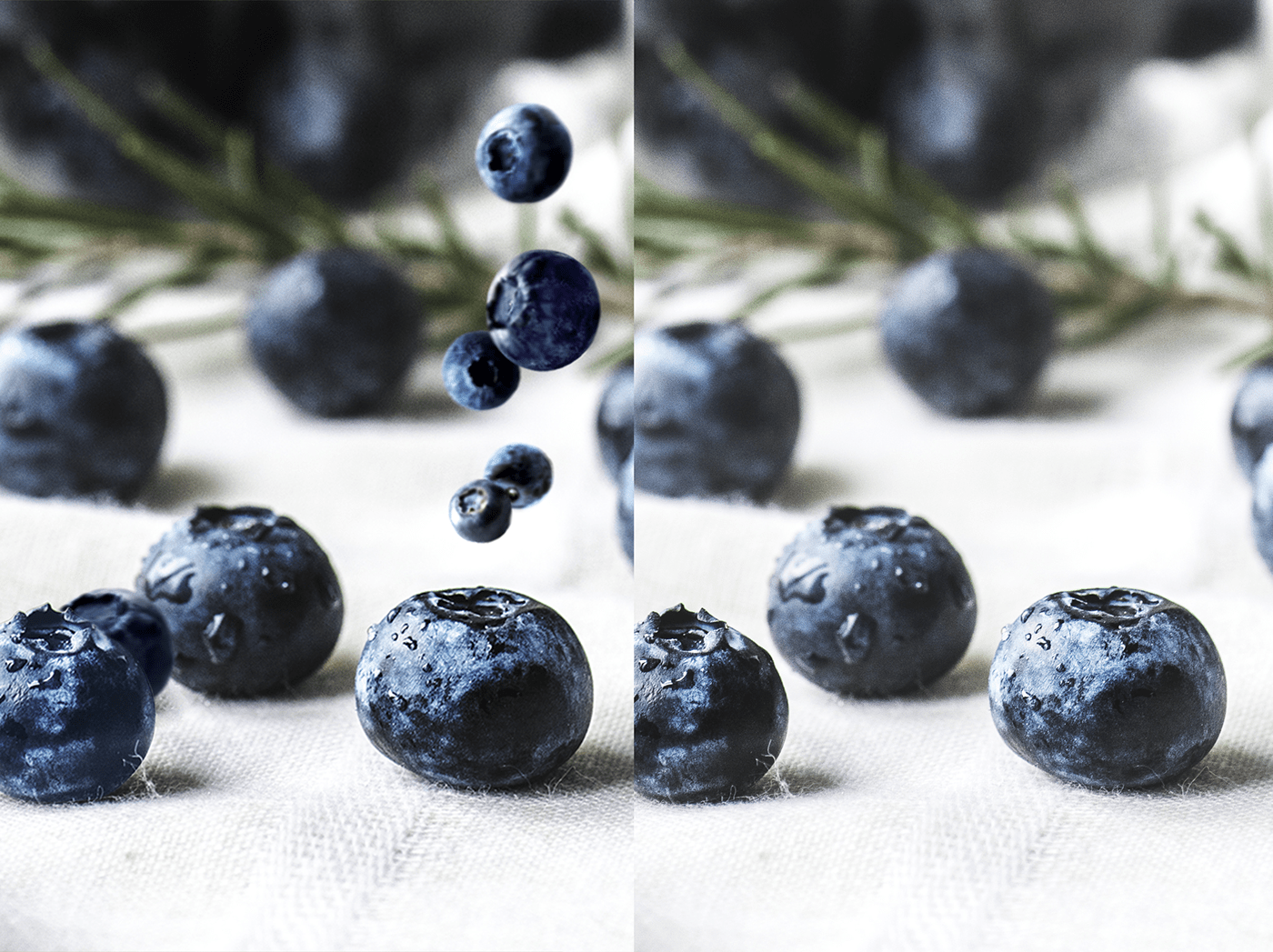 wary swan
Challenge #6 3-9-2021 Making Patterns Version 4


 lime condor
My First Challenge here in this Discord !!


 eternal mica
@wary swan Now Youve Got It!!!!!
peak sentinel
hollow yarrow
Wow! Huge composite work. Elements match well together. Well done!
Thanks @hollow yarrow
nimble shardBOT
Gave +1 Creative Carma to @hollow yarrow
peak sentinel
bleak fossil
<@!680140400652189727> Wow, excellent composite! Really nice job with all these ...
Thanks @bleak fossil now that you mentioned it, i kinda see it 😃 would get that sorted out
vague swift
procrastinating.... colour play
hollow yarrow
vague swift
procrastinating.... colour play
That's nice but you should upload a jpg or png... Not sure many people will dowload then open your file in photoshop as I did... Anyway you did a grade jod on color grading.
wary swan
eternal mica
<@!637347217773953055> Now Youve Got It!!!!!
Thanks Ted, it was not easy to get it right.
nimble shardBOT
Gave +1 Creative Carma to @eternal mica
wary swan
Challenge #8 3-11-2021 Custom Makeup. First time ever for me. What have I missed?

For the last Challenge # 9 are the photo missing, have anyone any suggestion similar free photo. 🔎

 raw coyote
 empty otter
Here is my Day 2 Labels
empty otter
Here is my Day 2 Labels
wow! This is kool.
empty otter
raw coyote
wow! This is kool.
Thank you so much! I am a little behind but having fun with the challenge.
nimble shardBOT
Gave +1 Creative Carma to @raw coyote
wary swan
Challenge #8 version 2
 runic basin
So decided to make Challenge 9 mock ups for all the challenges...Input would be appreciated


 vague shuttle
Great Behance showcase @gritty escarp
astral stump
challenge 01#FEB 2021 .....any feedback will be appreciated ...want to learn better 🙂
 coral fog
bleak fossil
<@!766046651130445854> Very cool! I like the bold, bright look of this design an...
coral fog
bleak fossil
<@!766046651130445854> Very cool! I like the bold, bright look of this design an...
Here are some changes I made!

Here is my Day 2!
 bleak fossil
@coral fog Nicely done! The changes have a really nice read to them and the contrast helps a lot I think. The label design looks great, I like the wavy shapes. Perhaps making the "pulp free" text a touch brighter to give it a clearer read against the background would help? Looks good!
 vocal raven
Challenge 9. I'm just beginning on PS 😅
 bleak fossil
@astral stump Very nice, this looks good! I like the clear read and color contrast between the color of the whale and text and background. The color palette works really nicely with this subject too. 👍
@vocal raven These designs look great, and the mock up is working really well too. I like how you have a bit of color contrast between the table and the designs to give them some nice pop and really make them stand out. I like the clean and clear read on the personal branding designs. My only suggestion might be that the name below the GD on the leftmost card could be a touch darker or more bold to have a stronger read at a glance against the gray background image. Nice work!
vocal raven
Thank you @bleak fossil !! I'll work on that
nimble shardBOT
Gave +1 Creative Carma to @bleak fossil
wary swan
@bleak fossil Have you the right link to the file to challenge #9 the link in start file will not work.
vague shuttle
My attempt at a Fresh Prince of Bel Aire pattern
 runic basin
Here is the link to my Behance Upload for the March Challenges. Input would be appreciated. https://www.behance.net/gallery/115728399/PS-Daily-Creative-Challenge-March-1-26-2021
 astral stump
challenge 02 #FEB 2021
 astral stump
bleak fossil
<@!816690187437604880> Very nice, this looks good! I like the clear read and col...
astral stump
bleak fossil
<@!816690187437604880> Very nice, this looks good! I like the clear read and col...
Thank you so much for this appreciation 🙂
nimble shardBOT
Gave +1 Creative Carma to @bleak fossil
pseudo fog
Just one word for todays challenge COOL.
 lime condor
Custom Makeup ....

 nimble shardBOT
Gave +1 Creative Carma to @hollow yarrow
 wary swan
Challenge #9 3-12-2021 Custom Mockup.
This mockup is build with frames for the images and color boxes for the text
 tacit condor
PS DCC #5 Photo Editing
 astral stump
challenge 03 #FEB 2021
 coral fog
bleak fossil
<@!766046651130445854> Nicely done! The changes have a really nice read to them ...
coral fog
bleak fossil
<@!766046651130445854> Nicely done! The changes have a really nice read to them ...
Ok Sure! Thanks!
nimble shardBOT
Gave +1 Creative Carma to @bleak fossil
queen aspen
Second attempt for day 7 challenge: Gradients & filters

The process of creating a pie...
 lime condor
Colour - Digital Picture


 frozen vapor
My first challenge 🤜
 young junco
empty otter
Here is my Day 2 Labels
young junco
empty otter
Here is my Day 2 Labels
I need some
 scarlet jungle

Hindi Rap songIndianExam is Coming.Exams aa rhe h aur mene kuch nhi padha.Syllabus ka pata nhi....Kya kre kya naa kre ye kaisi mushkil bhai#Exams #ExamRap#Ra...
arctic rover
Playing around with the "makeup" technique.
 arctic rover
And then I played around some more.
 hollow yarrow
frozen vapor
My first challenge 🤜
hollow yarrow
frozen vapor
My first challenge 🤜
Welcome in! Great start
 muted sedge
Photoshop Creative Challenge number 1, photo compositing. Mashed 3 different photos together, background, cake and strawberries. And then added the recipe and title. My favorite cake, Strawberry Shortcake.
 empty otter
young junco
I need some
empty otter
young junco
I need some
I know @young junco, me too! I think everyone should have some Happy Juice!
vocal lotus
this first design i made it
 frozen vapor
CreativChallenge.......Voodoo Val

 obsidian umbra
Crossover Submission - Photoshop + Illustrator
 lime condor
Creative Challenge - Special Effects
 arctic rover
obsidian umbra
Crossover Submission - Photoshop + Illustrator
arctic rover
obsidian umbra
Crossover Submission - Photoshop + Illustrator
That's really beautiful!
pseudo fog
Fun to do but I dont think it will be a sell out! Used various Distort filters and finnished off with a pebbles texture . Finally youve explained a graduated filer in a way that I have followed , thank you.
 vague shuttle
Sweet work @frozen vapor super like your 3D rendering— what fun!!
peak sentinel
bleak fossil
<@!680140400652189727> Wow, excellent composite! Really nice job with all these ...
hey @bleak fossil made adjustments as suggested

Day 2

Day 3
 obsidian umbra
!rank
 icy cargoBOT
 fshequin, that command is disabled in this channel.
tropic knoll
@peak sentinel, I like how the banana is balanced on the handle of the pitcher. You nailed matching all the colors to the setting. The image looks quite real. Thanks for sharing your adjustments!
nimble shardBOT
Gave +1 Creative Carma to @peak sentinel
peak sentinel
tropic knoll
<@!680140400652189727>, I like how the banana is balanced on the handle of the p...
thanks for the appreciation
nimble shardBOT
Gave +1 Creative Carma to @tropic knoll
vague shuttle
a bangin crossover @obsidian umbra super dig your colorization touch up and the nicely blended selection

 arctic rover
Practising slicing. Tricky business.
 limber thistle
Here my challenge 1 "photo compositing"

My challenge 3

here challenge 5 BEFORE

and AFTER

here challenge 6

2 versions one without mockup

and one with mockup

 hallow bough
Challenge 1 - Photo Compositing. Playing with a new brand idea as well! 🧙♀️

Challenge 2 - Packaging Design

Challenge 3 - Photo Manipulation

Challenge 4 - Special Effects. Decided to make a carousel style post


 wary swan
I have posted my project on Behance now:
https://www.behance.net/gallery/116117419/Challenge-3-2021-with-Voo-Doo-Val
 queen aspen
Finally, I made "spraying" - refresh the plant (Day 4 - Special effects)
 runic basin
 hushed spade
How can I make my berries look less "floaty"?
hushed spade
How can I make my berries look less "floaty"?
I can see a couple things happen that might help...for one thing the light source is not consistent. The light on the berries is all over the place when compared to the pommegrante. I would use a Hue/saturation and/or a brightness/contrast filter layer on them and try to bring them down in intensity...The shadows under them need to move under the berries and to the front edge of the berries...maybe not so dark. And make sure the shadows are relevent to the light direction...for example the berry to the right and closest to the pommegrante has the shadow on the same side as the light source...I hope that all makes sense. I like the Pommegrantes...The shadows and light source looks good on them...Maybe a touch to hot, but believable.
hallow bough
Challenge 5 - Sky Replacement. Still sticking with the witchy theme because every day can be Halloween if you're creative!!

 steep fjord
hushed spade
How can I make my berries look less "floaty"?
steep fjord
hushed spade
How can I make my berries look less "floaty"?
Some of these berries have bright spots on the "wrong" side comparing with the rest of the comp, so probably, it's best to find the image of berries with the right spot areas. And also the reflective areas are to bright. These two things might fix your problem)
limber thistle
here challenge 4

here challenge 7, the pie wasn't filled because I wanted to show the effect twirl, do I have to fill it ?

here challenge 8, the makeup challenge, BEFORE

AND AFTER

here challenge 9, any feedback are welcome

sorry for challenge 7 I used warp tool
hushed spade
runic basin
I can see a couple things happen that might help...for one thing the light sourc...
Thank you!
nimble shardBOT
Gave +1 Creative Carma to @runic basin
hushed spade
steep fjord
Some of these berries have bright spots on the "wrong" side comparing with the r...
Thank you!
frozen vapor
I'm happy with some parts and some I'm not happy with. Hoping for feedback to see if we can come to the same conclusion.
 astral stump
challenge04#feb 2021

 bitter dune
Hi guys, I'm new to photoshop , I joined the daily creative challenge today and this is my custom makeup look. As well as the brush tool to add the color, I also used the dodge and burn tool to bring out the highlights and midtones of her eyes and cheekbones very subtly. Any feedback, much appreciated, thank you ❤️
 astral stump
Challenge 05#FEB 2021
 queen aspen
Day 3: I tried to cut this fruit. I hope it is not too bad... I used noise, blur and several textures - papers, watercolor textures...
 vague shuttle
Lost it a bit here. Composited from a sketch I did while trying to relieve some of the daily funk

 karmic fog
Got my first challenge completed. Hoping some feedbacks.

This is my 1st try and the fruit basket is my 2nd.

 forest aspen


Since it is almost time for a n ew challenge, I guess that I'd better show off my entries. Just finished Day 9 today. You can download a copy of World View Template Mockup, for a liomited time, at http://bit.ly/world-view-template


The ad campaign was made with AdobeStock templates, mockups and images as well as some images from Pixabay. The fruit is mostly PixelSquid.


 cursive estuary
Hello🤗 . Day 1.
 hallow bough
Challenge 6 - patterns. Did a dark Fresh Prince style!
 hallow bough
Challenge 7 - gradients and warps


 wary swan
limber thistle
sorry for challenge 7 I used warp tool
wary swan
limber thistle
sorry for challenge 7 I used warp tool
No need to be sorry, there "1000" ways to edit in Photoshop, there is no right or wrong methods to work PS, the only that counts is the result and the time it take to do it, then it com to clients perspective.
What we learned from @jolly quest is her smart methods, that's up to you to choice the way you will work, Val and the other hosts only give you a guide how you can do it.
They have self learned to do things, through there own trail and error and find out theirs, best way to master the Photoshop.
This challenges is not a competition between members in the group, the only one you challenge is your self, and there is no bad feedback it's only how other see you work, you can take the feedback and learning something new or move on.
The best way to learn is to share your work with others and get feedback, and discuss your methods with others and learn from each other.
One other thing is the you like something other done give a thumb up or other emoji, if you not will put it in words or do both.
cursive estuary
Day 3. Hello. Does it remind a sliced radish?

 honest gulch
Just learning Challenge4
 peak sentinel
Still catching up with the previous challenges 😏
had a redo of day 4

dont know if the caption is ok 🤔 or do i just stick with the previous👇

Day 5 Sky replacement Before

after

Day 6 Patterns


Day 8

love this but since i couldn't get another pic of the lady upright, i wouldnt be using it in my final project since i need it for day 8 challenge

 brittle slate
Excited to get these two weeks started!

 tropic garnet
For folks using windows, if you hold shift + windows + S you can click and drag and it will copy to your clipboard. Then you can paste that straight into Photoshop
lucid plover
DCC Banner
 young karma
first one... I'll try later another one 🙂

 peak sentinel
after
peak sentinel
peak sentinel
after
sky replacement animation
working on animating the leaves too 🤪
 slow estuary
Quick cover image for the DCC with Paul.

 agile dagger
slow estuary
Quick cover image for the DCC with Paul.
agile dagger
slow estuary
Quick cover image for the DCC with Paul.
Cool mind @slow estuary!! Great mind
astral stump
challenge 08 #Feb 2021

 loud mist
Getting back to the DCCs
 compact pecan
During the DCC, Paul was trying to sample a color from Pinterest - to do that, all you need to do is select the eye dropper tool, click within Ps (don’t let go!) then drag the eye dropper to wherever your desired color is.
 naive oar
 astral stump
challenge 06#Feb 2021 pop art
 ripe quest
DCC Banner
 hushed spade
I made two. Not sure which I like best. What about you? What would you do differently?


 warped cradle
Banner for DCC with Paul Trani
 bleak fossil
@warped cradle Very nice, the masking on the statue is looking good! I like how the cool blue light from the statue seems to fit nicely with the lighting in the sky. The font has a nice softness to it too.
@hushed spade Looking good! I really like how the blue/green of the statue stand out against the sky and fills the frame. I feel like the black font color seems a bit out of place. Maybe white, or the yellow/white color picked from that bright shape under the horse's leg? Though perhaps the text at the bottom would need to be darker, so perhaps that could be the darker blue/purple tones from the top of the sky? Choosing colors from the image might unify the whole design a bit more.
@ripe quest Nicely done, I like the depth you created by varying the layering of the text with the cyclist. The sky gives the whole thing a really nice pop of color. If you wanted to push the color contrast even more you could give the center of the text a slight blue tint to make it a cool grey to contrast the warm background. Nice job!
@eternal mica Sorry, looks like I missed the last time you tagged me with the 3 latest designs. These are looking good! I like the layering and contrast of the personal branding mockup. The faded contrast of the camera works well and the bright tones of the business cards and flyers stand out nicely. I do feel like the portrait/face is the highest point of contrast due to it being very warm tones in a cool image. If you wanted to shift the focus to the branding designs It might help to shift the background color to a warmer neutral tone (maybe a sort of tan color?). Also really liking that texture of the pie, kind of a surreal look to it. Nice work!
@astral stump Great colors in this design! It has a great contrast against the background as well, and I really like the texture of the macaw. My only suggestion would be that it looks like you missed a bit of masking between the tip of the beak and the feathers directly under the beak where the black shape also covers the background. Very nice work!
compact pecan
Here's my banner for this DCC. I told myself when I started I was going to keep it simple... I didn't listen to myself.
 bleak fossil
@naive oar Such cool colors! This design definitely has a bold pop to it that works really well. I like how you really played with the masking of the text in this one too. 👍
@loud mist Awesome, glad to hear it! This is looking very nice. I wonder if color picking the dark blue/purple from the top right of the sky in this design and using it on the top text instead of black might give the design a bit more of a unified color palette? Great images in this one!
@peak sentinel Excellent work! I love how well the lighting and colors of this whole scene seem to match. The bright bold look really gives it a professional and appealing look. I could definitely picture seeing this animation as an ad on social media. Great job with the clean masking around the leaves too!
@slow estuary Nice work! I like the creative masking you did with the text, it adds some nice depth to the design. The show helps to sell that depth too. This is totally just personal preference, but I feel like currently everything has a fairly soft contrast to it. It could be nice to pick one element (maybe either "Photoshop" or "Daily Creative Challenge") and make it a bit more bold to act as the focal point of the image. Just an idea of course, depending on what you're going for. Well done!
@compact pecan Hah, I love it, you nailed this one! You managed to give the text a nice clear read even with all the crazy psychedelic colors going on. The yellow text works well, and gives the whole design a nice unity. The textures are all looking really solid too. The faded background to create a bit of visual separation was a very nice touch.
@queen aspen Wooo, very nice, great to see all these together! Really nice job on all these different techniques. The masking and layering of all the fruit in the image of the girl holding the basket looks great. If I had any suggestions for any of these it might be to use a levels adjustment on the pattern challenge of the girl wearing the orange jacket. The shadows don’t quite look deep enough, and the red in the pattern looks a little too saturated to be completely realistic. It might even help to blur the background just a touch for a depth of field effect and to make the design stand out more. Just some thoughts of course. Very nice work!
@young karma Ooh, great contrast on this! Sort of a cinematic feel to it too. The masking with the text is looking very nice, good job!
@lucid plover Loving how the glowing text plays on the glow from the stars in the sky. The spacing on the sky is working nicely too. I wonder if darkening the "black" of the sky a bit more would help give the text even more of a dramatic contrast. If you're worried about the sky being too dark and blending in with the darkness of the hand you could even make it a gradient so the black of the sky is darker at the top but fades into how it is not near the bottom, which is often an effect you see with night skies anyway. Hopefully that makes sense, looks great!
@honest gulch Very cool, welcome in! This design has a great clear read to it with the more neutral background, and the spray effect looks great. The style of the font you chose and the drop shadow shape works really well with the graffiti theme. Nicely done!
@cursive estuary It's looking good! The text and color has a realistic look to it. The only thing I might suggest adding would be to push the "bleed" effect around the edge a touch more so the red outside looks like it has some depth/thickness to it. Even just slightly warping some of those overly sharp and "perfect" edges around the outside could help give it a more organic feel. Very nice work!

@cursive estuary Great job on the label design too by the way, both the label and mock up image are looking really good!
arctic rover
"let's get this party started!" Why did this load so small? Oh well.

 strange rain
Challenge 1, learnt new things... and trying to understand my way around discord 🙂
 bleak fossil
@hallow bough Hah, I love the concept for your Challenge 7 design! The brand name and slogan are perfect. Really cool effect on the liquid/brew part of the design too! Though I feel like perhaps it could use a bit more pop and contrast to really draw the eye. Perhaps increasing the contrast or hitting it with some color dodge could help? Maybe something like this? Really just personal preference of course. Nice job with the shadows, and the reflection of the spoon/stirrer is a nice touch.
(Pattern challenge is looking great too by the way!)
 astral stump
bleak fossil
<@!816690187437604880> Great colors in this design! It has a great contrast agai...
astral stump
bleak fossil
<@!816690187437604880> Great colors in this design! It has a great contrast agai...
thank you soooo much for the feedback .... yes i missed that beak part 😂... just noticed after your feedback ... i will correct it ... thanks again 🙂
nimble shardBOT
Gave +1 Creative Carma to @bleak fossil
lucid plover
bleak fossil
<@!353794772999340032> Loving how the glowing text plays on the glow from the st...
thank you @bleak fossil
nimble shardBOT
Gave +1 Creative Carma to @bleak fossil
eternal mica
@hushed spade Good effort. IMHO, I think the Photoshop is blended into the border and gets lost. I would prefer a separation between them, or maybe change the font color. I also think Daily and Creative Challenge is one phrase and the font size and style should be the same. Last, the Paul Trani is too small. But thats just my opinion.
eternal mica
@bleak fossil Hey Sam, so good to be back in The DCC mode again. Thanks for the comments. Im not sure I get which BG color in the mock up youre suggesting I change. Could you give me a better idea.
nimble shardBOT
Gave +1 Creative Carma to @bleak fossil
eternal mica
@compact pecan Definitely not simple, lol
eternal mica
does anyone have the link from todays intro session?
elfin thorn
Cover for March 29, to April 9, 2021 DCC
 lucid plover
DCC Cover (Revised)

 brazen token
Let's go! First Day !
 tropic knoll
DCC Welcome. I look forward to these two weeks!
 bleak fossil
@eternal mica Definitely, this is kind of what I mean. While I don't think this background color looks great, hopefully it shows what I mean. Not sure if another color might better draw contrast and focus more towards the design and less towards the face.
 eternal mica
@bleak fossil Got it. I made the BG feeding off the colors of the logo color palette that I have been using, so I went with a blue that blended with the cyan. But I see what you mean. I'll play with it and see what I come up with it. Again, thank you.
nimble shardBOT
Gave +1 Creative Carma to @bleak fossil
hushed spade
eternal mica
<@!805848710419447828> Good effort. IMHO, I think the Photoshop is blended into...
Thanks! Will try it out.
nimble shardBOT
Gave +1 Creative Carma to @eternal mica
hushed spade
bleak fossil
<@!805848710419447828> Looking good! I really like how the blue/green of the sta...
Thanks! Will give it a try. I did try a green from the horse, but couldn’t get it right, even using the picker. Any advice?
nimble shardBOT
Gave +1 Creative Carma to @bleak fossil
eternal mica
Ps DCC 2021-04 Banner

With Linear Light BM

With Pin Light BM I couldnt decide. Which of the 3 do you folks like best?
 queen aspen
bleak fossil
<@!689532608899711140> Wooo, very nice, great to see all these together! Really ...
queen aspen
bleak fossil
<@!689532608899711140> Wooo, very nice, great to see all these together! Really ...
Thanks, @bleak fossil. I agree there is much work on some of the images, especially the girl with pattern - I feel there is something not so good with it but didn't know what is it exactly. Thanks for your suggestions, Sam
nimble shardBOT
Gave +1 Creative Carma to @bleak fossil
warped cradle
hushed spade
<@729857214432542780>
DomLovesMary Text
 haughty gale
Had trouble with banner size and photoshop crashing so have just done a square. Looking forward to the next two weeks.
 tropic garnet
Quick and dirty. It’s been a while since I’ve used Photoshop. I spend most of my time in Illustrator.

 split pier
my cover
 tropic garnet
split pier
my cover
tropic garnet
split pier
my cover
Wow! This is awesome
 tawny spruce
i wanna learn photoshop while im on this challenge. i just bought it and it looks awesome. i couldnt find what the challenge is but i think its to make a cover so i made this fast and problably very bad cover. (im very new to photoshop)
 tropic garnet
tawny spruce
i wanna learn photoshop while im on this challenge. i just bought it and it look...
tropic garnet
tawny spruce
i wanna learn photoshop while im on this challenge. i just bought it and it look...
The challenges are extremely helpful. Another thing I found helpful are tutorials available in Creative Cloud. There are at least 200 of them and they definitely helped me out immensely. I’d also suggest learning the keyboard shortcuts (especially one key shortcuts for tool selection).
compact pecan
@tawny spruce since the first day is the “welcome day” and a challenge isn’t actually assigned, you can watch the replay on Behance and see how Paul created his project banner (and inspired us to create our own). https://www.behance.net/live/videos/10769/Photoshop-Daily-Creative-Challenge-Welcome

Join your host each morning at 9:00am PT to learn how to approach each challenge using Photoshop. Complete 9 challenges by Friday, April 23rd and you’ll be on your way to sharpening your skills. Get your questions answered, see what the community is creating and get feedback on your work!To sign up and get started, go to: https://www.behance.net...
eternal mica
@tawny spruce Last year when I started the DCCs I had very little understanding of the power and versatility of Ps. DCC + participating in Discord chat are an excellent way to learn. Along the way you will also be introduced to other online tutorials, tools, sites. My journey has been phenomenal. I hope you stick with it and enjoy your experience.
compact pecan
eternal mica
<@329318708164165643> Last year when I started the DCCs I had very little unders...
@tawny spruce I can vouch for @eternal mica’s rise to “Photoshop Mastery!” Consistency in using the tools is a very important aspect in learning PS, and as you advance in ability you can push yourself in the Daily Challenges to go beyond the lesson presented. And if you’re anything like me, you’ll push yourself WAY BEYOND! 🤣
eternal mica
@compact pecan Thanks Hugh. You're too kind. The other bit of advice I'd offer us to make friends here in chat. DM people for advice, questions, help, explanations, etc. The people in this community are amazing.
nimble shardBOT
Gave +1 Creative Carma to @compact pecan
compact pecan
eternal mica
<@650118328848875521> Thanks Hugh. You're too kind. The other bit of advice I'd ...
I definitely agree with that! I’ve not encountered anything but encouragement and support here. I can’t say that for other platforms where people can be kind of “nasty” with critiques. It’s a shame, really.
tawny spruce
thank you @eternal mica @compact pecan and @tropic garnet for the info 😊
nimble shardBOT
Gave +1 Creative Carma to @eternal mica
eternal mica
@tawny spruce When you opened Ps, you were asked create new/open. select create new. on the right side of the screen there are boxes to enter the size of the image. I think Paul 1200 pixels w and 300 pixels high. click ok
tawny spruce
eternal mica
<@!329318708164165643> When you opened Ps, you were asked create new/open. sele...
i opened the picture i found
 keen slate
Hi! I'm looking forward to participating in this!

 frozen frost
very interested in this Seri

 thick musk
DCC challenge with Paul Trani

 tardy talon
Photoshop Daily Creative Challenge With Paul Trani
 astral stump
Challenge 09#Feb 2021 #Liquid effect
 chilly hawk
Hello! Photoshop Creative Challenge

 wraith sierra

 modern halo
 tropic garnet
tawny spruce
thank you <@!688853114035634184> <@!650118328848875521> and <@!81964731152846030...
tropic garnet
tawny spruce
thank you <@!688853114035634184> <@!650118328848875521> and <@!81964731152846030...
Indeed. I agree with everyone else said. Stick to it and learn from those around you and before you know it people will be asking you for help!
brittle slate
 tropic garnet
I think tis image is primed and ready to go for a cool composite.
Already have a few ideas
 keen burrow
Looking forward to this one ...
 tropic garnet
Is there a tag for the Photoshop DCC like Illustrator?
keen slate
Greetings!

 autumn bloom
from yesterday. finaly figured out how to post ☺️
 lucid plover
psdailychallenge or psdailycreativechallenge @tropic garnet
tropic garnet
lucid plover
psdailychallenge or psdailycreativechallenge <@!819647311528460300>
Awesome, thanks
nimble shardBOT
Gave +1 Creative Carma to @lucid plover
lucid plover
no problem
stark grove
Supercharged for food
 thick musk
Just noticed I had done the sword wrong
 split pier
My interpretation of today's challenge. Official Day 1 Challenge. Thanks PT!!
 split pier
tropic garnet
Wow! This is awesome
split pier
tropic garnet
Wow! This is awesome
Thank you @tropic garnet.
nimble shardBOT
Gave +1 Creative Carma to @tropic garnet
 distant bolt
Here's what I ended up with for the Supercharge challenge
 keen slate
For your amusement on day one

 patent monolith
Hello

 gusty holly
Is there a "how to" section? Its my first time using discord and I am confused as to how to join the challenge
 manic dune
 arctic rover
gusty holly
Is there a "how to" section? Its my first time using discord and I am confused a...
arctic rover
gusty holly
Is there a "how to" section? Its my first time using discord and I am confused a...
You're in the right place! This is where we post our work from the daily challenge. The Challenges happen on Behance, but the work gets posted here. This is the link to sign up for the challenge: https://www.behance.net/challenge/photoshop If you get stuck - ask questions, there is always someone here who can help. Its a friendly group!

Daily Creative Challenge
agile dagger
I Hope everyone enjoy it!!
https://www.behance.net/live/videos/10769/Photoshop-Daily-Creative-Challenge-Welcome, Thanks @brittle slate
 nimble shardBOT
Gave +1 Creative Carma to @brittle slate
 fallow quest
Thank you, team, for putting on these challenges! They're always great, and I always learn a lot. Do you ever do challenges for Adobe After Effects?
 ancient lake
distant bolt
Here's what I ended up with for the Supercharge challenge
ancient lake
distant bolt
Here's what I ended up with for the Supercharge challenge
I love your background! How did you do it??
queen aspen
Without a task, I decided to create watercolor effect. I used Filter Gallery - Dry Brush and Cutouts + Smart Blur and Stylize - Find Edges.

... and used these textures and brushes
 buoyant nova
Cover Image
 distant bolt
ancient lake
I love your background! How did you do it??
distant bolt
ancient lake
I love your background! How did you do it??
I used a texture graphic from Envato Elements as the background then desaturated the bird and clipped a gradient map to the bird to match the colors of the background
young karma
Gracias!
 ancient lake
 brittle slate
Great job @buoyant nova ! @young karma ! @ancient lake !!!
young karma
😃
buoyant nova
Thanks @brittle slate
nimble shardBOT
Gave +1 Creative Carma to @brittle slate
bleak fossil
@lucid plover Ooh, I'm digging the revised Photoshop cover banner, very cool!
@eternal mica Were you looking for the welcome stream or a link/resource mentioned in it? https://www.youtube.com/watch?v=bDOhmrv6sCM
Join your host each morning at 9:00am PT to learn how to approach each challenge using Photoshop. Complete 9 challenges by Friday, April 23rd and you’ll be on your way to sharpening your skills. Get your questions answered, see what the community is creating and get feedback on your work!
To sign up and get started, go to: https://www.behance.n...
eternal mica
@bleak fossil I was looking for the welcome link. Someone taught me how to find it. Thank you for following up.
nimble shardBOT
Gave +1 Creative Carma to @bleak fossil
loud mist
They go crazy over cactus flowers
 young karma
gracias!
 fallow quest
young karma
gracias!
fallow quest
young karma
gracias!
I really like it! I appreciate how it plays with one's sense of depth.
young karma
fallow quest
I really like it! I appreciate how it plays with one's sense of depth.
muchas gracias
😃
 subtle breach

 warped cradle
day 1 challenge with @brittle slate

 sonic cove
Day 1
 cursive estuary
Day 1
 severe ice
Returning to the challenges

 thorn geyser
Day 1
 bleak fossil
@brazen token Woo! Excited to see what everyone creates for these challenges. This is looking really nice! I like the soft color gradients and the way you masked the statue around the text. Very nice!
@tropic knoll I love this Photoshop banner design! The way you matched the brightness and coloration of the statues to the sky to give them a cloud-like look works extremely well. The gradient in the text has a similar effect and really makes the whole design have a unified cloud-like feel to it. I really like the hue variation between the soft blues and purples in the statues as well, very nicely done!
@eternal mica Nice work with the masking in the welcome banner! The added depth works nicely. I like how you played around with some different blending modes and background gradients. I think the 1st and 3rd are my favorites, but I think I'm leaning more towards the 1st. The more subdued colors work well I think, and I like how the contrast between the background and middle statue is a bit more subtle so that the vertical line of the right side of the neck doesn't draw so much attention. Looking good!
@haughty gale Very cool, I think this format looks good too. I like the color scheme and glow effect you added, it gives the whole design an interesting feel. My only suggestion might be to give the text a lighter stroke to separate it from the dark areas of the statue and give it a stronger read at a glance. Nice job!
young junco
supercharge
 bleak fossil
@ancient lake Loving the color scheme on this design! The background really lets the blue and orange of the bird pop, and the blue of the text being pulled from the bird unifies the design very well. I love the subtle background graphic shapes too, very nice!
@loud mist Very cool! I like how the background is a bit lighter in contrast to help the birds read as a focal point. I feel like perhaps the whole image could use a slight levels boost to brighten it up a touch? Nice work!
@young karma I like the strong contrast with the banner design! The black and white gives everything a really clear read and dramatic look. The font and spacing are looking really nice as well, looks good!
@buoyant nova Really clever idea for the cover image. There's a nice variety between the shapes and colors, well done!
buoyant nova
Thanks @bleak fossil
nimble shardBOT
Gave +1 Creative Carma to @bleak fossil
bleak fossil
@queen aspen That filter along with the watercolor texture background really helps unify the different elements of this image. Definitely gives it a convincing watercolor look. Great colors too, the softer background really helps the bird pop. Looks great!
@agile dagger Very cool image for this banner design! I like the more faded contrast of the background to really help the text pop out. The masking with the text and statue is looking very nice as well. 👍
 kindred gate
Challenge 01 One of my favorite poems. What do you think about the font, should it be stronger? and how about the gradient? any suggestions?

Challenge 01 I reversed the gradient

 pliant comet
PSDCC with Paul Trani - Day 1 - Supercharged
Is birb.
 strange rain
Day 1
 ancient lake
bleak fossil
<@!762732321635565609> Loving the color scheme on this design! The background re...
ancient lake
bleak fossil
<@!762732321635565609> Loving the color scheme on this design! The background re...
Wow thank you @bleak fossil this is my first time participating. I love the positivity!!
nimble shardBOT
Gave +1 Creative Carma to @bleak fossil
compact pecan
Day 1: Supercharge. I went with the Puppet Warp and some color overlays. I gotta keep going with the bright colors.

After looking at my Behance banner this morning, I thought I needed to simplify it down slightly, so I got rid of the background pattern and replaced it with a sky and gradient overlay.
 brazen token
Here is my Day 1 of creative challenge. I mixed up images Textures, shadow and several techniques to create this handsome birds!!!!

 tall spade
Hi to everyone. I am a bit behind but here's my banner for my Behance project. I went with something a bit more playful and "artsy" for my theme.
 lucid plover
thank you @bleak fossil
nimble shardBOT
Gave +1 Creative Carma to @bleak fossil
 timid grail

 lyric pond

 swift marten
 modern halo
Challenge 1

 neat venture
Photoshop April challenges cover
 agile dagger
bleak fossil
<@!803631182096498688> Very cool image for this banner design! I like the more f...
agile dagger
bleak fossil
<@!803631182096498688> Very cool image for this banner design! I like the more f...
Thanks @bleak fossil to your feedback, I can share here too my youtube thumbnails
nimble shardBOT
Gave +1 Creative Carma to @bleak fossil
elfin thorn
Super Charged -Day 1........I guessed at the challenge after I saw some of the first inputs.

 dim kite
Daily Creative Challenge Day 1
 astral stump
challenge 01

 mighty otter
basic....lol
 neat venture
My kingfisher
 ripe quest
DCC Day 1
 hallow bough
bleak fossil
<@!727281641076293672> Hah, I love the concept for your Challenge 7 design! The ...
hallow bough
bleak fossil
<@!727281641076293672> Hah, I love the concept for your Challenge 7 design! The ...
Ohh, I love that bump in color! Thank you so much!!
nimble shardBOT
Gave +1 Creative Carma to @bleak fossil
bleak fossil
@young junco Really cool effect with the gradual size change! I also like how you added a bit of a hue shift with the coloration of the birds. They stand out really nicely against the soft background, looks good!
@thorn geyser Really cool composite here! I like the sort of surreal colors and texture you gave the background. I'd be curious to see how the background sky gradient and shape would look with a similar texture applied. It might tie all the elements together a bit more, but I think it works as is too. Really cool style!
@severe ice Very nice, I like the filling effect you got in this challenge. The strawberries over the white background are a nice way to repeat some of that red color throughout the design. It might help to add a bit of a shadow effect on the filling where the crust overlaps. I usually like to do this with a multiply layer and soft brush. Nice work!
@cursive estuary I really like the texture you got in the background of this Day 1 design! The colors are nice too, and I like the repeating of the yellow from the background in the graphic circle you put behind the bird's head. It creates some really nice focus and contrast. Well done!