#✂challenges-feedback
1 messages · Page 94 of 1
 maiden smelt
 ruby panther
@maiden smelt Yesterday was the welcome stream. Here it is. https://www.behance.net/live/videos/9599/Photoshop-Daily-Creative-Challenge-Welcome-Day?tracking_source=to_replay&from_row=What's_New

Join your host each morning at 9:00am PT to learn how to approach each challenge using Photoshop. Complete 9 challenges by Friday, January 15th and you’ll be on your way to sharpening your skills. Get your questions answered, see what the community is creating and get feedback on your work!To sign up and get started, go to: https://www.behance.n...
@maiden smelt Also at: https://www.behance.net/live

Join us right now to get inspired by leading creatives. Get your questions answered and share your work with the community.
 stoic belfry
ive never done any of these challenges and i looked on the website and the challenge for the 5th hasn't been revealed yet do i have to wait for it to be the 5th in cali
ruby panther
@stoic belfry Look at the above 2 post. ⬆️
maiden smelt
thanks 🙂 jep - just thought the same @stoic belfry
 nimble shardBOT
Gave +1 Creative Carma to @stoic belfry
stoic belfry
im watching that it kinda cofused me as im sven minets in and they havnt told us to edit a photo
ruby panther
@stoic belfry The first Monday of the Ps DCC's are welcome streams to introduce the challenges. The 1st challenge will unlock today.
maiden smelt
Thanks 🙂 helped me a lot 🙂
ruby panther
@stoic belfry It will be announced on the "Creative-Challenge" channel on this Discord page. 2nd channel down from the top.
 young karma
Hello guys, I hope everyone is having a wonderful day 🤞🏾
This’s my first time here, I’ve read it a few messages but I still a bit confused lol. The challenge for today it’s not unlock yet right?!
 fading escarp
y
ruby panther
@young karma The challenge will be unlocked in about 5 hours.
young karma
@ruby panther thank you so much
nimble shardBOT
Gave +1 Creative Carma to @ruby panther
 eternal mica
To all the newcomers who have been asking: 1. watch the ENTIRE Intro video from Monday. This presentation is presented especially for you. VooDooVal explains the process. ; 2. the first challenge will be aired at 9:00AM PST on Tuesday, when VooDooVal presents it; 3. Additional challenges will be presented each weekday at 9:00AM in the same fashion. 4. If you cant watch any presentation live, all challenges are immediately posted on YouTube or Behance.net/challenge/photoshop. 5. if you have any questions, this chat is a safe welcoming community to assist you. Welcome and have fun.
 compact pecan
Well said, @eternal mica !
 plain sable
Yes , well said @eternal mica and all newcomers please reach out to the community for help...
 wary swan
!clap
 steady ledge

 wraith estuary
 vagrant rapids
Hey everyone, here is my trial for the cover project.
stoic belfry
what constitutes as a selfie?
ruby panther
@stoic belfry Just use any photo with a face for the challenge to work.
ruby panther
Any face.
 prisma stone
vagrant rapids
Hey everyone, here is my trial for the cover project.
prisma stone
vagrant rapids
Hey everyone, here is my trial for the cover project.
Beautiful!
I'm hoping to work on a bit of animation during this challenge so here's my cover with a bit of a winter vibe😀 ❄️
 upbeat coral
Hi. Complete newbie here! Here's my cover. Not sure if I have to put it somewhere else as well?
vagrant rapids
Thanks @prisma stone!
nimble shardBOT
Gave +1 Creative Carma to @prisma stone
prisma stone
upbeat coral
Hi. Complete newbie here! Here's my cover. Not sure if I have to put it somewh...
I love that! Makes uncertainty look pretty inviting!😍
stoic belfry
here is a slightly abstract take on the challenge i used both the things we were told to use touching it up in lightroom and then neural filters but also a soft brush with colour and a lighting effect to darken parts of the image around the neck
 bold valley
My Avatar for Day 1. What do you think?
stoic belfry
i like it a lot
 dusky wave
My take on PS DCC #01 - Personalized Avatar
 kindred gate
PS. Daily Creative Challenge with Voodo Val
 blazing quail
The corrected image for the first challenge
wraith estuary
 lucid plover
DCC Day 1,Making an Avatar
 frozen elk
Day 1 - Personalized Avatar
 normal gale
Day 1 - Super Selfie
 wooden bloom
Day 1 Personalized Avatar Thanks for tips with Lasso Tool
 raw coyote
Hi!
Please check my daily current challenge for Animal Crossing Portrait 2021. I hope you would like my concept.
eternal mica
@stoic belfry general rule for DCC creativity ..... There are no rules. Interpret the project any way you chose.
 stone wigeon
DCC #1
stoic belfry
eternal mica
<@!402018037814788098> general rule for DCC creativity ..... There are no rules....
Thanks sorry about that my art-photography teachers have been very hard handed in what is good and what is bad even down to calling some of my stuff not art
nimble shardBOT
Gave +1 Creative Carma to @eternal mica
eternal mica
@stoic belfry If your teachers want to see "not art", show them my stuff!!! Be assured, you will not see criticism like that here.
stoic belfry
eternal mica
<@!402018037814788098> If your teachers want to see "not art", show them my stuf...
I really appreciate that thank you I’ve always liked to use my disorders for my art and I suffer from horrific hallucinations so I normally do very trippy very abstract horror HP lovecraft stuff as an outlet for what I deal with
nimble shardBOT
Gave +1 Creative Carma to @eternal mica
 sweet fern
My new avatar - I started with a selfie and the rest just happened!
 fallow bough
Neural Filter on glasses wasn't doing much for me so applied one to my hair. Some of the filters got me thinking about Jackson Pollock so used different works as background and shirt.
Also tried one with Bleach Bypass LUT
dusky wave
My wife as a second attempt
 celest fox
My first attempt at neural filters
 modern jay
neural filters are cool
 hot spear
No glasses but still...
eternal mica
2021-01 01 Personalized Avatar
kindred gate
PS Daily Creative Challenge 01 Create and Avatar
 candid chasm
Hi!!! 🙂
I'm back, and here is my first challenge of the week (yeah, don't ask what was going on in my mind 😅)
 heavy ruin
Used Neural filters to change the background and then used a color over lay with different blend modes.
 tacit condor
PS DCC #1 Personalized Avatar
raw coyote
Photo from Abid Hafeez
 slate current
Photoshop Daily Challenge #1
raw coyote
Photo from Abid Hafeez
My Avatar-DCC-2021
 digital pike
 vague kiln
prisma stone
vague kiln
prisma stone
So many great avatar examples. No glasses on mine so put the filter on my eyes, shirt and background to kind of blend with the wintery palette of my cover.
fallow bough
Messed around more with the Neural Filter
young karma
My version of the Personalized Avatar. Original photo by olegsoyka from Unsplash.
 zenith viper
New Domain and Website for 2021: Curiously Captivating. Lose the body? This is also my stab at a selfie/profile image.
 raw salmon
Gave it a shot - Personalized Avatar Done
fallow bough
Did beard with separate effect. Enough tweaking for today.
 livid saddle
 bleak fossil
@maiden smelt You can find all the challenges here. A new challenge is revealed each day. https://www.behance.net/challenge/photoshop

Daily Creative Challenge
young karma
Look into my eyes...👀
prisma stone
raw salmon
Gave it a shot - Personalized Avatar Done
Nice!
prisma stone
fallow bough
Did beard with separate effect. Enough tweaking for today.
very cool!
prisma stone
heavy ruin
Awesome!
heavy ruin
prisma stone
Awesome!
Thank you!
nimble shardBOT
Gave +1 Creative Carma to @prisma stone
raw coyote
DCC Avatar challenge 2021. I had long back designed this for my client which he wanted to use for his favourite team. I hope you would like it.
 somber token
Here's my Day 1 Challenge! Let me know what you guys think!
 queen aspen
Profile Portrait (Challenge #1)
compact pecan
Day 1: Personalized Avatar. I applied neural filters to his glasses and his hat. I also added a darker green gradient from the left to the right to add-in a little more green to the overall image.
 spark hamlet
Here's my "Super Selfie" w/a neural filter for the background for the Day 1 / Challenge #1. 🙃
compact pecan
@kindred gate Nice touch with matching the hair and lipstick color. The green background also seems to make the "Matrix" in the sunglasses seem more obvious.
spark hamlet
young karma
My version of the Personalized Avatar. Original photo by olegsoyka from Unsplash...
I love your profile pic. How did you do that?
compact pecan
@wooden bloom Nice color combo, and your lasso tool with the glasses came out really well! Experiment with the other selection tools - each one has strengths and weaknesses. For the lips, the magic wand or the object selection tool may have gotten into the "crevices" a bit more and given you a cleaner selection.@hot spear nice "alternative" to the glasses - experimenting with the different blending modes might have given you more of a "realistic" look and allow you to see some more of the phone's characteristics.
 west laurel
Hey I signed up and went through a ton of crap to do a 12 days challenge and now I do t have the permission needed to do the stuff!! Is this a SPAM? Just to get all of our info and send us junk mail for the next 20 years
 still vine
Here was my go at it. Used the neural filter for the texture on the orb
still vine
still vine
Here was my go at it. Used the neural filter for the texture on the orb
not quite as realistic as I was hoping for, but I'm not mad at the way the two styles blend together.
is there an offical submission process or do we just post on here?
wary swan
Challenge #1 Week #1 2021 host VooDoo Val: PerzonalizedAvatar.
Mixed 3 diffrent photos the hat have PD licence and the 2 other is my own
compact pecan
west laurel
Hey I signed up and went through a ton of crap to do a 12 days challenge and now...
try this one: https://discord.gg/twvpXVYM
 jade epoch
Not sure if this is right but came up with something
 coarse egret
Day 1 - Personalized Avatar
This is my first Photoshop Challenge and first time playing with neutral filters, very cool, thanks for the tips:)
wary swan
Version2 of PerzonalizedAvatar Neural Filters Depth-Aware Haze
 silver lotus
Decided to play with colors
wary swan
fallow bough
Did beard with separate effect. Enough tweaking for today.
There is so much you cand with Neural Filters so if you put some limit you can tweak 24/7, I like both of you Avatars
compact pecan
Looks great @coarse egret! Welcome to the PS Creative Challenges!
 vague harbor
My created avatar
compact pecan
still vine
is there an offical submission process or do we just post on here?
"realistic" is very subjective. haha. I think it looks great, and the whole point here is to try new techniques, practice techniques that you've tried before, and keep learning. There's no "formal" submission process other than posting here. The mentors and peers will give you feedback on your image so you can improve your skills. Please feel free to provide others feedback as well - thumbs up, comments, etc. We are all here learning!
 unkempt fjord
Made a new mirror selfie using the camera in the picture, flipped it horizontally to be right-reading, raw capture processed in Lightroom, then taken into PS for play with neural filters. This result used two, one for me, and another for the background.
 simple idol
Day 1 with Voodoo Val. Thank you
unkempt fjord
This is what the original looks like. Bathroom mirror, bounced flash on camera to left plus radio-triggered second unit, half power, firing up the wall toward the ceiling.
 neon crystal
#✂challenges-feedback Day 1 challenge, looking forward to the other and seeing all the inspirational work!
unkempt fjord
heavy ruin
I like all three!
 rocky kite
PS DCC 5 Jan, 2021
 rustic nova
Day one Challenge (photo from unsplash)
 zenith mulch
bleak fossil
zenith mulch
bleak fossil
I didn't make this but used it for my profile picture sometime back when playing with Photoshop Camera. It seemed appropriate to post. Still counts, right? D:
It has some cool effects for sure.
 glass skiff
ArtistJanis#7922
 slate elbow
Day 1 was super helpful!
 plush osprey
Personalized avatar...for Behance
 inner plaza
Does anyone know why my picture displays with muted colors on the Discord app? When I click the 'Open original' link, the colors are much brighter in the browser window. I don't see that issue with other people's images.
 true locust
Could be due to the color space you're working with vs discord's color space
inner plaza
true locust
Could be due to the color space you're working with vs discord's color space
Thanks! None of my other pictures have done that so I think you're right and something happened between Lightroom and Photoshop and the TIF conversion it does... I deleted my posted pic and will try again with a different workflow.
nimble shardBOT
Gave +1 Creative Carma to @true locust
 dusky swallow
Introduction
 pliant spear
 brittle drift
Thanks Voodoo Val! You're a great teacher! I learned a lot from your presentation and I had so much fun with this 🙂 I couldn't download the complicated neural filters so I used the COLORIZED one to do the solids on my jewelry, eyes and lips.
true locust
Just wanted to play around with the neural filters and see what they can and can't do. Interestign tool that I'll have to keep in mind.
bleak fossil
@simple idol Great textures, it gives it a slightly aged look which is really cool. The colors have a nice unity as well 👍
@plain sable Great contrast between the background and title text and graphics. It helps it read nicely even with the heavy texture of the background, which looks really nice by the way. It adds a nice element of color, looks good!
@chilly hawk Nice style to this one with all the flat colors and cut out looking shapes. I could even picture a paper texture on all these layers, kind of looks like the cut out paper effect. Very cool!
@kindred gate Really cool, I love how you handled the perspective on the text! Though it looks like the "Photoshop" text doesn't have a blending mode that shows the texture of the road through it like the 2021 does. That along with giving the text a slight iris blur to match the slight blur of the road as it gets further from the camera could be a nice touch. Nice work!
@upbeat coral Awesome, glad you're joining us, welcome in! I really like the color contrast you got in this cover between the doorway and the rest of the image. 👍
@stoic belfry Really interesting texture and colors on this portrait, very cool! If you need a bit of a softer edge when masking the hair the Refine Edge Brush tool and Refine Hair function within the Select and Mask window both do a great job of keeping those softer natural edges.
young karma
spark hamlet
I love your profile pic. How did you do that?
Thanks, I used image trace in Illustrator 😁
nimble shardBOT
Gave +1 Creative Carma to @spark hamlet
 dusty fog
He was enlightened by Jim!
bleak fossil
@bold valley Really interesting effects! The bold colors have a sort of neon black light/psychedelic look to them. Nice job!
@blazing quail Very nice, the bold warm color of the glasses makes for a great focal point against the cool colors in this image. Great textures too!
plain sable
Thanks @bleak fossil
nimble shardBOT
Gave +1 Creative Carma to @bleak fossil
bleak fossil
@wraith estuary Love this one! The subtlety of this effect in the dark side of the face has a really nice look to it that you see on second glance. The color contrast adds a lot of interest too. Great job!
@lucid plover Really great composite with all these images. The layering of the different elements adds some really nice depth. My only suggestion might be to match the lighting of the face and the flowers a bit more, since the flowers seem to be light where the face is dark. Just a thought. Looks great!
 hallow bough
Challenge 1 - playing around with some color settings and blend modes!
lucid plover
thank you @bleak fossil
nimble shardBOT
Gave +1 Creative Carma to @bleak fossil
bleak fossil
@rustic nova Very nice, I like the bold contrast in this and the way the hair frames the face. It has a cool illustrated look to it. Perhaps lightening the background overall might help strengthen the contrast even more by separating the hair from the background and creating a stronger shape. Just an idea. Nice work!
eternal mica
@bleak fossil Everything you do counts!!!😋 😋 😋
bleak fossil
@hallow bough Ooh really cool, I love the stylization in this. The colors do a nice job of creating some contrast. Perhaps lightening the background might create some nice additional value contrast? Either way it's looking great 😄
@eternal mica Hah, thanks Ted
nimble shardBOT
Gave +1 Creative Carma to @eternal mica
hallow bough
bleak fossil
<@!727281641076293672> Ooh really cool, I love the stylization in this. The colo...
Ohh, yes, great suggestion! Thank you!!
bleak fossil
@rustic nova Very nice, I like the bold contrast in this and the way the hair frames the face. It has a cool illustrated look to it. Perhaps lightening the background overall might help strengthen the contrast even more by separating the hair from the background and creating a stronger shape. Just an idea. Nice work!
@rocky kite Great color on this, the complimentary colors of the blue and orange give this whole thing a really bold look which works nicely. The background texture looks good too!
eternal mica
@inner plaza I had that problem last year and mentioned it in todays chat. When in Lr, I clicked "edit in Photoshop", and got a warning message about the type file that I was bringing over. I didnt know I had to change the file to sRGB. Did you get a warning message?
bleak fossil
@neon crystal Loving these effects! The sort of painterly filter looks really cool and the image has some really nice color contrast between the face and the blue sky. Great photo 👍
@unkempt fjord Nice lighting on the original for this image! Really cool effects with the edited image, the bold colors and texture make for some really interesting contrast. I like the sort of yellow outline you got. Nice work!
@simple idol Really cool work with the shapes and colors in this! The effect in the glasses makes for a nice focal point, and there's a nice balance between all the colored graphics in this picture. I like how the resolution/level of graininess seems consistent between everything too. Looks good!
@true locust Cool textures and colors in this! I like the effect you added in the eyes. I feel like a bit of a levels adjustment to boost the brightness in the face a bit might be a good look. Nicely done!
@dusty fog The colors have a really nice balance in this image! The image in the glasses creates some really nice color contrast too. Great look to this design 👍
 eager crest
#✂challenges-feedback I'm clearly not that advanced, but I did have fun playing with the neural filters and changing my background along with how old I look, my gaze, and my smile. I'm looking forward to learning more.
 wicked marsh
Trippy! Looking forward to exploring the Neural Filters more
still vine
I thought the middle looked cooler flipped, so I switched that and added a little shading. The nueral filter I used was the flame filter, inverted, to create the texture of the orb
 silent ocean
hi everyone, just joined today
 regal barn
This photo is when I helped model for a classmate who printed out a pair of 3D printed glasses. I played around with the neural filters on the glasses, but ended up keeping the original look. I changed the background and matched the tone/lighting of the background to me (the subject) using Match Image. Attached both original and edited image.
This one I played around with the glasses, using hue/saturation and effects
young karma
Original with blare effect from Analog Efex Pro from NIK Collection. After this I changed glases in PSP and played with Neural Filters for Total Transformation. Really BIG FUN to find new ways to show my old selfie 🙂
kindred gate
bleak fossil
<@!552503483476082689> Really cool, I love how you handled the perspective on th...
Thank you @bleak fossil for the tip, I will do the change.
nimble shardBOT
Gave +1 Creative Carma to @bleak fossil
 fluid sequoia
Having fun with the Photoshop Daily Creative Challenge - Started in Lightroom then edited and retouched in Photoshop. What does everyone think?
inner plaza
Challenge #1 - Personalized Avatar
inner plaza
eternal mica
<@!766846131279495239> I had that problem last year and mentioned it in todays c...
No warning in Lr, but the JPG file details showed 'Color representation' of Uncalibrated instead of sRGB. Something went wrong, but you and @true locust solved my issue and my new upload worked. Thanks!
nimble shardBOT
Gave +1 Creative Carma to @eternal mica
eternal mica
@west laurel Welcome to the Ps Discord chat. This chat is anything but spam. It is a safe friendly community of people just like you who want to learn Ps skills and grow our creativity. Everyone here was a newbie once. It may take a bit to learn all the details and protocols. Be patient. Stick with it. I assure you'll find its well worth the effort. If you have an issue, we are all here to help, especially the incredibly dedicated moderators.
 summer scaffold
Challenge #1 - Personalized Avatar
So - learn something new every day!! I have no idea how long these 'neural filters' have been in PS - I only updated the program yesterday. I have to say, the skin smoothing is really rather goo. Can't say I'm sold on the style transfer - can't really see it being of use to me, but still - it looks pretty cool for a bit of fun 😃
It's going to be a bit weird though as I'm out of sync with everyone being 9 hours behing you lot. HNY peeps!
 harsh charm
fluid sequoia
Having fun with the Photoshop Daily Creative Challenge - Started in Lightroom th...
harsh charm
fluid sequoia
Having fun with the Photoshop Daily Creative Challenge - Started in Lightroom th...
Love your thin strokes for highlights and contour 😍
stoic belfry
bleak fossil
<@!402018037814788098> Really interesting texture and colors on this portrait, v...
Thanks for the advice
nimble shardBOT
Gave +1 Creative Carma to @bleak fossil
 silk hatch
Alien eyes
upbeat coral
ok, here goes! Totally out of my comfort zone - hate my photo being taken with a vengence LOL! But here's an old photo of me. I hadn't come across neural filters before so that was fun! I've done two. First covered with NFs. Second NF on just the glasses but textured the rest.
@silk hatch OMG! Love that!
 uneven flume
This was my first time doing neural filters. They look pretty fun. I'm excited for another fortnight of learning with y'all
 stray oriole
regal barn
This photo is when I helped model for a classmate who printed out a pair of 3D p...
stray oriole
regal barn
This photo is when I helped model for a classmate who printed out a pair of 3D p...
the only thing that makes you stand out from the background is the perspective. Your photo is at a much lower perspective than the background. and also i think you could add more glow to yourself.
 gray obsidian
This is my first time really getting to explore Photoshop. My 5y.o. daughter likes to pose in pictures for me so I put a pair of my sunglasses on her and touched up the photo a bit in lightroom and added the neural effects in photoshop. any thoughts?
 unique sun
1st challenge--first time doing this in photoshop! I wanted to do something extra with the background.
young karma
 unkempt fjord
bleak fossil
<@!795753600042401803> Nice lighting on the original for this image! Really cool...
unkempt fjord
bleak fossil
<@!795753600042401803> Nice lighting on the original for this image! Really cool...
Thank you! I had fun even though I've never been a fan of what we used to call "whoopee filters." Gotta break the mold.
nimble shardBOT
Gave +1 Creative Carma to @bleak fossil
 mortal crescent
Challenge 1, I did polish up the image but then went off on my own path 😆
 formal jacinth
🙂
coarse egret
compact pecan
Looks great <@!795798236631007273>! Welcome to the PS Creative Challenges!
Thanks:)
nimble shardBOT
Gave +1 Creative Carma to @compact pecan
simple idol
Wow @formal jacinth Nice one!
 south pine
Can I get away with posting a link of my portrait? Snippets of some of the faces I shot last year
https://www.instagram.com/p/CJa7aIkAnfD/?utm_source=ig_web_copy_link
Ah no found the file yay! if anyone has tip on organization I would be so unbelievably indebted.
fallow bough
Face was getting lost in busyness of Pollock painting so lightened background to separate and give back lit look.
 foggy gull
Before/After
 unkempt field
 oblique sinew

 buoyant nova
Day 1 - Personalised Avatar
plain sable
Can't stop playing with this, pulled back on the color in the lenses
 pliant comet
PSDCC Day 1 with VooDoo Val - Avatar
bold valley
@bleak fossil Thanks, Sam.
nimble shardBOT
Gave +1 Creative Carma to @bleak fossil
brittle drift
Can anyone share where the link to the live video is? I'd love to join today!
eternal mica
brittle drift
Thank you @ Ted B!
 rotund surge
I did the editing in LR by changing Exposure, Contrast, Tine and Luminance. Cannot get a decent neural filter added. Took screenshots of my various steps if someone will be able to give advice. Do not have a stylus, working with a mouse.
young karma
I finally might get to finish my personal branding with this 🤩
 vague shuttle
Hi Hi found myself playing with Matrixx theme and this is what happened...
bleak fossil
@rotund surge Is there any particular look or effect you're shooting for? The main thing I'd suggest for the current state it's in would be to do a curves/levles adjustment to boost the contrast and light tones in the face .
@buoyant nova Cool effect on the avatar challenge! I like the illustrated look. It could be nice to use a masked levels layer to boost the brightness a bit in the face to further separate it from the background. Nice job!
@plain sable Great effect! color and texture in the lenses makes for a nice focal point. I really like the blue to push focus on the glasses, but it might look more realistic to pull the blur back (assuming that wasn't how the original photo was) on the ground where the glasses are sitting so they have the same level of focus. Nice work!
@pliant comet Nice effect, it creates some really interesting contrast and focus in this image! Really cool texture.
@lucid plover I like the astronomical theme you're working with, the color palettes for each planet are looking good! The fonts seem to fit well also, looking forward to seeing where you go with the upcoming challenges.
lucid plover
thank you very much @bleak fossil
nimble shardBOT
Gave +1 Creative Carma to @bleak fossil
buoyant nova
@bleak fossil Okay, thanks Sam
nimble shardBOT
Gave +1 Creative Carma to @bleak fossil
brittle drift
Help please! I have my color theme in my photoshop library but I don't know how to get it onto the colors box in my document? I even have a new layer ready. Thanks in advance!
queen aspen
Projects: Object in Text (inspirated by Virtual Summit 2)
brittle drift
@fading tartan Thank you so much!!! 💗
nimble shardBOT
Gave +1 Creative Carma to @fading tartan
 slim niche
challenge 2
 jolly quest
Here's mine!!
I moved some things around, added my colors, found the Animal Crossing font and populated my Samples/Images regions with reference!
wraith estuary
jolly quest
Looks awesome!
jolly quest
I also added my character styles and color pallets to a custom library that I can pull from while I can my other files open during future challenges!
also, please post your style guides with and explanation of what your personal series is going to be about!! Are you making illustrations? Will you be doing a photography series? Designing badges or a font? LET US KNOW!
wraith estuary
@jolly quest What's the trick to getting fonts into your library? I have a bunch that are activated, but wasn't sure how to get them in there...
jolly quest
Have the font selected with your font tool and in your library, click the + button! Then select Character Styles
it will add your selected font to your library and then you can group them all together!
wraith estuary
Thanks, I'll give it a go!
 left saddle
regal barn
This one I played around with the glasses, using hue/saturation and effects
left saddle
regal barn
This one I played around with the glasses, using hue/saturation and effects
how did you make them neon?
left saddle
hey @jolly quest i dont have neural filters :((
 coral stone
Hi, @left saddle! Make sure you're working with the latest version of Photoshop (2021) 🙂
left saddle
i dont have the latest version coz its paid
 blissful wolf
Day1
brittle drift
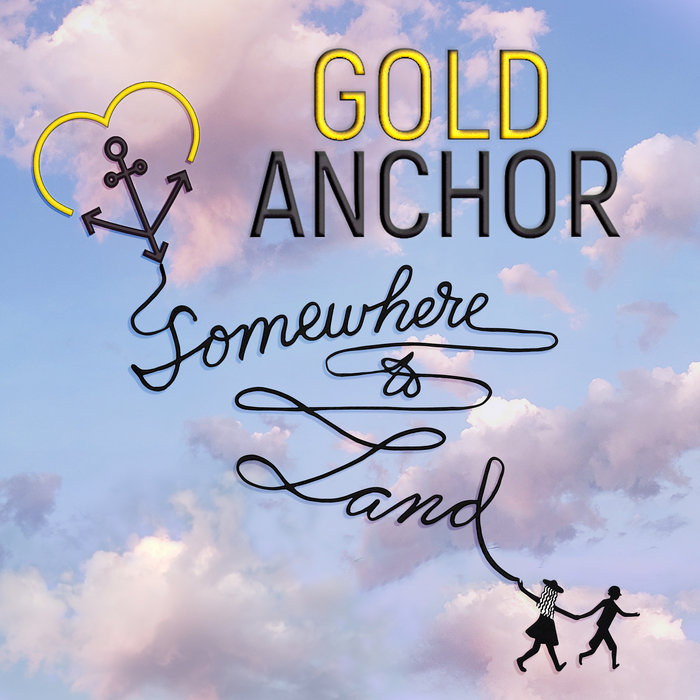
I'm having a lot of fun! And...definitely procrastinating other things to make this! 🤪 The sample projects are the cover art that I made for my band's songs/EP release last year. We're called Gold Anchor if you want to hear our music 😉 https://goldanchor.bandcamp.com
 bleak fossil
@left saddle I assume you mean you're using an older version rather than the subscription? Unfortunately Neural Filters is a fairly recent addition so it would only be with the most recent versions.
jolly quest
@slim niche awesome!! This looks like a Plant Care app?
I’m very excited to see how it develops
 jagged falcon
Day 2! I’m working on a PhD in Health Behavior, and I’m interested in websites/apps to increase exercise in people with disabilities, so I created a style guide for workout illustrations. I’ve been doing the Ai challenges since the pandemic began, so I’m wanting to learn how to incorporate PS elements into the illustrations. ☺️
 hollow yarrow
@lucid plover : great style guide. Love the colors palettes!
lucid plover
thank you @hollow yarrow
nimble shardBOT
Gave +1 Creative Carma to @hollow yarrow
hollow yarrow
Great shot @unkempt field on your challenge #1... I like your colors and the add of "wavy" shapes... Really fresh design!
@fluid sequoia : your retouched portrait looks really good. I like how you used filters to give a nice painting effect. Looks soft and warm. Love the addition of yellowish strokes. Well done!
hollow yarrow
regal barn
This one I played around with the glasses, using hue/saturation and effects
Well done! your effect on glasses looks great!.... Why don't try to apply it on your first image? It might give a good result... (Just an idea)
bleak fossil
@young karma Very cool! The mood board definitely has a consistent and cohesive style and aesthetic to it. Always great to see people incorporating these challenges into their personal work!
@vague shuttle Really interesting combination of colors and textures in this one. The warm and cool color contrast really adds a lot of interest. The high contrast of the values along with the colors and textures in this image give it a really bold, interesting look. Nice job!
@blissful wolf Very cool! The backlighting with the texture in the glasses is a cool look. I feel like the whole image could use a bit of a curves/levels adjustment to add a bit more contrast in the face. Nice job!
@brittle drift Glad you're excited for this one! I love the bold colors and designs of these projects. They all have a nice unity to them. Really cool to see you incorporating your own stuff too!
@slim niche Ooh, very nice! I love the green and yellow tones along with the lightness of all the white space. They balance each other nicely and it gives it a really bright and upbeat feel.
@queen aspen I like the strong contrast in a lot of these images. The lighter tones and colors give it a nice balance too. The font choices seem to fit nicely 👍
@fading tartan I really like the lighting in all these images, they have a great feel to them and a nice unity between them. The color palette feels really festive too, which I like. Nice job!
@oblique sinew Super cool! I love the idea of animating these effects. The color grading you did for each image fits really well, and both designs have a nice contrast in the glasses against the rest of the image. Great idea!
blissful wolf
@bleak fossil , thank you very much for your feedback.... I will make the change you suggested 🙂
nimble shardBOT
Gave +1 Creative Carma to @bleak fossil
bleak fossil
@unkempt field I love the stylization of this image, the high key color grading works really well and makes the glasses a really strong focal point. The graphic elements are a nice touch. Well done!
@foggy gull Ooh, great style to this image! It balances the focus nicely between the text at the bottom and towards the top of the face. Really changes the mood of the whole thing, nice work!
@fallow bough Looking good Ken! There's definitely a lot of contrast and business going on but you managed to balance them well with the portrait still having a nice contrast between the background. The sort of painterly/graphic looking effect adds a really interesting touch.
@dusky swallow The background in this avatar design is a really nice addition and works nicely with the design in the glasses. I really like the color contrast the glasses have too, nice work!
@formal jacinth Hah, I love it, the colors look great together and the animation is an excellent touch.
@mortal crescent Really cool idea! Great style to this image, and the blend between them creates a really interesting effect. Loving the texture too!
@unique sun Awesome, welcome in! Glad you're joining us. The background effect is really cool. I think using a levels adjustment to brighten up the portrait and add a bit more contrast might be a nice touch too. Looks good!
@young karma I really like what you did with the orbs and text in this one, really cool design! The color and contrast with the effect in the glasses makes for a nice focal point too 👍
@eternal mica Hah, loving the avatar effect! Kind of reminds me of the Human Torch with some Matrix flair to it. I really like the stylized look of the jacket too, everything has a nice stylistic balance to it. If I had any suggestion it might be to further separate the portrait from the background by tweaking the hue of the background, or even the jacket. Maybe shifting it a little more towards the green range would make the silhouette of the jacket pop more, and might be a nice way to mirror the green in the glasses. Very cool!
 wanton drift
Here's mine 👊🏽
dusky swallow
bleak fossil
<@!760907049444835428> The background in this avatar design is a really nice add...
Thank you for your feedback! @bleak fossil
nimble shardBOT
Gave +1 Creative Carma to @bleak fossil
dusky swallow
brittle drift
I'm having a lot of fun! And...definitely procrastinating other things to make t...
I really like the colors you have chosen and your sample projects, it feels inspiring😍
eternal mica
@bleak fossil Thanks Sam, I'll play around with it in the morning
nimble shardBOT
Gave +1 Creative Carma to @bleak fossil
 winter tinsel
Challenge #1 Personal Avatar (Photo credit goes to Kevin Mueller on UnSplash.) I’m really not finished with this but here’s what I have so far.
zenith mulch
normal gale
Day 2 Challenge. I will be working on a nature Photobook of mainly birds I have taken around my family's cabin. I hope to aslo incorporate some illustration.
fluid sequoia
hollow yarrow
<@!754326522562871357> : your retouched portrait looks really good. I like how y...
Thanks for the compliment @hollow yarrow I actually used the sky replacement also 😆 Photograph in the glasses was a recent beach sunset... seemed to work for this application.
nimble shardBOT
Gave +1 Creative Carma to @hollow yarrow
 woven wasp
Personal Avatar Challenge
brittle drift
bleak fossil
<@!796144587232116777> Glad you're excited for this one! I love the bold colors ...
Thank you! It's so nice to be in a creative zone with others. I'm learning a ton and appreciate the support!
nimble shardBOT
Gave +1 Creative Carma to @bleak fossil
dusky swallow
Moodboard, I never did anything like this kind of work, so I had to check peoples works on Behance and add them as sample projects.... let´s see what happens next. Thank you Serag Basel, Denis Kandaurov, https://www.behance.net/collection/181463845/2021-Jan-DCC

Behance is the world's largest creative network for showcasing and discovering creative work
queen aspen
bleak fossil
<@!689532608899711140> I like the strong contrast in a lot of these images. The ...
Thanks, Sam
nimble shardBOT
Gave +1 Creative Carma to @bleak fossil
raw coyote
Hi!
Can somebody tell me what is wrong. I go to Neural Filters and turn on visual filter, it asks me to download it. I try downloading it but it remains gray never starting to download? Please guide me. Thanks.
 left abyss
Day 1, Personalized Avatar
slim niche
jolly quest
<@731186749715513345> awesome!! This looks like a Plant Care app?
yes @jolly quest , sure I will post it soon.
slim niche
bleak fossil
<@!731186749715513345> Ooh, very nice! I love the green and yellow tones along w...
thankyou so much
uneven flume
This was a lot of fun. I really enjoyed the color samples portion.
 rocky kite
PS DCC - Style guide
young karma
Style Guide for my Minimalist Photography Portfolio
 fluid wharf
day 2
wary swan
how to make the colorswaps to artbord I have try to drag it over from librayy but wil not work
simple idol
Hello friends, here is my Day 2
candid chasm
Oh right! Here is my Day 2... Usually I use orange colors in my work... And I'm still working in my own style. I want to drive it to the vintage style that i love with all my heart ♥
wraith estuary
My first style guide ever.... I made it for a non-existent photo book from my last trip to Portland.
 fading tartan
brittle drift
<@!749745748593344633> Thank you so much!!! 💗
fading tartan
brittle drift
<@!749745748593344633> Thank you so much!!! 💗
❤️
 livid badger
I am having trouble with the Neural filters from earlier this week. The style filters seem to work, but the facial/portrait ones do not.
jolly quest
Do you have the little toggle turned on?
livid badger
I was having internet issues that day and I am wondering if perhaps it did not download properly? Is there anyway to do the download over agian?
jolly quest
to activate them you have to do more than just clock the panel
are they ghosted out?
*click
livid badger
Yes I have the toggle on. The panel is active, but no change happens to the photo
jolly quest
hmm
let me investigate how to re download. that has happened to me too before
one moment
livid badger
Thank you. I just downloaded the style filters this morning with my full internet back and it is working fine. So I am suspicious that might be the issue.
jolly quest
oh its fixed then?
lucid plover
DCC Day 3,Collage art poster template (inspired by magdiel lopez's layout)
jolly quest
I did see that a small update came out that fixed some issues accessing the neural filters. I wonder if it did a little auto update?
@lucid plover OHHHH Poster Templates! NICE
I love it
lucid plover
thank you @jolly quest
nimble shardBOT
Gave +1 Creative Carma to @jolly quest
jolly quest
My pleasure!
livid badger
Ok this little discord bot keeps blocking my comments. Not sure what "bad word" I am using. I am just trying to chat with Val about the neural filters
@jolly quest No not fixed
@jolly quest I don't know how to re-download that portion
inner plaza
livid badger
I was having internet issues that day and I am wondering if perhaps it did not d...
From the Help file:
Can I delete a filter from my local machine?
Yes. You can access the filters at the following locations. Each subfolder contains one model.
macOS: ~/Library/Application Support/Adobe/UXP/PluginsStorage/PHSP/22/Internal/com.adobe.nfp.gallery/PluginData
Windows: C:\Users[username]\AppData\Roaming\Adobe\UXP\PluginsStorage\PHSP\22\Internal\com.adobe.nfp.gallery\PluginData
I just downloaded the Smart Portrait module and it added these folders: StyleGan2OnDevice2, StyleGan2Cloud, FaceSegnentation, FaceSeg
queen aspen
DCC Day 3
brittle drift
Eek...has anyone had the problem of not being able to save in PS because of a program error!? Help please!! 🙂
brittle drift
Ha! I fixed it! I guess you can't save if the background layer is hidden!? I did that thing that my husband always tells me to do when I ask him a question and I asked the internet 😋 learning on all levels!! Hope this helps someone else who may experience this problem!
hollow yarrow
Day 3 - Social Media Template
jolly quest
@hollow yarrow WOAHH
This is so clever!
I love the chalky texture with the yellow and the idea to have the Polaroids
Very well done!
queen aspen
brittle drift
Eek...has anyone had the problem of not being able to save in PS because of a pr...
I had some kind of error (unexpected error or something like this) yesterday when I was trying to export as JPEG. So, I decrease image size and could export the file.
 pulsar kettle
I'm joining this challenge late, here's my Challenge #2 Style Guide! The vibe is Fall/Winter Magazine Editorial
pulsar kettle
Here's my Day 3 SOCIAL MEDIA LAYOUT challenge! I couldn't export the PSD cuz the file was huge, so here's a jpg... i think i did it right? And I'm posting it in the right place? #✂challenges-feedback
 spring estuary
Day 3- Social Media Template
wary swan
queen aspen
I had some kind of error (unexpected error or something like this) yesterday whe...
Ther happen rather often special if you then you have many layers, also then you try to export then have many layers, you can make smart layers to fix the problem. I don't know if it's a bug or if it's a memory problem, special then you use Neural filter can you get program error if you try to export it.
 unkempt cape
Day 3 Social Media Template - Promoting open practice for my son's team.
hollow yarrow
jolly quest
Very well done!
Thanks. I appreciate!
nimble shardBOT
Gave +1 Creative Carma to @jolly quest
hollow yarrow
@lucid plover : Nice template! I'm looking forward to see it edited with your artworks. Well done!
brittle drift
@queen aspen Thank you! That helped the next time when my trick failed...and then PS 2021 completely failed and won't open 😭 At least I have photoshop 2020!!
nimble shardBOT
Gave +1 Creative Carma to @queen aspen
coarse egret
Day 2 - Style Guide
I have never done this before and it was very hard for me, that is why I´m so behind. It is very random and nothing special, because I didn't have a concrete vision, I just tried to understand how it works for me. I learned lot of new things.
livid badger
Yay! I got my neural filters to work. So I am back on Day 1 with my jazzed up profile pic.
prisma stone
The intention for my Behance project was some animation so attempted to add that to the social templates. Thought I might try different colors for different posts if I really use them. It came out a little messy but it was great practice!
Here's just the static templates
zenith mulch
Day 3
dusty fog
DCC for Jan 7 -
dusky swallow
My instagram project @little larkpdeposter intro for you guys. Thank you @jolly quest
nimble shardBOT
Gave +1 Creative Carma to @little lark
brittle drift
dusky swallow
My instagram project <@613109912368578580>pdeposter intro for you guys. Thank yo...
Pilar, that's awesome!!!!
celest fox
Inspired by ice cream and pastel colors, first try at a style guide
normal gale
Day 03 Challenge - Social Media Template Sample (oh wow that's crooked, I will revise tomorrow)
wanton drift
Challenge day 3 - I've been procrastinating but I'm gonna start again to challenge myself with new concept art and matte painting projects. 💪🏽
bleak fossil
@wanton drift Very nice collection of images, I like the dark, moody images with bursts of bold color, there's some really nice contrast going on. Nicely done!
@winter tinsel I like the graphic look of this image! The graphic background fits the style of the portrait nicely. I'm not sure if that back of the hat on the right side got cut off due to the sharp edge or not, but figured I'd mention it since the shape seems a bit odd. Nice work!
@zenith mulch Great collection of images here, you can really see how a feeling of warmth is in a lot of coffee branding which I think is reflected nicely in your color palettes. The more neutral grays really allow the warm earthy tones to pop. Looks good!
@woven wasp Hah, I love the picture for this Avatar challenge! The colors are great, and the background blur adds a really nice sense of focus. Though the blur looks a little rough around the head of the boy in the back, perhaps refining the mask with a Refine Edge Brush tool or the Refine Hair button might help a bit, or even just some careful work with a soft brush and a mask. The color in the lenses of the glasses really make for a nice focal point too!
@dusky swallow Very cool, the images really convey a strong theme with this mood board, and the color palette really pushes that bright friendly feel you often see in cartoons and animation. Nice job 👍
@normal gale Challenge 3 is looking really solid! The illustrated elements in the corners have a nice balance to them and the design is colorful but still kind of subdued. The clean center design for the text has a really nice contrast with the background. Looks good!
@celest fox Very cool, the colors of all these images definitely have a cohesive look and feel to them. I like how you balanced some of the brighter colors in the color palette with a couple more neutral tones. Nicely done!
@dusky swallow Ooh, really interesting effect with the 3D split form of the portrait! I feel like showing a bit more of the "inside" area on the bottom left section like we see in the top left might give the whole thing a bit more of a solid sense of form? Though that's a minor note and suggestion. There's a really nice contrast against the background shapes and colors too, nice work!
@dusty fog The Day 3 challenge is looking good, I like the shape placement. I wonder if it might help to minimize your color palette, oftentimes using too many colors can make the design feel a bit less cohesive. Currently there's 5-7 major colors being used, using a few less and repeating some more than once might help with more unity? Also using that magic wand tool to grab and delete/mask the white behind the cobra icon might look a bit cleaner, but then you might have to lighten the background a touch to get it to read. Just some thought of course. I really like the red border and how you faded the contrast of the palm tree graphic, nice job!
@zenith mulch Ooh, I love the contrast between the bold textured background and more refined clean look of the center design. All the colors have a really nice cohesive feel to them too. Nicely done!
@prisma stone Really cool to see you pushing this challenge with the animated elements! That can definitely be a great aspect to have for eye catching social media graphics. I like how you tried out a couple different color schemes too, very nice!
@livid badger Glad to hear it! Really nice texture in this, it gives a great contrast and focus to the glasses. I feel like the portrait could be brightened up a bit with a levels adjustment to pop the face out and separate it more from the value of the background. Looks cool!
brittle drift
Well, I guess I'm just rolling with it. My selfie had butterfly wings and then I made a card for my friend's birthday with butterfly wings. And I do like unicorns, flowers, hearts, babies, puppies and colors...so I might as well go for it 🤣 Also, I have to say that I used almost every color and font from my style guide!? That was really cool and helpful for faster execution. Thanks for the idea! I love the daily challenges @jolly quest 💜
nimble shardBOT
Gave +1 Creative Carma to @jolly quest
bleak fossil
@coarse egret That's great though, trying new things and stepping out of comfort zones is always a slower process the first time, glad to hear you feel like you learned from it! I feel like you got a good color palette out of this, some really nice neutral tones and more accented colors make for a nice balance. Nice work!
@unkempt cape Looking good! The clean center design contrasts the pictures nicely, while the darker background makes for more of a subdued neutral tone while still adding some nice interest. I really like how you made the design reflect the color scheme from the uniform, nicely done!
@spring estuary The day 3 challenge is looking good! The circles make for a nice added element of interest while the simple white background really likes the colors from the painting pop. Very nice!
@wanton drift That's great to hear! Really nice to see both compositing and more graphic style design put together here. The white title and text contrasts nicely against the darker background. Looking good!
frozen elk
Day 2 Style Guide. The vibe is 1920's poster. I think that my sample projects might have taken a little different turn than I was initially expecting.
Day 3 - Social Media Post.
bleak fossil
@pulsar kettle You are indeed posting it in the right place! And jpegs are perfect for sharing here on the Discord and social media, no need to upload the PSD. Discord has a 8mb limit anyway. I really like your color scheme and how you balanced the shapes and color in this template. The text in the bottom left does a nice job to balance out the top and right areas. Nicely done!
@hollow yarrow This looks great, really nice balance between the grey and yellow tones. The debossed effect on the text has a really nice sense of dimension too, nice work!
@wary swan Really cool, there's definitely a consistent style of bold colors and shapes in a lot of these images and the color palette reflects that nicely. Great to see all your designs together too!
@brittle drift Hah, definitely embrace and go for it, might as well have fun with it. I really like the compositional balance in this between the graphic shapes and photo elements! The colors have a nice unity as well, very nice work!
 slim moss
Day 3: ok so I made something a bit different if that's ok?
buoyant nova
@normal gale Looks great, love the colors!
normal gale
buoyant nova
<@!344890930462982152> Looks great, love the colors!
Thank you.
nimble shardBOT
Gave +1 Creative Carma to @buoyant nova
wary swan
bleak fossil
<@!796821854970970183> You are indeed posting it in the right place! And jpegs a...
Thanks for the feedback Sam
nimble shardBOT
Gave +1 Creative Carma to @bleak fossil
dusky swallow
brittle drift
Pilar, that's awesome!!!!
Thankyou @brittle drift!!
dusky swallow
bleak fossil
<@!760907049444835428> Very cool, the images really convey a strong theme with t...
Thank you!!!
nimble shardBOT
Gave +1 Creative Carma to @bleak fossil
dusky swallow
frozen elk
Day 3 - Social Media Post.
I really like the shapes and primary colors you have chosen for you social media templates. Great!
 hollow trout
Day 2 Challenge, using this for ideas for my 2022 Calendar, nice to get all of the ideas in one place.
young karma
hello - leave opinions of my portfolio https://www.behance.net/eadestudio

Behance
 terse dove
Challenge 3 | Hey! 👋 Here's my template for an insta story. I'd use this for announcing a new post on my instagram portfolio page.
hollow yarrow
@frozen elk : your template looks great! Contrasting colors, abstract shapes and typefaces chosen give a nice 20's mood. By the way it's always great idea to post WIP! Really cool!
@slim moss :That's 100% OK! Always cool to see different approaches... Great design! I like the doodling around plates. They bring life to your scene. Nice color choice and the diagonal split adds power to your design. Nicely done!
slim moss
thank youu
unique sun
I am a little behind so heres day 2 challenge I used my own photos in the sample box that I did over the summer. 😇 This is my first ever style guide!!
raw coyote
Challenge -1 DCC Personal Avatar.
 rancid steeple
coarse egret
bleak fossil
<@!795798236631007273> That's great though, trying new things and stepping out o...
rancid steeple
coarse egret
bleak fossil
<@!795798236631007273> That's great though, trying new things and stepping out o...
Thank you, @bleak fossil 🙂
nimble shardBOT
Gave +1 Creative Carma to @bleak fossil
prisma stone
normal gale
Day 03 Challenge - Social Media Template Sample (oh wow that's crooked, I will r...
Beautiful gradients!
prisma stone
dusky swallow
My instagram project <@613109912368578580>pdeposter intro for you guys. Thank yo...
love that noise gradient in the background!
hollow yarrow
@dusky swallow : Great design! Love the colors and the surreal portrait!... By the way: Nice instagram project too!👍
dusky wave
My design for Day 3 social media for my photography
hollow yarrow
@zenith mulch : Great! I love this one... Not only because is about my favorite drink :)... Nice Background patterns, color choice fits well with theme and all the infos and links are here... I'm so sad 'cause I failed to find AlynumCshop on the web. Nicely done!
Day 4 - Edit a Template
Yellow version
Day 4 - Edit a Template
Blue version
wary swan
Challenge #3 1-7-21 Social Media Template host VooDoo Val version2
https://cdn.discordapp.com/attachments/783659087187542036/797145545709584414/Untitled-1.png

Add photo and text to template above
celest fox
Social Media template
hollow yarrow
I realize that I didn't wish Happy New Year to the PSDCC community so ... Happy New Year 2021 to all of you. A special thanks to the hosts and mentors ... This instagram story is for you!
prisma stone
I already posted the template I made for the challenge but thought I'd share some other templates I did recently for a Harry Potter fansite I help out with a little on social. So much amazing work here today from everyone!
kindred gate
PS Daily Creative Challenge @jolly quest Day 03
candid chasm
I'll do a better one... But I will practicing a little bit 😛
wraith estuary
I forgot to upload my messy idea for a template yesterday! Then I missed the video today. I'm playing catch up!
young karma
After the Tutorial by @jolly quest I have to reconsider my options, you show me a great variety of bases that help me 🙂 Thank you !!! @bleak fossil nothing works without you Thank you for your kind of productiv words the last time🔥🔥.
the project aims to give people the opportunity to virtually build their own room,
maybe you are interested:p
nimble shardBOT
Gave +1 Creative Carma to @jolly quest
lucid plover
DCC Day 4,Project 70 (edit a template)
frozen elk
hollow yarrow
<@!755104027955429416> : your template looks great! Contrasting colors, abstract...
Thank you!
nimble shardBOT
Gave +1 Creative Carma to @hollow yarrow
frozen elk
dusky swallow
I really like the shapes and primary colors you have chosen for you social media...
Thank you!!
simple idol
Day 3. Catching up
hollow yarrow
Really nice @lucid plover ! Great design! I'll nitpick🧐 but you might adjust the color of bottom text... It's almost unreadable. Otherwise your poster is awesome!
lucid plover
thank you @hollow yarrow
nimble shardBOT
Gave +1 Creative Carma to @hollow yarrow
dusky wave
PS DCC #04 - Social Media Template update
raw coyote
Photo from Abid Hafeez
Photoshop DCC - 4 - Edit A Template.
Photoshop DCC - 3 Social Media Template.
Photoshop DCC - 7 - Minimalistic Design.
I designed this for my client's wine brand.
unique sun
Again a little behind but here is day 3 challenge! (again all this is brand new to me!)
brittle drift
Can anyone help me with this? I didn't know about the frame tool until today and I was trying to make a frame on my social media project yesterday AFTER everything was laid out on my page. It was tricky!? And It wasn't letting me center it very well. When I linked all of my objects so I could move them to try and center them it helped but when I used the move tool and clicked an alignment button, all of my pieces were thrown to the center, rather than the whole middle frame (with all of my layers in their correct placement) centering over my created frame. Make sense? So basically, how to I center complex layers that I want in a certain formation over a layer below? Thanks in advance! @bleak fossil
nimble shardBOT
Gave +1 Creative Carma to @bleak fossil
young karma
@brittle drift maybe you can click the layer of you dont need and can so move the others layers, I try it alway like that if I understand you problem
 pulsar kettle
Day #4 Challenge! I did a minimal "scanned polaroid" vibe, and i changed the canvas settings so that it would fit instagram stories!
here's the blank version 😄
pulsar kettle
brittle drift
Can anyone help me with this? I didn't know about the frame tool until today and...
not 100% sure what you're asking, so here's my best: A) press the V for the select tool, and then the button at the top with the three dots, click that and click "align to canvas". then you can automatically center your layers to the canvas. B) if you're trying to align something within another frame/layer, then do the right click >> create clipping mask. Does that answer your bestion?
plain sable
Challenge #2 - a project I'm currently working on...
simple idol
Hello friends. Here is Day 4
zenith mulch
brittle drift
pulsar kettle
not 100% sure what you're asking, so here's my best: A) press the V for the sele...
I appreciate you trying to help!! 🙏 I did try A, which is what aligned all of my objects on the first layer, which is not what I wanted to do. I wanted all objects to stay in their places, on the layer, and I linked them all, then I tried to center the layer over another layer. Make sense? When I tried A it centered the objects as well instead of the layer they were on🤪 When I do B, it doesn't center it either... It's hard to ask this question and it's so nice of you to try and help me! Thank you!
nimble shardBOT
Gave +1 Creative Carma to @pulsar kettle
coarse egret
Day 3 - Social Media Template
So far I have used photoshop only to edit my photos so again something completely new to me, it takes forever to complete the challenges, but I´m so excited to learn new things.
compact pecan
coarse egret
Day 3 - Social Media Template
So far I have used photoshop only to edit my photo...
Hang in there! It gets easier and faster with each challenge. You’re doing great!
dusky swallow
bleak fossil
<@!760907049444835428> Ooh, really interesting effect with the 3D split form of ...
Hi, I have been looking at the image and I will try your suggestion, the reason I gave that form was that I tilted backwards the top left area and forward the bottom, I wanted to give the sensation of a shake in that side. I am not sure I got it right though... I really appreciate your comment. Thank you.🙏
nimble shardBOT
Gave +1 Creative Carma to @bleak fossil
dusky swallow
hollow yarrow
<@!760907049444835428> : Great design! Love the colors and the surreal portrait!...
Thank you 😇
dusky swallow
Day 4, Puzzle pattern background
bleak fossil
@coarse egret I'm glad to hear you're excited for these! Workflows and processes are definitely a lot slower the first few times around, but luckily once you start getting a good feel for the tool and methods it speeds up a lot, especially with hotkeys. This looks good, I really like the pattern you made for the frame and background. I feel like the title text could be a bit bigger and bolder with a more contrasting value or color for a bit more pop overall. Looks good!
@zenith mulch This fits really nicely thematically with your last design. I really like the way you frame the products with the circle shapes. Nice balance of color too!
@normal gale These are great! I really like the create framing for each one and the touch of depth you added with overlapping shapes. The way you handled the color schemes for each one is working really well too!
@simple idol Really nice layering of images for the Day 4 challenge. The color schemes are working nicely to have some good harmony and without overpowering the center image and design. Nice job!
@plain sable Really cool, I like the collection of design you got here, really interested to see what you do with it and how the trailer and bird imagery fit together. Colors look good too!
@pulsar kettle Nice job, always good to have some Instagram Story templates, something I should consider more with how often I use them, hah. The colors and contrast of the design look good!
@young karma Some really nice textures going on in this design! I like the way you masked out the couch, rug and person jumping over the graphic shapes and textures in the background. Though I wonder if making those elements a bit bigger might make that center area a bit more visually dominant as a more prominent focal point? Nice work!
somber token
Decided to combine the Photoshop and Illustrator challenges this week, made a social media post for my Day 1 AI Challenge for Day 4 PS
uneven flume
I used a photo of one of my paintings as the subject. I lowered the texture using camera raw filter to make it look like a cartoon drawing. This is a mash-up of Neopets and the video game Among Us. I used elements and inspiration from both words to create this look. This was my first time using patterns and I really enjoyed the outcome.
plain sable
Thanks @bleak fossil... For the last few weeks I've been working on sticker ideas so decided to use what I've got going so far with the art board challenge. So what I have so far is three catagories, hummingbirds, owls, & campers. Each will have there own direction I think 🙂
nimble shardBOT
Gave +1 Creative Carma to @bleak fossil
celest fox
Social Media project
spring estuary
Challenge 4- Edit a template
plain sable
Also updated my challenge #2 with a font and new colors
coarse egret
bleak fossil
<@!795798236631007273> I'm glad to hear you're excited for these! Workflows and ...
Thank you so much for feedback and advice, I appreciate it a lot:) @atomic echo
nimble shardBOT
Gave +1 Creative Carma to @bleak fossil
coarse egret
compact pecan
Hang in there! It gets easier and faster with each challenge. You’re doing great...
Thank you:) @compact pecan
 little spoke
Very late to this. I used Photoshop for work a few years ago and have not touched it in a while, so it's taking me forever to find my way around, especially because of the changes in the new version!! But here goes...challenge #2!
raw coyote
Photoshop DCC-2 Style Guide.
mortal crescent
Challenge 2 Style guide
 wraith sierra
 tawny badge
neon crystal
tawny badge
neon crystal
Day 4 Challenge, I did a photo challenge a few years back and this would have been a good promotion slide. This was a good exercise.
little spoke
simple idol
Hello friends. Here is Day 4
Love this. Clean, elegant.
simple idol
🙏🏿 @little spoke thank you so much. That is what I was going for, so I really appreciate that came through. 😃
nimble shardBOT
Gave +1 Creative Carma to @little spoke
 raven basin
 mellow linden
New Avatar Challenge 🙂
neon crystal
Challenge #2, sorry, I'm not going in order. This is for a website I'm working on for down the road. Now more of a portfolio site. On to challenge #4 next. Love seeing all the results, some really creative people contributing 😀
little spoke
Not super happy with this, but learning a ton from experimenting.
brittle drift
little spoke
Not super happy with this, but learning a ton from experimenting.
I think this looks really cool!
jolly quest
Wow everyone these are looking super great!!
Don’t forget that as you create assets and designs, you can add elements into your project library like how I added the leaf drawing in challenge 4!!
That way to can pull from it at any time!
dusty fog
Here's my DCC day 4 social media template. I struggled with some layers and general PS concepts but here it is.
little spoke
brittle drift
I think this looks really cool!
Thank you!!!
nimble shardBOT
Gave +1 Creative Carma to @brittle drift
 tropic knoll
@little spoke It looks great to me!
candid chasm
Kinda late, but here it is... I think it is a big mess hahah... I will fix it later 😛
wraith estuary
@candid chasm If it's a mess, it's a cool mess! 🙂
mellow linden
Style Guide for my illustration project.
I want to create a series of illustrations with hand lettering all with a cohesive style and positive /empowering words. 😄
wraith estuary
Oh wow, you guys just reminded me to finish mine!
candid chasm
wraith estuary
<@!294889456333488129> If it's a mess, it's a cool mess! 🙂
Thank you 🙂
nimble shardBOT
Gave +1 Creative Carma to @wraith estuary
brittle drift
I have been having so much trouble with PS 2021 😟 Anyone else? 🤔 Had fun with painting the patterns on my wacom tablet which is new and looking forward to playing more with it! This is probably too much going on but a start.
pliant comet
PSDCC Day 3 with VooDoo Val. I think. I'm so far behind.
brittle drift
mellow linden
Style Guide for my illustration project.
I want to create a series of illustrat...
Your style guide is really awesome!!
wraith estuary
@jolly quest Here is my Day 3 challenge. I made an Instagram template that allows me to post images from my photo trips. It's a Polaroid type frame with layers for adding descriptive text and a couple of different backgrounds.
jolly quest
NIIIICE!!
plain sable
Challenge #4
lucid plover
DCC Day 5,Poster Series (project 73)
tropic knoll
Day 1. Practicing/Playing with Neural Filters. Will have to practice with these filters. Seems like they only work for small selections. Thank you for this opportunity! The cobweb is out back in our tree.
somber token
My day 5 entry! My series is typographic quotes
young karma
My Day 5
neon crystal
Still on day 4, getting caught up. Added a pattern and played with the frame tool.
 fierce island
Glitzy
 misty heron
neon crystal
Still on day 4, getting caught up. Added a pattern and played with the frame too...
misty heron
neon crystal
Still on day 4, getting caught up. Added a pattern and played with the frame too...
@neon crystal I love the way the way the picture is popping out of the Polaroid. I have two suggestions on the left side Polaroid put the water that is on top of the white frame behind the frame. It would make it seem more like the surfer and the wave is emerging form the Polaroid itself. The other suggestion I have is the hand at the top of the photo is drawing the viewer away form the main part of the photo. Mostly because of the color compared to the water behind it and that it doesn't lead to a part of the body. Thus it just looks like a floating hand. Hopefully that helped some.😁
dusty fog
Believe it or not, this started out as a happy kitty😬 . Somewhere along the line I went dark🤔. I drew free hand, used special effect brushes, and added backgrounds. I'm definitely learning as we're going along.
 prime lake
I am naming her "Broccolia" She's got some sass and a beautiful 'fro.
inner plaza
Challenge #2 - Creating a Style Guide: I'm so far behind but hoping to catch up quickly.
 lean forum
Love your work @mellow linden
zenith mulch
Challenge #5 a continuation with my theme> Branding for a new coffee shop. 😊
dusky swallow
Here it is my first ilustration ever.... It has been really fun and I would like to continue doing them although my day starts with something different, The Poster of the Day... Anyway, at least once a week... BUT I missed the instructions to outline it... I kind of figured out something but it took not the 3 layers that I could see in Val´s file but many more. I would appreciate that you explain how to do the drawings... Thank you @jolly quest
nimble shardBOT
Gave +1 Creative Carma to @jolly quest
brittle drift
zenith mulch
Challenge #5 a continuation with my theme> Branding for a new coffee shop. 😊
Cool animation!
bleak fossil
@neon crystal Really nice layering with this Day 4 challenge! It adds some nice depth. I also really like the way the surfer breaks the frame of the polaroid which even further pushes the depth. Nicely done!
@young karma You really pushed the texture in this one which looks good! The simplified color palette really helps everything read nicely against each other too. Angel seems to have a typo with an extra "e" in it, unless that was intentional and it's part of a name. Nice job!
normal gale
Challenge #5 - My favourite thing to do right now is turning my wildlife photos into water colour images (Edited /Original)
bleak fossil
@somber token I really like the font and the way you handled the type on this Day 5 challenge! The blue and brown color scheme is working together nicely. My only thought is I feel like the "I'm still standing" text could contrast a bit more clearly against the background for a stronger read. I wonder if tweaking the value could help, or even adding a subtle drop shadow? Nice work!
@tropic knoll Really cool idea for the Day 1 challenge! I like how it sort of gradually turns the spiderweb into a stained glass effect. Nice job with all the different colors and textures 👍
@lucid plover Really cool sort of surreal effect with this Day 5 poster image! I like how you seem to have added an occlusion shadow under the "tunnel" of the sky on the street, but then as you look up it kind of visually transforms into the night sky. The glowing ring makes for a really interesting effect too! Could be kind of cool to see that reflected a bit in the pavement if you wanted to push it even further.
@plain sable Really interesting embossed effects you have in the #4 challenge. Great job with the framing and designs around the border, there's a nice balance to the overall composition!
@wraith estuary Really cool! The color contrast between the portrait and the background newspaper works really well, and the drop shadow under the photo adds a great sense of depth. Did you create the portrait image as well? Either way this is looking really solid!
lucid plover
Thank you @bleak fossil
nimble shardBOT
Gave +1 Creative Carma to @bleak fossil
bleak fossil
@inner plaza There's a definitely a strong consistent theme with the vibrant, sort of psychedelic color palettes in these images. Some really interesting options within the font styles too. Definitely interested in seeing more, nice work!
@prime lake Hah, I'm really liking the style of this Broccolia design! The face looks good and it has a nice uniform level of texture and lighting on it to make everything look like it belongs together. The consistent lighting and contrast looks good!
plain sable
Thanks @bleak fossil
nimble shardBOT
Gave +1 Creative Carma to @bleak fossil
bleak fossil
@dusty fog Hah, that's definitely quite a transformation, but can always be fun to just see where it goes. I like the texture you got going in the background and the creature. Nice job!
@pliant comet The colored gradient of the text really pops against the more neutral gray background. I like the flair of the lines on the title text 👍
@brittle drift Really creative and interesting use of these colors and patterns! There's enough contrast between the patterns to clearly define the figures against the background which works nicely. The bright sunset-like colors seem to work well thematically for this design too.
@mellow linden Ooh, that sounds like a great project! There's definitely a look nailed down with these illustration examples, and those fonts seem like they would work nicely with the look and feel of them. Looking forward to seeing more!
@candid chasm Really nice job with the sort of retro style design! The texture adds a lot of interest and character to the image. The photo contrasts nicely with the background colors too. 👍
lucid plover
DCC Day 5,Poster Series (project 73) revised
bleak fossil
@little spoke That's good to hear, that's definitely the best way to learn. I really like the color scheme you have going on in this image, it looks really nice and cohesive and balanced. The framing and type looks really good too!
@neon crystal No problem, you're welcome to jump into any challenge you like. That's great to hear you're using this for a personal project. The colors and images you picked out have a solid look and feel to them. The mood board is looking solid!
wary swan
Challenge #5-1-11-21, My favorit filter Flexify it is a rather old filter still work with Photoshop 😀
 glacial minnow
Day #2 Way behind in this challenge
prime lake
@bleak fossil I appreciate the feedback, thank you!
nimble shardBOT
Gave +1 Creative Carma to @bleak fossil
candid chasm
bleak fossil
<@!294889456333488129> Really nice job with the sort of retro style design! The ...
Thank you Sam 🙂
nimble shardBOT
Gave +1 Creative Carma to @bleak fossil
hollow yarrow
@lucid plover: nicely updated!👍 (project 73)
lucid plover
thank you @hollow yarrow
nimble shardBOT
Gave +1 Creative Carma to @hollow yarrow
tropic knoll
Thank you, @bleak fossil! I enjoyed filling in the cobweb.
nimble shardBOT
Gave +1 Creative Carma to @bleak fossil
wraith estuary
@bleak fossil Did you mean the photo I used in the template? If so, yes. I mean I took the photo of some art I found on a wall in Portland.
candid chasm
This is the original drawing that i made a while ago and that i'm using on yesterday challenge
And here is the final result. I used tons of brushes so.. difficult to explain lol (but I used wet ones and watercolor ones ♥)
lucid plover
DCC Day 6,Create a Banner
 full moat
nice
lucid plover
thank you @full moat
nimble shardBOT
Gave +1 Creative Carma to @full moat
lucid plover
DCC Day 6,Create Banner (revised)
tropic knoll
@lucid plover perhaps you could move Saturn to rest beside the F of your name, and place your instagram note under 'from fery graphics'. To me, having such a beautiful piece of art like what you have created with Saturn would highlight your name and skills. just a thought. Really great work!
lucid plover
thank you @tropic knoll I will try that
nimble shardBOT
Gave +1 Creative Carma to @tropic knoll
lucid plover
DCC Day 6,Banner (2nd Revision)
little spoke
candid chasm
And here is the final result. I used tons of brushes so.. difficult to explain l...
Very neat! Did you sketch on paper first and scan or that was done on a tablet^
candid chasm
little spoke
Very neat! Did you sketch on paper first and scan or that was done on a tablet^
Thanks Caro. I sketched it on paper first, then I scanned it with my cellphone and the rest on the computer 🙂
nimble shardBOT
Gave +1 Creative Carma to @little spoke
tropic knoll
@lucid plover, your revision looks great! Have you noticed the space between the planet and the rings? Perhaps enlarge the image. The highlight you have on the ring is fantastic! Saturn is one of my favs! Congrats! Thanks for sharing!
nimble shardBOT
Gave +1 Creative Carma to @lucid plover
lucid plover
thank you @tropic knoll
nimble shardBOT
Gave +1 Creative Carma to @tropic knoll
tropic knoll
@lucid plover, when I say enlarge the image, I mean enlarge Saturn. 🙂
 tardy talon
Photoshop Challenge six
raw coyote
DCC-6 Facebook Banner for photography.
dusky wave
PS DCC #06 - Behance Banner
queen aspen
Banner
modern jay
Challenge 4, social media
pliant comet
PSDCC Day 6 with VooDoo Val - Behance Banner
I think I made it so it works on both Behance desktop and Behance mobile.
simple idol
Hello friends. I'm equal parts terrified and proud to share my girl, Juniper Blue with you. She is my first attempt at illustrating a human and she is all mine. She's not perfect, but who is. I will keep expanding on her as I go. Calling all illustrators for suggestions and advise. Thank you! 🙂 I cannot draw at all, so bare with me.
raw coyote
simple idol
Hello friends. I'm equal parts terrified and proud to share my girl, Juniper Blu...
Looks are in the first attempt at it. Keep working and improving....there is no end to creativity.
vagrant rapids
Here is my trial for today! Maybe there is too much contrast in the background and it was difficult to find the right color for the text ... but I like it like that!!!
tardy talon
Photoshop Challenge six (Banner)
buoyant nova
Day 6 - Banner
inner plaza
Challenge #5 - Start a Series
tardy talon
Challenge#6
inner plaza
bleak fossil
<@!766846131279495239> There's a definitely a strong consistent theme with the v...
Thank you! I'm really more of a darker earth tone kind of guy, but some of these past challenges have turned out very psychedelic. I'm still pretty new to Photoshop and I guess I've gone color crazy.
nimble shardBOT
Gave +1 Creative Carma to @bleak fossil
prime lake
Challenge #1 🙂 Had fun playing with neural filters, gotta love updates!
prime lake
Challenge #6 Trying to keep with the same color palette as my profile pic.
plain sable
Challenge #6
neon crystal
misty heron
<@!796108040260026448> I love the way the way the picture is popping out of the ...
Thanks for the feedback, good points, I'll give it a try and post it back.
nimble shardBOT
Gave +1 Creative Carma to @misty heron
hollow yarrow
@pliant comet : Great banner! Love the curly shape, great color scheme and well chosen typeface. Nicely done!
@tardy talon : Great bunch of banner! I like the classic mood of your solid black and white version but my preference goes to the "GrayGreen camouflage" version. I don't know if you used neural filter but the result is really cool. Great job!
vagrant rapids
This is my trial for the Challenge of yesterday : Illustration - actually it's my first one with a brush!!! @jolly quest I hope you don't mind, I tried to do you little dog, I liked so much your illustration ... it drove me happy to do it 😊
tardy talon
@hollow yarrow Thank you!
nimble shardBOT
Gave +1 Creative Carma to @hollow yarrow
pliant comet
Thank you, @hollow yarrow 🙂
nimble shardBOT
Gave +1 Creative Carma to @hollow yarrow
prisma stone
My banner is for a website that's a work in progress. 🙂
simple idol
Hello friends. I couldn't decide so I made two 😉
pliant comet
simple idol
Hello friends. I'm equal parts terrified and proud to share my girl, Juniper Blu...
She's lovely, @simple idol !
simple idol
Thank you so much @pliant comet 🙂
nimble shardBOT
Gave +1 Creative Carma to @pliant comet
simple idol
and here is the second 🙂
vagrant rapids
Hello @simple idol I like your two banners! It's a hard choice, but the crimsom of the second one with the little blue touch on the left side is amazing.
simple idol
@vagrant rapids Thank you so much for your feedback. I really appreciate you taking the time! Yeah, this is my issue, I'm indecisive 🙂 But I am also leaning towards the second
nimble shardBOT
Gave +1 Creative Carma to @vagrant rapids
spring estuary
Challenge 6-Banner
neon crystal
Challenge #5 start a series, going to do a number series using my photography. Here's 1 & 2.
prime lake
@neon crystal very cool concept
coarse egret
Day 4 - Edit a Template
I have no creativity whatsoever, but I enjoyed practicing with different layers and brushes.
dusky swallow
Day 6-Design a banner. Very useful tips! Thank you @jolly quest
nimble shardBOT
Gave +1 Creative Carma to @jolly quest
prisma stone
dusky swallow
Day 6-Design a banner. Very useful tips! Thank you <@!113563958379589632>
Beautiful!😍
prisma stone
coarse egret
Day 4 - Edit a Template
I have no creativity whatsoever, but I enjoyed practicin...
Yes you do-it looks great!
bleak fossil
@simple idol Very cool! Really nice variety between the two designs. I think they both have a unique look and feel (the first one seems more playful, the second one seems more "fine art") but I think I like the colorful first one is my favorite. Really great texture and style to both of these! (The illustration looks great too!)
@prisma stone Looking good! Very nice selection of colors and values to fit that "lime" theme and still have everything read clearly. Nice combination of textures too!
prisma stone
bleak fossil
<@!727682627955458118> Looking good! Very nice selection of colors and values to...
Thank you!
nimble shardBOT
Gave +1 Creative Carma to @bleak fossil
 keen tangle
My first time illustrating with photoshop 😅
bleak fossil
@vagrant rapids That's great to hear! Always good to try new techniques and methods. I really like the texture you got on this, and the portrait contrasts nicely against the darker blue background. Also fits that island feel of ACNH nicely too. Nice job!
@plain sable Really interesting textures for Challenge 6! I like how it kind of looks like light is peaking through it a bit. Really cool color scheme throughout the banner too!
@plain sable Very nice work on the hummingbird image as well! Since the bird and the background have such similar colors it could be interesting to see how the background looks slightly blurred to mimic the depth of field effect of the reference images. Just a thought. Well done!
 rose salmon
#✂challenges-feedback Social Media Post. Though a little late, but better late than never. Expert feedback appreciated. 😀
zenith mulch
bleak fossil
@spring estuary I really like the balance you got with the colors in this! That and there's a nice balance between the textured and non textured areas which works really well. This is really just personal preference but I feel like it might look good to give the social media icons a bit more space between each other, they seem a bit crowded. Very nice work!
@neon crystal Really nice effects to these! Great textures in both of them, and I really like the depth the layering on the "2" gives it. Nicely done!
@prime lake Looking good! Your portrait and banner have a really nice consistency to them and fit together well. The border on the banner and the overall stylization of the portrait turned out great!
normal gale
Challenge 6 - Banner
bleak fossil
@tardy talon Really cool idea for a banner! The way the B&W portrait feeds into the rest of the banner works really well. There's a nice visual balance to it too. Great style!
@inner plaza Ooh, I'm liking the colors on this! Really cool texture too, the lighting in this image creates a really interesting color contrast. Nice job!
simple idol
bleak fossil
<@!723678249728737313> Very cool! Really nice variety between the two designs. I...
Thank you @bleak fossil I appreciate you
nimble shardBOT
Gave +1 Creative Carma to @bleak fossil
bleak fossil
@buoyant nova Nice color contrast in your banner! The clean bold shapes of the backing behind the camera and the text work nicely on the more textured background. Very nice!
@tardy talon Cool style to this one! I like what you did with the background. I wonder if color picking the dark area on the left side for the social media icons instead of using full black might help give the whole thing a bit more of a unified feel. Nice work!
keen tangle
Im so happy with my stylish banner, i love that I create it lol
bleak fossil
@vagrant rapids Really cool texture on this one! Solid color scheme too, it works well, and the bits of green add some nice contrast and interest. I feel like the text and background could be separated a bit more in terms of value or hue to give it a slightly cleaner read, but it's looking solid!
@pliant comet Really cool effect with the colors within the looping shape! The white clean text contrasts nicely against the more colorful background as well. Looking good!
simple idol
raw coyote
Looks are in the first attempt at it. Keep working and improving....there is no ...
Thank you @raw coyote
nimble shardBOT
Gave +1 Creative Carma to @raw coyote
bleak fossil
@dusky swallow Really love the color scheme and texture! Everything fits together very nicely and the text has a really clean read against the background. I feel like perhaps the whole design might benefit from a bit more contrast overall with a levels or curves adjustment to give it a bit more pop. Looks great!
@coarse egret Hah, sometimes just experimenting can be a fun learning experience. The gradient is looking really nice along with the texture, and the photos all have a nice cohesive look to them within this design. 👍
@modern jay I always love a good cat design, hah. Very nice work on the frame, the design elements do a good job of balancing out the design. I think the textured brush strokes against the blue background adds some nice personality, though I wonder if giving the top text a slight drop shadow might help it read a big more strongly against the textured color behind it? Looking good!
@queen aspen That image works great for this banner. Really nice color contrast with the text too!
@dusky wave Nice effect with the background texture on this banner design! The stroke around the text looks good and the subtle embossed look adds a nice sense of dimension. Nice job!
@raw coyote Nice work on these banner images! I really like the background for the YouTuber banner, it has an interesting design while still keeping the focus on the text and logo. Looking good!
@lucid plover Very nice Fery! I like the color and texture of the background. I think the visual balance of the 2nd revision looks best, nice job!
plain sable
Thanks @bleak fossil I gave the background a bit of blur
nimble shardBOT
Gave +1 Creative Carma to @bleak fossil
lucid plover
thank you @bleak fossil
nimble shardBOT
Gave +1 Creative Carma to @bleak fossil
bleak fossil
@candid chasm That's great! I like the watercolor effect you got with this portrait image, and the combination between the photo of the sketchbook and the digital colored image makes for a really cool look. The face itself kind of has a Copic Marker type of look which is really neat.
nimble shardBOT
Gave +1 Creative Carma to @bleak fossil
queen aspen
bleak fossil
<@!689532608899711140> That image works great for this banner. Really nice color...
Thanks, Sam
buoyant nova
@bleak fossil Thanks Sam. The camera is my Christmas present. Need to get out and practice with it but unfortunately, we are in full lock-down in Cyprus. Numbers are coming down so hopefully not too much longer
nimble shardBOT
Gave +1 Creative Carma to @bleak fossil
inner plaza
Another image for the Start a Series challenge - the original picture had a really overexposed background so I'm happy with how my project's colorful style enhanced it. I've decided to focus the series on my concert pictures.
vagrant rapids
bleak fossil
<@!703341359569961002> Really cool texture on this one! Solid color scheme too, ...
Thanks for your feedback @bleak fossil - I increased the contrast between the background and the text. And it looks really better !!!!
nimble shardBOT
Gave +1 Creative Carma to @bleak fossil
raw coyote
bleak fossil
<@!771071485056909376> Nice work on these banner images! I really like the backg...
Thanks @bleak fossil you got critical eye. This is exactly what I had in mind while designing this YouTube banner. The main elements musn't get mingled with the background otherwise the purpose dies. Thanks for appreciation.
nimble shardBOT
Gave +1 Creative Carma to @bleak fossil
inner plaza
Challenge #6 - Create a Banner: I made it 3200x410 but Behance still forced me to crop some of the top/bottom. Anyone else have that issue?
wary swan
Challenge #6-1-12-21 Create a Banner
uneven flume
For my base, I used a project I made for a DCC back in April. I colored the text by sampling the colors in the photo, with alternating colored strokes. To make the text more legible, I added an inner shadow to separate the text color from the stroke color, and an outer glow to separate the words from the background.
pliant spear
Challange no 6 banner design
candid chasm
Challenge #6 🙂
wary swan
simple idol
Hello friends. I'm equal parts terrified and proud to share my girl, Juniper Blu...
Well done, to be your first attempt I wonder what you do after a coupled a month, look forward to see your devolepment as a digital artist 👍🏽 🇸🇪
simple idol
Thank you so much @wary swan I will keep at it
nimble shardBOT
Gave +1 Creative Carma to @wary swan
prime lake
@simple idol I love how you incorporated the background images into the design. The juniper berries in the foreground to match the dress are a lovely touch as well. Keep at it, your drawing skills can only improve with practice!
buoyant nova
@plain sable That looks great. It looks great before too lol
simple idol
Thank you @prime lake this is the best community ever ☺️
nimble shardBOT
Gave +1 Creative Carma to @prime lake
modern jay
bleak fossil
<@!371005755048067094> I always love a good cat design, hah. Very nice work on t...
Thanks for the feedback. Good idea about the drop shadow for the text... I think you are right it will make it more legible!
nimble shardBOT
Gave +1 Creative Carma to @bleak fossil
dusty fog
Banner DCC challenge
coarse egret
bleak fossil
<@!795798236631007273> Hah, sometimes just experimenting can be a fun learning e...
Thank you @bleak fossil
nimble shardBOT
Gave +1 Creative Carma to @bleak fossil
 analog barn
First Try
brittle drift
analog barn
First Try
Looks rad!
plain sable
Thanks @buoyant nova
nimble shardBOT
Gave +1 Creative Carma to @buoyant nova
celest fox
Daily Challenge- Start a Series, I'm working on my flower photography and I'm trying to make the pictures more interesting. This is a stock photo but is helping me to get started.
mortal crescent
Challenge 3, social media template - I'm homeschooling so am behind on my challenges
Challenge 4, completely changed the background after being reminded how to do a pattern
lucid plover
DCC Day 7,Case Study
fluid sequoia
Slowly but sure combining and completing the DCC... Here's my Banner profile challenge. Combined three photos in this one. What do you think?
glacial minnow
Day #3 Social Media Template
brittle drift
Finally got this done in PS 2020! Photoshop 2021 keeps crashing. Might be my laptop. Anyone else having issues with PS 2021? #firstworldproblems Here's my banner for yesterday's challenge.
@bleak fossil Could you please tell me how to change my cover art on my behance profile? I can't find how to edit that pic to save me 😅
queen aspen
Case Study: At first it was a single artboard, but I decided to separate it into two - the topic is different although it refers to the same event.
The second board...
plain sable
@brittle drift hover over the current header and you see a replace image button...
brittle drift
@plain sable THANK YOU! Ha! Didn't have the patience to wait for longer than a second.
nimble shardBOT
Gave +1 Creative Carma to @plain sable
brittle drift
queen aspen
Case Study: At first it was a single artboard, but I decided to separate it into...
Thse are great!!!
@plain sable Hmmm...didn't work on Behance...holding my cursor over the cover art on top doesn't bring anything up?
plain sable
@brittle drift what's your behance link?
@brittle drift your not in your project right? Your on your landing page, correct?
brittle drift
@plain sable correct. On my profile on Behance
plain sable
what's the link, I want to have a look see
brittle drift
plain sable
<@!796144587232116777> what's your behance link?

Behance
plain sable
@brittle drift So on this page you should see the 'replace image' when you hover over your header
brittle drift
But I don't 😭 I put my pointer over the header and nothing happens...? Nowhere else to change that photo either...so strange!
brittle drift
plain sable
Weird
Indeed. Thank you for helping me btw!!! Yes, logged in. Sorry everyone scrolling through this issue on our stream. Hopefully someone else gets help from my confusion!
nimble shardBOT
Gave +1 Creative Carma to @plain sable
plain sable
@brittle drift Sorry 🙁
brittle drift
plain sable
<@!796144587232116777> Sorry 🙁
You certainly tried to help me! I really appreciate it.
brittle drift
plain sable
<@!796144587232116777> reach out to Sam directly
okay, thanks!
blissful wolf
Hi, this is my Day 4...😀
inner plaza
brittle drift
okay, thanks!
Hovering over the banner won't bring up the Replace Image button if your browser window is too small and your profile picture is centered over the banner. Try zooming out your browser until the profile picture is on the left side and then hovering over banner should work.
brittle drift
🤯 WoW. MoM. WoW. said with 3 fingers next to mouth...a thing we did at camp 😆 THANK YOU! YES!!! Worked 😅 @plain sable sorry for making you so frustrated! You were right!!! Lol...learning so many things here!
nimble shardBOT
Gave +1 Creative Carma to @plain sable
neon crystal
Banner challenge, a little illustration work with some elements of my other projects.
prisma stone
I've been all over the place with this challenge but started a series of these already so decided to use them for the case study.
prime lake
@prisma stone I like the color palette you chose for your illustrations.
prisma stone
prime lake
<@!727682627955458118> I like the color palette you chose for your illustrations...
Thank you!
nimble shardBOT
Gave +1 Creative Carma to @prime lake
prime lake
@prisma stone of course
dusky swallow
@glacial minnow I love your social media template, looks balance and inviting
@neon crystal Such a beautiful banner, I really like the colors you have chosen and the illustration.
@bleak fossil I will fix the levels, thank you
nimble shardBOT
Gave +1 Creative Carma to @bleak fossil
neon crystal
dusky swallow
<@!796108040260026448> Such a beautiful banner, I really like the colors you hav...
Thank you!
nimble shardBOT
Gave +1 Creative Carma to @dusky swallow
inner plaza
Challenge #3 - Social Media Template: Here's the basic draft... next up is refining with the Edit a Template challenge (I had skipped these two, trying to catch up).
bleak fossil
@mortal crescent I like the illustrated horses in the social media templates! The darker horse especially has some nice shading/form to it. The second design has some really interesting texture and colors, nice work with the background pattern as well!
@celest fox Really cool style between the colorful background gradient and the photo negative effect on the hand. I like the touch of blue/green in the hand too. My only suggestion would be the masking on the flower could use a little cleaning up. I often have luck with the magic wand for big shapes and the Refine Edge Brush tool when using the quick selection tool for the smaller stuff and clean/natural edges. Nice work!
@analog barn Ooh, really cool pattern for the background of this banner. The color gradient it creates works really well too. The text color creates some nice contrast as well, nice work!
@lucid plover These photos work nicely against the dark background! The flipped page effect on the top left image looks good and adds some nice depth.
@dusty fog The banner is looking really solid! I like the wire frame background, it adds some interest but still subdued to let the title pop. I feel like it might add a nice cohesive feel to make the bottom black text the same yellow of the title instead. Looking good!
@candid chasm Great style and colors to this! I love the watercolor effect and the title has some really nice bold contrast against the background. The textured text looks great too!
@prisma stone Really cool, the texture and colors tie these all together really nicely! I love the font choices for the title text as well. Though I wonder if an off-white sort of tan color might work a little better than total white for the background? The white seems a touch harsh. Really nice design!
@neon crystal This looks great! The color and texture works really well and has a great balance in this design. I also love the illustrated element of the character on the right, and the color really makes it fit together nicely too. Nicely done!
@blissful wolf I like the playful look and feel to this design for Day 4! The background pattern is working really well and I like the balance of the text and graphic shapes. Nice job!
@queen aspen This came out very well! I really like the balance of the top and bottom framing along with the textured strip near the top, it adds a lot of interest to the design. Nice work!
@brittle drift The banner is looking good! I like the sort of watercolor look to the colorful background gradient, and the colorful text still contrasts very nicely with it. 👍
@glacial minnow I love the light look and feel of this Day 3 design! There's a really nice balance of the lighter color of the background with the colorful textured area. The colorful area has a really nice level of value and saturation as to not be overwhelming on contrasting and still give some nice focus to the frame in the center. Looks great!
@fluid sequoia Really great and interesting blend between the different photos in this banner image! I like how the colors of the center and right image sort of blend into each other. The orange in the text also does a nice job of tying the color scheme together. Nice work!
@inner plaza Really cool photo for this challenge #3! The graphic shapes look good and add some nice depth with how you overlapped them. Nice job!
queen aspen
bleak fossil
<@!689532608899711140> This came out very well! I really like the balance of the...
Thank you, Sam.
nimble shardBOT
Gave +1 Creative Carma to @bleak fossil
glacial minnow
dusky swallow
<@!700835033337823233> I love your social media template, looks balance and invi...
Thank you
nimble shardBOT
Gave +1 Creative Carma to @dusky swallow
glacial minnow
bleak fossil
<@!700835033337823233> I love the light look and feel of this Day 3 design! Ther...
Thank you, I really appreciate the feedback
 west steeple
just started the challenges here is #2 my style guide for my portfolio site I'm working on.
lucid plover
bleak fossil
<@!353794772999340032> These photos work nicely against the dark background! The...
thank you @bleak fossil
nimble shardBOT
Gave +1 Creative Carma to @bleak fossil
blissful wolf
@bleak fossil , thank you very much!
nimble shardBOT
Gave +1 Creative Carma to @bleak fossil
raw coyote
DCC-5. Start a series.
dusky swallow
Day 7 Case Study Design
candid chasm
bleak fossil
<@!294889456333488129> Great style and colors to this! I love the watercolor eff...
Thanks Sam ♥
nimble shardBOT
Gave +1 Creative Carma to @bleak fossil
misty heron
Finally had enough time to work on doing the challenges. Here is my day one I didn't think any of the Neutral filters went well with the image. So I tried to put a different spin on the reflection. Criticism is welcome and appreciated.
prisma stone
bleak fossil
<@!727682627955458118> Really cool, the texture and colors tie these all togethe...
Thank you @bleak fossil ! Completely agree with you on the white background. I may have missed this in the lesson but that's just the space between artboards. How do you change the color when saving as jpeg?
nimble shardBOT
Gave +1 Creative Carma to @bleak fossil
raw coyote
DCC-7 Case Study.
hollow yarrow
@neon crystal : Nice banner! I like colors and splatter texture. Main infos are well placed to be visible on any display configuration. Love the typefaces and particularly your scribbled avatar. Great shot!
 sonic saddle
I did very simple banner with a brush, a couple of colours and blending modes, the second banner has camera raw filter applied on top... hopefully i will get the rest of the challenges done soon 😅
candid chasm
Yesterday challenge 🙂 ( I need to work on it still)
brittle drift
misty heron
Finally had enough time to work on doing the challenges. Here is my day one I di...
Looks cool! I love that you put a pic in the glasses for the reflection
misty heron
@brittle drift Thank you
nimble shardBOT
Gave +1 Creative Carma to @brittle drift
neon crystal
dusky swallow
Day 7 Case Study Design
Nice! Love the paws 🙂
neon crystal
hollow yarrow
<@!796108040260026448> : Nice banner! I like colors and splatter texture. Main i...
Thank you Franck, appreciate the feedback 👍 I had fun with the avatar.
nimble shardBOT
Gave +1 Creative Carma to @hollow yarrow
jolly quest
jolly quest
jolly quest
jolly quest
jolly quest
jolly quest
jolly quest
jolly quest
jolly quest
jolly quest
jolly quest
jolly quest
jolly quest
jolly quest
jolly quest
jolly quest
dusky wave
a little late but here is my case study
 pseudo fog
Struggled with the concept or social media thing so decided to use the project to invite friends to an imaginary party to celebrate my 60th which was a non event due to covid ! Im chuffed as I even made the balloons from scratch. The photo I did on the day of my birthday at the start of a selfie project - my at 60, which came about due to some shocking attempts at conventional selfies . Feedback welcome but be kind this is all very new!
lucid plover
DCC Day 8,Animated Title
the banding always appear in GIF file,but in video file,there is no banding
mortal crescent
Challenge 5
inner plaza
bleak fossil
<@!766846131279495239> Really cool photo for this challenge #3! The graphic shap...
Thanks for the feedback. Working on the Edit challenge now and planning to add some Glow and Shadow effects to the shapes for extra depth.
nimble shardBOT
Gave +1 Creative Carma to @bleak fossil
hollow yarrow
@lucid plover : yes GIF+color gradient always give bandind... because of 256 colors limit. Animated gif works better with designs using limited # of different colors.
Anyway your banner looks great!
glacial minnow
pseudo fog
Struggled with the concept or social media thing so decided to use the project t...
I think your balloons look excellent. Happy belated 60th
wooden bloom
Day 6 Create a Banner.
wooden bloom
Day 4 Social Media Template This took me a while to master but I enjoy making different shapes. I decided to stick to learning the basic techniques for this challenge. I know I will sort out some pictures later.
neon crystal
Creative challenge day 7 submission, case study.
neon crystal
misty heron
<@!796108040260026448> I love the way the way the picture is popping out of the ...
Thanks for the feedback, I do like the changes...
nimble shardBOT
Gave +1 Creative Carma to @misty heron
simple idol
pseudo fog
Struggled with the concept or social media thing so decided to use the project t...
Looks awesome! Well done @pseudo fog
eternal mica
@bleak fossil Sam, I have been involved in a work project and unable to watch the live streams for this DCC. I just tried watching session 3 and session 4. Both returned error messages. Is there a problem with the video files?
queen aspen
Here is my work. The fancy font is KR Drink UP! And again it is my attempt to create something with Mark Heaps (PS VS II).
pulsar kettle
Here's my banner for challenge #6 😄
prisma stone
No case study title yet but messing around with some PS animation🌱
lucid plover
Thank you @hollow yarrow
nimble shardBOT
Gave +1 Creative Carma to @hollow yarrow
prime lake
I decided to use Val's assets to play around with for practice. Looking forward to finishing my digital paint/composite series and making an animation to accompany my own work.
dusky swallow
neon crystal
Nice! Love the paws 🙂
Thanks @neon crystal !
nimble shardBOT
Gave +1 Creative Carma to @neon crystal
dusky swallow
plain sable
Challenge #8
Such a beautiful animation!! @plain sable , sweet, i love the texture of the background
plain sable
thanks @dusky swallow
nimble shardBOT
Gave +1 Creative Carma to @dusky swallow
bleak fossil
@eternal mica Did you try watching them from the DCC challenge page? The links work fine for me. Perhaps try again, or try another browser?
Day 3: https://www.behance.net/live/videos/9603/Photoshop-Daily-Creative-Challenge-Creating-a-Style-Guide
Day 4: https://www.behance.net/live/videos/9607/Photoshop-Daily-Creative-Challenge-Edit-a-Template
It might also be worth trying on Youtube if they still don't work:
Day 3: https://www.youtube.com/watch?v=ameYT2BZF8I
Day 4: https://www.youtube.com/watch?v=d59LoIxBoQ8
eternal mica
@bleak fossil I did. I'll try again tomorrow
bleak fossil
@eternal mica Very odd. My go-to solutions would be:
- Closing the browser and restarting it completely
- Trying another browser
- Rebooting my computer
You'll have to let me know if you get it working tomorrow 👍
eternal mica
@bleak fossil I was asking to confirm it's just me. I'll work on it.
bleak fossil
@prime lake Nicely done! The dancing title text is an excellent touch to give this a playful feel. The uniform color scheme and background texture works nicely to tie everything together. Looks great!
@prisma stone Great idea for this animation! I especially love the last bit of the animation with the gradual growth. The grass texture at the bottom is a really nice touch to add some interest.
@pulsar kettle I like the combination of the type style text along with the signature. The background grain texture adds a nice touch of interest too. Looks good!
@plain sable Really cool to see you use the hummingbird design for this animation! I like the texture you used for the background as well as the leaves, it ties all the assets together nicely.
@queen aspen The coloration and lighting of all the images and assets you used seem to work really nicely together! Nice work with the soft drop shadow of the objects on the table, and the animation makes for a cool effect too!
@neon crystal Day 7 is looking good! The graphic elements at the top and bottom and near the title fit together nicely and have a good visual balance to them. Really cool to see you use this with your own photos too!
@wooden bloom Nice job with the Day 4 challenge! The frame looks good and I like the background pattern you created. It's really cool how something as simple as the stitching pattern gives it the feeling of a circus style tent. Very cool!
@mortal crescent Nice work on Challenge 5, I really like the textured fur looking brush you used for the horse! The background texture is working well too and has a nice contrast. This is really just personal preference, but everything looks a bit too saturated and intense, specifically the green of the background, I think if you toned down the saturation of the background it might help balance it all out. That and a white highlight on the eye might be a nice touch. Very nice job!
@lucid plover Great work on the animation, I love the typed style you got with this! The speed of the animation is well done too, the pauses give it a realistic feel. I like the strong contrast of the whole thing too 👍
@pseudo fog Very cool Mandy! I think creating a fictional project for designs is a great way to find some inspiring direction when you're unsure what to do. The balloons turned out great, the gradient and highlights work really well and give the whole thing a fun, illustrated feel. Nice job with all the graphic elements in this too!
lucid plover
thank you @bleak fossil
nimble shardBOT
Gave +1 Creative Carma to @bleak fossil
bleak fossil
@dusky wave Looking good! Nice job with the textures and graphic shapes. These are somewhat random suggestions, but I feel like the title shape at the top might look good with a thin black line bordering it to add a sort of elegant look and add more contrast. Not directly around the edge of the yellow, but just outside it so there's a small gap of white space. I also wonder if it might look good to vertically flip the very top yellow shape, and have it sit on the thick black line, to sort of mirror and "complete" the similar shape at the very bottom. Hopefully that makes sense, nice work!
@candid chasm I like the colors on this design! The sort of watercolor texture in the background is really neat, and I like how the color of the phones mirror the logo at the top. Nicely done!
queen aspen
bleak fossil
<@!689532608899711140> The coloration and lighting of all the images and assets ...
Thank you, Sam. It was fun work - to realize how to create a gif from a composition like this.
nimble shardBOT
Gave +1 Creative Carma to @bleak fossil
brittle drift
plain sable
Challenge #7
Wow, I love your case study! And your gif is AHmazing! Did you have all of the illustrations done already or did you make them for this challenge? I'm impressed 🙂
normal gale
Challenge 08 - Started my case Study and posted it behance. But I forgot what tag I am supposed to use for DCCs, help please?
https://www.behance.net/gallery/111403015/Wildlife-in-Watercolour

 sleek agate
Challenge #8
inner plaza
Challenge #4 - Edit a Template: Enhanced the previous challenge's template by adding a background pattern, various effects to the shapes, and a frame for the center image. Loving how the frame makes changing/moving images easy and my style guide's color themes helped me quickly change the entire look.
pseudo fog
bleak fossil
<@!797144611574382592> Very cool Mandy! I think creating a fictional project for...
Thank you, it’s fun trying the new elements even if from time to time just a wee bit frustrating.
nimble shardBOT
Gave +1 Creative Carma to @bleak fossil
west steeple
Challenge #8, This isn't a new one but it is my favorite I've made. I love making motion graphics using photoshop
glacial minnow
Day #5 I can't draw for the life of me so decided to make my owl with shapes and then try to apply this effect.
 weak geyser
 mortal crescent
Thanks @bleak fossil for your comments - I'd completely forgotten about using adjustments and other tools on my image. I've played around with the background.
nimble shardBOT
Gave +1 Creative Carma to @bleak fossil
hollow yarrow
@normal gale : Great animation! Your Behance project is looking good too. I'm sure Voodoo Val will remind us the good tag in the next stream (today). Initialy the tag was #PSDDAILYCHALLENGE then they changed it for #PSCREATIVECHALLENGE... So we will see today.😉
misty heron
I did day 2 of the challenge, However since mine was an simple relative college of images I decided not to put it in here. I instead decided to put my finished Daily Creative Challenge cover from day 0. My plan for these challenges is just to get back into the habit of using Photoshop and also learning new skills. I tried to reflect the immersion I am working towards feeling with digital editing. This project a lot longer than expected because Photoshop keep giving me issues. Feedback is welcome and greatly appreciated. 😁
mortal crescent
Another version of Challenge 5 - having fun exploring brushes and pushing myself out of my comfort zone.
hollow yarrow
misty heron
I did day 2 of the challenge, However since mine was an simple relative college ...
Nice start! I think you made a mistake on the left(?) DCC and not DDC... I like the infinite loop you've made with the laptop screen👍
dusky swallow
Day 8 Animated title
normal gale
hollow yarrow
<@!344890930462982152> : Great animation! Your Behance project is looking good t...
Thank you!
nimble shardBOT
Gave +1 Creative Carma to @hollow yarrow
wary swan
https://discordapp.com/channels/547473772727238676/583687068123791381/762297296745660456
This link is to PsDCC Spreadsheet last updated 1-15-2021, Challenges from 2018 to NOW
mortal crescent
Challenge 6
lucid plover
DCC Day 9,Post the Series
https://www.behance.net/gallery/110804383/Galaxy-Collage-(Ps-Daily-Creative-Challenge)?
 vagrant rapids
This challenge was so fun, I love and enjoy it, thank you @jolly quest !
I'm going to begin a serie of Animal Crossing characters illustrations, it is perfect to learn how to handle brushes, how to do an illustration, ... meanwhile it brings peace, joy, ...
After KK Slider, here is Ankha ... I can't wait to begin a new character and to see what this project is going to look like.
And thanks so much for what we learnt yesterday and today because I really have to improve the way I present a project !
nimble shardBOT
Gave +1 Creative Carma to @jolly quest
neon crystal
Animation project was fun, thanks for that one 🙂 The year I spent on my #PADFAY I saw plenty of sunrises, tried to catch the changes I saw from darkness to blue hour to when the sun peeks over the horizon. Thanks for the memories.
 gilded token
A little late but hey ho its here now 😎
misty heron
@hollow yarrow Thank you for letting me know about the typo.
nimble shardBOT
Gave +1 Creative Carma to @hollow yarrow
misty heron
I couldn't come up with a traditional social media template and post that was original. So I went with a different kind of social media that I was more familiar with, a thumbnail for a youtube video. I made a basic template on how I wanted things to lay out, then based off a madden series I was earlier today. I used a random username and a gaming logo (not a logo I made) I found on google to complete this project. Any Feedback is welcome and appreciated. 😁
dusky swallow
mortal crescent
Challenge 6
@mortal crescent I really love the gradient texture at the back, wonderful colors selection
@pulsar kettle love the case study style and colors selection 🤩
blissful wolf
Day 5
pseudo fog
Day 5 - Well this is the first thing Iv tried to draw since leaving school in 1976!
queen aspen
For now, I finished my project but there so much work! Please, check my work at Behance: https://www.behance.net/gallery/111511161/PS-VS-II-photo-manipulation-exercises?tracking_source=for_you_feed_user_published
 simple idol
Still not quite sure what to add to this case study so here is what I have so far. Thank you all. Just catching up
blissful wolf
Ive decided to change the cover of the project because the contents changed a bit from the start....
hollow yarrow
Hi everyone, here is the link to my first Behance project of 2021 directly inspired by the last two weeks with @jolly quest ...
https://www.behance.net/gallery/111468465/One-year-inside-a-square
Thanks Voodoo Val, Kathleen, Paul, Jesus, @bleak fossil @coral stone and all members of Photoshop Discord chanel and Adobe Live...You helped me pass through this crazy year...
Hope you'll appreciate this project!!! Any comment is welcome!

Behance
Selection of designs made in 2020 directly inspired by Photoshop Daily Creative Challenge streams.
tropic knoll
@pseudo fog Happy Birthdday!
 coral cloak
Personalized avatar
blissful wolf
Day 6 - Catching up!
dusky swallow

last day Challenge, thank you @jolly quest and the photoshop discord community. Looking forward to the next challenge
nimble shardBOT
Gave +1 Creative Carma to @jolly quest
blissful wolf
Day 7 - There was a mistake in the post I´ve deleted
 queen surge
♥️@gilded token
fluid wharf
day 8
neon crystal
January 15 challenge, publish your work. https://www.behance.net/gallery/111559119/PADFAY-Photo-a-day-for-a-year VERY helpful to get that last bit of info about Behance publishing. Thanks for the challenge, looking forward to the next set! Love seeing everyone's work.
 little spoke
Exercise #6
brittle drift
I love your banner @little spoke! I wonder if you make the font dark then give it an outter glow if the words would pop more? I had to to that! Just an idea. Love it!
fluid wharf
 ivory shoal
I just started the challenge. Thought I would give it a go going backwards from the most recent until I catch up. I have already published to Behance, so I went with the animated banner GIF using PS timeline feature.
blissful wolf
Day 8 - For now, without animation, trying to find out whay I cant make it work....
dusky wave
My Animated gif for PS DCC #08 with Val
 cursive estuary
Social Media Template
misty heron
cursive estuary
Social Media Template
I like the Color scheme. The only suggestion I have is to blend the coffee beans on the corners in more to main square. I would start by playing around with slight shadows around/under the beans.
misty heron
This is my day 5 Challenge of Shanks from an anime I like called One Piece. I used images from Google for both Shanks and his pirate flag for tracing . I created a vector shape with an outline using the pen tool. To make the flag seem to wave I used a displacement filter. If you have tips or feedback, it is greatly appreciated. Thank you😁
raw coyote
DCC-8. GIF Animated Title.
pseudo fog
Challenge Day 6 - banner , sticking to the birthday theme.
bleak fossil
@pseudo fog Looking good, Mandy! The composition of the balloons works nicely with the banner image. It might be nice to give the gray stars a little color too, though I like how you're keeping them fairly neutral. Nice work!
@raw coyote Very nice work on the animation, it came out well! The texture on the text and leaf also match the style of the flower pots very nicely. Looks good!
@misty heron Good idea for the displacement filter for the flag, it looks good! I think the shapes contrast pretty well against each other, if I had any comment it might just be that the crop looks a bit tight on the left and right? Might be nice to give it a touch more breathing room, but that largely depends on the format you're going for. Nice work!
@cursive estuary This looks great! I like the color scheme and the playful looks of the design. I like how you bowed the edges of the brown inner frame a bit, but I feel like maybe you could push that a bit more, since the top seems flat, and I feel like making the effect more apparent and consistent across each edge could look good. Very nice!
@dusky wave Really cool idea for this animation! The changing figures give it a nice sense of action and movement.
raw coyote
bleak fossil
<@!771071485056909376> Very nice work on the animation, it came out well! The te...
@bleak fossil thanks for the appreciation.
nimble shardBOT
Gave +1 Creative Carma to @bleak fossil
glacial minnow
What a mammoth effort. There is a lot of great detail. Well done
mortal crescent
Challenge 7 case study
 long granite
This is a poster I made for a school project 🙂
misty heron
@bleak fossil Thank you for the tip!
nimble shardBOT
Gave +1 Creative Carma to @bleak fossil
misty heron
@long granite Looks amazing. Some feedback would be the snow in front of the door is dark with shadows. The light from beyond the doorway seems to be very white bright. These two things seem to contradict each other.
bleak fossil
@long granite Very cool! Excellent lighting and contrast, I really like the way the light from the door back-lights the figures. I feel like you could probably ease off the cast shadow from the doorway a touch, since the light from the moon would be cast on it a bit from that angle. Very nicely done!
@mortal crescent Really cool watercolor looking texture on the Day 7 challenge! The colors work together nicely and add some great interest. The text and line drawing colors do a nice job of unifying the design together. Looks good!
bleak fossil
@blissful wolf I like the simplified color scheme here, and the way the purple/pink gradient matches the flowers does a nice job of tying the design together!
@ivory shoal Hah, great idea for this challenge! The animation is looking great, very nice job, I especially like what you did with the animation within the "O" to mimic the phases of the moon. Nicely done!
@fluid wharf Very nice work with all the animated elements in this design! The animation on the photos make for a cool effect 👍
 sour comet
DCC#1 Just started the second round of the January challenge. I am super rusty on photoshop so I thought this would be a good opportunity to refresh my skills.
long granite
bleak fossil
<@!662829875073122314> Very cool! Excellent lighting and contrast, I really like...
Dualy noted, Thanks for the feedback
nimble shardBOT
Gave +1 Creative Carma to @bleak fossil
dusky swallow
little spoke
Exercise #6
I love the banner marine look, nice texture.🤩
dusky swallow
mortal crescent
Challenge 7 case study
I really like the horses theme, colours combination gives a sweet mood.
 coral garnet
I'm a newcomer to the challenge, hoping for everyone to comment
ivory shoal
I am creating a banner image for my Behance site, but I find the inclusion of social sites to be distracting to the image and redundant since the information is included in the bio. What are your feelings on this?
ivory shoal
coral garnet
I'm a newcomer to the challenge, hoping for everyone to comment
I really dig the motion of the subject against the stationary background. Really cool effect. And the duotone plus hyper highlights add to the piece. I think I also see a warp/ripple effect and some channel moves. Good werk!
glacial minnow
Day #6 - Behance Banner
hollow yarrow
Playing around animated gif... I made an Advertising for my first Behance project of 2021 directly inspired by the last two PSDCC weeks
https://www.behance.net/gallery/111468465/One-year-inside-a-square
Hope you'll appreciate this project!!! Comments are welcome!
ruby panther
Good idea, @hollow yarrow Not sure if you tried the main content a fraction of a sec slower? Very cool though! I may check out your Behance! 😂
 warped orbit
day 1:Personalised Avatar...
 native creek
dusky swallow
I love the banner marine look, nice texture.🤩
native creek
dusky swallow
I love the banner marine look, nice texture.🤩
Great
brittle drift
hollow yarrow
Playing around animated gif... I made an Advertising for my first Behance projec...
Wow! Loved your Behance project! Addicted to colored pencils was great 😆 Super cool! Great job with the animation too! I'm following you on Behance 🙂