#✂challenges-feedback
1 messages · Page 47 of 1
 nimble shardBOT
 fierce umbra
 real thorn
first time, great project for quick designs and seeing what you can produce in a short time!
 stable karma
Here´s my stamp!! Any..real...comments are welcome. Pura vida!
 hidden pendant
Challenge 1, don't think it is very balanced but haven't found an arrangement I like better. Am going to create a Facebook banner for it with this (time to take down my Merry Xmas one). Will see what I come up with then.
 lethal lagoon
Happy New Year. I like the challenges - help's add a few more tricks to the bag. Thanks.
 glass token
The only part of design that I use was the font "Futura Bold" as a modul
lethal lagoon
lol. I did all the work and posted the picture following the instructions by Kathleen. While I was doing the work I was scratching my head trying to figure out how to apply the paint brush/texture layer to just the text (this would have changed my design). And then I watched 3 more minutes of video and this was nicely explained - "mind blown" 😉
 keen granite
Daily Creative Challenge...I had to give myself a manicure to match my "tats" lol. 1st time I ever tried doing my nails in PS 😄
 wispy compass
 trim hollow
 worn condor
Here is my challenge for today. Any comments appreciated. Also. There is something I did wrong in my workflow because when I double-clicked to edit the stamp, it did not transfer back to the original file. I think it is because I did "save as" first. Thoughts???? That being said is there a way to turn what I saved into a smart object and link it back to the original document? Thanks in advance.
 dusk needle
Here is my challenge for today. I would appreciate any comments. I was trying to create a gradient map on the hand, but wasn't able to get it applied only to the hand, any thoughts on how this can be achieved in the mock-up file? Thanks!!!
Here is my challenge for today. I would appreciate any comments. I was trying to create a gradient map on the hand, but wasn't able to get it applied only to the hand, any thoughts on how this can be achieved in the mock-up file? Thanks!!!
keen granite
I forgot to upload my original background PS DCC photo for comparison but here it is now.
Day 1 Challenge. I really enjoyed this, but I don't know which version I like better. What do you all think?
v1 mockup
day 1 v2
day 1 v2 mockup
 limber axle
keen granite
limber axle
keen granite
@dusk needle One way is if you create the gradient above the hand layer, and with the gradient layer selected click "option" while hovering in between the gradient and hand layer then clicking it will create a clipping mask to that layer. I know that was very wordy explanation but I hope that makes sense.
 nova swan
not really happy with the colors on the overall template
did like the way the stamp turned out though
dusk needle
@keen granite Thank you, I will definitely try that out. It's been a while since I've used Photoshop, since I usually use Illustrator, and InDesign for majority of my work.
nimble shardBOT
Gave +1 Creative Carma to LeahMichelle
 green prairie
How is it?
 tacit condor
PS DCC #1 Blend Modes
hidden pendant
Done for my Facebook Banner
 cyan helm
1st challenge .....
i hope all done ....
if have any .......... freely tell me i am hear friendly
@urban zinc thanks for like this
nimble shardBOT
Gave +1 Creative Carma to Zoeoeoe
 coarse verge
Ist Challenge Stamp
 bitter meadow
 ruby panther
Challenge 1.
 pulsar raven
😅
 glad briar
cyan helm
glad briar
cyan helm
@thorny quarry thanks
nimble shardBOT
Gave +1 Creative Carma to sarah.nunez
 forest gulch
Hey, there is my first challenge. I would appreciate comments and feedback. Have a nice day!
https://www.behance.net/gallery/90369227/Daily-Creative-Challenge-January-2020

 young karma
@glacial path hi, thanks for all the nice comments.🥰 yes, it is a custom mock up, but a very poor quality - just an iphone selfie 🙃
nimble shardBOT
Gave +1 Creative Carma to evil
 sturdy vault
Cover
 obtuse hedge
 oblique anvil
@obtuse hedge very nice design and illustration
 compact flax
 urban lintel
@obtuse hedge - I love your illustration. I wish the "2020" style matched the illustration style, meaning the shadows and beveling feel totally different. Still, it really stands out, cool illustration!
young karma
@PMAC I love your stamp! Maybe the 'cheers...' could be in one of the brighter colors of the stamp.
young karma
#BeforeChallenge 😜
 gusty latch
So... I did a poster - just because I am trying to decorate my apartment currently and really wanted a poster (lol). That being said - any feedback would be great! I'm trying to include more texture in my work - I feel some of my work can be a little flat.
young karma
@gusty latch I thick blue and magenta are heavily use color, You should change it. (^///^)
 magic rampart
@gusty latch I like it, you've put some shadowing behind parts of the leaves which gives them depth, if you still think it needs more you could try a little bevel and embossing on the leaves. Apart from that, good job 🙂
nimble shardBOT
Gave +1 Creative Carma to Jmada
gusty latch
@magic rampart Thanks! I'll take a look at it!
 neat shale
based off what was included in the stater files, this is what i'm assuming what the challenge is. i made some similar liquid images back in september and made a bunch of different versions with gradients
 tacit brook
my work in progress on the stamp
 drifting compass
My stamp for 2020! Lot of fun to do it..😀
keen granite
WIP day 2 challenge... A quick attempt at this challenge before I have to run out lol
 sterile bane
@neat shale you are correct!!! although, with a bit of a twist. love your designs!
nimble shardBOT
Gave +1 Creative Carma to Kathleen
neat shale
@sterile bane thank you! 🤗 im def making a second version after the live stream tho
 latent sky
Day One - DCC Challenge
sterile bane
Do you think the gold on black is legible enough? Or maybe I should try a different typeface to make it easier to read. Thoughts?
 lament berry
hello every one, this is my attempt for the cover of my project 😀 ... what do u think about it?
young karma
@lament berry good work
stable karma
It´s cool, but yeah, I think the typeface could be more easier to read cause the lines between the letters are mixed with the lines of the gold texture.
young karma
yeah @lament berry topography should be improved.
nimble shardBOT
Gave +1 Creative Carma to Priyanshu Priyadarshi
dusk needle
@warped galleon Great word mark! I really like the colored background as it looks better without the gold foil background!!!
 warped galleon
@dusk needle Thank you...
nimble shardBOT
Gave +1 Creative Carma to Dmitry Volod
 thorny quarry
@warped galleon yep it is. Love the subtly in warping
neat shale
attempt after the live stream 😁
warped galleon
@thorny quarry Thank you...
nimble shardBOT
Gave +1 Creative Carma to sarah.nunez
 stoic oracle
Todays attempt Should I fade the photo a bit?
 cold cedar
Thought I'd "recycle" last year's postcard.🤪
 thorny sedge
I know it's a little late but my stamp entry for day 1. I made the stamp template myself. 🙂
 kindred kernel
😀
 sour ingot
How to make it more realistic #vixps
nimble shardBOT
Gave +1 Creative Carma to Priyanshu Priyadarshi
lament berry
@stable karma @young karma thanks 🙏🏼
 blissful badge
Should I make the word more drippy?
 bold valley
Day 2 Business Tried to make this as subtle as possible. Too subtle? Seeking elegance. Did I make it?
cold cedar
I love to fancy up the "V" in my name. Is it overkill with the gold?
sturdy vault
@bold valley I like the subtlety of the card. I would make the letters a little larger to make it easier to read. I really like the image, it look like an old tin type.
@cold cedar I think the V is my favorite thing. It could be a logo in itself. Very noble.
cold cedar
Thanks @sturdy vault. I usually use it as part of my logo, which is in redesign mode right now.
nimble shardBOT
Gave +1 Creative Carma to pfordie
 fast moth
Day 2
 blazing quail
Day 2
 candid relic
This is a business card I based on my band "Ghost Bus" I feel like I could include something else on the back but im not sure thoughts?
 fickle magnet
=day2
thorny sedge
😉
I used fire instead of gold I thought it worked better for mine, follow my instagram too!
 humble belfry
I used a gradient map on the gold image, and it turned out really cool!
young karma
Submitting my DAY 2 challenge. Didn't get to warp stage yet...
I do need a new business card and the visual on the bottom card is a part of my branding.
I tried to alter the background, by changing the tone of grey so it differs from the tone of grey that the cards have.. although I dont know if it is giving or taking away from the end result. Let me know!
Thanks
 hearty wharf
hello all - i've felt like a bit of colour today ... might be a bit much!
 sudden creek
@candid relic nice business card! Maybe you can add the tail of the ghost sticking out on the back to continue with the theme on the front of your card.
candid relic
Thank you! yes that would be pretty cool!
sturdy vault
Day 2 Challenge too much with the red?
 willow nebula
Day 2 - Liquify and warp - Not done warping yet though 🙃
hearty wharf
@young karma good call with the different hue, that looks great!
neat shale

Behance
Day 2: Filters. Design a business card with custom text using liquify and warp filters.I made one before the livestream before I knew what had to be done then I did another one after the livestream!
tacit condor
PS DCC #2 Filters
nimble shardBOT
Gave +1 Creative Carma to VooDoo_Val
hearty wharf
hello again - here is my v2! thanks for feedback @jolly quest 😀
 tight raptor
hi
 supple canopy
Challenge 2 A business Card. I'm wondering if the D should be more clear?
 vague shuttle
Feeling like white text on the back gets lost a bit? Thoughts?
thorny quarry
@supple canopy The concept is great, but you can barley see the words on the daisy card. Maybe try a darker shade of grey or play with different fonts.
 dire glacier
PSChallenge Day2
sudden creek
Should the paws in the background be more subtle?
dire glacier
@sudden creek I like them as they are, personally. Maybe a different color (Darker color) to match the shades in the MEOW on the front?
keen granite
Day 2 Challenge: Here is my alternate version for today's challenge. I think I like the water them better than the metal theme, What do you all think?
dire glacier
OO! @keen granite I love the water!
keen granite
@sudden creek the paws look great at is. Perhaps make the text a bit larger?
@dire glacier 😀 thanks!!
nimble shardBOT
Gave +1 Creative Carma to Spennig
 gritty pine
🙈 forgot to upload my day 1 last night whoops
sudden creek
Thanks @dire glacier that's a good idea!
nimble shardBOT
Gave +1 Creative Carma to Spennig
sudden creek
@keen granite I'm going to try that thanks!
thorny quarry
@keen granite YAS!
supple canopy
Making letters clear.
 pine sparrow
Day 2 Business Card Challenge with Liquify, let me know your thoughts!
 hybrid yacht
dusk needle
hybrid yacht
dusk needle
Day 2 Challenge: For this challenge I wanted the liquify effect to be subtle as I did not want to completely warp the letterforms and wanted the business card to have a minimalist style. I am also planning on creating the logo for a website I am building as well, although I am not sure about the typeface yet. I am wondering if a serif typeface would work better for my actual wordmark, any thoughts? I have also added a gold marble texture to the letters.
 harsh charm
Finally! A cover done, and now I am ready for some creative work, a bit late, but i will try to catch up. 🙃
urban lintel
Probably not something I'd use in real life... but for the exercise, here it is!
pine sparrow
@urban lintel heck to the yes! You made sense of the liquify tool!
urban lintel
@pine sparrow that's fantastic!
harsh charm
@urban lintel Loooove it! 👌
dusk needle
@urban lintel This is amazing! You made this resemble a Van Gogh painting using the liquify tool, great idea!!!
urban lintel
@sudden creek I absolutely love yours!
@keen granite I like it, great use of water theme for liquify 🙂
sudden creek
Thanks @urban lintel!
nimble shardBOT
Gave +1 Creative Carma to peaceofjessi
pine sparrow
@sudden creek YESSSS Love it!
sudden creek
Thank you @pine sparrow!
dusk needle
@pine sparrow Love the use of liquify tool in yours! The forest background on the back is amazing!!!
pine sparrow
@dusk needle Thanks so much mate!
nimble shardBOT
Gave +1 Creative Carma to Dmitry Volod
urban lintel
@blissful badge Nice work! I would maybe have a couple of water drops on the back and one or two outside of the letters on the front — just to give it more dimension.
harsh charm
@plain sable Wow, i really like the colors!
thorny quarry
@urban lintel -insert WOW- emoji
urban lintel
@candid relic Fun concept, cute and clean execution!
candid relic
@urban lintel Thanks so much!
nimble shardBOT
Gave +1 Creative Carma to peaceofjessi
harsh charm
@vague shuttle I really like the front and goes well together with the swirls on the back, but the white text is hard to read.
I thouhgt.. what if you letting the background appear from the bottom, masking parts of the swirls/waves and allow the background to appear and place your text there? 🤔
 short mica
urban lintel
short mica
urban lintel
It would be better if the liquify tool allowed you to see your background while you're editing the text/object. I would have liked to interact with the art even more.
cold cedar
@urban lintel It does.
urban lintel
@cold cedar Oooh! I tried but must have missed that. Thank you!!
nimble shardBOT
Gave +1 Creative Carma to ValentinePierce
bold valley
@sturdy vault Thanks. After looking at some other submissions, I am going to try some more text "management."
nimble shardBOT
Gave +1 Creative Carma to pfordie
 night sapphire
Tried some gold texture, turned out pretty cool🌉 
candid relic
@young karma Wow so clean I really like it!
 west garden
had some fun, lol!😄 || used filter on the back and no liquify
oblique anvil
@urban lintel Really nice design. Love it.
young karma
Thank you @candid relic
nimble shardBOT
Gave +1 Creative Carma to meda jeans
oblique anvil
This was hard for me. I couldn't think of a good reason to distort type. I also struggled a little with the smart objects.
night sapphire
@west garden Super clean james bond theme, i like the 007 sideways too💯
west garden
@night sapphire 🙂 Thanks!
nimble shardBOT
Gave +1 Creative Carma to WestCoastErod
bold valley
Day 2 Changed the font some.
 fallow bough
3D character isn't my design. It's from a set I've used over the years for PowerPoints.
oblique anvil
@fallow bough Very nice!
 left basin
 lunar mango
Day 2 Challenge - Business Card
 dusty pond
Day 1 Challenge
 forest aspen
The end paper swirly pattern is from PhotoshopRoadmap. The Logo is one I did for the Ai challenge last month. I really like the gold color/texture on black, but thought the background need a little more jazzing up as well.
dusty pond
Day 1 Challenge. forgot to blend lol
fallow bough
Added noise with color dodge to TOP CARD and BOTTOM CARD smart objects to blend with grain on cards. Subtle change but helps a bit.
lunar mango
Decided to make another one based on a past DCC Poster Challenge 😀
dire glacier
@pine sparrow - that is awesome! Great job pairing the subtle imagery with the theme.
@urban lintel - I love how you did yours! I like how you mixed things up.
@oblique anvil - I like what you came up with. I used the bloat option for mine, then some of the pinch, as well. It looks like you've got your front in a fisheye lens, which is neat.
@lunar mango - That looks awesome. I like the mix of images and colors and the impression of depth!
 glacial path
@thorny sedge Love the use of the fire instead of the gold and it totally works with the warped corners of the font. 😄 - I would perhaps play with the blend modes to let some of the paper texture show through
@young karma I didn't even notice the subtle hue shift of the background. But it helps to separate the business cards from the background in a really clever way. Your design looks fantastic, even without the warp applied. We also reviewed your design on stream, you might want to check the replay for even more suggestions 🙂
@tacit condor Nicely done, I like the embossed look you've added 😄 - the red color seems a bit oversaturated, perhaps you can desaturate it slightly for a more natural look. At least in the mockup 🙂
@supple canopy I believe you're right, the text is a bit hard to read. If you'd like to keep the warp style, increase the contrast. An improved contrast (in this case a darker background) will also help with the legibility 🙂
@supple canopy ah, looking at the updated version now - yes the outline certainly helps but personally I would avoid it unless absolutely necessary. A soft drop shadow could help with the contrast instead 🙂
 shrewd steeple
glacial path
shrewd steeple
glacial path
@dire glacier Nice! The stitched font is very unique and the colors are in tune with the overall colors of the business card. The purple font is probably a bit too dark. If you like to keep the purple you could try using a brighter outline color 🙂
dire glacier
@glacial path - Yeah, I was working in a hurry, may rework the colors. Originally I was trying to use the dark purple and teal my mom's actual business cards use, but it didn't work on the black as well as on the white I usually use. If I have time I'll be revisiting it 🙂 Thanks!
The font is Quicksand - Dash
nimble shardBOT
Gave +1 Creative Carma to evil
glacial path
@young karma Great use of the pattern in the background 🙂 - the green goes well with the color of the card and the design of the stamp. I would perhaps pick a less saturated color for the card and the red address text. If possible, try to show some of the paper texture too. Having just one solid color can look a bit off
I like how you have used blend modes for the challenge thumbnail. The overall contrast of the design in the background seems a bit murky. Try to bring up the brightness to add more detail to the thumbnail 🙂
@young karma your design of the stamp also benefits from the applied blend modes 👍 . I would only reduce the color palette slightly to simplify the design. Try to pick a color palette (using https://color.adobe.com for example) which you can then use for the design
Create color palettes with the color wheel, hex or image. Browse thousands of color combinations for usage in Photoshop, Illustrator etc.
cold cedar
@plain sable I can almost feel the texture. Cool!
glacial path
@young karma Yeeees! More mockups 😄 - The design looks great, especially with the reduced color palette. Perhaps you can add a paper texture to the business cards to mimic actual paper. Right now they're suuuper clean which looks a bit too sterile IMO 😅
 plain sable
Thanks @cold cedar
nimble shardBOT
Gave +1 Creative Carma to ValentinePierce
glacial path
@night sapphire it turned out really cool! Gold foil designs are notoriously difficult to properly show on screen. Usually they always look just... wrong - but I think you nailed it! I don't think you even need this design here. having it on the other side is already a pretty cool design choice. And you could also add at least one way to contact them (social media, phone, email, website etc)
keen granite
Thanks 😃 @thorny quarry @urban lintel
nimble shardBOT
Gave +1 Creative Carma to sarah.nunez
glacial path
@west garden I am really impressed with the silver look of the logo here! I wish the back of the business card would look similar to this design. Let some of the paper texture blend with the design 🙂
keen granite
@urban lintel fabulous!!
worn condor
What happened to today's starter files from the BeHance site? The file is not like the one Kathleen and most everyone is working with.
 unkempt field
Day 2 - PS DCC - business card with custom text and liquefy tool.
glacial path
@oblique anvil I think you did a fantastic job with the design! It is very friendly and the pink color works well with the purple text. The pink on the back of the card could perhaps match the pink of the "Petunia" text on the front. You could also add a bit of color to the side of the stack if you like 🙂
or some purple to complement the purple of the text color
nova swan
@sturdy vault love the Hare Piddler side, the PAM side is a little bloodie though, what exactly is Hare Piddling?? 😀
sturdy vault
@nova swan Thanks for the response. I wil try to change in the morning. Hare Piddler is from my dad, he called me rabbit from the day I was born until the day he died. I piddle at alot of things.
nimble shardBOT
Gave +1 Creative Carma to Patti McCoven
 bleak fossil
From Yesterday for Day 1:
@dim brook I remember that emoji from the previous DCC, very cool! It works well as a stamp on your mock up. The text color and texture looks really good together too, the colors compliment each other well. I like the cool icy feel your whole image has too. I think the background texture is really interesting, but I wonder if it’s a bit visually noisy and sharp which competes a bit with the main design. Maybe giving it a slight blur will soften that texture and maybe give it a sort of out of focus icy background effect. Looking good!
@bold valley I’m really liking the texture within the text on this one! I like the variation in colors too. It might look nice to have the background color be a bit different/more neutral to allow the text to really stand out. The drop shadow behind the text looks a little off to me in some places where the edge gets a bit harder. I’m not sure how you created the effect It might help to just double click the shape layers and add a drop shadow as a layer effect. Nicely done Ralph!
@warped galleon Ooh, really cool, I like that font. Really liking the texture too. I like the sort of neon sign look you got with this color combination!
@blazing quail Glad to see you in another DCC! Here’s hoping it’s a great year of creativity for everyone 😄 I like the bold colors of this design. The pink/yellow look good! I really like the stamp design too, almost kind of a slight 90s vibe. My only suggestion is it might read better without such an intense background. Maybe a slight blur, or lower opacity of the lighter pink tones and textures might help it draw a little less attention away from the numbers. Just a thought, though it’s really just personal preference. Nice work!
@fallow bough Looking good Ken! Glad to see you back from the first DCC of 2020! I like the layout of the numbers, and the background texture gives it all a nice separation and contrast.
@pine sparrow Ooh, very cool. I think this design works really well as a stamp, kind of an old style looking design. I also really like how the design is repeated on the main postcard but still changed up. Very nice!
@edgy idol I really like the stylized look of this, and the simple blue-yellow color scheme. Definitely makes for a cohesive feel to the whole design!
@uneven kindle Nice work with the mock up design! It could be interesting to apply some sort of paper texture to the text to make it looks a little more like it’s part of the paper. Good job!
@dire glacier Ooh, very cool. I really like the style of the numbers in this. The separation in color of the last set of lines gives it a nice drop shadow type of effect. Nicely done!
dire glacier
Thank you @bleak fossil
nimble shardBOT
Gave +1 Creative Carma to SamPetersonArt
bleak fossil
@short mica Really interesting look with the sort of graphic look of the mockup! Definitely makes the stamp stand out detail wise too. Nice work, glad to see you joining us for another DCC this year!
@lunar cosmos The color scheme on this is looking nice! I like the repeated colors throughout the design. Looks good!
@wanton igloo Nice work on this! Very interesting style, I really like the sort of traditional paint/watercolor feel in the background as well as the stamp. Nice cohesive feel to it all!
@green sun Very cool! I really like the bright colors of this image. It gives the whole thing an upbeat feel and the colorful gradients behind numbers add to that sort of beach feel. Good work!
@oblique anvil I really like the monochromatic golden/champaign color scheme of this design! Some really nice contrast in terms of value and size, gives the design a strong visual hierarchy. Nicely done!
@eager tide Very nice, welcome in, glad you could join us! I really like the font used in this one, and the mirroring of the text is a cool effect. My only suggestions would be to maybe have each smaller version of the text go behind the larger one to have that consistent effect of the smaller text being overlapped as it recedes back into space. Nice design!
@hidden pendant Nice work Trish! I like the metal texture and shine on the text. I wonder if sharpening up all the edges evenly might give it a more consistent look and sell that warped metal effect. Some of the edges near the bottom get a little softer (like the bottom of the T) which takes away from that sharp metal feel a bit. Looking good!
nova swan
is there any way to get the other business card template?
bleak fossil
@unkempt field Ooh, that’s looking really nice. That marbled texture against the black paper is a really nice effect. I like the contrast of texture between the design and the paper as well. Very clean looking!
@lunar mango You really nailed this one Austin! I really like how the “deep” text almost looks 3D, nice idea conceptually too. The two versions of styling both work really nicely. Well done!
@fallow bough Definitely. Texture can really make the difference between seeming like a different material on the card vs being made of the same material or being printed directly on the paper. The gold/black combo definitely makes it pop. Nice work!
@dusty pond Very cool texture on this! Really nice work. I like how the texture it present on both the numbers as well as the background but the numbers still have a really nice contrast and separation. This is just a minor thoughts, but due to a larger size and brighter color the “2”s are a bit more dominant which makes the image a bit heavy on the left. It could be interesting to see what it would look like if one of the “2”s was white, with a “0” diagonal from it being white as well, with the other two being blue. Might balance it a bit more visually and possibly give it a cool look. Nicely done!
thorny quarry
Can anyone give me the original business card link? The one in the drop box is not the same
@sterile bane could you send me the psd for the original version?
worn condor
having the same issue
nova swan
ditto
stable karma
I think the letter from the name is a little unreadable, but any comments for that and the logo are welcome! Pura vida.
lunar mango
Thanks for the feedback @bleak fossil 😀
nimble shardBOT
Gave +1 Creative Carma to SamPetersonArt
nova swan
mocked up a back of a business card using the new template.
glass token
I can't find the original link, so I try to make the challenge with a similar mockup. 😃
nova swan
@glass token looks good.
thorny quarry
I couldn't really come up with a way to liquify my idea, so I came up with this. A bar bell sometimes bend so I was trying to encompass that. Any ideas to make this better?
real thorn
Most of the liquify filter is used in the background, as well as the darker font on the back of the card. Stoked about this one!
 winter iris
@bleak fossil hi there. any way to get the original starter file with the stack of cards as opposed as the one with the marble background? no big deal if not, but i kind of like the simplicity of that image.
young karma
Any thoughts on a better background color?
Just a slight warp and twirl to Adorn Roman.
 bright aurora
hey i am on the day 1 challenge and the template link doesnt really work for me
did anyone else have this issue?
young karma
@hearty wharf Thank you!
nimble shardBOT
Gave +1 Creative Carma to Tan_2019
young karma
@glacial path Thank you for the very nice comments. Yes, the stream gave very insightful advices! These challenges really are nice and once you see your name mentioned it is just so rewarding
 modern tundra
My business card for day 2 challenge. What do you think of the font and colour?
 boreal steppe
Did anyone ever end up getting the link for the original template @sterile bane is using?
modern tundra
@boreal steppe for yesterdays challenge?
ruby panther
My attempt at Challenge 2. I followed the video but was not happy with the results. So, this is my clean version.
 forest ivy
I couldn't find the original template for the business card that @sterile bane used in the video so I had to to find one. This mockup is from freepik. Didn't know what to do with the Liquidy filter so I went with a simple wave.
ruby panther
2nd attempt. I think I like the first one better?
short mica
@bleak fossil 👌 👊
 urban zinc
Hello ! Not quite finished yet, but I was just wondering how people felt about the texture behind the font. Thanks
young karma
Do you think mine are a little on the conservative side?🧐 The first two use 'Sponge' from the Filter Gallery while the last uses 'Exclusion' Blending Mode. Thanks in advance.
bitter meadow
🍇 🍇 🍇
 pulsar sparrow
DCC1
forest gulch
Hey guys. Here my first try with the Liquify Tool in PS.
And another example. Comments and Feedback are welcome!
young karma
@woven bane Mobest, Thanks for the comment. I tryed to change the colors in the dark stamp. and made some changes in the postcard.I think it is more in balance. what do you think.
nimble shardBOT
Gave +1 Creative Carma to TIM
young karma
cyan helm
i hope all done ........😃
thorny quarry
@ruby panther I think both are great but I do like the first one.
hidden pendant
Challenge 2 revisited with a bit of amendment. Also completed the mock up (sort of with an unco-operative computer that doesn't seem to like Lightroom or Photoshop tonight).
sturdy vault
@nova swan here is version not so red.
west garden
@glacial path 🙂 Thanks! will bring out the texture more on the back.
nimble shardBOT
Gave +1 Creative Carma to evil
 fierce viper
What you say on this?
 coral cloak
I feel the background is too busy, what do you think?
fierce viper
@coral cloak Yes, I think so. Text is hard to read.
fierce umbra
 sinful mulch
Because I love Billie Eilish and she's my current obsession.
tight raptor
so good
blissful badge
New version with a water droplet. Thanks for the suggestions.
young karma
@woven bane Mobest, Thanks for the comment. I tryed to change the colors in the dark stamp. and made some changes in the postcard.I think it is more in balance. what do you think.
nimble shardBOT
Gave +1 Creative Carma to TIM
bold valley
@bleak fossil Thanks for the comments.
nimble shardBOT
Gave +1 Creative Carma to SamPetersonArt
 sharp lintel
Putting in my energy to learn. Any suggestions to improve ??
cold cedar
@sharp lintel The words are a little hard to read. Perhaps they would show better in black?
sharp lintel
Valentine struggling with the right color, black or white don't do it tooValentine struggling with the right color, black or white don't do it too
bleak fossil
@forest aspen Nicely done Marie! The golden texture is really interesting. I like how the gold is repeated a bit in the background as well. I like the brighter yellow color you have in the logos on the top card, it could look nice to have that brighter look on the text for the other card. Might give it a little more pop. Nice work!
@left basin The text is looking nice, really liking that shiny metallic effect against the black paper!
@nova swan The text effect is looking good! I like how it kind of looks like a mix between a cast shadow and a warped look. Nice job!
cold cedar
@sharp lintel I can understand that. I wish I had a good suggestion. I do like the back card and that color for the text.
bleak fossil
@glass token The mockup looks good! I really like the sheen and metallic effect of the lettering. It stands out nicely from the card background.
@thorny quarry I like the concept of this one, I also like how the Bench text is so dominant. I think it could look nice to make the name of the person a bit bigger to set it apart from the other text as a secondary read. I wonder if making the text bow downward in an arch like a barbell does might sell that effect more. And even doubling or tripling the B and H to create a layered effect on each side could be an interesting effect to make it almost resemble weight plates. Just a few thoughts. Nice work!
sterile bane
What other kinds of phrases could I use? Thanks!
thorny quarry
@bleak fossil Awesome feedback thank you so much.
nimble shardBOT
Gave +1 Creative Carma to SamPetersonArt
bleak fossil
No problem!
@real thorn Very cool, I like the mockup for this one. I feel like it really fits the theme of the card. Kind of looks like it could be a poolside table or something like that. The texture and text on these cards is looking really nice too. Well done all around!
@oblique anvil I like it. I like the sort of inflated look the text has, but I think maybe it could be pushed more to be a bit more clear at a glance. Maybe expand the center area of the text around the top and bottom, and have it pinched/a bit shorter at the ends. Even adding a little patterning along with that effect might give it the feeling of a pig belly or something. Not sure if that’s the direction you want to go but just some ideas, nice work!
nova swan
@sturdy vault the new version is less disturbing and more compelling to look at.
@sharp lintel Maybe reverse it and put the gold in the letters and the make the background green?
@young karma I really like the background you used for your letters, did you make that too?
left basin
@bleak fossil Thank you!
nimble shardBOT
Gave +1 Creative Carma to SamPetersonArt
young karma
@PMAC I cannot take credit for that cool psychedelic image, it is from Pixabay.
fierce viper
 wet thistle
Day 2
kindred kernel
warped galleon
Wake Your Dreams...
cold cedar
I am told only New Orleanians think purple, green and gold go together. Do you think so, too?
blazing quail
Day 3 - using the transform tool
neat shale
first attempt but i don't really like it i think mine looks cheesy lol i'll probably try again after work bc i got artist's block 🤦♀️ 😂
stoic oracle
First Attempt. needs more playing I think Working 1 handed because I did fall. 🙂
hearty wharf
hello all - great challenge!
young karma
Hello!
😁 I am VERY much in the process... just submitting work midway in the process. I will work on the composition and the values of colours. But the phrase will stay the same
fallow bough
Used cube drawing in place of provided image. Added glass image with soft light blend to left, top and front to give feel of glass cube. Still need to work on shading. Too much text on bottom so will probably change quote.
keen granite
Day 3 challenge WIP... Should I keep the background black with the outlined gradient or just make the words stand alone? I would love to know your thoughts!
Day 3 challenge WIP original text
sudden creek
This was so fun!
real thorn
@bleak fossil thank you! It's from create.adobe's December giveaway series! I didn't even see the poolside table until you mentioned it, but that just reminds me to look at context in my other projects and mockups as well. Thanks for the feedback, I really appreciate - always looking to get better and produce higher quality stuff and this is always what's going to help!
nimble shardBOT
Gave +1 Creative Carma to SamPetersonArt
keen granite
@hearty wharf I love it!!
hearty wharf
thanks so much @keen granite - yours is super funky!
nimble shardBOT
Gave +1 Creative Carma to LeahMichelle
hearty wharf
thanks @sudden creek - lovely baby on yours!
sudden creek
Thanks @hearty wharf found on pexels.com
nimble shardBOT
Gave +1 Creative Carma to Tan_2019
keen granite
😀 Thanks! @hearty wharf @sudden creek
nimble shardBOT
Gave +1 Creative Carma to Tan_2019
stable karma
🙂
 blissful saddle
my first upload to the DCC! not so imaginative, as i'm focusing currently on refreshing my PS skills. do you think i kept a color scheme? it looks fairly balanced to me, but i'm not terrifically talented with composition.
 dry sequoia
Good work.
shrewd steeple
dire glacier
@sudden creek I love yours, and it's so feasible!
sudden creek
thank you @dire glacier!
nimble shardBOT
Gave +1 Creative Carma to Spennig
 bronze bluff
Day one stamp
blazing quail
Day 3 revisited after the help-full comments on the Peter Samuels stream
bronze bluff
Day one stamp
@bronze bluff i know im a little late on this one
sturdy vault
Day 3 Challenge.
fallow bough
Went for glass cube look.
urban lintel
@young karma - very appropriate art for the liquefy filter!
@real thorn I like those backgrounds!
@fallow bough That made me smile!
vague shuttle
First round postcard PCC 3 Thoughts?
 rigid wolf
hi @glacial path
glacial path
👋 heya
night sapphire
Keep going Larry! 1/9 Daily Challenge🌉
blissful badge
Day 3 postcard, Light and Bright.
dry sequoia
@blissful badge Try the light in the middle where all 3 planes are meeting. That would be better,
forest ivy
Day 3 postcard. Does it need anything else?
blissful badge
Thanks @dry sequoia ...is this better?
nimble shardBOT
Gave +1 Creative Carma to Alan S
dry sequoia
@blissful badge yep
 dim brook
Challenge #3: Postcard - Had to let the Corgis Back in!
dire glacier
This was an interesting and fun experiment!
fallow bough
Resized for postcard and did some lighting tweaks to make more realistic plexiglass cube.
dim brook
@vague shuttle I love the carpet! It might look neat to put actual bridges behind that word, and leave the brick wall behind NOT. Great Colors!
young karma
DAY 3 Final. This is my homecoming postcard using transform tools and smart object, also including some of the elements and techniques i used in the previous days - just for some coherence☺️
 dim dagger
glacial path
dim dagger
glacial path
@fallow bough @dire glacier @dim brook @blissful badge @forest ivy @night sapphire @vague shuttle @bronze bluff @blazing quail we have reviewed your designs on stream! Check the replay with Julia Masalska and Gus!
dire glacier
@glacial path Thanks. I will try to catch that later. Which video?
nimble shardBOT
Gave +1 Creative Carma to evil
glacial path
@dire glacier https://www.youtube.com/watch?v=orUpivpWzE0
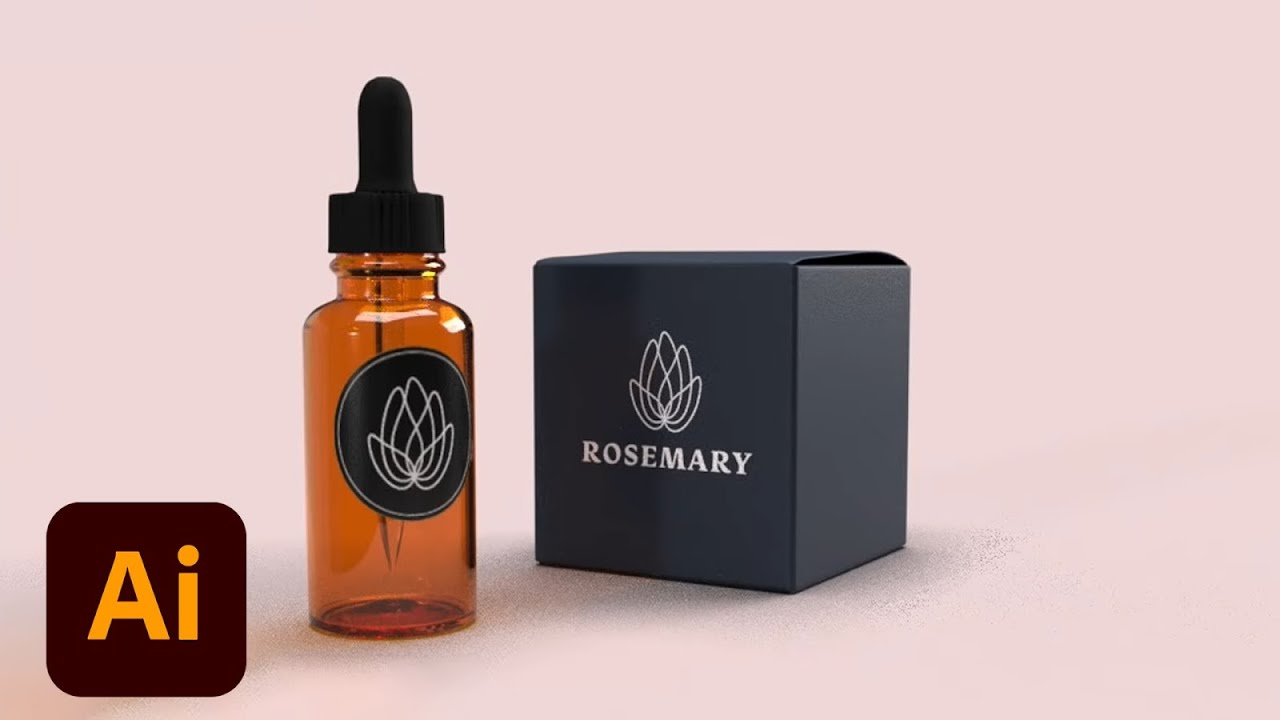
Join Graphic Designer Julia Masalska on Adobe Live as she designs a custom brand identity system for a flower shop. Stick around to learn how she creates branded assets and mocks them up in Dimension.
Julia Masalska is a Graphic Designer living and working in Denver, Colora...
dire glacier
Thanks!! @glacial path
urban lintel
@vague shuttle Great message and use of walls for this project!
I didn't think up a 3-d object to include... but let me know thoughts otherwise. Or what would have been a good object to add?
@blissful badge great improvement!
@dire glacier Wow, lots of interaction going on there! Cool. Major illustrative props!
willow nebula
Day 3 - Kathleen's hand inspired me to go hitchhiking
bronze bluff
day two this is my version of business card. I had to do this quick because i was being bothered too much.😜
willow nebula
@wet thistle I prefer the black and white! Love it!
pine sparrow
Didn't add a 3D object but tried to have interact with the surroundings
 inland parrot
my version of the postcard, for south korea 😄
urban lintel
Thanks to @vague shuttle for the suggestion. I didn't figure out the cube, but it did take me to add the extra "me" which adds layers to the concept of not boxing me in, plus extra depth.
nimble shardBOT
Gave +1 Creative Carma to Abraham (aka Wordsmith Hero)
wet thistle
Thank you @urban lintel...somehow I have a lot of white space around the image 🙃
nimble shardBOT
Gave +1 Creative Carma to peaceofjessi
pine sparrow
Fixed it a bit. Let me know!
urban lintel
@pine sparrow is that Asbury Park? Or Ocala? lol I can't tell... and I thought maybe it was a NJ reference.
urban lintel
@wet thistle That's from doing a "save as" instead of "exporting to"... it happened to me the first time, too. Something to do with the paste board (or whatever Photoshop calls it) vs the art board.
 paper shadow
where is the upload portal
wet thistle
Haha.....thank you @urban lintel I managed to correct it in another way 😅 , now I know why
keen granite
Day 3 challenge: So I changed my shape a bit. I was trying to get it to read: "All The Way Up". What do you all think? Here's version 1
Day 3 challenge alt 2: I'm not really sure which I like better.... lol
wet thistle
Day 3 - Corrected version without all the white around. Looking at the black&white version I realise I am missing something.... I have to add a shadow of the girl....project continues....
coral cloak
A saying I found for campers to think about. A very true statement, I have been involved in the trapping of bears in campgrounds. Would the picture look better on the bottom panel? Thanks!!
humble belfry
any suggestions for how to improve this? i may have gone a bit overboard with the texture...
nova swan
@humble belfry really good love the lava and sootiness of it
humble belfry
@nova swan thanks! I couldn't find a stock image of lava that I liked so I ended up creating the lava myself with a combination of Kyle's concept art, impressionist, and scatter brushes
nimble shardBOT
Gave +1 Creative Carma to Patti McCoven
 tepid sierra
DAY ONE STAMP- perhaps a little abstract...
plain sable
Day 3 Challenge
inland parrot
Day 3 Challenge
supple canopy
I am finding I'm learning a lot here. wondering if the pink should be toned down at all.
@wet thistle this work is stunning.😎
bold valley
Day 3 Can you guess what comes after Sun and Sea?
 brisk void
young karma
brisk void
young karma
Do you think the black letters go well on the red and blue backgrounds?
brisk void
As a fellow Texan - absolutely! @young karma Can also try to use red white and blue in different orders on the text as well? Make "Hello" red, "from" blue and "Texas" white?
oblique anvil
Working on a valentine of some sort. This isn't quite working, but I have to leave it for now. I'm starting to get a little comfortable with smart objects, but now I have a ton of layers and I can't figure out how to make some gradations to add depth. I'd also like to add some more texture. Let me know if you think the "folded paper" idea is working. Thanks.
unkempt field
Day 3 - Transform Tool ---
thorny quarry
Cause I'm havin a good time! Havin a good time! Any Queen fans? Also with the text, do you think fog letter would look odd?
 atomic tusk
I am finally able to join in on Discord...I have learned a ton already, Photoshop is totally new to me so I am learning everything as I go. I have only used Lightroom up until now and I am quickly finding how valuable Photoshop can be. Any tips of advice on my work for today? Thanks so much!
oblique anvil
@coral cloak I think the bear is good on the side. I might try flipping him so his nose points into the rest of the layout.
real thorn
This was a bigger creative challenge for me, I like to find real-client uses for these challenges to help apply the skills to what I'm doing in my career! These are travel agency postcards potentially?
@pine sparrow I like the type being placed into a physical space in this way, with a photograph! Sparked the beginnings of the idea for mine!
gritty pine
My day 3 - I shrunk the box down to add some text and make it more souvenir shop style (with a cool photo from unsplash). I did the back too just to finish with the file
hidden pendant
This is my Day 3 Transform Tool, wish I knew how to do this last night 😂 instead of a failing perspective transform. Also used a bit of transform on the boy (as well as copy, paste and flip of right foot over to left) to get him positioned correctly (ie he is climbing the letters).
 wanton igloo
Not too sure how I feel about the background being foggy, yay or nay?
@thorny quarry I love it and really like how to microphone cord leaves the box and goes into the background, fog text could be neat but I'm thinking I like the bold font and color so it pops more than the fog which might make it more meek looking
@supple canopy Maybe choose a different color for your rectangle backgrounds so that the text pops more and gives it some contrast but I really like the smoky heart! the Day is kind of fading from view
@oblique anvil I think it looks great! I can definitely see the folded paper and the depth of the different angles!
 barren cairn
A little late at joining in. My very first PS challenge... learning tons from these.
urban zinc
Hello everyone! I'm struggling a little with composition. I feel like it feels a little off. Also unsure about the child outline positioning. Do you guys think I should try a different position? Thanks!
modern tundra
What do you think all
urban zinc
@ruby panther I really like the boxes! Also the texture on the lettering when it is in the box is super cool 👍
ruby panther
Thanks @urban zinc
nimble shardBOT
Gave +1 Creative Carma to Zoeoeoe
hybrid yacht
any tips on how to make the corner lines less obvious please
 uneven kindle
My work for the Distortion
oblique anvil
@outer sierrawn Yes, the translucent boxes work well. The color is nice and make the type more readable. Nice job.
@wanton igloo Thanks
nimble shardBOT
Gave +1 Creative Carma to BunzBunny
young karma
How's the gradient on 'YOUR' look? Thanks.
forest gulch
Hey Guys, here is my new design fpr the #3 challenge. Comments and any feedback welcome! Please visit my behance page!
https://www.behance.net/gallery/90369227/Daily-Creative-Challenge-January-2020
cyan helm
Post Card for Special invitation
front size of card
writing side of post card ....... i hope all done
if i am miss something plz tell me ..........i am hear friendly 😌
 coral stone
@rigid wolf I like the texture you applied to the stamp
sour ingot
@fierce viper Amazing edit mate!!! You should do the new poster for #NoTimeToDie. Cheers
@urban zinc Standout Design!
oblique anvil
@forest gulch I think you did a really nice job, especially with the little green/teal cube. The type looks good on both.
plain sable
@ruby panther I like with and without the boxes 🙂
neat shale
attempt #2, much better than my first attempt so im probably gonna post this
bitter meadow
@neat shale Soo DOPE!!
neat shale
@bitter meadow thank you!
nimble shardBOT
Gave +1 Creative Carma to Caribou Bob
sharp lintel
Any comments??? Nice way to learn and handle PS 😅
fierce viper
@sour ingot What you say on this?
stoic oracle
Worked more on yesterdays card
bleak fossil
@pine sparrow This is looking really cool! The yellow pops out nicely against the background. I like the spacing of everything, but the “born” text seems a bit cramped to me which seems to make the whole thing read a bit less smoothly. I wonder if moving the “born” text to the right a bit to give it a little breathing room might help?
@urban lintel Very nice work on this! There’s some really cool sense of dimension going on here and I really like the read of the word “box” on the ground. I wonder if have the “M” connect on the front side instead of the left might read a little smoother? Or even have them both but maybe darken down the current “M” you have so it still acts as part of the box but doesn’t read as much as the front “M”? Just a thought. Really nice style to this design!
@young karma Nice work on these! I think I like the second one a bit more because it’s a more neutral image to let the design really stand out, but at the same Ike the background of the first one is blurred and has less contrast which give the cards a nice read. I might look good to give the flower and bug a slight out of focus blur as well? Looking good!
@keen granite These are cool! I like the color scheme and gradient. I think the first one reads pretty well since the first words are facing us more directly. I wonder if making “up” ever so slightly smaller might add to that even more. Though if anyone reads it “Up all the way” that kind of works too, hah. I like the second one too, thought I also think “up” being smaller might help the overall read. Might also look good to mask out the fireworks around the middle with a soft brush and have most of it show towards the outside. Just some various thoughts, nice work!
@wet thistle Hah, that’s me all the time. Calling it done only to notice something small I want to change. It never ends. These both have a really nice strong read to them. Both color schemes look nice. I was thinking that because the shape of the first two words don’t change a ton is size or direction it might help the overall read of the words if you give “Do” a little more space away from “Just”. Not a lot, but a little might help separate them visually. Well done!
sterile bane
I want to play with this one a little bit more. What do you think of the palette?
 faint dagger
Hey! New here, @sterile bane that looks amazing!
bleak fossil
Welcome in @faint dagger ! Glad you could join us
faint dagger
This was part of a college project I had a few days ago, 3ds max class. I know its not ps but I used it for some things, what do you guys think? 🙂
pine sparrow
@sterile bane THIS is amazing!
bleak fossil
That looks awesome! @faint dagger I love the lighting and the way it catches the black spider webby material. Great stuff. Also, just a heads up that things like this are best shared in the #📝project-feedback other section on the left and this one is best for work from the current challenges. Welcome in again!
faint dagger
Oh my bad, thanks for letting me know
thorny quarry
@wanton igloo Thank you so much for the tip. Homework for when im off work!
nimble shardBOT
Gave +1 Creative Carma to BunzBunny
keen granite
@bleak fossil thanks for the suggestions!!! I like them even more after updating 😃
nimble shardBOT
Gave +1 Creative Carma to SamPetersonArt
 rugged dome
Hey, I am trying to follow the steps in the daily challenges and I am learning a lot, but somehow the files I download from the behance site are always diffrent from what she is working with. Like the patterns also still have adobe watermarks in them. How can I find the starter files she is using?
dim brook
Challenge #4: Went kind of crazy with the brush!
night sapphire
1/10/2020 Creative Challenge🌉
sterile bane
@night sapphire love it! how did you go about making the 3D text?
 maiden briar
A very simple take on this Album Cover challenge since i'm not very proficient in photoshop yet. Let me know what you think! (This is my first challenge but it was really fun to do!)
tacit condor
PS DCC #3 Transform — Postcard
night sapphire
@sterile bane Thanks kathleen, i used an external program(Cinema4D) and just exported png files into Ps I know Ps has 3D capabilities for text, I'm just not too familiar w/ them yet 🌉
nimble shardBOT
Gave +1 Creative Carma to Kathleen
sterile bane
@night sapphire that's very cool, I'd love to learn more about cinema4d someday!
blazing quail
My entry for Day 4, Does it work?
pine sparrow
@tacit condor Holy shit, that's my favorite yet! Great Job!
@blazing quail Great job!
fallow bough
Want to play with more but have to step away from Ps for the day. Used a Kyle texture bush on masks. Does anyone know how to get Kyle's brushes to work with clone tool? They seem to be locked to regular brush and I'd like to clone some random bits with the same brush.
wet thistle
The ferrets of my friend next door. She needed a birthday card.
urban lintel
@tacit condor Nice ride or die!
kindred kernel
😀
thorny quarry
@kindred kernel yaaasss! lol this is fantastic!
blissful badge
Here's my split face album cover. Have a great weekend everyone!
neat shale

Behance
Day 4: Masks. Design an album cover by combining a portrait with textural images using selections and masks.I definitely spent more time retouching and editing the photo than I did on the layer masks. I changed the sweatshirt to orange to match a mainly…
humble belfry
Do you think there's enough contrast between the figure and the background? Also, does the shading in the mockup look okay? I made it myself with just a stock image of a record.
here it is without the mockup
urban lintel
Maybe it's a little too much?
pine sparrow
What do you guys think?
urban lintel
@pine sparrow love the illustration on the record!
pine sparrow
@urban lintel reminds me of early 00's Jazz/Soul records
forest aspen
Day 3: Caring Postcard Front: postcard template from Adobe via Kathleen, end paper texture from PhotoshopRoadmap, and sign off line from my blog. I'm sticking with the black and gold theme. This is a revision of an earlier, now-deleted post.
young karma
Hello to everybody. Submitting my DAY 4 challenge, loved working with masks. Up you can see the final image and below the pictures i licensed from Adobe Stock.
Thanks to Kathleen for a wonderful task!
Cover for Vinyl
pine sparrow
@young karma YES this is amazing!
nimble shardBOT
Gave +1 Creative Carma to joshthewild
vague shuttle
can anyone have a ps friendly vinyl mock up template I could use?
pine sparrow
@vague shuttle
urban lintel
@young karma Very cool!
vague shuttle
Cheers @pine sparrow
urban lintel
@blazing quail I enjoy this cover. It's fun. I might have chosen a different background color, but either way, I like it!
inland parrot
My album art, comments appreciated! 😄
vague shuttle
thoughts?
 velvet axle
@vague shuttle Great Texture well done, nice contrast 👌
vague shuttle
super Cheers @velvet axle
velvet axle
maybe integrate the typography more into the design by applying more texture around the edge of some letters like below in the photo. Now it feels like its glued on top of that cover like a sticker . — Keep it readable
forest gulch
Hey, now my next design for the #4 challenge is online. Comments and Feedback are welcome.
https://www.behance.net/gallery/90369227/Daily-Creative-Challenge-January-2020
forest aspen
Day 4: Album cover. It doesn't look like it, but there is a lot of masking going on in these album covers. The girls are from Adobe Stock, as is the album cover mock-up. The crescent moon is from Pixabay. The font is Leander. I felt that the simpler design of the single girl would make a better album, so its the only one I mocked up.
velvet axle
@forest aspen Great Design, clear and simple, nice colors, well done. — The only thing I would try to change and experiment with is "Visual Hierarchy". — The Girl, The Moon and Typography (3 Elements) are equal in size. Try to create more contrast between those elements by changing the size of them. — What should the viewer see first, second etc. Guide the viewers eyes. (The moon and Typography also share almost the same value in brightness/opacity)
For example, What If the moon is very big in one corner or only 2/3 of the Girl is seen on the cover and gets cut off on the left Side (if you scale it up very big). Or make the typography in small, white on dark blue sky background to make it pop (small but visible) — #exploreeverything #experiment
urban lintel
@hearty wharf Nice!
forest gulch
Hey, another try with fancy colors and splatter brush in the background.
vague shuttle
redo...thoughts?
supple canopy
Challenge #4 deign an album cover
fierce umbra
brisk void
@vague shuttle LOVE that
fierce umbra
my husband with his art
west garden
barren cairn
Don't really like the background but currently uninspired to change it. Any suggestions?
unkempt field
Day 4 Project
glacial path
@barren cairn you could add some grain or texture in general, here is how you could do it https://www.behance.net/gallery/78746469/Photoshop-Protip-Realistic-Grain-in-Camera-Raw

Behance
original Photoshop Protips, shared on the official Photoshop Discord Server
or use any other texture (paper usually works well if you set the blend mode to multiply)
you could warp them so they have the same perspective as the text
bleak fossil
@coral cloak This sounds familiar, hah, I’ve gone backpacking with my brother and dad for years growing up and we always have to make sure and use bear canisters for our food. It could be interesting to experiment with the bear in one of the other planes, but for your current design I think adding a slight shadow to the top/front facing plane with the “remember’ text could add an interesting sense of dimension to strengthen that 3D read. Good job on this!
@humble belfry Ooh, this is super cool. I love the texture of the lava and that splattered look. I think perhaps you could tone down the texture in the black background to balance it out. Maybe mask it out with a gradient near the top and let the texture show through more as it gets closer to the bottom near the lava. If you wanted to go crazy it could even be cool to find images of lava bubbles popping and jumping up to composite into your image to sell the effect even more. Very nice!
@short mica Nice work! It could be cool to use a broader range of grey tones for the background to really sell that 3D effect and get more value separation between the different planes. Could also be interesting to see those other graphics put in the same perspective as the text, maybe with a slightly lower opacity or brightness as to not compete with the red text? Good job!
@tepid sierra The abstract look is really cool. Were you going for 2020 or spelling something out, or just working with interesting shapes? I really like all the various texture you got here. It might be nice to lighten the green up slightly to help it contrast more against the background as first read if it’ll be a small shape like a stamp. Looking good!
@plain sable Really cool texture and a very interesting font! I really like the intricate designs of it. The 3D element of the whole design works nicely as well. Sunshine is a bit hard to read at a glance and I think making it a touch bigger, and giving it more light than the rest of the text will help it pop and balance more with the bigger text. Nicely done!
@inland parrot Nice job on the Day 3 design! I think it might help to darken down the background behind the “City” text so it has a bit more contrast to compete with the larger and higher contrast “New York” text. It might also help to reverse the size change of “York” as it could look nice to have the letters get smaller as they get further away from us to reinforce that feeling of perspective.
@supple canopy That’s great to hear! These challenges definitely add up once you’ve done a handful, lots of good tips and techniques. I think perhaps the pink heart could be slightly toned down, but more so I think it would help to boost up the contrast of the text a bit more, especially the bottom text. Maybe a simple levels adjustment for the text to boost the brights as well as the darks. That might help the image read as a whole a bit more. Nice work!
@bold valley Nice job getting the text to match the perspective! Though I think the “sea” could be transformed to make the letters get a bit bigger as they come towards us, to kind of match the lines of the square above and below it, kind of expanding outward. Maybe also adding a bit more of a shadow on the hand in the sand to match the deep shadows of the other hands could look good. Nice work Ralph!
@brisk void Hah, I like this! Really nice job masking the cat, and the cast shadow is looking good too! The colors are really fun, it kind of reminds me of a title from a 90s sitcom or something, hah. Nicely done!
@young karma Nice work! Hmm, I wonder if having white text on the colored backgrounds, or even a colored text on a white background might work better. Perhaps playing around with a different font could suit this image a bit more too. It also might help to reduce the saturation on the blue and red a little bit so it’s not quite as visually intense, it might help the balance a bit. Nice work with the perspective!
oblique anvil
@fierce umbra I think this works well; very nice.
@west garden Very nice. I think the type works; the colors and layout are engaging.
nimble shardBOT
Gave +1 Creative Carma to KieferCreative
west garden
@oblique anvil thanks!
keen granite
Day 4 Challenge I've done two versions so far, (having too much fun with this one lol) which do you like better?
Day 4 Challenge v1 originals
Day 4 Challenge v2
Day 4 Challenge v2 originals
 calm rapids
@keen granite Lots of energy in v2! The light streamers were a very nice touch. Great font choice as well.
bold valley
@bleak fossil Thanks for the feedback, Sam.
nimble shardBOT
Gave +1 Creative Carma to SamPetersonArt
 minor sapphire
Hi Everyone! I'm late to the challenge but it's a great weekend project! Here's my cover image for the Bēhance project. I'm going for a softer approach as a personal constraint in these challenges 😊
Is there a photoshop asset file that @sterile bane used for the hand holding the postcard? The stamp .psd is the only one in the dropbox for this challenge.
real thorn
Took a while, wasn't sure where the creative direction would go and I didn't really start with a plan. Time for bed! (aka Netflix until I pass out)
tacit condor
PS DCC #4 Masks — Vinyl
hidden pendant
Below is my Day 4 Challenge on Masks. OK so I just realised I was using an image of a mask as the feature for a challenge on Masks, not to mention what I called it and the name of the band. Not intentional just noticed as I was saving. 😂
 odd tiger
What happened to the template download for day 2, the business card, its not the same as the one used in the live stream? I like the black box one better. Can anyone send me a copy?
young karma
@urban lintel thank you so much ☺️
nimble shardBOT
Gave +1 Creative Carma to peaceofjessi
minor sapphire
This is the final version. What do you think about the muted colours? Is it readable enough? Here is my Bēhance project for this challenge https://www.behance.net/gallery/90520249/Photoshop-Daily-Creative-Challenge
kindred kernel
velvet axle
@vague shuttle Well done 👏
keen granite
@calm rapids Thanks 🙂
nimble shardBOT
Gave +1 Creative Carma to solarwimp
hearty wharf
@urban lintel oh thanks - great work yourself! 😃
nimble shardBOT
Gave +1 Creative Carma to peaceofjessi
supple canopy
@bleak fossil thank you Sam for your great feed back.☺️
nimble shardBOT
Gave +1 Creative Carma to SamPetersonArt
supple canopy
number #2 changes brightness and levels for the word Day. lol i did not know you could use adjustments on fonts.
wanton igloo
@odd tiger There was a copyright issue with the original mockup for the business cards so they had to adjust to something new
nimble shardBOT
Gave +1 Creative Carma to BunzBunny
odd tiger
@wanton igloo thanks for the reply. I did the next Challange later today and realised it was mentioned.
fierce viper
hybrid yacht
fast moth
Day 3 challenge
supple canopy
changes I as usual lost the font by adding textures. know its really bold.
cold cedar
Here's my album. What do you think of the color choices? Is Vivid light blend mode a good choice for the title?
@plain sable I like the textures and the text but find “sunshine” difficult to read.
 shut loom
plain sable
shut loom
plain sable
thanks @cold cedar for the feedback...
nimble shardBOT
Gave +1 Creative Carma to ValentinePierce
glacial path
@plain sable Great use of the texture and font 🙂 . If you like you could take the concept of the sun a bit further by also adding some shadows to the "walls". This would also help to increase the visual depth of your work ^^
I have just used some gradients with masks and the blend mode Soft Light
@shut loom Really cool compositing work! The shadows look real and the idea with the tree works really well 🙂 - I only have one technical suggestion. If you look at the hue map of your work it looks like you basically only have used one hue (with minor variations).
instead you could think about adding some contrasting colors. Red would be the obvious choice here.
on the left you can see the original and on the right the edited version with some red in the shadows
the hue map now looks like this
Of course you can sill decide if that's a style you like 🙂
I have used a curve filter to achieve this effect
@cold cedar That's a groovy album cover 😄 . The blend mode for the title looks great but I think there is no new information in there. You can already see the original image right below it and I believe it would be a better design choice to put in a different image. If there is a similar shot of the three woman (with their eyes open perhaps), you could use that. Most stock photo artists shoot more than one photo of the scene. If there isn't a shot from the same photo shooting you could perhaps use some of these patterns as a background.
If you present the work it might also be helpful to simulate the material of the cardboard to add some texture
@plain sable the Transform cover has a great design 🙂 . I like the idea of contrast between the leaves and the dark smoky/watery texture on the left. I think you can take it even further - the contrast right now is pretty low. How about a true "light vs dark" scene? You could bring in some warm colors to the person on the right and some cold and dark colors to the person on the left
of course you could use a more subtle version like this
I have added these two layers.
Layer 3 has the blend mode set to Linear Dodge (Add) and Layer 2 to soft light
shut loom
Thank you @glacial path ! I'll definitely mess around with that and see if I like it. I get intimidated by colors often causing me to subconsciously gravitate toward one hue and playing with the values since it's more similar to graphite drawing (which is what i've done the majority of my life) 😅
nimble shardBOT
Gave +1 Creative Carma to evil
glacial path
@shut loom and that's totally fine, adding more than one color is just a suggestion 😀
 hot thicket
Hello everyone here is my cover project for the current daily challenge. Trying my best to get my creative juices flowing thanks so much for your feedback.
calm rapids
Day 4 - Masks aplenty in this one! 😃
plain sable
Thanks @glacial path for the input... Played with it a bit not sure I'm done.
nimble shardBOT
Gave +1 Creative Carma to evil
plain sable
 dense relic
look for the new single Mood Music from the up and coming band LooksThatKill...lol fun challenge
young karma
blowing someone's head is tough, I'm not very sure of the result... what do you think of it?
 barren schooner
Got a bit behind on the challenges and when I tried to complete day 2 the template in the dropbox no longer matches the template in the video. So skipping that one for now till that can be resolved
young karma
@wanton igloo text color is matching with background, try light colour 🤨
willow nebula
Day 4 - Select and mask - a lot...
oblique anvil
My Day 4 album cover. I'm still working on the mock up and will probably have to post my template with a question about how to adapt it. There is a vector mask in here, although very subtle. It's a repeat of the background canvas texture in the banjo shape. I took these photos a couple of years ago and am glad to have found a use for them.
oblique anvil
Here's the mockup. Not sure how best to get rid of the word "Futurism." If I get rid of it, I'll probably have to put something in its place. Maybe I'll just license a different template. 😕
lunar mango
@oblique anvil to remove the word "Futurism" try the Patch Tool then the Spot Healing Brush for any imperfections
oblique anvil
Thank you @lunar mango That's awesome. I can probably do that.
nimble shardBOT
Gave +1 Creative Carma to AustinB
oblique anvil
Spot healing brush worked—fast and easy
lunar mango
@oblique anvil looks great!
oblique anvil
Thanks again, @lunar mango
nimble shardBOT
Gave +1 Creative Carma to AustinB
plain sable
Thanks again @glacial path Day 3 challenge V4
nimble shardBOT
Gave +1 Creative Carma to evil
plain sable
And thanks @bleak fossil
nimble shardBOT
Gave +1 Creative Carma to SamPetersonArt
wanton igloo
Lighter color text, background tweak a little bit is this any better? Not sure I like the font but it is the closest that matches the Bates Motel TV font!
@young karma Thanks for the feedback on my first draft!
nimble shardBOT
Gave +1 Creative Carma to Priyanshu Priyadarshi
young karma
Would all caps look better?
hot thicket
Day 4 of the daily creative challenge. Are my brush stokes along the face, look ok with everyone, thanks so much.
coral cloak
Thought about adding some DNA graphics, would it be too much?
 compact pecan
Better late than never. My try at an album cover using masks.
glacial path
@compact pecan haha what a beauty! Great compositing work and cool design 😄 - I would just add a shadow below the thumb to add more realism to the composition
not my best work but I think you get the idea ^^
@coral cloak cool brushwork! Although I think you can clean up the part between the ears slightly. The brush strokes behind the dog are a great idea - you could totally keep going and turn more of the background gradient into those brushes. Here is how to do it efficiently: https://www.behance.net/gallery/81965831/Photoshop-Protip-The-Art-History-Brush-Tool 🙂
 compact pecan
@glacial path Thank you VERY much! The thumb was bothering me but I wasn’t sure what I needed to do to make it look “real”.
nimble shardBOT
Gave +1 Creative Carma to evil
glacial path
@hot thicket The brush strokes look very painterly if that's the effect you're going for. If not, try some of the particle effects. Here is how you could do it: https://www.youtube.com/watch?v=4xgOWWfurpU

In this Photoshop Tutorial, I will teach you how to create a dispersion effect. This effect has become very popular. It looks fairly complicated, but it's actually quite simple. I believe the hardest part was finding the perfect free brush set for the effect. Which I have pr...
the warped text works great with the irregular shape of the torn off head 🙂 (I never thought I would write this sentence in my life...)
but make sure to crop this part 😄
@young karma All caps is often hard to read and only useful for shorter words or writing an angry email to your coworker because they microwaved fish in the office yet again... anyway, I think the title case in your work looks great and is probably more appropriate than all caps text. The "walls" in the background have a nice gradient and the flowers help your piece stand out. My favorite thing to add to flat gradients is some texture or noise. I'm not sure if I have sent you this link already but here is an easy way to generate realistic grain in Photoshop if you don't like to use external texture 🙂 https://www.behance.net/gallery/78746469/Photoshop-Protip-Realistic-Grain-in-Camera-Raw#comments
Behance
original Photoshop Protips, shared on the official Photoshop Discord Server
of course you can also try some of the new (or legacy) patterns https://discordapp.com/channels/547473772727238676/562325745024892958/657599466894786580
@wanton igloo Ooooh yes, I like the new version 🙂 The neon text looks great and the blood is... uh... inviting. If those were real business cards you would obviously need a bigger canvas size (aka higher resolution files). This could also come in handy for online presentations: right now you can't really zoom in without seeing the pixels right away but if you design at 4x or maybe even 5x the size you can blow them up to show all the details in full scale 🙂
coral cloak
@glacial path thanks for the feedback. The thought of texturing the background did cross my mind, wasn't sure how to do it being brand brand new to photoshop. I will definitely take a look at that link.
nimble shardBOT
Gave +1 Creative Carma to evil
glacial path
@young karma First of all, the selection of the hair for the album cover is on point! Great job 😄 - The double exposure effect also looks beautiful. Only the background is a bit bland. You could find a great picture or gradient which you can layer behind the text and the artist. Or you could combine a gradient with a photo to achieve a dreamy look
Don't be afraid to try out ideas. If they don't work, there's always the undo button 🙂
For example I wanted to see if a neon glow could look cool, so I tried it out. It didn't look good, so I deleted it 😛
@coral cloak luckily there are so many brush options out there (especially if you include the kyle webster brushes!)
you could go for a subtle texture with tiny cracks
or clouds
paint spatter
or more abstract
@young karma this could also be a way to add a cool background to your album cover
@plain sable very nice! thank you for posting an updated version 😄
nimble shardBOT
Gave +1 Creative Carma to sno.e
glacial path
@oblique anvil yeees! looks much cleaner without the "futurism" label 🙂 Now you can fully focus on the cover artwork and the title itself 🙂 . The design itself is absolutely wonderful - I would totally expect to see a design like this in the real world, well done! The mockup is also very clean.
and you even took these photos yourself? even better 😄
oblique anvil
Thank you @glacial path I used pretty much every skill we've practiced so far in this challenge. Thanks for your help the other day.
nimble shardBOT
Gave +1 Creative Carma to evil
vague shuttle
thoughts for late entry? tried using Photoshop vector masks ... grateful to @brittle slate @somber moth
worn condor
Caught up on PSDCCs today. I didn't spend a lot of time on the business card. I did use the gold in the text for this. I also combined it with a picture of a rusty metal picture I took for added texture. What do you think? I also struggled with the alignment some in the corners. Any tips would be appreciated.
sinful mulch
What do you think of my Billie Eilish post card? Since I decided to keep a B.E. theme for January's PSDCCs, I'm pretty excited to come up with something for an album cover next!
thorny quarry
 blissful wolf
Here is my day 1 - I know I'm late... but I'll do my best to catch up... Any idea why do I get the whit spaces? In photo shop the stamp takes the whole space.... Cheers!
worn condor
Here is my day 4. I am not 100% happy with the lines around the face. Any feedback on how to make them not have such sharp lines? Thank you.
thorny quarry
@worn condor Is it the brush you chose?
worn condor
@thorny quarry I am not sure. I used the same brush that was used in the video. Could be settings?? Great job on yours! Like the use of back of "second" image instead.
thorny quarry
@worn condor Thanks!! and yes try adjusting the shape dynamic and play with the other settings too!
nimble shardBOT
Gave +1 Creative Carma to JNelson
worn condor
@thorny quarry Will do. Thanks!
nimble shardBOT
Gave +1 Creative Carma to sarah.nunez
worn condor
@thorny quarry Played with brushes and alignment some. Any better?
thorny quarry
@worn condor yes it definitely seems less uniform! Love how you played with the top of her head. 💯
nimble shardBOT
Gave +1 Creative Carma to evil
young karma
Day 4 Album cover. Is the text legible?
urban zinc
Hello! Here is my completed album cover. I am finding these tutorial so helpful. I am really enjoying it👌
Was also wondering if anyone knew of good places to get mockup images, especially record ones. Thank you
minor sapphire
My Day 4 challenge. Would it be better if the hair was red or brunette? More contrast or vibrance? Is the text ok? Thanks in advance 😀
This how the vinyl looks in the mock-up. I like the softness of the hair versus the hardness of the text. Does it work though? 🤔
 supple cipher
Very Late to the party. Just starting the first challenge blend modes and have downloaded challenge 1 to follow along. However no smart object on show and my psd doc is just white with text design stamp here! Is this what everyone else found ?
rigid wolf
#challenge2Filters
rigid wolf
I am quite satisfied with my design. What do you think? What could be better?
 glacial delta
when is the next DCC?
thorny quarry
@glacial delta Its today I believe. We were off over the weekend. This DCC ends Jan 17th.
glacial delta
@thorny quarry awesome, thanks.
nimble shardBOT
Gave +1 Creative Carma to sarah.nunez
sinful mulch
I like it. The shadow helps to give it another element of dimension. It's fun!
short mica
A FAIL on the mock-up🥵
thorny quarry
@short mica the splatter pain concept is great. Maybe go through your layer masks and make the lines less defined and more scattered like you did for your backdrop! You didn't fail! lol
lunar mango
Trying to get caught up on the challenges. Here's Day 3 - Postcard Challenge. Took some time on this one. Inspiration came from my granddaughter love for Toy Story.
glacial delta
that is awesome!
urban lintel
@sinful mulch That's fun!
@lunar mango Well, that Toy Story card is pretty spectacular. Good stuff!
lunar mango
Thank you @urban lintel
nimble shardBOT
Gave +1 Creative Carma to peaceofjessi
pine sparrow
@lunar mango Broooooooooo Yes!!
lunar mango
Thanks @pine sparrow
sterile bane
What do you think about the composition? Does it feel too empty on the left?
thorny quarry
@sterile bane I think less is more and it's balanced! Great tutorial, thanks so much.
nimble shardBOT
Gave +1 Creative Carma to Kathleen
bleak fossil
@forest gulch Nice job, the background texture looks good! The bold colors are interesting too, gives it a very strong style. I wonder if toning down the saturation of the background slightly might help separate it from the blue of the design and make it all pop out a bit more. Nicely done!
@vague shuttle Really awesome texture in this design! Really nice gritty feel all around. Nicely work on the textured masking too. The face repeated on the record is a nice touch, well done!
@supple canopy I really like the crazy textures and visual of this design! The color scheme is nice and cohesive as well. Presentation wise it might look good to crop the image a little smaller to cute out more background space and maybe give the record a slight drop shadow behind it to add a little depth. I think the text on the record could possibly be brightened up a touch as well. Looking good!
@fierce umbra Cool texture on this! I think it could give the image some cool readability if you played with the values a bit more to get a sense of lighting. Maybe the “Never” wall and text could be a bit darker, and the “give” text on the floor plane could be a bit brighter. Might give the sense of a top down lighting a bit more while letting the smaller “give” text draw a bit more attention. Looks cool!
Really liking the way you composed the art image together as well! I think a levels adjustment on your husband to boost the lights could really help make him pop and balance with the image as well.
@west garden Wow, what a great image, really nice compositing. Love the colors and texture in this image. I wonder if overlaying a cooling filter over the girl (and lowering the strength or opacity until you get a look you like) might help make her look like she fits in the environment a bit more.
nimble shardBOT
Gave +1 Creative Carma to SamPetersonArt
west garden
@bleak fossil Thanks for the feedback. I did want her to stand out, but maybe its a bit too much.I will try overlaying the texture on her to make her fit in.
left basin
Day 3 Postcard
sudden creek
 silver trench
My Submission for day 5 - By Vandam Dezigner 10 years old
 pulsar walrus
young karma
pulsar walrus
young karma
Progress
 dull hearth
pulsar walrus
dull hearth
pulsar walrus
check the creative challenge tab
sterile bane
@dull hearth yes, check out that #📣creative-challenges tab! You can always go here as well: https://www.behance.net/challenge/photoshop

Daily Creative Challenge
pulsar walrus
glacial path
@blazing quail @sudden creek @silver trench @pulsar walrus @young karma we have reviewed your work on stream! Check the replay of Adam Koon's Illustration stream.
pulsar walrus
west garden
tacit brook
catching up with the challenges as 2 behind, some great work
Created my business card, i created the logo in illustrator for my photography website not yet live. still some work to do, any feedback please.
urban lintel
Always underwater, reaching for everything... cheers!
coral stone
@hearty wharf looks awesome! I was born on May 😆
young karma
And the stock images used for the calendar image compositing
vague shuttle
Not sure if this is too jumbled or maybe not refined enough to convey the spacey-ness? Let a brotha' know...😎
coral stone
Beautiful work @young karma 😍
vague shuttle
such cool stuff @willow nebula
super dig the colour scheme @urban lintel
great effects @young karma ...wow
pine sparrow
Thoughts?
willow nebula
@vague shuttle Thank you! ☺️
nimble shardBOT
Gave +1 Creative Carma to Abraham (aka Wordsmith Hero)
vague shuttle
@pine sparrow gots the Midas touch td! so niiicce ...
nimble shardBOT
Gave +1 Creative Carma to Valdair Leonardo
hearty wharf
@coral stone thank you - you are so lucky! mine has just been ... boring january.
vague shuttle
alternate...thought planetary body would enhance things a bit? signage on the cabin reads "cabin for rent"
sterile bane
@vague shuttle woah! love the dynamic point of view in this with the plants that are so close to the foreground
kindred kernel
😀
glacial path
@kindred kernel Great work! I like the vibrant red of the house against the dark void in the background 🙂 . The twigs below the house look like roots which is a great idea. Now you just have to put it on a mockup to show how it would look as a calendar image 😄
@vague shuttle Yes, it looks much better with the planet in the background 😄 - the tiny dots are a bit too visible in my opinion. If you scale the image to 100% the pixels become almost distracting. I would suggest blurring that layer by 0.4 or 0.5 px using the Gaussian Blur filter. If you like the look though you could simply reduce the opacity
vague shuttle
super thanks for input @glacial path I'll take it for a spin
nimble shardBOT
Gave +1 Creative Carma to evil
glacial path
@pine sparrow Wow, this really is a cool piece of art. I love how the dress flows between the flowers and almost blends with the background, yet it's still there! Fantastic work, this could totally work as a big poster too 🙂 . I've noticed a tiny halo right here.
I don't think it's too bad, it even helps to separate the person from the background. But if you ever want to get rid of it, here is an easy way to do it.
"Remove white matte" should also work
young karma
Day 4, what
glacial path
@willow nebula Oh this is great 😄 - the reduced colors almost look like someone painted the bear 👍 - I would only reduce the one-pixel-noise a bit. If you look at it zoomed out, it looks fantastic! Almost like dust or sparkles in the air
but once you zoom in, it becomes slightly messy
Instead I would suggest a look similar to this
Here is how to create it. First we need some realistic grain. (my favorite link to pull out: https://www.behance.net/gallery/78746469/Photoshop-Protip-Realistic-Grain-in-Camera-Raw ).
Create a new layer, fill it with gray (doesn't have to be 50% precisely)
navigate to the FX tab and move all sliders to the right
it should look like this
Set the blend mode of the layer to screen (for white noise) or to color dodge (for colored noise)
Now apply the Levels filter
and adjust those two sliders
That's it! Here is the before and after
If you do however like the fine noise, consider blurring it slightly or decreasing the opacity 🙂
@willow nebula wait. now that I'm seeing this for the 4th time, was this something Kathleen specifically demonstrated on stream?
willow nebula
@glacial path Thanks Tim! I will look into it tomorrow (2 AM here now) I just applied a gradient overlay with a dissolve blending mode. A pitty I can’t stretch that out. Thanks for the tutorial!
nimble shardBOT
Gave +1 Creative Carma to evil
willow nebula
@glacial path I don’t think so, but I was listening to the stream that followed while I was working on it and they mentioned the dissolve mode, so I gave it a try 🙃
glacial path
gotcha! thanks for the information @willow nebula 🙂
nimble shardBOT
Gave +1 Creative Carma to Hilde
glacial path
@forest ivy I think the faint texture is already enough 🙂 - just bright enough for you to notice but not bright enough to distract from the main subject
forest ivy
@glacial path Thanks! I'm glad it was noticeable!
nimble shardBOT
Gave +1 Creative Carma to evil
humble belfry
Any ideas of how to incorporate puppet warp into this? I didn't really go in with a plan...
blissful saddle
i had a bit more trouble with this one, but will work on it again
cold cedar
Took me a while to find the right images in my photo collection. How does the composite look to you?
@pine sparrow Nice. Maybe a little bit of a shadow to blend her in a little more?
supple canopy
changes to record ,I'm not sure what happened to the font around the record.
scanned a calendar. used puppets warp tool on some of the feathers.
dire glacier
Day 5 Challenge - composite image for Calendar mockup
worn condor
OK it doesn't exactly follow the theme of today's challenge. But I did get to figure out how to make my own calendar that I imported to Photoshop. Then added the photo of a bench from a nearby lake. I also added a photo of the water from another nearby lake for the background of the calendar. What do you think? Thanks.
wanton igloo
Used the puppet tool to warp the feathers and a bit of the rose behind it, what do you think?
keen granite
Day 5 Challenge Seamonsters in June lol
Day 5 originals
Day 5 mock 1 I think I like this mock up best but what do you all think?
Day 5 Mock 2
coral cloak
Calendar Mock up. Pretty sloppy I'm sure. Wasn't exactly sure how to get the shadow right on the bear? First composite ever 😩 Used Puppet warp on the rock, bear and cabin.
real thorn
Welp, accidentally saved over the layered .psd file with the flattened image ... I do like how this turned out though, I'd love to make the rest of the months and print for myself! Great prompt!
coral cloak
nova swan
Is this day 5? compositing used the black background and flower photos as well as a image from unsplash
tried to do something different with the puppet warp
hidden pendant
Completed Challenge 5, Puppet warp is on girls plait and skirt, to her a bit more movement as she swings. I used is Candlelight as it gave the image a warm/old photo look as well as a level adjustment
Images used
nova swan
@wanton igloo the colors look great
uneven kindle
How does it look?
forest ivy
Day 5 Calendar. I wanted to add a layer of "dreaminess/haziness" over everything but I didn't know exactly how to do that.
Images used from pexels and unsplash
minor sapphire
Day 2 - Business Card. I'm happy with the result, but I'm hoping someone has an idea as to why the background liquid gold image desaturated. Any suggestions are appreciated.
Day 3 - Postcard. Happy with this one. Should have spent more time trying to get the crown to look more three-dimensional. Any suggestions for a quick way to do this? Thanks in advance 🙃
hot thicket
Thanks Tim for this @hot thicket The brush strokes look very painterly if that's the effect you're going for. If not, try some of the particle effects. Here is how you could do it: https://www.youtube.com/watch?v=4xgOWWfurpU
In this Photoshop Tutorial, I will teach you how to create a dispersion effect. This effect has become very popular. It looks fairly complicated, but it's actually quite simple. I believe the hardest part was finding the perfect free brush set for the effect. Which I have pr...
ruby panther
My day 5. Most assets are my own photos. I've been waiting to take the time to work on this concept. I think it is a good first attempt.
It felt unbalanced so I added the geese. Better with or w/o?
rigid wolf
#challenge4Masks
young karma
@glacial path The advice on grain was really good, i know it was not for me, but i feel very happy to have tried it! 😍
pine sparrow
@glacial path Thank you so much man! Also thank you for the catch!!
nimble shardBOT
Gave +1 Creative Carma to evil
pine sparrow
Halo destroyed, what do you all think?
young karma
@pine sparrow I love your calendar, and if may, i would suggest to make woman bigger if she was supposed to be the centre of attention. As you put the picture to the mock up and view it as a whole, the orange colour in the flower composition steals my first glance, and i had to enlarge the picture to see better what kind of the figure you had composed in. But I stopped to look at your submission while scrolling, because i really instantly liked it! That would be my thought. 😜
urban lintel
@pine sparrow beautiful!
@young karma To me, it looks like a cool piece of art with flowers etc, and then you find the woman. And then you find the dress. So it takes a few seconds to take in all of the layers, which is nice. 🙂
young karma
@urban lintel yes, that makes sense, i think it is the matter of intention.
nimble shardBOT
Gave +1 Creative Carma to joshthewild
glacial path
@pine sparrow haha thank you for posting an updated version! I just wanted to show how you could do it if you ever have to 😄 - looks great
fast moth
Day 3 challenge
sudden creek
After feedback
@hidden pendant Yours is amazing!
@young karma yours look really cool
oblique anvil
@fast moth I really like your composite. It works well and is beautiful.
@hidden pendant Beautiful!
 uncut yew
oblique anvil
uncut yew
oblique anvil
@real thorn Really nice work. Color, scale composition all work. I’d buy this calendar.
willow nebula
Day 5 - Updated version. @glacial path I followed your guidelines, I just added a second gray edited layer without levels of which I reduced the fill to 24%; I also masked out some of the grain, because in the first version, I applied the dissolve blending mode not to the gradient, as I said yesterday, but to a copied layer with the painted clouds. I think it looks much better, thanks for the feedback!
nimble shardBOT
Gave +1 Creative Carma to evil
ruby panther
Thanks @willow nebula
nimble shardBOT
Gave +1 Creative Carma to Hilde
glacial path
@willow nebula beautiful! Thank you for taking the time to post the updated version 🙂
nimble shardBOT
Gave +1 Creative Carma to Hilde
keen granite
Day 5 Challenge v2 I did one last one. I tried to turn summer to winter.
Day 5 Challenge v2 originals
Day 5 Challenge v2 mock
willow nebula
Thank you ☺️ @glacial path
nimble shardBOT
Gave +1 Creative Carma to evil
wet thistle
Day 5
sterile bane
Do you think the graphic size works? Smaller/larger?
nova swan
@pine sparrow I like how the white flowers seems to be flowing behind her
nimble shardBOT
Gave +1 Creative Carma to Kathleen
oblique anvil
@sterile bane I can't wait to try this. I've never been able to make gradients work in PS. I had no idea what those "stops" were on the top of the bar. Thanks.
nova swan
@wet thistle images so sad, the zipper on the tree is really cool
wet thistle
Thank you @nova swan
nimble shardBOT
Gave +1 Creative Carma to Patti McCoven
dim brook
Challenge#6: T_Shirt
forest aspen
Day 5 Calendar Image. This was done with two Pixabay images, on of the new pink gradients and new water texture.
sterile bane
@oblique anvil so glad to hear that!
blazing quail
My Day 6 Entry
sterile bane
@blazing quail 😮 very cool! love the multiple layers. do you imagine that the gold would be an actual gold print or perhaps... SEQUINS?! haha
keen granite
Day 6 challenge I did the gradients clipped to the design elements.
 midnight burrow
sudden creek
keen granite
midnight burrow
sudden creek
keen granite
Day 6 Challenge For this one I used hard mix (which I never use lol). Which do you all like better? Also should the text be all white here?
sudden creek
@keen granite looks really good!
cold cedar
Thought I'd have a little fun with one of my own images. What do you think?
 slender totem
this is my first challenge ,what do you think ?😁
 teal cipher
Here's my take on the challenge. I have to admit, I usually avoid Photoshop in favor of using Illustrator, but it was really fun and different to take this on.
blissful badge
Here is yesterday's challenge, I puppet warped the bear and birds. And the images I used are below.
hearty wharf
hello all, sorry i missed the live stream!
glacial path
@cold cedar @keen granite @dim brook @blazing quail @midnight burrow @sudden creek @slender totem @teal cipher @hearty wharf We have reviewed your work on stream. Check the replay of the "Vector Illustrations with Adam Koon - Illustration 2 of 2" stream 🙂
fallow bough
Blending eras a bit. Early sixties Stones but tie dye wasn't "in" until the late sixties.
keen granite
Thanks! @sudden creek
nimble shardBOT
Gave +1 Creative Carma to Yael
hearty wharf
and here is a different background ...
 uncut ginkgo
@everyone We looked at some of the most upvoted emoji's from @jolly quest 's emoji challenge in December and we want to put it to a final vote! The emoji with the most votes will be added to the custom emoji options in the Photoshop Discord 🎊
#1 @hearty wharf 's rubber duck
#2 @fallow bough 's Baby Santa Yoda
#3 @torn canyon 's pirate tiger emoji
#4 @worthy crypt 's Raccoon
#5 @honest gorge 's Doggo
#6 @neat flax 's Surprised Baby Bat Yoda
 half musk
those are awesome
hearty wharf
oh my god, this is brilliant!!
fallow bough
Even though #2 is mine, I gotta go with #1. Love Tan's rubber duck.
 tall briarBOT
:bar_chart: Which is your favorite?
:regional_indicator_a: #1
:regional_indicator_b: #2
:regional_indicator_c: #3
:regional_indicator_d: #4
:regional_indicator_e: #5
:regional_indicator_f: #6
hearty wharf
ahww - thanks @fallow bough
nimble shardBOT
Gave +1 Creative Carma to Ken Cawley
young karma
E= #5
sterile bane
@uncut ginkgo love this interaction with the community!
fallow bough
Added text
 frozen robin
This is hard. Which do I like best vs which do I think I would use more as an emoji? I love Tan’s Duck, it makes me think of Mike Mitchell’s work. However, I can see using Carla’s Doggo as an emoji.
Heck, I’ll go with number #1.
uncut ginkgo
uncut ginkgo
@everyone We looked at some of the most upvoted emoji's from <@!1135639583795896...
uncut ginkgo
tall briar
**:bar_chart: Which is your favorite?**
fast moth
Day 6 challenge
sudden creek
After feedback
dire glacier
T-shirt and gradients.
fallow bough
@sudden creek You might try copying the the t-shirt above all and blend with Multiply after using Levels to darken the shirt's wrinkles. I find this brings out the wrinkles when over a color which makes the shirt more realistic looking.
keen granite
Day 6 Challenge v1 updates after feedback. Thank you!!!
hearty wharf
haha - thanks @frozen robin
nimble shardBOT
Gave +1 Creative Carma to Suburbia2Utopia
keen granite
Day 6 Challenge v2 updates after feedback. Thank you!!!
Ok some of these t-shirts totally need to be made!! You all are super talented!!!
frozen robin
@sudden creek I know some high school theatre kids who would totally wear that shirt!
sudden creek
@fallow bough thanks! Looks more realistic now
nimble shardBOT
Gave +1 Creative Carma to Ken Cawley
sudden creek
@frozen robin I can so see that! 🙂
 neat flax
@uncut ginkgo Wow! 😲 I'm just happy to be in the running! 🏃 I feel like a winner already. 🏆 Thanks!! 🥂
nimble shardBOT
Gave +1 Creative Carma to gus
cold cedar
@glacial path Alrighty then. Let me go do that.
 honest gorge
@uncut ginkgo I'm very happy to be participating 😍 thank you!! Congratulations to all who are competing 👏🏻 🏆
nimble shardBOT
Gave +1 Creative Carma to gus